 _zombiehunter
- _zombiehunter
- _zombiehunter
- Europe/Stockholm
- Yes
- No
 Normal
![[Mojang] Nathan Adams](../../../data/assets/gravatar/dinnerbone.png)
![[Mojang] Grum (Erik Broes)](../../../data/assets/gravatar/grum.png)
 MCL-93
 MC-17729






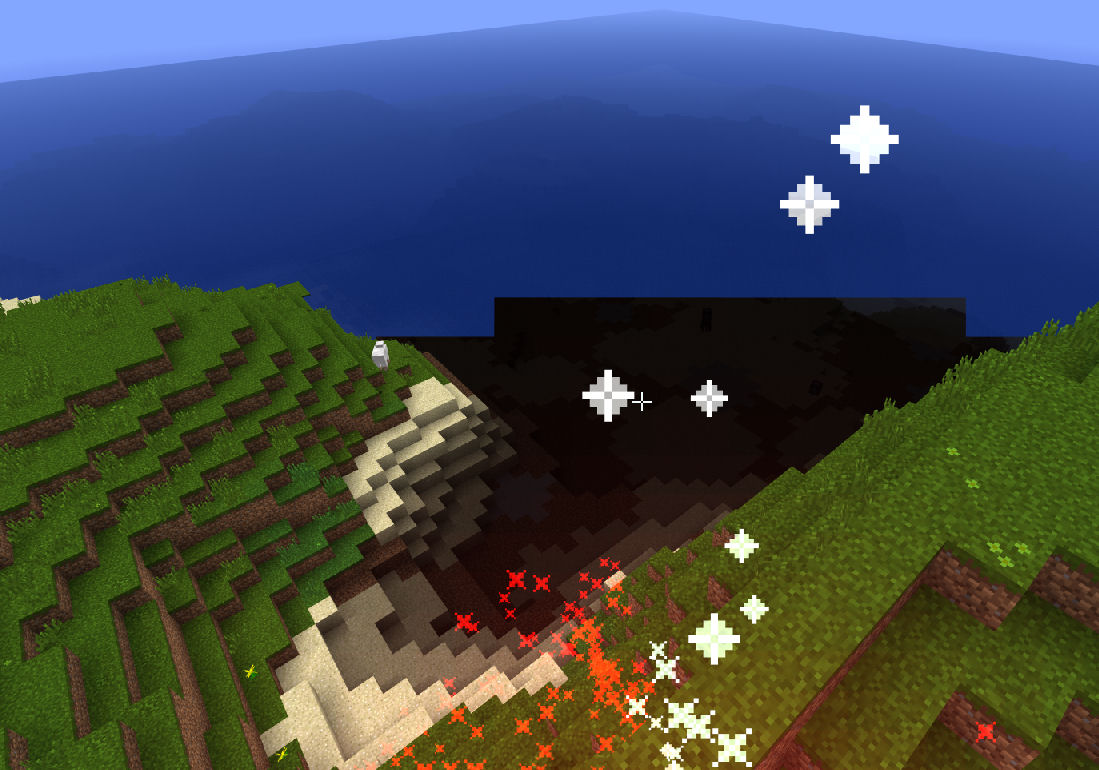




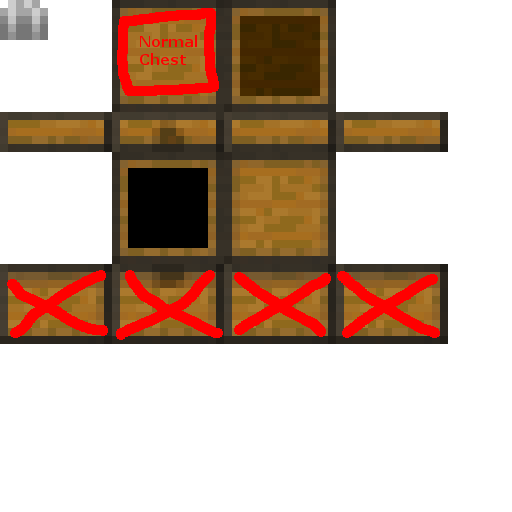
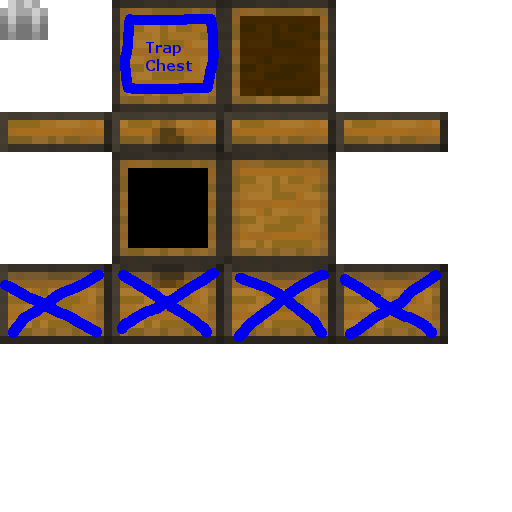
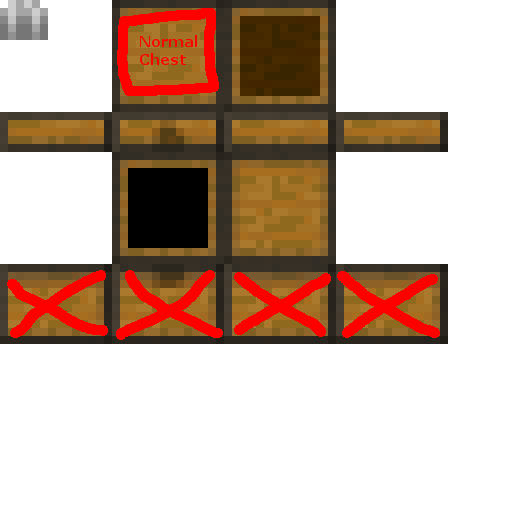

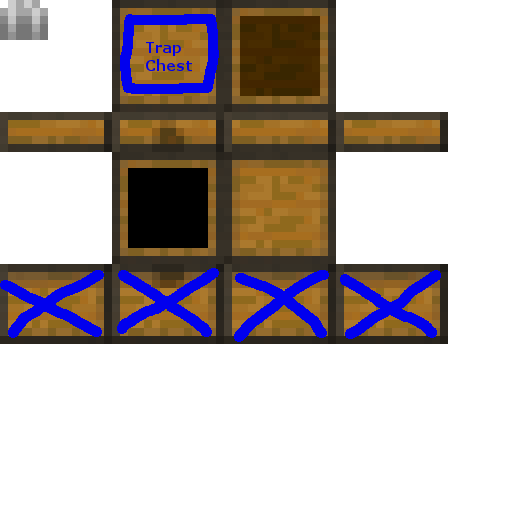




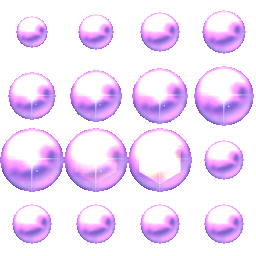
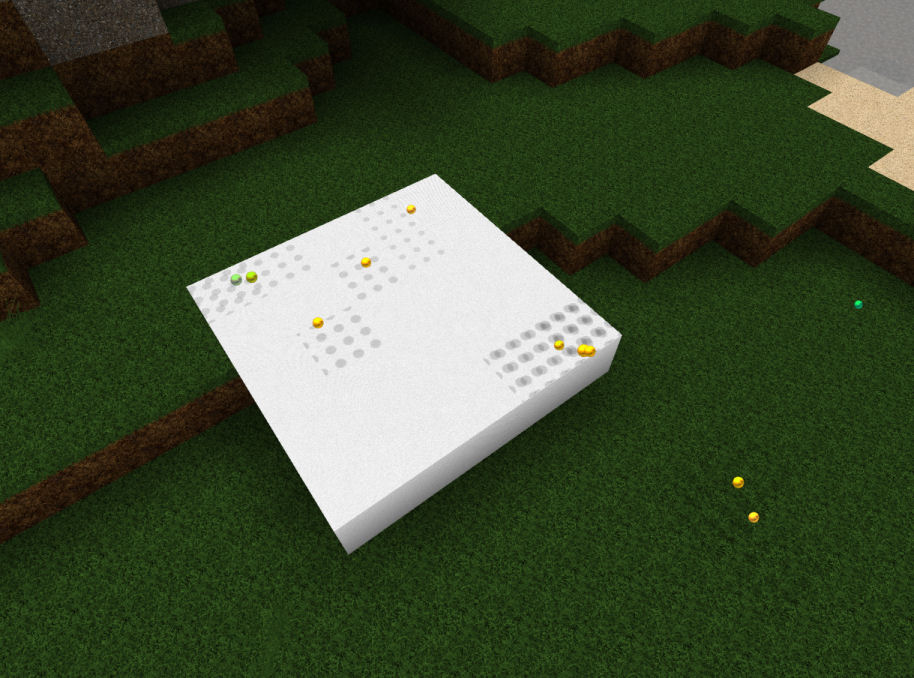
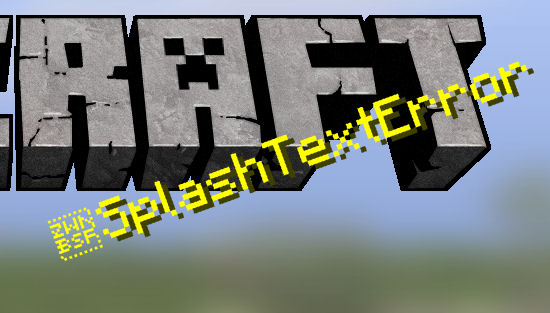


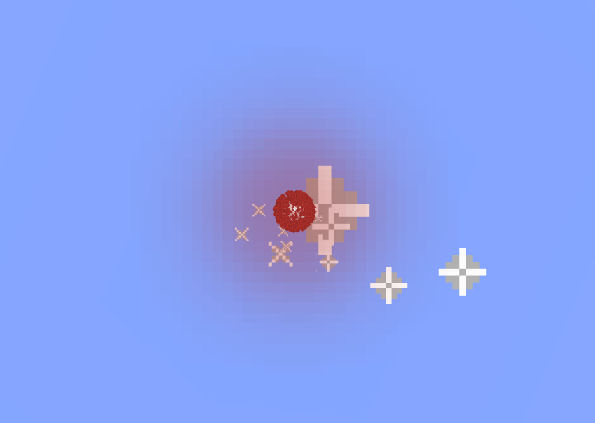
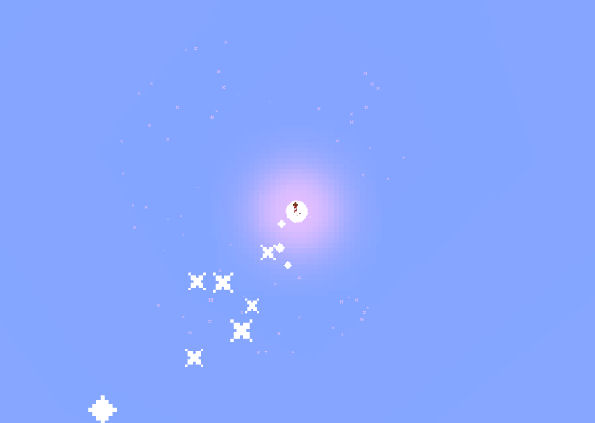
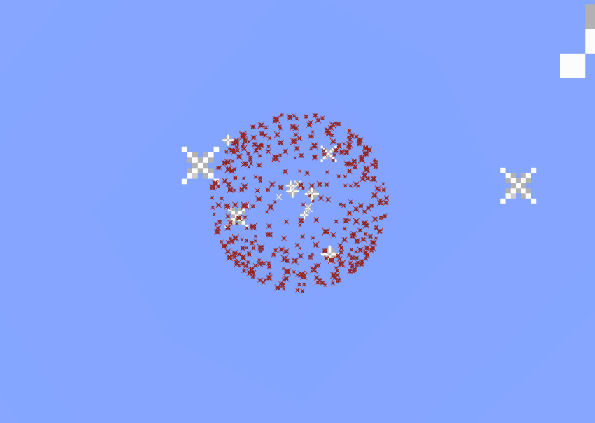


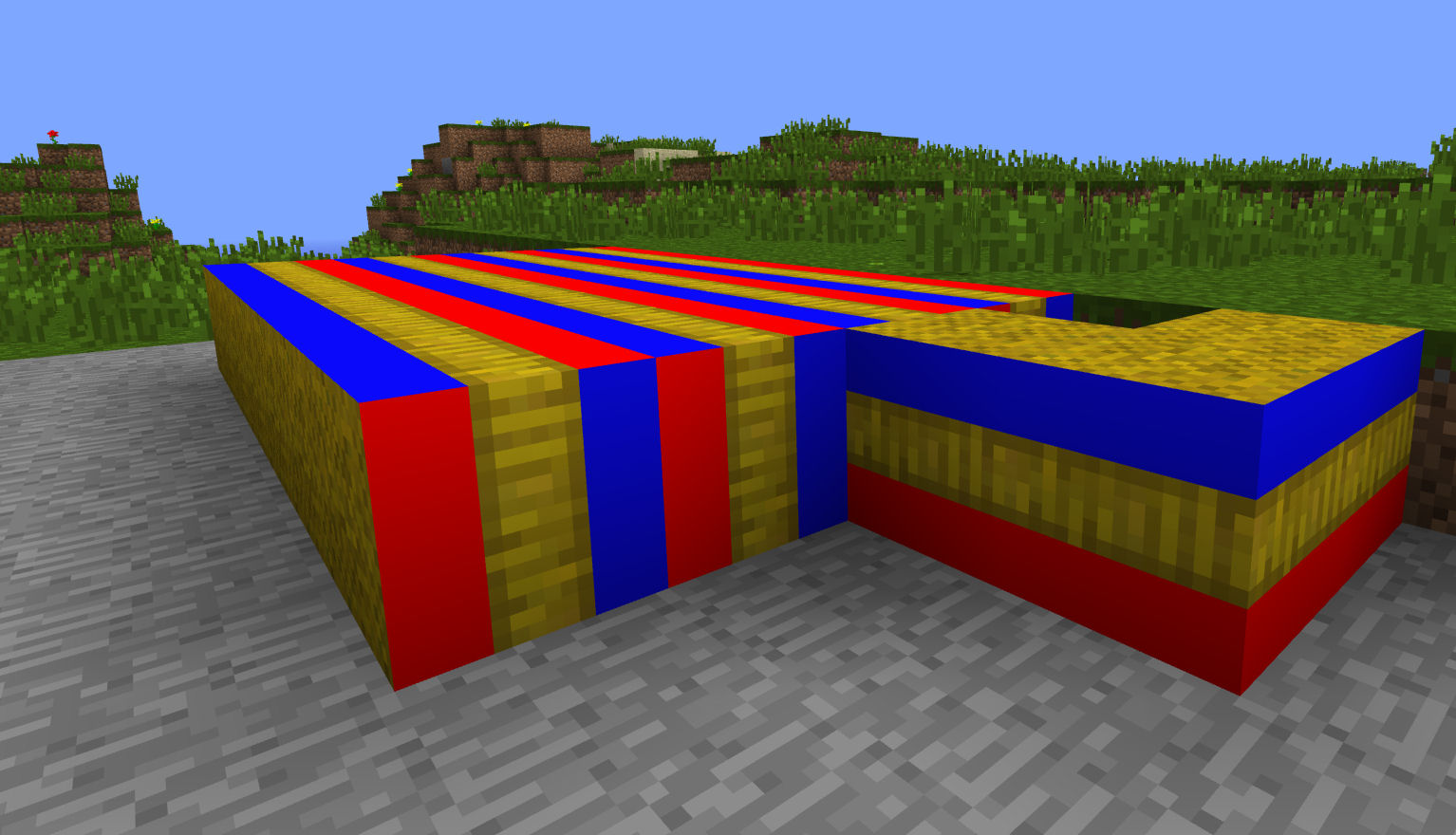

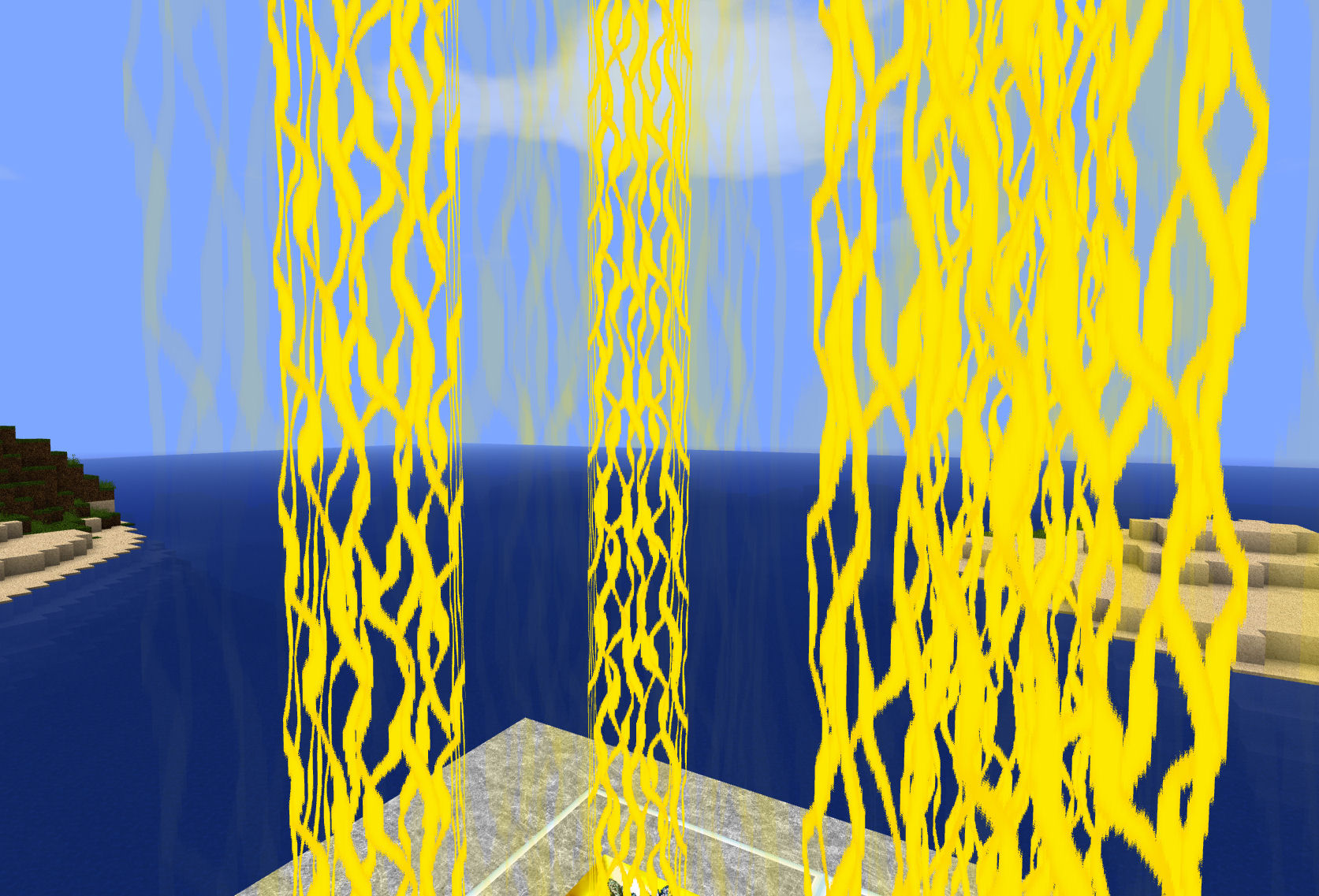
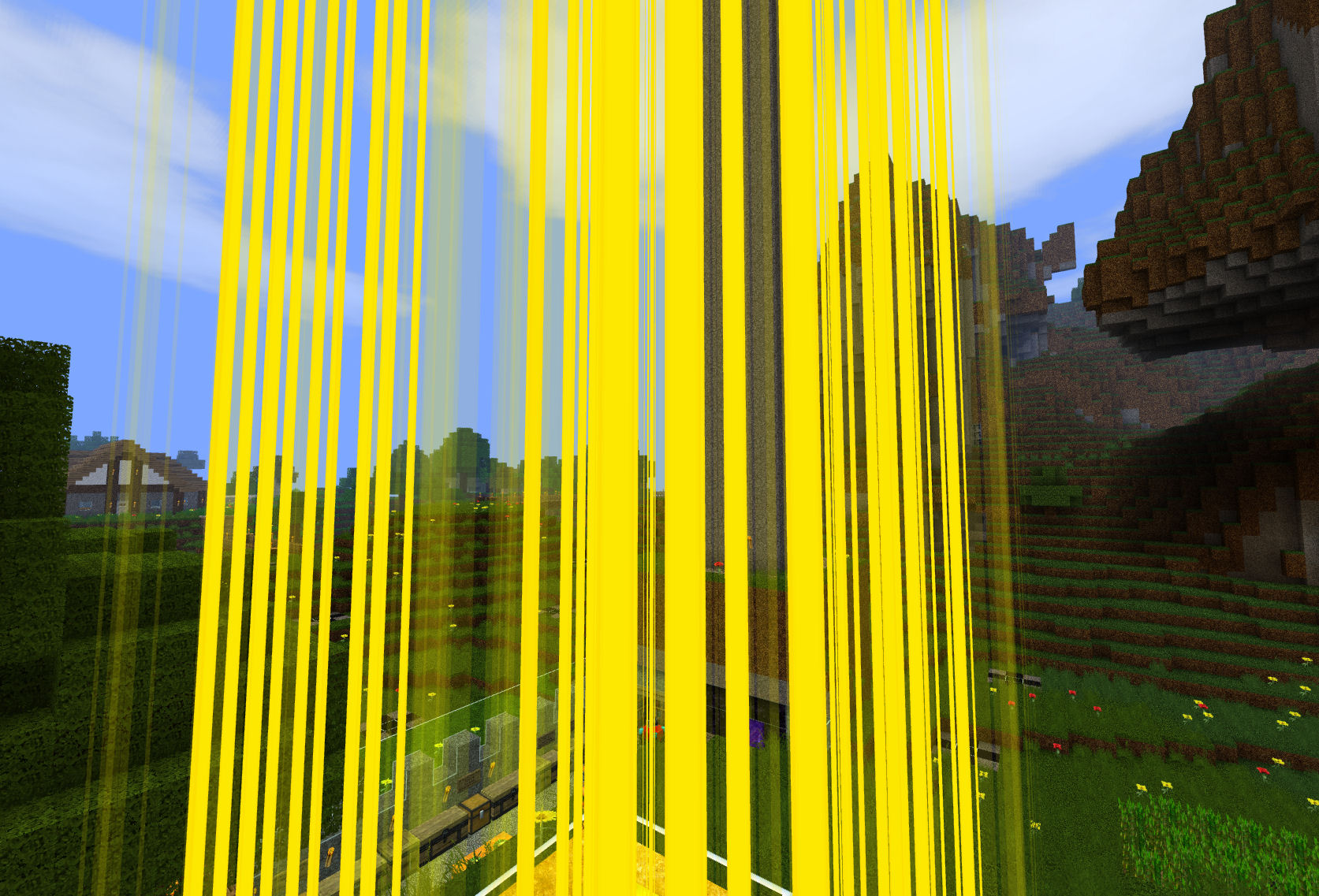


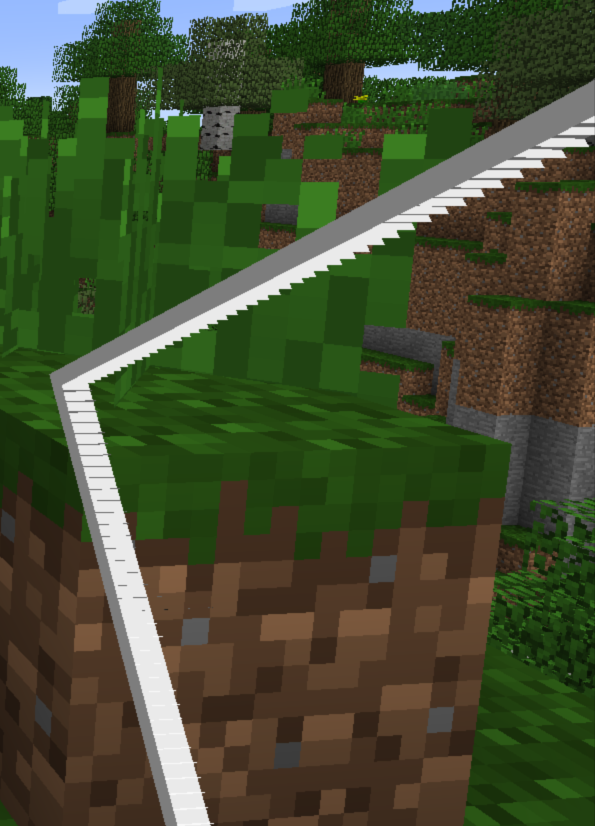
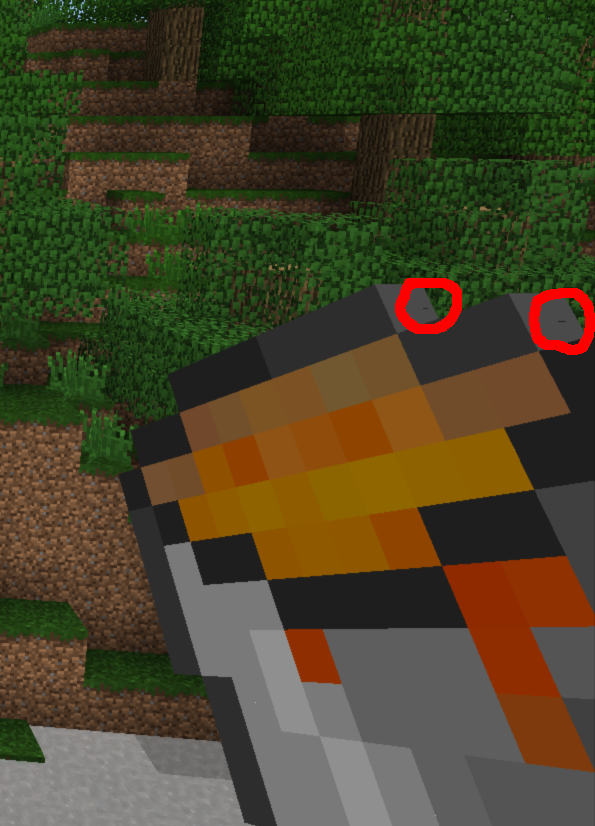
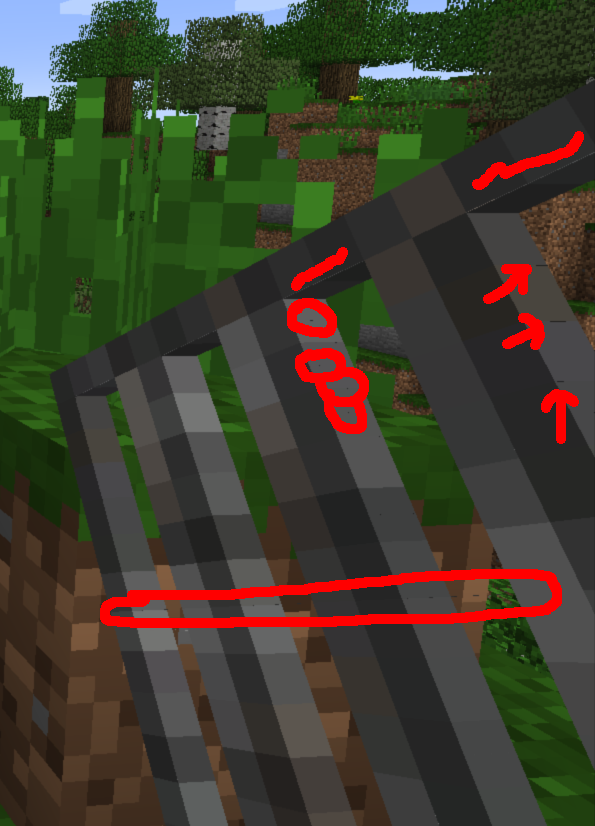
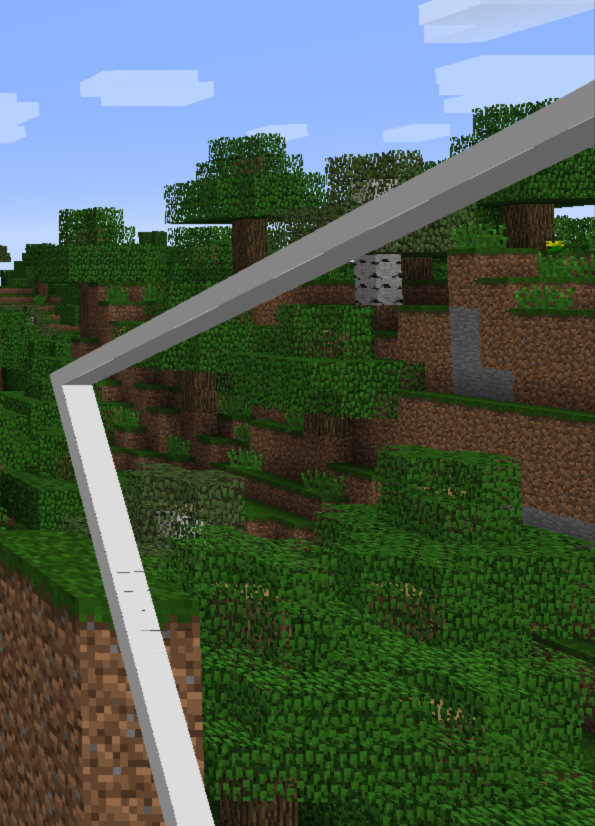

The firework light flash texture turns
black during nighttime, therefore not visible.The firework light flash texture turns very dark during nighttime, therefore practically not visible.
Firework light flashnot visible at nightFirework light flash rendered too dark
The firework light flash texture turns very dark during nighttime, therefore practically not visible.
What I expected to happen was:
Firework light flash texture being bright - because it's a LIGHT flash. Same goes for the colored firework particles.What really happend was:
The light flash is actually dark (during nighttime practically not visible, during daytime it looks really odd). The colored particles should also appear bright (less visible during daytime, "glowing" bright appearance during nighttime).
Place some slabs on an ice surface and walk on them. You will have a strange slippy walking behavior like you would be directly on the ice surface. Also works with End Portal Frames and other blocks being
notas tall as a full block.Place some slabs on an ice surface and walk on them. You will have a strange slippy walking behavior like you would be directly on the ice surface. Also works with End Portal Frames and other blocks not being as tall as a full block (Soul Sand, chests, stairs, ...).
![[Mod] NeunEinser](../../../data/avatars/users/39263.png)
_zombiehunter Yes, they are upside down trees. They even generate leaves if there is air underneath. Attached screenshots.
Large oak trees not generating is a different bug.
This can be best observed when generating a flatland world with the setting minecraft:bedrock,10*minecraft:air,minecraft:grass_block;4;decoration
![[Helper] Michał](../../../data/avatars/users/43368.png)
@_zombiehunterIt's "fixed for future version, not 18w07b.

_zombiehunter Oh, right. Thank you! Might want to link this to MC-9553 or just add the additional information there.

_zombiehunter, they don't have specific names. They're all grouped under "tropical fish".

_zombiehunter, is there anything in the launcher_log.txt ?
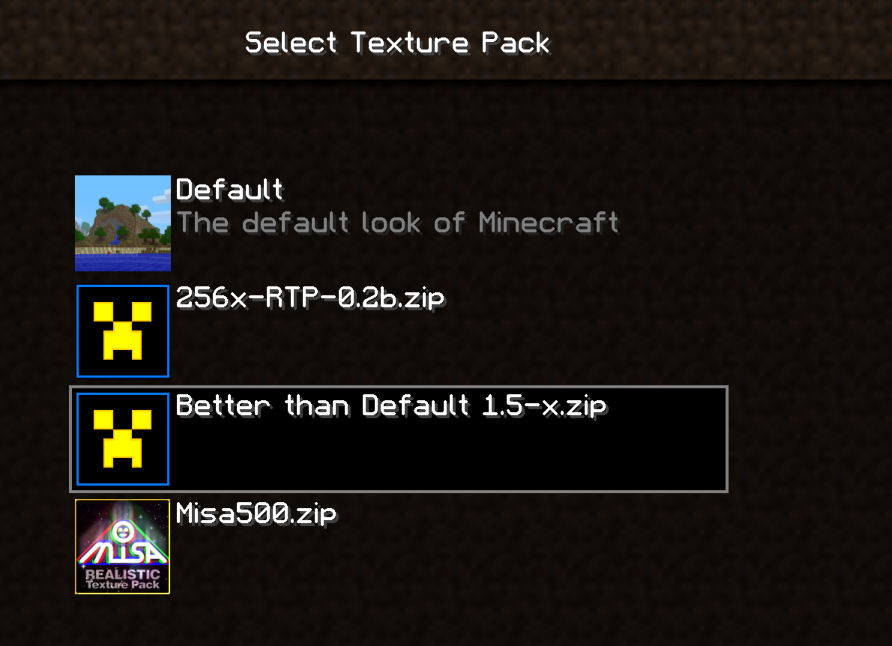
_zombiehunter, unrelated, but that resource pack is kinda broken, it throws a lot of errors in the launcher log:
[0608/110912:INFO:GameCallbacks.cpp(178)] game/uq (Client thread) info Reloading ResourceManager: Default, Better than Default 2.4_WIP17.zip
...
[0608/110915:INFO:GameCallbacks.cpp(178)] game/dhk (Client thread) warn In parent chain: minecraft:block/polished_granite2 -> minecraft:block/granite_smooth; unable to load model: 'minecraft:block/granite_smooth'
java.io.FileNotFoundException: minecraft:models/block/granite_smooth.json
	at ul.a(SourceFile:62)
	at uq.a(SourceFile:58)
	at dhk.c(SourceFile:398)
	at dhk.m(SourceFile:673)
	at dhk.l(SourceFile:647)
	at dhk.a(SourceFile:221)
	at dhl.a(SourceFile:23)
	at uq.a(SourceFile:117)
	at ciq.am(SourceFile:492)
	at ciq.a(SourceFile:364)
	at net.minecraft.client.main.Main.main(SourceFile:144)
The issue itself is most probably an out of memory thing, maybe caused by MC-129492 or similar
![[Helper] Johnibur](../../../data/avatars/users/28381.png)
_zombiehunter Could you attach your design to this report?
![[Mod] Jiingy](../../../data/avatars/users/91802.png)
Can confirm in 24w10a. I'd like to request ownership of this issue due to it's lack of upkeep if that's okay with you _zombiehunter. The resource pack did not work, and needed to be fixed:
particles_for_variants_MC-123465.zip
OK, just figured out how to set the file to "read-only" on Windows 7. It's a bit weird, but should work as a temporary solution.
@Anon Ymus:
Can confirm this for Minecraft 1.4.5 when sneaking on slabs next to ice blocks.
Status:
Tested again with Minecraft 1.4.6, seems to be fixed now !
This issue affects unmodded Snapshots 13w02a and 13w02b, therefore it should be reopened and setted as "unresolved" for the snapshots. It only affects the 3D items on fancy graphics ...
It was MCPatcher what caused this. Should have tested this with a clean minecraft.jar first ... sorry
This is not a duplicate, this is just a more general report of this issue because it's not limited to HD textures as mentioned in MC-7064!
Why are you always marking this as "resolved" ???
This is an issue that needs to be fixed !!!
Maybe you should read the content of an issue report first before closing it and keep the most accurate ones open!
And only if you don't work with textures, this doesn't mean you can arbitrarily close every texture-related issue just because you're not interested in it (or whatever the reason is) ...
Unfortunately, there are no official words about it, Mojang never cared about the font textures. It would be an easy fix to activate them for texturepacks though, and now would be a good time to do it along with all the other texture-related changes in MC1.5. Mojang just needs to be made aware of this issue and this issue tracker is the intended way to do this, or not?
So why the hell is this still marked as "resolved"? It's an issue that needs to be fixed, not a feature suggestion.
Hey, everyone!
This bug still exists up to snapshot 13w06a!
Would anyone please update the "Affects Version/s" tag and upvote this?
Hey everyone!
Please update "Affects Version/s:" to 13w07a and upvote this, it's still not fixed.
Still not fixed in 13w07a, please update "Affects Version/s" and upvote!
Woohoo, Dinnerbone fixed that old and annoying bug!
Thanks a lot
In the 13w07a snapshot, chunks still don't display properly. Please update the "Affects Version/s:" tag.
Updated title and description to better fit
MC-10309...OK, added another screenshot ...
Everyone upvote this, it's a really annoying bug!
Aaaaaaand fixed as of 13w09a. Even HD fonts work.
Not fixed in 13w09a, please update "Affects Version/s" and upvote!
We need to get rid of this bug!
OK, that's strange, it seems to work for some people. I just added the test files to another texturepack to make sure, but the animation does not load. Everything white. My Minecraft is not modded, I tested it with a clean minecraft.jar (Snapshot 13w09a) !
You mean an empty mobSpawner.txt-file ?
Does not work, besides how should I define the frame durations with an empty file?
C'mon everyone, can anyone cofirm this?
I can't be the only one with this problem! As far as I know, I did nothing wrong with my animations and I used a clean, unmodded minecraft.jar (Snapshot 13w09a!).
If anyone can confirm this, please upvote, we need to get this fixed for the 1.5 pre-release, it seems to be a pretty massive bug!
Added a small test-texturepack to the attachments containing the shown files ...
@Tails & @Thorogood:
Would you at least upvote
MC-10355and add any sign of confirmation apart from "Dublicate of ..." ?I still don't know for sure if it's only on my side or happening for many others too, but Thorogood seems to have the same problem.
@xland44, I quote myself:
"I made sure all animations have their own txt-file (as required in Snapshot 13w09a)." -
MC-10355If you take a look at the attached test pack, there IS a proper txt-file in it, but the in-game result is still white with that silly "missing texture" message.
Come on ... this bug is at least as important as
MC-10309, item and block animations DO NOT WORK!This is one of the main features of the new 1.5 texturepack format and needs to be fixed, so UPVOTE !!!
I tested it on other computers too, it happens evrywhere. Would any mod please officially confirm this and change the confirmation status?
thx @Jnrm3, can confirm this. Animations work with folder based texturepacks (but ONLY with folder based packs!). Texturepacks are commonly used as zip-folders, so this bug still affects the majority of all texturepack users.
Fixed in Snapshot 13w09b!
Still not fixed in 13w09b, please upvote this. Besides, would any mod please officially confirm this and change the confirmation status?
@Karst van Galen Last:
Even with a proper txt-file added, block and item animations still don't work. Please upvote
MC-10355, this bug needs to be fixed in the 1.5 pre-release!@Jayvee D. Enaguas:
If you haven't done yet, please upvote
MC-10355to get this fixed for the pre-release.Dunno if bug or feature, but it's still the case in Snpashots 13w09a/b !
I had this troubles with the /testfor command too. Please update the "Affects Version/s" tag so Mojang can find and maybe fix it !
Come on, Mojang. You can't do a pre-release without this bug fixed. You messed up the whole texture animation system!
Everyone else: Please upvote this! Animated blocks/items are one of the main features of the new texturepack format, this has to be fixed BEFORE the 1.5 pre-release!
@Lane Johnson:
Can confirm this for compass, clock, flowing water, portal and fire animations when using folder based packs (but strangely, my flowing lava works).
Updated the main post, thx for that information. Mojang really made a huge mess with everything related to animations, time to fix that !!!
Master Kahr has spoken. Thx. I'll add your comment to the main post. Let's hope they fix it before they pre-release Minecraft 1.5.
Confirmed. Same problem with ice too.
"Transparent texture makes transparent texture behind invisible" still happens up to Snapshots 13w09a/b. Please update the "Affects Version/s" tag.
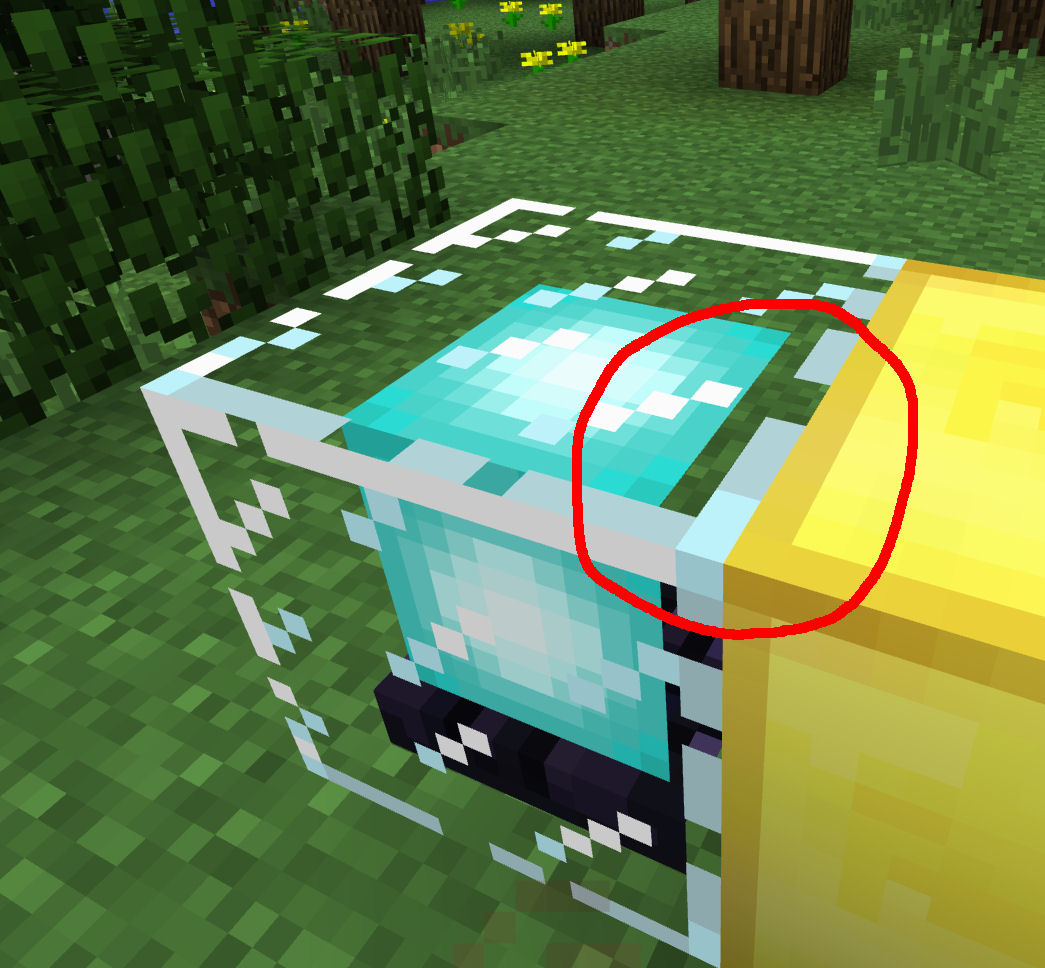
Added a screenshot of a firwork light flash in front of a water surface. Same problem here.
Thanks a lot for fixing that, Grum
And thanks to everyone who helped testing and investigating this.
@Hkliese:
You should read the content of an issue ticket first before posting anything here. Just read everything above, then you'll see that your comment is a bit out of place here. You can assume that everyone here already knows how animations and the respective text files work, otherwise we wouldn't have found this bug, or not? And Grum fixed it, so everything's OK again.
Confirmed for 13w09c !
@Lane Johnson:
False alarm. Everything works fine on my side with 13w09c (tested all animations with zip and folder based texturepacks, no missing textures anymore), please check your txt-files !
@Grum:
Ah, good news. Would be nice to have some detailed and official information about what the new engine supports though. There's a lot of speculation out there and the current information found on the Wiki and Forums ins't very helpful (confirmed so far: Support for Java 5 will be dropped and Dinnerbone twittered several times "We are working on something so much better than Optifine"). Probably many other rendering related bugs may be obsolete with the new engine (
MC-9553for example?).btw, whilst rewriting the engine, you should especially consider that millions of Minecraft fans still have to download Optifine/MCPatcher to make the game (and their texturepacks) even playable. Best would be to get rid of Optifine and MCPatcher completely with the new engine (proper FPS boost + implementation of all missing texture features like RandomMobs, Custom Colors, Connected Textures, Better Glass, custom skyboxes).
Just the fact that nearly all texturepacks still rely on MCPatcher should be reason enough to implement all its features to vanilla Minecraft. I'm sure Kahr will help you with this.
It's less a general performance problem, it's more the lack of features of the current engine. This "transparent texture makes transparent texture behind invisible" thing here is one of many examples, the old engine simply isn't able to render several transparent textures behind each other. You need a better and more powerful engine to do this, which should still give a playable framerate. Especially those players using texutepacks suffer from the limitations of the current engine (just try MCPatchers Better Glass mod and take a look through several glass panes behind each other or place some glass blocks underwater ... there's always something invisible because the current engine can't render it).
Another problem: Not everyones computer meets the system recommendations, using many basic features of texturepacks (Custom Colors, RandomMobs, CTM, Better Glass, Better Skies, ...) is impossible for them due to massive FPS drops after patching the game. If this features would be properly implemented to the game along with a faster engine, everyone would be able to enjoy texturepacks with proper FPS and without the ned of mods like Optifine or MCPatcher.
Why is this weird bug still not fixed? Does Mojang never create a Whiter when testing their own game?
Yep, still happens in 13w10b. Such weird and easy-to-fix bugs need more upvotes !!!
@Corbin:
No, not fixed for clouds. Still happens in 13w10b, no differene to previous snapshots
OK, tested with 1.5-pre, the particle+clouds or hitbox+clouds rendering now is fixed (maybe becauce Jeb reverted the cloud transparency bug
MC-9553?). Paticles in front of other transparent textures still do weird.@kinsi:
Thanks, exactly what I need
I reported it because it's a bug. It's entirely up to Mojang if they fix this bug or turn it into a feature.
To make ice runs, you can just use ice blocks without slabs too, it makes no difference.
@Grum: ).
).
You can't expect everyone to like the vanilla font, so you should at least give us a way to properly change it. Just telling us "Will eventually get fixed!" sounds a bit careless (I mean, it's your job to fix and improve things, or not? And there's already a good fix out there, so it's a win-win for you AND the community
@Mark Cashion:
Yes, it's up to the coder to fix/not fix it, but arbitrary decisions don't make Minecraft a better game (and the purpose of updates is to make it even better, or not?). So the one and only question is: Is there a way to do it better than MCPatcher? If so, do it better Mojang! If not, I see no reason to not include that part of the Patcher to vanilla Minecraft.
So they decided to add Custom and HD fonts (which is a great feature btw.). What did they do exactly?
They did the same as with (nearly) every new feature:
1.) Throw in the feature
2.) Let the community test if it works
3.) Fix or not fix any bugs
4.) Maybe looking out for a method to do it better afterwards
THIS is what they should do with every new feature:
1.) Search for a mod which already does it
2.) Check if there is a better way to do it
3.) If not, include the mod to vanilla Minecraft
4.) Everyone's happy
@Grum:
OK, thanks. Looking forward to see more texturepack changes
Confirmed for 13w11a!
woops, really forgot about this. Yep, firework light flash didn't change in 1.5 and 13w11a, still looking weird. Best would be if Mojang changes the firework particle rendering (including the light flash particle texture!) completely to give them a brigher appeareance, similar as used in MCPatchers Custom Colors mod (giving them a more "glowing" appearance, as if they would give off light >>> by far more realistic !).
Still affects the 1.5.1 pre-release!
Can confirm this for 1.5.1. Very annoying when using texturepacks!!!
Pleace update the "Affects Version/s" tag!
Uploaded some screenshots and test skins for comparison.
Confirmed for 1.5.1!
Very annoying when using texturepacks ...
Uploaded screenshots and test skins for comparison.
I think
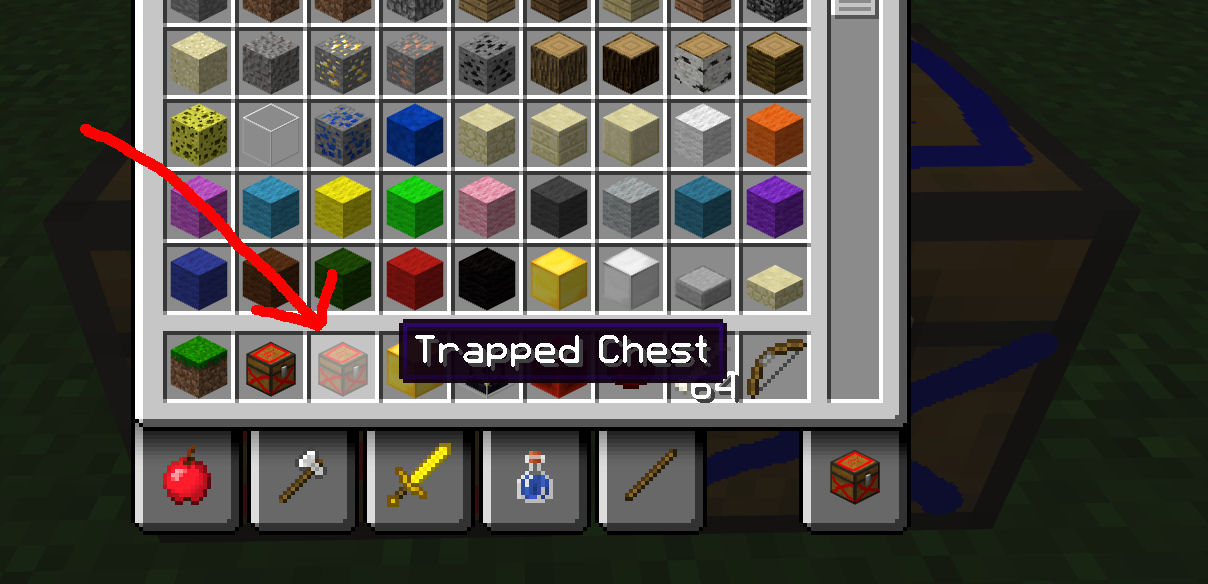
MC-10757describes the problem better, it's not only the inventory, hand-held trapped chest items are wrong too!Confirmed for 1.5.1. Falling damaged anvils and damaged anvil items use the wrong texture!
Yes, I used the search function, but there where no results!
Confirmed for 1.5.1 !
I always find Witch Huts on biome borders, but I never found any witch spawning there so far. It's annoying
Confirmed for 13w16a !
Damaged Anvils still use the wrong item texture in 13w16a !
Confirmed for 13w16a !
Still not fixed in 13w16a !
Ok, options for RAM in the launcher sounds good
Will there be any fast auto-login option too instead the command line usage of the old launcher? Typing in a long password everytime I start the game gets really annoying after some time.
Confirmed. Happens to me too. My XP bar is gone after riding a horse! Reloading the world or even restarting the game doesn't fix the problem.
Just another silly, unnecessary bug ... all pressure plates work fine except the stone pressure plates. And even more weird: The bug doesn't affect mobs, only players! Wtf is Mojang doing to produce bugs like this ???
OK, "may be an incompletely implemented feature" is a valid argument. Better would be to add another pressure plate which only detects players (e.g. an obsidian pressure plate), this would be better suited to build systems to distinguish between players and mobs ...
Dublicate of
MC-13610!!!Please use the search function before reporting a new bug !
Confirmed for 13w16a !
GPU limitation you say? My grahpics card isn't that old and 1,25 GB graphic memory should be enough to render a 2 MB cloud texture ...
I've added some hardware information to this ticket just for the case
EDIT:
Tested it with my brothers ASUS GeForce GTX 670 (2GB G-RAM), same problem. It seems to be a bug of the Minecraft rendering engine.
EDIT2: 1.5.1 minecraft.jar, it handles 4096x4096 cloud textures absolutely fine.
Doesn't happen when using a patched
Still a problem in 13w16b!
Confirmed for 1.5.2 and 13w17a !
Confirmed for 1.5.2 and 13w17a !
Confirmed for 1.5.2 and 13w17a !
Aaand still no fix for this in 1.5.2 and 13w17a !
XP bar is still missing after riding a horse in 13w17a !
XP bar is still missing after riding a horse in 13w17a !
OK, thx for working on this, Grum
Torabi is absolutely right. Upvote this bug, everyone, upvote ! ...
Fixed as of 13w18a!
Thanks Grum, good work
Yep, probably neeeds a "b" snapshot tomorrow :-b
Besides, would you take a look at
MC-15034, Grum?I think they need to rewrite the rendering engine to fix this, dunno if the new engine will be included in 1.6 ...
Hehe, LOL
Confirmed for 13w18a ! (EDIT: and 13w18b+c !)
Confirmed for 13w18a! (EDIT: and 13w18b+c !)
Confirmed for 13w18a! (EDIT: and 13w18b+c!)
Still waiting for a fix ... 13w18a
EDIT: Same with 13w18b and 13w18c
Seems to be fixed in 13w18a ...
Just saying ... the old launcher supported quick-launching the game, so the new one should be able to do this too. I don't understand how exactly all the token stuff works, but any option to instantly launch a specified version would be nice. Besides, options to launch the game in maximized window or even in full screen mode would be nice too.
Minecraft should be "ready to play" a few seconds after clicking the desktop icon, without typing in long passwords, clicking Play-buttons, maximizing windows and manually toggling to fullscreen mode. Everything optional, of course, but it should be possible.
Profile system? Sounds nice
If the argument "the old one did it, so the new one should too" is invalid or not depends more on if we're talking about a good or a bad feature. To correct myself, an always valid argument: "The old one was fast and comfortable, so the new one should be too".
Still not fixed in 13w18c !!!
Would any Mod please confirm this and reopen this ticket ?
Updated title and description to include hay blocks too.
Yeah, the "fix versions" tag says 1.6, but this bug is also listed on mojang.com in the "fixed bugs" list of 13w18c and Grum said it's fixed, so I presume coal blocks should burn in 13w18c ! Something's wrong here ... did they try to fix it in 13w18c and failed or is it going to be included later as the "fix versions" tag says?
@Igor: For general information about everything related Minecraft, please use the Minecraft Wiki. You'll find your questions answered in full length there, btw you could just download the latest snapshot and try it yourself (done in 3 minutes).
Hay Bales still not burning in 13w19a !
Confirmed for 13w19a !
Confirmed for 13w19a !
Confirmed for 13w19a !
C'mon, Mojang, still no fix for this in 13w19a?
The side textures of cauldrons change to compass textures after placing a compass in an item frame. After that, it happens in every world you load for all cauldrons with or without item frames near to it. Restarting the game solves the problem temporary.
@Alejandro de la Cruz:
Cannot confirm this for chests. Only happens with transparent textures like ice, water, etc ... (tested with 13w19a)
@Torabi:
I had absolutely no crash problems with any 1.5 or 1.6 snapshots, but I always find the same bunch of old visual problems which should have been fixed versions ago. You don't think they have some kind of priority, especially for people working with textures or playing with texturepacks?
@Alejandro de la Cruz:
Not relevant for this bug tracker. As you can see many times in the video, they're using several mods. This bug tracker is only for unmodded Minecraft. Many mods cause visual problems, but it's up to the mod developers to fix this.
@Ben:
You really think this is a bug? This is like saying: "Hey Mojang, my computer can't handle Minecraft when running 500 other background applications, pleeease fix it!"
You better check http://help.mojang.com/customer/portal/articles/325948-minecraft-system-requirements and add some information about your system to this ticket. If your computer has less than the 2 GB required RAM, I'll consider this ticket to be invalid in general. If you have 2 GB or more RAM, please test Minecraft without any other applications running in the background. If you still see "missing texture" everywhere, then it's valid bug!
Besides, check if you have any mods installed, some mods can cause your problem too (often saw this with "Too many items" installed on my side, even with 8 GB RAM).
Works fine in 13w19a, even with 256x256 compass/clock animations
Can't reproduce, you're most likely holding shift (which is intended to work like this)
Yep, no sounds after playing some minutes.
Confirmed for 13w21a !
Still not fixed in 13w21a !
No fix in 13w21a/b !
Confirmed! animations and all texturepacks.
The game doesn't recognize the text files of animations in general (better update the description so it's easier to reproduce). Happens with ALL
@Tails:
Mind to update the title/description of
MC-16149because it does NOT only affect lava animations.The game doesn't recognize the properties files of animations in general. Happens with texturepacks too.
Ok, but this "relates to" stuff is a bit superfluous here (it's one and the same bug and
MC-16142is a more general description of it ... Lava is just one of several animations not working properly). I would close all lava tickets in this case (MC-16149, ...).Yep, the game ignoeres the text files containing the animation properties ... affects all animations and all texturepacks !
(btw, I think all this "relates to" stuff linking to open issues saying "lava blabla too fast, very weird" is a bit chaotic ... better mark them as duplicates and focus on this one ... it's all the same bug, lava is just one of several animations not working properly because of
MC-16142!)Ok, good to know. So Resource Packs are the new future of Texturepacks? Sounds interesting ... looking forward to it
This can be marked as "fixed" too (see
MC-16149, comments ...)@Nlnlnonm:
Why are you adding MCPE screenshots here ?!?!?
@Gafanhotz:
Do you even read the descriptions of issue tickets (just saying .. he wrote "DO NOT allow structures").
Btw, can confirm this, happens on my side too (13w21a), the game creates nether structures every time, even after selecting "no strucures".
Would be nice to have this fixed. As you already mentioned, it's not very conspicuous in most 16x16 packs, but HD packs really would profit of better aligned textures on fences, etc. ...
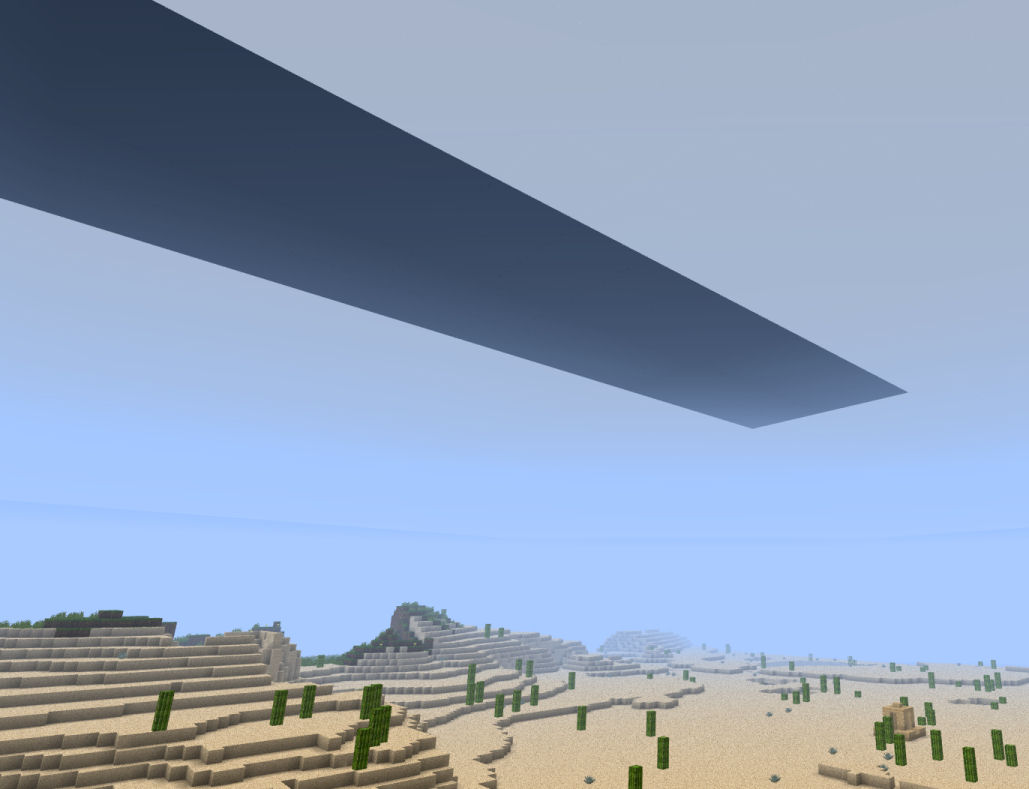
That's not a bug, that's just how 3D clouds work in Minecraft. Seen from inisde, they looked like this even in Minecraft Alpha ...
It says "Fix Version/s: Snapshot 13w21b", but it's still not fixed. Something's wrong here ...
@Not Telling Yuwe:
It's a bug of the whole animation system, so they need to fix it.
If the lava animation speed in the nether bothers you in any way, just make a texturepack which fits your needs. You can create different lava animations for the nether and overworld by combining CTM method=fixed with biome specific CTM and by adding two different animation text files to define the animation speeds. Sounds complicated, but it's actually done in 5 minutes :-p
@Grum:
Just good to know you're working on it
And yes, it's always good to consider other ways to implement something. MCPatcher is a standard for texturepacks for some years now, which doesn't mean there isn't a better way to implement a feature. In addition to all the "Custom fonts do not display properly" stuff, the real problem is still the lack of many other commonly used texturepack features in vanilla Minecraft (Animation Support for all textures, RandomMobs, Custom Colors, CTM, Custom Skyboxes, ...). Have you ever compared Misa's texturepack (or any other full featured pack) with vanilla Minecraft and with patched Minecraft? The visual difference is mind-blowing ... and millions of players still have to rely on MCPatcher/Optifine to enjoy this. Wouldn't it be a good time to finally add more texturepack features along with all the rendering changes?
@Ryan Deeming:
What help? How can you expect any help if you don't even manage to include the full crash report to this issue ticket? The screenshot you posted says exactly where you can find the file, you need to upload it here! Just saying "Minecraft has crashed" is worthless, Mojang needs to know the reasion why your game crashed (which is found in the crash report you forgot to post here).
Confirmed for 13w22a !
Confirmed for 13w22a !
Yep, the placeholder is fine. The saddle item matches the placeholders shape in every pixel, nothing to complain here ...
As aidan pallian mentioned some time ago, this only happens with single buckets. When using a stack of buckets, getting milk works fine. Maybe someone (mike kosin or any mod) should add this information to the bug's description, it could be important.
Dublicate of
MC-13880!Cannot reproduce!
Just created a survival world in 13w22a, found several packs of wolves, 200 meters away some sheep, cows and pigs (walked through Taiga and Wood biomes).
Confirmed for 13w23a/b !
Confirmed for 13w23a/b !
Confirmed !
That's really a weird bug ...
OK, futher testing showed:
1.) Happens with snowballs too !
2.) Only happens when fireing in a low angle
3.) Tested in 1.5.2, same problem here ...
Maybe you should mention this in the description of the issue ticket and change the title to include snowballs too.
It's the hitbox? Ok, ... then you should add 13w23b to
MC-12241Or use a better texturepack. I'm sure there is one out in the forums :-P
1.) There's a seperate issue tracker for the launcher !
2.) You can select versions using the profile editor !
Changed my directory to a normal folder, like C:/Minecraft/.minecraft, doesn't work too. Bug? Or is this feature not ready yet?
Ok, attached a file with the FULL console output, some words are in German though. Password, etc. replaced with XXX.
@Void_Concept and everyone else:
I hope you didn't miss the upvote button
Seems to be a major problem with the launcher, happens on Win XP, Win7, with Java 6 or 7 and every Minecraft version, ...
@Mojang:
The launcher had one job: Launching the game. It failed. Do it better next time :-P
Thx for making a little bug fixing overtime at Mojang. Launcher is launching again
EDIT:
Still can't change the Minecraft directory. Same problem. Default directoy works fine though.
@Maarten:
The new launcher does not download any files to the new directory, you have to move them manually from the old to the new one. Then it should work. Unfortunately, there seem to be other problems too:
MCL-446. Does this happen to anyone else?Aaand there's a separate bug tracker for the launcher: https://mojang.atlassian.net/browse/MCL
Confirmed for 13w24a/b !
Confirmed for 13w24a/b !
Wrong project. This is the bug tracker for the launcher!
@Grum:
But this >>>
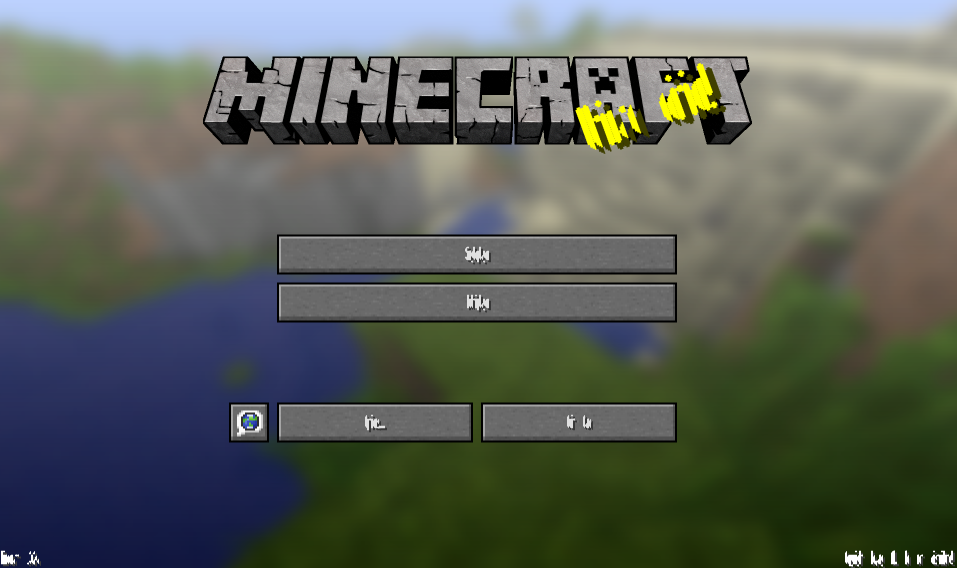
MC-17729should not happen, right? Default-shaped fonts should work without the properties file, or not?Can confirm this. To be correct, it's a bug of the converter, not a Minecraft bug.
Most likely happening because the old cobblestone texture was named "stonebrick.png", the new one is named "cobblestone.png" ...
Screenshot?
Ah, ok, can confirm this !
@Grum:
So it worked fine with the old system, but the new system needs metadata to display even default-shaped fonts correctly? Doesn't really sound like an improvement to me, more like a lot of work for texture artists. Maybe any chance to let your nice converter tool add the correct metadata to HD default shaped-fonts? Custom fonts like that from Misa's Pack still need to be converted manually, but the widths for HD default-shaped fonts should be somehow calculateable for the converter, or not?
Just had the same problem. Upvoted.
Ok, it was because of the missing "shadow.png.mcmeta" in my texturepack, as Grum mentioned in
MC-17684. Added the file and it works fine now. Would be nice if Mojang would release more information about the new mcmeta files and where you need them, how should texture artists know if this is a Minecraft bug or an issue with the pack?Converting animations works fine for me, better check your text files before converting them. Dropping them directly into resource packs does not work, the txt format for animations is no longer supperted.
More or less a dublicate of
MC-17831. Some packs do not load, some packs crash the game."Resource packs are as laggie as texture packs used to be"?
No-one said resource packs have better performance than texturepacks, FPS remain about the same as before. Performance can only be fixed in a mentionable way with a new rendering engine. Dinnerbone twittered several times the new engine they're working on will be "so much better than Optifine", so I think you'll have to wait until it is implemented. Dunno if they plan to do it in 1.6 though.
Dublicate of
MC-17831!Aaand another dublicate of
MC-17831!Items also bounce on anvils, chests, etc. (tested in 13w24b). Don't get why this is still not fixed
Dublicate of
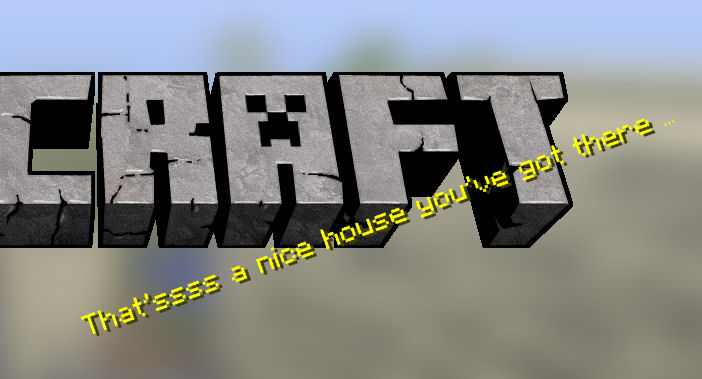
MC-17831!Yep, you're right. Wrote my splash texts in MS Word and copy/pasted them to the txt file afterwards. Seem to be a nasty auto-correction thing of Word (replacing three dots with the "elipse" character), the output is visually not distinguishable. Thx for the hint
There's no way to make this visible with the standard Windows Notepad, WordPad or even Notepad++. However, It seems to be possible to display and remove this "order mark" with MS Word, at least it doesn't show up in-game anymore. Thx for your help on this issue
Hey, that works
Thanks for your help. Btw, is there a list of supported arguments available anywhere? There's still some stuff I want to do and don't even know if it's supported yet or how to do it (e.g. launch the game in maximized window or full screen, maybe even quicklaunch the game, etc. ...). Or is this still planned to be added to the profile system?
Just had exactly this issue in 13w24b. Would someone be so kind and update the "Affects Versions" tag?
Thx.
@Don Ultimite:
So you wanna say if I burn my wood/wool house, only floating carpets should remain? Looks a bit weird to me. Wool blocks burn and carpets are the same material, so they should too!
All animations work fine on my side. Please attach your mcmeta files!
Confirmed for 13w25a/b/c !
Confirmed for 13w25a/b/c !
Still happens in 13w25a !
Just tested a custom end credits text and had this issue
aaand 13w25b !
So what's wrong? If you mean the incorrect particle rendering, then it's a dublicate of
MC-9553.Yes, that works. So no mixing of different resolutions inside the /entity/horse folder ... good to know. Thx for fast reply
@Niklas:
That does not make sense. You could simply delete all fonts from your resource pack, Minecraft automatically uses the default fonts if there are no fonts available in your resource pack. But yes, at least it makes stuff readable again.
@Grum:
Any progress update on the fonts? Still crazy hieroglyphes in 13w25c ... :-b
FYI, this still happens up to 13w25c and it's very annoying. Would be nice to have this fixed before the 1.6 release!
@Grum:
Thanks for fixing that
Yep, that "pile of tickets" still contains a lot of old issues with textures/graphics/rendering.
MC-9553for example is one of the most annoying ones (and about to reach the top 10 of the popular issues list), another one which bothers me isMC-7486(not really visible with default textures, but indeed visible in many texturepacks).MC-190was even community-fixed, so this one shouldn't be a lot of work.@Everyone:
For further discussion on fonts, see
MC-17673.Custom fonts should work after the implementation of metadata for fonts ...
Dublicate of
MC-9568?This is simply how Redstone works, so "Works as intended" is absolutely right in this case.
Still happens in 13w25c !
Zombies spawn in every dark area ... even in extremely small spaces. This is not a bug, it worked like this even back in Minecraft Alpha.
Dublicate of
MC-14521.Works as intended. You should read the wiki first before reporting things like that: http://www.minecraftwiki.net/wiki/Upcoming_features#Improvements_.26_changes_2
9000th dublicate of
MC-9553:-P@Draco Silverwing:
That's indeed long for an obvious bug like that! Particles worked fine up to 13w06a and as Christopher Durham said, it's probably a simple layering bug which could be fixed quite fast by the devs. It's just sad that no dev cares about this, any statement on this topic would be nice ... I mean: This bug is reaching 100 upvotes now!
Just noticed this bug in 13w25c !
Happend inside a fenced area to me, attached a screenshot (F5_bug.jpg).
Dublicate of
MC-17833!This is an intended feature!
Still can't burn carpets in 13w25c !
This is not a bug, this is because the light level during thunderstorms is too low to burn Zombies/Skeletons ... actually low enough to spawn new mobs.
@ Sam Gibbs:
Yep, I see your screenshot. Try this:
Options >>> Video Settings >>> Brightness ... You obviously turned the brigthness to maximum (turn it down and it looks normal again)
The blocks you're using seem to be transparent (ice?) and clouds are transparent too, so >>> dublicate of
MC-9553.I don't see where this is a bug. You climb the first ladder, stand on top of it (which is an intended feature) and then you have access to the second ladder, and so on .... climbing this construction isn't very fast, but it works.
https://twitter.com/EvilSeph/status/347144614907629569
https://twitter.com/EvilSeph/status/347144614907629569
Can confirm this. Not really a high-priority issue, could need some fixing though.
https://twitter.com/EvilSeph/status/347144614907629569
Dublicate of
MC-14865Confirmed for 13w26a !
Confirmed for 13w26a !
Confirmed for 13w26a !
Confirmed for 13w26a !
Dublicate of
MC-18365and works as intended.So you got chunk issues with your new graphics? Any details (what graphics card? your java version? anything?) Otherwise incomplete.
Confirmed. How to reproduce:
1.) Add an item to the hopper inventory
2.) Right-click the comparator several times
3.) You will see a very short off-state twinkle every 2nd click
Still happens in 13w26a and 1.6-pre