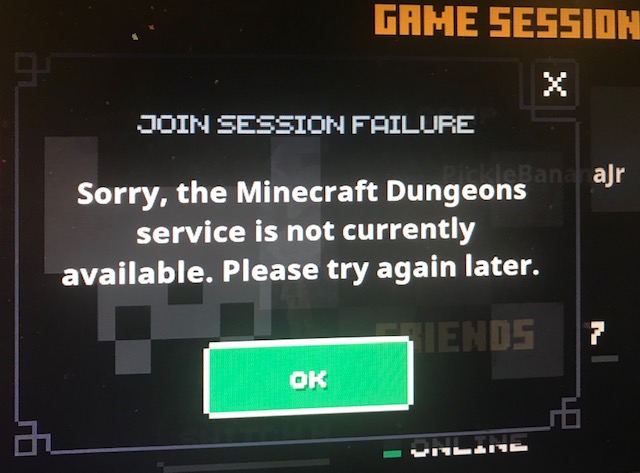
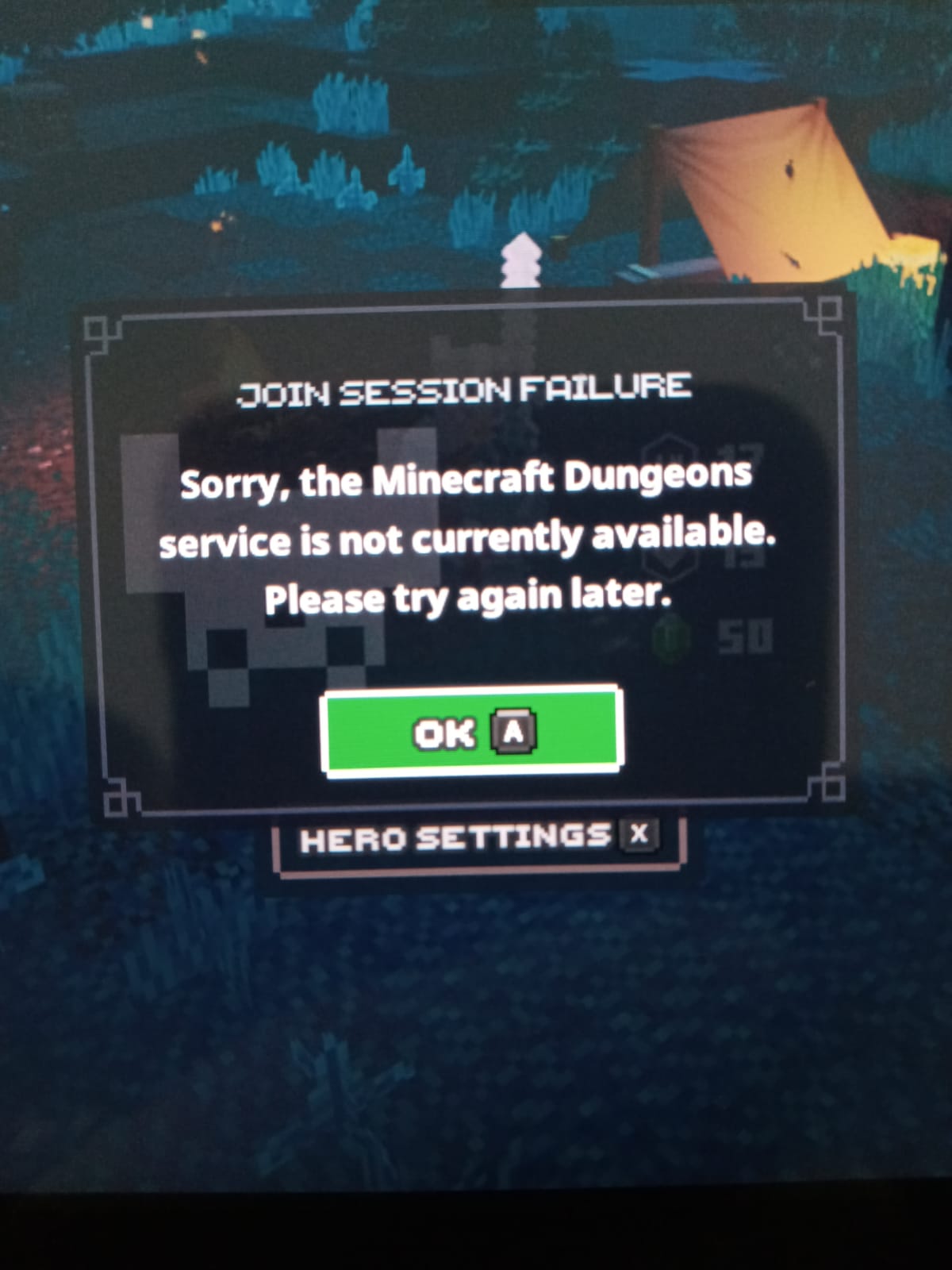
"Sorry, the Minecraft Dungeon Service is not available. Please try again later" I can't join online.
I can't join any online server and can't create a online server aswell. My friend can invite me but still, i can't join. We bought the game via Xbox Game Pass, so we are using Microsoft Store to connect the game. Singleplayer works completely fine.
Linked Issues
is duplicated by25
 BDS-17823Join session failure "sorry, the minecraft dungeons service is not currently available. Please try again later."Duplicate
 MCD-1321Join Game Session ErrorDuplicateMCD-1340Join Game Session Error (Switch)DuplicateMCD-1717I can't join or be joined online session with my friends.DuplicateMCD-1965Unable to join friend's multiplayer sessionDuplicateMCD-2068Nintendo switch account cannot play with anyone online, game sats “Sorry the minecraft dungeons service is not currently available. Please try again later”DuplicateMCD-2214Can't play onlineDuplicateMCD-2456Cannot join friends on switchDuplicateMCD-3140online joiningDuplicateMCD-3397Cannot connect to friends' rooms onlineDuplicateMCD-3478Minecraft Dungeons service shows as unavailable and cannot play onlineDuplicateMCD-3511JOIN SESSION FAILUREDuplicateMCD-3570Not able to join friends or have friends join gamesDuplicateMCD-3697Error message when trying to join people's campDuplicateMCD-3723THIS GAME IS TRASH. Can’t play with friends on switch since releaseDuplicateMCD-4189Game freezes and disconnects youDuplicateMCD-6608"Join Session Failure: Sorry, the Minecraft Dungeons service is not currently available. Please try again later".DuplicateMCD-6888"Sorry, the minecraft Dungeons service is not currently avaliable. Please try again later" i can't join with the friendDuplicateMCD-7384connection timeout DuplicateMCD-7496Cross-Platform not respondingDuplicateMCD-7566Can't connect to Mojang servicesDuplicateMCD-7567Online service is not currently availableDuplicateMCD-7617Loading into minecraft dungeons, does not let me play online, to create nor join a session it days an error has occurred and its been like this for 3 weeks DuplicateMCD-7638Connection to friends camp DuplicateMCD-7674Join session not working for switch to pc and pc to switchDuplicate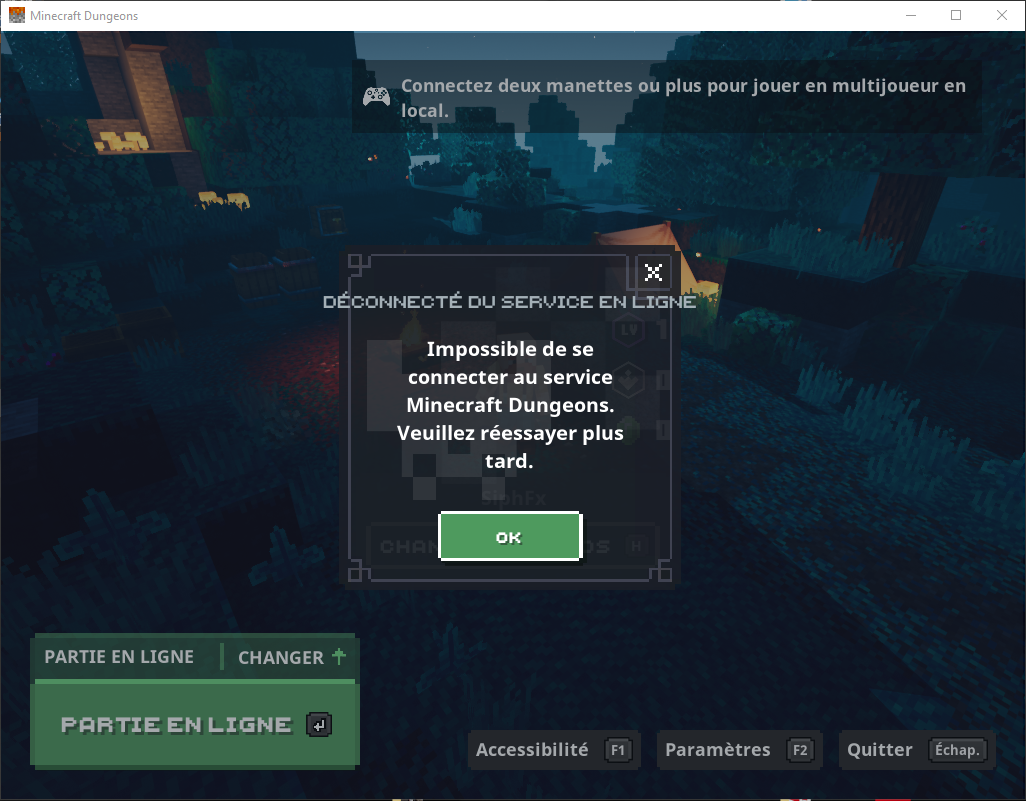


- Cannot Reproduce
 Alperen Cetin
- 31
- 22
- Community Consensus
- 363544
- Multiple
- Windows 10 1909 build
Created Issue:
"Sorry, the Minecraft Dungeon Service is not available. Please try again later" Friend can't join online.
I can't join any online server and can't create a online server aswell. My friend can invite me but still, i can't join. We bought the game via Xbox Game Pass, so we are using Microsoft Store to connect the game. Singleplayer works completely fine.
Attachments1
- Unresolved
- Open
- Unconfirmed
- Windows
- Windows 10 1909 build
- Version #19500
"Sorry, the Minecraft Dungeon Service is not available. Please try again later"Friendcan't join online."Sorry, the Minecraft Dungeon Service is not available. Please try again later" I can't join online.

is duplicated by
I'm having the same issue but I bought the game via Mojang

![[Mojang] Mega_Spud (Jay Wells)](../../../data/avatars/users/92696.png)
![[Mod] OcelotOnesie](../../../data/avatars/users/43220.png)
is duplicated by
![[Bot] Arisa](../../../data/avatars/users/43007.png)
is duplicated by

is duplicated by
![[Mod] violine1101](../../../data/avatars/users/92858.png)
is duplicated by
relates to
no no no ! @[Mod] violine1101
The bug is still present
I alWays have it When I launch a multi party as described above
I have this bug since May 26 ... I can"t play With my friends ...
is duplicated by
is duplicated by
relates to
![[Mod] Raybeano99](../../../data/avatars/users/55518.png)
is duplicated by
MCD-6198
is duplicated by
is duplicated by
IMG_6118.heic
is duplicated by
is duplicated by
is duplicated by
is duplicated by
is duplicated by
is duplicated by
![[Mod] Greymagic27](../../../data/avatars/users/92875.png)
Thank you for your report!
We're tracking this issue in MCD-1238, so this ticket is being resolved and linked as a duplicate.
If you would like to add a vote and any extra information to the main ticket it would be appreciated.
If you haven't already, you might like to make use of the search feature to see if the issue has already been mentioned.
Quick Links:
📓 Issue Guidelines – 💬 Community Support – 📧 Customer Support – ✍️ Feedback and Suggestions – 📖 Game Wiki – 📖 FAQs
Thank you for your report!
We're tracking this issue in MCD-1238, so this ticket is being resolved and linked as a duplicate.
If you would like to add a vote and any extra information to the main ticket it would be appreciated.
If you haven't already, you might like to make use of the search feature to see if the issue has already been mentioned.
Quick Links:
📓 Issue Guidelines – 💬 Community Support – 📧 Customer Support – ✍️ Feedback and Suggestions – 📖 Game Wiki – 📖 FAQs
Thank you for your report!
We're tracking this issue in MCD-1238, so this ticket is being resolved and linked as a duplicate.
If you would like to add a vote and any extra information to the main ticket it would be appreciated.
If you haven't already, you might like to make use of the search feature to see if the issue has already been mentioned.
Quick Links:
📓 Issue Guidelines – 💬 Community Support – 📧 Customer Support – ✍️ Feedback and Suggestions – 📖 Game Wiki – 📖 FAQs
Thank you for your report!
We're tracking this issue in MCD-1238, so this ticket is being resolved and linked as a duplicate.
If you would like to add a vote and any extra information to the main ticket it would be appreciated.
If you haven't already, you might like to make use of the search feature to see if the issue has already been mentioned.
Quick Links:
📓 Issue Guidelines – 💬 Community Support – 📧 Customer Support – ✍️ Feedback and Suggestions – 📖 Game Wiki – 📖 FAQs
Thank you for your report!
We're tracking this issue in MCD-1238, so this ticket is being resolved and linked as a duplicate.
If you would like to add a vote and any extra information to the main ticket it would be appreciated.
If you haven't already, you might like to make use of the search feature to see if the issue has already been mentioned.
Quick Links:
📓 Issue Guidelines – 💬 Community Support – 📧 Customer Support – ✍️ Feedback and Suggestions – 📖 Game Wiki – 📖 FAQs

Thank you for your report!
We're tracking this issue in MCD-1238, so this ticket is being resolved and linked as a duplicate.
If you would like to add a vote and any extra information to the main ticket it would be appreciated.
If you haven't already, you might like to make use of the search feature to see if the issue has already been mentioned.
Quick Links:
📓 Issue Guidelines – 💬 Community Support – 📧 Customer Support – ✍️ Feedback and Suggestions – 📖 Game Wiki – 📖 FAQs
Duplicates MCD-1238

Thank you for your report!
We're tracking this issue in MCD-1238, so this ticket is being resolved and linked as a duplicate.
If you would like to add a vote and any extra information to the main ticket it would be appreciated.
If you haven't already, you might like to make use of the search feature to see if the issue has already been mentioned.
Quick Links:
📓 Issue Guidelines – 💬 Community Support – 📧 Customer Support – ✍️ Feedback and Suggestions – 📖 Game Wiki – 📖 FAQs
![[Mod] SPGoding](../../../data/avatars/users/44622.png)
Thank you for your report!
We're tracking this issue in MCD-1238, so this ticket is being resolved and linked as a duplicate.
If you would like to add a vote and any extra information to the main ticket it would be appreciated.
If you haven't already, you might like to make use of the search feature to see if the issue has already been mentioned.
Quick Links:
📓 Issue Guidelines – 💬 Community Support – 📧 Customer Support – ✍️ Feedback and Suggestions – 📖 Game Wiki – 📖 FAQs
Thank you for your report!
We're tracking this issue in MCD-1238, so this ticket is being resolved and linked as a duplicate.
If you would like to add a vote and any extra information to the main ticket it would be appreciated.
If you haven't already, you might like to make use of the search feature to see if the issue has already been mentioned.
Quick Links:
📓 Issue Guidelines – 💬 Community Support – 📧 Customer Support – ✍️ Feedback and Suggestions – 📖 Game Wiki – 📖 FAQs
Thank you for your report!
We're tracking this issue in MCD-1238, so this ticket is being resolved and linked as a duplicate.
If you would like to add a vote and any extra information to the main ticket it would be appreciated.
If you haven't already, you might like to make use of the search feature to see if the issue has already been mentioned.
Quick Links:
📓 Issue Guidelines – 💬 Community Support – 📧 Customer Support – ✍️ Feedback and Suggestions – 📖 Game Wiki – 📖 FAQs
Thank you for your report!
We're tracking this issue in MCD-1238, so this ticket is being resolved and linked as a duplicate.
If you would like to add a vote and any extra information to the main ticket it would be appreciated.
If you haven't already, you might like to make use of the search feature to see if the issue has already been mentioned.
Quick Links:
📓 Issue Guidelines – 💬 Community Support – 📧 Customer Support – ✍️ Feedback and Suggestions – 📖 Game Wiki – 📖 FAQs
Thank you for your report!
We're tracking this issue in MCD-1238, so this ticket is being resolved and linked as a duplicate.
If you would like to add a vote and any extra information to the main ticket it would be appreciated.
If you haven't already, you might like to make use of the search feature to see if the issue has already been mentioned.
Quick Links:
📓 Issue Guidelines – 💬 Community Support – 📧 Customer Support – ✍️ Feedback and Suggestions – 📖 Game Wiki – 📖 FAQs
Thank you for your report!
We're tracking this issue in MCD-1238, so this ticket is being resolved and linked as a duplicate.
If you would like to add a vote and any extra information to the main ticket it would be appreciated.
If you haven't already, you might like to make use of the search feature to see if the issue has already been mentioned.
Quick Links:
📓 Issue Guidelines – 💬 Community Support – 📧 Customer Support – ✍️ Feedback and Suggestions – 📖 Game Wiki – 📖 FAQs
Thank you for your report!
We're tracking this issue in MCD-1238, so this ticket is being resolved and linked as a duplicate.
If you would like to add a vote and any extra information to the main ticket it would be appreciated.
If you haven't already, you might like to make use of the search feature in the future to see if the issue has already been reported.
Quick Links:
📓 Issue Guidelines – 💬 Community Support – 📧 Customer Support – ✍️ Feedback and Suggestions – 📖 Game Wiki – 📖 FAQs
Thank you for your report!
We're tracking this issue in MCD-1238, so this ticket is being resolved and linked as a duplicate.
If you would like to add a vote and any extra information to the main ticket, it would be appreciated.
If you haven't already, you might like to make use of the search feature to see if the issue has already been mentioned.
Quick Links:
📓 Bug Tracker Guidelines – 💬 Minecraft Discord – 📧 Mojang Support
📓 Project Summary – ✍️ Feedback and Suggestions – 📖 Game Wiki – 📖 FAQs
Thank you for your report!
We're tracking this issue in MCD-1238, so this ticket is being resolved and linked as a duplicate.
If you would like to add a vote and any extra information to the main ticket, it would be appreciated.
If you haven't already, you might like to make use of the search feature to see if the issue has already been mentioned.
Quick Links:
📓 Bug Tracker Guidelines – 💬 Minecraft Discord – 📧 Mojang Support
📓 Project Summary – ✍️ Feedback and Suggestions – 📖 Game Wiki – 📖 FAQs
I add my experience too. Yesterday i bought minecraft dungeon ultimate on the microsoft store , downloaded 3 things : Minecraft launcher , minecraft dungeon , minecraft dungeon ultimate, first launch of the game , no problem + i can join my friend who bought yesterday too, but after leaving the game , when i try to launch it, i got this bug 10x , when i press continue or leaving that doesnt change , i cant play. Tried different things , like launching the game with Xbox app , microsoft store , minecraft launcher , double click on the .exe but nothing worked, excepted one time when i specify to launch "Minecraft dungeon ultimate" instead of minecraft dungeon on microsoft store, but since then it doesnt work anymore. So i restarted my computer , it worked but not fine to restart the computer everytime you want to launch the game the 2nd time on the day. And after leaving , again cant "verify game ownership blabla". Tested to log out , log in (on minecraft.net, launcher and microsoft), uninstall + reinstall. to repare all thing (minecraft launcher , minecraft dungeon , microsoft store). Its worked tought when i try to shut down microsoft store app and relaunch it , but dont know if its a random luck or not, because i couldnt test to join my friend he goes off. Because yes when i finally can log in and dont have this bug , i have another one the MCD-1238. Maybe its a bug sync because i played year ago when minecraft dungeon launch with the gamepass so the server thinks i dont have the game now because im not subscribe anymore. (loose my character/progress btw but its not a problem i wanted to go fresh). Hope all manipulations i did can help to solve this, also sorry for my no native english.
Thank you for your report!
We're tracking this issue in MCD-1238, so this ticket is being resolved and linked as a duplicate.
If you would like to add a vote and any extra information to the main ticket it would be appreciated.
If you haven't already, you might like to make use of the search feature to see if the issue has already been mentioned.
Quick Links:
📓 Bug Tracker Guidelines – 💬 Community Support – 📧 Mojang Support
📓 Project Summary – ✍️ Feedback and Suggestions – 📖 BDS Wiki – 📖 FAQs
Thank you for your report!
We're tracking this issue in MCD-1238, so this ticket is being resolved and linked as a duplicate.
If you would like to add a vote and any extra information to the main ticket it would be appreciated.
If you haven't already, you might like to make use of the search feature to see if the issue has already been mentioned.
Quick Links:
📓 Bug Tracker Guidelines – 💬 Community Support – 📧 Mojang Support
📓 Project Summary – ✍️ Feedback and Suggestions – 📖 Game Wiki – 📖 FAQs
– I am a bot. This action was performed automatically! The ticket was resolved by one of our moderators, and I left this message to give more information to you.
Thank you for your report!
We're tracking this issue in MCD-1238, so this ticket is being resolved and linked as a duplicate.
If you would like to add a vote and any extra information to the main ticket it would be appreciated.
If you haven't already, you might like to make use of the search feature to see if the issue has already been mentioned.
Quick Links:
📓 Bug Tracker Guidelines – 💬 Community Support – 📧 Mojang Support
📓 Project Summary – ✍️ Feedback and Suggestions – 📖 Game Wiki – 📖 FAQs
– I am a bot. This action was performed automatically! The ticket was resolved by one of our moderators, and I left this message to give more information to you.
Thank you for your report!
We're tracking this issue in MCD-1238, so this ticket is being resolved and linked as a duplicate.
If you would like to add a vote and any extra information to the main ticket it would be appreciated.
If you haven't already, you might like to make use of the search feature to see if the issue has already been mentioned.
Quick Links:
📓 Bug Tracker Guidelines – 💬 Community Support – 📧 Mojang Support
📓 Project Summary – ✍️ Feedback and Suggestions – 📖 Game Wiki – 📖 FAQs
– I am a bot. This action was performed automatically! The ticket was resolved by one of our moderators, and I left this message to give more information to you.
Thank you for your report!
We're tracking this issue in MCD-1238, so this ticket is being resolved and linked as a duplicate.
If you would like to add a vote and any extra information to the main ticket it would be appreciated.
If you haven't already, you might like to make use of the search feature to see if the issue has already been mentioned.
Quick Links:
📓 Bug Tracker Guidelines – 💬 Community Support – 📧 Mojang Support
📓 Project Summary – ✍️ Feedback and Suggestions – 📖 Game Wiki – 📖 FAQs
– I am a bot. This action was performed automatically! The ticket was resolved by one of our moderators, and I left this message to give more information to you.
Thank you for your report!
We're tracking this issue in MCD-1238, so this ticket is being resolved and linked as a duplicate.
If you would like to add a vote and any extra information to the main ticket it would be appreciated.
If you haven't already, you might like to make use of the search feature to see if the issue has already been mentioned.
Quick Links:
📓 Bug Tracker Guidelines – 💬 Community Support – 📧 Mojang Support
📓 Project Summary – ✍️ Feedback and Suggestions – 📖 Game Wiki – 📖 FAQs
– I am a bot. This action was performed automatically! The ticket was resolved by one of our moderators, and I left this message to give more information to you.
![[Mod] EVGENSYPERPRO](../../../data/avatars/users/92853.png)
Thank you for your report!
We're tracking this issue in MCD-1238, so this ticket is being resolved and linked as a duplicate.
If you would like to add a vote and any extra information to the main ticket it would be appreciated.
If you haven't already, you might like to make use of the search feature to see if the issue has already been mentioned.
Quick Links:
📓 Bug Tracker Guidelines – 💬 Community Support – 📧 Mojang Support
📓 Project Summary – ✍️ Feedback and Suggestions – 📖 Game Wiki – 📖 FAQs
Thank you for your report!
We're tracking this issue in MCD-1238, so this ticket is being resolved and linked as a duplicate.
If you would like to add a vote and any extra information to the main ticket it would be appreciated.
If you haven't already, you might like to make use of the search feature to see if the issue has already been mentioned.
Quick Links:
📓 Bug Tracker Guidelines – 💬 Community Support – 📧 Mojang Support
📓 Project Summary – ✍️ Feedback and Suggestions – 📖 Game Wiki – 📖 FAQs
– I am a bot. This action was performed automatically! The ticket was resolved by one of our moderators, and I left this message to give more information to you.
sad
Have the same issue, can connect 1 PC to a game, this PC is using the same network as me, but a friend cannot join and is instantly DC'd with the error message "Sorry, the Minecraft Dungeon Service is not available. Please try again later". It's been happening for 2 hours. We even bought Dungeons for Windows 10 and it didn't help. Now we have to try and process a refund.
Update: After playing online with my two flatmates (the person mentioned above gave up and went to bed) at the end of a mission I would receive the same message, and my two party members would get kicked and would have to rejoin to open their mission chest.
Any update on this one? We're having the same issue on one account out of 2 in our household but we're on the Switch, not PC
Any update? I haven't be able to play online for a week now
I had this issue in my switch, turns out the problem was that my clock was set incorrectly. For the switch users watching resetting the internal clock to the correct time may help. Not sure if this applies to PC or Xbox users.
Thank you for your report!
However, this issue has been temporarily closed as Awaiting Response
Is this still an issue in the latest version?
Does setting the Switch clock correctly resolve the issue?
This ticket will automatically reopen when you reply.
Quick Links:
📓 Issue Guidelines – 💬 Mojang Support – 📧 Suggestions – 📖 Minecraft Wiki
I have a similar issue and was directed here by Bortus from Minecraft help. I am playing on Switch. My kid and I are online at the same time but Minecraft Dungeons says not that my kid is not online in my friends' menu. Also, my kid tries to add me as a friend and the gamertag search says No Match! The Switch clock is set correctly and synchronized to the internet and does not resolve the issue.
This thread is talking about the pc version I think, not the switch version @[Mojang] Mega_Spud (Jay Wells)
Yes I have exactly the same issue With PC, all Windows update are done, same for MC Dungeons, I don't understand .. the solo mode work perfectly ..
Having the same issues on Windows 10. Every attempt to join a game with an online friend fails with this error. If I start the game and my friend tries to join then it reports "host connection timed out.
Is this still an issue in the current version? This probably simply were temporary connection issues.
This issue has been temporarily closed as Awaiting Response. Once the requested information has been delivered, the report will be reopened automatically.
Quick Links:
📓 Issue Guidelines – 💬 Community Support – 📧 Customer Support – ✍️ Feedback and Suggestions – 📖 Game Wiki – 📖 FAQs
no no no ! [Mod] violine1101
The bug is still present
I alWays have it When I launch a multi party as described above
I have this bug since May 26 ... I can"t play With my friends ...
I just Wait a patch for this ...
I'll very much exists. Is it an issue with account configuration possibly? It started happening four days after we purchased it.
Still no solution? Haven't been able to play online since launch day
Did anyone could fixed it?
Miguel no, I have this bug since 26 may :"( I can't play with my friend
For anyone who is googling this problem and can't resolve it. It's your ISP/DNS/something to do with your connection or with Mojang hating your country or IP address. I turned a VPN on, set my location to California, US and it fixed the problem immediately. Good luck!
Thank you for your report!
However, this issue has been temporarily closed as Awaiting Response
Is this still an issue in the latest version? If it is, please try and include steps to reproduce the issue of possible:
If your ticket does not look like the example given here, then it's likely to be closed as incomplete.
This ticket will automatically reopen when you reply.
Quick Links:
📓 Issue Guidelines – 💬 Mojang Support – 📧 Suggestions – 📖 Minecraft Wiki
I'm not the owner of this report but this is what they missed out, and yes this is in the latest version:
Steps to reproduce:
None its a completely random bug that happens every time on certain devices
Observed results:
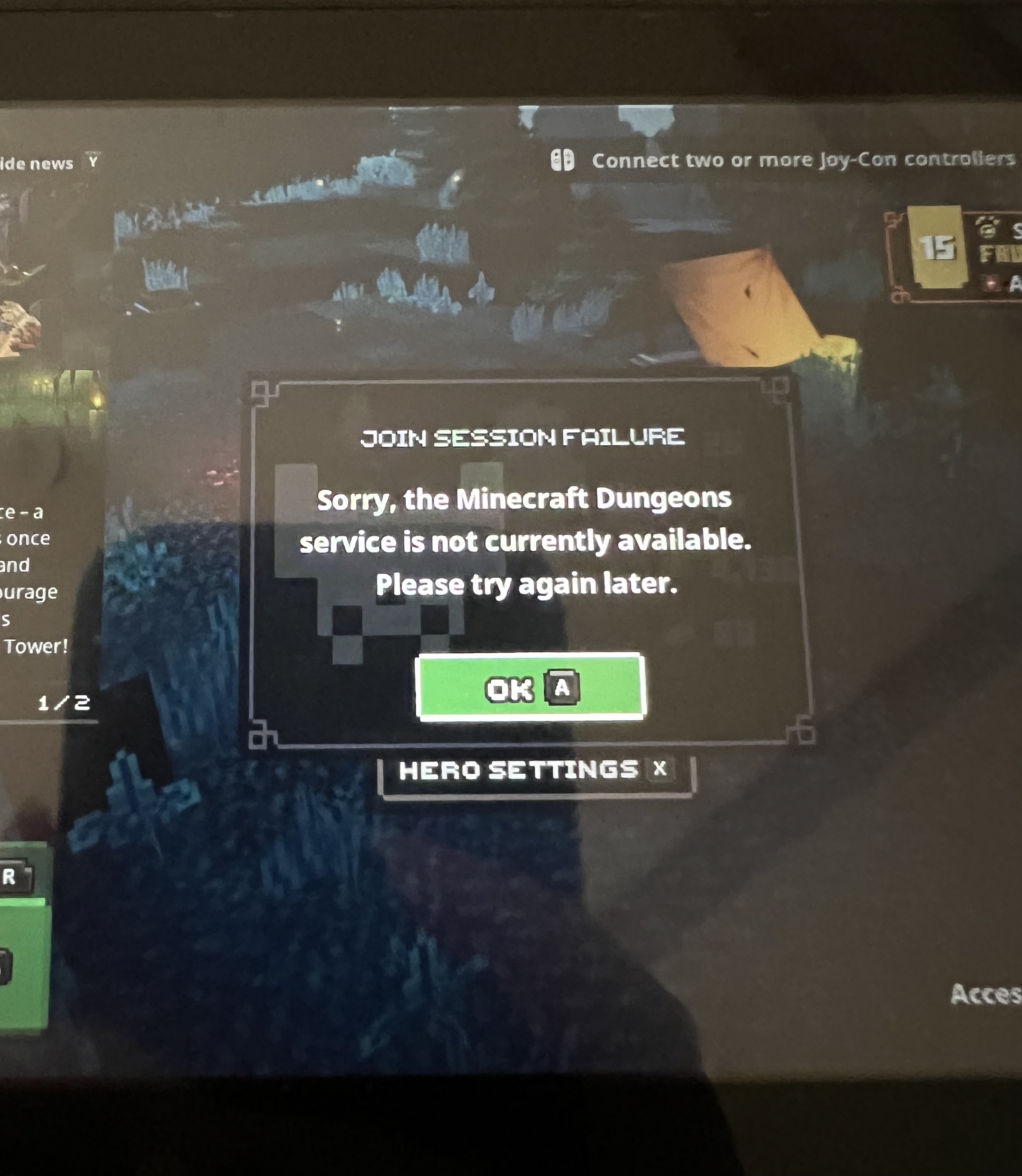
The joining player is unable to join with the error "Sorry, the Minecraft Dungeons service is not currently available. Please try again later."
Expected results:
The joining player should connect to the camp of the other player, or whatever map they are on at the time.
So sad.
I have the same bug like U,that I can't connect my friend.
The bug is stay in Ver.1.9.3.0 too.
I am having the same issue with me and my friends. I just want to enjoy my night and catch up like old time sakes.
Is there any update to this? I'm having the same problem and haven't found any resolution to this problem. I can't play with my friends. It's very sad. I play with the switch.
As of Version 1.16.2.0 released on October 19th it still has the problem. Tried with different internet connections. And doing everything like logging in and out of the account.
Issue is still present in build 1.16.2.0_12028282. This is occurring between a player on PC and a player on the Nintendo Switch. Have tried to resolve the issue with and without a VPN (as mentioned by @Voltlighter), fully re-installing the game on both devices, full restarts on both devices, full resets on the connected router and modem to no avail.
Steps to Reproduce:
1. Join an existing game from the Main Menu or by accepting an invite from another player.
2. Wait until Connection Timeout or Join Session Failure error occurs.
Observed Results:
Host Observations:
When inviting a friend from Camp, the "Invite Sent" button stays over the friend's name until the Joining Player reach one of the two errors.
Joiner's Observations:
When joining an existing session from the Main Menu, the loading screen appears and then spins indefinitely until either a Connection Timeout error or a Join Session Failure error occurs.
Expected Results:
The Joining Player loading into an existing session after being invited by the Host or joining the Host's session from the Main Menu should appear in the Host's location; e.g., if the Host is in Camp, then the Joining Player should load into the Host's Camp. Or, if the Host is in the middle of a Mission, then the Joining Player should load into the Host's Mission where the Host was located at the time the Joining Player loaded in to the Host's session.
Issue is still present in build 1.16.2.0_12028282. This is occurring between a player on Xbox and a player on both another Xbox and on the Nintendo Switch. Have tried fully re-installing the game on all devices, full restarts on both devices, full resets on the connected router and modem to no avail.
Steps to Reproduce:
1. Join an existing game from the Main Menu or by accepting an invite from another player.
2. Wait until Connection Timeout or Join Session Failure error occurs.
Observed Results:
Host Observations:
When inviting a friend from Camp, the "Invite Sent" button stays over the friend's name until the Joining Player reach one of the two errors.
Joiner's Observations:
When joining an existing session from the Main Menu, the loading screen appears and then spins indefinitely until either a Connection Timeout error or a Join Session Failure error occurs.
Expected Results:
The Joining Player loading into an existing session after being invited by the Host or joining the Host's session from the Main Menu should appear in the Host's location; e.g., if the Host is in Camp, then the Joining Player should load into the Host's Camp. Or, if the Host is in the middle of a Mission, then the Joining Player should load into the Host's Mission where the Host was located at the time the Joining Player loaded in to the Host's session.
Switch = 1.16.2.0_1436
Windows = 1.16.2.0_12028282
Has been working fine until the Switch version updated itself a couple of days ago.
My 7 yo son plays on an Nvidia shield (Android) and I play on a Nintendo Switch. All was well until we tried to play this morning. I tried to join his game, as described in the thread numerous times already. I'm in Build 1.16.2.0_1436 on my Nintendo Switch. He's on Build 1.16.3_12166308.
Issue is present in build 1.16.2.0_1436 on the Nintendo Switch and 1.16.3.0_12166308 on the PC. This is occurring between a player on PC and a player on the Nintendo Switch. This issue first occurred on the 05/Nov/22. Have tried to resolve the issue by reinstalling the game, logging out and back in with Microsoft account, restarting devices, reseting date and time.
Steps to Reproduce:
1. Join an existing game from the main menu, accepting an invite from another player or trying to join a session from camp.
2. Wait until Connection Timeout, Connection Failure or Join Session Failure error occurs.
Observed Results:
Host Observations(PC):
When sending an invitation everything goes as expected.
Joiner's Observations (Nintendo Switch):
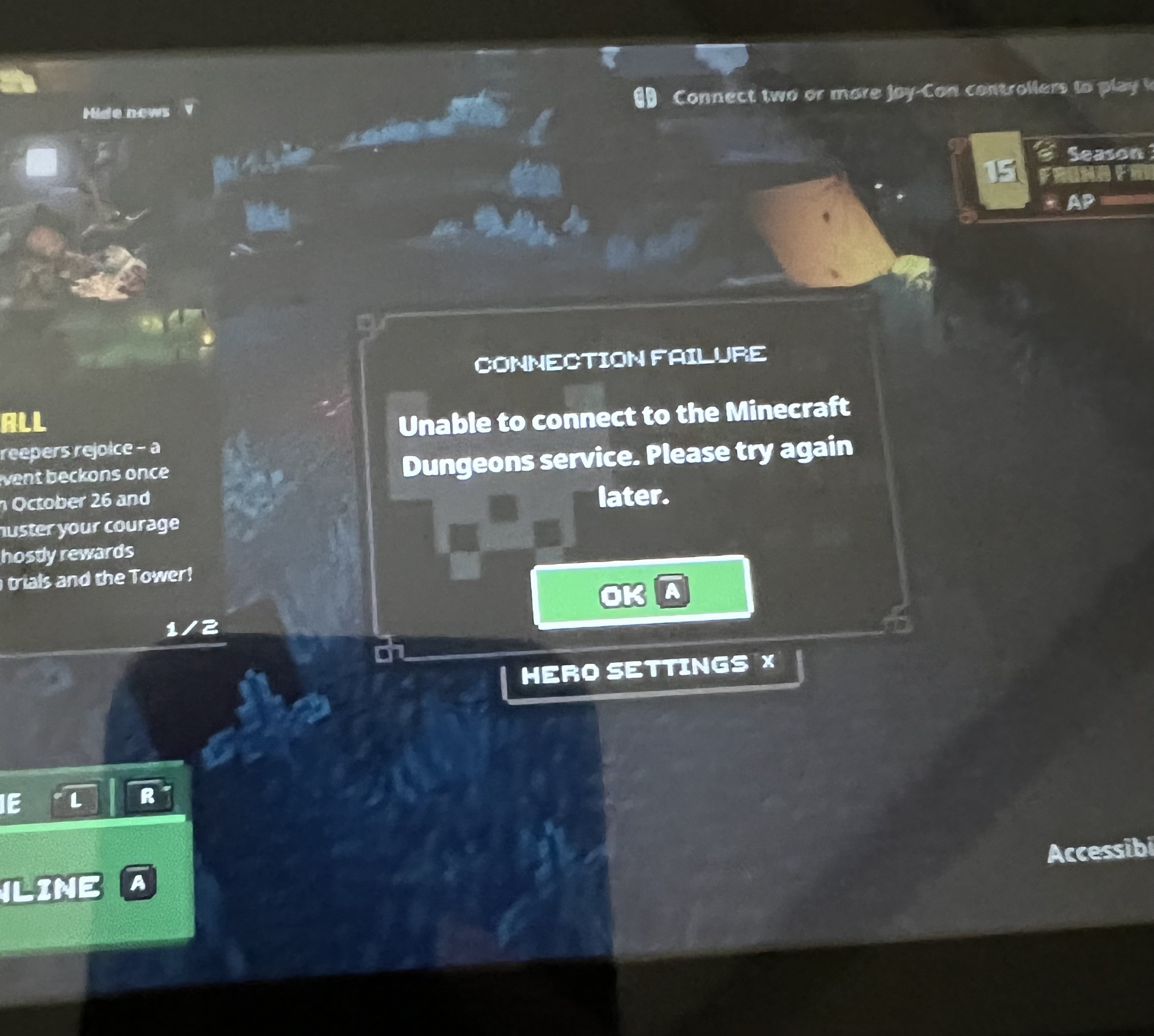
When accepting an invitation the loading screen appears and then sends to main menu with the error message of either "connection failure" or "join session failure".
When joining an existing session from the Main Menu, the loading screen appears and then spins indefinitely until either a Connection Timeout error or a Join Session Failure error occurs.
Host Observation (Nintendo switch):
When sending an invitation everything goes as expected
Joiner's Observations (PC):
When accepting an invitation the loading screen appears and then sends to main menu with the error message of either "connection timeout"
Expected Results:
The Joining Player loading into an existing session after being invited by the Host or joining the Host's session from the Main Menu should appear in the Host's location; e.g., if the Host is in Camp, then the Joining Player should load into the Host's Camp. Or, if the Host is in the middle of a Mission, then the Joining Player should load into the Host's Mission where the Host was located at the time the Joining Player loaded in to the Host's session.
Cannot connect between latest Switch version and Windows 10 version. Have tried on 2 separate Switch consoles. Checked MojangSupport and MojangStatus twitter but no mention of this as of yet.
Having the same issue with online gameplay between Nintendo Switch and Nintendo Switch Lite. It used to work fine but started to see this issue on Nov 4.
The issue still persists with the latest version, both Nintendo console OSs are on 15.0.1, and both Minecraft Dungeons versions are on 1.16.2.0_1436.
I have tried the commonly suggested solutions, but nothing worked. Including
I have not tried VPN, but I don't think VPN should be an acceptable solution anyways. I am physically located in North America, and my network provider is Xfinity.
From Twitter MojangSupport replies, seems like there are some recent known issues related to this one. Example https://twitter.com/MojangSupport/status/1589377203019685890?cxt=HHwWhIC9gaaJzY4sAAAA; you can find many other similar replies.
Version 1.17.0.0 still having the same problem with Nintendo switch.
This has been ongoing for months, and makes multiplayer completely unusable. WHY ARE NONE OF THESE BUGS BEING FIXED?!?!? Forget Minecraft Legends, fix Minecraft Dungeons first!
Everyone here wants + needs an update!
My family bought multiple copies of this game, for Christmas, to play together. We ran into this issue only to find out it's been ongoing for months, with no resolution.
I have the same problem on Nintendo switch.
One day, I suddenly couldn't play online anymore.
I contacted support and was told to check the help center article for technical details.
I haven't been able to play online for 4 months now.
(I think this is a Dungeons-specific problem since Bedrock can be played online.)
Are the developers unwilling to solve it?
Is not being able to play online a low priority?
Maybe it's better to just give up.
If you need any information from me to solve your problem, I'd be happy to provide it.
they wont fix this i think due to they moved one sadly