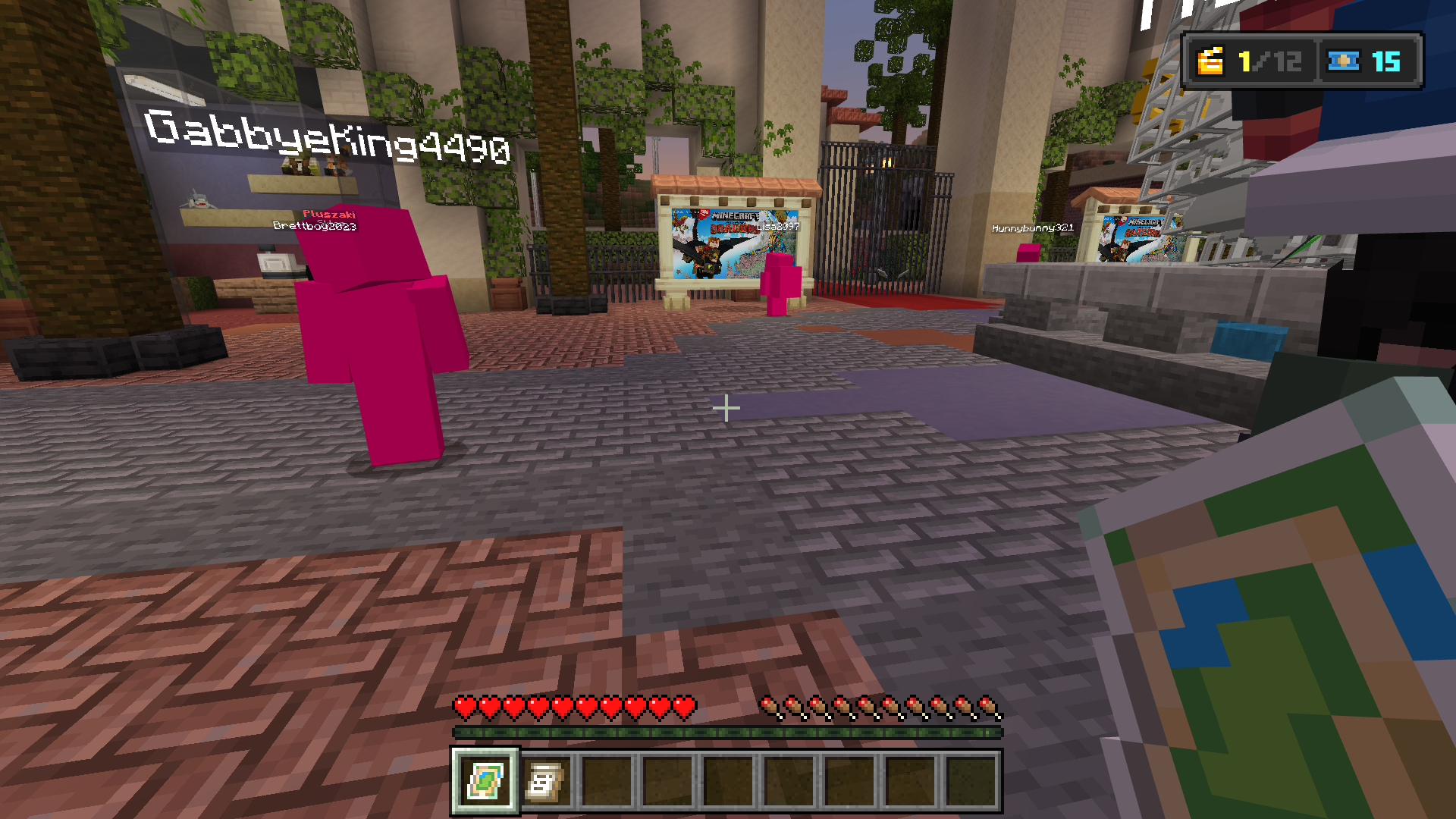
Textures turn pink (after playing for long periods of time)
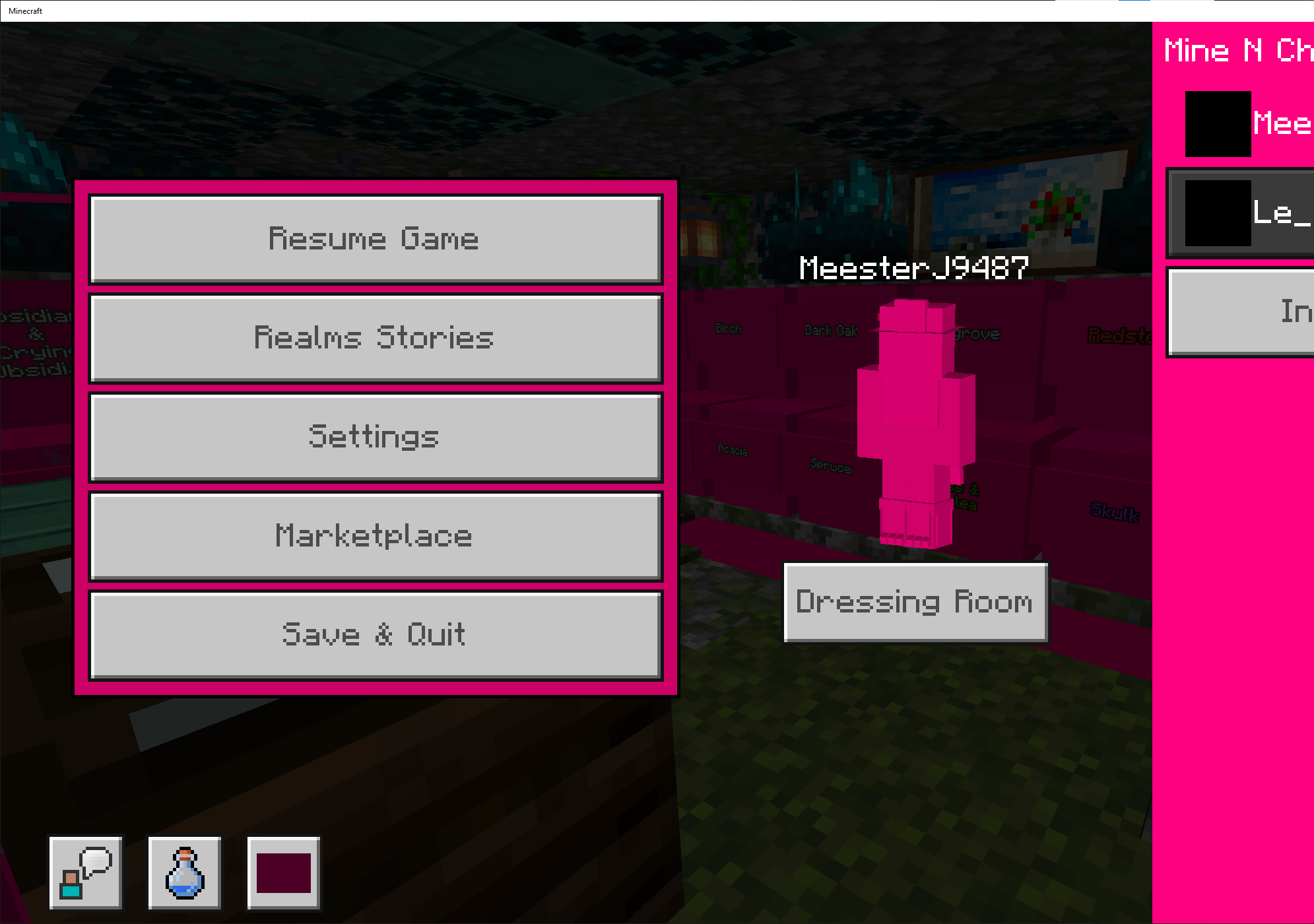
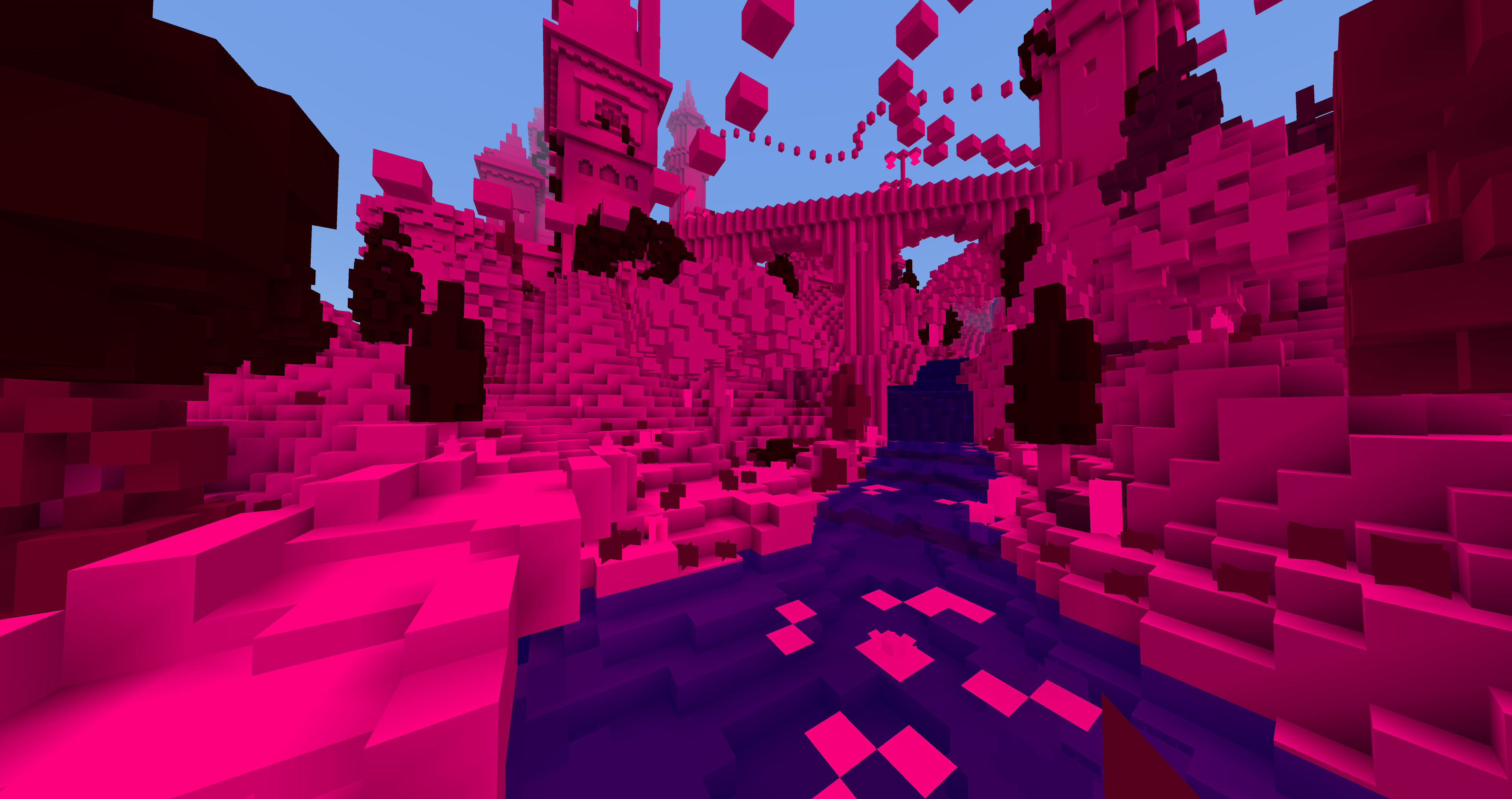
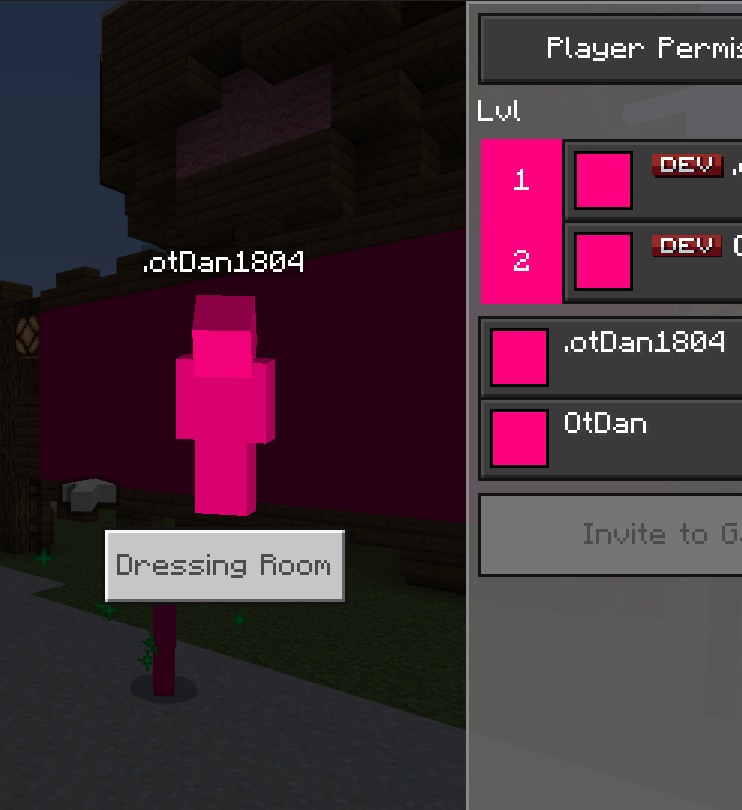
From my understanding, this bug occurs due to how the game's engine stores entity information. There appears to be a breaking point where, after a large amount of entity data is stored, the game's engine runs out of memory for new entity information, which causes newly loaded textures to default to pink.
I've heard that the "Remove texture limit option" does not fix this issue, but may decrease the chances of it happening.
The best way to replicate this bug (keep in mind that this bug is rare and difficult to reproduce, as it only seems to occur after playing for hours) is:
• Connect to a large server with many custom textures and a high player count (The Hive is a great server for this).
• Continually load new chunks by moving between lobbies in the game.
Linked Issues
is duplicated by19
 BDS-19912pink glitchDuplicate
 MCPE-167666Pink GlitchDuplicateMCPE-173218Staying on a Server too long with show pink skin textureDuplicateMCPE-173228Textures turn pink when play on serversDuplicateMCPE-176308Pink glitch occurs againDuplicateMCPE-179979Textures turn pink after playing for a while.DuplicateMCPE-181663Textures turn pinkDuplicateMCPE-182006Background ErrorDuplicateMCPE-182033Pink texture glitch returnsDuplicateMCPE-183369Been playing in my realm for some time now and textures are beginning to become pink even playersDuplicateMCPE-184214Pink glitch returned for bedrockDuplicateMCPE-18448515 years MCC server textures not being showed correctlyDuplicateMCPE-184489Pink screen after pressing f11DuplicateMCPE-184868Pink Glitch is BackDuplicateMCPE-184952MC Championship event texture errorDuplicateMCPE-188179Pink glitch once againDuplicateMCPE-189498everything is pinkDuplicateMCPE-189766Game auto-reloads with pink texture errors during play a serverDuplicateMCPE-190454when in servers pink glitch happends slowly and crashes the gameDuplicate
Attachments14









- Unresolved
 KarmicMarlin82
- 46
- 23
- Confirmed
- 1219566
- Multiple
- Every operating system.
Created Issue:
PINK IS BACK NOOO!
So, I don't know how long this is been in the game before, it's the same bug where on severs after a while of playing things turn pink, Uhh it's not as bad as it was before but I do get it a lot it's not all bad because I usually have to restart my game from another bug before pink starts going, but it's still dumb I don't know if this happens on pc but I get it on xbox, How to repeat play on any sever with a high player count, (Just get on the hive and play, don't just set in the hub and then in 2 hours you should get it. Pink usually happens going between different parts of severs after loading everything in)
So, I don't know how long this is been in the game before it could be a few updates other thing just this one, it's the same bug where on severs after a while of playing things turn pink, Uhh it's not as bad as it was before but I do get it a lot it's not all bad because I usually have to restart my game from another bug before pink starts going, but it's still dumb I don't know if this happens on pc but I get it on xbox, How to repeat play on any sever with a high player count, (Just get on the hive and play, don't just set in the hub and then in 2 hours you should get it. Pink usually happens going between different parts of severs after loading everything in)
So, I don't know how long this is been in the game before it could be a few updates other th
ingjust this one, it's the same bug where on severs after a while of playing things turn pink, Uhh it's not as bad as it was before but I do get it a lot it's not all bad because I usually have to restart my game from another bug before pink starts going, but it's still dumb I don't know if this happens on pc but I get it on xbox, How to repeat play on any sever with a high player count, (Just get on the hive and play, don't just set in the hub and then in 2 hours you should get it. Pink usually happens going between different parts of severs after loading everything in)So, I don't know how long this is been in the game before it could be a few updates other then just this one, it's the same bug where on severs after a while of playing things turn pink, Uhh it's not as bad as it was before but I do get it a lot it's not all bad because I usually have to restart my game from another bug before pink starts going, but it's still dumb I don't know if this happens on pc but I get it on xbox, How to repeat play on any sever with a high player count, (Just get on the hive and play, don't just set in the hub and then in 2 hours you should get it. Pink usually happens going between different parts of severs after loading everything in)
So, I don't know how long this is been in the game before it could be a few updates other then just this one, it's the same bug where on severs after a while of playing things turn pink, Uhh it's not as bad as it was before but I do get it a lot it's not all bad because I usually have to restart my game from another bug before pink starts going, but it's still dumb I don't know if this happens on pc but I get it on xbox, How to repeat play on any sever with a high player count, (Just get on the hive and play, don't just set in the hub and then in 2 hours you should get it. Pink usually happens going between different parts of severs after loading everything in) I'll upload some clips later of it and what it looks like
PINK IS BACK NOOO!Textures turn pink on featured servers
![[MCQA] Justyna Oleś](../../../data/avatars/users/18934.svg)
is duplicated by
is duplicated by
is duplicated by
![[Mojang] Mega_Spud (Jay Wells)](../../../data/avatars/users/92696.png)
![[Bot] Arisa](../../../data/avatars/users/43007.png)
relates to
![[MCQA] Bartłomiej Słodkowski](../../../data/avatars/users/18941.svg)
is duplicated by
![[Mod] OcelotOnesie](../../../data/avatars/users/43220.png)
is duplicated by
Textures turn pinkon featured servers
![[Mod] EVGENSYPERPRO](../../../data/avatars/users/92853.png)
relates to
is duplicated by
is duplicated by
is duplicated by
is duplicated by
is duplicated by
So, I don't know how long this is been in the game before it could be a few updates other then just this one, it's the same bug where on severs after a while of playing things turn pink, Uhh it's not as bad as it was before but I do get it a lot it's not all bad because I usually have to restart my game from another bug before pink starts going, but it's still dumb I don't know if this happens on pc but I get it on xbox, How to repeat play on any sever with a high player count, (Just get on the hive and play, don't just set in the hub and then in 2 hours you should get it. Pink usually happens going between different parts of severs after loading everything in) I'll upload some clips later of it and what it looks like
I don't believe this to be an issue anymore, all though in case it is, from my understanding to repeat this bug, the best way is to go on a server with a high player count, and load Alot of chunks in different parts of the server, usually by going between lobbys in the server.
Very large entity counts in a world can also cause this bug to happen, all though getting the bug this way is very rare, and I don't think it happeneds anymore in the newer verisons of Mcpe.
I'll mark the verisons that most people play of having this issue in case people still get this bug.
I don't believe this to be an issue anymore, all though in case it is, from my understanding to repeat this bug, the best way is to go on a server with a high player count, and load Alot of chunks in different parts of the server, usually by going between lobbys in the server.
Very large entity counts in a world can also cause this bug to happen, all though getting the bug this way is very rare, and I don't think it happeneds anymore in the newer verisons of Mcpe.
I'll mark the verisons that most people play of having this issue in case people still get this bug.
is duplicated by
Minecraft 6_29_2024 9_37_03 PM.png
is duplicated by
I don't believe this to be an issue anymore, all though in case it is, from my understanding to repeat this bug, the best way is to go on a server with a high player count, and load Alot of chunks in different parts of the server, usually by going between lobbys in the server.
Very large entity counts in a world can also cause this bug to happen, all though getting the bug this way is very rare, and I don't think it happeneds anymore in the newer verisons of Mcpe.From my understanding, this bug occurs due to how the game's engine stores entity information. There appears to be a breaking point where, after a large amount of entity data is stored, newly loaded textures default to pink.
The best way to replicate this bug (keep in mind that this bug is rare and difficult to reproduce):
Connect to a large server with many custom textures, and a high player count (The Hive is a great server for this).
Continually load new chunks by moving between lobbies in the game.
![[Mod] turbo](../../../data/avatars/users/92867.png)
![[Mod] Jarl-Penguin](../../../data/avatars/users/92849.png)
is duplicated by
is duplicated by
From my understanding, this bug occurs due to how the game's engine stores entity information. There appears to be a breaking point where, after a large amount of entity data is stored, the game's engine runs out of memory for new entity information, which causes newly loaded textures to default to pink.
The best way to replicate this bug (keep in mind that this bug is rare and difficult to reproduce):
Connect to a large server with many custom textures, and a high player count (The Hive is a great server for this).
Continually load new chunks by moving between lobbies in the game.
From my understanding, this bug occurs due to how the game's engine stores entity information. There appears to be a breaking point where, after a large amount of entity data is stored, the game's engine runs out of memory for new entity information, which causes newly loaded textures to default to pink.
The best way to replicate this bug (keep in mind that this bug is rare and difficult to reproduce, as it only seems to occur after playing for hours):
Connect to a large server with many custom textures, and a high player count (The Hive is a great server for this).
Continually load new chunks by moving between lobbies in the game.
Textures turn pink (after playing for long periods of time)
From my understanding, this bug occurs due to how the game's engine stores entity information. There appears to be a breaking point where, after a large amount of entity data is stored, the game's engine runs out of memory for new entity information, which causes newly loaded textures to default to pink.
The best way to replicatethis bug (keep in mind that this bug is rare and difficult to reproduce, as it only seems to occur after playing for hours):Connect to a large server with many custom textures, and a high player count (The Hive is a great server for this).
Continually load new chunks by moving between lobbies in the game.From my understanding, this bug occurs due to how the game's engine stores entity information. There appears to be a breaking point where, after a large amount of entity data is stored, the game's engine runs out of memory for new entity information, which causes newly loaded textures to default to pink.
I've heard that the "Remove texture limit option" does not fix this issue, but may decrease the chances of it happening.
The best way to replicate this bug (keep in mind that this bug is rare and difficult to reproduce, as it only seems to occur after playing for hours) is:
• Connect to a large server with many custom textures and a high player count (The Hive is a great server for this).
• Continually load new chunks by moving between lobbies in the game.
is duplicated by
is duplicated by
Another way of reproducing this is using a high amount of large resource packs and/or add-ons.
is duplicated by
is duplicated by
is duplicated by
is duplicated by
is duplicated by
Thank you for your report!
We're tracking this issue in MCPE-167489, so this ticket is being resolved and linked as a duplicate.
If you would like to add a vote and any extra information to the main ticket it would be appreciated.
If you haven't already, you might like to make use of the search feature to see if the issue has already been mentioned.
Quick Links:
📓 Bug Tracker Guidelines – 💬 Community Support – 📧 Mojang Support
📓 Project Summary – ✍️ Feedback and Suggestions – 📖 Game Wiki
– I am a bot. This action was performed automatically! The ticket was resolved by one of our moderators, and I left this message to give more information to you.
Thank you for your report!
We're tracking this issue in MCPE-167489, so this ticket is being resolved and linked as a duplicate.
That ticket has already been resolved as invalid. Please take a look at the parent ticket (MCPE-167489) and see if an explanation is provided there in the description of the ticket or in the comments for why this issue is invalid.
If you haven't already, you might like to make use of the search feature to see if the issue has already been mentioned.
Quick Links:
📓 Bug Tracker Guidelines – 📧 Mojang Support
📓 Project Summary – ✍️ Feedback and Suggestions – 📖 Game Wiki
Thank you for your report!
We're tracking this issue in MCPE-167489, so this ticket is being resolved and linked as a duplicate.
If you would like to add a vote and any extra information to the main ticket it would be appreciated.
If you haven't already, you might like to make use of the search feature to see if the issue has already been mentioned.
Quick Links:
📓 Bug Tracker Guidelines – 💬 Community Support – 📧 Mojang Support
📓 Project Summary – ✍️ Feedback and Suggestions – 📖 Game Wiki
– I am a bot. This action was performed automatically! The ticket was resolved by one of our moderators, and I left this message to give more information to you.

dupe of MCPE-167489
Thank you for your report!
We're tracking this issue in MCPE-167489, so this ticket is being resolved and linked as a duplicate.
If you would like to add a vote and any extra information to the main ticket it would be appreciated.
If you haven't already, you might like to make use of the search feature to see if the issue has already been mentioned.
Quick Links:
📓 Bug Tracker Guidelines – 💬 Community Support – 📧 Mojang Support
📓 Project Summary – ✍️ Feedback and Suggestions – 📖 Game Wiki
– I am a bot. This action was performed automatically! The ticket was resolved by one of our moderators, and I left this message to give more information to you.
@Highcrafter Your issue is continued to being tracked in MCPE-167489
This is already being tracked in MCPE-167489 and the issue didn't "make a comeback", it actually never left.
Relates to MCPE-167489
This issue isn't "back" it actually never left. It was just partially resolved and made to happen after a much longer time period now rather than completely resolved and made to never happen at all. A new ticket was created for it at MCPE-167489 and this ticket needs to be reopened.

Duplicate of MCPE-167489
Thank you for your report!
We're tracking this issue in MCPE-167489, so this ticket is being resolved and linked as a duplicate.
If you would like to add a vote and any extra information to the main ticket it would be appreciated.
If you haven't already, you might like to make use of the search feature to see if the issue has already been mentioned.
Quick Links:
📓 Bug Tracker Guidelines – 💬 Community Support – 📧 Mojang Support (Technical Issues) – 📧 Microsoft Support (Account Issues)
📓 Project Summary – ✍️ Feedback and Suggestions – 📖 Game Wiki
– I am a bot. This action was performed automatically! The ticket was resolved by one of our moderators, and I left this message to give more information to you.
Thank you for your report!
We're tracking this issue in MCPE-167489, so this ticket is being resolved and linked as a duplicate.
If you would like to add a vote and any extra information to the main ticket it would be appreciated.
If you haven't already, you might like to make use of the search feature to see if the issue has already been mentioned.
Quick Links:
📓 Bug Tracker Guidelines – 💬 Community Support – 📧 Mojang Support (Technical Issues) – 📧 Microsoft Support (Account Issues)
📓 Project Summary – ✍️ Feedback and Suggestions – 📖 Game Wiki
– I am a bot. This action was performed automatically! The ticket was resolved by one of our moderators, and I left this message to give more information to you.

Duplicate of MCPE-167489
Thank you for your report!
We're tracking this issue in MCPE-167489, so this ticket is being resolved and linked as a duplicate.
If you would like to add a vote and any extra information to the main ticket it would be appreciated.
If you haven't already, you might like to make use of the search feature to see if the issue has already been mentioned.
Quick Links:
📓 Bug Tracker Guidelines – 💬 Community Support – 📧 Mojang Support (Technical Issues) – 📧 Microsoft Support (Account Issues)
📓 Project Summary – ✍️ Feedback and Suggestions – 📖 Game Wiki
– I am a bot. This action was performed automatically! The ticket was resolved by one of our moderators, and I left this message to give more information to you.

Did this occur on a server MCPE-167489? or did it occur whilst using multiple add-ons MCPE-180342?
A possible fix for this is by enabling the "Remove Texture Limit" under Settings > Video.
Thank you for your report!
We're tracking this issue in MCPE-167489, so this ticket is being resolved and linked as a duplicate.
If you would like to add a vote and any extra information to the main ticket it would be appreciated.
If you haven't already, you might like to make use of the search feature to see if the issue has already been mentioned.
Quick Links:
📓 Bug Tracker Guidelines – 💬 Community Support – 📧 Mojang Support (Technical Issues) – 📧 Microsoft Support (Account Issues)
📓 Project Summary – ✍️ Feedback and Suggestions – 📖 Game Wiki
Thank you for your report!
We're tracking this issue in MCPE-167489, so this ticket is being resolved and linked as a duplicate.
If you would like to add a vote and any extra information to the main ticket it would be appreciated.
If you haven't already, you might like to make use of the search feature to see if the issue has already been mentioned.
Quick Links:
📓 Bug Tracker Guidelines – 💬 Community Support – 📧 Mojang Support (Technical Issues) – 📧 Microsoft Support (Account Issues)
📓 Project Summary – ✍️ Feedback and Suggestions – 📖 Game Wiki
– I am a bot. This action was performed automatically! The ticket was resolved by one of our moderators, and I left this message to give more information to you.
Thank you for your report!
We're tracking this issue in MCPE-167489, so this ticket is being resolved and linked as a duplicate.
If you would like to add a vote and any extra information to the main ticket it would be appreciated.
If you haven't already, you might like to make use of the search feature to see if the issue has already been mentioned.
Quick Links:
📓 Bug Tracker Guidelines – 💬 Community Support – 📧 Mojang Support (Technical Issues) – 📧 Microsoft Support (Account Issues)
📓 Project Summary – ✍️ Feedback and Suggestions – 📖 Game Wiki
Thank you for your report!
We're tracking this issue in MCPE-167489, so this ticket is being resolved and linked as a duplicate.
If you would like to add a vote and any extra information to the main ticket it would be appreciated.
If you haven't already, you might like to make use of the search feature to see if the issue has already been mentioned.
Quick Links:
📓 Bug Tracker Guidelines – 💬 Community Support – 📧 Mojang Support (Technical Issues) – 📧 Microsoft Support (Account Issues)
📓 Project Summary – ✍️ Feedback and Suggestions – 📖 Game Wiki

Duplicates MCPE-167489
Thank you for your report!
We're tracking this issue in MCPE-167489, so this ticket is being resolved and linked as a duplicate.
If you would like to add a vote and any extra information to the main ticket it would be appreciated.
If you haven't already, you might like to make use of the search feature to see if the issue has already been mentioned.
Quick Links:
📓 Bug Tracker Guidelines – 💬 Community Support – 📧 Mojang Support (Technical Issues) – 📧 Microsoft Support (Account Issues)
📓 Project Summary – ✍️ Feedback and Suggestions – 📖 Game Wiki
– I am a bot. This action was performed automatically! The ticket was resolved by one of our moderators, and I left this message to give more information to you.
Thank you for your report!
We're tracking this issue in MCPE-167489, so this ticket is being resolved and linked as a duplicate.
If you would like to add a vote and any extra information to the main ticket it would be appreciated.
If you haven't already, you might like to make use of the search feature to see if the issue has already been mentioned.
Quick Links:
📓 Bug Tracker Guidelines – 💬 Community Support – 📧 Mojang Support (Technical Issues) – 📧 Microsoft Support (Account Issues)
📓 Project Summary – ✍️ Feedback and Suggestions – 📖 Game Wiki
Thank you for your report!
We're tracking this issue in MCPE-167489, so this ticket is being resolved and linked as a duplicate.
If you would like to add a vote and any extra information to the main ticket it would be appreciated.
If you haven't already, you might like to make use of the search feature to see if the issue has already been mentioned.
Quick Links:
📓 Bug Tracker Guidelines – 💬 Community Support – 📧 Mojang Support (Technical Issues) – 📧 Microsoft Support (Account Issues)
📓 Project Summary – ✍️ Feedback and Suggestions – 📖 Game Wiki
– I am a bot. This action was performed automatically! The ticket was resolved by one of our moderators, and I left this message to give more information to you.
Thank you for your report!
We're tracking this issue in MCPE-167489, so this ticket is being resolved and linked as a duplicate.
If you would like to add a vote and any extra information to the main ticket it would be appreciated.
If you haven't already, you might like to make use of the search feature to see if the issue has already been mentioned.
Quick Links:
📓 Bug Tracker Guidelines – 💬 Community Support – 📧 Mojang Support (Technical Issues) – 📧 Microsoft Support (Account Issues)
📓 Project Summary – ✍️ Feedback and Suggestions – 📖 BDS Wiki – 📖 FAQs
– I am a bot. This action was performed automatically! The ticket was resolved by one of our moderators, and I left this message to give more information to you.
Thank you for your report!
We're tracking this issue in MCPE-167489, so this ticket is being resolved and linked as a duplicate.
If you would like to add a vote and any extra information to the main ticket it would be appreciated.
If you haven't already, you might like to make use of the search feature to see if the issue has already been mentioned.
Quick Links:
📓 Bug Tracker Guidelines – 💬 Community Support – 📧 Mojang Support (Technical Issues) – 📧 Microsoft Support (Account Issues)
📓 Project Summary – ✍️ Feedback and Suggestions – 📖 Game Wiki
– I am a bot. This action was performed automatically! The ticket was resolved by one of our moderators, and I left this message to give more information to you.
Duplicates MCPE-167489
Thank you for your report!
We're tracking this issue in MCPE-167489, so this ticket is being resolved and linked as a duplicate.
If you would like to add a vote and any extra information to the main ticket it would be appreciated.
If you haven't already, you might like to make use of the search feature to see if the issue has already been mentioned.
Quick Links:
📓 Bug Tracker Guidelines – 💬 Community Support – 📧 Mojang Support (Technical Issues) – 📧 Microsoft Support (Account Issues)
📓 Project Summary – ✍️ Feedback and Suggestions – 📖 Game Wiki
– I am a bot. This action was performed automatically! The ticket was resolved by one of our moderators, and I left this message to give more information to you.
Thank you for your report!
We're tracking this issue in MCPE-167489, so this ticket is being resolved and linked as a duplicate.
If you would like to add a vote and any extra information to the main ticket it would be appreciated.
If you haven't already, you might like to make use of the search feature to see if the issue has already been mentioned.
Quick Links:
📓 Bug Tracker Guidelines – 💬 Community Support – 📧 Mojang Support (Technical Issues) – 📧 Microsoft Support (Account Issues)
📓 Project Summary – ✍️ Feedback and Suggestions – 📖 Game Wiki
– I am a bot. This action was performed automatically! The ticket was resolved by one of our moderators, and I left this message to give more information to you.
Thank you for your report!
However, this issue is Invalid.
Unfortunately we don't accept issues related to External Servers here on the bug tracker, but please add more details if you think this also affects multiplayer over Realms, LAN, or XBL.
I'd suggest contacting the server owner directly or seeking help on the Minecraft forums.
Quick Links:
📓 Bug Tracker Guidelines – 📧 Mojang Support
📓 Project Summary – ✍️ Feedback and Suggestions – 📖 Game Wiki
Reopening for review. The issue should have been resolved with
MCPE-105487, but if there are scenarios where this is still happening, it would be helpful to know the details about when and how this occurred, and how frequently.Resolving temporarily as Awaiting Response. Is this still an issue in the latest version of the game?
This ticket will reopen automatically when you reply.
according to
MCPE-176308, yesAs I know from my experience, this happens when you are rejoining the server many many times, and maybe there are other occasions when this happens but for me on my Windows 10 PC it occurs when rejoining many times.
Resolving temporarily as Awaiting Response. Could everyone experiencing this issue add more details about their devices (model and OS version for mobile devices, DxDiag file for PCs) in the comments?
Hi, so this issue was originally
MCPE-105487and for the most part was resolved after update 1.19.30, but it was only made less frequent/happens after much longer now rather than completely fixed/never happens. I play on Xbox Series X, OS Version 10.0.25398.3864, and it happens to me when I play the Hive for several hours, specifically their Murder Mystery gamemode. It takes about 4 hours of gameplay, where as before the original ticket was resolved before 1.19.30 it would happen after playing Murder Mystery for only 30 minutes. It does seem to happen on PC as well (using any driver/graphics card) after a few hours of server gameplay.This still happens a lot and if you have resource packs that add a good amount of custom stuff it just gets accellerated, this really ruins the experience on very developed servers that need to use that amount of resources, this is for every platform, Windows, Switch, PS4/PS5, Android and IOS. Please we need this fixed ASAP!
can a mod maybe rename this issue as textures turn pink in general? as it does not happen only on featured servers
Reply from [Mod] Umija5895M:
You can use the Mojira Discord to request actions like this on bug reports, as well as communicating with mods and helpers directly.
attached the fastest way I could manage to reproduce the issue not on a server
To provide even more info on this issue, I am attaching one more video also showing my ram and gpu memory usage since the recent preview showed an option to toggle the texture limit, but I do not think that is the root of the issue.
The cause of this issue is stated by a developer of The Hive over at ticket
MCPE-105487"The glitch is a memory-related issue, specifically with how player skins are handled. Seemingly, the client doesn't release player skins from memory when it is no longer needed. This leads me to assume that this results in the clients texture atlas/memory being exhausted, resulting in RenderDragon being unable to load/assign new textures."
This happens in your regular world along with realms if you use an excessive amount of addons.
It affects Blocks, UI, Skybox, and Entitys/Players.
I have tested with the latest snapshot quite a bit since the pink texture issue has been mentioned, does the experimental option in 1.21.0.22 do something else too besides removing the limit? after enabling it and testing with a pack I have to reproduce the pink textures, the game leaks memory super fast and crashes with it disabled same as with all the previous versions, enabling it makes it run totally fine, a memory leak still seems to be there but not to the extreme that you get when pink textures start appearing. I have left the game running for hours and everything seemed to run totally fine but I do have a pretty good pc so it's a bit hard to test if it would actually crash with it as mentioned in the log.
tldr
when "Remove Texture Limit" is disabled you basically get a crash after loading into the world with the pack and with it is enabled you can play totally fine for hours. is there some underlying fix implemented by the toggle?
@batmanstanley this ticket is for textures turning pink after playing for long periods of time on featured servers. The specific issue you mentioned is being tracked at MCPE-180342
In my case it happens to me in a solitary world, which I play on LAN happens to me with chests, mobs, etc.; The person I play with on LAN plays from a Samsung S23FE android and the problem is also generated from the cell phone. On my PC I have a Ryzen 7, 16 RAM and a GTX 1050Ti
This issue might be fixed once and for all in 1.21. A few weeks ago, in Preview 1.21.0.22, Mojang added an experimental toggle under video settings called "Remove Texture Limit" which essentially removes the texture limit responsible for causing the pink glitch and continues to assign the game new textures, rather than hitting a texture limit and assigning it pink textures.
Stated on Preview 1.21.0.22 changelog:
It can also best be assumed that this toggle will fix MCPE-180342 as well.
However, this toggle is experimental, and we don't know that performance issues after awhile while having it enabled aren't possible.
@exhila the experimental toggle just allows until the threshold is reached due to system limitations. the error would still happen just now it would be at a lesser rate. maybe there is some enhancements renderdragon could get to help alleviate it more?
Would we be able to get at least the toggle as something that is persistent between reboots before 1.21 release? Since using it actually does help devices that are definitely capable of running way more textures function normally.
THE NEW OPTION DOES NOT RESOLVE THIS BUG IN THE CONSOLES!
Can confirm in all versions since 1.20.32.
I cannot even see the game anymore. This is ridiculous
Affects 1.21.51.
Could be reproduced with using mb excessive addons. (Decocraft,Spongebob,Furniture By XP Games) Time played isn't the main dependent but memory space is. If a Xbox series x is having issues with this its clear that something is wrong under the hood that they avoid addressing.
I can confirm. Please fix this! Affects 1.21.51 and freeze the OS. The disk & CPU activity its high after loading.
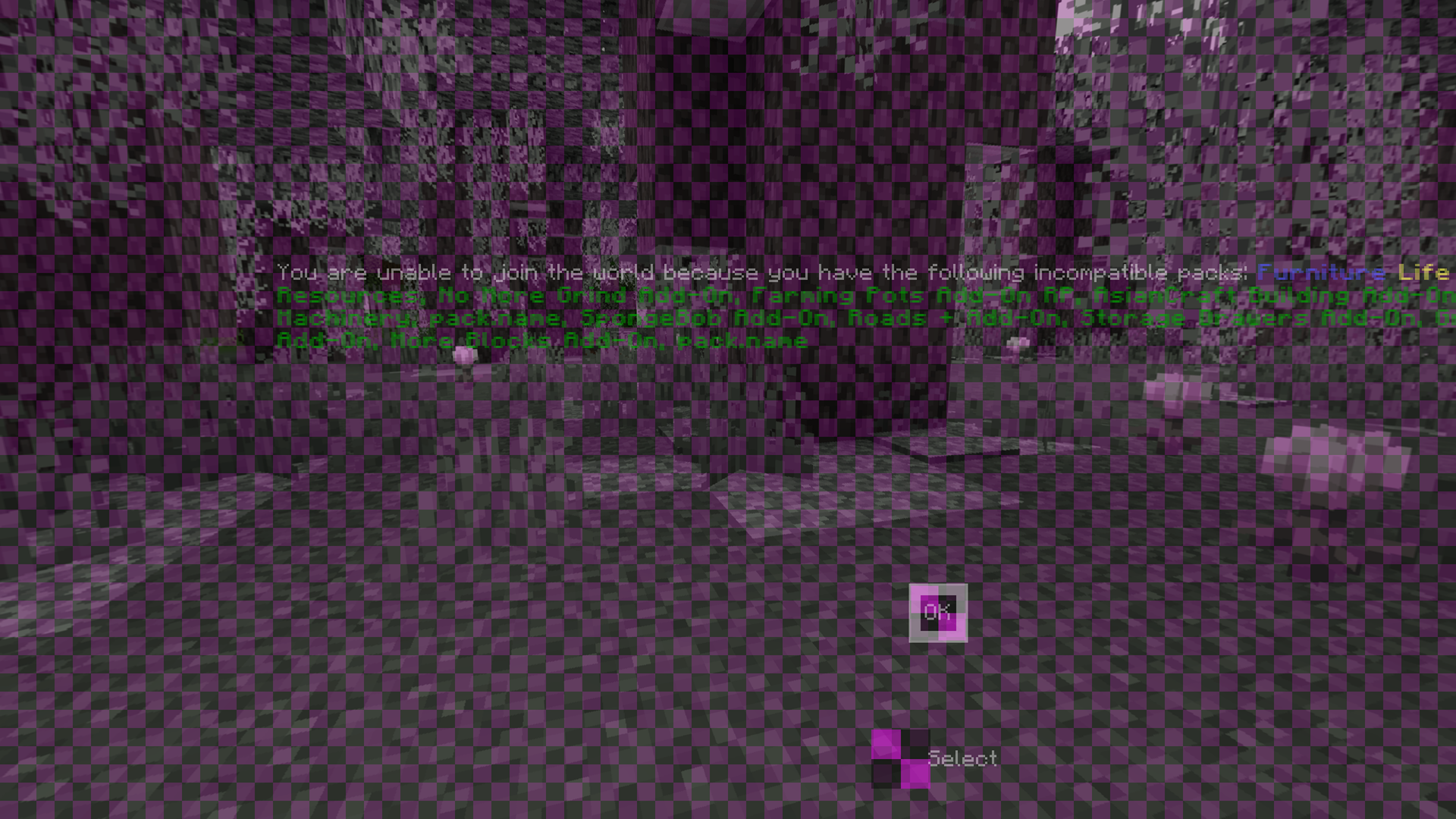
Here is what happens sometimes joining a realm with the amount that produces this texture error not even loading into the world. All marketplace add-ons, With the official 10 player realm options. Having texture limit off on the Xbox series X. Its insulting that they do weekly Add-on drops yet do nothing to fix an issue since before the release of them that has been more common due to the release of Add-ons.