 Pierre Waldén
- cyoor
- cyoor
- Europe/Stockholm
- Yes
- No
 MC-7497
 MCL-2854
 Low
Low

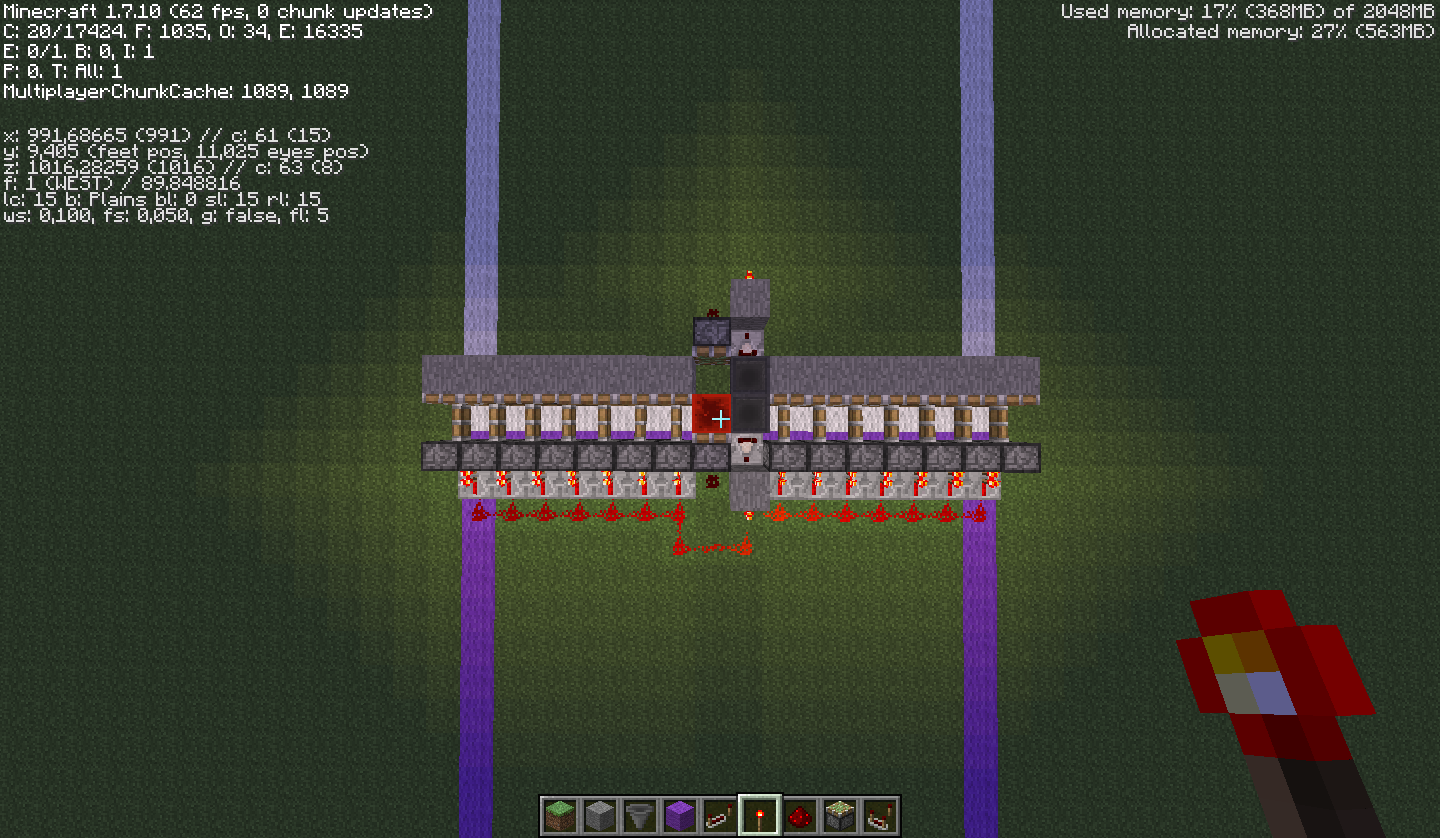

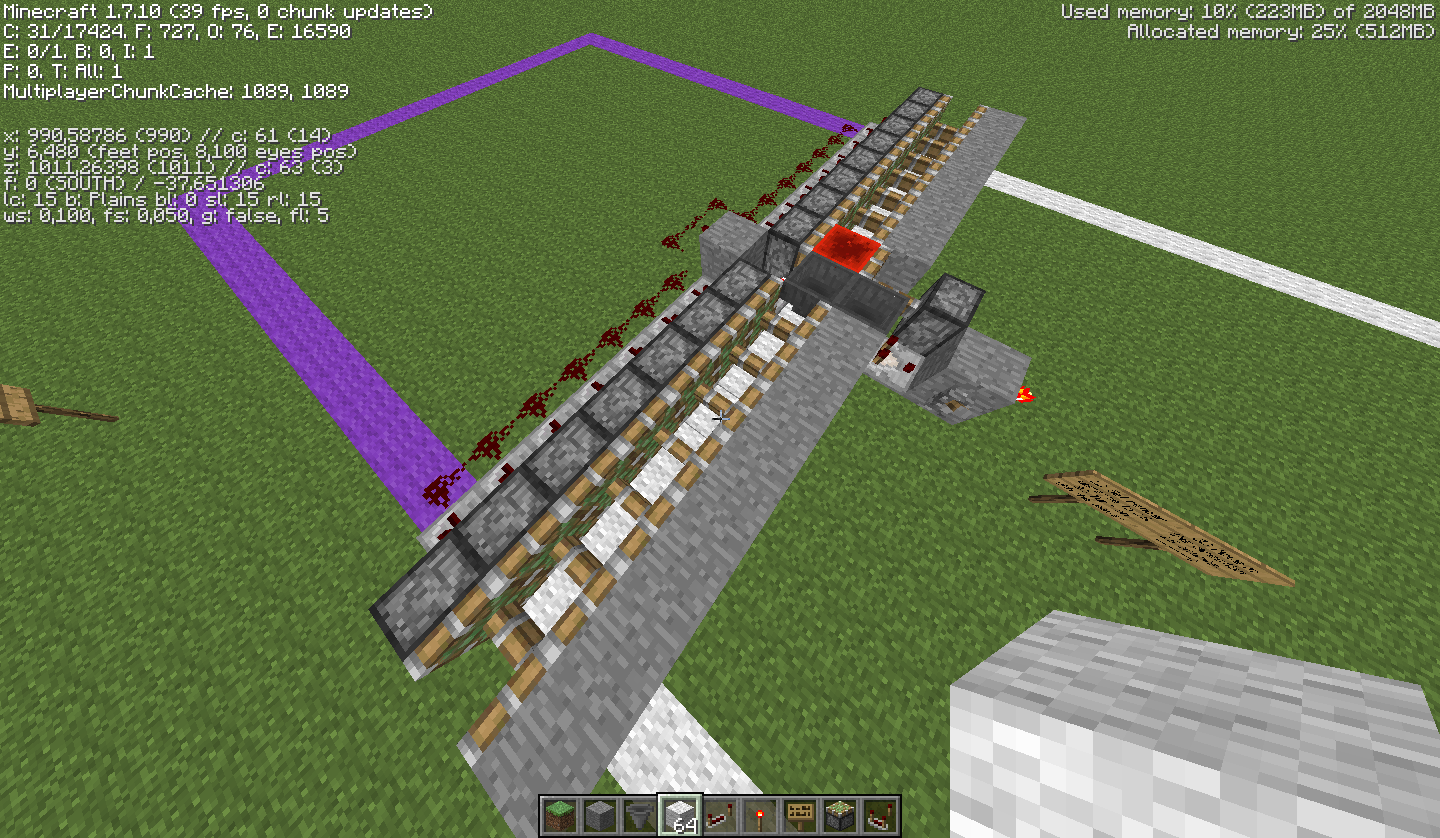


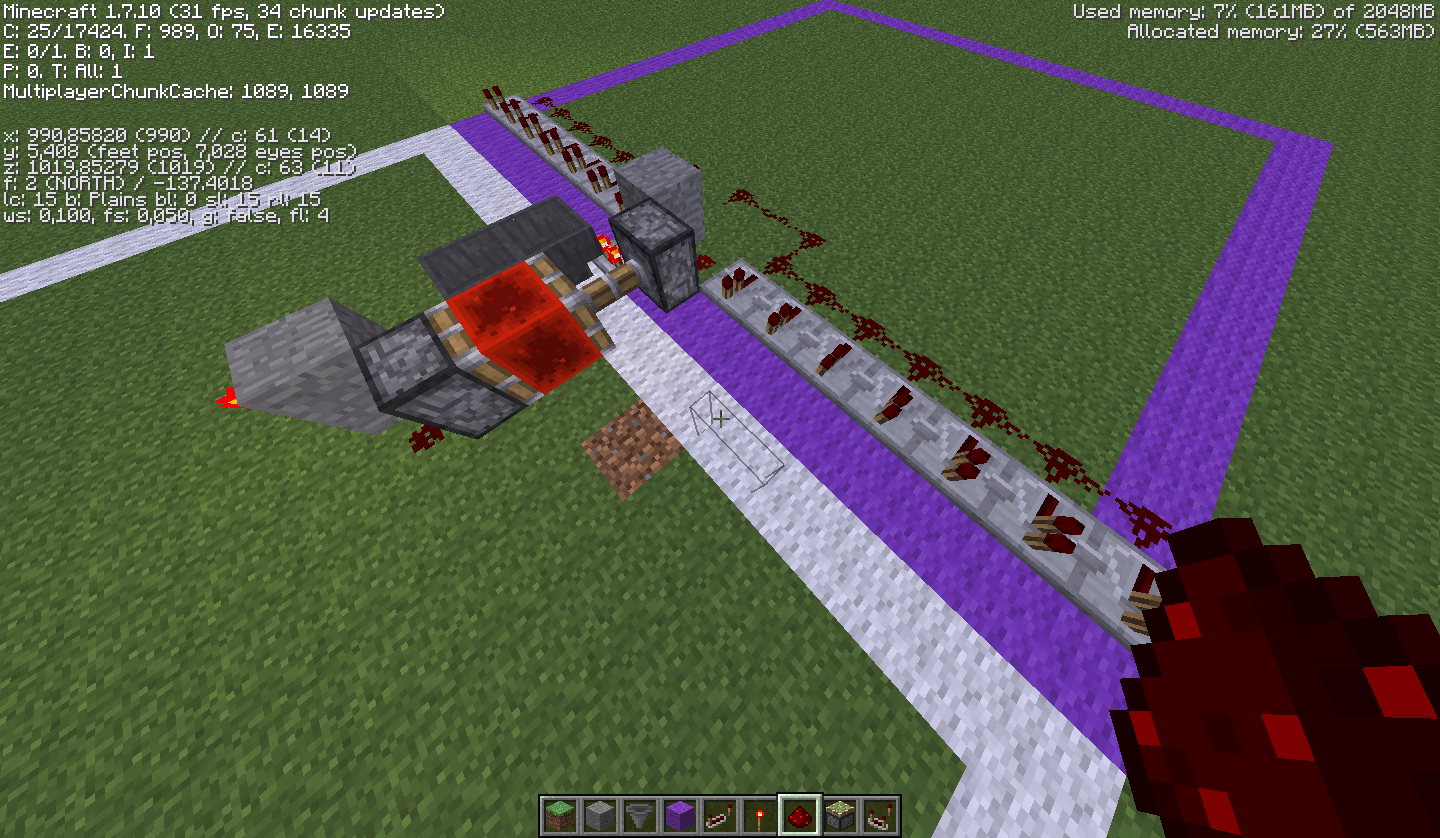



You probably have silk touch enchant on your mining pick
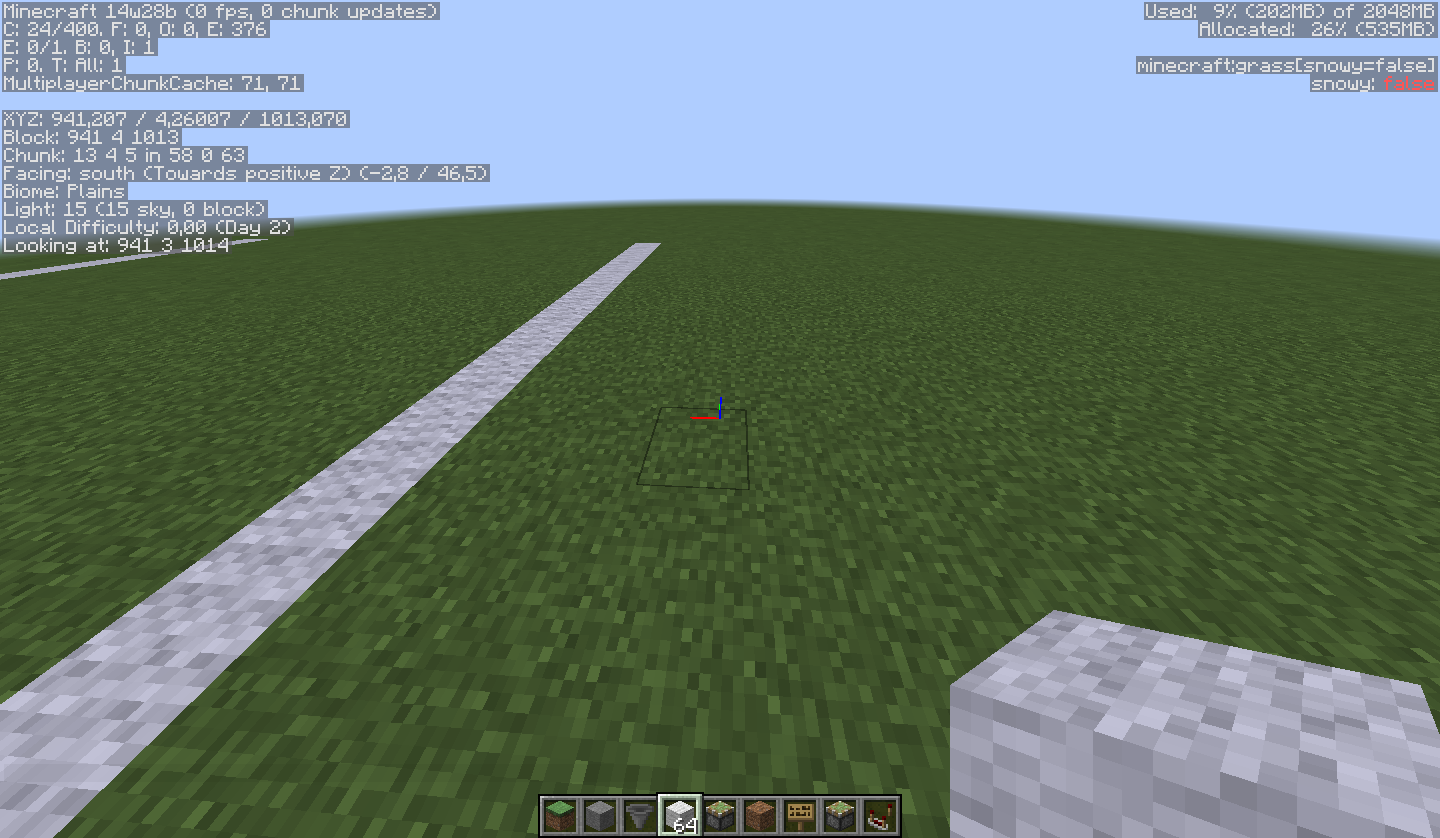
I have now also reproduced this in snapshot 14w28b using the same setup.
In 14w28b the java application does not seem to stop responding, so I did not have to force a quit by killing the process in windows (as I had to do in 1.7.10).
Another thing that changed when using the snapshot (instead of 1.7.10) was that the pistons didnt break. They just kept on going as they did before.
However the problem still exists and can be reproduced in 14w28b.
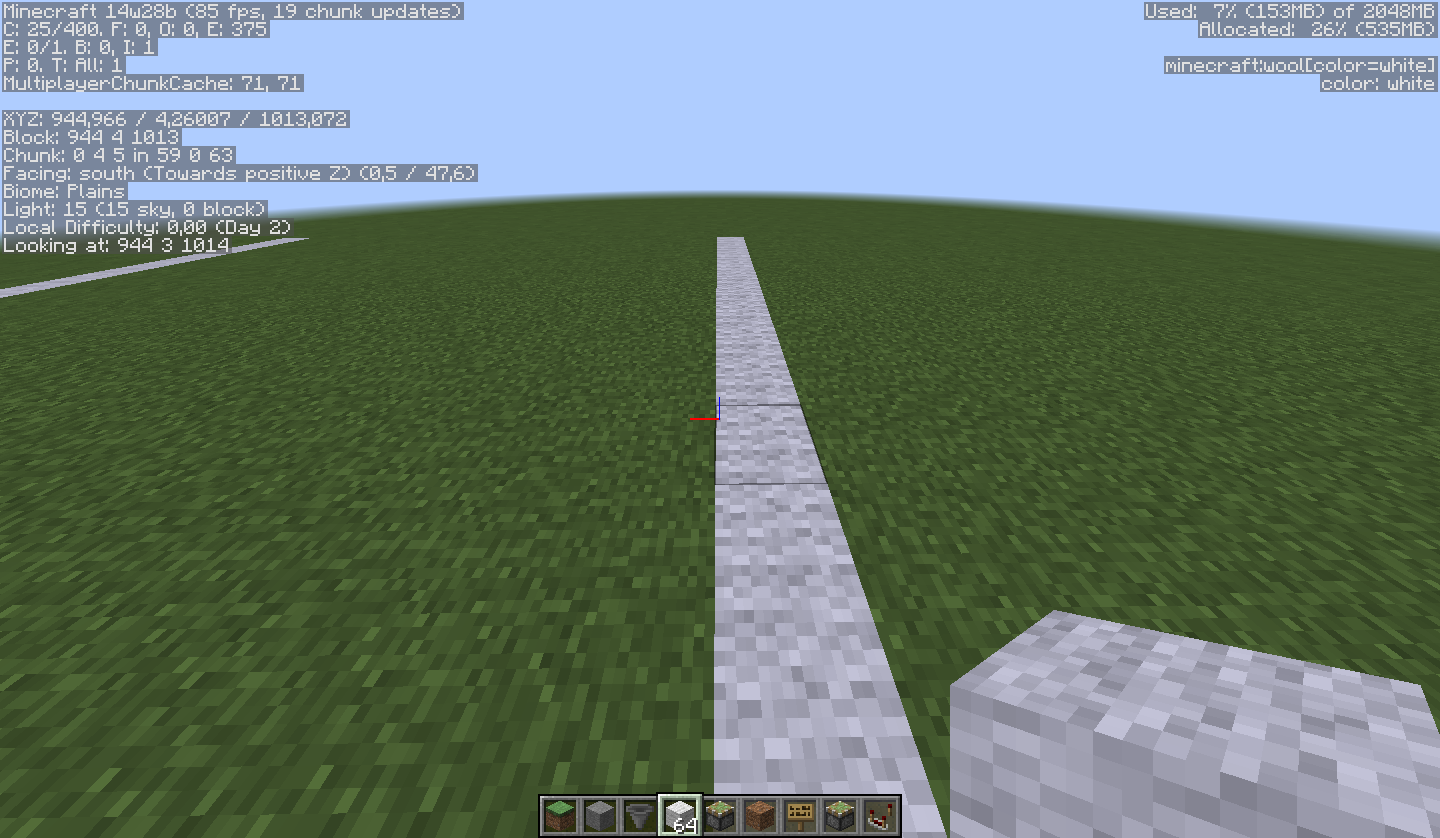
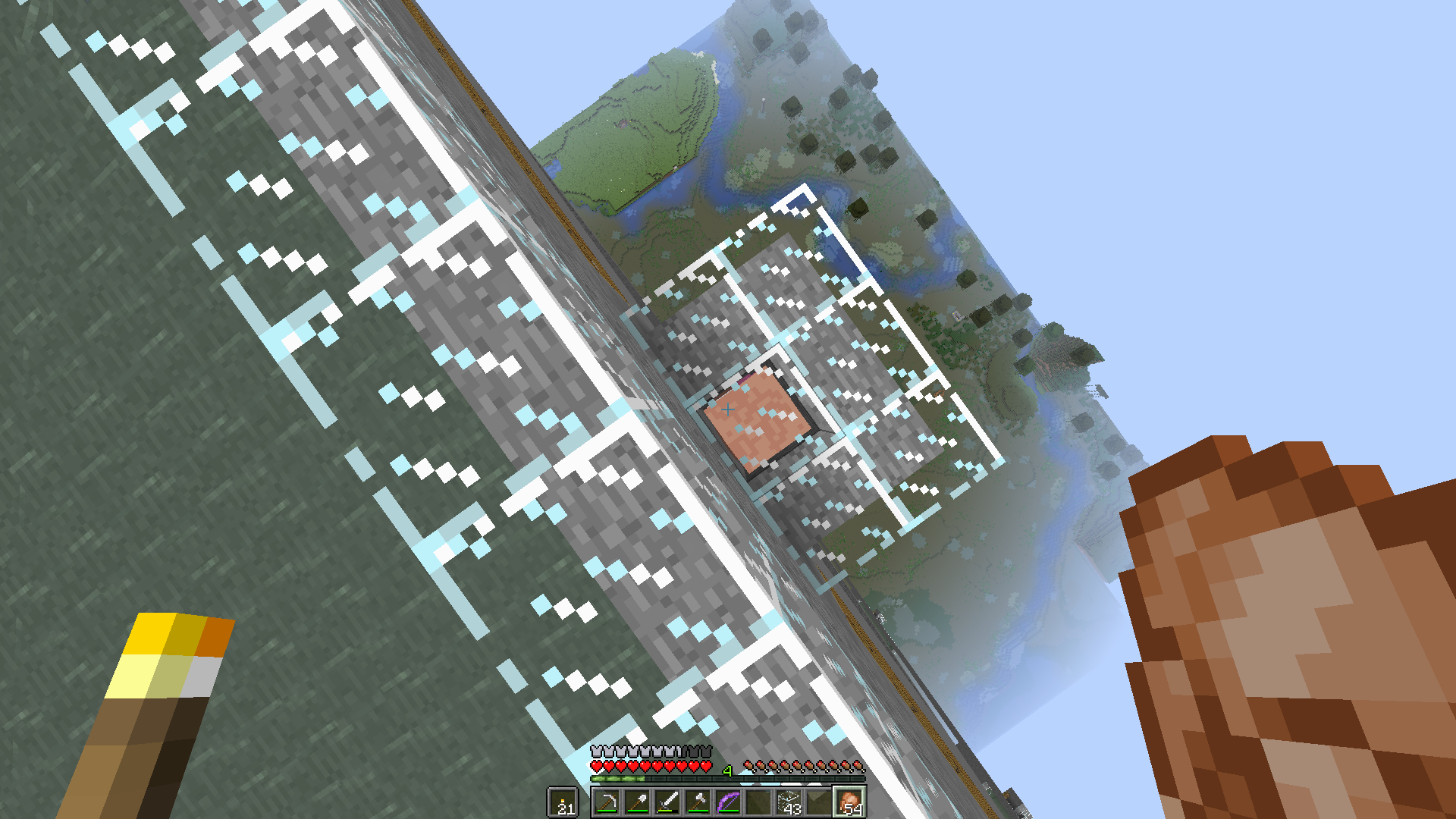
You can see this on my two screenshots that I have put up using this version.
- "beforeunload" is a screenshot of my fps/chunk updates before stepping over the white line to the next chunk.
-"afterunload" is a screenshot of my fps/chunk updates after stepping over the white line to the next chunk.As you can see there is a massive difference.
However as I have said before, this should be totally client side and if it happens on a server noone else will notice.I also tested to change the render distance from 16 to 2 chunks, and the same thing occured, but now 2 chunks away instead of 16 chunks away.
afterunload.png
Most entities become invisible under some specific conditions.
Mobs like cows sometime become invisible. The mobs will make sounds, but are not rendered. Reloading the world makes them visible again. This issue also affect other some other entities like item frames and armor stands
Most entities become invisible under some specific conditions.
Mobs like cows sometime become invisible. The mobs will make sounds, but are not rendered. Reloading the world makes them visible again. This issue also affect other some other entities like item frames and armor stands
Note: Due to recent merge with
MC-66683, the description here does not yet cover everything. This will be updated soon. Until then, be sure to have a look at that report, but post comments here to get everything in the same place.General info
- Mobs and most other entities become invisible, but will still make sounds and can in some cases be interacted with.
- The issue covered here is only about mobs becoming totally invisible under certain conditions. It does not cover distorted or partially invisible mobs.
Mobs like cows sometime become invisible. The mobs will make sounds, but are not rendered. Reloading the world makes them visible again. This issue also affect other some other entities like item frames and armor stands
Entities become invisiblewhen chunk gets out if render distance while still beeing loadedEntities become invisible under certain conditions
MC-66683, the description here does not yet cover everything.Thiswill beupdated soon. Until then, be sure to have a look at that report, butpost comments here to get everything in the same place.General info
- Mobs and most other entities become invisible, but will still make sounds and can in some cases be interacted with.
- The issue covered here is only about mobs becoming totally invisible under certain conditions. It does not cover distorted or partially invisible mobs.
Mobs like cows sometime become invisible. The mobs will make sounds, but are not rendered. Reloading the world makes them visible again. This issue also affect other some other entities like item frames and armor stands
MC-66683and also that I got to take over this report, the description here does not yet cover everything. It also needs some cleaning up. This however will be fixed soon. Until then most of the important parts are copied in here, but be sure to have a look at that report if you need extra info. Just make sure to post comments here to get everything in the same place.General info
- Mobs and most other entities become invisible, but will still make sounds and can in some cases be interacted with.
- The issue covered here is only about mobs becoming totally invisible under certain conditions. It does not cover distorted or partially invisible mobs.
Conditions for it to occur
- The entity needs to be loaded in the world while still be out of render distance and can never get unloaded, between the time you leave the area until you come back, for this to occur.
- It happens using lower render distance settings (2-5) with it being easier to reproduce the lower the render distance is set to.
- Happens in constantly loaded chunks. (Either spawn chunks or chunks kept loaded by chunkloaders)
Affected entities
Most entities are affected by this including:
- Any creature or mob
- XP orbs (invissible but I can still pick them up)
- Empty and filled item frames
- Boats and any type of minecart
- Armor stand
However it seems, from the tests done so far, that items on the ground does not become invisible.
Reproduce
This issue is easy to reproduce and is still present in the current release (1.8).
To reproduce this, follow these simple steps (originally described in
MC-66683):
- Spawn a new world, preferably superflat so that it is easier to see, and at the exact point you spawn, place an armor stand. Record those coordinates. Set your render distance to smallest (2). (Further testing shows that render distance 2 to 5 all cause this issue if the player moves 100 blocks away and back)
- Travel exactly 100 blocks in any direction, and remember those coordinates. Place another armor stand there.
- Return exactly 100 blocks back in the direction of the first armor stand to find that it is gone.
- Teleport to the armor stand(s) (for example: /tp @e[name=Bob] or /tp @e[type=ArmorStand,c=-1]) to see that the armor stands are indeed still present but completely invisible. (Also teleport to item frames/paintings to see that they are present but completely invisible.)
- Travel exactly 100 blocks back to the second armor stand to find that it too is gone.
- Teleport to the armor stand(s) (for example: /tp @e[name=Bob] or /tp @e[type=ArmorStand,c=-1]) to see that the armor stands are indeed still present but completely invisible. (Also teleport to item frames/paintings to see that they are present but completely invisible.)
- Exit out of the world and enter it again and the armor stands/item frames/paintings reappear.
- (Optional) Test with travelling more than 100 blocks from spawn, placing armor stands every 100 blocks. You may find that upon returning to the first armor stand, it is still visible, but then repeating step 1 to 4 causes it to disappear again.
Further Testing:
- Create chunk loaders and spread them in any way you like. Make sure you make entity processing chunks by surrounding a chunk with 2 layers of chunks.
- Repeat the very first test's procedures, placing the armor stands/paintings/item frames inside the entity processing chunks.
Further Notes: I tested this with putting one armor stand at the exact point I spawned in a new world. Then I moved 100 blocks away and placed another and kept doing this. At some point, if I move too far out then fly back to spawn, the original ones are visible still. However, if I continue and follow the test procedures again and move only 100 blocks out, they disappear again.
More notes and further testing (copied from
MC-66683)Mobs are also disappearing when the player moves away from them, but the distance the player must move from them is different. From my tests I found them to be disappearing upon moving approximately 60 blocks away and coming back to them. It seems also to only occur in always loaded chunks, but of the lazy chunk variety.
To test this:
- Create a new world, superflat is preferred to see what is occuring. Set your render distance to 2.
- /summon <mob> ~ ~ ~ {NoAI:1b}
- Move exactly 50 blocks straight in any direction.
- /summon <mob> ~ ~ ~ {NoAI:1b}
- Move 60 blocks further in the same direction.
- /summon <mob> ~ ~ ~ {NoAI:1b}
- Move 60 blocks back in the opposite direction to return to second mob. /tp @e[type=<mob>,r=10] to see that it is indeed still there but invisible.
- Move 60 blocks in the original direction to find that third mob is still there.
- Move 60 blocks back in the opposite direction to find mob is still invisible. Continue 50 more blocks to first mob to find that it is still there.
- Exiting and entering the world will make invisible mob visible again. Note: dropped items do not seem to have this problem.
MC-66683and also that I got to take over this report, the description here does not yet cover everything. It also needs some cleaning up. This however will be fixed soon. Until then most of the important parts are copied in here, but be sure to have a look at that report if you need extra info. Just make sure to post comments here to get everything in the same place.General info
- Mobs and most other entities become invisible, but will still make sounds and can in some cases be interacted with.
- The issue covered here is only about mobs becoming totally invisible under certain conditions. It does not cover distorted or partially invisible mobs.
Conditions for it to occur
- The entity needs to be loaded in the world while still be out of render distance and can never get unloaded, between the time you leave the area until you come back, for this to occur.
- It happens using lower render distance settings (2-5) with it being easier to reproduce the lower the render distance is set to.
- Happens in constantly loaded chunks. (Either spawn chunks or chunks kept loaded by chunkloaders)
Affected entities
Most entities are affected by this including:
- Any creature or mob
- XP orbs (invissible but I can still pick them up)
- Empty and filled item frames
- Boats and any type of minecart
- Armor stand
However it seems, from the tests done so far, that items on the ground does not become invisible.
Reproduce
This issue is easy to reproduce and is still present in the current release (1.8).
To reproduce this, follow these simple steps (originally described in
MC-66683):
- Spawn a new world, preferably superflat so that it is easier to see, and at the exact point you spawn, place an armor stand. Record those coordinates. Set your render distance to smallest (2). (Further testing shows that render distance 2 to 5 all cause this issue if the player moves 100 blocks away and back)
- Travel exactly 100 blocks in any direction, and remember those coordinates. Place another armor stand there.
- Return exactly 100 blocks back in the direction of the first armor stand to find that it is gone.
- Teleport to the armor stand(s) (for example: /tp @e[name=Bob] or /tp @e[type=ArmorStand,c=-1]) to see that the armor stands are indeed still present but completely invisible. (Also teleport to item frames/paintings to see that they are present but completely invisible.)
- Travel exactly 100 blocks back to the second armor stand to find that it too is gone.
- Teleport to the armor stand(s) (for example: /tp @e[name=Bob] or /tp @e[type=ArmorStand,c=-1]) to see that the armor stands are indeed still present but completely invisible. (Also teleport to item frames/paintings to see that they are present but completely invisible.)
- Exit out of the world and enter it again and the armor stands/item frames/paintings reappear.
- (Optional) Test with travelling more than 100 blocks from spawn, placing armor stands every 100 blocks. You may find that upon returning to the first armor stand, it is still visible, but then repeating step 1 to 4 causes it to disappear again.
Further Testing:
- Create chunk loaders and spread them in any way you like. Make sure you make entity processing chunks by surrounding a chunk with 2 layers of chunks.
- Repeat the very first test's procedures, placing the armor stands/paintings/item frames inside the entity processing chunks.
Further Notes: I tested this with putting one armor stand at the exact point I spawned in a new world. Then I moved 100 blocks away and placed another and kept doing this. At some point, if I move too far out then fly back to spawn, the original ones are visible still. However, if I continue and follow the test procedures again and move only 100 blocks out, they disappear again.
More notes and further testing (copied from
MC-66683)Mobs are also disappearing when the player moves away from them, but the distance the player must move from them is different. From my tests I found them to be disappearing upon moving approximately 60 blocks away and coming back to them. It seems also to only occur in always loaded chunks, but of the lazy chunk variety.
To test this:
- Create a new world, superflat is preferred to see what is occuring. Set your render distance to 2.
- /summon <mob> ~ ~ ~
{NoAI:1b}- Move exactly 50 blocks straight in any direction.
- /summon <mob> ~ ~ ~
{NoAI:1b}- Move 60 blocks further in the same direction.
- /summon <mob> ~ ~ ~
{NoAI:1b}- Move 60 blocks back in the opposite direction to return to second mob. /tp @e[type=<mob>,r=10] to see that it is indeed still there but invisible.
- Move 60 blocks in the original direction to find that third mob is still there.
- Move 60 blocks back in the opposite direction to find mob is still invisible. Continue 50 more blocks to first mob to find that it is still there.
- Exiting and entering the world will make invisible mob visible again. Note: dropped items do not seem to have this problem.
MC-66683and also that I got to take over this report, the description here does not yet cover everything. It also needs some cleaning up. This however will be fixed soon. Until then most of the important parts are copied in here, but be sure to have a look at that report if you need extra info. Just make sure to post comments here to get everything in the same place.General info
- Mobs and most other entities become invisible, but will still make sounds and can in some cases be interacted with.
- The issue covered here is only about mobs becoming totally invisible under certain conditions. It does not cover distorted or partially invisible mobs.
Conditions for it to occur
- The entity needs to be loaded in the world while still be out of render distance and can never get unloaded, between the time you leave the area until you come back, for this to occur.
- It happens using lower render distance settings (2-5) with it being easier to reproduce the lower the render distance is set to.
- Happens in constantly loaded chunks. (Either spawn chunks or chunks kept loaded by chunkloaders)
Affected entities
Most entities are affected by this including:
- Any creature or mob
- XP orbs (invissible but I can still pick them up)
- Empty and filled item frames
- Boats and any type of minecart
- Armor stand
However it seems, from the tests done so far, that items on the ground does not become invisible.
Reproduce
This issue is easy to reproduce and is still present in the current release (1.8).
To reproduce this, follow these simple steps (originally described in
MC-66683):
- Spawn a new world, preferably superflat so that it is easier to see, and at the exact point you spawn, place an armor stand. Record those coordinates. Set your render distance to smallest (2). (Further testing shows that render distance 2 to 5 all cause this issue if the player moves 100 blocks away and back)
- Travel exactly 100 blocks in any direction, and remember those coordinates. Place another armor stand there.
- Return exactly 100 blocks back in the direction of the first armor stand to find that it is gone.
- Teleport to the armor stand(s) (for example: /tp @e[name=Bob] or /tp @e[type=ArmorStand,c=-1]) to see that the armor stands are indeed still present but completely invisible. (Also teleport to item frames/paintings to see that they are present but completely invisible.)
- Travel exactly 100 blocks back to the second armor stand to find that it too is gone.
- Teleport to the armor stand(s) (for example: /tp @e[name=Bob] or /tp @e[type=ArmorStand,c=-1]) to see that the armor stands are indeed still present but completely invisible. (Also teleport to item frames/paintings to see that they are present but completely invisible.)
- Exit out of the world and enter it again and the armor stands/item frames/paintings reappear.
- (Optional) Test with travelling more than 100 blocks from spawn, placing armor stands every 100 blocks. You may find that upon returning to the first armor stand, it is still visible, but then repeating step 1 to 4 causes it to disappear again.
Further Testing:
- Create chunk loaders and spread them in any way you like. Make sure you make entity processing chunks by surrounding a chunk with 2 layers of chunks.
- Repeat the very first test's procedures, placing the armor stands/paintings/item frames inside the entity processing chunks.
Further Notes: I tested this with putting one armor stand at the exact point I spawned in a new world. Then I moved 100 blocks away and placed another and kept doing this. At some point, if I move too far out then fly back to spawn, the original ones are visible still. However, if I continue and follow the test procedures again and move only 100 blocks out, they disappear again.
More notes and further testing (copied from
MC-66683)Mobs are also disappearing when the player moves away from them, but the distance the player must move from them is different. From my tests I found them to be disappearing upon moving approximately 60 blocks away and coming back to them. It seems also to only occur in always loaded chunks, but of the lazy chunk variety.
To test this:
- Create a new world, superflat is preferred to see what is occuring. Set your render distance to 2.
- /summon <mob> ~ ~ ~ {NoAI:1b}
- Move exactly 50 blocks straight in any direction.
- /summon <mob> ~ ~ ~ {NoAI:1b}
- Move 60 blocks further in the same direction.
- /summon <mob> ~ ~ ~ {NoAI:1b}
- Move 60 blocks back in the opposite direction to return to second mob. /tp @e[type=<mob>,r=10] to see that it is indeed still there but invisible.
- Move 60 blocks in the original direction to find that third mob is still there.
- Move 60 blocks back in the opposite direction to find mob is still invisible. Continue 50 more blocks to first mob to find that it is still there.
- Exiting and entering the world will make invisible mob visible again. Note: dropped items do not seem to have this problem.
MC-66683and also that I got to take over this report, the description here does not yet cover everything. It also needs some cleaning up. This however will be fixed soon. Until then most of the important parts are copied in here, but be sure to have a look at that report if you need extra info. Just make sure to post comments here to get everything in the same place.General info
- Mobs and most other entities become invisible, but will still make sounds and can in some cases be interacted with.
- The issue covered here is only about mobs becoming totally invisible under certain conditions. It does not cover distorted or partially invisible mobs.
Conditions for it to occur
- The entity needs to be loaded in the world while still be out of render distance and can never get unloaded, between the time you leave the area until you come back, for this to occur.
- It happens using lower render distance settings (2-5) with it being easier to reproduce the lower the render distance is set to.
- Happens in constantly loaded chunks. (Either spawn chunks or chunks kept loaded by chunkloaders)
Affected entities
Most entities are affected by this including:
- Any creature or mob
- XP orbs (invissible but I can still pick them up)
- Empty and filled item frames
- Boats and any type of minecart
- Armor stand
However it seems, from the tests done so far, that items on the ground does not become invisible.
Reproduce
This issue is easy to reproduce and is still present in the current release (1.8).
To reproduce this, follow these simple steps (originally described in
MC-66683):
- Spawn a new world, preferably superflat so that it is easier to see, and at the exact point you spawn, place an armor stand. Record those coordinates. Set your render distance to smallest (2). (Further testing shows that render distance 2 to 5 all cause this issue if the player moves 100 blocks away and back)
- Travel exactly 100 blocks in any direction, and remember those coordinates. Place another armor stand there.
- Return exactly 100 blocks back in the direction of the first armor stand to find that it is gone.
- Teleport to the armor stand(s) (for example: /tp @e[name=Bob] or /tp @e[type=ArmorStand,c=-1]) to see that the armor stands are indeed still present but completely invisible. (Also teleport to item frames/paintings to see that they are present but completely invisible.)
- Travel exactly 100 blocks back to the second armor stand to find that it too is gone.
- Teleport to the armor stand(s) (for example: /tp @e[name=Bob] or /tp @e[type=ArmorStand,c=-1]) to see that the armor stands are indeed still present but completely invisible. (Also teleport to item frames/paintings to see that they are present but completely invisible.)
- Exit out of the world and enter it again and the armor stands/item frames/paintings reappear.
- (Optional) Test with travelling more than 100 blocks from spawn, placing armor stands every 100 blocks. You may find that upon returning to the first armor stand, it is still visible, but then repeating step 1 to 4 causes it to disappear again.
Further Testing:
- Create chunk loaders and spread them in any way you like. Make sure you make entity processing chunks by surrounding a chunk with 2 layers of chunks.
- Repeat the very first test's procedures, placing the armor stands/paintings/item frames inside the entity processing chunks.
Further Notes: I tested this with putting one armor stand at the exact point I spawned in a new world. Then I moved 100 blocks away and placed another and kept doing this. At some point, if I move too far out then fly back to spawn, the original ones are visible still. However, if I continue and follow the test procedures again and move only 100 blocks out, they disappear again.
More notes and further testing (copied from
MC-66683)Mobs are also disappearing when the player moves away from them, but the distance the player must move from them is different. From my tests I found them to be disappearing upon moving approximately 60 blocks away and coming back to them. It seems also to only occur in always loaded chunks, but of the lazy chunk variety.
To test this:
- Create a new world, superflat is preferred to see what is occuring. Set your render distance to 2.
- /summon <mob> ~ ~ ~ {NoAI:1b}
- Move exactly 50 blocks straight in any direction.
- /summon <mob> ~ ~ ~ {NoAI:1b}
- Move 60 blocks further in the same direction.
- /summon <mob> ~ ~ ~ {NoAI:1b}
- Move 60 blocks back in the opposite direction to return to second mob. /tp @e[type=<mob>,r=10] to see that it is indeed still there but invisible.
- Move 60 blocks in the original direction to find that third mob is still there.
- Move 60 blocks back in the opposite direction to find mob is still invisible. Continue 50 more blocks to first mob to find that it is still there.
- Exiting and entering the world will make invisible mob visible again. Note: dropped items do not seem to have this problem.
MC-66683and also that I got to take over this report, the description here does not yet cover everything. It also needs some cleaning up. This however will be fixed soon. Until then most of the important parts are copied in here, but be sure to have a look at that report if you need extra info. Just make sure to post comments here to get everything in the same place.General info
- Mobs and most other entities become invisible, but will still make sounds and can in some cases be interacted with.
- The issue covered here is only about mobs becoming totally invisible under certain conditions. It does not cover distorted or partially invisible mobs.
Conditions for it to occur
- The entity needs to be loaded in the world while still be out of render distance and can never get unloaded, between the time you leave the area until you come back, for this to occur.
- It happens using lower render distance settings (2-5) with it being easier to reproduce the lower the render distance is set to.
- Happens in constantly loaded chunks. (Either spawn chunks or chunks kept loaded by chunkloaders)
Affected entities
Most entities are affected by this including:
- Any creature or mob
- XP orbs (invissible but I can still pick them up)
- Empty and filled item frames
- Boats and any type of minecart
- Armor stand
However it seems, from the tests done so far, that items on the ground does not become invisible.
Reproduce
This issue is easy to reproduce and is still present in the current release (1.8).
Here is a video of this being reproducedTo reproduce this, follow these simple steps (originally described in
MC-66683):
- Spawn a new world, preferably superflat so that it is easier to see, and at the exact point you spawn, place an armor stand. Record those coordinates. Set your render distance to smallest (2). (Further testing shows that render distance 2 to 5 all cause this issue if the player moves 100 blocks away and back)
- Travel exactly 100 blocks in any direction, and remember those coordinates. Place another armor stand there.
- Return exactly 100 blocks back in the direction of the first armor stand to find that it is gone.
- Teleport to the armor stand(s) (for example: /tp @e[name=Bob] or /tp @e[type=ArmorStand,c=-1]) to see that the armor stands are indeed still present but completely invisible. (Also teleport to item frames/paintings to see that they are present but completely invisible.)
- Travel exactly 100 blocks back to the second armor stand to find that it too is gone.
- Teleport to the armor stand(s) (for example: /tp @e[name=Bob] or /tp @e[type=ArmorStand,c=-1]) to see that the armor stands are indeed still present but completely invisible. (Also teleport to item frames/paintings to see that they are present but completely invisible.)
- Exit out of the world and enter it again and the armor stands/item frames/paintings reappear.
- (Optional) Test with travelling more than 100 blocks from spawn, placing armor stands every 100 blocks. You may find that upon returning to the first armor stand, it is still visible, but then repeating step 1 to 4 causes it to disappear again.
Further Testing:
- Create chunk loaders and spread them in any way you like. Make sure you make entity processing chunks by surrounding a chunk with 2 layers of chunks.
- Repeat the very first test's procedures, placing the armor stands/paintings/item frames inside the entity processing chunks.
Further Notes: I tested this with putting one armor stand at the exact point I spawned in a new world. Then I moved 100 blocks away and placed another and kept doing this. At some point, if I move too far out then fly back to spawn, the original ones are visible still. However, if I continue and follow the test procedures again and move only 100 blocks out, they disappear again.
More notes and further testing (copied from
MC-66683)Mobs are also disappearing when the player moves away from them, but the distance the player must move from them is different. From my tests I found them to be disappearing upon moving approximately 60 blocks away and coming back to them. It seems also to only occur in always loaded chunks, but of the lazy chunk variety.
To test this:
- Create a new world, superflat is preferred to see what is occuring. Set your render distance to 2.
- /summon <mob> ~ ~ ~ {NoAI:1b}
- Move exactly 50 blocks straight in any direction.
- /summon <mob> ~ ~ ~ {NoAI:1b}
- Move 60 blocks further in the same direction.
- /summon <mob> ~ ~ ~ {NoAI:1b}
- Move 60 blocks back in the opposite direction to return to second mob. /tp @e[type=<mob>,r=10] to see that it is indeed still there but invisible.
- Move 60 blocks in the original direction to find that third mob is still there.
- Move 60 blocks back in the opposite direction to find mob is still invisible. Continue 50 more blocks to first mob to find that it is still there.
- Exiting and entering the world will make invisible mob visible again. Note: dropped items do not seem to have this problem.
MC-66683and also that I got to take over this report, the description here does not yet cover everything. It also needs some cleaning up. This however will be fixed soon. Until then most of the important parts are copied in here, but be sure to have a look at that report if you need extra info. Just make sure to post comments here to get everything in the same place.General info
- Mobs and most other entities become invisible, but will still make sounds and can in some cases be interacted with.
- The issue covered here is only about mobs becoming totally invisible under certain conditions. It does not cover distorted or partially invisible mobs.
Conditions for it to occur
- The entity needs to be loaded in the world while still be out of render distance and can never get unloaded, between the time you leave the area until you come back, for this to occur.
- It happens using lower render distance settings (2-5) with it being easier to reproduce the lower the render distance is set to.
- Happens in constantly loaded chunks. (Either spawn chunks or chunks kept loaded by chunkloaders)
Affected entities
Most entities are affected by this including:
- Any creature or mob
- XP orbs (invissible but I can still pick them up)
- Empty and filled item frames
- Boats and any type of minecart
- Armor stand
However it seems, from the tests done so far, that items on the ground does not become invisible.
Reproduce
This issue is easy to reproduce and is still present in the current release (1.8).
Here is a video of this being reproducedTo reproduce this, follow these simple steps (originally described in
MC-66683):
- Spawn a new world, preferably superflat so that it is easier to see, and at the exact point you spawn, place an armor stand. Record those coordinates. Set your render distance to smallest (2). (Further testing shows that render distance 2 to 5 all cause this issue if the player moves 100 blocks away and back)
- Travel exactly 100 blocks in any direction, and remember those coordinates. Place another armor stand there.
- Return exactly 100 blocks back in the direction of the first armor stand to find that it is gone.
- Teleport to the armor stand(s) (for example: /tp @e[name=Bob] or /tp @e[type=ArmorStand,c=-1]) to see that the armor stands are indeed still present but completely invisible. (Also teleport to item frames/paintings to see that they are present but completely invisible.)
- Travel exactly 100 blocks back to the second armor stand to find that it too is gone.
- Teleport to the armor stand(s) (for example: /tp @e[name=Bob] or /tp @e[type=ArmorStand,c=-1]) to see that the armor stands are indeed still present but completely invisible. (Also teleport to item frames/paintings to see that they are present but completely invisible.)
- Exit out of the world and enter it again and the armor stands/item frames/paintings reappear.
- (Optional) Test with travelling more than 100 blocks from spawn, placing armor stands every 100 blocks. You may find that upon returning to the first armor stand, it is still visible, but then repeating step 1 to 4 causes it to disappear again.
Further Testing:
- Create chunk loaders and spread them in any way you like. Make sure you make entity processing chunks by surrounding a chunk with 2 layers of chunks.
- Repeat the very first test's procedures, placing the armor stands/paintings/item frames inside the entity processing chunks.
Further Notes: I tested this with putting one armor stand at the exact point I spawned in a new world. Then I moved 100 blocks away and placed another and kept doing this. At some point, if I move too far out then fly back to spawn, the original ones are visible still. However, if I continue and follow the test procedures again and move only 100 blocks out, they disappear again.
More notes and further testing (copied from
MC-66683)Mobs are also disappearing when the player moves away from them, but the distance the player must move from them is different. From my tests I found them to be disappearing upon moving approximately 60 blocks away and coming back to them. It seems also to only occur in always loaded chunks, but of the lazy chunk variety.
To test this:
- Create a new world, superflat is preferred to see what is occuring. Set your render distance to 2.
- /summon <mob> ~ ~ ~ {NoAI:1b}
- Move exactly 50 blocks straight in any direction.
- /summon <mob> ~ ~ ~ {NoAI:1b}
- Move 60 blocks further in the same direction.
- /summon <mob> ~ ~ ~ {NoAI:1b}
- Move 60 blocks back in the opposite direction to return to second mob. /tp @e[type=<mob>,r=10] to see that it is indeed still there but invisible.
- Move 60 blocks in the original direction to find that third mob is still there.
- Move 60 blocks back in the opposite direction to find mob is still invisible. Continue 50 more blocks to first mob to find that it is still there.
- Exiting and entering the world will make invisible mob visible again. Note: dropped items do not seem to have this problem.
- Draw distance affects
MC-66683and also that I got to take over this report, the description here does not yet cover everything. It also needs some cleaning up. This however will be fixed soon. Until then most of the important parts are copied in here, but be sure to have a look at that report if you need extra info. Just make sure to post comments here to get everything in the same place.General info
- Mobs and most other entities become invisible, but will still make sounds and can in some cases be interacted with.
- The issue covered here is only about mobs becoming totally invisible under certain conditions. It does not cover distorted or partially invisible mobs.
Conditions for it to occur
- The entity needs to be loaded in the world while still be out of render distance and can never get unloaded, between the time you leave the area until you come back, for this to occur.
- It happens using lower render distance settings (2-5) with it being easier to reproduce the lower the render distance is set to.
- Happens in constantly loaded chunks. (Either spawn chunks or chunks kept loaded by chunkloaders)
Affected entities
Most entities are affected by this including:
- Any creature or mob
- XP orbs (invissible but I can still pick them up)
- Empty and filled item frames
- Boats and any type of minecart
- Armor stand
However it seems, from the tests done so far, that items on the ground does not become invisible.
Reproduce
This issue is easy to reproduce and is still present in the current release (1.8).
Here is a video of this being reproducedTo reproduce this, follow these simple steps (originally described in
MC-66683):
- Spawn a new world, preferably superflat so that it is easier to see, and at the exact point you spawn, place an armor stand. Record those coordinates. Set your render distance to smallest (2). (Further testing shows that render distance 2 to 5 all cause this issue if the player moves 100 blocks away and back)
- Travel exactly 100 blocks in any direction, and remember those coordinates. Place another armor stand there.
- Return exactly 100 blocks back in the direction of the first armor stand to find that it is gone.
- Teleport to the armor stand(s) (for example: /tp @e[name=Bob] or /tp @e[type=ArmorStand,c=-1]) to see that the armor stands are indeed still present but completely invisible. (Also teleport to item frames/paintings to see that they are present but completely invisible.)
- Travel exactly 100 blocks back to the second armor stand to find that it too is gone.
- Teleport to the armor stand(s) (for example: /tp @e[name=Bob] or /tp @e[type=ArmorStand,c=-1]) to see that the armor stands are indeed still present but completely invisible. (Also teleport to item frames/paintings to see that they are present but completely invisible.)
- Exit out of the world and enter it again and the armor stands/item frames/paintings reappear.
- (Optional) Test with travelling more than 100 blocks from spawn, placing armor stands every 100 blocks. You may find that upon returning to the first armor stand, it is still visible, but then repeating step 1 to 4 causes it to disappear again.
Further Testing:
- Create chunk loaders and spread them in any way you like. Make sure you make entity processing chunks by surrounding a chunk with 2 layers of chunks.
- Repeat the very first test's procedures, placing the armor stands/paintings/item frames inside the entity processing chunks.
Further Notes: I tested this with putting one armor stand at the exact point I spawned in a new world. Then I moved 100 blocks away and placed another and kept doing this. At some point, if I move too far out then fly back to spawn, the original ones are visible still. However, if I continue and follow the test procedures again and move only 100 blocks out, they disappear again.
More notes and further testing (copied from
MC-66683)Mobs are also disappearing when the player moves away from them, but the distance the player must move from them is different. From my tests I found them to be disappearing upon moving approximately 60 blocks away and coming back to them. It seems also to only occur in always loaded chunks, but of the lazy chunk variety.
To test this:
- Create a new world, superflat is preferred to see what is occuring. Set your render distance to 2.
- /summon <mob> ~ ~ ~ {NoAI:1b}
- Move exactly 50 blocks straight in any direction.
- /summon <mob> ~ ~ ~ {NoAI:1b}
- Move 60 blocks further in the same direction.
- /summon <mob> ~ ~ ~ {NoAI:1b}
- Move 60 blocks back in the opposite direction to return to second mob. /tp @e[type=<mob>,r=10] to see that it is indeed still there but invisible.
- Move 60 blocks in the original direction to find that third mob is still there.
- Move 60 blocks back in the opposite direction to find mob is still invisible. Continue 50 more blocks to first mob to find that it is still there.
- Exiting and entering the world will make invisible mob visible again. Note: dropped items do not seem to have this problem.
followingapplies to what you are seeing, this is probably the right place, if not then you should probably look in the "related to" list below for the bug you are seeing.
Draw distanceaffects
MC-66683and also that I got to take over this report, the description here does not yet cover everything. It also needs some cleaning up. This however will be fixed soon. Until then most of the important parts are copied in here, but be sure to have a look at that report if you need extra info. Just make sure to post comments here to get everything in the same place.General info
- Mobs and most other entities become invisible, but will still make sounds and can in some cases be interacted with.
- The issue covered here is only about mobs becoming totally invisible under certain conditions. It does not cover distorted or partially invisible mobs.
Conditions for it to occur
- The entity needs to be loaded in the world while still be out of render distance and can never get unloaded, between the time you leave the area until you come back, for this to occur.
- It happens using lower render distance settings (2-5) with it being easier to reproduce the lower the render distance is set to.
- Happens in constantly loaded chunks. (Either spawn chunks or chunks kept loaded by chunkloaders)
Affected entities
Most entities are affected by this including:
- Any creature or mob
- XP orbs (invissible but I can still pick them up)
- Empty and filled item frames
- Boats and any type of minecart
- Armor stand
However it seems, from the tests done so far, that items on the ground does not become invisible.
Reproduce
This issue is easy to reproduce and is still present in the current release (1.8).
Here is a video of this being reproducedTo reproduce this, follow these simple steps (originally described in
MC-66683):
- Spawn a new world, preferably superflat so that it is easier to see, and at the exact point you spawn, place an armor stand. Record those coordinates. Set your render distance to smallest (2). (Further testing shows that render distance 2 to 5 all cause this issue if the player moves 100 blocks away and back)
- Travel exactly 100 blocks in any direction, and remember those coordinates. Place another armor stand there.
- Return exactly 100 blocks back in the direction of the first armor stand to find that it is gone.
- Teleport to the armor stand(s) (for example: /tp @e[name=Bob] or /tp @e[type=ArmorStand,c=-1]) to see that the armor stands are indeed still present but completely invisible. (Also teleport to item frames/paintings to see that they are present but completely invisible.)
- Travel exactly 100 blocks back to the second armor stand to find that it too is gone.
- Teleport to the armor stand(s) (for example: /tp @e[name=Bob] or /tp @e[type=ArmorStand,c=-1]) to see that the armor stands are indeed still present but completely invisible. (Also teleport to item frames/paintings to see that they are present but completely invisible.)
- Exit out of the world and enter it again and the armor stands/item frames/paintings reappear.
- (Optional) Test with travelling more than 100 blocks from spawn, placing armor stands every 100 blocks. You may find that upon returning to the first armor stand, it is still visible, but then repeating step 1 to 4 causes it to disappear again.
Further Testing:
- Create chunk loaders and spread them in any way you like. Make sure you make entity processing chunks by surrounding a chunk with 2 layers of chunks.
- Repeat the very first test's procedures, placing the armor stands/paintings/item frames inside the entity processing chunks.
Further Notes: I tested this with putting one armor stand at the exact point I spawned in a new world. Then I moved 100 blocks away and placed another and kept doing this. At some point, if I move too far out then fly back to spawn, the original ones are visible still. However, if I continue and follow the test procedures again and move only 100 blocks out, they disappear again.
More notes and further testing (copied from
MC-66683)Mobs are also disappearing when the player moves away from them, but the distance the player must move from them is different. From my tests I found them to be disappearing upon moving approximately 60 blocks away and coming back to them. It seems also to only occur in always loaded chunks, but of the lazy chunk variety.
To test this:
- Create a new world, superflat is preferred to see what is occuring. Set your render distance to 2.
- /summon <mob> ~ ~ ~ {NoAI:1b}
- Move exactly 50 blocks straight in any direction.
- /summon <mob> ~ ~ ~ {NoAI:1b}
- Move 60 blocks further in the same direction.
- /summon <mob> ~ ~ ~ {NoAI:1b}
- Move 60 blocks back in the opposite direction to return to second mob. /tp @e[type=<mob>,r=10] to see that it is indeed still there but invisible.
- Move 60 blocks in the original direction to find that third mob is still there.
- Move 60 blocks back in the opposite direction to find mob is still invisible. Continue 50 more blocks to first mob to find that it is still there.
- Exiting and entering the world will make invisible mob visible again. Note: dropped items do not seem to have this problem.
- It is affected by draw distance.
- It happens only in or close to always loaded chunks (Spawn chunks or chunks loaded by chunkloaders or portals)
- It affects most entities, but not items just laying on the ground.
(Any the above alone is enough)
MC-66683and also that I got to take over this report, the description here does not yet cover everything. It also needs some cleaning up. This however will be fixed soon. Until then most of the important parts are copied in here, but be sure to have a look at that report if you need extra info. Just make sure to post comments here to get everything in the same place.General info
- Mobs and most other entities become invisible, but will still make sounds and can in some cases be interacted with.
- The issue covered here is only about mobs becoming totally invisible under certain conditions. It does not cover distorted or partially invisible mobs.
Conditions for it to occur
- The entity needs to be loaded in the world while still be out of render distance and can never get unloaded, between the time you leave the area until you come back, for this to occur.
- It happens using lower render distance settings (2-5) with it being easier to reproduce the lower the render distance is set to.
- Happens in constantly loaded chunks. (Either spawn chunks or chunks kept loaded by chunkloaders)
Affected entities
Most entities are affected by this including:
- Any creature or mob
- XP orbs (invissible but I can still pick them up)
- Empty and filled item frames
- Boats and any type of minecart
- Armor stand
However it seems, from the tests done so far, that items on the ground does not become invisible.
Reproduce
This issue is easy to reproduce and is still present in the current release (1.8).
Here is a video of this being reproducedTo reproduce this, follow these simple steps (originally described in
MC-66683):
- Spawn a new world, preferably superflat so that it is easier to see, and at the exact point you spawn, place an armor stand. Record those coordinates. Set your render distance to smallest (2). (Further testing shows that render distance 2 to 5 all cause this issue if the player moves 100 blocks away and back)
- Travel exactly 100 blocks in any direction, and remember those coordinates. Place another armor stand there.
- Return exactly 100 blocks back in the direction of the first armor stand to find that it is gone.
- Teleport to the armor stand(s) (for example: /tp @e[name=Bob] or /tp @e[type=ArmorStand,c=-1]) to see that the armor stands are indeed still present but completely invisible. (Also teleport to item frames/paintings to see that they are present but completely invisible.)
- Travel exactly 100 blocks back to the second armor stand to find that it too is gone.
- Teleport to the armor stand(s) (for example: /tp @e[name=Bob] or /tp @e[type=ArmorStand,c=-1]) to see that the armor stands are indeed still present but completely invisible. (Also teleport to item frames/paintings to see that they are present but completely invisible.)
- Exit out of the world and enter it again and the armor stands/item frames/paintings reappear.
- (Optional) Test with travelling more than 100 blocks from spawn, placing armor stands every 100 blocks. You may find that upon returning to the first armor stand, it is still visible, but then repeating step 1 to 4 causes it to disappear again.
Further Testing:
- Create chunk loaders and spread them in any way you like. Make sure you make entity processing chunks by surrounding a chunk with 2 layers of chunks.
- Repeat the very first test's procedures, placing the armor stands/paintings/item frames inside the entity processing chunks.
Further Notes: I tested this with putting one armor stand at the exact point I spawned in a new world. Then I moved 100 blocks away and placed another and kept doing this. At some point, if I move too far out then fly back to spawn, the original ones are visible still. However, if I continue and follow the test procedures again and move only 100 blocks out, they disappear again.
More notes and further testing (copied from
MC-66683)Mobs are also disappearing when the player moves away from them, but the distance the player must move from them is different. From my tests I found them to be disappearing upon moving approximately 60 blocks away and coming back to them. It seems also to only occur in always loaded chunks, but of the lazy chunk variety.
To test this:
- Create a new world, superflat is preferred to see what is occuring. Set your render distance to 2.
- /summon <mob> ~ ~ ~ {NoAI:1b}
- Move exactly 50 blocks straight in any direction.
- /summon <mob> ~ ~ ~ {NoAI:1b}
- Move 60 blocks further in the same direction.
- /summon <mob> ~ ~ ~ {NoAI:1b}
- Move 60 blocks back in the opposite direction to return to second mob. /tp @e[type=<mob>,r=10] to see that it is indeed still there but invisible.
- Move 60 blocks in the original direction to find that third mob is still there.
- Move 60 blocks back in the opposite direction to find mob is still invisible. Continue 50 more blocks to first mob to find that it is still there.
- Exiting and entering the world will make invisible mob visible again. Note: dropped items do not seem to have this problem.
This report only covers totally invisible mobs. (No distortions or partially invisible). Entities seem to become invisible in several ways in 1.8. In this report one of the ways are described. If any of these things listed below applies to what you are seeing, this is probably the right place, if not then you should probably look in the "related to" list below for the bug you are seeing:
- It is affected by draw distance.
- It happens only in or close to always loaded chunks (Spawn chunks or chunks loaded by chunkloaders or portals)
- It affects most entities, but not items just laying on the ground.
(Any the above alone is enough)
MC-66683and also that I got to take over this report, the description here does not yet cover everything. It also needs some cleaning up. This however will be fixed soon. Until then most of the important parts are copied in here, but be sure to have a look at that report if you need extra info. Just make sure to post comments here to get everything in the same place.General info
- Mobs and most other entities become invisible, but will still make sounds and can in some cases be interacted with.
- The issue covered here is only about mobs becoming totally invisible under certain conditions. It does not cover distorted or partially invisible mobs.
Conditions for it to occur
- The entity needs to be loaded in the world while still be out of render distance and can never get unloaded, between the time you leave the area until you come back, for this to occur.
- It happens using lower render distance settings (2-5) with it being easier to reproduce the lower the render distance is set to.
- Happens in constantly loaded chunks. (Either spawn chunks or chunks kept loaded by chunkloaders)
Affected entities
Most entities are affected by this including:
- Any creature or mob
- XP orbs (invissible but I can still pick them up)
- Empty and filled item frames
- Boats and any type of minecart
- Armor stand
However it seems, from the tests done so far, that items on the ground does not become invisible.
Reproduce
This issue is easy to reproduce and is still present in the current release (1.8).
Here is a video of this being reproducedTo reproduce this, follow these simple steps (originally described in
MC-66683):
- Spawn a new world, preferably superflat so that it is easier to see, and at the exact point you spawn, place an armor stand. Record those coordinates. Set your render distance to smallest (2). (Further testing shows that render distance 2 to 5 all cause this issue if the player moves 100 blocks away and back)
- Travel exactly 100 blocks in any direction, and remember those coordinates. Place another armor stand there.
- Return exactly 100 blocks back in the direction of the first armor stand to find that it is gone.
- Teleport to the armor stand(s) (for example: /tp @e[name=Bob] or /tp @e[type=ArmorStand,c=-1]) to see that the armor stands are indeed still present but completely invisible. (Also teleport to item frames/paintings to see that they are present but completely invisible.)
- Travel exactly 100 blocks back to the second armor stand to find that it too is gone.
- Teleport to the armor stand(s) (for example: /tp @e[name=Bob] or /tp @e[type=ArmorStand,c=-1]) to see that the armor stands are indeed still present but completely invisible. (Also teleport to item frames/paintings to see that they are present but completely invisible.)
- Exit out of the world and enter it again and the armor stands/item frames/paintings reappear.
- (Optional) Test with travelling more than 100 blocks from spawn, placing armor stands every 100 blocks. You may find that upon returning to the first armor stand, it is still visible, but then repeating step 1 to 4 causes it to disappear again.
Further Testing:
- Create chunk loaders and spread them in any way you like. Make sure you make entity processing chunks by surrounding a chunk with 2 layers of chunks.
- Repeat the very first test's procedures, placing the armor stands/paintings/item frames inside the entity processing chunks.
Further Notes: I tested this with putting one armor stand at the exact point I spawned in a new world. Then I moved 100 blocks away and placed another and kept doing this. At some point, if I move too far out then fly back to spawn, the original ones are visible still. However, if I continue and follow the test procedures again and move only 100 blocks out, they disappear again.
More notes and further testing (copied from
MC-66683)Mobs are also disappearing when the player moves away from them, but the distance the player must move from them is different. From my tests I found them to be disappearing upon moving approximately 60 blocks away and coming back to them. It seems also to only occur in always loaded chunks, but of the lazy chunk variety.
To test this:
- Create a new world, superflat is preferred to see what is occuring. Set your render distance to 2.
- /summon <mob> ~ ~ ~ {NoAI:1b}
- Move exactly 50 blocks straight in any direction.
- /summon <mob> ~ ~ ~ {NoAI:1b}
- Move 60 blocks further in the same direction.
- /summon <mob> ~ ~ ~ {NoAI:1b}
- Move 60 blocks back in the opposite direction to return to second mob. /tp @e[type=<mob>,r=10] to see that it is indeed still there but invisible.
- Move 60 blocks in the original direction to find that third mob is still there.
- Move 60 blocks back in the opposite direction to find mob is still invisible. Continue 50 more blocks to first mob to find that it is still there.
- Exiting and entering the world will make invisible mob visible again. Note: dropped items do not seem to have this problem.
- It is affected by draw distance.
- It happens only in or close to always loaded chunks (Spawn chunks or chunks loaded by chunkloaders or portals)
- It affects most entities, but not items just laying on the ground.
(Any the above alone is enough)The reason that the other related bugs are not covered here is that they are not reproduced in the same way and they don't overlap much from a testing point of view, so it would be confusing to mix them together. However some of the other bugs around are probably heavily related to this one so in case of a fix, they should probably all be looked through. (Things turning invisible)
MC-66683and also that I got to take over this report, the description here does not yet cover everything. It also needs some cleaning up. This however will be fixed soon. Until then most of the important parts are copied in here, but be sure to have a look at that report if you need extra info. Just make sure to post comments here to get everything in the same place.General info
- Mobs and most other entities become invisible, but will still make sounds and can in some cases be interacted with.
- The issue covered here is only about mobs becoming totally invisible under certain conditions. It does not cover distorted or partially invisible mobs.
Conditions for it to occur
- The entity needs to be loaded in the world while still be out of render distance and can never get unloaded, between the time you leave the area until you come back, for this to occur.
- It happens using lower render distance settings (2-5) with it being easier to reproduce the lower the render distance is set to.
- Happens in constantly loaded chunks. (Either spawn chunks or chunks kept loaded by chunkloaders)
Affected entities
Most entities are affected by this including:
- Any creature or mob
- XP orbs (invissible but I can still pick them up)
- Empty and filled item frames
- Boats and any type of minecart
- Armor stand
However it seems, from the tests done so far, that items on the ground does not become invisible.
Reproduce
This issue is easy to reproduce and is still present in the current release (1.8).
Here is a video of this being reproducedTo reproduce this, follow these simple steps (originally described in
MC-66683):
- Spawn a new world, preferably superflat so that it is easier to see, and at the exact point you spawn, place an armor stand. Record those coordinates. Set your render distance to smallest (2). (Further testing shows that render distance 2 to 5 all cause this issue if the player moves 100 blocks away and back)
- Travel exactly 100 blocks in any direction, and remember those coordinates. Place another armor stand there.
- Return exactly 100 blocks back in the direction of the first armor stand to find that it is gone.
- Teleport to the armor stand(s) (for example: /tp @e[name=Bob] or /tp @e[type=ArmorStand,c=-1]) to see that the armor stands are indeed still present but completely invisible. (Also teleport to item frames/paintings to see that they are present but completely invisible.)
- Travel exactly 100 blocks back to the second armor stand to find that it too is gone.
- Teleport to the armor stand(s) (for example: /tp @e[name=Bob] or /tp @e[type=ArmorStand,c=-1]) to see that the armor stands are indeed still present but completely invisible. (Also teleport to item frames/paintings to see that they are present but completely invisible.)
- Exit out of the world and enter it again and the armor stands/item frames/paintings reappear.
- (Optional) Test with travelling more than 100 blocks from spawn, placing armor stands every 100 blocks. You may find that upon returning to the first armor stand, it is still visible, but then repeating step 1 to 4 causes it to disappear again.
Further Testing:
- Create chunk loaders and spread them in any way you like. Make sure you make entity processing chunks by surrounding a chunk with 2 layers of chunks.
- Repeat the very first test's procedures, placing the armor stands/paintings/item frames inside the entity processing chunks.
Further Notes: I tested this with putting one armor stand at the exact point I spawned in a new world. Then I moved 100 blocks away and placed another and kept doing this. At some point, if I move too far out then fly back to spawn, the original ones are visible still. However, if I continue and follow the test procedures again and move only 100 blocks out, they disappear again.
More notes and further testing (copied from
MC-66683)Mobs are also disappearing when the player moves away from them, but the distance the player must move from them is different. From my tests I found them to be disappearing upon moving approximately 60 blocks away and coming back to them. It seems also to only occur in always loaded chunks, but of the lazy chunk variety.
To test this:
- Create a new world, superflat is preferred to see what is occuring. Set your render distance to 2.
- /summon <mob> ~ ~ ~ {NoAI:1b}
- Move exactly 50 blocks straight in any direction.
- /summon <mob> ~ ~ ~ {NoAI:1b}
- Move 60 blocks further in the same direction.
- /summon <mob> ~ ~ ~ {NoAI:1b}
- Move 60 blocks back in the opposite direction to return to second mob. /tp @e[type=<mob>,r=10] to see that it is indeed still there but invisible.
- Move 60 blocks in the original direction to find that third mob is still there.
- Move 60 blocks back in the opposite direction to find mob is still invisible. Continue 50 more blocks to first mob to find that it is still there.
- Exiting and entering the world will make invisible mob visible again. Note: dropped items do not seem to have this problem.

And....... All you do is update the version number affected when you see the posts?
Have you even read the rest?
Hey, I'm not your testing bot.
You couldnt atleast test it yourself with the setup I posted and confirm/deny that it works the same on your computer?
Don't tell me what to do.
@Pierre Waldén Ok, no offense taken.
Your feedback here is appreciated well, every bit of information to recreate or track down an issue is valuable for Mojang.
Please report your side effects in new ticket(s), but please search if that hasn't been reported already.
Leave a note in MC-61586, the tickets will be linked as related.
Pierre Waldén, it is true that > 60 seconds to do a gametick is a problem in and of itself. The watchdog does not solve these particular problems, it only masks them. Some of these other problems have been discussed in this very "thread" and [Mojang] Nathan Adams has already said he would look at some of these situations. I assume he has by now and couldn't find the root cause.
The fact that the watchdog can be disabled now is a result of the issue you describe. Disabling the watchdog will pretty much be required in order to avoid "closed as duplicate" of this one.
@Pierre Waldén: Yes, make a new ticket.
This ticket is about lag / delays introduced in 14w25b and not when upgrading worlds from 1.7.10 to 1.8.
Please attach there a 1.7.10 world showing the symptoms.
This problem is not directly a cause of the game itself, so Mojang are not going to fix this time out exception. Changing the way that works would be against any common sense.
Pierre Waldén, I understand why you are saying that, but this could be fixed at some point. As Grum states above:
I think there might be two issues at hand, one is that the server can get too busy to send you any data for some period of time (causing a timeout) and the other is that the connection you have to the server is so bad that there is no data for some period of time (causing the timeout). Neither is a 'real' bug, but we might be able to somehow fix the first issue.
@Pierre Waldén et al.: Sorry for causing trouble here, things fixed. I made you the reporter of this ticket (Sorry Mitch K), so you can edit the summary and description.
To improve direct feedback to the mods there is a new subreddit at http://www.reddit.com/r/Mojira/
Brandon Enright, Pierre Waldén, it seems that docm77 found one cause of the lag at https://twitter.com/docm77/status/512882629184454656.
![[Mod] Sonicwave](../../../data/avatars/users/94627.png)
Pierre Waldén: Attached the world (newly generated). Just now it happened on the 3rd try on 11 render distance (though last time it happened on 4). When the items disappear, type
/testfor @e[r=20]
and you will see that the item is within the radius, but invisible.
EDIT: It works also if you sleep in a bed elsewhere and /kill yourself 10 blocks away from the bed. There does not need to be a platform.
Also it seems that the world compressed into a RAR not a zip, I don't know if this will cause problems (but if it does you can also use the world in MC-68403).
@Pierre Waldén: Yes, most of the other tickets have very little information, I resolved all "death" tickets to MC-68403
Pierre Waldén: Sorry for not responding sooner to your question but I am certain that it is not related to MC-119 as I placed the mobs there myself. I put a bunch of skeletons in a hole 1 block deep with a half-slab roof and attempted to see how many of the skeletons I could coax into killing each other without dieing too often. I tried similar experiments prior to that with other kinds of hostile mobs but the skeletons were the only ones that could still harm the player and stay in their hole. I would upload the annotated world file but the computer it is on is currently in the repair shop for a damaged motherboard. However, if and when I get the world file back in one piece, I will attach it to this issue report either under its original file-name, "Note Block Magic", or as "Mob Experiments" and hopefully clear up some confusion.
This is still an issue in 1.5.2.
It happens both when breaking the minecart to get out and when just jumping out of it.
When breaking it, it will be left on the right side of the fence while you will be thrown out on the other side.
(Tested on Cobblestone Wall)
We have had this problem on our server after upgrading to 1.7.8 aswell. (Previous version was 1.6.4, and we hadnt updated due to people having a lot to do.)
Anyway now it has some problem all of a sudden. It goes down on average once every week (sometimes we can play for 2-3 weeks without problem and sometimes it goes down around 2-3 times a day.
We have been playing around 5-6 players on the server without crashing, and sometimes it crashes when one player is online.
I dont have admin access to the server right now, but I will talk to the person in charge of it for more info. (He is not that active, just the one in charge of the server we have).
Anyway.. Today I got thrown out with an error, waited a while before joining again and then got thrown out again, but this time the server shut down aswell.
I had been the last one online yesterday and could play without problem then. Noone had played in between, but we had a scheduled server restart in between. (We always restart the server at 5 in the morning and make a backup, just to make problems occur less often, but I dont know if it helps really)
Update: Another thing that I personally have noticed is that this happens often when someone is online that is also downloading something or got a heavy load on his internet in any other way.
(I did not think that this was the case today, but after seeing that my dropbox was autoupdating with a large movie file I realize that this was the case today aswell)
Here is the activity log for today:
[11:11:47] [Server thread/INFO]: Cyoor lost connection: TranslatableComponent{key='disconnect.genericReason', args=[Internal Exception: io.netty.handler.codec.EncoderException: java.lang.OutOfMemoryError], siblings=[], style=Style{hasParent=false, color=null, bold=null, italic=null, underlined=null, obfuscated=null, clickEvent=null, hoverEvent=null}}
[11:11:47] [Server thread/INFO]: Cyoor left the game
[11:12:09] [Server thread/INFO]: There are 0/20 players online:
[11:12:09] [Server thread/INFO]:
[11:13:41] [Server thread/INFO]: Cyoor[/<hiding.my.IP.here>:49382] logged in with entity id 1346 at (-4345.552974498071, 28.0, 1898.699999988079)
[11:13:41] [Server thread/INFO]: Cyoor joined the game
[11:13:47] [Server thread/INFO]: Cyoor lost connection: TranslatableComponent{key='disconnect.genericReason', args=[Internal Exception: io.netty.handler.codec.EncoderException: java.lang.OutOfMemoryError], siblings=[], style=Style{hasParent=false, color=null, bold=null, italic=null, underlined=null, obfuscated=null, clickEvent=null, hoverEvent=null}}
[11:13:47] [Server thread/INFO]: Cyoor left the game
[11:13:47] [Server thread/INFO]: Stopping server
[11:13:47] [Server thread/INFO]: Saving players
"If you are updating from 14w26a or 14w26b, your saved world has corrupted blocks and it will be heavily damaged once you open it in 14w26c. Please use a world backup that was saved with a pre-14w26 version.
Never use snapshots without first making backups of your saved worlds."
Source: https://mojang.com/2014/06/minecraft-snapshot-14w26a/
Look at info about what you have updated to before posting:
"If you are updating from 14w26a or 14w26b, your saved world has corrupted blocks and it will be heavily damaged once you open it in 14w26c. Please use a world backup that was saved with a pre-14w26 version.
Never use snapshots without first making backups of your saved worlds."
Source: https://mojang.com/2014/06/minecraft-snapshot-14w26a/
Lee Stevens:
Going back to 14w26b is not the solution..
The problem is not in 14w26c, but in a and b, so if you continue to play in a world like that you will never be able to move on to any other version without this happening.
This is why you should always PLAY on stable versions and TEST on snapshots. If you want to play on snapshots, you should also make backups in between every update so that you can go back, because sometimes there might be problems introduced that might not be revertable in the world and the problems might not get noticed untill a couple of snapshots later.
So.. play safe on normal releases and use "protection" if you want to try around with your regular world in a snapshot.
To reproduce (in 1.7.9):
1.) get a villager in to a minecart
2.) Push the minecart with the villager in to a hole in the wall that is 2 high, 2 deep and 1 wide.
3.) Fill in the block in front of their head making it so that they cant escape from a 1x1 area. (This should be done with a glass block if you want to see the result in a good way)
4.) Go down one block and destroy the minecart they are sitting in without destroying the block they are standing on.
Result --> Villager sinks through the block they are standing on.
To make them pop back up:
1.) Leave the area so that the chunks get unloaded.
2.) Come back.
This is not a bug in my opinion, rather gameplay mechanics.
If this should be changed or not is another question, and it should be considered as a gameplay balance issue with all the pros and cons of changing it.
An example of gameplay that can be elevated with this is for example if you are playing as a team on a server and light up most of the area you usually are in, while having a mob spawner together that everyone can use. Obviously everyone gets more spawns where they want them to by working together making use of this mechanic.
(I am netiher for or against a change of this, I just dont think that it should be considered a bug)
I can confirm this issue in 1.7.10
What happend to me was that I stood there trading with a villager and then the server crashed. (I dont know why, but I was the only person online and the only thing I was doing was trading to different villagers)
Anyway the server crashed and when we got it up and running again, the villager had a cross over its last trade making it impossible to get it to generate new trades or unlock any trade (including that one).
I have a screenshot of the villager with a cross and the right arrow greyed out, but I think such a screenshot would add very little that I havnt allready said.
Edit:
Note regarding Ezekiels post about this not beeing an issue, since a crash doesnt happen that often: When you trade with villagers that take a LONG time trading back and forth. You have to trade a lot to get a profit out of it. When you do something a lot the chanses of the server or client crashing during a trade gets higher.
I would say that I have spent several days trading, and my most important villager (that I get my emerald income from) just got locked. When reading about this bug now when I encountered it, I am surpriced that I havnt experienced it earlier. Also, this probably wont be the last time I experience it.
This does not only duplicate like 100 posts about the issue, it was also posted on the mojang webpage before:
"If you are updating from 14w26a or 14w26b, your saved world has corrupted blocks and it will be heavily damaged once you open it in 14w26c. Please use a world backup that was saved with a pre-14w26 version.
Never use snapshots without first making backups of your saved worlds."
Source: https://mojang.com/2014/06/minecraft-snapshot-14w26a/
Duplicate, and this was posted by mojang:
"If you are updating from 14w26a or 14w26b, your saved world has corrupted blocks and it will be heavily damaged once you open it in 14w26c. Please use a world backup that was saved with a pre-14w26 version.
Never use snapshots without first making backups of your saved worlds."
Source: https://mojang.com/2014/06/minecraft-snapshot-14w26a/
Basically: Snapshots are for testing, if you test something check if something is posted about it. If you are playing using snapshots, make sure to make backups before every update and dont be surpriced if you will have to go back 2-3 weeks on your backups if a problem occurs.
Nether portals are a bit complex and doesnt always take you back to the portal you came from.
This is partially due to that the nether have the same height scale ( y ), but different scale in the other directions (x/z).
If you want to have a deeper understanding of how nether portals work, I would sugest that you read the article about it on minecraft wiki. (It explains a lot.) If you after that feel that you fully understand how the netherportal system works, but still feel that it is a bug in this particular case, I would sugest that you update this post with some more details, because to me this just sounds like it is working as intended.
Hmm.. Not much details here.
What kind of mob for example are you talking about?
Blazes for example spawn from spawners at light lvl 11 and below.
The exact steps to reproduce is probably not going to happen from me at this point, since as I wrote "I dont know what is causing this exactly".
My thought by reporting it was that maybe someone else had experienced something similar or maybe I encounter it again at some point and it would be good to have it documented atleast.
I mean after all, it caused items to dissapear and a dupe of some items.
However I have some ideas of how it might be reproduced and will do some tests against a test server at some point.
Regarding the server.log, I will talk to the server admin about it, but I cant guarantee that I will be able to get it. (Will do my best and hopefully update later with the log)
I can confirm this both in 1.7.8 and in 1.7.10.
It have happend more than once for me.
The spot where the piston was supposed to be is empty, all you can see is the outline of a block that is a bit of from the position where the piston were before. You can not destroy this invisible block with any tool.
Right now I have 4 holes like this that I just noticed in my whitch farm. The previous ones I mannaged to solve to get back somehow (dont remember how). The original pistons (that are now gone) were moving fast back and forth fast when triggered.
This is observed in multiplayer.
Worth noting is that the server is a bit stressed from time to time giving some lagg when people goes through portals and so on. At those points the server gets the message "Can't keep up .... Running x ms behind, skipping y tick(s).
I have also observed pistons get stuck while both beeing pushed out and retracted at the same time when using a piston/hopper clock. (Dont know if its related) Those pistons are possible to destroy and place again to fix it. (The invissible ones aren't)
I added a screenshot of it.
As you can see the piston have become invisible.
It can not be broken.
In this screenshot all the 3 holes that you can see are supposed to be pistons (Including the one that I am standing in)
Solution???
I have had this problem before and now I had it again. Last time it was 160 block from a hopperclock and this time aswell.
I think that I have figured out what causes this. I will try to replecate it in a testworld soon. (I play on a server with 1.7.10) and run windows 7 on my laptop with an nvidia card. (Worth noting is that the render distance on the server is set to 10 chunks, and on my client its set to 16 chunks)
First. To get out of the trouble, you need to disconnect, reconnect and then run as fast as you can back to where you came from.
The problem occurs when you pass a specific chunk border.
When you have gotten out of trouble:
Check 160 block /10 chunks away behind you or in front of you when this is happening.
Is there any redstone contraption there that passes over that chunk border?
Specifically is there any piston or hopper clock passing over that chunk border?
If it is, rebuild it so that it is not.
What happend to me (this time) was tht I got the 0 fps, 0 chunk updates (client side, everyone else on the server was fine).
And since I had had it before, and it solved itself when I broke a hopperclock I had 160 blocks back, I checked if something was 160 blocks back. And yes.. I had a hopperclock there in this case aswell. One of the pistons in the hopperclock just had a hole in it (no pusher) and the piston on the other side moved back and forth like once every second due to this. When I broke and replaced the bugged piston the clock went back to normal. (And so did the problem with 0 FPS 0 chunk updates 160 blocks further away.)
I noticed that the piston that got broken was just on the chunk boarder EXACTLY 160 blocks / 10 chunks away.. So I dont think that it was a coincidence.
What needs more testing is if its a fast clock pulse or if it is a block 36 / broken piston in the unloading chunk that causes the lag.
If everyone that gets this problem could check if you got any "broken" pistons after this? (A piston that is both extended and retracted at the same time or pistons with just a hole in them)
Also check if you have a fast pulse clock.
Another thing worth noting is that this will happen exactly 10 chunks away in any direction you go from the problem. (Thats an easy way to find out where it is.)
Jean Dujardin:
Could you upload any map that this is happening on, and tell me the following:
1.) Coordinates where it happens.
2.) What direction did you come from before the lagg starts.
3.) Does it happen anywhere else on the same map?
4.) If so, coordinates of those places aswell.
If you have any map where you havnt built anything, and it still happens, upload that aswell. (Need both a map where you are building stuff and one that you have just walked around.)
I just did some tests. I built a simple contraption with some pistons and a clock in singleplayer creative. (Render distance set to 16)
I moved away 16 chunks --> Result = Game not responding (Had to force end of process).
I will try again just to make sure that I can reproduce it AGAIN before I give more info.
I opened the world again after the "force quit", and discovered that all the sticky pistons in my contraption (except for the one that I use for the clock) had dissapeared together with the stone blocks I had put in front of them. Only thing that remained was Invissible blocks (thin like piston heads) in the place where the extended piston would be, and also where the stoneblock pushed by the extended piston would be. I would guess invissible block 36.
This sugests that it is related to:
MC-8132More testing to be done...
Replicated again.
I have now added screenshots and also a world to replicate the problem.
Screenshot information:
laggtest.rar is the world download to replicate this yourself.
When entering there should be a sign telling you to teleport to 1000 1000. Do that. and read all the signs to replicate.
Edit: Used 1.7.10 to do this test.
I found a way to reproduce this while working on solving another bug ( https://bugs.mojang.com/browse/MC-12799 )
They seem to be connected somehow. Anyway.. Ill post a copy of the post I wrote there with the replication method here aswell.
Copy of post with replication from https://bugs.mojang.com/browse/MC-12799 :
Replicated again.
I have now added screenshots and also a world to replicate the problem.
Screenshot information:
laggtest.rar is the world download to replicate this yourself.
When entering there should be a sign telling you to teleport to 1000 1000. Do that. and read all the signs to replicate.
Edit: Used 1.7.10 to do this test.
I have now also reproduced this in snapshot 14w28b using the same setup.
In 14w28b the java application does not seem to stop responding, so I did not have to force a quit by killing the process in windows (as I had to do in 1.7.10).
Another thing that changed when using the snapshot (instead of 1.7.10) was that the pistons didnt break. They just kept on going as they did before. (This could be a coincidence though, since they bugged out slightly differently between the different test I did in 1.7.10)
However the problem still exists and can be reproduced in 14w28b.
You can see this on my two screenshots that I have put up using this version.
As you can see there is a massive difference.
However as I have said before, this should be totally client side and if it happens on a server noone else will notice.
I also tested to change the render distance from 16 to 2 chunks, and the same thing occured, but now 2 chunks away instead of 16 chunks away.
That looks more like a graphic card issue to me (from that picture), but what do I know...
Have you tried what happens if you play on any other map? Or do you have any backup from the same map but a previous save that you could use?
Do you have any addons, texturepacks or anything like that?
"my other map is not infected... but my other one still is infected."
Ehm.. Did you read that before posting?
Hmm.. It doesn not seem like a data issue, since that would probably have caused the game to crash or not load at all.
It seems more like a graphics issue of some sort (maybe some texture problem).
Is it possible that you could try getting away from that place and unload those chunks in the same world, and then restart the game?
Maybe you could take a backup of your whole map and then go in to the player folder and delete your player and go in again. (that should get you to spawn). I mean if its something in that area that causes your graphicscard to freak out or something, that could be the cause..
(Whatever you do from now on, just take a backup of the world at this point and keep it away from everything else so that you dont make things worse before you know what you are dealing with)
Well I would say do the following:
1.) Do a backup of your world
2.) Try the same world on any other computer with a fresh install of minecraft on that computer, but with this world.
3.) If it behaves the same on that computer, get back here, if not, you should continue with the rest:
4.) Reinstall the game on your computer (After ofc taking a backup of everything that you want saved)
5.) If that did not work. Check the temperature of your CPU, Graphics card and anything else that you can check.
6.) If they are normal do a memory test on your computer.
7.) Check if any other game behaves strange.
8.) If nothing else seemd like a problem and you only find a problem with that specific world in minecraft, get back here.
So Kumasasa..
I posted like 7-8 posts, spent a lot of time testing this, confermed the issue in 1.7.10 and 14w28b, I reproduce the issue and post screenshots of the reproduction and the setup, I conferm that it is related to draw distance, I conferm that it affects both singleplayer and multiplayer and that noone else is affected in multiplayer if they are not in the same area, I conferm that its the drawdistance of the server that affects how far away it appears in multiplayer, I upload a map with ways to totally reproduce this and I ask for people to test it...
And....... All you do is update the version number affected when you see the posts?
Have you even read the rest?
You couldnt atleast test it yourself with the setup I posted and confirm/deny that it works the same on your computer?
Or ask me to do anything else that is lacking for the issue to be fixed? I mean I want this thing fixed, since it totally breaks the gameplay and I have put a lot of time in to testing it out.
@Kumasasa
I understand that you are not a testing bot. I just thought that one of the things you are doing here is to pass on ways people have found to replicate bugs. (And probably confirming that the replications actually work before doing so). Sorry for assuming to much. My intention was not to tell you how to do your job or what to do.
Guess I got a bit frustrated by no feedback on what I had posted aswell, but thats totally on me since I understand that this is not a place for feedback.
Once again. I am sorry.
Anyway. This is the same bug as
MC-61586that was fixed in the last snapshot. So I guess that this could be regarded as a duplicate of that bugreport? (Atleast everything that I have written here). I have since tested it in 14w29b and can confirm it to be solved.However, the fix seem to have given some side effects, that are not really big issues and might even be the intended way to solve it (or not related to this change at all, but to some other change and still appears using the same testing conditions). Should I report those side effects in a new bugreport, in this one, or in
MC-61586?Confirmed for 14w29b
This is the same as https://bugs.mojang.com/browse/MC-12799 and the fix (obviously) solved that one aswell.
@user-f2760 Well I dont know, but I used a setup similar to the setup in this report and I got FPS drop for longer periods of time. At about 35 second in to the video (in this report) you can see that the laggspikes come several times after eachother. My assumption is that he got a better computer than I do, and theirfor the lagspikes are shorter. (= my pauses between the lagspikes gets shorter and theirfor act as a long lagspike with just some breaks in it now and then).
Anyway.. The part that I posted about in the comments of that post behaves in the exact same way as this one with the only difference that I get got longer lagspikes. Also... My replication setup that I used to replicate it before is fixed in this snapshot and I cant reproduce the problem I posted about anymore.
Basically what I am saying is that the length of a laggspike depends a bit of your computer, so if the only difference between two reports are the length of laggspikes, doesnt it seem like its the same issue?
Can confirm that endermen teleports away when affected by anything, after they have died, that usually make them teleport.
This is in 1.7.10
Its probably the spawn chunk and you are OP
Totally working as intended
To change this go in to the file server.properties and change the line with
"spawn-protection=16"
If you need more info, use google.
"plz help me."
This is not a place to ask for help. It is a place here YOU help mojang by reporting bugs...
If you want to report this as a bug, I think you need to give some more info. Like a crash report, what else you were doing and so on.. Go read this page about how to report a bug.
Tip of the day: How to write a bug report
Items does not "age" when the chunks unload, so if you leave the chunks, the items will still be there even if you come back 2 weeks later.
This is intended. If you dont leave the chunks, they should despawn after a while.
The reason that 1.7.2 is not an option for the affected versions box is due to that if you have a problem with an old version, you should update to a new version before reporting a bug. And if it is fixed in the latest version, you should not report the bug at all.
I can confirm this on 1.7.10
It is just a visual glitch though, so there is no need to put this as a high priority really.
The big question then becomes:
Will switcing from offline mode to online mode (or the other way around) reset player inventories and spawn points due to how the server handles UUIDs?
Because if you have a server that you use on LAN parties, you would not be able to keep player progression otherwise.
If player progression/inventory/spawn locations are changed when switching between offline/online mode on the server, I think that not beeing able to show skins for players (that obviously own the game, since they have skins) is a flaw.
Shouldnt playes only be required to be connected as "online" in the launcher to be able to confirm this to the server (even if the server is in offline mode)?
If it is fixed, HOW exactly is it fixed?
This was a bit unclear from dinnerbones answer.
I mean there are obviously atleast 5 different problems here not one (Maybe more)
The absolute best way to solve this would be to every time the server restarts or a chunk (in x/z) gets unloaded check all height chunks from the top down to y>79. IF the "height chunk" is totally empty AND the chunk below it is empty, IF so: remove it. Once a block gets placed there it should ofcourse be saved again.
Now dinnerbone basically said in that redit post that he doesnt beleve in removing chunks (which is to bad =/ ), so I guess that the next best thing would be to in the spawning algorithm only check for mobspawnings in "filled" chunks and in the collision part of the algorithm accept an empty chunk as "air blocks".
But the important thing is that: This is not ONE problem (as allready pointed out by someone in this post), but several different, and what exactly gets solved (and how) is of importance.
I didnt understand much of that video.. =(
Well as long as it updates realtime and goes back to normal if you break blocks you have placed high up, so it doesnt get "stuck" I think its ok I guess. This gives the user control over it more, while at the same time spreading out the spawns a bit more even in the world (when the player havent done anything about it). There might be a problem with spawnrates in sloped areas though, since they switch height a lot and some blocks might not have many air blocks around them for spawning. But as long as it is working I guess Im fine with it.
Just to give an alternative, I made an easy fix yesterday that would in a way solve some parts of the problem in the old system:
The fix would be to put in the following method in the Chunk class:
And then put in a call to this function in the beginning of the function:
onChunkUnload()
Edit:
Maybe I should explain it a bit..
Basically it removes empty chunk parts, that are just objects of empty arrays, when you unload the chunks.
This would keep the old system except for that the LC value would go down the the highest Height chunk with anything in it and also empty stuff would not be saved.
(It however always leaves atleast an LC of 16.)
This is a good thing in my opinion and is probably intentional.
Since chickens can be gotten in other ways than normal animals, (by eggs and jockeys), its not a big deal if some of them despawn. They are easy to get back if "needed".
A much bigger problem is when you have lots of chickens laying eggs around zombies making the zombies not despawn.
On our server we have "kill on sight" on all chickens we see due to that it causes lagg and reduced mob spawning everywhere.
(The problem with zombies holding items not despawning is another issue though, but a bit related to this. A fix of that would be to have zombies with items have a 10x as long despawn timer as normal mobs instead of an infinite despawn timer. This would also increase the use for name tags.)
I can confirm this in 14w30c.
Tested in creative mode superflat. Two different worlds tested (Both with grass and with iron as surfarce under).
Test 1.) Built railtracks consisting of almost only powered rail jumped in and pressed forward. Result = Super slow
Test 2.) Took out a lot of powered rail and replaced with normal. Result = no difference.
Test 3.) Normal rail. Result = Basically the same speed while pressing "W" to go forward as when powered in the previous tests = Super slow.
Test 4.) Built a 23 block high pillar with a rail on top. Jumped in and pressed forward. Result: It took 9 seconds for me to fall 23 blocks while in the minecart.
Test 5.) Built a boat and tested from the same height. Result: Boat visually went down as fast as it should, but when I jumped out of the boat I got placed back up on top of the pillar, and the boat was unable to be broken down there. I went back up on the pillar and could see the boat down there. I could push it from on top of the pillar as if it would still be there. After pushing it for a while it breaks and the sticks and planks are down on the ground where the boat visually was. (This is probably a separate issue, and I will try to find a separate bugreport for this. Still it was one of my tests, and it shows that the player in the boat atleast doesnt get affected by this as in a minecart.)
More info and other things worth noting:
I am right now on a low end computer (old laptop).
The FPS is around 50-90 (Much better than in previous snapshots).
My both my CPUs are on 100% load, but that is always the case.
(I am not low on memory when doing my tests)
I am running singleplayer creative.
Yep. This needs to be fixed because right now having temporary world borders for events on servers will kill all mobs on the outside.
An alternative (that would be a great addition in any case) would be to have an option like: "onlyPlayers" with true/false that would make the world border to only affect players and nothing else.
In our case we wanted to keep our existing world but have a world border in the beginning of new patch releases (like 1.8) and then open up the world again in like 3 months. But since it kills everything (and maybe changes other stuff aswell), we cant really do that. =(
I can confirm this.
It is even worse when the cmoputer is slow/stressed (dont know if its serverside or clientside sinde that matters though)
Beleve it or not, but this have some huge implications when it comes to some builds like elevators, traps or anything else that requires something to be held in place, since you fall through them and mobs can glitch through them when they flicker.
Multithreaded pathfinding (while beeing nice) is not really a solution to the problem imo. All that does is to move it to another processor. (If you have one free to use)
The pathfinding in itself needs to be fixed somehow.
You can walk right through a player with or without armor aswell..
I think that this is intended. (if they indeed want to keep it as an entity)
It is not interacting with comparitors either wich would also make sense if you wanted to see how many items are put on it for example (like the brewing stand) But as said before.. They are entities, so think of them as stupid players/mobs and not like anything like a brewing stand or whatever other block.
What surprices me when it comes to this however is that you cant push them like you can with a regular mob. (This might be a good thing thouh.. I dont know) They however gets pushed by water for example.
My personal feeling is that I that implementing this armor stand right now so close to 1.8 release was not that well thought through, since it kind of is a whole new consept. It can have so many odd implications. These things are not bugs per se, so there is probably not any point in fling bugreports like this, but just something that should be thought about I guess before implementing something like this.
Some of the implications, except for the one that you brought up about beeng able to walk through them, that probably cant be considered real "bugs" but rather results of the design coise, are for example:
(Worth noting is that wether or not they are intended, good or bad is another question and I guess something that mojang should think about before hastely implementing it into 1.8 and by doing so, maybe painting themselfs in to a corner with this one.)
The armor stand (item) is more like an egg spawning an armor stand (entity) where you klick with it.
And drops an armor stand (item) when killed basically.
Confirmed i 1.7.10
I could totally reproduce this in a quite obvious way in 14w32d:
Things you can do to test it are:
Edit:
To see the results more clearly do the following after you have gotten to your "sweetspot" where time actually runs at all:
devide ticks/seconds for each to get a tps.
See the differences.
Funny when people dont even bother to read patchnotes before reporting a bug...
This was totally intentional fix (back to how it was before) for https://bugs.mojang.com/browse/MC-2930 (edited when I saw that it was the wrong one I linked)
and can also be read about in the patchnotes:
https://mojang.com/2014/08/minecraft-snapshot-14w32a/
(Related that were also fixed: https://bugs.mojang.com/browse/MC-34815 )
Yes.. And if you set "/playMinecraft = false", your computer will not lag at all...
As it is now it seems that we have solved this on our server. I can not be 100% sure yet, but it seems like it. Atleast it haven't happend since we made some changes to the server.
What we did was that we changed to the latest version of java 7 (from oracle) on the server and started to use the following startup script:
The reasoning is that the G1 garbage collector does a better job of not doing full collections while the client has to wait (and thus getting disconnected).
Breakdown of the above is as follows:
(The rest of it should be obvious.)
If someone that have this problem could try with the latest java 7 on the server and the above parameters and get back here with your results, that would be great.
Did the fix to
MC-67127change anything regarding this bug? (Just thought since they are both entities behaving strange when not around)Did the fix to
MC-67127change anything regarding this bug? (Just thought since they are both entities behaving strange when not around)I can confirm this in 14w34b
100% able to reproduce this in a single player superflat world when I put lots of cows in a 2x2 area, then unload/load the chunks again.
Restarting the game fixes it until you unload again.
Note: F3+A does not fix it for me.
Added crash log from F3 + C
crash-2014-08-19_18.04.44-client.txt
I Have now done some massive testing here and think that I have figured out ALOT more. (Still 14w34b)
My testing:
Reproduced around 50 times in a row with ONE sheep in a 3x4 fence encasing (just to know where it was). Killing it off in between.
Just had render distance to 2 (to make it easy to unload/load), flew out and in again, and it was invisible.
Killing it with sword is not possible. Killing it with splash potion of harming works and it drops loot.
Also tested with the following enteties getting the same results:
Enteties that did NOT dissapear when unloading chunks:
Things that does not affect it that I tried while I was testing:
Things that DO affect it when changed:
To sum it up.
Put down any entity (except regular items on the ground) and walk out of render distance, while still staying within 5 chunks of the target will make it invisible.
Moving further away than 5 chunks or quiting the game will make it visible again.
Setting render distance to > 5 will not result in invisible entities.
I made a more detailed post about this bug on my blog to not clutter up this thread to much: http://minecraft.cyoor.se/?p=57
redstonehelper: I guess that that is since he drops XP in waves even before his death cycle is over. (The same thing that also makes the ender dragon infinite XP drop exploit possible)
Well.. So its only the "easily" fixed bugs that gets fixed now? Should we stop reporting on the "hard to fix" ones?
The real nasty bugs should be the things that has priority. New content (and thus creating new bugs) should be second hand to the real bugs in the game. I mean bugs like this one, mobs going through walls when unloading/loading chunks, the path finding totally lagging the server, the 1000 mobs a second mob spawning and so on are real problems that should have highest priority. Talking about a 1.8 release when these bugs are still around is meaningless.
[Mod] Sonicwave: Are you are talking about third person view of your own avatar or looking at another player?
In case you are talking about a third person view of yourself, I see no way that you could get far enough away from yourself that you could unload your player. (Unless you do it some other way).
I think you should report that as another bug if it is yourself you are talking about, and maybe link to this one as maybe being related instead. This is based on what you can read in previous posts where I tested it.
However if it is some other player you are talking about, or that you have found some way to unload your own player, then it probably is the same bug, and more details would help. (Dont make a new bugreport if this is the case)
Mitchell young: No, I don't think so either, but if it has something to do with something else than the entities just getting unloaded (in the normal way we think of it), then knowing if it had some effect on seeing other players aswell could have been a clue to something.
[Mod] Sonicwave: I think you should look for other posts about what you are describing and if you cant find anyone matching, I think you should make a new report on that. But It would still be interesting if you could do some testing following what I did and see what happens.
Also I have some questions for anyone reading this:
1.) What graphics card and driver do you have? The reason that I am asking about this is that both me and the original poster got quite similar graphics cards (not identical). I just want to eliminate this as a cause.
2.) Have anyone ever seen this in multiplayer or only singleplayer?
3.) Could anyone try to reproduce what I described in my post, but on another computer and make sure that it is not just my setup that produces those exact results?
4.) Could someone do the same tests as I did, but on a server (read previous posts). On that server it would be interesting to see what happens with different view ranges on server/client. Test the ranges around 2-6 on view range. (Both on client and server)
Please if someone could test and post their results (any info), it would be intresting.
I would do this myself, but since I did my testing (that I wrote about before) I have not had so much time. So I haven't been able to go back and test it in a multiplayer world.
(For details on my testing, read my previous posts)
[~erwann_lance@msn.com]
When you said that my suggestion did not work, and that you get "Thousand of Java errors", I think that either you did not do exactly what I wrote, or you have some bigger problems.
Let me ask you some questions to try and help you further:
What io.netty.handler.timeout.ReadTimeoutException tells you is that you get a connection timeout. This can be caused by several things, (like for example if you have internet problems, if you are downloading some torrent or something like that). It can also be caused by the server (or client) being busy doing something else for a long time not getting the chance to respond and thus causing a connection timeout. On the server side, this can in some cases happen for example during a massive garbage collection. What the parameters I posted before does is that it uses another garbage collector that does a better job of trying to do short garbage collections often, and in a totally different way, trying to avoid full collections. (I cant explain exactly how G1GC works here, so if you want it all, I suggest you google it).
Anyway.. The reason I set it to 25 ms is that if it keeps that goal (you need to understand that that is a goal, and not a promise from the GC), then you will have it take half a game tick, and there is still some time for the server do do whatever else it needs to do during that game tick. (This is under optimal conditions ofc)
Since I did this on our server, we have not had one single io.netty.handler.timeout.ReadTimeoutException, so I would say that it can help in some cases, even if it is not helping in yours.
Remember... If you are getting Java errors of any sort that you either don't understand, or you think shouldn't happen, try downloading the latest Java version both on your client and server before testing anything else.
To continue my previous testing (Done some more testing):
(I still have not tested on a server/client setup)
Yes, and this bug has nothing to do with what Java version you have. I intentionally tested this, using both a computer with an older java and a computer with the latest java 7 (since I read somewhere that minecraft does not support java 8, I have not tested that)
I do not think that this bug has much to do with the mob distortion bug at all, and I have not even once get distorted mobs or mobs with body parts missing (and I have reproduced this bug around 500 times during the testing).
So yeah.. I don't have a clue of why the "distorted Mobs / body parts of mobs missing" is even in the title on this bug.
Ehm.. I understand that shutting down the server if the server takes more than one min to do one game tick, but isn't the issue here that it takes longer than 60 seconds for one game tick in the first place?
I can not see how "the server takes > 60 seconds to do a gametick" (on a fully functional server) can ever be intended, so is there any report related to this one where this is discussed? Because all the posts I find related to this seem to be closed as duplicates of this one.
It did not solve the problem on our server to delete the player files.
In 1.7.10 we had no server problems like this, but when we updated today, the server gets up to 2-3 min behind sometimes.. We even had to change the server properties file to keep it from crashing all the time..
As it is now, it is unplayable...
I do not know if it is this bug that causes the delay on our server, but I can not see what else it would be...
I can confirm this in 1.8
@[Mojang] Grum (Erik Broes) what do you mean by "Invalid item"?
Can confirm this in 1.8 at least.
I just don't see why they didn't just convert them in to oak wooden slabs in the first place...
It would be better to call them "Old unsupported items" than to cal it an "invalid item". Because since this was obtainable in survival on an unmodded server I don't think of them as invalid really.
So should I open a new ticket about this or is it going to be opened up again?
This is still an issue on a survival world from 1.7.10 --> 1.8 official release. (Have not ever been opened in the snapshots)
Mobs get slow, tickspeed is slow and so on..
So... Confirmed in 1.8
So.... What you are saying is that I should copy the whole description of this post, but instead of the part "This is only affected for me in this snapshot. (snapshot 14w25b)" I write "This happens in 1.8 in the same way as in 14w25b"?
Feels a bit stupid to report the exact same issue and just say that it affects 1.8 as the difference..
To be honest, I don't know if I can be bothered to report this again...
But if I do, it will probably after MCP is up so that I can make sure I know what is causing it and maybe even make a fix for it, since I don't think that a report like "I experience slow mobs and slow tickspeed, please fix" will give any results at all here..
Keybounce: You are right that garbage collections can produce something similar, but at least on our server this is not the case here.
We already use a different garbage collector (G1 in our case) and have tested this a lot. The garbage collections are done in half a tick (25ms) and not often enough to cause this kind of behavior. The CPU choke is a result of a combination of code changes that were made.
Aaron Rhodes: The "temp fix" as you mention is not a fix at all. It is quite seldom people just use regular pens for animals. Also this is not only a concern for animals, but for all living entities. Other entities might not be that much of a concern if you load/unload chunks by moving away out of range in the overworld since they will despawn, but much bigger so if you use nether portals and thus unloading the chunks without despawning hostile mobs.
An example of things that happen because of this is that zombies bug through walls and get in to areas where you have villagers.
Another example is when you have a mob farm storing up mobs and if you go in/out of a nether portal they might just suffocate and die.
In these cases (as in most cases) you can not just dig down one block to solve it...
Test Tux: I have some questions for you.
Does tabbing out of the game or doing something else, like watching youtube (or whatever) increase the rate of this happening?
Also, do you have a lot of other programs running on your computer while this is happening?
Is your CPU at 100% when playing minecraft?
What is the setting of network compression of the server?
@Kyle Lane Regarding the RAM issue:
When things inprove because you give it less ram, there are usually one of two reasons for this error to occur.
1.) Your garbage collection is taking to long and since it usually happens when you move between areas (and thus load lots of new stuff), you will have heavy load already meaning that the garbage collection just becomes the tip of the iceberg.
When you lower your memory size the garbage collection
A better garbage collector (like G1 that I described in some previous post) might help in this case.
2.) You might have put it to close to the maximum ram your server/computer can spare, leading to your virtual memory using the harddrive as if it would have been RAM.
In this case a different garbage collector might help to crash it less often, but you should still dedicate less memory.
Kumasasa:
I would say that that one is a duplicate of this one.
If you have read my previous posts in this thread, you can see that NONE of the bugs set as duplicates to this one have anything to do with this bug. We have said that several times here if you read it all.
Also the change you made in the title from "Invisible Mobs" to "Invisible Mobs / body parts of mobs missing" on 24/Aug/14 didnt make any sense (as we also have pointed out here before)
To be honest it seems like the changes you have made here have only dragged the description of the bugreport away from what it initially was a report for. The confusion you have here (that the rest of us doesn't have) is totally on you, since its you that have put things as duplicates that aren't duplicates, and also changed the title of the bugreport to something that the report is not related to.
It is totally clear what this bug is as I have described previously here both in posts in this bugreport, and in my blogpost (that I linked in a previous post here). It is 100% reproducible and I have gone in to details of how to do it. The bug you linked t as a possible cause is not just a "possible cause", it is 100% a duplicate of this one.
As StevenNL2000 wrote 06/Sep/14, the bug
MC-67608should probably be reopened because it is NOT a duplicate of this one. Neither are any of the other bugs that you have put as duplicates here.What you should do is:
1.) Revert back to the original title of the bugreport "Invisible Mobs" or change it to "Mobs become invisible when chunk gets out if render distance while still beeing loaded" (or something like that)
2.) Remove all the faulty duplicates that have just been put in here faulty to just die because they are not related.
3.) Set that thread you found as a duplicate of this one, since it the exact same bug.
Also, as someone said at some point 50% are duplicates on this board, so I sugest that you dont put more things as duplicates when they are not..
Sorry if I seem irritated here, but it is hard to reach anywhere when no one reads what is written.
Spending time reporting bugs kind of seems pointless when the conversation goes like this:
reporter: Bug is "A"
more people: Confirmed..
MOD: Oh.. Bug is "B", then it must be duplicated by all other "B".
Everyone else: No... Bug is "A" and is not related to "B" at all.
MOD: Ok I will change the title so that it says that the bug is "B".
Everyone else: Why? It is not "B".
Mod: It seems that all these other bugs are duplicates of B, lets close them.
Reporter of bug B: Why have you marked "B" as duplicate of "A"? They are not related.
MOD: No response
Everyone: We have now done a detailed analysis of "A", and it is still not related to "B", could you remove it?
Time passes.....
Mod: Oh I might have found a possible cause for this. LINK TO duplicate of "A"
Everyone else: Sigh... Well that is what this bug have been about all along.
Yes.. We have in
MC-65040done a total analysis of this with over 1000 tests of different sorts.It is the exact same bug. Video in this report confirms that.
and.. Kumasasa As we have explained several times in
MC-65040, the invisible part is the only part that should be in that bugreport. The other parts are introduced by you.I can confirm this problem in 1.8.
What happens:
1.) Beacon applies effect. UI moves and player gets particles.
2.) Beacon effect runs out. UI moves back and player loses particles.
3.) Player gets frustrated because he is in his base trying to craft and the UI moves 2 times every 10 seconds or so.
goto: 1.)
This effect of the beacon is also discussed a bit in
MC-44304.In
MC-67798the problem with the UI moving is discussed (But closed as "working as intended" after misunderstanding the real problem).This is probably caused by the server not having exactly 20 ticks per second, and thus the beacon effect gets turned off/on again resulting in a moved UI every time (makin crafting almost impossible).
What is causing the lag is (at least on our server) are for example the following:
MC-17630MC-58120In general the spawning algorithm and pathfinding is eating the CPU of the server.
(It should be possible to have villagers in your base without the server slowing down tbh.)
Anyway.. Back to this issue..
The problem with the beacons losing the effect is annoying, but playing without beacon effect for 10-20% of the time is something that you can live with. What is more anoying is the moving UI when this happens.
It makes it impossible to do any kind of crafting with a beacon turned on in the area.
Why doesn't people read comments before posting?
This can be caused by 100 different things. Here are some examples... (Not all ofc)
Network problems like: Internet connection problems router/firewall problems (like port forward or whatever).
Memory problems like: Garbage collection problems, to little memory on the computer or to much memory allocated to the program and so on.
Processor problems: Processor cant handle the game fast enough.
This problem is not directly a cause of the game itself, so Mojang are not going to fix this time out exception. Changing the way that works would be against any common sense.
If you think about it for a while...
If an airbag on your car gets activated, you might understand that there is a reason for it. When that truck ran in to you, it was a response to that... Going to complain to the car manufacturer about it getting in your face would just be stupid, since that is what it is supposed to do.
The car manufacturer wont try to go in to details on what kind of car it was that hit you or how often you drive around in your car drunk. Thats not their thing to do. Also there are so many situations where the airbag can get activated, so for someone who does not know what an airbag is, it might seem quite random, and always in connection with something bad happening (like a car crash).
If you then go to a car dealer and he says "Well were you crashing your car?" and you say: Well yes.. But that never happend before I upgraded to the new nitro booster that is supposed to let me go faster.
So.. What was the point of that example?
Well.. Complaining about a time out exception in itself is not going to solve anything.
What you might want to do is to try and figure out what the real problem is instead.
For the people that say: Well this did not happen before 1.8:
1.8 requires a lot more of the system, both on the server and the client than 1.7 did. Of course you will start seeing this happening for the first time after an update.
Back to the car example.. If you have slippery tires on your car, and you upgrade it to go faster, you might just go fast enough to lose the grip in a corner and crash your car. Instead of complaining about the airbag.. Go complain about the tires... You might have had the same tires before, but since you could not go as fast with the car before, you never lost your grip on the road.
So.. FIRST: check EVERYTHING on your end.. Then try to figure out what causes the game to get a time out.
I mean it could be something like these two:
MC-17630MC-58120(I dont know if these two could be the cause... I am just giving examples of things to check instead of complaining about a time out exception.)
Edit:
I have tried to help people here before, but since there are like 100 causes that it can be it is quite hard when people try one thing and then go back to saying: "This is not a problem on my end".
I mean you need to understand EVERY single possible issue that can cause this and try them before knowing that it is not your end.
Just updating java from java 6 to java 7 and implementing G1 (as I wrote about before) might not be a solution for YOU.. But that is an EASY solution if it is the garbage collection that is the problem.. If its not, then you need to CONTINUE to figure out what it is. Not just stopping and go complain here...
StevenNL2000 Yes, but as he is saying.. This is not a bug.
The solutions would be to optimize the game in general. And then it is better that people understand that writing anything here wont solve the real bugs that are causing the server to get to busy.
I mean just to give the example of the pathfinding algorithm. It is crazy in the way it is implemented now, and can totally stop a server basically. No amount of cores and multithreading will solve for a bad implementation of an algorithm. So if people want the server to be smoother, they should focus on things like
MC-17630instead and upvote that.Solving the problems with the bad algorithms would solve so many of the problems... Like choppy horse riding, beacons lagging, the sky ticking backwards, a minecraft day taking to long, spawnrate beeing low/slow, mobs beeing slow, blocks popping back up... and so on.. I could go on forever..
This problem in this thread can however be caused by a lot of other things aswell, and they are totally out of mojangs control.
They cant fix your router port forwarding to be correct for example.
IF people think that it is something caused by a bad code, then they should figure out what and post in those bugreports instead of trying here.. This thread basically says: "Something is wrong, probably on my own end, but it might be something that is caused by a bad code.. Please fix"
How usefull is that tbh?
I mean the point of this place should be to get minecraft to be better, right? And I dont see how any of this "something is wrong" talk is going to achieve that.
Ok. Sorry for yesterdays rant. I was just tired and got a bit frustrated with people not reading and understanding.
I understand that this is not natural for just any user.. So I will just start to help out again.
Instead of trying to make people understand what might be the causes for this, I will try to make a tutorial/walkthrough with anything and everything that I can come up with that can help to solve this issue. I will probably post this on my blog once its done and can link it here so that people can get the help. The reason I wont post it directly here is that posts seems to get lost, and its easier to just reply with a link to someone new than to rewrite everything or make people read through and find the old posts in this thread.
I will post again here when (and if) I make that tutorial.
@Kumasasa Thank you for clearing everything up, and I am sorry for maybe being a bit to harsh in my previous post. I got a bit tired and the frustration just boiled over. I know that you mods are doing the best you can.
Regarding the issue.. I don't have that much time today, but I will try to as soon as possible make the bug description to contain all the vital information and details to make the bug report as clear as possible as soon as I can.
In the meanwhile: For everyone that got details on this or tests that you have done that I have not already written about, please post them here, and I will add those details to the summary when I update it.
Onnowhere: I have for now copied a lot of the info from your report in to the description here and pointed out that the
MC-66683report have some important information. (I hope that you are ok with that?)I guess that the two reports here have evolved independent of each other, and in both reports it seems that we have come a long way to figure this one out totally. This is good in a way I guess, since it shows how clear this bug is. But it also makes a lot of info spread over the two reports. I will try to go through everything in detail eventually to get it all in here eventually.
As soon as MCP is updated I will have a look at the code, but until then I have some more tests I would like to do.
Since you seem to be investing some time in to testing this, would you be interested in doing some of that testing together?
If so, feel free to contact me on mcblog[at]cyoor.se
StevenNL2000: For now I have updated this report with the most important info from the other report. I will update this more soon to include all the testing that I have done. But since I have quite a lot to do atm, and most of the info is available in this thread or the other, I started by just making sure that the post important parts are noted here. More will have to come later.
While it makes things easier to get things done and will help a lot with the update of our testing, I did not expect to be set as the reporter of this ticket. I usually don't post tickets on my own when I don't have time to keep them up to date, but since I am invested in this one and I feel that I have tested it a lot already I will make sure that I wont let anyone down.
If anyone have comments on things that needs to be changed or made more clear, make sure to post them here and I will update with those details.
Just something that people might want to check:
On your server, make sure that your "view-distance" in the server properties file is not set to high.
The maximum view distance changed to 32 in 1.8 so it might be that you have gotten that in there for some reason. A value of 10 should be good enough (around 160 blocks away in any direction from the player).
I am not 100% sure about this, but the difference between having this set 10 and having this set to 32 should be around 35 times more chunks being loaded around every player for your server.. (I have not checked the code on this though, so I can not be 100% sure)
Just to let everyone know.. This post might be considered a bit of topic, since it is neither containing any solution to this problem, nor give any new information regarding it. However, it might be something interesting to read for some of you and the reason I will even bother to write it is that I beleve that the more knowledge people have about anything, the easier it will be to figure out a solution on their own. (I dont know) If you dont like that, stop reading now! (You might learn something)
Test Tux I am a regular user and Minecraft player like anyone else here, so I would not say that I am familiar with the Minecraft software specifically. (Even if I have read most of the code) However this issue is not specific to Minecraft. All I have is a general knowledge of computers and the stuff that I have learned both as a Java programmer and from courses available to anyone at the university. You should consider me as any other user and all I can do regarding this is to try to give you some hints.
Regarding what you have written here. It is good that you give information like this, since it is easier to troubleshoot the more information you have. First thing that might be of interest is that the server will have to send you all the information about the area in question, but this will be done when the server got "time" to do so. It can not send anything that it havnen't loaded or calculated itself yet. So if the server can't handle getting anything done, then it wont be able to send you anything in the same way that there is no point in sending an e-mail before you are done writing it.
The question your have about what happens when you go through to the nether might not help you so much to solve your problem (as AriinPHD mentioned), but it might help you get some enlightenment or atleast give you some answers to what you are thinking about.
Anyway.. Back to the question about the nether. Basically what happens is, (to simplify it a lot) that the server loads everything for the chunks close to you in the nether from disk to the memory. Depending a bit on where exactly that is it might need to read from as much as 4 different files (each containing stored chunks). The server will then try to check the state of everything there (so that nothing is wrong basically). If the mobcap is not met, the server will at some point after this start trying to spawn mobs during available gameticks. If the area in the nether is not explored it will, instead of loading it from disk, start generating it so that you have somewhere to stand when you get there. Somethin important to note is that this is NOT what is shown on your screen. It wont load any graphics or anything like that. Only data that tells the server what is where.
During this time the server might not be able to keep up with producing 20 ticks/second, but will instead que up some of what is happening for when the server have resources again. (This is one of the reasons why things might seem to speed up right after it have lagged a lot) If it takes to long, the ticks will be skipped.
After a while (usually around a minute), the server will start unloading your chunks in the overworld. This also uses a lot resources, but not as much as loading them.
Since the mob cap will change on each load/unload of chunks that contain mobs, new mobs will be generated as often as it can when the mob cap is not met.
Since the memory needed for having both the data from the old chunks and the new chunks loaded in memory at the same time is more than just having one area loaded, this might cause a garbage collection from your memory. If this happens a total stop usually happens (depending on what garbage collector you use). If a full collection happens this might take quite a long time. (To have a garbage collection here is not something desired and in most cases preventable in one way or another.)
When the server have resources to do so, it will start sending information to your computer, and if it have been unable to send information to anyone else online during the loading, this will happen at the same time. The information sent to the other players are probably tiny in comparison to what the person going through the portal needs to get. (For other players, this might lead to symptoms like blocks mined reappearing and so on if the server is behind.)
When the client gets the new data it will first be put in to memory, and then the client will start processing the data and then try to render everything for you.
If you are really unlucky, this might also cause a garbage collection, but this time on the client. (Basically: Lots of changes and new stuff to put in to memory --> Space needed --> garbage collection if memory is not sufficient.)
The explanation above is a bit simplified and probably not 100% correct, but will give you a general Idea of what is happening.
I will try to go on to talk a bit about memory in general. (Nothing to do with your question about Minecraft or portals) The memory you have available to use is not the same as the amount of "RAM" you have. That is just one part of the memory that your computer can use. There are several stages of "memory" for a computer, and it is in theory possible to tell a program that it can use lets say 8GB on a (64 bit) computer even if it only got 4GB ram without the program crashing. This is due to the way VM works. ( http://en.wikipedia.org/wiki/Virtual_memory ) The memory however will behave differently depending on how much you use. There are a lot of things that comes in to play, with page tables, pages and so on, but to understand this, you should probably take a course in computer architecture or something like that at the university and not read about it here. But basically there are several different places where stuff can be stored: Cache (small and super fast), Ram (Large and somewhat slow), Physical storage (Super large and super slow). So if your computer tries to use the disk as ram, I guess you can imagine how slow that is?
Another thing that is important to understand is that the processor of a computer often needs to "wait" for other things before it can go on. Processors now days will try to go on doing "as much as it can" while waiting, but in general, if something needs to be gotten from disk for example, this will take a LOOOONG time and the processor will not be able to do much in the meanwhile.
Knowing all this, you might understand that following the advice: "Give Minecraft more RAM" might not be the best thing to do always, since it can actually slow everything down for you.
Not only by using the disk, but also the garbage collections will take longer, since the garbage collector needs to deal with more data when this happens.
Giving minecraft the "right amount of RAM" is probably a better advice.
Enough about this now..
I sugest that if you want to understand stuff like this for real, you should take a course. To make it easy for you I went ahead and found a youtube channel with lectures if you are interested: https://www.youtube.com/channel/UCzf_XjIoKSf4Ve2fH7xn-3A That channel should probably cover the basics about VM, how processors work and so on.
Before ending this post I feel that I should give you something real. There are things that might give you some information to go forward in your quest:
Sean Shannon:
What does this even mean?
Is rate not 1/t anymore?
Also.. Using nogui is a no brainer.
Ben Campbell
Up to the right on the page you press "Stop watching this issue"
Brandon Enright:
It is about lag, and that can be caused by several things. The zombie pathfinding is probably one of the largest problems though.
Saying that a "cant keep up" message has nothing to do with any mob is just stupid and can be explored by putting 10000000 mobs in a world and see what happens.
StevenNL2000:
I agree.. The zombie pathfinding algorithm is probably one of the largest problems causing lag atm due to the way it grows.
(Of course that is not the only problem causing lag, but its would be a good start to optimize this)
Edit: Ops.. Did not see your last post before posting this.
Brandon Enright
Look at your own posts...
Also... I don not know if I ever said that it was the "root" of the problem. Did i?
Edit:
Your posts so far have been good, so lets not go on in a tangent here and instead focus on the problem. I have since long been trying to put some light on G1GC for example, so I agree with you on a lot of things.
Markku The tests that I have done with zombie pathfinding usually results in cant keep up messages. But I agree that it seems that if in fact
MC-46812occurs without any of the CPUs reaching 100%, it probably something else going on there.When it comes to these "Lag" issues I think that it almost feels meaningless to categorize them by the messages / warnings or results they have. I mean there are so many issues slowing down the server right now that if someone reports something like "I get a cant keep up messages" or maybe reports mobs being slow or whatever, people will in the end have conflicting reports.
So in the end I feel that it is pointless to discuss what should be said to be the "single root" cause in bugreports like that as soon as the reports start to conflict.
Test Tux: I don't have that much time to answer right now, but OpenJDK 6 is a bad Idea for Minecraft tbh.
You should start by getting something else and come back.
In debian wheezy you will probably have to get some new repository, but there are a lot of useful info on how to do that if you google it.
My personal choice would have been either the latest JDK 7 or 8 from oracle.
Also I do not think that you should bother to much about memory/garbage collection from the info you gave in the last post. But of course you could try something like G1GC once you have installed a new Java if you like to try it. I don't think that the GC is the problem in your case though.
So.. Start with getting a new Java version and get back after that.
I have done some testing regarding this, and I have found something strange.
I have done a lot of optimizations to make things run smoother, and I have in some way succeeded (gotten up to really high FPS in some situations), but it have also gotten worse at the same time (Lower FPS where it was low before).
Right now I have gotten to a point where if I dig a hole in the ground and cover all sides of me, I can get 150FPS when I look in one direction. If I turn around 180° and look in the other direction I get 6FPS.
(Note that this is not caused by any corrupt chunks or anything like that.)
I have noticed that the problem occurs when my graphics card have more resources available than the CPU.
Lots of chunk updates = CPU gets saturated (even if I am only running client) and if my GPU is not stressed enough, it needs to wait for my CPU before going on = Massive problems for some reason.
The result of this is that the lower I have settings that only affects the GPU, the worse the low side of the FPS becomes (The higher end of course becomes even higher like 150+FPS)
A question I have is if it is possible to in some way limit the client side chunk updates happening so that I wont get this problem?
I mean is there any point to have 100+ chunk updates on the client and around 6 FPS?
Sean William Bisset: We have experienced the "invisible players" issue, that you describe, on our server as well, but we have not done any controlled tests yet to determine if it is caused by the same bug as this one. It might be, so if you have the possibility to do some more testing to give more info or maybe reproduce the invisible players thing, feel free to post it here.
If we find that it is the same issue, I will include it in the description, otherwise I guess that we know that it is a separate bug, and should be treated as such.
Things that you can test if you have the time is to do the same test as shown in the description, but instead you put players where you would have put the mobs/itemframes and so on. Go on to do the rest of the testing and see if it have the same results.
Also do one test where one player stands still and another player just runs off like 200 blocks and then back and see if it persists (Just as a control)
Regarding your own character's skin in the inventory, that is probably something else.
[~ericz1]: Items on the ground is the only type not showing the behavior when trying to reproduce this bug in the way we have done it so far.
It might however still be the same bug or something related. All info is useful. So if you could come up with a way to step by step reproduce this with items, I will test and see if it might in fact is the same bug but affected differently.
StevenNL2000:
Probably not, since this has to do with draw distance and loaded chunks. The way that bug is reproduced is totally different, so I do not think that they have much in common (except for the invisible part).
Austyn Menk: Seems like you are either pushing your server to the limit or your network (probably the network in your case).
Check so that no one on your network is downloading torrents, watching youtube/netflix, or anything else like that.
Knowing nothing about your setup or when exactly it happens for you and your friends, it is hard however to say for sure what your problem is.
@Marcono1234
As I said to [~ericz1] before: Could you write down a way to step by step reproduce this with items, since items are not behaving the same way under other conditions. What you are experiencing might be another bug (or maybe the same). Either way, it is important to be able to reproduce and to check.
Until a way to reproduce items becoming invisible have been shown, I will not add it to the description.
So please.. I say it again: Write a step by step way to reproduce this with items.
Austyn Menk:
Yes allocation of to much ram will cause all kinds of mess, since it will use your harddrive as RAM instead. (And I guess you can imagine how slow that is?)
[~ericz1]: I tried your method, but could not reproduce the problem. (Tried around 50 times to be sure, then I tried some other parameters, but with no results.)
Could you help me a bit? Specifically, could you clear up the following:
Also.. Just to make sure: Have you checked so that it is not MC-4 ?
husky2490: It was a bit hard to tell what was going on from your gif.
You said that you were experimenting with halfslabs when this happend. Did you have anything below?
I could see a head in some of the pictures, are you sure that it is not
MC-119that you are experiencing? I dont know, but skeletons might be able to shoot you while still seem to be below the ground (and thus be invisible to you).If not, could you describe a bit more what was going on?
[~ericz1]: Yes I can confirm the items disappearing now. That is not the same bug as this one. The bugs are reproduced in different ways, they are not affecting the same items, render distance does not seem to affect the bug you have discovered and there are a lot of other differences... So not the same bug. I think that
MC-68403is the one you are experiencing though, so that one being a duplicate of this one is wrong.If some mod sees this, please remove
MC-68403duplicating this one. They may at best be related.Kumasasa: Thanks
[~ericz1]:
I read through all of those reports and I agree in some cases, but it is quite hard to say in other cases. (Those cases probably dont matter, since the info on those reports are so thin). Anyway.. This is what I think regarding those that you posted:
The ones that is dupe of
MC-68403:MC-66136MC-68504MC-70949Not enough info, but probably this one:
MC-68086Not enough info, but probably
MC-68403:MC-72865Not enough info (Could still be either one):
MC-68693MC-72620MC-71487[Mojang] Searge (Michael Stoyke): Wow!
When bugs that have been around this long (and with over 200 votes) gets fixed it gives some new hope!
Good job! This is a big step in the right direction!
Kumasasa: Yeah that sounds reasonable. Thanks.
Sadface

I hope you will be able to fix it and get it in to a pre-3 or somethging.
Good that you are working on it at least [Mojang] Searge (Michael Stoyke).
We love you for trying to fix a bug as old as this one.
It would be good to know if this AI change is intended or if it will be fixed.
Seems to be a bug and not an intended AI feature:
https://twitter.com/CyoorMC/status/529279433065390080
I am showing this in high quality video here and explain a bit: http://youtu.be/jq-wCzHKFLs
(feel free to add link in description if you want to)
Also I did a full reinstall of my computer including the graphics drivers and got the same issue after the reinstall.
I will do a crash report next time it happens.
Ok I will continue the discussion there. However, that one is marked as invalid...
Crash report from Cyoor (Look at http://youtu.be/jq-wCzHKFLs for more info)
i7 with GTX 970 and 33 FPS https://twitter.com/CyoorMC/status/525715574517952512
Paul Smith: Posting a world wont help, since it wont be able to be reproduced on high end systems anyway.
For example my 4GHz i7 have no problem with that world (and no other world either), and I have no slow mobs anywhere. However that is just because my computer can handle the problems with the code.
To give any useful information you should post information about your system.
That said. The game has increased its processor use in a major way compared to 1.7.10.
I have put together a video on youtube regarding this bug:
http://youtu.be/Bdfs8a3UfKg
The youtube video describes the bug, compares a slow server to my fast computer and so on..
(Watch in 1080p to see everything good like stars being slow and so on)
I have changed the video and put annotations in there, since it is describing this bug more correctly:
http://youtu.be/Bdfs8a3UfKg
(Feel free to put the link in the description of the bug if you think it helps describe the issue.)
Paul Smith: Ok, lets continue the discussion in the comments on the video. I am willing to do more extensive testing.
[Mod] CubeTheThird: I have updated to the latest drivers and the problem still occurs.
[Mod] CubeTheThird: I guess that you want a crashreport when it happens.. So I will have to wait for it to occur again.
I will make a report with the drivers you linked to, and then update again to the drivers that just came out. (However in the latest the only things that changed were unrelated to minecraft)
But I will try both, and when I have a report from both, I will post them all at the same time.
Crash report for when it happened using 1.8 and NVIDIA 344.60 drivers uploaded.
Will update my drivers and send a crash report every new driver I try.
Still there in 1.8.1 with nVIDIA 347.25 drivers (Latest)
I have not tried 1.8.2-pre yet
It happens around once every played hour on average and will only be normal again by restarting the game completely or changing the mipmap.
Oh.. And I have tried 3 different graphics cards (all of them GTX 970) separately. Same result with all of the cards.
Added crash report (that i forced).
I am using the latest nVIDIA drivers and minecraft version 1.8.2-pre6
This is quite anoying and needs to go away. Any tests that I can do to give more feedback?
[Mod] CubeTheThird: I do not have the same processor. Mine is a intel i7-4790K
Regarding the OBS running, the same thing happens even when that is not running or even installed. I got this problem before installing the program.
[Mod] CubeTheThird: I will install the latest intel iris drivers, just to make sure (even though I am using the GeForce GTX 970 as my graphics card)
I will get back with more info once tested.
[Mod] CubeTheThird: I installed the latest intel graphics drivers and also have the latest nvidia drivers. I use the 1.8.2-pre6 snapshot, and it happened again today.
So updating the intel drivers for the internal graphics card did not help anything. (As I would expect, since I use the Geforce GTX 970 as my main graphics card on the screen that I play minecraft on.
Some more info that might help to figure it out:
I have a setup with 2 screens. One is an analog output through a VGA cable connected to the internal intel graphics card on my motherboard.
The other screen (main screen) is the screen that I am playing minecraft on and that one is connected to the Geforce GTX 970 card.
I will start to keep a log of when i think it happen in the future, so here is some info about the last time it happened:
It happend when I went through a portal.
I was playing in windowed mode (not fullscreen) and was streaming to twitch using OBS at the moment it occured.
It happened only once during the 3 hour stream.
I was playing on a server that is a bit laggy.
Worth noting is that I have basically ruled out OBS as the cause, since it happens with it both switched on and off. I just happen to play mostly while it is on, since I do youtube and twitch a lot.
[Mod] CubeTheThird
As I said in the post Dlawso the Really Lucky Rabbit quoted. It happened to me before I even installed OBS = I did not have it installed = It has happened with OBS uninstalled.
To continue my investigation I can report that I got this problem around 5 times during 1½ hours of gameplay on xisumavoids plotworld yesterday. That is more than I usually get. The world is a flat world and was a bit laggy due to a lot of people being online yesterday.
Worth noting is that I switched from a view distance of 13 to a view distance of 20 during the time I was there.
I did not have OBS open at any point during the time I played.
I played in Windowed fullscreen.
At one point I noticed that it happened when i teleported to a new spot and at another point it happened while I had pressed escape (having the menu up) doing nothing there at the moment of it occurring.
Still in 1.8.3
This is something that feels important to get fixed, since it breaks one of the main features of the box imo.
Coleton M:
The info you gave was good and might very well be the issue talked about here, but you kind of made it invalid by this statement:
"This seems to be an issue when we build too many mod-based structures around our bases.."
Is it possible for you to test using the same hardware, but with a vanilla server and vanilla clients?
This is still an issue in 1.13.1 on a vanilla server with a vanilla client.
I can not understand how this can be marked as "working as intended". This is clearly a bug, since it only happens sometimes and not always.
The bug description clearly says "Hunger drains while standing still".
I can see many videos and people talking about draining your hunger when running, walking, standing close to mobs or whatever in the comments and that could be working as intended. But I repeat: the title of this post is: "Hunger drains while standing still". The standing still part is the main part here.
It has happened to me many times. Today for example I went away from my computer with full health and full HP standing in my base that is fully lit up with no entrance except for an iron door. Its no way that a mob could get in and there is no water or anything else pushing me around in there. When I came back like 20 min later I was dead and it said ".... starved to death" on the screen.
When I after that tried to reproduce it, my health wont drain at all, so it doesn't always happen. As I said before. Inconsistent behavior when doing NOTHING can not be "working as intended" unless its something totally unexplained going on like "You only lose health when its fullmoon on a tuesday" (clearly ironic here)
Edit:
Worth noting is that death from starvation like this has happened on both normal and hard difficulty on the server (I have not tested easy).