 Markku
- bugi74
- bugi74
- Europe/Helsinki
- Yes
- No
![[Mojang] Jeb (Jens Bergensten)](../../../data/assets/gravatar/jeb.jpeg)
![[Mojang] Grum (Erik Broes)](../../../data/assets/gravatar/grum.png)

 MC-12395
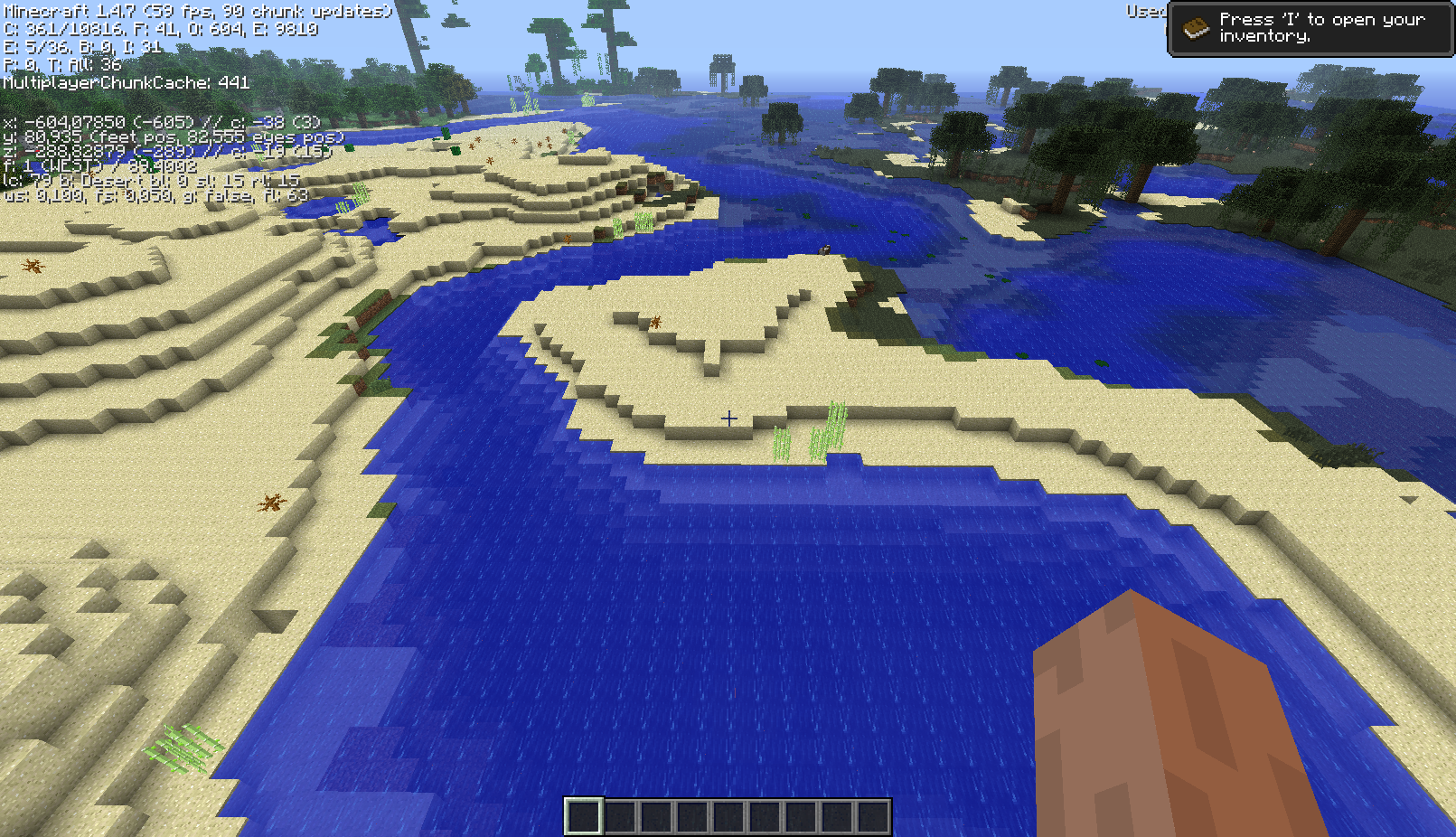










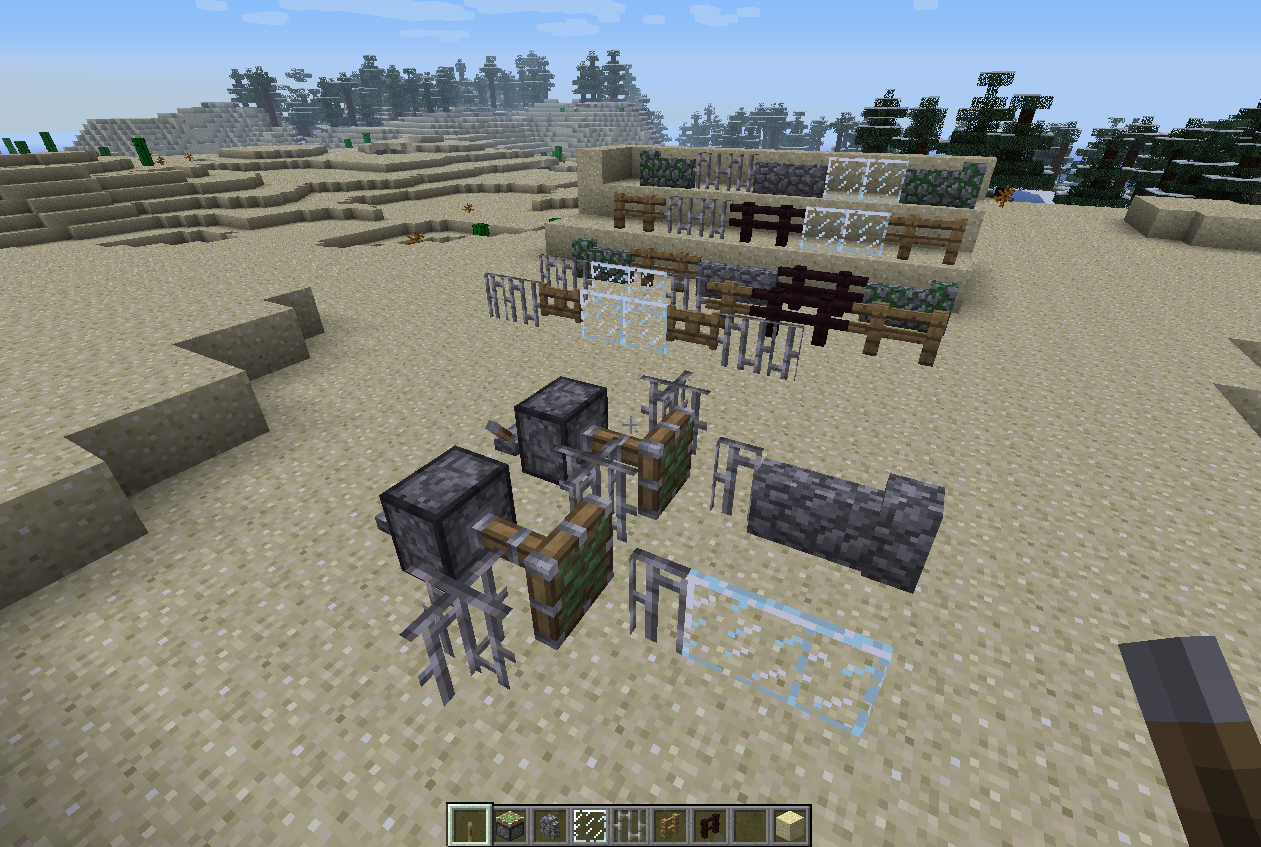
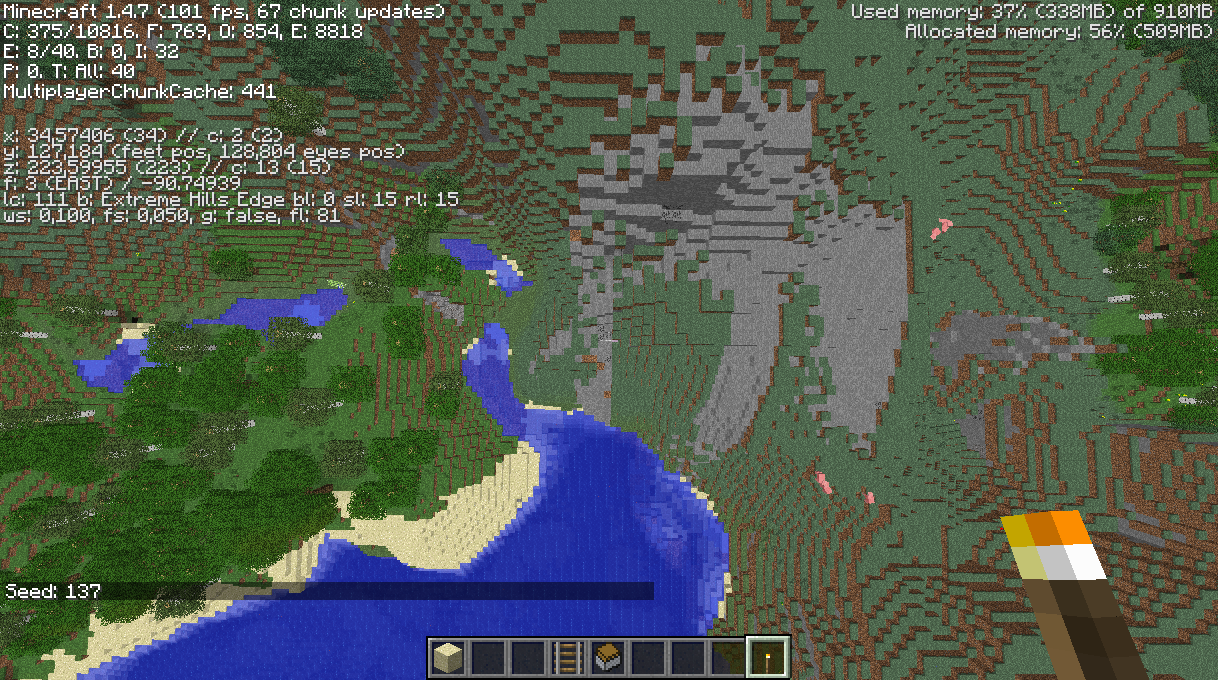






Attached screenshot (..00.18) shows the visual effect of the problem with unmodified 1.4.7: one block too little sand in a straight line form, often repeating in 16-block period. The problem may affect other than sand surface, too.
The other screenshot (..01.53) shows the same world and the same location after applying the proposed code fix shown below.
The seed for the world of screenshots is -807116175. However, examples of the bug are quite easy to find in almost any world, given enough flying around.
(Note, this same problem has been around since a loooong time ago, and I submitted a bug report and (almost) the same fix back then. Apparently it was never fixed back then and the soon after implemented changes to terrain generation just made it less noticeable, or the bug has crawled back in.)
The bugged part of code (as seen with MCP 7.26) is:
ChunkProviderGenerate.replaceBlocksForBiome(int, int, byte[], BiomeGenBase[]), 3rd line of the method:
this.stoneNoise = this.noiseGen4.generateNoiseOctaves(this.stoneNoise, par1 * 16, par2 * 16, 0, 16, 16, 1, var6 * 2.0D, var6 * 2.0D, var6 * 2.0D);The fixed version swaps the latter two coordinate axes (Y and Z, I suppose):
this.stoneNoise = this.noiseGen4.generateNoiseOctaves(this.stoneNoise, par1 * 16, 0, par2 * 16, 16, 1, 16, var6 * 2.0D, var6 * 2.0D, var6 * 2.0D);While mostly investigating this in creative mode, it should be just as valid for survival mode.
The seed for the world of screenshots is -807116175.
Bug as seen in 1.4.7
Attached screenshot (..00.18) shows the visual effect of the problem with unmodified 1.4.7: one block too little sand in a straight line form, often repeating in 16-block period. The problem may affect other than sand surface, too.What I expect to be seen
The other screenshot (..01.53) shows the same world and the same location after applying the proposed code fix shown below.Background/other info
Examples of the bug are quite easy to find in almost any world, given enough flying around. While mostly investigating this in creative mode, it should be just as valid for survival mode.(Note, this same problem has been around since a loooong time ago, and I submitted a bug report and (almost) the same fix back then. Apparently it was never fixed back then and the soon after implemented changes to terrain generation just made it less noticeable, or the bug has crawled back in.)
Bugged code
The bugged part of code (as seen with MCP 7.26) is:
ChunkProviderGenerate.replaceBlocksForBiome(int, int, byte[], BiomeGenBase[]), 3rd line of the method:
this.stoneNoise = this.noiseGen4.generateNoiseOctaves(this.stoneNoise, par1 * 16, par2 * 16, 0, 16, 16, 1, var6 * 2.0D, var6 * 2.0D, var6 * 2.0D);Fixed code
The fixed version swaps the latter two coordinate axes (Y and Z, I suppose):
this.stoneNoise = this.noiseGen4.generateNoiseOctaves(this.stoneNoise, par1 * 16, 0, par2 * 16, 16, 1, 16, var6 * 2.0D, var6 * 2.0D, var6 * 2.0D);
The seed for the world of screenshots is -807116175.
Bug as seen in 1.4.7
Attached screenshot (..00.18) shows the visual effect of the problem with unmodified 1.4.7: one block too little sand in a straight line form, often repeating in 16-block period. The problem may affect other than sand surface, too. Note, the area around had not yet been fully loaded/generated at the time of the screenshot, so ignore the missing stuff in the distance.What I expect to be seen
The other screenshot (..01.53) shows the same world and the same location after applying the proposed code fix shown below.Background/other info
Examples of the bug are quite easy to find in almost any world, given enough flying around. While mostly investigating this in creative mode, it should be just as valid for survival mode.(Note, this same problem has been around since a loooong time ago, and I submitted a bug report and (almost) the same fix back then. Apparently it was never fixed back then and the soon after implemented changes to terrain generation just made it less noticeable, or the bug has crawled back in.)
Bugged code
The bugged part of code (as seen with MCP 7.26) is:
ChunkProviderGenerate.replaceBlocksForBiome(int, int, byte[], BiomeGenBase[]), 3rd line of the method:
this.stoneNoise = this.noiseGen4.generateNoiseOctaves(this.stoneNoise, par1 * 16, par2 * 16, 0, 16, 16, 1, var6 * 2.0D, var6 * 2.0D, var6 * 2.0D);Fixed code
The fixed version swaps the latter two coordinate axes (Y and Z, I suppose):
this.stoneNoise = this.noiseGen4.generateNoiseOctaves(this.stoneNoise, par1 * 16, 0, par2 * 16, 16, 1, 16, var6 * 2.0D, var6 * 2.0D, var6 * 2.0D);
The seed for the world of screenshots is -807116175.
Bug as seen in 1.4.7
Attached screenshot (..00.18) shows the visual effect of the problem with unmodified 1.4.7: one block too little sand in a straight line form, often repeating in 16-block period. The problem may affect other than sand surface, too. Note, the area around had not yet been fully loaded/generated at the time of the screenshot, so ignore the missing stuff in the distance.What I expect to be seen
The other screenshot (..01.53) shows the same world and the same location after applying the proposed code fix shown below.Background/other info
Examples of the bug are quite easy to find in almost any world, given enough flying around. While mostly investigating this in creative mode, it should be just as valid for survival mode.(Note, this same problem has been around since a loooong time ago, and I submitted a bug report and (almost) the same fix back then. Apparently it was never fixed back then and the soon after implemented changes to terrain generation just made it less noticeable, or the bug has crawled back in.)
Bugged code
The bugged part of code (as seen with MCP 7.26) is:
ChunkProviderGenerate.replaceBlocksForBiome(int, int, byte[], BiomeGenBase[]), 3rd line of the method:
this.stoneNoise = this.noiseGen4.generateNoiseOctaves(this.stoneNoise, par1 * 16, par2 * 16, 0, 16, 16, 1, var6 * 2.0D, var6 * 2.0D, var6 * 2.0D);Fixed code
The fixed version swaps the latter two coordinate axes (Y and Z, I suppose):
this.stoneNoise = this.noiseGen4.generateNoiseOctaves(this.stoneNoise, par1 * 16, 0, par2 * 16, 16, 1, 16, var6 * 2.0D, var6 * 2.0D, var6 * 2.0D);ADDED
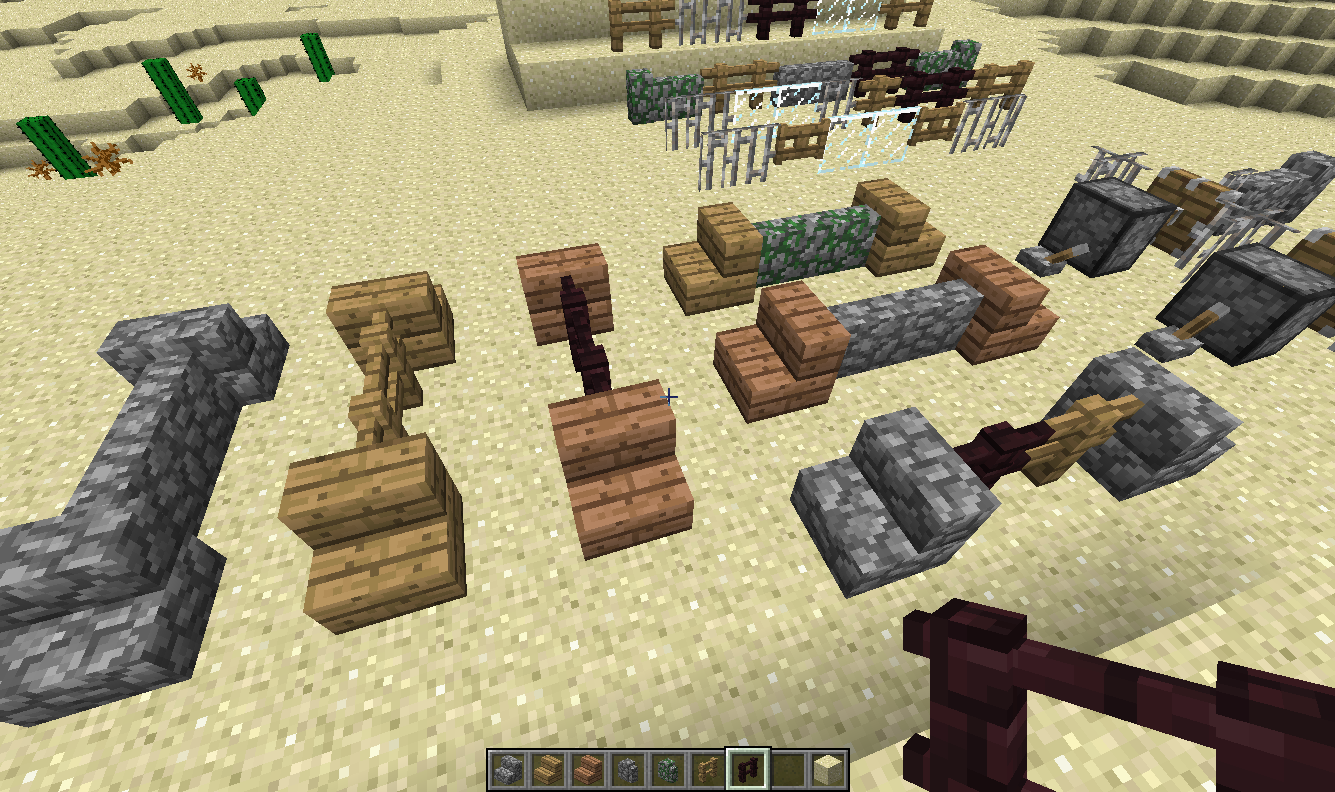
One more screenshot and map snippet, from very old worlds, at the time when I first checked this and made the fixes. The map snippet should clearly visualize it is not about "basins", and the screenshot also shows it is (back then) not about basins, as it was between sand and dirt at the same level. (This difference is because back then the same bug could affect not only thickness, but also the material, if I remember it right. I did have to make changes to 3 more lines in that same method to get all the related things fixed, but with the new biome code, only 1 line is enough.)
The seed for the world of screenshots is -807116175.
Bug as seen in 1.4.7
Attached screenshot (..00.18) shows the visual effect of the problem with unmodified 1.4.7: one block too little sand in a straight line form, often repeating in 16-block period. The problem may affect other than sand surface, too. Note, the area around had not yet been fully loaded/generated at the time of the screenshot, so ignore the missing stuff in the distance.What I expect to be seen
The other screenshot (..01.53) shows the same world and the same location after applying the proposed code fix shown below.Background/other info
Examples of the bug are quite easy to find in almost any world, given enough flying around. While mostly investigating this in creative mode, it should be just as valid for survival mode.(Note, this same problem has been around since a loooong time ago, and I submitted a bug report and (almost) the same fix back then. Apparently it was never fixed back then and the soon after implemented changes to terrain generation just made it less noticeable, or the bug has crawled back in.)
Bugged code
The bugged part of code (as seen with MCP 7.26) is:
ChunkProviderGenerate.replaceBlocksForBiome(int, int, byte[], BiomeGenBase[]), 3rd line of the method:
this.stoneNoise = this.noiseGen4.generateNoiseOctaves(this.stoneNoise, par1 * 16, par2 * 16, 0, 16, 16, 1, var6 * 2.0D, var6 * 2.0D, var6 * 2.0D);Fixed code
The fixed version swaps the latter two coordinate axes (Y and Z, I suppose):
this.stoneNoise = this.noiseGen4.generateNoiseOctaves(this.stoneNoise, par1 * 16, 0, par2 * 16, 16, 1, 16, var6 * 2.0D, var6 * 2.0D, var6 * 2.0D);ADDED
One more screenshot and map snippet, from very old worlds, at the time when I first checked this and made the fixes. The map snippet should clearly visualize it is not about "basins", and the screenshot also shows it is (back then) not about basins, as it was between sand and dirt at the same level. (This difference is because back then the same bug could affect not only thickness, but also the material, if I remember it right. I did have to make changes to 3 more lines in that same method to get all the related things fixed, but with the new biome code, only 1 line is enough.)ADDED MORE
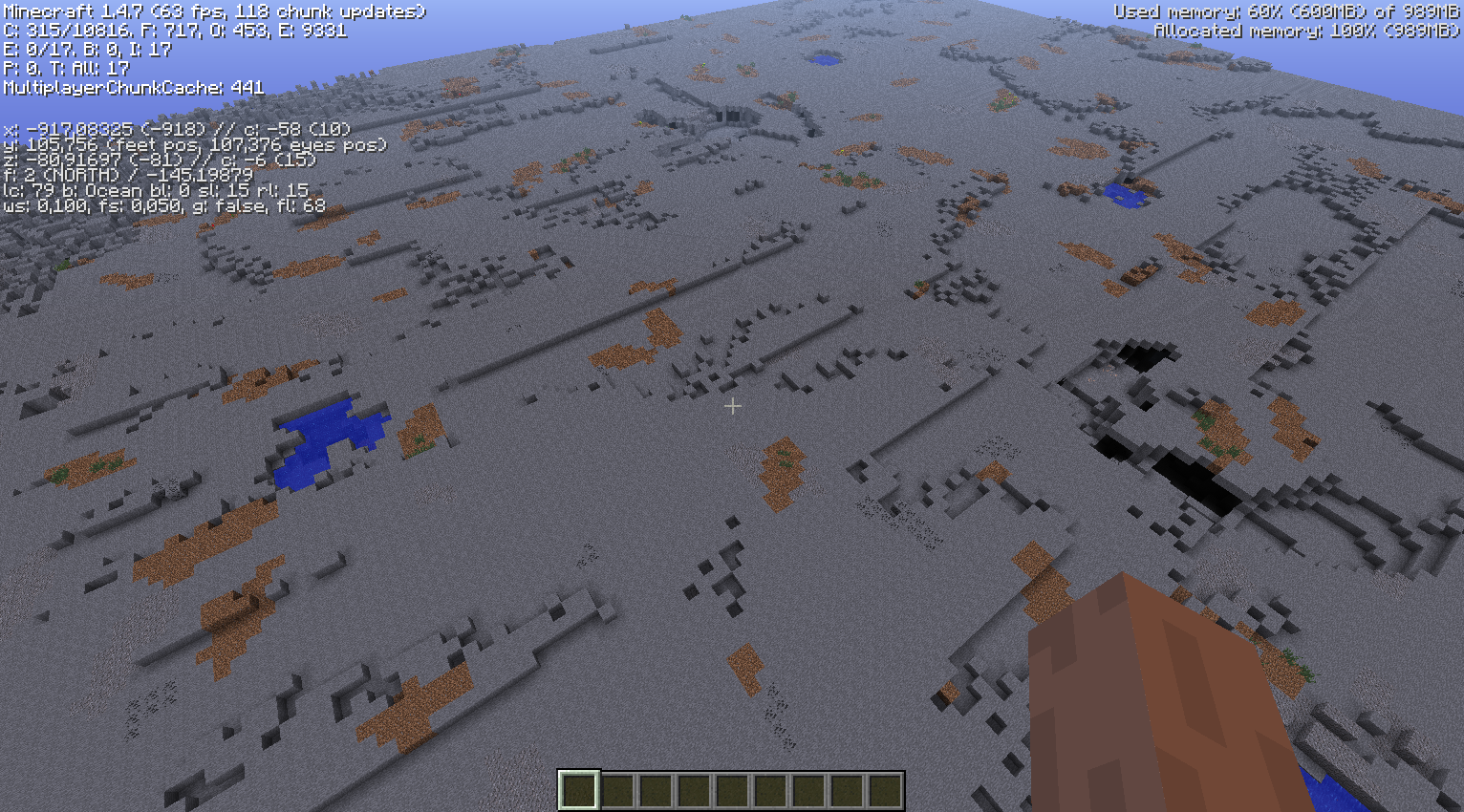
The stone-gray screenshot is taken with a modified client, in order to reveal the full extent of the bug. I modified the world generator to create the ground at fixed height of 7, and for the replace method (which has the bug) to switch the surface stone layer into air instead of dirt or sand. This way the height variation on the ground is actually showing only the surface layer thickness function (and some further random features, like those small ponds, caves and ravines).As can be seen, there are a lot of straight long east-west steps, exactly at chunk borders. Most of the effect is normally hidden by the random variation in the height of ground. That is, the visual effect of this bug is hidden below random noise of the normal ground level function. One would not detect that bad signs if all the dirt/sand would be digged away in a normally generated map, but the effect is still there.
The seed for the world of screenshots is -807116175.
Bug as seen in 1.4.7
Attached screenshot (..00.18) shows the visual effect of the problem with unmodified 1.4.7: one block too little sand in a straight line form, often repeating in 16-block period. The problem may affect other than sand surface, too. Note, the area around had not yet been fully loaded/generated at the time of the screenshot, so ignore the missing stuff in the distance.What I expect to be seen
The other screenshot (..01.53) shows the same world and the same location after applying the proposed code fix shown below.Background/other info
Examples of the bug are quite easy to find in almost any world, given enough flying around. While mostly investigating this in creative mode, it should be just as valid for survival mode.(Note, this same problem has been around since a loooong time ago, and I submitted a bug report and (almost) the same fix back then. Apparently it was never fixed back then and the soon after implemented changes to terrain generation just made it less noticeable, or the bug has crawled back in.)
Bugged code
The bugged part of code (as seen with MCP 7.26) is:
ChunkProviderGenerate.replaceBlocksForBiome(int, int, byte[], BiomeGenBase[]), 3rd line of the method:
this.stoneNoise = this.noiseGen4.generateNoiseOctaves(this.stoneNoise, par1 * 16, par2 * 16, 0, 16, 16, 1, var6 * 2.0D, var6 * 2.0D, var6 * 2.0D);Fixed code
The fixed version swaps the latter two coordinate axes (Y and Z, I suppose):
this.stoneNoise = this.noiseGen4.generateNoiseOctaves(this.stoneNoise, par1 * 16, 0, par2 * 16, 16, 1, 16, var6 * 2.0D, var6 * 2.0D, var6 * 2.0D);ADDED
One more screenshot and map snippet, from very old worlds, at the time when I first checked this and made the fixes. The map snippet should clearly visualize it is not about "basins", and the screenshot also shows it is (back then) not about basins, as it was between sand and dirt at the same level. (This difference is because back then the same bug could affect not only thickness, but also the material, if I remember it right. I did have to make changes to 3 more lines in that same method to get all the related things fixed, but with the new biome code, only 1 line is enough.)ADDED MORE
The stone-gray screenshot is taken with a modified client, in order to reveal the full extent of the bug. I modified the world generator to create the ground at fixed height of 7, and for the replace method (which has the bug) to switch the surface stone layer into air instead of dirt or sand. This way the height variation on the ground is actually showing only the surface layer thickness function (and some further random features, like those small ponds, caves and ravines).As can be seen, there are a lot of straight long east-west steps, exactly at chunk borders. Most of the effect is normally hidden by the random variation in the height of ground. That is, the visual effect of this bug is hidden below random noise of the normal ground level function. One would not detect that bad signs if all the dirt/sand would be digged away in a normally generated map, but the effect is still there.
The seed for the world of screenshots is -807116175.
Bug as seen in 1.4.7
Attached screenshot (..00.18) shows the visual effect of the problem with unmodified 1.4.7: one block too little sand in a straight line form, often repeating in 16-block period. The problem may affect other than sand surface, too. Note, the area around had not yet been fully loaded/generated at the time of the screenshot, so ignore the missing stuff in the distance.What I expect to be seen
The other screenshot (..01.53) shows the same world and the same location after applying the proposed code fix shown below.Background/other info
Examples of the bug are quite easy to find in almost any world, given enough flying around. While mostly investigating this in creative mode, it should be just as valid for survival mode.(Note, this same problem has been around since a loooong time ago, and I submitted a bug report and (almost) the same fix back then. Apparently it was never fixed back then and the soon after implemented changes to terrain generation just made it less noticeable, or the bug has crawled back in.)
Bugged code
The bugged part of code (as seen with MCP 7.26) is:
ChunkProviderGenerate.replaceBlocksForBiome(int, int, byte[], BiomeGenBase[]), 3rd line of the method:
this.stoneNoise = this.noiseGen4.generateNoiseOctaves(this.stoneNoise, par1 * 16, par2 * 16, 0, 16, 16, 1, var6 * 2.0D, var6 * 2.0D, var6 * 2.0D);Fixed code
The fixed version swaps the latter two coordinate axes (Y and Z, I suppose):
this.stoneNoise = this.noiseGen4.generateNoiseOctaves(this.stoneNoise, par1 * 16, 0, par2 * 16, 16, 1, 16, var6 * 2.0D, var6 * 2.0D, var6 * 2.0D);Added
One more screenshot and map snippet, from very old worlds, at the time when I first checked this and made the fixes. The map snippet should clearly visualize it is not about "basins", and the screenshot also shows it is (back then) not about basins, as it was between sand and dirt at the same level. (This difference is because back then the same bug could affect not only thickness, but also the material, if I remember it right. I did have to make changes to 3 more lines in that same method to get all the related things fixed, but with the new biome code, only 1 line is enough.)Added more
The stone-gray screenshot is taken with a modified client, in order to reveal the full extent of the bug. I modified the world generator to create the ground at fixed height of 7, and for the replace method (which has the bug) to switch the surface stone layer into air instead of dirt or sand. This way the height variation on the ground is actually showing only the surface layer thickness function (and some further random features, like those small ponds, caves and ravines).As can be seen, there are a lot of straight long east-west steps, exactly at chunk borders. Most of the effect is normally hidden by the random variation in the height of ground. That is, the visual effect of this bug is hidden below random noise of the normal ground level function. One would not detect that bad signs if all the dirt/sand would be digged away in a normally generated map, but the effect is still there.
The seed for the world of two first screenshots (with swamp and desert) is -807116175.
Bug as seen in 1.4.7
Attached screenshot (..00.18) shows the visual effect of the problem with unmodified 1.4.7: one block too little sand in a straight line form, often repeating in 16-block period. The problem may affect other than sand surface, too. Note, the area around had not yet been fully loaded/generated at the time of the screenshot, so ignore the missing stuff in the distance.What I expect to be seen
The other screenshot (..01.53) shows the same world and the same location after applying the proposed code fix shown below.Background/other info
Examples of the bug are quite easy to find in almost any world, given enough flying around. While mostly investigating this in creative mode, it should be just as valid for survival mode.(Note, this same problem has been around since a loooong time ago, and I submitted a bug report and (almost) the same fix back then. Apparently it was never fixed back then and the soon after implemented changes to terrain generation just made it less noticeable, or the bug has crawled back in.)
Bugged code
The bugged part of code (as seen with MCP 7.26) is:
ChunkProviderGenerate.replaceBlocksForBiome(int, int, byte[], BiomeGenBase[]), 3rd line of the method:
this.stoneNoise = this.noiseGen4.generateNoiseOctaves(this.stoneNoise, par1 * 16, par2 * 16, 0, 16, 16, 1, var6 * 2.0D, var6 * 2.0D, var6 * 2.0D);Fixed code
The fixed version swaps the latter two coordinate axes (Y and Z, I suppose):
this.stoneNoise = this.noiseGen4.generateNoiseOctaves(this.stoneNoise, par1 * 16, 0, par2 * 16, 16, 1, 16, var6 * 2.0D, var6 * 2.0D, var6 * 2.0D);Added
One more screenshot and map snippet, from very old worlds, at the time when I first checked this and made the fixes. The map snippet should clearly visualize it is not about "basins", and the screenshot also shows it is (back then) not about basins, as it was between sand and dirt at the same level. (This difference is because back then the same bug could affect not only thickness, but also the material, if I remember it right. I did have to make changes to 3 more lines in that same method to get all the related things fixed, but with the new biome code, only 1 line is enough.)Added more
The stone-gray screenshot is taken with a modified client, in order to reveal the full extent of the bug. I modified the world generator to create the ground at fixed height of 7, and for the replace method (which has the bug) to switch the surface stone layer into air instead of dirt or sand. This way the height variation on the ground is actually showing only the surface layer thickness function (and some further random features, like those small ponds, caves and ravines).As can be seen, there are a lot of straight long east-west steps, exactly at chunk borders. Most of the effect is normally hidden by the random variation in the height of ground. That is, the visual effect of this bug is hidden below random noise of the normal ground level function. One would not detect that bad signs if all the dirt/sand would be digged away in a normally generated map, but the effect is still there.
The seed for the world of two first screenshots (with swamp and desert) is -807116175.
Bug as seen in 1.4.7
Attached screenshot (..00.18) shows the visual effect of the problem with unmodified 1.4.7: one block too little sand in a straight line form, often repeating in 16-block period. The problem may affect other than sand surface, too. Note, the area around had not yet been fully loaded/generated at the time of the screenshot, so ignore the missing stuff in the distance.What I expect to be seen
The other screenshot (..01.53) shows the same world and the same location after applying the proposed code fix shown below.Background/other info
Examples of the bug are quite easy to find in almost any world, given enough flying around. While mostly investigating this in creative mode, it should be just as valid for survival mode.(Note, this same problem has been around since a loooong time ago, and I submitted a bug report and (almost) the same fix back then. Apparently it was never fixed back then and the soon after implemented changes to terrain generation just made it less noticeable, or the bug has crawled back in.)
Bugged code
The bugged part of code (as seen with MCP 7.26) is:
ChunkProviderGenerate.replaceBlocksForBiome(int, int, byte[], BiomeGenBase[]), 3rd line of the method:
this.stoneNoise = this.noiseGen4.generateNoiseOctaves(this.stoneNoise, par1 * 16, par2 * 16, 0, 16, 16, 1, var6 * 2.0D, var6 * 2.0D, var6 * 2.0D);Fixed code
The fixed version swaps the latter two coordinate axes (Y and Z, I suppose):
this.stoneNoise = this.noiseGen4.generateNoiseOctaves(this.stoneNoise, par1 * 16, 0, par2 * 16, 16, 1, 16, var6 * 2.0D, var6 * 2.0D, var6 * 2.0D);Added
One more screenshot and map snippet, from very old worlds, at the time when I first checked this and made the fixes. The map snippet should clearly visualize it is not about "basins", and the screenshot also shows it is (back then) not about basins, as it was between sand and dirt at the same level. (This difference is because back then the same bug could affect not only thickness, but also the material, if I remember it right. I did have to make changes to 3 more lines in that same method to get all the related things fixed, but with the new biome code, only 1 line is enough.)Added more
The stone-gray screenshot is taken with a modified client, in order to reveal the full extent of the bug. I modified the world generator to create the ground at fixed height of 7, and for the replace method (which has the bug) to switch the surface stone layer into air instead of dirt or sand. This way the height variation on the ground is actually showing only the surface layer thickness function (and some further random features, like those small ponds, caves and ravines).As can be seen, there are a lot of straight long east-west steps, exactly at chunk borders. Most of the effect is normally hidden by the random variation in the height of ground. That is, the visual effect of this bug is hidden below random noise of the normal ground level function. One would not detect that bad signs if all the dirt/sand would be digged away in a normally generated map, but the effect is still there.
Uh oh, there is even more
I'm going to make another entry about an equal bug for Nether, but FYI, the corresponding class and method for Nether has the same bug, and another similar, as it is basically an adapted copy of the older overworld generator (with its multiple bugs it had back then).
(Closely related to
MC-7192.)The seed for the world of two first screenshots (with swamp and desert) is -807116175.
Bug as seen in 1.4.7
Attached screenshot (..00.18) shows the visual effect of the problem with unmodified 1.4.7: one block too little sand in a straight line form, often repeating in 16-block period. The problem may affect other than sand surface, too. Note, the area around had not yet been fully loaded/generated at the time of the screenshot, so ignore the missing stuff in the distance.What I expect to be seen
The other screenshot (..01.53) shows the same world and the same location after applying the proposed code fix shown below.Background/other info
Examples of the bug are quite easy to find in almost any world, given enough flying around. While mostly investigating this in creative mode, it should be just as valid for survival mode.(Note, this same problem has been around since a loooong time ago, and I submitted a bug report and (almost) the same fix back then. Apparently it was never fixed back then and the soon after implemented changes to terrain generation just made it less noticeable, or the bug has crawled back in.)
Bugged code
The bugged part of code (as seen with MCP 7.26) is:
ChunkProviderGenerate.replaceBlocksForBiome(int, int, byte[], BiomeGenBase[]), 3rd line of the method:
this.stoneNoise = this.noiseGen4.generateNoiseOctaves(this.stoneNoise, par1 * 16, par2 * 16, 0, 16, 16, 1, var6 * 2.0D, var6 * 2.0D, var6 * 2.0D);Fixed code
The fixed version swaps the latter two coordinate axes (Y and Z, I suppose):
this.stoneNoise = this.noiseGen4.generateNoiseOctaves(this.stoneNoise, par1 * 16, 0, par2 * 16, 16, 1, 16, var6 * 2.0D, var6 * 2.0D, var6 * 2.0D);Added
One more screenshot and map snippet, from very old worlds, at the time when I first checked this and made the fixes. The map snippet should clearly visualize it is not about "basins", and the screenshot also shows it is (back then) not about basins, as it was between sand and dirt at the same level. (This difference is because back then the same bug could affect not only thickness, but also the material, if I remember it right. I did have to make changes to 3 more lines in that same method to get all the related things fixed, but with the new biome code, only 1 line is enough.)Added more
The stone-gray screenshot is taken with a modified client, in order to reveal the full extent of the bug. I modified the world generator to create the ground at fixed height of 7, and for the replace method (which has the bug) to switch the surface stone layer into air instead of dirt or sand. This way the height variation on the ground is actually showing only the surface layer thickness function (and some further random features, like those small ponds, caves and ravines).As can be seen, there are a lot of straight long east-west steps, exactly at chunk borders. Most of the effect is normally hidden by the random variation in the height of ground. That is, the visual effect of this bug is hidden below random noise of the normal ground level function. One would not detect that bad signs if all the dirt/sand would be digged away in a normally generated map, but the effect is still there.
Uh oh, there is even more
I'm going to make another entry about an equal bug for Nether, but FYI, the corresponding class and method for Nether has the same bug, and another similar, as it is basically an adapted copy of the older overworld generator (with its multiple bugs it had back then).
This bug is very closely related to
MC-6820, as the mistakes in the code are virtually the same.What seems to be wrong
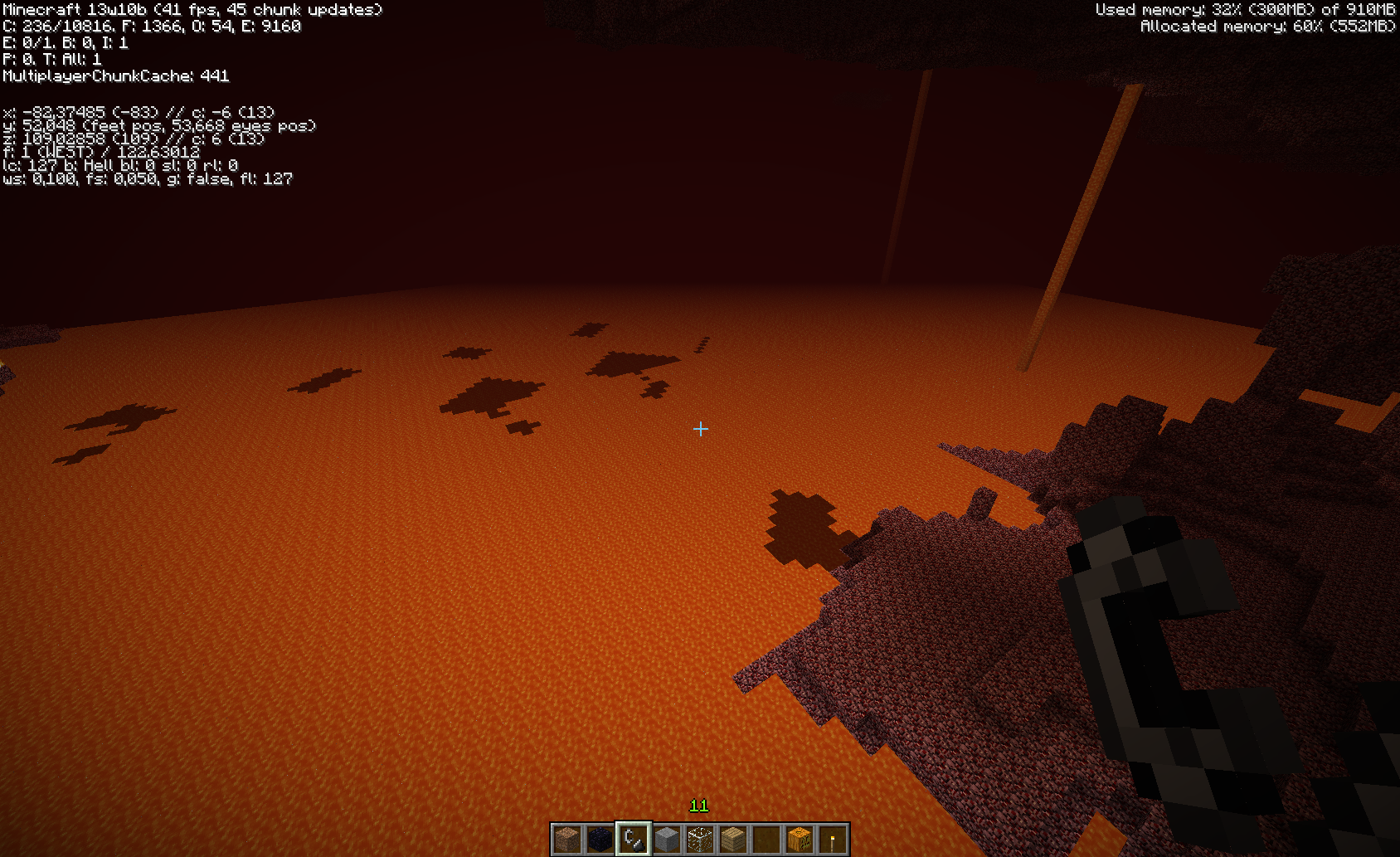
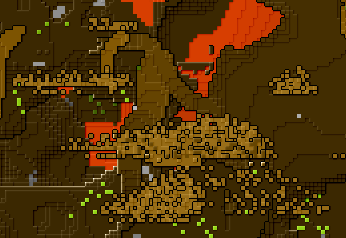
In Nether, due to the way the terrain surface features are made, the artifacts are very difficult to notice while playing, but using a map (with ability to see "slices") reveals similar artifacts as the same bug for the overworld generator produces. They are easiest to notice at levels just below the top bedrock as straight "cuts" in the hidden "basins" (of layer of one block air) just below the bedrock. See the attached screenshot of a map, the brighter brown blobs with straight east-west cuts. The cuts are exactly at chunk borders.
The bugged code is in ChunkProviderHell.replaceBlocksForBiome(int, int, byte[]), in almost begin of the method. However, this time I've replaced the MCP decompilation result with my own interpretations for some of the variable names:
this.slowsandNoise = this.slowsandGravelNoiseGen.generateNoiseOctaves(this.slowsandNoise, par1 * 16, par2 * 16, 0, 16, 16, 1, d, d, 1.0D);
this.gravelNoise = this.slowsandGravelNoiseGen.generateNoiseOctaves(this.gravelNoise, par1 * 16, 109, par2 * 16, 16, 1, 16, d, 1.0D, d);
this.netherrackExclusivityNoise = this.netherrackExculsivityNoiseGen.generateNoiseOctaves(this.netherrackExclusivityNoise, par1 * 16, par2 * 16, 0, 16, 16, 1, d * 2.0D, d * 2.0D, d * 2.0D);Note the difference in the order of Y and Z parameters between method calls.
What I expect
The blobs (and few other less easily seen features) should have curving/natural shapes and no artifical straight east-west cuts. Sorry, no good screenshot about it, but just imagine that bug-example screenshot having the blobs' south side cuts replaced with something similar to their north sides.The fixed code would be:
this.slowsandNoise = this.slowsandGravelNoiseGen.generateNoiseOctaves(this.slowsandNoise, par1 * 16, 0, par2 * 16, 16, 1, 16, d, 1.0D, d);
this.gravelNoise = this.slowsandGravelNoiseGen.generateNoiseOctaves(this.gravelNoise, par1 * 16, 109, par2 * 16, 16, 1, 16, d, 1.0D, d);
this.netherrackExclusivityNoise = this.netherrackExculsivityNoiseGen.generateNoiseOctaves(this.netherrackExclusivityNoise, par1 * 16, 0, par2 * 16, 16, 1, 16, d * 2.0D, d * 2.0D, d * 2.0D);HOWEVER only the 3rd line is for this particular case, even if the first line has the same bug (and fix). The problem with the first line's fix is that it unfortunately reveals that the gravel-generation was based on a side-effect of that bug, and the first line fix makes slowsand always overwrite gravel. Full fix for that needs more knowledge on how the generateNoiseOctaves can be used and/or an additional adjustment later in the same method.
This bug is very closely related to
MC-6820, as the mistakes in the code are virtually the same.What seems to be wrong
In Nether, due to the way the terrain surface features are made, the artifacts are very difficult to notice while playing, but using a map (with ability to see "slices") reveals similar artifacts as the same bug for the overworld generator produces. They are easiest to notice at levels just below the top bedrock as straight "cuts" in the hidden "basins" (of layer of one block airThe bugged code is in ChunkProviderHell.replaceBlocksForBiome(int, int, byte[]), in almost begin of the method. However, this time I've replaced the MCP decompilation result with my own interpretations for some of the variable names:
ChunkProviderHell.replaceBlocksForBiome(int, int, byte[])this.slowsandNoise = this.slowsandGravelNoiseGen.generateNoiseOctaves(this.slowsandNoise, par1 * 16, par2 * 16, 0, 16, 16, 1, d, d, 1.0D); this.gravelNoise = this.slowsandGravelNoiseGen.generateNoiseOctaves(this.gravelNoise, par1 * 16, 109, par2 * 16, 16, 1, 16, d, 1.0D, d); this.netherrackExclusivityNoise = this.netherrackExculsivityNoiseGen.generateNoiseOctaves(this.netherrackExclusivityNoise, par1 * 16, par2 * 16, 0, 16, 16, 1, d * 2.0D, d * 2.0D, d * 2.0D);Note the difference in the order of Y and Z parameters between method calls.
What I expect
The blobs (and few other less easily seen features) should have curving/natural shapes and no artifical straight east-west cuts. Sorry, no good screenshot about it, but just imagine that bug-example screenshot having the blobs' south side cuts replaced with something similar to their north sides.The fixed code would be:
ChunkProviderHell.replaceBlocksForBiome(int, int, byte[])this.slowsandNoise = this.slowsandGravelNoiseGen.generateNoiseOctaves(this.slowsandNoise, par1 * 16, 0, par2 * 16, 16, 1, 16, d, 1.0D, d); this.gravelNoise = this.slowsandGravelNoiseGen.generateNoiseOctaves(this.gravelNoise, par1 * 16, 109, par2 * 16, 16, 1, 16, d, 1.0D, d); this.netherrackExclusivityNoise = this.netherrackExculsivityNoiseGen.generateNoiseOctaves(this.netherrackExclusivityNoise, par1 * 16, 0, par2 * 16, 16, 1, 16, d * 2.0D, d * 2.0D, d * 2.0D);HOWEVER only the 3rd line is for this particular case, even if the first line has the same bug (and fix). The problem with the first line's fix is that it unfortunately reveals that the gravel-generation was based on a side-effect of that bug, and the first line fix makes slowsand always overwrite gravel. Full fix for that needs more knowledge on how the generateNoiseOctaves can be used and/or an additional adjustment later in the same method.
The generation of "terrain" surface layer in Nether produces local straight artifacts/glitches (partial fix included)
The tunnels/caves in Nether can have unnatural looking straight cuts/walls at chunk borders. The reason is an old bug that has been fixed from the overworld cave generator, but not from the Nether one. Such tunnels are easiest to find by using a mapper (due to the difficulty of moving in Nether, low visibility, and of course because tunnels/caves are usually more or less buried inside solid stuff).
Examples of buggy tunnels
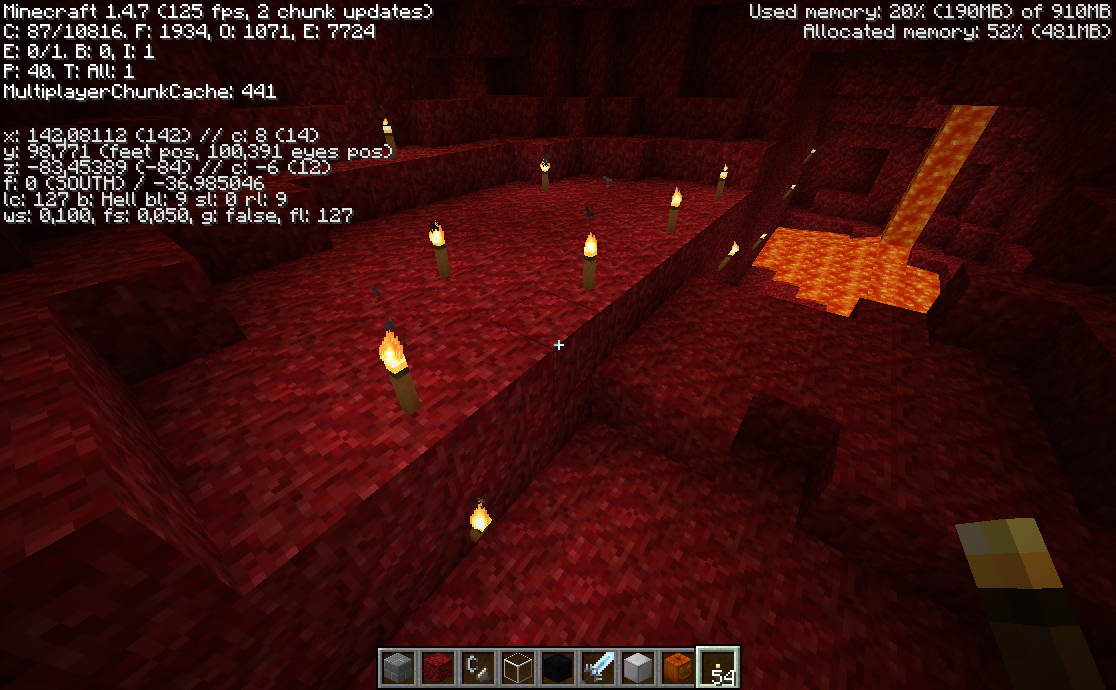
See map screenshots; the straight edges of the tunnels are not due to mapping program, but simply because the tunnels have cuts in them, at chunk borders.Possibly reproducible with world seed -807116175 (with defaults), location x:142, y:98, z:-83 in Nether (place of screenshot cut_tunnel_3 and ...02.24.27). The location is actually two tunnels, b
utcut at the same place, but just cut on different directions. (The other map screenshots are of the same world, locations are about #1: 187,99,135 and #2 131,94,260 + 60,85,235.)The bug
Compare classes MapGenCaves and MapGenCavesHell. The overworld version (MapGenCaves) transfers a random generator seed-parameter in the methods, while the Nether-version does not. Due to this, for the Nether version the map generator's one common random number generator gets to different states at different chunks for the generation of the supposedly same tunnel/cave. The different states of course lead to different random shapes of the tunnel.The fix
Adapt the use of the seed parameter from the MapGenCaves class to MapGenCavesHell class. (I will not show the code here, as the changes are quite spread and are trivial.)The tunnels/caves in Nether can have unnatural looking straight cuts/walls at chunk borders. The reason is an old bug that has been fixed from the overworld cave generator, but not from the Nether one. Such tunnels are easiest to find by using a mapper (due to the difficulty of moving in Nether, low visibility, and of course because tunnels/caves are usually more or less buried inside solid stuff).
Examples of buggy tunnels
See map screenshots; the straight edges of the tunnels are not due to mapping program, but simply because the tunnels have cuts in them, at chunk borders.Possibly reproducible with world seed -807116175 (with defaults), location x:142, y:98, z:-83 in Nether (place of screenshot cut_tunnel_3 and ...02.24.27). The location is actually two tunnels, both cut at the same place, but just cut on different directions. (The other map screenshots are of the same world, locations are about #1: 187,99,135 and #2 131,94,260 + 60,85,235.)
The bug
Compare classes MapGenCaves and MapGenCavesHell. The overworld version (MapGenCaves) transfers a random generator seed-parameter in the methods, while the Nether-version does not. Due to this, for the Nether version the map generator's one common random number generator gets to different states at different chunks for the generation of the supposedly same tunnel/cave. The different states of course lead to different random shapes of the tunnel.The fix
Adapt the use of the seed parameter from the MapGenCaves class to MapGenCavesHell class. (I will not show the code here, as the changes are quite spread and are trivial.)
In 1.4.7 (only version I've tested and debugged this), normal zombie spawns can attack a village, as usual, but the real "siege" fails to start.
Tested by adding suitable console messages to VillageSiege class, tracking the midnight-test and when it starts spawning the extra zombies. Without a fix, it never happens.
Reason
While trying to start a siege, the process first looks if it can find a suitable spot to spawn the zombies (slightly cheating here; normal spawn rules seem to not apply). However, the method that looks for an exact spot to spawn at is missing a 'return'. Thus, a found valid spot is never returned and the siege start process just keeps on with a futile attempt at looking for spots...Here is the bugged method, as seen by MCP:
VillageSiege.func_75527_a(int, int, int)private Vec3 func_75527_a(int par1, int par2, int par3) { for (int var4 = 0; var4 < 10; ++var4) { int var5 = par1 + this.worldObj.rand.nextInt(16) - 8; int var6 = par2 + this.worldObj.rand.nextInt(6) - 3; int var7 = par3 + this.worldObj.rand.nextInt(16) - 8; if (this.theVillage.isInRange(var5, var6, var7) && SpawnerAnimals.canCreatureTypeSpawnAtLocation(EnumCreatureType.monster, this.worldObj, var5, var6, var7)) { this.worldObj.getWorldVec3Pool().getVecFromPool((double)var5, (double)var6, (double)var7); } } return null; }Fix
... if (this.theVillage.isInRange(var5, var6, var7) && SpawnerAnimals.canCreatureTypeSpawnAtLocation(EnumCreatureType.monster, this.worldObj, var5, var6, var7)) { return this.worldObj.getWorldVec3Pool().getVecFromPool((double)var5, (double)var6, (double)var7); } ...Adding that missing return allows the rest of the process to finally find a suitable spot, start the siege, and spawn each zombie (even inside fully lit buildings, though, but this is known thing, worth of another issue).
EDIT: Important addition
I didn't figure this out at first (since I was fixing it "on the fly"), but once the above fix is done, another problem surfaces. The initial state in the siege engine is -1, but there is no proper handling of that state. In a new world this would not be a problem since the world starts into a day, which resets the state to 0. However, if an existing world that is currently in a night is loaded into a fixed game, the incorrect state slips through...More fixing
Harder to explain the exact location of this fix, but in the same class, method tick(), right after all the code that checks that state-variable, add:if (this.siegeState == -1) return;
Village siege's spawn location is calculated incorrectly (fix included)
Using MCP
naming/ownnaming:BlockStairs.collisionRayTrace()... this.field_72156_cr = true; ... }That flag seems to tell the method setBlockBoundsBasedOnState() that it is being used by the above method, and thus should set the bounds differently than the full block size (which it should use at other times).
The ray trace method does not reset that flag once it is done. Thus, after the player first time aims at stairs block, the flag gets set, and the bounds will always return the setup for the last stage of ray tracing after that. (Except for the ray tracer itself, which will go through the stages at each call).
As a symptom, see comments in
MC-1390(water droplets generation calculates the start height too high).Fix
BlockStairs.collisionRayTrace()... this.field_72156_cr = true; int var14; int var15; int var16; for (int var12 = 0; var12 < 8; ++var12) { ... } this.field_72156_cr = false; // FIX ...Bug found and fix tested on version 1.4.7 while fixing
MC-1390.
Oh well, it happened to be almost on top of my todo list anyway, just had to find the correct seed...
Affects 13w10a.
Bradley, that is not a fix, per se. It is an in-game workaround. Fixes are the changes made into the source code.
(Relates to
MC-10534andMC-2759; doesn't fix them, but perhaps makes the effects of the feature less noticeable.)(Using MCP namings.)
The WorldGenBigTree has instance variable "heightLimit". The same generator instance is used to create many trees during world generation. However, that heightLimit variable is only written to at few occasions; initialization to 0, randomized when it is zero, and when tree height (free space) check deems it needs to be shorter. Thus, the start of world generation can look like this (for tree heights):
0 -> 10, 10, 10, 10, 10, .. (30 more of 10) .., 7, 7, 7, 7, 7, 10, 10, 10, (10 more of 10), ... (occasional streak of 10of11), etc. etc.Fix?
WorldGenBigTreepublic boolean generate(World world, Random random, int x, int y, int z) { ... // FIX? Remove this check. //if (this.heightLimit == 0) { this.heightLimit = 5 + this.rand.nextInt(this.heightLimitLimit); //} if (!this.validTreeLocation()) { return false; } ...Tested on 1.4.7 and nice random heights from tree to tree, no sequences of same height observable.
Since the generated worlds from the same seed (from
MC-10534) look exactly the same (including the pair of two small "bigtrees"), this affects also all the way to 13w10b. (Can not check the code though, but would be quite the miracle if this bug wasn't there, yet produced same trees.)(Relates to
MC-10534andMC-2759; doesn't fix them, but perhaps makes the effects of the feature less noticeable.)(Using MCP namings.)
The WorldGenBigTree has instance variable "heightLimit". The same generator instance is used to create many trees during world generation. However, that heightLimit variable is only written to at few occasions; initialization to 0, randomized when it is zero, and when tree height (free space) check deems it needs to be shorter. Thus, the start of world generation can look like this (for tree heights):
0 -> 10, 10, 10, 10, 10, .. (30 more of 10) .., 7, 7, 7, 7, 7, 10, 10, 10, (10 more of 10), ... (occasional streak of 10 times 11), etc. etc.Fix?
WorldGenBigTreepublic boolean generate(World world, Random random, int x, int y, int z) { ... // FIX? Remove this check. //if (this.heightLimit == 0) { this.heightLimit = 5 + this.rand.nextInt(this.heightLimitLimit); //} if (!this.validTreeLocation()) { return false; } ...Tested on 1.4.7 and nice random heights from tree to tree, no sequences of same height observable.
Since the generated worlds from the same seed (from
MC-10534) look exactly the same (including the pair of two small "bigtrees"), this affects also all the way to 13w10b. (Can not check the code though, but would be quite the miracle if this bug wasn't there, yet produced same trees.)
(Relates to
MC-10534andMC-2759; doesn't fix them, but perhaps makes the effects of the feature less noticeable.)(Using MCP namings.)
The WorldGenBigTree has instance variable "heightLimit". The same generator instance is used to create many trees during world generation. However, that heightLimit variable is only written to at few occasions; initialization to 0, randomized when it is zero, and when tree height (free space) check deems it needs to be shorter. Thus, the start of world generation can look like this (for tree heights):
0 -> 10, 10, 10, 10, 10, .. (30 more of 10) .., 7, 7, 7, 7, 7, 10, 10, 10, (10 more of 10), ... (occasional streak of 10 times 11), etc. etc.(Edit
Note also that the trees are created somewhat "next to next" per location, the same height of trees can be noticed in the world, as many nearby big trees have the same height, then another bunch has another height shared between them, etc.
Fix?
WorldGenBigTreepublic boolean generate(World world, Random random, int x, int y, int z) { ... // FIX? Remove this check. //if (this.heightLimit == 0) { this.heightLimit = 5 + this.rand.nextInt(this.heightLimitLimit); //} if (!this.validTreeLocation()) { return false; } ...Tested on 1.4.7 and nice random heights from tree to tree, no sequences of same height observable.
Since the generated worlds from the same seed (from
MC-10534) look exactly the same (including the pair of two small "bigtrees"), this affects also all the way to 13w10b. (Can not check the code though, but would be quite the miracle if this bug wasn't there, yet produced same trees.)
(Relates to
MC-10534andMC-2759; doesn't fix them, but perhaps makes the effects of the feature less noticeable.)(Using MCP namings.)
The WorldGenBigTree has instance variable "heightLimit". The same generator instance is used to create many trees during world generation. However, that heightLimit variable is only written to at few occasions; initialization to 0, randomized when it is zero, and when tree height (free space) check deems it needs to be shorter. Thus, the start of world generation can look like this (for tree heights):
0 -> 10, 10, 10, 10, 10, .. (30 more of 10) .., 7, 7, 7, 7, 7, 10, 10, 10, (10 more of 10), ... (occasional streak of 10 times 11), etc. etc.(Edit
Fix?
WorldGenBigTreepublic boolean generate(World world, Random random, int x, int y, int z) { ... // FIX? Remove this check. //if (this.heightLimit == 0) { this.heightLimit = 5 + this.rand.nextInt(this.heightLimitLimit); //} if (!this.validTreeLocation()) { return false; } ...Tested on 1.4.7 and nice random heights from tree to tree, no sequences of same height observable.
Since the generated worlds from the same seed (from
MC-10534) look exactly the same (including the pair of two small "bigtrees"), this affects also all the way to 13w10b. (Can not check the code though, but would be quite the miracle if this bug wasn't there, yet produced same trees.)(Relates to
MC-10534andMC-2759; doesn't fix them, but perhaps makes the effects of the feature less noticeable.)(Using MCP namings.)
The WorldGenBigTree has instance variable "heightLimit". The same generator instance is used to create many trees during world generation. However, that heightLimit variable is only written to at few occasions; initialization to 0, randomized when it is zero, and when tree height (free space) check deems it needs to be shorter. Thus, the start of world generation can look like this (for tree heights):
0 -> 10, 10, 10, 10, 10, .. (30 more of 10) .., 7, 7, 7, 7, 7, 10, 10, 10, (10 more of 10), ... (occasional streak of 10 times 11), etc. etc.(Edit: ) Note also that the trees are created somewhat "next to next" per location, the same height of trees can be noticed in the world, as many nearby big trees have the same height, then another bunch has another height shared between them, etc.
Fix?
WorldGenBigTreepublic boolean generate(World world, Random random, int x, int y, int z) { ... // FIX? Remove this check. //if (this.heightLimit == 0) { this.heightLimit = 5 + this.rand.nextInt(this.heightLimitLimit); //} if (!this.validTreeLocation()) { return false; } ...Tested on 1.4.7 and nice random heights from tree to tree, no sequences of same height observable.
Since the generated worlds from the same seed (from
MC-10534) look exactly the same (including the pair of two small "bigtrees"), this affects also all the way to 13w10b. (Can not check the code though, but would be quite the miracle if this bug wasn't there, yet produced same trees.)
(Relates to
MC-10534andMC-2759; doesn't fix them, but perhaps makes the effects of the feature less noticeable.)(Using MCP namings.)
The WorldGenBigTree has instance variable "heightLimit". The same generator instance is used to create many trees during world generation. However, that heightLimit variable is only written to at few occasions; initialization to 0, randomized when it is zero, and when tree height (free space) check deems it needs to be shorter. Thus, the start of world generation can look like this (for tree heights):
0 -> 10, 10, 10, 10, 10, .. (30 more of 10) .., 7, 7, 7, 7, 7, 10, 10, 10, (10 more of 10), ... (occasional streak of 10 times 11), etc. etc.(Edit: ) Note also that the trees are created somewhat "next to next" per location, the same height of trees can be noticed in the world, as many nearby big trees have the same height, then another bunch has another height shared between them, etc.
Fix?
WorldGenBigTreepublic boolean generate(World world, Random random, int x, int y, int z) { ... // FIX? Remove this check. //if (this.heightLimit == 0) { this.heightLimit = 5 + this.rand.nextInt(this.heightLimitLimit); //} if (!this.validTreeLocation()) { return false; } ...Tested on 1.4.7 and nice random heights from tree to tree, no sequences of same height observable.
Since the generated worlds from the same seed (from
MC-10534) look exactly the same (including the pair of two small "bigtrees"), this affects also all the way to 13w10b, 1.5-pre. (Can not check the code for the latest (only the trees/world), though, but would be quite the miracle if this bug wasn't there, yet produced same trees.)
Possible fix
Caveat, working on mostly obfuscated 1.5 code, so I might easily miss something important... Also, difficult to show the fixed code as there is no (good) common MCP naming to refer to at this point. Identifier names now used are my quick and very narrow interpretations/guesses.GuiContainerCreative// func_74191_a(Slot p_74191_1_, int p_74191_2_, int p_74191_3_, int p_74191_4_) protected void handleMouseClick(Slot slot, int slotNumber, int shiftPressed, int clickType) { ... if (selectedTabIndex == CreativeTabs.tabSurvivalInventory.getTabIndex()) { if (slot == this.trashSlot) { this.minecraft.player.inventory.setSomeStack((ItemStack) null); } else if (clickType == 4 && slot != null && slot.hasStack()) { //stack2 = slot.decStackSize(shiftPressed_maybe == 0 ? 1 : slot.getStack().getMaxStackSize()); //this.minecraft.player.dropExternalStack(stack2); //this.minecraft.playerController.setSomeCreativeDefaultSlot(stack2); // FIX? Adapted from GuiContainer (normal survival mode operation) // obfuscated method name 'func_78753_a' this.minecraft.playerController.atLeastContainerEventsUse(this.container.windowId, slotNumber, shiftPressed, 4, this.minecraft.player); } ... } // func_74227_b(CreativeTabs p_74227_1_) private void setCreativeTab(CreativeTabs tab) { ... if (tab == CreativeTabs.tabSurvivalInventory) { ... creativeContainer.slots = new ArrayList(); for (int pfcSlotIndex = 0; pfcSlotIndex < playersFullContainer.slots.size(); ++pfcSlotIndex) { SlotCreativeInventory specialSlot = new SlotCreativeInventory(this, (Slot) playersFullContainer.slots.get(pfcSlotIndex), pfcSlotIndex); creativeContainer.slots.add(specialSlot); // FIX? Adapted from Container.addSlotToContainer() (or func_75146_a()) specialSlot.slotNumber = pfcSlotIndex; ... }Changes tested on 1.5, and seems to work as expected. Didn't look for side-effects, and didn't test full multiplayer.
While at it, I'd give another look at the code right below the now fixed part, as they are also manipulating the survival inventory, yet use that same method that leaves slot to '-1', or seem to use slot number (while it is always 0). (Who knows, maybe some of those are behind the duplication issues during merchant access.)
Background
The problem had two parts.First one was that the server is sent a packet which does not reveal which slot is being pointed (so it can not adjust its own idea of quantity) while client-side happily adjusts its own local stack and throws out a new item (which is apparently registered both on client and server sides). Once another operation is done, the server will send back data based on its own, unmodified quantity, and client updates its quantity to the server's one. Duplication achieved. With various funny side-effects (as illustrated by the many duplicates etc.)
The second part was part of the fixing process. The relevant method was receiving incorrect slot numbers, as they were not initialized properly. Getting the correct slot number is needed so that it can be sent to the server.
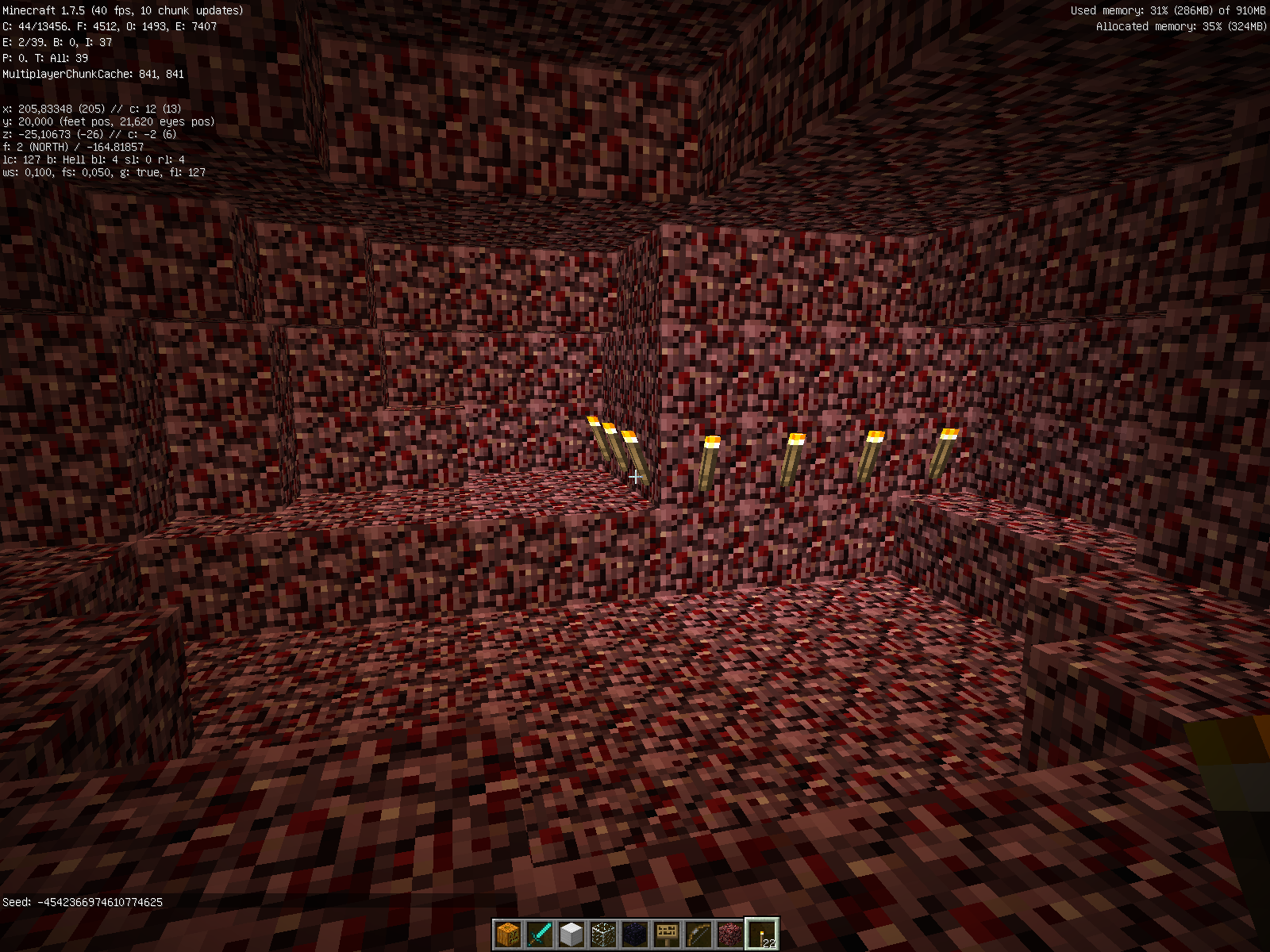
(Semi-quick test case, though not 100% certain if it is caused by this issue: seed -4542366974610774625, Nether 218, -67, dig down to about 19 and look south east.)
Slightly related to
MC-7196, same classes and methods in question, almost the same effect, but different bug in the code.Cave/tunnel generator, both for Nether and overworld, may sometimes cut tunnels of at chunk borders, leaving flat straight walls, or have straight-angle incursions of stone into the tunnel. For this bug I do not have examples, because knowing which particular straight wall is because of this bug (rare) or because of the much more common
MC-7196is difficult.However, explanation of mistake in the code might suffice...
Background
The tunnel generation algorithm has an optimization which calculates if the distance from the algorithm's current "tunnel digging" point to the generated chunk's center is longer than the remaining length of the tunnel. If the former length is longer, the tunnel can not reach the chunk, so the algorithm can be stopped there.The bug
The distance between current digging point and chunk center is basically calculated correctly (though kept in the squared value), but the comparison is done with incorrect math, trying to subtract the square of the remaining length from the squared distance, and then compare the result to tunnel's maximum diameter (and a bit more) squared. Squared values can not be subtracted or compared like that.If one does so (like in this case), the results will (incorrectly) vary depending on which particular relative locations are in question. Thus, at one chunk, the algorithm may think that the tunnel can not reach the chunk, while drawing the neighbour chunk, the algorithm thinks it will easily reach that chunk, and can correctly carve it, right the to edge of that chunk, leaving nasty straight cut at some chunk border.
Here is the bad code, with my variable name interpretations:
MapGenCavesHell.generateCaveNode(...)double xDeltaToChunkCenter = startX - chunkCenterX; double zDeltaToChunkCenter = startZ - chunkCenterZ; double remainingLength = (double)(fullLength - currentDistance); double tunnelDiameterAndMore = (double)(diameterVariance + 2.0F + 16.0F); if (xDeltaToChunkCenter * xDeltaToChunkCenter + ZDeltaToChunkCenter * ZDeltaToChunkCenter - remainingLength * remainingLength > tunnelDiameterAndMore * tunnelDiameterAndMore) { return; }Exactly equal bug exists in the MapGenCaves class.
The fix
MapGenCavesHell.generateCaveNode(...)double xDeltaToChunkCenter = startX - chunkCenterX; double zDeltaToChunkCenter = startZ - chunkCenterZ; double remainingLength = (double)(fullLength - currentDistance); double tunnelDiameterAndMore = (double)(diameterVariance + 2.0F + 16.0F); double directDistanceSquared = xDeltaToChunkCenter * xDeltaToChunkCenter + zDeltaToChunkCenter * zDeltaToChunkCenter; double tunnelsMaximumRemainingReachSquared = (remainingLength + tunnelDiameterAndMore) * (remainingLength + tunnelDiameterAndMore); if (directDistanceSquared > tunnelsMaximumRemainingReachSquared) { return; }That is, the math has been changed to compare the distance squared against remaining reach squared, which should be valid math.
History
This bug has been around for at least since summer 2011. Back then I found it, fixed it, reported it, and provided screenshots for "before and after". I estimated very roughly that in the overworld, about 1/4th of straight wall glitches in tunnels were caused by this bug, the rest by the other bug (MC-7196when it was still effective for overworld, too), based on observed differences while enabling either fix separately.
(Semi-quick test case, though not 100% certain if it is caused by this issue: seed -4542366974610774625, Nether 218, -67, dig down to about 19 and look south east.)
Slightly related to
MC-7196, same classes and methods in question, almost the same effect, but different bug in the code.Cave/tunnel generator, both for Nether and overworld, may sometimes cut tunnels of at chunk borders, leaving flat straight walls, or have straight-angle incursions of stone into the tunnel. For this bug I do not have examples, because knowing which particular straight wall is because of this bug (rare) or because of the much more common
MC-7196is difficult.However, explanation of mistake in the code might suffice...
Background
The tunnel generation algorithm has an optimization which calculates if the distance from the algorithm's current "tunnel digging" point to the generatedchunk's center is longer than the remaining length of the tunnel. If the former length is longer, the tunnel can not reach the chunk, so the algorithm can be stopped there.The bug
The distance between current digging point and chunk center is basically calculated correctly (though kept in the squared value), but the comparison is done with incorrect math, trying to subtract the square of the remaining length from the squared distance, and then compare the result to tunnel's maximum diameter (and a bit more) squared. Squared values can not be subtracted or compared like that.If one does so (like in this case), the results will (incorrectly) vary depending on which particular relative locations are in question. Thus, at one chunk, the algorithm may think that the tunnel can not reach the chunk, while drawing the neighbour chunk, the algorithm thinks it will easily reach that chunk, and can correctly carve it, right the to edge of that chunk, leaving nasty straight cut at some chunk border.
Here is the bad code, with my variable name interpretations:
MapGenCavesHell.generateCaveNode(...)double xDeltaToChunkCenter = startX - chunkCenterX; double zDeltaToChunkCenter = startZ - chunkCenterZ; double remainingLength = (double)(fullLength - currentDistance); double tunnelDiameterAndMore = (double)(diameterVariance + 2.0F + 16.0F); if (xDeltaToChunkCenter * xDeltaToChunkCenter + ZDeltaToChunkCenter * ZDeltaToChunkCenter - remainingLength * remainingLength > tunnelDiameterAndMore * tunnelDiameterAndMore) { return; }Exactly equal bug exists in the MapGenCaves class.
The fix
MapGenCavesHell.generateCaveNode(...)double xDeltaToChunkCenter = startX - chunkCenterX; double zDeltaToChunkCenter = startZ - chunkCenterZ; double remainingLength = (double)(fullLength - currentDistance); double tunnelDiameterAndMore = (double)(diameterVariance + 2.0F + 16.0F); double directDistanceSquared = xDeltaToChunkCenter * xDeltaToChunkCenter + zDeltaToChunkCenter * zDeltaToChunkCenter; double tunnelsMaximumRemainingReachSquared = (remainingLength + tunnelDiameterAndMore) * (remainingLength + tunnelDiameterAndMore); if (directDistanceSquared > tunnelsMaximumRemainingReachSquared) { return; }That is, the math has been changed to compare the distance squared against remaining reach squared, which should be valid math.
History
This bug has been around for at least since summer 2011. Back then I found it, fixed it, reported it, and provided screenshots for "before and after". I estimated very roughly that in the overworld, about 1/4th of straight wall glitches in tunnels were caused by this bug, the rest by the other bug (MC-7196when it was still effective for overworld, too), based on observed differences while enabling either fix separately.(Wery Old: Semi-quick test case, though not 100% certain if it is caused by this issue: seed -4542366974610774625, Nether 218, -67, dig down to about 19 and look south east.)
(Newer possible test case from Jens-Oliver Tofahrn, looks like possibly at least 3 "cuts" near each other; tp goes right in there, dark place, get torch:
Demo seed "North Carolina" or -343522682, F3-n, F3-g
/tp @s -48.42 18.94 0.10 -463.95 55.80)Slightly related to
MC-7196, same classes and methods in question, almost the same effect, but different bug in the code.Cave/tunnel generator, both for Nether and overworld, may sometimes cut tunnels of at chunk borders, leaving flat straight walls, or have straight-angle incursions of stone into the tunnel. For this bug I do not have examples, because knowing which particular straight wall is because of this bug (rare) or because of the much more common
MC-7196is difficult.However, explanation of mistake in the code might suffice...
Background
The tunnel generation algorithm has an optimization which calculates if the distance from the algorithm's current "tunnel digging" point to the generated chunk's center is longer than the remaining length of the tunnel. If the former length is longer, the tunnel can not reach the chunk, so the algorithm can be stopped there.The bug
The distance between current digging point and chunk center is basically calculated correctly (though kept in the squared value), but the comparison is done with incorrect math, trying to subtract the square of the remaining length from the squared distance, and then compare the result to tunnel's maximum diameter (and a bit more) squared. Squared values can not be subtracted or compared like that.If one does so (like in this case), the results will (incorrectly) vary depending on which particular relative locations are in question. Thus, at one chunk, the algorithm may think that the tunnel can not reach the chunk, while drawing the neighbour chunk, the algorithm thinks it will easily reach that chunk, and can correctly carve it, right the to edge of that chunk, leaving nasty straight cut at some chunk border.
Here is the bad code, with my variable name interpretations:
MapGenCavesHell.generateCaveNode(...)double xDeltaToChunkCenter = startX - chunkCenterX; double zDeltaToChunkCenter = startZ - chunkCenterZ; double remainingLength = (double)(fullLength - currentDistance); double tunnelDiameterAndMore = (double)(diameterVariance + 2.0F + 16.0F); if (xDeltaToChunkCenter * xDeltaToChunkCenter + ZDeltaToChunkCenter * ZDeltaToChunkCenter - remainingLength * remainingLength > tunnelDiameterAndMore * tunnelDiameterAndMore) { return; }Exactly equal bug exists in the MapGenCaves class.
The fix
MapGenCavesHell.generateCaveNode(...)double xDeltaToChunkCenter = startX - chunkCenterX; double zDeltaToChunkCenter = startZ - chunkCenterZ; double remainingLength = (double)(fullLength - currentDistance); double tunnelDiameterAndMore = (double)(diameterVariance + 2.0F + 16.0F); double directDistanceSquared = xDeltaToChunkCenter * xDeltaToChunkCenter + zDeltaToChunkCenter * zDeltaToChunkCenter; double tunnelsMaximumRemainingReachSquared = (remainingLength + tunnelDiameterAndMore) * (remainingLength + tunnelDiameterAndMore); if (directDistanceSquared > tunnelsMaximumRemainingReachSquared) { return; }That is, the math has been changed to compare the distance squared against remaining reach squared, which should be valid math.
History
This bug has been around for at least since summer 2011. Back then I found it, fixed it, reported it, and provided screenshots for "before and after". I estimated very roughly that in the overworld, about 1/4th of straight wall glitches in tunnels were caused by this bug, the rest by the other bug (MC-7196when it was still effective for overworld, too), based on observed differences while enabling either fix separately.
(Wery Old: Semi-quick test case, though not 100% certain if it is caused by this issue: seed -4542366974610774625, Nether 218, -67, dig down to about 19 and look south east.)
(Newer possible test case from Jens-Oliver Tofahrn, looks like possibly at least 3 "cuts" near each other; tp goes right in there, dark place, get torch:
Demo seed "North Carolina" or -343522682, F3-n, F3-g
/tp @s -48.42 18.94 0.10 -463.95 55.80)Slightly related to
MC-7196, same classes and methods in question, almost the same effect, but different bug in the code.Cave/tunnel generator, both for Nether and overworld, may sometimes cut tunnels of at chunk borders, leaving flat straight walls, or have straight-angle incursions of stone into the tunnel. For this bug I do not have examples, because knowing which particular straight wall is because of this bug (rare) or because of the much more common
MC-7196is difficult.However, explanation of mistake in the code might suffice...
Background
The tunnel generation algorithm has an optimization which calculates if the distance from the algorithm's current "tunnel digging" point to the generated chunk's center is longer than the remaining length of the tunnel. If the former length is longer, the tunnel can not reach the chunk, so the algorithm can be stopped there.The bug
The distance between current digging point and chunk center is basically calculated correctly (though kept in the squared value), but the comparison is done with incorrect math, trying to subtract the square of the remaining length from the squared distance, and then compare the result to tunnel's maximum diameter (and a bit more) squared. Squared values can not be subtracted or compared like that.If one does so (like in this case), the results will (incorrectly) vary depending on which particular relative locations are in question. Thus, at one chunk, the algorithm may think that the tunnel can not reach the chunk, while drawing the neighbour chunk, the algorithm thinks it will easily reach that chunk, and can correctly carve it, right the to edge of that chunk, leaving nasty straight cut at some chunk border.
Here is the bad code, with my variable name interpretations:
MapGenCavesHell.generateCaveNode(...)double xDeltaToChunkCenter = startX - chunkCenterX; double zDeltaToChunkCenter = startZ - chunkCenterZ; double remainingLength = (double)(fullLength - currentDistance); double tunnelDiameterAndMore = (double)(diameterVariance + 2.0F + 16.0F); if (xDeltaToChunkCenter * xDeltaToChunkCenter + ZDeltaToChunkCenter * ZDeltaToChunkCenter - remainingLength * remainingLength > tunnelDiameterAndMore * tunnelDiameterAndMore) { return; }Exactly equal bug exists in the MapGenCaves class.
The fix
MapGenCavesHell.generateCaveNode(...)double xDeltaToChunkCenter = startX - chunkCenterX; double zDeltaToChunkCenter = startZ - chunkCenterZ; double remainingLength = (double)(fullLength - currentDistance); double tunnelDiameterAndMore = (double)(diameterVariance + 2.0F + 16.0F); double directDistanceSquared = xDeltaToChunkCenter * xDeltaToChunkCenter + zDeltaToChunkCenter * zDeltaToChunkCenter; double tunnelsMaximumRemainingReachSquared = (remainingLength + tunnelDiameterAndMore) * (remainingLength + tunnelDiameterAndMore); if (directDistanceSquared > tunnelsMaximumRemainingReachSquared) { return; }
That is, the math has been changed to compare the distance squared against remaining reach squared, whichshould be valid math.History
This bug has been around for at least since summer 2011. Back then I found it, fixed it, reported it, and provided screenshots for "before and after". I estimated very roughly that in the overworld, about 1/4th of straight wall glitches in tunnels were caused by this bug, the rest by the other bug (MC-7196when it was still effective for overworld, too), based on observed differences while enabling either fix separately.(Possible test cases moved under own heading below.)
Slightly related to
MC-7196, same classes and methods in question, almost the same effect, but different bug in the code.Cave/tunnel generator, both for Nether and overworld, may sometimes cut tunnels of at chunk borders, leaving flat straight walls, or have straight-angle incursions of stone into the tunnel. For this bug I do not have examples, because knowing which particular straight wall is because of this bug (rare) or because of the much more common
MC-7196is difficult.However, explanation of mistake in the code might suffice...
Background
The tunnel generation algorithm has an optimization which calculates if the distance from the algorithm's current "tunnel digging" point to the generated chunk's center is longer than the remaining length of the tunnel. If the former length is longer, the tunnel can not reach the chunk, so the algorithm can be stopped there.The bug
The distance between current digging point and chunk center is basically calculated correctly (though kept in the squared value), but the comparison is done with incorrect math, trying to subtract the square of the remaining length from the squared distance, and then compare the result to tunnel's maximum diameter (and a bit more) squared. Squared values can not be subtracted or compared like that.If one does so (like in this case), the results will (incorrectly) vary depending on which particular relative locations are in question. Thus, at one chunk, the algorithm may think that the tunnel can not reach the chunk, while drawing the neighbour chunk, the algorithm thinks it will easily reach that chunk, and can correctly carve it, right the to edge of that chunk, leaving nasty straight cut at some chunk border.
Here is the bad code, with my variable name interpretations:
MapGenCavesHell.generateCaveNode(...)double xDeltaToChunkCenter = startX - chunkCenterX; double zDeltaToChunkCenter = startZ - chunkCenterZ; double remainingLength = (double)(fullLength - currentDistance); double tunnelDiameterAndMore = (double)(diameterVariance + 2.0F + 16.0F); if (xDeltaToChunkCenter * xDeltaToChunkCenter + ZDeltaToChunkCenter * ZDeltaToChunkCenter - remainingLength * remainingLength > tunnelDiameterAndMore * tunnelDiameterAndMore) { return; }Exactly equal bug exists in the MapGenCaves class.
The fix
MapGenCavesHell.generateCaveNode(...)double xDeltaToChunkCenter = startX - chunkCenterX; double zDeltaToChunkCenter = startZ - chunkCenterZ; double remainingLength = (double)(fullLength - currentDistance); double tunnelDiameterAndMore = (double)(diameterVariance + 2.0F + 16.0F); double directDistanceSquared = xDeltaToChunkCenter * xDeltaToChunkCenter + zDeltaToChunkCenter * zDeltaToChunkCenter; double tunnelsMaximumRemainingReachSquared = (remainingLength + tunnelDiameterAndMore) * (remainingLength + tunnelDiameterAndMore); if (directDistanceSquared > tunnelsMaximumRemainingReachSquared) { return; }That is, the math has been changed to compare the distance squared against remaining reach squared, which should be valid math.
Possible test cases
From Jens-Oliver Tofahrn, looks like possibly at least 3 "cuts" near each other; tp goes right in there, dark place, get torch:
Demo seed "North Carolina" or -343522682, F3-n, F3-g
/tp @s -48.42 18.94 0.10 -463.95 55.80Multiple cuts near each other, the first place even has two cuts in the same view:
Seed 1479112774635546442
{{/tp @p -440 62 11 107 20
}}/tp @p -457 62 18 -140 19
/tp @p -447 62 -96 114 -12(Wery Old: Semi-quick test case, though not 100% certain if it is caused by this issue: seed -4542366974610774625, Nether 218, -67, dig down to about 19 and look south east.)
History
This bug has been around for at least since summer 2011. Back then I found it, fixed it, reported it, and provided screenshots for "before and after". I estimated very roughly that in the overworld, about 1/4th of straight wall glitches in tunnels were caused by this bug, the rest by the other bug (MC-7196when it was still effective for overworld, too), based on observed differences while enabling either fix separately.
(Possible test cases moved under own heading below.)
Slightly related to
MC-7196, same classes and methods in question, almost the same effect, but different bug in the code.Cave/tunnel generator, both for Nether and overworld, may sometimes cut tunnels of at chunk borders, leaving flat straight walls, or have straight-angle incursions of stone into the tunnel. For this bug I do not have examples, because knowing which particular straight wall is because of this bug (rare) or because of the much more common
MC-7196is difficult.However, explanation of mistake in the code might suffice...
Background
The tunnel generation algorithm has an optimization which calculates if the distance from the algorithm's current "tunnel digging" point to the generated chunk's center is longer than the remaining length of the tunnel. If the former length is longer, the tunnel can not reach the chunk, so the algorithm can be stopped there.The bug
The distance between current digging point and chunk center is basically calculated correctly (though kept in the squared value), but the comparison is done with incorrect math, trying to subtract the square of the remaining length from the squared distance, and then compare the result to tunnel's maximum diameter (and a bit more) squared. Squared values can not be subtracted or compared like that.If one does so (like in this case), the results will (incorrectly) vary depending on which particular relative locations are in question. Thus, at one chunk, the algorithm may think that the tunnel can not reach the chunk, while drawing the neighbour chunk, the algorithm thinks it will easily reach that chunk, and can correctly carve it, right the to edge of that chunk, leaving nasty straight cut at some chunk border.
Here is the bad code, with my variable name interpretations:
MapGenCavesHell.generateCaveNode(...)double xDeltaToChunkCenter = startX - chunkCenterX; double zDeltaToChunkCenter = startZ - chunkCenterZ; double remainingLength = (double)(fullLength - currentDistance); double tunnelDiameterAndMore = (double)(diameterVariance + 2.0F + 16.0F); if (xDeltaToChunkCenter * xDeltaToChunkCenter + ZDeltaToChunkCenter * ZDeltaToChunkCenter - remainingLength * remainingLength > tunnelDiameterAndMore * tunnelDiameterAndMore) { return; }Exactly equal bug exists in the MapGenCaves class.
The fix
MapGenCavesHell.generateCaveNode(...)double xDeltaToChunkCenter = startX - chunkCenterX; double zDeltaToChunkCenter = startZ - chunkCenterZ; double remainingLength = (double)(fullLength - currentDistance); double tunnelDiameterAndMore = (double)(diameterVariance + 2.0F + 16.0F); double directDistanceSquared = xDeltaToChunkCenter * xDeltaToChunkCenter + zDeltaToChunkCenter * zDeltaToChunkCenter; double tunnelsMaximumRemainingReachSquared = (remainingLength + tunnelDiameterAndMore) * (remainingLength + tunnelDiameterAndMore); if (directDistanceSquared > tunnelsMaximumRemainingReachSquared) { return; }That is, the math has been changed to compare the distance squared against remaining reach squared, which should be valid math.
Possible test cases
From Jens-Oliver Tofahrn, looks like possibly at least 3 "cuts" near each other; tp goes right in there, dark place, get torch:
Demo seed "North Carolina" or -343522682, F3-n, F3-g
/tp @s -48.42 18.94 0.10 -463.95 55.80Multiple cuts near each other, the first place even has two cuts in the same view:
Seed 1479112774635546442{{/tp @p -440 62 11 107 20
}}/tp @p -457 62 18 -140 19
/tp @p -447 62 -96 114 -12(Wery Old: Semi-quick test case, though not 100% certain if it is caused by this issue: seed -4542366974610774625, Nether 218, -67, dig down to about 19 and look south east.)
History
This bug has been around for at least since summer 2011. Back then I found it, fixed it, reported it, and provided screenshots for "before and after". I estimated very roughly that in the overworld, about 1/4th of straight wall glitches in tunnels were caused by this bug, the rest by the other bug (MC-7196when it was still effective for overworld, too), based on observed differences while enabling either fix separately.(Possible test cases moved under own heading below.)
Slightly related to
MC-7196, same classes and methods in question, almost the same effect, but different bug in the code.Cave/tunnel generator, both for Nether and overworld, may sometimes cut tunnels of at chunk borders, leaving flat straight walls, or have straight-angle incursions of stone into the tunnel. For this bug I do not have examples, because knowing which particular straight wall is because of this bug (rare) or because of the much more common
MC-7196is difficult.However, explanation of mistake in the code might suffice...
Background
The tunnel generation algorithm has an optimization which calculates if the distance from the algorithm's current "tunnel digging" point to the generated chunk's center is longer than the remaining length of the tunnel. If the former length is longer, the tunnel can not reach the chunk, so the algorithm can be stopped there.The bug
The distance between current digging point and chunk center is basically calculated correctly (though kept in the squared value), but the comparison is done with incorrect math, trying to subtract the square of the remaining length from the squared distance, and then compare the result to tunnel's maximum diameter (and a bit more) squared. Squared values can not be subtracted or compared like that.If one does so (like in this case), the results will (incorrectly) vary depending on which particular relative locations are in question. Thus, at one chunk, the algorithm may think that the tunnel can not reach the chunk, while drawing the neighbour chunk, the algorithm thinks it will easily reach that chunk, and can correctly carve it, right the to edge of that chunk, leaving nasty straight cut at some chunk border.
Here is the bad code, with my variable name interpretations:
MapGenCavesHell.generateCaveNode(...)double xDeltaToChunkCenter = startX - chunkCenterX; double zDeltaToChunkCenter = startZ - chunkCenterZ; double remainingLength = (double)(fullLength - currentDistance); double tunnelDiameterAndMore = (double)(diameterVariance + 2.0F + 16.0F); if (xDeltaToChunkCenter * xDeltaToChunkCenter + ZDeltaToChunkCenter * ZDeltaToChunkCenter - remainingLength * remainingLength > tunnelDiameterAndMore * tunnelDiameterAndMore) { return; }Exactly equal bug exists in the MapGenCaves class.
The fix
MapGenCavesHell.generateCaveNode(...)double xDeltaToChunkCenter = startX - chunkCenterX; double zDeltaToChunkCenter = startZ - chunkCenterZ; double remainingLength = (double)(fullLength - currentDistance); double tunnelDiameterAndMore = (double)(diameterVariance + 2.0F + 16.0F); double directDistanceSquared = xDeltaToChunkCenter * xDeltaToChunkCenter + zDeltaToChunkCenter * zDeltaToChunkCenter; double tunnelsMaximumRemainingReachSquared = (remainingLength + tunnelDiameterAndMore) * (remainingLength + tunnelDiameterAndMore); if (directDistanceSquared > tunnelsMaximumRemainingReachSquared) { return; }That is, the math has been changed to compare the distance squared against remaining reach squared, which should be valid math.
Possible test cases
From Jens-Oliver Tofahrn, looks like possibly at least 3 "cuts" near each other; tp goes right in there, dark place, get torch:
Demo seed "North Carolina" or -343522682, F3-n, F3-g
/tp @s -48.42 18.94 0.10 -463.95 55.80Multiple cuts near each other, the first place even has two cuts in the same view:
Seed 1479112774635546442
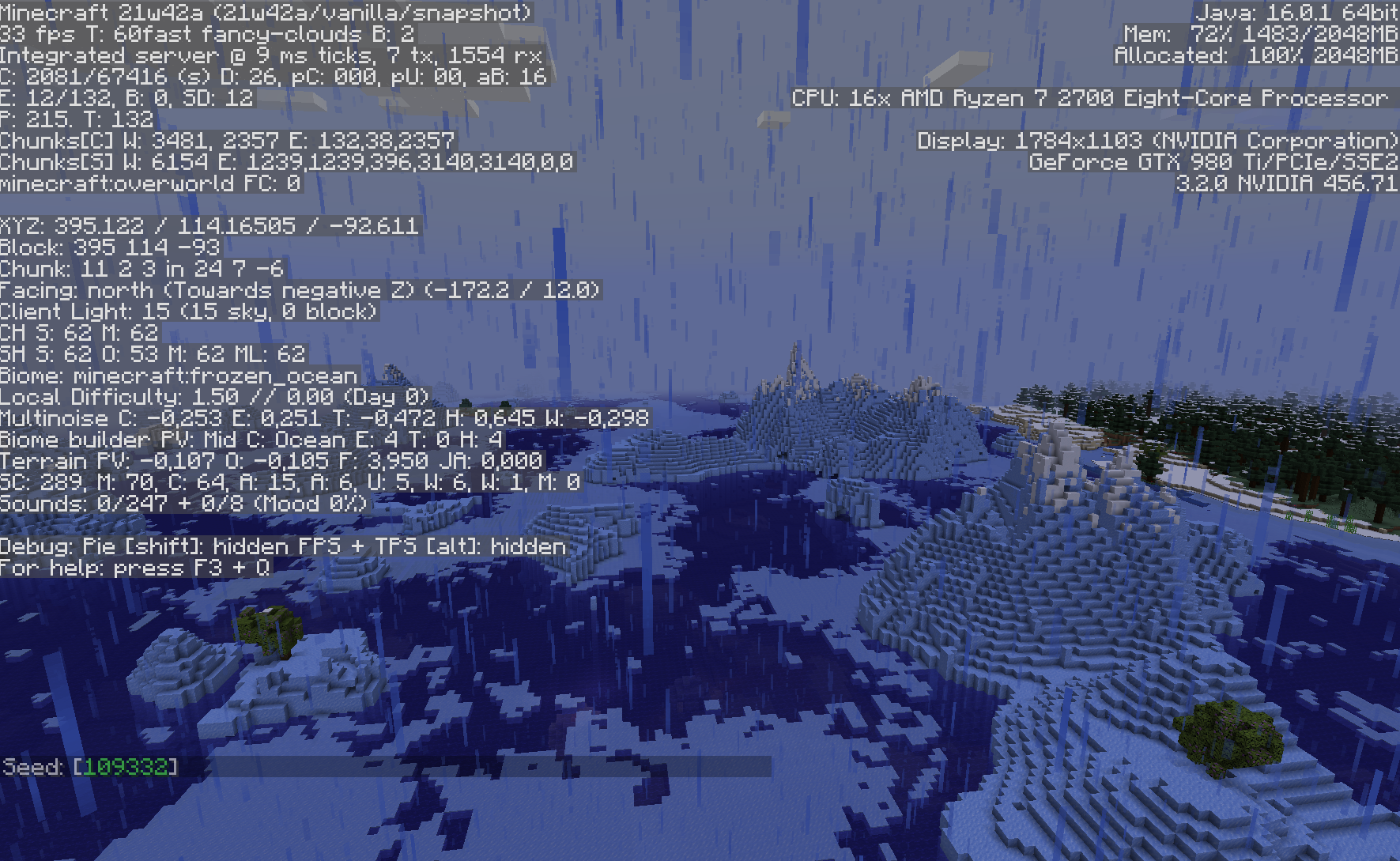
/tp @p -440 62 11 107 20
/tp @p -457 62 18 -140 19
/tp @p -447 62 -96 114 -12(Wery Old: Semi-quick test case, though not 100% certain if it is caused by this issue: seed -4542366974610774625, Nether 218, -67, dig down to about 19 and look south east.)
History
This bug has been around for at least since summer 2011. Back then I found it, fixed it, reported it, and provided screenshots for "before and after". I estimated very roughly that in the overworld, about 1/4th of straight wall glitches in tunnels were caused by this bug, the rest by the other bug (MC-7196when it was still effective for overworld, too), based on observed differences while enabling either fix separately.
This bug is somewhat difficult (or at least slow) to reproduce, because it needs a long time and controlled environment to be noticed. While issue
MC-3944(perhaps related) sounds like it would be seen easily, this issue here can not be seen easily or quickly (unless certain range is temporarily changed to a smaller value).It should affect both survival and creative, and any and all activities and mob types that use the same method. Some activities are not affected as badly by this, as they do not accumulate over time.
- Wander
- Villager, iron golem, animals, skeleton, zombie, witch, wither, ...
- Move through village
- Panic
- Play
- Avoid entity
- ...
The bug
When the AI routine for wandering requests a random destination, the method used to roll and calculate that random destination hastwo small "math" mistakes.1) It rolls the relative random target location using random.nextInt(2*range) - range. For example, if range is 10 (i.e. +/-10 blocks from current location), the possible result range will be -10 to +9, with even distribution. This already has a small (but significant) statistical shift to negative value (i.e. north and west).
2) The result is then added the Math.floor(entity.pos) to make it absolute coordinate. However, this truncation discards any fractional part of entity position (towards north and west), and the thrown away part is never brought back or compensated.
The end effect is seen as tendency to move, on the average, about 0.6 to 0.9 blocks per AI activity launched towards north west. I confirmed this by letting the game keep calculating the average relative movements over couple thousand "wanderings", both for villagers and for chickens (separately for each type), and results were indeed values like -0.6 to -0.9 (fits within normal random differences due to "small" set of data). (The expected value would naturally be very near 0.)
Showing the original method in complete as the changes are quite spread in it. Using MCP naming and my own renamings.
RandomPositionGeneratorprivate static Vec3 findRandomTargetBlock(EntityCreature entity, int hor, int ver, Vec3 inDir) { Random rng = entity.getRNG(); boolean foundTarget = false; int x = 0; int y = 0; int z = 0; float bestValue = -99999.0F; boolean var10; if (entity.hasHome()) { double var11 = (double) (entity.getHomePosition().getDistanceSquared(MathHelper.floor_double(entity.posX), MathHelper.floor_double(entity.posY), MathHelper.floor_double(entity.posZ)) + 4.0F); double var13 = (double) (entity.getMaximumHomeDistance() + (float) hor); var10 = var11 < var13 * var13; } else { var10 = false; } for (int var16 = 0; var16 < 10; ++var16) { int var12 = rng.nextInt(2 * hor) - hor; int var17 = rng.nextInt(2 * ver) - ver; int var14 = rng.nextInt(2 * hor) - hor; if (inDir == null || (double) var12 * inDir.xCoord + (double) var14 * inDir.zCoord >= 0.0D) { var12 += MathHelper.floor_double(entity.posX); var17 += MathHelper.floor_double(entity.posY); var14 += MathHelper.floor_double(entity.posZ); if (!var10 || entity.isWithinHomeDistance(var12, var17, var14)) { float pathValue = entity.getBlockPathWeight(var12, var17, var14); if (pathValue > bestValue) { bestValue = pathValue; x = var12; y = var17; z = var14; foundTarget = true; } } } } if (foundTarget) { return entity.worldObj.getWorldVec3Pool().getVecFromPool((double) x, (double) y, (double) z); } else { return null; } }The fix
1) random.nextInt(2*range+1) - range. This gives results between -range and +range, with even distribution and average of 0.2) Use the truncated absolute destination position for checking various things, but then the full value to set where to move. Thus, the effect will be 0.
RandomPositionGeneratorprivate static Vec3 findRandomTargetBlock(EntityCreature entity, int hor, int ver, Vec3 inDir) { Random rng = entity.getRNG(); boolean foundTarget = false; double x = 0; double y = 0; double z = 0; float bestValue = -99999.0F; boolean var10; if (entity.hasHome()) { double var11 = (double) (entity.getHomePosition().getDistanceSquared(MathHelper.floor_double(entity.posX), MathHelper.floor_double(entity.posY), MathHelper.floor_double(entity.posZ)) + 4.0F); double var13 = (double) (entity.getMaximumHomeDistance() + (float) hor); var10 = var11 < var13 * var13; } else { var10 = false; } for (int var16 = 0; var16 < 10; ++var16) { int var12 = rng.nextInt(2 * hor + 1) - hor; int var17 = rng.nextInt(2 * ver + 1) - ver; int var14 = rng.nextInt(2 * hor + 1) - hor; if (inDir == null || (double) var12 * inDir.xCoord + (double) var14 * inDir.zCoord >= 0.0D) { int var12b = var12 + MathHelper.floor_double(entity.posX); int var17b = var17 + MathHelper.floor_double(entity.posY); int var14b = var14 + MathHelper.floor_double(entity.posZ); if (!var10 || entity.isWithinHomeDistance(var12b, var17b, var14b)) { float pathValue = entity.getBlockPathWeight(var12b, var17b, var14b); if (pathValue > bestValue) { bestValue = pathValue; x = entity.posX + var12; y = entity.posY + var17; z = entity.posZ + var14; foundTarget = true; } } } } if (foundTarget) { return entity.worldObj.getWorldVec3Pool().getVecFromPool(x, y, z); } else { return null; } }When testing the fixes on 1.4.7, the corresponding results for chickens were now like this: "Average wander delta now (3477): -0,0538, 2,0290, 0,0060". Very decent values, though they do naturally vary randomly from run to run, with small values on both sides of zero (as expected). Ignore the vertical delta of 2; chickens' specialty. The 3477 is how many wanderings were averaged.
Minor optimization possibility in the same method, while at it
For villagers, the entity.getBlockPathWeight() method always return 0. Thus, the first roll will end up being the chosen destination, but all the 10 tries will always be rolled. Something might be done for that so that there won't be any wasted extra tries.Update (see https://bugs.mojang.com/browse/MC-10046?focusedCommentId=304613&page=com.atlassian.jira.plugin.system.issuetabpanels:comment-tabpanel#comment-304613): seems the second part of the bug is still (or again?) in effect in 1.9. I do not change my code examples below, since I do not have the latest code to check the changes against, but looks like the fix would be obvious.
This bug is somewhat difficult (or at least slow) to reproduce, because it needs a long time and controlled environment to be noticed. While issue
MC-3944(perhaps related) sounds like it would be seen easily, this issue here can not be seen easily or quickly (unless certain range is temporarily changed to a smaller value).It should affect both survival and creative, and any and all activities and mob types that use the same method. Some activities are not affected as badly by this, as they do not accumulate over time.
- Wander
- Villager, iron golem, animals, skeleton, zombie, witch, wither, ...
- Move through village
- Panic
- Play
- Avoid entity
- ...
The bug
When the AI routine for wandering requests a random destination, the method used to roll and calculate that random destination hastwosmall "math" mistakes.
1) It rolls the relative random target location using random.nextInt(2*range) - range. For example, if range is 10 (i.e. +/-10 blocks from current location), the possible result range will be -10 to +9, with even distribution. This already has a small (but significant) statistical shift to negative value (i.e. north and west).2) The result is then added the Math.floor(entity.pos) to make it absolute coordinate. However, this truncation discards any fractional part of entity position (towards north and west), and the thrown away part is never brought back or compensated.
The end effect is seen as tendency to move, on the average, about 0.6 to 0.9 blocks per AI activity launched towards north west. I confirmed this by letting the game keep calculating the average relative movements over couple thousand "wanderings", both for villagers and for chickens (separately for each type), and results were indeed values like -0.6 to -0.9 (fits within normal random differences due to "small" set of data). (The expected value would naturally be very near 0.)
Showing the original method in complete as the changes are quite spread in it. Using MCP naming and my own renamings.
RandomPositionGeneratorprivate static Vec3 findRandomTargetBlock(EntityCreature entity, int hor, int ver, Vec3 inDir) { Random rng = entity.getRNG(); boolean foundTarget = false; int x = 0; int y = 0; int z = 0; float bestValue = -99999.0F; boolean var10; if (entity.hasHome()) { double var11 = (double) (entity.getHomePosition().getDistanceSquared(MathHelper.floor_double(entity.posX), MathHelper.floor_double(entity.posY), MathHelper.floor_double(entity.posZ)) + 4.0F); double var13 = (double) (entity.getMaximumHomeDistance() + (float) hor); var10 = var11 < var13 * var13; } else { var10 = false; } for (int var16 = 0; var16 < 10; ++var16) { int var12 = rng.nextInt(2 * hor) - hor; int var17 = rng.nextInt(2 * ver) - ver; int var14 = rng.nextInt(2 * hor) - hor; if (inDir == null || (double) var12 * inDir.xCoord + (double) var14 * inDir.zCoord >= 0.0D) { var12 += MathHelper.floor_double(entity.posX); var17 += MathHelper.floor_double(entity.posY); var14 += MathHelper.floor_double(entity.posZ); if (!var10 || entity.isWithinHomeDistance(var12, var17, var14)) { float pathValue = entity.getBlockPathWeight(var12, var17, var14); if (pathValue > bestValue) { bestValue = pathValue; x = var12; y = var17; z = var14; foundTarget = true; } } } } if (foundTarget) { return entity.worldObj.getWorldVec3Pool().getVecFromPool((double) x, (double) y, (double) z); } else { return null; } }The fix
1) random.nextInt(2*range+1) - range. This gives results between -range and +range, with even distribution and average of 0.2) Use the truncated absolute destination position for checking various things, but then the full value to set where to move. Thus, the effect will be 0.
RandomPositionGeneratorprivate static Vec3 findRandomTargetBlock(EntityCreature entity, int hor, int ver, Vec3 inDir) { Random rng = entity.getRNG(); boolean foundTarget = false; double x = 0; double y = 0; double z = 0; float bestValue = -99999.0F; boolean var10; if (entity.hasHome()) { double var11 = (double) (entity.getHomePosition().getDistanceSquared(MathHelper.floor_double(entity.posX), MathHelper.floor_double(entity.posY), MathHelper.floor_double(entity.posZ)) + 4.0F); double var13 = (double) (entity.getMaximumHomeDistance() + (float) hor); var10 = var11 < var13 * var13; } else { var10 = false; } for (int var16 = 0; var16 < 10; ++var16) { int var12 = rng.nextInt(2 * hor + 1) - hor; int var17 = rng.nextInt(2 * ver + 1) - ver; int var14 = rng.nextInt(2 * hor + 1) - hor; if (inDir == null || (double) var12 * inDir.xCoord + (double) var14 * inDir.zCoord >= 0.0D) { int var12b = var12 + MathHelper.floor_double(entity.posX); int var17b = var17 + MathHelper.floor_double(entity.posY); int var14b = var14 + MathHelper.floor_double(entity.posZ); if (!var10 || entity.isWithinHomeDistance(var12b, var17b, var14b)) { float pathValue = entity.getBlockPathWeight(var12b, var17b, var14b); if (pathValue > bestValue) { bestValue = pathValue; x = entity.posX + var12; y = entity.posY + var17; z = entity.posZ + var14; foundTarget = true; } } } } if (foundTarget) { return entity.worldObj.getWorldVec3Pool().getVecFromPool(x, y, z); } else { return null; } }When testing the fixes on 1.4.7, the corresponding results for chickens were now like this: "Average wander delta now (3477): -0,0538, 2,0290, 0,0060". Very decent values, though they do naturally vary randomly from run to run, with small values on both sides of zero (as expected). Ignore the vertical delta of 2; chickens' specialty. The 3477 is how many wanderings were averaged.
Minor optimization possibility in the same method, while at it
For villagers, the entity.getBlockPathWeight() method always return 0. Thus, the first roll will end up being the chosen destination, but all the 10 tries will always be rolled. Something might be done for that so that there won't be any wasted extra tries.
Update
(seehttps://bugs.mojang.com/browse/MC-10046?focusedCommentId=304613&page=com.atlassian.jira.plugin.system.issuetabpanels:comment-tabpanel#comment-304613):seems the second part of the bug is still (or again?) in effect in 1.9. I do not change my code examples below, since I do not have the latest code to check the changes against, but looks like the fix would be obvious.
This bug is somewhat difficult (or at least slow) to reproduce, because it needs a long time and controlled environment to be noticed. While issue
MC-3944(perhaps related) sounds like it would be seen easily, this issue here can not be seen easily or quickly (unless certain range is temporarily changed to a smaller value).It should affect both survival and creative, and any and all activities and mob types that use the same method. Some activities are not affected as badly by this, as they do not accumulate over time.
- Wander
- Villager, iron golem, animals, skeleton, zombie, witch, wither, ...
- Move through village
- Panic
- Play
- Avoid entity
- ...
The bug
When the AI routine for wandering requests a random destination, the method used to roll and calculate that random destination hastwosmall "math" mistakes.
1) It rolls the relative random target location using random.nextInt(2*range) - range. For example, if range is 10 (i.e. +/-10 blocks from current location), the possible result range will be -10 to +9, with even distribution. This already has a small (but significant) statistical shift to negative value (i.e. north and west).2) The result is then added the Math.floor(entity.pos) to make it absolute coordinate. However, this truncation discards any fractional part of entity position (towards north and west), and the thrown away part is never brought back or compensated.
The end effect is seen as tendency to move, on the average, about 0.6 to 0.9 blocks per AI activity launched towards north west. I confirmed this by letting the game keep calculating the average relative movements over couple thousand "wanderings", both for villagers and for chickens (separately for each type), and results were indeed values like -0.6 to -0.9 (fits within normal random differences due to "small" set of data). (The expected value would naturally be very near 0.)
Showing the original method in complete as the changes are quite spread in it. Using MCP naming and my own renamings.
RandomPositionGeneratorprivate static Vec3 findRandomTargetBlock(EntityCreature entity, int hor, int ver, Vec3 inDir) { Random rng = entity.getRNG(); boolean foundTarget = false; int x = 0; int y = 0; int z = 0; float bestValue = -99999.0F; boolean var10; if (entity.hasHome()) { double var11 = (double) (entity.getHomePosition().getDistanceSquared(MathHelper.floor_double(entity.posX), MathHelper.floor_double(entity.posY), MathHelper.floor_double(entity.posZ)) + 4.0F); double var13 = (double) (entity.getMaximumHomeDistance() + (float) hor); var10 = var11 < var13 * var13; } else { var10 = false; } for (int var16 = 0; var16 < 10; ++var16) { int var12 = rng.nextInt(2 * hor) - hor; int var17 = rng.nextInt(2 * ver) - ver; int var14 = rng.nextInt(2 * hor) - hor; if (inDir == null || (double) var12 * inDir.xCoord + (double) var14 * inDir.zCoord >= 0.0D) { var12 += MathHelper.floor_double(entity.posX); var17 += MathHelper.floor_double(entity.posY); var14 += MathHelper.floor_double(entity.posZ); if (!var10 || entity.isWithinHomeDistance(var12, var17, var14)) { float pathValue = entity.getBlockPathWeight(var12, var17, var14); if (pathValue > bestValue) { bestValue = pathValue; x = var12; y = var17; z = var14; foundTarget = true; } } } } if (foundTarget) { return entity.worldObj.getWorldVec3Pool().getVecFromPool((double) x, (double) y, (double) z); } else { return null; } }The fix
1) random.nextInt(2*range+1) - range. This gives results between -range and +range, with even distribution and average of 0.2) Use the truncated absolute destination position for checking various things, but then the full value to set where to move. Thus, the effect will be 0.
RandomPositionGeneratorprivate static Vec3 findRandomTargetBlock(EntityCreature entity, int hor, int ver, Vec3 inDir) { Random rng = entity.getRNG(); boolean foundTarget = false; double x = 0; double y = 0; double z = 0; float bestValue = -99999.0F; boolean var10; if (entity.hasHome()) { double var11 = (double) (entity.getHomePosition().getDistanceSquared(MathHelper.floor_double(entity.posX), MathHelper.floor_double(entity.posY), MathHelper.floor_double(entity.posZ)) + 4.0F); double var13 = (double) (entity.getMaximumHomeDistance() + (float) hor); var10 = var11 < var13 * var13; } else { var10 = false; } for (int var16 = 0; var16 < 10; ++var16) { int var12 = rng.nextInt(2 * hor + 1) - hor; int var17 = rng.nextInt(2 * ver + 1) - ver; int var14 = rng.nextInt(2 * hor + 1) - hor; if (inDir == null || (double) var12 * inDir.xCoord + (double) var14 * inDir.zCoord >= 0.0D) { int var12b = var12 + MathHelper.floor_double(entity.posX); int var17b = var17 + MathHelper.floor_double(entity.posY); int var14b = var14 + MathHelper.floor_double(entity.posZ); if (!var10 || entity.isWithinHomeDistance(var12b, var17b, var14b)) { float pathValue = entity.getBlockPathWeight(var12b, var17b, var14b); if (pathValue > bestValue) { bestValue = pathValue; x = entity.posX + var12; y = entity.posY + var17; z = entity.posZ + var14; foundTarget = true; } } } } if (foundTarget) { return entity.worldObj.getWorldVec3Pool().getVecFromPool(x, y, z); } else { return null; } }When testing the fixes on 1.4.7, the corresponding results for chickens were now like this: "Average wander delta now (3477): -0,0538, 2,0290, 0,0060". Very decent values, though they do naturally vary randomly from run to run, with small values on both sides of zero (as expected). Ignore the vertical delta of 2; chickens' specialty. The 3477 is how many wanderings were averaged.
Minor optimization possibility in the same method, while at it
For villagers, the entity.getBlockPathWeight() method always return 0. Thus, the first roll will end up being the chosen destination, but all the 10 tries will always be rolled. Something might be done for that so that there won't be any wasted extra tries.Update (see https://bugs.mojang.com/browse/MC-10046?focusedCommentId=304613&page=com.atlassian.jira.plugin.system.issuetabpanels:comment-tabpanel#comment-304613):
seems the second part of the bug is still (or again?) in effect in 1.9. I do not change my code examples below, since I do not have the latest code to check the changes against, but looks like the fix would be obvious.
This bug is somewhat difficult (or at least slow) to reproduce, because it needs a long time and controlled environment to be noticed. While issue
MC-3944(perhaps related) sounds like it would be seen easily, this issue here can not be seen easily or quickly (unless certain range is temporarily changed to a smaller value).It should affect both survival and creative, and any and all activities and mob types that use the same method. Some activities are not affected as badly by this, as they do not accumulate over time.
- Wander
- Villager, iron golem, animals, skeleton, zombie, witch, wither, ...
- Move through village
- Panic
- Play
- Avoid entity
- ...
The bug
When the AI routine for wandering requests a random destination, the method used to roll and calculate that random destination hastwosmall "math" mistakes.
1) It rolls the relative random target location using random.nextInt(2*range) - range. For example, if range is 10 (i.e. +/-10 blocks from current location), the possible result range will be -10 to +9, with even distribution. This already has a small (but significant) statistical shift to negative value (i.e. north and west).2) The result is then added the Math.floor(entity.pos) to make it absolute coordinate. However, this truncation discards any fractional part of entity position (towards north and west), and the thrown away part is never brought back or compensated.
The end effect is seen as tendency to move, on the average, about 0.6 to 0.9 blocks per AI activity launched towards north west. I confirmed this by letting the game keep calculating the average relative movements over couple thousand "wanderings", both for villagers and for chickens (separately for each type), and results were indeed values like -0.6 to -0.9 (fits within normal random differences due to "small" set of data). (The expected value would naturally be very near 0.)
Showing the original method in complete as the changes are quite spread in it. Using MCP naming and my own renamings.
RandomPositionGeneratorprivate static Vec3 findRandomTargetBlock(EntityCreature entity, int hor, int ver, Vec3 inDir) { Random rng = entity.getRNG(); boolean foundTarget = false; int x = 0; int y = 0; int z = 0; float bestValue = -99999.0F; boolean var10; if (entity.hasHome()) { double var11 = (double) (entity.getHomePosition().getDistanceSquared(MathHelper.floor_double(entity.posX), MathHelper.floor_double(entity.posY), MathHelper.floor_double(entity.posZ)) + 4.0F); double var13 = (double) (entity.getMaximumHomeDistance() + (float) hor); var10 = var11 < var13 * var13; } else { var10 = false; } for (int var16 = 0; var16 < 10; ++var16) { int var12 = rng.nextInt(2 * hor) - hor; int var17 = rng.nextInt(2 * ver) - ver; int var14 = rng.nextInt(2 * hor) - hor; if (inDir == null || (double) var12 * inDir.xCoord + (double) var14 * inDir.zCoord >= 0.0D) { var12 += MathHelper.floor_double(entity.posX); var17 += MathHelper.floor_double(entity.posY); var14 += MathHelper.floor_double(entity.posZ); if (!var10 || entity.isWithinHomeDistance(var12, var17, var14)) { float pathValue = entity.getBlockPathWeight(var12, var17, var14); if (pathValue > bestValue) { bestValue = pathValue; x = var12; y = var17; z = var14; foundTarget = true; } } } } if (foundTarget) { return entity.worldObj.getWorldVec3Pool().getVecFromPool((double) x, (double) y, (double) z); } else { return null; } }The fix
1) random.nextInt(2*range+1) - range. This gives results between -range and +range, with even distribution and average of 0.2) Use the truncated absolute destination position for checking various things, but then the full value to set where to move. Thus, the effect will be 0.
RandomPositionGeneratorprivate static Vec3 findRandomTargetBlock(EntityCreature entity, int hor, int ver, Vec3 inDir) { Random rng = entity.getRNG(); boolean foundTarget = false; double x = 0; double y = 0; double z = 0; float bestValue = -99999.0F; boolean var10; if (entity.hasHome()) { double var11 = (double) (entity.getHomePosition().getDistanceSquared(MathHelper.floor_double(entity.posX), MathHelper.floor_double(entity.posY), MathHelper.floor_double(entity.posZ)) + 4.0F); double var13 = (double) (entity.getMaximumHomeDistance() + (float) hor); var10 = var11 < var13 * var13; } else { var10 = false; } for (int var16 = 0; var16 < 10; ++var16) { int var12 = rng.nextInt(2 * hor + 1) - hor; int var17 = rng.nextInt(2 * ver + 1) - ver; int var14 = rng.nextInt(2 * hor + 1) - hor; if (inDir == null || (double) var12 * inDir.xCoord + (double) var14 * inDir.zCoord >= 0.0D) { int var12b = var12 + MathHelper.floor_double(entity.posX); int var17b = var17 + MathHelper.floor_double(entity.posY); int var14b = var14 + MathHelper.floor_double(entity.posZ); if (!var10 || entity.isWithinHomeDistance(var12b, var17b, var14b)) { float pathValue = entity.getBlockPathWeight(var12b, var17b, var14b); if (pathValue > bestValue) { bestValue = pathValue; x = entity.posX + var12; y = entity.posY + var17; z = entity.posZ + var14; foundTarget = true; } } } } if (foundTarget) { return entity.worldObj.getWorldVec3Pool().getVecFromPool(x, y, z); } else { return null; } }When testing the fixes on 1.4.7, the corresponding results for chickens were now like this: "Average wander delta now (3477): -0,0538, 2,0290, 0,0060". Very decent values, though they do naturally vary randomly from run to run, with small values on both sides of zero (as expected). Ignore the vertical delta of 2; chickens' specialty. The 3477 is how many wanderings were averaged.
Minor optimization possibility in the same method, while at it
For villagers, the entity.getBlockPathWeight() method always return 0. Thus, the first roll will end up being the chosen destination, but all the 10 tries will always be rolled. Something might be done for that so that there won't be any wasted extra tries.
mycelium-caves-fixed.png
Bengineer8, in the hopes of educating a bit:
- JIRA(s) are supposed to be more or less 'professional' places to handle issues/tasks with (software) projects, not a fun-fun chat/forum (which would be more appropriate places for various art, opinions, wishes, praise, etc.)
- The artsy comment was probably deleted/hidden by a moderator, simply because it does not add anything of value to this issue.
- You can delete your own comments (if you realize afterwards they are not useful, or have become such due to other further info, e.g. your last three comments, after you possibly get that ascii art via email).
- In some cases users are not allowed to list their email addresses in these kind of public JIRAs, although in some cases it is more "up to you" if you want to get more spam... Considering that this JIRA doesn't support direct messages between users, showing email address is about only way (except e.g. referring to one's username on the official Minecraft forums, which does have private messages.)
- IIRC, you have been quite active in this JIRA lately. Perhaps it is time to learn more about how to use more of the features that JIRA offers, and how to use them properly. Seek for info/help/user guides on that. First hint: the leftmost small icon just below a comment editing box is for "preview"; you don't have to add/submit your comment just to see how it looks.
Hint for Lucas Soule on JIRA usage: rename images with a descriptive filename (e.g. "before_2016-09-20.png" and "after_2016-09-20.png") and do not use comments as part of (just) adding images. (It is ok to add comment for images if that comment is like a full comment and includes reference to the related image, as obviously JIRA itself does not show clearly which image is related to which comment.) In the main comment, include filenames of the related images.
(When there are only small number of images, like here now, things are easy, but there are issues with tens of images, with many comments just saying "I added screenshot of..." ... yeah, which image it is...)
As a cleanup after doing it the way I described, just delete those obsolete extra images and comments.
(Of course, JIRA should be designed to show image-comments next to those images, and allow adding images related to a comment with showing the links to those images, or even thumbnails, at that main comment... but that is another story, which in my experience Atlassian will likely never hear, so we just have to adapt how we use it.)
Have pool of water (source blocks) above "floor" made of bottom slabs or upright stairs blocks. This leaves a visual air gap (half a block height) between the water blocks and the floor blocks, either wide flat open gap with bottom slabs, or narrow tunnels with stairs. Shoot arrows horizontally through that gap so that the arrow does not hit the floor blocks or the water blocks.
If the player is close enough and the length of the gap (in shooting direction) is short enough, there is no splash sound.
But if the player moves a bit away, or the gap is long enough, there will be splash sound(s), even if the arrow doesn't touch water.
One would expect water to flow down to fill the free space in the block/stair block's space, and thus arrows to make sounds. However, at least visually the water does not flow down, and thus shooting arrows through should not make sounds.
Or, very least, the sounds should or should not be played consistently, not depending on how long "air gap tunnel" to fly through, or how far away the player was from the gap.
Have pool of water (source blocks) above "floor" made of bottom slabs or upright stairs blocks. This leaves a visual air gap (half a block height) between the water blocks and the floor blocks, either wide flat open gap with bottom slabs, or narrow tunnels with stairs. Shoot arrows horizontally through that gap so that the arrow does not hit the floor blocks or the water blocks.
If the player is
close enoughand the length of the gap (in shooting direction) is short enough, there is no splash sound.But if the player moves
a bitaway, or the gap is long enough, there will be splash sound(s), even if the arrow doesn't touch water.One would expect water to flow down to fill the free space in the block/stair block's space, and thus arrows to make sounds. However, at least visually the water does not flow down, and thus shooting arrows through should not make sounds.
Or, very least, the sounds should or should not be played consistently, not depending on how long "air gap tunnel" to fly through, or how far away the player was from the gap.
Have pool of water (source blocks) above "floor" made of bottom slabs or upright stairs blocks. This leaves a visual air gap (half a block height) between the water blocks and the floor blocks, either wide flat open gap with bottom slabs, or narrow tunnels with stairs. Shoot arrows horizontally through that gap so that the arrow does not hit the floor blocks or the water blocks.
If the player is at certain distances and the length of the gap (in shooting direction) is short enough, there is no splash sound.
But if the player moves to another distance (e.g. about 1 block further away), or the gap is long enough, there will be splash sound(s), even if the arrow doesn't touch water.
One would expect water to flow down to fill the free space in the block/stair block's space, and thus arrows to make sounds. However, at least visually the water does not flow down, and thus shooting arrows through should not make sounds.
Or, very least, the sounds should or should not be played consistently, not depending on how long "air gap tunnel" to fly through, or how far away the player was from the gap.
Have pool of water (source blocks) above "floor" made of bottom slabs or upright stairs blocks. This leaves a visual air gap (half a block height) between the water blocks and the floor blocks, either wide flat open gap with bottom slabs, or narrow tunnels with stairs. Shoot arrows horizontally through that gap so that the arrow does not hit the floor blocks or the water blocks.
If the player is at certain distances and the length of the gap (in shooting direction) is short enough, there is no splash sound.
But if the player moves to another distance (e.g. about 1 block further away), or the gap is long enough, there will be splash sound(s), even if the arrow doesn't touch water.
One would expect water to flow down to fill the free space in the block/stair block's space, and thus arrows to make sounds. However, at least visually the water does not flow down, and thus shooting arrows through should not make sounds.
Or, very least, the sounds should or should not be played consistently, not depending on how long "air gap tunnel" to fly through, or how far away the player was from the gap.
As of 22w17a, attached a world save with test setup. (Superflat with "test range" and instructions.)
Have pool of water (source blocks) above "floor"made of bottomslabs or upright stairs blocks. This leaves a visual air gap (half a block height) between the water blocks and the floor blocks, either wide flat open gap with bottom slabs, or narrow tunnels with stairs. Shoot arrows horizontally through that gap so that the arrow does not hit the floor blocks or thewater blocks.
If the player is at certain distances and the length of the gap (in shooting direction) is short enough, there is nosplash sound.
But if the player moves to another distance (e.g. about 1 block further away), or the gap is long enough, there will be splash sound(s), even if the arrow doesn't touch water.
One would expect water to flow down to fill the free space in the block/stair block's space, andthusarrows to make sounds. However, at least visually the water does not flow down, and thus shooting arrows through should not make sounds.
Or, very least, the sounds should or should not be played consistently, not depending on how long "air gap tunnel" to fly through, or how far away the player was from the gap.As of 22w17a, attached a world save with test setup. (Superflat with "test range" and instructions.)
Short
With short passages under (floating) water, arrows may or may not make a splash sound depending on the distance from which the shot was made. Longer passages will always make the splash sound. In all cases, the arrow does not visibly touch the floating water block.
Longer
Test setup:
Have pool of water (source blocks) above a "floor" made of bottom slabs or upright stairs blocks. This leaves a visual air gap (of half a block height) between the water blocks and the floor blocks, either wide flat open gap with bottom slabs, or narrow tunnels with stairs.
Or download the attached world save with a suitable test setup and instructions.
Test action:
Shoot arrows horizontally through those gaps, so that the arrow does not hit the floor blocks or the water blocks.
Current results:
If the player is at certain distances and the length of the gap (in shooting direction) is short enough, there is no splash sound.
But if the player moves to another distance (e.g. about 1 block further away), or the gap is long enough, there will be splash sound(s), even if the arrow doesn't touch water.
Expected results:
One would expect water to flow down to fill the free space in the block/stair block's space, and thus arrows to make sounds. However, at least visually the water does not flow down, and thus shooting arrows through should not make sounds.
Or, very least, the sounds should or should not be played consistently, not depend on how long "air gap tunnel" to fly through, and especially not depend on how far away the player was from the gap.
As of 22w17a, attached a world save with test setup. (Superflat with "test range" and instructions.)
Short
With short passages under (floating) water, arrows may or may not make a splash sound depending on the distance from which the shot was made. Longer passages will always make the splash sound. In all cases, the arrow does not visibly touch the floating water block.
Longer
Test setup:
Have pool of water (source blocks) above a "floor" made of bottom slabs or upright stairs blocks. This leaves a visual air gap (of half a block height) between the water blocks and the floor blocks, either wide flat open gap with bottom slabs, or narrow tunnels with stairs.
Or download the attached world save with a suitable test setup and instructions.
Test action:
Shoot arrows horizontally through those gaps, so that the arrow does not hit the floor blocks or the water blocks.
Current results:
If the player is at certain distances and the length of the gap (in shooting direction) is short enough, there is no splash sound.
But if the player moves to another distance (e.g. about 1 block further away), or the gap is long enough, there will be splash sound(s), even if the arrow doesn't touch water.
Expected results:
One would expect water to flow down to fill the free space in the block/stair block's space, and thus arrows to make sounds. However, at least visually the water does not flow down, and thus shooting arrows through should not make sounds.
Or, very least, the sounds should or should not be played consistently, not depend on how long "air gap tunnel" to fly through, and especially not depend on how far away the player was from the gap.
As of 22w17a, attached a world save with test setup.
(Superflat with "test range" and instructions.)Short
With short passages under (floating) water, arrows may or may not make a splash sound depending on the distance from which the shot was made. Longer passages will always make the splash sound. In all cases, the arrow does not visibly touch the floating water block.
Longer
Test setup:
Have pool of water (source blocks) above a "floor" made of bottom slabs or upright stairs blocks. This leaves a visual air gap (of half a block height) between the water blocks and the floor blocks, either wide flat open gap with bottom slabs, or narrow tunnels with stairs.
Or download the attached world save with a suitable test setup and instructions.
Test action:
Shoot arrows horizontally through those gaps, so that the arrow does not hit the floor blocks or the water blocks.
Current results:
If the player is at certain distances and the length of the gap (in shooting direction) is short enough, there is no splash sound.
But if the player moves to another distance (e.g. about 1 block further away), or the gap is long enough, there will be splash sound(s), even if the arrow doesn't touch water.
Expected results:
One would expect water to flow down to fill the free space in the block/stair block's space, and thus arrows to make sounds. However, at least visually the water does not flow down, and thus shooting arrows through should not make sounds.
Or, very least, the sounds should or should not be played consistently, not depend on how long "air gap tunnel" to fly through, and especially not depend on how far away the player was from the gap.
Perhaps...
... The splash sound could be triggered by a larger hitbox of the arrow touching the water above, but the hitbox collision is checked only at specific intervals, and during its flight, a fast arrow might be at first just before the water, and at the next step already passed the water, thus not triggering the splash sound. With a longer gap/passage, those hitbox checks would always "hit" some of the water blocks above the path.
(As of 22w17a, attached a world save with test setup. A superflat with "test range" and instructions.)
Short
With short passages under (floating) water, arrows may or may not make a splash sound depending on the distance from which the shot was made. Longer passages will always make the splash sound. In all cases, the arrow does not visibly touch the floating water block.
Longer
Test setup:
Have pool of water (source blocks) above a "floor" made of bottom slabs or upright stairs blocks. This leaves a visual air gap (of half a block height) between the water blocks and the
floor blocks, either wide flat open gap with bottom slabs, or narrow tunnels with stairs.Or download the attached world save with a suitable test setup and instructions.
Test action:
Shoot arrows horizontally through those gaps, so that the arrow does not hit the
floor blocks or the water blocks.Current results:
If the player is at certain distances and the length of the gap (in shooting direction) is short enough, there is no splash sound.
But if the player moves to another distance (e.g. about 1 block further away), or the gap is long enough, there will be splash sound(s), even if the arrow doesn't touch water.
Expected results:
One would expect water to flow down to fill the free space in the block/stair block's space, and thus arrows to make sounds. However, at least visually the water does not flow down, and thus shooting arrows through should not make sounds.
Or, very least, the sounds should or should not be played consistently, not depend on how long "air gap tunnel" to fly through, and especially not depend on how far away the player was from the gap.
Perhaps...
... The splash sound could be triggered by a larger hitbox of the arrow touching the water above, but the hitbox collision is checked only at specific intervals, and during its flight, a fast arrow might be at first just before the water, and at the next step already passed the water, thus not triggering the splash sound. With a longer gap/passage, those hitbox checks would always "hit" some of the water blocks above the path.
(As of 22w17a, attached a world save with test setup. A superflat with "test range" and instructions.)
Short
With short passages under (floating) water, arrows may or may not make a splash sound depending on the distance from which the shot was made. Longer passages will always make the splash sound. In all cases, the arrow does not visibly touch the floating water block.
Longer
Test setup:
Have pool of water (source blocks) above a "floor" made of bottom slabs or upright stairs blocks. This leaves a visual air gap (of half a block height) between the water blocks and the slabs/stairs, either wide flat open gap with bottom slabs, or narrow tunnels with stairs.
Or download the attached world save with a suitable test setup and instructions.
Test action:
Shoot arrows horizontally through those gaps, so that the arrow does not hit the slabs/stairs or the water blocks.
Current results:
If the player is at certain distances and the length of the gap (in shooting direction) is short enough, there is no splash sound.
But if the player moves to another distance (e.g. about 1 block further away), or the gap is long enough, there will be splash sound(s), even if the arrow doesn't touch water.
Expected results:
One would expect water to flow down to fill the free space in the block/stair block's space, and thus arrows to make sounds. However, at least visually the water does not flow down, and thus shooting arrows through should not make sounds.
Or, very least, the sounds should or should not be played consistently, not depend on how long "air gap tunnel" to fly through, and especially not depend on how far away the player was from the gap.
Perhaps...
... The splash sound could be triggered by a larger hitbox of the arrow touching the water above, but the hitbox collision is checked only at specific intervals, and during its flight, a fast arrow might be at first just before the water, and at the next step already passed the water, thus not triggering the splash sound. With a longer gap/passage, those hitbox checks would always "hit" some of the water blocks above the path.
(As of 22w17a, attached a world save with test setup. A superflat with "test range" and instructions.)
Igloo can generate (fully) on ice (or water below). Can include a basement shaft through water and the shaft filled with water, while the basement itself has air.
To reproduce
Seed 109324
Coordinates 700, 60Observed
The example case igloo has been generated completely either on top of ice or water, though there is land 1 block away from it. It is on snowy plains biome-wise mostly, few blocks on frozen ocean.
The igloo even has the shaft down to basement going through the water. The shaft has water in it, yet the basement has air.
Expected
Igloos would not be created on ice/water. At least some part of its surface part should be on original land (the rest of the bottom could be filled with solid blocks like village structures do).
Also, a basement (and its shaft) should not be generated if it has to go through water. Alternately, if it needs to go through water, the shaft should have air in it, not water. Or, if shaft is filled with water, the basement should also be filled with water (and the villager not existing, the zombie turned to the underwater version.)
Screenshots
Attached 2021-10-24_11.44.55.png and 2021-10-24_11.45.29.png
Igloo can generate (fully) on ice (or water below). Can include a basement shaft through water and the shaft filled with water, while the basement itself has air.
To reproduce
Seed 109324
Coordinates 700, 60Observed
The example case igloo has been generated completely either on top of ice or water, though there is land 1 block away from it. It is on snowy plains biome-wise mostly, few blocks on frozen ocean.
The igloo even has the shaft down to basement going through the water. The shaft has water in it, yet the basement has air.
Expected
Igloos would not be created on ice/water. At least some part of its surface part should be on original land (the rest of the bottom could be filled with solid blocks like village structures do).
Also (or if igloos on ice is an intended thing), a basement (and its shaft) should not be generated if it has to go through water. Alternately, if it needs to go through water, the shaft should have air in it, not water. Or, if shaft is filled with water, the basement should also be filled with water (and the villager not existing, the zombie turned to the underwater version.)
Screenshots
Attached 2021-10-24_11.44.55.png and 2021-10-24_11.45.29.png
Igloo can generate (fully) on ice (or water below). Can include a basement shaft through water and the shaft filled with water, while the basement itself has air.
To reproduce
Seed 109324
Coordinates 700, 60Observed
The example case igloo has been generated completely either on top of ice or water, though there is land 1 block away from it. It is on snowy plains biome-wise mostly, few blocks on frozen ocean.
The igloo even has the shaft down to basement going through the water. The shaft has water in it, yet the basement has air.
Expected
Igloos would not be created on ice/water. At least some
partof its surface part should be on original land (the rest of the bottom could be filled with solid blocks like village structures do).Also (or if igloos on ice is an intended thing), a basement (and its shaft) should not be generated if it has to go through water. Alternately, if it needs to go through water, the shaft should have air in it, not water. Or, if shaft is filled with water, the basement should also be filled with water (and the villager not existing, the zombie turned to the underwater version.)
Screenshots
Attached 2021-10-24_11.44.55.png and 2021-10-24_11.45.29.png
Igloo can generate (fully) on ice (or water below). Can include a basement shaft through water and the shaft filled with water, while the basement itself has air.
To reproduce
Seed 109324
Coordinates 700, 60Observed
The example case igloo has been generated completely either on top of ice or water, though there is land 1 block away from it. It is on snowy plains biome-wise mostly, few blocks on frozen ocean.
The igloo even has the shaft down to basement going through the water. The shaft has water in it, yet the basement has air.
Expected
Igloos would not be created on ice/water. At least some area of its surface part should be on original land (the rest of the bottom could be filled with solid blocks like village structures do). Preferably the area that would have the shaft to basement would be on solid ground.
Also (or if igloos on ice is an intended thing), a basement (and its shaft) should not be generated if it has to go through water. Alternately, if it needs to go through water, the shaft should have air in it, not water. Or, if shaft is filled with water, the basement should also be filled with water (and the villager not existing, the zombie turned to the underwater version.)
Screenshots
Attached 2021-10-24_11.44.55.png and 2021-10-24_11.45.29.png
The bug
Mobs can intersect with blocks, which are right next to the mobs, when the chunk they are in was previously saved and is now loaded. This can cause the mobs to suffocate and die or to escape enclosed areas.
Reasons
This is a list of all (possibly) reasons which can cause this bug. These reasons do not exclude each other.
Bounding box precision loss
Caused by floating point inaccuracies, first described in this comment.
Explanation of bug and fix (Worth reading!)
Mobs moving in unloaded chunks
See Markku's comment but might not happen, see this comment.
Baby mobs growing up
This is definitely one reason, see this comment and MC-103313.
Sheep groups spawning at world generation or otherwise when structures are generated at the same time will spawn the same sheep colors.
Steps to reproduce:
- Find a world where a lot of sheep spawn at world generation. Ideally spawn near a plains biome. Example seeds are "136" and "quarry" (default biomes)
- Observe sheep
Actual results:
- The sheep spawning in groups of 4 always spawn with the same color. In the "quarry" seed, sheep will always spawn as three white sheep and one brown sheep. In the "136" seed, sheep will always spawn as three white sheep and one dark grey sheep.
Expected result:
- Sheep should be randomized so you get different sheep per group per world.
The code that generates groups of sheep (and possibly other mobs) doesn't seem to use the random generator properly so all the sheep groups are generated the same. See comments for details and attachments for debug output.
Note: This bug probably applies only to mobs spawning while structures are generated at the same time, if you search long enough, you may/will find different sheep groups.
PS: Additionally, some seeds like "135" spawn huge amounts of pigs but no sheep, so it may be possible that the random generator fails to be random even earlier: At determining which mobs to spawn.
Code analysis
See this comment by Markku
When water is placed diagonally from other water blocks like it does in the screenshots below, it causes a graphical glitch.
You must connect the second source at the farthest point of the first. Let the first stretch all the way out.
It doesn't matter what block is near the water.
Code analysis
Code analysis by Markku can be found in this comment.
I was pulling items from the creative inventory to fill chests for making fireworks. When I filled up the survival inventory and exited out, to store them in the chest, I had an item duplicated in the hot bar.
What I expected to happen was...:
there to be a full survival inventory and nothing in the hot bar when I opened the chest.
What actually happened was...:
I had a full survival inventory with a duplicate of the item in the hot bar.
Steps to Reproduce:
1. Open up creative inventory and put any item(I tried it with quite a few items) in your hot bar.
2. Switch to the survival inventory by clicking the chest icon
3. Move the item(s) from the hot bar to the survival inventory
4. Exit out of your inventory.
5. Open a chest
6. There should be a duplicate of the item, that you placed into the survival inventory, in your hot bar.
Notes:
-Moving a block in any direction after exiting from the inventory before opening a chest breaks the bug.
-Where you place the item in the survival inventory has no affect.
-It seems to only duplicate the first item moved from the hot bar to the survival inventory. For example, move a stack of diamonds then a stack of gunpowder to the inventory and only the diamonds will duplicate.
-The location of the item on the hot bar before moving it to the inventory also has no affect.
-Shift clicking or dragging still produces the same bug.
-I know there are other bugs reported for duplicating but they all required repeatedly pushing buttons.
The bug
You can't place torches or redstone torches on the backside of a stairs block. Not sure if this is a bug, but since the backside is the size of a normal block, it should probably be possible to place torches there.
Possible fix
A possible fix by Markku can be found in this comment.
When I entered this village, I saw water comming out from the farm like there was a hole in the farm but there isn't.
See for yourself
seed: 5481915211951425789
x = 89
y = 52
z = 28
Flatland setting: 2;7,50x3,2;1;village
Markku's possible explanation and what is important to know to reproduce this

Possible fix
Using MCP naming.
...
if (var9++ >= entity.func_82143_as()) {
return null;
}
--y;
if (y > 0) {
var7 = this.openPoint(x, y, z); // Accept a point in mid air, eh?
} else { // FIX: lets cancel that possible mid air point if reached void.
return null; // FIX
} // FIX
...
Tested on 1.4.7 and at least creepers learned to look down.
![[Mod] Torabi](../../../data/assets/gravatar/torabi.png)
Due to Markku's comment, I'd say it's quite likely this is a bug. In fact, I can confirm that there is a bug:
Test 1
- Fly through a nether portal.
- Step out of the portal.
- Push and hold the jump key.
- You will jump repeatedly.
Test 2
- Fly through a nether portal.
- Step out of the portal.
- Save and quit.
- Reload the world.
- Push and hold the jump key.
- You will fly upwards.
Markku The tests that I have done with zombie pathfinding usually results in cant keep up messages. But I agree that it seems that if in fact MC-46812 occurs without any of the CPUs reaching 100%, it probably something else going on there.
When it comes to these "Lag" issues I think that it almost feels meaningless to categorize them by the messages / warnings or results they have. I mean there are so many issues slowing down the server right now that if someone reports something like "I get a cant keep up messages" or maybe reports mobs being slow or whatever, people will in the end have conflicting reports.
So in the end I feel that it is pointless to discuss what should be said to be the "single root" cause in bugreports like that as soon as the reports start to conflict.
BoxFigs & Markku: I think the fall distance mechanic should be changed radically. Ideally it'd be abandoned in favor of velocity squared, but that's probably too radical. It's too ingrained and some people rely on the current mechanic. Minecraft could instead save the apex. It's essentially fall damage in a different form, the benefit being that it's less prone to integration mistakes. It's also numerically stable, although I don't believe such instability is significant.
This issue relates to MC-954, which is fixed as of 1.8.1-pre4 in the PC edition.
For more information on the issue, see this comment by Markku.
Introduction
Most of this behavior can be reproduced near the world border: /tp 29999950 29999950
Some of the strange rendering can also be seen closer to the center of the world but not in such an extreme way.
Reason for this bug
The 32-bit float simply run out of resolution/accuracy with the large coordinates. The solution is a bit of "ugly", but it got the work done, as I'm looking at perfectly fine wires at coordinates near X&Y of 17,000,000.
There are more unnecessary (and sort of harmful) (float)-casts in that same method, but they are for Y-coordinates, and since Y-coordinates are, for the time being, very limited, they do not show similar problems. (That whole class seems to be littered with those float-casts, many of which seem to be unnecessary and possibly causing similar issues for other blocks/visuals.)
comment by Markku onMC-3718
Other bugs caused by this
Fix for fire's smoke
This time no source code as the changes cover almost the whole method. But its the very same fix, in BlockFire.randomDisplayTick(), change floats to doubles and remove casts to float when the variables are handling coordinates. This also includes sound generation coordinates.
comment by Markku onMC-3718
Affected entities, blocks or particles
The following is based on a decompiled version of Minecraft 1.10 using MCP 9.30.
Falling blocks
The offset is probably caused by the method net.minecraft.client.renderer.entity.RenderFallingBlock.doRender(EntityFallingBlock, double, double, double, float, float). The texture being too large, shifted and rotated is caused by something else.
Particles
Apparently only affects particles created under certain circumstances
- Landing particles, see
MC-76810created by Mog (Ryan Holtz) - Particles created by the /particle command
- TNT explosion particles
- Green bone meal particles
- barrier particles
- MCP 9.35 rc1 name
Method: net.minecraft.client.multiplayer.WorldClient.showBarrierParticles(int, int, int, int, Random, boolean, MutableBlockPos)
- MCP 9.35 rc1 name
Rain and snow
Rain and snow renders as large white lines when you are at a very high y-coordinate. This does however only happen for large y, but not for x or z coordinates.
/teleport ~ 3000000 ~

WAI is WAI but probably it took Markku anyways some or a lot of work to create this fix and I did not say you have to reopen the report
Markku, saving the timeUntilReset field as NBT value and removing the needsInitilization field would probably solve this scenario you described, because needsInitilization is if I see this correctly only always set in combination with timeUntilReset. The value -1 could be used as "create no new trades", however the method net.minecraft.entity.passive.EntityVillager.updateAITasks() would need to count down to -1 then and test if the value is exactly 0. Additionally the field needs to be initialized with -1 as value.

Reopened, Markku please reduce the report to point 2 only.
Please include Markku's possible explanation and what is important to know to reproduce this
Confirmed for
- 1.10 using a Minecraft version decompiled by MCP 9.30
Like Markku said, the problem is that deleting a world is client-side and does not test if the server already finished saving the world. This can be reproduced by having the method net.minecraft.server.MinecraftServer.stopServer() wait for some seconds before starting to save the level.
![[Mod] Pokechu22](../../../data/avatars/users/92931.png)
@Timothy Miller: Sorry for vanishing on you. I've put the steps into MemoServ on esper so you'll get sent them when you return. Here's a gist of the same info.
That 1.12.1 video is really interesting and I can see exactly what you're talking about when you reload the 3rd time at around 0:45. Thanks! The 1.11.2 video's also useful (with chunk borders).
File upload sizes aren't something that I have control over, but that's important to note. Uploading to YouTube is also an option if the limit is causing problems.
Another possibility is, if the problematic walls/blocks are at the chunk edge, that while one chunk is loaded, the wall in the next chunk is not. If the collision checks assume the unloaded area to be "air", movement and/or pushing might allow moving half a block further (entity center just near the edge of last, thus well past the collision check point). Once the next chunk loads, if there is no "push all entities half inside blocks back out" checks, there would be some entities vulnerable to above fates. (And this could be combined with floating point errors, too).
That would make sense, but if you check the video, you can see that it happens on both sides of the pen, and in fact not on any chunk borders (see the 1.11.2 video). Floating point is maybe possible but I'd assume that too'd only round one way (but I'm not completely sure).
@Both:
(One more thing, please first collect your notes into own file, and update/add new comment like couple times a day... there is no point of causing 10 email notifications in couple hours. It is not like this is some time critical issue, especially considering that it takes years from Mojang to fix even a bug for which the fixed source code has already been provided.)
Agreed, try to minimize edits where possible - there's 165 people currently watching this issue, and any update emails all of them. (To those people: if this information's not useful to you anymore, stop following the issue - following is mainly only used to indicate you want emails about the bug, while votes indicate that you want it fixed). There's always /r/mojira if you want to do some discussion outside of the tracker (which may work well for this specific issue).

Unable to reproduce with the steps @Markku has provided, Minecraft always creates a (1) folder instead of using the older with the old files, tested on 1.16
![[Mod] Avoma](../../../data/avatars/users/86198.png)
This is NOT a duplicate of that whole chunk stripes. Look more carefully at the screenshots provided, this bug only affects the surface layer locally. It does NOT affect e.g. trees etc. and typically does not continue for long distances, like that other bug does. Also, this same bug has been around for a very long time, well before that striped chunks -bug appeared.
(Oh, and I DID use the search, and did see/find that other bug, and after few seconds could easily realize it is different issue.)
It sure is a bug. Or really silly joke from the developer who swapped the two coordinate parameters.
Back when I first checked it out, there were 3 similar code lines in that location. The two other lines had parameters in the order x, y, z, but this one bugged line had (and still has) the parameters in the order x, z, y, and they all called the same method. Also, if the "feature" was indeed a intended, those "basins" would have natural edges, not straight steps repeated at every chunk edge and running sometimes for more than 30-40 blocks.
(EDIT: I found my old notes; it was 1 line correctly, 2 lines incorrectly, and a misunderstanding when using a noise-generation function.)
I still have somewhere some even worse screenshots (but I can not redo those worlds any more as the terrain generation changes made old seeds useless), once with "combs" of more than 10 such stripes in a row. The problem was much more stronger back then.
The
MC-1242provides two screenshots, neither showing straight edges on chunk borders. They could be because of this bug (just so small patches that one can not notice the problem), or they could just as well be proper small "basins". So, I can not say whether this is duplicate of that issue or not. Nor can any moderator unless they have better information at hand (like facts from MC developers or access to unobfuscated MC source code).Note, basins can be indeed a feature, but the straight edges are definitely not. Or does those stripes in my screenshot look like a "basin"?!? Also, the screenshot in the wiki-article has nice natural looking random curves along top and bottom of the picture, but the right and left sides are showing symptoms of those straight edges. Straight edges are possible even normally (just random luck...), but when they are long, and repeat exactly at chunk borders, luck has nothing to do with it. (I can not say yes or no for that wiki screenshot, as I would need to be at the spot, looking at F3-coordinates... But the screenshot I provided for this bug report does have the glitches exactly at chunk edges (as can be noticed from the F3 data)).
Note, minecraftwiki is written mostly by people who do not "read the source code" (and btw, I do, although decompiled only), and they make often incorrect assumptions. For example, that section about basins seems to be lacking any references (to developers or claims of reading source code) that would validate what is written. Unless wikitext provides credible sources/references, it should not be used as an authority.
Older example and map snippet.
In that particular location (of my screenshot) it indeed hides it all. Which should indicate that at that position, there shouldn't be any "basin" to start with. I can try and find a spot with a "real" basin (when generated with my fixed code), but do not hold your breath, as it is actually possible that no basins should exist at all, as they could be just a side effect of this bug.
Note, there is a better way to create such basins than swapping to coordinates. Namely, just increase the variation range for the surface layer thickness a little bit (to the lesser direction) and clip at 0.
Added one more screenshot, this one with a bit modified client in order to reveal the full extent of the bug.
After analyzing the source code a bit more, I figured that there is a specific piece of code just to create "basins" (i.e. areas where stone is seen directly), and it indeed works by detecting when the surface layer thickness function returns negative values. After a bit of flying around, I was able to find a proper natural looking basin even when that fix was in effect (and thus the basin had no straight edges).
So, while the fix does change the surface layer thickness all around (and thus locations of basins will not match before and after the fix), basins will still exist, and the straight edges will not.
I've been reading the world/map generation code a bit lately, and indeed, for the generation part, it only works on the "old" lower 128 levels. For example, various loops going through vertical axis only check upto or downfrom 127.
However, the fix to this seems to be rather laborous, as at least at first look, seems the upper 128 blocks are stored separate from the lower 128 blocks, and trying to scan through full span might make many routines quite a bit more complex or slower. Also, many a vertical coordinate value is handled as Java's byte, which is signed and limited to +127 (in the positive side). (For example, certain methods add 128 to block index as they step in Z-axis (the other horizontal), indicating that the array of blocks has only 128 vertical blocks per horizontal location.)
This is also likely the reason why Nether has its top bedrock at the old level, too. I.e. the top half of Nether is empty and unaccessible (in survival).
When Mojang added the upper 128 blocks for building things, they did it the quick and dirty -way. I can't blame them though.
A bit of clarification: It is user-documented behaviour, not necessarily correct or intended. The wiki page for lava didn't seem to contain references to any credible sources for this issue.
Minecraftwiki is not a specification, it is a mixed collection of documentation about observed, sometimes confirmed, and quite a few misunderstood behaviours.
After analyzing the decompiled source code, I came to conclusion that lava flow's decrease is specifically coded to have a random slowdown effect (as considered intended). But there is also an additional much greater slowdown effect (order of hundred time greater, iirc the parameters correctly), which I think is not intended. If the latter was intended, there would be no need to add the explicit code for the minor extra slowdown, the greater effect would already make the lava flow decay so slow.
Specifically, using MCP decompilation with my own parameter name interpretations, notice that "par5Random.next(4) != 0", which skips the decay 75% of times it would normally happen:
Unfortunately, when that skipping happens, it will forget to schedule to do the next update to the block. (For water flow changes and for lava's increasing flow change, the update is always scheduled.) This lack of scheduling makes the call for updates to drop to happen only with the generic random world updates (the same things that make leaves decay etc.), which is already very slow, but will then still be applied that random 75% skipping.
For a player, the smaller slowdown means that a medium sized lava stream would dry up in several minutes (instead of less than a minute). The drop to generic world updates (plus the random chance slowdown) means it can take hours. I can not see any sane reason to enforce the player to wait that long, the is no game play benefits, no thematic reason, nor anything fun about it.
IMHO, the fix is to add an 'else' with update scheduling to the latter 'if', like this:
I tried how that fix works on a recompiled client, visiting Nether, and I have to say, "perfect". The lava flow decay would still be slow, sometimes taking tens of seconds to notice even one block decreasing the flow by one level, but overall in couple minutes the flow had withdrawn from about 5 blocks distance. A much more sensible rate than the current "takes the greater part of an eternity" rate.
I'll add a thread in that Suggestion-forum suggested, and link this issue to it (and copy the explanation above). (EDIT: http://www.minecraftforum.net/topic/1643780-make-the-lava-flow-decay-less-slow-a-bugfix-really-with-fix-included/)
(And hopefully the analysis of the source code now counts as "contradicting documentation".)
Kumasasa's point about the german keyboard layout mistake with slash applies to e.g. finnish keyboard layout, too. In finnish keyboard the slash is also as shift-7, but to actually start the text input, we have to press *-key, which is at the same location as that # on german layout, or / in US layout.
That is, to open chat, the game apparently obeys a predefined keycode (which typically is the same for the same key location on every keyboard layout) instead of the produced character.
However, it is interesting that once the chat is open, the keys do produce correct characters (per my Finnish layout) into the chat line - pressing shift-7 produces /, pressing * produces *, etc.
In controls, the 'Command' is apparently bound to key "SLASH". I can not even try to bind it to shift-7 to see what happens, as it will immediately bind it with the shift-key only
On my win7, when switching the keyboard layout to Dvorak, the controls settings shows correct Dvorak names for each key. Using the movement key assignment used above, I got "PERIOD" for forward, "O" for left etc, as expected and correct when using Dvorak layout.
Thus, the config window visual (key naming) issue might not exist on windows 7.
The only improvement I could think of on the code level for windows 7 would be to add character code to KeyBinding as a primary means to differentiate a key when a keyboard event is checked, and only if the character is undefined (e.g. value 0), compare the keyCode (for special keys). This isn't as obvious as it sounds, though. E.g. if the default key for command would be defined as KeyBinding("key.command", '/', 53), Finnish users would not be able to produce that '/' since it needs shift-7 (or well, with full keyboard one could use numpad division key, but that is just a lucky workaround). So in this case the default binding should be left without character, as KeyBinding("key.command", (char) 0, 53), thus forcing the user to find the correct key (as we do now anyway), or to rebind it (possibly binding it to the pair '*' 53, i.e. the *-key at the same location as US /.
Since it is near impossible for the devs to know every possible layout and thus ensure that a setting with predefined character would be usable for everyone, all the default settings would need to be left at keycodes-only, and let users redefine them as they see fit.
The addition of the check for matching character first would allow correct labels in the settings GUI for non-US layouts. That is, if character is defined and can be shown (i.e. not 1..32 or such), show that, and only if that won't work, show something like "keycode: xx". (Typically, the keycodes left to be shown should have almost always the same meaning on every layout.)
At least on win7 platform, even if the keybinding shows "NONE", the key still works. I tried that with the (finnish < ) key right of left shift. The NONE apparently just means that the name of the key is not defined.
The proposed change/fix above of using the character instead of keycode (when available) would solve this part of the issue.
Juha-Jarmo: after analyzing the relevant keyboard input code in the decompiled sources, I can say that Minecraft is not doing any kind of keyboard mapping (futile or otherwise), and it is using key codes for almost everything, including configuration and handling of bindable keys. So at least that part of the bug description is invalid. (The text input in chat also uses characters mapped by underlying systems, whether that be LWJGL or OS/drivers).
So, with the caveat of not being able to debug/trace the issue directly (I don't have a mac to begin with), I can not see a reason why two different keys would end up having the same keycode in the settings (or produce the same effect in the game), unless the underlying system produces the same keycode for different keys. At that point, Minecraft code can not do anything about it.
On Win7, I was able to get two keybindings to have the same "name" (and thus keycode) only by switching different layout active while setting the key for different actions. This is probably not the issue you're having...
... but I noticed that the problem you're having seems to relate only to keys that are special characters in Dvorak layout; perhaps some underlying system has a setting about special character keys and that one messes things up in that funky way. Sort of "if not a letter character, fall back to default layout"-rule somewhere along the way. I did not notice anything like that in Minecraft's code.
I have also witnessed couple pigs dying inside stone wall after reloading... probably having the same root cause as for the slipping through. (And also have had my share of farm animals going AWOL.)
Note, e.g. boats can be at slightly different position after reloading; if they were right against the beach when leaving the area/world, they can be just a bit more towards the beach and start "floating".
I'd imagine this could be some sort of glitch between using double's for entity positions while the area is loaded, but some different data format when storing the positions. The difference between exact values of stored vs. running system may cause tiny shifts in position, moving the entity "into" next block and causing the symptoms described.
(EDIT: alas, this was not the case, it seems. Entity position are also stored as doubles.)
The screenshot numbers seem to be mixed up (due to way how JIRA switches order when uploading more or something).
Actually, most screenshots depict a different issue than the
MC-6820. I think this issue could be the same or at least related to issueMC-7200(also reported by me and has a fix).Would be nice to get seeds and locations if anyone spots similar straight cut surface caves/tunnels. I could easily check the bug then.
I managed to create that same world and gave a bit of surgical knife to the cave generator code...
I first applied the two fixes, but that didn't help, so this issue is NOT related to either
MC-7200orMC-6820.I then suspected another piece of code and made a specific change to prevent that code working in the relevant coordinates (allowing that tunnel to continue no matter what that suspected code was deciding). And this time the tunnel did continue, like shown in the other screenshot. Thus that suspected piece of code is the reason...
... But the disabled piece of code is an intended feature, though implemented in a bit crude way. Namely, there is specific check in the cave generator code for NOT tunneling into water; it stops the tunnel just before it. It is not perfect, as it makes a sharp cut instead of trying to do some fancy natural shaping (difficult!).
So, this particular case is "intended feature". Changes to it should probably be a feature request along the lines of "more natural caves/tunnels near waters".
Added a screenshot for the case when the stop at water -feature is disabled for tunnel generation.
I have experienced this sometimes (no squids or other animals or swamp biomes or anything nearby), but in each occasion it has happened, the boat was behaving weirdly before breaking. Like, if there was invisible ground here and there. This usually happens when the world has been running non-stop for quite a while so I've just thought that the boat is supposedly a little bit elsewhere than what is seen (sync problem between server/client or something). Quitting and reloading has either removed the quirky boat, or moved it a bit and then works smoothly again.
This issue has two issues in one, and both are duplicates. I found the one for case 2.
MC-2025but couldn't find the other now. EDIT: ah, the other one is
MC-10and seems to be fixed already.All "normal" passive animals spawn on grass anyway, but mooshrooms are an exception; they spawn on mycelium. So ... I'd say it is a bug.
Josh, the ability rebind more actions would be a feature request... Or if you think it is at least partially a bug, it should have its own issue, not handled as a comment in an already long chain of comments.
However, considering how badly the ("official" yet not really) forums work for feature requests...
You specifically stated "place it on the belt(the thing at the bottom of the screen)", so the response from Tails was quite expected. The place literally on the bottom of the screen is wrong place to try to stuff items into (when in creative mode). Considering that the problem you're having matches exactly the case when item is incorrectly tried to be placed in that wrong place, Tails had two good reasons to come to the conclusion he came to.
Not saying that you couldn't be experiencing a bug, but... there would need to be more information to confirm the bug first.
I'll attach a screenshot. If you can confirm you indeed try to put it in the area marked with green, it would be a bug. (uh oh, I forgot the red-green color-blinded; anyway, the upper marked area is the correct).
And I think I just found and fixed another bug in the same class/feature. See
MC-7488.While checking the lava bug, I did first think too that lava would flow faster (water rate) in Nether, but seems this is not the case. The inherent update period for lava seems to be longer (i.e. slower) for lava, no matter where it is. That was/is 1.4.7 state. I'll recheck.
EDIT: yep, the tickrate value is 5 for water, 30 for lava, and it does not check where it is. Lava does have an additional slowdown for the decreasing flow direction (i.e. when source block is removed or otherwise lessening flow), but even that is (was?) independent of where it is.
Speculation: the "occasionally flows fast, but then normally slow" could be some kind of block update scheduling bug; i.e. some circumstance causes the flowing blocks to be updated in rapid succession. Perhaps the flow to next block causes itself such an update?
Small detail: seems (in the code) that at least in 1.4.7 the movement effect caused by flowing water is shared by all entities. If this will be considered a bug, there could be two solutions.
1. Override relevant method(s) in EntityPlayer, do some code copying down the class hierarchy (yugh), and modify as necessary to handle flying in water -case.
2. A new flag in the Entity class (along the lines of "ignoreWaterFlowWhenFlying") and appropriate minor code change in the method that handles water movement (I like this better).
Both cases have some details to take care of... so it isn't a trivial thing to change. Don't hold your breath (no pun intended) while waiting...
A bit kinky code to read, but this is what understood for 1.4.7 (still suffering from the issue)...
The failure seems to be in (Using MCP namings with some own interpretations) Teleporter.placeInExistingPortal() method, which tries to find out which way the portal is built. Unfortunately, there is nothing stored that would allow it to differentiate whether it is east or west, or whether it is north or south; the portals being symmetric gives no clue, and there is nothing separate info saved anywhere.
It first gets one portal block to use as a sort of "pivot", and then the "exit direction" is defined so that the other (non-pivot) side of the portal would be on the left.
The result depends on which side of the portal it happens finds first, to use as the pivot. When the portal is well matched (in horizontal coordinates), it will use those exact coordinates for the "pivot" coordinate. When not so matched, it will use the north-west-bottom-most portal block as the "pivot".
And there in lies the rub (or something). Since it always finds the NW-most portal block, only two of the four outcomes are possible. Unless it is an exact match, which case I haven't analyzed yet.
Currently, there simply is not enough data to do the "Portal-game-like" behaviour properly.
(EDIT4: Seems that it is the source portal's details that affect the facing for the destination portal or something. It is kinda messy... I'll give up for now, no point in trying to over-analyze code that isn't going to really work in any case.)
The best compromise idea (for a fix) I have is to check if either side (forward/backward) of the portal has solid blocks (wall), in which case the direction detection is obvious; you wouldn't want to run into a wall. If the path is clear on both sides, keep the facing unchanged (and leave the problem of the case of having 90 degree rotation between entry and exit to the player).
(EDIT: actually, ... "if either side has non-empty block" would be better rule, so as to not run into lava etc. either.)
(EDIT2: and if both sides are non-empty, then again leave the facing intact and as a headache for the player.)
(EDIT3: occasionally I get 90 degree facing change, even when not doing any changes with the portals...)
The benefit from the Portal-like is that it allows, in some cases, to fit the portals nicely into walls. I'd sure like that, and it is easy to implement, a 15 minute thing if not less. Well, 30 minutes with testing.
And here is the code changes for my proposed compromise "fix". Not 100% tested, but seeemed to work with both identically faced portals and 90 degree rotated portals. The code tests only the lower 2x2 blocks for emptyness on each side.
Current code:
... int mainDirection = -1; if (this.worldServer.getBlockId(portalHorX - 1, portalVerZ, portalHorY) == Block.portal.blockID) mainDirection = 2; // north if (this.worldServer.getBlockId(portalHorX + 1, portalVerZ, portalHorY) == Block.portal.blockID) mainDirection = 0; // south if (this.worldServer.getBlockId(portalHorX, portalVerZ, portalHorY - 1) == Block.portal.blockID) mainDirection = 3; // east if (this.worldServer.getBlockId(portalHorX, portalVerZ, portalHorY + 1) == Block.portal.blockID) mainDirection = 1; // west ...Fix
(Pardon the very "brute force and ignorance"-solution and my swapped Z and Y, its 4:30 in the morning, need to get some sleep...)
... int mainDirection = -1; if (this.worldServer.getBlockId(portalHorX - 1, portalVerZ, portalHorY) == Block.portal.blockID) mainDirection = 2; // north if (this.worldServer.getBlockId(portalHorX + 1, portalVerZ, portalHorY) == Block.portal.blockID) mainDirection = 0; // south if (this.worldServer.getBlockId(portalHorX, portalVerZ, portalHorY - 1) == Block.portal.blockID) mainDirection = 3; // east if (this.worldServer.getBlockId(portalHorX, portalVerZ, portalHorY + 1) == Block.portal.blockID) mainDirection = 1; // west // Look for possible obstacles/clear paths in the forward and backward directions: mainDirection = checkDirection(mainDirection, portalHorX, portalVerZ, portalHorY); ...Add the new method...
In short:
If the portal has both sides blocked or both sides clear, it works like "old times"; absolute facing is retained through the teleportation and motion is stopped.
If one side is blocked, the facing is handled relatively, as if "forward" direction is to the open side; if you went backwards into the entry portal, you will also get backwards out from the exit portal; if you went in sideways, you'll also get out sideways.
It may still need some more testing and tweaking, but at least it should not work any worse than before.
Reading the code for the placing of torches in structures, it would seem that the code relies on some automatic algorithm to decide which way to attach the torch. The placement code itself does not specify it. Apparently, it doesn't work any more (or works worse than before).
Note, it didn't work well earlier, either. For example, in mineshafts the torches could be randomly placed on any of the neighbor surfaces if there was more than one. That is, it made a guess about the surface and got it wrong.
The need for automatic guessing of the orientation comes from the fact that the structure "blueprints" are defined in only one orientation, while the structure can be placed in multiple different orientations. This needs rotation of coordinates. Easy to do for blocks that are symmetric and do not need to be rotated themselves. The non-symmetric ones were left to be handled by automatic guessing...
The correct solution would be to add different placement method for those blocks that need orientation and which can not solve the correct orientation by itself. (For example, glass and fences, as they are, can always figure out how they should represents themselves, but e.g. torches, stairs, ladders can not always guess the right surface to attach to or the right orientation). A method that allows specifying the orientation like the player does; you're watching from here, and pointing to there, click. Such additional data can be rotated in the structure placement routines themselves just as easily as the block's coordinates themselves.
This solution might fix some apparently other bugs, too, like the stronghold library torches being fancily (
MC-7010) or desert temple corner tower stairs being wrong, etc.(EDIT: found a method that is supposed to rotate such blocks (i.e. adjust their metadata), but seems it is not used for torch placement. However, the method is of bad design anyway; the inner functionality of various blocks (the interpretation of metadata of torches, ladders, etc.) gets spread from their own classes into StructureComponent-class; the rotation code should be in their respective classes, which the generic rotation method would delegate the tasks to.)
Sid Ben: It is quite likely a bug; I haven't played much with ice blocks, but iirc, they have worked differently before. (Some while ago I had to put some torches to melt occasionally freezing water sources to keep them flowing, so that I wouldn't die for a "water elevator" suddenly drying.)
So yeah, auto-flowing source blocks do have benefits.
Having means to have floating water sources could be nice, but lets not use bugs to that end.
Also, whether a behaviour does or does not affect gameplay is irrelevant in deciding whether something is a bug or not, it only affects how severe the bug is. (Examples; minor visual glitches are bugs even if they are totally insignificant for gameplay; dying from a mob attack affects the gameplay quite severely, but is not a bug.)
I could have remembered that behaviour wrong, too.
The problem with keeping bugs because some have found them useful is that they tend to make design and coding more and more difficult in future. That is, you'll get more bugs in future, and/or slower development as they try to work around bugs that are wanted to kept around.
It would be better to fix this and instead develop a water source that will not flow in any case.
The current code (1.4.7) indeed resets fall distance to zero as soon as it detects even a single tick of wet feet.
I tried different tricks to make it reduce damage in a way that would both reduce/prevent damage in deep enough water, and allow deadly damage with high enough drop to shallow enough water, but the way the physics works in Minecraft (really awkwardly) for falling and in water, I couldn't figure out a way to do it without a bit larger changes.
And if I'd go for larger changes, I'd just redesign the physics to work more naturally, which would make the problem much easier to solve.
Solution was too simple, although I don't like it personally, it is too much of "kludge". But it works and does make sense.
Existing code has
Fix
Consider this piece of code as just a proof of concept; I think parts of it could be done in better ways. The test for water above might be unnecessary, but I did notice once during earlier tests that it seemed it slipped through the first layer of water without detection, so it is a sort of backup.
Basically, it checks whether there is more water below or above, and simply clips falling distance to zero in such case. For shallow water, it only reduces the falling distance a bit (in the above example, by only 1 for my easier testing, and, well, a little bit more realism). Also, if the falling distance is already low enough, it clips it to zero.
I tested by jumping from about 7, 16, and 25 blocks above the water surface, into flowing layer of water, and into two blocks of water (source on top, flowing down one block). As expected, death only occurred when coming down from 25 to shallow, and damage occurred from lower height to shallow. From very low heights or to deeper water prevented all damage.
Consider the "fix" above a solution, not necessarily a good one.
Duplicate of
MC-683, which is itself marked incorrectly as a duplicate of MC-72...Though this issue description is much better.
Kinda twisting your arguments around...
Uh, is there a known quarantee that lwjgl 2.8.5 does not have the bug (if some earlier version has it)? Is there quarantee that you updated lwjgl correctly?
Would Minecraft have different java-code for different OS'es (I mean, isn't the idea of java to avoid just that), and if not and the problem only affects Macs wouldn't the problem likely lie in LWJGL since its one purpose is indeed hide OS differences?(Edit: I was corrected)So I assume this is not a bug in Minecraft!
If you think it is the fault of Minecraft anyway, explain why you think so.
See what I did there?
I'm not claiming that it would not be a bug in Minecraft, (Edit:
as I have no knowledge if there is separate input handling code in Minecraft for Mac stuff,) but people here seem to jump to conclusions rather easily, both bug reporters and mods alike!Oscar, my bad. I was indeed mixing up from other issues, related to only Macs.
If I can decipher the description right, he is using "cheats" to create a portal from End to Nether, a portal which is afaik totally unsupported. However, apparently he can get almost there doing so, and after leaving and rejoining the world, he is fully in Nether, i.e. bypassing the intended case of no portals to Nether from End.
(At least in 1.4.7 the teleportation handling code is a bit naive in the way it checks from where and to where the player is going, possibly allowing such loopholes.)
Are you sure this is not the new feature that combines individual items/stacks on ground if they are near each other? Check the number of items you end up collecting into your inventory.
If I'm not mistaken, the "latest" in which the bug might be fixed isn't out just yet.. Apparently in less than hour. (Check the version and especially tweets in http://www.mojang.com/)
Can not comment about this when it comes to snapshots, but for 1.4.7 version only.
In the official and MCP produced (decompiled etc.) version of 1.4.7, I couldn't get any labels/names for mobs without first making some changes. (Maybe there is some long-term change going on in the snapshots, related perhaps to the rendering changes?). After enabling them (one line added for this), the labels are in the same height for every mob, no matter how tall they are (just like described in this issue).
The fix was like this:
I did not bother to take a screenshot, but suffice it to say, with that change the labels float quite well just above the highest point of the mob, though this depends how well the entity's height is set.
Might be helpful to add some labels to this issue to help finding it (and avoiding more duplicates).
I took a look at the source code for this, and at first it seemed somewhat easy to search the nearby area for "best spot" and move the hut a bit when needed. However, for two reasons this was not a solution after all.
1. The higher level code is designed completely on the assumption that any such "small" structure (hut, temples) made is either made at its nominal location or not at all. (And the higher level code makes that test of existence in a quite simple way, only checking that the exact nominal location (if a size of block) is of the suitable biome. So it is enough that there is e.g. just one block of swamp at spot of witch hut, even though the rest of the hut would be forest/river/whatnot.)
2. When creating a chunk, possible structures in it need to be known somewhat soon; if a structure would be shifted a lot, the structure generator would need to scan for possibly quite a large extra range for the nominal generation spots (from where the structure would be shifted to the nearer chunk). I guess this is done for caves, mineshafts and villages, though, but sounds wasteful to do the same for a non-continuous relatively small structure.
So, as this requires a bit more extensive design changes, I leave this fix to the people who are paid for it
The higher level code should ask the specific generator first about what to put in a potential spot (or if nothing at all); such specific generator has the knowledge about what biomes can have which structures and can also delegate more accurate checks to the specific structure. E.g. temples do not have to be as strict about the environment as they do not spawn specific mobs, and are "old" enough for it to be more natural for them to be partially in the wrong biome. However witch huts are "inhabited", so the witch would probably only make them fully in swamp (so it can actually live/spawn in its home), and thus the specific generator code should probably check that high enough share of the location is of suitable biome, and not just the one block.
The latter change will reduce in some cases witch hut numbers quite a lot; for example, my current favorite world has 3 huts in range of less than 2000 blocks (iirc); 2 of those would vanish as they are mostly non-swamp. So there would probably need to be some compensating changes elsewhere. Gets messy.
Perhaps easiest would be to just allow the huts as they are now (they are at least near a swamp), and loosen up a bit with the witch spawning rules.
(EDIT: there is a good reason to have this fixed: with small enough window, the "quit" button won't be visible. Of course, one should be able to enlarge the window or switch full screen if one could also make it so small. But it is not 1 or 2 times that I have found myself with a too small window that I have not been able to adjust; quirky/bugged apps and bad window manager in the OS...)
Rather a simple fix:
... Frame var13 = new Frame(); var13.setTitle("Minecraft"); var13.setBackground(Color.BLACK); var13.setMinimumSize(new Dimension(400, 240)); // <-- added, tune those values... ...Tested only with 1.4.7, Win7 64-bit, java 7, but should work...
Based on statistical delay analysis between report attachments and Spam Golem's responses, I believe with high certainty that it is expressing silently that its current salary does not match its performance. If I am wrong, please do not go yell at Dinnerbone.
If this is intended, then perhaps take a closer look at
MC-4631, too. Sounds really stupid if lava now flows super-fast (in Nether and End), but decays super-slow (everywhere). (Since the issue is marked resolved by moderators, there is not much hope it will ever get into Mojang's attention without some "spamming"..)If you mean that the other issue was resolved by Dinnerbone? Nope, only moderators have commented or changed the state of that issue.
Might be helpful if such a world save could be downloaded from somewhere for testing (that is, if you have an account in a file sharing service which allows uploading and sharing zip files, upload the zipped world save in there). Without any means to test and not even crash report, it is near impossible to debug an issue like that.
Well, even if it is not fancy, it should not change the texture, or its lighting, I think.
I was able to get win7 throw its own out of memory warnings simply due to minecraft 1.4.7 idling long enough on the background (And I have 6G of RAM, normally idling at around 1.9GB used) Though that sounds more like a memory leak in the JVM itself (or some native code somewhere), not in Java code, as, like mentioned, Java itself does have its own allocation limit (and I have it at that safe 1GB, too).
(Edit But with repeated world switching I could not get as fast leaking (at least not with 1.4.7); memory usage did slowly creep up, though, from about 700MB (JVM + java heap) to around 1.6GB after about 15 switches or reloads of the same world. First large growth, but in the end typically only 20-30MB per switch. Definitely not good anyway.
This is a bug in creation of mineshaft "rooms" or the connections of corridors to a room. Digging deeper... I mean, analysing the source code.
Found the bug, and fixed it.
There is a piece of code that offsets a generated structure (including its substructures) in vertical direction, e.g. moving mines downwards. Unfortunately, bad design raises its ugly head again; that method doing the moving does it completely by itself, instead of requesting the structure parts to do it to themselves.
In this particular case, mine rooms have additional internal data that would also need to be shifted. As they are not shifted, they remain at the nominal height (50-some), and end up being carved somewhere above, in this visible case from the water of oceans. (There are probably many such empty volumes inside ground, too).
Fix
These changes will move the air boxes down into the mineshaft rooms where they belong, thus correcting the water (this issue), and also actually doing what they were supposed to do - making sure the main corridors have clear connections (instead of having e.g. their tops blocked by stone).
Above changes are tested on top of 1.4.7. Clear waters, nice open passages from the start room.
NOTE: there may still be other effects causing empty spaces in water, but at least on couple maps I checked quickly, this reason is either the majority or only reason.
Fix
... if (Keyboard.getEventKeyState()) { if (Keyboard.getEventKey() == 87) { //this.toggleFullscreen(); // Does the toggle but does not change and save setting this.gameSettings.setOptionValue(EnumOptions.USE_FULLSCREEN, 0); // FIX; toggles setting and updates video mode ...... if (keyCode == 87) { //this.mc.toggleFullscreen(); // Does the toggle but does not change and save setting this.mc.gameSettings.setOptionValue(EnumOptions.USE_FULLSCREEN, 0); // FIX; toggles setting and updates video mode return; } ...Tested on 1.4.7
The backing flying state is not affected - if one leaves and rejoins the world, he flies again. Seems that the relevant code does something that makes the player entity behave as if not flying, or forgets to do something that would reinstate flying in the target dimension (server).
I think they should not need to be on solid ground to arm (think following in water, or hopping up/down while following along hillside, or a creeper and player falling on the same height creeper approaching the player, etc.), but certainly starting up prematurely (by vertical distance) isn't intended.
EDIT: looking at the source code, creepers do not ignite too early, but they do ignite (and "burn" some of the "fuse") by the fall damage. Thus, if they happen to be near a player when they hit the ground, it can be almost instant explosion.
So, the apparent effect is intended.
Wim: if the player sees diamonds and goes for it with the blind greed without making environment safe first, it is the player's fault/problem/lesson. And death in this game isn't a game-breaker. And yes, you can clear out all the caves above. Been there done that in more ravines than I care to publicly admit. But it sure takes time and patience.
It can sometimes be very very slow and requires lots of work, but it can be done. For example, in order to make one double-ravine completely safe, it took me about 3 evenings of work, first building paths up, then safe platforms, then spamming torches, then slowly downwards etc. etc. Eventually, the whole place was fully "torched" and any unsecured side-caves closed, safe.
The most difficult situation is when a tunnel ends into a ravine at higher than bottom (or other similar arrangement) where it is not possible add blocks from the safety few steps back in the tunnel, and where a creeper can jump down on the player's ledge from the opposite direction. In such case the player can not build the necessary safety without first getting fully on the edge, to which the creeper could jump and detonate on. But even in that case, player can dig a tunnel to get different (and safe) approach.
Afaik, the game always tries to find dry land to spawn the player on (or at least very near). However, spawning in the middle large body of water is such a rare event that I'd leave it as an interesting challenge. Just roll a new world if not like..
In that particular seed, the game has already generated hundreds of random chunks in search of a suitable spot to spawn on, but apparently finally gives up.
(EDIT: source code tells the game does 1000 random movements from 0,0 and checks the spot for good spawn place; if all those spots are bad, the last try will be kept, no matter where it is.)
And no, its not duplicate of
MC-2416(that is about spawning inside features on dry land, this is about not finding that dry land in the first place).The ).
).
MC-2416would have a different fix than this. That other bug only needs to detect it has spawned inside non-empty (and non-water) block, and seek up for air, move the spawn point up (perhaps on top of a jungle treeIn this issue, moving up won't solve anything, you'd still just drop into water and dive down. You won't die, though, as long as one is at the keyboard when spawning and keeps swimming.
Sebastian's idea gave me another twist to it:
Just let the game keep looking for good spawn point as long as it takes by default, but give the player a button to force stop it ("Okay, okay, I'll swim!")
Could not reproduce easily in 1.4.7, but I only tried with one desert temple in one world, multiple approaches (teleport on top vs. fly into the region), each approach on a new instance of the world.
Source code has two different checks to avoid regenerating chests.
The situation must be quite special to bypass the checks. Steps and world seed+location to reproduce would be nice (and without messing with the world save, but instead just recreating the world).
I don't think the long-term intention was to let small chicken, let alone lilypads, to destroy a boat capable of carrying a full grown human.
However, I do think the collision damage handling was intentionally left at its simple level, for now. So I'd think this is not a bug, per se.
Just out of interest, since villages have currently only support for biomes "plains" and "desert", what would be your idea on "properly generated" village in ocean biome?
Imho, the bug here is that the village is generated in the first place.
That is because the biome is that plains, as it is set with the single biome ID code (the "1").
("biome_1", according to wiki, enables temples and such, but since the biome is plains, no such features should appear).
The biome here is just forcefully covered with water (defined with the rest of the preset string). The village generation code isn't smart enough and trusts that the terrain generator would have produced valid terrain for the biome.
For example, there are also normal world seeds where villages are generated in one block deep water; the biome is correct and the generator just forgets to double check for wet feet.
Most likely, as Tulir Asokan mentioned, it is normally not possible to remove pieces from the portal frame, so no checks were coded to detect such removals (they'd be mostly useless).
For comparison, Nether portals (whose frames can be messed with in survival) have somewhat elaborate piece of code to detect problems in their frame or portal blocks, and then shut down the rest of the portal blocks when necessary.
So yeah, not a bug, probably not an intended "feature", but just left unimplemented as it is not really an issue. (Edit: not an issue, since you can remove all the portal blocks in creative.)
Which rain would the villagers be afraid of? Bad reasoning, though I can see the joke.
However, I'd consider this a bug if burning does not stop in desert while it rains somewhere.. the behaviors (villagers and burning) should be consistent.
In any case, the fix is easy... The AI code just forgets to check whether the entity is actually wet.
Bug
Fix
Tested on 1.4.7 with both a desert and plains city, using /weather -command. With the fix desert villagers remain outdoors even when it rains elsewhere.
(Edit: this still leaves one case they might go in perhaps unexpectedly; if it is raining somewhere, and they get their feet wet (say, visit in the waters of their farms?), they might go in. (Perhaps to change their shoes?) Didn't test that, but I don't think that is as big an issue.)
(Edit2:
Another function that could be used is the one resolving whether it can do lightning at the villager's spot, but that one had some corner case, too. Also, the "isWet()" lets the villager stay under roofs, instead of going indoors, but then again, that is almost expected/natural behaviour for some people..)
Perhaps he got it via here: https://minecraft.net/download (you may need to click on the "show all platforms")
Another possibility for the delay could be that it is already processing another AI task, one that is not allowed to run simultaneously with the cat-avoidance task. For creepers, at least tasks "avoid cat", "wander" and "nearest attackable player" are mutually exclusive. I didn't check all of the creeper's possible tasks, but those three should already give an idea of how simple minded the creepers are.
Edit: oops, seems the 3rd task is on own set, the two firsts tasks in another. But still, there is at least that "wander" task possibly blocking/delaying the cat-stuff.
Can you repeat the bug in a fresh small world? I.e. rebuild the problem circuit and one other circuit (that "fixes" the problem temporarily) in a new world. That would make a smaller map to download and test with.
If nothing else, create easy to view version of the circuits (strip all unnecessary blocks, etc.) so that moderators/others interested can rebuild it themselves and try.
(P.S. Note that orientation, and even location, might affect things, or at least used to, and even if such should be history with the new implementation, better be prepared...)
Read my comment more thoroughly (or even better, the related wiki page) - the biome is not set with the "biome_1" part, but with the single "1".
x;xxxx;1;biome_xxxx
See the 1 there?
The "biome_1" is better understood as "enable biome-specific features of type 1".
So instead, simply drop the "village" part away (as they shouldn't be there anyway). And you can drop the "biome_1", too, as they won't generate anything in plains (or underwater) either.
Difficult to say without seeing it change, but seems that it calculates the angle amount correctly, but flips it (i.e. sign of vertical angle is negated).
Btw. I can reproduce this with the 2nd F5 mode in singleplayer, too, when giving a bit of knife to enable mob ids (i.e. labels). That is with semi-vanilla 1.4.7 ('semi' referring to it including plenty of the bugfixes i have been providing, but nothing that would touch the label rendering other than turning them on with F3).
Okay, managed to "fix" this, but there is a good chance this isn't the proper/full fix, or can have side-effects.. But at least worlds didn't turn upside down and labels and XP orbs were showing correctly also in the second F5 mode. (and thus I'm quite certain that the XP orb's case is the same bug..)
Fix
... if (gameSettings.thirdPersonView == 2) { this.playerViewY += 180.0F; this.playerViewX *= -1; // FIX (added this line) } ...My limited understanding of the bug is that the render code forgot to flip the vertical angle (for the "camera") and thus the labels and XP orbs were rendered as if the camera's position was mirrored along the horizontal plane.
One fix can be found in
MC-5404, which is likely caused by the same bug as this is.Could you perhaps provide a link to the specific video... Going to check if that is either made by dev or contains a dev stating that this is intended.
I couldn't make it happen on 1.4.7 at first try... But on second run it is now happening for me, too. Interesting.
Edit: After goofing with it enough, it is again not turning or not turning enough to notice. However, I'm already looking somewhat up...
I was thinking along those lines, too, but wanted to check the code first. Alas, when running the decompiled client in Eclipse, when it toggles back from fullscreen to windowed, it switches to menu (and with no view direction changes). This makes debugging the case a bit challenging
Edit: It ends up in the game menu even when the decompiled client is started from command line (instead of from inside Eclipse); apparently there are some differences... In any case, I can not really debug it since can not reproduce the effect in that environment. But then again, I don't have to - leaving this (quite the minor issue) to Mojang
There is a nice chance that it was not there when you quit, but dropped down immediately when you reentered the game, nicely directly into your inventory.
TL;DR: Considered be standard behavior for Windows applications with menu bar in any mode. Not considered standard behavior for programs with no (or different kind of) menu bar/system.
This is not forced by Windows on the application. Alt enables (or can enable) the menu (bar) on those apps which have it (and thus transfers activity focus to the menu, and the other parts of the app lose focus), but Minecraft does not have such menu.
As an example that is more relevant to Minecraft would be an MMORPG client played in windowed mode. Say, Anarchy Online or Eve-Online.
In the AO client I can start typing text in a chat window and/or move around, press alt or F10 and nothing happens; it still keeps working as before and no freezing or anything. Almost the same applies to Eve-online, except that in there F10 opens/closes its map view; still nothing freezes, let alone makes player invulnerable.
The catch fire -check is, iirc, dependent on whether the player's bounding box (slightly reduced in size, even) contains lava or flowing lava block (instead of e.g. checking the exact block the center of feet is in). And indeed, with less than full height block, the bottom of the box could slip into the neighboring lava block. (I may have it slightly wrong due to the spaghetti-coding between Entity, EntityLiving, EntityPlayer etc. and their update/movement related methods.)
Catching fire in that way makes sense in most cases, for me at least. In fact, real lava can ignite some things even when it is not even touching (the heat radiated and via hot air can be enough).
(Edit: coming to think of it, what I do not find to make sense is that I wouldn't lift my foot enough to not be in the lava.. but if we continue in this direction, we should also prevent (by default) walking over edges (and fall), or going closer than several meters of any lava, ..., or heck, even leaving a house if it is dark outside.)
Ah, that screenshot is good one. It shows two things: soulsand looks like full block, but makes the player to actually be lower, and lava looks slightly lower height, but burning effect probably continues to full size. Totally misleading.
The reddit link Sid Ben provided seemed to have somewhat nice description about a few possible/likely reasons (i.e. bugs or design flaws) behind this issue.
However, those are not the only reasons that affect the problem. The Villager's have a "home village" (or at least they usually have one), and they set their "home area" to that village's radius... times 0.6! That village radius is defined by the valid door (house) furthest from the center. And their movement AI wants them to stay about in that home area, instead of the full village radius. So, in a large city, the villagers that have somehow gotten to the perimeter area have a tendency to come back towards center, and thus not only possibly loosing sight of the furthest doors (at least temporarily), but also bringing villagers closer together. Being closer together means many of the villagers will concentrate on the houses closer to center.
I did not test the assumption above (based on reading source code), as getting proper facts on the village center, radius, each NPC's AI states etc. etc. is a bit difficult without proper debugging setup (e.g. overlaying some visible markers in the view of the world). (Which I'm sure Mojang has available in their development version.)
Gustavo, AI problems can often be hard problems to fix, especially when designed in the way they are in Minecraft; multiple partially independent "goals". One "fix" could easily affect few other goals, breaking them or make them behave otherwise in unintended ways. But I don't mean this issue should not be looked at, and the details given by players already give a lot of help.
This could be intentional feature. A way to create sheeps with new colors when only 1 or 2 colors are available. However, I haven't yet spotted the necessary code to do so intentionally; I've only found the code that mixes two parent colors together, or picks either parent's color.
(Edit: on another thought, if it was intentional feature, it should only allow the colors in which sheep spawn normally, which obviously is not the case here, seeing yellow and green sheeplings..)
The AI code looks for "mates" in "axis aligned bounding box" + 8 blocks range (in all directions). So aboutish 8-9 blocks. I don't care to look into the details, so to play it safe and assuming "worst case", I'd use at least 16 blocks separation in testing. Flat worlds have space to waste.
The lake generator is a bit "lazy"; it can leave trees floating, temples with hanging features etc. It only carves to the
flattop of its calculated"box"shape and does not check what is above that.But that would be another bug.
(Edit: or alternately, the lake generation should be run before adding grass, trees, temples, etc. But still part of another bug...)
Add the label "lake" to this issue.. Didn't find this one.
(Edited plenty, was too incorrect...)
Seems order of generation is ..., villages and other structures, lakes, "decorations" (trees, flower, etc.). This explains why lakes can carve themselves under temples and such, but not why there are trees and grass floating above them..
Anon Ymus, the sand comes likely from the lake generation.
superflat first creates the "base" material, after which comes lakes.. there could very well be more code after that which looks for things like "water next to dirt/grass -> convert to beach". I haven't checked for that (yet) as it seemed quite minor thing (and the generation code is also a bit of a maze).
Edit: Well, now I looked, and indeed there is such post-processing which exactly looks for dirt/grass near water and converts blocks to sand.
Okay, reason partially solved.
When "decorating" one chunk, the decoration process can randomly decorate a block that is actually in neighbor chunk (this is assumption so far, but considering how the decorations on the edges of generated world are always half a chunk "off"...). The world-object will happily generate the neighbor chunk if it does not exist yet (so that the decorative can be placed), and this generation does not yet include decoration; otherwise it could get into recursive infinite loop.
Thus, consider these events:
1. Have an already created a chunk (with no lake now or ever) and now decorating it, the decoration can "spill" into next chunk.
2. The other chunk's "base" gets created, without lake at this point, even if it will later have it.
3. The decorations get placed in that chunk, finding the ground at nominal level (e.g. 64 for the "overworld").
4. Later the other chunk will be decorated, too, now getting the lake it is supposed to have. Lake generation carves blocks out upto the ground level, replaces with water and air. And leaves the grass (and/or trees etc.) intact.
I added specific debugging messages to see when and where the game was generating grass and lakes, in a specific area I knew would have a lake with floating stuff. Results looked like this:
Generating grass in -218, -39, 64
Generating grass in -218, -37, 64
Generating grass in -218, -35, 64
Generating grass in -216, -38, 64
Generating grass in -215, -32, 64
Generating grass in -217, -41, 64
Generating grass in -213, -29, 64
Generating grass in -217, -29, 64
Generating grass in -219, -37, 64
Generating grass in -219, -38, 64
Generating grass in -216, -30, 64
Generating grass in -211, -41, 64
Generating grass in -215, -40, 64
Generating grass in -209, -41, 64
Generating grass in -208, -39, 64
Generating grass in -213, -41, 64
Generating lake at: -222, -44, 63 (+16, +16 for area covered)
Generating grass in -215, -30, 64
Generating grass in -208, -40, 64
Generating grass in -212, -40, 63
Generating grass in -212, -41, 64
Generating grass in -214, -32, 63
Generating grass in -210, -39, 63
Generating grass in -214, -30, 64
Generating grass in -216, -29, 64
Notice how grass gets created at height 64 over the future lake's area first, then the lake is created, and some grass being planted later can also get to the one block lower height (lake edges).
Have fun figuring out how to fix that! Took 2 hours to figure out the reason, it is 5 in the morning, I'm off to bed.
The range I mentioned is both for looking and for when it can produce offspring. I just tested it with having separation of 5 empty blocks between pens; sheeps on each side were happy enough to make a child. They did try to move towards each other, but being close is not a requirement in the AI version of the breeding (it does only in the old code, where the requirement is iirc 2.5 blocks).
I was able to reproduce the "wrong" color case, too, with about 5-6 blocks between brown and green sheeps; the green sheep ended up getting brown baby. (They had back and white sheeps between).
Seems this issue is more about either player having too little separation between sheeps of different color, or a bug that the game allows getting the babies from too long distance.
(Edit: I did not check a case where two sheeps in love are first, say, 6 blocks away and get to detect each other, but are then moved further away... Maybe they can create baby even from longer distances as long as they have been near enough (that +8 blocks range) to detect each other first. However, this is typically not an issue, considering that they will try to get closer to each other.)
This and
MC-7302are basically the "same bug", even though visual effect is sort of vice versa (too high vs. too low). The fix shown in 7302 will (or at least should) also correct this issue.Torabi, slight detail for sinking in lava. In real life, one would sink a bit into lava (but not fully); its density is around 3x that of human, so after about 1/3rd of body volume is in there (legs? if one can keep upright) the forces will balance - for a while, until matter burns away and flows away into the hot stuff, so the sinking continues slowly... Though one would probably die to other effects faster than sinking fully in.
True enough, it is impossible to dive into it (without twice of one's own mass as extra weight), even if one wouldn't burn. But hey, in Minecraft, who isn't running around with at least 64 cubic meters of solid rock in your pocket! That means sinking "like a rock" (pun intended), as the combined average density being roughly hundred times denser than that of lava's (molten rock). (Adjust by the amount of rock carried and estimated volume it is squeezed into).
Ezekiel: Ask the boys: dirt does fly. It is more about how much, how far, did it hit and did you get away.
The "0.6x radius" factor, as the way the radius is defined, are both hardcoded, and can not be affected. There seems to be no maximum radius (took a quick look only), but at least I'd say it can become a challenge to play with the villagers to spread further when the other ends starts to get unloaded
What can be (partially) affected is how the radius changes over time. It is defined by the valid active doors, which in turn are noticed by the villagers. So build houses to spread the village around, and once a villager is even temporarily in a perimeter house you want to "keep", block the villager inside. Repeat in all directions. Adjust the area between as desired. The blocked villagers will keep the village radius large enough to always include all those - depending where the center of village moves, the radius may still extend at other sides to beyond those blocked houses.
Village center in turn is based on the "center of mass" of the (active/valid) doors (of houses). So a bit of math or even decent ability to estimate that can give a good hint how the village is in the minds of the villagers.
A bit of a repeat, sorry, but since this is definitely confirmed as "lava flows faster in Nether because Mojang thinks it should", how is the status of
MC-4631considered by Mojang? Is it fixed (but not told about)? Or is it really intended, i.e. does Mojang think that while lava flows faster, it should still decay super-slow (as if in cold place)?Considering the technical findings behind the issue, I have a reason to think the decay had become even slower than what had been really intended, and now that lava flow rate in nether has been (or will be) increased, it might be an idea to remove that slow down of decay in Nether (and End if it flows faster there, too).
The reason for these problems is that the village structure component placing is somewhat simplified, I might call it a design bug. The reason why some houses are too low (doors buried) or farms too high is because their level is based on the average level where they are created.
While the edge of a farm could be too high on one side, it could be too low on the other side. Same for the houses. But overall they are at somewhat appropriate level for the area they are in.
Smartness into this would be to e.g. decide the level on buildings with doors (or other main entrances without doors) on that door spot (and one block out). For farms this is a bit more difficult as it does not have such specific obvious path point, but I think even they are created along paths in the village, so base on the side of the path.
The screenshot shows also buildings built on shallow water. This might be another issue, as the villages and villagers are not designed to work in water (e.g. in the code, villagers seem to avoid water...) The village (or at least parts of it) should not be there at all in the first place, or alternately, the villagers should move some extra dirt and gravel to make the area suitable for them (i.e. raise ground around the village's structures and paths).
I don't see any floating fence poles (i.e. lamp poles here) in those screenshots, and the description of this issue clearly says "villages' torches spawn as if there was a block below" (emphasis mine). So yes, this is the same issue as
MC-2512.I think moderators might open the issue if you provide a world seed, location to put the first portal, (then going through, get back), and a suitable far away location for second portal, (then go through). If moderators can then repeat the problem, they'll certainly reopen.
(The trick is to make it easy to reproduce. Granted, this one should be easy to test and confirm/drop even without specifics...)
The "usual" letters seem to be taken from "font/default.png", while the others, even when some of them would be in default.png, are taken from the unicode mapped .pngs, like glyph_00.png. The unicode ones are of different font than the default, thus the difference. (Similar thing can be seen in soem other applications when they try to render a rare character which the intended font has no visuals for, and they fall back to an alternate backup font.)
I wouldn't mind dropping that awful (though more "blocky"/"pixelized") default font completely.
(And btw. it might be best to not wish for pixelizing the unicode fonts, too, as some of the characters can be quite detailed.)
Of course it is resolved. Just look at how it was resolved: "duplicate". Then follow that link to the duplicate issue, read what is said there. Instructions to try to solve it by yourself are there.
Landscaping is much more difficult than first sounds. Sure, it seems easy to dig away from dirt and grass (or add a little more), but then get into things like sand under rock and some trees on the other side... Removing sand but realizing to possibly leave the rock in place, or removing trees in a way to looks natural (i.e. not leaving leaves around, or not taking the leaves of the to-be-kept neighbor tree, or even giving that neighbor tree some extra leaves as it now has some empty space to fill...)
Just take a look how the simple lake generation routine fails with its landscaping (issue
MC-610). Village landscaping would be couple order of magnitudes more complex.There is a lot more issues along landscaping than those few mentioned above. Things that seem so trivial and obvious to us humans (like choosing in a split second that few blocks need to be removed or added) are sometimes near impossible for a piece of program. Or feel free to try and create an AI program with an eye to natural shapes, and which runs on average PC using less than 5% of its computing resources.
Additional complexity is that it would need to landscape the village even when it or its environment is not yet fully created - creating it chunk by chunk as the player moves... It would need to decide how to landscape around one house without knowing yet how the house just 16 blocks away is placed, or if there is a house at all but a ravine, or lake, or lava stream that will flow into the house soon after.
Sure, they could, but that would be only a workaround (i.e. removing the symptom), bound to cause new problems sometime in future. It is always better to try to fix the cause (in this case the incorrect order of generation of various features).
Also, that workaround would only fix the flowers and grass (single block stuff, always immediately above the blocks cleared by the lake). What about melons, pumpkins, mushrooms. Then sugar cane and cactus (can be taller than one block, but still "easy" being in single column). But what about trees? Their removal is very difficult after they have been created. Or parts of temples. (And I'm even leaving out something just to let people start thinking what it might be, and realize what kind road of traps that path will be.)
Or whichever future terrain feature not known yet.
And there are some problems even underground (rare though).
The idea is, one does not want to code "exceptions" (not talking about the concept for error handling in various programming languages) and/or spread knowledge about features into other features; that is, lake generation should not need to know anything about any other features (or other features about lake generation). It makes the maintainability of the code base difficult, slow and expensive. Minecraft is already quite a big mess in that way. It would be better to try to make things right instead of adding yet another knot into that mess.
Edit: If they fix the cause (so that the lakes would always get generated before those other features), all the details/exceptions/knowledge about other features becomes unneeded. It would be sort of easy solution. Unfortunately, ensuring that order in all cases won't be that easy due to the way the terrain generation has been designed.
Basically, the choice is between possibly difficult but right and better for future vs. semi-easy-to-difficult but wrong and pain in the future. (The variable difficulty for the latter comes from whether they decide to ignore the difficult trees and such or not).
Yes, intended as in: done in a simple way since there is not more time to work on it and it shall do for now, players can at least work it out themselves. The better choice with some JIRAs for this kind of issue is "won't fix" with an explanation of the issue not being significant enough. Or not resolving it but leaving its fix in the "backlog", waiting for time to do it some unknown time in future.
This is not a programming bug, per se. More about design bug due to lack of development resources (i.e. time).
Doh. In any case, 1.4.7 doesn't do that issue for vast majority of people, and the kind of problem you have isn't the result of a programming bug - the way the process of creating the Minecraft (the .jar) works it shouldn't even allow producing a result that could cause such crashes. (Or well, actually, it is possible in one way, but typically that way is not needed). The reason is pretty much always that the installation has failed or become corrupted in one way or another.
Thus, this is primarily a technical issue, handled elsewhere than in JIRA. Mods have a nice "stamp" text with the proper place to surf next, but I don't remember it. I found this, though: http://help.mojang.com/customer/portal/articles/364794-technical-support-resources
zombie hunter, you should be able to adjust the subject and description of that earlier issue to match better the situation (i.e. that it does not only affect HD textures) (unless being resolved locks them from changes, that would be a big "doh!"), no need to open another issue about it. However, considering that the old one was already resolved (which is practically the same as closed in this JIRA), I can understand opening a new one, it seems to be the only way to get a decent chance of attention to past issues.
In the old issue, it might help if someone could find the source of official words about promising support for fonts from texture files, too, after these texture changes, and add link to such in the comments.
Bug confirmed, found and busted. Erm, fixed.
Bug
Fix
Fix tested on 1.4.7
(Edit: minor technical detail: It does allow clicking the text in any case, it just won't recognize it as an URL without that small change, and thus will not react any further.)
I can confirm the behavior in 1.4.7, I noticed it while testing the "wrong" sheep baby color issue. If you "spam" eggs, there will be lots of babies. Without spamming, there will be (mostly?) adults. Whether this is bug or intended I won't speculate.
Tom Willshire: There are plenty of old videos/pics of with correct lamp post torches. (However, those alone are not a proof, since the torches could have been fixed manually first). But to the point, read Twister's (and mrheat's) comments above. This bug appeared in 1.4.4. So, not "since the addition of villages".
Very likely the same backing reason as for
MC-610.The trees are spawned on "right spot", the problem is that spot gets changed afterwards. In this case, the lake comes later, after which dirt-to-sand conversion is done (to create beaches near waters). In this example case, there is indeed a lake right next to the location. There are also other similar spots in the same world and same swamp - tree on top of sand near a lake. Not very common, though.
The sand generator code is indeed so simple that it only scans a defined radius around the randomly chosen water block for dirt or grass and converts it to sand. It ignores the existence of anything else there might be, like trees.
However, depending on how
MC-610gets fixed (if it gets), this issue may or may not go away at the same. (Edited: ) Lakes and these sand spots are created alike, as part of the "decoration process" which is supposed to happen after the chunk base generation, but have some inter-order issues with that ordering. The particular order of generating chunks can affect the outcomes, too.I do not know how awkward mac OS X is about it, but at least on Windozes and Linux systems it is quite easy to have multiple java versions simultaneously. Even running simultaneously; like at work when I had one JRE running eclipse (old), another version JDK doing compilation/build (1.6 latest), third one running the result (1.7 latest).
Also, as the 1.6 is getting to its EOL very soon (next month!), it might be good to poke those business apps' devs to fix things to work with 1.7 asap. It should not be difficult, unless they were noobs enough to mess with the unsupported classes (com.sun.* or whatnot).
Actually, as the Mojangs official snapshot comment says: "fully implemented multiple snow heights." (emphasis mine), I certainly would expect also snowfall to gradually increase the stack height (within limits since there is probably no melting at bottom!)
(But this particular bug entry/issue was a bit premature.. I have no idea whether this would warrant a new issue, or reusing this old one. EDIT: someone already did a new entry:
MC-8793, but apparently it was judged a feature request. Opinions, opinions... sigh)Considering that Mojang's official snapshot comments says "fully implemented multiple snow heights." (emphasis mine), I certainly would expect also snowfall to gradually increase the stack height (within limits since there is probably no melting at bottom!)
Otherwise, what is there "fully implemented" about
GrygrFlzr (<- reading and typing exercise), has Mojang devs confirmed that to you? If so, I take your word for it and it was just a bit badly worded comment by Mojang (with that "fully implemented"). I can live with it. (I can also see some difficulties in implementing gradually and naturally increasing snow stacks, so I could understand deciding to leave it out.)
If not, please do not turn moderator's / other player's opinions into a fact. We have one "official" wiki to thank for enough many misunderstandings already
Could someone having this issue be able to give a superflat world preset string with which to try and reproduce this, and specific instructions and video settings etc. I got interested on this but could not reproduce easily on 1.4.7 following the hints in description. (I used 20 blocks gap between lower ground and upper ground on a superflat world, but it behaved as expected all the time.)
A simple googling with "lwjgl invalid drawable" seems to give indications that this is lwjgl or opengl problem with Mac stuff. In some cases it has been harmless, in other cases graphics won't work (but other activities do).
The "make pbuffer" in turn seems to be a harmless notification (again only for Macs, since only they need to do it) to show the size of the buffer made.
I.e. those two are apparently not related to the keyboard issue. However, if they only appear when one gets those keyboard problems... maybe.
Kevin, as I wrote (perhaps a bit unclearly), that would indeed be the best solution, but also possibly very difficult to implement. The way the world is generated is quite "messy", and getting the process absolutely right is near nightmare, if not even impossible.
(EDIT: A further thought into the issue, and realized the following alone won't fix it..)
I personally might even go with a bit of brute force and ignorance; generate the first (non-decoration) stage a couple extra chunks more "outwards" than where the second (decoration) stage is being done. Even this might not be enough for the most kinkiest or largest features (if there are any such), but at least the current decoration process (which only covers relatively small range) would be fully covered and thus cause no issues like this. This brute force solution would incur a bit more terrain generation overhead (both processing and memory) than now, but not radically more so.Xavier Brown: yes, if the relevant terrain features remove stuff under sand, that sand is not given an update. However, I've seen on one map that at least near the spawn point, the local floating sand always fell down after predictable delays (in two sequences); I was regenerating the world several times for another bugfix testing, so I saw the sand falling as many times. However, I've also seen some locations were the sand never falls by itself. (Also, the floating grass can slowly go away as they get the random world updates, etc.)
Not really intended, but one more case of "it works well enough and doesn't completely break things, so leave it as is for now".
It has been around a long time, and iirc, has even been (ab)used for benefits, but that does not make it less of a bug.
The code calculates the corner water levels based on the existence and levels of water in 8 blocks around each corner/edge. However, it is quite naive and does not make any checks whether the neighbor blocks provide a path for the water to actually affect the block being rendered.
There are a number of cases (block patterns) to check, but it seems doable. This has been "bugging" me, too, so... Working on a fix, lets see what I can come up with.
Current code
I will only include the method signature for the method getFluidHeight() here as the method body gets changed quite a bit, no point in showing the original.
Better code
I will attach a screenshot showing the results (for the changed rendering; there are other cases of rendering, which I managed to mess up temporarily while working on the fix, but since they haven't changed with the version above, I won't include screenshots of those.)
Sample screenshot with the fixed code. 'fixed-water-corners.png'
The rendering code adjusts the rendered height location of the gate depending on what it has on its sides. I see no reason why the code which decides the selection box could not do the same just as well, it is just a bit more coding (or, as customary in Minecraft code, copying). No changes to metadata is needed for that.
Dean's explanation is the technical explanation why it happens to work as it works now. However, it does not mean the behavior could not be considered a bug.
From the player's point of view, falling sand is just a falling block, and expects that the "falling block" would then not drop an item. The conversion to entity is merely a programming convenience and allows physics simulation (otherwise the falling effect would need to be "blocky", instant shifts of one meter at a time, too).
All that this needs for "fixing" is that those entities that represent falling blocks check this gamerule when needed. (This would also leave minecarts and such to behave as they do since they are always entities; sand (and gravel) are most of their lifetime blocks.)
Marge, careful when calling someone idiot. Consider this: the snowfall "stacks" in real world yet it doesn't pile up to the clouds (well, at high area it can, but that is beside the point). The thing is, people expect the behavior requested here (without thinking that there should also be some limiting factor(s) as it is "taken for granted"). Limiting the accumulation can be done trivially (or more naturally and less trivially, if so desired).
And as the Dinnerbone's tweet tells, they already had this implemented. The particular implementation just caused too much load (i.e. lag).
Indeed, not impossible. Attaching a screenshot done on a 1.4.7 client running with a fix for this issue.
Code for the fix comes as soon as I can test it a bit more (e.g. upside down stairs) and clean it up.
(EDIT: Now this one removed in favor of the new screenshot with full functionality.)
Added the screenshot fixed-stairs-torches.png.Each torch was put in place in the normal way, and will not attach to any other surface of the stairs, only the backside.P.S. it took about 2 hours from the idea to get to this point.
P.P.S. Embarrassingly enough, trying to do the same with upside down stairs caused a crash. ... 45 minutes later that and couple other bugs fixed, but one more issue left with trying to put torches on block immediately above or below another block with torch.
(NOTE: would be best to fix all of this,
MC-9176andMC-2938at the same time; see theMC-2938for more text.)Fix
The changes are somewhat long, and I didn't optimize them too much. Tested them quite a bit, but have left many block-torch combinations untested. Also, the changes only cover stair-blocks, not any other possible blocks with similar large surfaces. However, after these changes, adding the support for another block type is merely adding an override method in that block's class.
I added a method to Block, one that can be queried whether a given side of a block is a full solid surface (suitable for sticking thing on/at). The base method works (or at least is supposed to work) like before, only for full solid blocks or those who specifically declare that their top surface is ok (like glass). The BlockStairs has overridden that method to consider its orientation and specifically returns true for that backside (and the "bottom", whichever way it happens to be). The BlockTorch is then modified quite heavily to use this new method to resolve where or if a torch can be (or stay) attached to.
Code formatting style is "compact" for better readability in this comment.
(EDIT: Incorporated new versions from
MC-9176.)/** * Override as necessary. * @param side 1 = bottom, 2 = z+1, 3 = z-1, 4 = x+1, 5 = x-1, top = 0 or anything else * @return true if that side is solid and full surface */ public boolean hasSolidFullSurfaceAt(IBlockAccess access, int x, int y, int z, int side) { switch (side) { case 1: return access.isBlockNormalCube(x, y, z); case 2: case 3: case 4: case 5: return access.isBlockNormalCube(x, y, z); default: return access.doesBlockHaveSolidTopSurface(x, y, z); } }And now the bulk... The method signatures were not changed, but the implementations are about 95% rewritten. Also, missing changes to method onBlockAdded(); didn't seem to affect manual placement, might be issue with generated structures in future, should they want to stick torches on backsides of stairs.
This cut&pasting from my changed sources may have missed a change or two, but the idea should be clear and easy to adapt/improve upon.
Added a screenshot showing various cases of manually sticking torches on the backside of stairs.
Related also to
MC-5404, in which a similar (if not the same) bug has a potential code fix.The spawnpoint can be also in normal worlds more than 1000 blocks away. It just needs to start in a world with large ocean around 0,0,0, which is quite rare though.
But, yeah, would be nice to change the spawnpoint decision process just enough to notice superflat and skip the searching of suitable location in that case.
duplicate of
MC-9237What do you know, so it is for me, too. (Win7 64-bit, java7, MC 1.4.7)
And yeah, not a duplicate. The other issue (and its duplicates) try to reach Minecraft (or part of it) on the second screen. In this issue, player can not get the cursor on the second screen at all, as if Minecraft (on first display) would still hold it.
Ah, its description was changed after resolve? That explains why the first comment didn't seem to make sense to me.
Anyway... copying my comment from there:
What do you know, so it is for me, too. (Win7 64-bit, java7, MC 1.4.7)
I have no idea how the redstone stuff is being improved in the snapshots, but at least the timing differences used to be caused due to the random world updates randomly hitting the victim redstone device. They happen somewhat rarely per block, and if they need to also happen during a small time window, it is even more rare. Just my one cent that might even be worthless now.
(Maybe Mojang has excluded redstone stuff from those random world updates now.. maybe not.. or maybe they forgot just some specific devices from the exclusion.)
Just to help with possible reproduction of the issue, it would be good to have F3 enabled, too, while taking the screenshot; gives the coordinates to the location etc.
EDIT: the location was apparently right near the spawn spot. On my 1.4.7 it generated without issues, the green area shouldn't be there. And the screenshot definitely at least looks like
MC-315.was related:
MC-8007About the drop-to-void -case shown in screenshot: There is/was another bug report about mobs no longer considering the drop to void as a dangerous drop (
MC-3151); i.e. they think a hole to void would be just flat ground. Thus, when they drop from the water stream, they may still have their desired target location somewhere in the upstream direction, and try to move towards there. Unfortunately, there is (for them) an invisible drop to void on the way...(Alas, that
MC-3151was considered a feature request instead of bug, since normal maps aren't supposed to have holes into void.)search with "crash music" reveals quickly a number of duplicates. (EDIT: ah, moderator found the right issue.)
Chicken's code checks the item used for breeding to be any kind of seed (all seed items inherit ItemSeeds class). However, the AI task responsible for detecting and following the player with seeds in hand defines only one acceptable item type; not by class or a list of IDs.
Possible fixes are either adding more tasks (each configured with different seed type) or adjusting the task implementation to allow a list of different seed types. I like the latter better...
Current code
... private int breedingFood; // <-- will be changed ... public EntityAITempt(EntityCreature creature, float par2, int breedingFoodId, boolean par4) { this.temptedEntity = creature; this.field_75282_b = par2; this.breedingFood = breedingFoodId; // <-- will be changed this.scaredByPlayerMovement = par4; this.setMutexBits(3); } ... public boolean shouldExecute() { ... ItemStack var1 = this.temptingPlayer.getCurrentEquippedItem(); return var1 == null ? false : var1.itemID == this.breedingFood; // <-- will be changed } } }Fix
... private int[] breedingFoods; // <-- part of fix ... public EntityAITempt(EntityCreature creature, float par2, int breedingFoodId, boolean par4) { this.temptedEntity = creature; this.field_75282_b = par2; this.breedingFoods = new int[] { breedingFoodId }; // <-- part of fix this.scaredByPlayerMovement = par4; this.setMutexBits(3); } // New method public EntityAITempt(EntityCreature par1EntityCreature, float par2, int[] breedingFoodIds, boolean par4) { this.temptedEntity = par1EntityCreature; this.field_75282_b = par2; this.breedingFoods = breedingFoodIds; this.scaredByPlayerMovement = par4; this.setMutexBits(3); } ... public boolean shouldExecute() { ... ItemStack var1 = this.temptingPlayer.getCurrentEquippedItem(); if (var1 == null) return false; for (int i = 0; i < this.breedingFoods.length; i++) if (var1.itemID == this.breedingFoods[i]) return true; return false; } } }Changes tested on 1.4.7 and they work. Now where did I put that lava bucket, too many chickens love me...
Height map is not enough to adjust the clouds, as there can be overhangs, gaps, floating platforms above clouds etc. Or simply a walled area without roof; clouds shouldn't be moving "inside" such a structure unless it is very large, but simple algorithms won't be able to realize that.
Not saying there aren't solutions to this (I have couple simple/crude ones in mind), but the ideas so far thrown out here are not complete solutions.
After watching a group of 9 villagers inside a 9x9 closed area for 10 minutes, I could not observe the behaviour on 1.4.7. They did often get to various corners, and some other villagers could come to the same corner, too, but all that is quite natural end result of two AI tasks. 1) Without home village they wander randomly, and corners are often nearest to the random target location. 2) Villagers like "meet" with other villagers.
At no time were they all in the same corner, and there was definitely no tendency to get into NW corner more than to others.
Related to (or caused by)
MC-78.The reason for this issue is the effect of the bad villager AI. The villagers define their village (or more correctly, find the doors and then decide to ignore the more distant ones), and golems just use that result. If the village/villagers issue gets fixed, the golems should roam equally better, although golems do have the same "villager radius * 0.6" problem in their code as villagers do.
After trying multiple different changes in the code, I couldn't get it even near "good", but at least I managed to make the villagers spread more evenly around the village, and somewhat in the houses, too. There could still occasionally be 3-5 villagers in the same house, but with around 15 villagers, at least 5-8 houses were occupied each night. So, an improvement, but not fully fixed.
Also, if a house has more than one door, the house has a higher chance to get crowding, even with the changes. The other door(s) lure the villagers out away from the door they are supposed to restrict.
The biggest problem to solve this issue somewhat easily is the door restriction operation. Basically, it does not work. There is no point in trying to work out a well working algorithm that takes occupation into account when that occupation data is mostly useless.
The changes
1) Changed the villagers' "home area" to be based on the bounding box of village's doors (instead of mass center). This matches better the needed area of movement, though the current way has the minor benefit of bringing the villagers slightly closer together during daytime - sort of looks like "community behaviour".
2) Increased the radius factor from 0.6 to 0.9. The 0.6 for the current mass center -based solution does make sense as the most distant door from that mass center can indeed be quite far away, and larger factor could allow villagers to wander quite far "out" in the opposite direction. Unfortunately, that will also limit their chances to move to that distant house that is in the village. With bounding box center -based "home area", the radius can be higher without that problem.
3) Changed the way villagers choose which door they'd like to go to. In current code the distance is given unnecessarily large disadvantage weight (squared and in addition anything beyond 16 blocks was given an extra about x30 distance which in practice means fully ignored), and when near enough, it has no effect at all. I changed the distance weight to linear, multiplied by just 4, and added the restriction value (for whatever rare effect it has). Also, I made it keep 3 best choices and pick randomly one of them in the end. The randomness tries to diminish the effects of the remaining badly working things.
4) Removed any extra doors from multi-door houses. Not a nice change, and not absolutely needed.
1 and 2 together spread the villagers quite nicely around the village. This already decreased the crowding effect a lot, but local hotspots would still be a problem.
3 and 4 reduce the local hotspots a bit. Not that well, but at least better than the current code.
What would still be needed
The above changes are merely a minor fine-tuning to reduce the worst of the issue.
Full fix would require quite a total rethinking/design for the way a door or house is marked occupied. To me, it seems that it would be best to simply bind each villager to a single door. Easy when generating the village (the code can just bind the generated villager to the house/door it was generated for). When spawning a new villager or when a door gets invalid/destroyed, there would need to be new code that looks for least bound doors and picks one of those, to spread the villagers evenly.
Then, when villager wants to get inside, it would prefer its "home door" unless it is really far away (like more than 50 blocks away?), in which case it could just pick a random valid door nearby for that night.
I managed to repeat with Paul Davis' latest example. But only if the zombie was lured to the glass pane wall (with a hole) first, and then the wall was closed. Zombies that were a bit away, or which were pushed a little bit on the other side, could not punch me; only a zombie that had gotten a hit on me before the wall was closed could continue punching me.
The zombies that could punch me through the pane were also sort of stuck in it; they could only move along the glass pane wall; e.g. when I moved to other side, they could not leave the glass wall to get to me. (EDIT: they could leave it eventually as I moved around; once the got unstuck, they couldn't punch me through the panes.)
This could perhaps indicate that the zombies are actually somehow inside that glass pane.
And also: related to
MC-4662.MisterSanderson: in this case, iron golems have both bugged and non-bugged behavior, and are also affected indirectly by the bugs with villagers. The bugged part is bugged in the same way as villagers are, so it seems that iron golems work as expected (stay near villagers).
But if one just assumes so and fix villagers (so that they will move more around), then iron golems could be left unfixed ("they were not bugged"), with bad results.
The real AI behavior for iron golem does not actually follow/stay near villagers, but just roams around the village. If they stay near villagers crammed in a single house, it means the village (in the "minds" of villagers and thus golems) has become that small, even if there are more houses around.
I used normal superflat as the base string but added those 20 empty blocks and another layer of ground on top for the ceiling, so the ceiling was certainly more than whole chunk. That is why I asked for the very specifics. Sometimes even something as "irrelevant" as an offset of one block in height can affect the results.
(Edit: also, nobody has reported 1.4.7 to suffer from it.. maybe the bug was there, then was fixed, and has now creeped back.)
Reproducible, debugged, and crude fix found (and yet another thing to check for those with the problem).
Check
Ensure that the key configured for 'chat' is a keyboard key, not any mouse button.
Background
I was able to reproduce this crash (not 100% certainly the same reason, though) on win7 64-bit, java 7, MC 1.4.7. Normally I do not experience any of the described problems, but if I adjust my controls certain way, I can cause that crash (i.e. same stacktrace end).
The crash report reveals index out of bounds with value -100, and it is aimed at isKeyDown() method. Searching through the bulk of minecraft code revealed only one location that calls the method with anything else than hardcoded positive value: GuiContainerCreative.keyTyped(), which checks if the key bound to chat has been pressed.
Reproducing it
If that 'chat' key is (accidentally?) bound to mouse buttons (which are handled as key's with codes -100 etc.), then everything works upto opening inventory in creative... but there the next key press will hit this issue (unless already in the search tab) and the code asks LWJGL if the key with code -100 (for left mouse button for example) is down. LWJGL naturally knows nothing about negative key codes and hasn't protected itself from such "malicious" queries...
Fix
Tested on 1.4.7 and after that change, the inventory can be closed even if the chat is bound in a mouse button.
Well, maybe they are not "white stitching / lines", but looks like all the black dots are along block edges, so quite likely at least related to MC-1794.
Weirdest thing... When I tried to reproduce this on MCP decompiled version, the line was connected correctly when staying still. Rapid rotation of player still separated the line from the rod's end. Whether the first part being right is caused by some change by MCP or one of my accumulated other fixes, I don't know yet, have to revert all my fixes...
Edit: Nope, could not reproduce the constant shift on (probably) clean MCP version. 1.4.7 does show it, so it is not my drivers or such.
Just making some elimination for possible reasons.. have you checked if there is gamma-correction setting differences between macs and windozes? I mean on the graphics driver settings. Also, is there a (significant) difference when the brightness setting is at its minimum? (I can not compare that myself as I only have single system...)
On my windows 7, the maximum brightness on a completely enclosed tunnel is quite dark still. I can certainly see almost everything without torches, but I have to keep looking for a moment to notice details. I would expect this would be something of expected level for a maximum setting, if not a bit too dark.
Consider also this, as an example, all my friends like to keep their monitors brightness at something like 50% to 100% ("it is so nice to see the darker things too"), and happily adjust gamma correction for the same benefits. I tend to try and calibrate my monitor and settings for "correct" end results (One monitor at 0%, the other at 20% to try and match the one at its minimum). So, check your monitor and graphics driver settings; is the base level of everything already too bright, and the problem isn't actually in the game?
That is, such comparisons between systems aren't valid unless both systems have been calibrated equally. In this context, visual comparison/calibration is enough, no need to purchase expensive gadgets.
Chickens eat quite a bit of stuff, not just wheat seed. However, not knowing what the nether stuff really is or how chickens would like it, I'll only say the same "seems strange to me". Also, I know what melon seeds are like, and I would think chickens wouldn't be that happy about eating them.
The change to drop nether wart from follow-effect (with my fixes) and edibles (would need a change still) is easy.
Also, simply dropping back to single seed (wheat's) would be just fine. However, I still think the change to allow multiple food items for tempting and breeding would be sensible in general, and just use it differently for different animals. Especially for pigs which eat just about anything. (Same seems to apply to some dogs, but that is another story.)
And another bites the dust.
Current code
Fixed
Tested on 1.4.7 very briefly. May have some unexpected side results, but at least adding and removing worked as expected, and the selection box got adjusted as wished. I attached a screenshot showing the result.
However, while testing I noticed that at least in my opinion, the logical operation between the two cobblestone walls should be "or" instead of "and". It looks quite stupid as it is now, as the fencegate will be higher than the lower side block. (As also seen in the screenshot). If changed, there are two places to do the same change. This method here, and also in the RenderBlocks-class.
You might search minecraft wiki for 'giant'... http://www.minecraftwiki.net/wiki/Giant
They are removed/unobtainable.
Also, if you need to use other software than minecraft itself for getting some feature, it is obviously not supported officially.
If the above is not mistaken, there are two reasons to resolve this as 'invalid'.
Actually, as argued (by me) in the
MC-4631, while there is an intention to have slower decay than flowing in, there seems to be also a bug that makes to decay multiple orders slower than probably was intended. Details in that other issue's comments.Their code still exists in the code base, yes, but that does not mean the feature exist or is supported. The fact that you need to use external programs to "hack" them in should tell a lot. Or needing downloaded custom maps (which have been "hacked" by others to have them giants or whatever unofficially supported feature) should tell the same.
In essence, the remains of the feature giants still exist in the game, but they are not supported. And fixing bugs would be support.
Actually, that character being at higher level is "correct". It is similar character as ¨ ^ ´ ` etc. As an example: ¨ and A gives you Ä. ´ and e is é. And ~ and n.. ñ
In fact, if the font has ~ vertically middle, it is actually sort of incorrect, and just made so for convenience (as some of these glyphs/symbols are typically not used alone..)
So, not a bug, more a feature request.
Edit: Though I also would like it vertically centered.
As per suggested on the forums, could some moderator change the summary/title of this issue to something like "Lava decay fails to schedule block update", which describes the actual issue/bug better.
And
MC-610.This seems to be duplicate of
MC-610. Note the lake... it has quite likely carved most of the dirt blocks, but left the piece of snow just above untouched, just like the grass and flowers inMC-610(and trees in other issues, etc.)Detecting when a player (or anything else) is in a house is quite a difficult task. In fact, figuring out what really makes a house and what is its inside or outside is very complex task to start with. That is why the current mechanism is so simple, and concentrates its minor effort on doors.
The attachment of a villager to a door ("house") is something I already mentioned above, as was the knowledge about how many villagers would be in each house, and to look for new one if old door becomes "invalid". (Check the last part for those; the rest of the text is for just the quick-and-dirty remedy that could keeps us player somewhat happy while implementing bigger and better changes.)
Reason
The game loop happily handles both buttons in the same round, in the order left then right. The block and coordinates for the block that was aimed are kept the same (that is, it does not seem to recalculate the aim target after handling the first button. Thus, it first does left click (remove block) then immediately after does the right click (adds a block) as if the removed block is still there).
Now, one could think that the game checks if the block targeted can accept something to be attached to it. Nope. It only check the object being added if it has some objections to being attached to the target block. Apparently normal blocks have no objections of being attached to air.
One fix
Tested on 1.4.7. The fix makes the deletion of the aimed block (happens first) to also rescan for the new aimed block before applying block placement with the right click. Basically, the block under feet will be replaced with the block in hand.
@David Harmon
The villager does not have to move in order to do that process; it is enough to move a variable and keep checking blocks wherever it goes. The benefit from this is the need for less memory (to remember all the places having been visited) for long periods; instead, it is enough to hold it for a shorter period. Like the duration of running a single method.
Now, whether it is the villager or an abstract pointer, it will still be an algorithm that tries to figure out what makes a house. And while it first sounds easy, there are plenty of traps to fall in. Just as one example to the algorithm you gave; what if the "house" has one nice door, very nice two block high walls, ceiling at 4 blocks higher. Nice. But then ground outside has a place for monsters to climb up those two blocks and they can slip in. Not very good house after all. There are more similar oopsies...
As I said, detecting/figuring out a good house is a difficult task (for a computer/program).
And the biggest problem for this issue is not the detection of houses (or doors), but how the villagers end up getting crowded into one to few of the available houses (doors). Even if the CPU is put to its knees to be smart about what makes a house, without fixes to the real problem here, they'd just crowd in one to few nice houses. (The house detection should be another issue, or more likely, moderators will judge it to be a feature request.)
Also, even detecting how many villagers are (or will be soon) in a single house is a challenge. That is the main thing currently bugging out badly. And due to it being so difficult problem to solve, I proposed the binding of a villager to a "home" house, and using that as the primary house choice; no need to worry about counting how many are in a house, as it is easy to distribute the villagers to houses at that level (the valid doors (i.e. houses) of the village are known well).
It theoretically causes a tiny bit more processing overhead (which btw isn't 'lag') whenever the left mouse click is used, yes. But it should not be any considerable amount. I'll leave the testing and fine-tuning (or figuring out a better solution) for Mojang. For example, the initial call to getMouseOver is inside its own profiling section, so I'd guess Mojang would like to wrap that added call into one, too.
The solution I gave is more like proof of concept; proofs the reason for the bug, and that it can be fixed (easily).
Villagers currently do not have "this is my door" knowledge; it is all based on what they happen to "see" at each time. They do already try to restrict a nearby door in certain situation, but that functionality is not working well (the main problem for this issue). I.e. the value you call "villager count" is actually much more weirder value and isn't working as expected/desired.
Currently, villagers do know their village, and the village does know every valid door found by all the villagers.
What I suggested was basically adding the knowledge of one door to each villager - its "home door". It doesn't matter much whether it is for this night or a bit more permanent choice, but the latter choice would give a bit more realistic behaviour (getting back to own home each night), and would need less computation at night fall (since the knowledge is already there).
It is indeed trivial to spread the villagers quite evenly over the doors of the village even with the existing data. The problem is the missing data explained above, whichever way it is then used.
Sneak addition of a new super-blocky biome type!
Naaah, looks like
MC-315.Edit: btw, it helps a ton to include seed of the world so that others can try to reproduce the problem. However, in this case, the errors seem quite exactly chunk sized, and since reading between the lines, the default world name was used, the issue mentioned above is the likely reason.
If they fix something but forget to read comments, then you just add a new comment about not fully fixed and ask the issue to be reopened. It is actually more likely that they do not read other linked issues (like this one), but only the main issue and assume that any relevant info from duplicates are copied into the main issue.
Notice that this issue is marked as a duplicate, follow that link to the main issue, and see there that it should be fixed already (in a snapshot). Come 1.5, or install a snapshot, and you should no longer have this problem.
@Bella:
If a java app runs correctly in one JRE, it should run without changes in all valid JRE's, Oracles or not. Your problem sounds more like an issue with OpenJDK or LWJGL (and would then need to be fixed by them). (Though it still may have Mojang failure there, e.g. with launcher.)
In any case, your problem is not necessarily a problem with packaking, so another issue than this one youre commenting in. Perhaps start working your problem on IRC or forums, where some volunteers might try to help finding out where the problem really is, so that you can make the issue report to correct place.
David, it was just one example, to show you that naive algorithms simply fail. But we're getting kinda offtopic here. This issue is about villagers crowding, not about how they detect houses. So, I'll make a feature request about this on the forums, lets continue there. Here's the forum thread:
http://www.minecraftforum.net/topic/1690912-villagers-should-be-smarter-about-what-makes-a-house/
@Simon: I'd change your idea so that it is one more gamerule (accessed via commands), like '/gamerule unrestrictedBlockPlacement'. However, that is quite a large change (but not a difficult one); it not only needs to consider placing a thing on another block, but also all rules about keeping things in place. It is also a feature request, not a bugfix, so forums would be the right avenue for that.
Fix
That is, instead of resetting the world random generator, just return a new generator with the same end state.
There are two callers to this method. I didn't study their behaviour thoroughly after this change, but at least the other caller (village generator) seemed to still generate a valid looking village in a place where I knew a village was supposed to be. I leave the rest as an exercise to Mojang (or anyone else with interest).
After fix, sheep colors are random, even when regenerating the world with the same seed. (There is a way to get same random sequence of colors each time the world is generated, but if Mojang wants that, they need to implement that separately.)
(Edit: the proposed fix is "bad coding", at least if keep using that method name; that method name indicates that the seed is indeed being set, and since it is aimed at the world instance, natural interpretation would be that the seed of the RNG of the world is to be set, which is not happening after the fix. Perhaps change the method name to something like "getRNGWithState"?)
Bug
The reason is that couple map feature generators (villages and temples/huts) reset the world random generator (its seed), even if they are called just to check whether such feature is to be generated or not. They always reset the seed to the same value (though different value for each generator), and these resets are very common during generation. The animal/sheep generation uses the world RNG, too, but almost always at a time when that generator is still in predictable state after these resets, and thus gets the same values every time.
There are other things resetting the world RNG (sets its seed), too, but the other calls are very few, like 4 resets in the same span the two feature generators make hundres of resets.
Sample data
I've attached a text file including some example console debug spam with values before and after fix. The seed was always that familiar "quarry". The first section is without the fix - notice the exact same sequences of values most of the time. Other sections are three different generations with the fix enabled.
Those "repairs" are just comments about how I modified my own "test platform" Minecraft and what effects they had. As far as I know, Mojang hasn't even seen them yet, let alone included in a snapshot.
Reproduction
In order to reproduce, no need to create two worlds. Simply starting the creation of a world and then as soon as possible, "save and quit" and go to delete that same world.
Depending on the exact timings, user can get (at least) two different types of console logs. (Or with superfast computer, third case: success).
One case is similar to what Kumasasa has shown: lots of "Failed to check session lock, aborting", apparently one message per chunk being saved (without success). In this case, the session.lock file has been successfully deleted. The end result is a lingering region/r.0.0.mca file (or perhaps another name depending on players initial location).
The other case is when the deletion process does not complete properly, again due to saving process on the background. In this case, there will be two lingering files, the session.lock, and the region/r.0.0.mca. I've attached a log snippet 'deleting-world-fail.txt' showing this case.
Root cause
The root cause is that the change to use "integrated server" is not completed fully; world creation and saving is done in the server (own thread), but deletion is still done in the client (another thread), asynchronously from the server and without knowing/checking hows it going with server. The server in turn can not know when the last/only user to quit the world simply wants to drop it all, and thus it has to always save the world. The saving takes a bit of time, enough for the user to reach deletion at the same time.
(Edit: seems the deletion process does some kind of try to enforce/check that saving is completed, but I guess it is not working as expected. Looks like it will only try to enforce closing any region files still open. That is not very graceful, as it does not check whether some other thread is still trying to write to them.)
Possible fix
A fix would likely include adding a check and set of session lock in the deletion routine. This would enforce waiting until the server has finished saving. A crude fix will try a number of times and fail silently (the world stays in the list). More polished fix would tell the user that the world is currently locked ("in use") and it is retrying for a short period, and if failing, tells the user to retry a bit later.
(Edit: if in single-player both the client and the server somehow would share the session lock, the above idea will not work, as both would already have the session lock and be happy. Maybe better idea would be to improve the method that tries to release all the region files so that it waits until it is actually ok to release them (no pending writes).)
Edit2: I managed to enforce the deletion to work properly by adding an enforced flush() before deletion (in GuiSelectWorld by MCP naming), but this in turn causes lots of ugly console stacktraces ("The save is being accessed from another location, aborting"). Nevertheless, it apparently manages to delay the deletion just enough that the saving processes have finished/cancelled themselves.
Well while the reason is now clear, the code and fix are not so much, so I'll leave the rest for Mojang.
Note
The related
MC-315still needs a check and proper cleanup of the save directory, so that already failed deletions and their left-overs can be handled properly. And there is no saying that there isn't or never will be any other deletion failures (say, a crash during deletion), so it would be some good added robustness.Crude fix
MCP naming...
... ISaveHandler var4 = this.saveLoader.getSaveLoader(dirName, false); WorldInfo var5 = var4.loadWorldInfo(); if (var5 == null && par3WorldSettings != null) { // A new world, ensure deletion of possible old junk and reinitialize var4: this.saveLoader.deleteWorldDirectory(dirName); // ADDED var4 = this.saveLoader.getSaveLoader(dirName, false); // ADDED this.statFileWriter.readStat(StatList.createWorldStat, 1); var5 = new WorldInfo(par3WorldSettings, dirName); var4.saveWorldInfo(var5); } ...It is kinda bad coding, but I am trying to keep using existing methods. The ugliness comes from that method handling both new and existing worlds, and it needs to init and use both var4 and var5 in order to know if the world is new. But by that time those calls have already created the world directory and a file, which the deletion then immediately remove. Thus it needs to redo the var4 stuff.
The proper fix would be add a new method that specifically checks the existence of world save left-overs and then cleans them up, and use that method from those places which create new worlds (and only create, not open existing ones).
Tested on 1.4.7, works wonders. My messed up results from testing
MC-526and sheep color testing, and even manually "broken" world save directories were all handled correctly. That is, the world creation first wiped the remains of the old directory (confirmed by watching the console and checking that marker files disappeared) before generating the new world with the same directory name.There are two ways the game gets animals inside leaves.
One is when an animal has already been created and the terrain generator creates a bush (in jungle) without checking where it puts its leaves. This is somewhat rare (like 2-3 cases when generating new world and starting near a jungle).
The other is when an animal is being spawned and the leaves are already there. The spawning routine asks the world object for the top solid or liquid block (i.e. ground or water surface). However, this indeed returns the ground level; The method has specific check to ignore leaves. It then checks the creature type if it is ok to spawn in the block, but this check only considers things like water animal into water. This mistake of ignoring leaves and using blindly the ground level causes most of trouble; like 33 cases with the same jungle as those 2-3 other cases. (Edit: note, some of those 33 may get themselves out of the leaves by themselves.)
Fix
Original code:
... if (canCreatureTypeSpawnAtLocation(EnumCreatureType.creature, par0World, var10, var17, var11)) { float var18 = (float)var10 + 0.5F; float var19 = (float)var17; float var20 = (float)var11 + 0.5F; EntityLiving var21; try { var21 = (EntityLiving)var8.entityClass.getConstructor(new Class[] {World.class}).newInstance(new Object[] {par0World}); } catch (Exception var23) { var23.printStackTrace(); continue; } var21.setLocationAndAngles((double)var18, (double)var19, (double)var20, par6Random.nextFloat() * 360.0F, 0.0F); par0World.spawnEntityInWorld(var21); creatureSpecificInit(var21, par0World, var18, var19, var20); var15 = true; } ...Fixed, with MCP naming and my own additional variable name interpretations:
... if (canCreatureTypeSpawnAtLocation(EnumCreatureType.creature, world, spawnX, spawnVerY, spawnHorZ)) { float var18 = (float) spawnX + 0.5F; float var19 = (float) spawnVerY; float var20 = (float) spawnHorZ + 0.5F; EntityLiving var21; try { var21 = (EntityLiving) var8.entityClass.getConstructor(new Class[] { World.class }).newInstance(new Object[] { world }); } catch (Exception var23) { var23.printStackTrace(); continue; } // FIX: boolean doSpawn = true; int blockId = world.getBlockId(spawnX, spawnVerY, spawnHorZ); if (blockId != 0 && Block.blocksList[blockId].blockMaterial == Material.leaves) { doSpawn = false; for (int climbLeaves = 1; climbLeaves <= 3; climbLeaves++) { blockId = world.getBlockId(spawnX, spawnVerY+climbLeaves, spawnHorZ); if (blockId == 0) { var19 += climbLeaves; doSpawn = true; break; } } } // Continue as before if the block is considered suitable: if (doSpawn) { var21.setLocationAndAngles((double) var18, (double) var19, (double) var20, chunkProvidersRandom.nextFloat() * 360.0F, 0.0F); world.spawnEntityInWorld(var21); creatureSpecificInit(var21, world, var18, var19, var20); spawned = true; } } ...The fixed code above may have some oopsies as I had to slightly clean it up without checking (the real version has plenty of debugging nonsense in it), but the idea is clear.
Also, a better fix would be to provide another method in world class that already seeks for the place above leaves, so that the method can be used by other spawning routines, too. For example, (by MCP naming) WorldGenShrub would also benefit from the same/similar fix, and there is another similar spawner method in the same SpawnerAnimals class.
I've attached a console log file 'jungle-console-results.txt' showing a little bit of what is happening when the fix is applied (and also with a check, but no fix, in the WorldGenShrub class).
A good seed to check the results could be 4541576050680254111; it has several animals blocked in the leaves quite near the spawn. (Also, as an additional benefit, that is a good seed to test the problem of player spawned inside leaves, as it seems to do so very frequently, including a case where I spawned standing on a branch of a "big tree", inside leaves.)
The EntityAIAvoidEntity only looks for +/-3 blocks up and down from the entity (creeper). That is why it works if the cat below is more than 3 blocks below.
The reason why it ignores the upper cat when there is one below and within those 3 blocks is because the routine that seeks for entities works from bottom up, and adds the results into a list in the order found. The AI routine itself is more than a bit naive, and picks the first result as the one entity it is going to avoid, if needed (i.e. if it can see it).
One fix might be to loop through the result list, and skip an entity if it can not be seen (or is otherwise ignorable). This will cause a tiny bit of extra processing, and will still leave e.g. such weird behaviour that if there is one cat further away but one block lower, and another cat right near the creeper at the same height and in the opposite direction as the first cat, the creeper would run right into the nearby cat.
Better solution would be to loop through the list, skip ignorable cases (i.e. can not see) and for valid cases add a vector from horror to creeper with length 1/distance to a sum. The sum vector would tell which way might be best to flee in panic. However, this adds more processing, though should still be nothing to worry about.
An inelegant but working fix
... List entities = this.theEntity.worldObj.getEntitiesWithinAABB(this.targetEntityClass, this.theEntity.boundingBox.expand((double) this.distanceFromEntity, 3.0D, (double) this.distanceFromEntity)); if (entities.isEmpty()) { return false; } //this.closestLivingEntity = (Entity) entities.get(0); // OLD CODE // FIX: Entity nearest = null; double nearestDistanceSquared = 10000000000d; for (Object entity : entities) { Entity ent = (Entity) entity; if (!this.theEntity.getEntitySenses().canSee(ent)) continue; double d = ent.getDistanceSqToEntity(this.theEntity); if (d < nearestDistanceSquared) { nearestDistanceSquared = d; nearest = ent; } } if (nearest == null) return false; this.closestLivingEntity = nearest; ...Tested on 1.4.7, with similar setup as in the screenshots. Now each creeper was fleeing the cat at the same height as it was. And all creepers did flee, sooner or later.
Edit: Additional improvement for efficiency would be good; the way it seeks for the location to flee to is so simplistic that it causes lots of unnecessary extra rounds through the shouldExecute() method. It should try harder to find a way to flee, in order to avoid doing the calculations to find the nearest cat (or whatever other solution is found for that) over and over again in rapid succession.
Perhaps because everyone else is p***ed by the activity spam you create by making tons of minor changes to the issue without using preview? (<-partially joke. Though, you could use the preview a bit more...)
Or, perhaps others do not have this problem, or find the issue too minor to bother (for example, if they do not edit counts to -1)?
But hey, think positively. Now you have one additional comment (this one), and at least this issue has not been resolved without fix yet. You still have hope!
On the issue: what do you mean by "edit an item's count"? What game feature is used for that? (Pardon my ignorance if it is some feature in snapshots, I haven't been following them too closely.)
Actually, if I understood it right, this issue has the opposite problem than
MC-9568. There the babies eventually get large hitbox (or bounding box) and thus suffocate with stuff inside matter. Here the adults still have baby hitbox. Though the issues are definitely related.Just for the detail, the soft references are no longer used in the source of version 1.4.7. That is, this issue has been 'fixed'. No idea in which version.
The narrow distance over which they change color is to reduce CPU loading (it calculates the average over few blocks range, and that for every block needing it).
However, for vines, tall grass and ferns, there seems to be no averaging at all. Lets add it.
Fix
(MCP naming etc. etc.)
Tested on 1.4.7 and seems to work. I'll attach a screenshot of the results 'fixed-coloring.png': note the rows of grass/ferns, and the vines on the tree at right side.
Could you give world seed and location?
I have a hunch of the reason (related to the floating sand and flowers over lakes -type things), but better check first.
Not really a bug, although sounds weird/pointless. I mean, is it really incorrect that 4 something turns into 4 same something? IMHO, that should be actually a valid case for almost any block type. It is pointless, yes, like pouring water from one bottle to another and calling it chemistry... but nothing breaks.
As Mortvert already mentioned, the recipe accepts any of the three sandstone types as source material, even any combination of them in the same process. Having 4 smooth sandstone just happens to be one acceptable combination. In the source code it is a single recipe which simply leaves the exact input sandstone type undefined. Note that this has no harmful effects, other than occasional reports in here. (Perhaps the 'fix' would be to add a note about this peculiarity in the wiki? EDIT: there already is: "Smooth Sandstone acts as regular sandstone; you can put 4 smooth sandstone in a square and make 4 of itself in a crafting table.")
The simplicity is also useful. Suppose you have 3 regular sandstone blocks and one smooth one. As it is currently, you can convert all those into 4 smooth sandstones. If this is changed, you're stuck with those 3+1 until getting one more regular sandstone block from somewhere. (Or, you can even convert 1+1+2 of all three types into 4 of smooth).
It is certainly possible to add some code to detect this particular case of 4 smooth sandstone, but is it really worth the effort? (I couldn't find any existing examples of a recipe with empty/null result defined in the code, or code that would be prepared to handle the case, so I'd say it needs a bit more coding than just adding one dummy recipe. Feel free to correct me if that is not the case.)
1.4.7 Seems to still have the same old code. Would be nice to get instructions on how to reproduce that exception, though. Edit: Not that the wonder of exception matters, the bug is obvious even by reading the code, but just me being curious.
Lleyton J, if you read my comment earlier, the last part of it under "What would still be needed", it is explaining the same you did, although without example. Just "least bound door". Note, the doors do not need numeric ids for that. The currently existing list of door is enough, but the door info needs to be added a counter (or repurpose the current restriction counter which isn't working well).
Possible fix
(Using MCP naming)
... if (var13 != null) { var5 = (double) this.xCoord + (this.worldObj.rand.nextDouble() - this.worldObj.rand.nextDouble()) * (double) this.spawnRange; var5 += 0.5; // FIX, feel free to combine into the previous line double var7 = (double) (this.yCoord + this.worldObj.rand.nextInt(3) - 1); double var9 = (double) this.zCoord + (this.worldObj.rand.nextDouble() - this.worldObj.rand.nextDouble()) * (double) this.spawnRange; var9 += 0.5; // FIX, feel free to combine into the previous line ...I did not test these changes, but it looks quite obvious.
I could not find a mention of spawnrange + 1, let alone that for vertical direction, in the wiki, but only constant values for each. (Am I missing something?)
In any case, the code in version 1.4.7 has the horizontal spawn and check ranges both based on spawn range, while the vertically both have constant values (-1 to +1 for spawning, -4 to +5 for checking). In all directions, the check range is at least twice as large as the spawning range. Thus, the described bug should not be possible.
Without proof for otherwise, I'd say "invalid".
Possible fix
Using MCP naming.
... if (var9++ >= entity.func_82143_as()) { return null; } --y; if (y > 0) { var7 = this.openPoint(x, y, z); // Accept a point in mid air, eh? } else { // FIX: lets cancel that possible mid air point if reached void. return null; // FIX } // FIX ...Tested on 1.4.7 and at least creepers learned to look down.
Duplicate (and "works as intended"). For example, check
MC-7879.Here is the catch: are there any moving entities that produce (also moving) light in Minecraft?
If not (and I can not think of any such light sources), this is a feature request.
If I remember it right, this is because the portal creation routine does not check for full portal shape before deciding which way it could possibly be. Having the extra obsidian there confuses the routine so it just bails out, and thus the default action (of starting a fire) is launched instead. Edit: I remembered it correctly. It only checks 4 neighbor blocks for being obsidian, and if there is at least one obsidian block for both orientations, it simply (and incorrectly) decides a portal is not possible.
I might take a look on this, as it may affect another portal bug (
MC-3), too. Edit: Does not affectMC-3.Fix
(MCP naming and my own interpretations)
Tested on 1.4.7. After those changes, even crossed portal frames will be handled as long as either orientation can be detected as valid and the other not. Or, if overlapping portals are both full/valid, but the fire is applied to a block that is not in the crossed/overlapping section (in which case the fire block can only be part of one portal frame), the changes still work (as they did before, too).
Depends on the timing. Portal activation has a minimum time the player must stay "in" the portal. If you just speed through it, the time might remain too short.
There are plenty of "old" bugs here in JIRA which have no indication of Mojang activity. However, that does not mean that they wouldn't be aware of the issues, as there is nothing which would tell about just reading... If one goes tweeting about it, there is like several hundred other issues to tweet about, too.
The way to know Mojang is "on it" would be when the issue is assigned to a Mojang employee to fix it, but typically they skip even on that, and the only notice we ever get is the (hopefully) final update in status to "fixed". Usually they do not even tell how they fixed (in case there was multiple possible solutions).
Edit: this issue happens to be quite high in the list of most "popular" (or more correctly "infamous") issues, so I'm pretty sure Mojang is aware of this particular issue.
Spot fix
I modified the fall state calculations "just enough" to handle this boat case, but it might be better to also allow this for all entities, as I don't see any significant bad reasons to reduce fall distance when going back upwards, no matter what entity and for what reason.
(MCP naming etc.)
Tested the changes on 1.4.7 and at least the normal boating accumulation was corrected to 0 (with minor random fluctuations, from the bobbing). Also, long distance falls (e.g. from waterfall) were still handled correctly (i.e. accumulated plenty of fall distance).
Background info
While testing this, it became apparent that the player itself does not accumulate fall damage (at all) while going around in the boat, but the boat does so, slowly, and it does have some weird effect into it, too (showing two different values, one a scaled version of the other). I had to stay in the boat for couple minutes to gain fall distance of about 18 blocks (effectively 15 blocks when calculating damage).
The boat will transfer the "fall" event to riding entity (player) when applicable. After reaching boat fall distance accumulation of about 24, I rode it into the slab platform and it resulted in, actually, two separate "falls", one for 18 blocks fall distance damage, the other for 22 blocks fall distance damage. (Not sure if both caused damage, but at least both fall events were acted on by the boat and delivered to the player entity, and had about half-a-heart health left after the "accident".)
It should not send you back if you stay in the portal after teleport (even if the swirling effect starts). You need to get out and then back in, in order to reactivate the portal for getting back.
Also, to make it a bit more safe to approach the gate (if there are cliffs on the other side), use sneaking, and move a bit sideways aiming at the portal frame, instead of walking directly through it. As soon as you notice the swirling to start, just stop, it'll take you through.
No idea, though I thought driving carts through is already semi-working, but just currently a bit messed up by other bug(s).
(No need to 'believe' something if someone has already analyzed the code and even provided a fix, like I have already done.)
If its intention was to prevent two adjacent nether portals, it would be bugged still, as the current behavior does not prevent it. And there is no need to prevent such, either. (There are consequences for having two portals close each other, but they are something that the player can handle, should he find them undesirable.)
This is simply the result of a bit simple implementation. It does prevent, unnecessarily, certain portal arrangements, but it is just a coincidence, not the intention. The intention was merely to stop the algorithm in a case where it thought it can not resolve which orientation is the right one.
My fix simply improves that check. It still prevents certain portal frame arrangement, but is much more accurate about it.
If a rail is pushed (no matter with direction), as long as the target location has suitable block below, all is ok.
In this issue (for the push up then down -case), as the rail is not the block being pulled (by the sticky piston and the block above it), it will be left floating in the air (as the block below was pulled one block down. And of course, this is not acceptable for rails and it will pop out. (Works as intended).
However, the push down then pull up -version is more interesting. In my test, I actually was left with a floating rail just under a sticky piston, which I think is a bug (although seems this issue is expecting it). Edit: attached a screenshot 'floating rail.png' showing the end result.
The above is the explanation (=excuse) why they are not connected with the current code, but does not mean they are not intended to connect. See, for example,
MC-8345. The issue can be fixed to work as players would expect.(Seems I had already bookmarked this issue so I'd try fixing it, but haven't had yet time to get into it.)
Edit: I took a look at it, and using the changes from
MC-8345, this can be fixed somewhat easily. Unfortunately, easy doesn't equal to little work; certain change must be propagated through a bunch of classes, which means too much work for this night. Alternately, certain methods can be changed a tiny bit, but that would in turn require a lot of testing (to not break something else), or, a bunch of code could be copied and adapted to this specific case, but that is just bad coding style.Hmm.. looks like lots of the code to be copied in that last choice has already duplication in it, so it might actually give a decent result after some combining and cleanup. Have to have a better look at this... perhaps tomorrow.
Exactly like fuj1n explains. And that is the part I'm going to "attack". I'll add similar smartness as in the torch placement bug. Just it wasn't as trivial to apply to this issue as to the other one, due to some design decisions/architecture hiccups. I'm still at work, but I'll get to this later today.