 jredfox
- dragonofthelakeabcd
- dragonofthelakeabcd
- Europe/Stockholm
- Yes
- No
 MC-121677
![[Mojang] Georgii Gavrichev](../../../data/avatars/users/22428.png)
 MCL-8525
 MCPE-28854
![[Mojang] Nathan Adams](../../../data/assets/gravatar/dinnerbone.png)

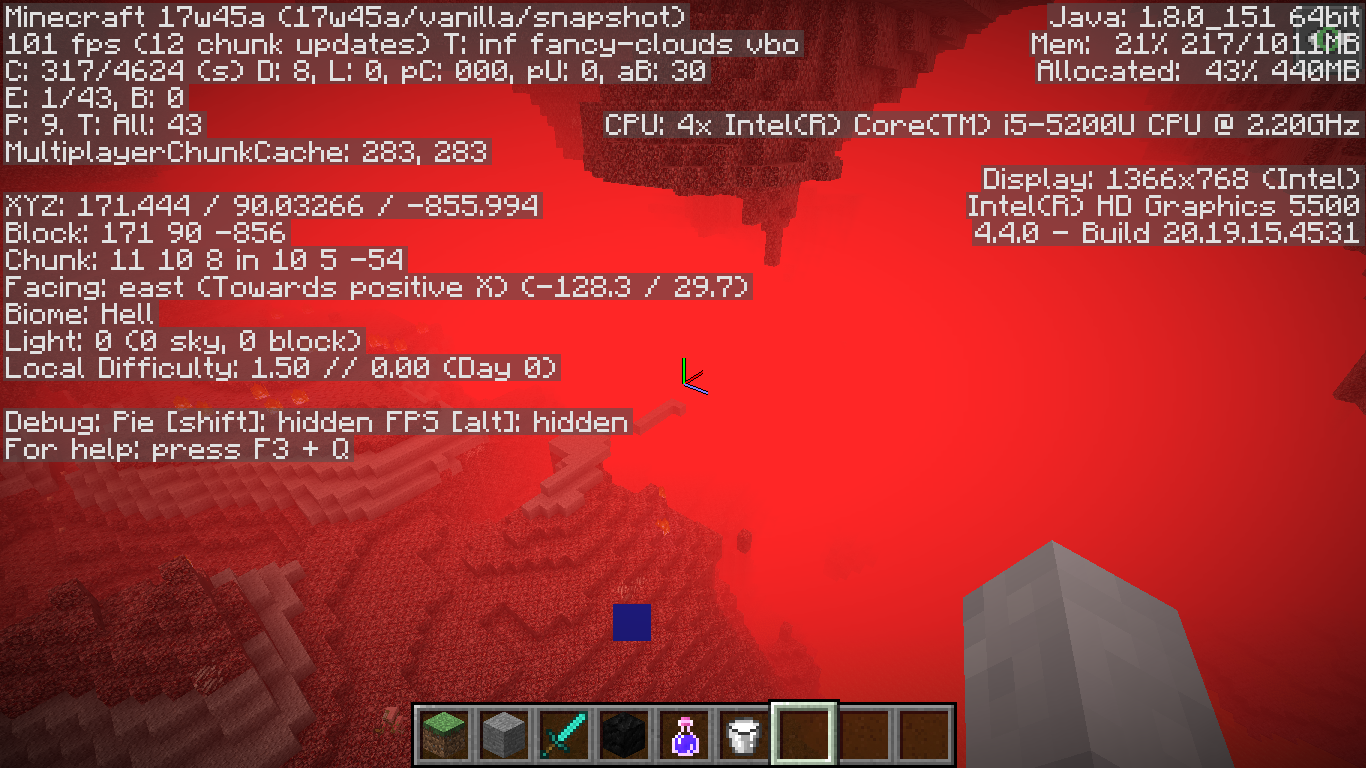
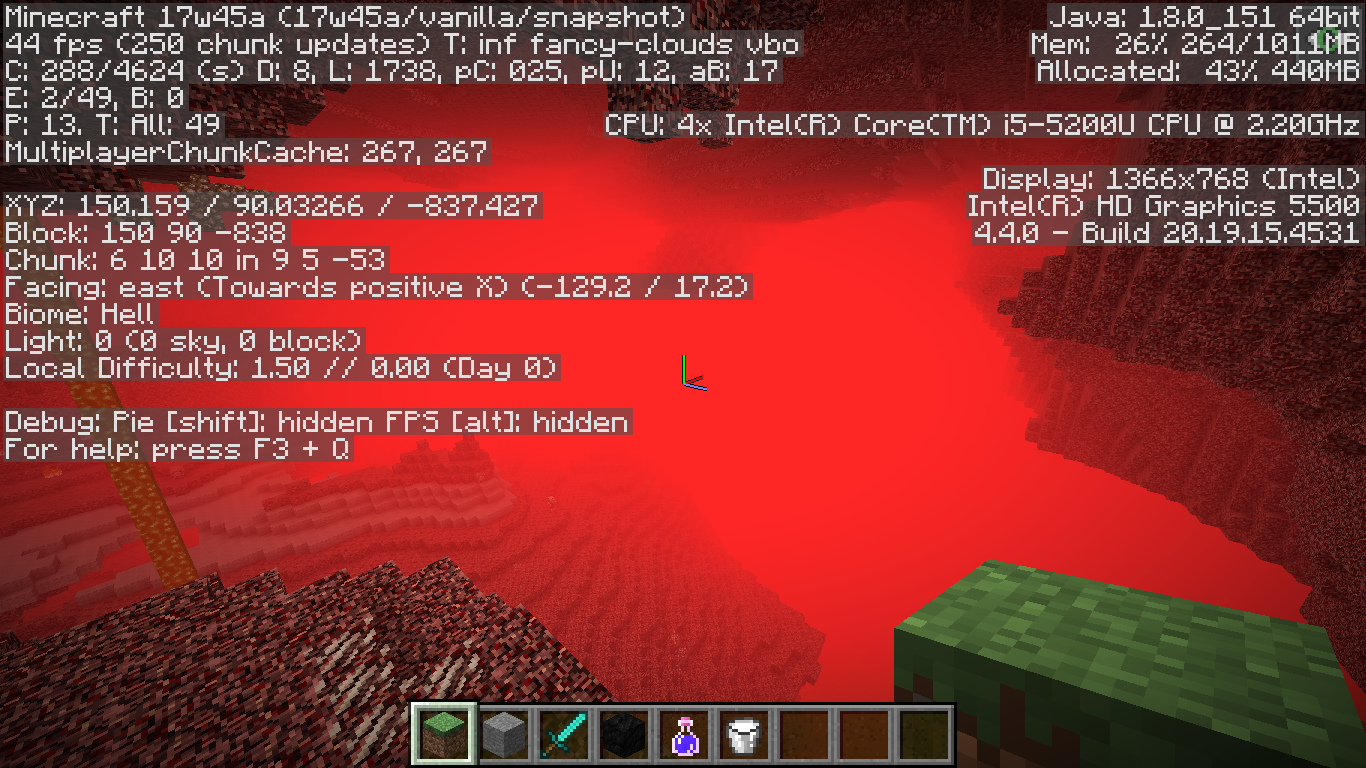



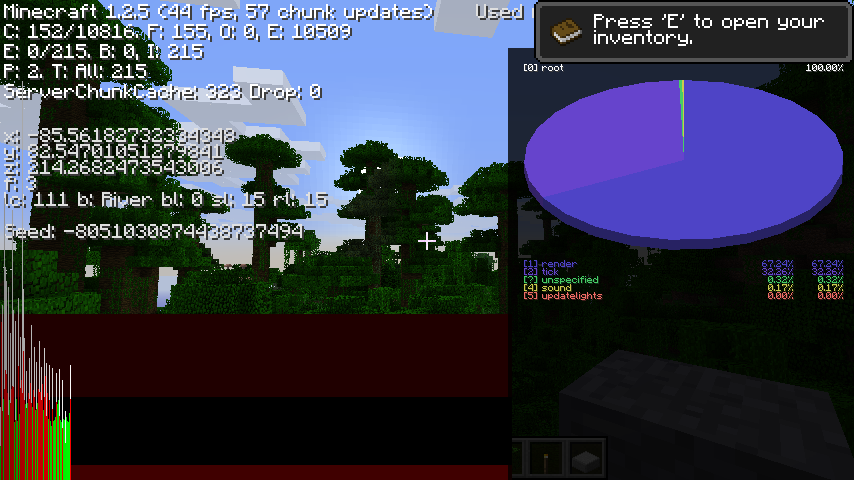





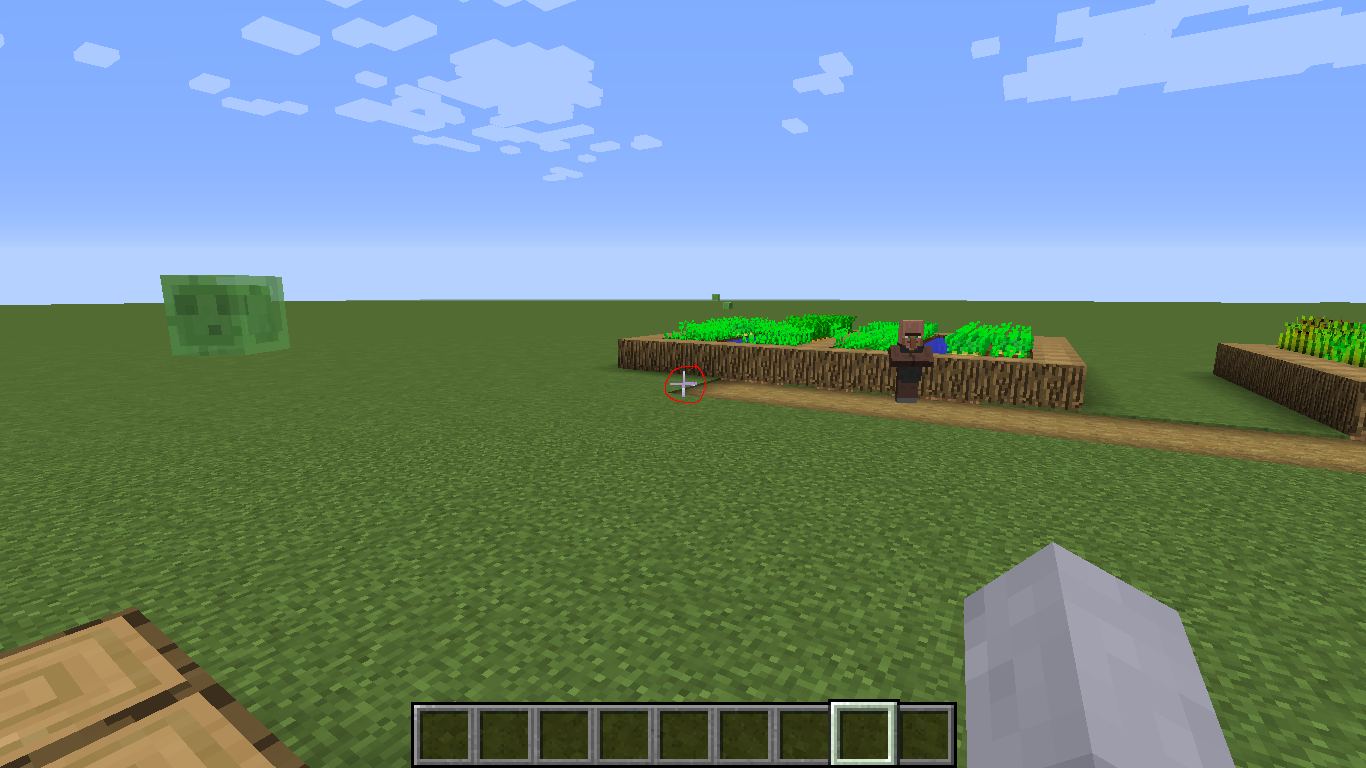





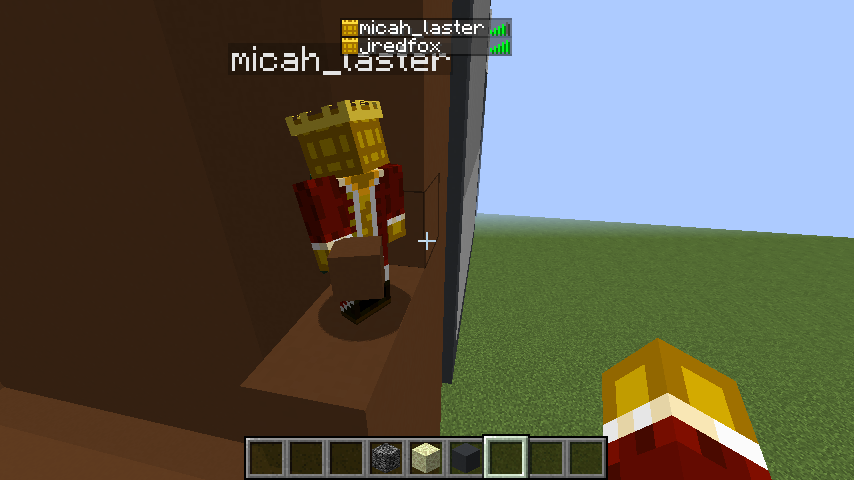


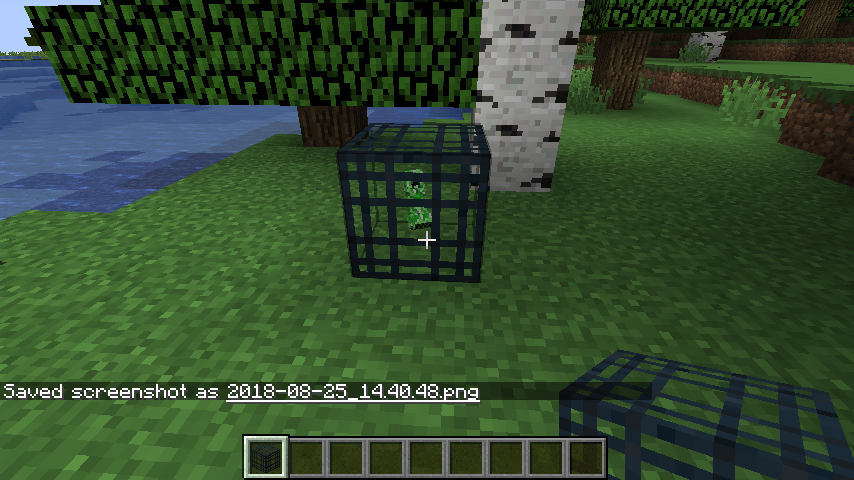
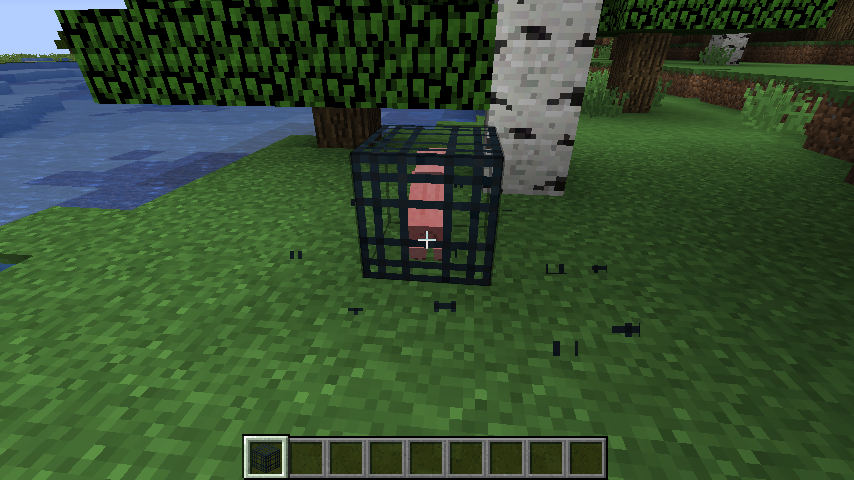
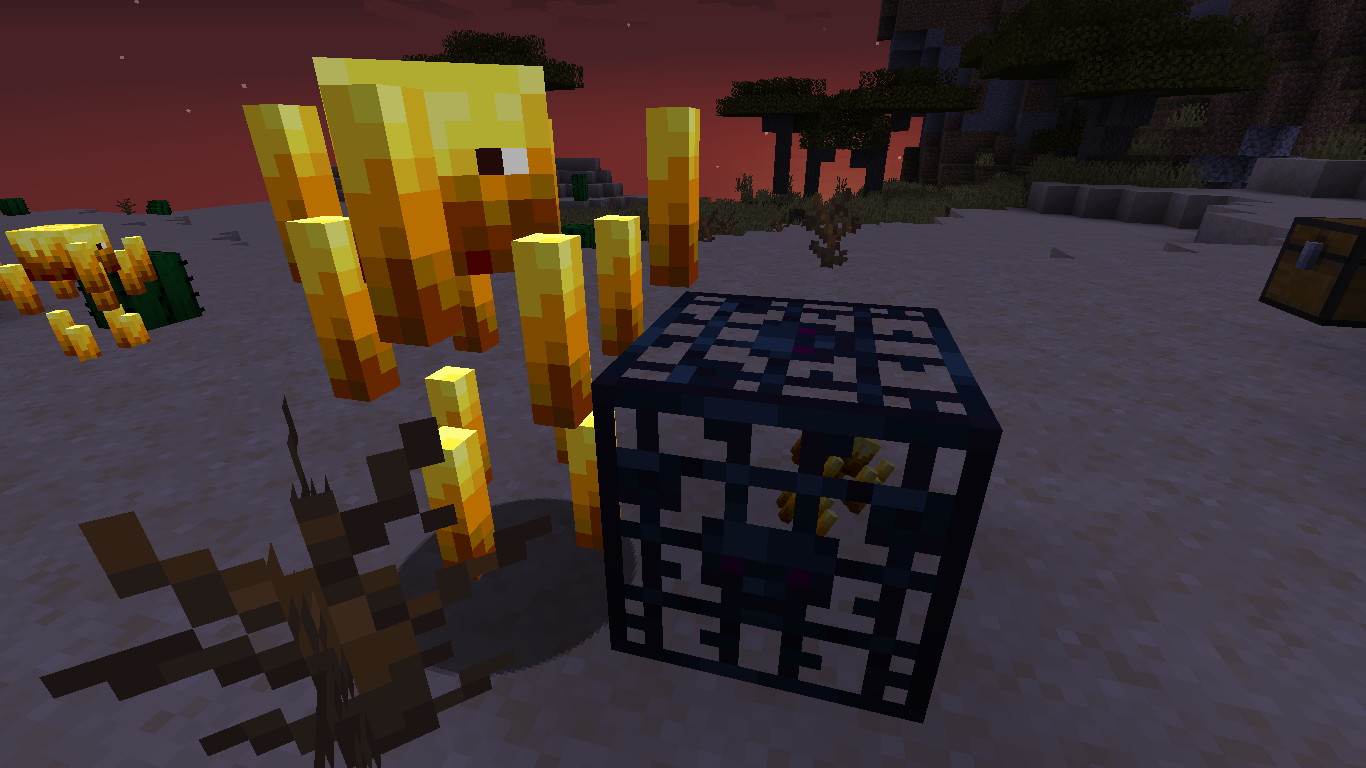


As you can see flying around anywhere in the nether also tried the overworld will result in fps drop with sprint and or just plain flying. Normally my fps is around 109-155 when flying with the standard resolution in the update my fps went down to 30.
possible solutions for mojang to make:
1. lower the quality of the resolution when flying slighlty maybe just to 1.8 stats
2. Don't render everything when moving/flying fast just simulate blocks/have a blur
3. have a lower quality minimaps like console did but, I would recommend 1 or maybe 2As you can see flying around anywhere in the nether also tried the overworld will result in fps drop with sprint and or just plain flying. Normally my fps is around 109-155 when flying with the standard resolution in the update my fps went down to 30.
My setting to reproduce it:
1.standard args standard options go into a standard world
2. fly around in default resolution fps dropspossible solutions for mojang to make:
1. lower the quality of the resolution when flying slighlty maybe just to 1.8 stats
2. Don't render everything when moving/flying fast just simulate blocks/have a blur
3. have a lower quality minimaps like console did but, I would recommend 1 or maybe 2
As you can see flying around anywhere in the nether also tried the overworld will result in fps drop with sprint and or just plain flying. Normally my fps is around 109-155 when flying with the standard resolution in the update my fps went down to 30.
My setting to reproduce it:
1.standard args standard options go into a standard world
2. fly around in default resolution fps dropspossible solutions for mojang to make:
1. lower the quality of the resolution when flying slighlty maybe just to 1.8.1 stats when flying
2. Don't render everything when moving/flying fast just simulate blocks/have a blur
3. have a lower quality minimaps like console did but, I would recommend 1 or maybe 2
Vanilla standard
8gsettings 1G(JVM) 64bit operating system windows 10 8G ram(PC)Vanilla standard settings 1G(JVM) PC: 64bit operating system windows 10 8G ram(PC)
In my other report they closed the issue and said it was a dupe of world chunks having holes well the not buffering situation is different. The chunks don't want to tend to reload and once you get on top of them it's hard for them to reload rerender and has no buffer unlike it did in 1.8.1 this is causing world holes it's not the same issue as the past one they reopened
Not loading even when on top the wholes some time was mentioned here but, they closed the entire issue instead of part of the issue.
The main difference is once you load a world it has difficulty loading them unlike 1.8.1 as if it can't this is a separate issue
https://bugs.mojang.com/browse/MC-121707
In my other report they closed the issue and said it was a dupe of world chunks having holes well the not buffering situation is different. Th
e chunks don't want to tend to reload and once you get on top of them it's hard for them to reload rerender and has no buffer unlike it did in 1.8.1 this is causing world holes it's not the same issue as the past one they reopenedNot loading even when on top the wholes some time was mentioned here but, they closed the entire issue instead of part of the issue.
The main difference is once you load a world it has difficulty loading them unlike 1.8.1 as if it can't this is a separate issue
https://bugs.mojang.com/browse/MC-121707In my other report they closed the issue and said it was a dupe of world chunks having holes well the not buffering situation is different. This is causing that issue but in itself different. The world is having difficulty loading the chunks in the first place upon loading a world and if you get ahead of that loading system for a second it takes a full minuet before it's fully loaded. This needs to be fixed
Not loading even when on top the wholes some time was mentioned here but, they closed the entire issue instead of part of the issue.
The main difference is once you load a world it has difficulty loading them unlike 1.8.1 as if it can't this is a separate issue
https://bugs.mojang.com/browse/MC-121707
World Chunks don't buffer/load if ahead of expected pos
Interpolate in a animation file with custom frames is causing a crash.
https://pastebin.com/BqczcrvPAnimation File cactus_side.png.mcmeta
{"index":4,"time":2}
{"animation":{"frametime":1,"interpolate":true,"frames":[0,1,3,,
{"index":5,"time":40},
{"index":6,"time":4},
{"index":7,"time":30}]}}
Texture File:
Interpolate in a animation file with custom frames is causing a crash.
https://pastebin.com/BqczcrvPAnimation File cactus_side.png.mcmeta
https://pastebin.com/GtMu9YV4Texture File:
Interpolate in a animation file with custom frames is causing a crash.
https://pastebin.com/BqczcrvPAnimation File cactus_side.png.mcmeta
https://pastebin.com/GtMu9YV4Texture File:
Interpolate in a animation file with custom frames is causing a crash.
Now I did notice that the index was the last possible index on the image index 7 aka 8 frames when my I described index 7 with the frametime of 30
https://pastebin.com/BqczcrvPAnimation File cactus_side.png.mcmeta
https://pastebin.com/GtMu9YV4Texture File:
interpolate causing crashesResource Pack Interpolate causing crashes
Interpolate in a animation file with custom frames is causing a crash.
Now I did notice that the index was the last possible index on the image index 7 aka 8 frames when my I described index 7 with the frametime of 30
https://pastebin.com/BqczcrvPAnimation File cactus_side.png.mcmeta
https://pastebin.com/GtMu9YV4Texture File:
Interpolate in a animation file with custom frames is causing a crash.
Now I did notice that the index was the last possible index on the image index 7 aka 8 frames when my I described index 7 with the frametime of 30Crash Report
https://pastebin.com/BqczcrvPAnimation File cactus_side.png.mcmeta
https://pastebin.com/GtMu9YV4Texture File:
Resource PackInterpolate causing crashesAnimated Texture Interpolate causing crashes
Interpolate in a animation file with custom frames is causing a crash.
Now I did notice that the index was the last possible index on the image index 7 aka 8 frames when my I described index 7 with the frametime of 30Crash Report
https://pastebin.com/BqczcrvPAnimation File cactus_side.png.mcmeta
https://pastebin.com/GtMu9YV4Texture File:
Interpolate in a animation file with custom frames and frames going from 1-3 causing crash. This is releated to
Crash Report
https://pastebin.com/BqczcrvPAnimation File cactus_side.png.mcmeta
https://pastebin.com/GtMu9YV4Texture File:
Interpolate in a animation file with custom frames and frames going from 1-3 causing crash. This is releated to
Crash Report
https://pastebin.com/BqczcrvP
Animation File cactus_side.png.mcmeta
https://pastebin.com/GtMu9YV4Texture File:
Interpolate in a animation file with custom frames and frames going from 1-3 causing crash. This is releated to https://bugs.mojang.com/browse/MC-121891
Crash Report
https://pastebin.com/BqczcrvPAnimation File cactus_side.png.mcmeta
https://pastebin.com/GtMu9YV4Successful transition with 0-7 frames
https://pastebin.com/Ck2UsB6uTexture File:
Interpolate in a animation file with custom frames and frames going from 1-3 causing crash. This is releated to https://bugs.mojang.com/browse/MC-121891
Crash Report
https://pastebin.com/BqczcrvPCauses Crash Animation File cactus_side.png.mcmeta
https://pastebin.com/GtMu9YV4Successful transition with 0-7 frames
https://pastebin.com/Ck2UsB6uTexture File:
Steps to reproduce.
1. put those in a texture pack
2. notice the frames are labeled 0-7
3. launch texture pack and see it repeat 0 1 7 7 ignoring frames 3 and 3Another form of the issue not displaying last index
1. change the mcmeta file to state 0,1,3 for the frames
2. notice it flash 0 and 1 but, not 3
Steps to reproduce.
1. put those in a texture pack
2. notice the frames on the image below are labeled 0-7
3. launch texture pack and see it repeat 0 1 7 7 ignoring frames 3 and 3Another form of the issue not displaying last index
1. change the mcmeta file to state 0,1,3 for the frames
2. notice it flash 0 and 1 but, not 3
Steps to reproduce.
1. put those in a texture pack
2. notice the frames on the image below are labeled 0-7
3. launch texture pack and see it repeat 0 1 7 7 ignoring frames 3 and 3Another form of the issue not displaying last index
1. change the mcmeta file to state 0,1,3 for the frames
2. notice it flash 0 and 1 but, not 3Another issue caused by or related to this issue
https://pastebin.com/qVjkMY9t
1. copy this text and paste it to the cactus_side.png.mcmeta
2. notice everything is going normal frametime except the last frame which is at least 2 seconds 40 ticks when I set it to 20 if this is intended please ignore it.
Video:
Steps to reproduce.
1. put those in a texture pack
2. notice the frames on the image below are labeled 0-7
3. launch texture pack and see it repeat 0 1 7 7 ignoring frames 3 and 3Another form of the issue not displaying last index
1. change the mcmeta file to state 0,1,3 for the frames
2. notice it flash 0 and 1 but, not 3Another issue caused by or related to this issue
https://pastebin.com/qVjkMY9t
1. copy this text and paste it to the cactus_side.png.mcmeta
2. notice everything is going normal frametime except the last frame which is at least 2 seconds 40 ticks when I set it to 20 if this is intended please ignore it.
Video:
Steps to reproduce.
1. put those in a texture pack
2. notice the frames on the image below are labeled 0-7
3. launch texture pack and see it repeat 0 1 7 7 ignoring frames 3 and 3Another form of the issue not displaying last index
1. change the mcmeta file to state 0,1,3 for the frames
2. notice it flash 0 and 1 but, not 3Another issue caused by or related to this issue
https://pastebin.com/qVjkMY9t
1. copy this text and paste it to the cactus_side.png.mcmeta
2. notice everything is going normal frametime except the last frame which is at least 2 seconds 40 ticks when I set it to 20 if this is intended please ignore it.Video:
https://www.youtube.com/watch?v=KOejEREL7dY&feature=youtu.be
Steps to reproduce.
1. put those in a texture pack
2. notice the frames on the image below are labeled 0-7
3. launch texture pack and see it repeat 0 1 7 7 ignoring frames 3 and 3Another form of the issue not displaying last index
1. change the mcmeta file to state 0,1,3 for the frames
2. notice it flash 0 and 1 but, not 3Another issue caused by or related to this issue
https://pastebin.com/qVjkMY9t
1. copy this text and paste it to the cactus_side.png.mcmeta
2. notice everything is going normal frametime except the last frame which is at least 2 seconds 40 ticks when I set it to 20 if this is intended please ignore it.
Video:
https://www.youtube.com/watch?v=KOejEREL7dY&feature=youtu.beSteps to reproduce.
1. put those in a texture pack
2. notice the frames on the image below are labeled 0-7
3. launch texture pack and see it repeat 0 1 7 7 ignoring frames 3 and 3Another form of the issue not displaying last index
1. change the mcmeta file to state 0,1,3 for the frames
2. notice it flash 0 and 1 but, not 3Another issue caused by or related to this issue
https://pastebin.com/qVjkMY9t
1. copy this text and paste it to the cactus_side.png.mcmeta
2. notice everything is going normal frametime except the last frame which is at least 2 seconds 40 ticks when I set it to 20 if this is intended please ignore it.Video:
https://www.youtube.com/watch?v=KOejEREL7dY&feature=youtu.beSteps to reproduce.
1. put those in a texture pack
2. notice the frames on the image below are labeled 0-7
3. launch texture pack and see it repeat 0 1 7 7 ignoring frames 3 and 3Another form of the issue not displaying last index
1. change the mcmeta file to state 0,1,3 for the frames
2. notice it flash 0 and 1 but, not 3Another issue caused by or related to this issue
https://pastebin.com/qVjkMY9t
1. copy this text and paste it to the cactus_side.png.mcmeta
2. notice everything is going normal frametime except the last frame which is at least 2 seconds 40 ticks when I set it to 20 if this is intended please ignore it.
Did you by chance get to test the other two that might be the same issue here(I mentioned them above)? I can't confirm if it's still in the latest snapshot it crashes every time for me saying it can't locate java when I didn't specify any jvm args and it works in older versions.
Video:
https://www.youtube.com/watch?v=KOejEREL7dY&feature=youtu.beSteps to reproduce.
1. put those in a texture pack
2. notice the frames on the image below are labeled 0-7
3. launch texture pack and see it repeat 0 1 7 7 ignoring frames 3 and 3Another form of the issue not displaying last index
1. change the mcmeta file to state 0,1,3 for the frames
2. notice it flash 0 and 1 but, not 3Another issue caused by or related to this issue
https://pastebin.com/qVjkMY9t
1. copy this text and paste it to the cactus_side.png.mcmeta
2. notice everything is going normal frametime except the last frame which is at least 2 seconds 40 ticks when I set it to 20 if this is intended please ignore it.Video:
https://www.youtube.com/watch?v=KOejEREL7dY&feature=youtu.beSteps to reproduce.
1. put those in a texture pack
2. notice the frames on the image below are labeled 0-7
3. launch texture pack and see it repeat 0 1 7 7 ignoring frames 3 and 3Steps to reproduce snapshot 17w45b
1. complete "Steps to reproduce"
2. notice instead of it skipping the frame it skips all of them and shows the missing texture insteadAnother form of the issue not displaying last index
1. change the mcmeta file to state 0,1,3 for the frames
2. notice it flash 0 and 1 but, not 3Another issue caused by or related to this issue
https://pastebin.com/qVjkMY9t
1. copy this text and paste it to the cactus_side.png.mcmeta
2. notice everything is going normal frametime except the last frame which is at least 2 seconds 40 ticks when I set it to 20 if this is intended please ignore it.
TexturePack Format 3 Ignoring Frames Acting Non Iteratively
Video:
https://www.youtube.com/watch?v=KOejEREL7dY&feature=youtu.beSteps to reproduce.
1. put those in a texture pack
2. notice the frames on the image below are labeled 0-7
3. launch texture pack and see it repeat 0 1 7 7 ignoring frames 3 and 3Steps to reproduce snapshot 17w45b
1. complete "Steps to reproduce"
2. notice instead of it skipping the frame it skips all of them and shows the missing texture insteadAnother form of the issue not displaying last index
1. change the mcmeta file to state 0,1,3 for the frames
2. notice it flash 0 and 1 but, not 3Another issue caused by or related to this issue
https://pastebin.com/qVjkMY9t
1. copy this text and paste it to the cactus_side.png.mcmeta
2. notice everything is going normal frametime except the last frame which is at least 2 seconds 40 ticks when I set it to 20 if this is intended please ignore it.Video:
https://www.youtube.com/watch?v=KOejEREL7dY&feature=youtu.beSteps to reproduce.
1. put those in a texture pack
2. notice the frames on the image below are labeled 0-7
3. launch texture pack and see it repeat 0 1 7 7 ignoring frames 3 and 3Another form of the issue not displaying last index
1. change the mcmeta file to state 0,1,3 for the frames
2. notice it flash 0 and 1 but, not 3Another issue caused by or related to this issue
https://pastebin.com/qVjkMY9t
1. copy this text and paste it to the cactus_side.png.mcmeta
2. notice everything is going normal frametime except the last frame which is at least 2 seconds 40 ticks when I set it to 20 if this is intended please ignore it.
In the previous versions you could turn and move with ease and no difficulty in the latest versions sometimes slows down or even stops when you move the mouse(turn) while moving (keyboard) will result in an almost complete stop rather then turning and moving at the same time. It also sometimes just kind of stops please revert character movements and turning back to previous stable versions
steps to reproduce
1. move player while turning mouse and it occasionally happens.
2. while moving and turning you also notice difficulty unlike previous versions
Version Attempted 1.2.5
Crash: https://pastebin.com/xkvXtm0G
Java Executable: C:\Program Files\Java\jre1.8.0_151\bin\javaw.exe
JVM: DefaultSteps to reproduce:
1. delete options.txt or it will crash on startup
2. launch mc 1.2.5 with a executable argument
3. click open single player and watch it crashBelow screenshot 1.2.5 does in fact launch and work with older launchers
Steps to reproduce:
1. run latest mc and edit one option
2. run < 1.5.2
3. get crash https://pastebin.com/MwgSp1fYNecessary Enhancement to fix the incompatibility between the two formats is one of the fallowing options:
A: keep the old format and write the newer options to the end of the file now
B: rename the newer options to "options_new.txt" for versions >= 1.13
C: keep the option.txt per profileNote: this is unrelated to the other crash report I posted today that was a launcher issue this is mc issue
Steps to reproduce:
1. run latest mc and edit one option
2. run < 1.5.2
3. get crash https://pastebin.com/MwgSp1fYNecessary Enhancement to fix the incompatibility between the two formats is one of the fallowing options:
A: keep the old format and write the newer options to the end of the file now
B: rename the newer options to "options_new.txt" for versions >= 1.13
C: keep the option.txt per profile
Note: this is unrelated to the other crash report I posted today that was a launcher issue this is mc issue
Steps to reproduce:
1. runlatest mc and edit one option
2. run < 1.5.2
3. get crash https://pastebin.com/MwgSp1fYNecessary Enhancement to fix the incompatibility between the two formats is one of the fallowing options:
A: keep the old format and write the newer options to the end of the file now
B: rename the newer options to "options_new.txt" for versions >= 1.13
C: keep the option.txt per profileNote: this is unrelated to the other crash report I posted today that was a launcher issue this is mc issue
Steps to reproduce:
1. run mc >= 1.9
2. run < 1.5.2
3. get crash https://pastebin.com/MwgSp1fYNecessary Enhancement to fix the incompatibility between the two formats is one of the fallowing options:
A: keep the old format and write the newer options to the end of the file now
B: rename the newer options to "options_new.txt" for versions >= 1.13
C: keep the option.txt per profile
Note: this is unrelated to the other crash report I posted today that was a launcher issue this is mc issue.
if having older versions in the same directory wasn't officially supported mojang would have said you can only play current versions they didn't this is a valid issue that is one maybe two lines of code to fix for future versions.
Steps to reproduce:
1. run mc >= 1.9
2. run < 1.5.2
3. get crash https://pastebin.com/MwgSp1fYNecessary Enhancement to fix the incompatibility between the two formats is one of the fallowing options:
A: keep the old format and write the newer options to the end of the file now
B: rename the newer options to "options_new.txt" for versions >= 1.13
C: keep the option.txt per profile
Xbox supports transparency for it's endercrystal beam and I liked it better but, It turns out even though they are the same model same res java doesn't support transparency on ender crystal beam. Instead of supporting transparency it turns everything into solid colors ruining the look
PC: https://imgur.com/wuDr0Ka
Xbox: https://imgur.com/YK36sOYIf you looked you will also notice the pixels were not stretched in xbox edition but, they are in java edition. This is another issue that needs to be fixed
Ender Crystal Texture:
Could you verify that it fixes itself once you increase the resolution?
Spawn in a stack of 80 spiders wait a minuet and watch them start getting randomly hurting and dismounting they are not in water nor attacking each other it's very weird. I can't make a map without this bug fixed
Note you have to give it a full couple minuets and if it doesn't happen try again but, I did confirm this bug happening twice in 1.7.10 and in the snapshot just now
Command: https://pastebin.com/4EibRXFc
Spawn in a stack of 80 spiders wait a minuet and watch them start getting randomly hurting and dismounting they are not in water nor attacking each other it's very weird. I can't make a map without this bug fixed
Note you have to give it a full couple minuets and if it doesn't happen try again but, I did confirm this bug happening twice in 1.7.10 and in the
snapshotjust now
Command: https://pastebin.com/4EibRXFcSpawn in a stack of 80 spiders wait a minuet and watch them start getting randomly hurting and dismounting they are not in water nor attacking each other it's very weird. I can't make a map without this bug fixed
Note you have to give it a full couple minuets and if it doesn't happen try again but, I did confirm this bug happening twice in 1.7.10 and in the *17w46a *just now
Command: https://pastebin.com/4EibRXFc
Spawn in a stack of 80 spiders wait a minuet and watch them start getting randomly hurting and dismounting they are not in water nor attacking each other it's very weird. I can't make a map without this bug fixed
Note you have to give it a full couple minuets and if it doesn't happen try again but, I did confirm this bug happening twice in 1.7.10 and in the
*17w46a *just now
Command: https://pastebin.com/4EibRXFcSpawn in a stack of 80 spiders wait a minuet and watch them start getting randomly hurting and dismounting they are not in water nor attacking each other it's very weird. I can't make a map without this bug fixed
Note you have to give it a full couple minuets and if it doesn't happen try again but, I did confirm this bug happening twice in 1.7.10 and in the 17w46a just now
Command: https://pastebin.com/4EibRXFc
Spawn in a stack of
80spiders wait a minuet and watch them start getting randomly hurting and dismounting they are not in water nor attacking each other it's very weird. I can't make a map without this bug fixedNote you have to give it a full couple minuets and if it doesn't happen try again but, I did confirm this bug happening twice in 1.7.10 and in the 17w46a just now
Command: https://pastebin.com/4EibRXFcSpawn in a stack of 100+ spiders wait a minuet and watch them start getting randomly hurting and dismounting they are not in water nor attacking each other it's very weird. I can't make a map without this bug fixed
Note you have to give it a full couple minuets and if it doesn't happen try again but, I did confirm this bug happening twice in 1.7.10 and in the 17w46a just now
Command: https://pastebin.com/4EibRXFc
Spawn in a stack of 100+ spiders wait a minuet and watch them start getting randomly hurting and dismounting they are not in water nor attacking each other it's very weird. I can't make a map without this bug fixed
Video: https://youtu.be/pWbx4gGjLkg
Note you have to give it a full couple minuets and if it doesn't happen try again but, I did confirm this bug happening twice in 1.7.10 and in the 17w46a just now
Command: https://pastebin.com/4EibRXFc
Spawn in a stack of 100+ spiders wait a minuet and watch them start getting randomly hurting and dismounting they are not in water nor attacking each other it's very weird. I can't make a map without this bug fixed
Video: https://youtu.be/pWbx4gGjLkg
Whooping spiders is this a separate bug? or are these all ai issues on jockies: https://youtu.be/FgNqex_wwPkNote you have to give it a full couple minuets and if it doesn't happen try again but, I did confirm this bug happening twice in 1.7.10 and in the 17w46a just now
Command: https://pastebin.com/4EibRXFc
Spawn in a stack of 100+ spiders wait a minuet and watch them start getting randomly hurting and dismounting they are not in water nor attacking each other it's very weird. I can't make a map without this bug fixed
Video: https://youtu.be/pWbx4gGjLkg
Whooping spiders is this a separate bug? or are these all ai issues on jockies: https://youtu.be/FgNqex_wwPkNote you have to give it a full couple minuets and if it doesn't happen try again but, I did confirm this bug happening twice in 1.7.10 and in the 17w46a just now
Command: https://pastebin.com/4EibRXFcSpawn in a stack of 100+ spiders wait a minuet and watch them start getting randomly hurting and dismounting they are not in water nor attacking each other it's very weird. I can't make a map without this bug fixed
Video: https://youtu.be/pWbx4gGjLkg
OP Boss Spiders is this a separate bug? or are these all ai issues on jockies: https://youtu.be/FgNqex_wwPkNote you have to give it a full couple minuets and if it doesn't happen try again but, I did confirm this bug happening twice in 1.7.10 and in the 17w46a just now
Command: https://pastebin.com/4EibRXFc
Spawn in a stack of 100+ spiders wait a minuet and watch them start getting randomly hurting and dismounting they are not in water nor attacking each other it's very weird. I can't make a map without this bug fixed
Video: https://youtu.be/pWbx4gGjLkg
OP Boss Spiders is this a separate bug? or are these all ai issues on jockies: https://youtu.be/FgNqex_wwPkNote you have to give it a full couple minuets and if it doesn't happen try again but, I did confirm this bug happening twice in 1.7.10 and in the 17w46a just now
Command: https://pastebin.com/4EibRXFcSpawn in a stack of 100+ spiders wait a minuet and watch them start getting randomly hurting and dismounting they are not in water nor attacking each other it's very weird. I can't make a map without this bug fixed
Video: https://youtu.be/pWbx4gGjLkg
OP Boss Spiders is this a separate bug? or are these all ai issues on jockies: https://youtu.be/FgNqex_wwPkIf you test this for yourself you will see dismounting spiders but, occasionally they will randomly take damage as well I can't verify I haven't seen it in this snapshot but, in the distance but, I am sure it's still there as well as the other ai issues described in the two videos
Note you have to give it a full couple minuets and if it doesn't happen try again but, I did confirm this bug happening twice in 1.7.10 and in the 17w46a just now
Command: https://pastebin.com/4EibRXFc
Spawn in a stack of 100+ spiders wait a minuet and watch them start getting randomly hurting and dismounting they are not in water nor attacking each other it's very weird. I can't make a map without this bug fixed
Video: https://youtu.be/pWbx4gGjLkg
OP Boss Spiders is this a separate bug? or are these all ai issues on jockies: https://youtu.be/FgNqex_wwPkIf you test this for yourself you will see dismounting spiders but, occasionally they will randomly take damage as well I can't verify I haven't seen it in this snapshot but, in the distance but, I am sure it's still there as well as the other ai issues described in the two videos
Note you have to give it a full couple minuets and if it doesn't happen try again but, I did confirm this bug happening twice in 1.7.10 and in the 17w46a just now
Command: https://pastebin.com/4EibRXFcSpawn in a stack of 100+ spiders wait a minuet and watch them start getting randomly hurting and dismounting they are not in water nor attacking each other it's very weird. I can't make a map without this bug fixed
Video: https://youtu.be/pWbx4gGjLkg
OP Boss Spiders is this a separate bug? or are these all ai issues on jockies: https://youtu.be/FgNqex_wwPkIf you test this for yourself you will see dismounting spiders but, occasionally they will randomly take damage as well I can't verify I haven't seen it in this snapshot but, in the distance but, I am sure it's still there as well as the other ai issues described in the two videos
Note you have to give it a full couple minuets and if it doesn't happen try again but, I did confirm this bug happening twice in 1.7.10 and in the 17w46a just now
Command: https://pastebin.com/4EibRXFc
Jockie Stackis randomly dies and dismounts if too highJockie Stack Totally Broken
Spawn in a stack of 100+ spiders wait a minuet and watch them start getting randomly hurting and dismounting they are not in water nor attacking each other it's very weird. I can't make a map without this bug fixed
Video: https://youtu.be/pWbx4gGjLkg
OP Boss Spidersis this a separate bug? or are these all ai issues on jockies: https://youtu.be/FgNqex_wwPkIf you test this for yourself you will see dismounting spiders but, occasionally they will randomly take damage as well I can't verify I haven't seen it in this snapshot but, in the distance but, I am sure it's still there as well as the other ai issues described in the two videos
Note you have to give it a full couple minuets and if it doesn't happen try again but, I did confirm this bug happening twice in 1.7.10 and in the 17w46a just now
Command: https://pastebin.com/raw/4EibRXFc
Spawn in a stack of 100+ spiders wait a minuet and watch them start getting randomly hurting and dismounting they are not in water nor attacking each other it's very weird. I can't make a map without this bug fixed.
Full List of Issues:
- mob jockie stack with one strike sends you flying over 50 blocks 2d video
- mob taken damage randomly if jockie stack is too high
- mob randomly dismounting if jockie stack is too high no I didn't see any dying and I saw one dismount 3 blocks in front of me
- in the latest snapshot mob ais are going nuts they can't decide to look one direction don't realize they are mounted and keep trying to move in all separate directions this didn't happen I verified in 1.8 and 1.7.10
Video: https://youtu.be/pWbx4gGjLkg
Video OP Boss Spiders One wack 50 blocks: https://youtu.be/FgNqex_wwPkIf you test this for yourself you will see dismounting spiders but, occasionally they will randomly take damage as well I can't verify I haven't seen it in this snapshot but, in the distance but, I am sure it's still there as well as the other ai issues described in the two videos
Note you have to give it a full couple minuets and if it doesn't happen try again but, I did confirm this bug happening twice in 1.7.10 and in the 17w46a just now
Command: https://pastebin.com/raw/4EibRXFc
Issue: egging spawner under specified conditions reverts itself
Steps to reproduce:
{id:Creeper}
1. /difficulty peaceful
2. /setblock ~ ~+1 ~ mob_spawner 0 replace {SpawnData:,SpawnPotentials:[{Weight:1,Entity:
{id:wither_skeleton}}] }
3. use blaze egg
4. /difficulty normal
5. wait for them to spawn
6. observe wither skeletons popping up next spawnIssue In code for monster placer only specifies to change the id of spawndata not resetting spawn potentials
mobspawnerbaselogic.setEntityId(getNamedIdFrom(itemstack));which this method does
{ this.spawnData.getNbt().setString("id", id.toString()); }
public void setEntityId(@Nullable ResourceLocation id)
{
if (id != null)}
Issue: egging spawner under specified conditions
reverts itselfSteps to reproduce:
{id:Creeper}
1. /difficulty peaceful
2. /setblock ~ ~+1 ~ mob_spawner 0 replace {SpawnData:,SpawnPotentials:[{Weight:1,Entity:
{id:wither_skeleton}}] }
3. use blaze egg
4. /difficulty normal
5. wait for them to spawn
6. observe wither skeletons popping up next spawnIssue In code for monster placer only specifies to change the id of spawndata not resetting spawn potentials
mobspawnerbaselogic.setEntityId(getNamedIdFrom(itemstack));which this method does
{ this.spawnData.getNbt().setString("id", id.toString()); }
public void setEntityId(@Nullable ResourceLocation id)
{
if (id != null)}
Issue: egging spawner reverts after initial spawn under specified conditions
Steps to reproduce:
{id:Creeper}
1. /difficulty peaceful
2. /setblock ~ ~+1 ~ mob_spawner 0 replace {SpawnData:,SpawnPotentials:[{Weight:1,Entity:
{id:wither_skeleton}}] }
3. use blaze egg
4. /difficulty normal
5. wait for them to spawn
6. observe wither skeletons popping up next spawnIssue In code for monster placer only specifies to change the id of spawndata not resetting spawn potentials
mobspawnerbaselogic.setEntityId(getNamedIdFrom(itemstack));which this method does
{ this.spawnData.getNbt().setString("id", id.toString()); }
public void setEntityId(@Nullable ResourceLocation id)
{
if (id != null)}
Issue: egging spawner reverts after initial spawn under specified conditions
Steps to reproduce:
{id:Creeper}
1. /difficulty peaceful
2. /setblock ~ ~+1 ~ mob_spawner 0 replace {SpawnData:,SpawnPotentials:[{Weight:1,Entity:
{id:wither_skeleton}}] }
3. use blaze egg
4. /difficulty normal
5. wait for them to spawn
6. observe wither skeletons popping up next spawnVideo: https://youtu.be/0kKz-NMOAog
Issue In code for monster placer only specifies to change the id of spawndata not resetting spawn potentials
mobspawnerbaselogic.setEntityId(getNamedIdFrom(itemstack));which this method does
{ this.spawnData.getNbt().setString("id", id.toString()); }
public void setEntityId(@Nullable ResourceLocation id)
{
if (id != null)}
Issue: egging spawner reverts after initial spawn under specified conditions
Steps to reproduce:
{id:Creeper}
1. /difficulty peaceful
2. /setblock ~ ~+1 ~ mob_spawner 0 replace {SpawnData:,SpawnPotentials:[{Weight:1,Entity:
{id:wither_skeleton}}] }
3. use blaze egg
4. /difficulty normal
5. wait for them to spawn
6. observe wither skeletons popping up next spawnVideo: https://youtu.be/0kKz-NMOAog
Issue In code for monster placer only specifies to change the id of spawndata not resetting spawn potentials
mobspawnerbaselogic.setEntityId(getNamedIdFrom(itemstack));which this method does
{ this.spawnData.getNbt().setString("id", id.toString()); }
public void setEntityId(@Nullable ResourceLocation id)
{
if (id != null)}
Issue: egging spawner reverts after initial spawn under specified conditions
Steps to reproduce:
1. /difficulty peaceful
2. Use this Command https://pastebin.com/d09Zei4c (pastebin since this messed up the one line of command code)
3. use blaze egg
4. /difficulty normal
5. wait for them to spawn
6. observe wither skeletons popping up next spawnVideo: https://youtu.be/0kKz-NMOAog
Issue In code for monster placer only specifies to change the id of spawndata not resetting spawn potentials
mobspawnerbaselogic.setEntityId(getNamedIdFrom(itemstack));which this method does
{ this.spawnData.getNbt().setString("id", id.toString()); }
public void setEntityId(@Nullable ResourceLocation id)
{
if (id != null)}
Issue: egging spawner reverts after initial spawn under specified conditions
Steps to reproduce:
1. /difficulty peaceful
2. Use this Command https://pastebin.com/d09Zei4c (pastebin since this messed up the one line of command code)
3. use blaze egg
4. /difficulty normal
5. wait for them to spawn
6. observe wither skeletons popping up next spawnVideo: https://youtu.be/0kKz-NMOAog
Issue In code for monster placer only specifies to change the id of spawndata not resetting spawn potentials as well
mobspawnerbaselogic.setEntityId(getNamedIdFrom(itemstack));which this method does
{ this.spawnData.getNbt().setString("id", id.toString()); }
public void setEntityId(@Nullable ResourceLocation id)
{
if (id != null)}
Issue: egging spawner reverts after initial spawn under specified conditions
Steps to reproduce:
1. /difficulty peaceful
2. Use this Command https://pastebin.com/d09Zei4c(pastebin since this messed up the one line of command code)
3. use blaze egg
4. /difficulty normal
5. wait for them to spawn
6. observe wither skeletons popping up next spawnVideo: https://youtu.be/0kKz-NMOAog
Issue In code for monster placer only specifies to change the id of spawndata not resetting spawn potentials as well
mobspawnerbaselogic.setEntityId(getNamedIdFrom(itemstack));which this method does
{ this.spawnData.getNbt().setString("id", id.toString()); }
public void setEntityId(@Nullable ResourceLocation id)
{
if (id != null)}
Issue: egging spawner reverts after initial spawn under specified conditions
Steps to reproduce:
1. /difficulty peaceful
2. Use this Command https://pastebin.com/qra8U1db (pastebin since this messed up the one line of command code)
3. use blaze egg
4. /difficulty normal
5. wait for them to spawn
6. observe wither skeletons popping up next spawnVideo: https://youtu.be/0kKz-NMOAog
Issue In code for monster placer only specifies to change the id of spawndata not resetting spawn potentials as well
mobspawnerbaselogic.setEntityId(getNamedIdFrom(itemstack));which this method does
{ this.spawnData.getNbt().setString("id", id.toString()); }
public void setEntityId(@Nullable ResourceLocation id)
{
if (id != null)}
Issue: egging spawner reverts after initial spawn under specified conditions
Steps to reproduce:
1. /difficulty peaceful
2. Use this Command https://pastebin.com/qra8U1db (pastebin since this messed up the one line of command code)
3. use blaze egg
4. /difficulty normal
5. wait for them to spawn
6. observe wither skeletons popping up next spawnVideo: https://youtu.be/0kKz-NMOAog
Issue In code for monster placer only specifies to change the id of spawndata not resetting spawn potentials as well
mobspawnerbaselogic.setEntityId(getNamedIdFrom(itemstack));which this method does
public void setEntityId(@Nullable ResourceLocation id) { if (id != null) { this.spawnData.getNbt().setString("id", id.toString()); } }Issue: egging spawner reverts after initial spawn under specified conditions
Steps to reproduce:
1. /difficulty peaceful
2. Use this Command https://pastebin.com/qra8U1db (pastebin since this messed up the one line of command code)
3. use blaze egg
4. /difficulty normal
5. wait for them to spawn
6. observe wither skeletons popping up next spawnVideo: https://youtu.be/0kKz-NMOAog
Issue In code for monster placer only specifies to change the id of spawndata not resetting spawn potentials as well
mobspawnerbaselogic.setEntityId(getNamedIdFrom(itemstack));This causes massive issues. Like say you have the properties tag of a skeleton and it's set to have items then you change it to a blaze and it still has those items . The passengers of the mob spawner also do not change
It causes massive errors Here is an example:
Issue: egging spawner reverts after initial spawn under specified conditions
Steps to reproduce:
1. /difficulty peaceful
2. Use this Command https://pastebin.com/qra8U1db (pastebin since this messed up the one line of command code)
3. use blaze egg
4. /difficulty normal
5. wait for them to spawn
6. observe wither skeletons popping up next spawnVideo: https://youtu.be/0kKz-NMOAog
Issue In code for monster placer only specifies to change the id of spawndata not resetting spawn potentials as well
mobspawnerbaselogic.setEntityId(getNamedIdFrom(itemstack));This causes massive issues. Like say you have the properties tag of a skeleton and it's set to have items then you change it to a blaze and it still has those items . The passengers of the mob spawner also do not change
It causes massive errors Here is an example:
Issue: egging spawner reverts after initial spawn under specified conditions
Steps to reproduce:
1. /difficulty peaceful
2. Use this Command https://pastebin.com/qra8U1db (pastebin since this messed up the one line of command code)
3. use blaze egg
4. /difficulty normal
5. wait for them to spawn
6. observe wither skeletons popping up next spawnVideo: https://youtu.be/0kKz-NMOAog
Issue In code for monster placer only specifies to change the id of spawndata not resetting spawn potentials as well
mobspawnerbaselogic.setEntityId(getNamedIdFrom(itemstack));This causes massive issues. Like say you have the properties tag of a skeleton and it's set to have items then you change it to a blaze and it still has those items . The passengers of the mob spawner also do not change
It causes massive errors Here is an example use the same steps just with passenger tag or custom skeletons for testing. It should remove the entire spawnDataTag:{} first instead it just modifies a single tag:
Issue: egging spawner reverts after initial spawn under specified conditions
Steps to reproduce:
1. /difficulty peaceful
2. Use this Command https://pastebin.com/qra8U1db (pastebin since this messed up the one line of command code)
3. use blaze egg
4. /difficulty normal
5. wait for them to spawn
6. observe wither skeletons popping up next spawnVideo: https://youtu.be/0kKz-NMOAog
Issue In code for monster placer only specifies to change the id of spawndata not resetting spawn potentials as well
mobspawnerbaselogic.setEntityId(getNamedIdFrom(itemstack));This causes massive issues. Like say you have the properties tag of a skeleton and it's set to have items then you change it to a blaze and it still has those items . The passengers of the mob spawner also do not change
It causes massive errors Here is an example use the same steps just with passenger tag or custom skeletons for testing. It should remove the entire spawnDataTag:{} first instead it just modifies a single tag:
Issue: egging spawner doesn't remove spawndata and doesn't reset spawn potentials then reverts after initial spawn under specified conditions.
Steps to reproduce:
1. /difficulty peaceful
2. Use this Command https://pastebin.com/qra8U1db (pastebin since this messed up the one line of command code)
3. use blaze egg
4. /difficulty normal
5. wait for them to spawn
6. observe wither skeletons popping up next spawnVideo: https://youtu.be/0kKz-NMOAog
Issue In code for monster placer only specifies to change the id of spawndata not resetting spawn potentials as well
mobspawnerbaselogic.setEntityId(getNamedIdFrom(itemstack));This causes massive issues. Like say you have the properties tag of a skeleton and it's set to have items then you change it to a blaze and it still has those items . The passengers of the mob spawner also do not change
It causes massive errors Here is an example use the same steps just with passenger tag or custom skeletons for testing. It should remove the entire spawnDataTag:{} first instead it just modifies a single tag:
Issue: when you set the initial index of a spawner to a pig and then have spawnpotentials as creeper it never goes back to being the pig it just overrides the spawndata without checking if spawnpotentials.getTagCompoundAt(0).equals(spawndata) and if it's true it should delete it if it's false it should add it to the first index instead it just deletes it.
Steps to reproduce:
1./difficulty peaceful
2. setblock: https://pastebin.com/dVu6fDW0
3. /kill @e[type=pig]4. /difficulty normal
5.observer never goes backto pig just spams creeperIssue: when you set the initial index of a spawner to a pig and then have spawnpotentials as creeper
Steps to reproduce:
1./difficulty peaceful
2. setblock: https://pastebin.com/dVu6fDW0
3. /kill @e[type=pig]
4. /difficulty normal
5. observer never goes back to pig just spams creeperhow mojang would fix this:
1. like I said above have a check each time before deleting the spawndata there are multiple ways of fixing this I do not know the most optimized
Issue: when you set the initial index of a spawner to a pig and then have spawnpotentials as creeper
Steps to reproduce:
1./difficulty peaceful
2. setblock: https://pastebin.com/dVu6fDW0
3. /kill @e[type=pig]
4. /difficulty normal
5. observer never goes back to pig just spams creeperhow mojang would fix this:
1.like I said abovehave a check each time before deleting the spawndata there are multiple ways of fixing this I do not know the most optimized
Issue: when you set the initial index of a spawner to a pig and then have spawnpotentials as creeper
Steps to reproduce:
1./difficulty peaceful
2. setblock: https://pastebin.com/dVu6fDW0
3. /kill @e[type=pig]
4. /difficulty normal
5. observer never goes back to pig just spams creeperhow mojang would fix this:
1. have a check each time before deleting the spawndata there are multiple ways of fixing this I do not know the most optimizedIssue: when you set the initial index of a spawner to a pig and then have spawnpotentials as creeper
Steps to reproduce:
1./difficulty peaceful
2. setblock: https://pastebin.com/dVu6fDW0
3. /kill @e[type=pig]
4. /difficulty normal
5./difficulty peaceful
6. observer never goes back to pig just spams creeperhow mojang would fix this:
1. have a check each time before deleting the spawndata there are multiple ways of fixing this I do not know the most optimized
Issue: when you set the initial index of a spawner to a pig and then have spawnpotentials as creeper
Steps to reproduce:
1./difficulty peaceful
2. setblock: https://pastebin.com/dVu6fDW0
3. /kill @e[type=pig]
4. /difficulty normal
5./difficulty peaceful after a good 6 seconds
6. observer never goes back to pig just spams creeperhow mojang would fix this:
1. have a check each time before deleting the spawndata there are multiple ways of fixing this I do not know the most optimized
Issue: when you set the initial index of a spawner to a pig and then have spawnpotentials as creeper
Steps to reproduce:
1./difficulty peaceful
2. setblock: https://pastebin.com/dVu6fDW0
3. /kill @e[type=pig]
4. /difficulty normal
5./difficulty peaceful after a good 6 seconds
6. observer never goes back to pig just spams creeperhow mojang would fix this:
1. have a check each time before deleting the spawndatathere are multiple ways of fixing this I do not know the most optimizedIssue: when you set the initial index of a spawner to a pig and then have spawnpotentials as creeper
Steps to reproduce:
1./difficulty peaceful
2. setblock: https://pastebin.com/dVu6fDW0
3. /kill @e[type=pig]
4. /difficulty normal
5./difficulty peaceful after a good 6 seconds
6. observer never goes back to pig just spams creeperhow mojang would fix this there are multiple ways no set way but, they could do:
1. have a check each time before deleting the spawndata
2. if the new tag intialindex is false check before deleting spawn data and if tag spawndata != spawn potentials 0 then add it to index of 0 before deleting it
Issue: when you set the initial index of a spawner to a pig and then have spawnpotentials as creeper
Steps to reproduce:
1./difficulty peaceful
2. setblock: https://pastebin.com/dVu6fDW0
3. /kill @e[type=pig]
4. /difficulty normal
5./difficulty peaceful after a good 6 seconds
6. observer never goes back to pig just spams creeperhow mojang would fix this there are multiple ways no set way but, they could do:
1. have a check each time before deleting the spawndata
2. if the new tag intialindexis false check before deleting spawn data and if tag spawndata != spawn potentials 0 then add it to index of 0 before deleting itIssue: when you set the initial index of a spawner to a pig and then have spawnpotentials as creeper
Steps to reproduce:
1./difficulty peaceful
2. setblock: https://pastebin.com/dVu6fDW0
3. /kill @e[type=pig]
4. /difficulty normal
5./difficulty peaceful after a good 6 seconds
6. observer never goes back to pig just spams creeperhow mojang would fix this there are multiple ways no set way but, they could do:
1. have a check each time before deleting the spawndata
2. if the new tag intialcheck is false check before deleting spawn data and if tag spawndata != spawn potentials 0 then add it to index of 0 before deleting it.
3. set the intialcheck to true
In vanilla minecraft bed's no longer support railings by the leggings like you use to do in: previous the color update via the block. Even Windows 10 edition supports it. I tested it with solid black color on every single space besides default and compared it to windows 10 edition the result is that vanilla bed model cannot have the railings by default.
Windows 10 edition to the right showing railings
Left shows a black bed all except for default and has no black railings regardless of windows 10 supporting it
In vanilla minecraft bed's no longer support railings by the leggings like you use to do in: previous the color update via the block. Even Windows 10 edition supports it. I tested it with solid black color on every single space besides default and compared it to windows 10 edition the result is that vanilla bed model cannot have the railings by default.
Windows 10 edition to the right showing railings
Left shows a black bed all except for default and has no black railings regardless of windows 10 supporting itIn vanilla minecraft bed's no longer support railings by the leggings like you use to do in: previous the color update via the block. Even Windows 10 edition supports it. I tested it with solid black color on every single space besides default and compared it to windows 10 edition the result is that vanilla bed model cannot have the railings by default.
Windows 10 edition to the right showing railings
Previous 1.10.2 you could simply color per block 16x16 where you wanted what pixel not the case here and which you use to be able to get railings
Left shows a black bed all except for default and has no black railings regardless of windows 10 supporting itI do not see the way to make the model this way or even how to change the vanilla bed model since they don't exist anymore.
My issue here was wrongfully closed the bed model no longer supports railing like it use to with it being in block form you could add railings below it now it isn't possible.
IT DOESN'T WORK AS INTENDED IT WAS REMOVED only in 1.12 use to work in 1.8 java edition and currently works as windows 10 edition
Issue1: time of day being ignored and night being ignored still is bright as day
Issue2: if entity can not see the sky still renders has having night vision
Issue3: the y level is completely ignored you can be at y of 0 and it will display night vision
Issue4: head not even in water only waist displays night vision59.png: has night vision when in cave
52: before in water of 59.png
07 showing y level issue
Issue1: time of day being ignored and night being ignored still is bright as day
Issue2: if entity can not see the sky still renders has having night vision
Issue3: the y level is completely ignored you can be at y of 0 and it will display night vision
Issue4: head not even in water only waist displays night visionput those issues one what has to be adjusted
When sprint flying in previous versions shift would beto godownlower without stopping speed in the latest snapSprint file try to go lower with shift goes to regular flying
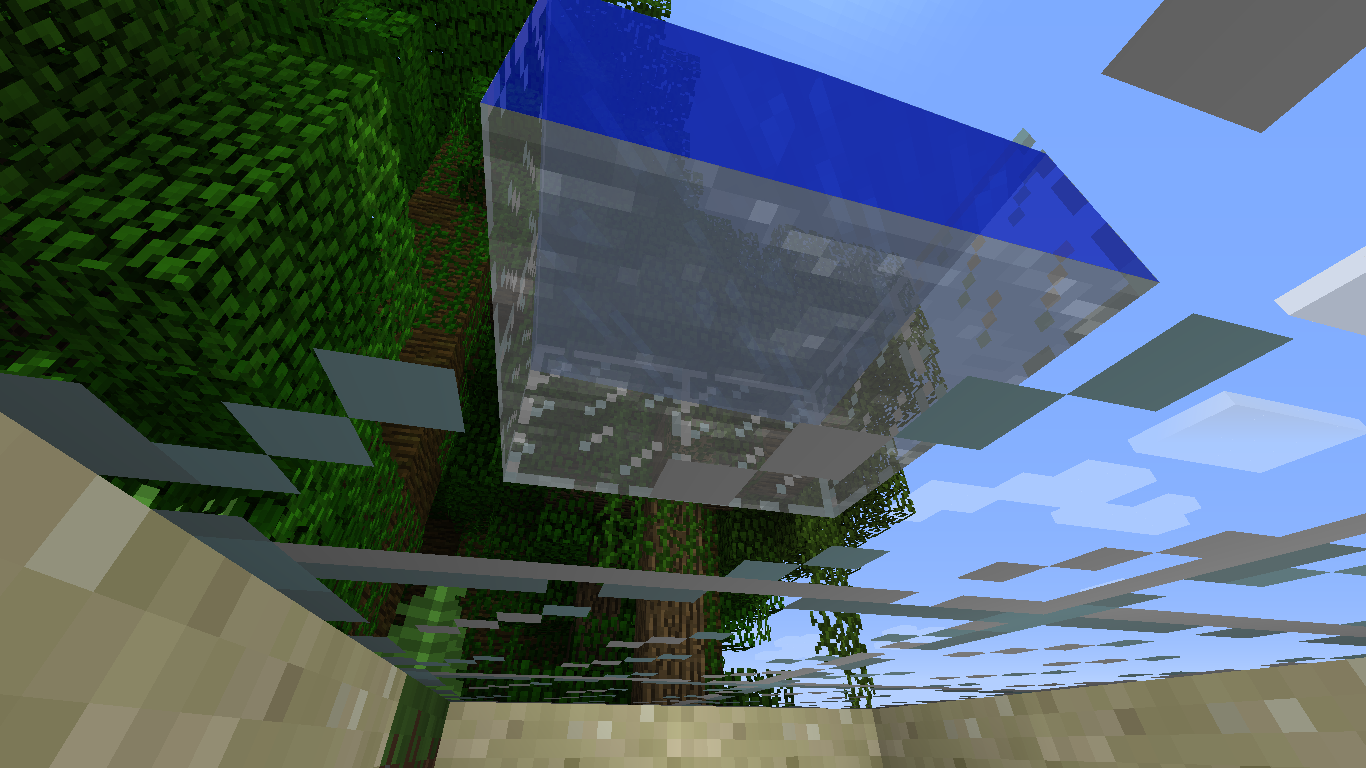
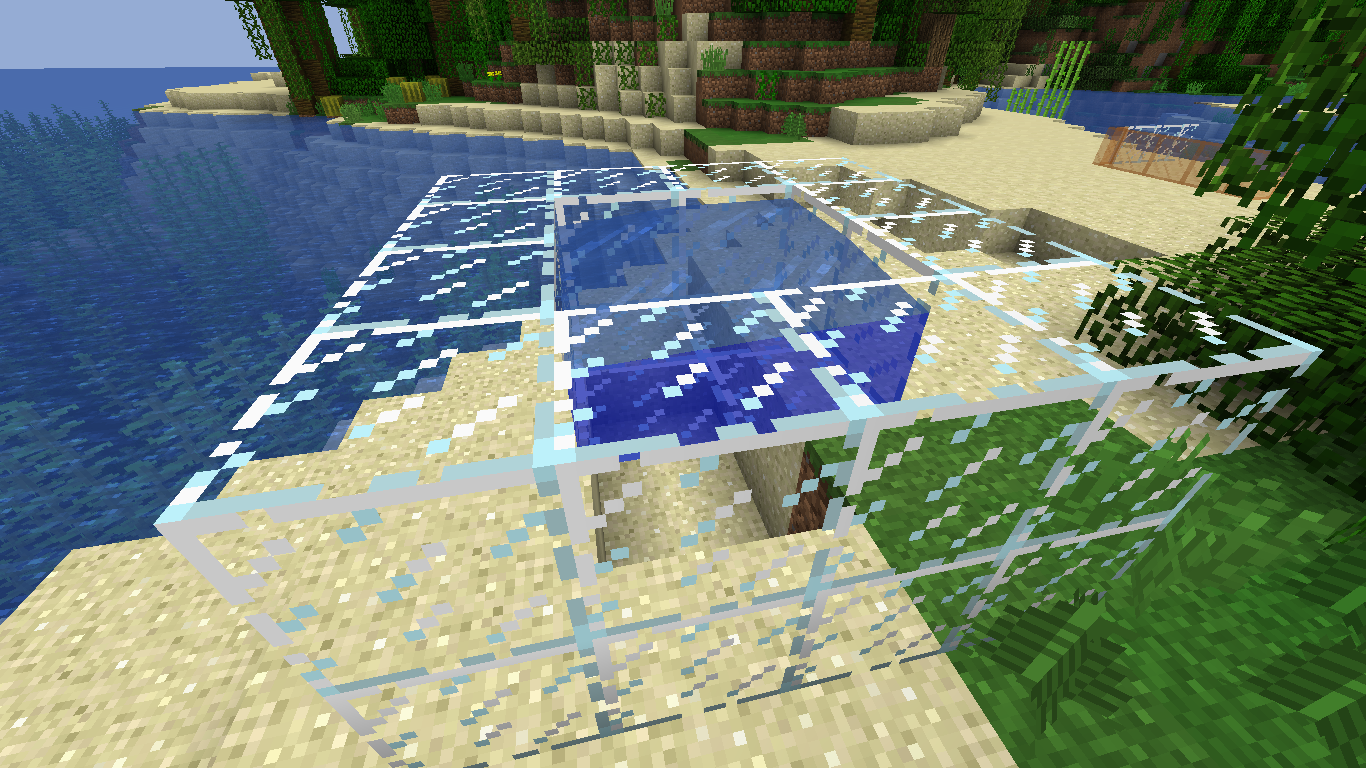
GlassWaterColor Doesn't Match BiomeGlass Render Water Side Color Doesn't Match Biome
As you can see it's a deep dark blue to the sides and on top from looking at other blocks the side of water is much lighter.
Yes this is unintended since the snapshot was suppose to have water colorized per biome if you look water side through air it won't match this
As you can see it's a deep dark blue to the sides and on top from looking at
other blocks the side of water is much lighter.Yes this is unintended since the snapshot was suppose to have water colorized per biome if you look water side through air it won't match this
As you can see it's a deep dark blue to the sides and on top from looking at water sides from air the color is much lighter compared to the glass it doesn't match the biome it's given. Another way to do this is to go to a swamp and look into it it will appear to be dark blue rather then brown.
Yes this is unintended since the snapshot was suppose to have water colorized per biome if you look water side through air it won't match this
Steps to reproduce successfully:
create a world
have player join the world and be looking at you
create lava pig die in it
hit respawn notice there is constant fire changing dimensions and rain doesn't even put it out. the only thing that does is the sprint keySteps to unable to reproduce them:
create a world
have a player join
create lava pit
have player out of render distence say 10,000 blocks or in another dimension
die in lava
notice there is no fire it gets instantly put out
Client Falsely Rendering Self on Fire
Steps to reproduce successfully:
create a world
have player join the world and be looking at you
create lava pigdie in it
hit respawn notice there is constant fire changing dimensions and rain doesn't even put it out. the only thing that does is the sprint keySteps to unable to reproduce them:
create a world
have a player join
create lava pit
have player out of render distence say 10,000 blocks or in another dimension
die in lava
notice there is no fire it gets instantly put outSteps to reproduce successfully:
create a world
have player join the world and be looking at you
create lava pit die in it
hit respawn notice there is constant fire changing dimensions and rain doesn't even put it out. the only thing that does is the sprint keySteps to unable to reproduce them:
create a world
have a player join
create lava pit
have player out of render distence say 10,000 blocks or in another dimension
die in lava
notice there is no fire it gets instantly put out
that's like saying a block is a tile entity they are two separate issues. The data of fire is stored as an int on both client and server. Don't comment unless you dived into the code
Issue: teleporting a mob to an unloaded chunk will result in the mob not getting saved if player doesn't go to said unloaded chunk.
Steps to reproduce:
/summon sheep ~ ~ ~ {Color:1}
/tp @e[type=sheep] ~ ~ ~+1000save and quit the world
/tp ~ ~ ~+1000 entity orange sheep doesn't existSteps to produce entity not rendering:
repeat above but, stop before quitting the world
/tp ~ ~ ~+1000 entity doesn't show up but, you can hear the sheep
quit world go back in and orange sheep is thereSolution in code:
when teleporting a mob check if the chunk is loaded if it's not call provide chunk from to the entity that it is teleporting to.
Issue: teleporting a mob to an unloaded chunk will result in the mob not getting saved if player doesn't go to said unloaded chunk.
Steps to reproduce:
/summon sheep ~ ~ ~ {Color:1}
/tp @e[type=sheep] ~ ~ ~+1000save and quit the world
/tp ~ ~ ~+1000 entity orange sheep doesn't existSteps to produce entity not rendering:
repeat above but, stop before quitting the world
/tp ~ ~ ~+1000 entity doesn't show up but, you can hear the sheep
quit world go back in and orange sheep is thereSolution in code:
when teleporting a mob check if the chunk is loaded if it's not call provide chunk from to the entity that it is teleporting to thus resulting in mob being saved and clients syncing data right.
Issue: teleporting a mob to an unloaded chunk will result in the mob not getting saved if player doesn't go to said unloaded chunk.
Steps to reproduce:
/summon sheep ~ ~ ~ {Color:1}
/tp @e[type=sheep] ~ ~ ~+1000save and quit the world
/tp ~ ~ ~+1000 entity orange sheep doesn't existSteps to produce entity not rendering:
repeat above but, stop before quitting the world
/tp ~ ~ ~+1000 entity doesn't show up but, you can hear the sheep
quit world go back in and orange sheep is thereSolution in code:
when teleporting a mob check if the chunk is loaded if it's not call provide chunk from to the entity that it is teleporting to thus resulting in mob being saved and clients syncing data right.
Issue: teleporting a mob to an unloaded chunk will result in the mob not getting saved if player doesn't go to said unloaded chunk.
Steps to reproduce:
/summon sheep ~ ~ ~ {Color:1}
/tp @e[type=sheep] ~ ~ ~+1000save and quit the world
/tp ~ ~ ~+1000 entity orange sheep doesn't existSteps to produce entity not rendering:
repeat above but, stop before quitting the world
/tp ~ ~ ~+1000 entity doesn't show up but, you can hear the sheep
quit world go back in and orange sheep is thereSolution:
I don't have one since it looks like the world is setting the entity dead. In my custom tp command test I forced a chunk to load and it didn't fix this issue. My solution would be to stop the entity from being dead when teleporting.
Issue: teleporting a mob to an unloaded chunk will result in the mob not getting saved if player doesn't go to said unloaded chunk.
Steps to reproduce:
/summon sheep ~ ~ ~ {Color:1}
/tp @e[type=sheep] ~ ~ ~+1000save and quit the world
/tp ~ ~ ~+1000 entity orange sheep doesn't existSteps to produce entity not rendering:
repeat above but, stop before quitting the world
/tp ~ ~ ~+1000 entity doesn't show up but, you can hear the sheep
quit world go back in and orange sheep is thereSolution:
I don't have one since it looks like the world is setting the entity dead or isn't being added to the chunk. In my custom tp command test I forced a chunk to load and it didn't fix this issue. My solution would be to stop the entity from being dead when teleporting.
Issue: teleporting a mob to an unloaded chunk will result in the mob not getting saved if player doesn't go to said unloaded chunk.
Steps to reproduce:
/summon sheep ~ ~ ~ {Color:1}
/tp @e[type=sheep] ~ ~ ~+1000save and quit the world
/tp ~ ~ ~+1000 entity orange sheep doesn't existSteps to produce entity not rendering:
repeat above but, stop before quitting the world
/tp ~ ~ ~+1000 entity doesn't show up but, you can hear the sheep
quit world go back in and orange sheep is thereSolution:
I don't have one since it looks like the world is setting the entity dead or isn't being added to the chunk. In my custom tp command test I forced a chunk to load and it didn't fix this issue. My solution would be to stop the entity from being dead when teleporting.Issue: teleporting a mob to an unloaded chunk will result in the mob not getting saved if player doesn't go to said unloaded chunk.
Steps to reproduce:
/summon sheep ~ ~ ~ {Color:1}
/tp @e[type=sheep] ~ ~ ~+1000
save and quit the world
/tp ~ ~ ~+1000 entity orange sheep doesn't existSteps to produce entity not rendering:
repeat above but, stop before quitting the world
/tp ~ ~ ~+1000 entity doesn't show up but, you can hear the sheep
quit world go back in and orange sheep is thereSolution:
I don't have one since it looks like the world is setting the entity dead or isn't being added to the chunk. In my custom tp command test I forced a chunk to load and it didn't fix this issue. My solution would be to stop the entity from being dead when teleporting.
Issue: teleporting a mob to an unloaded chunk will result in the mob not getting saved if player doesn't go to said unloaded chunk.
Steps to reproduce:
/summon sheep ~ ~ ~ {Color:1}
/tp @e[type=sheep] ~ ~ ~+1000
save and quit the world
/tp ~ ~ ~+1000 entity orange sheep doesn't existSteps to produce entity not rendering:
repeat above but, stop before quitting the world
/tp ~ ~ ~+1000 entity doesn't show up but, you can hear the sheep
quit world go back in and orange sheep is thereSolution:
I don't have one since it looks like the world is setting the entity dead or isn't being added to the chunk. In my custom tp command test I forced a chunk to load and it didn't fix this issue. My solution would be to stop the entity from being dead when teleporting, make sure it's added to the chunk so on save it doesn't disappear .
Issue: teleporting a mob to an unloaded chunk will result in the mob not getting saved if player doesn't go to said unloaded chunk.
Steps to reproduce:
/summon sheep ~ ~ ~ {Color:1}
/tp @e[type=sheep] ~ ~ ~+1000
save and quit the world
/tp ~ ~ ~+1000 entity orange sheep doesn't existSteps to produce entity not rendering:
repeat above but, stop before quitting the world
/tp ~ ~ ~+1000 entity doesn't show up but, you can hear the sheep
quit world go back in and orange sheep is thereSolution:
I don't have a set one since it looks like the world is setting the entity dead or isn't being added to the chunk. In my custom tp command test I forced a chunk to load and it didn't fix this issue. My solution would be to stop the entity from being dead when teleporting, make sure it's added to the chunk so on save it doesn't disappear .
When creating a world sometimes it randomly crashes. I don't know how to reproduce this on demand but, the mojang dev can take a look at the crash and trace where when why and how themselves that the crash occasionally occurs.
Also seems to randomly occur in game
Crash Report:
https://pastebin.com/ckg48EB0
Issue: in the creative tab unless the player is in direct render distence it doesn't show the hat on the player.
Steps to reproduce:
1. have to players set their skin to "giantwaffle" user either legit mojang or modification either produces said bug.
2. go away from the other giant waffle notice it no longer renders the players out of render distance's crown also true for when in different dimension.As you can see below after zooming in the image there is no crown in one picture but, there is on the other user yourself
Client Renders Head Wrong in Tab(no hat)
Steps to reproduce
/publish > works
/publish > changed port
/publish > changed portPlayer logs in to see lan world and sees 3 of them when there is only suppose to be one open.
Lan host logs out logs back in
Player looks at lan worlds they are all still there
Steps to reproduce
/publish > works
/publish > changed port
/publish > changed portPlayer logs in to see lan world and sees 3 of them when there is only suppose to be one open.
Lan host logs out logs back in
Player looks at lan worlds they are all still thereSnapshot Notes:
yes it prevents you from doing publish again but, what it should do is if you loose connection of your server socket re-open when using /publish
Steps to reproduce
/publish > works
/publish > changed port
/publish > changed portPlayer logs in to see lan world and sees 3 of them when there is only suppose to be one open.
Lan host logs out logs back in
Player looks at lan worlds they are all still thereSnapshot Notes:
yes it prevents you from doing publish again but, what it should do is if you loose connection of your server socket re-open when using /publish
Issue in 1.13 appears to be fixed close this issue admin. There is a separate issue with /publish though
Edit: issue is "solved" in 1.13 but, there is another issue caused by them not fixing the root issue. Close this I will re-open in 1.13 pre 5
Steps to reproduce
/publish > works
/publish > changed port
/publish > changed portPlayer logs in to see lan world and sees 3 of them when there is only suppose to be one open.
Lan host logs out logs back in
Player looks at lan worlds they are all still there
[Close Me]/publish doesn't close previous ServerSocket before opening new one to lan
Edit: issue is "solved" in 1.13 but, there is another issue caused by them not fixing the root issue. Close this I will re-open in 1.13 pre 5
Steps to reproduce
/publish > works
/publish > changed port
/publish > changed portPlayer logs in to see lan world and sees 3 of them when there is only suppose to be one open.
Lan host logs out logs back in
Player looks at lan worlds they are all still thereEdit: issue is "solved" in 1.13 but, there is another issue caused by them not fixing the root issue. Close this I will re-open in 1.13 pre 5
Steps to reproduce
/publish > works
/publish > changed port
/publish > changed portPlayer logs in to see lan world and sees 3 of them when there is only suppose to be one open.
Lan host logs out logs back in
Player looks at lan worlds they are all still there
Edit: issue is
"solved"in 1.13 but, there is another issue caused by them not fixing the root issue. Close this I will re-open in 1.13 pre 5Steps to reproduce
/publish > works
/publish > changed port
/publish > changed portPlayer logs in to see lan world and sees 3 of them when there is only suppose to be one open.
Lan host logs out logs back in
Player looks at lan worlds they are all still there
Issue: once a chunk has no entities they refuse to respawn after 10 minuets with chunk render at 8 couldn't find any entities
Steps to reproduce 1.9-1.12.2:
/difficulty peacefull
setup command block to run on tick /kill @e[type=!player]render 8 distence
after 30 seconds break command block
put pillar up 30-40 blocks
wait
No passive mobs respawn 5 minuets
Relog
No passive mobs respawn 5 minuets1.8.9 comments:
in 1.8.9 this bug isn't able to reproducible because in about 3 minuets the passive mobs respawn rather then 5 minuets with nothing.Issue: once a chunk has no entities they refuse to respawn after 10 minuets with chunk render at 8 couldn't find any entities
Steps to reproduce 1.9-1.12.2:
create super flat world
render 8 distance
/difficulty peacefull
setup command block to run on tick /kill @e[type=!player]
after 30 seconds break command block
put pillar up 30-40 blocks
wait
No passive mobs respawn 5 minuets
Relog
No passive mobs respawn 5 minuets1.8.9 comments:
in 1.8.9 this bug isn't able to reproducible because in about 3 minuets the passive mobs respawn rather then 5 minuets with nothing.
Issue: once a chunk has no entities they refuse to respawn after 10 minuets with chunk render at 8 couldn't find any entities
Steps to reproduce 1.9-1.12.2:
create super flat world
render 8 distance
/difficulty peacefull
setup command block to run on tick /kill @e[type=!player]
after 30 seconds break command block
put pillar up 30-40 blocks
wait
No passive mobs respawn 5 minuets
Relog
No passive mobs respawn 5 minuets1.8.9 comments:
in 1.8.9 this bug isn't able to reproducible because in about 3 minuets the passive mobs respawn rather then 5 minuets with nothing.SnapShot Notes:
I was able to reproduce this bug on 1.13 pre 5 only a couple times relogged waited long enough and they spawned but, it was taking too long still and I wasn't able to see entities until relog + wait time. There is still somewhat of an issue here even if it's minor
Issue: once a chunk has no entities they refuse to respawn after 10 minuets with chunk render at 8 couldn't find any entities
Steps to reproduce 1.9-1.12.2:
create super flat world
render 8 distance
/difficulty peacefull
setup command block to run on tick /kill @e[type=!player]
after 30 seconds break command block
put pillar up 30-40 blocks
wait
No passive mobs respawn 5 minuets
Relog
No passive mobs respawn 5 minuets1.8.9 comments:
in 1.8.9 this bug isn't able to reproducible because in about 1-3 minuets the passive mobs respawn rather then 5+ minuets with nothing.SnapShot Notes:
I was able to reproduce this bug on 1.13 pre 5 only a couple times relogged waited long enough and they spawned but, it was taking too long still and I wasn't able to see entities until relog + wait time. There is still somewhat of an issue here even if it's minor
Issue: once a chunk has no entities they refuse to respawn after 10 minuets with chunk render at 8 couldn't find any entities
Steps to reproduce 1.9-1.12.2:
create super flat world
render 8 distance
/difficulty peacefull
setup command block to run on tick /kill @e[type=!player]
after 30 seconds break command block
put pillar up 30-40 blocks
wait
No passive mobs respawn 5 minuets
Relog
No passive mobs respawn 5 minuets1.8.9 comments:
in 1.8.9 this bug isn't able to reproducible because in about 1-3 minuets the passive mobs respawn rather then 5+ minuets with nothing.SnapShot Notes:
I was able to reproduce this bug on 1.13 pre 5only a couple times reloggedwaited long enough and they spawned but, it was taking too long still and I wasn't able to see entities until relog + wait time. There is still somewhat of an issue here even if it's minorIssue: once a chunk has no entities they refuse to respawn after 10 minuets with chunk render at 8 couldn't find any entities
Steps to reproduce 1.9-1.12.2:
create super flat world
render 8 distance
/difficulty peacefull
setup command block to run on tick /kill @e[type=!player]
after 30 seconds break command block
put pillar up 30-40 blocks
wait
No passive mobs respawn 5 minuets
Relog
No passive mobs respawn 5 minuets1.8.9 comments:
in 1.8.9 this bug isn't able to reproducible because in about 1-3 minuets the passive mobs respawn rather then 5+ minuets with nothing.SnapShot Notes:
I was able to reproduce this bug on 1.13 pre 5 without relog or moving away from the chunks standing still. I waited long enough after re logging and they spawned but, it was taking too long still and I wasn't able to see entities until relog + wait time. There is still somewhat of an issue here even if it's minor
Issue: once a chunk has no entities they refuse to respawn after 10 minuets with chunk render at 8 couldn't find any entities
Steps to reproduce 1.9-1.12.2:
create super flat world
render 8 distance
/difficulty peacefull
setup command block to run on tick /kill @e[type=!player]
after 30 seconds break command block
put pillar up 30-40 blocks
wait
No passive mobs respawn 5 minuets
Relog
No passive mobs respawn 5 minuets1.8.9 comments:
in 1.8.9 this bug isn't able to reproducible because in about 1-3 minuets the passive mobs respawn rather then 5+ minuets with nothing.SnapShot Notes:
I was able to reproduce this bug on 1.13 pre 5 without relog or moving away from the chunks standing still. I waited long enough after re logging and they spawned but, it was taking too long still and I wasn't able to see entities until relog + wait time. There is still somewhat of an issue here even if it's minorIssue: once a chunk has no entities they refuse to respawn after 10 minuets with chunk render at 8 couldn't find any entities
Steps to reproduce 1.9-1.12.2:
create super flat world
render 8 distance
/difficulty peacefull
setup command block to run on tick /kill @e[type=!player]
after 30 seconds break command block
put pillar up 30-40 blocks
wait
No passive mobs respawn 5 minuets
Relog
No passive mobs respawn 5 minuets1.8.9 comments:
in 1.8.9 this bug isn't able to reproducible because in about 1-3 minuets the passive mobs respawn rather then 5+ minuets with nothing.SnapShot Notes:
I was able to reproduce this bug on 1.13 pre 5 was able to reproduce just make sure the chunks are completely empty of all entities first
Issue: once a chunk has no entities they refuse to respawn after 10 minuets with chunk render at 8 couldn't find any entities
Steps to reproduce 1.9-1.12.2:
create super flat world
render 8 distance
/difficulty peacefull
setup command block to run on tick /kill @e[type=!player]
after 30 seconds break command block
put pillar up 30-40 blocks
wait
No passive mobs respawn 5 minuets
Relog
No passive mobs respawn 5 minuets1.8.9 comments:
in 1.8.9 this bug isn't able to reproducible because in about 1-3 minuets the passive mobs respawn rather then 5+ minuets with nothing.SnapShot Notes:
I was able to reproduce this bug on 1.13 pre 5 was able to reproduce just make sure the chunks are completely empty of all entities first and don't relog. If you relog they might eventually show up like 3-5 mineuts later
Issue: once a chunk has no entities they refuse to respawn after 10 minuets with chunk render at 8 couldn't find any entities
Steps to reproduce 1.9-1.12.2:
create super flat world
render 8 distance
/difficulty peacefull
setup command block to run on tick /kill @e[type=!player]
after 30 seconds break command block
put pillar up 30-40 blocks
wait
No passive mobs respawn 5 minuets
Relog if < 1.13
No passive mobs respawn 5 minuets1.8.9 comments:
in 1.8.9 this bug isn't able to reproducible because in about 1-3 minuets the passive mobs respawn rather then 5+ minuets with nothing.SnapShot Notes:
I was able to reproduce this bug on 1.13 pre 5 was able to reproduce just make sure the chunks are completely empty of all entities first and don't relog. If you relog they might eventually show up like 3-5 mineuts later
Issue: once a chunk has no entities they refuse to respawn after 10 minuets with chunk render at 8 couldn't find any entities
Steps to reproduce 1.9-1.12.2:
create super flat world
render 8 distance
/difficulty peacefull
setup command block to run on tick /kill @e[type=!player]
after 30 seconds break command block
put pillar up 30-40 blocks
wait
No passive mobs respawn 5 minuets
Relog if < 1.13
No passive mobs respawn 5 minuets1.8.9 comments:
in 1.8.9 this bug isn't able to reproducible because in about 1-3 minuets the passive mobs respawn rather then 5+ minuets with nothing.SnapShot Notes:
I was able to reproduce this bug on 1.13 pre 5 was ableto reproducejust make sure the chunks are completely empty of all entities first and don't relog. If you relog they might eventually show up like3-5 mineuts laterIssue: once a chunk has no entities they refuse to respawn after 10 minuets with chunk render at 8 couldn't find any entities
Steps to reproduce 1.9-1.12.2:
create super flat world
render 8 distance
/difficulty peacefull
setup command block to run on tick /kill @e[type=!player]
after 30 seconds break command block
put pillar up 30-40 blocks
wait
No passive mobs respawn 5 minuets
Relog if < 1.13
No passive mobs respawn 5 minuets1.8.9 comments:
in 1.8.9 this bug isn't able to reproducible because in about 1-3 minuets the passive mobs respawn rather then 5+ minuets with nothing.SnapShot Notes:
I was able to reproduce this bug on 1.13 pre 5 was able just make sure the chunks are completely empty of all entities first and don't relog or it will fix itself eventually if you relog 3-5 minuets later
Issue: once a chunk has no entities they refuse to respawn after 10 minuets with chunk render at 8 couldn't find any entities
Steps to reproduce 1.9-1.12.2:
create super flat world
render 8 distance
/difficulty peacefull
setup command block to run on tick /kill @e[type=!player]
after 30 seconds break command block
put pillar up 30-40 blocks
wait
No passive mobs respawn 5 minuets
Relogif < 1.13
No passive mobs respawn 5 minuets1.8.9 comments:
in 1.8.9 this bug isn't able to reproducible because in about 1-3 minuets the passive mobs respawn rather then 5+ minuets with nothing.SnapShot Notes:
I was able to reproduce this bug on 1.13 pre 5 was able just make sure the chunks are completely empty of all entities first and don't relog or it will fix itself eventually if you relog 3-5 minuets laterIssue: once a chunk has no entities they refuse to respawn after 10 minuets with chunk render at 8 couldn't find any entities
Steps to reproduce 1.9-1.12.2:
create super flat world
render 8 distance
/difficulty peacefull
setup command block to run on tick /kill @e[type=!player]
after 30 seconds break command block
put pillar up 30-40 blocks
wait
No passive mobs respawn 5 minuets
Relog
if < 1.13 No passive mobs respawn 5 minuets else fixes itself but, takes 5-7 minuets to do so1.8.9 comments:
in 1.8.9 this bug isn't able to reproducible because in about 1-3 minuets the passive mobs respawn rather then 5+ minuets with nothing.SnapShot Notes:
I was able to reproduce this bug on 1.13 pre 5 was able just make sure the chunks are completely empty of all entities first and don't relog or it will fix itself eventually if you relog 3-5 minuets later
Issue: once a chunk has no entities they refuse to respawn after 10 minuets with chunk render at 8 couldn't find any entities
Steps to reproduce 1.9-1.12.2 && 1.13 pre5:
create super flat world
render 8 distance
/difficulty peacefull
setup command block to run on tick /kill @e[type=!player]
after 30 seconds break command block
put pillar up 30-40 blocks
wait
No passive mobs respawn 5 minuets
Relog
if < 1.13 No passive mobs respawn 5 minuets else fixes itself but, takes 5-7 minuets to do so1.8.9 comments:
in 1.8.9 this bug isn't able to reproducible because in about 1-3 minuets the passive mobs respawn rather then 5+ minuets with nothing.SnapShot Notes:
I was able to reproduce this bug on 1.13 pre 5 was able just make sure the chunks are completely empty of all entities first and don't relog or it will fix itself eventually if you relog 3-5 minuets later
Issue: once a chunk has no entities they refuse to respawn after 10 minuets with chunk render at 8 couldn't find any entities
Steps to reproduce 1.9-1.12.2 && 1.13 pre5:
create super flat world
render 8 distance
/difficulty peacefull
setup command block to run on tick /kill @e[type=!player]
after 30 seconds break command block
put pillar up 30-40 blocks
wait
No passive mobs respawn 5 minuets
Relog
if < 1.13 No passive mobs respawn 5 minuets else fixes itself but, takes 5-7 minuets to do so1.8.9 comments:
in 1.8.9 this bug isn't able to reproducible because in about 1-3 minuets the passive mobs respawn rather then 5+ minuets with nothing.SnapShot Notes:
I was able to reproduce this bug on 1.13 pre 5 was able just make sure the chunks are completely empty of all entities first and don't relog or it will fix itself eventually if you relog3-5 minuets later
done. I wrote effected snapshot pre 5 so I shouldn't have to do it myself. Also I commented it is still an issue in 1.13 it's just that the bug appears to be only half fixed
Issue: get a food advancement progress save and quit the world an later sometimes when relogging you don't seem to get the progress
Example: I ate a cookie for the food progress. Save and quit to go do something come back look at the progress on the advancment file json and it says I don't have cookie anymore.
Hypothesis: either it's not saving everything to the disk or when reparsing into object in memory it seems to skip all of the food progress. It also could have something to do with not giving it to me to begin with but, I remember it saying +1 on the food progress before closing so it's not doing something right but, there could be more then one issue here.
I can't give you a set of steps to reproduce on demand all I know is it happen
stwice when playing on my single player worldIssue: get a food advancement progress save and quit the world an later sometimes when relogging you don't seem to get the progress
Example: I ate a cookie for the food progress. Save and quit to go do something come back look at the progress on the advancment file json and it says I don't have cookie anymore.
Hypothesis: either it's not saving everything to the disk or when reparsing into object in memory it seems to skip all of the food progress. It also could have something to do with not giving it to me to begin with but, I remember it saying +1 on the food progress before closing so it's not doing something right but, there could be more then one issue here.
I can't give you a set of steps to reproduce on demand all I know is it happened twice when playing on my single player world.
Issue: get a food advancement progress save and quit the world an later sometimes when relogging you don't seem to get the progress
Example: I ate a cookie for the food progress. Save and quit to go do something come back look at the progress on the advancment file json and it says I don't have cookie anymore.
Hypothesis: either it's not saving everything to the disk or when reparsing into object in memory it seems to skip
allof the food progress. It also could have something to do with not giving it to me to begin with but, I remember it saying +1 on the food progress before closing so it's not doing something right but, there could be more then one issue here.I
can't give you a set of steps to reproduce on demand all I know is it happened twice when playing on my single player world.Issue: get a food advancement progress save and quit the world an later sometimes when relogging you don't seem to get the progress
Example: I ate a cookie for the food progress. Save and quit to go do something come back look at the progress on the advancment file json and it says I don't have cookie anymore.
Hypothesis: either it's not saving everything to the disk or when reparsing into object in memory it seems to skip certain entries of the food progress. It also could have something to do with not giving it to me to begin with but, I remember it saying +1 on the food progress before closing so it's not doing something right but, there could be more then one issue here.
I have also heard of stuff like this with other advancements thus the title because the issue is more general then one advancement progress.
I can't give you a set of steps to reproduce on demand all I know is it happened twice when playing on my single player world.
It appears the uuid of the gameprofile appears to change after 6 hours or at least it's sending the server the wrong uuid after opening the game for 6 hours.
Issue: sends server(lan or
crackedserver) wrong uuid missing your crap on single player world this means your stuff get's wiped.Issue 2 caused by this: wrong uuid in game might cause your player data issues in game.
The only thing that should be authenticated fails after 6 hours is a token not your uuid you got cached into memory should remain the same once launched regardless whether or not it's authenticated
It appears the uuid of the gameprofile appears to change after 6 hours or at least it's sending the server the wrong uuid after opening the game for 6 hours.
Issue: sends server(lan or possibly offline server) wrong uuid missing your crap on single player world this means your stuff get's wiped.
Issue 2 caused by this: wrong uuid in game might cause your player data issues in game.
The only thing that should be authenticated fails after 6 hours is a token not your uuid you got cached into memory should remain the same once launched regardless whether or not it's authenticated
It appears the uuid of the gameprofile appears to change after 6 hours or at least it's sending the server the wrong uuid after opening the game for 6 hours.
Issue: sends server(lan or possibly offline server) wrong uuid missing your crap on single player world this means your stuff get's wiped.
Issue 2 caused by this: wrong uuid in game might cause your player data issues in game.
The only thing that should be authenticated fails after 6 hours is a token not your uuid you got cached into memory should remain the same once launched regardless whether or not it's authenticatedIt appears the uuid of the gameprofile appears to change after 6 hours or at least it's sending the server the wrong uuid after opening the game for 6 hours.
Issue: sends server(lan or possibly offline server) wrong uuid missing your crap on single player world this means your stuff get's wiped.
The only thing that should be authenticated fails after 6 hours is a token not your uuid you got cached into memory should remain the same once launched regardless whether or not it's authenticated.
If it's not changing then the issue is it's parsing the wrong uuid to begin with/downloading the wrong info.
Steps to reproduce:
leave game open for 6+hours
join a lan game
your inventory wipes your achievements are gone
if you are the host then it's permanently gone else restart the game and launcher then relog and it appears to have come back.
It appears the uuid of the gameprofile appears to change after 6 hours or at least it's sending the server the wrong uuid after opening the game for 6 hours.
Issue: sends server(lan or possibly offline server) wrong uuid missing your crap on single player world this means your stuff get's wiped.
The only thing that should be authenticated fails after 6 hours is a token not your uuid you got cached into memory should remain the same once launched regardless whether or not it's authenticated.
If it's not changing then the issue is it's parsing the wrong uuid to begin with/downloading the wrong info.
Steps to reproduce:
leave game open for 6+hours
join a lan game
your inventory wipes your achievements are gone
if you are the host then it's permanently gone else restart the game and launcher then relog and it appears to have come back.Side Note; uuid sends wrong info to the server in the first place sometimes even without the 6 hours this is probably a separate issue
still is an issue for 1.13 pre 5.
Expected Result: shift clicking blaze powder always goes into fuel slot rather then to brew slot
Actual Result: tries to go into the to brew slot
Repairing Tool Material is Consumed in Creative with an anvil. The expected result is it doesn't get consumed it's not like your combining tools/books why does it take my
items!Repairing Tool Material is Consumed in Creative with an anvil. The expected result is it doesn't get consumed it's not like your combining tools/books why does it take my repair material in creative? It doesn't take your lapis in the enchantment table if your in creative
hit f11 notice many things:
the window reverts to os default for a split second
the graphics are not fitting to the screen right(which is why the cross hair is not right)the screen jigles and jumps going into or out of f11.Yes it relates to the crosshair but, I actually think this is a separate issue that the crosshair is being caused by non proper zoom for full screen and the graphics.
hit f11 notice many things:
the window frame reverts to os default for a split second
the graphics are not fitting to the screen right(which is why the cross hair is not right)
the screen jigles and jumps going into or out of f11.Yes it relates to the crosshair but, I actually think this is a separate issue that the crosshair is being caused by non proper zoom for full screen and the graphics.
f11 doesn'tzoominwindows properlyzoom and window frame issues
zoom and window frame issues
hit f11 notice many things:
the window frame reverts to os default for a split second
the graphics are not fitting to the screen right(which is why the cross hair is not right)
the screen jigles and jumps going into or out of f11.Yes it relates to the crosshair but, I actually think this is a separate issue that the crosshair is being caused by non proper zoom for full screen and the graphics.
hit f11 notice many things:
the window frame reverts to os default for a split second
the graphics are not fitting to the screen right(which is why the cross hair is not right)
the screen jigles and jumps going into or out of f11.On quit game button the windows frame shows again rather then 1.12.2 which doesn't do that.
Yes it relates to the crosshair but, I actually think this is a separate issue that the crosshair is being caused by non proper zoom for full screen and the graphics.
canBreatheUnderwater() for gaurdian returns false instead they hard code the air time supply and don't bother with their own boolean system for EntityLiving.canBreatheUnderwater(). It should always return true but, it's always false
This is causing mod incompatibilities with vanilla itself fix this mess
canBreatheUnderwater() for gaurdian returns false instead they hard code the air time supply and don't bother with their own boolean system for EntityLiving.canBreatheUnderwater(). It should always return true but, it's always false
This is causing mod incompatibilities with vanilla itself fix this mess
how to fix simple override the method in entity guardian to true it should take them < 1 minuet to do
canBreatheUnderwater() for gaurdian returns false instead they hard code the air time supply and don't bother with their own boolean system for EntityLiving.canBreatheUnderwater(). It should always return true but, it's always false
This is causing mod incompatibilities with vanilla itself fix this mess
how to fix simple override the method in entity guardian to true it should take them < 1 minuet to do on their side so there should be no reason to put this to lower priorities since it can be fixed within 60 seconds.
canBreatheUnderwater() for gaurdian returns false instead they hard code the air time supply and don't bother with their own boolean system for EntityLiving.canBreatheUnderwater(). It should always return true but, it's always false
This is causing mod incompatibilities with vanilla itself fix this mess
how to fix simple override the method in entity guardian to true it should take them < 1 minuet to do on their side so there should be no reason to put this to lower priorities since it can be fixed within 60 seconds.The bug:
canBreatheUnderwater() for gaurdian returns false instead they hard code the air time supply and don't bother with their own boolean system for EntityLiving.canBreatheUnderwater(). It should always return true but, it's always false
This is causing mod incompatibilities with vanilla itself.How to fix:
Simple override the method in entity guardian to true it should take them < 1 minuet to do on their side so there should be no reason to put this to lower priorities since it can be fixed within 60 seconds.
The bug:
canBreatheUnderwater() for gaurdian returns false instead they hard code the air time supply and don't bother with their own boolean system for EntityLiving.canBreatheUnderwater(). It should always return true but, it's always false
This is causing mod incompatibilities with vanilla itself.How to fix:
Simple override the method in entity guardian to true it should take them < 1 minuet to do on their side so there should be no reason to put this to lower priorities since it can be fixed within 60 seconds.The bug:
canBreatheUnderwater() for gaurdian returns false instead they hard code the air time supply and don't bother with their own boolean system for EntityLiving.canBreatheUnderwater(). It should always return true but, it's always false
This is causing mod incompatibilities with vanilla itself.How to fix:
in the code return true rather then false for EntityLiving.canBreatheUnderwater() inside of the class EntityGaurdian.class
Guardian canBreatheUnderwater()Object Oriented IssueGuardian canBreatheUnderwater() returns false
The bug:
canBreatheUnderwater() for gaurdian returns false instead they hard code the air time supply and don't bother with their own boolean system for EntityLiving.canBreatheUnderwater(). It should always return true but, it's always false
This is causing mod incompatibilities with vanilla itself.How to fix:
in the code return true rather then false for EntityLiving.canBreatheUnderwater() inside of the class EntityGaurdian.class method override it.
spawn in a spawner with jeb_ sheep custom name and the sheep in the spawner will not change color but, it spawns the right jeb_ sheep.
`/setblock 3 4 -210 minecraft:spawner{MaxNearbyEntities:6s,RequiredPlayerRange:16s,SpawnCount:4s,SpawnData:{CustomName:"
{\"text\":\"jeb_\"}",id:"minecraft:sheep"},MaxSpawnDelay:800s,Delay:51s,SpawnRange:4s,MinSpawnDelay:200s,SpawnPotentials:[{Entity:{CustomName:"
{\"text\":\"jeb_\"}",id:"minecraft:sheep"},Weight:1}]}`
spawn in a spawner with jeb_ sheep custom name and the sheep in the spawner will not change color but, it spawns the right jeb_ sheep.
{\"text\":\"jeb_\"}
`/setblock 3 4 -210 minecraft:spawner{MaxNearbyEntities:6s,RequiredPlayerRange:16s,SpawnCount:4s,SpawnData:{CustomName:"",id:"minecraft:sheep"},MaxSpawnDelay:800s,Delay:51s,SpawnRange:4s,MinSpawnDelay:200s,SpawnPotentials:[{Entity:{CustomName:"
{\"text\":\"jeb_\"}",id:"minecraft:sheep"},Weight:1}]}
`
spawn in a spawner with jeb_ sheep custom name and the sheep in the spawner will not change color but, it spawns the right jeb_ sheep.
/setblock 3 4 -210 minecraft:spawner{MaxNearbyEntities:6s,RequiredPlayerRange:16s,SpawnCount:4s,SpawnData:{CustomName:"
{\"text\":\"jeb_\"}",id:"minecraft:sheep"},MaxSpawnDelay:800s,Delay:51s,SpawnRange:4s,MinSpawnDelay:200s,SpawnPotentials:[{Entity:{CustomName:"
{\"text\":\"jeb_\"}",id:"minecraft:sheep"},Weight:1}]}
spawn in a spawner with jeb_ sheep custom name and the sheep in the spawner will not change color but, it spawns the right jeb_ sheep.
/setblock 3 4 -210 minecraft:spawner{MaxNearbyEntities:6s,RequiredPlayerRange:16s,SpawnCount:4s,SpawnData:{CustomName:"
{\"text\":\"jeb_\"}",id:"minecraft:sheep"},MaxSpawnDelay:800s,Delay:51s,SpawnRange:4s,MinSpawnDelay:200s,SpawnPotentials:[{Entity:{CustomName:"
{\"text\":\"jeb_\"}",id:"minecraft:sheep"},Weight:1}]}
spawn in a spawner with jeb_ sheep custom name and the sheep in the spawner will not change color but, it spawns the right jeb_ sheep.
command:
https://pastebin.com/EeNNbdgR
spawn in a spawner with jeb_ sheep custom name and the sheep in the spawner will not change color but, it spawns the right jeb_ sheep.
command:
https://pastebin.com/EeNNbdgRspawn in a spawner with jeb_ sheep custom name and the sheep in the spawner will not change color but, it spawns the right jeb_ sheep.
This use to work in 1.7.10 renders but, after the spawner render changes it no longer renders properly as a jeb_ sheep
command:
[https://pastebin.com/EeNNbdgR]
spawn in a spawner with jeb_ sheep custom name and the sheep in the spawner will not change color but, it spawns the right jeb_ sheep.
This use to work in 1.7.10 renders but, after the spawner render changes it no longer renders properly as a jeb_ sheep
command:
[https://pastebin.com/EeNNbdgR]
spawn in a spawner with jeb_ sheep custom name and the sheep in the spawner will not change color but, it spawns the right jeb_ sheep.
command:
https://pastebin.com/EeNNbdgR
Jeb_ Sheepno longerchange Color in SpawnerJeb_ Sheep doesn't change Color in Spawner
spawn in a spawner with jeb_ sheep custom name and the sheep in the spawner will not change color but, it spawns the right jeb_ sheep.
command:
https://pastebin.com/EeNNbdgRNei: for 1.7.10 fixed this I want to see this fixed for the next release of minecraft
/setblock ~ ~ ~ spawner{SpawnData:
{id:blaze},Delay:10000}
notice blaze is shaking inside of the spawner. Suggested fix only update the animation of the blaze if it's age increments not half start and then go back once it realizes it's not older? That's my best guess
this is not a dupe of entities are not animated in the spawner. this is a separate bug with the blaze render inside of the current spawner without any animation.
/setblock ~ ~ ~ spawner{SpawnData:
{id:blaze},Delay:10000}
notice blaze is shaking inside of the spawner. Suggested fix only update the animation of the blaze if it's age increments not half start and then go back once it realizes it's not older? That's my best guess
this is not a dupe of entities are not animated in the spawner. this is a separate bug with the blaze render inside of the current spawner without any animation.
```/setblock ~ ~ ~ spawner{SpawnData:
{id:blaze},Delay:10000}```
notice blaze is shaking inside of the spawner. Suggested fix only update the animation of the blaze if it's age increments not half start and then go back once it realizes it's not older? That's my best guess
this is not a dupe of entities are not animated in the spawner. this is a separate bug with the blaze render inside of the current spawner without any animation.
```/setblock ~ ~ ~ spawner{SpawnData:
{id:blaze},Delay:10000}```
notice blaze is shaking inside of the spawner. Suggested fix only update the animation of the blaze if it's age increments not half start and then go back once it realizes it's not older? That's my best guess
this is not a dupe of entities are not animated in the spawner. this is a separate bug with the blaze render inside of the current spawner without any animation.
[code]/setblock ~ ~ ~ spawner{SpawnData:
{id:blaze},Delay:10000}[/code]
notice blaze is shaking inside of the spawner. Suggested fix only update the animation of the blaze if it's age increments not half start and then go back once it realizes it's not older? That's my best guess
this is not a dupe of entities are not animated in the spawner. this is a separate bug with the blaze render inside of the current spawner without any animation.
[code]/setblock ~ ~ ~ spawner{SpawnData:
{id:blaze},Delay:10000}[/code]
notice blaze is shaking inside of the spawner. Suggested fix only update the animation of the blaze if it's age increments not half start and then go back once it realizes it's not older? That's my best guess
this is not a dupe of entities are not animated in the spawner. this is a separate bug with the blaze render inside of the current spawner without any animation.
pastebin because this forum keeps forcing spacing weirdly:
https://pastebin.com/sehdHRjsnotice blaze is shaking inside of the spawner. Suggested fix only update the animation of the blaze if it's age increments not half start and then go back once it realizes it's not older? That's my best guess
this is not a dupe of entities are not animated in the spawner. this is a separate bug with the blaze render inside of the current spawner without any animation.
pastebin because this forum keeps forcing spacing weirdly:
https://pastebin.com/sehdHRjsnotice blaze is shaking inside of the spawner. Suggested fix only update the animation of the blaze if it's age increments not half start and then go back once it realizes it's not older? That's my best guess
this is not a dupe of entities are not animated in the spawner. this is a separate bug with the blaze render inside of the current spawner without any animation.
Command pastebin because this forum keeps forcing spacing weirdly:
https://pastebin.com/sehdHRjsnotice blaze is shaking inside of the spawner. Suggested fix only update the animation of the blaze if it's age increments not half start and then go back once it realizes it's not older? That's my best guess
this is not a dupe of entities are not animated in the spawner. this is a separate bug with the blaze render inside of the current spawner without any animation.
Command pastebin because this forum keeps forcing spacing weirdly:
https://pastebin.com/sehdHRjsnotice blaze is shaking inside of the spawner. Suggested fix only update the animation of the blaze if it's age increments not half start and then go back once it realizes it's not older? That's my best guess
this is not a dupe of entities are not animated in the spawner. this is a separate bug with the blaze render inside of the current spawner without any animation.
Command pastebin because this forum keeps forcing spacing weirdly:
https://pastebin.com/sehdHRjsnotice blaze is shaking inside of the spawner. Suggested fix only update the animation of the blaze if it's age increments not half start and then go back once it realizes it's not older? That's my best guess
this is a dupe of
Command pastebin because this forum keeps forcing spacing weirdly:
https://pastebin.com/sehdHRjsnotice blaze is shaking inside of the spawner. Suggested fix only update the animation of the blaze if it's age increments not half start and then go back once it realizes it's not older? That's my best guess
this is a dupe of
MC-111339because it falls under the category of mob spawners rendering stuttering mobs. the animation something I thought was the title so I reported this separately as it wasn't an entity animation sorry

https://bugs.mojang.com/browse/MC-136062 isn't a dupe. It's got to do with a spawner bug when looking at the intent is no animation on the blaze yet the blaze render still flickers due to partial tick but, with the EntityBlazeRender has nothing to do with above issue.
yes if they intend to always animate all enties inside of a spawner this will in fact fix said issue but, if they only plan on adding animations to a whitelist of mobs then the above link needs to be addressed since fixing this issue will not fix the above link
I use to have 80+fps with 8 render distance and no client/server side lag. But, 1.13+ the client might not be lagging at all in your client world but, you are not able to break blocks or load chunks or set the time of the day. Sometimes the client just starts randomly lagging to and even after I pause the game for a minuet then go back it still persists.
I know they missed with tick and world gen and chunks so this is probably directly related to those changes.
I use to have 80+fps with 8 render distance and no client/server side lag. But, 1.13+ the client might not be lagging at all in your client world but, you are not able to break blocks or load chunks or set the time of the day. Sometimes the client just starts randomly lagging to and even after I pause the game for a minuet then go back it still persists.
I know they missed with tick and world gen and chunks so this is probably directly related to those changes.
Log:
https://pastebin.com/ttaYUHNpcrash report:
https://pastebin.com/KDVpqu2fsettings:
https://pastebin.com/iDYVzJg1Several notabilities: there is alot more time rendering the chunks compared to 1.8.1 and other mc versions, there is alot of time unloading the chunks and alot of block lag up to 5 blocks breaking before one drops
Console
[00:13:58] [Server thread/INFO]: Time elapsed: 16559 ms
[00:14:07] [Server thread/INFO]: Changing view distance to 5, from 10
[00:14:07] [Server thread/WARN]: Can't keep up! Is the server overloaded? Running 8562ms or 171 ticks behind
[00:14:09] [Server thread/INFO]: jredfox[local:E:1265fd48] logged in with entity id 613 at (12.5, 77.0, 11.5)
[00:14:09] [Server thread/INFO]: jredfox joined the game
[00:14:12] [Client thread/INFO]: Loaded 0 advancements
I use to have 80+fps with 8 render distance and no client/server side lag. But, 1.13+ the client might not be lagging at all in your client world but, you are not able to break blocks or load chunks or set the time of the day. Sometimes the client just starts randomly lagging to and even after I pause the game for a minuet then go back it still persists.
I know they missed with tick and world gen and chunks so this is probably directly related to those changes.
Log:
https://pastebin.com/ttaYUHNpforced crash report:
https://pastebin.com/KDVpqu2fsettings:
https://pastebin.com/iDYVzJg1Several notabilities: there is alot more time rendering the chunks compared to 1.8.1 and other mc versions, there is alot of time unloading the chunks and alot of block lag up to 5 blocks breaking before one drops
Console
[00:13:58] [Server thread/INFO]: Time elapsed: 16559 ms
[00:14:07] [Server thread/INFO]: Changing view distance to 5, from 10
[00:14:07] [Server thread/WARN]: Can't keep up! Is the server overloaded? Running 8562ms or 171 ticks behind
[00:14:09] [Server thread/INFO]: jredfox[local:E:1265fd48] logged in with entity id 613 at (12.5, 77.0, 11.5)
[00:14:09] [Server thread/INFO]: jredfox joined the game
[00:14:12] [Client thread/INFO]: Loaded 0 advancements
/give @p spawner{BlockEntityTag:{SpawnData:
{id:creeper}
} }results in the mob spawner rendering pig for 0.1-1 full second
in older versions between 1.8-1.8.1 for sure this did not occur
1.8.1 test:/give @p spawner{BlockEntityTag:
{EntityId:Creeper}
}/give @p spawner{BlockEntityTag:{SpawnData:
{id:creeper}} }
results in the mob spawner rendering pig for 0.1-1 full second
in older versions between 1.8-1.8.1 for sure this did not occur
1.8.1 test:/give @p spawner{BlockEntityTag:
{EntityId:Creeper}}
/give @p spawner{BlockEntityTag:{SpawnData:
{id:creeper}} }
results in the mob spawner rendering pig for 0.1-1 full second
in older versions between 1.8-1.8.1 for sure this did not occur
1.8.1 test:/give @p spawner{BlockEntityTag:
{EntityId:Creeper}}
/give @p spawner{BlockEntityTag:{SpawnData:{id:creeper}} }
results in the mob spawner rendering pig for 0.1-1 full second
in older versions between 1.8-1.8.1 for sure this did not occur
1.8.1 test:/give @p spawner{BlockEntityTag:{EntityId:Creeper}}
Placing Mob Spawners Renders Pig 1s unlike 1.8
Placing Mob Spawners Renders Pig 1s unlike 1.8Placing Mob Spawners Renders Pig 1 second
/give @p spawner{BlockEntityTag:{SpawnData:{id:creeper}} }
results in the mob spawner rendering pig for 0.1-1 full second
in older versions between 1.8-1.8.1 for sure this did not occur
1.8.1 test:/give @p spawner{BlockEntityTag:{EntityId:Creeper}}
/give @p spawner{BlockEntityTag:{SpawnData:{id:creeper}} }
results in the mob spawner rendering pig for 0.1-1 full second before going back to the right render of the specified mob
in older versions between 1.8-1.8.1 for sure this did not occur
1.8.1 test:/give @p spawner{BlockEntityTag:{EntityId:Creeper}}
/give @p spawner{BlockEntityTag:{SpawnData:
{id:creeper}} }results in the mob spawner rendering pig for 0.1-1 full second before going back to the right render of the specified mob
in older versions between 1.8-1.8.1 for sure this did not occur
1.8.1 test:/give @p spawner{BlockEntityTag:{EntityId:Creeper}}
/give @p spawner{BlockEntityTag:{SpawnData:
Unknown macro: {id},Delay:10000} }
results in the mob spawner rendering pig for 0.1-1 full second before going back to the right render of the specified mob
in older versions between 1.8-1.8.1 for sure this did not occur
1.8.1 test:/give @p spawner{BlockEntityTag:{EntityId:Creeper,Delay:10000}}
/give @p spawner{BlockEntityTag:{SpawnData:
Unknown macro: {id},Delay:10000} }
results in the mob spawner rendering pig for 0.1-1 full second before going back to the right render of the specified mob
in older versions between 1.8-1.8.1 for sure this did not occur
1.8.1 test:/give @p spawner{BlockEntityTag:{EntityId:Creeper,Delay:10000}}
/give @p spawner{BlockEntityTag:{SpawnData:
Unknown macro: { id},Delay:10000} }
results in the mob spawner rendering pig for 0.1-1 full second before going back to the right render of the specified mob
in older versions between 1.8-1.8.1 for sure this did not occur
1.8.1 test:/give @p spawner{BlockEntityTag:{EntityId:Creeper,Delay:10000}}
/give @p spawner{BlockEntityTag:
{SpawnData:Unknown macro: {id},Delay:10000} }
results in the mob spawner rendering pig for 0.1-1 full second before going back to the right render of the specified mob
in older versions between 1.8-1.8.1 for sure this did not occur
1.8.1 test:/give @p spawner{BlockEntityTag:{EntityId:Creeper,Delay:10000}}
/give @p spawner{BlockEntityTag:
Unknown macro: {SpawnData},Delay:10000} }
results in the mob spawner rendering pig for 0.1-1 full second before going back to the right render of the specified mob
in older versions between 1.8-1.8.1 for sure this did not occur
1.8.1 test:/give @p spawner{BlockEntityTag:{EntityId:Creeper,Delay:10000}}
/give @p spawner{BlockEntityTag:
Unknown macro: {SpawnData},Delay:10000} }
results in the mob spawner rendering pig for 0.1-1 full second before going back to the right render of the specified mob
in older versions between 1.8-1.8.1 for sure this did not occur
1.8.1 test:/give @p spawner{BlockEntityTag:{EntityId:Creeper,Delay:10000}}
/give @p spawner{BlockEntityTag:{SpawnData:
Unknown macro: {id},Delay:10000} }
results in the mob spawner rendering pig for 0.1-1 full second before going back to the right render of the specified mob
in older versions between 1.8-1.8.1 for sure this did not occur
1.8.1 test:/give @p spawner{BlockEntityTag:{EntityId:Creeper,Delay:10000}}
/give @p spawner{BlockEntityTag:{SpawnData:
Unknown macro: {id},Delay:10000} }
results in the mob spawner rendering pig for 0.1-1 full second before going back to the right render of the specified mob
in older versions between 1.8-1.8.1 for sure this did not occur
1.8.1 test:/give @p spawner{BlockEntityTag:{EntityId:Creeper,Delay:10000}}
command 1.12:
https://pastebin.com/9RYRy8zAresults in the mob spawner rendering pig for 0.1-1 full second before going back to the right render of the specified mob
in older versions between 1.8-1.8.1 for sure this did not occur
1.8.1 test:/give @p spawner{BlockEntityTag:{EntityId:Creeper,Delay:10000}}
command 1.12:
https://pastebin.com/9RYRy8zAresults in the mob spawner rendering pig for 0.1-1 full second before going back to the right render of the specified mob
in older versions between 1.8-1.8.1 for sure this did not occur
1.8.1 test:/give @p spawner{BlockEntityTag:{EntityId:Creeper,Delay:10000}}
command 1.12:
https://pastebin.com/9RYRy8zAresults in the mob spawner rendering pig for 0.1-1 full second before going back to the right render of the specified mob
in older versions between 1.8-1.8.1 for sure this did not occur
1.8.1 test:
https://pastebin.com/6RUy0YmP
command 1.12:
/give @p spawner{BlockEntityTag:{SpawnData:{id:creeper},Delay:10000} }results in the mob spawner rendering pig for 0.1-1 full second before going back to the right render of the specified mob
in older versions between 1.8-1.8.1 for sure this did not occur
1.8.1 test:/give @p spawner{BlockEntityTag:{EntityId:Creeper,Delay:10000}}
command 1.12:
/give @p spawner{BlockEntityTag:{SpawnData:{id:creeper},Delay:10000} }results in the mob spawner rendering pig for 0.1-1 full second before going back to the right render of the specified mob
in older versions between 1.8-1.8.1 for sure this did not occur
1.8.1 test:/give @p spawner{BlockEntityTag:{EntityId:Creeper,Delay:10000}}Solutions:
make blank spawners always blank(force people to use pig spawners with the blockdata). Then it simply won't render till the client get's it's data. I don't recommend this approach as it's not instant when the client already has the data of nbt from the itemstack. I recommend the below solution.Backport code to 1.8 where the blockentitytag was placed on both client and server side note that 1.8 had an issue with render as well not noticeable until porting the code to spawners newer then 1.10 where horses will render two different models only to the person placing the spawner. This is fixed by the server not sending a packet to the placer if a block entity tag was placed but, everyone else should get the packet.
Ok update I think I have a proper fix for this.
readNBT() both sides always
Ignore next packet sent to you for the tileentity if spawners are random
On server side you need to apply this fix for sending the packets on blockchange NetHandlerPlayServer#processTryUseItemOnBlock starting on line 28
https://pastebin.com/iykJCMs6
when messing with the code trying to put a fix in there are issues with the offhand that are simply not there when placing the mob spawner in the main hand. for example you don't allow the mob spawner to readFromNBT() twice on one placement ok it renders horse for a tick now it's a pig until you reload. Simply doesn't happen on your main hand.
command 1.1
2:/give @p spawner{BlockEntityTag:{SpawnData:{id:creeper},Delay:10000} }results in the mob spawner rendering pig for 0.1-1 full second before going back to the right render of the specified mob
in older versions between 1.8-1.8.1 for sure this did not occur
1.8.1 test:/give @p spawner{BlockEntityTag:{EntityId:Creeper,Delay:10000}}Solutions:
make blank spawners always blank(force people to use pig spawners with the blockdata). Then it simply won't render till the client get's it's data. I don't recommend this approach as it's not instant when the client already has the data of nbt from the itemstack. I recommend the below solution.Backport code to 1.8 where the blockentitytag was placed on both client and server side note that 1.8 had an issue with render as well not noticeable until porting the code to spawners newer then 1.10 where horses will render two different models only to the person placing the spawner. This is fixed by the server not sending a packet to the placer if a block entity tag was placed but, everyone else should get the packet.
command 1.13:
/give @p spawner{BlockEntityTag:{SpawnData:{id:creeper},Delay:10000} }results in the mob spawner rendering pig for 0.1-1 full second before going back to the right render of the specified mob
in older versions between 1.8-1.8.1 for sure this did not occur
1.8.1 test:/give @p spawner{BlockEntityTag:{EntityId:Creeper,Delay:10000}}Solutions:
make blank spawners always blank(force people to use pig spawners with the blockdata). Then it simply won't render till the client get's it's data. I don't recommend this approach as it's not instant when the client already has the data of nbt from the itemstack. I recommend the below solution.Backport code to 1.8 where the blockentitytag was placed on both client and server side note that 1.8 had an issue with render as well not noticeable until porting the code to spawners newer then 1.10 where horses will render two different models only to the person placing the spawner. This is fixed by the server not sending a packet to the placer if a block entity tag was placed but, everyone else should get the packet.
/give @p spawner{BlockEntityTag:
{SpawnData:Unknown macro: {Variant},Delay:20}}
results in a mob spawner that will spawn in the horse once and then turn into a pig spawner.To fix this I recommend checking if it's instanceof a tile entity mob spawner then clearing it's spawn potentials. Or better yet use and create an interface called IPlaceTile which on placing the tile the tile entity can override it and do it itself./give @p spawner{BlockEntityTag:
Unknown macro: {SpawnData},Delay:20}}
Issue: command results in a mob spawner that will spawn in the horse once and then turn into a pig spawner.
To fix this I recommend checking if it's instanceof a tile entity mob spawner then clearing it's spawn potentials. Or better yet use and create an interface called IPlaceTile which on placing the tile the tile entity can override it and do it itself.
/give @p spawner{BlockEntityTag:
Unknown macro: {SpawnData},Delay:20}}
Issue: command results in a mob spawner that will spawn in the horse once and then turn into a pig spawner.
To fix this I recommend checking if it's instanceof a tile entity mob spawner then clearing it's spawn potentials. Or better yet use and create an interface called IPlaceTile which on placing the tile the tile entity can override it and do it itself.
/give @p spawner{BlockEntityTag:{SpawnData:
Unknown macro: {id}} }
Issue: command results in a mob spawner that will spawn in the horse once and then turn into a pig spawner.
To fix this I recommend checking if it's instanceof a tile entity mob spawner then clearing it's spawn potentials. Or better yet use and create an interface called IPlaceTile which on placing the tile the tile entity can override it and do it itself.
/give @p spawner{BlockEntityTag:{SpawnData:
} }
Issue: command results in a mob spawner that will spawn in the horse once and then turn into a pig spawner.
To fix this I recommend checking if it's instanceof a tile entity mob spawner then clearing it's spawn potentials. Or better yet use and create an interface called IPlaceTile which on placing the tile the tile entity can override it and do it itself.
/give @p spawner{BlockEntityTag:{SpawnData:{id}} }
Issue: command results in a mob spawner that will spawn in the horse once and then turn into a pig spawner.
To fix this I recommend checking if it's instanceof a tile entity mob spawner then clearing it's spawn potentials. Or better yet use and create an interface called IPlaceTile which on placing the tile the tile entity can override it and do it itself.
/give @p spawner{BlockEntityTag:{SpawnData:{id:horse}} }
Issue: command results in a mob spawner that will spawn in the horse once and then turn into a pig spawner.
To fix this I recommend checking if it's instanceof a tile entity mob spawner then clearing it's spawn potentials. Or better yet use and create an interface called IPlaceTile which on placing the tile the tile entity can override it and do it itself.
Crash: https://pastebin.com/FBehmm23
Java Version: 8u51Graphics card is 10 years old but, f11 worked on the older versions of minecraft before 1.13 I think your doing something wrong with the zooming process. I cannot go higher then java 8u51 without everything crashing
sure
Still fixed with vbos on the latest release. However earlier versions of 1.13 would cause that error
Ok when I applied the lighting fix it causes issues with other mobs when rendering during the day they become black if and only if your above the spawner and I don't know why. Here is my code Note the xz are gotten from the te. and the entity is returning the value of 0 for creeper and is rendering black. I don't know if they can apply this fix without fixing other issues.
https://pastebin.com/pp7ye2gDEdit: I tried using the xz params instead of the tile entity pos xz params and it seemed to fix the lighting issues but, I don't know if the code is right.
Ok this will work with tile entities but, what about item rendering? I have a mod which will render it in the invenotory. set the light map after setting the pos of xz ents to the player's position?
I think mojang should also render item spawners, and fix this lighting issue.
Fox Texture Issue
the fox eyes make it look like the it's stupid idiot and looking left and right at the same time looks horrible please fix. make it so the eyes are not on the edge of the face
Place a creeper spawn egg in one hand and a witch spawn egg in the other hand. Next go to a block of water that is 3 deep and make sure your mouse only hovers over water. Right click on the water and observe two mobs spawning in instead of one. It only happens over water every other function only does it once
Issue: two mobs one right click
Steps to reproduce
Place a creeper spawn egg in one hand and a witch spawn egg in the other hand. Next go to a block of water that is 3 deep and make sure your mouse only hovers over water. Right click on the water and observe two mobs spawning in instead of one. It only happens over water every other function only does it once
TwoSpawn Eggs Two MobsTwo Mobs One Right click via Spawn Egg
Issue: two mobs one right click from a spawn egg
Steps to reproduce
Place a creeper spawn egg in one hand and a witch spawn egg in the other hand. Next go to a block of water that is 3 deep and make sure your mouse only hovers over water. Right click on the water and observe two mobs spawning in instead of one. It only happens over water every other function only does it once
Issue: two mobs one right click from a spawn egg
Steps to reproduce
Place a creeper spawn egg in one hand and a witch spawn egg in the other hand. Next go to a block of water that is 3 deep and make sure your mouse only hovers over water. Right click on the water and observe two mobs spawning in instead of one.It only happens over water every other function only does it onceIssue: two mobs one right click from a spawn egg
Steps to reproduce
Place a creeper spawn egg in one hand and a witch spawn egg in the other hand. Next go to a block of water that is 3 deep and make sure your mouse only hovers over water. Right click on the water and observe two mobs spawning in instead of one. It only happens over water every other function only does it once
Issue: two mobs one right click from a spawn egg
Steps to reproduce
Place a creeper spawn egg in one hand and a witch spawn egg in the other hand. Next go to a block of water that is 3 deep and make sure your mouse only hovers over water. Right click on the water and observe two mobs spawning in instead of one. It only happens over water every other function onlydoes it onceIssue: two mobs one right click from a spawn egg
Steps to reproduce
Place a creeper spawn egg in one hand and a witch spawn egg in the other hand. Next go to a block of water that is 3 deep and make sure your mouse only hovers over water. Right click on the water and observe two mobs spawning in instead of one. It only happens over water every other function only spawns it in once
Issue: two mobs one right click from a spawn egg
Steps to reproduce
Place a creeper spawn egg in one hand and a witch spawn egg in the other hand. Next go to a block of water that is 3 deep and make sure your mouse only hovers over water. Right click on the water and observe two mobs spawning in instead of one. It only happens over water every other function only spawns it in onceAnalysis:
ActionResult<ItemStack> onItemRightClick() > returns successful in main hand
ActionResult <ItemStack> onItemRightClick() fires in off hand > returns successful in off hand
Entity is then spawned in twice one in each hand.
Issue: two mobs one right click from a spawn egg
Steps to reproduce
Place a creeper spawn egg in one hand and a witch spawn egg in the other hand. Next go to a block of water that is 3 deep and make sure your mouse only hovers over water. Right click on the water and observe two mobs spawning in instead of one. It only happens over water every other function only spawns it in onceAnalysis:
ActionResult<EnumActionResult,ItemStack> onItemRightClick() > returns successful in main hand
ActionResult <EnumActionResult,ItemStack> onItemRightClick() fires in off hand > returns successful in off hand
Entity is then spawned in twice one in each hand.
Issue: two mobs one right click from a spawn egg
Steps to reproduce
Place a creeper spawn egg in one hand and a witch spawn egg in the other hand. Next go to a block of water that is 3 deep and make sure your mouse only hovers over water. Right click on the water and observe two mobs spawning in instead of one. It only happens over water every other function only spawns it in onceAnalysis:
ActionResult<EnumActionResult,ItemStack> onItemRightClick() --> returns successful in main hand
ActionResult <EnumActionResult,ItemStack> onItemRightClick() fires in off hand --> returns successful in off hand
Entity is then spawned in twice(one creeper, one witch) one in each hand.
Issue: two mobs one right click from a spawn egg
Steps to reproduce
Place a creeper spawn egg in one hand and a witch spawn egg in the other hand. Next go to a block of water that is 3 deep and make sure your mouse only hovers over water. Right click on the water and observe two mobs spawning in instead of one. It only happens over water every other function only spawns it in onceAnalysis:
ActionResult<EnumActionResult,ItemStack> onItemRightClick() --> returns successful in main hand
ActionResult <EnumActionResult,ItemStack> onItemRightClick() fires in off hand --> returns successful in off hand
Entity is then spawnedintwice(one creeper, one witch) one in each hand.Issue: two mobs one right click from a spawn egg
Steps to reproduce
Place a creeper spawn egg in one hand and a witch spawn egg in the other hand. Next go to a block of water that is 3 deep and make sure your mouse only hovers over water. Right click on the water and observe two mobs spawning in instead of one. It only happens over water every other function only spawns it in onceAnalysis:
ActionResult<EnumActionResult,ItemStack> onItemRightClick() --> returns successful in main hand
ActionResult <EnumActionResult,ItemStack> onItemRightClick() fires in off hand --> returns successful in off hand
Two Entities Spawn in(one creeper, one witch) one in each hand.
Issue: two mobs one right click from a spawn egg
Steps to reproduce
Place a creeper spawn egg in one hand and a witch spawn egg in the other hand. Next go to a block of water that is 3 deep and make sure your mouse only hovers over water. Right click on the water and observe two mobs spawning in instead of one. It only happens over water every other function only spawns it in onceAnalysis:
ActionResult<EnumActionResult,ItemStack> onItemRightClick() --> returns successful in main hand
ActionResult <EnumActionResult,ItemStack> onItemRightClick() fires in off hand --> returns successful in off hand
Two Entities Spawn in(one creeper, one witch) one in each hand.Solution: if onItemRightClick returns successful don't start the offhand onItemRightClick
Don't know if this still happens but, it appears to be a bug for a long time now there is a memory leak with the LaunchClassLoader.class. For newer versions it's probably still exists just under a rafractored name fix it. It's heavy on ram for no reason.
Java Class Loaders General: shouldn't be storing classes in memory. If you want to print transformed classes do so at the end of the transformers running not mass cache it.
Issue: LaunchClassLoader#resourceCache && LaunchClassLoader#cachedClasses both store classes in maps. One is obfuscated only and one is Transfomred class cache. This makes memory usage go way up for class loading. Load 1k classes by default it's now equal to 3k classes for additional libraries and mods this breaks anybody's ram The package is net.minecraft.launchwrapper
There is never a reason to keep the classes loaded into a map jvm keeps track of that. If you
go well doesn't ittransform multiple times? No it doesn't I replaced the class and tested myself it only fires that class one time.Don't know if this still happens but, it appears to be a bug for a long time now there is a memory leak with the LaunchClassLoader.class. For newer versions it's probably still exists just under a rafractored name fix it. It's heavy on ram for no reason.
Java Class Loaders General: shouldn't be storing classes in memory. If you want to print transformed classes do so at the end of the transformers running not mass cache it.
Issue: LaunchClassLoader#resourceCache && LaunchClassLoader#cachedClasses both store classes in maps. One is obfuscated only and one is Transfomred class cache. This makes memory usage go way up for class loading. Load 1k classes by default it's now equal to 3k classes for additional libraries and mods this breaks anybody's ram The package is net.minecraft.launchwrapper
There is never a reason to keep the classes loaded into a map jvm keeps track of that. If you don't store the class files it will transform multiple times? No it doesn't I replaced the class and tested myself it only fires that class one time with no maps. Pure Java examples also specify nothing about storing your own class arrays. Anything you heard from that is confirmed false in java 8 and probably also java 7 and maybe java 6
Issue: beds don't render enchantments do to TEISR(tile entity item special render)
steps to reproduce:
{id:silk_touch,lvl:1}
```/give @p minecraft:white_bed{Enchantments:[]}```
Issue: beds don't render enchantments do to TEISR(tile entity item special render)
steps to reproduce:
{id:silk_touch,lvl:1}
```/give @p minecraft:white_bed{Enchantments:[]}```
Issue: beds don't render enchantments do to TEISR(tile entity item special render)
steps to reproduce:
{id:silk_touch,lvl:1}
```
/give @p minecraft:white_bed{Enchantments:[]}
```
Issue: beds don't render enchantments do to TEISR(tile entity item special render)
steps to reproduce:
{id:silk_touch,lvl:1}
```
/give @p minecraft:white_bed{Enchantments:[]}
```Issue: beds don't render enchantments do to TEISR(tile entity item special render)
steps to reproduce:
/give @p minecraft:white_bed{Enchantments:[
{id:silk_touch,lvl:1}]}
Issue: beds don't render enchantments do to TEISR(tile entity item special render)
steps to reproduce:
/give @p minecraft:white_bed{Enchantments:[
{id:silk_touch,lvl:1}]}
Issue: beds don't render enchantments do to TEISR(tile entity item special render)
steps to reproduce:
/give @p minecraft:white_bed{Enchantments:[{id:silk_touch,lvl:1}]}
Unable to transfer worldfrom one xbox profile to anotherprofileUnable to transfer world on same device different profile
I am unable to transfer/export my minecraft world from one xbox profile to another profile on the same device on xbox one in bedrock edition! I am trying to send my world from my ult account a to my main account b and although I can sign in on both accounts there is no option anywhere to transfer/copy this world on the same device to another xbox profile.
this feature is in bedrock edition(pc only), java edition. So it not existing on xbox and possibly andriod/ios is a bug
Cannot Transfer Offline world from Xbox To Pc Without Paid Service. Why should I have to pay real money to transfer my offline world from my xbox one to pc and vice verca(pc to xbox)?
I
understand realms is 24hr world hosting well that's not what this should be usedforin bedrock edition. I don't want that service I justwantmy offlineworld from one device to another without paying real money to do itCannot Transfer Offline world from Xbox To Pc Without Paid Service. Why should I have to pay real money to transfer my offline world from my xbox one to pc and vice verca(pc to xbox)?
I thought bedrock edition was suppose to use the same code base for everything. So there should be an export world button. And for devices that can't have mediafire or upload service either needs to provide it such as xbox and gaming consoles.
I understand realms is 24hr world hosting well that's not what this should be used for in bedrock edition. I don't want that service I just want my offline world from one device to another without paying real money to do it
Cannot Transfer Offline world from Xbox To Pc Without Paid Service. Why should I have to pay real money to transfer my offline world from my xbox one to pc and vice verca(pc to xbox)?
I thought bedrock edition was suppose to use the same code base for everything. So there should be an export world button. And for devices that can't have mediafire or upload service either needs to provide it such as xbox and gaming consoles.
I understand realms is 24hr world hosting well that's not what
this should be used for in bedrock edition. I don't want thatservice I just want my offline world from one device to another without paying real money to do itCannot Transfer Offline world from Xbox To Pc Without Paid Service. Why should I have to pay real money to transfer my offline world from my xbox one to pc and vice verca(pc to xbox)?
I thought bedrock edition was suppose to use the same code base for everything. So there should be an export world button. And for devices that can't have mediafire or upload service either needs to provide it such as xbox and gaming consoles.
I understand realms is 24hr world hosting well that's not what I want. I simply want to transfer my personal offline world to my pc without hacking and backdooring my way into xbox files to do it. I don't want reamls 24hr world hosting service I just want my offline world from one device to another without paying real money to do it
Cannot Transfer Offline world from Xbox To Pc Without Paid Service. Why should I have to pay real money to transfer my offline world from my xbox one to pc and vice verca(pc to xbox)?
I thought bedrock edition was suppose to use the same code base for everything. So there should be an export world button. And for devices that can't have mediafire or upload service
either needs to provide it such as xbox and gamingconsoles.I understand realms is 24hr world hosting well that's not what I want. I simply want to transfer my personal offline world to my pc without hacking and backdooring my way into xbox files to do it. I don't want reamls 24hr world hosting service I just want my offline world from one device to another without paying real money to do it
Cannot Transfer Offline world from Xbox To Pc Without Paid Service. Why should I have to pay real money to transfer my offline world from my xbox one to pc and vice verca(pc to xbox)?
I thought bedrock edition was suppose to use the same code base for everything. So there should be an export world button. And for devices that can't have mediafire or upload service then it should be provided. Examples included but, not limitied to xbox, switch, ps4, consoles.
I understand realms is 24hr world hosting well that's not what I want. I simply want to transfer my personal offline world to my pc without hacking and backdooring my way into xbox files to do it. I don't want reamls 24hr world hosting service I just want my offline world from one device to another without paying real money to do it
![[Mod] Pokechu22](../../../data/avatars/users/92931.png)
The bug
Certain entities render weirdly in when inside spawners, stuttering backwards. This happens both while the spawner is active and while the spawner is not active, but is generally much easier to see when it's not active (since the stutter happens quite quickly).
Affected entities
Here's a table of the various situations where this can be found.
The WF column indicates whether or not my suggested fix would solve the issue for this entity. If  , then it's solved completely; in most cases when it's
  it's solved for when the spawner is not spinning and partialTicks is unused but not solved when partialTicks is used.
The L column refers to the location where the offending code is. R means the renderer: a direct reference to partialTicks. M means the model: A reference to ageInTicks, which is generated via RenderLivingBase.handleRotationFloat.
| Entity | WF | L | Depends on | Spawner NBT | Notes |
|---|---|---|---|---|---|
| Charged creeper | |
R | ticksExisted | {SpawnData:{id:"minecraft:creeper",powered:1}}
|
Charge "armor" translates sideways as a function of time |
| jeb_ sheep | |
R | ticksExisted | {SpawnData:{id:"minecraft:sheep",CustomName:"jeb_"}}
|
jeb_ sheep easter egg: wool cycles through all colors. Almost impossible to notice due to the partialTicks portion being very small, but detectable by comparing RGB values between screenshots. |
| Wither aura | |
R | ticksExisted | {SpawnData:{id:"minecraft:wither",Health:1}}
|
Low health "armor" translates sideways as a function of time |
| Arrow shaking | |
R | arrowShake | {SpawnData:{id:"minecraft:arrow",shake:7}}
|
While it does normally shake, the shake is supposed to be sinusoidal, not rapidly alternating like that. |
| Dying entities | |
R | deathTime | {SpawnData:{id:"minecraft:pig",Health:0,DeathTime:1}}
|
Logic present both for regular entities and dragons specifically |
| Shulker bullet | |
R | ticksExisted | {SpawnData:{id:"minecraft:shulker_bullet"}}
|
Spins around |
| Lit TNT Minecart | |
R | fuseTicks | {SpawnData:{id:"minecraft:tnt_minecart",TNTFuse:0}}
|
Most notable with fuse of 1, but present for all values under 10. Fuse must be specified, though, or else it defaults to -1. |
| Primed TNT | |
R | fuse | {SpawnData:{id:"minecraft:tnt"}}
|
TNT expands |
| Ender crystal | |
R | innerRotation | {SpawnData:{id:"minecraft:ender_crystal"}}
|
Crystal rotation; stutter isn't significant |
| Bat | |
M | ticksExisted | {SpawnData:{id:"minecraft:bat"}}
|
Bat flapping wings |
| Blaze | |
M | ticksExisted | {SpawnData:{id:"minecraft:blaze"}}
|
Blaze rods |
| Ender crystal (2) | |
M | ticksExisted | {SpawnData:{id:"minecraft:ender_crystal"}}
|
Crystal height; stutter is significant |
| Endermite | |
M | ticksExisted | {SpawnData:{id:"minecraft:endermite"}}
|
Model swaggering |
| Ghast tentacles | |
M | ticksExisted | {SpawnData:{id:"minecraft:ghast"}}
|
Ghast tentacles |
| Guardian spikes | |
M | ticksExisted | {SpawnData:{id:"minecraft:guardian"}}
|
Only noticeable if inside the guardian model itself (spectator mode), though slightly visible from outside |
| Silverfish | |
M | ticksExisted | {SpawnData:{id:"minecraft:silverfish"}}
|
Model swaggering |
| Vex wings | |
M | ticksExisted | {SpawnData:{id:"minecraft:vex"}}
|
|
| Phantom wings/tail | |
M | ticksExisted | {SpawnData:{id:"minecraft:phantom"}}
|
To reproduce
You need to have over 20 frames per second to see this effect in-game. If your FPS is locked at or below 20 it will be more or less impossible to notice.
The non-spinning-spawner variant of this issue is much easier to reproduce.
- Switch to spectator mode (/gamemode 3), so that the spawner doesn't spin even if you're close
- Use /setblock ~ ~ ~ minecraft:mob_spawner replace with the given data to create the appropriate spawner.
- Observe the spawner. In some cases, you'll need to fly really close (or even inside) the spawner to see the effect
To reproduce with a spinning version, add Delay:10000 to the spawner NBT such that the spawner spins extremely slowly. (Previously, I recommended using cheat engine to slow the game, but jredfox suggested this better way).
- Switch to creative mode (/gamemode 1).
- Use /setblock ~ ~ ~ minecraft:mob_spawner replace with the given data to create the appropriate spawner.
- Watch the spawner, trying to see the stutter while it's spinning.
Cause
These entities all have an animation that occurs as a function of both a variable on the entity (usually the time it has existed for) and the distance into the current tick (partialTicks). The reliance on partialTicks is what causes it to stutter, while the reliance on the time it has existed for is what causes it to not advance to the next part of the animation.
Suggested fix
There is no real good fix for this, but the best fix I can come up with is tweaking the way spawners render so that when the spawner is spinning, ticksExisted is updated, and when it is not spinning, partialTicks is always set to 0. That way, the animations play normally when the spawner is spinning, and when it isn't spinning, it doesn't attempt to animate a nonexistent animation.
This could be done by adding this code into MobSpawnerBaseLogic.updateSpawner (ajg.c, line 62):
if (cachedEntity != null) {
    // This null check may be unneeded.
    // Update the entity's existence ticks, for rendering purposes
    cachedEntity.ticksExisted++;
}
And then also adding this code into TileEntityMobSpawnerRenderer.renderMob (bsn.a, line 17):
if (!mobSpawnerLogic.isActivated()) {
    // Don't interpolate the position if the spawner isn't rotating
    partialTicks = 0;
}
This doesn't help with all entities, but it does solve it for the common of them.
An alternative fix would be to always use partialTicks set to 0, even if the spawner is spinning. This will prevent any kind of issue, but in my opinion is a slightly less interesting graphical effect.
![[Mod] NeunEinser](../../../data/avatars/users/39263.png)
jredfox Yes, it does have to do with the world generator. The generator decides where the world spawn is located. The world spawn is the same for every world with the same seed.
Player spawn coords is not the same as the world spawn. The world spawn is basically the location in a world where you spawn when it is first generated or when you die without having a valid bed spawn.
Also, there are more changes then just ocean decorations, as described in MC-125037, MC-124950 and MC-124960. The latter ones are intentional changes, tho.
![[Mod] Skylinerw](../../../data/assets/gravatar/skylinerw.png)
jredfox: your ticket is resovled specifically as a "duplicate" (which you can see directly below the text "resolved"), because there already exists a report (which itself already contains a code analysis and potential fix).

jredfox Thanks for your input, just one thing:
All your edits get sent to us watchers into their emails, so each time you change anything in your post, we get notified via email, which is a bit too much if there's loads of edits 
So far I (and all the others) have gotten 9 notifications from you on this bugpost, in the past 40 minutes.
I usually pre-write comments and let it sit for a few minutes or longer, think about it, to make sure I won't have to add or delete too much off it again, or if so, only once; but that's just a suggestion for you, maybe you didn't know about the notification thing

jredfox, please update the affected versions of this ticket. 1.13 is not in the affected version list.
![[Mod] Jiingy](../../../data/avatars/users/91802.png)
Affects 1.20.3. Requesting ownership of this issue as jredfox has been inactive for almost 4 years.
You can't say a dupe from no testing look at what I said. I didn't say after re-opening world I said after closing a world they could be separate issues the only way to know for sure is to fix that issue test and see if this one persists Or fixing this one they could be dupes they might not. You must test yourself and with code changes if you have acess
I think it happened when I hit f1
Well until you can confirm that they are the same bug just keep both of them open till further notice the other one says after re-opening
because I just read that forum it sounds like he only reported music after re-entering the world not hearing music after exiting
Also the issue reported might be multiple issues created by one or more issues in the code so closing this one was foolish
This bug isn't resolved you opened up a bug which contained 20 other bugs and they were not re-investigated
Fine you close my issue without understanding what it is you play dirty I will play dirty. Yes the world hole issue has been back since 1.9 that wasn't the point of this report though
What? I reproduced every-time Can I show you a video
Is not being able to specify the last index an intended feature it works if interpolate isn't true
Yeah I just got to that snapshot and the .mcmeta file isn't working is this another bug or did they change the frames:[ ] name? I noticed it only happened when the supposed skipping frames occured
Well I agree it was thrown out of bounds but, this is a separate issue let me know if both of these get's fixed and what the code was to fix it. You can test this by 1.12.2 showing it skipping frames and in the snapshot I saw what you were talking about.
I would like to make a mod called rplib to fix this for previous versions so source code change fixes would be nice or just tell me the classes that were changed and I can wait for forge to update to 1.13 and see the changes myself
I confirmed that this is reproducible and it's suppose to be able to work with the last index but, since it wasn't in order it seems to be crashing this is a bug
if you used /summon minecraft:skeleton {} then of course it's not going to have any data.
It isn't invalid since the launcher is suppose to allow for older version gameplay which means this issue is valid
It is a valid launcher bug since it never occurred before the launcher was modified
It's not an older version it's the new launcher is screwing everything up
Mc 1.2.5 doesn't need to be updated the launcher needs backported comparability the launcher needs to be updated
It's a launcher issue
mc 1.2.5 WORKED ALWAYS BEFORE
Let me ask you a question is the Launcher Supported? Yes? Then why isn't this being worked on and your closing the issue not everybody likes newer updates
The old launcher does work did you read my bug report I said specifically it the newer launcher is causing problems that the older launcher did not this crash happened because of the newer launcher
Remember you must delete options.txt generated by 1.10.2+ in order to test this bug out on the newer and older launcher. The bug I am reporting here is caused by the new launcher.
Is the options.txt a bug to? should I report that it? I mean mojang could make a new options file that is renamed for newer versions so older ones don't conflict like alpha beta 1.2.5 and < 1.5.2 . It's literally this simple to fix their bug File options = new File("options_new.txt"); a single line
No the same crash doesn't happen to me on any older launcher
Steps to reproduce this bug here:
delete options.txt
launch minecraft from an older version
launch 1.2.5
click single player
if(new launcher)
array out of bounds exception
It crashes when you click single player > new launcher
old launcher > works fine
I just added a screenshot of proof with older launchers
maybe you found another bug where relocating your directory doesn't work as it pulls the same %appdata%/.minecraft
Bug above is about the one I reported I successfully made 1.2.5 work in older launchers just not the newest as described as above
Again issue options.txt here is unrelated I will open up a separate one for this:
As for the options.txt I have a solution they simply rename the file to "options_new.txt" that exact string. Because after 1.5.2 it wasn't hard coded but, before then it causes crashes
or mojang could simply leave the old format of the options.txt file and then add the newer options later in the file making older versions compatible
yes and you can verify this for yourself.
do as you have told me wipe .minecraft and download then install the legacy launcher even older then the one I have on my usb. Launch 1.2.5 and click single player it works
Can an admin please verify so it get's fixed test this on 1.12.2
Ok did the launcher just update I can no longer reproduce. I reproduced the bug just 20 minuets ago
and that statement was made by you not jeb if downgrading wasn't an official option then they wouldn't let you downgrade
it''s literally one line of code they can fix it from causing problems for future versions change:
File options = new File("options.txt"); > File options = new File("options_new.txt");
I could not verify that increasing the res fixed the issue it just made another thing strip back and forth rather then dancing
Video:
https://www.youtube.com/watch?v=oiu0F7VgmQA&feature=youtu.be
1.7.10 has the effect similar to this but, it's the far away it was a sheet. 1.8 didn't really have it and
1.13 has it kind of bad.
1.2.5 had it but, only because it doesn't support newer graphics cards? I watched videos of other people and don't remember it being there but, on this pc it is
also could you please take a look at the options.txt bug I submitted it would literally take mojang 2 minuets to fix it's one - two lines of code for them
I understand if this is unfixable in certain aspects but, it could be worked on a bit for aspects that are fixable on this bug here
Do you know how to code it is that easy I could do it with a forge mod but, this is a vanilla issue it should be taken care of in that way
File f = new File("options"); is default minecraft code File f = new File("options_new.txt"); is another file
Did you read what I said to do? I didn't say continue each version making another new options.txt I said for versions newer then 1.9+ they should use a different options.txt so it doesn't interfere with the older ones. I never said per version.
1.13 > options_new.txt 1.14 > options_new.txt 1.15.... > options_new.txt
< 1.13 is options.txt
Second of all it is that easy I could ASM the class and it will do it's function
Three: how do you know what mojang wants this is causing issues talk to them about it and if they still say no then It's fine but, making no attempt is another thing
why don't you ask them if they could make it better or if it's their lib or that it's their problem there is 2 possibilities and it doesn't hurt to ask them to make it better
"A: keep the old format and write the newer options to the end of the file now
B: rename the newer options to "options_new.txt" for versions >= 1.13
C: keep the option.txt per profile"
Option A: file is always options.txt but, newer options get written after 1.5.2 and below options at the end of the file of course
Option B: file is always options_new.txt for versions newer then 1.13 not per version
Option C: the option is per profile and is put in the profiles section which would make more sense for people since this game is mostly for kids and they would have one family computer desktop and multiple users per launcher
admin please confirm this bug it's critical for the chinese mythology end portal display
well if that part is fixed in latest snapshot maybe it's got to do with the other bug but, you can't prove it either way until this bug gets fixed
MC-121891I also noticed it was improper frametime in the custom frames and non custom frames. frame 4 would like use frame 6 a custom frame ahead of it.
Make sure once this bug is fixed that you tell them to confirm that each frame displayed at a custom and global frametime is the proper time with the proper frame/custom frame
Confirmed: I noticed 1.8.1 was much better with this and the latest snapshot is choppy with both high and default res.
Yes the snow still dances but, the leaves don't blur in and out for 1.8.1 and don't look like static electricity rubbed all over it like it does in the latest snapshot.
the only difference is that 1.8.1 does have it but, it's a sheet and less noticeable somehow just please talk to them if it's their newer lib or it's their code using it/ something they can do to fix this more like it was in 1.8.1
can someone please confirm this on a computer that isn't a monster a normal user. I had default res but, the default res was higher quality then in previous versions
This is intended but, quick question are you suppose to be inside the portal when teleporting to the nether? Previous versions seemed to put you outside the portal but, I can't guarantee it
This isn't a suggestion this is a bug
this isn't a suggestion this is a bug
I summoned mobs in via code but, I suppose I could make a command to do this
let me make a generator then I will give you a pastebin in the command although I am not sure if there are enough characters to do this via command block but, I will try
Done do it yourself now
I noticed that the mobs ai's are going wacko on a jockie should I report this as a separate issue? Also are jockies no suppose to have great knockback if so high since I got flung on another occasion
Anyways video of it is also up
Yes but, they mobs were not hurting each other like they did here and also the new thing for 1.13 snapshots is they are start going crazy in all directions when they are mounted unlike 1.7/1.8
also some issues were closed that were valid of mine
https://bugs.mojang.com/browse/MC-122079
https://bugs.mojang.com/browse/MC-122077
And are how are they despawning once I hit the bottom stack how is that not a bug of and in itself the y level is only < 255 for the tallest spider.
Yes they are not only dismounting they are also hurting themselves as well but, I seen them dismount without any of them dying
skeleton jockies of 2 don't do this this is a bug everything I said here is a bug jockies themselves is a bug since it doesn't work
This isn't resolved the issue isn't closed they shouldn't be dismounting (not despawning I saw them dismount without despawning), they shouldn't be going wacko and they shouldn't be taking damage
It wouldn't explain the mobs hurting themselves I will let you know if what the other tag does but, it doesn't explain the dismounting since none of them died when I saw them dismount
I will let you know let me edit the command structure about despawning but, the other needs to be looked as as legitment bug.
No I don't see a valid reason why you closed this issue it's not properly named but, it should be named jockies are totally broken I see 4 issues from lack of support in vanilla jockie mob system. Damage each other, dismount without despawning that my render showed me and it was 3 blocks away, the mob ai's are going wacko, and all mobs dismount via water regardless if it's a horse or not, I understand horses and pigs dismounting players but, not dismounting regardless if it's any instanceof EnityLiving class.
I never heard of mobs despawning on 30 blocks y level before only xz levels and it wasn't really blocks it was loaded chunks which may be dependent upon render distence if what you said was true then all mobs in the caves would despawn in a matter of minuets which doesn't happen or my mod silkspawners would constantly print out "entity died:minecraft:mobname".
so yeah this isn't a dupe read why on my edits I just made. The jockie system is too broken for 5 separate bug reports rather it needs to be remade from scratch as described as above again. The pos system is fine but, the ai's and everything else needs to adjust and stop dying if mounted even if the persisted tags are not on them they shouldn't be taking despawning if they are riding another mob unless the mob below it has despawned
although the tag did fix every issue except the ai issue it doesn't excuse the main issue of it shouldn't be despawning nor hurting itself randomly without that tag on it if it's a riding another entity unless the mob below it it's base is despawning. Talk to jeb about this I am sure this is an issue even without the persistence tag the entities don't always die when dismounting nor does it explain why it seems to be randomly taking damage for no reason
It rarely occurs with the knockback bug but, it did occur on video just try to get hit enough with lag it will happen
those issues you sent me are unrelated to the spiders ai's going crazy the one has to do with skeleton y pos on a donkey and the other one is if a block is above them. My bug is it's spinning regardless
the issue of the mobs randomly hurting was not caused by mobs despawning as the only way that could happen in the air is if they are hitting each other upon despawning.
so I don't think that mobs should despawn if the base mob(very bottom one can't despawn) I think this in and of itself is a bug
Again this isn't a dupe remark the tag as open especially since you can't confirm that it is a vanilla feature for jockie stacks to damage each other if persistence isn't required it has nothing to do with despawning along with 2 other bugs
"understand that reports are not sacred. The bug reports anyone makes are not a prized possession that must remain open " the bug reports are not disposable either do not harass people trying to get valid bugs fixed It's not my fault no one here knows how to actually test this before being close happy. If this were halo and you reported a bug to them they would fully test and investigate and fully read the report they don't just go hmmm I don't feel like opening the game there is a 10% chance this isn't a bug close it now.
Issues remain open unless they are sure to be a dupe(explained to you why it's not even though it was clearly clear), issues are to remain open until they are fixed or confirmed they are made up. Issues that cannot be reproduced since you don't know what's causing something to happen are to be taken to the coder, tagged something and if the crash isn't good enough to fix it then should temporary be taken down after the user fails to reproduce but, is tagged so when it happens again and he/she replies the issue is then re-opened. Issues are not to be read the first sentence and then closed, they are not to be merged with a dupe if it cannot be reconfirmed that the issue is part of the dupe(or you know code/beta tested verified and know 100% otherwise), issues are to be taken seriously if a newer version causes older versions to crash for future versions the issue that causes the older ones to crash for mc specifically needs to be fixed, You are not to harass the others intelligence especially since alot of the bug reporters here taken freaken hours of their time generally know how to beta test and/or code they know what they are doing. If the issue is a dupe merge said issue if the dupe has more details/more to the bug merge those details. You are to read said issue, and have a logic reasoning process that understands how computers work and general knowledge of proper beta testing. These are the rules and training you should have gone through and if you cannot reproduce this super generalized for proper training via beta testing then you don't have a right to be a bug admin here if you are going to close valid issues
If you knew how to code or were a beta tester you would know how to beta test/ look at the minecraft source code(good beta tester), don't be close happy if you have ever had a github repository. If you made a minecraft mod and people are saying there is an issue saying the entity doesn't work when riding another mob they don't go I think it's because this tag (boolean) isn't being set and since it doesn't happen with the tag it has to be the mobs are despawning no. They test it themselves and look at the code they go if this boolean on entity living update do these methods and those methods are bugged and shouldn't be called if they are riding another mob or modified to fit those. They don't go hmm when this boolean is false the mobs don't hurt themselves randomly for no apparent reason they are despawning or I saw a spider dismount from the stack that didn't despawn but, somehow it is despawning no they go ok this code is bugged from this line and needs worked. Woops the ai's are glitched causing more issues.
You have been warened. I refuse to report valid bugs here anymore because you don't know how computers work, how beta testing works, how coding works, you don't read the bug reports and you close valid issues without reopening even after you admited otherwise.
Just talk to any coder show them this issues and they will think your acting foolish, and you don't know a thing about computers, beta testers, issues or bugs, along with nessary fixes/enhancments to fix said issues.
I have countless examples here of you and others harassing me for no apparent reason I am reporting bugs here to with the intention that they will get fixed not freaken harassed about my intellect and then told they are not valid issues when they are. I had proved other valid issues here as well and yet they remain closed
It took them 60 bug reports here and 8 months for them to realize that the new launcher not having output log for older versions is a bug. It's the new launcher changes making it incompatible with older launcher output. This was a valid bug because, it use to work but, they wouldn't listen and were stupid thinking that it couldn't be a valid issue since the output log worked in the newer versions as a boolean. Doesn't matter if the older ones worked to them with the older launcher they know nothing.
Can reproduce start sprint fly then hold shift it isn't resolved noob
I can't verify that this is fixed it still doesn't work with the provided mcmeta file like. It showed frames in <= mc 1.12.2 but, it would skip them reopen not fixed or if it is I can't verify with the file provided
I can't verify that this is fixed it still doesn't work with the provided mcmeta file like. It showed frames in <= mc 1.12.2 but, it would skip them reopen not fixed or if it is I can't verify with the file provided
yes
yes
Yeah still shouldn't be doing that it should never happen just open 1.8 also that doesn't work half the time @diego
the movements are difficult and more like windows 10. Tell them to go back to java edition controls and to change windows 10 controls to java edition not the other way around
no it should not override if it's the first time it should write itself to spawnpotentials did you even ask if this was intended or did you just assume? Because, unless an official response is here you have no right to close this issue since you do not know whether or not if it's intended
yes because, I am unable to install forge on 1.4.2 when it use to work. I had to delete the assets from the json and it's still not working
I am sure and I know what the bug is. They don't delete the spawn potentials and current spawndata they get mobspawner logic and change a string that's it. It doesn't work they need to create method to reset both spawndata and spawnpotentials when right click on egg. Whether it be from the eggs fix which it should have to be a couple lines edited or they choose to add a reset mob spawner mobs method it needs to get fixed. Either way the ItemMonsterPlacer.class needs edits
this is caused by them changing the movements tell them revert back to 1.12.2 it was perfect to begin with
how the hell do you resolve this issue without even fixing it nor commenting? If it was "working as intended" then why does both windows 10 edition and older versions such as 1.8 support railings by the feet?
did you even ask if it was intentional no you just assume that it works as intended unless you can't 100% deny it you assume it's not a bug nor issue. that's not how issues work someone reports an issue you don't work on how to deny it you work on ok what's the issue here and how do I fix it. It's not like I reported sheep no longer drop wool when punched. This is a feature that was intended on being there and got accidentally removed just like the bed model ability
I didn't see in the 1.12 change log warning crappy new features added no new ability to add a bed model and no new ability to add bed railings so it's not a feature that was removed nor intended.
It is currently possible with windows 10 and every version under 1.12.You can't tell me that it was purposely removed the ability for a texture ability when it's in every single other version of the game and windows 10 edition and xbox edition
Yes you need to be able to make 3d bed models and change the models in general. It use to be there as an intended feature it should still be here as an intended feature
well the thing says resolved there for the bed model but, it's not resolved. Did you ask jeb if it was purposeful for the bed not being able to change model and the textures of railing like it use to be and in every other edition except current because of his changes. Present that question like that and I am sure at least the bed model issue will get reopened
You know what let me just talk to him I could get him to understand why it's necessary please send it to me via email
Why is this resolved this issue is currently open and needs to be fixed. For exmple in 1.8 you use to be able to install 3d bed model in 3d resource pack but, since 1.12 you can't
Doesn't appear to be fixed launched newest snapshot still is having errors
Isn't resolved this is confirmed in latest snapshot

lava_flow.png.mcmeta
so yep not resolved please fix this and the other two related issues of it skipping frames and crashes with interpolations please thanks.
ok if grum said so then it's fine. Did you tell him though they should add it back and support railings like windows 10 as a suggestion at least thanks
Yeah read fixed future versions aka the next snapshot that's not making sense to me explain
Ok It no longer crashes but, the framtime appears to be alot faster at the last frame of interpolation I think there is an issue here. Observer use a timer but, the times are offsync not by much but, it's off sync compared to the rest of the frames it barley goes to the last frame then instantly goes to 0 ignoring the 30 ticks I said to wait for the next frame
As stated in https://bugs.mojang.com/browse/MC-121889 the frame time is off sync not sure if it's only interpolation or if it's global but, the frame time is off sync.
Awaiting a fix to test this
It is one issue the water night vision under specified conditions
Rename this it suppose to say player spawn coords are not the same as previous versions
It has nothing to do with the world new generator the gen is the same except ocean decorators
You didn't freaken close this issue here that was opened after mine reported. It states the same thing just in less detail
https://bugs.mojang.com/browse/MC-126113
It's called sub issues and sub issues are aloud. For example the world holes are actually like 30 bugs but, it's one general issue that was opened.
the general issue water night visions when it's not suppose to. The sub issues it occurs when it's not suppose to under specified conditions
This is reproducable sprint fly while hoding control then hit shift you stop when I think shift isn't suppose to put you back to normal it's simply suppose to go down saying it's un-reproducable is not accurate nor logical
this is confimable it use to show dragon in chinese mythology now it shows 20 dragons instead
Who is in charge of doing this it's pretty simple really I studied this on how to get frametime synced right
Simple code assuming vanilla has made the display frame dynamic
https://pastebin.com/MipWs1s9
Well looking at optifine and back I think the frametime was right but, let me just test custom frametime with that pastebin
In snapshot b I think it could be fixed
Mojang dev Could someone please in their ide verify that the frametime syncing has been fixed before closing this issue? then close it
Issue1: time of day being ignored and night being ignored still is bright as day
Issue2: if entity can not see the sky still renders has having night vision
Issue3: the y level is completely ignored you can be at y of 0 and it will display night vision
Issue4: head not even in water only waist displays night vision
yeah it appears to be right
it's not the sneak key. During flying shift is suppose to make you fly down when sprint flying it stops your current flying how can I be anymore clear then that? Sprint fly has been an official feature since 1.8 and has kindof been a feature since sprint was introduced. Since sprint fly has officially been recognized stopping sprint fly to go down a couple blocks isn't anybod
So I think it's fixed @Georgie look and see if it's fixed then close it
So I think it's fixed @Georgie look and see if it's fixed then close it
k
this has nothing to do with fire go reopopen my ticket
this has nothing to do with fire go reopopen my ticket. It is fire not potion effect read
ok I read particles/potion but, it was fire sorry. thought it
yeah I think the entity is dead or something since In my custom mod command it does the same thing. I don't think entities should die when teleporting seems unintended especially since it doesn't save the entity.
Could also be that the entity isn't being added to the chunk.
let me debug this more I am going to test in debug with my custom command and see if I can get an exact fix for this.
use /tp I cannot verify the bug happens with the other "teleport" command
ok this isn't optimized but, I have a fix for you. Adding this line of code will force the entity to be added to the chunk and load it. It doesn't check if the chunk isn't loaded I tried writing that if statement and it didn't exicute.
entity.world.getChunkProvider().provideChunk((int)entity.posX >> 4, (int)entity.posZ >> 4).addEntity(entity);
Ok well still use this fix don't be a rude and not use the free code I gave. just give that to one of the devs and tell them it needs an if statement for if the chunk isn't loaded
if your having issues with /tp command go into the code and apply this fix needs an if statement around it though.
https://bugs.mojang.com/browse/MC-129685?focusedCommentId=452773&page=com.atlassian.jira.plugin.system.issuetabpanels:comment-tabpanel#comment-452773
I looked at your code and that code should be cleaned up there but, spawning the entity into the world has nothing to do with the /tp command issue the issue is the chunk isn't loaded and the entity ins't added to the chunk so it never saves.
Yes forceUpdate is a bit buggy based on what I seen the area isn't loaded and force update is true yet it still returns there is probably a reason for this though entities if the chunks are not loaded shouldn't be allowed to update depending on intent of coder and method. The proper solution is to load the chunk first if not loaded and add the entity to that chunk
I haven't debugged this enough perhaps it occurs in loaded chunks to but, the player keeps the chunks loaded and the entity isn't added to the chunk but, still saves. I don't know maybe it does add it to the chunk if it's loaded need more debugging.
"Would it make sense to rather directly update the chunk entity lists as soon as the position of an entity changes? Otherwise
MC-89667would remain unfixed and require a different solution."Yes editing all the entity.setLocation/positions if chunk detected has been changed it would make sense to remove the entity from that chunk and add it to the new one. This would be more of a proper fix for everything. Then the entity selectors from the other issue mentioned here should work as well if not they should be able to easily wip up a fix
Could have sworn they made this bug fix a long time ago like in beta guess they must have reverted their code since jeb took over
right but, I am saying to give my code to the devs since it fixed it on my command. so ignoring the code I gave you to help you help someone is rude. If you read my fix works better for /tp if you read my fix on the other bug I said the more proper fix would be to add it to the chunk on teleport change if the chunk detected isn't the same.
I was just specifying my code fix is here. their code fixes either break something or do nothing for the issue which I described above. Except for some which I already commented on. If you look at the methods move on collided that isn't moving in general only occurs when an entity collides most likely not a proper fix.
No I don't expect you to learn code but, as for tp you can send that to the mojang devs and they be like o crap not a proper fix it needs to be done at a base level I understand why these issues are happening now. Or they would be like thanks that's a proper fix but, we need to fix this for other things on entities not being added to chunks just needs an if statement
interesting fact the entity never gets added to the chunk in the same tick even if the chunk is loaded so here is my fix for all the related issues for the new /tp doTeleport() Command:
https://gist.github.com/jredfox/86630098b66b6f43978c8e103fd4db02
You might ask well why provide chunk? If it's loaded it gets from cached if it's unloaded it helps fix the issue and regardless the entity isn't added to the chunk so the rest of the code forces it to do so.
I am going to say player transportation is also not handled correctly from world server chunk map if player loads to new chunks but, I don't know really how to fix it so I am going to let mojang make a EntityPlayer patch during the doTeleport() since updating the next tick isn't how it should be handled. It's unkown to me if player chunk map is for all players in all dimensions or just one dimension? That's why I am letting mojang fix the patch for players I fixed the regular entities though.
Note this doesn't support cross dimensional teleport if you want that you can take a look at CMDDim "/tpdim" for evil notch lib as it fully supports it. I can't take all the credit brandon's core order to do what helped out alot and fixed it up a bit. Note it's still wip for regular entities since I disagree with brandon's core on a couple hard coded things.
are you saying that code is in vanilla to begin with why would removing this which shouldn't execute unless the player is dead fix anything? Or are you saying something else your really unclear here
No I think the java and open gl should determine what colors can and cannot be displayed mc shouldn't be limiting any colors
If they apply the fix above they should also fix the detection for wrong entity location since if an entity enters a new chunk at a certain location it will freak out and kill the entire mob stack saying wrong entity location. I am getting around to this by saying it's better that the vanilla bug of the mob not being there till next tick is better then the entire mob stack randomly dying when entering a new chunk.
nice catch I only thought of 2/3 I thought the texture and everything was dynamically to the cauldron already but, guess they forgot to color it with the new biome args no longer grabbing the right texture
confirmed
This is confirmed for 1.12.2
what it's doing it it's checking for lan array and server array as two separate arrays without checks for when it's last of server and down. Or first up on land and up arrow key
arrow key on keyboard if you don't have it you have a weird keyboard
data packs should not be reloaded on resource pack reload since data packs cannot be inside of a resource pack. loading is done and only done on server side. No need for resource packs to be refreshing data packs two separate things unless you plan on merging them in the near future thus servers have textures and data packs as one but, I don't think your going to do that so fix up this debug code.
there is /reload for a reason use that don't lag up resource pack reloading time
still is an issue for 1.13 pre 5.
Expected Result: shift clicking blaze powder always goes into fuel slot rather then to brew slot
Actual Result: tries to go into the to brew slot
the tint is colored don't know if intended but, it's slightly still off. Could you please finish fully fixing this please?
in 1.13 they kind of fixed this by preventing users from re-doing the command.
However if you go offline and your socket is still open /publish should work still I believe it doesn't work since somehow the server socket is still open
close this issue fixed for 1.13 another issue related to this is there as well.
Ok I found and fixed the issue for my mod in 1.12:
In the IntegratedServer.shareToLan() you need to change:
mc.player.setPermissionLevel(allowCheats ? 4 : 0);
to:
mc.player.setPermissionLevel(allowCheats ? 4 : mc.player.getPermissionLevel());
yeah that's basically it that's all you have to do to fix said issue. It's already fixed in my 1.12.2 mod just need that little edit for 1.13
the issue is when a minecraft mod/plugin accesses the information for can breath underwater and it returns false when it should be true thus breaking said mod/plugin.
your how to fix was wrong. It's a simple coding error for returning a method for water creatures.
from this:
canBreatheUnderwater(){ return false;}
To this:
canBreatheUnderwater(){ return true;}
this is a vanilla bug water breathing shouldn't be returning false and they set air rather then using can breath under water to true it's a object oriented error. And if you knew how to code you know if code isn't executed off of a broken method no bugs will be produced until another program tries to interface and receives wrong data. This is the case here as well as 1.13 data
Squids return true Guardians should return true as well period no debate learn how to code if you can't read my how to fix.
This is a vanilla issue soley caused by vanilla code the only reason why they are not drowning is because they are constantly refilling themselves rather then using the own system already in place. The boolean returning wrong is causing other things to go wrong to. I would assume this to be a major issue for 1.13 since all the water changes may depend on entityliving.canBreathUnderwater();
should be a simple fix please confirm issue or mark resolved as intended just need to know I would assume it's not based on enchantment tables and the rest of the features in creative
Based on the enchantment table I don't think it should be consumed but, it is highly debatable waiting a response.
Crafting table is understandable but, not anvil for repairing an item especially since there is no /repair
After diving into the code this brings up another issue: guardians should be able to breathe on land which is why can breathe under water is false.
What should happen:
Separate booleans one for canBreathUnderWater() and one for canBreathOnLand()
Then gaurdians override canBreatheUnderWater() > true and canBreathOnLand() by default is true so nothing else should be done. In matter of fact this should be the default code here: canBreatheUnderWater()
{ return this instanceof EntityWaterCreature; }canBreatheOnLand()
{ return !(this instanceof EntityWaterCreature); }Then like I said before override the method in EntityGaurdian.class to just return true always and you got yourself a fixed bug. Hope this straightens things out there are actually two issues here a quickfix avoiding the real issue two booleans needed to be here not one
no it's not the problem I actually understand why they did not extend the water mob:
My code said what to return by default inside of the Entity.class I didn't say inside of the guardian class
Then in that endergardian class simply override the method to true thus fixing any issues
hellow they released a new version of the game knowing the entity spawning system is broken fix this for the next release
this has to do with full screen graphics getting messed up in windows fix windows full screen mode go back to the original code as the newer full screen code doesn't work
1.13 confirmed
meaning that the entire graphics display might be wrong and the cross hair is just a symptom. The OS is windows 10.
they better fix this
confirm this already
the suggested fix works for most things. The other things could be fixed by simply changing the animation to based on ticks rather then changing it on entity.update() would be my guess.
you ignored the fact that entities in spawners can and will have passengers aka jockey spawners. You need to get and cache the recursive passengers and the entity into a list. from there then you can do entity.ticksExisted++;
bold = important
I repeat this is not
MC-111339. This has to do with the blaze rotating inside of the spawner flashing back and forth. It's not suppose to flicker when rotating at all since there is no animation it shoulder render without any flickeringyes animating the spawner will in fact fix this bug but, I see no attempt to animate all entities(as the report stated a whitelist) in the spawners yet almost as if it's not suppose to because it's an intended feature to not animate all entities inside of a spawner. If that's the case then this is a separate issue.
However if blaze is planned to be on a whitelist of animated mobs in a spawner or they animate all entities then this issue get's closed. Thanks for understanding.
your fix would force the render of the blaze to rotate it's wind chimes.
the question before you close it you have to ask yourself is: does mojang intent want the spawner mob of blaze to be animated or simply rotated? If animated then yes do your fix if not this is a special case. If they are only going to animate specified entities inside of the spawner or everything. if specified they need to fix the entity blaze's renderer else they need to do your thing.
Now the issue you brought up and I found is this: you can't tell what jeb_ sheep is until they actually spawn. I agree with you that that needs to be fixed but, I cannot fully agree until mojang takes a look and says do we want to animate mobs in mob spawners fully?
My solution to this issue for silkspawners is this:
forge config option animated items and animated blocks for the entities able to configure on and off but, mojang would have to add a new video setting or new gui would be a pian for them
As for the actual fix for this issue I hard coded if is entity blaze and !config.animationSpawner in the block form then render partial ticks 0 always. Now the more proper fix would be to go into the entity render of blaze and fix it
again tickExsisted++ would force the blaze windchims to rotate around the spawner and be fully animated while it does it's spinning based on delay as well does mojang want this? So basically you got one animation forced with chimes then you got another animation really fast both rendering at the same time. Also if they decided to do jockey render it wouldn't be cached Entities it would be an array of all recursive passengers and the entity base
In some cases it looks cool but, in others it makes the animation worse since the spawner on the ground is spinning really fast.
now nei has this implementation yes it looks better when the delay is very high but, looks worse when on the ground for alot of animated mobs sometimes.
So is the proper fix ticksExisted++ or only do a specified whitelist of mobs to do ticks+? Or fix this said issue reported here and issues with rendering the shulker and do a new method called animationUpdateSpawner() where default is nothing but, on stuff like sheep and creeper ticksExisted+ if the entities world isn't null?
Ok fine if you want to merge the two issues go ahead but, have two solutions one animate everything two being animate whitelist everything and if blaze isn't on there say you need to fix it's render. Go ahead and close this. I also misread your title I thought you said spawners had no animation meaning it was more specific derp
Also the shulker seems to need onInitialSpawnCall() before rendering no matter what it's broken. ticksExisted++ doesn't fix it as the render and/or the entity need to be patched. my solution for silkspawners was to always call onInitialSpawn() and make sure it never gets ticksExsited++ or it will start shaking again very broken render.
issue no longer persists as of latest snapshot close and thanks
confirmed latest pre-release 1
Unable to play empty soundEvent: minecraft:entity.tropical_fish.ambient
did they fix this yet? I don't know if it's specific per advancement not giving it to you or simply not saving everything
so the solution is to either switch arrays when the key goes out of bounds or to prevent it entirely from switching indexes from one list to another
fix this the api was suppose to make it so you don't have to specify spawn potentials yet you have to here. confirmed for 1.13.1 pre 1
yes it is look closely after placing 10 spawners really fast it renders a different model and pink for example place a parrot spawner on a server with lag you will see the pig every time. Although I had to deal with fixing this bug so I notice it everytime but, in order for you to notice it fully experience lag it renders pig the first tick to 0.3 seconds at least sometimes before it renders the proper entity.
Anyways just posted pics for you to view I had to clutch it since it does correct itself in < 1 second usually but, it's about 1 second in 1.13+
Yes this is vanilla I do not say otherwise until after I test it.
ok I will get back to you but, in all other versions I noticed no server or client lag almost at 8 render distance in 1.13 I have to drop to 2 and then there is still block lag.
also note that the crash report might not receive any output because no exceptions are occurring the new system might be stuck in a large loop or while loops or something. Either way this is still an issue you should have it open.
crash report:
https://pastebin.com/KDVpqu2f
settings:
https://pastebin.com/iDYVzJg1
1.13.1 isn't unreleased I just downloaded it lol
well 1 second is the max but, it shouldn't render improperly at all.
I fixed this using base class edits via asm in a couple classes. first off you need to be able to place it on both sides, second there is an issue with NetHandlerPlayServer#onTryUseItemOnBlock() where it sends a blockstate packets back when it wasn't successful with the main hand causing your tile entity to reset data momentarily when placing in the offhand. The third issue is if the tile entity is instanceof tile entity mob spawner you as the placer need to ignore the next packet getting sent from the server to your client as it's already rendering properly on your client and letting the packet readFromNBT() would reset the render flashing between two different horse models.
I recommend adding a new boolean method for the tile entity called ignoreNextPacketOnPlacement() that way it could be dynamic and not hard coded when seeing if on placement you should ignore the next packet.
the tile entity update packet have a client only list of blockpos which will ignore the next incoming packet then remove it once received if tileentity.ignoreNextPacketOnPlacement(). Make sure the ignoring blockpos placement is only added to the placer only.
on the itemblock have it fired on both sides for placement and setting the tile nbt. If it fails you may need to send a packet from client to server telling you to reset the spawner on your end.
have they figured out what is going on with the tick and world gen yet? I really hope to play 1.13 but with all this lag I have to remain in 1.12.2
basically if it's a mob spawner they and don't have the tag on the itemstack they need to set it virtually before merging the nbt. Create a WeightedSpawnEntity(1,spawndataTag).toCompoundTag() and put it inside of a tag list. from there set that tag as spawnpotentials. When merging any additional data should get overridden by the 2d tag compound
yeah I think it's the verification system overeacting. If you ask me it should always use the same uuid. The verification itself should only be the username and pasword as maybe cross check if uuid matches mojang in order to be non cracked.
In a work around I set the uuid of the player on both client and server equal to the first time they logged in under the same username. Sadley name changes has a possibility of getting confused but, it's better then longing in and loosing your inventory.
I don't mean to rush things but, I specified in great detail all issues causing the display issue. If you give me the mojang source I could even manually apply the fixes via pull request. I know mojang hasn't released it yet officially but, I could show you forge's version if you need to see the fixes across multiple classes.
why is this closed? It's a valid issue and didn't occur in 1.12.2 on my older computer. Same java version same launcher same everything except for mc version.
I attached a crash report you would see it if you just read the pastebin link.
that was the crash report. that's what it gave me and was in the crash reports folder. Forcing a crash does nothing as it doesn't happen until the screen is full screen
there are even videos about this:
https://www.youtube.com/watch?v=ah4eeS5kdCY
either way that was the file the launcher stated crashed. It should get fixed.
I will force a crash but, it won't tell you why it crashes on f11 that would be the file I already sent you
This bug doesn't exist in the latest version just tested they fixed this whether or not you accepted it as an issue/error on your part because they already fixed it.
Again forcing a crash yeilded no additional information. as well as stating pc stats that was already in the original crash report
https://pastebin.com/tqSqqzBD
f11 appears to be fixed but, randomly the same crash will happen. It appears vbos is causing it
Also when in full screen even with vbos off it randomly has the same crash
looks like the old rose but, duller in color they should rename it just rose or redo the texture right
that isn't the old texture look closer it's different but, it is 1.13 texture if they were going for different yes it would be a bug
yes but, I don't know why you closed this it can't be intended. It sounded like snow to me though
I was in peaceful close it
latest snapshot version I described exactly what happened.
I loaded up an old world it lagged so much it eventually worked. I went back in said world after restarting the game by closing the x button then I go back into the world and this time no chunks were loading within 30 seconds then I killed myself and got that. It's like I was never in the world
And again this was vanilla. There is no mods in snapshot versions as mcp isn't deobfuscated the source yet.
any ideas on what could cause this in code so I can try and make a fix via mod?
so what would be a solution then for both me and mojang? set the brightness equal to getBrightnessForRender()?
I think I have a solution but, I don't like it. Get the original value of the light coords from what it's suppose to render for when it's enabled. Then modify it to each indiviual entity's light value copying logic from renderEntityStatic(). From there reset the light coords back to the original after rendering said entity and do this for all entities rendering inside of the single mob stack at least on my end. I will try this another day thanks for pointing this out.
I will post my mod's render source for mojang here later when it get's done.
yup you just need to make sure the entity's xyz is equal to the te's xyz in order for the lighting to work properly. and in the inventory it's player's xyz except maybe in the entity form inside the world
I got it working with setting the entity's xyz either on creation or before render equal to the tile entity's pos xyz, then setting the lighting coords equal to the entity's getBrightnessForRender() just as vanilla does it in static render.
Just before each entity rendered inside of a spawner call this Code:
https://pastebin.com/FdueEG2h
picture:

change the lang back to rose not the new png
For some reason I couldn't find it but, yes I see the option now close it.
ok that's very weird but, the computer was pretty junky
why is it open please close it
how is this not a bug? I can't see how many items I am throwing when I am throwing items in creative
if this is resolved you verified that all server side lag is gone and all chunk lag is gone from the initial 1.13 update? Because by closing this issue you say it's fixed. It's not as bad but, still getting alot of the same lag that didn't exist in 1.12.2 in 1.14 snapshots.
why can't they just use bedrock editions loading? 32 chunks 60fps. Use to be 52 chunks but, for some reason they lowered it to 32
it's a bug if you can't see the item stacksize regardless of platform even in creative when throwing items I need to know how many items are in a stack when throwing the item.
this was suppose to be an update from legacy console edition. Well the stacksize is missing that was there in console edition. Direct proof of a bug
this isn't resolved the server on my client world is saying can't keep up every second or so. Fix this
there is bad performance also on server side constantly saying server behind thousands of ms.
1.14 snapshots confirmed
I remember render distance being up to 40-52 chunks or something like that on pc version so please at least support 32 chunks on 60fps and then even go further and warn people if they might have less fps.
To fix this they should make blocks be integer storage or even compressed. Then also have a master map between id and block either in the world or have only a map per chunk of what the id means. This would also speed up clients as they receive smaller packet sizes.
They also broke something else the loading time shouldn't take this long to tick once chunks are loaded nor should the server be breaking.
It's not a work around any data that could get merged via TileEntity nbt's tags that would also have to get synced over has to be applied. In this case spawnpotentials should be deleted before placement.
why is this issue closed it's valid two people reported it and yet both are closed. The options.txt is standard 1.12.2 one for me but, I am sure 1.13 would do the same thing
this is a bug if the fox eyes are not proper
so it's not a bug that the eyes are floating off the foxes head ask the devolpers over half the community agrees with this being a bug fix it. This is mocking foxes and fox lovers and is offensive to anyone that loves foxes fix it.
half the community disagrees including youtubers.
isn't this a feature though for grass at least. Because your view is obscured by the grass so f5 is also obscured
affects latest snapshot with foxes
this takes up gigs of ram for modpacks and megabytes of ram in vanilla for no good reason please fix this
without any mods this in vanilla it takes 100MB-200MB by itself no mods no forge.
now forge fixes this in 1.13 so I can't say for sure if it is still currently in vanilla this is mojang staff check your class loader remove maps if exist else close issue do nothing.
my bad it actually doesn't please close this issue. There is a hard coded statement saying if it's < max then limit framerate else do nothing
the issue is invalid because I didn't read the code right and was tired I said sorry please close issue
Well I wasn't able to view any source code past 1.12.2 since forge patched any asm issues for 1.13 glad to hear it's also patched on your end thanks close the issue
It would be your launch wrapper storing classes if it still exists LaunchClassLoader or something like that. JVM stores all classes in memory so you don't have to store them in maps it's actually a ram leak to keep a dupe arrays in there for classes and byte arrays. If you want to dump asm files you can dump it as the class goes into memory the first time not needing to store anything. Hopefully this is already fixed
enchantments properly render on blocks that use json models as of 1.8+. Enchantments don't render for anything that uses TEISR's this is the issue not the hand or inventory specifically but, the code is non existent
Can you guys fix this for 1.14? I would like to see code for how to do this for my own rendering library especially since forge never supported this ever. Please reconsider fixing this asap thanks
Note the glass should be a separate issue. It's because the TEISR chest to render enchantments simply don't exists for anything TEISR. And glass is a different issue because the algorithm itself using IBakedModel(JSON Model) failed for the glass block.