 CyanEmber
- EchoBlade
- echoblade
- America/Kentucky/Louisville
- Yes
- No
 MC-85591
![[Mojang] Jeb (Jens Bergensten)](../../../data/assets/gravatar/jeb.jpeg)
![[Mojang] Grum (Erik Broes)](../../../data/assets/gravatar/grum.png)

![[Mojang] Georgii Gavrichev](../../../data/avatars/users/22428.png)
![[Mojang] Nathan Adams](../../../data/assets/gravatar/dinnerbone.png)





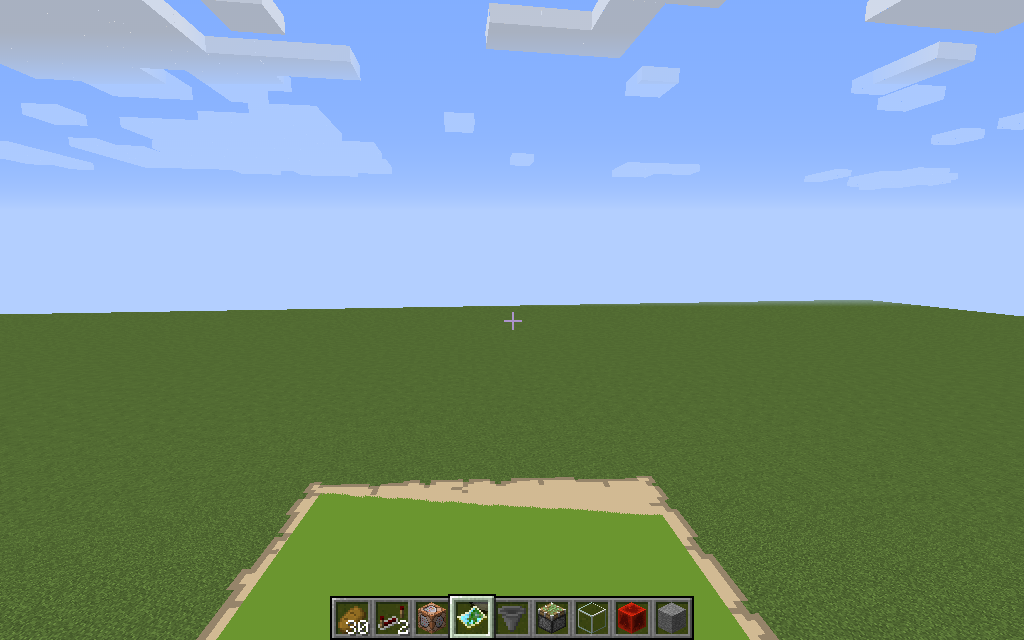
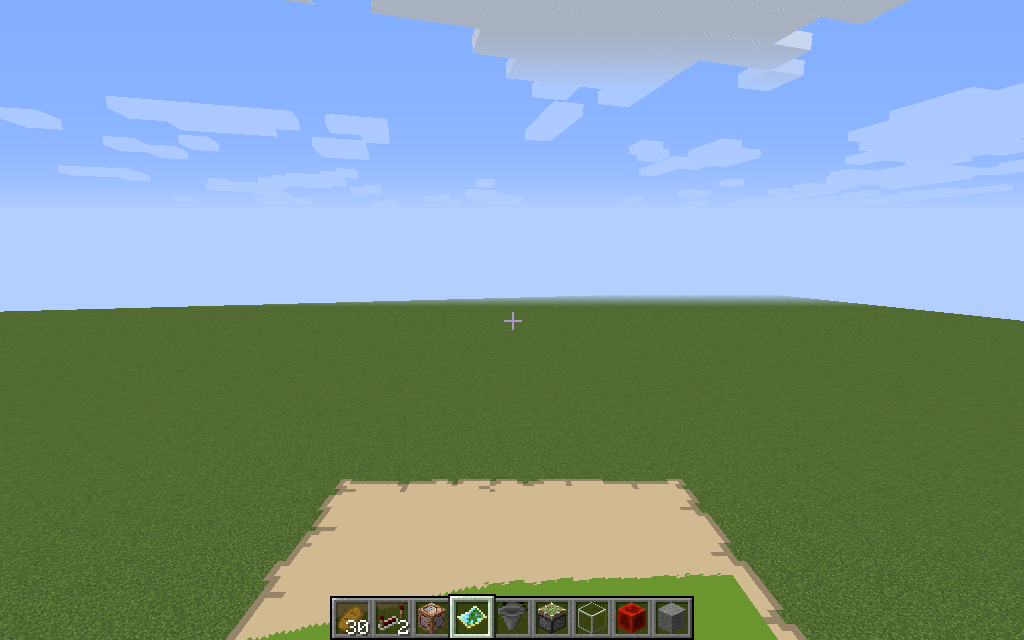
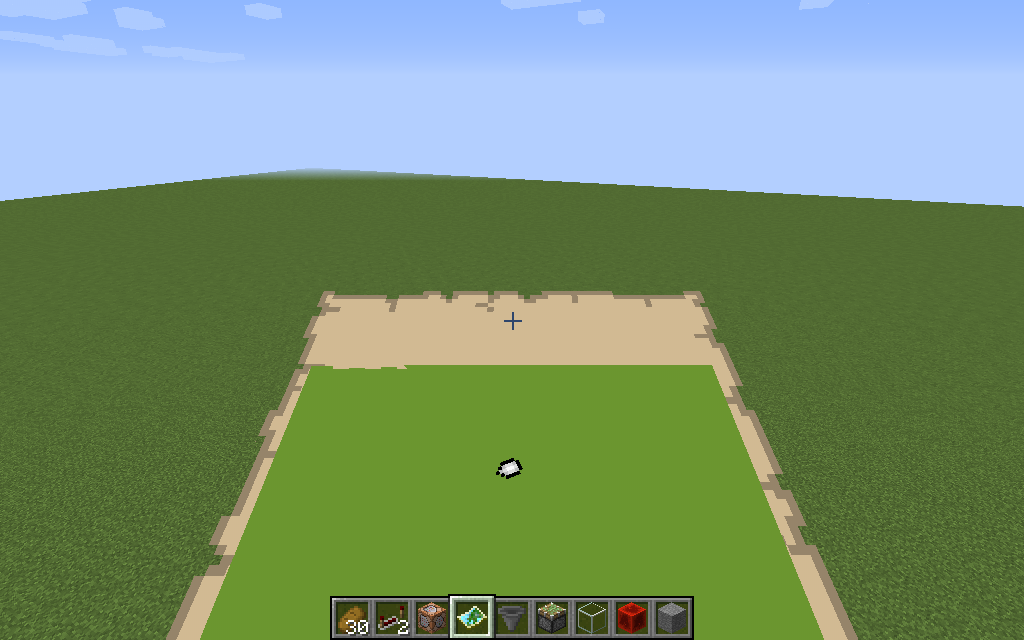

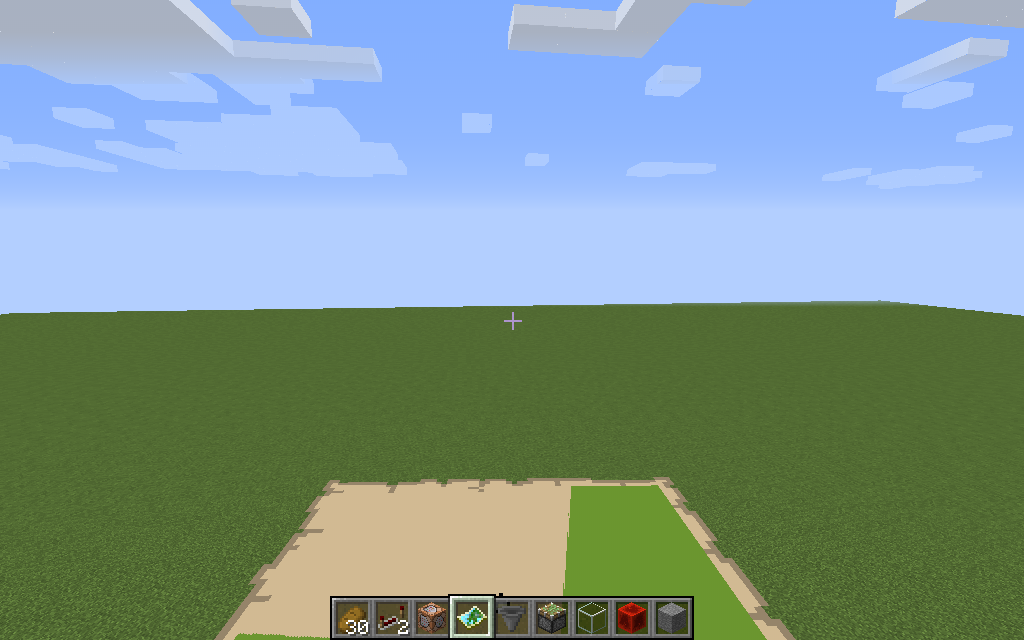




Villagers can't pick up beetroots and beetroot seeds
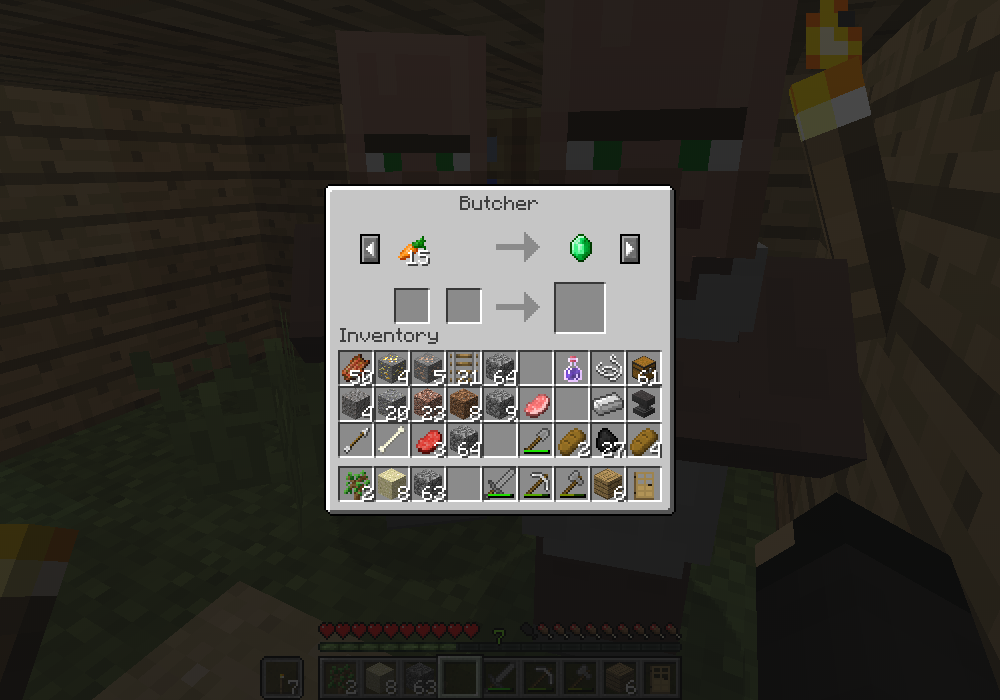
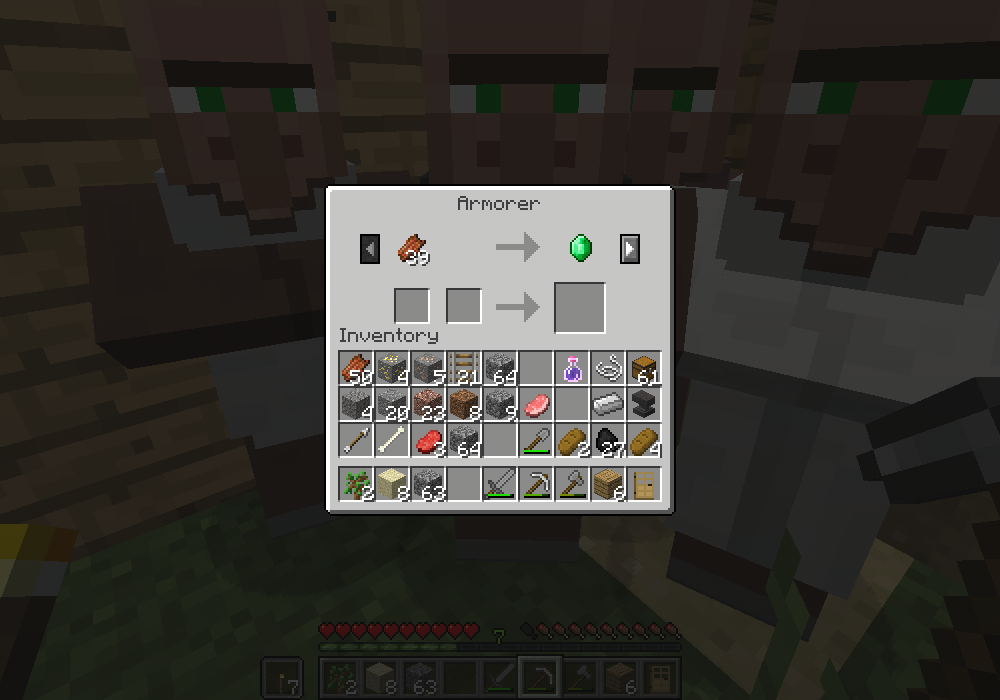
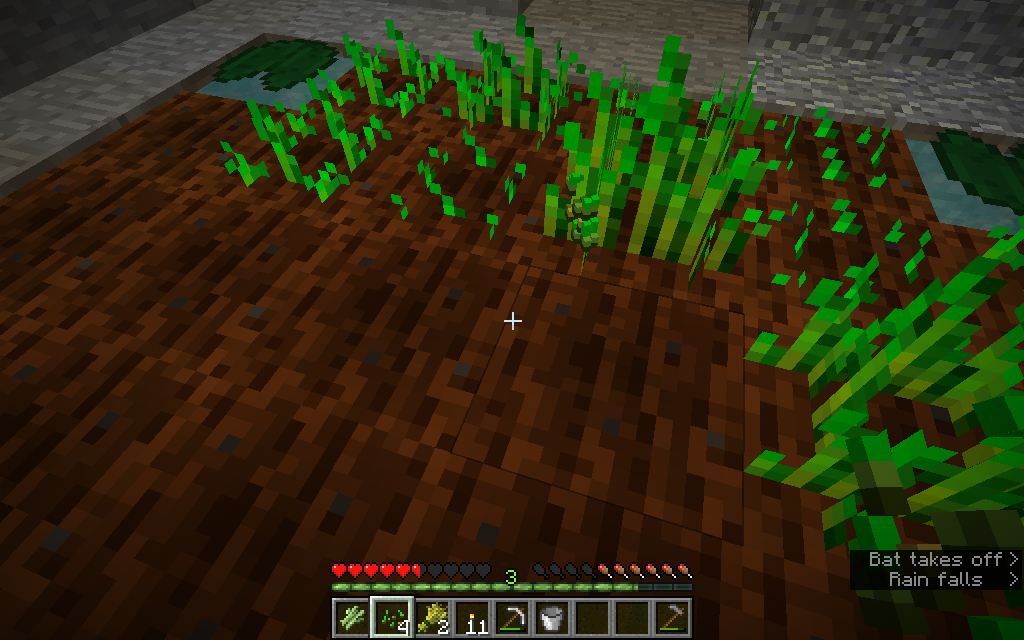
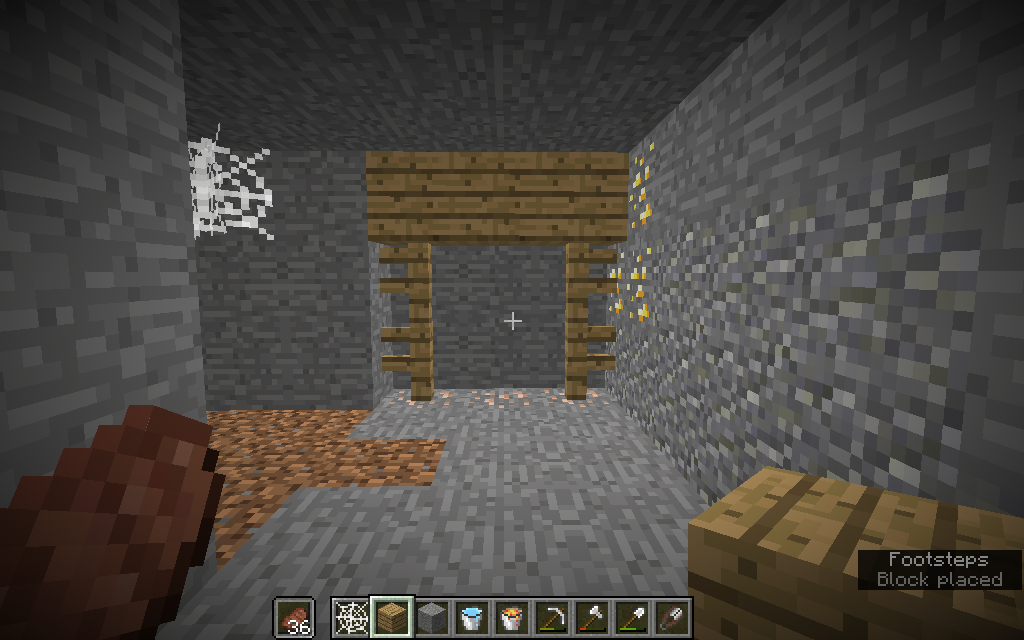
I was in a village minding my own business in Minecraft 15w32c when I noticed beetroots and beetroot seeds lying on the ground in a piece of farmland. I hadn't dropped them, and there were some beetroots growing nearby. I figured a villager had farmed the beetroots and moved too far away to pick them up. But the next thing I knew, a villager came along and harvested some crops nearby, and didn't pick up the
items! I used /entitydata to remove the villager's inventory, and they still are unable to pick up beetroots and beetroot seeds. I planted beetroots and waited for them to grow, and a villager harvested them, but didn't pick up the items, so farming them isn't a problem.I was in a village minding my own business in Minecraft 15w32c when I noticed beetroots and beetroot seeds lying on the ground in a piece of farmland. I hadn't dropped them, and there were some beetroots growing nearby. I figured a villager had farmed the beetroots and moved too far away to pick them up. But the next thing I knew, a villager came along and harvested some crops nearby, and didn't pick up the beetroots and seeds as he passed! I used /entitydata to remove the villager's inventory, and they still are unable to pick up beetroots and beetroot seeds. I planted beetroots and waited for them to grow, and a villager harvested them, but didn't pick up the items, so farming them isn't a problem.
Zombie villagers that are converted back into regular villagers have the wrong tier 1 trades. When they unlock new trades, they are the correct trades for that villager's profession/career, but the tier 1 trades that they start with are incorrect.
Steps to Reproduce
1. Enter the following command: /summon minecraft:zombie_villager ~ ~ ~ {ConversionTime:1,Profession:0. The zombie villager will immediately convert into a villager.
2. Right click on the villager to see its trades. (For some reason, sometimes when you enter the command, you can't trade with the villager. This may be another bug, and I might report it in another ticket later.)
3. You will see that the villager has the wrong tier 1 trades. Try trading with the villager, and it will generate the correct tier 2 trades.
4. Repeat step 1, replacing Profession:0 with any other number and you will see that the problem occurs with every villager type.
Notes:
Villagers summoned with the /summon minecraft:villager command have correct trades, but ones converted from zombies do not. Also, the tier 1 trades are from different professions every time.Zombie villagers that are converted back into regular villagers have the wrong tier 1 trades. When they unlock new trades, they are the correct trades for that villager's profession/career, but the tier 1 trades that they start with are incorrect.
Steps to Reproduce
1. Enter the following command: {{/summon minecraft:zombie_villager ~ ~ ~
{ConversionTime:1,Profession:0}}}. The zombie villager will immediately convert into a villager.
2. Right click on the villager to see its trades. (For some reason, sometimes when you enter the command, you can't trade with the villager. This may be another bug, and I might report it in another ticket later.)
3. You will see that the villager has the wrong tier 1 trades. Try trading with the villager, and it will generate the correct tier 2 trades.
4. Repeat step 1, replacing Profession:0 with any other number and you will see that the problem occurs with every villager type.
Notes:
Villagers summoned with the /summon minecraft:villager command have correct trades, but ones converted from zombies do not. Also, the tier 1 trades are from different professions every time.
Zombie villagers that are converted back into regular villagers have the wrong tier 1 trades. When they unlock new trades, they are the correct trades for that villager's profession/career, but the tier 1 trades that they start with are incorrect.
Steps to Reproduce
1. Enter the following command:
{ConversionTime:1,Profession:0}{{/summon minecraft:zombie_villager ~ ~ ~}}. The zombie villager will immediately convert into a villager.
2. Right click on the villager to see its trades. (For some reason, sometimes when you enter the command, you can't trade with the villager. This may be another bug, and I might report it in another ticket later.)
3. You will see that the villager has the wrong tier 1 trades. Try trading with the villager, and it will generate the correct tier 2 trades.
4. Repeat step 1, replacing Profession:0 with any other number and you will see that the problem occurs with every villager type.
Notes:
Villagers summoned with the /summon minecraft:villager command have correct trades, but ones converted from zombies do not. Also, the tier 1 trades are from different professions every time.Zombie villagers that are converted back into regular villagers have the wrong tier 1 trades. When they unlock new trades, they are the correct trades for that villager's profession/career, but the tier 1 trades that they start with are incorrect.
Steps to Reproduce
1. Enter the following command: /summon minecraft:zombie_villager ~ ~ ~ {ConversionTime:1,Profession:0}. The zombie villager will immediately convert into a villager.
2. Right click on the villager to see its trades. (For some reason, sometimes when you enter the command, you can't trade with the villager. This may be another bug, and I might report it in another ticket later.)
3. You will see that the villager has the wrong tier 1 trades. Try trading with the villager, and it will generate the correct tier 2 trades.
4. Repeat step 1, replacing Profession:0 with any other number and you will see that the problem occurs with every villager type.
Notes:
Villagers summoned with the /summon minecraft:villager command have correct trades, but ones converted from zombies do not. Also, the tier 1 trades are from different professions every time.
I was messing around in a village in creative on singleplayer. I went inside a house. It must be mentioned that a patch of farmland (growing carrots, among other things) was directly in front of the door. I suddenly had a notion to execute the following command: /tp @e [type=Rabbit] @p just for the heck of it, so I could try out my overpowered diamond sword. In an instant, the house was flooded with rabbits. I didn't even kill them, it was so funny to see so many rabbits hopping about the house. Suddenly, they all crowded around the door. I didn't know it at the time, but they were after the carrots in the farmland right outside the door. I got up without pausing the game and I was gone about a minute. When I came back, most of the rabbits were GONE, and the farmland outside was trampled. I knew a villager hadn't let them out, because I had a clock running with a command block that killed all villagers within 50 blocks of me. I replanted the farmland with carrots, and teleported all rabbits to me, watched, and sure enough, they were escaping, even though the door was closed! Please fix this, as it may work with fence gates, too!
Rabbits (and presumably other entities, but most likely rabbits because they are very small) get pushed into walls and through doors when you exit and re-enter a world.
Steps to Reproduce
1. Make or go inside a house with a door.
2. Fill the house with rabbits until you can't (or barely can) see the floor.
3. Exit and re-enter your world. A handful of rabbits should have escaped out the door, and some may have gotten pushed into the walls and died.
Rabbits can go through closed doorsEntities get pushed into and through walls when relogging
Execute the following command: {{summon boat ~ ~ ~ {Passengers:[
{id:chest_minecart,CustomName:"Cargo Hold"}]}}}
Then get in the boat and ride it around. You will see the minecart glitching and spazzing out.
Suggested Fix
Make minecarts unable to rotate in boats (So that they're always facing the front)
Also, I know I'm not supposed to do this here, but maybe add a feature where you can place chests in boats so that we don't have to use minecarts?
Execute the following command: {{summon boat ~ ~ ~ {Passengers:[
{id:chest_minecart,CustomName:"Cargo Hold"}]} }}
Then get in the boat and ride it around. You will see the minecart glitching and spazzing out.
Suggested Fix
Make minecarts unable to rotate in boats (So that they're always facing the front)
Also, I know I'm not supposed to do this here, but maybe add a feature where you can place chests in boats so that we don't have to use minecarts?
Execute the following command:
{{summon boat ~ ~ ~ {Passengers:[
{id:chest_minecart,CustomName:"Cargo Hold"}]} }}
Then get in the boat and ride it around. You will see the minecart glitching and spazzing out.
Suggested Fix
Make minecarts unable to rotate in boats (So that they're always facing the front)
Also, I know I'm not supposed to do this here, but maybe add a feature where you can place chests in boats so that we don't have to use minecarts?
Execute the following command:
{{summon boat ~ ~ ~ {Passengers:[
{id:chest_minecart,CustomName:"Cargo Hold"}]} }}
Then get in the boat and ride it around. You will see the minecart glitching and spazzing out.
Suggested Fix
Make minecarts unable to rotate in boats (So that they're always facing the front)
Also, I know I'm not supposed to do this here, but maybe add a feature where you can place chests in boats so that we don't have to use minecarts?
Execute the following command:
{id:chest_minecart,CustomName:"Cargo Hold"}
{{summon boat ~ ~ ~ {Passengers:[]}
}}Then get in the boat and ride it around. You will see the minecart glitching and spazzing out.
Suggested Fix
Make minecarts unable to rotate in boats (So that they're always facing the front)
Also, I know I'm not supposed to do this here, but maybe add a feature where you can place chests in boats so that we don't have to use minecarts?
Execute the following command:
summon boat ~ ~ ~ {Passengers:[
{id:chest_minecart,CustomName:"Cargo Hold"}]}
Then get in the boat and ride it around. You will see the minecartglitchingand spazzing out.Suggested Fix
Make
minecarts unable to rotate in boats (So that they'realways facingthe front)Also, I know I'm not supposed to do this here, but maybe add a feature where you can place chests in boats so that we don't have to use minecarts?
Falling block entities and tnt entities do not rotate with a boat when it rotates. Armorstands and minecarts, on the other hand, behave like a living entity, and living entities are currently broken in boats, they glitch and spaz and rotate all over the place.
Suggested Fix
Make non-living entities always face the front of the boat.
Also, I know I'm not supposed to do this here, but maybe add a feature where you can place chests in boats so that we don't have to use minecarts?
Minecarts spaz out inboatsNon-living entities do not rotate with boats
2016-09-20_20.33.48.png
When repeaters recieve a 1-tick pulse, they lengthen the tick depending on the number of ticks they are set to.
Steps to Reproduce
Set up a circuit as seen in the screenshot. This circuit will produce a 1-tick pulse when the block in front of the observer is updated.
1. Place/remove a block in front of the observer. The redstone torch will not blink off, this may be due to a
bug.2. Set the last repeater in the circuit to 2 ticks, then place/remove a block in front of the observer. The repeater will blink off, but you will notice that it is noticeably longer than one tick.
3. Set the last repeater in the circuit to 3 ticks, then place/remove a block in front of the observer. The repeater will blink off, but this time it will blink off for longer than the previous time.
4. Set the last repeater in the circuit to 4 ticks, then place/remove a block in front of the observer. The repeater will blink off, this time even longer than the last time.
This is not intended behavior, repeaters are supposed to delay redstone inputs, not lengthen them.
When repeaters recieve a 1-tick pulse, they lengthen the tick depending on the number of ticks they are set to.
Steps to Reproduce
Set up a circuit as seen in the screenshot. This circuit will produce a 1-tick pulse when the block in front of the observer is updated.
1. Place/remove a block in front of the observer. The redstone torch will not blink off, this may be due to a different bug, but let's ignore that.
2. Set the last repeater in the circuit to 2 ticks, then place/remove a block in front of the observer. The repeater will blink off, but you will notice that it is noticeably longer than one tick.
3. Set the last repeater in the circuit to 3 ticks, then place/remove a block in front of the observer. The repeater will blink off, but this time it will blink off for longer than the previous time.
4. Set the last repeater in the circuit to 4 ticks, then place/remove a block in front of the observer. The repeater will blink off, this time even longer than the last time.
This is not intended behavior, repeaters are supposed to delay redstone inputs, not lengthen them.
When pressing space during an elytra flight, extra durability gets used from the elytra. This makes it so that if you want to have a 1-use elytra that works like a parachute, then if you accidentally press space during flight, then you will fall to your death.
Use this command to get a 1-use elytra
/give @p elytra 1 430 {display:{Name:"ParaGlider",Lore:["ParaGlide brand","one-use glider suit."]}}Jump off of a high place in survival, activate the elytra, then press space again during flight. You will fall to your death.
EDIT: Upon further testing, I discovered that this is not why the elytra fails. It is because the elytra uses up one durability per second of flight, and me pressing space when its durability was used up was a mere coincidence.
Bobberentity's name is "unknown"Fishing hook entity's name is "unknown"
Fishing
rod bobberhas a name "unknown" and I'm not sure what its entity ID is.Steps to Reproduce
Obtain a fishing rod and cast it. Stand close to thebobber, making sure no other entities are near, and execute the following command:
/testfor @e[type=!player,c=1]
The command will return the following message: Found unknownSuggested Fix
Make thebobberhave a name, like "Bobber", and perhaps make clear what its entity ID is.Fishing hook has a name "unknown" and I'm not sure what its entity ID is.
Steps to Reproduce
Obtain a fishing rod and cast it. Stand close to the hook, making sure no other entities are near, and execute the following command:
/testfor @e[type=!player,c=1]
The command will return the following message: Found unknownSuggested Fix
Make the fishing hook have a name, like "Fishhook", and perhaps make clear what its entity ID is.
Changing the menu sounds using a custom sounds.json does not change the menu sounds. I changed it so that the menu plays calm1, but it doesnt work... I will attach the sounds.json file later if necessary.
Edit:
I looked at another issue similar to this... do I need to add a "replace" property to a custom sound event? I'll do so and see if that fixes the problem.
Changing the menu sounds using a custom sounds.json does not change the menu sounds. I changed it so that the menu plays calm1, but it doesnt work... I will attach the sounds.json file later if necessary.
Edit:
Ilooked at another issue similar to this... do I need to add a "replace" property to a custom sound event? I'll do so and see if that fixes the problem.Changing the menu sounds using a custom sounds.json does not change the menu sounds. I changed it so that the menu plays calm1, but it doesnt work... I will attach the sounds.json file later if necessary.
Edit:
I added the "replace" directive, and it fixed the problem! Sorry for wasting your time. If anybody else is having trouble getting a custom sounds.json file to work, please check outMC-48826, it might be that you need to add a "replace" directive to get your sound events to override default ones.
When using the command /effect @p saturation
(time in seconds), the specified number is in ticks.Steps to Reproduce
Execute the following commands:/effect @p hunger 20
/effect @p saturation 20You will notice that the hunger command gives 20 seconds of hunger, while the saturation command gives 20 ticks (1 second) of hunger.
When executing the following command:
/effect @p saturation 20
You recieve the output:
Given Saturation (ID 23) * 0 to EchoBlade for 20 seconds
The output should be:
Given Saturation (ID 23) * 0 to EchoBlade for 20 ticks
Saturation effect duration is in ticks/effect @p
/effect @p/effect @p saturation output message is incorrect
Minecraft 17w43a crashes on game startup
The game crashed the second it started. The weird thing is it didn't output a crash log, and the game output log didn't have any useful information (i.e. error messages)
The following is all that was in the game output log:
12:57:25 launcher Preparing to launch minecraft client for 17w43a
12:57:25 launcher Checking installations.
12:57:25 launcher Minecraft client 17w43a is ready to start.
12:57:25 launcher Starting!
12:57:25 launcher Using default game log configuration client-1.12.xml (outputs XML)Unfortunately that's all the information I have about the crash. If I find anything else I'll edit my report with the new information.
The game crashed the second it started. The weird thing is it didn't output a crash log, and the game output log didn't have any useful information (i.e. error messages)
The following is all that was in the game output log:
12:57:25 launcher Preparing to launch minecraft client for 17w43a
12:57:25 launcher Checking installations.
12:57:25 launcher Minecraft client 17w43a is ready to start.
12:57:25 launcher Starting!
12:57:25 launcher Using default game log configuration client-1.12.xml (outputs XML)Unfortunately that's all the information I have about the crash. If I find anything else I'll edit my report with the new information.
EDIT: I had chan
Minecraft 17w43a crasheson game startupMinecraft 17w43a crashes when changing resolution in
Minecraft 17w43a crashes when changingresolutioninMinecraft 17w43a crashes when custom resolution specified in launcher
Thegame crashed the second it started. The weird thing is it didn't output a crash log, and the game output log didn't have any useful information (i.e. error messages)The following is all that was in the game output log:
12:57:25 launcher Preparing to launch minecraft client for 17w43a
12:57:25 launcher Checking installations.
12:57:25 launcher Minecraft client 17w43a is ready to start.
12:57:25 launcher Starting!
12:57:25 launcher Using default game log configuration client-1.12.xml (outputs XML)Unfortunately that's all the information I have about the crash. If I find anything else I'll edit my report with the new information.
EDIT: I had chanWhen setting a custom resolution in the launcher and launching the game then Minecraft crashes.
There was no crash report and the following is all that was in the game output log:
12:57:25 launcher Preparing to launch minecraft client for 17w43a
12:57:25 launcher Checking installations.
12:57:25 launcher Minecraft client 17w43a is ready to start.
12:57:25 launcher Starting!
12:57:25 launcher Using default game log configuration client-1.12.xml (outputs XML)Unfortunately that's all the information I have about the crash. If I find anything else I'll edit my report with the new information.
Minecraft 17w43a crashes when custom resolution specified in launcher
When setting a custom resolution in the launcher and launchingthe gamethen Minecraft crashes.There was no crash report and the following is all that was in the game output log:
12:57:25 launcher Preparing to launch minecraft client for 17w43a
12:57:25 launcher Checking installations.
12:57:25 launcher Minecraft client 17w43a is ready to start.
12:57:25 launcher Starting!
12:57:25 launcher Using default game log configuration client-1.12.xml (outputs XML)Unfortunately that's all the information I have about the crash. If I find anything else I'll edit my report with the new information.
There was no crash report and the following is all that was in the game output log:
12:57:25 launcher Preparing to launch minecraft client for 17w43a
12:57:25 launcher Checking installations.
12:57:25 launcher Minecraft client 17w43a is ready to start.
12:57:25 launcher Starting!
12:57:25 launcher Using default game log configuration client-1.12.xml (outputs XML)Unfortunately that's all the information I have about the crash. If I find anything else I'll edit my report with the new information.
When typing in /gamerule dod It will not autocomplete to /gamerule doDaylightCycle, but it must be /gamerule doD before it autocompletes to /gamerule doDaylightCycle
This may be intentional, as the new command system is supposed to be case-sensitive. However, tab-completion is supposed to speed things up and help you find what you're looking for, and it would be nice if you could successfully autocomplete without worrying whether you typed in correct capitalization or not.
UPDATE: This is still a problem in 17w45b. When typing /gamerule dod and pressing tab it should autocomplete to /gamerule doDaylightCycle but it autocompletes to /gamerule dodaylightCycle and the command won't execute because it has incorrect capitalization. In older versions of Minecraft, you could do /gamerule DoDAyLigHt and press tab, and it would autocomplete with correct capitalization, /gamerule doDaylightCycle but in this version it will just do /gamerule DoDAyLigHtCycle and it will not work.
I tried creating a custom model for my resource pack, and got this error:
{{02:50:58 chm SoundSystem shutting down...
02:50:58 chm Author: Paul Lamb, www.paulscode.com
02:50:58 chm Starting up SoundSystem...
02:50:58 chm Initializing LWJGL OpenAL
02:50:58 chm (The LWJGL binding of OpenAL. For more information, see http://www.lwjgl.org)
02:50:58 chm OpenAL initialized.
02:50:59 chm Sound engine started
02:51:01 bib Caught error stitching, removing all assigned resourcepacks
bvu$c
at bvu.b(SourceFile:293)
at cgb.l(SourceFile:672)
at cgb.a(SourceFile:186)
at cgc.a(SourceFile:23)
at cev.c(SourceFile:105)
at cev.a(SourceFile:93)
at bib.f(SourceFile:761)
at bnw.a(SourceFile:133)
at blk.a(SourceFile:337)
at bnw.a(SourceFile:141)
at blk.k(SourceFile:400)
at bnw.k(SourceFile:77)
at blk.q(SourceFile:377)
at bib.t(SourceFile:1625)
at bib.az(SourceFile:1000)
at bib.a(SourceFile:419)
at net.minecraft.client.main.Main.main(SourceFile:123)
02:51:01 cev Reloading ResourceManager: Default
02:51:02 chm SoundSystem shutting down...
02:51:02 chm Author: Paul Lamb, www.paulscode.com
02:51:02 chm Starting up SoundSystem...
02:51:03 chm Initializing LWJGL OpenAL
02:51:03 chm (The LWJGL binding of OpenAL. For more information, see http://www.lwjgl.org)
02:51:03 chm OpenAL initialized.
02:51:03 chm Sound engine started
02:51:08 cdp Created: 1024x512 textures-atlas}}I searched this error and only got results of people who don't have enough RAM to run a high-resolution resource pack. However, my PC has lots of RAM, and this resource pack is 16x16. The problem only occurred when I added the model to the resource pack. Another weird thing is that the model editor crashes when I try to open up the model again, which would indicate something is wrong with the model, but I have no idea what it is. I have attached the json files to this ticket, hopefully someone out there can figure out what's wrong.
EDIT: The bow model's parent was the crossbow model, and the crossbow model's parent was the bow model. My bad, please close this ticket.

CyanEmber Same, because my Linux-buddy didn't have this problem, so I searched on my end like crazy to avoid needless work for the mods!
I submitted it then regardless as it's important, IF it was NOT on my end but a bug (which it then really was).
Overexaggerated: The worst thing that can happen is that readers will laugh about you being derpy or are upset because you "steal" precious time };]
I also already submitted a bug where I was being dumb/derpy, but I don't mind - people do make mistakes }=) So never be afraid to post a bug after you gave it some thought!

- 1.10.2 is already marked as affected (see Affects Version/s: list). We don't need multiple confirmations for the same version.
- It's not a forum, it's a bugtracker. Your emotions about this bug won't help with fixing it. Votes show that this bug needs to be fixed, and that's enough.
![[Mod] Neko](../../../data/avatars/users/92901.png)

CyanEmber, that graphics card is ~15 yr old:
OpenGL: Matrox ICD for Parhelia GL version 1.3 , Matrox Graphics Inc.
GL Caps: Using GL 1.3 multitexturing.
Using GL 1.3 texture combiners.
Not using framebuffer objects because OpenGL 1.4 is not supported, EXT_blend_func_separate is supported, OpenGL 3.0 is not supported, ARB_framebuffer_object is not supported, and EXT_framebuffer_object is not supported.
Shaders are not available because OpenGL 2.1 is not supported, ARB_shader_objects is not supported, ARB_vertex_shader is not supported, and ARB_fragment_shader is not supported.
VBOs are not available because
![[Mod] Michael Wobst](../../../data/avatars/users/37868.png)
CyanEmber: it's already confirmed for 17w46a. Look at the Affects Version/s list.
What? I checked to make sure nobody had the same issue before I published this! How odd. Maybe I should have searched "Villager beetroot" instead of "Villagers can't pick up beetroots" to widen search results.
Okay, thanks. I didn't know where to suggest features before now.
I have been having a similar problem as well, but I was too afraid to report it because I thought it was a problem with my resource pack!
This may relate to
MC-106065.This probably works as intended, because paintings and item frames are entities, not blocks. Unlike blocks, entities do not remove water or lava blocks when spawned in them.
Yes, it affects 1.10.2 and 16w32b. I did some more testing on the issue, and updated the ticket to more accurately describe the problem.
Can Mojang please change the way the search engine works? I searched high and low all over the site, using a variety of keywords to find an issue like this one before I reported it. I'm sick and tired of searching for an issue, not finding one, reporting it, and then finding out that my issue was a duplicate. C'mon, Mojang, what's the point of telling us to search for an issue before we report it if the search engine doesn't even work?
Fixing this might break a lot of structure/command creations. I think that this should be marked as "Won't Fix", because technically, it can be fixed, but it shouldn't be fixed because it would make things harder for mapmakers and command block modders.
For example: let's say you have a 3x3x3 structure with a command block in the center. This command block needs to summon an entity at the lower northwest corner of the structure, regardless of the structure's rotation. If this issue were fixed, this would be very hard to do, as it would require the command block to summon another command block on top of the structure, then have that command block summon the entity at the lower northwest corner of the build, then have an external command block execute a command via the entity to delete the command block on top of the structure. Fixing this issue would be like fixing all the piston bugs, which would break all the slime block engines, and the bud detectors, and the Jeb doors, and many other creations, including redstone computers that use bud switches to store memory.
This is an intended feature. In real life, mules can't reproduce, because they have an odd number of chromosomes. They can only be bred by breeding a horse and a donkey together. This is also true in Minecraft. I really like this feature, because it's probably the only breeding mechanic in Minecraft that is actually accurate.
Confirmed for 16w33a. Also, when the mob/entity you're spectating moves (on its own), then the entity's sounds stay where you began spectating and you can't hear them when it moves far enough. And if you set up a circuit to teleport the mob a few seconds after you go into spectator mode, then you will stay where you are even though the mob teleports. Also, if you go into third-person view after the mob teleports, you will see the place where the mob was standing, but no mob.
Here's a workaround. Add another repeating command block with this command:
/scoreboard players tag @e[type=Item] add unobtainable {Age:10s}, then change the other repeating command block's command to
/entitydata @e[type=Item,tag=unobtainable] {Age:-32768,Invulnerable:1,PersistenceRequired:1}. This will allow players to pick up items received with the /give command, but any dropped items will be unable to be picked up.
They aren't hating. They're just letting you know that this is a duplicate. They write that on every single duplicate issue out there. And if it was fixed and came back, then the original issue would become marked as "Reopened". (Also, you have the same name as me!)
One other thing, the search function is really awful. Don't search something like "/clear command doesn't clear golden swords", search "clear" instead. Use the simplest search terms possible when searching for an issue.
I, too have experienced this bug. I was playing on a 1.10.2 server grinding cobblestone with an Unbreaking pick (I was using a book to hold down the mouse to mine) and whenever my pickaxe broke, I would wait a few seconds, and it would reappear with the durability I started mining with. I think this may have something to do with the fact that picks with Unbreaking do not get more durability. They still have the same amount of durability, but it doesn't decrease as often. This bug may be able to be fixed by adding more durability to a tool when it is enchanted with Unbreaking, or by adding a tag that only appears on tools with Unbreaking that tells the game how many more uses the tool has before it decreases its durability.
Confirmed for 1.10.2. Really annoying, I've had to mute all my music, and it makes me mad because this issue has been around for YEARS. Mojang, either fix this problem, or change all the music to really cruddy music that nobody wants to listen to so that we can all mute our music and ignore this problem.
Confirmed for 16w33a.
I think this may be a duplicate of
MC-2025. Please review both of these bugs and decide whether this is a duplicate or not.Please reopen this issue, I am unable to use resource packs bundled with the world on my 16w33a server. The comments seem unclear as to whether this is intentional or not, and the resolution says it's fixed, not works as intended. The same world folder loads with the resource pack on singleplayer.
Confirmed for 16w33a with /clear @a golden_sword 0.
Then change the resolution from "Fixed" to "Works as intended" so people don't get confused.
What were you trying to do? Like, which block were you trying to change the data of?
/summon FallingSand [x] [y] [z]
{Time:1,Block:"minecraft:sand",NoGravity:1}The particles spawn more in the middle than on the edges because the dx, dy, and dz arguments are for the size of an ellipsoid, not for the size of a cuboid (if that is the proper term). Now, I still don't know why the particles spawn so far outside the specified area, though, but there are more in the middle than on the outside because the ellipsoid is fatter in the middle, and thinner at the edges. Maybe you could suggest a feature on reddit to allow you to toggle whether the /particle command summons paricles inside an ellipsoid or a cuboid. Like /particle flame ~ ~ ~ cube 1 1 1 0 10 force
Well, I think the dx, dy, and dz in target selectors (like /testfor @p[dx=this,dy=that,dz=this]) means direction relative to the x, y, and z coordinates, while xd, yd, and zd mean diameter (but its really a radius, not a diameter).
Hmm... I cannot reproduce this bug. Sorry. Maybe someone else can.
This is a special redstone mechanic called quasiconnectivity. It IS in fact a bug, but so many people started using this bug to make advanced redstone contraptions, that they decided not to fix it because it would break so many redstone contraptions.
You can delete the level.dat and level.dat_old of a world folder and recreate a new world under the same name, and then you will get this bug. It's kind of awesome, though, because you can use it to make survival island maps easily. Try making a world using the seed "Flame", with the name "Broken Chunks", exiting, deleting the level.dat and level.dat_old files, and then making the world Flame again, but on a Customized world type where the only biome is Ocean. It's pretty awesome.
This seems to be fine grammar, since the name of the arrow entity is "arrow". If the arrow did not have a name, then the death message would need to be "Player was shot by an arrow"
Confirmed for 16w35a. Also happens when you shoot yourself with a bow but quickly switch to a different named item.
It just looks like the village generated on top of a couple of ponds, which generate naturally. This doesn't look like a bug to me.
Seems to be fixed in 16w35a. I had this problem in 16w33a but now it seems to be fine.
I took off my resource pack and the bug was gone. It must have been in the language files. This is weird, though, because I thought I updated the language files in my resource pack when the 1.11 snapshots started coming out.
Oh... I must not have enough light in the center of the farm... Alright, then.
I personally like this issue. So, you're being chased on a mountaintop, and so you put a boat down, hop in, and paddle off the edge of a cliff. You survive, and make an escape. XD
Confirmed for 1.10.2
Confirmed. Also, summoning zombies above the clouds with elytra equipped and the FallFlying tag set to 1, will make the elytra and zombie look bright white.
I suggest "<Player> was trampled by <mob>"
This is NOT a duplicate of MC-90148. In MC-90148, the issue is that the heads of entities in spinning boats continue spinning AFTER you get out. This issue is that WHILE you are riding the boat, the minecart glitches and spazzes out. It is different!!
Edit: Nevermind, I updated the report and added more details on the issue, which is kind of different from MC-90148.
Weird... the command works fine now, but it didn't a minute ago... huh.
Okay, the command works in chat, but not in repeating command blocks.
Well, this command doesn't work either! tp @e[type=minecart] ~ ~ ~ 0 0
I've noticed that when you get back in, the boat continues its rotation. Might have something to do with it??
Might relate to
MC-98260. It may be intended to be a water bottle, but doesn't have the NBT tag for a water bottle.Edit: I know they fixed
MC-98260, but what I'm saying is that the water bottle in the brewing tab may not have the right NBT tag to make it a water bottle, similar to the issue described inMC-98260.What do you mean I didn't rotate it? I pushed it so that it was in a different rotation, and executed the tp command to rotate it!
Look at the screenshots. Portions of the map are not rendered when I move the map around.
Whaaat???? Did you even look at the screenshots? The map is entirely loaded, and different pieces of the map disappear, not just one! LOOK AT THE SCREENSHOTS!
Edit: Okay, you know what? I'll get some more screenshots. One will be the control screenshot (Map fully loaded, not moving around), and the others will be the z-fighting ones.
Possibly related to MC-90148.
This issue is not invalid! Look at the screenshots I put up there! Everyone, if you can reproduce this issue, comment "Confirmed for 16w38a". Neko obviously has no idea what he's doing.
Still occurs in 16w39c. May be due to my old graphics card, I'll try it out on a newer PC.
Edit: I tested this out on my sister's PC, it still occurs. I will force a crash.
I forced a crash and attached the crash report.
May be related to
MC-108066, in which repeaters lengthen one-tick pulses. For example, a repeater set to 2 ticks will turn a 1-tick pulse into a 2-tick pulse, and a repeater set to 4 ticks will turn a 1-tick pulse into a 4-tick pulse.No, repeaters are supposed to delay pulses, not lengthen pulses.
Aw... Well, at least I figured out how to work around the problem shortly after reporting this. Kind of stinks, though. Maybe this is why my castle-gate piston door isn't working.
I think all of these should be fixed, so that mapmakers can detect when you throw an egg, cast a fishing rod, or when lightning spawns. Choosing not to fix this is an awful annoyance. What if you want to make thrown eggs have particle trails? What if you want to effect fishing rod bobbers with glowing? What if you want lightning to transform a mob into a custom mob? There is SO much potential, and it would be so simple to fix.
I was playing on snap.viper.works when the bug happened. The server restarted, and the bug was gone. I think this bug does not occur in singleplayer because the internal server stops when you exit the world.
I just swapped out my GPU for the GeForce GTX 750 Ti SC, and the bug was gone. Weird, because the bug also happened for my sister, whose graphics card isn't out of date.
It would be nice if Mojang included multiple logos in the game, each at different (higher) resolutions, and if there were a way to change to color of the logo, using a logo.mcmeta file. With the file you can customize the resolution of the logo, and the color of the logo. It wouldn't be too hard to implement.
I don't understand what the bug is... the wiki is talking about the piston base, you're talking about the piston head...
Confirmed in 1.11. Infuriating! I'm trying to create a custom world with only hilly plains and no villages, called Isolation. Please fix this, Mojang! Come on! And maybe make a way to specify multiple types of biomes to generate, instead of just one?
Confirmed in 16w50a.
Confirmed in 1.11.2.
It's incomplete because the game SIMPLY DID NOT CREATE A CRASH LOG. And yes, I did change the window resolution of the game in profile settings. I'll add this to the ticket and try again with window resolution set to default.
I have updated my ticked to reflect new information. Please mark this as open.
Confirmed for 17w43b.
Confirmed in 17w43b.
Confirmed for 17w43b.
When setting the mouse sensitivity to 5%, I have discovered that cinematic mode does the gliding thing where it makes your mouse movement smoother, but it also only does so while your mouse is in motion. It will stop moving when your mouse stops moving. So it seems we have two issues: Mouse movement is hyper-sensitive when in cinematic mode, and it stops moving altogether when your mouse stops moving.
Confirmed for 17w45a.
Yes, I am aware of this, but in the changelog it says
Can confirm. Mojang please fix!
This isn't fixed. Please update the ticket to reflect this!
Confirmed in 17w45b.
Confirmed for 17w46a.
Ah, okay.
Confirmed for 17w46a.
Confirmed for 17w46a.
I'm pretty sure this is a dupe of
MC-121790.Confirmed for 17w46a.
Confirmed for 17w46a.
Can confirm.
I can confirm.
Sweet, this is already fixed for the next version.
I cannot reproduce this. Can you explain how to reproduce this issue? I used a diamond sword to break gravel and it didn't show the item name hint above the hotbar each time it lost durability. What tools/blocks did you use?
Okay I can now confirm, I was mining dirt with a wooden axe and the item name hint showed above the hotbar each time it lost durability.
This is definitely intended.
That isn't the andesite texture. That is the grass texture before color is applied to it.
Aw, this works as intended? That's a shame, I loved making bunk beds before this was fixed!
Confirmed for 17w47a.
Wait why is this resolved as a duplicate? It doesn't list the issue it duplicates, and there are bugs that are duplicates of this ticket.
Change title to Key "None" string is untranslated
Seems to relate to MC-122184. Edit: these tickets were made by the same person. MC-122184 could be a duplicate.
Confirmed for 17w50a.
Confirmed for 17w50a.
I just tested this out in the latest snapshot and it appears to be fixed, probably due to
MC-122118being fixed. This ticket can be closed.Pretty sure this is intentional, it's a breed of cat with those smushed-in looking faces.
It seems to make sense to me, leaf blocks are solid and so they need to be broken if an illager beast needs to travel through the jungle. However, most of the blocks you listed are non-solid, so the beast shouldn't need to destroy them to get past (although you could argue that the beast's large size would trample and destroy small vegetation).
Pretty sure this is intended behavior, it's worked like this for a very long time. Useful for making one-way redstone lines with no repeater delay.
Confirmed for 1.16.1. This bug is extremely annoying! Why would defining a volume with size 0 define a volume with size 1?
Confirmed on 1.16.4. I've encountered this issue through several versions, and it's super annoying. Almost makes me not want to bring cats with me.
Confirmed in 1.17.1.
This bug also occurs with waterlogged non-full blocks, but it only happens consistently with large amounts of TNT. I've attached a video demonstrating this.EDIT: The bug I encountered with waterlogged blocks is likely a different issue, I can only reproduce it with dispensed TNT.
Confirmed in 21w43a, on Linux with dual monitors. Hoping this gets fixed when 1.18 releases.
Confirmed in 1.18-pre4.
Is this in singleplayer or on a server? Servers can limit the render distance, and it won't appear to increase even if you set your render distance higher.
Confirmed in 1.17.1 and 1.18-pre5.
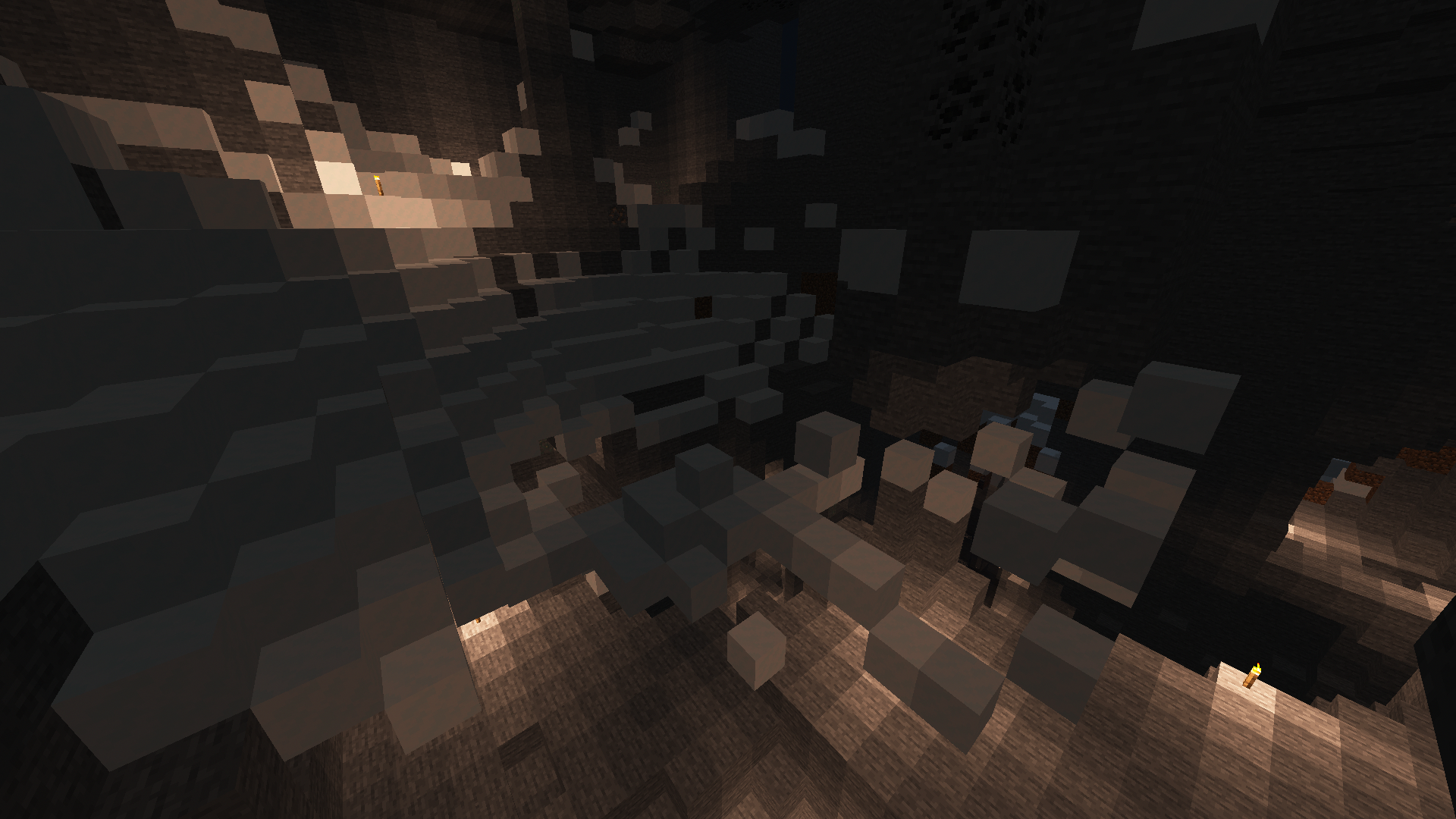
Also disagree with resolution. This mountain cave looks like a giant parkour course inside, floating and isolated snow blocks EVERYWHERE. And all the cave entrances are either completely covered in snow or covered with just enough to make it a chore to get through them. Aren't cave entrances supposed to be... entrances? I'm pretty sure if cave entrances in the plains biome were blocked by a thin layer of grass, that would be considered a bug. Why is this not? It's also worth noting that grass blocks are able to spawn inside caves, but AREN'T found floating in midair inside them. Surely the same would apply to snow blocks. This hardly seems intentional, this looks like an oversight at best or laziness at worst.
I apologize for the edit spam, the formatting keeps getting messed up by all the brackets.
Can confirm in 1.18.1 and 1.18.2-pre3. This seems to be a larger issue with the /data command, I cannot remove data tags or replace them at all, and sometimes it copies tags or changes unrelated tags in unexpected ways. I suggest renaming the ticket to "/data command does not behave properly when modifying or removing tags".
I summoned a villager using the command /summon villager ~ ~ ~ {Inventory:[
{id:"minecraft:potato",Count:7b}],NoAI:1}, and tried modifying its entity data using several commands. After each one, I checked its data using the command /data get entity @e[type=villager,limit=1,sort=nearest] Inventory. Here are my results:
Replacing the Inventory array with an empty array: /data modify entity @e[type=villager,limit=1,sort=nearest] Inventory set value [] (Villager has the following entity data: [\{id:"minecraft:potato",Count:7b}], No change)
Removing the first item in the Inventory array: /data remove entity @e[type=villager,limit=1,sort=nearest] Inventory[0] (Villager has the following entity data: [\{id:"minecraft:potato",Count:7b}], No change)
Removing the Inventory tag: /data remove entity @e[type=villager,limit=1,sort=nearest] Inventory (Villager has the following entity data: [\{id:"minecraft:potato",Count:7b}], No change)
Replacing the id of the item with wheat seeds: /data modify entity @e[type=villager,limit=1,sort=nearest] Inventory[0].id set value "minecraft:wheat_seeds" (Villager has the following entity data: [\{id:"minecraft:potato",Count:7b},\{id:"minecraft:wheat_seeds",Count:7b}]), Somehow duplicated the first array item with a changed id instead)
Changing the Count of the first item to 1b: /data modify entity @e[type=villager,limit=1,sort=nearest] Inventory[0].Count set value 1b (Villager has the following entity data: [\{id:"minecraft:potato",Count:8b},\{id:"minecraft:wheat_seeds",Count:14b}]), Somehow the Count of both array items changed by random amounts)
Confirmed in 1.18.1 and 1.18.2-pre3. If editing NBT tags during the lifetime of an entity is not supported, then the /data ... entity command should not exist. If editing these specific NBT tags is not supported, the command should give an error and refuse to modify them.
Can confirm in 1.18.2 and 22w13a.
Definitely relates to
MC-184530, but there are some key differences. This issue completely erases the player's momentum on one axis when that component of the motion vector is small, and only when the player isn't pressing the movement keys.MC-184530slightly deflects the motion vector towards the closest axis, and while the movement keys are pressed.Can confirm pressing the slash key sometimes writes two slashes to the chat. Using Garuda Linux, an Arch-based distro.
Confirmed in 1.19. This has been bugging me for YEARS, I've been trying to create a Team Fortress 2 resource pack but I can't replace many of the sounds I want because they just sound awful with the random pitch changes. Please fix this!