 J Z
J Z
- Joniprog
- JIRAUSER476557
- Europe/Stockholm
- Yes
- No
![[Mojang] SHugoh](../../../data/avatars/users/18947.svg)
 Important
 Normal
 MC-276154
 Low
Low Very Important
![[Mojang] Nightingale](../../../data/avatars/users/10122.svg)
![[Mojang] TommyWallberg](../../../data/avatars/users/18941.svg)
![[Mojang] Cory Scheviak](../../../data/avatars/users/92893.png)
![[Mojang] Timur Nazarov](../../../data/avatars/users/18945.svg)
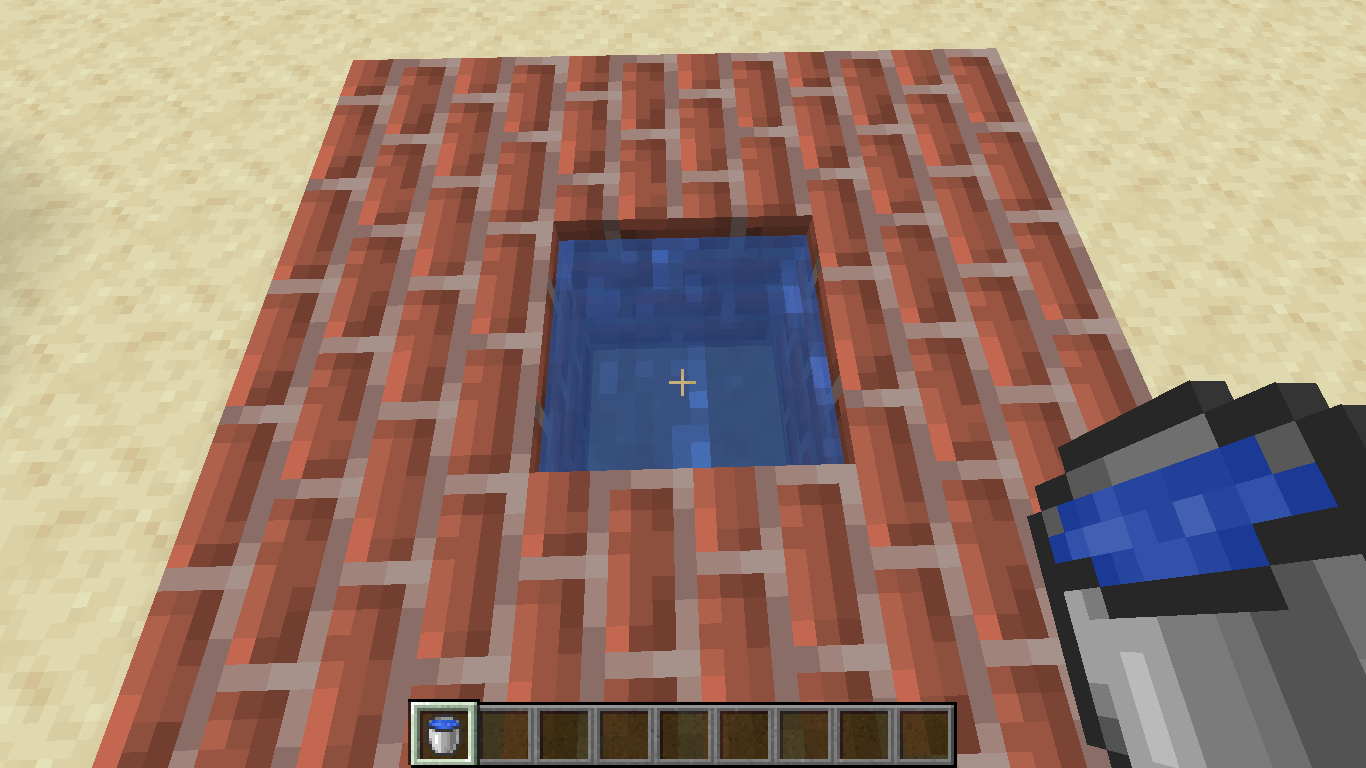
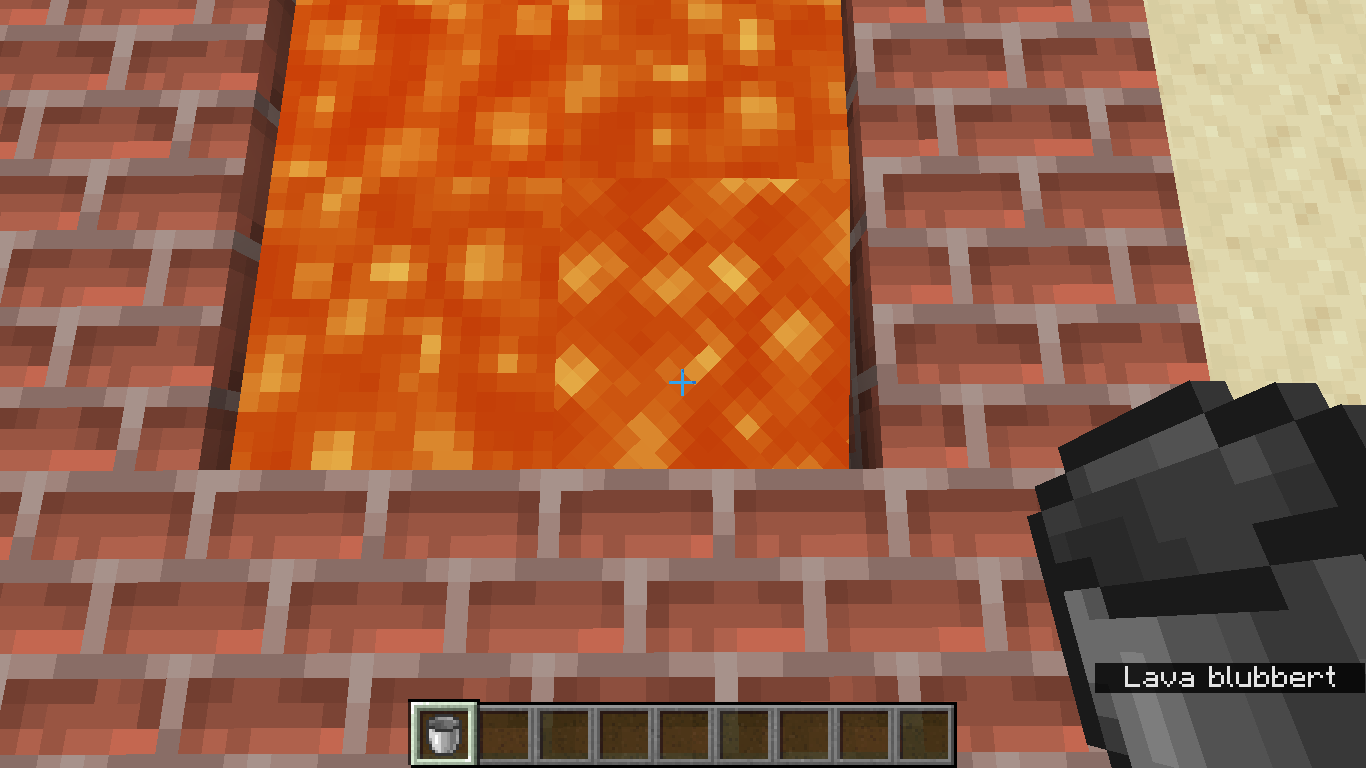


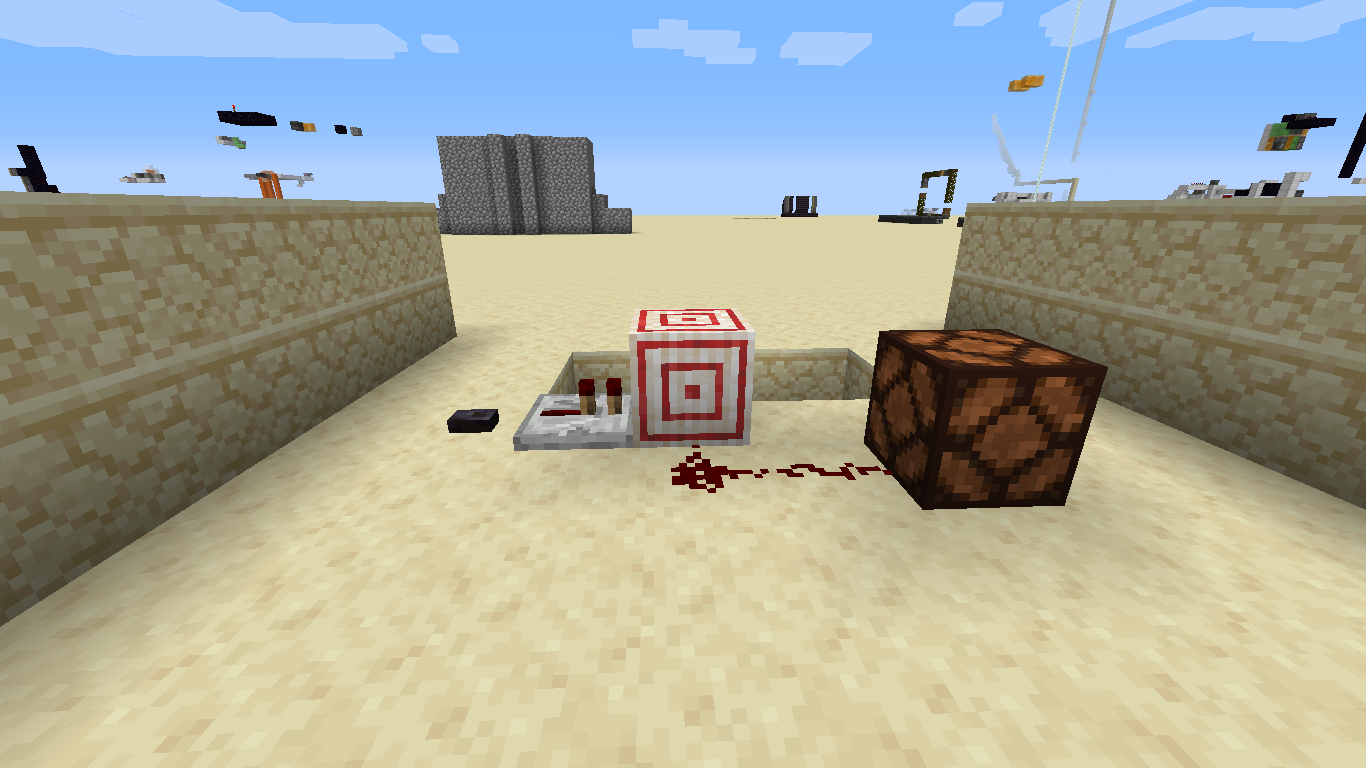
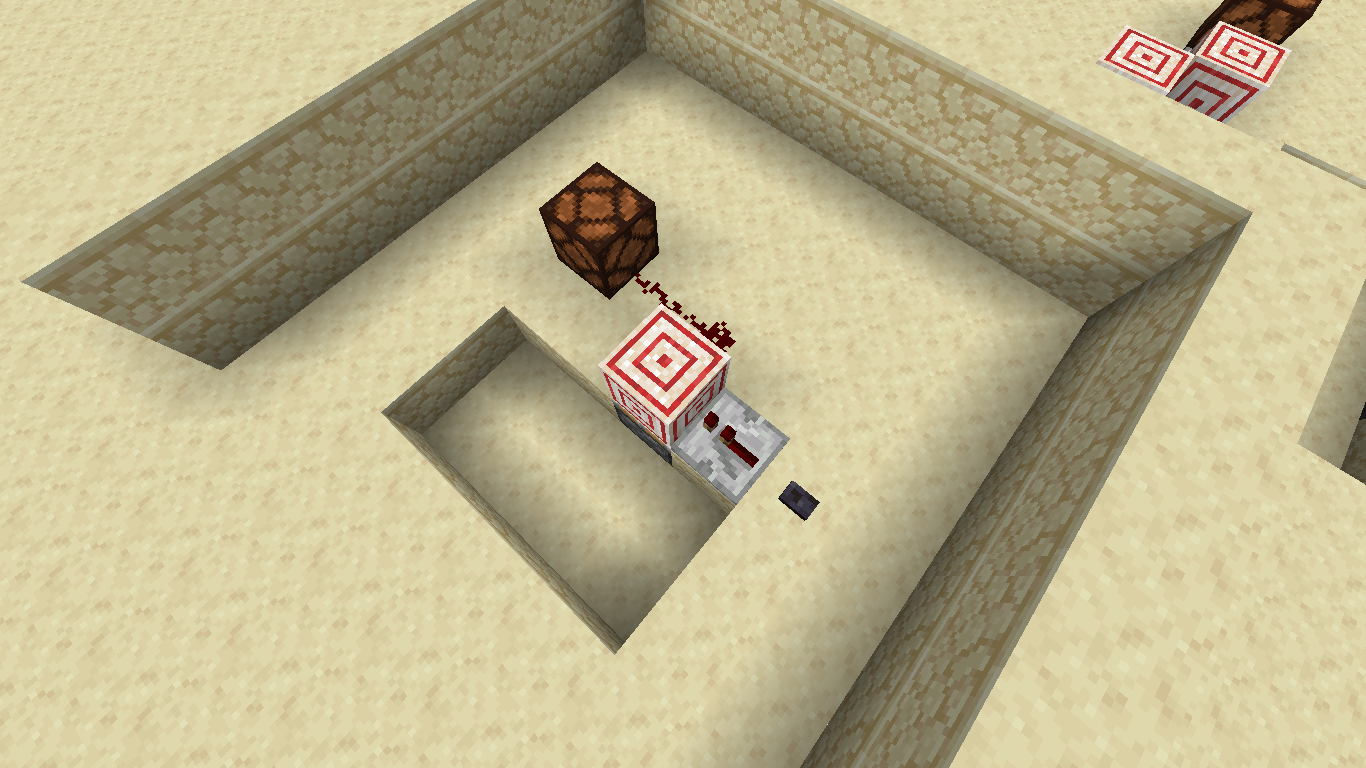


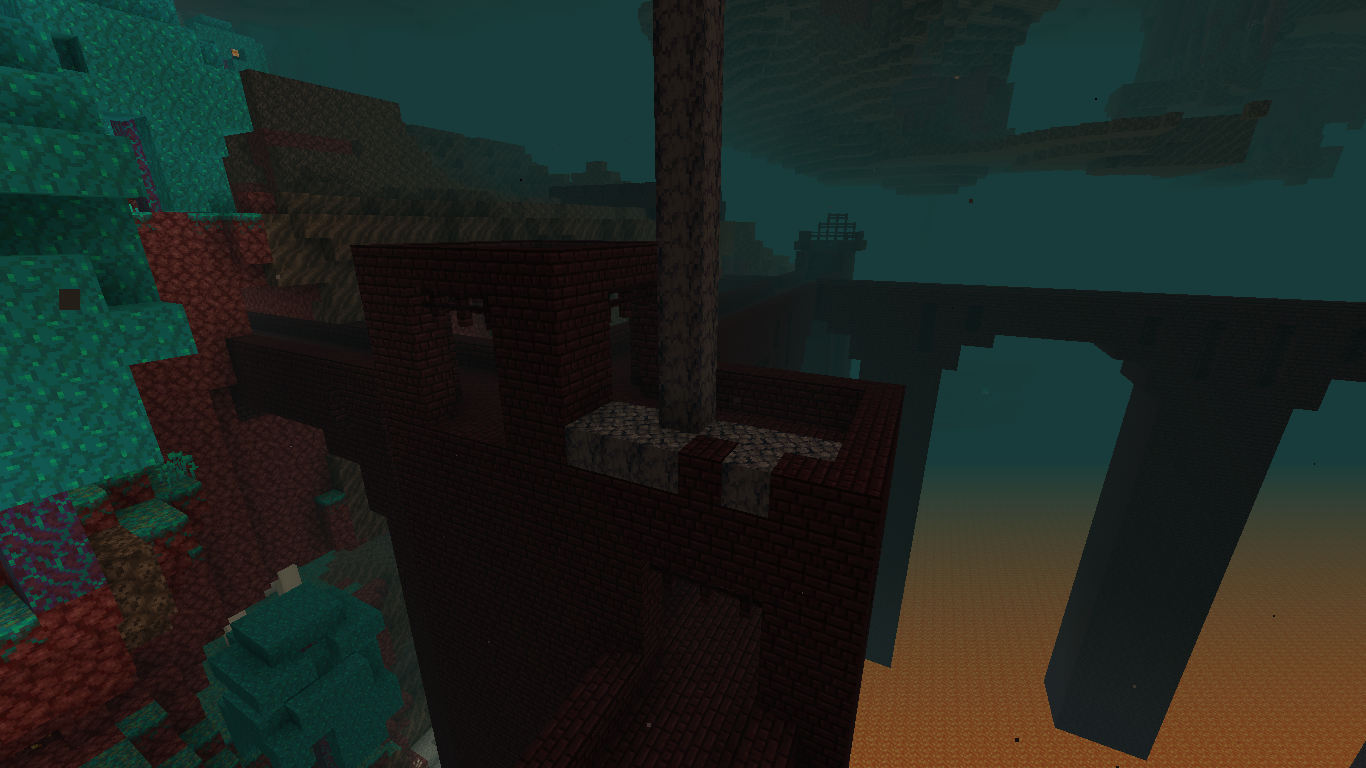
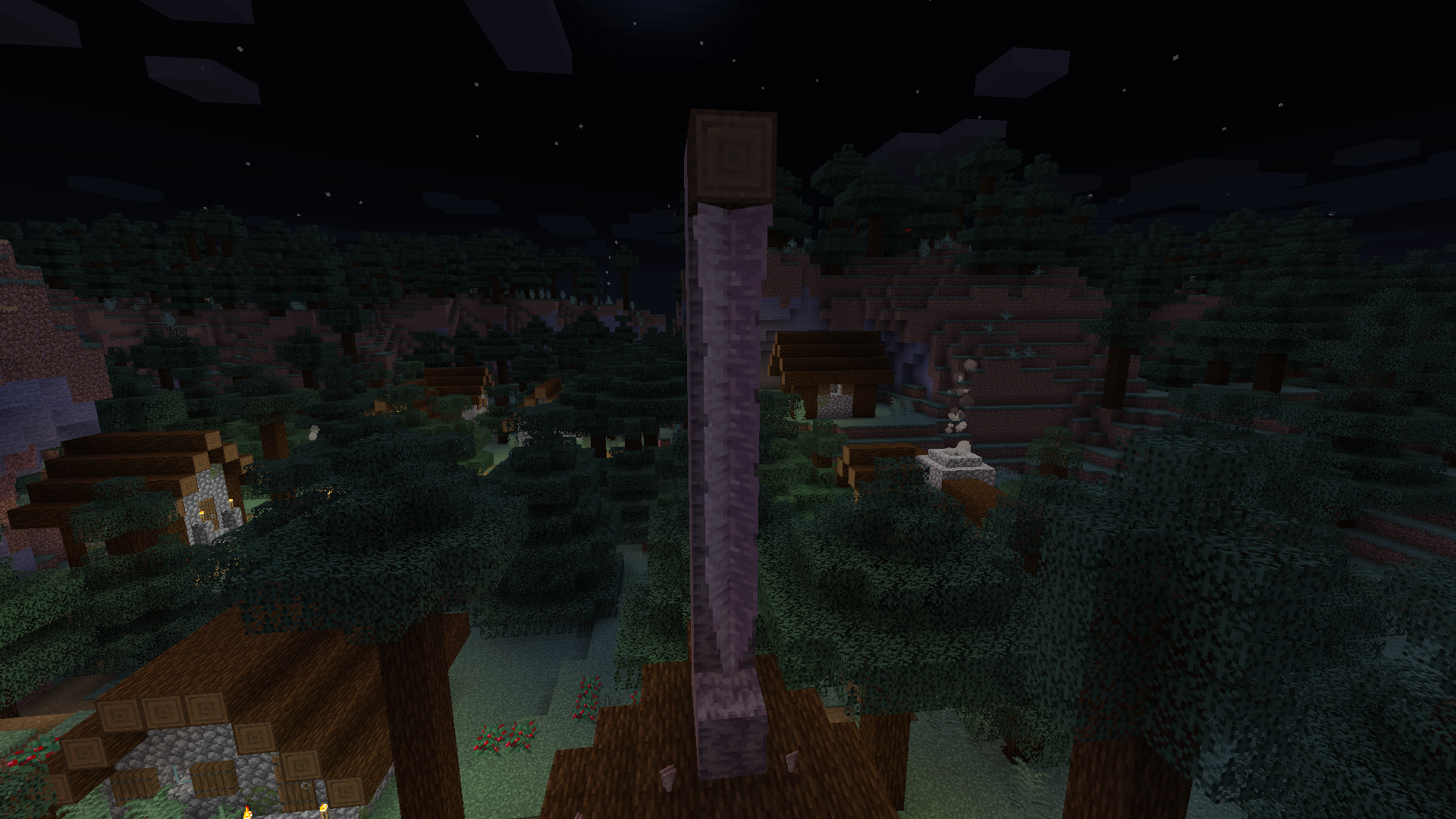

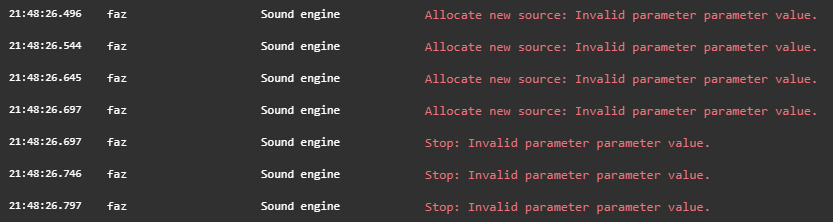


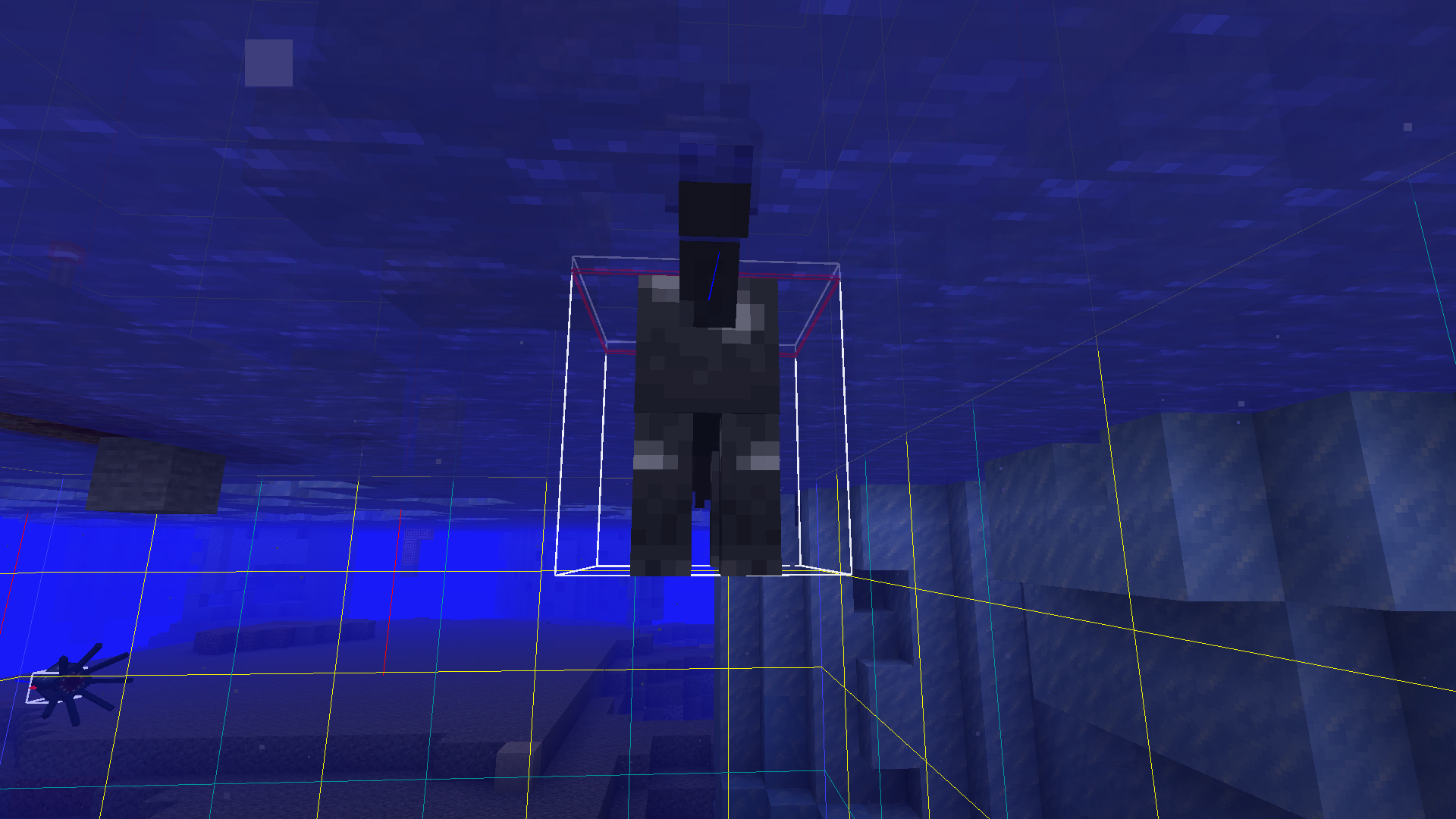




Redstone visualglitchRedstone visual bug with monostable circuits using target blocks
Redstone visual bug with monostable circuits using target blocksVisual bug with monostable circuits using target blocks
Steps to reproduce (I couldn't provide a video because it was too large):
1. Build the structure as shown in the picture and set randomTickSpeed to 10000
2. Replace the block on top of the stalagtite quickly so that it doesn't fall down
3. Try that several times
Eventually, one stalagtite part's thickness will change from "middle" to "frustum"
If you quickly replace the block on top of a stalagtite and randomTickSpeed is set to a high value, a middle part of it changes its thickness to "frustum"
Minecarts that are clustered together often keep their movement speed, which is due to another bug. In some cases (with minecart experiments enabled) if such clusters of minecarts are ridden by the player and collide with blocks, the screen goes black and the game stops working. It then has to be terminated manually.
Steps to reproduce (or use the link below for a more reliable method):
1. Place four normal rails so they create a circle.
2. Place a lot of minecarts (maybe 20 or 30) on them so the rails are completely filled and the minecarts are somewhat equally distributed.
3. Break one rail.
4. A cluster of minecarts should now move on its own.
5. Enter the cluster by right-clicking.
6. Wait until it rides into blocks (2 blocks high is best). Water like in the attached videos isn't needed.
This is not very reliable, so a few attempts may be needed.
Alternatively, this world can be used to reproduce the bug:
https://drive.google.com/file/d/1DzWwKQwE2TQOwPr8DHTM5mAXwDWcwfsx/view?usp=sharing
1. Open the world.
2. Enter the cluster of minecarts that is farthest from the player (at the front).
3. Wait until it rides into the iceberg and locks the game.
Derailed Minecarts that are clustered together often keep their movement speed, which is due to another bug. In some cases (with minecart experiments enabled) if such clusters of minecarts are ridden by the player and collide with blocks, the screen goes black and the game stops working. It then has to be terminated manually.
Steps to reproduce (or use the link below for a more reliable method):
1. Place four normal rails so they create a circle.
2. Place a lot of minecarts (maybe 20 or 30) on them so the rails are completely filled and the minecarts are somewhat equally distributed.
3. Break one rail.
4. A cluster of minecarts should now move on its own.
5. Enter the cluster by right-clicking.
6. Wait until it rides into blocks (2 blocks high is best). Water like in the attached videos isn't needed.
This is not very reliable, so a few attempts may be needed.
Alternatively, this world can be used to reproduce the bug:
https://drive.google.com/file/d/1DzWwKQwE2TQOwPr8DHTM5mAXwDWcwfsx/view?usp=sharing
1. Open the world.
2. Enter the cluster of minecarts that is farthest from the player (at the front).
3. Wait until it rides into the iceberg and locks the game.
Derailed Minecarts that are clustered together often keep their movement speed, which is due to another bug. In some cases (with minecart experiments enabled) if such clusters of minecarts are ridden by the player and collide with blocks, the screen goes black and the game stops working. It then has to be terminated manually.
Steps to reproduce (or use the link below for a more reliable method):
1. Place four normal rails so they create a circle.
2. Place a lot of minecarts (maybe 20 or 30) on them so the rails are completely filled and the minecarts are somewhat equally distributed. Now walk through the minecarts to make them move.
3. Break one rail.
4. A cluster of minecarts should now move on its own.
5. Enter the cluster by right-clicking.
6. Wait until it rides into blocks (2 blocks high is best). Water like in the attached videos isn't needed.
This is not very reliable, so a few attempts may be needed.
Alternatively, this world can be used to reproduce the bug:
https://drive.google.com/file/d/1DzWwKQwE2TQOwPr8DHTM5mAXwDWcwfsx/view?usp=sharing
1. Open the world.
2. Enter the cluster of minecarts that is farthest from the player (at the front).
3. Wait until it rides into the iceberg and locks the game.
Derailed Minecarts that are clustered together often keep their movement speed, which is due to another bug. In some cases (with the Minecart Improvements experiment enabled) if such clusters of minecarts are ridden by the player and collide with blocks, the screen goes black and the game stops working. It then has to be terminated manually.
Steps to reproduce (or use the link below for a more reliable method):
- Place four normal rails so they create a circle.
- Place a lot of minecarts (maybe 20 or 30) on them so the rails are completely filled and the minecarts are somewhat equally distributed.
- Now walk through the minecarts to make them move.
- Break one rail.
- A cluster of minecarts should now move on its own.
- Enter the cluster by right-clicking.
- Wait until it collides into blocks (2 blocks high is best). Water like in the attached videos isn't needed.
This is not very reliable, so a few attempts may be needed.
Alternatively, the attached world (MC-275883.zip
) can be used to reproduce the bug:
- Open the world.
- Walk into the minecart cluster.
- Ride one of the minecarts in the cluster.
- Wait until it collides into the wall and locks the game.
Derailed Minecarts that are clustered together often keep their movement speed, which is due to another bug (MC-14). In some cases (with the Minecart Improvements experiment enabled) if such clusters of minecarts are ridden by the player and collide with blocks, the screen goes black and the game stops working. It then has to be terminated manually.
Steps to reproduce (or use the link below for a more reliable method):
- Place four normal rails so they create a circle.
- Place a lot of minecarts (maybe 20 or 30) on them so the rails are completely filled and the minecarts are somewhat equally distributed.
- Now walk through the minecarts to make them move.
- Break one rail.
- A cluster of minecarts should now move on its own.
- Enter the cluster by right-clicking.
- Wait until it collides into blocks (2 blocks high is best). Water like in the attached videos isn't needed.
This is not very reliable, so a few attempts may be needed.
Alternatively, the attached world (MC-275883.zip
- Open the world.
- Walk into the minecart cluster.
- Ride one of the minecarts in the cluster.
- Wait until it collides into the wall and locks the game.
Derailed Minecarts that are clustered together often keep their movement speed, which is due to another bug (MC-14). In some cases (with the Minecart Improvements experiment enabled) if such clusters of minecarts are ridden by the player and collide with blocks, the screen goes black and the game stops working. It then has to be terminated manually.
Steps to reproduce (or use the link below for a more reliable method):
- Place
four normal rails so they create a circle.- P
lace a lot of minecarts (maybe 20 or 30) on themso the rails are completely filled and the minecarts are somewhat equally distributed.Now walk through the minecarts to make them move.- Break one rail.
- A cluster of minecarts should now move on its own.
- Enter the cluster by right-clicking.
- Wait until it collides into blocks (2 blocks high is best). Water like in the attached videos isn't needed.
This is not very reliable, so a few attempts may be needed.
Alternatively, the attached world (MC-275883.zip
- Open the world.
- Walk into the minecart cluster.
- Ride one of the minecarts in the cluster.
- Wait until it collides into the wall and locks the game.
Derailed Minecarts that are clustered together often keep their movement speed, which is due to another bug (MC-14). In some cases (with the Minecart Improvements experiment enabled) if such clusters of minecarts are ridden by the player and collide with blocks, the screen goes black and the game stops working. It then has to be terminated manually.
Steps to reproduce (or use the link below for a more reliable method):
- Place around 20 minecarts on a normal rail.
- Push the minecarts. They should now start to move on their own.
- Get in the minecart cluster.
- Break one rail.
- A cluster of minecarts should now move on its own.
- Enter the cluster by right-clicking.
- Wait until it collides into blocks (2 blocks high is best). Water like in the attached videos isn't needed.
This is not very reliable, so a few attempts may be needed.
Alternatively, the attached world (MC-275883.zip
- Open the world.
- Walk into the minecart cluster.
- Ride one of the minecarts in the cluster.
- Wait until it collides into the wall and locks the game.
Derailed Minecarts that are clustered together often keep their movement speed, which is due to another bug (MC-14). In some cases (with the Minecart Improvements experiment enabled) if such clusters of minecarts are ridden by the player and collide with blocks, the screen goes black and the game stops working. It then has to be terminated manually.
Steps to reproduce (or use the link below for a more reliable method):
- Place around 20 minecarts on a normal rail.
- Push the minecarts. They should now start to move on their own.
- Get in the minecart cluster.
- Break one rail.
- A cluster of minecarts should now move on its own.
- Enter the cluster by right-clicking.
- Wait until it collides into blocks (2 blocks high is best). Water like in the attached videos isn't needed.
This is not very reliable, so a few attempts may be needed.
Alternatively, the attached world (MC-275883.zip
- Open the world.
- Walk into the minecart cluster.
- Ride one of the minecarts in the cluster.
- Wait until it collides into the wall and locks the game.
Derailed Minecarts that are clustered together often keep their movement speed, which is due to another bug (MC-14). In some cases (with the Minecart Improvements experiment enabled) if such clusters of minecarts are ridden by the player and collide with blocks, the screen goes black and the game stops working. It then has to be terminated manually.
Steps to reproduce (or use the link below for a more reliable method):
- Place around 20 to 30 minecarts on a normal rail.
- Push the minecarts. They should now start to move on their own.
- Get in the minecart cluster.
- Wait until it collides into blocks (2 blocks high is best). Water like in the attached videos isn't needed.
This is not very reliable, so a few attempts may be needed.
Alternatively, the attached world (MC-275883.zip
- Open the world.
- Walk into the minecart cluster.
- Ride one of the minecarts in the cluster.
- Wait until it collides into the wall and locks the game.
Derailed Minecarts that are clustered together often keep their movement speed, which is due to another bug (MC-14). In some cases (with the Minecart Improvements experiment enabled) if such clusters of minecarts are ridden by the player and collide with blocks, the screen goes black and the game stops working. It then has to be terminated manually.
Steps to reproduce (or use the link below for a more reliable method):
- Place around 20 to 30 minecarts on a normal rail.
- Push the minecarts. They should now start to move o
n their own.- Get in the minecart cluster.
- Wait until it collides into blocks (2 blocks high is best). Water like in the attached videos isn't needed.
This is not very reliable, so a few attempts may be needed.
Alternatively, the attached world (MC-275883.zip
- Open the world.
- Walk into the minecart cluster.
- Ride one of the minecarts in the cluster.
- Wait until it collides into the wall and locks the game.
Derailed Minecarts that are clustered together often keep their movement speed, which is due to another bug (MC-14). In some cases (with the Minecart Improvements experiment enabled) if such clusters of minecarts are ridden by the player and collide with blocks, the screen goes black and the game stops working. It then has to be terminated manually.
Steps to reproduce (or use the link below for a more reliable method):
- Place around 20 to 30 minecarts on a normal rail.
- Push the minecarts. They should now start to move off the rail, keeping their velocity.
- Get in the minecart cluster.
- Wait until it collides into blocks (2 blocks high is best). Water like in the attached videos isn't needed.
This is not very reliable, so a few attempts may be needed.
Alternatively, the attached world (MC-275883.zip
- Open the world.
- Walk into the minecart cluster.
- Ride one of the minecarts in the cluster.
- Wait until it collides into the wall and locks the game.
Derailed Minecarts that are clustered together often keep their movement speed, which is due to another bug (MC-14). In some cases (with the Minecart Improvements experiment enabled) if such clusters of minecarts are ridden by the player and collide with blocks, the screen goes black and the game stops working. It then has to be terminated manually.
Steps to reproduce (or use the link below for a more reliable method):
- Place around 20 to 30 minecarts on a normal rail.
- Push the minecarts. They should now start to move off the rail, keeping their velocity.
Get inthe minecart cluster.- Wait until it collides into blocks (2 blocks high is best). Water like in the attached videos isn't needed.
This is not very reliable, so a few attempts may be needed.
Alternatively, the attached world (MC-275883.zip
- Open the world.
- Walk into the minecart cluster.
- Ride one of the minecarts in the cluster.
- Wait until it collides into the wall and locks the game.
Derailed Minecarts that are clustered together often keep their movement speed, which is due to another bug (MC-14). In some cases (with the Minecart Improvements experiment enabled) if such clusters of minecarts are ridden by the player and collide with blocks, the screen goes black and the game stops working. It then has to be terminated manually.
Steps to reproduce (or use the link below for a more reliable method):
- Place around 20 to 30 minecarts on a normal rail.
- Push the minecarts. They should now start to move off the rail, keeping their velocity.
- Ride one of the minecarts in the cluster.
- Wait until it collides into blocks (2 blocks high is best). Water like in the attached videos isn't needed.
This is not very reliable, so a few attempts may be needed.
Alternatively, the attached world (MC-275883.zip
- Open the world.
- Walk into the minecart cluster.
- Ride one of the minecarts in the cluster.
- Wait until it collides into the wall and locks the game.
Screenshot 2024-08-24 214940.png
Minecarts can phase through blocks directly above an ascending rail despite there being no space at all. This has happened in earlier versions of Minecraft, but now that features that have to do with minecarts phasing through blocks are being removed (see
MC-275758), I thought that this should be fixed too (for consistency).Fixing this bug might break some contraptions, but I'm relatively sure that its behavior can be replaced by something else.
Steps to reproduce:
- Build a layout similar to the one shown in the picture.
- Place a minecart on the right part of the track.
- Push the minecart.
What I expected to happen:
The minecart should rebound from the block and continue in the other direction.
If a minecart on an ascending rail is pushed against a block behind the rail, it will begin to float above the rail. This happens only with Minecart Experiments enabled.
Steps to reproduce:
- Build the layout as shown in the image/video (a rail track that ends on an ascending rail against two blocks).
- Place a minecart.
- Push it up the ascending rail against the block.
This bug has been in other versions of Minecraft (although in slightly different form), but it is most obvious with Minecart Experiments enabled. If a minecart is placed on a normal rail between two blocks, facing in the north-south-direction, and it is pushed (for example by the player or a wind charge), its rotation can switch between 270, 90 and -90 degrees, which produces a twitching effect. This does not occur in the east-west-direction or on any number of rails more than one (at least as far as I could test).
See the video for example: https://drive.google.com/file/d/1yNdLCEpy0RqoOaVTIdskHYvAUdD5ISNr/view?usp=drive_link
In the video, I eventually got the minecart to switch between all three rotations, producing the twitching effect.Steps to reproduce:
- Build the layout as shown in the image (the minecart must face in the north-south direction).
- Jump around in the minecart (especially on the sides).
.- Break the minecart and place another one.
- Throw a lot of wind charges next to the minecart on one side and measure its rotation, and then throw them on the other side (finally measure the rotation again).
What I expected to happen:
This bug has been in other versions of Minecraft (although in slightly different form), but it is most obvious with Minecart Experiments enabled. If a minecart is placed on a normal rail between two blocks, facing in the north-south-direction, and it is pushed (for example by the player or a wind charge), its rotation can switch between 270, 90 and -90 degrees, which produces a twitching effect. This does not occur in the east-west-direction or on any number of rails more than one (at least as far as I could test).
See the video for example: https://drive.google.com/file/d/1yNdLCEpy0RqoOaVTIdskHYvAUdD5ISNr/view?usp=drive_link
In the video, I eventually got the minecart to switch between all three rotations, producing the twitching effect.Steps to reproduce:
- Build the layout as shown in the image (the minecart must face in the north-south direction).
- Jump around in the minecart (especially on the sides).
- Break the minecart and place another one.
- Throw a lot of wind charges next to the minecart on one side and measure its rotation, and then throw them on the other side (finally measure the rotation again).
What I expected to happen:
This occurs independent of the Minecart Experiments being enabled.
Steps to reproduce:
- Build a nether portal.
- Place normal rails in front of it so minecarts can be sent through.
- Summon a big amount of minecarts on one rail (with a command block, for example).
- Push the minecarts so they go through the portal.
- Wait a few seconds (may be not needed).
- Go through the portal yourself.
- Now the "Stop: Invalid name parameter." error often occurs in the console. I have also seen "Cleanup: Invalid name parameter."
This occurs independent of the Minecart Experiments being enabled.
Steps to reproduce:
- Build a nether portal.
- Place normal rails in front of it so minecarts can be sent through.
- Summon a big amount of minecarts on one rail (with a command block, for example).
- Push the minecarts so they go through the portal.
- Wait a few seconds (may be not needed).
- Go through the portal yourself.
Steps to reproduce:
- Build a nether portal.
- Enter the nether portal.
- Fly around in the nether for a bit (
bestwith spectator mode so you can be faster).Note that in 1.21.1 it is "fzg" that throws the error message, not "gbi" as in 24w34a.
Steps to reproduce:
- Build a nether portal.
- Enter the nether portal.
- Fly around in the nether for a bit (ideally with spectator mode so you can be faster).
Note that in 1.21.1 it is "fzg" that throws the error message, not "gbi" as in 24w34a.
This occurs independent of the Minecart Experiments being enabled.
Steps to reproduce:
- Build a nether portal with rails in front so minecarts c
anbe sent through (enough rails so you can step between the first rail and the nether portal).- Place a really large amount of minecarts on one rail (with a command block, for example).
- Step between the minecart cluster and the nether portal.
- Push the minecart cluster away from the portal.
This occurs independent of the Minecart Experiments being enabled.
Steps to reproduce:
- Build a nether portal with rails in front so minecarts could be sent through (enough rails so you can step between the first rail and the nether portal).
- Place a really large amount of minecarts on one rail (with a command block, for example).
- Step between the minecart cluster and the nether portal.
- Push the minecart cluster away from the portal.
This is different from the other bugs that have to do with ender pearls thrown into portals: Here, the ender pearl actually collides with the portal (or the obsidian blocks around it), causing the portal loading
animationand the sound to play. The player is almost always not actually teleported to the nether, though.
This bug does not occur in survival mode, only in creative mode.Steps to reproduce (video is attached):
- Enter creative mode.
- Build a nether portal.
- Aim at the bottom face of one of the obsidian blocks at the nether portal's top (so slightly in front of the actual portal blocks).
- Throw an ender pearl.
animation andsound play, but the player does not get teleported to the nether (at least in many cases).What I expected to happen was:
The player always gets teleported to the nether because they are inside of a portal.This is different from the other bugs that have to do with ender pearls thrown into portals: Here, the ender pearl actually collides with the portal (or the obsidian blocks around it), causing the portal loading screen to appear and the sound to play. The player is almost always not actually teleported to the nether, though.
This bug does not occur in survival mode, only in creative mode.Steps to reproduce (video is attached):
- Enter creative mode.
- Build a nether portal.
- Aim at the bottom face of one of the obsidian blocks at the nether portal's top (so slightly in front of the actual portal blocks).
- Throw an ender pearl.
What I expected to happen was:
The player always gets teleported to the nether because they are inside of a portal.
This is independent of the Minecart Experiments being enabled.
Steps to reproduce:
- Build the setup as shown in the image/video.
- Place a minecart on the leftmost rail.
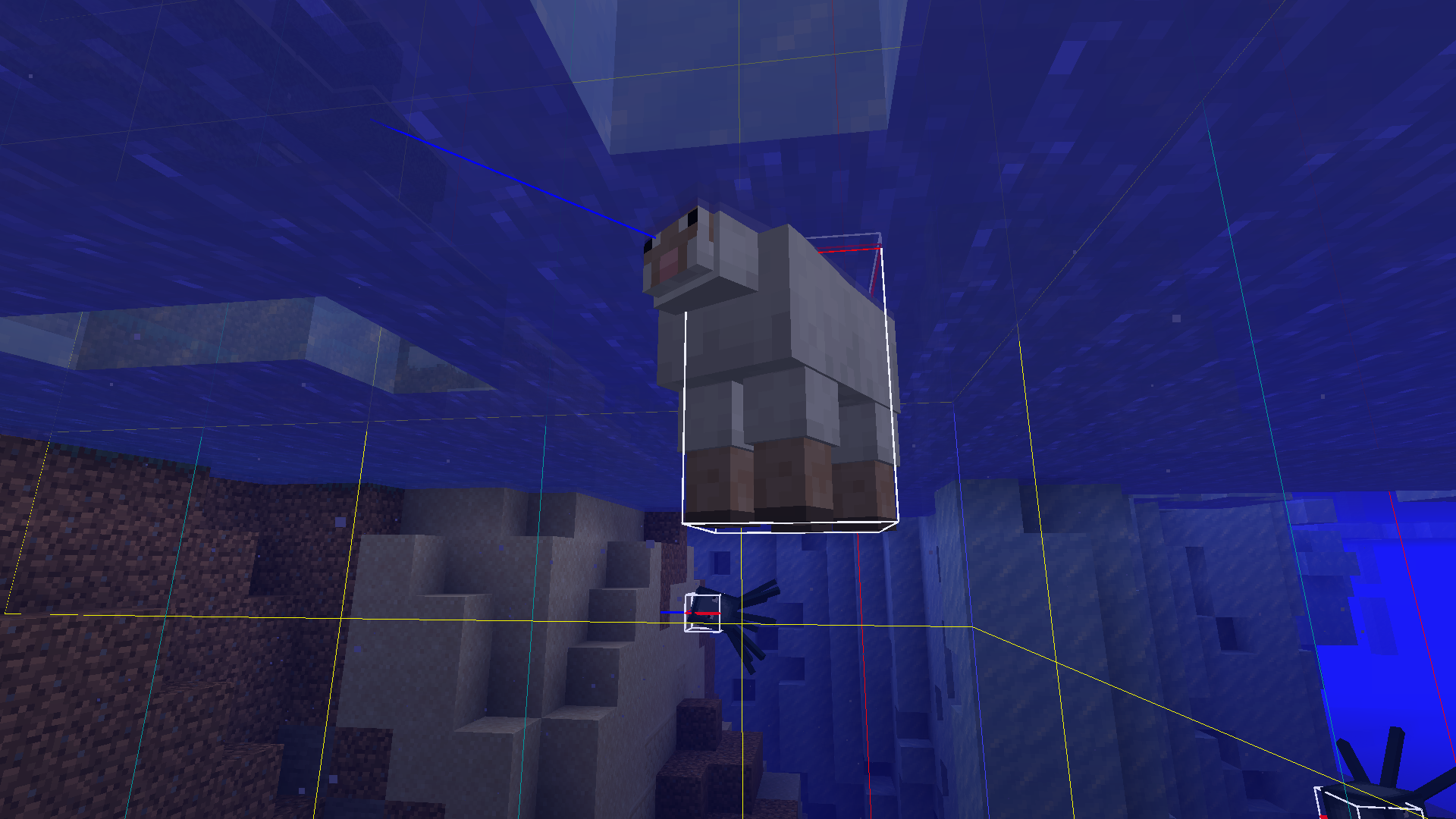
Some mobs like sheep or horses do not drown in water if they are trapped floating up against blocks (pigs, for example, do drown).
Steps to reproduce:
- Find an ice river/ice ocean or a water-filled cave (or place blocks in water).
- Summon a sheep or a horse under the ice/cave ceiling/blocks (more mobs may work, requires further testing).
- The mob now floats up against the ceiling.
Edit: After further testing I found that the bug also affects cows, donkeys, mules, llamas, camels, chickens and probably many more types of mobs.
Sheep and horses don't drown in water if they are directly under blocksMany mobs don't drown in water if they are directly under blocks
Some mobs like sheep or horses do not drown in water if they are trapped floating up against blocks (pigs and foxes, for example, do drown).
Steps to reproduce:
- Find an ice river/ice ocean or a water-filled cave (or place blocks in water).
- Summon a sheep or a horse under the ice/cave ceiling/blocks (more mobs may work, requires further testing).
- The mob now floats up against the ceiling.
Edit: After further testing I found that the bug also affects cows, donkeys, mules, llamas, camels, chickens and probably many more types of mobs.
Some mobs like sheep or horses do not drown in water if they are trapped floating up against blocks (pigs and foxes, for example, do drown).
Steps to reproduce:
- Find an ice river/ice ocean or a water-filled cave (or place blocks in water).
- Summon a sheep or a horse under the ice/cave ceiling/blocks (more mobs may work, requires further testing).
- The mob now floats up against the ceiling.
Edit: After further testing I found that the bug also affects cows, donkeys, mules, llamas, camels, chickens, ocelots and probably many more types of mobs.
This occurs only with Minecart Experiments enabled.
If a minecart cluster leaves a rail, keeps its velocity due to MC-14, and then reenters a rail, two things can happen:
- 1. The minecart cluster stops completely. If the blocks are broken below it, it does not fall. It does not respond to any stimulus. (bug3.mp4)
- 2. The minecart cluster stops. When the block with the rail is broken, the minecart cluster goes backwards. (first part of bug4.mp4)
This seems to depend on the distance the minecart travels without rails (might also have to do with chunk border crossing).Steps to reproduce:
- Build one line of rails, then a longer section with no rails, and then again rails (as shown in bug3.mp4).
- Place a really large amount of minecarts on the first rail track (minecart cluster).
- Push the cluster so it moves forward.
- Break the blocks below it.
If you shorten the section with no rails, the second behavior will occur.
Steps to reproduce:- Repeat steps 1 - 3 of the above method.
- Break the block with the rail on top.
Note that while reproducing this bug, you might have to reload your world if the minecarts disappear (
MC-275857).
This occurs only with Minecart Experiments enabled.
If a minecart cluster leaves a rail, keeps its velocity due to MC-14, and then reenters a rail, two things can happen:
1.The minecart cluster stops completely. If the blocks are broken below it, it does not fall. It does not respond to any stimulus. (bug3.mp4)- 2. The minecart cluster stops. When the block with the rail is broken, the minecart cluster goes backwards. (first part of bug4.mp4)
This seems to depend on the distance the minecart travels without rails (might also have to do with chunk border crossing).Steps to reproduce:
- Build one line of rails, then a longer section with no rails, and then again rails (as shown in bug3.mp4).
- Place a really large amount of minecarts on the first rail track (minecart cluster).
- Push the cluster so it moves forward.
- Break the blocks below it.
If you shorten the section with no rails, the second behavior will occur.
Steps to reproduce:- Repeat steps 1 - 3 of the above method.
- Break the block with the rail on top.
Note that while reproducing this bug, you might have to reload your world if the minecarts disappear (
MC-275857).This occurs only with Minecart Experiments enabled.
If a minecart cluster leaves a rail, keeps its velocity due to MC-14, and then reenters a rail, two things can happen:
- The minecart cluster stops completely. If the blocks are broken below it, it does not fall. It does not respond to any stimulus. (bug3.mp4)
- The minecart cluster stops. When the block with the rail is broken, the minecart cluster goes backwards. (first part of bug4.mp4)
This seems to depend on the distance the minecart travels without rails (might also have to do with chunk border crossing).
Steps to reproduce:
- Build one line of rails, then a longer section with no rails, and then again rails (as shown in bug3.mp4).
- Place a really large amount of minecarts on the first rail track (minecart cluster).
- Push the cluster so it moves forward.
- Break the blocks below it.
If you shorten the section with no rails, the second behavior will occur.
Steps to reproduce:- Repeat steps 1 - 3 of the above method.
- Break the block with the rail on top.
Note that while reproducing this bug, you might have to reload your world if the minecarts disappear (
MC-275857).
This occurs only with Minecart Experiments enabled.
If a minecart cluster leaves a rail, keeps its velocity due to MC-14, and then reenters a rail, two things can happen:
- The minecart cluster stops completely. If the blocks are broken below it, it does not fall. It does not respond to any stimulus. (bug3.mp4)
- The minecart cluster stops. When the block with the rail is broken, the minecart cluster goes backwards. (first part of bug4.mp4)
This seems to depend on the distance the minecart travels without rails (might also have to do with chunk border crossing).
Steps to reproduce:
- Build one line of rails, then a longer section with no rails, and then again rails (as shown in bug3.mp4).
- Place a really large amount of minecarts on the first rail track (minecart cluster).
- Push the cluster so it moves forward.
- Break the blocks below it.
If you shorten the section with no rails, the second behavior will occur.
Steps to reproduce:- Repeat steps 1 - 3 of the above method.
- Break the block with the rail on top.
Note that while reproducing this bug
,you might have to reload your world if the minecarts disappear (MC-275857).
This occurs only with Minecart Experiments enabled.
If a minecart cluster leaves a rail, keeps its velocity due to MC-14, and then reenters a rail, two things can happen:
- The minecart cluster stops completely. If the blocks are broken below it, it does not fall. It does not respond to any stimulus. (bug3.mp4)
- The minecart cluster stops. When the block with the rail is broken, the minecart cluster goes backwards. (first part of bug4.mp4)
This seems to depend on the distance the minecart travels without rails (might also have to do with chunk border crossing).
Steps to reproduce:
- Build one line of rails, then a longer section with no rails, and then again rails (as shown in bug3.mp4).
- Place a really large amount of minecarts on the first rail track (minecart cluster).
- Push the cluster so it moves forward.
- Break the blocks below it.
If you shorten the section with no rails, the second behavior will occur.
Steps to reproduce:- Repeat steps 1 - 3 of the above method.
- Break the block with the rail on top.
Note that while reproducing this bug you might have to reload your world if the minecarts disappear (
MC-275857).This occurs only with Minecart Experiments enabled.
If a minecart cluster leaves a rail, keeps its velocity due to MC-14, and then reenters a rail, two things can happen:
- The minecart cluster stops completely. If the blocks are broken below it, it does not fall. It does not respond to any stimulus. (bug3.mp4)
- The minecart cluster stops. When the block with the rail is broken, the minecart cluster goes backwards. (first part of bug4.mp4)
This seems to depend on the distance the minecart travels without rails (might also have to do with chunk border crossing).
Steps to reproduce:
- Build one line of rails, then a longer section with no rails, and then again rails (as shown in bug3.mp4).
- Place a really large amount of minecarts on the first rail track (minecart cluster).
- Push the cluster so it moves forward.
- Break the blocks below it.
If you shorten the section with no rails, the second behavior will occur.
Steps to reproduce:
- Repeat steps 1 - 3 of the above method.
- Break the block with the rail on top.
Note that while reproducing this bug you might have to reload your world if the minecarts disappear (
MC-275857).
This occurs only with Minecart Experiments enabled.
If a minecart cluster leaves a rail, keeps its velocity due to MC-14, and then reenters a rail, two things can happen:
- The minecart cluster stops completely. If the blocks are broken below it, it does not fall. It does not respond to any stimulus. (bug3.mp4)
- The minecart cluster stops. When the block with the rail is broken, the minecart cluster goes backwards. (first part of bug4.mp4)
This seems to depend on the distance the minecart travels without rails (might also have to do with chunk border crossing).
Steps to reproduce:
- Build one line of rails, then a longer section with no rails, and then again rails (as shown in bug3.mp4).
- Place a really large amount of minecarts on the first rail track (minecart cluster).
- Push the cluster so it moves forward.
- Break the blocks below it.
If you shorten the section with no rails, the second behavior will occur
.Steps to reproduce:
- Repeat steps 1 - 3 of the above method.
- Break the block with the rail on top.
Note that while reproducing this bug you might have to reload your world if the minecarts disappear (
MC-275857).This occurs only with Minecart Experiments enabled.
If a minecart cluster leaves a rail, keeps its velocity due to MC-14, and then reenters a rail, two things can happen:
- The minecart cluster stops completely. If the blocks are broken below it, it does not fall. It does not respond to any stimulus. (bug3.mp4)
- The minecart cluster stops. When the block with the rail is broken, the minecart cluster goes backwards. (first part of bug4.mp4)
This seems to depend on the distance the minecart travels without rails (might also have to do with chunk border crossing).
Steps to reproduce:
- Build one line of rails, then a longer section with no rails, and then again rails (as shown in bug3.mp4).
- Place a really large amount of minecarts on the first rail track (minecart cluster).
- Push the cluster so it moves forward.
- Break the blocks below it.
If you shorten the section with no rails, the second behavior will occur:
Steps to reproduce:
- Repeat steps 1 - 3 of the above method, but with a shorter section with no rails.
- Break the block with the rail on top.
Note that while reproducing this bug you might have to reload your world if the minecarts disappear (
MC-275857).
This occurs independent of the Minecart Experiments being enabled.
Steps to reproduce:
- Place a really large amount of minecarts carrying boats on a rail (for example with a command block, using ' /summon minecart ~ ~-1 ~
Unknown macro: {Passengers}')
- Jump really close to the minecart cluster (as close as you can without colliding with it). This is probably easier than the method shown in the attached video.
This occurs independent of the Minecart Experiments being enabled.
Steps to reproduce:
- Place a really large amount of minecarts carrying boats on a rail (for example with a command block)
- Jump really close to the minecart cluster (as close as you can without colliding with it). This is probably easier than the method shown in the attached video.
Minecraft clusters carrying boats apply extreme velocity to the player when collidingMinecart clusters carrying boats apply extreme velocity to the player when colliding
Minecart clusters carrying boats apply extreme velocity to the playerwhen collidingMinecart clusters carrying boats apply extreme velocity to the player on collision
Minecart clusterscarrying boatsapply extreme velocity to the player on collisionBoat clusters apply extreme velocity to the player on collision
This occurs independent of the Minecart Experiments being enabled.
Steps to reproduce:
- Place a really large amount of
minecarts carrying boats on a rail (for example with a command block)- Jump really close to the
minecartcluster (as close as you can without colliding with it).This is probably easier than the method shown in the attached video.This occurs independent of the Minecart Experiments being enabled.
Steps to reproduce:
- Place a really large amount of boats on one block so they become a boat cluster.
- Jump really close to the cluster (as close as you can without colliding with it).
In the video, minecart clusters carrying boats are shown, which also work.
This occurs independent of the Minecart Experiments being enabled.
Steps to reproduce:
- Place a really large amount of boats on one block so they become a boat cluster (with command blocks, for example).
- Jump really close to the cluster (as close as you can without colliding with it).
In the video, minecart clusters carrying boats are shown, which also work.
This behavior was not mentioned in the changelog and exists since this snapshot. Note that this also affects heavy mobs like ravagers that should be very resistant to knockback in the same fashion. This bug makes it also easy to kill almost any mob by bombarding it with wind charges.
Steps to reproduce:
- Summon any mob.
- Throw a wind charge at it.
This behavior was not mentioned in the changelog
andexists since this snapshot. Note that this also affects heavy mobs like ravagers that should be very resistant to knockback in the same fashion. This bug makes it also easy to kill almost any mob by bombarding it with wind charges.Steps to reproduce:
- Summon any mob.
- Throw a wind charge at it.
This behavior was not mentioned in the changelog, but it exists since this snapshot. Note that this also affects heavy mobs like ravagers that should be very resistant to knockback in the same fashion. This bug makes it also easy to kill almost any mob by bombarding it with wind charges.
Steps to reproduce:
- Summon any mob.
- Throw a wind charge at it.
I noticed while testing other bugs that the commands stored inside of the command blocks in my inventory would consistently vanish since the snapshot was released. After some investigation, I found that this had to do with moving them around in my inventory. This also leads to the "Always Active" being reset to "Needs Redstone".
Steps to reproduce:
- Place a command block.
- Set it to repeating and always active.
- Enter a command (I used "/summon minecart ~ ~-1 ~") into the command block.
- Press Ctrl + middle mouse button on the command block to pick block with data.
- Notice that when you place this down, the contained data is the same as when you picked the block.
- Move the command block one slot to the right (for example).
- Place it down again.
Command block data is often lost when moving it around in inventoryRepeating command block data is often lost when moving it around in inventory
Steps to reproduce:
- Enter the following command: "/summon trident ~ ~ ~
"
Steps to reproduce:
- Enter the following command: "/summon trident ~ ~ ~ {Motion:[0.0d,1.0d,0.0d],Passengers:[ {id:"boat"}
]}"
Steps to reproduce:
- Enter the following command: "/summon trident ~ ~ ~ {Motion:[0.0d,1.0d,0.0d],Passengers:
[ {id:"boat"}]}"Steps to reproduce:
- Enter the following command: "/summon trident ~ ~ ~ {Motion:[0.0d,1.0d,0.0d],Passengers:[\{id:"boat"\}]}"
Steps to reproduce:
- Enter the following command: "/summon trident ~ ~ ~ {Motion:[0.0d,1.0d,0.0d],Passengers:[
\{id:"boat"\}]}"
Steps to reproduce:
- Enter the following command: "/summon trident ~ ~ ~ {Motion:[0.0d,1.0d,0.0d],Passengers:[{id:"boat"\}]
}"
Steps to reproduce:
- Enter the following command: "/summon trident ~ ~ ~ {Motion:[0.0d,1.0d,0.0d],Passengers:[ {id:"boat"}
]}"
Steps to reproduce:
- Enter the following command: "/summon trident ~ ~ ~ {Motion:[0.0d,1.0d,0.0d],Passengers:
[ {id:"boat"}]}"Steps to reproduce:
- Enter the following command: "/summon trident ~ ~ ~ {Motion:[0.0d,1.0d,0.0d],Passengers:[{id:"boat"\}]}"
Steps to reproduce:
- Enter the following command: "/summon trident ~ ~ ~ {Motion:[0.0d,1.0d,0.0d],Passengers:[{id:"boat"\}]
}"
Steps to reproduce:
- Enter the following command: "/summon trident ~ ~ ~ {Motion:[0.0d,1.0d,0.0d],Passengers:[ {id:"boat"}
]}"
Steps to reproduce:
- Enter the following command: "/summon trident ~ ~ ~
{Motion:[0.0d,1.0d,0.0d],Passengers:[ {id:"boat"}
]}"Steps to reproduce:
- Enter the following command: "/summon trident ~ ~ ~
Unknown macro: {Motion}"
Steps to reproduce:
- Enter the following command: "/summon trident ~ ~ ~
Unknown macro: {Motion}"
Steps to reproduce:
- Enter the following command:
/summon trident ~ ~ ~
Unknown macro: {Motion}
Steps to reproduce:
- Enter the following command:
/summon trident ~ ~ ~
Unknown macro: {Motion}
Steps to reproduce:
- Enter the following command:
/summon trident ~ ~ ~ {Motion:[0.0d,1.0d,0.0d],Passengers:[{id:"boat"}]}
Steps to reproduce:
- Enter the following command:
/summon trident ~ ~ ~ {Motion:[0.0d,1.0d,0.0d],Passengers:[{id:"boat"}]}
Steps to reproduce:
- Enter the following command:
/summon trident ~ ~ ~ {Motion:[0.0d,1.0d,0.0d],Passengers:[{id:"boat"}]}
Steps to reproduce:
1. Enter the following command:/summon trident ~ ~ ~ {Motion:[0.0d,1.0d,0.0d],Passengers:[{id:"boat"}]}2.
Summoning a moving trident carrying a boat or end crystal crashes the game
Steps to reproduce:
1. Enterthe following command:/summon trident ~ ~ ~ {Motion:[0.0d,1.0d,0.0d],Passengers:[{id:"boat"}]}2.
Steps to reproduce:
1. Execute the following command:/summon trident ~ ~ ~ {Motion:[0.0d,1.0d,0.0d],Passengers:[{id:"boat"}]}2.
Summoning a moving trident carrying a boator end crystalcrashes the game
I have also had this with end crystals as passengers, but I can't seem to reproduce with those right now.
Steps to reproduce:
1. Execute the following command:/summon trident ~ ~ ~ {Motion:[0.0d,1.0d,0.0d],Passengers:[{id:"boat"}]}2.
I have also had this with end crystals as passengers, but I can't seem to reproduce with those right now.
Steps to reproduce:
1. Execute the following command:/summon trident ~ ~ ~ {Motion:[0.0d,1.0d,0.0d],Passengers:[{id:"boat"}]}2.
I have also had this with end crystals as passengers, but I can't seem to reproduce with those right now.
Edit: This also works with ghast fireballs carrying the boat.Steps to reproduce:
1. Execute the following command:/summon trident ~ ~ ~ {Motion:[0.0d,1.0d,0.0d],Passengers:[{id:"boat"}]}2.
I have also had this with end crystals as passengers, but I can't seem to reproduce with those right now.
Edit: This also works with ghast fireballs and blaze fireballs carrying the boat.Steps to reproduce:
1. Execute the following command:/summon trident ~ ~ ~ {Motion:[0.0d,1.0d,0.0d],Passengers:[{id:"boat"}]}2.
Summoninga moving tridentcarrying a boat crashes the gameSummoning some projectiles that are carrying a boat crashes the game
I have also had this with end crystals as passengers, but I can't seem to reproduce with those right now.
Edit: This alsoworks with ghast fireballsandblaze fireballs carrying the boat.Steps to reproduce:
1. Execute the following command:/summon trident ~ ~ ~ {Motion:[0.0d,1.0d,0.0d],Passengers:[{id:"boat"}]}2.
I have also had this with end crystals as passengers, but I can't seem to reproduce with those right now.
This works with ghast fireballs, blaze fireballs and tridents carrying the boat (as far as I have tested).Steps to reproduce:
1. Execute the following command:/summon trident ~ ~ ~ {Motion:[0.0d,1.0d,0.0d],Passengers:[{id:"boat"}]}2.
I have also had this with end crystals as passengers, but I can't seem to reproduce with those right now.
This works with ghast fireballs, blaze fireballsandtridents carrying the boat (as far as I have tested).Steps to reproduce:
1. Execute the following command:/summon trident ~ ~ ~ {Motion:[0.0d,1.0d,0.0d],Passengers:[{id:"boat"}]}2.
I have also had this with end crystals as passengers, but I can't seem to reproduce with those right now.
This works with ghast fireballs, blaze fireballs, tridents and primed TNT carrying the boat (as far as I have tested).Steps to reproduce:
1. Execute the following command:/summon trident ~ ~ ~ {Motion:[0.0d,1.0d,0.0d],Passengers:[{id:"boat"}]}2.
I have also had this with end crystals as passengers, but I can't seem to reproduce with those right now.
This works with ghast fireballs, blaze fireballs, tridentsandprimed TNT carrying the boat (as far as I have tested).Steps to reproduce:
1. Execute the following command:/summon trident ~ ~ ~ {Motion:[0.0d,1.0d,0.0d],Passengers:[{id:"boat"}]}2.
I have also had this with end crystals as passengers, but I can't seem to reproduce with those right now.
This works with ghast fireballs, blaze fireballs, tridents, primed TNT and lightning bolts carrying the boat (as far as I have tested).Steps to reproduce:
1. Execute the following command:/summon trident ~ ~ ~ {Motion:[0.0d,1.0d,0.0d],Passengers:[{id:"boat"}]}2.
I have also had this with end crystals as passengers, but I can't seem to reproduce with those right now.
This bug works with ghast fireballs, blaze fireballs, tridents, primed TNT and lightning bolts carrying the boat (as far as I have tested).Steps to reproduce:
1. Execute the following command:/summon trident ~ ~ ~ {Motion:[0.0d,1.0d,0.0d],Passengers:[{id:"boat"}]}2.
Summoning some moving projectiles that are carrying a boat crashes the game
With the new Redstone Experiments, I expected that there should be no directional redstone contraptions left. Instead, I
sawthat this fast 0-tick clock is still directional.Steps to reproduce:
- Build the contraption as shown in the video in two directions differring by 90 degrees.
- Place a redstone block between the pistons.
With the new Redstone Experiments, I expected that there should be no directional redstone contraptions left. Instead, I noticed that this fast 0-tick clock is still directional.
Steps to reproduce:
- Build the contraption as shown in the video in two directions differring by 90 degrees.
- Place a redstone block between the pistons.
Steps to reproduce:
- Summon a villager and give him a job.
- Build a command block setup so you can summon lightning on the villager (with delay so you have time to open his trading GUI).
Open the GUI.Steps to reproduce:
- Summon a villager and give him a job.
- Build a command block setup so you can summon lightning on the villager (with delay so you have time to open his trading GUI).
- Activate the setup.
- Open the GUI.
Arrow shootingmobs cannot hit their target if it is in the same position as themRanged mobs cannot hit their target if it is in the same position as them
This applies to mobs that shoot arrows as well as mobs that shoot tridents.
Steps to reproduce:
- Dig a two deep hole.
- Spawn a skeleton in the hole.
- Change your gamemode to survival.
- Jump in the hole.
This applies to mobs that shoot arrows as well as mobs that shoot tridents (that means the bug most likely occurs with all projectiles).
Steps to reproduce:
- Dig a two deep hole.
- Spawn a skeleton in the hole.
- Change your gamemode to survival.
- Jump in the hole.
This applies to mobs that shoot arrows as well as
mobs that shoot tridents (that means the bug most likely occurs with all projectiles).Steps to reproduce:
- Dig a two deep hole.
- Spawn a skeleton in the hole.
- Change your gamemode to survival.
- Jump in the hole.
This applies to mobs that shoot arrows as well as tridents and potions (that means the bug most likely occurs with all projectiles).
Steps to reproduce:
- Dig a two deep hole.
- Spawn a skeleton in the hole.
- Change your gamemode to survival.
- Jump in the hole.
This applies to mobs that shoot arrows as well as tridents and potions (that means the bug
mostlikely occurs withallprojectiles).Steps to reproduce:
- Dig a two deep hole.
- Spawn a skeleton in the hole.
- Change your gamemode to survival.
- Jump in the hole.
This applies to mobs that shoot arrows as well as tridents and potions (that means the bug likely occurs with most projectiles). The exception seems to be breezes, however, which work correctly.
Steps to reproduce:
- Dig a two deep hole.
- Spawn a skeleton in the hole.
- Change your gamemode to survival.
- Jump in the hole.
When the player goes a certain distance away from the main end island, the ender dragon and endermen will be located inside of the fog. Unlike in earlier versions, both will be visible in the fog, colored in purple. Also, the ender dragon is not rendered correctly in the fog: It appears as if its wings were rectangular with purple transparent parts around the normal outline.
When the player goes a certain distance away from the main end island, the ender dragon and endermen will be located inside of the fog. Unlike in earlier versions, both will be visible in the fog, colored in purple. Also, the ender dragon is not rendered correctly in the fog: It appears as if its wings were rectangular with purple transparent parts around the normal outline.
Edit: This also happens with endermen in the nether fog.
When the player goes a certain distance away from the main end island, the ender dragon and endermen will be located inside of the fog. Unlike in earlier versions, both will be visible in the fog, colored in purple. Also, the ender dragon is not rendered correctly in the fog: It appears as if its wings were rectangular with purple transparent parts around the normal outline.
Edit: This also happens with
endermenin the nether fog.When the player goes a certain distance away from the main end island, the ender dragon and endermen will be located inside of the fog. Unlike in earlier versions, both will be visible in the fog, colored in purple. Also, the ender dragon is not rendered correctly in the fog: It appears as if its wings were rectangular with purple transparent parts around the normal outline.
Edit: This also happens with both mobs in the nether fog.
When the player goes a certain distance away from the main end island, the ender dragon and endermen will be located inside of the fog. Unlike in earlier versions, both will be visible in the fog, colored in purple. Also, the ender dragon is not rendered correctly in the fog: It appears as if its wings were rectangular with purple transparent parts around the normal outline.
Edit: This also happens with both mobs in the nether
fog.When the player goes a certain distance away from the main end island, the ender dragon and endermen will be located inside of the fog. Unlike in earlier versions, both will be visible in the fog, colored in purple. Also, the ender dragon is not rendered correctly in the fog: It appears as if its wings were rectangular with purple transparent parts around the normal outline.
Edit: This also happens with both mobs in the nether and overworld fog. I could also reproduce it with spiders.
Steps to reproduce:
- Summon an armor stand.
- Apply the effect "Invisibility" (the most obvious example) to the armor stand (using commands).
What I expected to happen was:
Either potion effects like invisibility should work on armor stands, or the "/effect" command should fail like in the case of other inanimate entities.Steps to reproduce:
- Summon an armor stand.
- Apply the effect "Invisibility" (the most obvious example) to the armor stand (using commands).
What I expected to happen was:
Either potion effects like invisibility should work on armor stands, or the "/effect" command should fail like in the case of other inanimate entities.
Many potion effectscan be applied to an armor stand despite nothaving aneffectInvisibility potion effect can be applied to an armor stand despite not doing anything
Steps to reproduce:
- Summon an armor stand.
- Apply the effect "Invisibility"
(the most obvious example)to the armor stand (using commands).What I expected to happen was:
Either potion effects like invisibility should work on armor stands, or the "/effect" command should fail like in the case of other inanimate entities.Steps to reproduce:
- Summon an armor stand.
- Apply the effect "Invisibility" to the armor stand (using commands).
All blocks and entities flicker atnightAll blocks and entities flicker at low light levels
All blocks and entities flicker at lower light levels than 15
I first thought this was an issue with my eyes, but I noticed this does not happen in 1.21.1. It might also be graphics card specific, but I cannot test this with another computer right now. A video of the bug is attached (hopefully it is clear enough).
Steps to reproduce:
- Set the time to midnight and ensure that the moon is not a full moon.
- Look closely at the ground (I used grass blocks) or an entity (I used a husk).
All blocks and entities flicker at night or at lower light levels than 15
I first thought this was an issue with my eyes, but I noticed this does not happen in 1.21.1. It might also be graphics card specific, but I cannot test this with another computer right now. A video of the bug is attached (hopefully it is clear enough).
Steps to reproduce:
- Set the time to midnight
and ensure that the moon is not a full moon.- Look closely at the ground (I used grass blocks) or an entity (I used a husk).
There are three behaviors that can happen when a minecart cluster (many minecarts clustered together in one block) derail on a block of soul sand. These are different from each other in Minecart Experiments being enabled and the direction the rail track is built in. Two of these behaviors represent a bug.
Steps to reproduce the first behavior:
- Disable Minecart Experiments.
- Build a rail track (I used powered rails) that ends in front of a line of soul sand. You can use the video as guidance. The direction this is built in is not important.
- Summon a lot of minecarts on one rail (using a command block).
- Push them in the direction of the soul sand.
Steps to reproduce the second behavior:
- Enable Minecart Experiments.
- Build a rail track (I used powered rails) that ends in front of a line of soul sand. You can use the video as guidance. Build this facing north (so you look in the north direction when you stand in front of the rails, not on the soul sand).
- Summon a lot of minecarts on one rail (using a command block).
- Push them in the direction of the soul sand.
The other three directions this can be built in exhibit normal behavior where the minecarts do not change rotation (which is the third behavior) with Minecart Experiments enabled.
The attached videos show both faulty behaviors.
There are three behaviors that can happen when a minecart cluster (many minecarts clustered together in one block) derail on a block of soul sand. These are different from each other in Minecart Experiments being enabled and the direction the rail track is built in. Two of these behaviors represent a bug.
Steps to reproduce the first behavior:
- Disable Minecart Experiments.
- Build a rail track (I used powered rails) that ends in front of a line of soul sand. You can use the video as guidance. The direction this is built in is not important.
- Summon a lot of minecarts on one rail (using a command block).
- Push them in the direction of the soul sand.
The first behavior seems to happen with many (if not all) non-full blocks.
Steps to reproduce the second behavior:
- Enable Minecart Experiments.
- Build a rail track (I used powered rails) that ends in front of a line of soul sand. You can use the video as guidance. Build this facing north (so you look in the north direction when you stand in front of the rails, not on the soul sand).
- Summon a lot of minecarts on one rail (using a command block).
- Push them in the direction of the soul sand.
The other three directions this can be built in exhibit normal behavior where the minecarts do not change rotation (which is the third behavior) with Minecart Experiments enabled.
The attached videos show both faulty behaviors.
There are three behaviors that can happen when a minecart cluster (many minecarts clustered together in one block) derails on a block of soul sand. These are different from each other in Minecart Experiments being enabled and the direction the rail track is built in. Two of these behaviors represent a bug.
Steps to reproduce the first behavior:
- Disable Minecart Experiments.
- Build a rail track (I used powered rails) that ends in front of a line of soul sand. You can use the video as guidance. The direction this is built in is not important.
- Summon a lot of minecarts on one rail (using a command block).
- Push them in the direction of the soul sand.
The first behavior seems to happen with many (if not all) non-full blocks.
Steps to reproduce the second behavior:
- Enable Minecart Experiments.
- Build a rail track (I used powered rails) that ends in front of a line of soul sand. You can use the video as guidance. Build this facing north (so you look in the north direction when you stand in front of the rails, not on the soul sand).
- Summon a lot of minecarts on one rail (using a command block).
- Push them in the direction of the soul sand.
The other three directions this can be built in exhibit normal behavior where the minecarts do not change rotation (which is the third behavior) with Minecart Experiments enabled.
The attached videos show both faulty behaviors.
There are three behaviors that can happen when a minecart cluster (many minecarts clustered together in one block) derails on a block of soul sand. These are different from each other in Minecart Experiments being enabled and the direction the rail track is built in. Two of these behaviors represent a bug.
Steps to reproduce the first behavior:
- Disable Minecart Experiments.
- Build a rail track (I used powered rails) that ends in front of a line of soul sand. You can use the video behavior1.mp4 as guidance. The direction this is built in is not important.
- Summon a lot of minecarts on one rail (using a command block).
- Push them in the direction of the soul sand.
The first behavior seems to happen with many (if not all) non-full blocks.
Steps to reproduce the second behavior:
- Enable Minecart Experiments.
- Build a rail track (I used powered rails) that ends in front of a line of soul sand. You can use the video behavior2-1.mp4 as guidance. Build this facing north (so you look in the north direction when you stand in front of the rails, not on the soul sand).
- Summon a lot of minecarts on one rail (using a command block).
- Push them in the direction of the soul sand.
The other three directions this can be built in exhibit normal behavior where the minecarts do not change rotation (which is the third behavior) with Minecart Experiments enabled.
The attached videos show both faulty behaviors.
There are three behaviors that can happen when a minecart cluster (many minecarts clustered together in one block) derails on a block of soul sand. These are different from each other in Minecart Experiments being enabled and the direction the rail track is built in. Two of these behaviors represent a bug.
Steps to reproduce the first behavior:
- Disable Minecart Experiments.
- Build a rail track (I used powered rails) that ends in front of a line of soul sand. You can use the video behavior1.mp4 as guidance. The direction this is built in is not important.
- Summon a lot of minecarts on one rail (using a command block).
- Push them in the direction of the soul sand.
The first behavior seems to happen with many (if not all) non-full blocks.
Steps to reproduce the second behavior:
- Enable Minecart Experiments.
- Build a rail track (I used powered rails) that ends in front of a line of soul sand. You can use the video behavior2-1.mp4 as guidance. Build this facing north (so
you look in the north direction when you stand in front of the rails, not on the soul sand).- Summon a lot of minecarts on one rail (using a command block).
- Push them in the direction of the soul sand.
The other three directions this can be built in exhibit normal behavior where the minecarts do not change rotation (which is the third behavior) with Minecart Experiments enabled.
The attached videos show both faulty behaviors.
There are three behaviors that can happen when a minecart cluster (many minecarts clustered together in one block) derails on a block of soul sand. These are different from each other in Minecart Experiments being enabled and the direction the rail track is built in. Two of these behaviors represent a bug.
Steps to reproduce the first behavior:
- Disable Minecart Experiments.
- Build a rail track (I used powered rails) that ends in front of a line of soul sand. You can use the video behavior1.mp4 as guidance. The direction this is built in is not important.
- Summon a lot of minecarts on one rail (using a command block).
- Push them in the direction of the soul sand.
The first behavior seems to happen with many (if not all) non-full blocks.
Steps to reproduce the second behavior:
- Enable Minecart Experiments.
- Build a rail track (I used powered rails) that ends in front of a line of soul sand. You can use the video behavior2-1.mp4 as guidance. Build this facing north (so the minecarts travel in the north direction).
- Summon a lot of minecarts on one rail (using a command block).
- Push them in the direction of the soul sand.
The other three directions this can be built in exhibit normal behavior where the minecarts do not change rotation (which is the third behavior) with Minecart Experiments enabled.
The attached videos show both faulty behaviors.
There are three behaviors that can happen when a minecart cluster (many minecarts clustered together in one block) derails on a block of soul sand. These are different from each other in Minecart Experiments being enabled and the direction the rail track is built in. Two of these behaviors represent a bug.
Steps to reproduce the first behavior:
- Disable Minecart Experiments.
- Build a rail track (I used powered rails) that ends in front of a line of soul sand. You can use the video behavior1.mp4 as guidance. The direction this is built in is not important.
- Summon a lot of minecarts on one rail (using a command block).
- Push them in the direction of the soul sand.
The first behavior seems to happen with many (if not all) non-full blocks.
Steps to reproduce the second behavior:
- Enable Minecart Experiments.
- Build a rail track (I used powered rails) that ends in front of a line of soul sand. You can use the video behavior2-1.mp4 as guidance. Build this facing north (so the minecarts travel in the north direction).
- Summon a lot of minecarts on one rail (using a command block).
- Push them in the direction of the soul sand.
The other three directions this can be built in exhibit normal behavior where the minecarts do not change rotation (which is the third behavior) with Minecart Experiments enabled.
The attached videos show both faulty behaviors.
When a minecart cluster (many minecarts clustered together in one block) derails off a rail track. This only happens when Minecart Experiments is disabled.Steps to reproduce:
- Disable Minecart Experiments.
- Build a rail track (I used powered rails). The direction this is built in is not important.
- Summon a lot of minecarts on one rail (using a command block).
- Push them in the direction of one end of the rail track.
This bug arises when a minecart cluster (many minecarts clustered together in one block) derails off a rail track. This only happens when Minecart Experiments is disabled.
Steps to reproduce:
- Disable Minecart Experiments.
- Build a rail track (I used powered rails). The direction this is built in is not important.
- Summon a lot of minecarts on one rail (using a command block).
- Push them in the direction of one end of the rail track.
This bug arises when a minecart cluster (many minecarts clustered together in one block) derails off a rail track. This only happens when Minecart Experiments is disabled.
Steps to reproduce:
- Disable Minecart Experiments.
- Build a rail track (I used powered rails). The direction this is built in is not important.
- Summon a lot of minecarts on one rail (using a command block).
- Push them in the direction of one end of the rail track.
This works only with Minecart Experiments enabled.
Steps to reproduce:
- Place a cactus on sand.
- Build a railtrack with powered rails, facing into the cactus. The track should be 6 blocks long.
- Now use a command block to summon a lot of minecarts on a rail of your choice. Push the minecarts in the direction of the cactus. Repeat this step for all 6 rails.
A video ofthebugis attached. Note the similarity to the recently fixedMC-119369.This works only with Minecart Experiments enabled.
Steps to reproduce:
- Place a cactus on sand.
- Build a railtrack with powered rails, facing into the cactus. The track should be 6 blocks long.
- Now use a command block to summon a lot of minecarts on a rail of your choice. Push the minecarts in the direction of the cactus. Repeat this step for all 6 rails.
I have tested this bug up to a distance of 26 blocks. It works on blocks 1, 2, 5, 6, 11, 12, 17, 18, 23 and 24.
A video of the bug is attached. Note the similarity to the recently fixedMC-119369.
Minecart clusters don't break completely when hitting cacti if they have travelled for certain distances
This works only with Minecart Experiments enabled.
Steps to reproduce:
- Place a cactus on sand.
- Build a railtrack with powered rails, facing into the cactus. The track should be 6 blocks long.
- Now use a command block to summon a lot of minecarts on a rail of your choice. Push the minecarts in the direction of the cactus. Repeat this step for all 6 rails.
I have tested this bug up to a distance of 26 blocks. It works on blocks 1, 2, 5, 6, 11, 12, 17, 18, 23 and 24.
A video of the bug is attached. Note the similarity to the recently fixedMC-119369.
This works only with Minecart Experiments enabled.
Steps to reproduce:
- Place a cactus on sand.
- Build a railtrack with powered rails, facing into the cactus. The track should be 6 blocks long.
- Now use a command block to summon a lot of minecarts on a rail of your choice. Push the minecarts in the direction of the cactus. Repeat this step for all 6 rails.
I have tested this bug up to a distance of 26 blocks. It works on blocks 1, 2, 5, 6, 11, 12, 17, 18, 23 and 24.
A video of the bug is attached. Note the similarity to the recently fixedMC-119369.This bug is also dependent on the number of minecarts in the cluster. Different numbers of minecarts (if low enough) work with different distances, until the number of minecarts gets high enough, where the distances even out to my tested values.
This works only with Minecart Experiments enabled.
Steps to reproduce:
- Place a cactus on sand.
- Build a railtrack with powered rails, facing into the cactus. The track should be 6 blocks long.
- Now use a command block to summon a lot of minecarts on a rail of your choice. Push the minecarts in the direction of the cactus. Repeat this step for all 6 rails.
I have tested this bug up to a distance of 26 blocks. It works on blocks 1, 2, 5, 6, 11, 12, 17, 18, 23 and 24.
A video of the bug is attached. Note the similarity to the recently fixedMC-119369.This bug is also dependent on the number of minecarts in the cluster. Different numbers of minecarts (if low enough) work with different distances, until the number of minecarts gets high enough, where the distances even out to my tested values.
This bug could break many minecart contraptions if left unfixed.
This works only with Minecart Experiments enabled.
Steps to reproduce:
- Place a cactus on sand.
- Build a railtrack with powered rails, facing into the cactus. The track should be 6 blocks long.
- Now use a command block to summon a lot of minecarts on a rail of your choice. Push the minecarts in the direction of the cactus. Repeat this step for all 6 rails.
I have tested this bug up to a distance of 26 blocks. It works on blocks 1, 2, 5, 6, 11, 12, 17, 18, 23 and 24.
A video of the bug is attached. Note the similarity to the recently fixedMC-119369.This bug is also dependent on the number of minecarts in the cluster. Different numbers of minecarts (if low enough) work with different distances, until the number of minecarts gets high enough to not have an influence anymore, where the distances even out to my tested values.
This bug could break many minecart contraptions if left unfixed.
This works only with Minecart Experiments enabled.
Steps to reproduce:
- Place a cactus on sand.
- Build a railtrack with powered rails, facing into the cactus. The track should be 6 blocks long.
- Now use a command block to summon a lot of minecarts on a rail of your choice. Push the minecarts in the direction of the cactus. Repeat this step for all 6 rails.
I have tested this bug up to a distance of 26 blocks. It works on blocks 1, 2, 5, 6, 11, 12, 17, 18, 23 and 24.
A video of the bug is attached. Note the similarity to the recently fixedMC-119369.This bug is also dependent on the number of minecarts in the cluster. Different numbers of minecarts (if low enough) work with different distances, until the number of minecarts gets high enough to not
have an influence anymore, where the distances even out to my tested values.This bug could break many minecart contraptions if left unfixed.
This works only with Minecart Experiments enabled.
Steps to reproduce:
- Place a cactus on sand.
- Build a railtrack with powered rails, facing into the cactus. The track should be 6 blocks long.
- Now use a command block to summon a lot of minecarts on a rail of your choice. Push the minecarts in the direction of the cactus. Repeat this step for all 6 rails.
I have tested this bug up to a distance of 26 blocks. It works on blocks 1, 2, 5, 6, 11, 12, 17, 18, 23 and 24.
A video of the bug is attached. Note the similarity to the recently fixedMC-119369.This bug is also dependent on the number of minecarts in the cluster. Different numbers of minecarts (if low enough) work with different distances, until the number of minecarts gets high enough to not make a difference anymore, where the distances even out to my tested values.
This bug could break many minecart contraptions if left unfixed.
This works only with Minecart Experiments enabled.
Steps to reproduce:
- Place a cactus on sand.
- Build a railtrack with powered rails, facing into the cactus. The track should be 6 blocks long.
- Now use a command block to summon a lot of minecarts on a rail of your choice. Push the minecarts in the direction of the cactus. Repeat this step for all 6 rails.
I have tested this bug up to a distance of 26 blocks. It works on blocks 1, 2, 5, 6, 11, 12, 17, 18, 23 and 24.
A video of the bug is attached. Note the similarity to the recently fixedMC-119369.This bug is also dependent on the number of minecarts in the cluster. Different numbers of minecarts (if low enough) work with different distances, until the number of minecarts gets high enough to not make a difference anymore, where the distances even out to my tested values.
This bug could break many minecart contraptions if left unfixed.
Edit: If filled minecarts like chest or hopper minecarts are used, only every second block of those tested works (2, 6, 12, 18, 24). 1 might still work as an edge case.
This works only with Minecart Experiments enabled.
Steps to reproduce:
- Place a cactus on sand.
- Build a railtrack with powered rails, facing into the cactus. The track should be 6 blocks long.
- Now use a command block to summon a lot of minecarts on a rail of your choice. Push the minecarts in the direction of the cactus. Repeat this step for all 6 rails.
I have tested this bug up to a distance of 26 blocks. It works on blocks 1, 2, 5, 6, 11, 12, 17, 18, 23 and 24.
A video of the bug is attached. Note the similarity to the recently fixedMC-119369.This bug is also dependent on the number of minecarts in the cluster. Different numbers of minecarts (if low enough) work with different distances, until the number of minecarts gets high enough to not make a difference anymore, where the distances even out to my tested values.
This bug could break many minecart contraptions if left unfixed.
Edit: If filled minecarts like chest or hopper minecarts are used, only every second
blockof thosetested works (2, 6, 12, 18, 24). 1 might still work as an edge case.This works only with Minecart Experiments enabled.
Steps to reproduce:
- Place a cactus on sand.
- Build a railtrack with powered rails, facing into the cactus. The track should be 6 blocks long.
- Now use a command block to summon a lot of minecarts on a rail of your choice. Push the minecarts in the direction of the cactus. Repeat this step for all 6 rails.
I have tested this bug up to a distance of 26 blocks. It works on blocks 1, 2, 5, 6, 11, 12, 17, 18, 23 and 24.
A video of the bug is attached. Note the similarity to the recently fixedMC-119369.This bug is also dependent on the number of minecarts in the cluster. Different numbers of minecarts (if low enough) work with different distances, until the number of minecarts gets high enough to not make a difference anymore, where the distances even out to my tested values.
This bug could break many minecart contraptions if left unfixed.
Edit: If filled minecarts like chest or hopper minecarts are used, only every second value of those previously mentioned works (2, 6, 12, 18, 24). 1 might still work as an edge case.
Minecart clusters change direction after derailing on soul sand in north direction
Minecart clusters changedirection after derailing on soul sand in north directionMinecart clusters change rotation after derailing on soul sand in north direction
Steps to reproduce:
- Enable Minecart Experiments.
- Build a rail track (I used powered rails) that ends in front of a line of soul sand. You can use the video behavior2.mp4 as guidance. Build this facing north (so the minecarts travel in the north direction).
- Summon a lot of minecarts on one rail (using a command block).
- Push them in the direction of the soul sand.
The other three directions this can be built in exhibit normal behavior where the minecarts do not change rotation.
This works only with Minecart Experiments enabled.
Steps to reproduce:
- Build a rail track (I used powered rails) that ends in front of a line of soul sand. You can use the video behavior2.mp4 as guidance. Build this facing north (so the minecarts travel in the north direction).
- Summon a lot of minecarts on one rail (using a command block).
- Push them in the direction of the soul sand.
The other three directions this can be built in exhibit normal behavior where the minecarts do not change rotation.
This works only with Minecart Experiments enabled.
Steps to reproduce:
- Build a rail track (I used powered rails) that ends in front of a line of soul sand. You can use the video behavior2.mp4 as guidance. Build this facing north (so the minecarts travel in the north direction).
- Summon a lot of minecarts on one rail (using a command block).
- Push them in the direction of the soul sand.
The other three directions this can be built in exhibit normal behavior where the minecarts do not change rotation.
This works only with Minecart Experiments enabled.
Steps to reproduce:
- Build a rail track (I used powered rails) that ends in front of a line of soul sand. You can use the video behavior2.mp4 as guidance. Build this facing north (so the minecarts travel in the north direction).
- Summon a lot of minecarts on one rail (using a command block).
- Push them in the direction of the soul sand.
The other three directions this can be built in exhibit normal behavior where the minecarts do not change rotation.
This is independent of the Minecart Experiments being enabled, although with them disabled many more minecarts are left behind.
Steps to reproduce:
- Build the setup shown in the attached video.
- Summon a lot of minecarts on one rail (minecart cluster).
- Push them in the direction of the soul sand.
: The minecart cluster will be unaffected by the other soul sand blocks in the setup.This is independent of the Minecart Experiments being enabled, although with them disabled many more minecarts are left behind.
Steps to reproduce:
- Build the setup shown in the attached video.
- Summon a lot of minecarts on one rail (minecart cluster).
- Push them in the direction of the soul sand.
Minecart clusters leave some minecarts behind while travelling over soul sand
Minecart clusters leave some minecarts behind while travelling over soul sand or honey blocks
Steps to reproduce:
- Summon a creaking.
- Summon a shulker behind it.
- Go into survival mode.
- Position yourself in front of the creaking (so it freezes), in line with the shulker.
What I expected to happen:
As the creaking is anchored to the ground, it should be immune to levitation.
Steps to reproduce:
- Summon a creaking.
- Summon a shulker behind it.
- Go into survival mode.
- Position yourself in front of the creaking (so it freezes), in line with the shulker.
What I expected to happen:
As the creaking is anchored to the ground,it should be immune to levitation.
This is independent of the Minecart Experiments being enabled; with them disabled the bubble particles only appear on one side, making this even more "weird-looking".
Steps to reproduce (a video is attached):
- Dig out a line that is 8 blocks long.
- Place water on one side.
- Place powered rails on the other side and power them.
- Place a lot of minecarts on a rail using command blocks (minecart cluster).
- Push the minecarts in the direction of the water.
This is independent of the Minecart Experiments being enabled; with them disabled the bubble particles only appear on one side, making this even more "weird-looking".
Steps to reproduce (a video is attached):
- Dig out a line that is 8 blocks long.
- Place water on one side.
- Place powered rails on the other side and power them.
- Place a lot of minecarts on a rail using command blocks (minecart cluster).
- Push the minecarts in the direction of the water.
This is independent of the Minecart Experiments being enabled; with them disabled the bubble particles only appear on one side, making this even more "weird-looking".
Steps to reproduce (a video is attached):
- Dig out a line that is 8 blocks long.
- Place water on one side.
- Place powered rails on the other side and power them.
- Place a lot of minecarts on a rail using command blocks (minecart cluster).
- Push the minecarts in the direction of the water.
This is independent of the Minecart Experiments being enabled; with them disabled the bubble particles only appear on one side, making this even more "weird-looking".
Steps to reproduce (
avideoisattached):
- Dig out a line that is 8 blocks long.
- Place water on one side.
- Place powered rails on the other side and power them.
- Place a lot of minecarts on a rail using command blocks (minecart cluster).
- Push the minecarts in the direction of the water.
This is independent of the Minecart Experiments being enabled; with them disabled the bubble particles only appear on one side, making this even more "weird-looking" than with the Experiments.
Steps to reproduce (videos are attached):
- Dig out a line that is 8 blocks long.
- Place water on one side.
- Place powered rails on the other side and power them.
- Place a lot of minecarts on a rail using command blocks (minecart cluster).
- Push the minecarts in the direction of the water.
This is independent of the Minecart Experiments being enabled; with them disabled the bubble particles only appear on one side, making this even more "weird-looking" than with the Experiments.
Steps to reproduce (videos are attached):
- Dig out a line that is 8 blocks long.
- Place water on one side.
- Place powered rails on the other side and
powerthem.- Place a lot of minecarts on a rail using command blocks (minecart cluster).
- Push the minecarts in the direction of the water.
This is independent of the Minecart Experiments being enabled; with them disabled the bubble particles only appear on one side, making this even more "weird-looking" than with the Experiments.
Steps to reproduce (videos are attached):
- Dig out a line that is 8 blocks long.
- Place water on one side.
- Place powered rails on the other side and activate them.
- Place a lot of minecarts on a rail using command blocks (minecart cluster).
- Push the minecarts in the direction of the water.
Steps to reproduce:
- Summon a mob with NoAI:1b.
- Position it on the exact middle of a block.
- Position yourself also on the exact middle of a block a few blocks in a straight line away from the mob.
- Rotate the mob to face you using /rotate, for example:
/rotate @n[type=husk] facing entity @p- Press F3+B to make hitboxes visible.
- Retrieve the mob's rotation using /data, for example:
/data get entity @n[type=husk] Rotationnot zero, buta very small value. This is likely caused by inaccuracies in the formula used in /rotate; the mob apparently rounds the result up, causing its rotation to visibly mismatch.Steps to reproduce:
- Summon a mob with NoAI:1b.
- Position it on the exact middle of a block.
- Position yourself also on the exact middle of a block a few blocks in a straight line away from the mob.
- Rotate the mob to face you using /rotate, for example:
/rotate @n[type=husk] facing entity @p- Press F3+B to make hitboxes visible.
- Retrieve the mob's rotation using /data, for example:
/data get entity @n[type=husk] Rotation
Steps to reproduce:
- Summon a mob with NoAI:1b.
- Position it on the exact middle of a block.
- Position yourself also on the exact middle of a block a few blocks in a straight line away from the mob.
- Rotate the mob to face you using /rotate, for example:
/rotate @n[type=husk] facing entity @p- Press F3+B to make hitboxes visible.
- Retrieve the mob's rotation using /data, for example:
/data get entity @n[type=husk] Rotationvalue. This is likely caused by inaccuracies in the formula used in /rotate; the mob apparently rounds the result up, causing its rotation to visibly mismatch.Steps to reproduce:
- Summon a mob with NoAI:1b.
- Position it on the exact middle of a block.
- Position yourself also on the exact middle of a block a few blocks in a straight line away from the mob.
- Rotate the mob to face you using /rotate, for example:
/rotate @n[type=husk] facing entity @p- Press F3+B to make hitboxes visible.
- Retrieve the mob's rotation using /data, for example:
/data get entity @n[type=husk] Rotation
Despite
MC-277517having been declared fixed, the issue still persists, albeit in slightly different form.Steps to reproduce:
- Build two towers two blocks tall with a distance of two blocks in between.
- Position yourself against the approximate middle of the one tower, facing the other.
- Aim at the middle of the upper edge of the tower you are facing.
- Shoot arrows at the target until you get a good picture.
- Repeat this process in 1.21.1.
Despite
MC-277517having been declared fixed, the issue still persists, albeit in slightly different form.Steps to reproduce:
- Build two towers two blocks tall with a distance of two blocks in between.
- Position yourself against the approximate middle of the one tower, facing the other.
- Aim at the middle of the upper edge of the tower you are facing.
- Shoot arrows at the target until you get a good picture.
- Repeat this process in 1.21.1.
either one or two slightly horizontally offset spots where the arrows land, and they also land lower than they would in 1.21.1.Despite
MC-277517having been declared fixed, the issue still persists, albeit in slightly different form.Steps to reproduce:
- Build two towers two blocks tall with a distance of two blocks in between.
- Position yourself against the approximate middle of the one tower, facing the other.
- Aim at the middle of the upper edge of the tower you are facing.
- Shoot arrows at the target until you get a good picture.
- Repeat this process in 1.21.1.
Despite
MC-277517having been declared fixed, the issue still persists, albeit in slightly different form.Steps to reproduce:
- Build two towers two blocks tall with a distance of two blocks in between.
- Position yourself against the approximate middle of the one tower, facing the other.
- Aim at the middle of the upper edge of the tower you are facing.
- Shoot arrows at the target until you get a good picture.
- Repeat this process in 1.21.1.
4slightly offset spots where the arrows land, and they also land lower than they would in 1.21.1.Despite
MC-277517having been declared fixed, the issue still persists, albeit in slightly different form.Steps to reproduce:
- Build two towers two blocks tall with a distance of two blocks in between.
- Position yourself against the approximate middle of the one tower, facing the other.
- Aim at the middle of the upper edge of the tower you are facing.
- Shoot arrows at the target until you get a good picture.
- Repeat this process in 1.21.1.
This first occurred in 1.21.2-pre4.
Steps to reproduce:
- Build a soul sand bubble column.
- Shoot a trident into it.
- It does not rise to the top, instead glitching up and down.
This first occurred in 1.21.2-pre4.
Steps to reproduce:
- Build a soul sand bubble column.
- Shoot a trident into it.
This first occurred in 1.21.2-pre
4.Steps to reproduce:
- Build a soul sand bubble column.
- Shoot a trident into it.
This first occurred in 1.21.2-pre3.
Steps to reproduce:
- Build a soul sand bubble column.
- Shoot a trident into it.
Steps to reproduce:
- Set the time to midnight.
- Summon a large amount of creakings by placing creaking hearts between pale oak logs.
- Give them the Infested effect.
- Break the creaking hearts.
I cannot exactly tell in which version this issue was introduced because it sometimes happened in snapshots like 24w37a or 24w38a, sometimes not. In the release candidate however, I can consistently reproduce it.
Steps to reproduce (video is attached):
- Place a magma block underwater so it makes a bubble column.
- Shoot at the magma block with a trident or bow from a certain angle so the projectile actually lands on top of the magma block.
I cannot exactly tell in which version this issue was introduced because it sometimes happened in snapshots like 24w37a or 24w38a, sometimes not. In the release candidate however, I can consistently reproduce it.
Steps to reproduce (video is attached):
- Place a magma block underwater so it makes a bubble column.
- Shoot at the magma block with a trident or bow from a certain angle so the projectile actually lands on top of the magma block.
Edit: A similar behavior occurs in the case of soul sand blocks underwater: If arrows are shot into it from above, they first leave the soul sand block and then come back again and stay there. With tridents,
MC-277658occurs.
I cannot exactly tell in which version this issue was introduced because it sometimes happened in snapshots like 24w37a or 24w38a, sometimes not. In the release candidate however, I can consistently reproduce it.
Steps to reproduce (video is attached):
- Place a magma block underwater so it makes a bubble column.
- Shoot at the magma block with a trident or bow from a certain angle so the projectile actually lands on top of the magma block.
Edit: A similar behavior occurs in the case of soul sand blocks underwater: If arrows are shot into
itfrom above, they first leave the soul sand block and then come back again and stay there. With tridents,MC-277658occurs.I cannot exactly tell in which version this issue was introduced because it sometimes happened in snapshots like 24w37a or 24w38a, sometimes not. In the release candidate however, I can consistently reproduce it.
Steps to reproduce (video is attached):
- Place a magma block underwater so it makes a bubble column.
- Shoot at the magma block with a trident or bow from a certain angle so the projectile actually lands on top of the magma block.
Edit: A similar behavior occurs in the case of soul sand blocks underwater: If arrows are shot into a soul sand block from above, they first leave the soul sand block and then come back again and stay there. With tridents,
MC-277658occurs.
I cannot exactly tell in which version this issue was introduced because it sometimes happened in snapshots like 24w37a or 24w38a, sometimes not. In the release candidate however, I can consistently reproduce it.
Steps to reproduce (video is attached):
- Place a magma block underwater so it makes a bubble column.
- Shoot at the magma block with a trident or bow from a certain angle so the projectile actually lands on top of the magma block.
Edit: A similar behavior occurs in the case of soul sand blocks underwater: If arrows are shot into a soul sand block from above, they first leave the soul sand block and then come back
againand stay there. With tridents,MC-277658occurs.
I cannot exactly tell in which version this issue was introduced because it sometimes happened in snapshots like 24w37a or 24w38a, sometimes not. In the release candidate however, I can consistently reproduce it.
Steps to reproduce (video is attached):
- Place a magma block underwater so it makes a bubble column.
- Shoot at the magma block with a trident or bow from a certain angle so the projectile actually lands on top of the magma block.
Edit: A
similarbehavior occurs in the case of soul sand blocks underwater: If arrows are shot into a soul sand block from above, they first leave the soul sand block and then come back and stay there. With tridents,MC-277658occurs.I cannot exactly tell in which version this issue was introduced because it sometimes happened in snapshots like 24w37a or 24w38a, sometimes not. In the release candidate however, I can consistently reproduce it.
Steps to reproduce (video is attached):
- Place a magma block underwater so it makes a bubble column.
- Shoot at the magma block with a trident or bow from a certain angle so the projectile actually lands on top of the magma block.
Edit: A related behavior occurs in the case of soul sand blocks underwater: If arrows are shot into a soul sand block from above, they first leave the soul sand block and then come back and stay there. With tridents,
MC-277658occurs.
I cannot exactly tell in which version this issue was introduced because it sometimes happened in snapshots like 24w37a or 24w38a, sometimes not. In the release candidate however, I can consistently reproduce it.
Steps to reproduce (video is attached):
- Place a magma block underwater so it makes a bubble column.
- Shoot at the magma block with a trident or bow from a certain angle so the projectile actually lands on top of the magma block.
Edit: A related behavior occurs in the case of soul sand blocks underwater: If arrows are shot into a soul sand block from above, they first leave the soul sand block and then come back and stay there. With tridents,
MC-277658occurs.I cannot exactly tell in which version this issue was introduced because it sometimes happened in snapshots like 24w37a or 24w38a, sometimes not. In the release candidate however, I can consistently reproduce it.
Steps to reproduce (video is attached):
- Place a magma block underwater so it makes a bubble column.
- Shoot at the magma block with a trident or bow from a certain angle so the projectile actually lands on top of the magma block.
Edit: A related behavior occurs in the case of soul sand blocks underwater: If arrows are shot into a soul sand block from above, they first leave the soul sand block and then come back and stay there.
Arrows and tridents glitch after shooting/throwing them onto magma/soul sand blocks underwater
Same thing happens with arrows and soul sand blocks (the arrow leaves the soul sand block again, then comes back and doesn't move again).

Steps to reproduce:
- Ignite TNT next to a naturally spawned creaking.
in the creaking's associated tree.Steps to reproduce:
- Ignite TNT next to a naturally spawned creaking.
Steps to reproduce (a video is attached):
- Prepare a command to give yourself the water breathing effect.
- Enter survival mode.
- Submerge yourself in a body of water.
- Execute the prepared command precisely when an air bubble in the oxygen bar pops.
Steps to reproduce:
- Create a single biome (Deep Dark) world with the seed "-5981216117206426347".
- Teleport to -606873.50 100.00 316035.50.
This bug
gotintroduced in 24w45a.
Steps to reproduce (a video is attached):
- Summon a shulker.
- Build a tripwire directly above the shulker.
- Enter survival mode to aggravate the shulker.
This bug was introduced in 24w45a.
Steps to reproduce (a video is attached):
- Summon a shulker.
- Build a tripwire directly above the shulker.
- Enter survival mode to aggravate the shulker.
Opening shulkers no longer trigger tripwire or pressure plates
This bug was introduced in 24w45a.
Steps to reproduce (a video is attached):
- Summon a shulker.
- Build a tripwire directly above the shulker.
- Enter survival mode to aggravate the shulker.
Alternatively, this can also be reproduced with pressure plates:
- Summon a down-facing shulker.
- Build a pressure plate directly below the shulker.
- Enter survival mode to aggravate the shulker.
This bug was introduced in 24w45a.
Steps to reproduce (a video is attached):
- Summon a shulker.
- Build a tripwire directly above the shulker.
- Enter survival mode to aggravate the shulker.
Alternatively, this can also be reproduced with pressure plates:
- Summon a down-facing shulker.
- Build a pressure plate directly below the shulker.
- Enter survival mode to aggravate the shulker.
evenget triggered when the shulker opens fully.
This bug relates to MC-96365
andMC-244804.Steps to reproduce (a video is attached):
- Make a superflat world with blue ice as the top layer. This is not really necessary, but it makes the bug more evident.
- Place a boat.
- Enter the boat.
- Press A or D until you reach the maximal rotational velocity.
- Exit the boat.
Note that it stops spinning due to MC-96365.
- Place a mob into the boat. I used a husk.
This bug can also be reproduced by putting the mob into a boat first, then entering the boat, then accelerating, and then leaving the boat.
This bug relates to MC-96365, MC-244804 and MC-90148.
Steps to reproduce (a video is attached):
- Make a superflat world with blue ice as the top layer. This is not really necessary, but it makes the bug more evident.
- Place a boat.
- Enter the boat.
- Press A or D until you reach the maximal rotational velocity.
- Exit the boat.
- Place a mob into the boat. I used a husk.
This bug can also be reproduced by putting the mob into a boat first, then entering the boat, then accelerating, and then leaving the boat.
Steps to reproduce (a video is attached):
- Begin riding a horse (I used a tamed one).
- Use the teleport command to teleport far away (I tested the bug by teleporting to 100000 100 100000).
ordismount the horse; if the world is saved, one often gets stuck on the loading screen for a long time.
When the world is reentered, it is to be noted that no progress has actually been saved.Also note that, in a similar fashion to
MC-278708, if one teleports to a location in close proximity, the horse is only dismounted and the teleport does not actually happen.Steps to reproduce (a video is attached):
- Begin riding a horse (I used a tamed one).
- Use the teleport command to teleport far away (I tested the bug by teleporting to 100000 100 100000).
When the world is reentered, it is to be noted that no progress has actually been saved.Also note that, in a similar fashion to
MC-278708, if one teleports to a location in close proximity, the horse is only dismounted and the teleport does not actually happen.
Using the teleport command while riding an entityoftensoftlocks the game
Using the teleport commandwhile riding an entity softlocks the gameTeleporting far away while riding an entity softlocks the game
Steps to reproduce (a video is attached):
- Begin riding a horse (I used a tamed one).
- Use the teleport command to teleport far away (I tested the bug by teleporting to 100000 100 100000).
When the world is reentered, it is to be noted that no progress has actually been saved.Also note that, in a similar fashion to
MC-278708, if one teleports to a location in close proximity, the horse is only dismounted and the teleport does not actually happen, but there is also no softlock.Edit: Apparently, the softlock seems to resolve itself after a considerable amount of time.
Steps to reproduce (a video is attached):
- Begin riding a horse (I used a tamed one).
- Use the teleport command to teleport far away (I tested the bug by teleporting to 100000 100 100000).
oftengets softlocked in a state where the player cannot interact with entities, dismount the horse or execute commands (likely a complete softlock of the server); if the world is saved, one often gets stuck on the loading screen for a long time.
When the world is reentered, it is to be noted that no progress has actually been saved.Also note that, in a similar fashion to
MC-278708, if one teleports to a location in close proximity, the horse is only dismounted and the teleport does not actually happen, but there is also no softlock.Edit: Apparently, the softlock seems to resolve itself after a considerable amount of time.
Steps to reproduce (a video is attached):
- Begin riding a horse (I used a tamed one).
- Use the teleport command to teleport far away (I tested the bug by teleporting to 100000 100 100000).
When the world is reentered, it is to be noted that no progress has actually been saved.Also note that, in a similar fashion to
MC-278708, if one teleports to a location in close proximity, the horse is only dismounted and the teleport does not actually happen, but there is also no softlock.Edit: Apparently, the softlock seems to resolve itself after a considerable amount of time (see attached image).
Steps to reproduce (a video is attached):
- Begin riding a horse (I used a tamed one).
- Use the teleport command to teleport far away (I tested the bug by teleporting to 100000 100 100000).
When the world is reentered, it is to be noted that no progress has actually been saved.Also note that, in a similar fashion to
MC-278708, if one teleports to a location in close proximity, the horse is only dismounted and the teleport does not actually happen, but there is also no softlock.Edit: Apparently, the softlock seems to resolve itself after a considerable amount of time (see attached image).
This bug was introduced in 1.21.4 Pre-Release 3.
Steps to reproduce (a video is attached):
- Begin riding a horse (I used a tamed one).
- Use the teleport command to teleport far away (I tested the bug by teleporting to 100000 100 100000).
When the world is reentered, it is to be noted that no progress has actually been saved.Also note that, in a similar fashion to
MC-278708, if one teleports to a location in close proximity, the horse is only dismounted and the teleport does not actually happen, but there is also no softlock.Edit: Apparently, the softlock seems to resolve itself after a considerable amount of time (see attached image).

Steps to reproduce:
- Generate a superflat world with the "Water World" preset.
- Fly down under the water surface.
- Set your gamemode to spectator and turn the flying speed up to the maximum.
- Open the debug pie chart.
- Fly around in the water.
Steps to reproduce:
- Generate a superflat world with the "Water World" preset.
- Fly down under the water surface.
- Set your gamemode to spectator and turn the flying speed up to the maximum.
- Open the debug pie chart.
- Fly around in the water.
. In addition to the warnings shown in the attached image, I have also seen warnings related to chunk section rendering and updatingthedisplay among other types.Steps to reproduce:
- Generate a superflat world with the "Water World" preset.
- Fly down under the water surface.
- Set your gamemode to spectator and turn the flying speed up to the maximum.
- Open the debug pie chart.
- Fly around in the water.
Steps to reproduce:
- Generate a superflat world with the "Water World" preset.
- Fly down under the water surface.
- Set your gamemode to spectator and turn the flying speed up to the maximum.
- Open the debug pie chart.
- Fly around in the water.

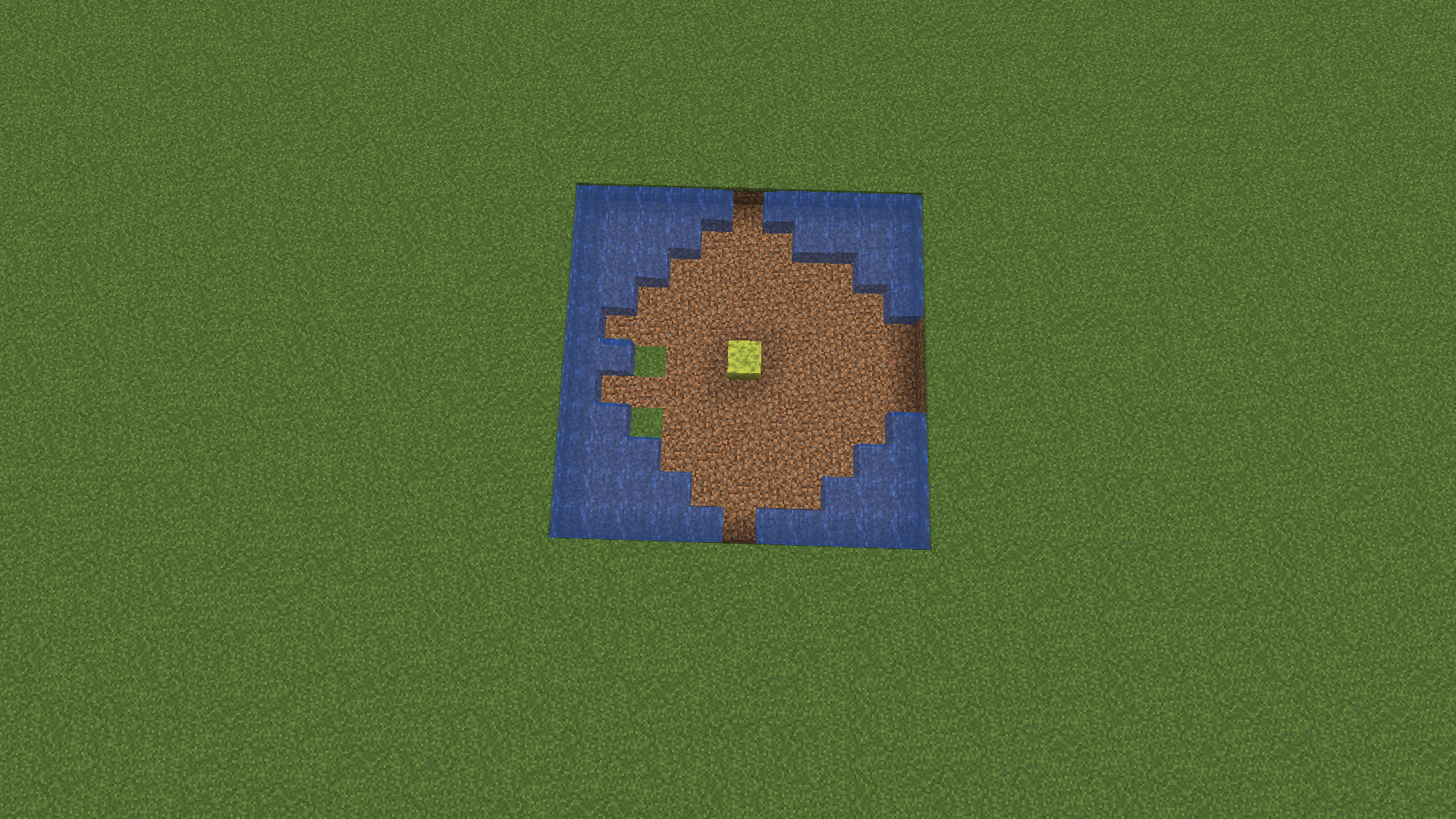
The bug
In a 7×1×7 space, a sponge placed in the middle is always going to leave out the west corners. Oddly enough, placing the sponge in a 9×1×7 (the east-west direction being the longer one) leaves out the exact spots as in the 7×1×7, but clears out the further water. This doesn't happen in 7×1×9 north-south, but it leaves out a 2×2 area of water again at the west corners.
Steps to reproduce (see newly attached image):
- Dig a 11 * 1 * 11 area.
- Fill the area with water sources.
- Execute /tick freeze.
- Place a sponge in the exact middle of the area.
Steps to reproduce (see
newlyattached image):
- Dig a 11 * 1 * 11 area.
- Fill the area with water sources.
- Execute /tick freeze.
- Place a sponge in the exact middle of the area.
Steps to reproduce (see most recent attached image):
- Dig a 11 * 1 * 11 area.
- Fill the area with water sources.
- Execute /tick freeze.
- Place a sponge in the exact middle of the area.
Sponge absorbing radius isn't equal sizeSponge absorption pattern is irregular

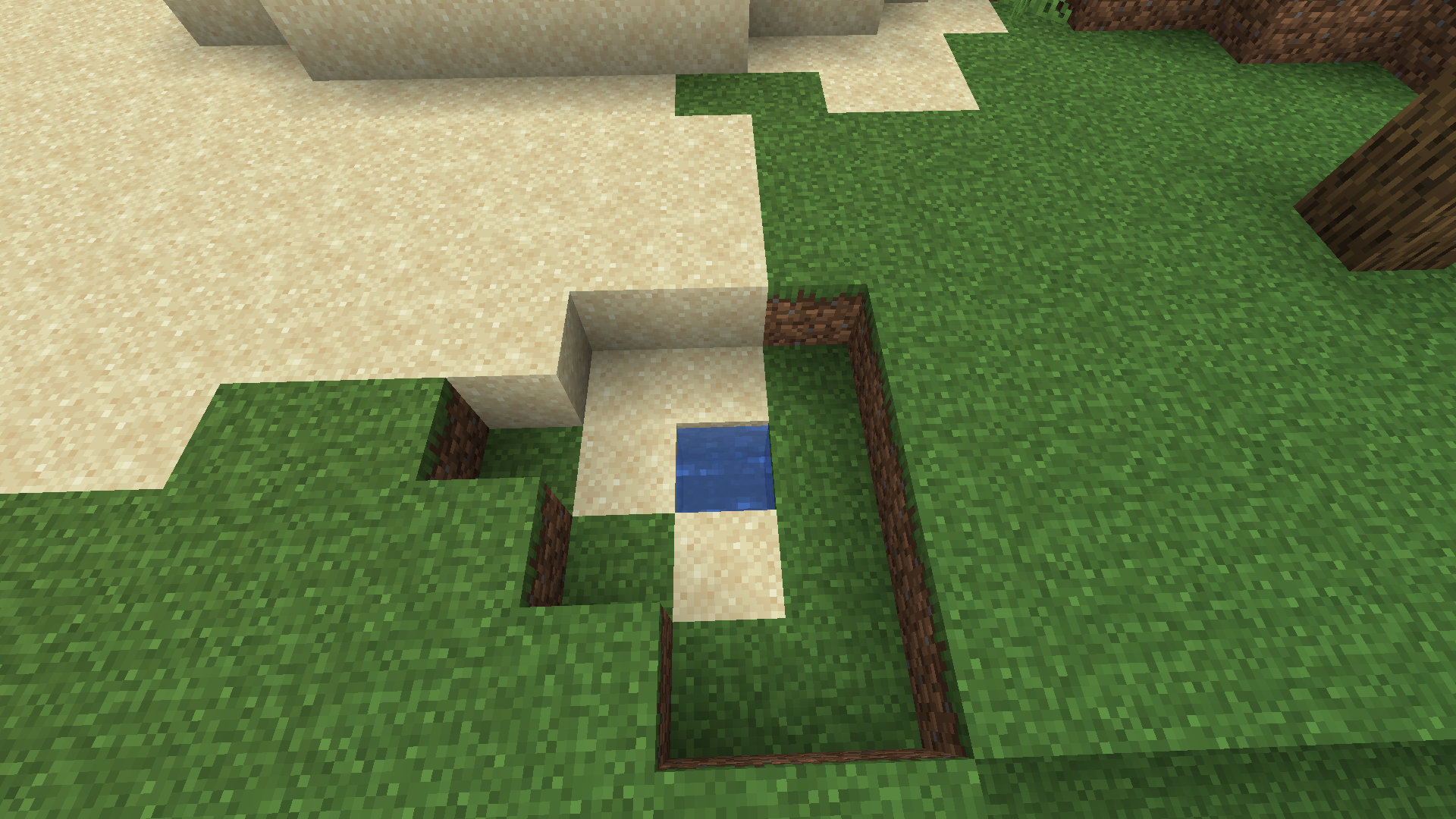
Steps to reproduce:
- Create a world with the seed "7650280998891964417".
- Go into spectator mode.
- Enter this command:
/execute in minecraft:overworld run tp @s -1620.75 -4.17 1145.55 -194.70 25.80
Steps to reproduce:
- Create a world with the seed "7650280998891964417".
- Go into spectator mode.
- Enter this command:
/execute in minecraft:overworld run tp @s -1620.75 -4.17 1145.55 -194.70 25.80
This probably relates to the other spectator-related hitbox bugs.
Steps to reproduce:
- Place a cobweb.
- Enter spectator mode and turn your flying speed up to the maximum.
- Fly through the cobweb.
- Enter survival mode.
This probably relates to the other spectator-related hitbox bugs (MC-279016, MC-279021).
Steps to reproduce:
- Place a cobweb.
- Enter spectator mode and turn your flying speed up to the maximum.
- Fly through the cobweb.
- Enter survival mode.
This probably relates to the other spectator-related hitbox bugs (MC-279016, MC-279021).
Steps to reproduce:
- Place a cobweb.
- Enter spectator mode and turn your flying speed up to the maximum.
- Fly through the cobweb.
- Enter survival mode.
This probably relates to the other spectator-related hitbox bugs (MC-279016, MC-279021
).Steps to reproduce:
- Place a cobweb.
- Enter spectator mode and turn your flying speed up to the maximum.
- Fly through the cobweb.
- Enter survival mode.
This probably relates to the other spectator-related hitbox bugs (MC-279016, MC-279021, MC-279031, MC-279032, MC-279033).
Steps to reproduce:
- Place a cobweb.
- Enter spectator mode and turn your flying speed up to the maximum.
- Fly through the cobweb.
- Enter survival mode.
Steps to reproduce (a video is attached):
- Place a building block and a cobweb above it.
- Drop spiders or cave spiders from different heights into the cobweb.
Adding more cobwebs above the first cobweb does not change anything.
This bug represents an inconsistency: Either spiders should not take fall damage in cobwebs at all (which would be logical), or always take fall damage in cobwebs if they fall from a height greater than some value.
Steps to reproduce (a video is attached):
- Place a building block and a cobweb above it.
- Drop spiders or cave spiders from different heights into the cobweb.
Adding more cobwebs above the first cobweb does not change anything.
This bug represents an inconsistency:Either spiders should not take fall damage in cobwebs at all (which would be logical), or always take fall damage in cobwebs if they fall from a height greater than some value.
Steps to reproduce (a video is attached):
- Enter the end and go to a spot with light level 0.
- Optional: Set Brightness to Moody to see the bug better.
- Place obsidian into the ground.
- Place an end crystal on top of it so fire also spawns on top of the obsidian.
- Look at the end crystal and wait.
Note that this is not MC-279068 (also visible in the video), because the flickering has a different cause here and is much more severe.
End crystals placed on anything else than bedrock in the endsometimesextinguish and relight their fireEnd crystals placed on anything else than bedrock in the end periodically extinguish and relight their fires, producing a severe flickering effect
Highly similar to the fixed
MC-276807, which was now reintroduced partially.Steps to reproduce (a video is attached):
- Go into an area with light level 0.
- Place a torch.
- Look closely at the ground.
Note that the part in
MC-276807that refers to everything flickering at night (skylight issue)apparently doesn't occur anymore, but everything flickering due to block light sources occurs again.According to
MC-276807, lower light levels making everything flicker should have been fixed in 24w39a. This is, however, not the case when using block light sources.Steps to reproduce (a video is attached):
- Go into an area with light level 0.
- Place a torch.
- Look closely at the ground.
Note that the part in
MC-276807that refers to everything flickering at night (skylight issue) no longer occurs, but the rest still does.
Steps to reproduce:
- Forceload a chunk.
- Place two command blocks inside this chunk, the first with
/teleport @p ~ ~1 ~
and the second with
/execute in the_nether run tp @p 0 100 0- Set the first command block to always active and repeating.
- Set the second command block to always active and repeating.
- Wait for some time.
Edit: Maybe one could also replicate this in survival, using a huge array of exactly timed ender pearl stasis chambers. I am not certain, though.
Steps to reproduce:
- Forceload a chunk.
- Place two command blocks inside this chunk, the first with
/teleport @p ~ ~1 ~
and the second with
/execute in the_nether run tp @p 0 100 0- Set the first command block to always active and repeating.
- Set the second command block to always active and repeating.
- Wait for some time.
Edit: Maybe one could also replicate this in survival, using a huge array of exactly timed ender pearl stasis chambers (or one in the overworld and one in the nether which alternate between themselves, each time taking one enderpearl out of a stack and teleporting the player with it). I am not certain, though.
Steps to reproduce:
- Forceload a chunk.
- Place two command blocks inside this chunk, the first with
/teleport @p ~ ~1 ~
and the second with
/execute in the_nether run tp @p 0 100 0- Set the first command block to always active and repeating.
- Set the second command block to always active and repeating.
- Wait for some time.
Edit: Maybe one could also replicate this in survival, using a huge array of exactly timed ender pearl stasis chambers (or one chamber in the overworld and one in the nether which alternate between themselves, each time taking one enderpearl out of a stack and teleporting the player with it). I am not certain, though.
Steps to reproduce:
- Forceload a chunk.
- Place two command blocks inside this chunk, the first with
/teleport @p ~ ~1 ~
and the second with
/execute in the_nether run tp @p 0 100 0- Set the first command block to always active and repeating.
- Set the second command block to always active and repeating.
- Wait for some time.
Edit: Maybe one could also replicate this in survival, using a huge array of exactly timed ender pearl stasis chambers (or one modified chamber in the overworld and one in the nether which alternate between themselves, each time taking one enderpearl out of a stack and teleporting the player with it). I am not certain, though.
Steps to reproduce (a video is attached):
- Equip an elytra.
- Fly, using the elytra, into a large body of water.
- Now release the movement keys.
- Press A, S or D.
This erroneous state stays active until the player touches the surface, even making it possible to use rockets for boost, which is not possible in normal swimming.
Edit:
- The elytra also takes durability damage constantly in this state, even while sinking.
- In the 25w05a it is even possible to touch the surface/the ground without exiting this state (you can simply float on the surface). This also leads to the player being able to swim on his back.
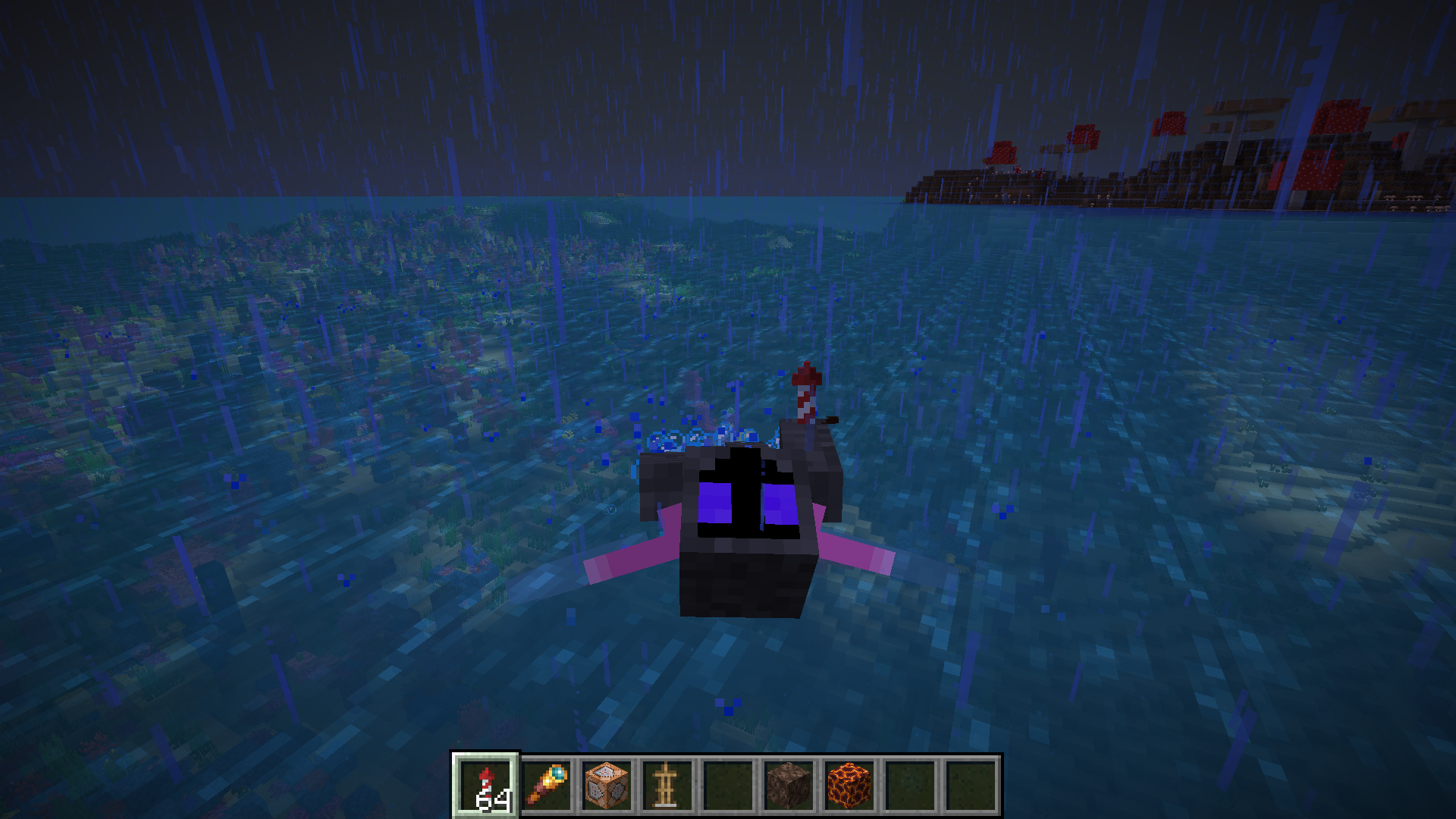
Steps to reproduce (a video is attached):
- Equip an elytra.
- Fly, using the elytra, into a large body of water.
- Now release the movement keys.
- Press A, S or D.
This erroneous state stays active until the player touches the surface, even making it possible to use rockets for boost, which is not possible in normal swimming.
Edit:
- The elytra also takes durability damage constantly in this state, even while sinking.
- In
the25w05a it is even possible to touch the surface/the ground without exiting this state (you can simply float on the surface). This also leads to the player being able to swim on his back.
Steps to reproduce (a video is attached):
- Equip an elytra.
- Fly, using the elytra, into a large body of water.
- Now release the movement keys.
- Press A, S or D.
This erroneous state stays active until the player touches the surface, even making it possible to use rockets for boost, which is not possible in normal swimming.
Edit:
- The elytra also takes durability damage constantly in this state, even while sinking.
- In 25w05a it is even possible to touch the surface/the ground without exiting this state (you can simply float on the surface). This also leads to the player being able to swim on his back.
Steps to reproduce (a video is attached):
- Equip an elytra.
- Fly, using the elytra, into a large body of water.
- Now release the movement keys.
- Press A, S or D.
This erroneous state stays active until the player touches the surface, even making it possible to use rockets for boost, which is not possible in normal swimming.
Edit:
- The elytra also takes durability damage constantly in this state, even while sinking with no input.
- In 25w05a it is even possible to touch the surface/the ground without exiting this state (you can simply float on the surface). This also leads to the player being able to swim on his back.
Minecart clusters on rails bounce back on chunk borders in north and west directions
This happens only without Minecart Experiments.
Steps to reproduce (a video is attached):
- Build two rail lines, north-south and east-west, that cross chunk borders. I would recommend using powered rails (and powering them).
- Spawn a really large amount of minecarts (minecart cluster) on any rail.
- Push the minecart cluster in the direction of your choosing.
This was most likely introduced in 25w02a.
Minecart clusters on rails bounce backon chunk bordersin north and west directionsMinecart clusters on rails bounce back when pushed in north and west directions
This happens only without Minecart Experiments.
Steps to reproduce (a video is attached):
- Build two rail lines, north-south and east-west
, that cross chunk borders. I would recommend using powered rails (and powering them).- Spawn a really large amount of minecarts (minecart cluster) on any rail.
- Push the minecart cluster in the direction of your choosing.
reaches a chunk border whiletravelling in the north and west directions. (If it didn't work, try spawning more minecarts.)This happens only without Minecart Experiments.
Steps to reproduce (a video is attached):
- Build two rail lines, north-south and east-west. I would recommend using powered rails (and powering them).
- Spawn a really large amount of minecarts (minecart cluster) on any rail.
- Push the minecart cluster in the direction of your choosing.

Steps to reproduce:
- Generate a world with the seed "1296682046443418838".
- Execute the following command:
"/execute in minecraft:overworld run tp @s -362.40 69.64 275.89 82.20 11.25"This is different from MC-204633 because there is no cave air involved, and from MC-273441 because ruined portals are not underground structures (at least in most cases, including this one).
Edit: I found another instance (Seed: "-1311658802960653969", Position: "/execute in minecraft:overworld run tp @s -4086.76 82.00 9179.84 1302.00 -0.90").
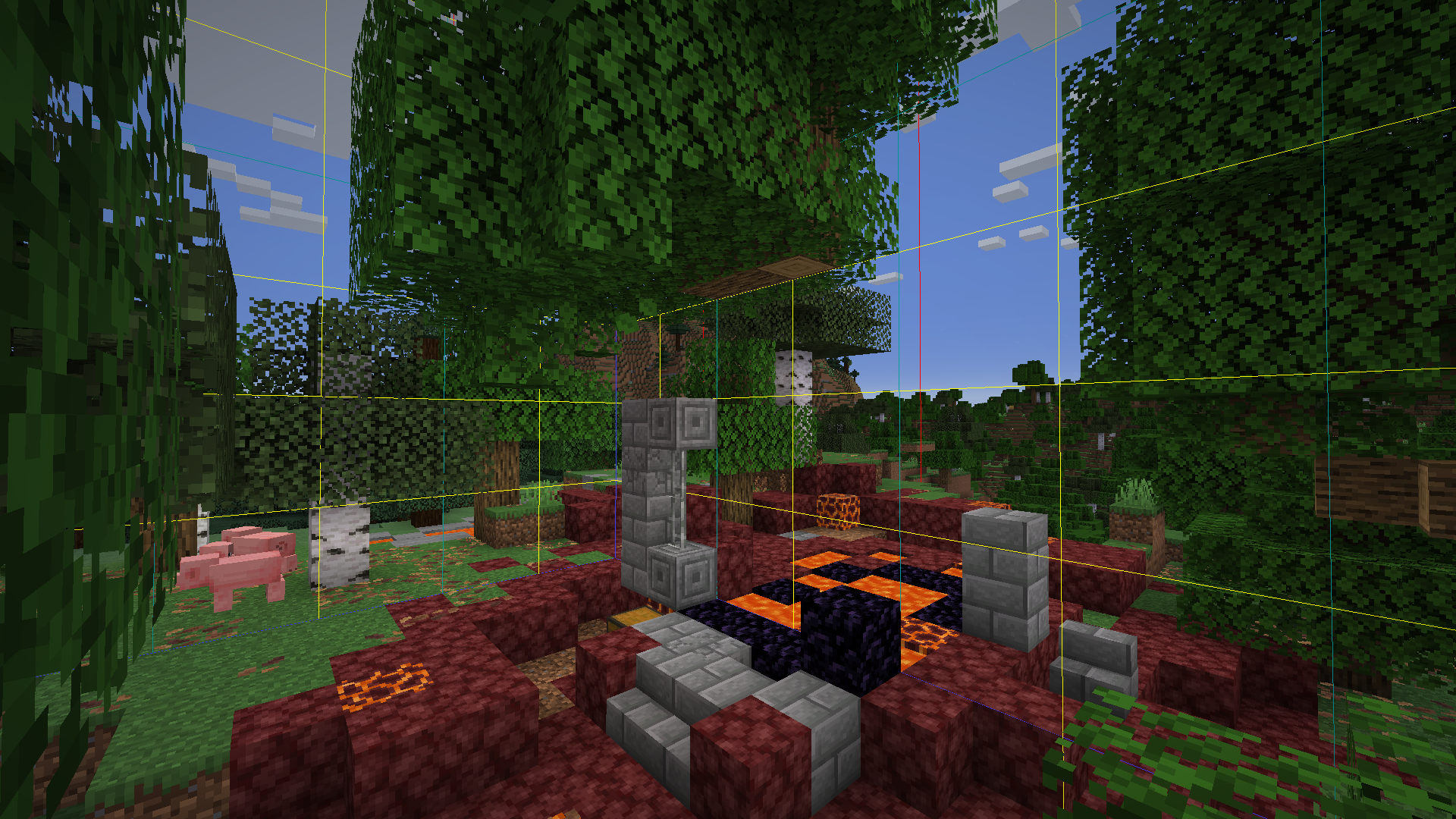
Steps to reproduce:
- Generate a world with the seed "1296682046443418838".
- Execute the following command:
"/execute in minecraft:overworld run tp @s -362.40 69.64 275.89 82.20 11.25"This is different from MC-204633 because there is no cave air involved, and from MC-273441 because ruined portals are not underground structures (at least in most cases, including this one).
Edit: I found another instance (Seed: "-1311658802960653969", Position: "/execute in minecraft:overworld run tp @s -4086.76 82.00 9179.84 1302.00 -0.90").
Steps to reproduce:
- Generate a world with the seed "1296682046443418838".
- Execute the following command:
"/execute in minecraft:overworld run tp @s -362.40 69.64 275.89 82.20 11.25"This is different from MC-204633 because there is no cave air involved, and from MC-273441 because ruined portals are not underground structures (at least in most cases, including this one).
Edit: I found another instance.
Seed: "-1311658802960653969"
Position: "/execute in minecraft:overworld run tp @s -4086.76 82.00 9179.84 1302.00 -0.90"
Steps to reproduce:
- Generate a world with the seed "1296682046443418838".
- Execute the following command:
"/execute in minecraft:overworld run tp @s -362.40 69.64 275.89 82.20 11.25"This is different from MC-204633 because there is no cave air involved, and from MC-273441 because ruined portals are not underground structures (at least in most cases, including this one).
Edit: I found another instance.
Seed: "-1311658802960653969"
Position: "/execute in minecraft:overworld run tp @s -4086.76 82.00 9179.84 1302.00 -0.90"
Steps to reproduce:
- Generate a world with the seed "1296682046443418838".
- Execute the following command:
"/execute in minecraft:overworld run tp @s -362.40 69.64 275.89 82.20 11.25"This is different from MC-204633 because there is no cave air involved, and from MC-273441 because ruined portals are not underground structures (at least in most cases, including this one).
Edit: I found another instance.
Seed: "-1311658802960653969"
Position: "/execute in minecraft:overworld run tp @s -4086.76 82.00 9179.84 1302.00 -0.90"
Steps to reproduce:
- Generate a world with the seed "
1296682046443418838".- Execute the following command:
"/execute in minecraft:overworld run tp @s -362.40 69.64 275.89 82.20 11.25"The tree generates above the ruined portal and is missing its bottom log.This is different from MC-204633 because there is no cave air involved, and from MC-273441 because ruined portals are not underground structures (at least in most cases, including this one).
Edit: I found another instance.
Seed: "-1311658802960653969"
Position: "/execute in minecraft:overworld run tp @s -4086.76 82.00 9179.84 1302.00 -0.90"Steps to reproduce:
- Generate a world with the seed "-1311658802960653969".
- Execute the following command: "/execute in minecraft:overworld run tp @s 96879.56 73.43 97591.35 -515.85 2.85".
This is different from MC-204633 because there is no cave air involved, and from MC-273441 because ruined portals are not underground structures (at least in most cases, including this one).
Trees are being cut off at different heights, so anything between one log and most of the tree might be missing.Seeds for 25w02a (outdated):
Seed: "1296682046443418838"
Position: "/execute in minecraft:overworld run tp @s -362.40 69.64 275.89 82.20 11.25"Seed: "-1311658802960653969"
Position: "/execute in minecraft:overworld run tp @s -4086.76 82.00 9179.84 1302.00 -0.90"
Steps to reproduce:
- Generate a world with the seed "-1311658802960653969".
- Execute the following command: "/execute in minecraft:overworld run tp @s 96879.56 73.43 97591.35 -515.85 2.85".
This is different from MC-204633 because there is no cave air involved, and from MC-273441 because ruined portals are not underground structures (at least in most cases, including this one).
Trees are being cut off at different heights, so anything between one log and most of the tree might be missing.
Seeds for 25w02a (outdated):
Seed: "1296682046443418838"
Position: "/execute in minecraft:overworld run tp @s -362.40 69.64 275.89 82.20 11.25"Seed: "-1311658802960653969"
Position: "/execute in minecraft:overworld run tp @s -4086.76 82.00 9179.84 1302.00 -0.90"Steps to reproduce:
- Generate a world with the seed "-1311658802960653969".
- Execute the following command: "/execute in minecraft:overworld run tp @s 96879.56 73.43 97591.35 -515.85 2.85".
This is different from MC-204633 because there is no cave air involved, and from MC-273441 because ruined portals are not underground structures (at least in most cases, including this one).
Trees are being cut off at different heights, so anything between one log and most of the tree might be missing.Instructions for 25w02a (outdated):
Seed: "1296682046443418838"
Position: "/execute in minecraft:overworld run tp @s -362.40 69.64 275.89 82.20 11.25"Seed: "-1311658802960653969"
Position: "/execute in minecraft:overworld run tp @s -4086.76 82.00 9179.84 1302.00 -0.90"
Steps to reproduce:
- Generate a world with the seed "-1311658802960653969".
- Execute the following command: "/execute in minecraft:overworld run tp @s 96879.56 73.43 97591.35 -515.85 2.85".
This is different from MC-204633 because there is no cave air involved, and from MC-273441 because ruined portals are not underground structures (at least in most cases, including this one).
Trees are being cut off at different heights, so anything between one log and most of the tree might be missing.Instructions for 25w02a (outdated):
Seed: "1296682046443418838"
Position: "/execute in minecraft:overworld run tp @s -362.40 69.64 275.89 82.20 11.25"Seed: "-1311658802960653969"
Position: "/execute in minecraft:overworld run tp @s -4086.76 82.00 9179.84 1302.00 -0.90"Steps to reproduce:
- Generate a world with the seed "-1311658802960653969".
- Execute the following command: "/execute in minecraft:overworld run tp @s 96879.56 73.43 97591.35 -515.85 2.85".

This is different from MC-204633 because there is no cave air involved, and from MC-273441 because ruined portals are not underground structures (at least in most cases, including this one).
Trees are being cut off at different heights, so anything between one log and most of the tree might be missing.Instructions for 25w02a (outdated):
Seed: "1296682046443418838"
Position: "/execute in minecraft:overworld run tp @s -362.40 69.64 275.89 82.20 11.25"Seed: "-1311658802960653969"
Position: "/execute in minecraft:overworld run tp @s -4086.76 82.00 9179.84 1302.00 -0.90"
Steps to reproduce:
- Generate a world with the seed "
-1311658802960653969".- Execute the following command: "/execute in minecraft:overworld run tp @s
96879.56 73.43 97591.35 -515.85 2.85".A single log surrounded by leavesis floatingabovetheruined portal.

This is different from MC-204633 because there is no cave air involved, and from MC-273441 because ruined portals are not underground structures (at least in most cases, including this one).
Trees are being cut off at different heights, so anything between one log and most of the tree might be missing.Instructions for 25w02a (outdated):
Seed: "1296682046443418838"
Position: "/execute in minecraft:overworld run tp @s -362.40 69.64 275.89 82.20 11.25"Seed: "-1311658802960653969"
Position: "/execute in minecraft:overworld run tp @s -4086.76 82.00 9179.84 1302.00 -0.90"Steps to reproduce:
- Generate a single biome (jungle) world with the seed "4577860557964729658".
- Execute the following command: "/execute in minecraft:overworld run tp @s 191.99 65.50 -316.60 -616.05 -4.35".
This is different from MC-204633 because there is no cave air involved, and from MC-273441 because ruined portals are not underground structures (at least in most cases, including this one).
Trees are being cut off at different heights, so anything between one log and most of the tree might be missing.Instructions for 25w02a and 25w03a (outdated):
Seed: "-1311658802960653969"
Position: /execute in minecraft:overworld run tp @s 96879.56 73.43 97591.35 -515.85 2.85
Note: The tree that generates in this location is cut off horizontally by the ruined portal, but no parts are floating anymore.Seed: "1296682046443418838"
Position: "/execute in minecraft:overworld run tp @s -362.40 69.64 275.89 82.20 11.25"Seed: "-1311658802960653969"
Position: "/execute in minecraft:overworld run tp @s -4086.76 82.00 9179.84 1302.00 -0.90"
Either J Z or BugTracker - could you please provide a screenshot of your video settings when you're able to reproduce this issue?
Thank you for all the context J Z

Seems like this bug and related spectator issues started occuring in version 24w45a.
Also, thanks J Z, created the bug reports. 
Also happened to me. And mobGriefing was set to true. But if a player executes the command, it works.
Duplicate of
MC-181499.That is a ruined portal. Working As Intended
@ManosSef: This is not mentioned in that bug report.
It seems like this bug deletes the minecarts together with any passengers (including the player) clientside (apparently due to invalid rotation): If you put, for example, a zombie in the minecart cluster, both also disappear when the cluster hits a wall. When the player collides with the location where minecarts and zombie should be, everything reappears (also if you relog).
I also found these errors appearing in addition to the "Invalid Rotation" messages in latest.log.
Can confirm.
Can confirm.
@ManosSef: I found that bug report too, but I assumed that it only occurs in that report with boats or end crystals or something, whereas here it gets spammed all the time in the nether. If it is indeed the same bug, it would probably be helpful to include the nether spam in MC-90683.
I can reproduce this in every world. I will attach a video once I get to it.
I eventually managed to reproduce this again (see the attached video). It did not occur instantly after entering the nether this time (I had to do that several times). The bug might be independent of the minecarts, because I have been able to reproduce it without. It does occur more often with the minecarts, though.
Can confirm.
Can confirm.
This also works without rails. In my case (and without using rails) the bug works up to (and including) a distance of 15 blocks.
Also applies to end portals and end gateways.
Can confirm.
Can also be reproduced with other things that the player can collide with (see newly attached screenshot).
So MC-26727 is caused by pulling the rail up with a sticky piston, whereas here the rail is pushed up with a normal piston. I think that this bug might be an instance of MC-123311, though.
Can confirm.
No, this is something that is probably used in many contraptions, so I understand why they won't fix it.
This seems to be mainly a duplicate of
MC-275857andMC-275883(and maybe MC-1538).Can confirm.
No, Mojang will fix it eventually (probably in the next snapshots).
Can confirm with the books; the signs are only empty in my case when I right click to edit them, and only until I reload the world.
Also applies to armor stands.
Also applies to armor stands.
I assume this is a duplicate of MC-276187.
This issue has probably the same cause as
MC-276322,MC-276383andMC-276400, which will all be resolved in the next snapshot.Can confirm. You can leave out the piglin, though (and use the player as a target). Note that a very large amount of skeletons is needed. This also works with normal skeletons, strays, bogged, pillagers, illusioners and piglins, which makes this reproducible in survival. The crash seems to occur when multiple mobs try to shoot one target at the same time (so the arrows seem to be the problem).
This also happens while riding other entities that get converted.
I think it's fixed in 24w37a.
I just found MC-125936, which this report seems to duplicate. I apologize for not being able to find it earlier.
Does
MC-276154describe your issue? That got resolved as "Working As Intended", I don't know why though.Can confirm.
Can confirm.
Can confirm.
Other potion effects, for example levitation and weaving, work on armor stands. In the
MC-66645report, it is mentioned that all potion effects do not work on armor stands, which clearly isn't the case right now.Can confirm.
@Connor Steppie: Only the first two.
Also happens with the water fog.
My graphics driver is up to date, so it can't be that.
This also happens similarly in another case when mobs (not the player!) collide with a minecart cluster that is full (i. e. chest minecarts).
Can confirm. This also happens when flying into the water.
This bug also makes it possible to see invisible entities in the fog.
@BugTracker: Which graphics card do you have? That would be helpful to know because the bug could be graphics card specific.
Screenshots are attached.
I just noticed that this also works underground, which means just a low light level is enough to reproduce this bug.
I attached a new video that shows the bug better. I think these vignette things might be the problem.
Edit: The bug in the newly attached video also happened in 1.21.1, although I don't know if it's intended that light sources make everything flicker. The same effect seems to have extended to the world surface at night in the 1.21.2 snapshots.
Yes, I can.
Edit: I have now tried changing every plausible graphics setting, to no effect.
Now it occured at night in the full moon (at light level 15).
Edit: Strangely, it still doesn't happen in full daylight.
The first version the bug is in is 24w33a.
Thank you for developing Minecraft!
Can confirm. Also applies to nether portals and end gateways (in my case).
Can confirm, although not with the steps described, after testing for some time.
Duplicate of
MC-276674.Duplicate of MC-276826.
@ManosSef: Will do, but do you maybe still have the text I wrote for the second behavior? I thought that was pretty succinct.
Nevermind, found it.
Can confirm.
This was intentionally removed by Mojang to prevent, for example, string duplication (and because it made little sense). See
MC-275284(which this bug report duplicates).I searched for this beforehand. Weird.
Can confirm. The arrow patterns are also different (see picture; almost analog setup was used).
This also happens when using /tp with facing.
This doesn't seem fixed to me: There are fewer outliers on the left, but the arrow pattern is still lower than normal and different.
https://bugs.mojang.com/secure/attachment/592895/2024-10-15_17.29.21.png
Can confirm.
Can confirm in 1.21.2-pre5.
New report is done.
Can confirm.
Can confirm.
Can confirm. This only happens in survival mode; it seems to depend on the player's block breaking speed, where in the case of leaves a golden hoe or shears already suffice to produce the bug. This bug can also be reproduced by giving yourself haste 255 and breaking random blocks (for example, dirt or sand) while riding on a horse (so it is not exclusive to leaves). The following message is spammed in the console when the blocks are broken:
Your game seems to be modified. This bug tracker is only for vanilla Minecraft.
Your game is modified. This bug tracker is only for vanilla Minecraft.
Can confirm.
Can confirm. This applies to all wood types of hanging signs, though.
Duplicate of
MC-277929.Duplicate of
MC-277955.Duplicates
MC-278149.Duplicates
MC-275284.Duplicates
MC-123002.Can confirm.
Can confirm. This also works without a storage block, only using the player inventory.
Can confirm. This is dependent on the Entity Distance setting, where entities with a smaller scale disappear much faster than normal-sized ones with a lower Entity Distance setting (it appears you are using a low Entity Distance in the video).
I don't think this bug only applies to already small entities, though; I could reproduce this with a scaled down warden, for example (in 24w45a).
Duplicates
MC-108.I think this was fixed in 24w19a (the part about applying enchantments is still in the game, but covered under MC-3304). This could also be considered fixed in 24w18a, but riptide tridents did not work correctly in that version. In the "Affected Versions", 24w19a and 24w20a are listed; I cannot reproduce the bug in these versions, nor in any version after them.
This bug was apparently fixed in 24w44a.
I tested this in 24w46a; the fall damage or particles don't happen anymore, but the "hard fall" sound plays when the player exits the machine.
Can confirm in 24w46a by applying significant lag beforehand.
I tested this in 24w46a; sniffers still can't move, but ravagers can when they are targeting something.
Furthermore, your game is modified. Only bug reports occurring in vanilla Minecraft are accepted on this bug tracker.
Can confirm. Also applies to magma blocks (then the arrows/tridents change rotation several times).
Can confirm. Also applies to regular llamas. In my experience, some wheat gets consumed though (I had 4 and 10 wheat not reappear).
Can confirm.
Can confirm.
After doing some testing, I found that this bug was introduced in 24w45a (at least at the specific location mentioned in the bug report).
I can reproduce this in 24w46a.
Duplicates MC-278341.
Although I could not reproduce the visual glitch so far (in 1.21.4-pre1), I can confirm the rest. It gets especially interesting if a mob is placed in the boat after the player has exited it (the mob's head spins forever). I will attach a video.
Can confirm.
In MC-244804, the mob's head spins only while the boat is moving, whereas here the boat is clearly stationary; and even if the boat were somehow invisibly rotating, why doesn't the head spin stop then after some time?
I did reproduce this with Fabulous and Smooth Lighting ON.
Can confirm.
Duplicates
MC-278518.Can confirm (in 1.21.4 Pre-Release 3).
It seems you are trying to dye the cat with an ink sac. This does not work anymore, you have to craft the ink sac into black dye first.
And what is the case with the issue where a mob's head spins forever without the boat even moving? Is that also a duplicate or a new bug?
Ok, sorry. I will make a bug report tomorrow if I have time.
I noticed that also MC-278440 occurs in my video (twice).
Can confirm.
This might be a duplicate of MC-228056.
Can confirm.
This bug tracker is only for issues that occur in vanilla Minecraft.
Also happens if you consume chorus fruits.
Can confirm.
This was fixed in 24w13a due to pillager captains no longer giving raid omen directly at all. This depends on enabling the Experiment "Update 1.21", though.
Can confirm after author's comment. The issue here is that villagers spawned with commands get CanPickUpLoot:0b. This did not happen in 1.21.1.
minecraft:entity.player.small_fall is not covered under
MC-278552, is it? We'll probably have to wait until the next snapshot to see if both sounds have returned.Cannot reproduce. Villagers can open and close copper doors just fine as far as I have tested.
As far as I have tested, the launch height is different each time I use the launcher, regardless if I am in creative or survival. Maybe this has something to do with the exact manner (location and speed) with which I entered the launcher. Also, in survival you receive damage from the wind charges which might play a part.
This was apparently fixed in 22w42a (see attached videos as proof).
The behavior outlined in the previous version of this bug report was fixed in 22w11a. However, the absorbing radius of sponges is still not equal in 1.21.4. This is reproducible in a 11*1*11 space filled with water sources (see attached image).
Can confirm in 1.21.4.

Version: 1.21.4
Seed: 4373241205666815302
Coordinates: /execute in minecraft:overworld run tp @s -22888.84 76.21 -21832.88 311.10 43.46
Can confirm in 1.21.4 with the seed and coordinates in the description.
This was fixed in 21w03a.
Can confirm. This seems to apply to all blocks (not only lava or fluids in general) that break when pushed, though.
There is probably a check somewhere in the code that checks if the piston push exceeds the height limit, which in that case cancels the piston push entirely without checking if the pushed block would actually break.
Edit: This bug also happens at the bottom of the world.
Can confirm in 1.21.4.

Seed: -3204515143728787717
Coordinates: /execute in minecraft:overworld run tp @s 76.47 66.26 -9.34 -537.45 57.45
Can confirm.
Edit: From my testing, it appears that this bug was introduced in 24w03a, presumably with the fix of
MC-260889.Affected heights include 126, 129, 132, 135, 138, 141, 144, 166, 169, 182, 185, 195, 205, 215, 225, 232, 239, 242, 249, 256, 263, 270, 277, 284.
Duplicates MC-176084.
I can confirm this in vanilla Minecraft; the bug does not always happen, though, perhaps depending on player angle. The bug also affects nether portals, end portals and end gateways; it was introduced in 24w45a.
I could do the clutch at 232 blocks with sneaking; I also tested 126, 232, 256 and 284, where sneaking also works. I suppose one can circumvent this bug entirely by sneaking.
So this is a duplicate of
MC-266519, which is Won't Fix (that's why I didn't find it initially). Sorry for that.Duplicates
MC-278683which has already been fixed in the next unreleased snapshot.The water bucket clutch part does depend on height; if you fall from 126 blocks or the other tested heights and use tick rate 1, you'll find that the block selection lines to place the water are not even shown before you die. It does not matter whether you are within 1 block of the ground or not; you cannot place a water bucket no matter what. I think the part where you die before you hit the ground happened even before 24w03a (although I'm not certain that this happens at any height), but that might have been blocked by
MC-260889because you could place the water slightly outside of your range, masking the real problem. In the current version you cannot place the water before you pass the 1 block mark (at the specific heights), making it impossible to save the fall.And sneaking does affect the bug, I don't know why though.
@santohyj123: As @ManosSef already split the instance with portals from the instance with tripwires, it would probably be a good idea to create a new report for these other blocks.
I created a bug report, by the way, for a log warning that gets outputted as a side effect when you do the procedure with cobwebs, which I hope doesn't take away anything from what you wanted to report.
Can confirm.
Can confirm.
Can confirm.
Sounds like
MC-265514, which is fixed in the next unreleased snapshot.Can confirm.
2024-12-30 02-32-45.mp4
Duplicates MC-278393.
I think the issue here arises because you are attacking the mobs, which is MC-220390.
This duplicates MC-240111. I searched for the wrong term again.
So apparently this bug was not reintroduced, but actually never fixed. However, it is included in the scope of the fixed
MC-276807(there is also a video of the block light source bug attached to that report), and I also had a conversation with a developer in the report who seemed to deem this a bug. So the behavior is not new, but it should have been fixed according toMC-276807.Can confirm.
Can confirm.
Can confirm.
This was apparently fixed in 25w02a.
This was apparently fixed in 25w02a.
This was fixed in 25w02a.
Duplicates
MC-279290.This might actually have nothing to do with chunk borders. I'm updating the report.
Affects 25w02a with the new leaf litter block:
Seed: -1311658802960653969
Position: /execute in minecraft:overworld run tp @s -1086.71 74.86 3481.74 -32.70 50.55
Affects 25w02a:
Seed: -1311658802960653969
Position: /execute in minecraft:overworld run tp @s -2724.76 73.03 8585.28 602.40 9.45
Duplicates MC-154881.
Affects 25w02a:
Seed: -1311658802960653969
Position: /execute in minecraft:overworld run tp @s -8067.83 71.44 7408.32 139.80 37.05
The interesting thing is, when you place an end crystal on bedrock or obsidian anywhere in the end while the dragon is dead and four crystals are on the end fountain, the dragon respawns once a player gets close. This leads to a kind of limited and impractical method to make wireless redstone/detect if a player has placed an end crystal anywhere in the end.
Edit: The end fountain has to be chunk loaded for this.
Duplicates MC-279021.
Duplicates MC-279021.
I have found a new instance; many more might exist.
Probably duplicates MC-90148.
This can be reproduced quite easily using the following method:
2025-01-26 19-17-26.mp4
Affects 25w04a.
Seed: "44466836031555693"
Position: "/execute in minecraft:overworld run tp @s 215.55 -16.00 -903.53 -175.04 60.15"
This is likely a duplicate of MC-279417.
Affects 25w05a.
Seed: "-2665784722939312334"
Position: "/execute in minecraft:overworld run tp @s -16709.53 -18.22 -592.20 -730.35 33.00"
Affects 25w06a.
Seed: "3124028655297781478"
Position: "/execute in minecraft:overworld run tp @s -1408.94 75.08 -1903.79 3.30 62.85"
Affects 25w06a.
Seed: "3124028655297781478"
Position: "/execute in minecraft:overworld run tp @s 21164.05 68.38 21445.56 -973.46 36.90"