 StarJourney
- Picomos plays
- JIRAUSER676076
- Europe/Stockholm
- Yes
- No
 BDS-14760
 MC-234593
 MCPE-149827MCPE-150394MCPE-150395MCPE-153246MCPE-156852







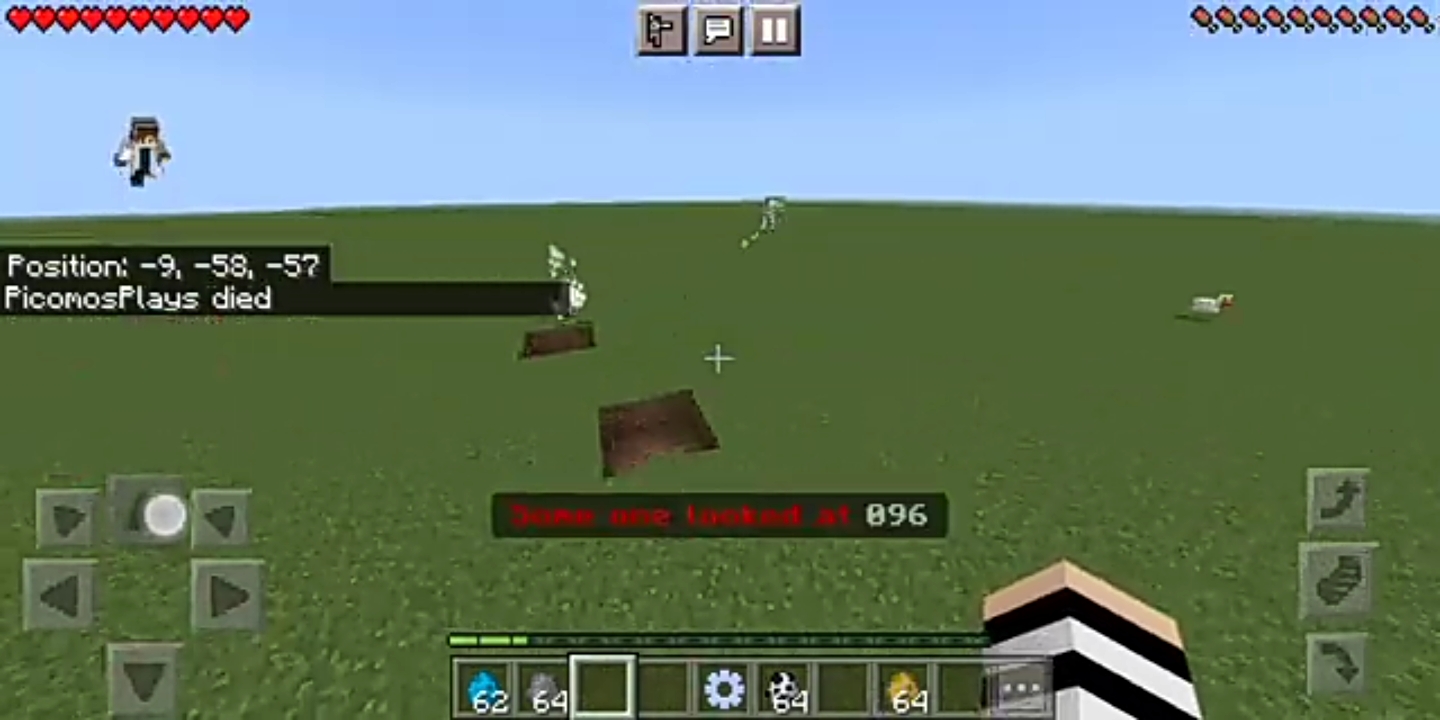


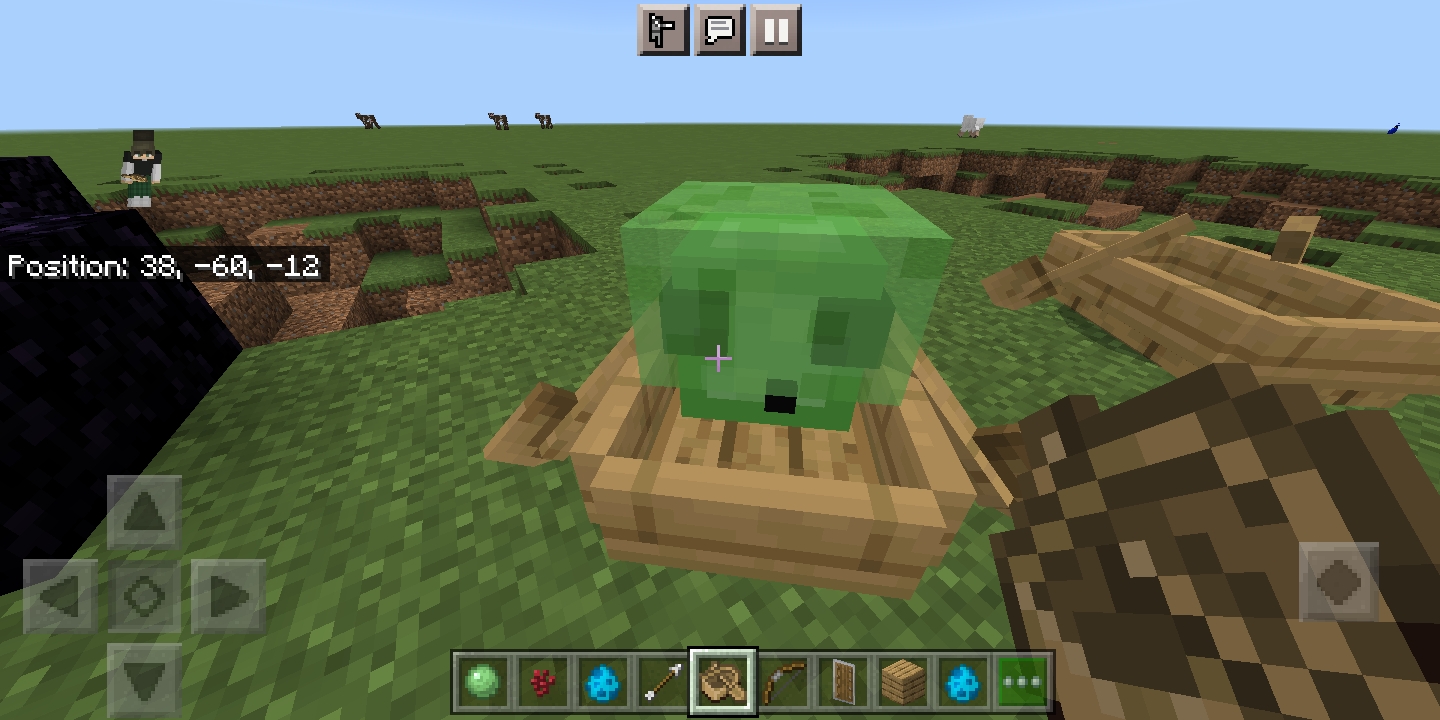




Dear Mojang, I found this crossbow glitch in the realms so I report this glitch to make minecraft more good and no bug.Please fix.
#FIXCROSSBOWGLITCH
Dear Mojang, I found this crossbow glitch in the realms so I report this glitch to make minecraft more good and no bug.Please fix.
Mojang this is not a mod.Ok
#FIXCROSSBOWGLITCH
Dear Mojang, I found this crossbow glitch in the realms so I report this glitch to make minecraft more good and no bug.Please fix.
Mojang this is not a mod.Ok
#FIXCROSSBOWGLITCH
Dear Mojang, I found this crossbow glitch in the realms so I report this glitch to make minecraft more good and no bug.Please fix.
#FIXCROSSBOWGLITCH
Screenshot_20210811_125312_com.mojang.minecraftpe.jpg
THIS STEVE GLITCH SO ANNOYING WHEN PLAYING SERVER
bedrock version
Eventually i do not have screenshot Hope you can fix it1.When i load back into my world it just crash
2.After i manage to get inside the world all of suddenly my house and park just destroyed out of nowhere.
3.Please fix it.
Observed Results:
1.When i load back into my world it just crash
2.After i manage to get inside the world all of suddenly my house and park just destroyed out of nowhere.
3.Please fix it.
Observed Results:
1.When i load back into my world it just crash
2.After i manage to get inside the world all of suddenly my house and park just destroyed out of nowhere.
3.Please fix it.
Observed Results:
1.When i load back into my world it just crash
2.After i manage to get inside the world all of suddenly my house and park just destroyed out of nowhere.
Expected Results:
The world should no crash and the house destoryed.
Mycousin's friend's house was destroyed out of nowhereMy Game Just Crash And When I Log Back The House Gone
Dear Mojang,Fix this glitch it has been at 1.17.0-1.17.11.so fix thank you
also there a video this is true video about this topic
- About this glitch this glitch started from version 1.16.10 until version 1.17.11 hot fix update.
- When you you in creative and then go to survival using the /gamemode s and the the world started to very lag and when you in survival you can fly.
- I reported this glitch because this glitch like hacking so that why i report this glitch
- Hope you see the video that is the proof.
- Hope you fix it Mojang.
- Bye.
always lag and delay the moment to play in worlds that carry a lot
- Always lag and delay the moment to play in worlds with a house.
- Player move so slow and delay.
- This glitch have been started on 1.0-1.17.30.
- Hope you fix it.
always lag and delaythemoment to play in worlds that carry a lotAlways lag and delay when playing survival world.
Always lag and delay when playing survival world.Delay And Laggy World Generate
- Always lag and delay the moment to play in worlds with a house.
- Player move so slow and delay.
- This glitch have been started on 1.0-1.17.30.
- Hope you fix it.
Observed Results:
1.Always lag and delay the moment to play in worlds with a house.
2.Player move so slow and delay.
3.This glitch have been started on 1.0-1.17.30.
4.World and chunk generate delay.
Observed Results:
1.Always lag and delay the moment to play in worlds with a house.
2.
Player move so slow and delay.3.This glitch have been started on 1.0-1.17.30.
4.World and chunk generate delay.
Observed Results:
1.Always lag and delay the moment to play in worlds with a house.
2.Mob and player move so slow and delay.
3.This glitch have been started on 1.0-1.17.30.
4.World and chunk generate delay.
Expected Results:**
1.The chunk and world generate must not be to delay.
2.Mob and player cannot move so slow and delay.
Observed Results:
1.Always lag and delay the moment to play in worlds with a house.
2.Mob and player move so slow and delay.
3.This glitch have been started on 1.0-1.17.30.
4.World and chunk generate delay.
Expected Results:**
1.The chunk and world generate must not be to delay.
2.Mob and player cannot move so slow and delay.
my phone not suck ok
Okay now, my Minecraft close by itself when I play, the problem is not with my geforce rtx 3060 or my graphics card.I would like to know where the problem comes from, if you have to install something because my minecraft 1.16 worked very well last year and my mine craft 1.17 does not work anymore.1. My Minecraft close by itself when I play, the problem is not with my geforce rtx 3060 or my graphics card.
1. My Minecraft close by itself when I play, the problem is not with my geforce rtx 3060 or my graphics card.
2.The world so delay and lag.
3.Please fix.
1. My Minecraft close by itself when I play, the problem is not with my geforce rtx 3060 or my graphics card.
2.The world so delay and lag.
3.Please fix.
1. My Minecraft close by itself when I play, the problem is not with my geforce rtx 3060 or my graphics card.
2.The world so delay and lag.
3.Please fix.
same problem with me
Dear Mojang, fx this minecraft glitches it has been from 1.16.10-1.17.30.20 so fix it as soon as possbile take your time always and also take a rest for a while.
Observed Results:
- This glitch have been around at version 1.0 - 1.17.11.
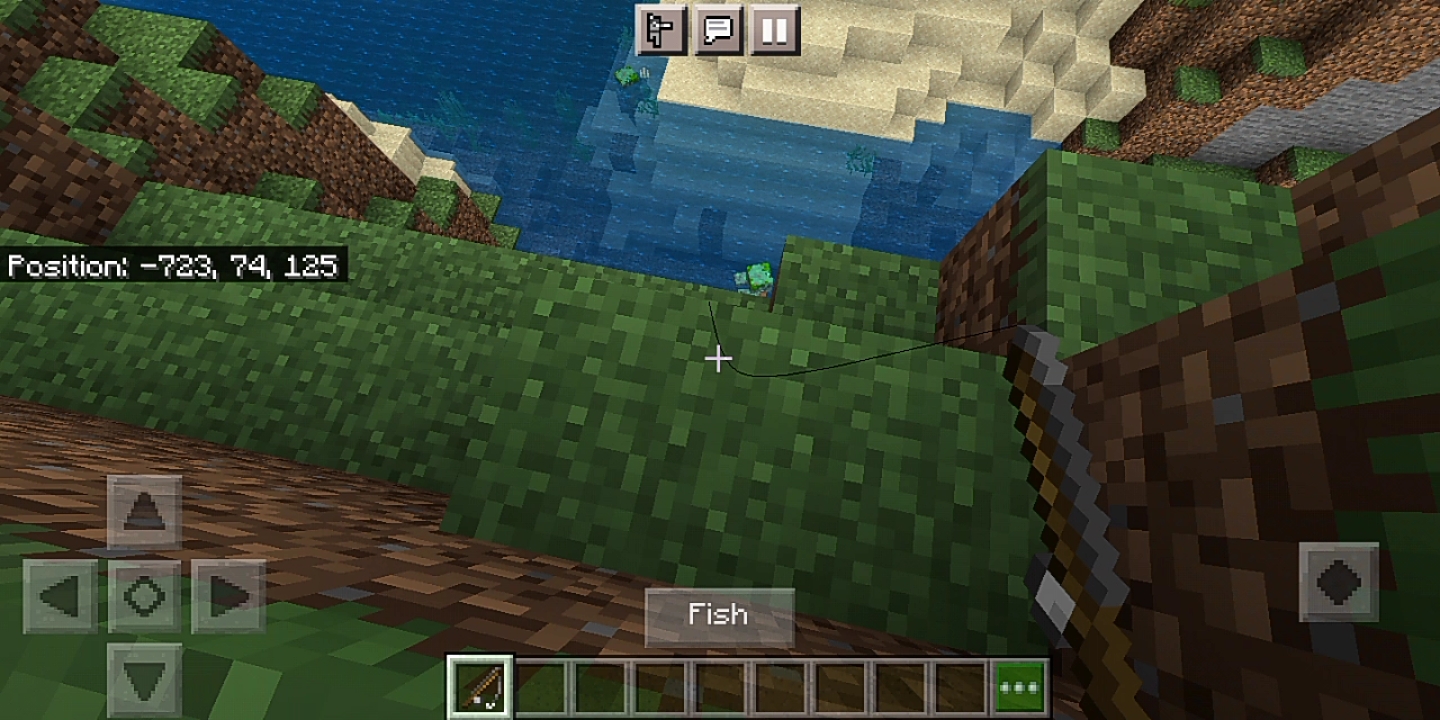
- The fishing rod glitches through block.**
Observed Results:
- This glitch have been around at version 1.0 - 1.17.11.
- The fishing rod glitches through block.**
Observed Result
s:
- This glitch have been around at version 1.0 - 1.17.11.
- The fishing rod glitches through block.
Observed Result :
1.This glitch have been around at version 1.0 - 1.17.11
2.The fishing rod glitches through block.
Expected Results:**
1.The fishing rod suppose not to glitch through block.
Observed Result :
1.This glitch have been around at version 1.0 - 1.17.11
2.The fishing rod glitches through block.
Expected Results:**
1.The fishing rod suppose not to glitch through block.
Can you resolved this issue
Observed Results:**
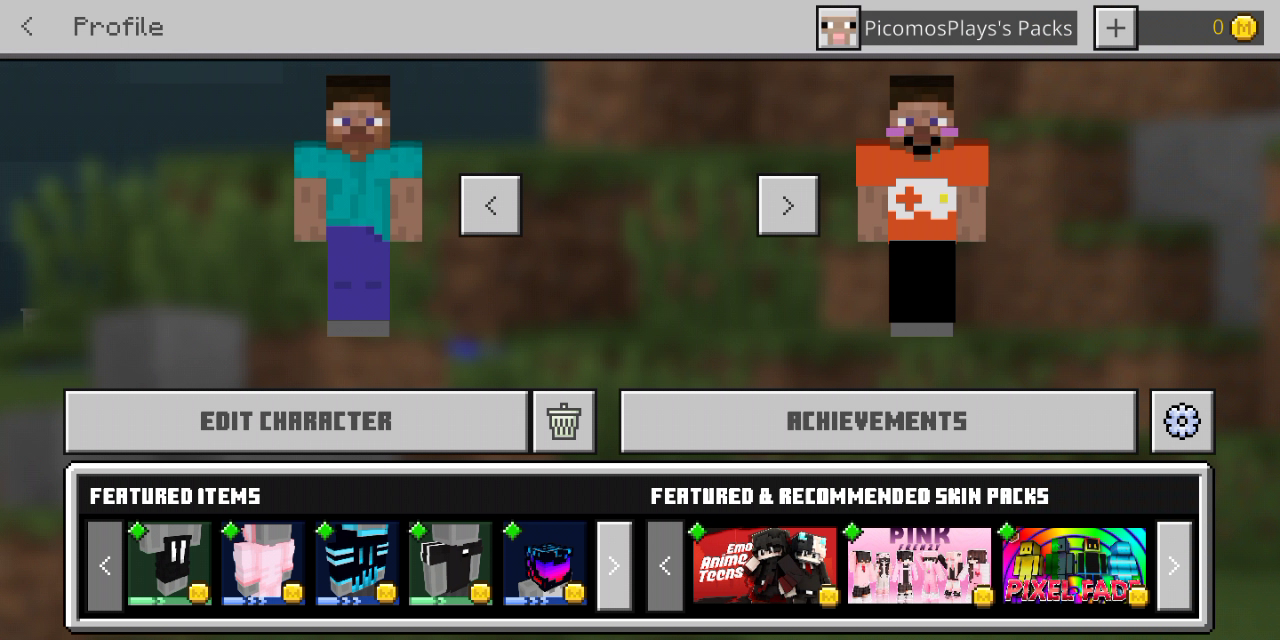
1.Skin do not appear at profile.
2.When playing in survival world and server the skin is invisible when playing.
Observed Results:**
1.Skin do not appear at profile.
2.When playing in survival world and server the skin is invisible when playing.Observed Results:
1.Skin do not appear at profile.
2.When playing in survival world and server the skin is invisible when playing.
Expected Results:**
1.Get out of minecraft after that get inside it will become normal.
Observed Results:
1.Skin do not appear at profile.
2.When playing in survival world and server the skin is invisible when playing.
Expected Results:**
1.Get out of minecraft after that get inside it will become normal.
affect on versio
This is a bug.I often found so many emerald at hills now.
It only happen when u use marketplace skin
1.Put a block.
2.Put
tthe candle on top of the block.3. Break the block underneath the candle.
4. Then it float.
Observed Results:**
1.Put a block.
2.Put the candle on top of the block.
3. Break the block underneath the candle.
4. Then it float.
Observed Results:**
1.Put a block.
2.Put the candle on top of the block.
3. Break the block underneath the candle.
4. Then it float.
affect on 1.17.11
deactived only a trusted skin then it will not show steve skin anymore you play mutliplayer
Thank you for your report!
We're tracking this issue in MCPE-78206, so this ticket is being resolved and linked as a duplicate.If you would like to add a vote and any extra information to the main ticket it would be appreciated.
If you haven't already, you might like to make use of the search feature to see if the issue has already been mentioned.
Quick Links:
📓 Bug Tracker Guidelines – 📧 Mojang Support
📓 Project Summary – ✍️ Feedback and Suggestions – 📖 Game Wiki
Thank you for your report!
We're tracking this issue inMCPE-118539, so this ticket is being resolved and linked as a duplicate.If you would like to add a vote and any extra information to the main ticket it would be appreciated.
If you haven't already, you might like to make use of the search feature to see if the issue has already been mentioned.
Quick Links:
📓 Bug Tracker Guidelines – 💬 Community Support – 📧 Mojang Support
📓 Project Summary – ✍️ Feedback and Suggestions – 📖 Game Wiki
your report is duplicate
it the same report so your report is duplicate
We're tracking this issue in MCPE-36190, so this ticket is being resolved and linked as a duplicate.
do you on your internet connection or wifi if you do not on it the achievement will not going to work.
are you using old custom map
maybe it have a problem with the world generate is this your minecraft world from 1.17.11
i think this is not
did you use any texture pack
1.17.10 is not affect
are you using someone world
and you download it
The Texture Of Chat and Pause Icon Is Not Bright When Riding Boat
Expected
Chat and Pause buttons are just as opaque/bright/intense when riding a boat, as they are when not in a boat.
Observed
Chat and pause buttons become transparent when riding a boat.
So when i play a survival minecraft world i went out on adventure using a boat when i ride in the boat i notice that the icon of the chat and the pause menu is not bright.Hope you fix this texture of the icon to make it more bright.The texture is just like the oldest version on pocket edition in version alpha and beta.Please do fix this texture.
Chat and Pause Icons Are Transparent When Riding Boat And Raft
Chat and Pause Icons Are Transparent When Riding BoatAnd RaftChat and Pause Icons Are Transparent When Riding Boat and Raft
I create a world using the caves and cliffs experimental and i want to make a house after i finish making a house i want to decorate using mushroom.When i click on a block all of sudden the mushroom can be plant at block so i try test i out again the mushroom confirm can be plant on block.
Observed Results:
1.Put a block after that put mushroom plant.
hello
your report is the same as MCPE-36190,so that mean your report is duplicate
Duplicate Of MCPE-36190
No emotes icon in boat when riding it meanwhile minecraft have emotes icon when riding it.No emotes icon in boat when riding it meanwhile minecart have emotes icon when riding it.
No emotes icon in boat and chest boat when riding it meanwhile minecart have emotes icon when riding it.
So i went out on adventure going to the sea to find some shipwerk when i ride the boat all of sudden i saw emotes icon is missing when riding boat.Then i report this issue.
Problem issue no emotes icon when riding a boat or a boat chest.
No emotes icon in boat and chestboat when riding it meanwhile minecart have emotes iconwhen riding it.No emotes icon in boat and boat chest when riding it.
Excuse me I am the first one who report he the one who duplicate see date and compared with me and his date when he report the bug.
Problem issue no emotes icon when riding a boatora boat chest.
Issue problem :
1.No emote UI when riding boat and boat chest.
2.Unable to play emote in boat and boat chest.
Suppose to be :
1.There will be emote when riding boat and boat chest.
2.Able to play emote in boat and boat chest.
This issue is available in every platform such as pc,mobile and more.
Issue problem :
1.No emote UI when riding boat and boat chest.
2.Unable to play emote in boat and boat chest.
Suppose to be:1.
There will be emote when riding boat andboat chest.2.
Able to play emote in boat and boat chest.
This issue is available in every platform such as pc,mobile and more.
Issue problem :
1.No emote UI when riding boat and boat chest.
2.Unable to play emote in boat and boat chest.
Reproduce issued :
1.Enter boat/boat chest
2.Observer the UI icon on top.
Suppose to be :
1.There will be emote when riding boat and boat chest.
2.Able to play emote in boat and boat chest.
This issue is available in every platform such as pc,mobile and more.
@GoldenHelmet please reopen this issue report
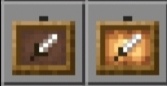
Texture issue : Item frame texture is not the same as glow item frame.
The correct texture is : Item frame texture suppose to be the same as glow item frame.
Texture issue : Item frame texture feather thing is not the same as glow item frame feather things.
The correct texture is : Item frame feather thing texture suppose to be the same as glow item frame feather things.
Texture issued : In armor and crafting section cactus texture is weird.
The first image is the texture the second image is how the texture suppose to be.
Texture issued : In armor and crafting section cactus texture is weird.
The first image is the texture that is weird the second image is how the texture suppose to be.
Issued texture : Shulker Box
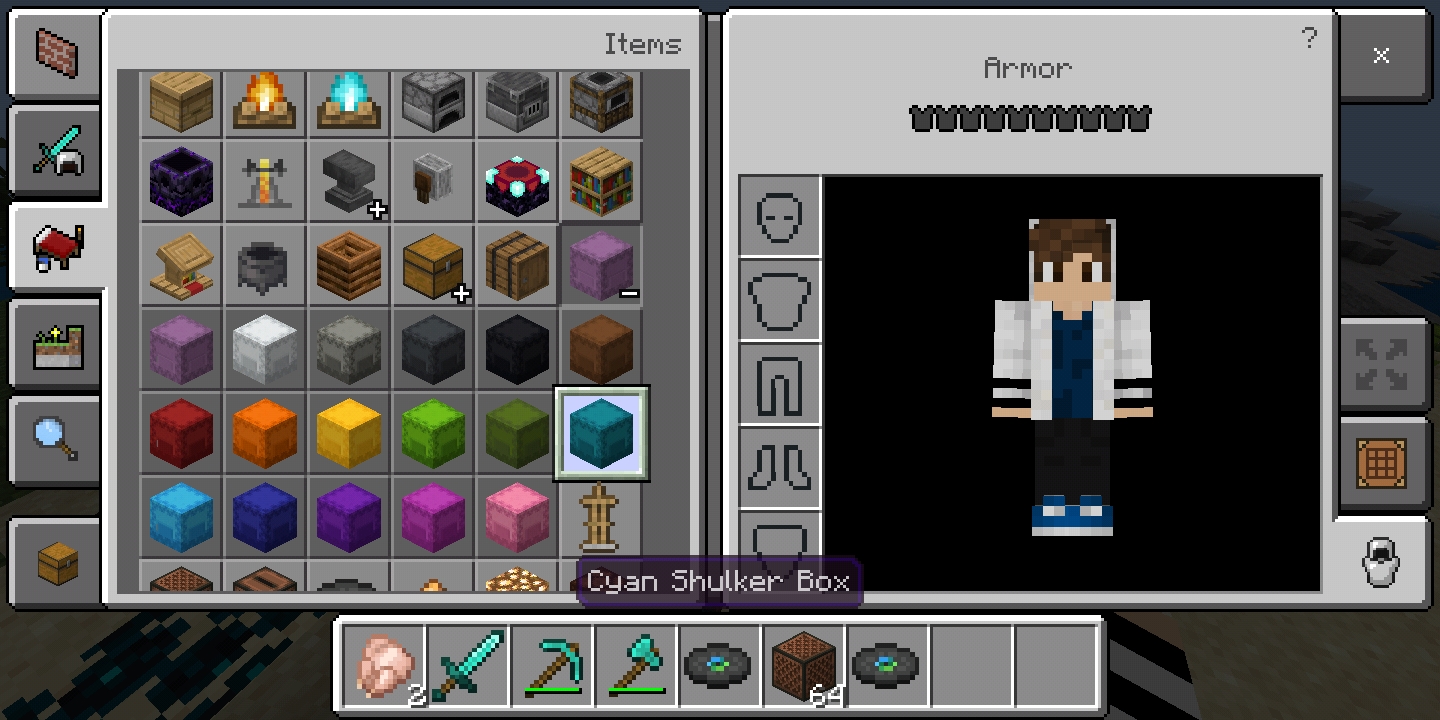
Issued texture : Shulker Box,Red Shulker Box and Light Blue shulker box have a weird texture.
The first image,the second and the third image have a weird shulker texture but for the fourth is how the texture suppose to be like.
Issued texture : Shulker Box,Red Shulker Box and Light Blue shulker box have a weird texture.
The first image,the second and the third image have a weird shulker texture but for the fourth is how the texture suppose to be like.
Section affected : Armor and crafting section only
Shulker box texture in armor and crafting section the texture is weird.
Issued texture : Shulker Box,Red Shulker Box and Light Blue shulker box have a weird texture.
The first image,the second and the third image have a weird shulker texture but for the fourth is how the texture suppose to be like.
Section affected :Armor andcraftingsection onlyIssued texture : Shulker Box,Red Shulker Box and Light Blue shulker box have a weird texture.
The first image,the second and the third image have a weird shulker texture but for the fourth is how the texture suppose to be like.
Step reproduce :
1.Open your inventory.
2.Click on any of this section (Armor and Crafting Section only affected
Issued texture : Shulker Box,Red Shulker Box and Light Blue shulker box have a weird texture.
The first image,the second and the third image have a weird shulker texture but for the fourth is how the texture suppose to be like.
Step reproduce :
1.Open your inventory.
2.Click on any of this section (Armor and Crafting Section only affected
3.Click on the item section then search for Shulker.
Issued texture : Shulker Box,Red Shulker Box and Light Blue shulker box have a
weirdtexture.
The first image,the second and the third image have a
weird shulker texture but for the fourth is how the texture suppose to be like.Step reproduce :
1.Open your inventory.
2.Click on any of this section (Armor and Crafting Section only affected
3.Click on the item section then search for Shulker.
Issued texture : Shulker Box,Red Shulker Box and Light Blue shulker box have a missing pixel texture
The first image,the second and the third image have a missing pixel texture.
Fourth pic is the complete pixel texture suppose to be.
Step reproduce :
1.Open your inventory.
2.Click on any of this section (Armor and Crafting Section only affected
3.Click on the item section then search for Shulker.
Shulker boxtexture in armor and crafting section the texture is weird.Some Shulker boxes have some missing pixel texture in crafting and Armor inventory.
Bug Issue :
1.When wearing elytra in survival/adventure and creative the skin shirt change it shirt.
How it suppose to actually work :
1.When wearing elytra in survival or creative the skin should not change it shirt.
My story how i found this bug :
I was playing a creative world playing the new featured at 1.18 so i want to explore the new mountain using elytra then using creative mode so i wearing that elytra fly over the world then i release something with my skin that my skin shirt has changed then i fly down to land to see why my skin changes so i take off my elytra then it notice it is a bug so i report the bug now that all.
Bug Issue :
1.When wearing elytra in survival/adventure and creative the skin shirt change it shirt.
How it suppose to actually work :
1.When wearing elytra in survival or creative the skin should not change it shirt.
Bug Issue :
1.When wearing elytra in survival/adventure and creative the skin shirt change it shirt.
How it suppose to actually work :
1.When wearing elytra in survival or creative the skin should not change it shirt.
Bug Issue :
1.When wearing elytra in survival/adventure and creative the skin shirt change it shirt.
How it suppose to actually work :
1.When wearing elytra in survival or creative the skin should not change it shirt.
This shirt skin is from marketplacr please fix it.
Bug Issue :
1.When wearing elytra in survival/adventure and creative the skin shirt change it shirt.
How it suppose to actually work :
1.When wearing elytra in survival or creative the skin should not change it shirt.
This shirt skin is from marketplac
r please fix it.
Bug Issue :
1.When wearing elytra in survival/adventure and creative the skin shirt change it shirt.
How it suppose to actually work :
1.When wearing elytra in survival or creative the skin should not change it shirt.
This shirt skin is from the marketplace content.
Name skin shirt content : Unable to unidentified yet
Step to reproduce :
- Get a shirt skin from marketplace.
- Create new world or select a world
- After you get inside the world get a elytra from inventory.
- Then wear the elytra
Bug Issue :
1.When wearing elytra in survival/adventure and creative the skin shirt change it shirt.
How it suppose to actually work :
1.When wearing elytra
in survival or creative the skinshould notchange it shirt.This shirt skin is from the marketplace content.
Name skin shirt content : Unable to unidentified yet
Step to reproduce :
- Get a shirt skin from marketplace.
- Create new world or select a world
- After you get inside the world get a elytra from inventory.
- Then wear the elytra
Bug Issue :
When wearing elytra skin shirt from marketplace glitches through elytra.
How it suppose to actually work :
1.When wearing elytra shirt skin from marketplace shoudl not glitches through elytra.
This shirt skin is from the marketplace content.
Step to reproduce :
- Get a shirt skin from marketplace.
- Create new world or select a world
- After you get inside the world get a elytra from inventory.
- Then wear the elytra
When wearing elytra shirt skinchanges.When wearing elytra shirt skin from marketplace glitches through elytra
When wearing elytra shirt skin from marketplaceglitches throughelytraWhen wearing elytra shirt skin from marketplace the texture of the shirt changes when wearing elytra.
Bug Issue :
When wearing elytra s
kin shirtfrom marketplaceglitches throughelytra.
How it suppose to actually work :
1.When wearing elytra shirt skin from marketplace shoudl not glitches through elytra.
This shirt skin is from the marketplace content.
Step to reproduce :
- Get a shirt skin from marketplace.
- Create new world or select a world
- After you get inside the world get a elytra from inventory.
- Then wear the elytra
Bug Issue :
When wearing elytra shirt skin from marketplace the texture of the shirt changes when wearing elytra.
NOTE : This shirt skin is from the marketplace content.
Content named : Glow Squid Shirt
Step to reproduce :
Step 1 : Get the shirt skin that are affected.
Step 2 : Wear the shirt skin and use the elytra.
Suppose to be : When wearing elytra shirt skin from marketplace should not change it texture shirt when wearing elytra.
![[MCPE Mod] Auldrick](../../../data/avatars/users/10122.svg)
StarJourney: You are spamming useless comments all over multiple tickets. Please read our Guidelines to learn hose to use the bug tracker. This is not a chat site. Comments should only be used to provide information needed by the developers, not to talk to other users.
![[Mod] EVGENSYPERPRO](../../../data/avatars/users/92853.png)
You added 1.20.0.22 to the affected versions, but I can't reproduce it in 1.20.0.22. Is this still a problem for you in version 1.20.0.22?
StarJourney: Your recent comments and attachment have been removed because they link to and publicize the web site you said you obtained the game from. That web site is not an authorized seller. It does not have a license to distribute copies of Minecraft and cannot grant you a license to use the software. Please don't refer to the web site again on the bug tracker.
Also, this report has been finally resolved and may not be monitored going forward. If you have further questions about this issue or its resolution, the bug tracker is not the place to pursue them. Please see our Guidelines and FAQ for links to where you can interact with us about this report.

Hi StarJourney
Are you sure that the blocks on the left aren't water source blocks? The way water fills can be influenced by a little gap like: 
Please supply a test world where this can be readily reproduced.
Keep in mind that this ticket might be resolved WAI at some point, as flowing water destroying cobwebs is most likely Working As Intended.
This ticket will automaticly reopen when you reply.
Quick Links:
📓 Bug Tracker Guidelines – 💬 Community Support – 📧 Mojang Support
📓 Project Summary – ✍️ Feedback and Suggestions – 📖 Game Wiki
idk why the skeleton do not have arrow when it shoot.
ok
Affects on 1.17.11 hotfix update
ok.i already done
already edit
thanks
it very lag
Hope they fix this bug.
did you save and quit when you die in the nether
Hope they fix this bug as soon as possible.
but it happen sometimes
I got a video to prove this bug is real.
use powder snow maybe they can be extinguished.
i guess this is a bug
Hope they fix this bug this year.
affect on 1.17.11
Your issue is this same MCPE-78206, so this ticket is being resolved and linked as a duplicate.
same problem
ummmm show a screenshot of it
same problem but i fix it maybe your phone have to many files i guess
what is your other friend device that you cannot join
i think this is just normal because this is new mountain hills generation.
the same issue with me
can you show any picture or a screenshot of it
affect 1.17.11
i know the solution your must wear custom skin not marketplace skin.If you use marketplace skin it will make the lead when up on your head.
try to use custom minecraft skin it will be normal back but do not use marketplace skin
i think the texture pack causing you to not see the loom patterns
so i just this is not a bug it because your texture pack causing the loom not to show you the pattern of the loom
show a screenshot
ummm i guess you are so close to lush caves biome
so you might find alzae tree so is not a bug issue
give a screenshot
give a video/screenshot so that we can solve this bug more easier.
ummm can you show some screenshot so that it will be easier
i guess the owner of the map have been making the map on new version 1.17 on beta so that why you cannot load the world so this consider not a bug
i also have the same issue now i know why because my version is not the newest version.
i will sent a video
Duplicate of MCPE-36190
Duplicate of MCPE-36190
Affect on 1.17.30
please reopen this issue because why i ask you guys to reopen because it has been confirmed a bug at 1.17.40 so i try at the land it not work but if i go to a deep cave i can plant mushroom at any block let me show you guys
Affect 1.17.41
I got some new news that this only happen when you use the marketplace skin so please do fix.
Affect 1.17.30, 1.17.40, 1.17.41
This is a bug please do fix .
it still affect all minecraft version
yes
i will show a image that mushroom can plant any block when at deep caves.Please do reopen back my ticket @GoldenHelmet.
Affect on 1.18
Affect on 1.18
it is not duplicate i am talking about inside the crafting and armor section it not the same ok
wait do not put as work as intended i will explain more correctly so the item frame like the feather things like that is not the same as the glow item frame feather things.
please reopen back
yes
Affect in 1.18.12
Affect on 1.18.12
No it different it about the brewing stand texture
It does not related to
MCPE-152932affect on 1.18.12
Android phone affected
I forget the name of the item. It is outwear section.The elytra make the shirt skin changes.
Affects 1.19
No
I still able to play a server and download marketplace content but the problem is that I cannot purchased and buy minecoins from minecoins store.
Yes it only occur when WiFi is turn on. No I unable to buy/purchase minecoins when I already connected to WiFi
Please read the detail and the title first before commenting
Affect on the Microsoft sign in minecraft account screen
Sorry wrong writen
Sorry but I do not have the new new Dustbin/info icon
The circle spinging animation is the new one for minecraft loading animation
Yes the new icon message should not go outside the button
I would like to make a new report regarding this issue.Here is the new one
MCPE-159990Hey i already tell that i will be taking that report.See the report it does not have so much info and i have told that i will be taking that issue
@EVGENSYPERPRO
Execuse me why u can do then about the emote report it quiet unfair
Hey there I am willing to take this report due to the owner not online and add more information regarding this bug.I will make sure to update the info and add version that are affected.
Affect 1.19.11
Can confirm
Affects 1.19.11 and 1.19.20.24
Can anyone confirm
Try in mobile and can u watch the video first
And I never report about powder snow I say snow block and u didn't properly put the fishing buoys in the snow layer and snow block.Please try in mobile.
So it not invalid
Can u accept my friend request to you at discord so that we can communicate to each other then like commenting here
Affects 1.19.11 and 1.19.20.24
Affects 1.19.30.20
Yes it still affected in lastest version
Affects in 1.19.11 but unable to confirm if it affects 1.19.30.20. The content is affect the hoppin emote and more other
Hoppin emotes, Time flies, Allay Hoodie,Frog Mask is the affected pieces.
It look like it only affected when it natural generated seagrass
Can anyone confirm
Can anyone confirm
Affects 1.19.11 and 1.19.30.20
Added screenshot issue and updated report
Hello there eventually MCPE-135180 report is not the same issue
It look like the issue does not happen anymore at 1.19.20 version.
I am using app gallery
Eventually minecraft do not register app gallery so I download the minecraft from YouTube
Actually the minecraft version that are i download are from the official minecraft version
Can anyone confirm
I added couple of screenshot of the minecraft build version
It also affected in android whenever opening the achievement button when playing minecraft offline
I use 1.19.20
The report have been updated.
I cannot find the content anymore.
So I guess it resolved as fixed
No the texture pack do not influence the bin icon texture
As i say that ~~~ make a one gap on the sign please do reopen it bug
Reopen it back it not invalid. Can you try to see if the bug is happening and also please see the image that I put in this report
Can confirmed
it my server
The one I circle is the problems and the correct one is at the trading menu look at the arrow it is different position
May i suggest something that might can fixed this issue which is marketplace creator will not allowed to put there creator price using the negative sign or any sign
Mobile,Android 10
Huawei,Android 10. I enabled the new features for 1.20 first then created the new world
Can confirm
Confirmed in Android devices
This issue should not be resolved as duplicate because I am talking a bout players nametag.It should resolved as relates.
I think other device does not experience the crash
Updated Description :
Step to reproduce :
1.Wear netherite armor that have been enchanted to protection 4 and unbreaking 3.
2.Ask a friend to hit you using a sword with sharpness 5.
3.Reproduce issue by seeing inside the armor inventory.
Observed Results : Armor breaks so fast and it does not have the same durability as Java Edition.
Expected Results : Armor should break at normal speed and should have the same durability as Java Edition.
Thank you Helper for updating the description.
For certain big mob are just fine like :
-Panda
-Horse
-Llama
-Golem
Polar Bear,Spider is ok.
Elder Guardian and guardian can be put on minecart and boat in bedrock edition.Confirmed
This issue should not resolved as invalid because I am not requesting a feature.As I am saying the issue is Camel can't pass two open door even though there is not block on top of the doors.
Ok
that why i report it so that camel hitbox to be fixed
There seem to be issues with panda when riding a boat where the boat button not longer appears due to the big hitbox panda.
I think this problem will occured when u enabled a large addons/mods in a world then you play a bit long in the world.Then you disabled the addons/mods then join back the world then some of the texture and block will become mixup.Happen to me before
Android 10 Huawei Phone
Hello there it seems like Xbox and IOS and IpadOS devices is still occurs this issue need to be reopen again @EVGENSYPERPRO
The video now unlisted.
Can anyone confirm
Updated description
Expected video have been uploaded
Ok
Can confirm
Can u see the first image the oak wood door texture is a bit not too bright meanwhile second image is more bright
It just an issue with the door oak top door texture is not bright enough.It is a vanilla parity issue.
Hello Draco please see
MC-89963As the report say it is a hitboxes issue and it should be parity issue.
Device : Phone
Model :Huawei10 DRA-LX9
It still happening
Yes
Still happening
can confirm happen in andriod
It does not occur when I create a flat world and disable the mob from spawning.So I guess the issue is with mob spawning plus game performance.
Happen to me too
Huawei10
Model devices is DRA-LX9
Huawei10
Model devices is DRA-LX9
Phone
Not yet fix
It still happen in 1.19.60 update please resolved as open
HuaweiY5p,Android 10,Mobile
Android 10,Mobile,Model : HuaweiDRALX9
Current Solution :
1.Get inside the world.
2.Get out of the world.
3.Then renter back. (if it didn't work) go to step 4
4.Get inside the world,out of the world.
5.Get out of minecraft.
6.Get inside minecraft
This is a feature request
Ok
I can prove it that there is not tail when the camel is standing up
Look
Please review it back first
Look the attachment
The camel tail only appears when it sit and also when it stand up.
I cannot seems to reproduce the issue anymore
This is a bug because when the mob caught on fire it should be on panic mode instead of still seeing the player.
But in java edition the skeleton and stray do shoot arrow underwater.So this is a parity issue.
Nothing happen.The leash still not connected to its hand
But in java edition it does not overlay.Please reopen for review again.
Classifieds as Vanilla Parity
So if any of u start saying invalid I am creating new report because I am able to reproduce this issue again so I created new ticket for better summary of this issue
MCPE-22189.Hope you will understand of why I create this report.
And i have the right and also allowed to create new report against this issue
MCPE-22189from the message that the Mojang User say in that report.It not
Look at the front body of the armor stand it look too big.
Not yet fixed in 1.19.70 and 1.19.80.21
Yes,So the issue is actually fixed but however one of the GUI inside the armor inventory it haven't yet fixed which is the below one.
New video I have post
Yes it still an issue
Affects with certain item that able to be equipped in off-hand slot.
Affects 1.19.80.22
Why is it WAI
Why is it WAI there is no explanation why it WAI
Updated the bug report : To mutiple device
Video have been attached.
Yes, The mobs won't moved when it caught on fire and it is in the state of looking at the player.
The video attached above is showing that there isn't a scrolling UI and it quiet buggy.
Thanks for creating new report.
Explanation : The 1.5 sneak toggle and the 1.20 Update but recently the 1.20 Update Toggle have been removed but the features from it still crashes the game.
Affects 1.20.0.21
Affect 1.9.73
Can still be Reproduce
Hello there, I will like to request ownership because the owner of the report is inactive and also the report need a new description.
Thank you.
Affect 1.20.0.21
I will like to request an ownership because the user is inactive and also the report need a new description and a step to reproduce it.
Thank you.
Affect 1.20.0.21
Kindly reminder to all user : Make sure to lower down the volume/close the volume of the video about how to reproduce issue.Thank you.
1)Huawei AppGallery
2)Yes it still occurs
3)It still occurs even after removing any addons.
The report description have updated.
Yes,i expect that a high Efficiency pickaxe to break lanterns instantly.
Multiple device affected too
Affect 1.20.0.22
Steps to Reproduce:
1.Set your gamemode in creative mode.
2.Try to stay on crouch mode.
Observed Results:
You can't stay on crouch mode for how long you want.
Expected Results:
You can stay on crouch mode for how long you want/crouch mode lock.
Summary:
Unable to crouch in creative mode.
Steps to Reproduce:
Step 1)Set your gamemode to creative mode.
Step 2) Try to crouch in creative.
Observed Results:
You can't crouch in creative mode.
Expected Results:
You should be able to crouch in creative mode.
Notes:
[This has affected the gameplay and in server like trying build when in crouch mode and other more.]
[Can anyone update this bug report so that this report have lot of information about it of how to reporduce it]
still missing
I think this also affect with the ravager mobs because it walk cycle also seems not to smooth but also it does happen with it charging/wanting to attack play walking animation.
It is fixed for the seed that I put on the report but however there might be certain seed that can still reproduce this issue. (Because the sugar cane naturally spawn randomly at any world generation) so that why I put the 1.20.0.22 as affected version in the affected label. Hope you understand.
Not sure if this still happen in certain seed but yeah the above seed is fixed.
Cannot reproduce in 1.20.0.22 anymore