 SteveKunG
- Steve_MCCommander
- steve_mccommander
- Asia/Bangkok
- Yes
- No
 MC-41945


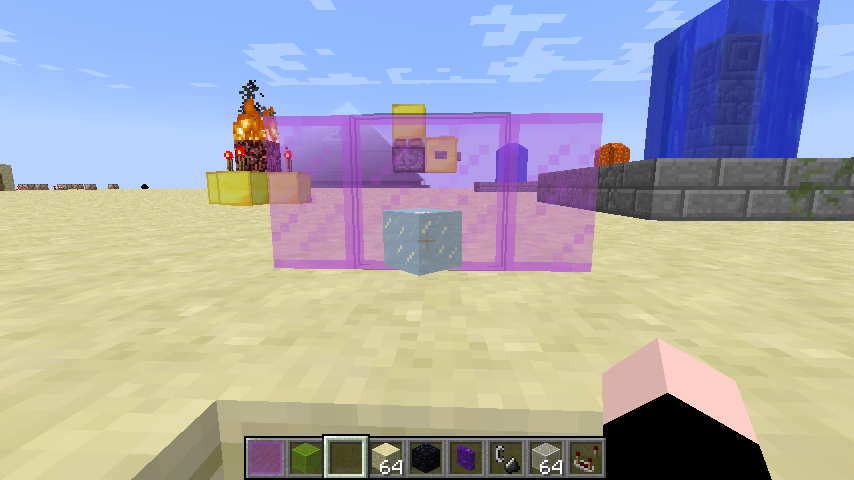
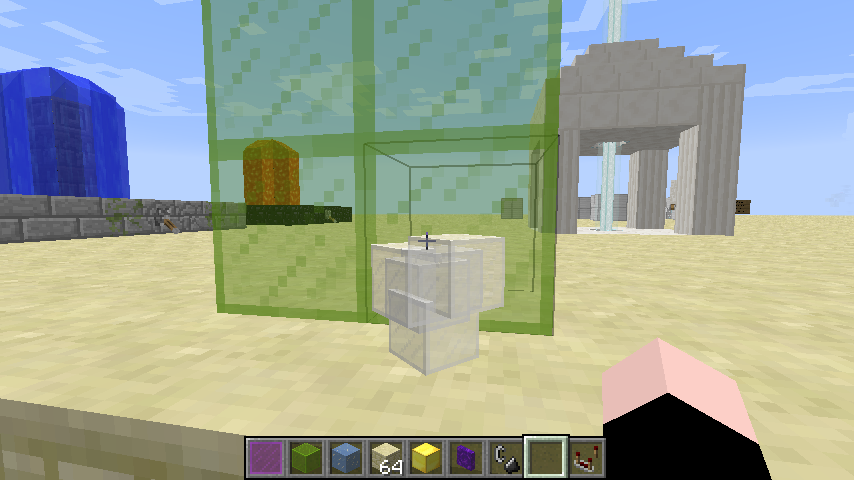
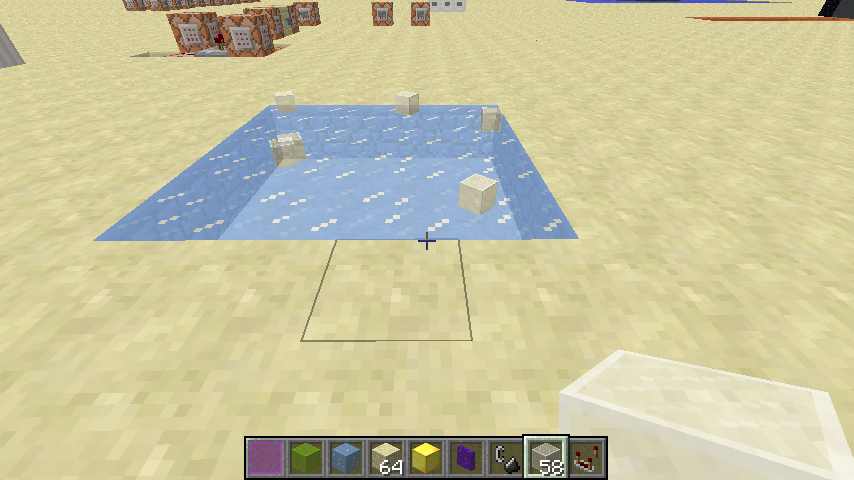
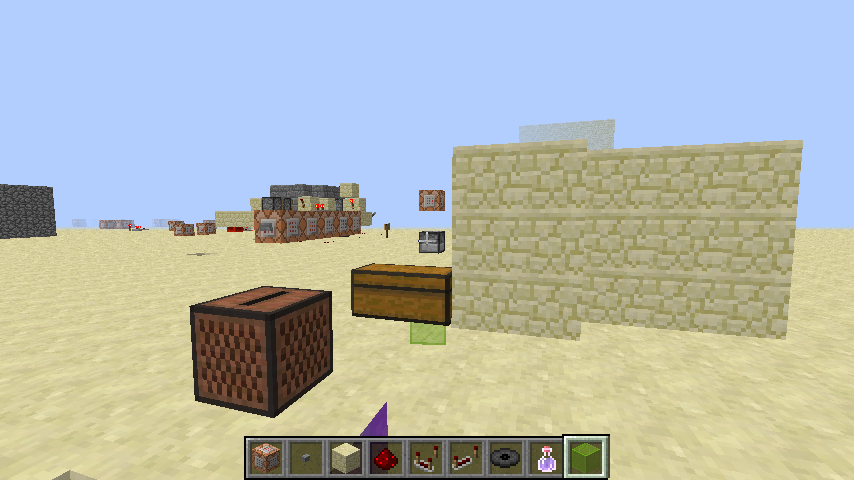


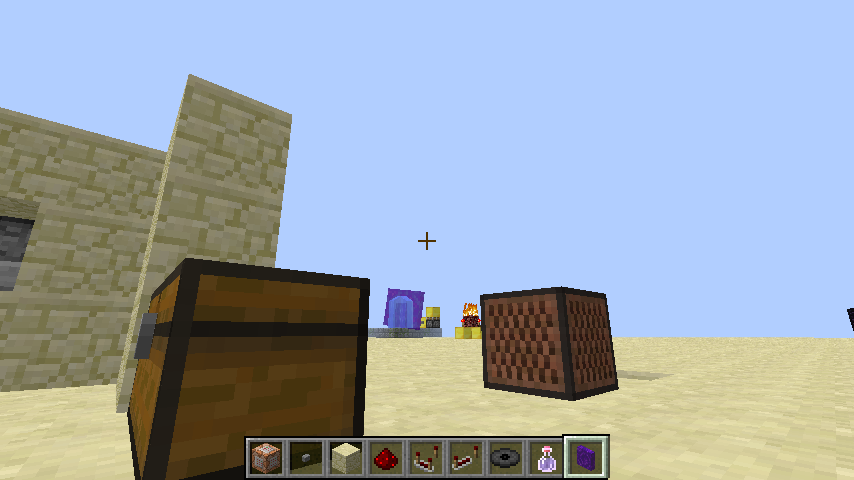
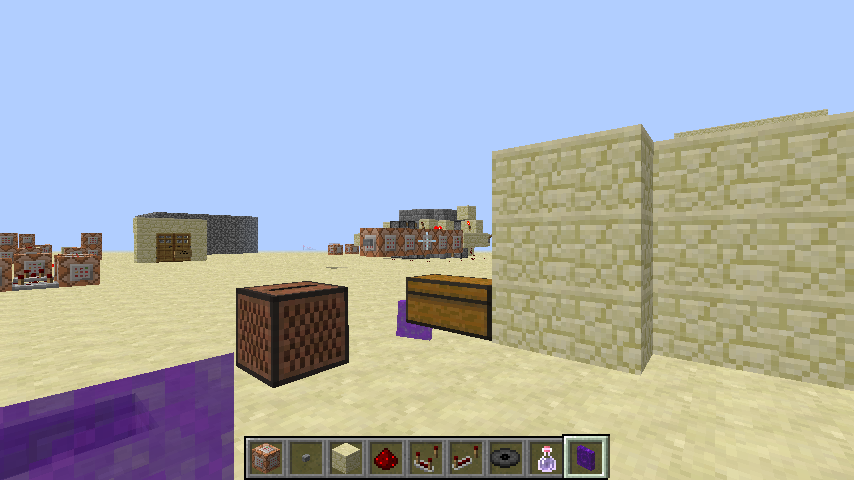




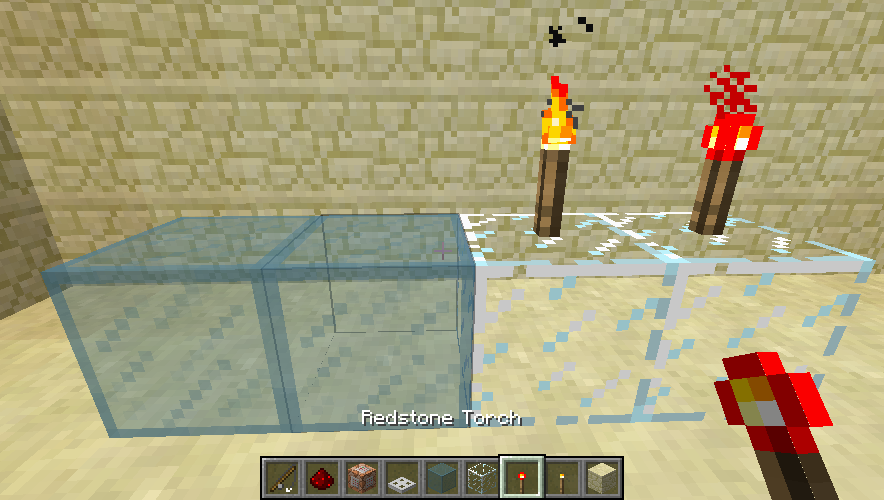





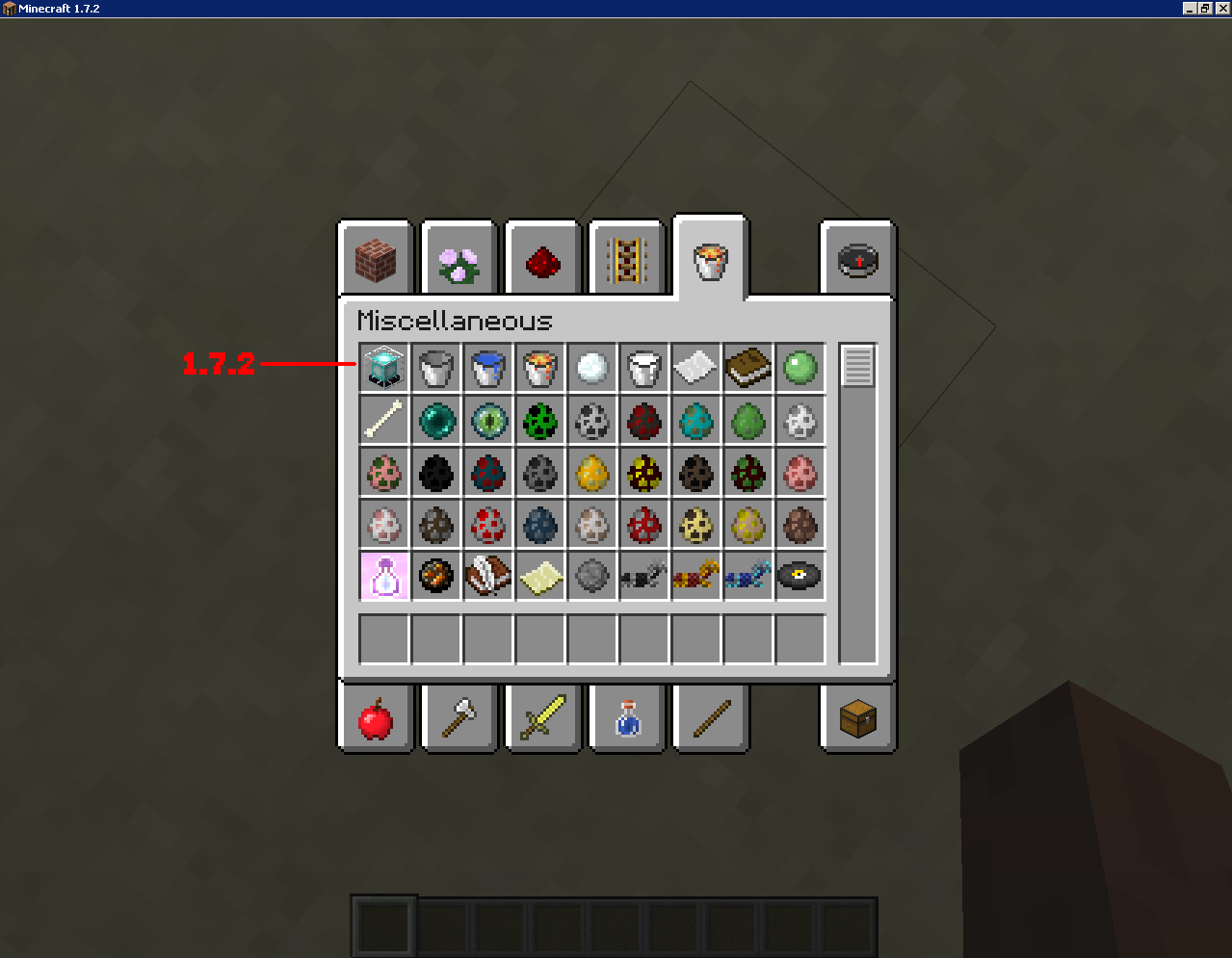
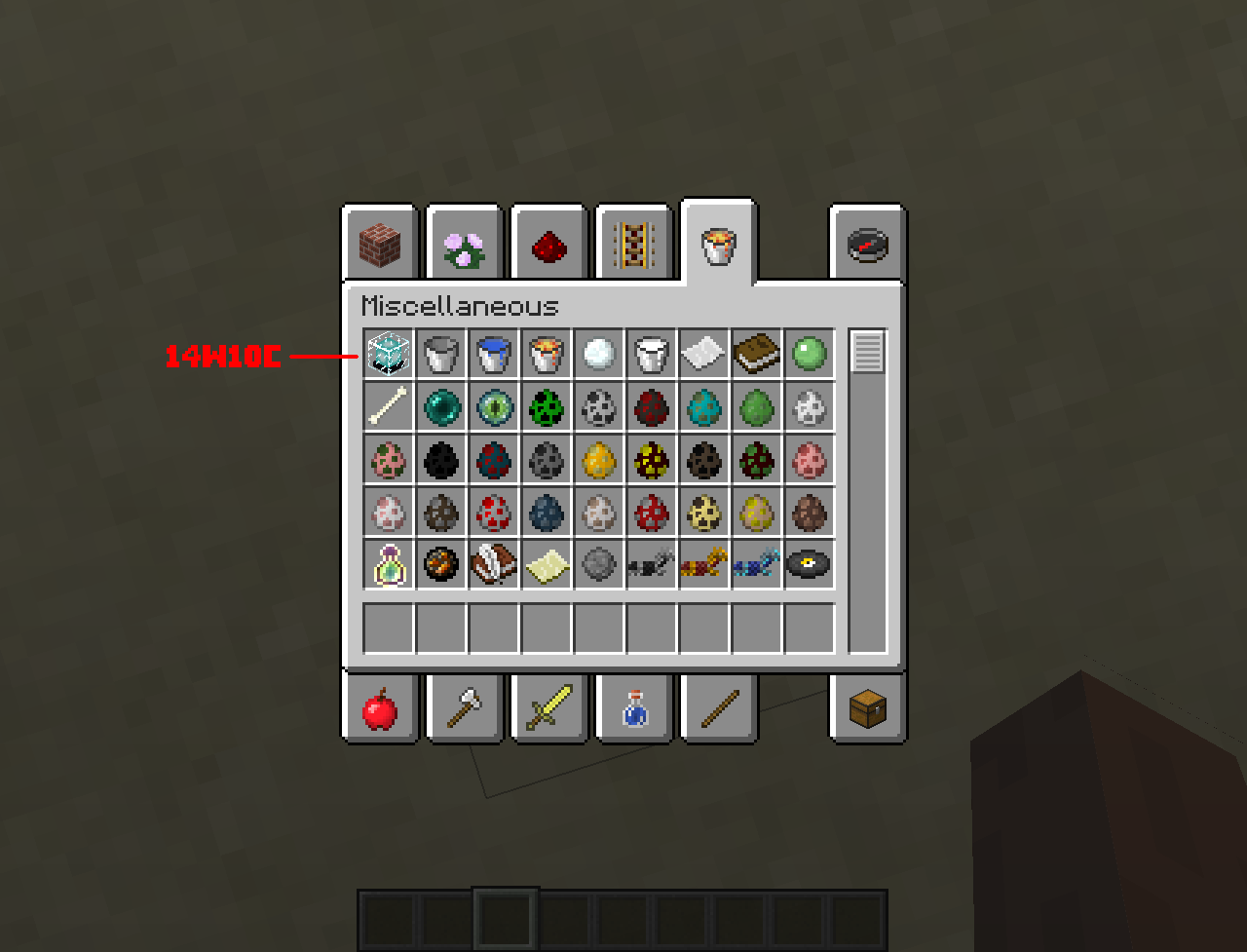
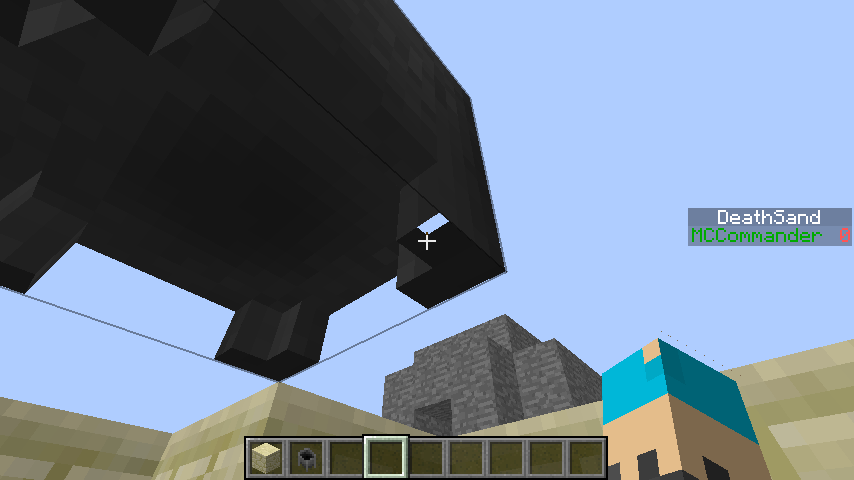
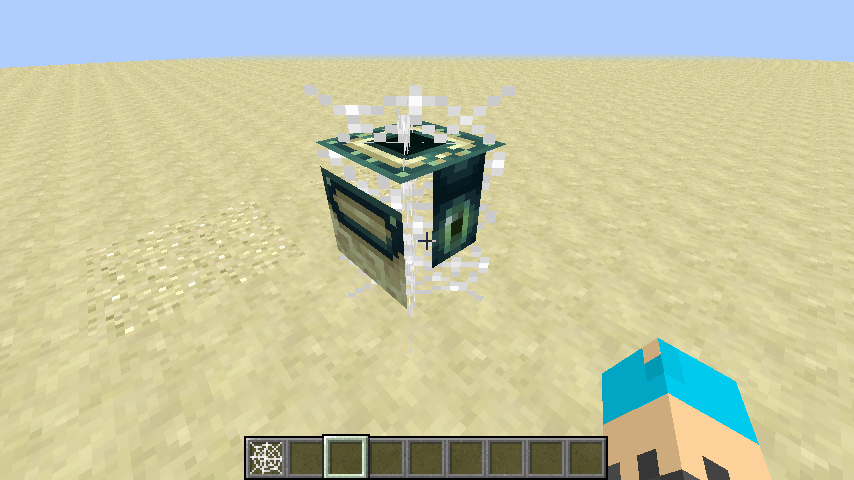


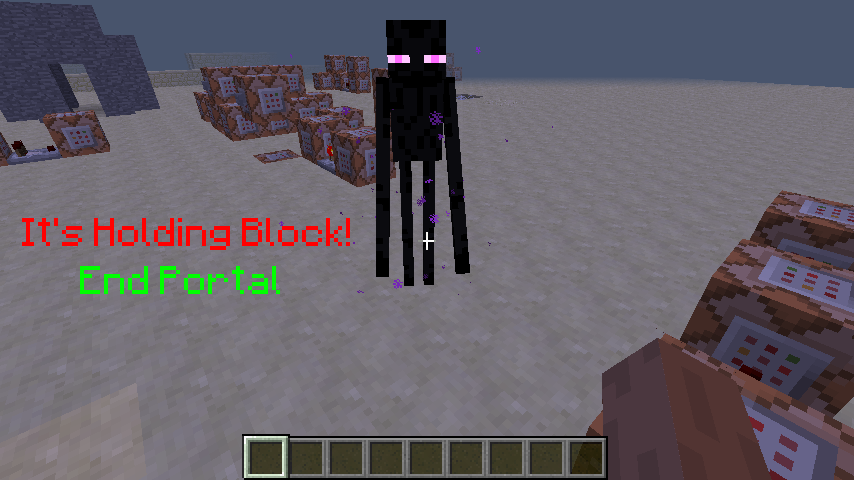

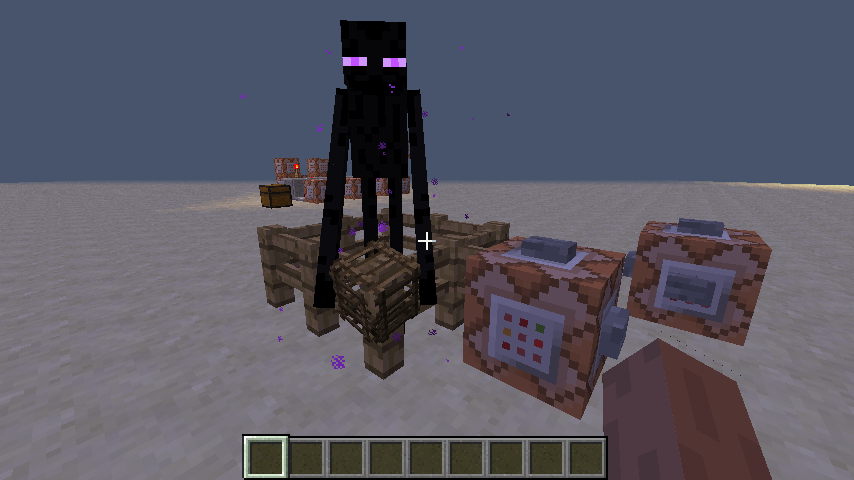
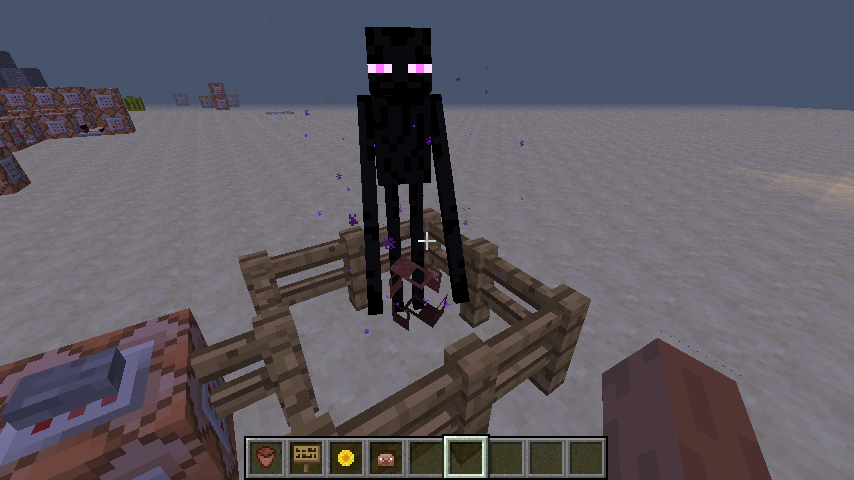
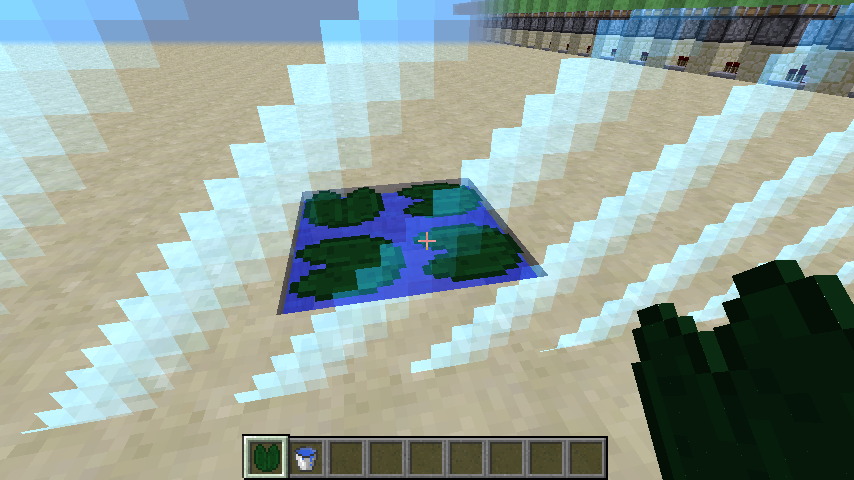
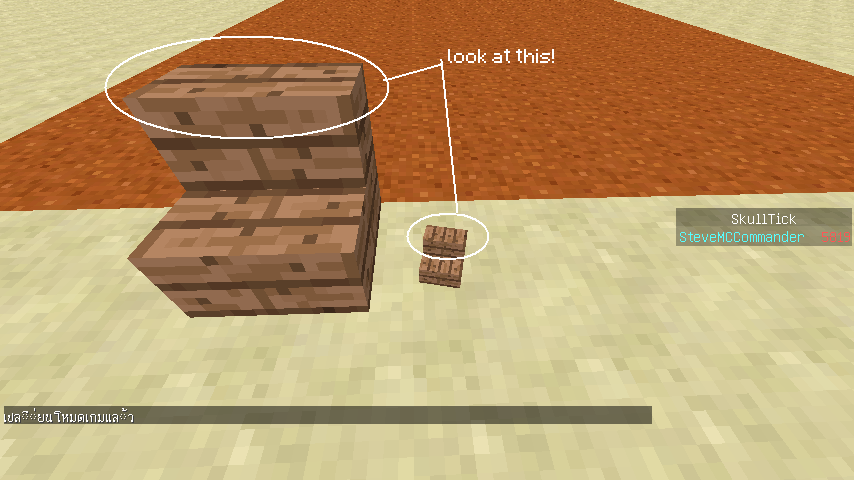

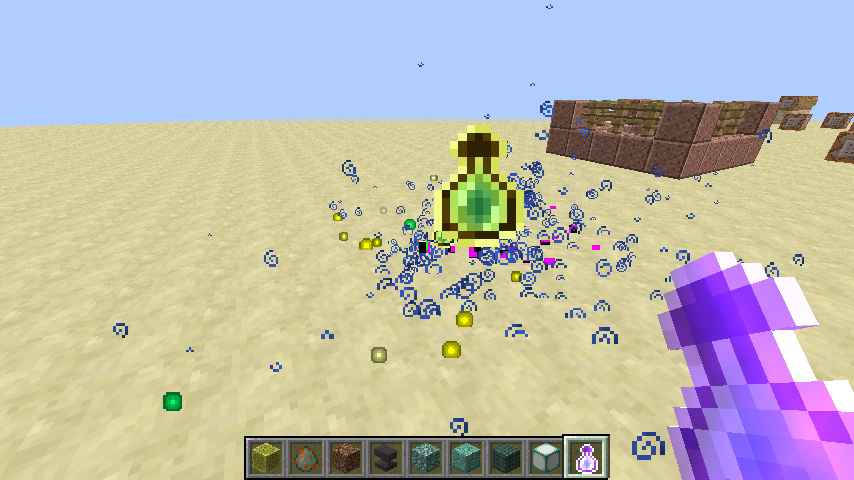

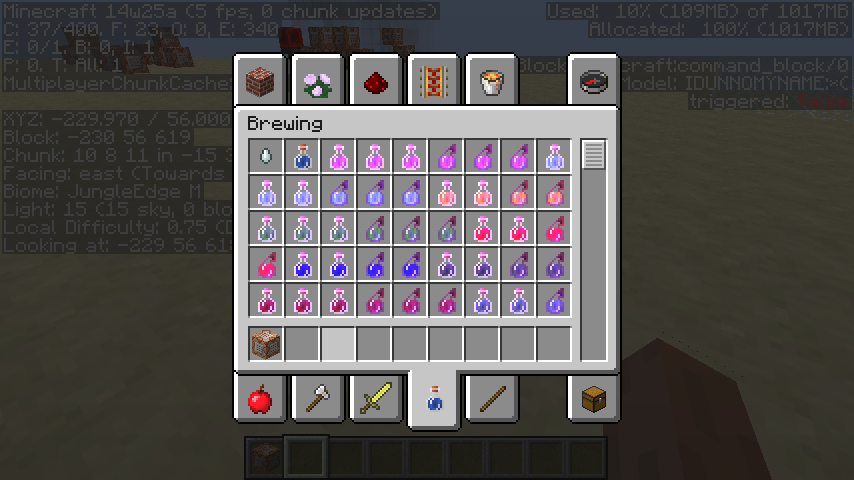


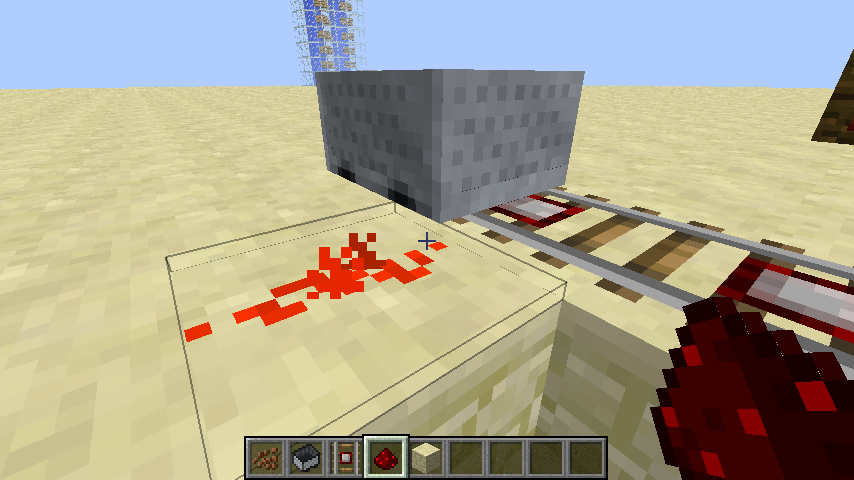
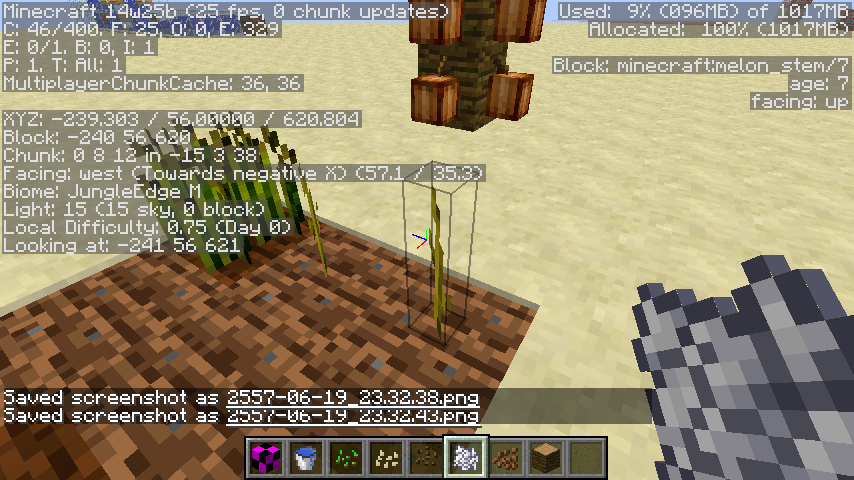


I found this bug when dropped item in transparent block
Ex. Ice, Stain Glass, Portal, Water
Transparent Item render bug in transparent block
Transparent Item render bugin transparent block
I found this bug when dropped item
in transparent block
Ex. Ice, Stain Glass, Portal, WaterI found this bug when dropped item on transparent block
Ex. Ice, Stain Glass, Portal, Water
Transparent Item render bugTranslucent Item render bug behind translucent block
Health Boost.mp4
Game crash when set "inventoryRender3D": true in
assets/minecraft/models/block/torch1.jsonIt make game crash!Game crash when set "inventoryRender3D": true in
assets/minecraft/models/block/torch1.json
It make the game crash!
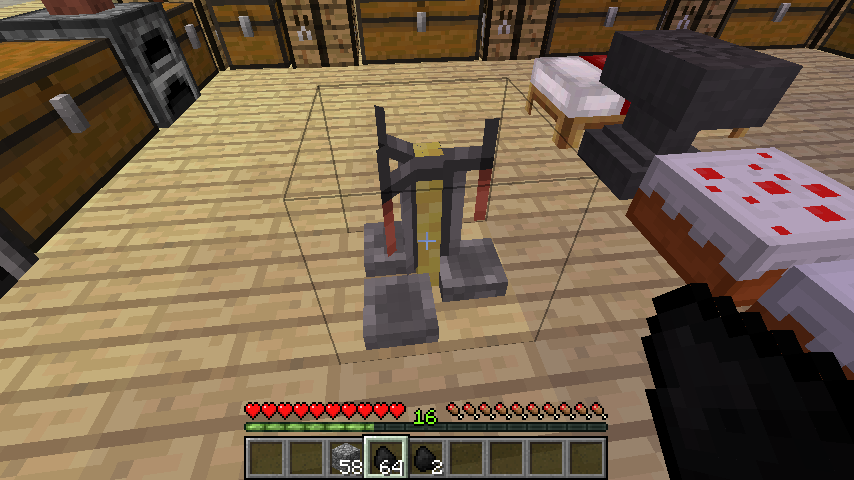
Brewing Stand
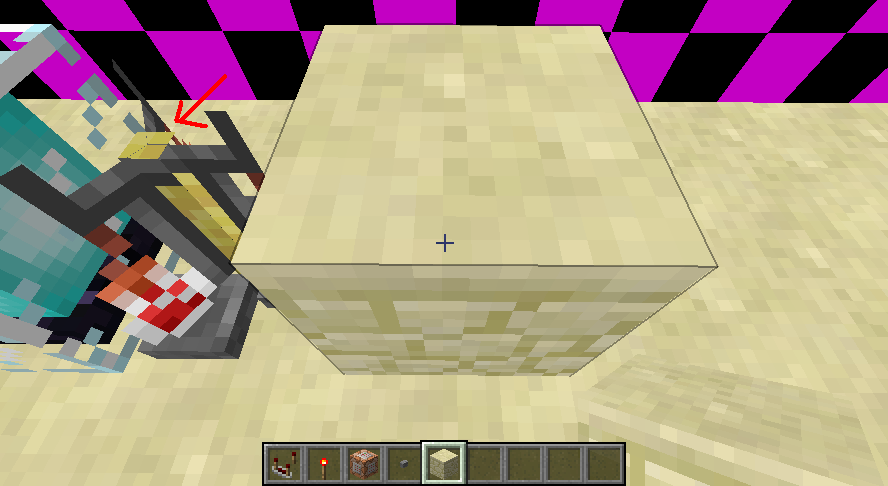
are missing rodwhen place block to the left or right of it, with a solid block on the other side.Brewing Stand texture rod are glitch when place block to the left or right of it, with a solid block on the other side.
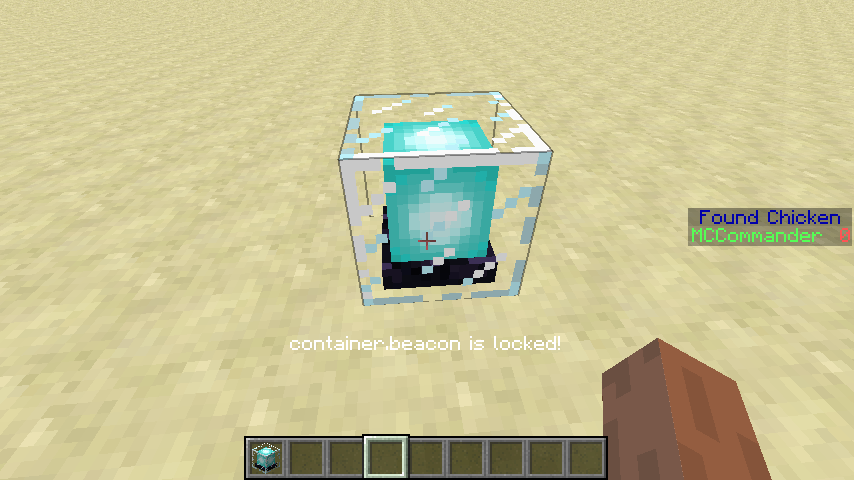
try copying a beacon or comparator with pickblock+Ctrl with items inside.
it won't copy the beacon items NBT inside...
Ctrl + Middle Mouse (PickBlock with NBT) doesn't work for Beacon,Comparator
try copying a beacon
or comparator with pickblock+Ctrlwith items inside.
it won't copy the beacon items NBT inside...try copying a beacon with NBT Tag with items inside the beacon.
it won't copy the beacon items NBT inside...
when trying to use Command /fill
xyz xyzminecraft:unpowered_comparator 0 replace minecraft:barrier in my world. It can't place the comparator (offline) propertywhen trying to use Command /fill ~1 ~ ~ ~1 ~ ~ minecraft:unpowered_comparator 0 replace minecraft:barrier in my world. It can't place the comparator (offline) property
when trying to use Command /fill ~1 ~ ~ ~1 ~ ~ minecraft:unpowered_comparator 0 replace minecraft:barrier in my world. It can't place the comparator (offline) property.
FPS Drop when fighting zombie or zombie pigman. (Affected on old computer!)
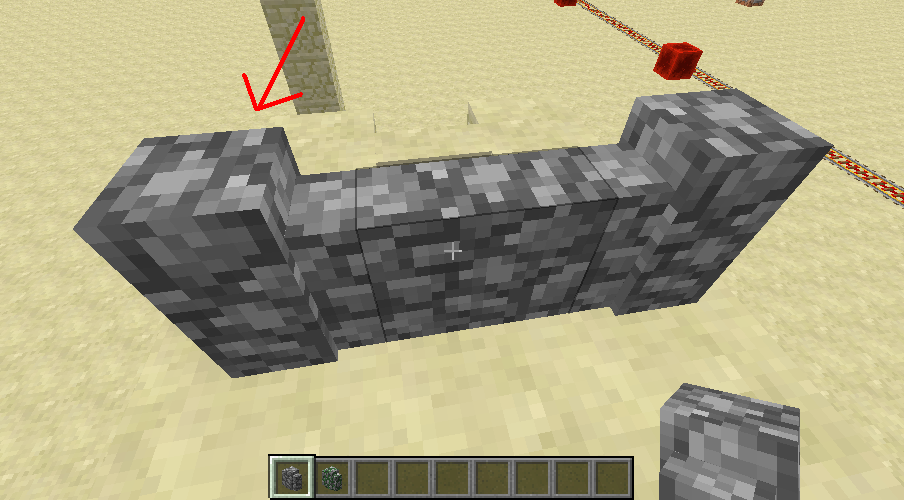
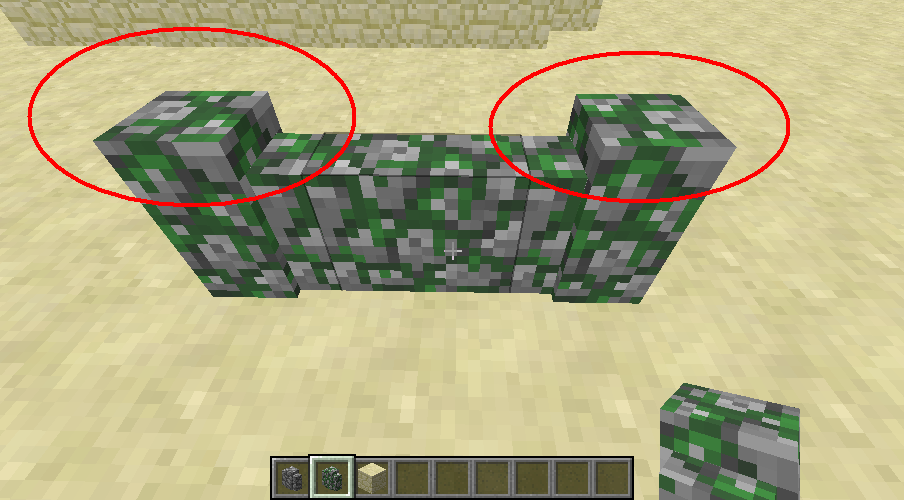
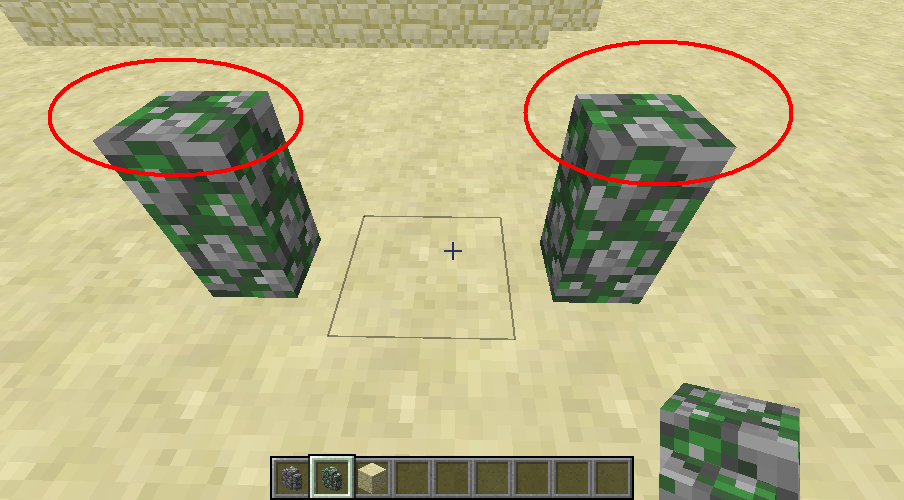
Cobblestone or Mossy stone wall Texture on topswitch texture on top sideCobblestone or Mossy stone wall Texture on top bug
When placed the cobblestone on center of two block side (right and left)
Texture on top of the wall isswitch texture on top side.When placed the cobblestone on center of two block side (right and left)
Texture on top of the wall is bug.Please help.
This texture render glitch on below Cauldron.
Please see this bug.
Item Structure DataTag
{Damage}it
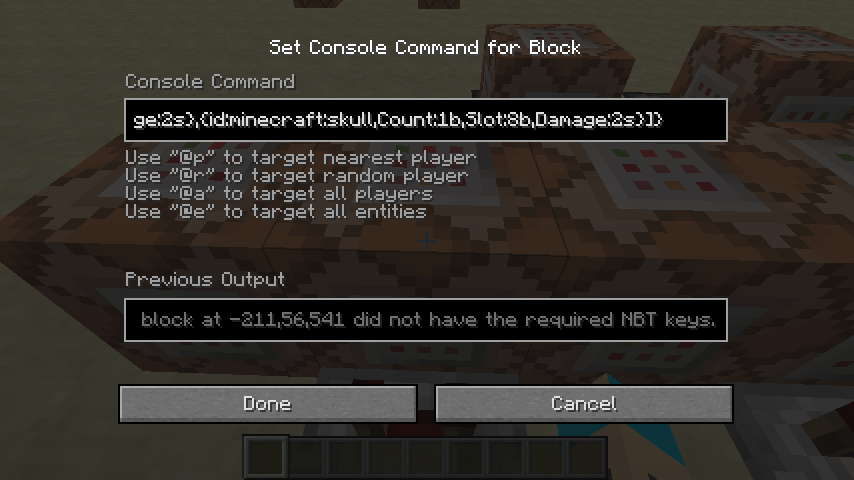
{id:minecraft:skull,Count:1b,Slot:0b,Damage:2s}Is Tag Short.
When I used command testforblock.
/testforblock ~ ~1 ~ dispenser 0 {Items:[Item in dispenser check it correct?!
It bug or not.
Please help. I suspect!Item Structure DataTag
{Damage}it is Tag Short?
{id:minecraft:skull,Count:1b,Slot:0b,Damage:2s}
When I used command testforblock.
/testforblock ~ ~1 ~ dispenser 0 {Items:[Item in dispenser check it correct?!
and when I used command testforblock. change to Damage:2s to Damage:2b
{id:minecraft:skull,Count:1b,Slot:0b,Damage:2b}
/testforblock ~ ~1 ~ dispenser 0 {Items:[IT NOT WORK! T_T
It bug or not.
Please help. I suspect!
Bottle o' EnchantingBreaking Particles show missing textureBottle o' Enchanting hit the ground particles show missing texture
When you throw a bottle o' enchanting and when bottle hit on the ground.
Itbottle splashed effect is show missing texture!My English is bad
When you throw a bottle o' enchanting and when bottle hit on the ground.
A bottle splashed effect is show missing texture!My English is bad


OS : Windows
XP(x86)5.1 Service Pack3
CPU :Intel(R)Pentium(R)4 CPU2.80GHz
RAM :1GB DDR RAM
Java : Java Development Kit 1.7.0 Update60(Used for making my mods)
OpenGL : Intel 845G GL Version 1.3.0 - Build 4.14.10.4020OS : Windows 7 Ultimate (x86) 6.1 Service Pack 1
CPU : Pentium(R) Dual-Core CPU E5400 @ 2.70GHz
RAM : 2 GB DDR-2 RAM
Java : Java Development Kit 1.7.0 Update 75 (Used for modding)
Graphic Card : NVIDIA GeForce 9500 GT
OpenGL Version : 3.3
worldborder effect render glitch.
It through pass of the block.

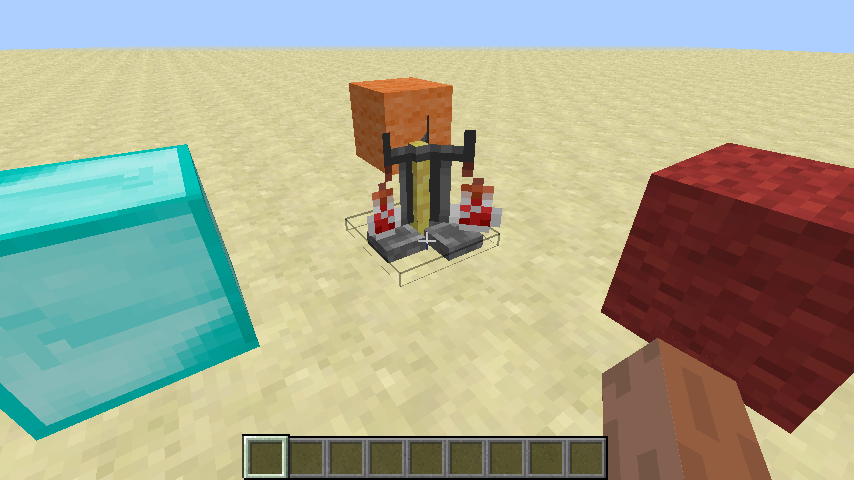

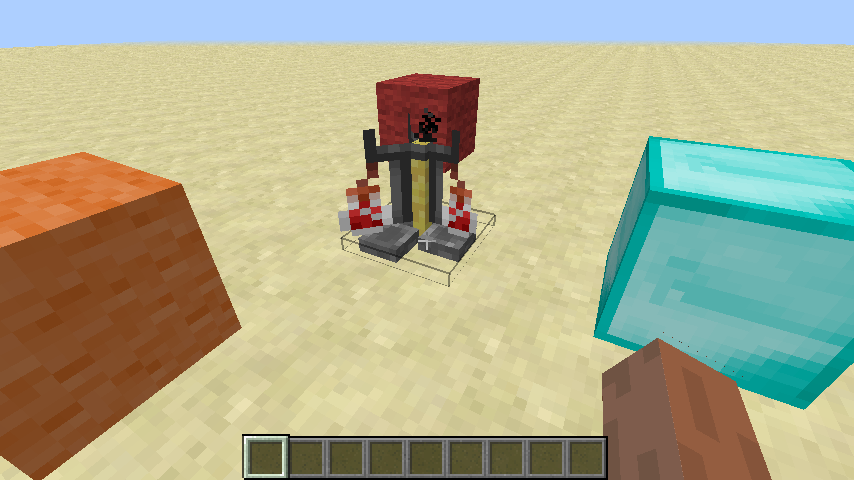

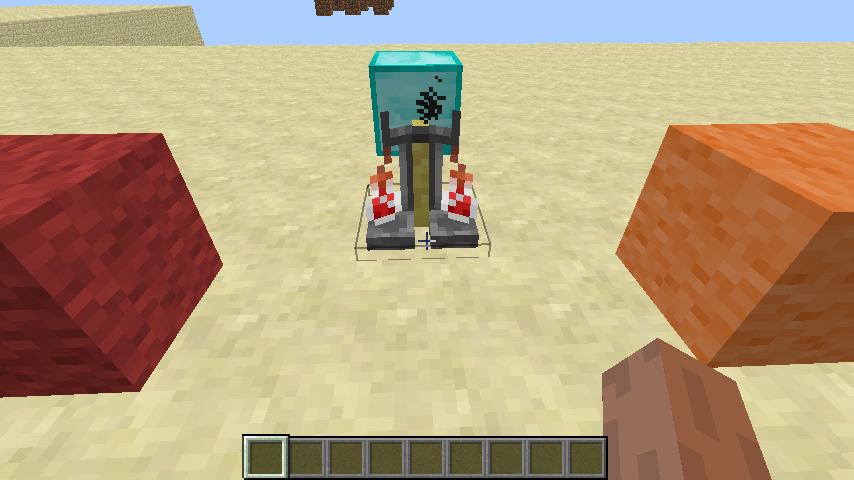
Brewing stand bottle model renderbugBrewing stand bottle model render incorrect
Brewing Stand Potion model is not loaded. When re-entering the game.
Please see this video to see
it bug!
http://www.youtube.com/watch?v=y-uxnxym9O4Brewing Stand Potion model is not loaded. When re-entering the game.
Please see this video to see that bug!
http://www.youtube.com/watch?v=y-uxnxym9O4
Vines, Wooden and Iron Trapdoor , Fence Gate,Redstone Repeater,End Portal Frame,Melon Stem, Pumpkin Stem placed wrong rendering and metadataRedstone Repeater placed wrong metadata
When you placed block. It's place wrong
render andmetadata
When you place block near a slime block. It's render dark in side of the core block of slime block.If you turn off smooth lighting and when you place block near a slime block. It's render dark in side of the core block of slime block.
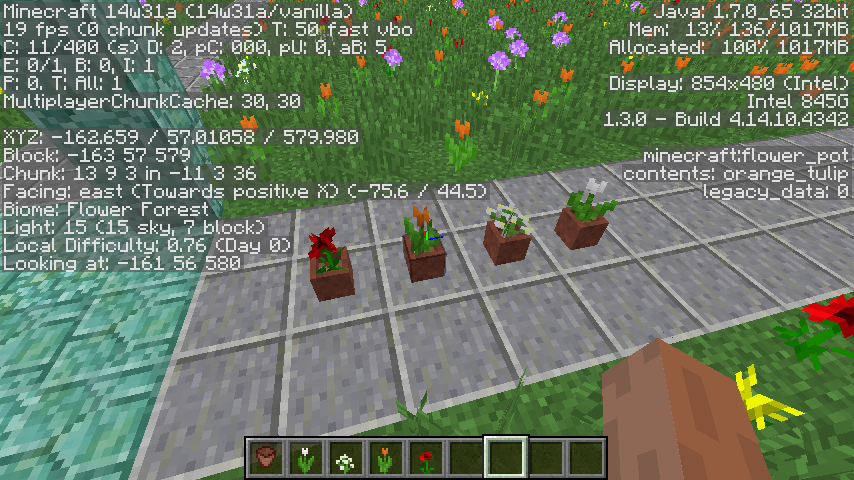
Flower in a flower pot lighting is darkIt's currently bug again in 14w31a. Please see picture
OS : Windows XP (x86) 5.1 Service Pack 3
CPU : Intel(R) Pentium(R) 4 CPU 2.80GHz
RAM : 1 GB DDR RAM
Java : Java Development Kit 1.7.0 Update 65 (Used for making my mods)
OpenGL : Intel 845G GL Version 1.3.0 - Build 4.14.10.4020OS : Windows XP (x86) 5.1 Service Pack 3
CPU : Intel(R) Pentium(R) 4 CPU 2.80GHz
RAM : 1 GB DDR RAM
Java : Java Development Kit 1.7.0 Update 65 (Used for making my mods)
OpenGL : Intel 845G GL Version 1.3.0 - Build 4.14.10.4342
Flower in a flower pot lighting bug. (14w31a)
If I set block the piston extension in the world and make FPS drop. But not My Computer Spec. Before set block piston extension My FPS is 32+ and after set block piston extension my FPS is 15. Please see the force crash report.
OS : Windows
XP(x86)5.1 Service Pack3
CPU :Intel(R)Pentium(R)4 CPU2.80GHz
RAM :1GB DDR RAM
Java : Java Development Kit 1.7.0 Update65 (Use for making mod)
Graphic Card :Intel 845G 512 MB
OpenGL Version :1.3.0 - Build 4.14.10.4342OS : Windows 7 Ultimate (x86) 6.1 Service Pack 1
CPU : Pentium(R) Dual-Core CPU E5400 @ 2.70GHz
RAM : 2 GB DDR-2 RAM
Java : Java Development Kit 1.7.0 Update 75 (Used for modding)
Graphic Card : NVIDIA GeForce 9500 GT
OpenGL Version : 3.3
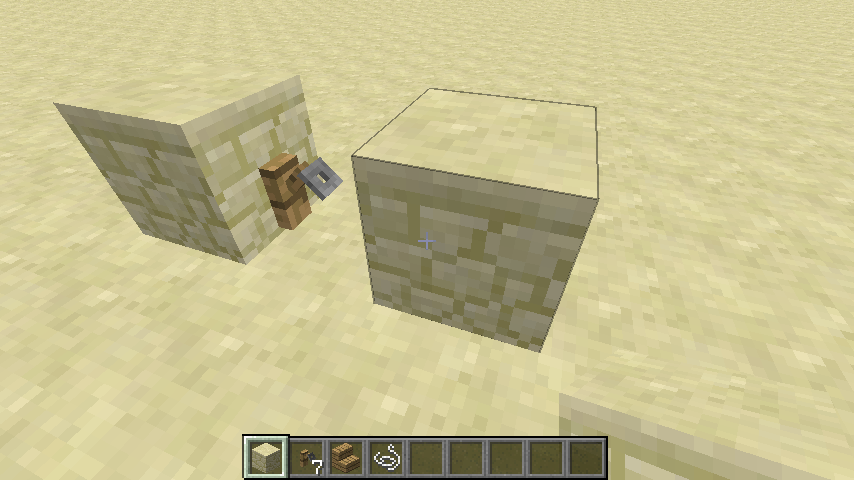
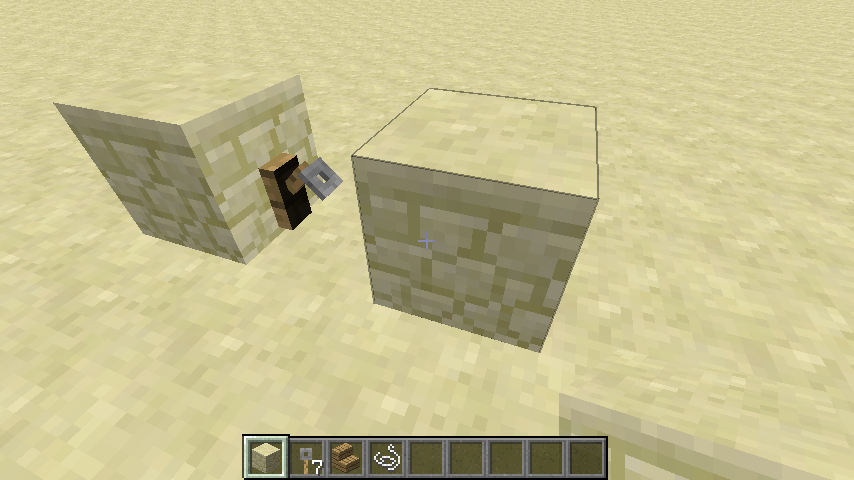
If placed from face of tripwire hook. That block model lighting is black when set Smooth Lighting to OFF.
OS : Windows
XP (x86) 5.1 Service Pack 3
CPU :Intel(R)Pentium(R)4 CPU2.80GHz
RAM :1GB DDRRAM
Java : Java Development Kit1.7.0 Update 60(Used for making my mods)
OpenGL : Intel 845G GL Version 1.3.0 - Build 4.14.10.4020OS : Windows 8.1 Pro
CPU : Pentium(R) Dual-Core CPU E5400 @ 2.70GHz
RAM : 2 GB DDR2
Java : JDK 1.8.0 Update 66 x64 (Used for modding)
Graphic Card : NVIDIA GeForce 9500 GT
OpenGL Version : 3.3
Tripwirehook block model lighting bug withsmoothlightingoffTripwire Hook block model lighting bug with Smooth Lighting OFF
Hopper block state not updatedBlock state not updated (Tile entity)
Block state in F3 debug mode not updated (Tile entity)
OS : Windows
XP (x86) 5.1 Service Pack 3
CPU :Intel(R)Pentium(R)4 CPU2.80GHz
RAM :1GB DDRRAM
Java : Java Development Kit1.7.0 Update 67(Use for making mod)
Graphic Card :Intel 845G 512 MB
OpenGL Version :1.3.0 - Build 4.14.10.4342OS : Windows 8.1 Pro
CPU : Pentium(R) Dual-Core CPU E5400 @ 2.70GHz
RAM : 2 GB DDR2
Java : JDK 1.8.0 Update 66 x64 (Used for modding)
Graphic Card : NVIDIA GeForce 9500 GT
OpenGL Version : 3.3
If placed
redstonedust on top of hopper. In a F3 Mode it showenabled:false, But, If removedredstonedust. It already showenabled:false. So,Iopenthehopperinventory in a F3 Mode showenabled:trueIf placed Redstone Dust on top of hopper. It showing block state "enabled:false", But if removed Redstone Dust it still showing block state "enabled:false". So, When open a hopper. It updated block state to "enabled:true".
OS :
MicrosoftWindowsXPProfessional Version 5.1 Service Pack 3
CPU :Intel(R)Pentium(R)4 CPU2.80GHz
RAM :1GB DDRRAM
JavaVersion : Java Development Kit1.7.0 Update51
OpenGL Version : Intel 1.3.0 Build 4.14.10.4342OS : Windows 8.1 Pro
CPU : Pentium(R) Dual-Core CPU E5400 @ 2.70GHz
RAM : 2 GB DDR2
Java : JDK 1.8.0 Update 66 x64 (Used for modding)
Graphic Card : NVIDIA GeForce 9500 GT
OpenGL Version : 3.3
Please see this video.
It's not bug on 14w26b. and BUG! on 14w32d.
http://www.youtube.com/watch?v=JCaCnnjgDLYPlease see this video. Testing on 1.7.10 and 1.8.2-pre6.
https://www.youtube.com/watch?v=hIIa5StN0Ic 1.7.10
https://www.youtube.com/watch?v=hIIa5StN0Ic 1.8.2-pre6
Boat velocity bug in Minecraft 14w32d and 1.8.2-pre6
Please see this video. Testing on 1.7.10 and 1.8.2-pre6.
https://www.youtube.com/watch?v=hIIa5StN0Ic 1.7.10
https://www.youtube.com/watch?v=hIIa5StN0Ic1.8.2-pre6Please see this video. Testing on 1.7.10 and 1.8.2-pre6.
https://www.youtube.com/watch?v=hIIa5StN0Ic 1.7.10
https://www.youtube.com/watch?v=SephYUMFBBg 1.8.2-pre6
OS : Windows
XP(x86)5.1 Service Pack3
CPU :Intel(R)Pentium(R)4 CPU2.80GHz
RAM :1GB DDR RAM
Java : Java Development Kit 1.7.0 Update65 (Used for making my mods)
OpenGL : Intel 845G GL Version 1.3.0 - Build 4.14.10.4342OS : Windows 7 Ultimate (x86) 6.1 Service Pack 1
CPU : Pentium(R) Dual-Core CPU E5400 @ 2.70GHz
RAM : 2 GB DDR-2 RAM
Java : Java Development Kit 1.7.0 Update 75 (Used for modding)
Graphic Card : NVIDIA GeForce 9500 GT
OpenGL Version : 3.3
Boat velocity bugin Minecraft 14w32d and 1.8.2-pre6Boat velocity bug changes in 14w32b
When you build the boat lift and use it in 14w32b or 1.8+ or 1.9+. It's doesn't work properly. But in the 14w32a or older boat is working properly.
Please see this video. Testing on 1.7.10 and 1.8.2-pre6.
https://www.youtube.com/watch?v=hIIa5StN0Ic 1.7.10
https://www.youtube.com/watch?v=SephYUMFBBg 1.8.2-pre6
Boat velocitybugchanges in 14w32b
When you build the boat lift and use it in 14w32b or 1.8+ or 1.9+. It's doesn't work properly. But in the 14w32a or older boat is working properly.
Please see this video.
Testing on 1.7.10 and 1.8.2-pre6.https://www.youtube.com/watch?v=hIIa5StN0Ic1.7.10https://www.youtube.com/watch?v=SephYUMFBBg1.8.2-pre6When you build the boat lift and use it in 14w32b or 1.8+ or 1.9+. It's doesn't work properly. But in the 14w32a or older boat is working properly.
Please see this video.
Testing on 14w32a : https://www.youtube.com/watch?v=fhz6zsBzNz8
Testing on 14w32b and 15w36d : https://www.youtube.com/watch?v=4xaz-IH7y0k
Enchanted effect on tranclucent block or chest don't show enchantment in hand,inventoryEnchanted effect on tranclucent block or chest don't show enchant effect in hand or inventory
Enchantedeffect ontranclucentblock orchestdon'tshow enchanteffect in hand or inventoryEnchanted Effect on Tranclucent Block or Block Entity doesn't rendering Enchant Effect in hand or inventory
OS : Windows
XP (x86) 5.1 Service Pack 3
CPU :Intel(R)Pentium(R)4 CPU2.80GHz
RAM :1GB DDRRAM
Java : Java Development Kit1.7.0 Update 67(Use for making mod)
Graphic Card :Intel 845G 512 MB
OpenGL Version :1.3.0 - Build 4.14.10.4342OS : Windows 8.1 Pro
CPU : Pentium(R) Dual-Core CPU E5400 @ 2.70GHz
RAM : 2 GB DDR2
Java : JDK 1.8.0 Update 66 x64 (Used for modding)
Graphic Card : NVIDIA GeForce 9500 GT
OpenGL Version : 3.3
I ma
keblock enchanting effect. But. It's not work on Slime Block, Chest Banner, Skull, Ice, Stained GlassI made items are enchanted. I see Enchanted Effect not rendering in hand and inventory.
Including :
Translucent Block (Stained Glass, )
I made items are enchanted. I see Enchanted Effect not rendering in hand and inventory.
Including :
Translucent Block (Stained Glass, Ice, Slime Block)
Block Entity (Chest, Ender Chest, Shield, Skull)
I made items are enchanted. I see Enchanted Effect not rendering in hand and inventory.
Including :
Translucent Block (Stained Glass, Ice, Slime Block)
Block Entity (Chest, Ender Chest, Shield, Skull)
I made items are enchanted. I see Enchanted Effect not rendering in hand and inventory.
Including :
Translucent Block (Stained Glass, Ice, Slime Block)
Block Entity (Chest, Ender Chest, Shield, Skull, Shulker Box)
OS : Windows 8.1 Pro
CPU :Pentium(R) Dual-Core CPU E5400 @ 2.70GHz
RAM :2GB DDR2
Java : JDK 1.8.0 Update66x64 (Used for modding)
Graphic Card :NVIDIAGeForce9500 GT
OpenGL Version :3.3OS : Windows 8.1 Pro 64bit
CPU : AMD FX(tm)-6300 Six-Core Processor 3.50 GHz
RAM : 8 GB DDR3
Java : JRE 1.8.0 Update 112 x64 / JDK 1.7.0 Update 80 x64 (Used for modding)
Graphic Card : GeForce GTX 750 Ti/PCIe/SSE2
OpenGL Version : 4.5.0
I made items are enchanted. I see Enchanted Effect not rendering in hand and inventory.
Including :
Translucent Block (Stained Glass, Ice, Slime Block)
Block Entity (Chest, Trapped Chest, Ender Chest, Shield, Skull, Shulker Box, Banner)


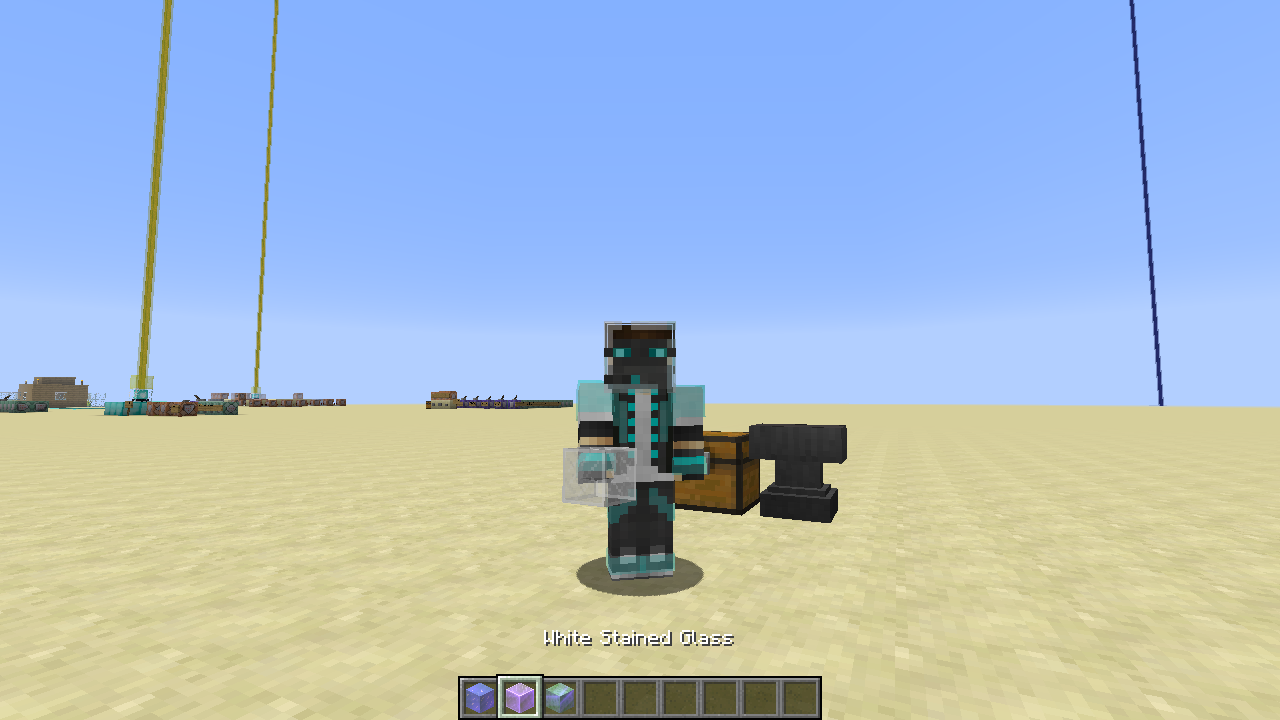
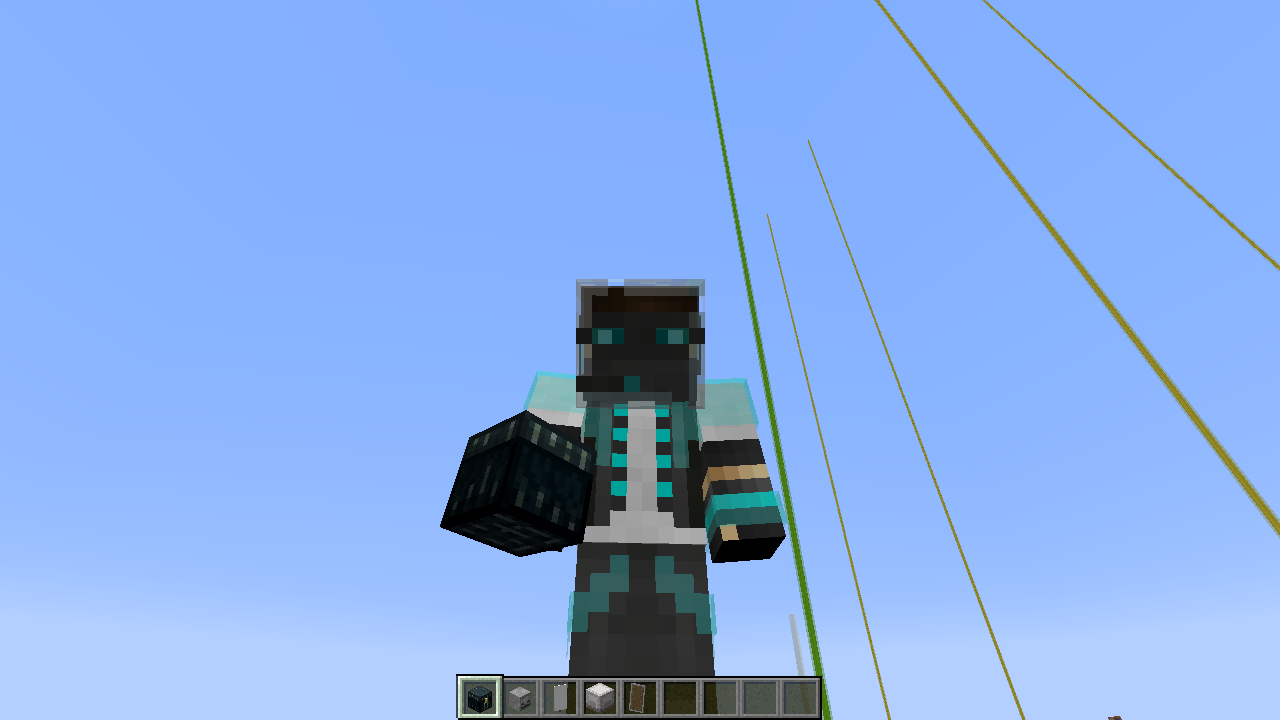
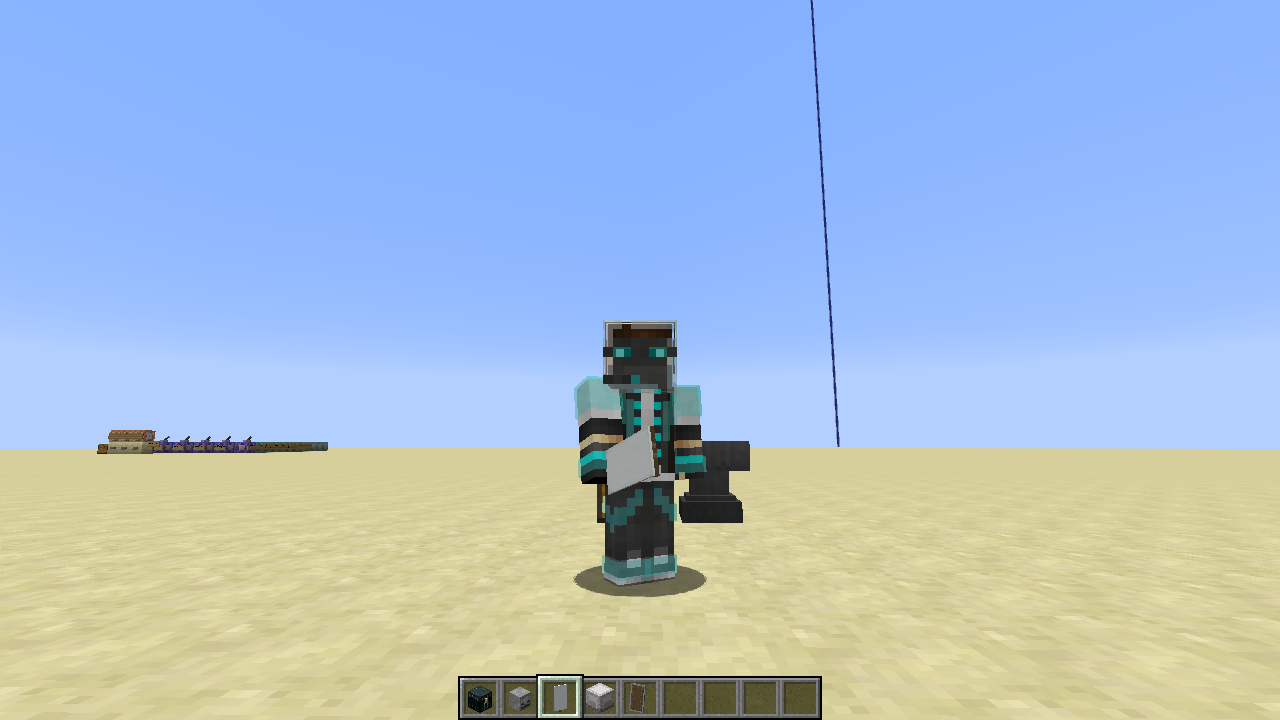
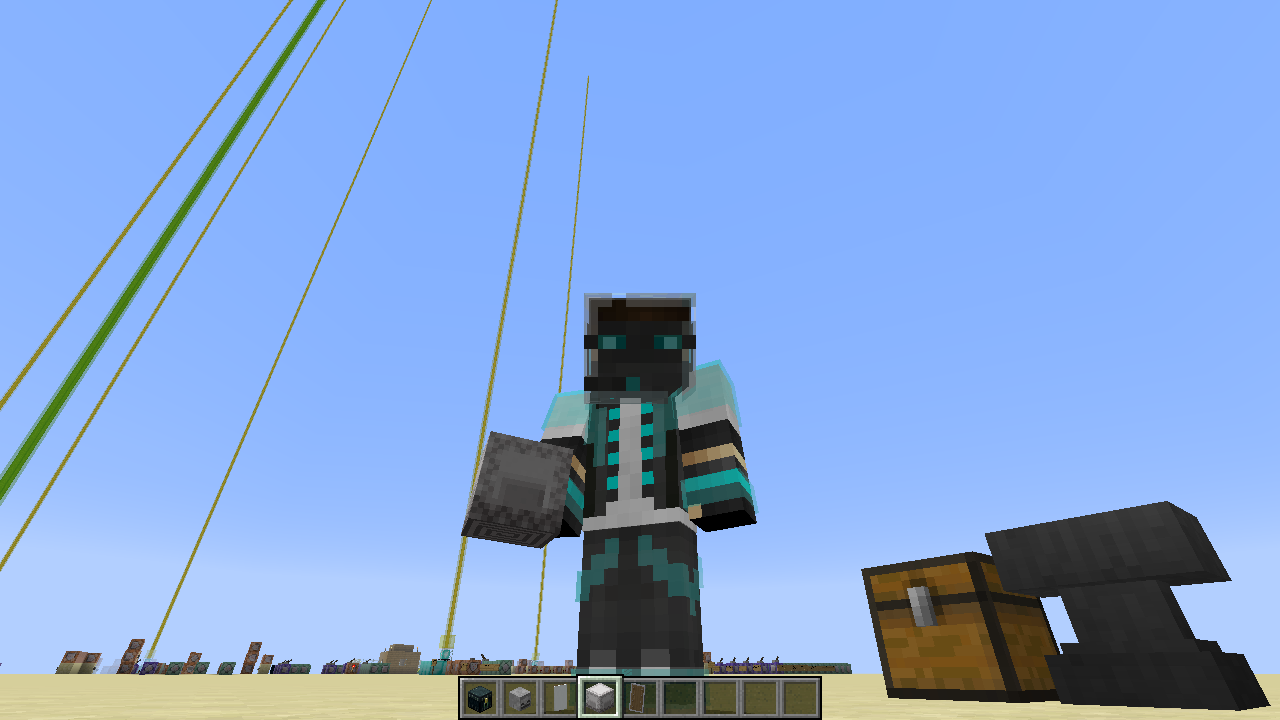
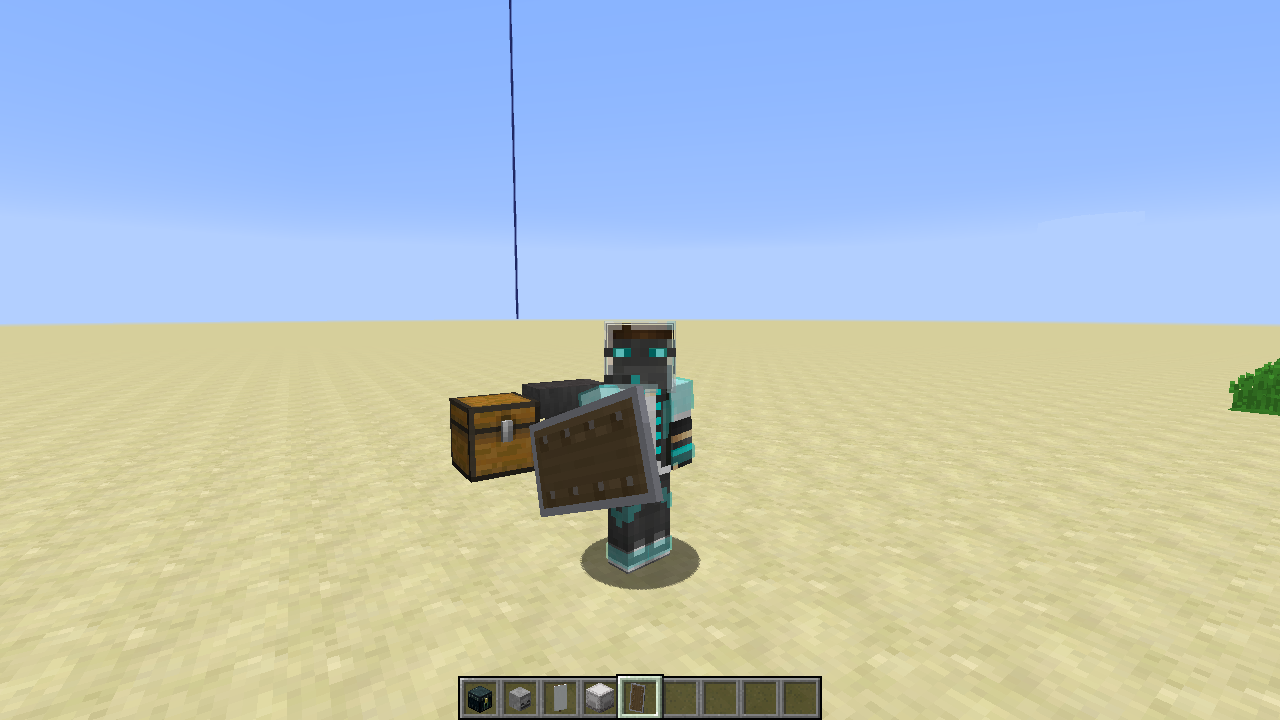
I made items are enchanted. I see Enchanted Effect not rendering in hand and inventory.
Including :
Translucent Block (Stained Glass, Ice, Slime Block)
Block Entity (Chest, Trapped Chest, Ender Chest, Shield, Skull, Shulker Box, Banner, Bed)
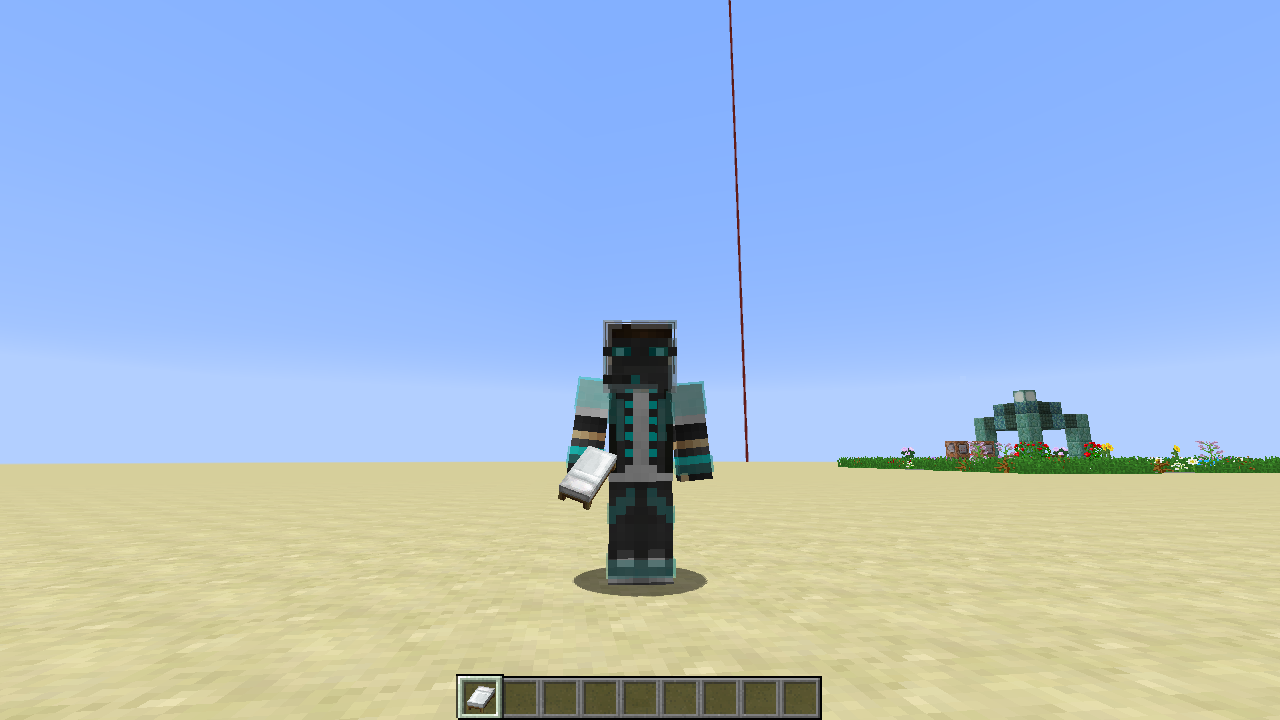
I made items are enchanted. I see Enchanted Effect not rendering in hand and inventory.
Including :
Block Entity (Chest, Trapped Chest, Ender Chest,Shield, Skull, Shulker Box, Banner, Bed, Trident)
Example:/give @s chest{Enchantments:[{id:"minecraft:loyalty",lvl:1}]}
I made items are enchanted. I see Enchanted Effect not rendering in hand and inventory.
Including :
Block Entity (Chest, Trapped Chest, Ender Chest,Shield, Skull, Shulker Box, Banner, Bed, Trident, Conduit)
Example:/give @s chest{Enchantments:[{id:"minecraft:loyalty",lvl:1}]}
EnchantedEffect on Block Entity doesn't rendering Enchant Effectin hand or inventoryGlint Effect on Block Entity doesn't render in hand or inventory
OS : Windows 10 Pro 64bit
CPU : AMD FX(tm)-6300 Six-Core Processor 3.50 GHz
RAM : 8 GB DDR3
Java : JDK 1.8.0 Update 181 x64
Graphic Card : GeForce GTX 750 Ti/PCIe/SSE2
I made items are enchanted. I
see EnchantedEffectnotrenderingin handandinventory.Including :
Block Entity (Chest, Trapped Chest, Ender Chest,Shield, Skull, Shulker Box, Banner, Bed, Trident, Conduit)
Example:/give @s chest{Enchantments:[{id:"minecraft:loyalty",lvl:1}]}I made items are enchanted. I don't see Glint Effect rendered in hand or inventory.
Including :
Block Entity (Chest, Trapped Chest, Ender Chest,Shield, Skull, Shulker Box, Banner, Bed, Trident, Conduit)
Example:/give @s chest{Enchantments:[{}]}
Glint Effect on Block Entity doesn't rendered in hand or inventory
OS : Windows 10 64bit
CPU : AMD Ryzen 5 Six-Core 3.40 GHz
RAM : 16 GB
Java : JDK 1.8.0 Update 202 x64
Graphic Card : Palit GTX 1050Ti
OS : Windows 10 64bit
CPU : AMD Ryzen 5 Six-Core 3.40 GHz
RAM : 16 GB
Java : JDK 1.8.0 Update 202 x64
Graphic Card : Palit GTX 1050Ti
Glint effect on block entities doesn't renderin hand or inventoryEnchanted Effect on block entities doesn't rendered
Enchantedeffect on block entities doesn't renderEnchantment Glint effect on block entities doesn't rendered
The Bug
This includes item that doesn't render enchantment glint effect when in hand or inventory.
- Chest
- Trapped Chest
- Ender Chest
Shield(Fixed in 19w41a)- Skulls
- Shulker Boxes
- Banners
- Beds
Trident(Fixed in 19w41a)- Conduit
- Decorated Pot
Reproduce
/give @s chest{Enchantments:[{}]}Observed Behavior
Enchantment glints don't render on block entities.
Expected Behavior
Enchantment glints would render on block entities.
Translucent block third person viewblock rendererTranslucent block in the third person view rendering weird
OS : Windows
XP (x86) 5.1 Service Pack 3
CPU :Intel(R)Pentium(R)4 CPU2.80GHz
RAM :1GB DDRRAM
Java : Java Development Kit1.7.0 Update 65(Used for making my mods)
OpenGL : Intel 845G GL Version 1.3.0 - Build 4.14.10.4342OS : Windows 8.1 Pro
CPU : Pentium(R) Dual-Core CPU E5400 @ 2.70GHz
RAM : 2 GB DDR2
Java : JDK 1.8.0 Update 66 x64 (Used for modding)
Graphic Card : NVIDIA GeForce 9500 GT
OpenGL Version : 3.3
When you h
eldthe leaves, slimeblock,stainedglassand ice. It's brightness on top of block andrenderincorrect.When you holding Translucent Block (Leaves, Glass, Slime Block, Stained Glass) or Item Entity (Chest, Ender Chest, Shield). It rendering weird and glitch.
When you holding Translucent Block (Leaves, Glass, Slime Block, Stained Glass)
or Item Entity (Chest, Ender Chest, Shield). It rendering weird and glitch.
When you holding Translucent Block (Leaves, Glass, Slime Block, Stained Glass). It rendering weird and glitch in a third person view.
When you holding Translucent Block (Leaves, Glass, Slime Block, Stained Glass, Beacon). It rendering weird and glitch in a third person view.
OS : Windows 8.1 Pro
CPU :Pentium(R) Dual-Core CPU E5400 @ 2.70GHz
RAM :2GB DDR2
Java : JDK 1.8.0 Update66x64 (Used for modding)
Graphic Card :NVIDIAGeForce9500 GT
OpenGL Version :3.3OS : Windows 8.1 Pro 64bit
CPU : AMD FX(tm)-6300 Six-Core Processor 3.50 GHz
RAM : 8 GB DDR3
Java : JRE 1.8.0 Update 112 x64 / JDK 1.7.0 Update 80 x64 (Used for modding)
Graphic Card : GeForce GTX 750 Ti/PCIe/SSE2
OpenGL Version : 4.5.0

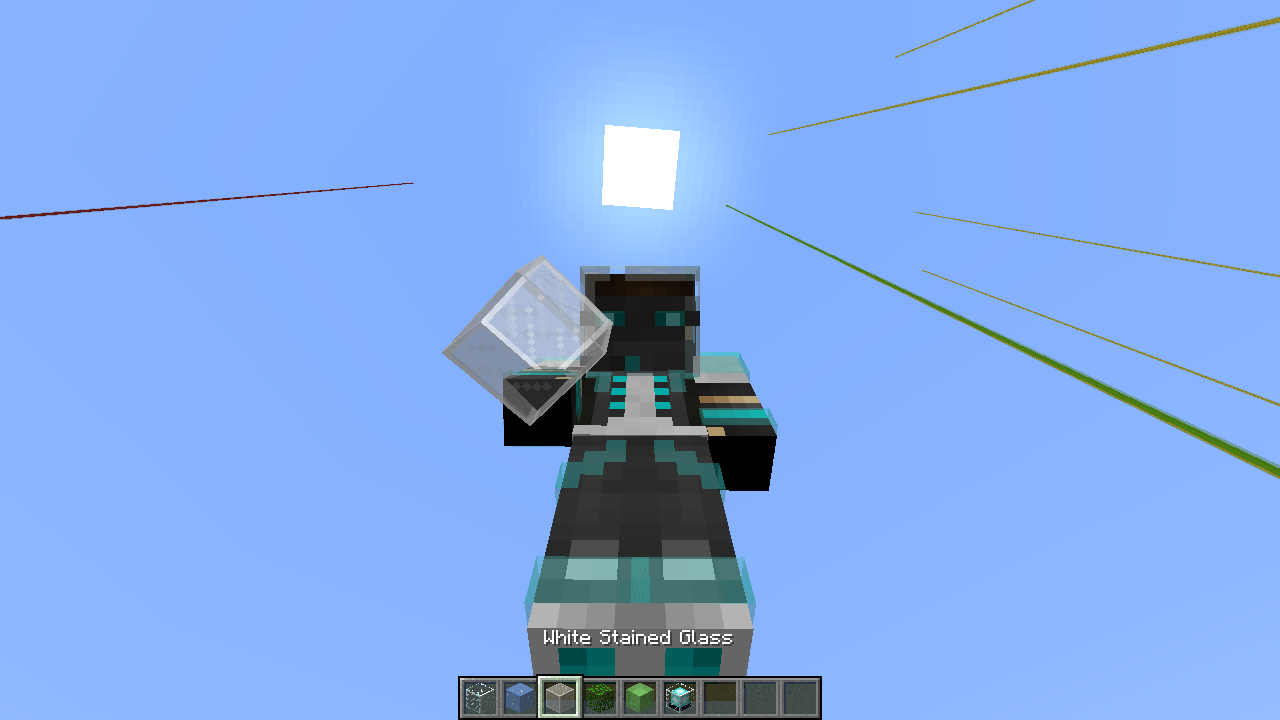

Translucent block renderingweirdwhen held in hand/worn by entity (player)Transparent block weird rendering when held in hand/worn by entity (player)
OS : Windows
8.1 Pro 64bit
CPU : AMD FX(tm)-6300 Six-Core Processor 3.50 GHz
RAM : 8 GB DDR3
Java :JRE 1.8.0 Update 112 x64 /JDK 1.7.0 Update80x64(Used for modding)
Graphic Card : GeForce GTX 750 Ti/PCIe/SSE2
OpenGL Version : 4.5.0OS : Windows 10 Pro 64bit
CPU : AMD FX(tm)-6300 Six-Core Processor 3.50 GHz
RAM : 8 GB DDR3
Java : JDK 1.8.0 Update 181 x64
Graphic Card : GeForce GTX 750 Ti/PCIe/SSE2
OS : Windows 10
Pro64bit
CPU : AMDFX(tm)-6300 Six-Core Processor3.50 GHz
RAM :8GBDDR3
Java : JDK 1.8.0 Update181x64
Graphic Card :GeForceGTX750Ti/PCIe/SSE2OS : Windows 10 64bit
CPU : AMD Ryzen 5 Six-Core 3.40 GHz
RAM : 16 GB
Java : JDK 1.8.0 Update 202 x64
Graphic Card : Palit GTX 1050Ti
OS : Windows 10 64bit
CPU : AMD Ryzen 5 Six-Core 3.40 GHz
RAM : 16 GB
Java : JDK 1.8.0 Update 202 x64
Graphic Card : Palit GTX 1050Ti
The small cube inside the slime block isn't displayed in the inventory and when it's dropped on the ground.
Attached (slime.json) is a proposed fix by SteveKunG.

SteveKunG: As the creator of this ticket, you can update the affected versions field, you don't need to leave a comment.

@SteveKunG: Check the "clip" function.
![[Mod] violine1101](../../../data/avatars/users/92858.png)
SteveKunG, please don't re-add unnecessary information into the environment field; this issue has been reproduced in multiple different environments and therefore doesn't need to be mentioned.
The bug
The inner cube inside the honey block and the slime block isn't displayed in the inventory or when it's dropped on the ground. This bug is back after it was once fixed in 15w47a (MC-67017).
NOTE:
As of 19w45a, dropped slime and honey blocks display their inner cube again, but still lack it in the inventory.
Fixes
Proposed fixes by SteveKunG:

Oop Sorry
No. It not crashes. It make FPS Drop only.
/summon FallingSand ~ ~1 ~ {Time:1,TileID:120}I can't update to java 8. Window XP it's not supporting. So I can't update it.
I think it is unlikely to be duplicate my report.
Oop Sorry I reported wrong version. The 14w26c It's make my map crashes. (Chunk Bug!)
OK. I changed to redstone repeater block placed issue now.
Oops. failed. I spawn (not summon sorry - -) the guardian.
What?
I mean, why I grow the mushroom on mycelium it's not set block under of big mushroom to dirt?
OK! I will test this in minecraft 1.7.10 soon.
It's fixed
Hey. Lighting in a flower pot is bug and not fixed property. See
MC-62628I testing on a MCP. It's work! I can fix this bug. (1.7.10)
Oh! Please set Smooth Lighting to OFF.
OK! That not affected by hopper only. It affected all tile entities.
My old issue is incomplete.
.Please reopen this issue. Please!
Oh! This is secret feature? It has no change in 1.8 development.
Currently bug on 1.8.2-pre6
Please close this. That's my graphic problem.
I confirm that's fixed.
Here : https://www.youtube.com/watch?v=hV0DI923WZk
Please see on description.
Hello world. Please check my last comment.
.Hello World. Please check my last edit of this bug tracker. - -*
Sorry for delay. Here is it.
https://www.youtube.com/watch?v=gi3i4R4sW-s
Still in 15w37a
I can't reproduce this issue in 15w37a. Can anyone resolved this issue?
Farmland item icon already fixed. I testing on 15w37a.
I think Dinnerbone they fixes all boat issue. This issue should be closed. Thank you
Thanks to @JimStoneCraft. But I see the another issue of this model.
I have attached some screenshot.
Nevermind. LOLLL
From
MC-91699I have attached fix file for Slime Block model.I'm late, sorry. I think it was a similar problem.
Hi. I have attached fix files for Tripwire Hook block model. By removing "cullface".
What????
Can anyone re-open this issue? This is unfair.
Fixed in 15w46a
Can anyone mark this issue as fixed?
Yeah, It an easy fix. BUT Explanation??????
Hi. I have attached some fix Flower Pot plant model.
Hi. I have attached some fix when placing plant into the flower pot. (Using 1.8.8 for testing.)
Hi. I have attaches resource pack.
Fix included are : Repeater, Bed, Comparator and Lever.
I will take a look at Iron Bars, Stem and Brewing Stand soon.
Confirmed for Stem, Brewing Stand and Iron Bars
From
MC-95103. I have attached fix resource pack and before & after pictures.Sorry for late. I added some before & after fix screenshot.
Thanks! Jeb.
Yeah. Fixed in 16w04a.
(GeForce 9500 GT/PCIe/SSE2)
Invalid
.Still in 1.9 pre-3
[23:40:55] [Client thread/WARN]: Unable to play empty soundEvent: minecraft:entity.snowman.ambient
Still not working. I tried to re-downloading 1.9 pre-3.
Fixed in 1.9 pre-3
Same here, can confirmed. It should be generated Cobblestone (or something?) instead of the Acacia Wood.
Also sometime mineshaft spawning at surface level.
Hello? Any Progress?
Did you looking at the screenshot? It in the mesa biome. Not other biome.
OK. Found the issue.
1. Throw any item on the ground.
2. Use this command /execute @p ~ ~ ~ kill @e[tag=emerald,r=0]
3. Game crashes.
No. I will change the ticket name.
I'm so confuse with this
.OK. This is a correct step to reproduce.
1. Installed this map.
2. Try to use fishing rod.
3. Game crash
Maybe caused by my command block contraption.
I think it should fix by this instruction. Testing with MCP 1.9.
http://imgur.com/Y2Dv1mz
Thanks to @Marcono1234. I try to test it on 1.10 Forge and removed EntityPlayerSP entityplayersp = this.thePlayer;
Armor bars show up again when switching dimension.
But the other issues with Locked Difficulty and Absorption effect not fixed.
Update latest detail. Still in 17w06a.
Update latest detail. Still in 17w06a.
Update latest detail. Still in 17w06a.
What? Why this issue has duplicated?
Crash log isn't same as
MC-71504at mr.f(SourceFile:123)
Might be problem with advancements in world save files.
hello?
Just move items in the chest. (Not shift + clicked)
The issue same as
MC-85133(Glass, Leaves, Beacon).I include the fix. By add GlStateManager.tryBlendFuncSeparate(SRC_ALPHA, ONE_MINUS_SRC_ALPHA, ONE, ZERO) to reset default blend state.
All class and mapping are based on latest MCP for 1.12.2.
Not fixed in 18w22a
Still an issue in 1.13 pre-5. I hope https://twitter.com/MissMarzenia/status/1014106511218565120 should fix it. (Maybe?)
Duplicate of MC-87751?
Still not fixed in pre-7.
Weird, cannot reproduce the issue right now. Its gone in the launcher log. Someone please solve this.
Can confirm, After I using /team command and setting up prefix/color. The game will crash or kick player from realms.
Same problem with Totem of Undying.
OK, I just created 2 issues.
https://bugs.mojang.com/browse/MC-138659
https://bugs.mojang.com/browse/MC-138660
Fixed in 18w47a!
Hello??
This has been fixed in 19w07a!
Is this related to MC-147028?
Fixed in 1.14 pre4
Same here, This is still an issue in 1.14-pre5.
Still exist in 1.14.3 pre-3
Unable to resolve BlockEntity for ItemStack: minecraft:airThis has been fixed in 19w39a.
Seems fixed in 19w39a
Affected in 19w39a.
This is happened on my server too. Not sure what's going on with that.
I've attached model fix for Honey Block as well.
Nevermind, Please solved this. I think its caused by some program on my computer.
This has been fixed somewhere between in 1.19.3 / 1.19.4. Cannot reproduce in 1.19.4 and latest snapshot (23w12a).