 TelepathicGrunt
- TelepathicGrunt
- telepathicgrunt
- America/New_York
- Yes
- No
 MCPE-26141
 Low
Low![[Mojang] slicedlime](../../../data/assets/gravatar/slicedlime.jpeg)
 MC-207824MC-216411MC-246262
![[Mojang] Panda](../../../data/avatars/users/41658.png)
 Normal
![[Mojang] Gegy](../../../data/avatars/users/10122.svg)
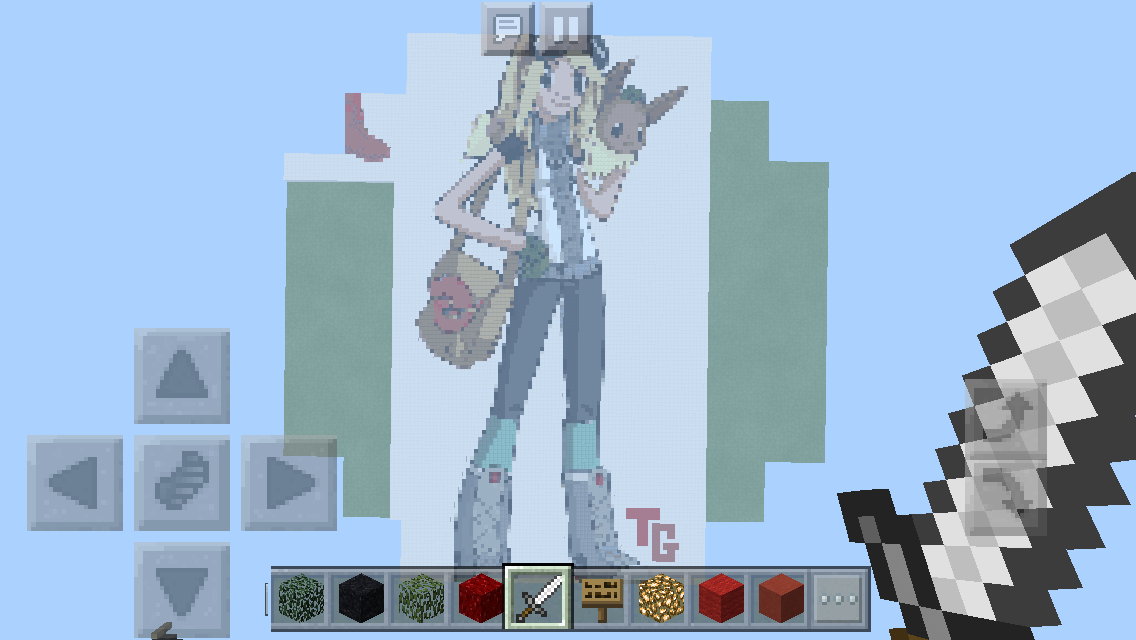
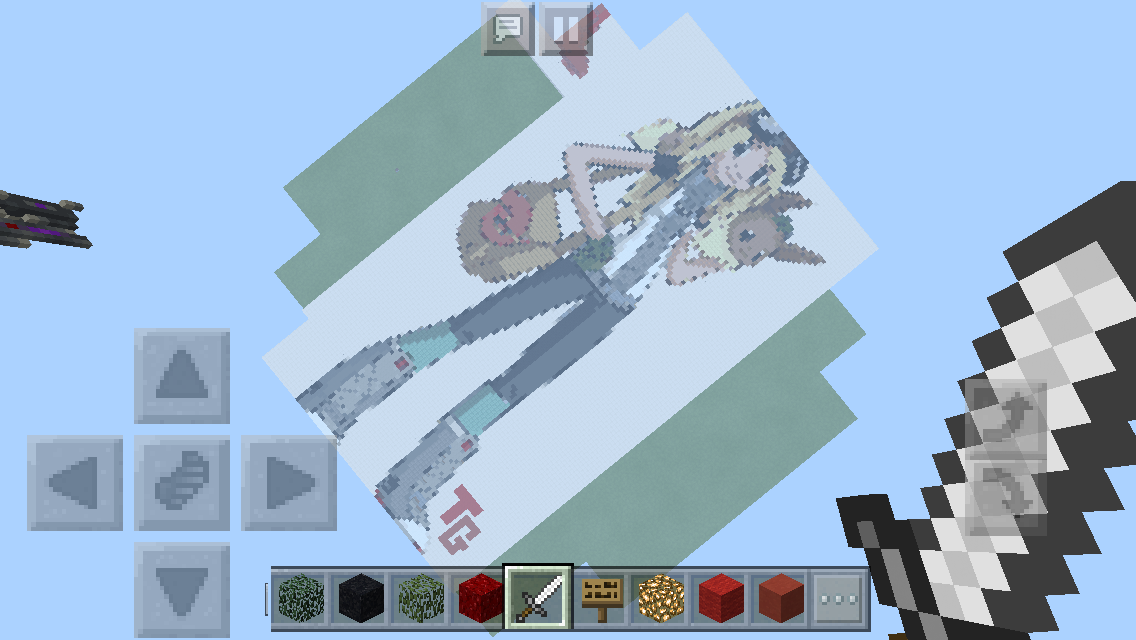





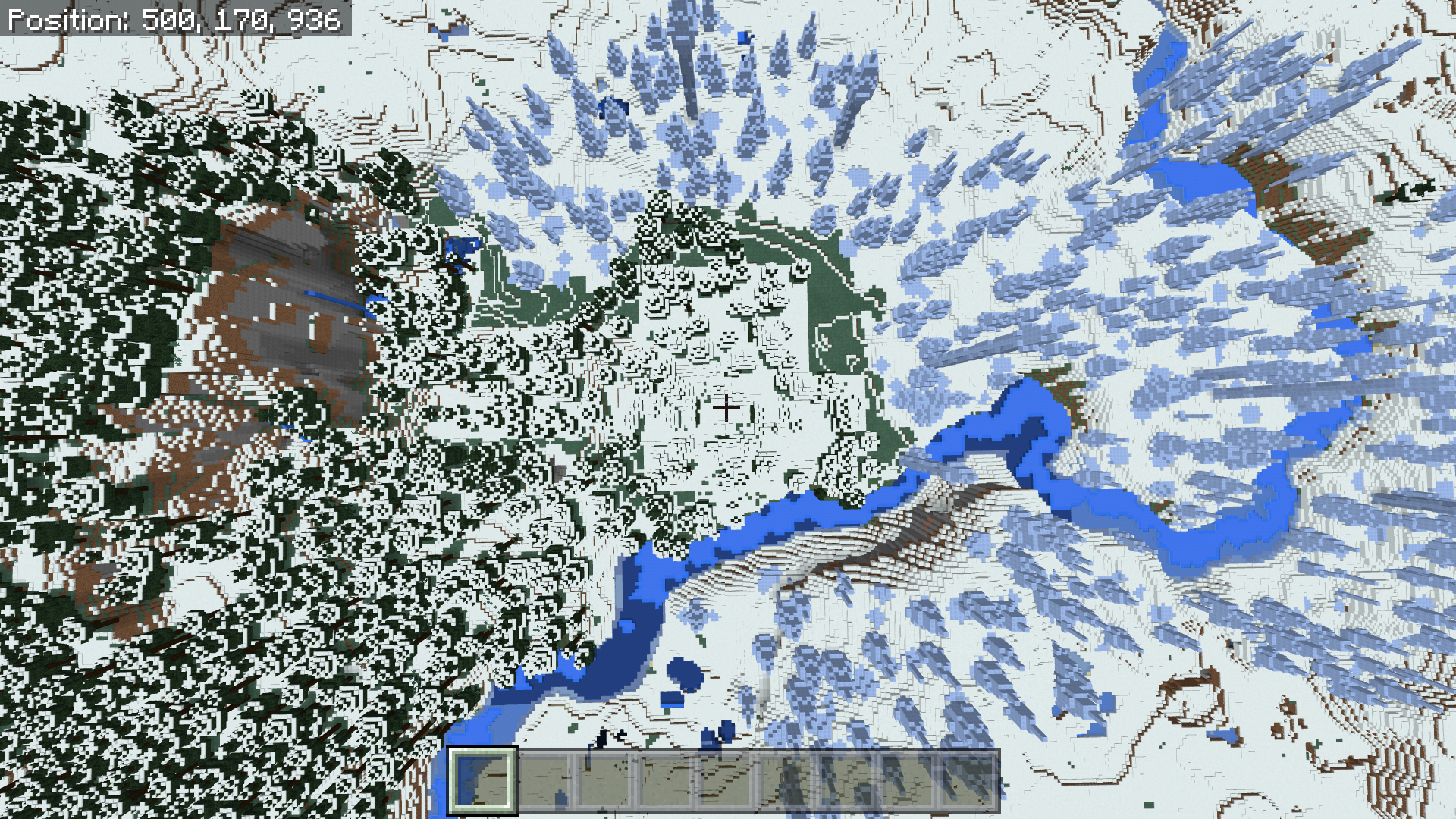



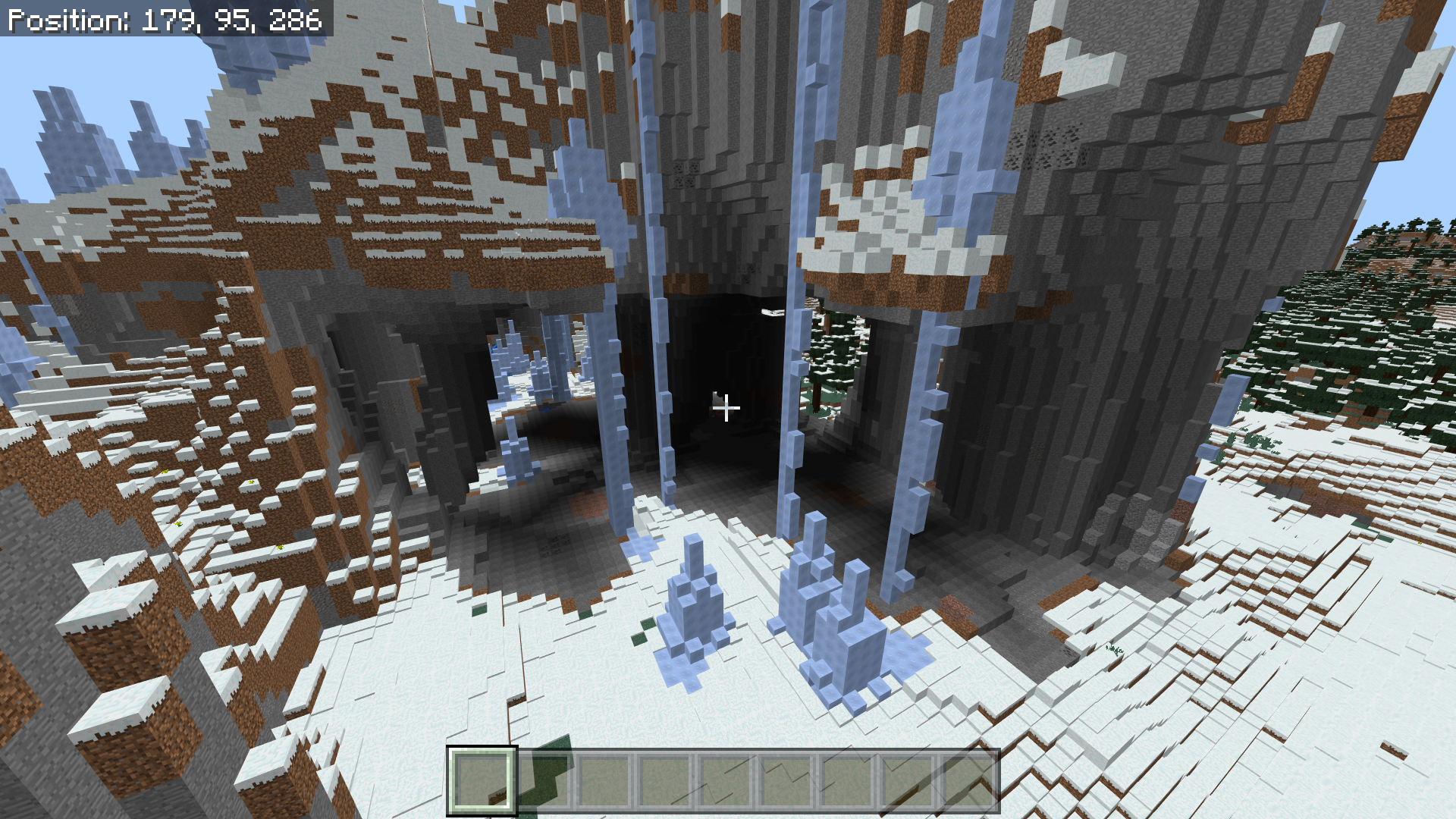


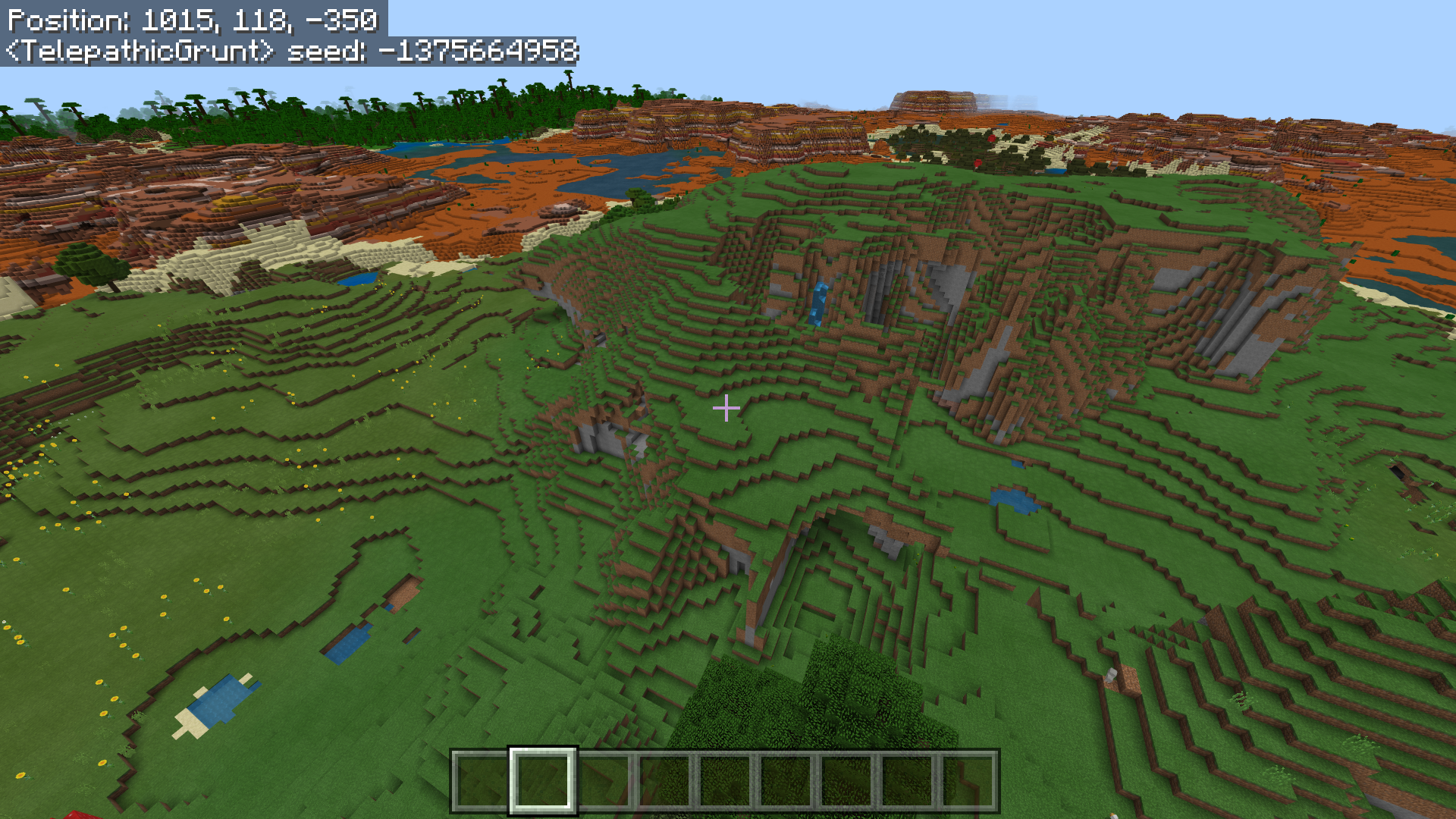


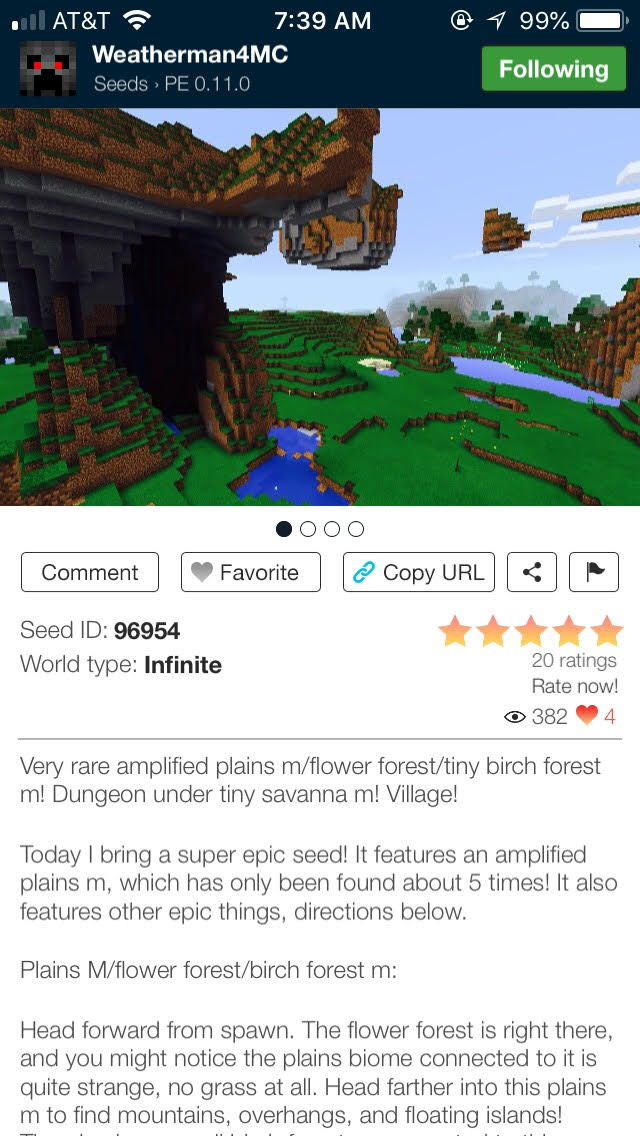

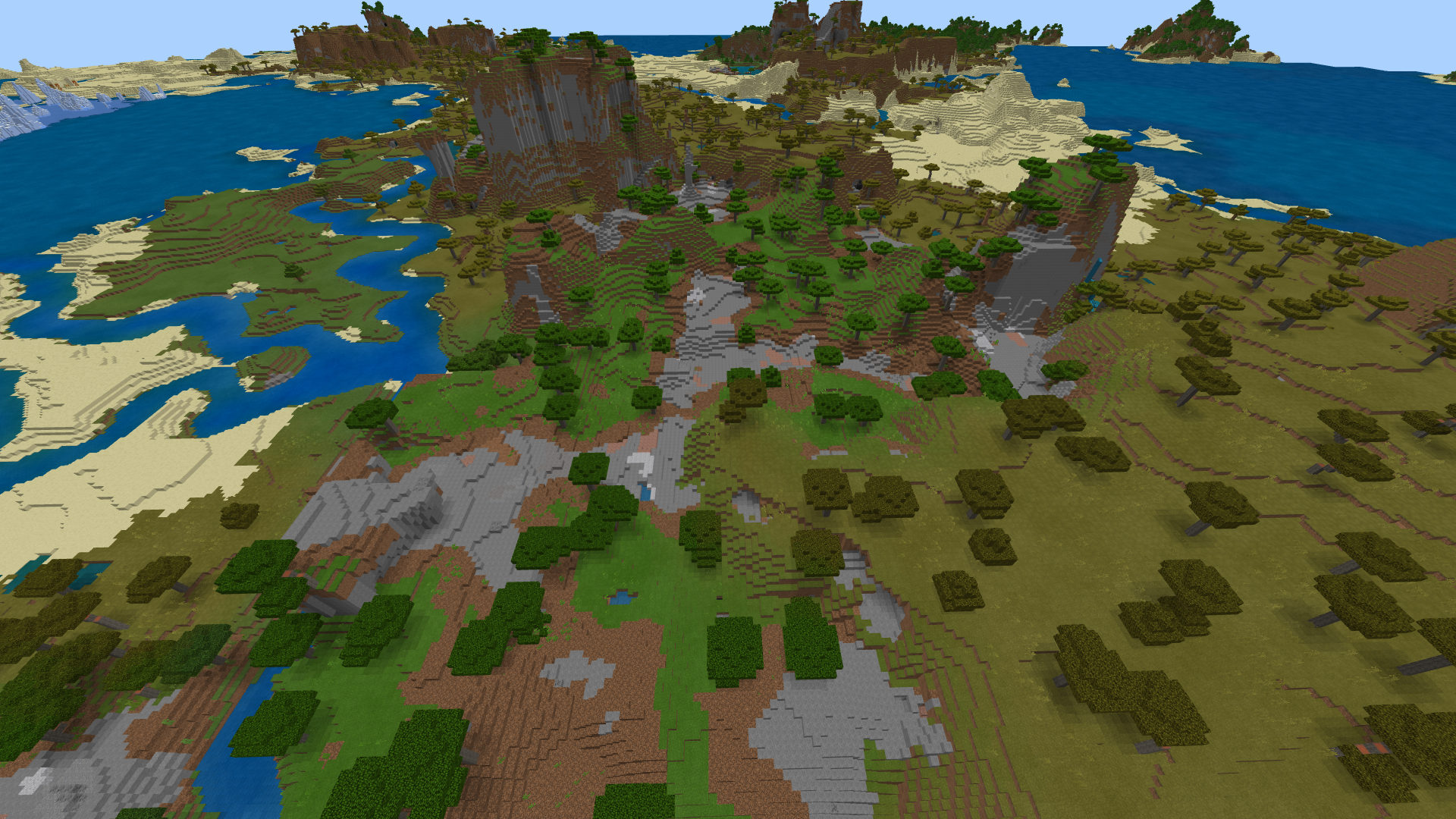






I am playing on an iPhone SE which is basically the iPhone 6 technology. Before 1.2.0, my phone was able to play Minecraft extremely well with a render distance of 14. With 1.2.0 now, I'm locked in at a render distance of 6 which makes it feel like I'm playing Minecraft on an iPod. The render distance is so small that I can't even see my entire Pixel Art builds anymore. This means until I can get bigger render distance back, I cannot do large builds anymore as I will not be able to see the whole thing.

EDIT: Sorry I just saw the other reports for this bug. For everyone who sees this report, restart your device to fix this bug. It works and you can thank the people who found this fix in the other bug reports!
I am playing on an iPhone SE which is basically the iPhone 6 technology. Before 1.2.0, my phone was able to play Minecraft extremely well with a render distance of 14. With 1.2.0 now, I'm locked in at a render distance of 6 which makes it feel like I'm playing Minecraft on an iPod. The render distance is so small that I can't even see my entire Pixel Art builds anymore. This means until I can get bigger render distance back, I cannot do large builds anymore as I will not be able to see the whole thing.
EDIT: Sorry I just saw the other reports for this bug. For everyone who sees this report, restart your device to fix this bug.
It works and you can thank the people who found this fix in the other bug reports!I am playing on an iPhone SE which is basically the iPhone 6 technology. Before 1.2.0, my phone was able to play Minecraft extremely well with a render distance of 14. With 1.2.0 now, I'm locked in at a render distance of 6 which makes it feel like I'm playing Minecraft on an iPod. The render distance is so small that I can't even see my entire Pixel Art builds anymore. This means until I can get bigger render distance back, I cannot do large builds anymore as I will not be able to see the whole thing.
EDIT: Sorry I just saw the other reports for this bug. For everyone who sees this report, restart your device to fix this bug. Hold the Power button and Home button at the same time until your device resets. It worked for me and you can thank the people who found this fix in the other bug reports! If it doesn't sorry but you going to have to wait until a bug fix comes around.
9-27-2017_7-10-47_PM.png
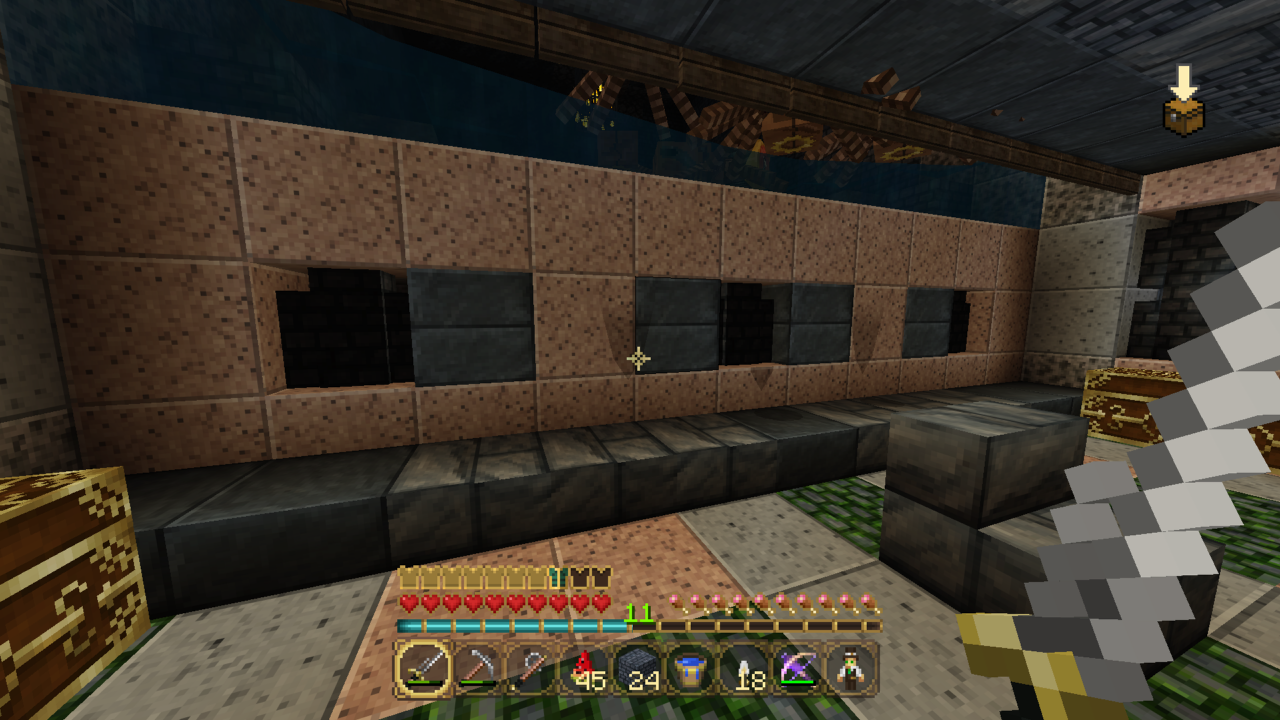
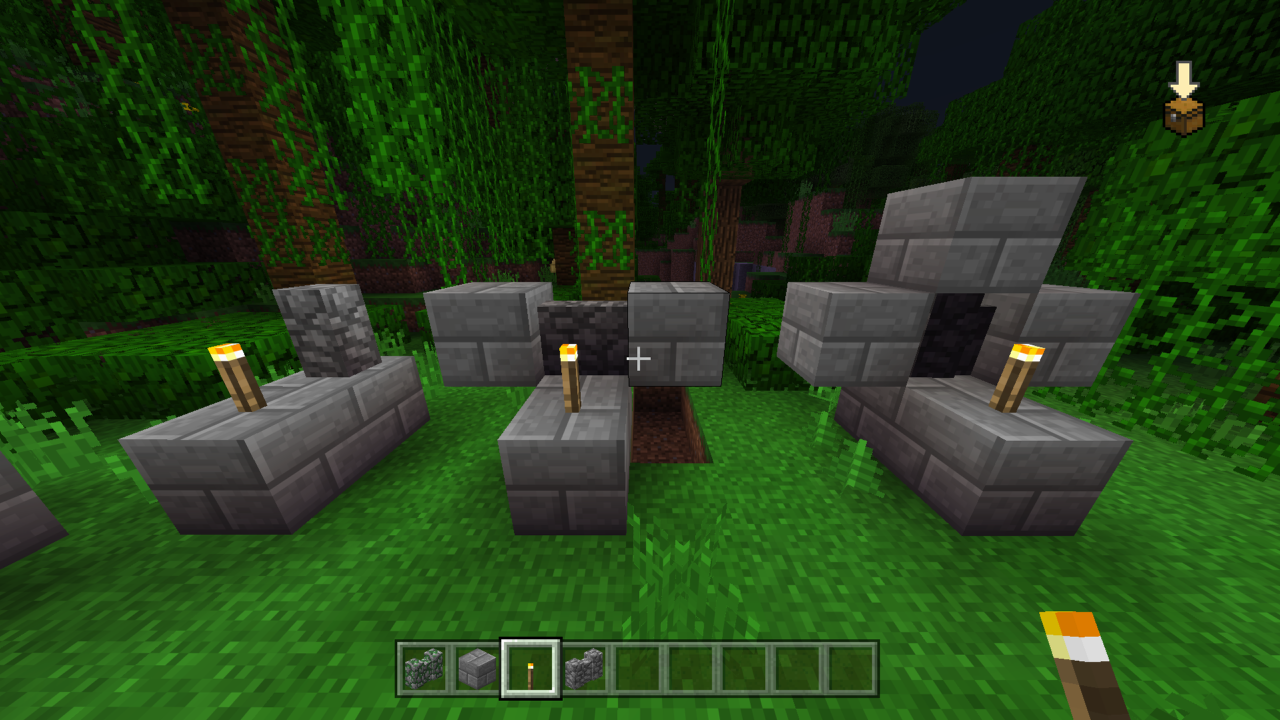
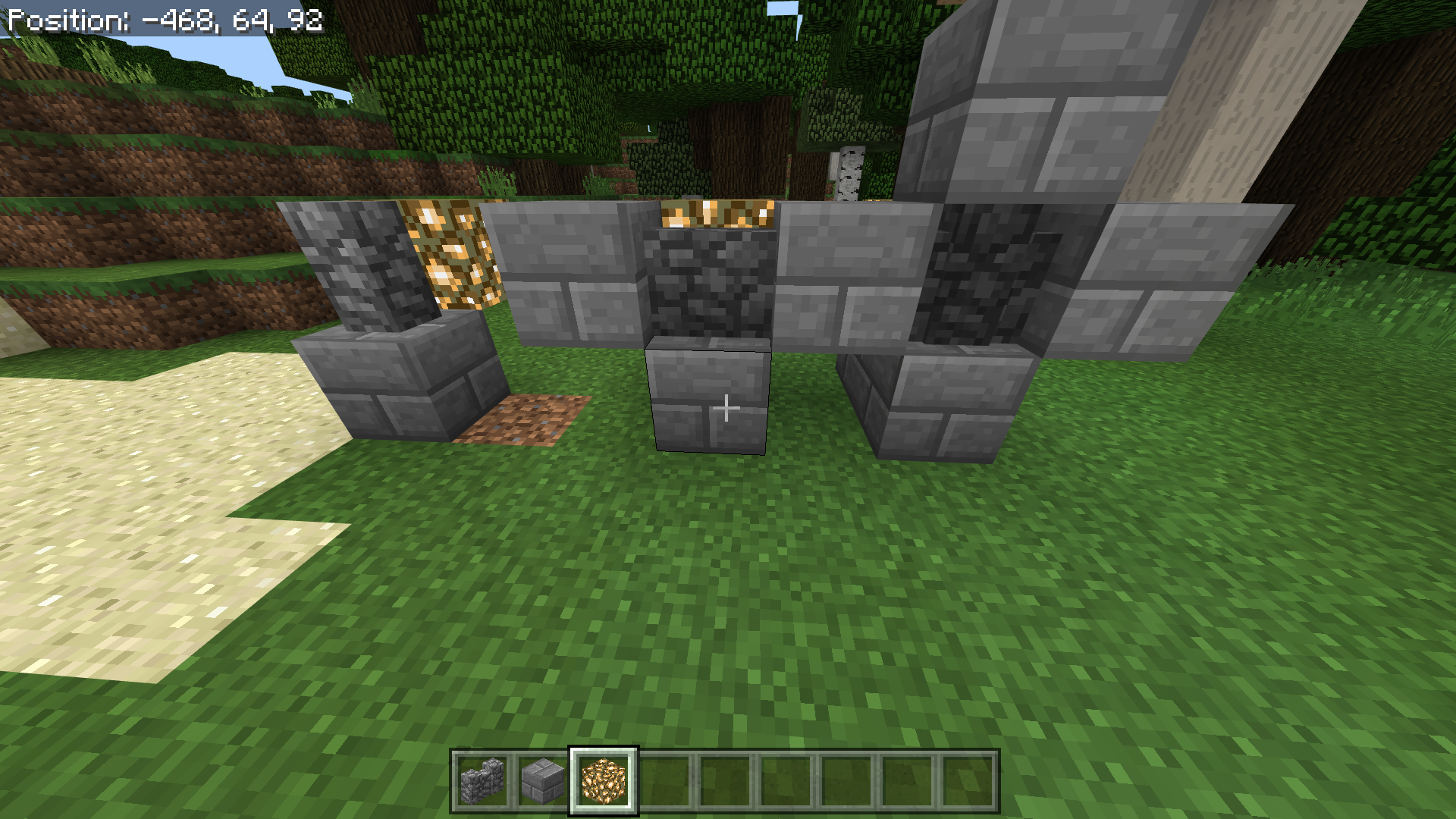
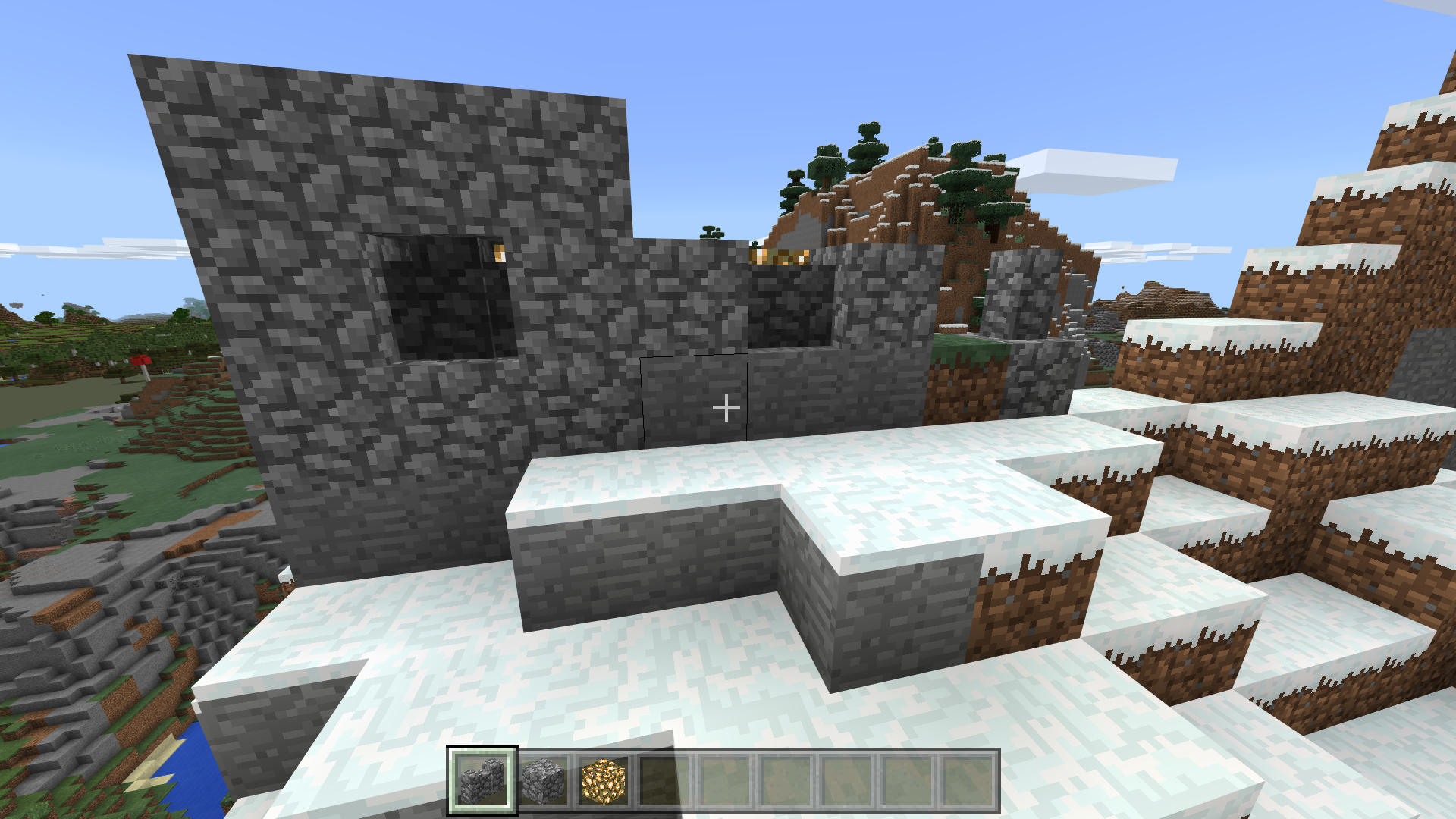
If you place Cobblestone Wall or Mossy Cobblestone Wall and place a block to it's left, right, top, and bottom, the wall becomes nearly black. Even when you place a torch in front of it, it still pretends there is no light at all. Pics below are taken with smooth lighting on and brightness maxed out. Even when I turned Smooth Lighting off, this bug still occurs.
Also attached is a pic of my home on the legacy Xbox Minecraft and a pic of the Bedrock edition of the same spot in my home. You can see how the lighting bug for the wall really stands out like a sore thumb.
Let me know if you need anymore specific detail about this bug and I'll update this bug report with the new info.
Edit: bump as this is still an issue on the current version of Bedrock. And still no mod or developer response to cobblestone wall being super dark.
If you place Cobblestone Wall or Mossy Cobblestone Wall and place a block to it's left, right, top, and bottom, the wall becomes nearly black. Even when you place a torch in front of it, it still pretends there is no light at all. Pics below are taken with smooth lighting on and brightness maxed out. Even when I turned Smooth Lighting off, this bug still occurs.
Also attached is a pic of my home on the legacy Xbox Minecraft and a pic of the Bedrock edition of the same spot in my home. You can see how the lighting bug for the wall really stands out like a sore thumb.
Let me know if you need anymore specific detail about this bug and I'll update this bug report with the new info.
Edit: bump as this is still an issue on the current version of Bedrock. And still no mod or developer response to cobblestone wall being super dark.
If you place Cobblestone Wall or Mossy Cobblestone Wall and place a block to it's left, right, top, and bottom, the wall becomes nearly black. Even when you place a torch in front of it, it still pretends there is no light at all. Pics below are taken with smooth lighting on and brightness maxed out. Even when I turned Smooth Lighting off, this bug still occurs.
Also attached is a pic of my home on the legacy Xbox Minecraft and a pic of the Bedrock edition of the same spot in my home. You can see how the lighting bug for the wall really stands out like a sore thumb.
Let me know if you need anymore specific detail about this bug and I'll update this bug report with the new info.
Edit: bump as this is still an issue on the current version of Bedrock. And still no mod or developer response to cobblestone wall being super dark.
If you place Cobblestone Wall or Mossy Cobblestone Wall and place a block to it's left, right, top, and bottom, the wall becomes nearly black. Even when you place a torch in front of it, it still pretends there is no light at all. Pics below are taken with smooth lighting on and brightness maxed out. Even when I turned Smooth Lighting off, this bug still occurs.
Also attached is a pic of my home on the legacy Xbox Minecraft and a pic of the Bedrock edition of the same spot in my home. You can see how the lighting bug for the wall really stands out like a sore thumb.
Let me know if you need anymore specific detail about this bug and I'll update this bug report with the new info.
Edit: bump as this is still an issue on the current version of Bedrock. And still no mod or developer response to cobblestone wall being super dark
.If you place Cobblestone Wall or Mossy Cobblestone Wall and place a block to it's left, right, top, and bottom, the wall becomes nearly black. Even when you place a torch in front of it, it still pretends there is no light at all. Pics below are taken with smooth lighting on and brightness maxed out. Even when I turned Smooth Lighting off, this bug still occurs.
Also attached is a pic of my home on the legacy Xbox Minecraft and a pic of the Bedrock edition of the same spot in my home. You can see how the lighting bug for the wall really stands out like a sore thumb.
Let me know if you need anymore specific detail about this bug and I'll update this bug report with the new info.
Edit: bump as this is still an issue on the current version of Bedrock. And still no mod or developer response to cobblestone wall being super dark
If you place Cobblestone Wall or Mossy Cobblestone Wall and place a block to it's left, right, top, and bottom, the wall becomes nearly black. Even when you place a torch in front o
fit, it still pretends there is no light at all. Pics below are taken with smooth lighting on and brightness maxed out.Even when I turned Smooth Lighting off, this bug still occurs.Also attached is a pic of my home on the legacy Xbox Minecraft and a pic of the Bedrock edition of the same spot in my home. You can see how the lighting bug for the wall really stands out like a sore thumb.
Let me know if you need anymore specific detail about this bug and I'll update this bug report with the new info.
Edit: bump as this is still an issue on the current version of Bedrock. And still no mod or developer response to cobblestone wall being super dark
If you turn on Smooth Lighting, place Cobblestone Wall or Mossy Cobblestone Wall, and place a block to it's left, right, top, and bottom, the wall becomes nearly black. Even when you place a torch or other light source in front or behind it, it still pretends there is no light at all. Pics below are taken with smooth lighting on and brightness maxed out.
Also attached is a pic of my home on the legacy Xbox Minecraft and a pic of the Bedrock edition of the same spot in my home. You can see how the lighting bug for the wall really stands out like a sore thumb.
Let me know if you need anymore specific detail about this bug and I'll update this bug report with the new info.
Edit: bump as this is still an issue on the current version of Bedrock. And still no mod or developer response to cobblestone wall being super dark
Edit 2: 1.2.9 still includes this bug and included Screenshot (164).png as proof
If you turn on Smooth Lighting, place Cobblestone Wall or Mossy Cobblestone Wall, and place a block to it's left, right, top, and bottom, the wall becomes nearly black. Even when you place a torch or other light source in front or behind it, it still pretends there is no light at all. Pics below are taken with smooth lighting on and brightness maxed out.
Also attached is a pic of my home on the legacy Xbox Minecraft and a pic of the Bedrock edition of the same spot in my home. You can see how the lighting bug for the wall really stands out like a sore thumb.
Let me know if you need anymore specific detail about this bug and I'll update this bug report with the new info.
Edit: bump as this is still an issue on the current version of Bedrock. And still no mod or developer response to cobblestone wall being super dark
Edit 2: 1.2.9 still includes this bug and included Screenshot (164).png as proof. This time, I used the Window 10 version and it is still the same issue as my iPhone SE
If you turn on Smooth Lighting, place Cobblestone Wall or Mossy Cobblestone Wall, and place a block to it's left, right, top, and bottom, the wall becomes nearly black. Even when you place a torch or other light source in front or behind it, it still pretends there is no light at all. Pics below are taken with smooth lighting on and brightness maxed out.
Also attached is a pic of my home on the legacy Xbox Minecraft and a pic of the Bedrock edition of the same spot in my home. You can see how the lighting bug for the wall really stands out like a sore thumb.
Let me know if you need anymore specific detail about this bug and I'll update this bug report with the new info.
Edit: bump as this is still an issue on the current version of Bedrock. And still no mod or developer response to cobblestone wall being super dark
Edit 2: 1.2.9 still includes this bug
and includedScreenshot (164).pngas proof. This time, I used the Window 10 version and it is still thesame issueas my iPhone SEIf you turn on Smooth Lighting, place Cobblestone Wall or Mossy Cobblestone Wall, and place a block to it's left, right, top, and bottom, the wall becomes nearly black. Even when you place a torch or other light source in front or behind it, it still pretends there is no light at all. Pics below are taken with smooth lighting on and brightness maxed out.
Also attached is a pic of my home on the legacy Xbox Minecraft and a pic of the Bedrock edition of the same spot in my home. You can see how the lighting bug for the wall really stands out like a sore thumb.
Let me know if you need anymore specific detail about this bug and I'll update this bug report with the new info.
Edit: bump as this is still an issue on the current version of Bedrock. And still no mod or developer response to cobblestone wall being super dark
Edit 2: 1.2.9 still includes this bug but it is not as extreme as before anymore as shown in Screenshot (164).png. This time, I used the Window 10 version and it is still the as my iPhone SE.
If you turn on Smooth Lighting, place Cobblestone Wall or Mossy Cobblestone Wall, and place a block to it's left, right, top, and bottom, the wall becomes nearly black. Even when you place a torch or other light source in front or behind it, it still pretends there is no light at all. Pics below are taken with smooth lighting on and brightness maxed out.
Also attached is a pic of my home on the legacy Xbox Minecraft and a pic of the Bedrock edition of the same spot in my home. You can see how the lighting bug for the wall really stands out like a sore thumb.
Let me know if you need anymore specific detail about this bug and I'll update this bug report with the new info.
Edit: bump as this is still an issue on the current version of Bedrock. And still no mod or developer response to cobblestone wall being super dark
Edit 2: 1.2.9 still includes this bug but it is not as extreme as before anymore as shown in Screenshot (164).png. This time, I used the Window 10 version and it is still the as my iPhone SE.
If you turn on Smooth Lighting, place Cobblestone Wall or Mossy Cobblestone Wall, and place a block to it's left, right, top, and bottom, the wall becomes nearly black. Even when you place a torch or other light source in front or behind it, it still pretends there is no light at all. Pics below are taken with smooth lighting on and brightness maxed out.
Also attached is a pic of my home on the legacy Xbox Minecraft and a pic of the Bedrock edition of the same spot in my home. You can see how the lighting bug for the wall really stands out like a sore thumb.
Let me know if you need anymore specific detail about this bug and I'll update this bug report with the new info.
Edit: bump as this is still an issue on the current version of Bedrock. And still no mod or developer response to cobblestone wall being super dark
Edit 2: 1.2.9 still includes this bug but it is not as extreme as before anymore as shown in Screenshot (164).png. This time, I used the Window 10 version and it is still the as my iPhone SE.
Edit 3: I just remembered this issue with Smooth Lighting and it turns out that it still hasn't been patched. Cobblestone walls still appear near pitch black when having blocks to its left, right, top, and bottom. Even if you place a Torch or other light source in front of it, the cobblestone wall won't match the surrounding light level and appear very dark.
If you turn on Smooth Lighting, place Cobblestone Wall or Mossy Cobblestone Wall, and place a block to it's left, right, top, and bottom, the wall becomes nearly black. Even when you place a torch or other light source in front or behind it, it still pretends there is no light at all. Pics below are taken with smooth lighting on and brightness maxed out.
Also attached is a pic of my home on the legacy Xbox Minecraft and a pic of the Bedrock edition of the same spot in my home. You can see how the lighting bug for the wall really stands out like a sore thumb.
Let me know if you need anymore specific detail about this bug and I'll update this bug report with the new info.
Edit: bump as this is still an issue on the current version of Bedrock. And still no mod or developer response to cobblestone wall being super dark
Edit 2: 1.2.9 still includes this bug but it is not as extreme as before anymore as shown in Screenshot (164).png. This time, I used the Window 10 version and it is still the same as my iPhone SE.
Edit 3: I just remembered this issue with Smooth Lighting and it turns out that it still hasn't been patched. Cobblestone walls still appear near pitch black when having blocks to its left, right, top, and bottom. Even if you place a Torch or other light source in front of it, the cobblestone wall won't match the surrounding light level and appear very dark.
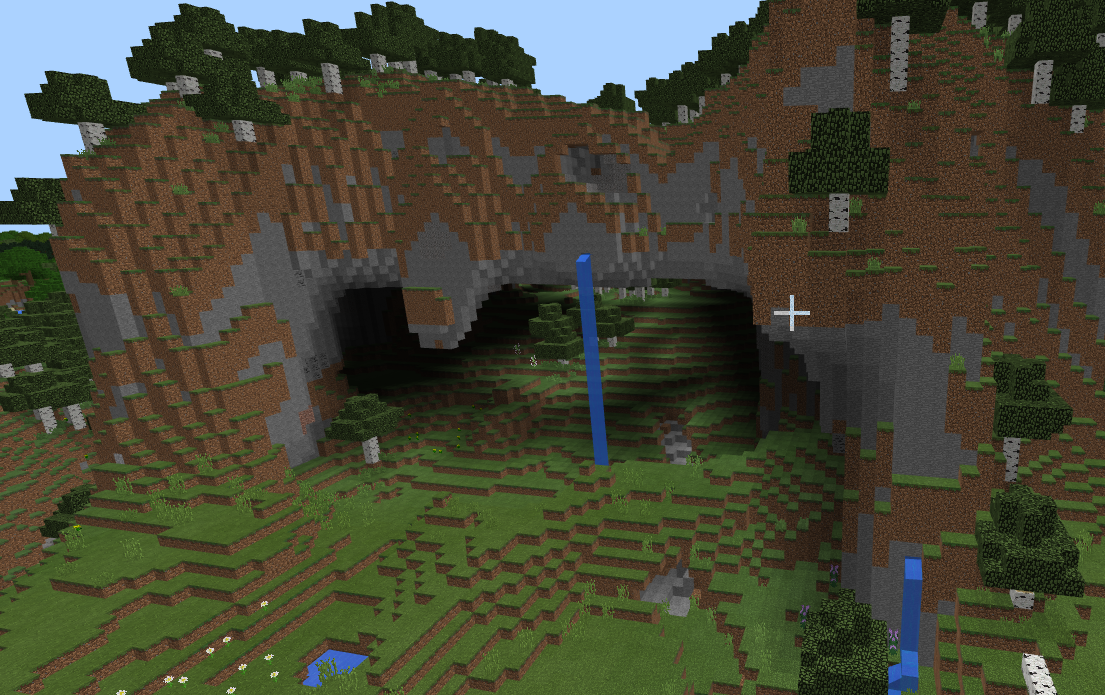
In the latest Bedrock edition, Birch Forest M, which is the biome with unusually tall Birch Trees, will not generate. To make sure this is the case, I found Birch Forest M seeds for Minecraft Pocket Edition before Bedrock Edition was released and tried those seeds on Bedrock.
The seed I tried was 1560093373 and the Birch Forest M biome is suppose to be directly in front of spawn. Except, when I try the seed, I get just a normal Birch Forest and not the M variant. Other M variant biomes may not be generating as well since I do not recall seeing a Plain M or Swamp M biome either when I am seed hunting.
In the pictures attached, one picture shows the mountain with the Birch Forest M and the other picture is my screenshot of the normal Birch Forest I see in my game where the M variant is suppose to be.
EDIT: The other M variant biomes seem to generate normally including Swamp M biome. However, it seems Plain M biomes are turned into Roofed Forest M biomes. That's a shame cause Plain M biomes were cool to find but I know this was deliberate. The Birch Forest M biome not generating is definitely a bug and will need to be patched.
In the latest Bedrock edition, Birch Forest M
, which isthe biome with unusually tall Birch Trees,will not generate. To make sure this is the case, I found Birch Forest M seeds for Minecraft Pocket Edition before Bedrock Edition was released and tried those seeds on Bedrock.The seed I tried was 1560093373 and the Birch Forest M biome is suppose to be directly in front of spawn. Except, when I try the seed, I get just a normal Birch Forest and not the M variant. Other M variant biomes may not be generating as well since I do not recall seeing a Plain M or Swamp M biome either when I am seed hunting.
In the pictures attached, one picture shows the mountain with the Birch Forest M and the other picture is my screenshot of the normal Birch Forest I see in my game where the M variant is suppose to be.
EDIT: The other M variant biomes seem to generate normally including Swamp M biome. However, it seems Plain M biomes are turned into Roofed Forest M biomes. That's a shame cause Plain M biomes were cool to find but I know this was deliberate. The Birch Forest M biome not generating is definitely a bug and will need to be patched.
In the latest Bedrock edition, Birch Forest M (the biome with unusually tall Birch Trees) will not generate. To make sure this is the case, I found Birch Forest M seeds for Minecraft Pocket Edition before Bedrock Edition was released and tried those seeds on Bedrock.
The seed I tried was 1560093373 and the Birch Forest M biome is suppose to be directly in front of spawn. Except, when I try the seed, I get just a normal Birch Forest and not the M variant. Other M variant biomes may not be generating as well since I do not recall seeing a Plain M or Swamp M biome either when I am seed hunting.
In the pictures attached, one picture shows the mountain with the Birch Forest M and the other picture is my screenshot of the normal Birch Forest I see in my game where the M variant is suppose to be.
EDIT: The other M variant biomes seem to generate normally including Swamp M biome. However, it seems Plain M biomes are turned into Roofed Forest M biomes. That's a shame cause Plain M biomes were cool to find but I know this was deliberate. The Birch Forest M biome not generating is definitely a bug and will need to be patched.
In the latest Bedrock edition, Birch Forest M (the biome with unusually tall Birch Trees) will not generate. To make sure this is the case, I found Birch Forest M seeds for Minecraft Pocket Edition before Bedrock Edition was released and tried those seeds on Bedrock.
The seed I tried was 1560093373 and the Birch Forest M biome is suppose to be directly in front of spawn. Except, when I try the seed, I get just a normal Birch Forest and not the M variant. Other M variant biomes may not be generating as well since I do not recall seeing a Plain M or Swamp M biome either when I am seed hunting.
In the pictures attached, one picture shows the mountain with the Birch Forest M and the other picture is my screenshot of the normal Birch Forest I see in my game where the M variant is suppose to be.
EDIT: The other M variant biomes seem to generate normally including Swamp M biome. However, it seems Plain M biomes are turned into Roofed Forest M biomes. That's a shame cause Plain M biomes were cool to find but I know this was deliberate. The Birch Forest M biome not generating is definitely a bug and will need to be patched
.
In the latest Bedrock edition, Birch Forest M (the biome with unusually tall Birch Trees) will not generate. To make sure this is the case, I found Birch Forest M seeds for Minecraft Pocket Edition before Bedrock Edition was released and tried those seeds on Bedrock.
The seed I tried was 1560093373 and the Birch Forest M biome is suppose to be directly in front of spawn. Except, when I try the seed, I get just a normal Birch Forest and not the M variant. Other M variant biomes may not be generating as well since I do not recall seeing a Plain M or Swamp M biome either when I am seed hunting.
In the pictures attached, one picture shows the mountain with the Birch Forest M and the other picture is my screenshot of the normal Birch Forest I see in my game where the M variant is suppose to be.
EDIT: The other M variant biomes seem to generate normally including Swamp M biome. However, it seems Plain M biomes are turned into Roofed Forest M biomes. That's a shame cause Plain M biomes were cool to find but I know this was deliberate. The Birch Forest M biome not generating is definitely a bug and will need to be patched.
In the latest Bedrock edition, Birch Forest M (the biome with unusually tall Birch Trees) will not generate. To make sure this is the case, I found Birch Forest M seeds for Minecraft Pocket Edition before Bedrock Edition was released and tried those seeds on Bedrock.
The seed I tried was 1560093373 and the Birch Forest M biome is suppose to be directly in front of spawn. Except, when I try the seed, I get just a normal Birch Forest and not the M variant. Other M variant biomes may not be generating as well since I do not recall seeing a Plain M or Swamp M biome either when I am seed hunting.
In the pictures attached, one picture shows the mountain with the Birch Forest M and the other picture is my screenshot of the normal Birch Forest I see in my game where the M variant is suppose to be.
EDIT: The other M variant biomes seem to generate normally including Swamp M biome. However, it seems Plain M biomes are turned into Roofed Forest M biomes. That's a shame cause Plain M biomes were cool to find but I know this was deliberate. The Birch Forest M biome not generating is definitely a bug and will need to be patched.
Edit 2: Another seed to try is -1114341188 and you will spawn with a birch Forest in front of you. This Birch Forest is suppose to be a Birch Forest M and it used to be a Birch Forest M in previous versions of Pocket Edition.
In the latest Bedrock edition, Birch Forest M (the biome with unusually tall Birch Trees) will not generate. To make sure this is the case, I found Birch Forest M seeds for Minecraft Pocket Edition before Bedrock Edition was released and tried those seeds on Bedrock.
The seed I tried was 1560093373 and the Birch Forest M biome is suppose to be directly in front of spawn. Except, when I try the seed, I get just a normal Birch Forest and not the M variant. Other M variant biomes may not be generating as well since I do not recall seeing a Plain M or Swamp M biome either when I am seed hunting.
In the pictures attached, one picture shows the mountain with the Birch Forest M and the other picture is my screenshot of the normal Birch Forest I see in my game where the M variant is suppose to be.
EDIT: The other M variant biomes seem to generate normally including Swamp M biome. However, it seems Plain M biomes are turned into Roofed Forest M biomes. That's a shame cause Plain M biomes were cool to find but I know this was deliberate. The Birch Forest M biome not generating is definitely a bug and will need to be patched.
Edit 2: Another seed to try is -1114341188 and you will spawn with a birch Forest in front of you. This Birch Forest is suppose to be a Birch Forest M and it used to be a Birch Forest M in previous versions of Pocket Edition. I attached two more pictures (IMG_6803.jpg and IMG_6801.jpg) showing the old version and the current version.
In the latest Bedrock edition, Birch Forest M (the biome with unusually tall Birch Trees) will not generate. To make sure this is the case, I found Birch Forest M seeds for Minecraft Pocket Edition before Bedrock Edition was released and tried those seeds on Bedrock.
The seed I tried was 1560093373 and the Birch Forest M biome is suppose to be directly in front of spawn. Except, when I try the seed, I get just a normal Birch Forest and not the M variant. Other M variant biomes may not be generating as well since I do not recall seeing a Plain M or Swamp M biome either when I am seed hunting.
In the pictures attached, one picture shows the mountain with the Birch Forest M and the other picture is my screenshot of the normal Birch Forest I see in my game where the M variant is suppose to be.
EDIT: The other M variant biomes seem to generate normally including Swamp M biome. However, it seems Plain M biomes are turned into Roofed Forest M biomes. That's a shame cause Plain M biomes were cool to find but I know this was deliberate. The Birch Forest M biome not generating is definitely a bug and will need to be patched.
Edit 2: Another seed to try is -1114341188 and you will spawn with a birch Forest in front of you. This Birch Forest is suppose to be a Birch Forest M and it used to be a Birch Forest M in previous versions of Pocket Edition. I attached two more pictures (IMG_6803.jpg and IMG_6801.jpg) showing the old version and the current version.
In the latest Bedrock edition, Birch Forest M (the biome with unusually tall Birch Trees) will not generate. To make sure this is the case, I found Birch Forest M seeds for Minecraft Pocket Edition before Bedrock Edition was released and tried those seeds on Bedrock.
The seed I tried was 1560093373 and the Birch Forest M biome is suppose to be directly in front of spawn. Except, when I try the seed, I get just a normal Birch Forest and not the M variant. Other M variant biomes may not be generating as well since I do not recall seeing a Plain M or Swamp M biome either when I am seed hunting.
In the pictures attached, one picture shows the mountain with the Birch Forest M and the other picture is my screenshot of the normal Birch Forest I see in my game where the M variant is suppose to be.
EDIT: The other M variant biomes seem to generate normally including Swamp M biome. However, it seems Plain M biomes are turned into Roofed Forest M biomes. That's a shame cause Plain M biomes were cool to find but I know this was deliberate. The Birch Forest M biome not generating is definitely a bug and will need to be patched.
Edit 2: Another seed to try is -1114341188 and you will spawn with a birch Forest in front of you. This Birch Forest is suppose to be a Birch Forest M and it used to be a Birch Forest M in previous versions of Pocket Edition. I attached two more pictures (IMG_6803.jpg and IMG_6801.jpg) showing the old version and the current version.
In the latest Bedrock edition, Birch Forest M (the biome with unusually tall Birch Trees) will not generate. To make sure this is the case, I found Birch Forest M seeds for Minecraft Pocket Edition before Bedrock Edition was released and tried those seeds on Bedrock.
The seed I tried was 1560093373 and the Birch Forest M biome is suppose to be directly in front of spawn. Except, when I try the seed, I get just a normal Birch Forest and not the M variant. Other M variant biomes may not be generating as well since I do not recall seeing a Plain M or Swamp M biome either when I am seed hunting.
In the pictures attached, one picture shows the mountain with the Birch Forest M and the other picture is my screenshot of the normal Birch Forest I see in my game where the M variant is suppose to be.
EDIT: The other M variant biomes seem to generate normally including Swamp M biome. However, it seems Plain M biomes are turned into Roofed Forest M biomes. That's a shame cause Plain M biomes were cool to find but I know this was deliberate. The Birch Forest M biome not generating is definitely a bug and will need to be patched.
Edit 2: Another seed to try is -1114341188 and you will spawn with a birch Forest in front of you. This Birch Forest is suppose to be a Birch Forest M and it used to be a Birch Forest M in previous versions of Pocket Edition. I attached two more pictures (IMG_6803.jpg and IMG_6801.jpg) showing the old version and the current version.
Edit 3: Added 3 new pictures of a third example to prove the M variants did not change locations at all. The seed is -1879528770 and had a Savanna M/Birch Forest M combo to the left of spawn in the past. Now, the Birch Forest M is reduced to a regular Birch Forest but the Savanna M is still a Savanna M. In addition, Birch Forest M are a more mountainous variant of a regular Birch Forest. With that in mind, the huge mountains on the left in the old picture is generated only because it is in a Birch Forest M. Now, the mountains are still there but the trees are no longer tall. This means the game knows this exact spot is suppose to spawn a Birch Forest M as it does with the terrain but is spawning a regular Birch Forest as the biome instead.
In the latest Bedrock edition, Birch Forest M (the biome with unusually tall Birch Trees) will not generate. To make sure this is the case, I found Birch Forest M seeds for Minecraft Pocket Edition before Bedrock Edition was released and tried those seeds on Bedrock.
The seed I tried was 1560093373 and the Birch Forest M biome is suppose to be directly in front of spawn. Except, when I try the seed, I get just a normal Birch Forest and not the M variant. Other M variant biomes may not be generating as well since I do not recall seeing a Plain M or Swamp M biome either when I am seed hunting.
In the pictures attached, one picture shows the mountain with the Birch Forest M and the other picture is my screenshot of the normal Birch Forest I see in my game where the M variant is suppose to be.
EDIT: The other M variant biomes seem to generate normally including Swamp M biome. However, it seems Plain M biomes are turned into Roofed Forest M biomes. That's a shame cause Plain M biomes were cool to find but I know this was deliberate. The Birch Forest M biome not generating is definitely a bug and will need to be patched.
Edit 2: Another seed to try is -1114341188 and you will spawn with a birch Forest in front of you. This Birch Forest is suppose to be a Birch Forest M and it used to be a Birch Forest M in previous versions of Pocket Edition. I attached two more pictures (IMG_6803.jpg and IMG_6801.jpg) showing the old version and the current version.
Edit 3: Added 3 new pictures of a third example to prove the M variants did not change locations at all. The seed is -1879528770 and had a Savanna M/Birch Forest M combo to the left of spawn in the past. Now, the Birch Forest M is reduced to a regular Birch Forest but the Savanna M is still a Savanna M. In addition, Birch Forest M are a more mountainous variant of a regular Birch Forest. With that in mind, the huge mountains on the left in the old picture is generated only because it is in a Birch Forest M. Now, the mountains are still there but the trees are no longer tall. This means the game knows this exact spot is suppose to spawn a Birch Forest M as it does with the terrain but is spawning a regular Birch Forest as the biome instead.
In the latest Bedrock edition, Birch Forest M (the biome with unusually tall Birch Trees) will not generate. To make sure this is the case, I found Birch Forest M seeds for Minecraft Pocket Edition before Bedrock Edition was released and tried those seeds on Bedrock.
The seed I tried was 1560093373 and the Birch Forest M biome is suppose to be directly in front of spawn. Except, when I try the seed, I get just a normal Birch Forest and not the M variant. Other M variant biomes may not be generating as well since I do not recall seeing a Plain M or Swamp M biome either when I am seed hunting.
In the pictures attached, one picture shows the mountain with the Birch Forest M and the other picture is my screenshot of the normal Birch Forest I see in my game where the M variant is suppose to be.
EDIT: The other M variant biomes seem to generate normally including Swamp M biome. However, it seems Plain M biomes are turned into Roofed Forest M biomes. That's a shame cause Plain M biomes were cool to find but I know this was deliberate. The Birch Forest M biome not generating is definitely a bug and will need to be patched.
Edit 2: Another seed to try is -1114341188 and you will spawn with a birch Forest in front of you. This Birch Forest is suppose to be a Birch Forest M and it used to be a Birch Forest M in previous versions of Pocket Edition. I attached two more pictures (IMG_6803.jpg and IMG_6801.jpg) showing the old version and the current version.
Edit 3: Added 3 new pictures of a third example to prove the M variants did not change locations at all. The seed is -1879528770 and had a Savanna M/Birch Forest M combo to the left of spawn in the past. Now, the Birch Forest M is reduced to a regular Birch Forest but the Savanna M is still a Savanna M. In addition, Birch Forest M are a more mountainous variant of a regular Birch Forest. With that in mind, the huge mountains on the left in the old picture is generated only because it is in a Birch Forest M. Now, the mountains are still there but the trees are no longer tall. This means the game knows this exact spot is suppose to spawn a Birch Forest M as it does with the terrain but is spawning a regular Birch Forest as the biome instead.
In the latest Bedrock edition, Birch Forest M (the biome with unusually tall Birch Trees) will not generate. To make sure this is the case, I found Birch Forest M seeds for Minecraft Pocket Edition before Bedrock Edition was released and tried those seeds on Bedrock.
The seed I tried was 1560093373 and the Birch Forest M biome is suppose to be directly in front of spawn. Except, when I try the seed, I get just a normal Birch Forest and not the M variant. Other M variant biomes may not be generating as well since I do not recall seeing a Plain M or Swamp M biome either when I am seed hunting.
In the pictures attached, one picture shows the mountain with the Birch Forest M and the other picture is my screenshot of the normal Birch Forest I see in my game where the M variant is suppose to be.
EDIT: The other M variant biomes seem to generate normally including Swamp M biome. However, it seems Plain M biomes are turned into Roofed Forest M biomes. That's a shame cause Plain M biomes were cool to find but I know this was deliberate. The Birch Forest M biome not generating is definitely a bug and will need to be patched.
Edit 2: Another seed to try is -1114341188 and you will spawn with a birch Forest in front of you. This Birch Forest is suppose to be a Birch Forest M and it used to be a Birch Forest M in previous versions of Pocket Edition. I attached two more pictures (IMG_6803.jpg and IMG_6801.jpg) showing the old version and the current version.
Edit 3: Added 3 new pictures of a third example to prove the M variants did not change locations at all. The seed is -1879528770 and had a Savanna M/Birch Forest M combo to the left of spawn in the past. Now, the Birch Forest M is reduced to a regular Birch Forest but the Savanna M is still a Savanna M. In addition, Birch Forest M are a more mountainous variant of a regular Birch Forest. With that in mind, the huge mountains on the left in the old picture is generated only because it is in a Birch Forest M. Now, the mountains are still there but the trees are no longer tall. This means the game knows this exact spot is suppose to spawn a Birch Forest M as it does with the terrain but is spawning a regular Birch Forest as the biome instead.
In the latest Bedrock edition, Birch Forest M (the biome with unusually tall Birch Trees) will not generate. To make sure this is the case, I found Birch Forest M seeds for Minecraft Pocket Edition before Bedrock Edition was released and tried those seeds on Bedrock.
The seed I tried was 1560093373 and the Birch Forest M biome is suppose to be directly in front of spawn. Except, when I try the seed, I get just a normal Birch Forest and not the M variant. Other M variant biomes may not be generating as well since I do not recall seeing a Plain M or Swamp M biome either when I am seed hunting.
In the pictures attached, one picture shows the mountain with the Birch Forest M and the other picture is my screenshot of the normal Birch Forest I see in my game where the M variant is suppose to be.
EDIT: The other M variant biomes seem to generate normally including Swamp M biome. However, it seems Plain M biomes are turned into Roofed Forest M biomes. That's a shame cause Plain M biomes were cool to find but I know this was deliberate. The Birch Forest M biome not generating is definitely a bug and will need to be patched.
Edit 2: Another seed to try is -1114341188 and you will spawn with a birch Forest in front of you. This Birch Forest is suppose to be a Birch Forest M and it used to be a Birch Forest M in previous versions of Pocket Edition. I attached two more pictures (IMG_6803.jpg and IMG_6801.jpg) showing the old version and the current version.
Edit 3: Added 3 new pictures of a third example to prove the M variants did not change locations at all. The seed is -1879528770 and had a Savanna M/Birch Forest M combo to the left of spawn in the past. Now, the Birch Forest M is reduced to a regular Birch Forest but the Savanna M is still a Savanna M. In addition, Birch Forest M are a more mountainous variant of a regular Birch Forest. With that in mind, the huge mountains on the left in the old picture is generated only because it is in a Birch Forest M. Now, the mountains are still there but the trees are no longer tall. This means the game knows this exact spot is suppose to spawn a Birch Forest M as it does with the terrain but is spawning a regular Birch Forest as the biome instead.
Edit 4: Still an issue on 1.2.9. I included InsaneBirchForestM.png picture to show that the biome is definitely a Birch Forest M as the crazy terrain shows it is far too mountainous to be a normal Birch Forest but the trees are still bugged to be regular height.
In the latest Bedrock edition, Birch Forest M (the biome with unusually tall Birch Trees) will not generate. To make sure this is the case, I found Birch Forest M seeds for Minecraft Pocket Edition before Bedrock Edition was released and tried those seeds on Bedrock.
The seed I tried was 1560093373 and the Birch Forest M biome is suppose to be directly in front of spawn. Except, when I try the seed, I get just a normal Birch Forest and not the M variant. Other M variant biomes may not be generating as well since I do not recall seeing a Plain M or Swamp M biome either when I am seed hunting.
In the pictures attached, one picture shows the mountain with the Birch Forest M and the other picture is my screenshot of the normal Birch Forest I see in my game where the M variant is suppose to be.
EDIT: The other M variant biomes seem to generate normally including Swamp M biome. However, it seems Plain M biomes are turned into Roofed Forest M biomes. That's a shame cause Plain M biomes were cool to find but I know this was deliberate. The Birch Forest M biome not generating is definitely a bug and will need to be patched.
Edit 2: Another seed to try is -1114341188
and you will spawn with a birch Forest in front of you. This Birch Forest is suppose to be a Birch Forest M and it used to be a Birch Forest M in previous versions of Pocket Edition. I attached two more pictures (IMG_6803.jpg and IMG_6801.jpg) showing the old version and the current version.Edit 3: Added 3 new pictures of a third example to prove the M variants did not change locations at all. The seed is -1879528770 and had a Savanna M/Birch Forest M combo to the left of spawn in the past. Now, the Birch Forest M is reduced to a regular Birch Forest but the Savanna M is still a Savanna M. In addition, Birch Forest M are a more mountainous variant of a regular Birch Forest. With that in mind, the huge mountains on the left in the old picture is generated only because it is in a Birch Forest M. Now, the mountains are still there but the trees are no longer tall. This means the game knows this exact spot is suppose to spawn a Birch Forest M as it does with the terrain but is spawning a regular Birch Forest as the biome instead.
Edit 4: Still an issue on 1.2.9. I included InsaneBirchForestM.png picture to show that the biome is definitely a Birch Forest M as the crazy terrain shows it is far too mountainous to be a normal Birch Forest but the trees are still bugged to be regular height.
In the latest Bedrock edition, Birch Forest M (the biome with unusually tall Birch Trees) will not generate. To make sure this is the case, I found Birch Forest M seeds for Minecraft Pocket Edition before Bedrock Edition was released and tried those seeds on Bedrock.
The seed I tried was 1560093373 and the Birch Forest M biome is suppose to be directly in front of spawn. Except, when I try the seed, I get just a normal Birch Forest and not the M variant. Other M variant biomes may not be generating as well since I do not recall seeing a Plain M or Swamp M biome either when I am seed hunting.
In the pictures attached, one picture shows the mountain with the Birch Forest M and the other picture is my screenshot of the normal Birch Forest I see in my game where the M variant is suppose to be.
EDIT: The other M variant biomes seem to generate normally including Swamp M biome. However, it seems Plain M biomes are turned into Roofed Forest M biomes. That's a shame cause Plain M biomes were cool to find but I know this was deliberate. The Birch Forest M biome not generating is definitely a bug and will need to be patched.
Edit 2: Another seed to try is -1114341188 and you will spawn with a birch Forest in front of you. This Birch Forest is suppose to be a Birch Forest M and it used to be a Birch Forest M in previous versions of Pocket Edition. I attached two more pictures (IMG_6803.jpg and IMG_6801.jpg) showing the old version and the current version.
Edit 3: Added 3 new pictures of a third example to prove the M variants did not change locations at all. The seed is -1879528770 and had a Savanna M/Birch Forest M combo to the left of spawn in the past. Now, the Birch Forest M is reduced to a regular Birch Forest but the Savanna M is still a Savanna M. In addition, Birch Forest M are a more mountainous variant of a regular Birch Forest. With that in mind, the huge mountains on the left in the old picture is generated only because it is in a Birch Forest M. Now, the mountains are still there but the trees are no longer tall. This means the game knows this exact spot is suppose to spawn a Birch Forest M as it does with the terrain but is spawning a regular Birch Forest as the biome instead.
Edit 4: Still an issue on 1.2.9. I included InsaneBirchForestM.png picture to show that the biome is definitely a Birch Forest M as the crazy terrain shows it is far too mountainous to be a normal Birch Forest but the trees are still bugged to be regular height.
Edit: Still not fixed in 1.8.
In the latest Bedrock edition, Birch Forest M (the biome with unusually tall Birch Trees) will not generate. To make sure this is the case, I found Birch Forest M seeds for Minecraft Pocket Edition before Bedrock Edition was released and tried those seeds on Bedrock.
The seed I tried was 1560093373 and the Birch Forest M biome is suppose to be directly in front of spawn. Except, when I try the seed, I get just a normal Birch Forest and not the M variant. Other M variant biomes may not be generating as well since I do not recall seeing a Plain M or Swamp M biome either when I am seed hunting.
In the pictures attached, one picture shows the mountain with the Birch Forest M and the other picture is my screenshot of the normal Birch Forest I see in my game where the M variant is suppose to be.
EDIT: The other M variant biomes seem to generate normally including Swamp M biome. However, it seems Plain M biomes are turned into Roofed Forest M biomes. That's a shame cause Plain M biomes were cool to find but I know this was deliberate. The Birch Forest M biome not generating is definitely a bug and will need to be patched.
Edit 2: Another seed to try is -1114341188 and you will spawn with a birch Forest in front of you. This Birch Forest is suppose to be a Birch Forest M and it used to be a Birch Forest M in previous versions of Pocket Edition. I attached two more pictures (IMG_6803.jpg and IMG_6801.jpg) showing the old version and the current version.
Edit 3: Added 3 new pictures of a third example to prove the M variants did not change locations at all. The seed is -1879528770 and had a Savanna M/Birch Forest M combo to the left of spawn in the past. Now, the Birch Forest M is reduced to a regular Birch Forest but the Savanna M is still a Savanna M. In addition, Birch Forest M are a more mountainous variant of a regular Birch Forest. With that in mind, the huge mountains on the left in the old picture is generated only because it is in a Birch Forest M. Now, the mountains are still there but the trees are no longer tall. This means the game knows this exact spot is suppose to spawn a Birch Forest M as it does with the terrain but is spawning a regular Birch Forest as the biome instead.
Edit 4: Still an issue on 1.2.9. I included InsaneBirchForestM.png picture to show that the biome is definitely a Birch Forest M as the crazy terrain shows it is far too mountainous to be a normal Birch Forest but the trees are still bugged to be regular height. The seed for this Birch Forest M is 1365449400 and the coordinates is -30 77 250.
Edit: Still not fixed in 1.8.
In the latest Bedrock edition, Birch Forest M (the biome with unusually tall Birch Trees) will not generate. To make sure this is the case, I found Birch Forest M seeds for Minecraft Pocket Edition before Bedrock Edition was released and tried those seeds on Bedrock.
The seed I tried was 1560093373 and the Birch Forest M biome is suppose to be directly in front of spawn. Except, when I try the seed, I get just a normal Birch Forest and not the M variant. Other M variant biomes may not be generating as well since I do not recall seeing a Plain M or Swamp M biome either when I am seed hunting.
In the pictures attached, one picture shows the mountain with the Birch Forest M and the other picture is my screenshot of the normal Birch Forest I see in my game where the M variant is suppose to be.
EDIT: The other M variant biomes seem to generate normally including Swamp M biome. However, it seems Plain M biomes are turned into Roofed Forest M biomes. That's a shame cause Plain M biomes were cool to find but I know this was deliberate. The Birch Forest M biome not generating is definitely a bug and will need to be patched.
Edit 2: Another seed to try is -1114341188 and you will spawn with a birch Forest in front of you. This Birch Forest is suppose to be a Birch Forest M and it used to be a Birch Forest M in previous versions of Pocket Edition. I attached two more pictures (IMG_6803.jpg and IMG_6801.jpg) showing the old version and the current version.
Edit 3: Added 3 new pictures of a third example to prove the M variants did not change locations at all. The seed is -1879528770 and had a Savanna M/Birch Forest M combo to the left of spawn in the past. Now, the Birch Forest M is reduced to a regular Birch Forest but the Savanna M is still a Savanna M. In addition, Birch Forest M are a more mountainous variant of a regular Birch Forest. With that in mind, the huge mountains on the left in the old picture is generated only because it is in a Birch Forest M. Now, the mountains are still there but the trees are no longer tall. This means the game knows this exact spot is suppose to spawn a Birch Forest M as it does with the terrain but is spawning a regular Birch Forest as the biome instead.
Edit 4: Still an issue on 1.2.9. I included InsaneBirchForestM.png picture to show that the biome is definitely a Birch Forest M as the crazy terrain shows it is far too mountainous to be a normal Birch Forest but the trees are still bugged to be regular height. The seed for this Birch Forest M is 1365449400 and the coordinates is -30 77 250.
Edit: Still not fixed in 1.8.
In the latest Bedrock edition, Birch Forest M (the biome with unusually tall Birch Trees) will not generate. To make sure this is the case, I found Birch Forest M seeds for Minecraft Pocket Edition before Bedrock Edition was released and tried those seeds on Bedrock.
The seed I tried was 1560093373 and the Birch Forest M biome is suppose to be directly in front of spawn. Except, when I try the seed, I get just a normal Birch Forest and not the M variant. Other M variant biomes may not be generating as well since I do not recall seeing a Plain M or Swamp M biome either when I am seed hunting.
In the pictures attached, one picture shows the mountain with the Birch Forest M and the other picture is my screenshot of the normal Birch Forest I see in my game where the M variant is suppose to be.
EDIT: The other M variant biomes seem to generate normally including Swamp M biome. However, it seems Plain M biomes are turned into Roofed Forest M biomes. That's a shame cause Plain M biomes were cool to find but I know this was deliberate. The Birch Forest M biome not generating is definitely a bug and will need to be patched.
Edit 2: Another seed to try is -1114341188 and you will spawn with a birch Forest in front of you. This Birch Forest is suppose to be a Birch Forest M and it used to be a Birch Forest M in previous versions of Pocket Edition. I attached two more pictures (IMG_6803.jpg and IMG_6801.jpg) showing the old version and the current version.
Edit 3: Added 3 new pictures of a third example to prove the M variants did not change locations at all. The seed is -1879528770 and had a Savanna M/Birch Forest M combo to the left of spawn in the past. Now, the Birch Forest M is reduced to a regular Birch Forest but the Savanna M is still a Savanna M. In addition, Birch Forest M are a more mountainous variant of a regular Birch Forest. With that in mind, the huge mountains on the left in the old picture is generated only because it is in a Birch Forest M. Now, the mountains are still there but the trees are no longer tall. This means the game knows this exact spot is suppose to spawn a Birch Forest M as it does with the terrain but is spawning a regular Birch Forest as the biome instead.
Edit 4: Still an issue on 1.2.9. I included InsaneBirchForestM.png picture to show that the biome is definitely a Birch Forest M as the crazy terrain shows it is far too mountainous to be a normal Birch Forest but the trees are still bugged to be regular height. The seed for this Birch Forest M is 1365449400 and the coordinates is -30 77 250.
Edit: Still not fixed in
1.8.1.9.0
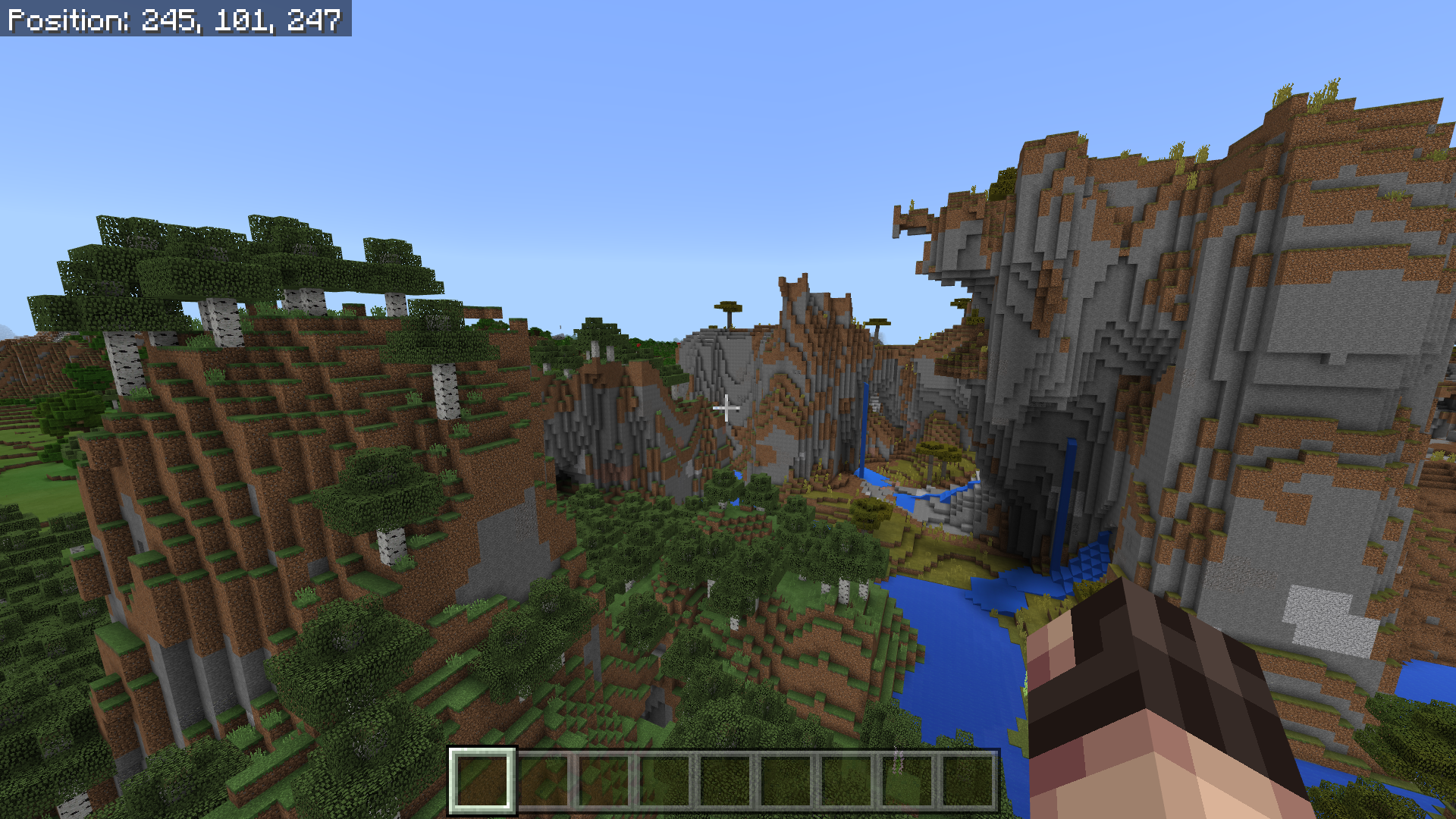
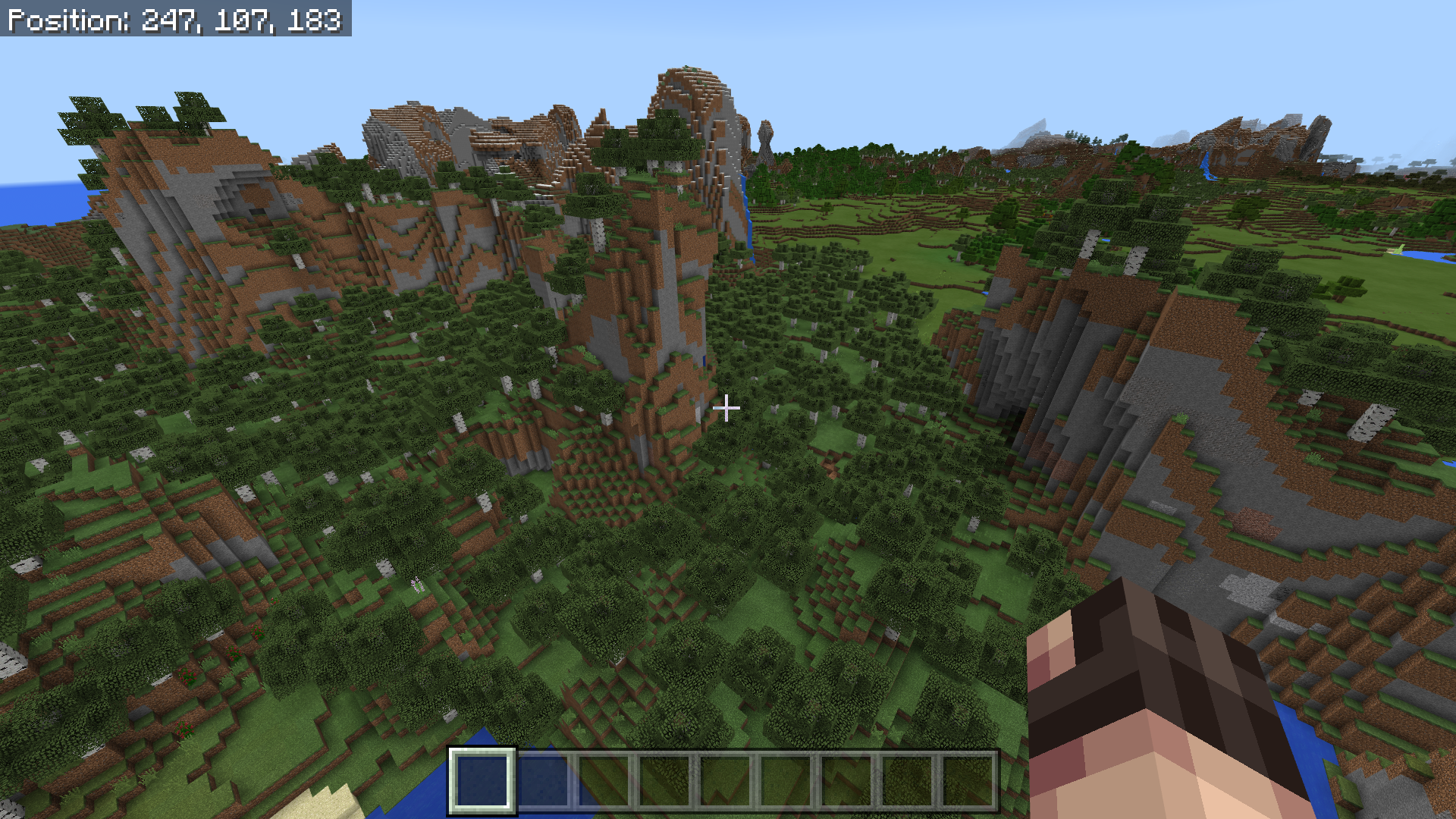
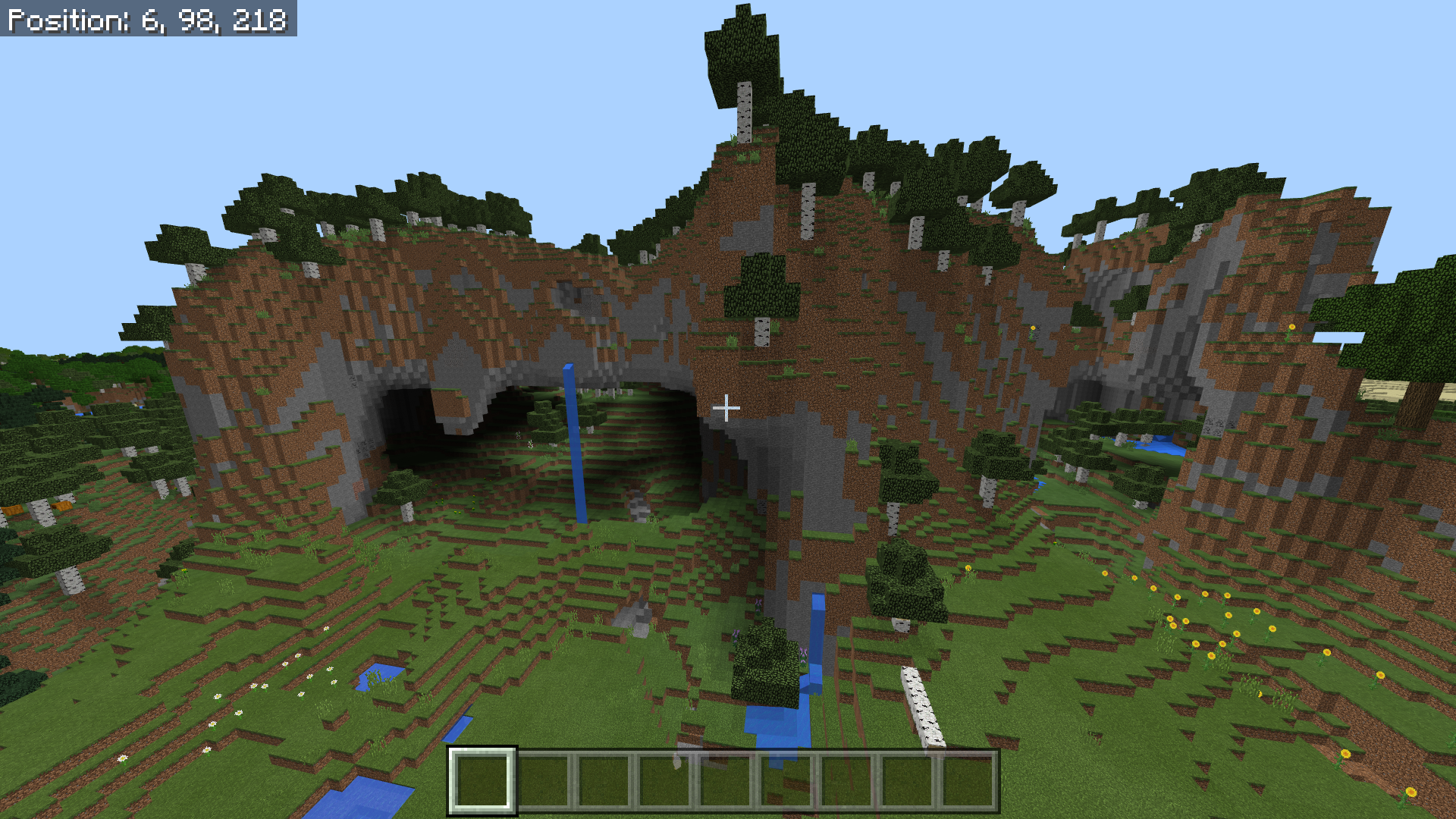
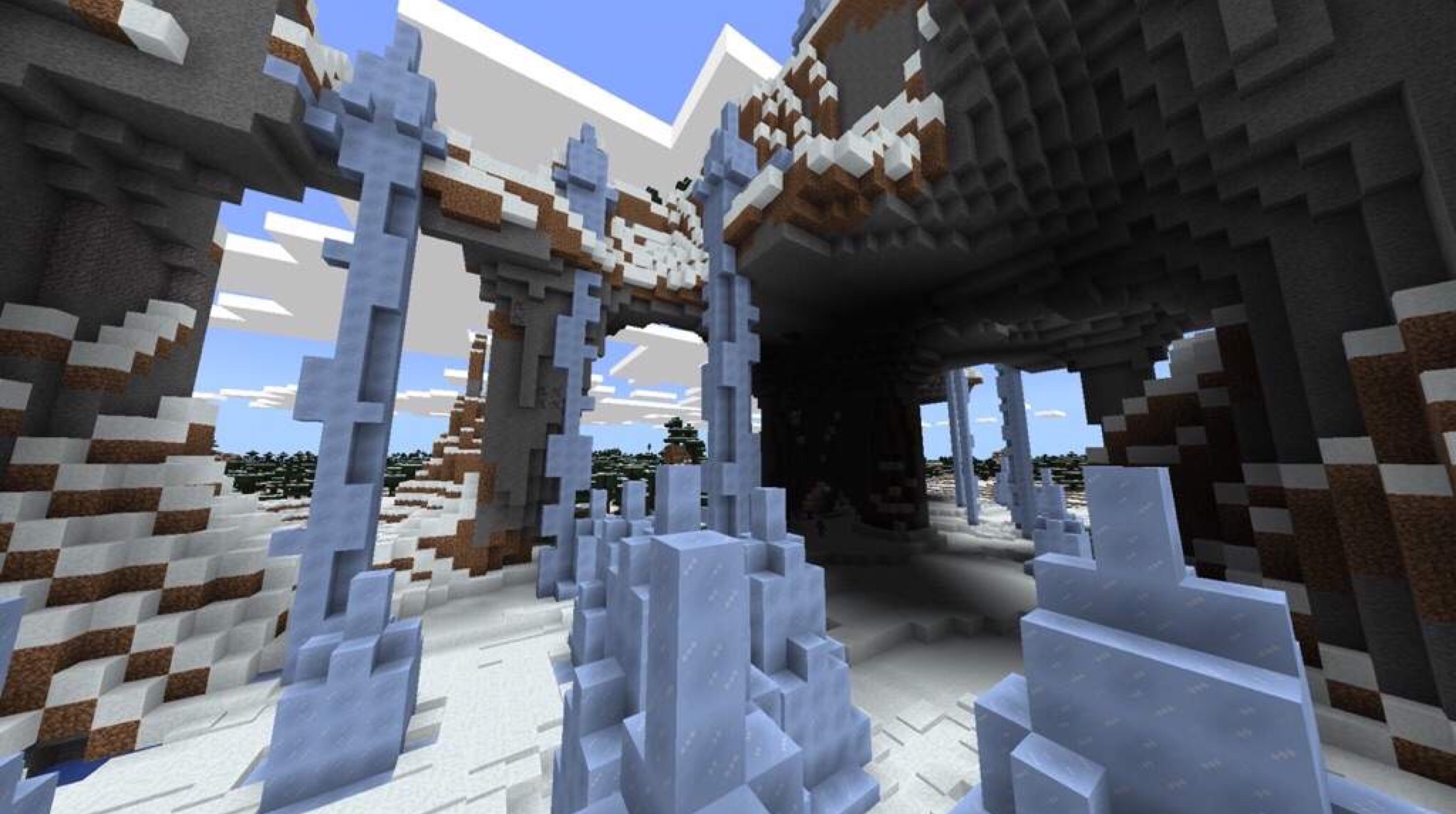
Overhangs and floating islands does not spawn grass/snow blocks below it anymore
As of 1.2.13, all cliffs, overhangs, and floating islands landscape having only stone being visible below them. It is making the landscape look
incredibly ugly andlike a kid ran around blowing up TNT to remove grass. It look that bad. I tested this bug on my Windows 10 computer running MC on v.1.2.13 and on my iPhone running MC on v.1.2.15What I believe is happening is all decorative surface block that has a non-transparent block above it (which is blocking sunlight) will not let the decorative surface block spawn.
I included several pictures showing this new change but trust me, it looks a lot worse in person than in pictures. It affects all biomes except for the Mesa biome it seems.
Some seeds you can try to see this for yourself are: 1423683032 has the Ice Spike overhang at 280, 80, 270 | GODmedpups has a Birch Forest M overhang at -10, 88, 250 (Birch Trees are still bugged to being short in Birch Forest M but that a different bug report) | and lastly, 1421236222 has a Jungle overhang at 570, 70, 50.
The new change looks
so unbelievably uglythat I am pretty sure this has to be an unintentional terrain generation and a bug/side-effect. If this is confirmed by Mojang to be an intended change, then I question their sanity and will voice my opinion on their feedback page So for now, I believe it is best to view this as a bug that needs to be patched.As of 1.2.13, all cliffs, overhangs, and floating islands landscape having only stone being visible below them. It is making the landscape look pretty ugly and does not mesh well with the surrounding Grass and terrain. I tested this bug on my Windows 10 computer running MC on v.1.2.13 and on my iPhone running MC on v.1.2.15
What I believe is happening is all decorative surface block that has a non-transparent block above it (which is blocking sunlight) will not let the decorative surface block spawn.
I included several pictures showing this new change but trust me, it looks a lot worse in person than in pictures. It affects all biomes except for the Mesa biome it seems.
Some seeds you can try to see this for yourself are: 1423683032 has the Ice Spike overhang at 280, 80, 270 | GODmedpups has a Birch Forest M overhang at -10, 88, 250 (Birch Trees are still bugged to being short in Birch Forest M but that a different bug report) | and lastly, 1421236222 has a Jungle overhang at 570, 70, 50.
The new change looks really bad that I am pretty sure this has to be an unintentional terrain generation and a bug/side-effect. If this is confirmed by Mojang to be an intended change, then I question their sanity and will voice my opinion on their feedback page So for now, I believe it is best to view this as a bug that needs to be patched.
Edit: Changed my tone to be less negative. Also, Tommo at Mojang saw my Reddit post about this change and he says it may be a bug: https://www.reddit.com/r/Minecraft/comments/8c83up/in_bedrock_edition_mojang_removed_grass_from/dxe5ebx
I do not know if this is intended or if this is a biome that was forgotten to be removed so I am making this bug report to find out.
Anyway, I have been exploring some seeds and I noticed that anytime a Roofed Forest is mutated, it creates a interesting new variation of the Plain biome. I'll call this new biome "Plains M Biome" from here on out to help keep things clear. Now what's interesting is there is no Plains M biome for Java Edition and it does not have any mutated form of the Roofed Forest Biome. Instead, it seems this mysterious mutated biome is exclusive to Bedrock only.
I also included pictures of Plains M biome that also have the seed and coordinates in them. After exploring several of these Plains M biome, I found some interesting characteristics of them:
- The grass' color is a pure green color that matches Forest Biome's green color.
- No foliage will generate with the exception of patches of Dandelions. (no Tall Grass at all)
- Plains M's terrain is normally flat or hilly but can be as tall and mountainous as an Extreme Hills Biome.
- Plains M seems to be the mutated form of a Roofed Forest.
Now, I was able to deduce that it is Roofed Forests being mutated
byseeing all Plains M is always touching another mutated biome like Bryce Mesa or Sunflower Plains but is also always touching a Roofed Forest.I even tweaked a Java Edition biome finder program to work with Bedrock biomes and set it out to find a Roofed Forest biome touching a mutated Extreme Hills. The seed that came back and I tested had the spot with the Roofed Forest completely replaced with the Plains M biome but the Extreme Hills M stayed the same next to it.
As you can see, the Plains M biome is very unique and all biome lists that I can find online never mentions this biome or any of its characteristics. That is why I made this bug report to see if this biome was intended to be generated or if it was simply forgotten to be removed for whatever reason. Thank you for you time!
I do not know if this is intended or if this is a biome that was forgotten to be removed so I am making this bug report to find out.
Anyway, I have been exploring some seeds and I noticed that anytime a Roofed Forest is mutated, it creates a interesting new variation of the Plain biome. I'll call this new biome "Plains M Biome" from here on out to help keep things clear. Now what's interesting is there is no Plains M biome for Java Edition and it does not have any mutated form of the Roofed Forest Biome. Instead, it seems this mysterious mutated biome is exclusive to Bedrock only.
I also included pictures of Plains M biome that also have the seed and coordinates in them. After exploring several of these Plains M biome, I found some interesting characteristics of them:
- The grass' color is a pure green color that matches Forest Biome's green color.
- No foliage will generate with the exception of patches of Dandelions. (no Tall Grass at all)
- Plains M's terrain is normally flat or hilly but can be as tall and mountainous as an Extreme Hills Biome.
- Plains M seems to be the mutated form of a Roofed Forest.
Now, I was able to deduce that it is Roofed Forests being mutated after seeing that all Plains M is always touching another mutated biome like Bryce Mesa or Sunflower Plains but is also always touching a Roofed Forest.
To test this theory, I even tweaked a Java Edition biome finder program to work with Bedrock biomes and set it out to find a Roofed Forest biome touching a mutated Extreme Hills. The seed that came back ,and that I tested, had the spot with the Roofed Forest completely replaced with the Plains M biome but the Extreme Hills M stayed the same next to it. Thus my theory was confirmed! One would think that the Plains M biome would be a mutated Plains biome and not a mutated Roofed Forest but apparently not! (The actual mutated form of Plains is always Sunflower Plains)
As you can see, the Plains M biome is very unique and all biome lists that I can find online never mentions this biome or any of its characteristics. That is why I made this bug report to see if this biome was intended to be generated or if it was simply forgotten to be removed for whatever reason. Thank you for you time!

I do not know if this is intended or if this is a biome that was forgotten to be removed so I am making this bug report to find out.
Anyway, I have been exploring some seeds and I noticed that anytime a Roofed Forest is mutated, it creates a interesting new variation of the Plain biome. I'll call this new biome "Plains M Biome" from here on out to help keep things clear. Now what's interesting is there is no Plains M biome for Java Edition and it does not have any mutated form of the Roofed Forest Biome. Instead, it seems this mysterious mutated biome is exclusive to Bedrock only.
I also included pictures of Plains M biome that also have the seed and coordinates in them.
After exploring several of these Plains M biome, I found some interesting characteristics of them:
- The grass
'color is a pure green color that matches ForestBiome's green color.- No foliage will generate with the exception of patches of Dandelions. (no Tall Grass at all)
- Plains M's terrain is normally flat or hilly but can be as tall and mountainous as an Extreme Hills Biome.
- Plains M seems to be the mutated form of a Roofed Forest.
Now, I was able to deduce that it is Roofed Forests being mutated after seeing that all Plains M is always touching another mutated biome like Bryce Mesa or Sunflower Plains but is also always touching a Roofed Forest.
To test this theory, I even tweaked a Java Edition biome finder program to work with Bedrock biomes and set it out to find a Roofed Forest biome touching a mutated Extreme Hills. The seed that came back ,and that I tested, had the spot with the Roofed Forest completely replaced with the Plains M biome but the Extreme Hills M stayed the same next to it. Thus my theory was confirmed! One would think that the Plains M biome would be a mutated Plains biome and not a mutated Roofed Forest but apparently not! (The actual mutated form of Plains is always Sunflower Plains)
As you can see, the Plains M biome is very unique and all biome lists that I can find online never mentions this biome or any of its characteristics. That is why I made this bug report to see if this biome was intended to be generated or if it was simply forgotten to be removed for whatever reason. Thank you for you time!
I do not know if this is intended or if this is a biome that was forgotten to be removed so I am making this bug report to find out.
Anyway, I have been exploring some seeds and I noticed that anytime a Roofed Forest is mutated, it creates a interesting new variation of the Plain biome. I'll call this new biome "Plains M Biome" from here on out to help keep things clear. Now what's interesting is there is no Plains M biome for Java Edition and it does not have any mutated form of the Roofed Forest Biome. Instead, it seems this mysterious mutated biome is exclusive to Bedrock only.
I also included pictures of Plains M biome that also have the seed and coordinates in them. After exploring several of these Plains M biome, I found some interesting characteristics of them:
- The grass color of this biome is a pure green color that matches a normal Forest and Roofed Forest's green grass color.
- No foliage will generate with the exception of patches of Dandelions. (no Tall Grass at all)
- Plains M's terrain is normally flat or hilly but can be as tall and mountainous as an Extreme Hills Biome.
- Plains M seems to be the mutated form of a Roofed Forest.
Now, I was able to deduce that it is Roofed Forests being mutated after seeing that all Plains M is always touching another mutated biome like Bryce Mesa or Sunflower Plains but is also always touching a Roofed Forest.
To test this theory, I even tweaked a Java Edition biome finder program to work with Bedrock biomes and set it out to find a Roofed Forest biome touching a mutated Extreme Hills. The seed that came back ,and that I tested, had the spot with the Roofed Forest completely replaced with the Plains M biome but the Extreme Hills M stayed the same next to it. Thus my theory was confirmed! One would think that the Plains M biome would be a mutated Plains biome and not a mutated Roofed Forest but apparently not! (The actual mutated form of Plains is always Sunflower Plains)
As you can see, the Plains M biome is very unique and all biome lists that I can find online never mentions this biome or any of its characteristics. That is why I made this bug report to see if this biome was intended to be generated or if it was simply forgotten to be removed for whatever reason. Thank you for you time!
A new biome is generated when Roofed Forests are mutatedRoofed Forest M biome are replaced by a new variation of a Plains biome
I do not know if this is intended or if this is a biome that was forgotten to be removed so I am making this bug report to find out.
Anyway, I have been exploring some seeds and I noticed that anytime a Roofed Forest is mutated, it creates a interesting new variation of the Plain biome. I'll call this new biome "Plains M Biome" from here on out to help keep things clear. Now what's interesting is there is no Plains M biome for Java Edition and it does not have any mutated form of the Roofed Forest Biome. Instead, it seems this mysterious mutated biome is exclusive to Bedrock only.
I also included pictures of Plains M biome that also have the seed and coordinates in them. After exploring several of these Plains M biome, I found some interesting characteristics of them:
- The grass color of this biome is a pure green color that matches a normal Forest and Roofed Forest's green grass color.
- No foliage will generate with the exception of patches of Dandelions. (no Tall Grass at all)
- Plains M's terrain is normally flat or hilly but can be as tall and mountainous as an Extreme Hills Biome.
- Plains M seems to be the mutated form of a Roofed Forest.
Now, I was able to deduce that it is Roofed Forests being mutated after seeing that all Plains M is always touching another mutated biome like Bryce Mesa or Sunflower Plains but is also always touching a Roofed Forest.
To test this theory, I even tweaked a Java Edition biome finder program to work with Bedrock biomes and set it out to find a Roofed Forest biome touching a mutated Extreme Hills. The seed that came back ,and that I tested, had the spot with the Roofed Forest completely replaced with the Plains M biome but the Extreme Hills M stayed the same next to it. Thus my theory was confirmed! One would think that the Plains M biome would be a mutated Plains biome and not a mutated Roofed Forest but apparently not! (The actual mutated form of Plains is always Sunflower Plains)
As you can see, the Plains M biome is very unique and all biome lists that I can find online never mentions this biome or any of its characteristics. That is why I made this bug report to see if this biome was intended to be generated or if it was simply forgotten to be removed for whatever reason. Thank you for you time!
Edit: I double checked on Java Edition and it seems Java Edition has a Roofed Forest M biome that is the mutated form of a normal Roofed Forest biome. But in bedrock Edition, no Roofed Forest M biome will generate and instead, this Plains M biome generates in its place. So this means Bedrock Edition both is missing a biome and has an extra new biome when compared to Java Edition. What is also possible is that the Plains M biome is actually a Roofed Forest M biome but it is glitched and is now missing all of its foliage and plants.
I do not know if this is intended or if this is a biome that was forgotten to be removed so I am making this bug report to find out.
Anyway, I have been exploring some seeds and I noticed that anytime a Roofed Forest is mutated, it creates a interesting new variation of the Plain biome. I'll call this new biome "Plains M Biome" from here on out to help keep things clear. Now what's interesting is there is no Plains M biome for Java Edition and it does not have any mutated form of the Roofed Forest Biome. Instead, it seems this mysterious mutated biome is exclusive to Bedrock only.
I also included pictures of Plains M biome that also have the seed and coordinates in them. After exploring several of these Plains M biome, I found some interesting characteristics of them:
- The grass color of this biome is a pure green color that matches a normal Forest and Roofed Forest's green grass color.
- No foliage will generate with the exception of patches of Dandelions. (no Tall Grass at all)
- Plains M's terrain is normally flat or hilly but can be as tall and mountainous as an Extreme Hills Biome.
- Plains M seems to be the mutated form of a Roofed Forest.
Now, I was able to deduce that it is Roofed Forests being mutated after seeing that all Plains M is always touching another mutated biome like Bryce Mesa or Sunflower Plains but is also always touching a Roofed Forest.
To test this theory, I even tweaked a Java Edition biome finder program to work with Bedrock biomes and set it out to find a Roofed Forest biome touching a mutated Extreme Hills. The seed that came back ,and that I tested, had the spot with the Roofed Forest completely replaced with the Plains M biome but the Extreme Hills M stayed the same next to it. Thus my theory was confirmed! One would think that the Plains M biome would be a mutated Plains biome and not a mutated Roofed Forest but apparently not! (The actual mutated form of Plains is always Sunflower Plains)
As you can see, the Plains M biome is very unique and all biome lists that I can find online never mentions this biome or any of its characteristics. That is why I made this bug report to see if this biome was intended to be generated or if it was simply forgotten to be removed for whatever reason. Thank you for you time!
Edit: I double checked on Java Edition and it seems Java Edition has a Roofed Forest M biome that is the mutated form of a normal Roofed Forest biome. But in
bedrock Edition, no Roofed Forest M biome will generate and instead, this Plains M biome generates in its place. So this means Bedrock Edition bothismissing a biome and has an extra new biome when compared to Java Edition. What is also possible is that the Plains M biome is actually a Roofed Forest M biome but it is glitched and is now missing all of its foliage and plants.I do not know if this is intended or if this is a biome that was forgotten to be removed so I am making this bug report to find out.
Anyway, I have been exploring some seeds and I noticed that anytime a Roofed Forest is mutated, it creates a interesting new variation of the Plain biome. I'll call this new biome "Plains M Biome" from here on out to help keep things clear. Now what's interesting is there is no Plains M biome for Java Edition and it does not have any mutated form of the Roofed Forest Biome. Instead, it seems this mysterious mutated biome is exclusive to Bedrock only.
I also included pictures of Plains M biome that also have the seed and coordinates in them. After exploring several of these Plains M biome, I found some interesting characteristics of them:
- The grass color of this biome is a pure green color that matches a normal Forest and Roofed Forest's green grass color.
- No foliage will generate with the exception of patches of Dandelions. (no Tall Grass at all)
- Plains M's terrain is normally flat or hilly but can be as tall and mountainous as an Extreme Hills Biome.
- Plains M seems to be the mutated form of a Roofed Forest.
Now, I was able to deduce that it is Roofed Forests being mutated after seeing that all Plains M is always touching another mutated biome like Bryce Mesa or Sunflower Plains but is also always touching a Roofed Forest.
To test this theory, I even tweaked a Java Edition biome finder program to work with Bedrock biomes and set it out to find a Roofed Forest biome touching a mutated Extreme Hills. The seed that came back ,and that I tested, had the spot with the Roofed Forest completely replaced with the Plains M biome but the Extreme Hills M stayed the same next to it. Thus my theory was confirmed! One would think that the Plains M biome would be a mutated Plains biome and not a mutated Roofed Forest but apparently not! (The actual mutated form of Plains is always Sunflower Plains)
As you can see, the Plains M biome is very unique and all biome lists that I can find online never mentions this biome or any of its characteristics. That is why I made this bug report to see if this biome was intended to be generated or if it was simply forgotten to be removed for whatever reason. Thank you for you time!
Edit: I double checked on Java Edition and it seems Java Edition has a Roofed Forest M biome that is the mutated form of a normal Roofed Forest biome. But in Bedrock Edition, no Roofed Forest M biome will generate and instead, this Plains M biome generates in its place. So this means Bedrock Edition is both missing a biome and has an extra new biome when compared to Java Edition. What is also possible is that the Plains M biome is actually a Roofed Forest M biome but it is glitched and is now missing all of its foliage and plants.
Roofed Forest M biome arereplaced by a new variation of a Plains biomeRoofed Forest M biome are not spawning trees or tallgrass at all
EDIT 2: I gotten the idea to use an external program to view my world's level.dat file and check what the biome ID is for this biome. It turns out this "Plains M" biome is actually the Roofed Forest M biome! This means this is now a bug report on Roofed Forest M biomes not generating trees or tallgrass. I just attached the pictures that shows the biome ID of the biome. Hopefully this makes squashing this bug easier!
_____________
I do not know if this is intended or if this is a biome that was forgotten to be removed so I am making this bug report to find out.
Anyway, I have been exploring some seeds and I noticed that anytime a Roofed Forest is mutated, it creates a interesting new variation of the Plain biome. I'll call this new biome "Plains M Biome" from here on out to help keep things clear. Now what's interesting is there is no Plains M biome for Java Edition and it does not have any mutated form of the Roofed Forest Biome. Instead, it seems this mysterious mutated biome is exclusive to Bedrock only.
I also included pictures of Plains M biome that also have the seed and coordinates in them. After exploring several of these Plains M biome, I found some interesting characteristics of them:
- The grass color of this biome is a pure green color that matches a normal Forest and Roofed Forest's green grass color.
- No foliage will generate with the exception of patches of Dandelions. (no Tall Grass at all)
- Plains M's terrain is normally flat or hilly but can be as tall and mountainous as an Extreme Hills Biome.
- Plains M seems to be the mutated form of a Roofed Forest.
Now, I was able to deduce that it is Roofed Forests being mutated after seeing that all Plains M is always touching another mutated biome like Bryce Mesa or Sunflower Plains but is also always touching a Roofed Forest.
To test this theory, I even tweaked a Java Edition biome finder program to work with Bedrock biomes and set it out to find a Roofed Forest biome touching a mutated Extreme Hills. The seed that came back ,and that I tested, had the spot with the Roofed Forest completely replaced with the Plains M biome but the Extreme Hills M stayed the same next to it. Thus my theory was confirmed! One would think that the Plains M biome would be a mutated Plains biome and not a mutated Roofed Forest but apparently not! (The actual mutated form of Plains is always Sunflower Plains)
As you can see, the Plains M biome is very unique and all biome lists that I can find online never mentions this biome or any of its characteristics. That is why I made this bug report to see if this biome was intended to be generated or if it was simply forgotten to be removed for whatever reason. Thank you for you time!
Edit: I double checked on Java Edition and it seems Java Edition has a Roofed Forest M biome that is the mutated form of a normal Roofed Forest biome. But in Bedrock Edition, no Roofed Forest M biome will generate and instead, this Plains M biome generates in its place. So this means Bedrock Edition is both missing a biome and has an extra new biome when compared to Java Edition. What is also possible is that the Plains M biome is actually a Roofed Forest M biome but it is glitched and is now missing all of its foliage and plants.
If a vanilla structure's name is changed in the structure registry or is removed, re-entering an already existing world will spam the log with `Failed to read chunk [x, z] net.minecraft.util.crash.CrashException: Loading NBT data`, `Failed to store chunk [x, z] java.lang.NullPointerException: null`, `Unknown structure start: <missing structure>`, ` Couldn't load chunk [-246, -125] java.util.concurrent.CompletionException: net.minecraft.util.crash.CrashException: Loading NBT data` and many other issues also including java.io.DataInputStream and java.io.DataOutputStream
Even worst, the player will be able to move around in the world and place/remove blocks but when they exit and re-enter, the world does not save their progress due to the try/catched crash in the chunk saving.
This is a serious issue with how Minecraft does not double check to make sure a structure exists before saving/reading it from memory and will seriously impact Mojang if they ever decide to remove a structure or rename an existing on. The solution would be to fix the bug at the source so that this does not explode or limit Mojang in the future. Right now, this bug is badly hitting the modding community with adding/removing structures so that's why this bug report exists to help make sure Mojang is aware of this issue so they won't get surprised when it happens to them as well.
A workaround right now is to use a third party app like NBTExplorer, go into the world's region files and enter every chunk's mca file, go into the chunk's level > structures > references and remove the missing structure manually from the chunk. However, this will take forever as there's hundreds if not thousands of chunks created in any decently lived world.
I hope this helps!
If a vanilla structure's name is changed in the structure registry or is removed, re-entering an already existing world will spam the log with
Failed to read chunk [x, z] net.minecraft.util.crash.CrashException: Loading NBT dataFailed to store chunk [x, z] java.lang.NullPointerException: nullUnknown structure start: <missing structure>Couldn't load chunk [-246, -125] java.util.concurrent.CompletionException: net.minecraft.util.crash.CrashException: Loading NBT dataand many other issues also including java.io.DataInputStream and java.io.DataOutputStream
Even worst, the player will be able to move around in the world and place/remove blocks but when they exit and re-enter, the world does not save their progress due to the try/catched crash in the chunk saving.
This is a serious issue with how Minecraft does not double check to make sure a structure exists before saving/reading it from memory and will seriously impact Mojang if they ever decide to remove a structure or rename an existing on. The solution would be to fix the bug at the source so that this does not explode or limit Mojang in the future. Right now, this bug is badly hitting the modding community with adding/removing structures so that's why this bug report exists to help make sure Mojang is aware of this issue so they won't get surprised when it happens to them as well.
A workaround right now is to use a third party app like NBTExplorer, go into the world's region files and enter every chunk's mca file, go into the chunk's level > structures > references and remove the missing structure manually from the chunk. However, this will take forever as there's hundreds if not thousands of chunks created in any decently lived world.
I hope this helps!
If a vanilla structure's name is changed in the structure registry or is removed, re-entering an already existing world will spam the log with
Failed to read chunk [x, z] net.minecraft.util.crash.CrashException: Loading NBT dataFailed to store chunk [x, z] java.lang.NullPointerException: nullUnknown structure start: <missing structure>Couldn't load chunk [-246, -125] java.util.concurrent.CompletionException: net.minecraft.util.crash.CrashException: Loading NBT dataand many other issues also including java.io.DataInputStream and java.io.DataOutputStream
Even worst, the player will be able to move around in the world and place/remove blocks but when they exit and re-enter, the world does not save their progress due to the try/catched crash in the chunk saving.
This is a serious issue with how Minecraft does not double check to make sure a structure exists before saving/reading it from memory and will
seriously impact Mojang if they ever decide to remove a structure or rename an existing on. The solution would be to fix the bugat the source so that thisdoes not explode or limit Mojang in the future. Right now, this bug is badly hitting the modding community with adding/removing structures so that's why this bug report exists to help make sure Mojang is aware of this issue so they won't get surprised when it happens to them as well.A workaround right now is to use a third party app like NBTExplorer, go into the world's region files and enter every chunk's mca file, go into the chunk's level > structures > references and remove the missing structure manually from the chunk. However, this will take forever as there's hundreds if not thousands of chunks created in any decently lived world.
I hope this helps!
If a vanilla structure's name is changed in the structure registry or is removed, re-entering an already existing world will spam the log with
Failed to read chunk [x, z] net.minecraft.util.crash.CrashException: Loading NBT dataFailed to store chunk [x, z] java.lang.NullPointerException: nullUnknown structure start: <missing structure>Couldn't load chunk [-246, -125] java.util.concurrent.CompletionException: net.minecraft.util.crash.CrashException: Loading NBT dataand many other issues also including java.io.DataInputStream and java.io.DataOutputStream
Even worst, the player will be able to move around in the world and place/remove blocks but when they exit and re-enter, the world does not save their progress due to the try/catched crash in the chunk saving.
This is a serious issue with how Minecraft does not double check to make sure a structure exists before saving/reading it from memory and will heavily impact Mojang if they ever decide to remove a structure or rename an existing one. The solution would be to fix the bug by checking if structures exist before writing it to memory and when reading it from memory, check again to make sure it exists before storing it into the chunk. That way this bug does not explode or limit Mojang in the future. Right now, this bug is badly hitting the modding community with adding/removing structures so that's why this bug report exists to help make sure Mojang is aware of this issue so they won't get surprised when it happens to them as well.
A workaround right now is to use a third party app like NBTExplorer, go into the world's region files and enter every chunk's mca file, go into the chunk's level > structures > references and remove the missing structure manually from the chunk. However, this will take forever as there's hundreds if not thousands of chunks created in any decently lived world.
I hope this helps!
If a vanilla structure's name is changed in the structure registry or is removed, re-entering an already existing world will spam the log with
Failed to read chunk [x, z] net.minecraft.util.crash.CrashException: Loading NBT dataFailed to store chunk [x, z] java.lang.NullPointerException: nullUnknown structure start: <missing structure>Couldn't load chunk [-246, -125] java.util.concurrent.CompletionException: net.minecraft.util.crash.CrashException: Loading NBT dataand many other issues also including java.io.DataInputStream and java.io.DataOutputStream
Even worst, the player will be able to move around in the world and place/remove blocks but when they exit and re-enter, the world does not save their progress due to the try/catched crash in the chunk saving.
This is a serious issue with how Minecraft does not double check to make sure a structure exists before saving/reading it from memory and will heavily impact Mojang if they ever decide to remove a structure or rename an existing one. The solution would be to fix the bug by checking if structures exist before writing it to memory and when reading it from memory, check again to make sure it exists before storing it into the chunk. That way this bug does not explode or limit Mojang in the future. Right now, this bug is badly hitting the modding community with adding/removing structures so that's why this bug report exists to help make sure Mojang is aware of this issue so they won't get surprised when it happens to them as well.
A workaround right now is to use a third party app like NBTExplorer, go into the world's region files and enter every chunk's mca file, go into the chunk's level > structures > references and remove the missing structure manually from the chunk. However, this will take forever as there's hundreds if not thousands of chunks created in any decently lived world.
I hope this helps!
Edit: I just attached a world filled with missing structures. Upon entering said world, the game will lag, the logs will be spammed, and chunks will not be saved properly anymore.
If a vanilla structure's name is changed in the structure registry or is removed, re-entering an already existing world will spam the log with
Failed to read chunk [x, z] net.minecraft.util.crash.CrashException: Loading NBT dataFailed to store chunk [x, z] java.lang.NullPointerException: nullUnknown structure start: <missing structure>Couldn't load chunk [-246, -125] java.util.concurrent.CompletionException: net.minecraft.util.crash.CrashException: Loading NBT dataand many other issues also including java.io.DataInputStream and java.io.DataOutputStream
Even worst, the player will be able to move around in the world and place/remove blocks but when they exit and re-enter, the world does not save their progress due to the try/catched crash in the chunk saving.
This is a serious issue with how Minecraft does not double check to make sure a structure exists before saving/reading it from memory and will heavily impact Mojang if they ever decide to remove a structure or rename an existing one. The solution would be to fix the bug by checking if structures exist before writing it to memory and when reading it from memory, check again to make sure it exists before storing it into the chunk. That way this bug does not explode or limit Mojang in the future. Right now, this bug is badly hitting the modding community with adding/removing structures so that's why this bug report exists to help make sure Mojang is aware of this issue so they won't get surprised when it happens to them as well.
A workaround right now is to use a third party app like NBTExplorer, go into the world's region files and enter every chunk's mca file, go into the chunk's level > structures > references and remove the missing structure manually from the chunk. However, this will take forever as there's hundreds if not thousands of chunks created in any decently lived world.
I hope this helps!
Edit: I just attached a world filled with missing structures. Upon entering said world, the game will lag, the logs will be spammed, and chunks will not be saved properly anymore.
This can be recreated in any world to simulate removal of structures by going
If a vanilla structure's name is changed in the structure registry or is removed, re-entering an already existing world will spam the log with
Failed to read chunk [x, z] net.minecraft.util.crash.CrashException: Loading NBT dataFailed to store chunk [x, z] java.lang.NullPointerException: nullUnknown structure start: <missing structure>Couldn't load chunk [-246, -125] java.util.concurrent.CompletionException: net.minecraft.util.crash.CrashException: Loading NBT dataand many other issues also including java.io.DataInputStream and java.io.DataOutputStream
Even worst, the player will be able to move around in the world and place/remove blocks but when they exit and re-enter, the world does not save their progress due to the try/catched crash in the chunk saving.
This is a serious issue with how Minecraft does not double check to make sure a structure exists before saving/reading it from memory and will heavily impact Mojang if they ever decide to remove a structure or rename an existing one. The solution would be to fix the bug by checking if structures exist before writing it to memory and when reading it from memory, check again to make sure it exists before storing it into the chunk. That way this bug does not explode or limit Mojang in the future. Right now, this bug is badly hitting the modding community with adding/removing structures so that's why this bug report exists to help make sure Mojang is aware of this issue so they won't get surprised when it happens to them as well.
A workaround right now is to use a third party app like NBTExplorer, go into the world's region files and enter every chunk's mca file, go into the chunk's level > structures > references and remove the missing structure manually from the chunk. However, this will take forever as there's hundreds if not thousands of chunks created in any decently lived world.
I hope this helps!
Edit: I just attached a world filled with missing structures. Upon entering said world, the game will lag, the logs will be spammed, and chunks will not be saved properly anymore.
This can be recreated in any world to simulate removal of structures by going
If a vanilla structure's name is changed in the structure registry or is removed, re-entering an already existing world will spam the log with
Failed to read chunk [x, z] net.minecraft.util.crash.CrashException: Loading NBT dataFailed to store chunk [x, z] java.lang.NullPointerException: nullUnknown structure start: <missing structure>Couldn't load chunk [-246, -125] java.util.concurrent.CompletionException: net.minecraft.util.crash.CrashException: Loading NBT dataand many other issues also including java.io.DataInputStream and java.io.DataOutputStream
Even worst, the player will be able to move around in the world and place/remove blocks but when they exit and re-enter, the world does not save their progress due to the try/catched crash in the chunk saving.
This is a serious issue with how Minecraft does not double check to make sure a structure exists before saving/reading it from memory and will heavily impact Mojang if they ever decide to remove a structure or rename an existing one. The solution would be to fix the bug by checking if structures exist before writing it to memory and when reading it from memory, check again to make sure it exists before storing it into the chunk. That way this bug does not explode or limit Mojang in the future. Right now, this bug is badly hitting the modding community with adding/removing structures so that's why this bug report exists to help make sure Mojang is aware of this issue so they won't get surprised when it happens to them as well.
A workaround right now is to use a third party app like NBTExplorer, go into the world's region files and enter every chunk's mca file, go into the chunk's level > structures > references and remove the missing structure manually from the chunk. However, this will take forever as there's hundreds if not thousands of chunks created in any decently lived world.
I hope this helps!
Edit: I just attached a world filled with missing structures. Upon entering said world, the game will lag, the logs will be spammed, and chunks will not be saved properly anymore.
This can be recreated in any world to simulate removal of structures by going into the world's region folder, opening several .mca with a program like NBTExplorer, go into the chunk's Level, then into Structures, then add long tags into References and Start with names of structures that doesn't exist such as "sky:castle_village" and save. Then enter the world and that chunk when loaded will cause all the issues stated here. For easiness, use the attached saved world to debug and confirm the bug.
When having a ton of Structure Blocks or one with a large
area, turning on Show Invisible Blocks for them will tank fps down toevenpotentially single digits. Even with smaller Structure Blocksareas, the performance impact is still very noticeable.For the test below, I setup a superflat world with mob spawning turned off. Then I placed a single Structure Block and set the size of it to 48x48x48. Then I clicked Show Invisible Blocks an
ymy fps goes from 350+ down to just 5fps.
Here's the streamable link as the video is too large to attach directly to this report:
https://streamable.com/ghygfpAlso attached below are pictures to show the issue if the video doesn't play.
I have tried looking to see if this was reported already and was unable to find another report. Just mark this as duplicate if there is another report but I am fairly certainly this issue went unreported for a very long time (I recall experiencing this issue in 1.15.2)
When having a ton of Structure Blocks or a single one with a large size set, turning on Show Invisible Blocks mode for them will tank the fps down to potentially single digits. Even when using a smaller size for Structure Blocks, the performance impact is still very noticeable.
For the test below, I setup a superflat world with mob spawning turned off. Then I placed a single Structure Block and set the size of it to 48x48x48. Then I clicked Show Invisible Blocks and my fps goes from 350+ down to just 5fps.
Here's the streamable link as the video is too large to attach directly to this report:
https://streamable.com/ghygfpAlso attached below are pictures to show the issue if the video doesn't play.
I have tried looking to see if this was reported already and was unable to find another report. Just mark this as duplicate if there is another report but I am fairly certainly this issue went unreported for a very long time (I recall experiencing this issue in 1.15.2)
When attempting to spawn Shulker mobs that are saved in
NBTfiles by using Structure Blocks or Jigsaw Blocks, the Shulker will teleport immediately. Sometimes, they teleport and are just gone and unable to be found.The desired behavior is that Shulkers will remain in place when spawned from
NBTfiles so that they can be incorporated safely into datapack's Jigsaw Structures without fear the mob will be moved or missing.In the attached datapack, put it into the world's datapack folder. Place down a Structure Block in the world. Set the Structure Name to "shulkertest:shulker" and turn on Include Entities. The load the nbt piece. The Shulker will not be above the Jigsaw
block spawned despite the Jigsawblock being a valid block for themand them being saved on top of it. Hit load a few more times to make sure. Now go to the Jigsaw Block and set the Level to 1. Then click Load and the Jigsaw will spawn the another piece from the template_pool and it will have the same issue.When attempting to spawn Shulker mobs that are saved in nbt files by using Structure Blocks or Jigsaw Blocks, the Shulker will teleport immediately. Sometimes, they teleport and are just gone and unable to be found.
The desired behavior is that Shulkers will remain in place when spawned from nbt files. This is so that they can be incorporated safely into datapack's Jigsaw Structures without fear the mob will be moved or missing.
In the attached datapack, put it into the world's datapack folder. Place down a Structure Block in the world. Set the Structure Name to "shulkertest:shulker" and turn on Include Entities. Then load the nbt piece. The Shulker will not be above the Jigsaw Block spawned despite the Jigsaw Block being a valid block for them to be on. If you look into the nbt file, you'll see the Shulker was indeed saved sitting above that Jigsaw Block. Hit load a few more times to make sure that it is not keeping the mob in place. Now go to the Jigsaw Block and set the Level to 1. Then click Load and the Jigsaw will spawn the another piece from the template_pool and it will have the same issue.
Shulkers generated fromNBTstructures will teleport immediatelyShulkers generated from nbt structure files will teleport immediately
Adding Ocean Monuments to non-ocean/non-river biomes by datapack will not spawn the monument.
If using the new worldgen datapack system and you add the Ocean Monument to a biome that does not have the Ocean or River category, the structure will not spawn. Worse, if you make a dimension of just that biome and attempt to do `/locate monument`, the game will hang forever. Chunks will not load. Mobs freeze. Nothing in the logs.
Attached is a datapack that demonstrates this issue. Do `/execute in testdim run tp ~ ~ ~` and then do `/locate monument` and your game will be stuck and forces you to use Task Manager to kill the game.
The reason for this is because in the code for the Monument, the check it is doing is hardcoded to check for Ocean and River category biomes which is a dangerous assumption as shown here with the datapack. In OceanMonumentFeature class, the isFeatureChunk method has this check `biome.getBiomeCategory() == Biome.Category.OCEAN || biome.getBiomeCategory() == Biome.Category.RIVER`. That means when it is in a dimension full of biomes that are not Ocean or River category, the game will check every chunk forever in an attempt to try and find a spot to spawn the Monument.
Instead, a better and far more safer solution would be to add this one extra check `biome.getGenerationSettings().canGenerateStructure(this) || biome.getBiomeCategory() == Biome.Category.OCEAN || biome.getBiomeCategory() == Biome.Category.RIVER`
By checking if the biome has the structure, now Ocean Monuments can spawn in biomes that are not Ocean or River if done so by datapacks without causing the game to hang forever. In fact, Woodland Mansions has a very similar check except they do `biome.getGenerationSettings().canGenerateStructure(this)` which is why that structure won't cause issues when added to other biomes by datapack.
The issue for the attached datapack here is caused by `"biome_source": {"biome_source": { "type": "minecraft:fixed",`. The Fixed biome source is broken for json biomes and will not send the correct biome instance to the client. This is different than how multi_noise biome source works which saves the registry name of the biome and gets the correct biome instance.
I created a stronghold_test_gen.json datapack which removes the stronghold from all biomes except for Mushroom Fields biome. The expected behavior is that Strongholds will generate only in Mushroom Fields. However, when using the attached stronghold_test_gen.json datapack, /locate points and shows generated strongholds that are nowhere close to Mushroom Fields biomes. Doing /locatebiome showed the closest one was over 2000 blocks away.
The issue seems to be caused by the Stronghold placement code not actually checking if the biome
itis inis a valid biome thespawn in. For a more intuitive behavior that users can understand, it probably should be best that Strongholds adds a check to make sure the biome it saves that positionas a valid spawn location.Do note however that beaches and river biomes do not have the stronghold start saved in them by default so by fixing this bug, it could cause old stronghold locations to no longer spawn if the start position was in a beach or river.
I created a stronghold_test_gen.json datapack which removes the stronghold from all biomes except for Mushroom Fields biome. The expected behavior is that Strongholds will generate only in Mushroom Fields. However, when using the attached stronghold_test_gen.json datapack, /locate points and shows generated strongholds that are nowhere close to Mushroom Fields biomes. Doing /locatebiome showed the closest one was over 2000 blocks away.
The issue seems to be caused by the Stronghold placement code not actually checking if the biome at the spot is a valid biome that the stronghold can spawn in. For a more intuitive behavior that users can understand, it probably should be best that Strongholds adds a check to make sure the biome it saves that spawn position in is also in a biome that has the stronghold added to it.
Do note however that beaches, swamp, oceans, and river biomes do not have the stronghold start saved in them by default so by fixing this bug, it could cause old stronghold locations to no longer spawn if the start position was in a beach, swamp, ocean, or river.
This one room in woodland mansions is impossible to spawn from what I can tell. I am a modder and I was going through the vanilla woodland mansion code to see what rooms spawn where in mansion. Then I noticed that the second/third floor runs this method to grab regular 1x1 rooms for those floors.
{ return "1x1_b" + (random.nextInt(4)+ 1); }
```
public String get1x1(Random random)```
The random here only returns a value between 0 and 3 and the +1 makes the range 1 to 4. This means "1x1_b5" is impossible to be chosen. The room looks like this:
As I go through the mansion's other rooms, I'll update this bug report with other missing rooms that do not spawn in mansions. (There has been two reports before by the same guy about missing rooms but they listed a bunch of rooms that do spawn so it seems better to make this a separate report about the rooms that are truly not spawning with code samples as proof)
This one room in woodland mansions is impossible to spawn from what I can tell. I am a modder and I was going through the vanilla woodland mansion code to see what rooms spawn where in mansion. Then I noticed that the second/third floor runs this method to grab regular 1x1 rooms for those floors.
public String get1x1(Random random)
Unknown macro: { return "1x1_b" + (random.nextInt(4)+ 1); }The random here only returns a value between 0 and 3 and the +1 makes the range 1 to 4. This means "1x1_b5" is impossible to be chosen. The room looks like this:
As I go through the mansion's other rooms, I'll update this bug report with other missing rooms that do not spawn in mansions. (There has been two reports before by the same guy about missing rooms but they listed a bunch of rooms that do spawn so it seems better to make this a separate report about the rooms that are truly not spawning with code samples as proof)
This one room in woodland mansions is impossible to spawn from what I can tell. I am a modder and I was going through the vanilla woodland mansion code to see what rooms spawn where in mansion. Then I noticed that the second/third floor runs this method to grab regular 1x1 rooms for those floors.
public String get1x1(Random random)
Unknown macro: { return "1x1_b" + (random.nextInt(4)+ 1); }The random here only returns a value between 0 and 3 and the +1 makes the range 1 to 4. This means "1x1_b5" is impossible to be chosen. The room looks like this:
As I go through the mansion's other rooms, I'll update this bug report with other missing rooms that do not spawn in mansions. (There has been two reports before by the same guy about missing rooms but they listed a bunch of rooms that do spawn so it seems better to make this a separate report about the rooms that are truly not spawning with code samples as proof)
This one room in woodland mansions is impossible to spawn from what I can tell. I am a modder and I was going through the vanilla woodland mansion code to see what rooms spawn where in mansion. Then I noticed that the second/third floor runs this method to grab regular 1x1 rooms for those floors.
`
public String get1x1(Random random)
{ return "1x1_b" + (random.nextInt(4)+ 1); }`
The random here only returns a value between 0 and 3 and the +1 makes the range 1 to 4. This means "1x1_b5" is impossible to be chosen. The room looks like this:
As I go through the mansion's other rooms, I'll update this bug report with other missing rooms that do not spawn in mansions. (There has been two reports before by the same guy about missing rooms but they listed a bunch of rooms that do spawn so it seems better to make this a separate report about the rooms that are truly not spawning with code samples as proof)
This one room in woodland mansions is impossible to spawn from what I can tell. I am a modder and I was going through the vanilla woodland mansion code to see what rooms spawn where in mansion. Then I noticed that the second/third floor runs this method to grab regular 1x1 rooms for those floors.
`
public String get1x1(Random random)
{return "1x1_b" + (random.nextInt(4)+ 1);}`
The random here only returns a value between 0 and 3 and the +1 makes the range 1 to 4. This means "1x1_b5" is impossible to be chosen. The room looks like this:
As I go through the mansion's other rooms, I'll update this bug report with other missing rooms that do not spawn in mansions. (There has been two reports before by the same guy about missing rooms but they listed a bunch of rooms that do spawn so it seems better to make this a separate report about the rooms that are truly not spawning with code samples as proof)
This one room in woodland mansions is impossible to spawn from what I can tell. I am a modder and I was going through the vanilla woodland mansion code to see what rooms spawn where in mansion. Then I noticed that the second/third floor runs this method to grab regular 1x1 rooms for those floors.
```javapublic String get1x1(Random random){{
{ return "1x1_b" + (random.nextInt(4)+ 1); }}}```
The random here only returns a value between 0 and 3 and the +1 makes the range 1 to 4. This means "1x1_b5" is impossible to be chosen. The room looks like this:
As I go through the mansion's other rooms, I'll update this bug report with other missing rooms that do not spawn in mansions. (There has been two reports before by the same guy about missing rooms but they listed a bunch of rooms that do spawn so it seems better to make this a separate report about the rooms that are truly not spawning with code samples as proof)
This one room in woodland mansions is impossible to spawn from what I can tell. I am a modder and I was going through the vanilla woodland mansion code to see what rooms spawn where in mansion. Then I noticed that the second/third floor runs this method to grab regular 1x1 rooms for those floors.
```javapublic String get1x1(Random random){{
{return "1x1_b" + (random.nextInt(4)+ 1);}}}```
The random here only returns a value between 0 and 3 and the +1 makes the range 1 to 4. This means "1x1_b5" is impossible to be chosen. The room looks like this:
As I go through the mansion's other rooms, I'll update this bug report with other missing rooms that do not spawn in mansions. (There has been two reports before by the same guy about missing rooms but they listed a bunch of rooms that do spawn so it seems better to make this a separate report about the rooms that are truly not spawning with code samples as proof)
This one room in woodland mansions is impossible to spawn from what I can tell. I am a modder and I was going through the vanilla woodland mansion code to see what rooms spawn where in mansion. Then I noticed that the second/third floor runs this method to grab regular 1x1 rooms for those floors.
public String get1x1(Random random)
{ return "1x1_b" + (random.nextInt(4)+ 1); }The random here only returns a value between 0 and 3 and the +1 makes the range 1 to 4. This means "1x1_b5" is impossible to be chosen. The room looks like this:
As I go through the mansion's other rooms, I'll update this bug report with other missing rooms that do not spawn in mansions. (There has been two reports before by the same guy about missing rooms but they listed a bunch of rooms that do spawn so it seems better to make this a separate report about the rooms that are truly not spawning with code samples as proof)
This one room in woodland mansions is impossible to spawn from what I can tell. I am a modder and I was going through the vanilla woodland mansion code to see what rooms spawn where in mansion. Then I noticed that the second/third floor runs this method to grab regular 1x1 rooms for those floors.
public String get1x1(Random random)
{ return "1x1_b" + (random.nextInt(4)+ 1); }The random here only returns a value between 0 and 3 and the +1 makes the range 1 to 4. This means "1x1_b5" is impossible to be chosen. The room looks like this:
As I gothrough themansion's other rooms, I'll update this bug report with other missing rooms that do not spawn in mansions. (There has been two reports before by the same guy about missing rooms but they listed a bunch of rooms that do spawn so it seems better to make this a separate report about the rooms that are truly not spawning with code samples as proof)This one room in woodland mansions is impossible to spawn from what I can tell. I am a modder and I was going through the vanilla woodland mansion code to see what rooms spawn where in mansion. Then I noticed that the second/third floor runs this method to grab regular 1x1 rooms for those floors. In WoodlandMansionPieces$SecondFloorRoomCollection class, this method came up.
{{public String get1x1(Random random) }}{ return "1x1_b" + (random.nextInt(4)+ 1); }The random here only returns a value between 0 and 3 and the +1 makes the range 1 to 4. This means "1x1_b5" is impossible to be chosen. The room looks like this:
I went through the other rooms and no other room has this issue. All other rooms can spawn except for 1x1_b5. (There has been two reports before by the same guy about missing rooms but they listed a bunch of rooms that do spawn so it seems better to make this a separate report about the rooms that are truly not spawning with code samples as proof)
This one room in woodland mansions is impossible to spawn from what I can tell. I am a modder and I was going through the vanilla woodland mansion code to see what rooms spawn where in mansion. Then I noticed that the second/third floor runs this method to grab regular 1x1 rooms for those floors. In WoodlandMansionPieces$SecondFloorRoomCollection class, this method came up.
{{public String get1x1(Random random)}}{return "1x1_b" + (random.nextInt(4)+ 1);}The random here only returns a value between 0 and 3 and the +1 makes the range 1 to 4. This means "1x1_b5" is impossible to be chosen. The room looks like this:
Iwent through the other rooms and no other room has this issue. All other rooms can spawn except for 1x1_b5. (There has been two reports before by the same guy about missing rooms but they listed a bunch of rooms that do spawn so it seems better to make this a separate report about the rooms that are truly not spawning with code samples as proof)This one room in woodland mansions is impossible to spawn from what I can tell. I am a modder and I was going through the vanilla woodland mansion code to see what rooms spawn where in mansion. Then I noticed that the second/third floor runs this method to grab regular 1x1 rooms for those floors. In WoodlandMansionPieces$SecondFloorRoomCollection class, this method came up.
public String get1x1(Random random) { return "1x1_b" + (random.nextInt(4) + 1); }The random here only returns a value between 0 and 3 and the +1 makes the range 1 to 4. This means "1x1_b5" is impossible to be chosen. The room looks like this:
After talking with other modders, we went through the code some more and it turns out, this issue persisted since 1.11.0 when Woodland mansions were added. I also went through the other rooms and no other room has this issue. All other rooms can spawn except for 1x1_b5. (There has been two reports before by the same guy about missing rooms but they listed a bunch of rooms that do spawn so it seems better to make this a separate report about the rooms that are truly not spawning with code samples as proof)
An odd behavior found is when a cat is approaching a chest that is in the ground in a direction that is not diagonal (Emphasis on this. Make sure when reproducing, you block all diagonal movements to chest), the cat will stop one block before the chest and will not go on top of it to sit on it. This behavior does not occur if the chest is placed on the ground instead of in the ground. Despite being in the ground, the cat will keep attempting to pathfind to it. See the included video attached.
For those that cannot view the video attached such as on mobile, here's a streamable link: https://streamable.com/nslmm5
To reproduce this bug, I created the attached datapack where I replaced all fossil nbt files with new nbt files that only contains Furnace, Barrel, and Lecterns. Then overrode the PlacedFeature for the fossil to increase its spawnrate to
200. Next I created a minecraft:desert_barebones biome json that only contains this PlacedFeature to make testing show it is that feature that is the problem. Then I replaced the overworld to only spawn that biome.This maximizes the chances of the new fossil to replace the blockentities placed by other fossils and deadlock the game. By default, fossils will not replace minecraft:feature_cannot_replace tagged blocks which includes spawners and chests which is why this deadlock is tricker to trigger in vanilla. But it should be possible if a fossil attempts to replace a bed from a village or sign from an igloo basement and such.
Now when entering the world with the datapack, it may take a bit of time to create and eventually join, start travelling and the next chunk created will be stuck and the game stalled. The integrated server is now deadlocked. I attached a thread dump as well. Look at the Worker-Main-17 thread which is stuck.
The issue lies in StructureTemplate's placeInWorld method at line 329 where it calls blockentity2.setChanged(); Now since this placeInWorld is called during worldgen in the FossilFeature's class, the passed in world is a WorldGenRegion which is what all getBlockState/setBlockState calls must use. If a ServerLevel is used instead in a thread during worldgen, ServerLevel will park and wait for the chunk to finish generating before returning/setting a block which means, it causes the worldgen thread to wait on itself forever. A deadlock. Inside blockentity2.setChanged();, it is using the block entity's level which is a ServerLevel instead of a WorldGenRegion and later, it calls .getBlockState(...) and the deadlock is achieved. A temporary solution can be to only ever call blockentity2.setChanged(); if the level passed into StructureTemplate's placeInWorld is not a WorldGenRegion, thus bypassing the deadlock entirely.
To reproduce this bug, I created the attached datapack where I replaced all fossil nbt files with new nbt files that only contains Furnace, Barrel, and Lecterns. Then overrode the PlacedFeature for the fossil to increase its spawnrate to 40. Next I created a minecraft:desert_barebones biome json that only contains this PlacedFeature to make testing show it is that feature that is the problem. Then I replaced the overworld to only spawn that biome.
This maximizes the chances of the new fossil to replace the blockentities placed by other fossils and deadlock the game. By default, fossils will not replace minecraft:feature_cannot_replace tagged blocks which includes spawners and chests which is why this deadlock is tricker to trigger in vanilla. But it should be possible if a fossil attempts to replace a bed from a village or sign from an igloo basement and such.
Now when entering the world with the datapack, it may take a bit of time to create and eventually join, start travelling and the next chunk created will be stuck and the game stalled. The integrated server is now deadlocked. I attached a thread dump as well. Look at the Worker-Main-17 thread which is stuck.
The issue lies in StructureTemplate's placeInWorld method at line 329 where it calls blockentity2.setChanged(); Now since this placeInWorld is called during worldgen in the FossilFeature's class, the passed in world is a WorldGenRegion which is what all getBlockState/setBlockState calls must use. If a ServerLevel is used instead in a thread during worldgen, ServerLevel will park and wait for the chunk to finish generating before returning/setting a block which means, it causes the worldgen thread to wait on itself forever. A deadlock. Inside blockentity2.setChanged();, it is using the block entity's level which is a ServerLevel instead of a WorldGenRegion and later, it calls .getBlockState(...) and the deadlock is achieved. A temporary solution can be to only ever call blockentity2.setChanged(); if the level passed into StructureTemplate's placeInWorld is not a WorldGenRegion, thus bypassing the deadlock entirely.
To reproduce this bug, I created the attached datapack where I replaced all fossil nbt files with new nbt files that only contains Furnace, Barrel, and Lecterns. Then overrode the PlacedFeature for the fossil to increase its spawnrate to 40. Next I created a minecraft:desert_barebones biome json that only contains this PlacedFeature to make testing show it is that feature that is the problem. Then I replaced the overworld to only spawn that biome.
This maximizes the chances of the new fossil to replace the blockentities placed by other fossils and deadlock the game. By default, fossils will not replace minecraft:feature_cannot_replace tagged blocks which includes spawners and chests which is why this deadlock is tricker to trigger in vanilla. But it should be possible if a fossil attempts to replace a bed from a village or sign from an igloo basement and such.
Now when entering the world with the datapack, it may take a bit of time to create and eventually join, start travelling and the next chunk created will be stuck and the game stalled.
The integrated serveris now deadlocked. I attached a thread dump as well. Look at the Worker-Main-17 thread which is stuck.The issue lies in StructureTemplate's placeInWorld method at line 329 where it calls blockentity2.setChanged(); Now since this placeInWorld is called during worldgen in the FossilFeature's class, the passed in world is a WorldGenRegion which is what all getBlockState/setBlockState calls must use. If a ServerLevel is used instead in a thread during worldgen, ServerLevel will park and wait for the chunk to finish generating before returning/setting a block which means, it causes the worldgen thread to wait on itself forever. A deadlock. Inside blockentity2.setChanged();, it is using the block entity's level which is a ServerLevel instead of a WorldGenRegion and later, it calls .getBlockState(...) and the deadlock is achieved. A temporary solution can be to only ever call blockentity2.setChanged(); if the level passed into StructureTemplate's placeInWorld is not a WorldGenRegion, thus bypassing the deadlock entirely.
To reproduce this bug, I created the attached datapack where I replaced all fossil nbt files with new nbt files that only contains Furnace, Barrel, and Lecterns. Then overrode the PlacedFeature for the fossil to increase its spawnrate to 40. Next I created a minecraft:desert_barebones biome json that only contains this PlacedFeature to make testing show it is that feature that is the problem. Then I replaced the overworld to only spawn that biome.
This maximizes the chances of the new fossil to replace the blockentities placed by other fossils and deadlock the game. By default, fossils will not replace minecraft:feature_cannot_replace tagged blocks which includes spawners and chests which is why this deadlock is tricker to trigger in vanilla. But it should be possible if a fossil attempts to replace a bed from a village or sign from an igloo basement and such.
Now when entering the world with the datapack, it may take a bit of time to create and eventually join, start travelling and the next chunk created will be stuck and the game stalled. IF IT DOES NOT DEADLOCK HERE, exit and re-enter the world so that the block entities's stored level is not null and it should definitely deadlock when re-entering and trying to generate chunks now. I attached a thread dump as well. Look at the Worker-Main-17 thread which is stuck.
The issue lies in StructureTemplate's placeInWorld method at line 329 where it calls blockentity2.setChanged(); Now since this placeInWorld is called during worldgen in the FossilFeature's class, the passed in world is a WorldGenRegion which is what all getBlockState/setBlockState calls must use. If a ServerLevel is used instead in a thread during worldgen, ServerLevel will park and wait for the chunk to finish generating before returning/setting a block which means, it causes the worldgen thread to wait on itself forever. A deadlock. Inside blockentity2.setChanged();, it is using the block entity's level which is a ServerLevel instead of a WorldGenRegion and later, it calls .getBlockState(...) and the deadlock is achieved. A temporary solution can be to only ever call blockentity2.setChanged(); if the level passed into StructureTemplate's placeInWorld is not a WorldGenRegion, thus bypassing the deadlock entirely.
To reproduce this bug, I created the attached datapack where I replaced all fossil nbt files with new nbt files that only contains Furnace, Barrel, and Lecterns. Then overrode the PlacedFeature for the fossil to increase its spawnrate to 40. Next I created a minecraft:desert_barebones biome json that only contains this PlacedFeature to make testing show it is that feature that is the problem. Then I replaced the overworld to only spawn that biome.
This maximizes the chances of the new fossil to replace the blockentities placed by other fossils and deadlock the game. By default, fossils will not replace minecraft:feature_cannot_replace tagged blocks which includes spawners and chests which is why this deadlock is tricker to trigger in vanilla. But it should be possible if a fossil attempts to replace a bed from a village or sign from an igloo basement and such.
Now when entering the world with the datapack, it may take a bit of time to create and eventually join, start travelling and the next chunk created will be stuck and the game stalled. IF IT DOES NOT DEADLOCK HERE, exit and re-enter the world so that the block entities's stored level is not null and it should definitely deadlock when re-entering and trying to generate chunks now. I attached a thread dump as well. Look at the Worker-Main-17 thread which is stuck.
The issue lies in StructureTemplate's placeInWorld method at line 329 where it calls blockentity2.setChanged(); Now since this placeInWorld is called during worldgen in the FossilFeature's class, the passed in world is a WorldGenRegion which is what all getBlockState/setBlockState calls must use. If a ServerLevel is used instead in a thread during worldgen, ServerLevel will park and wait for the chunk to finish generating before returning/setting a block which means, it causes the worldgen thread to wait on itself forever. A deadlock. Inside blockentity2.setChanged();, it is using the block entity's level which is a ServerLevel instead of a WorldGenRegion and later, it calls .getBlockState(...) and the deadlock is achieved. A temporary solution can be to only ever call blockentity2.setChanged(); if the level passed into StructureTemplate's placeInWorld is not a WorldGenRegion, thus bypassing the deadlock entirely.
There is a second spot that can deadlock and that is with the Clearable.tryClear(blockentity); in StructureTemplate's placeInWorld if the block entity being cleared is a lectern. This is because the lectern tries to call clearContent from the tryClear and it then calls this.setBook(ItemStack.EMPTY); and in there,
To reproduce this bug, I created the attached datapack where I replaced all fossil nbt files with new nbt files that only contains Furnace, Barrel, and Lecterns. Then overrode the PlacedFeature for the fossil to increase its spawnrate to 40. Next I created a minecraft:desert_barebones biome json that only contains this PlacedFeature to make testing show it is that feature that is the problem. Then I replaced the overworld to only spawn that biome.
This maximizes the chances of the new fossil to replace the blockentities placed by other fossils and deadlock the game. By default, fossils will not replace minecraft:feature_cannot_replace tagged blocks which includes spawners and chests which is why this deadlock is tricker to trigger in vanilla. But it should be possible if a fossil attempts to replace a bed from a village or sign from an igloo basement and such.
Now when entering the world with the datapack, it may take a bit of time to create and eventually join, start travelling and the next chunk created will be stuck and the game stalled. IF IT DOES NOT DEADLOCK HERE, exit and re-enter the world so that the block entities's stored level is not null and it should definitely deadlock when re-entering and trying to generate chunks now. I attached a thread dump as well. Look at the Worker-Main-17 thread which is stuck.
The issue lies in StructureTemplate's placeInWorld method at line 329 where it calls blockentity2.setChanged(); Now since this placeInWorld is called during worldgen in the FossilFeature's class, the passed in world is a WorldGenRegion which is what all getBlockState/setBlockState calls must use. If a ServerLevel is used instead in a thread during worldgen, ServerLevel will park and wait for the chunk to finish generating before returning/setting a block which means, it causes the worldgen thread to wait on itself forever. A deadlock. Inside blockentity2.setChanged();, it is using the block entity's level which is a ServerLevel instead of a WorldGenRegion and later, it calls .getBlockState(...) and the deadlock is achieved. A temporary solution can be to only ever call blockentity2.setChanged(); if the level passed into StructureTemplate's placeInWorld is not a WorldGenRegion, thus bypassing the deadlock entirely.
There is a second spot that can deadlock and that is with the Clearable.tryClear(blockentity); in StructureTemplate's placeInWorld if the block entity being cleared is a lectern. This is because the lectern tries to call clearContent from the tryClear and it then calls
this.setBook(ItemStack.EMPTY); and in there,To reproduce this bug, I created the attached datapack where I replaced all fossil nbt files with new nbt files that only contains Furnace, Barrel, and Lecterns. Then overrode the PlacedFeature for the fossil to increase its spawnrate to 40. Next I created a minecraft:desert_barebones biome json that only contains this PlacedFeature to make testing show it is that feature that is the problem. Then I replaced the overworld to only spawn that biome.
This maximizes the chances of the new fossil to replace the blockentities placed by other fossils and deadlock the game. By default, fossils will not replace minecraft:feature_cannot_replace tagged blocks which includes spawners and chests which is why this deadlock is tricker to trigger in vanilla. But it should be possible if a fossil attempts to replace a bed from a village or sign from an igloo basement and such.
Now when entering the world with the datapack, it may take a bit of time to create and eventually join, start travelling and the next chunk created will be stuck and the game stalled. IF IT DOES NOT DEADLOCK HERE, exit and re-enter the world so that the block entities's stored level is not null and it should definitely deadlock when re-entering and trying to generate chunks now. I attached a thread dump as well. Look at the Worker-Main-17 thread which is stuck.
The issue lies in StructureTemplate's placeInWorld method at line 329 where it calls blockentity2.setChanged(); Now since this placeInWorld is called during worldgen in the FossilFeature's class, the passed in world is a WorldGenRegion which is what all getBlockState/setBlockState calls must use. If a ServerLevel is used instead in a thread during worldgen, ServerLevel will park and wait for the chunk to finish generating before returning/setting a block which means, it causes the worldgen thread to wait on itself forever. A deadlock. Inside blockentity2.setChanged();, it is using the block entity's level which is a ServerLevel instead of a WorldGenRegion and later, it calls .getBlockState(...) and the deadlock is achieved. A temporary solution can be to only ever call blockentity2.setChanged(); if the level passed into StructureTemplate's placeInWorld is not a WorldGenRegion, thus bypassing the deadlock entirely.
There is a second spot that can deadlock and that is with the Clearable.tryClear(blockentity); in StructureTemplate's placeInWorld if the block entity being cleared is a lectern. This is because the lectern tries to call clearContent from the tryClear and it then calls this.setBook(ItemStack.EMPTY); and in there, it calls this.setChanged(); and triggers the deadlock described in the paragraph above this on.
To reproduce this bug, I created the attached datapack where I replaced all fossil nbt files with new nbt files that only contains Furnace, Barrel, and Lecterns. Then overrode the PlacedFeature for the fossil to increase its spawnrate to 40. Next I created a minecraft:desert_barebones biome json that only contains this PlacedFeature to make testing show it is that feature that is the problem. Then I replaced the overworld to only spawn that biome.
This maximizes the chances of the new fossil to replace the blockentities placed by other fossils and deadlock the game. By default, fossils will not replace minecraft:feature_cannot_replace tagged blocks which includes spawners and chests which is why this deadlock is tricker to trigger in vanilla. But it should be possible if a fossil attempts to replace a bed from a village or sign from an igloo basement and such.
Now when entering the world with the datapack, it may take a bit of time to create and eventually join, start travelling and the next chunk created will be stuck and the game stalled. IF IT DOES NOT DEADLOCK HERE, exit and re-enter the world so that the block entities's stored level is not null and it should definitely deadlock when re-entering and trying to generate chunks now. I attached a thread dump as well. Look at the Worker-Main-17 thread which is stuck.
The issue lies in StructureTemplate's placeInWorld method at line 329 where it calls blockentity2.setChanged(); Now since this placeInWorld is called during worldgen in the FossilFeature's class, the passed in world is a WorldGenRegion which is what all getBlockState/setBlockState calls must use. If a ServerLevel is used instead in a thread during worldgen, ServerLevel will park and wait for the chunk to finish generating before returning/setting a block which means, it causes the worldgen thread to wait on itself forever. A deadlock. Inside blockentity2.setChanged();, it is using the block entity's level which is a ServerLevel instead of a WorldGenRegion and later, it calls .getBlockState(...) and the deadlock is achieved. A temporary solution can be to only ever call blockentity2.setChanged(); if the level passed into StructureTemplate's placeInWorld is not a WorldGenRegion, thus bypassing the deadlock entirely.
There is a second spot that can deadlock and that is with the Clearable.tryClear(blockentity); in StructureTemplate's placeInWorld if the block entity being cleared is a lectern. This is because the lectern tries to call clearContent from the tryClear and it then calls this.setBook(ItemStack.EMPTY); and in there, it calls
this.setChanged(); and triggers the deadlock described in the paragraph above this on.To reproduce this bug, I created the attached datapack where I replaced all fossil nbt files with new nbt files that only contains Furnace, Barrel, and Lecterns. Then overrode the PlacedFeature for the fossil to increase its spawnrate to 40. Next I created a minecraft:desert_barebones biome json that only contains this PlacedFeature to make testing show it is that feature that is the problem. Then I replaced the overworld to only spawn that biome.
This maximizes the chances of the new fossil to replace the blockentities placed by other fossils and deadlock the game. By default, fossils will not replace minecraft:feature_cannot_replace tagged blocks which includes spawners and chests which is why this deadlock is tricker to trigger in vanilla. But it should be possible if a fossil attempts to replace a bed from a village or sign from an igloo basement and such.
Now when entering the world with the datapack, it may take a bit of time to create and eventually join, start travelling and the next chunk created will be stuck and the game stalled. IF IT DOES NOT DEADLOCK HERE, exit and re-enter the world so that the block entities's stored level is not null and it should definitely deadlock when re-entering and trying to generate chunks now. I attached a thread dump as well. Look at the Worker-Main-17 thread which is stuck.
The issue lies in StructureTemplate's placeInWorld method at line 329 where it calls blockentity2.setChanged(); Now since this placeInWorld is called during worldgen in the FossilFeature's class, the passed in world is a WorldGenRegion which is what all getBlockState/setBlockState calls must use. If a ServerLevel is used instead in a thread during worldgen, ServerLevel will park and wait for the chunk to finish generating before returning/setting a block which means, it causes the worldgen thread to wait on itself forever. A deadlock. Inside blockentity2.setChanged();, it is using the block entity's level which is a ServerLevel instead of a WorldGenRegion and later, it calls .getBlockState(...) and the deadlock is achieved. A temporary solution can be to only ever call blockentity2.setChanged(); if the level passed into StructureTemplate's placeInWorld is not a WorldGenRegion, thus bypassing the deadlock entirely.
There is a second spot that can deadlock and that is with the Clearable.tryClear(blockentity); in StructureTemplate's placeInWorld if the block entity being cleared is a lectern. This is because the lectern tries to call clearContent from the tryClear and it then calls this.setBook(ItemStack.EMPTY); and in there, it calls this.setChanged(); and triggers the deadlock described in the paragraph above this one.
If a spawner block is saved into an nbt file for structures and then is edited to delete its SpawnData field but keep its SpawnPotential field, loading that nbt file by worldgen structure or worldgen feature will crash the game.
The expected behavior is that the SpawnPotential would pick on entry from itself and create the SpawnData info automatically. This expected already happens when doing this command in a world: /setblock ~ ~ ~ spawner
{"SpawnPotentials":[\{"data":{"custom_spawn_rules":{"block_light_limit":{"max_inclusive":15,"min_inclusive":0}},"entity":\{"id":"minecraft:drowned"}},"weight":1}]}The issue is caused by the BlockEntity's load method being called right away during worldgen block placing where it's level field is currently null. In order for the SpawnPotentials to pick which entry to use for SpawnData, it needs a random. Before 22w15a, the spawner block entity used this.random to do the picking. Now it is trying to do this.level.getRandom() which will crash because level is null.
Attached is a datapack to reproduce the issue. Locate and teleport to any plains village and the crash will happen because the datapack replaces the town center of the village to have a spawner block with SpawnPotential but no SpawnData.
If a spawner block is saved into an nbt file for structures and then is edited to delete its SpawnData field but keep its SpawnPotential field, loading that nbt file by worldgen structure or worldgen feature will crash the game.
The expected behavior is that the SpawnPotential would pick on entry from itself and create the SpawnData info automatically. This expected already happens when doing this command in a world: /setblock ~ ~ ~ spawner
{"SpawnPotentials":\\{"data":{"custom_spawn_rules":{"block_light_limit":{"max_inclusive":15,"min_inclusive":0}},"entity":\\{"id":"minecraft:drowned"}},"weight":1}}
The issue is caused by the BlockEntity's load method being called right away during worldgen block placing where it's level field is currently null. In order for the SpawnPotentials to pick which entry to use for SpawnData, it needs a random. Before 22w15a, the spawner block entity used this.random to do the picking. Now it is trying to do this.level.getRandom() which will crash because level is null.
Attached is a datapack to reproduce the issue. Locate and teleport to any plains village and the crash will happen because the datapack replaces the town center of the village to have a spawner block with SpawnPotential but no SpawnData.
If a spawner block is saved into an nbt file for structures and then is edited to delete its SpawnData field but keep its SpawnPotential field, loading that nbt file by worldgen structure or worldgen feature will crash the game.
The expected behavior is that the SpawnPotential would pick on entry from itself and create the SpawnData info automatically. This expected already happens when doing this command in a world: /setblock ~ ~ ~ spawner
{"SpawnPotentials":\\{"data":{"custom_spawn_rules":{"block_light_limit":{"max_inclusive":15,"min_inclusive":0}},"entity":\\{"id":"minecraft:drowned"}},"weight":1}}
The issue is caused by the BlockEntity's load method being called right away during worldgen block placing where it's level field is currently null. In order for the SpawnPotentials to pick which entry to use for SpawnData, it needs a random. Before 22w15a, the spawner block entity used this.random to do the picking. Now it is trying to do this.level.getRandom() which will crash because level is null.
Attached is a datapack to reproduce the issue. Locate and teleport to any plains village and the crash will happen because the datapack replaces the town center of the village to have a spawner block with SpawnPotential but no SpawnData.
If a spawner block is saved into an nbt file for structures and then is edited to delete its SpawnData field but keep its SpawnPotential field, loading that nbt file by worldgen structure or worldgen feature will crash the game.
The expected behavior is that the SpawnPotential would pick on entry from itself and create the SpawnData info automatically. This expected already happens when doing this command in a world:
/setblock ~ ~ ~ spawner {"SpawnPotentials":[{"data":{"custom_spawn_rules":{"block_light_limit":{"max_inclusive":15,"min_inclusive":0}},"entity":{"id":"minecraft:drowned"}},"weight":1}]}The issue is caused by the BlockEntity's load method being called right away during worldgen block placing where it's level field is currently null. In order for the SpawnPotentials to pick which entry to use for SpawnData, it needs a random. Before 22w15a, the spawner block entity used this.random to do the picking. Now it is trying to do this.level.getRandom() which will crash because level is null.
Attached is a datapack to reproduce the issue. Locate and teleport to any plains village and the crash will happen because the datapack replaces the town center of the village to have a spawner block with SpawnPotential but no SpawnData.
Upon looking at the code flow for worldgen structure generation, I can see there is a very rare ConcurrentModificationException crash that is possible to trigger. It relies on a race condition that would be incredibly difficult to reproduce but it does exist.
Here's a run down of the code analysis.
`StructureTemplate`s are stored globally for all threads to access. So if you have a TallHouse.nbt file you loaded once, that `StructureTemplate` is then stored and cached for all threads to use the exact same object.
Within `StructureTemplate`, they hold a `Palette` class object of all the blocks in that template. The `Palette` has a hashmap field called `cache`. This `cache` field is using a normal HashMap which means it is not thread safe.
Worldgen will create the structure layout on different worldgen threads. You can have two chunks on different threads trying to generate the layout for the same structure.
In theory, if you generate two chunks at the exact same point in time, and both threads goes into the TallHouse.nbt's `StructureTemplate`, calls the `Palette`'s
`blocks` method that mutates the `cache` field if the given block to filter for doesn't already exist in the cache, then a ConcurrentModificationException crash can happen due to the `cache` field mutating on one thread while another thread is also trying to access the cashe for this specific `StructureTemplate` object.
Again, I have not be able to reproduce the crash but the code flow shows it does exist but would be difficult to trigger reliably at all. The solution is to change
`private final Map<Block, List<StructureTemplate.StructureBlockInfo>> cache = Maps.newHashMap();`to be
`private final Map<Block, List<StructureTemplate.StructureBlockInfo>> cache = Maps.newConcurrentMap();`this will make this cache on the global `StructureTemplate` object safe for all worldgen threads to access and mutate.
Upon looking at the code flow for worldgen structure generation, I can see there is a very rare ConcurrentModificationException crash that is possible to trigger. It relies on a race condition that would be incredibly difficult to reproduce but it does exist.
Here's a run down of the code analysis.
StructureTemplates are stored globally for all threads to access. So if you have a TallHouse.nbt file you loaded once, that StructureTemplate is then stored and cached for all threads to use the exact same object.
Within StructureTemplate, they hold a Palette class object of all the blocks in that template. The Palette has a hashmap field called cache. This cache field is using a normal HashMap which means it is not thread safe.
Worldgen will create the structure layout on different worldgen threads. You can have two chunks on different threads trying to generate the layout for the same structure.
In theory, if you generate two chunks at the exact same point in time, and both threads goes into the TallHouse.nbt's StructureTemplate, calls the Palette's
blocks method that mutates the cache field if the given block to filter for doesn't already exist in the cache, then a ConcurrentModificationException crash can happen due to the cache field mutating on one thread while another thread is also trying to access the cache for this specific StructureTemplate object.
Again, I have not be able to reproduce the crash but the code flow shows it does exist but would be difficult to trigger reliably at all. The solution is to change
{{}}private final Map<Block, List<StructureTemplate.StructureBlockInfo>> cache = Maps.newHashMap();{}to be
{{}}private final Map<Block, List<StructureTemplate.StructureBlockInfo>> cache = Maps.newConcurrentMap();This will make this cache on the global StructureTemplate object safe for all worldgen threads to access and mutate.
Upon looking at the code flow for worldgen structure generation, I can see there is a very rare ConcurrentModificationException crash that is possible to trigger. It relies on a race condition that would be incredibly difficult to reproduce but it does exist.
Here's a run down of the code analysis.
StructureTemplates are stored globally for all threads to access. So if you have a TallHouse.nbt file you loaded once, that StructureTemplate is then stored and cached for all threads to use the exact same object.
Within StructureTemplate, they hold a Palette class object of all the blocks in that template. The Palette has a hashmap field called cache. This cache field is using a normal HashMap which means it is not thread safe.
Worldgen will create the structure layout on different worldgen threads. You can have two chunks on different threads trying to generate the layout for the same structure.
In theory, if you generate two chunks at the exact same point in time, and both threads goes into the TallHouse.nbt's StructureTemplate, calls the Palette's
blocks method that mutates the cache field if the given block to filter for doesn't already exist in the cache, then a ConcurrentModificationException crash can happen due to the cache field mutating on one thread while another thread is also trying to access the cache for this specific StructureTemplate object.
Again, I have not be able to reproduce the crash but the code flow shows it does exist but would be difficult to trigger reliably at all. The solution is to change
{{}}private final Map<Block, List<StructureTemplate.StructureBlockInfo>> cache = Maps.newHashMap();{}to be
{{}}private final Map<Block, List<StructureTemplate.StructureBlockInfo>> cache = Maps.newConcurrentMap();This will make this cache on the global StructureTemplate object safe for all worldgen threads to access and mutate.
Upon looking at the code flow for worldgen structure generation, I can see there is a very rare ConcurrentModificationException crash that is possible to trigger. It relies on a race condition that would be incredibly difficult to reproduce but it does exist.
Here's a run down of the code analysis.
StructureTemplates are stored globally for all threads to access. So if you have a TallHouse.nbt file you loaded once, that StructureTemplate is then stored and cached for all threads to use the exact same object.
Within StructureTemplate, they hold a Palette class object of all the blocks in that template. The Palette has a hashmap field called cache. This cache field is using a normal HashMap which means it is not thread safe.
Worldgen will create the structure layout on different worldgen threads. You can have two chunks on different threads trying to generate the layout for the same structure.
In theory, if you generate two chunks at the exact same point in time, and both threads goes into the TallHouse.nbt's StructureTemplate, calls the Palette's
blocks method that mutates the cache field if the given block to filter for doesn't already exist in the cache, then a ConcurrentModificationException crash can happen due to the cache field mutating on one thread while another thread is also trying to access the cache for this specific StructureTemplate object.
Again, I have not be able to reproduce the crash but the code flow shows it does exist but would be difficult to trigger reliably at all. The solution is to changeprivate final Map<Block, List<StructureTemplate.StructureBlockInfo>> cache = Maps.newHashMap();to be
private final Map<Block, List<StructureTemplate.StructureBlockInfo>> cache = Maps.newConcurrentMap();
This will make this cache on the global StructureTemplate object safe for all worldgen threads to access and mutate.
Upon looking at the code flow for worldgen structure generation, I can see there is a very rare ConcurrentModificationException crash that is possible to trigger. It relies on a race condition that would be incredibly difficult to reproduce but it does exist.
Here's a run down of the code analysis.
StructureTemplates are stored globally for all threads to access. So if you have a TallHouse.nbt file you loaded once, that StructureTemplate is then stored and cached for all threads to use the exact same object.
Within StructureTemplate, they hold a Palette class object of all the blocks in that template. The Palette has a hashmap field called cache. This cache field is using a normal HashMap which means it is not thread safe.
Worldgen will create the structure layout on different worldgen threads. You can have two chunks on different threads trying to generate the layout for the same structure.
In theory, if you generate two chunks at the exact same point in time, and both threads goes into the TallHouse.nbt's StructureTemplate, calls the Palette's
blocks method that mutates the cache field if the given block to filter for doesn't already exist in the cache, then a ConcurrentModificationException crash can happen due to the cache field mutating on one thread while another thread is also trying to access the cache for this specific StructureTemplate object.
Again, I have not be able to reproduce the crash but the code flow shows it does exist but would be difficult to trigger reliably at all. The solution is to changeprivate final Map<Block, List<StructureTemplate.StructureBlockInfo>> cache = Maps.newHashMap();to be
private final Map<Block, List<StructureTemplate.StructureBlockInfo>> cache = Maps.newConcurrentMap();
This will make this cache on the global StructureTemplate object safe for all worldgen threads to access and mutate.
Upon looking at the code flow for worldgen structure generation, I can see there is a very rare ConcurrentModificationException crash that is possible to trigger. It relies on a race condition that would be incredibly difficult to reproduce but it does exist.
Here's a run down of the code analysis.
StructureTemplates are stored globally for all threads to access. So if you have a TallHouse.nbt file you loaded once, that StructureTemplate is then stored and cached for all threads to use the exact same object.
Within StructureTemplate, they hold a Palette class object of all the blocks in that template. The Palette has a hashmap field called cache. This cache field is using a normal HashMap which means it is not thread safe.
Worldgen will create the structure layout on different worldgen threads. You can have two chunks on different threads trying to generate the layout for the same structure.
In theory, if you generate two chunks at the exact same point in time, and both threads goes into the TallHouse.nbt's StructureTemplate, calls the Palette's blocks method that mutates the cache field if the given block to filter for doesn't already exist in the cache, then a ConcurrentModificationException crash can happen due to the cache field mutating on one thread while another thread is also trying to access the cache for this specific StructureTemplate object.
Again, I have not be able to reproduce the crash but the code flow shows it does exist but would be difficult to trigger reliably at all. The solution is to changeprivate final Map<Block, List<StructureTemplate.StructureBlockInfo>> cache = Maps.newHashMap();to be
private final Map<Block, List<StructureTemplate.StructureBlockInfo>> cache = Maps.newConcurrentMap();
This will make this cache on the global StructureTemplate object safe for all worldgen threads to access and mutate.
StructureTemplate Palette's cachesisnot thread safeStructureTemplate Palette's caches are not thread safe
If you add items to the minecraft:villager_plantable_seeds tag, the expectation is Farm Villagers will be able to pick up the new items to put into the inventory so they can plant them onto farmland block later. Using the attached DandelionPoppyFarmer.zip datapack, it tags Dandelions and Poppy as plantable by the Farmer Villager. However, dropping those items around shows the Farmer will not pick up the items. And thus, never will have the item in their inventory to plant down on Farmland blocks
If you add items to the minecraft:villager_plantable_seeds tag, the expectation is Farm Villagers will be able to pick up the new items to put into the inventory so they can plant them onto farmland block later. Using the attached DandelionPoppyFarmer.zip datapack, it tags Dandelions and Poppy as plantable by the Farmer Villager. However, dropping those items around shows the Farmer will not pick up the items. And thus, never will have the item in their inventory to plant down on Farmland blocks
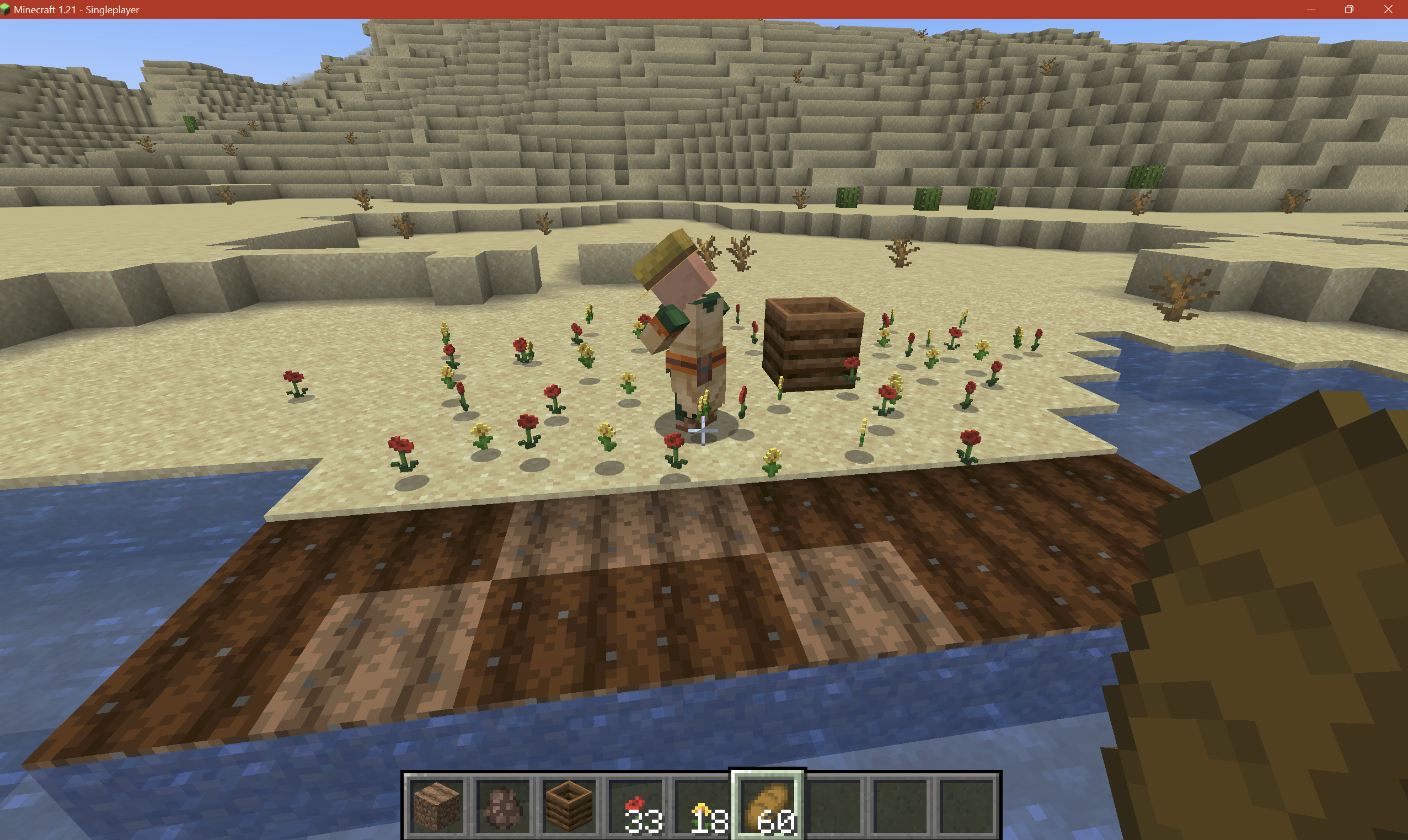
If you add items to the minecraft:villager_plantable_seeds tag, the expectation is Farm Villagers will be able to pick up the new items to put into the inventory so they can plant them onto farmland block later. Using the attached DandelionPoppy
Farmer.zip datapack, it tags Dandelions and Poppy as plantable by the Farmer Villager. However, dropping those items around shows the Farmer will not pick up the items. And thus, never will have the item in their inventory to plant down on Farmland blocks
If you add items to the minecraft:villager_plantable_seeds tag, the expectation is Farm Villagers will be able to pick up the new items to put into the inventory so they can plant them onto farmland block later. Using the attached DandelionPoppyVillager.zip datapack, it tags Dandelions and Poppy as plantable by the Farmer Villager. However, dropping those items around shows the Farmer will not pick up the items. And thus, never will have the item in their inventory to plant down on Farmland blocks
Example at /tp @s -1108 88 -8131 90 -20 on seed -6178286686098098179. See attached screenshot.
Potential Fix
Potential fix can be found in TelepathicGrunt's comment here.

![[Helper] pine1needle](../../../data/avatars/users/41329.png)
TelepathicGrunt, that issue is not caused by the datapack; it's caused by using /locate on a zombie village. This report should be resolved as a duplicate of MC-202186. Also, thank you for creating this datapack because it provides an alternative way to reproduce MC-202186 without having to find seeds that have zombie villages.
In MC-196686, TelepathicGrunt uploaded a datapack that causes every village to be a zombie village. That datapack can be used as an alternative way to reproduce this bug.
Also, I've noticed that when the village returned by /locate is close to spawn, it tends to generate its buildings much more often than when the village returned by /locate is far from spawn.
![[Mod] Michael Wobst](../../../data/avatars/users/37868.png)
TelepathicGrunt, can this still be reproduced in 1.18-pre5 or later?
![[Mod] SPGoding](../../../data/avatars/users/44622.png)
TelepathicGrunt, thank you so much for your detailed comment. I've removed screenshots showing the one-block-hole bug and linked MC-240221 as related to this ticket.
Placing structures that were serialized before 1.19 by structure blocks will log the following in case the structure tries to paste item frames.
[20:17:53] [Server thread/ERROR]: Hanging entity at invalid position: gt{x=-75, y=15, z=-55}
[20:17:53] [Server thread/ERROR]: Hanging entity at invalid position: gt{x=-75, y=15, z=-56}
As far as I've tested it doesn't affect said item frames since they seem to work as they priorly did. It seems to just be a console log.
Code analysis
Code analysis by TelepathicGrunt can be found in this comment.
TelepathicGrunt, bro fill them even with bedrock, I don't care, just make villagers not stuck in them so whole village dead in night one
Even on 1.2.1, this bug is still occurring. Restarting my iPhone SE did not fix this bug.
This is intended. Placing any block where snow is will replace the snow. Including flowers if the block under the snow allows the flower to be placed there.
@[MCPE Mod] Celesian: while this report is not clearly worded, this is indeed a bug report.
Previous versions allowed for Desert Temples to generate touching together. Now it seem this is no longer possible. Since Villages can still fuse to other Villages but Temples cannot fuse to other Temples, this seems like an unintentional bug.
Please reopen this issue and let us know if this is an intended change or if this is a bug. As of right now, I thinking it is a bug.
@[MCPE Helper] Auldrick
Could you show us the seed and where you found a Birch Forest M? The fact you found one is very surprising as me and many of my other friends that hunt for good seeds have not seen a Birch Forest M after 1.2 update. The other odd thing is all other M variant biomes still generate in the same spot as previous updates with the exception of Roofed Forests replacing Plain M biome.
If Birch Forest M are still spawning like you said, they are currently far more rarer than Mushroom Biomes, Bryce Mesa, and Ice Spike biomes. In the past, Birch Forest M had about the same rarity as Flower Forests, Extreme Hills M, and Mega Taigas when we searched through seeds.
@[MCPE Helper] Auldrick
Please check out my third edit. I understand your reasoning that Mojang could had changed the locations of M variant biomes but I have a counterexample to disprove that.
I have some potentially helpful information regarding this bug.
First, it affects both Mineshafts and Gold Mines. In some cases, Gold Mines will be duplicating the exact same way as the Mineshaft below so it seems they are tied in some way.
Second, when I put on an xray texture pack, I was able to see the Mineshafts are duplicating themselves in diagonal rows of 4 and the rows duplicate for while. Usually a few hundreds blocks. However, someone found a seed that is very popular called BewitchedCurse where the Mineshaft duplicates forever from under the Woodland Mansion at 375 14 328 to the very edge of the Farlands(now an ocean) at 128550815 15 128550812.
A single Mineshaft have only a single large square room with the floor made of dirt. Assuming these dirt rooms are what Mineshafts generate outward from, i have coordinates for how Mineshafts seem to be spawning. Here are the coordinates for the bottom left corner of the dirt rooms in one of the diagonal rows of 4 that they spawn in: 377 14 325 | 361 14 341 | 345 14 357 | 329 14 370
Each row and Mineshafts are identical to each other. The first Mineaft of the next row after the one I listed is 441 14 389 which shows the rows are spawning exactly 64 blocks apart in the X direction and Z direction. I show all this in the picture called Seed_BewitchedCurse.png that I will attach to this bug report.
Hope this helps!
Edit: To help with debugging, Here is the xray texture pack I used:
http://www.mediafire.com/file/e7yogushudosi10/XrayForUndergroundWithDirt.mcpack
And here is another version but with Dirt being invisible so you can follow the Mineshafts from the surface. However, You won't be able to see the dirt rooms with this one:
http://www.mediafire.com/file/1i25xsiyqc1dsp4/XrayForUnderground.mcpack
I am also experiencing this bug.
The best workaround for anyone else checking this out is to push the right arrow key right after you hit the / key. Then type your command.So this bug just makes you have to click on extra keys before typing commands. Hopefully this can be fixed soon.
Edit cause my workaround doesn't work. after hitting /, clicking right arrow does not stop the cursor from jumping to before the /. Very strange.
Can confirm this happens on my iPhone SE on latest iOS update and v1.2.9 Minecraft. Extremely annoying when playing survival or adventure mode on a mobile device.
I added a picture called Seed_Cudbullsec.png that shows this bug. There are many chunks without snow on the edge of the Cold Taiga biome which makes it look very weird. Again, to test my example in person, use the seed Cudbullsec (number form is 1415793676) and go to the coordinate of 500, 80, 940. This occurs both on my Windows 10 laptop and on my iPhone SE.
After looking at the Ice Spike seeds that I shared online in the past, this bug seems to be happen whenever an Ice Spike biome touches the Cold Taiga Biome. I'll have to check other biome combos to see if this occurs elsewhere too.
Also still an issue for 1.2.9 on my iPhone SE. Hope this gets fixed soon or at least confirmed by a mod to being an issue.
Edit: Affects 1.5.2
Still an issue on 1.2.10.1.
Just tested my seed BewitchedCurse on 1.2.10.1 and this bug is still an issue with no progress made at all. The Mineshaft under the Woodland Mansion still generates exactly the same and duplicates itself just like in 1.2.9. The Mineshafts is still just one connected mass of overlapping diagonal rows of 4 mineshafts that repeats onward to infinity (stops at the very edge of the world at 128550815 15 128550812.
See my massive comment above for more technical detail about this bug.
I found a Stronghold that only generated the stairs and a Library. The seed is 1526307400 and the Stronghold is at -348, 43, 2180. I put on an xray texture pack to check it and it turns out the Stronghold did not generate anything else.
I tested the seed on v1.2.10.1 on my Xbox one afterwards and it is the same result. This means this bug is still present on 1.2.10.1
To check future stronghold more easily, this is the xray texture pack I used to see the entire Stronghold: http://www.mediafire.com/file/1i25xsiyqc1dsp4/XrayForUnderground.mcpack
Still an issue in 1.2.10.2
@[Mojang] Adrian Östergård What you showed is a Mesa Plateau F M biome. The regular Mesa Plateau F biome is confirmed to be glitched and will not generate at all. See this report on the issue:
MCPE-23081@Jason Krueger
Woodland Mansions are very rare but are not limited to one per world. To find another Woodland Mansion just means you need to travel much much farther until you can locate one.
@Gabriel Matte
All bedrock seeds can be recreated in Java Editions with the Cold, Warm, and Mushroom biomes being in the exact same coordinates. Only neutral biomes will be in a completely different location such as Roofed Forests or Swamps.
For all positive number Bedrock seeds, you can use them exactly as is in Java edition to get the same biome layout. For all negative number Bedrock seeds, add 4294967296 to that negative number and use the new number in Java. This means because the seed used for by Delvin4519 is a positive number seed in Bedrock, he is able to use that same seed in Biome viewing programs for Java edition to find how the cold biomes generated in Bedrock.
As an example, the seed 1221723105 generates a godly rare Mesa Bryce/Ice Spike/Mushroom combo at -1111, 64, -600. Since it is a positive number, we can use the seed straight into in Java edition and can find that exact combo at the same location.
Another example is -1785205033 which generates a Mesa Bryce/Jungle combo at 730, 73, 580 in Bedrock Edition. Because that seed is negative in Bedrock, add 4294967296 to the seed to get 2509762263 and use that new seed in Java Edition to get the same Mesa Bryce/Jungle combo in the exact same coordinate.
Due to this, we can check the biome layout for any Bedrock seed on any Java biome finder program except for neutral temperature biomes. Hope this helps!
@gaspoweredpick
That bug report you listed is for a change brought in 1.2.9. This new change is brought in after 1.2.13 so the two bug reports do not relate at all. In addition, Tommo at Mojang stated that this may be a bug here: https://www.reddit.com/r/Minecraft/comments/8c83up/in_bedrock_edition_mojang_removed_grass_from/dxe5ebx
But you may be onto something! If that Mesa change is intended, then the code to not generate Red Sand under Mesa overhangs may be what is causing all other biomes to not decorate properly under their overhangs.
As for the aesthetics, a lot of people, including me, really think this would look a lot better if the stone was replaced with Dirt, Course Dirt, Podzol, or even covered in a new Moss layer block which would look more like real life where grass and other greens can grow under decent sized overhangs and arches. Maybe even have Ice blocks under overhangs in cold biomes to create icy caves which would be really interesting or just put full snow blocks back again.
edit: Fixed some typos lol
@Damir
Sadly, there is no list to hold onto mineshaft that failed to generate. The list of failed Mineshafts would also not explain why the Mineshafts generate exactly the same in rows of a constant distance apart.
Instead, one of my guesses for the cause of this bug is that it's in the MapGenMineshaft class within the canSpawnStructureAtCoords method. In Java, they check two random numbers to see if a chunk will spawn a mineshaft and does it in a way so that Mineshafts spawn more frequently past 80 chunks if I am reading this right. My guess is they replaced this line of code to spawn mineshafts in a new specific way but it is now returning true for chunks in diagonal rows.
Though this seems highly unlikely due to the behavior of this bug. The only other thing I can think of that is causing this recursion is in the StructureMineshaftStart class, the this.components list might have a second room in it which generates the exact same mineshaft again at the suppose location of the second room.
But this would mean the entire cluster of mineshafts would have to generate all at once and so the seed BewitchedCurse should freeze the game with its infinite generating mineshaft bug.(I'm not sure if that would be true... lol I gotta mess with Minecraft some more and learn how it works)Simply put, we don't know what code they are using for Bedrock Edition's Mineshafts but hopefully the developers can figure out this strange bug that has survived for many Minecraft versions now.
affects 1.5.1
affects
1.5.11.5.2Just uploaded a new picture (Ice Spike_Extreme Hills.png) of an Ice Spike Biome bordering an Extreme Hills M Biome with not all the chunks being properly decorated with snow in the Extreme Hills Biome. The seed and coordinates are in the picture itself.
From what I can tell, it appears that it is the Ice Spike Biome that is causing the chunks in the bordering biome to not be covered in snow blocks the correct way. Thus it is affecting Cold Taigas and Extreme Hills (and possibly other biomes as well) that are bordering an Ice Spike biome. Hopefully this helps finding the root cause of this bug easier.
(also affects 1.5.2)
@Jeffrey
Interesting that you got the Roofed Forest M biome to generate properly in 1.4.2. Though your world may be an exception rather than the norm because this bug has been around since 0.11.0 as shown in this attached picture. And this guy's seed still has the bugged biome in 1.5.2.
@12coolkn
I am using the full release of v1.8.0 on Bedrock Edition and the seed GODmedpups ( 1365449400 in number format ) and I am going to the Birch Forest M at -30 77 250. In fact, the picture of this seed's Birch Forest m is already attached to this report under the name of InsaneBirchForestM.png. I also tried the other seeds in this report as well and they all work for me.
If none of these seeds are working, can you state what version of Minecraft you are using and where exactly are you putting the seed when creating a world?
I feel that I should point out the sheer scale of this bug with this picture. As you can see, there does not seem to be any sort of attempt to patch this bug since Mineshafts are still spawning at an unbelievable rate and may severely stress older/weaker devices that are trying to run this game.
To recreate my view to see if progress is made in the future, use the seed 1432516089, download and use this xray texture pack: http://www.mediafire.com/file/o817ikkwtf2aocr/XrayForSeeders.mcpack/file, then go to 1328 100 -628, and drink a night vision potion. You should be able to see all those mineshafts easily with your render distance turned up very high. This should serve as a nice baseline to see if the bug has been patched.
Edit: adjusted picture to not be massive in comment. Sorry I forgot to rename the picture to something more easily identifiable than Screenshot (102).png
It seems the grass color is still incorrect for the Savanna M biome but the Birch Forest M biome is now fixed in 1.9.0. Here are two seeds and coordinates to quickly test out and see the biome colors.
Savanna M seed: -1256042516
Coordinates: 24 64 4
Birch Forest M seed: 1365449400
Coordinates: -30 77 250
Here is the picture to prove that this bug still exist for the Savanna M biome. The grass color is far too green when compared to the normal Savanna next to it:
This picture shows the Birch Forest m in top right corner, a Birch Forest in top left corner, and a normal forest at bottom. The Birch Forest M matches the regular Birch Forest's color instead of the normal Forest so this shows this biome is now ok.
This bug has been patched in 1.11.4 and all Birch forest M biomes now generate tall birch trees like they are suppose to when trying the seeds listed here. This bug report can now be closed as resolved.
There are quite a few plants that can't be placed on Farmland. They are Bamboo (handle by tags), Cactus, Dead Bush, Brown Mushroom, Red Mushroom, Sea Pickles, all non-full block Coral variants, and Kelp. Surprisingly, Seagrass can be placed on underwater Farmland but not Kelp.
So I think Sugar Cane not being on Farmland may be on purpose. But there's definitely inconsistencies with underwater plants tho.
@Adrian Östergård
Inconsistencies are consider valid bugs as shown time and time again on this JIRA. Please reopen this issue.
Furthermore, the affected mobs will not render in the mob spawner as well. Here's a screenshot showing that a Polar Bear Spawner does not show the mob inside the spawner.
Still present in 1.16.2 pre-release in seed: 1234567 at /tp 10579 62 2917
This bug has been around for a while but this is the only issue report I can find of it. But anyway, this seems to only happen when structures that generate from nbt files have their blocks replacing water that already exists in the world. The easiest case to find of this is Igloos generating in river biomes. Once one ladder gets waterlogged, the rest gets all waterlogged immediately upon generation which is quite a strange effect that would limit what people can do with customized structures.
It's might also possibly related to the bug where if you save a structure nbt file where you have non-waterlogged stairs surround a water source block, the stairs will become waterlogged when the nbt file is used in structure generation in worldgen (not by structure blocks)
Still present in 1.16.2 full release
@Mike - A modder named Draylar made a mod on fabric to patch this bug. Using mixins, he added a check to make sure the world is not a client world before angerFromTag method gets called (yarn mapping names)
You can either use his mod or check his code to create a fix for your server. As for Mojang devs reading this, this is all that is needed to fix the bug and so far, I have not seen any side-effects of this patch as I use it with my own mods as well.
https://github.com/Draylar/angerable-patch
Still present in 1.16.2. It seems in net/minecraft/server/Main, when WorldData is null, it goes into an if statement where it creates a new WorldGenSettings but this one does not read from datapacks and so, never loads in custom json worldgen stuff. It only gets set with the worldgen registries that had the vanilla biomes and dimensions hardcoded and all.
This bug is still present in 1.16.2. Here is a video of me using a datapack in unmodded Minecraft and when I removed the datapack, the end went missing even though the datapack only makes a new dimension called "the_nether_2"
Video: https://streamable.com/o3cnq8
Datapack: test.zip
A friend looked into it and seems to be dependent on the order of the dimensions processed in this line of code in GeneratorOptions.CODEC (yarn names. Let me know if I should convert it to mojmap)
SimpleRegistry.createCodec(Registry.DIMENSION_OPTIONS, Lifecycle.stable(), DimensionOptions.CODEC).xmap(DimensionOptions::method_29569, Function.identity()).fieldOf("dimensions")Here, the vanilla dimensions are returned missing when DimensionOptions#method_29569 is called it seems. The codec here might be the issue. The desired behavior is that the codec serializes all the dimensions that exists and skips the ones that do not exist in the DIMENSION_OPTIONS registry.
The "minecraft" namespace is not necessary to reproduce the dimension going missing. This will also occur with any namespace as this datapack and video shows:
Video: https://streamable.com/o3cnq8
Datapack: [^test.zip]
URL of datapack in case link breaks or something: https://bugs.mojang.com/secure/attachment/334226/334226_test.zip
Once the dimension goes missing, putting the datapack back on will not restore the missing nether/end dimension.
A friend looked into it and seems to be dependent on the order of the dimensions processed in this line of code in GeneratorOptions.CODEC (yarn names. Let me know if I should convert it to mojmap)
SimpleRegistry.createCodec(Registry.DIMENSION_OPTIONS, Lifecycle.stable(), DimensionOptions.CODEC).xmap(DimensionOptions::method_29569, Function.identity()).fieldOf("dimensions")Here, the vanilla dimensions are returned missing when DimensionOptions#method_29569 is called it seems. The codec here might be the issue. The desired behavior is that the codec reads all the dimensions that exists and skips the ones that do not exist in the DIMENSION_OPTIONS registry instead of failing and removing dimensions that should still exist.
This is a major issue for datapack makers as they are using the Village and Bastion Remnants types to generate their jigsaw structures like castles or volcanos and stuff. However, due to this bug, these datapack makers cannot add 2 of their completely different structures to the same biome because they both uses the village type structure as the base of their configured structure.
While it may be a far long while before Mojang allows us to make completely custom structures by json, fixing this bug would greatly help as a workaround to allow datapack makers to generate many kinds of castles in a single biome instead of only one. (Although they could abuse multiple starting pools to bypass this limitation but then they lose the ability to control spacing for each structure)
Can confirm that this still affects 1.16.4 but in a different way. Using the zombievill.zip datapack where only the village's start pools are changed to just have zombie center pieces, the first zombie village generates just fine. But after that, only the roads spawn with no buildings or center piece. Farms, haybale, some zombie villagers, and roads are the only things that spawns. Latest.log file shows some strange errors I have not seen before: https://bugs.mojang.com/secure/attachment/346355/latest.log
Still present in 1.16.4. The Armorer house in Plains Village is still inaccessible for the Villager as it keeps jumping up the ledge on the side and never reaches the Blast Furnace.
With worldgen datapacks a thing, people trying to place vines with the VINE configuredfeature will find no vines are placed at all due to this bug. Definitely has gained a bit more importance now in latest minecraft versions
@Luis Busta
Try replacing the level.dat file with the old one and see if that fixes the issue. Some people had luck fixing the dimension entries in the level.dat directly to specify only the dimensions that should exist
Just to clarify, this issue is caused by doing `"type": "minecraft:fixed"` in the biome source for the dimension. minecraft:fixed is the single biome provider and it is broken for json biomes by causing the client to spam unknown biome id: -1 and thus, treat the biome colors as if it is an ocean biome. The workaround is to use "type": "minecraft:multi_noise" biome provider and give it only a single biome as multi_noise handles the json biomes correctly and safely. Here's a workaround datapack of what I mean. You can also use this datapack to test minecraft:fixed in a reproducable manner as well by switching multi_noise to fixed and change the entries to what minecraft:fixed uses
workaround_single_biome_datapack.zip
Update: as of 21w10a, on Fabulous mode, the game cannot handle rendering 48x48x48 structure blocks anymore like it was able to in 1.16 (at huge hit to fps).
instead, at 48x48x26, the game is lagging as bad as 48x48x48 in the past. At full 48x48x48, the game takes many multiple seconds to render a frame and in some cases, just freezes for me. The situation appears to be getting worse with structure block rendering
From my testing and debugging, this appears to be specifically caused by the json biome having any structures added to it and the user loads up an already generated chunk with that biome. The instructions about exiting and re-entering the dimension is not needed. Just fly forward in the dimension for a few seconds, turn around, and fly back and the issue will present itself.
I was helping someone with their mod and they were using json biomes/json dimensions for their mod and they got this issue because their biome has structures in it. When I ran the debugger, their biome source was using the correct dynamic registry instance and was returning the correct biome instance. But within SChunkDataPacket class, it had the exact same dynamic registry so that was good. But the biome being returned from the chunk is a completely new biome instance that is not present in the dynamic registry at all. And that is what causes the massive lag spike as the game starts writing the error to the log like crazy. So as far as I can tell, the biome source is not the issue here. The chunk receives the correct biome as well as it doesn't error upon first generation. Rather, the issue seem to lie in how the chunk either saves the biome to memory or retrieves the biome from memory. But only when structures are present in the biome.
Very odd situation but hopefully this digging I did helps
This is the same issue that plagues
MC-169698. The other report shows it happens with Igloos during world generationMC-169698@osfanjoshua Counterpoint, all these seemingly separate bugs are all caused by a single bug, the world using a hardcoded value for sealevel instead of the chunkgenerator's sealevel that the world already has. This disconnection between the hardcoded sealevel and actual sealevel used for worldgen cascades and causes numerous amount of issues down the line.
It seems far to unproductive to create a bug report for every single issue caused by a single bug and have the mojang dev hunt down every single one of these reports to mark as resolved when they fix the one root cause.
still present in 1.16.5. To help clarify the fix, go to wall_base nbt, make the left side jigsaw block's target_name say `minecraft:side_wall_left` and the right side `minecraft:side_wall_right`. Go side_wall_0 and side_wall_1 nbt files and now make their left jigsaw block's name field have `minecraft:side_wall_right` and the right jigsaw block have `minecraft:side_wall_left`. This will make it so that the two side walls can appear on either side of the base wall but facing the same direction as the base wall.
I'm gonna agree with Yung that the workaround of restricting the pool weight to 150 is not a good solution. In fact, 150 is way too low and broke a lot of datapacks and my own mods as we use weights around 1000-3000 to try and get the piece ratios correct. So now we have to duplicate the pool entries a ton of times with 150 as the weight to get back to the same old ratios. I think raising the limit to 5000 would be best as the issue described above tends to occur when people try for several 1 in a million ratio for their pieces.
Of course, the best solution would be to just change net/minecraft/world/level/levelgen/feature/structures/StructureTemplatePool's rawTemplates field to be a list of WeighedRandom$WeighedRandomItem that each entry holds the element entry + weight, add an int totalWeight field that is calculated in the constructors for StructureTemplatePool, and get rid of the templates field entirely. Then simply just change getRandomTemplate to be return net/minecraft/util/WeighedRandom.getRandomItem(random, rawTemplates, totalWeight);. Basically, Minecraft already has a class dedicated to getting a random element from a weighted list and changing the pool class to use it would be ideal. Hopefully this helps!
Here is a datapack that lowered the world's min y to -192. Here, no blocks are placed above sea level
chunk_section_bug.zip
image:
The experimental worldgen datapack being shared on Mojang's website compensates for this bug by setting 384 as the height. In retrospect, it really means height from bottom of world and not max y. Even though this is more of a feature request, I'm putting this here for any other user that may try to lower the world and face this issue and come here. Hopefully height will be changed to height_range or max_y instead to stop the confusion
The fix is correct that a woodland_mansion:corridor_floor_hight.nbt piece needs to be made that is 3 blocks taller. In code, within the WoodlandMansionPieces$MansionPiecePlacer.createMansion method,
list.add(new WoodlandMansionPieces.WoodlandMansionPiece(this.structureManager, "corridor_floor", blockPos3, rotation));
should be replaced with
list.add(new WoodlandMansionPieces.WoodlandMansionPiece(this.structureManager, (floorIndex == 0 ? "corridor_floor" : "corridor_floor_high"), blockPos3, rotation));
That way the second and third floors of the mansion can use the taller corridor floor piece that can replace the terrain in the 3 block taller hallways.
@Avoma Err. I would split
MC-110098into two separate bug reports. The 3 block high hole is caused by piece placement ( from what I can tell) which is an entirely different problem. This single block hole is caused by an air block in an nbt piece.Please do not mark this as duplicate and instead, make that bug report focus on the 3 block high hole while this one focuses on the single block hole.
I would like to propose we split this bug report into two as the 1 block hole and 3 block high hole are caused by separate issues and needs different fixes. My bug report here handles the 1 block hole which is caused by an air block in an nbt file MC-240221
This bug report can focus more on the 3 block high hole as that's caused by the minecraft:woodland_mansion/small_wall.nbt piece being asymmetrical and not placed right. The 2021-10-31_16.44.20.png I attached to this bug report shows it better. Notice how the small_wall reached the column of cobblestone that marks the end of the 3rd floor's wall on the left side of the mansion's wall always. The 3 block high hole is always on the right side of the mansion wall and that's because the small wall starts 1 block to the left of the right side's cobblestone column.
The solution to filling in the 3 block high hole is to extend the small wall nbt to the right by 1 so it is symmetrical. Then, adjust the code to offset it to the new correct starting position so it is still aligned with the rest of the wall's patterns.
In WoodlandMansionPieces$MansionPiecePlacer.createRoof method, the small roof if statements should be changed to this to this for properly offsetting the newly resized small wall nbt piece. I had to do quite a bit of trial and error to get it working but this offset + the fixed nbt file did solve the 3 block high hole issue.
@WeslyMC , Did you make a new datapack specifically for 21w44a that adds ocean monument to a non-ocean/river biome and did /locate in a dimension that only has that biome? I know worldgen changed a bit do I am assuming the attached 1.17.1 datapack will not work in 21w44a so a new datapack has to be made
We will need to wait until a future minecraft version. As of 1.18-pre5, Mojang removed the structure section from Biome json so it is currently impossible to change what biomes a structure spawns in by datapack. This is part of Mojang's refactoring of structures. Once they add back the ability to do custom structures and change where structures spawn, then we can test to see if the issue still persist.
seems to be fixed in 1.19. Unable to reproduce anymore
The logspam is still present in 1.19.3. The logger line is in the HangingEntity$readAdditionalSaveData method. It appears it is trying to check if the TileX, TileY, TileZ position saved in the item frame's nbt is closer than 16 blocks to the new position the item frame is placed at. Issue is when generating structures, this saved nbt position will not match/be close to the new position which trigger the logger to spam about invalid position when the position is indeed valid. I think just removing this logger line would be good enough or at least bump it from Error level down to Debug level so users do not see this spam in the regular log files.
Folks, there are precedence for Mojang fixing code that is not reproducible at all in vanilla or are impossible to trigger in vanilla. Example:
MC-194811I made that bug report I linked above because while it affected modded, Mojang should’ve been aware of it in case Mojang tries to remove or rename a structure type in the future. I essentially helped saved some headache for Mojang by bringing up a potential issue when they make future changes even though it was impossible to replicate back then in 1.16.5 vanilla (no custom structure types is able to be made by datapack)
So I’m not sure I agree that a bug report has to have gameplay impact unless you count modded gameplay being impacted.
Are you sure these are even suppose to have water in them? Water is such an odd choice. I believe they were suppose to have Grass Block in them with a flower on top. The trapdoors surround the Grass Block to make it look like a small garden. It fits and looks much better than water
If you open up the Minecraft jar and look at the worldgen JSON files it ships with it, under data/minecraft/worldgen/template_pool/ancient_cities/structures.json, you will find in there that the city uses a "minecraft:list_pool_element" type to intentionally combine the three nbt files. Likely an attempt at combining them with a rot processor like Outpost towers do. however, they all run "minecraft:ancient_city_generic_degradation" processor list which only rots blocks under #minecraft:ancient_city_replaceable block tag which does not include Blue Wool or Light Blue Wool. Which means all three NBT camp files will combine always with no change.
Maybe the bug is a missing rot processor for Blue Wool and Light Blue Wool for this template pool entry. It is intended they all spawn in the same spot. The missing rotting is likely the actual bug part. That or they decided against the rotting and just replaced it with the normal processor to disable the wool rotting.
Quick way to see what I am talking about: https://github.com/misode/mcmeta/blob/ce568022daf9a26bf6625e96fd56fb3e0f068c32/data/minecraft/worldgen/template_pool/ancient_city/structures.json#L108-L134
Can confirm with 1.19.2 and 1.19.4 and affects structures generated in the world as well. This is the cause of Woodland Mansions unable to spawn Red/Brown Mushrooms in its 1x2_a7 piece despite the NBT file actually having the mushrooms: MC-160169
This issue is still present in 1.19.4 Minecraft with Sugar Cane not showing it’s true age in F3 screen. I would like to recommend that this gets looked at again by Mojang since Grum’s comment is about 7 years old and standards might had changed since then. Ideally, blockstate changes on server should be synced to the client to help promote easier F3 debugging of issues and/or allow resource packs to properly work. Example of a sugar cane resourcepack that tries to change the look of sugar cane to match their age is in this other issue report that was closed as a duplicate of this current one:
MC-135830This affects 1.20.4. Specifically, the issue is because AIR, CAVE_AIR, and VOID_AIR all will return true for isAir method. In LevelChunkSection, if all blocks in a chunk section would return true for isAir, then that chunk section's hasOnlyAir method now returns true which will make the chunk's getBlockState now return only AIR. Effectively erasing the existence of CAVE_AIR and VOID_AIR from the chunks. (Chunk sections are a 16x16x16 area in a chunk)
/fill ~-16 ~-16 ~16 ~16 ~16 ~16 air
/setblock ~ ~ ~ minecraft:cave_air
/execute if block ~ ~ ~ minecraft:cave_air
/setblock ~1 ~ ~ minecraft:stone
/setblock ~ ~ ~ minecraft:cave_air
/execute if block ~ ~ ~ minecraft:cave_air
This is definitely a bug in my opinion as now it is impossible to check for CAVE_AIR or VOID_AIR blocks if a chunk section contains only those 3 air blocks as it all gets converted straight to AIR in a confusing manner without player input. Any datapack that could be using CAVE_AIR or VOID_AIR as markers will hit this bug and break.
A solution is to swap the isAir check in LevelChunkSection to be a .is(Blocks.AIR) check instead since so much of the codebase make the assumption that hasOnlyAir means all the spots in the chunk section must be AIR when that assumption is not always true.
A regex that is more correct and covers some missing reserved names is this:
.\.|(?:CON|PRN|AUX|NUL|CLOCK\$|CONIN\$|CONOUT\$|(?:COM|LPT)[¹²³0-9])(?:\..)?
Would be ideal if this is used instead or a form of it.