 inxomnyaa
- thebigsmileXD
- thebigsmilexd
- Europe/Stockholm
- Yes
- No
 MCPE-14247






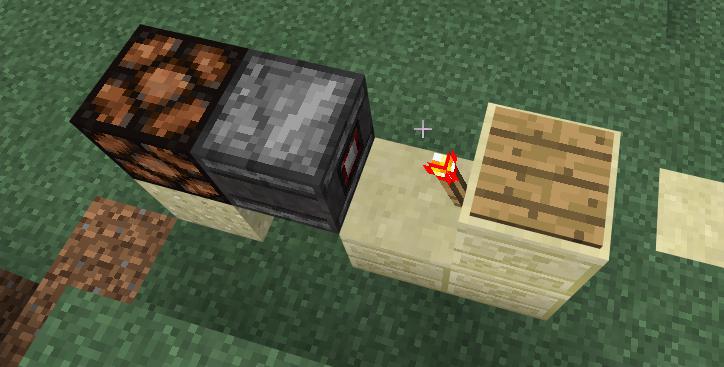


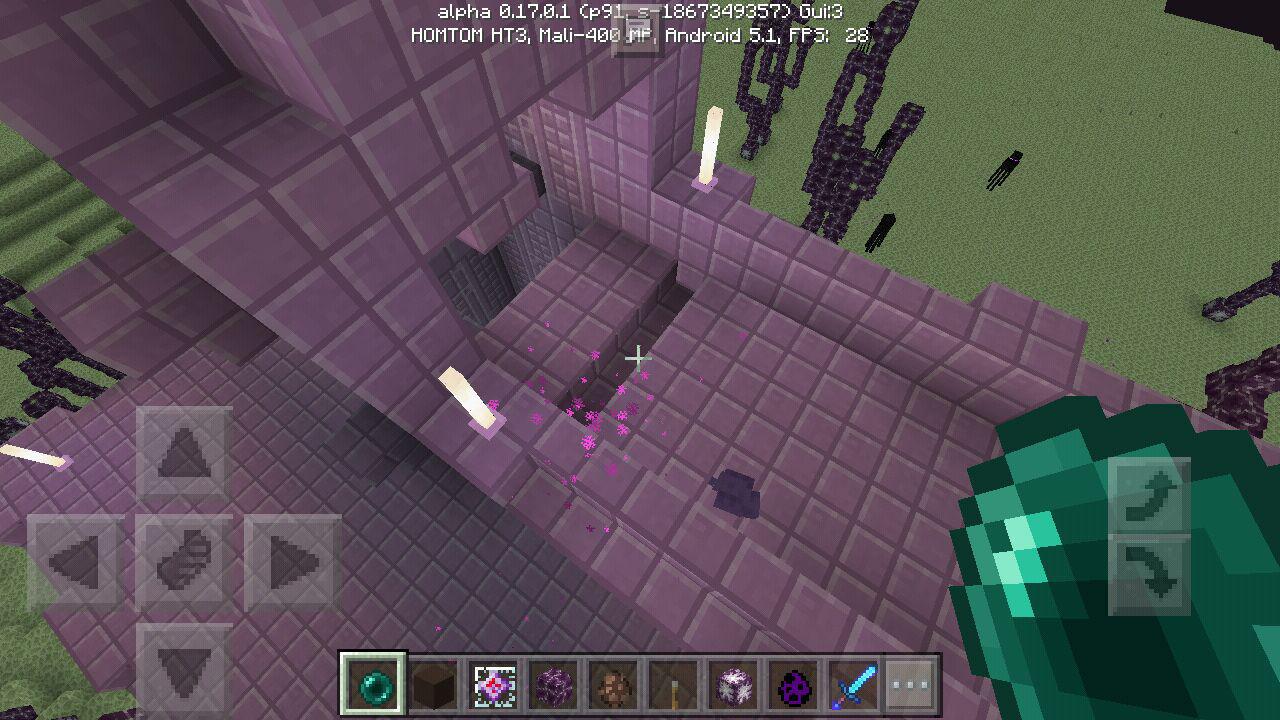
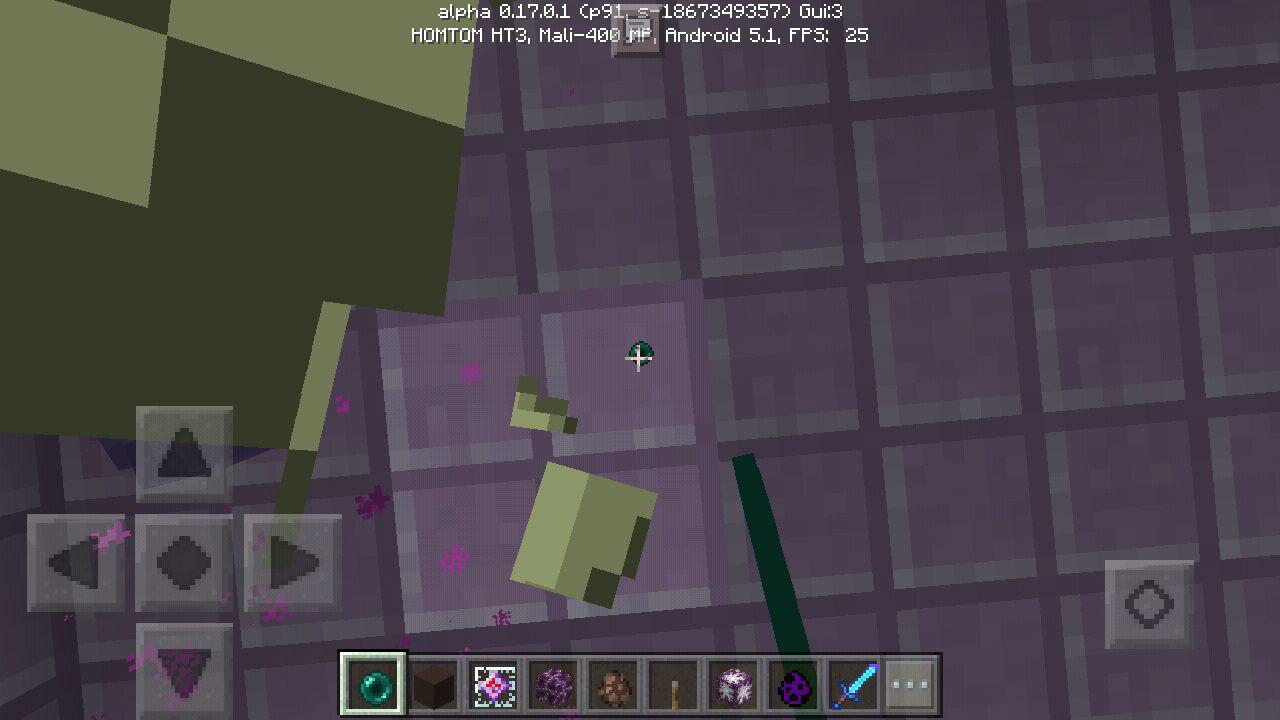
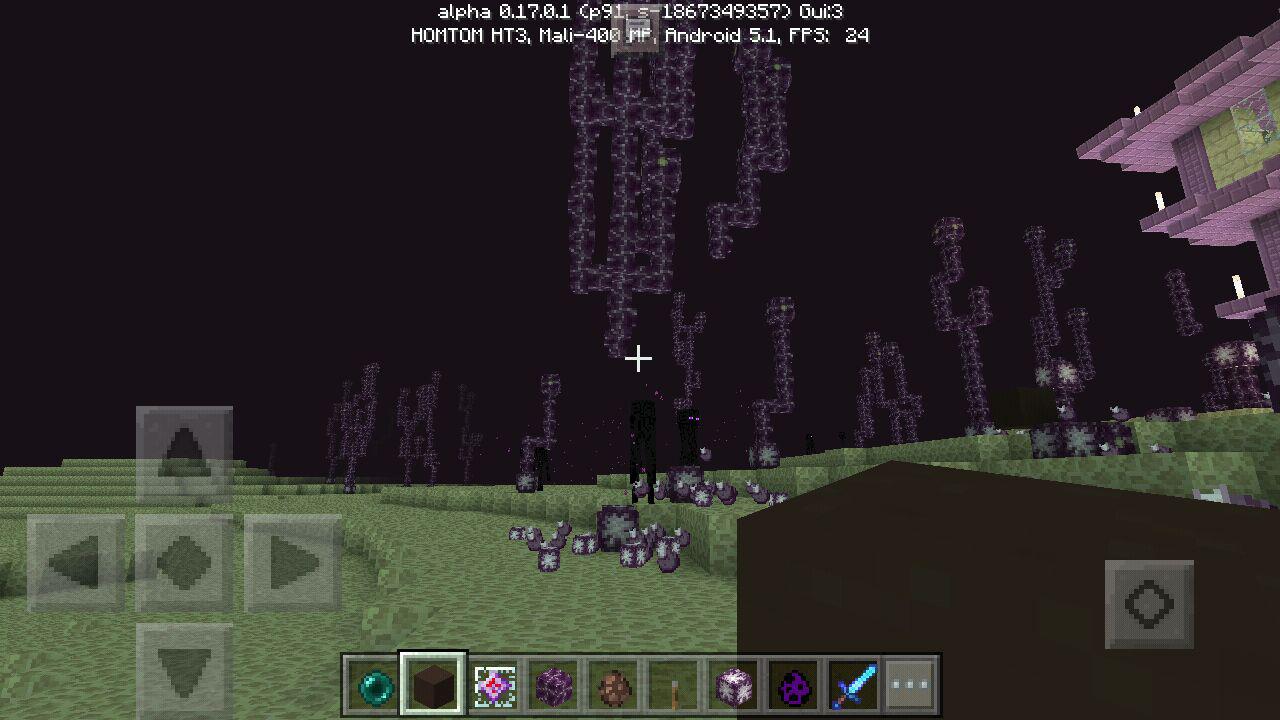





 MC-96534


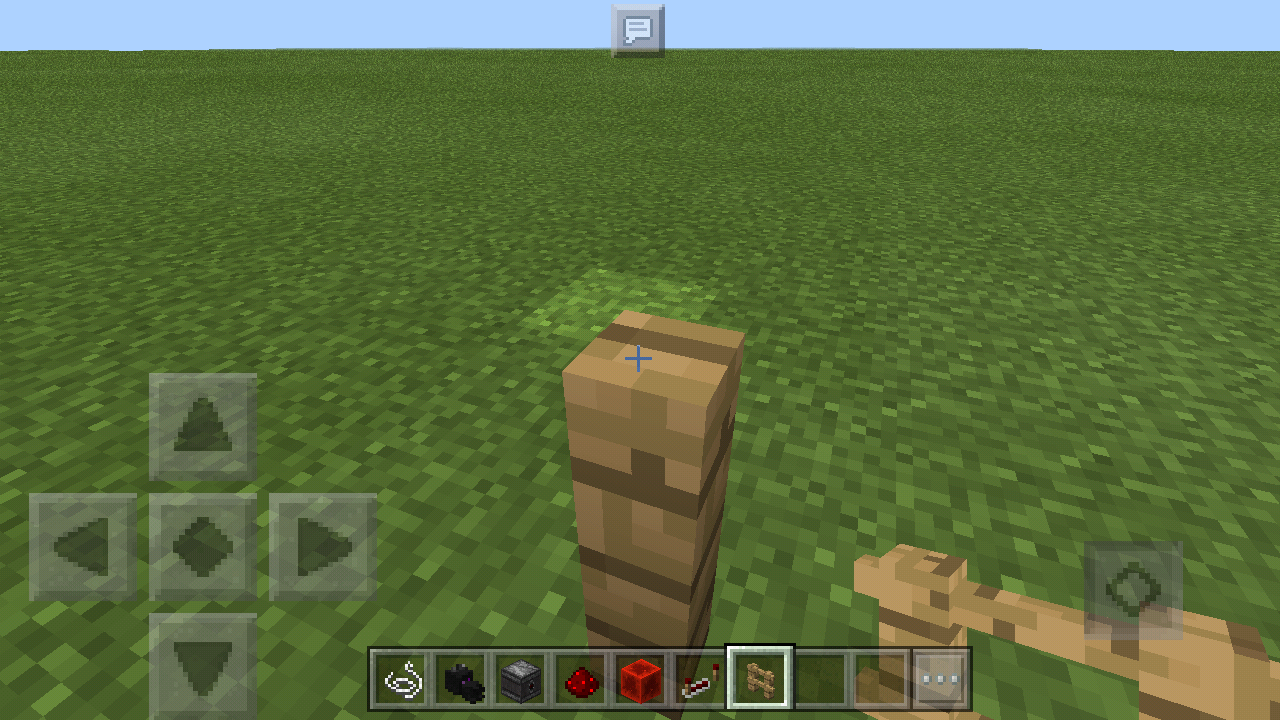





[WIN 10 only] Trapdoors reset when joining singleplayer map[duplicate] Trapdoors reset when joining singleplayer map
[INVALID] Cannot craft colored wool from colored wool in Win10
[INVALID]Cannot craft colored wool from colored woolin Win10
You can't color wool in the crafting table. But coloring sheeps and retrieving their wool via sheers works just fine.
You can't color wool by colored wool.
But coloring sheeps and retrieving their wool via sheers works just fine.
You can't color wool by colored wool.
But coloring sheeps andretrieving their wool via sheers works just fine.You can't color wool by colored wool.
> On win10 the crafting formula for colored wool is restricted to "wool" (i.e. only white wool) left or right of any colored dye.
But coloring sheeps and retrieving their wool via sheers works just fine.
Add a refresh + modify button for server listServer lists updating incorrectly/not
DropItemPacket is sendt 4 times when player closes inventoryclose please
1st: Jumping from protocol 46 to 60?!
2nd: Joining on server softwares (MiNet, PocketMine, Nukkit) and trying to place.. i mean.. INTERACT with blocks causes the text "You can't place blocks here" and "You can't dig here" to pop up.
Wether the Network class doesn't send BreakEvents anymore, or you want to kill any serversoftware and only allow Realms.
(Which would be a shame. No Plugins, etc. Also Realms isn't out for 0.14, so you would kill any server before releasing realms)1st: Jumping from protocol 46 to 60?!
2nd: Joining on server softwares (MiNet, PocketMine, Nukkit) and trying to place.. i mean.. INTERACT with blocks causes the text "You can't place blocks here" and "You can't dig here" to pop up.
Wether the Network class doesn't send BreakBlockPackets anymore, or you want to kill any serversoftware and only allow Realms.
(Which would be a shame. No Plugins, etc. Also Realms isn't out for 0.14, so you would kill any server before releasing realms)
Whilst being in gamemode 1 you can spam "jump" and "sneak" and eventually after releasing the sneak button you will still sneak.
Whilst being in gamemode 1 you can spam "jump" and "sneak" and eventually after releasing the sneak button you will still sneak.
Easier way to do: Doubletap space like you want to get into fly mode, and simultaneously the sneak key. After releasing you'll be locked into sneaking. May be related to https://bugs.mojang.com/browse/MCPE-13619?filter=-3 ?
Title
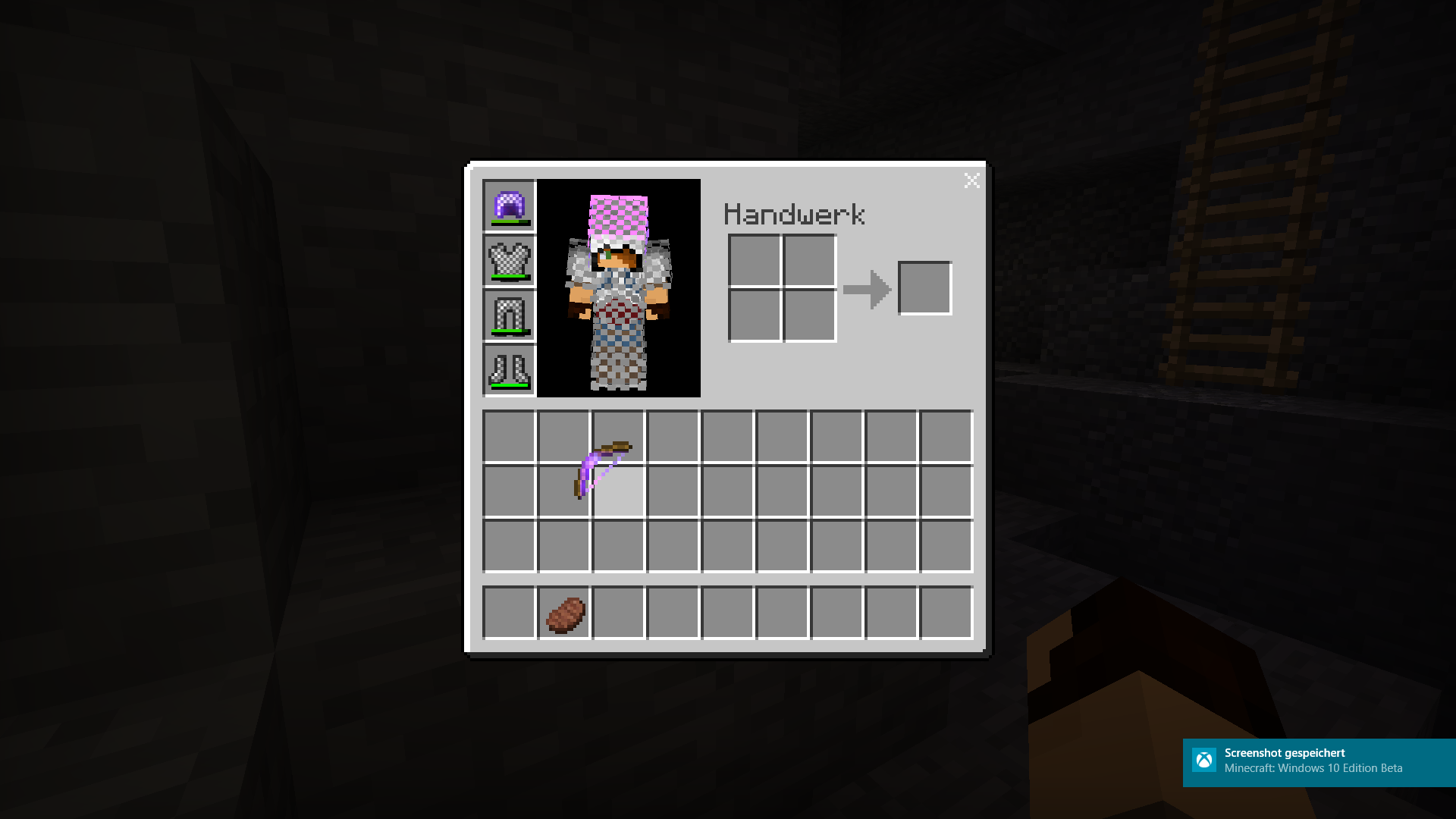
Mobs wearing armor do not drop this armor. (fixed in 0.14.2)
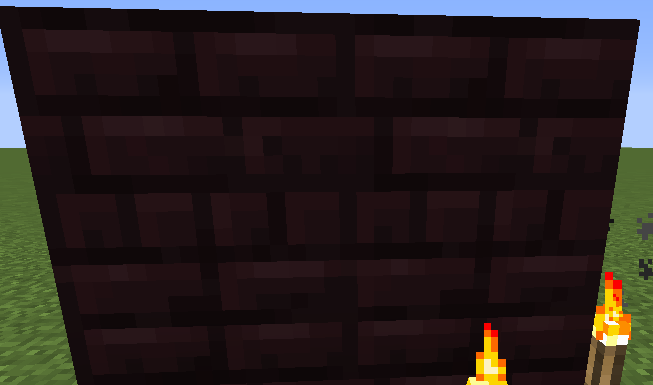
Texture of nether brick blocks too bright
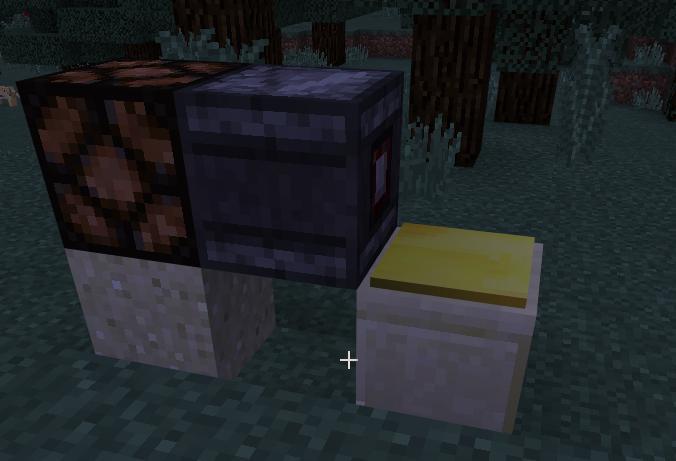
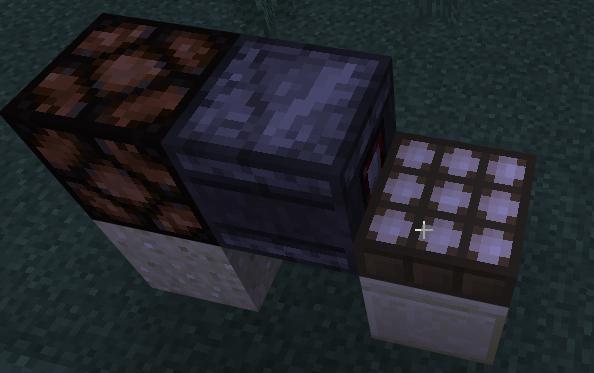
BUD detector doesn't detectredstone torch updatesBUD detector doesn't detect several stuff
photo_2016-06-18_20-00-33.jpg
Crash when powered activator rail on slime block moved by piston breaks + duplication glich
Whenever any minecart is on a detector rail (powering the rail) and some piston contraption causes both the minecart and the detector rail to be pushed (works fine on pull, crashes only on push) then MCPE is likely to crash. The crash does not happen every time, and with different builds, it happens more or less frequently (suggesting this bug has something to do with redstone tick order of operations).
To reproduce
- float a piston (sticky or not, doesn't matter) above the ground pushing a slime block horizontally
- attach any solid block above the slime block (so the piston will push this block because it is stuck to the slime block)
- attach any solid block on which a rail can be placed beside the slime block, in line with the piston (so the piston will push this block too)
- place a detector rail on the previously placed block (the orientation of the rail relative to the piston push direction seems to matter. If the rail points perpendicular to the direction the piston pushes, the game crashes more frequently.)
- place any minecart on the detector rail, activating it
- activate the piston by any means
- M
PCE has a high probability that it will crash to menuNote: The above build is not the most general case, but does crash with high frequency. Slime blocks are not required to reproduce this crash. You can also stack two pistons, use redstone to trigger them at the same time, place one block in front of the bottom piston, place the detector rail and minecart on that block, and activate the group of pistons. This is illustrated in the second screenshot showing the pistons and the rail pointing the same direction as the push.
Whenever any minecart is on a detector rail (powering the rail) and some piston contraption causes both the minecart and the detector rail to be pushed (works fine on pull, crashes only on push) then MCPE is likely to crash. The crash does not happen every time, and with different builds, it happens more or less frequently (suggesting this bug has something to do with redstone tick order of operations).
To reproduce
- float a piston (sticky or not, doesn't matter) above the ground pushing a slime block horizontally
- attach any solid block above the slime block (so the piston will push this block because it is stuck to the slime block)
- attach any solid block on which a rail can be placed beside the slime block, in line with the piston (so the piston will push this block too)
- place a detector rail on the previously placed block (the orientation of the rail relative to the piston push direction seems to matter. If the rail points perpendicular to the direction the piston pushes, the game crashes more frequently.)
- place any minecart on the detector rail, activating it
- activate the piston by any means
- MCPE has a high probability that it will crash to menu
Note: The above build is not the most general case, but does crash with high frequency. Slime blocks are not required to reproduce this crash. You can also stack two pistons, use redstone to trigger them at the same time, place one block in front of the bottom piston, place the detector rail and minecart on that block, and activate the group of pistons. This is illustrated in the second screenshot showing the pistons and the rail pointing the same direction as the push.
https://www.youtube.com/watch?v=-P_Ze1-oPuc&feature=youtu.be
https://github.com/Nukkit/Nukkit/issues/906
When you get into a snowy biome on a server theres snow appearing client side.
Also happens on realms and local multiplayer (LAN). Removed most snow on my realms and came back and there was snow which disappears when being tapped
Client side snow on local multiplayer and Realms
This actually seems 'fixed' in 2.0
Rechecked. Still appears if biome type is a snowy one
https://www.youtube.com/watch?v=rhMvh0F_k5U
As you can see, the shulker was at the wall, and then put into the boat. After that it still stayed sideways while in the boat
https://
www.youtube.com/watch?v=rhMvh0F_k5UAs you can see, the shulker was at the wall, and then put into the boat. After that it still stayed sideways while in the boat
https://youtu.be/rhMvh0F_k5U?t=7m10s
As you can see, the shulker was at the wall, and then put into the boat. After that it still stayed sideways while in the boat
Standnextto a portal
stop the server
"Disconnected from server"-Screen plays portal sound.Disconnect from a multiplayer world due to timeout
"Disconnected from server"-Screen plays sounds.
Portal sound still plays when mp-server stoppedSounds continue to play in disconnect screen
Sorry, didn't notice i made them
While renaming an item,
if theres the character "e"somewhereafterthe 5thor 6th position, the anvil window closes. Happens only on Windows 10 Edition and the 0.16 beta version. The video i'll provide is on a server, but i could also prove same in client side LAN multiplayer. (Android host, windows 10 is renaming).
(Renamed Sandstone to Bananastone)While renaming an item, somewhere between the 5th and 10th position, the anvil window closes. Happens only on Windows 10 Edition and the 0.16 beta version. The video i'll provide is on a server, but i could also prove same in client side LAN multiplayer. (Android host, windows 10 is renaming).
(Renamed Sandstone to Bananastone)
Anvil window kicks you outwhen typing the letter "e"Anvil window kicks you out after 10 digits
Savethe pigs.Threat the pigs well.
See the animation for what i mean.
The body-yaw doesnt seem to be sendt to the client so the mobsdomoonwalks (RIP MJ)See the animation for what i mean.
The body-yaw doesnt seem to be sendt to the client so the mob does not rotate.
Mobsare moving weird on Realms - bodyYaw not sendt to client?Mobs do not instantly rotate bodies when moving on multiplayer
This is the failed sound
The wither Boss seems to have the wrong height value, Why i think that:
Nametags (using Addons to always spawn them with name) are on the ground
Riding the wither makes you appear at his 'feet'
Another thing: when i change the scale, the particles of the effect are not 'resizing', so you have a small 0.2 scale wither but a 1 scale particle surrounding.
And another:Making the Wither invisible does not make the charge animation invisible.
I added some screenshots where you see the Nametag issue and the particles.The wither Boss seems to have the wrong height value, Why i think that:
Nametags (using Addons to always spawn them with name) are on the ground
Riding the wither makes you appear at his 'feet'
When i change the scale, the particles of the effect are not 'resizing', so you have a small 0.2 scale wither but a 1 scale particle surrounding.
Making the Wither invisible does not make the charge animation invisible.
Also he is only rendered when the feet is visible.
I added some screenshots where you see the Nametag issue and the particles.
Anti-Duplicate search run: https://bugs.mojang.com/issues/?jql=project%20%3D%20MCPE%20AND%20text%20~%20"beacon%20beam%20texture"
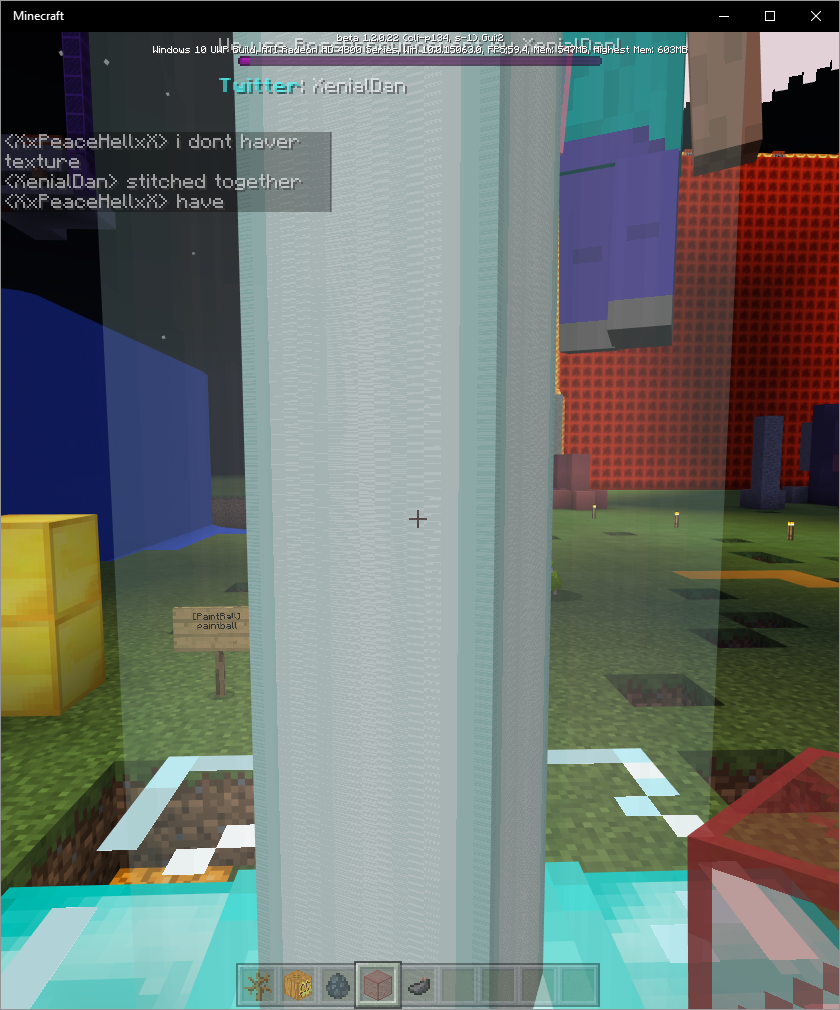
If the beacon's beam is colored at any point in the beam, the texture in y-axis gets stitched to repeat about 20 times more often. For visibility improvements the colored glass was put above the screenshotted part.
Reproduce:
-build and activate a beacon
-put any stained glass/-panes inside the beam
Hello. Sorry for opening kind of an feature request.
My issue is, that tab completion on Servers is a bit useless, as long as you can't add own options for tab completion.Using item for items, Player for players, etc is great.
But sometimes we get plugin commands, like
/minigame <join|leave>What would be cool is that servers can send command parameters like
Currently:
'parameters' =>
array (
0 =>
array (
'name' => 'args',
'type' => 'rawtext',
'optional' => true,
),
),After:
'parameters' =>
array (
0 =>
array (
'name' => 'args',
'type' => 'array',
'values' => array(join, leave),
'optional' => true,
),
),Sorry again for a "request". This could be used both for mods and servers. (btw please add tab completion on phone by being able to click on the given values (write "/gamemode " and click on "/gamemode survival" to have the text in the text bar))
Mobile/Xbox/Switch players still do not have an option to tab-complete/arrow up/arrow down in the chat
Addons like http://mcpedl.com/easychatcompletion-addon/ show that it works as a proof of concept
Allow custom servers to addtab-completionoptionsCan not use tab completion feature on mobile devices
Okay, changing issue title: Cannot use tab completion on phone.
When using CTRL-A whilest using the anvil + atleast 1 item with enchantments inside the anvil slots, the game crashes
This issue exists since forms were introduced.
For demonstration purpose i uploaded screenshots of my custom modal forms.As you may be able to tell,
- the form content text "xenialdan" is the most left (3px off)
- buttons with images are 2px off
- If the form has no content-text (like
), and the element after it has a text/name, this text is too close to the border. This is due to the scrollable content area having incorrect padding from the border
- Dropdown boxes appear partly rendered outside the UI and with that some options are not clickable.
- The font in Modal forms is rendered way too small, as if someone uses a special (unicode) character in the chat (like €)
- Text that is too long for buttons is rendered outside the buttons
This issue exists since forms were introduced.
For demonstration purpose i uploaded screenshots of my custom modal forms.As you may be able to tell,
- the form content text "xenialdan" is the most left (3px off)
- buttons with images are 2px off
- If the form has no content-text (like image-2018-01-23-18-50-21-577.png ), and the element after it has a text/name, this text is too close to the border. This is due to the scrollable content area having incorrect padding from the border
- Dropdown boxes appear partly rendered outside the UI and with that some options are not clickable.
- The font in Modal forms is rendered way too small, as if someone uses a special (unicode) character in the chat (like €)
- Text that is too long for buttons is rendered outside the buttons
This issue exists since forms were introduced.
For demonstration purpose i uploaded screenshots of my custom modal forms.As you may be able to tell,
- the form content text "xenialdan" is the most left (3px off)
- buttons with images are 2px off
- If the form has no content-text (like image-2018-01-23-18-50-21-577.png ), and the element after it has a text/name, this text is too close to the border. This is due to the scrollable content area having incorrect padding from the border
- Dropdown boxes appear partly rendered outside the UI and with that some options are not clickable.
- The font in Modal forms is rendered way too small, as if someone uses a special (unicode) character in the chat (like €)
- Text that is too long for buttons is rendered outside the buttons
Also, you can not properly navigate through the elements using the tab key nor the arrow keys
This issue exists since forms were introduced.
For demonstration purpose i uploaded screenshots of my custom modal forms.As you may be able to tell,
- the form content text "xenialdan" is the most left (3px off)
- buttons with images are 2px off
- If the form has no content-text (like image-2018-01-23-18-50-21-577.png ), and the element after it has a text/name, this text is too close to the border. This is due to the scrollable content area having incorrect padding from the border
- Dropdown boxes appear partly rendered outside the UI and with that some options are not clickable.
- The font in Modal forms is rendered way too small, as if someone uses a special (unicode) character in the chat (like €)
- Text that is too long for buttons is rendered outside the buttons
Also, you can not properly navigate through the elements using the tab key nor the arrow keys
This issue exists since forms were introduced.
For demonstration purpose i uploaded screenshots of my custom modal forms.As you may be able to tell,
- the form content text "xenialdan" is the most left (3px off)
- buttons with images are 2px off
- If the form has no content-text (like image-2018-01-23-18-50-21-577.png ), and the element after it has a text/name, this text is too close to the border. This is due to the scrollable content area having incorrect padding from the border
- Dropdown boxes appear partly rendered outside the UI and with that some options are not clickable.
- The font in Modal forms is rendered way too small, as if someone uses a special (unicode) character in the chat (like €)
- Text that is too long for buttons is rendered outside the buttons
~Also, you can not properly navigate through the elements using the tab key nor the arrow keys~ (Has been partially resolved nowadays, as long as you focus on an element)



Based on
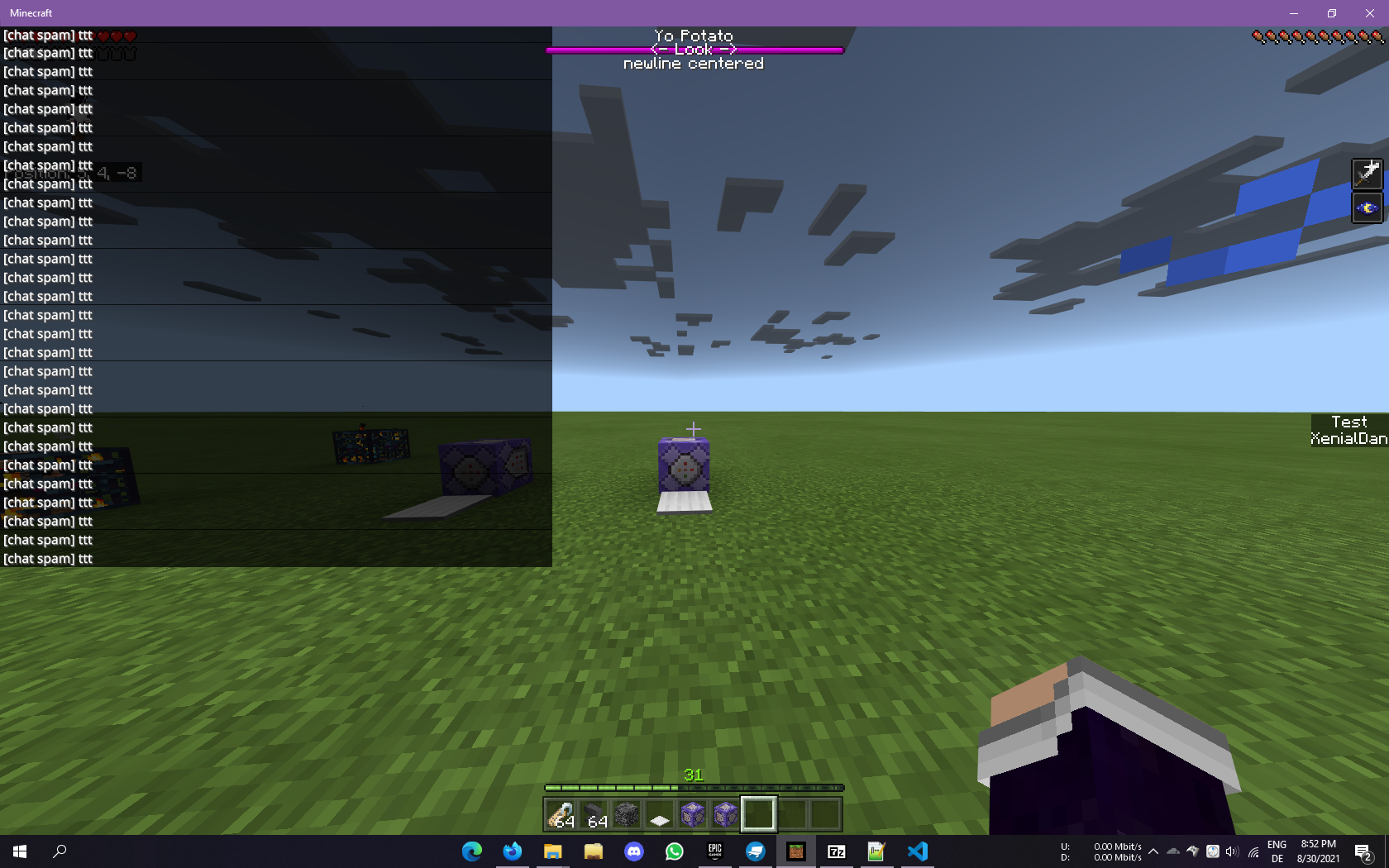
MCPE-46047The boss bars are still missing implementation for overlays/notches.
The BossEventPacket finally accepts colors at least, but as it is typical for Mojang, instead of also fixing / implementing the overlays, only the color field has been implemented.
Based on
MCPE-46047The boss bars are still missing implementation for overlays/notches.
The BossEventPacket finally accepts colors at least, but as it is typical for Mojang, instead of also fixing / implementing the overlays, only the color field has been implemented.

Unfixed. Affected versions: still any, ever since proper outlines were added.
I really hate to point out, but this automatic ticket closing system just stinks. Nobody has time to constantly relog, especially now that 2FA is an requirement and you have to enter the code all the time. Sure, you try to keep down the amount of bug reports, but bugs slip unpatched because of this system and it creates a ton of spam of comments adding no content value to the bug - only saying "not fixed duh".


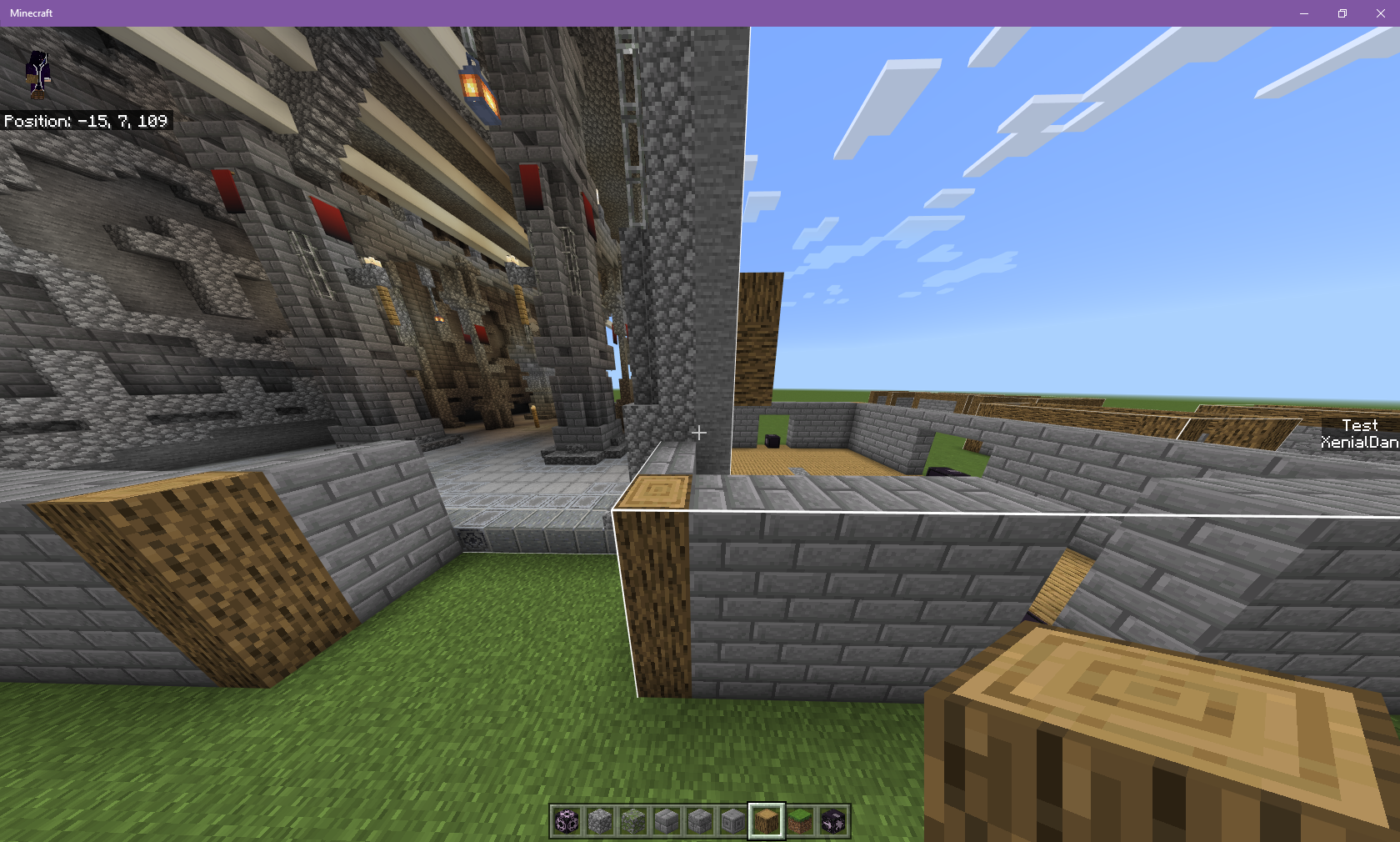

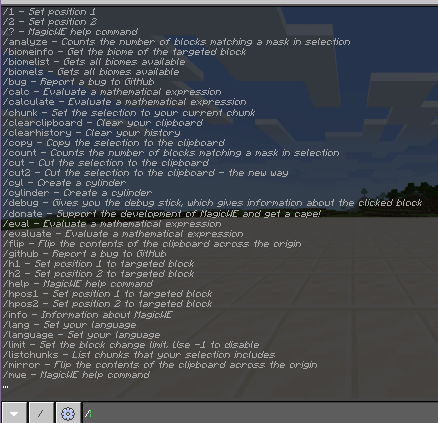
I am maintaining a world editor for a thirdparty server software.
In that editor, i am registering commands as i.e. `/pos1` or `/set <block>`
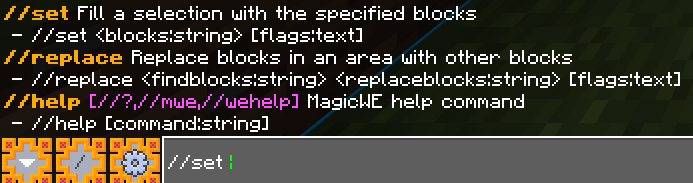
When i type `/`, i get a list of all commands. With `//` it is only the editor commands. So far, all good.
The first part of the issue comes when i press <tab>: A `/` is being appended in front.
The second issue is that the arguments of the command do not display/show/suggest
Th
is bug has been around for a long time, and i do remember that there was a Jira issue for it - but whatever i searched, i could not find it anymore.I am maintaining a world editor for a thirdparty server software and i am registering commands with a `/` upfront, in order to keep the commands consistent with known world editors like FAWE.
Steps to reproduce
- Register a new command that got either a `/` or `#` or `@` as first char. As example i will use the `//set stone` command
- Register an argument at the second slot, i.e. a string argument with the parameter name called "block"
- Join the server
- Be sure to have permissions for the command
- Open the chat
- Enter `/`
- For bug number 1: Press <tab> as many times as wanted
- For bug number 2: Type the command and a space, i.e. `//set `
- For bug number 3: The registered command is `/help`; Type //help or //? and send it.
The observed result:Bug number 1:
- After pressing the <tab> key, the game appends a `/` to the command. This can be repeated infinitely, ending up with a chat full of `//////`
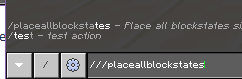
- You can also select a command, press <tab>, and the game will put a `/` up front again, resulting in i.e. `///` as seen below!image-2021-08-14-13-53-52-507.png!
Bug number 2:
- After entering `//set `, you'd expect the game to suggest you the command parameters and enums. Instead, the command suggestion disappears entirely, and only the chat messages are shown.
- I have also observed the color change in the suggested commands whilst typing - which means the game knows the commands with the `/` upfront, and does not trim it in it's registry
Bug number 3:
- As `/help` is a command registered by the plugin/thirdparty server, one would expect that command to be executed.
- The client sends `Unknown command: /`.
- The server never receives a command request
The expected result:
- The game switches between the commands when pressing <tab> as with any other command
- The game suggests the command parameters and enums, plus lets you <tab> between the enums
- The command is known and requested on the server, so the worldedit can respond with it's custom help
Important note
A thirdparty server had to be used as BDS does not support adding commands / parameters without complicated modding
Additional information
The world editor's name is MagicWE2 if it is necessary to see how things are registered.







I have noticed that there is a flaw with the Crafter that introduces a BC break.
I came to this conclusion whilst watching this video: Knarfy showing Wool recipe in a CrafterFor example, if you have a crafter set up like this:
{{S S X
S S X
X X X}}
where S = String, X = disabled slot

it will currently craft wool blocks when spammed with a Redstone signal, since there are at the moment no recipes for any combination of the inputs.If Mojang were to add, i.e. ropes with the following (shaped/shapeless) recipe:
{{S SX
X X X
X X X}}
any contraption using the previously mentioned setup will suddenly craft ropes instead of wool.My proposed idea for avoiding this is:
- Check for toggled slots
- If there are any toggled slots, only match shaped recipes that match that shape
The upside of this change is that it not only fixes possible BC breaks, but also it essentially doesn't change the functionality of the Crafter in a gameplay affecting way, whilst future-proofing any automated crafting.
I have noticed that there is a flaw with the Crafter that introduces a BC break.
I came to this conclusion whilst watching this video: Knarfy showing Wool recipe in a CrafterFor example, if you have a crafter set up like this:
{{
S S X
S S X
X X X
}}
where S = String, X = disabled slot
it will currently craft wool blocks when spammed with a Redstone signal, since there are at the moment no recipes for any combination of the inputs.If Mojang were to add, i.e. ropes with the following (shaped/shapeless) recipe:
{{
S S X
X X X
X X X
}}
any contraption using the previously mentioned setup will suddenly craft ropes instead of wool.My proposed idea for avoiding this is:
- Check for toggled slots
- If there are any toggled slots, only match shaped recipes that match that shape
The upside of this change is that it not only fixes possible BC breaks, but also it essentially doesn't change the functionality of the Crafter in a gameplay affecting way, whilst future-proofing any automated crafting.
I have noticed that there is a flaw with the Crafter that introduces a BC break.
I came to this conclusion whilst watching this video: Knarfy showing Wool recipe in a CrafterFor example, if you have a crafter set up like this:
{{
S S X
S S X
X X X
}}
where S = String, X = disabled slot
it will currently craft wool blocks when spammed with a Redstone signal, since there are at the moment no recipes for any combination of the inputs.If Mojang were to add, i.e. ropes with the following (shaped/shapeless) recipe:
{{S S XX X XX X X
}}
any contraption using the previously mentioned setup will suddenly craft ropes instead of wool.My proposed idea for avoiding this is:
- Check for toggled slots
- If there are any toggled slots, only match shaped recipes that match that shape
The upside of this change is that it not only fixes possible BC breaks, but also it essentially doesn't change the functionality of the Crafter in a gameplay affecting way, whilst future-proofing any automated crafting.
I have noticed that there is a flaw with the Crafter that introduces a BC break.
I came to this conclusion whilst watching this video: Knarfy showing Wool recipe in a CrafterFor example, if you have a crafter set up like this:
{{
S S X
S S X
X X X
}}
where S = String, X = disabled slot
it will currently craft wool blocks when spammed with a Redstone signal, since there are at the moment no recipes for any combination of the inputs.If Mojang were to add, i.e. ropes with the following (shaped/shapeless) recipe:
S S X
X X X
X X X
any contraption using the previously mentioned setup will suddenly craft ropes instead of wool.My proposed idea for avoiding this is:
- Check for toggled slots
- If there are any toggled slots, only match shaped recipes that match that shape
The upside of this change is that it not only fixes possible BC breaks, but also it essentially doesn't change the functionality of the Crafter in a gameplay affecting way, whilst future-proofing any automated crafting.
I have noticed that there is a flaw with the Crafter that introduces a BC break.
I came to this conclusion whilst watching this video: Knarfy showing Wool recipe in a CrafterFor example, if you have a crafter set up like this:
{{S S XS S XX X X
}}
where S = String, X = disabled slot
it will currently craft wool blocks when spammed with a Redstone signal, since there are at the moment no recipes for any combination of the inputs.If Mojang were to add, i.e. ropes with the following (shaped/shapeless) recipe:
S S X
X X X
X X X
any contraption using the previously mentioned setup will suddenly craft ropes instead of wool.My proposed idea for avoiding this is:
- Check for toggled slots
- If there are any toggled slots, only match shaped recipes that match that shape
The upside of this change is that it not only fixes possible BC breaks, but also it essentially doesn't change the functionality of the Crafter in a gameplay affecting way, whilst future-proofing any automated crafting.
I have noticed that there is a flaw with the Crafter that introduces a BC break.
I came to this conclusion whilst watching this video: Knarfy showing Wool recipe in a CrafterFor example, if you have a crafter set up like this:
S S X
S S X
X X X
where S = String, X = disabled slot
it will currently craft wool blocks when spammed with a Redstone signal, since there are at the moment no recipes for any combination of the inputs.If Mojang were to add, i.e. ropes with the following (shaped/shapeless) recipe:
S S X
X X X
X X X
any contraption using the previously mentioned setup will suddenly craft ropes instead of wool.My proposed idea for avoiding this is:
- Check for toggled slots
- If there are any toggled slots, only match shaped recipes that match that shape
The upside of this change is that it not only fixes possible BC breaks, but also it essentially doesn't change the functionality of the Crafter in a gameplay affecting way, whilst future-proofing any automated crafting.

![[Mojang] Mega_Spud (Jay Wells)](../../../data/avatars/users/92696.png)
@inxomnyaa The front page has the information you need. It says:
Suggestions and Feature Requests
If you have a suggestion or feature request for Minecraft Pocket Edition, head over to the Minecraft Forums to share your ideas with everyone

inxomnyaa, yes they do in the PC Edition, but MCPE do not support servers such as Pocketmine, because the pocketmine was modded servers, and there is no vannila server yet.

inxomnyaa I only see this as a bug in Minecraft Windows 10 edition when using mouse and keyboard. What I think he's saying is you should get 1+ additional item each time you single click the item from inventory. Instead it's giving you a 64 set of the item with single click. Only shift and click on item should give you a 64 set of that item. I attached a photo of me single clicking an item.
inxomnyaa Did mention above that "This even happens on local servers" which are supported.
To reproduce when playing over LAN:
- Join LAN map as a client
- Stand near enough to a nether portal to hear the sound it makes
- Get the LAN host to quit the map
- Notice during the Disconnected From Server screen that you can hear the nether portal sound continuing to loop (I also heard mob sounds, namely a chicken)

Tested on 0.14.3 using Android Tablet as Host, and Windows 10 PC as client.

inxomnyaa: The observer can be made to output strong power and be coded just like the Java edition observer, but it is important to note that they will still act differently, since block/redstone updates happen differently in the 2 editions. For example, in the Java edition, if you point a repeater into a block and power the repeater, the repeater will update the block, and an observer can detect the block being updated. Actually, the repeater will update the spot in front of it regardless of whether or not there is even a block. And in fact, it actually causes updates on the blocks adjacent to the block in front of it. So the repeater causes at least 6 block updates, not counting itself updating.
In MCPE, repeaters cause no updates (except on themselves) unless there is a redstone component in front of them. If you point a repeater into a block and put redstone dust on the other end, the repeater will cause the redstone dust to turn on, causing a block update, but the block in-between will not be updated, as the repeater causes the redstone dust to update directly, and the redstone dust, in turn, doesn't update anything except itself, as there are no other components near it that it can power.
So because of this, observers in the Java edition will respond to a lot more things than MCPE observers, because the Java edition redstone components cause more redstone updates (most of which are unnecessary and cause lag) than the MCPE redstone components, which remember the location of nearby components and update them directly, rather than flooding the adjacent blocks with unneeded updates.
So even if observers were changed to output strong power like in the Java edition, you wouldn't be able to chain them with air blocks in between each observer, because the air blocks would never get updated by the observers output. I'm also not sure if MCPE observers themselves get updated when they're activated. If they do, then you could chain them by placing them in front of each other, but if they don't, then that would still not work.
It is also currently undetermined as to how many of the Java edition observer behaviors are intended, so its a bit too early to say what would need to be changed on which edition.
But all of that is somewhat unrelated to this bug, which is really misnamed. The observer block IS reading all block updates.
The real issue is that the things listed in this bug report don't cause block updates, even though they should. So this is not an observer bug... this is a bug with multiple blocks not causing block updates when they should.
rplatham Could you please change the name of this bug to something like "Some blocks don't cause block updates when they should" or something like that? I've tested these instances with the floating-water-block-update-trick/test and I can confirm that the observer is working fine... it is the other blocks that aren't causing any updates.
inxomnyaa, was that a confirmation or just a "probably LOL"? I can't really tell, and I'd like to know so I can update the affected versions.  Is it still happening as of 1.0.4.11 and/or 1.0.5.13?
![[Mod] bemoty](../../../data/avatars/users/50554.png)
inxomnyaa No need to create a comment when you can updated the affected versions yourself.
inxomnyaa You can update your tickets on your own.

inxomnyaa Please go to MCPE-170910 for Android devices that not have asking storage permission, This resolved ticket is for IOS Only.
This is possible in Pocket Edition, but not in Win10 edition..
I am sorry for that.
I've searched "trapdoor reset" and other, haven't found that (because the search is horrible)
I mean:
You throw a stack of Logs out of the inventory (while having menu opened, then click the itemstack, and click outside of the inventory again), and they create a itemstackentity.
(3 logs that are rotating around the middle one)
when you just throw one by one out (via drop key or out of the inventory) it will never stack. there are only itementities for every item you threw. (multiple logs, rotating around the same place)
Turns out i am just a noob that doesn't know how to craft colored wool.
I thought it would be crafted like Stained Glass. Sorry!
@joejoe77777 sure? If so, i am sorry!
I confirm lag too, but not in the Logo for me, but when i click on "Play" my game always wether gets stuck for up to 1 Minute or does nothing anymore.
Also, then it loads the list loads the server MOTD's, the game gets stuck again. This happens since 0.13.0
iOS 8.4, iPhone 5c
But this should be changed..
iPhone 5c, iOS 8.4
Same issue.
Also skins (custom skins) that should support diffrerent arms on left/right show purely black, also on local multiplayer
iOS 8.4, iPhone 5c.
Same issue on 0.13.0 & 0.13.1
The stripe is 1 pixel wide.
Short version: Boats still continue to move when player leaves boat and mobs are in
This happens to me too, Windows 10 edition.
Cant read messages/execute commands
Same for me, Windows 10 edition 0.13.0 and iOS 0.13.1.
Also.. they spawn a bit too.. random, always from behind
That also happens when you are ABOUT to die.
I hitted the escape and returned to the home screen, after rejoining i was on a safe place. I fell into lava because a ghast shot me, no idea if that helps.
https://bugs.mojang.com/browse/MCPE-10858 explains it well
Confirmed. sometimes, when you sit dogs down, go somewhere and the chunk unloads and then come back, they sometimes don't sit anymore and teleport to you.
-You ordered your tamed wolf to sit.
-You expected the wolf did not teleport.
-Your wolf teleported around you despite the order to sit when you were on a boat, but after getting off the boat your wolf disappeared instead of teleporting again.
This explains it well.
EDIT:
Oh, one more thing: the reason the dog might be lost is because they sometimes teleport out of boats like tamed wolves do if they are not in a boat, that means.. they teleport to a safe place, like the grass around or only 1 deep water. I recorded it once. I was near my house with my boat, then i bugged back, i sat alone in my boat and my wolf was in a duplicated boat some blocks away. It was a real boat and it broke, was placeable again and so on.
EXPOrbs also duplicate, dogs can't get back
World generated in 0.13.0, only libarians.
Haven't i said that this happens on Pocket Edition? It's a missing language string.
Actually that really happens sometimes, exspecially on a chunk border
@Plethora777 You are right. They can take up the plants, and also bread, but won't harvest the crops (like planting or breaking the wheat etc)
The animation is there. They steal your seeds and breads. But don't harvest.
Then why don't you finally add a request reacker?
@PlantSeed i said in my issue.
Agaiiiiinnnnn. It's a missing language string.
Then why? They do in PC version, why should this change in MCPE?
Actually, that same thing happens on PC version for ages. maybe intended to do so?
0.13.2 confirmed
Perfectly fixed in 0.14.0! Thanks
Confirmed, fixed
@PlantSeed they aren't really modded, but anyways, offtopic. Thanks for telling me @Lawrence G., we fixed the bug in PocketMine
Confirmed. same on iPhone 5c iOS 8.4
That is a feature and its intended. You always get the maximum stack size (for example signs would be 16)
They are actual characters, so this is correct to happen and intented to be that way.
@HyperCamel happens, when the hitbox is not a full block. Stairs, enchanting table, anvils, fences, i think also slabs, end frames etc.
@Davide Garberi i can only do this with jailbreak and 3G Unrestrictor.
@AMAN4700 but actually.. why would you disallow celluar data connections in this app? I ran it in 3G and EDGE since 03.12.2015:
I only used up 179 MB! Also, you do not lag on a server. The gameplay feeling is still the same. Is it because there are no official servers except LAN play?
If so.. the fact that alot more players would play MCPE if they could play it via cellular data should be enough to change it!
When you read in the App Store and Google Play, more than 50% players complain about that! Quote: "This app is useless! I can't even play it when not at home because i am not connected to wifi! Isn't that just saying: 'Hey, this is Pocket Edition, but you can't play it on your Pocket device!'?"
I confirm this. You get the sound, you see the Particles, but the Zombie Villager doesn't shake, and never cures.
@HyperCamel he means the inventory of a container should't be opened when you sneak-click a block.
This issue is there for ages already.
The second thing: You can't sneak and press space same time to stay sneaking mid air on windows 10.
(read from right to left. They got unordered after attaching)
1st menu when launched
2nd clicked "Play"
3rd gone back to menu
This can not be resolved.. They do not stack
Seems to be fixed
"I know, this no actual "bug".. but thats bad practice i think. A cleanup will maybe help you in future development, due to MCPE being a GREAT project."
^^ Its code style, you know
Clean code is always better for the future. It works without being cleaned up, and yea, if you need an id, you can search and replace, to get the id.
And also.. for example you would create an array, that has this kind of style:
Array(
id -> block name
id2 -> block name 2
)
Sorted arrays are faster in code processing. For example in array search functions, in array pop (remove last), etc
"Maybe, it's Intended".. well.. I can't see any reason not to sort it, but the change is just for better internal handling.
Heres what i mean. You throw a whole stack (or just 2 items) same time (Drop key alias "Q" + Shift, or open inventory, click stack, click outside of inventory), they create a stacked item.
but clicking "Q" will throw 1 item the time, when multiple are on the ground, they won't create such "stacked items"
(see attached file)
Breaking wool with shears doesn't use up durability of shear
Sorry, but why doesn't it work for me AFTER 3 DAYS (RL DAYS) waiting??
Pc. I know how to heal them. I also know iron bars soeed up the progress.
AND IN MCPE IT WON'T CURE
May it be because i tried to cure it in CMode?
I just tried. It won't cure for me still. I am on 0.14.0 Windows 10 Creative Flat
What i say is: a cure button is more a feature request.
But in my case my Villagers haven't cured still. I waited 5 days. The Particles are gone, but its still a zombie.
Still. Resolved!
https://bugs.mojang.com/browse/MCPE-14242?jql=project%20%3D%20MCPE
Same when you shoot with bow, throw eggs etc. Incorrect orign
Then don't answer..
Well, you can't even send tips from a server anymore, so "resolved"?
I confirm. Can't type sometimes when for example closing chat with "ESC", Tab doesnt work for me, spamming the button in chat doesnt work either
Tested on bottom slabs and confirmed.
How is this related to PocketMine? I did never even mentioned that i use or not use it.
Neither it would be PocketMine's fault that the sound plays.
Its a MCPE bug, cause it caches the enviroment around you even when disconnected.
This even happens on local servers and guess what: Beta Realms too.
Resolved, works now.
Also seems to be resolved since 0.14 released.
Resolved in what version? Will there be a fix in 0.14 please?
Here is a better description due to you not understanding following:
"Stand next to a portal"
-> Stand next to a nether Portal. That was easy to understand.
"stop the server"
-> Stop the server software (which would be PocketMine/Minet etc OR Realms)
I think thats also easy to understand!
""Disconnected from server"-Screen plays portal sound."
-> Come on. You did NOT understand these steps?
"This issue is incomplete. Please write a better description for your report."
-> This comment is incomplete, provide more information why you do not understand it.
Thats why i even mentioned that it ALSO happens on 0.15 beta build 3, there is realms. (wasnt able to select it at the time i opened this issue, also selected 0.14.3 due to it happening since that version)
@Mega_Sprud Thank you for clearing up the confusion.
Not bad. Changing the version every release and its never fixed ..
A little idea how to fix: Interaction on hitbox not possible if hasentitycollision = false. So may be related to the bounding box.
(getAABB)
Why even that? As example, iPhone has options in the settings to disable celluar internet for set Apps. Instead of making MCPE blocking it, please enable it again and let the user decide.
This may have to get fixed. In 0.15 the items laying on the ground cause even more lags for unknown reasons. Destroying a chest with many different items is still okay, because the items drop as stacked variants (1 entity, 1 stack of blocks.)
But when you build (as example a house) and break blocks, always 1 entity with 1 item, and they don't group to the stacked variants.
In MC:PC you can drop several items of the same type on the ground and it results in 1 entity with several items.
(If you dont get the point i can make a video.)
@Luis Robles he does not help by saying "can't reproduce becuase i have another version".
I'll upload a video to sho what i mean.
There is the video. Look at the Entity count in the PC version. in MCPE its 64. PC: 3. (Ignore the slimes in the background)
Confirmed. After re-join you get teleported up a bit, like almost same depth as with the invisible platform once
cough and over all its ugly and the adding of the stone-like texture in 0.14 was reverted + useless now? xd cough
Sometimes the preview (which still doesnt update the images btw) turns black when scrolling.
Cant read any text when gui is small and resized win10 window to minimal size
Actually they dont. No blocks above them (fresh flat world), mobs not in water, time is noon, no armor and the chunks with them are loaded+they are nearby
Actually not a duplicate. I say that the textures are lighter than in PC edition, WAAYYYYY lighter. Whatever, created a new issue with images.
Actually just found the opposite: Mobs burn even WITH blocks above, for example under trees. What i've done:
I made a showcase how to make resourcepacks work in mc10, so i spawned some Strays for showing the texture in faithful32.. I spawned them under trees, they burned. I relogged into the world after they stopped burning, some burned.
He means: the observer block doesn't give power when a fencegate is activated by redstone.
He means that the particles are not affected by the vignette or blur or what its called when underwater.
fixed.
Fixed in 0.15
I mean: Throwing items does not look like in PC edition / 0.13.
the items spawn not where you throw them and it looks like the texture is getting bigger while trown
These are normal blocks.
No output when:
Changing what mobs spawn in spawner
Top door half
Activate fencegate via redstone
Activate rail with redstone
Toggling redstone torch in any way
changing daylight detector to inverted and opposite
Both weighted pressure plates sometimes dont make it toggle when atvivate, but always on deactivate
Which looks just totally wrong
Why do they change the texture to look worse?
Why "Duplicate"? I provided way more information and other blocks.
Confirmed to happen with purchased ones.
Will you also add a function to add own packs? Most players wont't like to pay and like to use totally different packs.
Somehow a duplicate of
MCPE-15712But i will add the info to the other issue.
When you choose resource packs (for example City + Vanilla as active), the resource_packs.txt will look like this:
---startoffile
Minecraft
----endoffile
After restarting minecraft the chosen Resource pack is not chosen anymore, and you have duplicated entires etc.
Resolved. They added a switch in the settings in version 0.15.1.2
To remind you: My issue has images attached that explain HOW to reproduce them. Makes me upset if useful stuff is not attached
.To remind you: My issue has images attached that explain HOW to reproduce them. Makes me upset if useful stuff is not attached
.I did
Using IDA Pro and decompiling MCPE.
Also line numbers would be invalid anyways due to compiling/cecompiling
Works fine, both options you gave work
Yea sure, i actually tried to create this machine https://www.youtube.com/watch?v=nYszbiYXMvM
Actually tried to simplify it, i'll attach a new screenshot
Pushed the minecart off a bit just to show it
Hilarious, found an duplication bug also.
Maybe you should test the behaviour yourself..
Because normal rail does drop but also stays, and drops totally when retracting,
other rails instantly drop duplicated, some not when retracting,
detector rails crash when minecart is on them and moved
Removed unnessesary screenshots.
Well, the bug only appears for me when the minecart is on the track.
I'll try different rotations now, maybe its only south or something like that
Same thing. But i realized that the minecart has to be pushed too, build it exactly like in the screenshot
Sorry, i did only test with slime blocks.
Uhm.. Its appearing on every kind of server, ALSO realms. You may have misunderstood me.
EDIT: Now confirmed on singleplayer LAN
I am not sure if it may be intended, haven't found any article if so. Also can't find a way to do this using commands.
The problem is that they can attack the driver more frequently too, because they can open all way (this part may be intended)
Does not work as intended.
"If a piston pushes a farmland block down."
Confirmed for SnowGolems. Client sees snow if there is none. #THISISNOTRESOLVED
Okay, but isn't the secret android update one?
Are you sure you set this as duplicate? What about the sugarcane?
Yes, still occurs. middle click won't give you a spawn egg.
Why responding when its alreadydone
Yes.
Fixed since you can sneak in-air. (0.15)
Does.
Still no packet sendt for sugarcane interaction
It does.
Yes.
CRITICAL! Players with windows 10 edition can easily cheat items on LAN and/or get kicked/timeouted from the LAN game
Hello? Ghost town?
@Daniel Wustenhoff it would only be the internal order, not changing ID's
@MissMarzenia Welcome
A small addition: after 3 letters you have to click that text input again.
Well thanks, sounds promising.
Closed because "Invalid", no comment left? (Probably closed by a person who didn't even check the useless sound event)
Its an useless sound file, resulting in a bigger MCPE file.
Edit: Oh i know why. You didn't check facts, simply closed because i used PocketMine. Should i better provide a video where i fake sound events with proxy + wireshark so instead of digging that sound appears? Yes? Okay.
What about making them act like in PC? (except for the diagonal quasiconnectivity)
https://youtu.be/cixGSJPpbfU
Yes, i am really sure that its not caused by lag. An item should be dispensed by a dispenser. I'll prove it with a world download. Then you can see its not just caused by visual problems.
Edit: I checked every old contraption, i am proud of you guys. Everything is fixed.
yes
How is there not enough information? I told you what packet you have to send to get that sound, and attached a video to show what it sounds like.
Turns out it was the sound for using a carrot on a stick. why is that one so different from normal mcpe pigs
Confirmed in 0.16
(maybe BiomeData -> snowAccumulation causing it?)
Seems like the function got removed in 0.16, so its fixed.
I think it caused the crashes when moving powered rails.
Windows 10 Edition drops the air in the crafting grid.
Still crashes in 0.16.
Also crashes when theres a pixel in unused areas of mobs in resource packs. (for example filling everything black in the cow.png)
Not only Realms, any multiplayer (LAN, Realms) (not PocketMine Servers, it works there)
I got too many crashes in the history where the builds don't save. Isn't there a way to make it save every minute?
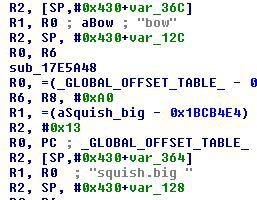
I found something (see screenshot)
There is a space / gap after 'squish.big'
(Not on ANY other sound)
Okay, now for real. Is it so hard to add them? Isn't it easy since the json driven entities are implemented? Aren't that 3 lines?
Checked back and looks good now!
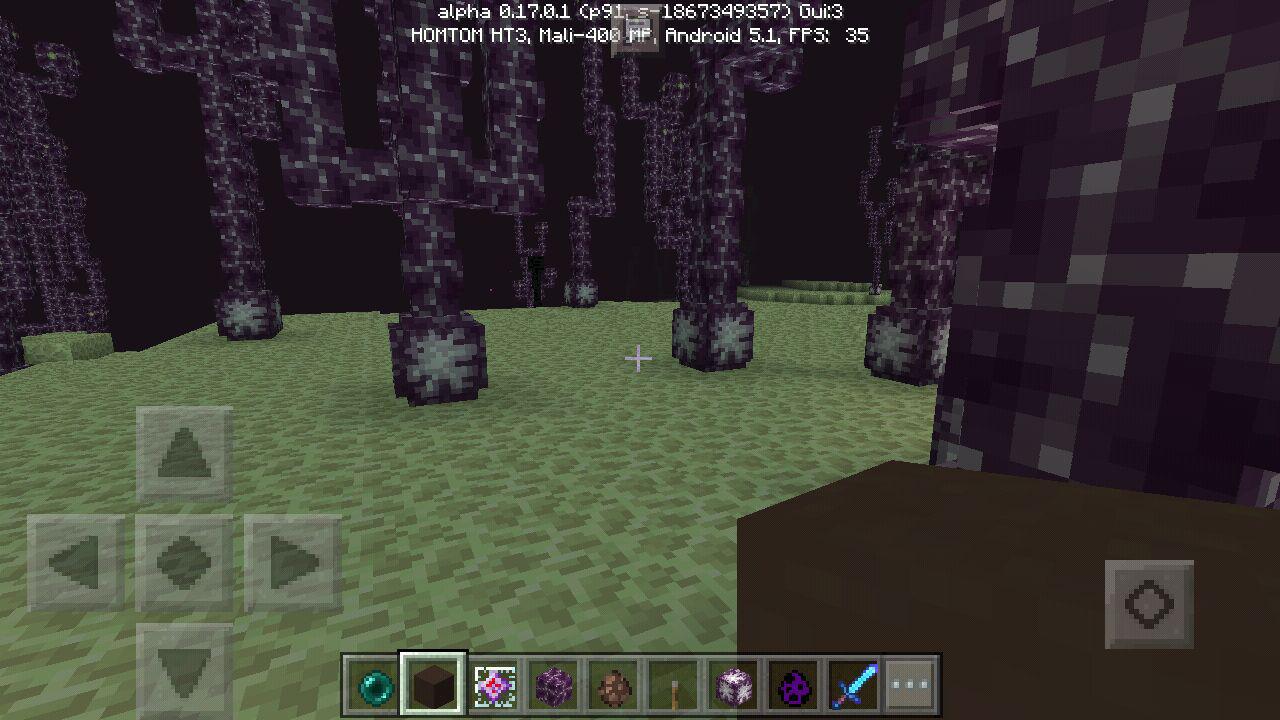
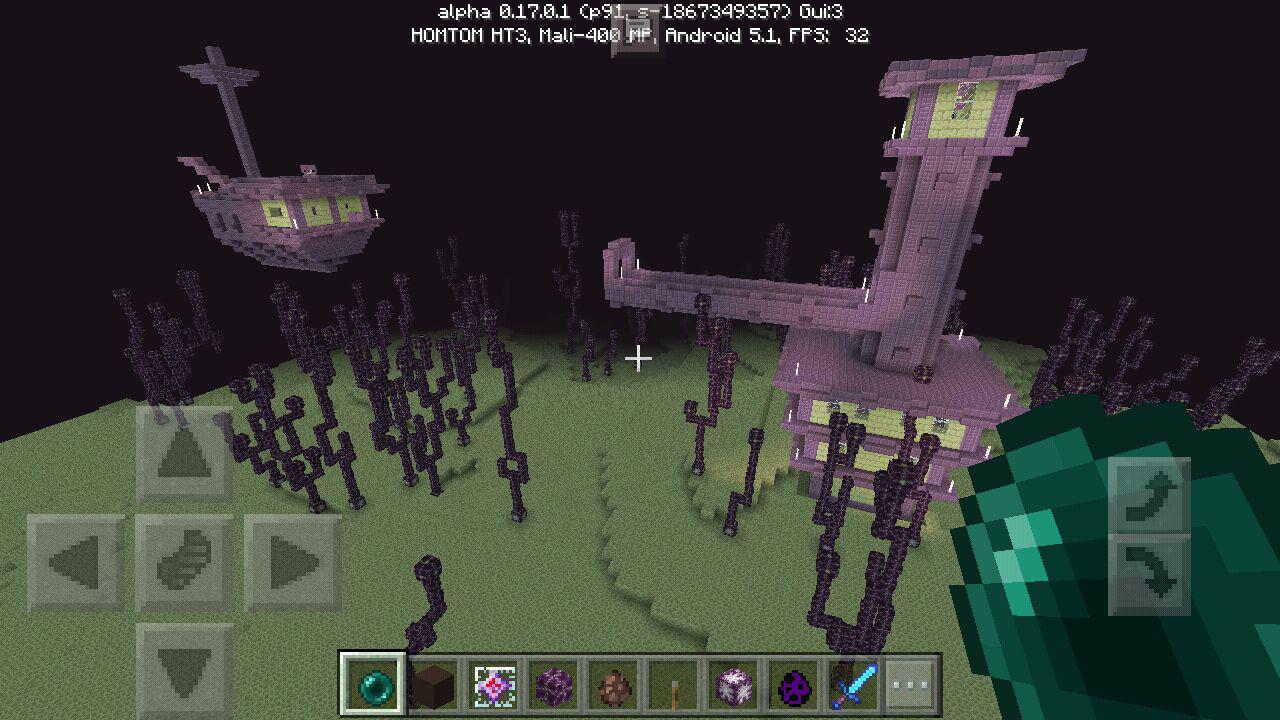
1.0.0.1: Texture STRONGLY pixelated for the end gateway
https://bugs.mojang.com/secure/attachment/122281/photo_2016-07-27_14-18-43.jpg
Still appears in 1.0.0.2
Confirmed using BlockLauncher, printing out the AABB
Confirmed for Trapdoors
Problems caused:
Glich off from trapdoors when sneaking on a corner
Items sometimes glich through when forced into the corner (e.g. with water)
@Darren have you even checked back? The function exists for ages.
They will replace nothing. No warranty for data corruption. Also even if the words and the app crash, they still have specific folders they are running in, it can't harm the outer file system
Thats actually weird. I use the elytra every day on my server, i don't get the issue. What i get is weird sudden body rotating while flying
Whoops, just re-checked. Still happens
Should be closed and discussed in https://bugs.mojang.com/browse/MCPE-16366
Found something like this, didnt knew where to put it, so i put it here.
It appears that sometimes i get slowed down ad borders of blocks when air is next to it. This makes parcour harder, because you run, jump but get slowed down at the corner, dragging you down too early
> I would love some attention to this issue.
like always.
In my oppinion this should be maked as third party bug. Realms seems not to be affected by this. Also the way PMMP changes the world on level change is hacky. MCPE itself only has those world changes when going to another dimension, you have the loading screen, done. PMMP: change position and send chunks.
I confirm. We tried with some modified packets, ips (x.x.x.x) work fine for the packet.
Sure it is, the most critical things never get fixed first
Can only confirm it on freshly created worlds where you never died before. Seems to be fixed after death
I am sorry. That was a 'definitely'
According to Twitter user Jason Major 1.1.0.0 got released as beta build. #blamebots
Confirming on Windows10, and Android 5. Also happens when your connection is horrendousely slow.
Duplicate of https://bugs.mojang.com/projects/MCPE/issues/MCPE-20707?filter=allopenissues
https://bugs.mojang.com/secure/ViewProfile.jspa?name=UniqueCrafter Lol, keep calm. https://bugs.mojang.com/browse/MCPE-12347 this one is way more critical and it exists since the whole MCPE history. (and got worse after 1.2)
Same happens while riding an entity without even moving. PlayerInputPacket though
Indeed. 1.1 still has that issue, though i would rate it a feature request, it was added quite lately to MCPC.
Same applies on servers, causing issues with some anti-cheat. Instead it should give non-rotated variants, in case of spruce wood stairs it should give meta 0, on sponge it should still give meta 1 on wet one, and meta 0 on dry one.
Tried to equip Item Spruce Wood Stairs (134:7)x1 (MobEquipmentPacket)
We explained it in detail here: https://github.com/pmmp/PocketMine-MP/issues/879
was fixed in 1.2.0.12, back in 1.2.0.22. tommo knows about it
Confirmed in 1.2.0.22
Fixed as of 1.1, except for the particles still always being there
Still a thing in 1.2.0.22
Fixed
resolved for a while now
Still a thing in 1.2.0.22. Not happening on Item Frames.
Still a thing in 1.2.0.22
Fixed since 1.2.0.12
Still a thing in 1.2.0.22
Still a thing in 1.2.0.22, seen when riding custom mobs in addons. "action.exit.hint.<entityname, example: Chicken>"
Discussed internally. The reason it was never implemented: "stacking check takes up more performance than rendering the items" - might be discussable, but not here.
Confirmed to be back in 1.2.0.22
Works for me in 1.2.0.22 on Windows 10. Taking a screenshot is not bound to a key in MCPE. Are you sure you are talking about MCPE, not MCJava?
Thats quite logical. There are tons of particles spawned. You can reduce particle rendering distance to the lowest in order to avoid this
That highly looks like its a server? If not, try switching to difficulty: peaceful
Silly question: have you been on a server/multiplayer world right before this?
Have you been on a server right before this?
I'll attach a link to a video, i found an easy replication way. the ladder get a damage value between 7 and 9, making it invisible https://youtu.be/Xv8vDthV8lE
Confirming for 1.2.0.22
Duplicates https://bugs.mojang.com/browse/MCPE-25244
The issue relates to the spawn eggs. https://bugs.mojang.com/browse/MCPE-25244
Naming with nametag fixes this
Not fixed (as of 1.2.0.22), never actually was fixed. (set https://bugs.mojang.com/browse/MCPE-25244 as duplicate of this)
I can confirm. Realised something today and in think it might relate: If colored, the texture is stitched together
Duplicate of https://bugs.mojang.com/browse/MCPE-17595 and many other duplicates.
v1.2.5 - Nothing changed so far.
By now, it also causes issues like the blocks below the snow to disappear after being interacted with, the snow blocking players to walk anywhere, kicked for flying because of client-sided height of snow layers, glichy movements in LAN and the appearance to float above ground
Sidenote: by unloading the chunk client-sided and reentering the chunk, you have a 50% chance of the snow being gone, or of the chunk flickering and coming back
Still appears in 1.2.5
can now be reproduced without thirdparty software by making mobs rideable, for example chickens give:
action.exit.hint.chicken
Fishing rod's projectiles, due to not having a name give:
action.exit.hint.
Fix version unknown, but fixed / resolved
Repeat - fixed. Close as resolved (i can't)
Repeat - resolved
Repeat - fixed/resolved
Fixed/resolved/cannot reproduce
Resolved
Confimed on Galaxy Tab A 10.1 2016, in a LAN/Xbox Live world
Just commenting here, breaking the boat not really is a solution. The hitboxes in boats seem to be slightly off. You are more likely to hit the dog instead. This especially becomes clear on horses, iron golems and ghasts, because their hitbox is so big, that the boats can not or almost not get destroyed.
As for any redstone in bedrock versions, redstone components like observers are inconsistent. This is simply due to bad performance because redstone calls too many block updates.
Bump: Resolution: Resolved
For now i only tested with enchanted items, which, after the crash (due to the cursor inventory and fake inventory of the anvil) disappear from the inventory due to not being saved.
> left at the desktop
, the game completely crashes.
Interesting, i just checked and it seems to be fixed in the latest update (but not mentioned in the changelogs).
Thanks for your help anyways.
Now there is just the messed up cursor position, but that affects everything, not just the anvil, and that is a different issue.
Can be closed as fixed as of 1.2.9
Affects 1.2.9 even more than previous versions.
CTRL-A and other text editing shortcuts also do not work.
The original issue seems to be fixed. Now the cursor position just horribly misaligns, and when typing in the text between the end and a color symbol, the end of the text disappears
.. Okay, description:
I tried for 3 hours to get armor of mobs that wear armor. Nothing.
> Am 27.04.2016 um 22:56 schrieb Kaleb Wasmuth (JIRA) <bugs@mojang.com>:
>
>
> Kaleb Wasmuth commented on an issue
>
> Re: Mobs never drop Armor
> This bug is invalid.
> Are you actually trying to report a bug? If so, please update the description with the bug.
> Otherwise, please do not create useless tickets.
> Add Comment
>
> Minecraft Pocket Edition & Windows 10 Beta Edition /
MCPE-14246> Mobs never drop Armor
> Title
> This message was sent by Atlassian JIRA (v6.1.6#6162-sha1:7af547c)
>
This was fixed near 1.4 or 1.5
The issue got worse now, as now the text inside the buttons get cut off instead of allowing a second line, breaking alot of server-side creations, as the server selector in the image
As seen in the next image for example (the "...")
Affects 1.14
Tested via this command:
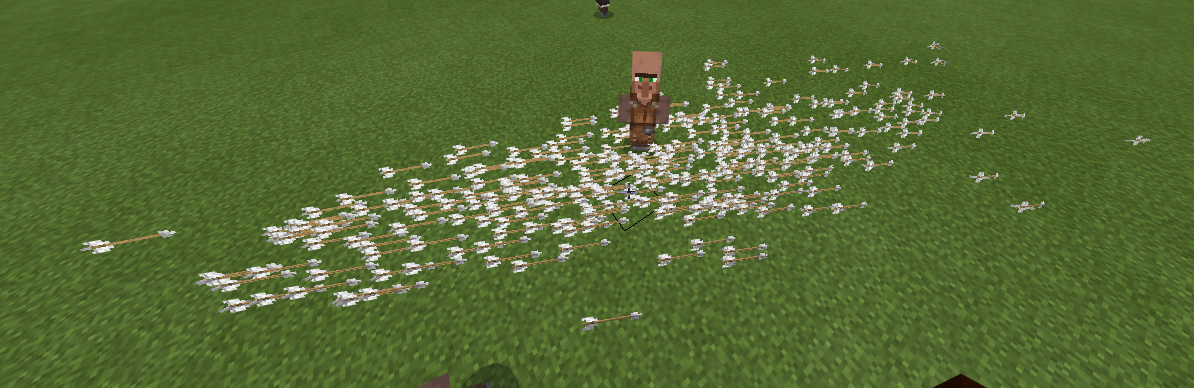
The pillagers continue to shoot arrows out of their face (see image), and without the need to wait for the crossbow to load the attack speed is even faster.
This also appears to be happening when switching out the item in their offhand by anything, i.e. air.
The reason for me to test this is that i tried to get "peaceful/passive pillagers" like in this bug report: https://bugs.mojang.com/browse/MC-157022 (note: the crossbows sadly do not break in MC Bedrock!) for an adventure map i am about to create.
Also, this happened in unloaded chunks:
Affects 1.14
I do not think this should be closed as "intended feature" - working with command blocks in adventure maps, i think it should not overwrite the behavior of ALL mobs of that type in that world.
In my case, i need to have the entity not use a bow. In the Java edition, removing the bow of a skeleton makes it attack in a similar fashion to a zombie. This should be possible without the need of addons.
Pathfinding on beds now (kind of) works.
Top half slabs / upside down stairs get mobs stuck on top though
This affects 1.14 - It appears that the client sided particle limit is causing the area effect cloud particles to not render, thus the clouds attack you. Since the damage is applied so quickly, it is almost an invisible instant death.
Affects 1.14 - The Bar is disappearing after the first death, not being shown again at any time.