Resizing the Minecraft window while dead grays out the Respawn/Exit to Menu buttons and several other screens
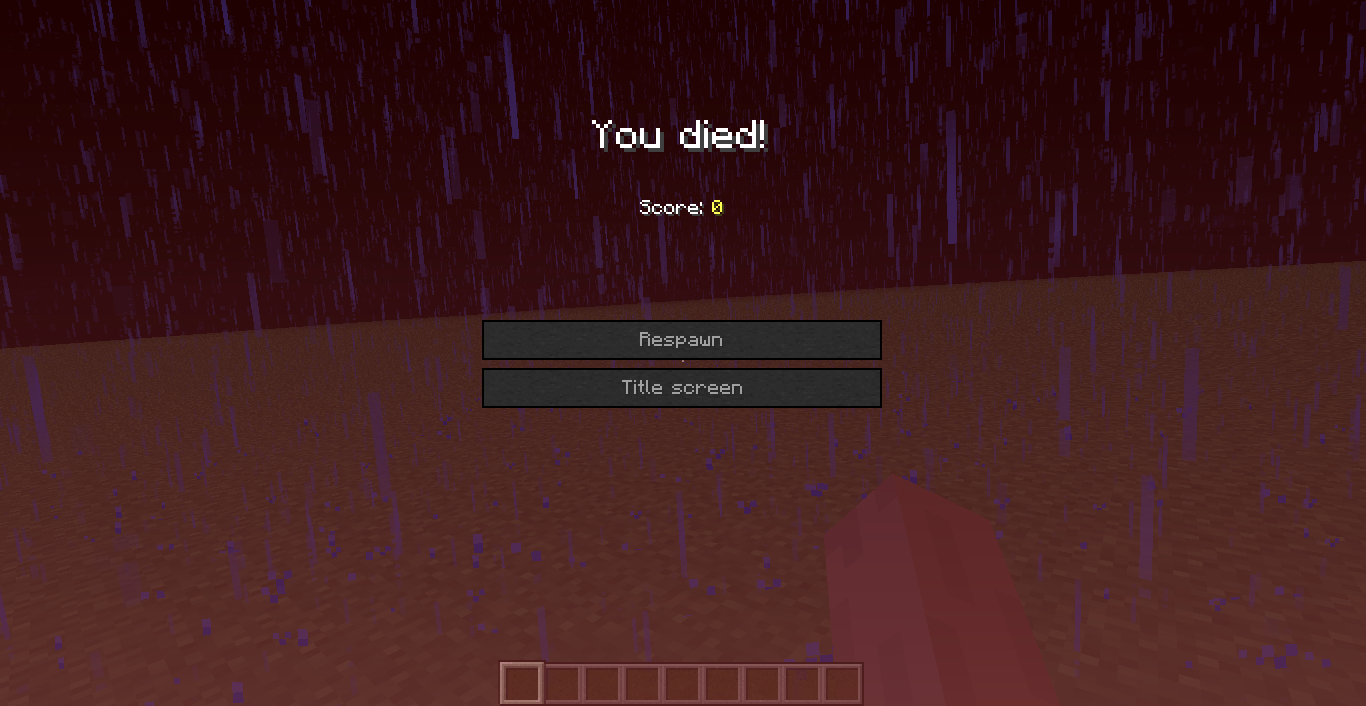
When you die and then resize your window, the buttons for respawning and quitting are unusable.
Steps to repeat:
- Load a world.
- Die.
- Resize the window (maximise, minimise, manual adjustment)
Alternatively
- Load a world where the player is already dead.
- Resize the window.
Environment
Windows 7
Java Version 7 Update 5
Linked Issues
is cloned by1
is duplicated by34
 MC-5619Maximizing/minimizing the game causes death message buttons to go darkDuplicateMC-8128Resizing window when deadDuplicateMC-9542Resising window at death screen disables buttonsDuplicateMC-11757Unable to select 'respawn' after death and resizing of client windowDuplicateMC-15478Neither Respawn nor Back to menu highlights when you die, and window got inactive, but isn't anymore.DuplicateMC-16541Switching Fullscreen mode in death screen disables buttonsDuplicateMC-23250Stuck After DeathDuplicateMC-24960Respawn bugDuplicateMC-27241I have two bugs.DuplicateMC-37237If you go full screen while on death screen, you cant press the buttons.DuplicateMC-38359Can't respawn after death. Switching focus away from MC, disables buttons. DuplicateMC-48070Respawn button disables after resizing windowDuplicateMC-48608When switching from full-screen to windowed or vice versa, the "Respawn" and "Title Screen" buttons become unpressableDuplicateMC-48691Can`t respawn after dying and exiting fullscreen mode.DuplicateMC-49609Window Minimizing Taking Away Ability to RespawnDuplicateMC-49940Respawn/Title button not working after entering fullscreen mode while on menuDuplicateMC-52571Changing to full screen in death screen bricks the game.DuplicateMC-53251Death Screen non responsiveDuplicateMC-54896DIE Screen BugDuplicateMC-55832When you die, and you put the full screen, you can't repawn anymore.DuplicateMC-56622Stuck on Respawn titleDuplicateMC-65219Not able to respawn or go to title menuDuplicateMC-66176When dying and pressing full screen, the death options are greyed outDuplicateMC-68579Respawn button blockedDuplicateMC-69525Cannot respawn after re-sizing windowDuplicateMC-79968Pause menu frozen-offDuplicateMC-82708Unability to respawnDuplicateMC-83822Cant Respawn after deathDuplicateMC-85062Hardcore dieing, window resize, then close: undeletable worldDuplicateMC-86802can't respawn after changing screen sizeDuplicateMC-93812Suicided and Cant RespawnDuplicateMC-95016Death screen freezes when fullscreen toggledDuplicateMC-1071Upon death, menu buttons disabled at F11DuplicateMC-1155Fullscreen Making Me Force-Quit MinecraftDuplicate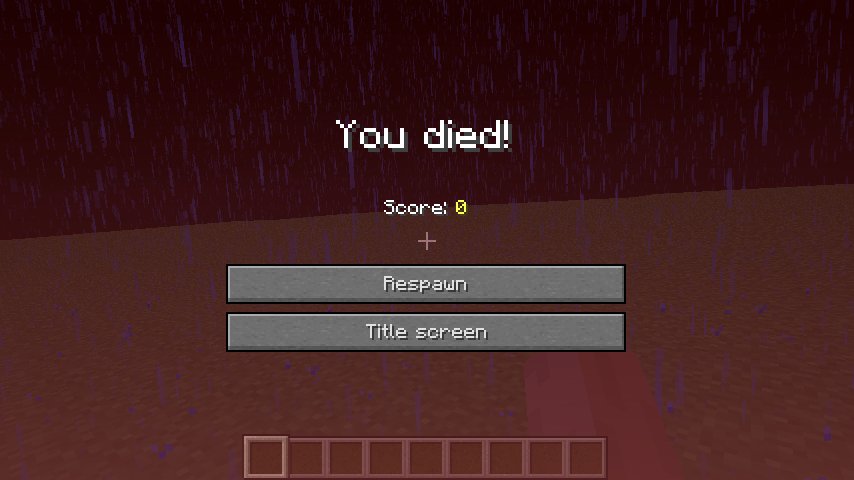
- Fixed
 TS
TS![[Mojang] Grum (Erik Broes)](../../../data/assets/gravatar/grum.png) [Mojang] Grum (Erik Broes)
[Mojang] Grum (Erik Broes)- 23
- 14
- Confirmed
- death menu resize respawn window
1.4.2 - 15w31a
1.4.2 1.4.5 1.4.6 1.4.7 1.5 1.5.1 1.5.2 13w19a 13w21a 1.6.2 1.6.3 1.6.4 13w36b 13w37a 13w37b 13w42b 13w43a 1.7.1 1.7.2 13w47a 13w47b 13w47c 13w48a 13w48b 13w49a 1.7.3 1.7.4 14w05b 14w06b 14w07a 14w08a 1.7.5 14w11b 1.7.8 1.7.9 14w19a 14w25b 14w30c 14w32b 1.8 1.8.1 1.8.2-pre4 1.8.2-pre5 1.8.2-pre6 1.8.3 1.8.4 15w31a- 15w31c
Created Issue:
Resizing the Minecraft window while grays out the Respawn and Exit to Menu buttons
When you die and then resize your window, the buttons for respawning and quitting are unusable.
Steps to repeat:
- Load a world.
- Die.
- Resize the window (maximise, minimise, manual adjustment)
Alternatively
- Load a world where the player is already dead.
- Resize the window.
Environment
Windows 7
Java Version 7 Update 5
Attachments2
Resizing the Minecraft window while dead grays out the Respawn and Exit to Menu buttons


is duplicated by
Resizing the Minecraft window while dead grays out the RespawnandExit to Menu buttonsResizing the Minecraft window while dead grays out the Respawn/Exit to Menu buttons and several buttons on the select world screen
Resizing the Minecraft window while dead grays out the Respawn/Exit to Menu buttons and severalbuttons on the select worldscreenResizing the Minecraft window while dead grays out the Respawn/Exit to Menu buttons and several other screens
is duplicated by
is duplicated by
is duplicated by
is duplicated by
is duplicated by
is duplicated by

is duplicated by
is duplicated by
is duplicated by
![[Mod] Ezekiel (ezfe)](../../../data/assets/gravatar/ezekielelin.jpeg)
is duplicated by
is duplicated by
is duplicated by
is duplicated by
is duplicated by
is duplicated by
is duplicated by
is duplicated by
is duplicated by
is duplicated by

is duplicated by
![[Mod] CubeTheThird](../../../data/assets/gravatar/cubethethird.jpeg)
is duplicated by
is duplicated by

is duplicated by
is duplicated by
is duplicated by
relates to
is duplicated by
is duplicated by
![[Mod] Torabi](../../../data/assets/gravatar/torabi.png)
is duplicated by
[Mojang] Grum (Erik Broes)is duplicated by
is duplicated by
is duplicated by
is duplicated by
is duplicated by

is duplicated by
![[Mod] violine1101](../../../data/avatars/users/92858.png)
is cloned by
This ticket has been marked as a duplicate of MC-2835 , in favor of the better description/information provided.
Duplicate of MC-2835 , please use the search function to see if your bug has already been submitted. Currently over 35% of tickets are being closed as duplicate.
Duplicate of MC-2835, please use the search function to see if your bug has already been submitted. Currently over 45% of tickets are being closed as duplicate.
Duplicate of MC-2835, please use the search function to see if your bug has already been submitted. Currently over 51% of tickets are being closed as duplicate.
Duplicate of MC-2835, please use the search function to see if your bug has already been submitted. Currently over 54% of tickets are being closed as duplicate.
Duplicate of MC-2835, please use the search function to see if your bug has already been submitted. Currently over 55% of tickets are being closed as duplicate.
Duplicate of MC-2835, please use the search function to see if your bug has already been submitted. Currently over 56% of tickets are being closed as duplicate.
Duplicate of MC-18836 and MC-2835, please use the search function to see if your bug has already been submitted. Currently over 58% of tickets are being resolved as duplicate.
Please only one bug per ticket.
Duplicate of MC-2835 - If you have not, please use the search function in the future, to see if your bug has already been submitted. If you could not find the original report, please comment with the keywords you searched for.
Duplicate of MC-2835 - If you have not, please use the search function in the future, to see if your bug has already been submitted. If you could not find the original report, please comment with the keywords you searched for.
Duplicate of MC-2835 - If you have not, please use the search function in the future, to see if your bug has already been submitted. If you could not find the original report, please comment with the keywords you searched for.
Duplicate of MC-2835 – If you have not, please use the search function in the future, to see if your bug has already been submitted.
Duplicate of MC-2835
Dupe of MC-2835
Duplicate of MC-2835
Duplicate of MC-2835
Duplicate of MC-2835
Dupe of MC-2835.
duplicate of MC-2835
Fixed for 1.9. MC-2835
![[Mod] Neko](../../../data/avatars/users/92901.png)
Dupe of MC-2835
Already fixed for 1.9 
Fixed for 1.9. MC-2835
![[Mod] markderickson](../../../data/avatars/users/18946.svg)
The bug
When resizing the Minecraft window while dead (on the death screen), the Respawn and Title Screen buttons are temporarily grayed out.
Clones/relates to MC-2835.
A video is attached.
How to reproduce
- Die (/kill)
- Resize the window
 The Respawn and Title Screen buttons are temporarily disabled
Confirmed
Thanks
Can reproduce by resizing the window / toggling fullscreen at least for
I can confirm this. Switching back to non-fullscreen does not help.
I can confirm this in Minecraft 1.6.2 on OS X.
This is getting extremely annoying... Confirmed in 1.7 snapshots.
Affects snapshot 13w47c.
Confirmed here.
Guessing its a java failure, it might not register a window resize while bussy; Might be unfixable for the mojang team .
.
Still a concern in 1.7.5 and 14w08a
Can a Mod please update the affected versions? It is still a problem in 1.7.8! Thank you.
YoYoYonnY, no, that's not a Java problem. It seems that the buttons are being re-initialized when the window size changes.
Can confirm still in 14w25b. Resizing or pressing F11 causes buttons to become unresponsive. http://imgur.com/sfWtyKr
Pressing F6 (start Twitch stream) without linked accounts, then pressing escape seems to rectify buttons after a second or two.
Confirmed for 14w30c
Confirmed for 1.8.1.
Confirmed for 1.8.2-pre6.
Confirmed in 1.8.3.
Man this existed way too long for something that could be fixed with a single line.
Thanks, Grum!
Hahaha, I've had this bug for ages.
But was always lazy to report it.
Will be reporting stuff i don't find usual now on.
this works even without resizing:
MC-30646It can be extended:
Create an (ingame) undeletable but unplayable hardcore world.
Environment:
new hardcore world (2 times)
Reproduction:
- create hardcore world
- die (I falled from a high place)
- resize the window (I max. it)
You wont be able to do anything (see the original bug) now so:
- close the window with "X"
- restart minecraft
- load the world
You will see: "Game over" and "Delete world"
- klick "Delete world"
Effect: You will get kicked to the main menu, but the world wont be deleted!
You just can "play" it again: You will see the "Game over" again and again.
You can delete it from the main menu, sure, but not with dieing in the hardcore world
.
See my issue
MC-85062This was never fixed. I can even reproduce this in 15w31c. See MC-216459.