 bugsbugsbugs
- bugsbugsbugs
- bugsbugsbugs
- Europe/Stockholm
- Yes
- No
 MCPE-55862MCPE-55864MCPE-56791MCPE-56968MCPE-57963MCPE-60160
 MC-173057
![[Mojang] Cory Scheviak](../../../data/avatars/users/92893.png)

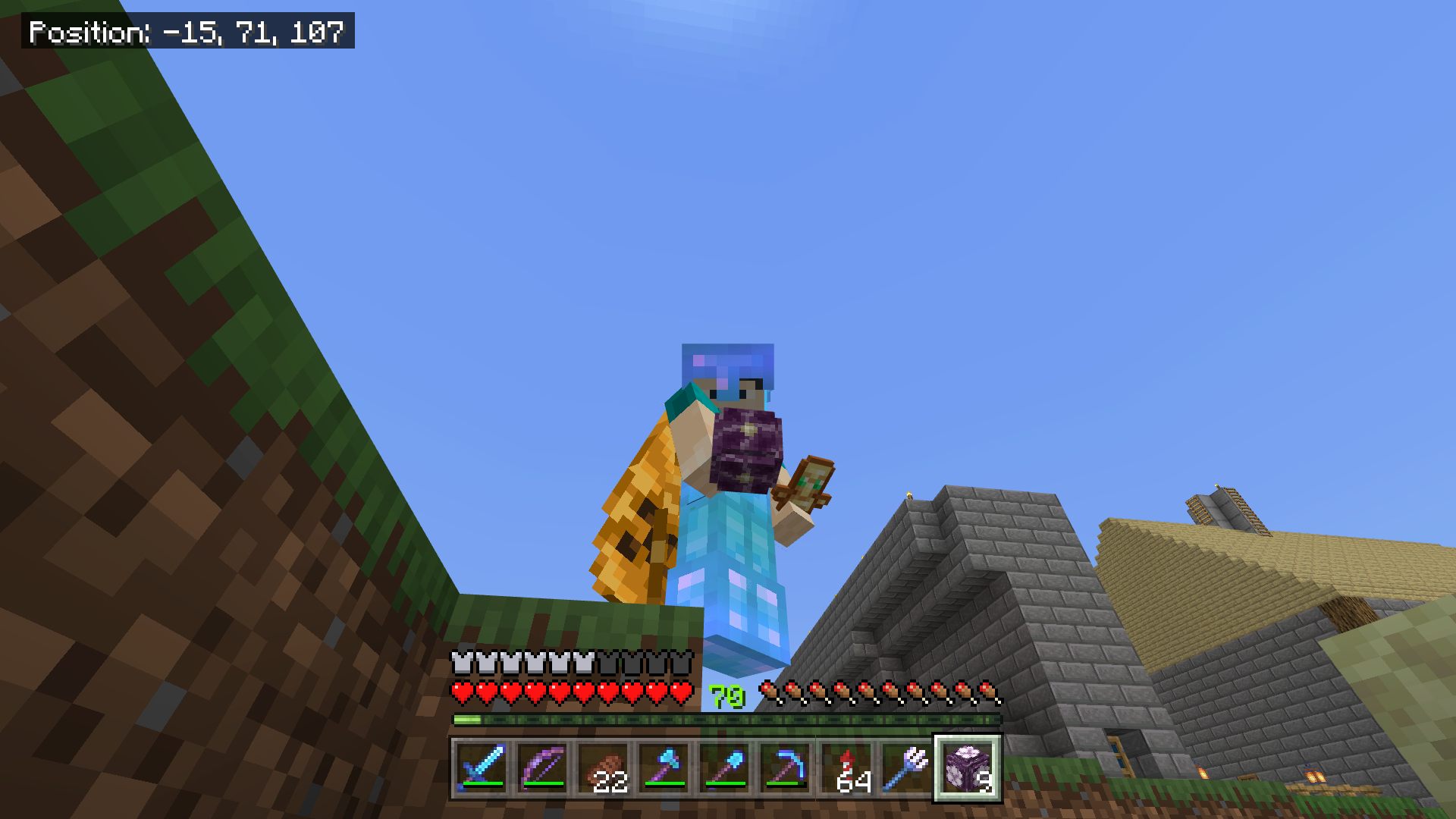



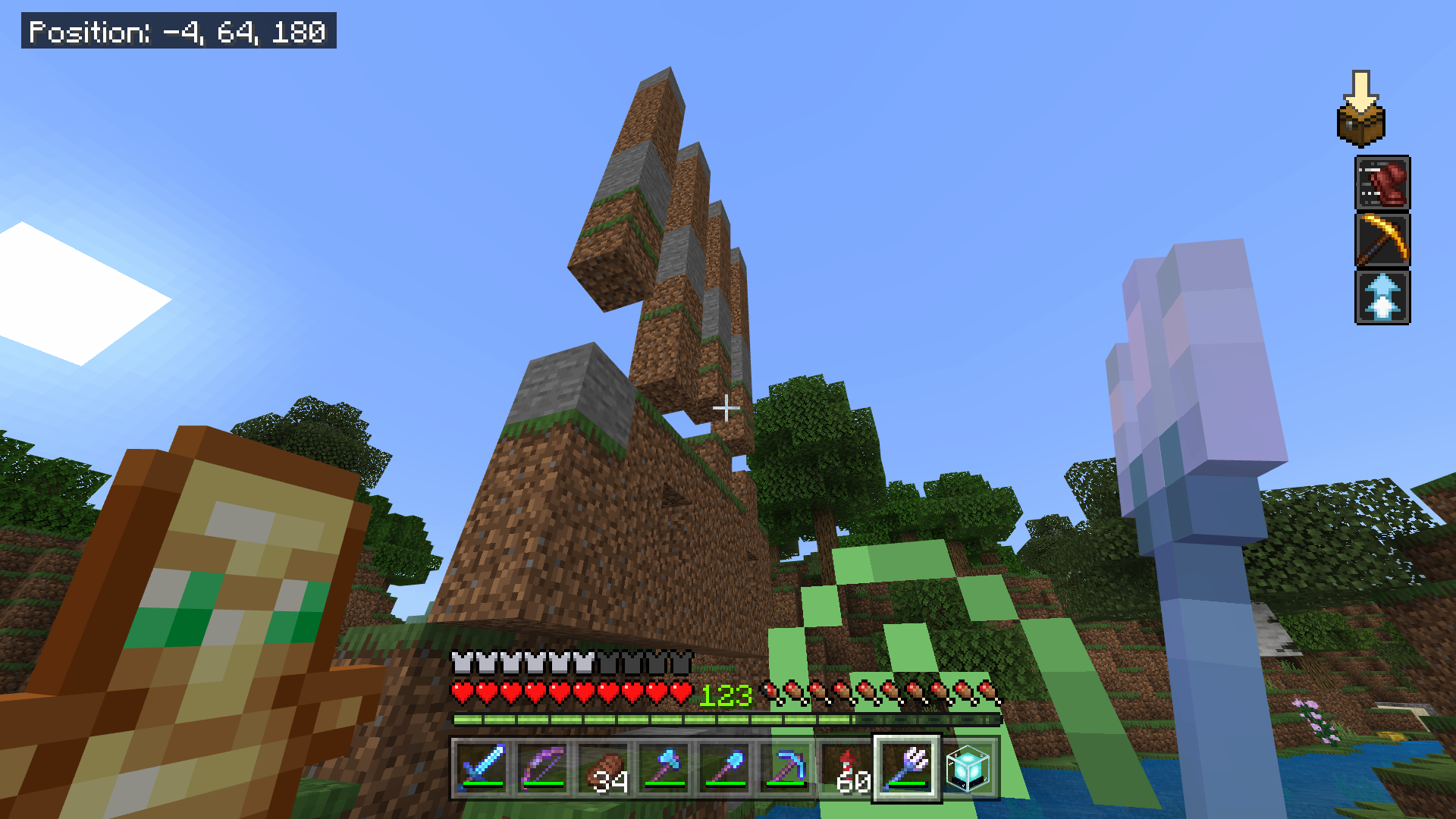


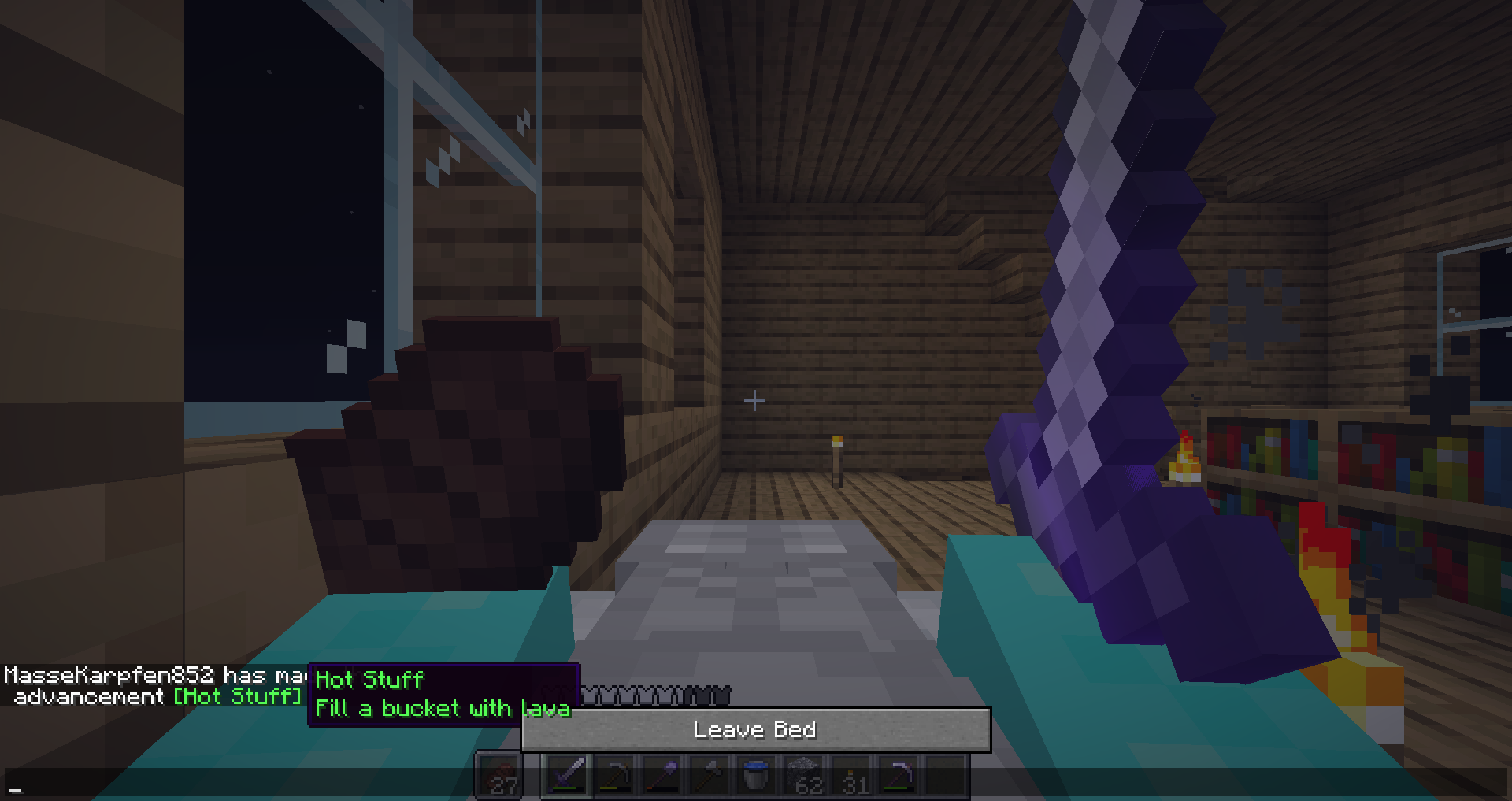
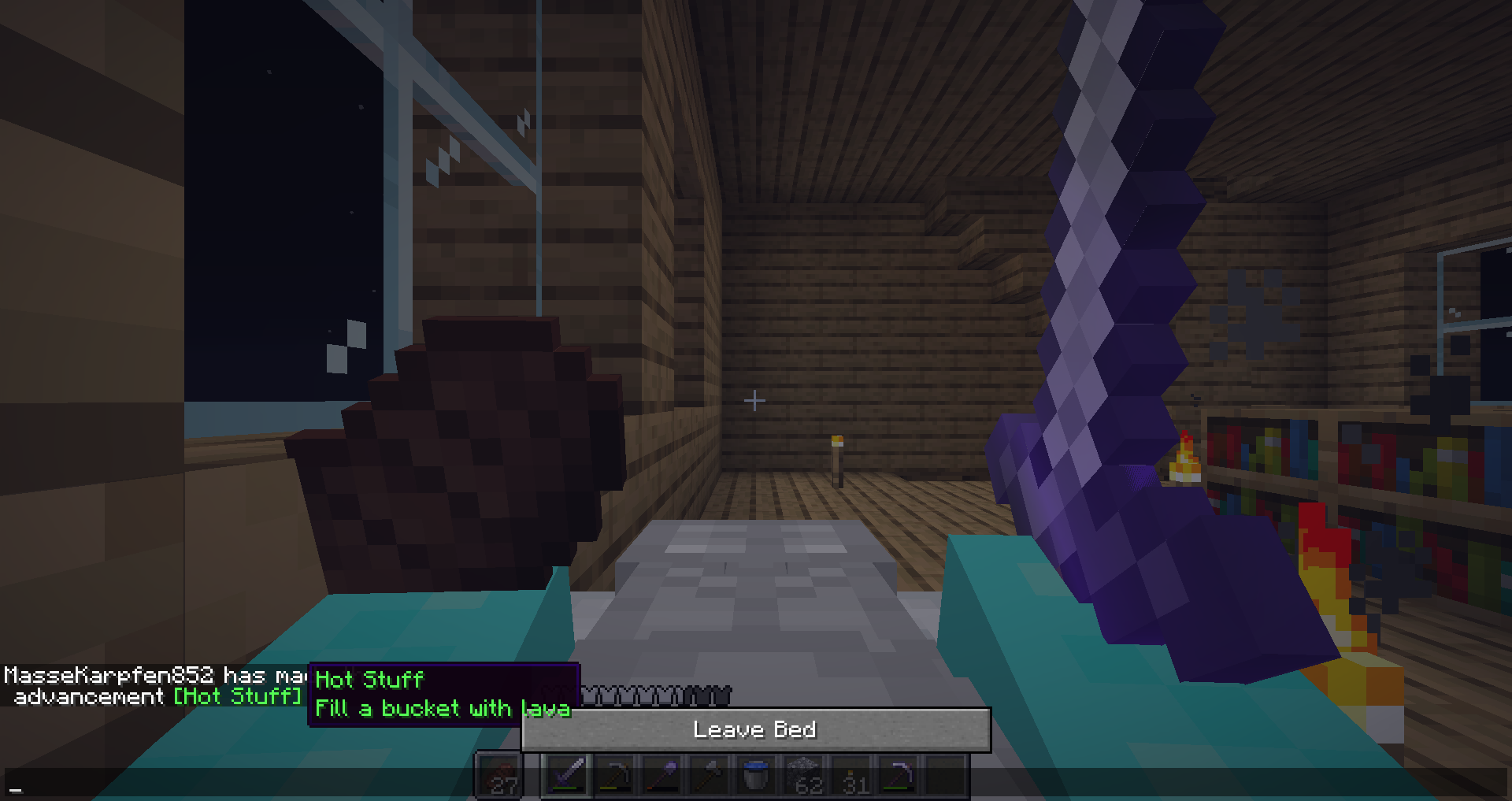
Twoblock hitbox while gliding1.8 block hitbox while gliding
If you use a riptide trident while gliding with an elytra you get then normal Hitbox which is 1.8 blocks high after the riptide animation stops.
How to reproduce:
- Have rainy weather (use this command: /weather rain)
- Put on an elytra
- take a riptide trident
- use that trident
- After the animation stops try to fly against a ceiling by using a rocket.
Then you notice that you stop flying
beforeyou should.If you use a riptide trident while gliding with an elytra you get then normal Hitbox which is 1.8 blocks high after the riptide animation stops.
How to reproduce:
- Have rainy weather (use this command: /weather rain)
- Put on an elytra
- take a riptide trident
- use that trident
- After the animation stops try to fly against a ceiling by using a rocket.
Then you notice that you stop flying up lower than you should.
What I observed: You have the 1.8 blocks high hitbox after the riptide animation stops.
What I expected: You still have the small hitbox after the riptide animation stops because you are gliding.
If you use a riptide trident while gliding with an elytra you get then normal Hitbox which is 1.8 blocks high after the riptide animation stops.
How to reproduce:
- Have rainy weather (use this command: /weather rain)
- Put on an elytra
- take a riptide trident
- use that trident and don't stop gliding
- After the animation stops try to fly against a ceiling by using a rocket.
Then you notice that you stop flying up lower than you should.
What I observed: You have the 1.8 blocks high hitbox after the riptide animation stops.
What I expected: You still have the small hitbox after the riptide animation stops because you are gliding.
If you use a riptide trident while gliding with an elytra you get then normal Hitbox which is 1.8 blocks high after the riptide animation stops.
How to reproduce:
- Have rainy weather (use this command: /weather rain)
- Put on an elytra
- take a riptide trident
- use that trident and don't stop gliding during the riptide animation
- After the animation stops try to fly against a ceiling by using a rocket.
Then you notice that you stop flying up lower than you should.
What I observed: You have the 1.8 blocks high hitbox after the riptide animation stops.
What I expected: You still have the small hitbox after the riptide animation stops because you are gliding.
If you use a riptide trident while gliding with an elytra you get the
nnormal Hitbox which is 1.8 blocks high after the riptide animation stops.How to reproduce:
- Have rainy weather (use this command: /weather rain)
- Put on an elytra
- take a riptide trident
- use that trident and don't stop gliding during the riptide animation
- After the animation stops try to fly against a ceiling by using a rocket.
Then you notice that you stop flying up lower than you should.
What I observed: You have the 1.8 blocks high hitbox after the riptide animation stops.
What I expected: You still have the small hitbox after the riptide animation stops because you are gliding.
If you use a riptide trident while gliding with an elytra you get the normal Hitbox which is 1.8 blocks high after the riptide animation stops.
How to reproduce:
- Have rainy weather (use this command: /weather rain)
- Put on an elytra
- take a riptide trident
- use that trident and don't stop gliding during the riptide animation
- After the animation stops try to fly against a ceiling by using a rocket.
Then you notice that you stop flying up lower than you should.
What I observed: You have the 1.8 blocks high hitbox after the riptide animation stops.
What I expected: You still have the small hitbox after the riptide animation stops because you are gliding.
If you use a riptide trident while gliding with an elytra you get the normal Hitbox which is 1.8 blocks high after the riptide animation stops.
How to reproduce:
- Have rainy weather (use this command: /weather rain)
- Put on an elytra
- take a riptide trident
- use that trident and don't stop gliding during the riptide animation
- After the animation stops try to fly against a ceiling by using a rocket.
Then you notice that you stop flying up lower than you should.
What I observed: You have the 1.8 blocks high hitbox after the riptide animation stops.
What I expected: You still have the small hitbox after the riptide animation stops because you are gliding.
That seems to happen because the game doesn’t test if you do something where you hitbox should be 1 block after the animation stops, simelar to
If you use a riptide trident while gliding with an elytra you get the normal Hitbox which is 1.8 blocks high after the riptide animation stops.
How to reproduce:
- Have rainy weather (use this command: /weather rain)
- Put on an elytra
- take a riptide trident
- use that trident and don't stop gliding during the riptide animation
- After the animation stops try to fly against a ceiling by using a rocket.
Then you notice that you stop flying up lower than you should.
What I observed: You have the 1.8 blocks high hitbox after the riptide animation stops.
What I expected: You still have the small hitbox after the riptide animation stops because you are gliding.
That seems to happen because the game doesn’t test if you do something where you hitbox should be 1 block after the animation stops, simelar toMCPE-54255andMCPE-55864.
Still affects 1.14
If you use a riptide trident while gliding with an elytra you get the normal Hitbox which is 1.8 blocks high after the riptide animation stops.
How to reproduce:
- Have rainy weather (use this command: /weather rain)
- Put on an elytra
- take a riptide trident
- use that trident and don't stop gliding during the riptide animation
- After the animation stops try to fly against a ceiling by using a rocket
.Then you notice that you stop flying up lower than you should.
What I observed: You have the 1.8 blocks high hitbox after the riptide animation stops.
What I expected: You still have the small hitbox after the riptide animation stops because you are gliding.
That seems to happen because the game doesn’t test if you do something where you hitbox should be 1 block after the animation stops, simelar toMCPE-54255andMCPE-55864.If you use a riptide trident while gliding with an elytra you get the normal Hitbox which is 1.8 blocks high after the riptide animation stops.
How to reproduce:
- Have rainy weather (use this command: /weather rain)
- Put on an elytra
- take a riptide trident
- use that trident and don't stop gliding during the riptide animation
- After the animation stops try to fly against a ceiling by holding space or using a rocket
Then you notice that you stop flying up lower than you should.
What I observed: You have the 1.8 blocks high hitbox after the riptide animation stops.
What I expected: You still have the small hitbox after the riptide animation stops because you are gliding.
That seems to happen because the game doesn’t test if you do something where you hitbox should be 1 block after the animation stops, simelar to
MCPE-54255andMCPE-55864.
1.8 block hitbox while glidingWhen the riptide animation stops while gliding, you get the 1.8 block hitbox even though you are gliding
If you use a riptide trident while gliding with an elytra you get the normal
Hitbox which is 1.8 blocks high after the riptide animation stops.How to reproduce:
- Have rainy weather (use this command: /weather rain)
- Put on an elytra
- take a riptide trident
- use that trident and don't stop gliding during the riptide animation
- After the animation stops try to fly against a ceiling by holding space or using a rocket
Then you notice that you stop flying up lower than you should.
What I observed: You have the 1.8 blocks high hitbox after the riptide animation stops.
What I expected: You still have the small hitbox after the riptide animation stops because you are gliding.
That seems to happen because the game doesn’t test if you do something where you hitbox should be 1 block after the animation stops, simelar to
MCPE-54255andMCPE-55864.If you use a riptide trident while gliding with an elytra you get the normal hitbox which is 1.8 blocks high after the riptide animation stops.
How to reproduce:
- Have rainy weather (use this command: /weather rain)
- Put on an elytra
- take a riptide trident
- use that trident and don't stop gliding during the riptide animation
- After the animation stops try to fly against a ceiling by holding space or using a rocket
Then you notice that you stop flying up lower than you should.
What I observed: You have the 1.8 blocks high hitbox after the riptide animation stops.
What I expected: You still have the small hitbox after the riptide animation stops because you are gliding.
That seems to happen because the game doesn’t test if you do something where you hitbox should be 1 block after the animation stops, simelar to
MCPE-54255andMCPE-55864.
If you use a riptide trident while gliding with an elytra you get the normal hitbox which is 1.8 blocks high after the riptide animation stops.
How to reproduce:
- Have rainy weather (use this command: /weather rain)
- Put on an elytra
- take a riptide trident
- use that trident and don't stop gliding during the riptide animation
- After the animation stops try to fly against a ceiling by holding space or using a rocket
Then you notice that you stop flying up lower than you should.
What I observed: You have the 1.8 blocks high hitbox after the riptide animation stops.
What I expected: You still have the small hitbox after the riptide animation stops because you are gliding.
That seems to happen because the game doesn’t test if you do something where you hitbox should be 1 block after the animation stops, simelar to
MCPE-54255andMCPE-55864.The bug
If you use a riptide trident while gliding with an elytra you get the normal hitbox which is 1.8 blocks high after the riptide animation stops.
How to reproduce:
- Have rainy weather (use this command: /weather rain)
- Put on an elytra
- take a riptide trident
- use that trident and don't stop gliding during the riptide animation
- After the animation stops try to fly against a ceiling by holding space or using a rocket
Then you notice that you stop flying up lower than you should.
What I observed: You have the 1.8 blocks high hitbox after the riptide animation stops.
What I expected: You still have the small hitbox after the riptide animation stops because you are gliding.
That seems to happen because the game doesn’t test if you do something where you hitbox should be 1 block after the animation stops, simelar to
MCPE-54255andMCPE-55864.
Hitbox of walls too high
Still affects 1.14
The hitbox of walls is too high. I don't mean the collision Box, I mean the outline that you
See when looking at it.How to reproduce:
- place 3 walls next to each other.
- Look at the wall in the middle
You see that the outline is higher than the texture.
The hitbox of walls is too high. I don't mean the collision Box, I mean the outline that you see when looking at it.
How to reproduce:
- place 3 walls next to each other.
- Look at the wall in the middle
You see that the outline is higher than the texture.
The hitbox of walls is too high. I don't mean the collision
Box, I mean the outline that you see when looking at it.How to reproduce:
- place 3 walls next to each other.
- Look at the wall in the middle
You see that the outline is higher than the texture.
The hitbox of walls is too high. I don't mean the collision box. The collision box is 1.5 blocks high which is correct. But the hitbox which is the outline that you see when looking at it is too high when having 2 walls next it.
How to reproduce:
- place 3 walls next to each other.
- Look at the wall in the middle
You see that the outline is higher than the texture.
Hitbox of wallstoo highHitbox of walls is incorrect
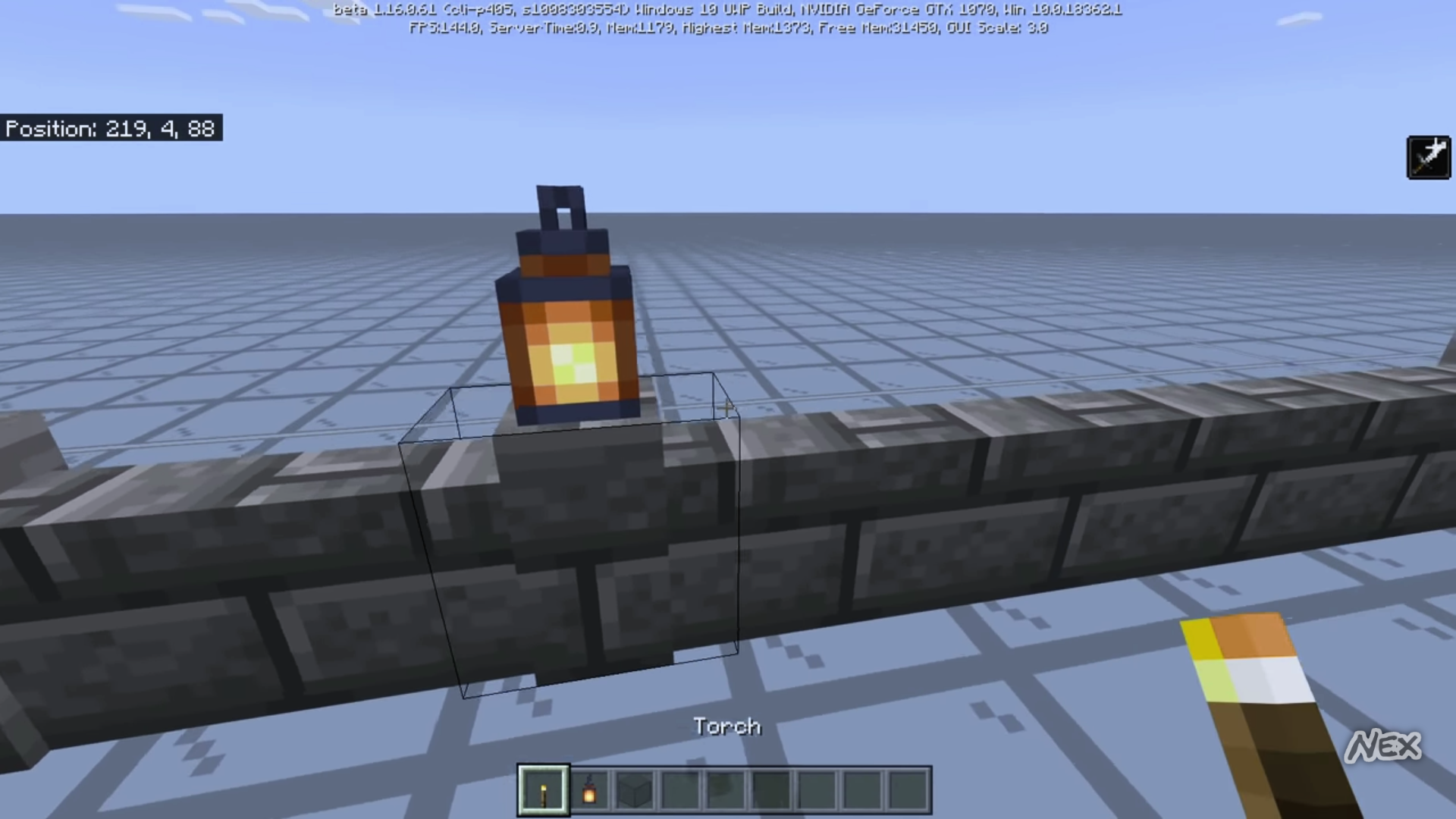
The hitbox of walls
is too high. I don't mean the collision box. The collision box is 1.5 blocks high whichis correct. But the hitbox which is the outline that you see when looking at it is too high when having 2 walls next it.How to reproduce:
place3walls next to each other.- Look at the wall in the middle
You see that the outline is higher than the texture.The hitbox of walls that made a pillar is too large, when it is connected to the side.
How to reproduce:
- Place 2 walls next to each other.
- Look at one of the walls.
You can interact with the wall when aiming next to the pillar.
Before 1.16 it also used to be too high when it doesn’t have a pillager, which is now fixed, but, when it has a pillager, it is still incorrect.
A weird brightthingappeaers when looking at a lectern with a book when outline selection is turned off.A weird bright stripe appeaers when looking at a lectern with a book when outline selection is turned off.
When you have outline selection off and
Look at a lectern that has a book a weirdbrightthing appeaers.How to reproduce:
- Turn outline selection in the video settings to off.
- Place a lectern with a book inside and
Look at it.When you have outline selection off and look at a lectern that has a book a weird stripe thing appeaers.
How to reproduce:
- Turn outline selection in the video settings to off.
- Place a lectern with a book inside and look at it.
Update: This was an issue in 1.13.1, but did no longer work in 1.14, so it seems like it got unconsciously fixed in 1.14. (It wasn’t mentioned in the changelog)
When you hold down right click while holding a usable item like a bow you ring the bell once and then use the item.
How to reproduce:
- Hold a bow in your hand and have arrows in your inventory
- Look at a bell
- Hold down right click
What I observed: you ring the bell once and then you span the bow
What I expected: you just ring the bell very often as long as you are holding right click.
Bell andHolding down right clickHolding down right click while looking at a bell doesn’t use interact over and over again
When you hold down right click while holding a usable item like a bow you ring the bell once and then use the item.
How to reproduce:
- Hold a bow in your hand and have arrows in your inventory
- Look at a bell
- Hold down right click
What I observed:
you ring the bell once and then you span the bowWhat I expected:
you just ring the bell very often as long as you are holding right click.When you hold down right click while holding a usable item like a bow you ring the bell once and then use the item.
How to reproduce:
- Hold a bow in your hand and have arrows in your inventory
- Look at a bell
- Hold down right click
What I observed: You ring the bell once and then you span the bow
What I expected: You just ring the bell very often as long as you are holding right click.
Holding down right click while looking at a bell doesn’t use interact over and over again when holding a usable item
Holding down right click while looking at a bell doesn’tuse interactover and over again when holding a usable itemHolding down right click while looking at a bell doesn’t ring the bell over and over again when holding a usable item
When you hold down right click while holding a usable item like a bow you ring the bell once and then use the item.
How to reproduce:
- Hold a bow in your hand and have arrows in your inventory
- Look at a bell
- Hold down right click
What I observed: You ring the bell once and then you span the bow
What I expected: You
justring the bell very often as long as you are holding right click.When you hold down right click while holding a usable item like a bow you ring the bell once and then use the item.
How to reproduce:
- Hold a bow in your hand and have arrows in your inventory
- Look at a bell
- Hold down right click
What I observed: You ring the bell once and then you span the bow
What I expected: You ring the bell over and over again as long as you are holding right click.
When you hold down right click while holding a usable item like a bow you ring the bell once and then use the item.
How to reproduce:
- Hold a bow in your hand and have arrows in your inventory
- Look at a bell
- Hold down right click
What I observed: You ring the bell once and then you span the bow
What I expected: You ring the bell over and over again as long as you are holding right click.
The bug
When you hold down right click while holding a usable item like a bow you ring the bell once and then use the item.
How to reproduce:
- Hold a bow in your hand and have arrows in your inventory
- Look at a bell
- Hold down right click
What I observed: You ring the bell once and then you use the bow
What I expected: You ring the bell over and over again as long as you are holding right click.
Holding down right click while looking at a belldoesn’tring the bell overandover againwhen holding a usable itemHolding down right click while looking at a bell only rings the bell once and then uses the item when holding a usable item
The bug
When you hold down right click while holding a usable item like a bow you ring the bell once and then use the item
.How to reproduce:
- Hold a bow in your hand and have arrows in your inventory
- Look at a bell
- Hold down right click
What I observed: You ring the bell once and then you use the bow
What I expected: You ring the bell over and over again as long as you are holding right click.
The bug
When you hold down right click while holding a usable item like a bow you only ring the bell once and then use the item instead of ringing the bell over and over again, like it should happen and also happens with note blocks.
How to reproduce:
- Hold a bow in your hand and have arrows in your inventory
- Look at a bell
- Hold down right click
What I observed: You ring the bell once and then you use the bow.
What I expected: You ring the bell over and over again as long as you are holding right click.
When gliding you interect with blocks and entities like you are higher.
How to reproduce:
- Put on an elytra
- Fly against a wall in creative mode
- Press left click
What I observed: The block above that block broke
What I expected: you break the block where you are aiming with the crosshair.
If you use in water a riptide trident and then swim with the swimming animation before the riptide animation stops you get the 1.8 blocks high hitbox after the animation stops.
How to reproduce:
- Take a riptide trident
- Go in water for example in an ocean
- Use the riptide trident
- Swim with the swimming animation before the riptide animation stops
Then after the animation stops you can't swim through 1*1 gaps.
If you use in water a riptide trident and then swim with the swimming animation before the riptide animation stops you get the 1.8 blocks high hitbox after the animation stops.
How to reproduce:
- Take a riptide trident
- Go in water for example in an ocean
- Use the riptide trident
- Swim with the swimming animation before the riptide animation stops
What I observed: Then after the animation stops you can't swim through 1*1 gaps.
What I expected: When the riptide animation stops you still have the smaller hitbox.
If you use in water a riptide trident and then swim with the swimming animation before the riptide animation stops you get the 1.8 blocks high hitbox after the animation stops. Which means you cannot swimm through 1*1 gaps.
How to reproduce:
- Take a riptide trident
- Go in water for example in an ocean
- Use the riptide trident
- Swim with the swimming animation before the riptide animation stops
What I observed: Then after the animation stops you can't swim through 1*1 gaps.
What I expected: When the riptide animation stops you still have the smaller hitbox because you are swimming with the swimming animation.
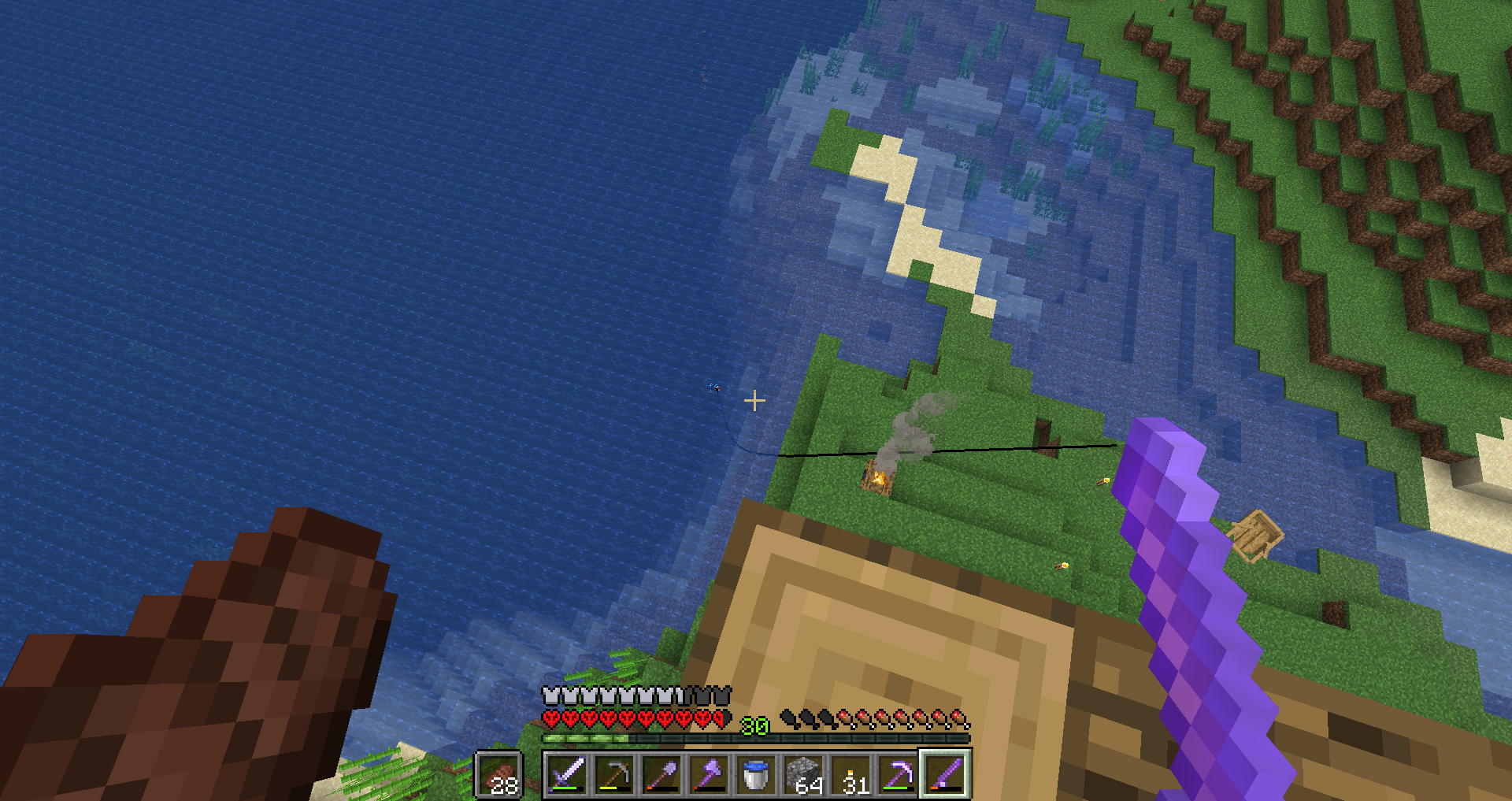
You sometimes can not swim through 1*1 gaps after using riptide1.8 blocks high hitbox while swimming with the swimming animation.
If you use in water a riptide trident and then swim with the swimming animation before the riptide animation stops you get the 1.8 blocks high hitbox after the animation stops. Which means you cannot swimm through 1*1 gaps.
How to reproduce:
- Take a riptide trident
- Go in water for example in an ocean
- Use the riptide trident
- Swim with the swimming animation before the riptide animation stops
What I observed: Then after the animation stops you can't swim through 1*1 gaps.
What I expected: When the riptide animation stops you still have the smaller hitbox because you are swimming with the swimming animation.
If you use in water a riptide trident and then swim with the swimming animation before the riptide animation stops you get the 1.8 blocks high hitbox after the animation stops. Which means you cannot swimm through 1*1 gaps.
How to reproduce:
- Take a riptide trident
- Go in water for example in an ocean
- Use the riptide trident
- Swim with the swimming animation before the riptide animation stops
What I observed: Then after the animation stops you can't swim through 1*1 gaps.
What I expected: When the riptide animation stops you still have the smaller hitbox because you are swimming with the swimming animation.
That seems to happen because the game doesn’t test if you do something were you should have the 1 block hitbox after the animation stops, simelar to
If you use in water a riptide trident and then swim with the swimming animation before the riptide animation stops you get the 1.8 blocks high hitbox after the animation stops. Which means you cannot swimm through 1*1 gaps.
How to reproduce:
- Take a riptide trident
- Go in water for example in an ocean
- Use the riptide trident
- Swim with the swimming animation before the riptide animation stops
What I observed: Then after the animation stops you can't swim through 1*1 gaps.
What I expected: When the riptide animation stops you still have the smaller hitbox because you are swimming with the swimming animation.
That seems to happen because the game doesn’t test if you do something were you should have the 1 block hitbox after the animation stops, simelar toMCPE-55862andMCPE-54255.
Still affects 1.14
If you use in water a riptide trident and then swim with the swimming animation before the riptide animation stops you get the 1.8 blocks high hitbox after the animation stops. Which means you cannot swimm through 1*1 gaps.
How to reproduce:
- Take a riptide trident
- Go in water for example in an ocean
- Use the riptide trident
- Swim with the swimming animation before the riptide animation stops
What I observed:
Then after the animation stopsyou can't swim through 1*1 gaps.What I expected: When the riptide animation stops you still have the smaller hitbox because you are swimming with the swimming animation.
That seems to happen because the game doesn’t test if you do something were you should have the 1 block hitbox after the animation stops, simelar toMCPE-55862andMCPE-54255.If you use in water a riptide trident and then swim with the swimming animation before the riptide animation stops you get the 1.8 blocks high hitbox after the animation stops. Which means you cannot swimm through 1*1 gaps.
How to reproduce:
- Take a riptide trident
- Go in water for example in an ocean
- Use the riptide trident
- Swim with the swimming animation before the riptide animation stops
- Swim up against a block
What I observed: You stop moving upwards at a lower position than you should, which means that you have the 1.8 block hitbox which also means that you can’t swim through 1*1 gaps.
What I expected: When the riptide animation stops you still have the smaller hitbox because you are swimming with the swimming animation.
That seems to happen because the game doesn’t test if you do something were you should have the 1 block hitbox after the animation stops, simelar toMCPE-55862andMCPE-54255.
If you use in water a riptide trident and then swim with the swimming animation before the riptide animation stops you get the 1.8 blocks high hitbox after the animation stops. Which means you cannot swimm through 1*1 gaps.
How to reproduce:
- Take a riptide trident
- Go in water for example in an ocean
- Use the riptide trident
- Swim with the swimming animation before the riptide animation stops
- Swim up against a block
What I observed: You stop moving upwards at a lower position than you should, which means that you have the 1.8 block hitbox which also means that you can’t swim through 1*1 gaps.
What I expected: When the riptide animation stops you still have the smaller hitbox because you are swimming with the swimming animation.
That seems to happen because the game doesn’t test if you do something were you should have the 1 block hitbox after the animation stops, simelar toMCPE-55862andMCPE-54255.If you use in water a riptide trident and then swim with the swimming animation before the riptide animation stops you get the 1.8 blocks high hitbox after the animation stops. Which means you cannot swimm through 1*1 gaps.
How to reproduce:
- Take a riptide trident
- Go in water for example in an ocean
- Use the riptide trident
- Swim with the swimming animation before the riptide animation stops
- Swim up against a block
What I observed: You stop moving upwards at a lower position than you should, which means that you have the 1.8 block hitbox which also means that you can’t swim through 1*1 gaps.
What I expected: When the riptide animation stops you still have the smaller hitbox because you are swimming with the swimming animation.
That seems to happen because the game doesn’t test if you do something were you should have the 1 block hitbox after the animation stops, simelar to
MCPE-55862andMCPE-54255.
1.8 blocks high hitbox while swimming with the swimming animation.When the riptide animation stops while swimming, you get the 1.8 block hitbox even though you are swimming
If you use in water a riptide trident and then swim with the swimming animation before the riptide animation stops you get the 1.8 blocks high hitbox after the animation stops. Which means you cannot swimm through 1*1 gaps.
How to reproduce:
- Take a riptide trident
- Go in water for example in an ocean
- Use the riptide trident
- Swim with the swimming animation before the riptide animation stops
- Swim up against a block
What I observed: You stop moving upwards at a lower position than you should, which means that you have the 1.8 block hitbox which also means that you can’t swim through 1*1 gaps.
What I expected: When the riptide animation stops you still have the smaller hitbox because you are swimming with the swimming animation.
That seems to happen because the game doesn’t test if you do something were you should have the 1 block hitbox after the animation stops, simelar to
MCPE-55862andMCPE-54255.The bug
If you use in water a riptide trident and then swim with the swimming animation before the riptide animation stops you get the 1.8 blocks high hitbox after the animation stops. Which means you cannot swimm through 1*1 gaps.
How to reproduce:
- Take a riptide trident
- Go in water for example in an ocean
- Use the riptide trident
- Swim with the swimming animation before the riptide animation stops
- Swim up against a block
What I observed: You stop moving upwards at a lower position than you should, which means that you have the 1.8 block hitbox which also means that you can’t swim through 1*1 gaps.
What I expected: When the riptide animation stops you still have the smaller hitbox because you are swimming with the swimming animation.
That seems to happen because the game doesn’t test if you do something were you should have the 1 block hitbox after the animation stops, simelar to
MCPE-55862andMCPE-54255.
Crash when entering a work. Needs fixing as soon as possible!Crash when entering a world. Needs fixing as soon as possible!
I was in my survival world in the end and when I went back to the overworld a few seconds later the game freezed and crashed. When I restarted minecraft and entered the world I was in the end again because the game did not save but when I went back to the overworld the game crashed! It happened every time I did this! Then I went back to the overworld and I left the world immediately and then I tryed to enter the world but the game crashed before I Was in the world! Now I am not able to play the world because the game crashed of I try to enter the world! ) : I want
thatyou release a hotfix that fixes this issue! Because I want to play the survival World!I was in my survival world in the end and when I went back to the overworld a few seconds later the game freezed and crashed. When I restarted minecraft and entered the world I was in the end again because the game did not save but when I went back to the overworld the game crashed! It happened every time I did this! Then I went back to the overworld and I left the world immediately and then I tryed to enter the world but the game crashed before I Was in the world! Now I am not able to play the world because the game crashed of I try to enter the world! ) : I want you to release a hotfix that fixes this issue! Because I want to play the survival World!
I was in my survival world in the end and when I went back to the overworld a few seconds later the game freezed and crashed. When I restarted minecraft and entered the world I was in the end again because the game did not save but when I went back to the overworld the game crashed! It happened every time I did this! Then I went back to the overworld and I left the world immediately and then I tryed to enter the world but the game crashed before I Was in the world! Now I am not able to play the world because the game crashe
d of I try to enter the world! ) : I wantyouto release a hotfix that fixes this issue! Because I want to play the survival World!I was in my survival world in the end and when I went back to the overworld a few seconds later the game freezed and crashed. When I restarted minecraft and entered the world I was in the end again because the game did not save but when I went back to the overworld the game crashed! It happened every time I did this! Then I went back to the overworld and I left the world immediately and then I tryed to enter the world but the game crashed before I Was in the world! Now I am not able to play the world because the game crashes if I try to enter the world! ) : I want mojang to release a hotfix that fixes this issue! Because I want to play the survival World!
Crashwhen entering a world.Needs fixing as soon as possible!Crash! Needs fixing as soon as possible!
Crash! Needs fixing as soon as possible! Chunks can become chunks that cause the game to Crash when being loaded.
I was in my survival world in the end and when I went back to the overworld a few seconds later the game freezed and crashed. When I restarted minecraft and entered the world I was in the end again because the game did not save but when I went back to the overworld the game crashed! It happened every time I did this! Then I went back to the overworld and I left the world immediately and then I tryed to enter the world but the game crashed before I Was in the world! Now I am not able to play the world because the game crashes if I try to enter the world!
) : I want mojang to release a hotfix that fixes this issue! Because I want to play the survival World!
Crash!Needs fixing as soon as possible!Chunks can become chunks that cause the game to Crash when being loaded.
When using /title, if you put a % in the titleText parameter, it will show twice.
How to reproduce:
- Run this command:
/title @s title %Observed result: The % sign showed twice even though it was only once in the command.
Expected result: The % sign should only show once since it was once in the command.
Still affects 1.13.1.
Why am I not able to upvote it? I want this bug to be fixed!
Because I am not able to vote for this issue I'll create a new bug report for this bug!
I did it:
MCPE-58362
If you have a totem of undying in your offhand and in your mainhand and get fatal damage you Lose the totem in your offhand.
How to reproduce:
- Put a totem of undying in your mainhand and your offhand
- Make something happen that you die
What I observed: You lose the totem in your offhand.
What I expected: You lose the totem in your mainhand like on console edition and java edition.
If you have a totem of undying in your offhand and in your mainhand and get fatal damage you Lose the totem in your offhand.
How to reproduce:
- Put a totem of undying in your mainhand and your offhand
- Make something happen that you die
What I observed: You lose the totem in your offhand.
What I expected: You lose the totem in your mainhand like on console edition and java edition.
This is very annoying if you have a totem in your offhand and one in your hotbar. If you are about to die and switch to your totem in you hotbar it makes you have to put a new totem in you offhand. If this gets fixed players can switch to a totem in their mainhand to prevent losing their totem in offhand.
Noempty bottle when using dragons breath in brewing standYou don't get an empty bottle back when using dragons breath in brewing stand
You don't get an empty bottle back when using dragons breath in a brewing stand
When you place water with a water bucket on the block where bamboo is it completely disappears.
How to reproduce:
- Place bamboo
Place water thereWhat I observed: the block got replaced with water and the bamboo disappeared
What I expected: The bamboo gets waterloggt or it gets replaced with water and drops as an Item.
When you place water with a water bucket on the block where bamboo is it completely disappears.
How to reproduce:
- Place bamboo
- Use bone meal on it
- Break the bamboo at the top
- Place water at the position of the bamboo
What I observed: the block got replaced with water and the bamboo disappeared
What I expected: The bamboo gets waterloggt or it gets replaced with water and drops as an Item.
Bamboo completely disappears when putting water on bambooReplacing bamboo with water destroyes it
Replacing bamboo with water destroyes it forever
When you place
waterwithawaterbucket on the block where bamboo isit completely disappears.How to reproduce:
- Place bamboo
- Use bone meal on it
- Break the bamboo at the top
- Place water at the position of the bamboo
What I observed: the block got replaced with water and the bamboo disappeared
What I expected: The bamboo gets waterloggt or it gets replaced with water and drops as an Item.
The bug
When you replace bamboo with water using a water bucket it completely disappears.
How to reproduce:
- Place bamboo
- Use bone meal on it
- Break the bamboo at the top
- Place water at the position of the bamboo
What I observed: the block got replaced with water and the bamboo disappeared
What I expected: The bamboo gets replaced with water and drops as an item or it is not possible to replace it with water like on java.
The bug
When you replace bamboo with water using a water bucket it completely disappears.
How to reproduce:
- Place bamboo
- Use bone meal on it
- Break the bamboo at the to
pPlacewaterat theposition of the bambooWhat I observed:
the block got replaced with water and the bamboo disappearedWhat I expected: The bamboo gets replaced with water and drops as an item or it is not possible to replace it with water like on java.
The bug
When you replace bamboo with water using a water bucket it completely disappears.
How to reproduce:
- Make sure to have gamerule dotiledrops set to true
- Place bamboo
- Use bone meal on it
- Break the bamboo at the to
- Replace bamboo at the bottom with water
What I observed: The block got replaced with water and the bamboo disappeared
What I expected: The bamboo gets replaced with water and drops as an item or it is not possible to replace it with water like on java.
The bug
When you replace bamboo with water using a water bucket it completely disappears.
How to reproduce:
- Make sure to have gamerule dotiledrops set to true
- Place bamboo
Use bone mealonit- Break the bamboo at the to
- Replace bamboo at the bottom with water
What I observed: The block got replaced with water and the bamboo disappeared
What I expected: The bamboo gets replaced with water and drops as an item or it is not possible to replace it with water like on java.
The bug
When you replace bamboo with water using a water bucket it completely disappear. This doesn't affect bamboo saplings.
How to reproduce:
- Make sure to have gamerule dotiledrops set to true
- Place bamboo
- Place bamboo on top
- Break the bamboo at the to
- Replace bamboo at the bottom with water
What I observed: The block got replaced with water and the bamboo disappeared
What I expected: The bamboo gets replaced with water and drops as an item or it is not possible to replace it with water like on java.
When a mob or Player gets attacked by the thorns enchantment it doesn't get knocked back. It just takes damage. On java edition and console Edition it also gets knocked back.
How to reproduce:
- Put on an armor with thorns
- Get a mob or player that attacks you
What I observed: The mob took damage but did not get knocked back.
What I expected: The mob gets damage and gets knocked back.
Thorns enchantment doesn'tpush the mob backThorns enchantment doesn't Deal knockback to the entity it attacks
Thorns enchantment doesn'tDeal knockback to the entity it attacksThorns enchantment doesn't deal knockback to the entity it attacks
When a mob or
Player gets attacked by the thorns enchantment it doesn't get knocked back. It just takes damage. On java edition and console Edition it also gets knocked back.How to reproduce:
- Put on an armor with thorns
- Get a mob or player that attacks you
What I observed: The mob took damage but did not get knocked back.
What I expected: The mob gets damage and gets knocked back.
When a mob or player gets attacked by the thorns enchantment it doesn't get knocked back. It just takes damage. On java edition and console Edition it also gets knocked back.
How to reproduce:
- Put on an armor with thorns
- Get a mob or player that attacks you
What I observed: The mob took damage but did not get knocked back.
What I expected: The mob gets damage and gets knocked back.
When a mob or player gets attacked by the thorns enchantment it doesn't
getknockedback. It just takes damage. On java edition and console Edition it also gets knocked back.How to reproduce:
- Put on an armor with thorns
- Get a mob or player that attacks you
What I observed: The mob took damage but did not get knocked back.
What I expected: The mob gets damage and gets knocked back.
The bug
When a mob or player gets attacked by the thorns enchantment it doesn't take any knockback. It just takes damage, which doesn’t make any sense. On java edition and legacy console Edition it also gets knocked back.
How to reproduce:
- Put on an armor with thorns
- Get a mob or player that attacks you
What I observed: The mob took damage but did not get knocked back.
What I expected: The mob gets damage and gets knocked back.
When you throw a loyalty trident at a mob you have to waitwhen it is in a blockand then it starts to return. But on console edition and java edition it immediately starts to return when hitting a mob.How to reproduce:
take a loyalty trident- Throw it to a mob
On java edition and console Edition a loyalty trident starts to return when ever it is in a block or when hitting a mob, but on bedrock Edition it only starts to return when being in a block or in the void which causes the trident to bounce off the mob and after a short time only when being in a block or in the void it finally starts to return. This bug can cause the trident to take much longer until it starts to return. This bug is in the game since the trident was added to bedrock Edition.
How to reproduce:
- Take a loyalty trident.
- Throw it to a mob.
What I observed: The trident bounces off the mob and only when it is in a block or the void it starts to return.
What I expected: The trident immediately starts to return when hitting the mob like on java edition and console Edition.
With the update 1.14 the crosshair does no longer change color depending on the color you are looking.
How to reproduce:
Look at a White thing
What I observed: The crosshair stays white
What I expected:The crosshair turns black.
With the update 1.14 the crosshair does no longer change color depending on the color you are looking.
How to reproduce:
Look at a White thing
What I observed: The crosshair stays white
What I expected:The crosshair turns black.
This bug works on xbox one, ps4 and Nintendo switch but not on Windows 10. I don't know if it works on mobile devices.
Crosshair does no longer change color on some devices

bugsbugsbugs Look at the flair before my username. 

Ignore me, bugsbugsbugs looks to have hit the nail on the head.
Will ask this be resolved as a duplicate.
Ionic
![[Mod] Jarl-Penguin](../../../data/avatars/users/92849.png)
MC-180166 was originally a Bedrock ticket. Hence bugsbugsbugs saying it is a duplicate.
bugsbugsbugs They correctly flee from nether portals in Bedrock Edition.

Thank you. I will update the description.
![[Mod] GoldenHelmet](../../../data/avatars/users/18951.svg)
bugsbugsbugs is correct, and that means this is the same issue as MCPE-26436.
![[Mod] LateLag](../../../data/avatars/users/92884.png)
bugsbugsbugs - Please refrain from using these message templates. They're meant for the use of helpers and moderators only.

bugsbugsbugs you filled the slots completely. you should have put a single item in each slot

bugsbugsbugs and Desko you guys aren't wrong, this was introduced in 1.16 for java. Hopefully this comes to bedrock soon as I play both Java and Bedrock.
bugsbugsbugs Is right, meaning this issue is invalid.
Ticket ownership transferred to bugsbugsbugs via request on the Mojira Discord.

bugsbugsbugs Okay, sounds good. If it helps, I have added a couple screenshots to better show off the bug.
![[Mod] Michael Wobst](../../../data/avatars/users/37868.png)
This can indeed still be reproduced with the reproduction steps provided by bugsbugsbugs. Putting these into the description.
![[Mod] Avoma](../../../data/avatars/users/86198.png)
Just to add on, I can confirm this in 20w49a using the steps provided by bugsbugsbugs. However, it will only play the hand animation a single time whereas in previous versions, it would play the animation consistently for every time you right-clicked, regardless of following the updated reproduction steps.
![[Mod] EVGENSYPERPRO](../../../data/avatars/users/92853.png)
It's sad. It's very sad, but I'll know. Thank you
I disagree with you. Check out my report MCPE-116205. Fire definitely needs support, so it seems to me that this can be implemented)

This is probably intended because where will it go when you have a full inventory? it just spins until you get something out. What would be a bug is if they "solved" this "issue" and it depletes or removes or one of the items in your inventory, or it just disappears when you have a full inventory.
@bugsbugsbugs yes i agree there is nothing mojang can do about it, it makes sense, it spins until something goes. why are there so many confirms... this can't be fixed, it is the players problem they have to much in their inventory.
Steps to solve the so called "bug"
make sure when you throw it you have an inventory that can fit another item.
thanks for the additional information) and yes there is a complete block without 1 pixel.
This also works with shields. But I think they won't fix it)
Good. I have not found this report. Then I will change my report so that it is not a duplicate. It's not for nothing that I rechecked all the items 🤣😂
Okay, but let it be anyway)
thanks) I updated the report
I saw it on Russian YouTube. As always, they take everything from English-language channels...
bugsbugsbugs I understood. Yes, this is also a good solution.
bugsbugsbugs: That was a sharp guess, but the coordinates in the videos (X~391) are outside the limits of an Old-type world, so that's not it.
DezTh3bugs: Please provide the world seed so that we can try to reproduce this issue. This ticket will automatically reopen when you respond.
bugsbugsbugs
It's java minecraft! And in this report, a bedrock.
![[Mojang] Panda](../../../data/avatars/users/41658.png)
bugsbugsbugs Thanks for testing! Impressive how fast you managed to break it
I was able to reproduce what you showed, though it turns out to be a different issue with a similar effect.
This report is about the desync when rapidly turning the camera (because the position and rotation server and client would simulate the right click action with could be mismatched), the other version you found happens when picking up two liquid blocks that are behind each other in close succession. It can be reproduced by having two water blocks with empty space behind them and then clicking two times with an empty bucket with roughly 250ms delay in between. LiquidDesync.mp4
This issue warrants a new report.
Ticket is now yours, bugsbugsbugs
bugsbugsbugs https://twitter.com/_tomcc/status/690127591525728257
 well, maybe they will do it after all.
After all, the signs cannot be placed on the floor) So they no longer lead like signs.

bugsbugsbugs, that's what MC-223799 is about.
Not intended as the vindicator is not crossing its arms and should show the axe in its hand. bugsbugsbugs I am pretty sure this is a bug.
bugsbugsbugs I don't agree with you. Requesting review.
It is the same with mobspawners
I am playing on xbox one and I don't have this issue it Shows correctly, but when I play with a friend, he has this issue.
Now it also shows the dead variant in hand
Still affects 1.13.1
It also works with every other ridable entity except boats.
It also happens when rising up while being in first person view and not sitting already on an entity.
This also happens on every ridable entity except boats.
Still affects 1.13.1
This still affects 1.13.1. I am playing ob xbox one and sometimes when standing afk on a trident killer I pick up some tridents through a wall. I think that's because the tridents are able to glitch into blocks when using a trident killer.
I am playing on xbox one and also have experienced this.
It completely breaks one use of the campfire: You should be able to use it to find locations more easily and also if you are far away, but it is not possible.
It also happens while swimming with the swimming animation and it still affects 1.13.1
Still affects 1.13.1
Confirmed for 1.13.1. I often use the clear command in command blocks of my adventure maps and there I also experienced this. If you see, armor on a player that doesn't wear armor by using the bug you can also give the player invisibility and then you can find out, where the player is, because you see the armor that the player does not wear. This prevents me from having full invisibil players.
I found another way. I turned down the render distance as small as possible (6 chunks) and then I entered the world and it worked fine but when I turned up the render distance the game crashed. When I walked to the world spawn point with low render distance the game crashed. But when I walked away from the world spawn point and then turned up the render distance the game did not crash. So it looks like the game crashes if the chunk in that the world spawn point is, is loaded.
But it feels bad to play with a low render distance.
If it helps mojang to fix this issue, the seed of the world is: 1843189466
You only get slowed down as long as you are holding down right click.
It should bot attract all undead mobs. It should only attract zombies, villager zombies, husks, drowneds and zombie pigmen.
I am playing on xbox one and also experienced this a very long time ago.
While gliding you interect with blocks and entities like you are higher and things that you throw drop or shoot appear above you.
While swimming with the swimming animation you interect with blocks and entities correctly but things that you throw drop or shoot appear above you.
I am playing on xbox one and can confirm this, it is very annoying. It is also very annoying when you are controlling a minecart and then exit third person view. This can cause you to drive in another direction.
I am playing on xbox one and also experienced this issue it is in the game since 1.13 or 1.13.1. When you update the light at the location where the issue is, the light goes beyond the chunk like expected.
Still affects 1.13.1.
I am playing on xbox one and also have experienced this issue. It happened in my survival world and in a flat map. In the survival world the wall was made with stone and dirt. In the flat map it was made with dirt and bedrock. In my survival world the wall was generated along the Z axis. In the flat map I don't know the axis and I already destroyed the wall so I am not able to find it out. What about you? Which axis along are your walks. Maybe this information is helpful.
I also only found the walls in places where the world was already generated so I found the walls in places where the wall was not before.
Now I no longer have this issue. I can load the chunks at the world spawn point without any issue.
That's weird.
The ghasts won't despawn but it looks like they don't attack you on peaceful difficulty.
I also used the % sign to make almost a loading screen and there it also shows twice. I found the bug that way.
Does no longer affect 1.14
Still affects the released Version of 1.14.
Still affects 1.14
Still affects 1.14
Still affects 1.14
It does not only work vertically. It also works horizontally. You can place a trapdoor or mob spawner between normal full blocks like for example stone and you'll see that you are lower than standing on top of a normal block like stone. And if a trapdoor or mob spawner is in a ceiling and you fly in creative mode against the ceiling you can fly against a block like stone next to the spawner or trapdoor.
To un-waterlog blocks you need to aim at the hitbox of the block, so for buttons you have to sneak and aim at the button and then press left click. You have to do this with every waterloggable block.
This issue also confused me with doors and ladders. So I also thought that I am unable to un-waterlog These blocks until I found out that I have to aim at the hitbox of the block itself.
This issue might be a bug, but I am not Sure.
You are only unable to smelt stone into smooth stone that you got from smelting cobble stone into stone before 1.13. And this stone is also unable to stack with stone smelted after 1.13 or obtained with silk touch. Stone smelted from cobble stone before 1.13 can also be used to make diorite, andesite and granite items with a stone cutter. I'll attach a screen shot for this.
This issue relates to
MCPE-55862andMCPE-55864This issue relates to
MCPE-54255andMCPE-55864Relates to
MCPE-55862andMCPE-54255In 1.13 this issue was fixed, but currently it affects walls with a full block like stone and a non full block like soul sand so this hasn't fully been fixed, so I think I have to create a new bug report, so I'll do it.
I created a bug report for this:
MCPE-60160Yes, that is really annoying. When I fly through the nether it annoyed me the most time. This caused me sometimes to fall into lava, but luckly I have a totem of undying and a good armor so I never died.
I also experienced the last thing. I was building on my house and had food in my offhand and a Solid block in my mainhand and I wanted to eat, but it did not work, when I tried placing a block inside me to eat. But when I was not looking at any block while holding the solid block I could eat without any issue.
I also experienced this issue. I was building on my house and had food in my offhand and a solid block in my mainhand and I wanted to eat, but it did not work, when I tried placing a block inside me to eat. But when I was not looking at any block while holding the solid block I could eat without any issue. I don't understand why this is marked as works as intended.
The game only makes you look to south when mounting if the following conditions are met
1. You don't ride another entity before mounting
2. You are in first person view
It also renders behind smoke particles of campfires.
I have also noticed this. I have a fully automatic kelp farm in my survival world and with the update 1.14 (i am really Sure that it was 1.14) it didn't grow as fast as before. Then I found out that some kelp stopped growing very early even when I used bone meal. So not every kelp stopped growing at the same hight so I thought that they had fixed
MCPE-42575. But silent whisperer said in the newest bugrock of the week episode that bedrock Edition doesn't have an age system for kelp. In my survival world I placed kelp in my kelp farm and used bone meal on it and broke it and did the same thing again until it grew very high. I did this on every block in my kelp farm where I had kelp. But then it still didn't produce as much kelp as before the update.So they might have fixed
MCPE-42575and also made kelp grow much slower.But I never got kelp that grows at least 15 blocks high by using the bone meal trick.
Kelp is supposed to grow 2-25 blocks high.
Sadly this issue is resolved as works as intended which means they might never fix this issue. But here is a video for a trident killer for the newer versions. https://youtu.be/kME3fYqydbI
also affects 1.14.1 and 1.14.20
also affects 1.14.1 and 1.14.20
still affects 1.14.20
still affects 1.14.20
still affects 1.14.20
still affects 1.14, 1.14.1 and 1.14.20
confirmed for 1.14, 1.14.1 and 1.14.20
confirmed for 1.14.1 and 1.14.20
confirmed for 1.14.1 and 1.14.20
In the change log it says it is fixed. But in this Video a player crafts 64 honey bottles together and only gets 60 bottles back. https://youtu.be/sVmCnRQ2Tyw So it hasn't fully been fixed.
You can see it at 6:00
confirmed for 1.14.1, 1.14.20 and 1.14.30
confirmed for 1.14.30
confirmed for 1.14.1, 1.14.20 and 1.14.30
confirmed for 1.14.30
confirmed for 1.14.30
confirme for 1.14.30
comfirmed for 1.12, 1.12.1, 1.13, 1.13, 1.13.1, 1.14, 1.14.1, 1.14.20 and 1.14.30
still affects 1.14.30
still affects 1.14.30
confirmed for 1.14.30
still affects 1.14.30
still affects 1.14.30
still affects 1.14.30
confirmed for 1.14.30
But every time when I experienced this bug the blocks were like normal blocks and I had to break them myself.
Hopefully this gets fixed in 1.15, because this update already has many parity changes in the beta.
It is still an issue, however it has changed with 1.13. This visiual effect (which was completely missing in 1.6
MCPE-34448) is now only visible on the front side of the player that is using riptide.The blue line that shows the direction an entity is looking, when pressing F3 + B, also renders behind water.
I also created a teleportion machine with enderpearls and it didn't work always. So maybe this bug is the reason for this.
still affects 1.14.30.
What should happen is that the lectern is brighter when having night vision. But when you place a light source next to it, it is brighter, because the book is unaffected by night Vision.
Eating particles also appear above the player when eating while gliding.
in snapshot 20w10a it is fixed, but I didn’t find the change in the change log.
That happens because the item is technical rotated different which I am sure is not intended. If you place an item frame, put a map in it and then rotate it 4 times and then put another item in it the item will be upside down.
Tiancelia why did you throw snowballs at them??? That doesn't bring you anything.
I can confirm that it is not fixed. I saw it in this youtube video https://youtu.be/TahW8BWUNtc Skip to 6:29 to see it in action.
The slowness and the speed effect also have this issue. (always not just when walking on soul sand) When having slowness at level 7 you can still move when jumping while being not on the ground. And speed also doesn't work midair but when jumping you will keep the momentum that you had when being on the ground.
Relates to the issue with honey blocks and other block or is a duplicate of it.
MC-1133This issue also affects blocks that have the climbable tag like for example ladders, vines. I am not sure if this is intended for these blocks but I believe that it's not.
Why shouldn't you be able to combine it with depth strider or frost walker?
The bug is that pick blocking grass makes the game trying to put a fern in your hand and not grass. Silent whisperer showed it in a video https://youtu.be/gfPf83JOsCs
Silent whisperer showed it in a video https://youtu.be/gfPf83JOsCs
Silent whisperer showed it in a video https://youtu.be/gfPf83JOsCs
Silent whisperer showed it in a video https://youtu.be/gfPf83JOsCs
Silent whisperer showed it in a video https://youtu.be/gfPf83JOsCs
Sparkofphoenix also had this issue https://youtu.be/02O510KkaHg. Sorry that it is german. But here some more information.
He combined the Soul speed book with a mending book and then he combined it with boots and soul speed was not on the boots. But later he suddenly had soul before he wanted to do it in creative mode.
This happens on every armor. This is a duplicate of
MC-173747Do you mean that a zombiefied piglin is riding an top of the strider? This should be intended and does not just work in water.
I believe you experienced
MC-175177. So I believe the weird stuff doesn't have to do anything with the strider.But if I remeber correctly, it was also a bug that piglins with no AI still shake in the overworld.
MC-172077For the bottom slabs: Every mob can't pathfind over bottom slabs that don't have a Solid block below it.
Here is the bug report for mob spawners.
MCPE-66828Why is this resolved as won't fix? Trapdoors have the same issue and it got fixed for them in the beta.
Here the bug for trapdoors
MCPE-13451The respawn anchor hasn't been added to bedrock edition yet. So how could you say that you don't have to right click on bedrock Edition???
They attack the armor stands, but the armor stands don’t break.
They are affected by instant health like other mobs that are not undead. So they get healed like normal.
They are no undead mobs which means that they are not affected by the smite enchantment and the wither also attacks them.
Zoglins attack every undead mob,
Here is a list of blocks that you can look through but 3rd person camera can not pass through. And where it might be a bug that the camera does not pass through.
Ladder, fence gates, fences, leaves, (normal) ice, frosted ice, iron door, oak door, jungle door, acacia door, all types of trap doors except dark oak, birch and spruce.
Not every undead mob destroys turtle eggs. Only zombies, villager zombies, husks, drowned and zombified piglins do that, so I don’t think that zoglins are supposed to destroy turtle eggs.
And zoglins are also not undead. Here the bug report.
MC-177102Can confirm. They behave exactly like they do with armor stands.
MC-177122ZYX_2D I don't understand what you mean. I couldn't see anything that went wrong on the video.
Duplicate of
MC-177870Blackstone also can't be used to repair stone Tools and weapons. Here the bug report for this:
MC-177888If you want to have a blackstone generator you can vote at the feedback site at this link:https://feedback.minecraft.net/hc/en-us/search/click?data=BAh7CjoHaWRsKwhwgk%2FVUwA6CXR5cGVJIhNjb21tdW5pdHlfcG9zdAY6BkVUOgh1cmxJIl5odHRwczovL2ZlZWRiYWNrLm1pbmVjcmFmdC5uZXQvaGMvZW4tdXMvY29tbXVuaXR5L3Bvc3RzLzM2MDA2MTA0MzMxMi1CbGFja3N0b25lLUdlbmVyYXRvcgY7B1Q6DnNlYXJjaF9pZEkiKWQxZDhlOGI1LWExZmQtNDM1Zi1hYTU5LWM1MzAzMTk2YWY0YQY7B0Y6CXJhbmtpCg%3D%3D--ac9fc314ad848348d8ff90f644d2f07942ae522e
Bug reports need to be in english.
Ibxtoycat made a video about it. https://youtu.be/X8v3OK8sQ5E
This bug also was on java edition in the first snapshot of the nether update (20w06a) but I am not sure if this affected all types of torches.
This bug can cause players to lose all of their items and already did this. This really needs to be fixed. Hopefully this gets fixed in one of the next betas.
I have noticed this with the direction the mob is looking. Mobs that convert into another mob don't keep the direction they are looking. This issue does not affect mobs that change the variant. For example if a mooshroom gets stuck by a lightning it keeps the direction, because it is not a seperate mob it is just a variant. Other data of the mooshroom should be also be kept.
I don't think that it is a feature request.
MC-1541also was no feature request and before it got fixed it was also not possible to have more than one effect of the same type with different levels. And my bug report is simelar to it. A new spawn point overwrites the old spawn point and then all the times that you can respawn get consumed then it doesn't make sense that you respawn at the world spawn point. So ifMC-1541hasn't been a feature request I think my bug report also is not a feature request.This happens because you have the small hitbox while swimming and you also get the small hitbox while gliding, which is intended behavior. But when you press jump button while swimming while wearing an elytra it looks like you glide for a short time but immediately stop gliding because you are in water. And because you stop gliding you get the 1.8 block hitbox and the bug is that the game doesn't check if you do something different that is supposed to make you get the small hitbox the game just increases you hitbox always when you stop doing something that makes you get the small hitbox. This is also the reason why
MCPE-55862andMCPE-55864are an issue.To fix these bugs the game should test if you do something that makes you get the smaller hitbox every time the players hitbox gets updated and the hitbox should only be increased if are not swimming with the swimming animation or gliding have the small hitbox because you used riptide.
I hope that these bugs get fixed soon.
Can you attach the seed and the coordinates?
in the changelog it says that they can be hidden in lakes https://www.minecraft.net/en-us/article/minecraft-snapshot-20w16a. So I think that this is not a bug.
Duplicat of
MC-178817Chains are affected too.
I found the ruined portal.
I was only searching underground and the ruined portal is at the surface. It seems like the locate command is inaccurate. The ruined portal was not exactly at the same position that the command said.
This bug gets used in many mob farms. If this gets fixed it would break them.
Confirmed for 1.14.60
confirmed for 1.14.60
Confirmed for 1.14.60
Confirmed for 1.14.60
Affects 1.14.60
Confirmed for 1.14.60. With the hotfix it became more annoying. Now the flights gets disabled even if you are in creative mode.
Confirmed for 1.14.60
Confirmed for 1.14.60
Confirmed for 1.14.60
Confirmed for 1.14.60
Confirmed for 1.14.60
Confirmed for 1.14.60
Confirmed for 1.14.60
Confirmed for 1.14.60
Confirmed for 1.14.60
Confirmed for 1.14.60
I don’t think that it is intended. In java edition only the owner gets the message.
The player is also unable to put chest on minecarts by why right clicking, so why should dispensers be able to put chests on minecarts? To get a minecart with a chest you have to craft a chest minecart.
Same I also wonder, why bug reports were people said it would be a feature request are marked as invalid and not works as intended. I think it does more sense to resolve them as works as intended.
In the video the armor stand is on top of a trapdoor which has an a little bit smaller collision box.
MCPE-13451That could be the reason why the armor stand created frosted ice.
Edit: I looked closely and saw that the armor stand already generated frosted ice before it was standing on the ice, so I think that it doesn’t have to do anything with this issue.
It does not happen always when swimming with elytra. You have to hold space to get the 1.8 blocks high hitbox and this issue is a duplicate of
MCPE-54255The bugs it that the player can’t get through floating scaffolding anyways, unless the player has levitation. So if you get pushed by a slime block you can’t get through, while mobs can without any issue.
This does not just affect stews. It also happens on every type of potion and water bottles. The empty bottle always gets moved to another slot if possible.
In snapshot 20w17a they have a specific sound.
Duplicate of
MC-179845Why do you hope that this is intentional? I hope that it is not intentional, but gets changed anyways.
For some gamerules it makes sense that you can do that like for example with immediate respawn and other gamerules where you are able to toggle this without cheats in bedrock edition.
Duplicate of
MC-179845Duplicate of
MC-173747MCPE-65381Could be a duplicate of
MC-178854. I had the same issue and reported it. I used the locate command to find a ruined portal, but it was not exactly at the the coordinates that the command said.I expect that only one item of diamond gear gets consumed. Totems of undying have had the exact same issue and it got fixed. See
MC-107843I believe this is intentional. To my knowledge campfire is only supposed to prevents bees from attacking when harvesting honey not when breaking the bee nest or bee hive.
I know that sneaking used to prevent damage from campfire, but it never did on java edition. Maybe this is an intended parity change, or it was a bug that you could prevent the damage by crouching.
I think bedrock Edition was the correct project. It makes more sense that soul campfire drops soul soil instead of charcoal. Soul campfire is made out of soul sand or soul soil and not coal or charcoal. So the bug is in the bedrock Edition, which means bedrock was the correct project
This bug can cause creepers to explodes without having a player near them which is very annoying if you have snow golems outside.
I saw it in this youtube video https://youtu.be/bKL7hcF7gs4
This bug is still in the bedrock Edition
MCPE-59107.Believe they are supposed to play in every dimension.
Shulkers have the same issue. They also take fire damage.
MCPE-33236Entities in soul fire also have the same burning animation as normal fire. That could be the reason why this happens.
They could also make the message depend on the respawning block that you used before, so when you used the respawn anchor before the message would only mention the respawn anchor and if you used a bed it would mention the bed.
Yes
Java edition also has this issue MC-157645
Bedrock edition also has this bug
MCPE-47075This bug it still in the bedrock edition. MCPE-74059
I also wanted to report this just. The bug is that when a hopper interacts with a loot chest where the loot hasn’t been generated yet the loot doesn’t generate. On java it does. If this doesn’t get fixed many players on bedrock will try to loot chests with a hopper an wonder why it doesn’t work while java players can do this without any issue.
1. Put only one bug per bug report
2. The enchantment might not get removed because it is a curse enchantment. Curse enchantments can’t be removed with a grindstone.
3. The dolphins grace effect doesn’t exist in bedrock edition. Dolphins just make you swim faster without an effect.
Berry bushes don’t hurt you anyways currently
MCPE-56142I think this can be reopend. I read that the bug tracker now acceptst parity issues under certain conditions https://www.reddit.com/r/Mojira/comments/g9rjfh/from_now_on_well_accept_bug_reports_about_certain/ and this fulfills the conditions. It got changed in the buzzy bees update on java edition.
Duplicate of
MC-67.Duplicate of
MC-181431Does anyone know how to reproduce this? I also experienced this (you can see the screenshot). But I don’t know how to reproduce.
Why should this be changed? Nobody said that it got chaged. This was made an intended feature
MC-108You can also use water instead of lava and you can use any non full block that is higher thatn 1.5 blocks. This happens because you jump when being in water or lava, walking against a wall your y level is x.5 or higher.
@Greymagic27 it seems like it is not fully fixed I also experienced this issue and it was in 20w18a.
Why does nobody update the affects versions list? It still affects the latest snapshot 20w18a.
I noticed I accidentally duplicated
MC-179940Mob griefing shouldn’t affect whether tnt destroyes blocks or not.
I don’t have any sounds when extinguishing both normal and soul fire using a bucket.
I did they count previously to it? It would make sense if they don’t count to it because they only spawn once upon world generation.
I could not reproduce this issue. I spawned many shulkers and no mobs spawned there. Then I killed them and mobs were spawning.
In 20w18a dark oak and jungle now work.
Duplicate of
MCPE-59043which is fixed in beta.Lodestone is currently behind the experimenatl gameplay, see https://feedback.minecraft.net/hc/en-us/articles/360042349811-Minecraft-Beta-1-16-0-57-Xbox-One-Windows-10-Android-
Duplicate of MC-157300
Duplicate of
MC-172272In 20w 18a it works in normal inventory, but not in horse inventory or when looking into a chest.
Confirmed for 20w18a. This also affects magma blocks, but not damage of campfires. (normal and soul)
The same thing was also reported for java edition, but it got resolved as works as intended
MC-177904I don’t think that it is intended, because then they should also drop when being destroyed by ender crystals. If it would be intended then the bug is that it does not drop when destroyed by ender crystals.
Sneaking by being in a 1.5 blocks high place also doesn't cause all effects that manuel sneaking (sneaking by pressing shift or toggling it with shift) does. That could be the reason. It doesn't cause you to not fall down from blocks
MC-151547and it doesn't cause you to be able to place blocks against blocks with a right action like crafting table. But I think that is intentional.