 Bentroen
- Bentroen
- bentroen
- America/Sao_Paulo
- Yes
- No
 MC-39610
![[Mojang] Grum (Erik Broes)](../../../data/assets/gravatar/grum.png)

![[Mojang] Rebecca](../../../data/avatars/users/18936.svg)
 MCL-3202


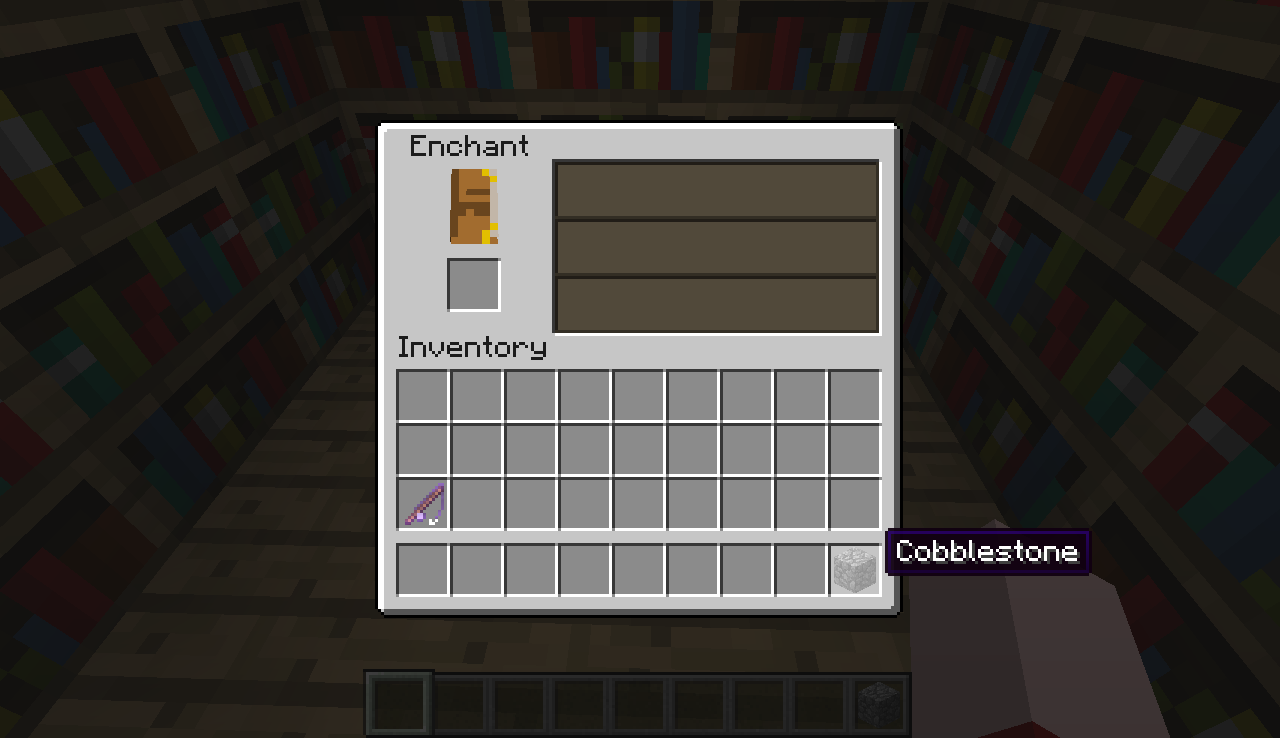
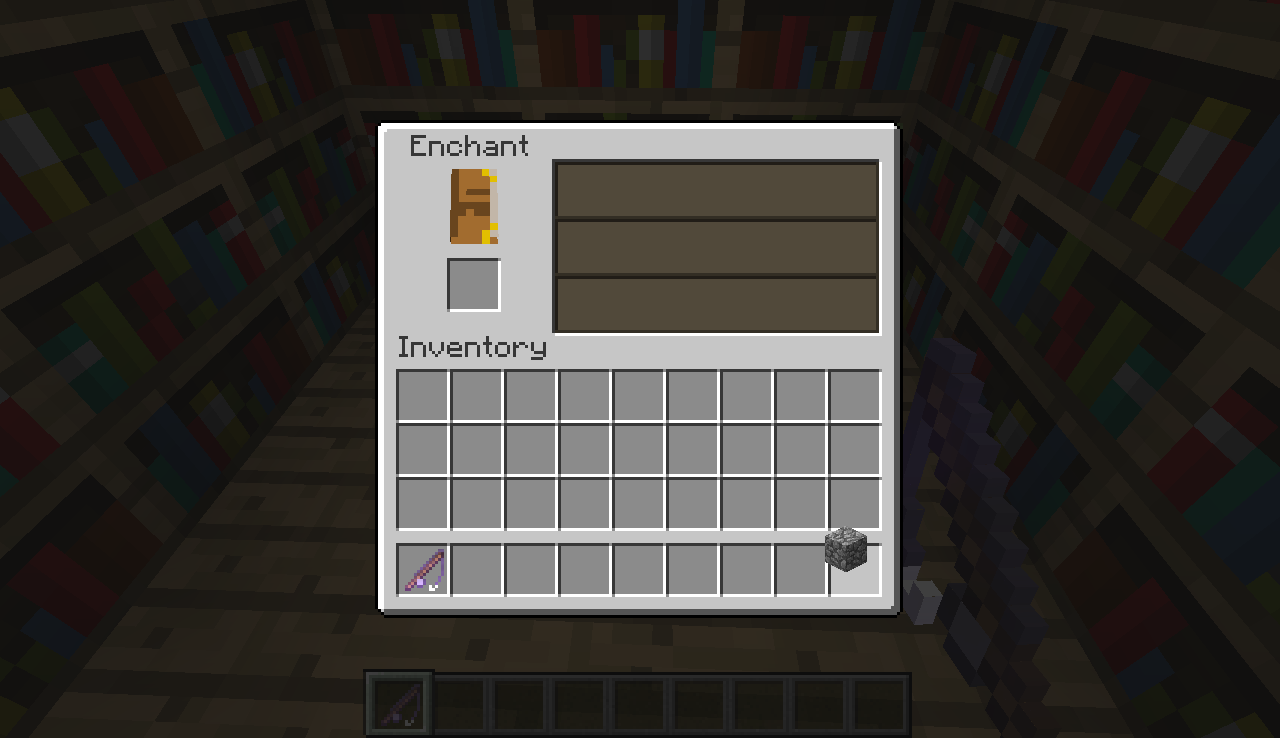

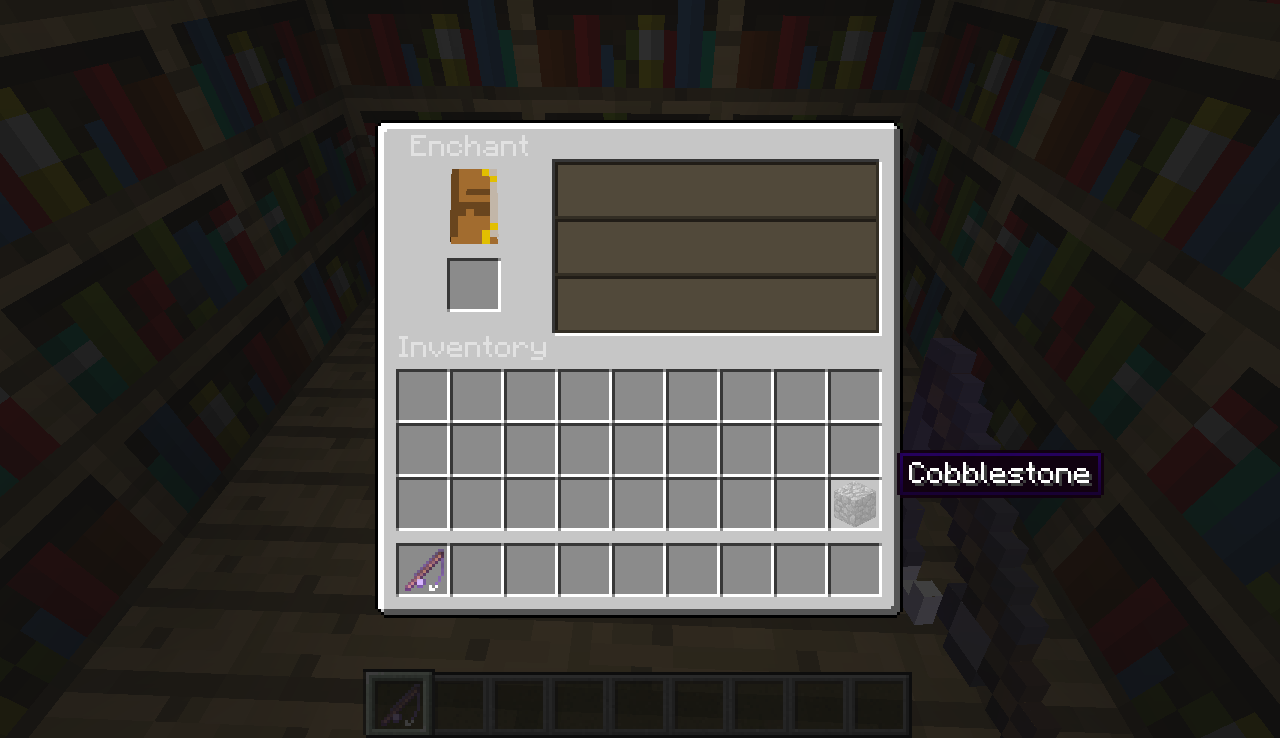
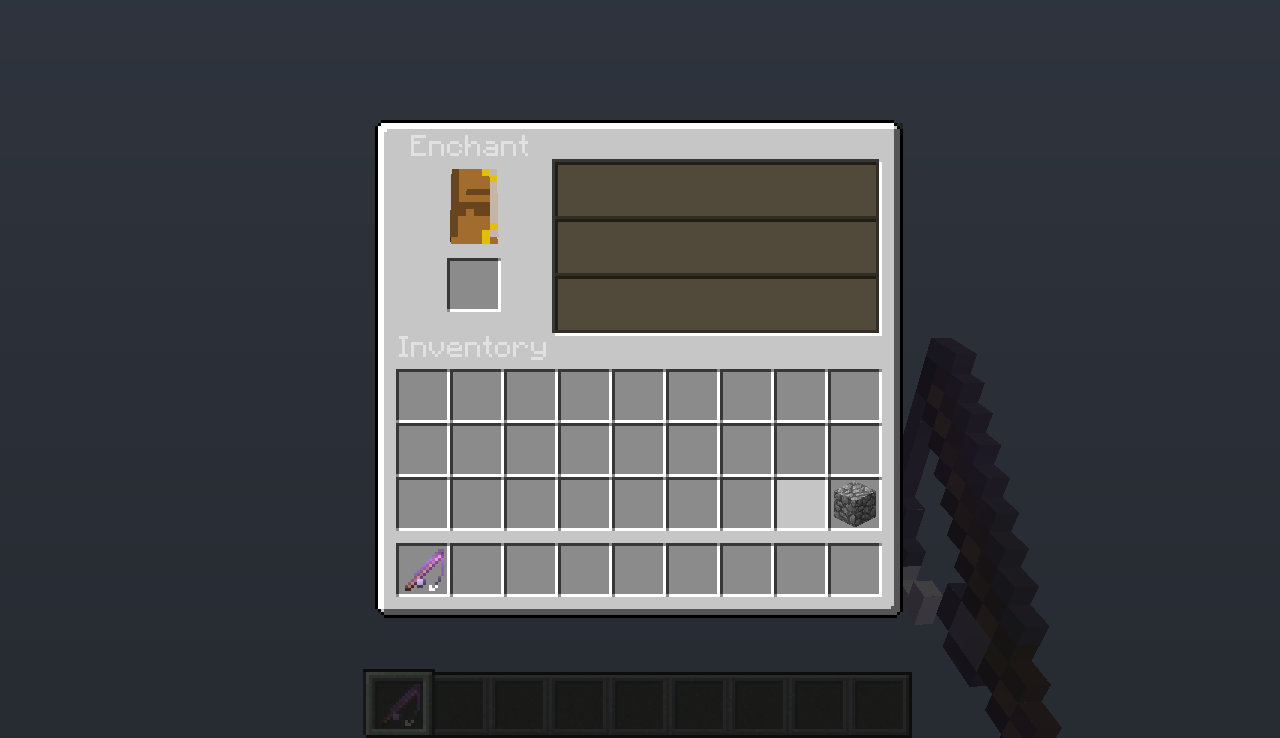


















When I put a fishing rod on Enchantment Table, I can only obtain 'Unbreakable I' enchantment. When I click in a button to pick which enchantment I want, nothing happens, except for the higher level enchantment, the only one I can pick. So, it EVER RESULT in 'Unbreakable I' enchantment. I tested it in Survival and Creative, and not worked in both.
When I put a fishing rod on Enchantment Table, I can only obtain 'Unbreak
ableI' enchantment. When I click in a button to pick which enchantment I want, nothing happens, except for the higher level enchantment, the only one I can pick. So, it EVER RESULT in 'UnbreakableI' enchantment. I tested it in Survival and Creative, and not worked in both.When I put a fishing rod on Enchantment Table, I can only obtain 'Unbreaking I' enchantment. When I click in a button to pick which enchantment I want, nothing happens, except for the higher level enchantment, the only one I can pick. So, it EVER RESULT in 'Unbreaking I' enchantment. I tested it in Survival and Creative, and not worked in both.
When I put a fishing rod on Enchantment Table, I can only obtain 'Unbreaking I' enchantment. When I click in
abutton to pick which enchantment I want, nothing happens, except for the higher level enchantment, the only one I can pick. So, it EVER RESULT in 'Unbreaking I' enchantment. I tested it in Survival and Creative, and not worked in both.When I put a fishing rod on Enchantment Table, I can only obtain 'Unbreaking I' enchantment. When I click in one of the three buttons to pick which enchantment I want, nothing happens, except for the higher level enchantment, the only one I can pick. So, it EVER RESULT in 'Unbreaking I' enchantment. I tested it in Survival and Creative, and not worked in both.
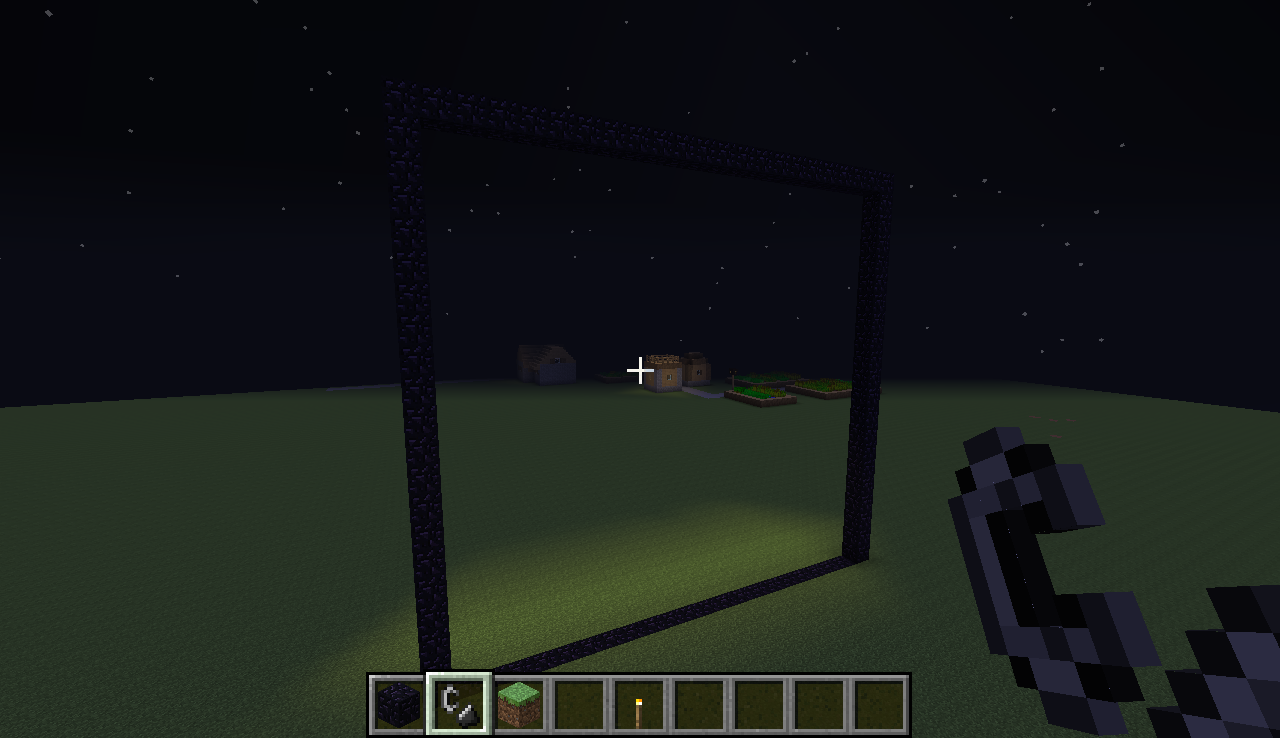
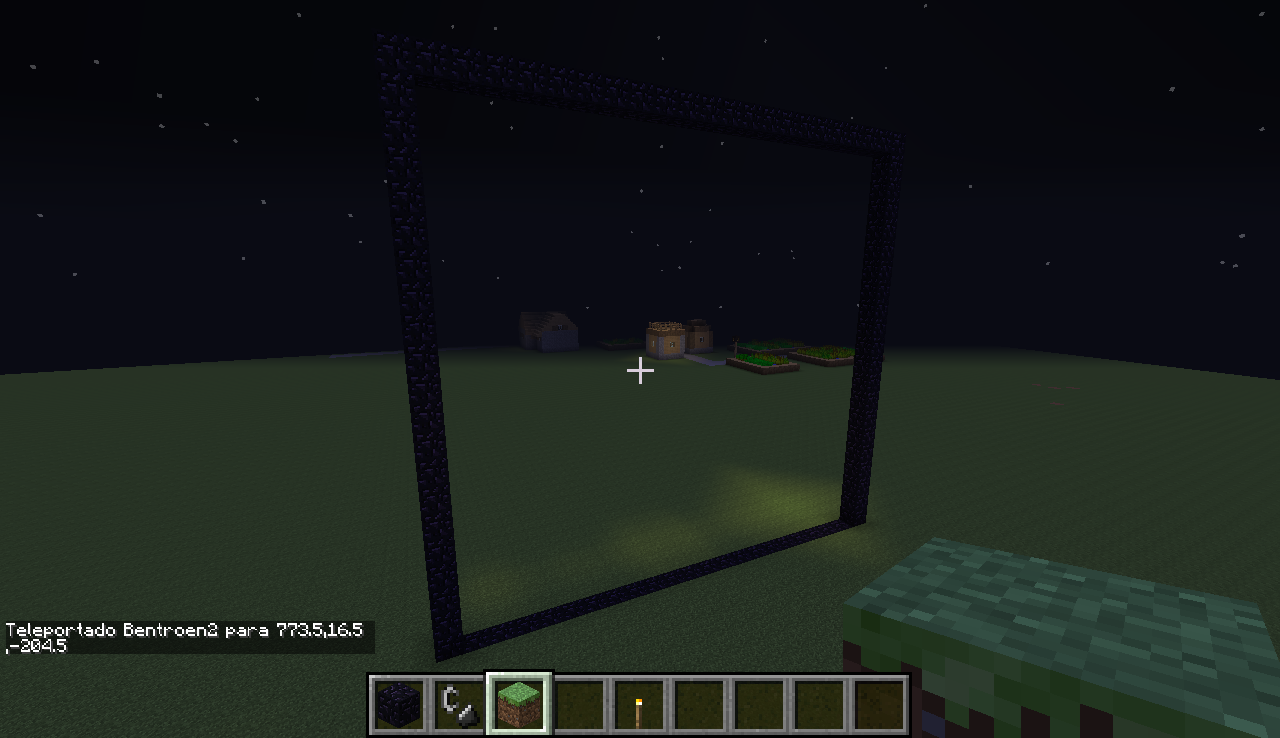
At night, I have created a giant 32x32 Nether portal, and broke it after. But instead of stop produce light, it continued emitting, even unlit.
I have not tested yet with smaller portals.At night, I have created a giant 32x32 Nether portal, and broke it after. But instead of stop produce light, it continued emitting, even unlit.
When torches are put near the frame
I have not tested yet with smaller portals.
NetherPortals continue emitting light evenafterbrokenNether portal frames continue emitting light, even if portal is broken
At night, I have created a giant 32x32 Nether portal, and broke it after. But instead of stop produce light, it continued emitting, even unlit.
When torches are put near the frame
I have not tested yet with smaller portals.
At night, I have created a giant 32x32 Nether portal, and broke it after. But instead of stop produce light, it continued emitting, even unlit.
When torches are placed and taken near the frame, the problem is partially resolved (part of the light goes out).
I have not tested yet with smaller portals.
1.png
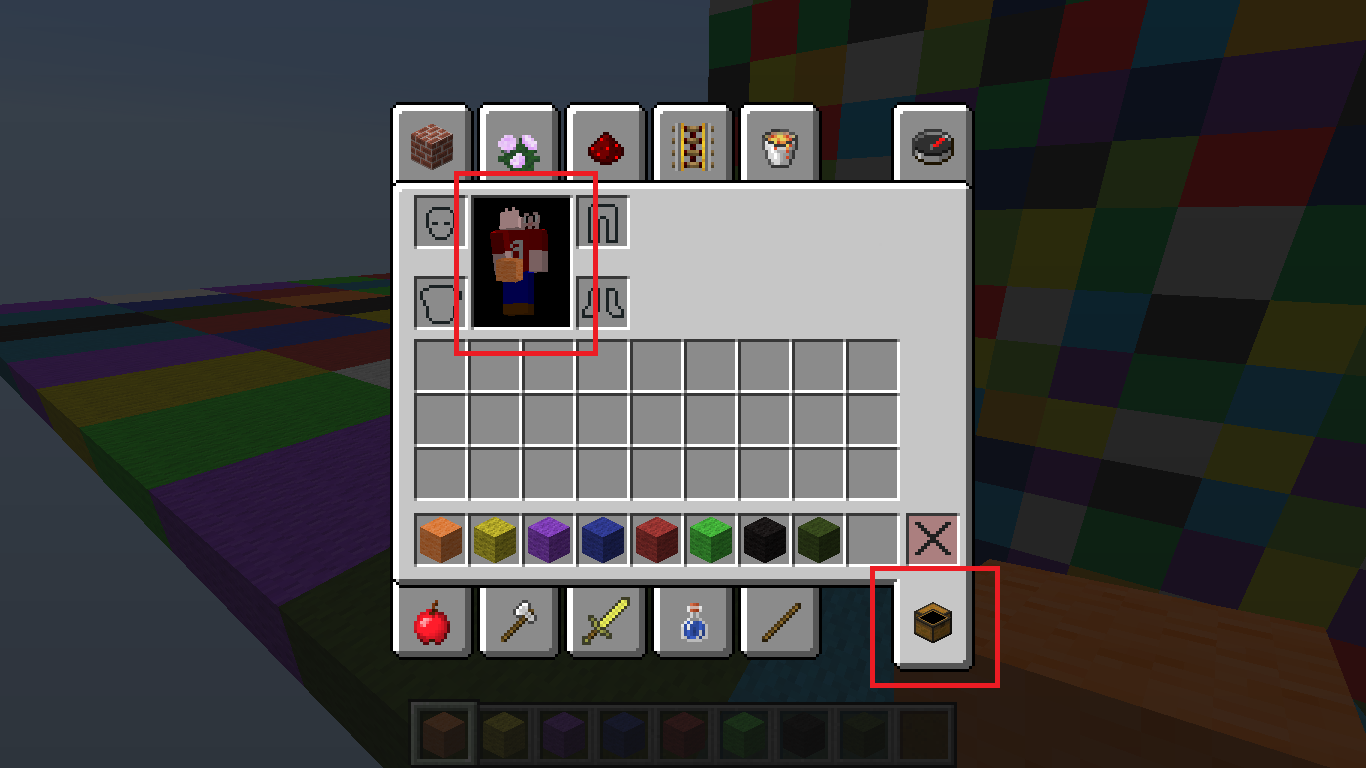
In creative mode, when I open the inventory screen, I can see that the chest model, from Survival Inventory tab, and the character model on this tab, aren't properly displayed.
The top part of the chest appear under the base, causing inside part of the chest can be viewed.
The character appear from back (note that my character's /skin/ have a letter 'B' on the BACK part of the body), and without the head sides, causing that the face can be seen inverted through the missing sides.
If necessary, I can create individual reports.
In creative mode, when I open the inventory screen, I can see that the chest model, from Survival Inventory tab, and the character model on this tab, aren't properly displayed.
The top part of the chest appear under the base, causing inside part of the chest can be viewed.
The character appear from back (note that my character's
/skin/have a letter 'B' on the BACK part of the body), and without the head sides, causing that the face can be seen inverted through the missing sides.If necessary, I can create individual reports.
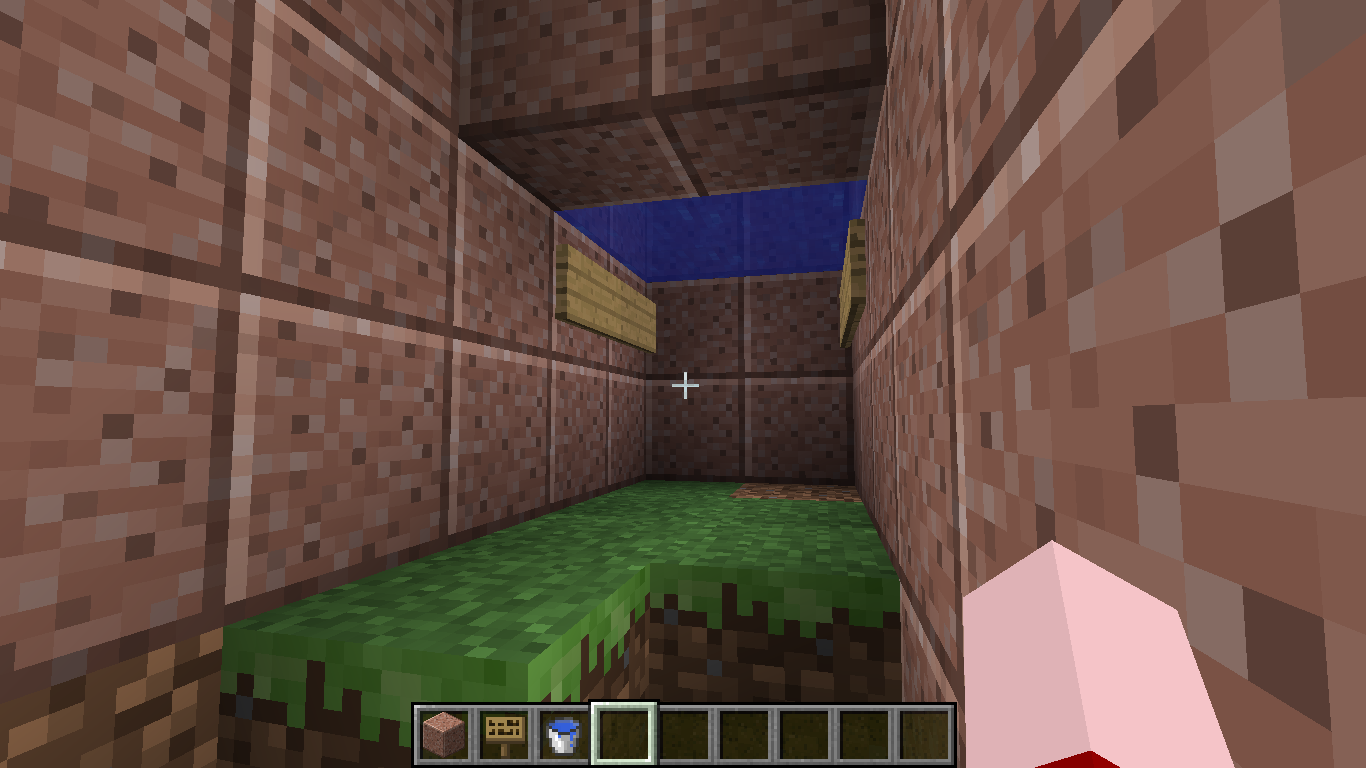
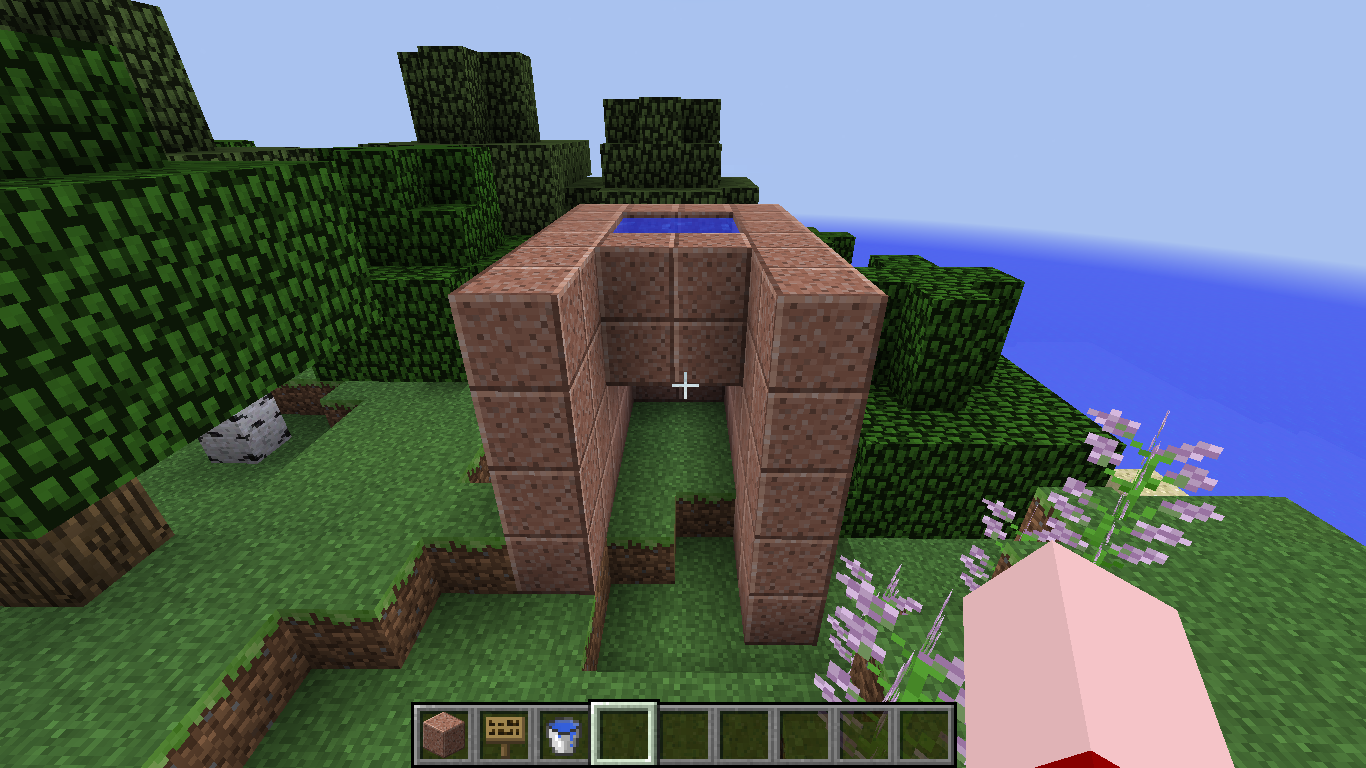
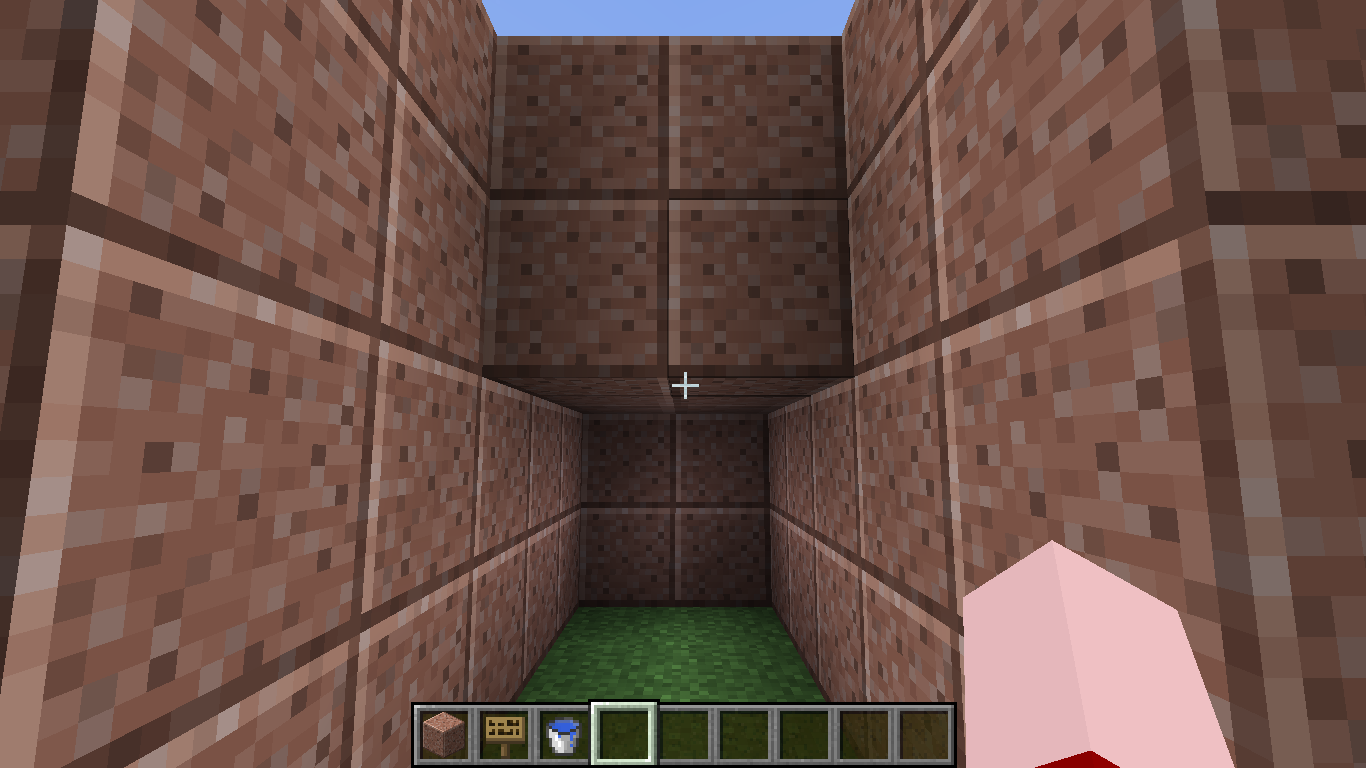
When I stand below a water pool whose bottom is closed with any block, preventing the water passage, even without any contact with the water, the underwater effect is displayed. In survival mode it don't detect that you're inside water because you don't lose air, but the effect is displayed similarly.
Steps to reproduce:
1- Make a pool of any size in a way that you can stand under it.
2- Close the bottom with any block.
3- Stand under it.
4- Your vision become like when you're underwater, even with any contact with water.Doesn't affect any other version(s).
When I stand below a water pool whose bottom is closed with any block, preventing the water passage, even without any contact with the water, the underwater effect is displayed. In survival mode it don't detect that you're inside water because you don't lose air, but the effect is displayed similarly.
Steps to reproduce:
1- Make a pool of any size in a way that you can stand under it.
2- Close the bottom with any block.
3- Stand under it.
4- Your vision become like when you're underwater, even with any contact with water.
Doesn't affect any other version(s).When I stand below a water pool whose bottom is closed with any block, preventing the water passage, even without any contact with the water, the underwater effect is displayed. In survival mode it don't detect that you're inside water because you don't lose air, but the effect is displayed similarly.
Steps to reproduce:
1- Make a pool of any size in a way that you can stand under it.
2- Close the bottom with any block.
3- Stand under it.
4- Your vision become like when you're underwater, even with any contact with water.EDIT: As stated below, doesn't happens when
Doesn't affect any other version(s).*
When I stand below a water pool whose bottom is closed with any block, preventing the water passage, even without any contact with the water, the underwater effect is displayed. In survival mode it don't detect that you're inside water because you don't lose air, but the effect is displayed similarly.
Steps to reproduce:
1- Make a pool of any size in a way that you can stand under it.
2- Close the bottom with any block.
3- Stand under it.
4- Your vision become like when you're underwater, even with any contact with water.EDIT: As stated below, doesn't happens when
Doesn't affect any other version(s).*
When I stand below a water pool whose bottom is closed with any block, preventing the water passage, even without any contact with the water, the underwater effect is displayed. In survival mode it don't detect that you're inside water because you don't lose air, but the effect is displayed similarly.
This doesn't affect any other versions.
EDIT: As stated below, doesn't happens when over 2 blocks below.
Steps to reproduce:
1- Make a pool of any size in a way that you can stand under it.
2- Close the bottom with any block.
3- Stand under it.
4- Your vision become like when you're underwater, even with any contact with water.
Attached by me for demonstrate other strange things.
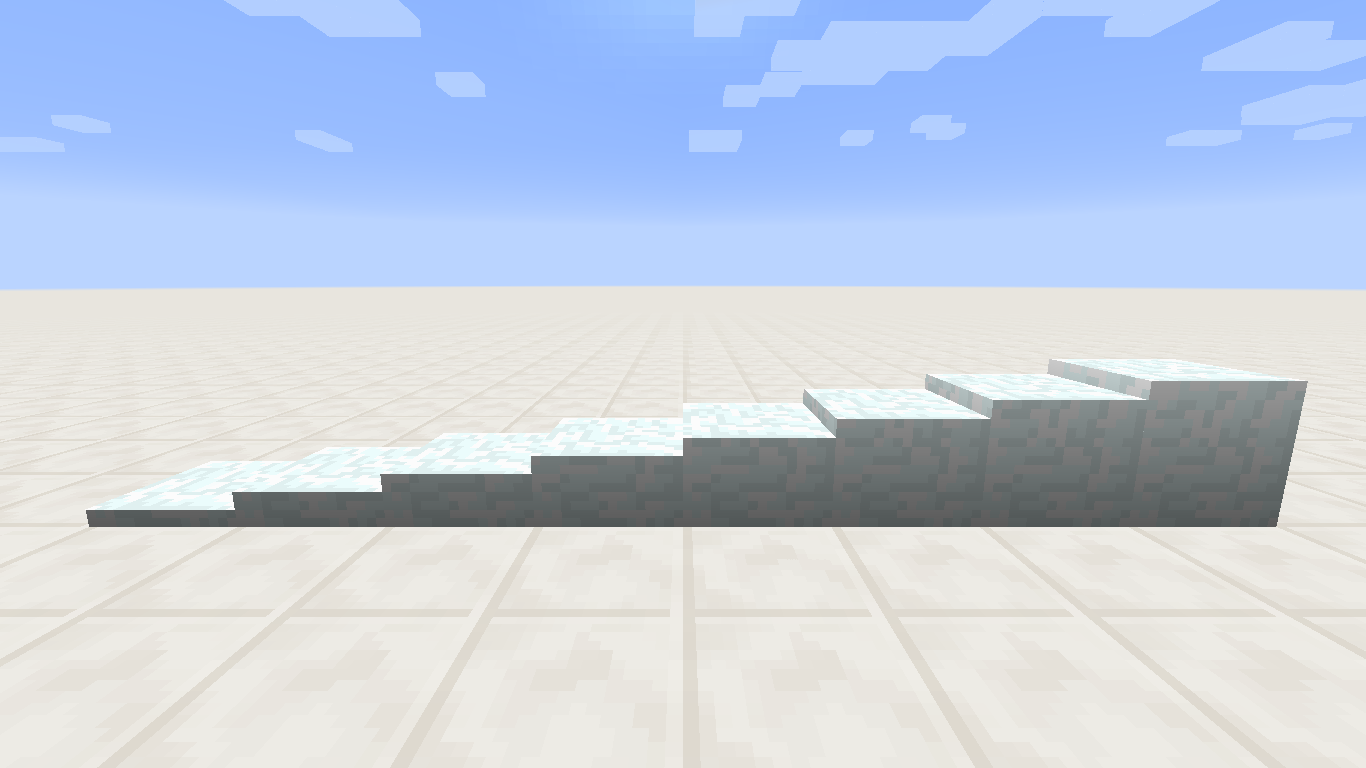
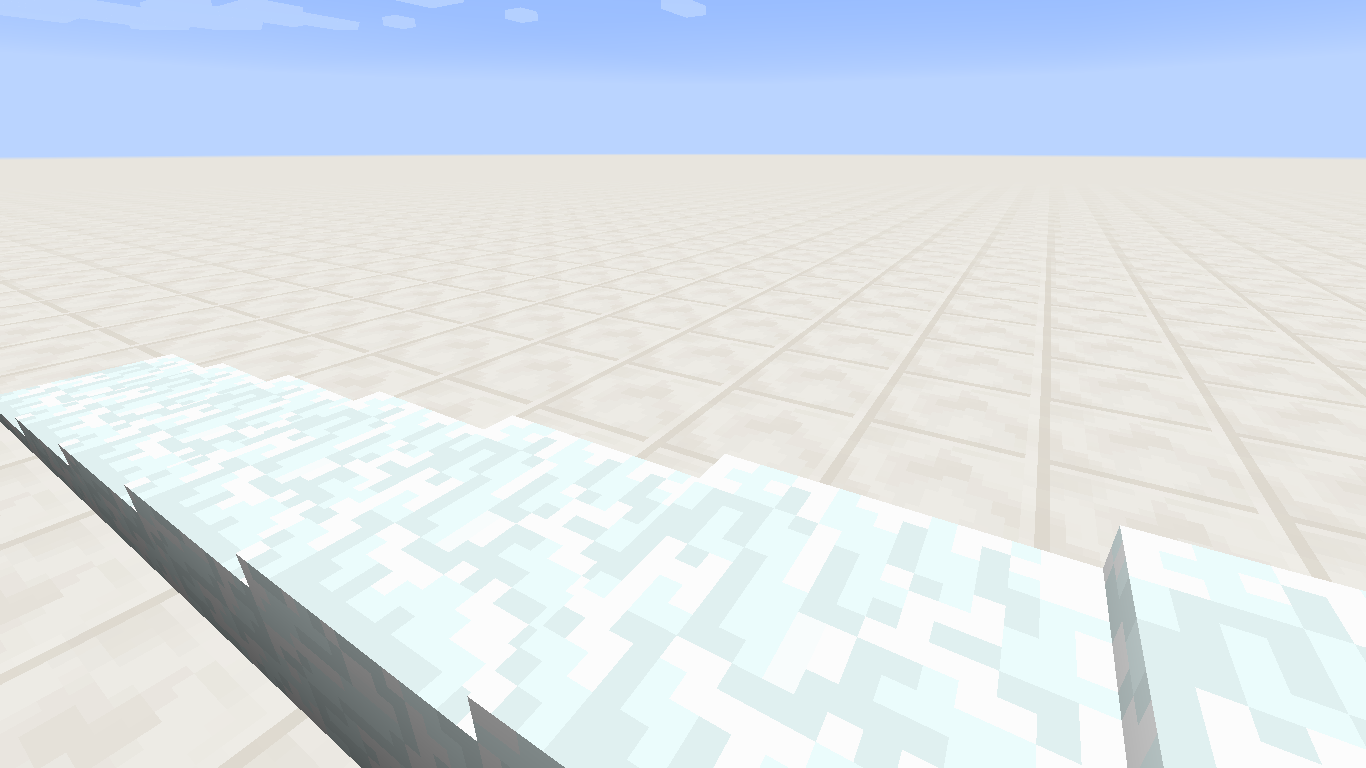
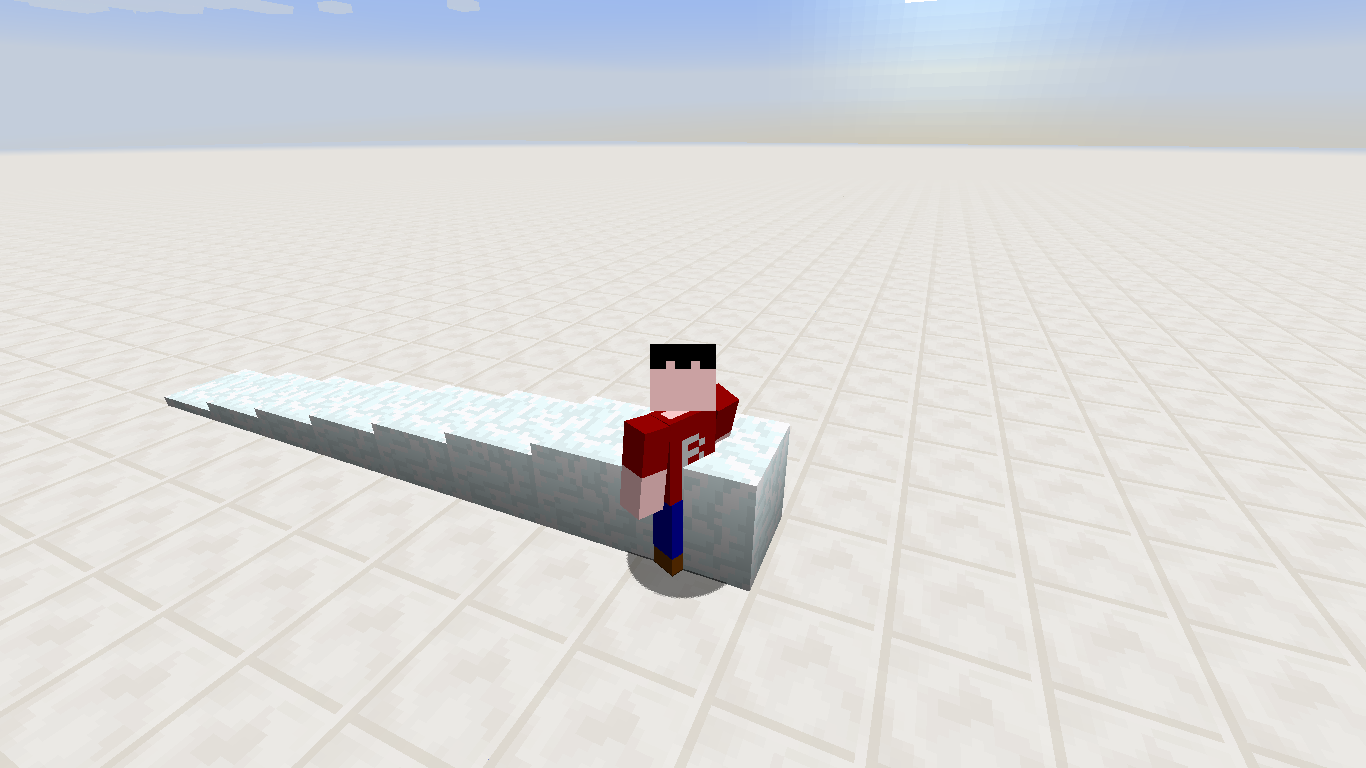
When trying to place a new snow layer, on top of another full block made of now layers, it fails. Also, when you do it with /setblock and update the block, it disappears.
Steps to reproduce:
1- Create a full block with snow layers.
2- Try to place a new snow layer on the top of the block.
3- It doesn't work.
When trying to place a new snow layer, on top of another full block made of snow layers, it fails. Also, when you do it with /setblock and update the block, it disappears.
Steps to reproduce:
1- Create a full block with snow layers.
2- Try to place a new snow layer on the top of the block.
3- It doesn't work.
Added some labels.
Also present in 1.8.
But... how about
MC-67659and many others? I wish I could call Mojang's attention to this report...
Really? I didn't know. But it needs to be fixed anyway, right?
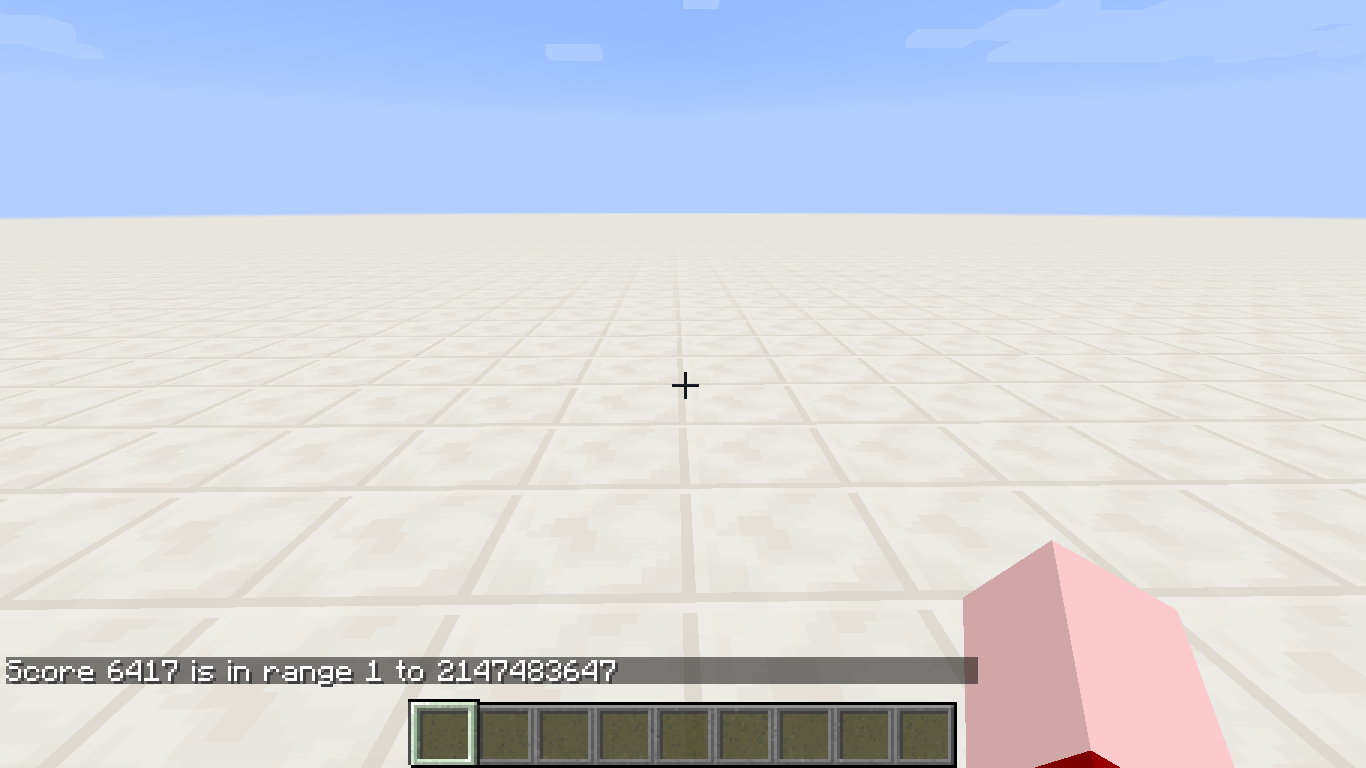
Yes. score_ObjectiveThingHere= works as max value; to test for an exact value you should specify min and max:
/say @a[score_Taco_min=6,score_Taco=6]
This behavior is correct. Invalid.
Haha! I thought something was wrong... Happy to know that my report is right!
Missing colon after "Gamemode" in Open to LAN screenMissing colon after "Game Mode" in Open to LAN screen
Probably anyone noticed that, because this is a minor thing. When opening a world to LAN, there's no colon after the "Game
mode"button. It's this way since a lot of time ago, but, searching for "colon", I still haven't found any similar bug report.The reason I think this is a valid bug is because the exact thing happened when creating a new world, and it was fixed:
MC-36847Also, since it's a cycle-through button, like any other cycle-through button in the game, there's a colon separating the "field" and the "value"; this is why I reported this bug. Still not sure if it's valid.
Probably anyone noticed that, because this is a minor thing. When opening a world to LAN, there's no colon after the "Game Mode" option. It's this way since a lot of time ago, but, searching for "colon", I still haven't found any similar bug report.
The reason I think this is a valid bug is because the exact thing happened when creating a new world, and it was fixed:
MC-36847Also, since it's a cycle-through button, like any other cycle-through button in the game, there's a colon separating the "field" and the "value"; this is why I reported this bug. Still not sure if it's valid.
Windows 8
Single Language
Java 7u55
Probably
anyonenoticed that, because this is a minor thing. When opening a world to LAN, there's no colon after the "Game Mode" option. It's this way since a lot of time ago, but, searching for "colon", I still haven't found any similar bug report.The reason I think this is a valid bug is because the exact thing happened when creating a new world, and it was fixed:
MC-36847Also, since it's a cycle-through button, like any other cycle-through button in the game, there's a colon separating the "field" and the "value"; this is why I reported this bug. Still not sure if it's valid.
Probably nobody noticed that, because this is a minor thing. When opening a world to LAN, there's no colon after the "Game Mode" option. It's this way since a lot of time ago, but, searching for "colon", I still haven't found any similar bug report.
The reason I think this is a valid bug is because the exact thing happened when creating a new world, and it was fixed:
MC-36847Also, since it's a cycle-through button, like any other cycle-through button in the game, there's a colon separating the "field" and the "value"; this is why I reported this bug. Still not sure if it's valid.
Aaron Rhodes, if it's a technical mistake, then it can be considered as a bug. TheMogMiner even resolved it.
Hey, moderators, did you saw this report? There's one week it was created and no response.
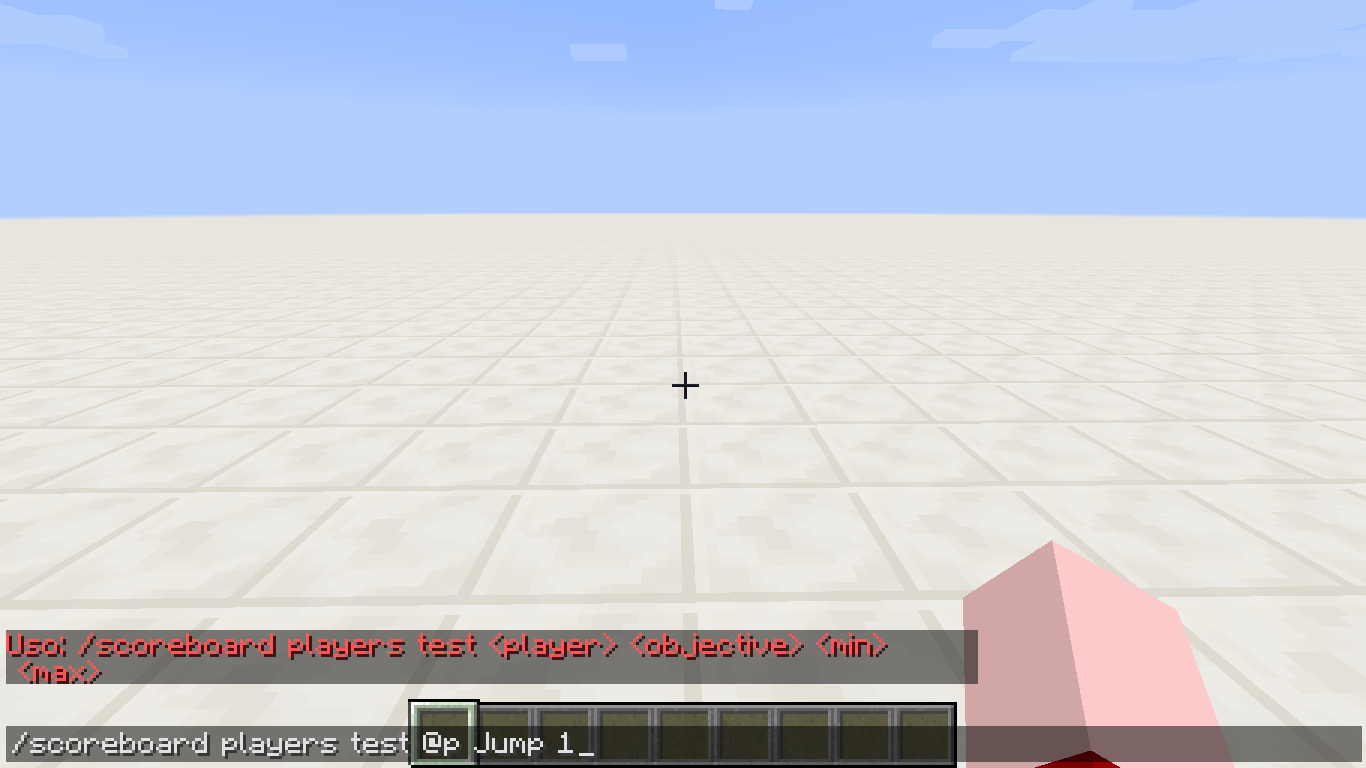
The syntax for
/scoreboard players test is:
/scoreboard players test <player> <objective> <min> <max>
But the <max>value isn't required; the command works if you don't specify the last value. So it should be:
/scoreboard players test <player> <objective> <min> [max]The syntax for /scoreboard players test is:
/scoreboard players test <player> <objective> <min> <max>But the <max> value isn't required; the command works if you don't specify the last value. So it should be:
/scoreboard players test <player> <objective> <min> [max]
Added some labels.
Windows 8
Single Language
Java 7u55
The syntax for /scoreboard players test is:
/scoreboard players test <player> <objective> <min> <max>But the <max> value isn't required; the command works if you don't specify the last value. So it should be:
/scoreboard players test <player> <objective> <min> [max]The syntax for /scoreboard players test is:
{{/scoreboard players test <player> <objective> <min> <max>}}But the <max> value isn't required; the command works if you don't specify the last value. So it should be:
{{/scoreboard players test <player> <objective> <min> [max]}}
The syntax for /scoreboard players test is:
{{/scoreboard players test <player> <objective> <min> <max>}}But the <max> value isn't required; the command works if you don't specify the last value. So it should be:
{{/scoreboard players test <player> <objective> <min> [max]}}The syntax for /scoreboard players test is:
/scoreboard players test <player> <objective> <min> <max>But the <max> value isn't required; the command works if you don't specify the last value. So it should be:
/scoreboard players test <player> <objective> <min> [max]
The syntax for /scoreboard players test is:
/scoreboard players test <player> <objective> <min> <max>But the <max> value isn't required;
the command worksif you don't specifythe last value. So itshould be:/scoreboard players test <player> <objective> <min> [max]The syntax for /scoreboard players test is:
/scoreboard players test <player> <objective> <min> <max>But the <max> value isn't required; if you don't specify any value, it will assume the biggest maximum, but not return errors. So the syntax should be:
/scoreboard players test <player> <objective> <min> [max]
Windows 8
Single Language
Java 7u55
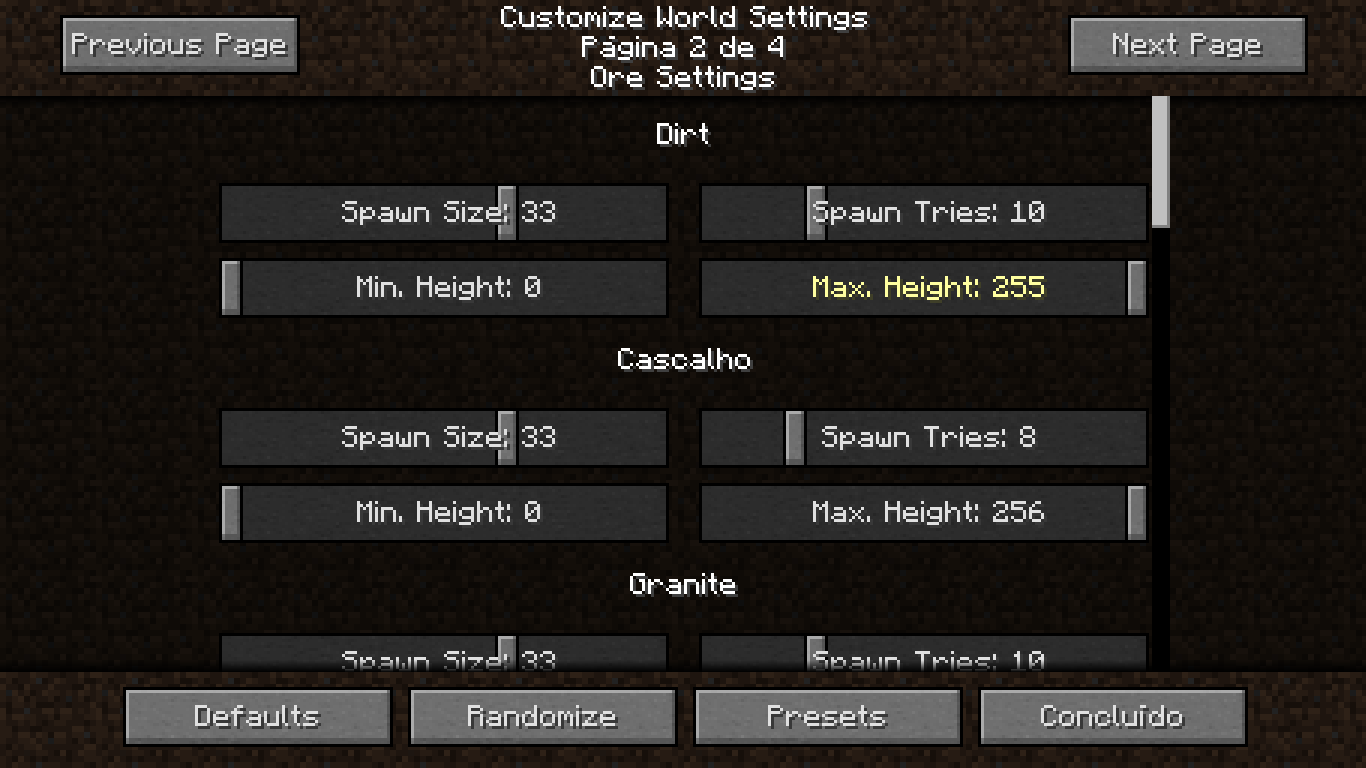
When creating a customized world, the default max height for dirt and gravel is 256, but, once you change it, you can't set it back to 256 - the slider stops at 255.
In the second page of the customized world creation menu, the default max height for dirt and gravel patches is 256, but once you change it, you can't put it back there - the slider stops at 255.
Most probably the default value is wrong, since the grid ranges from 0 to 255, and not from 1 to 256 - this means there's not an
When creating acustomized world, the default max height for dirt and gravel is 256, but,once you change it, you can'tset it back to 256- the slider stops at 255.In the second page of the customized world creation menu, the default max height for dirt and gravel patches is 256, but once you change it, you can't put it back there - the slider stops at 255.
Most probably the default value is wrong, since the grid ranges from 0 to 255, and not from 1 to 256 - this means there's not an
In the second page of the customized world creation menu, the default max height for dirt and gravel patches is 256, but once you change it, you can't put it back there - the slider stops at 255.
Steps to reproduce:
1- Go to the second page of the customized world creation menu.
2- Change the max height for dirt or gravel.
3- Try to put it back. You can't do it manually, but only through the Defaults button.Most probably the default value is wrong, since the block grid ranges from 0 to 255, and not from 1 to 256 - this means that there's not actually a block layer in Y=256. You can check that by trying to set a block in layer 256. Example: /setblock ~ 256 ~ stone will return Cannot place blocks outside of the world.
Max dirt heightcomes as256 in Customized world, but can't be set back after changingMax dirt height defaults to 256 in Customized world (max world height is 255)
In Statistics screen 'm' is the same unityfor minutes and meters
In Statistics screen 'm' is the same unit for both minutes and meters
In Statistics screen, 'm' represents both minutes and meters. For example:
Minutes:
Minutes Played- S
ince Last DeathMeters:
- Distance Walked
- Distance Crouched
- Distance Sprinted
- Distance Swum
- Distance Fallen
- Distance Climbed
- Distance Flown
- Distance Dove
- Distance by Minecart
- Distance by Boat
- Distance by Pig
- Distance by Horse
In Statistics screen, 'm' represents both minutes and meters, while minutes should be indicated by min. In the following list I've included a list of the statistics that display each one:
Minutes:
- Minutes Played
- Since Last Death
- Sneak Time
Meters:
- Distance Walked
- Distance Crouched
- Distance Sprinted
- Distance Swum
- Distance Fallen
- Distance Climbed
- Distance Flown
- Distance Dove
- Distance by Minecart
- Distance by Boat
- Distance by Pig
- Distance by Horse
In Statistics screen, 'm' represents both minutes and meters, while minutes should be indicated by min. In the following list I've included a list of the statistics that display each one:
Minutes:
- Minutes Played
- Since Last Death
- Sneak Time
Meters:
- Distance Walked
- Distance Crouched
- Distance Sprinted
- Distance Swum
- Distance Fallen
- Distance Climbed
- Distance Flown
- Distance Dove
- Distance by Minecart
- Distance by Boat
- Distance by Pig
- Distance by Horse
Note: To test for this issue, just kill yourself. It will reset the 'Since Last Death' stat and you'll be able to see when the 'minutes' mark is reached.
In Statistics screen, 'm' represents both minutes and meters, while minutes should be indicated by min. In the following list I've included a list of the statistics that display each one:
Minutes:
- Minutes Played
- Since Last Death
- Sneak Time
Meters:
- Distance Walked
- Distance Crouched
- Distance Sprinted
- Distance Swum
- Distance Fallen
- Distance Climbed
- Distance Flown
- Distance Dove
- Distance by Minecart
- Distance by Boat
- Distance by Pig
- Distance by Horse
Note: To test for this issue, just kill
yourself. It will reset the 'Since Last Death' stat and you'll be able to see when the 'minutes' mark is reached.In Statistics screen, 'm' represents both minutes and meters, while minutes should be indicated by min. In the following list I've included a list of the statistics that display each one:
Minutes:
- Minutes Played
- Since Last Death
- Sneak Time
Meters:
- Distance Walked
- Distance Crouched
- Distance Sprinted
- Distance Swum
- Distance Fallen
- Distance Climbed
- Distance Flown
- Distance Dove
- Distance by Minecart
- Distance by Boat
- Distance by Pig
- Distance by Horse
Note: To test for this issue, just kill the player. It will reset the 'Since Last Death' stat and you'll be able to see when the 'minutes' mark is reached.
In Statistics screen, 'm' represents both minutes and meters, while minutes should be indicated by min. In the following list I've included a list of the statistics that display each one:
Minutes:
- Minutes Played
- Since Last Death
- Sneak Time
Meters:
- Distance Walked
- Distance Crouched
- Distance Sprinted
- Distance Swum
- Distance Fallen
- Distance Climbed
- Distance Flown
- Distance Dove
- Distance by Minecart
- Distance by Boat
- Distance by Pig
- Distance by Horse
- Distance by Elytra
Note: To test for this issue, just kill the player. It will reset the 'Since Last Death' stat and you'll be able to see when the 'minutes' mark is reached.
Before joining a server, the list displayed when you hover the player count in the server shows the first name too spaced from the second (there's three pixels between them, instead of
two, the amount used in most text lines of the game and the other names).This is a very minor bug, but I don't think it's minor at the point of getting a "Won't Fix" resolution - that's why I reported it.
Before joining a server, the list displayed when you hover the player count in the server shows the first name too spaced from the second (there's three pixels between them, instead of one, the amount used in most text lines of the game and the other names).
This is a very minor bug, but I don't think it's minor at the point of getting a "Won't Fix" resolution - that's why I reported it.
When a block is moved by pistonhis texture rotateWhen a block is moved by piston its texture rotate
Whenablock is moved by pistonits texture rotateBlock texture rotates when block is moved by piston
Block texture rotates when block is moved by pistonTexture rotates when block is moved by piston


Confirmed for all new versions. It's this way since wool was added, I think they didn't care about it when they put the name. I already noticed that some time ago. This doesn't makes sense if you think that the white wool is the "default" wool, but it does makes sense if you think that all other dyeable things in the game have the "white" word (stained glass, stained clay, etc.)
The potion slots in the brewing GUI ha
sa potion outline as an indicator for what you should put in these slots. But when you brew a splash potion, it doesn't have the same shape asthenormal bottle, so the indicator and the potion overlaps.As a proof that i
sshould disappear, in your inventory the armor piece indicator disappears when you put armor, leaving no outline behind. Still, I don't know if this should be this way in thebrewing stand, but I don't think so, so I reported this bug.Steps to reproduce:
1- Get an armor stand.
2- Put a normal potion in one of the slots - you can see no outline.
3- Now put a splash potion - part of the slot oultine is still visible.Extra steps:
1- Get some armor.
2- Go to your inventory and wear it.
3- All the outline disappears, even if the piece shape doesn't cover it completely.The potion slots in the brewing GUI have a potion outline as an indicator for what you should put in these slots. But when you brew a splash potion, it doesn't have the same shape as a normal bottle, so the indicator and the potion overlaps.
As a proof that it should disappear, in your inventory the armor piece indicator disappears when you put armor, leaving no outline behind. Still, I don't know if this should be this way in the brewing stand, but I think it should, so I reported this bug.
Steps to reproduce:
1- Get an armor stand.
2- Put a normal potion in one of the slots - you can see no outline.
3- Now put a splash potion - part of the slot oultine is still visible.Extra steps:
1- Get some armor.
2- Go to your inventory and wear it.
3- All the outline disappears, even if the piece shape doesn't cover it completely.
The potion slots in the brewing GUI have a potion outline as an indicator for what you should put in these slots. But when you brew a splash potion, it doesn't have the same shape as a normal bottle, so the indicator and the potion overlaps.
As a proof that it should disappear, in your inventory the armor piece indicator disappears when you put armor, leaving no outline behind. Still, I don't know if this should be this way in the brewing stand, but I think it should, so I reported this bug.
Steps to reproduce:
1- Get an armor stand.
2- Put a normal potion in one of the slots - you can see no outline.
3- Now put a splash potion - part of the slot oultine is still visible.Extra steps:
1- Get some armor.
2- Go to your inventory and wear it.
3- All the outline disappears, even if the piece shape doesn't cover it completely.EDIT: Recently, I noticed that the bottle texture is attached to the brewing stand interface image, differently from the armor indicator, which is an overlay that comes from the textures/items folder. The solution to this problem is separating the potion indicator from the interface, and then add it as an overlay that disappears when you put a potion in the slot.
The potion slots in the brewing GUI have a potion outline as an indicator for what you should put in these slots. But when you brew a splash potion, it doesn't have the same shape as a normal bottle, so the indicator and the potion overlaps.
As a proof that it should disappear, in your inventory the armor piece indicator disappears when you put armor, leaving no outline behind. Still, I don't know if this should be this way in the brewing stand, but I think it should, so I reported this bug.
Steps to reproduce:
1- Get an armor stand.
2- Put a normal potion in one of the slots - you can see no outline.
3- Now put a splash potion - part of the slot oultine is still visible.Extra steps:
1- Get some armor.
2- Go to your inventory and wear it.
3- All the outline disappears, even if the piece shape doesn't cover it completely.EDIT: Recently, I noticed that the bottle texture is attached to the brewing stand interface image, differently from the armor indicator, which is an overlay that comes from the textures/items folder. The solution to this problem is separating the potion indicator from the interface, and then add it as an overlay that disappears when you put a potion in the slot.
Windows 8.1
Single Language
Java 7u71
Splash potions in the brewing GUI doesn't hide the potion slot indicator
The potion slots in the brewing GUI have a potion outline as an indicator for what you should put in these slots. But when you brew a splash potion, it doesn't have the same shape as a normal bottle, so the indicator and the potion overlap
s.As a proof that it should disappear, in your inventory the armor piece indicator disappears when you put armor, leaving no outline behind. Still, I don't know if this should be this way in the brewing stand, but I think it should, so I reported this bug.
Steps to reproduce:
1- Get an armor stand.
2- Put a normal potion in one of the slots - you can see no outline.
3- Now put a splash potion - part of the slot oultine is still visible.Extra steps:
1- Get some armor.
2- Go to your inventory and wear it.
3- All the outline disappears, even if the piece shape doesn't cover it completely.EDIT: Recently, I noticed that the bottle texture is attached to the brewing stand interface image, differently from the armor indicator, which is an overlay that comes from the textures/items folder. The solution to this problem is separating the potion indicator from the interface, and then add it as an overlay that disappears when you put a potion in the slot.
The potion slots in the brewing GUI have a potion outline as an indicator for what you should put in these slots. But when you brew a splash potion, it doesn't have the same shape as a normal bottle, so the indicator and the potion overlap.
As a proof that it should disappear, in your inventory the armor piece indicator disappears when you put armor, leaving no outline behind. Still, I don't know if this should be this way in the brewing stand, but I think it should, so I reported this bug.
Steps to reproduce:
1- Get an armor stand.
2- Put a normal potion in one of the slots - you can see no outline.
3- Now put a splash potion - part of the slot oultine is still visible.Extra steps:
1- Get some armor.
2- Go to your inventory and wear it.
3- All the outline disappears, even if the piece shape doesn't cover it completely.EDIT: Recently, I noticed that the bottle texture is attached to the brewing stand interface image, differently from the armor indicator, which is an overlay that comes from the textures/items folder. The solution to this problem is separating the potion indicator from the interface, and then adding it as an overlay that disappears when you put a potion in the slot.
The potion slots in the brewing GUI have a potion outline as an indicator for what you should put in these slots. But when you brew a splash potion, it doesn't have the same shape as a normal bottle, so the indicator and the potion overlap.
As a proof that it should disappear, in your inventory the armor piece indicator disappears when you put armor, leaving no outline behind. Still, I don't know if this should be this way in the brewing stand, but I think it should, so I reported this bug.
Steps to reproduce:
1- Get an armor stand.
2- Put a normal potion in one of the slots - you can see no outline.
3- Now put a splash potion - part of the slot oultine is still visible.Extra steps:
1- Get some armor.
2- Go to your inventory and wear it.
3- All the outline disappears, even if the piece shape doesn't cover it completely.EDIT: Recently, I noticed that the bottle texture is attached to the brewing stand interface image, differently from the armor indicator, which is an overlay that comes from the textures/items folder. The solution to this problem is separating the potion indicator from the interface, and then adding it as an overlay that disappears when you put a potion in the slot. Also, the armor outline is darker than the potion one, so they don't follow a specific pattern.
The potion slots in the brewing GUI have a potion outline as an indicator for what you should put in these slots. But when you brew a splash potion, it doesn't have the same shape as a normal bottle, so the indicator and the potion overlap.
As a proof that it should disappear, in your inventory the armor piece indicator disappears when you put armor, leaving no outline behind. Still, I don't know if this should be this way in the brewing stand, but I think it should, so I reported this bug.
Steps to reproduce:
1- Get an armor stand.
2- Put a normal potion in one of the slots - you can see no outline.
3- Now put a splash potion - part of the slot oultine is still visible.Extra steps:
1- Get some armor.
2- Go to your inventory and wear it.
3- All the outline disappears, even if the piece shape doesn't cover it completely.EDIT: Recently, I noticed that the bottle texture is attached
to the brewing stand interface image, differently from the armor indicator, which is an overlay that comes from the textures/itemsfolder. The solution to this problem is separating the potion indicator from the interface, and then adding it as an overlay that disappears when you put a potion in the slot. Also, the armor outline is darker than the potion one, so they don't follow a specific pattern.The potion slots in the brewing GUI have a potion outline as an indicator for what you should put in these slots. But when you brew a splash potion, it doesn't have the same shape as a normal bottle, so the indicator and the potion overlap.
As a proof that it should disappear, in your inventory the armor piece indicator disappears when you put armor, leaving no outline behind. Still, I don't know if this should be this way in the brewing stand, but I think it should, so I reported this bug.
Steps to reproduce:
1- Get an armor stand.
2- Put a normal potion in one of the slots - you can see no outline.
3- Now put a splash potion - part of the slot oultine is still visible.Extra steps:
1- Get some armor.
2- Go to your inventory and wear it.
3- All the outline disappears, even if the piece shape doesn't cover it completely.EDIT: Recently, I noticed that the bottle texture is attached to the brewing stand interface image, differently from the armor indicator, which is an overlay that comes from the textures/items folder. The solution to this problem is separating the potion indicator from the interface, and then adding it as an overlay that disappears when you put a potion in the slot. Also, the armor outline is darker than the potion one, so they don't follow a specific pattern.
The potion slots in the brewing GUI have a potion outline as an indicator for what you should put in these slots. But when you brew a splash potion, it doesn't have the same shape as a normal bottle, so the indicator and the potion overlap.
As a proof that it should disappear, in your inventory the armor piece indicator disappears when you put armor, leaving no outline behind. Still, I don't know if this should be this way in the brewing stand, but I think it should, so I reported this bug.
Steps to reproduce:
1- Get an armor stand.
2- Put a normal potion in one of the slots - you can see no outline.
3- Now put a splash potion - part of the slot oultine is still visible.Extra steps:
1- Get some armor.
2- Go to your inventory and wear it.
3- All the outline disappears, even if the piece shape doesn't cover it completely.EDIT: Recently, I noticed that the bottle texture is attached to the brewing stand interface image, differently from the armor indicator, which is an overlay that comes from the textures/items folder. The solution to this problem is separating the potion indicator from the interface, and then adding it as an overlay that disappears when you put a potion in the slot. Also, the armor outline is darker than the potion one, so they don't follow a specific pattern.
EDIT 2: Lingering potions are affected too. Thanks to whoever modified the title!
The potion slots in the brewing GUI have a potion outline as an indicator for what you should put in these slots. But when you brew a splash/lingering potion, it doesn't have the same shape as a normal bottle, so the indicator and the potion overlap.
As a proof that it should disappear, in your inventory the armor piece indicator disappears when you put armor, leaving no outline behind. Still, I don't know if this should be this way in the brewing stand, but I think it should, so I reported this bug.
Steps to reproduce:
1- Get a brewing stand.
2- Put a normal potion in one of the slots - you can see no outline.
3- Now put a splash/lingering potion - part of the slot oultine is still visible.Extra steps:
1- Get some armor.
2- Go to your inventory and wear it.
3- All the outline disappears, even if the piece shape doesn't cover it completely.EDIT: Recently, I noticed that the bottle texture is attached to the brewing stand interface image, differently from the armor indicator, which is an overlay that comes from the textures/items folder. The solution to this problem is separating the potion indicator from the interface, and then adding it as an overlay that disappears when you put a potion in the slot. Also, the armor outline is darker than the potion one, so they don't follow a specific pattern.
EDIT 2: Lingering potions are affected too. Thanks to whoever modified the title!
The potion slots in the brewing GUI have a potion outline as an indicator for what you should put in these slots. But when you brew a splash/lingering potion, it doesn't have the same shape as a normal bottle, so the indicator and the potion overlap.
As a proof that it should disappear, in your inventory the armor piece indicator disappears when you put armor, leaving no outline behind. Still, I don't know if this should be this way in the brewing stand, but I think it should, so I reported this bug.
Steps to reproduce:
1- Get a brewing stand.
2- Put a normal potion in one of the slots - you can see no outline.
3- Now put a splash/lingering potion - part of the slot oultine is still visible.Extra steps:
1- Get some armor.
2- Go to your inventory and wear it.
3- All the outline disappears, even if the piece shape doesn't cover it completely.EDIT: Recently, I noticed that the bottle texture is attached to the brewing stand interface image, differently from the armor indicator, which is an overlay that comes from the textures/items folder. The solution to this problem is separating the potion indicator from the interface, and then adding it as an overlay that disappears when you put a potion in the slot. Also, the armor outline is darker than the potion one, so they don't follow a specific pattern.
EDIT 2: Lingering potions are affected too. Thanks to whoever modified the title!
EDIT 3: Also affects the blaze powder slot added in 1.9 - it's possible to see through the use of /replaceitem.

Seperate item outlines for slots are not consistently used for all GUIsSeparate item outlines for slots are not consistently used for all GUIs
The bug
Some
itemoutlines ofslots are on the respective GUI texture instead of being a separate texturewhichis dynamically added if no item is in the slot asitis currently donefor examplewith armor and the offhand.
This causes the item outlines to remain after an item was placed in the slotandthereforcan overlapif anitem does not match the outline exactly, which is for example the case with splash or lingering potions in the potion slots of a brewing stand.Affected GUIs
- brewing stand
- fuel slot
- potion slots
- enchanting table
- lapis lazuli slot
- horse
- saddle slot
- horse armor slot
- llama
- carpet slot
Steps to reproduce (brewing stand)
- Get a brewing stand
- Put a normal potion in one of the slots
→ You can see no outline- Now put a splash/lingering potion
→ Part of the slot outline is still visibleYou can do the following to verify that for example the armor slot outlines work differently:
- Get some armor
- Open your inventory and place
dthe armor item in the respective slot
→ All the outline disappears, even if the piece shape doesn't cover it completelyThe bug
Some outlines on item slots are embedded on their respective GUI texture, instead of being a separate texture that is dynamically added if no item is in the slot (as is currently done with armor and the off-hand, for example).
This causes the item outlines to remain after an item was placed in the slot; therefore, an overlap may occur if the item does not match the outline exactly, which is, for example, the case with splash or lingering potions in the potion slots of a brewing stand.Affected GUIs
- brewing stand
- fuel slot
- potion slots
- enchanting table
- lapis lazuli slot
- horse
- saddle slot
- horse armor slot
- llama
- carpet slot
Steps to reproduce (brewing stand)
- Get a brewing stand
- Put a normal potion in one of the slots
→ You can see no outline- Now put a splash/lingering potion
→ Part of the slot outline is still visibleYou can do the following to verify that, for example, the armor slot outlines work differently:
- Get some armor
- Open your inventory and place the armor item in the respective slot(s)
→ All the outline disappears, even if the piece shape doesn't cover it completely
The output of the
[[/tp]]command always showed the three coordinates (x, y, z) in the output after teleporting an entity. But now that rotational teleport is supported, the output doesn't show the rotation. If you constantly change the rotation of an entity (and only the rotation), it'll always output the same thing, because the entity's coordinates aren't being changed, but only the rotation.Also, it seems to be a bug because before it showed the coordinates when only the coordinates could be specified, meaning a complete output of the command result. But now, since the rotation can also be specified and doesn't appear in the output, it isn't complete anymore, because it doesn't show the complete result of the command.
Steps to reproduce:
1- Using the[[/tp]]command, change the rotation of any entity (example:[[/tp @p ~ ~ ~ 0 0]]).
2- Look at the output. It shows you current coordinates, but not your current rotation, the only thing that was changed by the command.The output of the /tp command always showed the three coordinates (x, y, z) in the output after teleporting an entity. But now that rotational teleport is supported, the output doesn't show the rotation. If you constantly change the rotation of an entity (and only the rotation), it'll always output the same thing, because the entity's coordinates aren't being changed, but only the rotation.
Also, it seems to be a bug because before it showed the coordinates when only the coordinates could be specified, meaning a complete output of the command result. But now, since the rotation can also be specified and doesn't appear in the output, it isn't complete anymore, because it doesn't show the complete result of the command.
Steps to reproduce:
1- Using the /tp command, change the rotation of any entity (example: /tp @p ~ ~ ~ 0 0).
2- Look at the output. It shows you current coordinates, but not your current rotation, the only thing that was changed by the command.
Please! Will this bug stay in the same status it had after being created, with no confirmation and no feedback?
Windows 8.1 Single Language
Java 7u71
That's right. I know nothing about code, so I imagine that Mojang has a reason to do it this way. I only reported it because it's a little weird behavior, but maybe, as you said, Mojang will maybe do something in the future.
"Note Blocks" appear as "Noteblocks" intheStatistics and Music/Sound Optionsscreen
The note block's name always appeared separated in the GUI: "Note Block". But in the new statistics added in 1.8.2-pre1 (Noteblocks played/Noteblocks tuned), they appear as "Noteblocks", where they should appear as "Note Blocks", separated as they are in the GUI.
These exactly strings have another bug, which I indicated in the
MC-58677ticket: the words "played" and "tuned" should appear capitalized, following the pattern that the other statistic's names follow. Because of this, that ticket can be considered as related, because both of the problems related on them can be fixed at the same time.EDIT: The statistics helped me notice that it was also happened in the Music/Sounds screen much before. Thank you Kumasasa for updating the summary and adding an image.
The note block's name always appeared separated in the GUI: "Note Block". But in the new statistics added in 1.8.2-pre1 (Noteblocks played/Noteblocks tuned), they appear as "Noteblocks", where they should appear as "Note Blocks", separated as they are in the GUI.
These exactly strings have another bug, which I indicated in the
MC-58677ticket: the words "played" and "tuned" should appear capitalized, following the pattern that the other statistic's names follow. Because of this, that ticket can be considered as related, because both of the problems related on them can be fixed at the same time.EDIT: The statistics helped me notice that it was also happened in the Music/Sounds screen much before. Thank you Kumasasa for updating the summary and adding an image.
The note block's name always appeared separated in the GUI: "Note Block". But in the music/sound settings the new statistics added in 1.8.2-pre1 (Noteblocks played/Noteblocks tuned), they appear as "Noteblocks", where they should appear as "Note Blocks", separated as they are in the GUI.
These exactly strings have another bug, which I indicated in the
MC-58677ticket: the words "played" and "tuned" should appear capitalized, following the pattern that the other statistic's names follow. Because of this, that ticket can be considered as related, because both of the problems related on them can be fixed at the same time.
The note block's name always appeared separated in the GUI: "Note Block". But in the music/sound settings the new statistics added in 1.8.2-pre1 (Noteblocks played/Noteblocks tuned), they appear as "Noteblocks", where they should appear as "Note Blocks", separated as they are in the GUI.
These exactly strings have another bug, which I indicated in theMC-58677ticket: the words "played" and "tuned" should appear capitalized, followingthepattern that the other statistic's names follow. Because of this, that ticket can be considered as related, because both of the problems related on them can befixed at the same time.The note block's name always appeared separated in the GUI: Note Block. But in the music & sounds menu, as well as in the statistics, they appear as Noteblocks, when they actually should appear separated like in the item name (Note Block).
Note: There's another bug related to these strings, about the words played and tuned not being properly capitalized (see
MC-58677). Since it's a single change in the default resource pack, they can be both fixed at the same time.
"Note Blocks" appear as "Noteblocks" inStatistics andMusic/Sound Options"Note Blocks" appear as "Noteblocks" in statistics and sounds screen
Confirmed for 1.8.1, 1.8.2-pre2, pre3 and pre4. This also affects Portuguese, and I'm pretty sure that it also affects many other languages not listed here.
When creating a Customized world, the 'Previous Page' button shows itself unlocked after resetting the settings. But the reset drives you to the first page, where the button shouldn't be unlocked since there isn't any page before it. After clicking it, it becomes locked again, and nothing happens.
Steps to reproduce:
1- Change some settings in the Customized creation menu.
2- Reset them to the default, using the 'Defaults' button.
3- Look at the 'Previous Page' button. It's unlocked, but in page 1.
4- Click on it - nothing happens.
In Customized settings' page 1, 'Previous Page' button is unlocked after resetting settings
In Customized settings' page 1, 'Previous Page' button is unlocked after resettingsettingsIn Customized settings' page 1, 'Previous Page' button is unlocked after resetting defaults
- Fifth: The "and" in the /say command using selectors can't be translated.
Sorry for the amount of comments I added in the last days. I'll try to edit some of them when I need to add something.
This ticket treats about the same problem of
[MC-66742]and[MC-68524]: a word that doesn't have correct capitalization. But instead of being in a splash, this bug is about the "Java" word in the Twitch broadcasting message shown when you ran Minecraft with a different Java architecture than the one you used to run the launcher.The message is displayed exactly like this:
The custom java version used to run Minecraft has a different architecture than the one used to run the launcher [...].
For the same reason of the tickets above, it should be capitalized, while it isn't. It's very simple to fix and only require one change in the language files, like many other currently unresolved string-related bugs.
This ticket treats about the same problem of
MC-66742andMC-68524: a word that doesn't have correct capitalization. But instead of being in a splash, this bug is about the "Java" word in the Twitch broadcasting message shown when you ran Minecraft with a different Java architecture than the one you used to run the launcher.The message is displayed exactly like this:
The custom java version used to run Minecraft has a different architecture than the one used to run the launcher [...].
For the same reason of the tickets above, it should be capitalized, while it isn't. It's very simple to fix and only require one change in the language files, like many other currently unresolved string-related bugs.
This ticket treats about the same problem of
MC-66742andMC-68524: a word that doesn't have correct capitalization. But instead of being in a splash, this bug is about the "Java" word in the Twitch broadcasting message shown when you ran Minecraft with a different Java architecture than the one you used to run the launcher.The message is displayed exactly like this:
The custom *java* version used to run Minecraft has a different architecture than the one used to run the launcher [...].For the same reason of the tickets above, it should be capitalized, while it isn't. It's very simple to fix and only require one change in the language files, like many other currently unresolved string-related bugs.
This ticket treats about the same problem of
MC-66742andMC-68524: a word that doesn't have correct capitalization. But instead of being in a splash, this bug is about the "Java" word in the Twitch broadcasting message shown when you ran Minecraft with a different Java architecture than the one you used to run the launcher.The message is displayed exactly like this:
The custom *java* version used to run Minecraft has a different architecture than the one used to run the launcher [...].For the same reason of the tickets above, it should be capitalized, while it isn't. It's very simple to fix and only require one change in the language files, like many other currently unresolved string-related bugs.
This ticket treats about the same problem of
MC-66742andMC-68524: a word that doesn't have correct capitalization. But instead of being in a splash, this bug is about the "Java" word in the Twitch broadcasting message shown when you ran Minecraft with a different Java architecture than the one you used to run the launcher.The message is displayed exactly like this:
The custom java version used to run Minecraft has a different architecture than the one used to run the launcher [...].
For the same reason of the tickets above, it should be capitalized, while it isn't. It's very simple to fix and only require one change in the language files, like many other currently unresolved string-related bugs.
The syntax for the /gamerule command is:
/gamerule <rule> [value]
(This syntax can be seen through the /help command.)
But, since typing only /gamerule will return all available gamerules and not any error message, the <rule> field isn't required, so it should be:
/gamerule [rule] [value]
The fix for this bug is simple and only involves changing a string on the language files. Also, I didn't find any ticket about this bug by searching the words gamerule, syntax and command.
The syntax for the /gamerule command is:
/gamerule <rule> [value](This syntax can be seen through the /help command.)
But, since typing only /gamerule will return all available gamerules and not any error message, the <rule> field isn't required, so it should be:
/gamerule [rule] [value]The fix for this bug is simple and only involves changing a string on the language files. Also, I didn't find any ticket about this bug by searching the words gamerule, syntax and command.
In the 15w31a snapshot, it's possible to use ender pearls in Creative mode. But instead of just staying in the inventory, they disappear for a little moment upon being used. For example, if you have one, it will disappear and appear again; if you have 10, they will get 9 for a moment and then come back to 10.
Probably the code for throwing ender pearls in Creative is the same as Survival: it takes the ender pearls from you after you threw them. But then the game realizes you shouldn't have lost the ender pearl and gives it back.
ADDITION: After you throw it, even the item tooltip appears on top of the hotbar, as if the item was being given to you through /give.
Steps to reproduce:
1- Get some ender pearls and make sure you're in Creative mode.
2- Throw some of them.
3- Look closely on your hotbar. You'll be able to see that it disappears for a little moment, as if it was being consumed.
You're probably experiencing
MC-62958. Try updating your video drivers and see if the problem still happens.
In the 15w32b snapshot, a new tag parameter was added to the /scoreboard players command. However, the syntax was not updated. It shows the following:
/scoreboard players <set|add|list|remove|reset|list|enable|test|operation> ...While it should actually include the tag parameter, like so:
/scoreboard players <set|add|list|remove|reset|list|enable|test|operation|tag> ...Note: That's pretty much the exact same thing that happened with the missing add parameter in the /worldborder syntax (
[MC-58908]). It keeps happening!In the 15w32b snapshot, a new tag parameter was added to the /scoreboard players command. However, the syntax was not updated. It shows the following:
/scoreboard players <set|add|list|remove|reset|list|enable|test|operation> ...While it should actually include the tag parameter, like so:
/scoreboard players <set|add|list|remove|reset|list|enable|test|operation|tag> ...Note: That's pretty much the exact same thing that happened with the missing add parameter in the /worldborder syntax (see
MC-58908). It keeps happening!
Melon and glistening melon textures have different rotationsMelon and glistering melon textures have different rotations
Take a look at the following comment from Searge in
MC-82854(about different stairs rotation in snapshot 15w31a):[Mojang] Searge (Michael Stoyke)
We unified the orientation of many items in the inventorySo, by that I expected that a few items (not only blocks) would be changed as well, so that all of them face the same way. And that's not what happened. For example, melons and gliste
ning melons face opposite directions from each other since they were added, and that has never changed.It's right that it's much harder to do it with items, since you can't specify which direction some of them - like a melon or a steak - are pointing to. So, I'm not asking that all the items face the exact same way - just that the similar ones follow a pattern, like the melons.
Despite being that way since they were added, I've never found an opportunity to report that. But now that they're trying to "unify rotations", I think this makes sense to be reported. I did not play Minecraft when these items were added, which was very long ago. So, I don't know of any intended reason for them to face different ways. But if there was a reason, sorry, I didn't know anything about it!
Take a look at the following comment from Searge in
MC-82854(about different stairs rotation in snapshot 15w31a):[Mojang] Searge (Michael Stoyke)
We unified the orientation of many items in the inventorySo, by that I expected that a few items (not only blocks) would be changed as well, so that all of them face the same way. And that's not what happened. For example, melons and glistering melons face opposite directions from each other since they were added, and that has never changed.
It's right that it's much harder to do it with items, since you can't specify which direction some of them - like a melon or a steak - are pointing to. So, I'm not asking that all the items face the exact same way - just that the similar-textured ones follow a pattern, like the melons.
Despite being that way since they were added, I've never found an opportunity to report that. But now that they're trying to "unify rotations", I think this makes sense to be reported. I did not play Minecraft when these items were added, which was very long ago. So, I don't know of any intended reason for them to face different ways. But if there was a reason, sorry, I didn't know anything about it!
Take a look at the following comment from Searge in
MC-82854(about different stairs rotation in snapshot 15w31a):[Mojang] Searge (Michael Stoyke)
We unified the orientation of many items in the inventorySo, by that I expected that a few items (not only blocks) would be changed as well, so that all of them face the same way. And that's not what happened. For example, melons and glistering melons face opposite directions from each other since they were added, and that has never changed.
It's right that it's much harder to do it with items, since you can't specify which direction some of them - like a melon or a steak - are pointing to. So, I'm not asking that all the items face the exact same way - just that the similar-textured ones follow a pattern, like the melons.
Despite being that way since they were added, I've never found an opportunity to report that. But now that they're trying to "unify
rotations", I think this makes sense to be reported. I did not play Minecraft when these items were added, which was very long ago. So, I don't know of any intended reason for them to face different ways. But if there was a reason, sorry, I didn't know anything about it!Take a look at the following comment from Searge in
MC-82854(about different stairs rotation in snapshot 15w31a):[Mojang] Searge (Michael Stoyke)
We unified the orientation of many items in the inventorySo, by that I expected that a few items (not only blocks) would be changed as well, so that all of them face the same way. And that's not what happened. For example, melons and glistering melons face opposite directions from each other since they were added, and that has never changed.
It's right that it's much harder to do it with items, since you can't specify which direction some of them - like a melon or a steak - are pointing to. So, I'm not asking that all the items face the exact same way - just that the similar-textured ones follow a pattern, like the melons.
Despite being that way since they were added, I've never found an opportunity to report that. But now that they're trying to "unify orientations", I think this makes sense to be reported. I did not play Minecraft when these items were added, which was very long ago. So, I don't know of any intended reason for them to face different ways. But if there was a reason, sorry, I didn't know anything about it!
[~FVBico], you're not totally right. If something is in the game, it should be properly supported and not contain any bugs. If the giants are still in the game, they should work properly! Otherwise they should be removed completely. But since Mojang hasn't stated if it was intentional or not, this can be, in fact, considered a bug.
If you have a status effect and, in the inventory, hover an item in one of the last vertical rows of the inventory, its tooltip will be shown to the left of the item rather than the right, since it wouldn't fit. However, if the name is long enough to reach the status effect indicators, they will be shown on top of the tooltip, making it not readable.
Steps to reproduce:
1- Give yourself a few status effects.
2- Open the inventory.
3- Hover an item with a long name or tooltip. Enabling advanced tooltips (F3 + H) might help.
4- The status indicator is shown on top of the tooltip.I'm pretty sure I've seen a ticket treating about this bug a long time ago in the bug tracker, and it was even fixed at some point, but, after noticing it was still present, I couldn't find it by searching for effect, inventory, tooltip and_gui_ . But maybe I'm wrong and it was never reported or fixed.
If you have a status effect and, in the inventory, hover an item in one of the last vertical rows of the inventory, its tooltip will be shown to the left of the item rather than the right, since it wouldn't fit. However, if the name is long enough to reach the status effect indicators, they will be shown on top of the tooltip, making it not readable.
Steps to reproduce:
1- Give yourself a few status effects.
2- Open the inventory.
3- Hover an item with a long name or tooltip. Enabling advanced tooltips (F3 + H) might help.
4- The status indicator is shown on top of the tooltip.I'm pretty sure I've seen a ticket treating about this bug a long time ago in the bug tracker, and it was even fixed at some point, but, after noticing it was still present, I couldn't find it by searching for effect, inventory, tooltip
and_gui_. But maybe I'm wrong and it was never reported or fixed.If you have a status effect and, in the inventory, hover an item in one of the last vertical rows of the inventory, its tooltip will be shown to the left of the item rather than the right, since it wouldn't fit. However, if the name is long enough to reach the status effect indicators, they will be shown on top of the tooltip, making it not readable.
Steps to reproduce:
1- Give yourself a few status effects.
2- Open the inventory.
3- Hover an item with a long name or tooltip. Enabling advanced tooltips (F3 + H) might help.
4- The status indicator is shown on top of the tooltip.I'm pretty sure I've seen a ticket treating about this bug a long time ago in the bug tracker, and it was even fixed at some point, but, after noticing it was still present, I couldn't find it by searching for effect, inventory, tooltip and gui. But maybe I'm wrong and it was never reported or fixed.
Hey, moderators, it looks like this bug is forgotten. I can confirm it for 1.8.1 and 1.8.2-pre1. Anyone can test and change the confirmation status, please?
Mods, both this issue and
MC-75961have been resolved as Duplicate. Which ticket is keeping track of this issue now? I can't confirm it in 15w44b.
I can confirm! And, to be accurate, it's not "scroll clicking", it's the "pick block button", because it may be changed.
Steps to Reproduce:
1- Insert any command other than say or tellraw in a command block.
2- Power it and check the output.
3- Insert a say or tellraw command.
4- Power it again. Instead of clearing the output (since there wasn't any), the command block still displays the previous output, without updating timestamp and result.While the command result is already its own success message, we need something to be displayed in the command block to indicate that the command was sucessfully ran.
I guess this was reported already but I couldn't find a report on this
- Perform this command via a comand block:
/tellraw @p {"text":"Test"}You won't get a message in the previous output line of the command block
Also with /say and with other commands printing something directly in the chat like /msg
Steps to Reproduce:
1- Insert any command other than say or tellraw in a command block.
2- Power it and check the output.
3- Insert a say or tellraw command.
4- Power it again. Instead of clearing the output (since there wasn't any), the command block still displaysthe previous output, withoutupdatingtimestamp and result.While the command result is already its own success message, we need something to be displayed in the command block to indicate that the command was sucessfully ran.
I guess this was reported already but I couldn't find a report on this
- Perform this command via a comand block:
/tellraw @p {"text":"Test"}You won't get a message in the previous output line of the command block
Also with/say andwith othercommands printing something directly in the chat like/msgThe tellraw and say commands don't have a success output. While the results given by those commands are already their own success message, there's not anything to clear a command block's previous output when the command is ran in one. This means that they will keep displaying the same output they had prior to the command execution, with the same timestamp and result, and without keeping track of the current command.
Steps to Reproduce:
1- Insert any command other than say or tellraw in a command block.
2- Power it and check the output.
3- Insert a say or tellraw command.
4- Power it again. Instead of clearing/updating the output (since there was not any), the command block will still display the previous one, with no updates to timestamp and result.With other printing commands, such as tell/msg/w, this doesn't happen. That's because the command block acts as a player in those commands, in a way that the target player will receive @ whispered to you, and the command block will display You whispered to [player].
/tellraw and /say have no success output and don't update command blocks
When anvils were introduced, they weren't put into any sound category (stone, dirt, iron, glass etc). Instead, they had specific sounds for placing, using and breaking, that were added exclusively for them. This meant that the anvil events that didn't get a sound never got a sound event at all, what caused
MC-11996. In the recent snapshots, this bug was fixed, but the anvils got stone sounds instead of iron. This is the exact same thing that happened withanvils, as described (and fixed) inMC-5991.The crafting recipe for anvils makes it totally clear that they should have iron sounds
When anvils were introduced, they weren't put into any sound category (stone, dirt, iron, glass etc). Instead, they had specific sounds for placing, using and breaking, that were added exclusively for them. This meant that the anvil events that didn't get a sound never got a sound event at all, what caused
MC-11996. In the recent snapshots, this bug was fixed, but the anvils got stone sounds instead of iron. This is the exact same thing that happened with hoppers, as described (and fixed) inMC-5991.The crafting recipe for anvils makes it totally clear that they should have iron sounds

When anvils were introduced, they weren't put into any sound category (stone, dirt, iron, glass etc). Instead, they had specific sounds for placing, using and breaking, that were added exclusively for them. This meant that the anvil events that didn't get a sound never got a sound event at all, what caused
MC-11996. In the recent snapshots, this bug was fixed, but the anvils got stone sounds instead of iron. This is the exact same thing that happened with hoppers - just with wood sounds instead of stone -, as described (and fixed) inMC-5991.The crafting recipe for anvils makes it totally clear that they should have iron sounds
As of 15w49a, if you shear a snow golem, you'll be able to remove his pumpkin and see his original face. But the pumpkin isn't dropped, in a way that you can't get it back.
I don't know how the original feature from MC-PE behaves as I do not own this version of the game. For me it would make sense if the pumpkin was somewhere else as it's not in the snow golem anymore. But maybe it was made so that players can't spawn multiple golems using a single pumpkin
? I don't know, but I wanted to make sure this behavior is intended. In case it is, other people will know. In case it isn't...As of 15w49a, if you shear a snow golem, you'll be able to remove his pumpkin and see his original face. But the pumpkin isn't dropped, in a way that you can't get it back.
I don't know how the original feature from MC-PE behaves as I do not own this version of the game. For me it would make sense if the pumpkin was somewhere else, as it's not in the snow golem anymore. But maybe it was made this way so that players can't spawn multiple golems using a single pumpkin, so, in case it's intended, this report is just to make sure.

![[Mod] Torabi](../../../data/assets/gravatar/torabi.png)

![[Mod] Sonicwave](../../../data/avatars/users/94627.png)
Could this issue be related to MC-35714 and/or MC-35856? From Bentroen's and Fenhl (Max Dominik Weber)'s comments the game is either playing the End music again, playing both at the same time, or not playing at all.
KnightMiner, Bentroen: Can you repeat with a new world the credit music not playing ?
If so, please re-repeat the process and attach a zip of the world here.

When I ran a playsound command (both in chat and in a command block) on this snapshot, it made no noise. However, ingame sounds still worked fine. Then, when I switched back to 15w42a, it did make a noise once I ran the same command.
Command to reproduce:
/playsound note.harp @p
EDIT: Bentroen discovered that some sounds still work when run by a playsound command. For instance:
/playsound record.cat @p
This command (at least in 15w43b) will play the correct sound, and this may be caused by it not having any subtitle whereas other sounds do.
EDIT 2: Dlawso the Really Lucky Rabbit and user-f2760 made me realize that this isn't a bug - it's an intended feature. Grum had to modify a lot of the sound file names to distinguish different sounds for subtitles, which ended up breaking some playsound commands we all were used to. We just need to adjust to the new sound names, found in the attatched sounds.json file (thanks to whoever attatched it!).
To Bentroen: Yes, that command worked for me - subtitles are probably the cause of the bug. Good find!

Bentroen, mind keeping it updated then, I can no longer reproduce this


Original description:
The letters are lowercase in the controls menu even though they are suppose to be capital letters by default.
The "Not Bound" is missing if you turned off the selected control that you do not want to be active.
This can also apply when you switch from an older version to a new version and it greets you to move around with W A S D keys.
@Bentroen has a description from below which explains how this happens. (Added in by @Oval)
From MC-142454 by Bentroen:
In the Controls screen, the key names for the letter keys used to be uppercase letters both before the change to LWJGL 3, which revamped key names (versions prior to 1.13), as well as during most of the 1.13 development cycle. Though, starting in 1.13-pre4, for some reason (probably another update to LWJGL) they're not uppercase anymore.
The reason for this report is that it's quite unusual to refer to single-letter key names in lowercase. As an example, the basic controls for first-person games are WASD, not wasd; the most widely used keyboard layout throughout the world is QWERTY, not qwerty. It just looks plain weird and is inconsistent with the other key names, which are all properly capitalized (Space, Tab, Left Shift etc.).
The reason for this might be that Minecraft is simply using a character, not a key name in itself, to display what key that character is assigned to. When the user presses the 'A' key, the game listens to that input and receives 'a', then simply uses the character 'a' to display that key (not caring whether it is capitalized or not). Since keys can also be mapped to non-ASCII keys (such as 'Ç'), using language strings for that wouldn't work, as that would result in a lot of entries.
This also affects other places where key names are shown, e.g. the tutorial at the beginning of the demo mode. See screenshots.
I was referring to the three buttons that show the available options for enchantment. Yes, I explained badly.
Well, I don't thought about the 'Luck of the Sea' rarity (because I enchanted more than 30 fishing rods, and started to think that this could be a problem), and also don't thought in put bookshelves surrounding the enchantment table. When I did it, it worked. I'm sorry for spend your time. <=)
Here is the crash report, and three more images, showing that the water don't disappear.
Confirmed here.
I created a duplicate, hehe... I'm also having an issue with shaders that cause the achievement lines to pass through the limits of the GUI (
MC-44046). I noted this only happens when I'm using a shader, but not noted THIS issue happens because of it. Now I linked one thing to the other! Watching issue.Updated, and the problem continues. Here's the crash report. Sorry for the wait.
Yes, I noticed this, only forgot to say! I already have added this to the description. =)
Confirmed. Happened to me: when time is set to 0, black dots appears in all the sky area and the sun texture "cuts" a part of the black (see the images).
I made a list with the affected shaders:
fxaa, art, bumpy, blobs2, pencil, color_convolve, deconverge, flip, invert, scan_pincushion, bits, desaturate, green, blur, wobble, blobs, antialias, spider
The shaders notch, ntsc, outline, phosphor, sobel and creeper aren't affected.
It's related with
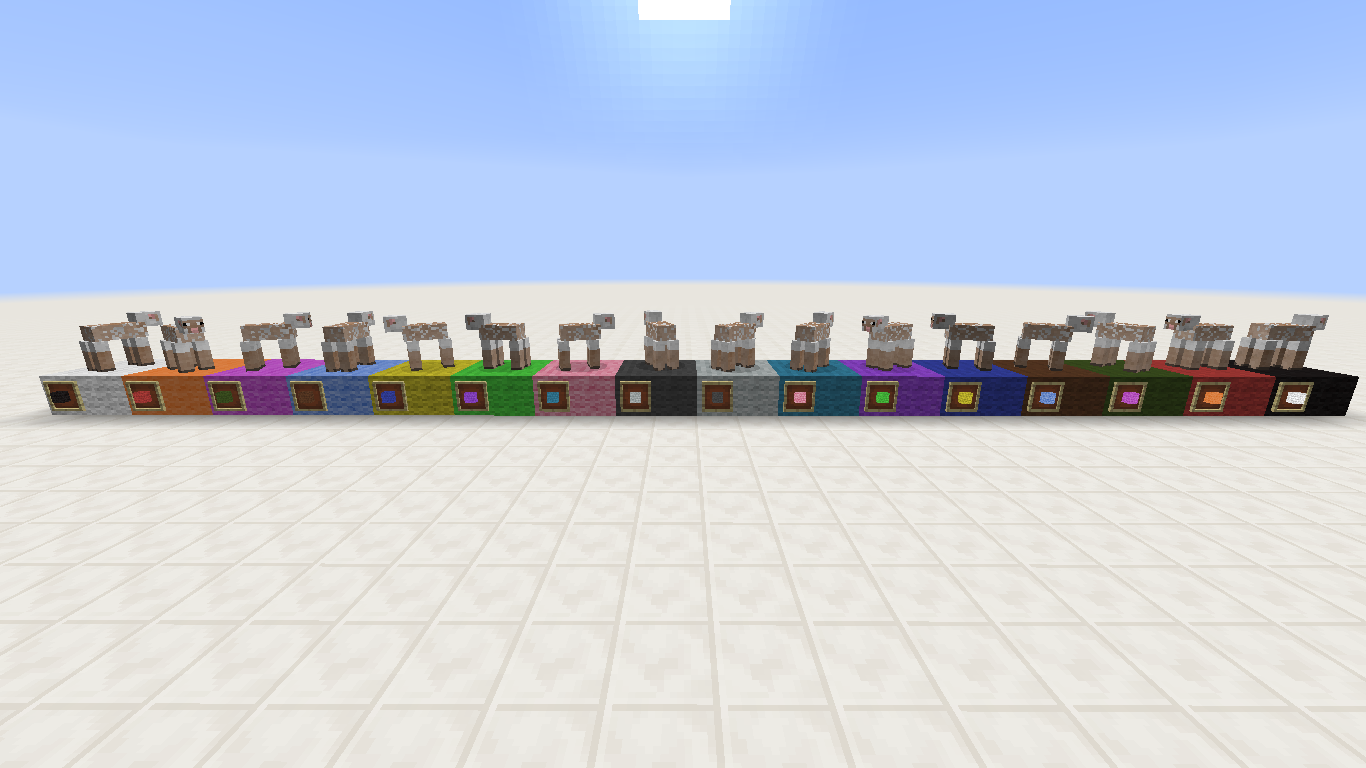
MC-53375. This is because, as said in that report, the data values of dyes are reversed, so the white wool has a data value of 0 while the white dye have 15; the black wool has 15, while black dye has 0.Yes. The colors are:
White > Black
Orange > Red
Magenta > Green
Light Blue > Brown
Yellow > Blue
Lime > Purple
Pink > Cyan
Gray > Light Gray
Light Gray > Gray
Cyan > Pink
Purple > Lime
Blue > Yellow
Brown > Light Blue
Green > Magenta
Red > Orange
Black > White
This probably doesn't help so much, so I've posted screenshots of my experiment.
Liam Whitt – Yes. As said above, the colors of dyes are reversed, so the data value for white wool is 0 while white dye is 15, for black wool is 15 while black dye is 0.
Hey, in inventory the stairs are still backwards in 14w25b!
Yaaay!
Confirmed! Oh, good! It's fixed. =D
Confirmed. I've created a player detection to summon wither skulls with custom names, creating floating messages when the player comes. I tested it, and when I saw, my world had a mountain of wither skulls. This is annoying.
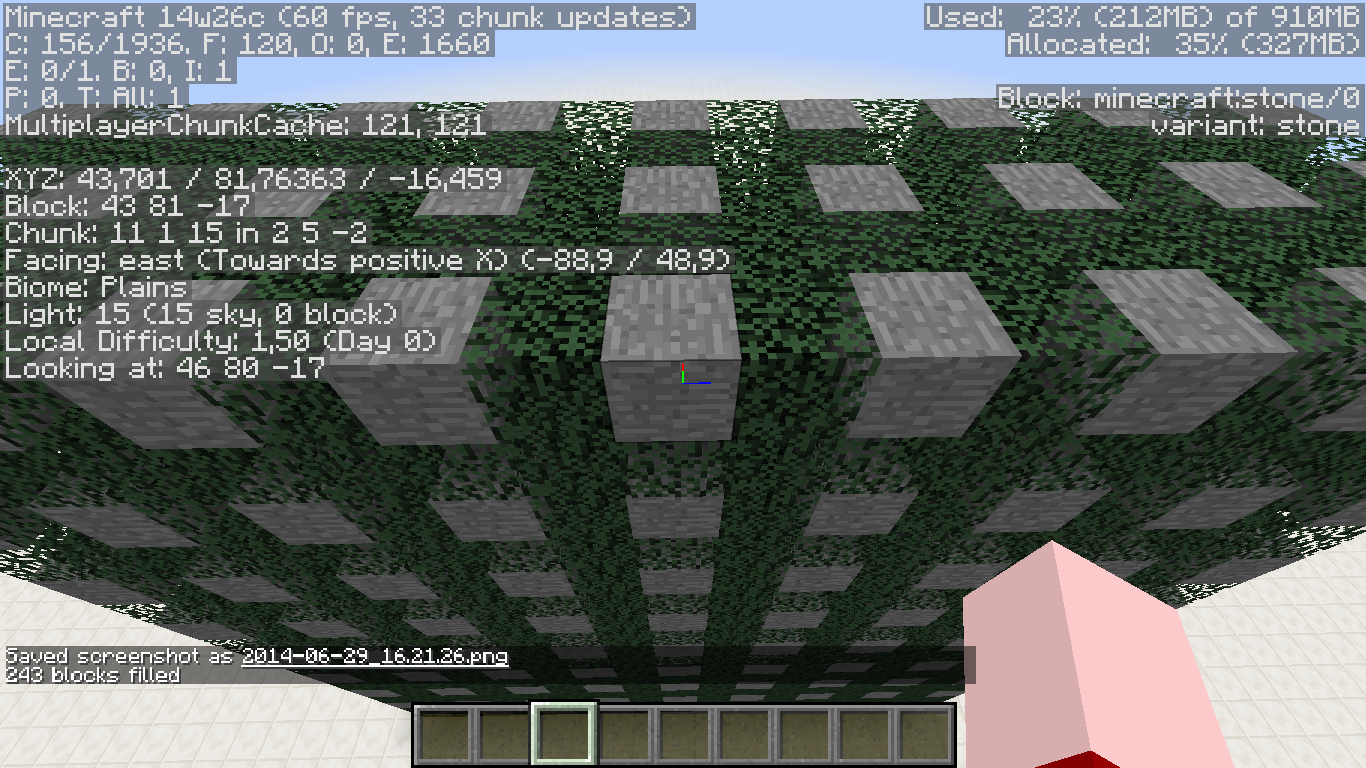
In this case no, because the entire cube on image 1 is made of one data value (1), and I have no custom resource pack.
Omitting the data value will not filter the type of leaf, and this isn't expected since the /fill must replace all the blocks, without mattering decay data in this case (as all of the blocks has the same data value).
And if this isn't a bug, why it's replacing blocks in this pattern? This is odd...
Oh, thank you, Torabi!
Ok, but this behavior is just wrong! WHY? Why you have to omit the data value of the leaves, since they have the same data value and are a block like any other? Why just the leaves has this behavior? Why this strange pattern happens? I just want answers for that questions, just because I don't understand why it happens!
Blah: They can change their data value, but not in my case, because after running the command I still have leaves with data value of 1.
Kumasasa: The command is /fill 46 64 -9 50 80 -25 leaves 1.
Thank you! This will be very important. If something more is needed, I will try to provide.
Confirmed. This also affects sandstone, cobblestone, stone bricks, nether bricks and dark oak slabs. I don't know if it's related.
For me, it's placed in wrong direction and with delay 4. I've also noticed that the delay values are messed up - 4 delay have data of 1, 3 delay have data of 2, etc.
Confirmed. I don't know if it's actually a bug, because, according to the wiki, "the structure actually generates containing water as part of it, to ensure that there are no air pockets formed inside", but yeah, it shouldn't be.
Wow... The resolution confirms exactly what I said. But it's still not expected. As said above, the structures are planned considering the default world generation, so, that's the result. =(
I can confirm!
Right. reducedDebugInfo gamerule hides coordinates, blocks and lots of things. Maybe it was disabled before.
I can confirm!
Oh, ok. But actually this will create another error: in some languages, the adjective words have gender; so, depending of the translation, it will be wrong. It's easier having the system as it is for stained glass, wool, clay, etc: word by word.
I can also confirm!
Confirmed in 14w32a.
It works as intended. The thrown eggs are projectiles, so it damages any mob, including chickens. This never had changed. So, be careful and don't kill your chickens
This can be clearly seen with the new NoAI tag from 14w32:
http://i.imgur.com/weHYRWG.png
More than one month have passed. Will this issue be added to the list of "forgotten issues" that remains for 10 official releases until be fixed?
Confirmed for 14w33a. I'll need to pause my entire project because of this.
Hey, I can confirm this issue in the latest snapshots and 1.8-pre1.
Confirmed for 1.8-pre1.
Confirmed for 1.8-pre1. Someone please reopen that?
Confirmed for latest snapshots and 1.8-pre1.
Confirmed for 1.8-pre1. But for me, it's actually not crashing. It's showing "Biome: ?" in the button. The world generates normally with that option.
Ouch! I saw some strange things in the details, I thought it strange...
Oh my gosh, this is an insistent bug. THREE fixed versions and still happening?
I think this is intended. This is because you can change the sounds using a resource pack. This is the reason why it doesn't give you an error when you type an inexisting sound name.
Yeah, this is intended. In the snapshots, they removed the ability of changing the logo, because people usually removes the logo.
And also in 1.8-pre2.
The biomes in the biome slider (Customized world) also don't have translation.
No, this is not intended because you could do it since stacked snow was added; now you can't.
Confirmed for 1.8-pre3, still no changes in the source string.
Confirmed for 1.8-pre1, pre2 and pre3.
Also, I think the world border animation (the stripes going up) should stop when the game is paused, but I'm not sure and I don't know if this needs to be treated as a separate report.
Yes. score_ObjectiveThingHere= works as max value; to test for an exact value you should specify min and max:
/say @a[score_taco_min=6,score_taco=6]
This behavior is correct. Invalid.
I can confirm that in the latest snapshots and pre-releases.
Duplicate of
MC-46401.Invalid
This happens because the new update's strings weren't translated and updated yet. You need to wait until Mojang update the translation files to see the new names taking effect.
Present in 1.8-pre1 and pre2.
Hey, I'm not using any custom resource pack! It's the default pack, this bug is not invalid.
Lol, I knew something was wrong. I think I confused you by putting the second screenshot in there xD
The "Down!" message in the Twitch servers are also not translated.
Present in all of the recent snapshots and pre-releases.
Confirmed for 1.8.
Duplicate of
MC-11189This works as intended. For some reason, the comparator needs to be at least 3 redstone wires away to be detected as multiple pulses. Otherwise, it will not detect.
In the first setup, try moving the comparator one block forward (seeing from the image position). It will work, because it has three wires from the comparator to the block.
Duplicate of
MC-47254For some reason, this works as intended.
Oh, that's right. I read that, but I forgot to change.
Duplicate of
MC-63468.Duplicate of
MC-62987Confirmed for the latest snapshots, pre-releases and 1.8.
Duplicate of
MC-1511How "broken"? Are you using a resource pack? Please attach a screenshot.
Duplicate of
MC-6897Duplicate of
MC-62758Duplicate of
MC-38587Also present in the latest pre-releases and 1.8.
Duplicate of
MC-62758Duplicate of
MC-62958This will not be fixed. The water generates as part of the structure to prevent air pockets from forming inside. Duplicate of
MC-57691Confirmed for latest pre-releases and 1.8.
Confirmed for 1.8.
Confirmed for 1.8.
Confirmed for 1.8.
Present in 1.8.
I can confirm that, as I created a duplicate. xP
Hey, I can confirm that because I don't heat any sword breaking sound (attacking mobs) in 1.8.
The "... and X more ..." text in the Multiplayer screen!
Confirmed for all new versions. It's this way since wool was added, I think they didn't care about it when they put the name. I already noticed that some time ago. This doesn't makes sense if you think that the white wool is the "default" wool, but it does makes sense if you think that all other dyeable things in the game have the "white" word (stained glass, stained clay, etc.) Very attentive!
Well, the mod question above didn't receive any answer, so I'll give mine: I'm not experiencing this anymore. To be honest, it happened in my old computer that I used until 1.7, and now I'm using my new computer in 1.8. It doesn't have this issue, and I don't know if this is because of 1.8 or the machine. I don't know if this can be machine-related or not, but just in case it can, someone please tell what's happening at your end, because I'm not experiencing this issue, but maybe someone is.
Anyone can confirm that?
Avstar98, you're experiencing
MC-61864. It's a different bug related with the properties of tile entities. This bug covers issues when replacing leaves due to their decay data.Hey everyone, this seems to be fixed in 1.8.1-pre5.
Confirmed in 1.8.1-pre5.
Maybe this is related with
MC-69990?Hey, I remembered of this issue now. I've noticed this in the statistics screen, and then I remembered of seeing something about that in the bug tracker. This is still happening, can anyone reopen?
That's right. I know nothing about code, so I imagine that Mojang has a reason to do it this way. I only reported it because it's a little weird behavior, but, as you said, Mojang will maybe do something in the future.
Hey, if
MC-74128was resolved as 'Works As Intended', this one should be also. Both of them are related to moving blocks changing texture rotation, so both of them should receive the same resolution. As Noproct said, each block position has a predefined rotation for each block that is placed on it. So, if the other related ticket, that treats about the same problem, was resolved this way, this one should be 'Works As Intended' also, because both of them are caused by the same thing: blocks having different rotations when being moved from one spot to another. If it works this way, there's nothing we can do about it: it's related to the world and not to the blocks.Confirmed for 1.8.1.
Confirmed for 1.8.1.
Confirmed for 1.8.1. As a prove that this is related to lighting, if you cover yourself in a 1x2x1 hole with no light (or any room with a low light level), open a hole to the void, and then cover it, it will not lag, because of the low light level. But if you don't block the light, it will lag a lot.
Confirmed for 1.8.1.
Confirmed for 1.8.1 and 1.8.2-pre1. I also noticed that jumping on these blocks produces the correct sound, but walking on them doesn't.
I can confirm this for 1.8.1 and 1.8.1-pre2.
One thing you didn't list: the statistics. All of them have all words capitalized, except for (including the 1.8.2-pre1 ones):
Hey, any moderator can confirm this bug?
I understand your point, but wait, this is not related to game code. The string shown in the statistics screen can be changed without requiring any changes in the game code. This bug is about the word "Noteblock" not getting separated, which only doesn't match with the GUI version - nothing related to the game code.
EDIT: Oh, I think the fact that I have F3 + H enabled confused you a little. Now I understand the confusion. I was talking about the GUI name (Note Block) not corresponding to the name in the statistics (Noteblocks). It's not related with the ID (minecraft:noteblock).
Works As Intended
This behavior was implemented in 1.8.1. According to Minecraft Wiki, arrows "will lose all velocity after a few blocks and slowly fall".
Confirmed for 1.8.1-pre2.
Do you mean that they should be labeled only "Stained Clay", "Stained Glass", "Dye" since the statistics do not consider data values, or that they should consider the data values themselves?
I can confirm.
Wilco Wolters, that's because the layer 255 is protected. The only way of putting blocks there is via pistons, or commands, or if they were generated naturally. There are a lots of tickets that treats about this, like
MC-11211,MC-33450andMC-69878, but this one is not related to them as it treats about the slider, not the building height itself.Aaron Rhodes, if it's a technical mistake, then it can be considered as a bug. And it's not invalid since TheMogMiner even fixed it.
yut951121, that's exactly what I'm saying: it should get hidden - and not seamlessly covered - when you put a bottle on top of it, but it doesn't. I just don't think it works as intended because it doesn't follow the patterns for the other GUIs, like the armor one.
Fenhl (Max Dominik Weber), I can't confirm this. For me, it's playing the right track, Alpha (credits.ogg).Tested it some times and confirmed a lot of weird things.
As we can see, there are still a lot of weird behaviors, and the sound engine is terribly messed up (sorry Searge, I think you didn't fix anything). Hope we can figure out if there's still something wrong left, because this is an annoying bug. For now, please reopen this ticket if you mods get to confirm this behavior.
Hey, Kumasasa, just noticed that this also happens in the Music/Sounds screen (duh). Do I need to open a new ticket for this? I think so, and both of them would be related.
Kumasasa, thanks! Much better now. Don't know how didn't I notice it before.
Confirmed for 1.8.2-pre2, pre3 and pre4.
Confirmed for 1.8.1, 1.8.2-pre2, pre3 and pre4. This also affects Portuguese, and I'm pretty sure that it also affects many other languages not listed here. A possible fix for it is make it like the banners were before having individual strings for each color: putting variables in the strings to define what the order should be.
Two more exploits!
Also, confirmed for every new version until 1.8.2-pre7.
Exactly! And it looks like "Entity Shadows" will be a forgotten one also (as well as the new statistics, which are already featured in an official release and didn't get anything on Crowdin). And...
Wow... And confirmed for 1.8.2 and 1.8.3.
Oh, yeah, most likely. But I don't think there isn't any possible ways of converting the tags in LWJGL to strings so that they appear correctly in-game. That's kinda the same thing that should be done with the biomes in the biome slider, since the names that appear there are the technical names of the biomes, if I'm correct.
I also don't think that the resource pack text can't be fixed. It's impossible that a replacement text can't be put in the place of the current string from the MCMETA file. Right?
Sorry for the amount of comments I added in the last days. I'll try to edit some of them when I need to add something.
Dlawso the Really Lucky Rabbit and [~ericz1], even if these bugs are related or are the cause of this one, this ticket treats specifically about the credits. They can (and should) be marked as related, but they treat about different things and in my opinion, this one here should be reopened.
The statistics can't be translated (see
MC-46341andMC-77880). And while checking for non-translatable strings, I found out that the spectator commands (that also can't be translated) also have some inconsistencies, like "Close menu" and "Next Page". There are some more I found but always forget to point here, so I'll do that when I remember to.Is any moderator able to confirm this?
I can also confirm this issue. Happens for a moment, and then stops.
EDIT: Nice catch, KingSupernova! Maybe we should create a new ticket for that, or change the summary of this one so it includes that.
Which fix?? I can't use it on 1.8.3.
Krev, how?! Test it some times more if you didn't, and you'll see that there's something wrong. If you don't find anything, yeah, maybe you don't have this bug on your end. But I'm having it here...
Mods? Can you do something, please??
I can confirm that. It's probably something related to the command block engine, since that this message can only appear in command blocks.
Also, this and
MC-46341can be linked as related.Confirmed also. While ESC closes all screens, this doesn't happen when clicking the button.
Kumasasa, just tested it in a whole new world and the issue remained. But I'm only getting the result I got in my second test in the comment above: the song stops after the first note plays, and the credits remain silent. All the other cases are not happening, but still, there is a bug somewhere.
Also, even if it worked correctly in a new world, are you telling me it's only "fixed" for new worlds?? That sounds a bit weird.
Anyway, there's a download for the world here. Hope you can take anything useful out of it!
I already expected that. But actually, can it even be world-related? I don't see why could this happen. Anyway, it's still happening for me.
Confirmed for 1.8.4. Also seems to be weird with blocks being worn by players/armor stands. In this case, I tested it with a red stained glass and the normal block worked as intended, but the block being worn by an armor stand didn't. I took some screenshots of my experiment, and you can check them here.
Sorry for taking too long to answer. Unfortunately, my computer is having memory problems and I'm getting a blue screen every 10 min, so I can't access Minecraft. But, as soon as I fix the problem, I'll do the tests and gather all the info with the newer versions. I'm sorry! Hope I can do it soon.
I can confirm.
user-f2760 Maybe? But yet, it looks weird, since it doesn't follow the pattern for the other blocks,
Can confirm.
You're probably experiencing
MC-62958. Try updating your video drivers and see if the problem still happens.Mods, something went wrong. Both this ticket and
MC-82835were resolved as duplicates of each other. Please fix that in order to make the issue considered as valid.Probably. It's very weird that I could reproduce the bug in three different computers, and all the original reporters can't anymore. Also, I can confirm it for 15w31a. Don't know if this needs to be reopened, but I'm sure it needs further investigation.
Thanks, Grum!
Fixed little grammar issue in the title; added 1.8.8.
Can anyone confirm this report? It's almost 6 months old.
This report might get irrelevant in 1.9 since Twitch integration is being removed.
Is any moderator able to confirm this?
Confirmed for 1.8.8 and 15w31c.
Still not changed on Crowdin. That's weird.
Confirmed for 15w33a and b.
Confirmed for 15w33a and b.
Also, shouldn't the title be shortened, by replacing all affected blocks to "many transparent blocks" or something similar? Titles should be short and objective, but this one isn't being.
Confirmed for 13w33a and b.
Mojang gives higher priority to bug reports that have more votes. Since this one doesn't have too many votes, it isn't one of the priorities right now. I agree that they should take a time to fix some of these "forgotten" bugs like this one, but there's nothing we can do other than wait!
Fun thing is that it was that way two years before the bug tracker was launched, and after all this time, nobody has took the time to report it
You automatically watch (but does not vote to) any issue where you comment or make a change. That's why there's a lot of people watching, but not too many voting.
user-f2760, you're not totally right. If something is in the game, it should be properly supported and not contain any bugs. Since giants are in the game somehow, test or not, they should have proper support, or otherwise, completely removed. But "half-support" can't exist. It should either be supported or not be in the game. So, since Mojang hasn't stated anything about the model disappearing, this can, in fact, be considered a bug.
The problem isn't even that. The problem is that there's no message to replace previous outputs. Let me explain:
Steps to Reproduce:
1- Insert any command other than say or tellraw in a command block.
2- Power it and check the output.
3- Insert a say or tellraw command.
4- Power it again. Instead of clearing the output (since there wasn't any), the command block still displays the previous output, without updating timestamp and result.
While the command result is already its own success message, we need something to be displayed in the command block to indicate that the command was sucessfully ran.
Also, confirmed for 1.8.8 and
15w33a15w34aYeah, I meant 15w34a, sorry (and now b too).
And also, I would be glad on being the manager of this ticket! I didn't even know that this was possible, but it sounds cool for me.
Thanks
Confirmed in 1.8.8, 15w34a and 15w34b.
Confirmed for 1.8.8, 15w36d and 15w37a.
Confirmed for 1.8.8, 15w36d and 15w37a.
Confirmed for 15w36d and 15w37a.
Confirmed for 1.8.8 and 15w40b.
Mods, this got fixed with the addition of the timer for ender pearl throwing. I don't remember which snapshot it was, but it's fixed since then.
Confirmed to 15w41a and b.
Confirmed to 15w41a and b.
Mods, despite that this ticket and
MC-5368are caused by the same bug, they treat about different things and this one is an isolated case, introduced with the Mending enchantment. Shouldn't this be reopened?I noticed that upon testing how the /playsound command would react with the subtitles, added in 15w43b. And for my surprise, it didn't react! Something that points to the subtitles being the cause of the bug is that, if you play a sound which doesn't have a subtitle attributed to it, such as a record, it will play normally. Try /playsound record.far @p to see what I'm talking about.
Maybe it's related to subtitles? The reason I think it's related is because, if you play a sound that does not have a subtitle attributed to it, it will play normally. Example: /playsound record.cat @p
Thanks! Hope it helps in the resolution of the problem
Mods, this is fixed as of 15w44a. I think Grum forgot to change the resolution
Well, I don't know if this should be closed rather than resolved. As said by Grum above, he still needs to "eventually patch uvlock", which means the process of fixing this issue completely is not done yet. Also, since the texture mapping doesn't follow the model anymore, the fence gate texture changes when it gets open or closed. Should I create a new ticket for this?
Affects fences and fence gates as well. Probably also related to the fix of
MC-84774, since it caused a directional texture change in the fence gate when attached to a cobblestone wall. Since the fix for it involved changing the uvlock for all states (not only for the wall ones), it might be related.Confirmed for 1.8.8 and 15w44b.
Thanks, I knew there was something wrong
Confirmed for 1.8.8 and 15w44b. Wow, it's been a long time.
Confirmed for 1.8.8 and 15w44b.
Duplicate of
MC-91710.Confirmed for 1.8.8 and 15w44b.
Confirmed for 15w44b.
Hey everyone, seems to have been fixed at some point. I cannot confirm it in 15w44a.
Shouldn't this be closed and then marked as Fixed when it's done?
Oh, I see. So the issue being reported here wasn't the missing sounds themselves, but the warnings, which are intended and will be fixed when the sounds get added. Thanks!
Now the event name isn't note.harp anymore, it's block.note.harp (check
MC-91102); might be good to change the description.Ok. If this was marked as working as intended, there might be a good reason for it. But what is the reason?
Differencing better?
Confirmed for 15w49a and b.
Also, if you try to open a world that was last loaded in a newer version, the game will display a confirmation screen. The button to confirm is labeled "Use anyway", where this last word should be capitalized.
Confirmed for 15w49a and b.
I first want to make sure that this is not intended; if it is, I might go there
Oh, I originally had searched for golems and not the Wither. Thanks
But shouldn't this be reviewed? It never came to a developer and maybe it's not intended. I know south is the default rotation for everything as it is the "front", and there's a lot of bugs related to that. But isn't there a chance that this specific one could be an unintended feature?
Well, I hope Mojang finds something between fixing the bug and keeping the feature.
For those who want to watch Etho's video: https://youtu.be/jcxSkOwUhy8?t=7m27s
All sounds added in 15w50a (from the wiki):
Still happening for me in 15w50a. Weird.
Thanks!
Like I said in the description, maybe the developers have their reasons not to make them drop the pumpkin - maybe so that you couldn't spawn an infinite amount of golems using a single pumpkin. But, in any case, I wanted to make sure it is intended. But if it isn't, it will get fixed.
Both tickets treat about stone sounds instead of the intended ones, but
MC-91091treats about placing sounds rather than mining/breaking, and about glass sounds instead of iron. So, I suggest that they're marked as related.This title is very long. Wouldn't it be better if the detailed list of affected blocks were put in the description, and the title only said "glass-type blocks" or something similar?
Is any moderator able to confirm this bug?
Is any moderator able to confirm this issue?
Wow, that was close
It's kinda inconsistent, since armor stands have unique sounds for breaking, and stone sounds for placing. While it can be intended, there's a lot of bugs about blocks having unintended sounds and maybe that's the same thing.
Confirmed for 1.9.4
Since the above comment was added,
MC-91091has evolved a lot and now features multiple cases of incorrect sounds. So, for convenience, I think it'd be adequate to resolve this ticket and add it to the other one.This report has gotten so nice! I remember a few months ago when it only featured a couple of incorrect sounds. One of the mods asked me if it described a similar issue I reported, and it didn't really, because it only treated about one or two specific cases related to glass. But now that it has evolved into a huge list of 'inappropriate' sounds, I think it's adequate to add the following:
Mining and breaking anvils produces stone sounds (see
MC-94096). Their crafting recipe makes it totally clear that they should have iron sounds.Thanks for the additional screenshot!
Confirmed for 16w20a and 16w21a.
Confirmed for 1.9.4, 16w20a and 16w21a.
Also, "Auto-jump".
@branza I totally agree. Having the same sound as stone sounds slightly weird for me, but I reported it mostly for consistency reasons. If I had to choose between stone and iron, I'd prefer stone exactly for the reason you pointed above. Also, the sound anvils make for falling and placing could be part of that new category. =)