Slow (Choppy) Rotating Beacon Block
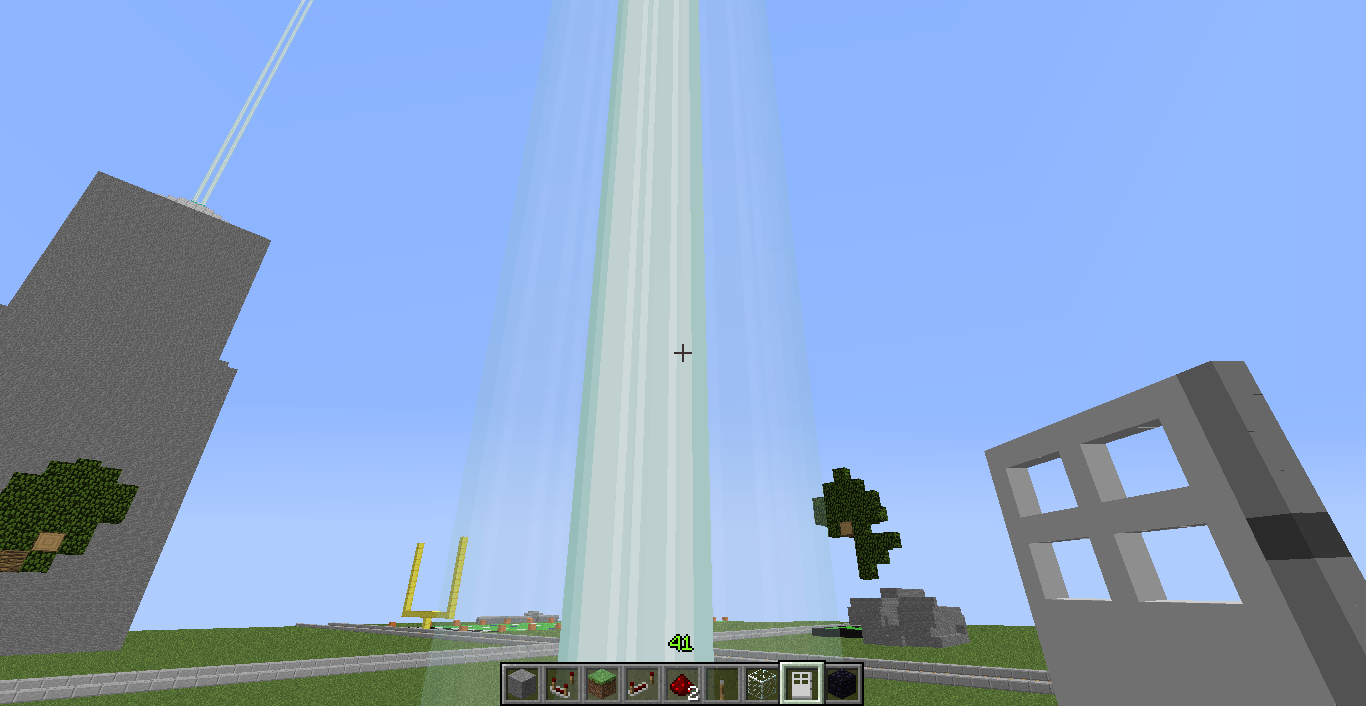
So it seems if you power a beacon block in worlds generated before 1.0 [official release] (not sure about this, but that's what I am assuming) the particle beam effect rotates really slowly and appears choppy. Note that I am on a single player world, NOT a server. I haven't tested this on a server. I tested this on newly generated worlds and it works perfectly fine, but old world saves affect it somehow. I tried pyramids of all sizes, being in creative/survival/etc.. doesn't change a thing. Hopefully there will be a fix for this so I can use beacons on my preexisting adventure map world!
Steps to reproduce:
- Create a world
- Let it run for 60 days in real time
or - set the level time to 103680000 (level.dat / Tag "Time")
Environment
Windows 7 64 bit. Java 6.0.260.3
Linked Issues
is duplicated by7
 MC-12816Beacon Beam Bug?DuplicateMC-13400beacon beams is not scrolling upwards and looks wierdDuplicateMC-65708Beacon Beam does not fully rotateDuplicateMC-1397beam of beacon block spins very slowlyDuplicateMC-2072Beacon beam doesn't rotate properly on MultiplayerDuplicateMC-3752Beacon beams slow in serversDuplicateMC-4020Rotation of beacon beams are serversideDuplicate
relates to5
MC-277865The animation of boats in bubble columns breaks when over a certain "Time" in level.datFixedMC-73232Beacon beam texture garbled depending on world timeIncompleteMC-63720Banners don't move in wind when over certain "Time" value of the level.datFixedMC-165595Guardian beam does not render when over a certain "Time" in level.datFixedMC-273758Ominous item spawner's animation breaks if the level.dat "Time" value is over a certain numberFixed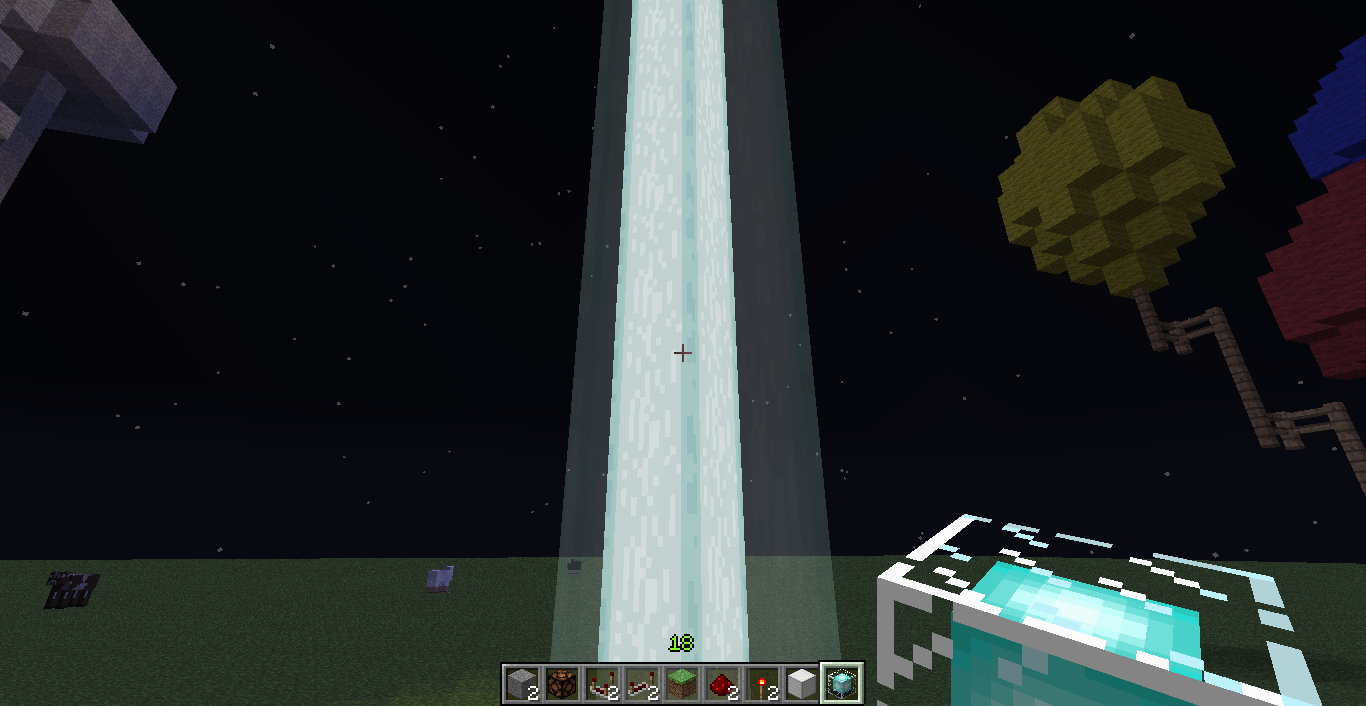

Created Issue:
Slow (Choppy) Rotating Beacon Block
So it seems if you power a beacon block in worlds generated before 1.0 [official release] (not sure about this, but that's what I am assuming) the particle beam effect rotates really slowly and appears choppy. I tested this on newly generated worlds and it works perfectly fine, but old world saves affect it somehow. I tried pyramids of all sizes, being in creative/survival/etc.. doesn't change a thing. Hopefully there will be a fix for this so I can use beacons on my preexisting adventure map world!
Environment
Windows 7 64 bit. Java 6.0.260.3
Linked Issues
relates to1
TRASH-8576
So it seems if you power a beacon block in worlds generated before 1.0 [official release] (not sure about this, but that's what I am assuming) the particle beam effect rotates really slowly and appears choppy. Note that I am on a single player world, NOT a server. I haven't tested this on a server. I tested this on newly generated worlds and it works perfectly fine, but old world saves affect it somehow. I tried pyramids of all sizes, being in creative/survival/etc.. doesn't change a thing. Hopefully there will be a fix for this so I can use beacons on my preexisting adventure map world!
![[Mojang] Nathan Adams](../../../data/assets/gravatar/dinnerbone.png)
is duplicated by


relates to

is duplicated by
relates to

is duplicated by

So it seems if you power a beacon block in worlds generated before 1.0 [official release] (not sure about this, but that's what I am assuming) the particle beam effect rotates really slowly and appears choppy. Note that I am on a single player world, NOT a server. I haven't tested this on a server. I tested this on newly generated worlds and it works perfectly fine, but old world saves affect it somehow. I tried pyramids of all sizes, being in creative/survival/etc.. doesn't change a thing. Hopefully there will be a fix for this so I can use beacons on my preexisting adventure map world!
Steps to reproduce:
- Create a world
- Let it run for 60 days in real time
or- set the level time to 103680000 (level.dat / Tag "Time")
is duplicated by
Default_Alternate SP-SMP Compared.jpg
Is this still a concern in the current Minecraft version? If so, please update the affected versions in order to best aid Mojang ensuring bugs are still valid in the latest releases/pre-releases.

is duplicated by
 Mog (Ryan Holtz)
is duplicated by
relates to
is duplicated by
relates to
relates to
I've noticed this issue for quite some time now, however, I still have yet to see it get resolved. The beam remains to be screwed, rotational & visual.
If even the insignificance of an incorrect side texture to the beacon gets fixed (MC-1038) then surely the attention to the most significant aspect of the beacon deserves the upmost priority of investigating into. I notice Score_Under the Human's explained post has been left in the dust.I'd like to state that having been led to believe the issue rested with Bukkit (as was hinted here https://mojang.atlassian.net/i#browse/MC-4020)
Bukkit state the issue rests with Mojang - brief search of an example (https://bukkit.atlassian.net/i#browse/BUKKIT-2712 and found here https://github.com/Bukkit/CraftBukkit/pull/1104#issuecomment-15623575 also http://bdcraft.net/forum/beacon-doesnt-shine-beam?page=3#comment-12699)
It's like me selling my brand of car, off for someone else to change the paint and name of it (because most prefer that colour & name) but then, his/her customers along with my own, report there are issues with the steering. So, taking your approach I just shut my eyes to the whole thing and put the blame on my buyer for modifying the paint rather than investigating a possible manufacturer's fault, simply because the issue has apparently nothing to do with me.
Investigation is a wonderful tool if/when put to use. Playing pattycake is highly immature, having the blame thrown both ways will get neither side anywhere.Having checked each and every reported bug with the Beacon, I can see how this issue has been reported many times but simply closed up due to duplicates. Many points have been explained/proved yet still tossed away. <Incoming Sherlock skills>
Evidence:MC-12816,MC-1397,MC-2072,MC-3752,MC-4020,MC-13400and the currentMC-1279.
May I just add, if issues such as this one were not treated with ignorance, the claimed high percentages of duplicates would not exist. (Proof; Upon finding an unanswered forum thread /closed you resort to opening up your own to reinstate that question) Also, upon every issue they are all closed up and strung with another duplicate, which in this situation there is no answer, has been no answer despite it being reported many times. So, I've been taken round and round in circles, having come to the conclusion that this is currently the only open/alive report (no doubt it'll be closed up) and so if this is closed up, I shall furthermore conclude that the purpose of submitting bugs is for staff to sit back giggling and repeating "It's your word against ours!" Invalid mate! Duplicate!! Unresolved but yet marked Resolved!!
/close submission.
MC-12816andMC-13400are not a different bug in which I shall elaborate for you.
First off, both have very similar attachments to this report, all three relate back to the beacons beam which is slow, choppy in rotation, incorrect texture (evidently, symptoms of this report shown in "all" attachments). As Score_Under the Human states: "While they do appear superficially different in their manifestation, they are actually the same bug"
I'll back that up further by stating that this report would not be descripted as "Choppy" "Rotating" if the beam were not the visible factor to this issue.
However, the above tickets are worded in a different way for which I shall explain.
MC-13400states: "the beacon beam is not scrolling upwards like it used to do in previous updates. as well, the beaon texture does not even look ingame like it does in the textures!"
MC-12816states: "Sometimes the beacon beam texture is changed, im not sure if this is a texture bug."
Now, as noted, the above two are claimed as duplicates of each other. I shall tie them both up to this report along with my other previous statements.
Firstly, inMC-13400the keyword there is "Scrolling" and in this current reportMC-1279the keyword is "Rotating". If you cannot synonym the two in this context then your argument is invalid. Lastly inMC-12816the keyword is "Texture" as withMC-13400. Please refer toMC-13400's Labels; animated beacon beam bug? glitch rendering scrolling texture wierd.
Seeing as I have spun my web and linked the two back in withMC-1279, you state that the Policy is to have one open ticket per bug and to close duplicates. However, I have just proven in my own way that the two are duplicates of the current, yet you have just reopened its partnerMC-13400. Not to cause any splinters but I see controversy.It's like me saying "My game does not load" "My game is frozen" It could be that it isn't loading because it is frozen, or, infact it does not load at all. Either way, it does not load.
To parent my anology with the current report, The beacon is Choppy in Rotation, The beacon is not Scrolling up as it used to. Either way, it does not move/appear as intended to.
The other does not state it isn't scrolling, it states that it does not scroll, rotate, spin as it used to. It is choppy. The difference in texture is noticeable.
Open up both attachments in this report, note how the textures differenciate. Open attachments inMC-13400&MC-12816.
Lastly, if you spin a wheel, the spokes will look different due to the speed it is going at. If you stop it, it'll be static and therefore a different image to what you had previously seen.
With this issue, it's a combination between the movement and the appearance, yet when paused, both appear to have a static difference.My theory: If there were no spammed duplicates, there'd be no excuse in ignoring valid reports. The mods and devs would've been able to care about this valid issue.
Proof: You would therefore be out of a job.Great attitude there, by insinuating that this is not a real issue.
Uploaded several comparisons to clarify.
If the issue were not in any way related, then mentioning it in this report would be pointless.
It's like saying; Is a flat tire a possible factor for the slowing down of a car? You have the two issues in relation.
However, since I had to link the other closed tickets in with this one, every attachment evidently showed the same symptoms. (Except neither could show/prove the slow, choppy movement in a static image)
As noticed, in every single attachment, the beam is distorted (I have provided comparison shots)
Should be quite clear now; Choppy, Slow, Incorrect Textures. If you like I can provide video proof on not only the rotation, but the distorted textures; one in SP as it should be and the other in SMP.
I had however, hoped my screenshot comparisons would suffice.
![[Mod] LateLag](../../../data/avatars/users/92884.png)
![[Mod] ampolive](../../../data/avatars/users/18949.svg)
relates to
![[Mod] Jarl-Penguin](../../../data/avatars/users/92849.png)
relates to
Duplicate of: MC-1279 - Please use the search function to see if your bug has already been submitted.
Currently 30% of tickets are being closed as duplicate.
Duplicate of MC-1279
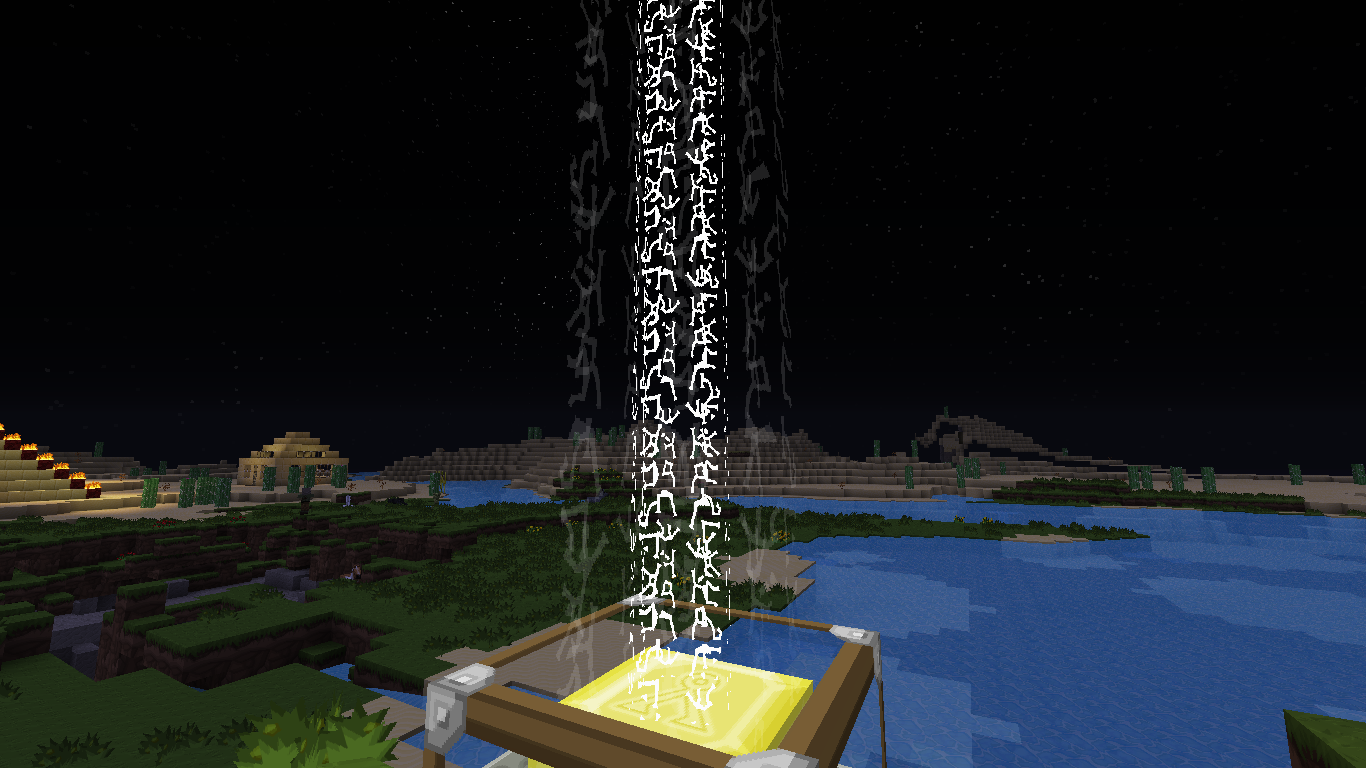
Beacon beams render as garbled flickering static, distorted, or totally missing to varying degrees, depending on the world. Some worlds the beams render fine, some are a total mess, and some are in between. There appears to be no rhyme or reason as to which worlds have problems and to what degree they have them. However, the issue is totally reproducible per-world; any world that shows a problem maintains it to the same degree always, regardless of the number of times I quit and relaunch. Destroying and re-placing the beacons or any surrounding blocks has no effect.
The problem is hard to notice with the vanilla textures, so I've attached six examples: two pictures each of a custom texture on three different worlds. World "B" appears fine, world "A" has medium distortion, and world "F" has very bad distortion as well as the rainbow variant not showing up at all. In each case, I've superimposed the custom texture in use over the right hand side of the image so things are easier to understand.
NOTE: This is NOT a dupe of MC-68247, as this bug has nothing to do with viewing angle. In the case of "F-rainbow", all beams of all beacons in the world are missing all the time, no matter where you are or where you're looking.
EDIT
It turns out there is a direct correlation between the age of the world (NBT 'time' parameter') and how bad the texture looks. I can make the problem happen or disappear by manually editing that with a program like NBTExplorer. I'm not sure if this qualifies as being a dupe of MC-1279 though, as that bug is mainly about the beam animation being slow and choppy, but I've never seen that.
EDIT2:
I can get slow and choppy beam rotation if I edit the 'time' parameter to a very high value, and then look directly at the beam and stay completely stationary for several seconds (the animation seems ok when I move around). It looks like on my system that the texture gets garbled long before the animation gets choppy, and none of my natural worlds were quite old enough to exhibit that. This bug and MC-1279 are a lot more closely related than I initially thought. I'm not sure what the deal is with MC-1279 being closed though (was it really initially fixed for pre1 or did someone put that in by mistake and it's not actually fixed until 1.8.2?). Sonic partially confirmed seeing it too (on only one of the textures), but I'm not sure what that means for this bug. I honestly don't know if this should be left open, or MC-1279 should be reopened, or what.
Note: All of my worlds that feature this are far too large to upload here, so I had to do some more digging. After reading MC-1279 in more detail, it mentions that the beacon slow rotate issue is due to the world's time. I realized that in my worlds there was a correlation between world age and how garbled the texture got. After some more investigation and testing with NBTExplorer, I confirmed that high values on the 'time' parameter caused the problem. For the purposes of this bug, I created a superflat world and manually set 'time' to 19999999 (and took a screenshot).
As far as dupes go, MC-1279 is about how beacon beams' rotation animation gets progressively slower and more choppy with world age. I have never seen slow or choppy beams in any of my worlds, instead the beam texture gets progressively more distorted. Whatever fix was put in for MC-1279 didn't resolve my issue. While these two bugs are definitely closely related, they're not exactly the same thing, however if you want to reopen MC-1279 and then roll this bug into it, I'd be fine with that.
quartz, MC-1279 is actually fixed for a future version. 
Otherwise, cannot confirm with the attached world. Please see attached screenshot.
OK, well, at the time Kumasasa responded with "Fixed in 1.8.1-pre1" MC-1279 was listed as being fixed in pre1, not future-1.8.2, so I'm not sure what's going on there.
As far as confirmation goes, I forgot to attach a resource pack with the cut up texture I was using (the problem is still there with the vanilla texture, but hard to see). I'll attach that now and maybe it'll be more obvious (it's worth mentioning that the flickering garbled-ness is much more apparent when actually playing the game, you can't really capture how bad it looks in a screenshot).
Also, being a texture/rendering issue, there's a good chance it might be hardware specific.
Definitely relates to MC-1279

The Bug
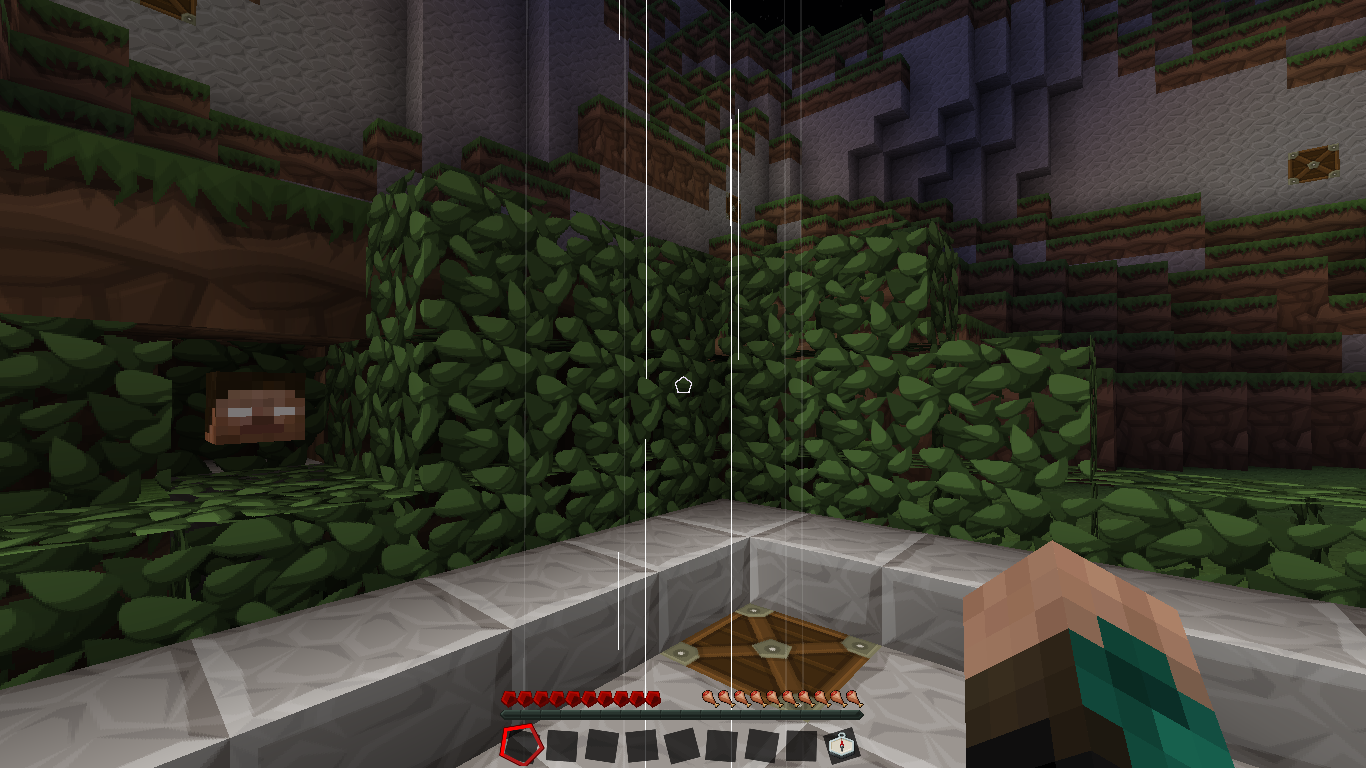
The animation of boats in bubble columns becomes progressively worse when the Time value in the level.dat file exceeds a certain number (approximately 16,777,216). Past this point, the animation becomes laggier and eventually does not work.
Steps to Reproduce
- Use a world that has been played in for around 9.7 days in real-time, or use this world: MC-277865.zip

- Use/build the structure in the world (screenshot attached), and place a boat on the soul sand.
- Observe the animation of the boat.
Observed Results
The animation of the boat appears jittery.
Expected Results
The animation of the boat would not appear glitchy.
Additional Notes
Relates to:
I'm seeing this confirmed in many peoples' videos, though not in any of my personal experiences. On servers as well.
I think it is. I seem to recall some mindcrack videos on recent snapshots with the issue still present.
Ya its still of concern as of 1.4.7. I updated the affected versions, hopefully Mojang recognizes this issue.
I have found the cause of the problem
if you change the NBT tag Time and DayTime in the level.dat file to 0 (both have to be changed), it will fix the problem, and if you change it to a very high number it will cause the problem (i used 989210110 because it is from another world with the issue)
So the issue isn't connected to minecraft 1.0, but to the age of the world. If you can't wait for mojang to fix the issue, all you have to do is use NBTExplorer, open the world with it and change Time and DayTime to 0
Wow, thank you so much Jeppe Vennekilde! It worked like a charm! Props to you sir.
Probably caused by casting the world time to a float somewhere. Should be a really easy fix for Mojang, too bad they probably haven't seen it yet.
Ah, floating point precision errors. You have plagued us since the beginning. First you reared your head as we approached the farlands, now you show it again as time itself.
Confirmed for Minecraft 1.5.1; there's now also a painful Z-fighting resulting from this.
To repeat what I posted on another bug (so that it gets read and hopefully gets fixed):
Another option is to use world time, but modulo one day (so animationTick = time % 24000), if the animation loops like that. Actually, the ideal solution would be to figure out how many ticks it takes before the animation loops, n, and make animationTick = time % n.
24000 does not evenly divide by pi, and using time%n is pretty much what they do now (it's done implicitly in their call to sin/cos) - it will be affected by the same rounding error, except at a different point in time (it will result in the beacon performing a very small turn then resetting to its original position over and over again, a visual analogue to the sound of a broken record).
Can you please show their code? I haven't seen the exact code they're using. Also, I think it's safe to say no integer will ever divide by pi, meaning any fix must be an approximation. In fact, does Minecraft even use explicit calls to sin/cos? Last I checked, they're using an approximate lookup table, built at the game's startup, to speed up calculations.
Now, I might be able to explain my solution better if I knew what measurements were used here. But hypothetically, if it takes 80 gameticks (4 seconds) for the beacon to complete its spin, the rotation would be (2*pi)/80 radians per tick. Now, obviously, you can't safely increment the rotation angle by (2*pi)/80 every tick; the rounding error would add up. But if you recalculated the angle, as (2*pi*tick)/80, you'd end up with a value as close to 2*pi as you'd ever get: Java uses an intermediate 80-bit floating point format when doing calculations on most machines, even on floats. Thus, there would be no broken record effect: if the animation takes 80 gameticks, doing time % 80 would allow you to retrieve the correct rotation angle.
If they're relying on sin/cos for its "modulo effect", then of course it's not working: the larger the angle becomes, as a floating point value, the less precise it gets. The pitfall of floating point values is that, at large numbers, the gap between successive representable values increases. ((2*pi*time)/80) % (2*pi) is not equivalent to (2*pi*(time % 80))/80, even with the internal extended floating point format used during calculations. You want to make the integer as small as you can before switching to the realm of floating points.
If the animation is meant to take a non-integral number of ticks, however, this solution wouldn't be possible by definition. But I'm not sure why they would do that - then again, I'm also really not sure why they would make beacon animation tied to server time in the first place!
This is the code, contains the original and the fix I propose (that is, doing the rotation incrementally and in an overflow-aware manner):
https://dl.dropbox.com/u/518733/beacons%20yay.png
The rotation period is derived from the calculation at the definition of var14.
Note the calls to Math.sin and Math.cos - for some reason they chose to not use the lookup table, which sort of defeats the point of having one. That said, there's a CPU instruction for sin/cos on x86.
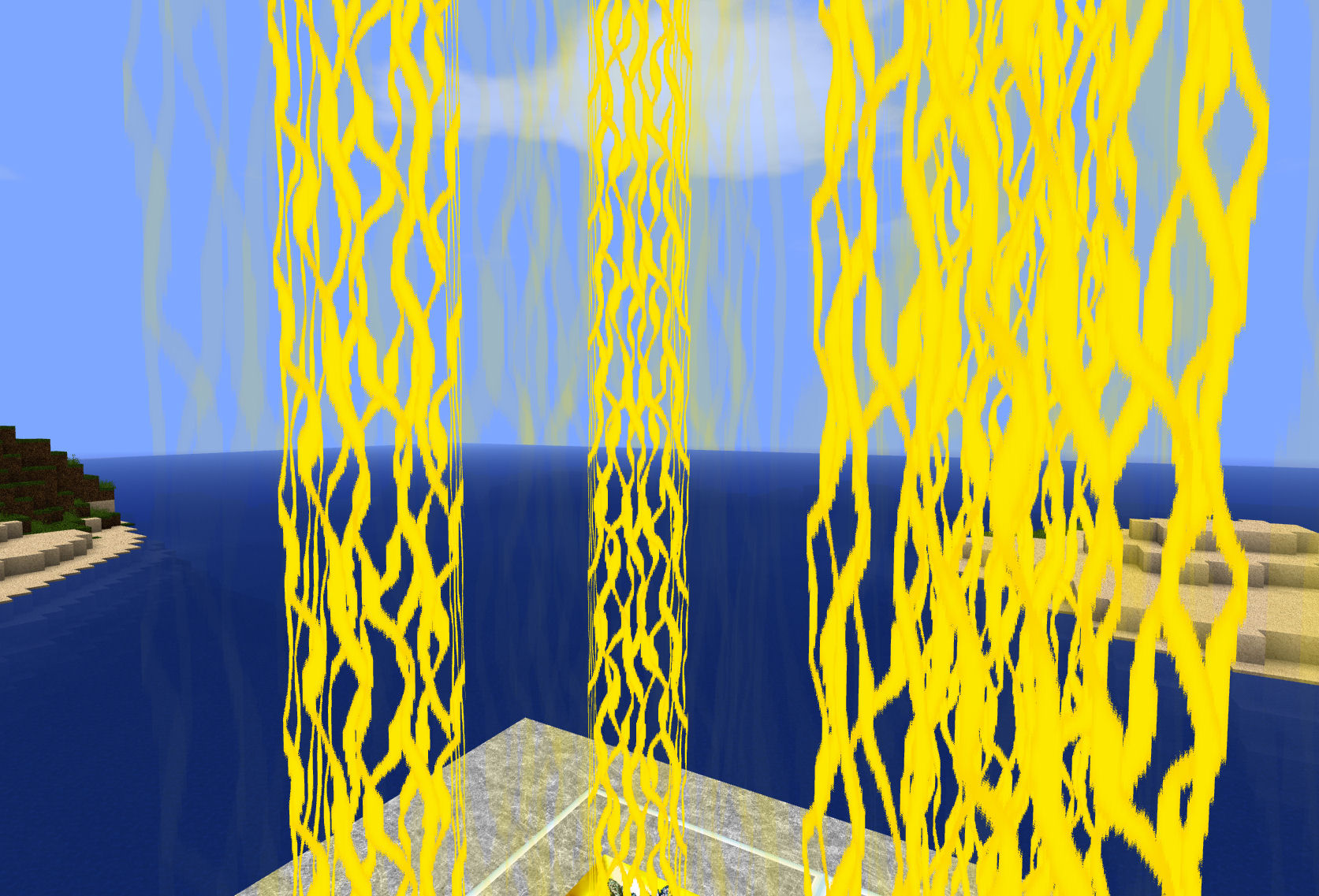
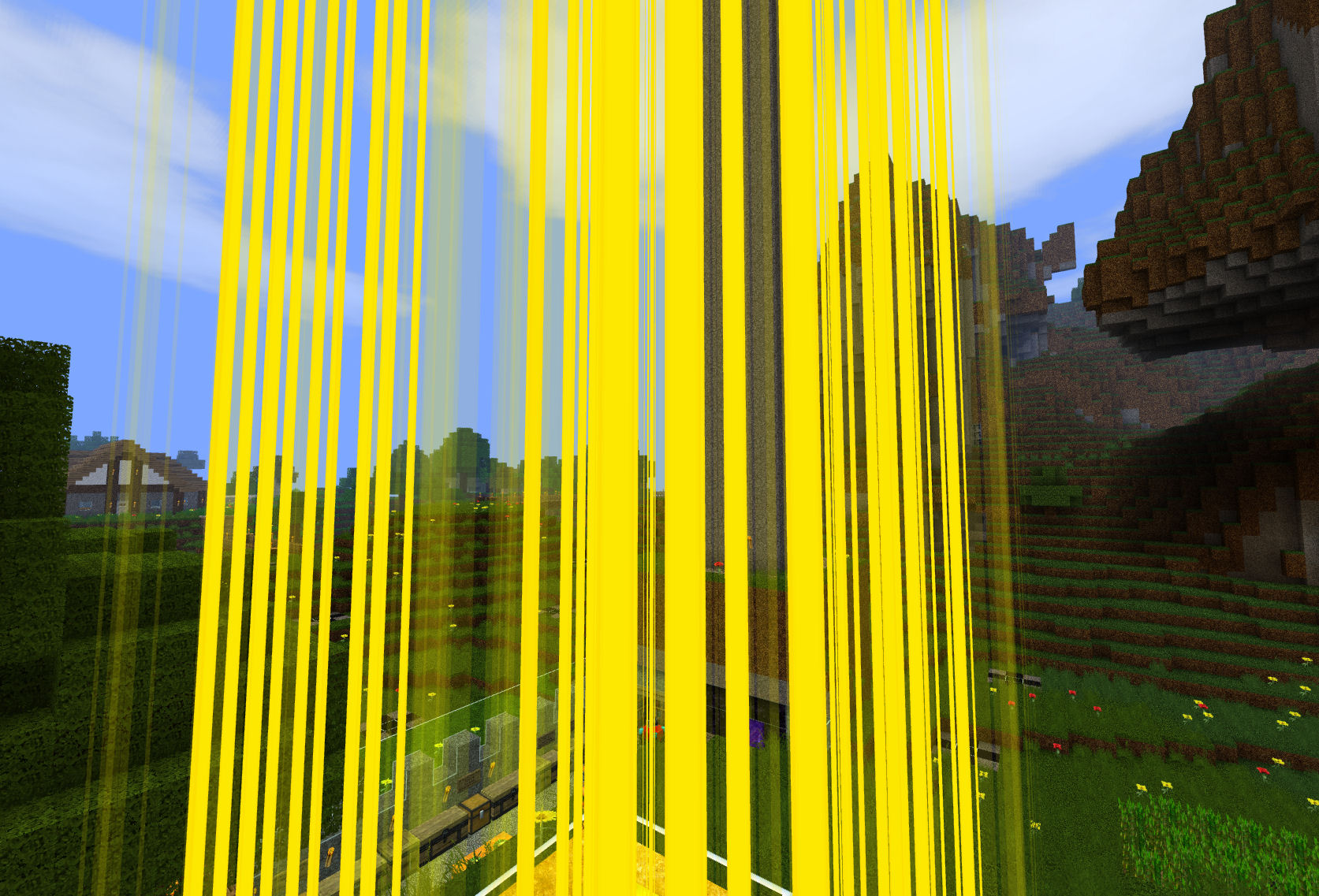
This also causes the texture of the beam to not be animated, just 3 straight lines all the way up the beam.
How the beam appears normally
How the beam appears when affected
It saddens me that this bug, to which I and others have provided no less than three different solutions of varying efficacy, still goes entirely unnoticed by moderation staff and Mojang alike.
I would like the moderators to change the status of this bug from "Community Consensus" to "Confirmed", as I have proof (via reproduction steps) that this bug exists and affects vanilla Minecraft:
You will need NBT Explorer (or a similar tool) to view the contents of your world's level.dat file. You will not need a copy of the Minecraft server as this bug equally affects single-player worlds.
1. Note that the "Data/Time" field in a world's level.dat is a monotonically increasing integer (disregarding its storage class limitations which should not affect it in any real-life situation).
2. Note that over time, it may reach inordinately high values due to its unchecked growth.
(The reason for these two first steps is to explain the justification for the step which is to follow)
3. Simulate a long-standing world by modifying its value to something relatively large. Each increment of 20 is equal to one second of world uptime, so to simulate a server which has been running for two months, set it to 20*60*60*24*30*2, which is 103680000. After setting this value, save the modified level.dat.
4. Load the world and place a beacon. Note that even in single player mode, its animation lags.
Notice how after two months of uptime (whether simulated or real), the beacon animation is very noticeably choppy. Setting the time back to 0 fixes the issue, however it is possible to reach high values for the Time field in vanilla Minecraft without any mods or cheats, but impossible to reset it back to zero without mods or cheats. Additionally, without this relatively esoteric knowledge, I doubt anybody would discover the fix by themselves.
These instructions are a practical way to reproduce and understand the bug. For a more technical explanation of why it happens and how to fix it please see previous comments.
Please elevate the status of this bug to "Confirmed". I believe I have provided enough information to prove that it is a real bug which affects vanilla Minecraft in this comment. If this comment is lacking in any information which could otherwise result in this bug becoming confirmed then please make me aware of this.
-----------------------
tl;dr version:
I've proven that this bug exists:
1. Open your world's level.dat in NBT Explorer
2. Open "Data", then double click on "Time".
3. Change it to 103680000
4. Press save
That simulates a world which has existed for a long time. Now play on it and look at the beacons.
MC-12816andMC-13400are a different bug (and the second one was incorrectly closed).MC-1379,MC-2072,MC-3752,MC-4020are duplicates of THIS bug report, which is NOT marked as resolved. The policy is to have one open ticket per bug, and to close duplicates so that there aren't more than one open ticket about the same bug.Confirmed with the steps provided by Score_Under the Human
@John L
Your theory:
My theory:
If the bug tracker wouldn't be spammed with an insane amount of duplicates, the mods and devs would've be able to care about the real issues.
Proof: Recent most spammed issues (numbers as of time of writing this comment)
MC-17673: 74 duplicates (Not yet implemented)MC-18368: 88 duplicates (Working as intended)MC-18375: 62 duplicates (Working as intended)Alex,
>
MC-12816andMC-13400are a different bugWhile they do appear superficially different in their manifestation, they are actually the same bug, and that is a rounding error in beacon state calculation caused by a large world time. Essentially, because of a quirk of Java it's allowed to be rounded to approximately 7 significant figures, and kept that way during all subsequent additions/divides/etc, without so much as a warning from the compiler.
Both
MC-13400andMC-12816linked to this ticket.But: Crash report of
MC-12816:Just found that bug in SMP ... that's a nasty one :-P
This happens all the time when playing SMP (1.6.2), it's much more obvious when using HD packs (not even choppy movement, the texture is broken too). Uploaded screenshots of expected behavior (Singleplayer) and how beams look like in SMP.
Anyone update the affects versions? Thanks!
Visible with Sphax PureBDcraft
Is the beam stretching related to the choppy rotation?
@Alex Campbell:
Most likely yes.
This only happend on servers for me. Can no longer reproduce it (tested with 1.7.2 server), seems to be fixed now.
nope not fixed, still happens on servers. look at bdubs livestream if you want proof. I still have it on my server. please reopen
hello? anymod home? can someone please reopen this?
Yes.
thanks kumasasa
still in current snapieshot
What letter is the "current" snapshot ?
?
13w47e
Still has issues in 1.7.4....
Just sayin'....
Affects 1.7.8
It's annoying because all they have to do, is just make the animation use a time that starts with the client.
It couldn't matter less if the beam animation is not synchronized for everyone which i highly doubt it would be anyway
Is this still a concern in the latest Minecraft version 14w30c? If so, please update the affected versions in order to best aid Mojang ensuring bugs are still valid in the latest releases/pre-releases.
It's back.Nevermind. It's a little slow, and fluctuates a lot, but it's nothing a clean computer can't fix.
Nope, definitely still a problem on 1.8-pre3 (reproduced with Score_Under the Human's procedure).
Confirmed for 1.8.