 77Tigers
- 77Tigers
- 77tigers
- Europe/London
- Yes
- No
 MCPE-40139

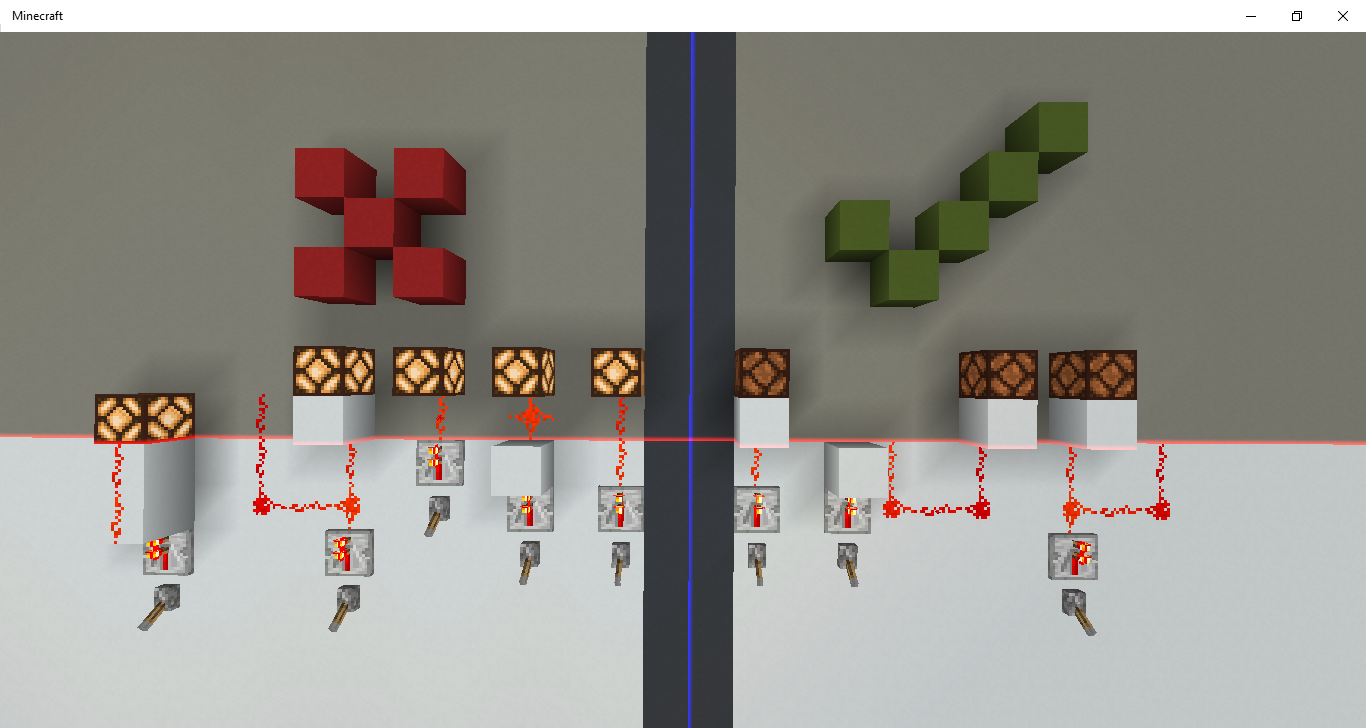
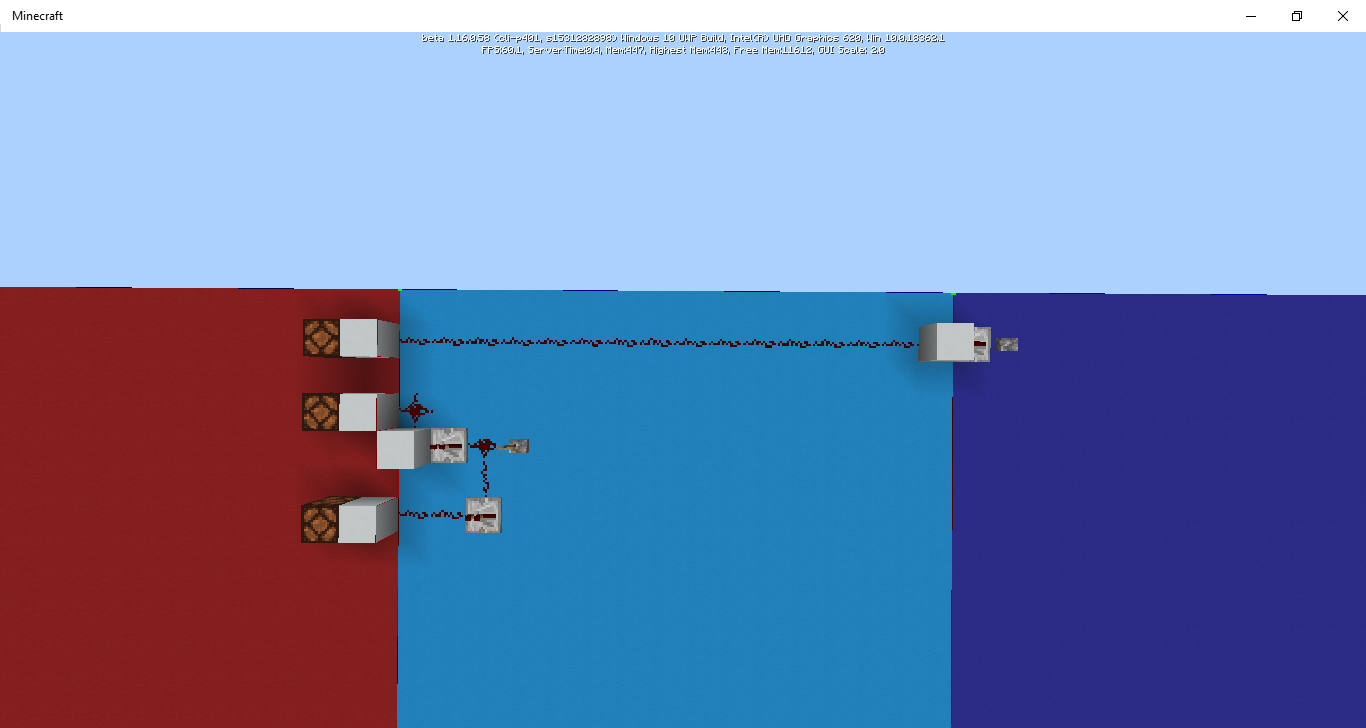

This is actually really useful and many people rely on this. This is a feature, not a bug.
When moving a block such as an open fence gate or a glass pane, the moving block created has a full hitbox no matter what.
This can cause the player or entities to teleport/glitch to wierd places.
When moving a block such as an open fence gate or a glass pane, the moving block created has a full hitbox no matter what.
This can cause the player or entities to teleport/glitch to wierd places.
When moving a block such as an open fence gate or a glass pane, the moving block created has a full hitbox no matter what.
This:
- causes the player or entities to teleport/glitch to wierd places
- breaks shulker loaders/unloaders
- breaks minecarts on rails being moved
When moving a block such as an open fence gate or a glass pane, the moving block created has a full hitbox no matter what.
This:
- causes the player or entities to teleport/glitch to wierd places
- breaks shulker loaders/unloaders
- breaks minecarts on rails being moved
- stops the player being pulled along from the side by honey blocks
When moving a block such as an open fence gate or a glass pane, the moving block created has a full hitbox no matter what.
This:
- causes the player or entities to
teleport/glitch to wierd places- breaks shulker loaders/unloaders
- breaks minecarts on rails being moved
- stops the player being pulled along from the side by honey blocks
When moving a block such as an open fence gate or a glass pane, the moving block created has a full hitbox no matter what.
This:
- causes the player or entities to glitch into to wierd places
- breaks shulker loaders/unloaders
- breaks minecarts on rails being moved
- stops the player being pulled along from the side by honey blocks
When moving a block such as an open fence gate or a glass pane, the moving block created has a full hitbox no matter what.
This:
- causes the player or entities to glitch into to wierd places
- breaks shulker loaders/unloaders
breaks minecarts onrails being moved- stops the player being pulled along from the side by honey blocks
When moving a block such as an open fence gate or a glass pane, the moving block created has a full hitbox no matter what.
This:
- causes the player or entities to glitch into to wierd places
- breaks shulker loaders/unloaders
- stops minecarts "sticking" to rails being moved
- stops the player being pulled along from the side by honey blocks
When moving a block such as an open fence gate or a glass pane, the moving block created has a full hitbox no matter what.
This:
- causes the player or entities to glitch into to wierd places
- breaks shulker loaders/unloaders
- stops minecarts "sticking" to rails being moved
- stops the player being pulled along from the side by honey blocks
- can stop slime blocks bouncing the player
When moving a block such as an open fence gate or a glass pane, the moving block created has a full hitbox no matter what.
This:
- causes the player or entities to glitch into to wierd places
- breaks shulker loaders/unloaders
- stops minecarts "sticking" to rails being moved
- stops the player being pulled along from the side by honey blocks
- can stop slime blocks bouncing the player, as the player glitches away before they can be bounced.
When moving a block such as an open fence gate or a glass pane, the moving block created has a full hitbox no matter what.
This:
- causes the player or entities to glitch into to wierd places
- breaks shulker loaders/unloaders
- stops minecarts
"sticking"to rails being moved- stops the player being pulled along from the side by honey blocks
- can stop slime blocks bouncing the player, as the player glitches away before they can be bounced.
When moving a block such as an open fence gate or a glass pane, the moving block created has a full hitbox no matter what.
This:
- causes the player or entities to glitch into to wierd places when pushed
- breaks shulker loaders/unloaders
- stops minecarts sticking to rails being moved
- stops the player being pulled along from the side by honey blocks
- can stop slime blocks bouncing the player, as the player glitches away before they can be bounced.
When moving a block such as an open fence gate or a glass pane, the moving block created has a full hitbox no matter what.
This:
- causes the player or entities to glitch into to wierd places when pushed
- breaks shulker loaders/unloaders, as the items glitch all over the place (worse than usual)
- stops minecarts sticking to rails being moved, as there is a full, solid block preventing the minecart from moving
- stops the player being pulled along from the side by honey blocks, as the player glitches away before they can be moved.
- can stop slime blocks bouncing the player, as the player glitches away before they can be bounced.
When moving a block such as an open fence gate or a glass pane, the moving block created has a full hitbox no matter what.
This:
causes the player or entities to glitch into to wierd places when pushedbreaks shulker loaders/unloaders, as the items glitch all over the place (worse than usual)stops minecarts sticking to rails being moved, as there is a full, solid block preventing the minecart from movingstops the player being pulled along from the side by honey blocks, as the player glitches away before they can be moved.can stop slime blocks bouncing the player, as the player glitches away before they can be bounced.When moving a block such as an open fence gate or a glass pane, the moving block created has a full hitbox no matter what.
This:
- Causes the player or entities to glitch into to wierd places when pushed
- Breaks shulker loaders/unloaders, as the items glitch all over the place (worse than usual)
- Stops minecarts sticking to rails being moved, as there is a full, solid block preventing the minecart from moving
- Stops the player being pulled along from the side by honey blocks, as the player glitches away before they can be moved.
- Can stop slime blocks bouncing the player, as the player glitches away before they can be bounced.
When moving a block such as an open fence gate or a glass pane, the moving block created has a full hitbox no matter what.
This:
- Causes the player or entities to glitch into to wierd places when pushed
- Breaks shulker loaders/unloaders, as the items glitch all over the place (worse than usual)
- Stops minecarts sticking to rails being moved, as there is a full, solid block
preventing the minecartfrom moving- Stops the player being pulled along from the side by honey blocks, as the player glitches away before they can be moved
.- Can stop slime blocks bouncing the player, as the player glitches away before they can be bounced
.When moving a block such as an open fence gate or a glass pane, the moving block created has a full hitbox no matter what.
This:
- Causes the player or entities to glitch into to wierd places when pushed
- Breaks shulker loaders/unloaders, as the items glitch all over the place (worse than usual)
- Stops minecarts sticking to rails being moved, as there is a full, solid block blocking the minecart
- Stops the player being pulled along from the side by honey blocks, as the player glitches away before they can be moved
- Can stop slime blocks bouncing the player, as the player glitches away before they can be bounced
When moving a block such as an open fence gate or a glass pane, the moving block created has a full hitbox no matter what.
This:
- Causes the player or entities to glitch into to wierd places when pushed
- Breaks shulker loaders/unloaders, as the items glitch all over the place (worse than usual)
- Stops minecarts sticking to rails being moved, as the
re is a full, solidblock blockingthe minecart- Stops the player being pulled along from the side by honey blocks, as the player glitches away before they can be moved
- Can stop slime blocks bouncing the player, as the player glitches away before they can be bounced
When moving a block such as an open fence gate or a glass pane, the moving block created has a full hitbox no matter what.
This:
- Causes the player or entities to glitch into to wierd places when pushed
- Breaks shulker loaders/unloaders, as the items glitch all over the place (worse than usual)
- Stops minecarts sticking to rails being moved, as the moving block blocks the minecart from bein moved
- Stops the player being pulled along from the side by honey blocks, as the player glitches away before they can be moved
- Can stop slime blocks bouncing the player, as the player glitches away before they can be bounced
When moving a block such as an open fence gate or a glass pane, the moving block created has a full hitbox no matter what.
This:
- Causes the player or entities to glitch into to wierd places when pushed
- Breaks shulker loaders/unloaders, as the items glitch all over the place (worse than usual)
- Stops minecarts sticking to rails being moved, as the moving block blocks the minecart from bein moved
- Stops the player being pulled along from the side by honey blocks, as the player glitches away before they can be moved
- Can stop slime blocks bouncing the player, as the player glitches away before they can be bounced
When moving a block such as an open fence gate or a glass pane, the moving block created has a full hitbox no matter what. This breaks most things involving pushing entites.
This:
- Causes the player or entities to glitch into to wierd places when pushed
- Breaks shulker loaders/unloaders, as the items glitch all over the place (worse than usual)
- Stops minecarts sticking to rails being moved, as the moving block blocks the minecart from bein moved
- Stops the player being pulled along from the side by honey blocks, as the player glitches away before they can be moved
- Can stop slime blocks bouncing the player, as the player glitches away before they can be bounced
When moving a block such as an open fence gate or a glass pane, the moving block created has a full hitbox no matter what. This breaks most things involving pushing entites.
This:
- Causes the player or entities to glitch into to wierd places when pushed
- Breaks shulker loaders/unloaders, as the items glitch all over the place (worse than usual)
- Stops minecarts sticking to rails being moved, as the moving block blocks the minecart from bein moved
- Stops the player being pulled along from the side by honey blocks, as the player glitches away before they can be moved
- Can stop slime blocks bouncing the player, as the player glitches away before they can be bounced
It is most likely a result of fixing
MCPE-53815.
When moving a block such as an open fence gate or a glass pane, the moving block created has a full hitbox no matter what. This breaks most things involving pushing entites.
This:
- Causes the player or entities to glitch into to wierd places when pushed
- Breaks shulker loaders/unloaders, as the items glitch all over the place (worse than usual)
- Stops minecarts sticking to rails being moved
, as the moving block blocks the minecart from bein moved- Stops the player being pulled along from the side by honey blocks, as the player glitches away before they can be moved
- Can stop slime blocks bouncing the player, as the player glitches away before they can be bounced
It is most likely a result of fixing
MCPE-53815.
When moving a block such as a
n open fence gateor a glass pane, the moving block created has a full hitbox no matter what. This breaks most things involving pushing entites.This:
- Causes the player or entities to glitch into to wierd places when pushed
- Breaks shulker loaders/unloaders, as the items glitch all over the place (worse than usual)
- Stops minecarts sticking to rails being moved
- Stops the player being pulled along from the side by honey blocks, as the player glitches away before they can be moved
- Can stop slime blocks bouncing the player, as the player glitches away before they can be bounced
It is most likely a result of fixing
MCPE-53815.When moving a block such as a rail or a glass pane, the moving block created has a full hitbox no matter what. This breaks most things involving pushing entites. There are a few exceptions to this, such as open fence gates.
This:
- Causes the player or entities to glitch into to wierd places when pushed
- Breaks shulker loaders/unloaders, as the items glitch all over the place (worse than usual)
- Stops minecarts sticking to rails being moved
- Stops the player being pulled along from the side by honey blocks, as the player glitches away before they can be moved
- Can stop slime blocks bouncing the player, as the player glitches away before they can be bounced
It is most likely a result of fixing
MCPE-53815.
When moving a block such as a rail or a glass pane, the moving block created has a full hitbox no matter what. This breaks most things involving pushing entites.
There are a few exceptions to this, such as open fence gates.This:
- Causes the player or entities to glitch into to wierd places when pushed
- Breaks shulker loaders/unloaders, as the items glitch all over the place (worse than usual)
- Stops minecarts sticking to rails being moved
- Stops the player being pulled along from the side by honey blocks, as the player glitches away before they can be moved
- Can stop slime blocks bouncing the player, as the player glitches away before they can be bounced
It is most likely a result of fixing
MCPE-53815.
When moving a block such as a rail or a glass pane, the moving block created has a full hitbox no matter what. This breaks m
ostthings involving pushing entites.This:
- Causes the player or entities to glitch into to wierd places when pushed
- Breaks shulker loaders/unloaders, as the items glitch all over the place (worse than usual)
- Stops minecarts sticking to rails being moved
- Stops the player being pulled along from the side by honey blocks, as the player glitches away before they can be moved
- Can stop slime blocks bouncing the player, as the player glitches away before they can be bounced
It is most likely a result of fixing
MCPE-53815.When moving a block such as a rail or a glass pane, the moving block created has a full hitbox no matter what. This breaks many things involving pushing entites.
This:
- Causes the player or entities to glitch into to wierd places when pushed
- Breaks shulker loaders/unloaders, as the items glitch all over the place (worse than usual)
- Stops minecarts sticking to rails being moved
- Stops the player being pulled along from the side by honey blocks, as the player glitches away before they can be moved
- Can stop slime blocks bouncing the player, as the player glitches away before they can be bounced
It is most likely a result of fixing
MCPE-53815.
When moving a block such as a rail or a glass pane, the moving block created
has a fullhitboxno matter what. This breaks many things involving pushing entites.This:
- Causes the player or entities to glitch into to wierd places when pushed
- Breaks shulker loaders/unloaders, as the items glitch all over the place (worse than usual)
- Stops minecarts sticking to rails being moved
- Stops the player being pulled along from the side by honey blocks, as the player glitches away before they can be moved
- Can stop slime blocks bouncing the player, as the player glitches away before they can be bounced
It is most likely a result of fixing
MCPE-53815.When moving a block such as a rail or a glass pane, the moving block created is a full block no matter what. This breaks many things involving pushing entites.
This:
- Causes the player or entities to glitch into to wierd places when pushed
- Breaks shulker loaders/unloaders, as the items glitch all over the place (worse than usual)
- Stops minecarts sticking to rails being moved
- Stops the player being pulled along from the side by honey blocks, as the player glitches away before they can be moved
- Can stop slime blocks bouncing the player, as the player glitches away before they can be bounced
It is most likely a result of fixing
MCPE-53815.
When moving a block such as a rail or a glass pane, the moving block created is a full block no matter what. This breaks many things involving pushing entites.
This:
- Causes the player or entities to glitch into to wierd places when pushed
- Breaks shulker loaders/unloaders, as the items glitch all over the place (worse than usual)
- Stops minecarts sticking to rails being moved
- Stops the player being pulled along from the side by honey blocks, as the player glitches away before they can be moved
- Can stop slime blocks bouncing the player, as the
player glitches away before they can be bouncedIt is most likely a result of fixing
MCPE-53815.When moving a block such as a rail or a glass pane, the moving block created is a full block no matter what. This breaks many things involving pushing entites.
This:
- Causes the player or entities to glitch into to wierd places when pushed
- Breaks shulker loaders/unloaders, as the items glitch all over the place (worse than usual)
- Stops minecarts sticking to rails being moved
- Stops the player being pulled along from the side by honey blocks, as the player glitches away before they can be moved
- Can stop slime blocks bouncing the player, as the moving block is placed and the player glitches away from that block. The player needs to be in the block to be bounced. The player will often glitch to the side, which will result in them bouncing.
It is most likely a result of fixing
MCPE-53815.
When moving a block such as a rail or a glass pane, the moving block created is a full block no matter what. This breaks many things involving pushing entites.
This:
- Causes the player or entities to glitch into to wierd places when pushed
- Breaks shulker loaders/unloaders, as the items glitch all over the place (
worse than usual)- Stops minecarts sticking to rails being moved
- Stops the player being pulled along from the side by honey blocks, as the player glitches away
before they can be moved- Can stop slime blocks bouncing the player, as the moving block is placed and the player glitches away from that block. The player needs to be in the block to be bounced. The player will often glitch to the side, which will result in them bouncing.
It is most likely a result of fixing
MCPE-53815.When moving a block such as a rail or a glass pane, the moving block created is a full block no matter what. This breaks many things involving pushing entites.
This:
- Causes the player or entities to glitch into to wierd places when pushed
- Breaks many shulker loaders/unloaders, as the items glitch all over the place (ignoring the existing issues with pushing items with pistons)
- Stops minecarts sticking to rails being moved, as there is a solid block in the way of the minecart when the game attempts to pull it along.
- Stops the player being pulled along from the side by honey blocks, as the player glitches away from the block, which they need to be in to be pulled along.
- Can stop slime blocks bouncing the player, as the moving block is placed and the player glitches away from that block. The player needs to be in the block to be bounced. The player will often glitch to the side, which will result in them bouncing.
It is most likely a result of fixing
MCPE-53815. Moving blocks were turned into full, solid blocks to prevent players bouncing when being moved. While this is a good change, moving blocks should not be fully solid, as entities glitch out into odd places.
When moving a block such as a rail or a glass pane, the moving block created is a full block no matter what. This breaks many things involving pushing entites.
This:
- Causes the player or entities to glitch into to wierd places when pushed
- Breaks many shulker loaders/unloaders, as the items glitch all over the place (ignoring the existing issues with pushing items with pistons)
- Stops minecarts sticking to rails being moved, as there is a solid block in the way of the minecart when the game attempts to pull it along.
- Stops the player being pulled along from the side by honey blocks, as the player glitches away from the block, which they need to be in to be pulled along.
- Can stop slime blocks bouncing the player, as the moving block is placed and the player glitches away from that block. The player needs to be in the block to be bounced. The player will often glitch to the side, which will result in them bouncing.
It is most likely a result of fixing
MCPE-53815. Moving blocks were turned into full, solid blocks to prevent players bouncing when being moved. While this is a good change, moving blocks should not be fully solid, asentities glitch out into odd places.When moving a block such as a rail or a glass pane, the moving block created is a full block no matter what. This breaks many things involving pushing entites.
This:
- Causes the player or entities to glitch into to wierd places when pushed
- Breaks many shulker loaders/unloaders, as the items glitch all over the place (ignoring the existing issues with pushing items with pistons)
- Stops minecarts sticking to rails being moved, as there is a solid block in the way of the minecart when the game attempts to pull it along.
- Stops the player being pulled along from the side by honey blocks, as the player glitches away from the block, which they need to be in to be pulled along.
- Can stop slime blocks bouncing the player, as the moving block is placed and the player glitches away from that block. The player needs to be in the block to be bounced. The player will often glitch to the side, which will result in them bouncing.
It is most likely a result of fixing
MCPE-53815. Moving blocks were turned into full, solid blocks to prevent players bouncing when being moved. While this is a good change, moving blocks should not be fully solid, as this causes the wierd behaviour listed above. Entities should not be pushed out of moving blocks, nor prevented from entering from the side, as this prevents minecarts being dragged along on moving rails.
When moving a block such as a rail or a glass pane, the moving block created is a full block no matter what. This breaks many things involving pushing entites.
This:
- Causes the player or entities to glitch into to wierd places when pushed
- Breaks many shulker loaders/unloaders, as the items glitch all over the place (ignoring the existing issues with pushing items with pistons)
- Stops minecarts sticking to rails being moved, as there is a solid block in the way of the minecart when the game attempts to pull it along.
- Stops the player being pulled along from the side by honey blocks, as the player glitches away from the block, which they need to be in to be pulled along.
- Can stop slime blocks bouncing the player, as the moving block is placed and the player glitches away from that block. The player needs to be in the block to be bounced. The player will often glitch to the side, which will result in them bouncing. This breaks elevators that bounce players or entities upwards using slime blocks.
It is most likely a result of fixing
MCPE-53815. Moving blocks were turned into full, solid blocks to prevent players bouncing when being moved. While this is a good change, moving blocks should not be fully solid, as this causes the wierd behaviour listed above. Entities should not be pushed out of moving blocks, nor prevented from entering from the side, as this prevents minecarts being dragged along on moving rails.
When moving a block such as a rail or a glass pane, the moving block created is a full block no matter what. This breaks many things involving pushing entites.
This:
- Causes the player or entities to glitch into to wierd places when pushed
- Breaks many shulker loaders/unloaders, as the items glitch all over the place (ignoring the existing issues with pushing items with pistons)
- Stops minecarts sticking to rails being moved, as there is a solid block in the way of the minecart when the game attempts to pull it along.
- Stops the player being pulled along from the side by honey blocks, as the player glitches away from the block, which they need to be in to be pulled along.
- Can stop slime blocks bouncing the player, as the moving block is placed and the player glitches away from that block. The player needs to be in the block to be bounced. The player will often glitch to the side, which will result in them bouncing. This breaks elevators that bounce players or entities upwards using slime blocks.
It is most likely a result of fixing
MCPE-53815. Moving blocks were turned into full, solid blocks to prevent players bouncing when being moved. While this is a good change, moving blocksshould not befully solid, as thiscauses the wierd behaviour listed above. Entitiesshould not bepushed out of moving blocks, norprevented from entering from the side, as this prevents minecarts being dragged along on moving rails.When moving a block such as a rail or a glass pane, the moving block created is a full block no matter what. This breaks many things involving pushing entites.
This:
- Causes the player or entities to glitch into to wierd places when pushed
- Breaks many shulker loaders/unloaders, as the items glitch all over the place (ignoring the existing issues with pushing items with pistons)
- Stops minecarts sticking to rails being moved, as there is a solid block in the way of the minecart when the game attempts to pull it along.
- Stops the player being pulled along from the side by honey blocks, as the player glitches away from the block, which they need to be in to be pulled along.
- Can stop slime blocks bouncing the player, as the moving block is placed and the player glitches away from that block. The player needs to be in the block to be bounced. The player will often glitch to the side, which will result in them bouncing. This breaks elevators that bounce players or entities upwards using slime blocks.
It is most likely a result of fixing
MCPE-53815. Moving blocks were turned into full, solid blocks to prevent players "bouncing" downwards when being moved. While this is a good change, fixing many issues with players falling off of flying machines, moving blocks being fully solid causes the wierd behaviour listed above. Entities being pushed pushed out of moving blocks and prevented from entering from the side breaks many interactions between entities and pistons.
When moving a block such as a rail or a glass pane, the moving block created is a full block no matter what. This breaks many things involving pushing entites.
This:
- Causes the player or entities to glitch into to wierd places when pushed
Breaks many shulker loaders/unloaders, as the items glitch all over the place (ignoring the existing issues with pushing items with pistons)Stops minecarts sticking to rails being moved, as there is a solid block in the way of the minecart when the game attempts to pull it along.- Stop
s the player being pulled along from the side by honey blocks, as the player glitches away from the block, which they need to be intobepulledalong.Can stop slime blocks bouncing the player, as the moving block is placed and the player glitches away from that block. The player needs to be in the block to be bounced. The player will often glitch to the side, which will result in them bouncing. This breaks elevators that bounce players or entities upwards using slime blocks.It is most likely a result of fixing
MCPE-53815. Moving blocks were turned into full, solid blocks to prevent players "bouncing" downwards when being moved. While this is a good change, fixing many issues with players falling off of flying machines, moving blocks being fully solid causes the wierd behaviour listed above.Entities being pushed pushed out of moving blocks and prevented from entering from the side breaks many interactions between entities and pistons.When moving a block such as a rail or a glass pane, the moving block created is a full block no matter what. This breaks many things involving pushing entites. The main role of moving blocks used to be just to prevent two pistons moving blocks into the same space at the same time.
This causes multiple problems such as:
- Causing the player or entities to glitch into to wierd places when pushed
- Breaking many shulker loaders/unloaders, as the items glitch all over the place (ignoring the existing issues with pushing items with pistons)
- Stopping minecarts sticking to rails being moved, as there is a solid block in the way of the minecart when the game attempts to pull it along.
- Stopping the player being pulled along from the side by honey blocks, as the player glitches away from the block, which they need to be in to be pulled along.
- Can stop slime blocks bouncing the player, as the moving block is placed and the player glitches away from that block. The player needs to be in the block to be bounced. The player will often glitch to the side, which will result in them bouncing. This breaks elevators that bounce players or entities upwards using slime blocks.
It is most likely a result of fixing
MCPE-53815. Moving blocks were turned into full, solid blocks to prevent players "bouncing" downwards when being moved. While this is a good change to some extent, fixing many issues with players falling off of flying machines, moving blocks being fully solid causes the wierd behaviour listed above.Entities glitching out of moving blocks and being prevented from entering from the side breaks many interactions between entities and pistons.
It would make more sense for them to be paritially solid, like scaffolding, so you can stand on it but not glitch out when in it.
When moving a block such as a rail or a glass pane, the moving block created is a full block no matter what. This breaks many things involving pushing entites. The main role of moving blocks used to be just to prevent two pistons moving blocks into the same space at the same time.
This causes multiple problems such as:
- Causing the player or entities to glitch into to wierd places when pushed
- Breaking many shulker loaders/unloaders, as the items glitch all over the place (ignoring the existing issues with pushing items with pistons)
- Stopping minecarts sticking to rails being moved, as there is a solid block in the way of the minecart when the game attempts to pull it along.
- Stopping the player being pulled along from the side by honey blocks, as the player glitches away from the block, which they need to be in to be pulled along.
- Can stop slime blocks bouncing the player, as the moving block is placed and the player glitches away from that block. The player needs to be in the block to be bounced. The player will often glitch to the side, which will result in them bouncing. This breaks elevators that bounce players or entities upwards using slime blocks.
It is most likely a result of fixing
MCPE-53815. Moving blocks were turned into full, solid blocks to prevent players "bouncing" downwards when being moved. While this is a good change to some extent, fixing many issues with players falling off of flying machines, moving blocks being fully solid causes the wierd behaviour listed above.Entities glitching out of moving blocks and being prevented from entering from the side breaks many interactions between entities and pistons.
It would make more sense for them to be paritially solid, like scaffolding, so you can stand on it but not glitch out when in it. Maybe like cobwebs even.
Moving blocks are now full blocks, regardless of the hitbox of the block being moved
When moving a block such as a rail or a glass pane, the moving block created is a full block no matter what. This breaks many things involving pushing entites. The main role of moving blocks used to be just to prevent two pistons moving blocks into the same space at the same time.
This causes multiple problems
such as:
Causing the player or entitiestoglitch into to wierd places when pushedBreakingmany shulker loaders/unloaders, as the items glitch all over the place (ignoring the existing issues with pushing items with pistons)Stoppingminecarts sticking to rails being moved, as there is a solid block in the way of the minecart when the game attempts to pull it along.Stoppingthe player being pulled along from the side by honey blocks, as the player glitches away from the block, which they need to be in to be pulled along.Can stop slime blocks bouncing the player, as the moving block is placed and the player glitches away from that block. The player needs to be in the block to be bounced. The player will often glitch to the side, which will result in them bouncing. This breaks elevators that bounce players or entities upwards using slime blocks.It is most likely a result of fixing
MCPE-53815. Moving blocks were turned into full, solid blocks to prevent players "bouncing" downwards when being moved. While this is a good change to some extent, fixing many issues with players falling off of flying machines, moving blocks being fully solid causes the wierd behaviour listed above.Entities glitching out of moving blocks and being prevented from entering from the side breaks many interactions between entities and pistons.
It would make more sense for them to be paritially solid, like scaffolding, so you can stand on it but not glitch out when in it. Maybe like cobwebs even.
When moving a block such as a rail or a glass pane, the moving block created is a full block no matter what. This breaks many things involving pushing entites. The main role of moving blocks used to be just to prevent two pistons moving blocks into the same space at the same time. The player needs to be inside the moving block for physics to work correctly.
This causes multiple problems:
- Players or entities glitch into to wierd places when pushed
- It breaks many shulker loaders/unloaders, as the items glitch all over the place (ignoring the existing issues with pushing items with pistons)
- It stops minecarts sticking to rails being moved, as there is a solid block in the way of the minecart when the game attempts to pull it along.
- It stopps the player being pulled along from the side by honey blocks, as the player glitches away from the block, which they need to be in to be pulled along.
- It can stop slime blocks bouncing the player, as the moving block is placed and the player glitches away from that block. The player needs to be in the block to be bounced. The player will often glitch to the side, which will result in them bouncing. This breaks elevators that bounce players or entities upwards using slime blocks.
It is most likely a result of fixing
MCPE-53815. Moving blocks were turned into full, solid blocks to prevent players "bouncing" downwards when being moved. While this is a good change to some extent, fixing many issues with players falling off of flying machines, moving blocks being fully solid causes the wierd behaviour listed above.Entities glitching out of moving blocks and being prevented from entering from the side breaks many interactions between entities and pistons.
It would make more sense for them to be paritially solid, like scaffolding, so you can stand on it but not glitch out when in it. Maybe like cobwebs even.
When moving a block such as a rail or a glass pane, the moving block created is a full block no matter what. This breaks many things involving pushing entites. The main role of moving blocks used to be just to prevent two pistons moving blocks into the same space at the same time. The player needs to be inside the moving block for physics to work correctly.
This causes multiple problems:
- Players or entities glitch into to wierd places when pushed
- It breaks many shulker loaders/unloaders, as the items glitch all over the place (ignoring the existing issues with pushing items with pistons)
- It stops minecarts sticking to rails being moved, as there is a solid block in the way of the minecart when the game attempts to pull it along.
- It stop
ps the player being pulled along from the side by honey blocks, as the player glitches away from the block, which they need to be in to be pulled along.- It can stop slime blocks bouncing the player, as the moving block is placed and the player glitches away from that block. The player needs to be in the block to be bounced. The player will often glitch to the side, which will result in them bouncing. This breaks elevators that bounce players or entities upwards using slime blocks.
It is most likely a result of fixing
MCPE-53815. Moving blocks were turned into full, solid blocks to prevent players "bouncing" downwards when being moved. While this is a good change to some extent, fixing many issues with players falling off of flying machines, moving blocks being fully solid causes the wierd behaviour listed above.Entities glitching out of moving blocks and being prevented from entering from the side breaks many interactions between entities and pistons.
It would make more sense for them to be paritially solid, like scaffolding, so you can stand on it but not glitch out when in it. Maybe like cobwebs
even.When moving a block such as a rail or a glass pane, the moving block created is a full block no matter what. This breaks many things involving pushing entites. The main role of moving blocks used to be just to prevent two pistons moving blocks into the same space at the same time. The player needs to be inside the moving block for physics to work correctly.
This causes multiple problems:
- Players or entities glitch into to wierd places when pushed
- It breaks many shulker loaders/unloaders, as the items glitch all over the place (ignoring the existing issues with pushing items with pistons)
- It stops minecarts sticking to rails being moved, as there is a solid block in the way of the minecart when the game attempts to pull it along, breaking any flying machines with minecarts on.
- It stops the player being pulled along from the side by honey blocks, as the player glitches away from the block, which they need to be in to be pulled along.
- It can stop slime blocks bouncing the player, as the moving block is placed and the player glitches away from that block. The player needs to be in the block to be bounced. The player will often glitch to the side, which will result in them bouncing, although this is not ideal for slime block launchers. This breaks elevators that bounce players or entities upwards using slime blocks.
It is most likely a result of fixing
MCPE-53815. Moving blocks were turned into full, solid blocks to prevent players "bouncing" downwards when being moved. While this is a good change to some extent, fixing many issues with players falling off of flying machines, moving blocks being fully solid causes the wierd behaviour listed above.Entities glitching out of moving blocks and being prevented from entering from the side breaks many interactions between entities and pistons.
It would make more sense for them to be paritially solid, like scaffolding, so you can stand on it but not glitch out when in it. Maybe even like cobwebs.
Moving block testing [1.16].mcworld
I think there might have been something wrong with your character.
Turns out moving blocks are still solid. I wonder what changed. Things seem much more stable now. They're still not perfect though.
UPDATE:
Moving blocks now have a collision box identical to the block being moved, however client-side this hasn't been implemented. The way pistons move entities has also been changed, making it (in my opinion) better than before, although not quite perfect.
All that's left to do is extend the collision box changes to the client. It causes wierd client-server desyncs and buggy behaviour. After that this bug is pretty much fixed.
When moving a block such as a rail or a glass pane, the moving block created is a full block no matter what. This breaks many things involving pushing entites. The main role of moving blocks used to be just to prevent two pistons moving blocks into the same space at the same time. The player needs to be inside the moving block for physics to work correctly.
This causes multiple problems:
- Players or entities glitch into to wierd places when pushed
- It breaks many shulker loaders/unloaders, as the items glitch all over the place (ignoring the existing issues with pushing items with pistons)
- It stops minecarts sticking to rails being moved, as there is a solid block in the way of the minecart when the game attempts to pull it along, breaking any flying machines with minecarts on.
- It stops the player being pulled along from the side by honey blocks, as the player glitches away from the block, which they need to be in to be pulled along.
- It can stop slime blocks bouncing the player, as the moving block is placed and the player glitches away from that block. The player needs to be in the block to be bounced. The player will often glitch to the side, which will result in them bouncing, although this is not ideal for slime block launchers. This breaks elevators that bounce players or entities upwards using slime blocks.
It is most likely a result of fixing
MCPE-53815. Moving blocks were turned into full, solid blocks to prevent players "bouncing" downwards when being moved. While this is a good change to some extent, fixing many issues with players falling off of flying machines, moving blocks being fully solid causes the wierd behaviour listed above.Entities glitching out of moving blocks and being prevented from entering from the side breaks many interactions between entities and pistons.
It would make more sense for them to be paritially solid, like scaffolding, so you can stand on it but not glitch out when in it. Maybe even like cobwebs.
Caused by MCPE-62419
In mob farms that rely on mobs despawning when falling mobs often despawn in mid-air due to the new despawning system
, whichprevents fall-damage based systems without significantly hurting the max rates of the farm.In mob farms that rely on mobs despawning when falling mobs often despawn in mid-air due to the new despawning system. This prevents fall-damage based systems from being viable without significantly hurting the max rates of the farm.
In mob farms that rely on mobs
despawning whenfalling mobs often despawn in mid-air due to the new despawning system. This prevents fall-damage based systems from being viable without significantly hurting the max rates of the farm.In mob farms that rely on mobs falling, mobs often despawn in mid-air due to the new despawning system. This prevents fall-damage based systems from being viable without significantly hurting the max rates of the farm.
This is likely because of MCPE-62419, which means that slime blocks no longer bounce entities properly.
It may be that the tnt tried to explode but failed and didn't try again. For me the tnt always explodes (after a few seconds)
PendingTicks aren't processed outside of simulation distance. This can allow players to keep generating more and more pendingTicks in a chunk outside of simulation distance until the game crashes whenever that chunk is loaded.
Not only can this crash worlds, but it can be used for exploit
s. Plants use pendingTicks to break, meaning people can force plants to grow by generating a pendingTick for that plant while it's outside simulation distance and then moving the player so that chunk enters simulation distance.I would expect pendingTicks to be processed outside of simulation distance.
To reproduce this bug, take anything that breaks using pendingTicks and try to get it to break while it's outside simulation distance. It won't break until you load it.
PendingTicks aren't processed outside of simulation distance. This can allow players to keep generating more and more pendingTicks in a chunk outside of simulation distance until the game crashes whenever that chunk is loaded.
Not only can this crash worlds, but it can be used for an exploit. Plants use pendingTicks to break, meaning people can force plants to grow by generating a pendingTick for that plant while it's outside simulation distance and then moving the player so that chunk enters simulation distance.
I would expect pendingTicks to be processed outside of simulation distance.
To reproduce this bug, take anything that breaks using pendingTicks and try to get it to break while it's outside simulation distance. It won't break until you load it.
PendingTicksaren't processedoutside of simulation distancePendingTicks can build up outside of simulation distance
PendingTicks aren't processed outside of simulation distance. This can allow players to keep generating more and more pendingTicks in a chunk outside of simulation distance until the game crashes whenever that chunk is loaded.
Not only can this crash worlds, but it can be used for an exploit. Plants use pendingTicks to break, meaning people can force plants to grow by generating a pendingTick for that plant while it'soutside simulation distanceand then moving the player so that chunk enters simulation distance.
I would expect pendingTicks to be processedoutsideofsimulation distance.To reproduce this bug, take anything that breaks using pendingTicks and try to get it to break while it's outside simulation distance. It won't break until you load it.
PendingTicks aren't processed outside of simulation distance. This can allow players to keep generating more and more pendingTicks in a chunk outside of simulation distance until the game crashes whenever that chunk is loaded.
I would expect pendingTicks to be processed outside of simulation distance. Or at least the game should stop too many building up.
To reproduce this bug, take anything that breaks using pendingTicks and try to get it to break while it's outside simulation distance. It won't break until you load it.
PendingTicks aren't processed outside of simulation distance. This can allow players to keep generating more and more pendingTicks in a chunk outside of simulation distance until the game crashes whenever that chunk is loaded.
I would expect pendingTicks to be processed outside of simulation distance. Or at least the game should stop too many building up.
To reproduce this bug, take anything that breaks using pendingTicks and try to get it to break while it'soutside simulation distance.It won't break until you load it.PendingTicks aren't processed outside of simulation distance. This can allow players to keep generating more and more pendingTicks in a chunk outside of simulation distance until the game crashes whenever that chunk is loaded. It then would require a third party program to remove.
Players could encounter this while being AFK at a farm and not realising that they are still half-loading another redstone contraption, which could easily produce pendingTicks and make the world unusable.
I would expect the game to stop the amount of pendingTicks scheduled from exceeding a certain amount, or for pendingTicks to be processed outside of simulation distance.
Steps to reproduce:
- place lots of dispensers containing a lava bucket on the edge of simulation distance (more dispensers means you generate them faster, so do 100 to speed things up)
- put them on a fast clock
- afk until the game crashes (won't take long with lots of dispensers)
There are other ways to produce pendingTicks, but this is one of the simplest.
PendingTicks aren't processed outside of simulation distance. This can allow players to keep generating more and more pendingTicks in a chunk outside of simulation distance until the game crashes whenever that chunk is loaded. It then would require a third party program to remove.
Players could encounter this while being AFK at a farm and not realising that they are still half-loading another redstone contraption, which could easily produce pendingTicks and make the world unusable.
I would expect the game to stop the amount of pendingTicks scheduled from exceeding a certain amount, or for pendingTicks to be processed outside of simulation distance.
Steps to reproduce:
- place lots of dispensers containing a lava bucket on the edge of simulation distance (more dispensers means you generate them faster, so do
100to speed things up)- put them on a fast clock
- afk until the game crashes (won't take long with lots of dispensers)
There are other ways to produce pendingTicks, but this is one of the simplest.
PendingTicks aren't processed outside of simulation distance. This can allow players to keep generating more and more pendingTicks in a chunk outside of simulation distance until the game crashes whenever that chunk is loaded. It then would require a third party program to remove.
Players could encounter this while being AFK at a farm and not realising that they are still half-loading another redstone contraption, which could easily produce pendingTicks and make the world unusable.
I would expect the game to stop the amount of pendingTicks scheduled from exceeding a certain amount, or for pendingTicks to be processed outside of simulation distance.
Steps to reproduce:
- place lots of dispensers containing a lava bucket on the edge of simulation distance (more dispensers means you generate them faster, so do lots to speed things up)
- put them on a fast clock
- afk until the game crashes (won't take long with lots of dispensers)
There are other ways to produce pendingTicks, but this is one of the simplest.
PendingTicks aren't processed outside of simulation distance. This can allow players to keep generating more and more pendingTicks in a chunk outside of simulation distance until the game crashes whenever that chunk is loaded. It then would require a third party program to remove.
Players could encounter this while being AFK at a farm and not realising that they are still half-loading another redstone contraption, which could easily produce pendingTicks and make the world unusable.
I would expect the game to stop the amount of pendingTicks scheduled from exceeding a certain amount, or for pendingTicks to be processed outside of simulation distance.
Steps to reproduce:
- place lots of dispensers containing a lava bucket on the edge of simulation distance (more dispensers means you generate them faster, so do lots to speed things up)
- put them on a fast clock
- afk
until the game crashes (won't take long with lots of dispensers)There are other ways to produce pendingTicks, but this is one of the simplest.
PendingTicks aren't processed outside of simulation distance. This can allow players to keep generating more and more pendingTicks in a chunk outside of simulation distance until the game crashes whenever that chunk is loaded. It then would require a third party program to remove. This however takes some time. The most noticable effect would be an incredibly large world size.
Players could encounter this while being AFK at a farm and not realising that they are still half-loading another redstone contraption, which could easily produce pendingTicks and make the world unusable.
I would expect the game to stop the amount of pendingTicks scheduled from exceeding a certain amount, or for pendingTicks to be processed outside of simulation distance.
Steps to reproduce:
- place lots of dispensers containing a lava bucket on the edge of simulation distance (more dispensers means you generate them faster, so do lots to speed things up)
- put them on a fast clock
- afk for a while and then note the increase in your world size
There are other ways to produce pendingTicks, but this is one of the simplest.
PendingTicks aren't processed outside of simulation distance. This can allow players to keep generating more and more pendingTicks in a chunk outside of simulation distance until the game crashes whenever that chunk is loaded. It then would require a third party program to remove. This however takes some time. The most noticable effect would be an incredibly large world size.
Players could encounter this while being AFK at a farm and not realising that they are still half-loading another redstone contraption, which could easily produce pendingTicks and make the world unusable.
I would expect the game to stop the amount of pendingTicks scheduled from exceeding a certain amount, or for pendingTicks to be processed outside of simulation distance.
Steps to reproduce:
- place lots of dispensers containing a lava bucket on the edge of simulation distance (more dispensers means you generate them faster, so do lots to speed things up)
- put them on a fast clock
- afk for a while and then note the large increase in your world size
There are other ways to produce pendingTicks, but this is one of the simplest.
When a block that the player is standing on is moved a moving block will appear in it's destination instantly. However the player is moved half a block at a time, twice. This allows the player to fall through the block, which is bad for players who want to stand on flying machines.
I would expect the player to move with the moving block so they don't fall off. This may cause some visual issues though because the animation for moving blocks is aligned to how the player moves. It may make sense for moving blocks to be changed instead.
Steps to reproduce:
- place a sticky piston and power it
- place a full block on the face of the sticky piston
- move as far away from the sticky piston while crouching on the block (be carful not to go over the edge or you won't get moved due to a different bug)
- retract the sticky piston
- you'll fall through after being moved half a block
I slowed the game down and then created a quick video demonstrating the bug.
When a block that the player is standing on is moved a moving block will appear in it's destination instantly. However the player is moved half a block at a time, twice. This allows the player to fall through the block, which is bad for players who want to stand on flying machines.
I would expect the player to move with the moving block so they don't fall off. This may cause some visual issues though because the animation for moving blocks is aligned to how the player moves. It may make sense for moving blocks to be changed instead.
Steps to reproduce:
- place a sticky piston and power it
- place a full block on the face of the sticky piston
- move as far away from the sticky piston while crouching on the block (be carful not to go over the edge or you won't get moved
due toa different bug)- retract the sticky piston
- you'll fall through after being moved half a block
I slowed the game down and then created a quick video demonstrating the bug.
When a block that the player is standing on is moved a moving block will appear in it's destination instantly. However the player is moved half a block at a time, twice. This allows the player to fall through the block, which is bad for players who want to stand on flying machines.
I would expect the player to move with the moving block so they don't fall off. This may cause some visual issues though because the animation for moving blocks is aligned to how the player moves. It may make sense for moving blocks to be changed instead.
Steps to reproduce:
- place a sticky piston and power it
- place a full block on the face of the sticky piston
- move as far away from the sticky piston while crouching on the block (be carful not to go over the edge or you won't get moved because of a different bug)
- retract the sticky piston
- you'll fall through after being moved half a block
I slowed the game down and then created a quick video demonstrating the bug.
If you crouch over the edge of a block you will not get pulled either, but that's not because of this bug.
When a block that the player is standing on is moved a moving block will appear in it's destination instantly. However the player is moved half a block at a time, twice. This allows the player to fall through the block, which is bad for players who want to stand on flying machines.
I would expect the player to move with the moving block so they don't fall off. This may cause some visual issues though because the animation for moving blocks is aligned to how the player moves. It may make sense for moving blocks to be changed instead (without making them fully solid).
Steps to reproduce:
- place a sticky piston and power it
- place a full block on the face of the sticky piston
- move as far away from the sticky piston while crouching on the block (be carful not to go over the edge or you won't get moved because of a different bug)
- retract the sticky piston
- you'll fall through after being moved half a block
I slowed the game down and then created a quick video demonstrating the bug.
If you crouch over the edge of a block you will not get pulled either, but that's not because of this bug.
When you place the crystals while the ender dragon is dying then the dragon won't be resummoned, even after the current dragon
has died. It will only summon it again once a player places another crystal anywhere in the world. This makes no sense.I would expect the game to resummon the ender dragon after the old one has died if there are ender crystals in the right spots.
Steps to reproduce:
- kill the dragon
- place crystals to resummon the dragon during the dragon's death animation
- wait until the death animation finishes
- the dragon won't be resummoned
When you place the crystals while the ender dragon is dying then the dragon won't be resummoned, even after the current dragon's death animation has finished. It will only summon it again once a player places another crystal anywhere in the world. This makes no sense.
I would expect the game to resummon the ender dragon after the old one has died if there are ender crystals in the right spots.
Steps to reproduce:
- kill the dragon
- place crystals to resummon the dragon during the dragon's death animation
- wait until the death animation finishes
- the dragon won't be resummoned
Some people enjoy killing the dragon and want to do it as many times as possible.
When loaded, tile entities in a chunk can lose their data. This usually fixes itself if the player leaves that chunk alone, but sometimes if the player interacts with the chunk it can stay that way.
The game crashes when you attempt to move these tile entities with missing data.
It should also be noted that this seems to be locational.
I'll upload a test world soon.
When loaded, tile entities in a chunk can lose their data. This usually fixes itself if the player leaves that chunk alone, but sometimes if the player interacts with the chunk it can stay that way.
The game crashes when you attempt to move these tile entities with missing data.
It should also be noted that this seems to be locational.
Steps to reproduce (on Missing tile entity data.mcworld
):
- place some tile entities in the nether (replacing the current ones)
- go to the overworld and back again until it breaks
Note: this is locational and will not happen to the overworld in those exact coords
When loaded, tile entities in a chunk can lose their data. This usually fixes itself if the player leaves that chunk alone, but sometimes if the player interacts with the chunk it can stay that way.
The game crashes when you attempt to move these tile entities with missing data.
It should also be noted that this seems to be locational.
Steps to reproduce (on Missing tile entity data.mcworld
place some tile entitiesin the nether(replacing the current ones)- go to the overworld and back again until it breaks
Note: this is locational and will not happen to the overworld in those exact coords
When loaded, tile entities in a chunk can lose their data. This usually fixes itself if the player leaves that chunk alone, but sometimes if the player interacts with the chunk it can stay that way.
The game crashes when you attempt to move these tile entities with missing data.
It should also be noted that this seems to be locational.
Steps to reproduce (on Missing tile entity data.mcworld
- go to the overworld and back again until the tile entities lose their data
Note: this is locational and will not happen to the overworld in those exact coords
When loaded, tile entities in a chunk can lose their data. This usually fixes itself if the player leaves that chunk alone, but sometimes if the player interacts with the chunk it can stay that way.
The game crashes when you attempt to move these tile entities with missing data.
It should also be noted that this seems to be locational.
Steps to reproduce
(onMissing tile entity data.mcworld
- go to the overworld and back again until the tile entities lose their data
Note: this is locational and will not happen to the overworld in those exact coords
When loaded, tile entities in a chunk can lose their data. This usually fixes itself if the player leaves that chunk alone, but sometimes if the player interacts with the chunk it can stay that way.
The game crashes when you attempt to move these tile entities with missing data.
It should also be noted that this seems to be locational.
Steps to reproduce (on Missing tile entity data.mcworld
- go to the overworld and back again until the tile entities lose their data
When loaded, tile entities in a chunk can lose their data. This usually fixes itself if the player leaves that chunk alone, but sometimes if the player interacts with the chunk it can stay that way.
The game crashes when you attempt to move these tile entities with missing data.
It should also be noted that this seems to be locational.Steps to reproduce (on Missing tile entity data.mcworld
- go to the overworld and back again until the tile entities lose their data
When loaded, tile entities in a chunk can lose their data. This usually fixes itself if the player leaves that chunk alone, but sometimes if the player interacts with the chunk it can stay that way. I assume this has something to do with the game failing to load it properly.
The game crashes when you attempt to move these tile entities with missing data. This also seems to be locational.
This is different to the bug where they turn invisible. You lose the ability to interact with them.
Steps to reproduce (on Missing tile entity data.mcworld
- go to the overworld and back again until the tile entities lose their data
When loaded, tile entities in a chunk can lose their data. This usually fixes itself if the player leaves that chunk alone, but sometimes if the player interacts with the chunk it can stay that way. I assume this has something to do with the game failing to load it properly.
The game crashes when you attempt to move these tile entities with missing data. This also seems to be locational.
This is different to the bug where they turn invisible
. You lose the ability to interact with them.Steps to reproduce (on Missing tile entity data.mcworld
- go to the overworld and back again until the tile entities lose their data
When loaded, tile entities in a chunk can lose their data. This usually fixes itself if the player leaves that chunk alone, but sometimes if the player interacts with the chunk it can stay that way. I assume this has something to do with the game failing to load it properly.
The game crashes when you attempt to move these tile entities with missing data. This also seems to be locational.
This is different to the bug where they turn invisible, as you lose the ability to interact with them.
Steps to reproduce (on Missing tile entity data.mcworld
- go to the overworld and back again until the tile entities lose their data
When loaded, tile entities in a chunk can lose their data. This usually fixes itself if the player leaves that chunk alone, but sometimes if the player interacts with the chunk it can stay that way. I assume this has something to do with the game failing to load it properly.
The game crashes when you attempt to move these tile entities with missing data. This also seems to be locational.
This is different to the bug where they turn invisible, as you lose the ability to interact with them.
Also, the game seems to create new tile entities when the old ones go missing.
Steps to reproduce (on Missing tile entity data.mcworld
- go to the overworld and back again until the tile entities lose their data
When loaded, tile entities in a chunk can lose their data. This usually fixes itself if the player leaves that chunk alone, but sometimes if the player interacts with the chunk it can stay that way. I assume this has something to do with the game failing to load it properly.
The game crashes when you attempt to move these tile entities with missing data. This also seems to be locational and certain chunks aren't affected.
This is different to the bug where they turn invisible, as you lose the ability to interact with them.
Also, the game seems to create new tile entities when the old ones go missing.
Steps to reproduce (on Missing tile entity data.mcworld
- go to the overworld and back again until the tile entities lose their data
When loaded, tile entities in a chunk can lose their data. This usually fixes itself if the player leaves that chunk alone, but sometimes if the player interacts with the chunk it can stay that way. I assume this has something to do with the game failing to load it properly.
The game crashes when you attempt to move these tile entities with missing data. This also seems to be locational and certain chunks aren't affected.
This is different to the bug where they turn invisible, as you lose the ability to interact with them.
Also, the game seems to create new tile entities when the old ones go missing.
Steps to reproduce (on Missing tile entity data.mcworld
- go to the overworld and back again until the tile entities lose their data
- try to interact with the tile entities
If there's a block above a wall and another wall next to that wall there's a little "dip" in the wall and it looks bad.
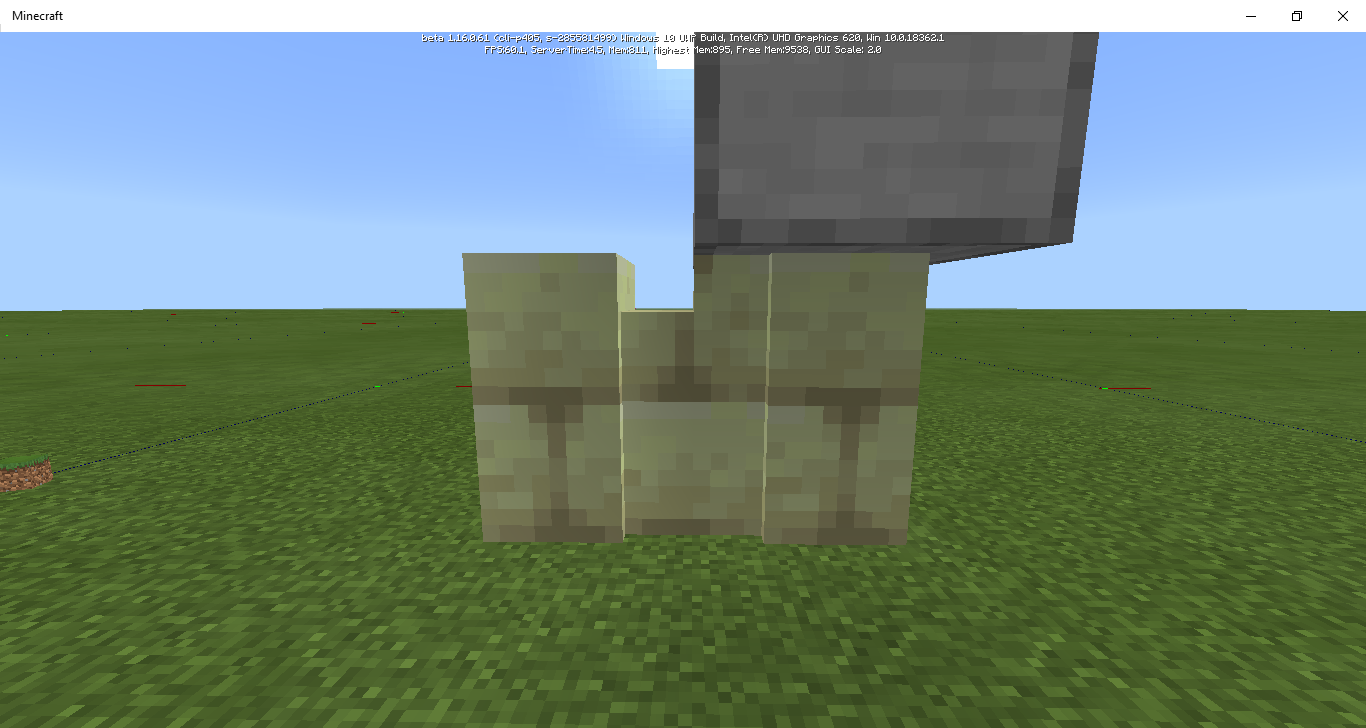
If there's a block above a wall and another wall next to that wall there's a little "dip" in the wall and it looks bad.
I would expect there not to be a little dip there.
When you break the block beneath redstone dust it floats for a bit before breaking. This is the opposite of java and it looks bad.
I would expect redstone dust to instantly break when the block beneath it is removed.
To reproduce, mine the block underneath redstone dust. It'll temporarily float.
If you place a trapdoor next to a wall it doesn't connect to it.
I would expect the wall connect to the trapdoor only when the trapdoor is open right next to it, but instead it doesn't connect at all.
To reproduce, recreate the attached image
.
If you place a trapdoor next to a wall it doesn't connect to it.
I would expect the wall connect to the trapdoor only when the trapdoor is open right next to it, but instead it doesn't connect at all.
To reproduce, recreate the attached image
If you place a trapdoor next to a wall it doesn't connect to it.
I would expect the wall connect to the trapdoor only when the trapdoor is open right next to it, but instead it doesn't connect at all.
To reproduce, recreate the attached image
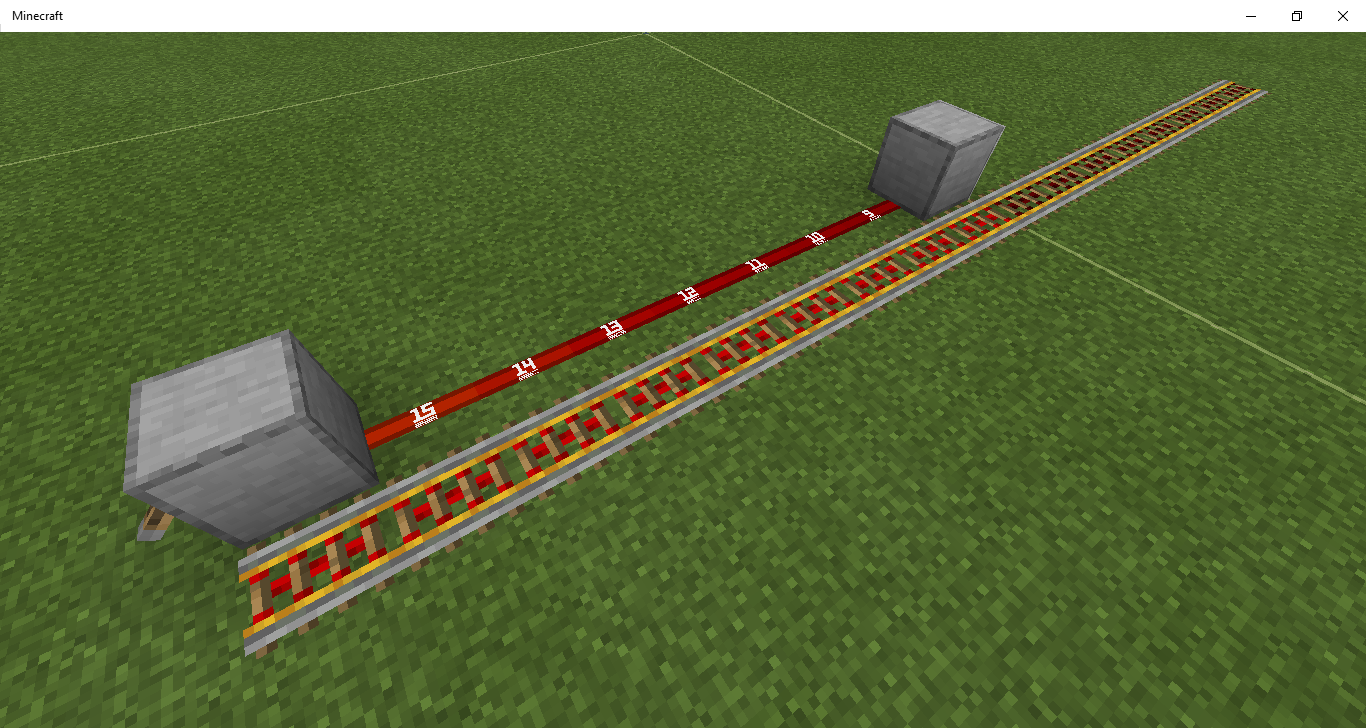
There are some big issues with how signal strength is calculated and displayed. Often the signal strength is 1 higher visually or 1 lower in reality. Near the end of the redstone line the signal strength can visually jump from 2 to 0, despite that not being what is happening in reality. In reality the signal strength jumps goes [...3, 2, 1, 1, 0].
This only happens in certain circumstances. Namely
While this can affect comparators, it mostly affects powered rails. When it affects comparators it can only decrease their signal strength by 1 and only when using something like a lever or a tripwire hook. With rails you can have large sections of the rail line left unpowered.
Here's one example of the bug in action:
- Attach a lever to the side of a solid block and power it.
- Run redstone dust underneath the block and the lever.
- Place a comparator next to the dust underneath the solid block
- Note that the signal strength from the comparator is 14, despite that dust visually having a singal strength of 15 (note: I used a resource pack for this).
- Run a redstone line from that dust and note that most of the signal strengths (visually) are one higher than they should be, although it jumps from 2 to 0 at the end.
- Run comparators from that redstone line. You'll find the signal strengths from those comparators go something like this: [14, 13, 12, 11, 10, 9, 8, 7, 6, 5, 4, 3, 2, 1, 1, 0]
Widespread issues with how signal strength is calculated anddisplayedWidespread issues with how signal strength is calculated and how it powers stuff
There are some big issues with how signal strength is calculated and displayed. Often the signal strength is 1 higher visually or 1 lower in reality. Near the end of the redstone line the signal strength can visually jump from 2 to 0, despite that not being what is happening in reality. In reality the signal strength jumps goes [...3, 2, 1, 1, 0].
This only happens in certain circumstances. Namely when the redstone line
While this can affect comparators, it mostly affects powered rails. I'm not 100% sure this is the exact same issue but it happens under the same circumstances. When it affects comparators it can only decrease their signal strength by 1 and only when using something like a lever or a tripwire hook. With rails you can have large sections of the rail line left unpowered.
Here's one example of the bug in action:
- Attach a lever to the side of a solid block and power it.
- Run redstone dust underneath the block and the lever.
- Place a comparator next to the dust underneath the solid block
- Note that the signal strength from the comparator is 14, despite that dust visually having a singal strength of 15 (note: I used a resource pack for this).
- Run a redstone line from that dust and note that most of the signal strengths (visually) are one higher than they should be, although it jumps from 2 to 0 at the end.
- Run comparators from that redstone line. You'll find the signal strengths from those comparators go something like this: [14, 13, 12, 11, 10, 9, 8, 7, 6, 5, 4, 3, 2, 1, 1, 0]
I would also highly recommend using a resource pack which numbers the redstone dust based on signal strength while investigating this issue.
Widespreadissues with how signal strength is calculated and how it powers stuffBig issues with how signal strength is calculated and how it powers stuff
There are some big issues with how signal strength is calculated and displayed. Often the signal strength is 1 higher visually or 1 lower in reality. Near the end of the redstone line the signal strength can visually jump from 2 to 0, despite that not being what is happening in reality. In reality the signal strength
jumps goes[...3, 2, 1, 1, 0].This only happens in certain circumstances. Namely when the redstone line
While this
canaffect comparators, it mostly affects powered rails. I'm not 100% sure this is the exact same issue but it happens under the same circumstances. When it affects comparators it can only decrease their signal strength by 1and only when using something like a lever or a tripwire hook. With rails you can have large sections of the rail line left unpowered.Here's one example of the bug in action:
- Attach a lever to the side of a solid block and power it.
- Run redstone dust underneath the block and the lever.
- Place a comparator next to the dust underneath the solid block
- Note that the signal strength from the comparator is 14, despite that dust visually having a singal strength of 15 (note: I used a resource pack for this).
- Run a redstone line from that dust and note that most of the signal strengths (visually) are one higher than they should be, although it jumps from 2 to 0 at the end.
- Run comparators from that redstone line. You'll find the signal strengths from those comparators go something like this: [14, 13, 12, 11, 10, 9, 8, 7, 6, 5, 4, 3, 2, 1, 1, 0]
I would also highly recommend using a resource pack which numbers the redstone dust based on signal strength while investigating this issue.
There are some big issues with how signal strength is calculated and displayed. Often the signal strength is 1 higher visually or 1 lower in reality. Near the end of the redstone line the signal strength can visually jump from 2 to 0, despite that not being what is happening in reality. In reality the signal strength goes something like [...3, 2, 1, 1, 0].
This only happens in certain circumstances. Namely when the redstone line runs past both the block the power source is powering and directly next to the power source itself, as well as powering the block from the side. The game treats it as if the block doesn't exist when calculating the signal strengths (to some extent). Note that this is very directional and can only decrease the power level of the comparator by one.
While this does affect comparators, it mostly affects powered rails. I'm not 100% sure this is the exact same issue but it happens under the same circumstances. When it affects comparators it can only decrease their signal strength by 1, but with rails you can have large sections of the rail line left unpowered when they shouldn't be.
Here's one example of the bug in action:
- Attach a lever to the side of a solid block and power it.
- Run redstone dust underneath the block and the lever.
- Place a comparator next to the dust underneath the solid block
- Note that the signal strength from the comparator is 14, despite that dust visually having a singal strength of 15 (note: I used a resource pack for this).
- Run a redstone line from that dust and note that most of the signal strengths (visually) are one higher than they should be, although it jumps from 2 to 0 at the end.
- Run comparators from that redstone line. You'll find the signal strengths from those comparators go something like this: [14, 13, 12, 11, 10, 9, 8, 7, 6, 5, 4, 3, 2, 1, 1, 0]
I would also highly recommend using a resource pack which numbers the redstone dust based on signal strength while investigating this issue.
There are some big issues with how signal strength is calculated and displayed. Often the signal strength is 1 higher visually or 1 lower in reality. Near the end of the redstone line the signal strength can visually jump from 2 to 0, despite that not being what is happening in reality. In reality the signal strength goes something like [...3, 2, 1, 1, 0].
This only happens in certain circumstances. Namely when the redstone line runs past both the block the power source is powering and directly next to the power source itself, as well as powering the block from the side. The game treats it as if the block doesn't exist when calculating the signal strengths (to some extent). Note that this is very directional and can only decrease the power level of the comparator by one.
While this does affect comparators, it mostly affects powered rails. I'm not 100% sure this is the exact same issue but it happens under the same circumstances. When it affects comparators it can only decrease their signal strength by 1, but with rails you can have large sections of the rail line left unpowered when they shouldn't be.
Here's one example of the bug in action:
- Attach a lever to the side of a solid block and power it.
- Run redstone dust underneath the block and the lever.
- Place a comparator next to the dust underneath the solid block
- Note that the signal strength from the comparator is 14, despite that dust visually having a singal strength of 15 (note: I used a resource pack for this).
- Run a redstone line from that dust and note that most of the signal strengths (visually) are one higher than they should be, although it jumps from 2 to 0 at the end.
- Run comparators from that redstone line. You'll find the signal strengths from those comparators go something like this: [14, 13, 12, 11, 10, 9, 8, 7, 6, 5, 4, 3, 2, 1, 1, 0]
In this setup it applies to rails as well
I would also highly recommend using a resource pack which numbers the redstone dust based on signal strength while investigating this issue.
There are some big issues with how signal strength is calculated and displayed. Often the signal strength is 1 higher visually or 1 lower in reality. Near the end of the redstone line the signal strength can visually jump from 2 to 0, despite that not being what is happening in reality. In reality the signal strength goes something like [...3, 2, 1, 1, 0].
This only happens in certain circumstances. Namely when the redstone line runs past both the block the power source is powering and directly next to the power source itself, as well as powering the block from the side. The game treats it as if the block doesn't exist when calculating the signal strengths (to some extent). Note that this is very directional and can only decrease the power level of the comparator by one.
While this does affect comparators, it mostly affects powered rails. I'm not 100% sure this is the exact same issue but it happens under the same circumstances. When it affects comparators it can only decrease their signal strength by 1, but with rails you can have large sections of the rail line left unpowered when they shouldn't be.
Here's one example of the bug in action:
- Attach a lever to the side of a solid block and power it.
- Run redstone dust underneath the block and the lever.
- Place a comparator next to the dust underneath the solid block
- Note that the signal strength from the comparator is 14, despite that dust visually having a singal strength of 15 (note: I used a resource pack for this).
- Run a redstone line from that dust and note that most of the signal strengths (visually) are one higher than they should be, although it jumps from 2 to 0 at the end.
- Run comparators from that redstone line. You'll find the signal strengths from those comparators go something like this: [14, 13, 12, 11, 10, 9, 8, 7, 6, 5, 4, 3, 2, 1, 1, 0]
In this setupit applies to railsas well
I would also highly recommend using a resource pack which numbers the redstone dust based on signal strength while investigating this issue.
There are some big issues with how signal strength is calculated and displayed. Often the signal strength is 1 higher visually or 1 lower in reality. Near the end of the redstone line the signal strength can visually jump from 2 to 0, despite that not being what is happening in reality. In reality the signal strength goes something like [...3, 2, 1, 1, 0].
This only happens in certain circumstances. Namely when the redstone line runs past both the block the power source is powering and directly next to the power source itself, as well as powering the block from the side. The game treats it as if the block doesn't exist when calculating the signal strengths (to some extent). Note that this is very directional and can only decrease the power level of the comparator by one.
While this does affect comparators, it mostly affects powered rails. I'm not 100% sure this is the exact same issue but it happens under the same circumstances. When it affects comparators it can only decrease their signal strength by 1, but with rails you can have large sections of the rail line left unpowered when they shouldn't be.
Here's one example of the bug in action:
- Attach a lever to the side of a solid block and power it.
- Run redstone dust underneath the block and the lever.
- Place a comparator next to the dust underneath the solid block
- Note that the signal strength from the comparator is 14, despite that dust visually having a singal strength of 15 (note: I used a resource pack for this).
- Run a redstone line from that dust and note that most of the signal strengths (visually) are one higher than they should be, although it jumps from 2 to 0 at the end.
- Run comparators from that redstone line. You'll find the signal strengths from those comparators go something like this: [14, 13, 12, 11, 10, 9, 8, 7, 6, 5, 4, 3, 2, 1, 1, 0]
Here's an example of how it applies to rails:
I would also highly recommend using a resource pack which numbers the redstone dust based on signal strength while investigating this issue.
Bigissues with how signal strength is calculated and how it powers stuffWidespread issues with how signal strength is calculated and how it powers stuff
There are some big issues with how signal strength is calculated and displayed. Often the signal strength is 1 higher visually or 1 lower in reality. Near the end of the redstone line the signal strength can visually jump from 2 to 0, despite that not being what is happening in reality. In reality the signal strength goes something like [...3, 2, 1, 1, 0].
This only happens in certain circumstances. Namely when the redstone line runs past both the block the power source is powering and directly next to the power source itself, as well as powering the block from the side. The game treats it as if the block doesn't exist when calculating the signal strengths (to some extent). Note that this is very directional and can only decrease the power level of the comparator by one.
While this does affect comparators, it mostly affects powered rails. I'm not 100% sure this is the exact same issue but it happens under the same circumstances. When it affects comparators it can only decrease their signal strength by 1, but with rails you can have large sections of the rail line left unpowered when they shouldn't be.
Here's one example of the bug in action:
- Attach a lever to the side of a solid block and power it.
- Run redstone dust underneath the block and the lever.
- Place a comparator next to the dust underneath the solid block
- Note that the signal strength from the comparator is 14, despite that dust visually having a singal strength of 15 (note: I used a resource pack for this).
- Run a redstone line from that dust and note that most of the signal strengths (visually) are one higher than they should be, although it jumps from 2 to 0 at the end.
- Run comparators from that redstone line. You'll find the signal strengths from those comparators go something like this: [14, 13, 12, 11, 10, 9, 8, 7, 6, 5, 4, 3, 2, 1, 1, 0]
Here's an example of how it applies to rails:
I would also highly recommend using a resource pack which numbers the redstone dust based on signal strength while investigating this issue.
I would be happy to create a seperate issue for rails if you feel it is not the same issue, but it is definitely related.
There are some big issues with how signal strength is calculated and displayed. Often the signal strength is 1 higher visually or 1 lower in reality. Near the end of the redstone line the signal strength can visually jump from 2 to 0, despite that not being what is happening in reality. In reality the signal strength goes something like [...3, 2, 1, 1, 0].
This only happens in certain circumstances. Namely when the redstone line runs past both the block the power source is powering and directly next to the power source itself, as well as powering the block from the side. The game treats it as if the block doesn't exist when calculating the signal strengths (to some extent). Note that this is very directional and can only decrease the power level of the comparator by one.
While this does affect comparators, it mostly affects powered rails. I'm not 100% sure this is the exact same issue but it happens under the same circumstances. When it affects comparators it can only decrease their signal strength by 1, but with rails you can have large sections of the rail line left unpowered when they shouldn't be.
Here's one example of the bug in action:
- Attach a lever to the side of a solid block and power it.
- Run redstone dust underneath the block and the lever.
- Place a comparator next to the dust underneath the solid block
- Note that the signal strength from the comparator is 14, despite that dust visually having a singal strength of 15 (note: I used a resource pack for this).
- Run a redstone line from that dust and note that most of the signal strengths (visually) are one higher than they should be, although it jumps from 2 to 0 at the end.
- Run comparators from that redstone line. You'll find the signal strengths from those comparators go something like this: [14, 13, 12, 11, 10, 9, 8, 7, 6, 5, 4, 3, 2, 1, 1, 0]
Here's an example of how it applies to rails:
I would also highly recommend using a resource pack which numbers the redstone dust based on signal strength while investigating this issue.
I would be happy to create a seperate issue for rails if you feel it is not the same issue, but it is definitely closely related.
Widespread issues with how signal strength is calculated and how it powersstuffWidespread issues with how signal strength is calculated and how it powers components
There are some big issues with how signal strength is calculated and displayed. Often the signal strength is 1 higher visually or 1 lower in reality. Near the end of the redstone line the signal strength can visually jump from 2 to 0, despite that not being what is happening in reality. In reality the signal strength goes something like [...3, 2, 1, 1, 0].
This only happens in certain circumstances. Namely when the redstone line runs past both the block the power source is powering and directly next to the power source itself, as well as powering the block from the side. The game treats it as if the block doesn't exist when calculating the signal strengths (to some extent). Note that this is very directional and can only decrease the power level of the comparator by one.
While this does affect comparators, it mostly affects powered rails. I'm not 100% sure this is the exact same issue but it happens under the same circumstances. When it affects comparators it can only decrease their signal strength by 1, but with rails you can have large sections of the rail line left unpowered when they shouldn't be.
Here's one example of the bug in action:
- Attach a lever to the side of a solid block and power it.
- Run redstone dust underneath the block and the lever.
- Place a comparator next to the dust underneath the solid block
- Note that the signal strength from the comparator is 14, despite that dust visually having a singal strength of 15 (note: I used a resource pack for this).
- Run a redstone line from that dust and note that most of the signal strengths (visually) are one higher than they should be, although it jumps from 2 to 0 at the end.
- Run comparators from that redstone line. You'll find the signal strengths from those comparators go something like this: [14, 13, 12, 11, 10, 9, 8, 7, 6, 5, 4, 3, 2, 1, 1, 0]
Here's an example of how it applies to rails:
I would also highly recommend using a resource pack which numbers the redstone dust based on signal strength while investigating this issue.
I would be happy to create a seperate issue for rails if you feel it is not the same issue, but it is definitely closely related.
I would also happily supply a test world as this is such a complicated issue.
Widespread issues with how signal strength is calculated andhow it powers componentsWidespread issues with how signal strength is calculated and displayed
There are some big issues with how signal strength is calculated and displayed. Often the signal strength is 1 higher visually or 1 lower in reality. Near the end of the redstone line the signal strength can visually jump from 2 to 0, despite that not being what is happening in reality. In reality the signal strength goes something like [...3, 2, 1, 1, 0].
This only happens in certain circumstances. Namely when the redstone line runs past both the block the power source is powering and directly next to the power source itself, as well as powering the block from the side. The game treats it as if the block doesn't exist when calculating the signal strengths (to some extent). Note that this is very directional and can only decrease the power level of the comparator by one.
While this does affect comparators, it mostly affects powered rails. I'm not 100% sure this is the exact same issue but it happens under the same circumstances. When it affects comparators it can only decrease their signal strength by 1, but with rails you can have large sections of the rail line left unpowered when they shouldn't be.
Here's one example of the bug in action:
- Attach a lever to the side of a solid block and power it.
- Run redstone dust underneath the block and the lever.
- Place a comparator next to the dust underneath the solid block
- Note that the signal strength from the comparator is 14, despite that dust visually having a singal strength of 15 (note: I used a resource pack for this).
- Run a redstone line from that dust and note that most of the signal strengths (visually) are one higher than they should be, although it jumps from 2 to 0 at the end.
- Run comparators from that redstone line. You'll find the signal strengths from those comparators go something like this: [14, 13, 12, 11, 10, 9, 8, 7, 6, 5, 4, 3, 2, 1, 1, 0]
Here's an example of how it applies to rails:
I would also highly recommend using a resource pack which numbers the redstone dust based on signal strength while investigating this issue.
I would be happy to create a seperate issue for rails if you feel it is not the same issue, but it is definitely closely related.
I would also happily supply a test world as this is such a complicated issue.
There are some big issues with how signal strength is calculated and displayed. Often the signal strength is 1 higher visually or 1 lower in reality. Near the end of the redstone line the signal strength can visually jump from 2 to 0, despite that not being what is happening in reality. In reality the signal strength goes something like [...3, 2, 1, 1, 0].
This only happens in certain circumstances. Namely when the redstone line runs past both the block the power source is powering and directly next to the power source itself, as well as powering the block from the side. The game treats it as if the block doesn't exist when calculating the signal strengths (to some extent). Note that this is very directional and can only decrease the power level of the comparator by one.
Here's one example of the bug in action:
- Attach a lever to the side of a solid block and power it.
- Run redstone dust underneath the block and the lever.
- Place a comparator next to the dust underneath the solid block
- Note that the signal strength from the comparator is 14, despite that dust visually having a singal strength of 15 (note: I used a resource pack for this).
- Run a redstone line from that dust and note that most of the signal strengths (visually) are one higher than they should be, although it jumps from 2 to 0 at the end.
- Run comparators from that redstone line. You'll find the signal strengths from those comparators go something like this: [14, 13, 12, 11, 10, 9, 8, 7, 6, 5, 4, 3, 2, 1, 1, 0]
While this does affect comparators, it affects powered rails as well. I'm not 100% sure this is the exact same issue but it happens under the same circumstances. When it affects comparators it can only decrease their signal strength by 1, but with rails you can have large sections of the rail line left unpowered when they shouldn't be.
Here's an example of how it applies to rails:
I would also highly recommend using a resource pack which numbers the redstone dust based on signal strength while investigating this issue.
I would be happy to create a seperate issue for rails if you feel it is not the same issue, but it is definitely closely related.
I would also happily supply a test world as this is such a complicated issue.
There are some big issues with how signal strength is calculated and displayed. Often the signal strength is 1 higher visually or 1 lower in reality. Near the end of the redstone line the signal strength can visually jump from 2 to 0, despite that not being what is happening in reality. In reality the signal strength goes something like [...3, 2, 1, 1, 0].
This only happens in certain circumstances. Namely when the redstone line runs past both the block the power source is powering and directly next to the power source itself, as well as powering the block from the side. The game treats it as if the block doesn't exist when calculating the signal strengths (to some extent). Note that this is very directional and can only decrease the power level of the comparator by one.
Here's one example of the bug in action:
- Attach a lever to the side of a solid block and power it.
- Run redstone dust underneath the block and the lever.
- Place a comparator next to the dust underneath the solid block
- Note that the signal strength from the comparator is 14, despite that dust visually having a singal strength of 15 (note: I used a resource pack for this).
- Run a redstone line from that dust and note that most of the signal strengths (visually) are one higher than they should be, although it jumps from 2 to 0 at the end.
- Run comparators from that redstone line. You'll find the signal strengths from those comparators go something like this: [14, 13, 12, 11, 10, 9, 8, 7, 6, 5, 4, 3, 2, 1, 1, 0]
While this does affect comparators, it affects powered rails as well. I'm not 100% sure this is the exact same issue but it happens underthe samecircumstances. When it affects comparators it can only decrease their signal strength by 1, but with rails you can have large sections of the rail line left unpowered when they shouldn't be.Here's an example of how it applies to rails:
I would also highly recommend using a resource pack which numbers the redstone dust based on signal strength while investigating this issue.
I would be happy to create a seperate issue for rails if you feel it is not the same issue, but it is definitely closely related.
I would also happily supply a test world as this is such a complicated issue.
There are some big issues with how signal strength is calculated and displayed. Often the signal strength is 1 higher visually or 1 lower in reality. Near the end of the redstone line the signal strength can visually jump from 2 to 0, despite that not being what is happening in reality. In reality the signal strength goes something like [...3, 2, 1, 1, 0].
This only happens in certain circumstances. Namely when the redstone line runs past both the block the power source is powering and directly next to the power source itself, as well as powering the block from the side. The game treats it as if the block doesn't exist when calculating the signal strengths (to some extent). Note that this is very directional and can only decrease the power level of the comparator by one.
Here's one example of the bug in action:
- Attach a lever to the side of a solid block and power it.
- Run redstone dust underneath the block and the lever.
- Place a comparator next to the dust underneath the solid block
- Note that the signal strength from the comparator is 14, despite that dust visually having a singal strength of 15 (note: I used a resource pack for this).
- Run a redstone line from that dust and note that most of the signal strengths (visually) are one higher than they should be, although it jumps from 2 to 0 at the end.
- Run comparators from that redstone line. You'll find the signal strengths from those comparators go something like this: [14, 13, 12, 11, 10, 9, 8, 7, 6, 5, 4, 3, 2, 1, 1, 0]
It affects powered rails as well. I'm not 100% sure this is the exact same issue but it happens under similar circumstances. When it affects comparators it can only decrease their signal strength by 1, but with rails you can have large sections of the rail line left unpowered when they shouldn't be.
Here's an example of how it applies to rails:
I would also highly recommend using a resource pack which numbers the redstone dust based on signal strength while investigating this issue.
I would be happy to create a seperate issue for rails if you feel it is not the same issue, but it is definitely closely related.
I would also happily supply a test world as this is such a complicated issue.
There are some big issues with how signal strength is calculated and displayed. Often the signal strength is 1 higher visually or 1 lower in reality. Near the end of the redstone line the signal strength can visually jump from 2 to 0, despite that not being what is happening in reality. In reality the signal strength goes something like [...3, 2, 1, 1, 0].
This only happens in certain circumstances. Namely when the redstone line runs past both the block the power source is powering and directly next to the power source itself, as well as powering the block from the side. The game treats it as if the block doesn't exist when calculating the signal strengths (to some extent). Note that this is very directional and can only decrease the power level of the comparator by one.
Here's one example of the bug in action:
- Attach a lever to the side of a solid block and power it.
- Run redstone dust underneath the block and the lever.
- Place a comparator next to the dust underneath the solid block
- Note that the signal strength from the comparator is 14, despite that dust visually having a singal strength of 15 (note: I used a resource pack for this).
- Run a redstone line from that dust and note that most of the signal strengths (visually) are one higher than they should be, although it jumps from 2 to 0 at the end.
- Run comparators from that redstone line. You'll find the signal strengths from those comparators go something like this: [14, 13, 12, 11, 10, 9, 8, 7, 6, 5, 4, 3, 2, 1, 1, 0]
It affects powered rails as well. I'm not 100% sure this is the exact same issue but it happens under similar circumstances. When it affects comparators it can only decrease their signal strength by 1, but with rails you can have large sections of the rail line left unpowered when they shouldn't be.
Here's an example of how it applies to rails:
I would
also highly recommend using a resource pack which numbers the redstone dust based on signal strength while investigating this issue.I would
behappy to create a seperate issue for rails if you feel it is not the sameissue, but it is definitely closely related.I would
also happily supplyatest world as this is such a complicatedissue.There are some big issues with how signal strength is calculated and displayed. Often the signal strength is 1 higher visually or 1 lower in reality. Near the end of the redstone line the signal strength can visually jump from 2 to 0, despite that not being what is happening in reality. In reality the signal strength goes something like [...3, 2, 1, 1, 0].
This only happens in certain circumstances. Namely when the redstone line runs past both the block the power source is powering and directly next to the power source itself, as well as powering the block from the side. The game treats it as if the block doesn't exist when calculating the signal strengths (to some extent). Note that this is very directional and can only decrease the power level of the comparator by one.
Here's one example of the bug in action:
- Attach a lever to the side of a solid block and power it.
- Run redstone dust underneath the block and the lever.
- Place a comparator next to the dust underneath the solid block
- Note that the signal strength from the comparator is 14, despite that dust visually having a singal strength of 15 (note: I used a resource pack for this).
- Run a redstone line from that dust and note that most of the signal strengths (visually) are one higher than they should be, although it jumps from 2 to 0 at the end.
- Run comparators from that redstone line. You'll find the signal strengths from those comparators go something like this: [14, 13, 12, 11, 10, 9, 8, 7, 6, 5, 4, 3, 2, 1, 1, 0]
It affects powered rails as well. I'm not 100% sure this is the exact same issue but it happens under similar circumstances. When it affects comparators it can only decrease their signal strength by 1, but with rails you can have large sections of the rail line left unpowered when they shouldn't be.
Here's an example of how it applies to rails:
I would be happy to create a seperate issue for rails if you feel it is not the same issue, but it is definitely closely related.
I would also happily supply a test world as this is such a complicated issue.
Also, I would highly recommend using a resource pack which numbers the redstone dust based on signal strength while investigating this issue.
There are some big issues with how signal strength is calculated and displayed. Often the signal strength is 1 higher visually or 1 lower in reality. Near the end of the redstone line the signal strength can visually jump from 2 to 0, despite that not being what is happening in reality. In reality the signal strength goes something like [...3, 2, 1, 1, 0].
This only happens
in certain circumstances. Namelywhen the redstone line runs past both the block the power source is powering and directly next to the power source itself, as well as powering the block from the side. The game treats it as if the block doesn't exist when calculating the signal strengths (to some extent). Note that this is very directional and can only decrease the power level of the comparator by one.Here's one example of the bug in action:
- Attach a lever to the side of a solid block and power it.
- Run redstone dust underneath the block and the lever.
- Place a comparator next to the dust underneath the solid block
- Note that the signal strength from the comparator is 14, despite that dust visually having a singal strength of 15 (note: I used a resource pack for this).
- Run a redstone line from that dust and note that most of the signal strengths (visually) are one higher than they should be, although it jumps from 2 to 0 at the end.
- Run comparators from that redstone line. You'll find the signal strengths from those comparators go something like this: [14, 13, 12, 11, 10, 9, 8, 7, 6, 5, 4, 3, 2, 1, 1, 0]
It affects powered rails as well. I'm not 100% sure this is the exact same issue but it happens under similar circumstances. When it affects comparators it can only decrease their signal strength by 1, but with rails you can have large sections of the rail line left unpowered when they shouldn't be.
Here's an example of how it applies to rails:
I would be happy to create a seperate issue for rails if you feel it is not the same issue, but it is definitely closely related.
I would also happily supply a test world as this is such a complicated issue.
Also, I would highly recommend using a resource pack which numbers the redstone dust based on signal strength while investigating this issue.
There are some big issues with how signal strength is calculated and displayed. Often the signal strength is 1 higher visually or 1 lower in reality. Near the end of the redstone line the signal strength can visually jump from 2 to 0, despite that not being what is happening in reality. In reality the signal strength goes something like [...3, 2, 1, 1, 0].
This only happens when the redstone line runs past both the block the power source is powering and directly next to the power source itself, and the power source is powering the block from the side. The game treats it as if the block doesn't exist when calculating the signal strengths (to some extent). Note that this is very directional and can only decrease the power level of the comparator by one.
Here's one example of the bug in action:
- Attach a lever to the side of a solid block and power it.
- Run redstone dust underneath the block and the lever.
- Place a comparator next to the dust underneath the solid block
- Note that the signal strength from the comparator is 14, despite that dust visually having a singal strength of 15 (note: I used a resource pack for this).
- Run a redstone line from that dust and note that most of the signal strengths (visually) are one higher than they should be, although it jumps from 2 to 0 at the end.
- Run comparators from that redstone line. You'll find the signal strengths from those comparators go something like this: [14, 13, 12, 11, 10, 9, 8, 7, 6, 5, 4, 3, 2, 1, 1, 0]
It affects powered rails as well. I'm not 100% sure this is the exact same issue but it happens under similar circumstances. When it affects comparators it can only decrease their signal strength by 1, but with rails you can have large sections of the rail line left unpowered when they shouldn't be.
Here's an example of how it applies to rails:
I would be happy to create a seperate issue for rails if you feel it is not the same issue, but it is definitely closely related.
I would also happily supply a test world as this is such a complicated issue.
Also, I would highly recommend using a resource pack which numbers the redstone dust based on signal strength while investigating this issue.
There are some big issues with how signal strength is calculated and displayed. Often the signal strength is 1 higher visually or 1 lower in reality. Near the end of the redstone line the signal strength can visually jump from 2 to 0, despite that not being what is happening in reality. In reality the signal strength goes something like [...3, 2, 1, 1, 0].
This only happens when the redstone line runs past both the block the power source is powering and directly next to the power source itself, and the power source is powering the block from the side. The game treats it as if the block doesn't exist when calculating the signal strengths (to some extent). Note that this is very directional and can only decrease the power level of
thecomparator by one.Here's one example of the bug in action:
- Attach a lever to the side of a solid block and power it.
- Run redstone dust underneath the block and the lever.
- Place a comparator next to the dust underneath the solid block
- Note that the signal strength from the comparator is 14, despite that dust visually having a singal strength of 15 (note: I used a resource pack for this).
- Run a redstone line from that dust and note that most of the signal strengths (visually) are one higher than they should be, although it jumps from 2 to 0 at the end.
- Run comparators from that redstone line. You'll find the signal strengths from those comparators go something like this: [14, 13, 12, 11, 10, 9, 8, 7, 6, 5, 4, 3, 2, 1, 1, 0]
It affects powered rails as well. I'm not 100% sure this is the exact same issue but it happens under similar circumstances. When it affects comparators it can only decrease their signal strength by 1, but with rails you can have large sections of the rail line left unpowered when they shouldn't be.
Here's an example of how it applies to rails:
I would be happy to create a seperate issue for rails if you feel it is not the same issue, but it is definitely closely related.
I would also happily supply a test world as this is such a complicated issue.
Also, I would highly recommend using a resource pack which numbers the redstone dust based on signal strength while investigating this issue.
There are some big issues with how signal strength is calculated and displayed. Often the signal strength is 1 higher visually or 1 lower in reality. Near the end of the redstone line the signal strength can visually jump from 2 to 0, despite that not being what is happening in reality. In reality the signal strength goes something like [...3, 2, 1, 1, 0].
This only happens when the redstone line runs past both the block the power source is powering and directly next to the power source itself, and the power source is powering the block from the side. The game treats it as if the block doesn't exist when calculating the signal strengths (to some extent). Note that this is very directional and can only decrease the power level of comparators by one.
Here's one example of the bug in action:
- Attach a lever to the side of a solid block and power it.
- Run redstone dust underneath the block and the lever.
- Place a comparator next to the dust underneath the solid block
- Note that the signal strength from the comparator is 14, despite that dust visually having a singal strength of 15 (note: I used a resource pack for this).
- Run a redstone line from that dust and note that most of the signal strengths (visually) are one higher than they should be, although it jumps from 2 to 0 at the end.
- Run comparators from that redstone line. You'll find the signal strengths from those comparators go something like this: [14, 13, 12, 11, 10, 9, 8, 7, 6, 5, 4, 3, 2, 1, 1, 0]
It affects powered rails as well. I'm not 100% sure this is the exact same issue but it happens under similar circumstances. When it affects comparators it can only decrease their signal strength by 1, but with rails you can have large sections of the rail line left unpowered when they shouldn't be.
Here's an example of how it applies to rails:
I would be happy to create a seperate issue for rails if you feel it is not the same issue, but it is definitely closely related.
I would also happily supply a test world as this is such a complicated issue.
Also, I would highly recommend using a resource pack which numbers the redstone dust based on signal strength while investigating this issue.
There are some big issues with how signal strength is calculated and displayed. Often the signal strength is 1 higher visually or 1 lower in reality. Near the end of the redstone line the signal strength can visually jump from 2 to 0, despite that not being what is happening in reality. In reality the signal strength goes something like [...3, 2, 1, 1, 0].
This only happens when the redstone line runs past both the block the power source is powering and directly next to the power source itself, and the power source is powering the block from the side. The game treats it as if the block doesn't exist when calculating the signal strengths (to some extent). Note that this is very directional and can only decrease the power level
of comparatorsby one.Here's one example of the bug in action:
- Attach a lever to the side of a solid block and power it.
- Run redstone dust underneath the block and the lever.
- Place a comparator next to the dust underneath the solid block
- Note that the signal strength from the comparator is 14, despite that dust visually having a singal strength of 15 (note: I used a resource pack for this).
- Run a redstone line from that dust and note that most of the signal strengths (visually) are one higher than they should be, although it jumps from 2 to 0 at the end.
- Run comparators from that redstone line. You'll find the signal strengths from those comparators go something like this: [14, 13, 12, 11, 10, 9, 8, 7, 6, 5, 4, 3, 2, 1, 1, 0]
It affects powered rails as well. I'm not 100% sure this is the exact same issue but it happens under similar circumstances. When it affects comparators it can only decrease their signal strength by 1, but with rails you can have large sections of the rail line left unpowered when they shouldn't be.
Here's an example of how it applies to rails:
I would be happy to create a seperate issue for rails if you feel it is not the same issue, but it is definitely closely related.
I would also happily supply a test world as this is such a complicated issue.
Also, I would highly recommend using a resource pack which numbers the redstone dust based on signal strength while investigating this issue.
Widespreadissues with how signal strength is calculated and displayedMassive issues with how signal strength is calculated and displayed
There are some big issues with how signal strength is calculated and displayed. Often the signal strength is 1 higher visually or 1 lower in reality. Near the end of the redstone line the signal strength can visually jump from 2 to 0, despite that not being what is happening in reality. In reality the signal strength goes something like [...3, 2, 1, 1, 0].
This only happens when the redstone line runs past both the block the power source is powering and directly next to the power source itself, and the power source is powering the block from the side. The game treats it as if the block doesn't exist when calculating the signal strengths (to some extent). Note that this is very directional and can only decrease the power level by one.
Here's one example of the bug in action:
- Attach a lever to the side of a solid block and power it.
- Run redstone dust underneath the block and the lever.
- Place a comparator next to the dust underneath the solid block
- Note that the signal strength from the comparator is 14, despite that dust visually having a singal strength of 15 (note: I used a resource pack for this).
- Run a redstone line from that dust and note that most of the signal strengths (visually) are one higher than they should be, although it jumps from 2 to 0 at the end.
- Run comparators from that redstone line. You'll find the signal strengths from those comparators go something like this: [14, 13, 12, 11, 10, 9, 8, 7, 6, 5, 4, 3, 2, 1, 1, 0]
It affects powered rails as well. I'm not 100% sure this is the exact same issue but it happens under similar circumstances. When it affects comparators it can only decrease their signal strength by 1, but with rails you can have large sections of the rail line left unpowered when they shouldn't be.
Here's an example of how it applies to rails:
I would be happy to create a seperate issue for rails if you feel it is not the same issue, but it is definitely closely related.
I would
alsohappily supply a test worldas this is such a complicated issue.Also, I would highly recommend using a resource pack which numbers the redstone dust based on signal strength while investigating this issue.
There are some big issues with how signal strength is calculated and displayed. Often the signal strength is 1 higher visually or 1 lower in reality. Near the end of the redstone line the signal strength can visually jump from 2 to 0, despite that not being what is happening in reality. In reality the signal strength goes something like [...3, 2, 1, 1, 0].
This only happens when the redstone line runs past both the block the power source is powering and directly next to the power source itself, and the power source is powering the block from the side. The game treats it as if the block doesn't exist when calculating the signal strengths (to some extent). Note that this is very directional and can only decrease the power level by one.
Here's one example of the bug in action:
- Attach a lever to the side of a solid block and power it.
- Run redstone dust underneath the block and the lever.
- Place a comparator next to the dust underneath the solid block
- Note that the signal strength from the comparator is 14, despite that dust visually having a singal strength of 15 (note: I used a resource pack for this).
- Run a redstone line from that dust and note that most of the signal strengths (visually) are one higher than they should be, although it jumps from 2 to 0 at the end.
- Run comparators from that redstone line. You'll find the signal strengths from those comparators go something like this: [14, 13, 12, 11, 10, 9, 8, 7, 6, 5, 4, 3, 2, 1, 1, 0]
This is related to
MCPE-81987I would happily supply a test world.
Also, I would highly recommend using a resource pack which numbers the redstone dust based on signal strength while investigating this issue.
There are some big issues with how signal strength is calculated and displayed. Often the signal strength is 1 higher visually or 1 lower in reality. Near the end of the redstone line the signal strength can visually jump from 2 to 0, despite that not being what is happening in reality. In reality the signal strength goes something like [...3, 2, 1, 1, 0].
This only happens when the redstone line runs past both the block the power source is powering and directly next to the power source itself, and the power source is powering the block from the side. The game treats it as if the block doesn't exist when calculating the signal strengths (to some extent). Note that this is very directional and can only decrease the power level by one.
Here's one example of the bug in action:
- Attach a lever to the side of a solid block and power it.
- Run redstone dust underneath the block and the lever.
- Place a comparator next to the dust underneath the solid block
- Note that the signal strength from the comparator is 14, despite that dust visually having a singal strength of 15 (note: I used a resource pack for this).
- Run a redstone line from that dust and note that most of the signal strengths (visually) are one higher than they should be, although it jumps from 2 to 0 at the end.
- Run comparators from that redstone line. You'll find the signal strengths from those comparators go something like this: [14, 13, 12, 11, 10, 9, 8, 7, 6, 5, 4, 3, 2, 1, 1, 0]
This
is related toMCPE-81987I would happily supply a test world.
Also, I would highly recommend using a resource pack which numbers the redstone dust based on signal strength while investigating this issue.
There are some big issues with how signal strength is calculated and displayed. Often the signal strength is 1 higher visually or 1 lower in reality. Near the end of the redstone line the signal strength can visually jump from 2 to 0, despite that not being what is happening in reality. In reality the signal strength goes something like [...3, 2, 1, 1, 0].
This only happens when the redstone line runs past both the block the power source is powering and directly next to the power source itself, and the power source is powering the block from the side. The game treats it as if the block doesn't exist when calculating the signal strengths (to some extent). Note that this is very directional and can only decrease the power level by one.
Here's one example of the bug in action:
- Attach a lever to the side of a solid block and power it.
- Run redstone dust underneath the block and the lever.
- Place a comparator next to the dust underneath the solid block
- Note that the signal strength from the comparator is 14, despite that dust visually having a singal strength of 15 (note: I used a resource pack for this).
- Run a redstone line from that dust and note that most of the signal strengths (visually) are one higher than they should be, although it jumps from 2 to 0 at the end.
- Run comparators from that redstone line. You'll find the signal strengths from those comparators go something like this: [14, 13, 12, 11, 10, 9, 8, 7, 6, 5, 4, 3, 2, 1, 1, 0]
This seems to be related to
MCPE-81987I would happily supply a test world.
Also, I would highly recommend using a resource pack which numbers the redstone dust based on signal strength while investigating this issue.
There are some big issues with how signal strength is calculated and displayed. Often the signal strength is 1 higher visually or 1 lower in reality. Near the end of the redstone line the signal strength can visually jump from 2 to 0, despite that not being what is happening in reality. In reality the signal strength goes something like [...3, 2, 1, 1, 0].
This only happens when the redstone line runs past both the block the power source is powering and directly next to the power source itself, and the power source is powering the block from the side. The game treats it as if the block doesn't exist when calculating the signal strengths (to some extent). Note that this is very directional and can only decrease the power level by one.
Here's one example of the bug in action:
- Attach a lever to the side of a solid block and power it.
- Run redstone dust underneath the block and the lever.
- Place a comparator next to the dust underneath the solid block
- Note that the signal strength from the comparator is 14, despite that dust visually having a singal strength of 15 (note: I used a resource pack for this).
- Run a redstone line from that dust and note that most of the signal strengths (visually) are one higher than they should be, although it jumps from 2 to 0 at the end.
- Run comparators from that redstone line. You'll find the signal strengths from those comparators go something like this: [14, 13, 12, 11, 10, 9, 8, 7, 6, 5, 4, 3, 2, 1, 1, 0]
This seems to be related to
MCPE-81987I would happily supply a test world.
Also, I would highly recommend using a resource pack which numbers the redstone dust based on signal strength while investigating this issue (at least when fixing it visually).
Massiveissues with how signal strength is calculated and displayedBig issues with how signal strength is calculated and displayed
Bigissues with how signal strength is calculated and displayed
There are some big issues with how signal strength is calculated and displayed. Often the signal strength is 1 higher visually or 1 lower in reality. Near the end of the redstone line the signal strength can visually jump from 2 to 0, despite that not being what is happening in reality. In reality the signal strength goes something like [...3, 2, 1, 1, 0].
This only happens when the redstone line runs past both the block the power source is powering and directly next to the power source itself, and the power source is powering the block from the side. The game treats it as if the block doesn't exist when calculating the signal strengths (to some extent). Note that this is very directional and can only decrease the power level by one.
Here's one example of the bug in action:
- Attach a lever to the side of a solid block and power it.
- Run redstone dust underneath the block and the lever.
- Place a comparator next to the dust underneath the solid block
- Note that the signal strength from the comparator is 14, despite that dust visually having a singal strength of 15 (note: I used a resource pack for this).
- Run a redstone line from that dust and note that most of the signal strengths (visually) are one higher than they should be, although it jumps from 2 to 0 at the end.
- Run comparators from that redstone line. You'll find the signal strengths from those comparators go something like this: [14, 13, 12, 11, 10, 9, 8, 7, 6, 5, 4, 3, 2, 1, 1, 0]
This seems to be related to
MCPE-81987I
would happily supplya test world.Also, I would highly recommend using a resource pack which numbers the redstone dust based on signal strength while investigating this issue (at least when fixing it visually).
There are some big issues with how signal strength is calculated and displayed. Often the signal strength is 1 higher visually or 1 lower in reality. Near the end of the redstone line the signal strength can visually jump from 2 to 0, despite that not being what is happening in reality. In reality the signal strength goes something like [...3, 2, 1, 1, 0].
This only happens when the redstone line runs past both the block the power source is powering and directly next to the power source itself, and the power source is powering the block from the side. The game treats it as if the block doesn't exist when calculating the signal strengths (to some extent). Note that this is very directional and can only decrease the power level by one.
Here's one example of the bug in action:
- Attach a lever to the side of a solid block and power it.
- Run redstone dust underneath the block and the lever.
- Place a comparator next to the dust underneath the solid block
- Note that the signal strength from the comparator is 14, despite that dust visually having a singal strength of 15 (note: I used a resource pack for this).
- Run a redstone line from that dust and note that most of the signal strengths (visually) are one higher than they should be, although it jumps from 2 to 0 at the end.
- Run comparators from that redstone line. You'll find the signal strengths from those comparators go something like this: [14, 13, 12, 11, 10, 9, 8, 7, 6, 5, 4, 3, 2, 1, 1, 0]
This seems to be related to
MCPE-81987I am in the process of creating a test world.
Also, I would highly recommend using a resource pack which numbers the redstone dust based on signal strength while investigating this issue (at least when fixing it visually).
There are some big issues with how signal strength is calculated and displayed. Often the signal strength is 1 higher visually or 1 lower in reality. Near the end of the redstone line the signal strength can visually jump from 2 to 0, despite that not being what is happening in reality. In reality the signal strength goes something like [...3, 2, 1, 1, 0].
This only happens when the redstone line runs past both the block the power source is powering and directly next to the power source itself, and the power source is powering the block from the side. The game treats it as if the block doesn't exist when calculating the signal strengths (to some extent). Note that this is very directional and can only decrease the power level by one.
Here's one example of the bug in action:
- Attach a lever to the side of a solid block and power it.
- Run redstone dust underneath the block and the lever.
- Place a comparator next to the dust underneath the solid block
- Note that the signal strength from the comparator is 14, despite that dust visually having a singal strength of 15 (note: I used a resource pack for this).
- Run a redstone line from that dust and note that most of the signal strengths (visually) are one higher than they should be, although it jumps from 2 to 0 at the end.
- Run comparators from that redstone line. You'll find the signal strengths from those comparators go something like this: [14, 13, 12, 11, 10, 9, 8, 7, 6, 5, 4, 3, 2, 1, 1, 0]
This seems to be related to
MCPE-81987I
am in the process of creatinga test world.Also, I would highly recommend using a resource pack which numbers the redstone dust based on signal strength while investigating this issue (at least when fixing it visually).
There are some big issues with how signal strength is calculated and displayed. Often the signal strength is 1 higher visually or 1 lower in reality. Near the end of the redstone line the signal strength can visually jump from 2 to 0, despite that not being what is happening in reality. In reality the signal strength goes something like [...3, 2, 1, 1, 0].
This only happens when the redstone line runs past both the block the power source is powering and directly next to the power source itself, and the power source is powering the block from the side. The game treats it as if the block doesn't exist when calculating the signal strengths (to some extent). Note that this is very directional and can only decrease the power level by one.
Here's one example of the bug in action:
- Attach a lever to the side of a solid block and power it.
- Run redstone dust underneath the block and the lever.
- Place a comparator next to the dust underneath the solid block
- Note that the signal strength from the comparator is 14, despite that dust visually having a singal strength of 15 (note: I used a resource pack for this).
- Run a redstone line from that dust and note that most of the signal strengths (visually) are one higher than they should be, although it jumps from 2 to 0 at the end.
- Run comparators from that redstone line. You'll find the signal strengths from those comparators go something like this: [14, 13, 12, 11, 10, 9, 8, 7, 6, 5, 4, 3, 2, 1, 1, 0]
This seems to be related to
MCPE-81987I have attached a test world.
Also, I would highly recommend using a resource pack which numbers the redstone dust based on signal strength while investigating this issue (at least when fixing it visually).
There are some big issues with how signal strength is calculated and displayed. Often the signal strength is 1 higher visually or 1 lower in reality. Near the end of the redstone line the signal strength can visually jump from 2 to 0, despite that not being what is happening in reality. In reality the signal strength goes something like [...3, 2, 1, 1, 0].
This only happens when the redstone line runs past both the block the power source is powering and directly next to the power source itself, and the power source is powering the block from the side. The game treats it as if the block doesn't exist when calculating the signal strengths (to some extent). Note that this is very directional and can only decrease the power level by one.
Here's one example of the bug in action:
- Attach a lever to the side of a solid block and power it.
- Run redstone dust underneath the block and the lever.
- Place a comparator next to the dust underneath the solid block
- Note that the signal strength from the comparator is 14, despite that dust visually having a singal strength of 15 (note: I used a resource pack for this).
- Run a redstone line from that dust and note that most of the signal strengths (visually) are one higher than they should be, although it jumps from 2 to 0 at the end.
- Run comparators from that redstone line. You'll find the signal strengths from those comparators go something like this: [14, 13, 12, 11, 10, 9, 8, 7, 6, 5, 4, 3, 2, 1, 1, 0]
This seems to be related to
MCPE-81987I have attached a test world.
Also, I would highly recommend using a resource pack which numbers the redstone dust based on signal strength while investigating this issue (at least when fixing it visually).
There are some big issues with how signal strength is calculated and displayed. Often the signal strength is 1 higher visually or 1 lower in reality. Near the end of the redstone line the signal strength can visually jump from 2 to 0, despite that not being what is happening in reality. In reality the signal strength goes something like [...3, 2, 1, 1, 0].
This only happens when the redstone line runs past both the block the power source is powering and directly next to the power source itself, and the power source is powering the block from the side. The game treats it as if the block doesn't exist when calculating the signal strengths (to some extent). Note that this is very directional and can only decrease the power level by one.
Here's one example of the bug in action:
- Attach a lever to the side of a solid block and power it.
- Run redstone dust underneath the block and the lever.
- Place a comparator next to the dust underneath the solid block
- Note that the signal strength from the comparator is 14, despite that dust visually having a singal strength of 15 (note: I used a resource pack for this).
- Run a redstone line from that dust and note that most of the signal strengths (visually) are one higher than they should be, although it jumps from 2 to 0 at the end.
- Run comparators from that redstone line. You'll find the signal strengths from those comparators go something like this: [14, 13, 12, 11, 10, 9, 8, 7, 6, 5, 4, 3, 2, 1, 1, 0]
This seems to be related to
MCPE-81987I have attached a Issues with signal strength.mcworld
Also, I would highly recommend using a resource pack which numbers the redstone dust based on signal strength while investigating this issue (at least when fixing it visually).
There are some big issues with how signal strength is calculated and displayed. Often the signal strength is 1 higher visually or 1 lower in reality. Near the end of the redstone line the signal strength can visually jump from 2 to 0, despite that not being what is happening in reality. In reality the signal strength goes something like [...3, 2, 1, 1, 0].
This only happens when the redstone line runs past both the block the power source is powering and directly next to the power source itself, and the power source is powering the block from the side.
The game treats it as if the block doesn't exist when calculating the signal strengths (to some extent).Note that this is very directional and can only decrease the power level by one.Here's one example of the bug in action:
- Attach a lever to the side of a solid block and power it.
- Run redstone dust underneath the block and the lever.
- Place a comparator next to the dust underneath the solid block
- Note that the signal strength from the comparator is 14, despite that dust visually having a singal strength of 15 (note: I used a resource pack for this).
- Run a redstone line from that dust and note that most of the signal strengths (visually) are one higher than they should be, although it jumps from 2 to 0 at the end.
- Run comparators from that redstone line. You'll find the signal strengths from those comparators go something like this: [14, 13, 12, 11, 10, 9, 8, 7, 6, 5, 4, 3, 2, 1, 1, 0]
This seems to be related toMCPE-81987I have attached a Issues with signal strength.mcworld
Also, I would highly recommend using a resource pack which numbers the redstone dust based on signal strength while investigating this issue (at least when fixing it visually).
There are some problems with how signal strength is calculated and displayed. Often the signal strength is 1 higher visually or 1 lower in reality. Near the end of the redstone line the signal strength can visually jump from 2 to 0, despite the signal strength being differently mechanically.
This only happens when the redstone line runs past both the block the power source is powering and directly next to the power source itself, and the power source is powering the block from the side. Note that this is very directional and can only decrease the power level by one.
Steps to reproduce:
- Attach a lever to the side of a solid block and power it.
- Run redstone dust underneath the block and the lever.
- Place a comparator next to the dust underneath the solid block
- Note that the signal strength from the comparator is 14, despite that dust visually having a singal strength of 15 (note: I used a resource pack for this).
- Run a redstone line from that dust and note that most of the signal strengths (visually) are one higher than they should be, although it jumps from 2 to 0 at the end.
- Run comparators from that redstone line. You'll find the signal strengths from those comparators go something like this: [14, 13, 12, 11, 10, 9, 8, 7, 6, 5, 4, 3, 2, 1, 1, 0]
You could also use the test world provided (Issues with signal strength.mcworld
Expected results:
I would expect the signal strength to match visually and mechanically, as well as actually being correct.
Actual results:
The signal strength is 1 higher visually and 1 lower mechanically (although if you extend the redstone line the other way that half works fine).
Visually: 15, 15, 14, 13, 12, 11, 10, 9, 8, 7, 6, 5, 4, 3, 2, 0
Mechanically: 14, 13, 12, 11, 10, 9, 8, 7, 6, 5, 4, 3, 2, 1, 1, 0Notes:
This seems to be related to
MCPE-81987Also, I would highly recommend using a resource pack which numbers the redstone dust based on signal strength while investigating this issue (at least when fixing it visually). There's one in my test world (hopefully).
There are some problems with how signal strength is calculated and displayed. Often the signal strength is 1 higher visually or 1 lower in reality. Near the end of the redstone line the signal strength can visually jump from 2 to 0, despite the signal strength being differently mechanically.
This only happens when the redstone line runs past both the block the power source is powering and directly next to the power source itself, and the power source is powering the block from the side. Note that this is very directional and can only decrease the power level by one.
Steps to reproduce:
- Attach a lever to the side of a solid block and power it.
- Run redstone dust underneath the block and the lever.
- Place a comparator next to the dust underneath the solid block
- Note that the signal strength from the comparator is 14, despite that dust visually having a singal strength of 15 (note: I used a resource pack for this).
- Run a redstone line from that dust and note that most of the signal strengths (visually) are one higher than they should be, although it jumps from 2 to 0 at the end.
- Run comparators from that redstone line. You'll find the signal strengths from those comparators go something like this: [14, 13, 12, 11, 10, 9, 8, 7, 6, 5, 4, 3, 2, 1, 1, 0]
You could also use the test world provided (Issues with signal strength.mcworld
Expected results:
I would expect the signal strength to match visually and mechanically, as well as actually being correct.
Actual results:
The signal strength is 1 higher visually and 1 lower mechanically (although if you extend the redstone line the other way that half works fine).
Visually: 15, 15, 14, 13, 12, 11, 10, 9, 8, 7, 6, 5, 4, 3, 2, 0
Mechanically: 14, 13, 12, 11, 10, 9, 8, 7, 6, 5, 4, 3, 2, 1, 1, 0Notes:
This seems to be related to
MCPE-81987Also, I would highly recommend using a resource pack which numbers the redstone dust based on signal strength while investigating this issue (at least when fixing it visually). There's one in my test world (hopefully).
There are some problems with how signal strength is calculated and displayed. Often the signal strength is 1 higher visually or 1 lower in reality. Near the end of the redstone line the signal strength can visually jump from 2 to 0, despite the signal strength being differently mechanically.
This only happens when the redstone line runs past both the block the power source is powering and directly next to the power source itself, and the power source is powering the block from the side. Note that this is very directional and can only decrease the power level by one.
Steps to reproduce:
- Attach a lever to the side of a solid block and power it.
- Run redstone dust underneath the block and the lever.
- Place a comparator next to the dust underneath the solid block
- Note that the signal strength from the comparator is 14, despite that dust visually having a singal strength of 15 (note: I used a resource pack for this).
- Run a redstone line from that dust and note that most of the signal strengths (visually) are one higher than they should be, although it jumps from 2 to 0 at the end.
- Run comparators from that redstone line. You'll find the signal strengths from those comparators go something like this: [14, 13, 12, 11, 10, 9, 8, 7, 6, 5, 4, 3, 2, 1, 1, 0]
You could also use the test world provided (Issues with signal strength.mcworld
Expected results:
I would expect the signal strength to match visually and mechanically, as well as actually being correct.
Actual results:
The signal strength is 1 higher visually and 1 lower mechanically (although if you extend the redstone line the other way that half works fine).
Visually: 15, 15, 14, 13, 12, 11, 10, 9, 8, 7, 6, 5, 4, 3, 2, 0
Mechanically: 14, 13, 12, 11, 10, 9, 8, 7, 6, 5, 4, 3, 2, 1, 1, 0Notes:
This seems to be related to
MCPE-81987Also, I would highly recommend using a resource pack which numbers the redstone dust based on signal strength while investigating this issue (at least when fixing it visually). There's one in my test world (hopefully).
There are some problems with how signal strength is calculated and displayed. Often the signal strength is 1 higher visually or 1 lower in reality. Near the end of the redstone line the signal strength can visually jump from 2 to 0, despite the signal strength being differently mechanically.
This only happens when the redstone line runs past both the block the power source is powering and directly next to the power source itself, and the power source is powering the block from the side. Note that this is very directional and can only decrease the power level by one.
Steps to reproduce:
- Attach a lever to the side of a solid block and power it.
- Run redstone dust underneath the block and the lever.
- Place a comparator next to the dust underneath the solid block
- Note that the signal strength from the comparator is 14, despite that dust visually having a singal strength of 15 (note: I used a resource pack for this).
- Run a redstone line from that dust and note that most of the signal strengths (visually) are one higher than they should be, although it jumps from 2 to 0 at the end.
- Run comparators from that redstone line. You'll find the signal strengths from those comparators go something like this: [14, 13, 12, 11, 10, 9, 8, 7, 6, 5, 4, 3, 2, 1, 1, 0]
You could also use the test world provided (Issues with signal strength.mcworld
Expected results:
I would expect the signal strength to match visually and mechanically, as well as actually being correct.
Actual results:
The signal strength is 1 higher visually and 1 lower mechanically (although if you extend the redstone line the other way that half works fine).
Visually: 15, 15, 14, 13, 12, 11, 10, 9, 8, 7, 6, 5, 4, 3, 2, 0
Mechanically: 14, 13, 12, 11, 10, 9, 8, 7, 6, 5, 4, 3, 2, 1, 1, 0
Notes:
This seems to be related to
MCPE-81987Also, I would highly recommend using a resource pack which numbers the redstone dust based on signal strength while investigating this issue (at least when fixing it visually). There's one in my test world (hopefully).
Rails sometimes aren't powered correctly and large sections of rail can be left unpowered.
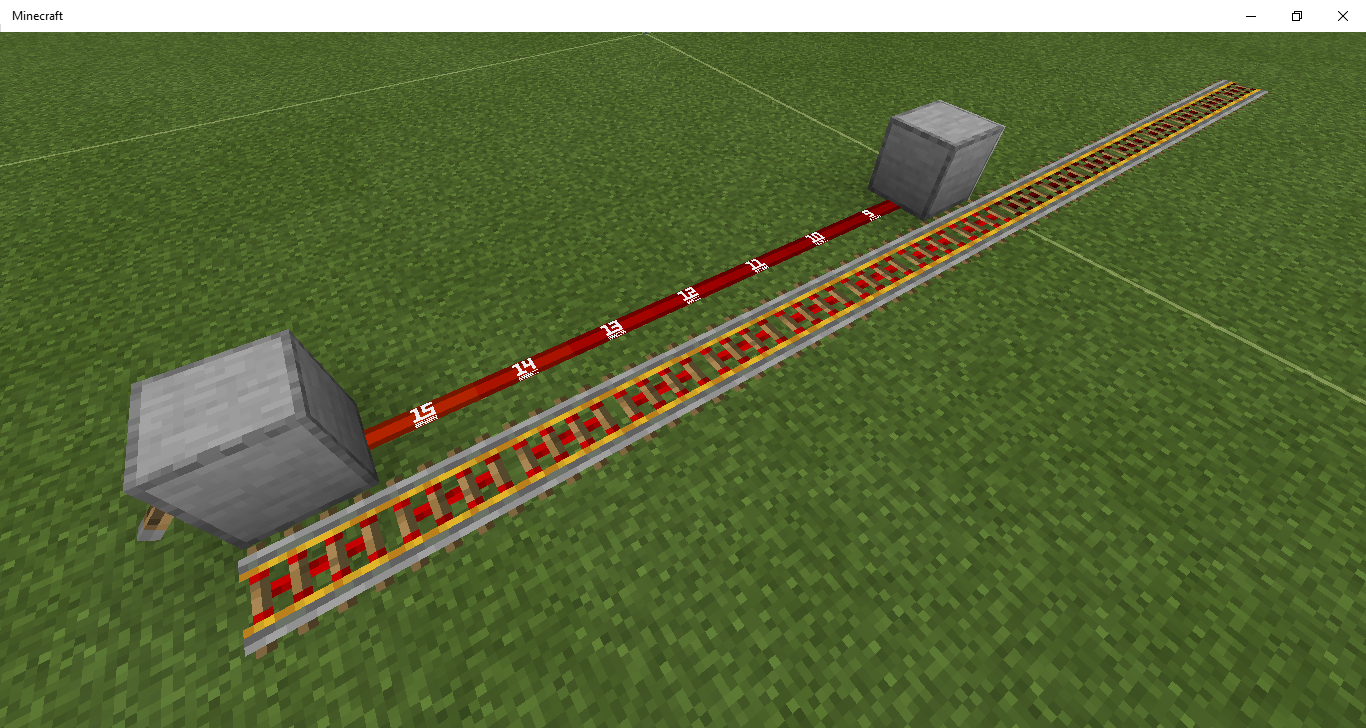
Rails sometimes aren't powered correctly and large sections of rail can be left unpowered.
Rails sometimes aren't powered correctly and large sections of rail can be left unpowered.
Related to
MCPE-81981
Rails sometimes aren't powered correctly and large sections of rail can be left unpowered.
Related to
MCPE-81981I believe this is a problem with the power sources calculating what they're powering, not the rails, as with 2 power sources it works.
Rails sometimes aren't powered correctly and large sections of rail can be left unpowered.
Related to
MCPE-81981I believe this is a problem with the power sources calculating what they're powering, not the rails, as with 2 power sources it works.
Note that this is not related to chunk borders.
Large numbers of scheduled instant updates crash the game. There are multiple ways to reproduce this, however doing /fill is the easiest.
Steps to reproduce:
- do /fill ~~~ ~15 ~15 ~15 flower_pot (or any other block that uses instant updates)
- make sure the fill command doesn't cross a chunk border, since instant updates from commands ignore other chunks
- the game will crash
Explanation:
/fill commands place the blocks first and then processes the updates later.
This means that the instant updates are chained and this chain results in lots of instant updates being scheduled and the game crashing.This is kinda similar to what happens in java.
It can result in lots of unnecessary crashes when using commands and could
potentiallybe used to crash a server inpuresurvivalmode.Large numbers of scheduled instant updates crash the game. There are multiple ways to reproduce this, however doing /fill is the easiest.
Steps to reproduce:
- do /fill ~~~ ~15 ~15 ~15 flower_pot (or any other block that uses instant updates)
- make sure the fill command doesn't cross a chunk border, since instant updates from commands ignore other chunks
- the game will crash
Explanation:
/fill commands place the blocks first and then processes the updates later.
This means that the instant updates are chained and this chain results in lots of instant updates being scheduled and the game crashing.This is kinda similar to what happens in java.
It can result in lots of unnecessary crashes when using commands and could be used to crash a server in survival as well.
Large numbers of scheduled instant updates crash the game. There are multiple ways to reproduce this, however doing /fill is the easiest.
Steps to reproduce:
- do /fill ~~~ ~15 ~15 ~15 flower_pot (or any other block that uses instant updates)
- make sure the fill command doesn't cross a chunk border, since instant updates from commands ignore other chunks
- the game will crash
Explanation:
/fill commands place the blocks first and then processes the updates later.
This means that the instant updates are chained and this chain results in lots of instant updates being scheduled and the game crashing, probably because of a stack overflow error.This is kinda similar to what happens in java.
It can result in lots of unnecessary crashes when using commands and could be used to crash a server in survival as well.
Large numbers of scheduled instant updates crash the game. There are multiple ways to reproduce this, however doing /fill is the easiest.
Steps to reproduce:
- do /fill ~~~ ~15 ~15 ~15 flower_pot (or any other block that uses instant updates)
- make sure the fill command doesn't cross a chunk border, since instant updates from commands ignore other chunks
- the game will crash
Explanation:
/fill commands place the blocks first and then processes the updates later.
This means that the instant updates are chained and this chain results in lots of instant updates being scheduled and the game crashing, probably because of a stack overflow error.This is
kindasimilar to what happens in java.It can result in lots of unnecessary crashes when using commands and could be used to crash a server in survival as well.
Large numbers of scheduled instant updates crash the game. There are multiple ways to reproduce this, however doing /fill is the easiest.
Steps to reproduce:
- do /fill ~~~ ~15 ~15 ~15 flower_pot (or any other block that uses instant updates)
- make sure the fill command doesn't cross a chunk border, since instant updates from commands ignore other chunks
- the game will crash
Explanation:
/fill commands place the blocks first and then processes the updates later.
This means that the instant updates are chained and this chain results in lots of instant updates being scheduled and the game crashing, probably because of a stack overflow error.This is similar to what happens in java.
It can result in lots of unnecessary crashes when using commands and could be used to crash a server in survival as well.
This cannot simply be fixed by making everything use pendingTicks, since that is simply not possible for blocks like doors, beds and portal tiles without adding some dupe glitches or wierd behaviour.
Moving blocks are still always full blocksclient-sidePistons are still broken client-side
The server-side fix for MCPE-62419 does not seems to extend fully to the client-side. Moving blocks are still full blocks client-side and pistons still don't move you properly lots of the time.
Issues:
- When standing on non-full blocks, such as slabs, the game pushes you out when the slab is moved.
- When standing near the edge of blocks and being pushed up, you get pushed out, but entities don't.
- Putting an item on a bottom slab/trapdoor and moving it can cause client-server desyncs and ghost items.
- Slime blocks don't launch players horizontally most of the time. They do server-side, but the client moves you back, causing a temporary desync.
The server-side fix for MCPE-62419 does not seems to extend fully to the client-side. Moving blocks are still full blocks client-side and pistons still don't move you properly lots of the time.
Issues (and how to reproduce):
- When standing on non-full blocks, such as slabs, the game pushes you out when the slab is moved.
- When standing near the edge of blocks and being pushed up, you get pushed out, but entities don't on the server-side.
- Putting an item on a bottom slab/trapdoor and moving it can cause client-server desyncs and ghost items.
- Slime blocks don't launch players horizontally most of the time. They do server-side, but the client moves you back, causing a temporary desync. A combination of ice and pressure plates helps visualise the issue.
You are moved in a less buggy way compared to 1.14.20 for two main reasons:
- Moving blocks now move half a block at a time and move players half a block at a time.
- It functions properly server-side, which affects the client somewhat.
The server-side fix for MCPE-62419 does not seems to extend fully to the client-side. Moving blocks are still full blocks client-side and pistons still don't move you properly lots of the time.
Issues (and how to reproduce):
- When standing on non-full blocks, such as slabs, the game pushes you out when the slab is moved.
- When standing near the edge of blocks and being pushed up, you get pushed out, but entities don't on the server-side.
- Putting an item on a bottom slab/trapdoor and moving it can cause client-server desyncs and ghost items.
- Slime blocks don't launch players horizontally most of the time. They do server-side, but the client moves you back, causing a temporary desync. A combination of ice and pressure plates helps visualise the issue.
You are moved in a less buggy way compared to 1.14.20 for two main reasons:
- Moving blocks now move half a block at a time and move players half a block at a time.
- It functions properly server-side, which affects the client somewhat.
The server-side fix for MCPE-62419 does not seems to extend fully to the client-side. Moving blocks are still full blocks client-side and pistons still don't move you properly lots of the time.
Resulting issues (and how to reproduce):
- When standing on non-full blocks, such as slabs, the game pushes you out when the slab is moved.
- When standing near the edge of blocks and being pushed up, you get pushed out, but entities don't on the server-side.
- Putting an item on a bottom slab/trapdoor and moving it can cause client-server desyncs and ghost items.
- Slime blocks don't launch players horizontally most of the time. They do server-side, but the client moves you back, causing a temporary desync. A combination of ice and pressure plates helps visualise the issue.
You are moved in a less buggy way compared to 1.14.20 for two main reasons:
- Moving blocks now move half a block at a time and move players half a block at a time.
- It functions properly server-side, which affects the client somewhat.
The server-side fix for MCPE-62419 does
not seems to extend fullyto the client-side. Moving blocks are still full blocks client-side and pistons still don't move you properly lots of the time.Resulting issues (and how to reproduce):
- When standing on non-full blocks, such as slabs, the game pushes you out when the slab is moved.
- When standing near the edge of blocks and being pushed up, you get pushed out, but entities don't on the server-side.
- Putting an item on a bottom slab/trapdoor and moving it can cause client-server desyncs and ghost items.
- Slime blocks don't launch players horizontally most of the time. They do server-side, but the client moves you back, causing a temporary desync. A combination of ice and pressure plates helps visualise the issue.
You are moved in a less buggy way compared to 1.14.20 for two main reasons:
- Moving blocks now move half a block at a time and move players half a block at a time.
- It functions properly server-side, which affects the client somewhat.
The server-side fix for MCPE-62419 does extend to the client-side. Moving blocks are still full blocks client-side and pistons still don't move you properly lots of the time.
Resulting issues (and how to reproduce):
- When standing on non-full blocks, such as slabs, the game pushes you out when the slab is moved.
- When standing near the edge of blocks and being pushed up, you get pushed out, but entities don't on the server-side.
- Putting an item on a bottom slab/trapdoor and moving it can cause client-server desyncs and ghost items.
- Slime blocks don't launch players horizontally most of the time. They do server-side, but the client moves you back, causing a temporary desync. A combination of ice and pressure plates helps visualise the issue.
You are moved in a less buggy way compared to 1.14.20 for two main reasons:
- Moving blocks now move half a block at a time and move players half a block at a time.
- It functions properly server-side, which affects the client somewhat.
The server-side fix for MCPE-62419 does extend to the client-side. Moving blocks are still full blocks client-side and pistons still don't move you properly lots of the time.
Resulting issues (and how to reproduce):
- When standing on non-full blocks, such as slabs, the game pushes you out when the slab is moved.
- When standing near the edge of blocks and being pushed up, you get pushed out, but entities don't on the server-side.
- Putting an item on a bottom slab/trapdoor and moving it can cause client-server desyncs and ghost items.
- Slime blocks don't launch players horizontally most of the time. They do server-side, but the client moves you back, causing a temporary desync. A combination of ice and pressure plates helps visualise the issue.
Expected results:
- When standing on a slab and the slab is moved, you should be moved along and not be pushed out.
- When standing near the edge of blocks and being pushed up, you should not be pushed off.
- When putting an item on a bottom slab/trapdoor and moving it it should behave the same client-side as it does server-side.
- Slime blocks should launch you horizontally and it should be the same client-side as server-side.
You are moved in a less buggy way compared to 1.14.20 for two main reasons:
- Moving blocks now move half a block at a time and move players half a block at a time.
- It functions properly server-side, which affects the client somewhat.
The server-side fix for MCPE-62419 does extend to the client-side. Moving blocks are still full blocks client-side and pistons still don't move you properly lots of the time.
Resulting issues (and how to reproduce):
- When standing on non-full blocks, such as slabs, the game pushes you out when the slab is moved.
- When standing near the edge of blocks and being pushed up, you get pushed out, but entities don't on the server-side.
- Putting an item on a bottom slab/trapdoor and moving it can cause client-server desyncs and ghost items.
- Slime blocks don't launch players horizontally most of the time. They do server-side, but the client moves you back, causing a temporary desync. A combination of ice and pressure plates helps visualise the issue.
Expected results:
- When standing on a slab and the slab is moved, you should be moved along and not be pushed out.
- When standing near the edge of blocks and being pushed up, you should not be pushed off.
- When putting an item on a bottom slab/trapdoor and moving it it should behave the same client-side as it does server-side.
- Slime blocks should launch you horizontally and it should be the same client-side as server-side.
You are moved in a less buggy way compared to 1.14.20 for two main reasons:
- Moving blocks now move half a block at a time and move players half a block at a time.
- It functions properly server-side, which affects the client somewhat.
I'll send a test world soon.
The server-side fix for MCPE-62419 does extend to the client-side. Moving blocks are still full blocks client-side and pistons still don't move you properly lots of the time.
Resulting issues (and how to reproduce):
- When standing on non-full blocks, such as slabs, the game pushes you out when the slab is moved.
- When standing near the edge of blocks and being pushed up, you get pushed out, but entities don't on the server-side.
- Putting an item on a bottom slab/trapdoor and moving it can cause client-server desyncs and ghost items.
- Slime blocks don't launch players horizontally most of the time. They do server-side, but the client moves you back, causing a temporary desync. A combination of ice and pressure plates helps visualise the issue.
Expected results:
- When standing on a slab and the slab is moved, you should be moved along and not be pushed out.
- When standing near the edge of blocks and being pushed up, you should not be pushed off.
- When putting an item on a bottom slab/trapdoor and moving it it should behave the same client-side as it does server-side.
- Slime blocks should launch you horizontally and it should be the same client-side as server-side.
You are moved in a less buggy way compared to 1.14.20 for two main reasons:
- Moving blocks now move half a block at a time and move players half a block at a time. The smaller steps makes it harder for the player to glitch out to the side, like in 1.14.20.
- It functions properly server-side, which affects the client somewhat.
I'll send a test world soon.
The server-side fix for MCPE-62419 does extend to the client-side. Moving blocks are still full blocks client-side and pistons still don't move you properly lots of the time.
Resulting issues (and how to reproduce):
- When standing on non-full blocks, such as slabs, the game pushes you out when the slab is moved.
- When standing near the edge of blocks and being pushed up, you get pushed out, but entities don't on the server-side.
- Putting an item on a bottom slab/trapdoor and moving it can cause client-server desyncs and ghost items.
- Slime blocks don't launch players horizontally most of the time. They do server-side, but the client moves you back, causing a temporary desync. A combination of ice and pressure plates helps visualise the issue.
Expected results:
- When standing on a slab and the slab is moved, you should be moved along and not be pushed out.
- When standing near the edge of blocks and being pushed up, you should not be pushed off.
- When putting an item on a bottom slab/trapdoor and moving it it should behave the same client-side as it does server-side.
- Slime blocks should launch you horizontally and it should be the same client-side as server-side.
You are moved in a less buggy way compared to 1.14.20 for two main reasons:
- Moving blocks now move half a block at a time and move players half a block at a time. The smaller steps makes it harder for the player to glitch out to the side, like in 1.14.20.
- It functions properly server-side, which affects the client somewhat.
I'll send a test world soon.
The server-side fix for MCPE-62419 doesn't extend to the client-side. Moving blocks are still full blocks client-side and pistons still don't move you properly lots of the time.
Resulting issues (and how to reproduce):
- When standing on non-full blocks, such as slabs, the game pushes you out when the slab is moved.
- When standing near the edge of blocks and being pushed up, you get pushed out, but entities don't on the server-side.
- Putting an item on a bottom slab/trapdoor and moving it can cause client-server desyncs and ghost items.
- Slime blocks don't launch players horizontally most of the time. They do server-side, but the client moves you back, causing a temporary desync. A combination of ice and pressure plates helps visualise the issue.
Expected results:
- When standing on a slab and the slab is moved, you should be moved along and not be pushed out.
- When standing near the edge of blocks and being pushed up, you should not be pushed off.
- When putting an item on a bottom slab/trapdoor and moving it it should behave the same client-side as it does server-side.
- Slime blocks should launch you horizontally and it should be the same client-side as server-side.
You are moved in a less buggy way compared to 1.14.20 for two main reasons:
- Moving blocks now move half a block at a time and move players half a block at a time. The smaller steps makes it harder for the player to glitch out to the side, like in 1.14.20.
- It functions properly server-side, which affects the client somewhat.
The
server-sidefix for MCPE-62419 doesn't extend to the client-side. Moving blocks are still full blocks client-side and pistons still don't move you properly lots of the time.Resulting issues (and how to reproduce):
- When standing on non-full blocks, such as slabs, the game pushes you out when the slab is moved.
- When standing near the edge of blocks and being pushed up, you get pushed out, but entities don't on the server-side.
- Putting an item on a bottom slab/trapdoor and moving it can cause client-server desyncs and ghost items.
- Slime blocks don't launch players horizontally most of the time. They do server-side, but the client moves you back, causing a temporary desync. A combination of ice and pressure plates helps visualise the issue.
Expected results:
- When standing on a slab and the slab is moved, you should be moved along and not be pushed out.
- When standing near the edge of blocks and being pushed up, you should not be pushed off.
- When putting an item on a bottom slab/trapdoor and moving it it should behave the same client-side as it does server-side.
- Slime blocks should launch you horizontally and it should be the same client-side as server-side.
You are moved in a less buggy way compared to 1.14.20 for two main reasons:
- Moving blocks now move half a block at a time and move players half a block at a time. The smaller steps makes it harder for the player to glitch out to the side, like in 1.14.20.
- It functions properly server-side, which affects the client somewhat.
![[Mojang] Mega_Spud (Jay Wells)](../../../data/avatars/users/92696.png)
77Tigers - In the providxed test world, I noticed that when travelling through the portal, I would sometimes generate in the blocks below - do you know of any reason why that might be the case? Was the portal moved after it was initially created? This might help to reproduce the issue at MCPE-28765.
![[Mod] GoldenHelmet](../../../data/avatars/users/18951.svg)
@77Tigers you can, and should, update the affected versions field yourself on your own tickets.
The behavior shown in 77Tigers’ video from 1.16.20.50 beta looks exactly the same to me as the video I posted on this ticket months ago, before any of the attempted fixes. Also I’m not sure if the comment he made above that about testing client/server desync with pressure plates on top of ice is taking into account that pressure plates have collision boxes as of 1.16 and therefore stop movement across ice. I’m not convinced anything has changed with moving blocks. They worked until 1.14 and I don’t understand the refusal to just go back to what worked.
Aparrantly it takes down windows defender too or something.
Yeah that's intended, isn't it?
This is due to bonemealing grass with a dispenser. It causes a crash.
Related to MCPE-62419
Caused by the fixing of
MCPE-53815Related to / caused by MCPE-62419
May be because you loaded a wither and didn't kill it.
This is most likely because moving blocks are now full blocks, so the slime blocks don't have the opportunity to bounce the player, as the player is on a block.
Related to
MCPE-53815This is definitely intended behaviour and a really cool feature.
It's much more useful for slimestone this way and it would break stuff if it was changed. I'd say lets keep it. You could argue that it's a bug it doesn't conduct redstone on java. Parity isn't always good.
Sounds like a chunk corruption glitch.
I'm pretty sure this has already been reported.
I feel like this should be a feature as it makes with cages actually possible, which is parity with java.
Random update order is intentional for pistons and other tile entities.
This could probably be fixed without impacting the fix for
MCPE-53815by making moving blocks behave similar to scaffolding, where entities can move through it horizontally but can't fall through it. This would prevent players from "bouncing" when moved by honey blocks and stuff but would fix the other issues as entities wouldn't glitch out of the blocks, just like they wouldn't glitch out of scaffolding.This is most likely because of bedrock's ctick/ptick system, where different components are activated in different gameticks. The observer powers certain types of components such as pistons, which then cuts the signal off before it can power repeaters and stuff.
Yeah please keep this.
This is most likely due a lack of testing of the parity change where observers no longer activate when placed.
Can confirm.
Fixing this won't fix 0-tick farms. It will make them slightly more complicated.
This is getting fixed
Most likely because moving blocks are now solid. Related to https://bugs.mojang.com/browse/MCPE-62419
Cannot reporduce
Pistons are transparent and have always been.
My suggestion to make them behave similar to scaffolding would not break vertical slime launchers and elevators. The entity needs to be inside the moving block for them to bounce. I've done lots of testing on this and I believe this is the correct fix. It would fix the problems while still allowing you to stand on flying machines. The moving block is "placed" inside the player and the player would still be able to bounce.
I have a theory as to why observers detect powered redstone dust upon relog.
It might be because the game doesn't save anything redstone related and has to recalculate which blocks are powered and things like that, meaning the dust actually changes state, which the observer then detects. This could probably be fixed by just saving that information when you leave the game.
It should also be noted that this does not occur when chunks are unloaded and reloaded, nor when you leave and rejoin someone else's world. This is part of the reason why I think the saving process is to blame.
Probably because of MCPE-62419
This is because of MCPE-62419
I've uploaded a testing world (1.16 only, I hope that's ok).
I don't think spawning requirements changed.
This is because of the new despawn mechanics. I think it's intended.
If it isn't, then it could probably be fixed by changing the despawn sphere into a cylinder.
This is because the connection is not instant and uses pendingTicks, which take time. This could easily be fixed by making it instant.
It's so funny lol. This should be a feature. It kinda makes sense as well.
I swear I've seen a bug report for this before somewhere.
If that's not the case, it happens when you place an observer in water just after it flowed, or when you push it into other blocks such as coral blocks or turtle eggs.
This happens when you place it there just after the water flows. It also happens when you push it into waterlogged blocks, turtle eggs, coral blocks and a few other stuff. That spot will then be frozen and if you break and replace the observer it will still freeze (note: only for certain blocks and it goes away if you do it a few times).
The reason for this is when you break a turtle egg or something like that, something is still left behind which can freeze observers.
In earlier versions pearls used to be reload proof.
It would be really great if this was fixed. Ender pearl holding chambers are so fun to play around with.
I think the reason for the block update making it work again is because if you place blocks somewhere where a redstone component could theoretically power them (or nearby sometimes), then the game recalculates what that component is powering or could be powering.
Redstone components keep a list of components that they're powering (probably for performance reasons). This list is updated when you place a block nearby that the game thinks it could power.
So the problem lies with the redstone torch powering it, not the dust or the other torch.
Powering the torch doesn't cause it to recalculate this list, only a block update to the torch or an update to something it's powering would cause this.
The reason the torch forgets it's powering something may be because the game doesn't save this information and it has to recalculate this when it's loaded again. The game not saving this information causes a bunch of other issues as well.
I ran into a similar problem with pistons being powered when they shouldn't be as well. Updating their power source caused them all to retract.
Repeater timings haven't changed. There was a change to moving blocks though. That might be what's causing your problem.
The problems with moving blocks are because of MCPE-62419
Your items despawning is because when you die your dead body loads chunks, which as far as I know is intended.
related to
MCPE-48054I think there was a change a while ago to carpets to be used in flying machines and stuff. This may be related to that.
This could be fixed with some small changes such as making pistons finish moving their blocks before other pistons attempt to do so, making pistons faster and more reliable.
I think this is because of the new despawning.
This would make quarries way more viable.
Does this work for other blocks? There's an issue where your hitbox shrinks to 1 block. This may related to it.
Placing blocks quickly is useful. I think it should be slow at first but then get faster.
This requires commands. I don't see a reason for fixing this, it makes sense. You can get the bedrock item using commands anyway.
Can confirm. This happened to me.
I think zombies are surface only. It's a good thing to be honest, rotten flesh is kind of useless.
Possibly related to the fix for block lag. Also, I think this has already been reported.
putting out fire with your hand has been in the game for ages
I've done some more testing and managed to reproduce it in my own world, along with finding out exactly what's causing the bug.
It appears it is not necessary to power the component while it is unloading or anything like that.
The reason it doesn't work for certain setups is because when the chunk next to the power source loads it updates the producer of the redstone signal and it will then recalculate which blocks it is powering. In other setups it doesn't cause the component to recalculate the blocks it's powering when the chunk is loaded, leading to this wierd behaviour.
The reason this bug happens is because the game calculates what components are powering when the chunk is first loaded, even if neighbouring chunks are unloaded. It doesn't realise it can power components in the neighbouring chunks. In certain circumstances, when a neighbouring chunk is loaded, it doesn't update certain components in the chunk next to them, leading to some components not realising that they're powering stuff in that chunk.
I've also attached an image of which setups cause this behaviour and which ones don't. I could supply a demo world if needed.
I would also like to suggest some potential fixes:
What do you expect them to do? Disappear? I think the way it currently is makes sense.
I've added a demo world with easier steps to reproduce this bug (simple demo.mcworld ). You press the button that makes you face the same direction every time in the same spot (so chunk loading is consistent), relog and press the button on the second command block to teleport.
May be related to the fix that allows players to bucket up bubble columns.
I think the problem is that water tries to flow back to the bubble column as it tries to flow to the lowest point.
Also, this cannot be fixed simply by making water stop thinking it can flow through waterlogged blocks/water, as this would most likely break existing behaviour where water tries to flow to the lowest point.
Placing and removing a portal in the exact same location usually works, but only in the exact same location.
I've done some more testing and it seems this can happen to repeaters powering stuff 2 chunks away (just about).
What do you mean by "moves me to the side"? Do you fall off?
MCPE-48054describes a similar issueWater tries to flow to the lowest point. It's been that way for ages. I'm pretty sure this is intentional.
I believe this is a ghost block.
Happens with powered redstone dust too.
This happens when the bed recieves a block update and half of it is in unloaded chunks. The game can't find the other half bed and the bed breaks. You can give it a block update when it's loaded by placing powered redstone dust next to it.
It should also be noted that you can't see it breaking because chunks near fully unloaded chunks aren't rendered.
The same thing can happen to nether portals.
Usually this happens when you place an observer in water while there's a pendingTick scheduled for that water and it's about to flow. Same applies to other blocks like turtle eggs, along with all waterlogged blocks.
There was a change that meant that tridents can collide with mobs a while ago. It might be related to that.
Perhaps they think they can sleep in beds in hard to reach locations.
I think this might happen because the chunk with the tree in is loaded, then the tree is generated while nearby chunks are still unloaded.
This should definitely be kept. You can use ghasts to automatically break basalt because of this, which is otherwise nearly impossible on bedrock edition and you can make fun farms out of this. Catching a ghast and getting it in the right place would be an interesting challenge as well. It's a great alternative to java TNT duping, but way less cheaty and a bunch more fun.
You can also do this by switching to creative mode.
Really annoying when building flying machines.
That's not a bug. It's because of differences in redstone between java and bedrock (the lack of block spitting, along with almost no piston update order)
Redstone dust doesn't change state during certain game ticks, despite powering stuff. This is probably the reason for this.
This is intended. Same as java as well.
No in java this is because of QC. Java pistons are transparent as well.
Can confirm.
Same applies to all blocks. It doesn't get an update when placed.
Can confirm.
I thought that was intended.
push an observer into a waterlogged block
It allows people to crash realms/servers easily and forces you to remove the pendingTicks using a third party program. I'll upload a test world or add some steps or something.
Reminds me of block lag.
I believe this was "fixed" by the change to moving blocks in 1.14.20.
This is because block spitting isn't a thing on bedrock (nor reliable piston update order). Bedrock and java are very different in terms of redstone.
This appears to be block lag but invisible.
It also appears that doing certain inventory actions in the same tick as mining blocks can cause this invisible block lag. The same applies to placing blocks (although it generates ghost blocks instead). These interactions seem to include using pick block, taking items from a chest, transferring items in your inventory and picking up items which then go on to fill an empty slot.
My theory is that when you mine stuff and then pick up the items while still mining, which stops the server from letting you place the block. This also explains why it rarely occurs when placing blocks, since there are no items to pick up. It also explains why it's usually only encountered in survival mode.
l managed to reproduce it in creative in this video (which is too big to upload) using a lag generator to slow the game down, but was also able to reproduce it without slowing the game down (although not as consistently) by rapidly firing items at the player while they were mining blocks in creative mode.
Redstone drops lots of items, which means it's more likely to fill up a new slot in your inventory. Maybe that could explain why it happens more often with redstone ore for you.
Non-players aren't affected as much for some reason, but they are still affected.
Still affects 1.16.0.60
It also hurts attempts at automatic dragon farms.
I can confirm this is fixed. For anyone interested: I think the game now updates any components that could power stuff in unloaded chunks when the chunks are loaded.
I belive this is already being tracked in another bug report, but this appears to be related to the "fix" for block lag, which instead of actually fixing the problem just hid it from the player.
I think it would be preferable if the previous "fix" to block lag was reverted, as it actually made it worse, not better, as well as adding some issues with ghost blocks.
The boat is touching less land though, so it makes sense there's less friction.
I actually use this all the time. Please don't fix it lol.
I believe this affects all tile entities.
I believe repeaters don't use pendingTicks.
Is it across a chunk border by any chance?
Ok I've just tested, and it seems to break all tripwires, even if they're not across a chunk border. This gets fixed when you step on the tripwire hook, even if another mob is already on it.
The tripwire just forgets that there's an entity on the tripwire.
It might be possible to just update the tripwire when it's loaded or something.
Apparently this affects 1.14 as well.
I've never experienced in 1.14. Maybe it got worse in 1.16 or something changed which made it happen more frequently.
If you replace the target blocks with jukeboxes or observers you should be able to test it in 1.14. You could also do a platform of redstone blocks with dust on top (31x31) and update that, which is probably the easiest way.
Is mob spawning off? It needs to be on for them to exit the bee nest I think.
Can confirm. What's even wierder is that you can place items in the chest with a hopper and fill it, preventing the loot from being generated. I actually came across this in the end.
An explanation for such a big change would be nice, considering how much of an impact it will have.
The latest beta fix is reall good and fixes a bunch of stuff, but it appears slime blocks bouncing players upwards still doesn't work.
It seems players still think they're solid, for certain blocks.
One farm this really would impact is endermen farms. They have to fall 43 blocks to die. I'll see if I can find a test world.
This issue didn't happen for me for some reason when I made a redstone clock in the chunk with a piston attached.
(and no, I didn't move the portal, I've encountered that issue as well though)
Ok I've just tested and the client still thinks all moving blocks are solid. Server-side it appears to match the hitbox.
I've attached a test world (Moving blocks [1.16.0.63].mcworld ) of things that don't work correctly.
Really great fix btw.
I've attached a test world.
Other entities are handled server-side. That's probably why. Once it's fixed client-side the same should apply to players.
You can place pretty much place any block in vines and the vine will be replaced by that block. I don't see why this shouldn't apply to cocoa beans.
I would just like to add that this also happens when you teleport between 2 distant locations, so the dimension thing seems unlikely.
I noticed something odd. After going through a portal and then instantly breaking that portal, the game generated another portal elsewhere and then sent me through it.
(I did this while this bug was happening)
Might be ghost blocks?
This is actually useful for pumpkin farms as pumpkin stems can still produce a pumpkin if they're not connected to a pumpkin (same for melons)
Can confirm.
This seems to happen when the block underneath sand is moved downwards or to the side and when that block has a surface at the top (touching the sand).
Fixed server-side in 1.16.0.63!
It seems that sometimes when bounced the client can end up in a different location server-side, but they teleport back soon afterwards.
They should not connect to closed trapdoors though.
WAI. Dispensers conduct redstone.
This is not the fault of repeaters. This is because when you flick a lever, the next gt is one in which power sources are processed. However when you power it using a repeater the next gt is one in which pistons and other components are processed.
This is a fundemental problem with how redstone works and definietly not the fault of the repeater.
Same happens when pushing it into a waterlogged block, a turtle egg and many other things. The same thing happens when you mine such a block and then place an observer there.
In my opinion this isn't a bug. The observer shouldn't power certain components because it's retracted before it has the chance. Fixing this would fundementally change how redstone works and probably break an incredible amount of stuff.
Parity issues since 1.14 can now be tracked on the bug tracker. This is a bug. Also the wiki doesn't show intended mechanics. It merely states what happens (and is often incorrect).
This is because it is powered and unpowered before it has a chance to power the repeaters. I don't see how this is a bug. The only problem might be that visually it doesn't show.
Duplicate of MCPE-62419
no, it happens anywhere in the world.
wierd server-side movement.mp4
There seems to be a small problem with how entities are handled server-side, sometimes leading to them only being dragged along half a block.
I assumed this affected 1.14.60, because 1.14.60 was affected by a similar issue, but perhaps not.
EDIT: just asked someone to test and it does in fact affect 1.14.60
The lever has to be on the side of the block btw. It may well be directional. There's no special process I used to set it up.
That is really wierd. It looks like direct contact with the lever from the rails stops this issue from occuring.
Because the issue only occurs when powering a block from the side (as far as I know), I linked it to
MCPE-81981. There are other issues with powering blocks from the side.I would also like to point out that rails are powered slightly differently than usual, because of the fact that you can power multiple rails at once.
I think I see what happened there now. If you power any of the unpowered rails with that same power source then it will still work. Placing a rail there results in one more rail becoming unpowered and powered by the redstone line instead, as seen in this video
I've uploaded a test world (1.16.0.66, sorry if that causes any inconvenience) which has a resource pack attached to show signal strength, as well as some examples of this bug in action.
The dupe glitch using moveable tile entities was apparently fixed in 1.16 for BE, so it's definitely possible to have moveable tile entities without having a dupe glitch.
Have you tried doing it in different directions? If it is fixed, that would be great.
EDIT: can reproduce in 1.16.0.67
Can reproduce in 1.16.0.67
Just updated my test world so it's 1.14 now.
An alternative could be to make moving blocks have a 100% drop rate (with blocks like moving netherrite blocks being indestrucible). Tile entities already have a 100% drop rate, so this change won't be hard to implement.
You can get this to happen more reliably by having powered redstone dust next to a portal that crosses a chunk border. You then load it from the side the redstone dust is on. It gives a block update upon server restarts which updates the portal and breaks it, because the other half is unloaded.
Part of the issue is that portals can be updated from the side. If you stop this behaviour, this bug should stop happening.
Similar issues with redstone torches and signs were fixed in the exact same way. Those blocks only process block updates from certain directions. (sidenote: grindstones can be updated from all sides, maybe fix that too)
However, this is all part of a much bigger issue where instant updates can happen to blocks even if the survival of those blocks depends on things in unloaded chunks. Fixing that may be a good idea.
Also, this affects the 1.16 betas last time I checked.
No, you need to drop a certain amount.
Why is this a feature? You're duping it just by mining it.
Moving blocks haven't been fixed client-side in the latest beta (1.16.20.50). Slime blocks still launch players to the side if they're standing near the edge (however this is less noticable). They still have a collision box of a full block.
Something did change however. Moving blocks now launch the player as soon as they start moving, instead of as soon as they finish moving. This is nice, but moving blocks are still kinda buggy client-side, which is arguably the most noticable.
Examples of problems that still exist:
Really looking forward to this being properly fixed once and for all.
Ok it seems like slime blocks no longer launch players in certain circumstances as seen in this video <removed due to auto play>
It appears that it won't launch them when they're more than 0.5 blocks above it when it starts pushing. I assume that slime blocks no longer launch players once they're finished moving (probably as a direct result of the fix in 1.16.20.50).
Mojang, if you are planning on removing this, don't. Instead, make the tridents take damage from being used in trident killers. That way people have to make a drowned farm or kill drowneds if they want to use a trident killer, which is way more interesting.
Also, it appears moving slime blocks are bouncy now, which is great.
still affects 1.16.20.50
The piston cuts off the redstone signal before the game can display it.
I'm 100% sure that there were changes. I slowed down the game using a lag machine and in 1.16.0 it launched the player when the slime block finished moving (but not when it started moving), plus the moving slime block wasn't bouncy and you could take fall damage. In 1.16.20.50 the opposite is true. This means players are now bounced 100% of the time (upwards only though).
Slime blocks should definitely still bounce you when they finish moving.
The desync thing does take into account the hitbox of pressure plates. The player slides on top of them. Client-side you move only 1 block, so something is definitely wrong. And pressure plates activating when you're far from them is definitely not normal.
Also, moving blocks will be way better once the bug is fixed client-side. Here are some reasons why they will be better once it's fixed client-side:
Probably because of the new despawning. There are way more mobs than usual because of it.
This is partly fixed in 1.16.20. It's still a little buggy though.
Something similar applies to honey blocks. Their top surface is slightly higher up so that mobs can pathfind on them.
Note: this doesn't happen when using something like buttons, since they break using pending ticks and you don't get the chained instant updates, meaning that this is definitely not related to lag.
Also, last time I checked, blocks were updated in the following order from instant updates:
x- x+ z+ z- y+ y-
This might be useful while testing stuff.
Not properly fixed.
I've added a test world demonstrating these issues.
ok
Having a bit of trouble uploading the world. I'll try again later. Hopefully the issue will go away.
You did it so fast that the gravel couldn't fall.
(note: different types of components are powered in alternating gameticks, it may be useful to know to understand why it happens)
This seems hard to fix without major changes to redstone.
The issue isn't with the repeater. The issue is that when a world change happens, the components activated in that tick (often called consumers) aren't instantly powered/depowered.
You can either:
The first two would break most redstone builds. The third wouldn't, but doesn't really fix the bug fully.
May I suggest that this is marked as "Won't fix"?
Turns out minecraft didn't export the world properly.
Uploaded an example world. It uses a flushing mob farm that's partially outside simulation distance instead, but it just shows how easy it is for farms to accidentally create a build-up of pending ticks.
You may need to afk for a bit.
This is because of random piston update order. The piston trying to pull the slime back is blocked from doing so because the other piston is still extended (50% of the time). Remove the lower piston and it should work. Random piston update order is WAI, so I suspect this may be WAI too.