 Hawk J
- bugsbunny
- bugsbunny
- Europe/London
- Yes
- No
 MC-529
 MCL-1503


Test world
fall damage in 1-deep water bug.zip
Profile option "close launcher when game starts" has noteffect
I believe the default setting for profiles is to "close launcher when game starts". I have also tried setting that option explicitly by putting a checkmark next to the "Launcher Visibility:" option and selecting "Close launcher when game starts" from the dropdown list, to no avail.
What happens:
I click the big "Play" button and Minecraft opens and takes the foreground. Everything is fine except for the fact that the launcher is still there, including window and dock icon. My active profile, however, says "close launcher when game starts".
What I expected to happen:
The moment that Minecraft starts, the launcher window disappears and the dock icon (grass block) disappears.
It is confusing that this doesn't work because when I use the application switcher to go between playing Minecraft and doing something else, I tend to switch to the launcher because it has the same icon that Minecraft used to have (which should be changed back IMO!).
Thank you.
I believe the default setting for profiles is to "close launcher when game starts". I have also tried setting that option explicitly by putting a checkmark next to the "Launcher Visibility:" option and selecting "Close launcher when game starts" from the dropdown list, to no avail.
What happens:
I click the big "Play" button and Minecraft opens and takes the foreground. Everything is fine except for the fact that the launcher is still there, including window and dock icon. My active profile, however, says "close launcher when game starts".
What I expected to happen:
The moment that Minecraft starts, the launcher window disappears and the dock icon (grass block) disappears.
It is confusing that this doesn't work because when I use the application switcher to go between playing Minecraft and doing something else, I tend to switch to the launcher because it has the same icon that Minecraft used to have (which should be changed back IMO!).
Thank you.
Updated description
Original description
This is some voodoo sh*t (pardon my French). I've been working on a contraption that's supposed to imitate the way an airlock works (draining & flooding a small chamber with water). Everything works great but I noticed a veeerry strange glitch that, while rather harmless at the moment, might cause problems in the future.
The best way to explain it is by showing you, so I've attached a GIF animation demonstrating the process.
The gist of it: I plop an item into the mechanism, it does its thing, meanwhile I switch to another hotbar slot (only tested slot #2 so far - I'll test more extensively later). Eventually I get the item back from a dropper and I step out of the contraption. Then I open the inventory and put the item into slot #2 since it automatically went into the (empty) slot #1 when it was returned. So now I'm holding the item in slot #2. Now I can wait as long as I want but the moment I press a button the item vanishes from the game. (any button, and probably any redstone device, although I haven't tested extensively yet - I thought it'd be better to draw attention to this bug as early as possible and progressively work on reducing it to its essential components since it might take me a long time with a contraption this big)
In case you're wondering: I'm not using ANY command blocks or exploiting any glitches here. Just straight-up survival-friendly design!
Of course, I attached the world save to this ticket so anyone can test it and see if they can reproduce it. Just follow the process shown in the GIF (for now and as I begin to pin-point the bug I'll upload simpler and simpler versions) and remember that this does only happen in creative mode and not in survival mode (as far as I can tell).
I did some searching for similar tickets and found
MC-341andMC-2912, however, I don't think they are necessarily the same bug sinceMC-341involves spamming keys and bothMC-341andMC-2912involve swapping items in the hotbar without any prior setup as in this case and I've never noticed any problems swapping items outside of this particular occasion.
Updated description
So I've been trying to simply the requirements for reproducing the bug. It turns out it's not so obscure after all and indeed has nothing to do with my contraption/world.
Steps to reproduce:
- Be in creative mode and put a stack of 1-64 of any item in your hotbar (any slot).
- Do both of these steps in any order:
- Switch to a different hotbar slot except 3 or 7. (It must be the same slot as below).
- Open your inventory screen ("E") and, using the number keys, move the item(s) to a different hotbar slot except 3 or 7. (It must be the same slot as above). Then close the inventory screen.
- Do one of the following:
- Interact with any block (e.g. button, lever, door, note block, brewing stand, comparator, etc). The item(s) will immediately vanish.
- Try to place the item if it's a block (the block will briefly appear in the world and then be removed along with the item(s) in your hotbar).
- Try to drink/throw the item if it's a potion or bucket of milk (you will not get the effect/no potions will be thrown and buckets of milk will not remove potion effects).
- If the item is a bow and you try to shoot an arrow with it, you may be able to draw but no arrow will be shot. Sometimes the bow just vanishes immediately.
- If the item(s) is a spawn egg or minecart, you will not be able to spawn a mob or place a minecart.
In summary, it's as if the item(s) in your hotbar didn't even exist.
For some odd reasion, the bug doesn't seem happen with the 3rd and 7th hotbar slots.
I've attached another GIF animation demonstrating the simplified process.
Original description
This is some voodoo sh*t (pardon my French). I've been working on a contraption that's supposed to imitate the way an airlock works (draining & flooding a small chamber with water). Everything works great but I noticed a veeerry strange glitch that, while rather harmless at the moment, might cause problems in the future.
The best way to explain it is by showing you, so I've attached a GIF animation demonstrating the process.
The gist of it: I plop an item into the mechanism, it does its thing, meanwhile I switch to another hotbar slot (only tested slot #2 so far - I'll test more extensively later). Eventually I get the item back from a dropper and I step out of the contraption. Then I open the inventory and put the item into slot #2 since it automatically went into the (empty) slot #1 when it was returned. So now I'm holding the item in slot #2. Now I can wait as long as I want but the moment I press a button the item vanishes from the game. (any button, and probably any redstone device, although I haven't tested extensively yet - I thought it'd be better to draw attention to this bug as early as possible and progressively work on reducing it to its essential components since it might take me a long time with a contraption this big)
In case you're wondering: I'm not using ANY command blocks or exploiting any glitches here. Just straight-up survival-friendly design!
Of course, I attached the world save to this ticket so anyone can test it and see if they can reproduce it. Just follow the process shown in the GIF (for now and as I begin to pin-point the bug I'll upload simpler and simpler versions) and remember that this does only happen in creative mode and not in survival mode (as far as I can tell).
I did some searching for similar tickets and found
MC-341andMC-2912, however, I don't think they are necessarily the same bug sinceMC-341involves spamming keys and bothMC-341andMC-2912involve swapping items in the hotbar without any prior setup as in this case and I've never noticed any problems swapping items outside of this particular occasion.
Mac OS X 10.6.8
Java SE Runtime Environment 1.6.0_65-b14-462-10M4609AMD Radeon HD 6770M


I just launched Minecraft after a month of absence, got on my horse and rode to one of my other bases that's far away. When I got there, I noticed that one of the five horses I keep there has iron armor and a saddle on it.
Now, I only ever use one horse, my main horse, because that's the fastest and can jump high. I chose that one because it was clearly better than the other five horses. I tamed all of these horses several months ago when I previous horse died. I keep all of the other five horses tied to fences at this one of my bases, without saddles or armor.
So, I definitely just received a free iron horse armor item (which I'm not complaining about), and a horse that has the same good attributes as my main horse (the amount of health is the same and the maximum jump height and riding speed seem to be the same, too). However, this glitch concerns me because it could probably happen again with not-so-convenient results.
I'd also like to remind Mojang that
MC-23320is still unresolved and this glitch may be related to it.I just launched Minecraft after a month of absence, got on my horse and rode to one of my other bases that's far away. When I got there, I noticed that one of the five horses I keep there has iron armor and a saddle on it.
Now, I only ever use one horse, my main horse, because that's the fastest and can jump high. I chose that one because it was clearly better than the other five horses. I tamed all of these horses several months ago when I previous horse died. I keep all of the other five horses tied to fences at this one of my bases, without saddles or armor.
So, I definitely just received a free iron horse armor item (which I'm not complaining about), and a horse that has the same good attributes as my main horse (the amount of health is the same and the maximum jump height and riding speed seem to be the same, too [edit: I forgot to mention, they also have the same color and pattern]). However, this glitch concerns me because it could probably happen again with not-so-convenient results.
I'd also like to remind Mojang that
MC-23320is still unresolved and this glitch may be related to it.
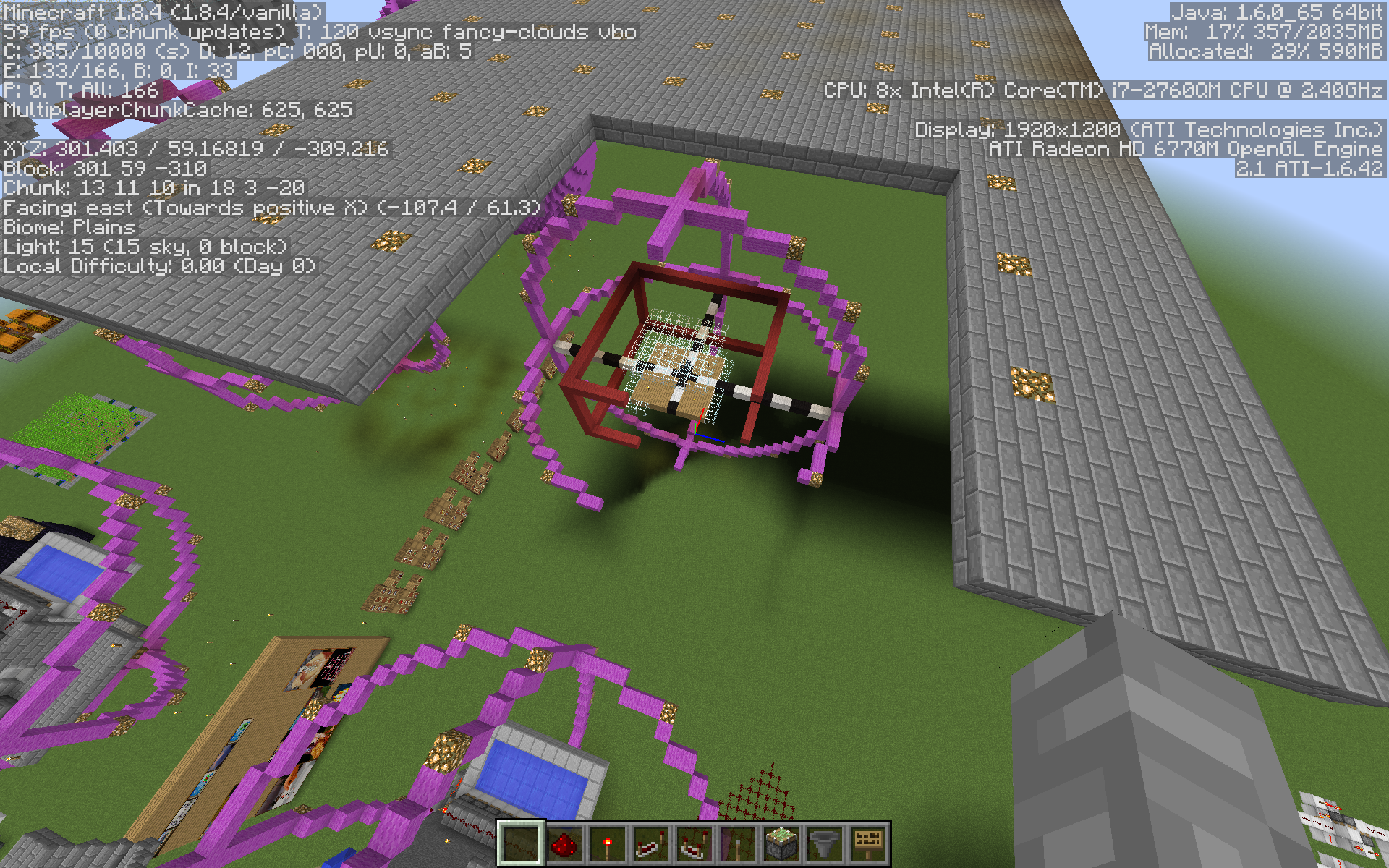

Java 6
OS X10.6.8Mac OS X 10.6.8
Java SE Runtime Environment 1.6.0_65-b14-462-10M4609
(Java 1.6.0_65 64bit)
I was fighting Zombie Pigmen in the nether and after a few minutes it became very laggy. The Zombie Pigmen started moving very slowly, "jumping" ahead a few inches every second or so.
Then I left the nether, quit Minecraft and relaunched it, opened my world again and entered the nether and the lag was not gone. I looked at a group of Zombie Pigment in the distance and thought that they were no longer angry at me, so I carefully approached them. They became aggressive and suddenly they were beating me up and I almost died if not for a potion of regeneration I had on me.
In the game output log there are many messages like this:
[Server thread/WARN]
: Can't keep up! Did the system time change, or is the server overloaded? Running 51316msbehind, skipping 1026 tick(s)I hope this gets fixed soon because I don't want to lose my 2-year-old hardcore world to a stupid bug!
I was fighting Zombie Pigmen in the nether and after a few minutes it became very laggy. The Zombie Pigmen started moving very slowly, "jumping" ahead a few inches every second or so.
Then I left the nether, quit Minecraft and relaunched it, opened my world again and entered the nether and the lag was not gone. I looked at a group of Zombie Pigment in the distance and thought that they were no longer angry at me, so I carefully approached them. They became aggressive and suddenly they were beating me up and I almost died if not for a potion of regeneration I had on me.
In the game output log there are many messages like this:
[Server thread/WARN]: Can't keep up! Did the system time change, or is the server overloaded? Running 51316ms behind, skipping 1026 tick(s)I should also note that breaking blocks, picking up items and opening doors was noticeably delayed after restarting Minecraft.
I thought this might be the same bug as
MC-17630but I was not in any unreachable location after I had restarted Minecraft. (though I previously was, when I was fighting the pigmen in the beginning)I hope this gets fixed soon because I don't want to lose my 2-year-old hardcore world to a stupid bug!

I have had an armor stand in a corner of my base for months and today I noticed that it has somehow moved one block to the side.
This is in a strictly singleplayer world and no mobs, explosions, etc have occurred in the armor stand's
proximity.I have had an armor stand in a corner of my base for months and today I noticed that it has somehow moved one block to the side.
This is in a strictly singleplayer world and no mobs, explosions, etc have occurred in the armor stand's vicinity.
I have had an armor stand in a corner of my base for months and today I noticed that it has somehow moved one block to the side.
This is in a strictly singleplayer world and no mobs, explosions, etc have occurred in the armor stand's vicinity.
I have had an armor stand in a corner of my base for months and today I noticed that it has somehow moved one block to the side.
This is in a strictly singleplayer world and no mobs, explosions, etc have occurred in the armor stand's vicinity.

I died in a hardcore world, quickly deleted it (manually, because the "Delete world" button doesn't work) and went to create a new world. Then I saw that the normal background image was replaced by the death cam of my previous world. Also, pressing ESC on the world selection menu would show me the death screen of th
atworld. I could repeat this process over and over again, so I recorded a video which is attached to this report.I died in a hardcore world, quickly deleted it (manually, because the "Delete world" button doesn't work) and went to create a new world. Then I saw that the normal background image was replaced by the death cam of my previous world. Also, pressing ESC on the world selection menu would show me the death screen of the deleted world. During this whole time I could hear sounds playing from the deleted world. I could repeat this process over and over again, so I recorded a video which is attached to this report.

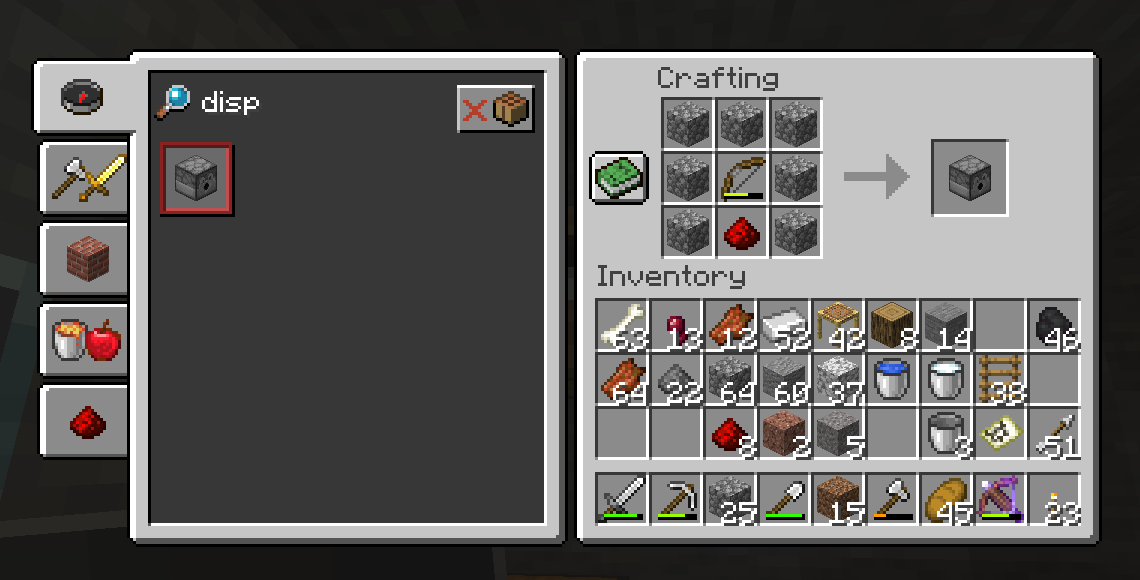
The crafting table recipe book shows recipes that are only available in furnaces or stonecutters.
Clicking on the recipe puts items from your inventory into the crafting grid, even though this is nonsense, and can actually result in a different product (e.g. stone --> button).The recipes are shown as "craftable".
The crafting table recipe book shows recipes that are only available in furnaces or stonecutters.
The recipes are shown as "craftable" if you have the ingredients in your inventory.
Clicking on the recipe puts items from your inventory into the crafting grid, even though this is nonsense, and can actually result in a different product (e.g. stone --> button).
Recipe book for crafting table showsallrecipesRecipe book for crafting table shows non-relevant recipes


I have three stacks of illager banners that won't combine with each other, like this:
- 1
x Illager Banner- 2x Illager Banner
- 4x Illager Banner
Each stack shows the following tooltip:
Cyan Lozenge, Light Gray Base, Gray Pale, Light Gray Bordure, Black Fess, Light Gray Per Fess, minecraft:white_banner, NBT: 2 tag(s)
Even though they all appear to be identical, I cannot pick up one stack and combine it with the others.
My theory is that something in the NBT tags is different so they won't stack, but what could it be? I'm not 100% sure, but it seems that with every update to a newer snapshot, newly acquired illager banners won't stack with older ones?
This is basically the same report as
MCPE-58748but for Java Edition since I couldn't find one.Bees just disappear extremely quickly. I had one bee to begin with, which disappeared after a couple game days. Later I got a bee nest with 3 bees from an oak tree near my base. I bred two of them (for a total of 3 adult bees and 1 baby bee) and soon thereafter two of them seemed to have already disappeared again. So I bred the remaining two bees (for a total of 2 adult bees and 1 baby bee) and went off to do other duties. When I came back it seemed I had lost two bees again (yes, I checked the hives by standing next to them for a minute to listen for any sounds, and there were none).
A while later I was out harvesting my wheat and I spotted an adult bee and a baby bee flying together (see below for screenshot). It seemed pretty far away from the hives, but I thought (hoped) that they were doing their thing and they would return to their hive later.
After returning from a caving adventure I checked the hives and they were still not ready to harvest (the last time I harvested them was a long time ago). I went looking around for the bees and couldn't find a single one. I waited a while (several game days) and the hives still look abandoned. No bees to be seen anywhere. So it's safe to say my last two bees vanished as well.
A quick reddit search shows that I'm not the only one who's had this problem - there are complaints of disappearing bees from as far back as 7 months ago and as recent as 2 days ago.
I read a couple dozen of those posts and the theme seems to be that bees are happily suiciding on water, fire, cacti. I have not witnessed this happening with my bees but it seems plausible since I do have a natural waterfall near my base (around which I've arranged my crops), and an elevated campfire (for making it easier to spot my base from a distance).
There were also one or two comments saying that bees may randomly fly up and up without stopping, or otherwise randomly abandon their beehive/nest-based "neighborhood". Another commenter suggested that bees may also be entering solid blocks and suffocating inside, which has been a long-standing issue with animals that I know very well (although haven't observed recently).
Another type of comment suggested that maybe the bees could be attacking me and dying that way without me noticing. I can assure you that the few times I harvested honey from the hives I was very careful, attentive, and made sure that no bees were in or near the hives, and I would have surely noticed a bee stinging me. This hypothesis can be ruled out.
I'm making this report because I was actually pretty disappointed to lose all my bees, because I enjoyed this new feature surprisingly much, I was looking forward to having bees flying around outside my base and pollinating my crops, listening to the cute buzzing sounds they make when I'm harvesting... but it seems I can't have that. Apparently the only way to maintain a bee culture is to have them completely enclosed in a sanitized space. I'm not completely against that, I just don't have the materials or the motivation to build something like that right now.
I think that open-air bee farms should be viable. I think it's something to be expected by many players. Why not?
I remember that you have fixed suiciding behavior with other animals before.
So please, fix this (whatever the actual cause is - suiciding or wandering off). It shouldn't be hard for you to diagnose. I have attached a screenshot of my base. It's nothing unusual. Just a pretty natural environment. I've got chickens and sheep too - they're fine.
The two beehives are next to the base entrance, near the top of the stone brick staircase.
The place where I last saw that adult & baby bee is a bit left of the waterfall - which is well past 20 blocks away from the hives (20 blocks is supposed to be the maximum wander distance according to this 20w12a snapshot summary video I watched recently).
The seed is: 4500432789051034519
(The world origin is very close to where my base is. Just look for the waterfall.)
World type: AMPLIFIED
All other options are default.
No mods.

This is basically the same report as
MCPE-58748but for Java Edition since I couldn't find one.Bees just disappear extremely quickly. I had one bee to begin with, which disappeared after a couple game days. Later I got a bee nest with 3 bees from an oak tree near my base. I bred two of them (for a total of 3 adult bees and 1 baby bee) and soon thereafter two of them seemed to have already disappeared again. So I bred the remaining two bees (for a total of 2 adult bees and 1 baby bee) and went off to do other duties. When I came back it seemed I had lost two bees again (yes, I checked the hives by standing next to them for a minute to listen for any sounds, and there were none).
A while later I was out harvesting my wheat and I spotted an adult bee and a baby bee flying together (see below for screenshot). It seemed pretty far away from the hives, but I thought (hoped) that they were doing their thing and they would return to their hive later.
After returning from a caving adventure I checked the hives and they were still not ready to harvest (the last time I harvested them was a long time ago). I went looking around for the bees and couldn't find a single one. I waited a while (several game days) and the hives still look abandoned. No bees to be seen anywhere. So it's safe to say my last two bees vanished as well.
A quick reddit search shows that I'm not the only one who's had this problem - there are complaints of disappearing bees from as far back as 7 months ago and as recent as 2 days ago.
I read a couple dozen of those posts and the theme seems to be that bees are happily suiciding on water, fire, cacti. I have not witnessed this happening with my bees but it seems plausible since I do have a natural waterfall near my base (around which I've arranged my crops), and an elevated campfire (for making it easier to spot my base from a distance).
There were also one or two comments saying that bees may randomly fly up and up without stopping, or otherwise randomly abandon their beehive/nest-based "neighborhood". Another commenter suggested that bees may also be entering solid blocks and suffocating inside, which has been a long-standing issue with animals that I know very well (although haven't observed recently).
Another type of comment suggested that maybe the bees could be attacking me and dying that way without me noticing. I can assure you that the few times I harvested honey from the hives I was very careful, attentive, and made sure that no bees were in or near the hives, and I would have surely noticed a bee stinging me. This hypothesis can be ruled out.
I'm making this report because I was actually pretty disappointed to lose all my bees, because I enjoyed this new feature surprisingly much, I was looking forward to having bees flying around outside my base and pollinating my crops, listening to the cute buzzing sounds they make when I'm harvesting... but it seems I can't have that. Apparently the only way to maintain a bee culture is to have them completely enclosed in a sanitized space. I'm not completely against that, I just don't have the materials or the motivation to build something like that right now.
I think that open-air bee farms should be viable. I think it's something to be expected by many players. Why not?
I remember that you have fixed suiciding behavior with other animals before.
So please, fix this (whatever the actual cause is - suiciding or wandering off). Make their AI smarter, or lock down their wandering. It shouldn't be hard for you to diagnose. I have attached a screenshot of my base. It's nothing unusual. Just a pretty natural environment. I've got chickens and sheep too - they're fine.
The two beehives are next to the base entrance, near the top of the stone brick staircase.
The place where I last saw that adult & baby bee is a bit left of the waterfall - which is well past 20 blocks away from the hives (20 blocks is supposed to be the maximum wander distance according to this 20w12a snapshot summary video I watched recently).
The seed is: 4500432789051034519
(The world origin is very close to where my base is. Just look for the waterfall.)
World type: AMPLIFIED
All other options are default.
No mods.
Twisting vines appear to be completely absent from my world.
I've been searching for 20+ minutes. This is a pretty extensive warped forest biome and it looks nothing like what you see in
[this YouTube video|https://www.youtube.com/watch?v=nxNBKdKn-Ew&t=2m24s.](two-and-a-half minute mark)Here's what I see:
I've got no mods or any weird settings - just AMPLIFIED biomes enabled. This world was generated entirely yesterday and today (in snapshot version 20w13a/b).
Seed: 4500432789051034519
(Just enter the nether where you spawn in the overworld.)
Twisting vines appear to be completely absent from my world.
I've been searching for 20+ minutes. This is a pretty extensive warped forest biome and it looks nothing like what you see in this YouTube video for example. (two-and-a-half minute mark)
Here's what I see:
I've got no mods or any weird settings - just AMPLIFIED biomes enabled. This world was generated entirely yesterday and today (in snapshot version 20w13a/b).
Seed: 4500432789051034519
(Just enter the nether where you spawn in the overworld.)

Put a hoe in the offhand slot and seeds in the main hand. You're unable to till grass blocks.
This is unexpected because the opposite works smoothly: put seeds in the offhand and hoe in the main hand --> you can till the block and then plant seeds.
It ought to work the other way around too. Essentially, "if main hand item cannot be used, try the offhand item". Seeds cannot be used on grass blocks, so it should fall back to using the hoe - but it doesn't for some reason.
The reason this is important is because seeds don't automatically get put in the offhand slot when picking them up. Therefore it would be more convenient to hold the hoe in the offhand slot and pick up seeds in the hotbar, especially when farming a variety of different crops.
Put a hoe in the offhand slot and seeds in the main hand. You're unable to till grass blocks.
This is unexpected because the opposite works smoothly: put seeds in the offhand and hoe in the main hand --> you can till the block and then plant seeds.
It ought to work the other way around too. Essentially, the logic should be "if main hand item cannot be used, try the offhand item". Seeds cannot be used on grass blocks, so it should fall back to using the hoe - but it doesn't for some reason.
The reason this is important is because seeds don't automatically get put in the offhand slot when picking them up. Therefore it would be more convenient to hold the hoe in the offhand slot and pick up seeds in the hotbar, especially when farming a variety of different crops.


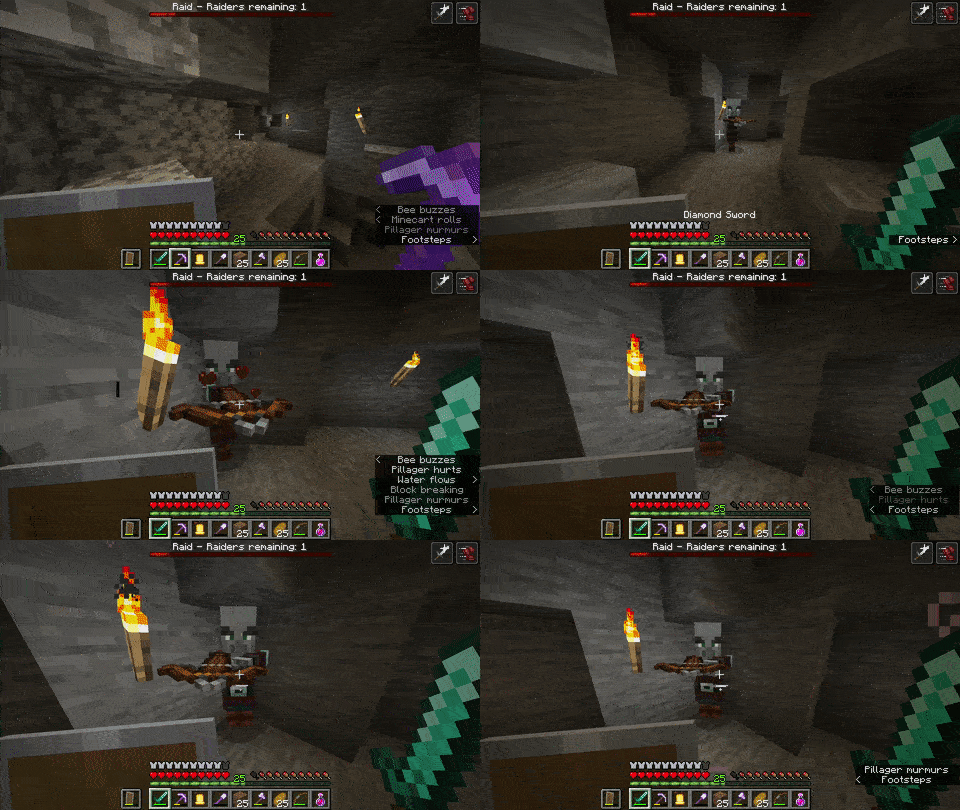
If you remove an item frame that was placed on a ceiling, the item flies upward and you have to fetch it from wherever the next-highest empty space
^✝^ it.✝ For example, 50 blocks above you if you built your base at the bottom of a huge (AMPLIFIED) cliff!
The expected behavior is that the item would fall down to be easily picked up again, like with buttons or vines that were placed on the underside/bottom of blocks.
If you remove an item frame that was placed on a ceiling, the item flies upward and you have to fetch it from wherever the next-highest empty space ✝ is.
✝ For example, 50 blocks above you if you built your base at the bottom of a huge (AMPLIFIED) cliff!
The expected behavior is that the item would fall down to be easily picked up again, like with buttons or vines that were placed on the underside/bottom of blocks.


@Hawk J: For what players do you want to stop the background music ? For all players, even those thousands of blocks away from the jukebox ? For those 32 blocks around the jukebox which may can hear a faint sound of the jukebox ?
Same for noteblocks ?

![[Mod] Neko](../../../data/avatars/users/92901.png)
It always worked in fullscreen by the way.
This is normal behavior. The torch is powering (weakly, but nonetheless) the block next to it and above the piston, causing the piston to respond to the torch's power state.
I made a test world for a similar (same?) bug for
MC-529What Oscar said.
Tip: Hold shift when you right-click to avoid interacting with objects like crafting tables and cakes.
Unplayable in hardcore. Happens to me in 13w05a – 13w07a.
My framerate with smooth lighting ON is 40+ but it stutters and feels like ~15 FPS.
In 1.4.7 my framerate with the same settings is 50–60 and feels very smooth.
I tested the latest snapshot (13w09b) and the problem seems to have gotten better. I get 80-120 FPS (depending on chunk loading activity) and the game feels smooth. However, as soon as I start a simple 1-tick clock (2 repeaters and four redstone dust) the framerate drops by 20 and it gets very stuttery as before. Turning smooth lighting off makes everything feel fluid again. The new "minimum" option doesn't make a noticeable difference from "maximum", it stutters just as much. All other settings are set to max (Fancy graphics, Far render dist., Max FPS performance, Adv. OpenGL: OFF, VSync: OFF). My comp: 17" MacBook Pro from late 2011 (2.4GHz i7, 8GB RAM, 1GB AMD Radeon HD 6770M, OS X 10.6.8 (64 bit), Java SE 6 1.6.0_41-b02-445)
@Ville Selkämaa: That experiment never made it into a snapshot, and should be long gone by now anyway.
@John Macknight There might be technical improvements in the code that the devs could benefit from in the future, but it shouldn't come at such a steep cost to the players for whom, like you say, the only tangible change has been a severe drop in perceived performance, no trade-off.
The fix is here: http://www.minecraftforum.net/topic/1720059-150pre-fps-fixer-01/
Seems fixed as of 1.5.1... in the Overworld.
Nether is still giving me major stutter!!
This ticket can be closed.
I suppose the player should either eat a piece of the cake or block when right-clicking, not just swing at it. So yeah, it's kind of an issue.
Creative world
I believe I'm experiencing this bug as well. Got various redstone clocks in my map. This is a very jarring issue indeed.
I uploaded my world (R&D.zip). Some places where the stutter/FPS drop seems to happen most frequently:
Around the water pool:
X = 220
Y = 20
Z = -420
Around the crane:
X = 100
Y = 20
Z = -420
I have clocks at these locations:
I think it might be a Mac-specific issue.
After rebinding "Drop" to "G" it worked. Once. Then it wouldn't work anymore. After a few tries it worked again. Then, again, no more. It seemingly randomly doesn't work.
And I agree with Breon, why was this changed to Command+Drop in the first place? Ctrl+Q worked perfectly fine and everyone is used to using Ctrl now. Seems like Mojang fixed what ain't broke.
Personally, Ctrl+Q worked perfectly fine, up until one of the updates.
MC-13695is about Ctrl+Click, not Ctrl+Q. Two different things. Anyway, when do you ever need to make a secondary click while pressing the "Drop" key? Never.Let me reiterate that Ctrl+Q to drop stacks did work for me before. I'm not sure about Ctrl+Click because I use a mouse. (Who in their right mind plays with a trackpad?) Edit: (or a 1-button mouse)
Screenshot
Uploaded an animated GIF showing that render distances above 8 do not work under 64bit Java. (The GIF shows render distance 12 -> 16 because with fog it's unclear whether there is a difference between 8 and 12 although I'm pretty sure there is none).
Can confirm. Maybe the time is cleared when quitting?
I have never experienced this bug before, but I just entered my hardcore world after a few hours of playing creative mode, went outside of my mountain base and saw that the pen I had left my one and only horse in was empty. I'm 100% positive that I had left it there and in hours and hours of playing it has never managed to escape the pen on its own. I also checked all around the vicinity. No horse. Plus, I had used it only a minute or less before exiting that world earlier, so I know where it was and that it was fine (full health).
Attached crash log and screenshots of my empty pen. I'm really upset about this. I lost a saddle and a good horse (thankfully no horse armor). This is my hardcore world which I vowed not to cheat on. I can't manually respawn my horse (if I even knew how to). It's gone.
1.7.2
Java 1.6.0_51
Mac OS X 10.6.8
Note: I just realized this: I was booted from a different partition the last time I played in my hardcore world. That partition was running Mac OS X 10.7.5 and Java 1.7.0_40.
I have no mods installed, of course. In fact, I'm not even using any resource packs. My Minecraft is 100% vanilla. (and now 100% horse-less)
Can confirm. Two icons are confusing.
(I wish Minecraft had its original icon again, too!)
MC-886is marked "resolved". This problem certainly still exists. It is not resolved.Thanks.
@Kumasasa That isn't relevant. All the new music files have already downloaded for me. The problem is that the menu freezes for a few seconds at startup, like it's having a very hard time loading the music.
This has nothing to do with Amazon because the files are already all downloaded.
Annoying
I think the same is happening to me on Mac OS X 10.6.8 with Java 1.6.0_65
I think the same is happening to me on Mac OS X 10.6.8 with Java 1.6.0_65
I think the same is happening to me on Mac OS X 10.6.8 with Java 1.6.0_65
I think it's fixed in 13w47e, for me anyway. I was able to start the game and load a test world earlier.
I don't have a crashing problem anymore but I don't know if I had the same issue. I posted at
MC-40603as well and that has been marked as fixed now.@Stefan Mereuta Please attach .minecraft/assets/sounds.json
In-game music is supposed to stop when pausing now. It's officially a ‘feature.’
Menu music is supposed to play only in the menu, hence the name!
I don't recall jukeboxes and background music playing simultaneously before 1.7. I think they should not play at the same time. It either sounds terrible or it forces us to go into the settings menu, turn music off, and then REMEMBER to turn it back on once the jukebox stops playing. And really, what would be so bad if you started a jukebox, walked out of range of it, and didn't hear any music for a few minutes? Big deal. Usually you turn on the jukebox because you want to listen to it and you're going to be within range for a bit anyway. The reasoning just doesn't make sense.
Thank you for stealthily deleting my comment, mods. I didn't know the shift-key offended you so much. I'll keep this in mind from now on.
As I said:
1. Multiple tracks playing at once is not relaxing.
2. It did not happen before 1.7.
3. Requiring us to manually turn off music every time we play a jukebox and remembering to turn it back on afterwards is not acceptable.
@zombie hunter
@Dan
I agree with everything, but not everyone always played with the max render distance setting so those players obviously wouldn't know that this bug appeared, or even care about it. I want this bug fixed as much as anyone but we have to be honest with ourselves regarding the estimated number of players that are affected.
Yes, it's still an issue in 1.7.2. Ctrl+Q still won't drop whole stacks for me as it used to.
If I bind "drop item" to "G" and press Command+G, it works. Problem with this is that after I do it once it won't work again until I press "G" (without holding command) several times first.
I also can't use the default binding of "Q" because Command+Q is the universal OS X shortcut for quitting programs. If I could use Ctrl+Q there wouldn't be a problem as I'm already used to that shortcut from playing Minecraft since beta.
Yes, this is still an issue in 13w48b but I still don't see a consistent way to reproduce. It just happens sometimes.
Looking sexy.
@ShadedPL I'm sure someone will appreciate it, but that's not a fix, that's a workaround, and a cumbersome one at that.
I haven't tested this extensively but my chunk updates are usually between 0-200 and occasionally between 200-350.
I used to get much higher than 60 FPS (~120 FPS) but it seems that it's capped to 60 on my system now. I don't know why, even with VSync: off, fast graphics, render distance: 2 and framerate: unlimited it never goes above 60 FPS. Not that that bothers me while playing (I think a solid 30 FPS or variable 30-60 FPS is enough), but just to be clear.
Also, it sounds like the problem is worse for you since for me the framerate doesn't usually go below 20 FPS and the choppiness isn't very bad. Spikes happen to me semi-frequently and aren't a huge concern either. For battling mobs it's a problem though.
Seems to have gotten worse in 1.7.4 again. Are you sure this is purely LWJGL's fault?
You mean downgrade...
Found another setup in 1.7.4 where torches behave unexpectedly. Updated the world save download.
Confirmed in 1.7.4. Music starts playing immediately after setting it from 20% to OFF at about 20% volume. After repeating the process (setting it back to 20% and back to OFF) the music keeps playing, but at a faint (1%?) volume. Still annoying though (I want to turn music OFF sometimes because it just gets a little bit repetitive).
@Scott Barnkow Music keeps playing when set to 0% for me.
@Th3F4114n0n3
I can't reproduce it consistently either. In some places it happens (every single time), in others it doesn't. It's random and unpredictable as far as I can tell.
I attached more screenshots of another example showing a similar glitched behavior but slightly different to the first example. As you can see it's again direction-independent, and it happens on every level of that tiered structure... except on the bottommost one, even though that one is as identical as any of the others.
(It's not a golem farm, by the way, it's going to be just a simple passive mob farm (zombies, skeletons, creepers & witches) when it's done.)
I don't think lag has anything to do with it because this is all in singleplayer and, like I said, it happens consistently (in certain places).
*Ah..!*
Signs have something to do with it. If I place signs in the empty 2x2 column in the center where the mobs are to fall down, the glitch disappears (after I remove the water and replace it, that is). In fact, this is why the bottommost layer, which had signs in the center, wasn't exhibiting the same behavior as the other layers before.
The flowing water "path-finding" logic sees signs as solid blocks so in this case it's as if the water is spreading across a completely even surface (ignoring the slabs) with no holes. *Without* signs it sees the 2x2 hole and "wants" to travel only along the shortest path(s) to the hole, leaving those weird gaps. It's slightly unintuitive because either way the water source blocks are 7 blocks away from the hole, so they can't reach it in any case.
Also, that sort of explains the second example but doesn't solve the mystery of why the water spreads so awkwardly in the first example.
I attached a world save and MCEdit schematic of the structure so anyone can test it for themselves. (Sorry, I don't have the structure from the first example anymore). ON/OFF switch for the water bucket dispensers is at the bottom.
Here is my zipped world: Airlock Proof of Concept.zip
So I've been trying to simply the requirements for reproducing the bug. It turns out it's not so obscure after all and indeed has nothing to do with my contraption/world.
Steps to reproduce:
In summary, it's as if the item(s) in your hotbar didn't even exist.
For some odd reasion, the bug doesn't seem happen with the 3rd and 7th hotbar slots.
I've attached another GIF animation demonstrating the simplified process.
I also want to add that this thing has happened again to me with a tamed wolf. It was following me as I exited a cave system to the surface and next thing you know it's gone. I looked all over the place and it was nowhere to be found. There's an infinitesimal chance that it fell into a deep, nearby pit and died on impact, but I cannot imagine how that could have happened without some other mob pushing it over the edge. I think that's extremely unlikely since there are only a handful of sheep and pigs scattered in the area and I consciously avoided getting too close to that pit because I play hardcore and don't have feather falling boots.
I have since abstained from taming more wolves or horses due to not wanting to waste time and effort on something that may keep vanishing. I'd really like to tame a donkey for easier item transportation, but I don't want to risk losing a lot of resources and a rare mob as long as this bug exists. In fact, I avoid the nearby plains biomes where I've spotted horses and donkeys for fear that they might despawn even without being tamed.
As you can see, Mojang, this bug is making a big part of the game (since 1.6, anyway) unenjoyable.
I can no longer play any version, even with the default profile. I have tried deleting the appropriate folders in minecraft/versions/ without success. I cannot play this game anymore.
Why is this resolved as invalid? It's still happening in 1.7.4.
2 months and no word. Is this going to be fixed? It happens all the time to me and makes leads pretty much useless as they can't be relied upon.
Happens to me, too.
@Torabi Probably, but it doesn't have anything to do with going to fullscreen for me.
The icon remaining in the dock on OS X means that the process is still running. So it's probably the same issue on Linux.
The thing is that the process can be killed manually and the game runs just fine, so there doesn't seem to be a point in keeping the process alive. It should end on its own after launching the game (if the option "close launcher when game starts" in the profile is chosen).
Why does Minecraft need a special process to catch crashes? I'm pretty sure OS X and probably Linux have APIs to handle that. If there really needs to be such a process it should be a separate one called "Minecraft helper" as per convention (under OS X anyway).
On Mac it's the opposite. The launcher lingers around for up to half a minute or so (it does seem to be somewhat related to how long the game has been played) and during that time trying to open Minecraft.app has no effect whatsoever.
That is in addition to the fact that two Minecraft icons in the app-switcher are confusing - especially because the launcher uses the icon that MINECRAFT used to use. I don't know why they changed it...
There is no crash report in that directory. I checked in the other folders, too.
Ah, sorry. Here it is.
[17:18:13 INFO]: Minecraft Launcher 1.3.11 (through bootstrap 5) started on osx... [17:18:13 INFO]: Refreshing local version list... [17:18:13 INFO]: Current time is Mar 13, 2014 5:18:13 PM [17:18:13 INFO]: System.getProperty('os.name') == 'Mac OS X' [17:18:13 INFO]: System.getProperty('os.version') == '10.6.8' [17:18:13 INFO]: System.getProperty('os.arch') == 'x86_64' [17:18:13 INFO]: System.getProperty('java.version') == '1.6.0_65' [17:18:13 INFO]: System.getProperty('java.vendor') == 'Apple Inc.' [17:18:13 INFO]: System.getProperty('sun.arch.data.model') == '64' [17:18:13 INFO]: Refreshing remote version list... [17:18:14 INFO]: Refresh complete. [17:18:14 INFO]: Loaded 3 profile(s); selected 'Snapshots' [17:18:14 INFO]: Refreshing auth... [17:18:14 INFO]: Logging in with access token [17:18:23 INFO]: Getting syncinfo for selected version [17:18:23 INFO]: Queueing library & version downloads [17:18:24 INFO]: Download job 'Version & Libraries' started (16 threads, 27 files) [17:18:24 INFO]: Attempting to download /Users/hawk/Library/Application Support/minecraft/libraries/tv/twitch/twitch-platform/6.5/twitch-platform-6.5-natives-osx.jar for job 'Version & Libraries'... (try 0) [17:18:24 INFO]: Attempting to download /Users/hawk/Library/Application Support/minecraft/libraries/java3d/vecmath/1.5.2/vecmath-1.5.2.jar for job 'Version & Libraries'... (try 0) [17:18:24 INFO]: Attempting to download /Users/hawk/Library/Application Support/minecraft/libraries/org/lwjgl/lwjgl/lwjgl-platform/2.9.1/lwjgl-platform-2.9.1-natives-osx.jar for job 'Version & Libraries'... (try 0) [17:18:24 INFO]: Attempting to download /Users/hawk/Library/Application Support/minecraft/libraries/net/java/jinput/jinput-platform/2.0.5/jinput-platform-2.0.5-natives-osx.jar for job 'Version & Libraries'... (try 0) [17:18:24 INFO]: Attempting to download /Users/hawk/Library/Application Support/minecraft/libraries/com/google/code/gson/gson/2.2.4/gson-2.2.4.jar for job 'Version & Libraries'... (try 0) [17:18:24 INFO]: Attempting to download /Users/hawk/Library/Application Support/minecraft/libraries/org/lwjgl/lwjgl/lwjgl_util/2.9.1/lwjgl_util-2.9.1.jar for job 'Version & Libraries'... (try 0) [17:18:24 INFO]: Attempting to download /Users/hawk/Library/Application Support/minecraft/libraries/com/paulscode/codecjorbis/20101023/codecjorbis-20101023.jar for job 'Version & Libraries'... (try 0) [17:18:24 INFO]: Attempting to download /Users/hawk/Library/Application Support/minecraft/libraries/org/lwjgl/lwjgl/lwjgl/2.9.1/lwjgl-2.9.1.jar for job 'Version & Libraries'... (try 0) [17:18:24 INFO]: Attempting to download /Users/hawk/Library/Application Support/minecraft/libraries/net/sf/jopt-simple/jopt-simple/4.6/jopt-simple-4.6.jar for job 'Version & Libraries'... (try 0) [17:18:24 INFO]: Attempting to download /Users/hawk/Library/Application Support/minecraft/libraries/io/netty/netty-all/4.0.15.Final/netty-all-4.0.15.Final.jar for job 'Version & Libraries'... (try 0) [17:18:24 INFO]: Attempting to download /Users/hawk/Library/Application Support/minecraft/libraries/commons-codec/commons-codec/1.9/commons-codec-1.9.jar for job 'Version & Libraries'... (try 0) [17:18:24 INFO]: Attempting to download /Users/hawk/Library/Application Support/minecraft/libraries/com/paulscode/librarylwjglopenal/20100824/librarylwjglopenal-20100824.jar for job 'Version & Libraries'... (try 0) [17:18:24 INFO]: Attempting to download /Users/hawk/Library/Application Support/minecraft/libraries/com/mojang/authlib/1.5.5/authlib-1.5.5.jar for job 'Version & Libraries'... (try 0) [17:18:24 INFO]: Attempting to download /Users/hawk/Library/Application Support/minecraft/libraries/tv/twitch/twitch/6.5/twitch-6.5.jar for job 'Version & Libraries'... (try 0) [17:18:24 INFO]: Attempting to download /Users/hawk/Library/Application Support/minecraft/libraries/commons-io/commons-io/2.4/commons-io-2.4.jar for job 'Version & Libraries'... (try 0) [17:18:24 INFO]: Attempting to download /Users/hawk/Library/Application Support/minecraft/libraries/net/java/jinput/jinput/2.0.5/jinput-2.0.5.jar for job 'Version & Libraries'... (try 0) [17:18:24 INFO]: Download job 'Resources' skipped as there are no files to download [17:18:24 INFO]: Job 'Resources' finished successfully (took 0:00:00.000) [17:18:24 INFO]: Finished downloading /Users/hawk/Library/Application Support/minecraft/libraries/net/java/jinput/jinput/2.0.5/jinput-2.0.5.jar for job 'Version & Libraries': Local file matches local checksum, using that [17:18:24 INFO]: Finished downloading /Users/hawk/Library/Application Support/minecraft/libraries/org/lwjgl/lwjgl/lwjgl/2.9.1/lwjgl-2.9.1.jar for job 'Version & Libraries': Local file matches local checksum, using that [17:18:24 INFO]: Finished downloading /Users/hawk/Library/Application Support/minecraft/libraries/commons-io/commons-io/2.4/commons-io-2.4.jar for job 'Version & Libraries': Local file matches local checksum, using that [17:18:24 INFO]: Finished downloading /Users/hawk/Library/Application Support/minecraft/libraries/commons-codec/commons-codec/1.9/commons-codec-1.9.jar for job 'Version & Libraries': Local file matches local checksum, using that [17:18:24 INFO]: Finished downloading /Users/hawk/Library/Application Support/minecraft/libraries/org/lwjgl/lwjgl/lwjgl_util/2.9.1/lwjgl_util-2.9.1.jar for job 'Version & Libraries': Local file matches local checksum, using that [17:18:24 INFO]: Finished downloading /Users/hawk/Library/Application Support/minecraft/libraries/io/netty/netty-all/4.0.15.Final/netty-all-4.0.15.Final.jar for job 'Version & Libraries': Local file matches local checksum, using that [17:18:24 INFO]: Attempting to download /Users/hawk/Library/Application Support/minecraft/libraries/org/apache/logging/log4j/log4j-api/2.0-beta9/log4j-api-2.0-beta9.jar for job 'Version & Libraries'... (try 0) [17:18:24 INFO]: Attempting to download /Users/hawk/Library/Application Support/minecraft/libraries/com/paulscode/soundsystem/20120107/soundsystem-20120107.jar for job 'Version & Libraries'... (try 0) [17:18:24 INFO]: Finished downloading /Users/hawk/Library/Application Support/minecraft/libraries/tv/twitch/twitch/6.5/twitch-6.5.jar for job 'Version & Libraries': Local file matches local checksum, using that [17:18:24 INFO]: Attempting to download /Users/hawk/Library/Application Support/minecraft/libraries/net/java/jutils/jutils/1.0.0/jutils-1.0.0.jar for job 'Version & Libraries'... (try 0) [17:18:24 INFO]: Attempting to download /Users/hawk/Library/Application Support/minecraft/libraries/org/apache/commons/commons-lang3/3.2.1/commons-lang3-3.2.1.jar for job 'Version & Libraries'... (try 0) [17:18:24 INFO]: Attempting to download /Users/hawk/Library/Application Support/minecraft/libraries/net/sf/trove4j/trove4j/3.0.3/trove4j-3.0.3.jar for job 'Version & Libraries'... (try 0) [17:18:24 INFO]: Attempting to download /Users/hawk/Library/Application Support/minecraft/libraries/com/google/guava/guava/16.0/guava-16.0.jar for job 'Version & Libraries'... (try 0) [17:18:24 INFO]: Attempting to download /Users/hawk/Library/Application Support/minecraft/libraries/com/paulscode/codecwav/20101023/codecwav-20101023.jar for job 'Version & Libraries'... (try 0) [17:18:24 INFO]: Finished downloading /Users/hawk/Library/Application Support/minecraft/libraries/tv/twitch/twitch-platform/6.5/twitch-platform-6.5-natives-osx.jar for job 'Version & Libraries': Local file matches local checksum, using that [17:18:24 INFO]: Attempting to download /Users/hawk/Library/Application Support/minecraft/libraries/org/apache/logging/log4j/log4j-core/2.0-beta9/log4j-core-2.0-beta9.jar for job 'Version & Libraries'... (try 0) [17:18:24 INFO]: Finished downloading /Users/hawk/Library/Application Support/minecraft/libraries/org/lwjgl/lwjgl/lwjgl-platform/2.9.1/lwjgl-platform-2.9.1-natives-osx.jar for job 'Version & Libraries': Local file matches local checksum, using that [17:18:24 INFO]: Attempting to download /Users/hawk/Library/Application Support/minecraft/libraries/com/paulscode/libraryjavasound/20101123/libraryjavasound-20101123.jar for job 'Version & Libraries'... (try 0) [17:18:24 INFO]: Finished downloading /Users/hawk/Library/Application Support/minecraft/libraries/com/paulscode/soundsystem/20120107/soundsystem-20120107.jar for job 'Version & Libraries': Local file matches local checksum, using that [17:18:24 INFO]: Attempting to download /Users/hawk/Library/Application Support/minecraft/libraries/com/ibm/icu/icu4j-core-mojang/51.2/icu4j-core-mojang-51.2.jar for job 'Version & Libraries'... (try 0) [17:18:24 INFO]: Finished downloading /Users/hawk/Library/Application Support/minecraft/libraries/com/paulscode/libraryjavasound/20101123/libraryjavasound-20101123.jar for job 'Version & Libraries': Local file matches local checksum, using that [17:18:24 INFO]: Attempting to download /Users/hawk/Library/Application Support/minecraft/versions/14w11a/14w11a.jar for job 'Version & Libraries'... (try 0) [17:18:24 INFO]: Finished downloading /Users/hawk/Library/Application Support/minecraft/libraries/org/apache/logging/log4j/log4j-api/2.0-beta9/log4j-api-2.0-beta9.jar for job 'Version & Libraries': Local file matches local checksum, using that [17:18:24 INFO]: Finished downloading /Users/hawk/Library/Application Support/minecraft/libraries/net/java/jutils/jutils/1.0.0/jutils-1.0.0.jar for job 'Version & Libraries': Local file matches local checksum, using that [17:18:24 INFO]: Finished downloading /Users/hawk/Library/Application Support/minecraft/libraries/com/mojang/authlib/1.5.5/authlib-1.5.5.jar for job 'Version & Libraries': Local file matches local checksum, using that [17:18:24 INFO]: Finished downloading /Users/hawk/Library/Application Support/minecraft/libraries/com/paulscode/librarylwjglopenal/20100824/librarylwjglopenal-20100824.jar for job 'Version & Libraries': Local file matches local checksum, using that [17:18:24 INFO]: Finished downloading /Users/hawk/Library/Application Support/minecraft/libraries/net/sf/jopt-simple/jopt-simple/4.6/jopt-simple-4.6.jar for job 'Version & Libraries': Local file matches local checksum, using that [17:18:24 INFO]: Finished downloading /Users/hawk/Library/Application Support/minecraft/libraries/com/paulscode/codecwav/20101023/codecwav-20101023.jar for job 'Version & Libraries': Local file matches local checksum, using that [17:18:24 INFO]: Finished downloading /Users/hawk/Library/Application Support/minecraft/libraries/com/paulscode/codecjorbis/20101023/codecjorbis-20101023.jar for job 'Version & Libraries': Local file matches local checksum, using that [17:18:24 INFO]: Finished downloading /Users/hawk/Library/Application Support/minecraft/libraries/java3d/vecmath/1.5.2/vecmath-1.5.2.jar for job 'Version & Libraries': Local file matches local checksum, using that [17:18:24 INFO]: Finished downloading /Users/hawk/Library/Application Support/minecraft/libraries/org/apache/commons/commons-lang3/3.2.1/commons-lang3-3.2.1.jar for job 'Version & Libraries': Local file matches local checksum, using that [17:18:24 INFO]: Finished downloading /Users/hawk/Library/Application Support/minecraft/libraries/com/google/code/gson/gson/2.2.4/gson-2.2.4.jar for job 'Version & Libraries': Local file matches local checksum, using that [17:18:24 INFO]: Finished downloading /Users/hawk/Library/Application Support/minecraft/libraries/net/java/jinput/jinput-platform/2.0.5/jinput-platform-2.0.5-natives-osx.jar for job 'Version & Libraries': Local file matches local checksum, using that [17:18:24 INFO]: Finished downloading /Users/hawk/Library/Application Support/minecraft/libraries/org/apache/logging/log4j/log4j-core/2.0-beta9/log4j-core-2.0-beta9.jar for job 'Version & Libraries': Local file matches local checksum, using that [17:18:24 INFO]: Finished downloading /Users/hawk/Library/Application Support/minecraft/libraries/com/ibm/icu/icu4j-core-mojang/51.2/icu4j-core-mojang-51.2.jar for job 'Version & Libraries': Local file matches local checksum, using that [17:18:24 INFO]: Finished downloading /Users/hawk/Library/Application Support/minecraft/libraries/com/google/guava/guava/16.0/guava-16.0.jar for job 'Version & Libraries': Local file matches local checksum, using that [17:18:24 INFO]: Finished downloading /Users/hawk/Library/Application Support/minecraft/libraries/net/sf/trove4j/trove4j/3.0.3/trove4j-3.0.3.jar for job 'Version & Libraries': Local file matches local checksum, using that [17:18:24 INFO]: Finished downloading /Users/hawk/Library/Application Support/minecraft/versions/14w11a/14w11a.jar for job 'Version & Libraries': Used own copy as it matched etag [17:18:24 INFO]: Job 'Version & Libraries' finished successfully (took 0:00:00.862) [17:18:24 INFO]: Launching game [17:18:24 INFO]: Looking for old natives & assets to clean up... [17:18:24 INFO]: Unpacking natives to /Users/hawk/Library/Application Support/minecraft/versions/14w11a/14w11a-natives-1394731104948649000 [17:18:24 INFO]: Launching in /Users/hawk/Library/Application Support/minecraft/snapshots-game-directory [17:18:24 INFO]: Half command: /System/Library/Java/JavaVirtualMachines/1.6.0.jdk/Contents/Home/bin/java -Xdock:icon=/Users/hawk/Library/Application Support/minecraft/assets/objects/99/991b421dfd401f115241601b2b373140a8d78572 -Xdock:name=Minecraft -Xmx1G -Djava.library.path=/Users/hawk/Library/Application Support/minecraft/versions/14w11a/14w11a-natives-1394731104948649000 -cp /Users/hawk/Library/Application Support/minecraft/libraries/java3d/vecmath/1.5.2/vecmath-1.5.2.jar:/Users/hawk/Library/Application Support/minecraft/libraries/net/sf/trove4j/trove4j/3.0.3/trove4j-3.0.3.jar:/Users/hawk/Library/Application Support/minecraft/libraries/com/ibm/icu/icu4j-core-mojang/51.2/icu4j-core-mojang-51.2.jar:/Users/hawk/Library/Application Support/minecraft/libraries/net/sf/jopt-simple/jopt-simple/4.6/jopt-simple-4.6.jar:/Users/hawk/Library/Application Support/minecraft/libraries/com/paulscode/codecjorbis/20101023/codecjorbis-20101023.jar:/Users/hawk/Library/Application Support/minecraft/libraries/com/paulscode/codecwav/20101023/codecwav-20101023.jar:/Users/hawk/Library/Application Support/minecraft/libraries/com/paulscode/libraryjavasound/20101123/libraryjavasound-20101123.jar:/Users/hawk/Library/Application Support/minecraft/libraries/com/paulscode/librarylwjglopenal/20100824/librarylwjglopenal-20100824.jar:/Users/hawk/Library/Application Support/minecraft/libraries/com/paulscode/soundsystem/20120107/soundsystem-20120107.jar:/Users/hawk/Library/Application Support/minecraft/libraries/io/netty/netty-all/4.0.15.Final/netty-all-4.0.15.Final.jar:/Users/hawk/Library/Application Support/minecraft/libraries/com/google/guava/guava/16.0/guava-16.0.jar:/Users/hawk/Library/Application Support/minecraft/libraries/org/apache/commons/commons-lang3/3.2.1/commons-lang3-3.2.1.jar:/Users/hawk/Library/Application Support/minecraft/libraries/commons-io/commons-io/2.4/commons-io-2.4.jar:/Users/hawk/Library/Application Support/minecraft/libraries/commons-codec/commons-codec/1.9/commons-codec-1.9.jar:/Users/hawk/Library/Application Support/minecraft/libraries/net/java/jinput/jinput/2.0.5/jinput-2.0.5.jar:/Users/hawk/Library/Application Support/minecraft/libraries/net/java/jutils/jutils/1.0.0/jutils-1.0.0.jar:/Users/hawk/Library/Application Support/minecraft/libraries/com/google/code/gson/gson/2.2.4/gson-2.2.4.jar:/Users/hawk/Library/Application Support/minecraft/libraries/com/mojang/authlib/1.5.5/authlib-1.5.5.jar:/Users/hawk/Library/Application Support/minecraft/libraries/org/apache/logging/log4j/log4j-api/2.0-beta9/log4j-api-2.0-beta9.jar:/Users/hawk/Library/Application Support/minecraft/libraries/org/apache/logging/log4j/log4j-core/2.0-beta9/log4j-core-2.0-beta9.jar:/Users/hawk/Library/Application Support/minecraft/libraries/org/lwjgl/lwjgl/lwjgl/2.9.1/lwjgl-2.9.1.jar:/Users/hawk/Library/Application Support/minecraft/libraries/org/lwjgl/lwjgl/lwjgl_util/2.9.1/lwjgl_util-2.9.1.jar:/Users/hawk/Library/Application Support/minecraft/libraries/tv/twitch/twitch/6.5/twitch-6.5.jar:/Users/hawk/Library/Application Support/minecraft/versions/14w11a/14w11a.jar net.minecraft.client.main.Main [17:18:26 INFO]: Client> [17:18:25] [main/INFO]: Setting user: legomator [17:18:26 INFO]: Client> [17:18:26] [main/INFO]: (Session ID is token:11555ed0d26544e0b840dd95872958c6:8f48939e9ce4450ca3b2acf28a3c340f) [17:18:26 INFO]: Client> [17:18:26] [Client thread/INFO]: LWJGL Version: 2.9.1 [17:18:26 INFO]: Client> If on Windows, make sure to provide all of the necessary dll's as specified in the twitchsdk README. Also, make sure to set the PATH environment variable to point to the directory containing the dll's. [17:18:26 INFO]: Client> [17:18:26] [Client thread/ERROR]: Couldn't initialize twitch stream [17:18:26 INFO]: Client> [17:18:26] [Client thread/INFO]: Reloading ResourceManager: Default [17:18:26 INFO]: Client> [17:18:26 INFO]: Client> Starting up SoundSystem... [17:18:27 INFO]: Client> Initializing LWJGL OpenAL [17:18:27 INFO]: Client> (The LWJGL binding of OpenAL. For more information, see http://www.lwjgl.org) [17:18:27 INFO]: Client> OpenAL initialized. [17:18:27 INFO]: Client> [17:18:27 INFO]: Client> [17:18:27] [Sound Library Loader/INFO]: Sound engine started [17:18:27 INFO]: Client> [17:18:27] [Client thread/INFO]: Created: 512x256 textures/blocks-atlas [17:18:27 INFO]: Client> [17:18:27] [Client thread/INFO]: Created: 256x256 textures/items-atlas [17:18:29 INFO]: Client> [17:18:29] [MCO Availability Checker #1/ERROR]: Couldn't connect to Realms [17:18:29 INFO]: Client> chi: [17:18:29 INFO]: Client> at cgn.a(SourceFile:251) ~[14w11a.jar:?] [17:18:29 INFO]: Client> at cgn.b(SourceFile:86) ~[14w11a.jar:?] [17:18:29 INFO]: Client> at bjl.run(SourceFile:206) [14w11a.jar:?] [17:18:45 INFO]: Client> Invalid memory access of location 0x0 rip=0x126b06c50 [17:18:45 INFO]: Client> [17:18:46 ERROR]: Game ended with bad state (exit code 139) [17:18:46 INFO]: Deleting /Users/hawk/Library/Application Support/minecraft/versions/14w11a/14w11a-natives-1394731104948649000 [17:18:46 INFO]: Ignoring visibility rule and showing launcher due to a game crashI also forgot there's a crash report from OS X (attached to this ticket).
The crash report dialog says:
"Minecraft quit unexpectedly while using the liblwjgl.jnilib plugin."
Are you kidding me? OFF should mean "OFF", not "Very faint".
Yes, it is still a concern in 14w11b.
What is so hard about fixing this? My horse keeps wandering off when I go caving and I have to craft new leads all the time.
I attached a 30s video showing an instance where a lead is invisible upon game start and doesn't even pop off when the fence it is tied to is destroyed.
After exiting and starting the game again, the lead appeared again (in mid-air where the fence once stood) and popped off into item form after a few seconds.
Please reopen. This is NOT a duplicate of MC-40597. I'm using OS X 10.6.8. There's no "native fullscreen" on my system. It doesn't have anything to do with that. This problem didn't exist for me in previous snapshots, either.
No, they're not the same. This is a different bug. I'm not doing any of the things described in
MC-27261. My window resolution setting in my profile is 1920x1174 ("fullscreen" minus the menu bar height, because Minecraft opens in windowed mode), which is smaller than my display resolution. There is also no black bar or clipped UI. And again, I'm on 10.6.8, not 10.8 or 10.9 and this bug first appeared for me in 14w29a, never before.Please reopen.
Mods?
Attached example gif.
Just tested this in 14w30c and it's still there. Attached a 6-second video.
Just tested this in 14w30c and it still happens when there is a moderate amount of lag and/or mobs making sounds. I attached a test world in which I was able to reproduce this bug in 14w30c. (Note that I trimmed the world in MCEdit 0.1.7.1 in order to reduce the file size to <=10MB before uploading it here.)
Is it just me or does breaking slime blocks still make a stone sound?
Still not fixed. Affects 14w31a.
I attached a 7MB gif showing the bug. Note: the delay is only visual. I can, for example, walk through the blocks after they're broken (but before they're visually updated).
It seems to happen more often when moving quickly like in the attached gif.
@Jono I have doMobSpawning set to false in my test world and I'm still getting this bug (see attached gif).
@Kahless Yes.
@Ezekiel Okay, thanks. I don't understand this system fully yet.
«simply rename the option to "Hide launcher when game starts"» is not a solution. The behavior is obtrusive and confusing. There's no point in keeping the launcher open. The launcher should terminate once and for all.
This is intended as working.
The 3D models made it difficult to see through the openings. The 2D doors are better because you can see outside much more easily.
There are many other blocks and items in Minecraft that are 2D which could have 3D models. Nobody is complaining about them.
The only reason kids are whining about this is because they have been teased with the 3D doors. Remember, these are snapshots and features are not final.
Along with the other changes to the doors (item icon, renaming "Wooden Door" to "Oak Door") it is evident that Mojang was working to bring consistency to the doors, and the change from 3D to 2D is likely a result of that.
@Joseph Charron
Do you think Iron Bars and Brewing Stands look dumb, too?
I'm not saying that the 2D doors look better than the 3D doors. What I am saying is that they still look good. But there was a reason to change either the new doors or the old one (consistency), and there are good reasons for why Mojang made the decision they made (see here, here and the fact that 2D doors are easier to see through like I already mentioned).
Please read this:
This is not acceptable for hardcore.
Is it safe to play in the overworld only until this bug gets fixed so that glowstone will then generate normally?
Yup. Still happening in 1.8.
Still happening in 1.8. One of my important pre-1.8 villager just died from a cactus.
MC-67608looks very different from what I'm seeing. It looks like the geometry is heavily distorted, whereas in my case the geometry is normal but sometimes renders behind more distant entities.Please reopen.
Please reopen.
Please reopen.
Does anybody enjoy listening to two different music tracks at the same time? No. Because listening to two music tracks at the same time is like listening to music track at all. It's not music, it's just noise and very jarring.
This has to be treated like a bug. There is no way that this was intended. Dinnerbone was just being lazy.
I don't think you know what "intended" means. There is no way that this was intended.This is clearly undesireable behavior.
Nope, it's a full block floor.
There are no slab blocks of any kind from that floor down to bedrock.
This is still happening in 1.8.1 in singleplayer.
This has happened to me twice now. The first time in 1.8 and the duplicate horse replaced on of my other horses. The second time in 1.8.1 and the duplicate horse was entirely new (tied to a fence in a spot where I had previously tied my horse to).
I am 100% certain because this is a "base" that is very far away from my "main base" and I ride my horse from one base to the other all the time. I would never have traveled this huge distance on foot, and I only use one horse and that's the only horse that has armor on (because I'm afraid of the despawning bug
MC-23320).edit: right after I posted this comment I noticed that there is also an Ender Chest in a nearby building, in a spot where I had previously placed one. I only have one Ender Chest and I carry it with me all the time. It's in my inventory. So, now I have two Ender Chests!
It looks like this is a problem of entire chunks reverting to a previous state. This should be high priority.
@Sonic Nope, it's not.
@Kumasasa Can you point me to where it says that OS X 10.6.8 and Java 1.6.0_65 are outdated? According to this I meet the minimum requirements: https://help.mojang.com/customer/portal/articles/325948
Several seconds of a frozen screen followed by a few moving frames followed by several more seconds of a frozen screen, etc that never happened before 1.8.1 with the exact same setup doesn't sound like a bug to you?
This isn't lag your typical lag. I can film it for you if you want. It's definitely a bug.
@Isaac King: That comparison is inane. Background music and game sounds are two different things and they can coexist (source: almost every computer game ever made). Background music and in-game music are the same thing and cannot coexist, unless they are specifically designed to harmonize and sync (source: almost every computer game ever made).
Let's not forget that prior to the update that changed this, Minecraft did not play both music tracks at the same time. Find me one single example of a person who complained about this.
Yes.
Edit: quoted too much. (My answer is "no" for noteblocks).
@Sycholic, Minecarts with Furnaces are supposed to be able to push other Minecarts.
Please change the resolution to Fixed and remove the duplicate link. I've repeatedly explained that this and
MC-27261are not the same bug.Might want to add 1.8.4 to the list of affected versions?
Thanks! I just found my brain again.
This just happened in my creative mode world.
I got very lucky it didn't delete any valuable stuff.
Crash report attached. But it's probably worth noting that, while I'm still playing the same session as when I reported this bug, the lag seems to have gone away.
Is that good enough or do you need me to recreate the laggy conditions and force a crash report? If so, I would like permission from Mojang to make a backup of my hardcore world and restore it in case I die due to the extreme lag.
Attached another crash report: crash-2015-05-31_10.13.38-client.txt
I forced this crash when the game became extremely laggy again. Zombie Pigmen were coming to attack me. I was completely reachable by AI pathing.
Screenshot of debug overlay taken 10-30 seconds before forcing the second crash.
Yes, I do, in order to feel clean and have immunity from being called a cheater.
I quit Minecraft while the game was still being super laggy, restarted my computer, opened the Minecraft Launcher and changed my profile settings to allocate 4GB to the game, launched the game, loaded my world and the lag was still there.
There was only 8-10% memory being used and 15% allocated right after loading my world.
So it's not a memory problem. (Besides, I've seen much higher memory usage before without any sort of perceptible lag).
Attached the complete game output log.
I just died in my 2-year-old hardcore world because of this bug! A witch was attacking me and the game suddenly started freezing up for 2-3 seconds at a time, leaving me only half a second or so in between to do anything.
I tried to force a crash from the death screen (where it was still continuously freezing up like this) but that doesn't seem to work.
I don't have a backup of my world, but I made a copy of the world save folder after the death screen came up, and I'm trying to recover from this.
Reopen, please.
I just got back to playing Minecraft after a few months' break due to this upsetting event.
I'm disappointed to see that this problem has not been fixed yet.
How does Mojang expect people to play hardcore when the game cannot be trusted to not randomly kill you? Stability is paramount to this game mode.
Losing your two years old hardcore world because you died due to factors beyond your control is not cool.
Confirmed for 1.8.8.
As you can see in the attached screenshot, the armor stand on the left is one block away from where it should be (opposite of the armor stand on the right) and there is nothing special going on in that corner. Just some stone and stone bricks blocks.
@Marcono1234 Yes, there is in fact an invisible spider nearby. It's in that cobblestone enclosure in which I had trapped it.
Confirmed in 1.9.2. One of the songs stops playing when the game is paused (and continues playing when un-paused).
Confirmed in 1.9.2.
Also, if the devs are reading this, please consider nerfing baby zombies a bit. They're imba. I just died to a baby zombie in a 1v1 fight with iron boots, a gold helmet and a stone sword. They are too small and move too fast to be able to hit them consistently, especially with even the slightest amount of server lag. They've become my most feared mob, second perhaps only to witches, and because they can pop out of nowhere unexpectedly, I cannot even fight any other mobs anymore because I cannot take the risk of being blindsided in hardcore mode. It has essentially removed combat from the game for me. Now I just cower in fear in my little shelter every night. Thanks.
Confirmed in 1.9.2.
I just died in a new hardcore world because a zombie was able to hit me through the corner of a wall.
> Didn't play Minecraft for 2 years.
> Come back and see this bug still isn't fixed.
> "Status: Postponed"
> "Fix version: 15w31b"
:|
Music still plays after the music slider is set to OFF.
Setting it to 0% seems to actually stop it.
Nevermind. Can still hear the music at 0% volume.
yeah it's unplayable. tried to get back into minecraft today. after 5 minutes i noticed this bug (it took me another 5 minutes to realize it is a bug and not just my mousewheel acting up). cave exploring is particularly annoying with this bug, especially if you're playing hardcore.
oh well i'll check back in another year or so. back to factorio now
My horse somehow made it on the other side of a fence while I wasn't looking. No other blocks that it could have climbed to get over that fence. Not sure if it happened when the chunk loaded 5 mins earlier when I came back from an excursion. There's a llama in the same pen also.
Same issue still in 19w03c.
Many cross-platform apps (like Blender, X11-based apps and web apps) still use Ctrl instead of Cmd. It's not ideal but Mac users are used to this (anyone who runs BootCamp or Windows VMs also knows this). Another game that I play, StarCraft II, lets you choose either Ctrl or Cmd and completely overrides Cmd+Q. (Fullscreen apps can still be quit with opt+cmd+escape.)
I would like Minecraft to take any of those approaches. Either make it an option or restore the old way of Ctrl+Q.
0.02¢
While illuminating the nether I suddenly heard a baby zombie pigman taking damage. I just saw a baby pigman riding a chicken a moment before, so I checked and saw him suffocating in a block of netherrack the chicken was standing underneath. The baby pigman died and dropped a gold nugget. Snapshot 19w03c.
I just noticed this after coming out of the nether.
How is this a duplicate of
MC-142114? That's marked as fixed, but I just entered the nether in 19w04a and a blaze shot me from behind. I didn't hear the blaze, I didn't hear a damage sound and I didn't see any flame effect on my screen, but I was taking damage. This was not happening in the previous snapshot.19w04a: I just got hit by a blaze fireball and didn't get any fire effect or damage sound, as described in
MC-142346. This bug is not fixed orMC-142346is not a duplicate of this bug.I went into the nether and got some blaze powder from a nether fortress. I then had to get one more block of obisidian to craft an ender chest because I only had 7, so I went down to my obsidian mine. Unfortunately I had to run back up and get a water bucket because I had forgotten it at my nether portal. So after I had that, I got the obsidian and made my first ender chest.
Point is: this bug is very annoying but it's not "unplayable". Make some stairs, jump earlier, use ladders, whatever. You can work around it until it gets fixed which will surely be soon. This is a snapshot after all.
The important thing is that our worlds aren't corrupted. Our saves aren't damaged. Imagine if that happened to you.
So, gain some perspective and stop whining about every little thing. I have waited and am still waiting for years for some bugs to get fixed (like leads breaking, water flowing bugs). This is peanuts!
I have this problem, too. I don't understand how a local singleplayer game can lag, and how this has been reported numerous times and still isn't fixed after 3-4 years. Especially when this lag didn't exist in some old versions of Minecraft. Newer versions should be better, not worse.
The lag has gotten worse for me in 19w04a, and I have a bigger problem with mobs/entities. So far I've been killed several times by endermen and once by a vindicator purely due to lag. The vindicator didn't even move, appeared frozen, until I suddenly saw the death screen and then he started moving. He was actually teleporting every ~1 second as he moved away from where I died. This amount of lag is crazy for a local singleplayer game!
Also, chests and similar GUIs sometimes take 1–2 seconds to open, making me think I misclicked or the game didn't register, so I click again just as the GUI pops up, making me accidentally split a stack of items in my inventory.
This happened to me without quitting the world. I simply traded 4 x 34 paper with a cartographer and the trade became disabled. He will not trade anymore with me. I didn't do anything hostile to them, but a zombie had snuck out of a cave and infested one of the other villagers – maybe this upset them?
How is this supposed to be a duplicate of
MC-2545? Especially since this is still happening in 19w04b so it's definitely not fixed!This can cause blocks to disappear. I mined a block of stone, it disappeared without dropping itself as an item. A few seconds later, the block reappeared, and a few seconds after that the block finally disappeared again, still without becoming an item. I checked my inventory and it was not there. I checked the surface above the cave (only 3-4 blocks to the surface) and the block wasn't there. I quit and reloaded the world and the block was still nowhere to be found.
Not that I care much about a block of stone, but I had to verify for myself that the block actually disappeared, because it's good to know. If this happened with a block of diamond I'd be pretty upset!
I just bought a book shelf from a librarian that got bugged earlier (paper trade won't refresh), and didn't get any XP. The book shelf option became unavailable, so I closed the GUI. No particle effects. I opened the trading GUI again and saw that now both the paper trade and the book shelf trade (both in different tiers) are disabled, and also I still have the 12 emeralds that I had before I bought the book shelf. I quit and reloaded the world to make sure, and yep – I still have all my emeralds and the bookshelf, so I did get a bookshelf for free somehow. This villager is totally broken. The other villagers are okay but that's probably because I've been carefully doing only one trade at a time since I left my last comment.
When trying again to load the world, it did not crash.
This bug affects Wandering Traders now. The leads break and the trader llamas just walk away.
Fences can be waterlogged, but fence gates can't?!
Trapdoors can be waterlogged, but doors can't?!
I hope this is a bug.
When you're swimming through a 1-block high space, you should stay in the horizontal position even if you stop moving. Please don't make me clip through solid blocks and take suffocation damage... that would make no sense and would not be fun. So please keep the eye level where it is and change the animation back to horizontal.
I just realized that I've lost a bunch of gold, redstone, clay and other blocks to this bug. I was under the impression that the pickup sound just wasn't playing sometimes. That, coupled with the constant (singleplayer!) lag, made me think that my items were still going to my inventory even though I wasn't seeing or hearing it. But it turns out my items have been disappearing into the ground and solid rock whenever I place stone/dirt blocks to cover up the unsightly holes left behind the mined deposits. Now I have to be really careful and it's especially annoying when mining deposits that are a few blocks deep into a wall and I can't reach some of the items. Normally I would place some blocks and push the items toward me, but now I cannot do this since the items would just disappear!
I was just trying to get a trader llama into my pen and the lead randomly broke, but the visual stayed on the screen and started jittering chaotically. I quit & reloaded the world and the lead was still jittering, stretched toward -∞ on the x -axis. I followed it out some distance until it disappeared and came back. The glitch is gone now, but I never got my lead item back.If you attempt to mine a clay block that's underneath gravel or sand, you can say goodbye to that precious clay. The items are squashed for good.
I was harvesting some kelp and it got dark, so I went back to my ship. I was in a boat and when I tried to disembark by pressing shift, it would just shift my view down a little bit as if sneaking. I was positioned next to a ladder so I thought maybe that's confusing it, and I paddled a little bit away and tried again. It still wouldn't let me out of the boat, so I quit & reloaded the world. Now I spawned in the water. I thought the boat was just temporarily MIA since that had happened to me once before (described in
MC-143160), so I continued about my business, went to sleep, tended to my furnaces and did some fishing. It's been like 10 minutes now and my boat still hasn't reappeared. I tried quitting & reloading again. My boat seems to have completely vanished. Not sure if this is due to this bug orMC-92916.It seems that the crashing ceases with a second reload.
So:
Sometimes I'm climbing down a ladder and it lags, and after a few seconds of getting to the bottom I take fall damage as if I had fallen off the ladder. It's usually only a little bit of damage, but it just happened again and I took 4 hearts of fall damage – entirely due to lag!
Nope. According to MC wiki reputation is forgotten when villages are unloaded. Based on an edit on 9th May 2014, it sounds like there was intention to fix this in 1.8 but apparently it was not accomplished.
Nevermind! I finally found some twisting vines! It took forever. I thought they'd be more common so I thought it was a bug.
Don't know if it's the same bug or a different one, but the same happens with beds. My villagers keep having one too many babies than there are beds - leading me to the conclusion that one of the beds must have been claimed by two villagers. One of them is unable to sleep.
This bug is extremely conspicuous with ravagers. I'm getting killed (on hard difficulty if I don't have full health) standing 2+ blocks away from a ravager, with a door in between. Its range is bigger than the player's!
This bug still exists in snapshot 20w13b. I have 2 lecterns and 2 librarians (both already traded with) and my unemployed villager keeps becoming a librarian unless I remove one of the lecterns.
Happened to me yesterday in snapshot 20w14a. One of my new villagers claimed a blast furnace at the bottom of my cliff base which I did not want claimed. I guess it was just barely within range of the village (some 30 to 35 blocks by my count) and I had left a path open via a spiral staircase.
So I blocked off the path with dirt blocks and waited, but the villager still remained armorer (I had not traded with him yet either). The only other blast furnace in existence anywhere was way further down, about halfway toward my first mineshaft, some 50+ blocks vertically below the village. Only once I removed that blast furnace did the villager revert back to unemployed.
The whole time that villager was wandering around in the village, and not anywhere near that final blast furnace.
I have a village with 2 available beds and two of my villagers, both unemployed, are often wandering around the village long after bedtime. Sometimes one of them eventually finds his way to one of the beds, but the other doesn't seem to.
Instead he's apparently stuck in an endless loop of approaching the door to the apartment, opening the door & immediately shutting it in front of him, walking away, and repeating that sequence.
There's nothing unusual about the apartment. It's very basic and other villagers don't have trouble using it or the adjacent apartments that have an identical design.
Sometimes the sleepwalking villager even goes into the room one block before turning around and closing the door behind him.
Happened to me yesterday in snapshot 20w14a.
But it's not just ravagers it seems. It also happens with pillagers and vindicators. They seem to get stuck or lost in a cave and when I eventually find them their AI is broken and they won't attack.
This happens frequently in my AMPLIFIED world, where raids spawn around the bottom of my cliff village.
I want to say that some of the subtitles seem to be completely bogus.
I've seen "minecart rolls" many times while walking around the surface since the very beginning in this world. I have not built anything with minecarts.
I have seen "block broken" and "armor equipped" a couple times which is very strange since this is a singleplayer survival world.