 Ely G
Ely G
- elyg
- elyg
- Etc/GMT
- Yes
- No
 MC-52601
![[Mojang] Searge (Michael Stoyke)](../../../data/assets/gravatar/searge.png)
![[Mojang] Grum (Erik Broes)](../../../data/assets/gravatar/grum.png) MC-66780MC-69091
MC-66780MC-69091 MCPE-7836
![[Mojang] Nathan Adams](../../../data/assets/gravatar/dinnerbone.png)













 MCL-4934




I cannot seem to be able to replicate this, but under certain conditions a command may randomly fail to work; because it's in a certain location or because of redstone placed or whatever. I have no idea why this happens but I have examples of it.Under certain conditions a command may randomly fail to work; because it's in a certain location or because of redstone placed or whatever. I have no idea why this happens but I have examples of it.
Under certain conditions a command may randomly fail to work; because it's in a certain location or because of redstone placed or whatever. I have no idea why this happens but I
have examples ofit.Under certain conditions a command may randomly fail to work; because it's in a certain location or because of redstone placed or whatever. I have no idea why this happens but I think I can replicate it.
Step 1. Create a new world (Do this on super flat with preset Redstone Ready just for testing purposes and make sure cheats are on. Also for testing purposes I am in the snapshots and am in Singleplayer)
Step 2. create a bunch of dummy scoreboard objectives (10 for testing purposes)
Step 3. Place a row of command blocks with the command /scoreboard players set @p objective 1 (each command block should have a different objective)
Step 4. Place redstone dust on all the command blocks
Step 5. Power the redstone
Step 6. If all commands work (you can use commandBlockOutput or the command log) , change the location of the command blocks until you get a fail
Under certain conditions a command may randomly fail to work; because it's in a certain location or because of redstone placed or whatever. I have no idea why this happens but I think I can replicate it.
Step 1. Create a new world (Do this on super flat with preset Redstone Ready just for testing purposes and make sure cheats are on. Also for testing purposes I am in the snapshots and am in Singleplayer)
Step 2. create a bunch of dummy scoreboard objectives (10 for testing purposes)
Step 3. Place a row of command blocks with the command /scoreboard players set @p objective 1 (each command block should have a different objective)
Step 4. Place redstone dust on all the command blocks
Step 5. Power the redstone
Step 6. If all commands work (you can use commandBlockOutput or the command log) , change the location of the command blocks until you get a failThis may not work; I seriously have no idea what causes this but it needs to be fixed
The Chickens of Chicken Jockeys created by baby zombies mounting existing chickens can despawn
It seems to be that you can rename killer rabbits, even in the latest snapshot, when they are always called, "The KillerBunny". I am not sure if this is intended, but it doesn't seem to be, as you can even create "toast" killer bunnies.How to Reproduce:
1. create a new super flat creative world with cheats
2. Spawn a killer bunny
3. /give @p name tag 1 0 {display:{Name:Toast}}
This gives the player a toast name tag. It can be any name tag, but the effect works better with toast.
4.Attempt to rename the (already named)killer bunny.
5.The killer bunny will get the new name and not change behaviour. If the name is "Toast", you will have a bunny with the toast skin and it will still be hostile.With the new killer bunny behaviour, you can make a hybrid "Toast" killer bunny that is still hostile. This is likely not intended, but could be.
How to Reproduce:
1. create a new super flat creative world with cheats
2. Spawn a killer bunny
3. /give @p name tag 1 0 {display:{Name:Toast}}
This gives the player a toast name tag
4. Rename the killer bunny.
5. You will have a bunny with the toast skin and it will still be hostile.
killerrabbitcan be renamed(can create hybrid,"toast"killerrabbit)killer bunnies can be renamed to "Toast" and become "Toast" Killer Bunnies
Previously, Mining Fatigue status effects of high levels would make the player unable to break any block. Now, it is possible to break instamine blocks.
How to reproduce:
1. Create a super flat survival world with cheats (redstone ready).
2. /give @p torch
3. /effect @p 4 1000000 100 true
4. place the torch on the ground.
5.breakthe torch. It will break.Previously, Mining Fatigue status effects of high levels would make the player unable to break any block. Now, it is possible to break instamine blocks.
How to reproduce:
1. Create a super flat survival world with cheats (redstone ready).
2. /give @p torch
3. /effect @p 4 1000000 100 true
4. place the torch on the ground.
5. attempt to mine the torch. It will break.
High levels ofMining fatigue allow instamine items to be broken(doesn't happen in earlier snapshots)Mining fatigue amplifier 4 or higher allow instamine items to be broken
In the minecraft PC version, the worldspawn will always spawn one at the highest possible Y-axis. However, I recently
discovereda seed called "thrice" for MCPE that actually spawns you in a cave system. This means that the algorithm for the world spawn point is tied to a specific y axis instead of the highest possible y axis.Here is how to reproduce:
1. Create a new MCPE world
2. Set the seed to "thrice"
3. You will spawn in a cave systemIn the minecraft PC version, the worldspawn will always spawn one at the highest possible Y-axis. However, I recently learned about a seed called "thrice" for MCPE that actually spawns you in a cave system. This means that the algorithm for the world spawn point is tied to a specific y axis instead of the highest possible y axis.
Here is how to reproduce:
1. Create a new MCPE world
2. Set the seed to "thrice"
3. You will spawn in a cave system
yes it does.
When attempting to spawn ArmorStands with custom equipment using /summon, or adding ArmorStand equipment via /entitydata I was expecting the equipment to render. Instead, the ArmorStand rendered as if it had no equipment on.
How to reporduce:
1. create a new world
{monospace}
2. type
/summon ArmorStand ~ ~1 ~ {Equipment:[{},{},{},{},{id:"minecraft:diamond_helmet"}]}{monospace}OR, type
{monospace}
/summon ArmorStand ~ ~1 ~ {monospace}followed by
{monospace}
/entitydata @e[type=ArmorStand] {Equipment:[{},{},{},{},{id:"minecraft:diamond_helmet"}]}{monospace}in either case, the equipment will not render.
Note that this issue is the same as
MC-86438, however the issue was dismissed as invalid when the reporter's ticket was found incomplete.When attempting to spawn ArmorStands with custom equipment using /summon, or adding ArmorStand equipment via /entitydata I was expecting the equipment to render. Instead, the ArmorStand rendered as if it had no equipment on.
How to reporduce:
1. create a new world
{id:"minecraft:diamond_helmet"}
2. type
monospaced
/summon ArmorStand ~ ~1 ~ {Equipment:[{},{},{},{},]}
monospacedOR, type
monospaced
/summon ArmorStand ~ ~1 ~
monospacedfollowed by
monospaced
{id:"minecraft:diamond_helmet"}
/entitydata @e[type=ArmorStand] {Equipment:[{},{},{},{},]}
monospacedin either case, the equipment will not render.
Note that this issue is the same as
MC-86438, however the issue was dismissed as invalid when the reporter's ticket was found incomplete.
When attempting to spawn ArmorStands with custom equipment using /summon, or adding ArmorStand equipment via /entitydata I was expecting the equipment to render. Instead, the ArmorStand rendered as if it had no equipment on.
How to reporduce:
1. create a new world
{id:"minecraft:diamond_helmet"}
2. typemonospaced
/summon ArmorStand ~ ~1 ~ {Equipment:[{},{},{},{},]}
monospacedOR, type
monospaced
/summon ArmorStand ~ ~1 ~
monospacedfollowed by
{id:"minecraft:diamond_helmet"}
monospaced/entitydata @e[type=ArmorStand] {Equipment:[{},{},{},{},]}
monospacedin either case, the equipment will not render.
Note that this issue is the same as
MC-86438, however the issue was dismissed as invalid when the reporter's ticket was found incomplete.When attempting to spawn ArmorStands with custom equipment using /summon, or adding ArmorStand equipment via /entitydata I was expecting the equipment to render. Instead, the ArmorStand rendered as if it had no equipment on.
How to reporduce:
1. create a new world
{id:"minecraft:diamond_helmet"}
2. type
{{/summon ArmorStand ~ ~1 ~ {Equipment:[{},{},{},{},]}}}
OR, type
{{/summon ArmorStand ~ ~1 ~ }}followed by
{{/entitydata @e[type=ArmorStand] {Equipment:[{},{},{},{},
{id:"minecraft:diamond_helmet"}]}}}
in either case, the equipment will not render.
Note that this issue is the same as
MC-86438, however the issue was dismissed as invalid when the reporter's ticket was found incomplete.
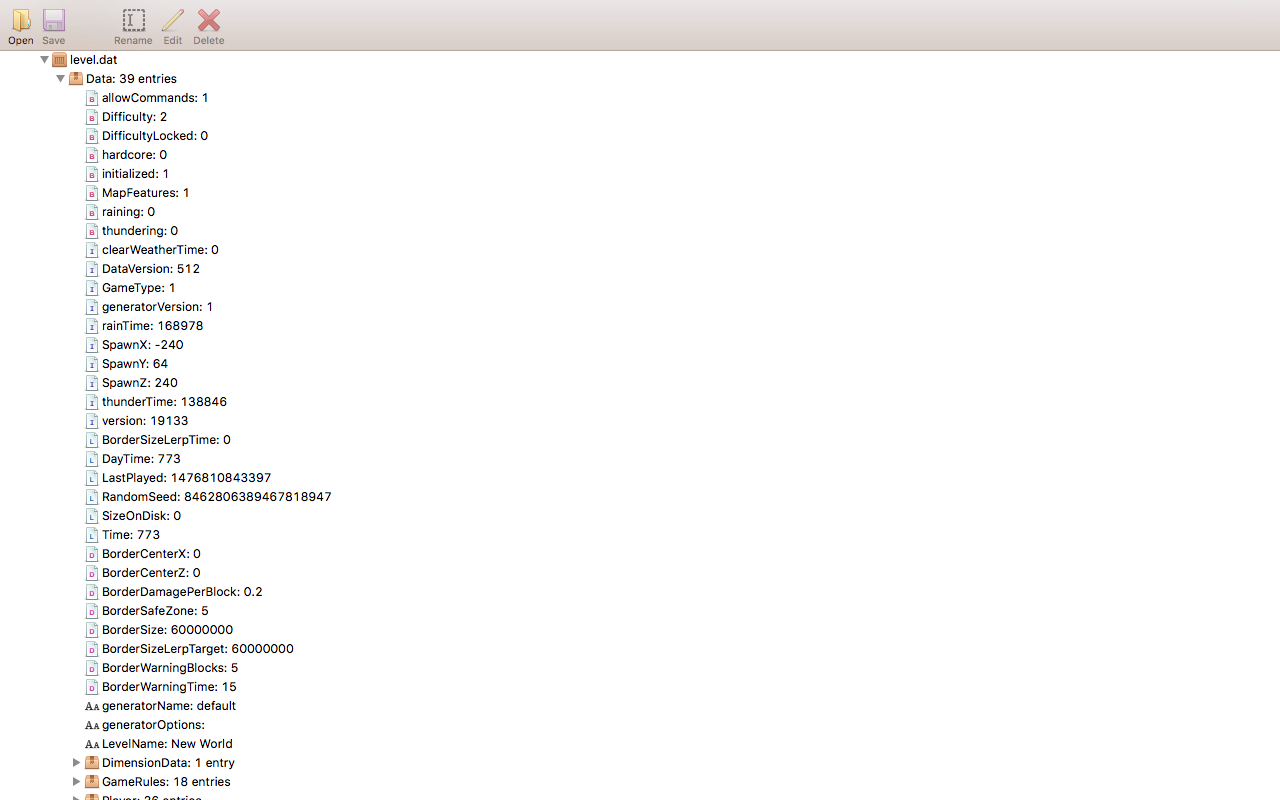
unlike in 1.8, JSON signs with scores in them do not update whenever the score changes; rather they will only update when the world is reloaded or their block data is updated.
Steps to reproduce:
1. Create a new world
{\"text\":\"hi\"}
2. run the following commands:
/scoreboard objectives add hi dummy
/scoreboard players set @p hi 100
3. place a sign down
4. change the block data of the sign to the following:
{{{Text1:"[\"\",]",Text2:"[\"\",{\"score\":{\"name\":\"@p\",\"objective\":\"hi\"}}]"}}}
5. run the following command:
/scoreboard players set @p hi 5Notice how the sign's score stays at 100, instead of updating to 5. It only updates to 5 upon world reload, or if the block data is updated. Doing the following steps in 1.8 you should see the sign automatically update to 5.
unlike in 1.8, JSON signs with scores in them do not update whenever the score changes; rather they will only update when the world is reloaded or their block data is updated.
Steps to reproduce:
1. Create a new world
{\"text\":\"hi\"}
2. run the following commands:
/scoreboard objectives add hi dummy
/scoreboard players set @p hi 100
3. place a sign down
4. change the block data of the sign to the following:
{{{Text1:"[\"\",]",Text2:"[\"\",{\"score\":{\"name\":\"@p\",\"objective\":\"hi\"}}]"}
}}
5. run the following command:
/scoreboard players set @p hi 5Notice how the sign's score stays at 100, instead of updating to 5. It only updates to 5 upon world reload, or if the block data is updated. Doing the following steps in 1.8 you should see the sign automatically update to 5.
unlike in 1.8, JSON signs with scores in them do not update whenever the score changes; rather they will only update when the world is reloaded or their block data is updated.
Steps to reproduce:
1. Create a new world
2. run the following commands:/scoreboard objectives add hi dummy /scoreboard players set @p hi 1003. place a sign down
4. change the block data of the sign to the following:{Text1:"[\"\",{\"text\":\"hi\"}]",Text2:"[\"\",{\"score\":{\"name\":\"@p\",\"objective\":\"hi\"}}]"}5. run the following command:
/scoreboard players set @p hi 5Notice how the sign's score stays at 100, instead of updating to 5.
It only updates to 5 upon world reload, or if the block data is updated.Doing the following steps in 1.8 you should see the sign automatically update to 5.unlike in 1.8, JSON signs with scores in them do not update whenever the score changes. This issue is being reopened due to the fixing of
MC-101457to reconsider the issue of whether scores should autoupdate or not.Steps to reproduce:
1. Create a new world
2. run the following commands:/scoreboard objectives add hi dummy /scoreboard players set @p hi 1003. place a sign down
4. change the block data of the sign to the following:{Text1:"[\"\",{\"text\":\"hi\"}]",Text2:"[\"\",{\"score\":{\"name\":\"@p\",\"objective\":\"hi\"}}]"}5. run the following command:
/scoreboard players set @p hi 5Notice how the sign's score stays at 100, instead of updating to 5. Doing the following steps in 1.8 you should see the sign automatically update to 5.
JSON signs with scoreboard objectives don't update scoresuntil world is reloadedJSON signs with scoreboard objectives don't auto update scores
unlike in 1.8, JSON signs with scores in them do not update whenever the score changes. This issue is being
reopened due to the fixing ofMC-101457to reconsider the issue of whether scores should autoupdate or not.Steps to reproduce:
1. Create a new world
2. run the following commands:/scoreboard objectives add hi dummy /scoreboard players set @p hi 1003. place a sign down
4. change the block data of the sign to the following:{Text1:"[\"\",{\"text\":\"hi\"}]",Text2:"[\"\",{\"score\":{\"name\":\"@p\",\"objective\":\"hi\"}}]"}5. run the following command:
/scoreboard players set @p hi 5Notice how the sign's score stays at 100, instead of updating to 5. Doing the following steps in 1.8 you should see the sign automatically update to 5.
unlike in 1.8, JSON signs with scores in them do not update whenever the score changes. This issue is being updated due to the fixing of
MC-101457to reconsider the issue of whether scores should autoupdate or not.Steps to reproduce:
1. Create a new world
2. run the following commands:/scoreboard objectives add hi dummy /scoreboard players set @p hi 1003. place a sign down
4. change the block data of the sign to the following:{Text1:"[\"\",{\"text\":\"hi\"}]",Text2:"[\"\",{\"score\":{\"name\":\"@p\",\"objective\":\"hi\"}}]"}5. run the following command:
/scoreboard players set @p hi 5Notice how the sign's score stays at 100, instead of updating to 5. Doing the following steps in 1.8 you should see the sign automatically update to 5.
When I use @e for the player argument of a JSON sign scoreboard score, it doesn't seem to render the score for the entity, even if the selector only ever returns 1 entity, even if the entity has a score.
to reporduce:
1. create a new world
2. place a sign down
3. run the following commands:
/scoreboard objectives add hi dummy
/summon ArmorStand ~ ~ ~
/scoreboard players set @e[type=ArmorStand] hi 100
/scoreboard players set @p hi 50
4. change the block data of the sign to
{Text1:"[\"\",\{\"text\":\"hi\"\}]",Text2:"[\"\",{\"score\":{\"name\":\"@e[type=ArmorStand,c=1]\",\"objective\":\"hi\"]"} }}
5. the score should not render. Note that if you set the blockdata to
{Text1:"[\"\",\{\"text\":\"hi\"\}]",Text2:"[\"\",{\"score\":{\"name\":\"@a[c=1]\",\"objective\":\"hi\"]"} }}
it works.
When I use @e for the player argument of a JSON sign scoreboard score, it doesn't seem to render the score for the entity, even if the selector only ever returns 1 entity, even if the entity has a score.
to reporduce:
1. create a new world
2. place a sign down
3. run the following commands:
/scoreboard objectives add hi dummy
/summon ArmorStand ~ ~ ~
/scoreboard players set @e[type=ArmorStand] hi 100
/scoreboard players set @p hi 50
4. change the block data of the sign to
{Text1:"[\"\",\{\"text\":\"hi\"\}]",Text2:"[\"\",{\"score\":{\"name\":\"@e[type=ArmorStand,c=1]\",\"objective\":\"hi\"]"} }}
5. the score should not render. Note that if you set the blockdata to
{Text1:"[\"\",\{\"text\":\"hi\"\}]",Text2:"[\"\",{\"score\":{\"name\":\"@a[c=1]\",\"objective\":\"hi\"]"} }}
it works.When I use @e for the player argument of a JSON sign scoreboard score, it doesn't seem to render the score for the entity, even if the selector only ever returns 1 entity, even if the entity has a score.
to reporduce:
1. create a new world
{\"text\":\"hi\"}
2. place a sign down
3. run the following commands:
/scoreboard objectives add hi dummy
/summon ArmorStand ~ ~ ~
/scoreboard players set @e[type=ArmorStand] hi 100
/scoreboard players set @p hi 50
4. change the block data of the sign to
{Text1:"[\"\",]",Text2:"[\"\",{\"score\":{\"name\":\"@e[type=ArmorStand,c=1]\",\"objective\":\"hi\"}}]"}
{\"text\":\"hi\"}
5. the score should not render. Note that if you set the blockdata to
{Text1:"[\"\",]",Text2:"[\"\",{\"score\":{\"name\":\"@a[c=1]\",\"objective\":\"hi\"}}]"}
it works.
Written books seem to have a "resolved" NBT tag when they get opened for the first time. This tag prevents opened written books from stacking with otherwise identical unopened ones, and it appears as an NBT tag in F3+H mode, but /clear commands cannot detect it (when acquiring a hacked written book using /give and putting in the "resolved" tag, /clear detects it perfectly).
How to reproduce:
1. Create a new creative world (make sure you're in F3+H mode)
2. Make a written book
3. Open your inventory and use pick block to clone the book
4. Open one of the books
5. Hover over the books in the inventory. One stack will have one more NBT tag than the other.Written books seem to have a "resolved" NBT tag when they get opened for the first time. This tag prevents opened written books from stacking with otherwise identical unopened ones, and it appears as an NBT tag in F3+H mode, but
/clear commands cannot detect it (when acquiring a hacked written book using /give and putting in the "resolved" tag, /clear detects it perfectly).commands detect it fine. Turns out I wasn't casting properly.How to reproduce:
1. Create a new creative world (make sure you're in F3+H mode)
2. Make a written book
3. Open your inventory and use pick block to clone the book
4. Open one of the books
5. Hover over the books in the inventory. One stack will have one more NBT tag than the other.
When using the /playsound command to replicate musical notes, it is important that the notes are tuned correctly. However this does not appear to be the case, as sometimes notes are slightly sharp or flat when they shouldn't be.
To Reproduce:
1. Create a test world
2. Place a repeating command block, set to "always active", with the following command:/playsound note.harp @p ~ ~ ~ 1 1 1A note should begin playing.
3. Change the command to
/playsound note.harp @p ~ ~ ~ 1 1.05946309436 1A new note will begin playing. It should be exactly 1 semitone higher, however it is off by more than 20 cents.
You may need an equal-tempered tuner to properly conduct the measurements.
When using the /playsound command to replicate musical notes, it is important that the notes are tuned correctly. However this does not appear to be the case, as sometimes notes are slightly sharp or flat when they shouldn't be.
To Reproduce:
1. Create a test world
2. Place a repeating command block, set to "always active", with the following command:/playsound note.harp @p ~ ~ ~ 1 1 1A note should begin playing.
3. Change the command to
/playsound note.harp @p ~ ~ ~ 1 1.05946309436 1A new note will begin playing. It should be exactly 1 semitone higher, however it is off by more than 20 cents. If you actually wanted to play the note 20 cents lower, you should type
/playsound note.harp @p ~ ~ ~ 1 1.04729412282 1You may need an equal-tempered tuner to properly conduct the measurements.
When using the /playsound command to replicate musical notes, it is important that the notes are tuned correctly. However this does not appear to be the case, as sometimes notes are slightly sharp or flat when they shouldn't be.
To Reproduce:
1. Create a test world
2. Place a repeating command block, set to "always active", with the following command:/playsound block.note.harp @p ~ ~ ~ 1 1 1A note should begin playing.
3. Change the command to
/playsound block.note.harp @p ~ ~ ~ 1 1.05946309436 1A new note will begin playing. It should be exactly 1 semitone higher, however it is off by more than 20 cents. If you actually wanted to play the note 20 cents lower, you should type
/playsound block.note.harp @p ~ ~ ~ 1 1.04729412282 1You may need an equal-tempered tuner to properly conduct the measurements.
/playsound pitch algorithm isn't working properlyplaysound/sound engine pitch algorithm isn't working properly
When using the /playsound command to replicate musical notes, it is important that the notes are tuned correctly. However this does not appear to be the case, as sometimes notes are slightly sharp or flat when they shouldn't be.
To Reproduce:
1. Create a test world
2. Place a repeating command block, set to "always active", with the following command:/playsound block.note.harp master @p ~ ~ ~ 1 1 1A note should begin playing.
3. Change the command to
/playsound block.note.harp master @p ~ ~ ~ 1 1.05946309436 1A new note will begin playing. It should be exactly 1 semitone higher, however it is off by more than 20 cents. If you actually wanted to play the note 20 cents lower, you should type
/playsound block.note.harp master @p ~ ~ ~ 1 1.04729412282 1You may need an equal-tempered tuner to properly conduct the measurements.
when doing a fist attack (with no item in hand) the attack strength meter appears briefly. this also happens upon loading the world.
Link:
When p
When placing a boat on top of the water, it floats fine. However, it does not float underwater.
When placing a boat on top of the water, it floats fine. However, it does not float
underwater.When placing a boat on top of the water, it floats fine. However, it does not float when placed underwater. and will be impossible to enter.
Steps to reproduce:
1. Create a "Water World" super flat world
2. give yourself water breathing, night vision, and a boat
3. place the boatthe boat will not float
When placing a boat on top of the water, it floats fine. However, it does not float when placed underwater. and will be impossible to enter.
Steps to reproduce:
1. Create a "Water World" super flat world
2. give yourself water breathing, night vision, and a boat
3. place the boatthe boat will not float
EDIT: duplicates
MC-89944; accidentally published instead of pressing cancel
When
in a moving boat, the right click action (Place Block) is completely disabled. However, when the boatstops moving, right click is usable again.To Reproduce:
1. Create a superflat world with this preset:
3;minecraft:bedrock,3*minecraft:stone,minecraft:trapdoor;2;2. Summon a boat and get in
3. Attempt to use the right click action. It should work at first and you should be toggling the trapdoors
4. Hold either the strafe left or right key to turn the boat; while doing that use the right click action; it should fail and the trapdoors will not be toggledWhen using boat controls, the right click action (Place Block) is completely disabled. However, when the boat controls stop being used, right click is usable again.
To Reproduce:
1. Create a superflat world with this preset:
3;minecraft:bedrock,3*minecraft:stone,minecraft:trapdoor;2;2. Summon a boat and get in
3. Attempt to use the right click action. It should work at first and you should be toggling the trapdoors
4. Hold either the strafe left or right key to turn the boat; while doing that use the right click action; it should fail and the trapdoors will not be toggled
"Place Block" control is ignored whilein a moving boat"Place Block" control is ignored while using boat controls
Pretty much the title.Minecarts with a player riding them disappear upon relog.1. Create a new singleplayer creative world
2.summon a minecart
3.get in theminecart
4.log out
5. logback into the worldthe minecart will have completely disappeared.
Minecarts with a player riding them disappear upon relog, but only when the world is open to LAN upon getting in the minecart and logging out.
1. Create a new singleplayer creative world
2. Open world to LAN
3. summon a minecart
4. get in the minecart
5. log out
6. log back into the worldthe minecart will have completely disappeared.
Singleplayer
Singleplayer, World open to LAN upon getting in the minecart and logging out
Player-ridden boats and minecarts disappear on relog
EDIT: Only happens in a specific world. I'm not sure why this is. In my other worlds it does not happen. I'll need to do some more testing. I attached the affected world to the report. Probably best to give it "awaiting response" or something like that while I do more testing.
MCComposer.zip

Ely G I used the code provided by the OP
/tellraw @p ["",{"text":"\n[1]\n","color":"red","bold":true,"clickEvent":{"action":"run_command","value":"/say 1"},"hoverEvent":{"action":"show_text","value":{"text":"","extra":[{"text":"HOVER1"}]}}},{"text":"\n[2]\n","color":"red","bold":true,"clickEvent":{"action":"run_command","value":"/say 2"},"hoverEvent":{"action":"show_text","value":{"text":"","extra":[{"text":"HOVER2"}]}}}]
and I can't reproduce any bug (in pre-2).
Can you tell me how you tested it?
For me, the hover events work fine, no offset at all.
Ely G I haven't tested that map (got already so few time), which version does the map run under?
Maybe Maki inserted wrong commands, or "outdated" ones that worked in a previous MC version?
Edit: Going through the comments of the map, there's you and a reply to you from mai };]
| elyisgreat : This is amazing ^^ Why does it only work in 16w04a? |
McMakistein Because of a bug that breaks tellraw messages.  You can vote for it here: https://bugs.mojang.com/browse/MC-96571 |
didn't notice it's his bugpost here }xD
Ely G They don't update automatically for me either (if I trigger the CB manually they update though to the current score).
And upon world reload the signs are indeed blank.. but if I trigger the CB again, it shows the current score again.
Does it not for you? - Sorry if I misunderstood the issue.

Ely G it doesn't start with [\"\", within the tags
Lélio Charrière that makes absolutely no diffrence

Ely G: Dinnerbone doesn't work on Minecraft anymore. He's doing other stuff at Mojang.
Ely G single player is actually just a 1 player local server, so that shouldn't really matter anyway
Anyway, the enviroment is supposed to contain pc details.
Ely G it's littirally mentioned in the description

Ely G, which snapshots did you test it in? It's needed to update the "Affects Version/s" list.
![[Mod] violine1101](../../../data/avatars/users/92858.png)
Ely G, then please create a new ticket about that.
I tried to add replication steps but it's really hard to replicate
Will post--check in a few minutes
First one (blue); y=130
Second one (purple); y=100000
this happens for me too
this is a legit bug though
That works, but the bug persists; also, it's NBT, edit to match spelling error
I disagree. It imbalances chickens slightly. Although it is true chickens are much easier to get back than other mobs.
I experience it in 14w30 but the problem is very slight.
Confirmed for 14w30c
Confirmed for 14w30c. Not only does it not change the tag, it doesn't work entirely. You can see this by running the command and then going into an NBT editor.
Confirmed for 14w30c
confirmed to be fixed in 14w32b
I believed imbalanced fence expense was a bug. I will go to reddit.
Are you sure this is intended even with the new snapshots and fix to the /give stacking issue?
What?! This is a duplicate? I had no idea. I'm sorry. if I had known, I wouldn't have posted it.
confrmed for 14w32d. I think the bug is that a mob must die from actual FIRE damage in order to drop cooked meat. If the mob dies from "fiery" damage (from fire blocks, lava, and fire charges) it will drop raw meat. If you run the command /entitydata @e[type=!Player]
{Fire:6000}when the mobs are at 1 hit point they do indeed drop cooked meat. If you run the command /execute @e[type=!Player] ~ ~ ~ /summon SmallFireball ~ ~ ~
{direction:[0.0,80.0,0.0]}(this command summons Fire Charges at mobs) when the mobs are at 1 hit point they drop the raw meat. The same happens when you light a fire or place a lava block under a mob that is at 1 health.
is is supposed to be detectable by the /clear command?
I'm Sorry! I didn't know it was a duplicate. I try so hard to not make duplicates... please cut me some slack.
changed the text to better suit the situation. Happy?
How far then do they pursue you?
Confirmed in 14w34d. I'm surprised this bug is still not fixed.
Confirmed in the 1.8 pre-release. Even ctrl-pick block doesn't work. It will also pick block to any written book in your inventory. This also happens with enchanted items.
Galaxy_2alex I really don't like posting duplicate issues. Often searches yield nothing, so I have no idea that it's a duplicate. How can I make sure an issue is a duplicate so I don't post it again?
I'm confused.
confirmed in 1.8pre3
This is NOT a duplicate of
MC-10755. That bug is a blanket bug that was dismissed a long time ago. This bug refers to a specific issue with mining fatigue.confirmed in 1.8
ikr
Firstly, they should be. Mapmakers use them a ton. Secondly, Mining Fatigue of exactly level 4 (Display level 5) works exactly like mining fatigue of higher levels.
Yep. Pretty much.
Confirmed for the official release. Goodness, they really need to fix this. Also, I have a better set of steps to reproduce:
1. Create a creative super flat "redstone ready" world with cheats
2. /gamemode 0
3. /gamerule doMobSpawning false
4. /time set 14000
5. /effect @p 6 1000000 100 true
6. /worldborder center ~ ~
7. /worldborder set 10
8. /summon Spider
9. Teleport outside the border by just a few blocks
The spider should ignore the border, but instead it climbs it.
Withers do not appear to be able to do that. Wither skulls seem to ignore the border, though.
This is probably intended. I would label this as a feature and not a bug. Since these effects are instant, it probably makes sense that they go by the tick. Still true in 1.8
A PC seed would never do that.
Also I changed discovered to learned about: I learned about it on Minecraft News as well.
I think that there are certain characters that the "name" selector argument does not work with. Spaces also cause a problem.
considering that killer rabbits are no longer in the game I deem this a nonissue. Might be still an issue for map makers though.
yes it does.
Did some testing and I believe you are misunderstood. This is about regular splash potions. Lingering potions are the ones brewed with Dragons's breath and they are currently 1/4 the time of regular potions. Splash potions are supposed to be 3/4 but may have been changed to full, and I don't think intentionally.
Again, you are misunderstood. Tested it in head and it is 1/4 across the board. this is intended and the bug here was that the time display wasn't showing properly. Cheers!
I disagree. This is a different bug.
yes. was going to clarify but you figured it out. thanks
Update: According to the wiki, this is intended. See http://minecraft.gamepedia.com/Status_effect
the behaviour was changed in 14w25a such that mining fatigue is no longer a linear 20% decrease.
Interesting. I think the resolution is "works as Intended". why invalid?
EDIT: thanks.
Confirmed in 1.9 snapshot 15w35e
I'm having trouble using Anon Ymus's filter to convert the JSON text in my old maps. It throws an error if the selection size is too large http://i.imgur.com/5Krqz8T.png
I'll have to check later because I'm not at my computer ATM. My commands are all valid lenient JSON as they work in 1.8. Of course the commands without JSON aren't valid, but I think the filter ignores those. Some of my worlds also have JSON signs with /blockdata commands in lenient JSON which I don't know if the filter fixes. If we could find a way to PM that would be great.
Perfect. I have to do some testing though.
Confirmed for 15w36d. Type
/summon ArmorStand ~ ~1 ~ {Equipment:[{},{},{},{},{id:"minecraft:diamond_helmet"}]}No equipment will render on the Armor Stand.
No problem. Attached both output logs.
No. But I tested it in both creating the sign in 1.8 and loading the world in 1.9 and creating and loading the sign in 1.9. Same error.
Seems to be fixed in 15w38b. Can I confirm this?
Thanks for the formatting! I wasn't sure how to format commands with NBT in them. How did you do it?
probably, however it indeed works correctly when evaluating entity UUIDs.
yeah. will do.
EDIT: You meant
MC-61765Confirmed for 15w39c. Also, it indeed works correctly when evaluating entity UUIDs typed directly. It seems to be only a problem with the selectors.
still not fixed in 15w39c
this should still work, as selector arguments are combined with logical AND, and two
arguments doesn't create a logical conflict the way, say, two
arguments does.
Still present but the Cow is fixed
This in fact duplicates
MC-89944. I clicked the wrong button by mistake.Confirmed for 15w42a.
Confirmed in 15w42a
I'm not sure. Seems random. Here is the world I was testing the tunings with, though it uses custom sounds tuned exactly C, and still is off. Perhaps it's a system issue?
Confirmed for 15w43a
Still not fixed in 15w44b. I'm beginning to think that this is intended.
point, but so far we have no conformation from mods or the devs that this is the case.
Still happening in 15w44a
Exactly what warrants this being marked as "Works as Intended"?
Interesting. Don't you think the cool down system should guarantee 1 half-heart of damage though?
How would this make dps unlimited?
Can dps ever equal zero?
I meant with just fist clicking can the dps be the exact float value of zero?
I've done a bit more testing, and I've found significant differences between 1.8 and the snapshots, leading me to believe that this is a software issue. It doesn't only apply to pitches in /playsound, though; regular note blocks are also affected. Observing for the piano instrument, I noticed that in 1.8.8 the B was more in tune while in 15w44a the B♭ and C♯ were the most in tune. The F♯ was pretty good in both versions and the G,A♭,A, and E♭ were poorly tuned in both. Here is the world I was using for testing, and Here is the tuning app I was using.
Also: Here is the log file during one session of the testworld:
seems to be fixed in 15w45a. Can confirm?
Confirmed in 15w45a
Don't forget that there are only around 18 quintillion possible seeds, so if the chances of all 128 end portals being invalid are less than 1 in 18 quintillion, chances are that no possible world would have its portals cut off (at least in normal generation).
Done.
description should probably be updated
What are the results of your testing?
1 semitone is a musical interval. It is what you get when you play the middle C on a piano and then play a C#. If a note has a frequency f, then the note 1 semitone higher will have a frequency of f*2^(1/12). The problem I'm getting is that when I use that double value, which is very close to 2^(1/12), as my pitch parameter, I get a note that is slightly less than 1 semitone higher; rather I get a note that is about 80 cents (a cent is 1/100 of a semitone) higher than the original frequency, or if the initial frequency is f, the resultant frequency I am getting is closer to f*2^(80/1200).
There are plenty of tuner apps for android, by the way.
When I tested it in 1.8 I found that the signs did in fact update the scoreboards live. I think that for signs, scores are much more powerful when allowed to update live, if you think about what scoreboard signs are used for. If the signs didn't update when the chunks reloaded, I might have more reason to believe that this is intended.
Yes. I think an additional tag is the best solution. Though unlike "resolved", which is set to 1 every time a book is opened, this tag would be static and part of the score JSON format thing, and would determine whether or not to live-update the value.
Confirmed for 15w47c
confirmed for 15w49a. also the donkey hasn't been changed.
Does this mean that dayTime is now stored in the data modulo 24000 with a day counter added, or does it just mean that /time query daytime returns dayTime%24000 while /time query day returns dayTime/24000?
Does it affect 15w49b as well?
confirmed for 15w50a
u meant 15w50a
confirmed for 15w49a, 15w49b, and 15w50a. It affects the primary hand as well.
confirmed for 15w51a and 15w51b
Confirmed for 15w51b. The silent tag does not work on minecarts.
I'm very curious as to why this issue was marked WAI. What is the intention for it?
True, but if this were the case wouldn't the sky get blacker?
still a problem in 16w02a
confirmed for 16w02a
Intended. The /playsound command has a new syntax http://minecraft.gamepedia.com/Commands#playsound
Still a problem in 16w03a. Unsure if intended.
confirmed for 16w03a
The <source> option tells you what volume slider the sound uses. If the <source> is "record" and your "Jukebox/Noteblocks" volume slider is muted, you won't hear the sound.
I'll need more detail. I have no problem with sounds in these snapshots. Can you send me the resourcepack?
Huh. Maybe it's your pack.mcmeta file? This one should work http://tempsend.com/F4D6EFA72D
I tried it with the new pack.mcmeta file and it worked. Some text editors do weird things with pack.mcmeta files. I use atom (https://atom.io) for text editing, and it handles pack.mcmeta files just fine. I know textedit does weird things to pack.mcmeta files, however you're on a PC. I'm not sure how text editors such as notepad++ handle them.
This is still a problem in 16w03a
Partially fixed in 16w04a. The left click and right click contrtols work in a moving boat, however they do not work when holding down any of the boat controls.
confirmed for 16w04a
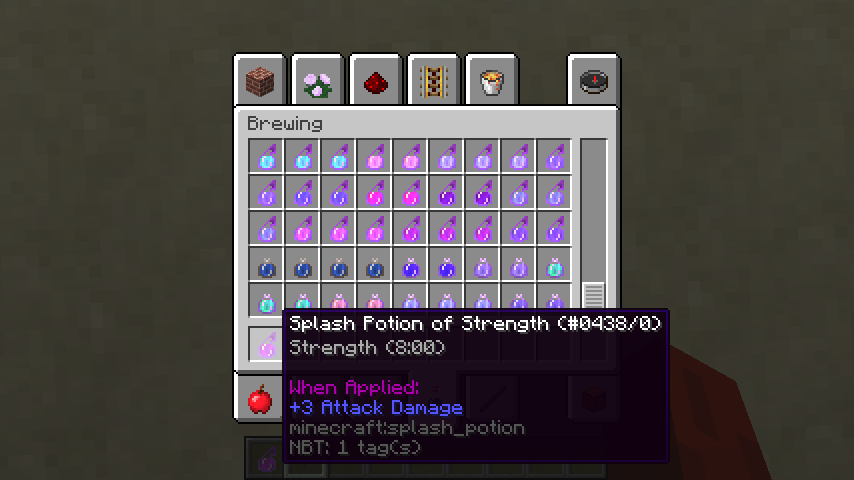
You have to throw it directly on top of your head. Still 8:00
Why is this WAI? If sprint flying works, why not sneak-flying?
What about
MC-13277? If that was WAI, and this is WAI, then wouldn't that create a contradiction?I still don't think there should be a contradiction. One of them should be resolved as "fixed".
I'm starting to think that this might be WAI. Given the increased cost of potions the devs may have wanted to increase the duration of splash pots, so they never bothered to fix this.
confirmed 16w06a
Only in the latest snapshot
I figured out what the bug is. It only happens if the singleplayer world is open to LAN upon getting into the minecart and logging out.
hang on. why then does the left click work sometimes?
Also happens with boats. Any entity the player is riding, really.
this should be changed to "fixed" because of
MC-96539Confirmed. However, not all resource packs are broken in resources.zip. Some packs load, while other packs do not. I haven't been able to find a criterium for whether or not they load, however I can attach an affected and unaffected resources.zip file if you wish.
I attached the worlds with the resources.zip files. The "ZigZag" world has a working resources.zip file and the "Bananagrams in Minecraft" world has a nonworking resources.zip file.
confirmed for the pre-releases. This is a pretty serious bug, given the scope of /tellraw.
Interesting. the demo command works, however in this map the click and hover events are still broken.
confirmed fixed for pre-release 3
seems to be fixed in pre-release 3.
Affects 1.9pre4. Relates to
MC-98224This still applies in the sense that the scores won't update. Just now they won't reload either.
Pretty much, yes.
Nope. How is this any different from the command I posted?
Confirmed for the 1.9 release.
this is probably intended. Horses and minecarts don't affect hunger either.
This is not a duplicate. This refers to two possible unintended behaviours.
Ah. Now I can isolate the problem. That if statement should be checking for a nonzero hashcode instead of a nonempty string. That way, a world with seed of 0 will be impossible to create.
That's fine. It's checking for a nonzero hashcode. "0" would be handled in the try block.
The only problem would be if there were a valid nonzero long that had a hashcode of 0.
Yes. However at this point you may as well ignore the if statement, or check for !=null only.
Duplicate of
MC-87147[Mojang] Nathan Adams is this WAI?
Since when? He commented on this issue.
[Mojang] Searge (Michael Stoyke) is this WAI?
If it was labeled "fixed", it was a bug. If it was labelled "works as intended", it is a feature.
What's with the environment change? Does this happen in multiplayer also?
What's with the environment change? Does this happen in multiplayer also?
affects 1.9 as well
Is this a duplicate of
MC-89030? idk if it isconfirmed in 1.9.2
confirmed in 1.9.2
what I still don't get about this resolution is that even if the sky is supposed to become purple as you go higher, it's not noticeable within the range of y-values normally accessible in survival. The only way to see this is to go into creative and fly up, get teleported up, or possibly get launched out of a tnt player launcher. What's the point if it's not noticeable?
Agreed. The amount of old redstone this breaks is way more than the amount of new redstone this allows. It's unfair to everyone who hasn't exploited this bug.
Unlike the BUD, for example, this bug hasn't been around since the beginning of Pistons.
Plus, the community could always request a block that does this.
Now affects 1.9.3 pre releases. Really curious if WAI or not.
Thanks! I'll be sure to test this when 1.9.3 comes out and report back.
So I tested it in 1.9.3 and it's definitely better than it was before. Some of the notes were still off when testing with noteblocks. When testing with a command block I found that
was still giving me a note that was about 20 cents flat. I suspect that keeping full float precision will fix this, so I'd mark it as fixed for 1.10. When it comes I'll be sure to do more testing.
This is not the same as the linked bug. And it says over there that this behaviour is documented by the wiki, which is not the case.
Thanks; that looks like the right one.
yes! Tested in 1.10 and it's finally fixed! I'm curious; now that pitch is sent as floating point, are we still limited to just 1 octave? Or will that limit be lifted?
made it into 1.10
wait, why?
i still don't get why
Wait why is this intended?
confirmed up to 1.9.4
Im still curious as to why. It doesn't seem like a sensible change, so surely there's a reason why it's not being fixed
Huh. So it was WAI all this time. What's the reason behind that?
can confirm for 16w20a and 16w21a. also [~FaRoGaming] is right; it's not just an amination; you actually don't update into the landing state.
added players back in the description. Teleporting nonplayer entities works no problem.
It seems as though no such issue has been created; if it were, would it not get duplicated back to this issue now? I think it should be created.
[Mojang] Searge (Michael Stoyke) I would recommend naming this command /tpfixed instead of /teleport, since tp can be interpreted as short form for teleport.
From my testing in 1.10pre1 it seems to be invalid for /tp and fixed for /teleport. Not sure how it should be resolved...
Can confirm fixed. However
MC-101457persists.Invalid via
MC-101457. However it may become valid afterMC-101457is fixed, so I'm not sure the best resolution....They did in 1.8... why all the sudden the WAI resolution?
k. good to know. Even if they aren't supposed to update (which would be a real shame), they still shouldn't be updating on reload
What will happen when this ticket is reviewed?
confirmed for 1.10
any justification yet as to why this is intended?
Confirmed for 16w32a and 16w32b
I don't know if this is related to
MCL-4898or not.Confirmed. Also affects the snapshots. Does not seem to be affected by changing system preferences scroll speed.
I tested in 16w38a. I imagine it would affect the others as ell however I am unsure.
Compared to El Capitan and before it is much faster.
confirmed for 16w39a
this seems to be fixed in 16w39c
Actually it did not work as intended, due to
MC-88957. This was made irrelevant due to this bug, however it was reported as WaI when it is in fact not intended; after all the scores are either supposed to update live or not at all; not on chunk reloadNow that I am thinking about it, it might not be a Minecraft issue at all. I'm having issues with it in other Java apps, and it turns out this has come up in Apple's stack exchange.
This is still a problematic setup. Since weather events are mutually exclusive, it doesn't make sense to have separate timers for each weather event. This in particular causes a problem here:
Because thunderTime and rainTime are synchronous during rainy weather, this can happen even during the transition from rainy to clear weather, which should not happen. This explains why setting /weather rain 1 causes a thunderstorm to happen much faster than normal.
This isn't a problem, as there is still knowledge of the current weather event. A unified weather timer would merely count down the ticks until the weather changes, and then change the weather depending on which weather event was currently occurring (for example, if the timer depleted to 0 and the event was rain, it would have a small chance to change to thunder, otherwise it would change to clear).
I suppose, although r/MinecraftSuggestions isn't as good for technical suggestions. As well, the inconsistency is probably not an intended consequence of the weather cycle design.
That would be a problem. Thunderstorms could start immediately from clear weather, like what happens when typing /weather clear 1. You could also have a tag called weatherChances defining that.
I probably also need a better understanding of how the current weather cycle works.
This seems to be fixed in 1.6.66 however I am not sure.
seems to be fixed in 16w43a. However, it also seems to be a duplicate of
MC-47508Yeah I've still seen this happen in 1.6.69. Not sure what's causing it.
Seems like with the fixing of
MC-101457they've decided to go with non updating. I updated the issue in case of further discussion.Unsure if this is fixed in 1.6.70
Confirmed in 1.6.70
Mending is supposed to be incompatible with infinity. However, if you put on infinity first, you can apply mending. The other way round doesn't work.
does this ever happen in 2.0? Not sure if fixed
Also confirmed in 17w06a
Seems to still happen in version 2 when joining new wi fi networks
confirmed for 1.11.2
From what I gather the behaviour is thus:
if there is a water block in the space the observer is observing, then two things happen:
1. The observer gains the ability to observe blocks one block higher than itself
2. If there is a redstone dust already present in the observer's output, it will clock
Confirmed in 1.11.2. It may be WAI since torches also aren't powered by observers. However repeaters are, so it's hard to say.
This is incorrect I have access to 17w13b
confirmed for 17w13b
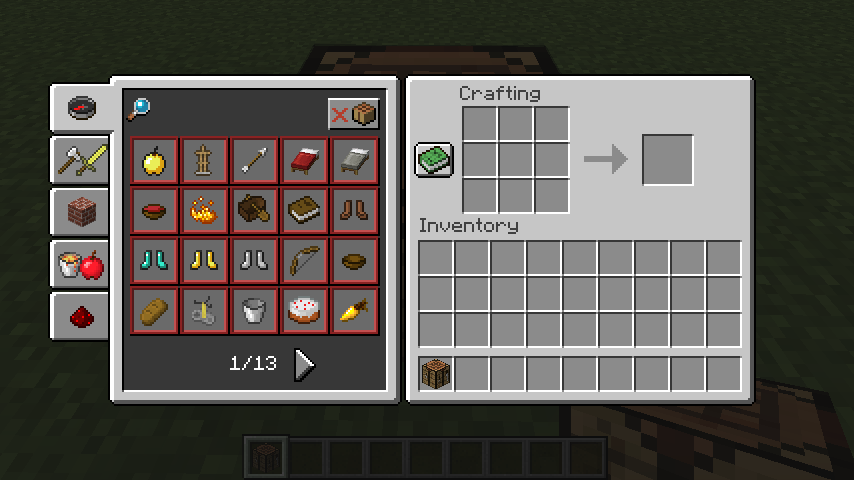
I figured out the problem; the recipe minecraft:<colour>_bed and minecraft:<colour>_bed_from_white_bed appear as separate recipes in the book, and clicking on the minecraft:<colour>_bed_from_white_bed recipe shows the regular bed recipe until you click and hold.