 Steven W.d.V.
- SWdV
- swdv
- Europe/Amsterdam
- Yes
- No
 MC-62365

![[Mojang] Grum (Erik Broes)](../../../data/assets/gravatar/grum.png)


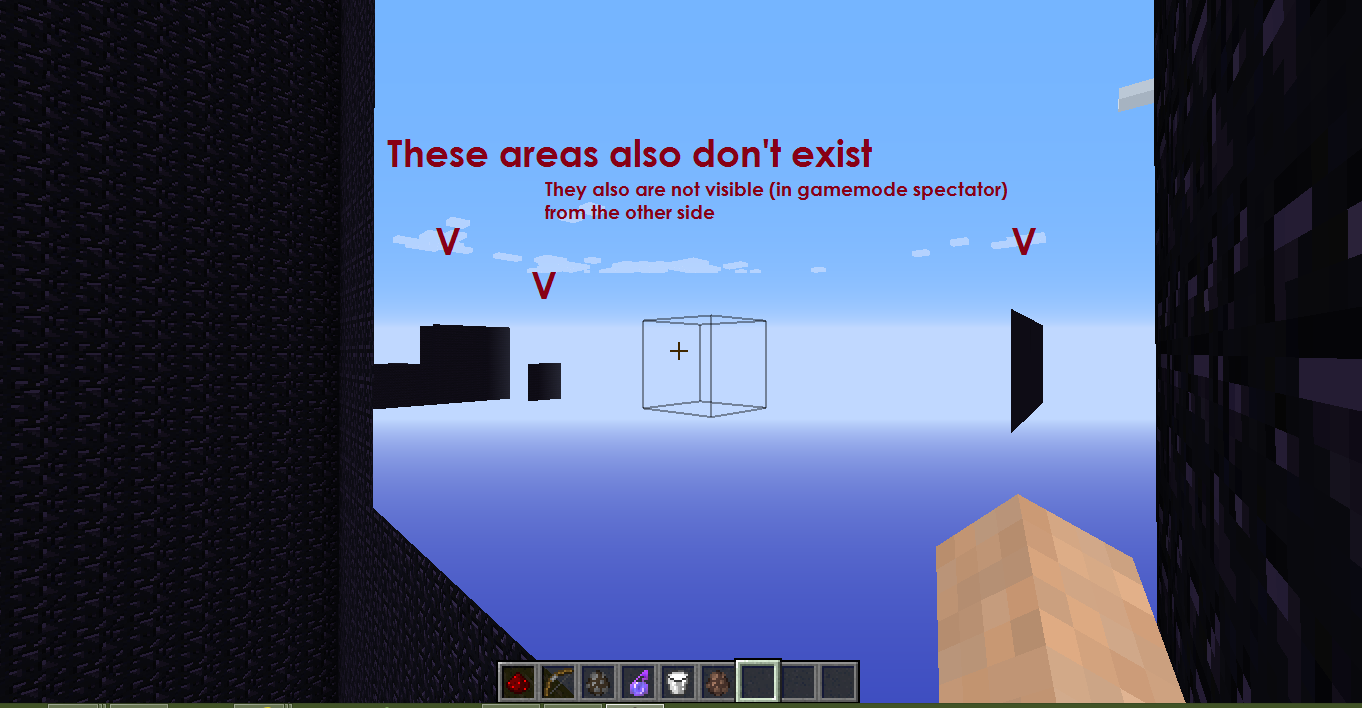
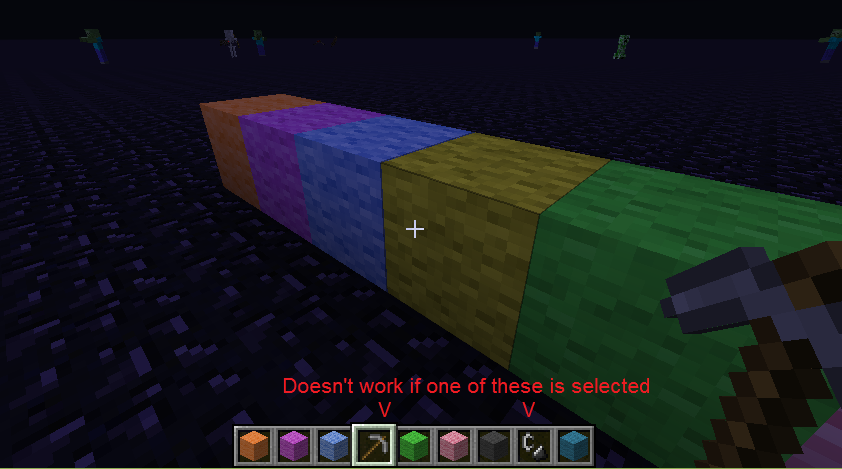
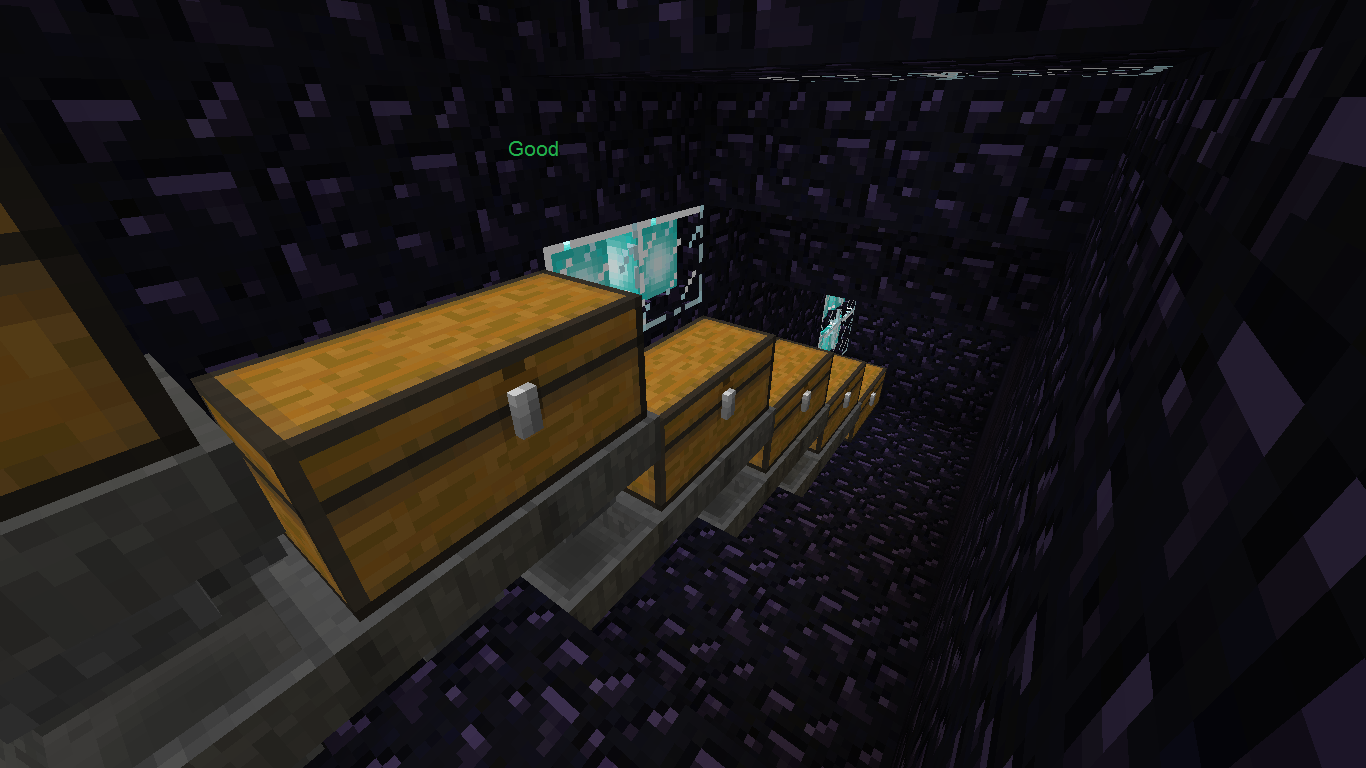
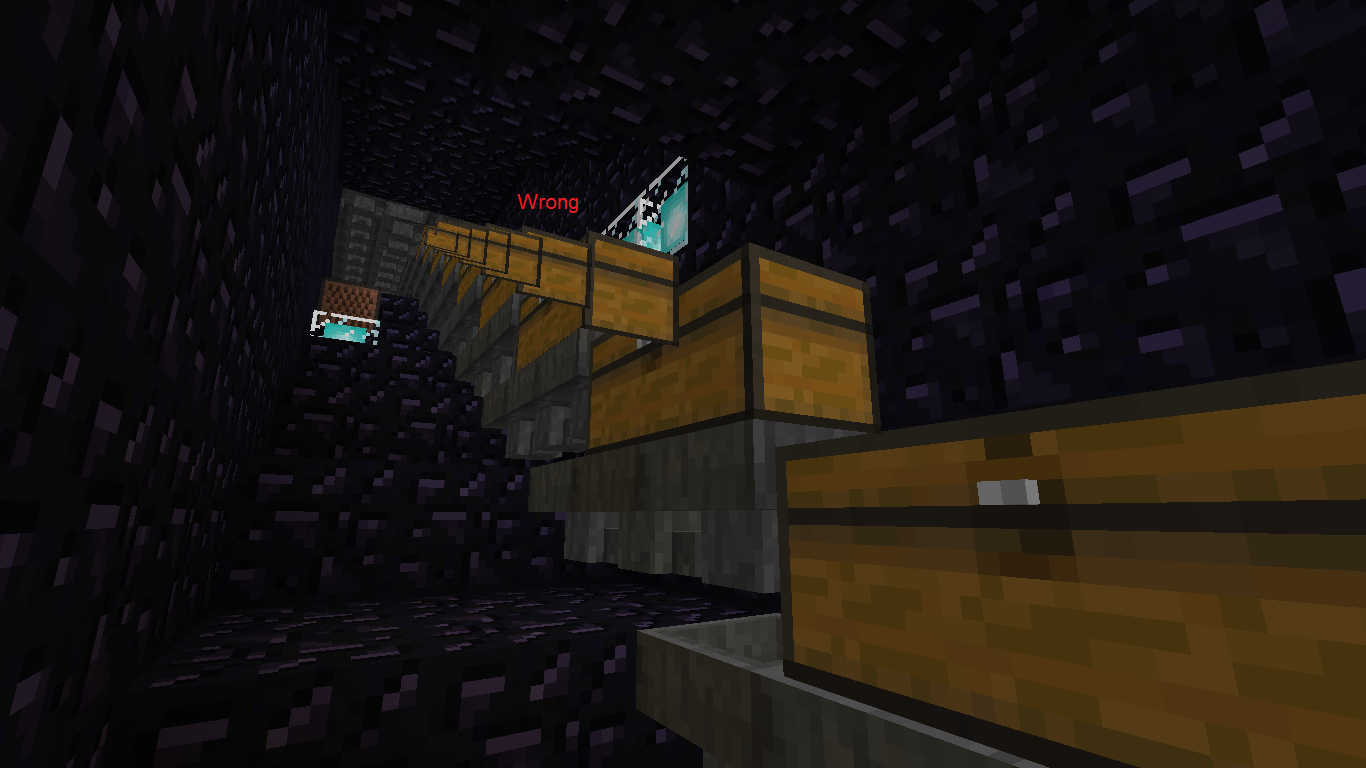




Win8.1, JRE8u11
Win8.1, JRE8u11
This does work for me (maybe it didn't in older versions of Minecraft, I don't know for sure)
/summon Zombie ~ ~ ~ {Equipment:[{},{},{},{},{id:"minecraft:skull",Damage:3s,tag:{SkullOwner:"Notch"}}]}But it does convert it.
And I know what's the meaning of the Value tag.
I tried decoding it using the Java Base64 class:byte[] bytes = Base64.decode("eyJ0aW1lc3RhbXAiOjE0MTYxNTI2MDM2NzAsInByb2ZpbGVJZCI6IjA2OWE3OWY0NDRlOTQ3MjZhNWJlZmNhOTBlMzhhYWY1IiwicHJvZmlsZU5hbWUiOiJOb3RjaCIsImlzUHVibGljIjp0cnVlLCJ0ZXh0dXJlcyI6eyJTS0lOIjp7InVybCI6Imh0dHA6Ly90ZXh0dXJlcy5taW5lY3JhZnQubmV0L3RleHR1cmUvYTExNmU2OWE4NDVlMjI3ZjdjYTFmZGRlOGMzNTdjOGM4MjFlYmQ0YmE2MTkzODJlYTRhMWY4N2Q0YWU5NCJ9LCJDQVBFIjp7InVybCI6Imh0dHA6Ly90ZXh0dXJlcy5taW5lY3JhZnQubmV0L3RleHR1cmUvM2Y2ODhlMGU2OTliM2Q5ZmU0NDhiNWJiNTBhM2EyODhmOWM1ODk3NjJiM2RhZTgzMDg4NDIxMjJkY2I4MSJ9fX0="); for (byte b : bytes) System.out.print((char)(b>=0?b :b+256));The output was:
Note that the isPublic and CAPE tag can be absent.{"timestamp":1416152603670,"profileId":"069a79f444e94726a5befca90e38aaf5","profileName":"Notch","isPublic":true,"textures":{"SKIN":{"url":"http://textures.minecraft.net/texture/a116e69a845e227f7ca1fdde8c357c8c821ebd4ba619382ea4a1f87d4ae94"},"CAPE":{"url":"http://textures.minecraft.net/texture/3f688e0e699b3d9fe448b5bb50a3a288f9c589762b3dae8308842122dcb81"}}}
Copy and paste the URLs in your browser, and you'll see Notch's skin and cape.You can also encode it:
The output is the value of the Value tag.String string = "{\"timestamp\":1416152603670,\"profileId\":\"069a79f444e94726a5befca90e38aaf5\",\"profileName\":\"Notch\",\"isPublic\":true,\"textures\":{\"SKIN\":{\"url\":\"http://textures.minecraft.net/texture/a116e69a845e227f7ca1fdde8c357c8c821ebd4ba619382ea4a1f87d4ae94\"},\"CAPE\":{\"url\":\"http://textures.minecraft.net/texture/3f688e0e699b3d9fe448b5bb50a3a288f9c589762b3dae8308842122dcb81\"}}}"; byte[] bytes = new byte[string.length()]; for (int i=0; i<string.length(); i++) bytes[i] = (byte)string.charAt(i); System.out.println(Base64.encode(bytes));I don't know yet what the Signature tag does mean.
I hope this can be helpful!
ice.png
JRE8u6
0x64, Win10JRE8u66x64, Win10
/replaceitem (eg. /replaceitem entity @p slot.weapon.offhand minecraft:dirt 1 0) doesn't work for the offhand (only) when the creative inventory is open (it doesn't change the item). It does change it if you're at the survival inventory tab, though.
/replaceitem (eg. /replaceitem entity @p slot.weapon.offhand minecraft:dirt 1 0) doesn't work for the offhand (only) when the creative inventory is open (it doesn't change the item). It does change it if you're at the survival inventory tab, though.
However, after reopening the world the item is actually changed (if you don't take it out of the slot before reopening).
JRE8u
66x64, Win10JRE8u74x64, Win10, launcher 1.6.51
When you are inside an inventory (chest/horse/crafting table/creative inventory...) only visible slots are updated. This way, when you are inside:
- Normal player inventory and Survival inventory tab in creative - everything is fine
- Most inventories - armor and offhand slots are not updated
Creative item/search tabs - only hotbar is updated
- When you remove an item (/clear, /replaceitem with air) from a non-updating slot you get a ghost item - you can't use it properly and it disappears in survival when you update your inventory.
- When you add an item (/replaceitem, pick up from ground) - you get an invisible item. It will reappear when you re-enter the world or (in survival) when you update this slot.
Example: how to reproduce:
- Setup 2 command blocks with significant delay running in a loop, with commands like the following:
/replaceitem entity @p container.10 minecraft:brickthe second one with another block parameter;
- Open the creative menu and switch away from your survival inventory (note that the bug doesn't occur when the menu is closed);
- Wait for the command to switch the item and go back to your survival inventory: the item should be replaced but it is not: this is the issue;
- Optional: relog and see the item is replaced after all.
JRE8u51/60x64, Win10
When switching between the offhand slot and a slot in the hotbar with the F-key, the "pickup-animation" does only play when a stack of items (I mean more than one) goes from the offhand slot to the hotbar. I don't know which behaviour was intended: always an animation or never, but this is neither of those options.
When switching between the offhand slot and a slot in the hotbar with the F-key, the "pickup-animation" does only play when a stack of items (I mean more than one) goes from the offhand slot to the hotbar. I don't know which behaviour was intended: always an animation or never, but this is neither of those options.
This does NOT happen if the offhand is empty after switching the items.
When switching between the offhand slot and a slot in the hotbar with the F-key, the "pickup-animation" does only play when a stack of items (I mean more than one) goes from the offhand slot to the hotbar. I don't know which behaviour was intended: always an animation or never, but this is neither of those options.
This does NOT happen if the offhand is empty after switching the items.When switching between the offhand slot and a slot in the hotbar with the F-key, the "pickup-animation" does only play when a stack of items (I mean more than one) goes from the offhand slot to the hotbar. I don't know which behaviour was intended: always an animation or never, but this is neither of those options.
There is always an animation if the offhand is empty after switching the items.
JRE8u
51/60x64, Win10JRE8u66x64, Win10
JRE8u
66x64, Win10JRE8u74x64, Win10, launcher 1.6.51
When switching between the off-hand slot and a slot in the hotbar with the F-key - or just putting items into the offhand slot (via F-key or via /replaceitem) - the pickup animation only plays on the hotbar and only when the item stack that was moved there has more items than the other one.
Alternate way to reproduce:
- /clear
- /replaceitem entity @p
slot.weapon.offhand stone- /replaceitem entity @p
slot.weapon.mainhand grassObserve how the item pickup animation only played on the grass, but not on the stone.
JRE 8u51/60 x64, Win 10
Zombiessometimes don't succeed in hitting youZombies won't hit you if you don't stand in the middle of a block
Sometimes zombies don't succeed in hitting you until you move.
Spawn a zombie, walk away a couple of blocks, and wait for the zombie to come at you. Sometimes the zombie will not succeed in hitting you until you move. Also take a look at the attachment.
Zombies don't succeed in hitting you if you aren't in the middle of a block. Instead they will try to hit the middle of the block.
Steps to reproduce:
1. Create a superflat world with cheats enabled
2. Run the command /tp @p 0 ~ 0.9
3. Run the command /summon Zombie ~ ~ ~-5
Zombies don't succeed in hitting you if you aren't in the middle of a block. Instead they will try to hit the middle of the block.
Steps to reproduce:
1. Create a superflat world with cheats enabled
2. Run the command /tp @p 0 ~ 0.9
3. Run the command /summon Zombie ~ ~ ~-5Zombies and some other mobs (slimes, silverfish, endermites...) don't succeed in hitting you if you aren't in the middle of a block. Instead they will try to hit the middle of the block.
Steps to reproduce:
1. Create a superflat world with cheats enabled
2. Run the command /tp @p 0.712 ~ 0.378
3. Run the command /gamerule doMobSpawning false
4. Run the command /time set night
3. Run the command /summon Zombie ~ ~ ~5
This does not always seem to work, tough.
Zombies/mobs won't hit you if you don't stand in the middle of a blockMobs won't hit you if you don't stand in the middle of a block
Zombies and some other mobs (slimes, silverfish, endermites...) sometimes don't succeed in hitting you if you aren't in the middle of a block. Instead they will try to hit the middle of the block.
Steps to reproduce:
1. Create a superflat world with cheats enabled
2. Run the command /tp @p 0.712 ~ 0.378
3. Run the command /gamerule doMobSpawning false
4. Run the command /time set night
3. Run the command /summon Zombie ~ ~ ~5
This does not always seem to work, tough.
Zombies and some other mobs (slimes, silverfish, endermites...) sometimes don't succeed in hitting you if you aren't in the middle of a block. Instead they will try to hit the middle of the block.
Steps to reproduce:
1. Create a superflat world with cheats enabled
2. Run the command /tp @p 0.712~ 0.378
3. Run the command /gamerule doMobSpawning false
4. Run the command /time set night
3. Run the command /summon Zombie ~ ~ ~5
This does not always seem to work, tough.Zombies and some other mobs (slimes, silverfish, endermites...) sometimes don't succeed in hitting you if you aren't in the middle of a block. Instead they will try to hit the middle of the block.
Steps to reproduce:
1. Create a superflat world with cheats enabled
2. Run the command /tp @p 0 ~ 0.9
3. Run the command /gamerule doMobSpawning false
4. Run the command /time set night
3. Run the command /summon Zombie ~ ~ ~-5
This does not always seem to work, tough.
Win10, Java8u6
0x64Win10, Java8u66x64
Zombies and some other mobs (slimes, silverfish, endermites...) sometimes don't succeed in hitting you if you aren't in the middle of a block. Instead they will try to hit the middle of the block.
Steps to reproduce:
1. Create a superflat world with cheats enabled
2. Run the command /tp @p 0 ~ 0.9
3. Run the command /gamerule doMobSpawning false
4. Run the command /time set night
3. Run the command /summon Zombie ~ ~ ~-5
This does not always seem to work, tough.
Or an easier method:
Zombies and some other mobs (slimes, silverfish, endermites...) sometimes don't succeed in hitting you if you aren't in the middle of a block. Instead they will try to hit the middle of the block.
Steps to reproduce:
1. Create a superflat world with cheats enabled
2. Run the command /tp @p 0 ~ 0.9
3. Run the command /gamerule doMobSpawning false
4. Run the command /time set night
3. Run the command /summon Zombie ~ ~ ~-5
This does not always seem to work, tough.
Or an easier method:
-Place down a wall an walk as close to it as you can
-spawn a zombie in front of you and note how it doesn't succeed in hitting you
Win10, Java8u
66x64Win10, Java8u77x64
Zombies and some other mobs (slimes, silverfish, endermites...) sometimes don't succeed in hitting you if you aren't in the middle of a block. Instead they will try to hit the middle of the block.
Steps to reproduce:
1. Create a superflat world with cheats enabled
2. Run the command /tp @p 0 ~ 0.9
3. Run the command /gamerule doMobSpawning false
4. Run the command /time set night
3. Run the command /summon Zombie ~ ~ ~-5
This does not always seem to work, tough.
Or an easier method:
-Place down a wall an walk as close to it as you can
-spawn a zombie in front of you and note how it doesn't succeed in hitting youEDIT:
Now mostly happens with baby zombies. Also see Marcono1234 's comment .
Zombies and some other mobs (slimes, silverfish, endermites...) sometimes don't succeed in hitting you if you aren't in the middle of a block. Instead they will try to hit the middle of the block.
Steps to reproduce:
1. Create a superflat world with cheats enabled
2. Run the command /tp @p 0 ~ 0.9
3. Run the command /gamerule doMobSpawning false
4. Run the command /time set night
3. Run the command /summon Zombie ~ ~ ~-5
This does not always seem to work, tough.
Or an easier method:
-Place down a wall an walk as close to it as you can
-spawn a zombie in front of you and note how it doesn't succeed in hitting youEDIT:
Now mostly happens with baby zombies. Also see Marcono1234's comment.
Pick block frosted ice warning
@Les3awe I know this, but I think the game still should not give a warning.
Win10, JRE8u6
0x64Win10, JRE8u66x64
Win10, JRE8u6
0x64Win10, JRE8u66x64
Win10, JRE8u6
6x64Win10, JRE8u60x64
Win10, JRE8u6
0x64Win10, JRE8u66x64
You can stop sneaking even when there isn't space for your head when standing up.
You can stop sneaking even when there isn't space for your head when standing up.
EDIT: Now only happens with shulkers
You can stop sneaking even when there isn't space for your head when standing up.
EDIT: Now only happens with shulkersYou can stop sneaking even when there isn't space for your head when standing up.
EDIT: Now only happens with a shulker above your head
old video: https://www.youtube.com/watch?v=f3hq-EiHCbA
Win10, JRE8u
66x64Win10, JRE8u74x64
EnderDragons take damage from things enchanted with the thorns enchantment, even if you are in creative gamemode.
EnderDragons take damage from things enchanted with the thorns enchantment, even if you are in creative gamemode.
If you don't feel like chasing the dragon, go to the portal in the middle of the island and execute the following command:/entitydata @e[type=EnderDragon] {DragonPhase:3}
Win10, JRE8u
66x64, launcher 1.6.44Win10, JRE8u72x64, launcher 1.6.51
Win10,JRE8u72x64, launcher 1.6.51JRE8u74x64, Win10, launcher 1.6.51
When you shoot an arrow in the ground (or at a wall, but this is less visible), it will sometimes face the wrong direction, and later change the direction so it faces the correct direction. Happens more often when shooting close to yourself and with a full-drawn bow.
Often when a player is standing on a boat, the boat will first go down and then raise a bit causing the player's hitbox to collide with the boat. Because of that, the player will to move up and down quickly, and eventually fall through the boat. So the issue is that the boat should not raise.
Standing on piston moves youEntities are moved when standing on retracting pistons
When you're standing on a piston (the normal block, not the head) and it retracts, it will move you (sometimes off the piston). This also affects other entities and is
probably caused byMC-89262.When you're standing on a piston (the normal block, not the head) and it retracts, it will move you (sometimes off the piston). This also affects other entities and is maybe partly caused by
MC-89262.
Boats sink through soulsandBoats sink through some blocks
Placing a boat on soulsandcauses the boat to sink so the soulsand becomes visible through the boat.When placing a boat on soulsand, a snow layer or a repeater (and probably some other blocks) the boat goes down, so the block becomes visible. The boat should not go down.
Win10, JRE8u
66x64, launcher 1.6.44Win10, JRE8u74x64
When placing a boat on soulsand, a snow layer or a repeater (and probably some other blocks) the boat goes down, so the block becomes visible. The boat should not go down.
When placing a boat on soulsand, a snow layer or a repeater (and probably some other blocks) the boat goes down, so the block becomes visible. The boat should not go down.
UPDATE: Due to other bugfixes only the repeater is visible now in the boat, but the boat still sinks into the blocks mentioned.
When placing a boat on soulsand, a snow layer or a repeater (and probably some other blocks) the boat goes down, so the block becomes visible. The boat should not go down.
UPDATE: Due to other bugfixes only the repeater and comparator is visible now in the boat, but the boat still sinks into the blocks mentioned.By the way, the boat doesn't sink completely into the repeater, only so that the 2 torches are visible.
Sorry, I don't really know what happened. I flied around in a singleplayer superflat world (around Y=65) and suddenly minecraft crashed. (I don't use mods.)
See the attachment for the error I got.
Sorry, I don't really know what happened. I flied around in a singleplayer superflat world (around Y=65) and suddenly minecraft crashed. (I don't use mods.)
See the attachment for the error I got.Sorry, I don't really know what happened. I flied around in a singleplayer superflat world (around Y=65) and suddenly minecraft crashed. (I don't use mods.)
ClassCastException , which means there's a bug in the code of class awj at one of these lines:for(☃3 = 1; ☃3 <= 7; ++☃3) { ☃4 = ((akm)this.a).g(); // <-- This one int ☃5 = ☃4 / 3; this.a(☃, this.a.a(on.a(☃1, ☃5, ☃4)), 1, 1, ☃3, ☃2); this.a(☃, this.a.a(on.a(☃1, ☃5, ☃4)), 2, 1, ☃3, ☃2); int ☃6 = ((akm)this.b).g(); // <-- Or this one int ☃7 = ☃6 / 3; this.a(☃2603, this.b.a(on.a(☃1, ☃7, ☃6)), 4, 1, ☃3, ☃2); this.a(☃, this.b.a(on.a(☃1, ☃7, ☃6)), 5, 1, ☃3, ☃2); }See the attachment for the error I got.
Sorry, I don't really know what happened. I flied around in a singleplayer superflat world (around Y=65) and suddenly minecraft crashed. (I don't use mods.)
ClassCastException, which means there's a bug in the code of class awj at one of these lines:for(☃3 = 1; ☃3 <= 7; ++☃3) { ☃4 = ((akm)this.a).g(); // <-- This one int ☃5 = ☃4 / 3; this.a(☃, this.a.a(on.a(☃1, ☃5, ☃4)), 1, 1, ☃3, ☃2); this.a(☃, this.a.a(on.a(☃1, ☃5, ☃4)), 2, 1, ☃3, ☃2); int ☃6 = ((akm)this.b).g(); // <-- Or this one int ☃7 = ☃6 / 3; this.a(☃, this.b.a(on.a(☃1, ☃7, ☃6)), 4, 1, ☃3, ☃2); this.a(☃, this.b.a(on.a(☃1, ☃7, ☃6)), 5, 1, ☃3, ☃2); }See the attachment for the error I got.
Sorry, I don't really know what happened. I flied around in a singleplayer superflat world (around Y=65) and suddenly minecraft crashed. (I don't use mods.)
I got a ClassCastException, which means there's a bug in the code of class awj (name in 1.9-pre2) at one of these lines:for(☃3 = 1; ☃3 <= 7; ++☃3) { ☃4 = ((akm)this.a).g(); // <-- This one int ☃5 = ☃4 / 3; this.a(☃, this.a.a(on.a(☃1, ☃5, ☃4)), 1, 1, ☃3, ☃2); this.a(☃, this.a.a(on.a(☃1, ☃5, ☃4)), 2, 1, ☃3, ☃2); int ☃6 = ((akm)this.b).g(); // <-- Or this one int ☃7 = ☃6 / 3; this.a(☃, this.b.a(on.a(☃1, ☃7, ☃6)), 4, 1, ☃3, ☃2); this.a(☃, this.b.a(on.a(☃1, ☃7, ☃6)), 5, 1, ☃3, ☃2); }See the attachment for the error I got.
@[~FVbico] Are you sure? I think he didn't with the sword etc.
Steven W.d.V.: Hmm.. It's not like that to me. I went back to 1.8.8 to see if the problem was there, it was. So it can't be lag. I don't know.

Steven W.d.V.: This MC-38022
![[Mod] Pokechu22](../../../data/avatars/users/92931.png)
@Steven W.d.V.: Done.
Steven W.d.V.: I hit in the air and then started mining the block. Should've been more clear.

Steven W.d.V. whoops, fixed, thanks
![[Mod] violine1101](../../../data/avatars/users/92858.png)
Steven W.d.V., thanks for your note. The Java 9 crash you're describing is tracked here: MCL-6915, as it's actually a problem with the launcher.
I don't think it's necessary to rename the report, as it's closed. Will do that anyway.
I get [Client thread/WARN]: Unable to play unknown soundEvent: minecraft:none if I'm near a VillagerGolem (IronGolem)
I did, actually. But I really couldn't find it.
This does work for me (maybe it didn't in older versions of Minecraft, I don't know for sure)
/summon Zombie ~ ~ ~ {Equipment:[{},{},{},{},{id:"minecraft:skull",Damage:3s,tag:{SkullOwner:"Notch"}}]}But it does convert it.
And I know what's the meaning of the Value tag.
I tried decoding it using the Java Base64 class:
byte[] bytes = Base64.decode("eyJ0aW1lc3RhbXAiOjE0MTYxNTI2MDM2NzAsInByb2ZpbGVJZCI6IjA2OWE3OWY0NDRlOTQ3MjZhNWJlZmNhOTBlMzhhYWY1IiwicHJvZmlsZU5hbWUiOiJOb3RjaCIsImlzUHVibGljIjp0cnVlLCJ0ZXh0dXJlcyI6eyJTS0lOIjp7InVybCI6Imh0dHA6Ly90ZXh0dXJlcy5taW5lY3JhZnQubmV0L3RleHR1cmUvYTExNmU2OWE4NDVlMjI3ZjdjYTFmZGRlOGMzNTdjOGM4MjFlYmQ0YmE2MTkzODJlYTRhMWY4N2Q0YWU5NCJ9LCJDQVBFIjp7InVybCI6Imh0dHA6Ly90ZXh0dXJlcy5taW5lY3JhZnQubmV0L3RleHR1cmUvM2Y2ODhlMGU2OTliM2Q5ZmU0NDhiNWJiNTBhM2EyODhmOWM1ODk3NjJiM2RhZTgzMDg4NDIxMjJkY2I4MSJ9fX0="); for (byte b : bytes) System.out.print((char)(b>=0?b :b+256));The output was:
{"timestamp":1416152603670,"profileId":"069a79f444e94726a5befca90e38aaf5","profileName":"Notch","isPublic":true,"textures":{"SKIN":{"url":"http://textures.minecraft.net/texture/a116e69a845e227f7ca1fdde8c357c8c821ebd4ba619382ea4a1f87d4ae94"},"CAPE":{"url":"http://textures.minecraft.net/texture/3f688e0e699b3d9fe448b5bb50a3a288f9c589762b3dae8308842122dcb81"}}}Note that the isPublic and CAPE tag can be absent. You also don't need to specify all tags.
Copy and paste the URLs in your browser, and you'll see Notch's skin and cape.
You can also encode it:
String string = "{\"textures\":{\"SKIN\":{\"url\":\"http://s3.amazonaws.com/static.planetminecraft.com/files/resource_media/skin/1115/nyan-cat_25245_skin.png\"}}}"; byte[] bytes = new byte[string.length()]; for (int i=0; i<string.length(); i++) bytes[i] = (byte)string.charAt(i); System.out.println(Base64.encode(bytes));Output:
Using the output:
/summon Zombie ~ ~ ~ {Equipment:[{},{},{},{},{id:"minecraft:skull",tag:{SkullOwner:{Name:"0",Properties:{textures:[{Value:"eyJ0ZXh0dXJlcyI6eyJTS0lOIjp7InVybCI6Imh0dHA6Ly9zMy5hbWF6b25hd3MuY29tL3N0YXRpYy5wbGFuZXRtaW5lY3JhZnQuY29tL2ZpbGVzL3Jlc291cmNlX21lZGlhL3NraW4vMTExNS9ueWFuLWNhdF8yNTI0NV9za2luLnBuZyJ9fX0="}]}}},Damage:3s}]}This will spawn a zombie with a nyancat head.
Make sure you fill in the name and a Damage (data)value of 3. Don't use the same name for another skin.
Filling in an Id like '0' and no Name will cause an error in the console and causes objects to fly upside down around the zombie/skeleton (however, the're only displayed flying), and a red screen when hitting the zombie/skeleton. Killing the zombie/skeleton and hitting a mob will make everyting normal again. Try it in a new world!
I don't know what the Signature tag does mean.
PS:
/summon Zombie ~ ~ ~ {Equipment:[{},{},{},{},{id:"minecraft:skull",tag:{SkullOwner:"Name:\"Notch\""},Damage:3s}]}will spawn a zombie with Alex' head. I don't know why.
I hope this can be helpful!
Skulls drop when replaced by a setblock command
Why did you report this bug twice? (
MC-26657)Have you defined the Executable in your profile settings? Then check if it's right.
Also with Zombie / Skeleton
I've had the same issue.
The <playerUUID>.dat file names didn't have hyphens in it.
Maybe you've got the same problem?
Actually, sometimes is does partly work
breaking leaves in front of water
Duplicate of
MC-53439That's because PrimedTnt is an Entity (just like a mob) and not a block (however, mobs still give you a spawn egg when you mousewheel-click on them).
(oh, yeah, and 127 is the max value for Fuse)
You're right, the wiki (http://minecraft.gamepedia.com/Chunk_format#Dynamic_tiles) said Fuse is a byte, which means its range would be -128 to 127, but it actually is a short, which means it's range is -32768 to 32767.
I think this works as intended
That's how you can get the EnderDragon's breath, isn't it?
As far as I know, this only works for armor stands.
Thanks
Still happening in 15w38b..
Me too, still in 15w39b
Confirmed for 15w39b, but does not always happen.
@Ender Dragon He has provided a crash report at the Environment field
Confirmed for 15w39c
Seems to be fixed except for Slimes.
Confirmed for 15w39c
Confirmed for 15w39c
Confirmed for 15w39c
Confirmed for 15w39c
Confirmed for 15w39c
Confirmed for 15w39c:
when wearing armor with a Thorns enchantment.
This file is located at %appdata%\.minecraft , if you didn't know (press [WINDOWS KEY] + [R] and paste it)
Duplicate of
MC-85835Confirmed for 15w40b
Confirmed in 15w40b
Confirmed in 15w40b
Confirmed in 15w40b
(Confirmed in 15w40b)
Confirmed in 15w40b
Still present in 15w40b
Still present in 15w40b
Confirmed in 15w40b:
when walking on an anvil.
Still present in 15w41b
Confirmed in 15w41b, it actually flashes peony again (instead of sunflower)
Still present in 15w41b
Still present in 15w41b
Still present in 15w41b
Still present in 15w41b
Confirmed for 15w41b in first person, but isn't this a duplicate of
MC-9553? (oh, I see someone already said that)(Confirmed for 15w41b)
Still present in 15w41b
Still happening in 15w41b
Confirmed for 15w41b
@Sol Toder For me it seemed to work more often this way, but maybe I was mistaken. I will change it back.
Confirmed for 15w42a
Confirmed for 15w42a
Confirmed for 15w42a
Confirmed for 15w42a
Confirmed for 15w42a
Confirmed for 15w42a with Mitmap levels 1 and higher
Confirmed for 15w42a. A sound also replays when executing a command just after the sound played.
Confirmed for 15w42a
Confirmed for 15w42a
(Confirmed for 15w42a)
Confirmed for 15w42a
Confirmed for 15w42a
Probably a duplicate of
MC-89924You can vote on the issue to get it fixed.
Probably intended. In snow biomes will snow, in other biomes (such as a river or just plains or whatever) it will rain.
I think it got even worse in the 1.9 snapshots. Probably because of the new collision system. I hope this will be fixed soon. Until then, you may want to place some stairs above the itemframe before clicking it, so that the item gets bounced off most of the time.
@Matej Dedic If you want it to be fixed, just vote on the issue.
Another potential cause:
MC-2912Confirmed for 15w43b and 15w43c
Confirmed for 15w43b
Confirmed for 15w43b and 15w43c
Not fixed in 15w43b
Confirmed for 15w43b and 15w43c
Confirmed for 15w43b and 15w43c
Confirmed for 15w43b and 15w43c
Confirmed for 15w43b, but now only on startup:
So
and
aren't displayed anymore.
Confirmed for 15w43b and 15w43c
Confirmed for 15w43b. Very annoying issue.
Confirmed for 15w43b and 15w43c
Confirmed for 15w43b and 15w43c
@Spake Miner Seperate issue:
MC-89946Are you using the wrong version (newer than or older than the server version)?
(partly?) dupe of
MC-89995Report one issue per ticket
Is this issue only about the problem when holding the leash? Someone??
@Sonic I think this is not a duplicate since it also seems to work with lower levels. It isn't as easy to see tough.
Invalid.
/testfor @e[type=ItemFrame] {ItemRotation:1b}(note there's a b after the value) should work though, since ItemRotation is a byte.
The description seems to be incorrect in 15w43c.
For me these are the steps to reproduce (unless this is a different ticket, since there are way to many on a seemingly slightly different issue):
-start mining a block
-move your mouse so that it does not focus on any block, but don't release the break button
-move your mouse on the block again and release the button when it is not yet broken
-the cracks should now go away but they actually don't
Maybe the description etc. should be updated?
I think I found the exact steps to reproduce the issue for the end portal (in 15w43c):
-make a new creative world (superflat is the fastest)
-execute the command /setblock ~ ~ ~ minecraft:end_portal
-execute the command /gamemode s
-jump into the void (/kill does not work)
-go into the portal again. You will spawn in the void.
-now execute the command /gamemode c to go in creative mode
-go into the portal again and notice you will not be taken into the void in creative mode
Maybe this should be added to the description?
Why is the state of this issue still Unconfirmed?
Actually I understand you now, I think, but this is not happening in the current version.
Confirmed for 15w43c, does weird stuff when using right-click the second time.
Confirmed for 15w43c when changing FOV as Dobypeti said. Only chunks which aren't visible in the changed FOV (30) are not initially rendered. But: don't forget to move your mouse after changing the FOV to 30, or else the chunks will still stay rendered.
Also: 255 changes to a negative value since 127 is the max value for the levitation effect.
@FVbico You mean it's just a coïncidence? I'm sure that's not the case.
Added video
Confirmed for 15w44a and 15w44b
Confirmed for 15w44a.
Confirmed for 15w44a.
Also confirmed for 15w44a
Confirmed for 15w44a and 15w44b
Confirmed for 15w44a and 15w44b
Confirmed for 15w44a
Confirmed for 15w44a and 15w44b
Confirmed for 15w44a and 15w44b. Very annoying bug.
Confirmed for 15w44a
Confirmed for 15w44a
Confirmed for 15w44a and 15w44b
Confirmed for 15w44a and 15w44b
Confirmed for 15w44a and 15w44b
Confirmed for 15w44a and 15w44b
Confirmed for 15w44a and 15w44b
Confirmed for 15w44a and 15w44b
This is again an issue as of 15w44a. The lead breaks instantly when tying the IronGolem to a fence post.
Confirmed for 15w44a and 15w44b
Confirmed for 15w44a and 15w44b
Confirmed for 15w44a and 15w44b
Can't anybody confirm this?
Actually I later realised I had for some reason not tested other mobs, so consider my previous comment as deleted.
Happened to me too once (conditions unknown), but I think this is just because you're not looking up, so that would be Invalid.
@Nika Lany No, they don't store the items, as they will drop when you close the crafting screen.
@James Pinckney According to the title the nether should be fixed..?
Confirmed for 15w44b
Confirmed for 15w44b
@Pokechu22 Yes, I'm sorry, I saw it right after I made the edit, but I thought I shouldn't edit it again, since an extra mail would be sent.
Pistons still 'flicker' in 15w44b
@[Mojang] Grum (Erik Broes) I think this is wrongly marked as a duplicate, since this issue is about the error message, and the 'duplicated' issue is about the item 'dropping' when using a silk touch pickaxe.
I agree it relates to
MC-90635(andMC-90604), but it's not a duplicate.Works as intended.
The top mob has the control since the Passengers update. The second issue is probably either works as intended or won't fix.
/give @p tipped_arrow 1 0 {CustomPotionEffects:[ {Id:19,Duration:2000}, {Id:17,Duration:2000} ]}Maybe this is
MC-65040or wasMC-68403?Don't think so. Also,
MC-86078should be fixed, I think.Actually, why doesn't it? Because that's with Zombies and this is with players?
@[Mod] redstonehelper Ah, of course, I hadn't seen it was fixed.
Confirmed for 15w45a, doesn't happen with other tall mobs.
Seems to be fixed in 15w45a
Confirmed for 15w45a
Confirmed for 15w45a
Confirmed for 15w45a
Confirmed for 15w45a, also, you should use Pos:[10.5d,87.0d,10.5d] instead of Pos:[10.5,87.0,10.5]
Confirmed for 15w45a
Confirmed for 15w45a
Also confirmed for 15w45a
@[Helper] Michał Oh, than that's probably because there's a dot in the numbers, so the game will make it a double type.
Sometimes also happens with normal ice (unless this is another bug?)
Doesn't seem to be.
Dupe of MC-73905
Confirmed for 15w45a
Confirmed for 15w45a
Confirmed for 15w45a
Confirmed for 15w45a
Confirmed for 15w45a
Confirmed for 15w45a
Confirmed for 15w45a, and now it's a sunflower again instead of a peony.
Confirmed for 15w45a
Confirmed for 15w45a
Confirmed for 15w45a
Confirmed for 15w45a
Confirmed for 15w45a
Confirmed for 15w45a
The summary should say this also happens when executing a command or talking using the chat.
Relates to / dupe of
MC-90417@IzzyKart57 Flying=gliding
@Swekob How did you do that?
@Swekob Ah, I see
@Swekob It's
MC-92559nowIndeed, not fixed. Create a superflat world with this preset and fly around a bit: 3;minecraft:bedrock,20*minecraft:water,minecraft:ice
Confirmed for 15w46a
Confirmed for 15w46a
@Tan Chin Cheern The format has changed: http://minecraft.gamepedia.com/Chunk_format#Projectiles
Confirmed for 15w46a
Confirmed for 15w46a, oh and you could add Minecraft 1.8.8 to the affected versions too.
Confirmed for 15w46a
@Tan Chin Cheern I think it doesn't have to be when there's a Damage (data) value present, but this value is 0, which means it's a water potion (it shouldn't be).
Hmm, should this issue be made private then?
Confirmed for 15w46a for a villager. Not sure how it happened.
Confirmed again for Villagers after coming back from the end in 15w47a
Confirmed for 15w47a. The boat also keeps turning.
Confirmed for 15w47a
Confirmed for 15w47a
Confirmed for 15w47a
Confirmed for 15w47a and 15w47c
Confirmed for 15w47a and 15w47c
Confirmed for 15w47a and 15w47c
Confirmed for 15w47a and 15w47c
Confirmed for 15w47a and 15w47c
Confirmed for 15w47a (and 15w47c)
Confirmed for 15w47a, shows a sunflower again
Confirmed for 15w47a
Confirmed for 15w47a and 15w47c
Confirmed for 15w47a. Still occurs with Mitmap levels 1 and higher, should the title be changed, I mean level 1 isn't really the max level.
Confirmed for 15w47a and 15w47c
Confirmed for 15w47a and 15w47c
Confirmed for 15w47a and 15w47c
Confirmed for 15w47a and 15w47c
Confirmed for 15w47a and 15w47c
Confirmed for 15w47a and 15w47c
Confirmed for 15w47a and 15w47c
@[Mod] redstonehelper
MC-90635is now fixed, but the warning still appears in 15w37a. Shouldn't this issue be reopened?