 kazblox
- kazblox
- kazblox
- America/Los_Angeles
- Yes
- No
 MC-33558
![[Mojang] Jeb (Jens Bergensten)](../../../data/assets/gravatar/jeb.jpeg)
![[Mojang] Nathan Adams](../../../data/assets/gravatar/dinnerbone.png)
![[Mojang] Searge (Michael Stoyke)](../../../data/assets/gravatar/searge.png)
 Low
Low![[Mojang] Grum (Erik Broes)](../../../data/assets/gravatar/grum.png)

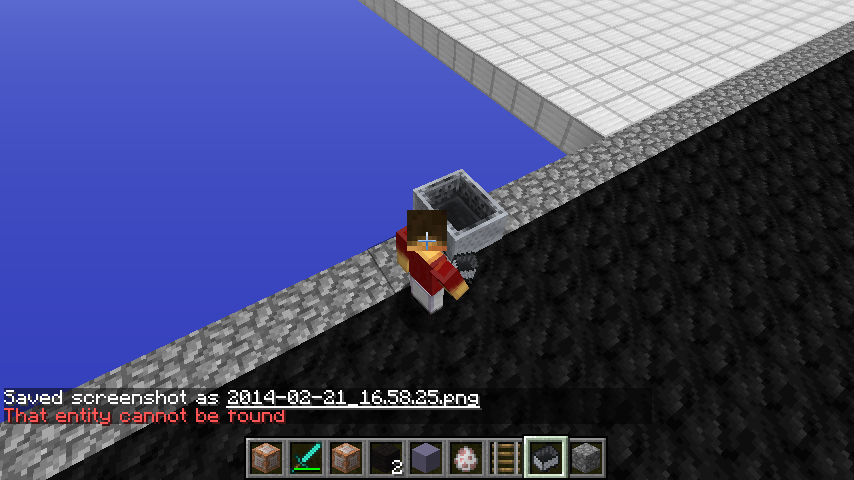
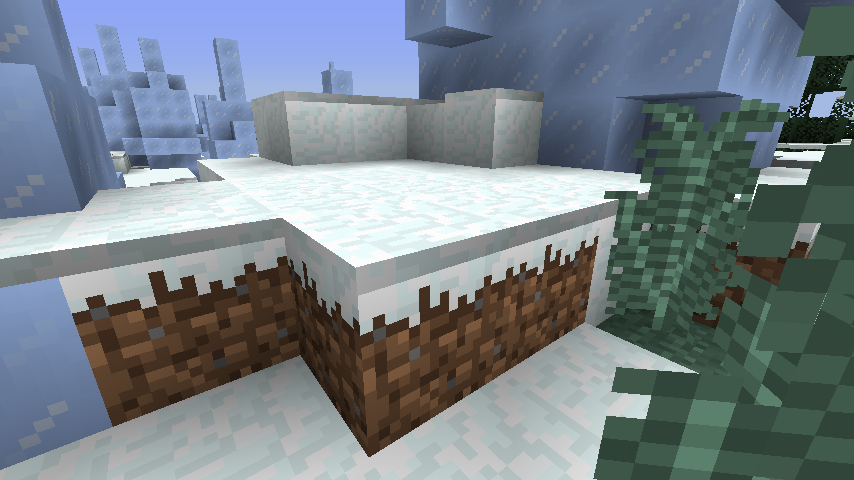

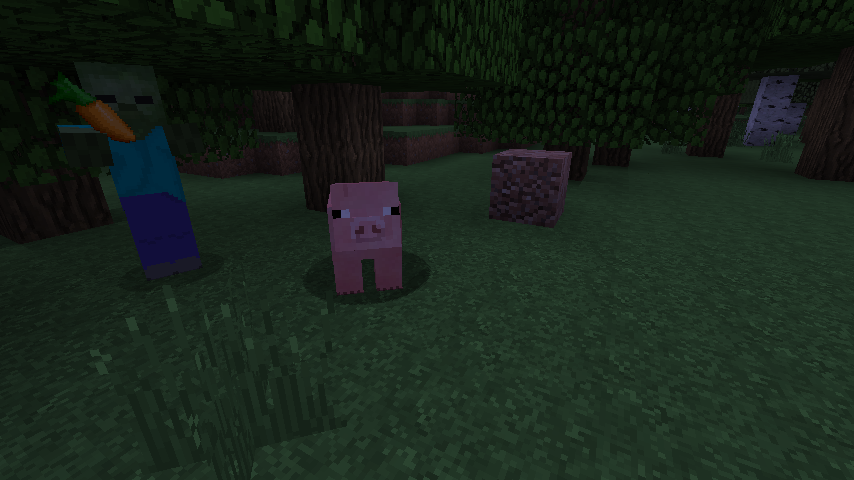
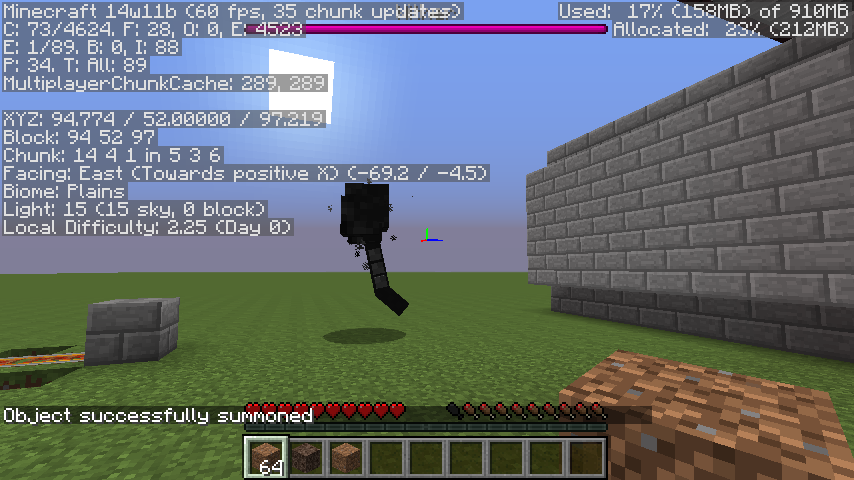







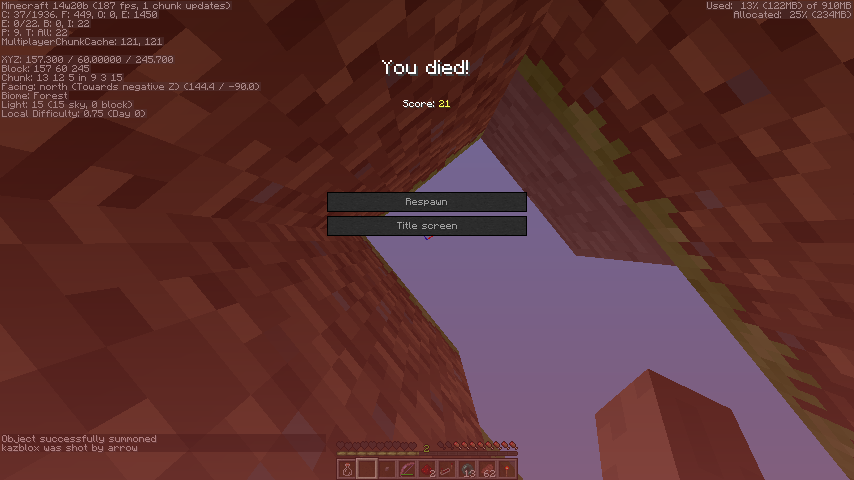
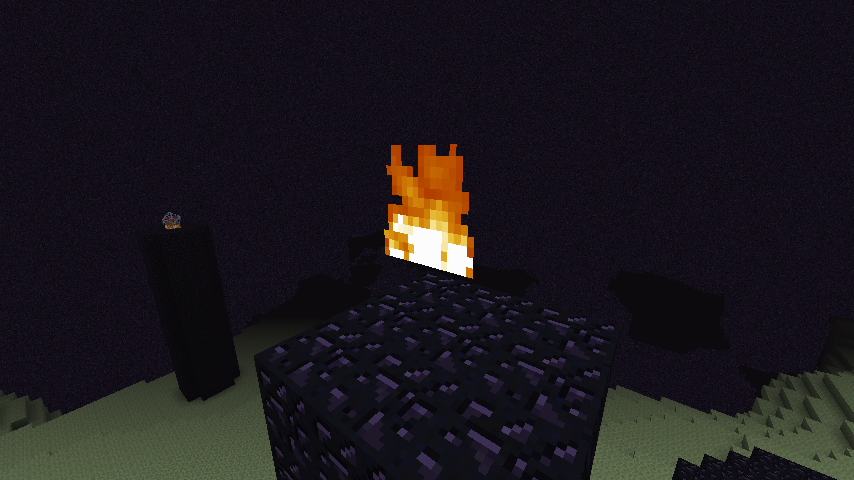
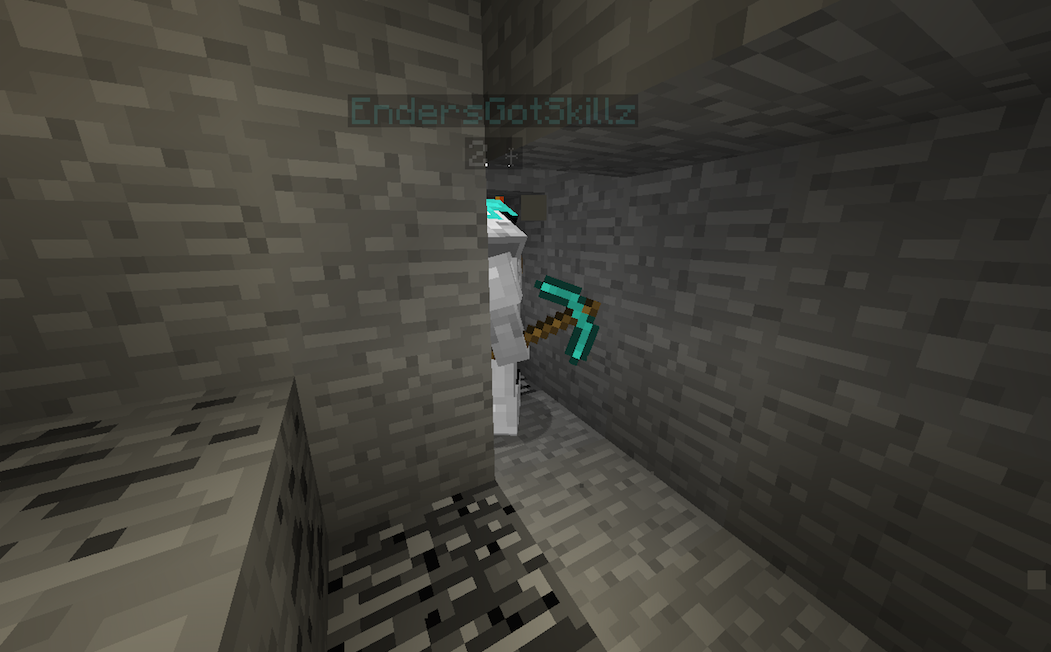
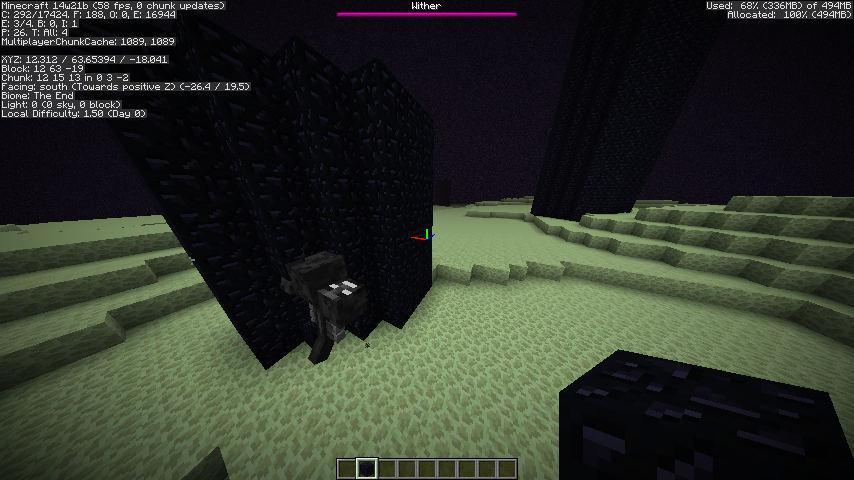


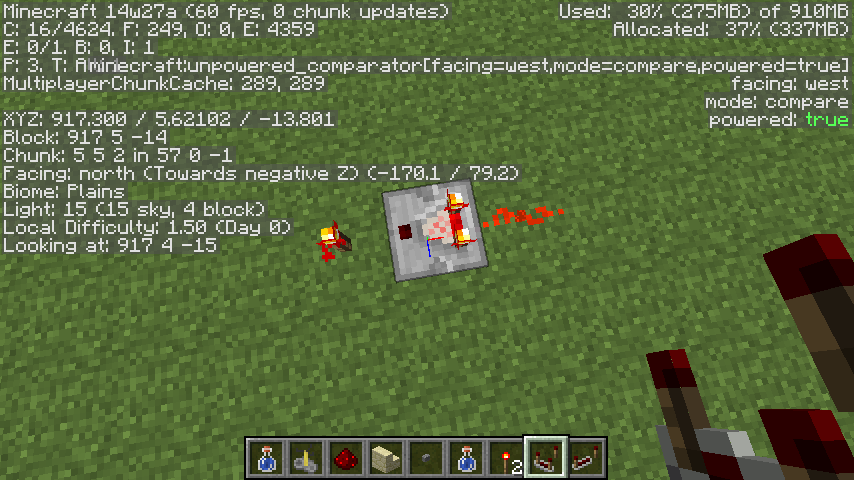



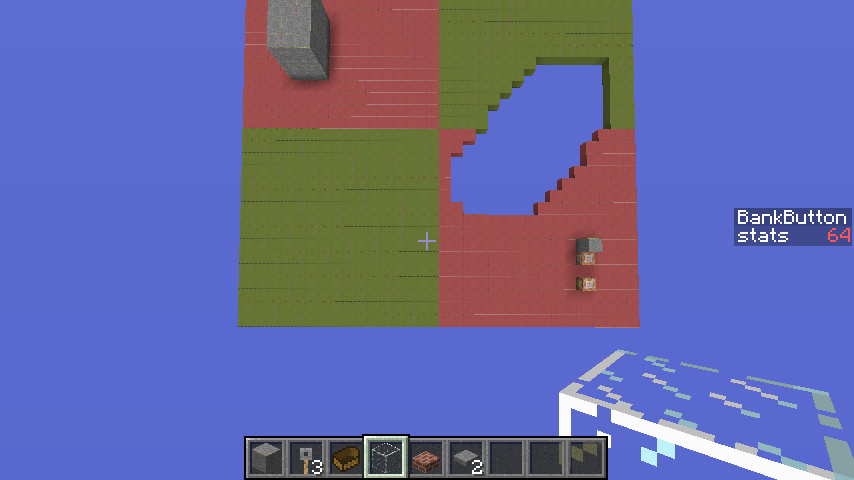


I was trying to spawn angry wolves in 1.7 via the /summon command, when I noticed that they spawned correct, with their "aggrovated" skin and sounds, etc. But they were actually in normal mode. The only thing that wonders me is that Zombie Pigmen actually have a working anger tag.What I expected them to to do:
They were supposed to spawn and kill/chase me around and such.What actually happened:
The wolves spawned correctly, with their "aggrovated" skin and sounds, etc. But they were actually in normal mode, no chasing or killing.Steps to Reproduce:
Snapshots for1.7 - type/summon Wolf ~ ~ ~ {Angry:1} /summon Pigzombie ~ ~ ~ {Anger:1}All versions before 1.7 snapshots - Get a third party editor to edit your spawner to an angry wolf. Open the world once you are done editing the spawner.
EDIT: It appears that the cause leads to the New AI. Look. Wolves already had the New AI before Pigmen did and the bug was only for wolves when this was created, because the anger tag for Pigmen still worked. Now that since 14w06b, the anger tag no longer works for Pigmen, which leads it to the New AI because Jeb made all mobs have the new AI now.
Steps to Reproduce:
1.8/1.7 - type/summon Wolf ~ ~ ~ {Angry:1} /summon Pigzombie ~ ~ ~ {Anger:1}All versions before 1.7 snapshots - Get a third party editor to edit your spawner to an angry wolf. Open the world once you are done editing the spawner.
Wolves and Pigmen summoned with NBT Angry/Anger tag not agroNeutral Mobs with New AI can't track players with existing agro tags
EDIT: It appears that the cause leads to the New AI. Look. Wolves already had the New AI before Pigmen did and the bug was only for wolves when this was created, because the anger tag for Pigmen still worked. Now that since 14w06b, the anger tag no longer works for Pigmen, which leads it to the New AI because Jeb made all mobs have the new AI now.
Steps to Reproduce:
1.8/1.7 - type/summon Wolf ~ ~ ~ {Angry:1} /summon Pigzombie ~ ~ ~ {Anger:1}All versions before 1.7 snapshots to the version in which New AI wolves are introduced - Get a third party editor to edit your spawner to an angry wolf. Open the world once you are done editing the spawner.
EDIT: It appears that the cause leads to the New AI. Look. Wolves already had the New AI before Pigmen did and the bug was only for wolves when this was created, because the anger tag for Pigmen still worked. Now that since 14w06b, the anger tag no longer works for Pigmen, which leads it to the New AI because Jeb made all mobs have the new AI now.
Steps to Reproduce:
1.8/1.7 - type/summon Wolf ~ ~ ~ {Angry:1} /summon Pigzombie ~ ~ ~ {Anger:1}All versions before 1.7 snapshots to the version in which New AI wolves are introduced - Get a third party editor to edit your spawner to an angry wolf. Open the world once you are done editing the spawner.
EDIT: It appears that the cause leads to the New AI. Look. Wolves already had the New AI before Pigmen did and the bug was only for wolves when this was created, because the anger tag for Pigmen still worked. Now that since 14w06b, the anger tag no longer works for Pigmen, which leads it to the New AI because Jeb made all mobs have the new AI now.
Steps to Reproduce:
1.8/1.7 - type/summon Wolf ~ ~ ~ {Angry:1} /summon PigZombie ~ ~ ~ {Anger:1}All versions before 1.7 snapshots to the version in which New AI wolves are introduced - Get a third party editor to edit your spawner to an angry wolf. Open the world once you are done editing the spawner.
Neutral Mobs with New AI can't track players with existing agro tagsAgro tags don't work with Neutral Mobs that have New AI
EDIT: It appears that the cause leads to the New AI.
Look.Wolves already had the New AI before Pigmen did and the bug was only for wolves when this was created, because the anger tag for Pigmen still worked.Now that since 14w06b, the anger tag no longer works for Pigmen, which leads it to the New AI because Jeb made all mobs have the new AI now.Steps to Reproduce:
1.8/1.7 - type/summon Wolf ~ ~ ~ {Angry:1} /summon PigZombie ~ ~ ~ {Anger:1}All versions before 1.7 snapshots to the version in which New AI wolves are introduced - Get a third party editor to edit your spawner to an angry wolf. Open the world once you are done editing the spawner.
EDIT: It appears that the cause leads to the New AI. Wolves already had the New AI before Pigmen did and the bug was only for wolves when this was created, because the anger tag for Pigmen still worked. Since 14w06, the anger tag no longer works for Pigmen, which leads it to the New AI because Jeb made all mobs have the new AI now.
Steps to Reproduce:
1.8/1.7 - type/summon Wolf ~ ~ ~ {Angry:1} /summon PigZombie ~ ~ ~ {Anger:1}
Sound chops up when you are walking left to right. Only affects 14w06.
Reproduction:
1. Start up 14w06b/a
2. Open a world
3. Walk with the right and left keys. The sound of whatever block you are walking on will be distorted.Just for notice, I included a short video too in the attachments.
[EDIT: Only works for "soft blocks", which creates sand/grass sounds when being walked on.]
Sound chops up when you are walking left to right. Only affects 14w06.
Reproduction:
1. Start up 14w06b/a
2. Open a world
3. Walk with the right and left keys. The sound of whatever block you are walking on will be distorted.Just for notice, I included a short video too in the attachments.
[EDIT: Only works for "soft blocks", which creates sand/grass sounds when being walked on.]
[EDIT: It actually works for most blocks, it's hard to hear the sound chopping on other blocks "eg. stone" sometimes.]
EDIT: INVALID ISSUE. MCedit caused a heightmap problem, it seems.
I was making a few caged worlds with barrier at the walls and the ceiling until I noticed this bug. When a chunk is unloaded, the terrain/land/chunk thinks that the barrier has a shadow, henceforth when loaded I got a blackened chunk.
Steps to reproduce:
1. Cage a chunk (y chunks do not matter) with barriers. You need to cage the ceiling of the chunk too in order for this bug to show up.
2. Go far away where the chunk goes past your render distance (e.g. not able to see the chunk anymore)
3. Reload the chunk by going to it again. Whatever is in that chunk is now blackened until you go around it and all of the lightning loads again.
Included some pictures.
Beacons have no shading+contrast when rendered in inventory....
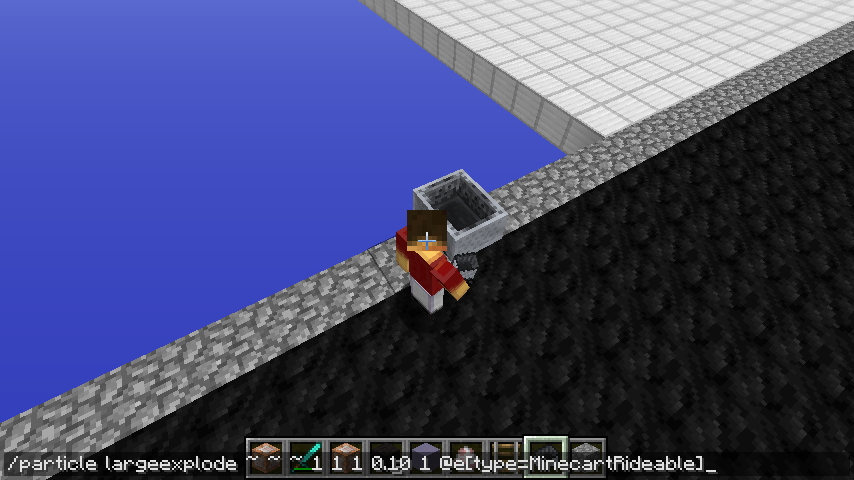
The /particle command does not do Minecart types.
EDIT: This bug can be reproducable for items and XP Orbs.
Steps to reproduce
1. Place Minecart
2. Type /particle largeexplode ~ ~ ~ 1 1 1 0.10 1 @e[type=MinecartRideable]
/particleon Minecarts do nothing/particle not working for 3 entities (XPOrb,Minecart*.*,Item)
/particle not working for 3 entities (XPOrb,Minecart*.*,Item)/particle not working for 3 entities (XPOrb,Minecart{?},Item)
The /particle command does not do Minecart types.
EDIT: This bug can be reproducable for items and XP Orbs.
Steps to reproduce
1. Place Minecart
2. Type /particle largeexplode ~ ~ ~ 1 1 1 0.10 1 @e[type=MinecartRideable]The /particle command does not do Minecart types.
EDIT: This bug can be reproducable for items and XP Orbs.
EDIT: Also projectiles.Steps to reproduce
1. Place Minecart
2. Type /particle largeexplode ~ ~ ~ 1 1 1 0.10 1 @e[type=MinecartRideable]
/particle not working for3entities (XPOrb,Minecart{?},Item)/particle not working for 4 entities (XPOrb,Minecart[Tag],Item, and Projectiles)
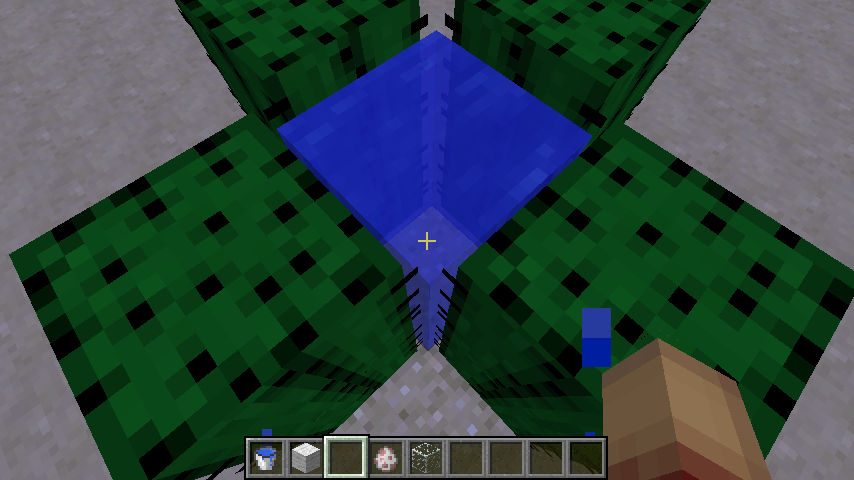
You can swim up in water that is enclosed in cactus if you go to the edge of one of the sides of it - collision glitch
When a silverfish entity is stuck in a fence while you switch peaceful
, the entity still appears clientside, spazzing. I attached a video of this weird behavior, along with a crash report, which seems to not help at all. But, it lists the spazzing endermite as a entity, which might have got the MPServer confused, creating this bug.
There are no steps to reproduce, as this behavior was unknowingly created itself. If someone can reproduce this, I'd be glad for them to post steps to make it ASAP.
When a silverfish is in a world that's switched to peaceful, the entity still appears clientside, spazzing. I attached a video of this weird behavior, along with a crash report, which seems to not help at all. But, it lists the spazzing endermite as a entity, which might have got the MPServer confused, creating this bug.
There are no steps to reproduce, as this behavior was unknowingly created itself. If someone can reproduce this, I'd be glad for them to post steps to make it ASAP.
When a silverfish is in a world that's switched to peaceful, the entity still appears clientside, spazzing. I attached a video of this weird behavior, along with a crash report, which seems to not help at all. But, it lists the spazzing endermite as a entity, which might have got the MPServer confused, creating this bug.
There are no steps to reproduce, as this behavior was unknowingly created itself. If someone can reproduce this, I'd be glad for them to post steps to make it ASAP.
When a silverfish is in a world that's switched to peaceful, the entity still appears clientside, spazzing. I attached a video of this weird behavior, along with a crash report, which seems to not help at all. But, it lists the spazzing endermite as a entity, which might have got the MPServer confused, creating this bug.
Step 1.
Spawn some endermites and silverfishStep 2.
Switch to peaceful*Now notice how they are still present in their clientside form.*
When a silverfish is in a world that's switched to peaceful, the entity still appears clientside, spazzing. I attached a video of this weird behavior, along with a crash report, which seems to not help at all. But, it lists the spazzing endermite as a entity, which might have got the MPServer confused, creating this bug.
Step 1.
Spawn some endermites and silverfishStep 2.
Switch to peaceful*Now notice how they are still present in their clientside form.*
I will explain the hopper crash I submitted today.
If you summon a villager with -1 (Green Villager) that has a career with custom working trades, completing a trade with it will crash the game in a matter of time because of a "Ticking entity".
{id:gold_ingot,Count:9b}
Command: /summon Villager ~ ~ ~ {Career:1,Profession:-1,Offers:{Recipes:[{maxUses:9,buy:,sell:{id:emerald,Count:1b}}]}}
This command will summon the exact villager shown in this bug. This does not work with valid careers such as Librarians, etc.
Crash reports are attached below if anybody wants to look at them.
I will explain the hopper crash I submitted today.
If you summon a villager with -1 (Green Villager) that has a career with custom working trades, completing a trade with it will crash the game in a matter of time because of a "Ticking entity".
summon Villager ~ ~ ~ {Career:1,Profession:-1,Offers:{Recipes:[{maxUses:9,buy:
{id:gold_ingot,Count:9b},sell:{id:emerald,Count:1b}}]}} Pardon the JSON spacing, it's Atlassian's fault.
This command will summon the exact villager shown in this bug. This does not work with valid careers such as Librarians, etc.
Crash reports are attached below if anybody wants to look at them.
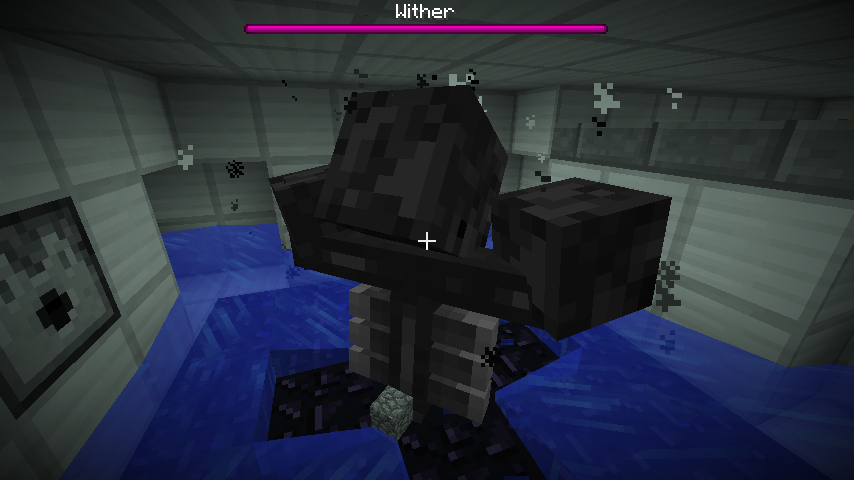
Wither heads wont cancel looking in specific directions if player quickly fleesfrom entity moving rangeWither heads wont cancel looking in specific directions if player quickly flees to a place where it can't see it
Wither heads wont cancel looking in specific directions ifplayer quickly flees to a place where it can't see itWither heads wont cancel looking in specific directions if target entity flees to a place where it can't see it
Steps to reproduce:
1. Summon WitherBoss
2. Change to gamemode 0, then back to 1 quickly. The wither will still shoot at you(bug), which is good for demonstrating this bug.
3. Flyup from the entity moving range aroundthewither, which is 32 blocks.
4. Go back down and 2 wither heads will not stop lookingup unless you are in Survival and the entity targets you again.Steps to reproduce:
1. Summon Wither Boss
2. Change to gamemode 0, then back to 1 quickly. The wither will still shoot at you, which is good for demonstrating this bug.
3. Fly straight up until the Wither stops shooting skulls
4. Go back down and the 2 wither heads will not stop looking in the upper direction.
Wither heads wont cancel looking in specific directions if target entity fleesto a place where it can't see it
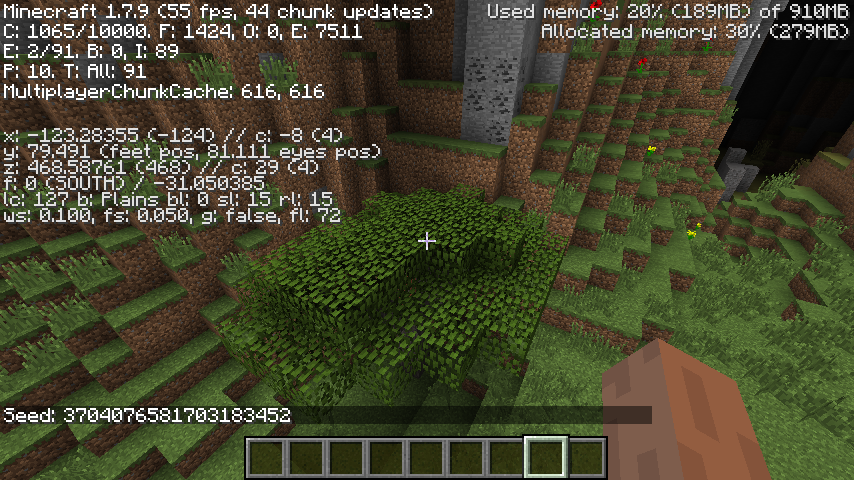
Acacia tree fully generates in plains biome at -123 79 468 in seed 3704076581703183452
You can name more than a single item for the same price as one
Steps to reproduce:
1. Place an Anvil and open it's interface.
2. Grab a stack of any kind of stackable item and put it in the first slot
3. Name the item whatever you want.If you did it correct, you named 64 items for the same price of one item. (Currently 1 level for starting price as of 14w11b) This should have been 64 levels to name your stack.
You can name more than a single item for the same price as one item
The title says it all.
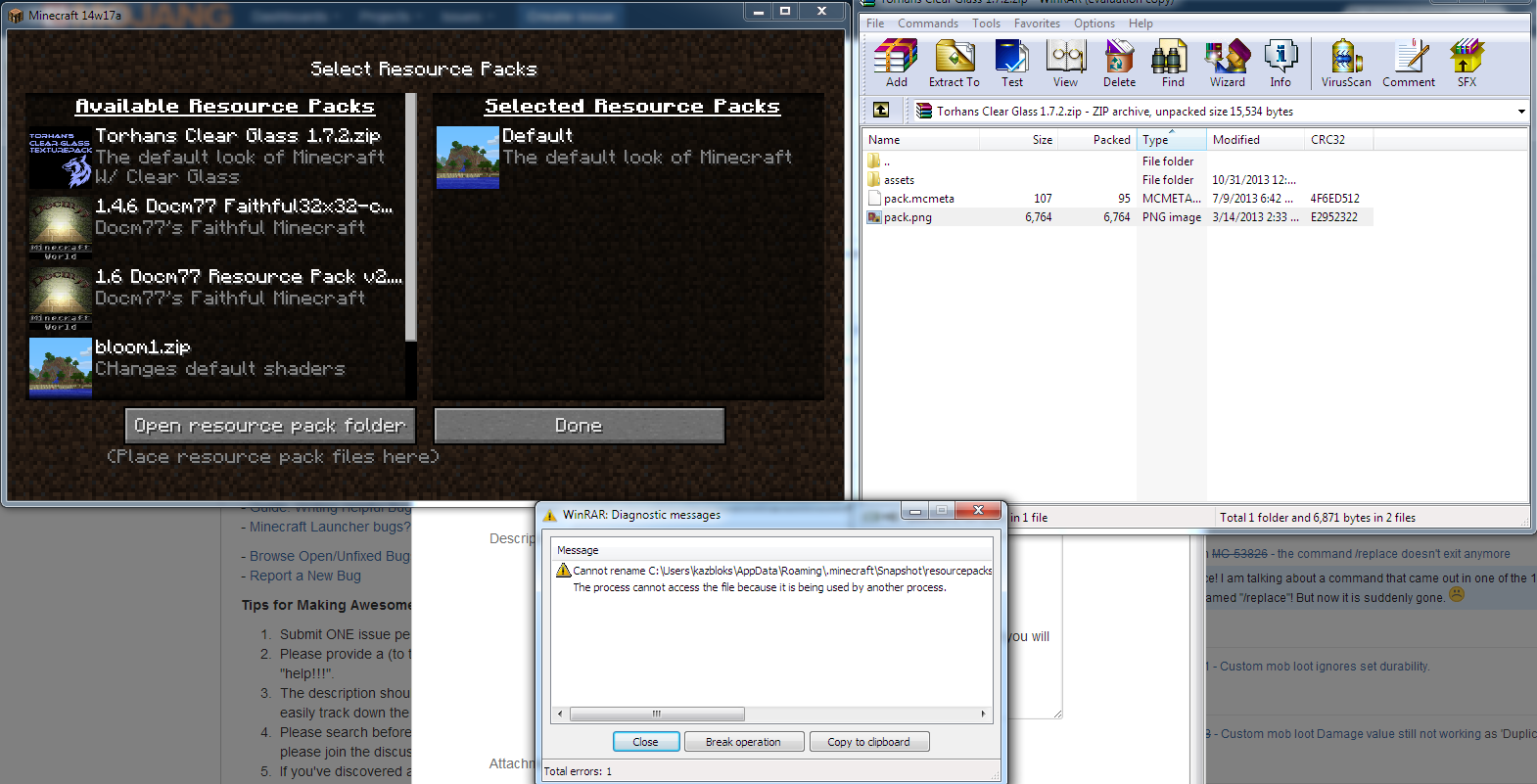
*Steps to reproduce:*
1. Load resource pack in the Resource Pack menu.
2. Unload resource pack after you loaded it.
3. Try to modify the resource pack you unloaded (ex: deleting it) and you will a get a message that it's stillused by Java.The title says it all.
*Steps to reproduce:*
1. Load resource pack in the Resource Pack menu.
2. Unload resource pack after you loaded it.
3. Try to modify the resource pack you unloaded (ex: deleting it) and you will a get a message that it's still being used.
In names, wide text leaves huge blank spaces behindBig space in front of wide text
Forests generate with forced Plains; via customized world settingsPlains-only worlds generated via custom option generate forests
Plains-only worldsgeneratedvia custom option generate forestsPlains-only worlds made via custom terrain option generate forests
Plains-only worlds made via custom terrain option generate forestsMore than 1 biome (except rivers) can generate in single-biome worlds
More than 1 biome (except rivers) can generate in single-biome worldsMore than 1 biome (rivers don't count) can generate in single-biome worlds
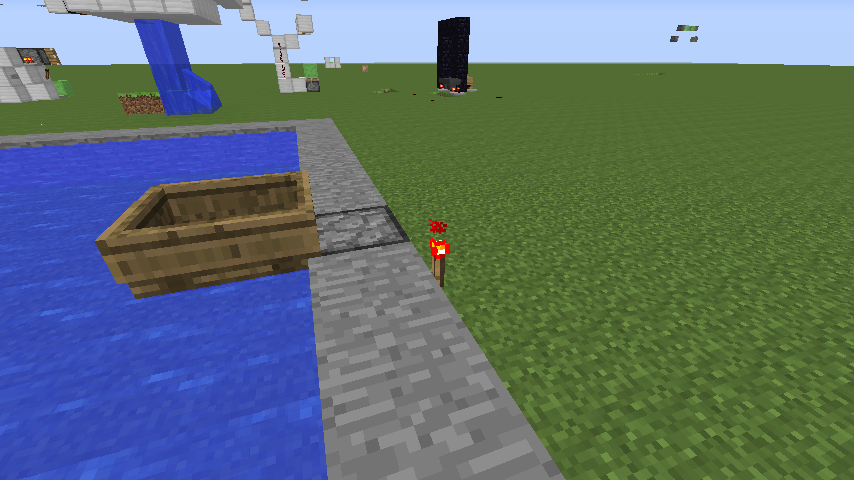
The screenshot says it all.
Steps to Reproduce:
1. Make a pool of water
2. Remove a block in the "cage" that holds it and place a dispenser there
3. Put boat in dispenser and activate itThe boat should be shot out in the water, but instead, it's shot out on the top of the dispenser.
The GFYcat explains it all, basically. It does not affect other entities often.
The GFYcat explains it all, basically. It does not affect other entities
often.The GFYcat explains it all, basically. It does not affect other entities but the Player.
You suffocate(1/2 heart)when pushed sideways by slimeblocksand stickypistonsYou suffocate 1/2 heart when pushed sideways by slimeblocks/piston
In 14w17a, if you powera piston,itproduces a "glitchy" effect in which the head clips through the block, and the head looks like it's a messed up piston block for half a frame.This is probably because of the internal rewrites, and the new Metadata change.
JUST IN FACT, THIS ISSUE ACTUALLY POSTED THE FIRST INSTANCE OF PISTON HEAD CLIPPING OUT OF PISTON (it came before
MC-54012), BUT SINCE THERE WAS 2 BUGS IN THE ORIGINAL POST AND ONE OF THEM DUPLICATEDMC-53587, IT WAS MARKED AS DUPLICATE.When you extend / retract a piston it shows the piston arm behind the piston.
Steps to reproduce:
1. Rapid pulse piston with clock
2. Notice piston head clipping out of piston itself
Glitchy piston in 14w17aPiston head clipping through base piston block.
JUST IN FACT, THIS ISSUE ACTUALLY POSTED THE FIRST INSTANCE OF PISTON HEAD CLIPPING OUT OF PISTON (it came before
MC-54012), BUT SINCE THERE WAS 2 BUGS IN THE ORIGINAL POST AND ONE OF THEM DUPLICATEDMC-53587, IT WAS MARKED AS DUPLICATE.When you extend / retract a piston it shows the piston arm behind the piston.
Steps to reproduce:
1. Rapid pulse piston with clock
2. Notice piston head clipping out of piston itselfWhen you extend / retract a piston it shows the piston arm behind the piston.
Steps to reproduce:
1. Rapid pulse piston with clock
2. Notice piston head clipping out of piston itself
MC-54012came after this,When you extend / retract a piston it shows the piston arm behind the piston.
Steps to reproduce:
1. Rapid pulse piston with clock
2. Notice piston head clipping out of piston itself
MC-54012came after this,When you extend / retract a piston it shows the piston arm behind the piston.
Steps to reproduce:
1. Rapid pulse piston with clock
2. Notice piston head clipping out of piston itself
MC-54012came after this, but was marked as duplicate for unknown reasons.When you extend / retract a piston it shows the piston arm behind the piston.
Steps to reproduce:
1. Rapid pulse piston with clock
2. Notice piston head clipping out of piston itself
Piston.png
NBT datain some commands not recognized correctlyNBT data recognization in /kill is glitched
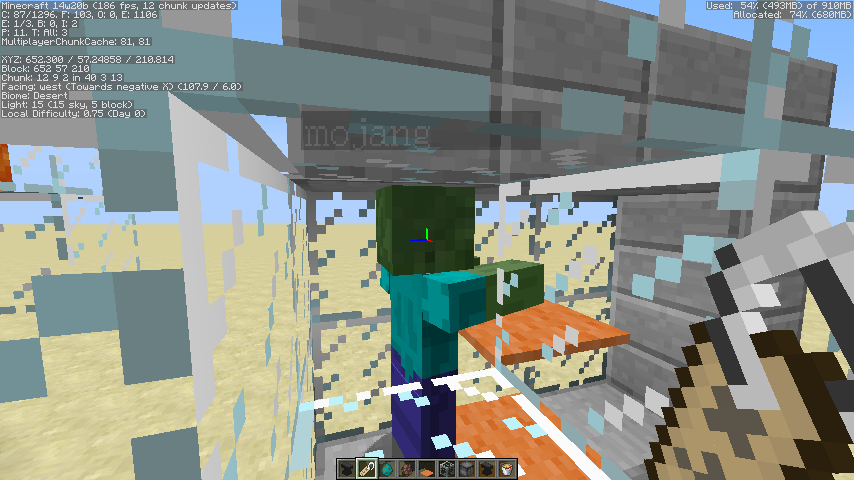
Discovered this when trying to kill specifically baby zombies.
Steps to reproduce:
{IsBaby:1}
1. In a world with no baby zombies, do /kill @e[type=Zombie]and nothing happens.
{IsBaby:1}2. Spawn 2 baby zombies into your world and do /kill @e[type=Zombie]again.
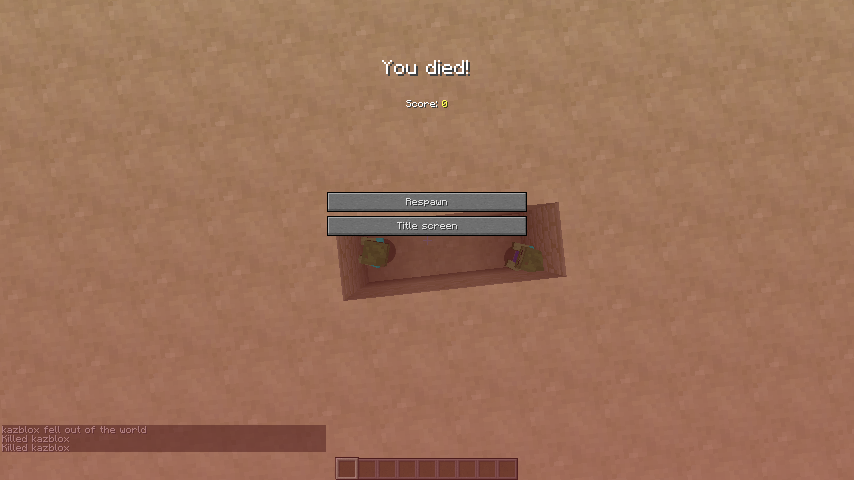
What comes out are 2 weird results saying "(Player) fell out of the world", and "Killed (Player)" twice. Screenshot below in attachments.
Discovered this when trying to kill specifically baby zombies.
Steps to reproduce:
{IsBaby:1}
1. In a world with no baby zombies, do /kill @e[type=Zombie]and nothing happens.
2. Spawn 2 baby zombies into your world and do /kill @e[type=Zombie]
{IsBaby:1}again.
What comes out are 2 weird results saying "(Player) fell out of the world", and "Killed (Player)" twice. Screenshot below in attachments.
Discovered this when trying to kill specifically baby zombies.
Steps to reproduce:
{IsBaby:1}
1. In a world with no baby zombies, do /kill @e[type=Zombie]and nothing happens.
{IsBaby:1}
2. Spawn 2 baby zombies into your world and do /kill @e[type=Zombie]again.
What comes out are 2 weird results saying "(Player) fell out of the world", and "Killed (Player)" twice. Screenshot below in attachments.
Discovered this when trying to kill specifically baby zombies.
Steps to reproduce:
{IsBaby:1}
1. In a world with no baby zombies, do /kill @e[type=Zombie]and nothing happens.
{IsBaby:1}
2. Spawn 2 baby zombies into your world and do /kill @e[type=Zombie]again.
What comes out are 2 weird results saying "(Player) fell out of the world", and "Killed (Player)" twice. Screenshot below in attachments.
Discovered this when trying to
killspecifically baby zombies.Steps to reproduce:
{IsBaby:1}
1. In a world with no baby zombies, do /kill @e[type=Zombie]and nothing happens.
{IsBaby:1}
2. Spawn 2 baby zombies into your world and do /kill @e[type=Zombie]again.
What comes out are 2 weird results saying "(Player) fell out of the world", and "Killed (Player)" twice. Screenshot below in attachments.
Discovered this when trying to specifically kill baby zombies.
Steps to reproduce:
{IsBaby:1}
1. In a world with no baby zombies, do /kill @e[type=Zombie]and nothing happens.
{IsBaby:1}
2. Spawn 2 baby zombies into your world and do /kill @e[type=Zombie]again.
What comes out are 2 weird results saying "(Player) fell out of the world", and "Killed (Player)" twice. Screenshot below in attachments.
Simple.
/setblock ~ ~ ~ sand 6
Try to mine it.
Crash.Does not affect other blocks that have invalid data values.
While in a chest/container, pressingesc+1 while highlighting any hotbar slot crashes gameIn a chest, holding ESC+1 while highlighting any hotbar slot crashes game
Steps to reproduce
1. Open a container block (Chests can be used)
2. Highlight a hotbar slot
3. Hold down ESC and 1 keys at the same timeCrash. Log
below:Steps to reproduce
1. Open a container block (Chests can be used)
2. Highlight a hotbar slot
3. Hold down ESC and 1 keys at the same timeCrash. Log in attachments.
F1shows player names in multiplayerF1 does not hide player names
-Found on Reddit by CollidedMoon
F1 now shows player names in multiplayer. This affects machinima community everywhere as it will ruin filming of shorts, bloopers, etc
.Steps to Reproduce:
1. Get a friend to come on your server
2. Press F1 when you are right next to your friend
3. Nametag shows. This is not behaving correctly compared to 1.7.10 and previous versions/snapshots in which it hides the nametag.-Found on Reddit by CollidedMoon
F1 now shows player names in multiplayer. This affects machinima community everywhere as it will ruin filming of shorts, bloopers, etc! We don't want that happening in Minecraft!
Steps to Reproduce:
1. Get a friend to come on your server
2. Press F1 when you are right next to your friend
3. Nametag shows. This is not behaving correctly compared to 1.7.10 and previous versions/snapshots in which it hides the nametag.
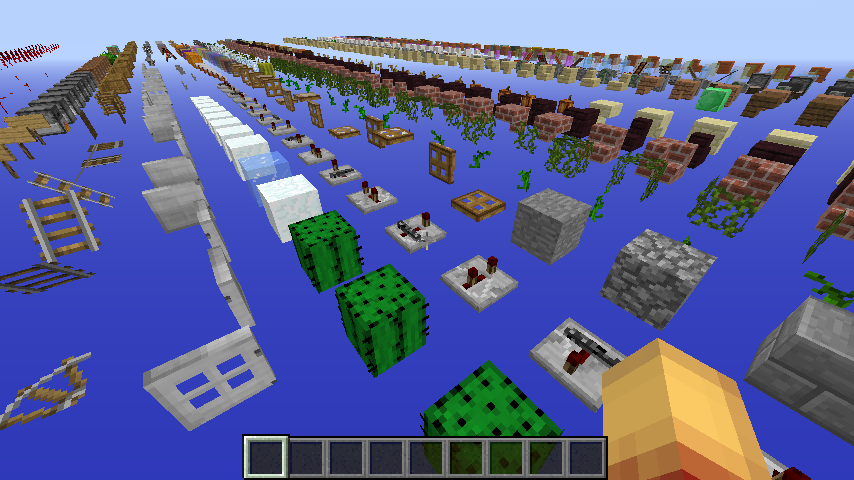
TNT with the data value of 1 drops TNT item when fused by hit in survival mode
When hitting TNT with data value of 1 in survival mode, they fuse but drop 1 TNT
block. This should not happen.When hitting TNT with data value of 1 in survival mode, they fuse but drop 1 TNT item. This should not happen as they should not drop the item, which is the right behavior for TNT before 1.6.6
When hitting TNT with data value of 1 in survival mode, they fuse but drop 1 TNT item. This should not happen as they should not drop the item, which is the right behavior for old TNT before 1.6.6
When hitting TNT with data value of 1 in survival mode, they fuse but drop 1 TNT item. This should not happen as they should not drop the item, which is the right behavior for old TNT before 1.6.6
When hitting TNT with data value of 1 in survival mode, they fuse but drop 1 TNT item. This should not happen as they should not drop their item, which is the right behavior for old TNT before 1.6.6
When hitting TNT with data value of 1 in survival mode, they fuse but drop 1 TNT item. This should not happen as they should not drop their item, which is the right behavior for old TNT
before 1.6.6When hitting TNT with data value of 1 in survival mode, they fuse but drop 1 TNT item. This should not happen as they should not drop their item, which is the right behavior for old TNT.
You are having a warped point of view from why it won't be fixed.
From OldGanon, one of the zipkrowd guys:
"Mobspawning is now based on the sections of a chunk instead of a whole chunk in the lc value. this change slows down most mobfarms. On a positive note, if you stack up on your mobfarm now, it won't slow it down permanently."
This change was made to fix
MC-7473. If Mog reverts the fix, then the client LC will do a half-assed job in reflecting the server LC again. The only solution is to stack your Enderman farms, I guess.
I dont think so... That link is for chests in earlier versions that were upgraded to 14w25, I started my world in 14w26c and started to get this problem when I walked around some terrain when upgrading to 14w27a...
Too much text for model names in debug mode
Too much text for model names indebugmodeToo much text for model names in F3 mode
Not a duplicate of
MC-57470, chests minecarts will never have a data value.This happens with newly placed/generated chest minecarts too.Place a minecart with chest, or visit an abandoned mineshaft. Crash.
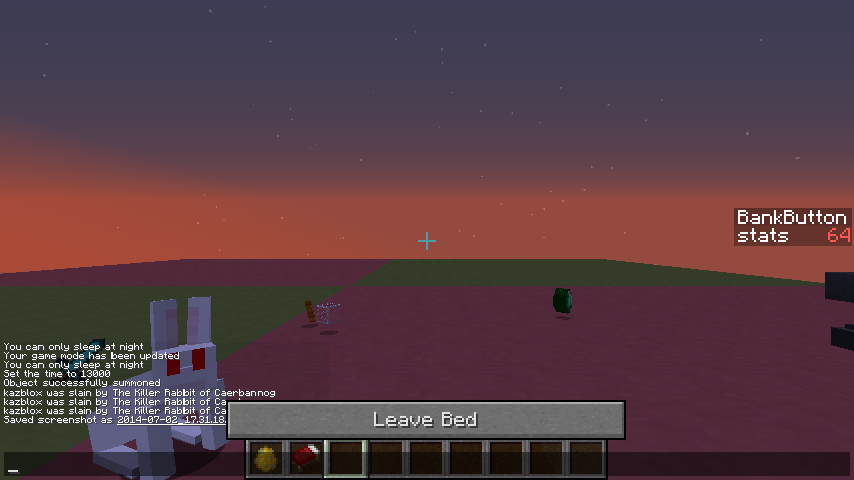
Can sleep even when a Killer Rabbit of Caerbannog is present nearby
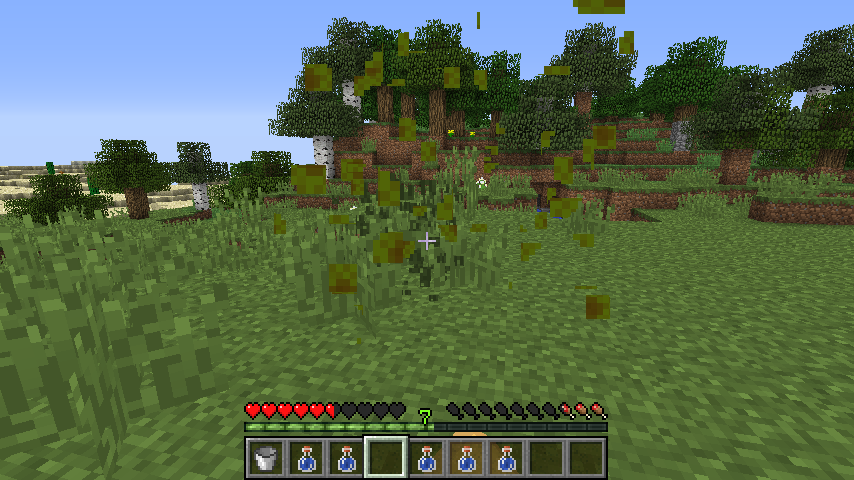
Simple. Break the top of tall grass and see the particles.
Tall grass particlescome fromAcacia Sapling textureTall grass particles are Acacia Sapling texture
Tall grass (top) particles are Acacia Sapling texture
Tall grass (top) particles areAcacia Sapling textureTall grass (top) particles are sunflower texture with broken pallete
EDIT: The ghost portal is binded more away than the previous versions that had this bug. See newly uploaded screenshot for an understanding.
Does not happen when hud is turned off
.Does not happen when hud is turned off with F1
Weird polygon stitching with hud and Mipmap onWeird polygon stitching with hud and Mipmap off
Weird polygon stitching withhud and Mipmap offWeird polygon stitching when holding blocks / hud on and Mipmap off

GUI/blocks turns all white when changing mipmap levels
GUI/blocks turns all white when changing mipmap levelsfo
foGUI and blocks turn white when changing mipmap levels
When a block is held with mipmap off it causes all inventory blocks to goto Mipmap:4When a block is held with mipmap off it causes all inventory blocks to go smooth
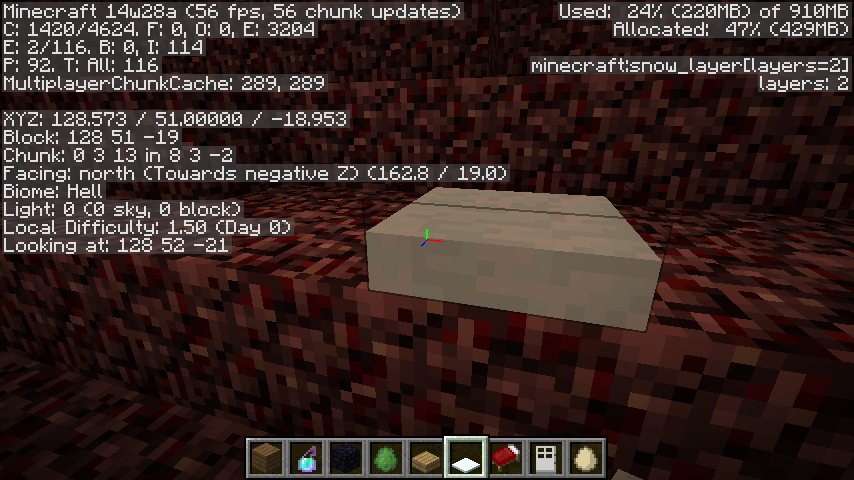
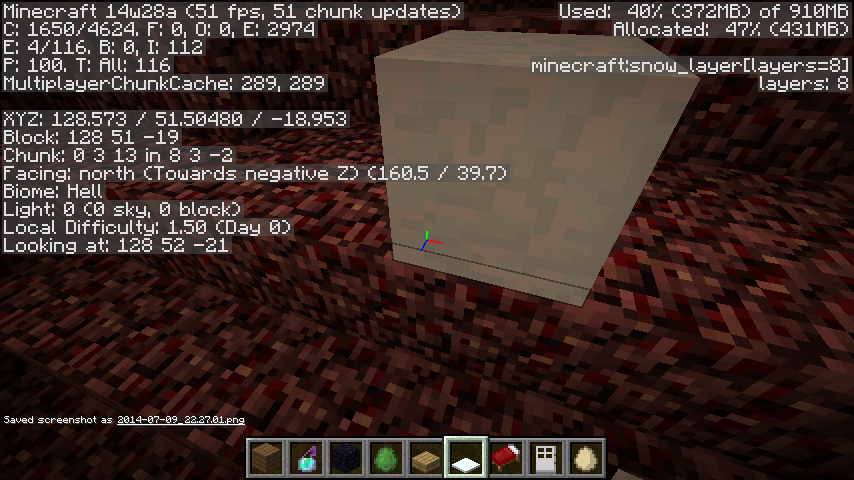
When opening
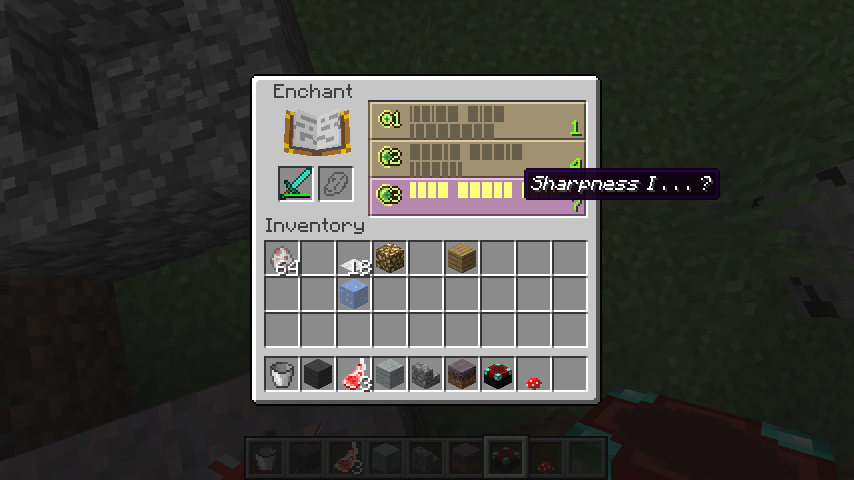
Weird.. the screenshot is right but on my screen it displayed black bars instead of text
Blank soundEvent - [Client thread/WARN]: Unable to play unknown soundEvent: minecraft:
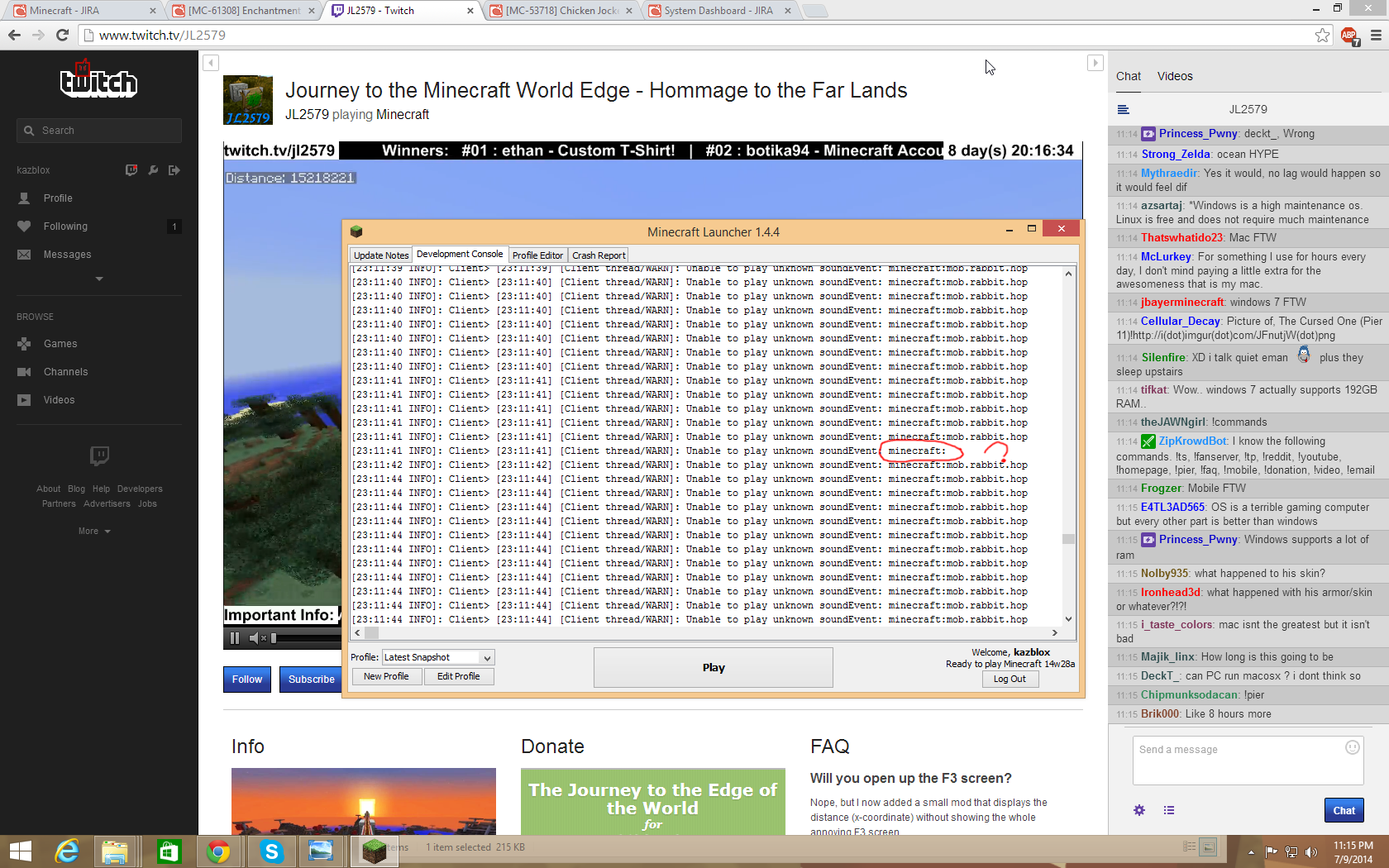
BlanksoundEvent - [Client thread/WARN]: Unable to play unknown soundEvent: minecraft:soundEvent with no name - [Client thread/WARN]: Unable to play unknown soundEvent: minecraft:
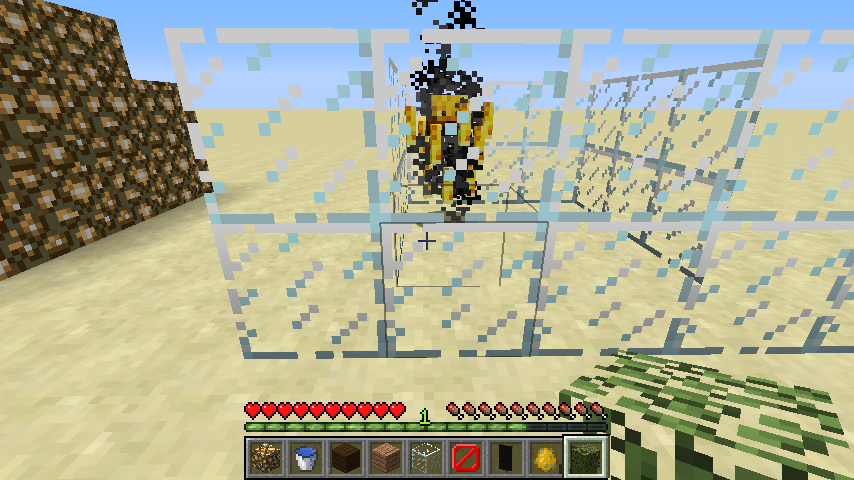
1. Build a machine like in the picture
2. Stand in the detector rail (facing down) and try placing a minecart there
Crash.
Description: Unexpected error

java.lang.IllegalArgumentException: Cannot get property bco{name=shape, clazz=class arw, values=[north_south, east_west, ascending_east, ascending_west, ascending_north, ascending_south]} as it does not exist in bby{block=minecraft:piston_extension, properties=[facing, type]}
	at bcb.b(SourceFile:112)
	at art.a(SourceFile:398)
	at bbq.a(SourceFile:141)
	at asa.a(SourceFile:526)
	at apo.a(SourceFile:694)
	at wg.a(SourceFile:1036)
	at cgt.a(SourceFile:384)
	at bqn.q(SourceFile:1428)
	at bqn.ap(SourceFile:864)
	at bqn.a(SourceFile:303)
	at net.minecraft.client.main.Main.main(SourceFile:120)
Vertically or horizontally pushed rails result in crash when rendered in specific angles/pushed into mobs
Vertically or horizontally pushed rails result in crash whenrendered in specific angles/pushed into mobsVertically or horizontally pushed rails result in crash when pulsed/pushed into mobs or players
1. Build a machine like in the picture (the one with the green clay)
2. Stand in the detector rail (facing down) and try placing a minecart there
Crash.
Minecart on rail pushed upwardsDescription: Unexpected error java.lang.IllegalArgumentException: Cannot get property bco{name=shape, clazz=class arw, values=[north_south, east_west, ascending_east, ascending_west, ascending_north, ascending_south]} as it does not exist in bby{block=minecraft:piston_extension, properties=[facing, type]} at bcb.b(SourceFile:112) at art.a(SourceFile:398) at bbq.a(SourceFile:141) at asa.a(SourceFile:526) at apo.a(SourceFile:694) at wg.a(SourceFile:1036) at cgt.a(SourceFile:384) at bqn.q(SourceFile:1428) at bqn.ap(SourceFile:864) at bqn.a(SourceFile:303) at net.minecraft.client.main.Main.main(SourceFile:120)Rails pushed into mobDescription: Ticking entity java.lang.IllegalArgumentException: Cannot get property bco{name=shape, clazz=class arw, values=[north_south, east_west, ascending_east, ascending_west, ascending_north, ascending_south]} as it does not exist in bby{block=minecraft:piston_extension, properties=[facing, type]} at bcb.b(SourceFile:112) at art.a(SourceFile:398) at bbq.a(SourceFile:141) at asa.a(SourceFile:526) at apo.a(SourceFile:694) at apo.a(SourceFile:660) at xa.s(SourceFile:1544) at aas.a(SourceFile:32) Details: Entity Type: Villager (afs) Entity ID: 410 Entity Name: Villager Entity's Exact location: 291.70, 70.00, -80.50 Entity's Block location: 291.00,70.00,-81.00 - World: (291,70,-81), Chunk: (at 3,4,15 in 18,-6; contains blocks 288,0,-96 to 303,255,-81), Region: (0,-1; contains chunks 0,-32 to 31,-1, blocks 0,0,-512 to 511,255,-1) Entity's Momentum: 0.00, -0.08, 0.00 Entity's Rider: ~~ERROR~~ NullPointerException: null Entity's Vehicle: ~~ERROR~~ NullPointerException: null
Vertically or horizontally pushed rails result in crash when pulsed/pushed into mobs or playersRails (any) crash any nearby clients when pushed by sticky pistons repeatedly/pushed into entities
Rails (any) crashanynearby clients when pushed by sticky pistons repeatedly/pushed into entities
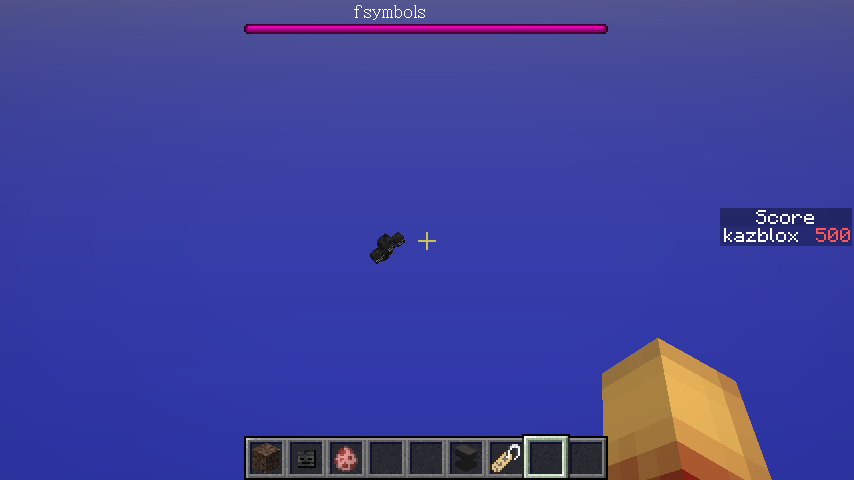
/scoreboard objectives add WolfAnger dummyAdds the objective
Then on a superflat void world with no entities (no leashes or frames either), spawn an untamed wolf then hit it in survival. When the wolf is attacking you, run this command:/scoreboard players set @e[type=Wolf] WolfAnger 1 {Angry:1}Sets the WolfAnger scores of angry wolves to 1. This should output this message:
Set the score of WolfAnger for player UUID to 1but instead, fails then outputs this:
The dataTag does not match for UUIDI'm pretty sure I did the dataTags right. /summoning a wolf with the exact data tag makes it look angry, so it's just the command that's going bonkers.
To reproduce, on a superflat void world with no entities (no leashes or frames either), execute this command:
/scoreboard objectives add WolfAnger dummyAdds the objective
After doing that command, spawn an untamed wolf then hit it in survival. When the wolf is attacking you, run this command:
/scoreboard players set @e[type=Wolf] WolfAnger 1 {Angry:1}Sets the WolfAnger scores of angry wolves to 1. This should output this message:
Set the score of WolfAnger for player UUID to 1but instead, fails then outputs this:
The dataTag does not match for UUIDI'm pretty sure I did the dataTags right. /summoning a wolf with the exact data tag makes it look angry, so it's just the command that's going bonkers.
To reproduce, on a superflat void world with no entities (no leashes or frames either), execute this command:
/scoreboard objectives add WolfAnger dummyAdds the objective
After doing that command, spawn an untamed wolf then hit it in survival. When the wolf is attacking you, run this command:
/scoreboard players set @e[type=Wolf] WolfAnger 1 {Angry:1}Sets the WolfAnger scores of angry wolves to 1. This should output this message:
Set the score of WolfAnger for player UUID to 1but instead, fails then outputs this:
The dataTag does not match for UUIDI'm pretty sure I did the dataTags right. /summoning a wolf with the exact data tag makes it look angry, so it's just the command that's going bonkers.

/scoreboardnotworkingwithdata tagsThe DataTag function for /scoreboard only works with items
NOT A DUPLICATE OF A FEATURE REQUEST. THE OTHER REPORT WAS MADE BEFORE THE DATATAG FUNCTION WAS ALLOWED IN /SCOREBOARD COMMANDS.

Whenever you move inside land while having the 3rd person camera on,
the camera seems to be bothered about being inside blocks, causing a jerky camera.Whenever you move inside land (spectator mode) while having the 3rd person camera on, your semi-transparent head keeps flashing in and out, causing a little annoyance.
3rd personcam is jerkyin spectator modeYour 3rd person head flashes in and out when inside blocks in spectator mode

Mushrooms don't spread/gamerule RandomTickSpeed not work
/gamerule RandomTickSpeednot work/gamerule RandomTickSpeed broken
1. Place mushroom in a very dark place/or on mycelium
2. Set the gamerule randomTickSpeed to 1000
3. ??? Nothing happens.
**Example 1:
1. Place mushroom in a very dark place/or on mycelium
2. Set the gamerule randomTickSpeed to 1000
3. ??? Nothing happens.
**Example 1:
1. Place mushroom in a very dark place/or on mycelium
2. Set the gamerule randomTickSpeed to 1000
3. ??? Nothing happens.
*Example 1:*
1. Place mushroom in a very dark place/or on mycelium
2. Set the gamerule randomTickSpeed to 1000
3. ??? Nothing happens.
*Example 1:*
1. Place mushroom in a very dark place/or on mycelium
2. Set the gamerule randomTickSpeed to 1000
3. ??? Nothing happens.
/gameruleRandomTickSpeed brokenRandomTickSpeed gamerule broken

Fixed in 14w31a
![[Mod] Ezekiel (ezfe)](../../../data/assets/gravatar/ezekielelin.jpeg)
kazblox, a few things to take note
1. You don't know how our process works
2. Dinnerbone marked it as Works as Intended

kazblox, you wrote:
Not.
MC-59850 is "java.lang.IllegalArgumentException: Cannot set property azi"MC-57470 is "java.lang.IllegalArgumentException: Cannot set property ayj"
That's normal, because the obfuscated symbols change from version to version.
But
Rendering entity in world - java.lang.IllegalArgumentException: Cannot set property
Exception ticking world - java.lang.IllegalArgumentException: Cannot set property
Not fixed, kazblox. See attachment.
Well then. That would result into a partial copy of the Wolf AI code and pasting it into the NBT Data, making it persistent itself. Should Dinnerbone/Jeb be told about this issue?
Oh yeah.
This can most likely be an oversight of entity data that will be not be recoded soon.
I think this is mostly intended. Explaination:
When being killed, you actually spawn around the spawn chunk that was loaded with the default world. SetWorldSpawn only sets the default spawn chunk. When using /setspawn, you force everybody to spawn on one place in the chunk, instead of spawning around the areas of the chunk everytime.
Why isn't this fixed yet? Im going to get this 50 votes.
It depends if it detects an accurate position of the hitbox, in which the enderdragon has a huge or small one, I believe.
Are you using a resource pack?
This must be why my server keeps my diamonds on (yay dupes), but my villager isnt Invulnerable at all.
PS: There is no Invincible Tag. Its Invulnerable
This is intended. Explanation:
The command sets a "virtual ghost bed" requiring 1 free block of air for it to be placed, but cobwebs, water, lava, and mostly every transparent block, even blocks inside the player, take the space. A really ugly workaround would to be with messing with the 1.7.2 MCP code and make it so it removes the 1 block inside you while placing spawnpoints.
You dont get the concept. It's destroyed when you are inside a block, not on a block.
Confirmed as existing in 14w05a. The block is invisible and the entity itself is trying to get the pure texture data out of the block to be rendered "e.g. chests are wood", however there is no pure texture data in this block whatsoever.
Force a crash for us, please? Helps a lot.
This is an intended fix to optimize lag as it causes severe FPS drops using a 1-tick clock.
This is invalid, I realized. It was a heightmap problem with my third party map editing tool. Manually filled the ceiling and it's all better now.
Mods, please close this issue.
TL;DR : We dont have a friggin QA group, but the people who test our snapshots ARE the QA group now. Its so easy to mistake ChestPos for Pos and they didn't even notice. Adam wasn't prepared for the out-of-the-blue stuff around here, but he is feeling sorry.
Reproduced it without fences, it's a really easy way to do it. Editing
MC-52104as of now....Huh? This seems to only work in my survival world, trying to reproduce it in other worlds do nothing. :I
This is not a duplicate. The other one isn't explained properly, making it a bit different, while this one is explained with an image.
Confirmed in 14w11b
Works as intended, because there is a left bug that makes things possible for redstoners, ex: block detector, otherwise known as the BUD glitch.
What you have here is a classic case of it.
Common layout:
r
=
p
Yours takes place with a redstone block.
[rb]
p
14w11b has not yet been added into Affects Version category.
14w11b please confirm
Fixed in 1.7.6.
Fixed by changing this line in BlockIce.java (latest MCP):
to this:
Can anyone confirm this?
This glitch has evolved (new AI?) in the latest snapshots. All of the wither's heads will not shoot unless attacked in 14w11b. In 1.7, the exact symptoms in the description will happen.
Suddenly it's as if Mojang pushed out a little hidden update to fix part of this bug. Wither's heads will shoot at players before provoked, but it still does not fly.
How do I add affects version
Can anybody confirm?
Who marked this as "Works as Intended"? This shouldn't happen unless this bug has an assignee.
LavaLakeChance is lesser than 10. For some reason, this is a problem and in 14w18, this will get fixed by limiting the Lava Lake Chance slider to 10.
Still happens in 14w17a.
Affects Boss Mob tags.
Someone look in the obfuscated Enderman class and compare it with 14w11b and 14w18b.
Yeah, I just figured that out.
Confirmed in 14w18b
Still not fixed in 14w19a
Confirmed for 14w19a
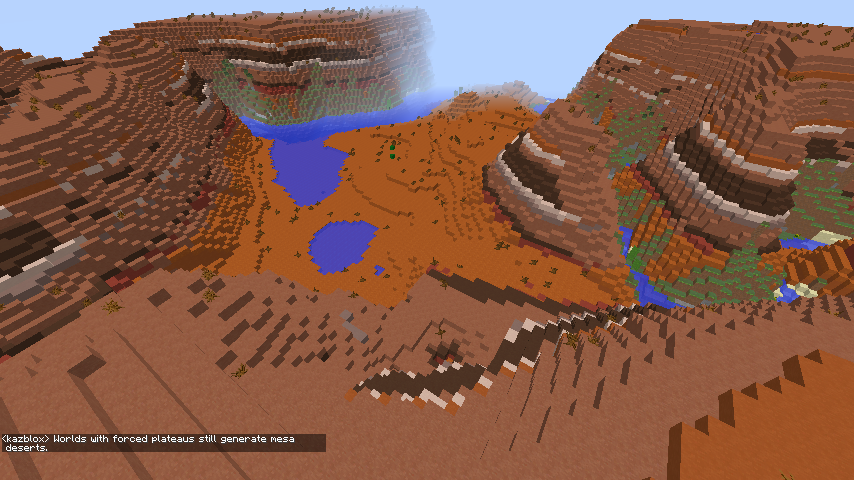
Bug is also shown in Mesa Plateau-only worlds too.
Happens when you get killed too.
If set to Ice Plains it still generates Ice Spikes/Mountains.
Can somebody reproduce?
This works as intended if it is explicitly refrenced.
He is using 1.7.9... This is fixed in 14w05b.
Also a duplicate of
MC-1607Is related to
MC-108... if this didnt happen before 14w19a but shares the same behavior asMC-108, then it's related.Bug is back in latest snapshot.
not fixed in 14w20b/a
Intended; the FallingSand code only grabs specific models and pure texture data. It would be too advanced to fix this for now.
Confirmed 14w20a/b
May be related to this?
MC-1038I dont get it, blah. Technically there is.
14w20a/b
This might be a side effect of the LC = chunk to LC = 1 block fix. It won't be fixed, as Mog marked it.
Well, time to go back to the 4th grade again...
These are invalid blocks kids! They are unused and not referred in the code, therefore invalid! Mess with glitch blocks and the boog.eyman will "crash" you!
Duplicate of
MC-30484.Confirmed 14w21b
Works as Intended.
14w21a/b.
Fixed in 14w21b
Confirmed for 14w21a/b
Confirmed for 14w19a/b, 14w20a/b, and 14w21a/b
Fix (MCP 1.7.2)
Confirmed for 14w21a/b.
Works as intended.
Wtf is with these stupid reports that show nothing at all? Invalid.
This can be fixed by having the game check if an entity in a loaded chunk is wearing a head with the old skull format. If it does, rework it's head NBT data into the new format.
I wish a mod would relook at this issue. The number of the post clearly shows it came before
MC-54012.Can anybody else reproduce other than Blah?
This might be the reason why it crashes. When you reproduce this bug, this is what happens:
When you press 1 while highlighting a slot, the game checks if there is anything in the 1st slot of the chest the player is opening. If there is anything in chest slot 1, the game moves the items in that slot to the highlighted inventory slot. If the game does the check after the chest is closed, it gets confused and crashes while "updating screen events".
It can be fixed by adding a 15-20 tick delay before closing a Container TileEntity when pressing ESC, dying, being teleported, and going in a nether portal.
Duplicate of
MC-45558/tellraw is the only way.
Just found out that JIIRA has another issue link field called "found while testing". Change the current string, "relates to
MC-108", to "found while testingMC-108". That's much better.Someone needs to find out the line that causes this and to fix it.
"It's not clear to me what you're expecting these tags to do without some way to specify a target."
Torabi, the Anger/Angry tag function is to track a random player and then attack it. It doesn't happen specifically unless you hit the mob.
Go ahead and do the command /summon PigZombie ~1 ~1 ~1
{Anger:1}in 1.7.10pre1 while in survival mode with a player. Kill it, then do it again to see the randomness of which player it attacks.
Searge has probably implemented my fix... Excellent.
relates to
MC-55767Can anybody confirm?
Turns out it's a so-called "FPS fix" by Jeb.
http://www.reddit.com/r/Minecraft/comments/1m97cw/while_you_are_all_crying_over_the_name_change_of/
"The reason they got removed was because they don't follow the leaf decay rules, and thus caused a LOT of chunk updates. I basically doubled my FPS in forests by removing these. My intention was not to remove them completely, though, but rather "fix them later". The problem now is that the code for those trees is super-complex, and not the easiest thing to work with."
BigTree source code from Jeb:
http://pastebin.com/XBLdGqXQ
Paul Spooner, original maker of Forester Filter and gave the Big Tree generation code to Notch, says:
"
The stuff you're looking for is in the "foliageShape" function. I suggest replacing the line:
else if ((y == 0) || (y == (foliageHeight - 1))) return (float) 2;
with the following two lines
else if ((y == 0) || (y == (foliageHeight - 2))) return (float) 2;
else if (y == (foliageHeight - 1)) return (float) 1.5;
The change should reduce the size of the foliage clusters and prevent decay.
"
Edited comment to add source + extra info.
Internal server lag.
fixed in 14w25a
Can we change the title and the description to make it more accurate and clear to the developers?
I haven't been able to reproduce this issue, so "Any block over Y=63 is invisible on some graphics cards" would fit this.
Can someone confirm in 14w25a? Is it fixed?
Fixed in 14w25.
CustomNameVisible:0 behavior with Wither Skulls (and other technical entities) has been fixed as they are now hidden. Pointing at it doesn't show it's name but I think it's intended.
CustomNameVisible:1 behavior however will still make the skull show it's name when using F1. Does not affect other mobs except technical ones like item, XPOrb, and snowball/enderpearls.
Because of that, i'm not sure if MC-56533 is still in 14w25. Someone check?
Confirmed for 14w25a.
Can anybody confirm?
Duplicate of
MC-55767This is all mixed up in my head...
CustomNameVisible:1 doesnt work but does and CustomNameVisible:0 good false? This is what I am thinking in my head right now
Fixed in 14w25a
Oh wait, I thought this was horizontal. This title should have been more specific. "Carpets can be pushed upwards by sticky pistons & slime block but not pulled back" would be a better title.
confirmed 14w25b and 14w25a
Cannot reproduce.
Confirmed. It's annoying when my wolf stops attacking skeletons in the killing chamber because it could see through the ground and saw a clogged skeleton in the spawner room, trying to attack it.
happens with food if your hunger bar is full too.
Oopsies, in a superflat world. Delete request?
Confirmed for 14w25a/b
Can anybody confirm?
Fixed in 14w25b, "null" makes the game output nothing so it never causes a crash
Or you could say it was fixed instead of invalid...
Related to
MC-44352. When standing on a slime block you always sometimes jitter as you increase Y value by 2 pixels then fall down back 2 pixels in about 4 frames. Sitting wolves always get up when falling so this is the answer to why this bug is happening.Don't know.
They visually don't regenerate but their block is still there.
Fixed in 14w25a due to the new sign changes. How much text is on a line now depends on the width of every character, so for example the sign gui limits me to about 10 tildes instead of 15.
The row of iron is just a quirk of decoded background generation. It's based on your username so deal with it.
The podzol though, that's a bug.
Confirmed for 14w26c
No row of iron
Markku?
14w26c confirmed
confirmed for 14w26c
Duplicate of
MC-58918and fixed in 14w26cconfirmed fixed in 14w26c
Adding a gfy to show the bug/clear out any misunderstandings
gfy in description
This happens because even though the sponge has changed to a different block, it only has changed it's data value, so technically, its still the same block. It can be fixed by allowing data values/BlockStates into block updates.
Confirmed for 14w26c
Dirt and grass blocks actually have seperate IDs. BUDs can detect changes of Block IDs but not data values.
Confirmed 14w26c
MC-5898Works as Intended... I guess?
Not.
MC-59850 is "java.lang.IllegalArgumentException: Cannot set property azi"MC-57470 is "java.lang.IllegalArgumentException: Cannot set property ayj"Happens with Minecart Chests too.
Reopen for 14w27a, please?
Uhhh, this bug has gotten worse. Look in my posted screenshot.
But this happens with minecart chests too as of this snapshot, so it's partially a duplicate...
I'll create a seperate link to clear this out...
Chests minecarts WILL NEVER HAVE A DATA VALUE Blah, so it's not a duplicate. This happens with newly placed chest minecarts too.
Crash to desktop
Confirmed in 14w27b
THAT IS THEIR ID OF THEIR ITEM FORM, NOT THEIR DATA VALUE. IT HAS NOTHING TO DO WITH THE ENTITY WHATSOEVER.
Well, it was fixed in 14w27b anyways.
Confirmed for 14w27a
Fix added to attachments
It's not neutral and attacks too. That's what makes it hostile.
Is it still in 14w27b?
Can confirm it's back.. let me get screenshot
.-.
see
MC-57916It must be that the block detection is oversensitive about non-solid blocks like poppies and grass.
Being that /setblock and /fill can spawn block 36, this is logically considered as "dealt with".
14w27b
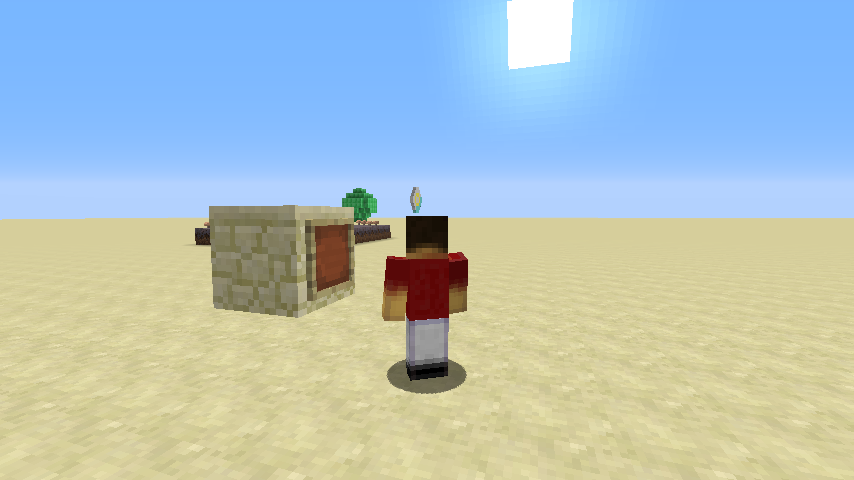
2014-07-08_13.49.57.png - In 14w27b, the white thing in the very far distance is the ghost portal. In the previous versions that had
MC-1607, it would appear 30 blocks next to the player instead of about 500.A somewhat dark line was wrapping around the 2 lower doors.
relates to
MC-60126confirmed for 14w27b
confirmed for 14w27b
remove the relation please.
Confirmed for 14w28a, no fix yet...
I WONDER WHY.
confirmed for 14w28b
fixed in 14w28a
duplicate of
MC-61034andMC-61028only happens with mipmapping off.
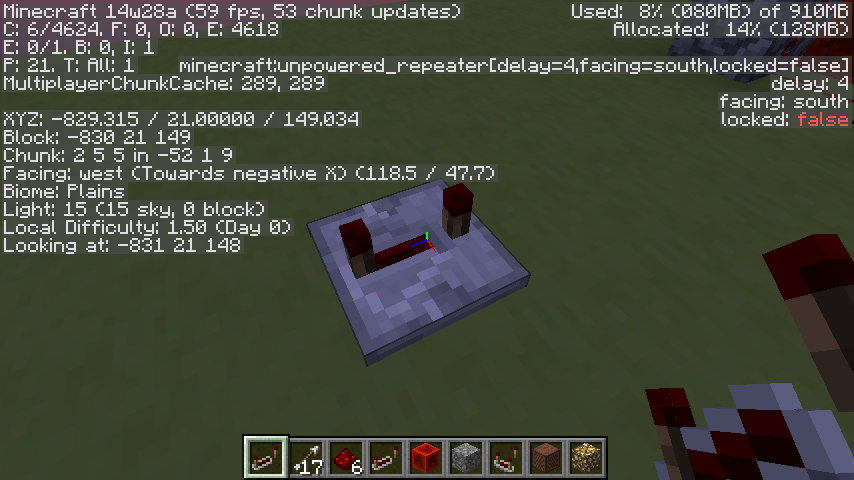
Cannot reproduce. East repeaters at 4 in debug mode always show delay:4
duplicate of
MC-61028, move to there for discussionI don't have a 2nd account to test myself, is it still in 14w28b?
Somewhat, Big Trees in forests aren't removed, but they have an impossible chance to generate. I'm not sure. I saw a Big Oak Tree in a forest on JL's Edge of The World livestream. http://i.imgur.com/Xj44SaV.jpg So it seems that the world generation broke the chance and proceeded to generate the big tree.
confirmed for 14w28a
duplicate of
MC-61031Ooops, was using my model fix pack. Yeah, confirmed in 14w28a.
The other seeds clarify what they are so they don't confuse them with regular seeds, so we can leave the wheat seed name as "Seeds".
Works As Intended
uhhhhh.... No. https://www.youtube.com/watch?v=0RVi6XmTP7I
Confirmed for 14w28a
confirmed 14w28b
confirmed 14w28b
Right screenshot is posted now
confirmed for 14w28b
fixed in 14w28a
confirmed for 14w28b
fixed in 14w28a
Confirmed for 14w28a
MC-35619My Bug Report
Not too sure. There is no name for the sound event unlike
MC-35619.It's not about the hop sound effect spam, but the weird soundEvent that has no name if you look closely into my picture. It's circled in red!
Seemingly since you have fixed it, you might have fixed the no-name soundEvent error and left the bunny SFX soundEvents alone for now.
It looks like Dinnerbone is using multi-threading to skip the long delay for next snapshot!
So it no longer keeps it's name forever/unnameable unlike 14w27? Now I can finally name them Toast and prank my friends!
Ah.
Nope, they still push iron trapdoors.
14w28b confirmed
Well, lots of us confirm this bug while in a superflat testing world with the mobGriefing gamemode set to false.
Works as intended, then.
"especially considering it requires redstone to utilize, so moving them via alternative means could circumvent normal protections"
Pistons require redstone to utilize and they can be moved...
If this is fixed, so will be MC-56533.
The wiki is an unofficial source.
Confirmed for 14w28b
Related to
MC-61288.Fixed in 14w28b
fixed in 14w28b
Fixed in 14w28b
Uhh, no. The picture I uploaded proves that you can check for data tags.
I can confirm it's back in 14w28b. Hit two wolves, died, respawned right next to them and couldn't hit them anymore. Can anybody else confirm?
Just realized that I accidentally didn't include a "b" in
{Angry:1}. It should have been
{Angry:1b}! Ahahahaha..... Yeah, this is invalid.
confirmed in 14w29a
confirmed for 14w29a; why is nobody voting for this?
confirmed for 14w29b
confirmed for 14w29b
Affects 14w29b.
Confirmed for 14w29b
confirmed for 14w29b
Actually, this is really intended. The end portal blocks actually contain block entities which have binded textures. Entities disappear when you go over 32 blocks away from them, so this is the reason why you don't see the portal from far away.
confirmed for 14w29b
confirmed for 14w29b
confirmed for 14w29b
NOT A DUPLICATE OF
MC-62557. Didn't you even play the gfycat? Its about your half- transparent head popping in and out when using the 3rd person cam in spectator mode while inside land.In the gfycat there is no signs of
MC-62557whatsoever. That is sides of chunks appearing inside land in spectator mode. This bug is about your head in spectator mode obscuring the view.aughh.. reopen, please?
Improved description and summary so it makes more sense.
confirmed for 14w29b
make sure you did not set /gamerule doMobSpawning to false