Launcher.dll not present
Couldn't load launcher core from C:\Users\admin205\Desktop\game\launcher.dll: LoadErrorNotPresent".
This may not be a bug at all and may be a technical related issue but I've seen it crop up lots recently and I can't find any current bug report on the issue
Linked Issues
is cloned by1
is duplicated by43
 MC-166443couldnt load launcher core / runtime environment errorDuplicateMC-175498Minecraft launcher wont load after re-installation!DuplicateMC-235971bug with the minecraft launcherDuplicateMC-236465Minecraft Launcher Missing Launcher.dllDuplicateMC-240596launcher.dll : Load error not presentDuplicate
 MCD-104Launcher Won't OpenDuplicate
 MCL-11241Launcher couldn't update/brokeDuplicateMCL-11657Minecraft Laucher Error CrashDuplicateMCL-11876no minecraft launcher.dllDuplicateMCL-11890Missing Launcher.dllDuplicateMCL-11894No launcher.dllDuplicateMCL-12136Launcher.dll not presentDuplicateMCL-12319Minecraft Won't OpenDuplicateMCL-12796Launcher wouldn't start DuplicateMCL-12891Installer creates Game folder only with no filesDuplicateMCL-12935"Couldn't load launcher core"DuplicateMCL-12990Unable to start the Minecraft Runtime EnvironmentDuplicateMCL-13160No files on installing launcherDuplicateMCL-13401Minecraft Startet nichtDuplicateMCL-13406not run the launcherDuplicateMCL-13489Błąd podczas instalacjiDuplicateMCL-13525Minecraft DuplicateMCL-13533MinecraftDuplicateMCL-13708Impossible de télécharger le jeuxDuplicateMCL-13914Couldn't load launcher core DuplicateMCL-14398I can't open minecraft launcherDuplicateMCL-14404A DLL error occurred installing the launcherDuplicateMCL-14887Couldn't Load Launcher CoreDuplicateMCL-16113Launcher will not launchDuplicateMCL-17322when ever i install the launcher it says could not load launcher from core or a dll missing i tried the different installs i really just wanna play hypixel againDuplicateMCL-17486Unable to install Minecraft or LauncherDuplicateMCL-17641How to solve "Couldn't load launcher core from C:\User\fyh02\Downloads\game\launcher.dll:LoadErrorNotPresent" and "Unable to start the Minecraft Runtime Environment. This is most likely caused by a corruption. Please try to reinstall Minecraft.DuplicateMCL-18790issue with launcher core / Empty foldersDuplicateMCL-19853launcher.dllDuplicateMCL-19882Minecraft don't workDuplicateMCL-19955launcher.dll not presentDuplicateMCL-20341Launcher.dll LoadErrorNotPresentDuplicateMCL-20353I am not able to play Minecraft on the new Launcher!DuplicateMCL-20428Minecraft New Launcher Not LoadingDuplicateMCL-20514New Minecraft launcher crashs when I open itDuplicateMCL-21057when we do all the steps to Uninstalling the Old Minecraft Unified LauncherDuplicateMCL-21993Couldn't load launcher core from ´C:/Program Files(x86) Minecraft Launcher/game/launcher.dll`:LoadErrorNotPresent . Diese Nachricht kommt bei mirDuplicateMCL-22821Launcher from Microsoft store updated automatically . now no longer startsDuplicate
Attachments10







- Fixed
![[Mod] Greymagic27](../../../data/avatars/users/92875.png) [Mod] Greymagic27
[Mod] Greymagic27- 37
- 28
- Community Consensus
- 679798
1.6.91 (legacy) - 2.2.8545 (Windows)
1.6.91 (legacy) 2.1.5963-2.1.5969 (Stable) 1.6.93 (legacy) 2.1.9616-2.1.9618 2.1.10835-2.1.10837 2.1.11312 2.1.13086 2.1.13315 2.1.13508 2.1.13507 2.1.13509 2.1.13829 2.1.15376 2.1.16102 2.1.17628 2.2.2311 (Windows) 2.2.2529 (Windows) 2.2.3201 (Windows) 2.2.5519 (Windows) 2.2.7265 (Windows) 2.2.7264 (NEW Windows App) 2.2.7450 (NEW Windows App) 2.2.8545 (Windows)- 2.2.12145 (Windows) 2.2.12147 (Mac) 2.2.12148 (Linux) 2.2.12146 (New Windows App)
Created Issue:
Launcher.dll not present
Couldn't load launcher core from C:\Users\admin205\Desktop\game\launcher.dll: LoadErrorNotPresent".
This may not be a bug at all and may be a technical related issue but I've seen it crop up lots recently and I can't find any current bug report on the issue
![[Mod] violine1101](../../../data/avatars/users/92858.png) MC-157904 → MCL-11754
MC-157904 → MCL-11754relates to
![[Mod] Urielsalis](../../../data/assets/gravatar/urielsalis.jpeg)
is duplicated by
relates to
In two cases I've seen, this has gone hand in hand with the 'unable to start the minecraft runtime. This is most likely caused by a corruption' issue.
is duplicated by
is duplicated by
is duplicated by
is duplicated by
is duplicated by
![[Mod] Asteraoth](../../../data/avatars/users/92886.png)
is duplicated by
is duplicated by
is duplicated by
is duplicated by
is duplicated by
is duplicated by
is duplicated by
is duplicated by
is duplicated by
is duplicated by
is duplicated by
is duplicated by
is duplicated by
Capture-1.PNG
is duplicated by
![[Bot] Arisa](../../../data/avatars/users/43007.png)
is duplicated by
is duplicated by
is duplicated by

relates to
is duplicated by
![[Mod] LateLag](../../../data/avatars/users/92884.png)
is duplicated by
is duplicated by
is duplicated by
is duplicated by
![[Mod] OcelotOnesie](../../../data/avatars/users/43220.png)
is duplicated by
is duplicated by
is duplicated by
is duplicated by
![[Mod] Neko](../../../data/avatars/users/92901.png)
is duplicated by
is duplicated by
is duplicated by
is duplicated by
is duplicated by
![[Mod] SPGoding](../../../data/avatars/users/44622.png)
is duplicated by
![[Mojang] Donuts1000](../../../data/avatars/users/18949.svg)
is cloned by
is duplicated by
is duplicated by
MCL-22934
This is a bug for the Minecraft launcher and not Minecraft Java Edition. If it also helps this bug is already being tracked on the Launcher Bug Tracker with MCL-11754 and if you have some new information please comment on that bug.
Thank you for your report!
We're already tracking this issue at MCL-11754, so I will resolve and link this ticket as a duplicate.
If you would like to add a vote and any extra information to the main ticket it would be appreciated.
If you haven't already, you might like to make use of the search feature to see if the issue has already been mentioned.
Quick Links:
📓 Issue Guidelines – 💬 Community Support – 📧 Customer Support – ☃D83D? Game Wiki
Thank you for your report!
We're already tracking this issue at MCL-11754, so I will resolve and link this ticket as a duplicate.
If you would like to add a vote and any extra information to the main ticket it would be appreciated.
If you haven't already, you might like to make use of the search feature to see if the issue has already been mentioned.
Quick Links:
📓 Issue Guidelines – 💬 Community Support – 📧 Customer Support – 📖 Game Wiki
Thank you for your report!
However, this issue is a Duplicate of MCL-11754.
If you would like to add a vote and any extra information to the main ticket it would be appreciated.
If you haven't already, you might like to make use of the search feature to see if the issue has already been mentioned.
Quick Links:
📓 Issue Guidelines – 💬 Community Support – 📧 Customer Support – 📖 Game Wiki
Thank you for your report!
We're actually already tracking this issue in MCL-11754, so I resolved and linked this ticket as a duplicate.
If you would like to add a vote and any extra information to the main ticket it would be appreciated.
If you haven't already, you might like to make use of the search feature in the future to see if the issue has already been reported.
Quick Links:
📓 Issue Guidelines – 💬 Community Support – 📧 Customer Support – 📖 Game Wiki
Thank you for your report!
However, this issue is a Duplicate of MCL-11754.
If you would like to add a vote and any extra information to the main ticket it would be appreciated.
If you haven't already, you might like to make use of the search feature to see if the issue has already been mentioned.
Quick Links:
📓 Issue Guidelines – 💬 Community Support – 📧 Customer Support – 📖 Game Wiki
Thank you for your report!
This is a technical support issue, which we're already tracking in MCL-11754, so I resolved and linked this ticket as a duplicate. We do not have the resources to provide you with technical support.
Please check that ticket for help with solving your issue. If you need further assistance, please contact Community Support, linked below.
If you haven't already, you might like to make use of the search feature in the future to see if the issue has already been reported.
Quick Links:
📓 Issue Guidelines – 💬 Community Support – 📧 Customer Support – 📖 Game Wiki
So i decided to change my mine-craft name today, it changed but the launcher wont verify the username so i reinstalled it but upon reinstalling i could not open it anymore and when i opened file location there was nothing the file in .mine-craft was still the log file there but not in the main game folder.
i searched on google and found a similar problem in bug report MCL-11754 but couldn't find a proper solution in there can you guys please help me?
It usually shows updating native launcher but gave a launcher.dll not found error
Thank you for your report!
However, this issue is a Duplicate of MCL-11754.
If you would like to add a vote and any extra information to the main ticket it would be appreciated.
If you haven't already, you might like to make use of the search feature to see if the issue has already been mentioned.
Quick Links:
📓 Issue Guidelines – 💬 Community Support – 📧 Customer Support – 📖 Game Wiki
Thank you for your report!
We're actually already tracking this issue in MCL-11754, so I've resolved and linked this ticket as a duplicate.
If you would like to add a vote and any extra information to the main ticket it would be appreciated.
If you haven't already, you might like to make use of the search feature to see if the issue has already been mentioned.
Quick Links:
📓 Issue Guidelines – 💬 Community Support – 📧 Customer Support – 📖 Game Wiki
Thank you for your report!
This is a technical support issue, which we're already tracking in MCL-11754, so I resolved and linked this ticket as a duplicate. We do not have the resources to provide you with technical support.
Please check that ticket for help with solving your issue. If you need further assistance, please contact Community Support, linked below.
If you haven't already, you might like to make use of the search feature in the future to see if the issue has already been reported.
Quick Links:
📓 Issue Guidelines – 💬 Community Support – 📧 Customer Support – 📖 Game Wiki
Thank you for your report!
This is a technical support issue, which we're already tracking in MCL-11754, so I resolved and linked this ticket as a duplicate. We do not have the resources to provide you with technical support.
Please check that ticket for help with solving your issue. If you need further assistance, please contact Community Support, linked below.
If you haven't already, you might like to make use of the search feature in the future to see if the issue has already been reported.
Quick Links:
📓 Issue Guidelines – 💬 Community Support – 📧 Customer Support – 📖 Game Wiki
Thank you for your report!
We're actually already tracking this issue in MCL-11754, so I've resolved and linked this ticket as a duplicate.
If you would like to add a vote and any extra information to the main ticket it would be appreciated.
If you haven't already, you might like to make use of the search feature to see if the issue has already been mentioned.
Quick Links:
📓 Issue Guidelines – 💬 Community Support – 📧 Customer Support – 📖 Game Wiki
Thank you for your report!
This is a technical support issue, which we're already tracking in MCL-11754, so I resolved and linked this ticket as a duplicate. We do not have the resources to provide you with technical support.
Please check that ticket for help with solving your issue. If you need further assistance, please contact Community Support, linked below.
If you haven't already, you might like to make use of the search feature in the future to see if the issue has already been reported.
Quick Links:
📓 Issue Guidelines – 💬 Community Support – 📧 Customer Support – 📖 Game Wiki
Thank you for your report!
This is a technical support issue, which we're already tracking in MCL-11754, so I resolved and linked this ticket as a duplicate. We do not have the resources to provide you with technical support.
Please check that ticket for help with solving your issue. If you need further assistance, please contact Community Support, linked below.
If you haven't already, you might like to make use of the search feature in the future to see if the issue has already been reported.
Quick Links:
📓 Issue Guidelines – 💬 Community Support – 📧 Customer Support – 📖 Game Wiki
Thank you for your report!
We're actually already tracking this issue in MCL-11754, so I've resolved and linked this ticket as a duplicate.
If you would like to add a vote and any extra information to the main ticket it would be appreciated.
If you haven't already, you might like to make use of the search feature to see if the issue has already been mentioned.
Quick Links:
📓 Issue Guidelines – 💬 Community Support – 📧 Customer Support – 📖 Game Wiki
Thank you for your report!
We're actually already tracking this issue in MCL-11754, so I've resolved and linked this ticket as a duplicate.
If you would like to add a vote and any extra information to the main ticket it would be appreciated.
If you haven't already, you might like to make use of the search feature to see if the issue has already been mentioned.
Quick Links:
📓 Issue Guidelines – 💬 Community Support – 📧 Customer Support – 📖 Game Wiki

Hi, guys. I did a little research on the bug with launcher.dll.
In General, these two bugs are COMPLETELY DIFFERENT:
I will now talk about a bug where you can find a Timed out 443 error in the log.
(MC-166443)
And it is for this bug, the solution must be found by Mojang and this solution will be to refuse/transfer the necessary files to download the launcher to a different IP from 52.84.214.21.
The thing is, this IP and sometimes subdomens of cloudfront.net not available on some Internet providers.
Like me. I live in Russia in Moscow, and a week ago I did not have this bug. Yesterday I discovered this bug when I was updating the launcher. The launcher wanted to update itself and did not let me in the game.
I took a laptop and connected it to the distributed Internet from my phone, not my home router, and everything works. The launcher is downloaded and everything is installed without any problems. I tracked the IP that the launcher is accessing and checked it together with help from the provider's technical support. And we found that this IP address 52.84.214.21 was blocked by the decision of the Federal tax service of Russia in July 2019.
BLACKLIST LINK: https://reestr.rublacklist.net/record/1639617/
(Find it IP Address w/ Ctrl+F)
UPD: Indeed, I noticed that launchermeta.mojang.com today, it already addresses IP 52.84.214.75, which resolves from the subdomain http://d1dulol58c5ch1.cloudfront.net/. Yesterday, it resolved in the IP above.
I was working from home using VPN and forgot to close it later. Disconnecting from VPN solved this problem for me. I was also experiencing MCL-11754 (where I've posted the same comment).
Thank you for your report!
This is a technical support issue, which we're already tracking in MCL-11754, so I resolved and linked this ticket as a duplicate. We do not have the resources to provide you with technical support.
Please check that ticket for help with solving your issue. If you need further assistance, please contact Community Support, linked below.
If you haven't already, you might like to make use of the search feature in the future to see if the issue has already been reported.
Quick Links:
📓 Issue Guidelines – 💬 Community Support – 📧 Customer Support – ✍️ Feedback and Suggestions – 📖 Game Wiki

Downloaded the MinecraftDungeonsInstaller and installed the game, afterwhich I open the game. The game won't start, and then prompts with the error: Couldn't load launcher core from C:\Program Files (x86)\Minecraft Dungeons Launcher\game\launcher.dll: LoadErrorNotPresent
After reading up on it, the error seems to exist in the minecraft launcher as well, and required to update video drivers and windows version to fix. This didnt fix it however. The launcher_log is attached as well. Uninstalling and reinstalling the game has not changed the error at all.
EDIT: A similar version of this bug seems to be found in MCL-11754, though their fix didnt work for me.
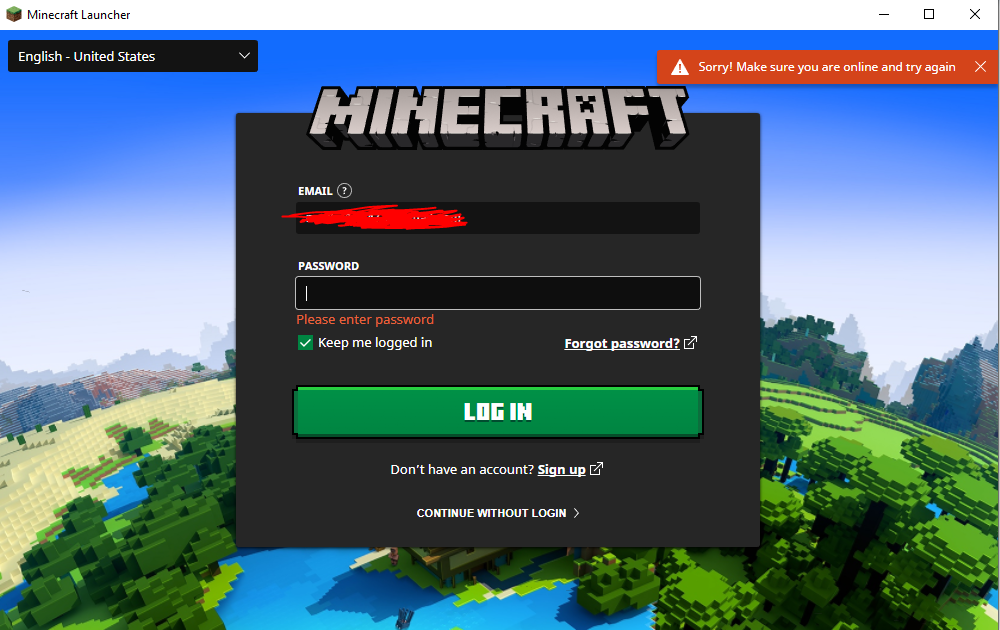
there are none , no bars no snapshots no releases , after I update louncher this happend :
Thank you for your report!
We're tracking this issue in MCL-11754, so this ticket is being resolved and linked as a duplicate.
If you would like to add a vote and any extra information to the main ticket it would be appreciated.
If you haven't already, you might like to make use of the search feature in the future to see if the issue has already been reported.
Quick Links:
📓 Issue Guidelines – 💬 Community Support – 📧 Customer Support – ✍️ Feedback and Suggestions – 📖 Game Wiki
Thank you for your report!
We're tracking this issue in MCL-11754, so this ticket is being resolved and linked as a duplicate.
That ticket has already been resolved as invalid, which means this is a technical support issue. Please take a look at the parent ticket (MCL-11754) and see if a solution is provided there.
If you need additional help to fix this problem, please contact Community Support
If you haven't already, you might like to make use of the search feature in the future to see if the issue has already been reported.
Quick Links:
📓 Issue Guidelines – 💬 Community Support – 📧 Customer Support – ✍️ Feedback and Suggestions – 📖 Game Wiki
Thank you for your report!
We're tracking this issue in MCL-11754, so this ticket is being resolved and linked as a duplicate.
If you would like to add a vote and any extra information to the main ticket it would be appreciated.
If you haven't already, you might like to make use of the search feature to see if the issue has already been mentioned.
Quick Links:
📓 Issue Guidelines – 💬 Community Support – 📧 Mojang Support – ✍️ Feedback and Suggestions – 📖 Game Wiki
Thank you for your report!
We're tracking this issue in MCL-11754, so this ticket is being resolved and linked as a duplicate.
If you would like to add a vote and any extra information to the main ticket it would be appreciated.
If you haven't already, you might like to make use of the search feature to see if the issue has already been mentioned.
Quick Links:
📓 Bug Tracker Guidelines – 💬 Community Support – 📧 Mojang Support
📓 Project Summary – ✍️ Feedback and Suggestions – 📖 Game Wiki
Thank you for your report!
However, MCL-11754, which seems to report the same issue, has gotten a lot of traction and a confirmation status, so I'll be forward-resolving this as a Duplicate.
If this is still an issue for you, please move over there instead. 
Quick Links:
📓 Bug Tracker Guidelines – 💬 Community Support – 📧 Mojang Support
📓 Project Summary – ✍️ Feedback and Suggestions – 📖 Game Wiki
Thank you for your report!
We're tracking this issue in MCL-11754, so this ticket is being resolved and linked as a duplicate.
If you would like to add a vote and any extra information to the main ticket it would be appreciated.
If you haven't already, you might like to make use of the search feature to see if the issue has already been mentioned.
Quick Links:
📓 Bug Tracker Guidelines – 💬 Community Support – 📧 Mojang Support
📓 Project Summary – ✍️ Feedback and Suggestions – 📖 Game Wiki
Certain files being corrupt or missing can cause the launcher to behave unexpectedly.
Files becoming corrupt seems to be relatively new.
Windows
Confirmed:
- 'game/cef.pak' and 'game/icudtl.dat' : Launcher fails to start, sometimes leaving a process running in the background
- 'game/v8_context_snapshot.bin' : Launcher is blank and window title is missing
Observed through testing, not yet confirmed:
- 'game/chrome_elf.dll' and 'game/launcher.dll' : Dialogs can appear:
"Couldn't load launcher core from '<launcher installation dir>\game\launcher.dll': LoadErrorNotPresent"
"Unable to start the Minecraft Runtime Environment. This is most likely caused by a corruption. Please try to reinstall Minecraft."
See also:MCL-11754
Workaround
Deleting the game folder in the launcher directory (Usually C:\Program Files (x86)\Minecraft Launcher) and having the launcher redownload the corrupt and/or missing files fixes the issue. Deleting the 'game/.version' file should work too. In the case there is a prompt saying a file is already in use, restart the device then retry the workaround.
Thank you for your report!
We're tracking this issue in MCL-11754, so this ticket is being resolved and linked as a duplicate.
If you would like to add a vote and any extra information to the main ticket it would be appreciated.
If you haven't already, you might like to make use of the search feature to see if the issue has already been mentioned.
Quick Links:
📓 Bug Tracker Guidelines – 💬 Community Support – 📧 Mojang Support
📓 Project Summary – ✍️ Feedback and Suggestions – 📖 Game Wiki
Thanks for trying. This report is actually a duplicate of MCL-11754 so I'm going to resolve it as such.
Thank you for your report!
We're tracking this issue in MCL-11754, so this ticket is being resolved and linked as a duplicate.
If you would like to add a vote and any extra information to the main ticket it would be appreciated.
If you haven't already, you might like to make use of the search feature to see if the issue has already been mentioned.
Quick Links:
📓 Bug Tracker Guidelines – 💬 Community Support – 📧 Mojang Support
📓 Project Summary – ✍️ Feedback and Suggestions – 📖 Game Wiki
Thank you for your report!
We're tracking this issue in MCL-11754, so this ticket is being resolved and linked as a duplicate.
If you would like to add a vote and any extra information to the main ticket it would be appreciated.
If you haven't already, you might like to make use of the search feature to see if the issue has already been mentioned.
Quick Links:
📓 Bug Tracker Guidelines – 💬 Community Support – 📧 Mojang Support
📓 Project Summary – ✍️ Feedback and Suggestions – 📖 Game Wiki

Duplicates MCL-11754
Thank you for your report!
We're tracking this issue in MCL-11754, so this ticket is being resolved and linked as a duplicate.
If you would like to add a vote and any extra information to the main ticket it would be appreciated.
If you haven't already, you might like to make use of the search feature to see if the issue has already been mentioned.
Quick Links:
📓 Bug Tracker Guidelines – 💬 Community Support – 📧 Mojang Support
📓 Project Summary – ✍️ Feedback and Suggestions – 📖 Game Wiki
– I am a bot. This action was performed automatically! The ticket was resolved by one of our moderators, and I left this message to give more information to you.
![[Mod] Avoma](../../../data/avatars/users/86198.png)
Duplicate of MCL-11754.
Thank you for your report!
We're tracking this issue in MCL-11754, so this ticket is being resolved and linked as a duplicate.
If you would like to add a vote and any extra information to the main ticket it would be appreciated.
If you haven't already, you might like to make use of the search feature to see if the issue has already been mentioned.
Quick Links:
📓 Bug Tracker Guidelines – 💬 Community Support – 📧 Mojang Support
📓 Project Summary – ✍️ Feedback and Suggestions – 📖 Game Wiki
– I am a bot. This action was performed automatically! The ticket was resolved by one of our moderators, and I left this message to give more information to you.
Duplicates MCL-11754
Duplicates MCL-11754
Thank you for your report!
We're tracking this issue in MCL-11754, so this ticket is being resolved and linked as a duplicate.
If you would like to add a vote and any extra information to the main ticket it would be appreciated.
If you haven't already, you might like to make use of the search feature to see if the issue has already been mentioned.
Quick Links:
📓 Bug Tracker Guidelines – 💬 Community Support – 📧 Mojang Support
📓 Project Summary – ✍️ Feedback and Suggestions – 📖 Game Wiki
– I am a bot. This action was performed automatically! The ticket was resolved by one of our moderators, and I left this message to give more information to you.
Duplicates MCL-11754
Thank you for your report!
We're tracking this issue in MCL-11754, so this ticket is being resolved and linked as a duplicate.
If you would like to add a vote and any extra information to the main ticket it would be appreciated.
If you haven't already, you might like to make use of the search feature to see if the issue has already been mentioned.
Quick Links:
📓 Bug Tracker Guidelines – 💬 Community Support – 📧 Mojang Support
📓 Project Summary – ✍️ Feedback and Suggestions – 📖 Game Wiki
– I am a bot. This action was performed automatically! The ticket was resolved by one of our moderators, and I left this message to give more information to you.
Duplicates MCL-11754
Thank you for your report!
We're tracking this issue in MCL-11754, so this ticket is being resolved and linked as a duplicate.
If you would like to add a vote and any extra information to the main ticket it would be appreciated.
If you haven't already, you might like to make use of the search feature to see if the issue has already been mentioned.
Quick Links:
📓 Bug Tracker Guidelines – 💬 Community Support – 📧 Mojang Support
📓 Project Summary – ✍️ Feedback and Suggestions – 📖 Game Wiki
– I am a bot. This action was performed automatically! The ticket was resolved by one of our moderators, and I left this message to give more information to you.
Duplicates MCL-11754
Thank you for your report!
We're tracking this issue in MCL-11754, so this ticket is being resolved and linked as a duplicate.
If you would like to add a vote and any extra information to the main ticket it would be appreciated.
If you haven't already, you might like to make use of the search feature to see if the issue has already been mentioned.
Quick Links:
📓 Bug Tracker Guidelines – 💬 Community Support – 📧 Mojang Support
📓 Project Summary – ✍️ Feedback and Suggestions – 📖 Game Wiki
– I am a bot. This action was performed automatically! The ticket was resolved by one of our moderators, and I left this message to give more information to you.
Thank you for your report!
We're tracking this issue in MCL-11754, so this ticket is being resolved and linked as a duplicate.
If you would like to add a vote and any extra information to the main ticket it would be appreciated.
If you haven't already, you might like to make use of the search feature to see if the issue has already been mentioned.
Quick Links:
📓 Bug Tracker Guidelines – 💬 Community Support – 📧 Mojang Support
📓 Project Summary – ✍️ Feedback and Suggestions – 📖 Game Wiki
Thank you for your report!
We're tracking this issue in MCL-11754, so this ticket is being resolved and linked as a duplicate.
If you would like to add a vote and any extra information to the main ticket it would be appreciated.
If you haven't already, you might like to make use of the search feature to see if the issue has already been mentioned.
Quick Links:
📓 Bug Tracker Guidelines – 💬 Community Support – 📧 Mojang Support
📓 Project Summary – ✍️ Feedback and Suggestions – 📖 Game Wiki
– I am a bot. This action was performed automatically! The ticket was resolved by one of our moderators, and I left this message to give more information to you.
Thank you for your report!
We're tracking this issue in MCL-11754, so this ticket is being resolved and linked as a duplicate.
If you would like to add a vote and any extra information to the main ticket it would be appreciated.
If you haven't already, you might like to make use of the search feature to see if the issue has already been mentioned.
Quick Links:
📓 Bug Tracker Guidelines – 💬 Community Support – 📧 Mojang Support
📓 Project Summary – ✍️ Feedback and Suggestions – 📖 Game Wiki
Duplicate of MCL-11754.
If you're using the Windows 7/8 launcher, a potential workaround may be to download the launcher .msi again and click the 'Repair' option.
If you're using the Microsoft Store launcher, a potential workaround may be to go to the Minecraft Launcher App Settings menu via Windows and click the "Repair" option.
Navigate to 'C:\Program Files (x86)\Minecraft Launcher\game' in File Explorer and remove the '.version' file. After this, close the launcher error window and try to reopen the launcher.
Upon launching the game, some users are faced with an error message stating
"Couldn't load launcher core from C:\Users\User\AppData\Local\Packages\Microsoft.4297127D64EC6_8wekyb3d8bbwe\LocalCache\Local\game\launcher.dll: LoadErrorNotPresent"
This was reported as fixed in MCL-11754 however appears to have resurfaced recently.
Thank you for your report!
We're tracking this issue in MCL-11754, so this ticket is being resolved and linked as a duplicate.
If you would like to add a vote and any extra information to the main ticket it would be appreciated.
If you haven't already, you might like to make use of the search feature to see if the issue has already been mentioned.
Quick Links:
📓 Bug Tracker Guidelines – 💬 Community Support – 📧 Mojang Support
📓 Project Summary – ✍️ Feedback and Suggestions – 📖 Game Wiki
– I am a bot. This action was performed automatically! The ticket was resolved by one of our moderators, and I left this message to give more information to you.
Hi!
Have you tried switching Launcher to BETA mode?
Have you also tried installing the 7/8 version of the Launcher?
Please also see MCL-11754 for possible fix/workaround.
This ticket will automatically reopen when you reply.
Moved to MCL (Minecraft Launcher) project.
See also
MCL-11657(private)In the duplicate ticket im seeing [Info: 2019-07-28 03:45:07.2338624: NetQueue.cpp(433)] NetQueue: Action failed with result "Could not resolve: launchermeta.mojang.com (Could not contact DNS servers)" (6) : https://launchermeta.mojang.com/v1/products/launcher/d03cf0cf95cce259fa9ea3ab54b65bd28bb0ae82/windows-x86.json
Maybe is a DNS error?
same error, antivirus and firewall are disabled, even tried vpn, nothing helps
In 3 cases I've seen the error message alternate between launcher.dll and unable to start the minecraft runtime enviroment
i think i mabye know why dis happens, i think its cuz of us useing windows 7 insted of windows 10 as the files only works and exist on win 10 and not on win 7
oki so heres what i did to make it work, if you have a secend pc, you simply install the game on that and then move all the files over to your main pc and it will work, all tho not everyone has a secend pc so yea
That would make me think that its related to a corrupt installation. I'll see if I can confirm this
i think it has something more to do with the pc you install trhe game on as when i installed it on the secend pc it worket just fine, i also have a mac so i tryed to install the game there to and it worket fine, but for whatever resson when i try to do it on my main it dosent work
Another case where unable to start the minecraft runtime enviroment came up as well as the launcher.dll error. I think we can confirm that they go hand in hand at this point
It happened the same to me. Do you think it will be solved?
can only hope that it will
Guys, I think I got the solution. I checked and my drivers weren't updated. I intalled them and boom: magic. Remember to deactivate your antivirus before ejecuting minecraft.exe. Hope it works for u
I solved my issue a long time ago and i forgot to update.Basically my internet provider at home is SKY network and when downloading minecraft launcher it would block some files .
I solved this issue by using my mobile hotspot to play on minecraft
Based on the DNS issue showing up in logs, I had a hunch that my work VPN might be the issue. Sure enough I disconnected it and was then able to use the Launcher to download and play the latest version. It sounds like there was a regression where the Launcher now longer finds and uses the correct network adapter.
A VPN isn't a reliable fix though, mojang blocks most of them and it would cause more issues than this. But at least we're slowly narrowing down a possible cause
dont think its ether VPN or internet provider as when i downloaded and installed minecraft on aother pc on the same network it worket just fine and when moved over to the pc where i couldent install the game the file was still intact and worket, all tho it takes some time for the launcher to start when you try to open it
i also dont have a VPN ether and my drivers was up to date aswell
experienced the same problem,
turns out it was actually a DNS issue. might be my router, but not sure the exact cause
tried nslookup for
launchermeta.mojang.com
{{}}
> launchermeta.mojang.com
Server: [10.0.0.1]
Address: 10.0.0.1DNS request timed out.
{{ timeout was 2 seconds.}}
DNS request timed out.
{{ timeout was 2 seconds.}}
DNS request timed out.
{{ timeout was 2 seconds.}}
DNS request timed out.
{{ timeout was 2 seconds.}}
*** Request to [10.0.0.1] timed-out
changed my dns server to google's DNS servers (8.8.8.8)to see if it fixed, it did. (as did a bunch of other dns providers)
so either mojang changed the DNS registration and it has not propagated through all servers, or routers DNS is not working entirely properly.
My router is
TLDR - changing DNS server to not use router fixed issue.
From many cases, it seems like it's DNS related. I wonder what's going on with the DNS/mojang servers to cause this
I tried changing my DNS to Google's DNS servers (8.8.8.8) like Andrew Moskevitz but it didn't work for me, so though it appears DNS related in some cases, I don't think it's entirely the case ...
Please help me with this. I haven't been able to play Minecraft in 2 months. I've tried the 8.8.8.8 DNS but with no luck. If anyone has a solution post ASAP.
Problem
Yes, it seems to be an issue with the installer not being able to get files from launchermeta.mojang.com.
In "C:\Program Files (x86)\Minecraft Launcher\" there should be three folders "game", "runtime" and "tools". In those, there should be a bunch of files on a correct install. In the corrupt install, only the folder "game" exists and there are no files in it.
Beginning of a Fix
I did come a bit further tho. If you copy the folder "game", "runtime" and "tools" from a working copy of the game you do not get the error messages but instead you come to the login page of the launcher but when you try to log in it outputs that you're not connected to the internet.
Conclusion
As others have said it is probably to do with Mojang's servers, at first it can't get the files necessary for the launcher and if it gets them from another source it can't connect to the auth servers. I have tried with several different DNS servers, "8.8.8.8", "208.67.222.222", "1.1.1.1", "8.26.56.26", all of them produced the same results.
My launcher already failed on 3 Windows re-installations on the same computer. I found a little fix though;
By deleting the ".version" and "launcher.dll" from the /game folder inside the installation directory and rerunning the launcher, it forces an update which downloads a new "launcher.dll". The launcher will start but as soon as you close it, you'd have to re-delete the two files mentioned above if you wanna play again.
For some reason, the "launcher.dll" becomes corrupted(for my computer at least) after the first run.
Thank you, Hugo, that's the best summary I've seen so far of the issue, and it reflects my experience as well. Unfortunately I don't have access to a working copy of the game to copy files from. Does anyone know if there's another avenue we could pursue to get this fixed? I'd like to be able to play the game! I've also seen many others having this issue and asking about it on other sites, doesn't seem like anyone has found a solution.
Adding the issue to ADO https://dev-mc.visualstudio.com/Launcher/_workitems/edit/305602/
March 2020 and this issue is still not resolved. I did a reinstall on one computer after minecraft complained that I was not connected to the internet. I could not log into my minecraft account and it left minecraft unplayable. My main computer shows only playing in offline mode and does not connect to minecraft server. I dare not log out as it will not connect to log back in.
I deleted minecraft from second computer and removed the launcher via programs and settings.
I downloaded the msi installer and ran it. The files are not being downloaded and installed. I disabled virus scanner and turned off firewall and still no download to install the gamefiles properly. I tried the minecraft.exe file and still nothing. The 'Launcher.dll: LoadErrorNotPresent' is the result no matter what I do.
I have this problem as well. Don't know if this solution will work but here's one that was mentioned to me. I tried it, it didn't work for me, but it might for you.
Try downloading the latest version of Java onto your computer, just in case the one you have is outdated.
OR try uninstalling the Launcher, restart, then download the launcher again from the msi file.
And what am I supposed to do now just wait till it comes up ???
If you have this issue and need help, please contact the community support, linked below.
Quick Links:
📓 Issue Guidelines – 💬 Community Support – 📧 Customer Support – 📖 Game Wiki
Hey guys,
I was running into the same issue yesterday. Spent a couple hours fully uninstalling and reinstalling, and repeated the process with the alternative download files too. None of this seemed to work, so I took a look at my Windows update and there was an optional one pending. After installing that and restarting my computer I tried running the Minecraft Launcher again. This time instead of erroring out it appeared to recognize there were missing updates (or files and stuff) for the launcher, and fixed them.
The launcher is working fine for me now!
TL;DR: Typical reinstall didn't work, checked and ran any windows update, restarted my computer, launcher updated its missing files and worked.
Can't guarantee that this will work for everyone, but I exhausted every other alternative and this was what worked. Let me what happened for you
P.S the name of the update I installed was: 2020-03 Cumulative Windows Update for Windows 10 Version 1909 for x64-based Systems (KB4541335)
I found problem (I Think) you probably change DNS on your computer. For me, it was that the problem ( https://bugs.mojang.com/browse/MCL-13708 if you want check)
Thomas - That fix worked for me. Thank you!!!
I was working from home using VPN and forgot to close it later. Disconnecting from VPN solved this problem for me. I was also experiencing
MCL-11112(where I've posted the same comment).Hi all! I had this same issue and found it was due to my ISP (Telstra Australia) using IPv6 addresses and DNS servers. Once i reverted them to IPv4 it worked right away. Hope this helps! Cheers, Jack
my brother is having this problem i have been trying to fix it for a few days with no luck not sure what i can do to fix it i tried getting the launcher file from my pc and gave it to him it opened the launcher but he cant select the version and i tried to uninstall it than try it again but now it wont open so not sure what else to do
my brother is having this problem i have been trying to fix it for a few days with no luck not sure what i can do to fix it i tried getting the launcher file from my pc and gave it to him it opened the launcher but he cant select the version so not sure what else to do
Having this bug too. Don't know what launcher version because it fails to launch, but I just installed it from the installer. System is Windows 10 x64.
When the bug occurred, I was connected to a VPN. (I'm physically in China Mainland, and the VPN server is in Hong Kong. The VPN is provided by my college, but there has been no report from my college's students or staff members that the VPN has restricted access to websites.) With the VPN, the bug occurred. I tried disconnecting from the VPN, and the bug no longer occurs and shows an update dialog with a download bar, but thanks to me being in China, the download does not make any progress whatsoever :-/
It heppened when i manulay deleted my .minecraft because i havent updates since 1.15.2 and 12w19a snapchot , after i deleted my .minecraft i cant instal it again.
Started having the same issue here when I tried to reinstall the game after some weird glitches - before I uninstalled the Java version, the launcher was slow to load, and when it opened it would only offer offline options and refused to connect to the internet.
EDIT: Just to clarify, I've tried just about everything else here - changing my DNS seems to do nothing.
EDIT 2: Wait, no, never mind. Finally switched over to Google's DNS, and the launcher opens just fine.
Issue seems to be caused by one of three things (from what I've seen):
1. DNS issues. Some servers appear to be down, switch DNS to 1.1.1.1 (cloudflare) or 8.8.8.8 (google) to fix (see https://1.1.1.1/dns for instructions)
2. Incompatible software. See https://minecraftirc.net/support-articles/known-incompatible-software/ for a list of possible software or contact community support (already linked above)
3. Slow internet. You do need a stable internet connection to download minecraft files and to subsequently update the game / launcher. This error can appear when on an unstable / slow internet connection.
also started to have this problem when i uninstalled the game after spending hours getting a "Failed to log in: The authentication servers are currently down for maintenance."
https://pastebin.com/0HErKcka
Resolved launchermeta.mojang.com = d1dulol58c5ch1.cloudfront.net = 52.222.138.20. Is there anyone who actually knows how to edit windows's host file?
Community Support should be able to assist you with that
I am still having this issue. Changing DNS to 8.8.8.8 or 1.1.1.1 did nothing.
So this has been a problem since 2020 and the DNS, Software and internet seem to not play any part. I will preface this by saying mods I love you, and Microsoft WTF can you break windows even more?
This has been an issue since 2020, and it still hasn't been resolved. I have tried everything in the comments that has worked for other people and none of this has worked for me. Hopefully it will work with the new windows eleven update. Wait. I am a beta tester for windows and I already have it. If Mojang or Microsoft could fix this, please do
Try to use VPN
Copied the "game" folder from an older installation into the same folder as MinecraftLauncher.exe, which allowed it to run, though no installations are listed and must also be manually added or copied over.
Methinks the installer/launcher cant figure out how to place the files it needs before it needs them (it creates a game folder on first-time run, but it's empty). Install path is in a secondary, non-system drive without any permissions limitations. Firewall, VPN, and antivirus active, Win10 installation.
Is the issue still open? I tried deactivating firewall, it worked! New Minecraft Launcher opened, but deactivating firewall is not safe at all! So, instead of deactivating firewall, I'm still using old launcher. If anyone has a permanent solution to this problem, please help me, cuz I want to have all my games in one place! It's convenient...
I'm having the exact same issue. Tried to go to MicrosoftHelps on Twitter and told me this is a Mojang issue, but from what I'm reading, it looks like it still hasn't been resolved.
I've allowed both the installer and launcher through firewalls, tried running with administrator, and have tried several reinstalls, with all versions of the installer and launcher, even the new Windows Store version.
Mojang, what are you doing???
Alright, so I had this issue as well. I had just reinstalled my Operating System (OS). So there was no installation of anything on the machine. When trying to run the "new" launcher for Windows 10, I was unable to "Sign Into Microsoft Store". So, as a backup, I followed the advice on Reddit, and Minecraft Forums, and installed the Windows 7/8 version using the .msi extension installer, not the .exe. Then I got this error listed in the bug report above.
Here's the resolution that I had found. I disabled all of the Windows 10 Firewall Settings, and then also installed Java 8 Runtime Environment. I am assuming that the disabling of the Windows 10 Firewall settings is not needed.
My thought is that this error occurs whenever there is no Java installed onto the computer. I'm assuming that the installer uses Java to download all of the required files, and since there was no Java installed, it couldn't grab those files. So the file game\launcher.dll isn't able to be downloaded.
To summarize, ENSURE THAT JAVA 8 RUNTIME ENVIRONMENT is INSTALLED. Java 8 at a minimum, but you can try with Java 16 if you wish as well.
Hi!
Does this issue still occur to somebody?
Im also having this issue again and have spent 3 hours seing what went wrong