![[Mojang] CornerHard](../../../data/avatars/users/10122.svg) [Mojang] CornerHard
[Mojang] CornerHard
- cornerhard
- cornerhard
- America/Los_Angeles
- Yes
- No
 MC-3109
 REALMS-474

 BDS-7724
![[Helper] osfanbuff63](../../../data/avatars/users/94394.png)

 MCPE-180344
10k+ user Realm error: Failed To Retrieve Realm Information. Please Try Again Later.
[Mojang] Fredrik Telenius[Mojang] CornerHardUpdate on this issue:
10July 2020 by [Mojang]Mega_Spud (Jay Wells)-Thank you for your patience while we work on this important issue. As a workaround, some players have found that they are able to use another device to upload their worlds to their Realms (such as Windows 10) - that might get you out of a fix until the bug is resolved.1 June 2020 by [Mojang] Big Beak - Hey all, the team is working to resolve this issue and will have a solution soon. Thanks for your patience! Keep your eyes on https://twitter.com/MojangStatus for updates.
26 May 2020 by [Mod] Umija5895M - Please keep comments to new and helpful information that will assist in getting this issue resolved. Voting for this issue is the best way to raise attention.
Trying to upload a world to my realm. States upload was successful but does not upload any MB. I can wait but never any upload progress even when it says uploading. Can only press cancel button, as never finishes.
Update on this issue:23 July 2020 by [Mojang] CornerHard - Apologies for the frustrations with not being able to get your worlds off your Switch consoles! I have a fix for world upload to Realms from Switch coming in 1.16.2, though you will still see the "An error has occured" dialog despite the successful upload. If this makes your Realm completely unusable until 1.16.2, please contact Mojang Support, and they will help you with a refund or compensation.
10 July 2020 by [Mojang] Mega_Spud (Jay Wells) - Thank you for your patience while we work on this important issue. As a workaround, some players have found that they are able to use another device to upload their worlds to their Realms (such as Windows 10) - that might get you out of a fix until the bug is resolved.
1 June 2020 by [Mojang] Big Beak - Hey all, the team is working to resolve this issue and will have a solution soon. Thanks for your patience! Keep your eyes on https://twitter.com/MojangStatus for updates.
26 May 2020 by [Mod] Umija5895M - Please keep comments to new and helpful information that will assist in getting this issue resolved. Voting for this issue is the best way to raise attention.
Trying to upload a world to my realm. States upload was successful but does not upload any MB. I can wait but never any upload progress even when it says uploading. Can only press cancel button, as never finishes.
[Mojang] CornerHardUpdate on this issue:
23 July2020 by [Mojang] CornerHard -Apologies for the frustrations with not being able to get your worlds off your Switch consoles! I have a fix for world upload to Realms from Switch coming in 1.16.2, though youwill stillseethe "An error has occured" dialogdespite thesuccessful upload. If this makes your Realm completely unusable until 1.16.2, please contact Mojang Support, and they will help you with a refund or compensation.
10July 2020 by [Mojang]Mega_Spud (Jay Wells)-Thank you for your patience while we work on this important issue. As a workaround, some players have found that they are able to use another device to upload their worlds to their Realms (such as Windows 10) - that might get you out of a fix until the bug is resolved.1 June 2020 by [Mojang] Big Beak - Hey all, the team is working to resolve this issue and will have a solution soon. Thanks for your patience! Keep your eyes on https://twitter.com/MojangStatus for updates.
26 May 2020 by [Mod] Umija5895M - Please keep comments to new and helpful information that will assist in getting this issue resolved. Voting for this issue is the best way to raise attention.
Trying to upload a world to my realm. States upload was successful but does not upload any MB. I can wait but never any upload progress even when it says uploading. Can only press cancel button, as never finishes.
Update on this issue:11 August 2020 by [Mojang] CornerHard - If you're still unable to upload your local Switch world to your Realm in 1.16.20, try archiving and redownloading Minecraft on your Switch. After reinstalling, you should be able to upload your world, though you'll still get the "An error has occured" dialog after the upload completes. Join your Realm and it should be updated.
23 July 2020 by [Mojang] CornerHard - Apologies for the frustrations with not being able to get your worlds off your Switch consoles! I have a fix for world upload to Realms from Switch coming in 1.16.2, though you will still see the "An error has occured" dialog despite the successful upload. If this makes your Realm completely unusable until 1.16.2, please contact Mojang Support, and they will help you with a refund or compensation.
10 July 2020 by [Mojang] Mega_Spud (Jay Wells) - Thank you for your patience while we work on this important issue. As a workaround, some players have found that they are able to use another device to upload their worlds to their Realms (such as Windows 10) - that might get you out of a fix until the bug is resolved.
1 June 2020 by [Mojang] Big Beak - Hey all, the team is working to resolve this issue and will have a solution soon. Thanks for your patience! Keep your eyes on https://twitter.com/MojangStatus for updates.
26 May 2020 by [Mod] Umija5895M - Please keep comments to new and helpful information that will assist in getting this issue resolved. Voting for this issue is the best way to raise attention.
Trying to upload a world to my realm. States upload was successful but does not upload any MB. I can wait but never any upload progress even when it says uploading. Can only press cancel button, as never finishes.
Update on this issue:11 August 2020 by [Mojang] CornerHard - If you're still unable to upload your local Switch world to your Realm in 1.16.20, try archiving and redownloading Minecraft on your Switch. After reinstalling, you should be able to upload your world, though you'll still get the "An error has occured" dialog after the upload completes. Join your Realm and it should be updated.
23 July 2020 by [Mojang] CornerHard - Apologies for the frustrations with not being able to get your worlds off your Switch consoles! I have a fix for world upload to Realms from Switch coming in 1.16.2, though you will still see the "An error has occured" dialog despite the successful upload. If this makes your Realm completely unusable until 1.16.2, please contact Mojang Support, and they will help you with a refund or compensation.
10 July 2020 by [Mojang] Mega_Spud (Jay Wells) - Thank you for your patience while we work on this important issue. As a workaround, some players have found that they are able to use another device to upload their worlds to their Realms (such as Windows 10) - that might get you out of a fix until the bug is resolved.
1 June 2020 by [Mojang] Big Beak - Hey all, the team is working to resolve this issue and will have a solution soon. Thanks for your patience! Keep your eyes on https://twitter.com/MojangStatus for updates.
26 May 2020 by [Mod] Umija5895M - Please keep comments to new and helpful information that will assist in getting this issue resolved. Voting for this issue is the best way to raise attention.
Trying to upload a world to my realm. States upload was successful but does not upload any MB. I can wait but never any upload progress even when it says uploading. Can only press cancel button, as never finishes.
Update on this issue:October 2020 by [Mojang] CornerHard - W
11 August 2020 by [Mojang] CornerHard - If you're still unable to upload your local Switch world to your Realm in 1.16.20, try archiving and redownloading Minecraft on your Switch. After reinstalling, you should be able to upload your world, though you'll still get the "An error has occured" dialog after the upload completes. Join your Realm and it should be updated.
23 July 2020 by [Mojang] CornerHard - Apologies for the frustrations with not being able to get your worlds off your Switch consoles! I have a fix for world upload to Realms from Switch coming in 1.16.2, though you will still see the "An error has occured" dialog despite the successful upload. If this makes your Realm completely unusable until 1.16.2, please contact Mojang Support, and they will help you with a refund or compensation.
10 July 2020 by [Mojang] Mega_Spud (Jay Wells) - Thank you for your patience while we work on this important issue. As a workaround, some players have found that they are able to use another device to upload their worlds to their Realms (such as Windows 10) - that might get you out of a fix until the bug is resolved.
1 June 2020 by [Mojang] Big Beak - Hey all, the team is working to resolve this issue and will have a solution soon. Thanks for your patience! Keep your eyes on https://twitter.com/MojangStatus for updates.
26 May 2020 by [Mod] Umija5895M - Please keep comments to new and helpful information that will assist in getting this issue resolved. Voting for this issue is the best way to raise attention.
Trying to upload a world to my realm. States upload was successful but does not upload any MB. I can wait but never any upload progress even when it says uploading. Can only press cancel button, as never finishes.
Update on this issue:October 2020 by [Mojang] CornerHard -
W11 August 2020 by [Mojang] CornerHard - If you're still unable to upload your local Switch world to your Realm in 1.16.20, try archiving and redownloading Minecraft on your Switch. After reinstalling, you should be able to upload your world, though you'll still get the "An error has occured" dialog after the upload completes. Join your Realm and it should be updated.
23 July 2020 by [Mojang] CornerHard - Apologies for the frustrations with not being able to get your worlds off your Switch consoles! I have a fix for world upload to Realms from Switch coming in 1.16.2, though you will still see the "An error has occured" dialog despite the successful upload. If this makes your Realm completely unusable until 1.16.2, please contact Mojang Support, and they will help you with a refund or compensation.
10 July 2020 by [Mojang] Mega_Spud (Jay Wells) - Thank you for your patience while we work on this important issue. As a workaround, some players have found that they are able to use another device to upload their worlds to their Realms (such as Windows 10) - that might get you out of a fix until the bug is resolved.
1 June 2020 by [Mojang] Big Beak - Hey all, the team is working to resolve this issue and will have a solution soon. Thanks for your patience! Keep your eyes on https://twitter.com/MojangStatus for updates.
26 May 2020 by [Mod] Umija5895M - Please keep comments to new and helpful information that will assist in getting this issue resolved. Voting for this issue is the best way to raise attention.
Trying to upload a world to my realm. States upload was successful but does not upload any MB. I can wait but never any upload progress even when it says uploading. Can only press cancel button, as never finishes.
Update on this issue:11 October 2020 by [Mojang] CornerHard - We're reworking the upload and download system to make it more reliable for all platforms, but in the meantime, 1.16.100 will have more accurate error messages with steps to solve the problem in some cases.
11 August 2020 by [Mojang] CornerHard - If you're still unable to upload your local Switch world to your Realm in 1.16.20, try archiving and redownloading Minecraft on your Switch. After reinstalling, you should be able to upload your world, though you'll still get the "An error has occured" dialog after the upload completes. Join your Realm and it should be updated.
23 July 2020 by [Mojang] CornerHard - Apologies for the frustrations with not being able to get your worlds off your Switch consoles! I have a fix for world upload to Realms from Switch coming in 1.16.2, though you will still see the "An error has occured" dialog despite the successful upload. If this makes your Realm completely unusable until 1.16.2, please contact Mojang Support, and they will help you with a refund or compensation.
10 July 2020 by [Mojang] Mega_Spud (Jay Wells) - Thank you for your patience while we work on this important issue. As a workaround, some players have found that they are able to use another device to upload their worlds to their Realms (such as Windows 10) - that might get you out of a fix until the bug is resolved.
1 June 2020 by [Mojang] Big Beak - Hey all, the team is working to resolve this issue and will have a solution soon. Thanks for your patience! Keep your eyes on https://twitter.com/MojangStatus for updates.
26 May 2020 by [Mod] Umija5895M - Please keep comments to new and helpful information that will assist in getting this issue resolved. Voting for this issue is the best way to raise attention.
Trying to upload a world to my realm. States upload was successful but does not upload any MB. I can wait but never any upload progress even when it says uploading. Can only press cancel button, as never finishes.
Update on this issue:1
1 October2020by [Mojang] CornerHard - We're reworkingtheupload and downloadsystem to make it more reliable for all platforms, but in the meantime, 1.16.100 will have more accurate error messages with steps to solve the problem in some cases.11 August 2020 by [Mojang] CornerHard - If you're still unable to upload your local Switch world to your Realm in 1.16.20, try archiving and redownloading Minecraft on your Switch. After reinstalling, you should be able to upload your world, though you'll still get the "An error has occured" dialog after the upload completes. Join your Realm and it should be updated.
23 July 2020 by [Mojang] CornerHard - Apologies for the frustrations with not being able to get your worlds off your Switch consoles! I have a fix for world upload to Realms from Switch coming in 1.16.2, though you will still see the "An error has occured" dialog despite the successful upload. If this makes your Realm completely unusable until 1.16.2, please contact Mojang Support, and they will help you with a refund or compensation.
10 July 2020 by [Mojang] Mega_Spud (Jay Wells) - Thank you for your patience while we work on this important issue. As a workaround, some players have found that they are able to use another device to upload their worlds to their Realms (such as Windows 10) - that might get you out of a fix until the bug is resolved.
1 June 2020 by [Mojang] Big Beak - Hey all, the team is working to resolve this issue and will have a solution soon. Thanks for your patience! Keep your eyes on https://twitter.com/MojangStatus for updates.
26 May 2020 by [Mod] Umija5895M - Please keep comments to new and helpful information that will assist in getting this issue resolved. Voting for this issue is the best way to raise attention.
Trying to upload a world to my realm. States upload was successful but does not upload any MB. I can wait but never any upload progress even when it says uploading. Can only press cancel button, as never finishes.
Update on this issue:10 August 2021 by [Mojang] CornerHard - We have an improvement coming to this in 1.17.30, and will be reworking how uploads and downloads work after that. The goal is to have this be totally reliable on all platforms.
Trying to upload a world to my realm. States upload was successful but does not upload any MB. I can wait but never any upload progress even when it says uploading. Can only press cancel button, as never finishes.
Update on this issue:1
0 August2021 by [Mojang] CornerHard -We have an improvement coming to this in 1.17.30, and will be reworking how uploads and downloads work after that. The goal is to have this be totally reliable on all platforms.Trying to upload a world to my realm. States upload was successful but does not upload any MB. I can wait but never any upload progress even when it says uploading. Can only press cancel button, as never finishes.
Update on this issue:11 November 2021 by [Mojang] CornerHard - In 1.18 we have a fix for many of the situations in which you get the "An Error Occurred" message. The goal is to have this be totally reliable on all platforms.
Trying to upload a world to my realm. States upload was successful but does not upload any MB. I can wait but never any upload progress even when it says uploading. Can only press cancel button, as never finishes.
Update on this issue:11 November 2021 by [Mojang] CornerHard - In 1.18 we have a fix for many of the situations in which you get the "An Error Occurred" message. The goal is to have this be totally reliable on all platforms.
When you get the "An Error Occurred" dialog, if you leave the game alone for a couple minutes while it's being displayed, many times the world will continue to upload successfully in the background. Check your Realm after a couple minutes.
Trying to upload a world to my realm. States upload was successful but does not upload any MB. I can wait but never any upload progress even when it says uploading. Can only press cancel button, as never finishes.
Update on this issue:
11November 2021 by [Mojang] CornerHard -In1.18we have a fix formany of the situations in which you get the "An Error Occurred" message. The goal is to have this be totally reliable on all platforms.W
hen you get the "An Error Occurred" dialog, if you leave the game alone for a couple minutes while it's being displayed, many times the world will continue to upload successfully in the background. Check your Realm after a couple minutes.Trying to upload a world to my realm. States upload was successful but does not upload any MB. I can wait but never any upload progress even when it says uploading. Can only press cancel button, as never finishes.
Update on this issue:30 November 2021 by [Mojang] CornerHard - 1.18 fixes many of the situations in which you get the "An Error Occurred" message on Windows and Xbox. Other platforms will always get the "An Error Occurred" dialog, but if you wait a couple minutes before clicking the "OK" button, many times the world will continue to upload successfully in the background. Check your Realm after a couple minutes (more minutes for a larger world) to see if the world actually updated.
We're working on further fixes for 1.18.10 currently. The goal is to have uploads be 100% reliable for all platforms.
Trying to upload a world to my realm. States upload was successful but does not upload any MB. I can wait but never any upload progress even when it says uploading. Can only press cancel button, as never finishes.
Update on this issue:3
0 November2021by [Mojang] CornerHard -1.18 fixes many of the situations in which you get the "An Error Occurred" message on Windows and Xbox. Other platforms will always get the "An Error Occurred" dialog, but if you wait a couple minutes before clicking the "OK" button, many times the world will continuetoupload successfully in the background. Check your Realm after a couple minutes (more minutes for a larger world) to see if the world actually updated.
We're working on further fixes for 1.18.10 currently.The goal is to have uploads be 100% reliable for all platforms.Trying to upload a world to my realm. States upload was successful but does not upload any MB. I can wait but never any upload progress even when it says uploading. Can only press cancel button, as never finishes.
Update on this issue:3 Feb 2022 by [Mojang] CornerHard - We've discovered recently that our old HTTP library is causing a lot of the upload issues. Switching to a new one has upload progress bars and statuses working properly, even on Android and Switch. We'll be testing the new library more and rolling it out to players as soon we are able. Not sure which specific version of Bedrock yet.
The goal is to have uploads be 100% reliable for all platforms.
Trying to upload a world to my realm. States upload was successful but does not upload any MB. I can wait but never any upload progress even when it says uploading. Can only press cancel button, as never finishes.
Update on this issue:
3 Feb2022 by [Mojang] CornerHard -We've discovered recently that our old HTTP library is causing a lot of the upload issues. Switching to a new one has upload progress bars and statuses working properly, even on Android and Switch. We'll be testing the new library more and rolling it out to players as soon we are able. Not surewhich specific version of Bedrock yet.The goal is to have uploads be 100% reliable for all platforms.
Trying to upload a world to my realm. States upload was successful but does not upload any MB. I can wait but never any upload progress even when it says uploading. Can only press cancel button, as never finishes.
Update on this issue:14 Mar 2022 by [Mojang] CornerHard - Our new HTTP library is in testing currently, and it's solving most of the Realm Upload problems across all the platforms. We're working to get it into 1.18.30, and the current plan is to enable it one platform at a time sometime after that update ships. I'll update this post if things change.
The goal is to have uploads be 100% reliable for all platforms.
Trying to upload a world to my realm. States upload was successful but does not upload any MB. I can wait but never any upload progress even when it says uploading. Can only press cancel button, as never finishes.
Update on this issue:
14 Mar 2022 by [Mojang] CornerHard - Our new HTTP libraryis in testing currently, and it'ssolvingmost of the Realm Upload problems across all the platforms. We're working to get it into 1.18.30, and the current plan is to enable it one platform at a time sometime afterthatupdateships. I'll update this postifthingschange.The goal is to have uploads be 100% reliable for all platforms.
Trying to upload a world to my realm. States upload was successful but does not upload any MB. I can wait but never any upload progress even when it says uploading. Can only press cancel button, as never finishes.
Update on this issue:5 Apr 2022 by [Mojang] CornerHard - Our new HTTP library looks like it will solve most of the Realm Upload problems across all the platforms. We'll turn it on for a couple platforms soon after the 1.18.30 update, but others will need a bit more work and should come in the update after. I'll update this post as things happen.
The goal is to have uploads be 100% reliable for all platforms.
Trying to upload a world to my realm. States upload was successful but does not upload any MB. I can wait but never any upload progress even when it says uploading. Can only press cancel button, as never finishes.
Update on this issue:5 Apr 2022 by [Mojang] CornerHard - Our new HTTP library looks like it will solve most of the Realm Upload problems across all the platforms. We'll turn it on for a couple platforms soon after the 1.18.30 update, but others will need a bit more work and should come in the update after. I'll update this post as things happen.
The goal is to have uploads be 100% reliable for all platforms.Trying to upload a world to my realm. States upload was successful but does not upload any MB. I can wait but never any upload progress even when it says uploading. Can only press cancel button, as never finishes.
Update on this issue:27 Apr 2022 by [Mojang] CornerHard -
Unfortunately, the new HTTP library still has some issues we need to fix before we can turn it on for everyone. However, it does seem to be fixing this Realms upload issue, and if you're on a platform where you have access to the file system, there's a "global_settings.json" file you can change to temporarily enable the new HTTP stack.
Here's how you'd do it on an iPhone, for example:
1) Make sure you have version 1.18.30 or newer, run Minecraft, then close Minecraft
2) Download the free "Jayson" app from the App Store (or any other app that lets you edit JSON files on your iPhone)
3) Open Jayson
4) Tap "Browse"
5) Navigate to On My iPhone > Minecraft > internal
6) Open "global_settings.json"
7) Long-press on the "use-libhttpclient-at-launch" key and tap "Edit"
8) Change the boolean to "True" and tap "Save"
9) Re-launch Minecraft
10) Upload your world to your Realm. You should have a working progress bar and be able to upload 300MB or larger worlds successfully!
11) Close Minecraft
12) Re-open Minecraft. This will change you back to the old HTTP stack, so things should work as before and you should be able to join Realms and download worlds and Marketplace content properly.
Once we have all the bugs fixed, we'll enable the new HTTP stack for everyone so this won't be necessary, but we're not sure if that'll happen for 1.19.0 or the update after.
The goal is to have uploads be 100% reliable for all platforms.
Trying to upload a world to my realm. States upload was successful but does not upload any MB. I can wait but never any upload progress even when it says uploading. Can only press cancel button, as never finishes.
Update on this issue:
27 Apr2022 by [Mojang] CornerHard -
Unfortunately, the new HTTP library still has some issues we need to fix before we canturn it onfor everyone. However, it does seem to be fixing this Realms upload issue, and ifyou're on a platform where you have access to the file system, there's a "global_settings.json" file you can change to temporarily enable the new HTTP stack.Here's how you'd do it on an iPhone, for example:
1) Make sure you have version 1.18.30 or newer, run Minecraft, then close Minecraft
2) Download the free "Jayson" app from the App Store (or any other app that lets you edit JSON files on your iPhone)
3) Open Jayson
4) Tap "Browse"
5) Navigate to On My iPhone > Minecraft > internal
6) Open "global_settings.json"
7) Long-press on the "use-libhttpclient-at-launch" key and tap "Edit"
8) Change the boolean to "True" and tap "Save"
9) Re-launch Minecraft
10) Upload your world to your Realm. You should have a working progress bar and be able to upload 300MB or larger worlds successfully!
11) Close Minecraft
12) Re-open Minecraft. This will change you back to the old HTTP stack, so things should work as before and you should be able to join Realms and download worlds and Marketplace content properly.
Once we have all the bugs fixed, we'll enable the new HTTP stack for everyone so this won't be necessary, but we're not sure if that'll happen for 1.19.0 or the update after.
The goal is to have uploads be 100% reliable for all platforms.
Trying to upload a world to my realm. States upload was successful but does not upload any MB. I can wait but never any upload progress even when it says uploading. Can only press cancel button, as never finishes.
Update on this issue:19 May 2022 by [Mojang] CornerHard -
We've fixed several issues with the new network stack and will try turning it on again a little while after 1.19.0 releases. If our testing goes well, we'll start rolling it out to players, one platform at a time.
In the meantime, if you're on a platform where you have access to the file system, there's a "global_settings.json" file you can change to temporarily enable the new HTTP stack.
Here's how you'd do it on an iPhone, for example:
1) Make sure you have version 1.18.30 or newer, run Minecraft, then close Minecraft
2) Download the free "Jayson" app from the App Store (or any other app that lets you edit JSON files on your iPhone)
3) Open Jayson
4) Tap "Browse"
5) Navigate to On My iPhone > Minecraft > internal
6) Open "global_settings.json"
7) Long-press on the "use-libhttpclient-at-launch" key and tap "Edit"
8) Change the boolean to "True" and tap "Save"
9) Re-launch Minecraft
10) Upload your world to your Realm. You should have a working progress bar and be able to upload 300MB or larger worlds successfully!
11) Close Minecraft
12) Re-open Minecraft. This will change you back to the old HTTP stack, so things should work as before and you should be able to join Realms and download worlds and Marketplace content properly.
The goal is to have uploads be 100% reliable for all platforms.Trying to upload a world to my realm. States upload was successful but does not upload any MB. I can wait but never any upload progress even when it says uploading. Can only press cancel button, as never finishes.
Update on this issue:
19 May2022 by [Mojang] CornerHard -
We've fixed several issues with the new network stack and will try turning it on again a little while after 1.19.0 releases. If our testing goes well, we'll start rolling it out to players, one platform at a time.In the meantime, if you're on a platform where you have access to the file system, there's a "global_settings.json" file you can change to temporarily enable the new HTTP stack.
Here's how you'd do it on an iPhone, for example:
1) Make sure you have version 1.18.30 or newer, run Minecraft, then close Minecraft
2) Download the free "Jayson" app from the App Store (or any other app that lets you edit JSON files on your iPhone)
3) Open Jayson
4) Tap "Browse"
5) Navigate to On My iPhone > Minecraft > internal
6) Open "global_settings.json"
7) Long-press on the "use-libhttpclient-at-launch" key and tap "Edit"
8) Change the boolean to "True" and tap "Save"
9) Re-launch Minecraft
10) Upload your world to your Realm. You should have a working progress bar and be able to upload 300MB or larger worlds successfully!
11) Close Minecraft
12) Re-open Minecraft. This will change you back to the old HTTP stack, so things should work as before and you should be able to join Realms and download worlds and Marketplace content properly.
The goal is to have uploads be 100% reliable for all platforms.Trying to upload a world to my realm. States upload was successful but does not upload any MB. I can wait but never any upload progress even when it says uploading. Can only press cancel button, as never finishes.
Update on this issue:22 June 2022 by [Mojang] CornerHard -
Now that 1.19 is all the way out, we've started turning on our new network stack, which fixes a lot of the problems around Realm uploads. About half of iOS and Windows players have the new network stack at the moment. If you have an iPhone/iPad with 1.19 and have been having problems with Realm uploads, try:
1) Launch Minecraft all the way to the main menu
2) Close Minecraft
3) Re-open Minecraft, then try your Realm uploadAs long as we don't notice any problems, we'll switch 100% of iOS and Windows players to the new network stack next week.
In the meantime, if you're on a platform where you have access to the file system, there's a "global_settings.json" file you can change to temporarily enable the new HTTP stack.
Here's how you'd do it on an iPhone, for example:
1) Make sure you have version 1.18.30 or newer, run Minecraft, then close Minecraft
2) Download the free "Jayson" app from the App Store (or any other app that lets you edit JSON files on your iPhone)
3) Open Jayson
4) Tap "Browse"
5) Navigate to On My iPhone > Minecraft > internal
6) Open "global_settings.json"
7) Long-press on the "use-libhttpclient-at-launch" key and tap "Edit"
8) Change the boolean to "True" and tap "Save"
9) Re-launch Minecraft
10) Upload your world to your Realm. You should have a working progress bar and be able to upload 300MB or larger worlds successfully!
11) Close Minecraft
12) Re-open Minecraft. This will change you back to the old HTTP stack, so things should work as before and you should be able to join Realms and download worlds and Marketplace content properly.
The goal is to have uploads be 100% reliable for all platforms.Trying to upload a world to my realm. States upload was successful but does not upload any MB. I can wait but never any upload progress even when it says uploading. Can only press cancel button, as never finishes.
Update on this issue:2
2June 2022 by [Mojang] CornerHard -Now that 1.19 is all the way out, we've started turning on our new network stack, which fixes a lot of the problems around Realm uploads.
Abouthalf ofiOS andWindows playershavethe new network stack at the moment. If you have an iPhone/iPad with 1.19 and have been having problems with Realm uploads, try:1) Launch Minecraft all the way to the main menu
2) Close Minecraft
3) Re-open Minecraft, then try your Realm uploadAs long as we don't notice any problems, we'll switch 100% of iOS and Windows players to the new network stack next week.
In the meantime, if you're on a platform where you have access to the file system, there's a "global_settings.json" file you can change to temporarily enable the new HTTP stack.Here's how you'd do it on an iPhone, for example:
1) Make sure you have version 1.18.30 or newer, run Minecraft, then close Minecraft
2) Download the free "Jayson" app from the App Store (or any other app that lets you edit JSON files on your iPhone)
3) Open Jayson
4) Tap "Browse"
5) Navigate to On My iPhone > Minecraft > internal
6) Open "global_settings.json"
7) Long-press on the "use-libhttpclient-at-launch" key and tap "Edit"
8) Change the boolean to "True" and tap "Save"
9) Re-launch Minecraft
10) Upload your world to your Realm. You should have a working progress bar and be able to upload 300MB or larger worlds successfully!
11) Close Minecraft
12) Re-open Minecraft. This will change you back to the old HTTP stack, so things should work as before and you should be able to join Realms and download worlds and Marketplace content properly.
The goal is to have uploads be 100% reliable for all platforms.Trying to upload a world to my realm. States upload was successful but does not upload any MB. I can wait but never any upload progress even when it says uploading. Can only press cancel button, as never finishes.
Update on this issue:23 June 2022 by [Mojang] CornerHard -
Now that 1.19 is all the way out, we've started turning on our new network stack, which fixes a lot of the problems around Realm uploads. Currently, half of Windows players are using the new network stack, and we will ramp up to 100% next week if things go well. At the moment we've turned off the new network stack for iOS while we investigate download issues.
While you're waiting for us to enable it for your device, if you're on a platform where you have access to the file system, there's a "bootstrap_settings.json" file you can change to temporarily enable the new HTTP stack.
Here's how you'd do it on an iPhone, for example:
1) Make sure you have version 1.18.30 or newer, run Minecraft, then close Minecraft
2) Download the free "Jayson" app from the App Store (or any other app that lets you edit JSON files on your iPhone)
3) Open Jayson
4) Tap "Browse"
5) Navigate to On My iPhone > Minecraft > internal
6) Open "bootstrap_settings.json"
7) Long-press on the "use-libhttpclient-at-launch" key and tap "Edit"
8) Change the boolean to "True" and tap "Save"
9) Re-launch Minecraft
10) Upload your world to your Realm. You should have a working progress bar and be able to upload 300MB or larger worlds successfully!
11) Close Minecraft
12) Re-open Minecraft. This will change you back to the old HTTP stack, so things should work as before and you should be able to join Realms and download worlds and Marketplace content properly.
The goal is to have uploads be 100% reliable for all platforms.Trying to upload a world to my realm. States upload was successful but does not upload any MB. I can wait but never any upload progress even when it says uploading. Can only press cancel button, as never finishes.
Update on this issue:
23June2022 by [Mojang] CornerHard -Now that 1.19 is
all the wayout, we've started turning on our new network stack, which fixes a lot of the problems around Realm uploads.Currently, half of Windows players are using the new network stack, and we will ramp up to 100% next week if things go well. At the moment we've turned off the new network stack for iOS while we investigate download issues.
While you're waiting for us to enable it for your device, if you're on a platform where you have access to the file system, there's a "bootstrap_settings.json" file you can change to temporarily enable the new HTTP stack.Here's how you'd do it on an iPhone, for example:
1) Make sure you have version 1.18.30 or newer, run Minecraft, then close Minecraft
2) Download the free "Jayson" app from the App Store (or any other app that lets you edit JSON files on your iPhone)
3) Open Jayson
4) Tap "Browse"
5) Navigate to On My iPhone > Minecraft > internal
6) Open "bootstrap_settings.json"
7) Long-press on the "use-libhttpclient-at-launch" key and tap "Edit"
8) Change the boolean to "True" and tap "Save"
9) Re-launch Minecraft
10) Upload your world to your Realm. You should have a working progress bar and be able to upload 300MB or larger worlds successfully!
11) Close Minecraft
12) Re-open Minecraft. This will change you back to the old HTTP stack, so things should work as before and you should be able to join Realms and download worlds and Marketplace content properly.
The goal is to have uploads be 100% reliable for all platforms.Trying to upload a world to my realm. States upload was successful but does not upload any MB. I can wait but never any upload progress even when it says uploading. Can only press cancel button, as never finishes.
Update on this issue:1 July 2022 by [Mojang] CornerHard -
Now that 1.19 is out, we've started turning on our new network stack, which fixes a lot of the problems around Realm uploads.
Currently, all Windows players, half of iOS players, and 10% of Android and Amazon players are using the new network stack, with Realm uploads looking promising thus far. If things continue to look good, we'll gradually increase all these platforms to 100%. Switch and PlayStation will come later on as there are still some issues we're working on.
While you're waiting for us to enable it for your device, if you're on a platform where you have access to the file system, there's a "bootstrap_settings.json" file you can change to temporarily enable the new HTTP stack.
Here's how you'd do it on an iPhone, for example:
1) Make sure you have version 1.18.30 or newer, run Minecraft, then close Minecraft
2) Download the free "Jayson" app from the App Store (or any other app that lets you edit JSON files on your iPhone)
3) Open Jayson
4) Tap "Browse"
5) Navigate to On My iPhone > Minecraft > internal
6) Open "bootstrap_settings.json"
7) Long-press on the "use-libhttpclient-at-launch" key and tap "Edit"
8) Change the boolean to "True" and tap "Save"
9) Re-launch Minecraft
10) Upload your world to your Realm. You should have a working progress bar and be able to upload 300MB or larger worlds successfully!
11) Close Minecraft
12) Re-open Minecraft. This will change you back to the old HTTP stack, so things should work as before and you should be able to join Realms and download worlds and Marketplace content properly.
The goal is to have uploads be 100% reliable for all platforms.Trying to upload a world to my realm. States upload was successful but does not upload any MB. I can wait but never any upload progress even when it says uploading. Can only press cancel button, as never finishes.
Update on this issue:1 July 2022 by [Mojang] CornerHard -
Now that 1.19 is out, we've started turning on our new network stack, which fixes a lot of the problems around Realm uploads.
Currently, all Windows players,
half ofiOS players, and10% of Android and Amazon players are using the new network stack, with Realm uploads looking promising thus far. If things continue to look good, we'll gradually increase all these platforms to 100%. Switch and PlayStation will come later on as there are still some issues we're working on.While you're waiting for us to enable it for your device, if you're on a platform where you have access to the file system, there's a "bootstrap_settings.json" file you can change to temporarily enable the new HTTP stack.
Here's how you'd do it on an iPhone, for example:
1) Make sure you have version 1.18.30 or newer, run Minecraft, then close Minecraft
2) Download the free "Jayson" app from the App Store (or any other app that lets you edit JSON files on your iPhone)
3) Open Jayson
4) Tap "Browse"
5) Navigate to On My iPhone > Minecraft > internal
6) Open "bootstrap_settings.json"
7) Long-press on the "use-libhttpclient-at-launch" key and tap "Edit"
8) Change the boolean to "True" and tap "Save"
9) Re-launch Minecraft
10) Upload your world to your Realm. You should have a working progress bar and be able to upload 300MB or larger worlds successfully!
11) Close Minecraft
12) Re-open Minecraft. This will change you back to the old HTTP stack, so things should work as before and you should be able to join Realms and download worlds and Marketplace content properly.
The goal is to have uploads be 100% reliable for all platforms.Trying to upload a world to my realm. States upload was successful but does not upload any MB. I can wait but never any upload progress even when it says uploading. Can only press cancel button, as never finishes.
Update on this issue:1 July 2022 by [Mojang] CornerHard -
Now that 1.19 is out, we've started turning on our new network stack, which fixes a lot of the problems around Realm uploads.
Currently, all Windows players, all iOS players, and 50% of Android and Amazon players are using the new network stack, with Realm uploads looking promising thus far. If things continue to look good, we'll gradually increase all these platforms to 100%. Switch and PlayStation will come later on as there are still some issues we're working on.
While you're waiting for us to enable it for your device, if you're on a platform where you have access to the file system, there's a "bootstrap_settings.json" file you can change to temporarily enable the new HTTP stack.
Here's how you'd do it on an iPhone, for example:
1) Make sure you have version 1.18.30 or newer, run Minecraft, then close Minecraft
2) Download the free "Jayson" app from the App Store (or any other app that lets you edit JSON files on your iPhone)
3) Open Jayson
4) Tap "Browse"
5) Navigate to On My iPhone > Minecraft > internal
6) Open "bootstrap_settings.json"
7) Long-press on the "use-libhttpclient-at-launch" key and tap "Edit"
8) Change the boolean to "True" and tap "Save"
9) Re-launch Minecraft
10) Upload your world to your Realm. You should have a working progress bar and be able to upload 300MB or larger worlds successfully!
11) Close Minecraft
12) Re-open Minecraft. This will change you back to the old HTTP stack, so things should work as before and you should be able to join Realms and download worlds and Marketplace content properly.
The goal is to have uploads be 100% reliable for all platforms.Trying to upload a world to my realm. States upload was successful but does not upload any MB. I can wait but never any upload progress even when it says uploading. Can only press cancel button, as never finishes.
Update on this issue:12 July 2022 by [Mojang] CornerHard -
Now that 1.19 is out, we've started turning on our new network stack, which fixes a lot of the problems around Realm uploads.
Currently, all Windows players, all iOS players, and 50% of Android and Amazon players are using the new network stack, with Realm uploads looking promising thus far. If things continue to look good, we'll gradually increase all these platforms to 100%. Switch and PlayStation will come later on as there are still some issues we're working on.
While you're waiting for us to enable it for your device, if you're on a platform where you have access to the file system, there's a "bootstrap_settings.json" file you can change to temporarily enable the new HTTP stack.
Here's how you'd do it on an iPhone, for example:
1) Make sure you have version 1.18.30 or newer, run Minecraft, then close Minecraft
2) Download the free "Jayson" app from the App Store (or any other app that lets you edit JSON files on your iPhone)
3) Open Jayson
4) Tap "Browse"
5) Navigate to On My iPhone > Minecraft > internal
6) Open "bootstrap_settings.json"
7) Long-press on the "use-libhttpclient-at-launch" key and tap "Edit"
8) Change the boolean to "True" and tap "Save"
9) Re-launch Minecraft
10) Upload your world to your Realm. You should have a working progress bar and be able to upload 300MB or larger worlds successfully!
11) Close Minecraft
12) Re-open Minecraft. This will change you back to the old HTTP stack, so things should work as before and you should be able to join Realms and download worlds and Marketplace content properly.
The goal is to have uploads be 100% reliable for all platforms.Trying to upload a world to my realm. States upload was successful but does not upload any MB. I can wait but never any upload progress even when it says uploading. Can only press cancel button, as never finishes.
Update on this issue:12 July 2022 by [Mojang] CornerHard -
Now that 1.19 is out, we've started turning on our new network stack, which fixes a lot of the problems around Realm uploads.
Currently, all Windows
players, all iOS players, and 50% ofAndroid and Amazon players are using the new network stack, with Realm uploads looking promisingthus far. If things continue to look good, we'll gradually increase all these platforms to 100%. Switch and PlayStation will come later on as there are still some issues we're working on.While you're waiting for us to enable it for your device, if you're on a platform where you have access to the file system, there's a "bootstrap_settings.json" file you can change to temporarily enable the new HTTP stack.
Here's how you'd do it on an iPhone, for example:1) Make sure you have version 1.18.30 or newer, run Minecraft, then close Minecraft
2) Download the free "Jayson" app from the App Store (or any other app that lets you edit JSON files on your iPhone)
3) Open Jayson
4) Tap "Browse"
5) Navigate to On My iPhone > Minecraft > internal
6) Open "bootstrap_settings.json"
7) Long-press on the "use-libhttpclient-at-launch" key and tap "Edit"
8) Change the boolean to "True" and tap "Save"
9) Re-launch Minecraft
10) Upload your world to your Realm. You should have a working progress bar and be able to upload 300MB or larger worlds successfully!
11) Close Minecraft
12) Re-open Minecraft. This will change you back to the old HTTP stack, so things should work as before and you should be able to join Realms and download worlds and Marketplace content properly.
The goal is to have uploads be 100% reliable for all platforms.Trying to upload a world to my realm. States upload was successful but does not upload any MB. I can wait but never any upload progress even when it says uploading. Can only press cancel button, as never finishes.
Update on this issue:12 July 2022 by [Mojang] CornerHard -
Now that 1.19 is out, we've started turning on our new network stack, which fixes a lot of the problems around Realm uploads.
Currently, all Windows, iOS, Android, and Amazon players are using the new network stack, with Realm uploads looking promising. Switch and PlayStation will come later on as there are still some issues we're working on.
The goal is to have uploads be 100% reliable for all platforms.
Trying to upload a world to my realm. States upload was successful but does not upload any MB. I can wait but never any upload progress even when it says uploading. Can only press cancel button, as never finishes.
Update on this issue:
12 July 2022 by [Mojang] CornerHard -Now that 1.19 is out, we've started turning on our new network stack, which fixes a lot of the problems around Realm uploads.
Currently, all Windows, iOS, Android, and Amazon players are using the new network stack, with Realm uploads looking
promising. Switchand PlayStation will come later on as thereare still some issues we're working on.The goal is to have uploads be 100% reliable for all platforms.
Trying to upload a world to my realm. States upload was successful but does not upload any MB. I can wait but never any upload progress even when it says uploading. Can only press cancel button, as never finishes.
Update on this issue:21 July 2022 by [Mojang] CornerHard -
Now that 1.19 is out, we've started turning on our new network stack, which fixes a lot of the problems around Realm uploads.
Currently, all Windows, iOS, Android, and Amazon players are using the new network stack, with Realm uploads looking dramatically improved overall. Switch is currently on the new stack for 30% of players, and PlayStation will come later on as there is some work we need to do first.
If you're having issues with a particular world upload, try removing Behavior Packs and Resource Packs, and it may help as there are some unresolved bugs related to certain packs.
The goal is to have uploads be 100% reliable for all platforms.
Trying to upload a world to my realm. States upload was successful but does not upload any MB. I can wait but never any upload progress even when it says uploading. Can only press cancel button, as never finishes.
Update on this issue:21 July 2022 by [Mojang] CornerHard -
Now that 1.19 is out, we've started turning on our new network stack, which fixes a lot of the problems around Realm uploads.
Currently, all Windows, iOS, Android, and Amazon players are using the new network stack, with Realm uploads looking dramatically improved overall. Switch is currently on the new stack for 30% of players, and PlayStation will come later on as there is some work we need to do first.
If you're having issues with a particular world upload, try removing Behavior Packs and Resource Packs
, and it may help as there are some unresolved bugs related to certain packs.The goal is to have uploads be 100% reliable for all platforms.
Trying to upload a world to my realm. States upload was successful but does not upload any MB. I can wait but never any upload progress even when it says uploading. Can only press cancel button, as never finishes.
Update on this issue:21 July 2022 by [Mojang] CornerHard -
Now that 1.19 is out, we've started turning on our new network stack, which fixes a lot of the problems around Realm uploads.
Currently, all Windows, iOS, Android, and Amazon players are using the new network stack, with Realm uploads looking dramatically improved overall. Switch is currently on the new stack for 30% of players, and PlayStation will come later on as there is some work we need to do first.
If you're having issues with a particular world upload, try removing Behavior Packs and Resource Packs. There are some unresolved bugs related to certain packs.
The goal is to have uploads be 100% reliable for all platforms.
Trying to upload a world to my realm. States upload was successful but does not upload any MB. I can wait but never any upload progress even when it says uploading. Can only press cancel button, as never finishes.
Question for [Mojang] CornerHard: Xbox is not mentioned below. What is the status for that device?
Update on this issue:2
1July 2022 by [Mojang] CornerHard -Now that 1.19 is out, we've started turning on our new network stack, which fixes a lot of the problems around Realm uploads.
Currently, all Windows, iOS, Android, and Amazon players are using the new network stack, with Realm uploads looking dramatically improved overall. Switch is currently on the new stack for 30% of players, and PlayStation will come later on as there is some work we need to do first.
If you're having issues with a particular world upload, try removing Behavior Packs and Resource Packs. There are some unresolved bugs related to certain packs.
The goal is to have uploads be 100% reliable for all platforms.
Trying to upload a world to my realm. States upload was successful but does not upload any MB. I can wait but never any upload progress even when it says uploading. Can only press cancel button, as never finishes.
Update on this issue:28 July 2022 by [Mojang] CornerHard -
Now that 1.19 is out, we've started turning on our new network stack, which fixes a lot of the problems around Realm uploads.
Currently, all Windows, iOS, Android, and Amazon players are using the new network stack, with Realm uploads looking dramatically improved overall. Switch is currently on the new stack for 30% of players, and PlayStation will come later on as there is some work we need to do first. Xbox uploads are working fine on the legacy network stack, and we're planning to change Xbox last.
If you're having issues with a particular world upload, try removing Behavior Packs and Resource Packs. There are some unresolved bugs related to certain packs, and any packs using Gametest will not work currently.
The goal is to have uploads be 100% reliable for all platforms.
Trying to upload a world to my realm. States upload was successful but does not upload any MB. I can wait but never any upload progress even when it says uploading. Can only press cancel button, as never finishes.
Update on this issue:
28 July2022 by [Mojang] CornerHard -
Now that 1.19 is out, we've started turning on our new network stack, which fixes a lot of the problems around Realm uploads.Currently, all Windows, iOS, Android, and Amazon players are using the new network stack, with Realm uploads looking dramatically improved overall. Switch is currently on the new stack for 30% of players, and PlayStation will come later on as there is some work we need to do first. Xbox uploads are working fine on the legacy network stack, and we're planning to change Xbox last.
If you're having issues with a particular world upload, try removing Behavior Packs and Resource Packs. There are some unresolved bugs related to certain packs, and any packs using Gametest will not work currently.
The goal is to have uploads be 100% reliable for all platforms.
Trying to upload a world to my realm. States upload was successful but does not upload any MB. I can wait but never any upload progress even when it says uploading. Can only press cancel button, as never finishes.
Update on this issue:6 August 2022 by [Mojang] CornerHard -
All Bedrock platforms other than Xbox and PlayStation are now fully on our new network stack, and the Realms upload statistics are looking much improved. There's a bit more work to do for Xbox and PlayStation, and we will update them later on.
There are still problems with some Behavior Packs, and some players in the comments have had problems when their internet is too fast
, so we will continue working hard on this issue. The goal is to have uploads be 100% reliable for all platforms.
Thanks to those in the comments who've been helpful with ideas and information! If you're currently having Realms upload issues, please be sure to mention which platform you're on, which Behavior Packs and Resource Packs you're using, if you have extremely fast internet, or anything else noteworthy about your setup.
Trying to upload a world to my realm. States upload was successful but does not upload any MB. I can wait but never any upload progress even when it says uploading. Can only press cancel button, as never finishes.
Update on this issue:
6 August2022 by [Mojang] CornerHard -All Bedrock platforms other than Xbox and PlayStation are now fully on our new network stack, and the Realms upload statistics are looking much improved. There's a bit more work to do for Xbox and PlayStation, and we will update them later on.
There are still problems with some Behavior Packs, and some players in the comments have had problems when their internet is too fast
Thanks to those in the comments who've been helpful with ideas and information! If you're currently having Realms upload issues, please be sure to mention which platform you're on, which Behavior Packs and Resource Packs you're using, if you have extremely fast internet, or anything else noteworthy about your setup.
Trying to upload a world to my realm. States upload was successful but does not upload any MB. I can wait but never any upload progress even when it says uploading. Can only press cancel button, as never finishes.
Update on this issue:2 September 2022 by [Mojang] CornerHard -
All Bedrock platforms other than Xbox and PlayStation are now fully on our new network stack, and the Realms upload statistics are looking much improved. There's a bit more work to do for Xbox and PlayStation, and we will update them later on.
We have a fix coming in 1.19.30 for world uploads failing when there is too much Internet bandwidth. This should make larger world uploads more reliable as well as make the world upload progress bar work better.
Thanks to those in the comments who've been helpful with ideas and information! If you're currently having Realms upload issues, please be sure to mention which platform you're on, which Behavior Packs and Resource Packs you're using, if you have extremely fast internet, or anything else noteworthy about your setup.
Trying to upload a world to my realm. States upload was successful but does not upload any MB. I can wait but never any upload progress even when it says uploading. Can only press cancel button, as never finishes.
Update on this issue:2 September 2022 by [Mojang] CornerHard -
All Bedrock platforms other than Xbox and PlayStation are now fully on our new network stack, and the Realms upload statistics are looking much improved. There's a bit more work to do for Xbox and PlayStation, and we will update them later on.
We have a fix coming in 1.19.30 for world uploads failing when there is too much Internet bandwidth. This should make larger world uploads more reliable as well as make the world upload progress bar work better.Thanks to those in the comments who've been helpful with ideas and information! If you're currently having Realms upload issues, please be sure to mention which platform you're on, which Behavior Packs and Resource Packs you're using, if you have extremely fast internet, or anything else noteworthy about your setup.
Trying to upload a world to my realm. States upload was successful but does not upload any MB. I can wait but never any upload progress even when it says uploading. Can only press cancel button, as never finishes.
Update on this issue:2 September 2022 by [Mojang] CornerHard -
All Bedrock platforms other than Xbox and PlayStation are now fully on our new network stack, and the Realms upload statistics are looking much improved. There's a bit more work to do for Xbox and PlayStation, and we will update them later on.
Unfortunately, we still have an issue where uploads can fail partway through if it's a large world and you're on a very fast internet connection. We will hopefully have a fix on the Realms Service for this before the 1.19.40 update, but we're still investigating.
As you can see in the bug comments, some players have had success connecting to
We have a fix coming in 1.19.30 for world uploads failing when there is too much Internet bandwidth. This should make larger world uploads more reliable as well as make the world upload progress bar work better.
Thanks to those in the comments who've been helpful with ideas and information! If you're currently having Realms upload issues, please be sure to mention which platform you're on, which Behavior Packs and Resource Packs you're using, if you have extremely fast internet, or anything else noteworthy about your setup.
Trying to upload a world to my realm. States upload was successful but does not upload any MB. I can wait but never any upload progress even when it says uploading. Can only press cancel button, as never finishes.
Update on this issue:2 September 2022 by [Mojang] CornerHard -
All Bedrock platforms other than Xbox and PlayStation are now fully on our new network stack, and the Realms upload statistics are looking much improved. There's a bit more work to do for Xbox and PlayStation, and we will update them later on.
Unfortunately, we still have an issue where uploads can fail partway through if it's a large world and you're on a very fast internet connection. We will hopefully have a fix on the Realms Service for this before the 1.19.40 update, but we're still investigating.
As you can see in the bug comments, some players have had success connecting to
We have a fix coming in 1.19.30 for world uploads failing when there is too much Internet bandwidth. This should make larger world uploads more reliable as well as make the world upload progress bar work better.
Thanks to those in the commentswho've been helpful with ideas and information! If you're currently having Realms upload issues, please be sure to mention which platform you're on, which Behavior Packs and Resource Packs you're using, if you have extremely fast internet, or anything else noteworthy about your setup.Trying to upload a world to my realm. States upload was successful but does not upload any MB. I can wait but never any upload progress even when it says uploading. Can only press cancel button, as never finishes.
Update on this issue:23 September 2022 by [Mojang] CornerHard -
All Bedrock platforms other than Xbox and PlayStation are now fully on our new network stack, and the Realms upload statistics are looking much improved. There's a bit more work to do for Xbox and PlayStation, and we will update them later on.
Unfortunately, we still have an issue where uploads can fail partway through if it's a large world and you're on a very fast internet connection. We will hopefully have a fix on the Realms Service for this before the 1.19.40 update, but we're still investigating.
As you can see in the bug comments, some players have had success tethering their Minecraft device to cellphone internet, using NetLimiter, or other techniques to slow down their internet connection. While we're working on a fix, you may find these workarounds helpful.
Trying to upload a world to my realm. States upload was successful but does not upload any MB. I can wait but never any upload progress even when it says uploading. Can only press cancel button, as never finishes.
Update on this issue:2
3 September 2022 by [Mojang] CornerHard -All Bedrock platforms other than Xbox and PlayStation are now fully on our new network stack, and the Realms upload statistics are looking much improved. There's a bit more work to do for Xbox and PlayStation, and we will update them later on.
Unfortunately, we still have an issue where uploads can fail partway through if it's a large world and you're on a very fast internet connection. We will
hopefully have a fix on the Realms Service for this before the 1.19.40 update, but we're still investigating.As you can see in the bug comments, some players have had success tethering their Minecraft device to cellphone internet, using NetLimiter, or other techniques to slow down their internet connection. While we're working on a fix, you may find these workarounds helpful.
Trying to upload a world to my realm. States upload was successful but does not upload any MB. I can wait but never any upload progress even when it says uploading. Can only press cancel button, as never finishes.
Update on this issue:2 November 2022 by [Mojang] CornerHard -
All Bedrock platforms other than Xbox and PlayStation are now fully on our new network stack, and the Realms upload statistics are looking much improved. There's a bit more work to do for Xbox and PlayStation, and we will update them later on.
Unfortunately, we still have an issue where uploads can fail partway through if it's a large world and you're on a very fast internet connection. We will be testing out a fix for this with a Realms Service change next week, and will enable the new upload code for all players if it passes testing successfully.
Trying to upload a world to my realm. States upload was successful but does not upload any MB. I can wait but never any upload progress even when it says uploading. Can only press cancel button, as never finishes.
Update on this issue:
2November 2022 by [Mojang] CornerHard -All Bedrock platforms other than Xbox and PlayStation are now fully on our new network stack, and the Realms upload statistics are looking much improved. There's a bit more work to do for Xbox and PlayStation, and we will update them later on.
Unfortunately, we still have an issue whereuploadscanfail partway through if it's a large world and you're on a very fast internet connection. We will be testing out a fix for this with a Realms Service change next week, and will enable the new upload codeforall players if it passes testing successfully.Trying to upload a world to my realm. States upload was successful but does not upload any MB. I can wait but never any upload progress even when it says uploading. Can only press cancel button, as never finishes.
Update on this issue:15 November 2022 by [Mojang] CornerHard -
All Bedrock platforms other than Xbox and PlayStation are now fully on our new network stack, and the Realms upload statistics are looking much improved. There's a bit more work to do for Xbox and PlayStation, and we will update them later on.
We've updated how the Realms service processes world uploads and are seeing far fewer upload errors from players. I can now upload worlds on a 900Mbps connection successfully, though we do still have some issues with very large worlds, which we're looking into.
Trying to upload a world to my realm. States upload was successful but does not upload any MB. I can wait but never any upload progress even when it says uploading. Can only press cancel button, as never finishes.
Update on this issue:
15 November2022by [Mojang] CornerHard -All Bedrock platforms other than Xbox and PlayStation are now fully on our new network stack, and the Realms upload statistics are looking much improved.
There's a bit more work to do for Xbox and PlayStation, and we will update them later on.We've
updated how the Realmsservice processes worlduploads and areseeingfar fewer upload errors from players. I can now upload worlds on a 900Mbps connection successfully, though we do still have some issues with very large worlds, which we're looking into.Trying to upload a world to my realm. States upload was successful but does not upload any MB. I can wait but never any upload progress even when it says uploading. Can only press cancel button, as never finishes.
Update on this issue:22 January 2023 by [Mojang] CornerHard -
All Bedrock platforms other than Xbox and PlayStation are now fully on our new network stack, and the Realms upload statistics are looking much improved. We're planning on switching PlayStation to the new network stack in the next week or two, which should improve upload success for that platform.
We've changed how the Realms Service processes worlds as they're being uploaded, which has improved uploads for players with fast internet connections. However, there are still some processing issues we're working on to reduce the number of times you see "An error occurred" after an upload. Even if you see this error, check your world a couple minutes after as often it's actually uploaded fine, but the upload status communication between the Realms service and your device has been interrupted, which causes the error. We're continuing to make more improvements in this area.
Trying to upload a world to my realm. States upload was successful but does not upload any MB. I can wait but never any upload progress even when it says uploading. Can only press cancel button, as never finishes.
Update on this issue:
22 January2023 by [Mojang] CornerHard -
All Bedrock platforms other than Xbox and PlayStation are now fully on our new network stack, and the Realms upload statistics are looking much improved. We're planning on switching PlayStation to the new network stack in the next week or two, which should improve upload success for that platform.We've
changed how the Realms Service processes worlds as they're being uploaded, which has improved uploads for players with fast internet connections. However, there are still some processing issues we're working on to reduce the number of times you see "An error occurred" after an upload. Even if you see this error, check your world a couple minutes after as often it's actually uploaded fine, but the upload statuscommunication between the Realms service and your device has been interrupted, which causes the error. We're continuing to make more improvements inthisarea.Trying to upload a world to my realm. States upload was successful but does not upload any MB. I can wait but never any upload progress even when it says uploading. Can only press cancel button, as never finishes.
Update on this issue:5 August 2023 by [Mojang] CornerHard -
Hi everyone, I've seen a couple comments asking for an update, so I wanted to make a post about where we're at and what happens next.
We've updated all Bedrock platforms to our new network stack which did make a big improvement in uploads, and most people are currently able to upload fine to their Realms. However, I know that's not much consolation if you're currently having problems, which you probably are if you've searched out this bug.
When you upload a world to a Realm, there are several things that happen, and if you read through the bug reports here, you'll see different players run into issues at different points.
1) After you pick a world to upload, the game compresses it into an MCWorld file on your device. This can be problematic on some consoles and phones, and there are bugs we're trying to track down, but it's can be difficult if we can't reproduce the problem ourselves.
2) Once the game has an MCWorld file of your world, it gets an upload location from Realms and sends the file over the internet to the Realms service. Currently, this process is pretty fragile, and if your internet gets interrupted or there are other issues with the connection between your device and the Realms service, this can fail. The new network stack focused on improving this, but it's still delicate, especially for long uploads of large worlds.
3) After the MCWorld file is fully uploaded, Realms will unpack the file, check for errors, then copy it to the right storage space so your Realm can use it. This part usually works pretty well, but the game doesn't show a progress bar while this is happening, so many players get confused and cancel out of their upload, even though the process is still working! We have some work in progress to always show a progress bar every step of the process, including this last one.
So what's next? We're working on better progress bars and status during uploads so players don't get confused and cancel their uploads early. Farther ahead, we're building "Realms Storage V2" which will allow us to upload files in pieces, more like what happens when you're uploading a file through your web browser. Now that you can do some Realm management on Minecraft.net, we're also looking into allowing players to upload and download worlds directly on the web, which will help in some situations. For the problems players run into in the world compression step, it's trickier as the platforms can be pretty different and have different storage issues.
If you're running into problems currently, my apologies. The most helpful thing is to post info about which platform (e.g. iPhone) you're playing on, what size the world is, how full your device storage is, and what type of internet connection you're using.
Trying to upload a world to my realm. States upload was successful but does not upload any MB. I can wait but never any upload progress even when it says uploading. Can only press cancel button, as never finishes.
Update on this issue:5 August 2023 by [Mojang] CornerHard -
Hi everyone, I've seen a couple comments asking for an update, so I wanted to make a post about where we're at and what happens next.
We've updated all Bedrock platforms to our new network stack which did make a big improvement in uploads, and most people are currently able to upload fine to their Realms. However, I know that's not much consolation if you're currently having problems, which you probably are if you've searched out this bug.
When you upload a world to a Realm, there are several things that happen, and if you read through the bug reports here, you'll see different players run into issues at different points.
1) After you pick a world to upload, the game compresses it into an MCWorld file on your device. This can be problematic on some consoles and phones, and there are bugs we're trying to track down, but it's can be difficult if we can't reproduce the problem ourselves.
2) Once the game has an MCWorld file of your world, it gets an upload location from Realms and sends the file over the internet to the Realms service. Currently, this process is pretty fragile, and if your internet gets interrupted or there are other issues with the connection between your device and the Realms service, this can fail. The new network stack focused on improving this, but it's still delicate, especially for long uploads of large worlds.
3) After the MCWorld file is fully uploaded, Realms will unpack the file, check for errors, then copy it to the right storage space so your Realm can use it. This part usually works pretty well, but the game doesn't show a progress bar while this is happening, so many players get confused and cancel out of their upload, even though the process is still working! We have some work in progress to always show a progress bar every step of the process, including this last one.
So what's next? We're working on better progress bars and status during uploads so players don't get confused and cancel their uploads early. Farther ahead, we're building "Realms Storage V2" which will allow us to upload files in pieces, more like what happens when you're uploading a file through your web browser. Now that you can do some Realm management on Minecraft.net, we're also looking into allowing players to upload and download worlds directly on the web, which will help in some situations. For the problems players run into in the world compression step, it's trickier as the platforms can be pretty different and have different storage issues.
If you're running into problems currently, my apologies. The most helpful thing is to post info about which platform (e.g. iPhone) you're playing on, what size the world is, how full your device storage is, and what type of internet connection you're using.
Trying to upload a world to my realm. States upload was successful but does not upload any MB. I can wait but never any upload progress even when it says uploading. Can only press cancel button, as never finishes.
Update on this issue:5 August 2023 by [Mojang] CornerHard -
Hi everyone, I've seen a couple comments asking for an update, so I wanted to make a post about where we're at and what happens next.
We've updated all Bedrock platforms to our new network stack which did make a big improvement in uploads, and most people are currently able to upload fine to their Realms. However, I know that's not much consolation if you're currently having problems, which you probably are if you've searched out this bug.
When you upload a world to a Realm, there are several things that happen, and if you read through the bug reports here, you'll see different players run into issues at different points.
- After you pick a world to upload, the game compresses it into an MCWorld file on your device. This can be problematic on some consoles and phones, and there are bugs we're trying to track down, but it's can be difficult if we can't reproduce the problem ourselves.
- Once the game has an MCWorld file of your world, it gets an upload location from Realms and sends the file over the internet to the Realms service. Currently, this process is pretty fragile, and if your internet gets interrupted or there are other issues with the connection between your device and the Realms service, this can fail. The new network stack focused on improving this, but it's still delicate, especially for long uploads of large worlds.
- After the MCWorld file is fully uploaded, Realms will unpack the file, check for errors, then copy it to the right storage space so your Realm can use it. This part usually works pretty well, but the game doesn't show a progress bar while this is happening, so many players get confused and cancel out of their upload, even though the process is still working! We have some work in progress to always show a progress bar every step of the process, including this last one.
So what's next? We're working on better progress bars and status during uploads so players don't get confused and cancel their uploads early. Farther ahead, we're building "Realms Storage V2" which will allow us to upload files in pieces, more like what happens when you're uploading a file through your web browser. Now that you can do some Realm management on Minecraft.net, we're also looking into allowing players to upload and download worlds directly on the web, which will help in some situations. For the problems players run into in the world compression step, it's trickier as the platforms can be pretty different and have different storage issues.
If you're running into problems currently, my apologies. The most helpful thing is to post info about which platform (e.g. iPhone) you're playing on, what size the world is, how full your device storage is, and what type of internet connection you're using.
Trying to upload a world to my realm. States upload was successful but does not upload any MB. I can wait but never any upload progress even when it says uploading. Can only press cancel button, as never finishes.
Update on this issue:5 August 2023 by [Mojang] CornerHard -
Hi everyone, I've seen a couple comments asking for an update, so I wanted to make a post about where we're at and what happens next.
We've updated all Bedrock platforms to our new network stack which did make a big improvement in uploads, and most people are currently able to upload fine to their Realms. However, I know that's not much consolation if you're currently having problems, which you probably are if you've searched out this bug.
When you upload a world to a Realm, there are several things that happen, and if you read through the bug reports here, you'll see different players run into issues at different points.
- After you pick a world to upload, the game compresses it into an MCWorld file on your device. This can be problematic on some consoles and phones, and there are bugs we're trying to track down, but it's can be difficult if we can't reproduce the problem ourselves.
- Once the game has an MCWorld file of your world, it gets an upload location from Realms and sends the file over the internet to the Realms service. Currently, this process is pretty fragile, and if your internet gets interrupted or there are other issues with the connection between your device and the Realms service, this can fail. The new network stack focused on improving this, but it's still delicate, especially for long uploads of large worlds.
- After the MCWorld file is fully uploaded, Realms will unpack the file, check for errors, then copy it to the right storage space so your Realm can use it. This part usually works pretty well, but the game doesn't show a progress bar while this is happening, so many players get confused and cancel out of their upload, even though the process is still working! We have some work in progress to always show a progress bar every step of the process, including this last one.
So what's next? We're working on better progress bars and status during uploads so players don't get confused and cancel their uploads early. Farther ahead, we're building "Realms Storage V2" which will allow us to upload files in pieces, more like what happens when you're uploading a file through your web browser. Now that you can do some Realm management on Minecraft.net, we're also looking into allowing players to upload and download worlds directly on the web, which will help in some situations. For the problems players run into in the world compression step, it's trickier as the platforms can be pretty different and have different storage issues.
If you're running into problems currently, my apologies. The most helpful thing is to post info about which platform (e.g. iPhone) you're playing on, what size the world is, how full your device storage is, and what type of internet connection you're using.
Trying to upload a world to my realm. States upload was successful but does not upload any MB. I can wait but never any upload progress even when it says uploading. Can only press cancel button, as never finishes.
Update on this issue:5 August 2023 by [Mojang] CornerHard -
Hi everyone, I've seen a couple comments asking for an update, so I wanted to make a post about where we're at and what happens next.
We've updated all Bedrock platforms to our new network stack which did make a big improvement in uploads, and most people are currently able to upload fine to their Realms. However, I know that's not much consolation if you're currently having problems, which you probably are if you've searched out this bug.
When you upload a world to a Realm, there are several things that happen, and if you read through the bug reports here, you'll see different players run into issues at different points.
- After you pick a world to upload, the game compresses it into an MCWorld file on your device. This can be problematic on some consoles and phones, and there are bugs we're trying to track down, but it's can be difficult if we can't reproduce the problem ourselves.
- Once the game has an MCWorld file of your world, it gets an upload location from Realms and sends the file over the internet to the Realms service. Currently, this process is pretty fragile, and if your internet gets interrupted or there are other issues with the connection between your device and the Realms service, this can fail. The new network stack focused on improving this, but it's still delicate, especially for long uploads of large worlds.
- After the MCWorld file is fully uploaded, Realms will unpack the file, check for errors, then copy it to the right storage space so your Realm can use it. This part usually works pretty well, but the game doesn't show a progress bar while this is happening, so many players get confused and cancel out of their upload, even though the process is still working! We have some work in progress to always show a progress bar every step of the process, including this last one.
So what's next? We're working on better progress bars and status during uploads so players don't get confused and cancel their uploads early. Farther ahead, we're building "Realms Storage V2" which will allow us to upload files in pieces, more like what happens when you're uploading a file through your web browser. Now that you can do some Realm management on Minecraft.net, we're also looking into allowing players to upload and download worlds directly on the web, which will help in some situations. For the problems players run into in the world compression step, it's trickier as the platforms can be pretty different and have different storage issues.
If you're running into problems currently, my apologies. The most helpful thing is to post info about which platform (e.g. iPhone) you're playing on, what size the world is, how full your device storage is, and what type of internet connection you're using.
Trying to upload a world to my realm. States upload was successful but does not upload any MB. I can wait but never any upload progress even when it says uploading. Can only press cancel button, as never finishes.
Update on this issue:5 August 2023 by [Mojang] CornerHard -
Hi everyone, I've seen a couple comments asking for an update, so I wanted to make a post about where we're at and what happens next.
We've updated all Bedrock platforms to our new network stack which did make a big improvement in uploads, and most people are currently able to upload fine to their Realms. However, I know that's not much consolation if you're currently having problems, which you probably are if you've searched out this bug.
When you upload a world to a Realm, there are several things that happen, and if you read through the bug reports here, you'll see different players run into issues at different points.
- After you pick a world to upload, the game compresses it into an MCWorld file on your device. This can be problematic on some consoles and phones, and there are bugs we're trying to track down, but it's can be difficult if we can't reproduce the problem ourselves.
- Once the game has an MCWorld file of your world, it gets an upload location from Realms and sends the file over the internet to the Realms service. Currently, this process is pretty fragile, and if your internet gets interrupted or there are other issues with the connection between your device and the Realms service, this can fail. The new network stack focused on improving this, but it's still delicate, especially for long uploads of large worlds.
- After the MCWorld file is fully uploaded, Realms will unpack the file, check for errors, then copy it to the right storage space so your Realm can use it. This part usually works pretty well, but the game doesn't show a progress bar while this is happening, so many players get confused and cancel out of their upload, even though the process is still working! We have some work in progress to always show a progress bar every step of the process, including this last one.
So what's next? We're working on better progress bars and status during uploads so players don't get confused and cancel their uploads early. Farther ahead, we're building "Realms Storage V2" which will allow us to upload files in pieces, more like what happens when you're uploading a file through your web browser. Now that you can do some Realm management on Minecraft.net, we're also looking into allowing players to upload and download worlds directly on the web, which will help in some situations. For the problems players run into in the world compression step, it's trickier as the platforms can be pretty different and have different storage issues.
If you're running into problems currently, my apologies. The most helpful thing is to post info about which platform (e.g. iPhone) you're playing on, what size the world is, how full your device storage is, and what type of internet connection you're using.
Trying to upload a world to my realm. States upload was successful but does not upload any MB. I can wait but never any upload progress even when it says uploading. Can only press cancel button, as never finishes.
Update on this issue:5 August 2023 by [Mojang] CornerHard -
Hi everyone, I've seen a couple comments asking for an update, so I wanted to make a post about where we're at and what happens next.
We've updated all Bedrock platforms to our new network stack which did make a big improvement in uploads, and most people are currently able to upload fine to their Realms. However, I know that's not much consolation if you're currently having problems, which you probably are if you've searched out this bug.
When you upload a world to a Realm, there are several things that happen, and if you read through the bug reports here, you'll see different players run into issues at different points.
- After you pick a world to upload, the game compresses it into an MCWorld file on your device. This can be problematic on some consoles and phones, and there are bugs we're trying to track down, but it's can be difficult if we can't reproduce the problem ourselves.
- Once the game has an MCWorld file of your world, it gets an upload location from Realms and sends the file over the internet to the Realms service. Currently, this process is pretty fragile, and if your internet gets interrupted or there are other issues with the connection between your device and the Realms service, this can fail. The new network stack focused on improving this, but it's still delicate, especially for long uploads of large worlds.
- After the MCWorld file is fully uploaded, Realms will unpack the file, check for errors, then copy it to the right storage space so your Realm can use it. This part usually works pretty well, but the game doesn't show a progress bar while this is happening, so many players get confused and cancel out of their upload, even though the process is still working! We have some work in progress to always show a progress bar every step of the process, including this last one.
So what's next? We're working on better progress bars and status during uploads so players don't get confused and cancel their uploads early. Farther ahead, we're building "Realms Storage V2" which will allow us to upload files in pieces, more like what happens when you're uploading a file through your web browser. Now that you can do some Realm management on Minecraft.net, we're also looking into allowing players to upload and download worlds directly on the web, which will help in some situations. For the problems players run into in the world compression step, it's trickier as the platforms can be pretty different and have different storage issues.
If you're running into problems currently, my apologies. The most helpful thing is to post info about which platform (e.g. iPhone) you're playing on, what size the world is, how full your device storage is, and what type of internet connection you're using.
Trying to upload a world to my realm. States upload was successful but does not upload any MB. I can wait but never any upload progress even when it says uploading. Can only press cancel button, as never finishes.
If any of you have a world where this is happening consistently, it would be super helpful if you could upload a copy of your world for investigation.
If
Update on this issue:5 Apr 2022 by [Mojang] CornerHard ^-^It looks like our new HTTP library will solve this problem for Nintendo Switch. We're hoping to roll this out for Switch soon after the 1.19 update.
I am getting a PC soon so I have tried to upload my 500mb survival world to realms. It begins to upload, then suddenly the game freezes and a crashes. Every way to upload a world results in this issue. It has been aparent since the 1.16 release. This seems to be only an issue for Minecraft Bedrock on Nintendo Switch. The crash also always occurs in the same spot of the upload process. I hope my info can help fix the issue. Thank you in advance.
Update on this issue:5 Apr 2022 by [Mojang] CornerHard
^-^It looks like our new HTTP library will solve this problem for Nintendo Switch. We're hoping to roll this out for Switch soon after the 1.19 update.I am getting a PC soon so I have tried to upload my 500mb survival world to realms. It begins to upload, then suddenly the game freezes and a crashes. Every way to upload a world results in this issue. It has been aparent since the 1.16 release. This seems to be only an issue for Minecraft Bedrock on Nintendo Switch. The crash also always occurs in the same spot of the upload process. I hope my info can help fix the issue. Thank you in advance.
Update on this issue:27 Apr 2022 by [Mojang] CornerHard -
Unfortunately, the new HTTP library still has some issues we need to fix before we can turn it on for everyone. However, it does seem to be fixing this Realms upload issue, and if you're on a platform where you have access to the file system, there's a "global_settings.json" file you can change to temporarily enable the new HTTP stack.
Here's how you'd do it on an iPhone, for example:
1) Make sure you have version 1.18.30 or newer, run Minecraft, then close Minecraft
2) Download the free "Jayson" app from the App Store (or any other app that lets you edit JSON files on your iPhone)
3) Open Jayson
4) Tap "Browse"
5) Navigate to On My iPhone > Minecraft > internal
6) Open "global_settings.json"
7) Long-press on the "use-libhttpclient-at-launch" key and tap "Edit"
8) Change the boolean to "True" and tap "Save"
9) Re-launch Minecraft
10) Upload your world to your Realm. You should have a working progress bar and be able to upload 300MB or larger worlds successfully!
11) Close Minecraft
12) Re-open Minecraft. This will change you back to the old HTTP stack, so things should work as before and you should be able to join Realms and download worlds and Marketplace content properly.
Once we have all the bugs fixed, we'll enable the new HTTP stack for everyone so this won't be necessary, but we're not sure if that'll happen for 1.19.0 or the update after.
The goal is to have uploads be 100% reliable for all platforms.
I can no longer rename name tags or other objects using an anvil as of the most recent update.
Steps to Reproduce:
- make anvil
- put an item in it
- Rename
Observed Results:
Renamed item does not appear in the output slot, at least for 30+ seconds.Expected Results:
Renamed item immediately appears in the output slot.Note: This can only be reproduced in the realms, singleplayer works normally.
Update on this issue:27 Apr 2022 by [Mojang] CornerHard -
Unfortunately, the new HTTP library still has some issues we need to fix before we can turn it on for everyone. However, it does seem to be fixing this Realms upload issue, and if you're on a platform where you have access to the file system, there's a "global_settings.json" file you can change to temporarily enable the new HTTP stack.
Here's how you'd do it on an iPhone, for example:
1) Make sure you have version 1.18.30 or newer, run Minecraft, then close Minecraft
2) Downloadthefree "Jayson" app from the App Store (or any other app that lets you edit JSON files on your iPhone)
3) Open Jayson
4) Tap "Browse"
5) Navigate to On My iPhone > Minecraft > internal
6) Open "global_settings.json"
7) Long-press on the "use-libhttpclient-at-launch" key and tap "Edit"
8) Change the boolean to "True" and tap "Save"
9) Re-launch Minecraft
10) Upload your world to your Realm. You should have a working progress bar and be able to upload 300MB or larger worlds successfully!
11) Close Minecraft
12) Re-open Minecraft. This will change you back to the old HTTP stack, so things should work as before and you should be able to join Realms and download worlds and Marketplace content properly.
Once we have all the bugs fixed, we'll enable the new HTTP stack for everyone so this won't be necessary, but we're not sure if that'll happen for 1.19.0 or the update after.
The goal is to have uploads be 100% reliable for all platforms.
I can no longer rename name tags or other objects using an anvil as of the most recent update.
Steps to Reproduce:
- make anvil
- put an item in it
- Rename
Observed Results:
Renamed item does not appear in the output slot, at least for 30+ seconds.Expected Results:
Renamed item immediately appears in the output slot.Note: This can only be reproduced in the realms, singleplayer works normally.
Update on this issue:27 Apr 2022 by [Mojang] CornerHard -
Thanks for the reports! If this is happening for you, can you post your general location in the world (e.g. New Zealand)?I can no longer rename name tags or other objects using an anvil as of the most recent update.
Steps to Reproduce:
- make anvil
- put an item in it
- Rename
Observed Results:
Renamed item does not appear in the output slot, at least for 30+ seconds.Expected Results:
Renamed item immediately appears in the output slot.Note: This can only be reproduced in the realms, singleplayer works normally.
NoticePlease, everybody, if you have this problem, vote for this issue instead of leaving a new comment saying "I am also having this issue", etc. Votes tells Mojang this bug affects a lot of people, so it gets fixed faster. Repetitive comments do not do that!
The Bug:
I cannot post on the feed (Xbox Live club) of my realm!Steps to Reproduce:
1. Go into the Realm
2. Hit the pause button and take a screenshot (camera button)
3. Attempt to post said screenshot on the Realm Feed (should pop up automatically after taking screenshot)Observed Results:
The screenshot will not post.Expected Results:
The screenshot should post.Notes: This only started happening in 1.16.210 (Bedrock). Before that (in 1.16.201) I could post normally.
Update on this issue:11 May 2022 by [Mojang] CornerHard -
We should have a fix for this and commenting on Realms Feed posts in 1.19.10
The Bug:
I cannot post on the feed (Xbox Live club) of my realm!Steps to Reproduce:
1. Go into the Realm
2. Hit the pause button and take a screenshot (camera button)
3. Attempt to post said screenshot on the Realm Feed (should pop up automatically after taking screenshot)Observed Results:
The screenshot will not post.Expected Results:
The screenshot should post.Notes: This only started happening in 1.16.210 (Bedrock). Before that (in 1.16.201) I could post normally.
[Mojang] CornerHardUpdate on this issue:11 May 2022 by [Mojang] CornerHard -
We should have a fix for this and commenting on Realms Feed posts in 1.19.10
So I took a screenshot using the built in realms screenshot feature in the escape menu but didn't post it right away. Then I went to the realm feed and clicked "New Post" and tried to add the screenshot there. The problem is that when I click "Add Screenshot" it shows me all the screenshots I have including the one I just took, but when I click on it it goes back the the "New Post" edit screen but doesn't add the screenshot, so when I posted it it just had the default green background.
Expected result: When I click a screenshot that image is added to the post similar to what happens when you first take the screenshot. (shown below)
Actual Result: When I click a screenshot it goes back to an empty post edit screen without adding the image. (shown below)
How to reproduce: Go to realms and take a screenshot. Them instead of sharing it just click the x and then go to the feed. Once at the feed click "New Post" at the top right corner of the screen and then click "Add Screenshot." Finally click on a screenshot and based on what happened to me it won't add it to the post like it should.
[Mojang] CornerHardUpdate on this issue:12 July 2022 by [Mojang] CornerHard -
While we're working on fixing this bug, you can work around the problem by providing a "Hover Note" for the Command Block.Command blocks can no longer store new data, they erase or revert to old data. The commands stored erases. When changing into different kind of command blocks like chain and repeat, they will revert back to the original. 1. Get command block. 2. Place command block. 3. Open command block and type something or change types. 4. Close command block and reopen. 5. Everything added or changed is gone
Update on this issue:1
2July 2022 by [Mojang] CornerHard -
While we're working on fixing this bug, you can work around the problem by providing a "Hover Note" for the Command Block.Command blocks can no longer store new data, they erase or revert to old data. The commands stored erases. When changing into different kind of command blocks like chain and repeat, they will revert back to the original.
Steps to Reproduce
- Get command block.
- Place command block.
- Open command block and type something or change types.
- Close command block and reopen.
Observed Result
Everything added or changed is goneExpected Behavior
Changes made to command blocks will be retainedUpdate on this issue:15 July 2022 by [Mojang] CornerHard -
This should be fixed in a release very soon.While you're waiting, you can work around the problem by providing a "Hover Note" for the Command Block.
Command blocks can no longer store new data, they erase or revert to old data. The commands stored erases. When changing into different kind of command blocks like chain and repeat, they will revert back to the original.
Steps to Reproduce
- Get command block.
- Place command block.
- Open command block and type something or change types.
- Close command block and reopen.
Observed Result
Everything added or changed is goneExpected Behavior
Changes made to command blocks will be retained
Update on this issue:19 July 2022 by [Mojang] CornerHard -
Gametest packs allow you do to lots of exciting things on Realms, and we are working hard to support them properly in an upcoming update.So, my behavior pack that requires of gametest to work stopped working after 1.19.0… This was because of the JavaScript change to script and stuff in the manifest, so we changed it to make it work, and after some changes it worked in 1.19.0, on a normal world. The problem is that when I tried uploading it to the realm, the upload was successful, but the pack is no longer working in the realm.
The same pack used to work before 1.19.0 in the realm, without any issues.Steps to reproduce:
1. Upload a behavior pack that requires of gametest (gametest pack) to a realm
2. Join the realmObserved Results:
The pack is not working in the realm even when it works on single playerExpected Results:
The pack should work fine without any problem or inconvenience.
Update on this issue:8 September 2022 by [Mojang] CornerHard -
Unfortunately, some of our network infrastructure doesn't currently support files larger than 4GB. At some point we will support larger uploads and downloads, but for now we'll update the documentation to reflect that 4GB is the limit.
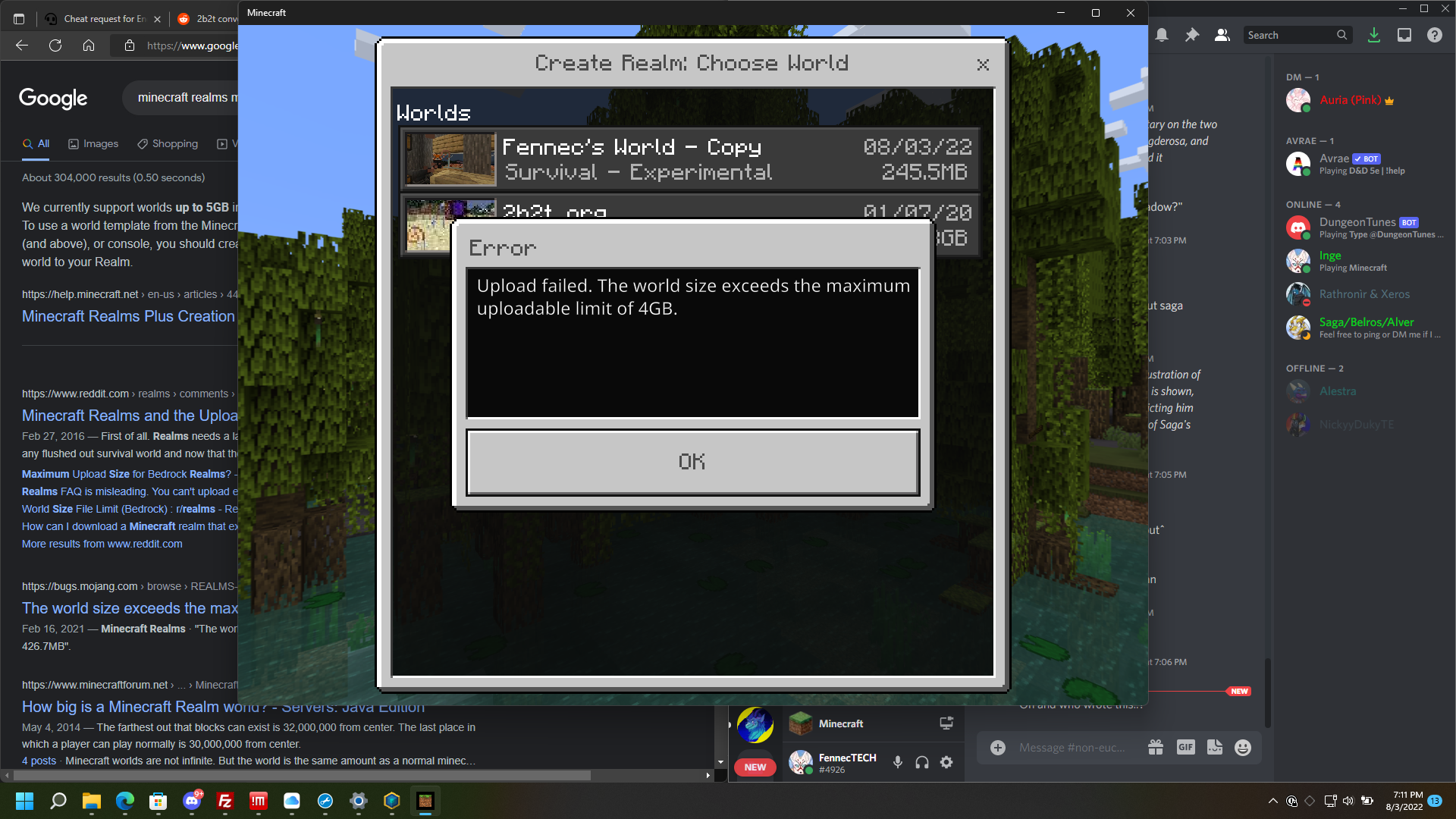
Client does not permit worlds larger than 4gb uploaded to realms
Please only comment if you have new information related to reproducing this issue.
The best way you can indicate that an issue is important to you is to vote for it.
Please do not add "me too" comments to this (or any other confirmed) issue.
Repetitive or unhelpful comments may be deleted or edited to reduce clutter.
For more information please see the Bug Tracker Guidelines.While trying to upload addons/resource packs to my Realm, I get stuck in a loop. I add the pack in the "Edit World" menu for Realms, and then when I click the back arrow, the game will say "Initializing upload" for a moment, but then it'll say "All Done" with the "Let's Go" button, without the progress bar having moved. When I click "Let's Go", it just takes me back to the "Edit World" menu. I've tried waiting for over ten minutes to see if something changes, but nothing does. It doesn't matter how large or small the resource pack is, I get stuck in this loop over and over again. I can't even exit the menu at that point, because of this loop. I have to close my game in order to get back to the main menu.
I've even tried adding the packs to a new world before creating it on the Realms server, but the packs get removed during the upload process for some reason. This has been happening since around 7:30PM EST on Aug 5, 2022, and has persisted to the present (approx noon EST on Aug 6, 2022).
Update on this issue:21 September 2022 by [Mojang] CornerHard -
The bug with custom add-on packs not applying to Realms should be fixed soon, likely next week in a Realms Service update.
We have a fix for getting stuck on the Realms Settings screen when there's an error with add-ons coming in the 1.19.40 update.
Please only comment if you have new information related to reproducing this issue.
The best way you can indicate that an issue is important to you is to vote for it.
Please do not add "me too" comments to this (or any other confirmed) issue.
Repetitive or unhelpful comments may be deleted or edited to reduce clutter.
For more information please see the Bug Tracker Guidelines.While trying to upload addons/resource packs to my Realm, I get stuck in a loop. I add the pack in the "Edit World" menu for Realms, and then when I click the back arrow, the game will say "Initializing upload" for a moment, but then it'll say "All Done" with the "Let's Go" button, without the progress bar having moved. When I click "Let's Go", it just takes me back to the "Edit World" menu. I've tried waiting for over ten minutes to see if something changes, but nothing does. It doesn't matter how large or small the resource pack is, I get stuck in this loop over and over again. I can't even exit the menu at that point, because of this loop. I have to close my game in order to get back to the main menu.
I've even tried adding the packs to a new world before creating it on the Realms server, but the packs get removed during the upload process for some reason. This has been happening since around 7:30PM EST on Aug 5, 2022, and has persisted to the present (approx noon EST on Aug 6, 2022).
Update on this issue:10 November 2022 by [Mojang] CornerHard -
We have a fix for this coming in 1.19.60
The realm owner has resource packs applied to the realm. The realm owner has the requirement for players to download resource packs turned off. The players are prompted to download resource packs and join or leave. The player is required to download resource packs if they want to join. I wonder if this has anything to do with my own active resource packs not applying to my view of the world owned by another user as well as my marketplace resource packs deactivating without my control.
Steps:
- Owner turns off requirement for players to download resource packs when joining realm
- Players join realm and are given two options: Download and join or Leave
- Player is required to download resource packs when joining reralm although the owner doesn't require it
Update on this issue:10 November 2022 by [Mojang] CornerHard -
We have a fix for this coming in 1.19.60
Problem: When I try to go to the resource packs tab to click the "Force players to accept resource packs to join the Realm" box, it will not stay ticked. The option is defaulted to off normally. When I try to click it to on and then exit out of the Realm options after saving, it won't actually turn the option on. When you go back into the options, the option is ticked off again. I tried with a blank world with no packs on the Realm, and the toggle still will not stay on.
What I believe should happen: When I tick the "Force players to accept resource packs" toggle to on, it should turn on and force players to accept resource packs to join. It should also stay on constantly unless I turn it off.
Devices I've tried it on: Gaming PC, Xbox Series S, Gaming Phone, iPhone
Versions this is affecting: 1.19.22
This should be fixed now. If you are able to get this to happen with any resource packs in 1.19.73 and beyond, please attach the particular packs and info on your Realm and how the problem happened.
[Mojang] CornerHardblocks
is blocked by
is duplicated by
Android
All Bedrock platforms
Mojang update:
We have a fix for this coming in 1.21.20.
Players will no longer be forced to download optional resource packs when joining a multiplayer game. The caveat is that Add-ons are always required to be downloaded, so you'll be given a new choice dialog to decide what you want to download if there are both Add-ons and optional Resource Packs.
there is a bug since 1.20.70 whit resource packs applied in realms, servers and worlds.
Normally you can activate an option to force other players to download resource packs but now it just makes all players to download resource packs even if that optión is not marked in setting.
Before this bug, a "download" and a "join" option used to show when entering the world but now there is just an "download or leave" option.
I've already tried to mark and unmark that option in resource packs setting but it doesn't work. It's like if you just deleted that option and now everyone have to download resources to play.
The image below shows the bug.
The option to force all players to download resource packs is not activated!
Mojang update:
We have a fix for this coming in 1.21.20.
Players will no longer be forced to download optional resource packs when joining a multiplayer game. The caveat is that Add-ons are always required to be downloaded, so you'll be given a new choice dialog to decide what you want to download if there are both Add-ons and optional Resource Packs.
there is a bug since 1.20.70 whit resource packs applied in realms, servers and worlds.
Normally you can activate an option to force other players to download resource packs but now it just makes all players to download resource packs even if that optión is not marked in setting.
Before this bug, a "download" and a "join" option used to show when entering the world but now there is just an "download or leave" option.
I've already tried to mark and unmark that option in resource packs setting but it doesn't work. It's like if you just deleted that option and now everyone have to download resources to play.
The image below shows the bug.
The option to force all players to download resource packs is not activated!
Update on this issue:18 June 2024 by [Mojang] CornerHard -
We have a fix for this coming in 1.21.20.
Players will no longer be forced to download optional resource packs when joining a multiplayer game. The caveat is that Add-ons are always required to be downloaded, so you'll be given a new choice dialog to decide what you want to download if there are both Add-ons and optional Resource Packs.
there is a bug since 1.20.70 whit resource packs applied in realms, servers and worlds.
Normally you can activate an option to force other players to download resource packs but now it just makes all players to download resource packs even if that optión is not marked in setting.
Before this bug, a "download" and a "join" option used to show when entering the world but now there is just an "download or leave" option.
I've already tried to mark and unmark that option in resource packs setting but it doesn't work. It's like if you just deleted that option and now everyone have to download resources to play.
The image below shows the bug.
The option to force all players to download resource packs is not activated!
duplicates
[Mojang] CornerHard5 August 2023 by [Mojang] CornerHard -
Hi everyone, I've seen a couple comments asking for an update, so I wanted to make a post about where we're at and what happens next.
We've updated all Bedrock platforms to our new network stack which did make a big improvement in uploads, and most people are currently able to upload fine to their Realms. However, I know that's not much consolation if you're currently having problems, which you probably are if you've searched out this bug.
When you upload a world to a Realm, there are several things that happen, and if you read through the bug reports here, you'll see different players run into issues at different points.
- After you pick a world to upload, the game compresses it into an MCWorld file on your device. This can be problematic on some consoles and phones, and there are bugs we're trying to track down, but it's can be difficult if we can't reproduce the problem ourselves.
- Once the game has an MCWorld file of your world, it gets an upload location from Realms and sends the file over the internet to the Realms service. Currently, this process is pretty fragile, and if your internet gets interrupted or there are other issues with the connection between your device and the Realms service, this can fail. The new network stack focused on improving this, but it's still delicate, especially for long uploads of large worlds.
- After the MCWorld file is fully uploaded, Realms will unpack the file, check for errors, then copy it to the right storage space so your Realm can use it. This part usually works pretty well, but the game doesn't show a progress bar while this is happening, so many players get confused and cancel out of their upload, even though the process is still working! We have some work in progress to always show a progress bar every step of the process, including this last one.
So what's next? We're working on better progress bars and status during uploads so players don't get confused and cancel their uploads early. Farther ahead, we're building "Realms Storage V2" which will allow us to upload files in pieces, more like what happens when you're uploading a file through your web browser. Now that you can do some Realm management on Minecraft.net, we're also looking into allowing players to upload and download worlds directly on the web, which will help in some situations. For the problems players run into in the world compression step, it's trickier as the platforms can be pretty different and have different storage issues.
If you're running into problems currently, my apologies. The most helpful thing is to post info about which platform (e.g. iPhone) you're playing on, what size the world is, how full your device storage is, and what type of internet connection you're using.
Trying to upload a world to my realm. States upload was successful but does not upload any MB. I can wait but never any upload progress even when it says uploading. Can only press cancel button, as never finishes.
11 May 2022 by [Mojang] CornerHard -
We should have a fix for this and commenting on Realms Feed posts in 1.19.10
So I took a screenshot using the built in realms screenshot feature in the escape menu but didn't post it right away. Then I went to the realm feed and clicked "New Post" and tried to add the screenshot there. The problem is that when I click "Add Screenshot" it shows me all the screenshots I have including the one I just took, but when I click on it it goes back the the "New Post" edit screen but doesn't add the screenshot, so when I posted it it just had the default green background.
Expected result: When I click a screenshot that image is added to the post similar to what happens when you first take the screenshot. (shown below)
Actual Result: When I click a screenshot it goes back to an empty post edit screen without adding the image. (shown below)
How to reproduce: Go to realms and take a screenshot. Them instead of sharing it just click the x and then go to the feed. Once at the feed click "New Post" at the top right corner of the screen and then click "Add Screenshot." Finally click on a screenshot and based on what happened to me it won't add it to the post like it should.

For those testing this on Switch in 1.16.20 please note that, according to the comments from [Mojang] CornerHard (emphasis mine):
I have a fix for world upload to Realms from Switch coming in 1.16.2, though you will still see the "An error has occured" dialog despite the successful upload.
So if that comment remains true on release its expected that an error still pops up, but the upload should complete successfully (and your map should , I assume, be available).
Also if testing please make sure that your device has received the update. You can check on the bottom corner of the main menu screen where it should show 1.16.20.
I just gave this a test myself and the interim fix seems to be working as described, I got an error but on entering the world it had been replaced.
Please only comment if you have new or additional information to help limit the notifications sent to players "watching" this report and to keep information like this and CornerHards comments easy to find. To discuss bugs and the tracker please head over to the Mojira Discord Server.
11 May 2022 by [Mojang] CornerHard -
We should have a fix for this and commenting on Realms Feed posts in 1.19.10
The Bug:
I cannot post on the feed (Xbox Live club) of my realm!
Steps to Reproduce:
1. Go into the Realm
2. Hit the pause button and take a screenshot (camera button)
3. Attempt to post said screenshot on the Realm Feed (should pop up automatically after taking screenshot)
Observed Results:
The screenshot will not post.
Expected Results:
The screenshot should post.
Notes: This only started happening in 1.16.210 (Bedrock). Before that (in 1.16.201) I could post normally.

5 Apr 2022 by [Mojang] CornerHard It looks like our new HTTP library will solve this problem for Nintendo Switch. We're hoping to roll this out for Switch soon after the 1.19 update.
I am getting a PC soon so I have tried to upload my 500mb survival world to realms. It begins to upload, then suddenly the game freezes and a crashes. Every way to upload a world results in this issue. It has been aparent since the 1.16 release. This seems to be only an issue for Minecraft Bedrock on Nintendo Switch. The crash also always occurs in the same spot of the upload process. I hope my info can help fix the issue. Thank you in advance.
27 Apr 2022 by [Mojang] CornerHard -
Thanks for the reports! If this is happening for you, can you post your general location in the world (e.g. New Zealand)?
I can no longer rename name tags or other objects using an anvil as of the most recent update.
Steps to Reproduce:
- make anvil
- put an item in it
- Rename
Observed Results:
Renamed item does not appear in the output slot, at least for 30+ seconds.
Expected Results:
Renamed item immediately appears in the output slot.
Note: This can only be reproduced in the realms, singleplayer works normally.

19 July 2022 by [Mojang] CornerHard -
Gametest packs allow you do to lots of exciting things on Realms, and we are working hard to support them properly in an upcoming update.
So, my behavior pack that requires of gametest to work stopped working after 1.19.0… This was because of the JavaScript change to script and stuff in the manifest, so we changed it to make it work, and after some changes it worked in 1.19.0, on a normal world. The problem is that when I tried uploading it to the realm, the upload was successful, but the pack is no longer working in the realm.
The same pack used to work before 1.19.0 in the realm, without any issues.
Steps to reproduce:
1. Upload a behavior pack that requires of gametest (gametest pack) to a realm
2. Join the realm
Observed Results:
The pack is not working in the realm even when it works on single player
Expected Results:
The pack should work fine without any problem or inconvenience.
15 July 2022 by [Mojang] CornerHard -
This should be fixed in a release very soon.
While you're waiting, you can work around the problem by providing a "Hover Note" for the Command Block.
Command blocks can no longer store new data, they erase or revert to old data. The commands stored erases. When changing into different kind of command blocks like chain and repeat, they will revert back to the original.
Steps to Reproduce
- Get command block.
- Place command block.
- Open command block and type something or change types.
- Close command block and reopen.
Observed Result
Everything added or changed is gone
Expected Behavior
Changes made to command blocks will be retained
10 November 2022 by [Mojang] CornerHard -
We have a fix for this coming in 1.19.60
The realm owner has resource packs applied to the realm. The realm owner has the requirement for players to download resource packs turned off. The players are prompted to download resource packs and join or leave. The player is required to download resource packs if they want to join. I wonder if this has anything to do with my own active resource packs not applying to my view of the world owned by another user as well as my marketplace resource packs deactivating without my control.
Steps:
- Owner turns off requirement for players to download resource packs when joining realm
- Players join realm and are given two options: Download and join or Leave
- Player is required to download resource packs when joining reralm although the owner doesn't require it
8 September 2022 by [Mojang] CornerHard -
Unfortunately, some of our network infrastructure doesn't currently support files larger than 4GB. At some point we will support larger uploads and downloads, but for now we'll update the documentation to reflect that 4GB is the limit.
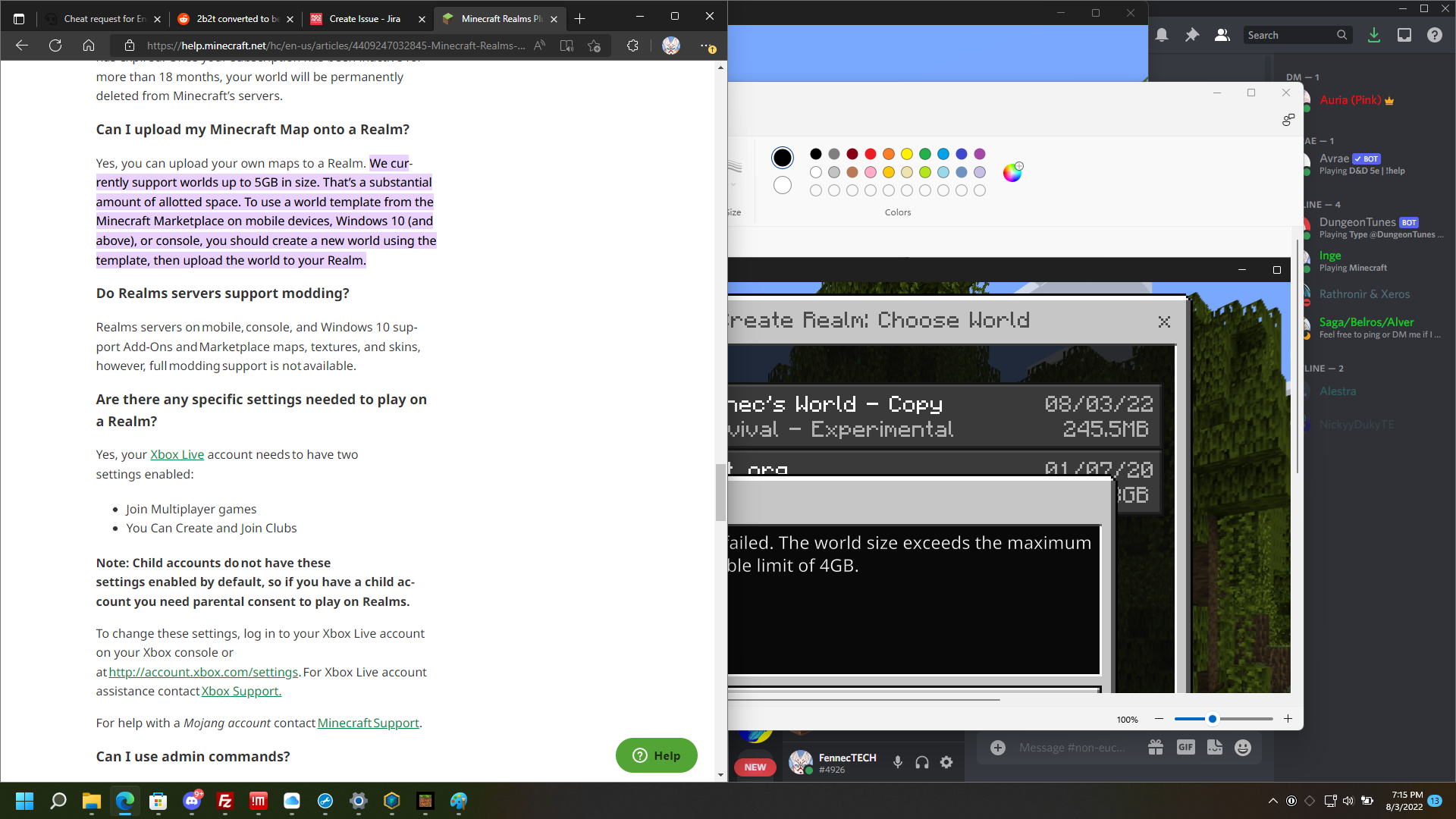
Client does not permit worlds larger than 4gb uploaded to realms
21 September 2022 by [Mojang] CornerHard -
The bug with custom add-on packs not applying to Realms should be fixed soon, likely next week in a Realms Service update.
We have a fix for getting stuck on the Realms Settings screen when there's an error with add-ons coming in the 1.19.40 update.
Please only comment if you have new information related to reproducing this issue.
The best way you can indicate that an issue is important to you is to vote for it.
Please do not add "me too" comments to this (or any other confirmed) issue.
Repetitive or unhelpful comments may be deleted or edited to reduce clutter.
For more information please see the Bug Tracker Guidelines.
While trying to upload addons/resource packs to my Realm, I get stuck in a loop. I add the pack in the "Edit World" menu for Realms, and then when I click the back arrow, the game will say "Initializing upload" for a moment, but then it'll say "All Done" with the "Let's Go" button, without the progress bar having moved. When I click "Let's Go", it just takes me back to the "Edit World" menu. I've tried waiting for over ten minutes to see if something changes, but nothing does. It doesn't matter how large or small the resource pack is, I get stuck in this loop over and over again. I can't even exit the menu at that point, because of this loop. I have to close my game in order to get back to the main menu.
I've even tried adding the packs to a new world before creating it on the Realms server, but the packs get removed during the upload process for some reason. This has been happening since around 7:30PM EST on Aug 5, 2022, and has persisted to the present (approx noon EST on Aug 6, 2022).
![[Mod] Avoma](../../../data/avatars/users/86198.png)
The Bug:
Render and simulation distance on realms and servers can be set beyond the maximum limit that the server or realm allows despite having no impact.
Back in November of 2021, MC-7949 was reopened and assigned to [Mojang] slicedlime. This ticket was regarding how the "Difficulty" button could be accessed and utilized within the in-game options menu on multiplayer servers despite it doing nothing. So why is this relevant? The reopening and assigning of this report imply that buttons should not be accessible to players in situations where they have no impact, hence my reasoning for creating this report.
In Minecraft: Java Edition realms, the render distance is set to 12 and the simulation distance is set to 9. This information is sourced from this tweet by [Mojang] CornerHard. Having these values able to be set above the limits that the realm allows through the use of the in-game video settings menu, creates confusion for the player and misleads them due to the fact that altering these options has no impact. The same thing can be seen with servers.
To conclude, if the maximum render or simulation distance on a server or a realm is, for example, 16, this should be made clear to the player and they should not be able to set the given option to a higher value through the use of the in-game video settings menu, as this wouldn't have any impact.
Steps to Reproduce:
- Join a realm or a server that limits the render or simulation distance to a certain value.
- Navigate to the video settings menu and attempt to change your render or simulation distance to a value above the maximum limit of what the server or realm allows.
- Take note as to whether or not you're able to do so and if it has an impact or not.
Observed Behavior:
Render/simulation distance on realms/servers can be set beyond the maximum limit that the server/realm allows despite having no impact.
Expected Behavior:
Render/simulation distance on realms/servers would not be able to be set beyond the maximum limit that the server/realm allows. For example, if a server allows the maximum render distance of 18, the users' render distance slider within the video settings menu should be limited to a maximum of 18 chunks. This would prevent players from being misled as well as minimalizing confusion.

10 November 2022 by [Mojang] CornerHard -
We have a fix for this coming in 1.19.60
Problem: When I try to go to the resource packs tab to click the "Force players to accept resource packs to join the Realm" box, it will not stay ticked. The option is defaulted to off normally. When I try to click it to on and then exit out of the Realm options after saving, it won't actually turn the option on. When you go back into the options, the option is ticked off again. I tried with a blank world with no packs on the Realm, and the toggle still will not stay on.
What I believe should happen: When I tick the "Force players to accept resource packs" toggle to on, it should turn on and force players to accept resource packs to join. It should also stay on constantly unless I turn it off.
Devices I've tried it on: Gaming PC, Xbox Series S, Gaming Phone, iPhone
Versions this is affecting: 1.19.22
18 June 2024 by [Mojang] CornerHard -
We have a fix for this coming in 1.21.20.
Players will no longer be forced to download optional resource packs when joining a multiplayer game. The caveat is that Add-ons are always required to be downloaded, so you'll be given a new choice dialog to decide what you want to download if there are both Add-ons and optional Resource Packs.

there is a bug since 1.20.70 whit resource packs applied in realms, servers and worlds.
Normally you can activate an option to force other players to download resource packs but now it just makes all players to download resource packs even if that optión is not marked in setting.
Before this bug, a "download" and a "join" option used to show when entering the world but now there is just an "download or leave" option.
I've already tried to mark and unmark that option in resource packs setting but it doesn't work. It's like if you just deleted that option and now everyone have to download resources to play.
The image below shows the bug.
The option to force all players to download resource packs is not activated!
This is indeed a code bug that's still in 1.8, and I've opened an internal tracking bug
T: Sorry about that. There were no working tools for finding slime chunks in 1.7 or 1.8, so you're one of very few people who was able to make a working slime farm during that time. I made the code much harder to break, so going forward, slime chunks should all stay the same.
JC: Thanks for sharing the world. I'm not sure offhand why only one of the five chunks is working now, but it may be because the others are close to the village. I'll have to debug the code to see when I get back in the office.
Yeah, we have a memory usage fix for the Switch in 1.10. Try it out after the new version releases for Switch.
If you log in with the same account on a newer iPad or other device, you'll be able to see the same Realms
If no achievements are unlocking, make sure you're on a world that hasn't been played on in Creative mode before. I've unlocked a lot of achievements on Switch including in 1.13, but haven't done Fruit of the Loom yet
It's definitely a parity issue, but there were some technical issues in the past that kept it from being ported to Bedrock. Need to revisit if those are still true.
Good diagnosis, Reed
We currently limit all Realms to a 4 chunk sim distance, so this is by design. We're interested in increasing the range in the future.
If this is still happening for you, please comment here so I talk to you and get a bit more information about how your Win10 machine is set up. We have some work in progress to make this very unlikely to occur in the future.
We have a likely fix for this coming in the Nether Update
This appears distinct from 2108, which is about experimental gameplay features not working on Realms (hopefully fixed in the Nether Update!). This bug is about behavior pack version updates not being picked up without removing and reapplying the behavior pack.
Thanks for the report, Foxy! Our internal bug for 65291 also covers this scenario.
World upload seems to fail completely on Switch. Sorry about that, we are currently investigating.
Apologies for the frustrations with not being able to get your worlds off your Switch consoles! I have a fix for world upload to Realms from Switch coming in 1.16.2, though you will still see the "An error has occured" dialog despite the successful upload. If this bug has made your Realm completely unusable until 1.16.2, please contact Mojang Support, and they will help you with a refund or compensation.
No release date to share for 1.16.2, but we're working on it
Unfortunately, it looks like 1.16.20 has some new strange issues which we're currently working on. My personal Switch had the same issue with instant failure trying to upload to my Realm, and I had to archive and re-download Minecraft to get Realm uploads working. Note that you'll still get the error, but if you join the Realm, you'll see your world.
I'm working on fixing world uploading for platforms where it doesn't work well, and in 1.16.100 we'll have more detailed error messages that should help sort out the exact problem.
@kmpoppe Sorry about your issue! In many cases, the Switch is actually uploading the world to the Realm and the error is inaccurate. Can you check your Realm and see if it's actually been updated? If not, try archiving and re-downloading Minecraft on your Switch, then try the upload again.
Yes, this is a sound parity difference between the two versions
Indeed, this Realm is missing a Club - very strange! Do you have any details about how you signed up for the Realm? I see your other previous Realms were assigned Clubs like normal.
If you're still seeing this issue, please attach the resource pack or behavior pack that's causing the crash. The game wasn't crashing for us when using the textures.mcpack listed above.
In Cliff's situation, one of the two players had inadvertently done an Xbox block on the other player, which prevented them playing together. If you're in this situation, please use the Xbox app to ensure that one of the players isn't blocking the other. There's a report that the Xbox block was induced by the kick command, but I haven't been able to reproduce it.
The issue here should be identical to
REALMS-7495and should be fixed when that one isThis is now a dupe of
REALMS-7495I do see this odd behavior in 1.17 where the spruce leaves are visible in single player but invisible on a Realm, other than the Christmas tree in the mash-up world.
This is not currently possible for technical reasons, but I'd love to give non-owner operators more moderation abilities in the future.
Thanks for the help, Auldrick! Could we keep this issue open? This particular flow is more awkward now for players with the new Slots UI, and I'd like to see how many votes it gets as we prioritize what to add or fix next.
We're planning on adding this in a future update
Sorry about that - we are actively working on this. Some accounts aren't correctly getting Realms Slots enabled yet. On my Xbox Series X only one of my five accounts has access to Realms Slots currently.
I have a fix for this coming in a future update
We have an improvement coming to this in 1.17.30, and will be reworking how uploads and downloads work after that. The goal is to have this be totally reliable on all platforms.
For 1.17.30, I've fixed this to look the same as Java edition
If you get this error, can you please check if the player is blocked and try regenerating the Realm link?
This problem will go away when 1.17.30 releases
This is fixed now with the release of 1.17.30
We are tracking this as ADO 621888
This button should always be present now in 1.17.30 as long as you're signed in to a Microsoft Account and Realms has finished initializing. If you don't have permissions to play on Realms, you should see a helpful message when clicking the "Join Realm" button.
We're tracking improving this experience as ADO 664333
Thanks for the report, Eric! It looks like there may be different issues for both Java and Bedrock. We are currently investigating.
Thanks for filing, everyone!
This is a bug we're interested in fixing - you should get a more helpful message when joining a Realm with active players from the Worlds tab, or even the option of kicking all current players off the Realm to force the update.
Thanks for adding the details!
Thanks for the info!
This looks to be the same as
REALMS-9869Thanks for the reports! If this is happening for you, can you post your general location in the world (e.g. New Zealand)?
Make sure to fully close Minecraft - the setting will only take effect when the game very first starts up. Once the game is running, the setting will change back to 'false', so you'll have to manually re-enable it and fully close and reopen Minecraft whenever you want to do an upload.
This will be updated in 1.19.20
This seems to be a broader issue than just the horns and ADO 739410
We were able to repro this problem at Mojang, taking a look
We were able to repro this at Mojang with the Ducktales pack
We confirmed this in 1.19.73
We're able to use a 10,000 member Realm properly in 1.20, though you do have to be patient while the pages load!
If you have any issues with large Realms after 1.20, please comment with which platform (e.g. Android) you're using, what type of Internet connection you're on, and any other relevant info. Thanks!
We want to investigate this
I think this might be a quick fix with the current UI system, so I'll take a look, If not, it'll have to wait until we do a UI refresh of this screen.
This should be fixed as of 1.20.10
Though this is an issue for Snapshot Realms, the actual fix is likely going to be in the Java client. After talking about it with Slicedlime, I copied it over here for tracking.
This is now fixed for Snapshot Realms
This is now fixed for Snapshot Realms
Trial Chamber spawners are working fine for me on Snapshot Realms, but if your world is from last week, you may need to recreate it to have the Trial Chambers work properly
Thanks for the reports, everyone. We are working on a hotfix. Don't bother with any workarounds as Realms Stories is disabled on Android and iOS until the hotfix is released.
Thanks for the reports everyone, we are working on getting a hotfix out. Please don't bother purging Marketplace cache or any other workarounds - we have Realms Stories disabled on Android and iOS until the hotfix is released.
Thanks for the report! This should be fixed in 1.21
We made a fix for this on the Realms Service a while ago, but it's working fine now on all my test Realms. Please open a Mojira bug with detailed repro steps (e.g. which resource packs, anything else unusual) if you're running into these issues in the future.
We're going to have a fix for this on the Realms service Soon™, but in the meantime you can toggle the gamerules with the world downloaded locally, then re-upload, as the pinned comment mentions.
Thanks for the report. We will take a look.
Thanks for the report. We are taking a look.
Thanks for the report! We are investigating.
Thanks for the details! Sounds like this is a custom resource pack issue.
Progress rollbacks happen when the game crashes while people are playing. We've made some improvements to the Realms service since this bug was filed and losing progress should be extremely rare now. If this happens to you, please contact Mojang Support so we can take a look at your world and see what's causing the crash.
Thanks for the reports. We are working on a fix for this.
If client-side-chunk-generation-enabled isn't set to "true" in the server.properties, it can take quite a long time for CPU performance to settle if render distances are high.
If you're experiencing this, please post a comment with whether you're using client-side-chunk-generation-enabled and mention what your max render distance setting is.
This is as-designed. Object.values doesn't have any order guarantee so it should not be relied on for specific ordering.
See example below.
Issue is still present, and we are working on it
This should be fixed nowThis won't be fixed until 1.21.20This actually won't be fixed until 1.21.20
Thanks for the report. We are working on this.
Apologies for the wait. The game is still on 1.21.2, but this will not be fixed until 1.21.20, which is coming Soon™
Thank you for the details and the repro video! We will take a look
Thanks for the report! We are currently in the process of creating a new Servers screen which should solve this issue.
We are still working on this one
If you have a video of the extreme lag, could you post a video on YouTube or another video site, please? Also, if you reach out to Mojang Support, they can check that your Realm is hosted in the correct region of the world for your players.
Thanks for the reports. We are taking a look.
We have to follow the version number restrictions of all the different Bedrock platforms, so things can sometimes be confusing, but think of it as '2' vs. '20'.
1.21.2 = the second hotfix for 1.21
1.21.20 = the second planned monthly update after 1.21's release
1.21.10 was cancelled, which adds more to the confusion.
We are looking into further reports of broken Marketplace Addons
Looking into this
We are working on a fix for this, but in the meantime you can download the world, set the game rule, then re-upload the world to your Realm
Thanks for the repro steps! What is your music volume set to on your Xbox? Are you using any Resource Packs or Add-ons? Please let us know the specific model of Xbox One you're playing on if this happens for you
I asked Jay to open this
Reopening for Realms Team triage
We've rolled out a fix for non-Addon, non-template packs this week, but we're still doing further work to get those working.
To play on Realms, you should always be on the latest full release of the game. The exception is if you're using Snapshot Realms to play on old versions, like the potato April Fool's snapshot.
Thanks for the report. We will take a look.
There are certain account settings that will prevent players from seeing each other's chat. Please contact Microsoft Support, and they will reach out to Mojang if it appears there's a bug here and it's not an account configuration issue.
Chests require the block above them to be air to have space to swing up into. You should use barrels for tightly packed containers.