 Aaron Atkins
- AceMcCrank
- acemccrank
- America/Los_Angeles
- Yes
- No
 REALMS-72
 MC-121137MC-129785MC-136224
![[Mojang] Agnes Larsson](../../../data/avatars/users/10122.svg)
 Important




Went through this checklist, and none of it seems to be helping in 1.9. When breaking dirt/sand it will visibly disappear, then when a block is placed in the spot where you cannot walk through, and broken again, the block rebreaks and generates 2 blocks. I even updated my RAM to 16 GB, I'm running a dual-core 3.06 Ghz processor, and happens on both server (Realms) and single player. Through my testing, I found it always happens when at the edge of a chunk (will show 0 Y Z or X Y 0, or replace the 0s with 1s.). I am also playing on an iMac if that makes any difference.
These "Ghost" blocks also reappear if there is an update, like if the block was dirt and grass spreads to it. I have only noticed this happen since 1.8.9 myself.
What I expected:
Villagers to farm like normal.
What happened:
Villagers stopped farming and instead just got locked into staring at cocoa beans.Steps to reproduce:
Unconfirmed if this has to be an existing village, but it is the easiest way:
Find a village.
Replace the bordering Oak Logs from one or more of the preexisting farms with Jungle Wood.
Plant Cocoa Beans on side of Jungle Wood.
Brown-coated Villagers will eventually, when they cross paths with the matured beans, with a matured farmland (Wheat/Potatoes/etc) will stop at the beans and simply stare at it, but not farm anything. After staring, they refuse to move until the Cocoa Beans are removed.
This was performed on Realms.Attached is 3 villagers all caught in this bug. On the plus side, at least we now have a way to stop villagers from farming!
OSX El Capitan 10.11.3
iMac 21.5-inch, Late 2009
Processor: 3.06 Ghz Intel Core 2 Duo
Memory: 16 GB 1067 MHz DDR3
Graphics: NVIDIA GeForce 9400 256MB
Java Version: Java 8 Update 77OSX El Capitan 10.11.3
iMac 21.5-inch, Late 2009
Processor: 3.06 Ghz Intel Core 2 Duo
Memory: 16 GB 1067 MHz DDR3
Graphics: NVIDIA GeForce 9400 256MB
Java Version: Java 8 Update 74-77. (Photo shows 74 because another app required that version running at the time)
What I expected:
Villagers to farm like normal.
What happened:
Villagers stopped farming and instead just got locked into staring at cocoa beans.Steps to reproduce:
Unconfirmed if this has to be an existing village, but it is the easiest way:
Find a village.
Replace the bordering Oak Logs from one or more of the preexisting farms with Jungle Wood.
Plant Cocoa Beans on side of Jungle Wood.
Brown-coated Villagers will eventually, when they cross paths with the matured beans, with a matured farmland (Wheat/Potatoes/etc) will stop at the beans and simply stare at it, but not farm anything. After staring, they refuse to move until the Cocoa Beans are removed.
This was performed on Realms.Attached is 3 villagers all caught in this bug. On the plus side, at least we now have a way to stop villagers from farming!
Update: Uploaded unmodded client photos doing same thing on local single player. I hope this helps. Also found it only affects adult villagers.
Screen Shot 2016-04-06 at 10.20.39 PM.png
Unsure if related to
MC-5520, as error is reported differentlyI got a similar error (not exact but same problem, could not fullscreen, which forced the game to crash upon loading since Fullscreen was the default) after my nVidia Driver updated for my 550ti. I was finally able to fix it by going into the nVidia settings and changing Scaling to Full-Screen instead of Aspect Ratio under "Adjust Desktop Size and Resolution". The Hertz was already at 60 by default. This was a temporary fix, however, as the game soon crashed with an "Out of Memory" error within about 5 minutes of gameplay.
I actually got several intermittent errors before fullscreen stopped completely. The sound would not play at all about 50% of the time. I reinstalled Minecraft as a result, which for some reason changed the default JVM arguments to "-Xmx1G -XX:+UnlockExperimentalVMOptions -XX:+UseG1GC -XX:G1NewSizePercent=20 -XX:G1ReservePercent=20 -XX:MaxGCPauseMillis=50 -XX:G1HeapRegionSize=16M" instead of the previous -"Xmx1G -XX:+UseConcMarkSweepGC -XX:+CMSIncrementalMode -XX:-UseAdaptiveSizePolicy -Xmn128M". So, after I had fixed the video settings, I had to change my JVM arguments back (Actually bumped it a little to "-Xmx3G -XX:+UseConcMarkSweepGC -XX:+CMSIncrementalMode -XX:-UseAdaptiveSizePolicy -Xmn256M" after I confirmed it fixed the "Out of Memory issue"). Running with absolutely no issues now. I will note: I installed Minecraft with the onboard graphics the first time; installed the 550ti at a later time, so Minecraft may be applying the wrong arguments based on my system configuration.
I should note that I will now have to fix the JVM arguments with each time there is a Minecraft update,* as the JVM arguments still default to the previously defunct arguments with each new version I install, no matter the version* even if I go back to 1.6 or enable experimental snapshots into 1.13. It even applied the arguments to Optifine when I attempted to install after reinstalling Minecraft. Had I not kept a backup of the arguments for reference, I would have been completely at a loss.[EDIT] The issue seems to be the launcher applying a new JVM Argument that is not compatible with the nVidia drivers by default. Since I usually change them to use more resources, I did not have any issues since the release of the new launcher until I performed the reinstall. The other issue with the sound also started with the new launcher, but likely a compatibility issue with my GPU as well, since my sound is handled through
Unsure if related to
MC-5520, as error is reported differentlyI got a similar error (not exact but same problem, could not fullscreen, which forced the game to crash upon loading since Fullscreen was the default) after my nVidia Driver updated for my 550ti. I was finally able to fix it by going into the nVidia settings and changing Scaling to Full-Screen instead of Aspect Ratio under "Adjust Desktop Size and Resolution". The Hertz was already at 60 by default. This was a temporary fix, however, as the game soon crashed with an "Out of Memory" error within about 5 minutes of gameplay.
I actually got several intermittent errors before fullscreen stopped completely. The sound would not play at all about 50% of the time. I reinstalled Minecraft as a result, which for some reason changed the default JVM arguments to "-Xmx1G -XX:+UnlockExperimentalVMOptions -XX:+UseG1GC -XX:G1NewSizePercent=20 -XX:G1ReservePercent=20 -XX:MaxGCPauseMillis=50 -XX:G1HeapRegionSize=16M" instead of the previous -"Xmx1G -XX:+UseConcMarkSweepGC -XX:+CMSIncrementalMode -XX:-UseAdaptiveSizePolicy -Xmn128M". So, after I had fixed the video settings, I had to change my JVM arguments back (Actually bumped it a little to "-Xmx3G -XX:+UseConcMarkSweepGC -XX:+CMSIncrementalMode -XX:-UseAdaptiveSizePolicy -Xmn256M" after I confirmed it fixed the "Out of Memory issue"). Running with absolutely no issues now. I will note: I installed Minecraft with the onboard graphics the first time; installed the 550ti at a later time, so Minecraft may be applying the wrong arguments based on my system configuration.
I should note that I will now have to fix the JVM arguments with each time there is a Minecraft update,* as the JVM arguments still default to the previously defunct arguments with each new version I install, no matter the version* even if I go back to 1.6 or enable experimental snapshots into 1.13. It even applied the arguments to Optifine when I attempted to install after reinstalling Minecraft. Had I not kept a backup of the arguments for reference, I would have been completely at a loss.[EDIT] The issue seems to be the launcher applying a new JVM Argument that is not compatible with the nVidia drivers by default. Since I usually change them to use more resources, I did not have any issues since the release of the new launcher until I performed the reinstall. The other issue with the sound also started with the new launcher, but likely a compatibility issue with my GPU as well, since my sound is handled through HDCP, but I was able to play before the reinstall.
Any world generated in 1.12.2 or previous will not keep the structures present when loaded into the new snapshots.
This affects Villages (You have to manually recreate the village by removing and replacing the doors), Ocean Monuments (They will no longer spawn guardians), etc. Newly generated structures in the new snapshot are unaffected.
To reproduce: Generate a world in 1.12.2 or previous. This works best with a version that spawns Ocean Monuments, because it's easiest to see the effects. Find a naturally generated structure that spawns a certain mob, or that you can trace the borders of using plugins (though that would require going non-vanilla).
Load the world in 1.13. Even though the /locate command can find the structure, it won't behave like it should.
Untested in the Nether, that will be my next visit.****
Video demonstrating the bug: https://youtu.be/8HuGCg1W69g
Trying to generate a world to test an issue I have been having to verify (mobs refusing to spawn on string/tripwire, I'll submit a separate ticket if I can validate it). Well, I ended up with a world crash, which this same setting does not have an issue when generated in 1.12.2, or any other version I tried. I've attached a copy of the crashing world as well as the crash log. I have not been able to get it to generate.
Additional details:
Using the same seed and settings, I was able to generate the world in 1.12.2 and then load it in 1.13. However, after walking around for a bit, I noticed a slime hanging in the air for about 5 seconds (the rest were moving fine) and then I received the same crash again. I hope that helps.
Trying to generate a world to test an issue I have been having to verify (mobs refusing to spawn on string/tripwire, I'll submit a separate ticket if I can validate it). Well, I ended up with a world crash, which this same setting does not have an issue when generated in 1.12.2, or any other version I tried. I've attached a copy of the crashing world as well as the crash log. I have not been able to get it to generate.
Additional details:
Using the same seed and settings, I was able to generate the world in 1.12.2 and then load it in 1.13. However, after walking around for a bit, I noticed a slime hanging in the air for about 5 seconds (the rest were moving fine) and then I received the same crash again. I hope that helps.
Confirmed crash occurs in 1.13.1 Prerelease 1 as well, but I managed to get the world to load for just a brief moment, where I noticed that I was stuck in an oak log belonging to a village farm. Included crash report for the pre1 world as well.
Trying to generate a world to test an issue I have been having to verify (mobs refusing to spawn on string/tripwire, I'll submit a separate ticket if I can validate it). Well, I ended up with a world crash, which this same setting does not have an issue when generated in 1.12.2, or any other version I tried. I've attached a copy of the crashing world as well as the crash log. I have not been able to get it to generate.
Additional details:
Using the same seed and settings, I was able to generate the world in 1.12.2 and then load it in 1.13. However, after walking around for a bit, I noticed a slime hanging in the air for about 5 seconds (the rest were moving fine) and then I received the same crash again. I hope that helps.
Confirmed crash occurs in 1.13.1 Prerelease 1 as well, but I managed to get the world to load for just a brief moment, where I noticed that I was stuck in an oak log belonging to a village farm. Included crash report for the pre1 world as well.
More additional details:
Confirmed in 1.13.1 Pre2
At first I thought this was related to MC-113981, but it looks like it isn't since that ticket states that mobs will spawn with slabs/etc set as the second block above a block of air. Other than that I haven't been able to locate any tickets that resemble my issue
Sadly there is no easy way to test this, as Superflat "minecraft:bedrock,2*minecraft:dirt,minecraft:grass_block,minecraft:air,minecraft:oak_trapdoor[half=top],minecraft:stone;minecraft:plains;village" doesn't seem to work (you can't specify which half) and the default position is bottom half.
However, you can fill a large area with top-half trapdoors of any type, which should allow for proper testing. This is what I did, and then I killed all non-player entities to check for spawns. Nothing, not even the spiders would spawn, despite the height being enough to allow for the spawn.
The test:
Create a superflat world
Settings: minecraft:bedrock,2*minecraft:dirt,minecraft:grass_block,2*minecraft:air,minecraft:stone;minecraft:plains;village
Once in the world, use the /fill command to place a bunch of top-half trapdoors in the headspace, which should allow for just over 1 3/4 blockspace for mobs to spawn. The larger the area the better.
use /kill @e[type=!player] to kill all the mobs, then again to kill the items.
Walk around, and look for any signs of mobs. They will only be present where you have two full blocks of airspace.
(Optional: Give yourself night vision like I did.)this is a shame, as this used to be the only effective way to get only creepers to spawn (you'd limit the spawn location sizes via carpet to stop spiders).
EDIT
I loaded the world in the 1.13.1 Pre1, and it still holds true, except for bats (although they have a highly suppressed spawn rate still, compared to having 2 vertical air blocks.


Windows 10
Core i5 Quad-Core @ 3.2 Ghz
12 GB RAM
ASUS GTX 550ti
UPDATE to environment as of 1.14 snapshots:
Windows 10
Core i5 7600k @ 3.8 Ghz
16 GB DDR4 3200mhz
EVGA GTX 750ti
So, I am getting an FPS drop up up to 20 FPS when mining Sandstone when compared to other blocks such as Stone.
I've uploaded an unlisted video here showing the FPS drop. There is a considerable stutter when mining sandstone as well that is not present with any other blocks so far.
RaysWorks started noticing this on server for 1.14.1, and uploaded this clip. https://clips.twitch.tv/MagnificentTardyGerbilUnSane


![[Mod] Les3awe](../../../data/avatars/users/79847.png)
@Aaron Atkins, slime and magma cube seems works as intended, they ignore all the rails / lava / magma blocks.
Villagers will get stuck on magma blocks is MC-54702.
![[Mod] Skylinerw](../../../data/assets/gravatar/skylinerw.png)
@Aaron Atkins Item frames are entities, not blocks.

@[Mod] Skylinerw Maybe what Aaron Atkins was referring to is the fact that the change of time on a clock in an item frame cannot be detected currently, the event (questionable) not causing a block update. Which detecting the change of time event with a clock would be a nice feature I think.
![[Mod] Neko](../../../data/avatars/users/92901.png)
Aaron Atkins: Your issue is MC-146783.
![[Helper] Johnibur](../../../data/avatars/users/28381.png)
@Aaron Atkins Is this a new world? Can you post the seed and your view distance?
Oops, you said attach, and I didn't see the button above. My apologies, it is attached now.
My apologies, I though I had searched for all instances since 1.9 had started, and never the issue with 1.8.9. I'm sorry.
Have tamed wolves sitting, hunger bar below full.
Feed rotten flesh to 2 wolves.
Burp sound will commence, 25 seconds of hunger added.
Also, SunCat, how is this a dupe of
MC-849when it doesn't use any extra food, and you aren't eating it yourself?[Edit] Okay, it /may/ consume an extra piece of rotten flesh, but only sometimes, but doesn't do anything to your own hunger bar when it does, just adding the Hunger status.
1.9, this also occurs on farmland, and on paths created by the shovel.
I have a screenshot of it happening on the path if needed.
That to me sounds like an issue that would need addressed.
If you eat something and you die, it's poisonous.
If something bites you and you die, it's venomous.
If something eats something and you die (or get sick), that's correlation without causation. Or voodoo.
I can confirm this is an ongoing problem through 1.9, and was present for me in 1.8.x
I've been villager breeding, and keep my house on the edge of the village (Still part of the village).
The villagers for the most part - approximately 5 will go to one building, the rest will go to another.
There are approximately 20 houses, most of the walls are knocked out with lines of doors on all of them.
Worth noting:
All but 2 of my villagers died at one point, but I managed to keep them safe to breed back to capacity.
There are enough villagers now to spawn 3 golems.
I am playing on a Mac, on Realms, 3.06 Ghz Dual-Core Pentium Core 2 Duo, 16 GB RAM.
Java is up to date.
I'm uploading pics of it happening in an unmodded environment.
As a precaution - I uninstalled Optifine, uninstalled Minecraft, removed any related files, including saved worlds, reinstalled Minecraft.
Started a new world. Found something new - The Cocoa Beans only affect the adults, not the children. And it doesn't have to be in a preexisting village.
I'm hoping that makes this valid.
I'll wait a bit and see. RedstoneHelper should still be watching it, so he will get updates when changes are made I think.
All 4 adults are now stuck, I took away the children. The adults can't get up. Some other villagers have gathered near to chat.
If it were normal, you'd expect it to affect all mobs. But this doesn't affect the baby Villagers at all.
Confirmed that this had adapted differently now in 1.12: Villagers are now gathering in hordes at the center of the village, even if there is no house for them to enter into. Not sure if related to same bug, or new bug.
Please reopen for 1.12.
Mobs will still pathfind over magma blocks when boxed in but then lose the ability to pathfind their way back into the box.
To replicate, place magma blocks in the ground around a NoAI villager and spawn some zombies. The Zombie will refuse to cross the blocks to get to the villager. However, reverse it and have the villager on the outside, and zombie(s) inside, the zombie(s) will chase the villager.
OR surround a house for a villager and spawn it inside. It will cross the magma to go outside, but then not be able to get back in the house. This also works for browncoats and a farm, etc. You can also try using food to lure an animal such as cow or sheep. The only 2 mobs I have found to not be affected were the Slime and Magma Cube (using a Villager Golem as bait)
I would not have realized that this was even a thing if it weren't for the magma block border I put up around my survival village. I thought it would help kill the zombies as they pressed forward against the stone fencing, but then they refused to walk up to the fence, stopping short. Villagers will also get stuck on magma blocks still while attempting to interact with another villager through a diagonal set of blocks.
You have to use Command+Shift+Q while in Windowed mode, and close the system dialogue window that pops up. After that, any stack you hit 'Q' to drop will drop the full stack.
But yes, a pain, as it doesn't function as intended as with Windows.
I would like to add to this list if possible: Clocks set in item frames. I'm not sure if intended, or not, but it did put a damper on an idea I had, where a daylight sensor wouldn't work, being underground. I ended up making an etho clock instead, which used up way more room than intended.
I am getting the worst lag when going underwater, pretty sure the particles are causing this, so I'll confirm same issue. Framerate will drop down as low as 4 FPS when I get a solid 60 on default settings above ground I did a check, and aboveground there seem to be around 150 particles, but as soon as I dive in water, they cap at around 3k particles. Switching Particles in Video Settings to Decreased will bring me to about 40 FPS underwater, and Minimal I see no drop at all. Windows 10 with a quad-core 3.1 Ghz i5, and a 550ti. Java version 8, update 151.
@Greg - I found if you turn your particle settings down to "Minimal" in your Video Settings, it should resolve the issue until there is a fix.
I got a similar error (not exact but same problem, could not fullscreen) after my nVidia Driver updated for my 550ti. I was finally able to fix it by going into the nVidia settings and changing Scaling to Full-Screen instead of Aspect Ratio under "Adjust Desktop Size and Resolution". The Hertz was already at 60 by default. This was a temporary fix, however, as the game soon crashed with an "Out of Memory" error.
I actually got several intermittent errors before fullscreen stopped completely. The sound would not play at all about 50% of the time. I reinstalled Minecraft as a result, which for some reason changed the default JVM arguments to "-Xmx1G -XX:+UnlockExperimentalVMOptions -XX:+UseG1GC -XX:G1NewSizePercent=20 -XX:G1ReservePercent=20 -XX:MaxGCPauseMillis=50 -XX:G1HeapRegionSize=16M" instead of the previous -"Xmx1G -XX:+UseConcMarkSweepGC -XX:+CMSIncrementalMode -XX:-UseAdaptiveSizePolicy -Xmn128M". So, after I had fixed the video settings, I had to change my JVM arguments back (Actually bumped it a little to "-Xmx3G -XX:+UseConcMarkSweepGC -XX:+CMSIncrementalMode -XX:-UseAdaptiveSizePolicy -Xmn256M" after I confirmed it fixed the "Out of Memory issue"). Running with absolutely no issues now. I will note: I installed Minecraft with the onboard graphics the first time; installed the 550ti at a later time, so Minecraft may be applying the wrong arguments based on my system configuration.
I should note that I will now have to fix the JVM arguments with each there is a Minecraft update, as the JVM arguments still default to the previously defunct arguments with each new version I install. It even applied the arguments to Optifine when I attempted to install. Had I not kept a backup of the arguments for reference, I would have been completely at a loss.
Crash logs for reference. crash-2017-12-04_15.45.57-client.txt
crash-2017-12-04_15.28.59-client.txt
I just realized that this bug is marked as fixed for a much older version, mine is 1.12. I'll post a new post.
Solution has resolved the issue. 17w47a and 17w47b both were crashing as well, but once I went with 17w48a, there seems to be no issues with any versions, previous or current.
Can confirm, lost an entire forest and the fire will not stop spreading over the grass thanks to a lava pool.


I need to add: Although the solution did fix the crashing, Minecraft is now taxing my GPU heavily and now it sounds like a jet engine while playing.
17w49b


1.12 with new default arguments
1.12 with old arguments
1.12.2 with new default arguments
I'll submit as new issue, as the actual issue is different.
Nevermind, I may have found the issue. If not, I'll resubmit.
Okay, yeah. The default framerate is set to "Unlimited" now, when it used to default to "VSYNC"
It is doing it to me as well after applying the "fix" per
MC-122882which was to run the latest snapshot to get the new libraries.Environment:
Windows 10
Java Version 8 Update 151 (build 1.8.0_151-b12)
Intel Core i5 Quad-Core 3.1 Ghz
8GB 1600mhz RAM
ASUS nVidia 550ti 1GB
It only started doing it after downloading 17w49a. My FPS was up in the 300-400s!
@Dominik I was having the same issue, from the looks of it, this was fixed with a driver update to the Game Ready Driver from nVidia's GeForce Experience in my case. The issue became present after downloading the newest snapshot at the time (which was a fix for another issue, funny as it is.)
I hope that helps.
The update still fixed it. The issue likely was a mix of OpenGL's update and Minecraft's library update I believe. I still have the issue when loading anything but the newest version of Optifine as well. OpenAL uses OpenGL libraries, and is handled via GPU.
Quick Fix I use for older versions of Optifine (and prior to the driver update, official versions): Once loaded, hit F3+T to reload the resources.
OpenAL's website states that the last stable release was back in 2008, version 1.1.
I take it that is why newer versions are a pain to install, considering you have to get them from the Github.
Umm.... No.
The water doesn't re-trigger the observer in this case. It's the interaction between the redstone and the water causing an update over several blocks. You can see that the second observer is not connected, like in the screenshots of
MC-109829. Also, is only detectin a source block, which I understand is supposed to update when a block next to it updates.To the best of my redstone knowledge, the redstone being placed behind the observer isn't causing the observer to update, but rather the block state of the redstone dust being changed that causes the observer to update, temporarily. This is why taking the last redstone dust away again causes the "machine" to still function.
I mean, unless the cause is the same, but the understanding is quite different in the linked Issue.
Nevermind. I Apparently can't read.
/summon minecraft:illusion_illager ~15 ~1 ~ {CustomName:"Head Illusioner",CustomNameVisible:1,PersistenceRequired:1b,FallFlying:1,ArmorItems:[{id:"minecraft:dye",Damage:4,Count:1},{},{id:"minecraft:elytra",Count:1},{id:skull,Damage:3,Count:1b,tag:{SkullOwner:{Id:"a024cb0c-6f05-45e5-b4e3-369984721032",Properties:{textures:[{Value:"eyJ0ZXh0dXJlcyI6eyJTS0lOIjp7InVybCI6Imh0dHA6Ly90ZXh0dXJlcy5taW5lY3JhZnQubmV0L3RleHR1cmUvMWM2NzhjOWY0YzZkZDRkOTkxOTMwZjgyZTZlN2Q4Yjg5YjI4OTFmMzVjYmE0OGE0YjE4NTM5YmJlN2VjOTI3In19fQ=="}]}}}}],Health:500,Attributes:[{Name:"generic.movementSpeed",Base:0.6f},{Name:"generic.attackDamage",Base:7}],HandItems:[{},{id:"minecraft:bow",tag:{ench:[{id:48,lvl:5},{id:49,lvl:2},{id:50,lvl:1}]},Count:1}],HandDropChances:[0.1F,2F],ArmorDropChances:[2F,2F,0F,2F],ActiveEffects:[{Id:3,Amplifier:0,Duration:2147483647,ShowParticles:0b},{Id:5,Amplifier:0,Duration:2147483647,ShowParticles:0b},{Id:8,Amplifier:2,Duration:2147483647,ShowParticles:0b},{Id:10,Amplifier:199,Duration:100},{Id:12,Amplifier:0,Duration:2147483647,ShowParticles:0b},{Id:21,Amplifier:99,Duration:2147483647}]}There is the Summon command.
I also tried using the Health Boost potion effect, as you can see, which didn't do anything. So possibly still a bug, just not what I thought? Or does this MaxHealth thing block the potion effect from even working as an intended use?
Search function does not allow for previous versions to be selected when searching, at least from my end.
Also, antivirus is currently fully disabled, should have no reason to be interfering, and oddly does not happen with ANY other version, snapshot or otherwise for me.
Issue is no longer that fire is not despawning (as it will over time) but that the fire spread is WAY too quick to be manageable for anyone to cope with, at least as of 18w05a.
To reproduce, it actually occurs when switching between versions. Since not very many people stick with only the latest snapshot, they will often go back and forth between versions.
This is similar to my experience in having to disable the Auto-Jump every time I go to 1.9+ from an earlier version, and having to change my sound back to correct levels after going back to really old versions.
I have a video of this occurring as well. https://youtu.be/8AIldh5QiCs
You only need to see 0:45-1:00 or so to see the bug.
A majority of the video is checking to see if it is from waterlogged only blocks or not, and stuff, but you only need to see that 15 seconds.
Oh. This should be updated with the more recent versions of 1.13 snapshots. My search, https://bugs.mojang.com/browse/MC-126943?jql=affectedVersion%20in%20(%22Minecraft%2018w10c%22%2C%20%22Minecraft%2018w10d%22)%20AND%20text%20~%20%22structure%22 yielded no results and the versions listed here are not selectable currently in the search options. This happens in 18w10c & 18w10d currently.
Works on all keys bound to the keyboard in 18w11a. The speed of your key repetition while hold becomes the speed of the "Use Item" for example if rebound to a key on the keyboard. The video I just uploaded, shows this happening while bound to the "Numpad 0" key, and is clipped from a longer video I made. It shows it happening to the Fishing Rod and cycling through the noteblock states faster than it should based on the normal "use item" speed limit I usually see in game.
Recommend adding label: Keybind, Keybinding
The old launcher no longer restores sound now to the Alpha versions (This was generated from using the older launcher for c0.30_01c), haven't tried Betas yet.
@Aman Kasat
Settings> check the tabs to keep the launcher open and open the logs upon start. See if that keeps it open for you to at least copy/paste the generated log before they get deleted?
18w20c does this as well, stuck at 0% according to the game output. Uploaded screenshot. World was first created in 1.12.2.
This happened to me on a brand new world, as I could not get a 1.12.2 world to load past 0% in the new snapshots. Uploading the crash log as well.
Confirming for 18w21a.
Looking closer, it doesn't look like my issue is quite the same, though it is a similar symptom. I can't get a crashlog to save my life, but I do have logs, which I'll upload. Also, my issue seems to happen 100% of the time.
I'm including a log as well, because even though I did get the crash, it was while I was not moving in my world, and had been fairly still for several minutes.
And, I found a way to replicate it, despite setting my RAM settings up to 4 GB - I simply set a block on fire. You can actually see the memory get really high really quickly as soon as I set it on fire. I've uploaded video evidence here: https://youtu.be/9GFpfP0YGtY
Initial crash in the first 15 seconds, I then reload at about the 30 second mark, and get the game to crash again at about the two minute mark.
I have a Quad-core i5 @ 3.2 Ghz, 12 GB RAM, and an ASUS 550ti.
My apologies for the delay. This does not seem to be an issue any further.
I've noticed this as an issue on our server - mobs will fail to despawn as the chunks are unloaded and remain persistent, at least at a fast enough pace where one can run or boat across water. I can even watch zombies a few chunks away in broad daylight not burning until I get closer to them.
Same. I've noticed the most issue when mining sandstone, but a little bit here and there with other tasks.
So, how is both this and MCPE-18599 "Works as intended"? Both are complete opposites of each other, and not even a technical variance. I'll agree with Sam, this should be changed back, or the ticket I also mentioned. This doesn't seem like something that should be different between platforms.
Seems to be fixed in 1.13.1 Pre2
Confirming as well for 1.13.1, uploaded video footage. Haven't seen this until the 1.13.1 release myself, even with the snapshots for it.
I've seen this before, but it is just more prevalent with the new biome water colors. Any time an MCTerrain world is converted to Anvil, the biome map ends up changing if I remember correctly.
If you've followed for instance, the Minecraft Evolution series, you'd see, for instance, when the world was converted, the biomes ended up changing and one of the players ended up with a bunch of ocelots spawning by his base because it had converted from Forest to Jungle.
I've been having issues as well, but it seems more deep-seated. See, I am currently hovering 128+ blocks above the ground, nothing should be able to spawn. Yet, I can type /kill @e[type=!player] and it will repeatedly kill 80+ entities, slowly down to maybe 8-15, then none. Until I let the game sit for about 20 seconds, then they will be spawning in again. It's almost as if the spawn distance for players no longer accounts for Y distance from the player, and only the X and Z (creating a cylinder spawn radius rather than a sphere).
I even made a platform for mobs to spawn at at the height I currently am, but nothing will spawn on it, because the mobs are all spawning somewhere else, where they shouldn't be. And, changing the render distance doesn't change the result.
I am in 1.13.1 right now, as well
Yes. In testing, it seems that the easier the opaque block is, the higher chance for lag is when on servers (This doesn't happen in singleplayer interestingly enough). During what I call the "Flicker period" there is also a good chance to get pushed off to the side when digging straight down on a 1-wide pole of blocks. Seems to only happen with opaque blocks when using a pickaxe.
In case anyone needed solid evidence, https://youtu.be/Un_PBeH6GDo
@Amanda: If this was intentional to break AFK farming, the workaround is to load and unload surrounding chunks. So, hop in a minecart and circle around the perimeter.
As far as I can tell, yes. Might be better to use a minecart on a track though, as they will help load chunks faster.
@Simon Nemeth - The best way I could recommend for getting Ender Pearls at that point, would be to trade with a Cleric. But yes, I understand. I've been playing 1.13/1.13.1 for weeks now and the number of Endermen I have seen in Overworld, I could count on one hand.
Also seems to occur when attempting to Shift/Alt+F3, which somehow also kills my WiFi Adapter at the same time. I am able to reliably reproduce.
Can confirm, I wasn't expecting quite this much bamboo in the Jungle. It's enough to take my 300 FPS down to in the hundreds and lower with major stuttering.
In the End Dimension as well, and Nether.
There has always been the chance for mobs to spawn in the bottom of the Desert Temple though.
Coords:
/tp @s 344 70 315
Seed: -3166637322117124093
The obliteration is 16x16, but a full block off from being contained in a single chunk.
None of the chests near the obliteration will open, even if they are in different structures inside.
I ran the data get command on one of the chests:
355, 52, 294 has the following block data:
{metadata: "chest", mirror: "NONE", ignoreEntities: 1b, powered: 0b, seed: 0L, author: "LadyAgnes", rotation: "NONE", posX: 0, mode: "DATA", posY: 1, sizeX: 0, posZ: 0, integrity: 1.0f, showair: 0b, x: 355, name: "", y: 52, z: 294, id: "minecraft:structure_block", sizeY: 0, sizeZ: 0, showboundingbox: 1b}Not sure if that helps at all?
I'm not sure this is a bug tbh. I have no problem with this. If anything, I'd use it more for the XP and then chuck the gear into a furnace for the gold/iron afterwards. The way I see it, the enchanting puts a strain on the item. That strain would put a level of wear on the item. Even if that enchant were to be removed, the wear from that strain would still exist.
I can understand why you might see it unfair. You have two swords, for example, that share an enchant but have other enchants you want to combine and you want to remove one to lower the cost of blending their enchants. Just be aware, this may be intended upon review.
I was coming to report this same issue. Multiple villages in the world I just made have houses that have been intersected by land, as if the air blocks inside the homes were not told to stay air blocks. The regular blocks will remain the same though.
Pretty sure the guy I just uploaded is still right-side up.
This also breaks the possibility of using an illager beast to help clear extra leaves as part of a tree farm.
Is there a fix to repair the player? We just lost one of our ops to this error.
I'm getting this error on several servers, 1.13.2. My internet speeds are in the 100+ Mb/s range over wifi to a router on a Gigabit network. I have ran many line tests, and have no dropped packets, and my ping jitter is under 6ms.
I could have no mobs around at all and still happens (Caves all lit within 200 blocks, nothing can spawn above)
This started happening to me after the last Java update that occurred when launching Minecraft using the Beta launcher (2.1.2474)
I have tried disabling my firewall, deleting the Java runtimes and letting them reload, reinstalling Minecraft, allocating more RAM in my variables, and nothing seems to be helping. Most common seems to be "Internal Exception: java.io.IOException: An existing connection was forcibly closed off by the remote host" but sometimes I get "Timed Out" while attempting to reconnect. Other players on these servers will note a huge lag spike on the server before it happens, so they all seem to know right when I'm going to get kicked, but nobody else does. These are all vanilla, not Spigot/Bukkit. I'll also try the vanilla client, same issue, so I now it isn't Optifine.
This also happens if the dispenser is directly on the grass. File is too large to upload, so I had to put it up as unlisted on YouTube. https://youtu.be/K6ipOb_11j8
This bug is back with 19w13a or is related to this one
For me this happened after I put some villagers in boats, and an outside villager started to want to breed with one in the boat. The boat caused the ticking error.
I tried destroying the boats, but then the villagers started to also create the ticking error.
I know this has been a long time, but just in case anyone else has this issue:
Screenshots are not something you can get for screen tearing. You'd need video of the physical screen. The main cause for it is just a de-sync in the frame. Turning on VSYNC in Minecraft will add stutter to it making it worse with that level of hardware. The processor listed runs slightly worse than an i5-2400 which happens to be the one I'm using. Having a good video card is not as important as having a good CPU with this game (Though I do wish for better graphics acceleration in the future) but even the one listed, though good for its time, is not as good at multirendering and lighting detail as the 750 ti - which I am also using.
My solution to this, without upgrading hardware at the time, would be to turn off VSYNC, and set the max frames to 30 or 60. Runs much smoother with much less headache. Also, if you are using a television as a monitor, they run at a slightly different refresh rate (29.97 fps for example) so you'll get screen tearing regardless. I doubt you are with a laptop, but you never know. Many laptops have external display outputs.
You can always use sites like Userbenchmark to compare performance, especially handy when looking at mobile variants of GPUs and CPUs as they are often heavily downscaled to save on power draw.
Try to set your Render Distance to 11 or higher. This has been an issue since 1.13. this should push the lazy chunks out far enough that the immediate despawn should happen. Looks like this was only temporarily fixed and came back. Mods might need to reopen
MC-147560(Specifically mentions the 11 chunks) orMC-139338Based on what I can see, Trader Llamas will not despawn if they are no longer leashed to the Wandering Trader. I think the best course would be to give them their own timer, if not tamed by a player, to despawn - separate from the Wandering Trader. Or, run an event to get rid of any Trader Llamas that are untamed by players along with his despawn.
I've instructed a friend of mine to submit here, he is having the same issue in 1.14, and also now 1.13. Now that he has updated to 1.14 and done a clean install of both Minecraft and Java is now having trouble creating a new world in, at a minimum, back to 1.12. The game will hang, no matter how long you wait, unless you click somewhere in the game. Then it will immediately crash. Looks like there is no crash log generated, however, the log file seems to get stuck at "[Client thread/INFO]: Created: 256x128 textures/mob_effect-atlas".
We are currently troubleshooting some more unorthodox methods for getting new worlds to load. In the meantime, here is his log. 2019-05-05-7.log.gz
EDIT: We have managed to get it to run by downloading the Twitch Launcher and creating a new profile inside there to run Minecraft. Unsure what the issue actually is, but I will take a guess it is a setting or stray file somewhere in %AppData%\Roaming\.minecraft that is causing the issue.
EDIT 2: Removing everything but the world files from the normal .minecraft folder does nothing to resolve this. So I'm not sure where the issue is.
1.14 seems to have a MUCH higher rx packet, so anyone without a perfect internet connection is going to have these sorts of issues, especially if spawn is highly modified or has a decent number of entities. We discovered this when updating even to 1.13 - players logging in for the first time on that version would need teleported away from spawn upon login showing on server, and even then may take a few tries. The timeout is exactly what it is: Minecraft is sending way to many packets to effectively handle before the game thinks it is having trouble connecting.
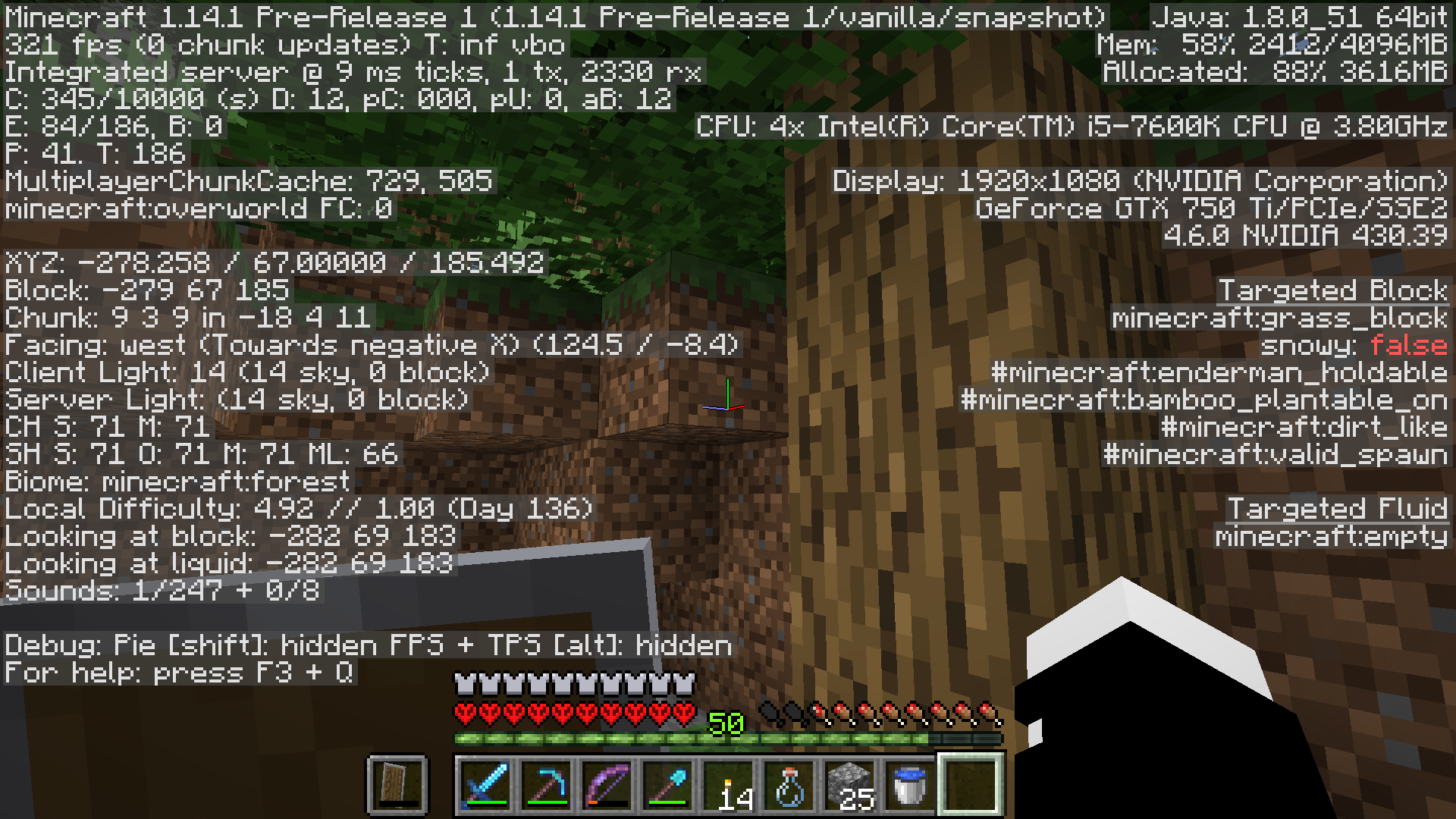
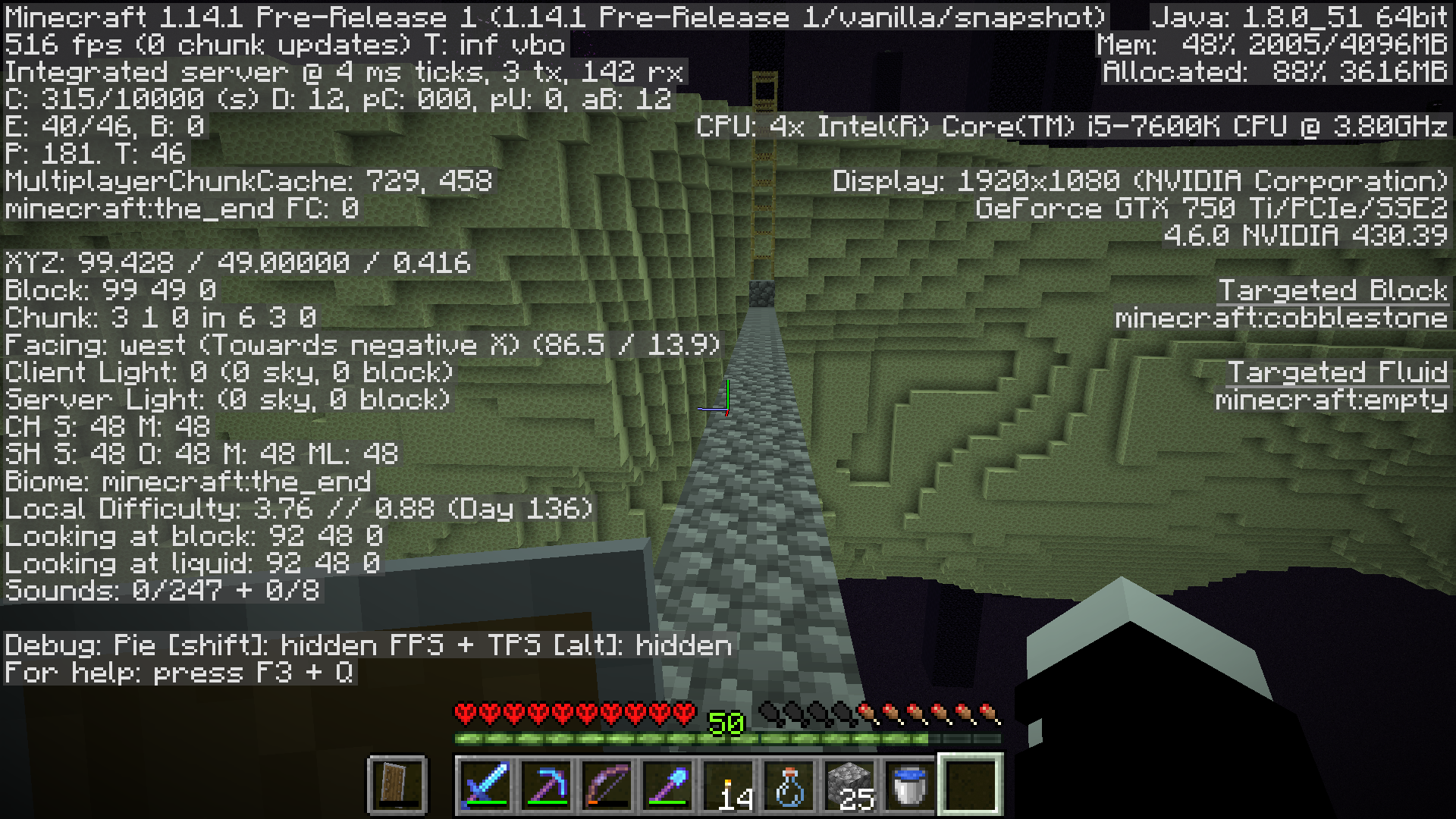
Even singleplayer, hitting the F3 screen I can see a very high rx rate, only in the overworld comparatively to the Nether or End.
1.13 got a bit higher than 1.12 overall, but this really takes the cake. And you can see this is present in the 1.14.1 Prerelease 1. Maybe it's worth checking to see if you copy the map into another dimension and have only that one dimension loaded - does it still have an issue?
[Edit] I mentioned something similar in regards to this on
MC-38565. Many data connections, especially on budget-oriented plans or rural areas (especially true here in the US) cannot handle these kind of packet transfers. So, you'll frequently get disconnected if your connection is suffering at all, when doing things like watching Netflix is done without any issue.I just did some testing in a superflat world with just a layer of air.
Made a platform of grass. Spawned in some passive mobs. Both 1.14.1 Pre-1, and 1.13.2
What I've found is that mobs are 2-3 times more... update-y? the rx packets are 2-3 times higher, per mob. Fish are especially bad, as a single pack of 7 cod or salmon can put 150+ rx to the count. 7 Villagers? About 40 rx. Most of the passive mobs, spawning in 7 at a time, will hover around 50-70 rx, with turtles coming in around 10 rx.
@Eric It looks like yours might be because it is set to peaceful, or /gamerule doMobSpawning is set to false. Spawning the Wither is an event that should bypass any possible mob caps.
^ This. And there is a 1.13.2 release for Forge, btw. It's not a Beta. 1.13.2 - 25.0.193 is the latest Forge release. It is also an install option through the Twitch launcher.
I had some time for more testing. 1.14.1 Pre-2 has more lag in FPS AND in rx by a considerable margin.
Roughly the same number of entities, a mix of both hostile and passive. Even with just hostile, or just passive, the numbers still correlate. Now imagine a server with over 100 players. This is the ONLY platform, and the only place where blocks exist and can update. With no mobs, this small platform puts out about 10 rx, so I have a feeling block updates over larger render distance can be part of the issue as well.
I understand a number of fixes have went into getting the client to be a lot more proactive, but the fixes I think may have contributed to many more frequent updates occurring server-side that want to immediately push their way to the client.
Thunderstorm. The sky light level is too low, so the Wandering Trader drinks an invisibility potion to hide itself from hostile mobs.
Observers give off a 2-tick pulse at the moment, and Repeaters and other components can get stuck when powered by a 2-tick pulse. If you are having this issue in Pre-2, I'd suggest making a comment on the previous report
MC-151057I can confirm. Happened during a Livestream after I had died and my bed was obstructed. Died in the Nether and respawned into what I can only describe as "Hardcore Mob Rave in Space". I had to log out, log back in, but because I had switched to spectator, the chunks I guess still failed to load. Switching to Creative and then relogging again had fixed it.
Can confirm. Happens with both Bedrock and Obsidian as the base.
I tried running a /kill @e[type=!player,distance=..3] while near ghost area as well, no luck. It says no entities were found.
This ghost entity can be pushed via pistons, but not pulled using sticky pistons.
Looking at the area where the entity should be, the autocomplete for /data get entity will follow with a UUID, but the result will state that the entity cannot be found. I tried with /data get block but the game stated the target block was not a block entity.
TNT will not destroy the entity. There is no visible hitbot, and arrows will pass through.
The really strange bit is that I was able to duplicate it twice with no issue, went to the End, was not able to duplicate it, went to the Nether and it only worked in certain coordinates. Went back to the overworld and I was unable to produce it again. Entering / exiting dimensions also will unload the entity. Did not get to test yet if reloading the world will too.
I commented on a duplicate (and this is continuing through 1.14.1 Pre-2), but just to consolidate:
Can confirm. Happens with both Bedrock and Obsidian as the base.
I tried running a /kill @e[type=!player,distance=..3] while near ghost area as well, no luck. It says no entities were found.
This ghost entity can be pushed via pistons, but not pulled using sticky pistons.
Looking at the area where the entity should be, the autocomplete for /data get entity will follow with a UUID, but the result will state that the entity cannot be found. I tried with /data get block but the game stated the target block was not a block entity.
TNT will not destroy the entity. There is no visible hitbox, and arrows will pass through.
The really strange bit is that I was able to duplicate it twice with no issue, went to the End, was not able to duplicate it, went to the Nether and it only worked in certain coordinates. Went back to the overworld and I was unable to produce it again. Entering / exiting dimensions also will unload the entity. Did not get to test yet if reloading the world will too.
This is a big problem for buffet modes using the floating islands generation. Mineshafts will most often spawn in the open, no minecart w/ chests. It took 20 mineshafts before I found one that actually went into the island enough that it generated a single minecart w/ chest.
And this is now 1.14.1 Pre-2. This makes finding diamonds even THAT much harder in this type of world, limiting to shipwrecks and buried treasure for any chance at any as the floating islands don't come down far enough for diamonds to generate.
Village homes will have their floor removed when spawning on the surface of the void. 1.14.1 Pre-2.
@sd605
Have you tried turning off VSYNC? That has always been the issue for me, on a somewhat similar setup (Older i5 than yours, but also a 750 ti) and turning off VSYNC is what fixed it for me - even as far back as my Core 2 Duo 2009 iMac.
Right now, check your internet connection, and not just speed. I recommend the HTML5 test from Sourceforge. Check for any dropped packets and dips in speed as you will see a line graph as it tests. That will be the first place to look. I would hope the Realms servers should be able to handle their own game they were designed for.
If that doesn't work, get the Realms owner to turn off the server, switch worlds, switch back, and restart it. This should get it fully rebooted and fix it, only temporarily.
Looks like this is no longer just Sandstone. Placing / removing certain blocks will cause lag spikes.
Also, there is a chance to be pushed off a pillar, If you make a one-wide pillar out of an easy-to-mine block in survival, the flicker moment will let you drop down but then get pushed off to the side. Still occurs, even now in 1.14.1.
@Joseph D Wiley Many ISPs, and their plans, have a much lower Upload speed then their Download speed. And you also have to figure - You may be getting up to 2 Mbps from the server, but add in the other players on that server? And then that won't be the only server at that host. Or if it's an individual hosting from their PC, consumer plans are even more restrictive. For example, Cox in my area will have even their Gigabit connection plan, but it only offers up to 35 Mbps upload. That means their most expensive plan ($100 USD/month) would crap out around around 15-20 players, easily.
And, previous versions were not as bad as 1.13+ with the amount of data handled by the server. And 1.14+ has been ever harsher.
That being said, I've noticed that it's slightly better in 1.14.2 Pre2, but the lowest I've gotten in a naturally generated world has been around 1.4 Mbps, and entity cramming from overbreeding in a tight space can easily push that over 4.5 Mbps. (I had about 50 cows in a 7x1 pen)
This bug actually returned during 1.9. the math behind Villager AI would have them all eventually all go to one corner of the village after several hours. I think it had something to do with how floating points work or something. Either way, it should still be fixed again.
I'd like to add, just as a test, I created a new Hardcore world, and died as fast as I could. Encountered the error. Turned on Cheats by opening to LAN, and switching to Creative/Survival would let the world load normally. But then, switching to spectator again would create the same glitching, even without dying.
It's a strange bug, and I encountered it first in 1.14.1 release. No errors in latest.log.
Confirmed for 1.14.2.
What I noticed about the behavior was that the zombie pigman that aggro'd toward the skeleton did NOT aggro toward me, but rather any other surrounding pigmen did. The initial pigmen struck would not engage until I as a player struck another pigman.
Merging books is done with the anvil. The grindstone is for repairing two tools together or disenchanting.
I've noticed that if I keep my F3 screen up, I can actually watch as the server just stops sending information to the client. I could be chatting on Discord at the same time, no difference in quality, I could be listening to music or have a video going on with no issue, or sometimes not doing anything else at all on my PC. I've tested my connection, I have 120+Mbps down, 100+Mbps down, no dropped packets, decent ping. Our server, which is vanilla, will just randomly stop sending information to players. The rx will drop down, from anywhere down to 2-0, before getting the error. And this is much more frequent with 1.14+, but it started becoming a real issue in 1.13 for us.
If that is the case, then the bug would be in Windows 10 Edition, as it reacts the way I expected - causing multiple Villager Types in villages that cross biomes (You can see this in ibxtoycat's recent Seed Sunday video). Also, all references I've been able to find in the announcements imply that the Villagers are supposed to be biome-dependent, not Village-origin-dependent.
But see, this is why I think there is a possibility that this may be related to
MC-140926. In Java, Villages were spawning with only the default Plains skin instead of the biome. I'm curious if, because of the fix, the Villagers may have been hardcoded to the Village generation. Just a guess, without actually having access to or at least knowing how to access the code. Bedrock never had this issue, so Villagers, when generated, will always be of the Biome they spawned in when playing on Bedrock.1.14.4 Pre-7 is even worse now. Loaded world, waited a few minutes, and over 2K rx?

I literally did nothing but stand there. Started around 700, jumped around a bit. This is really bad for people on metered connections, server owners and hosting companies that share connections with other servers, anyone with a slow connection (read: the entirety of the rural US) or even moderate connections. This is the primary reason for issues like
MC-38565, because this high amount of data can cause bufferbloat issues at either end.Yes, it was a brand new world. Seed: 853413651320
2019-07-24_10-22-48_4 vs 7.zip
I'll keep things updated when I get a chance later tonight to see if it happens with 1.14.4 and see if I can't run the debug.
Oh, View Distance is 14.
So... I didn't get a jump up to 2k but there are still periods where it will spike up.


1600 rx
debug-report-2019-07-24_22.28.06.zip
down to 320 rx
debug-report-2019-07-24_22.30.01.zip
up to 1000 rx
debug-report-2019-07-24_22.30.23.zip
up to 1600 rx again
debug-report-2019-07-24_22.32.20.zip
Mind you, this is just loading the world and just sitting there doing nothing. Imagine if I had a house, a farm, maybe some redstone. If this were a server somewhere, there would be the possibility of bufferbloat from these random spikes in data, causing the data to stop transferring. This could be at the server, at the client, or at one of the possibly thousands of nodes in between. And then you have this data multiplied by the number of players on the server. Often it will feel like I'm not playing Minecraft; instead I'm playing Connect To A Minecraft Server.
Well, I submitted the help ticket to the helpdesk for Technical Support as was recommended on June 18 (And this Report was edited to reflect that one should do this, but now has been changed again). I was informed by "Fredrik" that there is no Technical Support Team. This was 2 days ago. It took a month and a half to get that answer, which I guess prompted the change on this ticket.
I came across the same error, unsure if related. crash-2019-08-27_09.24.12-server.txt 2019-08-27-3.log.gz
And yes, the server is vanilla. downloaded straight from the launcher.
This is affecting our server. I'm going to have to look at alternative options for the sake of getting drops from Guardians, as well as Witches and Pillagers. They are all related.
To add to this (I feel a change should be made to this ticket to reflect all of these):
Guardians do not spawn in the Monuments.
Witches do not spawn in Witch Huts (Except for the initial witch)
Pillager Outposts will not spawn any Pillagers
No Village stray cats will spawn. The only way to obtain a cat is the first cat spawn in a witch hut. I also attempted to get them to spawn in The End and Nether. Nothing.
So, we have a TON of farms broken with Buffet mode.
After extensive testing I can confirm: Wandering Traders also do not spawn in the world.Edit: Figures, after 2 months of not seeing a single one, one finally shows up for all of about 2 minutes before yeeting himself off a cliff into the void.
Even if the outpost spawns above Y=63, the Pillagers still will not spawn.
We had three of these crashes today. crash-2019-12-07_18.47.17-server.txt crash-2019-12-07_19.12.51-server.txt
 crash-2019-12-07_19.24.06-server.txt
We can't seem to pin it down to any specific player or object. We are running the vanilla 1.14.4 JAR, 16 GB on a hosted dedicated server.
This happened again on our server. The world file is 9.32 GB, so I think it may be an error that occurs in large worlds? crash-2019-12-27_15.08.17-server.txt
As far as we are able to figure out on our server, this seems to also be the mob farm that is causing MC-158466 as both only occur while the same chunk or chunks are loaded, but we are unable to fully confirm.
One of our servers just can with this error, but not 100% sure if it is related. A torch had taken the properties of a hopper, and a white concrete block below it had taken the properties of a trapped chest. Because this was on server, it was rejecting everyone's connections. It would load in singleplayer, but I had replaced the blocks with air blocks from console, this did not fix the issue and still go the same errors.
latest.log
The corruption had gone well past this however, as you can see from this screenshot.
2020-04-30_14.18.24.png
Several chunks were reset on a custom map, and existing chunks were shifted and in wrong places. The diagonal line of concrete shows the blocks that were replaced by air blocks by command in console to try and fix it.
So far, not for our server. Instead it's been replaced with "Watching Server" when we updated.
Can confirm: The bug happens if you do not pick up the lost tome. The gate to get out of the crypt has too large of a range and will let you leave with the gate still up, but the gate stops you from re-entering. The end of the level will not trigger without completing the objectives, so you end up stuck and the only way out is to return to camp through the menu.
Same here. Firework rockets keep going gray after a Final Shout is used if the Firework Rockets are already in cooldown once they finish cooling down.
To replicate:
Activate the firework rockets.
Fire them.
Go under 25% health to activate Final Shout while the rockets are in cooldown
Fire off the new set, see it is back in cooldown.
When the cooldown recovers, the rockets remain gray until unequipped, then re-equipped or until you lose a life or exit the level.
Easier way to reproduce:
Roll off the edge of the map at Camp.
Go into the church right after.
If you roll, you get an instant death.
Happened to my roommate. From what he explained, though, was that somehow he had opened up two copies of the game accidentally. He closed the level 20 game he had, then the one that only had the level 1, and it saved the level 1, wiping his progress.
For those who do come into contact with this bug, the mob can still be defeated using a large enough explosion, or a Love Medallion so long as it isn't enchanted or a boss.
Can confirm. Even if it just the one creeper and no enemies around, the creeper will still explode if it was running close enough to you., There is a solid 1-second cooldown between the fused charge that the creeper does and it de-aggroing.
I thought something was off with my Dancer's Sword and that it didn't seem like anything was happening. I even though it might just gain speed as you keep hitting, but no such luck.
PS4 is a separate ticket, as has been noted in an earlier comment.
I hope this is fixed for the PC/XBox versions.