 FX - PR0CESS
- PR0CESS
- pr0cess
- America/Toronto
- Yes
- No
 MC-149553
 Low
Low MCD-691
![[Mojang] Cory Scheviak](../../../data/avatars/users/92893.png)
![[Mojang] Panda](../../../data/avatars/users/41658.png)
![[Mojang] Grum (Erik Broes)](../../../data/assets/gravatar/grum.png)
![[Mojang] eowyn36](../../../data/avatars/users/18935.svg)
 Normal
![[Mojang] Billy Sjöberg](../../../data/avatars/users/42806.png)


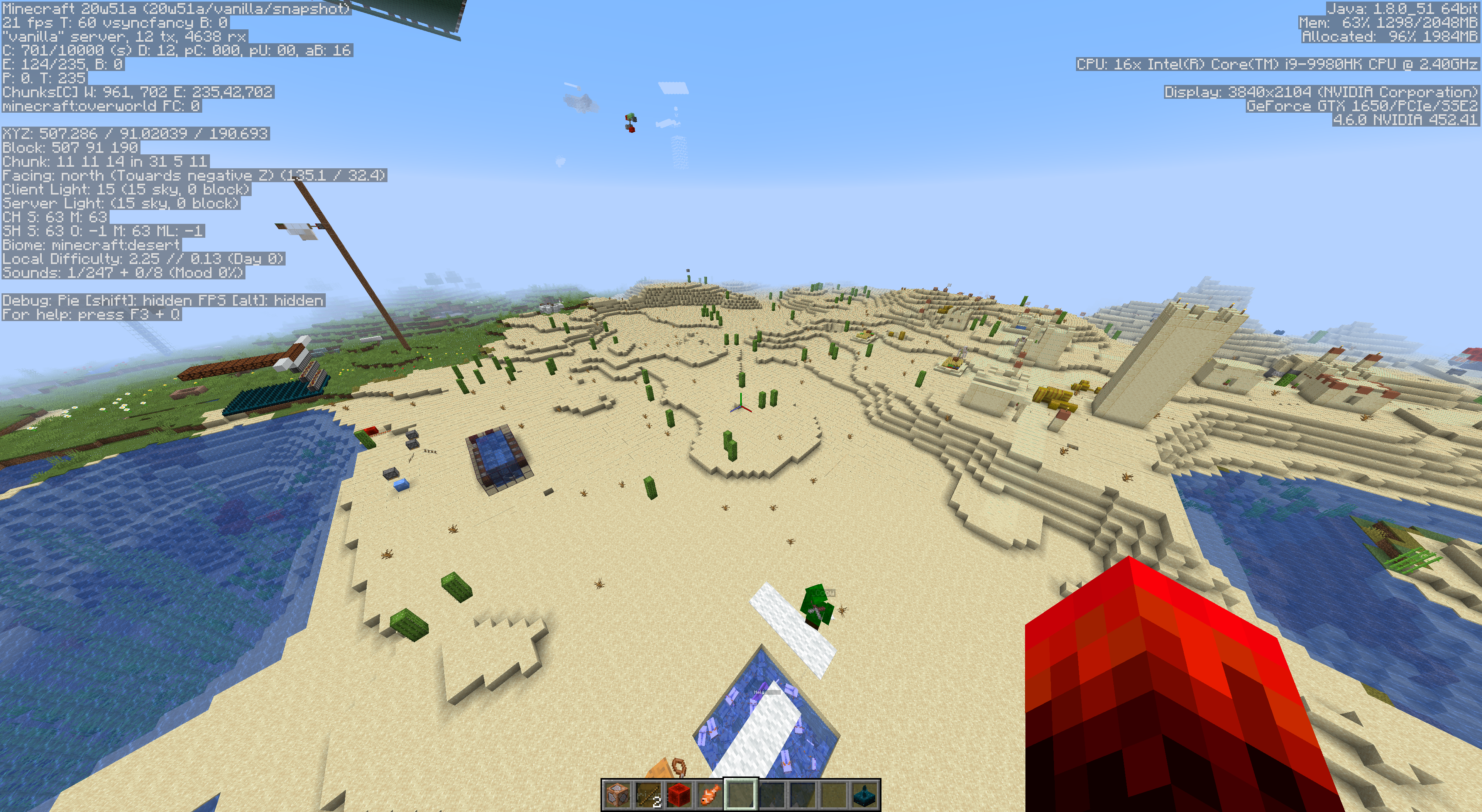
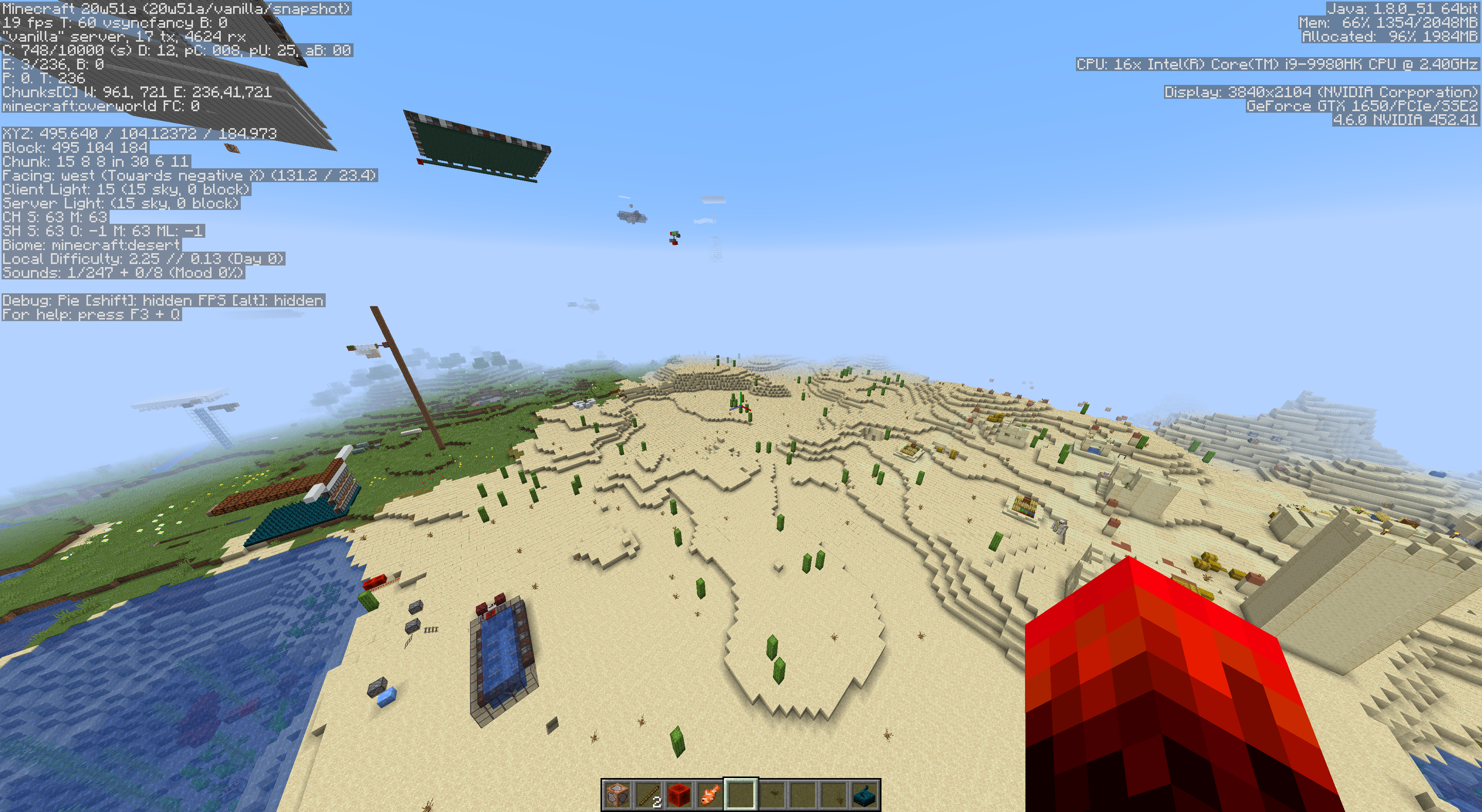
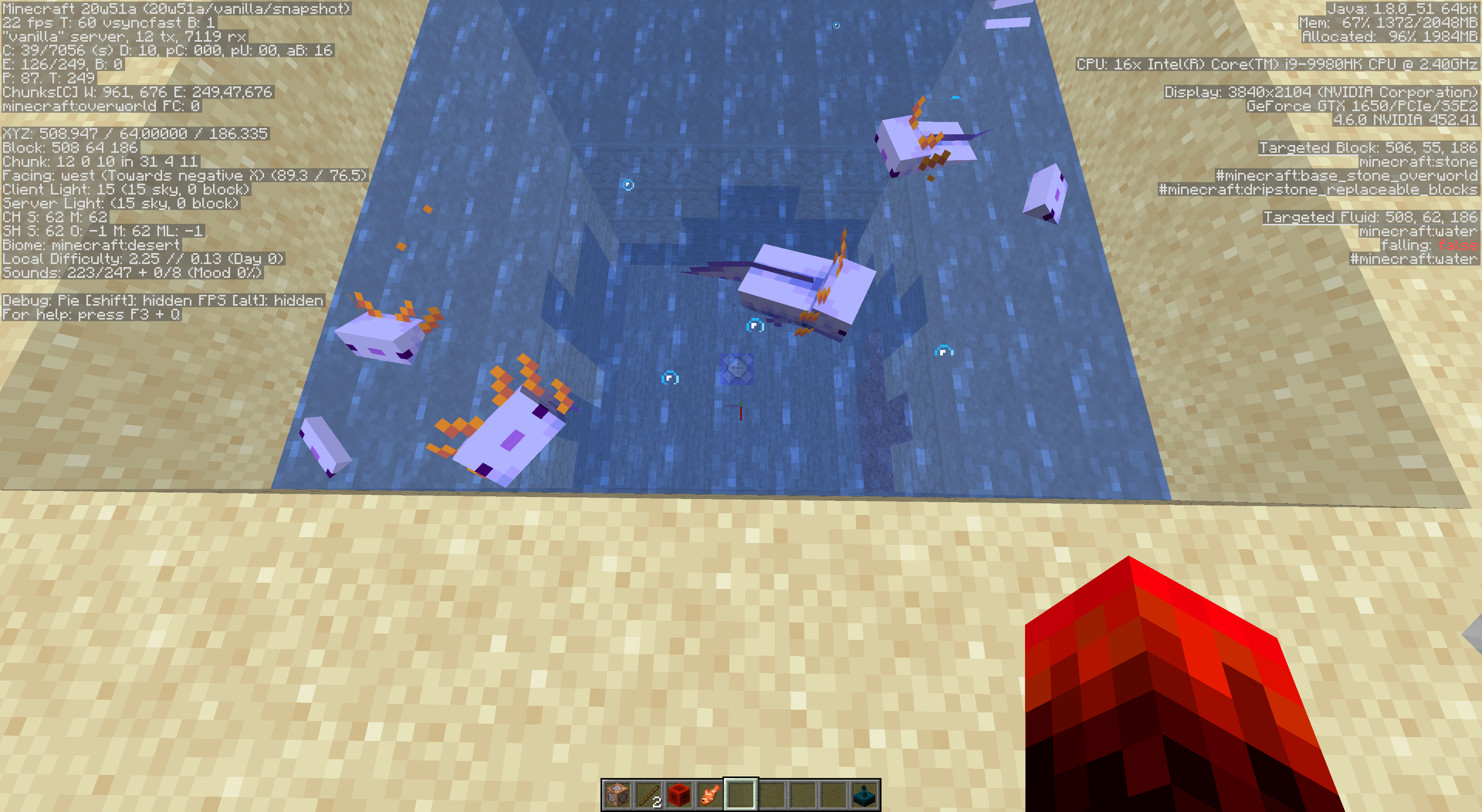
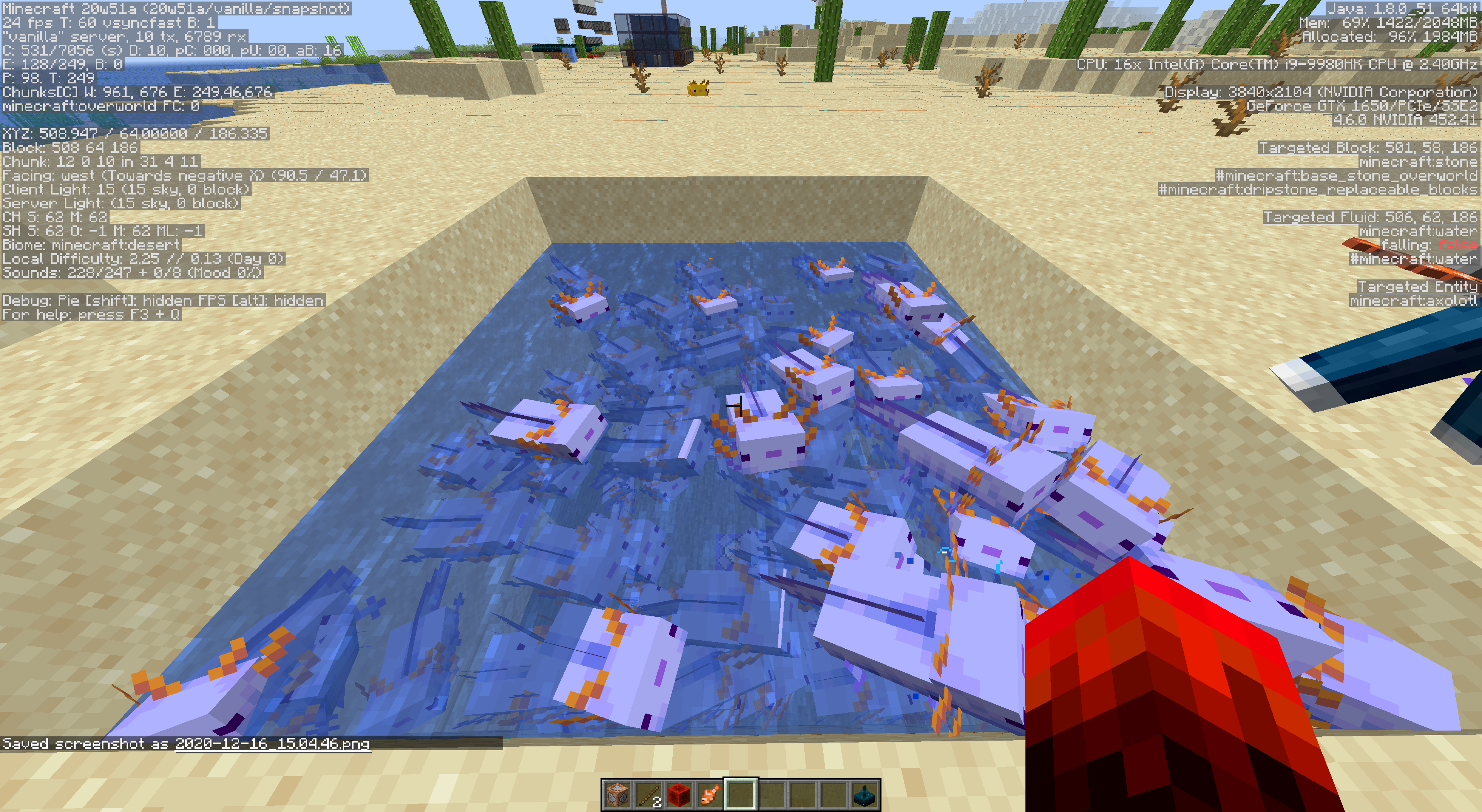
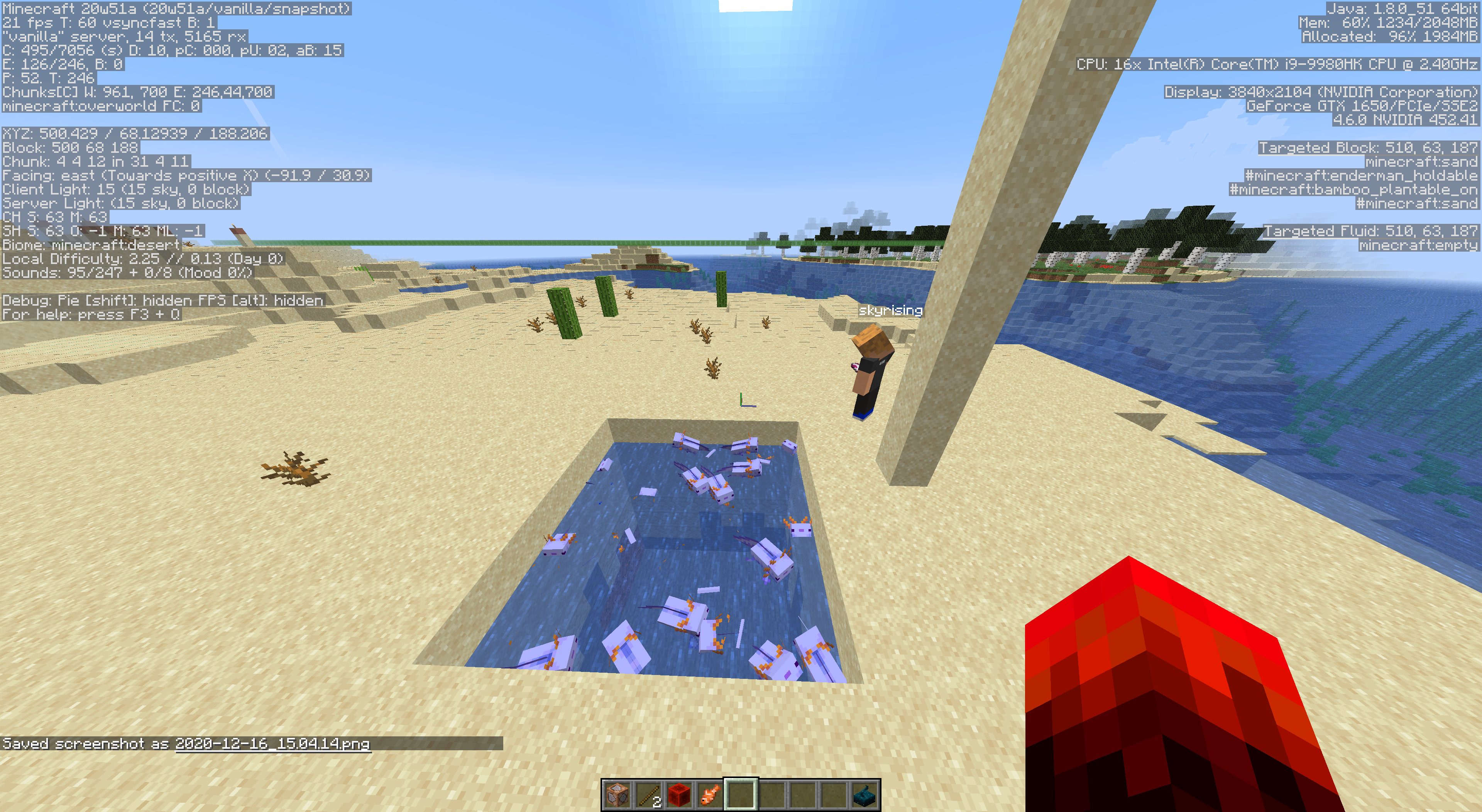
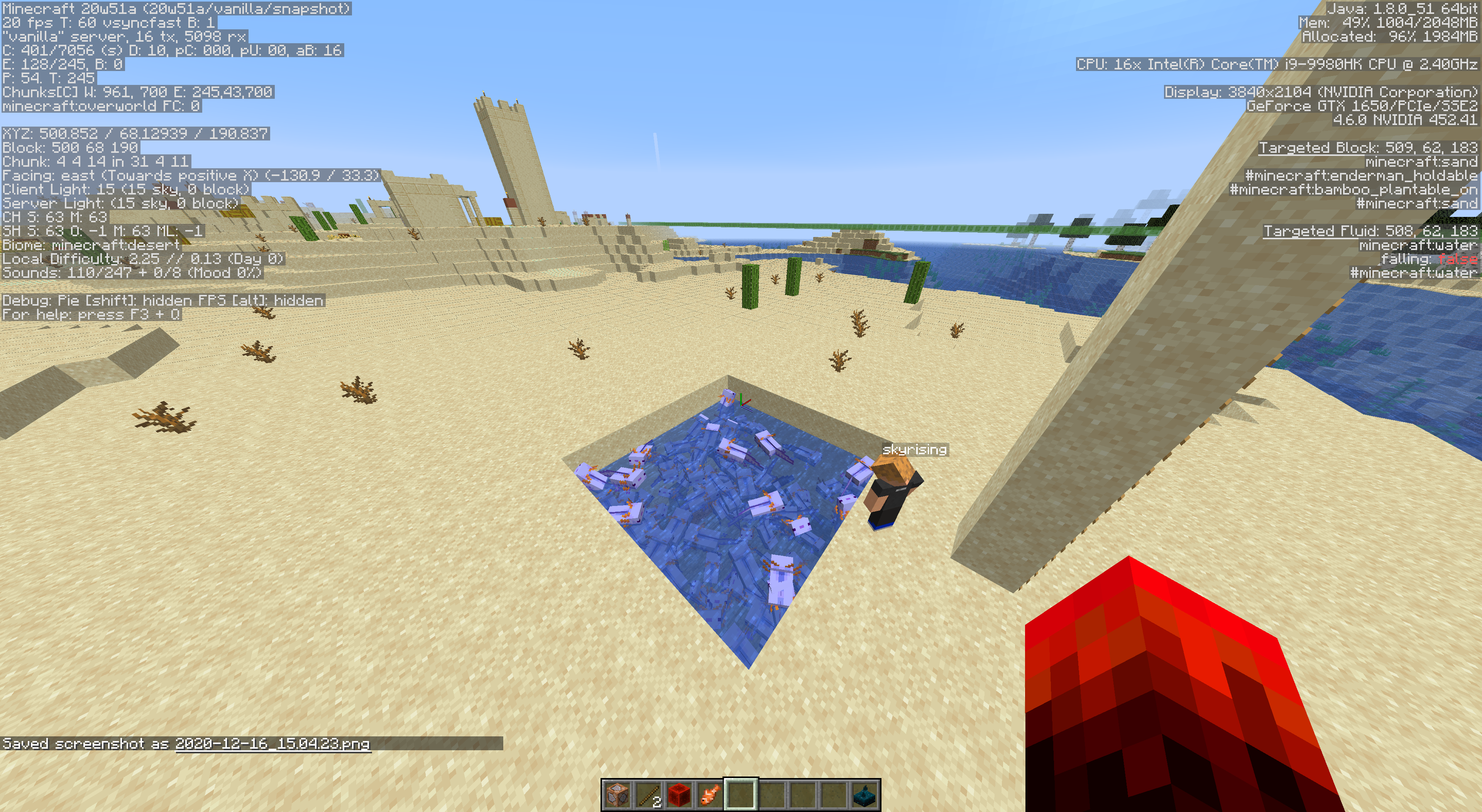
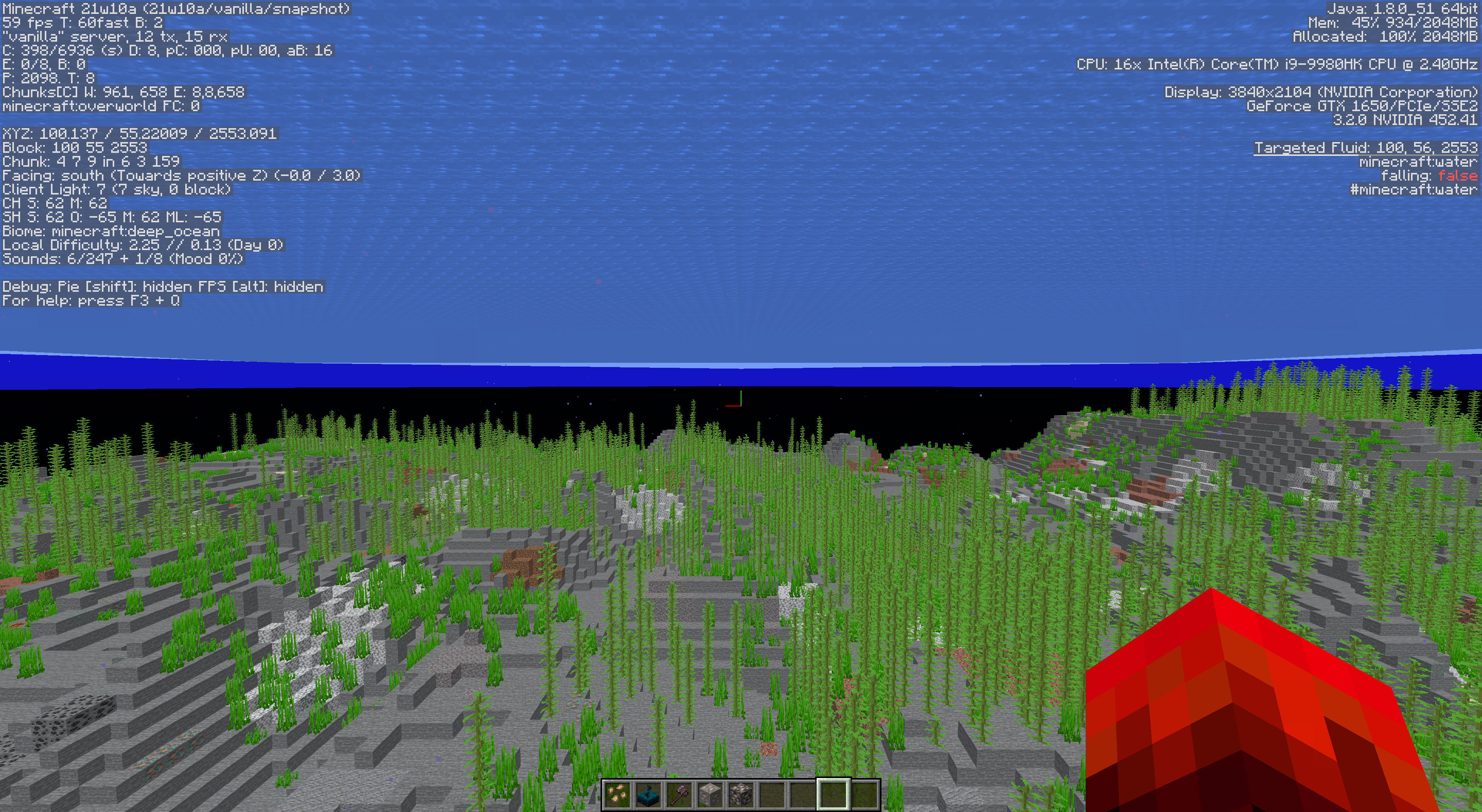
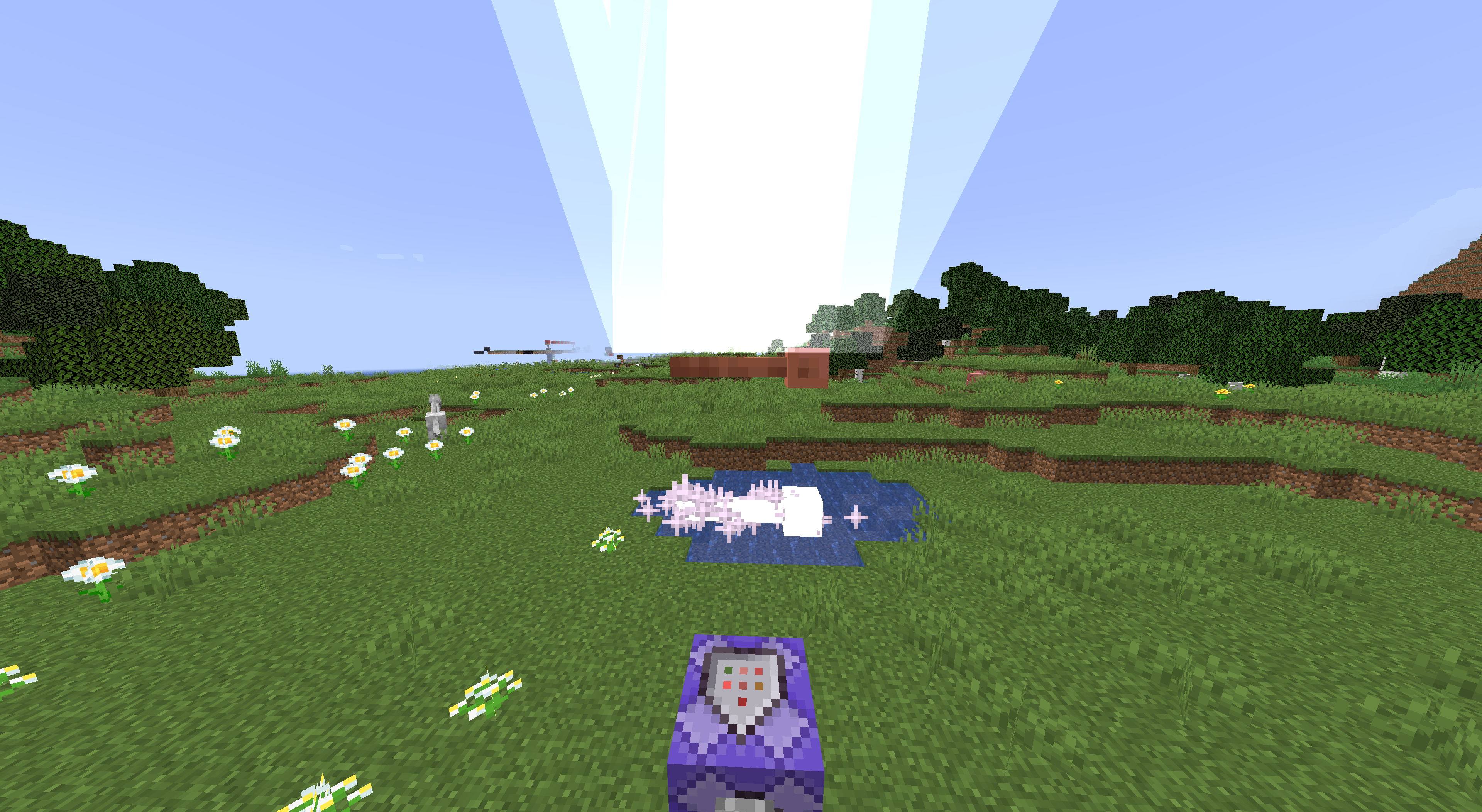






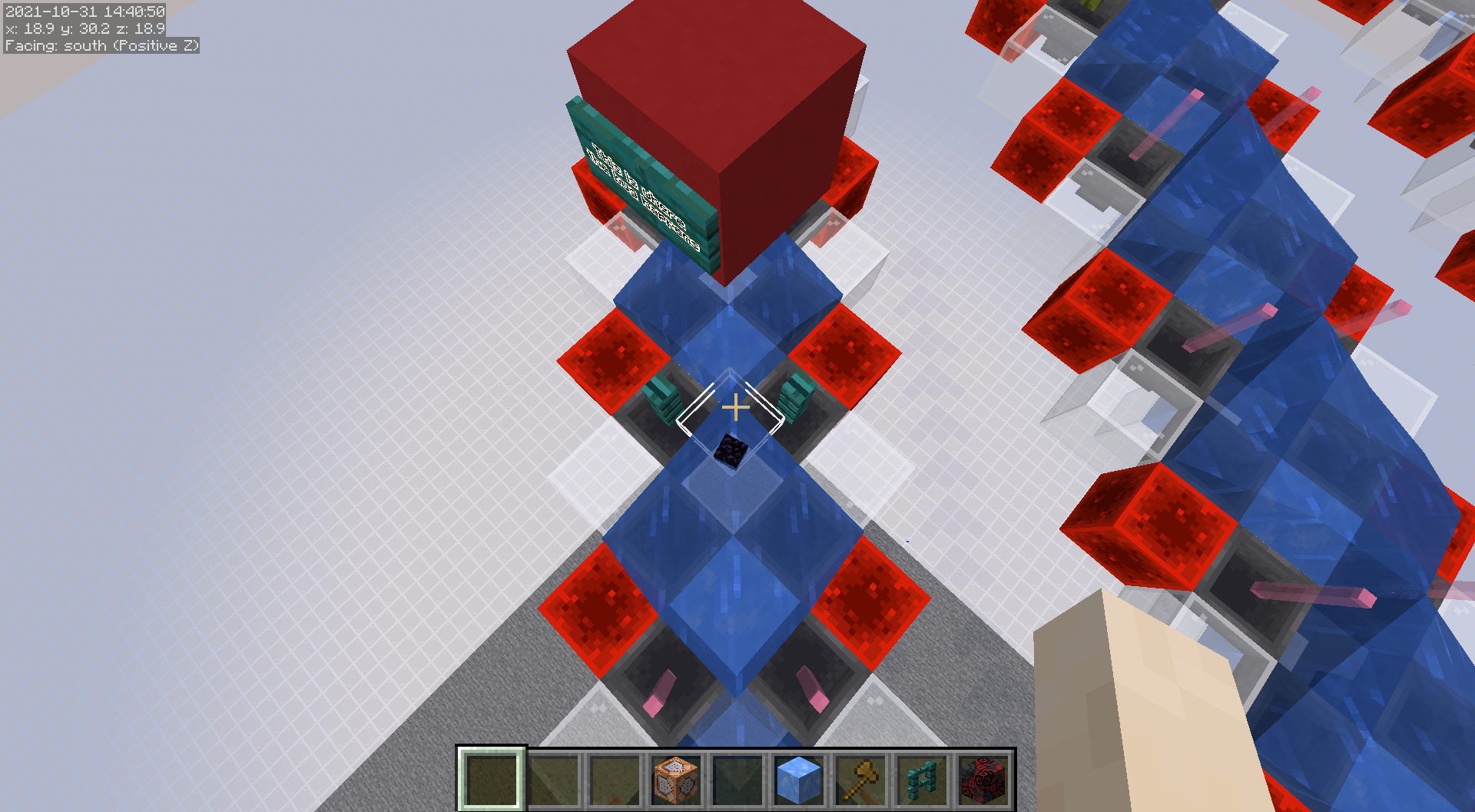

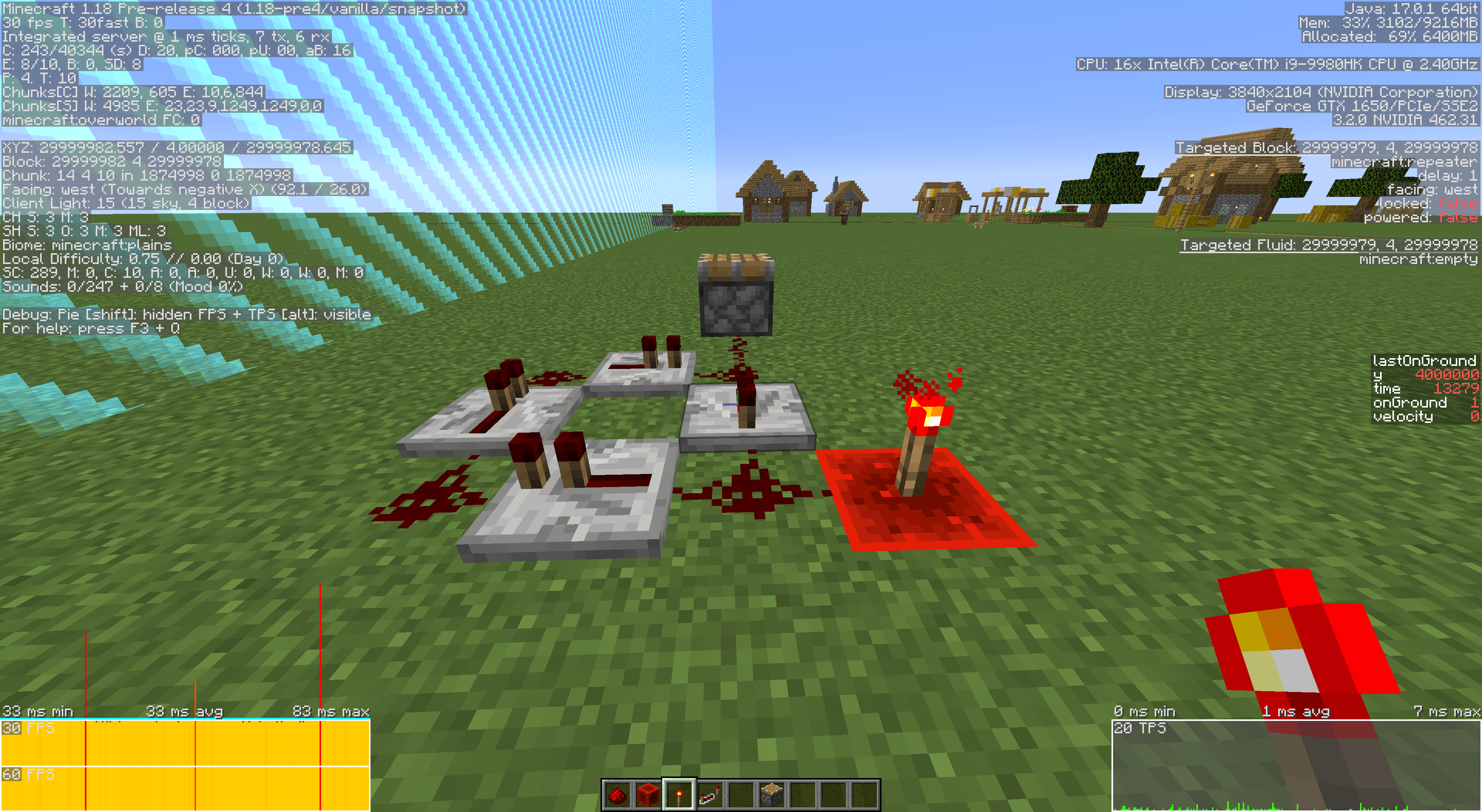






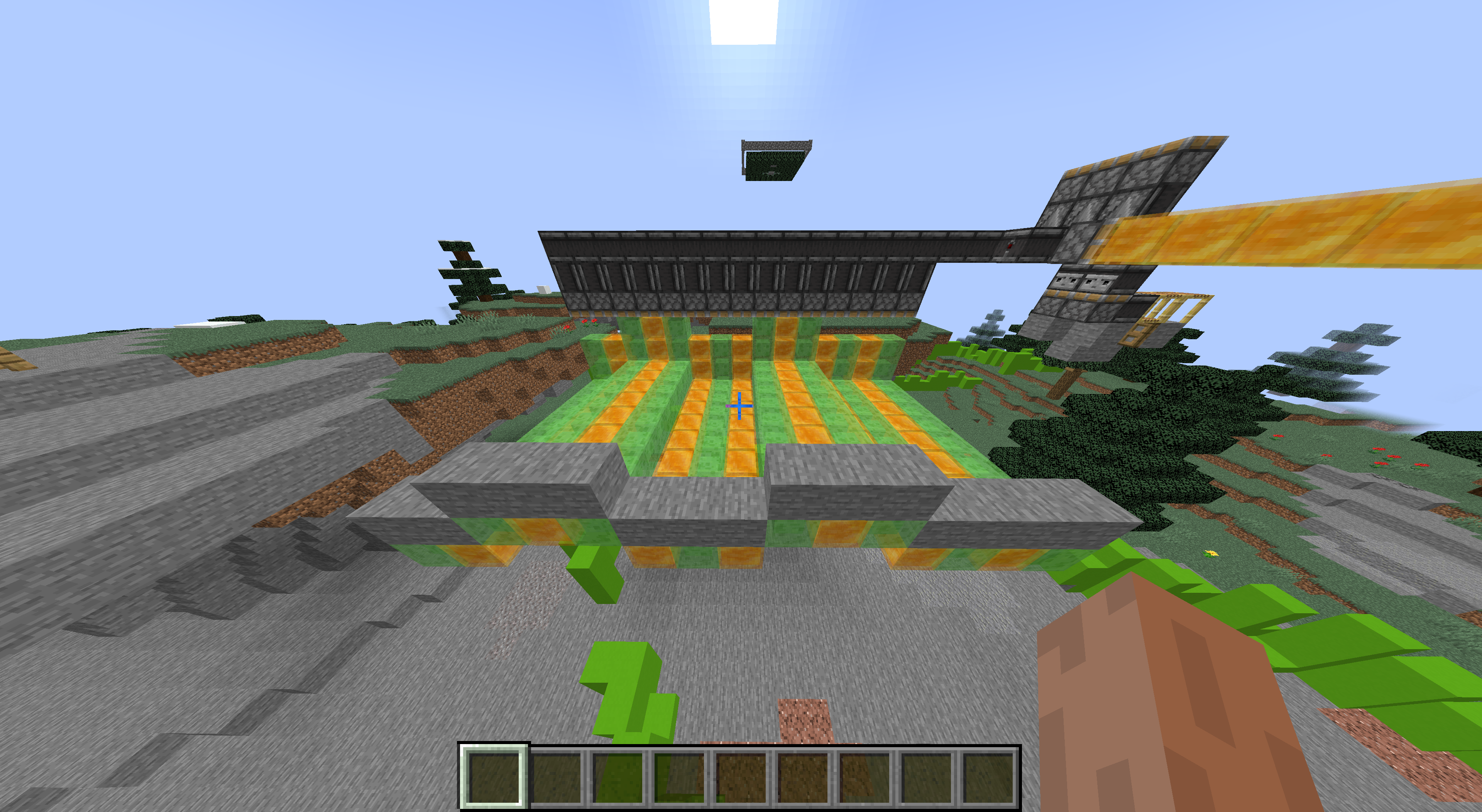
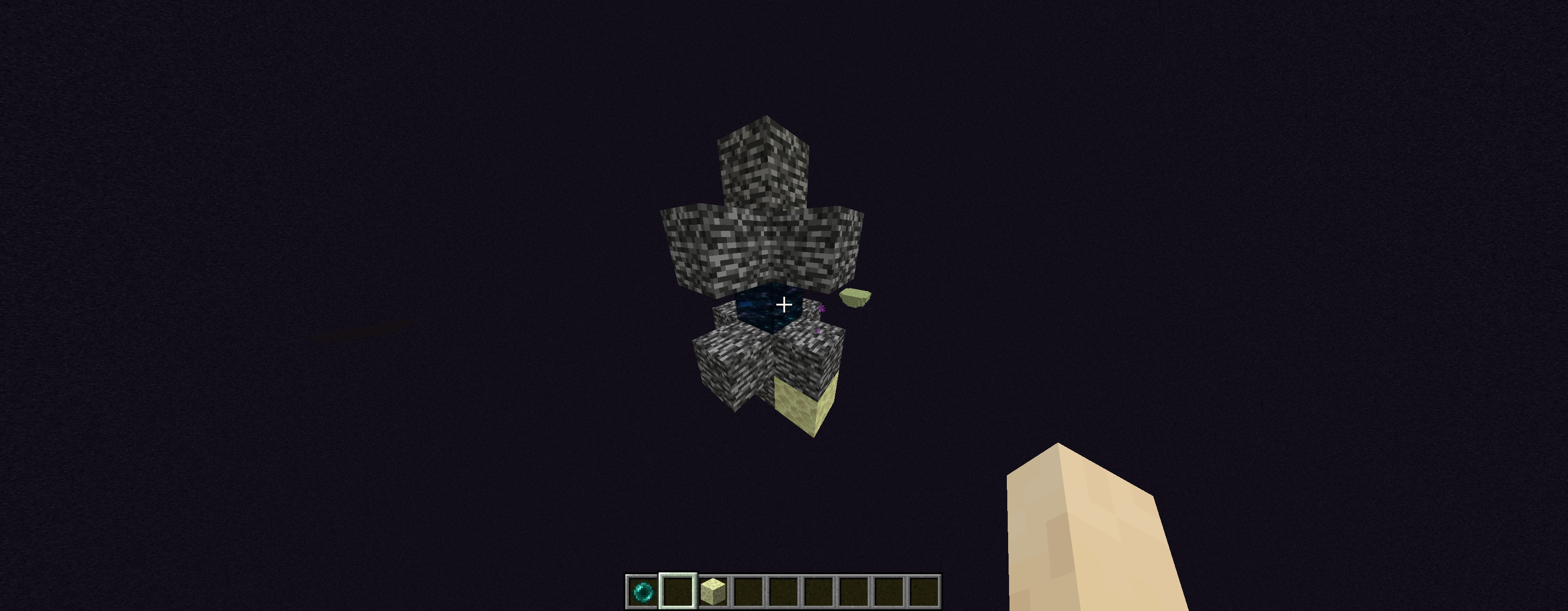
Fishing rods are able to fish outside of water.
You can do this by simply have a block lower than water next to the water, then fishing from the waters side onto the lower block.Much more visible if you create a floating water block using /setblock and fish in it. When the bobber sinks it will fall to the ground, then you can right click to get the item.
Fishing rods are able to fish outside of water.
You can do this by simply have a block lower than water nextto thewater, thenfishing from the waters side onto the lower block.
Much more visible if you create a floating water block using /setblock and fish in it. When the bobber sinks it will fall to the ground, then you can right click to get the item.Fishing rods are able to fish outside of water.
To recreate:
Create a floating water block using /setblock and fish in it. When the bobber sinks it will fall to the ground, then you can right click to get the item.It seems like fishing bobbers become persistent when you do this, although I am unable to tell.
Fishing rods are able to fish outside of water.
To recreate:
Create a floating water block using /setblock and fish in it. When the bobber sinks it will fall to the ground, then you can right click to get the item.It seems like fishing bobbers become persistent when you do this, although I am unable to tell.
Fishing rods are able to fish outside of water.
To recreate:
Create a floating water block using /setblock and fish in it. When the bobber sinks it will fall to the ground, then you can right click to get the item.
Fishing rods are able to fish outside of water.
To recreate:
- Create a floating water block using /setblock with
{{moving_block}}ssurrounding it- Put a block right next and a bit above to set the bobber in position
- Send the fishing bobber into the block, it will fall in the water
- Wait for the fish to catch multiple times
- Each time the fish gets caught on the bobber it sinks by a little each time
- When the bobber sinks it will fall to the ground, then you can right click to get the item.
Fishing rods are able to fish outside of water.
To recreate:
- Create a floating water block using /setblock with minecraft:moving_piston surrounding it
- Put a block right next and a bit above to set the bobber in position
- Send the fishing bobber into the block, it will fall in the water
- Wait for the fish to catch multiple times
- Each time the fish gets caught on the bobber it sinks by a little each time
- When the bobber sinks it will fall to the ground, then you can right click to get the item.
Powered & ActivateRail DupePowered & Activator Rail Dupe
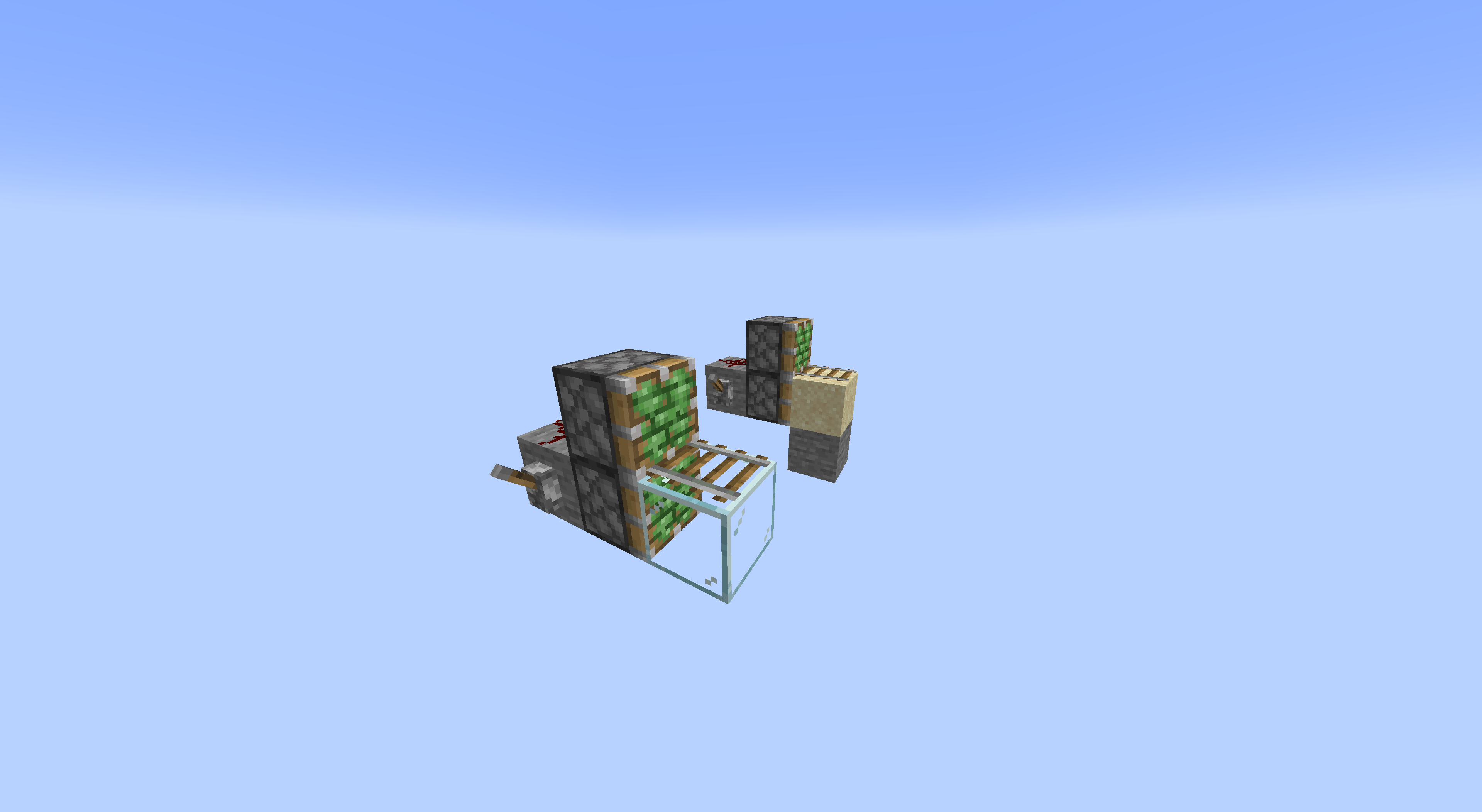
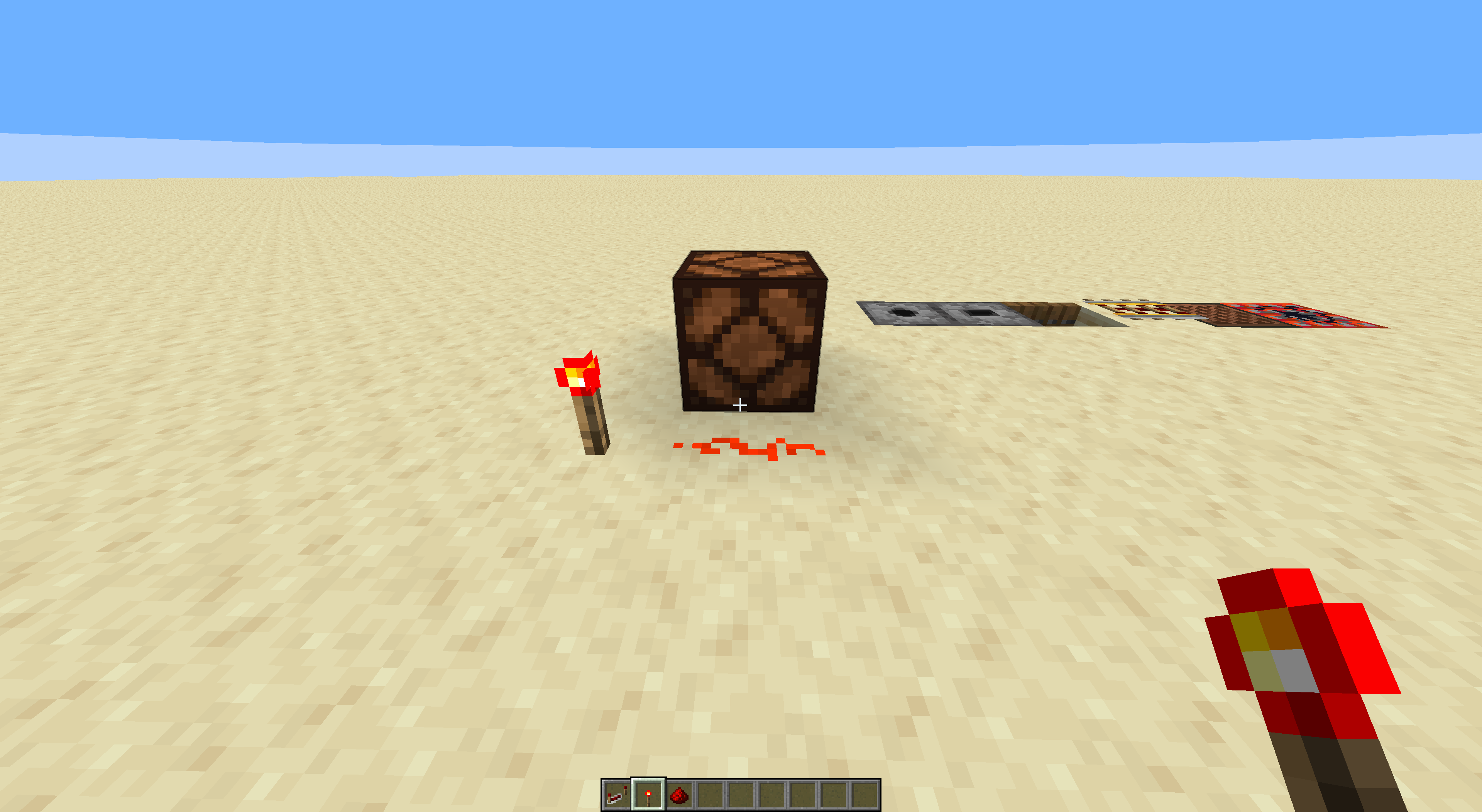
Able to dupe Powered & Activator rails, by simply pushing a rail onto an extended piston with a rail of the type you would like to dupe next to it (this rail must be powered).
The rail being pushed must be facing the opposite direction of rail next to the piston.
I can actually explain why this happens:
Basically the rail gets pushed onto the piston, then tries to connect to the other rail, it will then pop off since it cant be on the extended piston, although the rail then gets powered by the rail it was trying to connect to, causing an instance of it to still be there, which then also pops off.I should also mention that if the rail is facing the same way, it will get removed... (also bug)
Able to dupe Powered & Activator rails, by simply pushing a rail onto an extended piston with a rail of the type you would like to dupe next to it (this rail must be powered).
The rail being pushed must be facing the opposite direction of rail next to the piston.
I can actually explain why this happens:
Basically the rail gets pushed onto the piston, then tries to connect to the other rail, it will then pop off since it cant be on the extended piston, although the rail then gets powered by the rail it was trying to connect to, causing an instance of it to still be there, which then also pops off.I should also mention that if the rail is facing the same way, it will get removed... (also bug)
Here is my video on the subject: https://youtu.be/5hcClvAKtM4
Able to dupe Powered & Activator rails, by simply pushing a rail onto an
extended pistonwith a rail of the type you would like to dupe next to it (this rail must be powered).The rail being pushed must be facing the opposite direction of rail next to the piston.
I can actually explain why this happens:
Basically the rail gets pushed onto the piston, then tries to connect to the other rail, it will then pop off since it cant be on theextended piston, although the rail then gets powered by the rail it was trying to connect to, causing an instance of it to still be there, which then also pops off.I should also mention that if the rail is facing the same way, it will get removed... (also bug)
Here is my video on the subject: https://youtu.be/5hcClvAKtM4
Able to dupe Powered & Activator rails, by simply pushing a rail onto an invalid block with a rail of the type you would like to dupe next to it (this rail must be powered).
The rail being pushed must be facing the opposite direction of rail next to the piston.
I can actually explain why this happens:
Basically the rail gets pushed onto the piston, then tries to connect to the other rail, it will then pop off since it cant be on the invalid block, although the rail then gets powered by the rail it was trying to connect to, causing an instance of it to still be there, which then also pops off.I should also mention that if the rail is facing the same way, it will get removed... (also bug)
Here is my video on the subject: https://youtu.be/5hcClvAKtM4
Able to dupe Powered & Activator rails, by simply pushing a rail onto an invalid block with a rail of the type you would like to dupe next to it (this rail must be powered).
The rail being pushed must be facing the opposite direction of rail next to the
piston.I can actually explain why this happens:
Basically the rail gets pushed onto the piston, then tries to connect to the other rail, it will then pop off since it cant be on the invalid block, although the rail then gets powered by the rail it was trying to connect to, causing an instance of it to still be there, which then also pops off.I should also mention that if the rail is facing the same way, it will get removed... (also bug)
Here is my video on the subject: https://youtu.be/5hcClvAKtM4
Able to dupe Powered & Activator rails, by simply pushing a rail onto an invalid block with a rail of the type you would like to dupe next to it (this rail must be powered).
The rail being pushed must be facing the opposite direction of rail next to the invalid block.
I can actually explain why this happens:
Basically the rail gets pushed onto the piston, then tries to connect to the other rail, it will then pop off since it cant be on the invalid block, although the rail then gets powered by the rail it was trying to connect to, causing an instance of it to still be there, which then also pops off.I should also mention that if the rail is facing the same way, it will get removed... (also bug)
Here is my video on the subject: https://youtu.be/5hcClvAKtM4
Able to dupe Powered & Activator rails, by simply pushing a rail onto an invalid block with a rail of the type you would like to dupe next to it (this rail must be powered).
The rail being pushed must be facing the opposite direction of rail next to the invalid block.
I can actually explain why this happens:
Basically the rail gets pushed onto the piston, then tries to connect to the other rail, it will then pop off since it cant be on the invalid block, although the rail then gets powered by the rail it was trying to connect to, causing an instance of it to still be there, which then also pops off.I should also mention that if the rail is facing the same way, it will get removed... (also bug)
Here is my video on the subject: https://youtu.be/5hcClvAKtM4
(I used a piston as the invalid block in my video)
Connor stop trying to get something changed on other bug reports. Yours got marked as works as intended, live with it.
custom nether generation_type logicalHeight does not actually change the dimension height
The linked datapack is supposed to change the nether height to be 256. I do this by changing the logicalHeight value from 128 to 256. This does not work.
This datapack also adds overworld sky to the nether, that is part of another bug report
How it should work:
The nether height should change to be 256 blocks height.The linked datapack is supposed to change the nether height to be 256. I do this by changing the logicalHeight value from 128 to 256. This does not work.
This datapack also adds overworld sky to the nether, that is part of bug report
MC-197337How it should work:
The nether height should change to be 256 blocks height.
custom nethergeneration_type logicalHeight does not actually change the dimension heightcustom nether dimension_type logicalHeight does not actually change the dimension height
I found two issues with a single datapack. I don't believe they are related so this one is about how this datapack causes the overworld sky to be added to the nether. The only thing which was changed in the datapack is the fact that logicalHeight is not 256 when it was 128 before.
This bug report is about the sky and not the fact that changing logicalHeight does not work.
What should happen:
1. Nether should not have overworld skyI found two issues with a single datapack. I don't believe they are related so this one is about how this datapack causes the overworld sky to be added to the nether. The only thing which was changed in the datapack is the fact that logicalHeight is not 256 when it was 128 before.
This bug report is about the sky and not the fact that changing logicalHeight does not work. That is bug report
MC-197338What should happen:
1. Nether should not have overworld sky
All custom nether dimension_type datapacks do not actually modify the nether in any way.
A custom datapack dimension_type the_nether.json containing:
{ "has_raids": false, "logical_height": 128, "infiniburn": "minecraft:infiniburn_nether", "ambient_light": 0.1, "piglin_safe": true, "bed_works": false, "respawn_anchor_works": true, "ultrawarm": true, "natural": false, "coordinate_scale": 8.0, "fixed_time": 18000, "has_skylight": false, "has_ceiling": false }Intended mechanic:
Would remove the nether roofAll custom nether dimension_type datapacks do not actually modify the nether in any way.
A custom datapack dimension_type the_nether.json containing:
{ "has_raids": false, "logical_height": 128, "infiniburn": "minecraft:infiniburn_nether", "ambient_light": 0.1, "piglin_safe": true, "bed_works": false, "respawn_anchor_works": true, "ultrawarm": true, "natural": false, "coordinate_scale": 8.0, "fixed_time": 18000, "has_skylight": false, "has_ceiling": false //was true }Intended mechanic:
Would remove the nether roof
This is not a bug. Entities that pick up items do not despawn.
Can't believe slice would lie like that xD
Blocks that don't block light won't stop lightning from spawning. [Intended]
In 1.16.5 and below, tnt was able to blow up blocks past 30 million.
Now it is unable to, all blocks past 30m are unaffected.
If you have tried playing in 1.17 at all you will have noticed a disturbing amount of player desync. Getting out and in of boats can take a long time and multiple attempts. Entering and leaving portals sometimes glitches out your client and teleports you back into the portal many times.
Items are continuously going missing in your inventory and ghost items happen all the time.
I have not been able to find the result ofall these desync issues but they make playing1.17a pain in the ass and seriously unstable.
If you actually try playing the game in 1.17 for a decent amount of time you will notice these issues pretty frequently.Tested in survival in multiple servers.
If you have tried playing in 1.17 at all you will have noticed a disturbing amount of player desync. Getting out and in of boats can take a long time and multiple attempts. Entering and leaving portals sometimes glitches out your client and teleports you back into the portal many times, as well as makes your client fall through the ground until the chunks load in. Items are continuously going missing in your inventory and ghost items happen all the time.
I have not been able to find the result of all these desync issues but they make playing 1.17 a pain in the ass and seriously unstable.
If you actually try playing the game in 1.17 for a decent amount of time you will notice these issues pretty frequently.Tested in survival in multiple servers.
If there are no valid spots for you to spawn when you dieat the world spawn, you can fall and die in the void permanently. Keeping you stuck in a death loopSteps to recreate:
1) Generate a world using the floating islands preset, plains (works in normal worlds but its easier to setup here)
2) Mine out/remove the island you spawn on
3) Die... ForeverWhen respawning, if you don't have a spawnpoint you will get placed at the world spawn. If there are no valid spots at the world spawn, you can fall and die in the void permanently. Keeping you stuck in a death loop
Steps to recreate:
1) Generate a world using the floating islands preset, plains (works in normal worlds but its easier to setup here)
2) Mine out/remove the island you spawn on
3) Die... Forever
mappings are these? MCP?
Fixed in 22w12a
Steps to recreate:
1. Create a superflat world2. Run {{{}/worldborder set 31
{}}}3. Run against world border and notice that you do not collide with it directlyCode Analysis: (Yarn 1.18.1)
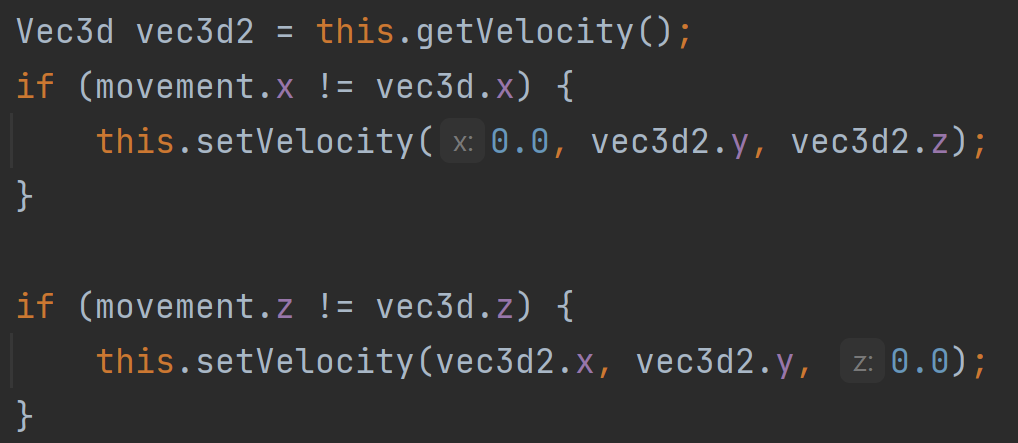
net.minecraft.world.border.WorldBorder$StaticAreaprivate void recalculateBounds() { ... this.shape = VoxelShapes.combineAndSimplify(VoxelShapes.UNBOUNDED, VoxelShapes.cuboid(Math.floor(this.getBoundWest()), Double.NEGATIVE_INFINITY, Math.floor(this.getBoundNorth()), Math.ceil(this.getBoundEast()), Double.POSITIVE_INFINITY, Math.ceil(this.getBoundSouth())), BooleanBiFunction.ONLY_FIRST); }Basically the world border is being rounded using Math.floor() & Math.ceil()
Although entity collisions work perfectly fine without the rounding. The voxelShape bounds are only used for entity collisionsThe fix is simply to remove Math.floor() & Math.ceil()
Steps to recreate:
1. Create a superflat world
2. Run /worldborder set 31
3. Run against world border and notice that you do not collide with it directlyCode Analysis: (Yarn 1.18.1)
net.minecraft.world.border.WorldBorder$StaticAreaprivate void recalculateBounds() { ... this.shape = VoxelShapes.combineAndSimplify(VoxelShapes.UNBOUNDED, VoxelShapes.cuboid(Math.floor(this.getBoundWest()), Double.NEGATIVE_INFINITY, Math.floor(this.getBoundNorth()), Math.ceil(this.getBoundEast()), Double.POSITIVE_INFINITY, Math.ceil(this.getBoundSouth())), BooleanBiFunction.ONLY_FIRST); }Basically the world border is being rounded using Math.floor() & Math.ceil()
Although entity collisions work perfectly fine without the rounding. The voxelShape bounds are only used for entity collisionsThe fix is simply to remove Math.floor() & Math.ceil()
Steps to recreate:
1. Create a superflat world
2. Run /worldborder set 31
3. Run against world border and notice that you do not collide with it directlyCode Analysis: (Yarn 1.18.1)
net.minecraft.world.border.WorldBorder$StaticAreaprivate void recalculateBounds() { ... this.shape = VoxelShapes.combineAndSimplify(VoxelShapes.UNBOUNDED, VoxelShapes.cuboid(Math.floor(this.getBoundWest()), Double.NEGATIVE_INFINITY, Math.floor(this.getBoundNorth()), Math.ceil(this.getBoundEast()), Double.POSITIVE_INFINITY, Math.ceil(this.getBoundSouth())),BooleanBiFunction.ONLY_FIRST); }Basically the world border is being rounded using Math.floor() & Math.ceil()
Although entity collisions work perfectly fine without the rounding. The voxelShape bounds are only used for entity collisionsThe fix is simply to remove Math.floor() & Math.ceil()
Steps to recreate:
1. Create a superflat world
2. Run /worldborder set 31
3. Run against world border and notice that you do not collide with it directlyCode Analysis: (Yarn 1.18.1)
net.minecraft.world.border.WorldBorder$StaticAreaprivate void recalculateBounds() { ... this.shape = VoxelShapes.combineAndSimplify( VoxelShapes.UNBOUNDED, VoxelShapes.cuboid( Math.floor(this.getBoundWest()), Double.NEGATIVE_INFINITY, Math.floor(this.getBoundNorth()), Math.ceil(this.getBoundEast()), Double.POSITIVE_INFINITY, Math.ceil(this.getBoundSouth()) ), BooleanBiFunction.ONLY_FIRST ); }Basically the world border is being rounded using Math.floor() & Math.ceil()
Although entity collisions work perfectly fine without the rounding. The voxelShape bounds are only used for entity collisionsThe fix is simply to remove Math.floor() & Math.ceil()
Spawn eggs when used against a block use the position of the block as the game events starting location instead of using the entities blockPos.
This means you can use a spawn egg on the side of a wool block and it will be occluded.
Code Analysis done by myself here
Spawn eggs when used against a block use the position of the block as the game events starting location instead of using the entities blockPos.
This means you can use a spawn egg on the side of a wool block and it will be occluded.
Code Analysis done by myself here
Spawn eggs when used against a block use the position of the block as the game events starting location instead of using the entities blockPos.
This means you can use a spawn egg on the side of a wool block and it will be occluded.
Code Analysis done by myself in this comment
Spawning an entity on wool should not create a game event.
Currently, this bug is harder to notice due to this bug, which does not offset the game event location. Although a game event is still made.
Steps to recreate:
1. Place a wool block on the floor
2. Place a block 1 higher and to the side
3. Use a spawn egg against that block, notice it does not occlude
Basically do this but in reverseAlso, it's obvious that there is no occlusion check in the code...
Spawning an entity on wool should not create a game event.
Currently, this bug is harder to notice due to this bug, which does not offset the game event location. Although a game event is still made.
Steps to recreate:
1. Place a wool block on the floor
2. Place a block 1 higher and to the side
3. Use a spawn egg against that block, notice it does not occlude
Basically, [^2022-01-03 17-23-48.mp4] but in reverseAlso, it's obvious that there is no occlusion check in the code...
Spawning an entity on wool should not create a game event.
Currently, this bug is harder to notice due to this bug, which does not offset the game event location. Although a game event is still made.
Steps to recreate:
1. Place a wool block on the floor
2. Place a block 1 higher and to the side
3. Use a spawn egg against that block, notice it does not occlude
Basically, [^2022-01-03 17-23-48.mp4]but in reverseAlso, it's obvious that there is no occlusion check in the code...
Spawning an entity on wool should not create a game event.
Currently, this bug is harder to notice due to this bug, which does not offset the game event location. Although a game event is still made.
Steps to recreate:
1. Place a wool block on the floor
2. Place a block 1 higher and to the side
3. Use a spawn egg against that block, notice it does not occlude
Basically, this video but in reverseAlso, it's obvious that there is no occlusion check in the code...
Spawning an entity on wool should not create a game event.
Currently, this bug is harder to notice due to this bug, which does not offset the game event location. Although a game event is still made.
Steps to recreate:
1. Place a wool block on the floor
2. Place a block 1 higher and to the side
3. Use a spawn egg against that block, notice it does not occlude
Basically, this videobut in reverseA
lso, it's obvious that there is no occlusioncheckin thecode...Spawning an entity on wool should not create a game event.
Currently, this bug is harder to notice due to this bug, which does not offset the game event location. Although a game event is still made.
Steps to recreate:
1. Place a wool block on the floor
2. Place a block 1 higher and to the side
3. Use a spawn egg against that block, notice it does not occlude
Basically, [^2022-01-03 17-23-48.mp4] but in reverseAlso, it's obvious that there is no occlusion check in the code...
Code Analysis - Yarn 22w05a
public ActionResult useOnBlock(ItemUsageContext context) { World world = context.getWorld(); if (!(world instanceof ServerWorld)) return ActionResult.SUCCESS; ItemStack itemStack = context.getStack(); BlockPos blockPos = context.getBlockPos(); Direction direction = context.getSide(); //... EntityType<?> entityType2 = this.getEntityType(itemStack.getNbt()); if (entityType2.spawnFromItemStack( (ServerWorld)world, itemStack, context.getPlayer(), blockPos2, SpawnReason.SPAWN_EGG, true, !Objects.equals(blockPos, blockPos2) && direction == Direction.UP ) != null) { itemStack.decrement(1); world.emitGameEvent(context.getPlayer(), GameEvent.ENTITY_PLACE, blockPos); //Game Event called here } return ActionResult.CONSUME; }As you can see in the code analysis, the game event is called without first checking the block below to see if its occluding
Spawning an entity on wool should not create a game event.
Currently, this bug is harder to notice due to this bug, which does not offset the game event location. Although a game event is still made.
Steps to recreate:
1. Place a wool block on the floor
2. Place a block 1 higher and to the side
3. Use a spawn egg against that block, notice it does not occlude
Basically, [^2022-01-03 17-23-48.mp4] but in reverseAlso, it's obvious that there is no occlusion check in the code...
Code Analysis - Yarn 22w05a
SpawnEggItem.javapublic ActionResult useOnBlock(ItemUsageContext context) { World world = context.getWorld(); if (!(world instanceof ServerWorld)) return ActionResult.SUCCESS; ItemStack itemStack = context.getStack(); BlockPos blockPos = context.getBlockPos(); Direction direction = context.getSide(); //... EntityType<?> entityType2 = this.getEntityType(itemStack.getNbt()); if (entityType2.spawnFromItemStack( (ServerWorld)world, itemStack, context.getPlayer(), blockPos2, SpawnReason.SPAWN_EGG, true, !Objects.equals(blockPos, blockPos2) && direction == Direction.UP ) != null) { itemStack.decrement(1); world.emitGameEvent(context.getPlayer(), GameEvent.ENTITY_PLACE, blockPos); //Game Event called here } return ActionResult.CONSUME; }As you can see in the code analysis, the game event is called without first checking the block below to see if its occluding
Code Analysis (1.18.1 Yarn Mappings)
If you look at this code:
BlockPos.ORIGIN.getSquaredDistance(BlockPos.ORIGIN)When run you would expect the result to be 0, although the value is actually 0.75
BlockPos extends Vec3i
net.minecraft.util.math.Vec3i.class
This is due to getSquaredDistance automatically setting treatAsBlockPos to true, which in this case shouldn't happen since it's already a BlockPos. Here's the code for getSquaredDistance:public double getSquaredDistance(Vec3i vec) { //By default: treatAsBlockPos is true return this.getSquaredDistance(vec, true); } public double getSquaredDistance(Position pos, boolean treatAsBlockPos) { return this.getSquaredDistance(pos.getX(), pos.getY(), pos.getZ(), treatAsBlockPos); } public double getSquaredDistance(Vec3i vec, boolean treatAsBlockPos) { return this.getSquaredDistance((double)vec.x, (double)vec.y, (double)vec.z, treatAsBlockPos); } public double getSquaredDistance(double x, double y, double z, boolean treatAsBlockPos) { //Add 0.5D if it should be converted to a blockpos double d = treatAsBlockPos ? 0.5D : 0.0D; double e = (double)this.getX() + d - x; double f = (double)this.getY() + d - y; double g = (double)this.getZ() + d - z; return e * e + f * f + g * g; }As you can see. Asking for the distance between two BlockPos adds 0.5D which it should not do since BlockPos is already a BlockPos...
The fix is simply to override getSquaredDistance in BlockPos so treatAsBlockPos is set to false by default.
Alternatively, you could just change the default to false, since the default value is only ever used for BlockPos calculations. Yes...This method was not intended to be used against 2 BlockPos, although Mojang does it everywhere. Recent code like Sculk Sensors does it correctly by specifying that it should not be treated as a BlockPos.
Now it's time to mention what exactly is broken by this code.
Method Naming Format Yarn Mappings - Mojang Mappings
You will notice a pattern with these, usually it's the distance formula having an offset center.
WorldRenderer#method_38549 - LevelRenderer#initializeQueueForFullUpdate
Chunk Render Queue will load in the wrong order under specific conditions. Due to the distance sorting using an offset distance. Favors negative coordinatesWorldRenderer#updateChunks - LevelRenderer#compileChunks
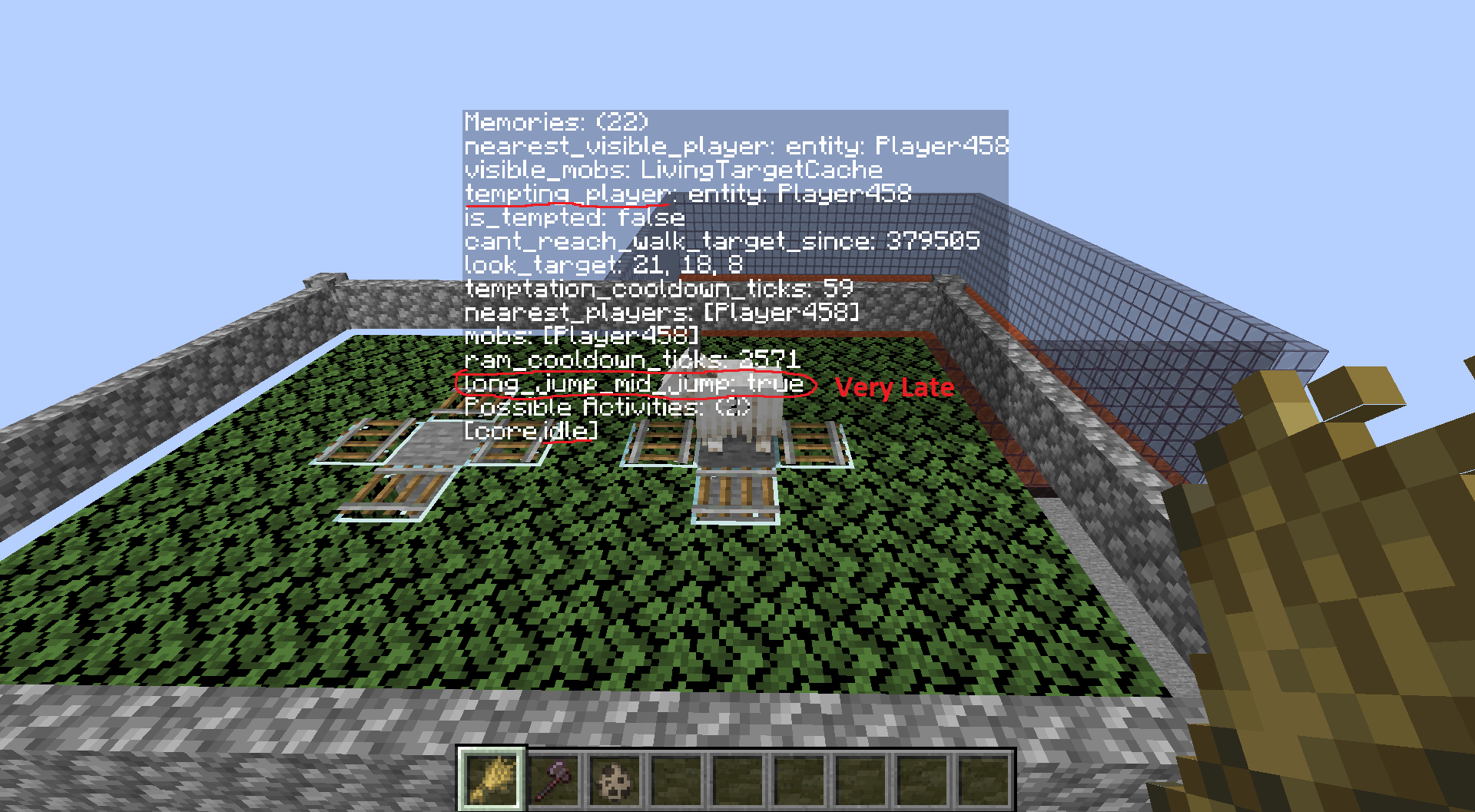
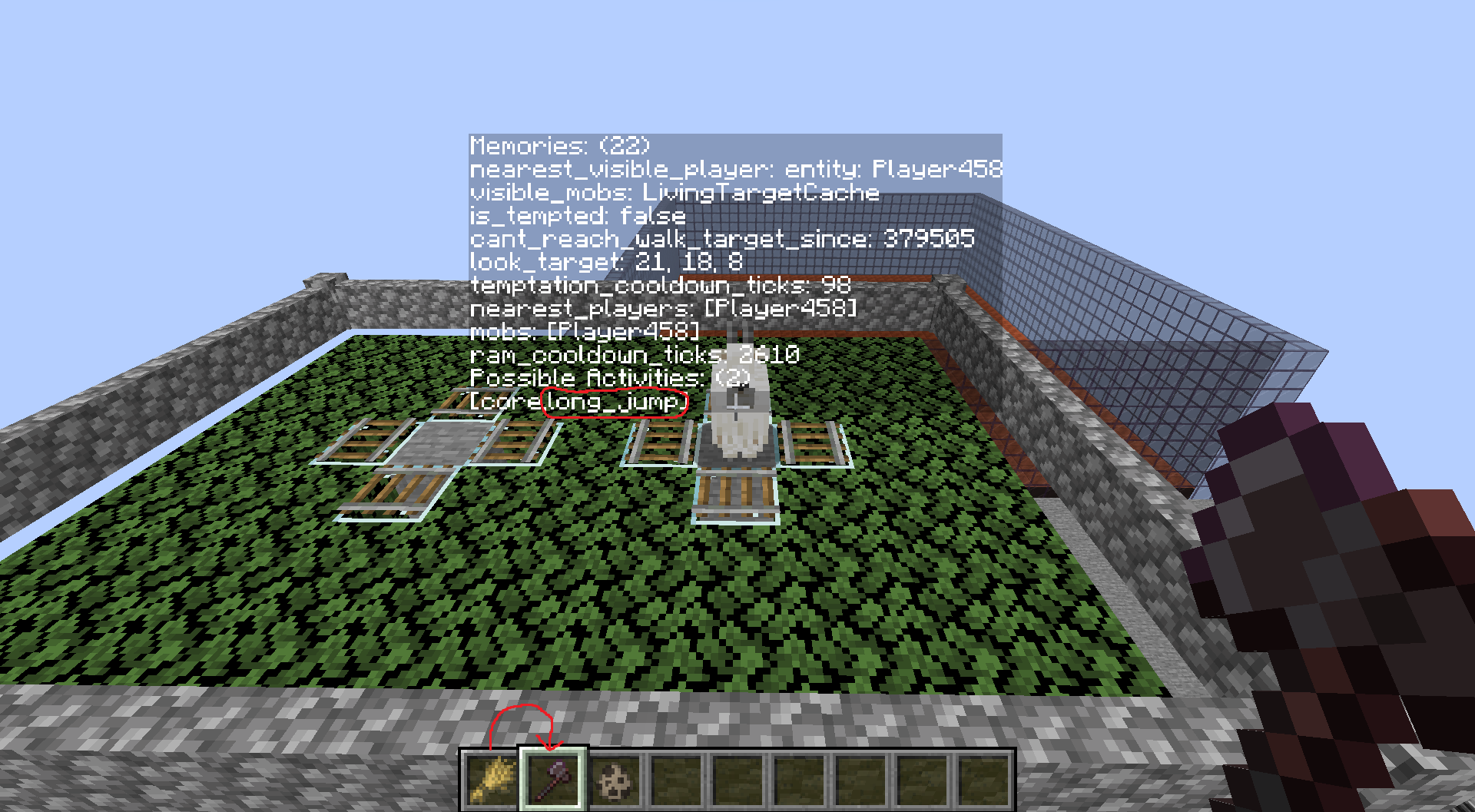
If using chunkBuilderMode: NEARBY then the chunks that are chosen to render immediately cause they are nearby will contain chunks that actually shouldn't be considered nearby, and might be missing chunks that should be considered nearby.LongJumpTask#run - LongJumpToRandomPos#start
The wrong jump might be chosen due to offset distance center calculation.WalkHomeTask#shouldRun - SetClosestHomeAsWalkTarget#checkExtraStartConditions
Distance needs to be below 4 blocks away to be able to run the task. Due to the bug, it's possible for locations that are 6.75 blocks away to be valid!
After running calculations that means that some positions can be offset by up to 3.75 for this task.WanderAroundTask#keepRunning - MoveToTargetSink#tick
If the distance to the next target is bigger than 4 then it will go to that location. Due to this bug, its possible for the location to be 0.75 blocks away while still being validMoveThroughVillageGoal#canStart - MoveThroughVillageGoal#canUse
When starting the goal, villagers search for POI's within the village near them. The distance calculation center is offset which sometimes results in invalid POI's being chosen.MobEntity#isInWalkTargetRange - Mob#isWithinRestriction
On average there's an 8.30% chance of failing every time due to the bug. If the entity is leashed, the failure chance is 23.64%. If the entity is not leashed the failure chance is 7.80%. All these failures are just due to miss calculations of the BlockPos distance. A failure is when it returns the opposite boolean value that it should have due to the distance being incorrect.
This is actually the cause of Mob Pathfinding being directional. It's been noticed many times but a bug report does not seem to exist on it. I noticed that mobs group up over time in the North East (,) & South West (,) corners a lot more often.
Turns out that it's caused by this bug.
I will actually be making another bug report of this one specifically cause I have a lot more technical descriptionsBeeEntity$FindHiveGoal#getNearbyFreeHives - Bee$BeeLocateHiveGoal#findNearbyHivesWithSpace
Favors negative coordinates and sometimes picks negative coordinate even if a positive coordinate is closerGravityField$Point#getGravityFactor - PotentialCalculator$PointCharge#getPotentialChange
Have not dug into this one yet. Although I believe it just makes the gravity factors/potential charge weaker and higher when it shouldn't beRaid#moveRaidCenter - Raid#moveRaidCenterToNearbyVillageSection
Distance calculation for the POI's to choose is offset. Basically making the raid center calculation offset, resulting in some invalid blocks being valid, and some valid blocks becoming invalid.Raid#removeObsoleteRaiders - Raid#updateRaiders
If a raider is more than 12544 distance away, he will be removed from the raid.
Although there's a chance that he's removed earlier at: 12352.75 or much further at: 12662.75RaidManager#getRaidAt - Raids#getNearbyRaid
The raid center distance is offset, causing some raids which are in range to not be valid. While others that aren't supposed to be in range can be chosen.PortalForcer#createPortal
Portal placing location might be further than the closest location, some locations that should be in range also become invalid.ChunkGenerator#locateStructure - ChunkGenerator#findNearestMapFeature
When searching for strongholds. After the first stronghold is found, if there is a stronghold that's even closer, it might miss it due to the bug.ForestRockFeature#generate - BlockBlobFeature#place
When placing rocks for the Forest Rock Feature. Some valid spots will be invalid while other spots that were invalid are now valid.GeodeFeature#generate - GeodeFeature#place
Causes some deformation in the geode shape & block placementPointOfInterestStorage#getInCircle - PoiManager#getInRange
The range center is offset, causing some blocks which are in range to not be valid. While others that aren't supposed to be valid can be chosen.PointOfInterestStorage#getSortedPositions - PoiManager#findAllClosestFirst
Sorts the POI's in the incorrect order, due to some distances seeming closer than they are.PointOfInterestStorage#getNearestPosition - PoiManager#findClosest
Sorts the POI's in the incorrect order, due to some distances seeming closer than they are. Causing the first POI to be pulled out to sometimes be incorrectGameEventDebugRenderer$Listener#isTooFar - GameEventListenerRenderer$TrackedListener#isExpired
Might not expire/remove itself at right time xD
I am so sorry if you read through that entire thing...
Most of these are used in many other places. Which becomes a nice little maze to traverse.TL;DR this is terribly broken
Here are some images for the visual people:
Code Analysis (1.18.1 Yarn Mappings)
If you look at this code:
BlockPos.ORIGIN.getSquaredDistance(BlockPos.ORIGIN)When run you would expect the result to be 0, although the value is actually 0.75
BlockPos extends Vec3i
net.minecraft.util.math.Vec3i.class
This is due to getSquaredDistance automatically setting treatAsBlockPos to true, which in this case shouldn't happen since it's already a BlockPos. Here's the code for getSquaredDistance:public double getSquaredDistance(Vec3i vec) { //By default: treatAsBlockPos is true return this.getSquaredDistance(vec, true); } public double getSquaredDistance(Position pos, boolean treatAsBlockPos) { return this.getSquaredDistance(pos.getX(), pos.getY(), pos.getZ(), treatAsBlockPos); } public double getSquaredDistance(Vec3i vec, boolean treatAsBlockPos) { return this.getSquaredDistance((double)vec.x, (double)vec.y, (double)vec.z, treatAsBlockPos); } public double getSquaredDistance(double x, double y, double z, boolean treatAsBlockPos) { //Add 0.5D if it should be converted to a blockpos double d = treatAsBlockPos ? 0.5D : 0.0D; double e = (double)this.getX() + d - x; double f = (double)this.getY() + d - y; double g = (double)this.getZ() + d - z; return e * e + f * f + g * g; }As you can see. Asking for the distance between two BlockPos adds 0.5D which it should not do since BlockPos is already a BlockPos...
The fix is simply to override getSquaredDistance in BlockPos so treatAsBlockPos is set to false by default.
Alternatively, you could just change the default to false, since the default value is only ever used for BlockPos calculations. Yes...This method was not intended to be used against 2 BlockPos, although Mojang does it everywhere. Recent code like Sculk Sensors does it correctly by specifying that it should not be treated as a BlockPos.
Now it's time to mention what exactly is broken by this code.
Method Naming Format Yarn Mappings - Mojang Mappings
You will notice a pattern with these, usually it's the distance formula having an offset center.
WorldRenderer#method_38549 - LevelRenderer#initializeQueueForFullUpdate
Chunk Render Queue will load in the wrong order under specific conditions. Due to the distance sorting using an offset distance. Favors negative coordinatesWorldRenderer#updateChunks - LevelRenderer#compileChunks
If using chunkBuilderMode: NEARBY then the chunks that are chosen to render immediately cause they are nearby will contain chunks that actually shouldn't be considered nearby, and might be missing chunks that should be considered nearby.LongJumpTask#run - LongJumpToRandomPos#start
The wrong jump might be chosen due to offset distance center calculation.WalkHomeTask#shouldRun - SetClosestHomeAsWalkTarget#checkExtraStartConditions
Distance needs to be below 4 blocks away to be able to run the task. Due to the bug, it's possible for locations that are 6.75 blocks away to be valid!
After running calculations that means that some positions can be offset by up to 3.75 for this task.WanderAroundTask#keepRunning - MoveToTargetSink#tick
If the distance to the next target is bigger than 4 then it will go to that location. Due to this bug, its possible for the location to be 0.75 blocks away while still being validMoveThroughVillageGoal#canStart - MoveThroughVillageGoal#canUse
When starting the goal, villagers search for POI's within the village near them. The distance calculation center is offset which sometimes results in invalid POI's being chosen.MobEntity#isInWalkTargetRange - Mob#isWithinRestriction
On average there's an 8.30% chance of failing every time due to the bug. If the entity is leashed, the failure chance is 23.64%. If the entity is not leashed the failure chance is 7.80%. All these failures are just due to miss calculations of the BlockPos distance. A failure is when it returns the opposite boolean value that it should have due to the distance being incorrect.
This is actually the cause of Mob Pathfinding being directional. It's been noticed many times but a bug report does not seem to exist on it. I noticed that mobs group up over time in the North East (+,-) & South West (-,+) corners a lot more often.
Turns out that it's caused by this bug.
I will actually be making another bug report of this one specifically cause I have a lot more technical descriptionsBeeEntity$FindHiveGoal#getNearbyFreeHives - Bee$BeeLocateHiveGoal#findNearbyHivesWithSpace
Favors negative coordinates and sometimes picks negative coordinate even if a positive coordinate is closerGravityField$Point#getGravityFactor - PotentialCalculator$PointCharge#getPotentialChange
Have not dug into this one yet. Although I believe it just makes the gravity factors/potential charge weaker and higher when it shouldn't beRaid#moveRaidCenter - Raid#moveRaidCenterToNearbyVillageSection
Distance calculation for the POI's to choose is offset. Basically making the raid center calculation offset, resulting in some invalid blocks being valid, and some valid blocks becoming invalid.Raid#removeObsoleteRaiders - Raid#updateRaiders
If a raider is more than 12544 distance away, he will be removed from the raid.
Although there's a chance that he's removed earlier at: 12352.75 or much further at: 12662.75RaidManager#getRaidAt - Raids#getNearbyRaid
The raid center distance is offset, causing some raids which are in range to not be valid. While others that aren't supposed to be in range can be chosen.PortalForcer#createPortal
Portal placing location might be further than the closest location, some locations that should be in range also become invalid.ChunkGenerator#locateStructure - ChunkGenerator#findNearestMapFeature
When searching for strongholds. After the first stronghold is found, if there is a stronghold that's even closer, it might miss it due to the bug.ForestRockFeature#generate - BlockBlobFeature#place
When placing rocks for the Forest Rock Feature. Some valid spots will be invalid while other spots that were invalid are now valid.GeodeFeature#generate - GeodeFeature#place
Causes some deformation in the geode shape & block placementPointOfInterestStorage#getInCircle - PoiManager#getInRange
The range center is offset, causing some blocks which are in range to not be valid. While others that aren't supposed to be valid can be chosen.PointOfInterestStorage#getSortedPositions - PoiManager#findAllClosestFirst
Sorts the POI's in the incorrect order, due to some distances seeming closer than they are.PointOfInterestStorage#getNearestPosition - PoiManager#findClosest
Sorts the POI's in the incorrect order, due to some distances seeming closer than they are. Causing the first POI to be pulled out to sometimes be incorrectGameEventDebugRenderer$Listener#isTooFar - GameEventListenerRenderer$TrackedListener#isExpired
Might not expire/remove itself at right time xD
I am so sorry if you read through that entire thing...
Most of these are used in many other places. Which becomes a nice little maze to traverse.TL;DR this is terribly broken
Here are some images for the visual people:
Code Analysis (1.18.1 Yarn Mappings)
If you look at this code:
BlockPos.ORIGIN.getSquaredDistance(BlockPos.ORIGIN)When run you would expect the result to be 0, although the value is actually 0.75
BlockPos extends Vec3i
net.minecraft.util.math.Vec3i.class
This is due to getSquaredDistance automatically setting treatAsBlockPos to true, which in this case shouldn't happen since it's already a BlockPos. Here's the code for getSquaredDistance:public double getSquaredDistance(Vec3i vec) { //By default: treatAsBlockPos is true return this.getSquaredDistance(vec, true); } public double getSquaredDistance(Position pos, boolean treatAsBlockPos) { return this.getSquaredDistance(pos.getX(), pos.getY(), pos.getZ(), treatAsBlockPos); } public double getSquaredDistance(Vec3i vec, boolean treatAsBlockPos) { return this.getSquaredDistance((double)vec.x, (double)vec.y, (double)vec.z, treatAsBlockPos); } public double getSquaredDistance(double x, double y, double z, boolean treatAsBlockPos) { //Add 0.5D if it should be converted to a blockpos double d = treatAsBlockPos ? 0.5D : 0.0D; double e = (double)this.getX() + d - x; double f = (double)this.getY() + d - y; double g = (double)this.getZ() + d - z; return e * e + f * f + g * g; }As you can see. Asking for the distance between two BlockPos adds 0.5D which it should not do since BlockPos is already a BlockPos...
The fix is simply to override getSquaredDistance in BlockPos so treatAsBlockPos is set to false by default.
Alternatively, you could just change the default to false, since the default value is only ever used for BlockPos calculations. Yes...This method was not intended to be used against 2 BlockPos, although Mojang does it everywhere. Recent code like Sculk Sensors does it correctly by specifying that it should not be treated as a BlockPos.
Now it's time to mention what exactly is broken by this code.
Method Naming Format Yarn Mappings - Mojang Mappings
You will notice a pattern with these, usually it's the distance formula having an offset center.
WorldRenderer#method_38549 - LevelRenderer#initializeQueueForFullUpdate
Chunk Render Queue will load in the wrong order under specific conditions. Due to the distance sorting using an offset distance. Favors negative coordinatesWorldRenderer#updateChunks - LevelRenderer#compileChunks
If using chunkBuilderMode: NEARBY then the chunks that are chosen to render immediately cause they are nearby will contain chunks that actually shouldn't be considered nearby, and might be missing chunks that should be considered nearby.LongJumpTask#run - LongJumpToRandomPos#start
The wrong jump might be chosen due to offset distance center calculation.WalkHomeTask#shouldRun - SetClosestHomeAsWalkTarget#checkExtraStartConditions
Distance needs to be below 4 blocks away to be able to run the task. Due to the bug, it's possible for locations that are 6.75 blocks away to be valid!
After running calculations that means that some positions can be offset by up to 3.75 for this task.WanderAroundTask#keepRunning - MoveToTargetSink#tick
If the distance to the next target is bigger than 4 then it will go to that location. Due to this bug, its possible for the location to be 0.75 blocks away while still being validMoveThroughVillageGoal#canStart - MoveThroughVillageGoal#canUse
When starting the goal, villagers search for POI's within the village near them. The distance calculation center is offset which sometimes results in invalid POI's being chosen.MobEntity#isInWalkTargetRange - Mob#isWithinRestriction
On average there's an 8.30% chance of failing every time due to the bug. If the entity is leashed, the failure chance is 23.64%. If the entity is not leashed the failure chance is 7.80%. All these failures are just due to miscalculations of the BlockPos distance. A failure is when it returns the opposite boolean value that it should have due to the distance being incorrect.
This is actually the cause ofmobpathfinding being directional. It's been noticed many times but a bug report does not seem to exist on it. I noticed that mobs group up over time in the North East (+,-) & South West (-,+) corners a lot more often.
Turns out that it's caused by this bug.I will actually be making another bug report of this one specifically cause I have a lot more technical descriptionsBeeEntity$FindHiveGoal#getNearbyFreeHives - Bee$BeeLocateHiveGoal#findNearbyHivesWithSpace
Favors negative coordinates and sometimes picks negative coordinate even if a positive coordinate is closerGravityField$Point#getGravityFactor - PotentialCalculator$PointCharge#getPotentialChange
Have not dug into this one yet. Although I believe it just makes the gravity factors/potential charge weaker and higher when it shouldn't beRaid#moveRaidCenter - Raid#moveRaidCenterToNearbyVillageSection
Distance calculation for the POI's to choose is offset. Basically making the raid center calculation offset, resulting in some invalid blocks being valid, and some valid blocks becoming invalid.Raid#removeObsoleteRaiders - Raid#updateRaiders
If a raider is more than 12544 distance away, he will be removed from the raid.
Although there's a chance that he's removed earlier at: 12352.75 or much further at: 12662.75RaidManager#getRaidAt - Raids#getNearbyRaid
The raid center distance is offset, causing some raids which are in range to not be valid. While others that aren't supposed to be in range can be chosen.PortalForcer#createPortal
Portal placing location might be further than the closest location, some locations that should be in range also become invalid.ChunkGenerator#locateStructure - ChunkGenerator#findNearestMapFeature
When searching for strongholds. After the first stronghold is found, if there is a stronghold that's even closer, it might miss it due to the bug.ForestRockFeature#generate - BlockBlobFeature#place
When placing rocks for the Forest Rock Feature. Some valid spots will be invalid while other spots that were invalid are now valid.GeodeFeature#generate - GeodeFeature#place
Causes some deformation in the geode shape & block placementPointOfInterestStorage#getInCircle - PoiManager#getInRange
The range center is offset, causing some blocks which are in range to not be valid. While others that aren't supposed to be valid can be chosen.PointOfInterestStorage#getSortedPositions - PoiManager#findAllClosestFirst
Sorts the POI's in the incorrect order, due to some distances seeming closer than they are.PointOfInterestStorage#getNearestPosition - PoiManager#findClosest
Sorts the POI's in the incorrect order, due to some distances seeming closer than they are. Causing the first POI to be pulled out to sometimes be incorrectGameEventDebugRenderer$Listener#isTooFar - GameEventListenerRenderer$TrackedListener#isExpired
Might not expire/remove itself at right time xD
I am so sorry if you read through that entire thing...
Most of these are used in many other places. Which becomes a nice little maze to traverse.TL;DR this is terribly broken
Here are some images for the visual people:
Code Analysis (1.18.1 Yarn Mappings)
If you look at this code:
BlockPos.ORIGIN.getSquaredDistance(BlockPos.ORIGIN)When run you would expect the result to be 0, although the value is actually 0.75
BlockPos extends Vec3i
net.minecraft.util.math.Vec3i.class
This is due to getSquaredDistance automatically setting treatAsBlockPos to true, which in this case shouldn't happen since it's already a BlockPos. Here's the code for getSquaredDistance:public double getSquaredDistance(Vec3i vec) { //By default: treatAsBlockPos is true return this.getSquaredDistance(vec, true); } public double getSquaredDistance(Position pos, boolean treatAsBlockPos) { return this.getSquaredDistance(pos.getX(), pos.getY(), pos.getZ(), treatAsBlockPos); } public double getSquaredDistance(Vec3i vec, boolean treatAsBlockPos) { return this.getSquaredDistance((double)vec.x, (double)vec.y, (double)vec.z, treatAsBlockPos); } public double getSquaredDistance(double x, double y, double z, boolean treatAsBlockPos) { //Add 0.5D if it should be converted to a blockpos double d = treatAsBlockPos ? 0.5D : 0.0D; double e = (double)this.getX() + d - x; double f = (double)this.getY() + d - y; double g = (double)this.getZ() + d - z; return e * e + f * f + g * g; }As you can see. Asking for the distance between two BlockPos adds 0.5D which it should not do since BlockPos is already a BlockPos...
The fix is simply to override getSquaredDistance in BlockPos so treatAsBlockPos is set to false by default.
Alternatively, you could just change the default to false, since the default value is only ever used for BlockPos calculations. Yes...This method was not intended to be used against 2 BlockPos, although Mojang does it everywhere. Recent code like Sculk Sensors does it correctly by specifying that it should not be treated as a BlockPos.
Now it's time to mention what exactly is broken by this code.
Method Naming Format Yarn Mappings - Mojang Mappings
You will notice a pattern with these, usually it's the distance formula having an offset center.
WorldRenderer#method_38549 - LevelRenderer#initializeQueueForFullUpdate
Chunk Render Queue will load in the wrong order under specific conditions. Due to the distance sorting using an offset distance. Favors negative coordinatesWorldRenderer#updateChunks - LevelRenderer#compileChunks
If using chunkBuilderMode: NEARBY then the chunks that are chosen to render immediately cause they are nearby will contain chunks that actually shouldn't be considered nearby, and might be missing chunks that should be considered nearby.LongJumpTask#run - LongJumpToRandomPos#start
The wrong jump might be chosen due to offset distance center calculation.WalkHomeTask#shouldRun - SetClosestHomeAsWalkTarget#checkExtraStartConditions
Distance needs to be below 4 blocks away to be able to run the task. Due to the bug, it's possible for locations that are 6.75 blocks away to be valid!
After running calculations that means that some positions can be offset by up to 3.75 for this task.WanderAroundTask#keepRunning - MoveToTargetSink#tick
If the distance to the next target is bigger than 4 then it will go to that location. Due to this bug, its possible for the location to be 0.75 blocks away while still being validMoveThroughVillageGoal#canStart - MoveThroughVillageGoal#canUse
When starting the goal, villagers search for POI's within the village near them. The distance calculation center is offset which sometimes results in invalid POI's being chosen.MobEntity#isInWalkTargetRange - Mob#isWithinRestriction
On average there's an 8.30% chance of failing every time due to the bug. If the entity is leashed, the failure chance is 23.64%. If the entity is not leashed the failure chance is 7.80%. All these failures are just due to miss calculations of the BlockPos distance. A failure is when it returns the opposite boolean value that it should have due to the distance being incorrect.
This is actually the cause of Mob Pathfinding being directional. It's been noticed many times but a bug report does not seem to exist on it. I noticed that mobs group up over time in the North East (,) & South West (,) corners a lot more often.
Turns out that it's caused by this bug.
I will actually be making another bug report of this one specifically cause I have a lot more technical descriptionsnevermind im too lazy
BeeEntity$FindHiveGoal#getNearbyFreeHives - Bee$BeeLocateHiveGoal#findNearbyHivesWithSpace
Favors negative coordinates and sometimes picks negative coordinate even if a positive coordinate is closerGravityField$Point#getGravityFactor - PotentialCalculator$PointCharge#getPotentialChange
Have not dug into this one yet. Although I believe it just makes the gravity factors/potential charge weaker and higher when it shouldn't beRaid#moveRaidCenter - Raid#moveRaidCenterToNearbyVillageSection
Distance calculation for the POI's to choose is offset. Basically making the raid center calculation offset, resulting in some invalid blocks being valid, and some valid blocks becoming invalid.Raid#removeObsoleteRaiders - Raid#updateRaiders
If a raider is more than 12544 distance away, he will be removed from the raid.
Although there's a chance that he's removed earlier at: 12352.75 or much further at: 12662.75RaidManager#getRaidAt - Raids#getNearbyRaid
The raid center distance is offset, causing some raids which are in range to not be valid. While others that aren't supposed to be in range can be chosen.PortalForcer#createPortal
Portal placing location might be further than the closest location, some locations that should be in range also become invalid.ChunkGenerator#locateStructure - ChunkGenerator#findNearestMapFeature
When searching for strongholds. After the first stronghold is found, if there is a stronghold that's even closer, it might miss it due to the bug.ForestRockFeature#generate - BlockBlobFeature#place
When placing rocks for the Forest Rock Feature. Some valid spots will be invalid while other spots that were invalid are now valid.GeodeFeature#generate - GeodeFeature#place
Causes some deformation in the geode shape & block placementPointOfInterestStorage#getInCircle - PoiManager#getInRange
The range center is offset, causing some blocks which are in range to not be valid. While others that aren't supposed to be valid can be chosen.PointOfInterestStorage#getSortedPositions - PoiManager#findAllClosestFirst
Sorts the POI's in the incorrect order, due to some distances seeming closer than they are.PointOfInterestStorage#getNearestPosition - PoiManager#findClosest
Sorts the POI's in the incorrect order, due to some distances seeming closer than they are. Causing the first POI to be pulled out to sometimes be incorrectGameEventDebugRenderer$Listener#isTooFar - GameEventListenerRenderer$TrackedListener#isExpired
Might not expire/remove itself at right time xD
I am so sorry if you read through that entire thing...
Most of these are used in many other places. Which becomes a nice little maze to traverse.TL;DR this is terribly broken
Here are some images for the visual people:
The Bug
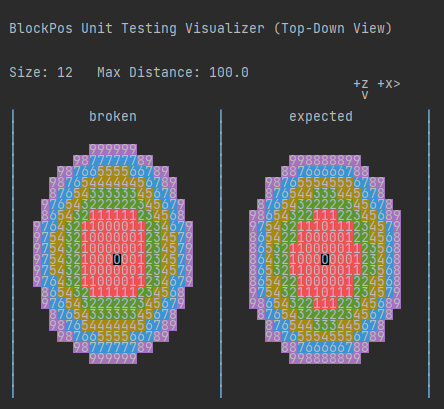
Calculation of BlockPos getSquaredDistance() is incorrect; the method is used to get the distance between two BlockPos, which return offset. This method was not intended to be used against two BlockPos, although it is used everywhere. Recent code like Sculk Sensors does it correctly by specifying that it should not be treated as a BlockPos. This results in issues across several parts of the game, including geode generation, chunk rendering, points of interest (POI) and pathfinding in general.
Attached below is an image visualizing the current broken calculation and the expected calculation.
Code Analysis
Code analysis using 1.18.1 Yarn Mappings.
If you look at this code:BlockPos.ORIGIN.getSquaredDistance(BlockPos.ORIGIN)When run you would expect the result to be 0, although the value is actually 0.75.
This is due to getSquaredDistance automatically setting treatAsBlockPos to true, which in this case shouldn't happen since it's already a BlockPos. Here's the code for getSquaredDistance:net.minecraft.util.math.Vec3i.classpublic double getSquaredDistance(Vec3i vec) { //By default: treatAsBlockPos is true return this.getSquaredDistance(vec, true); } public double getSquaredDistance(Position pos, boolean treatAsBlockPos) { return this.getSquaredDistance(pos.getX(), pos.getY(), pos.getZ(), treatAsBlockPos); } public double getSquaredDistance(Vec3i vec, boolean treatAsBlockPos) { return this.getSquaredDistance((double)vec.x, (double)vec.y, (double)vec.z, treatAsBlockPos); } public double getSquaredDistance(double x, double y, double z, boolean treatAsBlockPos) { //Add 0.5D if it should be converted to a blockpos double d = treatAsBlockPos ? 0.5D : 0.0D; double e = (double)this.getX() + d - x; double f = (double)this.getY() + d - y; double g = (double)this.getZ() + d - z; return e * e + f * f + g * g; }As you can see. Asking for the distance between two BlockPos adds 0.5D, which it should not do since BlockPos is already a BlockPos...
Fix
The fix is simply to override getSquaredDistance in BlockPos so treatAsBlockPos is set to false by default.
Alternatively, you could just change the default to false, since the default value is only ever used for BlockPos calculations. Yes...
Affected methodsNow it's time to mention what exactly is broken by this code.
Method Naming Format uses both 1.18.1 Yarn Mappings (left) and Mojang Mappings (right).
You will notice a pattern with these, usually it's the distance formula having an offset center.
- WorldRenderer#method_38549 / LevelRenderer#initializeQueueForFullUpdate
Chunk Render Queue will load in the wrong order under specific conditions. Due to the distance sorting using an offset distance. Favors negative coordinates.
- WorldRenderer#updateChunks / LevelRenderer#compileChunks
If using chunkBuilderMode: NEARBY then the chunks that are chosen to render immediately because they are nearby will contain chunks that actually shouldn't be considered nearby, and might be missing chunks that should be considered nearby.
- LongJumpTask#run / LongJumpToRandomPos#start
The wrong jump might be chosen due to offset distance center calculation.
- WalkHomeTask#shouldRun / SetClosestHomeAsWalkTarget#checkExtraStartConditions
Distance needs to be below 4 blocks away to be able to run the task. Due to the bug, it's possible for locations that are 6.75 blocks away to be valid!
After running calculations that means that some positions can be offset by up to 3.75 for this task.
- WanderAroundTask#keepRunning / MoveToTargetSink#tick
If the distance to the next target is bigger than 4 then it will go to that location. Due to this bug, its possible for the location to be 0.75 blocks away while still being valid
- MoveThroughVillageGoal#canStart / MoveThroughVillageGoal#canUse
When starting the goal, villagers search for POI's within the village near them. The distance calculation center is offset which sometimes results in invalid POI's being chosen.
- MobEntity#isInWalkTargetRange / Mob#isWithinRestriction
On average there's an 8.30% chance of failing every time due to the bug. If the entity is leashed, the failure chance is 23.64%. If the entity is not leashed the failure chance is 7.80%. All these failures are just due to miss calculations of the BlockPos distance. A failure is when it returns the opposite boolean value that it should have due to the distance being incorrect.
This is actually the cause of Mob Pathfinding being directional. It's been noticed many times but a bug report does not seem to exist on it. I noticed that mobs group up over time in the North East (,) & South West (,) corners a lot more often.
Turns out that it's caused by this bug.
I will actually be making another bug report of this one specifically cause I have a lot more technical descriptionsnevermind im too lazy
- BeeEntity$FindHiveGoal#getNearbyFreeHives / Bee$BeeLocateHiveGoal#findNearbyHivesWithSpace
Favors negative coordinates and sometimes picks negative coordinate even if a positive coordinate is closer
- GravityField$Point#getGravityFactor / PotentialCalculator$PointCharge#getPotentialChange
Have not dug into this one yet. Although I believe it just makes the gravity factors/potential charge weaker and higher when it shouldn't be
- Raid#moveRaidCenter / Raid#moveRaidCenterToNearbyVillageSection
Distance calculation for the POI's to choose is offset. Basically making the raid center calculation offset, resulting in some invalid blocks being valid, and some valid blocks becoming invalid.
- Raid#removeObsoleteRaiders / Raid#updateRaiders
If a raider is more than 12544 distance away, he will be removed from the raid.
Although there's a chance that he's removed earlier at: 12352.75 or much further at: 12662.75
- RaidManager#getRaidAt / Raids#getNearbyRaid
The raid center distance is offset, causing some raids which are in range to not be valid. While others that aren't supposed to be in range can be chosen.
- PortalForcer#createPortal
Portal placing location might be further than the closest location, some locations that should be in range also become invalid.
- ChunkGenerator#locateStructure / ChunkGenerator#findNearestMapFeature
When searching for strongholds. After the first stronghold is found, if there is a stronghold that's even closer, it might miss it due to the bug.
- ForestRockFeature#generate / BlockBlobFeature#place
When placing rocks for the Forest Rock Feature. Some valid spots will be invalid while other spots that were invalid are now valid.
- GeodeFeature#generate / GeodeFeature#place
Causes some deformation in the geode shape & block placement
- PointOfInterestStorage#getInCircle / PoiManager#getInRange
The range center is offset, causing some blocks which are in range to not be valid. While others that aren't supposed to be valid can be chosen.
- PointOfInterestStorage#getSortedPositions / PoiManager#findAllClosestFirst
Sorts the POI's in the incorrect order, due to some distances seeming closer than they are.
- PointOfInterestStorage#getNearestPosition / PoiManager#findClosest
Sorts the POI's in the incorrect order, due to some distances seeming closer than they are. Causing the first POI to be pulled out to sometimes be incorrect
- GameEventDebugRenderer$Listener#isTooFar / GameEventListenerRenderer$TrackedListener#isExpired
Might not expire/remove itself at right time xD
I am so sorry if you read through that entire thing...
Most of these are used in many other places. Which becomes a nice little maze to traverse.TL;DR this is terribly broken
The Bug
Calculation of BlockPos getSquaredDistance() is incorrect; the method is used to get the distance between two BlockPos, which return offset. This method was not intended to be used against two BlockPos, although it is used everywhere. Recent code like Sculk Sensors does it correctly by specifying that it should not be treated as a BlockPos. This results in issues across several parts of the game, including geode generation, chunk rendering, points of interest (POI) and pathfinding in general.
Attached below is an image visualizing the current broken calculation and the expected calculation.
Code Analysis
Code analysis using 1.18.1 Yarn Mappings.
If you look at this code:BlockPos.ORIGIN.getSquaredDistance(BlockPos.ORIGIN)When run you would expect the result to be 0, although the value is actually 0.75.
This is due to getSquaredDistance automatically setting treatAsBlockPos to true, which in this case shouldn't happen since it's already a BlockPos. Here's the code for getSquaredDistance:net.minecraft.util.math.Vec3i.classpublic double getSquaredDistance(Vec3i vec) { //By default: treatAsBlockPos is true return this.getSquaredDistance(vec, true); } public double getSquaredDistance(Position pos, boolean treatAsBlockPos) { return this.getSquaredDistance(pos.getX(), pos.getY(), pos.getZ(), treatAsBlockPos); } public double getSquaredDistance(Vec3i vec, boolean treatAsBlockPos) { return this.getSquaredDistance((double)vec.x, (double)vec.y, (double)vec.z, treatAsBlockPos); } public double getSquaredDistance(double x, double y, double z, boolean treatAsBlockPos) { //Add 0.5D if it should be converted to a blockpos double d = treatAsBlockPos ? 0.5D : 0.0D; double e = (double)this.getX() + d - x; double f = (double)this.getY() + d - y; double g = (double)this.getZ() + d - z; return e * e + f * f + g * g; }As you can see. Asking for the distance between two BlockPos adds 0.5D, which it should not do since BlockPos is already a BlockPos...
Fix
The fix is simply to override getSquaredDistance in BlockPos so treatAsBlockPos is set to false by default.
Alternatively, you could just change the default to false, since the default value is only ever used for BlockPos calculations. Yes...Steps to recreate
Download the world zip & follow the instructions. It will show you one of the many directional bias that this bug adds.
Affected methods
Now it's time to mention what exactly is broken by this code.
Method Naming Format uses both 1.18.1 Yarn Mappings (left) and Mojang Mappings (right).
You will notice a pattern with these, usually it's the distance formula having an offset center.
- WorldRenderer#method_38549 / LevelRenderer#initializeQueueForFullUpdate
Chunk Render Queue will load in the wrong order under specific conditions. Due to the distance sorting using an offset distance. Favors negative coordinates.
- WorldRenderer#updateChunks / LevelRenderer#compileChunks
If using chunkBuilderMode: NEARBY then the chunks that are chosen to render immediately because they are nearby will contain chunks that actually shouldn't be considered nearby, and might be missing chunks that should be considered nearby.
- LongJumpTask#run / LongJumpToRandomPos#start
The wrong jump might be chosen due to offset distance center calculation.
- WalkHomeTask#shouldRun / SetClosestHomeAsWalkTarget#checkExtraStartConditions
Distance needs to be below 4 blocks away to be able to run the task. Due to the bug, it's possible for locations that are 6.75 blocks away to be valid!
After running calculations that means that some positions can be offset by up to 3.75 for this task.
- WanderAroundTask#keepRunning / MoveToTargetSink#tick
If the distance to the next target is bigger than 4 then it will go to that location. Due to this bug, its possible for the location to be 0.75 blocks away while still being valid
- MoveThroughVillageGoal#canStart / MoveThroughVillageGoal#canUse
When starting the goal, villagers search for POI's within the village near them. The distance calculation center is offset which sometimes results in invalid POI's being chosen.
- MobEntity#isInWalkTargetRange / Mob#isWithinRestriction
On average there's an 8.30% chance of failing every time due to the bug. If the entity is leashed, the failure chance is 23.64%. If the entity is not leashed the failure chance is 7.80%. All these failures are just due to miss calculations of the BlockPos distance. A failure is when it returns the opposite boolean value that it should have due to the distance being incorrect.
This is actually the cause of Mob Pathfinding being directional. It's been noticed many times but a bug report does not seem to exist on it. I noticed that mobs group up over time in the North East (,) & South West (,) corners a lot more often.
Turns out that it's caused by this bug.
I will actually be making another bug report of this one specifically cause I have a lot more technical descriptionsnevermind im too lazy
- BeeEntity$FindHiveGoal#getNearbyFreeHives / Bee$BeeLocateHiveGoal#findNearbyHivesWithSpace
Favors negative coordinates and sometimes picks negative coordinate even if a positive coordinate is closer
- GravityField$Point#getGravityFactor / PotentialCalculator$PointCharge#getPotentialChange
Have not dug into this one yet. Although I believe it just makes the gravity factors/potential charge weaker and higher when it shouldn't be
- Raid#moveRaidCenter / Raid#moveRaidCenterToNearbyVillageSection
Distance calculation for the POI's to choose is offset. Basically making the raid center calculation offset, resulting in some invalid blocks being valid, and some valid blocks becoming invalid.
- Raid#removeObsoleteRaiders / Raid#updateRaiders
If a raider is more than 12544 distance away, he will be removed from the raid.
Although there's a chance that he's removed earlier at: 12352.75 or much further at: 12662.75
- RaidManager#getRaidAt / Raids#getNearbyRaid
The raid center distance is offset, causing some raids which are in range to not be valid. While others that aren't supposed to be in range can be chosen.
- PortalForcer#createPortal
Portal placing location might be further than the closest location, some locations that should be in range also become invalid.
- ChunkGenerator#locateStructure / ChunkGenerator#findNearestMapFeature
When searching for strongholds. After the first stronghold is found, if there is a stronghold that's even closer, it might miss it due to the bug.
- ForestRockFeature#generate / BlockBlobFeature#place
When placing rocks for the Forest Rock Feature. Some valid spots will be invalid while other spots that were invalid are now valid.
- GeodeFeature#generate / GeodeFeature#place
Causes some deformation in the geode shape & block placement
- PointOfInterestStorage#getInCircle / PoiManager#getInRange
The range center is offset, causing some blocks which are in range to not be valid. While others that aren't supposed to be valid can be chosen.
- PointOfInterestStorage#getSortedPositions / PoiManager#findAllClosestFirst
Sorts the POI's in the incorrect order, due to some distances seeming closer than they are.
- PointOfInterestStorage#getNearestPosition / PoiManager#findClosest
Sorts the POI's in the incorrect order, due to some distances seeming closer than they are. Causing the first POI to be pulled out to sometimes be incorrect
- GameEventDebugRenderer$Listener#isTooFar / GameEventListenerRenderer$TrackedListener#isExpired
Might not expire/remove itself at right time xD
I am so sorry if you read through that entire thing...
Most of these are used in many other places. Which becomes a nice little maze to traverse.TL;DR this is terribly broken
The Bug
Calculation of BlockPos getSquaredDistance() is incorrect; the method is used to get the distance between two BlockPos, which return offset. This method was not intended to be used against two BlockPos, although it is used everywhere. Recent code like Sculk Sensors does it correctly by specifying that it should not be treated as a BlockPos. This results in issues across several parts of the game, including geode generation, chunk rendering, points of interest (POI) and pathfinding in general.
Attached below is an image visualizing the current broken calculation and the expected calculation.
Code Analysis
Code analysis using 1.18.1 Yarn Mappings.
If you look at this code:BlockPos.ORIGIN.getSquaredDistance(BlockPos.ORIGIN)When run you would expect the result to be 0, although the value is actually 0.75.
This is due to getSquaredDistance automatically setting treatAsBlockPos to true, which in this case shouldn't happen since it's already a BlockPos. Here's the code for getSquaredDistance:net.minecraft.util.math.Vec3i.classpublic double getSquaredDistance(Vec3i vec) { //By default: treatAsBlockPos is true return this.getSquaredDistance(vec, true); } public double getSquaredDistance(Position pos, boolean treatAsBlockPos) { return this.getSquaredDistance(pos.getX(), pos.getY(), pos.getZ(), treatAsBlockPos); } public double getSquaredDistance(Vec3i vec, boolean treatAsBlockPos) { return this.getSquaredDistance((double)vec.x, (double)vec.y, (double)vec.z, treatAsBlockPos); } public double getSquaredDistance(double x, double y, double z, boolean treatAsBlockPos) { //Add 0.5D if it should be converted to a blockpos double d = treatAsBlockPos ? 0.5D : 0.0D; double e = (double)this.getX() + d - x; double f = (double)this.getY() + d - y; double g = (double)this.getZ() + d - z; return e * e + f * f + g * g; }As you can see. Asking for the distance between two BlockPos adds 0.5D, which it should not do since BlockPos is already a BlockPos...
Fix
The fix is simply to override getSquaredDistance in BlockPos so treatAsBlockPos is set to false by default.
Alternatively, you could just change the default to false, since the default value is only ever used for BlockPos calculations. Yes...Steps to recreate
Download the world zip & follow the instructions. It will show you one of the many directional bias that this bug adds.
Affected methods
Now it's time to mention what exactly is broken by this code.
Method Naming Format uses both 1.18.1 Yarn Mappings (left) and Mojang Mappings (right).
You will notice a pattern with these, usually it's the distance formula having an offset center.
- WorldRenderer#method_38549 / LevelRenderer#initializeQueueForFullUpdate
Chunk Render Queue will load in the wrong order under specific conditions. Due to the distance sorting using an offset distance. Favors negative coordinates.
- WorldRenderer#updateChunks / LevelRenderer#compileChunks
If using chunkBuilderMode: NEARBY then the chunks that are chosen to render immediately because they are nearby will contain chunks that actually shouldn't be considered nearby, and might be missing chunks that should be considered nearby.
- LongJumpTask#run / LongJumpToRandomPos#start
The wrong jump might be chosen due to offset distance center calculation.
- WalkHomeTask#shouldRun / SetClosestHomeAsWalkTarget#checkExtraStartConditions
Distance needs to be below 4 blocks away to be able to run the task. Due to the bug, it's possible for locations that are 6.75 blocks away to be valid!
After running calculations that means that some positions can be offset by up to 3.75 for this task.
- WanderAroundTask#keepRunning / MoveToTargetSink#tick
If the distance to the next target is bigger than 4 then it will go to that location. Due to this bug, its possible for the location to be 0.75 blocks away while still being valid
- MoveThroughVillageGoal#canStart / MoveThroughVillageGoal#canUse
When starting the goal, villagers search for POI's within the village near them. The distance calculation center is offset which sometimes results in invalid POI's being chosen.
- MobEntity#isInWalkTargetRange / Mob#isWithinRestriction
On average there's an 8.30% chance of failing every time due to the bug. If the entity is leashed, the failure chance is 23.64%. If the entity is not leashed the failure chance is 7.80%. All these failures are just due to miss calculations of the BlockPos distance. A failure is when it returns the opposite boolean value that it should have due to the distance being incorrect.
This is actually the cause of Mob Pathfinding being directional. It's been noticed many times but a bug report does not seem to exist on it. I noticed that mobs group up over time in the NorthEast (,) & South West (,) cornersa lot more often.
Turns out that it's caused by this bug.
I will actually be making another bug report of this one specifically cause I have a lot more technical descriptionsnevermindim too lazy
- BeeEntity$FindHiveGoal#getNearbyFreeHives / Bee$BeeLocateHiveGoal#findNearbyHivesWithSpace
Favors negative coordinates and sometimes picks negative coordinate even if a positive coordinate is closer
- GravityField$Point#getGravityFactor / PotentialCalculator$PointCharge#getPotentialChange
Have not dug into this one yet. Although I believe it just makes the gravity factors/potential charge weaker and higher when it shouldn't be
- Raid#moveRaidCenter / Raid#moveRaidCenterToNearbyVillageSection
Distance calculation for the POI's to choose is offset. Basically making the raid center calculation offset, resulting in some invalid blocks being valid, and some valid blocks becoming invalid.
- Raid#removeObsoleteRaiders / Raid#updateRaiders
If a raider is more than 12544 distance away, he will be removed from the raid.
Although there's a chance that he's removed earlier at: 12352.75 or much further at: 12662.75
- RaidManager#getRaidAt / Raids#getNearbyRaid
The raid center distance is offset, causing some raids which are in range to not be valid. While others that aren't supposed to be in range can be chosen.
- PortalForcer#createPortal
Portal placing location might be further than the closest location, some locations that should be in range also become invalid.
- ChunkGenerator#locateStructure / ChunkGenerator#findNearestMapFeature
When searching for strongholds. After the first stronghold is found, if there is a stronghold that's even closer, it might miss it due to the bug.
- ForestRockFeature#generate / BlockBlobFeature#place
When placing rocks for the Forest Rock Feature. Some valid spots will be invalid while other spots that were invalid are now valid.
- GeodeFeature#generate / GeodeFeature#place
Causes some deformation in the geode shape & block placement
- PointOfInterestStorage#getInCircle / PoiManager#getInRange
The range center is offset, causing some blocks which are in range to not be valid. While others that aren't supposed to be valid can be chosen.
- PointOfInterestStorage#getSortedPositions / PoiManager#findAllClosestFirst
Sorts the POI's in the incorrect order, due to some distances seeming closer than they are.
- PointOfInterestStorage#getNearestPosition / PoiManager#findClosest
Sorts the POI's in the incorrect order, due to some distances seeming closer than they are. Causing the first POI to be pulled out to sometimes be incorrect
- GameEventDebugRenderer$Listener#isTooFar / GameEventListenerRenderer$TrackedListener#isExpired
Might not expire/remove itself at right time xD
I am so sorry if you read through that entire thing...
Most of these are used in many other places. Which becomes a nice little maze to traverse.TL;DR this is terribly broken
The Bug
Calculation of BlockPos getSquaredDistance() is incorrect; the method is used to get the distance between two BlockPos, which return offset. This method was not intended to be used against two BlockPos, although it is used everywhere. Recent code like Sculk Sensors does it correctly by specifying that it should not be treated as a BlockPos. This results in issues across several parts of the game, including geode generation, chunk rendering, points of interest (POI) and pathfinding in general.
Attached below is an image visualizing the current broken calculation and the expected calculation.
Code Analysis
Code analysis using 1.18.1 Yarn Mappings.
If you look at this code:BlockPos.ORIGIN.getSquaredDistance(BlockPos.ORIGIN)When run you would expect the result to be 0, although the value is actually 0.75.
This is due to getSquaredDistance automatically setting treatAsBlockPos to true, which in this case shouldn't happen since it's already a BlockPos. Here's the code for getSquaredDistance:net.minecraft.util.math.Vec3i.classpublic double getSquaredDistance(Vec3i vec) { //By default: treatAsBlockPos is true return this.getSquaredDistance(vec, true); } public double getSquaredDistance(Position pos, boolean treatAsBlockPos) { return this.getSquaredDistance(pos.getX(), pos.getY(), pos.getZ(), treatAsBlockPos); } public double getSquaredDistance(Vec3i vec, boolean treatAsBlockPos) { return this.getSquaredDistance((double)vec.x, (double)vec.y, (double)vec.z, treatAsBlockPos); } public double getSquaredDistance(double x, double y, double z, boolean treatAsBlockPos) { //Add 0.5D if it should be converted to a blockpos double d = treatAsBlockPos ? 0.5D : 0.0D; double e = (double)this.getX() + d - x; double f = (double)this.getY() + d - y; double g = (double)this.getZ() + d - z; return e * e + f * f + g * g; }As you can see. Asking for the distance between two BlockPos adds 0.5D, which it should not do since BlockPos is already a BlockPos...
Fix
The fix is simply to override getSquaredDistance in BlockPos so treatAsBlockPos is set to false by default.
Alternatively, you could just change the default to false, since the default value is only ever used for BlockPos calculations. Yes...Steps to recreate
Download the world zip & follow the instructions. It will show you one of the many directional bias that this bug adds.
Affected methods
Now it's time to mention what exactly is broken by this code.
Method Naming Format uses both 1.18.1 Yarn Mappings (left) and Mojang Mappings (right).
You will notice a pattern with these, usually it's the distance formula having an offset center.
- WorldRenderer#method_38549 / LevelRenderer#initializeQueueForFullUpdate
Chunk Render Queue will load in the wrong order under specific conditions. Due to the distance sorting using an offset distance. Favors negative coordinates.
- WorldRenderer#updateChunks / LevelRenderer#compileChunks
If using chunkBuilderMode: NEARBY then the chunks that are chosen to render immediately because they are nearby will contain chunks that actually shouldn't be considered nearby, and might be missing chunks that should be considered nearby.
- LongJumpTask#run / LongJumpToRandomPos#start
The wrong jump might be chosen due to offset distance center calculation.
- WalkHomeTask#shouldRun / SetClosestHomeAsWalkTarget#checkExtraStartConditions
Distance needs to be below 4 blocks away to be able to run the task. Due to the bug, it's possible for locations that are 6.75 blocks away to be valid!
After running calculations that means that some positions can be offset by up to 3.75 for this task.
- WanderAroundTask#keepRunning / MoveToTargetSink#tick
If the distance to the next target is bigger than 4 then it will go to that location. Due to this bug, its possible for the location to be 0.75 blocks away while still being valid
- MoveThroughVillageGoal#canStart / MoveThroughVillageGoal#canUse
When starting the goal, villagers search for POI's within the village near them. The distance calculation center is offset which sometimes results in invalid POI's being chosen.
- MobEntity#isInWalkTargetRange / Mob#isWithinRestriction
On average there's an 8.30% chance of failing every time due to the bug. If the entity is leashed, the failure chance is 23.64%. If the entity is not leashed the failure chance is 7.80%. All these failures are just due to miss calculations of the BlockPos distance. A failure is when it returns the opposite boolean value that it should have due to the distance being incorrect.
This is actually the cause of Mob Pathfinding being directional. It's been noticed many times but a bug report does not seem to exist on it. I noticed that mobs group up over time in the North West (,) corner a lot more often.
Turns out that it's caused by this bug.
I will actually be making another bug report of this one specifically cause I have a lot more technical descriptionsnevermind I'm too lazy
- BeeEntity$FindHiveGoal#getNearbyFreeHives / Bee$BeeLocateHiveGoal#findNearbyHivesWithSpace
Favors negative coordinates and sometimes picks negative coordinate even if a positive coordinate is closer
- GravityField$Point#getGravityFactor / PotentialCalculator$PointCharge#getPotentialChange
Have not dug into this one yet. Although I believe it just makes the gravity factors/potential charge weaker and higher when it shouldn't be
- Raid#moveRaidCenter / Raid#moveRaidCenterToNearbyVillageSection
Distance calculation for the POI's to choose is offset. Basically making the raid center calculation offset, resulting in some invalid blocks being valid, and some valid blocks becoming invalid.
- Raid#removeObsoleteRaiders / Raid#updateRaiders
If a raider is more than 12544 distance away, he will be removed from the raid.
Although there's a chance that he's removed earlier at: 12352.75 or much further at: 12662.75
- RaidManager#getRaidAt / Raids#getNearbyRaid
The raid center distance is offset, causing some raids which are in range to not be valid. While others that aren't supposed to be in range can be chosen.
- PortalForcer#createPortal
Portal placing location might be further than the closest location, some locations that should be in range also become invalid.
- ChunkGenerator#locateStructure / ChunkGenerator#findNearestMapFeature
When searching for strongholds. After the first stronghold is found, if there is a stronghold that's even closer, it might miss it due to the bug.
- ForestRockFeature#generate / BlockBlobFeature#place
When placing rocks for the Forest Rock Feature. Some valid spots will be invalid while other spots that were invalid are now valid.
- GeodeFeature#generate / GeodeFeature#place
Causes some deformation in the geode shape & block placement
- PointOfInterestStorage#getInCircle / PoiManager#getInRange
The range center is offset, causing some blocks which are in range to not be valid. While others that aren't supposed to be valid can be chosen.
- PointOfInterestStorage#getSortedPositions / PoiManager#findAllClosestFirst
Sorts the POI's in the incorrect order, due to some distances seeming closer than they are.
- PointOfInterestStorage#getNearestPosition / PoiManager#findClosest
Sorts the POI's in the incorrect order, due to some distances seeming closer than they are. Causing the first POI to be pulled out to sometimes be incorrect
- GameEventDebugRenderer$Listener#isTooFar / GameEventListenerRenderer$TrackedListener#isExpired
Might not expire/remove itself at right time xD
I am so sorry if you read through that entire thing...
Most of these are used in many other places. Which becomes a nice little maze to traverse.TL;DR this is terribly broken
Hopper Minecarts is 4x slower if at BlockPos [0,0,0]
What I expected to happen was...:
My hopper minecart would be the regular speedWhat actually happened was...:
My hopper minecart was 4x slowerSteps to Reproduce:
1. Place rail at 0,0,0 & one at 2,0,0
2. Place chests above the rails
3. Fill the chests with items
4. Place hopper minecart on each rail
3. EnjoyCode Analysis (Yarn - 1.18.2)
net.minecraft.entity.vehicle.HopperMinecartEntity.javapublic void tick() { super.tick(); if (!this.world.isClient && this.isAlive() && this.isEnabled()) { BlockPos blockPos = this.getBlockPos(); if (blockPos.equals(this.currentBlockPos)) { --this.transferCooldown; } else { this.setTransferCooldown(0); } if (!this.isCoolingDown()) { this.setTransferCooldown(0); if (this.canOperate()) { this.setTransferCooldown(4); this.markDirty(); } } } }this.currentBlockPos is only modified at one point in the code, and it's set to
BlockPos.ORIGIN which is [0,0,0]
I'm going to guess that this is remnants of old code
Hopper Minecarts is 4x slower if at BlockPos [0,0,0]
What I expected to happen was...:
My hopper minecart would be the regular speedWhat actually happened was...:
My hopper minecart was 4x slowerSteps to Reproduce:
1. Place rail at 0,0,0 & one at 2,0,0
2. Place chests above the rails
3. Fill the chests with items
4. Place hopper minecart on each rail
3. EnjoyCode Analysis (Yarn - 1.18.2)
net.minecraft.entity.vehicle.HopperMinecartEntity.javapublic void tick() { super.tick(); if (!this.world.isClient && this.isAlive() && this.isEnabled()) { BlockPos blockPos = this.getBlockPos(); if (blockPos.equals(this.currentBlockPos)) { --this.transferCooldown; } else { this.setTransferCooldown(0); } if (!this.isCoolingDown()) { this.setTransferCooldown(0); if (this.canOperate()) { this.setTransferCooldown(4); this.markDirty(); } } } }this.currentBlockPos is only modified at one point in the code, and it's set to BlockPos.ORIGIN which is [0,0,0]
I'm going to guess that this is remnants of old code
Hopper Minecarts
is4x slower if at BlockPos [0,0,0]What I expected to happen was...:
My hopper minecart would be the regular speedWhat actually happened was...:
My hopper minecart was 4x slowerSteps to Reproduce:
1. Place rail at 0,0,0 & one at 2,0,0
2. Place chests above the rails
3. Fill the chests with items
4. Place hopper minecart on each rail
3. EnjoyCode Analysis (Yarn - 1.18.2)
net.minecraft.entity.vehicle.HopperMinecartEntity.javapublic void tick() { super.tick(); if (!this.world.isClient && this.isAlive() && this.isEnabled()) { BlockPos blockPos = this.getBlockPos(); if (blockPos.equals(this.currentBlockPos)) { --this.transferCooldown; } else { this.setTransferCooldown(0); } if (!this.isCoolingDown()) { this.setTransferCooldown(0); if (this.canOperate()) { this.setTransferCooldown(4); this.markDirty(); } } } }this.currentBlockPos is only modified at one point in the code, and it's set to BlockPos.ORIGIN which is [0,0,0]
I'm going to guess that this is remnants of old code
Hopper Minecarts are 4x slower if at BlockPos [0,0,0]
What I expected to happen was...:
My hopper minecart would be the regular speedWhat actually happened was...:
My hopper minecart was 4x slowerSteps to Reproduce:
1. Place rail at 0,0,0 & one at 2,0,0
2. Place chests above the rails
3. Fill the chests with items
4. Place hopper minecart on each rail
3. EnjoyCode Analysis (Yarn - 1.18.2)
net.minecraft.entity.vehicle.HopperMinecartEntity.javapublic void tick() { super.tick(); if (!this.world.isClient && this.isAlive() && this.isEnabled()) { BlockPos blockPos = this.getBlockPos(); if (blockPos.equals(this.currentBlockPos)) { --this.transferCooldown; } else { this.setTransferCooldown(0); } if (!this.isCoolingDown()) { this.setTransferCooldown(0); if (this.canOperate()) { this.setTransferCooldown(4); this.markDirty(); } } } }this.currentBlockPos is only modified at one point in the code, and it's set to BlockPos.ORIGIN which is [0,0,0]
I'm going to guess that this is remnants of old code
![[Mod] markderickson](../../../data/avatars/users/18946.svg)
If you have a detector rail it can affect rails directly connected to it. A powered rail for example is powered and a curved rail can change orientation. Imagine now to have a t-junction setup like in
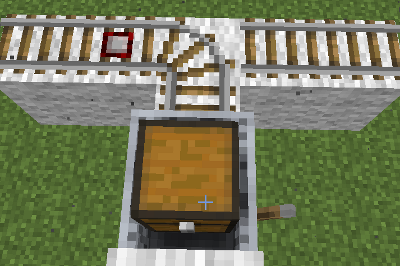
The detector rail is on the left and passing it will cause the curved rail to change orientation. We start our cart not from the detector, but from where the rail is bend to. After starting the cart it goes into the bend and before leaving it, the detector will react. This causes a flicker in which the cart and the rail change orientation several times to then finally settle in the right-side position as in 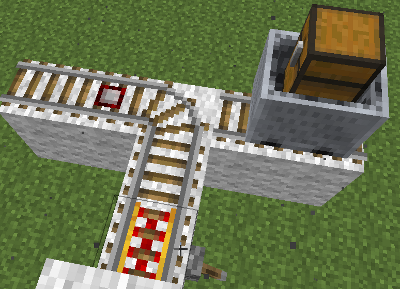
This basically means the detector rail caused a change of orientation for the bend rail before the minecart was even standing on it.
I assume that the signaling goes by this: If the cart, would in a next step touch the detector rail, it fires. Since the rail is then bending in another direction there is an update as the minecart will now not go over the rail, causing another oriantation change. This then causes the detector to fire again going back to the situation in the beginning. The reason why this does not cause an endless loop is that each action takes one tick. Depending on the speed of the cart you will see a longer or shorter flicker then.
What I expected was that the cart will go to the left, not the right as it actually did.
Code analysis by FX - PR0CESS can be found in this comment.
- Fixed in 16w02a? Using the setup described in start.png, the minecart sometimes "bounces" off the rail and goes backwards.
- Half-fixed
 for 1.9.1-pre3.
- Slow-moving minecarts will go the correct way, while fast moving minecarts will bounce back?!
- Confirmed for 1.9-pre1. It seems to be affected by the speed of the minecart as well. Fast and slow minecarts don't trigger it, but minecarts with a medium-ish speed do.
The bug
After killing the dragon and exiting the end portal, all status effects are removed.
How to reproduce
- Drink a potion/eat a golden apple
- Enter the end
- Kill the dragon
- Make sure you have time remaining on the effects
- Enter the exit portal and skip the credits
 "wake up" and all of the effects will be gone
Analysis
Code analysis by FX - PR0CESS can be found in this comment.
![[Mod] ampolive](../../../data/avatars/users/18949.svg)
The Bug
Suspending mobs from leashes in the air then moving the fence post with a piston causes the mob to die when they hit the ground regardless of the height they fall.
I expected the mob to survive a fall of 1-3 blocks in height, but to die from long falls.
Instead the mob dies even if it only falls one block to the ground.
- Put a fence post up in the air at least high enough that it holds the mob off the ground by one or more blocks.
- Put a piston up against the fence post.
- Attach a mob to the fence post with a leash.
- Activate the piston moving the post.
- The leash will break.
- The mob will die.
- Additionally a player riding a saddled mob will die too (from
MC-100443)
- Additionally a player riding a saddled mob will die too (from
This works at any fall height of 1 or greater.
Code analysis and fix
Code analysis and fix by FX - PR0CESS in this comment.
The problem lies in the method checkFallDamage() in net.minecraft.world.entity.Entity.java:
protected void checkFallDamage(double heightDifference, boolean onGround, BlockState landedState, BlockPos landedPosition) { if (onGround) { ... } this.resetFallDistance(); } else if (heightDifference < 0.0) { this.fallDistance = (float)((double)this.fallDistance - heightDifference); } }
Fixed code:
protected void checkFallDamage(...) { if (onGround) { ... } this.resetFallDistance(); } else if (heightDifference < 0.0D) { this.fallDistance = (float)((double)this.fallDistance - heightDifference); } else if (heightDifference > 0.0D) { //Add back in the heightDifference if going upwards this.fallDistance = Math.max((float)((double) this.fallDistance - heightDifference),0); } }
![[Mod] Avoma](../../../data/avatars/users/86198.png)
The Bug:
If a player were to fall from a high distance and enter a bed before hitting the ground, fall damage would only be dealt after exiting the bed.
Steps to Reproduce:
- Build the setup shown in the attachment below. setup.png

- Set the time to "night", stand on the diamond block, and switch into survival mode.
- Jump off the tower but before you hit the ground, quickly enter the bed.
- Take note as to whether or not sleeping in beds delays fall damage.
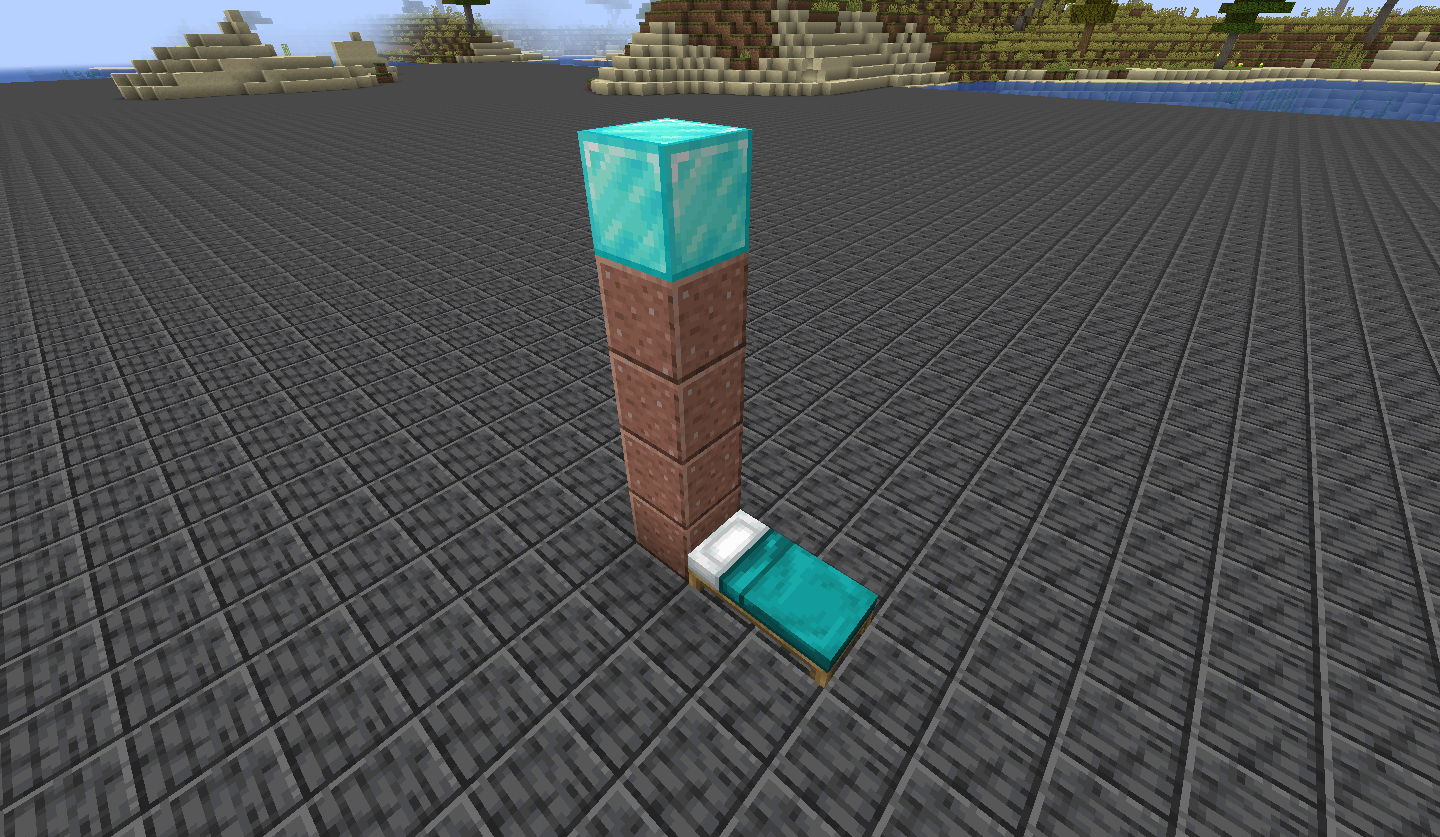
Observed Behavior:
Fall damage is delayed and instead inflicted when waking up.
Expected Behavior:
Fall damage wouldn't be delayed.
Code Analysis:
Code analysis by FX - PR0CESS can be found in this comment.
The bug
When running water into string that is attached to a pair of tripwire hooks the string is broken as expected BUT one more than the number broken is dropped.
In other words: if you have two trip wire hooks and between them six string, then seven string are dropped when water runs into and destroys all of the string. However, this behavior (at least in my experience) only happens when the line of string is at least four long.
To duplicate build the device in the screenshots below. (String goes on black wool, and hooks go on block next to and above the yellow wool. I would recommend building everything, putting down the string and then powering the pistons and then putting the water down.
This only works when the water flows in the east-west direction. Testing with the water flowing in the north-south direction will not result in successful reproduction.
Code analysis
Code analysis by FX - PR0CESS can be found in this comment.
The bug
When a boat is falling while over a slime block, once it gets to about 5 blocks on top of the slime block, the boat will start rising and falling very slowly. As of 22w12a, this also occurs with boats with chests. As of 1.21.2 Pre-Release 2, the effect is not as large and does not occur with every bounce, but still happens.
How to reproduce
Video demonstrating the issue: https://gfycat.com/PrestigiousDistantGardensnake
Code analysis
Code analysis by FX - PR0CESS can be found in this comment.
![[Helper] gaspoweredpick](../../../data/avatars/users/80904.png)
Shipwrecks that generate on land/beaches can get split on the Y axis when on chunk boundaries. To reproduce, use the seed 551270389 and run the following command:
/execute in minecraft:overworld run tp @p 202 68 144
Code analysis
Code analysis by FX - PR0CESS can be found in this comment.
Repro steps:
- Create a single player world, creative, allow cheats
- Give yourself a command block
- Set the command block to "repeat"
- Type this command:
tp @e[type=minecraft:falling_block] ~ ~1 ~
- Turn on "always active"
- Place a floating sand block nearby
Expected:
- The sand block constantly gets teleported in 0.5 blocks above the command block.
Actual:
- The sand block gets teleported above the command block.
- The sand block is deleted.
- An invisible entity? is created.
- The user glitches when touching it.
Code analysis:
Found in this comment by FX - PR0CESS.

Snow Golems will continuously shoot snowballs when its target is dead. Though it can be difficult to replicate it, I have managed to do so in the video attached to this issue.
(The video shows the zombie being teleported instead of dying. In 1.17c1 the snow golem stopped shooting when zombie was teleported away. But when they die they continue to shoot. So video is a little outdated now.) [VIDEO|example.mp4]
First Command Block: (note that giving the Snow Golem slowness 150 gets the same results)
/summon minecraft:snow_golem ~ ~1 ~ {Attributes:[{Name:generic.movement_speed,Base:0}]}
Second Command Block:
/summon minecraft:zombie ~ ~1 ~ {Attributes:[{Name:generic.movement_speed,Base:0}]}
Then the zombie gets pushed into a pressure plate that kills him:
execute as @e[type=minecraft:zombie,sort=nearest] run kill @s
CODE ANALYSIS
See comment by FX - PR0CESS here.

After a Zoglin is attacked by a horde of silverfish, some will not move after the Zoglin has been killed. If a player moves into the aggro range of the then-immobile silverfish, their AI will resume to normal. Should be easy enough to recreate.
Code analysis
Code analysis by FX - PR0CESS in this comment
The bug
When an enderman avoids a wither skull, they won't take damage directly from the skull, but they still might get the wither effect.
Reproduction steps
- Summon an enderman
- Summon a wither skull flying towards the enderman
/execute at @e[type=enderman] run summon wither_skull ~-2 ~2 ~ {power:[0.1d,0d,0d]} The enderman got the wither effect
Code analysis
Code analysis by FX - PR0CESS can be found in this comment.

The bug
End crystals are extremely loyal to the dragon and would uselessly try to heal her even when she's dying. The beam is still present even until detonating the crystal until the dragon is fully gone.
Code analysis
Code analysis by FX - PR0CESS can be found in this comment.
If you breed two sheep, the baby will eat very rapidly (as expected per the wiki 1/50 chance for babies vs 1/1000 for adults). It appears that when baby sheep eat grass, it acts the same as feeding them wheat. I did a test where i put sheep into 2 5x5 pens, one with grass and one with sand floors. The baby in the grass pen grew to adult in a little less than 3 minutes instead of the expected 20. The baby in the sand pen took the full time.
To reproduce
- Place two baby sheep at the same time inside two separate pens, one with grass blocks in it, the other without
- Observe the sheep
→ Note that the sheep in the pen with grass grew up significantly quicker than the other sheep
Code analysis
Code analysis by FX - PR0CESS can be found in this comment.
The Bug:
Composters always increase in level when first composting items.
Steps to Reproduce:
- Obtain some wheat seeds. (These items have a 30% chance of adding a level of compost upon being placed inside of composters).
- Summon a large area of composters by using the command provided below.
/fill ~1 ~ ~1 ~10 ~ ~10 minecraft:composter
- Place multiple wheat seeds into multiple composters and as you do this, watch closely.
- Take note as to whether or not composters always increase in level when first composting items.
Observed Behavior:
Composters always increase in level when first composting items.
Expected Behavior:
Composters would not always increase in level when first composting items.
Code analysis
Code analysis by FX - PR0CESS can be found in this comment.
![[Helper] pine1needle](../../../data/avatars/users/41329.png)
FX - PR0CESS, are you sure this still exists in 1.16.2 Pre-release 2? I tested it in 1.16.2 Pre-release 2 and I was not able to reproduce it. Could you please upload a video of you reproducing this bug in 1.16.2 Pre-release 2 while the F3 debug screen is open?
The bug
Armor stands don't receive damage in lava, instead, they catch fire and are destroyed a few seconds after leaving lava.
Code analysis
Code analysis by FX - PR0CESS can be found in this comment.
Turtle example:
As per Issue MC-125562, Turtles are supposed to and do indeed drop bowls when struck by lightning. The lightning however also destroys the bowl which was just dropped by the turtle, making it seem like no item ever drops.
We confirmed that the bowl gets dropped by testing for dropped bowls with command blocks (they exist for 1-2 ticks) and also by killing a turtle with lightning on top of a hopper . The hopper in this case sucks the bowl in before it is destroyed.
After testing some more mobs it seems like no item drop ever survives the lightning.
Fix
Fix by FX - PR0CESS can be found in this comment.

The bug
As mentioned above the Hit Ground frequency does not activate if the player is moving when they hit the ground. Instead it activates the Walk frequency.
Steps to Reproduce
- Place a sculk sensor at ground level that outputs it's signal into a command block with the command below (note: "x y z" must be set as the sculk sensor's coordinates):
tellraw @a {"nbt":"last_vibration_frequency","block":"x y z"} - Build a platform 11 (or more) blocks above the sculk sensor to avoid detection of anything other than the player falling.
- Pay attention to the outputs of the sensor in the following two scenarios. Walking off of the platform while not moving in any direction until you hit the ground, and, in the second scenario, walking off the platform, and continuing to move forward until you hit the ground.
An additional command block was placed behind this one to give the player instant health after falling. This last command block is not required for the setup, but recommended for prolonged testing.
Observed Behavior
The redstone signal output of the sculk sensor will be different for the two falling circumstances.
Expected Behavior
The output would remain a consistent number (5 in this case) regardless of how the player fell.
Code analysis
Code analysis by FX - PR0CESS can be found in this comment.

Water can update instantly making flowing water very far away from the source block gain or lose the water instantly.
This may be WAI or Won't Fix as this may require changing water code entirely.
How to reproduce
- Create the Instant Water Setup.png(Place an empty bucket in the dispenser)
- Break the birch sign
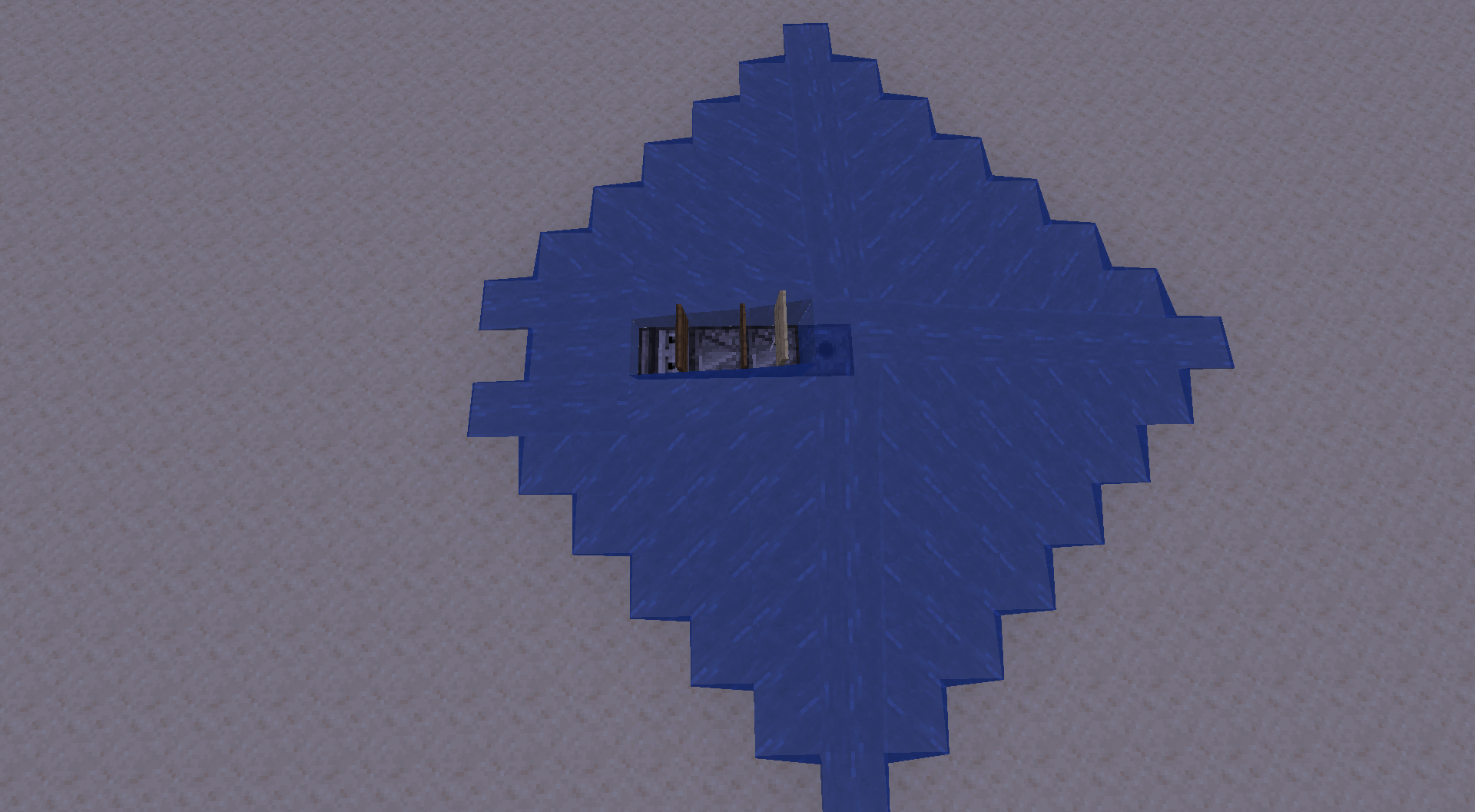
Actual behavior
Two blocks at the edge of the water will flash between flowing water and air, blocks broken below these will do the same.
Expected behavior
The water should not disappear and reappear instantly, and will remain instead of disappearing every time the source block is removed.
Video
See this video by FX - PR0CESS for more information and an explanation of this issue.
Note
This is not just a visual issue. You can only swim/interact with the water where it is visible.
![[Mod] EVGENSYPERPRO](../../../data/avatars/users/92853.png)
Summary:
When the player throws wool on the wooden pressure plates, the sculk sensor does not respond to the activation of the pressure plates, but when the player picks up the wool and the pressure plates deactivate, the sculk sensor picks up vibration.
Steps to Reproduce:
- Place wooden pressure plates.
- Place the sculk sensor next to it.
- Throw wool onto wooden pressure plates.
Observed Results:
Wooden pressure plates will activate but will not vibrate.
Expected Results:
Wooden pressure plates activate and vibrate.
Video:
2021-02-21 11-52-08.mp4
Code analysis:
Code analysis by FX - PR0CESS can be found in this comment.
FX - PR0CESS this is your report you can add the affected versions yourself you don't need to comment them

The bug
A goat that is tempted by a player holding wheat while the goat is in the middle of a long jump does not move correctly after completing their jump. It essentially loses friction with the ground.
How to reproduce
- Recreate the setup shown in the following image (different types of leaves used only to show size, but leaves should still be used when building the setup [any type]): MC-228273-setup.png
- Use a goat spawn egg to summon a goat on the block between the four rails
- Hold wheat in your hand, and make sure the goat is tempted (looking at you)
- Wait a minute, or until minecraft:long_jump_cooling_down is no longer existent in the goat's memory:
/data get entity @e[type=goat,limit=1,sort=nearest] Brain.memories
- Switch your selected item to something other than wheat, then switch back to the wheat after a second
- Wait until the goat jumps onto the second cobblestone block, and continue to hold the wheat
The frictionless goat, moving as if it is on ice, attempts to follow the player

Expected behavior
After following the steps listed above, the goat should move normally, and should not move as if it is frictionless.
Video
See this Twitch clip for the bug in action.
See this YouTube video by FX - PR0CESS for more information about the problem and how to reproduce this issue.
Code analysis
Code analysis by FX - PR0CESS can be found in this comment.
When moved out of range of a trapped chest while the interface is opened, reopening the chest doesn't emit a redstone signal and also doesn't display the opening animation. The only fix I've found is to completely replace the chest. This affects both survival and creative mode.
Reproduce (Creative Mode)
- Create a contraption with a trapped chest activating some redstone
- Fly by the trapped chest and open it while flying by it
 Notice the redstone activates
 - Leave the GUI and fly back to the trapped chest
- Open the trapped chest
Notice the trapped chest doesn't display an opening animation or emit a redstone pulse
Code analysis
Code analysis by FX - PR0CESS can be found in this comment.
Confirmed! Thank you FX - PR0CESS for the video – it was very helpful in understanding the issue. 

Disclaimer: all info, videos and images were captured in fabric. However, the behavior has been confirmed by myself and others to also happen identically in vanilla 1.17.1.
Bug in question shown in video 1.
In the setup shown by images 1 - 4, after the entity gains velocity as described in image 5 (data collected via /data get entity @e[type=item,limit=1,sort=nearest] Pos and Motion and CarpetMod's /tick freeze and step 1 commands), it 100% of the time collides with what I can only guess is the fence's hitbox.
But it shouldn't. By further examination via F3 + B, the item entity hitbox doesn't collide with the fence's, and if that were the case, the item entity would be expected to collide with both fences simultaneously and get stuck, instead of launching off the water stream.
Also should be added that the launching direction depends on the water flow direction:
North oriented streams (-east and -west) have their item entities launched north, and south oriented streams launch their item entities south (consistency tested via Save and Quit to Title).
As well as that, the item entity only gets deflected if the block located where the fences are (which are used to contain the water stream flow) has a hitbox of at least 4 blocks diagonally perpendicular to the stream's center diagonal, examples of this are fences and sea pickles, meanwhile this behavior isn't observed with glass panes, which has a diagonal hitbox of 2 pixels.
Images 6 and 7 show further testing, by showing setups in a northwest oriented stream with which the item entity doesn't get deflected at all (by having a sea pickle placed north of the stream's center diagonal, image 6) and with which it gets deflected north (as discussed previously in regards to stream orientation, pickle placed east of the stream's center diagonal, image 7).
By image 5 and Pythagoras' Theorem, the equivalent diagonal velocity a tick prior to collision was calculated as approximately 0.79898. I feel like there should be an investigation regarding whether the diagonal speed threshold of 0.8 has any effect on the item entity.
Added world download for easier testing and showing hitbox limitations.
Upon further testing, I determined that the same bug occurs using glass panes (which was previously stated to not happen). For that to be the case, the same setup needs to be expanded 79 blocks diagonally counting from the light blue stained glass block. The measured equivalent diagonal speed was calculated as approximately 0.91824 (note: even with "perfect" alignment, at this distance the item entity does end up misaligned enough for it to be noticeable via /data get entity @e[type=item,limit=1,sort=nearest] Pos on it's last shown digit, however the Motion argument doesn't show the same noticeable change, thus the abrupt change in the velocity vector shouldn't be expected).
Code Analysis by FX - PR0CESS here
I added FX - PR0CESS's fix to the bug description, using Mojang mappings. If I overlooked something, please let me know as I'm not a programmer.
Thank you for the analysis, but it depends on an assumption that block entity is stored in POI chunk. This is incorrect - POI manager keeps only positions. It's bee AI goal will request block entity and they always are supposed to come from loaded chunk.
If you are able to observe call to `blockEntityChanged` for unloaded chunk, it probably is older and more dangerous issue than just bees, because we somehow have inconsistency in chunk map. I'd say it would warrant a separate issue.
As for other reporters since this bug was closed, please specify if you have tried do empty the beehive. If you still hear buzzing sounds, this might be the case.
The Bug
Sculk sensor can detect "GameEvent.STEP" before "GameEvent.HIT_GROUND" causing an inconsistent redstone signal output of either 1 or 5 depending on the circumstances.
Relates to MC-247642
Steps to Reproduce
- Place a sculk sensor at ground level that outputs it's signal into a command block with the command below (note: "x y z" must be set as the sculk sensor's coordinates):
tellraw @a {"nbt":"last_vibration_frequency","block":"x y z"} - Build a platform 11 (or more) blocks above the sculk sensor to avoid detection of anything other than the player falling.
- Pay attention to the outputs of the sensor in the following two scenarios. Walking off of the platform while not moving in any direction until you hit the ground, and, in the second scenario, walking off the platform, and continuing to move forward until you hit the ground.
An additional command block was placed behind this one to give the player instant health after falling. This last command block is not required for the setup, but recommended for prolonged testing.
Observed Behavior
The redstone signal output of the sculk sensor will be different for the two falling circumstances.
Expected Behavior
The output would remain a consistent number (5 in this case) regardless of how the player fell.
Code analysis
Code analysis by FX - PR0CESS can be found in this comment.
Full credit for the following code analysis goes to FX - PR0CESS (from Discord). Thanks!
The following is based upon Yarn 22w05a mappings.
private void update(World world, BlockPos pos, BlockState blockState) { for(Direction direction : new Direction[]{Direction.SOUTH, Direction.WEST}) { for(int i = 1; i < 42; ++i) { //Loop through string next to self BlockPos blockPos = pos.offset(direction, i); //can be mutable BlockState state = world.getBlockState(blockPos); if (state.isOf(this.hookBlock)) { if (state.get(TripwireHookBlock.FACING) == direction.getOpposite()) this.hookBlock.update(world, blockPos, state, false, true, i, blockState); break; } if (!state.isOf(this)) break; } } }
In the tripwire block, the dupe happens due to the updates that are given when the other string are destroyed. The tripwire will loop though all the wires that it is connected to, until it hits a tripwire hook. It then calls the tripwire hook update method. The part that matters in this code is the i & blockState, arguments 6 & 7 of update() Where the tripwire sends its distance & its own block state.
public void update(World world, BlockPos pos, BlockState state, boolean beingRemoved, boolean update, int i, @Nullable BlockState blockState) { Direction direction = state.get(FACING); boolean attached = state.get(ATTACHED); boolean powered = state.get(POWERED); boolean stayAttached = !beingRemoved; boolean stayPowered = false; int distance = 0; BlockState[] blockStates = new BlockState[42]; for(int k = 1; k < 42; ++k) { //Loop through string in front of hook BlockState blockState2 = world.getBlockState(pos.offset(direction, k)); //Get blockstate at location if (blockState2.isOf(Blocks.TRIPWIRE_HOOK)) { if (blockState2.get(FACING) == direction.getOpposite()) { distance = k; //Set the ending direction } break; } if (!blockState2.isOf(Blocks.TRIPWIRE) && k != i) { //If not tripwire & not tripwire that called the update blockStates[k] = null; stayAttached = false; } else { if (k == i) { //If this is the string that called update, then use cached blockstate blockState2 = MoreObjects.firstNonNull(blockState, blockState2); } boolean disarmed = !blockState2.get(TripwireBlock.DISARMED); stayPowered |= disarmed && blockState2.get(TripwireBlock.POWERED); blockStates[k] = blockState2; if (k == i) { world.createAndScheduleBlockTick(pos, this, 10); stayAttached &= disarmed; } } } stayAttached &= distance > 1; //If another hook was found, facing the opposite direction stayPowered &= stayAttached; // If there is no gaps between the hooks //Create blockstate which we might never use V - It's the new state BlockState blockState3 = this.getDefaultState().with(ATTACHED, Boolean.valueOf(stayAttached)).with(POWERED, Boolean.valueOf(stayPowered)); if (distance > 0) { //If a hook was found, this should not run if nothing has changed between the hooks. Although you do it anyways BlockPos blockPos = pos.offset(direction, distance); Direction direction2 = direction.getOpposite(); world.setBlockState(blockPos, blockState3.with(FACING, direction2), Block.NOTIFY_ALL); //Place new hook this.updateNeighborsOnAxis(world, blockPos, direction2); //Update block around this.playSound(world, blockPos, stayAttached, stayPowered, attached, powered); } this.playSound(world, pos, stayAttached, stayPowered, attached, powered); if (!beingRemoved) { //Always true for the duping condition. Since the dupe happens due to updates from the other string world.setBlockState(pos, blockState3.with(FACING, direction), Block.NOTIFY_ALL); //Set this hook to the new state even though it might not have changed if (update) this.updateNeighborsOnAxis(world, pos, direction); //If it should update. Which is always true for the duping conditions } if (attached != stayAttached) { //If it's detaching itself for(int l = 1; l < distance; ++l) { BlockPos blockPos2 = pos.offset(direction, l); BlockState blockState4 = blockStates[l]; if (blockState4 != null) { world.setBlockState(blockPos2, blockState4.with(ATTACHED, Boolean.valueOf(stayAttached)), Block.NOTIFY_ALL); //Let all blocks to be detached if (!world.getBlockState(blockPos2).isAir()) {} //Hello there, if the setblock was in here, it would fix MC-129055 but not this dupe } } } }
The bug
The water comes along and breaks all 3 string. Although 1 string was broken first, that string calls the update. The update will loop through the strings, although there are none... Except the block state was cached while it still existed, and there is no check to make sure that it's still there. So it places it back. Secondly, the last check would fix MC-129055, although the reason it does not fix this bug is because it checks for air. Although this block would be water, instead it should be checking to make sure it's a tripwire. Thirdly, I keep mentioning how you are replacing the blocks that did not change state. The reason I am mentioning this is because those blocks might not even exist. Since you are giving updates before that, and shape updates can break tripwire hooks during the call, that's the tripwire hook dupe.
Fix
There are 3 bugs (2 being duplication exploits) in this code, they can be fixed simply. To fix this issue and MC-129055, make the last setBlockState() check if the block is a tripwire, as long as it's the tripwire that called the update.
To fix the tripwire hook dupe, you need to check that the tripwire is still there before doing setBlock on it as long as any updates were given before it. Or, you could move the updates to happen last in order to preserve there states. The latter I don't recommend since it will cause the strings to do another search in some instances.
Fundamental issue
The way that disarming tripwire works currently is by using this mechanic to replace itself. Which is terribly scary. Thankfully there is a way to solve this: you need to tell the method that this tripwire just changed to disarmed. This can be done in onStateReplaced and passed as an argument over to the tripwire hook update() method. Doing so will allow you to skip the check to see if it's still there, while also changing its state to disarmed. This would also allow for greatly simplifying most of the logic for both the tripwire and the tripwire hook, such as not having to schedule a block tick if its not disarming. All other calls to update() should be false for disarming.
FX - PR0CESS's opinion: I still don't like this idea and think that instead it should be revamped, either by preventing the break and just doing a setBlockState or by moving the update outside of weird calls such as onStateReplaced.
Fixed code
//Change: Added disarming argument for update() private void update(World world, BlockPos pos, BlockState blockState, boolean disarming) { for(Direction direction : new Direction[]{Direction.SOUTH, Direction.WEST}) { for(int i = 1; i < 42; ++i) { BlockPos blockPos = pos.offset(direction, i); BlockState state = world.getBlockState(blockPos); if (state.isOf(this.hookBlock)) { if (state.get(TripwireHookBlock.FACING) == direction.getOpposite()) { //Change: Added disarming this.hookBlock.update(world, blockPos, state, false, true, disarming, i, blockState); } break; } if (!state.isOf(this)) break; } } } public void onStateReplaced(BlockState state, World world, BlockPos pos, BlockState newState, boolean moved) { if (!moved && !state.isOf(newState.getBlock())) { this.update(world, pos, state.with(POWERED, true), state.get(DISARMED) && newState.isAir()); } }
//Change: Added disarming argument for update() public void update(World world, BlockPos pos, BlockState state, boolean beingRemoved, boolean update, boolean disarming, int i, @Nullable BlockState blockState) { Direction direction = state.get(FACING); boolean attached = state.get(ATTACHED); boolean powered = state.get(POWERED); boolean stayAttached = !beingRemoved; boolean stayPowered = false; int distance = 0; BlockState[] blockStates = new BlockState[42]; for(int k = 1; k < 42; ++k) { BlockState blockState2 = world.getBlockState(pos.offset(direction, k)); if (blockState2.isOf(Blocks.TRIPWIRE_HOOK)) { if (blockState2.get(FACING) == direction.getOpposite()) distance = k; break; } else if (!blockState2.isOf(Blocks.TRIPWIRE) && k != i) { blockStates[k] = null; stayAttached = false; } else { if (k == i) blockState2 = MoreObjects.firstNonNull(blockState, blockState2); boolean disarmed = !blockState2.get(TripwireBlock.DISARMED); stayPowered |= disarmed && blockState2.get(TripwireBlock.POWERED); blockStates[k] = blockState2; if (k == i) { world.createAndScheduleBlockTick(pos, this, 10); stayAttached &= disarmed; } } } stayAttached &= distance > 1; stayPowered &= stayAttached; BlockState blockState3 = this.getDefaultState().with(ATTACHED, stayAttached).with(POWERED, stayPowered); if (distance > 0) { BlockPos blockPos = pos.offset(direction, distance); Direction direction2 = direction.getOpposite(); world.setBlockState(blockPos, blockState3.with(FACING, direction2), Block.NOTIFY_ALL); this.updateNeighborsOnAxis(world, blockPos, direction2); //Possible hook break this.playSound(world, blockPos, stayAttached, stayPowered, attached, powered); } this.playSound(world, pos, stayAttached, stayPowered, attached, powered); //Change: added state check, due to possible hook break above if (!beingRemoved && world.getBlockState(pos).isOf(this)) { world.setBlockState(pos, blockState3.with(FACING, direction), Block.NOTIFY_ALL); if (update) this.updateNeighborsOnAxis(world, pos, direction); } if (attached != stayAttached) { for(int l = 1; l < distance; ++l) { BlockState blockState4 = blockStates[l]; if (blockState4 != null) { BlockPos blockPos2 = pos.offset(direction, l); //Change: If this is the tripwire that called the update or its disarming or its a tripwire, then place it with the new states if (l != i || disarming || world.getBlockState(blockPos2).isOf(Blocks.TRIPWIRE)) { world.setBlockState(blockPos2, blockState4.with(ATTACHED, stayAttached), Block.NOTIFY_ALL); } } } } }
The bug
Allays do not check the dimension of the liked note block. If multiple dimensions have note blocks at the same coordinates, allays will deliver items to any of these.
Steps to Reproduce
- Place note blocks in multiple dimensions at the same coordinates
- Spawn an allay
- Have it hold an item
- (Optionally) run /data modify entity @e[type=minecraft:allay,limit=1] Brain.memories.minecraft:liked_noteblock_cooldown_ticks.value set value 100000 to increase cooldown for easier testing
- Play the note block in one dimension
- Teleport the allay to the other dimension e.g. via nether portals
- Drop items and have the allay pick it up
- Check whether the allay drops the items at the note block or the player
Expected Result
The allay will bring the item to the player, because the allay is linked to the note block in a different dimension.
Actual Result
The allay will drop the item at the note block.
Code Analysis
Code analysis by FX - PR0CESS can be found in this comment.
The bug
When lava spread fire, it can sometimes calculate the blockstate for the fire from the block beneath the fire. This bug can be replicated as so:

Doing so can sometimes create results like such: (Increasing the random tick speed will make it happen faster)
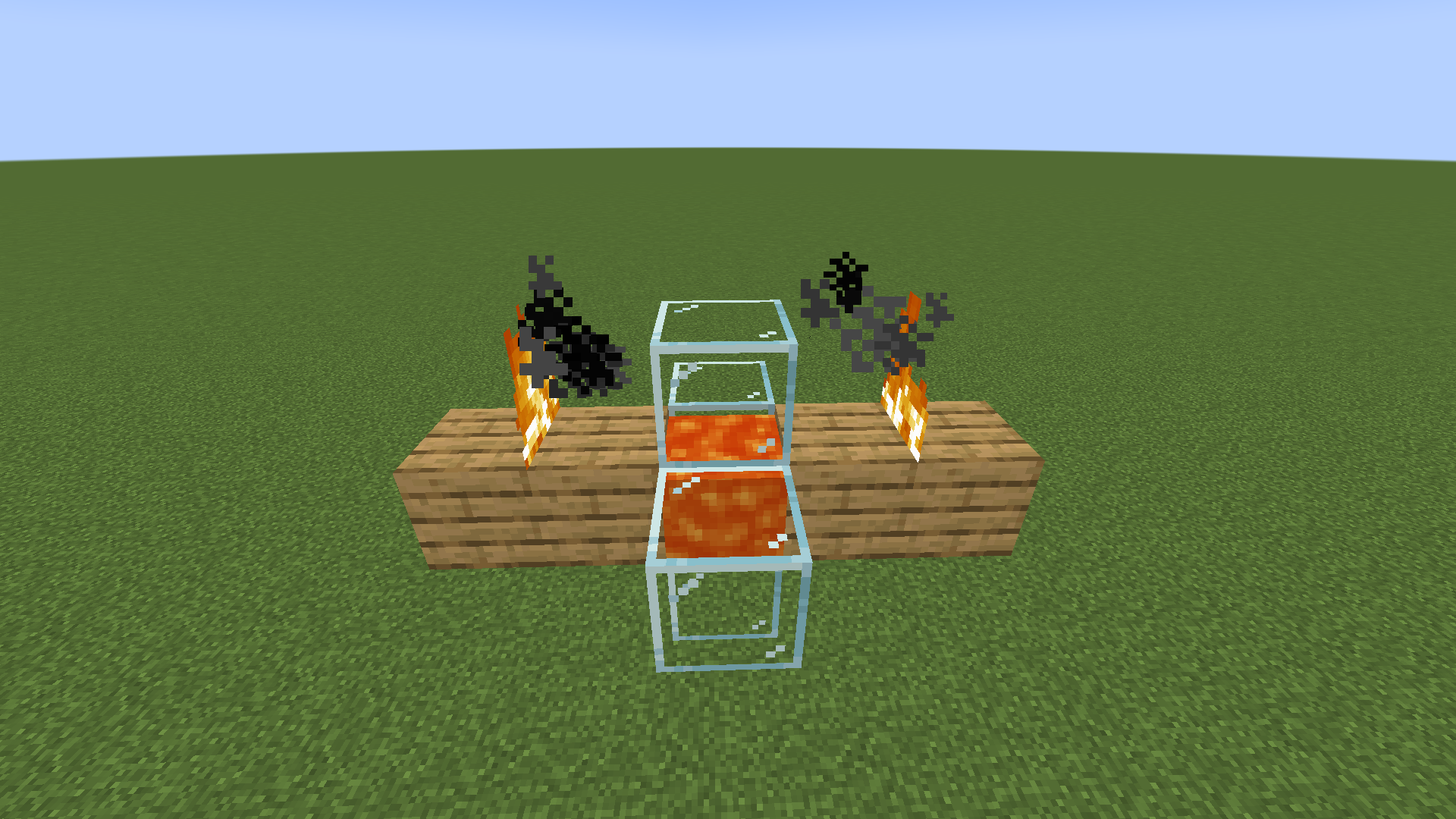
Code analysis
Specifically, this bug occurs in the random tick method of the lava fluid, it will calculate the fire state for the block below where the fire will be placed, causing the above result.
Code analysis by FX - PR0CESS can be found in this comment.
FX - PR0CESS Thanks for the insight.
I can confirm FX - PR0CESS's claims. This issue was fixed for skeletons converting into strays through freezing, but not for zombies converting into drowned through drowning.
![[Mod] Jiingy](../../../data/avatars/users/91802.png)
Affects 24w21b
The information by FX - PR0CESS is still noteworthy though (could simply duplicate that issue, or have a 'caused by' relation added if the issue should stay seperate).
Sorry for the Environment field inconvenience.
MC-206922 is indeed related to this bug report (although it affects the trident item dropped by the trident itself instead of one that could come from the inventory of the player when they die), and the fix proposed FX - PR0CESS in this comment will probably solve the bug if implemented.

MC-59471 This was mentioned in the code analysis
Code analysis by FX - PR0CESS can be found in this comment.
All worlds are hardcore...
It's inconsistent behavior. Nothing should be different between dispensing armor onto armor stands and dispensing armor onto horses!
It’s a vex, no idea how it got hurt though.
Parrots will only dance to music once the music starts. Spawning the parrots after starting the music will not make them dance. Please try multiple times before making a bug report!
This was originally a bug that was then kept in the game due to its popularity and usefulness. The bug is called Quasi-connectivity: https://minecraft.gamepedia.com/Tutorials/Quasi-connectivity
Even if it's working as intended, the graphics are obviously broken. Unless enderman have the force.
/summon pig ~ ~ ~
{CustomNameVisible:1b,NoAI:1b,CustomName:'["a","b",["c",["d",["e",["f",["g","h","i"]]]]]]'}Expected: "abcdefjhi"
Got: "abcdefghibcdefghidefghiefghiefghighihi"
Yup, JSON parser is broken
Was not able to recreate the bug...
Did you change version in this world?
If the chunks where loaded in another version, then the stronghold that would have been there could not generate since those chunks have already been generated.
I would like to mention that this was not in fact fixed in 1.16.2 pre-2 and even seems to be worse. Secondly the "fix" for this also broke piston rendering when pistons retract. E.x. https://youtu.be/arJUOTwLbZI
I tested this and was able to dupe rails in 1.16.2 Pre-release 2
It did not get fixed!
I am actually losing my sanity cause of you guys. All you have to do is
/setblock ~ ~ ~ moving_piston
all the blocks around the water to make it float. There's even technical machines that can make floating water. Mango made a video on it literally a few days ago.
This is not invalid
My bad, this was in fact fixed. I had a rail near me in the testing world
Mine is related to a different file. I am hoping that the actual logicalHeight value of the dimension can be modified instead of just a number that does literally nothing currently in the json file.
The moon still shows up in the nether
Basically we should fix it before 1.17 (if the trend continues it will be 0-8 FPS) xD
I just reproduced it in 1.16.2 RC1
Still works. You just don't see particles
It is shown in the video linked to the bug report
What is the exact command you are using?
This is not a bug. Enderman should keep their aggro, player's shouldn't be able to escape an enderman by relogging
Would like to mention that loading a superflat world with no mods and no datapacks on version 1.16.2 still causes the console to be spammed with invalid biome -1
Still not fixed in 1.16.2
This is because Phantoms do not have a mobcap. That looks like a serious issue tho, Phantoms should have some type of way to limit there spawn without having to use the gamerule doInsomnia. They're one of the few mobs which can spawn with no restrictions, really ruining the gameplay and wasting players time. If there was a way to prevent them then it would be fine.
Also in a world where it's always night, sleeping should not be the fix to the problem. Sleeping is to skip night, sometimes you want night without phantoms. (Just tested this, Phantoms don't stop spawning when sleeping during night anyways, that's fine)
Your roof is also transparent, not helping the situation at all since it means they can spawn while you are in your house.
This does not fix the issue where an endless amount of phantoms would spawn. Even having the phantoms despawn after a certain amount of time is a bad idea. Minecraft added mobcaps for this exact reason.
Right, this is not modded, these are vanilla features.
https://www.youtube.com/watch?v=A9Mk2tXLBZ0&t=60s
1. Make floating water
2. Fish
3. Wait till floater falls through water
4. Once its fallen on the ground, pull whenever you want (until it despawns) to fish
5. Fishing on land
Can Confirm still works in 1.16.2
That would work. Although the issue is the fact that the text box is too long, not the character limit. They just need to change the text box length to be a bit shorter
If you muted that player, you should prob not show the weapon name. So it would be: BeLikePanda was slain by PR0CESS
The same should apply if the player gets killed by an entity, should display: PR0CESS was slain by Zombie instead of the full name. You could also consider not showing death messages from muted players since they could easily kill themselves over and over to annoy you by spamming chat.
It's 50, not 40
it can be easily fixed by changing this in the code:
net.minecraft.world.level.block.PointedDripstoneBlock.java
to
It's when there's more then 50 of them above each other.
it can be easily fixed by changing this in the code: (Code Analysis)
net.minecraft.world.level.block.PointedDripstoneBlock.java
to
Same change needs to be done in the findRootBlock() function
I've tried changing all settings from lowest to highest. Nothing has changed and this did not happen till 20w49a. All other versions of minecraft don't render fine.
This was fixed for me in snapshot 21w03a
Still in 21w05a
Still in 21w05b
This seriously ruins a game mechanic which you guys intended.
Can easily be fixed by preventing lightning from destroying items with an age smaller than 8
Parity Issues are no longer valid. They are two completely different games
I can still reproduce in 21w06a
Wanted to mention that mango still has this issue but we have determined that it is not peaceful. It happens to him at all times.
He has tried changing versions, reinstalling the game, logging packets. I believe it's his hardware since he has the same java version, nothing different, and no mods.
Possible Fix: Check if lightning bolt is hitting the top of a block, if so then affect the block underneath, else effect block it's in.
This is caused by the first pillar of concrete giving a block update once the concrete turns into a block. Which causes the other concrete on its side to check if it can fall, although it notices that the block below itself if a moving_piston and so it breaks cause it can't fall onto a moving piston
This is just normal despawn time?
Falling blocks stay alive for 600 ticks (30 seconds)
It takes more than 30 seconds for falling blocks to fall through cobwebs, so it makes sense that it just breaks?
Could be related to: MC-123364
Yup it's just the client doing fancy predictions on where the sand is. In reality the sand hit the piston on the side and fell down
I've tested this as far back as 1.12
Works in 1.12
Still in 21w15a
Still in 21w15a
Oops, forgot to add my video also. I did it the survival way
oh lol good to know
Can confirm in 21w16a
This is pretty stupid to be honest since TNT already does this.
Still present in 21w19a
No idea why you classified this as Low priority. It takes 2min for you to change...
This has now caused issues were leaving a boat can take up to 3 seconds. Server running at 1mspt
This is, unfortunately, the opposite of client-side prediction and only helps modders or events. It actually makes playing survival much worse.
Still an issue in 1.17 pre-1
A simple solution is to not add the RepairCost tag to blocks. This can easily be done like so:
Yarn Mappings - 1.16.5
net.minecraft.item.ItemStack
This is a suggestion not a bug
This is happening due to Redstone dust update order. It's not based on comparators at all. Basically, the order in which Redstone dust updates is locational since it uses a hashmap. Based on which order the Redstone dust updates in, the comparator will act differently.
https://bugs.mojang.com/browse/MC-11193
This happens due to the Redstone update order, its locational which means it acts differently based on where it is in the world. MC-11193
This issue is actually not an issue in the rails, this is due to how Redstone torches update blocks 2 blocks away when placed, causing incorrect block update order.
Can confirm in 1.17 pre-1
Myren is actually still active, you can send him a message on discord.
Can confirm, this only happens when the gamerule `doEntityDrops` is set to `false`
I can also confirm in 1.17 pre-1
@Panda this was caused by the this.discard()’s that where added into falling block in pre-1
Any reason why this behaviour has changed although it was marked as "works as intended"
In 1.16.x droppers can input items into checks that are "unopenable"
Still in 1.17 pre-1
Code Analysis: (Fabric Mappings)
Within LivingEntity.class
This is what sets the player to sleep. The reason you take the fall damage is since
this.fallDistanceis not set to 0 as well as Velocity
This has been in the game for years. I know that it was possible in 1.12
This is because powdered snow is not using the blockSlowdown like cobweb and bush, which it really should
This also happens to end gateways outside the world border
Spigot is heavily modded and not supported on the bug tracker. You need to report that issue to spigot
Sounds like you are playing on a server running 1.16.5 and ViaBackwards
All the separate bugs have mostly been submitted:
MC-229184- PortalsMC-228707,MC-228598, - ItemsJust to be clear, coral is not needed for tnt dupers. I have many observer-based TNT duping designs. So you shouldn't use that as a point to prevent them from being movable.
Yes, it kills the mobs. They die, they spawn items, and the lightning kills those items.
This is because lightning lives for 8 ticks now.
Just requires:
In ItemEntity
Using Yarn Mappings - 1.17
Working fix: https://github.com/fxmorin/carpet-fixes/blob/1.17/src/main/java/carpetfixes/mixins/itemFixes/ItemEntity_lightningKillsDropsMixin.java
That's called a resource pack, this is a valid bug report
Can confirm in 1.17.1 rc-1
Simply tick nether portal check inside the tick() of the tntEntity
The fix:
https://github.com/fxmorin/carpet-fixes/blob/1.17/src/main/java/carpetfixes/mixins/entityFixes/TntEntity_netherPortalMixin.java
That's any block, which makes sense. Since it would allow for stuff like bedrock breaking due to the way it's currently written.
I believe the way to fix this is by instead only allowing replaceable blocks to be allowed, which can very easily be done using Predicate:
Instead of:
– Fabric Mappings
This does not need to happen within the same tick. It just needs to happen while the piston head is still a `moving_piston`
This means the tnt fuse can be from 0-3.
It's been 4 years. This is still in the game and can easily be fixed by making fromTag() & createTag() in SimpleContainers use setItem() instead of addItem() Or just making a new class that acts exactly like PlayerEnderChestContainer which already does this xD
This is a simple fix and should not have been too invalid, to begin with!
Mojang Mappings where used for the code analysis
This would be the same fix as
MC-191011Piglins and Villagers both get this issue inside of readAdditionalSaveData() for the this.inventory SimpleContainers
Can Confirm both for 1.17.1
Could you please include the seed and location?
Code Analysis - Mojang Mappings 1.17.1 - Client-Side
net.minecraft.client.renderer.EnderDragonRenderer
Try without using redstone dust, cause redstone dust is locational.
I was not able to recreate fully
I was able to notice that some hoppers would tick inside of entity_ticking chunks but not border chunks or anything else.
I was debugging, invited into hopper tick()
Then made it only send a message if it was not in ticking chunks. I was only able to get entity_ticking chunks
I probably should have updated this bug report 2 months ago when I figured it out...
https://www.youtube.com/watch?v=HNKp8Ap13p4
It's just another "holding food" bug that the goat has, so it's related to:
https://bugs.mojang.com/browse/MC-225195
https://bugs.mojang.com/browse/MC-226103
Also relates to:
https://bugs.mojang.com/browse/MC-225963
All these bugs are caused because the Goats & Axolotls are using a new AI system that prioritizes tasks. Food & Lead are highest priority, when they should be lower then things like scare, ram, jump, etc...
Can confirm.
The memory leak is seriously bad compared to most memory leaks...
This bug sounds like a serious problem, although its not properly labelled, since this is not a memory leak.
This is in fact normal behavior.
Java will keep filling up ram, and then the garbage collection will clear it out. A memory leak is when the memory keeps increasing but never going down.
Armor Color no longer seems to use key 1, it uses 99
Updated Names: (yarn 1.17.1)
ShowParticles + ShowIcon: net.minecraft.entity.effect.StatusEffectInstance.fromNbt()
rewardExp + xp + priceMultiplier: net.minecraft.village.TradeOffer
repairCost did not change at all
This is much more noticeable in 21w38a with the addition of simulated distance if you bring it down to 2 chunks you can easily see the actual problem.
There are a few ways to fix this issue, either you just unload the entity once it's no longer in entity processing chunks which you can't really do anymore since mojang added simulation distance.
Or you remove them from the server-side while not informing the client-side so that the client still sees the entities that were near it, without wasting performance or memory. Although the client will still have a slight issue with it, but the server no longer will
Can confirm in 21w39a
Time for a code analysis. I made a working fix for the bug using this analysis, so I can say 100% that this is the issue. Fix
All Code Analysis is done in 1.17.1 using Mojang Mappings
Explanation of the problem:
When the player travels from the end to the overworld, it does not use the normal teleportation code or dimension change code. The reason for this is because the player might be watching the credits, so instead the player is removed from all worlds and awaits for the client to send a packet saying it's done to the server. It does this whether you are seeing the credits or not.
The issue is with the code that does this:
net/minecraft/server/level/ServerPlayer.java - restoreFrom(ServerPlayer, boolean)
When you respawn using the end portal, it uses this function. Nothing else in the game uses restoreFrom(player,true) where alive is set to true. So I am sure that everything that happens here, only happens for the end portal.
As you can see, everything inside of if (alive) is what gets transferred from the old player instance in the end to the new player instance in the overworld. Although player status is kept in the variable: activeEffects which it inherits from LivingEntity.java
So the fix is simply to add:
this.activeEffects.putAll(oldPlayer.activeEffects);After: this.portalEntrancePos = oldPlayer.portalEntrancePos;
Although that's not all, after doing my testing there was another issue that happened. The effects do not instantly appear once you travel through, it takes a while. This is because like most other data, you need to tell the client about these changes. Here's where you can do that:
net/minecraft/server/players/PlayerList.java - respawn(ServerPlayer, boolean)
What you can notice from this code is that there are multiple newPlayer.connection.send() happening here to update the client's information, what we need to do is add another one for the status effects.
Unfortunately, the status effects packet has not been modified in a long time and still only transfers one status effect at a time, unlike many of the newly upgraded packets which send all their info at once. So we need to send a packet for each effect until that is changed.
Here is how you would do this, you would simply add:
Right after the last connection.send, which in this case is: newPlayer.connection.send(new ClientboundSetExperiencePacket(...));
That's it, now the effects are correctly transferred to the player when going from the overworld to the end & the client is updated so that they have the effects right before loading!
Llama was fixed in 21w42a
This bug should not be marked as Invalid, since donkeys, horses, etc... were linked to this bug as duplicate. Although those mobs are supported!
It can actually change to all surface builder blocks. So stuff like stone, granite, andersite, diorite, gravel, etc...
Can Confirm for 1.17.1
Code analysis: (yarn - 1.17.1)
Entity.java - adjustMovementForCollisions
The code which looks for block collisions does the following:
It takes the entity's current hitbox, then stretches it out by the velocity/motion that it currently has. It then calculates collision based on this new hitbox
I have attached 2 images, both showing the extended hitbox that is used
Also got the same issue multiple times
No this is a Duplicate of
MC-241194The repeater is powering that block, which powers the Redstone, which powers the repeater, which powers that block, etc...
This is basic Redstone...
Whats happens is basically, the falling block's position is set to -0.00000000000000002777 & Block position is calculated by flooring the position.
So instead of checking if it can land in air, it's checking if it can land in the block below.
Proof:
Create a superflat world
Teleport to [0,6,0]
Run `/fill 2 3 2 -2 0 -2 air`
Run `/fill -2 -1 2 2 -1 -2 bedrock`
Run `/summon minecraft:falling_block 0.4 1 0 {Time:1}` - Observer the bug happen
Run `/setblock 0 -1 0 minecraft:moving_piston `
Run `/summon minecraft:falling_block 0.4 1 0 {Time:1}` - Notice how its not despawning and never will
Falling blocks do not break when in a moving piston. Although this moving piston is 1 block below the falling block
The bug is that falling blocks at Y:0 have the incorrect position, since normal blocks that are flat on the ground stay at a perfect 0
This seems to be a Signed Zero bug + floating-point imprecision. So the solution is most likely to be deflating before reaching this point, so the deflating line is in the wrong position.
Don't mark my bug reports as Cannot reproduce
Steps to reproduce in 1.18 pre-release 4:
1. Create a superflat world
2. Run `/tp 29999983 4.00 29999983`
3. Put your render distance to 20
4. Place a piston down next to a clock
This happens due to:
attempting to get a chunk that cannot be created due to being outside of the world border. The game then attempts to upgrade that chunk, which leads to multiple issue. The main one is that it attempts to load the chunks next to this chunk, which is also outside of the world border. It's bad but can easily be fixed by having a check either in `ChunkMap::schedule` to prevent chunks beyond: 1875010 (wb chunk + 12) or change the invalid chunk position to not load these chunks to begin with
This is intended. If no bedrock is at y: 0 it will not generate anything below it. This was mostly done for skyblock worlds
Make your render distance 32
Can confirm 1.18 pre-5
If you look at this image:
The way of checking for wool is by doing something known as a raycast. It's a line that checks for every block that it intersects. Although when going at a perfect 45 degree angle you run into a problem. A raycast is only able to interact with a single block at any point on the ray.
So the solution around this is simply to check the other block that would not have been hit. We do this by first checking if the ray is at a 45 degree angle, if it is then we check the block at the same position but switch the x & z to get the opposite side.
Working Fix
Confirmed for 1.18 pre-5
Working Fix
@Sushi3462 Anvils don't take damage when they fall one block
This has been fixed in 1.18
Can confirm for 1.18
This does not relate to MC-167712
This bug is due to an issue in the experience orb code.
Experience orbs doing something called a `pop` when they touch lava. Basically, the experience orb pops out of the lava right before it dies. The problem is that the pop only checks if it's in a lava block (the full block), and the pop gives upwards velocity. So if the experience orb touches a flowing lava block, it does the pop effect before it actually touches lava. Making it so that the experience orb never burns in flowing lava.
We fix this by simply checking if the experience orb is actually within the lava. We can do this the same way that we check if the experience orb is in water:
Code Analysis - Yarn Mappings 1.18 - ExperienceOrbEntity.java
The Fix:
I would like to ask that we rename this bug report from: Pistons fail pushing blocks through worldborder, creating ghost blocks to Moving_Block's do not tick past the world border causing them to stay offset when pushed by a piston
Cause the current title is completely inaccurate
This is interesting. If you relog you will notice that it is actually floating where you placed it and that stopping the command block and updating the falling block acts normally.
Code Analysis: (Yarn - 1.17.1)
FallingBlock.class (Physical Block)
When a falling block ticks, it creates a falling block entity.
FallingBlockEntity.class (Entity)
When a falling block ticks for the first time, it checks if the block where it's at is the block that it's supposed to replace. If it is, it will remove the block. If it's not and it's the server, it deletes the falling block.
In your instance, the block ticks, the command block moves it, and then the falling block entity ticks and realizes that the air above the command block is not sand, so it deletes itself.
The sand block never gets removed because of this, although for the client, the sand replaced the block if the server was too slow to tell it that it moved, so you get an invisible block.
The solution to fix this is... don't use:
Use: (It will grab the falling block after its ticked once)
tp @e[type=minecraft:falling_block,nbt={Time:1}] ~ ~1 ~Or create a falling block using a command, such as:
/summon minecraft:falling_block ~ ~1 ~ {BlockState:{Name:"minecraft:sand"},Time:1}If Mojang wants to fix this tho, all they need to do is simply set the timeFalling to 1 if the falling block is teleported and has a timeFalling set to 0, while making sure to also delete the original block
Basically, you are asking them to disable the optimizations for armor stands. Since if you wanted to have these optimizations you would just use a marker entity.
I say the best way to fix this is either to add a tag to the marker entity or armor stand that disables the optimizations.
I made a temp fix which will just revert the changes for the armorstand:
https://github.com/fxmorin/carpet-fixes/commit/a519f8a7b051c5c55694fce51b4f12cadabd85a7
@Marcono1234 Seems this is related to: MC-151488
Now that chunks save whenever in 1.18, its going to be harder to see this effect without a lower render distance. Just giving a heads up
Can you please take a screenshot of your F3 screen, thanks
Recommended fix would be to have a warning message telling the player that they are going to get kicked if they are on realms. Maybe some GUI that you can click on to prove you are at your computer for some sort of keep alive.
Would you be able to give a better explanation or test setup?
Also could you take a screenshot with F3, thanks
All code analysis in this comment is done in (MojMap 1.18.1)
Yes, this still happens in 1.18.1 and the reason is pretty simple.
As mentioned in https://bugs.mojang.com/browse/MC-229321?focusedCommentId=1061634&page=com.atlassian.jira.plugin.system.issuetabpanels%3Acomment-tabpanel#comment-1061634 the chunk was not being saved which is why the entities disappear. Although the bug was actually caused by 2 factors. The one beeing about chunks not saving (just mentioned), and secondly the chunk which the bee entity checks for block entities might not be loaded.
Let's beegin with the first problem (which was solved in 1.18.1) Basically when the bee entity would enter the hive, the beehive block entity would not tell the chunk that it needs to be saved. The fix to this is simply adding:
super.setChanged();Where relevant inside BeehiveBlockEntity.java, which you did in 1.18.1!
The second issue is the chunk that the bee entity checks for block entities might not bee loaded. Since the bee gets the block entity through the PoiManager, which never unloads chunks thanks to https://bugs.mojang.com/browse/MC-173001.
This could be an issue since that would mean all changes to the block entity do not matter, and the extra checks you added did nothing.
Now for the fun parts. You are probably wondering why super.setChanged(); does not... or maybe you didn't notice it yet. Let's look at its code:
BlockEntity.java
Level.java
As you can see, it checks if the chunk is loaded. If the chunk is not loaded, it doesn't even save the changes. That check is there, beecause it's possible to have the block entities not bee in a loaded chunk.
The solution, add checks to make sure that the block entities are within loaded chunks, simple.
Carpet-Fixes already does this in bees here and hives here
This text editor is going to be the end of me...
Can confirm for 1.18.1
Still in 1.18.1
Exactly as it was described, fix: https://github.com/fxmorin/carpet-fixes/blob/1.18/src/main/java/carpetfixes/mixins/entityFixes/LivingEntity_momentumCancelledMixin.java
This bug is absolutely not MC-9714
MC-196649is a duplicate of this bug tho.This is actually just normal Redstone behavior. The bug is actually caused by the Redstone torch updating the TNT before updating the Redstone dust. When the TNT gets updated it notices that the Redstone dust is still powered and lights itself.
With a Redstone block however, the Redstone block does not update that far and the TNT is never updated.
A fix can be found here: https://github.com/fxmorin/carpet-fixes/blob/1.18/src/main/java/carpetfixes/mixins/blockUpdates/RedstoneTorchBlock_updateOrderOnBreakMixin.java
Although the proper fix would be to write the torch updates to be done in the correct order, without all the duplicate updates.
Still an issue in 1.18.1
Actually @boq, you are probably correct. Having a block entity accessed at the wrong time would also explain this bug: https://bugs.mojang.com/browse/MC-235967
I will look into it, if I am able to make a block entity tick at an incorrect time, I will open a new bug report.
Can confirm.
Works with any power source. It's just slightly harder to do, although they all work.
Works with all door types
The bug is that only for players the STEP event can happen before the hit ground event. If the STEP event happens first, then the HIT_GROUND event will be ignored.
The reason this happens is because ServerPlayerEntity overrides fall() (Where HIT_GROUND event is fired) to make it do nothing. They then have a method called handleFall() which calls the Entity.fall()
Although the cause of the bug is due to the ordering of the methods. Before Entity.move() would run fall() then move() (Where STEP event is fired). Although for the ServerPlayerEntity, that is all handled within ServerPlayNetworkHandler inside of onPlayerMove() and it calls Entity.move() first, then handleFall()
Code Analysis (Yarn Mappings 1.18.1)
Entity.java
ServerPlayerEntity.java
ServerPlayNetworkHandler.java
Working Fix
Code Analysis (Yarn Mappings 1.18.1)
SpawnEggItem.java
As you can see type.spawnFromItemStack() uses spawnPos as the entities spawning position, although for the game event it uses blockPos
Code Analysis (Mojang Mappings 1.18.1)
ZombieVillager.java
EntityGetter.java
VillagerEntity.java
As you can see VillagerEntity.onReputationEventFrom() only uses the UUID from the entities. So changing that argument to be a UUID would allow you to change the code inside of ZombieVillager.java to this:
Which would allow offline players to be saved without much work.
Nothing else uses these calls
Can confirm that this is just normal 0-tick behavior.
This has been in the game since at least 1.14.4
Not sure before then
This is a real thing although I've only seen it happen at the world border so far. Precision loss
I am not sure why, but I am no longer able to replicate this in 22w03a at all.
I had a unit test setup to test it and its not even able to replicate it once anymore.
What I did notice tho is that when there is no glass around the hives. Bees do often go far away from the hives, which I then noticed MC-190261
My setup was next to an ocean, and I saw many bees kill themselves due to that pathing bug.
I guess its also a light issue that bees can just pathfind away from home. Although the main problem of them just vanishing is fixed. The bees duplicating is not tho
Yes, this is still an issue
So just to clarify what is actually happening here. It's not random or sometimes happens.
It's redstone update order.
All you need to create this bug is have the power source update the bottom piston before the top piston. It's that simple!
What's a reliable way to do this you may ask?

Code Analysis (Yarn - 1.18.1)
The issue here is that the client does not run the same calculations as the server.
BoatEntity.java
isLogicalSideForUpdatingMovement() returns true if the client is running the code and the client player is controlling the boat, or if the server is running the code.
Basically, when you are not controlling the boat, the client will run this.setVelocity(Vec3d.ZERO); instead of running the actual physics.
Resulting in de-sync of the client & server.
Proposed Fix:
This has been tested and works perfectly. It will simply allow the client to run the physics while still limiting the updating & packets for when it's being controlled.
This seems intentional{}
Code Analysis - (Yarn 1.18.1)
SculkSensorListener.java
ItemEntity.java
occludes_vibration_signals.json
{ "replace": false, "values": ["#minecraft:wool"] }As you can see here entity.occludeVibrationSignals() when called on an item entity. Checks the occludes vibration signals, which only contains wool.
No other entity in the game implements occludeVibrationSignals()
So it seems wool was coded to bypass all game event checks, even if it does not really make that much sense
Can Confirm for 22w05a
Code Analysis - Yarn 22w05a
As you can see above, when lava damages an entity the damage source is DamageSource.LAVA. Although no check for lava is done. Then the only checks after that will ignore the lava damage since it's not a projectile & it's not from a player.
The Fix:
This is very simple, just add a lava check. You can do this by simply adding it to the ON_FIRE check
I would prefer using the amount variable for the second argument. Although lava damage does do 4 damage and you seem to be using a static number for the others, so ill just copy it over. :shrug:
Working Fix
Just wanted everyone to know that this is only visual. On the server, you are put into the correct location
I would make a Code Analysis, although I think this image is good enough.
Yarn - 22w05a Entity.java - move()
Spot the problem, it's not hard
This bug is actually the same as
MC-156309It has been annoying me for years now.
Fixed in 1.18.2 Pre-release 1
It was caused by the same bug as
MC-146854That bug report is about the wither not being able to break water. Not the skulls
Lava always negates fall damage. Whether it's deep or not is based on if you clip the hitbox
Fixed in 22w03a
I suggest renaming this bug report to: `Extended Block Updates do not propagate outwards`
Since this only effect blocks that give extended block updates. It also affects all Redstone components, not just TNT
This is a duplicate of
MC-157644The reason it's not a duplicate of MC-9714
is because cutting the power & breaking a block are two different things. One is for all extended block updates and the other being only about Redstone wire and how it reacts to shape updates
Code Analysis - Yarn 22w11a
First, we will start by looking at mobTick() inside of the GoatEntity
So let's first look at how the jump task gets initialized, and the restrictions it must follow
I'm so sorry if you actually read through these and don't know how to code, I try to make it readable but...
Alright so what's wrong here, why does this happen?
Basically, if the TEMPTING_PLAYER memory module type gets set to a value, the LONG_JUMP activity gets suspended.
Isn't there a check to prevent the TEMPTING_PLAYER from starting while the goat is jumping?
Why YES!
So as you can see above the IDLE task where tempting a goat runs, it's restricted to make sure it can't run during the Long_jump task. So the question now becomes, why is it still running?
The problem is that LONG_JUMP_MID_JUMP is not set when the LONG_JUMP activity starts, it's set directly after removing the friction from the goat. Over in the LongJumpTask:
So how do we fix this, well honestly it's a bit of a pickle. Although I think you just got the wrong idea, the memory module states are meant to be global values shared throughout multiple tasks. Although the current uses of LONG_JUMP_MID_JUMP make it seem more like a glorified boolean.
So instead LONG_JUMP_MID_JUMP should be renamed to something along the lines of LONG_JUMP_RUNNING and set to TRUE the second that the Long_Jump Activity starts, and instead a protected boolean should be used to keep track of if the goat is in the air or not.
This ensures that other tasks can't override when they are not supposed to.
Or... you have a new argument for setTaskList where you can input activities that the current activity can't run during/override.
Now that the long_jump task is suspended, it can't run since the tempting_player is running. So now the goat is frictionless until you stop tempting it.
Once I make my fix I will add it to this comment, although it's going to be pretty jank since this system is very spread out, and mixins aren't as great as I wish they were. I will also include screenshots of my debugger running and showing the values as proof that this is actually the case.
Edit:
After attempting to make the fix, it seems you never set the Drag back to true, since there is no finishRunning() within the LongJumpTask. Instead, you were relying on the LeapingChargeTask to do that for you, although it finishes instantly.
Very Simple working fix: https://github.com/fxmorin/carpet-fixes/commit/8c2f1889930d4b804d1e1d9387fed93383846559
Works by using the cooldown with VALUE_PRESENT instead of the MID_JUMP with VALUE_ABSENT
The reason this bug happens is that the Target of the silverfish does not get set to null once the entity dies.
Before I go deeper into this, this works for all entities that use setGroupRevenge() for RevengeGoal, and it can be triggered by any entity.
The only reason you would have only noticed this with silverfish is that they only have 1 wander goal, the wander goal checks if they have a Target first, if they do then it won't start the goal. So the silverfish seem mostly dead until another goal gets activated.
Code Analysis - Yarn 22w11a
This happens because when the entity dies, the silverfish don't update their target, their target is not null but it's also not valid.
Here's an easy fix for this:
Another easy way to reproduce this by going into survival with a wolf. Letting one of the silverfish hit you, then go into creative. Once your wolf kills one, they will all attack it and kill it and be frozen just like the zoglin.
Now I said it affects other entities, although the other entities are much harder to notice.
If you do the same experiment with blaze you won't be able to tell until you spawn another zoglin, then you will notice that none of the blaze are helping out. This is how you can test if they are also affected. Here's why:
So what mobs does this affect:
The fix I suggested does not fix the issue where they stop doing group attacks. So that's only a fix for the silverfish.
To fix this correctly you could just do what you do for attackers in LivingEntity.
Working Fix: https://github.com/fxmorin/carpet-fixes/commit/ba1d1446b98f0f2e34eb2c259c323760561f7018
Let's be honest tho, you guys need to move the old entities to the new system anyway, and since the new system is event-driven, it makes this super simple to fix. You just listen for entities dying and check if it's the entity you are targetting.
I would also like to suggest that we rename this bug report since it affects a lot more than just silverfish or zoglins
To put a cherry on top, this affects tons of goals. Not just the silverfish wander goal
Fixed in 22w12a
Observer blocks do not detect the following block state changes
This is incorrect. Since the following are not block state changes:
Would be nice if we could change the description to properly group all these "events"
Grass blocks changing into podzol blocks when a 2x2 spruce tree grows seems to cause shape updates now, so observers can detect it
The solution for the POI memory leak is not to unload it.
The reason I mention this is because if you attempt to do this. Load a superflat with 100 lodestone height.
You will notice that everything runs smoothly until you try to go back into the chunks that were unloaded, where you will notice that loading the chunks takes forever since loading poi's from saves is very slow.
It loads poi's by scanning the blocks one by one (with some optimizations ofc) so keeping the poi's loaded is a good idea for now.
Can Confirm
Code Analysis: (MojMap - 22w14a)
So this is actually quite funny. The Allay is using a GlobalPos for the position of the Noteblock, a global pos holds both a dimension & a blockpos. Although in the code, the allay never checks the dimension.
To fix this is pretty easy, pass the globalPos into `shouldDepositItemsAtLikedNoteblock`
Possible Fix:
Here we just make sure that the allay is in the same dimension as the noteblock
Can Confirm
Man a lot of good ones today. So this has been in the game since 1.16 xD specifically 20w06a
Code Analysis (MojMap - 22w14a)
So this is the lavaFluid randomTick code. Let's focus on these two parts:
The code does the BaseFireBlock.getState(level, newPos) to generate the fire state at the wrong position, it should have been done one higher
The Fix:
Change the second BaseFireBlock.getState(level, newPos) to BaseFireBlock.getState(level, newPos.above())
Working Fix
Technically the fire would have spread there anyways, and a fire in that state does nothing different. So it just looks cursed, and disappears when given a block update
Confirm for 22w14a
This is actually a by-product of
MC-241951I have tested it already, and my fix for
MC-241951fixes this bug also.Can confirm in 22w14a
pine1needle states that you need to use commands.
Since I believe 1.18 that is no longer the case and using enchanted golden apples and normal apples works again. This means the particle effect does not matter anymore. I would give a code analysis as to why it works now, although I don't have the time, so instead, I will link to a working fix that has an explanation as to how the fix works. FIX
The short reason is just, they run onRemoved & onApplied using the wrong effect strength, and can be easily fixed by just moving around the calls.
I would like to add that this works for all effects in the game, not just absorption. Absorption was the only one noticed due to the golden apples.
Modded Status Effects, new status effects, and absorption are all affected by this bug. Any status effect that does something special in onRemoved or onApplied
An interesting thing to point out:
Marcono1234 said Note: This would mean that a normal golden apple would not add any absoprtion hearts, which might be hard to fix.
This is actually how it works currently, seems his fix was implemented.
I've added 5 images, all done within 22w14a
One baseline before any restarts. The image of the machine stopping is the same as when the fix is applied and stopped after a restart.
Then an image of after a restart, and the machine stopping after the restart.
Notice that the pistons are broken when doing a restart normally.
This is due to the progress and last progress of the piston not being set correctly. Xcom6000's fix was used to demonstate this
Fixed in 1.18.2 Pre-release 1
Before I bore you to death, the armor stand is not affected by the following bug. Armor stands have an interesting damage() override which causes many problems. Head over to my other code analysis in
MC-199210for more info on that.The bug I will be talking about here is the bounding box of the falling block not being recalculated at the proper position due to the boat's hard hitbox.
So for this specific bug, I'm not going to provide the code analysis explaining why the falling blocks bounding box is offset since that would take me an hour to write down every important piece of code instead let me explain why it happens.
Firstly the falling block is a normal entity so it does collisions the same as every other entity. Boats have a hard hitbox like shulkers, so entities upon colliding with them will offset their bounding box to be on top of them instead of inside of them.
Code Analysis (Yarn - 22w15a)
The important part above is this.getBoundingBox() as I've explained before, the bounding box of the falling block entities sits above the hard hitbox so the boat does not get damaged due to the hitbox being used.
The way to fix this is very simple, you simply recalculate the bounding box at the falling blocks last blockPos (current blockPos).
Working Fix
Code Analysis (Yarn 22w15a)
If you look at the code above, the bug is only visible when this.grounded is true which matches all previous sightings of this bug, basically if it's beached.
There are actually 3 major issues at play here. I'm going to first talk about the use of abstractRandom.nextInt(3)
The same abstractRandom is used for all pieces, so by doing .nextInt(3) you guarantee that all individual pieces have a different value. This results in the different pieces of the shipwreck being at different heights. Instead, you should use positional random which you do later in the shipwreck code. Such as:
this.placementData.getRandom(this.pos).nextInt(3)
The next issue is that this.pos's Y value get's set by the results of the random. In turn, making the next result get a different random outcome due to getting a different position. We would fix this by adding something like:
this.pos.withY(0)
The last issue is that the ship palette changes between the chunk borders. Although the above fixes already fix this issue, let me explain:
All that is just to say that placementData.getRandomBlockInfos picks which palette to use based on the position of the structure. This means that by fixing the position issues in the 2 other problems, the palette gets chosen correctly.
Working Fix
This only affects shipwrecks, other border chunk issues are either related to there own structures or based on a larger issue
Video showing the effect and hopefully shows the chunk redraws and how it's using the cache.
https://youtu.be/2s79ejwjcGY
To clarify this was done in a 22w15a world that I upgraded to 22w16a
The server was vanilla but your client was not, the crash report states that
Can we give this bug report a better title, since its not related to teleporting
Duplicates
MC-250331Duplicates
MC-250331Duplicates
MC-250331Code Analysis (Yarn - 22w15a)
Seem intentional
Can confirm 22w17a
Also affects Chests, ender chests, and barrels. All 3 will not visually open or play opening sounds when accessed afterward. Nor will the barrel update its state
This no longer seems to be possible and was only possible before due to the bed spawning the player within the block (floating-point wise). So if this is possible still, the thing that caused you to be able to do it is actually the issue
This is also the code analysis and fix for: MC-208051
Code Analysis - (Yarn 22w17a)
ViewerCountManager is used by: ender chest, chest, trapped chest, and barrel.
Basically the viewerCount gets to 0 above since all the players are "gone" although that's not the case and so when the player closes their gui they actually set the viewerCount to -1, causing the final closing updates not to be given.
Although that's not the only issue. Since now when the viewerCount is -1, it gets set to 0 when a player uses it, so it stays closed and will open when a second person looks into it
I'll be honest tho, I see no reason why this laggy mess of a backup system even exists. The proper solution would have been to manage your events correctly in order to prevent the inventory from staying open and instead having the distance check be done on the client. There's no need to look for blocks at EVERY single chest in the world every tick!
If you really feel like hotfixing it tho...
Described issue is not the same, it was originally fixed in 20w27a by adding a .add(0,2,0)
This new issue is actually very funny tho. It seems the check does not check if it's a valid place to put the entity. So the attached image is a valid spot. Just don't put any blocks below the bedrock as a temporary fix.
Also mojang, just do an entity check
Honestly this specific teleport hurts me, since it actually just spawns you in blocks either way. So do a heightmap check like all other teleports and make sure its not bedrock
I am only able to recreate it when using
{Name:generic.movement_speed,Base:0}This code analysis is related to this code analysis
I recommend you read the other one first since I'm not going to repeat myself on some of these points.
This bug is the same problem, the target entity is not set to null, and the snow golem does not check if the entity is still alive. Although the fix for MC-183990 would not fix this bug report.
The reason that this one is different is due to the goal ProjectileAttackGoal having its own target instead of using the entity's target. This is fine, and there is probably a reason for that (Doubt it), although the issue is the fact that when the entity is not idle, it will not check if the target is alive anymore, so it just keeps shooting it.
Code Analysis - (Yarn 22w17a)
Working Fix
This affects the following entities:
Code Analysis - (Yarn 22w17a)
Let me invert the first part so its easier to read
So as you can see, if the level is 0 it won't care about the random.
Seems intentional
This bug is very simple. Basically, the enderman damage() method returns the wrong value when evading damage
Code Analysis - (yarn 22w17a)
So funnily enough using the command:
/execute at @e[type=minecraft:enderman] run summon minecraft:wither_skull ~-3 ~2 ~ {NoGravity:1b,Motion:[0.5,0.0,0.0]}Actually should be a separate bug. Since the wither skull applies the damage as a magic attack if it does not have an owner.
Using a real wither, my fix actually works correctly. Working Fix
This bug is actually the same as MC-186119. It was actually a by-product, the enderman actually does dodge the wither skull correctly all the time.
As explained in MC-186119, using the command:
/execute at @e[type=minecraft:enderman] run summon minecraft:wither_skull ~-3 ~2 ~ {NoGravity:1b,Motion:[0.5,0.0,0.0]}Actually yields different results than using a real wither. Once the fix for MC-186119 is applied the enderman actually dodges the wither skulls just fine.
It's still a bit weird that they don't dodge it due to it not having an owner, so maybe just re-purpose this bug report for that instead.
Can confirm in 1.18.2 and 22w18a
Can confirm for 22w18a
The issue is not due to how big the collision box of the detector rail is, as mentioned before. Since changing the collision box will also affect command block minecarts & inventory minecarts, which is a big deal.
The issue is due to how the detector rail functions. When an entity collides with a detector rail, it looks for carts touching itself, we simply need to tell it not to activate unless the minecart is in the block.
Code Analysis (Yarn - 22w18a)
Suggested Fix:
Working Fix
Now I will mention why this should not be fixed xD
When changing this code you run into an issue with client rendering. Due to the client using interpolation, the client will render the minecart as if it's turning and then put it in the right place. So that issue should be solved first... which is not an easy issue to fix.
Duplicates MC-136566
In recent versions the fence will no longer connect
This is not related to pistons at all. It's due to the hopper being able to pickup items anywhere within the block above itself. So the tick that the item is made the hopper picks it up. Without the hoppers the piston does end up pushing the shulker into the next block
I'm unable to recreate this in 1.18.2 & 22w18a
Can confirm for 1.18.2 & 22w19a
Is this still an issue in 22w19a?
Yarn - 1.18.2
Can confirm, I was able to incorrectly change a block between 2 palettes. Although there is something missing about this bug report.
It's not possible to do this within the game. The palette#copy() is only used in one place.
RenderedChunk's Initializer. Which does not even use the listener nor update its data. The only concern would have been the copy resizing its data and corrupting the client-side palette although RenderedChunk does not modify the data, it only reads from it for rendering.
Still, if this copy was ever used without knowing that it could corrupt the palette, it would be a disaster. So here's how you fix it: I will be using ArrayPalette as my example
You modify the current copy method to use the dummyListener to ensure nothing actually gets modified, and make a new method which accepts a listener if you want to use one.
For flexibility you might also want to add that option within PaletteContainer
My main concern is modding, some mods might use the copy function in the Palettes without knowing about this issue, causing many problems.
Affects 1.19 pre-4
Fixed in 22w24a
While fixing
MC-253076They actually went through and fixed the others!
Fixed in: 22w42a
This was only fixed for Skeleton in 1.19.3-RC1
Zombies converting to drowned have the same issue, and it has not been fixed
Here's a clip of it affecting Grian. [1.19.4]
https://youtube.com/clip/UgkxPW1Ayt-80nNjLMUBZwOXQ4hb5QdyuE82
It's the same bug, except the tnt starts of by being on the soul sand with downwards momentum from the water pushing it down
Code Analysis:
net.minecraft.world.level.block.CrafterBlock#dispenseFrom()
Currently the update is `2` (UPDATE_CLIENTS) but it should be `3` (UPDATE_ALL) as block updates need to be done
Steps to reproduce:
/attribute @s minecraft:generic.movement_speed base set 0.0001
Notice how when jumping you are able to move way further than you should be able to.
This is basically just MC-2112, since Horizontal fall speed is falling.
This is caused by the 0.1 not being scaled. Causing the rays to start too far, and colliding with the wall in front.
Working Fix: https://github.com/FxMorin/TinyWorld/commit/c4bb0ceb940e0a0843ec7249222ccc25e8fc66b5
This is caused due to the near plane clipping only being 0.05, which is perfectly fine at normal scale. However when everything is 16x smaller, 0.05 is way too big.
This can be easily fixed by simply multiplying the near place clipping by the entity scale.
Working Fix: https://github.com/FxMorin/TinyWorld/blob/master/src/main/java/ca/fxco/TinyWorld/mixin/scale/GameRendererMixin.java
This is called a shape update and is normal
Pistons will only try to extend when they get powered, after that they will need a block update.