 CalXee
- Thulxyphan
- thulxyphan
- Europe/Stockholm
- Yes
- No
 MC-164795MC-164798
![[Mojang] Gegy](../../../data/avatars/users/10122.svg)
 NormalMC-167284
 ImportantMC-171638MC-173074
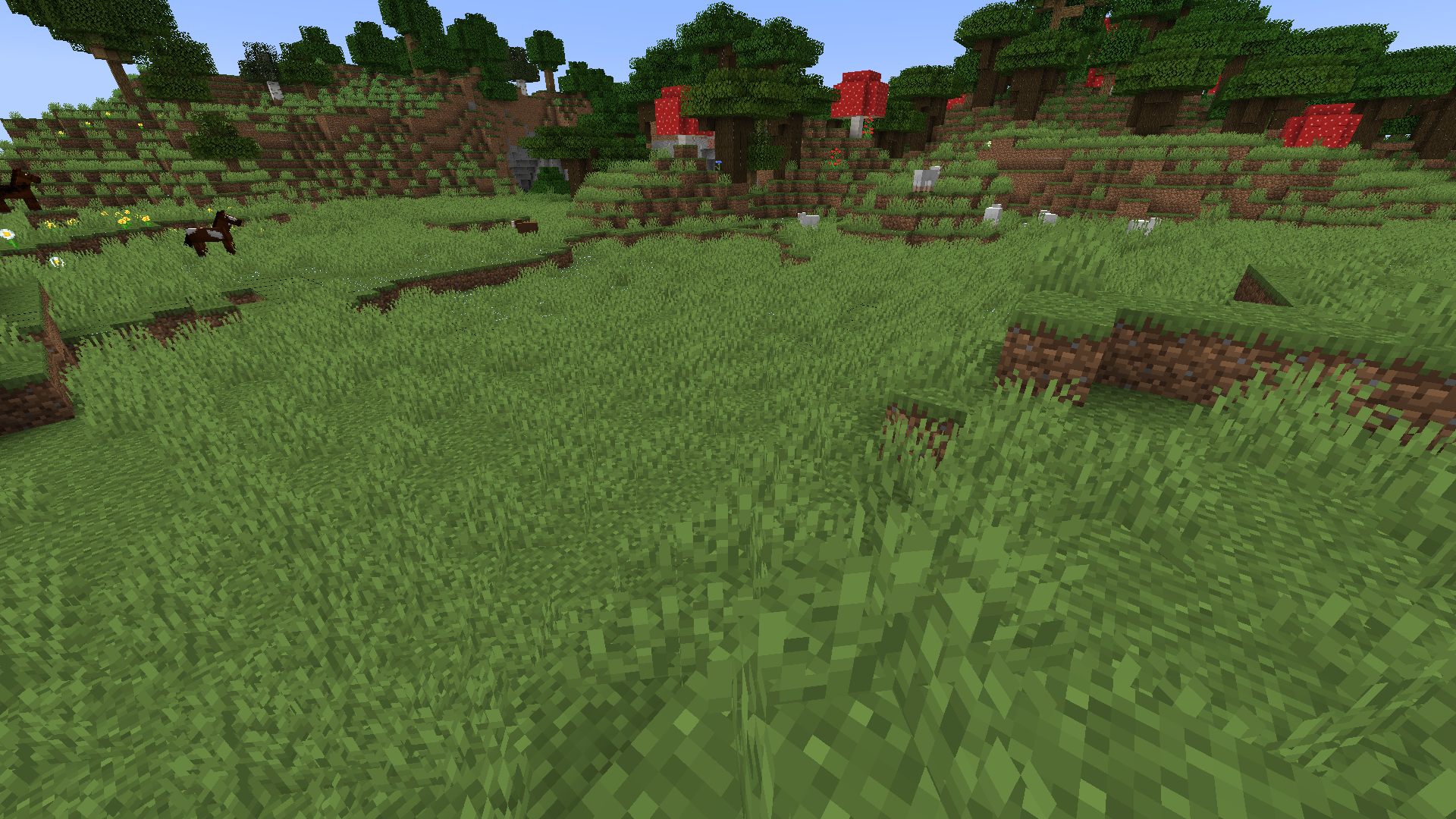


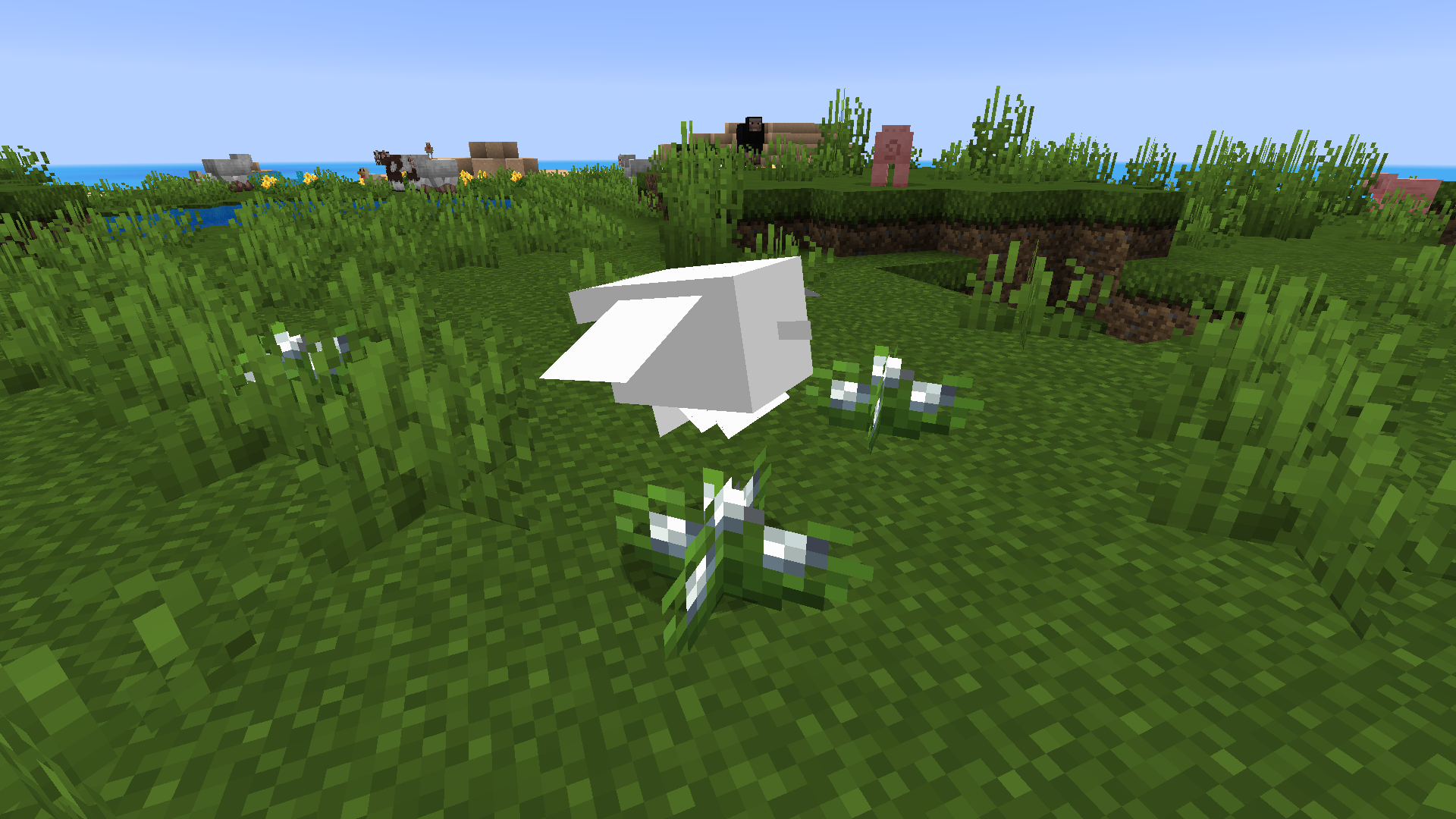


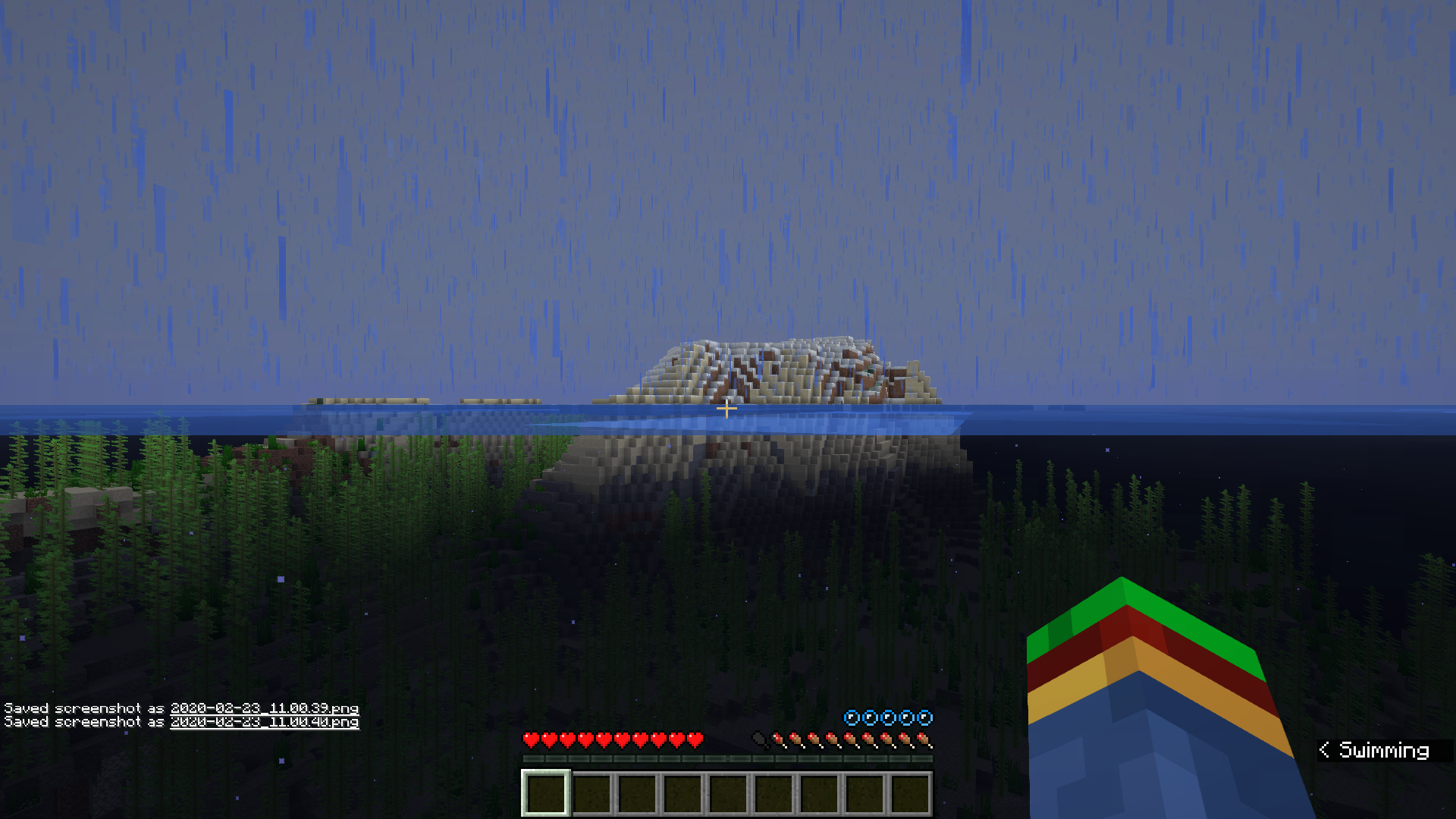



Totem of Undying lighting bug.mp4
When activating a Totem of Undying, the sprite that appears on the screen is too dark.
Someone else has already pointed it out, as stated by
When activating a Totem of Undying, the sprite that appears on the screen is too dark.
Someone else has already pointed it out, as stated by
When activating a Totem of Undying, the sprite that appears on the screen is too dark.
Someone else has already pointed it out, as stated by SPGoding. I am now aware of that.
When activating a Totem of Undying, the sprite that appears on the screen is too dark.
S
omeone else has already pointed it out, as stated by SPGoding. I am now aware of that.When activating a Totem of Undying, the sprite that appears on the screen is too dark.
SPGoding has pointed out that this issue has already been reported. I am now aware of that.
New accessibility setting bugswiththe Toggle optionNew accessibility setting bugs regarding the Toggle option
- Bug: If you hold your sneaking key or sprint key while coming out of inventory or chat, it will act as if you pressed it once, and toggles it which is annoying. (especially when you type using shift key in chat)
- Suggestion/Bug: Toggling shift in water constantly keeps you sinking down, and toggling shift while flying in creative keeps you flying down. (make two separate buttons for moving down and sneaking please)
- More Critical Bug: If you toggled on sprint and you hop forward while sneaking you will gain full hopping speed, which isn't intended I don't think. It happens when you are already sprinting and then toggle on sneak.
- Bug: If you hold your sneaking key or sprint key while coming out of inventory or chat, it will act as if you pressed it once, and toggles it
which isannoying. (especially when you type using shift key in chat)- Suggestion/Bug: Toggling shift in water constantly keeps you sinking down, and toggling shift while flying in creative keeps you flying down. (make two separate buttons for moving down and sneaking please)
- More Critical Bug: If you toggled on sprint and you hop forward while sneaking you will gain full hopping speed, which isn't intended I don't think. It happens when you are already sprinting and then toggle on sneak.
- Bug: If you hold your sneaking key or sprint key while coming out of inventory or chat, it will act as if you pressed it once, and toggles it. This gets quite annoying. (especially when you type using shift key in chat)
- Suggestion/Bug: Toggling shift in water constantly keeps you sinking down, and toggling shift while flying in creative keeps you flying down. (make two separate buttons for moving down and sneaking please)
- More Critical Bug: If you toggled on sprint and you hop forward while sneaking you will gain full hopping speed, which isn't intended I don't think. It happens when you are already sprinting and then toggle on sneak.
- Bug: If you hold your sneaking key or sprint key while coming out of inventory or chat, it will act as if you pressed it once, and toggles it. This gets quite annoying
.(especially when you type using shift key in chat)- Suggestion/Bug: Toggling shift in water constantly keeps you sinking down, and toggling shift while flying in creative keeps you flying down. (make two separate buttons for moving down and sneaking please)
- More Critical Bug: If you toggled on sprint and you hop forward while sneaking you will gain full hopping speed, which isn't intended I don't think. It happens when you are already sprinting and then toggle on sneak.
- Bug: If you hold your sneaking key or sprint key while coming out of inventory or chat, it will act as if you pressed it once, and toggles it. This gets quite annoying (especially when you type using shift key in chat)
- Suggestion/Bug: Toggling shift in water constantly keeps you sinking down, and toggling shift while flying in creative keeps you flying down. (make two separate buttons for moving down and sneaking please)
- More Critical Bug: If you toggled on sprint and you hop forward while sneaking you will gain full hopping speed, which isn't intended I don't think. It happens when you are already sprinting and then toggle on sneak. (It is demonstrated with the attachments below.)
- Bug: If you hold your sneaking key or sprint key while coming out of inventory or chat, it will act as if you pressed it once
,andtoggles it. This gets quite annoying (especially when you type using shift key in chat)- Suggestion/Bug: Toggling shift in water constantly keeps you sinking down, and toggling shift while flying in creative keeps you flying down. (make two separate buttons for moving down and sneaking please)
- More Critical Bug: If you toggled on sprint and you hop forward while sneaking you will gain full hopping speed, which isn't intended I don't think. It happens when you are already sprinting and then toggle on sneak. (It is demonstrated with the attachments below.)
- Bug: If you hold your sneaking key or sprint key while coming out of inventory or chat, it will act as if you pressed it once and it will toggle with your current settings. This gets quite annoying (especially when you type using shift key in chat)
- Suggestion/Bug: Toggling shift in water constantly keeps you sinking down, and toggling shift while flying in creative keeps you flying down. (make two separate buttons for moving down and sneaking please)
- More Critical Bug: If you toggled on sprint and you hop forward while sneaking you will gain full hopping speed, which isn't intended I don't think. It happens when you are already sprinting and then toggle on sneak. (It is demonstrated with the attachments below.)
Bug:If you hold your sneaking key or sprint key while coming out of inventory or chat, it will act as if you pressed it once and it will toggle with your current settings. This gets quite annoying (especially when you type using shift key in chat)Suggestion/Bug:Toggling shift in water constantly keeps you sinking down, and toggling shift while flying in creative keeps you flying down. (make two separate buttons for moving down and sneaking please)More Critical Bug:If you toggled on sprint and you hop forward while sneaking you will gain full hopping speed, which isn't intended I don't think. It happens when you are already sprinting and then toggle on sneak. (It is demonstrated with the attachments below.)
- If you hold your sneaking key or sprint key while coming out of inventory or chat, it will act as if you pressed it once and it will toggle with your current settings. This gets quite annoying (especially when you type using shift key in chat)
- Toggling shift in water constantly keeps you sinking down, and toggling shift while flying in creative keeps you flying down. (make two separate buttons for moving down and sneaking please)
- If you toggled on sprint and you hop forward while sneaking you will gain full hopping speed, which isn't intended I don't think. It happens when you are already sprinting and then toggle on sneak. (It is demonstrated with the attachments below.)
If you toggled on sprint and you hop forward while sneaking you will gain full hopping speed, which isn't intended I don't think. It happens when you are already sprinting and then toggle on sneak. (It is demonstrated with the attachments below.)
New accessibility setting bugs regarding the Toggle optionIf you have both Sprint and Sneak option set to "Toggle", then start sneak jumping after you sprint, you will gain more speed than normal when jumping
This bug is only a minor visual oversight, but when only your upper body gets stuck on honey blocks, the particle shows around your feet only. Shouldn't the particles appear wherever your hitbox comes into contact?
(This isn't as significant with items, because they have a smaller hitbox, but please apply with items and mobs as well. It's these little details that Mojang pays attention to makes the game shine.
)
This bug is only a minor visual oversight, but when only your upper body gets stuck on honey blocks, the particle shows around your feet only. Shouldn't the particles appear wherever your hitbox comes into contact?
(This isn't as significant with items, because they have a smaller hitbox, but please apply this with items and mobs as well. It's these little details that Mojang pays attention to makes the game shine.
This bug is only a minor visual oversight, but when only your upper body gets stuck on honey blocks, the particle shows around your feet only. Shouldn't the particles appear wherever your hitbox comes into contact?
(This isn't as significant with items, because they have a smaller hitbox, but please apply this with items and mobs as well. It's these little details that Mojang pays attention to that makes the game shine.
This bug is only a minor visual oversight, but when only your upper body gets stuck on honey blocks, the particle shows around your feet only. Shouldn't the particles appear wherever your hitbox comes into contact?
(
This isn't as significant with items, because they have a smaller hitbox, but please apply this withitems andmobs as well. It's these little details that Mojang pays attention to that makes the game shine.This bug is only a minor visual oversight, but when only your upper body gets stuck on honey blocks, the particle shows around your feet only. Shouldn't the particles appear wherever your hitbox comes into contact?
(Please apply this with mobs as well. It is these little details that Mojang pays attention to that makes the game shine.
Edit: Because of how elytra hitboxes work, I find it worth mentioning that maybe the player's texture, whenever it comes into contact with honey, creates particles.
This bug is only a minor visual oversight, but when only your upper body gets stuck on honey blocks, the particle shows around your feet only. Shouldn't the particles appear wherever your hitbox comes into contact?
(Please apply this with mobs as well. It is these little details that Mojang pays attention to that makes the game shine.
Edit: Because of how elytra hitboxes work, I find it worth mentioning that maybe the player's texture, whenever it comes into contact with honey, creates particles. Just, please apply it with elytra's too.
This bug is only a minor visual oversight, but when only your upper body gets stuck on honey blocks, the particle shows around your feet only. Shouldn't the particles appear wherever your hitbox comes into contact?
(Please apply this with mobs as well. It is these little details that Mojang pays attention to that makes the game shine.
Edit: Because of how elytra hitboxes work, I find it worth mentioning that maybe the player's texture, whenever it comes into contact with honey, creates particles. Just, please apply it with elytra's too.
This bug is only a minor visual oversight, but when only your upper body gets stuck on honey blocks, the particle shows around your feet only. Shouldn't the particles appear wherever your hitbox comes into contact?
(Please apply this with mobs as well.)
Edit: Because of how elytra hitboxes work, I find it worth mentioning that maybe the player's texture, whenever it comes into contact with honey, creates particles. Just, please apply it with elytra's too.
No Honey Particles ShownShen Using Riptide Into Honey Blocks.No Honey Particles Shown When Using Riptide Into Honey Blocks.
I am technically sticking to the honey blocks because I slide down afterward, but there are no particles shown.
I am technically sticking to the honey blocks because I slide down afterward, but there are no particles shown.
Edit: As a minor detail, maybe have more particles shown and have those particles spewing out into the direction the player is zooming towards because you are traveling at a great velocity when using Riptide. Just a suggestion.
I know this isn't my game, this is you guys's, but I really doubt that that is the intended way of how things work. At least, I'd love to see you being stuck to honey blocks even when moving upwards. It's your choice.
The Riptide spinning animation not showing everytime bug is back in 1.15 snapshot 19w44a
I have noticed that Mojang marked this glitch as being resolved in a previous bug report, but it's back again.
Sometimes the animation doesn't show. I'll just get launched and the animation isn't showing and the sound isn't playing. I'm sorry for not adding an attachment because this glitch is quite hard to duplicate. However, I have noticed it only happens when you just come out of water (aka its frame perfect) and is caused when the game disagrees whether the player is using Riptide or not.
I have noticed that Mojang marked this glitch as being resolved in a previous bug report (A.K.A
MC-132272), but it's back again.Sometimes the animation doesn't show. I'll just get launched and the animation isn't showing and the sound isn't playing. I'm sorry for not adding an attachment because this glitch is quite hard to duplicate. However, I have noticed it only happens when you just come out of water (aka its frame perfect) and is caused when the game disagrees whether the player is using Riptide or not.
I have noticed that Mojang marked this glitch as being resolved in a previous bug report (A.K.A
MC-132272), but it's back again.Sometimes the animation doesn't show. I'll just get launched and the animation isn't showing and the sound isn't playing. I'm sorry for not adding an attachment because this glitch is quite hard to duplicate. However, I have noticed it only happens when you just com
eout of water (aka its frame perfect)and is caused when the game disagrees whether the player is using Riptide or not.I have noticed that Mojang marked this glitch as being resolved in a previous bug report (A.K.A
MC-132272), but it's back again.Sometimes the animation doesn't show. I'll just get launched and the animation isn't showing and the sound isn't playing. I'm sorry for not adding an attachment because this glitch is quite hard to duplicate. However, I have noticed it only happens when you use riptide after just coming out of water (aka its almost frame perfect)
TheRiptide spinning animation not showing everytimebug is back in 1.15 snapshot 19w44a
I have noticed that Mojang marked this glitch as being resolved in a previous bug report (A.K.A
MC-132272), but it's back again.Sometimes the animation doesn't show. I'll just get launched and the animation isn't showing and the sound isn't playing. I'm sorry for not adding an attachment because this glitch is quite hard to duplicate. However, I have noticed it only happens when you use riptide after just coming out of water (aka its almost frame perfect)
Riptide spinning animation not showingeverytimeRiptide spinning animation not showing when using riptide after just coming out of water
Sometimes the animation doesn't show. I'll just get launched and the animation isn't showing and the sound isn't playing. I'm sorry for not adding an attachment because this glitch is quite hard to duplicate. However, I have noticed it only happens when you use riptide after just coming out of water
(aka its almost frame perfect)Sometimes the animation doesn't show. I'll just get launched and the animation isn't showing and the sound isn't playing. I'm sorry for not adding an attachment because this glitch is quite hard to duplicate. However, I have noticed it only happens when you use riptide after just coming out of water, meaning its pretty precise.
When holding right click while holding an item and hovering over an item slot with the same item, the item in the slot willtemporarily disappear when you hold down your right click and move your mouseWhen holding right click while holding an item and hovering over an item slot with the same item, the item in the slot will not update it's texture
When holding right click whileholding an itemand hovering over an item slot with the same item, the item in the slot will not update it's textureWhen holding down right click while an item is in your cursor and hovering over an item slot with the same item, the item in the slot will not update it's texture
When holding down right click while an item is in your cursorandhovering over an item slot with the same item,the item in the slotwill not update it's textureHolding down right click while an item is in your cursor while hovering over an item slot with the same item causes the item in the slot to visually disappear
When you hold right click and while having an item in your cursor, then move around it over the same item without letting go, the item will visually disappear. It will come back after you let go though.
(I have tried to search this issue up multiple times but I couldn't find anyone who reported this issue.)
I have looked on this bug report website and around the internet and this is an issue I saw no one talk about. Basically, when you fully charge a crossbow and still hold right click, instead of loading the arrow it just jumps back to the original unloaded animation until you let go of your mouse. I have seen this glitch confusing many new players playing 1.14 and it has annoyed me very much as well. I would love to see this animation being like Bedrocks where it just loads the arrow when you charge the crossbow, even if you are still holding the right click.
I have looked on this bug report website and around the internet and this is an issue I saw no one talk about. Basically, when you fully charge a crossbow and still hold right click, instead of loading the arrow it just jumps back to the original unloaded animation until you let go of your mouse. I have seen this glitch confusing many new players playing 1.14 regarding the crossbow and how it works/load arrows and it has annoyed me very much as well. I would love to see this animation being like Bedrocks where it just loads the arrow when you charge the crossbow, even if you are still holding the right click.
The bug
When you fully charge a crossbow and still hold right click, instead of loading the arrow, it just jumps back to the original position of the crossbow until you let go of your mouse. Then, the crossbow will jump back to the center of the screen. This looks rather odd and seems unintentional
, and also looks differently in the BedrockEdition of the game.The bug
When you fully charge a crossbow and still hold right click, instead of loading the arrow, it just jumps back to the original position of the crossbow until you let go of your mouse. Then, the crossbow will jump back to the center of the screen. This looks rather odd and seems unintentional. The Bedrock version of the game does not have this issue.
The bug
When you fully charge a crossbow and still hold right click, instead of loading the arrow, it just jumps back to the original position of the crossbow until you let go of your mouse. Then, the crossbow will jump back to the center of the screen
. Thislooksrather odd and seems unintentional. The Bedrock version of the game does not have this issue.The bug
When you fully charge a crossbow and still hold right click, instead of loading the arrow, it just jumps back to the original position of the crossbow until you let go of your mouse. Then, the crossbow will jump back to the center of the screen, looking rather odd and seems unintentional. The Bedrock version of the game does not have this issue.
The bug
When you fully charge a crossbow and still hold right
click, instead of loading the arrow, it just jumps back to the original position of the crossbow until you let go of your mouse. Then, the crossbow will jump back to the center of the screen, looking rather odd and seems unintentional. The Bedrock version of the game does not have this issue.The bug
When you fully charge a crossbow and still hold right-click, instead of loading the arrow, it just jumps back to the original position of the crossbow until you let go of your mouse. Then, the crossbow will jump back to the center of the screen, looking rather odd and seems unintentional. The Bedrock version of the game does not have this issue.
Crossbow loading animation stops after loading, even when still holding down right click.
In 20w06a, the explosion actually doesn't go off (at least in singleplayer). It saves the explosion, and the TNT eventually explodes only until you respawn again, strangely.
When you die as a TNT goes off, you can't see or hear the explosion; nor can you see the blocks being destroyed by the explosion until after you respawn.
When you die as a TNT goes off, you can't see or hear the explosion; nor can you see the blocks being destroyed by the explosion until after you respawn.
In 20w06a, the explosion actually doesn't go off (at least in singleplayer). It saves the explosion, and the TNT eventually explodes only until you respawn again, strangely.


CalXee
1. You're not on a pig.
2. You're not on slabs.
3. The horse isn't jumping.
4. I don't see any bug there.
5. This bug was fixed in 2013, the code that caused it is surely not the same anymore, so it wouldn't get reopened anyway. If there really was a bug, it would get a new report.
@CalXee Yes, I am aware of this. I need to get in contact with her and see what we can work out.
On another note, please post any issues regarding my bugfix mod on the Github bugtracker, if possible, in order to keep the discussion here on-topic.
![[Mod] markderickson](../../../data/avatars/users/18946.svg)
The bug
When placing an amethyst bud or an amethyst cluster, there are two sounds played (actually just one, but two dings). This is inconsistent with all other amethyst sounds, which only have one single tone.
How to reproduce
- Obtain an amethyst bud (any size) or an amethyst cluster and place it down
- Listen, and notice how the placement sound is played twice
Media
See comment by Brandon Silva for sound file downloads.
Video by CalXee in the Mojira Discord: Minecraft_20w46a_-_Singleplayer_2020-11-11_20-37-51.mp4

CalXee, your Nvidia driver shown in the video attached is version 430.86, which was released in late May 2019. I'm using 466.11, which was released in mid April 2021, and I cannot reproduce this issue. This driver version is also compatible with GeForce GTX 1050 Ti.
I can only experience this issue when using Optifine, but not vanilla (even without resourcepacks enabled). Please check again if a driver update fixes this.
I am sorry Mojang for reporting a lot of issues that has already been reported, please forgive
In my attachment it shows my character model looking at the recipe book. Just to clarify my mouse was NOT hovering over the recipe book when taking the screenshot
I think this is intended. I'm not a developer so I'm not completely certain, but still is a cool feature that they don't take durability loss in fire damage. It makes sense too.
You also can't see the blocks being broken by TNT, nor being able to see any TNT explosion particle. If the TNT destroyed blocks it will appear there on the death screen, but in reality they are gone.
Not to mention if you have a loaded crossbow in your off hand and another item in your main hand, the crossbow will completely disappear in First Person View.
Soul sand also used to be renewable via bartering. Now it isn’t. Maybe make both soul sand and soul soil renewable?
I think it’s fine the way it is that bartering only gives warped Nylium. It is an interesting concept imo. Perhaps giving higher quantities of the warped Nylium?
Bug reappeared in 1.15.2
Fixed in 20w12a
Can confirm this is in 20w12a
Yes, I tried to reproduce it in 20w12a (with resistance instead of strength) and I was unable to as well. It now seems to work properly again, which is great.
No, I am experiencing this in 20w13b. I was confused and scared at first, but it went away after killing the salmon. Not every salmon made these noises.
It is possible via shulker boxes. I’ll change that in the bug report.
The player making the sound can't hear it (or see it in subtitles). Only surrounding players are affected, from my experience.
Confirmed in 20w13b
Fixed in 20w14a
Confirmed for 20w14a
I do not seem to have this issue anymore in 20w14a
Confirmed for 20w14a. Not a major bug, but would be a wonderful touch to the game if this were to be fixed
I made another bug report that is related to this one. MC-177872
@Your Coal
I tried to reproduce it in the steps you did in your video, and I found that if you click on a villager constantly until it gets a profession, then the item gets consumed when opening the GUI. However when doing so after the villager has gotten the profession, this issue does not persist. Very strange!
I can't reproduce in 20w15a
My suggested fix is to change the field from seconds to duration and adding a "t" or "s" after the inputted value determines whether its in ticks or seconds.
Yes, that’s my suggested fix too. And if you throw a lodestone into the lava the netherite ingot would fly out.
Edit: perhaps accomplish this by giving all items a loot table like players, to 100% drop all items in their inventory when destroyed (and if this were to get implemented then tossing beehives and bee nests into the lava shouldn't destroy the bees instantly too, instead make them all pop out and burn unless they have fire resistance.). Maybe if there is a curse of vanishing netherite item in the shulker box when it gets destroyed that item should despawn.
Yes. Shield model hasn’t been tweaked at all since it’s addition.
Confirmed in 20w15a. Moesh is correct, as none of the sneaking effect takes place. (goes full speed, etc.)
Are crystals dealing a lot of damage for you?
I was on hard difficulty and there were no blocks between the end crystal.
I did some more testing. It appears it deals a lot of damage in the overworld, but not in the end. Is this intended?
Still in 20w17a against twisting vines.
It is impossible to see whether your opponent has armor or not. Besides it is possible to customize the glint to be less obstructive or disappear completely with texture packs.
20w17a
20w17a
Tencryn
Cannot confirm in 20w17a. You swim at the same speed with and without elytra activated in my testings.
When an entity gets damaged within the dragon's hitbox it gets launched super high. That applied for the splash potion probably?
Can confirm for 20w18a
I see where you’re coming from, but I suppose this feature makes sense.
Maybe a suggested fix is to make you able to place the water on top of the source block
Reproduced in 20w18a. Perhaps reopen?
Also affects multiplayer from my experience.
Before having the ability to get nether vegetation via bonemeal, the particles only emitted at the block. It's supposed to emit 5x5 particles only when growing vegetations, not converting netherrack into nylium.
Shulker's faces also don't render behind their shells if they are invisible.
If the portal is 1 tall, it should make you crawl in the 1 tall space instead of taking suffocation damage.
Drowned also ignore teams?
Confirmed in 20w18a. Especially noticeable when changing POV while up against it. Minecraft 20w18a - Singleplayer 2020-05-03 19-43-29.mp4
Can confirm in 20w18a, although the angle in which you reproduce this is changed from my testing.
But wait, if honey blocks and slime blocks don't stick to each other, than shouldn't honey blocks not prevent slimes from jumping? O_O
Fixed. Now blackstone veins generate in Java.
Confirmed in 20w19a. Normal shields render but banner shields do not. Perhaps make it render not on the banner but on the rest of the shield? (back of the shield and the metal edges if possible.)
To optimize the game, Mojang made particles not render at all if not directly visible. Perhaps they forgot about transparent pixels? If that's the case my suggested fix is to create a transparency map (like bedrock with the new RTX). 1 = black and 0 = white. Particles will render behind anything if the transparency value thing is beneath 1.
I am not a programmer or software engineer by any means. This is just a suggestion
Can confirm for 19a
To be fair, the sun is shining the light from the sky, so the back of the head should be lighter if it's facing up?
Confirmed for 20w19a. Please fix this as it would be very useful for Ray's wood farm
Confirmed in 20w19a. Please reopen
@Oval this actually duplicates
MC-23940, notMC-3328. It is confirmed for 20w19a also.I'll search in the future, or at least try my best to
I think it applies to all of the icons, just that the eye of ender is most noticeable.
Edit: Upon further inspection every single icon is farther to the bottom right by 1 pixel. The eye of ender is 2 pixels away from the right and bottom edge of the box, while 3 pixels away from the top and left. The sword is 1 pixel away from the bottom right and 2 away from top left. (Except the map icon which is 2 pixels farther to the right.)
Sorry i forgot, this is a duplicate too
It's not the same. My report was when you change gamemodes this way you need to press F3 twice to use the debug screen.
Logdotzip mentioned that in a video. Slicedlime also did, and I thought this was fixed for a long time or somebody else reported it.
They should either rename the description or make it when you actually craft one, but making it so you make one makes more sense... because you are the one who made the conscious decision of making the hoe, hence the description "Reevaluate your life choices".
Can confirm for 20w20a.
Confirmed for 20w20a.
Striders also get cold standing on the edge of falling lava. They also don't seem to travel upwards anymore. Think this also relates to this issue. Minecraft 20w20b - Singleplayer 2020-05-14 16-50-19_Trim.mp4
Yes, confirmed for 20w20b
There are some circumstances where the sound plays only for the person blocking with the shield, and not anybody else. Very strange. Confirmed for 20w20b
Just holding down 2 extra keys causes F4 to not work (but doesn't affect my cursor). Those 2 keys are actually specific. For example if I press Shift + V then F4 still works, but Shift + B makes F4 not work.
You should still be able to activate elytras when under the levitation effect, you just open the wings and still glide. (perhaps making it so you glide upwards when opening elytras with levitation?)
Confirmed for 20w21a. Still key.mouse.4-5
I’ve been unable to reproduce this in 1.15, strangely.
How do you use the proposed fix?
This issue relates to the first ever bug report on this website! How awesome
Reproduced in 20w21a, only on stairs and not half slabs. Reopen maybe? Minecraft 20w21a - Singleplayer 2020-05-24 15-49-34.mp4
Confirmed for 20w21a. Placing blocks also seems to ignore your own hitbox too, similar to the early Minecraft Alpha.Minecraft 20w21a - Singleplayer 2020-05-24 16-02-25.mp4
Confirmed in 20w21a. When you click on her you also get teleported to her location, as well as when you try to sneak out.
Pressing F3+B makes the hitboxes render while being picked up, but not the item.
Honestly it looks pretty cool ngl, will definitely miss this one if it gets fixed XD (but seriously please do lol)
Experiencing this issue. I am using a laptop GTX 1050 Ti. Minecraft 20w22a - Singleplayer 2020-05-29 12-53-02.mp4
Before applying the shader fix you've provided: 140~ FPS
After: 200~ FPS
I am using a GTX 1050 Ti on a laptop.
1 apple is normal and the other one is enchanted. Can you spot the difference? ;D

Yes, it is confirmed for 20w22a
Confirmed for 20w22a.
I made an attachment for the stuttering loyalty trident when returning. For 1 brief frame in the beginning the trident all the sudden did a 180 and turned left and then right afterwards. Then it lost it's enchantment glint for a second for 2 times, then it spazzes wildly as it returns to the inventory.
Minecraft 20w22a - Singleplayer 2020-05-30 11-17-02.mp4
Confirmed for 20w22b. Twisting vines slow you down in creative mode.
Can confirm for 20w22a. Minecraft 20w22a - Singleplayer 2020-05-31 10-39-34.mp4
Still in 20w22a.
Level 3
Just found a ruined portal underwater in my new hardcore world. First I cannot open the chest (probably a mouse issue) and when I did there is no loot inside.
Confirmed for 20w22a. Villagers can enter a boat and minecart at the same time. Kinda funny I agree, and won't mind if this issue isn't fixed
Confirmed for 20w22a.
Isn't it intended to not be able to use riptide in the snow? Bedrock always had it and I thought how Java used to work (being able to riptide in the snow above certain elevations) was a bug because you still can't riptide in snowy biomes.
@Artyom I have tried picking up items on the surface and rain isn't disappearing. What settings did you have on?
Noticed gold blocks aren't generating on ruined portals
If I understand correctly from the description and video, bees are growing 20 times faster in hives than outside of hives? (because the time is set to ticks and not seconds?)
When I followed the steps to reproduce I only got the dragon health bar, not the actual dragon. I am also unable to remove that boss bar or summon a new dragon using end crystals. If the dragon is still alive then the dragon would also appear. If I try to reproduce this but I summon in an end portal block then it would behave as normal, but the dragon's health would be at full for a second. Minecraft 20w22a - Singleplayer 2020-06-02 21-01-17.mp4
Thanks, I reproduced it.
Perhaps they should change the summary of the bug report? (Rain and snow render behind blocks when picking up items or experience orbs)?
Edit: As well as the steps to reproduce.
Fixed in 1.16 Pre-1 I'll do further testing though
Edit: Never mind, for some reason its not working again
Edit 2: Upon relogging, the item no longer flickers when being picked up. I think this has something to do with performance because when I was able to reproduce this, I was getting a bit of lag.
In 1.16 Pre-1, you can still keep the soul speed infinitely when placing a block above you and then fly in creative mode. You are not touching the block, but the FOV presists until you leave that space.
But yes, running onto non soul speed blocks does not presist the soul speed effect for a short while anymore.
Was this bug re-introduced to fix
MC-186075?Bummer this bug returned but they fixed it once by just changing the rendering orders, so I have high hopes this will be patched for good later
Confirmed for 1.16 Pre-2
Confirmed for 1.16 Pre-1. Really funny when you die as the ender dragon is dying. Her death animation loops forever, while the purple light gets more and more intense each time.
Yes. In 1.15.2, it would show red.
It’s hard to reproduce, but yes the chunks are already previously loaded. And like I said in the description (I don’t know if I described it well enough there but here is me having another go) when you do reproduce this, there is a chance that after you then successfully teleport to the other side the previous ender pearls would still be flying.
Confirmed for 1.16 Pre-2
Confirmed for 1.16 Pre-2. Also resets when scrolling away from carrot/fungus on a stick.
Confirmed for 1.16 Pre-2. Now it also affects potions.
For a second it was too dark. This didn’t happen in 1.15
If I understood this issue correctly, doesn't this affect 1.15 as well?
Edit: Does my attachment describe the issue? Minecraft 1.16 Pre-release 2 - Singleplayer 2020-06-08 10-25-03.mp4
Can confirm. Bedrock Edition does not have this issue. Minecraft 1.16 Pre-release 2 - Multiplayer (3rd-party Server) 2020-06-08 19-03-33.mp4
Okay, I initially expected it to only replace air blocks because it could replace valuable blocks like diamonds or netherite. Thats why I made the report, but I see now.
Can confirm. Mouth and eyes are not fading out with the rest of the body.
The issue is caused by the inablilty to access the off hand inside of other GUIs. You have to switch the item out of the off hand to be able to use it in crafting tables, anvils etc.
Can confirm. Whenever you have a 1x1 hitbox (climing, swimming, using riptide or elytra) the item you pick up goes above your hitbox because normally you hvae a 1x2 hitbox.
Can confirm for 1.16 Pre-2. Clicking on the world with a mouse doesn't work, but using tab does.
Confirmed for 1.16 Pre-2
Confirmed for 1.16 Pre-2
I cannot reproduce in 1.16 Pre-3, but after turning on Alt F3 there are sometimes large spikes in the graphs. Alt F3 on.mp4
Edit: The first few waves are caused by starting the recording software I'm pretty sure. Maybe resolve as CR?
Cool beans
Can confirm for 1.16 Pre-3
@Jeremy Himmper did fixing this bug introduce new bugs?
yay thanks Adrian
Fixed in 1.16 Pre-4. Mark as CR?
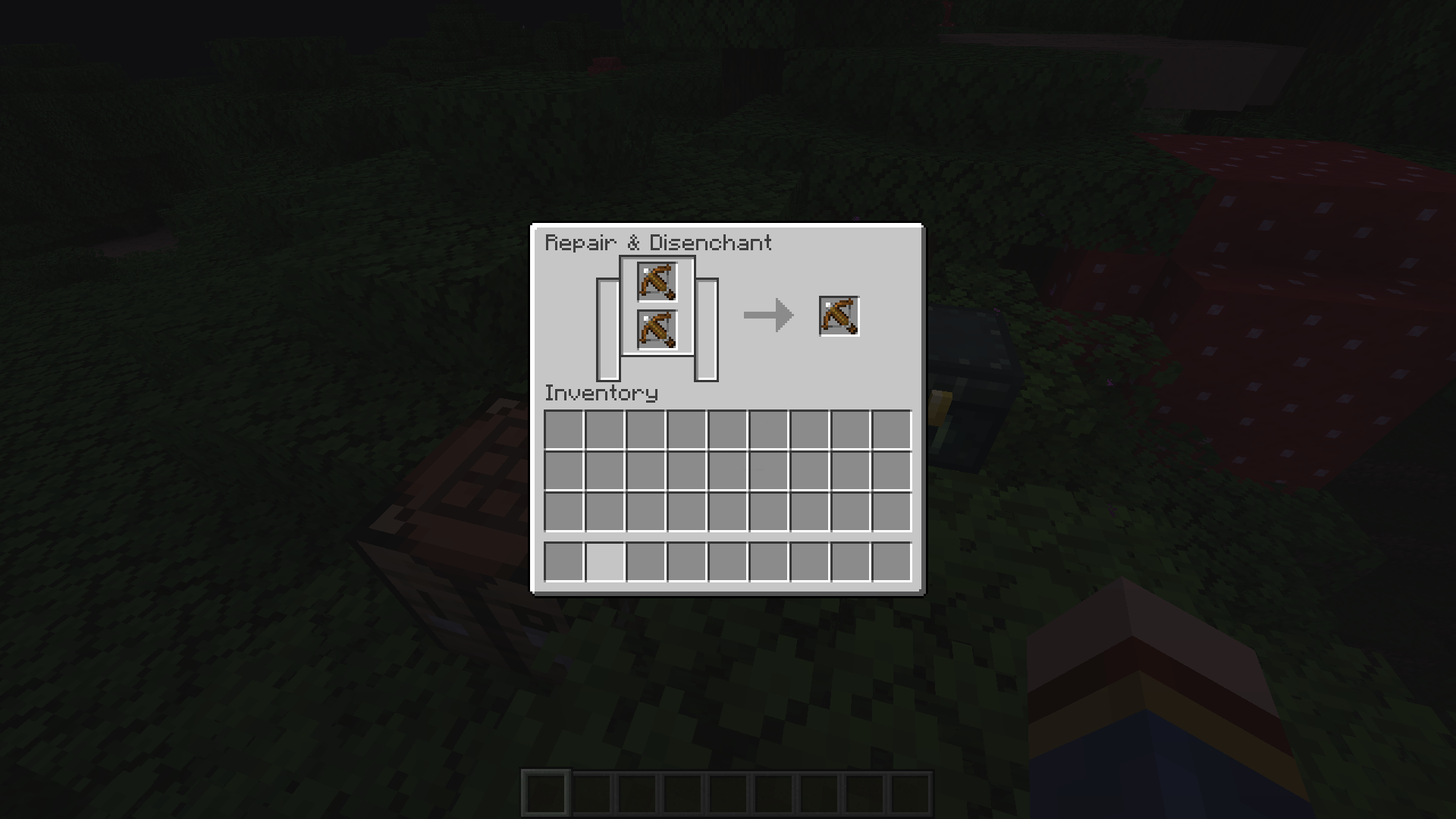
Both crossbows are loaded, meaning there are 2 arrows. Once you grind it, it gives you 1 loaded crossbow, which also means there is only 1 arrow. You started out with 2.
It’s a huge shame. Is something preventing them from being able to design a custom turtle helmet texture for the piglins?
Mega oopsie! I accidentally duplicated my own issue XD
Confirmed for 1.16 Pre-5
Cannot reproduce. I can clear a 5 block jump using Soul Speed 3.
Can reproduce.
Cannot reproduce
Fixed in 1.16 Pre-8.
Fixed in 1.16 Pre-8! yay
Fixed in 1.16 Pre-6
Confirmed for 1.16 Release Candidate 1. Also if there is no platform at all for the player to stand in, it would teleport you right on top of the gateway even if you are not in a boat. Seed 301085662505754453, Gateway coordinates 29, 75, 91.
Confirmed for 1.16 Release Candidate 1. Even if I set the weather back to clear, I can still see the rain. However this behavior only affects the Nether and End. If you set it back to clear in Redstone Ready it works properly.
Can confirm for 1.16 Pre-8 and rc1. In the 1.14 release trailer it shows the player shooting fireworks and the firework isn't rendered. They wouldn't show a bug on the release trailer so
MC-137553is intended. However this ticket most likely isn't. Please reopen this ticket.Confirmed for 1.16 release candidate
Can confirm for 1.16 rc-1. This makes getting combos in PvP completely random. Please fix.
Attachment provided
Holy... not only did they fix it, they've made it even better than before! Thanks Bartosz. Mojang is awesome
Oh uh I'm not sure how this ticket duplicates the other one... My ticket mentions how you cannot fly forward while the other one implies you glide slower which is intended
Updating GPU driver does not fix this. I'm using a GTX 1050 Ti if that's the case.
Also affects players. In 20w27a.
In 1.16.1 and 20w28a. There is a fabric mod fix. https://www.curseforge.com/minecraft/mc-mods/riptide-fix
@Galaxy_2Alex
https://paste.ubuntu.com/p/ZGF7MnTZy7/
I am not sure if this could be much help. I didn't see any more lines after the world closed, but here you go.
I can't seem to reproduce this in 20w28a. Can anybody else? Or is this CR
Fire resistance 1 and 2 do the same thing, and it to me seems like someone typed 1 on the code, and computers count from 0 so it resulted in level 2. No offense to Mojang.
This also applies to the crafting grid, furnace slots and your cursor
They are cousins so they should imo. Although the other one was WAI.
Chorus fruits also are affected. Add that to the description too perhaps? (I know water usually breaks it but sometimes water just doesn't flow into it at all.)
Not only is it not fixed in 20w29a, double half slabs don't suffocate mobs too.
Antony Iantigua Fire Resistance 1 and 2 does the exact same thing. This is just a strange oversight as fire Resistance 2 shouldn't be possible. Totems have the same strength regardless.
Cannot reproduce in 20w30a. I think it's fixed
I have some vanilla tweaks. That might be the case. Also why the buttons are dark
I can confirm. I tried running a command block that constantly gives a skeleton a totem and put it in their off hand. To my disappointment it just causes the skeleton to stop attacking.
Confirmed for 20w30a
This feature wasn't implemented yet in 1.16.1. Thanks for the confirmation though
Why is this bug unconfirmed?
This bug might be seed specific. Only on some worlds does this work properly but some don't.
https://youtu.be/rDKya3jJ734 Showcasing this bug alongside a screen shaking issue.
@Philipp Provenzano
Hey there, I'm not sure if you are aware if this already, but JellySquid's Phosphor mod in conjunction with your temporary workaround crashes the game with each other when trying to load into singleplayer or multiplayer. Possibly because both mods change the lighting engine if I had to take a guess. Just wanted to let you know.
Relates to
MC-194220I just, wish they change that you know? I doubt me saying this will magically make this no longer “Work as Intended” but I just wanna say that.
Edit: like always it’s mojang’s call. I can’t say I always agree with mojang’s call, but it’s their call nonetheless.
I added an attachment. highlighting only visually.mp4
What the heck is this bug lol? Confirmed for 1.16.1.
For me its better in pre release 2, although not great. 10 fps in pre 1 and 20 in pre 2.
Why am I unable to reproduce this? I used the same setup shown in the attachments and baby chickens remain in their box upon relog
Yes, they should. That is the bug that they stop being aggravated.
The effects of this bug seems to have amplified in 1.16.2. I am experiencing this more often.
@Aaron Rhodes I don't understand what your point is
Confirmed for 1.16.2
Minecraft 1.16.2 - Singleplayer 2020-09-02 18-00-00.mp4 Cannot reproduce in 1.16.2
Cannot reproduce in 1.16.2. Minecraft 1.16.2 - Singleplayer 2020-09-02 18-08-26.mp4
Happens with pigs too.
Edit: And horses.
Relates to MC-187412 (My video also documented this bug if you pause at the correct moment)
@FX-PR0CESS I don't think it should hide the death message completely. I don't see people spam getting killed just to annoy people with the death messages. I think hiding the item name of the person you blocked should be enough.
However, even with this, people can bypass by saying "Why did you block _______"? or another person can use a named item and be annoying in chat. Maybe there should be an option to disable seeing named items in general if this becomes a problem. But for now, I think the proper fix would be to not show the name of the item of the person you've blocked, or the name of the entity which killed the person you've blocked.
Edit: This should apply when the person who you have blocked kills your pets too.
This bug returned. It affects enderman.
They did make it not render completely dark when partially inside solid blocks right? It's not as severe as before.
Can confirm. Added attachment.
Can confirm, sometimes xp orbs cannot be collected and only spins around you.
Strangely, they also cannot be affected by the target specifier. If I try /kill @e[type=experience_orbs] then it tells me there are no experience orbs.
Just because a feature is used for many years without being reported doesn't justify it in my opinion. It should at least respect dimension scaling, but its up to Mojang to decide.
Things like quasi connectivity, and how retracting a sticky piston a frame after its extended won't pull blocks are bugs that has been redefined as features because they add unique game mechanics. They allow players to be able to do more things; having access to more game mechanics which open up doors for more creativity, even if its not intended game mechanics.
That's why those bugs are left in while 0 tick farms and TNT dupers are patched out (or will be patched out) instead. Those bugs only let you do things you are already able to do, such as growing sugar cane and other crops, as well as droppers with TNT in flying machines. However, TNT dupers and 0 tick farms accomplishes them MUCH more effectively, and in other words, overpowered, than their intended counterparts. Those bugs do no good for the game, other than making things very unbalanced.
So by that philosophy, this bug does not allow for any new game mechanics, and to be honest, isn't really that useful either. There is not much difference building shulker farms with the nether side 8 times closer to nether spawn. This also makes much more sense too.
And just because there is a method in which to prevent the bug from happening does not justify them. Those bugs are still in the game and still reproducible. The argument "There are procedures you can take to prevent this bug from happening" simply isn't valid because that implies there are methods to reproduce the bugs as well.
Chava is right, this ticket is duplicating
MC-168900. Hopefully a mod comes soon.Can confirm for 1.16.4 and 20w45a.
This bug would continue to affect future mobs to be added if this remains unfixed. I imagine Mojang would probably raise the priority later.
Can confirm. It's as if you are zooming out/in.
True that, but like
MC-203643, if a server gives a player a bundle higher than stack limit then it wouldn't work properly.I hope this issue isn't a duplicate. I tried searching.
@Hipposgrumm yes exactly. This has more gameplay impact than
MC-203643.It's already possible, but this would make it easier.
Reopen... Sesame!
In all seriousness, this sound is just player hurt sound layered by another frosted sound. It should be very easy for Mojang to add more sounds to this. (Mob hurt sound + ice sound)
However your other three tickets regards the absence of sound. This "issue" describes how mobs play the default sound, instead of no sound at all. So I can see why this one might be invalid.
I still hope they add freezing hurt sounds to all mobs though. But I can see why that mindset might be in the territory of a feature request/suggestion.
But then again, almost identical bug reports of fire sounds are confirmed. So glad to see it reopened.
Confirmed for 20w46a.
I believe this bug has been fixed in 20w46a after Jasper's retexture.
I can confirm.
Not a bug. Beds are horizontal while the others are verticle.
https://www.reddit.com/r/Mojira/comments/jyhcd8/mc165306_should_be_resolved_as_wai_or_wont_fix/
In 20w48a, the fix only applied to lava.
Can confirm. Bedrock has 1/3 and 2/3 filled lava cauldrons, so this could be a parity request/issue.
I can confirm. Minecraft 20w48a - Singleplayer 2020-11-25 14-32-52.mp4
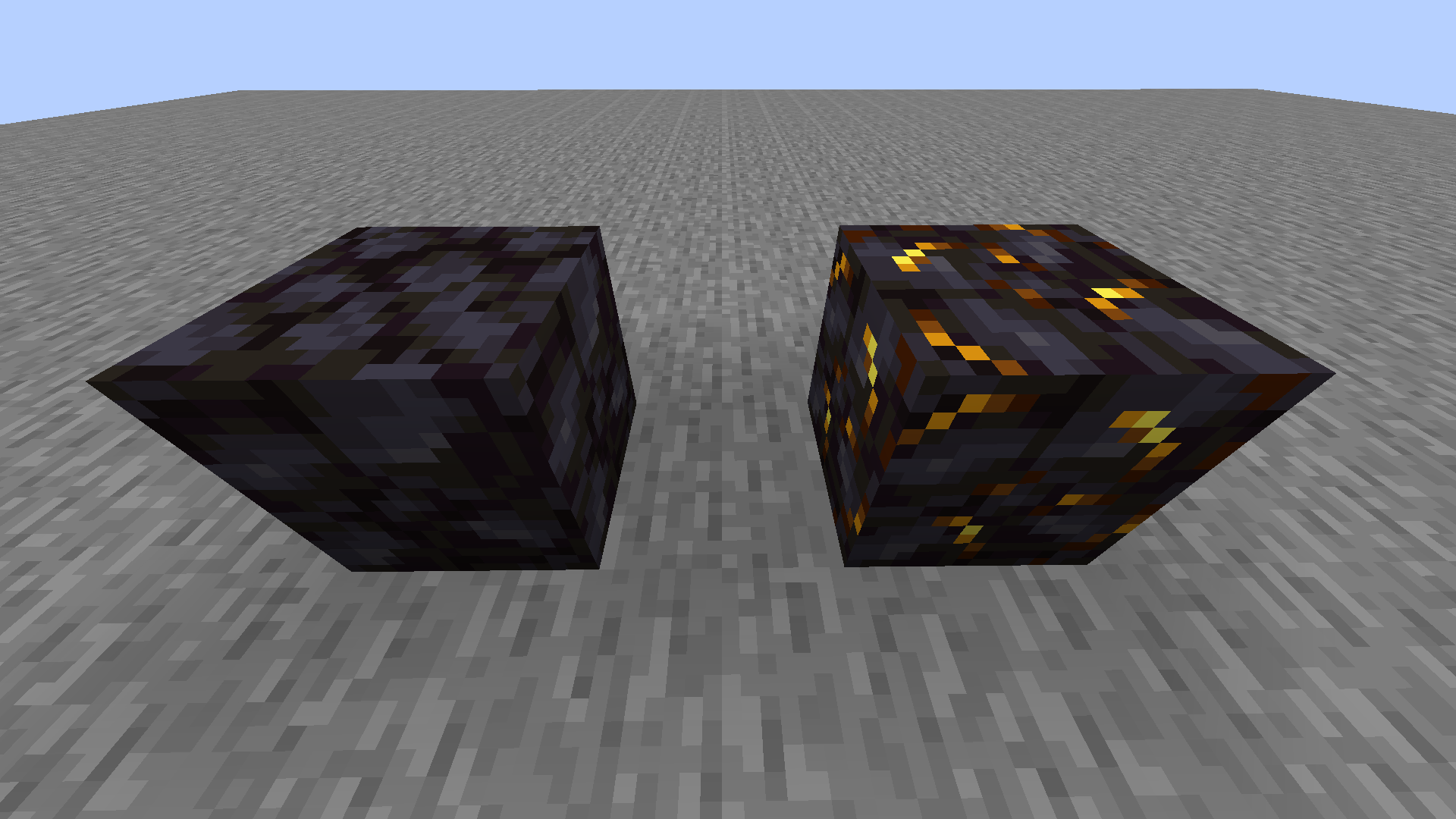
Turning off smooth lighting causes dripstone lighting to not be affected by blocks placed around it, which is intended.
@Fabian Röling MC-206842 describes the issue.
Wait this might sound like a suggestion (it is), but what if pointed dripstone gives faster lava in ultrawarm dimensions like the nether?
A third person eating animation like on bedrock could make this look a lot more intuitive.
I imagine this was WAI for technical reasons.
If you think about it, there isn't weather in the Minecraft overworld too.