Woodland mansion failed to generate
Linked Issues
is duplicated by24
 MC-108285Woodland Explorer map has no mansionDuplicateMC-110551Woodland Mansion fails to appearDuplicateMC-110586Missing woodland mansionDuplicateMC-111992Woodland Mansion completly failed to spawn.DuplicateMC-116913Minecraft Woodland Mansion Search CommandDuplicateMC-120932Woodland explorer map leads to nothingDuplicateMC-121092Woodland Mansion is missingDuplicateMC-126191Woodland mansion not appearingDuplicateMC-133380Woodland Mansion disappear after buy map with villagerDuplicateMC-134027Woodland explorer map gives false location, also the locate commandDuplicateMC-134160Exploration Map doesn't have corresponding structureDuplicateMC-134618Woodland mansion failed to generate on my serverDuplicateMC-135382Woodland Mansion Not ThereDuplicateMC-135528Woodland Explorer Map Leads to NowhereDuplicateMC-135756Fix Mansion's spawn bugDuplicateMC-135820Woodland mansion failed to generate 1.13DuplicateMC-135896Woodland mansion Completely goneDuplicateMC-136253Structures (eg End City) not generating in Survival modeDuplicateMC-137061Woodland mansion failed to generate, still isn't fixed!DuplicateMC-140229Wood Exploration MapDuplicateMC-213620Mansions do not seem to load, even with a tested seedDuplicateMC-217851Woodland mansion map glitchDuplicateMC-239501Woodland mansion failed to spawn.Duplicate
 REALMS-1226Mansion not generating-realms 1.13Duplicate
relates to5
MC-96998End Cities / Woodland Mansions don't generate completely when interrupting generationCannot ReproduceMC-108801/locate command returns offset or incorrect mineshaft locationsCannot ReproduceMC-123946Woodland mansions do not generate if ground is too lowAwaiting ResponseMC-131462Coordinate math error causes structure not to generate and possibly other issuesFixedMC-134729End City failed to generateAwaiting ResponseAttachments16







![[Mod] Michael Wobst](../../../data/avatars/users/37868.png)



 Important
Created Issue:
Woodland Mansion Failed to Generate
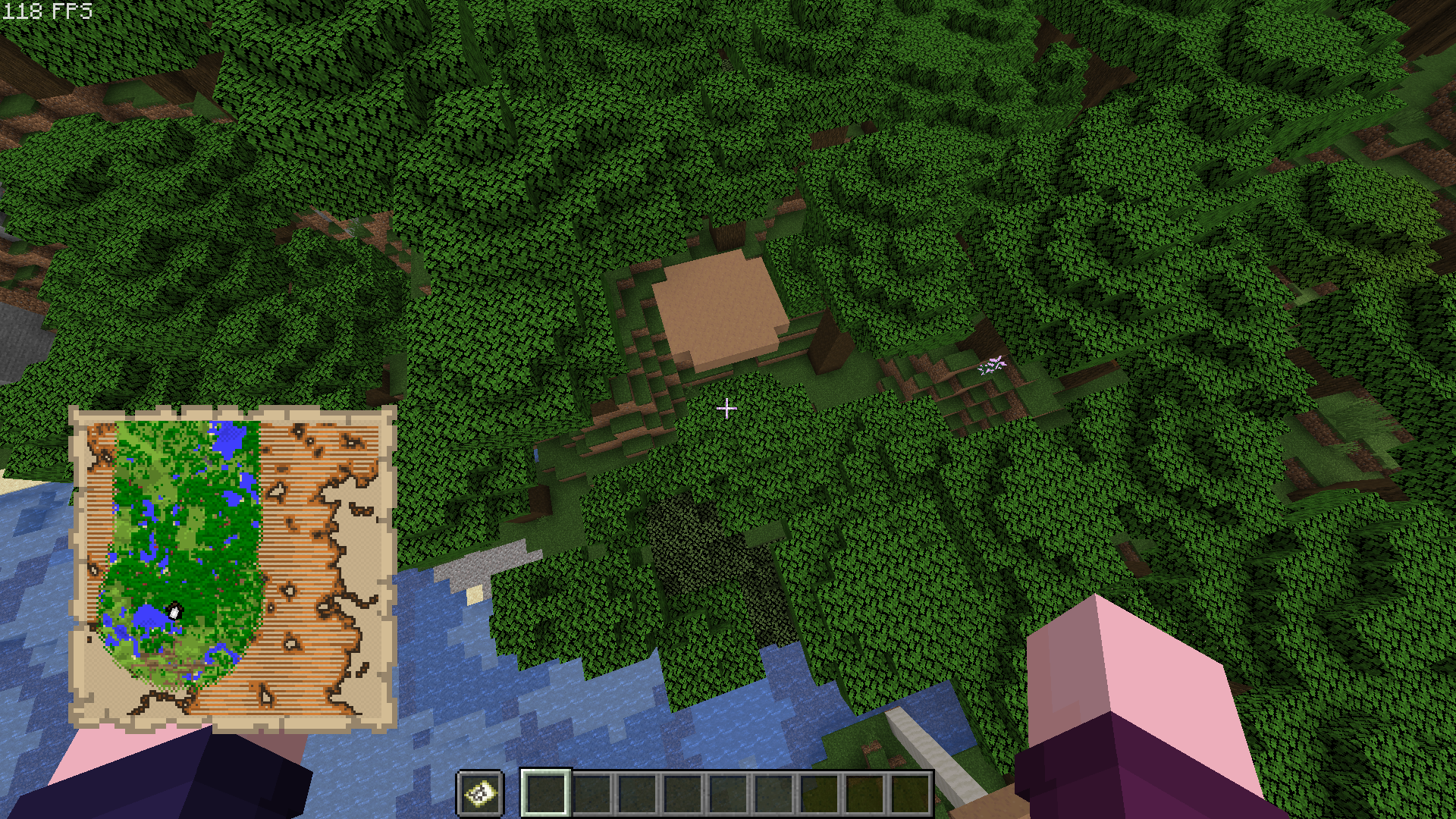
Where there should be a woodland mansion according to the woodland explorer's map, there isn't one. Even when using the /locate command, it says there should be a woodland mansion where there isn't one.
![[Mod] Neko](../../../data/avatars/users/92901.png)
![[Bot] Arisa](../../../data/assets/gravatar/mustek2.png)
Same location cn a copy of the world using current pre-release
Original World At Location
is duplicated by
is duplicated by

is duplicated by
relates to
relates to
halfmansion.png
is duplicated by

Where there should be a woodland mansion according to the woodland explorer's map, there isn't one. Even when using the /locate command, it says there should be a woodland mansion where there isn't one.
WoodlandMansionFailed toGenerateWoodland mansion failed to generate
is duplicated by
is duplicated by
relates to
is duplicated by
![[Mod] NeunEinser](../../../data/avatars/users/39263.png)

relates to
is duplicated by
is duplicated by
relates to
is duplicated by
is duplicated by
is duplicated by
is duplicated by
is duplicated by
is duplicated by
is duplicated by
is duplicated by
is duplicated by
![[Mojang] Nathan Adams](../../../data/assets/gravatar/dinnerbone.png)
![[Bot] Arisa](../../../data/avatars/users/43007.png)
![[Helper] Johnibur](../../../data/avatars/users/28381.png)
![[Mojang] Adrian Östergård](../../../data/assets/gravatar/nighter.jpeg)
is duplicated by
![[Mod] SPGoding](../../../data/avatars/users/44622.png)
is duplicated by
is duplicated by
![[Mod] Avoma](../../../data/avatars/users/86198.png)
![[Mojang] slicedlime](../../../data/assets/gravatar/slicedlime.jpeg)
![[Mojang] Gnembon](../../../data/avatars/users/93709.png)
Duplicate of MC-109311
Duplicate of MC-109311
Forward resolving to MC-109311
Relates to MC-109311

Thank you for your report!
However, this issue is a Duplicate of MC-109311.
If you have additional information, please add it to that report.
Please search before reporting, as it's likely that one exists already.
Quick Links:
📓 Issue Guidelines – 💬 Community Support – 📧 Customer Support – 📖 Game Wiki

Not entirely sure if this is the exact same problem, but while I tried to find a reliable way to reproduce MC-109311 I found a Woodland Mansion to not fully generate. It misses one or two of the rear chunks over the entire width. I repeated the steps and it occurred each time, with the default 1 GB of allocated memory as well as 4 GB for JVM (-Xms4G -Xmx4G).
Specs:
- Version: 1.13-pre8
- Render distance: 12 chunks
- 60 FPS limit, V-Sync off
- Windows 10 64bit, i7-6700K 4x4Ghz, Nvidia Geforce GTX 970, Samsung Evo 850 SSD
- Java Version 8 Update 171 (build 1.8.0_171-b11)
Steps to reproduce:
- Create a new creative world with seed: -5599346328227561486
- F3+G for chunk borders
- Double-tap space to fly
- /locate Mansion - it reports location -13744 ~ 2800
- /tp -13521 124 2822 - this is a location slight more than 12 chunks away from the mansion
- Slowly move in direction West (negative X) until a first part of the mansion becomes visible
- Fly backwards (East) a few chunks so that the mansion disappears and wait ~5 seconds
- /locate Mansion - sometimes it reports the same location as previously, sometimes a location of another mansion is returned instead at this point.
- Fly to the mansion in West direction and inspect the rear side
- /locate Mansion - the incomplete mansion you are at is definitely not recognized anymore
Duplicate of MC-109311. Please use the search function next time before posting an issue.
This is not Realms specific, thus resolving to MC-109311
Thank you for your report!
We're tracking this issue in MC-109311, so this ticket is being resolved and linked as a duplicate.
If you would like to add a vote and any extra information to the main ticket it would be appreciated.
If you haven't already, you might like to make use of the search feature to see if the issue has already been mentioned.
Quick Links:
📓 Bug Tracker Guidelines – 💬 Community Support – 📧 Mojang Support
📓 Project Summary – ✍️ Feedback and Suggestions – 📖 Game Wiki
– I am a bot. This action was performed automatically! Please report any issues on Discord or Reddit
Duplicate of MC-109311?
Thank you for your report!
We're tracking this issue in MC-109311, so this ticket is being resolved and linked as a duplicate.
If you would like to add a vote and any extra information to the main ticket it would be appreciated.
If you haven't already, you might like to make use of the search feature to see if the issue has already been mentioned.
Quick Links:
📓 Bug Tracker Guidelines – 💬 Community Support – 📧 Mojang Support
📓 Project Summary – ✍️ Feedback and Suggestions – 📖 Game Wiki
– I am a bot. This action was performed automatically! Please report any issues on Discord or Reddit
Duplicate of MC-109311.
Thank you for your report!
We're tracking this issue in MC-109311, so this ticket is being resolved and linked as a duplicate.
If you would like to add a vote and any extra information to the main ticket it would be appreciated.
If you haven't already, you might like to make use of the search feature to see if the issue has already been mentioned.
Quick Links:
📓 Bug Tracker Guidelines – 💬 Community Support – 📧 Mojang Support
📓 Project Summary – ✍️ Feedback and Suggestions – 📖 Game Wiki
– I am a bot. This action was performed automatically! The ticket was resolved by one of our moderators, and I left this message to give more information to you.
Was the area the mansion was supposed to be generated before 1.11?
Relates to
MC-108801which confirms all structures sometimes don't generate.No. The world itself was created in snapshot 16w41a, and I obtained the woodland explorer map within that snapshot. However, I didn't actually go to the mansion until the snapshot 16w43a, meaning that the chunks that loaded in were not already loaded in.
Can you reproduce this issue without switching versions, eg in 16w43a only?
Yes I have tested it when doing work for my own bug
MC-108801Please provide detailed steps to reproduce the issue. Seed and coordinates might be helpful.
Replace Mineshaft with Mansion
*NOTE THIS*
https://bugs.mojang.com/browse/MC-108801?focusedCommentId=335406&page=com.atlassian.jira.plugin.system.issuetabpanels:comment-tabpanel#comment-335406
Couldn't reproduce. We'll need seed and coordinates.
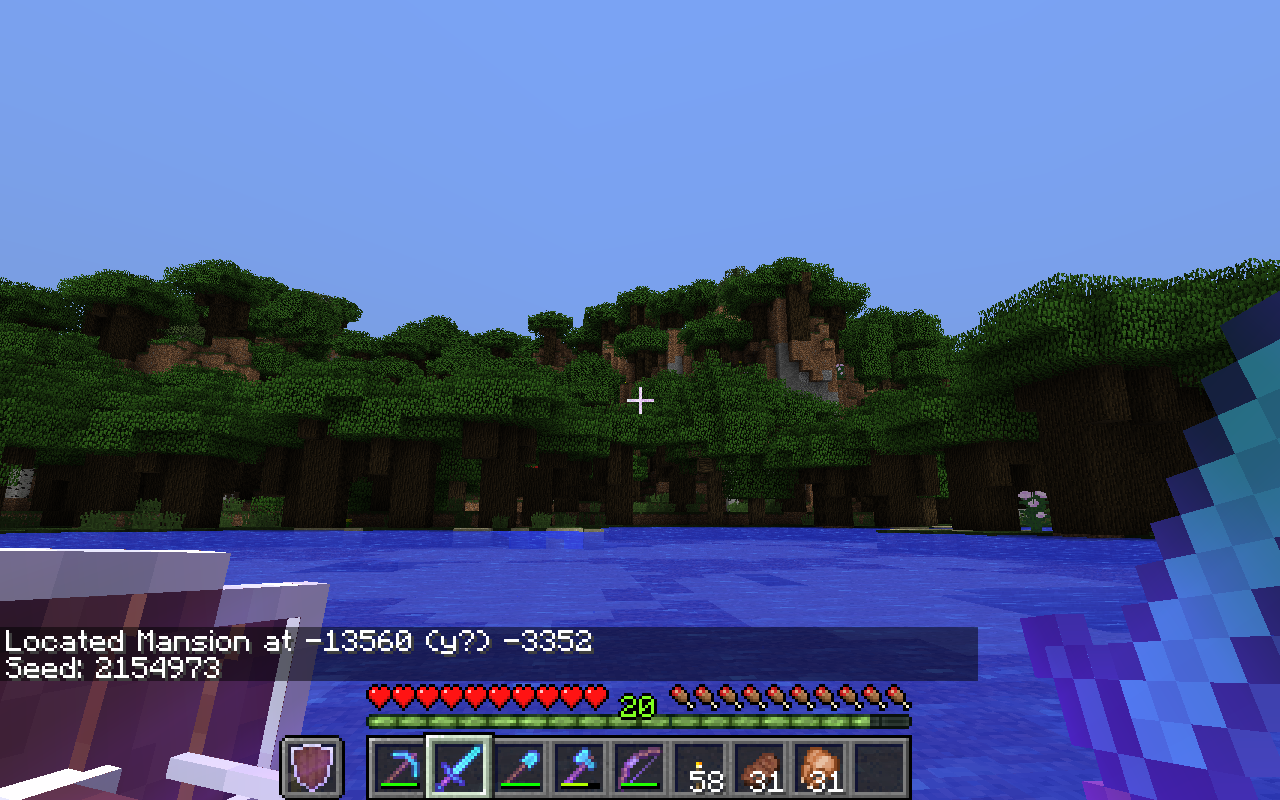
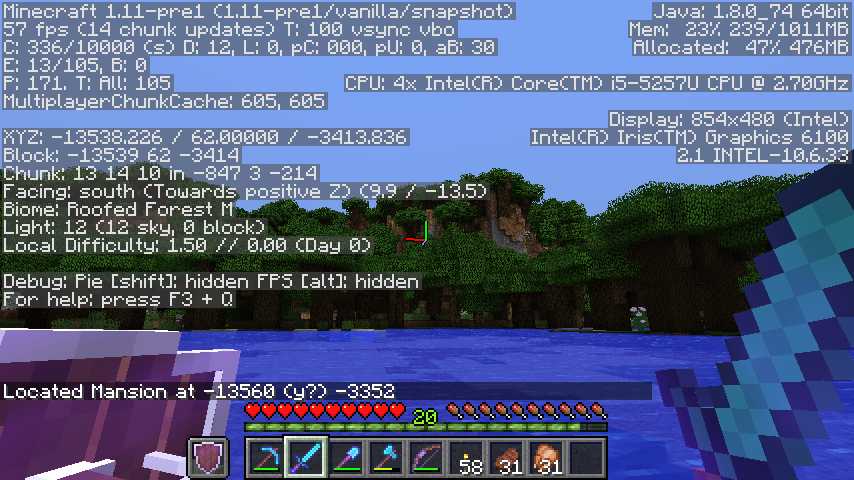
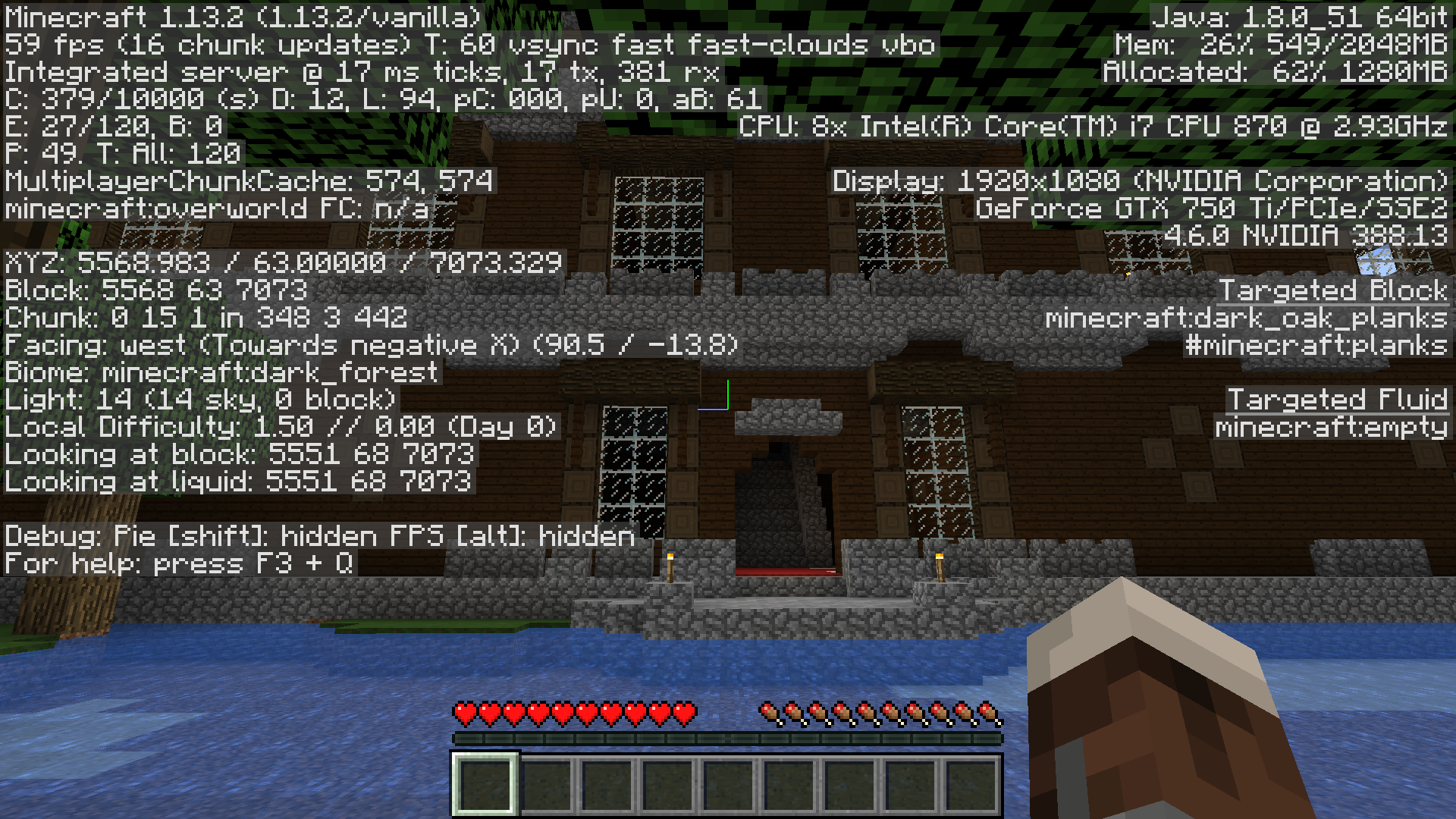
I've uploaded three screenshots: The one on top is a copy of the world using the 1.11 pre-release, which successfully generated the mansion where it was specified. The one below is of the original world at the exact same location, which says that there is a mansion there where clearly there isn't. I've also shown the seed for the world in both of these screenshots. The one on the bottom is there to show my coordinates with respect to the mansion.
So some past snapshot didn't generate your mansion?
Yes. This world was created in a snapshot where the woodland mansion was implemented.
Having the same issue (https://bugs.mojang.com/browse/MC-110551)
Since
MC-108801still exists in 1.11 , I guess this does> Can anyone confirm?CDES5, it was already confirmed by Brian McCulloh
Yes, CDES5, I confirm. See
MC-110551So, I started a new world after 1.11 came out, and put it in creative, just so I could play around with the new stuff.
Seed: 3414608540874716617
So many villages nearby, I settled in one to protect the villagers and upgrade the buildings, and noticed a cartographer!
I traded until he sold me a Woodland map.. then took off NE to find the mansion..
2400 blocks North and 6800 blocks East, I finally started filling in the map. On the map's center was a little house icon..
I figured that icon meant a mansion.
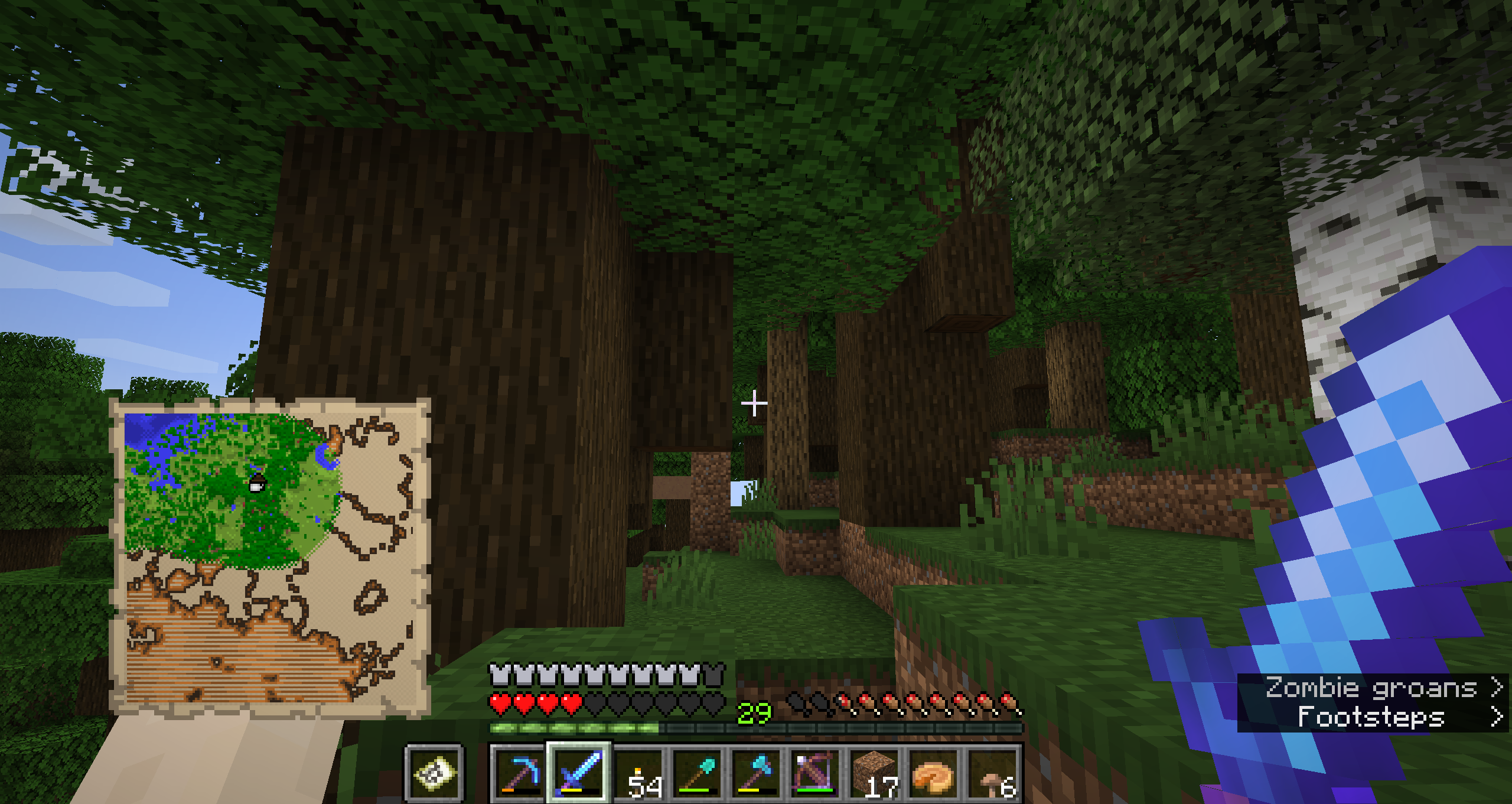
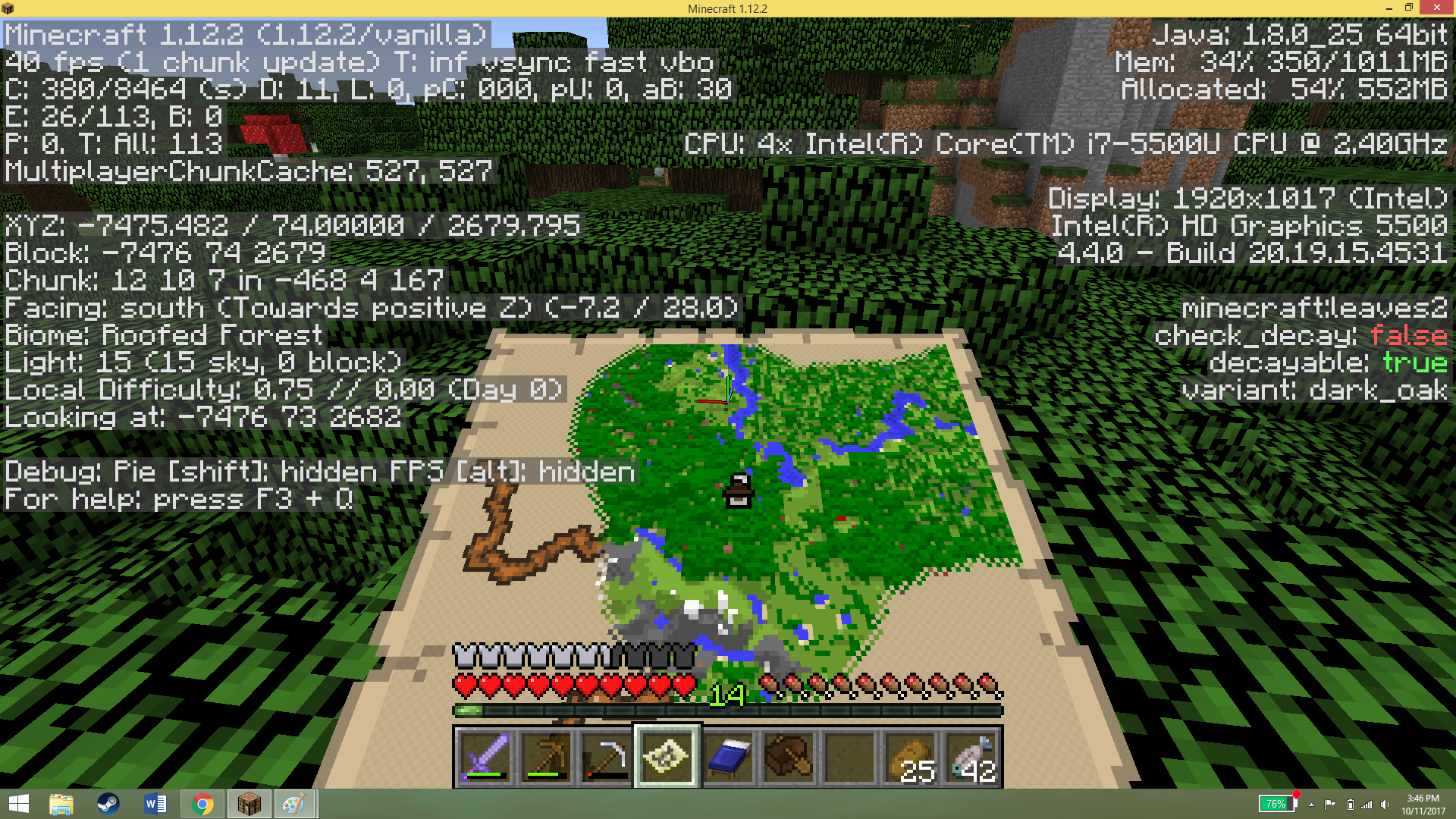
The little icon is sitting inside a small roofed forest, but there is no mansion there!!
Is this a bug? Why would a villager sell me a map that leads thousands of blocks away, with nothing there??
Exact expected location of mansion based on the brown house icon on the woodland explorer map: Chunk (430,-155) around block (6,880/-2,480)
p.s. while typing out this bug report i checked out this seed on the 'chunkbase.com mansion finder app', and it confirms this should be a mansion location..
Relates to
MC-108801seed created this month 2/2017 # -4589128118707775879
First video was the in my world 2 slot with no mansion.
The second image is of the seed created in my world 3 slot it had the mansion but it cut in half.
I created this world because my foirst world in slot one became unplayable from terrible lag. There is nothing unique about the first world, vanilla not huge installations. I'm beginning to wonder if there is something wrong in my account that causing all my issues.
This bug still exists. I made world seed # -4589128118707775879. The cartographers map said a Mansion should be in the area of 275, 500. Its just not there. I recreated the same seed in another world slot and the Mansion is there but only half of it. The side of the mansion is totally open.
Using seed 'seedSeed', you'll end up with a mansion that doesn't exist at location "1560 (y?) 4344". (1.11.2, Windows 10 ver 1703 (15063.138):
java version "1.8.0_11"
Java(TM) SE Runtime Environment (build 1.8.0_11-b12)
Java HotSpot(TM) 64-Bit Server VM (build 25.11-b03, mixed mode)
I just had the same issue today. World was created on 1.11.2 and has always been run under that version. I bought a map, went to the location and is an ocean.
Had the same issue with a realms world. When first created the map, there was a mansion there. I know, because I screenshotted it and changed the spawn location to be closer to the mansion.
Returned to the location today (has been a couple of months) and although the /locate command tells me there should be a mansion there... Nothing!
This is hugely frustrating, as we created a new world, binning hours of gameplay on the old map, just to get a world with a mansion in it! And its gone!
Did an update break it? Will an update fix it?
Confirmed for 1.12 and a newly generated 1.12 world.
i had the same problem except when i made a world with the same seed the Mansion was there?!? (it was perfectly fine not cut in half or anything)
Note: the original world got its version updated from 1.11.2 to 1.12 but as far as i know there werent any generating related changes in 1.12
I travelled a very long time to the mansion on my exploration map. Nothing was there but a lake and dense trees.
I had this issue on a multiplayer server: I travelled out to -6000 via a long nether route following a map I got from a villager and no mansion there. I tried the locate command and it pointed me to the same spot. The server is a few months old and has been updated a couple of times but the region was generated in 1.12 (the mansion was a loooong way out and we hadn't been anywhere close).
Deleting the relevant region file and Manion.dat seems to have fixed the issue, although I haven't inspected the Mansion closely enough to check that it's not chopped in half.
Having the same issue on my world, i'd assume it would of generated a structure in a new part of my map that wasn't discovered yet on Xbox One, but it keeps leading me into a forest near my base. Shows there is a woodland mansion but doesn't appear. Ocean monument did generate also.
There's a copy of this issue somewhere else that needs to be redound.
I think these are copies, but that's not for me to judge: 107399, 110551, 111992, 108285, 108324, 110586, 96998. Sorry about not linking...
Confirmed for 1.13-pre7.
Also happened a few times in 1.13-pre8 for me, but most of the time the mansion generates normally (using the same seed each time).
I tried really hard over hours, but couldn't find a way to reproduce this reliably. It appears to be happen randomly.
MC-133380was a false lead it seems.I watched my own recording in which I captured a case of no mansion generating and tried to execute all actions again in the same order to see if the mansion would be missing again, but to no avail. Thus, I believe it is not caused by any player action, but is rather a timing issue, data race, something along these lines.
Video: https://www.youtube.com/watch?v=TCet3Es3EVk&t=670s (see full video description for more details)
Hard to tell if the root cause might be the same as in
MC-96998. The locate command does not find a partially generated mansion even if you stand on it. Unfortunately, I did not run the locate command again when no mansion was generated in above video. I'm unsure but I might have done that in another attempt which I didn't record and that it still returned the same position, with nothing generated in that area. It would mean quite a difference in the symptoms, but could still be caused by a single bug in structure generation and chunk (un-)loading.MC-131462was fixed for next version (probably 1.13.1), that issue may be the cause of this.Does anyone still experience this in 18w30a / 18w30b ?
Possibly fixed. At least not a single generation failure of the Mansion in 20+ attempts using the 18w31a snapshot. The problem occurred quite infrequent however, so to be taken with a grain of salt.
SOLLUTION!
I managed to get my mansion back by looking up my backup file that was made when the world generation changed in 1.13, get in to that world, get to where the mansion should be and then copying those chunks and replacing the ones in my current world. I guess this will only work if you were never in the mansion area when the pre1.13-backup was made.
So if a backup was made on your world it should be in .minecraft/backups (.minecraft is the same folder as the saves-folder is in). Extract/make a copy of that world and load it so that it updates to 1.13 format (no backup needed this time). open for lan with cheats and type /locate Mansion. Wait for the coordinates to be written, go there and make sure all of the mansion is rendered/shown. Exit the world without moving outside of the mansion area and now go to the world folders /region folder. Sort the files by last edited. These files are named by some kind of coordinates with format xx.zz or so. You should be able to see some recently edited files which coordinates differs from the other files (at least if you hadn't been close to the mansion area before 1.13). Copy the recently added files with far coordinates and look for files with the same name in your current worlds /region folder. Delete all the files that appear to have coordinates that are close to (or the same as) the files you copied and then paste the copied files - alternatively you may just paste the copied files without deleting any first and just tell the computer to replace them. This last alternative may cause less a smooth edge towards the mansion area.
I just spent 3 sessions running to one with my little brother 25k blocks away and it didnt spawn, 1.13, so its still an issue. is there a way to fix it without turning off achievements?
Nicholas Peter, was this on a new 1.13 world or on a 1.12 to 1.13 upgraded world?
I believe it was a new 1.13, I made it just over a week ago.
Same happened to me today, walked 7k blocks, but there was no mansion (this was on a server), i created a map with the same seed in single player, the place was the same, but the mansion was actually there this time
Just had the same issue. I flew to the spot on a Woodland Mansion map on a 1.13 vanilla server with a world that was generated fresh on 1.13. Mansion wasn't where it was supposed to be. I used the locate command at spawn in a creative single player map with the same seed and it gave me the same coordinates for the Mansion. I teleported there and the Mansion generated correctly in single player.
To fix this, since it was on a freshly-explored area I was able to delete the corresponding region files on the server (while server was shut down, just in case). When I started the server up again and logged back in, the Mansion generated correctly.
In case it's relevant, I also had a similar issue on the same server and world with an End City not generating correctly. It seemed to have only generated a small part of the structure that was in one region, and completely missed the adjacent region which held the entire rest of the (massive) End City structure. The same procedure of deleting and regenerating the region file fixed it then too.
The seed is -2261615291186982711. Mansion is near -12448 ~ 5584.
seem's fix in 1.13.1-pre1
Hello,
New to the bugs forum so sorry if I'm asking an obvious question (we'll also blame the middle of the night). This issue is now shown as "resolved"–does that mean the issue should no longer show up? Or is there a way I can resolve this that I'm not noticing on the page?
I can add the snapshots I took later, but where the Woodland Mansion map leads in my world is currently a small body of water.
The world was created in version 1.31 and I did the update to 1.31.1
Mikayla Batt, since you created your world in 1.13 the bug was still there (therefore you see no mansion), but it's fixed in 1.13.1.
This bug is still not fixed as of 1.13.1! I've created my world in 1.13.1, traded with the cartographer to find the mansion, walked 10k blocks only to find out there is no mansion whatsoever on the supposed spot on the map. I recreated the world with the same seed and whoopsie daisy, now there is a perfectly fine mansion over there. I'm very sad and I would like to know if there is something I can do to reload the chunks on this location or something in order to fix this and get the mansion on my world as I'm on a quest to unlock all the achievements and without the mansion I can never achieve my goal.
This is issue is still happening. created a world in 1.13.1, udpated to 1.13.2. Ran a couple thousand blocks to the mansion (survival), and nothing there but trees.
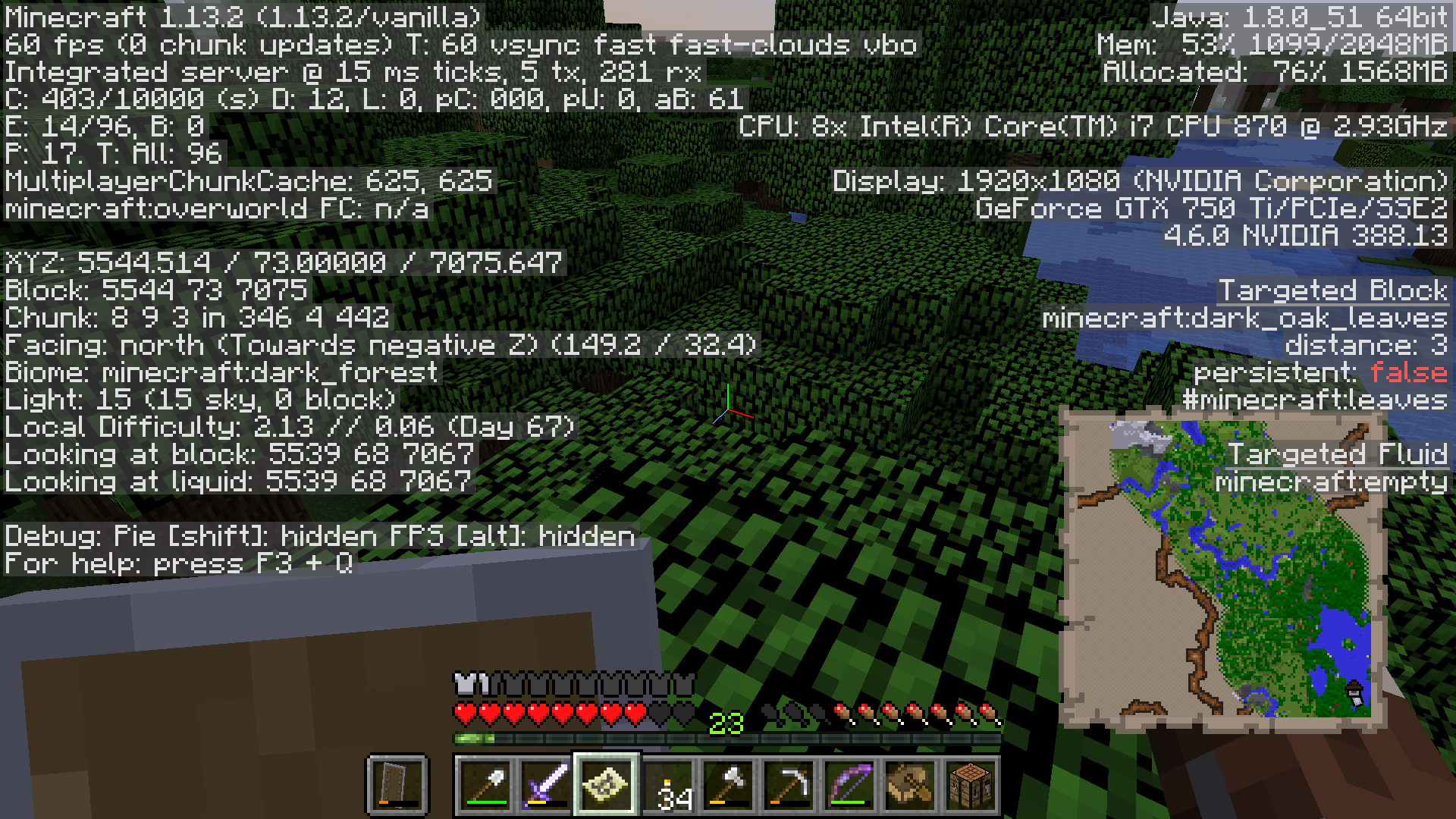
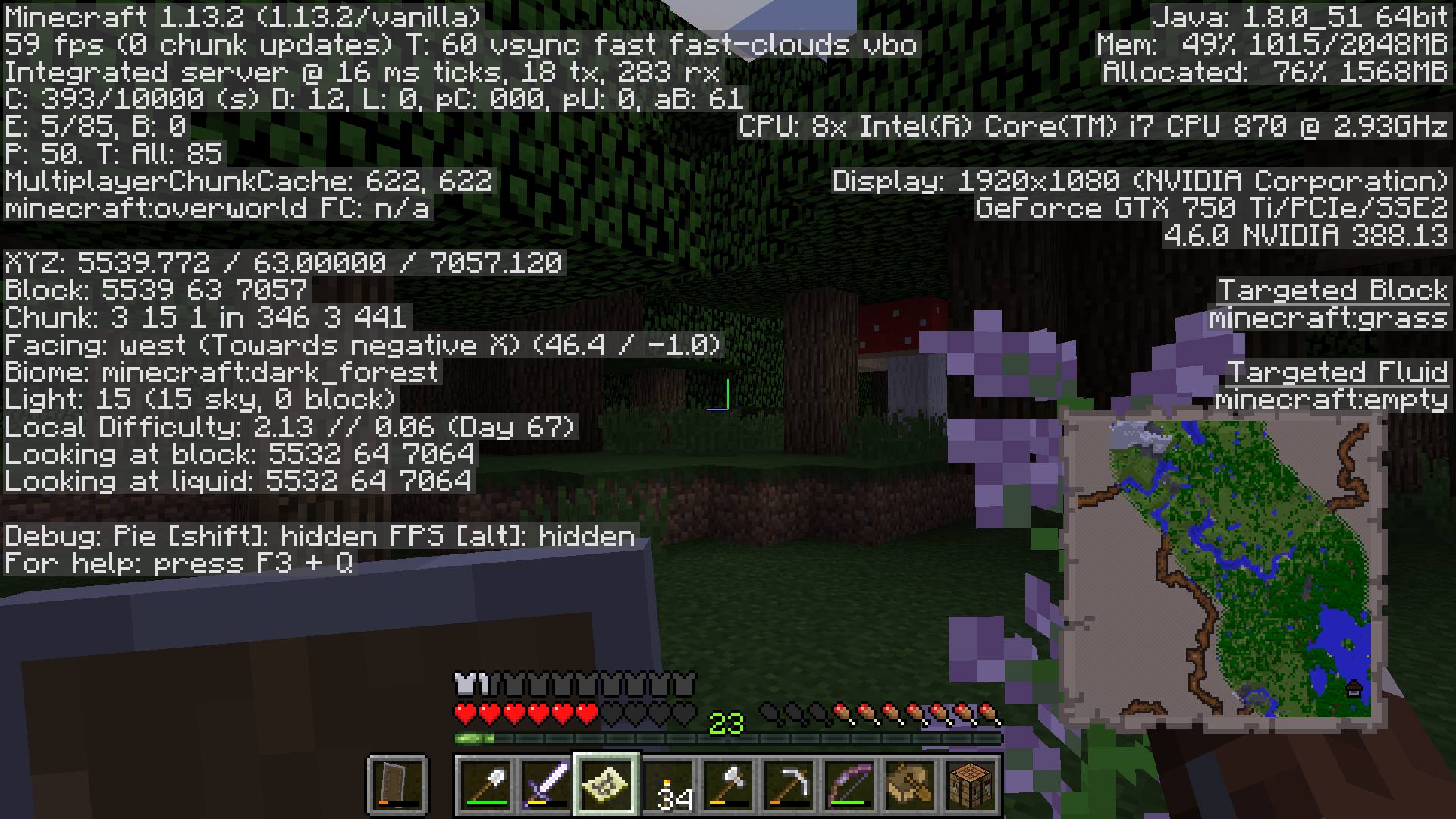
SEED: 2047053153
Attached screenshots
Edit: copied the world, and tele'd there. sure enough, there it was. I don't know why my original world didnt load it.
SOLUTION:
I saw it posted above and i followed it and it worked. My issue was the world updating from 1.13.1 to 1.13.2 before I discovered mansion.
Make sure in your world, you did not leave your character standing where the mansion will be, you may be suffocated.
TO FIX:
in c://users/user/appdata/roaming/.minercraft
I also have this issue. Fresh install, new world generated in 1.13.2, no mods.
Traded for a woodland exploerer's map, traveled to the spot indicated on the map, no mansion.
I just ran into this as well ... is there a way to correct it when running a server?
Also having this issue on a Realms server. I tried the seed on a single player creative and teleported to it, and the mansion generated fine. it's just our realms where it didn't. New world generated in 1.13.2, no mods.
Is there a fix to regenerate the mansion without having to restart the world from scratch? My friend and I have already put many hours of work into this world and don't want to lose it, and I can't edit the Realms world directly that I know of.
@sargentsnarky download the world, delete the relevant region files (figure out which region files contain which coordinates using this tool made by Dinnerbone), generate the chunks in singleplayer, and reupload the world.
I fixed a server world by copying regions from a single player world. I fixed two mansions that way and the next two were ok. Somewhere in the process I completely broke the locate command. It never returns anything and no output on the server.
I had the same issue. I got a woodland explorer map from trade, walked to the place (a part through nether, the last 10k blocks through overworld), and there was no woodland mansion at the indicated place. I created a new world with the same seed, teleported to the location, and this time, the mansion was there.
Seed: -3125116210563922514
Coordinates of Mansion: x: -15125, z: 16884
Version: 1.13.2
Same issue. Woodland mansion doesn't generate on Realms server (1.13.2 vanilla), but is present in single player creative.
Please check if that's still an issue in the latest 1.15 development snapshot.
I observed this on a multiplayer server in the 20w21a development snapshot: a Woodland Explorer map led me to a dark forest biome, but the mansion was missing. Caveat, the world's been migrated through most of the 20w* series, the map was obtained in 20w19a, and the chunk with the missing mansion was first generated in 20w21a.
Seed: -3791890928347572683
Mansion coordinations (approximate): x = 4360, z = 18360
Please let me know if you'd like any more info.
I had this exact same issue. Traded for a map, got there, no mansion found. Singleplayer 20w21a.
Please provide consistent reproduction steps on the latest version of Minecraft.
Having the same issue in 1.17.1 on a minehut server. I traded with a cartographer for a woodland explorer map, I got there and there wasn't a mansion. Screenshot|https://imgur.com/a/rlMfzfF]
Can confirm: 1.17.1
Seed: 6402016526528731073
Coords: -1960 ~ 2824
Same happend to me in a minehut server
Testing a few usecases verified its no longer a problem.
If there is a reproduction scenario given current production (not snapshot) version of the game, please provide seed and position. For now it is considered fixed.
Currently encountering this issue on my multiplayer bedrock server.
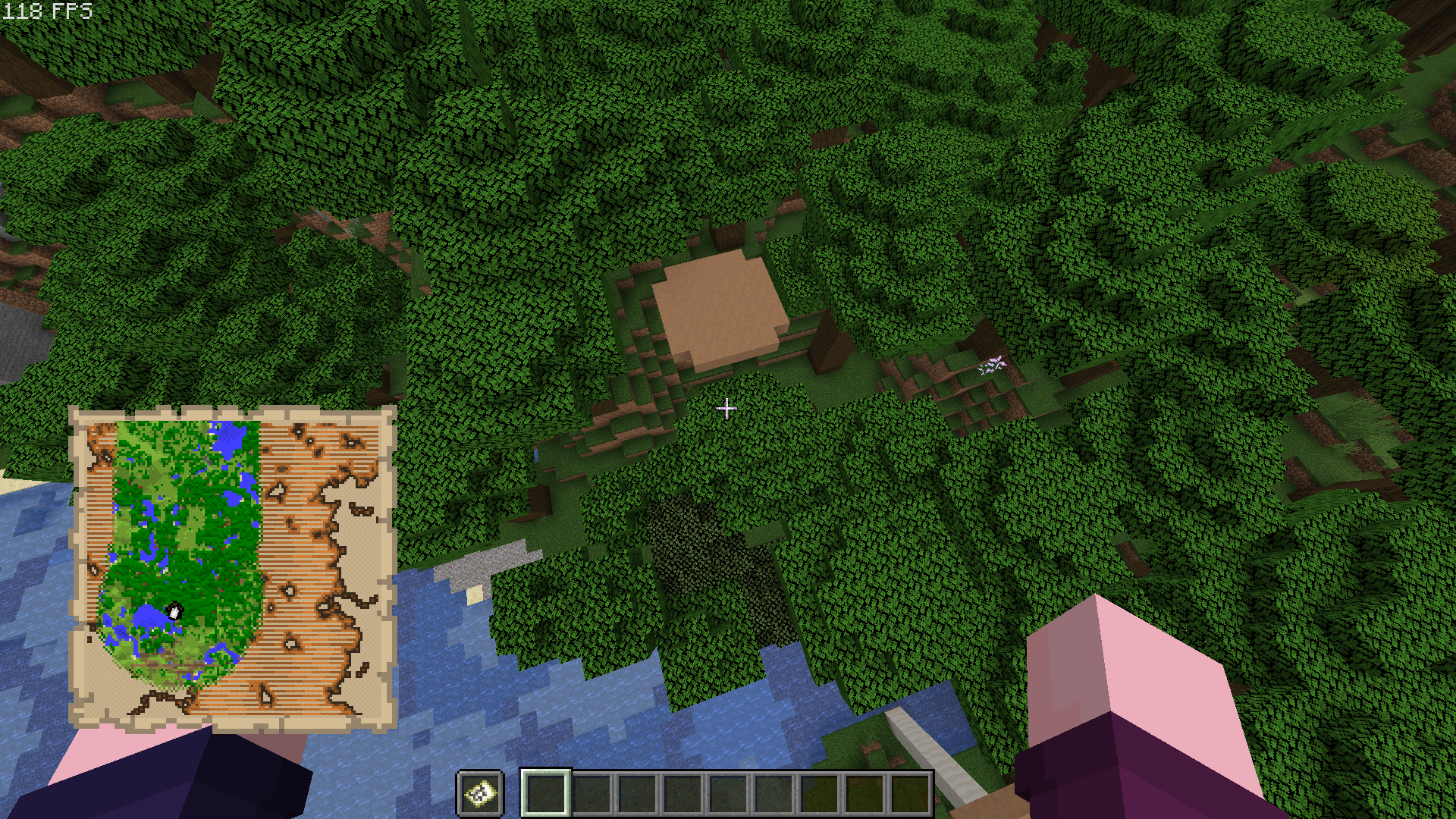
Bought a Woodland Explorer Map from a Cartographer villager many versions ago and finally got around to checking it out on version 1.20.15.01. When I got to the area I could see the mansion from a good distance away, but as I started bridging out to it it disappeared in chunks until it was completely gone. Attached image is of the map that is clearly missing a mansion despite the icon being there.
This has also been happening with villages, pillager outposts, ruined portals and shipwrecks. So far abandoned mineshafts, ocean monuments and desert pyramids are not disappearing.
My server/game required an update, so after updating to 1.20.31.01 I bought a fresh Woodland Explorer Map and when I found that mansion I once again started bridging out to it only for it to start disappearing as well, so I headed back to base before it fully disappeared.