 Eyeth
Eyeth
- eyeth
- eyeth
- America/New_York
- Yes
- No
 MCPE-26660
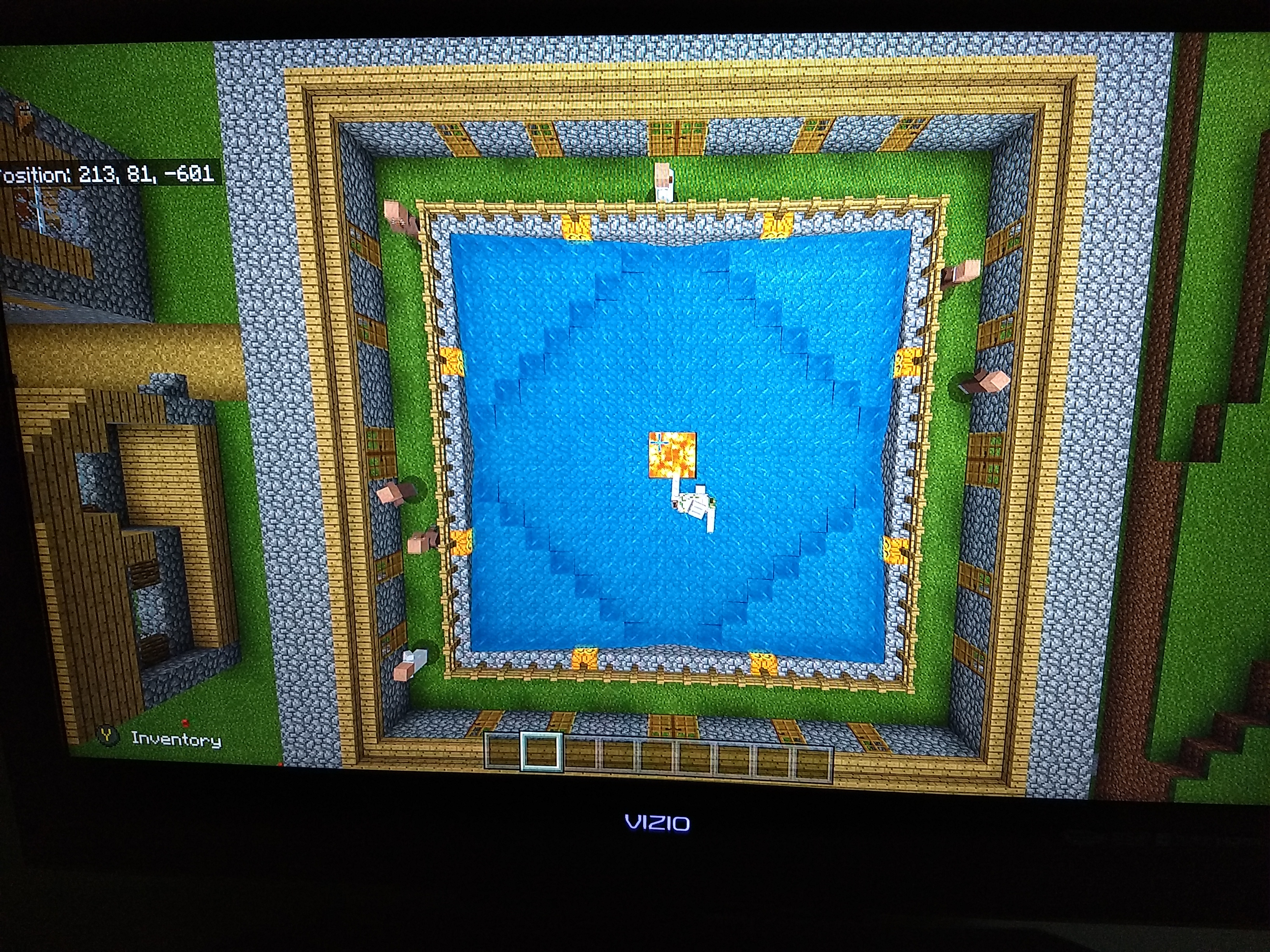

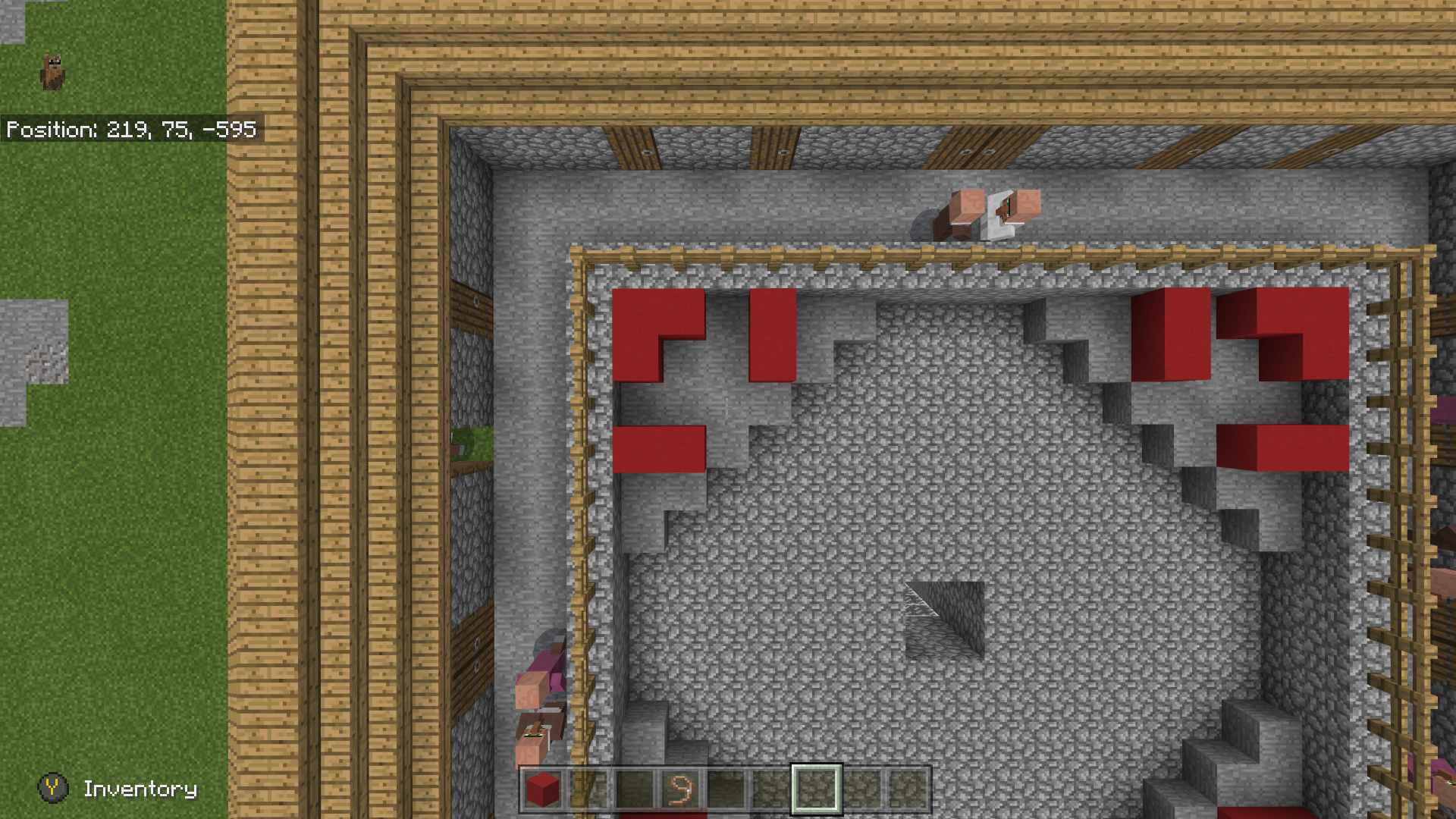

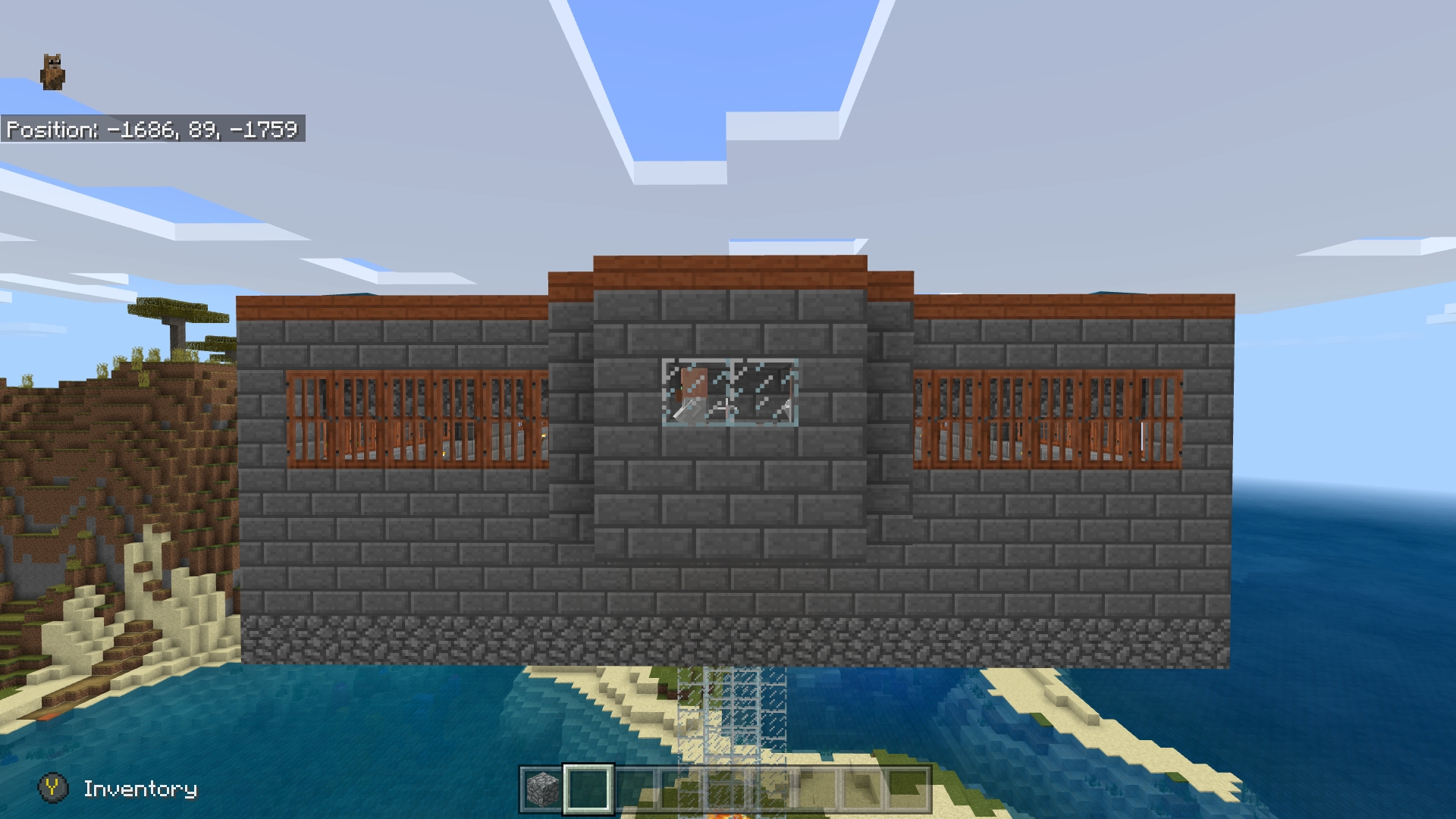


Farmer share seeds with the other brown-coated villager. I don't know whether it's a bug or work as intended.
Update: A stack of wheat seed is being given to a hungry brown-coated villager. I highly doubt that it is working as intended.
Farmer share seeds with the other brown-coated villager. I don't know whether it's a bug or work as intended.
Update: A stack of wheat seed is being given to a hungry brown-coated villager. I highly doubt that
itis working as intended.
Farmer share seeds with the other brown-coated villager. I don't know whether it's a bug or work as intended.
Update (9/24): A stack of wheat seed is being given to a hungry brown-coated villager. I highly doubt that is working as intended.
Farmer share seeds with the other brown-coated villager. I don't know whether it's a bug or work as intended.
Update (9/24): A stack of wheat or beet seed is being given to a hungry brown-coated villager. I highly doubt that is working as intended.
Farmer share seeds with the other brown-coated villager. I don't know whether it's a bug or work as intended.Update (9/24): A stack of wheat or beet seed is being given to a hungry brown-coated villager. I highly doubt that is working as intended.
Brown-coated villager share seeds with the other brown-coated villager. I don't know whether it's a bug or work as intended.
Update (9/24): A stack of wheat or beet seed is being given to a hungry brown-coated villager. I highly doubt that is working as intended.
Brown-coated villager share seeds with the other brown-coated villager.
I don't know whether it's a bug or work as intended.Update (9/24): A stack of wheat or beet seed is being given to a hungry brown-coated villager. I highly doubt that is working as intended.
Brown-coated villager sharing the seeds with the other brown-coated villager.
Update (9/24): A stack of wheat or beet seed is being given to a hungry brown-coated villager. I highly doubt that is working as intended.
Brown-coated villager sharing
theseeds with the other brown-coated villager.Update (9/24): A stack of wheat or beet seed is being given to a hungry brown-coated villager. I highly doubt that is working as intended.
Brown-coated villager sharing seeds with the other brown-coated villager.
Update (9/24): A stack of wheat or beet seed is being given to a hungry brown-coated villager. I highly doubt that is working as intended.
Brown-coated villager sharing seeds with the other brown-coated villager.
To reproduce: Put 2 brown robe villagers in a small room. Throw a stack of either wheat SEED or beet SEED to one of them.
Brown-coated villager sharing seeds with the other brown-coated villager.
To reproduce: Put 2 brown robe villagers in a small room. Throw a stack of either wheat SEED or beet SEED to one of them. If you miss or didn't see it, replace hungry villager with the new one and repeat step.
Brown-coated villager sharing seeds with the other brown-coated villager.
To reproduce: Put 2 brown robe villagers in a small room. Throw a stack of either wheat SEED or beet SEED to one of them. If you miss or didn't see it, replace hungry villager with the new one and repeat step. ..
Active entities such as redstone and crop become inactive when a player is more than 64 blocks away. The radius is too small for the console. Please give us back the rendering distance of approximately 128 blocks or longer ( depending on
whichentity; the crop isatapprox. 128 blocks and minecart is longer than 128 blocks ).Active entities such as redstone and crop become inactive when a player is more than 64 blocks away. The radius is too small for the console. Please give us back the rendering distance of approximately 128 blocks or longer ( depending on the entity; the crop is approx. 128 blocks and minecart is longer than 128 blocks ).
Active entities such as redstone and crop become inactive when a player is more than 64 blocks away. The radius is too small for the console. Please give us back the rendering distance of approximately 128 blocks
or longer ( depending on the entity; the crop is approx. 128 blocks and minecart is longer than 128 blocks ).Active entities such as redstone and crop become inactive when a player is more than 64 blocks away. The radius is too small for the console. Please give us back the rendering distance of approximately 128 blocks radius – for the entities to stay active.
Active entities such as redstone, moving minecart and crop become inactive when a player is more than 64 blocks away. The radius is too small for the console. Please give us back the rendering distance of approximately 128 blocks radius – for the entities to stay active.
Active entities such as redstone, moving minecart and crop become inactive when a player is more than 64 blocks away. The radius is too small for the console. Please give us back the rendering distance of approximately 128 blocks radius – for the entities to stay active.
Ticket remove request.
Ticket remove request. SInce it's irrevelant and not a
Ticket remove request. SInce it's irrevelant and not a bug.
Ticket remove request. SInce it's irre
velant and not a bug.Ticket remove request. SInce it's irrelevant and not a bug.
Mob spawn stopped working properly after adjusting tick area range. Tick area went back to default, restart game and console wouldn't resolve this problem.
Does anyone have a solution to get spawn working?
.
I was smelting a sea pickle for a lime dye to apply the bed. After I pulled it out of a furnace. I went to my bed to break it. The game crashes immediately by one hit
the bed. After I reloaded the world: 2 villagers disappeared, split screen player's perspective was altered into several blocks above from player position then back to normal in a second, and continued crashing when I touch the bed. Luckily, I have the practice of saving and copying world in between. I loaded world from the last save. Everything's back to normal.
I was smelting a sea pickle for a lime dye to apply the bed. After I pulled it out of a furnace. I went to my bed to break it. The game crashes immediately by one hit. After I reloaded the world: 2 villagers disappeared, split screen player's perspective was altered into several blocks above from player position then back to normal in a second, and continued crashing
whenI touchthebed. Luckily, I have the practice of saving and copying world in between. I loaded world from the last save. Everything's back to normal.I was smelting a sea pickle for a lime dye to apply the bed. After I pulled it out of a furnace. I went to my bed to break it. The game crashes immediately by one hit. After I reloaded the world: 2 villagers disappeared, split screen player's perspective was altered into several blocks above from player position then back to normal in a second, and continued crashing every time I touch bed. Luckily, I have the practice of saving and copying world in between. I loaded world from the last save. Everything's back to normal. World was created in bedrock.
I was smelting a sea pickle for a lime dye to apply the bed. After I pulled it out of a furnace. I went to my bed to break it. The game crashes immediately by one hit. After I reloaded the world: 2 villagers disappeared, split screen player's perspective was altered into several blocks above from player position then back to normal in a second, and continued crashing every time I touch bed. Luckily, I have the practice of saving and copying world in between. I loaded world from the last save. Everything's back to normal. Will not smelt sea pickle again until farther notice. World was created in bedrock.
Skip planting every few blocks on crop. I had to move slowly, about half speed, to a
rchieve smooth planting without a skip. Hoeing was noticably slow that causes skip every few blocks.Planting animation was also slow.
To reproduce: Make 20+ farmland block long, choose any seed, and plant at full walk speed. Hoeing dirt/grass.
Skip planting every few blocks on crop. I had to move slowly, about half speed, to achieve smooth planting without a skip. Hoeing was noticably slow that causes skip every few blocks.
Planting animation was also slower.
To reproduce: Make 20+ farmland block long, choose any seed, and plant at full walk speed. Hoeing dirt/grass.
Skip planting every few blocks on crop. I had to move slowly, about half speed, to achieve smooth planting without a skip. Hoeing was noticably slow that causes skip every few blocks.
Planting animation was also slower.
To reproduce: Make 20+ farmland blocks long, choose any seed, and plant at full walk speed. Hoeing dirt/grass.
Skip planting every few blocks on crop. I had to move slowly, about half speed, to achieve smooth planting without a skip. Hoeing was noticably s
low that causes skip every few blocks.Planting animation was also slower.
To reproduce: Make 20+ farmland blocks long, choose any seed, and plant at full walk speed. Hoeing dirt/grass.
Skip planting every few blocks on crop. I had to move slowly, about half speed, to achieve smooth planting without a skip. Hoeing was noticably skipping.
To reproduce: Make 20+ farmland blocks long, choose any seed, and plant at full walk speed. Hoeing dirt/grass.
Skip planting every few blocks on crop. I had to move slowly, about half speed, to achieve smooth planting without a skip. Hoeing was noticably skipping.
To reproduce: Make 20+ farmland blocks long, choose any seed, and plant at full walk speed.
Hoeing dirt/grass.Skip planting every few blocks on crop. I had to move slowly, about half speed, to achieve smooth planting without a skip. Hoeing was noticably skipping.
To reproduce: Make 20+ farmland blocks long, choose any seed, and plant at full walk speed.
Hoeing dirt/grass.
Skipping whileplantingplanting skips
Skip planting every few blocks on crop. I had to move slowly, about half speed, to achieve smooth planting without a skip. Hoeing was noticably skipping.
To reproduce:Make 20+ farmland blocks long, choose any seed, and plant at full walk speed.Hoeing dirt/grass.
Skip planting every few blocks on crop. I had to move slowly, about half speed, to achieve smooth planting without a skip. Hoeing was noticably skipping.
To reproduce:
Make 20+ farmland blocks long, choose any seed, and plant at full walk speed.
Hoeing dirt/grass.
planting skipsPlanting skips
Skip planting every few blocks on crop. I had to move slowly, about half speed, to achieve smooth planting without a skip. Hoeing was noticably skipping.
To reproduce:
Make 20+ farmland blocks long, choose any seed, and plant at full walk speed.
Hoeing dirt/grass
.
Affected versions:
1.5.0Summary:
[Brief description]Steps to Reproduce:
- Step one
- Step two
- Step three
Observed Results:
[Brief description]
Expected Results:[Brief description]
Screenshots/Videos attached:Yes
Notes:
[Any extra information]
Skip planting every few blocks on crop. I had to move slowly, about half speed, to achieve smooth planting without a skip. Hoeing was noticably skipping.
To reproduce:
Make 20+ farmland blocks long, choose any seed, and plant at full walk speed.
Hoeing dirt/grass
Affected versions:
1.5.0Summary: When planting crops in a straight line - left/right or forward/backward - every 3rd or 4th planting will be skipped.
Steps to Reproduce:
1) Create a line of tilled farmland at least 20 blocks long
2) Put wheat, carrots, potatoes, etc. in hand
3) Walk down the line (either moving sideways or walking backward) and hold the left triggerObserved Results: Every 3rd or 4th planting will be skipped; planting will continue after each skipped block
Expected Results: Every block is planted
Screenshots/Videos Attached: No
Notes: Also affects placing of fences (or at least cobblestone fences; I did not test every variety). It seems like this is almost certainly caused by the planting animation taking longer than it takes Steve to walk across a block. Steve walks across 4 blocks in the time it takes the planting animation to plant 3 blocks (or thereabouts), so 1 block is skipped.
Affected versions:
1.5.0, 1.5.1, 1.5.2Summary: When planting crops in a straight line - left/right or forward/backward - every 3rd or 4th planting will be skipped.
Steps to Reproduce:
1) Create a line of tilled farmland at least 20 blocks long
2) Put wheat, carrots, potatoes, etc. in hand
3) Walk down the line (either moving sideways or walking backward) and hold the left triggerObserved Results: Every 3rd or 4th planting will be skipped; planting will continue after each skipped block
Expected Results: Every block is planted
Screenshots/Videos Attached: No
Notes: Also affects placing of fences (or at least cobblestone fences; I did not test every variety). It seems like this is almost certainly caused by the planting animation taking longer than it takes Steve to walk across a block. Steve walks across 4 blocks in the time it takes the planting animation to plant 3 blocks (or thereabouts), so 1 block is skipped.
Affected versions:
1.5.0, 1.5.1, 1.5.2Summary: When planting crops in a straight line - left/right or forward/backward - every 3rd or
4th planting will be skipped.Steps to Reproduce:
1) Create a line of tilled farmland at least 20 blocks long
2) Put wheat, carrots, potatoes, etc. in hand
3) Walk down the line (either moving sideways or walking backward) and hold the left triggerObserved Results: Every 3rd or
4th planting will be skipped; planting will continue after each skipped blockExpected Results: Every block is planted
Screenshots/Videos Attached:
NoNotes: Also affects placing of fences (or at least cobblestone fences; I did not test every variety). It seems like this is almost certainly caused by the planting animation taking longer than it takes Steve to walk across a block. Steve walks across 4 blocks in the time it takes the planting animation to plant 3 blocks (or thereabouts), so 1 block is skipped.
Affected versions:
1.5.0, 1.5.1, 1.5.2Summary: When planting crops in a straight line - left/right or forward/backward - every 3rd, 4th, or 5th planting will be skipped.
Steps to Reproduce:
1) Create a line of tilled farmland at least 20 blocks long
2) Put wheat, carrots, potatoes, etc. in hand
3) Walk down the line (either moving sideways or walking backward) and hold the left triggerObserved Results: Every 3rd, 4th, or 5th planting will be skipped; planting will continue after each skipped block
Expected Results: Every block is planted
Screenshots/Videos Attached: Yes
Notes: Also affects placing of fences (or at least cobblestone fences; I did not test every variety). It seems like this is almost certainly caused by the planting animation taking longer than it takes Steve to walk across a block. Steve walks across 4 blocks in the time it takes the planting animation to plant 3 blocks (or thereabouts), so 1 block is skipped.
Affected versions:
1.5.0, 1.5.1, 1.5.2Summary: When planting crops in a straight line - left/right or forward/backward - every 3rd, 4th, or 5th planting will be skipped.
Steps to Reproduce:
1) Create a line of tilled farmland at least 20 blocks long
2) Put wheat, carrots, potatoes, etc. in hand
3) Walk down the line (either moving sideways or walking backward) and hold the left triggerObserved Results: Every 3rd, 4th, or 5th planting will be skipped; planting will continue after each skipped block
Expected Results: Every block is planted
Screenshots/Videos Attached: Yes
Notes: Also affects placing of fences (or at least cobblestone fences; I did not test every variety). It seems like this is almost certainly caused by the planting animation taking longer than it takes Steve to walk across a block. Steve walks across 4 blocks in the time it takes the planting animation to plant 3 blocks (or thereabouts), so 1 block is skipped.
Hoeing has a similar planting behaviour
Affected versions:
1.5.0, 1.5.1, 1.5.2Summary: When planting crops in a straight line - left/right or forward/backward - every 3rd, 4th, or 5th planting will be skipped.
Steps to Reproduce:
1) Create a line of tilled farmland at least 20 blocks long
2) Put wheat, carrots, potatoes, etc. in hand
3) Walk down the line (either moving sideways or walking backward) and hold the left triggerObserved Results: Every 3rd, 4th, or 5th planting will be skipped; planting will continue after each skipped block
Expected Results: Every block is planted
Screenshots/Videos Attached: Yes
Notes: Also affects placing of fences (or at least cobblestone fences; I did not test every variety). It seems like this is almost certainly caused by the planting animation taking longer than it takes Steve to walk across a block. Steve walks across 4 blocks in the time it takes the planting animation to plant 3 blocks (or thereabouts), so 1 block is skipped.
Hoeing has a similar planting behaviour.
Affected versions:
1.5.0, 1.5.1, 1.5.2Summary: When planting crops in a straight line - left/right or forward/backward - every 3rd, 4th, or 5th planting will be skipped.
Steps to Reproduce:
1) Create a line of tilled farmland at least 20 blocks long
2) Put wheat, carrots, potatoes, etc. in hand
3) Walk down the line (either moving sideways or walking backward) and hold the left triggerObserved Results: Every 3rd, 4th, or 5th planting will be skipped; planting will continue after each skipped block
Expected Results: Every block is planted
Screenshots/Videos Attached: Yes
Notes: Also affects placing of fences (or at least cobblestone fences; I did not test every variety). It seems like this is almost certainly caused by the planting animation taking longer than it takes Steve to walk across a block. Steve walks across 4 blocks in the time it takes the planting animation to plant 3 blocks (or thereabouts), so 1 block is skipped.
Hoeing
has a similar planting behaviour.Affected versions:
1.5.0, 1.5.1, 1.5.2Summary: When planting crops in a straight line - left/right or forward/backward - every 3rd, 4th, or 5th planting will be skipped.
Steps to Reproduce:
1) Create a line of tilled farmland at least 20 blocks long
2) Put wheat, carrots, potatoes, etc. in hand
3) Walk down the line (either moving sideways or walking backward) and hold the left triggerObserved Results: Every 3rd, 4th, or 5th planting will be skipped; planting will continue after each skipped block
Expected Results: Every block is planted
Screenshots/Videos Attached: Yes
Notes: Also affects placing of fences (or at least cobblestone fences; I did not test every variety). It seems like this is almost certainly caused by the planting animation taking longer than it takes Steve to walk across a block. Steve walks across 4 blocks in the time it takes the planting animation to plant 3 blocks (or thereabouts), so 1 block is skipped.
Hoeing also skips
Affected versions:
1.5.0, 1.5.1, 1.5.2, 1.5.3Summary: When planting crops in a straight line - left/right or forward/backward - every 3rd, 4th, or 5th planting will be skipped.
Steps to Reproduce:
1) Create a line of tilled farmland at least 20 blocks long
2) Put wheat, carrots, potatoes, etc. in hand
3) Walk down the line (either moving sideways or walking backward) and hold the left triggerObserved Results: Every 3rd, 4th, or 5th planting will be skipped; planting will continue after each skipped block
Expected Results: Every block is planted
Screenshots/Videos Attached: Yes
Notes: Also affects placing of fences (or at least cobblestone fences; I did not test every variety). It seems like this is almost certainly caused by the planting animation taking longer than it takes Steve to walk across a block. Steve walks across 4 blocks in the time it takes the planting animation to plant 3 blocks (or thereabouts), so 1 block is skipped.
Hoeing also skips
Affected versions:
1.5.0, 1.5.1, 1.5.2, 1.5.3Summary: When planting crops in a straight line - left/right or forward/backward - every 3rd, 4th, or 5th planting will be skipped.
Steps to Reproduce:
1) Create a line of tilled farmland at least 20 blocks long
2) Put wheat, carrots, potatoes, etc. in hand
3) Walk down the line (either moving sideways or walking backward) and hold the left triggerObserved Results: Every 3rd, 4th, or 5th planting will be skipped; planting will continue after each skipped block
Expected Results: Every block is planted
Screenshots/Videos Attached: Yes
Notes: Also affects placing of fences (or at least cobblestone fences; I did not test every variety). It seems like this is almost certainly caused by the planting animation taking longer than it takes Steve to walk across a block. Steve walks across 4 blocks in the time it takes the planting animation to plant 3 blocks (or thereabouts), so 1 block is skipped.
Hoeing also skips
Affected versions:
1.5.0, 1.5.1, 1.5.2, 1.5.3Summary: When planting crops in a straight line - left/right or forward/backward - every 3rd, 4th, or 5th planting will be skipped.
Steps to Reproduce:
1) Create a line of tilled farmland at least 20 blocks long
2) Put wheat, carrots, potatoes, etc. in hand
3) Walk down the line (either moving sideways or walking backward) and hold the left triggerObserved Results: Every 3rd, 4th, or 5th planting will be skipped; planting will continue after each skipped block
Expected Results: Every block is planted
Screenshots/Videos Attached: Yes
Notes: Also affects placing of fences (or at least cobblestone fences; I did not test every variety). It seems like this is almost certainly caused by the planting animation taking longer than it takes Steve to walk across a block. Steve walks across 4 blocks in the time it takes the planting animation to plant 3 blocks (or thereabouts), so 1 block is skipped.
Also affected:
-hoeing
-redstone
-rails
Mods should determine whether this is WAI when player places semi transparent on certain sky light level and the surface beneath semi transparent stuck with that SLL. For example: placing water at night with lower SL creates an opaque and it will not become transparent when day hits higher SLL. Block update bug, too slow, WAI with reason, etc
Bryan
You mean updated the game? Have you uninstall the game before?
Prank...
I expect traders lock in their profession after levelling up the tier or at least after price increase. What happens was that I removed its workstation and replaced it back. The villager reclaimed it and resetting the price increased to initial price. I feel that it needs a fix that will prevent player from exploiting. Need more testing.
BTW, I love supply and demand idea. Please keep up and improve it.
Have you create a new same seed in easy mode to compare the low populated village happens in peaceful mode?
I noticed that they will run to world center of x0,y0,z0 after the village destroyed. I have tested up to 2000 blocks away. Is this WAI, bug, or missing code to define IF conditions?
What to expect:
When bed is destroyed, villager will run around looking or trying to reach for village boundary for few seconds and become neutral if there is none.
What happens:
After the last bed is destroyed, they will be running straight to world center if there is no village nearby. Continued running amok on world center.
I noticed that they will
run toworld center of x0,y0,z0 after the village destroyed. I have tested up to 2000 blocks away. Is this WAI, bug, or missing code to define IF conditions?What to expect:
When bed is destroyed, villager will
runaround looking or trying to reach for village boundary for few seconds and become neutral if there is none.What happens:
After the last bed is destroyed, they will be
running straight to world center if there is no village nearby. Continuedrunning amokon world center.I noticed that they will be moving toward world center of x0,y0,z0 after the village destroyed. I have tested up to 2000 blocks away. Is this WAI, bug, or missing code to define IF conditions?
What to expect:
When bed is destroyed, villager will move around looking or trying to reach for village boundary for few seconds and become neutral if there is none.
What happens:
After the last bed is destroyed, they will be moving straight to the world center if there is no village nearby. Continued moving on world center.
Works as intended. "Llamas can be equipped with chests, giving it 3, 6, 9, 12, or 15 inventory space..." according to wiki.
Just look at craft table and get the idea of what to transport them with. Breadcrumb beds is not the only one. Hint: boat, drop and grab carrot game, etc
Screenshot will be helpful
I tested villager sleeping mechanic in 1.11. I can tell you that enclosed beds and side by side beds tightly would teleport some villagers out 50, 100, 200, or even 1000 blocks away upon waking up.
Spider stuck in the corner upon naturally spawned very often. It can get loosen by a push from the player or mob. Alternatively, break a block or 2 adjacent to the spider.
Spider stuck in the corner upon naturally spawned
very often. It can get loosen by a push from the player or mob. Alternatively, break a block or 2 adjacent to the spider.
Does your farm of chunk area exposed to the sky?
I created a grid across simulation distance and bore straight down to find the cave and air pocket. Start with 4 chunk radius.
Step reproduce:
Enchanted boot with Frost Walker
Equipped it on foot
Walk on water to turn water surface into frost ice
Break a frost ice surrounded by frost ice blocksExpected result:
Breaking a frost icewould havean air spaceWhat happens:
Breaking a frost ice replaces water in the same spaceDoes waterlogged frost ice works as intended or not? Please confirm whether it's a bug or not.
Step reproduce:
Enchanted boot with Frost Walker
Equipped it on foot
Walk on water to turn water surface into frost ice
Break a frost ice surrounded by frost ice blocksExpected result:
Breaking a frost ice into an air spaceWhat happens:
Breaking a frost ice replaces water in the same spaceDoes waterlogged frost ice works as intended or not? Please confirm whether it's a bug or not.
Step reproduce:Fill farmer's inventory with the carrots ( 8 stacks )
Let farmer plant carrotto just onefarmland block
Farmer now have 7 stacks and 63 carrots in its inventory
Throw a stack of carrots, make sure farmer pick upExpected result:
It can only take 1 item out of the stack which fill its inventory to maxWhat happens:
It takes the whole stack - filling its inventory to the max and then consume the restReproduction step:
Fill farmer's inventory with the carrots ( 8 stacks max)
Let farmer plant 1 carrot in a farmland block
Farmer now have 7 stacks and 63 carrots in its inventory
Throw a stack of carrots, make sure farmer pick upExpected result:
It can only takes 1 item out of the stack which will fill its inventory to maxWhat happens:
It takes the whole stack - filling its inventory to the max and then consume the rest. The result was that the inventory is broken
Farmer pick upfoods more than it canFarmer will pick up/ consume foods when its inventory is full
Reproduction step:
Fill farmer's inventory with the carrots ( 8 stacks max)
Let farmer plant 1 carrot in a farmland block
Farmer now have 7 stacks and 63 carrots in its inventory
Throw a stack of carrots, make sure farmer pick upExpected result:
It can only takes 1 item out of the stack which will fill its inventory to maxWhat happens:
It takes the whole stack - filling its inventory to the max and then consume the rest.The result was that the inventory is brokenFill farmer's inventory with the carrots ( 8 stacks max)
Let farmer plant 1 carrot in a farmland block
Farmer now have 7 stacks and 63 carrots in its inventory
Throw a stack of carrots, make sure farmer pick upExpected result:
It can only takes 1 item out of the stack which will fill its inventory to maxWhat happens:
It takes the whole stack - filling its inventory to the max and then consume the rest.The inventory is broken
Fill farmer's inventory with the carrots ( 8 stacks max)
Let farmer plant 1 carrot in a farmland block
Farmer now have 7 stacks and 63 carrots in its inventory
Throw a stack of carrots, make sure farmer pick upExpected result:
It can only takes 1 item out of the stack which will fill its inventory to maxWhat happens:
It takes the whole stack - filling its inventory to the max and then consume the rest.The inventory is broken
Farmer will pick up/ consume foods when its inventoryis fullVillager picking up food more than its inventory limit
Fill farmer's inventory with the carrots ( 8 stacks max)
Let farmer plant 1 carrot in a farmland block
Farmer now have 7 stacks and 63 carrots in its inventory
Throw a stack of carrots, make sure farmer pick upExpected result
:
It can only takes1item out of the stackwhich will fillits inventoryto maxWhat happens
:
It takes the whole stack - filling its inventory to the max andthenconsume the rest.Steps to reproduce
Scenario 1
Fill farmer's inventory with the carrots ( 8 stacks max)
Let farmer plant 1 carrot in a farmland block
Farmer now have 7 stacks and 63 carrots in its inventory
Throw a stack of carrots, make sure farmer pick upScenario 2
Give a villager 7 stacks and 32 carrots, make sure it picks up
Now, give it a stack of carrotsExpected results
It can only takes number of item out of the stack to its inventory limitWhat happens
It takes the whole stack - filling its inventory to the max and consumes the rest.
While farmer planting that freed up some of its 8th slot, able to harvests and picks up more than its inventory limit.Note
Other possible scenario: villager with a full inventory of food sharing other villager, freeing up some of its 8th slot may be able to pick up the whole stack. This is wasting our time of growing, harvesting, and giving our food supply
When the item(s) has reached the end of transportation, it disappear.
Chained hoppers was not affected.Step to reproduce:
Build any contraption that sends item into the transportation ( water stream, 3x3 elevator ) continuously. Mob farm and spawner will work by collect and transport dropped items nice and steady.
At end of transportation should have an air space with either opaque (solid) or transparent (ex: glass) on surface
Wait for the first initial 6 minute for item and/or stack to despawn
Observe result:
After the first initial despawn, incoming items arrive at the end disappearing. Also, it will be working correctly and then stops working each few minutes betweens.Expected:
Incoming items wouldn't disappear at end as in stopped moving and hovering on surfaceI have noticed the problem in 1.14.30. My workaround was to keep dropped item moving until it get sucked by the hopper. Perhaps, people were not noticing this problem by having hopper collecting item at end
Note:
Affected WITH and WITHOUT chunk border setups.
Place 1x1 water source into the same space item arrive and float still affected. Extra space still affected
Do not move character into the same space where you might pick up dropped item that stopped moving from the transportation during the test. It seems to reset the block update or something. You will have to start over by move few blocks away and wait for the initial despawn.
Droppeditems disappearing (not by death)
When the item(s) has reached the end of transportation, it disappear.
Step to reproduce:
Build any contraption that sends item into the transportation ( water stream, 3x3 elevator ) continuously. Mob farm and spawner will work by collect and transport drop
peditems nice and steady.At end of transportation should have an air space with either opaque (solid) or transparent (ex: glass) on surface
Wait for the first initial 6 minute for item and/or stack to despawn
Observe result:
After the first initial despawn, incoming items arrive at the end disappearing. Also, it will be working correctly and then stops working each few minutes betweens.Expected:
Incoming items wouldn't disappear at end as in stopped moving and hovering on surfaceI have noticed the problem in 1.14.30. My workaround was to keep drop
peditem moving until it get sucked by the hopper. Perhaps, people were not noticing this problem by having hopper collecting item at endNote:
Affected WITH and WITHOUT chunk border setups.
Place 1x1 water source into the same space item arrive and float still affected. Extra space still affected
Do not move character into the same space where you might pick up drop
peditem that stopped moving from the transportation during the test. It seems to reset the block update or something. You will have to start over by move few blocks away and wait for the initial despawn.
When the item(s) has reached the end of transportation, it disappear.
Step to reproduce:
Build a
ny contraption that sends item into the transportation ( water stream, 3x3 elevator ) continuously. Mob farm and spawner will work by collect and transport drop items nice and steady.
At end of transportation should have an air space with either opaque (solid) or transparent (ex: glass) on surface
Wait for the first initial 6 minute for item and/or stack to despawnObserve
result:
After the first initial despawn, incoming items arrive at the end disappearing.Also, it will be working correctly and then stops working each few minutes betweens.Expected:
Incoming itemswouldn't disappearat end as in stopped moving and hovering on surfaceI have noticed the problem in 1.14.30. My workaround was to keep drop item moving until it get sucked by the hopper. Perhaps, people were not noticing this problem by having hopper collecting item at end
Note:
Affected WITH and WITHOUT chunk border setups.
Place 1x1 water source into the same space item arrive and float still affected. Extraspace still affectedDo not move character into the same space where you might pick up drop item that stopped moving from the transportation during the test. It seems to reset the block update or something. You will have to start over by move few blocks away and wait for the initial despawn.
After some more precise testing which led the discover a cause of item disappearing. I revised steps to reproduce below. I recommend that you use stopwatch to track individual item despawn timer in the stack.
Steps to reproduce
1) Build a water stream like the photo in attachment. Any method should work as long as the items can stack up together in the same space.
2) Pick any item a stack of 64 and place in your hotbar.
3) Stand by the water source and is flowing away from you.
4) Start stopwatch soon after you throw 1 item down into the stream. Throw other item per minute until you reach 6 minutes.
5) When the oldest item in the stack has reached its despawn timer, it causes the stack becomes invisible.
Start throwing items down individually, you will see them disappearing as they stacking up into the invisible stack.6) Go into the space where items were disappearing. Watch the item you are holding and in hotbar, picking up the invisible stack.
Observe Results:
After the first initial despawn, incoming items arrive at the end disappearing. Most recent item stack up doesn't reset timer correctly.Expected:
Incoming items should not disappear while stacking up into the visible drop stack and is resetting despawn timer by the most recent item.Note:
Affected WITH and WITHOUT chunk border setups.
Do not move character into the same space where you might pick up drop item during the test. You will reset despawn timer of the oldest item in the stack. You will have to start over by move few blocks away and wait for the initial despawn.
When the stack of individual items has depleted timers. The invisible stack will be gone.

IMG_20200425_163630791.jpg
After some more precise testing which led the discover a cause of item disappearing. I revised steps to reproduce below. I recommend that you use stopwatch to track individual item despawn timer in the stack.
Steps to reproduce
1) Build a water stream like the photo in attachment. Any method should work as long as the items can stack up together in the same space.
2) Pick any item a stack of 64 and place in your hotbar.
3) Stand by the water source and is flowing away from you.
4) Start stopwatch soon after you throw 1 item down into the stream. Throw other item per minute until you reach 6 minutes.
5) When the oldest item in the stack has reached its despawn timer, it causes the stack becomes invisible.
Start throwing items down individually, you will see them disappearing as they stacking up into the invisible stack.6) Go into the space where items were disappearing. Watch the item you are holding and in hotbar, picking up the invisible stack.
Observe Results:
After the first initial despawn, incoming items arrive at the end disappearing. Most recent item stack up doesn't reset timer correctly.Expected:
Incoming items should not disappear while stacking up into the visible drop stack and is resetting despawn timer by the most recent item.Note:
Affected WITH and WITHOUT chunk border setups.
Do not move character into the same space where you might pick up drop item during the test. You will reset despawn timer of the oldest item in the stack. You will have to start over by move few blocks away and wait for the initial despawn.
When the stack of individual items has depleted timers. The invisible stack
willbe gone.After some more precise testing which led the discover a cause of item disappearing. I revised steps to reproduce below. I recommend that you use stopwatch to track individual item despawn timer in the stack.
Steps to reproduce
1) Build a water stream like the photo in attachment. Any method should work as long as the items can stack up together in the same space.
2) Pick any item a stack of 64 and place in your hotbar.
3) Stand by the water source and is flowing away from you.
4) Start stopwatch soon after you throw 1 item down into the stream. Throw other item per minute until you reach 6 minutes.
5) When the oldest item in the stack has reached its despawn timer, it causes the stack becomes invisible.
Start throwing items down individually, you will see them disappearing as they stacking up into the invisible stack.6) Go into the space where items were disappearing. Watch the item you are holding and in hotbar, picking up the invisible stack.
Observe Results:
After the first initial despawn, incoming items arrive at the end disappearing. Most recent item stack up doesn't reset timer correctly.Expected:
Incoming items should not disappear while stacking up into the visible drop stack and is resetting despawn timer by the most recent item.Note:
Affected WITH and WITHOUT chunk border setups.
Do not move character into the same space where you might pick up drop item during the test. You will reset despawn timer of the oldest item in the stack. You will have to start over by move few blocks away and wait for the initial despawn.
When the stack of individual items has depleted timers. The invisible stack should be gone.
After some more precise testing which led the discover a cause of item disappearing. I revised steps to reproduce below. I recommend that you use stopwatch to track individual item despawn timer in the stack.
Steps to reproduce
1) Build a water stream like the photo in attachment. Any method should work as long as the items can stack up together in the same space.
2) Pick any item a stack of 64 and place in your hotbar.
3) Stand by the water source and is flowing away from you.
4) Start stopwatch soon after you throw 1 item down into the stream. Throw other item per minute until you reach 6 minutes.
5) When the oldest item in the stack has reached its despawn timer, it causes the stack become
sinvisible.
Start throwing items down individually, you will see them disappearing as they stacking up into the invisible stack.6) Go into the space where items were disappearing. Watch the item you are holding and in hotbar, picking up the invisible stack.
Observe Results:
After the first initial despawn, incoming items arrive at the end disappearing. Most recent item stack up doesn't reset timer correctly.Expected:
Incoming items should not disappear while stacking up into the visible drop stack and is resetting despawn timer by the most recent item.Note:
Affected WITH and WITHOUT chunk border setups.
Do not move character into the same space where you might pick up drop item during the test. You will reset despawn timer of the oldest item in the stack. You will have to start over by move few blocks away and wait for the initial despawn.
When the stack of individual items has depleted timers. The invisible stack should be gone.
Invisible drop stack occured by despawn timer of the oldest item in the stack.
After some more precise testing which led the discover a cause of item disappearing. I revised steps to reproduce below. I recommend that you use stopwatch to track individual item despawn timer in the stack.
Steps to reproduce
1) Build a water stream like the photo in attachment. Any method should work as long as the items can stack up together in the same space.
2) Pick any item a stack of 64 and place in your hotbar.
3) Stand by the water source and is flowing away from you.
4) Start stopwatch soon after you throw 1 item down into the stream. Throw other item per minute until you reach 6 minutes.
5) When the oldest item in the stack has reached its despawn timer, it causes the stack become invisible.
Start throwing items down individually, you will see them disappearing as they stacking up into the invisible stack.6) Go into the space where items were disappearing. Watch the item you are holding and in hotbar, picking up the invisible stack.
Observed Results:
After the first initial despawn, incoming items arrive at the end disappearing. Most recent item stack up doesn't reset timer correctly.Expected:
Incoming items should not disappear while stacking up into the visible drop stack and is resetting despawn timer by the most recent item.Note:
Affected WITH and WITHOUT chunk border setups.
Do not move character into the same space where you might pick up drop item during the test. You will reset despawn timer of the oldest item in the stack. You will have to start over by move few blocks away and wait for the initial despawn.
When the stack of individual items has depleted timers. The invisible stack should be gone.
Invisible drop stack occured
by despawn timer of the oldest item in the stack.After some more precise testing which led the discover a cause of
item disappearing. Irevised steps to reproduce below. I recommend that you use stopwatch to track individual item despawn timer in the stack.Steps to reproduce
1)
Build a water stream like the photo in attachment. Any method should work as long as the items can stack up together in the same space.2) Pick any item a stack of 64 and place in your hotbar.
3) Stand by the water source and is flowing away from you.
4)Start stopwatch soon after youthrow1item down into the stream. Throw other item per minute until you reach 6 minutes.5) When the oldest item in the stack has reached its despawn timer, it causes the stack become invisible.
Start throwing items down individually, you will see them disappearing as they stacking up into the invisible stack.
6) Go into the space where items were disappearing. Watch the item you are holding and in hotbar, picking up the invisible stack.Observed Results:
After the first initial despawn, incoming items arriveattheend disappearing. Most recent item stack updoesn't resettimercorrectly.Expected:
Incoming items should not disappear while stacking up into the visible drop stackand is resetting despawn timer by the most recent item.Note:
Affected WITH and WITHOUT chunk border setups.
Do not move character into the same space where you might pick up drop item during the test. You will reset despawn timer of the oldest item in the stack. You will have to start over by move few blocks away and wait for the initial despawn.
When the stack of individual items has depleted timers. The invisible stack should be gone.
Invisible drop stack occured at 6 minutes
After some more precise testing which led the discover a cause of dropped stack becoming invisible at exact 6 minutes, possibly timer by the oldest item. I have revised steps to reproduce below. I recommend that you use stopwatch to track individual item despawn timer in the stack.
Steps to reproduce
1) Pick any item a stack of 64 and place in your hotbar.
2) Start stopwatch as soon after you throw 1 item down on the ground. Throw other item per minute until you reach 6 minute. Be sure these items stack up together.
3) Wait for the stack becomes invisible. Start throwing items down individually, you will see them disappearing while stacking up into the invisible stack.
4) Go into the space where items were disappearing. Watch the item you are holding and in hotbar, picking up the invisible stack.
Observed Results:
Dropped stack becomes invisible at exact 6 minutes as long as there are enough items in it. One dropped item wasn't affected. It may be an issue by despawn timer not resetting by the most recent item correctly.Expected:
Items should not disappear while stacking up into the visible dropped stack.Note:
Affected WITH and WITHOUT chunk border setups.
Do not move character into the same space where you might pick up drop item during the test. You will reset despawn timer of the oldest item in the stack. You will have to start over by move few blocks away and wait for the initial despawn.
When the stack of individual items has depleted timers. The invisible stack should be gone.
Drop items disappearing (not by death)Invisible dropped stack
Invisible drop stack occured at 6 minutes
After some more precise testing which led the discover a cause of dropped stack becoming invisible
at exact 6 minutes, possibly timer by the oldest item. I have revised steps to reproduce below. I recommend that you use stopwatch to track individual item despawn timer in the stack.Steps to reproduce
1) Pick any item a stack of 64 and place in your hotbar.
2) Start stopwatch as soon after you throw 1 item down on the ground. Throw other item
perminuteuntil you reach 6 minute. Be sure these items stack up together.3) Wait for the stack becomes invisible. Start throwing items down individually, you will see them disappearing while stacking up into the invisible stack.
4) Go into the space where items were disappearing. Watch the item you are holding and in hotbar, picking up the invisible stack.
Observed Results:
Dropped stack becomes invisible at exact 6 minutes as long as there are enough items in it. One dropped item wasn't affected. It may be an issue by despawn timer not resetting by the most recent item correctly.Expected:
Items should not disappear while stacking up into the visible dropped stack.Note:
Affected WITH and WITHOUT chunk border setups.
Do not move character into the same space where you might pick up drop item during the test. You will reset despawn timer of the oldest item in the stack. You will have to start over by move few blocks away and wait for the initial despawn.
When the stack of individual items has depleted timers. The invisible stack should be gone.After some more precise testing which led the discover a cause of dropped stack becoming invisible, possibly timer by the oldest item. I have revised steps to reproduce below. I recommend that you use stopwatch to track individual items' despawn timer in the stack.
Steps to reproduce
1) Pick any item a stack of 64 and place in your hotbar.
2) Start stopwatch as soon after you throw 1 item down on the ground. Throw other item at 1 minute of stopwatch and wait until 5 minute of stopwatch. Be sure these items stack up together.
3) Wait for the stack becomes invisible. Start throwing items down individually, you will see them disappearing while stacking up into the invisible stack.
4) Go into the space where items were disappearing. Watch the item you are holding and in hotbar, picking up the invisible stack.
Observed Results:
Dropped stack becomes invisible after the initial despawn timer by the oldest item. It is as if the game uses 2 timers; from the oldest item that cause stack invisible when it has reached 5 minute despawn timer, and the most recent item resetting stack's despawn timer normally. Continued being invisible until the timer has been reached and despawned.
Expected:
Items should not disappear while stacking up into the visible stack. Dropped stack should have timer resetting to 5 minute by the recent item and is visibly on the ground. (1 timer per stack?)
Note:
Affected WITH and WITHOUT chunk border setups.
Could anyone confirm from the latest update and beta?
You will need to demonstrate.by giving more information to valid your point. What I think is that player won't move AFK spot down in between spawning and kill floor.
![[Mojang] Mega_Spud (Jay Wells)](../../../data/avatars/users/92696.png)
Schmedricks MC please remember that the bug tracker is not a forum or for support or guidance. It would help greatly if you would follow the ticket guidelines and adhere to the bug tracker tips, as described in the project summary.
There are several things that could be causing the issue with your farm here, and a world export would help us to see what you are trying to do. (It doesn't have to be your personal world, it could be a new flat world with the farm built in. Windows 10 has an export world feature, and you can attach the .mcworld file here)
Couple of things come to mind that could be causing the issue.
- What is the mob griefing gamerule set to in your world?
- Has the villager picked up any of the food items that you want them to harvest? If the villager does not have a need for more food, he will not harvest more (as Eyeth has alluded to above)

Thank you for your report!
However, this issue is Working as Intended.
As Eyeth mentioned you have used activator rails. To power a minecart you will need to use powered rail.
Powered rail:
https://minecraft.gamepedia.com/Powered_rail
Activator rail:
https://minecraft.gamepedia.com/Activator_Rail
If you need help or would like to make a suggestion please follow a link below.
Quick Links:
📓 Issue Guidelines – 💬 Community Support – 📧 Customer Support – 📖 Game Wiki
Eyeth: Are you sure you meant zombies and pillager patrols? I'm pretty sure zombies will spawn regardless of how the roof is constructed.
On the other hand, it sounds like patrols are working as they should. In Bedrock, the "surface" has different definitions for different purposes. For hostile mob spawns, the surface is normally the topmost solid opaque block, but if the topmost (not necessarily solid opaque) block (excepting glass and leaves) is a slab or stair, an exception is made: It and any number of consecutive solid opaque blocks below it are ignored for the purpose of deciding where the surface is. I imagine that this exception is made to allow surface spawns under roofs, which people usually make out of slabs or stairs to prevent hostile mobs spawning. Roofs are normally above ground level, so people intuitively understand that the "surface" is the ground below them, and this exception agrees with that intuition.
It might also have been intended as a way to improve mob grinders. To be dark inside, you have to make its roof out of solid opaque blocks, but then you have to add slabs or stairs above them so mobs won't spawn on the roof at night. Without this exception the top spawning floor would only qualify for cave spawns. By making the exception, it's possible to have surface spawns on the top floor and cave spawns on lower floors, which could mean more mobs will spawn inside.
The exception does have a big flaw, though: It doesn't matter how many consecutive solid opaque blocks below a slab or stair there are, they're all ignored when looking for the surface. I have seen cases where it was all solid blocks all the way down to lava level, so "surface" spawns were happening in extremely deep caves. See MCPE-41273 for a more thorough description.
In your case, your roof qualifies the top spawning floor in your grinder for surface spawns, which is why patrols can spawn inside (but not on any lower spawning floors if you have them).
People keep saying that patrols are spawning in caves, but I'm not convinced. I think patrols are limited to surface spawns, and what people are finding are patrols that spawned with a cave mouth between them and the village. They're not smart enough to understand that they can't reach it through the cave, so they merrily just walk inside, and then they get stuck there because getting out again would require them to walk away from the village, which their AI won't let them do.
Eyeth: To sum up, this ticket is about mobs spawning on blocks they shouldn't spawn on. How what's above them affects spawning isn't part of it, and belongs in another ticket if there's an issue there. Please search for a report that describes your issue, or create one if you can't find one.
I would suggest you do this when all other troubleshooting to no avail. Hold map across the area you want it updated to the file. After that, save and exit, and close the game. Start new MC game, delete the failed one and re-download the world. I want to see if your world is intact. I helped my friend. It seems worked. 50/50 chance.
Try replace the old villager with the new villager. Sometime the update break the mob's behavior.
Confirmed on Xbox One. Hostile mobs will not despawn when the player is 256 or more blocks away.
I can see them idling ( stop moving/ not despawning ) when I am more than 128 blocks away while nearby hostile mobs spawn/despawn within ticking area around me. Also, when I stay still for a few minutes; mob spawn becomes sparse due to the fact that some of them walk out of ticking area into the idle state. Finally, a few remaining mobs will not despawn in the ticking area for a while. I think the only possibility was the cap has been reached.
This tells me that despawn is not working properly. Even worse, when you switch to peaceful, only the mobs despawn within ticking area. I have to move around to despawn the remaining mobs out there.
I discovered hostile mob despawn rule is similar to passive mob. They need space to roam in order to despawn. This is the biggest problem. Mobs get stuck in small enclosed caves, standing on 1 block ledge, or being pushed against wall or something by waterfall prevents them from moving more than 1 block in cave. I think Hostile mob do not require sky access to despawn. I have dug a large ticking room underground and saw some despawned. XB1 BT
Can confirm mention above. Spawn area seemed to be zero when player is y <=30. When player is at 30, the spawn area appears. As the player go higher, spawn area expands.
Based on farther observation and containment-free settings. Sky access is evidently part of the spawning condition. The conditions where dark and sky access are met, the spawn becomes eligible which bring more mobs on the surface in survival at night. Mob cap seem to be based of area size at a time. For example: 4 chunk ticking area allows 12-14 mobs at a time while approximate 12x12 platform allows 7 mobs at a time. During the test, despawn actually exists but I couldn't make out how long and how far from the player yet. It just taking too long for one to despawn. Adjusting ticking range and difficulty don't make any difference in cap or increase spawn rate. There may be more conditions amiss from my test.
I make sure i do this as accurate as i can get by staying in central chunk.
Mm Michael thanks for making me do more researching with that good question. I assume a part of condition may not be applied in Nether anyway. I went back to the drawing board. I built 2 platforms; 1 acts as a roof over the bottom platform. I managed to get 12 mobs in total spawned on both floors then I added third floor to the very bottom, again with the same X=mob. Sky access probably be the least condition in spawn mechanics or it's probably scan from top to bottom for eligible spawn. I am still puzzled by the rule. But, still 128 block despawn rule would be nice additional to BT and ability to increase mob cap in world edit.
Nevermind my last comment. There are other conditions that are based on time of the day. Also, i tested despawning in natural generated world. I noticed that despawn happening near ticking border. I think they must be in ticking area and roam freely. If you trapped them like passive, they wouldn't despawn. I am starting to see how handy it is by bringing mobs onto the surface under sky at night. It was as if the mobs despawn underground and then sends them into the space with sky access. The only 2 things i notice the problem are unloaded chunk where they should disappear like java and artifact night in mob farm not working in daylight as we would expected. Tests were mostly based on 4 chunk ticking range.
FYI Passive spawns in daylight with the very low or none spawn rate at night.
I think i understand what devs are trying to do. I hope it get worked out soon in the coming updates.
I have experienced the same thing on Xbox One.
It's pretty clear now that open sky is not the issue. I was able to get mob grinder with solid roof working at both night and day. The real issue is the Y coordinate. I built one mob grinder from Y=0 and the player must be above it for it to work. I built other grinder start from y=64 and the player was able to be AFK at the bottom. This probably explains why people not seeing slime underground when they are within layer 40 and under. If they were standing or hovering above layer 40, they might be seeing mob/ slime spawning there. I can't said it's a bug or a change in spawn mechanics.
Spawn rate is also too low. After many tests of various platform sizes and ticking area range. It always capped 12 mobs.
The mob spawn radius was shrinking as the player approaching to the y:0 or y:256.
Please see 2 reports relating to Y coordinate issue. If you build mob farm close to Y:0 or Y:256. The spawn radius cut down as the player move toward to one of the points.
31323 and 30885
I have no problem with passive spawning. I was able to spawn a lot and counting within tick area (any ticking range).
Look at both coordinations as it may be works as intended. The deeper you go in cave, the dimmer the screen gets. Underwater may have the same visual effect but instead it uses the fog as the player goes deeper in the underwater cave.
Every once in a while, iron farm stops working by the certain update. All I had to do is remove old doors, burn it, replace with the new doors. Iron farm starts working again. It has been in my 5+ years of experience. Hope that helps for some.
Spawn radius reduces to none when you are near by Y:0 or Y:256. Were you standing 24 block away vertically or horizontally? Try 30 or more vertical. If it doesn't help. Try move grinder down little more.
I have reported a ticket about the y coordinate issue. It hasn't been responded by mods for a long while. I consider it WAI for the time being.
MD - I beleive your village center being recalculated contantly by loosely villagers. Instead of redesigning your build, try trap villagers around the fence of golem spawn. Don't let them touch the doors. Try first 10 villagers, 3 each in north and south and 2 each in east and west. Move other villagers away from iron farm, just outside of it. After that, remove all doors and replace it.
Other than that, there may be an interference in your design.
I don't have problem with water flowing in spawn.
There is no water flowing downwards. I would have known if the character was being pulled by water flows. I dig 16x 16 layer before next to allow newly created water blocks. In some tests, i threw item downward several blocks above enough to hit Y:9 and it wouldn't float up. Swim up several more blocks, threw item downward again to barely hit Y:9. It float up. Also, I threw item horizonally just above Y:10, it was floating up. I am still puzzled at this strange behavior.
A large file has been renamed to "f-ADADO-NQA=" with 0.01MB after the phase 2 update. It was over 300 mb. World was created in 1.4 version. Large worlds seem to be probe to corruption or missing in Bedrock based by reports since new MC release.
Happened in single player and split screen too. 99% dropped blocks will not float up from Y:10 and below. Also, there were few blocks that wouldn't float up from any coordinates. There was no flowing downwards.
Did it happened anywhere in the water?
Sometime it stopped working by certain update. Have you try break button/repeater and put them back to see if it work again? You also may have to break any other redstone components and replace it to get it updated. You don't need to make new redstone components.
If not succeed, try new ones and replace it.
Affected 1.5.1
Kevin, ty for the response. Now I just remembered why one of my map contains automatic farms weren't working. It has city texture. I replaced repeaters, buttons, and redstone torches to get it work. This could be the case. However, I don't have any problem anymore since a one-time fix after the conversion several months ago.
Steven
I wasn't able to reproduce your description of harvesting. I have been using water bucket to break crop instead of by hand. I went into my world and do harvest by hand in single/splitscreen. There was no sign of skipping while harvesting. Could you explain more? Did it happened in multiplayer? What device did you play on?
David, MD
I am with you on all parts except the harvest part which is not much. Thank you for adding valuable detailed experience I forgot to add such as slower animation and double replanting mentioned in the comments above.
Affected 1.5.2, for more information
MCPE-35857Affected 1.5.2. This is not the same issue as
MCPE-32345. We can plant backward, forward, left, right, and diagonal. While hold trigger, I can spin slowly while planting a row of crop or spraying across crop without having to re-press trigger to start planting over.This ticket only points at skipping part while planting/ re-planting. Skips occured only in a straight line whether it's north/south or west/east.
Diagonal planting seems not affected.
I don't think village mechanic of Bedrock is the same as Java/Console Legacy mechanics - population to be specific. 1:1 ratio has been around since its game release. If it is a bug. Dev would have recognize it and fix it. I prefer this way. Wiki isn't fully updated about everything in Bedrock as of now.
Morgwenna
Is it possible your villagers somehow have or access to foods that make them willing to breed?
How many door and villager? This is important. X amount of door is about the same X amount of villager you will have.
Have you try let them to breed until all of the foods in their inventory to completely consumed? This stops them from willing anymore and the hearts animation will be no longer present.
Did you break block before you replace it with fence?
WAI. 1.6.0.5 Changlog.
MD
Thank you for the help.
According to wiki for Impaling enchantment, it affects water mobs and players. Drowned is not included.
I think what he meant in the description; when the player holding a impaling enchanted trident and throw/melee attack the water creature while on the surface (as in not being underwater). It doesn't take as much damage as it would be if the player is underwater.
MD
I am going to test your design with seed and coordinate you provided.
UPDATE: Your design does work. The golem spawning was normal without any issue with water.
I personally don't like 16x16 spawn. Golem sometime will spawn outside even thought the village is perfectly centered. 3 golems were spawned outside. I suggest 18x18. So, it worked so far with your exact design at my end. I am going to attach a photo. Let me know if I built it right. It has 24 doors and 10 villagers roam freely.
MD
I was testing golem farm pretty good amount of time. My setup doesn't involve much other than just smallest simulation distance, peaceful, and AFK around the farm. This helps narrow down the problem.
I believe the design shouldn't work, even if it worked in the past. It doesn't met the roof criteria. For example, there are 3 roof spaces (uppermost) counted behind the door and 3 (bottommost) counted in front of the door. Counting from front door; a block under fence, and 2 water blocks fall into 5 block space limits. This cancelled each other out.
It may work by under certain condition such as light level above 11 during noon underneath water blocks. Front door will lose 2 roof spaces and count it as a house. However, I have seen golem spawned at night during some test sessions, but eventually farm quits working for a while. I think roof check is broken or update block is too slow or stuck.
This is what I am understanding from wiki. I may be wrong about it. Read roof check and transparent blocks: https://minecraft.gamepedia.com/Tutorials/Village_mechanics#Housing
There are 3 solutions, but this one is better and easy.
Move spawn area down by 1 block and move fence down by 1 block - get rid of these blocks underneath fences. Now, front doors will no longer have any roof space.
I was thinking you might have forgotten the pit in Console Edition.
I have tested it on CE earlier. Farm either quits working or backup working again, similiar to what I have experienced over BE. That gave me confirmation on roof mechanics.
You have a good question about the 24 doors that breeded up to 24 villagers. (I just thought of a good test for it, perhaps try it tonight).
You know farm still have 8 valid doors from the middle of each side. Front door has 1 valid roof space and 3 spaces behind. Water blocks are 1 block down which is out of door range. Village is still around. So, with that remaining 16 doors being either valid or not at random times. The question is; Have you ever noticed it wouldn't breed up to 24 villagers at some point?
I haven't test more than 10 villagers. I will be breeding them between night and day during the test session. That might give us more insight.
UPDATE: Here is attachment for a better reference on roof check. Green represents 5 block space limits (5 front and 5 behind door) and Red represents valid roof space
UPDATE 2: I found the source. I will post a new comment.
Water may the source of the problem - more like quirky behavior. Semi-transparent facing the door isn't ideal to build within roof space limits. It will be either transparent or opaque, depending how the water being setup, build in order, or block update affected by sky light level. Here are some behaviors that happened during the test sessions. MD's build was used for the test.
-Placed doors before water placed with lower sky light (SL), doors will be detected. It would produce 24 villagers in daylight. However, it won't produce more than 23 from 2 repopulation sessions, strange enough to spawn a golem
-Placed water before doors with lower SL, some door(s) detected ( When place water say on a light level 0 at night, surface block beneath water will be stuck with lower SL during the day. Remove water to get the surface block updated with higher SL, replace the water, the door will be detected.
-Sometime if build in order, you could have up to 24 villagers but golem spawning won't be on top of rate all the time due to vary causes by semi transparent.
-Semi transparent causes a lot of interfence, lowers spawn rate
-Water flowing near or by source, door wouldn't be detected. Water flowing farther from source, door would be detected
With these quirky behaviors, golem spawn may work, stops working soon or later, may comes back working again itself, quits working altogether, etc
Replacing water with opaque blocks same amount roof space as behind door do definitely halt golem from spawning. 24 doors were detected because they were detected soon after I replaced them.
I think i have been experiencing more quirky behaviors other than above. I have decided to quit farther experimenting.
As a rule of thumb, build anything that is an opaque as a roof. Front and behind door has different X of roof space. If water sit within roof space, increase or decrease roof space on the opposite side.
Here's another attachment showing red concrete blocks replace water. It halts golem from spawning altogether by the same roof space on both sides.
Oh no, as Auldrick stated, "...we may as well look at...". I was gladly to help tackle down the problem you were having. Your issue was fit by the title on this report.
It's good to hear that the modified spawn worked very well on your end.
Actually, I thought it was 8 doors (these 4 pairs) were detected from the early test sessions. From last few sessions, there were another 8 doors detected, where they are facing water flowing that is farther from the source. You probably had 16 detected doors in the first place. Golem spawn conditions may be stricter than villager breed when it comes down to roof check. When detecting a door occurs, it adds to village data permanently- not confirmed. May be the reason we manage to breed new villager instantly soon after one dies. Golem requires detected doors and roof check the second the player make a change. I could have written a long comment earlier. But, now that we know not to wrestle with semi transparent as wiki stated, "..it could be opaque."
I believe you can have 2 platforms with the proper setup. I have thought about that while testing. You could decrease fail attempts spawn by adding more valid blocks.
Best of luck
Happened on my LAN end. Most noticable occurance by shoveling gravel, sand, and dirt. They break faster than more resist blocks with pickaxe.
Diamond shovel with mending, unbreak 3, efficiency 5, and silk
I think you are missing one more row of hoppers to make sort system works. I used to have sorting system in Console Edition for years. I believe it was 3 rows of hoppers, not 2.
Top hoppers would be used as convey belt, middle hoppers act as filter, and bottom hoppers used as powered hopper to stop or unpowered to pull item out of filter hopper.
Yes, it should be RS torches under those planks, those planks should be replaced by hoppers used to stop or pull item out of filter hopper.
Clicked on world that still has gray snapshot with 0 MB on 1.5.3. it synced and loaded world up with no problem. Exited world now showing colored snapshot and filesize to 345MB on world list.
UPDATE: Click world again may seem like it freeze on loading screen. Give it time until it finally started loading up. After the third, loading and exiting are much faster.
Affected 1.5.3
Did you build that farm the first time or it stops working after the latest update?
Could you please provide the seed and coordinate of a large village?
MD is right. You don't have at least villager detecting the remaining doors that are farther than 16 blocks away. For example: first picture you built a farm in creative, you only have one pod of villagers sit in the corner next to a group of doors ( group A). Those doors are detected which fall within 16 blocks. There are a group of doors behind the building ( group B). Some doors in group B may not be deteted by villager.
Don't change anything, first try place a villager in a newly built pod at the opposite of first pod. It should detects the rest and golem should begin spawning. If you build a farm next to the village that have doors, you might be likely to run a problem because the game is trying to find a village center (16x16x6 where golem spawns in) between a farm and the village. You should move the farm far away from village. Alternatively, replace doors around village with gate, iron door, trap door, or empty. The farm will have the village center placed inside it.
Billy Nial,
Farmer stops harvesting after it has minimal amount of foods in its inventory. It would be make sense if the farmer doesn't have access to a hungry villager to share or breed with other villager.
Have you check the mob spawning toggle in setting?
The building is most likely not optimized. From the look of the picture. It seems that doors and villager pod are placed inside the spawning area - that lose some valid spawn area. It might decrease spawn rate. You need to modify the building by moving doors and pod out of the spawn area. Optional, try out some working designs from wiki or youtube. Let us know if either of them work.
Oh yes, you need to stand next to it for 30 minutes to an hour to make a conclusion. 10 minutes isn't enough. You may wander around as long as you are within simulation distance.
WAI
You have a Stronghold right under the island of 2 acacia villages. I am not sure if those doors in stronghold counted or cancelled because it buried underground with sides having the same roof space. Removing doors underground may make a difference. I never have build village/IGF over or near stronghold before.
Oak, acacia, spruce doors work fine on my end. If I may, I suggest you try simple tower IGF since it's less complex. It may help you pinpoint your problem quickly.
Do this first; remove doors underground in creative and see what happen
I built IGF on island between the villages. First 2 golems spawned within few minutes. I think the doors in stronghold has been cancelled as a house. It shouldn't be interfering IGF at all. I will update after sone test sessions.
IG running good so far with acacia doors built in on island. Villagers were running to IG from abandoned village (removed doors), where village center has been centered into IG.
Try this almost similar to the one I built. You only need 10 villagers to test out one building.
https://m.youtube.com/watch?v=xE04Ui90sQY
UPDATE: I have attached 2 photos of IG w/ acacia doors built in.
Screenshot of your 'MD' IGF, would you?
I tested it last night. Stronghold has no effect on IGF.
Confirmed using steps reproduce provided on XB1
Note: results without lever
Jonathan
Have you get more results from farther observation lately? Creative and survival. Maybe you forgot that you changed something on 1.5.2 ( anything not just IG and village) and it stopped working before the game updated to 1.5.3.
Just trying to help pinpointing the problem
Have you try switch different door back after the oak?
Don't you have a bug, right?
Those are activator rails that eject mob or player out of minecart.
Confirmed on Xbox One. It will not detect the shape of pumpkin/melon stem when placed by player or produced naturally.
Attached a photo showing Blazes sunken and surviving in the lake of lava
If you have mending on one or more armor, you need to remove them to repair other things effectively. Even, though your armor is fully repaired. I don't know whether it's WAI or a bug.
Affected 1.6 on XB1. It attempted to swoop down without descending while flying in circle continuously.
"...over 3 in-game days.." It doesn't mean 3 or 4 days guarantee. Also, there is an increase chance for each night afterward.
According to Wiki:
"Phantoms spawn in the Overworld at night, or at any time during a thunderstorm; high above players that have not entered a bed for at least three in-game days. Phantoms will spawn more often the longer a player has gone without entering a bed.
For phantoms to successfully spawn, the player in question must be above sea level and not have a block above its head which blocks light in any way (for example leaves won't work as they have a light opacity of 2, but glass will work as its light opacity is 0).
Once the conditions are right, a pack of 1–4 phantoms attempts to spawn 20–34 blocks above the player, and off to the side by up to a taxicab distance of 9 blocks, every 60-70 seconds. The chance of a successful spawn is x-3⁄x, where x is the number of nights since the player last entered a bed, which comes to a 1⁄4 chance on day 4, a 2⁄5 chance on day 5, a 3⁄6 chance on day 6, and so on."
Floating orbs hasn't been added into the game.
Ean
I haven't been factory reset console for years. I think games and apps are saved in the cloud but personal saves are removed permanently. I don't know if it is true. Need confirmation from mods
It's most likely that the cave mob cap filled up while the roof covers slime farm.
Read spawn mechanics for Bedrock Edition at https://minecraft.gamepedia.com/Spawn.
Did you clear ticking area by any method of spawn proofing? Otherwise, use surface method if you do not want to deal with spawn proofing across the simulation distance in cave.
Tested on my console as of 1.6 working
Also, if you are near or by bedrock, the mob spawn doesn't exist. Player needs to be at Y:30 or above.
I have made a comment about blazes sink in the lava lake and surviving in
MCPE-21856. This is problematic since it's filling up the mob cap. I hope the behaviours change as much as re writing spawn mechanics. All mobs should be at least hovering or swimming in Nether.If the player is near or by bedrock, mob spawn doesn't exist. Player need to be at least 30 blocks away from bedrock.
Works as intended if there is a door nearby. Without a door, farmer will be harvesting and planting at night.
Everything counts or fall within cylinderial area.
Some portals aren't as accurate as you would expect the Eye of Ender points at in some seeds. You will have to look for it across Stronghold. Sometime, there isn't a clear access to the portal. You might have to break the stone walls to find it.
Thunderstorm
Minecraft on Xbox One X was update to beta I never ever joined or become Xbox Insider. I uninstalled and reinstalled several times, still receiving beta version from MS store. I decided to download and join Xbox Insider to join and unenroll MC beta. I am still receiving beta version.
You also can avoid start game by going to Manage game and check its version.
This morning, I tried again by uninstall and reinstall the game. Finally, it seems to be restored to the latest release version. But, I want to make sure it is safe to open on version 1.10.7.70 because its main screen was running aquatic background on first start up. I restarted the game, the background is now cats and pandas background.
I checked the version on Manage game showing 1.10.7.70 and the game main screen showing 1.10.0
I am having similar experience on XB1X. Opening inventory/craft is like pause and play movie effect, even not much being stored in inventory; player and chest.
Sounds like you have not turn difficulty back on.
Power rail has color gold on track. I think the rail that ejected you off minecart is activator rail.
Same thing on XB1X. There may be a bug where illager patrols spawn underground.
I will like to see them more frequently.
I want to add in case someone is going to test using egg in creative. Egg spawned villager behaves normally until you place and destroy the bed. It will be moving toward world center.
This ticket may be duplicate of
MCPE-44344. The title describing no wandering illager patrols.Affected 1.11.1. I haven't seen them for a while since the latest update release.
When door is not detected farmers will stop moving trying to reach for the village boundary after a few seconds then they will be farming smoothly in any sizeable crop before 1.11.
Without a bed, for example moving away from bed where villager breeding at or breaking a bed, causes them to be moving toward world center x0,y0 if no village is nearby. They are trap inside crop rooms and running amok that put a brake on auto farms.
Other behavior with the farm inside village boundary is that they harvest and stop back and forth instead of harvesting until full before sharing potato or carrot with the hungry villagers.
If the minecart bounces off before the signal to deactivate power rail. You need to add early signal by placing detector rail 2 or more blocks away from power rail – adjust closer or farther from power rail however it works out smoothly. Connect detector rail to the block that controls redstone torch with the redstone dusts. I have had this idea to deal with bugs and speedy minecart since Console Edition. Now, I have never play world on realm. I think this should solve your problem.
Need more details like created world before or after pillager update. Have you create new same seed and check those patches you found?
I suggest increase spawning rate into day and night in hard difficulty level. They should work it out for easy and normal modes. As a example for easy mode, patrol encounter on day is rare and none at night that have plenty of hostile mobs around.
Rare isn't good for veteran/ adventurous players that are up for it. We could enjoy additional hostile activity on day time. We have plenty of ground and flight hostile at night.
This is just my suggestion. I hope illager patrols come around often in later update.
That is NOT wandering movement when village is destroyed.
The behavior should be when the village is destroyed as in no more bed within area. The villager will be running around looking/ reaching for village boundary for a few seconds. If none or not make it to the boundary, it will be stopped running and begins wandering normally.
This current behaviour should NOT happen when the village is destroyed, villager will be running straight to center x0, z0 without stopping. Continued running amok on center.
I don't know if this is part of pillager update the villager would become a refugee heading for the center when a village is lost.
See
MCPE-45509await for response whether it's WAI or not.Drownedzombie
Your video shows the villagers running in the same direction. I am guessing to the world center. If you confirm the behaviour in 1.12 beta. I will update the ticket.
Allright I might have misinterpreted wandering constantly as running. They do walking non stop toward world center after bed destroyed.
In creative, egg spawned villager wandering normally until bed was placed and destroyed. It won't stop wandering and head for the center in 2 newly generated worlds.
I feel that we have provided enough information.
Command /kill @e
It kills all entities and check the killed list in chat or on the screen soon after the command executed.
Maybe you could try breed and set aside couple or more babies and kill all other old villagers before 1.11 and recent villagers in copied world. Destroy all beds and job sites and test again.
I wouldn't keep converted villager.
This ticket is duplicate of
MCPE-44344relating to illager patrols. Please make a comment or bring more vote into a ticket.You might want to create a separate ticket for wander trader or search for existing ticket. I have no problem with wander trader.
If you have not learn new, increased price will come down eventually when player have not been trade with for a while.
I don't know about reputation as a result of permanent increased price or not. Have you wait couple or after in game days. I don't remember precisely. I only had experienced trading, resupplying and trading soon after again which will keep increasing price to max 64. I waited for a few days, it begins decreasing to initial price.
As long as village is still existing, the record stays. You could do some activities to gain positive reputation. You could either destroy village to wipe history out and start over or seek a new village with a clean reputation. Move away from old village and start a new one while repairing your old one at your pact. It's your story.
I think you need to gain +1 positive point if you trade the rightmost item.
Waterlogging allows you to place water source and block in the same place. Some blocks can be waterlogged. Just don't aim at the block with the water source. Flowing water can't be placed in or through the block. Have some bit of practicing. I am sure you will love it.
When you place water into the block accidentally or find a waterlogged block you want to remove the water, simply aim with empty bucket at the block and remove. Hope I help you understanding the new aquatic mechanics.
I have never heard of curing villager would gain a positive popularity. ( Needed cite)
I looked up the list of popularity actions on wiki, curing a zombie villager might not be it.
Edit: Found little more information on curing. Did you cured it inside village boundary?
Have not seen one in hard difficulty as many in game days as possible. Nothing on easy and normal modes, too.
XB1X 1.11.2
Dan
I can see they are stuck by sleeping villagers with their beds and job sites against the wall/ corner, trapping them from moving out/ reaching.
You should leave a space or 2 around each bed so that they can move around to reach for their beds and or jobs effectively. Also, villagers don't do well pathfinding around side by side beds. Some would try to get across sleeping villagers, thus not getting there on time.
I have had that similar problem. They wouldn't go up on stairs made out of stair or block to the second floor made out of normal blocks, example; stone, stone brick, etc
XB1X
Ah interestingly. Did it worked by eliminating old golem and cat?
Affected 1.11.2
Only applied to Iron golem mob fix in 1.12.0.4 beta changelog. I am guessing that they are still working on village mechanics.
In general, they don't do anything at night; breeding, farming, etc
It works fine on my Xbox. Need more details or perhaps screenshot
Edit: You may have more villagers within village.
This ticket seems more about patrol spawn itself other than pillager and raid, then the title do no match the description. No pillager would be described as not seen one spawned via patrol, outpost, and or raid.
If this is about patrol. There is a ticket relating to illager patrols
MCPE-44344. Make a comment and vote there.That's great. We would have find out much earlier. I was reading one of 1.12 beta changelog that has a fix; stray cats can no longer claim beds for worlds converted from version 1.10.
MCPE-44299Tried another test with over 50+ in game days on hard mode with zero sighting.
I have seen few times from previous update 1.11.
I suspected people can't handle it that the developer had to turn it down to rare. Lava kill or trap it and kill with something that won't trigger raid.
Also, i have had flatten land 8 chunk radius in survival. So, i know they wont be stuck or fall into the cave or water pool.
I tested my world created in 1.9 and the other newly created 1.11.2. There was no difference.
Fish despawn soon after the player is somewhere 24-32 blocks away.
Evidently, bedrock can do the same for hostile mob. Just give us a toggle switch between mobile and legacy.
No, not everything.
Thank you for the report. Please comment and vote existing ticket
MCPE-44344relating illager patrols.Village structure can't be updated in explored area based on simulation distance radius. You will have to craft bed and job site to assign villager in old village.
To find a new village by exploring new area you have not been to.
I have my working IG farm without bell and workstation. Minimum of villager is 10 and 21 for bed.
When wiki refers minimum 5 villagers and gossip system, that is for Java.
100+ days infinite world type hard difficulty with 0 sighting in survival. As dcn pointed out, it might not spawn at all.
I have tested kill command in creative showing no illager patrol being killed in chat for a good while.
My slime chunk is working as expected with different seed on XB1X. I created world with seed provided above. I can see the problem with it is that slime chunk is too close to the ocean where drowned could fill mob cap quickly.
Since you already make slime chunk, I want you to do is use command block and a button placed on it. Activate it with /kill command between 30 seconds. You should see some slimes spawning. It gives them chance to fill in mob cap before drowned.
Alternatively, use kill command in chat.
I am pretty sure drowned filled up mob cap. Please do this test.
Edit: I have decided to give a try. It works on my end. Slime spawning continually as surface spawn.
I see gold and diamond badges which means you can't change their professions after they have been leveled up.
Please test changing novice level villager with any job site without level up in creative or you have any novice level available to try change in survival.
If they were converted villagers that has tiers unlocked will also leveled up automatically and can't be changed. (Need verify)
Affect 1.11.1, 1.11.2
Crop needs a light level 9 or higher to keep the seeds from popping out. Do you have any light source over the patch?
Okay, I finally see 3 patrols spawned as cave and killed by drop from mob grinder built with... WOOD PLANKS! I sealed cave spawn within 4 chunk and surface spawn within 8 chunk.
It's very rare in hard mode I think it's not enough. Spawn conditions need some work as in fact it can spawn on wood variants and stone variants which might explain some reports about disappearing villagers inside buildings when the player is far enough.
I have yet see any patrol spawns on surface of grass, sand, and stone so far. It may be rare but not quite enough for hard difficulty.
Did you place sea pickle on coral block?
Look into
MCPE-44344which explaining my latest findings. Patrol seems to be spawning as cave spawn more frequently than surface spawn.Duplicate of
MCPE-44344@Gary Tabar
Update Affects version(s) by adding versions in Affects version/s field. There is Edit button by Details section.
Did it claimed bed first before you place job site?
I don't see bed in your hotbar.
They need to be within village to claim their job sites. You can just test one bed claimed by one villager and then spawn other villagers before placing workstation for each. Not each villager is require to have a bed before claiming a job as long there is a village.
I think you need to type up reproducible steps in the description, including describing whether world was created before 1.11, after 1.11, or both used for comparsion.
That will helps us understand how you did exactly.
Also, there is a ticket describing a bug that stray cat was able to claim bed. Make sure there is no other mob interfering your isolated test. Take your time and do not use Java as compare, some mechanics are slightly different.
It still does. Not every pack spawns a caption instead it spawns caption by chance - between every few spawns at night.
It works at night only. 1.11.4 has changed caption spawn to by a chance every between few packs. It makes sense for us to fight until we get the caption. 2-5 packs between so far in my test. This might not be permanent mechanic i believe they are still working on it.
Edit: Disregard my comment above, pillagers would respawn in the dark any time of day.
Duplicate of
MCPE-44344Work as intended if the difficulty was set to peaceful within simulation distance will despawn the elder guardian permanently.
Affects 1.11.4
Game seems to favoring cave spawn than surface spawn on normal and hard difficulty. I have yet see one patrol spawn on surface since I built a mob grinder. Patrols has been spawning in mob grinder which works as cave spawn.
It would NOT spawn on grass, sand, wood, and stone with the sky block across it 24+ blocks away from player.
Pillager outpost would NOT respawn with any light level on normal and hard difficulty. I filled a large ceiling across spawnable area above the outpost building. Pillagers/captains were respawning outstandingly.
What happens to the surface spawn?
Since your description is limited with details. It's probably not a game issue, it may be your or friends' connections issue. If the modem/router NAT Type set to moderate (security level), you and others will have a problem joining with some luck at some time.
You should check your NAT Type: moderate or open. While your friend is using iPhone can also be problematic which connection it is on whether it's from home, school, or public access. Public access may be set to moderate for security purpose. Joining will be either luck or frustrating at some time. For home, your friend should check NAT Type in router setting or network information on pc and maybe iPhone .
.
To access router setting to change NAT Type to Open by enter its IP address in any internet browser or a software provided by router.
IP address can be found in paper manual or pdf format from website if you don't have any on hand.
Edit: Mod/helper, feel free to make an additional information relating to connection if there is any amiss or for clarification.
I have no experience in using carrier's network, i.e T-Mobile, ATT, Verizon that manage voice and data plans. It may also be another problem trying to join using that network. I don't know its level of security and connection quality.
Make plan to play together on home network/ familiar network with the NAT Type open for best connection with ease.
Duplicate of
MCPE-44344Wiki mentioned that patrols spawn on surface which makes sense to keep them from spawning inside the buildings. However, I have 100+ patrols spawned from the mob grinder on all difficulties. I imagine one day one of the patrols spawn in a trading room and killing all villagers when the player moves enough distance (48 blocks if in village or 24 blocks without village).
Should not they spawn under roof via cave spawn?
Zombies and pillager patrols do have an odd spawning behaviour.
They will spawn in mob grinder if some certain blocks are on top of the roof; stairs and bottom slabs.
Without it as in roof made out of regular blocks not covered by stairs or slabs, they will not spawn in there. All other hostile; witch, skeleton, creeper, and spider spawn normally.
Raid can spawn on a 1 deep water as big as 8 chunk radius. I don't mind but that's up to the community and developer. Raid won't work in the ocean biome/ 2 or deeper water. They can spawn on waterlogged bottom slabs.
9Auldrick
Yes, if zombies can't spawn in there, pillager patrols can't also.
I built 3 towers with each 4 spawning floors. 1 of the tower has its roof(opaque) covered with slabs allow zombie and patrol to spawn in there.
Yes, I did noticed that patrols spawned at the topmost spawning floor oftentimes and the zombies were spawning on all floors. I had night vision and watched the hole where they fall off from.
Very few patrols did spawned bottommost and middle.
Edit: In additional to patrol spawning on topmost floor where I often found was the captain with its banner sticking out the roof wandering constantly on one side against the wall as if it is stuck in pathfinding.
Each spawning floor do not have access to skyblock, all sides are covered with only one exiting hole in the middle bottom tower. Extended wall down to darken bottommost spawn floor.
No village within.
2 towers with both having opaque roof without cover never spawn 1 zombie or 1 pillager after having 100+ patrols in the other tower.
To clarify: 100+ patrols doesn't necessary mean I have witnessed all which floor they fell off. Banners were collected and sent to chest via hoppers. Each tower has its own item collection.
...or they should have spawn underneath regardless what is sitting on the opaque roof. Block check might have other flaw. I will leave my comments above as additional information.
Unless you cover roof (opaque block) with the sky access across it with the transparent blocks, zombies will spawn in cave. Would you try testing it in size of 1 chunk roof covered by slabs? You should begin seeing zombies spawning underneath on any spawning platform.
Here is the schematic below as example how the roof is covered with: S bottom slab, X opaque block, A air block
SSSS
XXXX
AAAA
AAAA
XXXX
AAAA
AAAA
XXXX and so on
Affects 1.11.4 on XB1X
I buried mob grinder underground below y:63. Zombie wasn't spawning at all.
Does it work in a world without Realm?
For console users
You must have Xbox Live Gold to play multiplayer or at least have 1 master gamertag that has XBL Gold on console.
All kinds except stray don't spawn on snow biome. They still can spawn on ice on frozen river, pond, and lake. They can still spawn on patch of grass but very rare due to an abundance of snow that makes stray the dominance.
Works as intended. Activator rail ejects mob and player off the minecart when activated. It has mostly color red on rail.
Power rail has color golden on it which use to make minecart move/ boost.
I don't believe under 5 minutes of visiting the area wouldn't permanently save chunk to the disk. It is based on simulation distance radius which will save chunk to the disk once the player move the simulation distance around.
I would have notice that if I were to fly at max speed across the world, save and quit immediately, and return to world listing. The file size of the world wouldn't be that much. But, that doesn't happen.
In most case, the mob isn't affected by chunk saves on terrain and structure. Mob spawning conditions check for eligible block to spawn on and if it is a biome dependent and whatnot.
Edit: I might be wrong if panda only spawn in bamboo forest. I have not spend time observing generated jungle before bamboo forest update that would spawn panda in the biome. Also, I noticed there are some isolated bamboo trees (1 tree) across jungle. That might be where panda spawns.
Someone will shed a light if panda can spawn in jungle, perhaps rare. Idk
Duplicate of
MCPE-43396Also, to add, they can respawn anytime at light level 7 or below simply by setting up dark room.
Have you try the same seed a fresh start and see if that jungle has a chance of generating bamboo forest?
Not all jungle have at least 1 bamboo forest by guarantee. I had to quit one of the seed that has 2 jungle biomes not generate bamboo at all. I searched and found a seed the nearest jungle with bamboo as possible.
As for generated jungle prior to jungle update, you will have to explore a new biome or at least has not been in simulation distance.
You can fish for bamboo item in jungle only. It should work.
Edit: Disregard this comment, I thought you were looking for panda AND bamboo.
Alexander
You might want to kill passive animals to free up the cap and allow room to spawn new animals in jungle area.
Confirmed on XB1X. It has been like that since 1.11.x. I thought it might be temporarily intentional for a reason.
Use command to kill or testfor until you see zombie villager's long name appears in chat
Works as intended. Villager isn't required to claim workstation on sight.
This is for bug report. Make a suggestion at feedback site.
Confirmed since 1.11
Might be duplicate of
MCPE-46390to fit the title descriptionChange your NAT type (security level) in your network settings ( modem/router ).
Change your NAT Type ( security level ) in your network might help.
Sam
Please provide exact coordinates just northwest of each chunk you have dug up. Coordinate from the center of a chunk is more confusing and may be user error. IMO
I checked into the seed you provided. Are those chunks at the line of savanna and plain biomes with mountain and a ravine nearby?
I have slime chunk farm spawning properly and drop thousands slimeballs per hour in survival.
Edit: This could be user error or player lacks understanding spawn conditions of Bedrock version.
If the chunk is covered as not being exposed to the sky, that could be a problem as it counts toward cave spawn. Mob cap may have been filled before you completed building a farm. Cap is very low comparing to Java/Legacy which has plentiful cap and better despawn system.
If the farm is exposed to the sky, it should be decent enough during the day time. At night, it will be by chance as the game spawn all surface mobs count altogether in cap.
Lastly, if you did one or all of mentioned above. This may be an issue on Switch
Ty for the response. Yes, either for half operation or both for full operation. I recommend start off with digging a hole from y:39 to surface and see for yourself. Half operation is still decent enough for day light and be sure to light up the farm for night.
No, I was referring to slime chunk anywhere. You can dig down to 39 in size of the chunk. No, don't light up the cave, just light up the chunk area AND with optional of light up simulation distance on surface. This one is easy.
Start off with that first and see how you feel about the drop rate. If you feel like going hardcore full operation would mean digging the whole simulation distance hole, light up cave and surface, OR filling the cave and spawn proofing surface.
EDIT: I forgot to add: you only need one spawning floor at y 39 to start with. After that, go stand and wait on the edge. Hope this helps
Yes, they do spawn from y 39 and below.
Exactly. Only swamp biome allows slime spawn on surface of somewhere between y50 to 70ish.
Just diamond pick with level 4 or 5 efficiency will do wonder or have people help. Dig layer to layer
Affects 1.12.1
I noticed something happened to some professions that has been leveled to gold and diamond badge.
As soon as they get pushed away from their job sites while they are in work schedule by other villagers, the angry particle appears and they reclaim job sites immediately after. Their offers has been changed.
For example: farmer offers carrot with diamond badge would change the offer to wheat permanently.
Room was filled with unemployed villagers and some professors.
There is known issue for zombie and pillager having trouble spawning from cave spawn mechanic. There is a fix in 1.13 changlog. Also there is a ticket already for this kind of problem relating zombie spawn.
The solution as of now would be coated the roof with slabs will allow zombies spawn on the spawning platform under the roof.
Affects 1.13 release version
These are pillager patrols that can spawn anywhere near player. It has nothing to do with an outpost. It seems that your difficulty was set to either normal or hard which allows patrols spawn on any light level.
Please provide step reproduce if you still think there is a problem
You may called it 0 tick but it is also an item duplication. Similar to the rails duplicated by being moved back and forth on slime blocks by a piston and it has been patched. Moving back and forth by piston creates item.
It is important to leave extra details such as what does surroundings look like; limited valid blocks such as 2 deep water all over area or plentiful valid blocks such as plain biome or any solid blocks enough to allow raid to spawn on. If there is very little valid blocks, there is chance the raid failed and stopped.
I noticed the game picks the location to spawn raid, if it's not valid block, the raid stopped. This is not like mob spawning algorithm that seeks a valid block to spawn random mob.
Yea that is normal except for 1 layer water whether it is intention or not for raid itself.
Sometime it picks invalid block after 1 or more waves. It happens sometime but seems normal and possibly not a bug. Thanks for adding details. Let see what mods have to say.
These are pillager patrols that spawn anywhere.
Also, Pillager patrol will be no longer spawn in the End and Nether in upcoming 1.14. Please search bug before creating a new ticket.
FYI, I love pillager patrols spawning in my villages. You just need to build protection for the villagers properly.
These are pillager patrols that spawn anywhere near player by chance. They spawn 48 blocks away( 24 blocks diagonal) if player is inside the village so you probably were moving several blocks away enough for them to spawn near villagers.
Patrols spawn 24 blocks away ( 12 blocks diagonal) when player is NOT in the village.
Build a protecting designs for the villagers. Walls/fort are makes sense for the village as secondary defense. Walls don't stop them from spawning in.
It's because you were moving away from the village. Even if you are still inside the village boundary. They spawn 48 blocks away (24 diagonal) when the player is inside the village.
I have created a ticket describing farmer able to pick up more than its inventory limit. Look into my profile for recent posts. Carrot was used in tests.
I don't want to change that. In fact, I like them and they are welcomed to appear in my base. I farm them. Traders are protected by the design I built that I don't have to worry. Some designs/ structures are used to isolate the loss of the villager(s) and will be replaced easily. Thanks to the new job station which you can rotate the offer and or change the profession before you level up and lock. It's not that hard. Tilt and replant farm isn't that hard and doesn't take a lot of time. 20 x 20 is isolated. Not so much loss.
Do not kill the captain if you aren't up for raid session. It's common sense to know that if you imprison the captain in the village. Voila, captain used as spawn proof. Be a warden.
Trap it, flip the lever, trapdoor opens, captain fell to death.
Pour a lava on ground, have it chase you around, it gets burnt to death
..and few more tricks you can use to kill without triggering raid.
Lastly, your builds; base, farm, village or for any purpose should be aligned to the center and is within the radius where in the event you accident or intend to kill the captain, simply run to the center will prevent raid from spawning in restricted area. I am referring to player as a center so that raid spawns 48 blocks or 24 blocks diagonal away in the target area. Player can be used to move radius away from the village, reducing the chance for them to spawn in part of the village or builds.
It seems more like about the technical players wanting to have a ZERO bothersome in survival mode. This game is already more than enough easy. You have the toggle to switch to peaceful. xD
@rayth
I have a tower contains 3 villages; at bedrock level, IG farm with breeder at sea level, and other village with something awesome somewhere above y:200. Pillager patrols spawning anywhere in the target area i expected such as around trading halls, breeders they can't reach as well as can't spawn in room of master villagers. You can have few emergency breeders placed somewhere to repopulate or fill in 1 or more deceased villagers.
I was talking about switch to peaceful mode if you can't deal with patrols at designated area. Easy does it. This is nothing.
I will like to apologize in advance. I am not trying push you all to accept the way it is. My comments are a testimony and from my experience.
I feel like this is a bit over exaggerating. They do not destroy everything at once that easily unless you set up that way. I know they can spawn on some certain surfaces you think they should not. But, can't it have the ability to do so? Spawn on wood and crop like they are sneaking through as NAVY Seal team. IMO, pillagers/raid should be at least advanced and have a different spawn conditions from common hostile mobs.
Best of luck
Affected XB1X 1.14 release version. Hostile spawn on leaves - top of the trees.
Nametag captain. More than 1 captains to spread out restricted area. You could figure out by its spawn radius and place them.
I forgot to mention that it seems like players want to applied easy difficulty to normal and hard difficulty. If this happens, it will be as easy as any difficulty. Easy won't allow patrols spawn in higher light level, thus your farm and trading hall are safe enough.
Torch has light level 14. Count down from light source, you will get a 7 and possible 6 since the torch is above the ground. Add light in the middle where grass path is at OR work around by rearrange your crop with lights.
Yes but i am hoping kelp has been nerfed to balance out the new trading system. Kelp growth is ridiculously too fast and easier to make money off with it using large scale farm. Kelp and sugar cane need to be balanced. FYI, 0 tick term is a cover up as a duplicate machine. The use of piston glitch is nothing new for 10 plus years. Sorry for a off topic comment on that part.
@tetsujin
Disregard 0 tick sugar cane farm. Based on your claim, I took my time observing kelp growth rate carefully. I realized how much it has been nerfed that much if by intention. I am with people on this one.
@Chris Wright
Is it possible to cancel raid if you destroy the village associated to that stuck raid?
Need more details on how you set up that created village where your trading hall is housed in.
Do you and others randomly sleep in different bed that may have interrupt leader's bed?
If you create a village by 1 bed with other beds for players to sleep in. Let leader have a access to its bed. Do not interrupt its bed by sleep on or break it.
Confirmed since Pillager update 1.13
It doesn't have to work all day in order to resupply. There are 2 resupply schedule; morning and before dark.
Was you world created in Console Edition before it converted to Bedrock Edition? If so, try create a new creative world and set up the trade to see if the villager would resupply.
Other alternative is to destroy old job and bed that are associated to the villager, craft new ones, have it links to the new job and bed.
Edit: one more thing, have you pay close attention ti the villagers walk up to their job sites?
You might want to give reproduction steps if need.
It is not a bug. It is the algorithm/coding in Bedrock which limits to 16 mobs cap surrounding the player inside ticking area at a time . The despawn occurs by chance when the chunk is selected and one of the mob is chosen to despawn. That is very slow despawn which slowly spawn new mob especially at night. Even, worse persistent mob is when it has been interacted with the player filling up the cap in the area. Get rid of the persistent conditions.
Please add toggle legacy despawn for high end devices; PC, Console, and any devices that can handle spawning and despawning simultaneously without performance hiccups. It is ONLY multiple of 16 mobs comparing to 70 mobs on CE/Java. When toggled, the host blocks players using low end devices or at their risk of joining and experiencing dropped FPS.
Or, in conspiracy theory, Bedrock can't have the despawn recipe agreed between MS and Mojang.
I downloaded MC Console Edition on XB1X. Oh my goodness, how much I missed the challenge on easy difficulty with hostile mobs. Despawn condition is perfect. I don't have to explain the details. I am buying Java Edition.