 FireHunterX
- firehunterx
- firehunterx
- America/Havana
- Yes
- No
 MC-1774
![[Mojang] Grum (Erik Broes)](../../../data/assets/gravatar/grum.png)


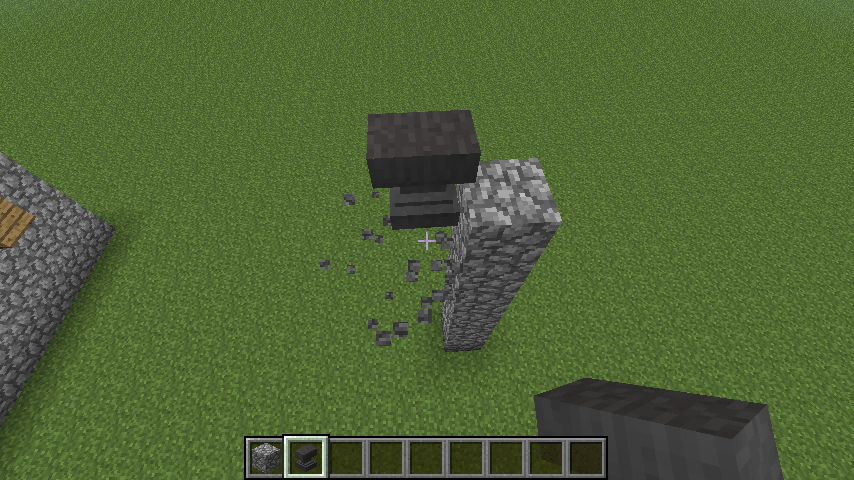

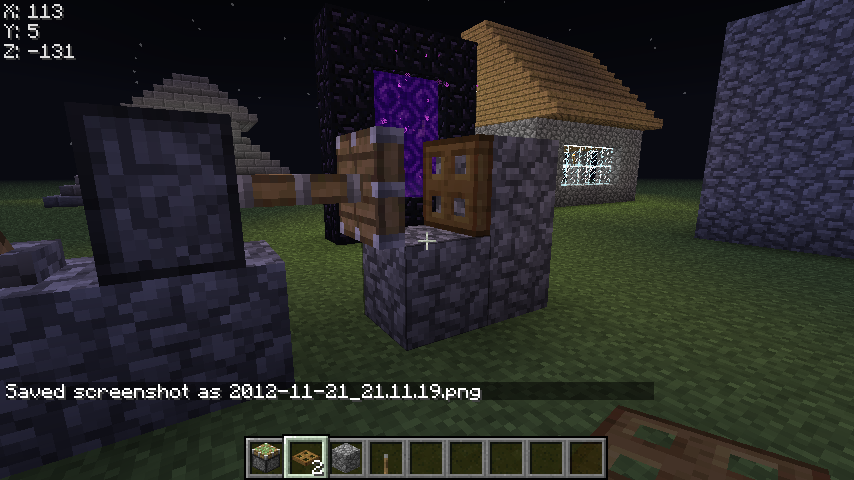
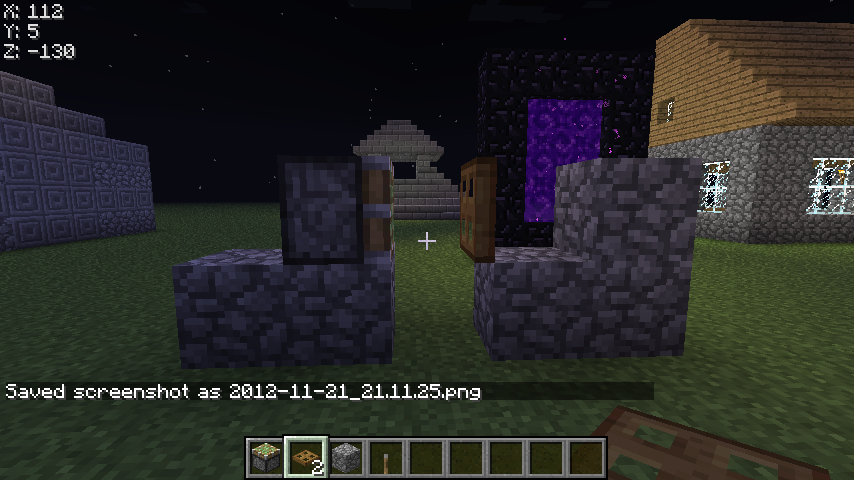
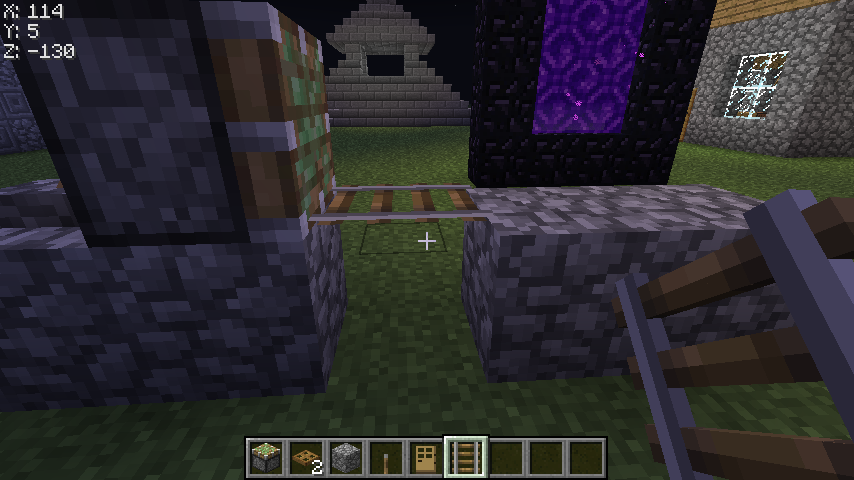

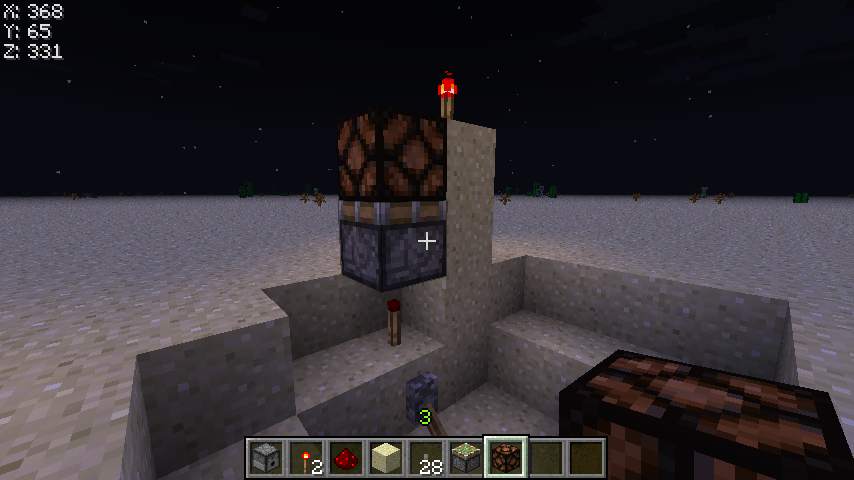




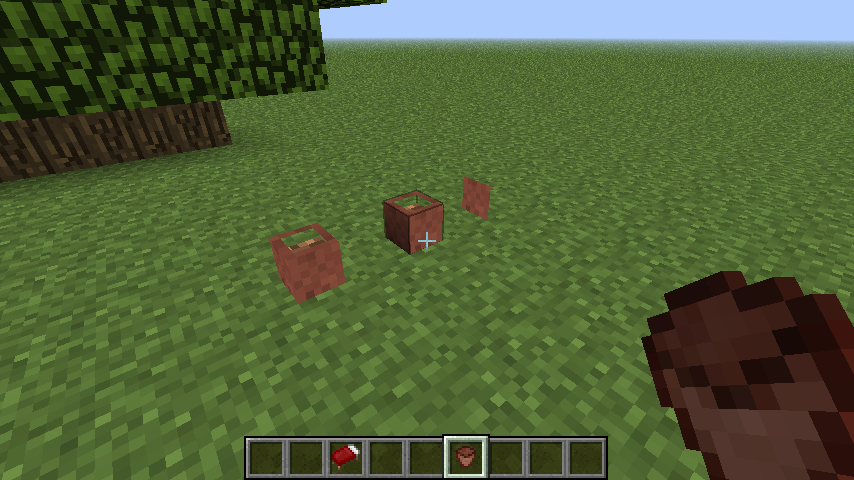
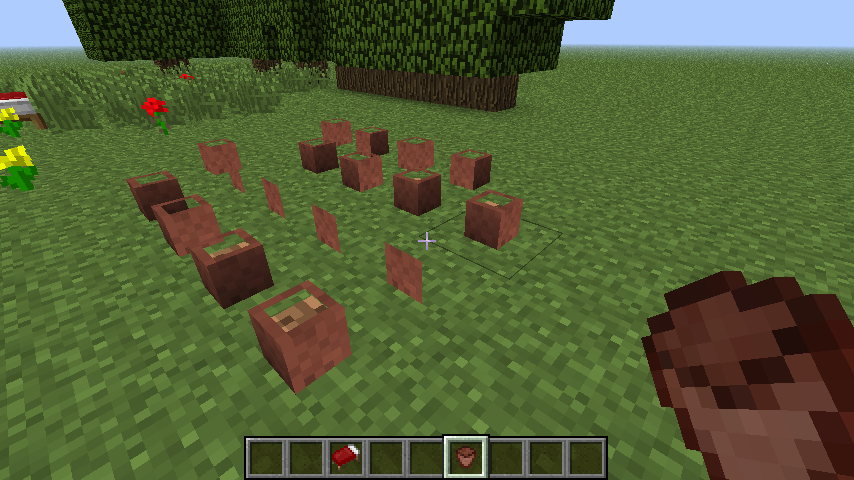




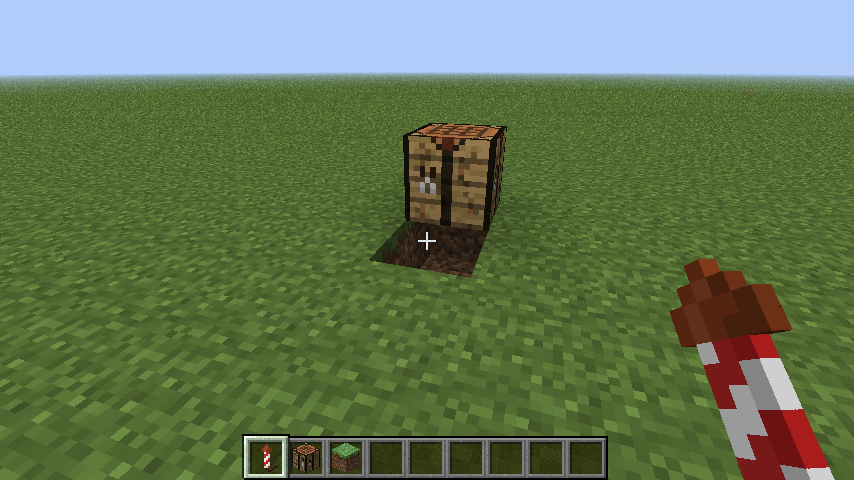

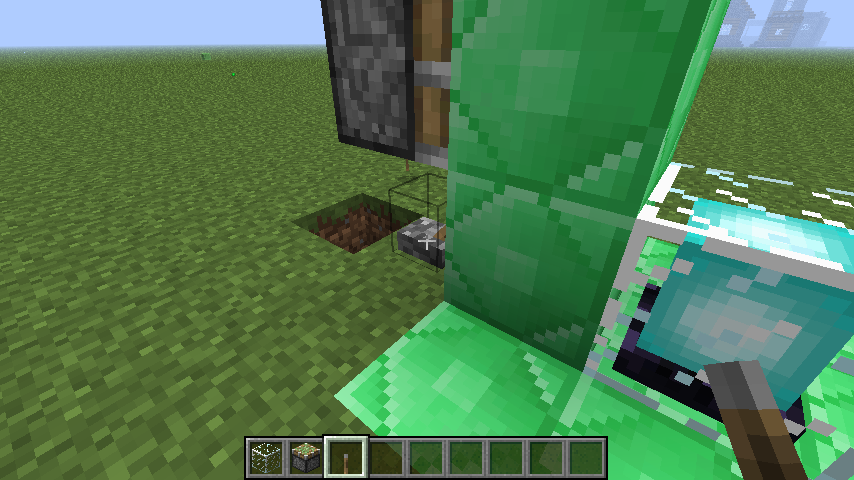


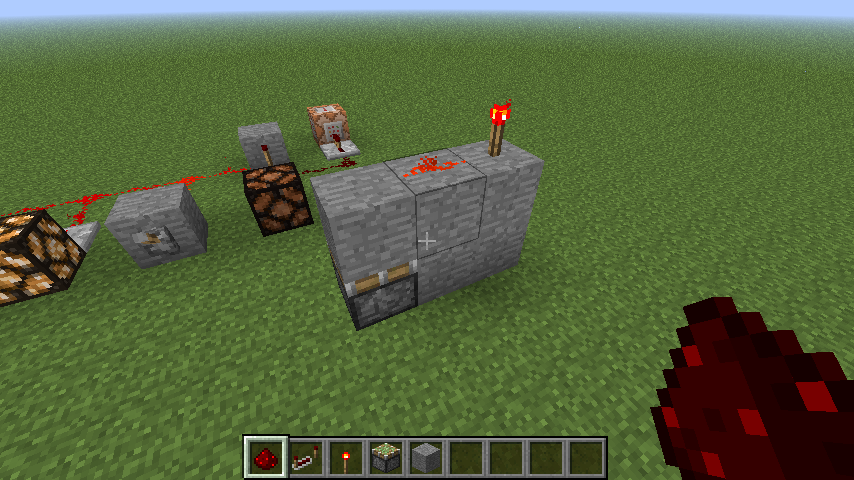




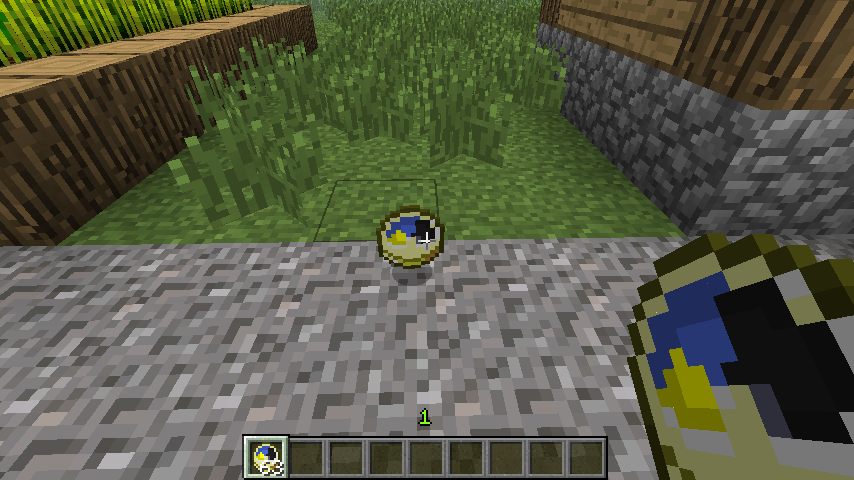
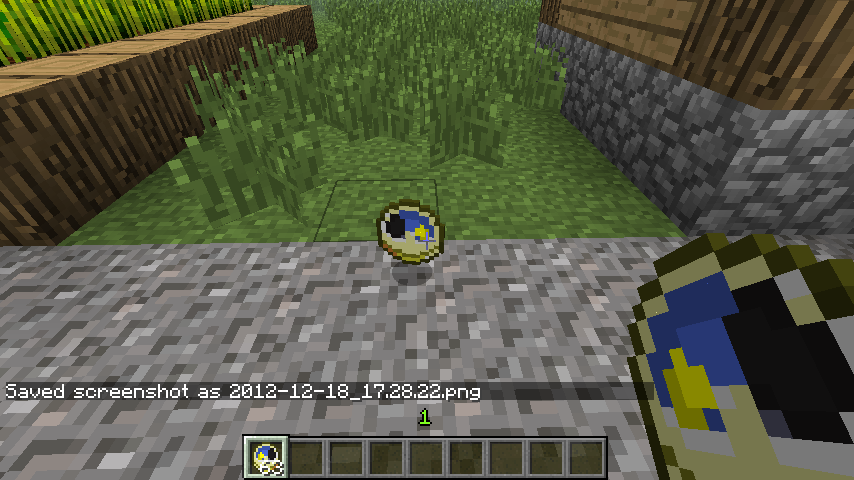
Slightly Damaged Anvils and Very Damaged Anvils don't display the correct texture when falling.
Steps to reproduce:
1. Place a damaged anvil on a block suspended in the air.
2. Break the block underneath the anvil so it falls.
The texture will be different.
If you
are stuck in a web (Your head must be inside theweb)Creepers will walk up to you but won't explode.If your head is in a web, Creepers will walk up to you but won't explode.
Latest release of Java
Mac OS X 10.7.4
64-bit Installation of Java
I
f your head is in a web, Creepers will walk up to you but won't explode.When your head is in a web, some mobs, like Skeletons and Creepers, will not attack you or explode until you leave the web. If either of these are following you when you enter the web, they will stop chasing you and do their own thing.
I'm testing other mobs now.
Creepers don't explode when you are in a cobwebCobwebs make you invisible to some mobs
When your head is in a web, some mobs, like Skeletons and Creepers, will not attack you or explode until you leave the web. If either of these are following you when you enter the web, they will stop chasing you and do their own thing.
I'm testing other mobs now.
When your head is in a web, some mobs, like Skeletons and Creepers, will not attack you or explode until you leave the web. If either of these are following you when you enter the web, they will stop chasing you and do their own thing.
The following mobs are affected by this:
Zombie: Doesn't notice the player usually.
Skeleton: Refuses to attack while inside the web
Spider: Attempts to attack but fails.
Silverfish: Attempts to attack but can't.
Enderman: Attempts to attack but can't.
Blaze: Appears to be hostile but doesn't attack. (They catch fire but don't shoot at you.)
Slimes and Magma Cubes: Don't notice the player until they leave the web.
Creeper: Sometimes notices you but won't explode until you leave the web.
When your head is in a web, some mobs, like Skeletons and Creepers, will not attack you or explode until you leave the web. If either of these are following you when you enter the web, they will stop chasing you and do their own thing.
The following mobs are affected by this:
Zombie: Doesn't notice the player usually.
Skeleton: Refuses to attack while the player is inside the web
Spider: Attempts to attack but fails.
Silverfish: Attempts to attack but can't.
Enderman: Attempts to attack but can't.
Blaze: Appears to be hostile but doesn't attack. (They catch fire but don't shoot at you.)
Slimes and Magma Cubes: Don't notice the player until they leave the web.
Creeper: Sometimes notices you but won't explode until you leave the web.
When your head is in a web, some mobs, like Skeletons and Creepers, will not attack you or explode until you leave the web. If either of these are following you when you enter the web, they will stop chasing you and do their own thing.
The following mobs are affected by this:
Zombie: Doesn't notice the player usually.
Skeleton: Refuses to attack while the player is inside the web
Spider: Attempts to attack but fails.
Silverfish: Attempts to attack but can't.
Enderman: Attempts to attack but can't.
Blaze: Appears to be hostile but doesn't attack. (They catch fire but don't shoot at you.)
Slimes and Magma Cubes: Don't notice the player until they leave the web.
Creeper: Sometimes notices you but won't explode until you leave the web.
Cave Spider: Doesn't often notice you.
Aggressive wolves: Attempt to attack you but can't.
Pigmen that are aggressive can sometimes get into the web and hurt you, but this doesn't happen very often. They behave like the Zombies do.
Sheep and other animals that can be attracted/bred with wheat, seeds, carrots, etc. WILL still notice you in the web.
They are walking up to me but not exploding. Also, they seem to forget that I am actually there.
When your head is in a web, some mobs, like Skeletons and Creepers, will not attack you or explode until you leave the web. If either of these are following you when you enter the web, they will stop chasing you and do their own thing.
The following mobs are affected by this:
Zombie: Doesn't notice the player usually.
Skeleton: Refuses to attack while the player is inside the web
Spider: Attempts to attack but fails.
Silverfish: Attempts to attack but can't.
Enderman: Attempts to attack but can't.
Blaze: Appears to be hostile but doesn't attack. (They catch fire but don't shoot at you.)
Slimes and Magma Cubes: Don't notice the player until they leave the web.
Creeper: Sometimes notices you but won't explode until you leave the web.
Cave Spider: Doesn't often notice you.
Aggressive wolves: Attempt to attack you but can't.
Pigmen that are aggressive can sometimes get into the web and hurt you, but this doesn't happen very often. They behave like the Zombies do.
Sheep and other animals that can be attracted/bred with wheat, seeds, carrots, etc. WILL still notice you in the web.When your head is in a web, some mobs, like Skeletons and Creepers, will not attack you or explode until you leave the web. If either of these are following you when you enter the web, they will stop chasing you and do their own thing.
The following mobs are affected by this:
Zombie: Doesn't notice the player usually.
Skeleton: Refuses to attack while the player is inside the web
Spider: Attempts to attack but fails.
Silverfish: Attempts to attack but can't.
Enderman: Attempts to attack but can't.
Blaze: Appears to be hostile but doesn't attack. (They catch fire but don't shoot at you.)
Slimes and Magma Cubes: Don't notice the player until they leave the web.
Creeper: Sometimes notices you but won't explode until you leave the web.
Cave Spider: Doesn't often notice you.
Aggressive wolves: Attempt to attack you but can't.
Pigmen that are aggressive can sometimes get into the web and hurt you, but this doesn't happen very often. They behave like the Zombies do.
Sheep and other animals that can be attracted/bred with wheat, seeds, carrots, etc. WILL still notice you in the web.
Villagers appear to be affected but some still stare at you even after you entered the web.
When your head is in a web, some mobs, like Skeletons and Creepers, will not attack you or explode until you leave the web. If either of these are following you when you enter the web, they will stop chasing you and do their own thing.
The following mobs are affected by this:
Zombie: Doesn't notice the player usually.
Skeleton: Refuses to attack while the player is inside the web
Spider: Attempts to attack but fails.
Silverfish: Attempts to attack but can't.
Enderman: Attempts to attack but can't.
Blaze: Appears to be hostile but doesn't attack. (They catch fire but don't shoot at you.)
Slimes and Magma Cubes: Don't notice the player until they leave the web.
Creeper: Sometimes notices you but won't explode until you leave the web.
Cave Spider: Doesn't often notice you.
Aggressive wolves: Attempt to attack you but can't.
Pigmen that are aggressive can sometimes get into the web and hurt you, but this doesn't happen very often. They behave like the Zombies do.
Sheep and other animals that can be attracted/bred with wheat, seeds, carrots, etc. WILL still notice you in the web.
Villagers appear to be affected but some still stare at you even after you entered the web.
Baby villagers and Baby villager zombies do not notice you at all while in the webs
When your head is in a web, some mobs, like Skeletons and Creepers, will not attack you or explode until you leave the web. If either of these are following you when you enter the web, they will stop chasing you and do their own thing.
The following mobs are affected by this:
Zombie: Doesn't notice the player usually.
Skeleton: Refuses to attack while the player is inside the web
Spider: Attempts to attack but fails.
Silverfish: Attempts to attack but can't.
Enderman: Attempts to attack but can't.
Blaze: Appears to be hostile but doesn't attack. (They catch fire but don't shoot at you.)
Slimes and Magma Cubes: Don't notice the player until they leave the web.
Creeper: Sometimes notices you but won't explode until you leave the web.
Cave Spider: Doesn't often notice you.
Aggressive wolves: Attempt to attack you but can't.
Pigmen that are aggressive can sometimes get into the web and hurt you, but this doesn't happen very often. They behave like the Zombies do.
Sheep and other animals that can be attracted/bred with wheat, seeds, carrots, etc. WILL still notice you in the web.
Villagers appear to be affected but some still stare at you even after you entered the web.
Baby villagers and Baby villager zombies do not notice you at all while in the webs
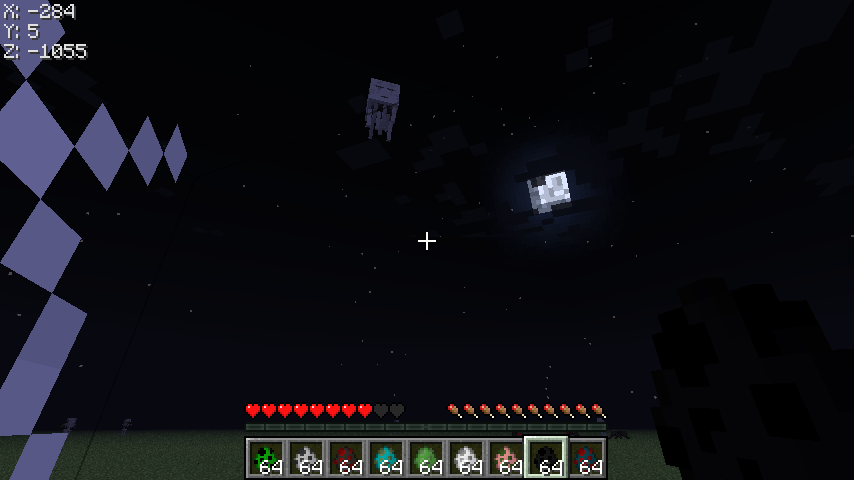
Ghasts do not attempt to attack you while in the web. But unlike skeletons, they shoot exploding fireballs so they can destroy the web if you peek out of it to get their attention.
Cobwebsmake you invisible to some mobsCobwebs cause irregular mob behavior
When your head is in a web, some mobs, like Skeletons and Creepers, will not attack you or explode until you leave the web. If either of these are following you when you enter the web, they will stop chasing you and do their own thing.
The following mobs are affected by this:
Zombie: Doesn't notice the player usually.
Skeleton: Refuses to attack while the player is inside the web
Spider: Attempts to attack but fails.
Silverfish: Attempts to attack but can't.
Enderman: Attempts to attack but can't.
Blaze: Appears to be hostile but doesn't attack. (They catch fire but don't shoot at you.)
Slimes and Magma Cubes: Don't notice the player until they leave the web.
Creeper: Sometimes notices you but won't explode until you leave the web.
Cave Spider: Doesn't often notice you.
Aggressive wolves: Attempt to attack you but can't.
Pigmen that are aggressive can sometimes get into the web and hurt you, but this doesn't happen very often. They behave like the Zombies do.
Sheep and other animals that can be attracted/bred with wheat, seeds, carrots, etc. WILL still notice you in the web.
Villagers appear to be affected but some still stare at you even after you entered the web.
Baby villagers and Baby villager zombies do not notice you at all while in the webs
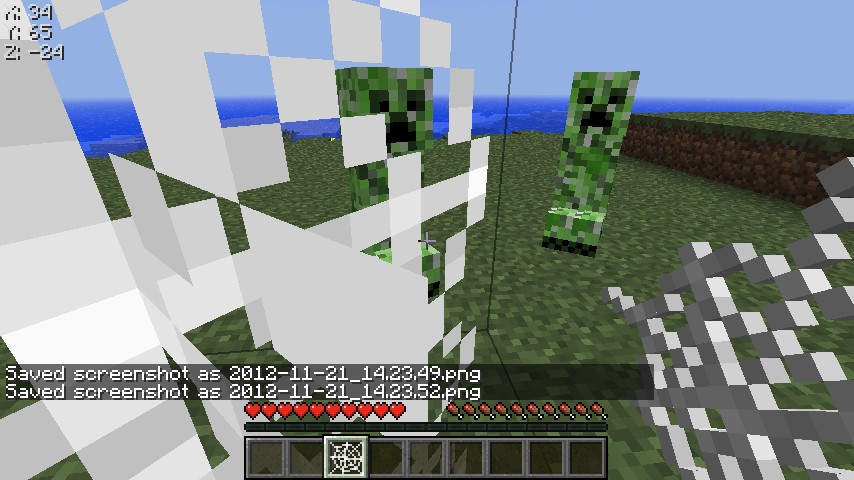
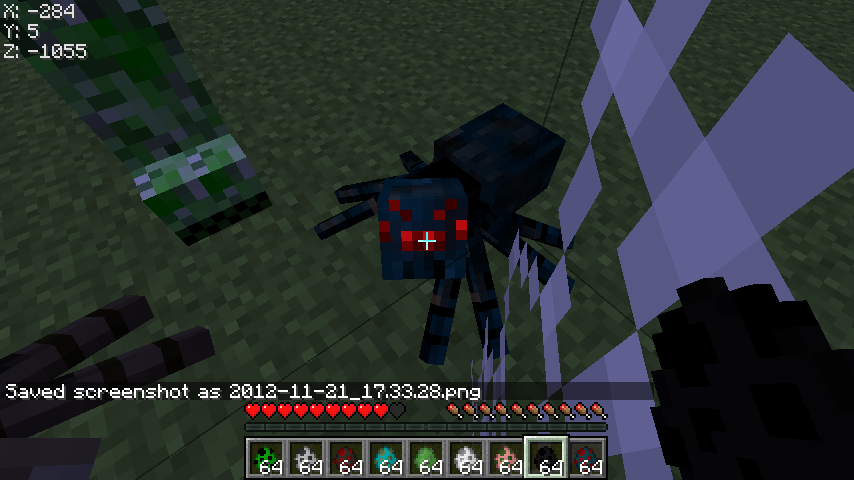
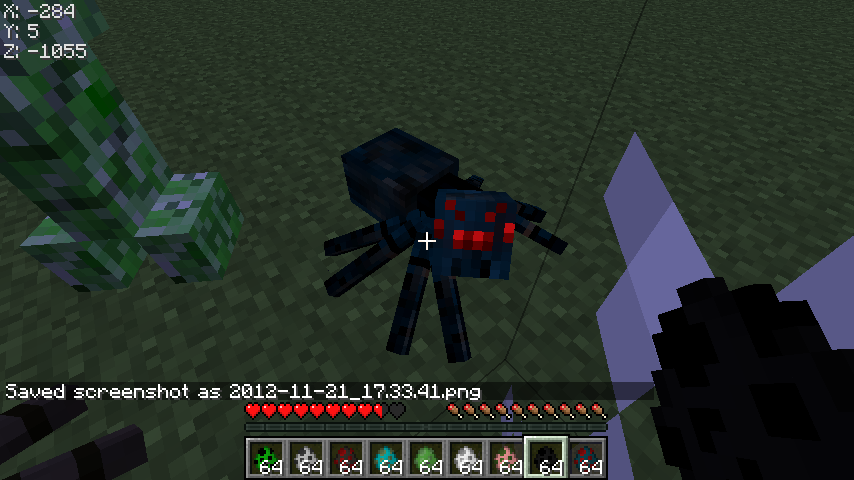
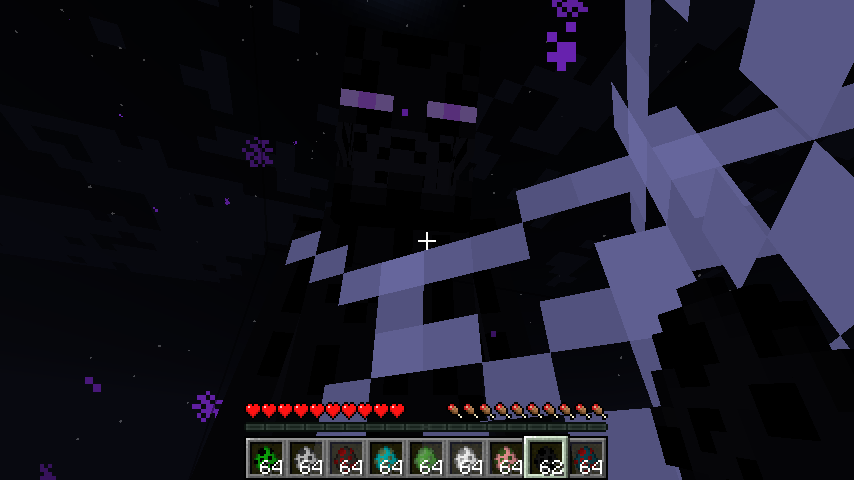
Ghasts do not attempt to attack you while in the web. But unlike skeletons, they shoot exploding fireballs so they can destroy the web if you peek out of it to get their attention.The screenshots below show multiple different mobs trying to get me when I'm in the webs. Note that the spiders seemed to notice me but still didn't attack me.
When your head is in a web,
some mobs, like Skeletons and Creepers,will not attack you or explode until you leave the web.If either of these are following youwhenyou enter the web, they will stop chasing you and do their own thing.The following mobs are affected by this:
Zombie: Doesn't notice the player usually.
Skeleton: Refuses to attack while the player is inside the web
Spider: Attempts to attack but fails.
Silverfish: Attempts to attack but can't.
Enderman: Attempts to attack but can't.
Blaze: Appears to be hostile but doesn't attack. (They catch fire but don't shoot at you.)
Slimes and Magma Cubes: Don't notice the player until they leave the web.
Creeper: Sometimes notices you but won't explode until you leave the web.
Cave Spider: Doesn't often notice you.
Aggressive wolves: Attempt to attack you but can't.
Pigmen that are aggressive can sometimes get into the web and hurt you, but this doesn't happen very often. They behave like the Zombies do.
Sheep and other animals that can be attracted/bred with wheat, seeds, carrots, etc. WILL still notice you in the web.
Villagers appear to be affected but some still stare at you even after you entered the web.
Baby villagers and Baby villager zombies do not notice you at all while in the webs
Ghasts do not attempt to attack you while in the web. But unlike skeletons, they shoot exploding fireballs so they can destroy the web if you peek out of it to get their attention.The screenshots below show multiple different mobs trying to get me when I'm in the webs. Note that the spiders seemed to notice me but still didn't attack me.
When your head is in a web, hostile mobs will not attack you or explode until you leave the web. Mobs that are pursuing you before you enter the web sometimes totally forget about you once you get in the web.
The following mobs are affected by this:
Zombie: Doesn't notice the player usually.
Skeleton: Refuses to attack while the player is inside the web
Spider: Attempts to attack but fails.
Silverfish: Attempts to attack but can't.
Enderman: Attempts to attack but can't.
Blaze: Appears to be hostile but doesn't attack. (They catch fire but don't shoot at you.)
Slimes and Magma Cubes: Don't notice the player until they leave the web.
Creeper: Sometimes notices you but won't explode until you leave the web.
Cave Spider: Doesn't often notice you.
Aggressive wolves: Attempt to attack you but can't.
Pigmen that are aggressive can sometimes get into the web and hurt you, but this doesn't happen very often. They behave like the Zombies do.
Sheep and other animals that can be attracted/bred with wheat, seeds, carrots, etc. WILL still notice you in the web.
Villagers appear to be affected but some still stare at you even after you entered the web.
Baby villagers and Baby villager zombies do not notice you at all while in the webs
Ghasts do not attempt to attack you while in the web. But unlike skeletons, they shoot exploding fireballs so they can destroy the web if you peek out of it to get their attention.The screenshots below show multiple different mobs trying to get me when I'm in the webs. Note that the spiders seemed to notice me but still didn't attack me.
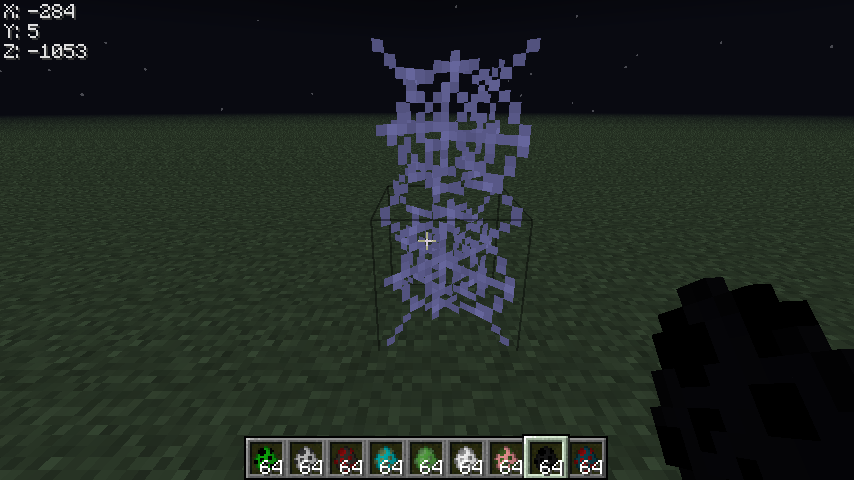
The screenshot with 2 webs in it is the web setup I use to reproduce this bug. It also works with only the top web.
When your head is in a web, hostile mobs will not attack you or explode until you leave the web. Mobs that are pursuing you before you enter the web sometimes totally forget about you once you get in the web.
The following mobs are affected by this:
Zombie: Doesn't notice the player usually.
Skeleton: Refuses to attack while the player is inside the web
Spider: Attempts to attack but fails.
Silverfish: Attempts to attack but can't.
Enderman: Attempts to attack but can't.
Blaze: Appears to be hostile but doesn't attack. (They catch fire but don't shoot at you.)
Slimes and Magma Cubes: Don't notice the player until they leave the web.
Creeper: Sometimes notices you but won't explode until you leave the web.
Cave Spider:Doesn't often notice you.
Aggressive wolves: Attempt to attack you but can't.
Pigmen that are aggressive can sometimes get into the web and hurt you, but this doesn't happen very often. They behave like the Zombies do.
Sheep and other animals that can be attracted/bred with wheat, seeds, carrots, etc. WILL still notice you in the web.
Villagers appear to be affected but some still stare at you even after you entered the web.
Baby villagers and Baby villager zombies do not notice you at all while in the webs
Ghasts do not attempt to attack you while in the web. But unlike skeletons, they shoot exploding fireballs so they can destroy the web if you peek out of it to get their attention.The screenshots below show multiple different mobs trying to get me when I'm in the webs. Note that the spiders seemed to notice me but still didn't attack me.
The screenshot with 2 webs in it is the web setup I use to reproduce this bug. It also works with only the top web.
When your head is in a web, hostile mobs will not attack you or explode until you leave the web. Mobs that are pursuing you before you enter the web sometimes totally forget about you once you get in the web.
The following mobs are affected by this:
Zombie: Doesn't notice the player usually.
Skeleton: Refuses to attack while the player is inside the web
Spider: Attempts to attack but fails.
Silverfish: Attempts to attack but can't.
Enderman: Attempts to attack but can't.
Blaze: Appears to be hostile but doesn't attack. (They catch fire but don't shoot at you.)
Slimes and Magma Cubes: Don't notice the player until they leave the web.
Creeper: Sometimes notices you but won't explode until you leave the web.
Cave Spider: Same as spider. Don't confuse the poison damage you take as it attacking you through the web.
Aggressive wolves: Attempt to attack you but can't.
Pigmen that are aggressive can sometimes get into the web and hurt you, but this doesn't happen very often. They behave like the Zombies do.
Sheep and other animals that can be attracted/bred with wheat, seeds, carrots, etc. WILL still notice you in the web.
Villagers appear to be affected but some still stare at you even after you entered the web.
Baby villagers and Baby villager zombies do not notice you at all while in the webs
Ghasts do not attempt to attack you while in the web. But unlike skeletons, they shoot exploding fireballs so they can destroy the web if you peek out of it to get their attention.The screenshots below show multiple different mobs trying to get me when I'm in the webs. Note that the spiders seemed to notice me but still didn't attack me.
The screenshot with 2 webs in it is the web setup I use to reproduce this bug. It also works with only the top web.
When your head is in a web, hostile mobs will not attack you or explode until you leave the web. Mobs that are pursuing you before you enter the web sometimes totally forget about you once you get in the web.
The following mobs are affected by this:
Zombie: Doesn't notice the player usually.
Skeleton: Refuses to attack while the player is inside the web
Spider: Attempts to attack but fails.
Silverfish: Attempts to attack but can't.
Enderman: Attempts to attack but can't.
Blaze: Appears to be hostile but doesn't attack. (They catch fire but don't shoot at you.)
Slimes and Magma Cubes: Don't notice the player until they leave the web.
Creeper: Sometimes notices you but won't explode until you leave the web.
Cave Spider: Same as spider. Don't confuse the poison damage you take as it attacking you through the web.
Aggressive wolves: Attempt to attack you but can't.
Pigmen that are aggressive can sometimes get into the web and hurt you, but this doesn't happen very often. They behave like the Zombies do.
Sheep and other animals that can be attracted/bred with wheat, seeds, carrots, etc. WILL still notice you in the web.
Villagers appear to be affected but some still stare at you even after you entered the web.
Baby villagers and Baby villager zombies do not notice you at all while in the webs
Ghasts do not attempt to attack you while in the web. But unlike skeletons, they shoot exploding fireballs so they can destroy the web if you peek out of it to get their attention.The screenshots below show multiple different mobs trying to get me when I'm in the webs. Note that the spiders seemed to notice me but still didn't attack me.
The screenshot with 2 webs in it is the web setup I use to reproduce this bug. It also works with only the top web. However, the bottom web is required to experience the Spider being unable to attack you bug.
When your head is in a web, hostile mobs will not attack you or explode until you leave the web. Mobs that are pursuing you before you enter the web sometimes totally forget about you once you get in the web.
The following mobs are affected by this:
Zombie: Doesn't notice the player usually.
Skeleton: Refuses to attack while the player is inside the web
Spider: Attempts to attack but fails.
Silverfish: Attempts to attack but can't.
Enderman: Attempts to attack but can't.
Blaze: Appears to be hostile but doesn't attack. (They catch fire but don't shoot at you.)
Slimes and Magma Cubes: Don't notice the player until they leave the web.
Creeper: Sometimes notices you but won't explode until you leave the web.
Cave Spider: Same as spider. Don't confuse the poison damage you take as it attacking you through the web.
Aggressive wolves: Attempt to attack you but can't.
Pigmen that are aggressive can sometimes get into the web and hurt you, but this doesn't happen very often. They behave like the Zombies do.
Sheep and other animals that can be attracted/bred with wheat, seeds, carrots, etc. WILL still notice you in the web.
Villagers appear to be affected but some still stare at you even after you entered the web.
Baby villagers and Baby villager zombies do not notice you at all while in the webs
Ghasts do not attempt to attack you while in the web. But unlike skeletons, they shoot exploding fireballs so they can destroy the web if you peek out of it to get their attention.The screenshots below show multiple different mobs trying to get me when I'm in the webs. Note that the spiders seemed to notice me but still didn't attack me.
The screenshot with 2 webs in it is the web setup I use to reproduce this bug. It also works with only the top web. However, the bottom web is required to experience the Spider being unable to attack you bug.
Note: Yes, I understand that this bug reporter is not for modded clients, as you might have noticed the coordinates in the top left corner of the majority of the screenshots, but this has ALSO been tested in Vanilla Minecraft (Deleted and re-installed the ENTIRE FOLDER!). It was easier to not have to use a different Minecraft every time I took a picture because I was playing at the same time and didn't feel like switching out every 5 minutes.
clones
MC-3653
Signs, Sugar Cane, and Cobwebs cause irregular mob behavior
Signs, Sugar Cane, Vines and Cobwebs cause irregular mob behavior
When your head is in a
web, hostile mobs will not attack you or explode until you leave theweb. Mobs that are pursuing you before you enterthe websometimes totally forget about you once you get in theweb.The following mobs are affected by this:
Zombie: Doesn't notice the player usually.
Skeleton: Refuses to attack while the player is inside the web
Spider: Attempts to attack but fails.
Silverfish: Attempts to attack but can't.
Enderman: Attempts to attack but can't.
Blaze: Appears to be hostile but doesn't attack. (They catch fire but don't shoot at you.)
Slimes and Magma Cubes: Don't notice the player until they leave the web.
Creeper: Sometimes notices you but won't explode until you leave the web.
Cave Spider: Same as spider. Don't confuse the poison damage you take as it attacking you through the web.
Aggressive wolves: Attempt to attack you but can't.
Pigmen that are aggressive can sometimes get into the web and hurt you, but this doesn't happen very often. They behave like the Zombies do.
Sheep and other animals that can be attracted/bred with wheat, seeds, carrots, etc. WILL still notice you in the web.
Villagers appear to be affected but some still stare at you even after you entered the web.
Baby villagers and Baby villager zombies do not notice you at all while in the webs
Ghasts do not attempt to attack you while in the web. But unlike skeletons, they shoot exploding fireballs so they can destroy the web if you peek out of it to get their attention.The screenshots below show multiple different mobs trying to get me when I'm in the webs. Note that the spiders seemed to notice me but still didn't attack me.
The screenshot with 2 webs in it is the web setup I use to reproduce this bug. It also works with only the top web. However, the bottom web is required to experience the Spider being unable to attack you bug.
Note: Yes, I understand that this bug reporter is not for modded clients, as you might have noticed the coordinates in the top left corner of the majority of the screenshots, but this has ALSO been tested in Vanilla Minecraft (Deleted and re-installed the ENTIRE FOLDER!). It was easier to not have to use a different Minecraft every time I took a picture because I was playing at the same time and didn't feel like switching out every 5 minutes.
When your head is in a Web, Vines, Sugar Cane or a Sign, hostile mobs will not attack you or explode until you leave them. Mobs that are pursuing you before you enter any of the blocks listed above sometimes totally forget about you once you get into them.
The following mobs are affected by this:
Zombie: Doesn't notice the player usually.
Skeleton: Refuses to attack while the player is inside the web
Spider: Attempts to attack but fails.
Silverfish: Attempts to attack but can't.
Enderman: Attempts to attack but can't.
Blaze: Appears to be hostile but doesn't attack. (They catch fire but don't shoot at you.)
Slimes and Magma Cubes: Don't notice the player until they leave the web.
Creeper: Sometimes notices you but won't explode until you leave the web.
Cave Spider: Same as spider. Don't confuse the poison damage you take as it attacking you through the web.
Aggressive wolves: Attempt to attack you but can't.
Pigmen that are aggressive can sometimes get into the web and hurt you, but this doesn't happen very often. They behave like the Zombies do.
Sheep and other animals that can be attracted/bred with wheat, seeds, carrots, etc. WILL still notice you in the web.
Villagers appear to be affected but some still stare at you even after you entered the web.
Baby villagers and Baby villager zombies do not notice you at all while in the webs
Ghasts do not attempt to attack you while in the web. But unlike skeletons, they shoot exploding fireballs so they can destroy the web if you peek out of it to get their attention.The screenshots below show multiple different mobs trying to get me when I'm in the webs. Note that the spiders seemed to notice me but still didn't attack me.
The screenshot with 2 webs in it is the web setup I use to reproduce this bug. It also works with only the top web. However, the bottom web is required to experience the Spider being unable to attack you bug.
Note: Yes, I understand that this bug reporter is not for modded clients, as you might have noticed the coordinates in the top left corner of the majority of the screenshots, but this has ALSO been tested in Vanilla Minecraft (Deleted and re-installed the ENTIRE FOLDER!). It was easier to not have to use a different Minecraft every time I took a picture because I was playing at the same time and didn't feel like switching out every 5 minutes.
When your head is in a Web, Vines, Sugar Cane or a Sign, hostile mobs will not attack you or explode until you leave them. Mobs that are pursuing you before you enter any of the blocks listed above sometimes totally forget about you once you get into them.
The following mobs are affected by this:
Zombie: Doesn't notice the player usually.
Skeleton: Refuses to attack while the player is inside the web
Spider: Attempts to attack but fails.
Silverfish: Attempts to attack but can't.
Enderman: Attempts to attack but can't.
Blaze: Appears to be hostile but doesn't attack. (They catch fire but don't shoot at you.)
Slimes and Magma Cubes:Don'tnotice the player until they leave the web.
Creeper: Sometimes notices you but won't explode until you leave the web.
Cave Spider: Same as spider. Don't confuse the poison damage you take as it attacking you through the web.
Aggressive wolves: Attempt to attack you but can't.
Pigmen that are aggressive can sometimes get into the web and hurt you, but this doesn't happen very often. They behave like the Zombies do.
Sheep and other animals that can be attracted/bred with wheat, seeds, carrots, etc. WILL still notice you in the web.
Villagers appear to be affected but some still stare at you even after you entered the web.
Baby villagers and Baby villager zombies do not notice you at all while in the webs
Ghasts do not attempt to attack you while in the web. But unlike skeletons, they shoot exploding fireballs so they can destroy the web if you peek out of it to get their attention.The screenshots below show multiple different mobs trying to get me when I'm in the webs. Note that the spiders seemed to notice me but still didn't attack me.
The screenshot with 2 webs in it is the web setup I use to reproduce this bug. It also works with only the top web. However, the bottom web is required to experience the Spider being unable to attack you bug.
Note: Yes, I understand that this bug reporter is not for modded clients, as you might have noticed the coordinates in the top left corner of the majority of the screenshots, but this has ALSO been tested in Vanilla Minecraft (Deleted and re-installed the ENTIRE FOLDER!). It was easier to not have to use a different Minecraft every time I took a picture because I was playing at the same time and didn't feel like switching out every 5 minutes.
When your head is in a Web, Vines, Sugar Cane or a Sign, hostile mobs will not attack you or explode until you leave them. Mobs that are pursuing you before you enter any of the blocks listed above sometimes totally forget about you once you get into them.
The following mobs are affected by this:
Zombie: Doesn't notice the player usually.
Skeleton: Refuses to attack while the player is inside the web
Spider: Attempts to attack but fails.
Silverfish: Attempts to attack but can't.
Enderman: Attempts to attack but can't.
Blaze: Appears to be hostile but doesn't attack. (They catch fire but don't shoot at you.)
Slimes and Magma Cubes: Can't see you while in webs, but seems to be able to with Sugar Canes
Creeper: Sometimes notices you but won't explode until you leave the web.
Cave Spider: Same as spider. Don't confuse the poison damage you take as it attacking you through the web.
Aggressive wolves: Attempt to attack you but can't.
Pigmen that are aggressive can sometimes get into the web and hurt you, but this doesn't happen very often. They behave like the Zombies do.
Sheep and other animals that can be attracted/bred with wheat, seeds, carrots, etc. WILL still notice you in the web.
Villagers appear to be affected but some still stare at you even after you entered the web.
Baby villagers and Baby villager zombies do not notice you at all while in the webs
Ghasts do not attempt to attack you while in the web. But unlike skeletons, they shoot exploding fireballs so they can destroy the web if you peek out of it to get their attention.The screenshots below show multiple different mobs trying to get me when I'm in the webs. Note that the spiders seemed to notice me but still didn't attack me.
The screenshot with 2 webs in it is the web setup I use to reproduce this bug. It also works with only the top web. However, the bottom web is required to experience the Spider being unable to attack you bug.
Note: Yes, I understand that this bug reporter is not for modded clients, as you might have noticed the coordinates in the top left corner of the majority of the screenshots, but this has ALSO been tested in Vanilla Minecraft (Deleted and re-installed the ENTIRE FOLDER!). It was easier to not have to use a different Minecraft every time I took a picture because I was playing at the same time and didn't feel like switching out every 5 minutes.
When your head is in
aWeb, Vines, Sugar Cane or a Sign, hostile mobs will not attack you or explode until you leave them. Mobs that are pursuing you before you enter any of the blocks listed above sometimes totally forget about you once you get into them.The following mobs are affected by this:
Zombie: Doesn't notice the player usually.
Skeleton: Refuses to attack while the player is inside the web
Spider: Attempts to attack but fails.
Silverfish: Attempts to attack but can't.
Enderman: Attempts to attack but can't.
Blaze: Appears to be hostile but doesn't attack. (They catch fire but don't shoot at you.)
Slimes and Magma Cubes: Can't see you while in webs, but seems to be able to with Sugar Canes
Creeper: Sometimes notices you but won't explode until you leave the web.
Cave Spider: Same as spider. Don't confuse the poison damage you take as it attacking you through the web.
Aggressive wolves: Attempt to attack you but can't.
Pigmen that are aggressive can sometimes get into the web and hurt you, but this doesn't happen very often. They behave like the Zombies do.
Sheep and other animals that can be attracted/bred with wheat, seeds, carrots, etc. WILL still notice you in the web.
Villagers appear to be affected but some still stare at you even after you entered the web.
Baby villagers and Baby villager zombies do not notice you at all while in the webs
Ghasts do not attempt to attack you while in the web. But unlike skeletons, they shoot exploding fireballs so they can destroy the web if you peek out of it to get their attention.The screenshots below show multiple different mobs trying to get me when I'm in the webs. Note that the spiders seemed to notice me but still didn't attack me.
The screenshot with 2 webs in it is the web setup I use to reproduce this bug. It also works with only the top web. However, the bottom web is required to experience the Spider being unable to attack you bug.
Note: Yes, I understand that this bug reporter is not for modded clients, as you might have noticed the coordinates in the top left corner of the majority of the screenshots, but this has ALSO been tested in Vanilla Minecraft (Deleted and re-installed the ENTIRE FOLDER!). It was easier to not have to use a different Minecraft every time I took a picture because I was playing at the same time and didn't feel like switching out every 5 minutes.
When your head is in Webs, Vines, Sugar Cane or a Sign, hostile mobs will not attack you or explode until you leave them. Mobs that are pursuing you before you enter any of the blocks listed above sometimes totally forget about you once you get into them.
The following mobs are affected by this:
Zombie: Doesn't notice the player usually.
Skeleton: Refuses to attack while the player is inside the web
Spider: Attempts to attack but fails.
Silverfish: Attempts to attack but can't.
Enderman: Attempts to attack but can't.
Blaze: Appears to be hostile but doesn't attack. (They catch fire but don't shoot at you.)
Slimes and Magma Cubes: Can't see you while in webs, but seems to be able to with Sugar Canes
Creeper: Sometimes notices you but won't explode until you leave the web.
Cave Spider: Same as spider. Don't confuse the poison damage you take as it attacking you through the web.
Aggressive wolves: Attempt to attack you but can't.
Pigmen that are aggressive can sometimes get into the web and hurt you, but this doesn't happen very often. They behave like the Zombies do.
Sheep and other animals that can be attracted/bred with wheat, seeds, carrots, etc. WILL still notice you in the web.
Villagers appear to be affected but some still stare at you even after you entered the web.
Baby villagers and Baby villager zombies do not notice you at all while in the webs
Ghasts do not attempt to attack you while in the web. But unlike skeletons, they shoot exploding fireballs so they can destroy the web if you peek out of it to get their attention.The screenshots below show multiple different mobs trying to get me when I'm in the webs. Note that the spiders seemed to notice me but still didn't attack me.
The screenshot with 2 webs in it is the web setup I use to reproduce this bug. It also works with only the top web. However, the bottom web is required to experience the Spider being unable to attack you bug.
Note: Yes, I understand that this bug reporter is not for modded clients, as you might have noticed the coordinates in the top left corner of the majority of the screenshots, but this has ALSO been tested in Vanilla Minecraft (Deleted and re-installed the ENTIRE FOLDER!). It was easier to not have to use a different Minecraft every time I took a picture because I was playing at the same time and didn't feel like switching out every 5 minutes.
Spiders can see you though transparent blocks, which is what these blocks are. Other mobs, like Skeletons and Creepers can't. So it makes sense that some totally forget about you when you enter them, because you became "invisible" to those mobs. However, skeletons seem to see me through Sugar cane and Vines, but not webs.
I retested Villagers. They only can see you in the web if they see you BEFORE entering the web. (You can tell because they'll continue to stare at you when you enter webs. will be testing for others as well.)
Retested signs with Ghasts and Slimes/Magma Cubes
When your head is in Webs, Vines, Sugar Cane or a Sign, hostile mobs will not attack you or explode until you leave them. Mobs that are pursuing you before you enter any of the blocks listed above sometimes totally forget about you once you get into them.
The following mobs are affected by this:
Zombie: Doesn't notice the player usually.
Skeleton: Refuses to attack while the player is inside the web
Spider: Attempts to attack but fails.
Silverfish: Attempts to attack but can't.
Enderman: Attempts to attack but can't.
Blaze: Appears to be hostile but doesn't attack. (They catch fire but don't shoot at you.)
Slimes and Magma Cubes: Can't see you while in webs, but seems to be able to with Sugar Canes
Creeper: Sometimes notices you but won't explode until you leave the web.
Cave Spider: Same as spider. Don't confuse the poison damage you take as it attacking you through the web.
Aggressive wolves: Attempt to attack you but can't.
Pigmen that are aggressive can sometimes get into the web and hurt you, but this doesn't happen very often. They behave like the Zombies do.
Sheep and other animals that can be attracted/bred with wheat, seeds, carrots, etc. WILL still notice you in the web.
Villagers appear to be affected but some still stare at you even after you entered the web.
Baby villagers and Baby villager zombies do not notice you at all while in the webs
Ghasts do not attempt to attack you while in the web. But unlike skeletons, they shoot exploding fireballs so they can destroy the web if you peek out of it to get their attention.The screenshots below show multiple different mobs trying to get me when I'm in the webs. Note that the spiders seemed to notice me but still didn't attack me.
The screenshot with 2 webs in it is the web setup I use to reproduce this bug. It also works with only the top web. However, the bottom web is required to experience the Spider being unable to attack you bug.
Note: Yes, I understand that this bug reporter is not for modded clients, as you might have noticed the coordinates in the top left corner of the majority of the screenshots, but this has ALSO been tested in Vanilla Minecraft (Deleted and re-installed the ENTIRE FOLDER!). It was easier to not have to use a different Minecraft every time I took a picture because I was playing at the same time and didn't feel like switching out every 5 minutes.
When your head is in Webs, Vines, Sugar Cane or a Sign, hostile mobs will not attack you or explode until you leave them. Mobs that are pursuing you before you enter any of the blocks listed above sometimes totally forget about you once you get into them.
The following mobs are affected by this:
Zombie: Doesn't notice the player usually.
Baby zombies/pigmen/villagers: Same as Zombie/Pigmen. Baby villager notices you.
Skeleton: Refuses to attack while the player is inside the web
Spider: Attempts to attack but fails.
Silverfish: Attempts to attack but can't.
Enderman: Attempts to attack but can't.
Blaze: Appears to be hostile but doesn't attack. (They catch fire and fly around but don't shoot at you.)
Slimes and Magma Cubes: Can't see you while in webs, but seems to be able to with Sugar Canes. They still don't attack you but hop rapidly as if they were chasing you.
Creeper: Sometimes notices you but won't try to explode until you leave the web.
Cave Spider: Same as spider. Don't confuse the poison damage you take as it attacking you through the web.
Aggressive wolves: Attempt to attack you but can't.
Pigmen that are aggressive can sometimes get into the web and hurt you, but this doesn't happen very often. They behave like the Zombies do.
Sheep and other animals that can be attracted/bred with wheat, seeds, carrots, etc. WILL still notice you in the web.
Villagers appear to be affected but some still stare at you even after you entered the web.
Baby villagers and Baby villager zombies do not notice you at all while in the webs
Ghasts do not attempt to attack you while in the web. But unlike skeletons, they shoot exploding fireballs so they can destroy the web if you peek out of it to get their attention.The screenshots below show multiple different mobs trying to get me when I'm in the webs. Note that the spiders seemed to notice me but still didn't attack me.
The screenshot with 2 webs in it is the web setup I use to reproduce this bug. It also works with only the top web. However, the bottom web is required to experience the Spider being unable to attack you bug.
Note: Yes, I understand that this bug reporter is not for modded clients, as you might have noticed the coordinates in the top left corner of the majority of the screenshots, but this has ALSO been tested in Vanilla Minecraft (Deleted and re-installed the ENTIRE FOLDER!). It was easier to not have to use a different Minecraft every time I took a picture because I was playing at the same time and didn't feel like switching out every 5 minutes.
When your head is in Webs, Vines, Sugar Cane or a Sign, hostile mobs will not attack you or explode until you leave them. Mobs that are pursuing you before you enter any of the blocks listed above sometimes totally forget about you once you get into them.
The following mobs are affected by this:
Zombie: Doesn't notice the player usually.
Baby zombies/pigmen/villagers: Same as Zombie/Pigmen. Baby villager notices you.
Skeleton: Refuses to attack while the player is inside the web
Spider: Attempts to attack but fails.
Silverfish: Attempts to attack but can't.
Enderman: Attempts to attack but can't.
Blaze: Appears to be hostile but doesn't attack. (They catch fire and fly around but don't shoot at you.)
Slimes and Magma Cubes: Can't see you while in webs, but seems to be able to with Sugar Canes. They still don't attack you but hop rapidly as if they were chasing you.
Creeper: Sometimes notices you but won't try to explode until you leave the web.
Cave Spider: Same as spider. Don't confuse the poison damage you take as it attacking you through the web.
Aggressive wolves: Attempt to attack you but can't.
Pigmen that are aggressive can sometimes get into the web and hurt you, but this doesn't happen very often. They behave like the Zombies do.
Sheep and other animals that can be attracted/bred with wheat, seeds, carrots, etc. WILL still notice you in the web.
Villagers appear to be affected but some still stare at you even after you entered the web.
Baby villagers and Baby villager zombies do not notice you at all while in the webs
Ghasts do not attempt to attack you while in the web. But unlike skeletons, they shoot exploding fireballs so they can destroy the web if you peek out of it to get their attention.The screenshots below show multiple different mobs trying to get me when I'm in the webs. Note that the spiders seemed to notice me but still didn't attack me.
The screenshot with 2 webs in it is the web setup I use to reproduce this bug. It also works with only the top web.
However, the bottom web is required to experience the Spider being unable to attack you bug.Note: Yes, I understand that this bug reporter is not for modded clients, as you might have noticed the coordinates in the top left corner of the majority of the screenshots, but this has ALSO been tested in Vanilla Minecraft (Deleted and re-installed the ENTIRE FOLDER!). It was easier to not have to use a different Minecraft every time I took a picture because I was playing at the same time and didn't feel like switching out every 5 minutes.
When your head is in Webs, Vines, Sugar Cane or a Sign, hostile mobs will not attack you or explode until you leave them. Mobs that are pursuing you before you enter any of the blocks listed above sometimes totally forget about you once you get into them.
The following mobs are affected by this:
Zombie: Doesn't notice the player usually.
Baby zombies/pigmen/villagers: Same as Zombie/Pigmen. Baby villager notices you.
Skeleton: Refuses to attack while the player is inside the web
Spider: Attempts to attack but fails.
Silverfish: Attempts to attack but can't.
Enderman: Attempts to attack but can't.
Blaze: Appears to be hostile but doesn't attack. (They catch fire and fly around but don't shoot at you.)
Slimes and Magma Cubes: Can't see you while in webs, but seems to be able to with Sugar Canes. They still don't attack you but hop rapidly as if they were chasing you.
Creeper: Sometimes notices you but won't try to explode until you leave the web.
Cave Spider: Same as spider. Don't confuse the poison damage you take as it attacking you through the web.
Aggressive wolves: Attempt to attack you but can't.
Pigmen that are aggressive can sometimes get into the web and hurt you, but this doesn't happen very often. They behave like the Zombies do.
Sheep and other animals that can be attracted/bred with wheat, seeds, carrots, etc. WILL still notice you in the web.
Villagers appear to be affected but some still stare at you even after you entered the web.
Baby villagers and Baby villager zombies do not notice you at all while in the webs
Ghasts do not attempt to attack you while in the web. But unlike skeletons, they shoot exploding fireballs so they can destroy the web if you peek out of it to get their attention.The screenshots below show multiple different mobs trying to get me when I'm in the webs. Note that the spiders seemed to notice me but still didn't attack me.
The screenshot with 2 webs in it is the web setup I use to reproduce this bug. It also works with only the top web.
Note: Yes, I understand that this bug reporter is not for modded clients, as you might have noticed the coordinates in the top left corner of the majority of the screenshots, but this has ALSO been tested in Vanilla Minecraft (Deleted and re-installed the ENTIRE FOLDER!). It was easier to not have to use a different Minecraft every time I took a picture because I was playing at the same time and didn't feel like switching out every 5 minutes. d=
Latest release of Java
Mac OS X 10.7.4
64-bitInstallation of JavaLatest release of Java
Mac OS X 10.7.4
64-bit installation of Java
When your head is in Webs, Vines, Sugar Cane or a Sign, hostile mobs will not attack you or explode until you leave them. Mobs that are pursuing you before you enter any of the blocks listed above sometimes totally forget about you once you get into them.
The following mobs are affected by this:
Zombie: Doesn't notice the player usually.
Baby zombies/pigmen/villagers: Same as Zombie/Pigmen. Baby villager notices you.
Skeleton: Refuses to attack while the player is inside the web
Spider: Attempts to attack but fails.
Silverfish: Attempts to attack but can't.
Enderman: Attempts to attack but can't.
Blaze: Appears to be hostile but doesn't attack. (They catch fire and fly around but don't shoot at you.)
Slimes and Magma Cubes: Can't see you while in webs, but seems to be able to with Sugar Canes. They still don't attack you but hop rapidly as if they were chasing you.
Creeper: Sometimes notices you but won't try to explode until you leave the web.
Cave Spider: Same as spider. Don't confuse the poison damage you take as it attacking you through the web.
Aggressive wolves: Attempt to attack you but can't.
Pigmen that are aggressive can sometimes get into the web and hurt you, but this doesn't happen very often. They behave like the Zombies do.
Sheep and other animals that can be attracted/bred with wheat, seeds, carrots, etc. WILL still notice you in the web.
Villagers appear to be affected but some still stare at you even after you entered the web.
Baby villagers and Baby villager zombies do not notice you at all while in the webs
Ghasts do not attempt to attack you while in the web. But unlike skeletons, they shoot exploding fireballs so they can destroy the web if you peek out of it to get their attention.The screenshots below show multiple different mobs trying to get me when I'm in the webs. Note that the spiders seemed to notice me but still didn't attack me.
The screenshot with 2 webs in it is the web setup I use to reproduce this bug. It also works with only the top web.
Note: Yes, I understand that this bug reporter is not for modded clients, as you might have noticed the coordinates in the top left corner of the majority of the screenshots, but this has ALSO been tested in Vanilla Minecraft (Deleted and re-installed the ENTIRE FOLDER!). It was easier to not have to use a different Minecraft every time I took a picture because I was playing at the same time and didn't feel like switching out every 5 minutes.
d=
When your head is in Webs, Vines, Sugar Cane or a Sign, hostile mobs will not attack you or explode until you leave them. Mobs that are pursuing you before you enter any of the blocks listed above sometimes totally forget about you once you get into them.
The following mobs are affected by this:
Zombie: Doesn't notice the player usually.
Baby zombies/pigmen/villagers: Same as Zombie/Pigmen. Baby villager notices you.
Skeleton: Refuses to attack while the player is inside the web
Spider: Attempts to attack but fails.
Silverfish: Attempts to attack but can't.
Enderman: Attempts to attack but can't.
Blaze: Appears to be hostile but doesn't attack. (They catch fire and fly around but don't shoot at you.)
Slimes and Magma Cubes: Can't see you while in webs, but seems to be able to with Sugar Canes. They still don't attack you but hop rapidly as if they were chasing you.
Creeper:Sometimes notices you but won't try to explode until you leave the web.
Cave Spider: Same as spider. Don't confuse the poison damage you take as it attacking you through the web.
Aggressive wolves: Attempt to attack you but can't.
Pigmen that are aggressive can sometimes get into the web and hurt you, but this doesn't happen very often. They behave like the Zombies do.
Sheep and other animals that can be attracted/bred with wheat, seeds, carrots, etc. WILL still notice you in the web.
Villagers appear to be affected but some still stare at you even after you entered the web.
Baby villagers and Baby villager zombies do not notice you at all while in the webs
Ghasts do not attempt to attack you while in the web. But unlike skeletons, they shoot exploding fireballs so they can destroy the web if you peek out of it to get their attention.The screenshots below show multiple different mobs trying to get me when I'm in the webs. Note that the spiders seemed to notice me but still didn't attack me.
The screenshot with 2 webs in it is the web setup I use to reproduce this bug. It also works with only the top web.
Note: Yes, I understand that this bug reporter is not for modded clients, as you might have noticed the coordinates in the top left corner of the majority of the screenshots, but this has ALSO been tested in Vanilla Minecraft (Deleted and re-installed the ENTIRE FOLDER!). It was easier to not have to use a different Minecraft every time I took a picture because I was playing at the same time and didn't feel like switching out every 5 minutes.
When your head is in Webs, Vines, Sugar Cane or a Sign, hostile mobs will not attack you or explode until you leave them. Mobs that are pursuing you before you enter any of the blocks listed above sometimes totally forget about you once you get into them.
The following mobs are affected by this:
Zombie: Doesn't notice the player usually.
Baby zombies/pigmen/villagers: Same as Zombie/Pigmen. Baby villager notices you.
Skeleton: Refuses to attack while the player is inside the web
Spider: Attempts to attack but fails.
Silverfish: Attempts to attack but can't.
Enderman: Attempts to attack but can't.
Blaze: Appears to be hostile but doesn't attack. (They catch fire and fly around but don't shoot at you.)
Slimes and Magma Cubes: Can't see you while in webs, but seems to be able to with Sugar Canes. They still don't attack you but hop rapidly as if they were chasing you.
Creeper: If one is chasing you and you enter one of the blocks that causes the behavior, it will walk right up to you, then forget about you. If you leave the block they will notice you and try to explode.
Cave Spider: Same as spider. Don't confuse the poison damage you take as it attacking you through the web.
Aggressive wolves: Attempt to attack you but can't.
Pigmen that are aggressive can sometimes get into the web and hurt you, but this doesn't happen very often. They behave like the Zombies do.
Sheep and other animals that can be attracted/bred with wheat, seeds, carrots, etc. WILL still notice you in the web.
Villagers appear to be affected but some still stare at you even after you entered the web.
Baby villagers and Baby villager zombies do not notice you at all while in the webs
Ghasts do not attempt to attack you while in the web. But unlike skeletons, they shoot exploding fireballs so they can destroy the web if you peek out of it to get their attention.The screenshots below show multiple different mobs trying to get me when I'm in the webs. Note that the spiders seemed to notice me but still didn't attack me.
The screenshot with 2 webs in it is the web setup I use to reproduce this bug. It also works with only the top web.
Note: Yes, I understand that this bug reporter is not for modded clients, as you might have noticed the coordinates in the top left corner of the majority of the screenshots, but this has ALSO been tested in Vanilla Minecraft (Deleted and re-installed the ENTIRE FOLDER!). It was easier to not have to use a different Minecraft every time I took a picture because I was playing at the same time and didn't feel like switching out every 5 minutes.
When your head is in Webs, Vines, Sugar Cane or a Sign, hostile mobs will not attack you or explode until you leave them. Mobs that are pursuing you before you enter any of the blocks listed above sometimes totally forget about you once you get into them.
The following mobs are affected by this:
Zombie: Doesn't notice the player usually.
Baby zombies/pigmen/villagers: Same as Zombie/Pigmen. Baby villager notices you.
Skeleton: Refuses to attack while the player is inside the web
Spider: Attempts to attack butfails.
Silverfish: Attempts to attack but can't.
Enderman: Attempts to attack but can't.
Blaze: Appears to be hostile but doesn't attack. (They catch fire and fly around but don't shoot at you.)
Slimes and Magma Cubes: Can't see you while in webs, but seems to be able to with Sugar Canes. They still don't attack you but hop rapidly as if they were chasing you.
Creeper: If one is chasing you and you enter one of the blocks that causes the behavior, it will walk right up to you, then forget about you. If you leave the block they will notice you and try to explode.
Cave Spider: Same as spider. Don't confuse the poison damage you take as it attacking you through the web.
Aggressive wolves: Attempt to attack you but can't.
Pigmen that are aggressive can sometimes get into the web and hurt you, but this doesn't happen very often. They behave like the Zombies do.
Sheep and other animals that can be attracted/bred with wheat, seeds, carrots, etc. WILL still notice you in the web.
Villagers appear to be affected but some still stare at you even after you entered the web.
Baby villagers and Baby villager zombies do not notice you at all while in the webs
Ghasts do not attempt to attack you while in the web. But unlike skeletons, they shoot exploding fireballs so they can destroy the web if you peek out of it to get their attention.The screenshots below show multiple different mobs trying to get me when I'm in the webs. Note that the spiders seemed to notice me but still didn't attack me.
The screenshot with 2 webs in it is the web setup I use to reproduce this bug. It also works with only the top web.
Note: Yes, I understand that this bug reporter is not for modded clients, as you might have noticed the coordinates in the top left corner of the majority of the screenshots, but this has ALSO been tested in Vanilla Minecraft (Deleted and re-installed the ENTIRE FOLDER!). It was easier to not have to use a different Minecraft every time I took a picture because I was playing at the same time and didn't feel like switching out every 5 minutes.
When your head is in Webs, Vines, Sugar Cane or a Sign, hostile mobs will not attack you or explode until you leave them. Mobs that are pursuing you before you enter any of the blocks listed above sometimes totally forget about you once you get into them.
The following mobs are affected by this:
Zombie: Doesn't notice the player usually.
Baby zombies/pigmen/villagers: Same as Zombie/Pigmen. Baby villager notices you.
Skeleton: Refuses to attack while the player is inside the web
Spider: Attempts to attack but can't.
Silverfish: Attempts to attack but can't.
Enderman: Attempts to attack but can't.
Blaze: Appears to be hostile but doesn't attack. (They catch fire and fly around but don't shoot at you.)
Slimes and Magma Cubes: Can't see you while in webs, but seems to be able to with Sugar Canes. They still don't attack you but hop rapidly as if they were chasing you.
Creeper: If one is chasing you and you enter one of the blocks that causes the behavior, it will walk right up to you, then forget about you. If you leave the block they will notice you and try to explode.
Cave Spider: Same as spider. Don't confuse the poison damage you take as it attacking you through the web.
Aggressive wolves: Attempt to attack you but can't.
Pigmen that are aggressive can sometimes get into the web and hurt you, but this doesn't happen very often. They behave like the Zombies do.
Sheep and other animals that can be attracted/bred with wheat, seeds, carrots, etc. WILL still notice you in the web.
Villagers appear to be affected but some still stare at you even after you entered the web.
Baby villagers and Baby villager zombies do not notice you at all while in the webs
Ghasts do not attempt to attack you while in the web. But unlike skeletons, they shoot exploding fireballs so they can destroy the web if you peek out of it to get their attention.The screenshots below show multiple different mobs trying to get me when I'm in the webs. Note that the spiders seemed to notice me but still didn't attack me.
The screenshot with 2 webs in it is the web setup I use to reproduce this bug. It also works with only the top web.
Note: Yes, I understand that this bug reporter is not for modded clients, as you might have noticed the coordinates in the top left corner of the majority of the screenshots, but this has ALSO been tested in Vanilla Minecraft (Deleted and re-installed the ENTIRE FOLDER!). It was easier to not have to use a different Minecraft every time I took a picture because I was playing at the same time and didn't feel like switching out every 5 minutes.
Signs, Sugar Cane, Vines and Cobwebs causeirregularmob behaviorSigns, Sugar Cane, Vines and Cobwebs cause glitchy mob behavior
Signs, Sugar Canea, Vines and Cobwebs cause glitchy mob behavior
Signs, Sugar Canea, Vines and Cobwebs cause glitchy mob behaviorSigns, Sugar Canes, Vines and Cobwebs cause glitchy mob behavior
Signs, Sugar Canes, Vines and Cobwebs cause glitchy mob behavior
Latest release ofJava
Mac OS X 10.7.4
64-bit installation of JavaJava 7
Mac OS X 10.7.4
64-bit installation of Java
When your head is in Webs, Vines, Sugar Cane or a Sign, hostile mobs will not attack you or explode until you leave them. Mobs that are pursuing you before you enter any of the blocks listed above sometimes totally forget about you once you get into them.
The following mobs are affected by this:
Zombie: Doesn't notice the player usually.
Baby zombies/pigmen/villagers: Same as Zombie/Pigmen. Baby villager notices you.
Skeleton: Refuses to attack while the player is inside the web
Spider: Attempts to attack but can't.
Silverfish: Attempts to attack but can't.
Enderman: Attempts to attack but can't.
Blaze: Appears to be hostile but doesn't attack. (They catch fire and fly around but don't shoot at you.)
Slimes and Magma Cubes: Can't see you while in webs, but seems to be able to with Sugar Canes. They still don't attack you but hop rapidly as if they were chasing you.
Creeper: If one is chasing you and you enter one of the blocks that causes the behavior, it will walk right up to you, then forget about you. If you leave the block they will notice you and try to explode.
Cave Spider: Same as spider. Don't confuse the poison damage you take as it attacking you through the web.
Aggressive wolves: Attempt to attack you but can't.
Pigmen that are aggressive can sometimes get into the web and hurt you, but this doesn't happen very often. They behave like the Zombies do.
Sheep and other animals that can be attracted/bred with wheat, seeds, carrots, etc. WILL still notice you in the web.
Villagers appear to be affected but some still stare at you even after you entered the web.
Baby villagers and Baby villager zombies do not notice you at all while in the webs
Ghasts do not attempt to attack you while in the web. But unlike skeletons, they shoot exploding fireballs so they can destroy the web if you peek out of it to get their attention.The screenshots below show multiple different mobs trying to get me when I'm in the webs. Note that the spiders seemed to notice me but still didn't attack me.
The screenshot with 2 webs in it is the web setup I use to reproduce this bug. It also works with only the top web.
Note: Yes, I understand that this bug reporter is not for modded clients, as you might have noticed the coordinates in the top left corner of the majority of the screenshots, but this has ALSO been tested in Vanilla Minecraft (Deleted and re-installed the ENTIRE FOLDER!). It was easier to not have to use a different Minecraft every time I took a picture because I was playing at the same time and didn't feel like switching out every 5 minutes.
Still does this in the new snapshot!
When your head is in Webs, Vines, Sugar Cane or a Sign, hostile mobs will not attack you or explode until you leave them. Mobs that are pursuing you before you enter any of the blocks listed above sometimes totally forget about you once you get into them.
The following mobs are affected by this:
Zombie: Doesn't notice the player usually.
Baby zombies/pigmen/villagers: Same as Zombie/Pigmen. Baby villager notices you.
Skeleton: Refuses to attack while the player is inside the web
Spider: Attempts to attack but can't.
Silverfish: Attempts to attack but can't.
Enderman: Attempts to attack but can't.
Blaze: Appears to be hostile but doesn't attack. (They catch fire and fly around but don't shoot at you.)
Slimes and Magma Cubes: Can't see you while in webs, but seems to be able to with Sugar Canes. They still don't attack you but hop rapidly as if they were chasing you.
Creeper: If one is chasing you and you enter one of the blocks that causes the behavior, it will walk right up to you, then forget about you. If you leave the block they will notice you and try to explode.
Cave Spider: Same as spider. Don't confuse the poison damage you take as it attacking you through the web.
Aggressive wolves: Attempt to attack you but can't.
Pigmen that are aggressive can sometimes get into the web and hurt you, but this doesn't happen very often. They behave like the Zombies do.
Sheep and other animals that can be attracted/bred with wheat, seeds, carrots, etc. WILL still notice you in the web.
Villagers appear to be affected but some still stare at you even after you entered the web.
Baby villagers and Baby villager zombies do not notice you at all while in the webs
Ghasts do not attempt to attack you while in the web. But unlike skeletons, they shoot exploding fireballs so they can destroy the web if you peek out of it to get their attention.The screenshots below show multiple different mobs trying to get me when I'm in the webs. Note that the spiders seemed to notice me but still didn't attack me.
The screenshot with 2 webs in it is the web setup I use to reproduce this bug. It also works with only the top web.
Note: Yes, I understand that this bug reporter is not for modded clients, as you might have noticed the coordinates in the top left corner of the majority of the screenshots, but this has ALSO been tested in Vanilla Minecraft (Deleted and re-installed the ENTIRE FOLDER!). It was easier to not have to use a different Minecraft every time I took a picture because I was playing at the same time and didn't feel like switching out every 5 minutes.
Still does this in the new snapshot!When your head is in Webs, Vines, Sugar Cane or a Sign, hostile mobs will not attack you or explode until you leave them. Mobs that are pursuing you before you enter any of the blocks listed above sometimes totally forget about you once you get into them.
The following mobs are affected by this:
Zombie: Doesn't notice the player usually.
Baby zombies/pigmen/villagers: Same as Zombie/Pigmen. Baby villager notices you.
Skeleton: Refuses to attack while the player is inside the web
Spider: Attempts to attack but can't.
Silverfish: Attempts to attack but can't.
Enderman: Attempts to attack but can't.
Blaze: Appears to be hostile but doesn't attack. (They catch fire and fly around but don't shoot at you.)
Slimes and Magma Cubes: Can't see you while in webs, but seems to be able to with Sugar Canes. They still don't attack you but hop rapidly as if they were chasing you.
Creeper: If one is chasing you and you enter one of the blocks that causes the behavior, it will walk right up to you, then forget about you. If you leave the block they will notice you and try to explode.
Cave Spider: Same as spider. Don't confuse the poison damage you take as it attacking you through the web.
Aggressive wolves: Attempt to attack you but can't.
Pigmen that are aggressive can sometimes get into the web and hurt you, but this doesn't happen very often. They behave like the Zombies do.
Sheep and other animals that can be attracted/bred with wheat, seeds, carrots, etc. WILL still notice you in the web.
Villagers appear to be affected but some still stare at you even after you entered the web.
Baby villagers and Baby villager zombies do not notice you at all while in the webs
Ghasts do not attempt to attack you while in the web. But unlike skeletons, they shoot exploding fireballs so they can destroy the web if you peek out of it to get their attention.The screenshots below show multiple different mobs trying to get me when I'm in the webs. Note that the spiders seemed to notice me but still didn't attack me.
The screenshot with 2 webs in it is the web setup I use to reproduce this bug. It also works with only the top web.
Note: Yes, I understand that this bug reporter is not for modded clients, as you might have noticed the coordinates in the top left corner of the majority of the screenshots, but this has ALSO been tested in Vanilla Minecraft (Deleted and re-installed the ENTIRE FOLDER!). It was easier to not have to use a different Minecraft every time I took a picture because I was playing at the same time and didn't feel like switching out every 5 minutes.
And now it's rolled out to the next release...
Java 7
Mac OS X 10.7.4, Mac OS X 10.8.3, and Windows 7/8
64-bit installation of Java
Do you mean that you rise above the fence a tiny bit?
Intended to fix some exploits.
IE: Using a modified Iron pickaxe with Efficiency 127 (The highest a hacked enchant will go before bugging out) to mine obsidian and switching to a diamond pick at the last second to save time.Just as Kumasasa said.
True, but it still wouldn't hurt for it to have the right collision box so that it looks normal.
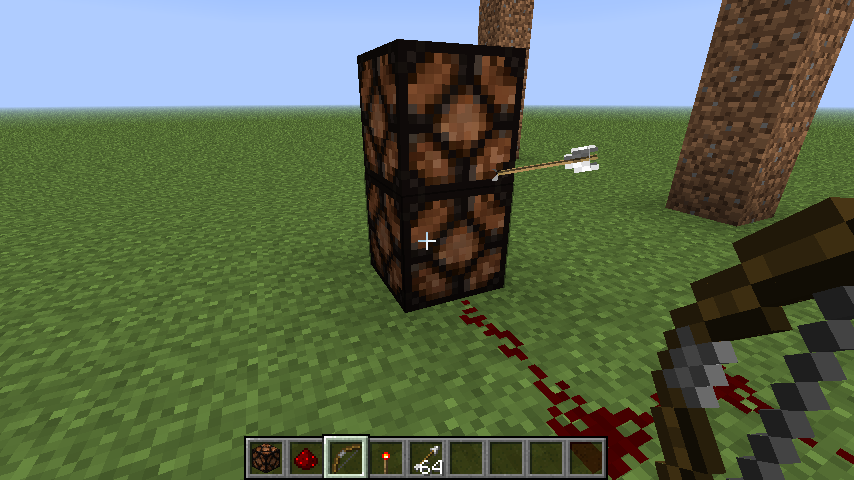
Redstone lamps and glowstone flicker when powered and pulled by a piston
Using the setup in the screenshot, the lamp will flicker when the lever is pulled.
Glowstone sometimes exhibits this behavior.
If a baby villager is infected, it may randomly spawn with armor, regardless of what the infecting zombie was wearing. Not sure if this is a bug.
The give command has always given an entire stack of items, regardless of what item or block it is.
(The default server one, at least.)This is intended, because the command can only be used with Cheats enabled, and if you want to play a survival world legitimately, then you would have turned them on anyways.
Sticky pistons can create invalid game states. See the screenshots I have posted below.
Putting down a boat, throwing an Ender pearl, and getting in the boat before the pearl lands causes damage to you but doesn't teleport you.
Putting down a boat, throwing an Ender pearl, and getting in the boat before the pearl lands causes damage to you but doesn't teleport you.
Note that you cannot throw an Ender pearl while sitting in the boat.
Putting down a boat, throwing an Ender pearl, and getting in the boat before the pearl lands causes damage to you but doesn't teleport you.
Note that you cannot throw an Ender pearl while sitting in the boat.This might have been around for a while, but searching for it didn't return any results.
Putting down a boat, throwing an Ender pearl, and getting in the boat before the pearl lands causes damage to you but doesn't teleport you.
Note that you cannot throw an Ender pearl while sitting in the boat.
This might have been around for a while, but searching for it didn't return any results.Putting down a boat, throwing an Ender pearl, and getting in the boat before the pearl lands causes damage to you but doesn't teleport you.
Note that you cannot throw an Ender pearl while sitting in the boat.Also works with Minecarts. It damages you but you don't teleport.
This might have been around for a while, but searching for it didn't return any results.
Putting down a boat, throwing an Ender pearl, and getting in the boat before the pearl lands causes damage to you but doesn't teleport you.
Note that you cannot throw an Ender pearl while sitting in the boat.Also works with Minecarts. It damages you but you don't teleport.
This might have been around for a while, but searching for it didn't return any results. So I posted it.
Boats/Minecarts and Ender Pearls don't mix
Putting down a boat, throwing an Ender pearl, and getting in the boat before the pearl lands causes damage to you but doesn't teleport you.
Note that you cannot throw an Ender pearl while sitting in the boat or minecart.Also works with Minecarts. It damages you but you don't teleport.
This might have been around for a while, but searching for it didn't return any results. So I posted it.
Railskeep disappearing after a whileRails and Redstone keep breaking after a while
Repeatedly, my Redstone circuits and Rail Systems break when I quit and start my world again.
a
Repeatedly, my Redstone circuits and Rail Systems break when I quit and start my world again.
FOUND OUT HOW TO REPRODUCE!
1: I fixed up the rails and the circuits again.
2: Went away from the area.
3: Came back and they were destroyed.
Repeatedly, my Redstone circuits and Rail Systems break when I quit and start my world again.
FOUND OUT HOW TO REPRODUCE!
1: I fixed up the rails and the circuits again.
2: Went away from the area.
3: Came back and they were destroyed.Repeatedly, my Redstone circuits and Rail Systems break when I quit and start my world again.
Here's what I did before it happened.
1: I fixed up the rails and the circuits again.
2: Went away from the area.
3: Came back and they were destroyed.
I spawned a bunch of slimes around it and it did it again when I quit to title, changed difficulty to peaceful, and started the world again.
Confirmed.
Running Mac OS X, Minecraft 1.4.5
Soul Sand and Ladders don't work
Mac OS X
Mac OS X
Latest Release of Java
Soul Sandand Ladders don't workBlocks shorter than normal height and Ladders don't work
If you stand on soul sand or any other block shorter than a full block, walking up to a ladder won't let you climb it. You need to jump to start climbing it.
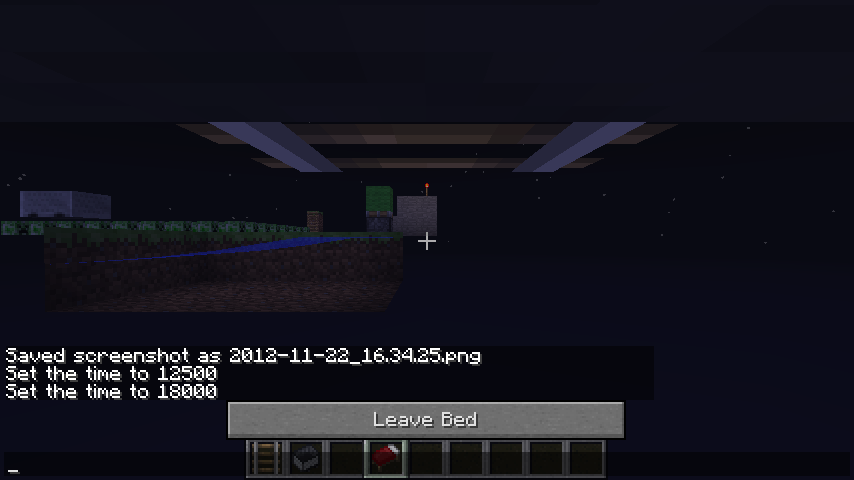
You can /tp yourself out of a bed and you will be teleported, but then you can't actually sleep. You will have to Leave Bed in order to go back to the actual bed and sleep.
Upon clicking Leave Bed you will return to the side of your
You can /tp yourself out of a bed and you will be teleported, but then you can't actually sleep. You will have to Leave Bed in order to go back to the actual bed and sleep.
Upon clicking Leave Bed you will return to the side of your bed.
Glitchy textureswhenveryfar from the centerof the mapGiant Redstone when far from the map center
When very far from the center of the map, some textures are extremely glitchy.This is s
omewhatrelated to the"Jumping Item Frames"bugreport, but for anything else.Redstone, when placed alone, becomes a giant red splotch on the ground.
(This doesn't normally happen.Ill be adding more messed up things shortly.
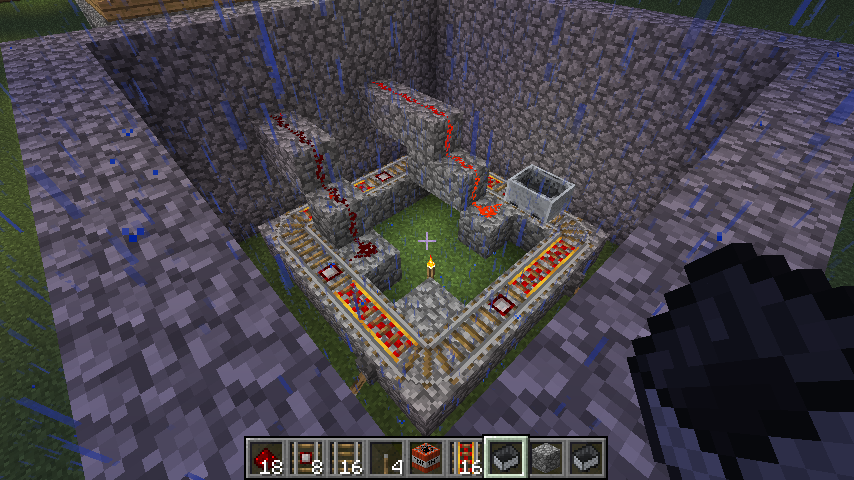
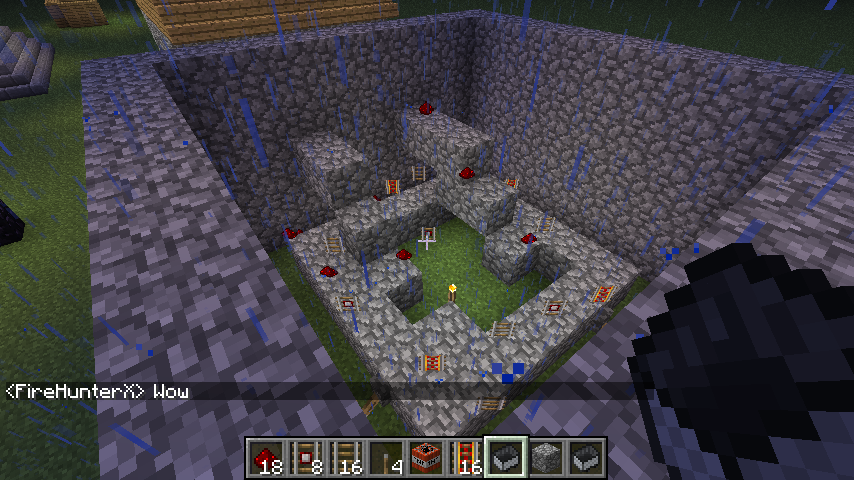
Redstone is giant when you place it far from the center of the map.
This is semi-related to the Jumping Item Frames bug, but with Redstone.
Giant Redstone whenfar from themapcenterEffects of being far from the center of the map
Redstone is giant when you place it far from the center of the map.
This is semi-related to the Jumping Item Frames bug, but with
Redstone.Redstone is giant when you place it far from the center of the map.
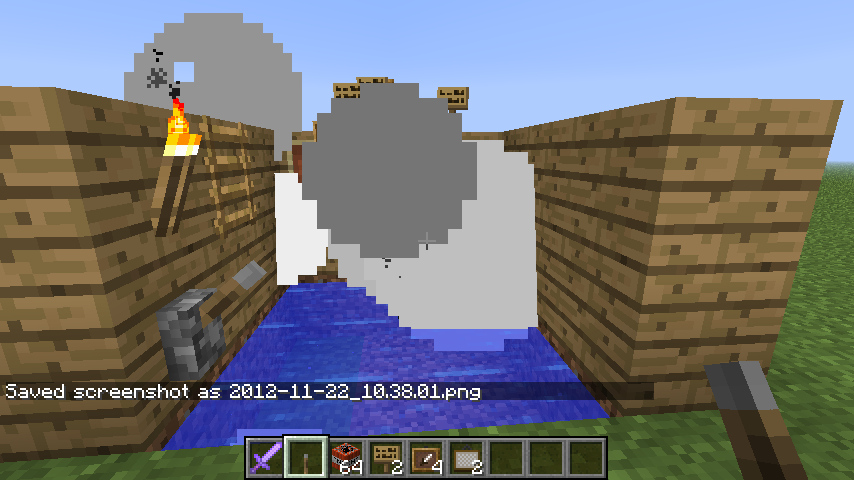
Particle Effects are screwed up, as seen in the screencap with the village in it.This is semi-related to the Jumping Item Frames bug, but with everything else
Effects of being farfrom the center of the mapTextures and Effects are off when far away from the center of the map
Redstone is giant when you place it far from the center of the map.
Particle Effects are screwed up, as seen in the screencap with the village in it.
EDIT- If you go father away, Redstone eventually becomes invisible when you place it.This is semi-related to the Jumping Item Frames bug, but with everything else
Redstone is giant when you place it far from the center of the map.
Particle Effects are screwed up, as seen in the screencap with the village in it.
EDIT- If you go father away, Redstone eventually becomes invisible when you place it. At that point, placing it next to itself to make it go in a line, the line itself is 2x2 blocks instead of 1 block.This is semi-related to the Jumping Item Frames bug, but with everything else
Redstone is giant when you place it far from the center of the map.
Particle Effects are screwed up, as seen in the screencap with the village in it.
EDIT- If you go father away, Redstone eventually becomes invisible when you place it. At that point, placing it next to itself to make it go in a line, the line itself is 2x2 blocks instead of 1 block.This is semi-related to the Jumping Item Frames bug, but with everything else
Redstone is giant when you place it far from the center of the map.
Particle Effects are shown farther away from their source, as shown with the torches, the furnace, and the fire.
EDIT- If you go father away, Redstone eventually becomes invisible when you place it. At that point, placing it next to itself to make it go in a line, the line itself is 2x2 blocks instead of 1 block.
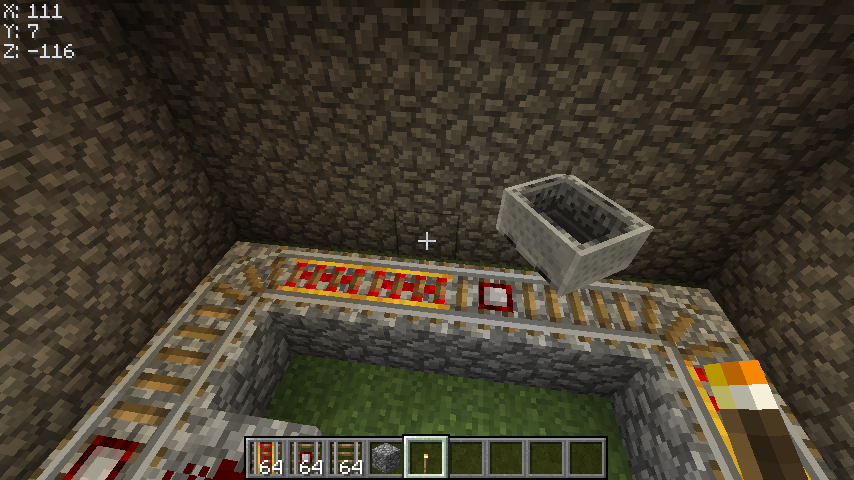
Placing a minecart places it behind the rail, as shown in the picture.This is semi-related to the Jumping Item Frames bug, but with everything else
2012-11-22_17.19.37.png
Redstone is giant when you place it far from the center of the map.
Particle Effects are shown farther away from their source, as shown with the torches, the furnace, and the fire.
EDIT- If you go father away, Redstone eventually becomes invisible when you place it. At that point, placing it next to itself to make it go in a line, the line itself is 2x2 blocks instead of 1 block.
Placing a minecart places it behind the rail, as shown in the picture.This is semi-related to the Jumping Item Frames bug, but with everything else
Redstone is giant when you place it far from the center of the map.
Particle Effects are shown farther away from their source, as shown with the torches, the furnace, and the fire.
EDIT- If you go father away, Redstone eventually becomes invisible when you place it. At that point, placing it next to itself to make it go in a line, the line itself is 2x2 blocks instead of 1 block.
EDIT 2- If you go 10000000 blocks in one direction from the center and place redstone, it will be giant, but connecting it to a Redstone torch makes it small again.
Placing a minecart places it behind the rail, as shown in the picture.This is semi-related to the Jumping Item Frames bug, but with everything else
Removing the block from underneath an Anvil will duplicate the anvil and the original anvil will remain.
Redstone is giant when you place it far from the center of the map.
Particle Effects are shown farther away from their source, as shown with the torches, the furnace, and the fire.
EDIT- If you go father away, Redstone eventually becomes invisible when you place it. At that point, placing it next to itself to make it go in a line, the line itself is 2x2 blocks instead of 1 block.
EDIT 2- If you go 10000000 blocks in one direction from the center and place redstone, it will be giant, but connecting it to a Redstone torch makes it small again.
Placing a minecart places it behind the rail, as shown in the picture.This is semi-related to the Jumping Item Frames bug, but with everything else.
EDIT 3- Anvils don't fall, they just break.
Redstone is giant when you place it far from the center of the map.
Particle Effects are shown farther away from their source, as shown with the torches, the furnace, and the fire.
EDIT- If you go father away, Redstone eventually becomes invisible when you place it. At that point, placing it next to itself to make it go in a line, the line itself is 2x2 blocks instead of 1 block.
EDIT 2- If you go 10000000 blocks in one direction from the center and place redstone, it will be giant, but connecting it to a Redstone torch makes it small again.
Placing a minecart places it behind the rail, as shown in the picture.This is semi-related to the Jumping Item Frames bug, but with everything else.
EDIT 3- Anvils
don't fall, they just break.Redstone is giant when you place it far from the center of the map.
Particle Effects are shown farther away from their source, as shown with the torches, the furnace, and the fire.
EDIT- If you go father away, Redstone eventually becomes invisible when you place it. At that point, placing it next to itself to make it go in a line, the line itself is 2x2 blocks instead of 1 block.
EDIT 2- If you go 10000000 blocks in one direction from the center and place redstone, it will be giant, but connecting it to a Redstone torch makes it small again.
Placing a minecart places it behind the rail, as shown in the picture.This is semi-related to the Jumping Item Frames bug, but with everything else.
EDIT 3- Anvils sometimes break instead of falling.
Throwing an ender pearl and sleeping before the pearl lands will wake you up, hurt you, but still won't teleport you.
Related to the Ender pearl and boats issue I posted earlier.
Latest Release of Java
OS X 10.7.4
Title says it all. If you light something on fire and look just a little bit over it the fire animation will stop rendering.
I searched for this before I posted by the way.
How to reproduce:
Set something on fire. A creeper will work fine.
While it's burning, look up over its head slowly until you can barely see the top of its head.
After you look far enough, the fire animation will stop but the creeper will still be taking damage.
/tp doesn't work while you are in a minecart or a boat. The console will say "Teleported (player) to (coordinates)" but you won't go anywhere. Getting out doesn't cause you to move either.
/tp and Minecarts/Boats
You can throw an Ender Pearl through a Nether Portal, but when YOU go through the portal the ender pearl will teleport you in a random direction, often getting yourself lost or making you fall into lava.
Title says it all. Looking at the tentacles while the actual Ghast is off the screen makes them invisible when they should be visible.
Easier to reproduce if looking at the Ghast dead on.
You can't use bone meal on a sapling placed on tilled dirt. If you try, one bone meal will be consumed but nothing will happen.
You can't use bone meal on a sapling placed on tilled dirt. If you try, one bone meal will be consumed but nothing will happen.
Tried on both 1.4.5 and 12w49a.
You can't use bone meal on a sapling placed on tilled dirt. If you try, one bone meal will be consumed but nothing will happen.
Tried on both 1.4.5 and 1
2w49a.You can't use bone meal on a sapling placed on tilled dirt. If you try, one bone meal will be consumed but nothing will happen.
Tried on both 1.4.5 and 1.4.6
While playing several maps with Ender Chests in them the game crashed. See the attached crash log below.
NOTE: For some reason it says "Is modded: Very likely ..." Although The only thing I did to it was change the default skin. No mods or suspicious classes are present.
SECOND NOTE: After reading the report it says "FallingSand" is the Entity that failed to render. However, this happened 2 times upon opening an Ender Chest, 1 in a superflat world, one normal survival world. Both were from 1.4.2. Also, no sand seemed to be falling near me.
Endermanbecome neutral when the world is reloadedAggressive Neutral mobs become neutral when the world is reloaded
If a
n Endermanis attacking you, quitting and rejoining the world will cause them to become neutral again.If a neutral mob is attacking you, quitting and rejoining the world will cause them to become neutral again.
Includes wolves, Enderman, and Pigmen.
When water connect like it does in the screenshots below, it causes a graphical glitch.
You must connect the second source at the farthest point of the first. Let the first stretch all the way out.
When water connect like it does in the screenshots below, it causes a graphical glitch.
You must connect the second source at the farthest point of the first. Let the first stretch all the way out.
It doesn't matter what block is near the water.
When water connect like it does in the screenshots below, it causes a graphical glitch.
You must connect the second source at the farthest point of the first. Let the first stretch all the way out.
It doesn't matter what block is near the water.
When water
connectlike it does in the screenshots below, it causes a graphical glitch.You must connect the second source at the farthest point of the first. Let the first stretch all the way out.
It doesn't matter what block is near the water.When water is placed diagonally from other water blocks like it does in the screenshots below, it causes a graphical glitch.
You must connect the second source at the farthest point of the first. Let the first stretch all the way out.
It doesn't matter what block is near the water.
Create a firework like I did in the screenshot. Following the setup I used, light it off under the Crafting table and a graphical glitch will appear.
If you make the fuse time longer, place one under the table and cover the opening in front of it (but not under it) the blue flash will appear black instead.
Create a firework like I did in the screenshot. Following the setup I used, light it off under the Crafting table and a graphical glitch will appear.
If you make the fuse time longer, place one under the table and cover the opening in front of it (but not under it) the blue flash will appear black instead.
Sometimes it will seep through the block so it might take multiple tries to get it.
Create a firework like I did in the screenshot. Following the setup I used, light it off under the Crafting table and a graphical glitch will appear.
If you make the fuse time longer, place one under the table and cover the opening in front of it (but not under it) the blue flash will appear black instead.
Sometimes it will seep through the block so it might take multiple tries to get it.
First screenshot is the firework I used for all the tests I did.
Create a firework like I did in the screenshot. Following the setup I used, light it off under the Crafting table and a graphical glitch will appear.
If you make the fuse time longer, place one under the table and cover the opening in front of it (but not under it) the blue flash will appear black instead.
Sometimes it will seep through the block so it might take multiple tries to get it.
First screenshot is the firework I used for all the tests I did.
Appears to be black if the firework is unlit.
Create a firework like I did in the screenshot. Following the setup I used, light it off under the Crafting table and a graphical glitch will appear.
If you make the fuse time longer, place one under the table and cover the opening in front of it (but not under it) the blue flash will appear black instead.
Sometimes it will seep through the block so it might take multiple tries to get it.
First screenshot is the firework I used for all the tests I did.
Appears to be black if the firework is unlit.
Create a firework like I did in the screenshot. Following the setup I used, light it off under the Crafting table and a graphical glitch will appear.
If you make the fuse time longer, place one under the table and cover the opening in front of it (but not under it) the blue flash will appear black instead.
Sometimes it will seep through the block so it might take multiple tries to get it.
First screenshot is the firework I used for all the tests I did.
Appears to be black if the space the firework is lit off in is dark or unlit.
Fishing rod bobbers can go through Nether Portals, but disappear and cost 1 use each time they do.
Sometimes they won't go through (especially if you are close to the portal) and will get stuck in the portal block itself.
The bobber will be reeled in when it goes through the portal costing 1 durability point.
Fishing rod bobbers can go through Nether Portals, but disappear and cost 1 use each time they do.
Sometimes they won't go through (especially if you are close to the portal) and will get stuck in the portal block itself.
The bobber will be reeled in when it goes through the portal costing 1 durability point.
Fishing rod bobbers can go through Nether Portals, but disappear.
Sometimes they won't go through (especially if you are close to the portal) and will get stuck in the portal block itself.The bobber will be reeled in when it goes through the portal costing 1 durability point.
Fishing rod bobbers can go through Nether Portals, but disappear.
Sometimes they won't go through (especially if you are close to the portal) and will get stuck in the portal block itself.The bobber will be reeled in when it goes through the portal costing 1 durability point. Yes, this can break the fishing rod.
Fishing rod bobbers can go through Nether Portals, but disappear.
Sometimes they won't go through (especially if you are close to the portal) and will get stuck in the portal block itself.The bobber will be reeled in when it goes through the portal costing 1 durability point. Yes, this can break the fishing rod.
If you attract the attention of a hostile mob (a zombie or spider) IN SURVIVAL MODE and type /gamemode 1 (to go into creative mode) The mobs that were pursuing you before will continue to follow you and attack you, while attacking mobs in creative mode will cause them to be aggressive for a short time.
-
If you attract the attention of a hostile mob (a zombie or spider) IN SURVIVAL MODE and type /gamemode 1 (to go into creative mode) The mobs that were pursuing you before will continue to follow you and attack you, while attacking mobs in creative mode
willcause them to be aggressive for a short time.-
If you attract the attention of a hostile mob (a zombie or spider) IN SURVIVAL MODE and type /gamemode 1 (to go into creative mode) The mobs that were pursuing you before will continue to follow you and attack you, while attacking mobs in creative mode should only cause them to be aggressive for a short time.
-
Anvils don't block beacons if they fall onthemStrange texture of Beacon blocks with a block on top of them
If
an anvil is dropped onto a working beacon, the beam won't stop, whereas usually placing ablock overthem will cause it to turn off.If you cover a beacon block, the top pixels of the obsidian base will change depending on the block covering it.
If you cover a beacon block, the top pixels of the obsidian base will change depending on the block covering it.
Screenshot 1: Normal beacon with no block on top of it.
Screenshot 2: The glitchy base after covering it with the Block of Emerald
If you cover a beacon block, the top pixels of the obsidian base will change depending on the block covering it.
Screenshot 1: Normal beacon with no block on top of it.
Screenshot 2: The glitchy base after covering it with the Block of EmeraldIf you cover a beacon block, the top pixels of the obsidian base will change depending on the block covering it.
NOTE: The block must make the beacon deactivate! If the block doesn't shut off the beacon it won't work!
Screenshot 1: Normal beacon with no block on top of it.
Screenshot 2: The glitchy base after covering it with the Block of Emerald
In some setups, pistons will not properly respond to
redstone current unless aredstone or a block update occurs.See the screenshots.
Top screenshot: The piston should be extended, but isn't.
Bottom 2: Placing a block orredstone next to the piston causes it to extend.In some setups, pistons will not properly respond to Redstone current unless a Redstone or a block update occurs.
See the screenshots.
Top screenshot: The piston should be extended, but isn't.
Bottom 2: Placing a block or Redstone next to the piston causes it to extend.
In some setups, pistons will not properly respond to Redstone current unless a Redstone or a block update occurs.
See the screenshots.
Top screenshot: The piston should be extended, but isn't.
Bottom 2: Placing a block or Redstone next to the piston causes it to extend.Once again: Not modded. Default skin was changed.
In some setups, pistons will not properly respond to Redstone current unless a Redstone or a block update occurs.
See the screenshots.
Top screenshot: The piston should be extended, but isn't.
Bottom 2: Placing a block or Redstone next to the piston causes it to extend.Once again: Not modded. Default skin was changed. That's it.
Minecarts that are off rail cause mobs to go through the ground
Java 7
Java 7
OS X
This can't be done in creative!
Here's how to reproduce because I can't really explain it that well.
1. Stand against a wall made from a material that will not catch fire if ignited on the side (Stone is a good example.)
2. Right click with a flint and steel.
3. The fire animation will play very quickly even though no fire was created.Doesn't do any damage but is still a bug nonetheless.
Fire animation shows briefly when you aren't on fireFlint and Steel+Blocks that can't be set on fire+You standing against it
Flint and Steel+Blocks that can't be set on fire+You standing against it
This can't be done in creative!
Here's how to reproduce because I can't really explain it that well.
1. Stand against a wall made from a material that will not catch fire if ignited on the side (Stone is a good example.)
2. Right click with a flint and steel.
3. The fire animation will play very quickly as if you were on fire even though no fire was created.Doesn't do any damage but is still a bug nonetheless.
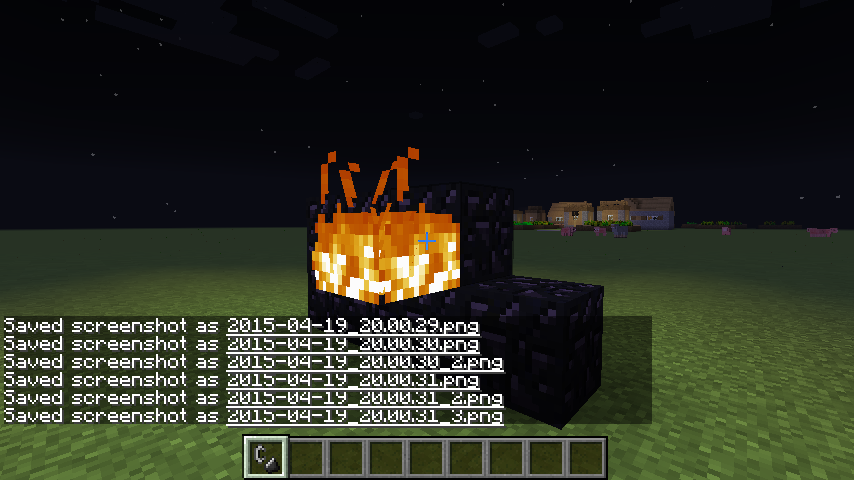
This is not the spawn egg graphical glitch where you throw a stack down.
This applies to single eggs.If you throw a sheep egg on the ground (press Q), it will have the wrong texture.
Can't eat, throw, or shoot while looking at an Iron Door or Cauldron
Typing into the console /give (player) 127 gives you the cocoa pod plant that can be placed on any block and will stay on that block until updated.
Also has a strange texture in the inventory.
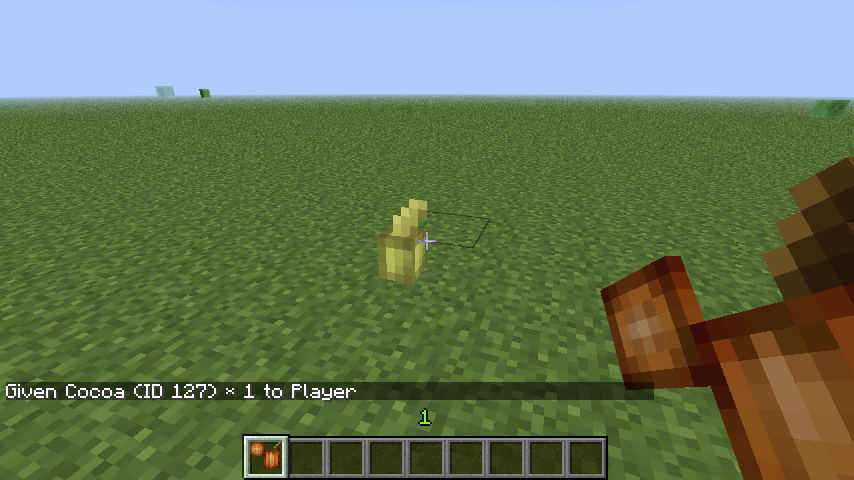
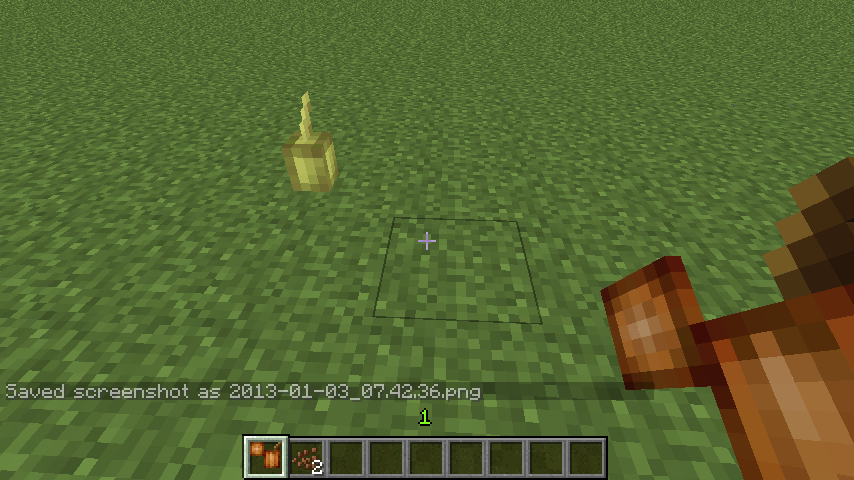
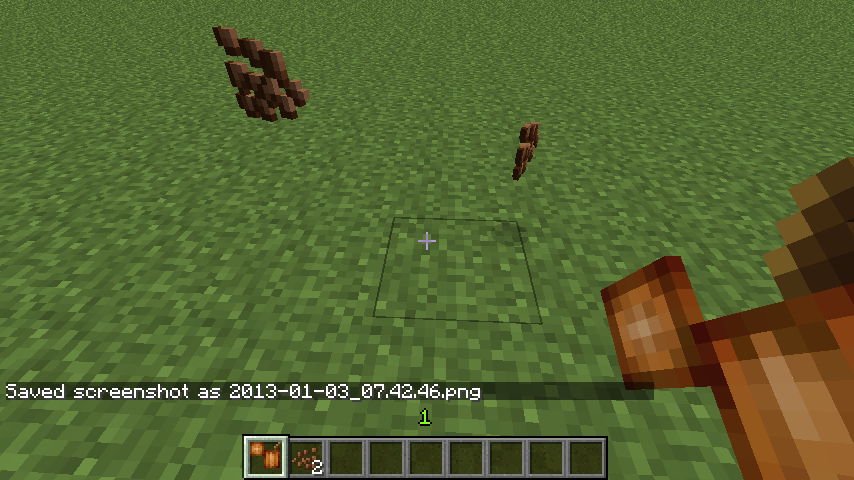
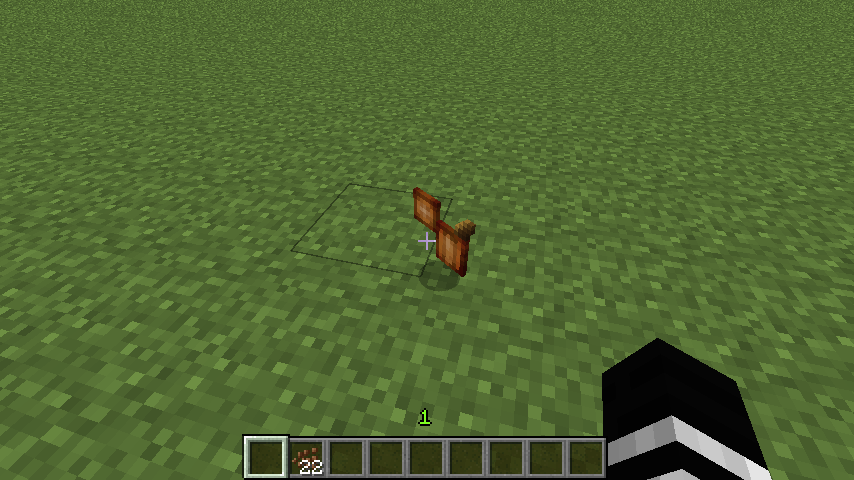
If you have a light source and you reload the world, it sometimes will only display light in its chunk.
Here's the easiest way to see this:
Make a superflat world, set time to 18000, place aredstone lamp and power it with a lever (So the torch doesn't make any of its own light) and reload the world by saving and quitting and starting the world again.See the screenshots below for examples.
If you have a light source and you reload the world, it sometimes will only display light in its chunk.
Here's the easiest way to see this:
Make a superflat world, set time to 18000, place a Redstone lamp and power it with a lever (because Redstone torches make light and buttons don't constantly power them) and reload the world by saving and quitting and starting the world again.See the screenshots below for examples.
If you have a light source and you reload the world, it sometimes will only display light in its chunk.
Here's the easiest way to see this:
Make a superflat world, set time to 18000, place a Redstone lamp and power it with a lever (because Redstone torches make light and buttons don't constantly power them) and reload the world by saving and quitting and starting the world again.See the screenshots below for examples.
If you have a light source and you reload the world, it sometimes will only display light in its chunk.
Here's the easiest way to see this:
Make a superflat world, set time to 18000, place a Redstone lamp and power it with a lever (because Redstone torches make light and buttons don't constantly power them) and reload the world by saving and quitting and starting the world again.See the screenshots below for examples.
I have tried torches and Redstone lamps.
If you have a light source and you reload the world, it sometimes will only display light in its chunk.
Here's the easiest way to see this:
Make a superflat world, set time to 18000, place a Redstone lamp and power it with a lever (because Redstone torches make light and buttons don't constantly power them) and reload the world by saving and quitting and starting the world again.See the screenshots below for examples.
I have tried torches and Redstone lamps.
Redstone Lamps seem to do this more often than torches.
If you have a light source and you reload the world, it sometimes will only display light in its chunk.
Here's the easiest way to see this:
Make a superflat world, set time to 18000, place a Redstone lamp and power it with a lever (because Redstone torches make light and buttons don't constantly power them) and reload the world by saving and quitting and starting the world again.See the screenshots below for examples.
I have tried torches and Redstonelamps.
Redstone Lamps seem to do this more often than torches.If you have a light source and you reload the world, it sometimes will only display light in its chunk.
Here's the easiest way to see this:
Make a superflat world, set time to 18000, place a Redstone lamp and power it with a lever (because Redstone torches make light and buttons don't constantly power them) and reload the world by saving and quitting and starting the world again.See the screenshots below for examples.
I have tried torches, Jack-O-Lanterns, and Redstone Lamps.
Redstone Lamps seem to do this more often than torches.
EDIT: You can't be near the light source if you try to reproduce it. Try flying like I am in the screenshots.
If you have a light source and you reload the world, it sometimes will only display light in its chunk.
Here's the easiest way to see this:
Make a superflat world, set time to 18000, place a Redstone lamp and power it with a lever (because Redstone torches make light and buttons don't constantly power them) and reload the world by saving and quitting and starting the world again.See the screenshots below for examples.
I have tried torches, Jack-O-Lanterns, and Redstone Lamps.
Redstone Lamps seem to do this more often than torches.
EDIT: You can't be near the light source if you try to reproduce it. Try flying like I am in the screenshots.
Redstone torches don't seem to do it.
If you have a light source and you reload the world, it sometimes will only display light in its chunk.
Here's the easiest way to see this:
Make a superflat world, set time to 18000, place a Redstone lamp and power it with a lever (because Redstone torches make light and buttons don't constantly power them) and reload the world by saving and quitting and starting the world again.See the screenshots below for examples.
I have tried torches, Jack-O-Lanterns, and Redstone Lamps.
Redstone Lamps seem to do this more often than torches.
EDIT: You can't be near the light source if you try to reproduce it. Try flying like I am in the screenshots.
Redstone torches don't seem to do it.
If it doesn't happen on the first try, then do a different world.
If you have a light source and you reload the world, it sometimes will only display light in its chunk.
Here's the easiest way to see this:
Make a superflat world, set time to 18000, place a Redstone lamp and power it with a lever (because Redstone torches make light and buttons don't constantly power them) and reload the world by saving and quitting and starting the world again.See the screenshots below for examples.
I have tried torches, Jack-O-Lanterns, and Redstone Lamps.
Redstone Lamps seem to do this more often than torches.
EDIT: You can't be near the light source if you try to reproduce it. Try flying like I am in the screenshots.
Redstone torches don't seem to do it.
If it doesn't happen on the first try, then do a different world. I only got it to happen in a few of my worlds. They were both superflat.
If you have a light source and you reload the world, it sometimes will only display light in its chunk.
Here's the easiest way to see this:
Make a superflat world, set time to 18000, place a Redstone lamp and power it with a lever (because Redstone torches make light and buttons don't constantly power them) and reload the world by saving and quitting and starting the world again.See the screenshots below for examples.
I have tried torches, Jack-O-Lanterns, and Redstone Lamps.
Redstone Lamps seem to do this more often than torches.
EDIT: You can't be near the light source if you try to reproduce it. Try flying like I am in the screenshots.
Redstone torches don't seem to do it.
If it doesn't happen on the first try, then do a different world. I only got it to happen in a few of my worlds. They were both superflat.
If you have a light source and you reload the world, it sometimes will only display light in its chunk.
Here's the easiest way to see this:
Make a superflat world, set time to 18000, place a Redstone lamp and power it with a lever (because Redstone torches make light and buttons don't constantly power them) and reload the world by saving and quitting and starting the world again.See the screenshots below for examples.
I have tried torches, Jack-O-Lanterns, and Redstone Lamps.
Redstone Lamps seem to do this more often than torches.
EDIT: You can't be near the light source if you try to reproduce it. Try flying like I am in the screenshots.
Redstone torches don't seem to do it.
If it doesn't happen on the first try, then do a different world. I only got it to happen in a few of my worlds. They were both superflat.
If you have a light source and you reload the world, it sometimes will only display light in its chunk.
Here's the easiest way to see this:
Make a superflat world, set time to 18000, place a Redstone lamp and power it with a lever (because Redstone torches make light and buttons don't constantly power them) and reload the world by saving and quitting and starting the world again.See the screenshots below for examples.
I have tried torches, Jack-O-Lanterns, and Redstone Lamps.
Redstone Lamps seem to do this more often than torches.
EDIT: You can't be near the light source if you try to reproduce it. Try flying like I am in the screenshots.
Redstone torches don't seem to do it.
If it doesn't happen on the first try, then do a different world. I only got it to happen in a few of my worlds. They were both superflat.Seems slightly rare but does occur. Also there is no definite way to reproduce this except to keep trying. It will happen eventually.
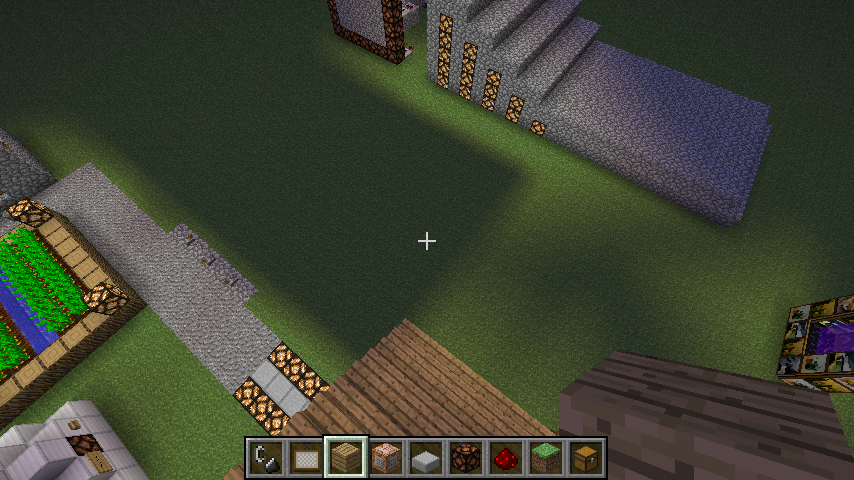

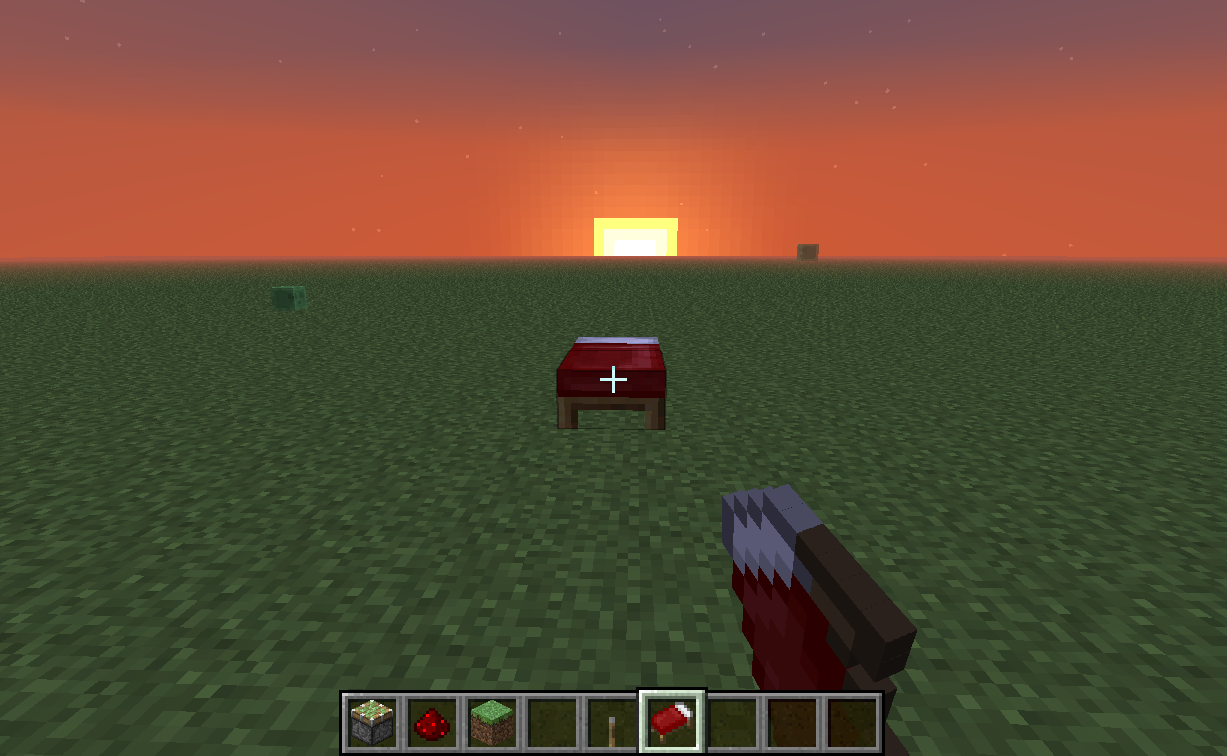
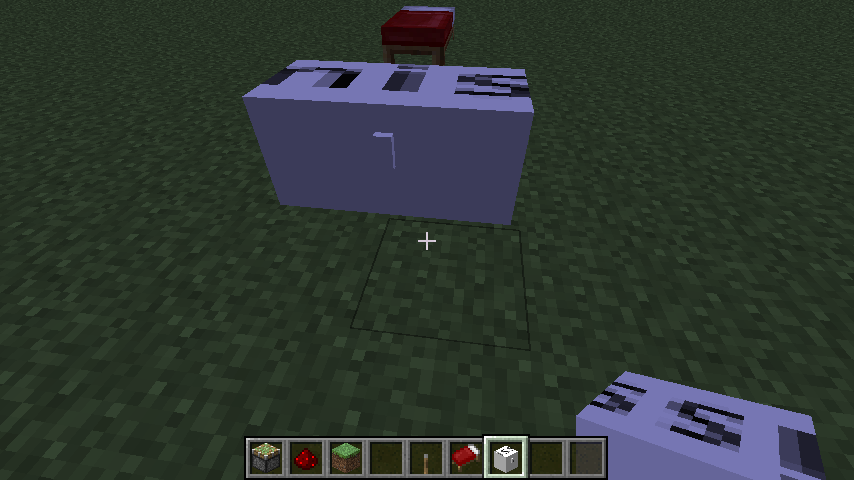


I logged on today and found that it says Merry Xmas as the splash. So I started my single player world and found that all my chests say "missingte".
Will post screenshots soon. I tried force updating and it did notework.
If you set some vines on fire...
This happens.The fire animation shows at the end of the block that the vines are in. So it sort of floats off of the vines. You can travel between the fire and not catch fire.
At random times, the game will speed up by a lot and after a few seconds will return to normal.
Has not happened in a superflat world. There seems to be no "real" way to reproduce this, but it does happen and has happened before in the snapshot.Play a world for long enough. You will get it eventually.
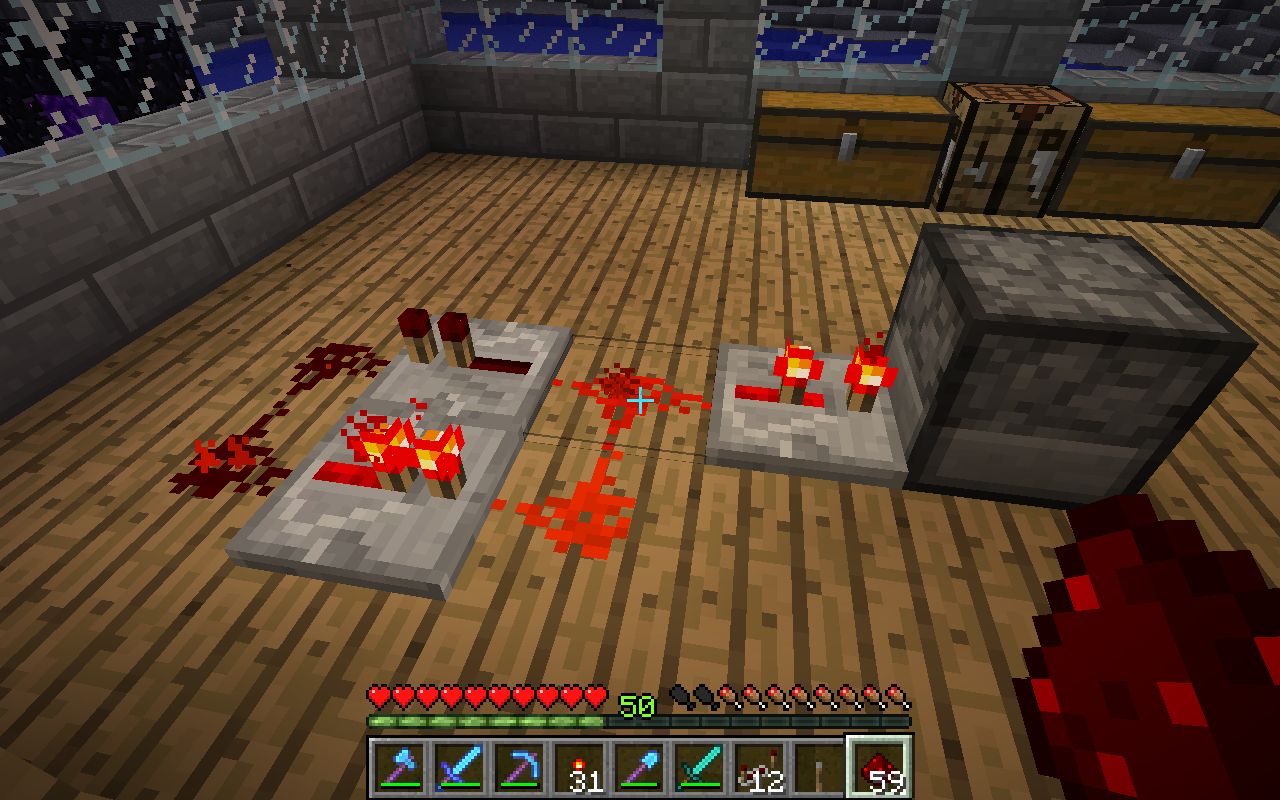
If you melt Ice with Glowstone as shown in the screenshots, the water that results will not flow properly.
If you melt Ice with Glowstone as shown in the screenshots, the water that results will not flow properly.
May also apply to other light sources, will be tested shortly.
If you melt Ice with Glowstone as shown in the screenshots, the water that results will not flow properly.
May also apply to other light sources, will be tested shortly.If you melt Ice with any light source, the resulting water doesn't flow.
Currently, I have found that doors and Redstone (possibly) have incorrect particle effects when breaking.
Currently, I have found that doors and Redstone (see
MC-6777) have incorrect particle effects when breaking.
Currently, I have found that doors and Redstone (see
MC-6777) have incorrect particle effects when breaking.
Will post if I find more.
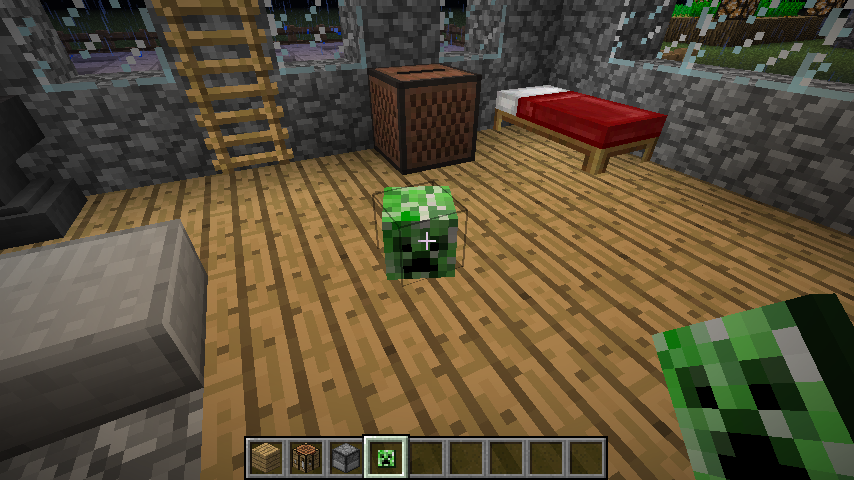
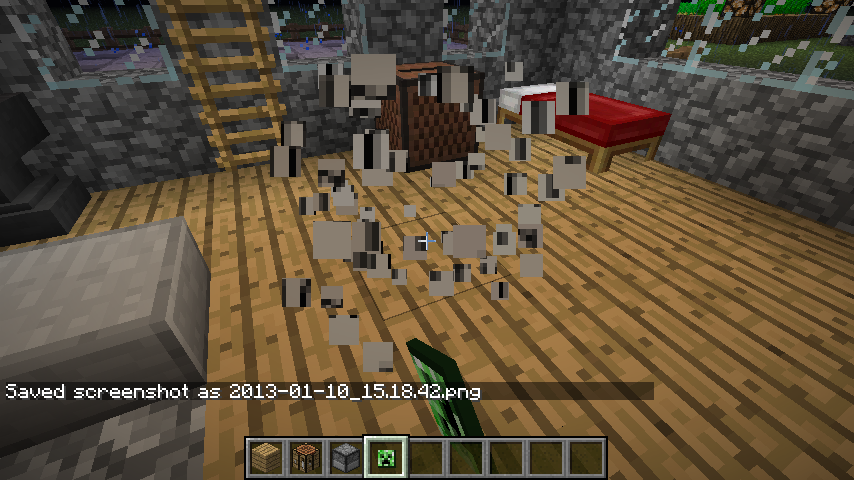
Currently, I have found that doors, mob heads, cauldrons, End portal blocks and Redstone (see
MC-6777) have incorrect particle effects when breaking.
Will post if I find more.
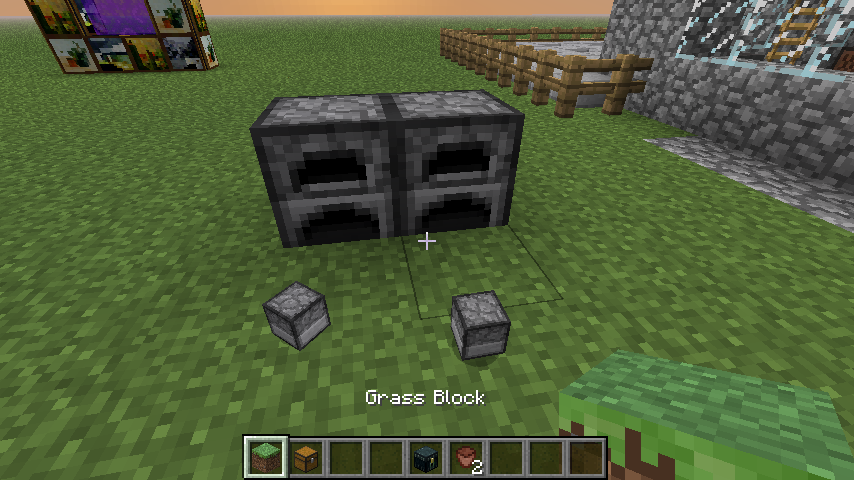
If you manage to one hit kill an untamed wolf by any means, other wild wolves around you won't become aggressive.
If the Enderdragon tries to attack you and you are in creative the server says that you tried to move too fast.
This may or may not apply to the Snapshots.
This happened after and during October 31, because Minecraft.jar was changed to make the easter egg work.
This seems a bit off...
You still harmed the wolf. They should all become aggressive if a member of the pack is harmed.
Indeed they can.
Snow golems are supposed to die in the Jungle, according to the wiki
I can confirm this. It also sometimes does this with Signs and Book and Quills.
Are you on any difficulty other than Hard?
You are running Minecraft on a PowerPC Macintosh.
There is a fault right there.
The OS and Java versions also have a part in this not working right.
I'm using a Mac too. Big deal.
Sorry about all the updates. I've just been testing a lot of mobs and circumstances
Reproduced on Vanilla Minecraft.
Happens more often with enchanted items with the Unbreaking enchantment.
So it does...
It's funny because Spiders and Cave Spiders have no movement hamper through webs, yet they can't get to me when I'm standing in one.
Fences are a possibility, though it may be hard to tell because they are solid blocks.
EDIT-Fences don't seem to do it.
When I do it it replaces the current inventory slot with the other one I switched.
EDIT- Doesn't require to to place the block, just right-click (or whatever button you may have it set to.)
EDIT again-I was able to successfully do this in survival, duplicating Emeralds. It took a while, so it may be a phantom glitch.
And yes, I searched, and couldn't find a bug like this one or one somewhat relative to this one.
It's not a bug. You can eat Golden Carrots. The reason spider eyes may be in a different category is because they aren't safe to eat.
So does updating the block.
I've also gotten redstone to crash the game and lose the drops.
Confirmed. However, if you put 4 Jungle saplings together under some sort of roof or something, because big trees vary in height it may take a few tries to get it to work.
While consuming 1 bone meal each time it doesn't work.
I'd say this is intended.
Attach a screenshot of the terrain above ground if possible. They can generate a small bit outside the range of the correct biome.
Did you try this with other potions?
That was a known bug before.
Ok then it's different. In previous versions when going through portals would completely removed the effect
Also Confirmed.
EDIT- Animals/Mobs affected by this potion become visible when going through a portal.
Delivered.
Don't know what exactly happened, I uploaded it already.
If you right-click a mob with their spawn egg, it will create a baby. Is this what you are doing?
Because the babies all spawn in the same place under the parent, they will all suddenly spread out if one moves just a tiny bit.
Considering that you have a mod installed, try it with a clean copy of Minecraft. If it still does it, then just put that it works in Vanilla in the description.
I see what's going on.
When you right-click a mob with the right spawn egg, it SHOULD spawn a baby one. If your cursor is just a pixel off the entity itself it will target a block, in which case would spawn an adult.
By the way, Villagers might do this on their own if the population of the village you spawned them in is lower than normal. And so will Ocelots. Is there a particular mob that is doing this?
You can't place a transparent block onto a transparent block in most cases.
For example, you can't put torches onto glass.
This is intentional.
I know that they can equip items and wear armor, but baby villagers don't wear armor, so why would they suddenly be wearing armor on infection?
Some more details, such as System, Java version, world details, and wether or not your Minecraft is modded or not are greatly appreciated.
Related to
MC-3657.Possibly duplicate.
Are you on Wireless or offline? This only occurs for me when I am not connected to wifi.
Running Mac OS X Lion 10.7.4.
Is this Vanilla Minecraft or have you modded it?
Also check to make sure your Java is up to date.
The give command has always given an entire stack of items, regardless of what item or block it is.
(The default server one, at least.)
This is intended, because the command can only be used with Cheats enabled, and if you want to play a survival world legitimately, then you wouldn't have turned them on anyways.
This appears to duplicate
MC-1415.Not a very good system to be running Minecraft on.
Get a clean version of the Minecraft folder and try again.
If it works then something was not modded right.
Updated.
You can't die in leaves. And unless you stand right next to a sapling and bone meal it, it won't happen again.
It's a one-time thing.
This is due to the Item Frame being counted as someone else holding the map.
It will also have a chance to destroy the drops.
Technically the drops are also entities and can be damaged, hence throwing them into lava or a cactus destroys them. Explosions also can destroy drops.
Why does the Search feature fail me?
This was tested on Vanilla Minecraft.
What makes you think I'm testing on a modded client?
Right and as I said before,
Because I play with this version more often then not, I test it on Vanilla and see if it works on both. If it does, then I use the other one so that I don't have to switch out every time I need to do something else.
I have 2 different Minecraft folders. One is modded, the other is not.
My worlds from Vanilla are copied to the modded folder, but not vise-versa. I doubt that the mod in the other folder is affecting Vanilla.
Can confirm.
More of a feature request than a bug. (According to the video.)
Otherwise, sneaking does not prevent you from falling if the block you are sneaking on is moved or destroyed.
There you go. Error report is above the screenshots.
Couldn't get it to work in a new world, just in that one.
Happens also with Item Frames sometimes.
Added 2 Screenshots of them glitching out in a Superflat world where I /tp'd to 2000000 40 2000000. One 2 sides they were black, but they behaved the same way.
Confirmed.
You'll see that the torches are in one place and the flames for them are in random places around them.
It gets worse at 19999999 14 19999999.
The farthest you can go before it won't let you /tp anymore.
Which one is the Entity count?
Sometimes they ignore currents anyways, but this is the only way of reproducing it every time.
Kind of hard to take a picture of it, so I posted some better directions.
I assume this is due to Soul Sand being shorter than other blocks?
Done with testing blocks and mobs. Everything is covered now.
You need Carrots to breed pigs, and you need Seeds to breed chickens.
Works as intended.
I updated my Java and it's still happening.
Switched to 1.4.4 and it stopped.
Force Updated and deleted whole folder and it still is happening
Try learning to spell before telling people that they don't know how to make a game.
Insulting people who only want to help you isn't the best way to get a point across.
Well this is a very weird glitch because it wasn't doing it before but now all of a sudden it does. I'll just use 1.4.4 for everything else and to test new bugs use 1.4.5.
The title says that it is related to the Far Lands.
"Textures and Effects are off when far away from the center of the map"
Neither do blocks that are placed and broken.
Flower Pots have their own glitchy effect if you place enough of them in a row.
Anvils don't fall, they just break.
I'll get to that.
Yes it does.
So far, yes. But it seems much rarer.
Spawning a Ghast crashes the game saying that Minecraft ran out of memory.
Dragon Eggs when falling are just black cubes until they land.
Yes, it only works when being PULLED by a piston, not pushed.
A simple Force Update should fix the problem.
Also, you might have to create a new world after force updating, because the world very well may be corrupted (You generated it without a .class file that is causing the world to crash.)
This is true. With the other blocks though it causes this glitchy behavior.
For some reason installing mods fixed this?
I saw a post earlier about saplings not growing under a roof, but the saplings I planted on farmland wouldn't grow under normal circumstances. They were under direct sunlight and had plenty of space.
Not always. Sometimes if you try to place it in the center of a block it will place correctly. It seems to work like placing upside-down stairs, but not on the side of the block.
Many Windows Laptops experience the problem where pressing a button on the keyboard will "freeze" the mouse in place. Due to poor hardware-software cooperation.
Can confirm for 12w49a.
Seems to work better with Zombies, but can't reproduce with both Creepers and Spiders.
Delete entire Minecraft folder, Force Update, and try again.
Save your worlds if you want them.
Pressure plates are that thick normally.
When you place them they rest halfway into the block, giving them the appearance that they are shorter.
Doesn't do that it 12w49a.
Do you have any mods installed?
Doesn't happen in 1.4.5 OR 12w49a.
You tested on Vanilla Minecraft right?
Still it SHOULD play, because although it goes to a different screen when teleporting, all you would have to do was make it so that the sound played on that screen.
This appears to be fixed as of 12w50a.
Happens if you try to combine a tool with many enchantments. It won't let you have a lot of them, so it will not always include them all.
However it is now easy to accidentally lose a book because the Anvil lets you combine them even though it serves no purpose.
Would be fair if it didn't let you combine.
So do doors and fence gates.
Been around for a while now.
Have you renamed Minecraft.jar? (eg. to use a snapshot instead) Because that could be causing it.
Well you DO have a mod installed.
Confirmed also on OS X.
Crash report attached.
(NOTE: It STILL says "Is modded: Very likely; Jar signature invalidated" because I changed the default skin. No mods are installed.)
Still cannot reproduce in 1.4.5, 12w49a or 12w50a.
I'll post a video.
Incomplete, AND intended.
You have to craft a working firework yourself, whether it be in creative or not.
Also, using just the firework star in the creative inventory won't work, you must make a colored one.
You already posted a bug report of this!
It does not change any of the .class files of Minecraft.jar, just a texture.
That means it's not a mod.
Same thing as the jittery entity bug report.
Read through
MC-3490.The dragon egg is covered.
Can't reproduce in either 1.4.5 or 12w50a.
Do you have any mods installed?
Can confirm for 12w50a and 1.4.5.
Has been around for a while. Pretty annoying if building in the End.
Crash reports are located in these locations:
Mac: Command-Shift-G and type in this directory /Users/You/Library/Application Support/minecraft/crash-reports
Windows: In the start menu, type %appdata% and then Roaming. Find your minecraft folder and then inside of there will be crash-reports.
I think I see what you mean based on the screencaps.
Is it that the other beacons are straight and the one with the arrow on it looks jagged at the edges?
Oh okay. This one does happen.
Shooting at an off-state lamp and turning it on causes it so snap to the top of the block. Turning it off again makes it fall off completely.
Confirmed.
Already a bug. Already resolved.
Read through the comments of
MC-1969.MCPatcher edits minecraft.jar.
Where edits occur is room for error.
Because it hasn't changed much in minecraft.jar, the effects of it may not be THAT noticeable.
You are seeing that because the camera has gone through the texture of the bottom of the feet.
You are looking "Inside" of the legs.
Wow haha
The portal is a solid block. Placing an Anvil on it will suspend it.
And since the Anvil is not moving, it's not an entity, and therefore won't teleport.
Yes, getting in the boat does make it move.
But it should move anyways, it was put into moving water.
Does not appear to cause Z-Fighting, but I can see what you mean by the hinge point overlapping.
Does not cause any major performance issues. I'd say that this not a bug.
I'm attaching a screenshot for reference.
If you look at it, you'll notice that some blocks that aren't solid STILL keep the anvil up.
And if the portal is not solid, then what would stop it from keeping the anvil from falling?
Can't get that one to work. They run away from me regardless of whether they're in grass or not.
Right because the 3D item effect is turned off.
Can't reproduce in 12w50a or 12w50b.
Is this vanilla minecraft or is it modded?
Turn off the "Scroll with Inertia" option.
That will fix it.
Your Minecraft is modded.
This site is only for Vanilla Minecraft.
You have a custom world generator.
That's a mod.
Were you playing in Single player or multi player?
My bad.
Did you have a fireplace in it? Maybe it burned instead of blew up and you might have heard a Creeper.
EDIT: Glass has a really low Blast Resistance and it looks as if all of it is still there. Your house probably caught fire.
According to you, LordAro, the game should not crash even if you make it do impossible stuff.
That's like saying a car should still work after you total it. It's not going to happen.
User error is not a valid bug. Grum is right.
Did you use...WATER?
As do most other sounds.
XP has compatibility issues without the right Service Pack. That could very well be the problem.
Hes talking about when the SKELETON is in the minecart.
For future reference:
"Environment" is where you put your system details, not where in the Minecraft world you were
It seems as if the whole "Get into the minecart while something else is in it" may be an entire separate bug.
Works fine for me in 1.4.6.
I stand corrected.
You have to press Fn-Alt-F11 in order to get it to work.
Shows fullscreen "OFF" when it is indeed fullscreen.
Try using the Default textures and see if it still happens.
If the texture pack is HD it is considered a mod.
This is not a bug.
Close this?
Somebody probably spawned them in.
Villagers have NEVER done that on any of my servers/single player worlds.
You can set the top of a non-flammable block on fire, not the side. Fire will appear if you right-click the top of the block, but it won't if you click on the side.
I'm talking about when you right click the side.
By the way you use gunpowder at the bottom not firework stars.
If he deleted everything then he wouldn't have the same texture pack.
The fence is not taller than a full size block, nor is the collision box taller than a full size block. You should stand on top of the fence, not slightly higher than it is.
Slabs are a different story.
...because there are too many combinations to fit them all into the creative inventory.
Modded.
This site is for Vanilla only. That means the launcher too.
However, can confirm for Stone Brick Slabs and Birch Wood Slabs only.
Works in 1.4.6, but only on a few slabs. Stone Brick Slabs and Birch Wood Slabs seem to be the only 2.
But only if they stand on the middle of the block. If they go toward the edge they burn.
Had one sit for 3 minutes without burning
Because they're supposed to!
Previously dyed wool can't be turned into another color.
Beef won't break anyways until you eat it.
This was already posted as a bug.
Running on TIGER?
The latest Minecraft launcher doesn't support Tiger!
You do realize that MCPatcher is a mod and that this site doesn't cover modded clients.
Happens all the time on Mac. I tried this on Windows but it is MUCH rarer.
"Environment" means your system info, not where in Minecraft this happened.
Lol again.
Never mind I didn't read the whole post.
It seems easier to do with a normal mouse; I get it less often on my MacBook's trackpad.
The first screenshot shows that when I right-click the bed from where I stand it says that I have indeed tried to sleep in the day.
The second shows me from the same spot and setting the time to night, but I cannot sleep in the bed unless I get really close to it.
If you can't enchant the extra conflicting enchantment, then why let you cheat yourself out of an enchantment book, which are already extremely hard to find?
They also cannot push a minecart with the player in it up a slope.
The same result is seen in both game modes.
I only did it in creative because it was daytime in my survival world
Screenshots posted.
Last picture is my item folder in minecraft.jar. Not modded in any way, changed char.png to my skin so that it shows offline.
I don't think so.
I tried deleting the entire Minecraft folder and force updating.
The strange part is that the new textures ARE there, but they aren't used.
Wrong biome for villages?
They only spawn in plains and desert biomes.
And I got a bonus chest...
Yeah still missing texture though
Modded.
This site is for unmodded Minecraft only.
Also try using something other than Windows 98.
It seems as if the actual app is started that way.
I run a server on another Mac and the minecraft.net site said that you need to use the above line to run it properly. Yet when I double-clicked the server.jar, it worked fine.
I used a new texture pack and the chests showed as presents.
???
Post a new screencap of any examples you find.
Also you should generate a crash report by pressing F3-C for 10 seconds ingame.
Did you use MCPatcher?
So you are talking about the edges looking strange?
Why did it look like Windows 98 before?
The Flame enchantment works with bows.
That's the one your supposed to use.
Reinstalled Java and now it works correctly.
It's funny because you can't wear blocks on your head...
I'm lost...
Minecraft uses an internal server. Lag will happen regardless of whether or not you are using wifi.
There is not a way to stop this.
To be honest, though, I think it was a poor decision to use an internal server in single player because it is less stable and doesn't work as well on somewhat older hardware.
Lots of older maps do this.
This is caused by the fact that half of these elevators don't work in MP due to lag, and the internal server in single player is pretty much the same as MP.
Cocoa Beans as well.
The textures are brightened when the cracking animation appears. You can easily see this by punching a brewing stand without a pickaxe.
There is no "real" water in the cauldron, it is simply showing that there is still water stored in it. You cannot put yourself out with water that isn't there.
If you change the cauldron's texture so that it is transparent, you will see that the water you see in it is just a flat square textured to look like water.
Try using Max FPS instead of Power Saver. It frequently crashed my game on an older machine.
Sorry I thought you were using BuildCraft.
So does everything else like a button!
Torches, Redstone, Redstone Repeaters, Redstone Torches, Rails (When pulled), Paintings, Item Frames, Signs, Pressure Plates, and crops.
It is intended. Otherwise you could easily create invalid game states.
From what site?
www.minecraft.net, right?
Here's how to do it.
Make 2 or more Hoppers leading to a chest. Throw a whole stack of items in (gold or iron is a good example). Watch as you get back nearly 2 whole stacks of the item you put in.
Has to be more than one.
Try a tool It's hilarious how many you get back
Threw in pickaxe, got back 12 of the same one.
Maybe you want half to be one type of block and half to be something other?
Enderman aren't supposed to carry those blocks. See the wiki for the blocks that they are supposed to carry.
Your making them do something unintended.
Due to the piston head being a separate block from the piston, it is counted as such.
And as another bug report stated, "Powering the block on top of a piston extends the piston", the same concept applies here.
The Redstone block is powering the piston head, which is a separate block and it is on top of the piston.
And by the way, Better Than Wolves had a BUD block. It shouldn't be that hard to make it. (I'm referring to the "Buddy Block".)
After checking with MinecraftWiki, I found this on the Brewing Stand page in the trivia section.
The dispenser WILL activate with the first pulse, but it does not deactivate fast enough to be triggered by the second pulse.
I'm attaching a screenshot of a configuration that works just fine without any sacrifice in speed.
Works as if it were only hooked up to the pulsing repeaters.
MAY TAKE A FEW TRIES AT FIRST! Just keep switching the delay on the repeater behind the dispenser.
The search function failed until now and this is a duplicate. Sorry about that.
SO. MANY. DUPLICATES!!!!!1!Unable to render embedded object: File (eleven) not found.
Yes, we know.
This issue is a duplicate.
This DID happen in 1.4.2 AND 1.3.2.
Please bear in mind that it says "Is modded: Very likely, Jar signature invalidated".
...Because I replaced char.png with a copy of my skin so that it shows offline.
Also note that it says "Suspicious classes: No suspicious classes found."
None of the torches were burning out. When a torch burns out, it stays out. And I was sitting there listening to that for a good 6 minutes, and I only have 15 torches placed in that area. They're all in a line.
With the new Inventory Gestures, it needs a small amount of time to register extra clicks, such as double-clicking. This is why the "lag" happens.
It is annoying as you are not used to this delay, causing mess ups.
Appears as if the more lamps are used, the less likely they will blink.
Not to be confused with some computers that go to sleep causing this upon wake.
That is the game catching up.
This is when it just happens for no reason, as if you are in a lagspike and the game is catching up.
Perhaps it is because your system is currently not supported? That's probably it.
Future note: Minecraft is a very demanding game. Do not expect it to run on older systems, because it will likely not work.
Also note: You have a single core CPU. Also could be the problem.
As with some other forms of breaking, the same result is seen with:
1) Pushing melons with a piston
2) Using TNT
3) Killing mobs (this is normal, though)
4) Breaking item frames with items in them
and possibly more.
Obsessive Compulsive Disorder.
As per all of my bug reports, which are mostly annoyances.
Strange. Very strange.
Happening since at least...um...ever?
@C.J, you have said this in a lot of reports you comment on. This one has been confirmed, already, which means that it is considered a bug.
Also, @Marios, the intended result is to NOT get drops in Creative mode, and this report is about getting drops in Creative mode. Therefore, it is NOT a feature request, but it IS a bug.
A feature request would go something like "You should be able to use Pick Block on Technical blocks in Creative mode".
Not for modded clients...
Not a bug...
Your news feed shows all.
I don't need to play this game. Look for them yourself.
It's a bug, end of story.
They're a work in progress. There will be bugs. This bug was already reported.
@Marios: When you destroy a block, you do not get a drop. BUT... some items DO drop items, which is the bug. Please read through the ENTIRE comment/post before replying.
Did you at least take into account that I gave examples in a previous comment?
The definition of a bug/glitch is "A feature in the game that causes an unintended result or outcome."
For the last time, it is a bug. You aren't supposed to get drops in creative mode.
Also, for Daniel, Minecarts always drop themselves when destroyed. Note that this doesn't happen with other entities, like paintings and empty item frames.
95 duplicates.
New record.
Can't get it to work in 13w01b.
May be fixed.
Go ahead.
Also happens with Lamps.
The lamp is on for slightly longer than the pulse, so it always stays on.
I went up and up and up and up...
Never stopped until I started to go down. I went really far from the cannon though.
I didn't abruptly stop either. Just kept going.
Nice cannon though. Good job.
Windows XP = unsupported.
Who cares?
It's Minecraft. It's DESIGNED to not make sense.
If Minecraft had actual physics, THEN it would matter if the skeleton only shot with one arm.