 KnightMiner
- KnightMiner
- knightminer
- America/Chicago
- Yes
- No

 MC-46459
![[Mojang] Grum (Erik Broes)](../../../data/assets/gravatar/grum.png) MC-64754
MC-64754 Low
Low![[Mod] Avoma](../../../data/avatars/users/86198.png)
![[Mojang] Searge (Michael Stoyke)](../../../data/assets/gravatar/searge.png)




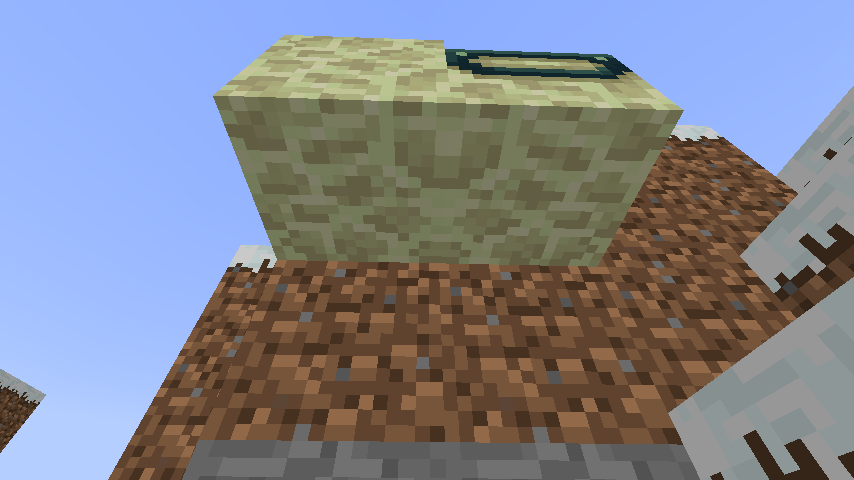
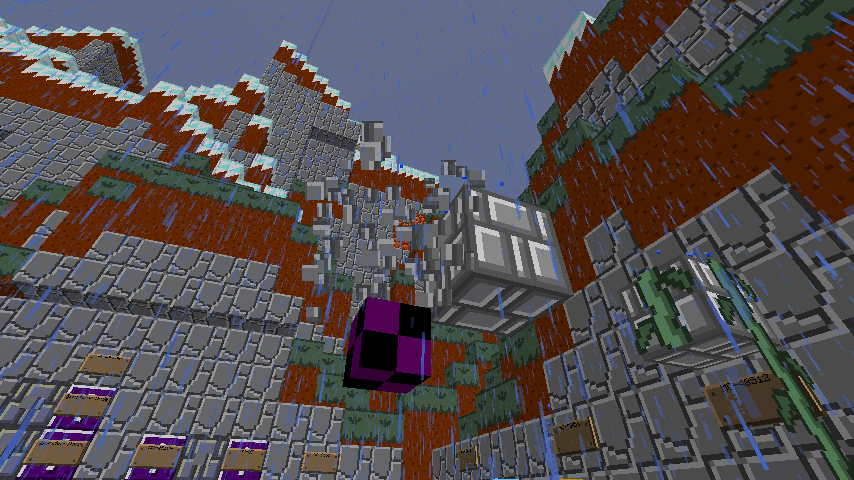


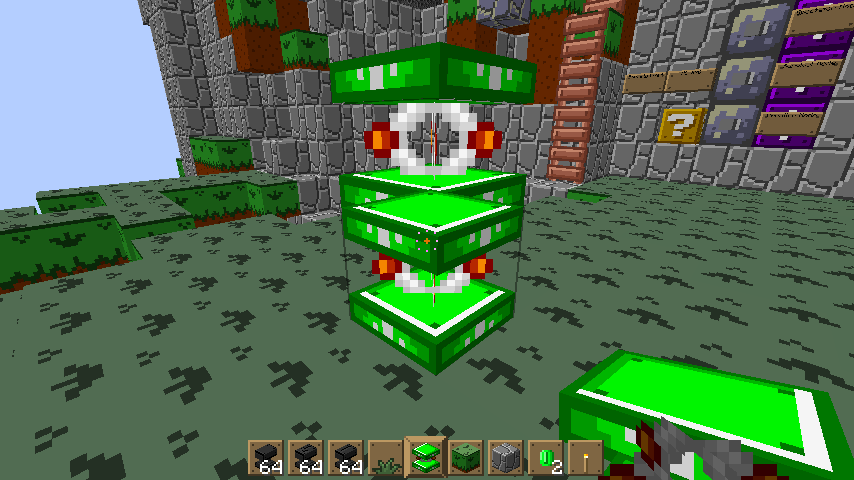
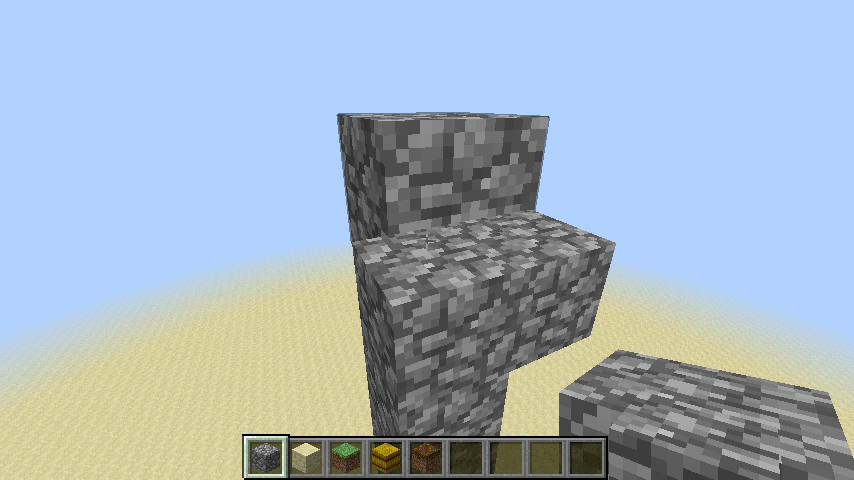

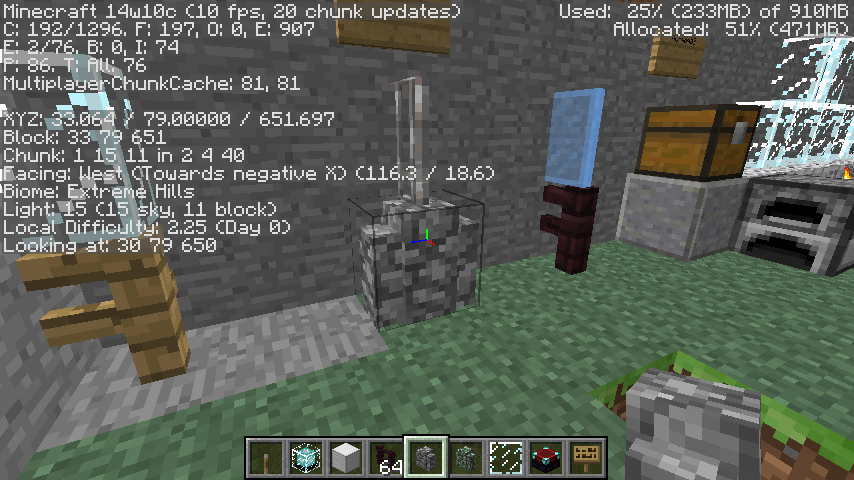

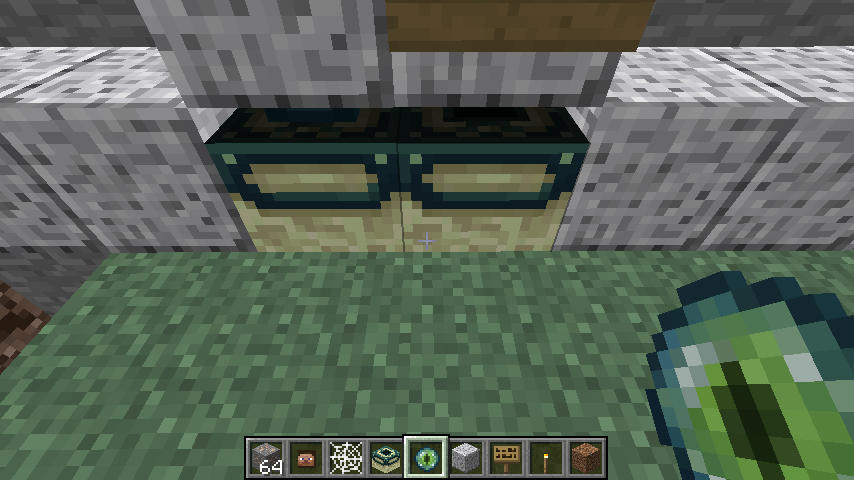
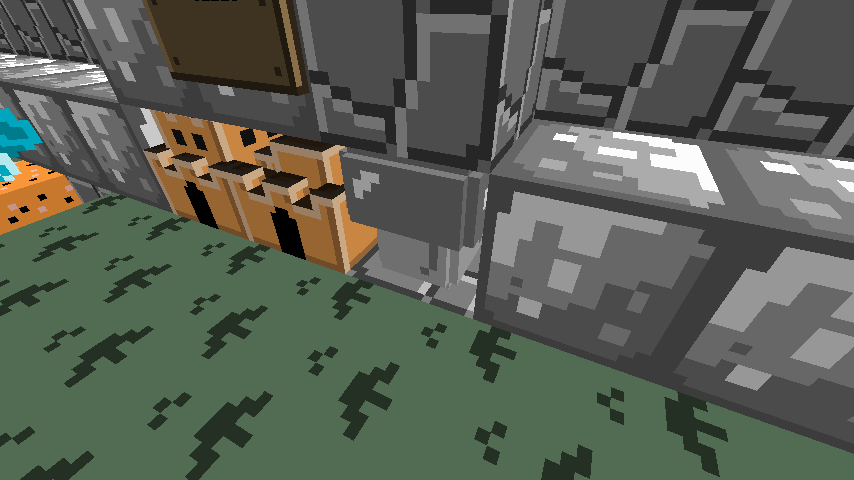
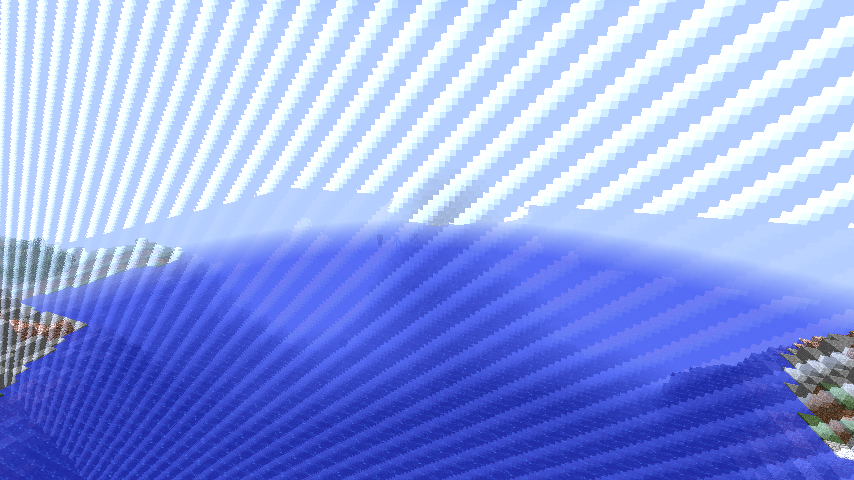

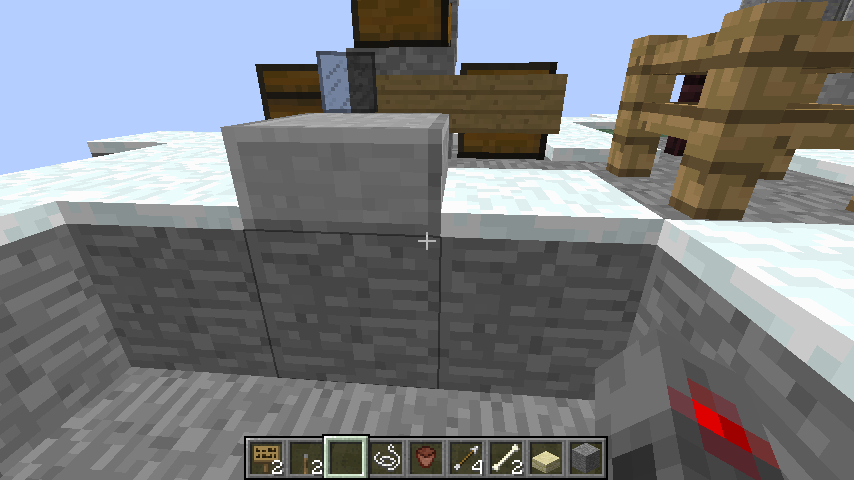
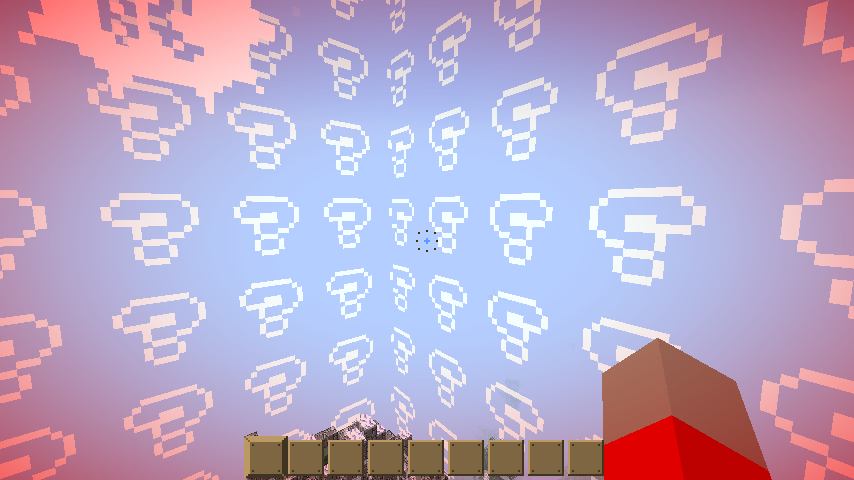
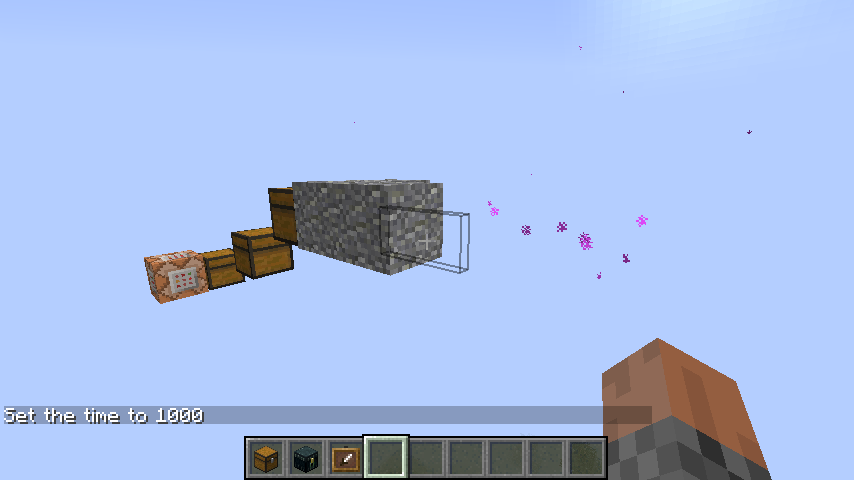
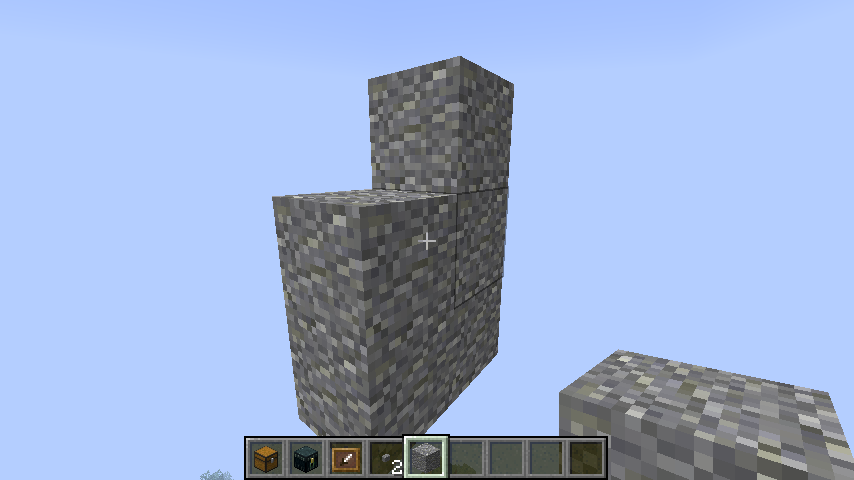


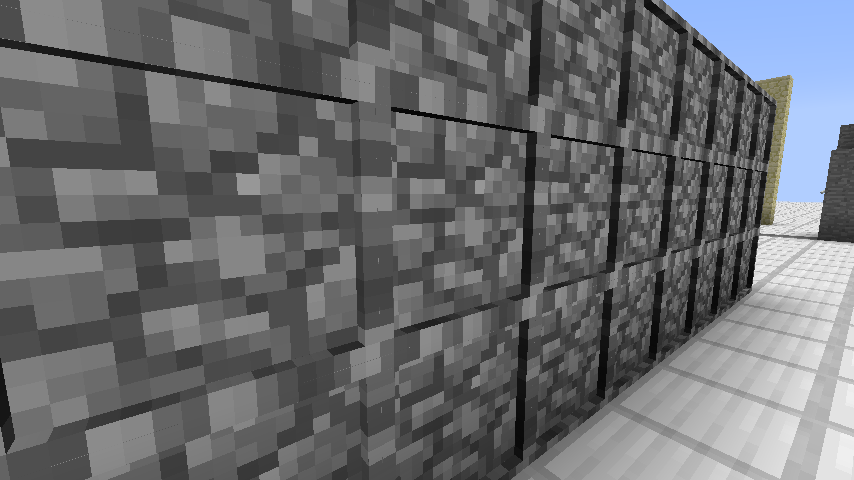
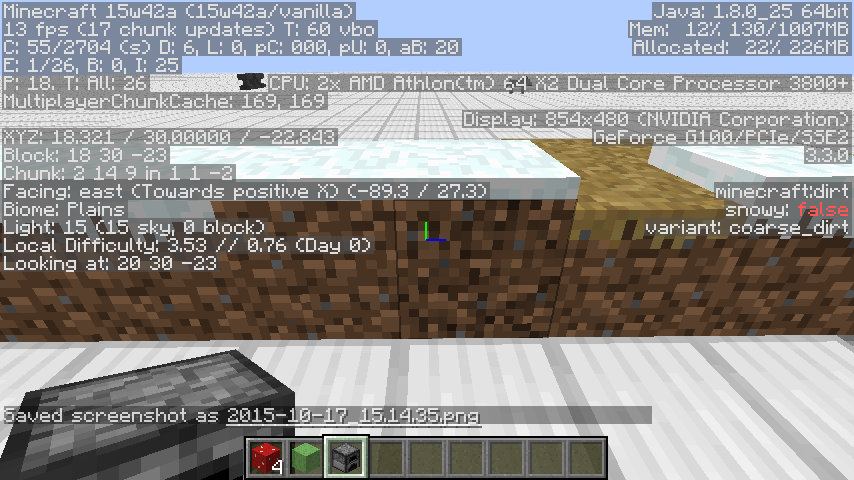
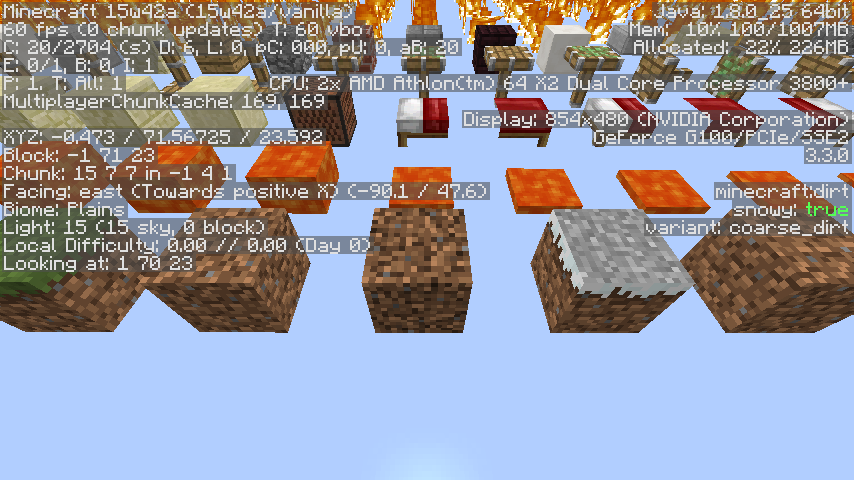

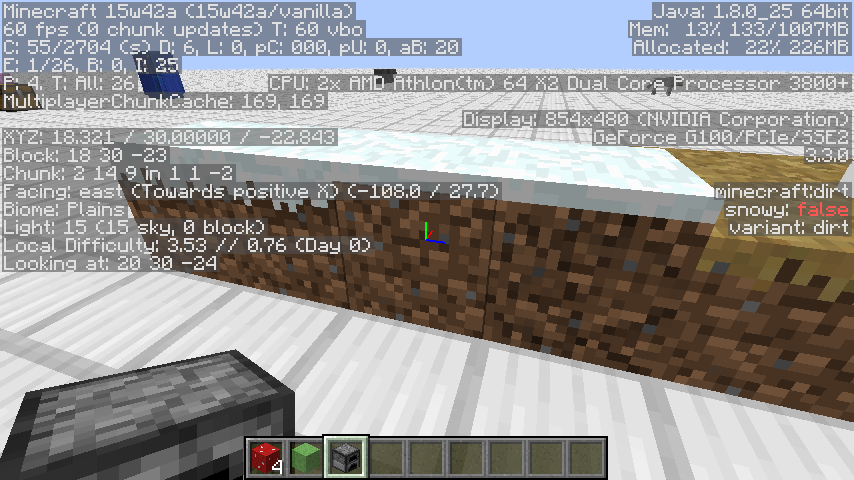
The bottom texture of blocks is flipped
horizontally.
Likely the same asMC-37106, but they missed it in the fix.
Since the other bug does not mention bottom faces, and it is fixed, while this is not, I though a separate issue was needed.The bottom texture of blocks is flipped vertically.
Likely the same asMC-37106, but they missed it in the fix.
Since the other bug does not mention bottom faces, and it is fixed, while this is not, I though a separate issue was needed.
The bottom texture of blocks is flippedhorizontallyThe bottom texture of blocks is flipped vertically
The bottom texture of blocks is flipped vertically.
Likely the same asMC-37106, but they missed it in the fix.
Since the other bug does not mention bottom faces, and it is fixed, while this is not, I though a separate issue was needed.
Edit in 14w07a: Full blocks render the bottom face correctly, though partial blocks (such as end portal frame and enchantment table) still flip the texture.
The bottom texture of blocks is flipped vertically.
Likely the same asMC-37106, but they missed it in the fix.
Since the other bug does not mention bottom faces, and it is fixed, while this is not, I though a separate issue was needed.
Edit in 14w07a: Full blocks render the bottom face correctly, though partial blocks (such as end portal frame and enchantment table) still flip the texture.The bottom texture of blocks is flipped vertically.
Likely the same asMC-37106, but they missed it in the fix.
Since the other bug does not mention bottom faces, and it is fixed, while this is not, I though a separate issue was needed.Edit in 14w07a: Full blocks render the bottom face correctly, though partial blocks (such as end portal frame and enchantment table) still flip the texture.
Edit in 14w11b: Any blocks with models now render correctly, but blocks without a model are incorrectly rendering. Stairs, Enchantment Tables, and some others are still affected.
The bottom texture of blocks is flipped vertically.
Likely the same asMC-37106, but they missed it in the fix.
Since the other bug does not mention bottom faces, and it is fixed, while this is not, I though a separate issue was needed.Edit in 14w07a: Full blocks render the bottom face correctly, though partial blocks (such as end portal frame and enchantment table) still flip the texture.
Edit in 14w11b: Any blocks with models now render correctly, but blocks without a model are incorrectly rendering. Stairs, Enchantment Tables, and some others are still affected.
Edit in 14w17a: The only block I'm still noticing with the problem is the Enchantment Table.
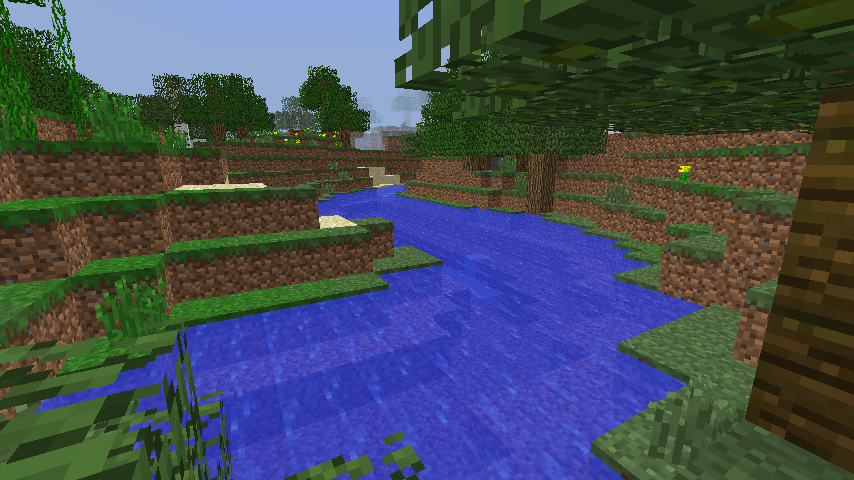
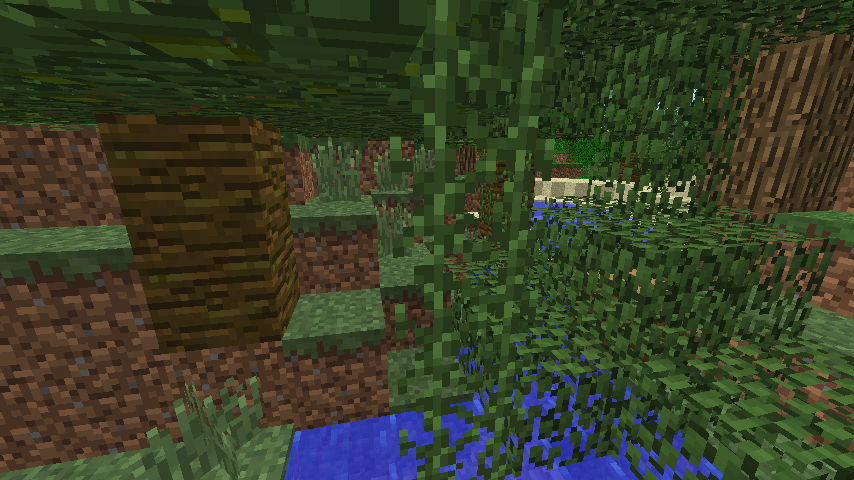
Vines briefly display missingtexturewhen breaking Supporting BlockVines briefly display missing model when breaking Supporting Block
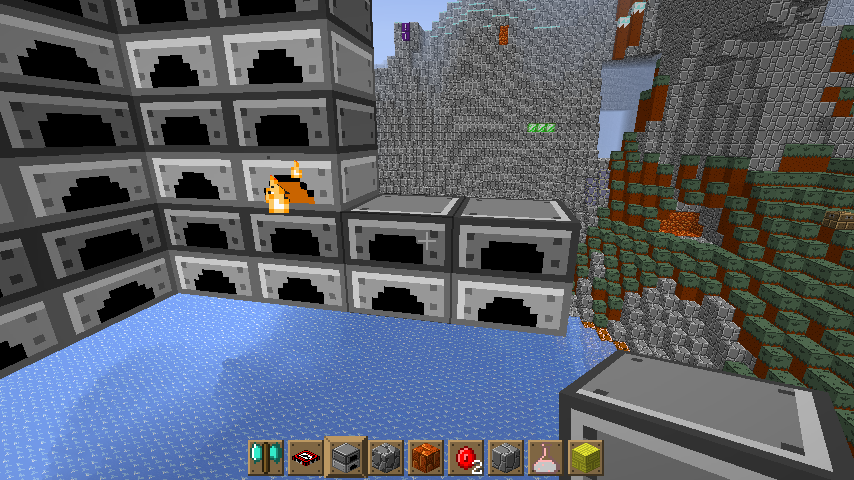
If you use control then pickblock on a furnace that is smelting, it gives you a furnace with the smelting NBT tags.
When you place it, it uses the texture of a non-smelting furnace, and does not display particles.Steps to reproduce:
1. Place a furnace
2. Shift-click one coal and one coal ore in the furnace
3. Hold control then middle click the furnace
4. Place the furnace, notice it does not appear to be smelting
5. Look inside the furnace, notice it is smelting the coal ore
If you use control then pickblock on a furnace that is smelting, it gives you a furnace with the smelting NBT tags.
When you place it, it uses the texture of a non-smelting furnace, and does not display particles.Steps to reproduce:
1. Place a furnace
2. Shift-click one coal and one coal ore in the furnace
3. Hold control then middle click the furnace
4. Place the furnace, notice it does not appear to be smelting
5. Look inside the furnace, notice it is smelting the coal oreIf you use control then pickblock on a furnace that is smelting, it gives you a furnace with the smelting NBT tags.
When you place it, it uses the texture of a non-smelting furnace, and does not display particles.Steps to reproduce:
- Place a furnace
- Shift-click one coal and one coal ore in the furnace
- Hold control then middle click the furnace
- Place the furnace, notice it does not appear to be smelting
- Look inside the furnace, notice it is smelting the coal ore
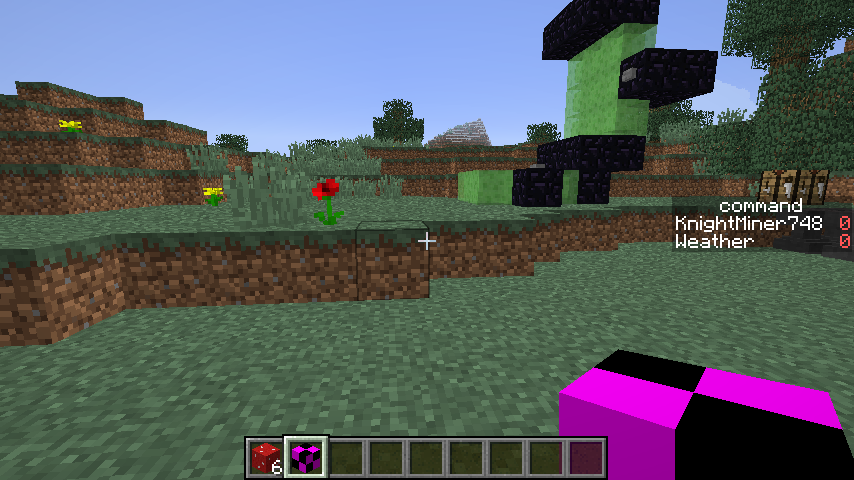
From certain locations, blocks with custom models, notable both "plains" and "blocks" are rendered in the wrong order.
In the screenshot, the
one on the right is wrong, and the one on the left is correct.Similar to
MC-50129, but only when places and from a few angles.From certain locations, blocks with custom models, notable both "plains" and "blocks" are rendered in the wrong order.
In the screenshot, the back plain is in front of the front plain even after the overlap
Similar to
MC-50129, but only when places and from a few angles.
Blocks render parts out of order from certain locationsTransparent blocks render parts out of order from certain locations
Semi-Transparent blocks render parts out of order from certain locations
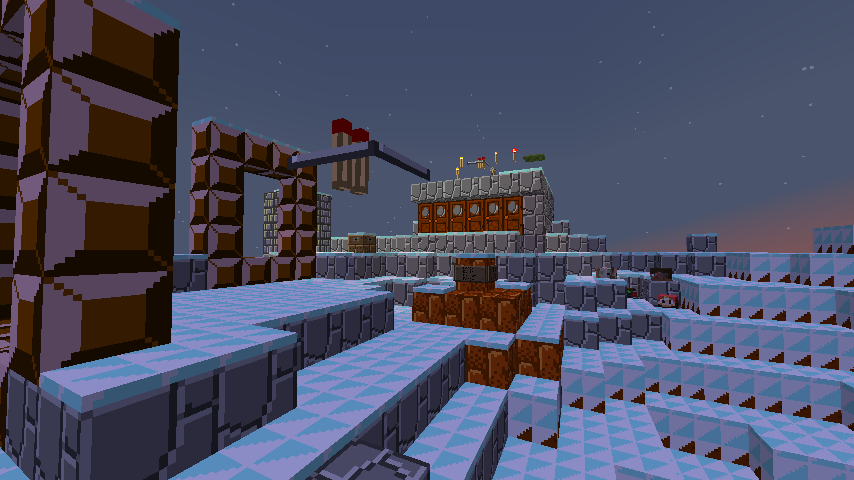
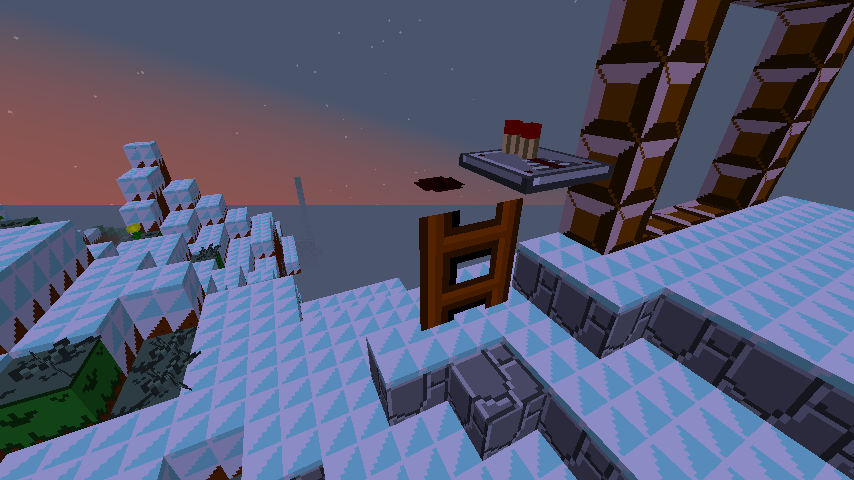
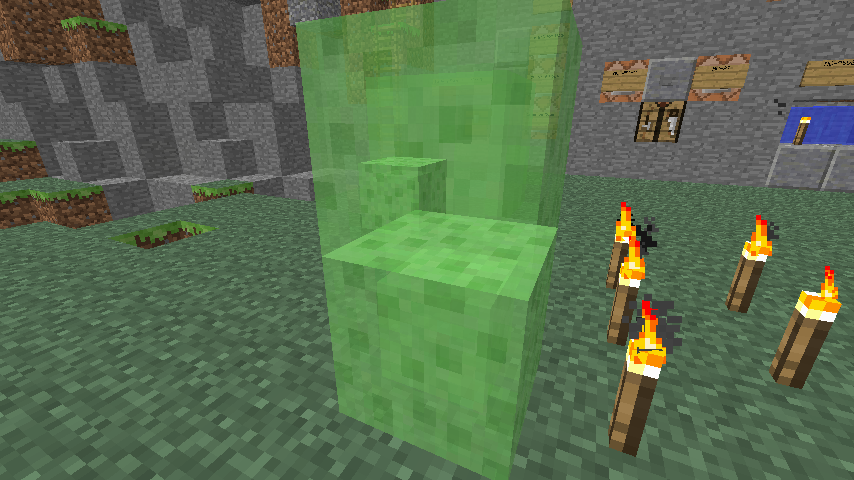
From certain locations, semi-transparent blocks with custom models, notable both "plains" and "blocks" are rendered in the wrong order.
In the screenshot, the back plain is in front of the front plain even after the overlap
Similar to
MC-50129, but only when places and from a few angles.
Parts of semi-transparent models are rendered in the wrong order when in third person or hand
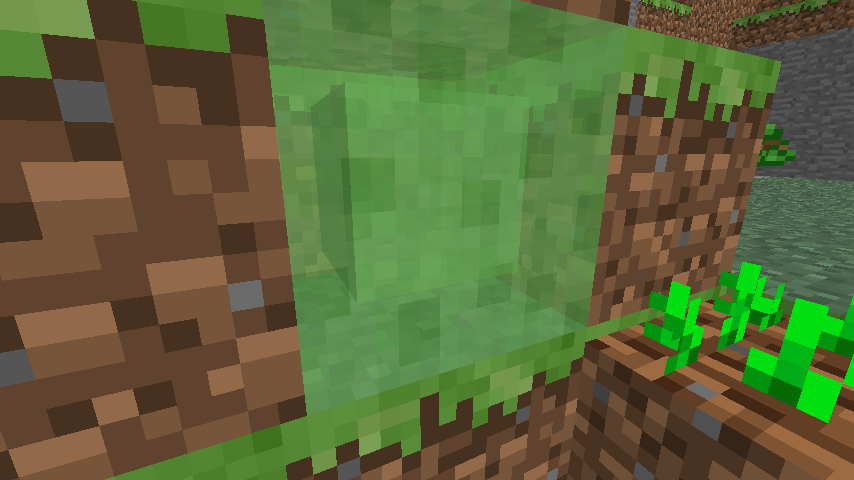
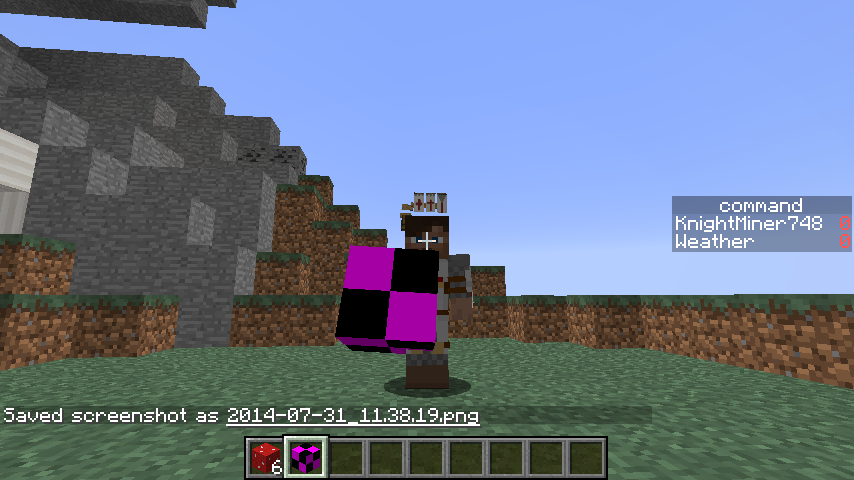
Model parts are rendered in the wrong order when viewed in third person or when held in first person.In the screenshot, the "plains" are on top, then the lower "block", then the upper "block", instead of the upper "block", the "plains", then the lower "block".
Semi-transparent model parts are rendered in the wrong order when viewed in third person or when held in first person.
In the screenshot, the "plains" are on top, then the lower "block", then the upper "block", instead of the upper "block", the "plains", then the lower "block".
Semi-transparent model parts are rendered in the wrong order when viewed in third person or when held in first person.
In the screenshot, the "plains" are on top, then the lower "block", then the upper "block", instead of the upper "block", the "plains", then the lower "block".Semi-transparent model parts are rendered in the wrong order when viewed in third person or when held in first person.
From certain locations, semi-transparent blocks with multiple parts, are rendered in the wrong order.
In the screenshot, the "plains" are on top, then the lower "block", then the upper "block", instead of the upper "block", the "plains", then the lower "block".
Semi-transparent model parts are rendered in the wrong order when viewed in third person or when held in first person.
From certain locations, semi-transparent blocks with multiple parts, are rendered in the wrong order.
In the screenshot, the "plains" are on top, then the lower "block", then the upper "block", instead of the upper "block", the "plains", then the lower "block".
In the third screenshot, the upper block appears behind the lower block, it is location dependent though.
Parts of semi-transparent models are rendered in the wrong order when in third personorhandParts of semi-transparent models are rendered in the wrong order when in third person, hand
Parts of semi-transparent models are rendered in the wrong order when in third person, hand, or in certain locations
MC-50129 Debug Pack.zip
Semi-transparent model parts are rendered in the wrong order when viewed in third person or when held in first person.
From certain locations, semi-transparentblockswith multiple parts, arerenderedin thewrong order.
In the screenshot, the "plains" are on top, then the lower "block", then the upper "block", instead of the upper "block", the "plains", then the lower "block".In the
thirdscreenshot, theupper blockappears behindthelower block,it is location dependentthough.Semi-transparent model parts are rendered in the wrong order when viewed in third person or when held in first person.
Every sixteen blocks vertically has the upper block render behind the lower block.
From certain locations, semi-transparent blocks with multiple parts, are rendered in the wrong order.
In the screenshot, the "plains" are on top, then the lower "block", then the upper "block", instead of the upper "block", the "plains", then the lower "block".
In the third screenshot, the upper block appears behind the lower block, it is location dependent though.
Semi-transparent model parts are rendered in the wrong order when viewed in third person or when held in first person.
Every sixteen blocks vertically has the upper block render behind the lower block.
From certain locations, semi-transparent blocks with multiple parts, notably plains, are rendered in the wrong order.
In the screenshot, the "plains" are on top, then the lower "block", then the upper "block", instead of the upper "block", the "plains", then the lower "block".
In the third screenshot, the upper block appears behind the lower block, it is location dependent though.
Semi-transparent model parts are rendered in the wrong order when viewed in third person or when held in first person.
Every sixteen blocks vertically has the upper block render behind the lower block.
From certain locations, semi-transparent blocks with multiple parts, notably plains, are rendered in the wrong order.
In the screenshot, the "plains" are on top, then the lower "block", then the upper "block", instead of the upper "block", the "plains", then the lower "block".
In the third screenshot, the upper block appears behind the lower block, it is location dependent though.
Steps to reproduce:
- Apply a solid texture to the slime block, or use the provided debug pack
- In hand
- Hold a slime block in your hand
- Notice the center cube is sticking out at you.
- In third person
- Hold the slime block in your hand
- Notice countless errors in it's rendering
- In the certain locations
- Place a slime block at y=<any multiple of 16>
- Place a second slime block one block below
- Stand at the same level as the lower slime block
- Notice the one on the top appears behind the one below
It seems "cull": "false" no longer works on semi-transparent blocks.Edit: it seems that effects non-translucent blocks, so I made a separate issue.
Parts of semi-transparent models are rendered in the wrong order when in third person, hand, or in certain locationsParts of semi-transparent models are rendered in the wrong order when in third person or in hand
Semi-transparent model parts are rendered in the wrong order when viewed in third person or when held in first person.
Every sixteen blocksvertically has the upper blockrenderbehindthelower block.
From certain locations, semi-transparent blocks with multiple parts, notablyplains,are rendered in the wrong order.In the screenshot, the
"plains" are on top, then the lower"block", then the upper "block", instead oftheupper"block",the "plains", then the lower "block".
In the third screenshot,the upper blockappearsbehind the lower block, it is location dependent though.Steps to reproduce:
- Apply a solid texture to the slime block, or use the provided debug pack
- In hand
- Hold a slime block in your hand
- Notice the center cube is sticking out at you.
- In third person
- Hold the slime block in your hand
- Notice countless errors in it's rendering
- In the certain locations
- Place a slime block at y=<any multiple of 16>
- Place a second slime block one block below
- Stand at the same level as the lower slime block
- Notice the one on the top appears behind the one below
Semi-transparent model parts are rendered in the wrong order when viewed in third person or when held in first person.
From certain locations, semi-transparent blocks with multiple parts, notably plains, are rendered in the wrong order.
In the screenshot, the "plains" are on top, then the lower "block", then the upper "block", instead of the upper "block", the "plains", then the lower "block".
In the third screenshot, the upper block appears behind the lower block, it is location dependent though.
Edit in 14w30a: Fixed the incorrect every sixteen blocks vertically, causing the upper block to render behind the lower block.
Steps to reproduce:
- Apply a solid texture to the slime block, or use the provided debug pack
- In hand
- Hold a slime block in your hand
- Notice the center cube is sticking out at you.
- In third person
- Hold the slime block in your hand
- Notice countless errors in it's rendering
Semi-transparent model parts are rendered in the wrong order when viewed in third person or when held in first person.
From certain locations, semi-transparent blocks with multiple parts, notably plains, are rendered in the wrong order.
In the screenshot, the "plains" are on top, then the lower "block", then the upper "block", instead of the upper "block", the "plains", then the lower "block".
In the third screenshot, the upper block appears behind the lower block, it is location dependent though.
Edit in 14w30a: Fixed the incorrect every sixteen blocks vertically, causing the upper block to render behind the lower block.
Steps to reproduce:
- Apply a solid texture to the slime block, or use the provided debug pack
- In hand
- Hold a slime block in your hand
- Notice the center cube is sticking out at you.
- In third person
- Hold the slime block in your hand
- Notice countless errors in it's rendering
Semi-transparent model parts are rendered in the wrong order when viewed in third person or when held in first person.
From certain locations, semi-transparent blocks with multiple parts, notably plains, are rendered in the wrong order.
In the screenshot, the "plains" are on top, then the lower "block", then the upper "block", instead of the upper "block", the "plains", then the lower "block".
In the third screenshot, the upper block appears behind the lower block, it is location dependent though.
Steps to reproduce:
- Apply a solid texture to the slime block, or use the provided debug pack
- In hand
- Hold a slime block in your hand
- Notice the center cube is sticking out at you.
- In third person
- Hold the slime block in your hand
- Notice countless errors in it's rendering
Edit in 14w30a: Fixed the incorrect rendering every sixteen blocks vertically, which causing the upper block to render behind the lower block.
Parts of semi-transparent models (slime blocks, stained glass) are rendered in the wrong order when in third person or in hand
Yes, I broke the models again.
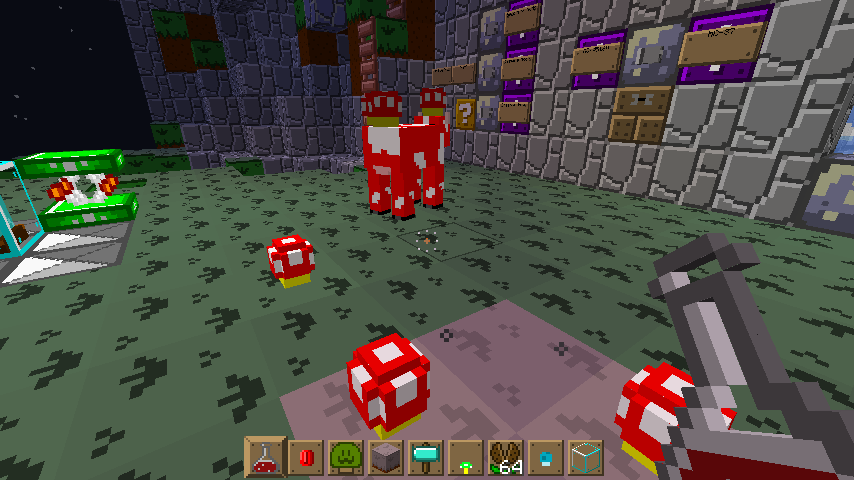
Mushrooms on the backs of mooshrooms display the "cubes" incorrectly.
It seems to lack shading and display the backs instead of the front, bit of z-fighting.
Steps to reproduce:
- Apply a custom red mushroom model that contains cubes rather than plains, or download the debug pack
- Spawn a mooshroom
- Look at the mushrooms on the mooshroom's back, notice the cubes appear inside-out

@KnightMiner: You may do that. As long as the text 1.8.1 is somewhere in the comments, we'll find that.
Edit: Even better: I made you the reporter of this ticket, you can edit the affected versions yourself.
@jalvsaker: If you're not comfortable with that, please leave a comment.
@KnightMiner: I made you the reporter of this ticket, so you can maintain it. @David Springer: Please comment, if this is a problem for you.
@KnightMiner: Sorry, did announce, but not perform... Done now.
KnightMiner, Bentroen: Can you repeat with a new world the credit music not playing ?
If so, please re-repeat the process and attach a zip of the world here.
Affects me too. My Cyborg Arm cannon cannot be seen in first person.
Thanks Dinnerbone.
My first bug! Hope this gets fixes, or it will annoy me much.
Signs did have a breaking animation recently, though it was entirely due to a bug. See
MC-32082. I think it is a problem of the way the block renders, from a sheet or in pieces.This may be from new feature, the skins do not auto flip now, you must manually flip them.
Normal items don't render either, but just front faces.
It is a bit easier to know that say words will not be flipped. When I designed my skin, it was much easier knowing that my texture would be the same orientation as the file.
Still in 14w04a
Also, on fast graphic, items do not render at all.
I have this problem too, only on fancy graphics
Still in 14w04b, really annoying.
Still in 14w05a
Still in 14w05a
But if they now can go somewhere with a bottom texture, shouldn't they get one for that situation?
Just about to report this.
I think it is fine the way it is now: No particles for landing on or punching, but lava particles when it breaks.
Also Cobblestone Walls and Mossy Cobblestone Walls connect to it.
Maybe you mean "They bar things"
I don't see how this is intended. The texture is flipped, instead of mapping the same like the sides. Makes bottom textures need to be flipped as well.
I think I know part of the problem, with the .lang you can add new entries, and if you have multiple, the final is chosen, but with the sounds.json, each sound is programmed to include multiple sounds if told, so adding an entry to sounds.json instead of rewriting the sound file data just adds to it, causing the default to be used plus your replacement file name.
I hope this makes sense and helps with fixing this bug, as that would shrink the size of my resource pack much.
Looks quite painful.
With the way mapping works, It puts the image on the top, south, and west faces. The bottom, east and north faces get the same image, though when viewing it (which is from the other side) it appears backwards. To fix that the north and east faces are programmed to flip the texture on those faces, but not on the bottom face.
Fixed in 14w07a, and I found out it flipped vertically, not horizontally.
Try /give @p lit_furnace, it produces the opposite effect.
Fixed in 14w07a, at least for me
Okay, Partially Fixed, only fixed on full blocks
Still in 14w07a
Still in 14w07a
Still in 14w07a
Partially fixed in 14w07a.
Signs and Chests have no animation
Cocoa Beans and Beacons have the animation
Well, there are 31 different models of vines, it would be normal to just want to finish it quickly.
Still in 14w08a
Still in 14w08a
Still in 14w08a
Still in 14w08a
Still in 14w08a
Still in 14w08a
PTR_91:
Yeah, grum marked the bug on ladders backface being viewed on barriers as "Works as Intended" a.k.a, no backface will be added, as none is needed.
MC-46459I've been playing with block models, and it seems that is the "missing model" model.
The basic problem is vines don't know what model to use when the supporting block above is destroyed.
Yeah, this is also made weirder when the end portal frame is rotated, since bottom textures now rotate with their model.
Overall one of the oddest bugs with what it affects
An now, if you are going to build a redstone circuit on barriers, you will face the consequences
Barely noticed this until after reading this bug report.
Simon Greydonen: The wiki documents changes, whether it is a bug or a feature is not known at the time.
So this must be the model for a vine with no blocks around it
It seems that the block model is correct, and all other models, including the "grass" model (grass blocks, crafting tables, furnaces, ect.) are currently incorrect.
Crash Report
It seems it also affects other blocks around it
Bit more testing, only semi-transparent blocks
Slime block, but it also works with stained glass. I think it's always been happening, but since it was transparent, it was not noticed.
Added stuff to
MC-50129from here, since they are being declared the sameHere is a screenshot of the slime block by default, not how bright the one in the back is.
Resource pack with all affected
Crash report.
Something to note (just discovered), the issue with the blocks placed in the world only happens at y=80
The reason for the halfway points it a bit of a cheat to include more texture space
I don't think it's the model, here is the default slime block model with a solid texture.
Fixed in 14w10b
I was messing with the ladder file, and it would not accept rotation arguments.
This bug might affect all blocks.
Update, the game now crashes as soon as it loads with the broken missing block model.
Of course, it does the same with any other broken model.
Uploaded new version of the debug pack using just a solid texture. Bug still present.
Found this issue finally, really annoying.
Still in 14w10a/b
Also in 14w10c
Still in 14w10a/b
Also in 14w10c
Still in 14w10a/b
Also in 14w10c
Still in 14w10a/b
Cobblestone walls still attach. Okay, fixed in reupload.
Figured out the certain locations for transparent blocks rendering in the wrong order (the non-plains thing), vertical chunk borders, or every 16 blocks
Well, on ladders. They might also add it to redstone eventually
After some testing, it seems to be less of a problem, since broken models crash the game instead of returning missing.
The Missing model is now used by blocks with nonexistent damage values, and ones you forgot the model for.
Can a mod declare this fixed, or does someone from mojang have to do that?
Here is a pack with the custom model so you can test it yourself.
It seems skulls in the inventory still have the tag, as they don't stack. So just store up skulls you want in your inventory until the next snapshot.
Fixed in 14w11b on all blocks with a block model (end portal frame, crafting table, ect.). But not blocks without models (enchantment table, stairs).
No, these are the default models. And it only affects certain few blocks. Several of my models which worked before now have darkened spots, so either the format changed and they missed some models, or the "cull" tag is broken, either way it's a bug.
And yeah, I mean "cull":false, I typed it here from memory (I usually copy/paste for making my models)
Kumsasa: Yes, if you notice, the top face is darkened, even though you still see it. That is why "cull": false was added, to stop that, and why it not doing it's job is a bug.
Here is a screenshot of slightly modified of the default files.
The one on the right has ""useAmbientOcclusion": true"
The one on the left has ""cull": true"
Note with or without cull the bug still happens, and useAmbientOcclusion does not fix the problem.
Also note that only certain blocks are affected, notice the anvil looks fine, but not the end portal frame, and I used the same process to make both.
Try it yourself with the end portal frame, or the slime block (or some other I have not found)
Okay, using Spectator mode, I've found it is not cull, it just visually looks identical to the cull darkening.
Thanks, could not get my mooshroom to stay still. (and my model is less complex)
Based on a post form the minecraft forum (a mistake made), and a weird test, I found the exactly what it is doing:
Mooshrooms are inverting the cube coordinates and removing all shading, with a bit of removal of rendering order.
And I found what those two blocks have in common, they are both solid blocks that are rendered as transparent.
I would suggest a reopen, for slime blocks and end portal frames.
Still fixed in 14w10b, they now briefly display the default vine model instead.
Seems fixed in the latest snapshot (14w11b). Exact number it was fixed in I am unsure about.
Well, this is unfixed again. Now it uses the texture of the furnace top as it's item texture, and would appear intended.
Well, you cannot expect it to look right at this item is not intended for standard use.
The original bug post was that the bottom faces were flipped vertically, and in the new models, that no longer happens
Mojang will now likely adjust the rest to the new block model system and remove all the inconsistencies , fixing this bug completely.
Cool! Thanks Mog.
I think all this is not fixed on is the enchantment table. Might be a few others though.
Also affects the World Border. See screenshot.
I looked at the model files, both the base redstone and the overlay redstone have "tint": true set.
Another update on this bug. The game no longer crashes when loading a broken model, unless it is the MissingNo model.
Update to those concerned, the model is now hard coded, like the missing texture.
This bug also affects Chests, signs, and Mob Heads. All of which are block rendered as entities.
(my issue for that was marked as a duplicate of this)
Still in 14w18b
Likely because the top part of the flower renders based on what it detects below it (and the sunflower is the double plant with a damage value of 0)
It will take be a bit to test this bug in the latest version, as I must convert my models to the latest version
New debug pack using the new model format
Still in 14w26c
I think the end portal eye problem is better categorized under MC-51113
Still in 14w27a/b
The bottom texture is messed up too.
I was just about to report this.
Although for me it becomes fixed with only needing mipmap level 1
Fixed in 14w29aNevermind, only fixed when using night vision...I added a debug pack, since the default texture does not show the issue well.
The item form of lit furnaces still exists, it just has no item model.
Related to, but not the same, as it is very consistent, and only on the emptying of a chunk.
That bug is about blocks still rendering, this one is about blocks not rendering, not a duplicate. It is also very consistent, every time it acts that way.
Okay, I will wait for then.
As
MC-62582is marked as a duplicate of this one, I will mention it here.And from
MC-62583, a more consistent way to reproduce the ghost blocks is to destroy the last block in a 16 3 chunkThe semi-transparent blocks no longer render oddly on vertical chunk borders, it seems the new chunk threading fixed that. The other two issues are still relevant though
So, I cannot place a furnace with fuel in it in the latest snapshot, the furnace with NBT is coming up empty, so I will have to wait to test this bug in the latest versions
Edit: The other bug was fixed, so I could check this one again.
Beaten to the punch again. I can confirm
I've noticed this too. Can confirm.
The two bugs I had that were labeled as duplicates of this are both fixed...
If you look at the model files, the reason is obvious. Almost all the uses of "cullface" are wrong, causing it to use darkening culling.
I would say this relates to
MC-51447I have this issue as well. He still moves and destroys blocks.
This would appear intended, based on the removal of "door_jungle_inner.png", and the models correctly pointing to the basic cube model.
The only reason I can think of as to why is so people making resource packs who do not want to change the model won't have it look bad.
I personally liked them better as 3D, but I guess I can just use a resource pack for that.
Edit: Something else intresting to note is in 14w32d there were two models for jungle and acacia doors, the one used now and the 3D one. It seems they were removed the 3D one, then pointed the blockstate to the 2D one...
I've uploaded a simple resource pack that fixes the bug. At least if this is not fixed for 1.8, you can use the resource pack
Oh, and it affects 1.8-pre1
I've attached a resource pack that fixes the bug, as it was caused by broken block models.
It also affects the bottom faces of fences by the way.
Edit: forgot to mention, affects 1.8-pre1
Also affects trapdoors, but only on the bottom. I have adjusted the fix pack accordingly.
Still in 1.8-pre2
Still in 1.8-pre2
Still in 1.8 release
Still in 1.8 release
Still in 1.8.1-pre1
Still in 1.8.1-pre1
Still in 1.8.1-pre2
Still in 1.8.1-pre2
Fixed in 1.8 or before
Still in 1.8.1-pre4
Still in 1.8.1-pre4
Still in 1.8.1-pre5
Still in 1.8.1-pre5
Wouldn't a resolution of "Won't Fix" be more accurate? as this does prevent usage of a feature in the game in certain circumstances. Otherwise a clear indication in game of it not being supported would be necessary.
Still in 1.8.1. Is there a better way to post "Still in"? Such as editing a single comment maybe?
Still in 1.8.1.
Is there a better way to post "Still in"? Such as editing a single comment maybe?
Actually, the problem is a lot simpler: A piston pushing a block into a block that resides on the world border pushes one block, and turns the other into a "ghost block".
The ghost blocks will disappear upon reloading the game.
This issue is the same as
MC-74543, although this issue is more descriptive of the problem.Still in 1.8.2-pre1
Also still in 1.8.1-pre3
Fixed in 1.8.1 or before
Updated fix pack with quartz stairs
Its not, it is spam
So the inconsistent textures are intended? Its a really easy fix, so I don't see why.
Yay for the fix. Now I wish I added an easter egg in the model files...
@FVbico
Yes, it is likely caused by an unsupported value, and I would not argue with a resolution of either "Works as intended" or "Won't fix" from Mojang. The main thing is the behavior is inconsistent with other items, allowing incorrect damage values, but still stacking them with correct ones when obtained as items.
@Sonic: Locked chests generated light, and MCEdit automatically adds light around blocks, as otherwise it would not update in game.
MCEdit has not updated to support the locked chests replacement with stained glass back in 1.7 (except in dev builds), causing it to add light to what it thinks are light producing blocks (aka, the stained glass)
I just noticed the later issue (
MC-50129) is a duplicate of this one. It is more descriptive of effects and better maintained though.It seems this is a duplicate of
MC-44373, though that issue only lists two of the three issues (one of which is fixed as far as I can tell) and has note been updated since 1.8 release.This issue is a duplicate of
MC-74702. ThoughMC-74702is somewhat less accurate at listing the issue (requiring a flying machine to reproduce)I've attached a debug pack which shows the issue better by applying a solid texture to the slime block. It also shows another affect of the issue, which are the rendering issues in the player's hand.
@Kumasasa I don't feel like the reporter right now, you might have forgot to confirm the change.
Alright, I've added in the in hand part of the issue. If the issue remains for awhile, I may also modify the original text slightly.
I did not hear any music upon entering the portal as well, assuming the music is suppose to start at the beginning of the poem. (music was enabled)
So, reopen for 1.8.3.
Yeah, I meant that it does not require a flying machine, only pistons are needed.
If a mod would like to state that "A piston pushing a block into a block that resides on the world border merges them", it would be helpful.
Strange, I just tried it again in both a new world and my old one, and the music played both times. I wondering if it was hotfixed, or if some lingering value had to be fixed automatically by the game first. (I did in one test notice
MC-35856though)Can a mod please attempt to reproduce this bug, or reply as to why they have not attempted to reproduce the bug? It has been sitting unconfirmed for nearly a year now, despite easy to follow steps to reproduce and a debug resource pack.
Not really. That issue is about effects (particles, world border, items, clouds) rendering in the wrong order compared to blocks, while this one is about blocks rendering in the wrong compared to each other or the parts of themselves.
The mods at that issue have also already stated that issue covers way too many issues which all are all likely to be fixed independently (such as particles have been fixed now), so I doubt they will want to merge in another slightly related issue
Related to
MC-81834Definitely related to
MC-72866, as the shading hardcoding affects both disabling it in resource packs and its usage out of item frames.I added a debug pack with the new 1.9 format
I added a new resource pack for 1.9, which basically is just so there is no error
I updated the debug pack version number, so it does not complain of incompatibility.
I wouldn't conciser this issue "Works as intended" as that feature shouldn't even do anything in the overworld. Rather it seems more likely it is blocked by a future change (can you add the "blocked" status without an issue blocking it?)
Edit: meant "the overworld", not "single player"...
Jeb says there is a fix in the next snapshot for this
https://www.reddit.com/r/Minecraft/comments/3j7ld2/next_target_for_19_combat_rebalance_armor/
This is completely works as intended. Floating gravel is suppose to fall upon any block update (as its a falling block). That includes placing a torch on it.
Duplicate of
MC-88929. Please search before creating a new bug reportApparently this was fixed, likey around the time of cullface's addition (14w25a). All you need to do is set the cullface property to the side you want it to be lighted via (eg, if you have an inset face on the north side, set all parts of the inset face to cullface to the north)
It still doesn't work on smooth lightning, so I suggest changing the issue to state only on smooth lighting
I can confirm the fix
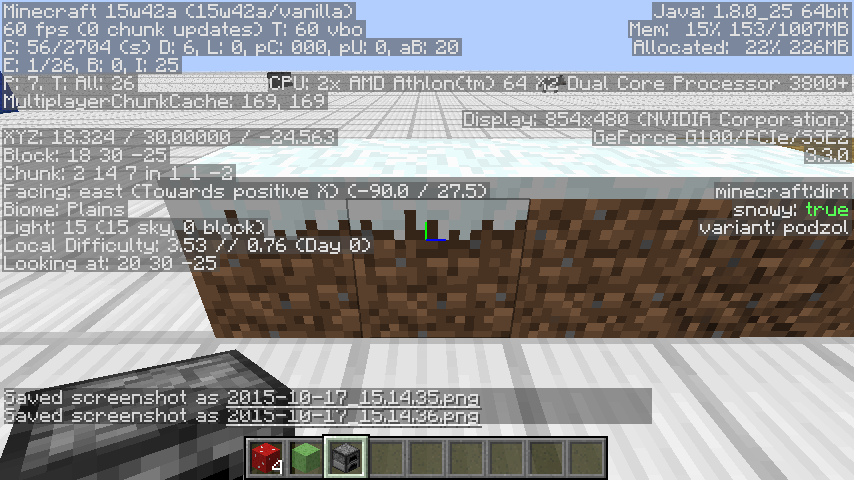
@Evtema3 Because there is a snowy podzol state, and dirt and podzol use the same block ID
As in the snowy blockstate will no longer exist on dirt and coarse dirt in 1.10?
Fixed on end portal frames in 15w46a, along with stairs it seems. Slime blocks are still affected.
The end portal issue was actually MC-51113, which was fixed for end portal frames in 15w46a.
The rest of the issues still exist in 15w46a. Properly set cullfaces fixes the darkening on most blocks on fast lighting, but they are not fixed on smooth lighting.
This issue has been resolved as a duplicate, so head over there for confirming it still exists.
Yep, still in 1.11 and 16w50a
Yep, still in 16w50a and 1.11
Yep, still in 16w50a and 1.11
This bug was recently fixed in Minecraft Forge, PR #7718. Assuming the MCP decompilation was correct, Mojang's code had the fix for this bug in there already, it was just one line too late.
While this bug does not impact vanilla much, it does make usable items difficult in mods in a few ways. Fix seems to be pretty simple, just a patch in both LocalPlayer#drop(boolean) and ServerPlayer#drop(boolean) as those are the last place with access to the use item before it shrinks. See https://github.com/MinecraftForge/MinecraftForge/pull/9344 for a Forge PR implementing the fix.
Did some testing, and the one vanilla gameplay impact I found with the fix is if both the main hand and offhand are usable items, then dropping the main hand item lets you immediately start using the offhand item. I doubt that is ever beneficial in vanilla as you can get the same effect using the scroll wheel, but it is more desirable behavior.
The 1.19.4-pre1 changelog mentioned something about making enchantment glints more visible on items, does this mean that this issue is even more pronounced?
Did a bit of testing and managed to reproduce this issue on 1.19.3. Seems the problem is the client side stops using the item, but the serverside still thinks its using a now empty item. Easier way to reproduce the issue is to put a nearly broken shield in the main hand, and the other item in the offhand. Holding right click with the shield will cause the offhand item to visually be used (e.g. eating or blocking animation plays), but the server still thinks the mainhand is being used.
All the cases of "this bug does not happen if" boil down to switching items causes you to stop using items, putting the server and client back in sync. e.g. if you break a shield in the main hand then try using an item in another hotbar slot.