 Pedro Barbosa Bruno
- P3drin_Abover
- JIRAUSER626656
- Europe/Stockholm
- Yes
- No
 MCPE-125208MCPE-125853MCPE-162679



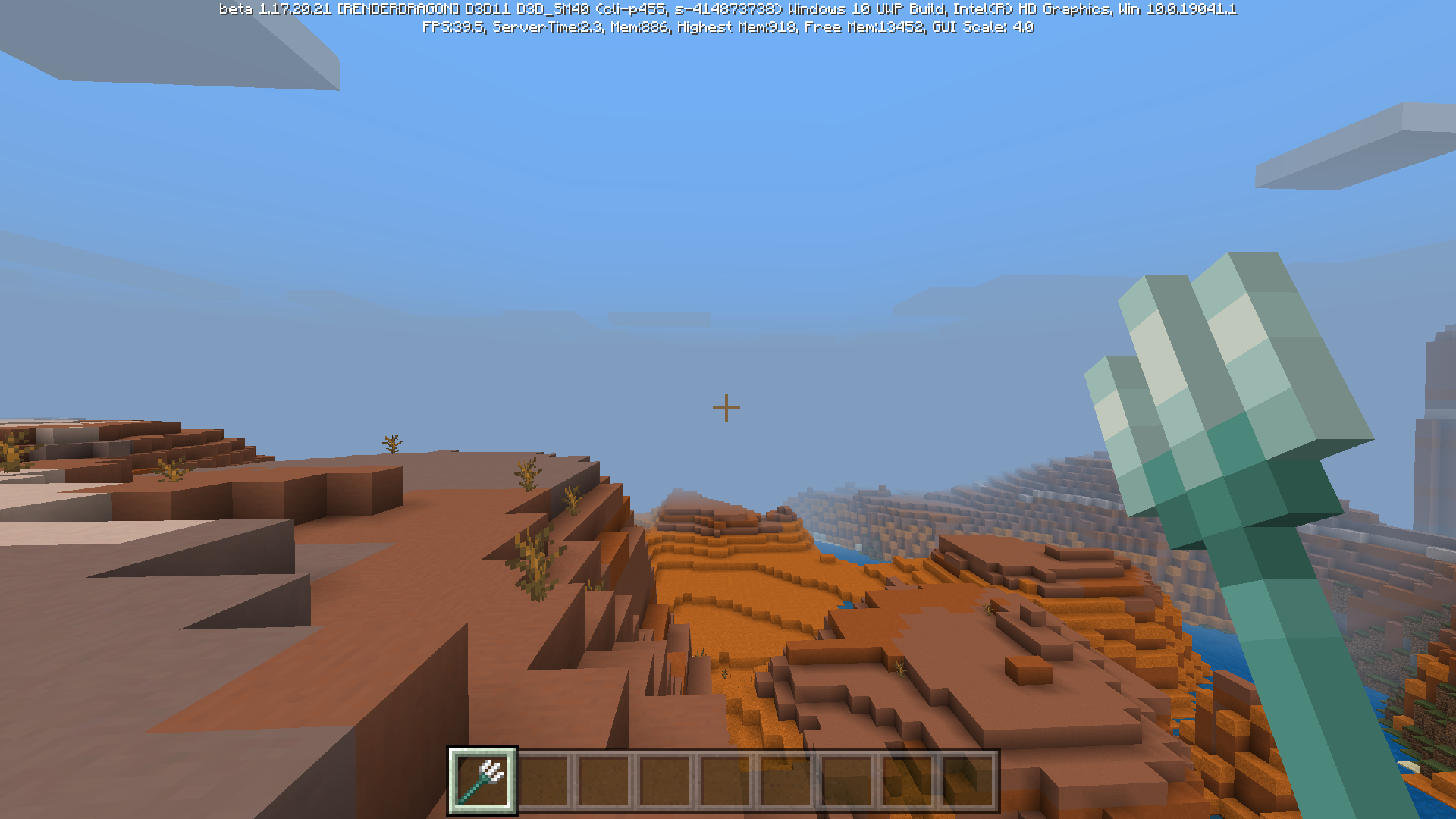


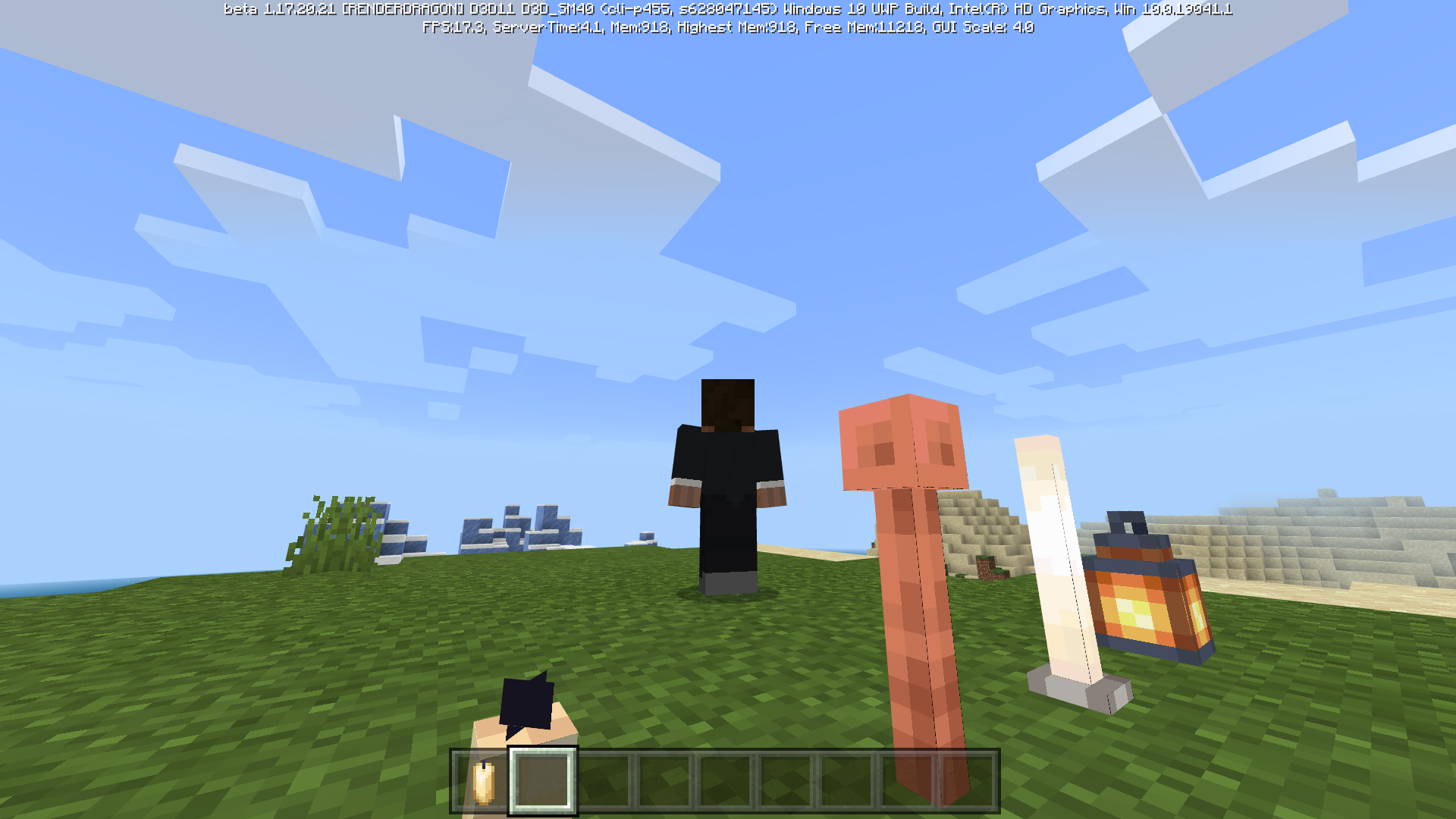


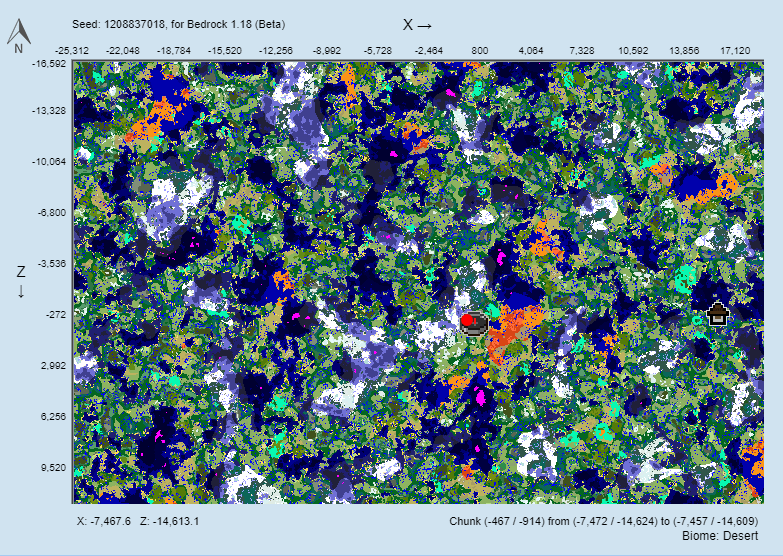



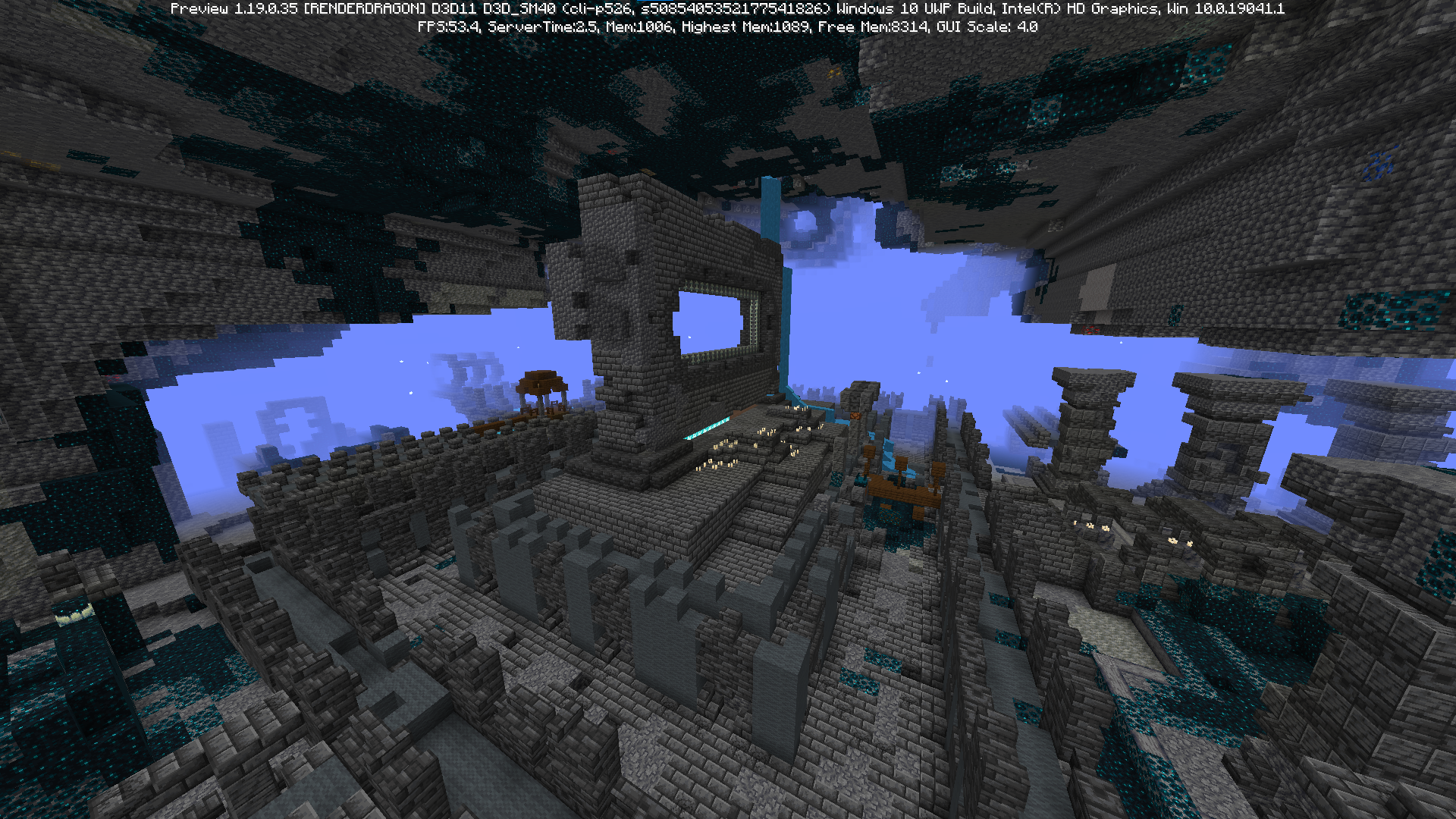



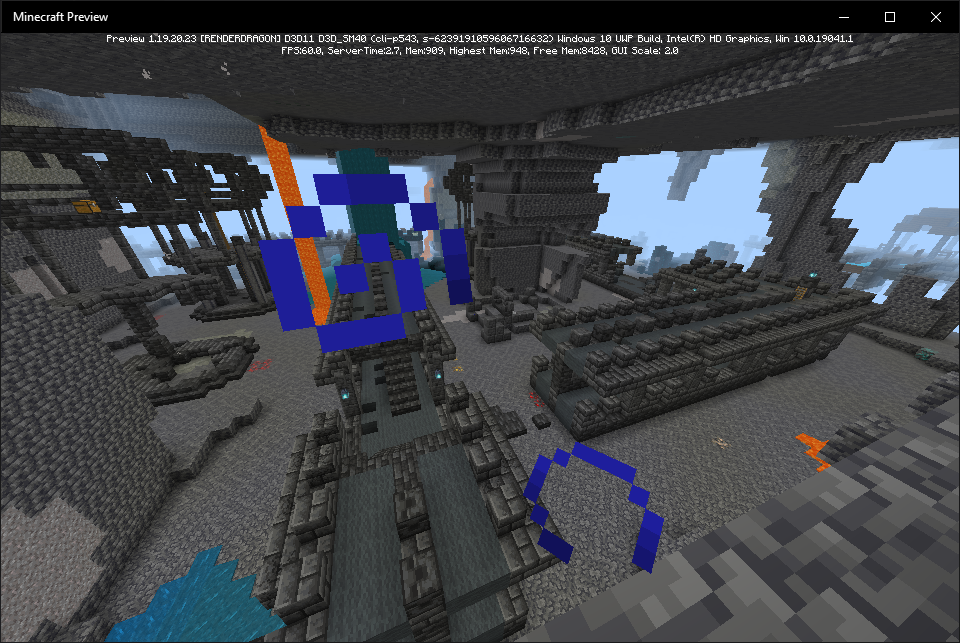


Trident have errors on some of his animations after .210 hotfix changes, and i will show one of them on this report.
How to Reproduce:
1. Pick a trident enchanted with riptide.
2. Start a rain to be better to reproduce
3. Repeatedely use the riptide trident on rain
-->Before 1.16.210, everytime you use a riptide trident appears an animation after throwing it, and trying to throw the riptide trident again stops that animation, after 1.16.210 that doesn't happen anymore. Basically, the animation after throwing the riptide trident can't be interrupted.
The video is from 1.16.210 hotfix, but the bug still persists on 1.16.220 and Trident's changes on Beta 1.16.230.52.
T
rident have errors on some of his animations after .210 hotfix changes, and iwill show one of them on this report.How to Reproduce:
1. Pick a trident enchanted with riptide.
2. Start a rain to be better to reproduce
3. Repeatedely use the riptide trident on rain
-->Sumary:
The animation when you use a riptide trident do not stop when you try to throw the riptide trident while the animation occur.
How to Reproduce:
1. Pick a trident enchanted with riptide.
2. Start a rain to be better to reproduce
3. Repeatedely use the riptide trident on rain
-->
Riptide trident animations are incorrect.Riptide trident animation only stops after the cooldown
Riptide trident animationonly stops after the cooldownRiptide trident animation isn't replaced when you imediately try throwing a riptide trident again
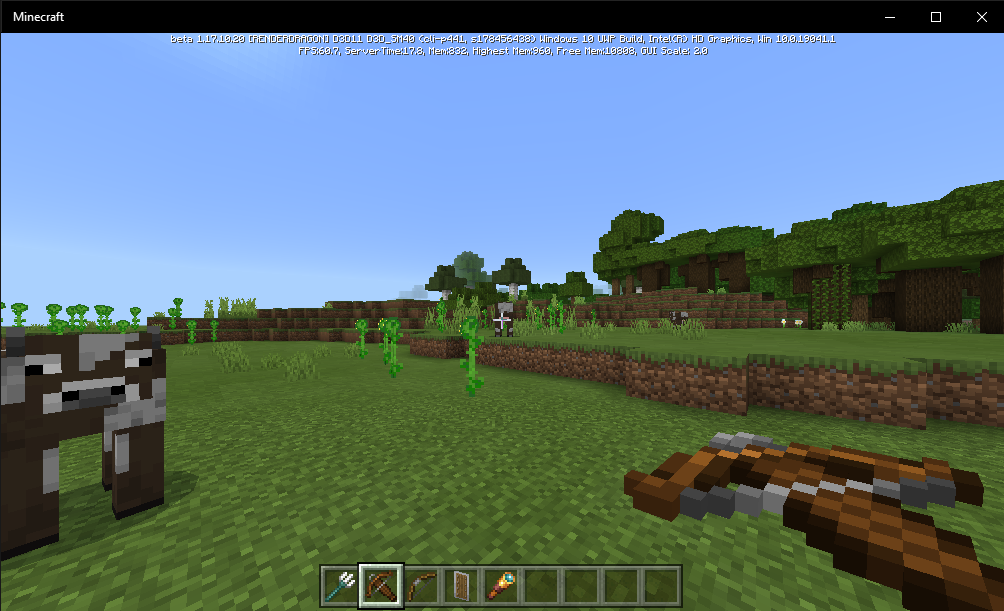
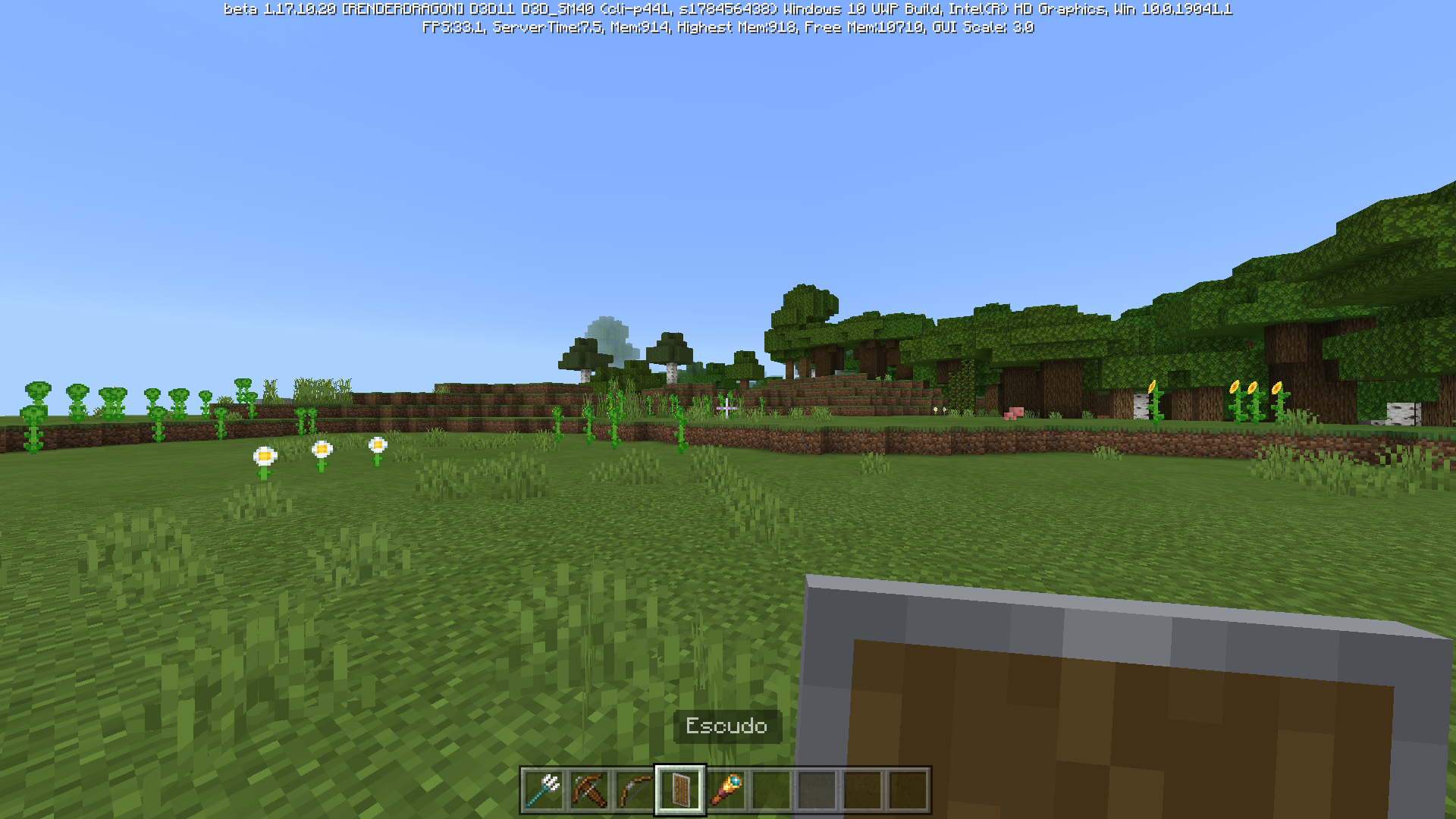
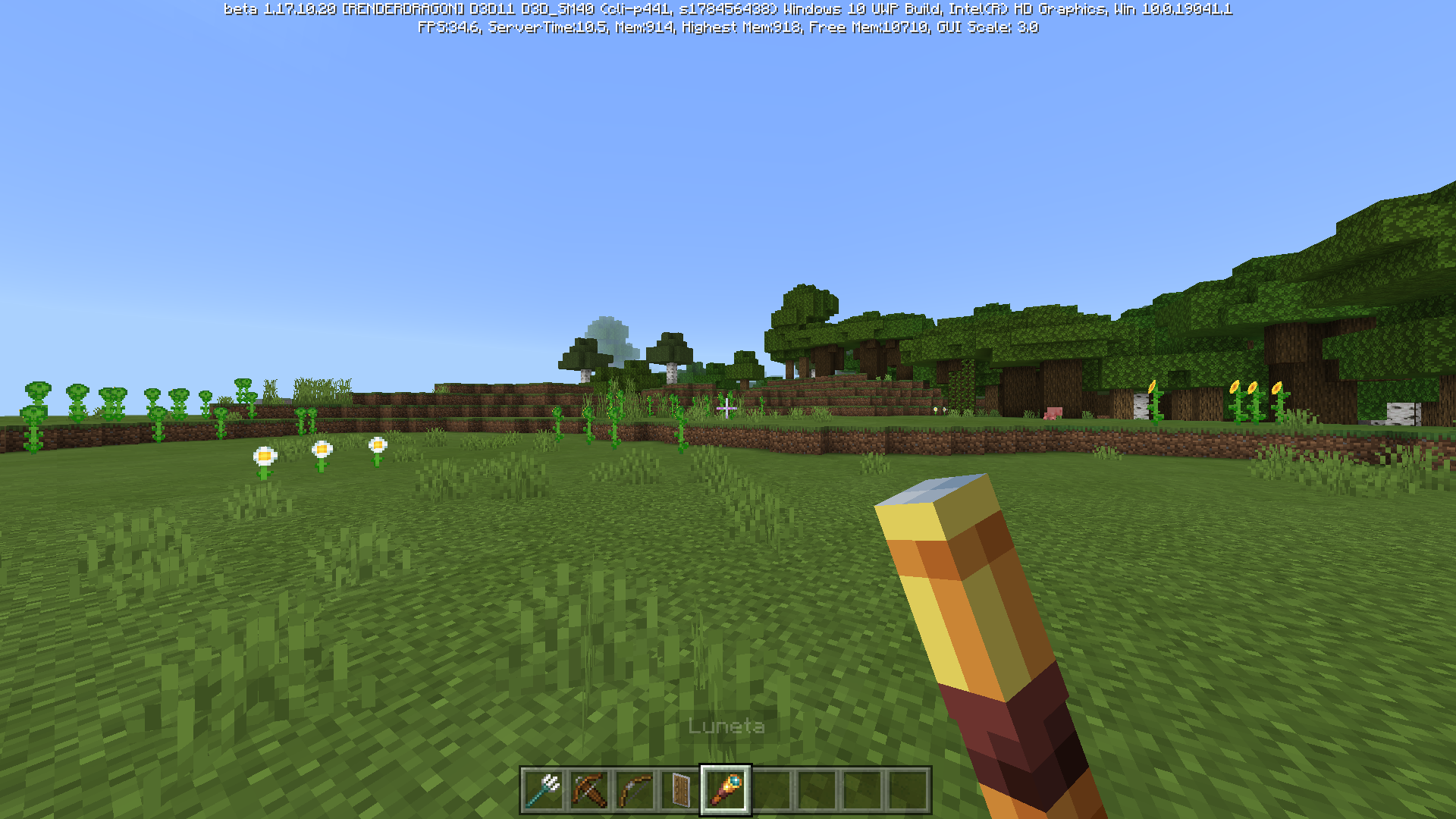
I was testing the new 1.17.0.50 and found a bug with some item's animations.
Steps to reproduce:
**1. Pick a bow, a trident, a crossbow, a shield, a spyglass and any other item (Example: any sword).2. In the first person view, slowly switch between those items, and than the sword.
---> You will see that the sword have an animation which she moves in the screen, likely simulating the animation where the player holds any item in third person view.
Observed Results:
the trident, bow, crossbow, shield and the spyglasses are completely froze in the first person view screen, making no animations.
Expected Results:
Like the sword, all those items should have the "item moving in the screen" animation.
I also uploaded a video to make it easier to see the bug.
I was testing the new 1.17.0.50 and found a bug with some item's animations.
Steps to reproduce:
1. Pick a bow, a trident, a crossbow, a shield, a spyglass and any other item (Example: any sword).
2. In the first person view, slowly switch between those items, and than the sword.
---> You will see that the sword have an animation which she moves in the screen, likely simulating the animation where the player holds any item in third person view.
Observed Results:
the trident, bow, crossbow, shield and the spyglasses are completely froze in the first person view screen, making no animations.
Expected Results:
Like the sword, all those items should have the "item moving in the screen" animation.
I also uploaded a video to make it easier to see the bug.
Summary:
I was testing the new 1.17.0.50 and found a bug with some item's animations.
Steps to reproduce:
1. Pick a bow, a trident, a crossbow, a shield, a spyglass and any other item (Example: any sword).
2. In the first person view, slowly switch between those items, and than the sword.
---> You will see that the sword have an animation which she moves in the screen, likely simulating the animation where the player holds any item in third person view.
Observed Results:
the trident, bow, crossbow, shield and the spyglasses are completely froze in the first person view screen, making no animations.
Expected Results:
Like the sword, all those items should have the "item moving in the screen" animation.
I also uploaded a video to make it easier to see the bug.
Summary:
I was testing the new 1.17.0.50 and found a bugwith some item's animations.
Steps to reproduce:
1. Pick a bow, a trident, a crossbow, a shield, a spyglass and any other item (Example: any sword).
2. In the first person view, slowly switch between those items, and than the sword.
---> You will see that the sword have an animation which she moves in the screen, likely simulating the animation where the player holds any item in third person view.
Observed Results:
the trident, bow, crossbow, shield and the spyglasses are completely froze in the first person view screen, making no animations.
Expected Results:
Like the sword, all those items should have the "item moving in the screen" animation.
I also uploaded a video to make it easier to see the bug.
Summary:
There is a missing function with some item's animations.
Steps to reproduce:
1. Pick a bow, a trident, a crossbow, a shield, a spyglass and any other item (Example: any sword).
2. In the first person view, slowly switch between those items, and than the sword.
---> You will see that the sword have an animation which she moves in the screen, likely simulating the animation where the player holds any item in third person view.
Observed Results:
the trident, bow, crossbow, shield and the spyglasses are completely froze in the first person view screen, making no animations.
Expected Results:
Like the sword, all those items should have the "item moving in the screen" animation.
I also uploaded a video to make it easier to see the bug.
Summary:
When you are about to throw a trident or is aiming with a bow, the animation is much slower than before (pre 1.16.210.58 beta changes).
Observed results:
The aiming/throwing animation of the bow/trident is very slow.
Expected results:
The animation of aiming/throwing with the bow/trident is faster and balance more quickly.
Uploaded video to make it easier to understand the bug.
Edit: i uploaded ** a video from the beta 1.16.210.57 version, to show the fact that the items animation when aiming/throwing was faster than now.
Summary:
When you are about to throw a trident or is aiming with a bow, the animation is much slower than before (pre 1.16.210.58 beta changes).
Observed results:
The aiming/throwing animation of the bow/trident is very slow.
Expected results:
The animation of aiming/throwing with the bow/trident is faster and balance more quickly.
Uploaded video to make it easier to understand the bug.
Edit: i uploaded
**a video from the beta 1.16.210.57 version, to show the fact that the items animation when aiming/throwing was faster than now.Summary:
When you are about to throw a trident or is aiming with a bow, the animation is much slower than before (pre 1.16.210.58 beta changes).
Observed results:
The aiming/throwing animation of the bow/trident is very slow.
Expected results:
The animation of aiming/throwing with the bow/trident is faster and balance more quickly.
Uploaded video to make it easier to understand the bug.
Edit: i uploaded a video from the beta 1.16.210.57 version, to show the fact that the items animation when aiming/throwing was faster than now.
The animation when throwing/aiming with atrident/bow is slowThe animation when throwing a trident/aiming with a bow is slow
Summary:
When you are about to throw a trident or is aiming with a bow, the animation is much slower than before (pre 1.16.210.58 beta changes).
Observed results:
The aiming/throwing animation of the bow/trident is very slow.
Expected results:
The animation of aiming/throwing with the bow/trident is faster and balance more quickly.
Uploaded video to make it easier to understand the bug.
Edit: i uploaded a video from the beta 1.16.210.57 version, to show the fact that the items animation when aiming/throwing was faster than now.
*Edit 2: * In 1.17.30.22 beta, it's partially fixed: the items balance faster, but bows are balancing even when not aiming with it. tridents are not affected by this.
Summary:
When you are about to throw a trident or is aiming with a bow, the animation is much slower than before (pre 1.16.210.58 beta changes).
Observed results:
The aiming/throwing animation of the bow/trident is very slow.
Expected results:
The animation of aiming/throwing with the bow/trident is faster and balance more quickly.
Uploaded video to make it easier to understand the bug.
Edit: i uploaded a video from the beta 1.16.210.57 version, to show the fact that the items animation when aiming/throwing was faster than now.
*Edit 2: * In 1.17.30.22 beta, it's partially fixed: the items balance faster, but bows are balancing even when not aiming with it. tridents are not affected by this.
Summary:
When you are about to throw a trident or is aiming with a bow, the animation is much slower than before (pre 1.16.210.58 beta changes).
Observed results:
The aiming/throwing animation of the bow/trident is very slow.
Expected results:
The animation of aiming/throwing with the bow/trident is faster and balance more quickly.
Uploaded video to make it easier to understand the bug.
Edit: i uploaded a video from the beta 1.16.210.57 version, to show the fact that the items animation when aiming/throwing was faster than now.
Edit 2: In 1.17.30.22 beta, it's partially fixed: the items balance faster, but bows are balancing even when not aiming with it. tridents are not affected by this.
Can comfirm.
VID-20210518-WA0008.mp4
Summary: (may be big)
There is a bug where in some platforms (Windows 10 Xbox one, and PS4) the sun reflexes (the animation which depending where you look, the item will be lighter or darker) render inversed compareted to other platforms.
Items which have the inversed sun reflexes:
Trident, Bow, Crossbow, Shield, Spyglass, and player's hand.
Platforms which seems to be affected by the bug:
Xbox, Windows 10, PS4
Platforms not affected by the bug:
Android, Nintendo Switch
What i expected to happen was...:
all items make the correct sun reflexes.
What actually happened was...:
Xbox, PS4 and Windows render the sun reflexes inversed.
Edit: This issue also affects mobs and entities. if needed, i can create another ticket but with the mobs and entities.
The bug
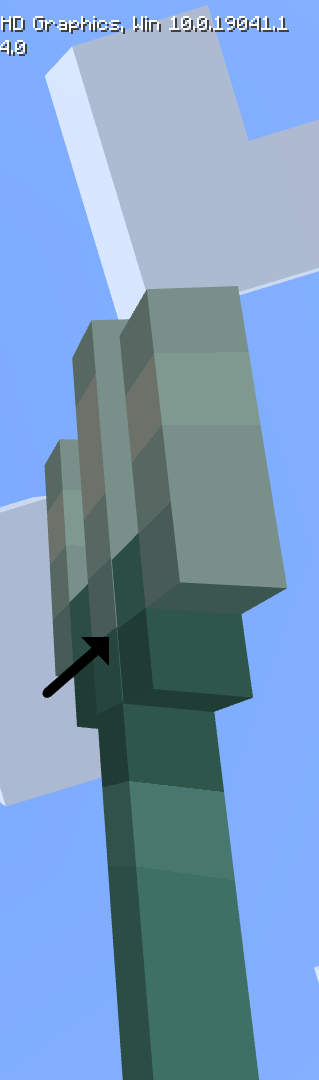
Whitelines appear at the trident model, likely being a incorret pixel placement of the model.Observed Result
Whitelines appear at the trident model.Expected Result
There are no
whitelines at the trident model.The bug
Incorrect lines appear at the trident model, likely being a incorret pixel placement of the model.
Observed Result
Incorrect lines appear at the trident model.
Expected Result
There are no Incorrect lines at the trident model.
Whitelines at trident model / incorrect pixel placementIncorrect lines at trident model / incorrect pixel placement
Incorrect lines attrident model/incorrectpixel placementSome pixels of the trident model seems to be incorrectly placed
Much blocks have missing pixels in itscornersMuch blocks have missing pixels in its borders
Sumary
Lots of blocks have missingpixelsin itscorners.What i expected to happen was...?
The blocks looks normal.What actually happened was...?
Instead,i could see manymissing pixels.Sumary
Lots of blocks have pixels missing in its gaps.Expected:
The blocks looks normal.Observed:
Instead, blocks like candles, lanterns etc have missing pixels in its gaps.
Summary
I was exploring the new Ancient City, until i randomly found a wild Structure Void block in the Structure.How to reproduce and information
1. Create a 1.18.32/33 world with this seed: -5221794533521046614
2. Teleport yourself to the position (X: -153, Y: -41, Z: -150)
3. Get a Structure Void block and hold it until you find the Structure Void block in theancientcityWhat i expected to happen was...?
There shouldn't be a random Structure Void block in the Ancient City?Summary
The new Ancient City appears to have random Structure Void blocks generating in it, making sculk veins and torches placed by the player appearing in the air.
How to reproduce and information
1. Create a 1.18.32/33 world with this seed: -5221794533521046614
2. Teleport yourself to the position (X: -153, Y: -41, Z: -150)
3. Get a Structure Void block and hold it until you find the Structure Void blocks in the Ancient CityWhat i expected to happen was...?
There shouldn't be a random Structure Void blocks in the Ancient City?
Structurevoid blocks can be found in theancientcitiesStructure Void blocks can be found in the Ancient City.
Summary
The new Ancient City appears to have random Structure Void blocks generating in it, making sculk veins and torches placed by the player appearing in the air.
How to reproduce and information
1. Create a 1.18.32/33 world with this seed: -5221794533521046614
2. Teleport yourself to the position (X: -153, Y: -41, Z: -150)
3. Get a Structure Void block and hold it until you find the Structure Void blocks in the AncientCityWhat i expected to happen was...?
There shouldn't be a random Structure Void blocks in the Ancient City?Summary
The new Ancient City appears to have random Structure Void blocks generating in it, making sculk veins and torches placed by the player appearing in the air.
How to reproduce and information
1. Create a 1.18.30.32/33 world with this seed: -5221794533521046614
2. Teleport yourself to the position (X: -153, Y: -41, Z: -150)
3. Get a Structure Void block and hold it until you find the Structure Void blocks in the Ancient CityWhat i expected to happen was...?
There shouldn't be a random Structure Void blocks in the Ancient City?
Summary
Projectiles like thrown tridents and arrows that land on the top of a mud block start to repeatedly shake and make their hit sounds, which iscompletely broken.Steps to reproduce
1. Get a Trident, a Bow, and a Mud block.
2. Place one or more mud blocks on the ground and shoot a Trident/arrow on themExpected result
They would fall and land properly on the mud block.Actual result
Summary
Projectiles like thrown tridents and arrows that land on the top of a mud block start to repeatedly shake and make their hit sounds, which is not intended.Steps to reproduce
1. Get a Trident, a Bow, and a Mud block.
2. Place one or more mud blocks on the ground and shoot a Trident/arrow on themExpected result
They would fall and land properly on the mud block.Actual result
Summary
Projectiles like thrown tridents and arrows that land on the top of a mud block start to repeatedly shake and make their hit sounds, which is not intended.Steps to reproduce
1. Get a Trident, a Bow, and a Mud block.
2. Place one or more mud blocks on the ground and shoot a Trident/arrow on themExpected result
They would fall and land properly on the mud block.Actual result
completely broken, as the video attached shows.Summary
Projectiles like thrown tridents and arrows that land on the top of a mud block start to repeatedly shake and make their hit sounds, which is not intended.Steps to reproduce
1. Get a Trident, a Bow, and a Mud block.
2. Place one or more mud blocks on the ground and shoot a Trident/arrow on themExpected result
They would fall and land properly on the mud block.Actual result
Summary
Projectiles like thrown tridents and arrows that land on the top of a mud block start to repeatedly shake and make their hit sounds, which is not intended.Steps to reproduce
1. Get a Trident, a Bow, and a Mud block.
2. Place one or more mud blocks on the ground and shoot a Trident/arrow on themExpected result
They would fall and land properly on the mud block.Actual result
Important: this issue cannot be tested anymore because of
MCPE-154973.
Summary
Projectiles like thrown tridents and arrows that land on the top of a mud block start to repeatedly shake and make their hit sounds, which is not intended.Steps to reproduce
1. Get a Trident, a Bow, and a Mud block.
2. Place one or more mud blocks on the ground and shoot a Trident/arrow on themExpected result
They would fall and land properly on the mud block.Actual result
Important: this issue cannot be tested anymore
because ofMCPE-154973.Summary
Projectiles like thrown tridents and arrows that land on the top of a mud block start to repeatedly shake and make their hit sounds, which is not intended.Steps to reproduce
1. Get a Trident, a Bow, and a Mud block.
2. Place one or more mud blocks on the ground and shoot a Trident/arrow on themExpected result
They would fall and land properly on the mud block.Actual result
Important: this issue cannot be tested anymore and is currently blocked by
MCPE-154973.
Summary
Sculk Shriekers that are placed by the place can be activated multiple times at once, also making multiple particles appearing in it's center.
How to reproduce
1. Place one Sculk Shrieker, then place multiple Sculk sensors around it.
2. Start walking around them to make soundsExpected result
The Sculk Shrieker should only be activated one time.
Actual result
It can be activated multiple times at once.
Sculk Shriekers placed by the player can be activated multiple times at once
Summary
Sculk Shriekers that are placed by the pla
cecan be activated multiple times at once, also making multiple particles appearing in it's center.How to reproduce
1. Place one Sculk Shrieker, then place multiple Sculk sensors around it.
2. Start walking around them to make soundsExpected result
The Sculk Shrieker should only be activated one time.
Actual result
It can be activated multiple times at once.
Summary
Sculk Shriekers that are placed by the player can be activated multiple times at once, also making multiple particles appearing in it's center.
How to reproduce
1. Place one Sculk Shrieker, then place multiple Sculk sensors around it.
2. Start walking around them to make soundsExpected result
The Sculk Shrieker should only be activated one time.
Actual result
It can be activated multiple times at once.
In BE 1.18.30, alongside with the 1.18.20 betas, the hunger bar sistem has been tweaked. the main purpose was to make it better match Java Edition and make the player properly lose hunger when swimming, however, i think that it has some mistakes at said tweak.
How to reproduce:
1. Get a Riptide 3 Trident, and make sure to stay next to a ocean.
2. Start using it in the ocean in a fast timing and notice how fast the hunger bar depletes.
*What i expected to happen was...?*
The player would not lose so many hunger in a short period of time.What actually happened was...?
Instead, the hunger bar depleted a lot faster than i expected.
Flying with Riptide(or even swimming)depletes the hunger bar by a lot
In BE 1.18.30, alongside with the 1.18.20 betas, the hunger bar sistem has been tweaked.
the main purpose was to make it better match Java Edition and make the player properly lose hunger when swimming, however,i think that it has some mistakes at said tweak.How to reproduce:
1. Get a Riptide 3 Trident, and make sure to stay next to a ocean.
2. Start using it in the ocean in a fast timing and notice how fast the hunger bar depletes.What i expected to happen was...?
The player would not lose so many hunger in a short period of time.What actually happened was...?
Instead, the hunger bar depleted a lot faster than i expected.In BE 1.18.30, alongside with the 1.18.20 betas, the hunger bar sistem has been tweaked. The main purpose was to make it better match Java Edition and make the player properly lose hunger when swimming, however, using a riptide trident underwater or in a rain makes the hunger bar go down in a very unexpected way.
How to reproduce:
1. Get a Riptide 3 Trident, and make sure to stay next to a ocean.
2. Start using it in the ocean in a fast timing and notice how fast the hunger bar depletes.The attached video, like the comment below, shows that around 2-4 uses of riptide depletes the hunger bar by one
What i expected to happen was...?
The player would not lose so many hunger in a short period of time.What actually happened was...?
Instead, the hunger bar depleted a lot faster than i expected.
In BE 1.18.30, alongside with the 1.18.20 betas, the hunger bar sistem has been tweaked. The main purpose was to make it better match Java Edition and make the player properly lose hunger when swimming, however,
usinga riptide trident underwateror in a rainmakes the hunger bar go down in a very unexpected way.How to reproduce:
1. Get a Riptide 3 Trident, and make sure to stay next to a ocean.
2. Start using it in the ocean in a fast timing and notice how fast the hunger bar depletes.The attached video, like the comment below, shows that around 2-4 uses of riptide depletes the hunger bar by one
What i expected to happen was...?
The player would not lose so many hunger in a short period of time.What actually happened was...?
Instead, the hunger bar depleted a lot faster thaniexpected.In BE 1.18.30, alongside with the 1.18.20 betas, the hunger bar sistem has been tweaked. The main purpose was to make it better match Java Edition and make the player properly lose hunger when swimming, however, the use of a riptide trident underwater makes the hunger bar go down in a very unexpected way.
How to reproduce:
1. Get a Riptide 3 Trident, and make sure to stay next to a ocean.
2. Start using it in the ocean in a fast timing and notice how fast the hunger bar depletes.The attached video, like the comment below, shows that around 2-4 uses of riptide depletes the hunger bar by one;
What i expected to happen was...?
The player would not lose so many hunger in a short period of time.What actually happened was...?
Instead, the hunger bar depleted a lot faster than expected.
In BE 1.18.30, alongside with the 1.18.20 betas, the hunger bar sistem has been tweaked. The main purpose was to make it better match Java Edition and make the player properly lose hunger when swimming, however, the use of a riptide trident underwater makes the hunger bar go down in a very unexpected way.
How to reproduce:
1. Get a Riptide 3 Trident, and make sure to stay next to a ocean.
2. Start using it in the ocean in a fast timing and notice how fast the hunger bar depletes.The attached video, like the comment below, shows that around 2-4 uses of riptide depletes the hunger bar by one;
What i expected to happen was...?
The player would not lose so many hunger in a short period of time.What actually happened was...?
Instead, the hunger bar depleted a lot faster than expected.In BE 1.18.30, alongside with the 1.18.20 betas, the hunger bar sistem has been tweaked. The main purpose was to make it better match Java Edition and make the player properly lose hunger when swimming, however, the use of a riptide trident underwater makes the hunger bar go down in a very unexpected way.
How to reproduce:
1. Get a Riptide 3 Trident, and make sure to stay next to a ocean.
2. Start using it in the ocean in a fast timing and notice how fast the hunger bar depletes.The attached video, like the comment below, shows that around 2-4 uses of riptide depletes the hunger bar by one;
Expected:
The player would not lose so many hunger in a short period of time.Observed:
Instead, the hunger bar depleted a lot faster than expected.
Flying with Riptide underwater depletes the hunger bar by a lot
In BE 1.18.30, alongside with the 1.18.20 betas, the hunger bar sistem has been tweaked. The main purpose was to make it better match Java Edition and make the player properly lose hunger when swimming, however, the use of a riptide trident underwater makes the hunger bar go down in a very unexpected way.
How to reproduce:
1. Get a Riptide 3 Trident, and make sure to staynext toa ocean.
2. Start using it in the ocean in a fast timing and notice how fast the hunger bar depletes.The attached video, like the comment below, shows that around 2-4 uses of riptide depletes the hunger bar by one;
Expected:
The player would not lose so many hunger in a short period of time.Observed:
Instead, the hunger bar depleted a lot faster than expected.In BE 1.18.30, alongside with the 1.18.20 betas, the hunger bar sistem has been tweaked. The main purpose was to make it better match Java Edition and make the player properly lose hunger when swimming, however, the use of a riptide trident underwater makes the hunger bar go down in a very unexpected way.
How to reproduce:
1. Get a Riptide 3 Trident, and make sure to stay underwater in a ocean.
2. Start using it in the ocean in a fast timing and notice how fast the hunger bar depletes.The attached video, like the comment below, shows that around 2-4 uses of riptide depletes the hunger bar by one;
Expected:
The player would not lose so many hunger in a short period of time.Observed:
Instead, the hunger bar depleted a lot faster than expected.
Mangrove Swamps sometimes do not
border with Jungles correctly, making terrain generations like the attached ones very strange.To reproduce, create a 1.19.0.26/27 world with this seed: 9
9000
Then, teleport yourself to the following position:69 65 115Notice how the Mangrove
Swamp border with the Jungle biome. (A floating vine can also be seen in the second screenshot)Expect result
The Mangrove Swampbiomeshouldcrosscorrectlywhen generating near a Jungle biome.Actual result
Sometimes, it doesn'tMangrove Swamps sometimes do not generating properly for some reason.
To reproduce, create a 1.19.0.26/27 world with this seed: 908
Then, teleport yourself to the following position: -130 73 -475Notice how the Mangrove Trees near the location provided generate. it is also possible to see that the chunks didn't generate properly because of the floating vines, mangrove leaves and the undewater generation around it.
Expect result
The Mangrove Swamp should generate correctly.Actual result
Mangrove Swampssometimes do not cross with Jungles correctlyMangrove Swamps not generating properly
Summary
There is a texture in the game's files called hunger_blink, but for some reason the texture is unused and never appears in-game.
~The texture can be located at the vanilla resource pack/textures/ui.There is already a Java report (
MC-237429), but i didn't managed to find a BE report, so i'm creating the ticket here.There are many ways to reproduce this issue. One of them is just making the hunger bar go down, and the other one is regenerating your hunger bar.
What is observed is that when the player loses/gets hunger, the hunger bar does not flash, unlike the health bar. When the player takes damage or regenerate, the health bar does flash with the use of a similar texture from the hunger_blink one. (heart_blink)
What is expected is that the hunger bar should flash every time the player loses or gets hunger, like the healt bar does.
Summary
There is a texture in the game's files called hunger_blink, but for some reason the texture is unused and never appears in-game.
~The texture can be located at the vanilla resource pack/textures/ui.There is already a Java report (
MC-237429), but i didn't managed to find a BE report, so i'm creating the ticket here.There are many ways to reproduce this issue. One of them is just making the hunger bar go down, and the other one is regenerating your hunger bar.
What is observed is that when the player loses/gets hunger, the hunger bar does not flash, unlike the health bar. When the player takes damage or regenerate, the health bar does flash with the use of a similar texture from the hunger_blink one. (heart_blink)
What is expected is that the hunger bar should flash every time the player loses or gets hunger, like the healt bar does.
Summary
There is a texture in the game's files called hunger_blink, but for some reason the texture is unused and never appears in-game.~The texture is similar to the heart one when the player takes damage, which makes the heart turn white, however, the hunger counterpart seems to be unused and never appears in-game. the texture can be located at the vanilla resource pack/textures/ui.
There is already a Java report (
MC-237429), but i didn't managed to find a BE report, so i'm creating the ticket here.There are many ways to reproduce this issue. One of them is just making the hunger bar go down, and the other one is regenerating your hunger bar.
What is observed is that when the player loses/gets hunger, the hunger bar does not flash, unlike the health bar. When the player takes damage or regenerate, the health bar does flash with the use of a similar texture from the hunger_blink one. (heart_blink)
What is expected is that the hunger bar should flash with a white overlay every time the player loses or gets hunger, like the healt bar does.
hunger_blink texture is unused and never appears in-gameHunger bar does not turn white when regenerating/taking hunger
Summary
There is a texture in the game's files called hunger_blink, but for some reason the texture is unused and never appears in-game.~The texture is similar to the heart one when the player takes damage, which makes the heart turn white, however, the hunger counterpart seems to be unused and never appears in-game. the texture can be located at the vanilla resource pack/textures/ui.
There is already a Java report (MC-237429), but i didn't managed to find a BE report, so i'm creating the ticket here.There are many ways to reproduce this issue. One of them is just making the hunger bar go down, and the other one is regenerating your hunger bar.
What is observed is that when the player loses/gets hunger, the hunger bar does not flash, unlike the health bar. When the player takes damage or regenerate, the health bar does flash with the use of a similar texture from the hunger_blink one
. (heart_blink)What is expected is that the hunger bar should flash with a white overlay every time the player loses or gets hunger, like the healt bar does.
Note: This is also reported on Java Edition at
MC-237429.
There is a texture in the game's files called hunger_blink; the texture is similar to the heart one when the player takes damage, which makes the heart turn white, however, the hunger counterpart seems to be unused and never appears in-game. the texture can be located at the vanilla resource pack/textures/ui.There are many ways to reproduce this issue. One of them is just making the hunger bar go down, and the other one is regenerating your hunger bar.
What is observed is that when the player loses/gets hunger, the hunger bar does not flash, unlike the health bar. When the player takes damage or regenerate, the health bar does flash with the use of a similar texture from the hunger_blink one; however, the heart variant almost does not appear because of MCPE-33658.
What is expected is that the hunger bar should flash with a white overlay every time the player loses or gets hunger, like the healt bar does.
Note: This is also reported on Java Edition at
MC-237429.
There is a texture in the game's files called hunger_blink; the textureis similar to the heart one when the player takes damage, which makes the heart turn white, however, the hunger counterpart seems to be unused and never appears in-game. the texture can be located at the vanilla resource pack/textures/ui.There are many ways to reproduce this issue. One of them is just making the hunger bar go down, and the other one is regenerating your hunger bar.
What is observed is that when the player loses/gets hunger, the hunger bar does not flash, unlike the health bar. When the player takes damage or regenerate, the health bar does flash with the use of a similar texture from the hunger_blink one; however, the heart variant almost does not appear because of MCPE-33658.
What is expected is that the hunger bar should flash with a white overlay every time the player loses or gets hunger, like the healt bar does.
Note: This is also reported on Java Edition at
MC-237429.
There is a texture in the game's files called hunger_blink. The texture should be used to indicate either when the hunger bar empties or gets restored, similar to the heart one when the player takes damage, which makes the heart turn white, however, the hunger counterpart seems to be unused and never appears in-game. the texture can be located at the vanilla resource pack/textures/ui.There are many ways to reproduce this issue. One of them is just making the hunger bar go down, and the other one is regenerating your hunger bar.
What is observed is that when the player loses/gets hunger, the hunger bar does not flash, unlike the health bar. When the player takes damage or regenerate, the health bar does flash with the use of a similar texture from the hunger_blink one; however, the heart variant almost does not appear because of MCPE-33658.
What is expected is that the hunger bar should flash with a white overlay every time the player loses or gets hunger, like the healt bar does.
Note: This is also reported on Java Edition at
MC-237429.
There is a texture in the game's files called hunger_blink. The texture should be used to indicate either when the hunger bar empties or gets restored, similar to the heart one when the player takes damage, which makes the heart turn white, however, the hunger counterpart seems to be unused and never appears in-game. the texture can be located at the vanilla resource pack/textures/ui.There are many ways to reproduce this issue. One of them is just making the hunger bar go down, and the other one is regenerating your hunger bar.
What is observed
is that when the player loses/gets hunger, the hunger bar does not flash, unlike the health bar. When the player takes damage or regenerate, the health bar does flash with the use of a similar texture from the hunger_blink one; however, the heart variant almost does not appear because of MCPE-33658.What is expected is that the hunger bar should flash with a white overlay every time the player loses or gets hunger, like the healt bar does.
Note: This is also reported on Java Edition at
MC-237429.
There is a texture in the game's files called hunger_blink. The texture should be used to indicate either when the hunger bar empties or gets restored, similar to the heart one when the player takes damage, which makes the heart turn white, however, the hunger counterpart seems to be unused and never appears in-game. the texture can be located at the vanilla resource pack/textures/ui and at gui/icons.png as well.Stepts to replicate
- Restore any hunger or make the bar go down
- Notice no flashing
- Make the healt bar go down
- Notice flashing.
Observed **
When the player loses/gets hunger, the hunger bar does not flash, unlike the health bar. When the player takes damage or regenerate, the health bar does flash with the use of a similar texture from the hunger_blink one; however, the heart variant almost does not appear because of MCPE-33658.
Expected
The hunger bar should flash with a white overlay every time the player loses or gets hunger, like the healt bar does.
Note: This is also reported on Java Edition at
MC-237429.
There is a texture in the game's files called hunger_blink. The texture should be used to indicate either when the hunger bar empties or gets restored, similar to the heart one when the player takes damage, which makes the heart turn white, however, the hunger counterpart seems to be unused and never appears in-game. the texture can be located at the vanilla resource pack/textures/ui and at gui/icons.png as well.Stepts to replicate
- Restore any hunger or make the bar go down
- Notice no flashing
- Make the healt bar go down
- Notice flashing.
Observed
**When the player loses/gets hunger, the hunger bar does not flash, unlike the health bar. When the player takes damage or regenerate, the health bar does flash with the use of a similar texture from the hunger_blink one; however, the heart variant almost does not appear because of MCPE-33658.
Expected
The hunger bar should flash with a white overlay every time the player loses or gets hunger, like the healt bar does.
![[Mod] EVGENSYPERPRO](../../../data/avatars/users/92853.png)
Pedro Barbosa Bruno:
This is already marked for review for Mojang.

Pedro Barbosa Bruno Yes, I have. It is a season changer behavior
Yes! i tested and affects 1.16.220 too.
Affects 1.17.0.52
Sir_Cyberstein this ticket is not about the hitting animation of the items, it talks about how slow is the animation when you are aiming with the bow/throwing a trident. and by the way, it doesn't talk about the crossbows and shields.
Can comfirm.
Can confirm.
Still an issue in 1.17.0.56 beta
I can confirm. its quite bad the beta-mid animation while constantly flying at a rain.
Affects 1.17.0.58
Affects 1.17.0.58 beta
Affects 1.17.10.20
Affects 1.17.10.20
Not fixed in 1.17.0.50 beta. there is a reason of why this bug occur:
Depending of where you are looking and throwing, the item will display a swing animation before the animation of throwing. this can be proved by attacking + throwing a trident. and not only the trident, it also seems to affects bows and crossbows instead.
Can confirm that its fixed in 1.17.10.21 beta. thank you so much!!
Affects 1.17.10.21
Affects 1.17.10.21
As of expected, Affects full release 1.17.0, hope it gets fixed in 1.17.10
Affects 1.17.0.
Affects 1.17.10.22
Affects 1.17.10.22
This bug is not intended, and also very easy to fix. All the developers need to do is use the same textures for the compass and the lodestone compass:
--> copy the textures of compass_atlas and compass_item in the vannila resource pack, delete the *lodestonecompass_atlas and lodestonecompass_item and rename the copy of the textures of compass_atlas and compass_item to lodestonecompass_atlas and lodestonecompass_item. Doing that will also bring additional parity with java edition, beacuse the blue enchantment glint and the outdated texture issue will also be fixed fix of lodestonecompass_atlas -> fix of lodestonecompass_item ->
Edit: the blue enchantment glint texture is beacuse the lodestone compass appear to have a shade of green in its texture.
Confirmed for 1.17.10.23
Can confirm in 1.17.10.23
Also Affects 1.17.1
Affects 1.17.2
Affects 1.17.20.20
I have another Potential Workaround, but it may not hit the majority of the players, but is still worth it;
This issue already happened to my friend on my survival world, and we did the following steps:
1. Go to where the glitched player is.
2. Pick a splash potion of poison and a splash potion of instant harming.
3. throw the splash potion of poison on the player, and wait until he gets all the damage
4. after a time, throw the splash potion of harming at the glitched player
Expected Result?
The player will die but will no longer be glitched.
I tried that with my affected friend and it resolved.
Affects 1.17.20.21
Affects 1.17.20.21.
Confirmed in 1.17.2 Hotfix
This can easily be proved by killing a drowned with trident. by killing 10 drowneds with trident, around 3-7+ will drop it (in my experiences). this makes the goal of getting a trident as a "rare drop" negatively easy. It is actually so easy to get tridents/bows/crossbows/armor in Bedrock Edition.
I Confirm in 1.17.20.21
i have been recently trying to work on a fix for this issue, and i made the trident in mainhand while in first person look very similar to java edition and here is how it looks:
This could be works as intended or just nerfed, as many people will make potion farms and they will be completely destroyed and disfunctional after the fix
Can confirm.
still in 1.17.20.21
Can confirm. i have found lots of witch huts and i only managed to find the potions you listed above, not harming and no decay, so yes i confirm.
Affects 1.17.10 (As of expected)
Can confirm. Also affects Windows 10.
Hello developers! this issue seems fixed in 1.17.20.22 beta. Thank you so much!!!
Affects 1.17.20.22
Affects 1.17.20.22. like please fix it
Affects 1.17.20.23
It seems that all the caves and ravines that are generating at the surface are being completely destroyed or being replaced by giant, flooded caves, as i can show below.
still in 1.17.30.20
Confirming. still in 1.17.30.20 and 1.17.10 as well
may be added the vanilla-parity label.
I'm not experiencing this issue in 1.17.30.20. this issue maybe is fixed
In 1.17.30.21
Confirming in 1.17.30.21
In 1.17.30.22 beta, it's partially fixed: the items balance faster, but bows are balancing even when not aiming with it. tridents are not affected by this.
Affects 1.17.30.22
Affects 1.17.30.22
Affects 1.17.30.22
Still an issue. in 1.17.30.22 beta.
Still broken in 1.17.30.23 beta.
Affects 1.17.30.23
Still an issue as of 1.17.30.24
Still an issue as of 1.17.30.24 beta
Affects 1.17.30.24, issue on all platforms.
Is broken in 1.17.40.20
Affects 1.17.30, affects 1.17.40.21 as well
Affects release 1.17.30. In multiple platforms.
Affects 1.17.30
This issue started in the release of 1.17.30 betas and full releases. Wasn't a problem in 1.17.10 -.
Confirming and voting. I'm getting affected by this as well.
I play on Xbox Series S, and this issue started to appear at 1.17.30 versions.
Can confirm. This issue started to me with the release of 1.17.30, i'm playing on Xbox Series S and the only way i can launch the game properly is deactivating the resource packs.
Affects 1.17.32.
Loris: The bar is still based in the quantity of remaining mobs, instead of the total life of the pillagers, that should be a separate issue.
Still prevalent in 1.18.0.20 beta
can confirm
For some reason the position changes made at the player's arm are also affecting the position of tridents, crossbows, bows, shields and spyglasses. can someone also investigate a fix for that?
Affects 1.18.0.20 beta and 1.17.34
i hope mojang releases a hotfix fixing this issue, since it's like a game breaking issue where a function doesn't work at all and makes the game's graphics feel way more pixelated.
At least Anti aliasing is working well in 1.18.0.20 beta
Affects 1.18.0.21
Affects 1.17.34, 1.18.0.20, and 1.18.0.21 beta,
This issue may be fixed in 1.17.40 and 1.18.0.21 versions, i made a test with a player connected in my pc and the other connected on my phone, i gave both tridents/shields/crossbows/spyglasses in their hands and off-hands, and at both perspectives they were holding the items correctly in 1.18.0.21 beta.
In 1.17.40, i joined the pixel paradise server and all the players around me was holding their tridents in the correct position, so i guess this issue maybe is finally fixed, but i'm still unsure and i want to know if this is also resolved for someone else.
I don't know about split-screen, but since the positions are no longer broken, they are probably also fixed, i hope.
Nice look! It seems that the issue is partially fixed in 1.17.40 so.
Affects 1.17.40
Thank you Robert, it seems the issue is still present in splitscreen players but at least not anymore at multiplayer ones.
Also, the items affected are Shields, tridents, crossbows and spyglasses, bows are not affected.
affects 1.18.27.0
i've been playing the betas for a while, and i would like to share my experiences at the new cave generation:
Hello, this is still an issue on 1.18.0.27 beta
All the Savanna biomes that i found were near Forests or Oceans, also the /locate temple brings me to the Jungle biome, not the Desert temple one.
I'm still unsure about this. I can't find any deserts exept i use a biome locator map, i don't think the biome placement is really in parity with java edition.
Alright if you're using a mobile device to play minecraft, you need to download a resource pack with the musics of the game from the marketplace (for free) and enable it to hear the music.
Affects 1.18.0, 1.18.10.21
Affects 1.18.0, 1.18.10.21 beta
Were you playing on splitscreen?
This issue is fixed for multiplayer game sessions, but at splitscreen this isn't fixed.
Affects 1.18.10, 1.18.20.25 and 1.18.20.26
from what i know, all devices are affected.
affects 1.18.10, 1.18.20.25
Affects 1.18.12, 1.18.20.27, 1.18.20.28
Affects 1.18.12, 1.18.20.27 and 1.18.20.28
Affects 1.18.20.29, and 1.18.20.30
You can't locate Desert Pyramids as well
Affects 1.18.12, 1.18.20.29 and 1.18.20.30
Affects 1.18.12
@OcelotOnesie it used to have prior to 1.16.210 (or until attachable crossbows have been added).
@AJ8967 No i'm talking before it's been loaded (or when it is being loaded to be able to shoot).
Affects 1.18.12
Affects 1.18.12
Affects 1.18.12, 1.18.30.22, 1.18.30.23
Affects 1.18.30.22,1.18.30.23
Affects 1.18.30.22, 1.18.30.23
Can confirm.
I also agree with Matthe Ferguson that this issue appears to be fixed in 1.18.30.26. i've managed to find a witch hut very close to the spawn of my 1.18.30.26 world, by the way it was the first time i managed to find a witch hunt since the full release of 1.18.0 on BE. my platform is Windows 10
Affects 1.18.30.26/27
This issue can also be reproduced while using a riptide trident underwater while sprinting.
i'm uploading a potential fix for the bobbing animation on attachable items and the player's hand.
Attachable bob Fix.mcpack
Affects 1.18.30.28/29
Affects 1.18.30.28/29
Affects 1.18.30.30, 1.18.30.31
Affects 1.18.30.30, 1.18.30.31
Since there's also a Java report, which texture is the correct at all?
Affects 1.18.30.30, 1.18.30.31
Isn't this issue Works as intended? or players should only be able to hurt the Allay they are owning it on creative mode?
Yes thanks for the additional information. i'm updating this ticket relating to the many, many Structure Void blocks generating around the Ancient City.
can confirm
Affects 1.18.30.32/33
Affects 1.18.30.32/33
Affects 1.18.30.32/33
May be added the vanilla-parity label?
Affects 1.18.30.32/33
Affects 1.19.0.20/21
Are you using any kind of texture pack?
Affects 1.19.0.20/21
Affects 1.19.20/21
Affects 1.19.0.20/21
Affects 1.19.0.20/21
There was a bug in BE 1.18.0/1.18.1 that caused diamonds to be way more common, and then 1.18.2 was released to fix it and that may be the reason you're not finding so much diamonds than before.
Affects 1.19.20/21, when will postponed issues ever be fixed?
Name of the report: Sculk Shrieker can't summon the Warden
Platform: Multiple (also confirmed on Windows 10)
Description:
Summary
Sculk Shrieker can't summon the Warden anymore on the 1.19.0.24/25 beta.
How to reproduce
1. Place a Sculk Shrieker and a Sculk sensor
2. Make sounds to activate the Sculk sensor multiple times
Expected result
The warden should spawn after the Sculk Shrieker has been used more than 3 times.
Actual result
The warden doesn't spawn
Notes
When the Sculk Shrieker is activated, it also doesn't give you the Darkness effect anymore.
Affects 1.19.0.24/25
please provide the world seed and coordinates or this ticket will probably be closed as cannot reproduce.
Affects 1.19.0.24/25
Affects 1.19.0.24/25
Affects 1.19.0.24/25
could you provide the world seed coordinates and some steps to reproduce the bug?
Affects 1.19.0.24/25
Update
In Bedrock Edition Release 1.18.30, 3 of the 4 listed temples that were not generated are generating now in the latest version, so it means this issue seems to be partially fixed.
–
Reply from [MCPE Mod] Auldrick:
We let the developers decide when an issue is fixed. This is mainly because an issue may appear fixed to you but still be affecting somebody with a different world. So while we appreciate that you want to help, comments like this aren't really helpful.
Also, as far as this particular issue goes, the fact that one temple didn't generate for you doesn't by itself prove that the issue isn't fixed. The world seed is used to generate a bunch of coordinate sets where the game will try to generate temples, but sometimes it's not possible to generate a particular temple near those coordinates. In that case, world generation just skips it. This isn't a bug, it's a consequence of two things: the extraordinarily vast variability of how nearby biomes can affect one another's generations, and the fact that /locate typically calculates the coordinates before the chunks in the area are even generated (since you haven't visited the temple yet), so /locate doesn't actually know whether the game will be able to generate the temple there.
I'm not affected to this issue anymore while playing in a normal world, maybe it is still an issue in BDS?
Latest beta (1.19.0.26/27) fixed this issue.
Could add a video reproducing the bug please?
I think that the deep dark is also much too common at all. The biome and the structure as well, should be rarer so it's not so easy to find it in-game
Affects 1.19.0.26/27
Affects 1.19.0.26
Another thing to note, what food did you used to reproduce?
I also can't reproduce this issue. In my opinion parity is better than before for me.
could you please provide the world seed and coordinates?
This is Working as Intended. Amethyst shards can be found found in a quantity of 1-15 per chest, while Echo shards can only be found in a quantity of 1-3 per chest. You may also could see the wiki for more details.
https://minecraft.fandom.com/wiki/Ancient_City
Affects 1.19.0.26/27 and 1.18.30
Can confirm.
This is Working as intended for now since the beta 1.19.0.28 changelog says that Mud Blocks will longer sink entities down into them slightly, however, i confirm this.

Wardens can also target thrown tridents as well.
bandicam 2022-04-30 16-17-09-229.mp4
can confirm.
does the issue happen even without any resource pack?
Another thing to note is that this bug is only planned to be fixed after the release of 1.19.0, as of the confirmation from the Ask Mojang video.
There is no need for new comments since this is already fixed in the 1.19 betas.
Affects 1.19.0.33/32
Affects 1.19.0.33/32
Affects 1.19.0.33/32
Can confirm. this is not intended since fixed in Java Edition.
Cannot reproduce this issue on windows.
Affects 1.18.31, 1.18.32, 1.19.0.32 and 1.19.0.33
This is still an issue
Expected result
The boat rowing animation have a normal speed like in Java Edition.
Actual result
The animation is way too fast and doesn't match the boat speed at all.
Affects 1.18.31, 1.18.32, 1.19.0.32 and 1.19.0.33
The cooldown overlay is also not visible when a shield gets disabled in the player's inventory.
Indeed still seems to affect 1.19.0.35. The center of the city still do not have any sculk patches generating on it, unlike java edition.
The same happened to me like one year ago. I dropped a nautilus shell to a drowned and it dropped his trident. kinda funny bug.
please send the world seed and coordinates. otherwise, the ticket will be closed as cannot reproduce.
Affects 1.19.0.34/35
In Java Edition, both right hand and offhand sways when using a goat horn.
I noticed that in the sounds_definitions.json file there is not a max_distance code at the goat horn sound definitions. that may be the reason that the horn sounds cannot be heard from a long distance.
My Minecraft Launcher used to work fine before around april. Last time i was able to play the game was when Deep dark experimental snapshot 1 released, however, after the start of the Wild Updated snapshots, the Minecraft Launcher received a update that got me affected with this bug. I play on a Mac 10.13.6
Here is the launcher log file if needed.
[^launcher_log.txt]
Cannot reproduce on windows.
Is this platform-specific?
Affects 1.19.10.20.
Affects 1.19.10.20
Affects 1.19.10.20
Affects 1.19.10.20
Affects 1.19.10.20.
Affects 1.19.10.20
Can confirm.
If you look at the game's sound_definitions file, you can actually see that some musics (mostly C418 ones) have their volume values at 0,3, 0,2 or even 0,1, in the case of the hal3 music. Then, looking at the Caves & Cliffs's volume values, all of them are at 0,4, which is probably the reason they are louder.
Can confirm.
Affects 1.19.10.20
Affects 1.19.10.20
Affects 1.19.10.20
Affects 1.19.10.20
Affects 1.19.10.20
Read the comment above you. The bug is already fixed in the 1.19 betas and the full release is going to be on June, 7th.
Confirming.
There is no possibility to someone spawn "4,194,304" blocks away. Also, no one can understand your report correctly.
Affects 1.19.10.20
Affects 1.18.31 and 1.19.10.20
Affects 1.19.10.20
Affects 1.19.10.20
Affects 1.19.10.21
Can also confirm on windows.
Works as intended
Strongholds can also generate inside oceans and other water places.
Affects 1.19.10.21
That is not caused by this issue. changing the arm position makes no effect at the arm with map positioning, also, you might see MCPE-58849
Before saying that the fix is not working here, please make sure that are no experiments enabled on the world you are playing.
Still an issue in the latest beta (1.19.10.21), doesn't seems fixed for me.
Affects 1.19.10.21