 blablab
- WoutZeester1
- JIRAUSER534593
- Europe/Stockholm
- Yes
- No
 MC-200582














 WEB-3911





 MCL-17090

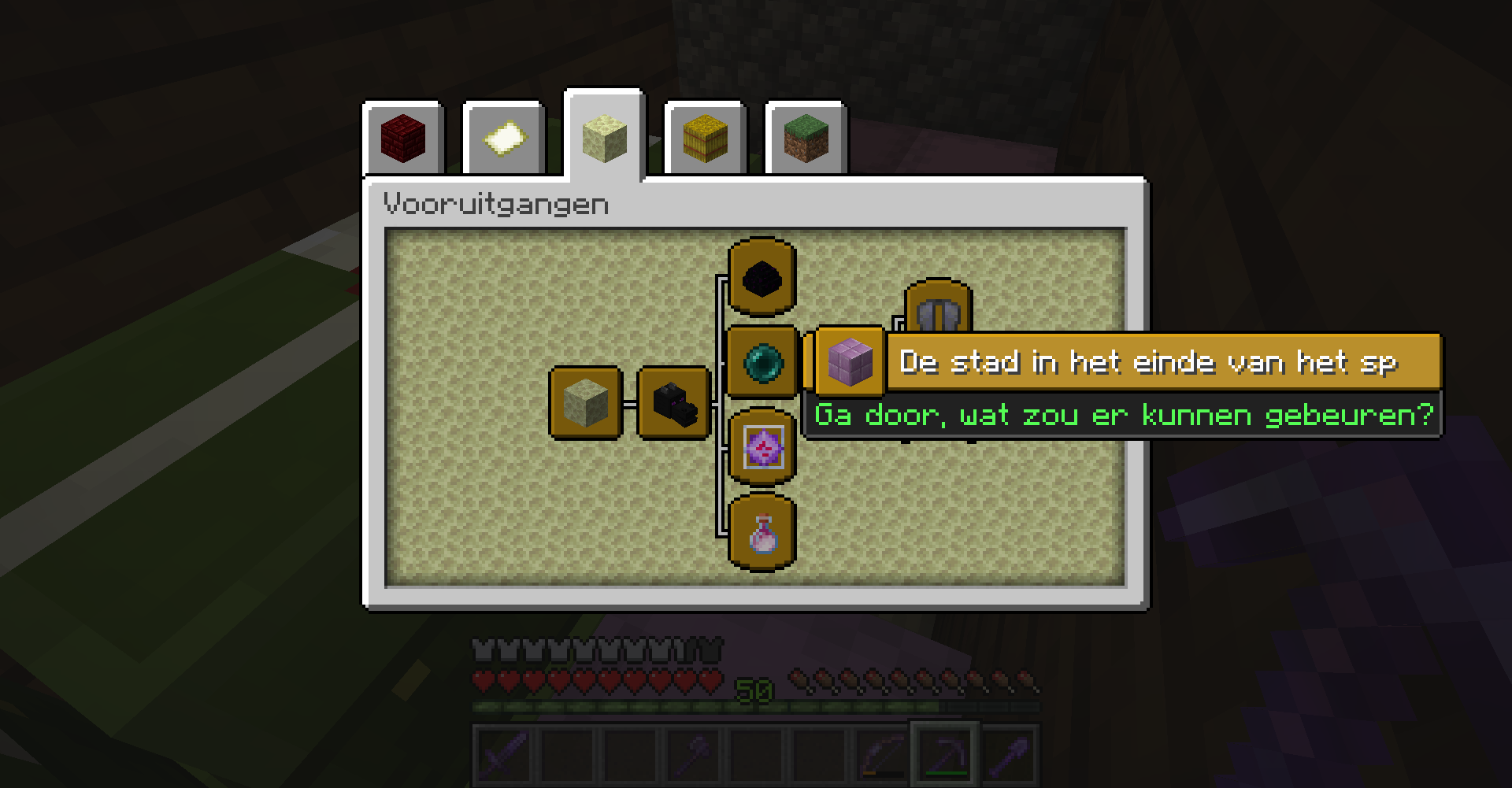
Dutch translation of the acheivement "a city at the and of the game" is so long it doesn't fit on the screen
When I holded a carrot to let rabbits follow me, I noticed that sometimes when rabbits haved to jump onto a block, the rabbit tayed jumping to the side of the block, but never jump onto the block. when Idestroy the block, the same happens with the following block. when I let the rabbits returnong a bit and let them come back, they jumped on the block without any problem. The bug doesn't happens always when the rabbits haved to jump, but it happened several times.
Baby rabbits seem to be immune forthisbug. I forgot to take a screenshot, I will provide one as soon as I can.When I holded a carrot to let rabbits follow me, I noticed that sometimes when rabbits haved to jump onto a block, the rabbit tayed jumping to the side of the block, but never jump onto the block. when Idestroy the block, the same happens with the following block. when I let the rabbits returnong a bit and let them come back, they jumped on the block without any problem. The bug doesn't happens always when the rabbits haved to jump, but it happened several times. On the screenshot, the rabbit where the bug does happens on isn't completely visible.
to reproduce:
- build a nether portal and get a tamed sitting cat/dog
- push the cat/dog in the nether portal, so it goes to another dimension
- go in the nther portal
- click on the cat/dog, to let it stop sitting
- You will see that only the nether portal block is selected, and not the cat/dog. You only can let the cat stop sitting by destroying the nether portal.
This bug also happens when the cat/dog is sitting in tall grass or flowers
to reproduce:
- build a nether portal and get a tamed sitting cat/dog
- push the cat/dog in the nether portal, so it goes to another dimension
- go in the nether portal
- click on the cat/dog, to let it stop sitting
- You will see that only the nether portal block is selected, and not the cat/dog. You only can let the cat stop sitting by destroying the nether portal.
This bug also happens when the cat/dog is sitting in tall grass or flowers
This might take some time, as mentioned in the text
To reproduce:
- Get an endermite in a boat
- press F3 and b to show hitboxes
you can't see the hitbox of the endermite, only the hitbox of the boat.
3. look to the bottom side of the boat ( best set it on transparent blocks)
4. Try to nam the endermite with a name tag.
I wil upload some screenshots when I've got a new nametag to spawn a new endermite. This could take some time.
To reproduce:
- Get an endermite in a boat
- press F3 and b to show hitboxes
3. look to the bottom side of the boat ( best set it on transparent blocks)
4. Try to nam the endermite with a name tag.
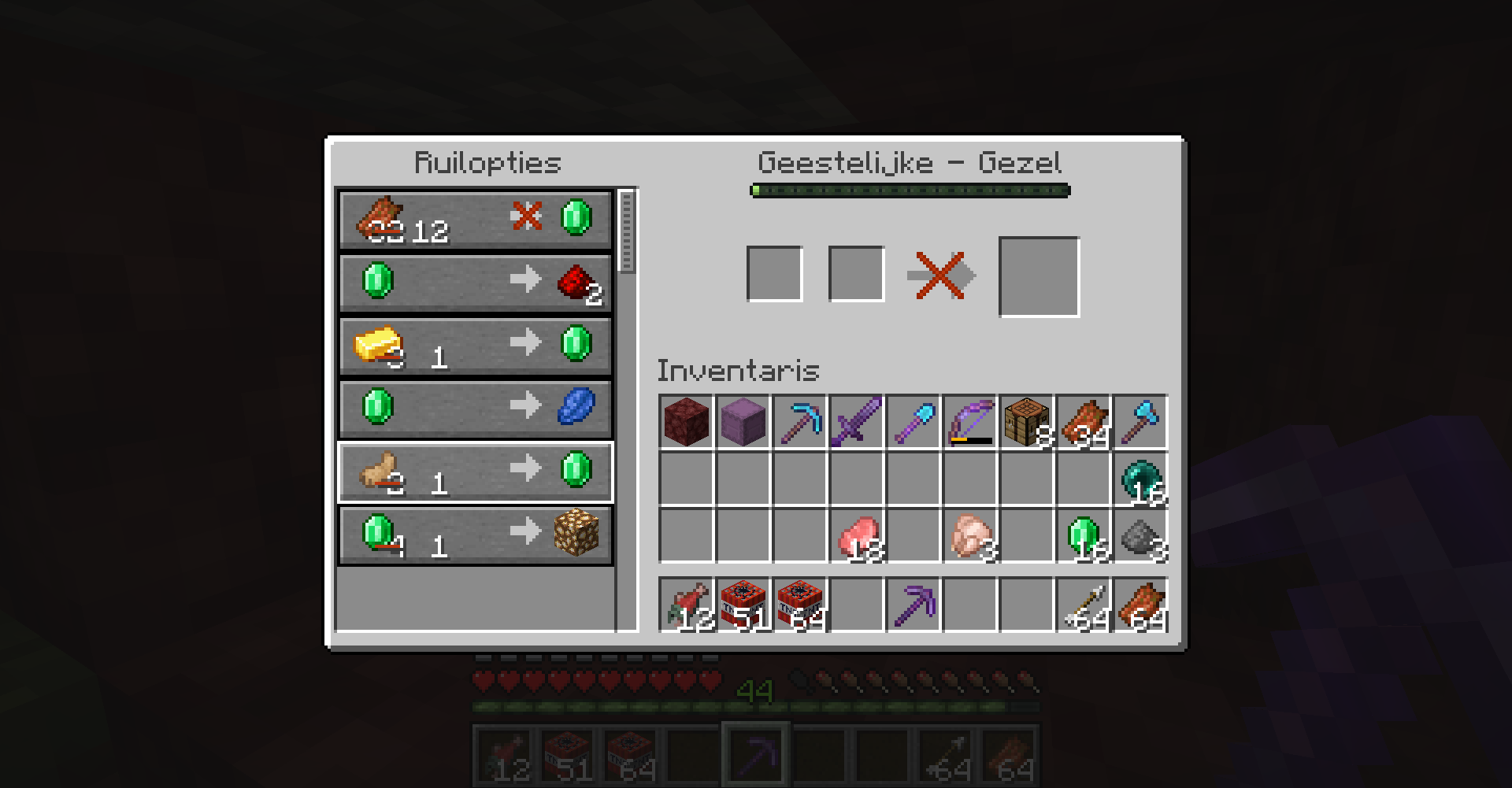
Villager red line strikethrough isn't properly aligned withthenumberVillager red line strikethrough isn't properly aligned with its number
When I was lookin
finto my acheivement screen, For some reason the translation of the acheivement "the city at the end of the game" was missing two letters at the end, while they still fit on my screen.This is not a translation problem, I checked on crowdin and the translation has the 2 letters.
Just a wild guess: maybe the text background frame isn't long enough to hold the translation?
When I was looking into my achievement screen, For some reason the translation of the achievement "the city at the end of the game" was missing two letters at the end, while they still fit on my screen.
This is not a translation problem, I checked on crowdin and the translation has the 2 letters.
Just a wild guess: maybe the text background frame isn't long enough to hold the translation?
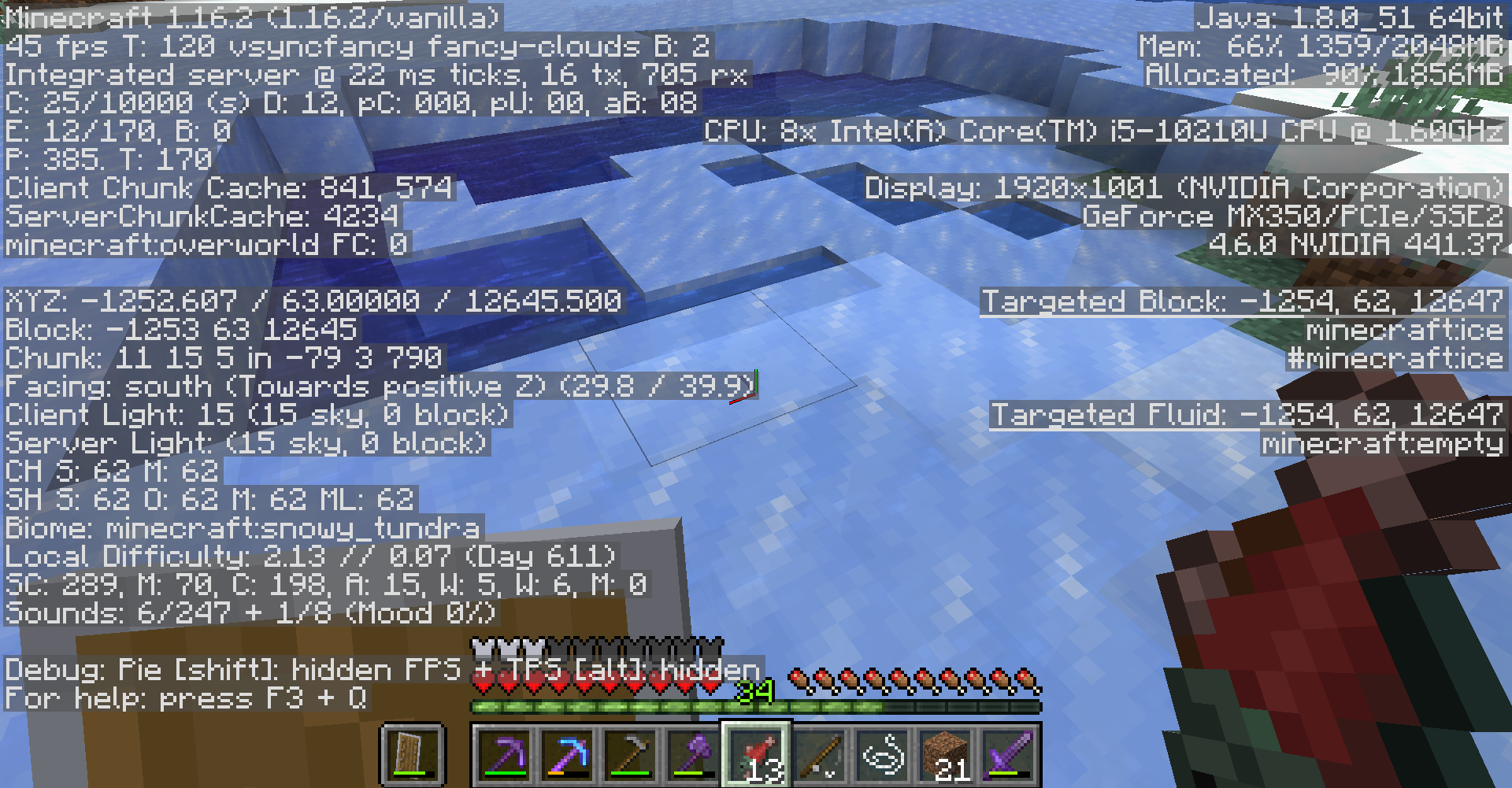
I don't know if the bug is that the ice doesn't melt in the end or that there comes no water when it's mined. However, it stays very irritating because there is no way of returning it to water in the end. It also doesn't drops itself when mined with silk touch. When multiple water sources next to eachother are frozen and mined, the water reappears. I don't know if it was only the ice that
ididn'tmine that turned again into water or that it was only the nearby water sources that updated their blockstates and turned again into water.I don't know if the bug is that the ice doesn't melt in the end or that there comes no water when it's mined. However, it stays very irritating because there is no way of returning it to water in the end. It also doesn't drops itself when mined with silk touch. When multiple water sources next to eachother are frozen and mined, the water reappears. I don't know if it was only the ice that I did mine that turned again into water or that it was only the nearby water sources that updated their blockstates and turned again into water.
Frostedice does not create water when mined with silk touchFrostwalker ice does not create water when mined with silk touch
Frostwalker ice does not create water when minedwith silk touch
I don't know if the bug is that the ice doesn't melt in the end or that there comes no water when it's mined. However, it stays very irritating because there is no way of returning it to water in the end. It also doesn't drops itself when mined with silk touch. When multiple water sources next to eachother are frozen and mined, the water reappears. I don't know if it was
onlythe ice that I did mine that turned again into water or that it was only the nearby water sources that updated their blockstates and turned again into water.
Frostwalker ice does not create water when mined with silk touch
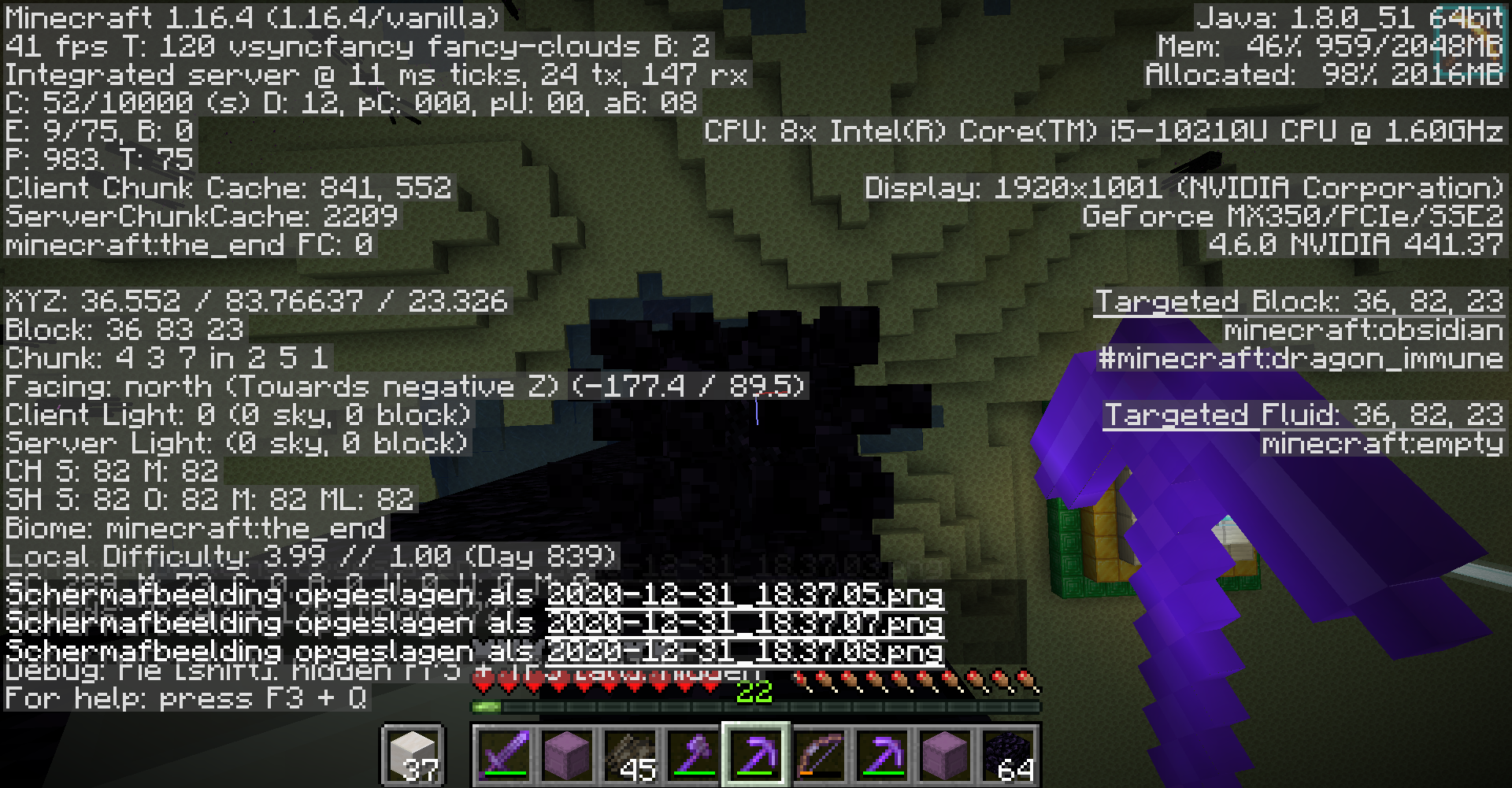
2020-12-31_18.36.00.png
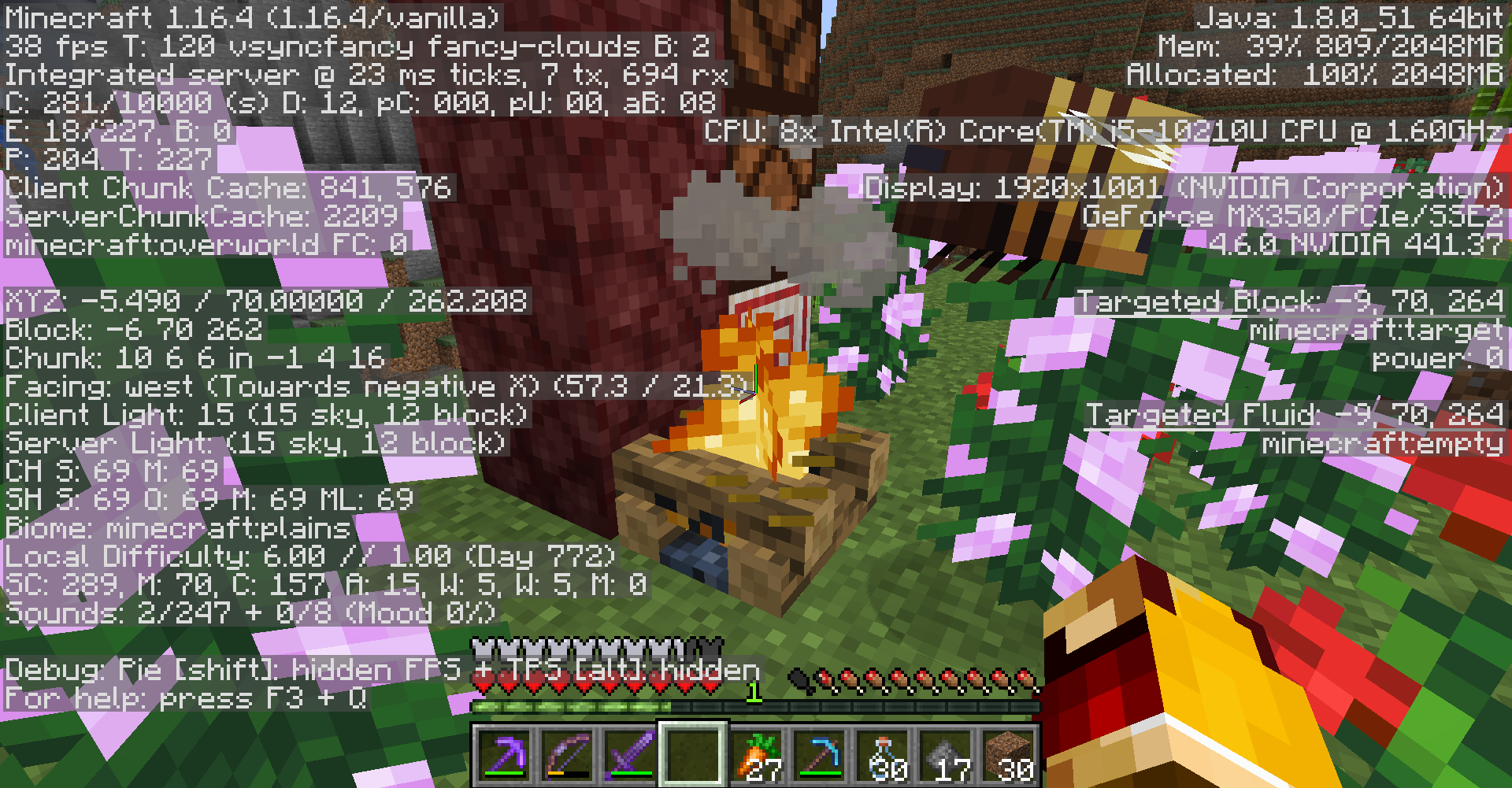
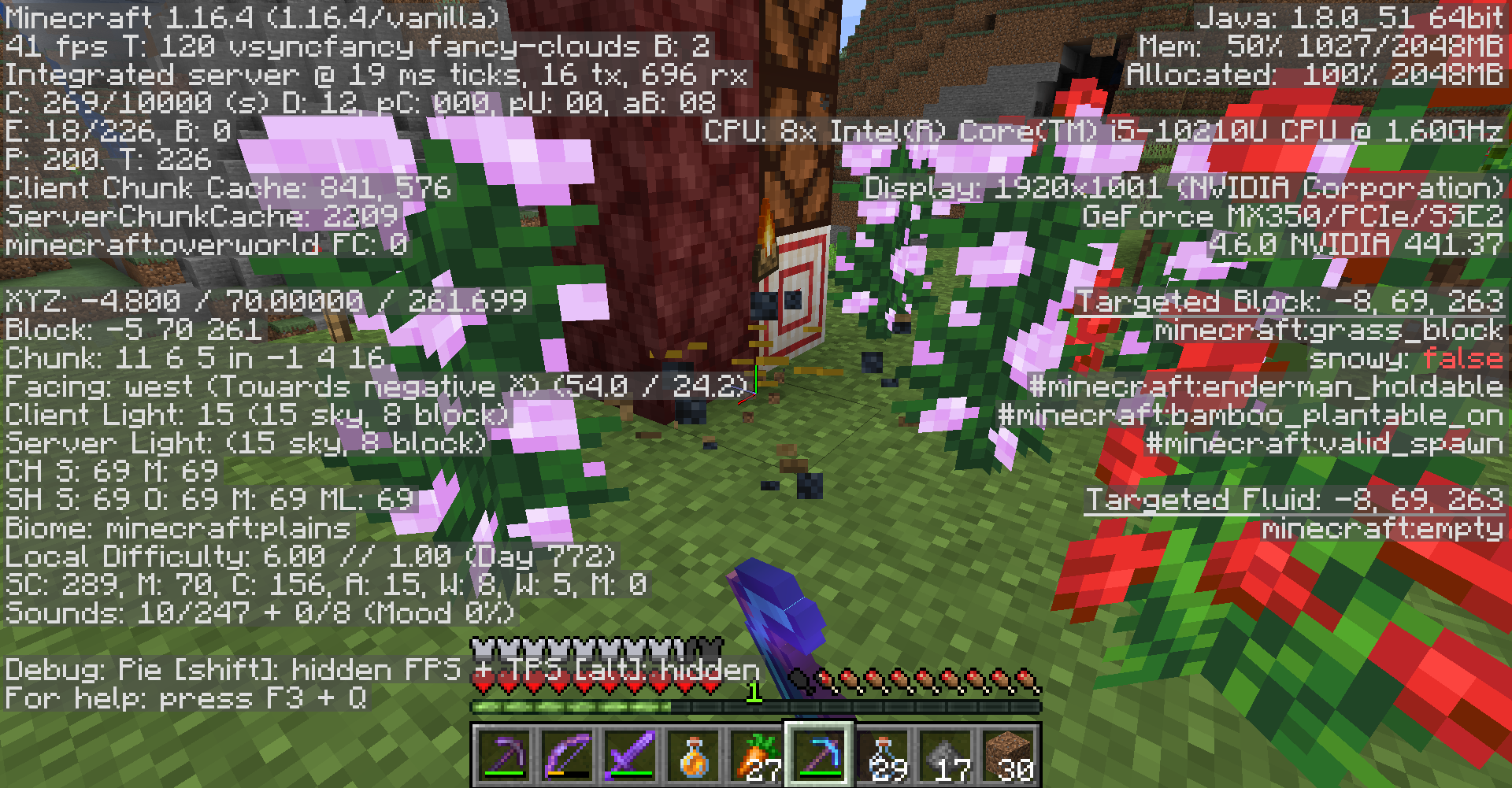
When you use "Fast" or "Fancy" graphics, any particles (such as block breaking particles, or campfire smoke) don't render behind the block hitbox.
Where those particles intersect, n
When you use "Fast" or "Fancy" graphics, any particles (such as block breaking particles, or campfire smoke) don't render behind the block hitbox.
Where th
ose particles intersect, nWhen you use "Fast" or "Fancy" graphics, any particles (such as block breaking particles, or campfire smoke) don't render behind the block hitbox.
Where the hitbox and the particles intersets, you don't see both of them allowing to view trough.
For the one who wrote my report again, could you please create a new ticket for a new bug. This is not the same as my report!!!
To reproduce
- Set your language settings on Nederlands (Nederland)
- Place an anvil and open its GUI
- See that the text overflows the GUI, while it still could shift up to the left
This is not a translation problem, there is enough place for the text to be in!!
The problem is that the text has been given a distinct starting point, no matter if this makes the text fit or not. A possible solution could include something that shifts up the text to the left when it would exit the GUI.
my video is larger than 10 Mb, I will make it shorter and upload it again over some time
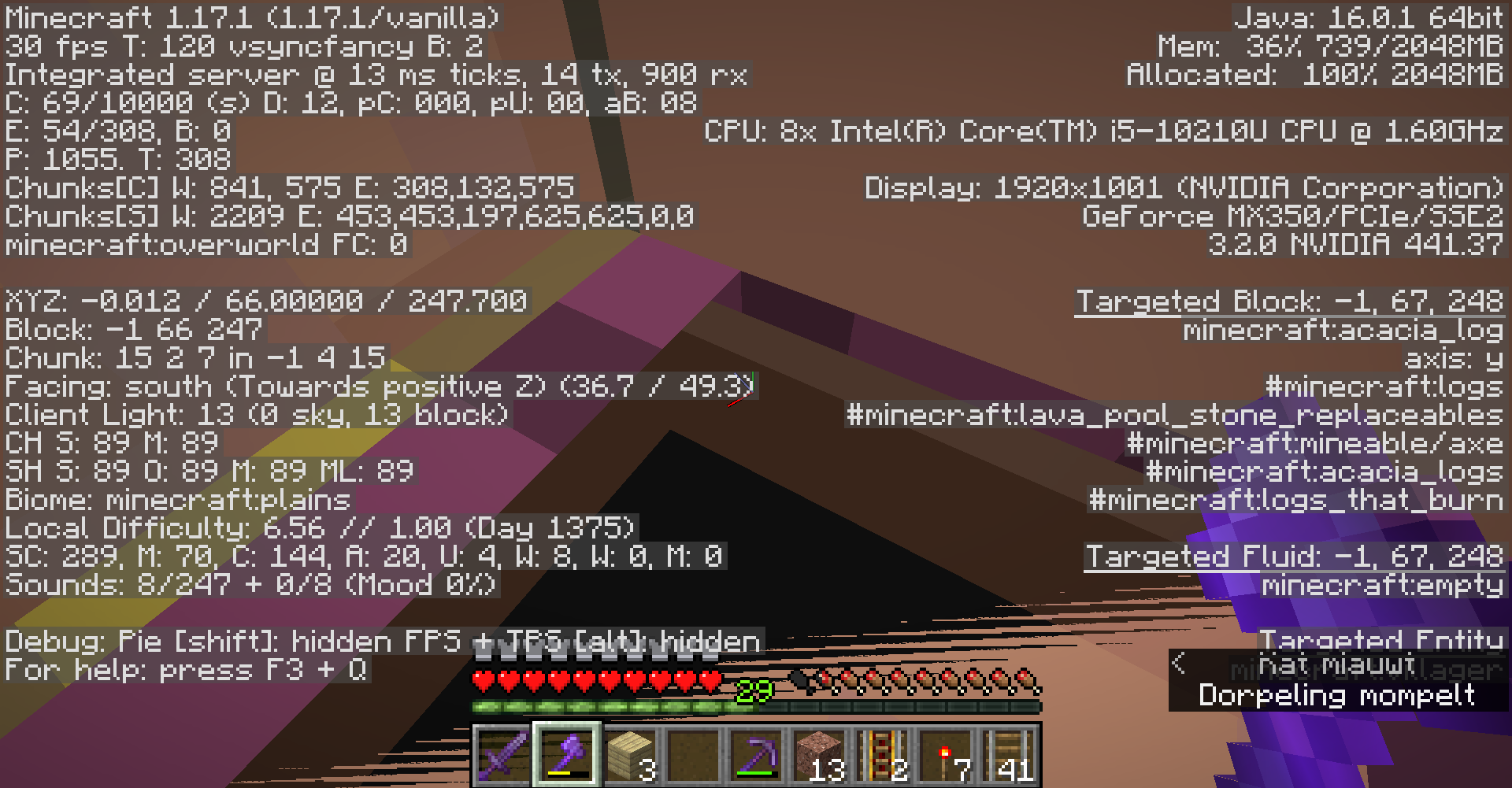
on this link
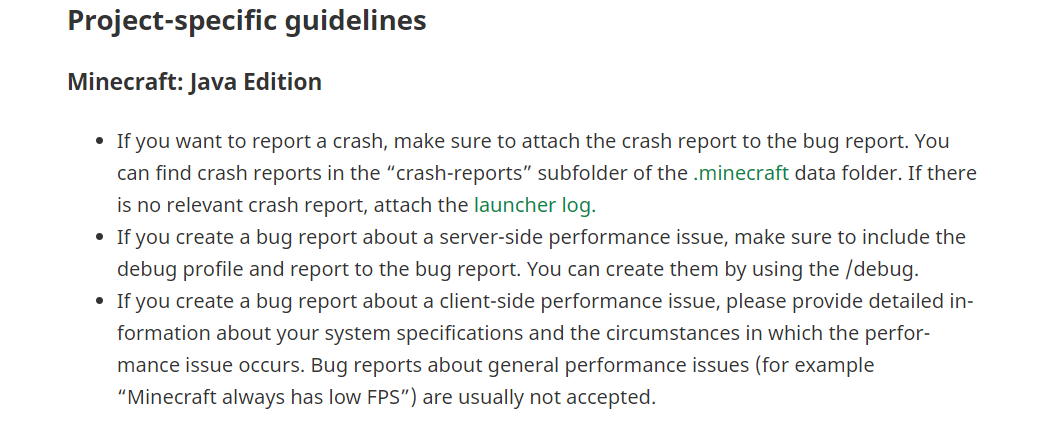
https://help.minecraft.net/hc/en-us/articles/
360049840492#h_01EKCG7QWCA1Z3MJN75C9JBMFCthere stands: "You can create them by using the /debug." It should have to be "You can create them by using the /debug command." or "You can create them by using /debug."
on this link
there stands: "You can create them by using the /debug." It should have to be "You can create them by using the /debug command." or "You can create them by using /debug."
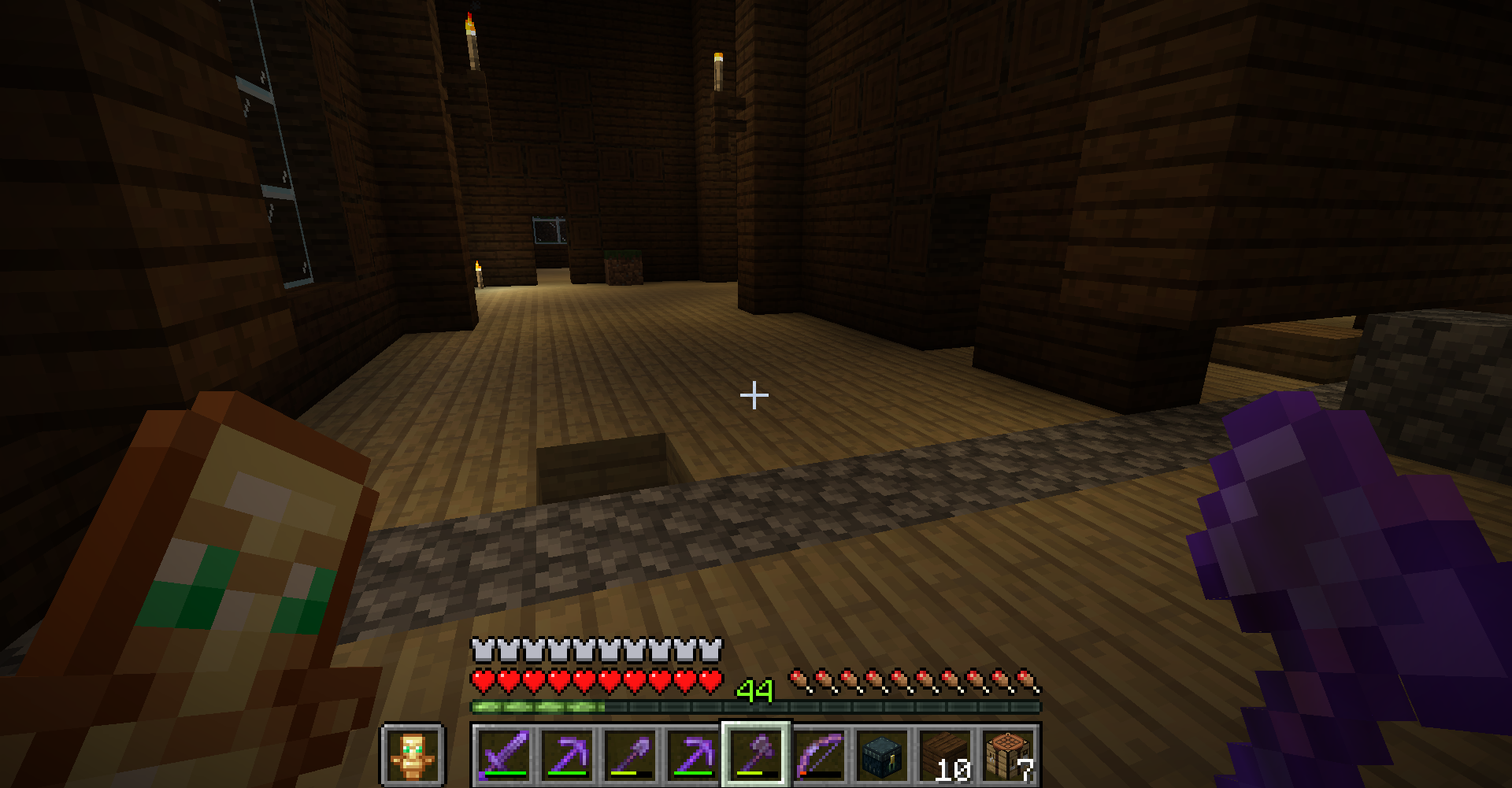
On the second floor, a line of cobblestone continues from the stairs into the floor. I would expect that the floor is completely from birch wood planks. This only happens on one side, but this is because the right wall is not included in the entrance structure.
note: you have to remove the carpets or the dark oak logs to view it.
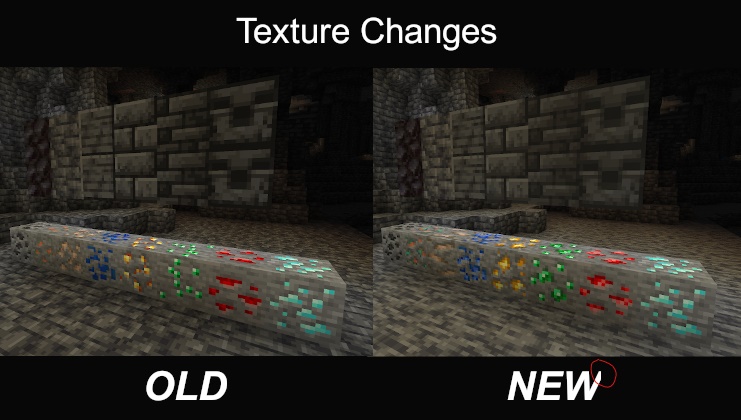
The picture is findable in the 21w08a changelog
I don't know which version I had to choose, I've installed the newest one.
Arrows shot in the feet can be rendered overitemsin the inventory.Arrows shot in the feet can be rendered over the item part in the inventory.
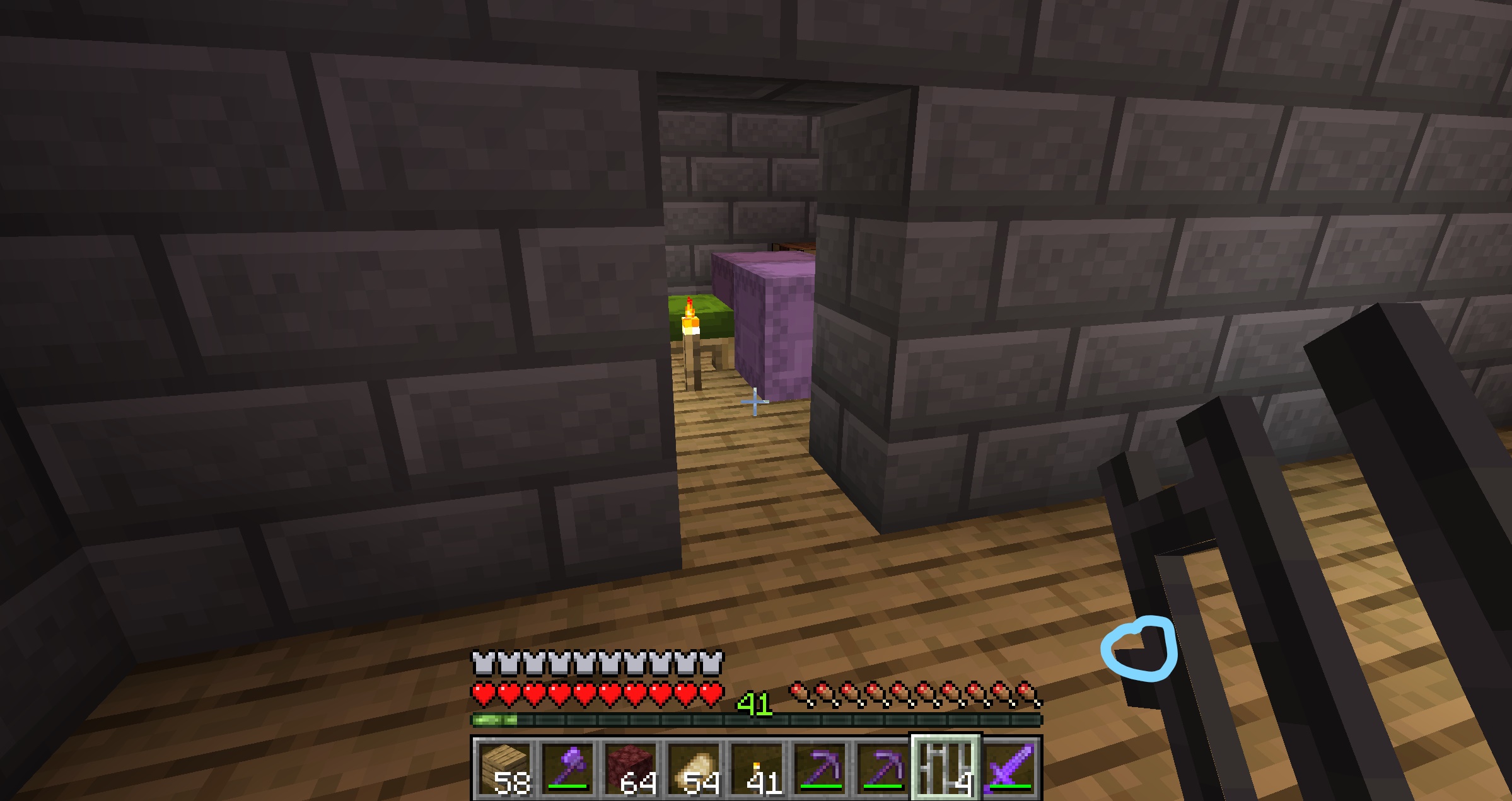
They seem to leave a cross underneath them undestroyed
This might be the explanation for this bug, however, I'm not sure of it.
Explosions work by a creating a 16x16x16 grid around the explosion source. A ray from the center point to each block of the 16x16x16 grid is created. A ray departs from the explosion source with a given value. That value is decreased every 0.3 blocks it travels trough. The rays stops when it's value has reached 0. Every block that could not stop the ray is destroyed. For more explanation, see https://minecraft.fandom.com/wiki/Explosion#Effect.
However, there is a point where th two inner rays are diverted so far from the center that they don't enter the center blocks anymore. from this point, there is no ray any more that can destroy these blocks anymore, an they are untouched.
On the first photo, I've spawned a lot of creepers on a line on a wall structure.
They seem to leave a cross underneath them undestroyed
This might be the explanation for this bug, however, I'm not sure of it.
Explosions work by a creating a 16x16x16 grid around the explosion source. A ray from the center point to each block of the 16x16x16 grid is created. A ray departs from the explosion source with a given value. That value is decreased every 0.3 blocks it travels trough. The rays stops when it's value has reached 0. Every block that could not stop the ray is destroyed. For more explanation, see https://minecraft.fandom.com/wiki/Explosion#Effect.
However, there is a point where th two inner rays are diverted so far from the center that they don't enter the center blocks anymore. from this point, there is no ray any more that can destroy these blocks anymore, an they are untouched.
On the first photo, I've spawned a lot of creepers on a line on a wall structure.
They seem to leave a cross underneath them undestroyed
This might be the explanation for this bug, however, I'm not sure of it.
Explosions work by a creating a 16x16x16 grid around the explosion source. A ray from the center point to each block of the 16x16x16 grid is created. A ray departs from the explosion source with a given value. That value is decreased every 0.3 blocks it travels trough. The rays stops when it's value has reached 0. Every block that could not stop the ray is destroyed. For more explanation, see https://minecraft.fandom.com/wiki/Explosion#Effect.
However, there is a point where th two inner rays are diverted so far from the center that they don't enter the center blocks anymore. from this point, there is no ray any more that can destroy these blocks anymore, an they are untouched.
On the first photo, I've spawned a lot of creepers on a line on a walkway. The explanation for the less destroyed part can be that a part of the walkway was blocking the explosion a bit more than the rest, but as I don't remember the walkway anymore, I'm not sure of it.
They seem to leave a cross underneath them undestroyed
This might be the explanation for this bug, however, I'm not sure of it.
Explosions work by a creating a 16x16x16 grid around the explosion source. A ray from the center point to each block of the 16x16x16 grid is created. A ray departs from the explosion source with a given value. That value is decreased every 0.3 blocks it travels trough. The rays stops when it's value has reached 0. Every block that could not stop the ray is destroyed. For more explanation, see https://minecraft.fandom.com/wiki/Explosion#Effect.
However, there is a point where th two inner rays are diverted so far from the center that they don't enter the center blocks anymore. from this point, there is no ray any more that can destroy these blocks anymore, an they are untouched.
On the first photo, I've spawned a lot of creepers on a line on a walkway. The explanation for the less destroyed part can be that a part of the walkway was blocking the explosion a bit more than the rest, but as I don't remember the walkway anymore, I'm not sure of it.
You can get a spawnegg for a creeper that immediatly explodes using the following command:
/give @p creeper_spawn_egg{EntityTag:{id:"minecraft:creeper",ExplosionRadius:20,Fuse:0,ignited:1,powered:1}}Don't use this spawnegg anywhere near things you'd like to keep, it's very destructive!!!
They seem to leave a cross underneath them undestroyed
This might be the explanation for this bug, however, I'm not sure of it.
Explosions work by a creating a 16x16x16 grid around the explosion source. A ray from the center point to each block of the 16x16x16 grid is created. A ray departs from the explosion source with a given value. That value is decreased every 0.3 blocks it travels trough. The rays stops when it's value has reached 0. Every block that could not stop the ray is destroyed. For more explanation, see https://minecraft.fandom.com/wiki/Explosion#Effect.
However, there is a point where th two inner rays are diverted so far from the center that they don't enter the center blocks anymore. from this point, there is no ray any more that can destroy these blocks anymore, an they are untouched.
On the first photo, I've spawned a lot of creepers on a line on a walkway. The explanation for the less destroyed part can be that a part of the walkway was blocking the explosion a bit more than the rest, but as I don't remember the walkway anymore, I'm not sure of it.
You can get a spawnegg for a creeper that immediatly explodes using the following command:/give @p creeper_spawn_egg{EntityTag:{id:"minecraft:creeper",ExplosionRadius:20,Fuse:0,ignited:1,powered:1}}Don't use this spawnegg anywhere near things you'd like to keep, it's very destructive!!!
They seem to leave a cross underneath them undestroyed
This might be the explanation for this bug, however, I'm not sure of it.
Explosions work by a creating a 16x16x16 grid around the explosion source. A ray from the center point to each block of the 16x16x16 grid is created. A ray departs from the explosion source with a given value. That value is decreased every 0.3 blocks it travels trough. The rays stops when it's value has reached 0. Every block that could not stop the ray is destroyed. For more explanation, see https://minecraft.fandom.com/wiki/Explosion#Effect.
However, there is a point where th two inner rays are diverted so far from the center that they don't enter the center blocks anymore. from this point, there is no ray any more that can destroy these blocks anymore, an they are untouched.
On the first photo, I've spawned a lot of creepers on a line on a walkway. The explanation for the less destroyed part can be that a part of the walkway was blocking the explosion a bit more than the rest, but as I don't remember the walkway anymore, I'm not sure of it.
The screenshot with the blocks that shouldn't be destroyable still needs proper testing, it's just theoretical.
You can get a spawnegg for a creeper that immediatly explodes using the following command:
/give @p creeper_spawn_egg{EntityTag:{id:"minecraft:creeper",ExplosionRadius:20,Fuse:0,ignited:1,powered:1}}Don't use this spawnegg anywhere near things you'd like to keep, it's very destructive!!!
They seem to leave a cross underneath them undestroyed
This might be the explanation for this bug, however, I'm not sure of it.
Explosions work by a creating a 16x16x16 grid around the explosion source. A ray from the center point to each block of the 16x16x16 grid is created. A ray departs from the explosion source with a given value. That value is decreased every 0.3 blocks it travels trough. The rays stops when it's value has reached 0. Every block that could not stop the ray is destroyed. For more explanation, see https://minecraft.fandom.com/wiki/Explosion#Effect.
However, there is a point where th two inner rays are diverted so far from the center that they don't enter the center blocks anymore. from this point, there is no ray any more that can destroy these blocks anymore, an they are untouched.
On the first photo, I've spawned a lot of creepers on a line on a walkway. The explanation for the less destroyed part can be that a part of the walkway was blocking the explosion a bit more than the rest, but as I don't remember the walkway anymore, I'm not sure of it.
The screenshot with the blocks that shouldn't be destroyable still needs proper testing, it's just theoretical.
You can get a spawnegg for a creeper that immediatly explodes using the following command:
/give @p creeper_spawn_egg{EntityTag:{id:"minecraft:creeper",ExplosionRadius:20,Fuse:0,ignited:1,powered:1}}Don't use this spawnegg anywhere near things you'd like to keep, it's very destructive!!!

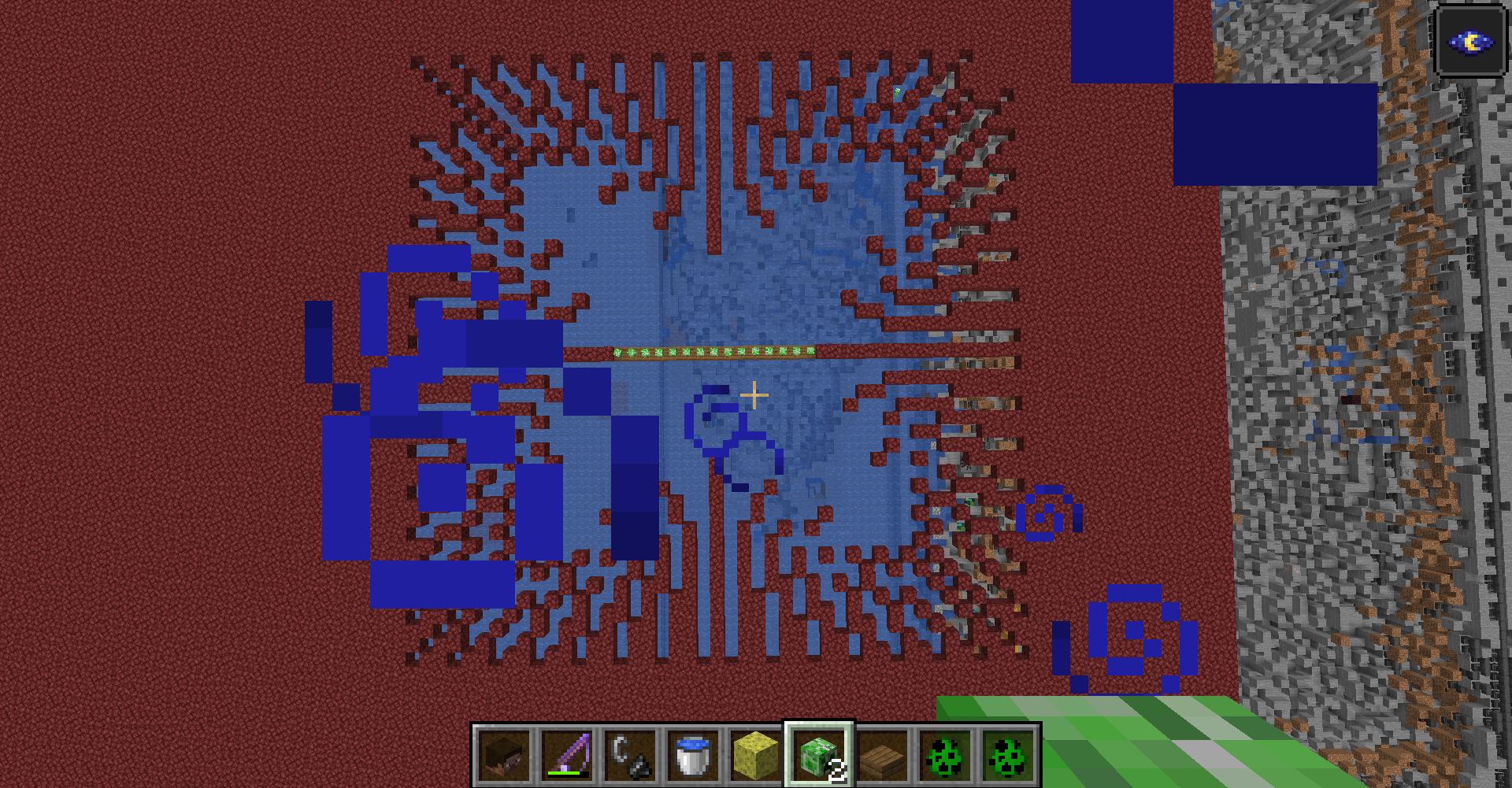
They seem to leave a cross underneath them undestroyed
This might be the explanation for this bug, however, I'm not sure of it.
Explosions work by a creating a 16x16x16 grid around the explosion source. A ray from the center point to each block of the 16x16x16 grid is created. A ray departs from the explosion source with a given value. That value is decreased every 0.3 blocks it travels trough. The rays stops when it's value has reached 0. Every block that could not stop the ray is destroyed. For more explanation, see https://minecraft.fandom.com/wiki/Explosion#Effect.
However, there is a point where th two inner rays are diverted so far from the center that they don't enter the center blocks anymore. from this point, there is no ray any more that can destroy these blocks anymore, an they are untouched.
On the first photo, I've spawned a lot of creepers on a line on a walkway. The explanation for the less destroyed part can be that a part of thewalkway was blocking the explosion a bit more than the rest, but as I don't remember the walkway anymore, I'm not sure of it.
The screenshot with the blocks that shouldn't be destroyable still needs proper testing, it's just theoretical.
You can get a spawnegg for a creeper that immediatly explodes using the following command:/give @p creeper_spawn_egg{EntityTag:{id:"minecraft:creeper",ExplosionRadius:20,Fuse:0,ignited:1,powered:1}}Don't use this spawnegg anywhere near things you'd like to keep, it's very destructive!!!
They seem to leave a cross underneath them undestroyed
This might be the explanation for this bug, however, I'm not sure of it.
Explosions work by a creating a 16x16x16 grid around the explosion source. A ray from the center point to each block of the 16x16x16 grid is created. A ray departs from the explosion source with a given value. That value is decreased every 0.3 blocks it travels trough. The rays stops when it's value has reached 0. Every block that could not stop the ray is destroyed. For more explanation, see https://minecraft.fandom.com/wiki/Explosion#Effect.
However, there is a point where th two inner rays are diverted so far from the center that they don't enter the center blocks anymore. from this point, there is no ray any more that can destroy these blocks anymore, an they are untouched. A solution for this would be to make the amount of rays uneven, which makes thet there is one ray going directly down
To prevent the remaining strange explosiondamage, the amount of rays could be calculated based on the creeper's ExplosionRadius, with something that makes that there is an uneven amount of rays to prevent the crosses.
On the first photo, I've spawned a lot of creepers on a line on a walkway. The explanation for the less destroyed part can be that a part of the walkway was blocking the explosion a bit more than the rest, but as I don't remember the walkway anymore, I'm not sure of it.
The screenshot with the blocks that shouldn't be destroyable still needs proper testing, it's just theoretical.
You can get a spawnegg for a creeper that immediatly explodes using the following command:
/give @p creeper_spawn_egg{EntityTag:{id:"minecraft:creeper",ExplosionRadius:20,Fuse:0,ignited:1,powered:1}}Don't use this spawnegg anywhere near things you'd like to keep, it's very destructive!!!

They seem to leave a cross underneath them undestroyed
This might be the explanation for this bug, however, I'm not sure of it.
Explosions work by a creating a 16x16x16 grid around the explosion source. A ray from the center point to each block of the 16x16x16 grid is created. A ray departs from the explosion source with a given value. That value is decreased every 0.3 blocks it travels trough. The rays stops when it's value has reached 0. Every block that could not stop the ray is destroyed. For more explanation, see https://minecraft.fandom.com/wiki/Explosion#Effect.
However, there is a point where th two inner rays are diverted so far from the center that they don't enter the center blocks anymore. from this point, there is no ray any more that can destroy these blocks anymore, an they are untouched. A solution for this would be to make the amount of rays uneven, which makes thet there is one ray going directly down
To prevent the remaining strange explosiondamage, the amount of rays could be calculated based on the creeper's ExplosionRadius, with something that makes that there is an uneven amount of rays to prevent the crosses.
On the first photo, I've spawned a lot of creepers on a line on a walkway. The explanation for the less destroyed part can be that a part of the walkway was blocking the explosion a bit more than the rest, but as I don't remember the walkway anymore, I'm not sure of it.
The screenshot with the blocks that shouldn't be destroyable still needs proper testing, it's just theoretical.
You can get a spawnegg for a creeper that immediatly explodes using the following command:
/give @p creeper_spawn_egg{EntityTag:{id:"minecraft:creeper",ExplosionRadius:20,Fuse:0,ignited:1,powered:1}}Don't use this spawnegg anywhere near things you'd like to keep, it's very destructive!!!
They seem to leave a cross underneath them undestroyed
This might be the explanation for this bug, however, I'm not sure of it.
Explosions work by a creating a 16x16x16 grid around the explosion source. A ray from the center point to each block of the 16x16x16 grid is created. A ray departs from the explosion source with a given value. That value is decreased every 0.3 blocks it travels trough. The rays stops when it's value has reached 0. Every block that could not stop the ray is destroyed. For more explanation, see https://minecraft.fandom.com/wiki/Explosion#Effect.
However, there is a point where th two inner rays are diverted so far from the center that they don't enter the center blocks anymore. from this point, there is no ray any more that can destroy these blocks anymore, an they are untouched. A solution for this would be to make the amount of rays uneven, which makes thet there is one ray going directly down
To prevent the remaining strange explosiondamage, the amount of rays could be calculated based on the creeper's ExplosionRadius, with something that makes that there is an uneven amount of rays to prevent the crosses.
On the first photo, I've spawned a lot of creepers on a line on a walkway. The explanation for the less destroyed part can be that a part of the walkway was blocking the explosion a bit more than the rest, but as I don't remember the walkway anymore, I'm not sure of it.
The screenshot with the blocks that shouldn't be destroyable still needs proper testing, it's just theoretical.For a reference to what blocks will be destroyed, best look to the explosiondamage picture. Tat is the real explosiondamage a creeper would do. (Note: It is a qaurt of the explosiondamage copied and rotated such that it forms a square, but that shouldn't matter as the explosiondamge is symmetrical)
You can get a spawnegg for a creeper that immediatly explodes using the following command:
/give @p creeper_spawn_egg{EntityTag:{id:"minecraft:creeper",ExplosionRadius:20,Fuse:0,ignited:1,powered:1}}Don't use this spawnegg anywhere near things you'd like to keep, it's very destructive!!!
They seem to leave a cross underneath them undestroyed
This might be the explanation for this bug, however, I'm not sure of it.
Explosions work by a creating a 16x16x16 grid around the explosion source. A ray from the center point to each block of the 16x16x16 grid is created. A ray departs from the explosion source with a given value. That value is decreased every 0.3 blocks it travels trough. The rays stops when it's value has reached 0. Every block that could not stop the ray is destroyed. For more explanation, see https://minecraft.fandom.com/wiki/Explosion#Effect.
However, there is a point where th two inner rays are diverted so far from the center that they don't enter the center blocks anymore. from this point, there is no ray any more that can destroy these blocks anymore, an they are untouched. A solution for this would be to make the amount of rays uneven, which makes thet there is one ray going directly down
To prevent the remaining strange explosiondamage, the amount of rays could be calculated based on the creeper's ExplosionRadius, with something that makes that there is an uneven amount of rays to prevent the crosses.
On the first photo, I've spawned a lot of creepers on a line on a walkway. The explanation for the less destroyed part can be that a part of the walkway was blocking the explosion a bit more than the rest, but as I don't remember the walkway anymore, I'm not sure of it.
The screenshot with the blocks that shouldn't be destroyable still needs proper testing, it's just theoretical.For a reference to what blocks will be destroyed, best look to the explosiondamage picture. That is the real explosiondamage a creeper would do. (Note: It is a qaurt of the explosiondamage copied and rotated such that it forms a square, but that shouldn't matter as the explosiondamge is symmetrical)
You can get a spawnegg for a creeper that immediatly explodes using the following command:
/give @p creeper_spawn_egg{EntityTag:{id:"minecraft:creeper",ExplosionRadius:20,Fuse:0,ignited:1,powered:1}}Don't use this spawnegg anywhere near things you'd like to keep, it's very destructive!!!
They seem to leave a cross underneath them undestroyed
This might be the explanation for this bug, however, I'm not sure of it.
Explosions work by a creating a 16x16x16 grid around the explosion source. A ray from the center point to each block of the 16x16x16 grid is created. A ray departs from the explosion source with a given value. That value is decreased every 0.3 blocks it travels trough. The rays stops when it's value has reached 0. Every block that could not stop the ray is destroyed. For more explanation, see https://minecraft.fandom.com/wiki/Explosion#Effect.
However, there is a point where th two inner rays are diverted so far from the center that they don't enter the center blocks anymore. from this point, there is no ray any more that can destroy these blocks anymore, an they are untouched. A solution for this would be to make the amount of rays uneven, which makes thet there is one ray going directly down
To prevent the remaining strange explosiondamage, the amount of rays could be calculated based on the creeper's ExplosionRadius, with something that makes that there is an uneven amount of rays to prevent the crosses.
On the first photo, I've spawned a lot of creepers on a line on a walkway. The explanation for the less destroyed part can be that a part of the walkway was blocking the explosion a bit more than the rest, but as I don't remember the walkway anymore, I'm not sure of it.
The screenshot with the blocks that shouldn't be destroyable still needs proper testing, it's just theoretical.For a reference to what blocks will be destroyed, best look to the explosiondamage picture. That is the real explosiondamage a creeper would do. (Note: It is a qaurt of the explosiondamage copied and rotated such that it forms a square, but that shouldn't matter as the explosiondamage is symmetrical)
You can get a spawnegg for a creeper that immediatly explodes using the following command:
/give @p creeper_spawn_egg{EntityTag:{id:"minecraft:creeper",ExplosionRadius:20,Fuse:0,ignited:1,powered:1}}Don't use this spawnegg anywhere near things you'd like to keep, it's very destructive!!!
They seem to leave a cross underneath them undestroyed
This might be the explanation for this bug, however, I'm not sure of it.
Explosions work by a creating a 16x16x16 grid around the explosion source. A ray from the center point to each block of the 16x16x16 grid is created. A ray departs from the explosion source with a given value. That value is decreased every 0.3 blocks it travels trough. The rays stops when it's value has reached 0. Every block that could not stop the ray is destroyed. For more explanation, see https://minecraft.fandom.com/wiki/Explosion#Effect.
However, there is a point where th two inner rays are diverted so far from the center that they don't enter the center blocks anymore. from this point, there is no ray any more that can destroy these blocks anymore, and they are untouched. A solution for this would be to make the amount of rays uneven, which makes thet there is one ray going directly down
To prevent the remaining strange explosiondamage, the amount of rays could be calculated based on the creeper's ExplosionRadius, with something that makes that there is an uneven amount of rays to prevent the crosses.
On the first photo, I've spawned a lot of creepers on a line on a walkway. The explanation for the less destroyed part can be that a part of the walkway was blocking the explosion a bit more than the rest, but as I don't remember the walkway anymore, I'm not sure of it.
The screenshot with the blocks that shouldn't be destroyable still needs proper testing, it's just theoretical.For a reference to what blocks will be destroyed, best look to the explosiondamage picture. That is the real explosiondamage a creeper would do. (Note: It is a qaurt of the explosiondamage copied and rotated such that it forms a square, but that shouldn't matter as the explosiondamage is symmetrical)
You can get a spawnegg for a creeper that immediatly explodes using the following command:
/give @p creeper_spawn_egg{EntityTag:{id:"minecraft:creeper",ExplosionRadius:20,Fuse:0,ignited:1,powered:1}}Don't use this spawnegg anywhere near things you'd like to keep, it's very destructive!!!
They seem to leave a cross underneath them undestroyed
This might be the explanation for this bug
, however, I'm not sure of it.Explosions work by a creating a 16x16x16 grid around the explosion source. A ray from the center point to each block of the 16x16x16 grid is created. A ray departs from the explosion source with a given value. That value is decreased every 0.3 blocks it travels trough. The rays stops when it's value has reached 0. Every block that could not stop the ray is destroyed. For more explanation, see https://minecraft.fandom.com/wiki/Explosion#Effect.
However, there is a point where th two inner rays are diverted so far from the center that they don't enter the center blocks anymore. from this point, there is no ray any more that can destroy these blocks anymore, and they are untouched. A solution for this would be to make the amount of rays uneven, which makes thet there is one ray going directly down
To prevent the remaining strange explosiondamage, the amount of rays could be calculated based on the creeper's ExplosionRadius, with something that makes that there is an uneven amount of rays to prevent the crosses.
On the first photo, I've spawned a lot of creepers on a line on a walkway. The explanation for the less destroyed part can be that a part of the walkway was blocking the explosion a bit more than the rest, but as I don't remember the walkway anymore, I'm not sure of it.
The screenshot with the blocks that shouldn't be destroyable still needs proper testing, it's just theoretical.For a reference to what blocks will be destroyed, best look to the explosiondamage picture. That is the real explosiondamage a creeper would do. (Note: It is a qaurt of the explosiondamage copied and rotated such that it forms a square, but that shouldn't matter as the explosiondamage is symmetrical)
You can get a spawnegg for a creeper that immediatly explodes using the following command:
/give @p creeper_spawn_egg{EntityTag:{id:"minecraft:creeper",ExplosionRadius:20,Fuse:0,ignited:1,powered:1}}Don't use this spawnegg anywhere near things you'd like to keep, it's very destructive!!!
They seem to leave a cross underneath them undestroyed
This might be the explanation for this bug. However, I'm not sure of it.
Explosions work by a creating a 16x16x16 grid around the explosion source. A ray from the center point to each block of the 16x16x16 grid is created. A ray departs from the explosion source with a given value. That value is decreased every 0.3 blocks it travels trough. The rays stops when it's value has reached 0. Every block that could not stop the ray is destroyed. For more explanation, see https://minecraft.fandom.com/wiki/Explosion#Effect.
However, there is a point where th two inner rays are diverted so far from the center that they don't enter the center blocks anymore. from this point, there is no ray any more that can destroy these blocks anymore, and they are untouched. A solution for this would be to make the amount of rays uneven, which makes thet there is one ray going directly down
To prevent the remaining strange explosiondamage, the amount of rays could be calculated based on the creeper's ExplosionRadius, with something that makes that there is an uneven amount of rays to prevent the crosses.
On the first photo, I've spawned a lot of creepers on a line on a walkway. The explanation for the less destroyed part can be that a part of the walkway was blocking the explosion a bit more than the rest, but as I don't remember the walkway anymore, I'm not sure of it.
The screenshot with the blocks that shouldn't be destroyable still needs proper testing, it's just theoretical.For a reference to what blocks will be destroyed, best look to the explosiondamage picture. That is the real explosiondamage a creeper would do. (Note: It is a qaurt of the explosiondamage copied and rotated such that it forms a square, but that shouldn't matter as the explosiondamage is symmetrical)
You can get a spawnegg for a creeper that immediatly explodes using the following command:
/give @p creeper_spawn_egg{EntityTag:{id:"minecraft:creeper",ExplosionRadius:20,Fuse:0,ignited:1,powered:1}}Don't use this spawnegg anywhere near things you'd like to keep, it's very destructive!!!
They seem to leave a cross underneath them undestroyed
This might be the explanation for this bug. However, I'm not sure of it.
Explosions work by a creating a 16x16x16 grid around the explosion source. A ray from the center point to each block of the 16x16x16 grid is created. A ray departs from the explosion source with a given value. That value is decreased every 0.3 blocks it travels trough. The rays stops when it's value has reached 0. Every block that could not stop the ray is destroyed. For more explanation, see https://minecraft.fandom.com/wiki/Explosion#Effect.
However, there is a point where th two inner rays are diverted so far from the center that they don't enter the center blocks anymore. from this point, there is no ray any more that can destroy these blocks anymore, and they are untouched. A solution for this would be to make the amount of rays uneven, which makes th
et there is one ray going directly downTo prevent the remaining strange explosiondamage, the amount of rays could be calculated based on the creeper's ExplosionRadius, with something that makes that there is an uneven amount of rays to prevent the crosses.
On the first photo, I've spawned a lot of creepers on a line on a walkway. The explanation for the less destroyed part can be that a part of the walkway was blocking the explosion a bit more than the rest, but as I don't remember the walkway anymore, I'm not sure of it.
The screenshot with the blocks that shouldn't be destroyable still needs proper testing, it's just theoretical.For a reference to what blocks will be destroyed, best look to the explosiondamage picture. That is the real explosiondamage a creeper would do. (Note: It is a qaurt of the explosiondamage copied and rotated such that it forms a square, but that shouldn't matter as the explosiondamage is symmetrical)
You can get a spawnegg for a creeper that immediatly explodes using the following command:
/give @p creeper_spawn_egg{EntityTag:{id:"minecraft:creeper",ExplosionRadius:20,Fuse:0,ignited:1,powered:1}}Don't use this spawnegg anywhere near things you'd like to keep, it's very destructive!!!
They seem to leave a cross underneath them undestroyed
This might be the explanation for this bug. However, I'm not sure of it.
Explosions work by a creating a 16x16x16 grid around the explosion source. A ray from the center point to each block of the 16x16x16 grid is created. A ray departs from the explosion source with a given value. That value is decreased every 0.3 blocks it travels trough. The rays stops when it's value has reached 0. Every block that could not stop the ray is destroyed. For more explanation, see https://minecraft.fandom.com/wiki/Explosion#Effect.
However, there is a point where th two inner rays are diverted so far from the center that they don't enter the center blocks anymore. from this point, there is no ray any more that can destroy these blocks anymore, and they are untouched. A solution for this would be to make the amount of rays uneven, which makes that there is one ray going directly down
To prevent the remaining strange explosiondamage, the amount of rays could be calculated based on the creeper's ExplosionRadius, with something that makes that there is an uneven amount of rays to prevent the crosses.
On the first photo, I've spawned a lot of creepers on a line on a walkway. The explanation for the less destroyed part can be that a part of the walkway was blocking the explosion a bit more than the rest, but as I don't remember the walkway anymore, so I'm not sure of it.
The screenshot with the blocks that shouldn't be destroyable still needs proper testing, it's just theoretical.For a reference to what blocks will be destroyed, best look to the explosiondamage picture. That is the real explosiondamage a creeper would do. (Note: It is a qaurt of the explosiondamage copied and rotated such that it forms a square, but that shouldn't matter as the explosiondamage is symmetrical)
You can get a spawnegg for a creeper that immediatly explodes using the following command:
/give @p creeper_spawn_egg{EntityTag:{id:"minecraft:creeper",ExplosionRadius:20,Fuse:0,ignited:1,powered:1}}Don't use this spawnegg anywhere near things you'd like to keep, it's very destructive!!!
creepers with a high ExplosionRadius can cause damage underwater. The creeper in the video had an ExplosionRadius of 20.
You can get a spawnegg for a creeper exploding immediatly using the following command
/give @p creeper_spawn_egg{EntityTag:{id:"minecraft:creeper",ExplosionRadius:20,Fuse:0,ignited:1,powered:1}}Dont use this spawnegg anywhere near things you'd like to keep, it's very destructive!!!
.
creepers with a high ExplosionRadius can cause damage underwater. The creeper in the video had an ExplosionRadius of 20.
You can get a spawnegg for a creeper exploding immediatly using the following command/give @p creeper_spawn_egg{EntityTag:{id:"minecraft:creeper",ExplosionRadius:20,Fuse:0,ignited:1,powered:1}}Dont use this spawnegg anywhere near things you'd like to keep, it's very destructive!!!
creepers with a high ExplosionRadius can cause damage underwater. The creeper in the video had an ExplosionRadius of 20.
The explosion seems to can only destroy blocks that are at the same height of the creeper's feet or lower.
You can get a spawnegg for a creeper exploding immediatly using the following command
/give @p creeper_spawn_egg{EntityTag:{id:"minecraft:creeper",ExplosionRadius:20,Fuse:0,ignited:1,powered:1}}Dont use this spawnegg anywhere near things you'd like to keep, it's very destructive!!!
"AffectedVersion in releasedVersions" shows a symbol that it is correct, while it isn't


When I search "AffectedVersion in releasedVersions" as an advanced search, The symbol at the left still says that it's correct, but it isn't. It should be "AffectedVersion
()in releasedVersions"When I search "AffectedVersion in releasedVersions" as an advanced search, The symbol at the left still says that it's correct, but it isn't. It should be "AffectedVersion in releasedVersions()"
To reproduce:
- type "d
fsdfsfffds1ff" in the advanced search line- press search
- see the error message also giving the line, while there is only one line
To reproduce:
- type "d(" in the advanced search line
- press search
- see the error message also giving the line, while there is only one line
To reproduce:
- type "d(" in the advanced search
line- press search
- see the error message also giving the line, while there is only one line
To reproduce:
- type "d(" in the advanced search command bar
- press search
- see the error message also giving the line, while there is only one line

To reproduce:
- type "d(" in the advanced search command bar
- press search
- see the error message also giving the line, while there is only one line
project=mc and
version= 1.16.4
To reproduce:
- type "d(" in the advanced search command bar
- press search
- see the error message also giving the line, while there is only one line
project=mc and
version= 1.16.4
To reproduce:
- type "d(" in the advanced search command bar
- press search
- see the error message also giving the line, while there is only one line

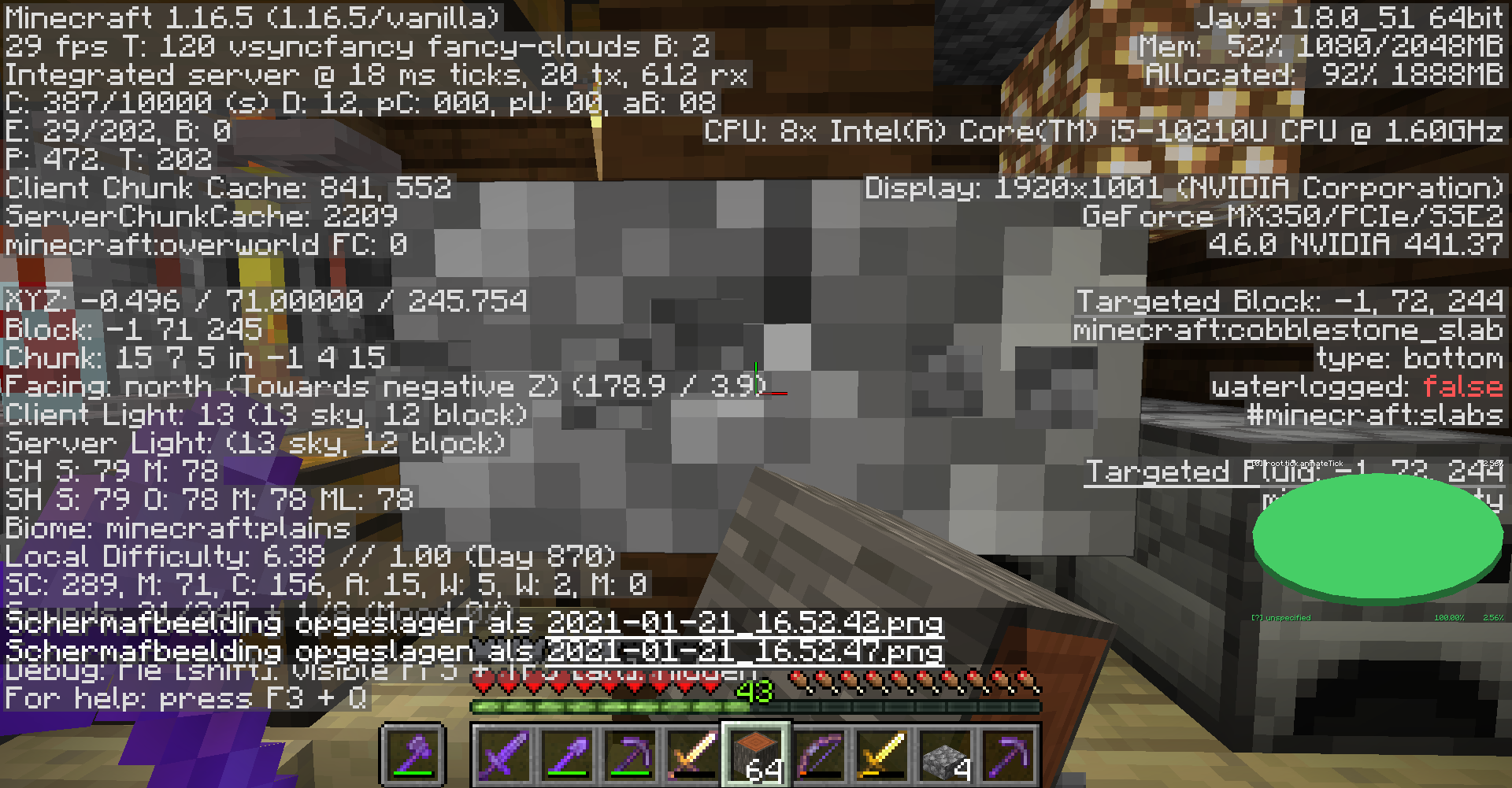
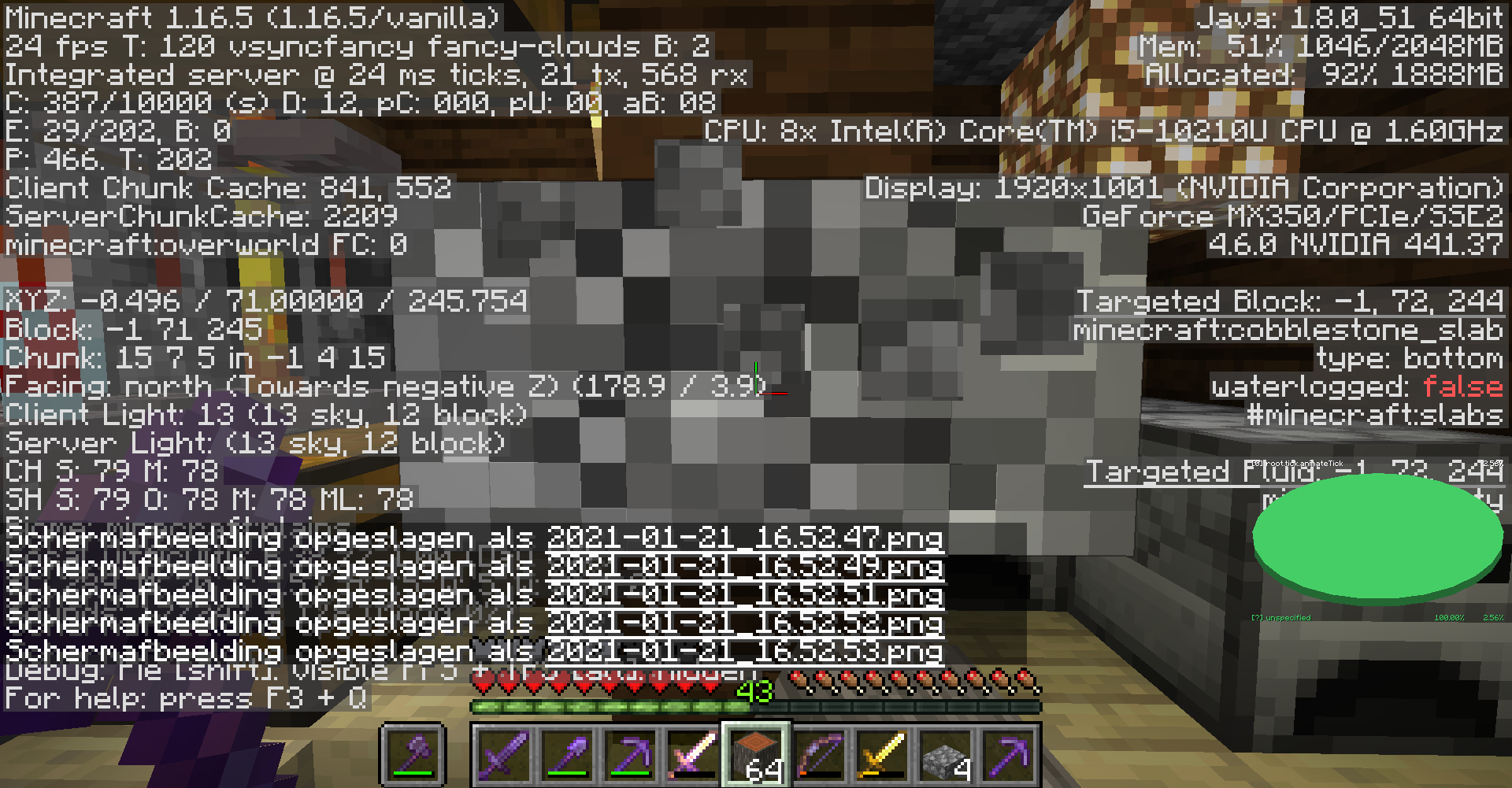
There is some space between the top and bottom of the green texture of the play button and the top and bottom of the black outline around the play button, allowing to view trough on the inmage behind. See he screenshot for any further informationWhen in the waiting animation, there is some space between the top and bottom of the green texture of the play button and the top and bottom of the black outline around the play button, allowing to view trough on the inmage behind. See he screenshot for any further information.
It appears not to happen with the normal play button.
When in the waiting animation, there is some space between the top and bottom of the green texture of the play button and the top and bottom of the black outline around the play button, allowing to view trough on the i
nmage behind. See he screenshot for any further information.It appears not to happen with the normal play button.
opening a shulkerbowwhile standing on it behaves different from 1.16 to 1.17opening a shulkerbox while standing on it behaves different from 1.16 to 1.17
This might be the result of the fix of other issues
Tor reproduce:
- place a shulkerbox rotated upwards.
- go standing on top of the shulkerbox.
- place a block just above your head.
- open the shulkerbox.
- repeat these steps in 1.17 and 1.16(.5)
You will notice that you fall in the shulkerbox while in the shulkerbox UI in both versions
, but in 1.16 you're placed back on top of the shulkerbox, but in 1.17 you remain in the shulklerbox and you are pushed t open spaces next to the shulkerbox.This might be the result of the fix of other issues
Tor reproduce:
- place a shulkerbox rotated upwards.
- go standing on top of the shulkerbox.
- place a block just above your head.
- open the shulkerbox.
- repeat these steps in 1.17 and 1.16(.5)
You will notice that you fall in the shulkerbox while in the shulkerbox UI in both versions. In 1.16 you're placed back on top of the shulkerbox, but in 1.17 you remain in the shulklerbox and you are pushed t open spaces next to the shulkerbox.
This might be the result of the fix of other issues
To
rreproduce:
- place a shulkerbox rotated upwards.
- go standing on top of the shulkerbox.
- place a block just above your head.
- open the shulkerbox.
- repeat these steps in 1.17 and 1.16(.5)
You will notice that you fall in the shulkerbox while in the shulkerbox UI in both versions. In 1.16 you're placed back on top of the shulkerbox, but in 1.17 you remain in the shulk
lerbox and you are pushed t open spaces next to the shulkerbox.This might be the result of the fix of other issues
To reproduce:
- place a shulkerbox rotated upwards.
- go standing on top of the shulkerbox.
- place a block just above your head.
- open the shulkerbox.
- repeat these steps in 1.17 and 1.16(.5)
You will notice that you fall in the shulkerbox while in the shulkerbox UI in both versions. In 1.16 you're placed back on top of the shulkerbox, but in 1.17 you remain in the shulkerbox and you are pushed to open spaces next to the shulkerbox.
To reproduce:
- make
a flat squareput a block in the middleplace towers of 2 blocks high on the corners of that block- place an amethyst bud on the side of one of the tower's upper block such that it is pointing to another tower
- enable autojump
- walk against the block you first placed trough the 2 towers where the amethyst bud is placed in between at the side where you didn't place the amethyst bud
- press space
- (/)you can jump
I
n this report, with amethyst budI mean the ones where you get shards from and not the blocks.To reproduce:
- make the setup as in the video
- enable autojump
- walk against the block before the amethyst bud(as in the video)
- press space
- (/)you can jump
In this report, with amethyst bud I mean the ones where you get shards from and not the blocks.
I would expest that autojump still jumps when you're at the side on which the amethyst bud isn't placed, but it doesn't. It seems that autojump sees amethyst buds as full block over their complete width.
To reproduce:
- make the setup as in the video
- enable autojump
- walk against the block before the amethyst bud(as in the video)
- press space
- (/)you can jump
In this report, with amethyst bud I mean the ones where you get shards from and not the blocks.
I would expest that autojump still jumps when you're at the side on which the amethyst bud isn't placed, but it doesn't. It seems that autojump sees amethyst buds as full block over their complete width.
To reproduce:
- make the setup as in the video
- enable autojump
- walk against the block before the amethyst bud(as in the video)
- press space
you can jump
In this report, with amethyst bud I mean the ones where you get shards from and not the blocks.
I would expest that autojump still jumps when you're at the side on which the amethyst bud isn't placed, but it doesn't. It seems that autojump sees amethyst buds as full block over their complete width.
To reproduce:
- make the setup as in the video
- enable autojump
- walk against the block before the amethyst bud(as in the video)
- press space
In this report, with amethyst bud I mean the ones where you get shards from and not the blocks.
I would expest that autojump still jumps when you're at the side on which the amethyst bud isn't placed, but it doesn't. It seems that autojump sees amethyst buds as full block over their complete width.
To reproduce:
- make the setup as in the video
- enable autojump
- walk against the block before the amethyst bud(as in the video)
- press space
- (/)you can jump
In this report, with amethyst bud I mean the ones where you get shards from and not the blocks.
I would expest that autojump still jumps when you're at the side on which the amethyst bud isn't placed, but it doesn't. It seems that autojump sees amethyst buds as full block over their complete width.
To reproduce:
- make the setup as in the video
- enable autojump
- walk against the block before the amethyst bud(as in the video)
- press space
- (/)you can jump
In this report, with amethyst bud I mean the ones where you get shards from and not the blocks.
I would expest that autojump still jumps when you're at the side on which the amethyst bud isn't placed, but it doesn't. It seems that autojump sees amethyst buds as full block over their complete width.
To reproduce:
- make the setup as in the video
- enable autojump
- walk against the block before the amethyst bud(as in the video)
- press space
In this report, with amethyst bud I mean the ones where you get shards from and not the blocks.
I would expest that autojump still jumps when you're at the side on which the amethyst bud isn't placed, but it doesn't. It seems that autojump sees amethyst buds as full block over their complete width.
To reproduce:
- make the setup as in the video
- enable autojump
- walk against the block
beforethe amethyst bud(as in the video)- press space
In this report, with amethyst bud I mean the ones where you get shards from and not the blocks.
I would expest that autojump still jumps when you're at the side on which the amethyst bud isn't placed, but it doesn't. It seems that autojump sees amethyst buds as full block over their complete width.
To reproduce:
- make the setup as in the video
- enable autojump
- walk against the block under the amethyst bud (as in the video)
- press space
In this report, with amethyst bud I mean the ones where you get shards from and not the blocks.
I would expest that autojump still jumps when you're at the side on which the amethyst bud isn't placed, but it doesn't. It seems that autojump sees amethyst buds as full block over their complete width.
When writing a bug report with icons in them, the icon sometimes gets replaced by their () text shurtcut (for example
/)becomesIt seems to happen only when ther's no space behind the icon.
see the following, I both placed the
(/)e
When writing a bug report with icons in them, the icon sometimes gets replaced by their () text shurtcut (for example(
It seems to happen only when ther's no space behind the icon.
see the following, I both placed the
(/)e
When writing a bug report with icons in them, the icon sometimes gets replaced by their () text shurtcut (for example(
It seems to happen only when ther's no space behind the icon.
see the following, I both placed the
(/)e
When writing a bug report with icons in them, the icon sometimes gets replaced by their () text shurtcut (for example(
It seems to happen only when ther's no space behind the icon.
see the following, I both placed the
(/)e
When writing a bug report with icons in them, the icon sometimes gets replaced by their () text shurtcut (for example(
It seems to happen only when ther's no space behind the icon.
see the following, I both placed the
(/)e
icnos in bug reports sometimes get replaced by their () text particons in bug reports sometimes get replaced by their () text part
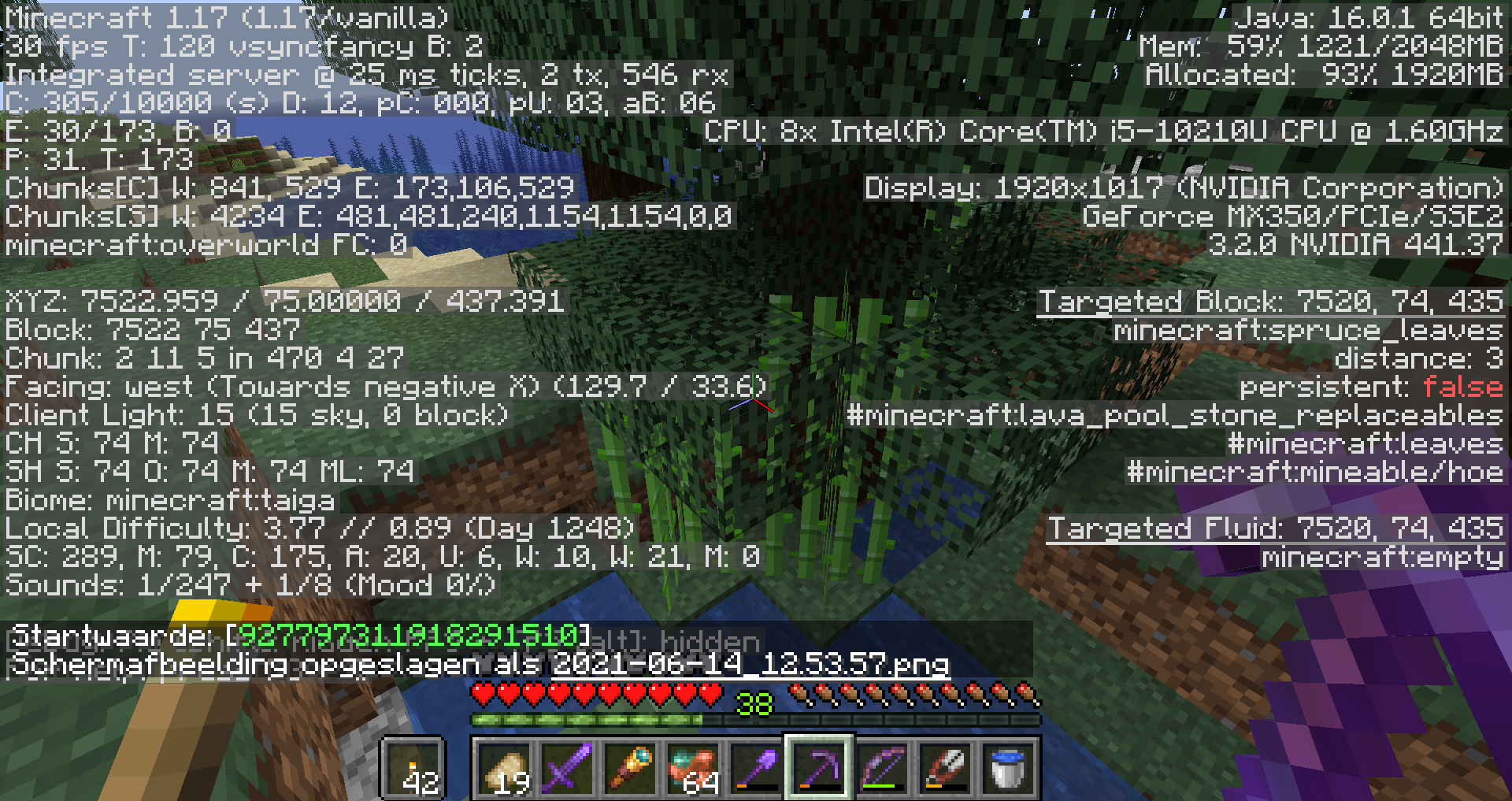
To Reproduce:
- place a structure block on save mode
- describe a structure using the fields relative position and structure size
- enter a valid structure name, ensure that there are no corner blocks nearby with the same name in them
- press
save- load the structure somewhere
To Reproduce:
- place a structure block on save mode
- describe a structure using the fields relative position and structure size
- enter a valid structure name, ensure that there are no corner blocks nearby with the same name in them
- press detect
- load the structure somewhere
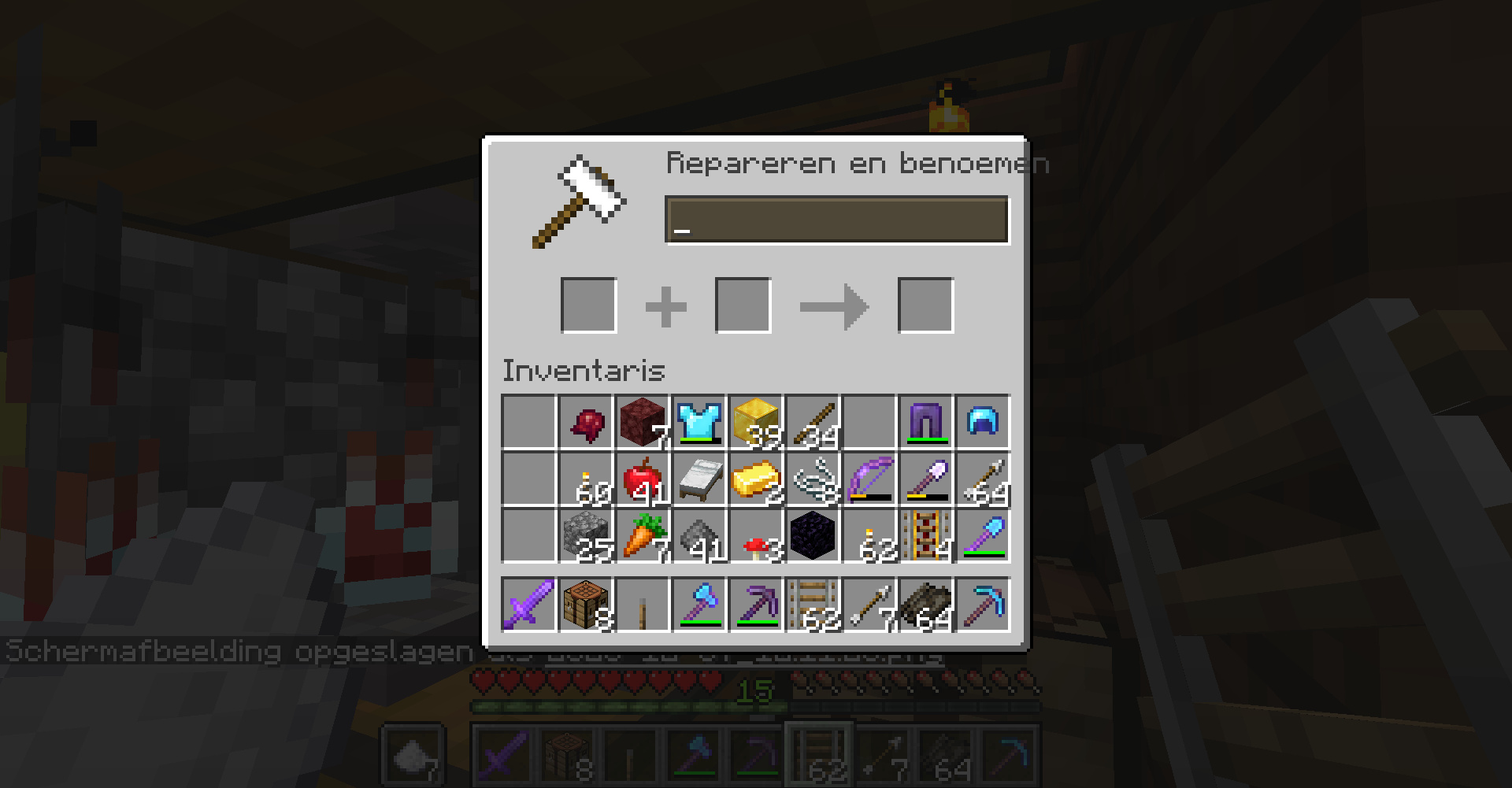
The items in the trade select buttons of the villager ui are misaligned in height.
compare the alignment of the bow in my inventory with its alignment in the villager trade button.
You can see that the top leaves one pixel open in the inventory, and also one pixel on the trade button. This means that the item is positioned from the top of the button. However, from the top there are two pixels left, while there are none in the inventory.
I would expect that the items are centered, but they aren't. This looks also weird when an item texture reaches to the top of an inventory slot, as the top pixels of the item render on the edge of the button (look to the crossbow in the screenshot.)
To reproduce:
- place a stonecutter and open its UI.
- put a block in the crafting slot.
- hover over and click on the recipes top and bottom pixels.
There does also appears to be a difference between which recipe was highlighted by hovering, and the actual selected recipe by clicking, but they do both malfunction.
link to video: <a href=https://youtu.be/Lt8gEFYyggY>https://youtu.be/Lt8gEFYyggY</a>
To reproduce:
- place a stonecutter and open its UI.
- put a block in the crafting slot.
- hover over and click on the recipes top and bottom pixels.
There does also appears to be a difference between which recipe was highlighted by hovering, and the actual selected recipe by clicking, but they do both malfunction.
link to video:
<a href=https://youtu.be/Lt8gEFYyggY>https://youtu.be/Lt8gEFYyggY</a>
to repropduce:
- open the bugtracker, click tos ome other bages, and then go back to be able to press the forward button.
- start typing a comment (don't leave it, and ensure it contains any text).
- press forward button
- press cancel in the notification that changes will be lost
- (x)see the result.
to repropduce:
- open the bugtracker, click tos ome other bages, and then go back to be able to press the forward button.
- start typing a comment (don't leave it, and ensure it contains any text).
- press forward button
- press cancel in the notification that changes will be lost
EDIT: I can't reproduce anymore, and I didn't take any screenshots.
to reproduce:
- go the the java edition project description (might also work with other projects, but I haven't tested that)
- click the little gear icon beneath the dscription (see image)
- notice the bottom edge of a dropdown menu appears, but that the rest of it is rendered behind the text of the description.
disabling the "bottom:18px" of ".footer .aui-dd-parent .aui-dropdown" appears to fix the issue (dropdown menu is rendered below the gear icon instead of above), but there are still some styling issues with the shadow and when hovering over it.

To reproduce:
- Place a furnace minecart.
- Hold some fuel in your offhand.
- Click on the furnace minecart.
- (x)Notice that only a hand animation is played for the main hand, and that the minecart doesn't gets fueled.
To reproduce:
- Place a furnace minecart.
- Hold some fuel in your offhand.
- Click on the furnace minecart.
I don't think it is. this ticket is about the blending with old and new worlds going wrong, the other one is about new worlds generating the wrong surface block. ( the biome in the picture is desert, not end island)
The item transfer speed of a hopper minecartgets slower when new, empty hopper minecarts are placed within the item pickup area of the minecart.
It seems to be that the hopper minecart looks for an item in one hopper minecart every tick, but doesn't look in other minecarts at the same tick when it doesn't find an item.To reproduce:
- First, build the item distributer in the picture:
- Place 2 fences next to eachother with rails pointing to them.
- Place four hopper minecarts on the rails and push them tightly against the fences. Make sure the result looks like picture 1.
- Now, remove the fences and use pistons to replace them with blocks. This can be easily done by placing blocks on top of the rails, as in picture 2.
- Remove the pistons and place a minecart on the two middle blocks, such that it overlaps with the two blocks. Do not place rail on the middle blocks to prevent them form connecting with the lower rails. Make sure the result looks like picture 3.
- Now, place a stack of items in the top minecart.
- Now, place a minecart (not on a rail) on one or more of the upper blocks and place again a stack of items in the middle minecart.
- If needed, confirm that the new hopper minecart is in the lower hopper minecart's item pickup zone by placing an item into the top minecart and notice that it gets removed.
This means that the items with a hopper minecart above it have a halved item transfer speed than items without, because they had only got a chance to pick up half the items as other minecarts.
The item transfer speed of a hopper minecart gets slower when new, empty hopper minecarts are placed within the item pickup area of the minecart.
To reproduce:
- First, build the item distributer in the picture:
- Place 2 fences next to eachother with rails pointing to them.
- Place four hopper minecarts on the rails and push them tightly against the fences. Make sure the result looks like picture 1.
- Now, remove the fences and use pistons to replace them with blocks. This can be easily done by placing blocks on top of the rails, as in picture 2.
- Remove the pistons and place a minecart on the two middle blocks, such that it overlaps with the two blocks. Do not place rail on the middle blocks to prevent them form connecting with the lower rails. Make sure the result looks like picture 3.
- Now, place a stack of items in the top minecart.
- Now, place a minecart (not on a rail) on one or more of the upper blocks and place again a stack of items in the middle minecart.
- If needed, confirm that the new hopper minecart is in the lower hopper minecart's item pickup zone by placing an item into the top minecart and notice that it gets removed.
This means that the items with a hopper minecart above it have a halved item transfer speed than items without, because they had only got a chance to pick up half the items as other minecarts. The speed doesn't seem to be constantly halved, as the distribution sometimes varies between different experiments with the same setup. It seems rather that the speed is on average halved, but varies over time. When placing a hopper minecart above all the four minecarts, we can see that the items get approximately distributed, but not equally, which proves this.
A possible explanation for this bug might be that the hopper minecart looks for an item in one hopper minecart every tick, but doesn't look in other minecarts at the same tick when it doesn't find an item. Since approximately half of the item lookups will be in the empty minecart, this makes approximately half of the lookups wasted and thus halving the item transfer speed. It also explains the varaiations in item transfer speed, since the minecart might be looking in the empty minecart more or less than half of the times at a given moment.
The item transfer speed of a hopper minecart gets slower when new, empty hopper minecarts are placed within the item pickup area of the minecart.
To reproduce:
- First, build the item distributer in the picture:
- Place 2 fences next to eachother with rails pointing to them.
- Place four hopper minecarts on the rails and push them tightly against the fences. Make sure the result looks like picture 1.
- Now, remove the fences and use pistons to replace them with blocks. This can be easily done by placing blocks on top of the rails, as in picture 2.
- Remove the pistons and place a minecart on the two middle blocks, such that it overlaps with the two blocks. Do not place rail on the middle blocks to prevent them form connecting with the lower rails. Make sure the result looks like picture 3.
- Now, place a stack of items in the top minecart.
- Now, place a minecart (not on a rail) on one or more of the upper blocks and place again a stack of items in the middle minecart.
- If needed, confirm that the new hopper minecart is in the lower hopper minecart's item pickup zone by placing an item into the top minecart and notice that it gets removed.
This means that the items with a hopper minecart above it have a halved item transfer speed than items without, because they had only got a chance to pick up half the items as other minecarts. The speed doesn't seem to be constantly halved, as the distribution sometimes varies between different experiments with the same setup. It seems rather that the speed is on average halved, but varies over time. When placing a hopper minecart above all the four minecarts, we can see that the items get approximately distributed, but not equally, which proves this.
A possible explanation for this bug might be that the hopper minecart looks for an item in one hopper minecart every tick, but doesn't look in other minecarts at the same tick when it doesn't find an item. Since approximately half of the item lookups will be in the empty minecart, this makes approximately half of the lookups wasted and thus halving the item transfer speed. It also explains the varaiations in item transfer speed, since the minecart might be looking in the empty minecart more or less than half of the times at a given moment.
Since the videos and exported chunk are too big, I have uploaded them on a file sharing site. Here's the link: https://file.io/m52I7UtvJrJ5
The item transfer speed of a hopper minecart gets slower when new, empty hopper minecarts are placed within the item pickup area of the minecart.
To reproduce:
- First, build the item distributer in the picture:
- Place 2 fences next to eachother with rails pointing to them.
- Place four hopper minecarts on the rails and push them tightly against the fences. Make sure the result looks like picture 1.
- Now, remove the fences and use pistons to replace them with blocks. This can be easily done by placing blocks on top of the rails, as in picture 2.
- Remove the pistons and place a minecart on the two middle blocks, such that it overlaps with the two blocks. Do not place rail on the middle blocks to prevent them form connecting with the lower rails. Make sure the result looks like picture 3.
- Now, place a stack of items in the top minecart.
- Now, place a minecart (not on a rail) on one or more of the upper blocks and place again a stack of items in the middle minecart.
- If needed, confirm that the new hopper minecart is in the lower hopper minecart's item pickup zone by placing an item into the top minecart and notice that it gets removed.
This means that the items with a hopper minecart above it have a halved item transfer speed than items without, because they had only got a chance to pick up half the items as other minecarts. The speed doesn't seem to be constantly halved, as the distribution sometimes varies between different experiments with the same setup. It seems rather that the speed is on average halved, but varies over time. When placing a hopper minecart above all the four minecarts, we can see that the items get approximately distributed, but not equally, which proves this.
A possible explanation for this bug might be that the hopper minecart looks for an item in one hopper minecart every tick, but doesn't look in other minecarts at the same tick when it doesn't find an item. Since approximately half of the item lookups will be in the empty minecart, this makes approximately half of the lookups wasted and thus halving the item transfer speed. It also explains the varaiations in item transfer speed, since the minecart might be looking in the empty minecart more or less than half of the times at a given moment.
Since the videos and exported chunk (using mca selector) are too big, I have uploaded them on a file sharing site. Here's the link: https://file.io/m52I7UtvJrJ5
The item transfer speed of a hopper minecart gets slower when new, empty hopper minecarts are placed within the item pickup area of the minecart.
To reproduce:
- First, build the item distributer in the picture:
- Place 2 fences next to eachother with rails pointing to them.
- Place four hopper minecarts on the rails and push them tightly against the fences. Make sure the result looks like picture 1.
- Now, remove the fences and use pistons to replace them with blocks. This can be easily done by placing blocks on top of the rails, as in picture 2.
- Remove the pistons and place a minecart on the two middle blocks, such that it overlaps with the two blocks. Do not place rail on the middle blocks to prevent them form connecting with the lower rails. Make sure the result looks like picture 3.
- Now, place a stack of items in the top minecart.
- Now, place a minecart (not on a rail) on one or more of the upper blocks and place again a stack of items in the middle minecart.
- If needed, confirm that the new hopper minecart is in the lower hopper minecart's item pickup zone by placing an item into the top minecart and notice that it gets removed.
This means that the items with a hopper minecart above it have a halved item transfer speed than items without, because they had only got a chance to pick up half the items as other minecarts. The speed doesn't seem to be constantly halved, as the distribution sometimes varies between different experiments with the same setup. It seems rather that the speed is on average halved, but varies over time. When placing a hopper minecart above all the four minecarts, we can see that the items get approximately distributed, but not equally, which proves this.
A possible explanation for this bug might be that the hopper minecart looks for an item in one hopper minecart every tick, but doesn't look in other minecarts at the same tick when it doesn't find an item. Since approximately half of the item lookups will be in the empty minecart, this makes approximately half of the lookups wasted and thus halving the item transfer speed. It also explains the varaiations in item transfer speed, since the minecart might be looking in the empty minecart more or less than half of the times at a given moment.
Since the videos and exported chunk (using mca selector) are too big, I have uploaded them on a file sharing site. Here's the link: https://file.io/m52I7UtvJrJ5
The item transfer speed of a hopper minecart gets slower when new, empty hopper minecarts are placed within the item pickup area of the minecart.
To reproduce:
- First, build the item distributer in the picture:
- Place 2 fences next to eachother with rails pointing to them.
- Place four hopper minecarts on the rails and push them tightly against the fences. Make sure the result looks like picture 1.
- Now, remove the fences and use pistons to replace them with blocks. This can be easily done by placing blocks on top of the rails, as in picture 2.
- Remove the pistons and place a minecart on the two middle blocks, such that it overlaps with the two blocks. Do not place rail on the middle blocks to prevent them form connecting with the lower rails. Make sure the result looks like picture 3.
- Now, place a stack of items in the top minecart.
- Now, place a minecart (not on a rail) on one or more of the upper blocks and place again a stack of items in the middle minecart.
- If needed, confirm that the new hopper minecart is in the lower hopper minecart's item pickup zone by placing an item into the top minecart and notice that it gets removed.
This means that the items with a hopper minecart above it have a halved item transfer speed than items without, because they had only got a chance to pick up half the items as other minecarts. The speed doesn't seem to be constantly halved, as the distribution sometimes varies between different experiments with the same setup. It seems rather that the speed is on average halved, but varies over time. When placing a hopper minecart above all the four minecarts, we can see that the items get approximately distributed, but not equally, which proves this.
A possible explanation for this bug might be that the hopper minecart looks for an item in one hopper minecart every tick, but doesn't look in other minecarts at the same tick when it doesn't find an item. Since approximately half of the item lookups will be in the empty minecart, this makes approximately half of the lookups wasted and thus halving the item transfer speed. It also explains the varaiations in item transfer speed, since the minecart might be looking in the empty minecart more or less than half of the times at a given moment.
Since the videos and exported chunk (using mca selector) are too big, I have uploaded them on dropbox. Here's the link: https://www.dropbox.com/scl/fo/iie0tfh9cdaa6bwxi6hxv/AJ8tcAkEDEjDlmqvNrYwtBs?rlkey=nj17x9trmbvl3capdxmbda1wb&st=bxia389v&dl=0
The item transfer speed of a hopper minecart gets slower when new, empty hopper minecarts are placed within the item pickup area of the minecart.
To reproduce:
- First, build the item distribution setup from picture
_1:
- Place 2 fences next to each other with rails pointing to them.
- Place four hopper minecarts on the rails and push them tightly against the fences. Make sure the result looks like picture 1.
- Now, remove the fences and use pistons to replace them with blocks. This can be easily done by placing blocks on top of the rails, as in picture 2.
- Remove the pistons and place a minecart on the two middle blocks, such that it overlaps with the two blocks. Do not place rail on the middle blocks to prevent them form connecting with the lower rails. Make sure the result looks like picture 3.
- Now, place a stack of items in the top minecart.
- Now, place a minecart (not on a rail) on one or more of the upper blocks and place again a stack of items in the middle minecart.
- If needed, confirm that the new hopper minecart is in the lower hopper minecart's item pickup zone by placing an item into the top minecart and notice that it gets removed.
This means that the items with a hopper minecart above it have a halved item transfer speed than items without, because they had only got a chance to pick up half the items as other minecarts. The speed doesn't seem to be constantly halved, as the distribution sometimes varies between different experiments with the same setup. It seems rather that the speed is on average halved, but varies over time. When placing a hopper minecart above all the four minecarts, we can see that the items get approximately distributed, but not equally, which proves this.
A possible explanation for this bug might be that the hopper minecart looks for an item in one hopper minecart every tick, but doesn't look in other minecarts at the same tick when it doesn't find an item. Since approximately half of the item look-ups will be in the empty minecart, this makes approximately half of the look-ups wasted and thus halving the item transfer speed. It also explains the variations in item transfer speed, since the minecart might be looking in the empty minecart more or less than half of the times at a given moment.
Since the videos and exported chunk (using MCA selector) are too big, I have uploaded them on Dropbox. Here's the link: https://www.dropbox.com/scl/fo/iie0tfh9cdaa6bwxi6hxv/AJ8tcAkEDEjDlmqvNrYwtBs?rlkey=nj17x9trmbvl3capdxmbda1wb&st=bxia389v&dl=0
The item transfer speed of a hopper minecart gets slower when new, empty hopper minecarts are placed within the item pickup area of the minecart.
To reproduce:
- First, build the item distribution setup from picture 1:
- Place 2 fences next to each other with rails pointing to them.
- Place four hopper minecarts on the rails and push them tightly against the fences. Make sure the result looks like picture 1.
- Now, remove the fences and use pistons to replace them with blocks. This can be easily done by placing blocks on top of the rails, as in picture 2.
- Remove the pistons and place a minecart on the two middle blocks, such that it overlaps with the two blocks. Do not place rail on the middle blocks to prevent them form connecting with the lower rails. Make sure the result looks like picture 3.
- Now, place a stack of items in the top minecart.
- Now, place a minecart (not on a rail) on one or more of the upper blocks and place again a stack of items in the middle minecart.
- If needed, confirm that the new hopper minecart is in the lower hopper minecart's item pickup zone by placing an item into the top minecart and notice that it gets removed.
This means that the items with a hopper minecart above it have a halved item transfer speed than items without, because they had only got a chance to pick up half the items as other minecarts. The speed doesn't seem to be constantly halved, as the distribution sometimes varies between different experiments with the same setup. It seems rather that the speed is on average halved, but varies over time. When placing a hopper minecart above all the four minecarts, we can see that the items get approximately distributed, but not equally, which proves this.
A possible explanation for this bug might be that the hopper minecart looks for an item in one hopper minecart every tick, but doesn't look in other minecarts at the same tick when it doesn't find an item. Since approximately half of the item look-ups will be in the empty minecart, this makes approximately half of the look-ups wasted and thus halving the item transfer speed. It also explains the variations in item transfer speed, since the minecart might be looking in the empty minecart more or less than half of the times at a given moment.
Since the videos and exported chunk (using MCA selector) are too big, I have uploaded them on Dropbox. Here's the link: https://www.dropbox.com/scl/fo/iie0tfh9cdaa6bwxi6hxv/AJ8tcAkEDEjDlmqvNrYwtBs?rlkey=nj17x9trmbvl3capdxmbda1wb&st=bxia389v&dl=0
The item transfer speed of a hopper minecart gets slower when new, empty hopper minecarts are placed within the item pickup area of the minecart.
To reproduce:
- First, build the item distribution setup from picture 1:
- Place 2 fences next to each other with rails pointing to them.
- Place four hopper minecarts on the rails and push them tightly against the fences. Make sure the result looks like picture 1.
- Now, remove the fences and use pistons to replace them with blocks. This can be easily done by placing blocks on top of the rails, as in picture 2.
- Remove the pistons and place a minecart on the two middle blocks, such that it overlaps with the two blocks. Do not place rail on the middle blocks to prevent them f
orm connecting with the lower rails. Make sure the result looks like picture 3.- Now, place a stack of items in the top minecart.
- Now, place a minecart (not on a rail) on one or more of the upper blocks and place again a stack of items in the middle minecart.
- If needed, confirm that the new hopper minecart is in the lower hopper minecart's item pickup zone by placing an item into the top minecart and notice that it gets removed.
This means that the items with a hopper minecart above it have a halved item transfer speed than items without, because they had only got a chance to pick up half the items as other minecarts. The speed doesn't seem to be constantly halved, as the distribution sometimes varies between different experiments with the same setup. It seems rather that the speed is on average halved, but varies over time. When placing a hopper minecart above all the four minecarts, we can see that the items get approximately distributed, but not equally, which proves this.
A possible explanation for this bug might be that the hopper minecart looks for an item in one hopper minecart every tick, but doesn't look in other minecarts at the same tick when it doesn't find an item. Since approximately half of the item look-ups will be in the empty minecart, this makes approximately half of the look-ups wasted and thus halving the item transfer speed. It also explains the variations in item transfer speed, since the minecart might be looking in the empty minecart more or less than half of the times at a given moment.
Since the videos and exported chunk (using MCA selector) are too big, I have uploaded them on Dropbox. Here's the link: https://www.dropbox.com/scl/fo/iie0tfh9cdaa6bwxi6hxv/AJ8tcAkEDEjDlmqvNrYwtBs?rlkey=nj17x9trmbvl3capdxmbda1wb&st=bxia389v&dl=0
The item transfer speed of a hopper minecart gets slower when new, empty hopper minecarts are placed within the item pickup area of the minecart.
To reproduce:
- First, build the item distribution setup from picture 1:
- Place 2 fences next to each other with rails pointing to them.
- Place four hopper minecarts on the rails and push them tightly against the fences. Make sure the result looks like picture 1.
- Now, remove the fences and use pistons to replace them with blocks. This can be easily done by placing blocks on top of the rails, as in picture 2.
- Remove the pistons and place a minecart on the two middle blocks, such that it overlaps with the two blocks. Do not place rail on the middle blocks to prevent them from connecting with the lower rails. Make sure the result looks like picture 3.
- Now, place a stack of items in the top minecart.
- Now, place a minecart (not on a rail) on one or more of the upper blocks and place again a stack of items in the middle minecart.
- If needed, confirm that the new hopper minecart is in the lower hopper minecart's item pickup zone by placing an item into the top minecart and notice that it gets removed.
This means that the items with a hopper minecart above it have a halved item transfer speed than items without, because they had only got a chance to pick up half the items as other minecarts. The speed doesn't seem to be constantly halved, as the distribution sometimes varies between different experiments with the same setup. It seems rather that the speed is on average halved, but varies over time. When placing a hopper minecart above all the four minecarts, we can see that the items get approximately distributed, but not equally, which proves this.
A possible explanation for this bug might be that the hopper minecart looks for an item in one hopper minecart every tick, but doesn't look in other minecarts at the same tick when it doesn't find an item. Since approximately half of the item look-ups will be in the empty minecart, this makes approximately half of the look-ups wasted and thus halving the item transfer speed. It also explains the variations in item transfer speed, since the minecart might be looking in the empty minecart more or less than half of the times at a given moment.
Since the videos and exported chunk (using MCA selector) are too big, I have uploaded them on Dropbox. Here's the link: https://www.dropbox.com/scl/fo/iie0tfh9cdaa6bwxi6hxv/AJ8tcAkEDEjDlmqvNrYwtBs?rlkey=nj17x9trmbvl3capdxmbda1wb&st=bxia389v&dl=0
![[Mod] Anthony Cicinelli](../../../data/avatars/users/10122.svg)
blablab that is a different issue. If that issue doesn't exist then you can create a new report about it. Also I can't reproduce this bug.
![[Mod] Avoma](../../../data/avatars/users/86198.png)
Can confirm in 21w03a. blablab, discussion of tickets on bug reports is not tolerated. Please do so on the Mojira Discord or the Mojira Reddit.

@blablab, could you please create a separate report for this (after verifying that no report exists yet) and remove the screenshot from this report? We will then mark your report as related.
Wich requested information
I was playing in single player, the bug didn't happen another time
I can't upload a video of the bug because my video is larger than 10 Mb
I did that at the photos, but I heared different bengs of the exploding tnt. The bug also happened when I wanted to explode the wither when it ws already spawned
The tnt starts exploding trough the explosion of the wither when it's charged up, so it should have to damage it.
I will take one if it happens again
No, this also happened with solid blocks, and they don't get stucked, they stay jumping on their next to the side of the block.
Does anyone knows how to stop the message from the bugtracker to my mailbox. I just noticed my mailbox has exploded and I don't need these mails.
I found ice in a river in the midle of the jungle
This also happens with fully grown rabbits
This has nothing to do with
MC-610, It's just a layer of ice generated wrong, not plants generated at the wrong place.seed=927797311918291510, coordinates are readable on the screenshot
I don't know anymore
seed=927797311918291510
could you please update your affected version, it also happens on1.16.3
I fell 4 blocks with netherrite leggings with protection 4
It happened another time, tha bear was around 48 blocks away from me
I discovered that some parts of the lower layer of ice belong to the snowy tundra biome and not to the frozen river biome
also happens in1.16.3
Could you please classify this ticket as duplicate, so I can add 1.16.3 to affected versions of the original ticket
also happens at 1.16.3
It also happens on 1.16.3
The issue I wanted to report indeed ins't that the snow generates in cold biomes, while it woulnd't because snow doesn't generates under overhangs, but the fact that the snow generates also in not snowy biomes
the problem also happens on 1.16.3
Isn't it possible to use the system that prevents new mob sounds from playing to break of already playing sounds? So, that if there are no more charging up creepers, that the hissing sound is immeadiatly broke of?
Yes, but the problem I wanted to report is that @e in fact only means all loaded entities in place of all entities
also happens in 1.16.3
still happens 1.16.3
they also show string in inventory
alos happens on 1.16.3
A few versions ago, this also happened with woodland mansions, but this might be fixed already
Why does nether gold ore can be melted into gold ingots and gilded blackstone not?
I also couldn't see the name of a named endermite in a boat
also happened with a grinder in 1.16.3
Isn't this intended behaivior in creative mode? It happened for as long as I played minecraft in creative already.
This can relate to
MC-204035,because minecraft attempts to set the amethist shard rotated, which can't because there is no block to hang it on.
redstone blocks also can't be used as a beacon material, so why would copper have to be that?
I also had this issue in 1.15 on the louvre map made by Newheaven, after I typed
everything I typed in the chat has no effect (just press enter and nothing happens)
I think he doesn't wants to report that the sugar cane generates in those biomes, but that he wanted to report that sugar cane can generate next to ice, causing it to immediatly destroy itself because ther is no water next to it
To me, it happened that the grindstone replaced the grass, but was still rotated when I placed on the side hitbox of the grass. So the grindstone appaers to be floating. doesn't seems very intended to me
The map is also mirrored
This also means that when you target the part out of the hitbox of a closed gate, You will target the block under the gate instead of the gate. uploaded a picture from 1.16.4.
isn't this for the bedrock edition project?
This is for the bedrock edition project
I can nowwhere find the translation of anvil on that link, also not when I'm using the search function
It says "no translations can be loaded. It seems the source string has been deleted"
You have to make them able to reach a bed
I don't mean that I can't open any UI when in a nether portal, but only that you can't open when when you have just travelled trough a netherportal and stay standing in one
When I was writing this coment, I gained a faulty message that I wanted to do something I couldn't. I din't even tried to do enything than just typing. I tsaid me to report to operators if faulty, so I do it
what happens when you press shift to dismount?
did You changed your controls? In that case, it can be that you accidantilly set the dismount control on nothing
This happened in 1.16.2, I don't know if its fixed already. It should have to be next to a village
The fact yo can't swipe far enough to make it readable is not a translation problem
would it be more desirable that the cat just drowns?
You can indeed have floating blocks, but hanging a grinder on nothing doesn't seems intended to me
also had this problem in 1.16.4
In 1.16.4, when I jump and trow an enderpearl, I'm not teleported to the ground, but I stay in the place where I am.
This is not the same as MC-97163. This is about that you hold the first Item of your hotbar in place of the item you held when you die in place of tha item in your hand, even with inventory closed. MC-97163 is about items being held in the inventory UI.
Maybe it's just at the start when the game is still loading
My bug report,
MC-198383has been wrongly marked as duplicate of this ticket.MC-198383is about the Item which is in you hand when you die, with inventory closed. This one is about items being held in the inventory UI.This is classified as a duplicate of
MC-18771instead ofMC-187716.His point is that it is the players to bring mobs to rail systems rather than the games fault to let the mobs not pass
According to me this doesn't makes any sense, because rail systems are naturrally generated in mineshafts, so players have no other choice than attacking them at the rail system. Also when players get attacked by mobs on their rail system, they have no other choice than fighting them there.
I have a bug with the text alignment of GUI headlines. Do I have to report it seperatly or not?
This would also give problems with blocks dropping other blocks when they're mined
It can also be that you accidentily pressed F1, which hides also your debug screen
It can also be caused by soul speed. maybe check the enchantments on your boots once
Isn't a message like "Player is killed by an exploding bed" or something like that a better option
Are you sure that doMobLoot is set to true
I think that the problem just was that a boats hitbox doesn't change when the boat is turned
This might be a duplicate of
MC-166614because the line is longer than 30 characters.It might also be a good idea of giving
MC-166614a higher priority, since there is an actual representation in the game without any datapacks.This probably also affects the newest snapshot, but I'mnot sure of that
Also happens with the dutch translation of the achievement "the city at the end of the game". see
MC-209612for further information.Works as intended, staed in
MC-207286that a blockstate change isn't a vibrationAren't those just the dirt blocks in front of you?
I tried in the overworld, but there the ice turns back into water like expected.
So, not WAI, I would expect those things to behave the same in different dimensions
The main issue that I wanted to report is that is doesn't turns to water when mined. I also said that it doesn't drop itself with silk touch, but that's just to give furter information, Not my bug.
No. You don't just see the hitbox before the particles, Where the hitbox and the particles intersets, you don't see bothe of them allowing to view trough.
It seems someone totally written my report again, making it a bit less clear
If this is a duplicate,
MC-201751,MC-199248,MC-202595,MC-206570,MC-201748,MC-201753,MC-201753, should also be claasified as a duplicate ofMC-199241.It just doesn't makes sense that all those other issues relate to
MC-199241and this one is a duplicate.This issue is about the particles not rendering behind the block hitbox.
MC-200056 is about the block hitbox rendering before particles
It seems me also possible to happen with the crafting in both the survival inventory and in the crafting table, and with a smithing table, since their text also does starts at a point different of the start of the UI.
However, I don't know if there are actually languages where this happens in.
Have you placed End Portal blocks there?
They normally teleport you back to your spawnpoint
Also happens with structure voids
It also worked for me a lot more time after spawning when I made this report.
However, I haven't tested it recently, so I'm not sure if this is is still the case.
Works as intende
Whne clicking with a spawn eggon a mob that has a baby variant, the baby spawns
It remains strange.
Maybe there can be added something to prevent shulkerboxes from pushing entities into blocks?
There are no issues in the Java edition project that are no bug, this doesn't make sense.
The fact that there is no on the right side might be caused by the fact that th e right wall is missing
There seems to be cut of one pixel on the right side of the bamboo
You can using /setblock
Also happens with lightning rods and grinders, but they're already reported elswhere
also happens with nether wart, which has a similar model
also happens on curved rails
Attached a screenshot wherein this happens with a warning not to load the world for older versions hover text. Happened in 1.16.5.
MC-2791 is going about were the player looks at, not about the fact that it renders over the inventory.
This might be intended, as chickens and cats also don't pathfind of edges, despite being immune to fall damage.
I'm not sure wether this still happens with the new rendering systems, but I don't have time to test it.
The problem is that frosted ice doesn't drop itself and doesn't create water when you mine it with silk touch. It basically dissapears.
The comparaison with regular ice should not be made, as it does drop itself when mined with silk touch.
That doesn't explain the fact that the blocks above the creeper's feet aren't destroyed
This definately isn't intended, as the 2 different recipes for making sticks are grouped together in one.
I think that the problem here is also that the igloo is interrupted by the water pond. Maybe the water-pond-floating-grass-issue is incorrectly fixed?
Just for information: The 1.17 update is not out yet, there are only snapshots. It is thus very normal that your launcher did not update automattically to 1.17.
please provide the error message and the used command. if the entities you're targetting are too far away, they might be in unloaded chunks, which makes not affectable by commands.
Whilst inside the scaffolding, you should click on the scaffolding's legs.
Could you please provide the command that you used? There can be a tag on that command tht disables all particles, also the display at the top of your screen.
This actually is a duplicate of
MC-166614orMC-209612, the last character doesn't fit in the frame. The problem is not the translation.It appears that you switched the description under "the bug" with
MC-227364, could you fix that?,
Also notice that hoppers can only put fuel in the fuel slots when pointing at the side of the furnace, and all items in the melting slot when placed above the furnace.
Did it happen to you that you clicked without clicking in another program? If so, the problem is probably that your mouse isn't working correctly.
The parts that are generated before 1.16 don't have netherrite in them as it didn't exist at the time of generation. (the chunks aren't regenerated, asking that would be a feature request)
~This can be more easily tested by enabling subtitles, as they show wether an attack is weak or strong
If you've another time bugs with the launcher, please report them in the minecraft minecraft launcher project.
Did you renewed the power to the command block (eg. destroying and replacing the redstone block.)? If you didn't, the command block won't re-execute the command.
Also notice that the gamerule DocommandBlockOutput is for the output in the chat only, and not for the output in the command block itself. The window of the output in the command block is only empty because the command block didn't execute its command yet.
Notice that you're currently flying over a wooded mountains biome, I don't know wether that makes a difference for goat spawning rules
The light level is too low there, the crops breaking is due to the fact that the crops were at in invalid location. In 1.16, the light level placing rule wasn't there yet, and when the world updated to 1.17, the crops remained placed. When you trampled the farmland due to the skeleton's shot (I think you did), this caused a block update to the crops, and they noticed that the light level was too low, and broke.
I provide a video also demonstrating the bug instead. Notice that autojump was enabled in the video, but at the end I pressed space to demonstrate that I could jump.
Attached a screenshot from 1.17 in which the leaves were replaced with seed and coordinates, and debug screen enabled.
When the hoppers pull items out the furnace, the experience they would give is stored in the furnace. When you pick a melted item out the furnace or break it, you get all the experience stored in the furnace.
Try removing all the sand and gravel using "/fill ~5 ~5 ~5 ~-5 ~-5 ~-5 replace sand"(replace the sand with other blocks you want to remove)
You can always place a repeat command block with the command "/tp @e[type=slime] ~ -3 ~", or set the doMobSpawning gamerule to false.
This might be due to the gravel falling on a retracting piston, but that is already reported elsewhere.
Also happens with dripstones
Are you using a silk touch pickaxe?
This is intentional behavior.
The fishing rod was enchanted, so that does make it cost more to rename it.
The experimental snapshot is not supported on the bugtracker, and next time report your bugs seperately and attach screenshots and eventually seed and coordinates.
The cave spider glowing eyes issue is, according to me, intended.
Also happens with trapdoors. Video attached.
Can it be possible that there is something wrong with your keyboard? Does the problem also exists out of minecraft (typing without pressing a key..)
isn't flying with elytra an actual example of flying and thus intended behavior?
also happens wth entity.cod/salmon/tropical_fish.ambient sound events
can't you just repeat the steps in the report? They're not that difficult, and I don't want to waste my game time on filming them.
this also aplies to mobs floating in water
Is your hotbar and hand item shown? if not, press f1. Do also note that bedrock edition does not have a debug screen.
adult turtles are 1.2 blocks wide, so they don't fit in a 1 block wide space. spawning them there results in the turtle getting spaxned inside the glass block, making the turtle able to move. This is thus completely intentional behavior
Acherged creeper is still a creeper, so technically, the death message is correct. Also, a charged creeper is just a creeper with powered=true, which makes it very difficult to modify death messages to charged creeper
I think that issue does already exist.
from the wiki:
In Java Edition, the spawning algorithm has two checks:
As some bridges generate air above them, the bounding box might be higher than the structure.
Also, items with mending may take the XP up instead of the XP getting into your XP bar.
Normally, after 40 minutes, a raid expires automatically.
isn't it a bug on itself that the aquifers are exposed to air on the side?
This ticket is invalid due to being at the wrong project. Please report it in the Minecraft Launcher project.
please read https://minecraft.fandom.com/wiki/Guardian#Spawning.
After that, you will see that this is fully intentional
Is it possible that the azalea tree generated on top of the jungle tree, or did you find it also out of jungle biomes/with no trees nearby?
I think that you're just unlucky to find places with a lot of lava springs and (almost) no water springs.
I don't think it is. The bug here is that the stone shore biome didn't generate anywhere near an ocean.
I do think they are the same. MC-148097 describes the exact same behavior of falling in a shulkerbox while opening it, and being pushed out when closing.
To which direction should the lodestone compass then point?
According to me, The compass should uniformly spin in one direction, and not stand still, like it is in real world.
Isn't the problem here that the rain doesn't make a sound when falling on water? When flying above land in rainy weather, also no sound is heard.
Isn't this duplicating
MC-21109?Please first read the report I mentioned properly.
In that report, it is clearly stated that one of the causes of the bug is that pathfinding starts at the northwest corner, causing wrong assumptions, which explains the fact that the turtle needs to be south of the fence.
The thing with holding food doesn't really matter here: The turtle thinks that the only way going away is going into the same direction as the fence is, making it swim forever into the fence
Are you sure that the endermen didn't just tleport towards there?
This is this now occuring with the third bugfix link of the 1.18 pre 2 changelog, see https://www.minecraft.net/en-us/article/minecraft-1-18-pre-release-2
Shouldn't there just be placed a stony shore biome or something like that? The 'Expected result' picture still looks quite unnatural to me.
I don't think that this problem does only happens with small mobs. I have already seen the same behavior with zombies and zombified pigmen.
Is it possible that the zombie followed you when you went back to your base? As it is wearing a diamond helmet, the zombie cannot burn death and it cannot despawn as that would cause your armor to be lost. It can pathfind to you from 35 blocks and you can only hear it from 16 blocks, which means that it could have remained unnoticed.
Are you sure that all these locations were and rivers or oceans and between Y50-64?
This can be a duplicate of
MC-98029.This does also affect sculk sensors, shriekers and blocks.
This is not a duplicate of
MC-98029, becauseMC-98029is going about multiplayer servers and this ticket only about singleplayer worlds. Also,MC-98029does not really provide enough information to know wether it actually wants to report the same bug.Inserting an icon from the toolbar does also not work, because it actually inserts the text that will form the icon, not the icon.
This does still happen in 1.19: Two of my skeleton horses suffocated to death after I dismounted them in a too small space.
I can't reproduce it anymore now.
It is really hard to know whether this is still an issue. I haven't encountered such a lava pools because I haven't been extensively searching for them. This does of course say nothing about whether the issue is still present or not.
I can't reproduce it anymore
The problem might be that the wither gets blown away so quickly wy the tnt that he doesn't take damage. The wither got blown through my solid bedrock walls when I used too much tnt
Since this issue is tagged as awaiting response again, I would like to notice that a link to the world file and videos has been added to the report.
Thanks for notifying me of the issue. I have updated the link with a dropbox link. I hope it works now, tell me if it doesn't. It would be a lot easier if I could just upload the files as an attachment to the issue.
I would like to add that this is not exclusive to third-person view, it also happens when another player is holding glass in multiplayer (see screenshot)