MCPE(Bedrock) freezes when connected to a Microsoft account and offline (airplane mode, no wifi or cellular)
9/11/2020 (11/9/2020 for non Americans) Update: this bug report was created for Apple, but in 1.16.2, android devices began to be affected by it (I have yet to test it personally, but many have said that their android is affected by it).
The bug has been fixed on Apple devices as of 1.16.4
My iPad is on the latest MC update. When I open the app and I am not connected to a sort of wifi(wifi, hotspot, etc.) and the game tries to connect itself to my Microsoft account, it will freeze about a minute or two later, whether or not I'm not on a world.
Now for Discription
The way way to reproduce it is to
1-make sure that Minecraft has already connected to a Microsoft account
2-turn anything off that is giving you internet
3- The app will stay on the loading screen for a few seconds, then crash
(Old)
I realized that if you disconnect your minecraft from your Microsoft account, the game will not freeze. (I have lost multiple things one time because I died and the game froze)
I also realized that you can turn your internet off while on minecraft and the game won't freeze
(End Old)
Update for 1.12: The game will now freeze and crash before the loading screen has finished, with the final four loading bars remaining (if that matters). The freeze may last for ten seconds before it crashes. This also affects iPhones, though mine manages to finish the loading screen, but briefly pauses when their are four loading bars left. It also crashes a few seconds after finishing the loading screen.
Also, it seems that the root cause has to do with Xbox Live. When it was not connected, there is no crash, but as long as your login info is saved, it will attempt to connect, and will crash if it is unable to connect to the Xbox servers. It is not that i can't be connected to internet to test this bug, but really poor internet, or Internet that blocks Xbox live connections. I hope this makes sense to you developers. It seems to affect not only iPads, but iPhone's too (tested).
My Suggestion: Right now, as it may take time to fully figure out the issue, I suggest you disable automatic Xbox live sign in if the application is not connected to any WiFi or Cellular. There can than be a button to reconnect if the user wishes (maybe replacing the sign in button), and it will automatically sign the user back into his/her Xbox live account without having to do the long sign in process (where you take out the Password book and so on). The issue won't be fully solved, but it would be bypassing the issue altogether. I hope this suggestion helps you and your team fix this long standing bug, or at least bypass it.
It could be an optional setting next to the Xbox live section in the profile area. As it seems to only affect apple, you could have the button be there for IOS only, though some may wish to not have to sign in/out multiple times.
-The one problem with this idea is if you are connected to WiFi that has Xbox live blocked. Possibly, you could have the device send a ping, with a Mojang/Minecraft server sending a ping back, If the ping doesn't come back to the tablet, you wouldn't be signed in. (This is probably a terrible idea, but i'm simply throwing ideas out there)
Update-Still affects 1.14.0
Update- Still an issue with 1.16
Update- Affects Android 1.16.2
Update- Apple bug fixed in 1.16.4, still issue with Android
Linked Issues
is duplicated by94
 BDS-1842Can’t play game without internetDuplicateBDS-1865My Minecraft app crashes when I am offline.DuplicateBDS-6299iOS app BugDuplicateBDS-6889Music and offline not working on IphoneDuplicateBDS-7386Game crashesDuplicateBDS-7615CrashesDuplicate
 MCPE-29130Minecraft hang while sign in, in offline modeDuplicateMCPE-31241When I go into airplane mode and play for a while the game freezes and I think it’s because of the store trying to load or something but that only happens when I’m signed in Xbox love. I’m in iOS and I don’t know if this also happens to android devices.DuplicateMCPE-33873Freezes when logging in to XBL connected WiFi without connectionDuplicateMCPE-33947Being offline freezes and crashes my gameDuplicateMCPE-35397Game freezes for long period of time and crashesDuplicateMCPE-35752iPad version error in actualization 1.5DuplicateMCPE-35816Freezing and crashing DuplicateMCPE-36493MCPE 1.5.2 Freezes Offline - Works fine with internet connectionDuplicateMCPE-37596Save ProblemDuplicateMCPE-37772Minecraft crash when offlineDuplicateMCPE-38032Game freezes while offlineDuplicateMCPE-38441Game Freeze when playing OfflineDuplicateMCPE-38471Freeze when playing offline.DuplicateMCPE-39807Game crashes when playing offline even with DuplicateMCPE-40531Crash if can't connect or authenticate to xbox liveDuplicateMCPE-41458Game freezes and crashes when signed into Xbox Live offlineDuplicateMCPE-41459A Minecraft Crashing QuestionDuplicateMCPE-42572Crashes when starting offlineDuplicateMCPE-42861Crashing with no internet connection with Xbox live accountDuplicateMCPE-43311Pocket Edition (iOS) If I am signed into Xbox Live, and I open Minecraft while offline, the game crashes while trying to sign inDuplicateMCPE-44000unable to play without internet DuplicateMCPE-44637Game crash when playing without network connection if Xbox is signed inDuplicateMCPE-44664Game crashes in flight mode when using xbox liveDuplicateMCPE-45650Minecraft crashes upon opening the game if not connected to internetDuplicateMCPE-45867Crashes when signing into Xbox live without internet connectionDuplicateMCPE-46206Can't play minecraft offlineDuplicateMCPE-46564Minecraft crashing offline while trying to sign in on Xbox LiveDuplicateMCPE-46816Minecraft v1.11.4 iOS crash without internetDuplicateMCPE-48322MCPE 1.12 Crashes whilst logging into Xbox Live while being offlineDuplicateMCPE-48412Minecraft crashes after unsuccessful Xbox live sign-inDuplicateMCPE-48583The game will simply not load when trying to play on mobile devices (mine uses the last IOs software) without internet connection DuplicateMCPE-48673Account sign in errorDuplicateMCPE-48823Freeze and crash when trying to sign out/inDuplicateMCPE-48872Game Freezes a Few Seconds Into Launching When OfflineDuplicateMCPE-48995Game crashes on menu when unable to log into MicrosoftDuplicateMCPE-49231Minecraft crashes or lagga without wifiDuplicateMCPE-49264Cant Access MCPE OfflineDuplicateMCPE-49812Game crashes when there isn’t an internet connection available.DuplicateMCPE-50129Minecraft crashes when offlineDuplicateMCPE-50413Minecraft PE 1.12.0 crashes when booting without internet -not resolved!DuplicateMCPE-50553Minecraft won’t work offline DuplicateMCPE-52451Crashes when using offline when signed in to Xbox LiveDuplicateMCPE-53083minecraft freezingDuplicateMCPE-54060freezing when offline.DuplicateMCPE-57004Minecraft MPCE Offline does not workDuplicateMCPE-59630Minecraft bedrock PEDuplicateMCPE-60381iOs Can‘t get into Game without internet!!!1!1!DuplicateMCPE-60950Accoun Error in offlineDuplicateMCPE-61250Minecraft keeps crashing when trying to loadDuplicateMCPE-61460It doesn’t work offline DuplicateMCPE-61496The game doesn’t load offline DuplicateMCPE-62611there is a bug when i will play offline in minecraftDuplicateMCPE-63003Msft live login w/out internetDuplicateMCPE-63277Crash that happens on Minecraft when iPhone is offline.DuplicateMCPE-63822Minecraft Crashing without internet!DuplicateMCPE-65322Crashes in main menu fix soon please DuplicateMCPE-65628Crashes when offlineDuplicateMCPE-71433Game crashes when I’m logged into my Microsoft account while offlineDuplicateMCPE-74386Won’t load offlineDuplicateMCPE-77871Minecraft crashes when playing offline.DuplicateMCPE-80842Minecraft Crashes when Offline After Signing In Microsoft DuplicateMCPE-82055Game Crash after login XBOX Account DuplicateMCPE-82802Minecraft bedrock crashes when offline in iOS 13, also skins I have created do not load properly after I sign outDuplicateMCPE-84203When starting mcpe is not opening in offlineDuplicateMCPE-84241The game only works online when I try to open the game offline it doesn't open.DuplicateMCPE-84412When I am offline entering the game, it crashesDuplicateMCPE-84453CrashDuplicateMCPE-84618Crash during launchDuplicateMCPE-85519Crash when booting without internetDuplicateMCPE-86612Minecraft crashes whenever signed into Xbox live without wifiDuplicateMCPE-87295Minecraft won't laugh when offlineDuplicateMCPE-87397Dont launch without internetDuplicateMCPE-87500Minecraft crashes when going offline or bad internet when connected to Xbox liveDuplicateMCPE-89463Minecraft pocket edition crashing when WiFi/cellular is offDuplicateMCPE-89587Game crashes when I open it without internetDuplicateMCPE-90393Cannot open minecraft offline with an xbox accountDuplicateMCPE-91123minecraft didn't work when offlineDuplicateMCPE-92162[Beta 1.16.20.53] Game crashes in offline mode (without Internet)DuplicateMCPE-92168My Minecraft crashes when Im playing offline on IOSDuplicateMCPE-92928CrashDuplicateMCPE-94092ios version can't log in when disconnected from the networkDuplicateMCPE-94501Update 1.16 came with some bugs.DuplicateMCPE-94588Game Crashes When Launching Minecraft while WiFi is OffDuplicateMCPE-95344When signed in, game crashes if entered without InternetDuplicateMCPE-95771Crashes when offlineDuplicateMCPE-96164The game always crash when playing offlineDuplicateMCPE-96229Game closes when trying to openDuplicateMCPE-96272Minecraft crashes when im on offline after sign in in 1.16.2Duplicate
relates to6
MCPE-18256Game crashes on startup if there is no internet connectionFixedMCPE-19429App exits after disabling wifi in a world while logged in to xbox liveCannot ReproduceMCPE-26055Client freezes and crashes after some time in a singleplayer/multiplayer world on iPadFixedMCPE-35673NULL dereference crash on MC_SERVER thread soon after others joined; on restart, inventories lostInvalidMCPE-95754When playing with no internet game crashes constantly in 1.16.20FixedMCPE-20548When I want to sign in Xbox I click the button and it crashes my whole game FixedAttachments1
- Incomplete
 Brandon Jones
- 92
- 50
- Community Consensus
- 112838 / 127975
- iOS
- IOS 10.3.3
Created Issue:
MCPE(Bedrock) freezes when connected to a Microsoft account and offline
My iPad is on the latest MC update. When I open the app and I am not connected to a sort of wifi(wifi, hotspot, etc.) and the game tries to connect itself to my Microsoft account, it will freeze about a minute or two later, whether or not I'm not on a world.
The way way to reproduce it is to
1-make sure that Minecraft has already connected to a Microsoft account
2-turn anything off that is giving you internet
3-open minecraft and wait till is shows it is connected on the bottom left corner of the screen.
4-after the app freezes for around three seconds, open a random world
5-a minute or 2 later, the game will freeze and you have to open the app
I realized that if you disconnect your minecraft from your Microsoft account, the game will not freeze. I have lost multiple things one time because I died and the game froze)
I also realized that you can turn your internet off while on minecraft an the game won't freeze
![[Mojang] Mega_Spud (Jay Wells)](../../../data/avatars/users/92696.png)
is duplicated by
is duplicated by
is duplicated by
relates to
is duplicated by
is duplicated by
![[MCPE Mod] Celesian](../../../data/avatars/users/81635.png)
is duplicated by
MCPE-33059
is duplicated by
![[Mod] bemoty](../../../data/avatars/users/50554.png)
is duplicated by
![[Mod] Neko](../../../data/avatars/users/92901.png)
is duplicated by
![[Mod] Asteraoth](../../../data/avatars/users/92886.png)
relates to
is duplicated by
is duplicated by
is duplicated by
is duplicated by

is duplicated by
is duplicated by
MCPE(Bedrock) freezes when connected to a Microsoft account and offline (airplane mode, no wifi or cellular)
is duplicated by
is duplicated by
is duplicated by
is duplicated by
is duplicated by

![[Mod] Urielsalis](../../../data/assets/gravatar/urielsalis.jpeg)
is duplicated by
is duplicated by
My iPad is on the latest MC update. When I open the app and I am not connected to a sort of wifi(wifi, hotspot, etc.) and the game tries to connect itself to my Microsoft account, it will freeze about a minute or two later, whether or not I'm not on a world.
The way way to reproduce it is to
1-make sure that Minecraft has already connected to a Microsoft account
2-turn anything off that is giving you internet
3-open minecraft and wait till is shows it is connected on the bottom left corner of the screen.
4-after the app freezes for around three seconds, open a random world
5-a minute or 2 later, the game will freeze and you have to open the app
I realized that if you disconnect your minecraft from your Microsoft account, the game will not freeze. (I have lost multiple things one time because I died and the game froze)
I also realized that you can turn your internet off while on minecraft and the game won't freeze
Update for 1.12: The game will now freeze and crash before the loading screen has finished, with the final four loading bars remaining (if that matters). The freeze may last for ten seconds before it crashes. This also affects iPhones, though mine manages to finish the loading screen, but briefely pauses when their are four loading bars left. It also crashes a few seconds after finishing the loading screen.
is duplicated by
is duplicated by
is duplicated by
is duplicated by
is duplicated by
is duplicated by
is duplicated by
is duplicated by
is duplicated by
is duplicated by
My iPad is on the latest MC update. When I open the app and I am not connected to a sort of wifi(wifi, hotspot, etc.) and the game tries to connect itself to my Microsoft account, it will freeze about a minute or two later, whether or not I'm not on a world.
The way way to reproduce it is to
1-make sure that Minecraft has already connected to a Microsoft account
2-turn anything off that is giving you internet
3-open minecraft and wait till is shows it is connected on the bottom left corner of the screen.
4-after the app freezes for around three seconds, open a random world
5-a minute or 2 later, the game will freeze and you have to open the app
I realized that if you disconnect your minecraft from your Microsoft account, the game will not freeze. (I have lost multiple things one time because I died and the game froze)
I also realized that you can turn your internet off while on minecraft and the game won't freeze
Update for 1.12: The game will now freeze and crash before the loading screen has finished, with the final four loading bars remaining (if that matters). The freeze may last for ten seconds before it crashes. This also affects iPhones, though mine manages to finish the loading screen, but brief
ely pauses when their are four loading bars left. It also crashes a few seconds after finishing the loading screen.
My iPad is on the latest MC update. When I open the app and I am not connected to a sort of wifi(wifi, hotspot, etc.) and the game tries to connect itself to my Microsoft account, it will freeze about a minute or two later, whether or not I'm not on a world.
The way way to reproduce it is to
1-make sure that Minecraft has already connected to a Microsoft account
2-turn anything off that is giving you internet
3-open minecraft and wait till is shows it is connected on the bottom left corner of the screen.
4-after the app freezes for around three seconds, open a random world
5-a minute or 2 later, the game will freeze and you have to open the app
I realized that if you disconnect your minecraft from your Microsoft account, the game will not freeze. (I have lost multiple things one time because I died and the game froze)
I also realized that you can turn your internet off while on minecraft and the game won't freeze
Update for 1.12: The game will now freeze and crash before the loading screen has finished, with the final four loading bars remaining (if that matters). The freeze may last for ten seconds before it crashes. This also affects iPhones, though mine manages to finish the loading screen, but briefly pauses when their are four loading bars left. It also crashes a few seconds after finishing the loading screen.
Also, it seems that the root cause has to do with Xbox Live. When it was not connected, there is no crash, but as long as your login info is saved, it will attempt to connect, and will crash if it is unable to connect to the Xbox servers. It is not that i can't be connected to internet to test this bug, but really poor internet, or Internet that blocks Xbox live connections. I hope this makes sense to you developers. It seems to affect not only iPads, but iPhone's too (tested).
My Suggestion: Right now, as it may take time to fully figure out the issue, I suggest you disable automatic Xbox live sign in if the application is not connected to any WiFi or Cellular. There can than be a button to reconnect if the user wishes (maybe replacing the sign in button), and it will automatically sign the user back into his/her Xbox live account without having to do the long sign in process (where you take out the Password book and so on). The issue won't be fully solved, but it would be bypassing the issue altogether. I hope this suggestion helps you and your team fix this long standing bug, or at least bypass it.
-The one problem with this idea is if you are connected to WiFi that has Xbox live blocked. Possibly, you could have the device send a ping, with a Mojang/Minecraft server sending a ping back, If the ping doesn't come back to the tablet, you wouldn't be signed in. (This is probably a terrible idea, but i'm simply throwing ideas out there)
My iPad is on the latest MC update. When I open the app and I am not connected to a sort of wifi(wifi, hotspot, etc.) and the game tries to connect itself to my Microsoft account, it will freeze about a minute or two later, whether or not I'm not on a world.
The way way to reproduce it is to
1-make sure that Minecraft has already connected to a Microsoft account
2-turn anything off that is giving you internet
3-open minecraft and wait till is shows it is connected on the bottom left corner of the screen.
4-after the app freezes for around three seconds, open a random world
5-a minute or 2 later, the game will freeze and you have to open the app
I realized that if you disconnect your minecraft from your Microsoft account, the game will not freeze. (I have lost multiple things one time because I died and the game froze)
I also realized that you can turn your internet off while on minecraft and the game won't freeze
Update for 1.12: The game will now freeze and crash before the loading screen has finished, with the final four loading bars remaining (if that matters). The freeze may last for ten seconds before it crashes. This also affects iPhones, though mine manages to finish the loading screen, but briefly pauses when their are four loading bars left. It also crashes a few seconds after finishing the loading screen.
Also, it seems that the root cause has to do with Xbox Live. When it was not connected, there is no crash, but as long as your login info is saved, it will attempt to connect, and will crash if it is unable to connect to the Xbox servers. It is not that i can't be connected to internet to test this bug, but really poor internet, or Internet that blocks Xbox live connections. I hope this makes sense to you developers. It seems to affect not only iPads, but iPhone's too (tested).
My Suggestion: Right now, as it may take time to fully figure out the issue, I suggest you disable automatic Xbox live sign in if the application is not connected to any WiFi or Cellular. There can than be a button to reconnect if the user wishes (maybe replacing the sign in button), and it will automatically sign the user back into his/her Xbox live account without having to do the long sign in process (where you take out the Password book and so on). The issue won't be fully solved, but it would be bypassing the issue altogether. I hope this suggestion helps you and your team fix this long standing bug, or at least bypass it.
-The one problem with this idea is if you are connected to WiFi that has Xbox live blocked. Possibly, you could have the device send a ping, with a Mojang/Minecraft server sending a ping back, If the ping doesn't come back to the tablet, you wouldn't be signed in. (This is probably a terrible idea, but i'm simply throwing ideas out there)
My iPad is on the latest MC update. When I open the app and I am not connected to a sort of wifi(wifi, hotspot, etc.) and the game tries to connect itself to my Microsoft account, it will freeze about a minute or two later, whether or not I'm not on a world.
The way way to reproduce it is to
1-make sure that Minecraft has already connected to a Microsoft account
2-turn anything off that is giving you internet
3-open minecraft and wait till is shows it is connected on the bottom left corner of the screen.
4-after the app freezes for around three seconds, open a random world
5-a minute or 2 later, the game will freeze and you have to open the app
I realized that if you disconnect your minecraft from your Microsoft account, the game will not freeze. (I have lost multiple things one time because I died and the game froze)
I also realized that you can turn your internet off while on minecraft and the game won't freeze
Update for 1.12: The game will now freeze and crash before the loading screen has finished, with the final four loading bars remaining (if that matters). The freeze may last for ten seconds before it crashes. This also affects iPhones, though mine manages to finish the loading screen, but briefly pauses when their are four loading bars left. It also crashes a few seconds after finishing the loading screen.
Also, it seems that the root cause has to do with Xbox Live. When it was not connected, there is no crash, but as long as your login info is saved, it will attempt to connect, and will crash if it is unable to connect to the Xbox servers. It is not that i can't be connected to internet to test this bug, but really poor internet, or Internet that blocks Xbox live connections. I hope this makes sense to you developers. It seems to affect not only iPads, but iPhone's too (tested).
My Suggestion: Right now, as it may take time to fully figure out the issue, I suggest you disable automatic Xbox live sign in if the application is not connected to any WiFi or Cellular. There can than be a button to reconnect if the user wishes (maybe replacing the sign in button), and it will automatically sign the user back into his/her Xbox live account without having to do the long sign in process (where you take out the Password book and so on). The issue won't be fully solved, but it would be bypassing the issue altogether. I hope this suggestion helps you and your team fix this long standing bug, or at least bypass it.
-The one problem with this idea is if you are connected to WiFi that has Xbox live blocked. Possibly, you could have the device send a ping, with a Mojang/Minecraft server sending a ping back, If the ping doesn't come back to the tablet, you wouldn't be signed in. (This is probably a terrible idea, but i'm simply throwing ideas out there)
Update-Still affects 1.14.0
is duplicated by
![[Mod] OcelotOnesie](../../../data/avatars/users/43220.png)
is duplicated by
My iPad is on the latest MC update. When I open the app and I am not connected to a sort of wifi(wifi, hotspot, etc.) and the game tries to connect itself to my Microsoft account, it will freeze about a minute or two later, whether or not I'm not on a world.
The way way to reproduce it is to
1-make sure that Minecraft has already connected to a Microsoft account
2-turn anything off that is giving you internet
3-open minecraft and wait till is shows it is connected on the bottom left corner of the screen.
4-after the app freezes for around three seconds, open a random world
5-a minute or 2 later, the game will freeze and you have to open the app
I realized that if you disconnect your minecraft from your Microsoft account, the game will not freeze. (I have lost multiple things one time because I died and the game froze)
I also realized that you can turn your internet off while on minecraft and the game won't freeze
Update for 1.12: The game will now freeze and crash before the loading screen has finished, with the final four loading bars remaining (if that matters). The freeze may last for ten seconds before it crashes. This also affects iPhones, though mine manages to finish the loading screen, but briefly pauses when their are four loading bars left. It also crashes a few seconds after finishing the loading screen.
Also, it seems that the root cause has to do with Xbox Live. When it was not connected, there is no crash, but as long as your login info is saved, it will attempt to connect, and will crash if it is unable to connect to the Xbox servers. It is not that i can't be connected to internet to test this bug, but really poor internet, or Internet that blocks Xbox live connections. I hope this makes sense to you developers. It seems to affect not only iPads, but iPhone's too (tested).
My Suggestion: Right now, as it may take time to fully figure out the issue, I suggest you disable automatic Xbox live sign in if the application is not connected to any WiFi or Cellular. There can than be a button to reconnect if the user wishes (maybe replacing the sign in button), and it will automatically sign the user back into his/her Xbox live account without having to do the long sign in process (where you take out the Password book and so on). The issue won't be fully solved, but it would be bypassing the issue altogether. I hope this suggestion helps you and your team fix this long standing bug, or at least bypass it.
-The one problem with this idea is if you are connected to WiFi that has Xbox live blocked. Possibly, you could have the device send a ping, with a Mojang/Minecraft server sending a ping back, If the ping doesn't come back to the tablet, you wouldn't be signed in. (This is probably a terrible idea, but i'm simply throwing ideas out there)
Update-Still affects 1.14.0
is duplicated by
is duplicated by
is duplicated by
is duplicated by
is duplicated by
is duplicated by
is duplicated by
is duplicated by
is duplicated by
is duplicated by
is duplicated by
is duplicated by
is duplicated by

is duplicated by
![[Bot] Arisa](../../../data/avatars/users/43007.png)
is duplicated by
is duplicated by
is duplicated by
is duplicated by
is duplicated by
is duplicated by
is duplicated by
is duplicated by
is duplicated by
is duplicated by
is duplicated by
is duplicated by
is duplicated by
is duplicated by
My iPad is on the latest MC update. When I open the app and I am not connected to a sort of wifi(wifi, hotspot, etc.) and the game tries to connect itself to my Microsoft account, it will freeze about a minute or two later, whether or not I'm not on a world.
The way way to reproduce it is to
1-make sure that Minecraft has already connected to a Microsoft account
2-turn anything off that is giving you internet
3-open minecraft and wait till is shows it is connected on the bottom left corner of the screen.
4-after the app freezes for around three seconds, open a random world
5-a minute or 2 later, the game will freeze and you have to open the app
I realized that if you disconnect your minecraft from your Microsoft account, the game will not freeze. (I have lost multiple things one time because I died and the game froze)
I also realized that you can turn your internet off while on minecraft and the game won't freeze
Update for 1.12: The game will now freeze and crash before the loading screen has finished, with the final four loading bars remaining (if that matters). The freeze may last for ten seconds before it crashes. This also affects iPhones, though mine manages to finish the loading screen, but briefly pauses when their are four loading bars left. It also crashes a few seconds after finishing the loading screen.
Also, it seems that the root cause has to do with Xbox Live. When it was not connected, there is no crash, but as long as your login info is saved, it will attempt to connect, and will crash if it is unable to connect to the Xbox servers. It is not that i can't be connected to internet to test this bug, but really poor internet, or Internet that blocks Xbox live connections. I hope this makes sense to you developers. It seems to affect not only iPads, but iPhone's too (tested).
My Suggestion: Right now, as it may take time to fully figure out the issue, I suggest you disable automatic Xbox live sign in if the application is not connected to any WiFi or Cellular. There can than be a button to reconnect if the user wishes (maybe replacing the sign in button), and it will automatically sign the user back into his/her Xbox live account without having to do the long sign in process (where you take out the Password book and so on). The issue won't be fully solved, but it would be bypassing the issue altogether. I hope this suggestion helps you and your team fix this long standing bug, or at least bypass it.
-The one problem with this idea is if you are connected to WiFi that has Xbox live blocked. Possibly, you could have the device send a ping, with a Mojang/Minecraft server sending a ping back, If the ping doesn't come back to the tablet, you wouldn't be signed in. (This is probably a terrible idea, but i'm simply throwing ideas out there)
Update-Still affects 1.14.0
My iPad is on the latest MC update. When I open the app and I am not connected to a sort of wifi(wifi, hotspot, etc.) and the game tries to connect itself to my Microsoft account, it will freeze about a minute or two later, whether or not I'm not on a world.
The way way to reproduce it is to
1-make sure that Minecraft has already connected to a Microsoft account
2-turn anything off that is giving you internet
3-open minecraft and wait till is shows it is connected on the bottom left corner of the screen.
4-after the app freezes for around three seconds, open a random world
5-a minute or 2 later, the game will freeze and you have to open the app
I realized that if you disconnect your minecraft from your Microsoft account, the game will not freeze. (I have lost multiple things one time because I died and the game froze)
I also realized that you can turn your internet off while on minecraft and the game won't freeze
Update for 1.12: The game will now freeze and crash before the loading screen has finished, with the final four loading bars remaining (if that matters). The freeze may last for ten seconds before it crashes. This also affects iPhones, though mine manages to finish the loading screen, but briefly pauses when their are four loading bars left. It also crashes a few seconds after finishing the loading screen.
Also, it seems that the root cause has to do with Xbox Live. When it was not connected, there is no crash, but as long as your login info is saved, it will attempt to connect, and will crash if it is unable to connect to the Xbox servers. It is not that i can't be connected to internet to test this bug, but really poor internet, or Internet that blocks Xbox live connections. I hope this makes sense to you developers. It seems to affect not only iPads, but iPhone's too (tested).
My Suggestion: Right now, as it may take time to fully figure out the issue, I suggest you disable automatic Xbox live sign in if the application is not connected to any WiFi or Cellular. There can than be a button to reconnect if the user wishes (maybe replacing the sign in button), and it will automatically sign the user back into his/her Xbox live account without having to do the long sign in process (where you take out the Password book and so on). The issue won't be fully solved, but it would be bypassing the issue altogether. I hope this suggestion helps you and your team fix this long standing bug, or at least bypass it.
-The one problem with this idea is if you are connected to WiFi that has Xbox live blocked. Possibly, you could have the device send a ping, with a Mojang/Minecraft server sending a ping back, If the ping doesn't come back to the tablet, you wouldn't be signed in. (This is probably a terrible idea, but i'm simply throwing ideas out there)
Update-Still affects 1.14.0
Update- Still an issue with 1.16
My iPad is on the latest MC update. When I open the app and I am not connected to a sort of wifi(wifi, hotspot, etc.) and the game tries to connect itself to my Microsoft account, it will freeze about a minute or two later, whether or not I'm not on a world.
The way way to reproduce it is to
1-make sure that Minecraft has already connected to a Microsoft account
2-turn anything off that is giving you internet
3-open minecraft and wait till is shows it is connected on the bottom left corner of the screen.
4-after the app freezes for around three seconds, open a random world
5-a minute or 2 later, the game will freeze and you have to open the app
I realized that if you disconnect your minecraft from your Microsoft account, the game will not freeze. (I have lost multiple things one time because I died and the game froze)
I also realized that you can turn your internet off while on minecraft and the game won't freeze
Update for 1.12: The game will now freeze and crash before the loading screen has finished, with the final four loading bars remaining (if that matters). The freeze may last for ten seconds before it crashes. This also affects iPhones, though mine manages to finish the loading screen, but briefly pauses when their are four loading bars left. It also crashes a few seconds after finishing the loading screen.
Also, it seems that the root cause has to do with Xbox Live. When it was not connected, there is no crash, but as long as your login info is saved, it will attempt to connect, and will crash if it is unable to connect to the Xbox servers. It is not that i can't be connected to internet to test this bug, but really poor internet, or Internet that blocks Xbox live connections. I hope this makes sense to you developers. It seems to affect not only iPads, but iPhone's too (tested).
My Suggestion: Right now, as it may take time to fully figure out the issue, I suggest you disable automatic Xbox live sign in if the application is not connected to any WiFi or Cellular. There can than be a button to reconnect if the user wishes (maybe replacing the sign in button), and it will automatically sign the user back into his/her Xbox live account without having to do the long sign in process (where you take out the Password book and so on). The issue won't be fully solved, but it would be bypassing the issue altogether. I hope this suggestion helps you and your team fix this long standing bug, or at least bypass it.
-The one problem with this idea is if you are connected to WiFi that has Xbox live blocked. Possibly, you could have the device send a ping, with a Mojang/Minecraft server sending a ping back, If the ping doesn't come back to the tablet, you wouldn't besignedin. (This is probably a terrible idea, but i'm simplythrowing ideas out there)Update-Still affects 1.14.0
Update- Still an issue with 1.16
My iPad is on the latest MC update. When I open the app and I am not connected to a sort of wifi(wifi, hotspot, etc.) and the game tries to connect itself to my Microsoft account, it will freeze about a minute or two later, whether or not I'm not on a world.
The way way to reproduce it is to
1-make sure that Minecraft has already connected to a Microsoft account
2-turn anything off that is giving you internet
3-open minecraft and wait till is shows it is connected on the bottom left corner of the screen.
4-after the app freezes for around three seconds, open a random world
5-a minute or 2 later, the game will freeze and you have to open the app
I realized that if you disconnect your minecraft from your Microsoft account, the game will not freeze. (I have lost multiple things one time because I died and the game froze)
I also realized that you can turn your internet off while on minecraft and the game won't freeze
Update for 1.12: The game will now freeze and crash before the loading screen has finished, with the final four loading bars remaining (if that matters). The freeze may last for ten seconds before it crashes. This also affects iPhones, though mine manages to finish the loading screen, but briefly pauses when their are four loading bars left. It also crashes a few seconds after finishing the loading screen.
Also, it seems that the root cause has to do with Xbox Live. When it was not connected, there is no crash, but as long as your login info is saved, it will attempt to connect, and will crash if it is unable to connect to the Xbox servers. It is not that i can't be connected to internet to test this bug, but really poor internet, or Internet that blocks Xbox live connections. I hope this makes sense to you developers. It seems to affect not only iPads, but iPhone's too (tested).
My Suggestion: Right now, as it may take time to fully figure out the issue, I suggest you disable automatic Xbox live sign in if the application is not connected to any WiFi or Cellular. There can than be a button to reconnect if the user wishes (maybe replacing the sign in button), and it will automatically sign the user back into his/her Xbox live account without having to do the long sign in process (where you take out the Password book and so on). The issue won't be fully solved, but it would be bypassing the issue altogether. I hope this suggestion helps you and your team fix this long standing bug, or at least bypass it.
It could be an optional setting next to the Xbox live section in the profile area. As it seems to only affect apple, you could have the button be there for IOS only, though some may wish to not have to sign in/out multiple times.
-The one problem with this idea is if you are connected to WiFi that has Xbox live blocked. Possibly, you could have the device send a ping, with a Mojang/Minecraft server sending a ping back, If the ping doesn't come back to the tablet, you wouldn't be signed in. (This is probably a terrible idea, but i'm simply throwing ideas out there)
Update-Still affects 1.14.0
Update- Still an issue with 1.16
is duplicated by
is duplicated by
is duplicated by
is duplicated by
is duplicated by
is duplicated by
is duplicated by
is duplicated by
is duplicated by
is duplicated by
is duplicated by
is duplicated by
relates to
My iPad is on the latest MC update. When I open the app and I am not connected to a sort of wifi(wifi, hotspot, etc.) and the game tries to connect itself to my Microsoft account, it will freeze about a minute or two later, whether or not I'm not on a world.
The way way to reproduce it is to
1-make sure that Minecraft has already connected to a Microsoft account
2-turn anything off that is giving you internet
3-open minecraft and wait till is shows it is connected on the bottom left corner of the screen.
4-after the app freezes for around three seconds, open a random world
5-a minute or 2 later, the game will freeze and you have to open the app
I realized that if you disconnect your minecraft from your Microsoft account, the game will not freeze. (I have lost multiple things one time because I died and the game froze)
I also realized that you can turn your internet off while on minecraft and the game won't freeze
Update for 1.12: The game will now freeze and crash before the loading screen has finished, with the final four loading bars remaining (if that matters). The freeze may last for ten seconds before it crashes. This also affects iPhones, though mine manages to finish the loading screen, but briefly pauses when their are four loading bars left. It also crashes a few seconds after finishing the loading screen.
Also, it seems that the root cause has to do with Xbox Live. When it was not connected, there is no crash, but as long as your login info is saved, it will attempt to connect, and will crash if it is unable to connect to the Xbox servers. It is not that i can't be connected to internet to test this bug, but really poor internet, or Internet that blocks Xbox live connections. I hope this makes sense to you developers. It seems to affect not only iPads, but iPhone's too (tested).
My Suggestion: Right now, as it may take time to fully figure out the issue, I suggest you disable automatic Xbox live sign in if the application is not connected to any WiFi or Cellular. There can than be a button to reconnect if the user wishes (maybe replacing the sign in button), and it will automatically sign the user back into his/her Xbox live account without having to do the long sign in process (where you take out the Password book and so on). The issue won't be fully solved, but it would be bypassing the issue altogether. I hope this suggestion helps you and your team fix this long standing bug, or at least bypass it.
It could be an optional setting next to the Xbox live section in the profile area. As it seems to only affect apple, you could have the button be there for IOS only, though some may wish to not have to sign in/out multiple times.
-The one problem with this idea is if you are connected to WiFi that has Xbox live blocked. Possibly, you could have the device send a ping, with a Mojang/Minecraft server sending a ping back, If the ping doesn't come back to the tablet, you wouldn't be signed in. (This is probably a terrible idea, but i'm simply throwing ideas out there)
Update-Still affects 1.14.0
Update- Still an issue with 1.16
9/11/2020 (11/9/2020 for non Americans) Update: this bug report was created for Apple, but in 1.16.2, android devices began to be affected by it (I have yet to test it personally, but many have said that their android is affected by it).
The bug has been fixed on Apple devices as of 1.16.4My iPad is on the latest MC update. When I open the app and I am not connected to a sort of wifi(wifi, hotspot, etc.) and the game tries to connect itself to my Microsoft account, it will freeze about a minute or two later, whether or not I'm not on a world.
The way way to reproduce it is to
1-make sure that Minecraft has already connected to a Microsoft account
2-turn anything off that is giving you internet
3-open minecraft and wait till is shows it is connected on the bottom left corner of the screen.
4-after the app freezes for around three seconds, open a random world
5-a minute or 2 later, the game will freeze and you have to open the app
I realized that if you disconnect your minecraft from your Microsoft account, the game will not freeze. (I have lost multiple things one time because I died and the game froze)
I also realized that you can turn your internet off while on minecraft and the game won't freeze
Update for 1.12: The game will now freeze and crash before the loading screen has finished, with the final four loading bars remaining (if that matters). The freeze may last for ten seconds before it crashes. This also affects iPhones, though mine manages to finish the loading screen, but briefly pauses when their are four loading bars left. It also crashes a few seconds after finishing the loading screen.
Also, it seems that the root cause has to do with Xbox Live. When it was not connected, there is no crash, but as long as your login info is saved, it will attempt to connect, and will crash if it is unable to connect to the Xbox servers. It is not that i can't be connected to internet to test this bug, but really poor internet, or Internet that blocks Xbox live connections. I hope this makes sense to you developers. It seems to affect not only iPads, but iPhone's too (tested).
My Suggestion: Right now, as it may take time to fully figure out the issue, I suggest you disable automatic Xbox live sign in if the application is not connected to any WiFi or Cellular. There can than be a button to reconnect if the user wishes (maybe replacing the sign in button), and it will automatically sign the user back into his/her Xbox live account without having to do the long sign in process (where you take out the Password book and so on). The issue won't be fully solved, but it would be bypassing the issue altogether. I hope this suggestion helps you and your team fix this long standing bug, or at least bypass it.
It could be an optional setting next to the Xbox live section in the profile area. As it seems to only affect apple, you could have the button be there for IOS only, though some may wish to not have to sign in/out multiple times.
-The one problem with this idea is if you are connected to WiFi that has Xbox live blocked. Possibly, you could have the device send a ping, with a Mojang/Minecraft server sending a ping back, If the ping doesn't come back to the tablet, you wouldn't be signed in. (This is probably a terrible idea, but i'm simply throwing ideas out there)
Update-Still affects 1.14.0
Update- Still an issue with 1.16
9/11/2020 (11/9/2020 for non Americans) Update: this bug report was created for Apple, but in 1.16.2, android devices began to be affected by it (I have yet to test it personally, but many have said that their android is affected by it).
The bug has been fixed on Apple devices as of 1.16.4My iPad is on the latest MC update. When I open the app and I am not connected to a sort of wifi(wifi, hotspot, etc.) and the game tries to connect itself to my Microsoft account, it will freeze about a minute or two later, whether or not I'm not on a world.
The way way to reproduce it is to
1-make sure that Minecraft has already connected to a Microsoft account
2-turn anything off that is giving you internet
3-open minecraft and wait till is shows it is connected on the bottom left corner of the screen.
4-after the app freezes for around three seconds, open a random world
5-a minute or 2 later, the game will freeze and you have to open the app
I realized that if you disconnect your minecraft from your Microsoft account, the game will not freeze. (I have lost multiple things one time because I died and the game froze)
I also realized that you can turn your internet off while on minecraft and the game won't freeze
Update for 1.12: The game will now freeze and crash before the loading screen has finished, with the final four loading bars remaining (if that matters). The freeze may last for ten seconds before it crashes. This also affects iPhones, though mine manages to finish the loading screen, but briefly pauses when their are four loading bars left. It also crashes a few seconds after finishing the loading screen.
Also, it seems that the root cause has to do with Xbox Live. When it was not connected, there is no crash, but as long as your login info is saved, it will attempt to connect, and will crash if it is unable to connect to the Xbox servers. It is not that i can't be connected to internet to test this bug, but really poor internet, or Internet that blocks Xbox live connections. I hope this makes sense to you developers. It seems to affect not only iPads, but iPhone's too (tested).
My Suggestion: Right now, as it may take time to fully figure out the issue, I suggest you disable automatic Xbox live sign in if the application is not connected to any WiFi or Cellular. There can than be a button to reconnect if the user wishes (maybe replacing the sign in button), and it will automatically sign the user back into his/her Xbox live account without having to do the long sign in process (where you take out the Password book and so on). The issue won't be fully solved, but it would be bypassing the issue altogether. I hope this suggestion helps you and your team fix this long standing bug, or at least bypass it.
It could be an optional setting next to the Xbox live section in the profile area. As it seems to only affect apple, you could have the button be there for IOS only, though some may wish to not have to sign in/out multiple times.
-The one problem with this idea is if you are connected to WiFi that has Xbox live blocked. Possibly, you could have the device send a ping, with a Mojang/Minecraft server sending a ping back, If the ping doesn't come back to the tablet, you wouldn't be signed in. (This is probably a terrible idea, but i'm simply throwing ideas out there)
Update-Still affects 1.14.0
Update- Still an issue with 1.16
9/11/2020 (11/9/2020 for non Americans) Update: this bug report was created for Apple, but in 1.16.2, android devices began to be affected by it (I have yet to test it personally, but many have said that their android is affected by it).
The bug has been fixed on Apple devices as of 1.16.4My iPad is on the latest MC update. When I open the app and I am not connected to a sort of wifi(wifi, hotspot, etc.) and the game tries to connect itself to my Microsoft account, it will freeze about a minute or two later, whether or not I'm not on a world.
Now for Discription
The way way to reproduce it is to
1-make sure that Minecraft has already connected to a Microsoft account
2-turn anything off that is giving you internet
3-open minecraft and wait till is shows it is connected on the bottom left corner of the screen.
4-after the app freezes for around three seconds, open a random world
5-a minute or 2 later, the game will freeze and you have to open the app
I realized that if you disconnect your minecraft from your Microsoft account, the game will not freeze. (I have lost multiple things one time because I died and the game froze)
I also realized that you can turn your internet off while on minecraft and the game won't freeze
Update for 1.12: The game will now freeze and crash before the loading screen has finished, with the final four loading bars remaining (if that matters). The freeze may last for ten seconds before it crashes. This also affects iPhones, though mine manages to finish the loading screen, but briefly pauses when their are four loading bars left. It also crashes a few seconds after finishing the loading screen.
Also, it seems that the root cause has to do with Xbox Live. When it was not connected, there is no crash, but as long as your login info is saved, it will attempt to connect, and will crash if it is unable to connect to the Xbox servers. It is not that i can't be connected to internet to test this bug, but really poor internet, or Internet that blocks Xbox live connections. I hope this makes sense to you developers. It seems to affect not only iPads, but iPhone's too (tested).
My Suggestion: Right now, as it may take time to fully figure out the issue, I suggest you disable automatic Xbox live sign in if the application is not connected to any WiFi or Cellular. There can than be a button to reconnect if the user wishes (maybe replacing the sign in button), and it will automatically sign the user back into his/her Xbox live account without having to do the long sign in process (where you take out the Password book and so on). The issue won't be fully solved, but it would be bypassing the issue altogether. I hope this suggestion helps you and your team fix this long standing bug, or at least bypass it.
It could be an optional setting next to the Xbox live section in the profile area. As it seems to only affect apple, you could have the button be there for IOS only, though some may wish to not have to sign in/out multiple times.
-The one problem with this idea is if you are connected to WiFi that has Xbox live blocked. Possibly, you could have the device send a ping, with a Mojang/Minecraft server sending a ping back, If the ping doesn't come back to the tablet, you wouldn't be signed in. (This is probably a terrible idea, but i'm simply throwing ideas out there)
Update-Still affects 1.14.0
Update- Still an issue with 1.16
9/11/2020 (11/9/2020 for non Americans) Update: this bug report was created for Apple, but in 1.16.2, android devices began to be affected by it (I have yet to test it personally, but many have said that their android is affected by it).
The bug has been fixed on Apple devices as of 1.16.4My iPad is on the latest MC update. When I open the app and I am not connected to a sort of wifi(wifi, hotspot, etc.) and the game tries to connect itself to my Microsoft account, it will freeze about a minute or two later, whether or not I'm not on a world.
Now for Discription
The way way to reproduce it is to
1-make sure that Minecraft has already connected to a Microsoft account
2-turn anything off that is giving you internet
3-open minecraft and wait till is shows it is connected on the bottom left corner of the screen.
4-
after the app freezes for around threeseconds,opena random world5-a minute or 2 later, the game will freeze and you have to open the app
I realized that if you disconnect your minecraft from your Microsoft account, the game will not freeze. (I have lost multiple things one time because I died and the game froze)
I also realized that you can turn your internet off while on minecraft and the game won't freeze
Update for 1.12: The game will now freeze and crash before the loading screen has finished, with the final four loading bars remaining (if that matters). The freeze may last for ten seconds before it crashes. This also affects iPhones, though mine manages to finish the loading screen, but briefly pauses when their are four loading bars left. It also crashes a few seconds after finishing the loading screen.
Also, it seems that the root cause has to do with Xbox Live. When it was not connected, there is no crash, but as long as your login info is saved, it will attempt to connect, and will crash if it is unable to connect to the Xbox servers. It is not that i can't be connected to internet to test this bug, but really poor internet, or Internet that blocks Xbox live connections. I hope this makes sense to you developers. It seems to affect not only iPads, but iPhone's too (tested).
My Suggestion: Right now, as it may take time to fully figure out the issue, I suggest you disable automatic Xbox live sign in if the application is not connected to any WiFi or Cellular. There can than be a button to reconnect if the user wishes (maybe replacing the sign in button), and it will automatically sign the user back into his/her Xbox live account without having to do the long sign in process (where you take out the Password book and so on). The issue won't be fully solved, but it would be bypassing the issue altogether. I hope this suggestion helps you and your team fix this long standing bug, or at least bypass it.
It could be an optional setting next to the Xbox live section in the profile area. As it seems to only affect apple, you could have the button be there for IOS only, though some may wish to not have to sign in/out multiple times.
-The one problem with this idea is if you are connected to WiFi that has Xbox live blocked. Possibly, you could have the device send a ping, with a Mojang/Minecraft server sending a ping back, If the ping doesn't come back to the tablet, you wouldn't be signed in. (This is probably a terrible idea, but i'm simply throwing ideas out there)
Update-Still affects 1.14.0
Update- Still an issue with 1.16
9/11/2020 (11/9/2020 for non Americans) Update: this bug report was created for Apple, but in 1.16.2, android devices began to be affected by it (I have yet to test it personally, but many have said that their android is affected by it).
The bug has been fixed on Apple devices as of 1.16.4My iPad is on the latest MC update. When I open the app and I am not connected to a sort of wifi(wifi, hotspot, etc.) and the game tries to connect itself to my Microsoft account, it will freeze about a minute or two later, whether or not I'm not on a world.
Now for Discription
The way way to reproduce it is to
1-make sure that Minecraft has already connected to a Microsoft account
2-turn anything off that is giving you internet
3-open minecraft and wait till is shows it is connected on the bottom left corner of the screen.
4- The app will stay on the loading screen for a few seconds, then crash
I realized that if you disconnect your minecraft from your Microsoft account, the game will not freeze. (I have lost multiple things one time because I died and the game froze)
I also realized that you can turn your internet off while on minecraft and the game won't freeze
Update for 1.12: The game will now freeze and crash before the loading screen has finished, with the final four loading bars remaining (if that matters). The freeze may last for ten seconds before it crashes. This also affects iPhones, though mine manages to finish the loading screen, but briefly pauses when their are four loading bars left. It also crashes a few seconds after finishing the loading screen.
Also, it seems that the root cause has to do with Xbox Live. When it was not connected, there is no crash, but as long as your login info is saved, it will attempt to connect, and will crash if it is unable to connect to the Xbox servers. It is not that i can't be connected to internet to test this bug, but really poor internet, or Internet that blocks Xbox live connections. I hope this makes sense to you developers. It seems to affect not only iPads, but iPhone's too (tested).
My Suggestion: Right now, as it may take time to fully figure out the issue, I suggest you disable automatic Xbox live sign in if the application is not connected to any WiFi or Cellular. There can than be a button to reconnect if the user wishes (maybe replacing the sign in button), and it will automatically sign the user back into his/her Xbox live account without having to do the long sign in process (where you take out the Password book and so on). The issue won't be fully solved, but it would be bypassing the issue altogether. I hope this suggestion helps you and your team fix this long standing bug, or at least bypass it.
It could be an optional setting next to the Xbox live section in the profile area. As it seems to only affect apple, you could have the button be there for IOS only, though some may wish to not have to sign in/out multiple times.
-The one problem with this idea is if you are connected to WiFi that has Xbox live blocked. Possibly, you could have the device send a ping, with a Mojang/Minecraft server sending a ping back, If the ping doesn't come back to the tablet, you wouldn't be signed in. (This is probably a terrible idea, but i'm simply throwing ideas out there)
Update-Still affects 1.14.0
Update- Still an issue with 1.16
9/11/2020 (11/9/2020 for non Americans) Update: this bug report was created for Apple, but in 1.16.2, android devices began to be affected by it (I have yet to test it personally, but many have said that their android is affected by it).
The bug has been fixed on Apple devices as of 1.16.4My iPad is on the latest MC update. When I open the app and I am not connected to a sort of wifi(wifi, hotspot, etc.) and the game tries to connect itself to my Microsoft account, it will freeze about a minute or two later, whether or not I'm not on a world.
Now for Discription
The way way to reproduce it is to
1-make sure that Minecraft has already connected to a Microsoft account
2-turn anything off that is giving you internet
3-
open minecraft and wait till is shows it is connected on the bottom left corner of the screen.4- The app will stay on the loading screen for a few seconds, then crash
I realized that if you disconnect your minecraft from your Microsoft account, the game will not freeze. (I have lost multiple things one time because I died and the game froze)
I also realized that you can turn your internet off while on minecraft and the game won't freeze
Update for 1.12: The game will now freeze and crash before the loading screen has finished, with the final four loading bars remaining (if that matters). The freeze may last for ten seconds before it crashes. This also affects iPhones, though mine manages to finish the loading screen, but briefly pauses when their are four loading bars left. It also crashes a few seconds after finishing the loading screen.
Also, it seems that the root cause has to do with Xbox Live. When it was not connected, there is no crash, but as long as your login info is saved, it will attempt to connect, and will crash if it is unable to connect to the Xbox servers. It is not that i can't be connected to internet to test this bug, but really poor internet, or Internet that blocks Xbox live connections. I hope this makes sense to you developers. It seems to affect not only iPads, but iPhone's too (tested).
My Suggestion: Right now, as it may take time to fully figure out the issue, I suggest you disable automatic Xbox live sign in if the application is not connected to any WiFi or Cellular. There can than be a button to reconnect if the user wishes (maybe replacing the sign in button), and it will automatically sign the user back into his/her Xbox live account without having to do the long sign in process (where you take out the Password book and so on). The issue won't be fully solved, but it would be bypassing the issue altogether. I hope this suggestion helps you and your team fix this long standing bug, or at least bypass it.
It could be an optional setting next to the Xbox live section in the profile area. As it seems to only affect apple, you could have the button be there for IOS only, though some may wish to not have to sign in/out multiple times.
-The one problem with this idea is if you are connected to WiFi that has Xbox live blocked. Possibly, you could have the device send a ping, with a Mojang/Minecraft server sending a ping back, If the ping doesn't come back to the tablet, you wouldn't be signed in. (This is probably a terrible idea, but i'm simply throwing ideas out there)
Update-Still affects 1.14.0
Update- Still an issue with 1.16
9/11/2020 (11/9/2020 for non Americans) Update: this bug report was created for Apple, but in 1.16.2, android devices began to be affected by it (I have yet to test it personally, but many have said that their android is affected by it).
The bug has been fixed on Apple devices as of 1.16.4My iPad is on the latest MC update. When I open the app and I am not connected to a sort of wifi(wifi, hotspot, etc.) and the game tries to connect itself to my Microsoft account, it will freeze about a minute or two later, whether or not I'm not on a world.
Now for Discription
The way way to reproduce it is to
1-make sure that Minecraft has already connected to a Microsoft account
2-turn anything off that is giving you internet
3- The app will stay on the loading screen for a few seconds, then crash
I realized that if you disconnect your minecraft from your Microsoft account, the game will not freeze. (I have lost multiple things one time because I died and the game froze)
I also realized that you can turn your internet off while on minecraft and the game won't freeze
Update for 1.12: The game will now freeze and crash before the loading screen has finished, with the final four loading bars remaining (if that matters). The freeze may last for ten seconds before it crashes. This also affects iPhones, though mine manages to finish the loading screen, but briefly pauses when their are four loading bars left. It also crashes a few seconds after finishing the loading screen.
Also, it seems that the root cause has to do with Xbox Live. When it was not connected, there is no crash, but as long as your login info is saved, it will attempt to connect, and will crash if it is unable to connect to the Xbox servers. It is not that i can't be connected to internet to test this bug, but really poor internet, or Internet that blocks Xbox live connections. I hope this makes sense to you developers. It seems to affect not only iPads, but iPhone's too (tested).
My Suggestion: Right now, as it may take time to fully figure out the issue, I suggest you disable automatic Xbox live sign in if the application is not connected to any WiFi or Cellular. There can than be a button to reconnect if the user wishes (maybe replacing the sign in button), and it will automatically sign the user back into his/her Xbox live account without having to do the long sign in process (where you take out the Password book and so on). The issue won't be fully solved, but it would be bypassing the issue altogether. I hope this suggestion helps you and your team fix this long standing bug, or at least bypass it.
It could be an optional setting next to the Xbox live section in the profile area. As it seems to only affect apple, you could have the button be there for IOS only, though some may wish to not have to sign in/out multiple times.
-The one problem with this idea is if you are connected to WiFi that has Xbox live blocked. Possibly, you could have the device send a ping, with a Mojang/Minecraft server sending a ping back, If the ping doesn't come back to the tablet, you wouldn't be signed in. (This is probably a terrible idea, but i'm simply throwing ideas out there)
Update-Still affects 1.14.0
Update- Still an issue with 1.16
9/11/2020 (11/9/2020 for non Americans) Update: this bug report was created for Apple, but in 1.16.2, android devices began to be affected by it (I have yet to test it personally, but many have said that their android is affected by it).
The bug has been fixed on Apple devices as of 1.16.4My iPad is on the latest MC update. When I open the app and I am not connected to a sort of wifi(wifi, hotspot, etc.) and the game tries to connect itself to my Microsoft account, it will freeze about a minute or two later, whether or not I'm not on a world.
Now for Discription
The way way to reproduce it is to
1-make sure that Minecraft has already connected to a Microsoft account
2-turn anything off that is giving you internet
3- The app will stay on the loading screen for a few seconds, then crash
I realized that
ifyoudisconnect your minecraft from your Microsoft account, the game will not freeze. (I have lost multiple things one time because I diedand the gamefroze)I also realized that you can turn your internet off while on minecraft and the game won't freeze
Update for 1.12: The game will now freeze and crash before the loading screen has finished, with the final four loading bars remaining (if that matters). The freeze may last for ten seconds before it crashes. This also affects iPhones, though mine manages to finish the loading screen, but briefly pauses when their are four loading bars left. It also crashes a few seconds after finishing the loading screen.
Also, it seems that the root cause has to do with Xbox Live. When it was not connected, there is no crash, but as long as your login info is saved, it will attempt to connect, and will crash if it is unable to connect to the Xbox servers. It is not that i can't be connected to internet to test this bug, but really poor internet, or Internet that blocks Xbox live connections. I hope this makes sense to you developers. It seems to affect not only iPads, but iPhone's too (tested).
My Suggestion: Right now, as it may take time to fully figure out the issue, I suggest you disable automatic Xbox live sign in if the application is not connected to any WiFi or Cellular. There can than be a button to reconnect if the user wishes (maybe replacing the sign in button), and it will automatically sign the user back into his/her Xbox live account without having to do the long sign in process (where you take out the Password book and so on). The issue won't be fully solved, but it would be bypassing the issue altogether. I hope this suggestion helps you and your team fix this long standing bug, or at least bypass it.
It could be an optional setting next to the Xbox live section in the profile area. As it seems to only affect apple, you could have the button be there for IOS only, though some may wish to not have to sign in/out multiple times.
-The one problem with this idea is if you are connected to WiFi that has Xbox live blocked. Possibly, you could have the device send a ping, with a Mojang/Minecraft server sending a ping back, If the ping doesn't come back to the tablet, you wouldn't be signed in. (This is probably a terrible idea, but i'm simply throwing ideas out there)
Update-Still affects 1.14.0
Update- Still an issue with 1.16
9/11/2020 (11/9/2020 for non Americans) Update: this bug report was created for Apple, but in 1.16.2, android devices began to be affected by it (I have yet to test it personally, but many have said that their android is affected by it).
The bug has been fixed on Apple devices as of 1.16.4My iPad is on the latest MC update. When I open the app and I am not connected to a sort of wifi(wifi, hotspot, etc.) and the game tries to connect itself to my Microsoft account, it will freeze about a minute or two later, whether or not I'm not on a world.
Now for Discription
The way way to reproduce it is to
1-make sure that Minecraft has already connected to a Microsoft account
2-turn anything off that is giving you internet
3- The app will stay on the loading screen for a few seconds, then crash
(Old)
I realized that if you disconnect your minecraft from your Microsoft account, the game will not freeze. (I have lost multiple things one time because I died and the game froze)I also realized that you can turn your internet off while on minecraft and the game won't freeze
(End Old)
Update for 1.12: The game will now freeze and crash before the loading screen has finished, with the final four loading bars remaining (if that matters). The freeze may last for ten seconds before it crashes. This also affects iPhones, though mine manages to finish the loading screen, but briefly pauses when their are four loading bars left. It also crashes a few seconds after finishing the loading screen.
Also, it seems that the root cause has to do with Xbox Live. When it was not connected, there is no crash, but as long as your login info is saved, it will attempt to connect, and will crash if it is unable to connect to the Xbox servers. It is not that i can't be connected to internet to test this bug, but really poor internet, or Internet that blocks Xbox live connections. I hope this makes sense to you developers. It seems to affect not only iPads, but iPhone's too (tested).
My Suggestion: Right now, as it may take time to fully figure out the issue, I suggest you disable automatic Xbox live sign in if the application is not connected to any WiFi or Cellular. There can than be a button to reconnect if the user wishes (maybe replacing the sign in button), and it will automatically sign the user back into his/her Xbox live account without having to do the long sign in process (where you take out the Password book and so on). The issue won't be fully solved, but it would be bypassing the issue altogether. I hope this suggestion helps you and your team fix this long standing bug, or at least bypass it.
It could be an optional setting next to the Xbox live section in the profile area. As it seems to only affect apple, you could have the button be there for IOS only, though some may wish to not have to sign in/out multiple times.
-The one problem with this idea is if you are connected to WiFi that has Xbox live blocked. Possibly, you could have the device send a ping, with a Mojang/Minecraft server sending a ping back, If the ping doesn't come back to the tablet, you wouldn't be signed in. (This is probably a terrible idea, but i'm simply throwing ideas out there)
Update-Still affects 1.14.0
Update- Still an issue with 1.16
9/11/2020 (11/9/2020 for non Americans) Update: this bug report was created for Apple, but in 1.16.2, android devices began to be affected by it (I have yet to test it personally, but many have said that their android is affected by it).
The bug has been fixed on Apple devices as of 1.16.4My iPad is on the latest MC update. When I open the app and I am not connected to a sort of wifi(wifi, hotspot, etc.) and the game tries to connect itself to my Microsoft account, it will freeze about a minute or two later, whether or not I'm not on a world.
Now for Discription
The way way to reproduce it is to
1-make sure that Minecraft has already connected to a Microsoft account
2-turn anything off that is giving you internet
3- The app will stay on the loading screen for a few seconds, then crash
(Old)
I realized that if you disconnect your minecraft from your Microsoft account, the game will not freeze. (I have lost multiple things one time because I died and the game froze)I also realized that you can turn your internet off while on minecraft and the game won't freeze
(End Old)
Update for 1.12: The game will now freeze and crash before the loading screen has finished, with the final four loading bars remaining (if that matters). The freeze may last for ten seconds before it crashes. This also affects iPhones, though mine manages to finish the loading screen, but briefly pauses when their are four loading bars left. It also crashes a few seconds after finishing the loading screen.
Also, it seems that the root cause has to do with Xbox Live. When it was not connected, there is no crash, but as long as your login info is saved, it will attempt to connect, and will crash if it is unable to connect to the Xbox servers. It is not that i can't be connected to internet to test this bug, but really poor internet, or Internet that blocks Xbox live connections. I hope this makes sense to you developers. It seems to affect not only iPads, but iPhone's too (tested).
My Suggestion: Right now, as it may take time to fully figure out the issue, I suggest you disable automatic Xbox live sign in if the application is not connected to any WiFi or Cellular. There can than be a button to reconnect if the user wishes (maybe replacing the sign in button), and it will automatically sign the user back into his/her Xbox live account without having to do the long sign in process (where you take out the Password book and so on). The issue won't be fully solved, but it would be bypassing the issue altogether. I hope this suggestion helps you and your team fix this long standing bug, or at least bypass it.
It could be an optional setting next to the Xbox live section in the profile area. As it seems to only affect apple, you could have the button be there for IOS only, though some may wish to not have to sign in/out multiple times.
-The one problem with this idea is if you are connected to WiFi that has Xbox live blocked. Possibly, you could have the device send a ping, with a Mojang/Minecraft server sending a ping back, If the ping doesn't come back to the tablet, you wouldn't be signed in. (This is probably a terrible idea, but i'm simply throwing ideas out there)
Update-Still affects 1.14.0
Update- Still an issue with 1.16
9/11/2020 (11/9/2020 for non Americans) Update: this bug report was created for Apple, but in 1.16.2, android devices began to be affected by it (I have yet to test it personally, but many have said that their android is affected by it).
The bug has been fixed on Apple devices as of 1.16.4My iPad is on the latest MC update. When I open the app and I am not connected to a sort of wifi(wifi, hotspot, etc.) and the game tries to connect itself to my Microsoft account, it will freeze about a minute or two later, whether or not I'm not on a world.
Now for Discription
The way way to reproduce it is to
1-make sure that Minecraft has already connected to a Microsoft account
2-turn anything off that is giving you internet
3- The app will stay on the loading screen for a few seconds, then crash
(Old)
I realized that if you disconnect your minecraft from your Microsoft account, the game will not freeze. (I have lost multiple things one time because I died and the game froze)I also realized that you can turn your internet off while on minecraft and the game won't freeze
(End Old)
Update for 1.12: The game will now freeze and crash before the loading screen has finished, with the final four loading bars remaining (if that matters). The freeze may last for ten seconds before it crashes. This also affects iPhones, though mine manages to finish the loading screen, but briefly pauses when their are four loading bars left. It also crashes a few seconds after finishing the loading screen.
Also, it seems that the root cause has to do with Xbox Live. When it was not connected, there is no crash, but as long as your login info is saved, it will attempt to connect, and will crash if it is unable to connect to the Xbox servers. It is not that i can't be connected to internet to test this bug, but really poor internet, or Internet that blocks Xbox live connections. I hope this makes sense to you developers. It seems to affect not only iPads, but iPhone's too (tested).
My Suggestion: Right now, as it may take time to fully figure out the issue, I suggest you disable automatic Xbox live sign in if the application is not connected to any WiFi or Cellular. There can than be a button to reconnect if the user wishes (maybe replacing the sign in button), and it will automatically sign the user back into his/her Xbox live account without having to do the long sign in process (where you take out the Password book and so on). The issue won't be fully solved, but it would be bypassing the issue altogether. I hope this suggestion helps you and your team fix this long standing bug, or at least bypass it.
It could be an optional setting next to the Xbox live section in the profile area. As it seems to only affect apple, you could have the button be there for IOS only, though some may wish to not have to sign in/out multiple times.
-The one problem with this idea is if you are connected to WiFi that has Xbox live blocked. Possibly, you could have the device send a ping, with a Mojang/Minecraft server sending a ping back, If the ping doesn't come back to the tablet, you wouldn't be signed in. (This is probably a terrible idea, but i'm simply throwing ideas out there)
Update-Still affects 1.14.0
Update- Still an issue with 1.16
Update- Apple bug fixed in 1.16.4
9/11/2020 (11/9/2020 for non Americans) Update: this bug report was created for Apple, but in 1.16.2, android devices began to be affected by it (I have yet to test it personally, but many have said that their android is affected by it).
The bug has been fixed on Apple devices as of 1.16.4My iPad is on the latest MC update. When I open the app and I am not connected to a sort of wifi(wifi, hotspot, etc.) and the game tries to connect itself to my Microsoft account, it will freeze about a minute or two later, whether or not I'm not on a world.
Now for Discription
The way way to reproduce it is to
1-make sure that Minecraft has already connected to a Microsoft account
2-turn anything off that is giving you internet
3- The app will stay on the loading screen for a few seconds, then crash
(Old)
I realized that if you disconnect your minecraft from your Microsoft account, the game will not freeze. (I have lost multiple things one time because I died and the game froze)I also realized that you can turn your internet off while on minecraft and the game won't freeze
(End Old)
Update for 1.12: The game will now freeze and crash before the loading screen has finished, with the final four loading bars remaining (if that matters). The freeze may last for ten seconds before it crashes. This also affects iPhones, though mine manages to finish the loading screen, but briefly pauses when their are four loading bars left. It also crashes a few seconds after finishing the loading screen.
Also, it seems that the root cause has to do with Xbox Live. When it was not connected, there is no crash, but as long as your login info is saved, it will attempt to connect, and will crash if it is unable to connect to the Xbox servers. It is not that i can't be connected to internet to test this bug, but really poor internet, or Internet that blocks Xbox live connections. I hope this makes sense to you developers. It seems to affect not only iPads, but iPhone's too (tested).
My Suggestion: Right now, as it may take time to fully figure out the issue, I suggest you disable automatic Xbox live sign in if the application is not connected to any WiFi or Cellular. There can than be a button to reconnect if the user wishes (maybe replacing the sign in button), and it will automatically sign the user back into his/her Xbox live account without having to do the long sign in process (where you take out the Password book and so on). The issue won't be fully solved, but it would be bypassing the issue altogether. I hope this suggestion helps you and your team fix this long standing bug, or at least bypass it.
It could be an optional setting next to the Xbox live section in the profile area. As it seems to only affect apple, you could have the button be there for IOS only, though some may wish to not have to sign in/out multiple times.
-The one problem with this idea is if you are connected to WiFi that has Xbox live blocked. Possibly, you could have the device send a ping, with a Mojang/Minecraft server sending a ping back, If the ping doesn't come back to the tablet, you wouldn't be signed in. (This is probably a terrible idea, but i'm simply throwing ideas out there)
Update-Still affects 1.14.0
Update- Still an issue with 1.16
Update- Apple bug fixed in 1.16.4
9/11/2020 (11/9/2020 for non Americans) Update: this bug report was created for Apple, but in 1.16.2, android devices began to be affected by it (I have yet to test it personally, but many have said that their android is affected by it).
The bug has been fixed on Apple devices as of 1.16.4My iPad is on the latest MC update. When I open the app and I am not connected to a sort of wifi(wifi, hotspot, etc.) and the game tries to connect itself to my Microsoft account, it will freeze about a minute or two later, whether or not I'm not on a world.
Now for Discription
The way way to reproduce it is to
1-make sure that Minecraft has already connected to a Microsoft account
2-turn anything off that is giving you internet
3- The app will stay on the loading screen for a few seconds, then crash
(Old)
I realized that if you disconnect your minecraft from your Microsoft account, the game will not freeze. (I have lost multiple things one time because I died and the game froze)I also realized that you can turn your internet off while on minecraft and the game won't freeze
(End Old)
Update for 1.12: The game will now freeze and crash before the loading screen has finished, with the final four loading bars remaining (if that matters). The freeze may last for ten seconds before it crashes. This also affects iPhones, though mine manages to finish the loading screen, but briefly pauses when their are four loading bars left. It also crashes a few seconds after finishing the loading screen.
Also, it seems that the root cause has to do with Xbox Live. When it was not connected, there is no crash, but as long as your login info is saved, it will attempt to connect, and will crash if it is unable to connect to the Xbox servers. It is not that i can't be connected to internet to test this bug, but really poor internet, or Internet that blocks Xbox live connections. I hope this makes sense to you developers. It seems to affect not only iPads, but iPhone's too (tested).
My Suggestion: Right now, as it may take time to fully figure out the issue, I suggest you disable automatic Xbox live sign in if the application is not connected to any WiFi or Cellular. There can than be a button to reconnect if the user wishes (maybe replacing the sign in button), and it will automatically sign the user back into his/her Xbox live account without having to do the long sign in process (where you take out the Password book and so on). The issue won't be fully solved, but it would be bypassing the issue altogether. I hope this suggestion helps you and your team fix this long standing bug, or at least bypass it.
It could be an optional setting next to the Xbox live section in the profile area. As it seems to only affect apple, you could have the button be there for IOS only, though some may wish to not have to sign in/out multiple times.
-The one problem with this idea is if you are connected to WiFi that has Xbox live blocked. Possibly, you could have the device send a ping, with a Mojang/Minecraft server sending a ping back, If the ping doesn't come back to the tablet, you wouldn't be signed in. (This is probably a terrible idea, but i'm simply throwing ideas out there)
Update-Still affects 1.14.0
Update- Still an issue with 1.16
Update- Affects Android 1.16.2
Update- Apple bug fixed in 1.16.4
9/11/2020 (11/9/2020 for non Americans) Update: this bug report was created for Apple, but in 1.16.2, android devices began to be affected by it (I have yet to test it personally, but many have said that their android is affected by it).
The bug has been fixed on Apple devices as of 1.16.4My iPad is on the latest MC update. When I open the app and I am not connected to a sort of wifi(wifi, hotspot, etc.) and the game tries to connect itself to my Microsoft account, it will freeze about a minute or two later, whether or not I'm not on a world.
Now for Discription
The way way to reproduce it is to
1-make sure that Minecraft has already connected to a Microsoft account
2-turn anything off that is giving you internet
3- The app will stay on the loading screen for a few seconds, then crash
(Old)
I realized that if you disconnect your minecraft from your Microsoft account, the game will not freeze. (I have lost multiple things one time because I died and the game froze)I also realized that you can turn your internet off while on minecraft and the game won't freeze
(End Old)
Update for 1.12: The game will now freeze and crash before the loading screen has finished, with the final four loading bars remaining (if that matters). The freeze may last for ten seconds before it crashes. This also affects iPhones, though mine manages to finish the loading screen, but briefly pauses when their are four loading bars left. It also crashes a few seconds after finishing the loading screen.
Also, it seems that the root cause has to do with Xbox Live. When it was not connected, there is no crash, but as long as your login info is saved, it will attempt to connect, and will crash if it is unable to connect to the Xbox servers. It is not that i can't be connected to internet to test this bug, but really poor internet, or Internet that blocks Xbox live connections. I hope this makes sense to you developers. It seems to affect not only iPads, but iPhone's too (tested).
My Suggestion: Right now, as it may take time to fully figure out the issue, I suggest you disable automatic Xbox live sign in if the application is not connected to any WiFi or Cellular. There can than be a button to reconnect if the user wishes (maybe replacing the sign in button), and it will automatically sign the user back into his/her Xbox live account without having to do the long sign in process (where you take out the Password book and so on). The issue won't be fully solved, but it would be bypassing the issue altogether. I hope this suggestion helps you and your team fix this long standing bug, or at least bypass it.
It could be an optional setting next to the Xbox live section in the profile area. As it seems to only affect apple, you could have the button be there for IOS only, though some may wish to not have to sign in/out multiple times.
-The one problem with this idea is if you are connected to WiFi that has Xbox live blocked. Possibly, you could have the device send a ping, with a Mojang/Minecraft server sending a ping back, If the ping doesn't come back to the tablet, you wouldn't be signed in. (This is probably a terrible idea, but i'm simply throwing ideas out there)
Update-Still affects 1.14.0
Update- Still an issue with 1.16
Update- Affects Android 1.16.2
Update- Apple bug fixed in 1.16.4, still issue with Android
is duplicated by
![[MCQA] Kinga Izdebska](../../../data/avatars/users/18949.svg)
is duplicated by
is duplicated by
Thank you for your report!
However, this issue has been closed as a Duplicate of MCPE-33316.
Please add a vote and any new information to the main ticket, which will be updated accordingly.
Quick Links:
📓 Issue Guidelines – 💬 Community Support – 📧 Feedback – 📖 Game Wiki
Thank you for your report!
However, this issue has been closed as a Duplicate of MCPE-33316.
Please add a vote and any new information to the main ticket, which will be updated accordingly.
If you have not, you might like to make use of the search feature before making a new ticket, as it's likely that the issue has been reported already.
Quick Links:
📓 Issue Guidelines – 💬 Community Support – 📧 Feedback – 📖 Game Wiki
Thank you for your report!
However, this issue has been closed as a Duplicate of MCPE-33316.
Please add a vote and any new information to the main ticket, which will be updated accordingly.
If you have not, you might like to make use of the search feature before making a new ticket, as it's likely that the issue has been reported already.
Quick Links:
📓 Issue Guidelines – 💬 Community Support – 📧 Feedback – 📖 Game Wiki
Thank you for your report!
However, this issue has been closed as a Duplicate of MCPE-33316.
Please add a vote and any new information to the main ticket, which will be updated accordingly.
If you have not, you might like to make use of the search feature before making a new ticket, as it's likely that the issue has been reported already.
Quick Links:
📓 Issue Guidelines – 💬 Community Support – 📧 Feedback – 📖 Game Wiki
Thank you for your report!
However, this issue has been closed as a Duplicate of MCPE-33316.
Please add a vote and any new information to the main ticket, which will be updated accordingly.
Quick Links:
📓 Issue Guidelines – 💬 Community Support – 📧 Feedback – 📖 Game Wiki
Thank you for your report!
However, this issue has been closed as a Duplicate of MCPE-33316.
Please add a vote and any new information to the main ticket, which will be updated accordingly.
If you have not, you might like to make use of the search feature before making a new ticket, as it's likely that the issue has been reported already.
Quick Links:
📓 Issue Guidelines – 💬 Community Support – 📧 Feedback – 📖 Game Wiki

Thank you for your report!
However, this issue is a {color:#FF5722}Duplicate{color} of MCPE-33316.
If you have additional information, please add it to that report.
Please search before reporting, as it's likely that one exists already.
Quick Links:
📓 Issue Guidelines – 💬 Community Support – 📧 Customer Support – 📖 Game Wiki
Thank you for your report!
However, this issue has been closed as a Duplicate of MCPE-33316
It has been linked to this report. If you have additional information, please add it to that report.
Please search before reporting, as it's likely that one exists already.
Quick Links:
📓 Issue Guidelines – 💬 Community Support – 📧 Customer Support – 📖 Game Wiki
Thank you for your report!
However, this issue has been closed as a Duplicate of MCPE-33316
It has been linked to this report. If you have additional information, please add it to that report.
Please search before reporting, as it's likely that one exists already.
Quick Links:
📓 Issue Guidelines – 💬 Community Support – 📧 Customer Support – 📖 Game Wiki
Thank you for your report!
However, this issue has been closed as a Duplicate of MCPE-33316
It has been linked to this report. If you have additional information, please add it to that report.
Please search before reporting, as it's likely that one exists already.
Quick Links:
📓 Issue Guidelines – 💬 Community Support – 📧 Customer Support – 📖 Game Wiki
Thank you for your report!
However, this issue is a Duplicate of MCPE-33316.
If you have additional information, please add it to that report.
Please search before reporting, as it's likely that one exists already.
Quick Links:
📓 Issue Guidelines – 💬 Community Support – 📧 Customer Support – 📖 Game Wiki
Thank you for your report!
However, this issue is a Duplicate of MCPE-33316.
If you have additional information, please add it to that report.
Please search before reporting, as it's likely that one exists already.
Quick Links:
📓 Issue Guidelines – 💬 Community Support – 📧 Customer Support – 📖 Game Wiki
Forward resolving as duplicate of MCPE-33316.
Thank you for your report!
However, this issue has been closed as a Duplicate of MCPE-33316.
Please add a vote and any new information to the main ticket, which will be updated accordingly.
If you have not, you might like to make use of the search feature before making a new ticket, as it's likely that the issue has been reported already.
Quick Links:📓 Issue Guidelines – 💬 Mojang Support – 📧 Suggestions – 📖 Minecraft Wiki
Thank you for your report!
However, this issue is a Duplicate of MCPE-33316.
If you have additional information, please add it to that report.
Please search before reporting, as it's likely that one exists already.
Quick Links:
📓 Issue Guidelines – 💬 Community Support – 📧 Customer Support – 📖 Game Wiki
Thank you for your report!
However, this issue is a Duplicate of MCPE-33316.
If you have additional information, please add it to that report.
Please search before reporting, as it's likely that one exists already.
Quick Links:
📓 Issue Guidelines – 💬 Community Support – 📧 Customer Support – 📖 Game Wiki
Thank you for your report!
However, this issue is a Duplicate of MCPE-33316.
If you have additional information, please add it to that report.
Please search before reporting, as it's likely that one exists already.
Quick Links:
📓 Issue Guidelines – 💬 Community Support – 📧 Customer Support – 📖 Game Wiki
It turned out to be the same issue as MCPE-33316, which is old but still not fixed.
Thank you for your report!
However, this issue has been closed as a Duplicate of MCPE-33316.
Please add a vote and any new information to the main ticket, which will be updated accordingly.
If you have not, you might like to make use of the search feature before making a new ticket, as it's likely that the issue has been reported already.
Quick Links:📓 Issue Guidelines – 💬 Mojang Support – 📧 Suggestions – 📖 Minecraft Wiki
Thank you for your report!
However, this issue has been closed as a Duplicate of MCPE-33316.
Please add a vote and any new information to the main ticket, which will be updated accordingly.
If you have not, you might like to make use of the search feature before making a new ticket, as it's likely that the issue has been reported already.
Quick Links:📓 Issue Guidelines – 💬 Mojang Support – 📧 Suggestions – 📖 Minecraft Wiki
Thank you for your report!
However, this issue has been closed as a Duplicate of MCPE-33316.
Please add a vote and any new information to the main ticket, which will be updated accordingly.
If you have not, you might like to make use of the search feature before making a new ticket, as it's likely that the issue has been reported already.
Quick Links:📓 Issue Guidelines – 💬 Mojang Support – 📧 Suggestions – 📖 Minecraft Wiki
Thank you for your report!
We're actually already tracking this issue at MCPE-33316, so we will resolve and link this ticket as a duplicate.
If you would like to add a vote and any extra information to the main ticket it would be appreciated.
If you haven't already, you might like to make use of the search feature, to see if the issue has already been mentioned.
Quick Links:
📓 Issue Guidelines – 💬 Mojang Support – 📧 Suggestions – 📖 Minecraft Wiki
Thank you for your report!
However, this issue has been closed as a Duplicate of MCPE-33316.
Please add a vote and any new information to the main ticket, which will be updated accordingly.
If you have not, you might like to make use of the search feature before making a new ticket, as it's likely that the issue has been reported already.
Quick Links:📓 Issue Guidelines – 💬 Mojang Support – 📧 Suggestions – 📖 Minecraft Wiki
Thank you for your report!
However, this issue has been closed as a Duplicate of MCPE-33316.
Please add a vote and any new information to the main ticket, which will be updated accordingly.
If you have not, you might like to make use of the search feature before making a new ticket, as it's likely that the issue has been reported already.
Quick Links:📓 Issue Guidelines – 💬 Mojang Support – 📧 Suggestions – 📖 Minecraft Wiki
Thank you for your report!
However, this issue has been closed as a Duplicate of MCPE-33316.
Please add a vote and any new information to the main ticket, which will be updated accordingly.
If you have not, you might like to make use of the search feature before making a new ticket, as it's likely that the issue has been reported already.
Quick Links:📓 Issue Guidelines – 💬 Mojang Support – 📧 Suggestions – 📖 Minecraft Wiki
Thank you for your report!
However, this issue has been closed as a Duplicate of MCPE-33316.
Please add a vote and any new information to the main ticket, which will be updated accordingly.
If you have not, you might like to make use of the search feature before making a new ticket, as it's likely that the issue has been reported already.
Quick Links:📓 Issue Guidelines – 💬 Mojang Support – 📧 Suggestions – 📖 Minecraft Wiki
Thank you for your report!
We're actually already tracking this issue at MCPE-33316, so we will resolve and link this ticket as a duplicate.
If you would like to add a vote and any extra information to the main ticket it would be appreciated.
If you haven't already, you might like to make use of the search feature to see if the issue has already been mentioned.
Thank you for your report!
We're actually already tracking this issue at MCPE-33316, so we will resolve and link this ticket as a duplicate.
If you would like to add a vote and any extra information to the main ticket it would be appreciated.
If you haven't already, you might like to make use of the search feature to see if the issue has already been mentioned.
Thank you for your report!
We're actually already tracking this issue at MCPE-33316, so we will resolve and link this ticket as a duplicate.
If you would like to add a vote and any extra information to the main ticket it would be appreciated.
If you haven't already, you might like to make use of the search feature to see if the issue has already been mentioned.
Thank you for your report!
We're actually already tracking this issue at MCPE-33316, so we will resolve and link this ticket as a duplicate.
If you would like to add a vote and any extra information to the main ticket it would be appreciated.
If you haven't already, you might like to make use of the search feature to see if the issue has already been mentioned.
Thank you for your report!
We're actually already tracking this issue at MCPE-33316, so we will resolve and link this ticket as a duplicate.
If you would like to add a vote and any extra information to the main ticket it would be appreciated.
If you haven't already, you might like to make use of the search feature to see if the issue has already been mentioned.
Thank you for your report!
We're actually already tracking this issue at MCPE-33316, so we will resolve and link this ticket as a duplicate.
If you would like to add a vote and any extra information to the main ticket it would be appreciated.
If you haven't already, you might like to make use of the search feature to see if the issue has already been mentioned.
Thank you for your report!
We're actually already tracking this issue at MCPE-33316, so we will resolve and link this ticket as a duplicate.
If you would like to add a vote and any extra information to the main ticket it would be appreciated.
If you haven't already, you might like to make use of the search feature to see if the issue has already been mentioned.
Thank you for your report!
We're actually already tracking this issue at MCPE-33316, so we will resolve and link this ticket as a duplicate.
If you would like to add a vote and any extra information to the main ticket it would be appreciated.
If you haven't already, you might like to make use of the search feature to see if the issue has already been mentioned.
Thank you for your report!
We're actually already tracking this issue at MCPE-33316, so we will resolve and link this ticket as a duplicate.
If you would like to add a vote and any extra information to the main ticket it would be appreciated.
If you haven't already, you might like to make use of the search feature to see if the issue has already been mentioned.
Thank you for your report!
However, this issue has been closed as a Duplicate of MCPE-33316.
Please add a vote and any new information to the main ticket, which will be updated accordingly.
If you have not, you might like to make use of the search feature before making a new ticket, as it's likely that the issue has been reported already.
Quick Links:📓 Issue Guidelines – 💬 Mojang Support – 📧 Suggestions – 📖 Minecraft Wiki

Possible duplicate of MCPE-33316
MCPE(Bedrock) freezes when connected to a Microsoft account and offline

There is an outage on XBOX live (https://beta.support.xbox.com/xbox-live-status) which I guess is causing this issue. I see multiple tickets today with this same problem.
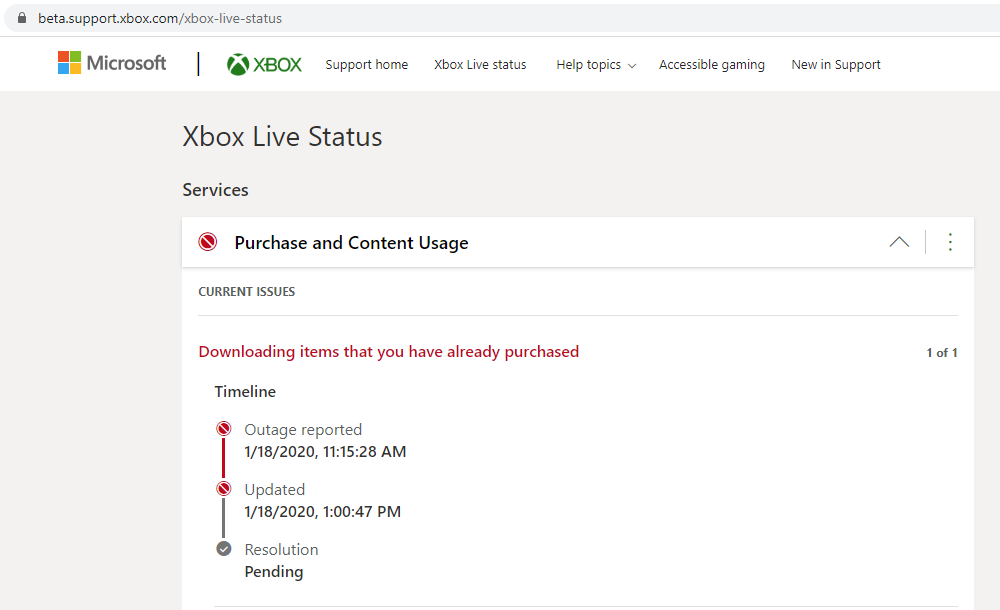
I found a way to get back into the game on my iPad Pro which I hope helps others. It involves deleting a couple of files on the iPad with the help of iTunes:
1) For good measure, make sure Minecraft is not running in the background (close it completely).
2) Connect the iPad to your Computer and open it on iTunes (small device icon close to the top left)
3) Go to File Sharing. Find Minecraft.

4) Just to be cautious, select all folders and files ("games", "internal", "prodConfig.ppcrl", and "XBLStoage.json"), then scroll down and click on SAVE. This will allow you to make a backup copy on your computer. the "games" folde has your worlds and the "internal" folder has skins and packs.
5) Now select ONLY the files called "prodConfig.ppcrl" and "XBLStoage.json", click your DELETE key and delete them. (Don't worry–the app will regenerate these files later and you backed them up just in case.)
*Note: previous threads already shared the solution of deleting "XBLStoage.json". This worked for me in the past when I had made an update to my child's Microsoft account. Today, however, this alone did not work. I had to also delete "prodConfig.ppcrl" and follow the next step.*
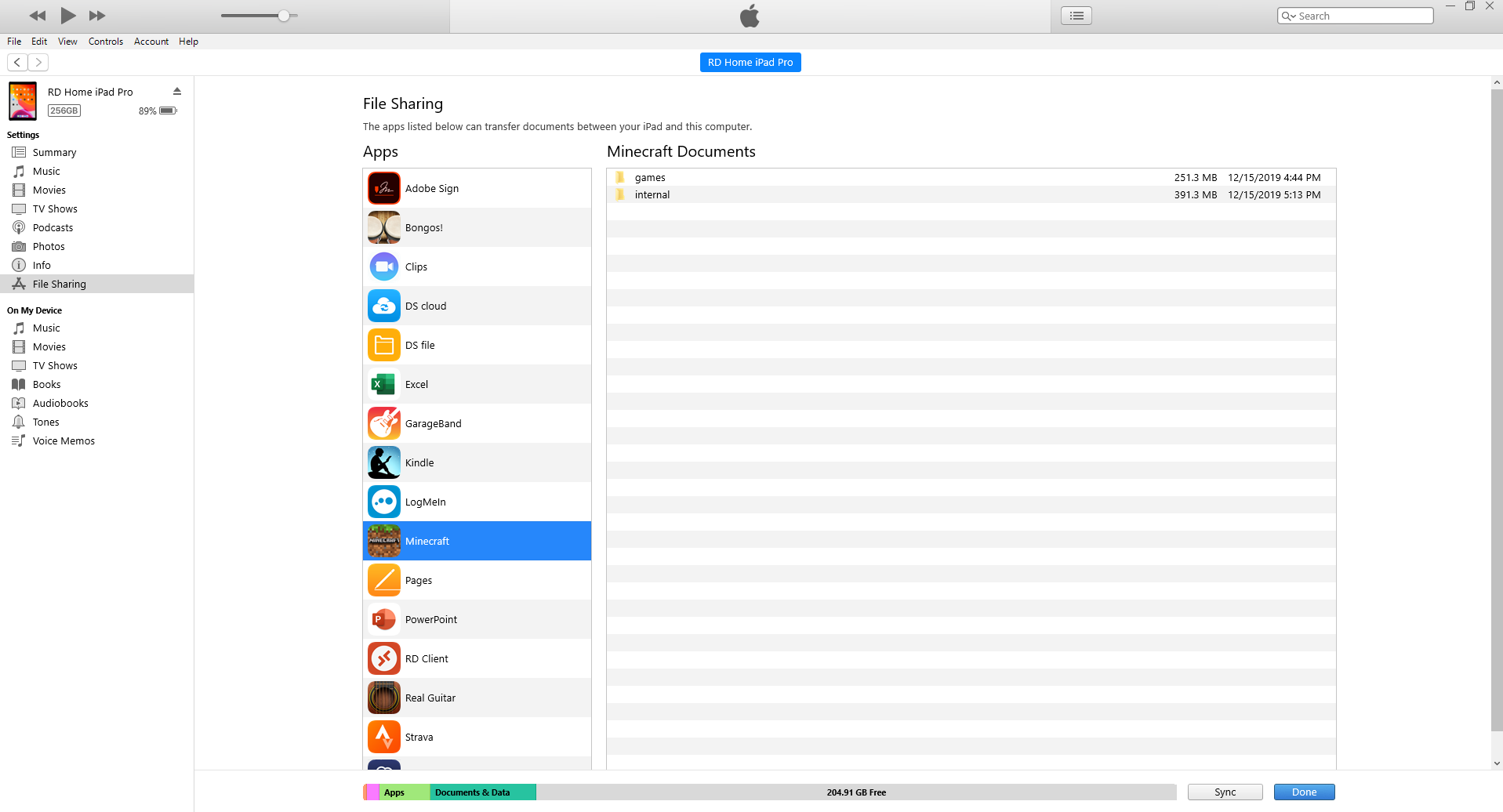
6) Next, go to SETTINGS on the iPad and turn on Airplane mode.
**Note: There are open related bugs (such as MCPE-33316) where iPads freeze on startup if Wifi/Cell is off. For me today, deleting "prodConfig.ppcrl"helped me circumvent this problem.
7) Now open the Minecraft app. Hit ok (to ignore) any iPad messages about turning on Wifi. It should load and no longer be signed into Microsoft. It will give some error warnings about resources failing to load profiles but you can ignore them.



DO NOT ATTEMPT TO LOG INTO YOUR MICROSOFT ACCOUNT JUST YET. It will freeze and you will need to restart the entire process above. I guess we must all wait for the XBOX Live outage to be fixed before we attempt to log back in. Check status here: https://beta.support.xbox.com/xbox-live-status.
8) You can turn off Airplane mode on the iPad if you like.
You should now be able to play the game locally (not logged into Microsoft). If you have not disconnected the iPad from iTunes you will see that the "prodConfig.ppcrl" is automatically recreated once the game loads. The file "XBLStoage.json" will automatically be created once you attempt to log back into Microsoft.
I hope this helps others! If anyone finds out more please share.
There is an outage on XBOX live (https://beta.support.xbox.com/xbox-live-status) which I guess is causing this issue. I see multiple tickets today with this same problem.
I found a way to get back into the game on my iPad Pro which I hope helps others. It involves deleting a couple of files on the iPad with the help of iTunes:
1) For good measure, make sure Minecraft is not running in the background (close it completely).
2) Connect the iPad to your Computer and open it on iTunes (small device icon close to the top left)
3) Go to File Sharing. Find Minecraft.
4) Just to be cautious, select all folders and files ("games", "internal", "prodConfig.ppcrl", and "XBLStoage.json"), then scroll down and click on SAVE. This will allow you to make a backup copy on your computer. the "games" folde has your worlds and the "internal" folder has skins and packs.
5) Now select ONLY the files called "prodConfig.ppcrl" and "XBLStoage.json", click your DELETE key and delete them. (Don't worry–the app will regenerate these files later and you backed them up just in case.)
*Note: previous threads already shared the solution of deleting "XBLStoage.json". This worked for me in the past when I had made an update to my child's Microsoft account. Today, however, this alone did not work. I had to also delete "prodConfig.ppcrl" and follow the next step.*
6) Next, go to SETTINGS on the iPad and turn on Airplane mode.
*Note: There are open related bugs (such as MCPE-33316) where iPads freeze on startup if Wifi/Cell is off. For me today, deleting "prodConfig.ppcrl"helped me circumvent this problem.*
7) Now open the Minecraft app. Hit ok (to ignore) any iPad messages about turning on Wifi. It should load and no longer be signed into Microsoft. It will give some error warnings about resources failing to load profiles but you can ignore them.
DO NOT ATTEMPT TO LOG INTO YOUR MICROSOFT ACCOUNT JUST YET. It will freeze and you will need to restart the entire process above. I guess we must all wait for the XBOX Live outage to be fixed before we attempt to log back in. Check status here: https://beta.support.xbox.com/xbox-live-status.
8) You can turn off Airplane mode on the iPad if you like.
You should now be able to play the game locally (not logged into Microsoft). If you have not disconnected the iPad from iTunes you will see that the "prodConfig.ppcrl" is automatically recreated once the game loads. The file "XBLStoage.json" will automatically be created once you attempt to log back into Microsoft.
I hope this helps others! If anyone finds out more please share.
There is an outage on XBOX live (https://beta.support.xbox.com/xbox-live-status) which I guess is causing this issue. I see multiple tickets today with this same problem.
I found a way to get back into the game on my iPad Pro which I hope helps others. It involves deleting a couple of files on the iPad with the help of iTunes:
1) For good measure, make sure Minecraft is not running in the background (close it completely).
2) Connect the iPad to your Computer and open it on iTunes (small device icon close to the top left)
3) Go to File Sharing. Find Minecraft.
4) Just to be cautious, select all folders and files ("games", "internal", "prodConfig.ppcrl", and "XBLStoage.json"), then scroll down and click on SAVE. This will allow you to make a backup copy on your computer. the "games" folde has your worlds and the "internal" folder has skins and packs.
5) Now select ONLY the files called "prodConfig.ppcrl" and "XBLStoage.json", click your DELETE key and delete them. (Don't worry–the app will regenerate these files later and you backed them up just in case.)
*Note: previous threads already shared the solution of deleting "XBLStoage.json". This worked for me in the past when I had made an update to my child's Microsoft account. Today, however, this alone did not work. I had to also delete "prodConfig.ppcrl" and follow the next step.*
6) Next, go to SETTINGS on the iPad and turn on Airplane mode.
*Note: There are open related bugs (such as MCPE-33316) where iPads freeze on startup if Wifi/Cell is off. For me today, deleting "prodConfig.ppcrl"helped me circumvent this problem.*
7) Now open the Minecraft app. Hit ok (to ignore) any iPad messages about turning on Wifi. It should load and no longer be signed into Microsoft. It will give some error warnings about resources failing to load profiles but you can ignore them.
DO NOT ATTEMPT TO LOG INTO YOUR MICROSOFT ACCOUNT JUST YET. It will freeze and you will need to restart the entire process above. I guess we must all wait for the XBOX Live outage to be fixed before we attempt to log back in. Check status here: https://beta.support.xbox.com/xbox-live-status.
8) You can turn off Airplane mode on the iPad if you like.
You should now be able to play the game locally (not logged into Microsoft). If you have not disconnected the iPad from iTunes you will see that the "prodConfig.ppcrl" is automatically recreated once the game loads. The file "XBLStoage.json" will automatically be created once you attempt to log back into Microsoft.
I hope this helps others! If anyone finds out more please share.
There is an outage on XBOX live (https://beta.support.xbox.com/xbox-live-status) which I guess is causing this issue. I see multiple tickets today with this same problem.
I found a way to get back into the game on my iPad Pro which I hope helps others. It involves deleting a couple of files on the iPad with the help of iTunes:
1) For good measure, make sure Minecraft is not running in the background (close it completely).
2) Connect the iPad to your Computer and open it on iTunes (small device icon close to the top left)
3) Go to File Sharing. Find Minecraft.
4) Just to be cautious, select all folders and files ("games", "internal", "prodConfig.ppcrl", and "XBLStoage.json"), then scroll down and click on SAVE. This will allow you to make a backup copy on your computer. the "games" folde has your worlds and the "internal" folder has skins and packs.
5) Now select ONLY the files called "prodConfig.ppcrl" and "XBLStoage.json", click your DELETE key and delete them. (Don't worry–the app will regenerate these files later and you backed them up just in case.)
*Note: previous threads already shared the solution of deleting "XBLStoage.json". This worked for me in the past when I had made an update to my child's Microsoft account. Today, however, this alone did not work. I had to also delete "prodConfig.ppcrl" and follow the next step.*
6) Next, go to SETTINGS on the iPad and turn on Airplane mode.
*Note: There are open related bugs (such as MCPE-33316) where iPads freeze on startup if Wifi/Cell is off. For me today, deleting "prodConfig.ppcrl"helped me circumvent this problem.*
7) Now open the Minecraft app. Hit ok (to ignore) any iPad messages about turning on Wifi. It should load and no longer be signed into Microsoft. It will give some error warnings about resources failing to load profiles but you can ignore them.
DO NOT ATTEMPT TO LOG INTO YOUR MICROSOFT ACCOUNT JUST YET. It will freeze and you will need to restart the entire process above. I guess we must all wait for the XBOX Live outage to be fixed before we attempt to log back in. Check status here: https://beta.support.xbox.com/xbox-live-status.
8) You can turn off Airplane mode on the iPad if you like.
You should now be able to play the game locally (not logged into Microsoft). If you have not disconnected the iPad from iTunes you will see that the "prodConfig.ppcrl" is automatically recreated once the game loads. The file "XBLStoage.json" will automatically be created once you attempt to log back into Microsoft.
I hope this helps others! If anyone finds out more please share.
There is an outage on XBOX live (https://beta.support.xbox.com/xbox-live-status) which I guess is causing this issue. I see multiple tickets today with this same problem.
I found a way to get back into the game on my iPad Pro which I hope helps others. It involves deleting a couple of files on the iPad with the help of iTunes:
1) For good measure, make sure Minecraft is not running in the background (close it completely).
2) Connect the iPad to your Computer and open it on iTunes (small device icon close to the top left)
3) Go to File Sharing. Find Minecraft.
4) Just to be cautious, select all folders and files ("games", "internal", "prodConfig.ppcrl", and "XBLStoage.json"), then scroll down and click on SAVE. This will allow you to make a backup copy on your computer. the "games" folde has your worlds and the "internal" folder has skins and packs.
5) Now select ONLY the files called "prodConfig.ppcrl" and "XBLStoage.json", click your DELETE key and delete them. (Don't worry–the app will regenerate these files later and you backed them up just in case.)
*Note: previous threads already shared the solution of deleting "XBLStoage.json". This worked for me in the past when I had made an update to my child's Microsoft account. Today, however, this alone did not work. I had to also delete "prodConfig.ppcrl" and follow the next step.*
6) Next, go to SETTINGS on the iPad and turn on Airplane mode.
*Note: There are open related bugs (such as MCPE-33316) where iPads freeze on startup if Wifi/Cell is off. For me today, deleting "prodConfig.ppcrl"helped me circumvent this problem.*
7) Now open the Minecraft app. Hit ok (to ignore) any iPad messages about turning on Wifi. It should load and no longer be signed into Microsoft. It will give some error warnings about resources failing to load profiles but you can ignore them.
DO NOT ATTEMPT TO LOG INTO YOUR MICROSOFT ACCOUNT JUST YET. It will freeze and you will need to restart the entire process above. I guess we must all wait for the XBOX Live outage to be fixed before we attempt to log back in. Check status here: https://beta.support.xbox.com/xbox-live-status.
8) You can turn off Airplane mode on the iPad if you like.
You should now be able to play the game locally (not logged into Microsoft). If you have not disconnected the iPad from iTunes you will see that the "prodConfig.ppcrl" is automatically recreated once the game loads. The file "XBLStoage.json" will automatically be created once you attempt to log back into Microsoft.
I hope this helps others! If anyone finds out more please share.
There is an outage on XBOX live (https://beta.support.xbox.com/xbox-live-status) which I guess is causing this issue. I see multiple tickets today with this same problem.
I found a way to get back into the game on my iPad Pro which I hope helps others. It involves deleting a couple of files on the iPad with the help of iTunes:
1) For good measure, make sure Minecraft is not running in the background (close it completely).
2) Connect the iPad to your Computer and open it on iTunes (small device icon close to the top left)
3) Go to File Sharing. Find Minecraft.
4) Just to be cautious, select all folders and files ("games", "internal", "prodConfig.ppcrl", and "XBLStoage.json"), then scroll down and click on SAVE. This will allow you to make a backup copy on your computer. the "games" folde has your worlds and the "internal" folder has skins and packs.
5) Now select ONLY the files called "prodConfig.ppcrl" and "XBLStoage.json", click your DELETE key and delete them. (Don't worry–the app will regenerate these files later and you backed them up just in case.)
*Note: previous threads already shared the solution of deleting "XBLStoage.json". This worked for me in the past when I had made an update to my child's Microsoft account. Today, however, this alone did not work. I had to also delete "prodConfig.ppcrl" and follow the next step.*
6) Next, go to SETTINGS on the iPad and turn on Airplane mode.
*Note: There are open related bugs (such as MCPE-33316) where iPads freeze on startup if Wifi/Cell is off. For me today, deleting "prodConfig.ppcrl"helped me circumvent this problem.*
7) Now open the Minecraft app. Hit ok (to ignore) any iPad messages about turning on Wifi. It should load and no longer be signed into Microsoft. It will give some error warnings about resources failing to load profiles but you can ignore them.
DO NOT ATTEMPT TO LOG INTO YOUR MICROSOFT ACCOUNT JUST YET. It will freeze and you will need to restart the entire process above. I guess we must all wait for the XBOX Live outage to be fixed before we attempt to log back in. Check status here: https://beta.support.xbox.com/xbox-live-status.
8) You can turn off Airplane mode on the iPad if you like.
You should now be able to play the game locally (not logged into Microsoft). If you have not disconnected the iPad from iTunes you will see that the "prodConfig.ppcrl" is automatically recreated once the game loads. The file "XBLStoage.json" will automatically be created once you attempt to log back into Microsoft.
I hope this helps others! If anyone finds out more please share.
There is an outage on XBOX live (https://beta.support.xbox.com/xbox-live-status) which I guess is causing this issue. I see multiple tickets today with this same problem.
I found a way to get back into the game on my iPad Pro which I hope helps others. It involves deleting a couple of files on the iPad with the help of iTunes:
1) For good measure, make sure Minecraft is not running in the background (close it completely).
2) Connect the iPad to your Computer and open it on iTunes (small device icon close to the top left)
3) Go to File Sharing. Find Minecraft.
4) Just to be cautious, select all folders and files ("games", "internal", "prodConfig.ppcrl", and "XBLStoage.json"), then scroll down and click on SAVE. This will allow you to make a backup copy on your computer. the "games" folde has your worlds and the "internal" folder has skins and packs.
5) Now select ONLY the files called "prodConfig.ppcrl" and "XBLStoage.json", click your DELETE key and delete them. (Don't worry–the app will regenerate these files later and you backed them up just in case.)
*Note: previous threads already shared the solution of deleting "XBLStoage.json". This worked for me in the past when I had made an update to my child's Microsoft account. Today, however, this alone did not work. I had to also delete "prodConfig.ppcrl" and follow the next step.*
6) Next, go to SETTINGS on the iPad and turn on Airplane mode.
*Note: There are open related bugs (such as MCPE-33316) where iPads freeze on startup if Wifi/Cell is off. For me today, deleting "prodConfig.ppcrl"helped me circumvent this problem.*
7) Now open the Minecraft app. Hit ok (to ignore) any iPad messages about turning on Wifi. It should load and no longer be signed into Microsoft. It will give some error warnings about resources failing to load profiles but you can ignore them.
DO NOT ATTEMPT TO LOG INTO YOUR MICROSOFT ACCOUNT JUST YET. It will freeze and you will need to restart the entire process above. I guess we must all wait for the XBOX Live outage to be fixed before we attempt to log back in. Check status here: https://beta.support.xbox.com/xbox-live-status.
8) You can turn off Airplane mode on the iPad if you like.
You should now be able to play the game locally (not logged into Microsoft). If you have not disconnected the iPad from iTunes you will see that the "prodConfig.ppcrl" is automatically recreated once the game loads. The file "XBLStoage.json" will automatically be created once you attempt to log back into Microsoft.
I hope this helps others! If anyone finds out more please share.
There is an outage on XBOX live (https://beta.support.xbox.com/xbox-live-status) which I guess is causing this issue. I see multiple tickets today with this same problem.
I found a way to get back into the game on my iPad Pro which I hope helps others. It involves deleting a couple of files on the iPad with the help of iTunes:
1) For good measure, make sure Minecraft is not running in the background (close it completely).
2) Connect the iPad to your Computer and open it on iTunes (small device icon close to the top left)
3) Go to File Sharing. Find Minecraft.
4) Just to be cautious, select all folders and files ("games", "internal", "prodConfig.ppcrl", and "XBLStoage.json"), then scroll down and click on SAVE. This will allow you to make a backup copy on your computer. the "games" folde has your worlds and the "internal" folder has skins and packs.
5) Now select ONLY the files called "prodConfig.ppcrl" and "XBLStoage.json", click your DELETE key and delete them. (Don't worry–the app will regenerate these files later and you backed them up just in case.)
*Note: previous threads already shared the solution of deleting "XBLStoage.json". This worked for me in the past when I had made an update to my child's Microsoft account. Today, however, this alone did not work. I had to also delete "prodConfig.ppcrl" and follow the next step.*
6) Next, go to SETTINGS on the iPad and turn on Airplane mode.
*Note: There are open related bugs (such as MCPE-33316) where iPads freeze on startup if Wifi/Cell is off. For me today, deleting "prodConfig.ppcrl"helped me circumvent this problem.*
7) Now open the Minecraft app. Hit ok (to ignore) any iPad messages about turning on Wifi. It should load and no longer be signed into Microsoft. It will give some error warnings about resources failing to load profiles but you can ignore them.
DO NOT ATTEMPT TO LOG INTO YOUR MICROSOFT ACCOUNT JUST YET. It will freeze and you will need to restart the entire process above. I guess we must all wait for the XBOX Live outage to be fixed before we attempt to log back in. Check status here: https://beta.support.xbox.com/xbox-live-status.
8) You can turn off Airplane mode on the iPad if you like.
You should now be able to play the game locally (not logged into Microsoft). If you have not disconnected the iPad from iTunes you will see that the "prodConfig.ppcrl" is automatically recreated once the game loads. The file "XBLStoage.json" will automatically be created once you attempt to log back into Microsoft.
I hope this helps others! If anyone finds out more please share.
There is an outage on XBOX live (https://beta.support.xbox.com/xbox-live-status) which I guess is causing this issue. I see multiple tickets today with this same problem.
I found a way to get back into the game on my iPad Pro which I hope helps others. It involves deleting a couple of files on the iPad with the help of iTunes:
1) For good measure, make sure Minecraft is not running in the background (close it completely).
2) Connect the iPad to your Computer and open it on iTunes (small device icon close to the top left)
3) Go to File Sharing. Find Minecraft.
4) Just to be cautious, select all folders and files ("games", "internal", "prodConfig.ppcrl", and "XBLStoage.json"), then scroll down and click on SAVE. This will allow you to make a backup copy on your computer. the "games" folde has your worlds and the "internal" folder has skins and packs.
5) Now select ONLY the files called "prodConfig.ppcrl" and "XBLStoage.json", click your DELETE key and delete them. (Don't worry–the app will regenerate these files later and you backed them up just in case.)
*Note: previous threads already shared the solution of deleting "XBLStoage.json". This worked for me in the past when I had made an update to my child's Microsoft account. Today, however, this alone did not work. I had to also delete "prodConfig.ppcrl" and follow the next step.*
6) Next, go to SETTINGS on the iPad and turn on Airplane mode.
*Note: There are open related bugs (such as MCPE-33316) where iPads freeze on startup if Wifi/Cell is off. For me today, deleting "prodConfig.ppcrl"helped me circumvent this problem.*
7) Now open the Minecraft app. Hit ok (to ignore) any iPad messages about turning on Wifi. It should load and no longer be signed into Microsoft. It will give some error warnings about resources failing to load profiles but you can ignore them.
DO NOT ATTEMPT TO LOG INTO YOUR MICROSOFT ACCOUNT JUST YET. It will freeze and you will need to restart the entire process above. I guess we must all wait for the XBOX Live outage to be fixed before we attempt to log back in. Check status here: https://beta.support.xbox.com/xbox-live-status.
8) You can turn off Airplane mode on the iPad if you like.
You should now be able to play the game locally (not logged into Microsoft). If you have not disconnected the iPad from iTunes you will see that the "prodConfig.ppcrl" is automatically recreated once the game loads. The file "XBLStoage.json" will automatically be created once you attempt to log back into Microsoft.
I hope this helps others! If anyone finds out more please share.
There was an outage earlier today on XBOX live (https://beta.support.xbox.com/xbox-live-status) which I guess was causing this issue. I see multiple tickets today with this same problem.
I found a way to get back into the game on my iPad Pro which I hope helps others. It involves deleting a couple of files on the iPad with the help of iTunes:
1) For good measure, make sure Minecraft is not running in the background (close it completely).
2) Connect the iPad to your Computer and open it on iTunes (small device icon close to the top left)
3) Go to File Sharing. Find Minecraft.
4) Just to be cautious, select all folders and files ("games", "internal", "prodConfig.ppcrl", and "XBLStoage.json"), then scroll down and click on SAVE. This will allow you to make a backup copy on your computer. the "games" folde has your worlds and the "internal" folder has skins and packs.
5) Now select ONLY the files called "prodConfig.ppcrl" and "XBLStoage.json", click your DELETE key and delete them. (Don't worry–the app will regenerate these files later and you backed them up just in case.)
*Note: previous threads already shared the solution of deleting "XBLStoage.json". This worked for me in the past when I had made an update to my child's Microsoft account. Today, however, this alone did not work. I had to also delete "prodConfig.ppcrl" and follow the next step.*
6) Next, go to SETTINGS on the iPad and turn on Airplane mode.
*Note: There are open related bugs (such as MCPE-33316) where iPads freeze on startup if Wifi/Cell is off. For me today, deleting "prodConfig.ppcrl"helped me circumvent this problem.*
7) Now open the Minecraft app. Hit ok (to ignore) any iPad messages about turning on Wifi. It should load and no longer be signed into Microsoft. It will give some error warnings about resources failing to load profiles but you can ignore them.
DO NOT ATTEMPT TO LOG INTO YOUR MICROSOFT ACCOUNT JUST YET. It will freeze and you will need to restart the entire process above. Even though the XBox Live Outage has been reported as resolved, my iPad game is freezing if I try to log back in. Perhaps something else must be fixed on XBOX or Mojang's side for the logins to work again. Xbox status can be found here: https://beta.support.xbox.com/xbox-live-status.
8) You can turn off Airplane mode on the iPad if you like.
You should now be able to play the game locally (not logged into Microsoft). If you have not disconnected the iPad from iTunes you will see that the "prodConfig.ppcrl" is automatically recreated once the game loads. The file "XBLStoage.json" will automatically be created once you attempt to log back into Microsoft.
I hope this helps others! If anyone finds out more please share.
There was an outage earlier today on XBOX live (https://beta.support.xbox.com/xbox-live-status) which I guess was causing this issue. I see multiple tickets today with this same problem.
I found a way to get back into the game on my iPad Pro which I hope helps others. It involves deleting a couple of files on the iPad with the help of iTunes:
1) For good measure, make sure Minecraft is not running in the background (close it completely).
2) Connect the iPad to your Computer and open it on iTunes (small device icon close to the top left)
3) Go to File Sharing. Find Minecraft.
4) Just to be cautious, select all folders and files ("games", "internal", "prodConfig.ppcrl", and "XBLStoage.json"), then scroll down and click on SAVE. This will allow you to make a backup copy on your computer. the "games" folde has your worlds and the "internal" folder has skins and packs.
5) Now select ONLY the files called "prodConfig.ppcrl" and "XBLStoage.json", click your DELETE key and delete them. (Don't worry–the app will regenerate these files later and you backed them up just in case.)
*Note: previous threads already shared the solution of deleting "XBLStoage.json". This worked for me in the past when I had made an update to my child's Microsoft account. Today, however, this alone did not work. I had to also delete "prodConfig.ppcrl" and follow the next step.*
6) Next, go to SETTINGS on the iPad and turn on Airplane mode.
*Note: There are open related bugs (such as MCPE-33316) where iPads freeze on startup if Wifi/Cell is off. For me today, deleting "prodConfig.ppcrl"helped me circumvent this problem.*
7) Now open the Minecraft app. Hit ok (to ignore) any iPad messages about turning on Wifi. It should load and no longer be signed into Microsoft. It will give some error warnings about resources failing to load profiles but you can ignore them.
DO NOT ATTEMPT TO LOG INTO YOUR MICROSOFT ACCOUNT JUST YET. It will freeze and you will need to restart the entire process above. Even though the XBox Live Outage has been reported as resolved, my iPad game is freezing if I try to log back in. Perhaps something else must be fixed on XBOX or Mojang's side for the logins to work again. Xbox status can be found here: https://beta.support.xbox.com/xbox-live-status.
8) You can turn off Airplane mode on the iPad if you like.
You should now be able to play the game locally (not logged into Microsoft). If you have not disconnected the iPad from iTunes you will see that the "prodConfig.ppcrl" is automatically recreated once the game loads. The file "XBLStoage.json" will automatically be created once you attempt to log back into Microsoft.
I hope this helps others! If anyone finds out more please share.
There was an outage earlier today on XBOX live (https://beta.support.xbox.com/xbox-live-status) which I guess was causing this issue. I see multiple tickets today with this same problem.
I found a way to get back into the game on my iPad Pro which I hope helps others. It involves deleting a couple of files on the iPad with the help of iTunes:
1) For good measure, make sure Minecraft is not running in the background (close it completely).
2) Connect the iPad to your Computer and open it on iTunes (small device icon close to the top left)
3) Go to File Sharing. Find Minecraft.
4) Just to be cautious, select all folders and files ("games", "internal", "prodConfig.ppcrl", and "XBLStoage.json"), then scroll down and click on SAVE. This will allow you to make a backup copy on your computer. the "games" folde has your worlds and the "internal" folder has skins and packs.
5) Now select ONLY the files called "prodConfig.ppcrl" and "XBLStoage.json", click your DELETE key and delete them. (Don't worry–the app will regenerate these files later and you backed them up just in case.)
*Note: previous threads already shared the solution of deleting "XBLStoage.json". This worked for me in the past when I had made an update to my child's Microsoft account. Today, however, this alone did not work. I had to also delete "prodConfig.ppcrl" and follow the next step.*
6) Next, go to SETTINGS on the iPad and turn on Airplane mode.
*Note: There are open related bugs (such as MCPE-33316) where iPads freeze on startup if Wifi/Cell is off. For me today, deleting "prodConfig.ppcrl"helped me circumvent this problem.*
7) Now open the Minecraft app. Hit ok (to ignore) any iPad messages about turning on Wifi. It should load and no longer be signed into Microsoft. It will give some error warnings about resources failing to load profiles but you can ignore them.
DO NOT ATTEMPT TO LOG INTO YOUR MICROSOFT ACCOUNT JUST YET. It will freeze and you will need to restart the entire process above. Even though the XBox Live Outage has been reported as resolved, my iPad game is freezing if I try to log back in. Perhaps something else must be fixed on XBOX or Mojang's side for the logins to work again. Xbox status can be found here: https://beta.support.xbox.com/xbox-live-status.
8) You can turn off Airplane mode on the iPad if you like.
You should now be able to play the game locally (not logged into Microsoft). If you have not disconnected the iPad from iTunes you will see that the "prodConfig.ppcrl" is automatically recreated once the game loads. The file "XBLStoage.json" will automatically be created once you attempt to log back into Microsoft.
I hope this helps others! If anyone finds out more please share.
There was an outage earlier today on XBOX live (https://beta.support.xbox.com/xbox-live-status) which maybe was causing this issue. I see multiple tickets today with this same problem.
I found a way to get back into the game on my iPad Pro, which I hope helps others. It involves deleting a couple of files on the iPad with the help of iTunes:
1) For good measure, make sure Minecraft is not running in the background (close it completely).
2) Connect the iPad to your Computer and open it on iTunes (small device icon close to the top left)
3) Go to File Sharing. Find Minecraft.
4) Just to be cautious, select all folders and files ("games", "internal", "prodConfig.ppcrl", and "XBLStoage.json"), then scroll down and click on SAVE. This will allow you to make a backup copy on your computer. the "games" folde has your worlds and the "internal" folder has skins and packs.
5) Now select ONLY the files called "prodConfig.ppcrl" and "XBLStoage.json", click your DELETE key and delete them. (Don't worry–the app will regenerate these files later and you backed them up just in case.)
*Note: previous threads already shared the solution of deleting "XBLStoage.json". This worked for me in the past when I had made an update to my child's Microsoft account. Today, however, this alone did not work. I had to also delete "prodConfig.ppcrl" and follow the next step.*
6) Next, go to SETTINGS on the iPad and turn on Airplane mode.
*Note: There are open related bugs (such as MCPE-33316) where iPads freeze on startup if Wifi/Cell is off. For me today, deleting "prodConfig.ppcrl"helped me circumvent this problem.*
7) Now open the Minecraft app. Hit ok (to ignore) any iPad messages about turning on Wifi. It should load and no longer be signed into Microsoft. It will give some error warnings about resources failing to load profiles but you can ignore them.
DO NOT ATTEMPT TO LOG INTO YOUR MICROSOFT ACCOUNT JUST YET. It will freeze and you will need to restart the entire process above. Even though the XBox Live Outage has been reported as resolved, my iPad game is freezing if I try to log back in. Perhaps something else must be fixed on XBOX or Mojang's side for the logins to work again. Xbox status can be found here: https://beta.support.xbox.com/xbox-live-status.
8) You can turn off Airplane mode on the iPad if you like.
You should now be able to play the game locally (not logged into Microsoft). If you have not disconnected the iPad from iTunes you will see that the "prodConfig.ppcrl" are automatically recreated once the game loads. The file "XBLStoage.json" will automatically be created once you attempt to log back into Microsoft.
I hope this helps others! If anyone finds out more please share.
UPDATE: It's a known issue and they are working on it: https://twitter.com/MojangStatus/status/1218612836521455621
Thank you for your report!
We're already tracking this issue at MCPE-33316, so I will resolve and link this ticket as a duplicate.
If you would like to add a vote and any extra information to the main ticket it would be appreciated. If you haven't already, you might like to make use of the search feature to see if the issue has already been mentioned.
Quick Links: 📓 Issue Guidelines – ☃D83D? Community Support – 📧 Customer Support – 📖 Game Wiki
Thank you for your report!
However, this issue is a Duplicate of MCPE-33316.
If you would like to add a vote and any extra information to the main ticket it would be appreciated.
If you haven't already, you might like to make use of the search feature to see if the issue has already been mentioned.
Quick Links:
📓 Issue Guidelines – 💬 Community Support – 📧 Customer Support – 📖 Game Wiki
Thank you for your report!
However, this issue is a Duplicate of MCPE-33316.
If you would like to add a vote and any extra information to the main ticket it would be appreciated.
If you haven't already, you might like to make use of the search feature to see if the issue has already been mentioned.
Quick Links:
📓 Issue Guidelines – 💬 Community Support – 📧 Customer Support – 📖 Game Wiki
Thank you for your report!
We're already tracking this issue at MCPE-33316, so I will resolve and link this ticket as a duplicate.
If you would like to add a vote and any extra information to the main ticket it would be appreciated.
If you haven't already, you might like to make use of the search feature to see if the issue has already been mentioned.
Quick Links:
📓 Issue Guidelines – 💬 Community Support – 📧 Customer Support – 📖 Game Wiki
Thank you for your report!
We're already tracking this issue at MCPE-33316, so I will resolve and link this ticket as a duplicate.
If you would like to add a vote and any extra information to the main ticket it would be appreciated.
If you haven't already, you might like to make use of the search feature to see if the issue has already been mentioned.
Quick Links:
📓 Issue Guidelines – 💬 Community Support – 📧 Customer Support – 📖 Game Wiki
Thank you for your report!
We're already tracking this issue at MCPE-33316, so I will resolve and link this ticket as a duplicate.
If you would like to add a vote and any extra information to the main ticket it would be appreciated.
If you haven't already, you might like to make use of the search feature to see if the issue has already been mentioned.
Quick Links:
📓 Issue Guidelines – 💬 Community Support – 📧 Customer Support – 📖 Game Wiki
Thank you for your report!
We're actually already tracking this issue at MCPE-33316, so I resolved and linked this ticket as a duplicate.
If you would like to add a vote and any extra information to the main ticket it would be appreciated.
If you haven't already, you might like to make use of the search feature to see if the issue has already been mentioned.
Quick Links:
📓 Issue Guidelines – 💬 Community Support – 📧 Customer Support – 📖 Game Wiki
Thank you for your report!
We're actually already tracking this issue under MCPE-33316 so I've requested this report be resolved and linked as a duplicate.
If you would like to add a vote and any extra information to the main ticket it would be appreciated.
If you haven't already, you might like to make use of the search feature to see if the issue has already been mentioned.
Quick Links:
📓 Issue Guidelines – 💬 Community Support – 📧 Customer Support – 📖 Game Wiki
Thank you for your report!
We're actually already tracking this issue under MCPE-33316 so I've requested this report be resolved and linked as a duplicate.
If you would like to add a vote and any extra information to the main ticket it would be appreciated.
If you haven't already, you might like to make use of the search feature to see if the issue has already been mentioned.
Quick Links:
📓 Issue Guidelines – 💬 Community Support – 📧 Customer Support – 📖 Game Wiki
Thank you for your report!
We're actually already tracking this issue under MCPE-33316 so I've requested this report be resolved and linked as a duplicate.
If you would like to add a vote and any extra information to the main ticket it would be appreciated.
If you haven't already, you might like to make use of the search feature to see if the issue has already been mentioned.
Quick Links:
📓 Issue Guidelines – 💬 Community Support – 📧 Customer Support – 📖 Game Wiki
Thank you for your report!
We're actually already tracking this issue under MCPE-33316 so I've requested this report be resolved and linked as a duplicate.
If you would like to add a vote and any extra information to the main ticket it would be appreciated.
If you haven't already, you might like to make use of the search feature to see if the issue has already been mentioned.
Quick Links:
📓 Issue Guidelines – 💬 Community Support – 📧 Customer Support – 📖 Game Wiki
Thank you for your report!
We're actually already tracking this issue under MCPE-33316 so I've requested this report be resolved and linked as a duplicate.
If you would like to add a vote and any extra information to the main ticket it would be appreciated.
If you haven't already, you might like to make use of the search feature to see if the issue has already been mentioned.
Quick Links:
📓 Issue Guidelines – 💬 Community Support – 📧 Customer Support – 📖 Game Wiki
Thank you for your report!
We're actually already tracking this issue under MCPE-33316 so I've requested this report be resolved and linked as a duplicate.
If you would like to add a vote and any extra information to the main ticket it would be appreciated.
If you haven't already, you might like to make use of the search feature to see if the issue has already been mentioned.
Quick Links:
📓 Issue Guidelines – 💬 Community Support – 📧 Customer Support – 📖 Game Wiki
Thank you for your report!
We're actually already tracking this issue under MCPE-33316 so I've requested this report be resolved and linked as a duplicate.
If you would like to add a vote and any extra information to the main ticket it would be appreciated.
If you haven't already, you might like to make use of the search feature to see if the issue has already been mentioned.
Quick Links:
📓 Issue Guidelines – 💬 Community Support – 📧 Customer Support – 📖 Game Wiki
Thank you for your report!
We're actually already tracking this issue under MCPE-33316 so I've requested this report be resolved and linked as a duplicate.
If you would like to add a vote and any extra information to the main ticket it would be appreciated.
If you haven't already, you might like to make use of the search feature to see if the issue has already been mentioned.
Quick Links:
📓 Issue Guidelines – 💬 Community Support – 📧 Customer Support – 📖 Game Wiki
Thank you for your report!
We're actually already tracking this issue under MCPE-33316 so I've requested this report be resolved and linked as a duplicate.
If you would like to add a vote and any extra information to the main ticket it would be appreciated.
If you haven't already, you might like to make use of the search feature to see if the issue has already been mentioned.
Quick Links:
📓 Issue Guidelines – 💬 Community Support – 📧 Customer Support – 📖 Game Wiki
Thank you for your report!
We're actually already tracking this issue at MCPE-33316, so I resolved and linked this ticket as a duplicate.
If you would like to add a vote and any extra information to the main ticket it would be appreciated.
If you haven't already, you might like to make use of the search feature to see if the issue has already been mentioned.
Quick Links:
📓 Issue Guidelines – 💬 Community Support – 📧 Customer Support – 📖 Game Wiki
Thank you for your report!
We're actually already tracking this issue at MCPE-33316, so I resolved and linked this ticket as a duplicate.
If you would like to add a vote and any extra information to the main ticket it would be appreciated.
If you haven't already, you might like to make use of the search feature to see if the issue has already been mentioned.
Quick Links:
📓 Issue Guidelines – 💬 Community Support – 📧 Customer Support – 📖 Game Wiki
Thank you for your report!
We're actually already tracking this issue at MCPE-33316, so I will resolve and link this ticket as a duplicate.
If you would like to add a vote and any extra information to the main ticket it would be appreciated.
If you haven't already, you might like to make use of the search feature to see if the issue has already been mentioned.
Quick Links:
📓 Issue Guidelines – 💬 Community Support – 📧 Customer Support – 📖 Game Wiki
Thank you for your report!
We're actually already tracking this issue at MCPE-33316, so I will resolve and link this ticket as a duplicate.
If you would like to add a vote and any extra information to the main ticket it would be appreciated.
If you haven't already, you might like to make use of the search feature to see if the issue has already been mentioned.
Quick Links:
📓 Issue Guidelines – 💬 Community Support – 📧 Customer Support – ✍️ Feedback and Suggestions – 📖 Game Wiki
Thank you for your report!
We're actually already tracking this issue at MCPE-33316, so I will resolve and link this ticket as a duplicate.
If you would like to add a vote and any extra information to the main ticket it would be appreciated.
If you haven't already, you might like to make use of the search feature to see if the issue has already been mentioned.
Quick Links:
📓 Issue Guidelines – 💬 Community Support – 📧 Customer Support – ✍️ Feedback and Suggestions – 📖 Game Wiki
Thank you for your report!
We're actually already tracking this issue at MCPE-33316, so I will resolve and link this ticket as a duplicate.
If you would like to add a vote and any extra information to the main ticket it would be appreciated.
If you haven't already, you might like to make use of the search feature to see if the issue has already been mentioned.
Quick Links:
📓 Issue Guidelines – 💬 Community Support – 📧 Customer Support – ✍️ Feedback and Suggestions – 📖 Game Wiki
Thank you for your report!
We're actually already tracking this issue at MCPE-33316, so I will resolve and link this ticket as a duplicate.
If you would like to add a vote and any extra information to the main ticket it would be appreciated.
If you haven't already, you might like to make use of the search feature to see if the issue has already been mentioned.
Quick Links:
📓 Issue Guidelines – 💬 Community Support – 📧 Customer Support – ✍️ Feedback and Suggestions – 📖 Game Wiki
Thank you for your report!
We're actually already tracking this issue at MCPE-33316 and MCPE-59378, so I will resolve and link this ticket as a duplicate.
If you would like to add a vote and any extra information to the main tickets it would be appreciated.
If you haven't already, you might like to make use of the search feature to see if the issue has already been mentioned.
Quick Links:
📓 Issue Guidelines – 💬 Community Support – 📧 Customer Support – ✍️ Feedback and Suggestions – 📖 Game Wiki
Thank you for your report!
We're tracking this issue in MCPE-33316, so this ticket is being resolved and linked as a duplicate.
If you would like to add a vote and any extra information to the main ticket it would be appreciated.
If you haven't already, you might like to make use of the search feature to see if the issue has already been mentioned.
Quick Links:
📓 Issue Guidelines – 💬 Community Support – 📧 Customer Support – ✍️ Feedback and Suggestions – 📖 Game Wiki
Thank you for your report!
We're tracking this issue in MCPE-33316, so this ticket is being resolved and linked as a duplicate.
If you would like to add a vote and any extra information to the main ticket it would be appreciated.
If you haven't already, you might like to make use of the search feature to see if the issue has already been mentioned.
Quick Links:
📓 Issue Guidelines – 💬 Community Support – 📧 Customer Support – ✍️ Feedback and Suggestions – 📖 Game Wiki
Thank you for your report!
We're tracking this issue in MCPE-33316, so this ticket is being resolved and linked as a duplicate.
If you would like to add a vote and any extra information to the main ticket it would be appreciated.
If you haven't already, you might like to make use of the search feature to see if the issue has already been mentioned.
Quick Links:
📓 Issue Guidelines – 💬 Community Support – 📧 Customer Support – ✍️ Feedback and Suggestions – 📖 Game Wiki
Thank you for your report!
We're actually already tracking this issue at MCPE-33316, so I will resolve and link this ticket as a duplicate.
If you would like to add a vote and any extra information to the main ticket it would be appreciated.
If you haven't already, you might like to make use of the search feature to see if the issue has already been mentioned.
Quick Links:
📓 Issue Guidelines – 💬 Community Support – 📧 Customer Support – ✍️ Feedback and Suggestions – 📖 Game Wiki
Thank you for your report!
We're tracking this issue in MCPE-33316, so this ticket is being resolved and linked as a duplicate.
If you would like to add a vote and any extra information to the main ticket it would be appreciated.
If you haven't already, you might like to make use of the search feature to see if the issue has already been mentioned.
Quick Links:
📓 Issue Guidelines – 💬 Community Support – 📧 Customer Support – ✍️ Feedback and Suggestions – 📖 Game Wiki
We're tracking this issue as MCPE-33316, so this ticket is being resolved and linked as a duplicate.
Please note though, you have raised this report under the wrong project, this project is for the Bedrock Dedicated Server software only. For bug reports related to Minecraft Bedrock please head over to the Minecraft (Bedrock codebase) project.
If you aren't already, please don't forget to use the search feature, the less time volunteers spend linking duplicates the more time we have to update new reports.
Voting on an existing report has a greater impact on getting the bugs most important to you fixed!
Quick Links:
📓 Issue Guidelines – 💬 Community Support – 📧 Customer Support – ✍️ Feedback and Suggestions – 📖 BDS Wiki – 📖 FAQs
Thank you for your report!
We're tracking this issue in MCPE-33316, so this ticket is being resolved and linked as a duplicate.
If you would like to add a vote and any extra information to the main ticket it would be appreciated.
If you haven't already, you might like to make use of the search feature to see if the issue has already been mentioned.
Quick Links:
📓 Issue Guidelines – 💬 Community Support – 📧 Customer Support – ✍️ Feedback and Suggestions – 📖 Game Wiki
Thank you for your report!
We're tracking this issue in MCPE-33316, so this ticket is being resolved and linked as a duplicate.
If you would like to add a vote and any extra information to the main ticket it would be appreciated.
If you haven't already, you might like to make use of the search feature to see if the issue has already been mentioned.
Quick Links:
📓 Issue Guidelines – 💬 Community Support – 📧 Customer Support – ✍️ Feedback and Suggestions – 📖 Game Wiki
Thank you for your report!
We're actually already tracking this issue at MCPE-33316, so I will resolve and link this ticket as a duplicate.
If you would like to add a vote and any extra information to the main ticket it would be appreciated.
If you haven't already, you might like to make use of the search feature to see if the issue has already been mentioned.
Quick Links:
📓 Issue Guidelines – 💬 Community Support – 📧 Customer Support – ✍️ Feedback and Suggestions – 📖 Game Wiki
Thank you for your report!
We're actually already tracking this issue at MCPE-33316, so I will resolve and link this ticket as a duplicate.
If you would like to add a vote and any extra information to the main ticket it would be appreciated.
If you haven't already, you might like to make use of the search feature to see if the issue has already been mentioned.
Quick Links:
📓 Issue Guidelines – 💬 Community Support – 📧 Customer Support – ✍️ Feedback and Suggestions – 📖 Game Wiki
Thank you for your report!
We're tracking this issue in MCPE-33316, so this ticket is being resolved and linked as a duplicate.
If you would like to add a vote and any extra information to the main ticket it would be appreciated.
If you haven't already, you might like to make use of the search feature to see if the issue has already been mentioned.
Quick Links:
📓 Issue Guidelines – 💬 Community Support – 📧 Customer Support – ✍️ Feedback and Suggestions – 📖 Game Wiki
Thank you for your report!
We're tracking this issue in MCPE-33316, so this ticket is being resolved and linked as a duplicate.
Please note though, this project is for the Bedrock Dedicated Server software only. For any future reports please head over to the appropriate project (links below).
– Minecraft: Bedrock Edition — Gear VR, iOS, Android, Windows 10 (from the Windows store), Xbox One, Windows 10 Mobile, Fire TV, Nintendo Switch, and PS4
– Minecraft: Java Edition — Windows, Mac, and Linux
– Minecraft Launcher — Bugs about the Minecraft Launcher specifically
– Minecraft Earth — AR Compatible Devices
– Minecraft Dungeons — Action-adventure title set in the Minecraft universe
Quick Links:
📓 Issue Guidelines – 💬 Community Support – 📧 Customer Support – ✍️ Feedback and Suggestions – 📖 BDS Wiki – 📖 FAQs
Thank you for your report!
We're actually already tracking this issue at MCPE-33316, so I will resolve and link this ticket as a duplicate.
If you would like to add a vote and any extra information to the main ticket it would be appreciated.
If you haven't already, you might like to make use of the search feature to see if the issue has already been mentioned.
Quick Links:
📓 Issue Guidelines – 💬 Community Support – 📧 Customer Support – ✍️ Feedback and Suggestions – 📖 Game Wiki
Thank you for your report!
We're actually already tracking this issue at MCPE-33316, so I will resolve and link this ticket as a duplicate.
If you would like to add a vote and any extra information to the main ticket it would be appreciated.
If you haven't already, you might like to make use of the search feature to see if the issue has already been mentioned.
Quick Links:
📓 Issue Guidelines – 💬 Community Support – 📧 Customer Support – ✍️ Feedback and Suggestions – 📖 Game Wiki
Thank you for your report!
We're actually already tracking this issue at MCPE-33316, so I will resolve and link this ticket as a duplicate.
If you would like to add a vote and any extra information to the main ticket it would be appreciated.
If you haven't already, you might like to make use of the search feature to see if the issue has already been mentioned.
Quick Links:
📓 Issue Guidelines – 💬 Community Support – 📧 Customer Support – ✍️ Feedback and Suggestions – 📖 Game Wiki
Thank you for your report!
We're actually already tracking this issue at MCPE-33316, so I will resolve and link this ticket as a duplicate.
If you would like to add a vote and any extra information to the main ticket it would be appreciated.
If you haven't already, you might like to make use of the search feature to see if the issue has already been mentioned.
Quick Links:
📓 Issue Guidelines – 💬 Community Support – 📧 Customer Support – ✍️ Feedback and Suggestions – 📖 Game Wiki
Thank you for your report!
We're tracking this issue in MCPE-33316, so this ticket is being resolved and linked as a duplicate.
Please note though, this project is for the Bedrock Dedicated Server software only. For any future reports please head over to the appropriate project (links below).
– Minecraft: Bedrock Edition — Gear VR, iOS, Android, Windows 10 (from the Windows store), Xbox One, Windows 10 Mobile, Fire TV, Nintendo Switch, and PS4
– Minecraft: Java Edition — Windows, Mac, and Linux
– Minecraft Launcher — Bugs about the Minecraft Launcher specifically
– Minecraft Earth — AR Compatible Devices
– Minecraft Dungeons — Action-adventure title set in the Minecraft universe
Quick Links:
📓 Issue Guidelines – 💬 Community Support – 📧 Customer Support – ✍️ Feedback and Suggestions – 📖 BDS Wiki – 📖 FAQs
Thank you for your report!
We're actually already tracking this issue at MCPE-33316, so I will resolve and link this ticket as a duplicate.
If you would like to add a vote and any extra information to the main ticket it would be appreciated.
If you haven't already, you might like to make use of the search feature to see if the issue has already been mentioned.
Quick Links:
📓 Issue Guidelines – 💬 Community Support – 📧 Customer Support – ✍️ Feedback and Suggestions – 📖 Game Wiki
Thank you for your report!
We're actually already tracking this issue at MCPE-33316, so I will resolve and link this ticket as a duplicate.
If you would like to add a vote and any extra information to the main ticket it would be appreciated.
If you haven't already, you might like to make use of the search feature to see if the issue has already been mentioned.
Quick Links:
📓 Issue Guidelines – 💬 Community Support – 📧 Customer Support – ✍️ Feedback and Suggestions – 📖 Game Wiki
Thank you for your report!
We're tracking this issue in MCPE-33316, so this ticket is being resolved and linked as a duplicate.
Please note though, this project is for the Bedrock Dedicated Server software only. For any future reports please head over to the appropriate project (links below).
– Minecraft: Bedrock Edition — Gear VR, iOS, Android, Windows 10 (from the Windows store), Xbox One, Windows 10 Mobile, Fire TV, Nintendo Switch, and PS4
– Minecraft: Java Edition — Windows, Mac, and Linux
– Minecraft Launcher — Bugs about the Minecraft Launcher specifically
– Minecraft Earth — AR Compatible Devices
– Minecraft Dungeons — Action-adventure title set in the Minecraft universe
Quick Links:
📓 Issue Guidelines – 💬 Community Support – 📧 Customer Support – ✍️ Feedback and Suggestions – 📖 BDS Wiki – 📖 FAQs
Duplicate of MCPE-33316
Thank you for your report!
We're actually already tracking this issue at MCPE-33316, so I will resolve and link this ticket as a duplicate.
If you would like to add a vote and any extra information to the main ticket it would be appreciated.
If you haven't already, you might like to make use of the search feature to see if the issue has already been mentioned.
Quick Links:
📓 Issue Guidelines – 💬 Community Support – 📧 Customer Support – ✍️ Feedback and Suggestions – 📖 Game Wiki
Thank you for your report!
We're actually already tracking this issue at MCPE-33316, so I will resolve and link this ticket as a duplicate.
If you would like to add a vote and any extra information to the main ticket it would be appreciated.
If you haven't already, you might like to make use of the search feature to see if the issue has already been mentioned.
Quick Links:
📓 Issue Guidelines – 💬 Community Support – 📧 Customer Support – ✍️ Feedback and Suggestions – 📖 Game Wiki
Thank you for your report!
We're actually already tracking this issue at MCPE-33316, so I will resolve and link this ticket as a duplicate.
If you would like to add a vote and any extra information to the main ticket it would be appreciated.
If you haven't already, you might like to make use of the search feature to see if the issue has already been mentioned.
Quick Links:
📓 Issue Guidelines – 💬 Community Support – 📧 Customer Support – ✍️ Feedback and Suggestions – 📖 Game Wiki
Thank you for your report!
We're actually already tracking this issue at MCPE-33316, so I will resolve and link this ticket as a duplicate.
If you would like to add a vote and any extra information to the main ticket it would be appreciated.
Quick Links:
📓 Issue Guidelines – 💬 Community Support – 📧 Customer Support – ✍️ Feedback and Suggestions – 📖 Game Wiki
Thank you for your report!
We're actually already tracking this issue at MCPE-33316, so I will resolve and link this ticket as a duplicate.
If you would like to add a vote and any extra information to the main ticket it would be appreciated.
If you haven't already, you might like to make use of the search feature to see if the issue has already been mentioned.
Quick Links:
📓 Issue Guidelines – 💬 Community Support – 📧 Customer Support – ✍️ Feedback and Suggestions – 📖 Game Wiki
Thank you for your report!
We're tracking this issue in MCPE-33316, so this ticket is being resolved and linked as a duplicate.
If you would like to add a vote and any extra information to the main ticket it would be appreciated.
If you haven't already, you might like to make use of the search feature to see if the issue has already been mentioned.
Quick Links:
📓 Issue Guidelines – 💬 Community Support – 📧 Mojang Support – ✍️ Feedback and Suggestions – 📖 Game Wiki
– I am a bot. This action was performed automatically! Please report any issues in Discord or Reddit
Thank you for your report!
We're actually already tracking this issue at MCPE-33316, so I will resolve and link this ticket as a duplicate.
If you would like to add a vote and any extra information to the main ticket it would be appreciated.
If you haven't already, you might like to make use of the search feature to see if the issue has already been mentioned.
Quick Links:
📓 Issue Guidelines – 💬 Community Support – 📧 Customer Support – ✍️ Feedback and Suggestions – 📖 Game Wiki
Thank you for your report!
We're actually already tracking this issue at MCPE-33316, so I will resolve and link this ticket as a duplicate.
If you would like to add a vote and any extra information to the main ticket it would be appreciated.
If you haven't already, you might like to make use of the search feature to see if the issue has already been mentioned.
Quick Links:
📓 Issue Guidelines – 💬 Community Support – 📧 Customer Support – ✍️ Feedback and Suggestions – 📖 Game Wiki
Thank you for your report!
We're actually already tracking this issue at MCPE-33316, so I will resolve and link this ticket as a duplicate.
If you would like to add a vote and any extra information to the main ticket it would be appreciated.
If you haven't already, you might like to make use of the search feature to see if the issue has already been mentioned.
Quick Links:
📓 Issue Guidelines – 💬 Community Support – 📧 Customer Support – ✍️ Feedback and Suggestions – 📖 Game Wiki
Is this enough proof? Will there ever be enough proof? (the number of reports I found for the exact same problem is insane, and quite a few are from 2017...)
And I know the video quality is garbage. That's what you get when you have a limit of 10 MB on attachments. But it should still be good enough to show what happens.
A relatively easy temporary solution would be to add the ability to log out, at least for the people who know what's causing the issue. I was trying to play offline earlier today and could not convince it to stop logging me in, even though I had zero internet access
A proper full solution would to figure out what's behind the problem caused by being logged in without internet. Something that would solve the problem of freezing without solving the underlying problem that caused it would be to automatically log users out when they are offline.
Me to.
Tablet - iOS - iPad Pro
iOS 10
Affected Version/s: 1.4.3.0
Well, the game has the option to log out (setting->Profile->log out of xbox live), which now I am only online when I am gonna play with someone, but otherwise I agree automatically logging out would be a good idea.
I should also mention turning internet on(for me WiFi) after the second freeze, the app stays frozen. I also tried going to the multitasking bar(doublepressing Home on apple) and going back on. If the game was not frozen, it would go to the pause menu, but it stayed frozen instead of rebooting itself. To fix the freeze, I must fully close the app and reopen it.
Thanks for the tip. I don't really spend time on that particular page of the settings, so I didn't notice.
BTW, my apple device is an Ipad Air 1. It seems like this effects all iOS devices, or at least a seriously wide variety.
I went ahead and checked to see if it affects iPhones, and mine(iOS:10,IPhone 5)is not effected by this bug. So it seems to only affect iPads.
I meant iOS:11
This is still an issue on 1.5
I just recently started having this same issue on both my iPad and iPhone 8+
On the newest update(the one released on September 11th) they drastically improved the time before the game crashes, BUT, I realized that my game would crash one minute 45 seconds (105 secnds) after the game realized it could not connect to Xbox live. This was done offline, and is on my iPad on IOS 10. I did this test on the start screen of minecraft(where it says settings, achievements, play, etc) I did not touch anything, but it has happened to me 3 times, one was in the achievements tab, one after I closed settings, and one just on the start screen.
I made an account JUST to post about this. It happens to me both on my iPhone 6s and iPad Air 2. Logged into xbox live and launching the game offline, the game crashes after a few minutes OR any time you select "save and quit" while it is in a world.
I have a jailbroken device and so used a tweak to redownload old version of Minecraft. I can confirm that this issue has been a persistent one ever since the 1.2 Better Together update. The 1.1.7 update does NOT have this issue. So that's a full year of this bug being present and never being fixed.
Sure you could log out from your Microsoft account, but my purchases are tied to it. You're asking me to surrender everything I paid money for and that's just not acceptable. Not when they added this problem and never fixed it.
I am on 1.9, and what I have found is (if there is no internet on, and you were previously on Xbox live) that when I open the app, it takes ten seconds to get to the main menu screen, five seconds to realize there’s no internet, and then freezes, then around twenty five seconds to crash. This seems to go with either unstable WiFi, no WiFi, ,or airplane mode. I don’t want to have to wait till I have good WiFi to play. Please fix!
it still an issue on 1.10
For those playing Minecraft on Apple devices running iOS 11 or higher, there is a temporary workaround to the issue.
Another workaround is to simply sign out of Xbox Live before you go offline every time.
Come on Microsoft and fix this, I'm canceling realms as it's useless if the kids iPad's crash ever time they don't have WiFi. Maybe I'll come back one day.
(I haven’t used realms on Bedrock before, so I may be wrong) I think that realms wouldn’t be work on any devices offline as realms is an online world (a server) and is not attached to any device offline, so them fixing this glitch still wouldn’t let anyone access the realm offline. So to sum up, this glitch doesn’t affect realms at all, as realms isn’t made to work offline (unless it is meant to work offline, then I’m wrong)
@Brendon Jones
It affects Realms like this: Kids need to be signed into Xbox live to access realms. Kids then want to play Minecraft when not connected to WiFi so I need to sign them out of Xbox live every time they leave house.
I am not signing them in and out every time they want to play so cancelling Realms as it's to much effort.... please fill in blanks as i'm not going step by step.
Affects version 1.12.0.
Confirmed crashing on IPhone 8. Really hope this is resolved
Same issue for both iOS on iPhone and iPad. This is only occurring for one of my child limited Xbox Live accounts. This is preventing using the game even in disconnected mode.
Crashes on both my iPhone and iPad after attempting to login to my Microsoft account.
This is literally my problem right now... My game keeps on freezing whenever its connected to Xbox live...
Confirmed for iPad Pro on iPadOS 13 on MCBE 1.12.1.
This bug is the 2nd worst bug i’ve ever seen in the history of Bedrock/PE, and it’s existed on and off for years now. It makes Minecraft completely unplayable as a for fun all the time app and mandates you play with wi-fi. The most disgusting and shocking thing is there used to be a way to solve this issue where in the 3-10 seconds you have before it crashes you could have a chance of pressing the logout button in the settings, but the logout button dosen’t exist anymore if there is no wi-fi. Basically making the only way to “fix” this bug non-existent. Mojang, you have stated that 1.15 for MCJE is a bug fix update, and sure that’s for Java Edition but I expect like with every update before this since Bedrock caught up*, you will do the same with MCBE 1.13 making it a bugfix update. This bug should be top priority, numero uno, the only thing that I could ever see being more important than this is you guys finally optimizing iOS and iPadOS Bedrock Edition to be functional, playable, and 100% user friendly much like it mostly was before you ****** it up changing PE to BE. So please. I beg. Uphold your promise and fix this long lasting bug. It truly is game breaking.
Still an issue 1.13. I am still unable to get to the loading screen with this bug.
Still on 1.13. Its one annoying bug...
1.13.1 and still an issue. It seems to still be stuck on the loading screen (Compared to the Menu)
1.13.2
The update claims to resolve crash on Minecraft app startup. Unless the bug fix is meant for another issue, it does not solve the crash I am dealing with. My device is on IOS 10, and idk if that means anything code-wise, but the issue still stands for maybe a good ten seconds after application is launched.
I understand this may be a difficult bug to fix, but it's been a year and a half since the issue was uploaded here, and has most likely outlasted nearly all the other bugs on here. Please work on this. My device settings haven't changed either. Still IOS 10, Ipad Mini (2)
Edit: Tested the bug on my iPhone 5, IOS 11. The applications still crashes.
Just checked, still occurs on 1.13.3 on my iPad
I've never been able to open the game on my iPad Pro without Wifi if I had previously had been signed into the Microsoft Account. During today's outage of Microsoft XBOX Live I was able to get back into the game in Airplane mode (without wifi) by following these steps. This is a band aid workaround as it requires a computer with iTunes, which users don't typically have handy when traveling and trying to play on a plane, for example. This issue requires a permanent fix from Mojang. Still, I hope this helps someone who like us today just wants to be able to continue building their world and doesn't need online play.
*Note: In the past I've been able to use the solution presented in other threads to simply delete the "XBLStoage.json" file when the Xbox child profile was updated on the Microsoft website and the iPad wouldn't sign back in automatically. Today, however,I had to also delete "prodConfig.ppcrl". See below.*
1) For good measure, make sure Minecraft is not running in the background (close it completely).
2) Connect the iPad to your Computer and open it on iTunes (small device icon close to the top left)
3) Go to File Sharing. Find Minecraft.
4) Just to be cautious, select all folders and files ("games", "internal", "prodConfig.ppcrl", and "XBLStoage.json"), then scroll down and click on SAVE. This will allow you to make a backup copy on your computer. the "games" folde has your worlds and the "internal" folder has skins and packs.
5) Now select ONLY the files called "prodConfig.ppcrl" and "XBLStoage.json", click your DELETE key and delete them. (Don't worry–the app will regenerate these files later and you backed them up just in case.)
6) Next, go to SETTINGS on the iPad and turn on Airplane mode if you haven't already.
7) Now open the Minecraft app. Hit ok (to ignore) any iPad messages about turning on Wifi. It should load and no longer be signed into Microsoft. It will give some error warnings about resources failing to load profiles but you can ignore them.
Hopefully you are back in the game logged out of Microsoft and can play offline. If you have not disconnected the iPad from iTunes you will see that the "prodConfig.ppcrl" is automatically recreated once the game loads. The file "XBLStoage.json" will automatically be created once you attempt to log back into Microsoft. Don't try it until you are back online. though!
I hope this helps others! If anyone finds out more please share.
My son had months of local games saved in his Ipad account. All working great.
I created a MS account for him to access a remote server and immediately the game no longer launches.
tried offline/aeroplane mode - nothing seems to work to get back into Mine-craft to disable the online login which is crashing the game.
On another ipad also working ive replicated the problem. I had to entirely delete the app (and all saved games) re-installing the app then worked. Again as soon as I logged into the Online account (I also tried adding the XBOX live app) that also crashes Minecraft on startup. (interestingly Minecraft on the Ipad saw that xbox was logged in and didnt need authentication to switch to the online account)
We need a way to stop the app trying to login to MS to hopefully restore access to the local saved games.
Still an issue in 1.14.30, gives me the error number -9
Happening on Xbox in the most recent beta
Hi, I can give now some help about this.
I was tired of this so I moved and play on Win 10 edition.
I played fairly well there, but someday I decided to see the Xbox Live connection status of my PC and it said that the NAT was blocked. This coincides with my ISP being one of those that block the NAT ports.
As my last moved, I went to my ISP's modem and on the Port Forwarding section I added the ports that Microsoft says on his page to play on Xbox One.
Once I did that and applied the settings globally over my network, all my devices were free of that error and now I can play again on my iPad without lagging or freezing when entering the game with my Xbox Account.
Happening on my iPad, it’s more noticeable to me b/c I’m usually without internet.
And yes, I can confirm it affects 1.16.0
I’m also having this issue when there’s no wifi:
Device: iPad Air 2
iOS/iPadOS Version: 13.5.1
Minecraft Version: 16.0.0
I’ve found a crash analytics log, does it have any device identifying info? If not then if there’s a way to send it to the devs then I’d do that.
For me when I start Minecraft w/ no wifi, the Minecraft loading screen progresses a bit, then freezes, then crashes. However, it loads successfully with wifi. I’m signed in to Xbox Live.
I thought that I was the only person with this issue, and that it might have just been my device. I hope this bug will get patched soon
When my Wi-Fi started to disconnect. The game begins to crash out of no where.
So this bug is still an issue for IOS devices after a few years. Now that minecraft will no longer be supporting a number of older devices (or in this case, devices with older updates), this bug will be forever attatched to those devices. Would it be possible to atleast fix this bug before you pull the plug on those devices? Maybe atleast fix the bug for those devices with older IOS updates, but still give it a shot.
mainly, my thought is that you are leaving a mostly fine game(it makes sense why you are doing it), but with a major bugs where it (generalizing) wont work offline. Hopefully you decide to give a crack at this bug.
same
This is now happening on Android devices also. 1.16.1 worked just fine, now 1.16.2 rolls out and now the app crashes. Please patch this quickly!
This issue appears to be fixed on 1.16.40. The changelog said that a lot of crashes were fixed on iOS devices so maybe this is one of them
Agreed - works on my end as well with 1.16.40.
I can also confirm that this issue has been fixed. I was out playing offline today on my iPad 5th gen perfectly fine without needing to sign out of my Microsoft account. Glad this has been finally resolved!
My device (IOS 10 iPad mini 2), is no longer affected by this bug (finally!)
Just in case anyone is somehow still dealing with it in 1.16.4, I will leave this report up until tomorrow, then I will close it down if no one else is affected. I'm glad it is finally fixed!
Edit: Now I think about it, idk how I could mark it as fixed
This still affects my Android device tho on 1.16.40
Your Microsoft account doesn't work because you are offline
So is it normal for it to crash down whenever i enter the game?
Then this issue is now only happening on Android ig. What Android device is this bug happening?
Please see
MCPE-95754for the issue on Android.This is a very major problem. But if you turn on mobile data (even though if you or I have no Internet data) you can play Minecraft.
Thank you for your report!
However, this issue has been temporarily closed as Awaiting Response
Is this still an issue in the latest version? If so, please make sure the ticket description contains the following information:
If your ticket does not look like the example given here, then it's likely to be closed as incomplete.
This ticket will automatically reopen when you reply.
Quick Links:
📓 Issue Guidelines – 💬 Mojang Support – 📧 Suggestions – 📖 Minecraft Wiki
Cleaning up old tickets: This ticket had been set to 'Awaiting Response', but has not received a response from the reporter (~3 months+) so is being closed as Incomplete. If you feel this is still a valid issue then please comment, or create a new ticket following the Issue Guidelines which includes steps to reproduce the problem.
For any account or purchasing related issues, please contact Minecraft Customer Support directly, as we cannot assist with those here at the bug tracker.
Quick Links:
📓 Issue Guidelines – 💬 Mojang Support – 📧 Suggestions – 📖 Minecraft Wiki