 Amphy2k
- PikaBlu
- pikablu
- America/Edmonton
- Yes
- No
 MC-116168
 MCPE-34835MCPE-52654







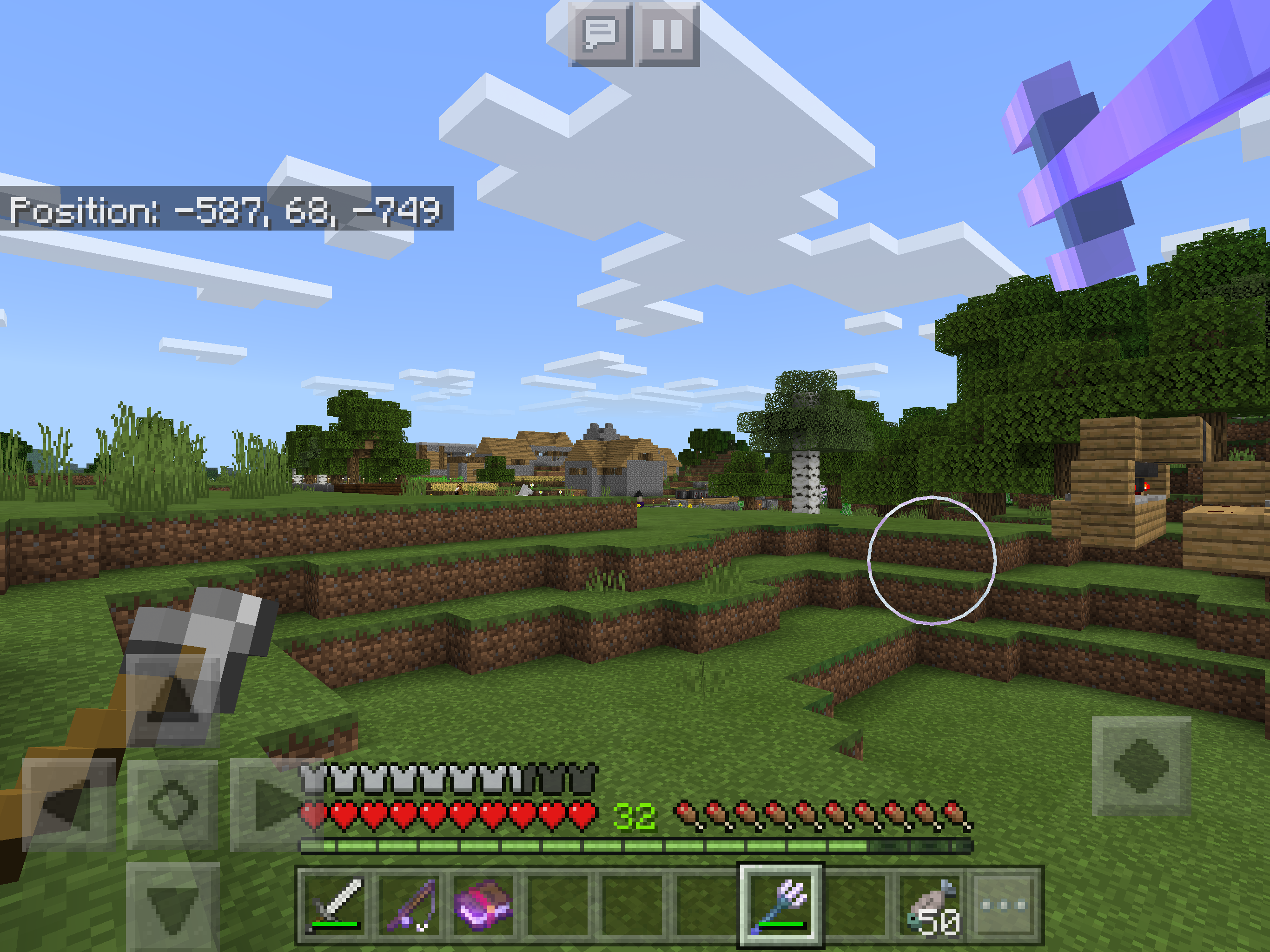


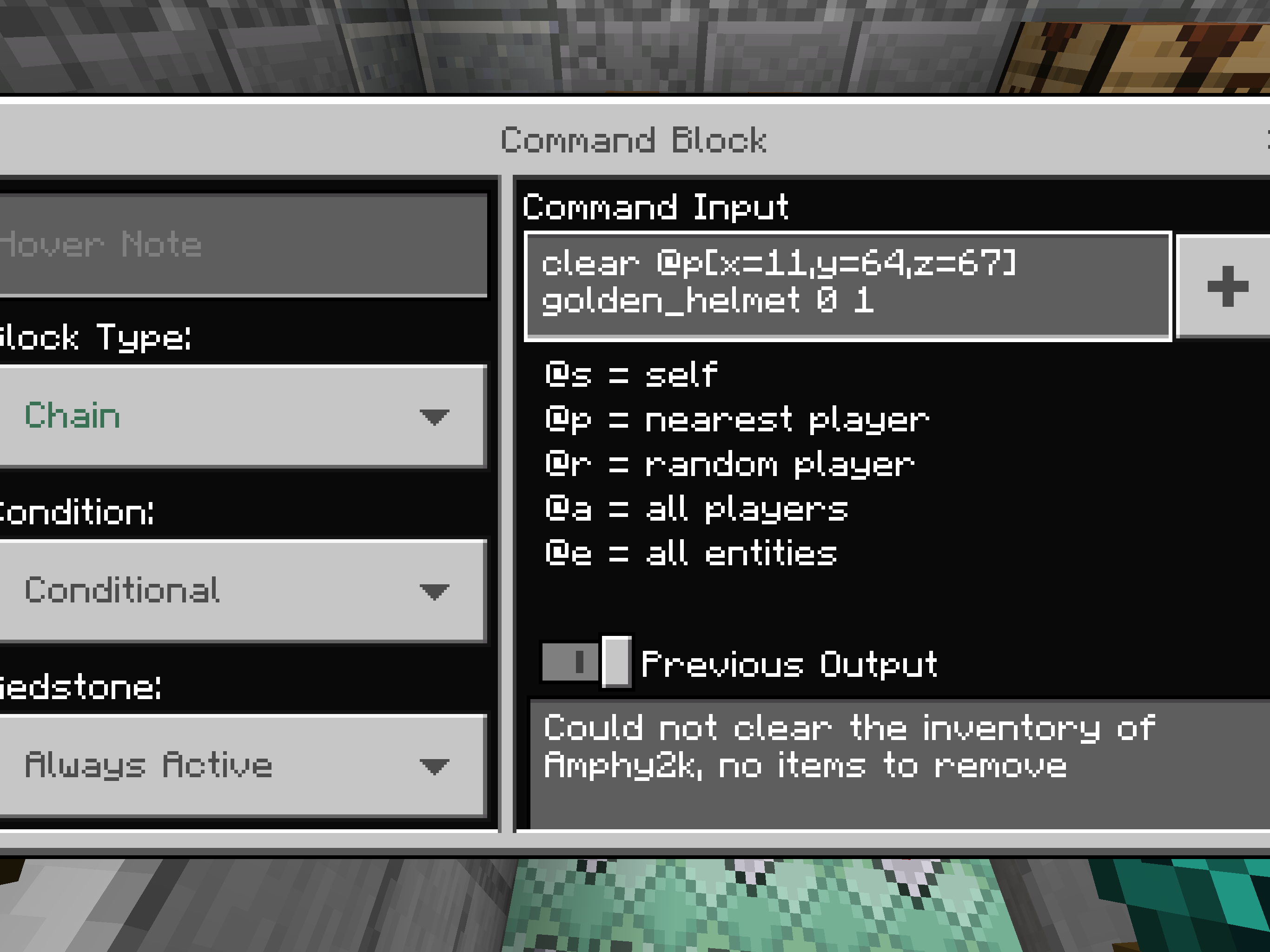






Hopper Randomizer Not WorkingDropper Randomizer Not Working
Every single
time I join any of my worlds, let it be from the lowest bits used to the most even brand new ones it crashes 1-2 seconds after i join. This is an extremely important Game breaking bug that needs to be fixed otherwise the game is unplayable. Ive tried restarting the app and my iPad but nothing changes.
Note: I did look this up very throughly in the search to see if its a repost but The closest i saw to my problem is from 0.8.0 and im on 0.15.0. If this is a repost then I would please request that you make it easier to find bugs as every time i report a bug its a duplicate no matter how throughly I search for
it.Also please fix the bug that dosent let me submit posts on my iPad, it refuses to let me select the Affected Versions no matter what I do and it makes it very hard to report bugs as its a required part.
Every single time I join any of my worlds, let it be from the lowest bits used to the most even brand new ones it crashes 1-2 seconds after i join. This is an extremely important Game breaking bug that needs to be fixed otherwise the game is unplayable. Ive tried restarting the app and my iPad but nothing changes.
Note: I did look this up very throughly in the search to see if its a repost but The closest i saw to my problem is from 0.8.0 and im on 0.15.0. If this is a repost then I would please request that you make it easier to find bugs as every time i report a bug its a duplicate no matter how throughly I search for
it.Also please fix the bug that dosent let me submit posts on my iPad, it refuses to let me select the Affected Versions no matter what I do and it makes it very hard to report bugs as its a required part.
Every single time I join any of my worlds, let it be from the lowest bits used to the most even brand new ones it crashes 1-2 seconds after i join. This is an extremely important Game breaking bug that needs to be fixed otherwise the game is unplayable. Ive tried restarting the app and my iPad but nothing changes.
How to re-create?
I dont know. Ive tried everything to fix it but I have no clue what caused it. It just started to happen right when i played it the first time today, at roughly 3:20 pm. The last thing i was doing on it (the day before) was playing on my survival world (when i reported my last two bugs) i quit after i died and lost all my stuff in the relocation bug i reported. The world i tried to go on when it first happend was yet again my survival world, i then tried my creative world and then one of my older worlds and not one was stable, every single world would crash my game.Note: I did look this up very throughly in the search to see if its a repost but The closest i saw to my problem is from 0.8.0 and im on 0.15.0. If this is a repost then I would please request that you make it easier to find bugs as every time i report a bug its a duplicate no matter how throughly I search for
it.Also please fix the bug that dosent let me submit posts on my iPad, it refuses to let me select the Affected Versions no matter what I do and it makes it very hard to report bugs as its a required part.
Every single time I join any of my worlds, let it be from the lowest bits used to the most even brand new ones it crashes 1-2 seconds after i join. This is an extremely important Game breaking bug that needs to be fixed otherwise the game is unplayable. Ive tried restarting the app and my iPad but nothing changes.
How to re-create?
I dont know. Ive tried everything to fix it but I have no clue what caused it. It just started to happen right when i played it the first time today, at roughly 3:20 pm. The last thing i was doing on it (the day before) was playing on my survival world (when i reported my last two bugs) i quit after i died and lost all my stuff in the relocation bug i reported. The world i tried to go on when it first happend was yet again my survival world, i then tried my creative world and then one of my older worlds and not one was stable, every single world would crash my game.Note: I did look this up very throughly in the search to see if its a repost but The closest i saw to my problem is from 0.8.0 and im on 0.15.0. If this is a repost then I would please request that you make it easier to find bugs as every time i report a bug its a duplicate no matter how throughly I search for
it.
Also please fix the bug that dosent let me submit posts on my iPad, it refuses to let me select the Affected Versions no matter what I do and it makes it very hard to report bugs as its a required part.Please keep the description focused on the bug.
-kaleb418Edit: To Answer Mega_Spud's Questions
-Yes I'm always using wifi when playing or no connection at all.
-Yes it dose happen on Airplane Mode but it takes a few more seconds for me to crash. Around 2-4 rather than 1-2
-Yes I am logged on using Xbox Live. (Ive heard rumours from my friends that got Xbox Live that it breaks their game too so this could be it, I have not yet tried it not using Xbox Live)
-No I don't have or use any Texture Packs.
-I'm on iOS 9.3.3 currently. I entered that in the box when I submitted it but it doesn't show up for some reason.
Every single time I join any of my worlds, let it be from the lowest bits used to the most even brand new ones it crashes 1-2 seconds after i join. This is an extremely important Game breaking bug that needs to be fixed otherwise the game is unplayable. Ive tried restarting the app and my iPad but nothing changes.
How to re-create?
I dont know. Ive tried everything to fix it but I have no clue what caused it. It just started to happen right when i played it the first time today, at roughly 3:20 pm. The last thing i was doing on it (the day before) was playing on my survival world (when i reported my last two bugs) i quit after i died and lost all my stuff in the relocation bug i reported. The world i tried to go on when it first happend was yet again my survival world, i then tried my creative world and then one of my older worlds and not one was stable, every single world would crash my game.Note: I did look this up very throughly in the search to see if its a repost but The closest i saw to my problem is from 0.8.0 and im on 0.15.0. If this is a repost then I would please request that you make it easier to find bugs as every time i report a bug its a duplicate no matter how throughly I search for
it.
Also please fix the bug that dosent let me submit posts on my iPad, it refuses to let me select the Affected Versions no matter what I do and it makes it very hard to report bugs as its a required part.Please keep the description focused on the bug.
-kaleb418Edit: To Answer Mega_Spud's Questions
-Yes I'm always using wifi when playing or no connection at all.
-Yes it dose happen on Airplane Mode but it takes a few more seconds for me to crash. Around 2-4 rather than 1-2
-Yes I am logged on using Xbox Live. (Ive heard rumours from my friends that got Xbox Live that it breaks their game too so this could be it, I have not yet tried it not using Xbox Live)
-No I don't have or use any Texture Packs.
-I'm on iOS 9.3.3 currently. I entered that in the box when I submitted it but it doesn't show up for some reason.
I have tested this with all types of swords and with Sharpness, Knockback, and looting. Ive tested the Silk Touch with a Diamond Pick and it also dosent work. Im on iPad Pro 12.9", iOS 9.3.3, MCPE 0.15.0
I agree with Azelef. Reopen this bug it isnt fixed yet

When attempting to tame a horse while holding a saddle it causes the horse to "freak out" aka, make the sound when you are kicked off the horse but you never get on it. It dose this infinitely
Note: the horse will never be tamed sadly. If it was then this would be the fastest way to tame a horse. A bug with potential
Steps to recreate
1: get a saddle
2: find a horse thats untamed
3: hold down on the horse (Ie, try to ride it) while holding saddle.
4: profit. Or ehh... Bug?Just tested it and it still happens in 0.15.2 but its not as fast anymore, alot slower.
I was testing my new mincart system through the Mesa Biome when i ran into a cactus, because my armor is so good i wasnt taking damage so i didnt care, i placed my minecart then got in it, no longer touching the cactus, but while going along my minecart system away from the cactus i was still taking its damage all the way till i got out the minecart. This instantly made me curious to see if this works on a boat and i built one, it also dose the same thing when in the boat with one difference, the boat also takes damage with you even if the boat isnt touching you or the cactus.
Its not a crazy or large bug but something funny and small i found when mucking around.
Steps to reproduce (Minecart)
1. Have a minecart and track nearbye
2. Run into a cactus
3. While taking damage get into minecart and ride away
4. Still take damage until you are out of the minecartSteps to reproduce (Boat)
1. Get a boat
2. Run into cactus
3. Get in boat
4. Still take damage until boat brakes or exit.
3* dont get in boat just place boat
4* boat brakes
- means alternate glitch
Edit: I kept testing it and it also works with Horses and Pigs, so anything that you can ride this will happen to.
I was testing my new mincart system through the Mesa Biome when i ran into a cactus, because my armor is so good i wasnt taking damage so i didnt care, i placed my minecart then got in it, no longer touching the cactus, but while going along my minecart system away from the cactus i was still taking its damage all the way till i got out the minecart. This instantly made me curious to see if this works on a boat and i built one, it also dose the same thing when in the boat with one difference, the boat also takes damage with you even if the boat isnt touching you or the cactus.
Its not a crazy or large bug but something funny and small i found when mucking around.
Steps to reproduce (Minecart)
1. Have a minecart and track nearbye
2. Run into a cactus
3. While taking damage get into minecart and ride away
4. Still take damage until you are out of the minecartSteps to reproduce (Boat)
1. Get a boat
2. Run into cactus
3. Get in boat
4. Still take damage until boat brakes or exit.
3* dont get in boat just place boat
4* boat brakes
- means alternate glitch
Edit: I kept testing it and it also works with Horses and Pigs, so anything that you can ride this will happen to.
Edit: I re-tested it and it still happens in 0.15.6
I was testing my new mincart system through the Mesa Biome when i ran into a cactus, because my armor is so good i wasnt taking damage so i didnt care, i placed my minecart then got in it, no longer touching the cactus, but while going along my minecart system away from the cactus i was still taking its damage all the way till i got out the minecart. This instantly made me curious to see if this works on a boat and i built one, it also dose the same thing when in the boat with one difference, the boat also takes damage with you even if the boat isnt touching you or the cactus.
Its not a crazy or large bug but something funny and small i found when mucking around.
Steps to reproduce (Minecart)
1. Have a minecart and track nearbye
2. Run into a cactus
3. While taking damage get into minecart and ride away
4. Still take damage until you are out of the minecartSteps to reproduce (Boat)
1. Get a boat
2. Run into cactus
3. Get in boat
4. Still take damage until boat brakes or exit.
3* dont get in boat just place boat
4* boat brakes
- means alternate glitch
Edit: I kept testing it and it also works with Horses and Pigs, so anything that you can ride this will happen to.
Edit: I re-tested it and it still happens in 0.15.6
I was testing my new mincart system through the Mesa Biome when i ran into a cactus, because my armor is so good i wasnt taking damage so i didnt care, i placed my minecart then got in it, no longer touching the cactus, but while going along my minecart system away from the cactus i was still taking its damage all the way till i got out the minecart. This instantly made me curious to see if this works on a boat and i built one, it also dose the same thing when in the boat with one difference, the boat also takes damage with you even if the boat isnt touching you or the cactus.
Its not a crazy or large bug but something funny and small i found when mucking around.
Steps to reproduce (Minecart)
1. Have a minecart and track nearbye
2. Run into a cactus
3. While taking damage get into minecart and ride away
4. Still take damage until you are out of the minecartSteps to reproduce (Boat)
1. Get a boat
2. Run into cactus
3. Get in boat
4. Still take damage until boat brakes or exit.
3* dont get in boat just place boat
4* boat brakes
- means alternate glitch
Edit: I kept testing it and it also works with Horses and Pigs, so anything that you can ride this will happen to.
Edit: I re-tested it and it still happens in 0.15.6
Edit: Yet again it sill exists in 0.15.7
I was testing my new mincart system through the Mesa Biome when i ran into a cactus, because my armor is so good i wasnt taking damage so i didnt care, i placed my minecart then got in it, no longer touching the cactus, but while going along my minecart system away from the cactus i was still taking its damage all the way till i got out the minecart. This instantly made me curious to see if this works on a boat and i built one, it also dose the same thing when in the boat with one difference, the boat also takes damage with you even if the boat isnt touching you or the cactus.
Its not a crazy or large bug but something funny and small i found when mucking around.
Steps to reproduce (Minecart)
1. Have a minecart and track nearbye
2. Run into a cactus
3. While taking damage get into minecart and ride away
4. Still take damage until you are out of the minecartSteps to reproduce (Boat)
1. Get a boat
2. Run into cactus
3. Get in boat
4. Still take damage until boat brakes or exit.
3*dont get in boat just place boat
4*boat brakes
- means alternate glitch
Edit: I
kept testing it and it also works with Horses and Pigs, so anything that you can ride this will happen to.Edit:
I re-tested it andit stillhappens in 0.15.6Edit:
Yet again it sill exists in 0.15.7I was testing my new mincart system through the Mesa Biome when i ran into a cactus, because my armor is so good i wasnt taking damage so i didnt care, i placed my minecart then got in it, no longer touching the cactus, but while going along my minecart system away from the cactus i was still taking its damage all the way till i got out the minecart. This instantly made me curious to see if this works on a boat and i built one, it also dose the same thing when in the boat with one difference, the boat also takes damage with you even if the boat isnt touching you or the cactus.
Its not a crazy or large bug but something funny and small i found when mucking around.
Steps to reproduce (Minecart)
1. Have a minecart and track nearbye
2. Run into a cactus
3. While taking damage get into minecart and ride away
4. Still take damage until you are out of the minecartSteps to reproduce (Boat)
1. Get a boat
2. Run into cactus
3. Get in boat
4. Still take damage until boat brakes or exit.
3~ dont get in boat just place boat
4~ boat brakes~ means alternate glitch
Edit: I kept testing it and it also works with Horses and Pigs, so anything that you can ride this will happen to.
Edit: I re-tested it and it still happens in 0.15.6
Edit: Yet again it sill exists in 0.15.7
Edit: 0.15.8 Still isn't fixed.
I was testing my new mincart system through the Mesa Biome when i ran into a cactus, because my armor is so good i wasnt taking damage so i didnt care, i placed my minecart then got in it, no longer touching the cactus, but while going along my minecart system away from the cactus i was still taking its damage all the way till i got out the minecart. This instantly made me curious to see if this works on a boat and i built one, it also dose the same thing when in the boat with one difference, the boat also takes damage with you even if the boat isnt touching you or the cactus.
Its not a crazy or large bug but something funny and small i found when mucking around.
Steps to reproduce (Minecart)
1. Have a minecart and track nearbye
2. Run into a cactus
3. While taking damage get into minecart and ride away
4. Still take damage until you are out of the minecartSteps to reproduce (Boat)
1. Get a boat
2. Run into cactus
3. Get in boat
4. Still take damage until boat brakes or exit.
3~ dont get in boat just place boat
4~ boat brakes~ means alternate glitch
Edit: I kept testing it and it also works with Horses and Pigs, so anything that you can ride this will happen to.
Edit: I re-tested it and it still happens in 0.15.6
Edit: Yet again it sill exists in 0.15.7
Edit: 0.15.8 Still isn't fixed.
I was testing my new mincart system through the Mesa Biome when i ran into a cactus, because my armor is so good i wasnt taking damage so i didnt care, i placed my minecart then got in it, no longer touching the cactus, but while going along my minecart system away from the cactus i was still taking its damage all the way till i got out the minecart. This instantly made me curious to see if this works on a boat and i built one, it also dose the same thing when in the boat with one difference, the boat also takes damage with you even if the boat isnt touching you or the cactus.
Its not a crazy or large bug but something funny and small i found when mucking around.
Steps to reproduce (Minecart)
1. Have a minecart and track nearbye
2. Run into a cactus
3. While taking damage get into minecart and ride away
4. Still take damage until you are out of the minecartSteps to reproduce (Boat)
1. Get a boat
2. Run into cactus
3. Get in boat
4. Still take damage until boat brakes or exit.
3~ dont get in boat just place boat
4~ boat brakes~ means alternate glitch
Edit: I kept testing it and it also works with Horses and Pigs, so anything that you can ride this will happen to.
Edit: I re-tested it and it still happens in 0.15.6
Edit: Yet again it sill exists in 0.15.7
Edit: 0.15.8 Still isn't fixed. (Please note that the bug tracker dose not recognize 0.15.8 as an update, because of this I just put 0.15.90.7 assuming thats what 0.15.8 is in the bug trackers eyes, if that is incorrect I would request a mod or admin fixes it because I can not use an update that doesn't exist in bug trackers code.)
I was testing my new mincart system through the Mesa Biome when i ran into a cactus, because my armor is so good i wasnt taking damage so i didnt care, i placed my minecart then got in it, no longer touching the cactus, but while going along my minecart system away from the cactus i was still taking its damage all the way till i got out the minecart. This instantly made me curious to see if this works on a boat and i built one, it also dose the same thing when in the boat with one difference, the boat also takes damage with you even if the boat isnt touching you or the cactus.
Its not a crazy or large bug but something funny and small i found when mucking around.
Steps to reproduce (Minecart)
1. Have a minecart and track nearbye
2. Run into a cactus
3. While taking damage get into minecart and ride away
4. Still take damage until you are out of the minecartSteps to reproduce (Boat)
1. Get a boat
2. Run into cactus
3. Get in boat
4. Still take damage until boat brakes or exit.
3~ dont get in boat just place boat
4~ boat brakes~ means alternate glitch
Edit: I kept testing it and it also works with Horses and Pigs, so anything that you can ride this will happen to.
Edit: I re-tested it and it still happens in 0.15.6
Edit: Yet again it sill exists in 0.15.7
Edit: 0.15.8 Still isn't fixed. (Please note that the bug tracker dose not recognize 0.15.8 as an update, because of this I just put 0.15.90.7 assuming thats what 0.15.8 is in the bug trackers
eyes, if that is incorrect I would request a mod or admin fixes it because I can not use an update that doesn't exist in bug trackers code.)I was testing my new mincart system through the Mesa Biome when i ran into a cactus, because my armor is so good i wasnt taking damage so i didnt care, i placed my minecart then got in it, no longer touching the cactus, but while going along my minecart system away from the cactus i was still taking its damage all the way till i got out the minecart. This instantly made me curious to see if this works on a boat and i built one, it also dose the same thing when in the boat with one difference, the boat also takes damage with you even if the boat isnt touching you or the cactus.
Its not a crazy or large bug but something funny and small i found when mucking around.
Steps to reproduce (Minecart)
1. Have a minecart and track nearbye
2. Run into a cactus
3. While taking damage get into minecart and ride away
4. Still take damage until you are out of the minecartSteps to reproduce (Boat)
1. Get a boat
2. Run into cactus
3. Get in boat
4. Still take damage until boat brakes or exit.
3~ dont get in boat just place boat
4~ boat brakes~ means alternate glitch
Edit: I kept testing it and it also works with Horses and Pigs, so anything that you can ride this will happen to.
Edit: I re-tested it and it still happens in 0.15.6
Edit: Yet again it sill exists in 0.15.7
Edit: 0.15.8 Still isn't fixed. (Please note that the bug tracker dose not recognize 0.15.8 as an update, because of this I just put 0.15.90.7 assuming thats what 0.15.8 is in the bug trackers code, if that is incorrect I would request a mod or admin fixes it because I can not use an update that doesn't exist in bug trackers code.)
I was testing my new mincart system through the Mesa Biome when i ran into a cactus, because my armor is so good i wasnt taking damage so i didnt care, i placed my minecart then got in it, no longer touching the cactus, but while going along my minecart system away from the cactus i was still taking its damage all the way till i got out the minecart. This instantly made me curious to see if this works on a boat and i built one, it also dose the same thing when in the boat with one difference, the boat also takes damage with you even if the boat isnt touching you or the cactus.
Its not a crazy or large bug but something funny and small i found when mucking around.
Steps to reproduce (Minecart)
1. Have a minecart and track nearbye
2. Run into a cactus
3. While taking damage get into minecart and ride away
4. Still take damage until you are out of the minecartSteps to reproduce (Boat)
1. Get a boat
2. Run into cactus
3. Get in boat
4. Still take damage until boat brakes or exit.
3~ dont get in boat just place boat
4~ boat brakes~ means alternate glitch
Edit: I kept testing it and it also works with Horses and Pigs, so anything that you can ride this will happen to.
Edit: I re-tested it and it still happens in 0.15.6
Edit: Yet again it sill exists in 0.15.7
Edit: 0.15.8 Still isn't fixed. (Please note that the bug tracker dose not recognize 0.15.8 as an update, because of this I just put 0.15.90.7 assuming thats what 0.15.8 is in the bug trackers code, if that is incorrect I would request a mod or admin fixes it because I can not use an update that doesn't exist in bug trackers code.)
I was testing my new mincart system through the Mesa Biome when i ran into a cactus, because my armor is so good i wasnt taking damage so i didnt care, i placed my minecart then got in it, no longer touching the cactus, but while going along my minecart system away from the cactus i was still taking its damage all the way till i got out the minecart. This instantly made me curious to see if this works on a boat and i built one, it also dose the same thing when in the boat with one difference, the boat also takes damage with you even if the boat isnt touching you or the cactus.
Its not a crazy or large bug but something funny and small i found when mucking around.
Steps to reproduce (Minecart)
1. Have a minecart and track nearbye
2. Run into a cactus
3. While taking damage get into minecart and ride away
4. Still take damage until you are out of the minecartSteps to reproduce (Boat)
1. Get a boat
2. Run into cactus
3. Get in boat
4. Still take damage until boat brakes or exit.
3~ dont get in boat just place boat
4~ boat brakes~ means alternate glitch
Edit: I kept testing it and it also works with Horses and Pigs, so anything that you can ride this will happen to.
Edit: I re-tested it and it still happens in 0.15.6
Edit: Yet again it sill exists in 0.15.7
Edit: 0.15.8 Still isn't fixed
Pressing the tab key creates ō instead of "Tabbing" the text.
How to do.
1: Place sign
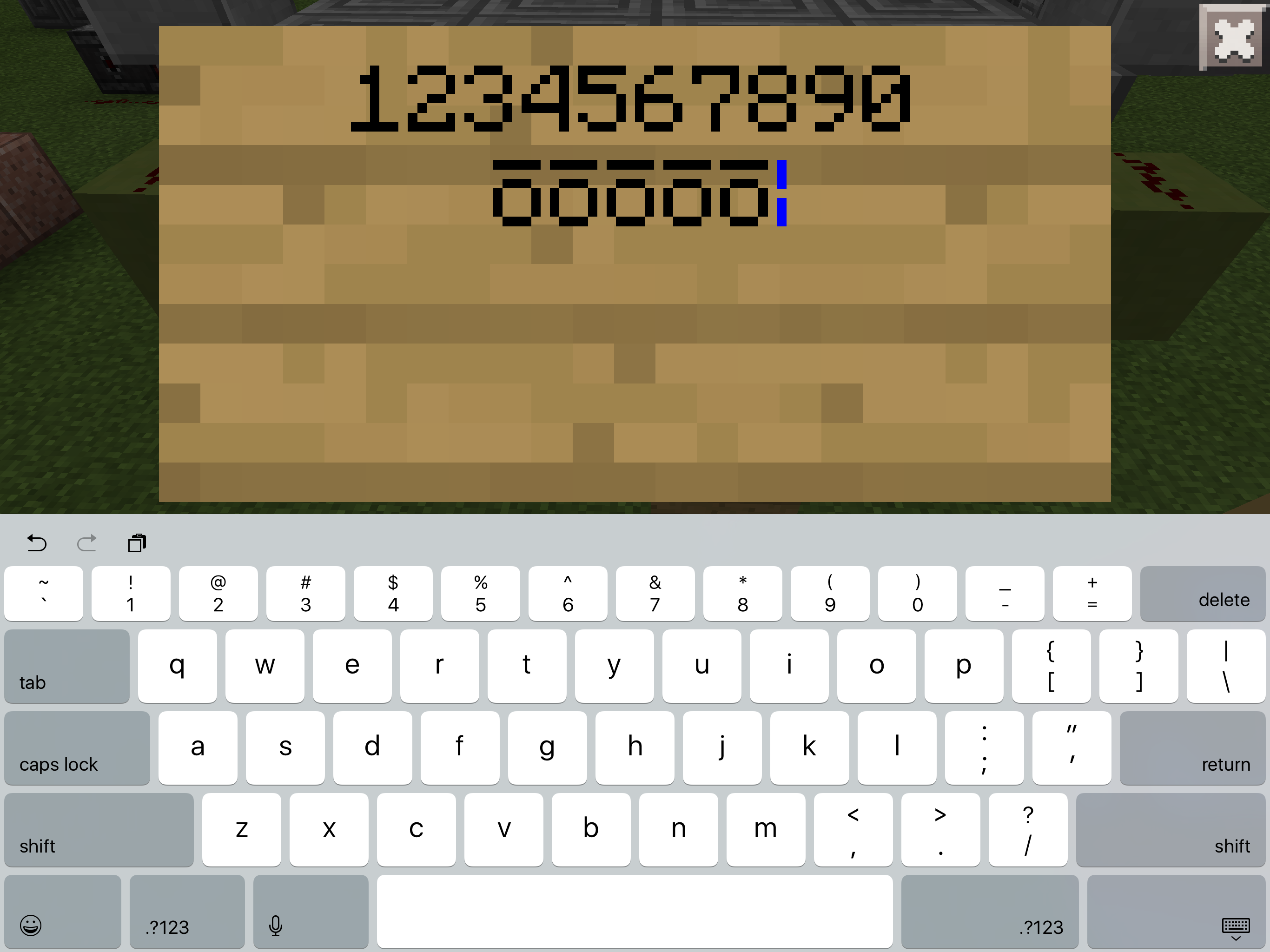
2: TabThe attached picture is what it looks like when you press tab. There are numbers above it to show that everything else works. (I used numbers to signify that all other keys worked, I was lazy and didn't wanna do every key. After finding this I did check to see if every key worked and it did, so to my knowledge only the tab key is broken.)
Also please not that this bug IS NOT for 0;15.90.7 it is for 0.15.8. 0.15.8 dose not exist in the bug tracker yet so I am using the assumed name of the last version, 0.15.90.7 as a placeholder until 0.15.8 is added. Sorry.
Pressing the tab key creates ō instead of "Tabbing" the text.
How to do.
1: Place sign
2: TabThe attached picture is what it looks like when you press tab. There are numbers above it to show that everything else works. (I used numbers to signify that all other keys worked, I was lazy and didn't wanna do every key. After finding this I did check to see if every key worked and it did, so to my knowledge only the tab key is broken.)
Edit: 0.15.9 still happens. Also found that if you use the actual ō not the tab key it creates the tiny text, thats not a bug but when you then use the tab key it creates a very glitchy and broken character, so this is like two glitches in one now.
Pressing the tab key creates ō instead of "Tabbing" the text.
How to do.
1: Place sign
2: TabThe attached picture is what it looks like when you press tab. There are numbers above it to show that everything else works. (I used numbers to signify that all other keys worked, I was lazy and didn't wanna do every key. After finding this I did check to see if every key worked and it did, so to my knowledge only the tab key is broken.)
Edit: 0.15.9 still happens. Also found that if you use the actual ō not the tab key it creates the tiny text, thats not a bug but when you then use the tab key it creates a very glitchy and broken character, so this is like two glitches in one now.
Also yet again the bug tracker is broken and wont let me add 0.15.9 so I just put the closest to it until its added then I will fix it.
Pressing the tab key creates ō instead of "Tabbing" the text.
How to do.
1: Place sign
2: TabThe attached picture is what it looks like when you press tab. There are numbers above it to show that everything else works. (I used numbers to signify that all other keys worked, I was lazy and didn't wanna do every key. After finding this I did check to see if every key worked and it did, so to my knowledge only the tab key is broken.)
Edit: 0.15.9 still happens. Also found that if you use the actual ō not the tab key it creates the tiny text, thats not a bug but when you then use the tab key it creates a very glitchy and broken character, so this is like two glitches in one now.
Also yet again the bug tracker is broken and wont let me add 0.15.9 so I just put the closest to it until its added then I will fix it.
Edit: 0.16.0 and it still exists
Pressing the tab key creates ō instead of "Tabbing" the text.
How to do.
1: Place sign
2: TabThe attached picture is what it looks like when you press tab. There are numbers above it to show that everything else works. (I used numbers to signify that all other keys worked, I was lazy and didn't wanna do every key. After finding this I did check to see if every key worked and it did, so to my knowledge only the tab key is broken.)
Edit: 0.15.9 still happens. Also found that if you use the actual ō not the tab key it creates the tiny text, thats not a bug but when you then use the tab key it creates a very glitchy and broken character, so this is like two glitches in one now.
Also yet again the bug tracker is broken and wont let me add 0.15.9 so I just put the closest to it until its added then I will fix it.
Edit: 0.16.0 and it still exists
0.16.1 and still happens
Pressing the tab key creates ō instead of "Tabbing" the text.
How to do.
1: Place sign
2: TabThe attached picture is what it looks like when you press tab. There are numbers above it to show that everything else works. (I used numbers to signify that all other keys worked, I was lazy and didn't wanna do every key. After finding this I did check to see if every key worked and it did, so to my knowledge only the tab key is broken.)
Edit: 0.15.9 still happens. Also found that if you use the actual ō not the tab key it creates the tiny text, thats not a bug but when you then use the tab key it creates a very glitchy and broken character, so this is like two glitches in one now.
Also yet again the bug tracker is broken and wont let me add 0.15.9 so I just put the closest to it until its added then I will fix it.
Edit: 0.16.0 and it still exists
0.16.1 and still happens
0.16.2 BANG BANG BANG... Still exists xD I shall never stop updating this page till the day comes where the integrate full iPad Pro support! I am the iPad Pro Powerranger! (Sorry, that was incredibly cringy, im just messing around at this point haha, I know this will likely never be fixed :3 )
Pressing the tab key creates ō insteadof "Tabbing" the text.How to do.
1: Place sign
2: TabThe attached picture is what it looks like when you press tab. There are numbers above it to show that everything else works. (I used numbers to signify that all other keys worked, I was lazy and didn't wanna do every key. After finding this I did check to see if every key worked and it did, so to my knowledge only the tab key is broken.)
Edit: 0.15.9 still happens. Also found that if you use the actual ō not the tab key it creates the tiny text, thats not a bug but when you then use the tab key it creates a very glitchy and broken character, so this is like two glitches in one now.
Also yet again the bug tracker is broken and wont let me add 0.15.9 so I just put the closest to it until its added then I will fix it.
Edit: 0.16.0 and it still exists
0.16.1 and still happens
0.16.2 BANG BANG BANG... Still exists xD I shall never stop updating this page till the day comes where the integrate full iPad Pro support! I am the iPad Pro Powerranger! (Sorry, that was incredibly cringy, im just messing around at this point haha, I know this will likely never be fixed :3 )
This was recently updated to make it more up to
Pressing the tab key creates ō instead of "Tabbing" the text.
How to do.
1: Place sign
2: TabThe attached picture is what it looks like when you press tab. There are numbers above it to show that everything else works. (I used numbers to signify that all other keys worked, I was lazy and didn't wanna do every key. After finding this I did check to see if every key worked and it did, so to my knowledge only the tab key is broken.)
Edit: 0.15.9 still happens. Also found that if you use the actual ō not the tab key it creates the tiny text, thats not a bug but when you then use the tab key it creates a very glitchy and broken character, so this is like two glitches in one now.
Also yet again the bug tracker is broken and wont let me add 0.15.9 so I just put the closest to it until its added then I will fix it.
Edit: 0.16.0 and it still exists
0.16.1 and still happens
0.16.2 BANG BANG BANG... Still exists xD I shall never stop updating this page till the day comes where the integrate full iPad Pro support! I am the iPad Pro Powerranger! (Sorry, that was incredibly cringy, im just messing around at this point haha, I know this will likely never be fixed :3 )
TabKeyDoesn't Tab Creates Weird Symbol InsteadTab key creates ō character on iPad
This was recently updated to make it more up to
Pressing the tab key creates ō instead of "Tabbing" the text.
How to do.
1: Place sign
2: TabThe attached picture is what it looks like when you press tab. There are numbers above it to show that everything else works. (I used numbers to signify that all other keys worked, I was lazy and didn't wanna do every key. After finding this I did check to see if every key worked and it did, so to my knowledge only the tab key is broken.)
Edit: 0.15.9 still happens. Also found that if you use the actual ō not the tab key it creates the tiny text, thats not a bug but when you then use the tab key it creates a very glitchy and broken character, so this is like two glitches in one now.
Also yet again the bug tracker is broken and wont let me add 0.15.9 so I just put the closest to it until its added then I will fix it.
Edit: 0.16.0 and it still exists
0.16.1 and stillhappens0.16.2 BANG BANG BANG... Still exists xD I shall never stop updating this page till the day comes where the integrate full iPad Pro support! I am the iPad Pro Powerranger! (Sorry, that was incredibly cringy, im just messing around at this point haha, I know this will likely never be fixed :3 )
This was recently updated to make it more up-to-date with more detailed and not-so-rude information.
TLDR; Pressing the tab key creates ō instead it's intended action on modern iPads.
What happens: When using the tab key on iPad Pros it creates the ō character instead. This can be done on all places where text can be inputted. This includes Signs, chat, Command Blocks, naming a world, searching in the store, writing in Books, etc..
How to do: Open any of the above mentioned areas where text can be entered. Press the tab key.
Attachment explanations: First image is a sign where the bug occurs. The second attachment is a video showing it occurring within the command screen. Please note that these two attachments are of far different age though the same thing happens today when using the tab key on a sign.
Tab key creates ō character on iPads
This was recently updated to make it more up-to-date
with moredetailed andnot-so-rude information.TLDR; Pressing the tab key creates ō instead it's intended action on modern iPads.
What happens: When using the tab key on iPad Pros it creates the ō character instead. This can be done on all places where text can be inputted. This includes Signs, chat, Command Blocks, naming a world, searching in the store, writing in Books, etc..
How to do: Open any of the above mentioned areas where text can be entered. Press the tab key.
Attachment explanations: First image is a sign where the bug occurs. The second attachment is a video showing it occurring within the command screen. Please note that these two attachments are of far different age though the same thing happens today when using the tab key on a sign.
This bug report was recently updated after many months to make it more up-to-date, detailed, and simpler. Sorry for the confusion.
TLDR; Pressing the tab key creates ō instead it's intended action on modern iPads.
What happens: When using the tab key on iPad Pros it creates the ō character instead. This can be done on all places where text can be inputted. This includes Signs, chat, Command Blocks, naming a world, searching in the store, writing in Books, etc..
How to do: Open any of the above mentioned areas where text can be entered. Press the tab key.
Attachment explanations: First image is a sign where the bug occurs. The second attachment is a video showing it occurring within the command screen. Please note that these two attachments are of far different age though the same thing happens today when using the tab key on a sign.
This bug report was recently updated after many months to make it more up-to-date, detailed, and simpler. Sorry for the confusion.
TLDR; Pressing the tab key creates ō instead it's intended action on modern iPads.
What happens: When using the tab key on iPad Pros it creates the ō character instead. This can be done on all places where text can be inputted. This includes Signs, chat, Command Blocks, naming a world, searching in the store, writing in Books, etc..
How to do: Open any of the above mentioned areas where text can be entered. Press the tab key.
Attachment explanations: First image is a sign where the bug occurs. The second attachment is a video showing it occurring within the command screen. Please note that these two attachments are of far different age though the same thing happens today when using the tab key on a sign.
Other information: empty
This bug report was recently updated after many months to make it more up-to-date, detailed, and simpler. Sorry for the confusion.
TLDR; Pressing the tab key creates ō instead it's intended action on modern iPads.
What happens: When using the tab key on iPad Pros it creates the ō character instead. This can be done on all places where text can be inputted. This includes Signs, chat, Command Blocks, naming a world, searching in the store, writing in Books, etc..
How to do: Open any of the above mentioned areas where text can be entered. Press the tab key.
Attachment explanations: First image is a sign where the bug occurs. The second attachment is a video showing it occurring within the command screen. Please note that these two attachments are of far different age though the same thing happens today when using the tab key on a sign.
Other information: empty
This bug report was recently updated after many months to make it more up-to-date, detailed, and simpler. Sorry for the confusion.
TLDR; Pressing the tab key creates ō instead it's intended action on modern iPads.
What happens: When using the tab key on iPad Pros it creates the ō character instead. This can be done on all places where text can be inputted. This includes Signs, chat, Command Blocks, naming a world, searching in the store, writing in Books, etc..
How to do: Open any of the above mentioned areas where text can be entered. Press the tab key.
Attachment explanations: First image is a sign where the bug occurs. The second attachment is a video showing it occurring within the command screen. Please note that these two attachments are of far different age though the same thing happens today when using the tab key on a sign.
Other information: This issue also occurs when using a bluetooth keyboard as indicated by MCPE-29364. It may be an iOS exclusive bug as shown by some commenters who have attempted this on other non iOS devices.
This bug report was recently updated after many months to make it more up-to-date, detailed, and simpler. Sorry for the confusion.
TLDR; Pressing the tab key creates ō instead it's intended action on modern iPads.
What happens: When using the tab key on iPad Pros it creates the ō character instead. This can be done on all places where text can be inputted. This includes Signs, chat, Command Blocks, naming a world, searching in the store, writing in Books, etc..
How to do: Open any of the above mentioned areas where text can be entered. Press the tab key.
Attachment explanations: First image is a sign where the bug occurs. The second attachment is a video showing it occurring within the command screen. Please note that these two attachments are of far different age though the same thing happens today when using the tab key on a sign.
Other information: This issue also occurs when using a bluetooth keyboard as indicated by
MCPE-29364. It may be an iOS exclusive bug asshownby some commenters who have attempted this on other noniOS devices.This bug report was recently updated after many months to make it more up-to-date, detailed, and simpler. Sorry for the confusion.
TLDR; Pressing the tab key creates ō instead it's intended action on modern iPads.
What happens: When using the tab key on iPad Pros it creates the ō character instead. This can be done on all places where text can be inputted. This includes Signs, chat, Command Blocks, naming a world, searching in the store, writing in Books, etc..
How to do: Open any of the above mentioned areas where text can be entered. Press the tab key.
Attachment explanations: First image is a sign where the bug occurs. The second attachment is a video showing it occurring within the command screen. Please note that these two attachments are of far different age though the same thing happens today when using the tab key on a sign.
Other information: This issue also occurs when using a bluetooth keyboard as indicated by
MCPE-29364. It may be an iOS exclusive bug as explained by some commenters below who have attempted this on other non-iOS devices.
This bug report was recently updated after many months to make it more up-to-date, detailed, and simpler. Sorry for the confusion.
TLDR; Pressing the tab key creates ō instead it's intended action on modern i
Pads.What happens: When using the tab key on iPad Pros it creates the ō character instead. This can be done on all places where text can be inputted. This includes Signs, chat, Command Blocks, naming a world, searching in the store, writing in Books, etc..
How to do: Open any of the above mentioned areas where text can be entered. Press the tab key.
Attachment explanations: First image is a sign where the bug occurs. The second attachment is a video showing it occurring within the command screen. Please note that these two attachments are of far different age though the same thing happens today when using the tab key on a sign.
Other information: This issue also occurs when using a bluetooth keyboard as indicated by
MCPE-29364. It may be an iOS exclusive bug as explained by some commenters below who have attempted this on other non-iOS devices.This bug report was recently updated after many months to make it more up-to-date, detailed, and simpler. Sorry for the confusion.
TLDR; Pressing the tab key creates ō instead it's intended action on modern iOS devices.
What happens: When using the tab key on iPad Pros it creates the ō character instead. This can be done on all places where text can be inputted. This includes Signs, chat, Command Blocks, naming a world, searching in the store, writing in Books, etc..
How to do: Open any of the above mentioned areas where text can be entered. Press the tab key.
Attachment explanations: First image is a sign where the bug occurs. The second attachment is a video showing it occurring within the command screen. Please note that these two attachments are of far different age though the same thing happens today when using the tab key on a sign.
Other information: This issue also occurs when using a bluetooth keyboard as indicated by
MCPE-29364. It may be an iOS exclusive bug as explained by some commenters below who have attempted this on other non-iOS devices.
This bug report was recently updated after many months to make it more up-to-date, detailed, and simpler. Sorry for the confusion.
TLDR; Pressing the tab key
creates ōinstead it's intendedaction on modern iOS devices.What happens: When using the tab key on
iPad Pros it creates the ō character instead. This can be done on all places where text can be inputted. This includes Signs, chat, Command Blocks, naming a world, searching in the store, writing in Books, etc..How to do: Open any of the above mentioned areas where text can be entered. Press the tab key.
Attachment explanations: First image is a sign where the bug occurs. The second attachment is a video showing it occurring within the command screen. Please note that these two attachments are of far different age though the same thing happens today when using the tab key on a sign.
Other information: This issue also occurs when using a bluetooth keyboard as indicated by
MCPE-29364. It may be an iOS exclusive bug as explained by some commenters below who have attempted this on other non-iOS devices.This bug report was recently updated after many months to make it more up-to-date, detailed, and simpler. Sorry for the confusion.
TLDR; Pressing the tab key types "ō" instead it's intended function on modern iOS devices.
What happens: When using the tab key on on a modern iOS device it creates "ō" instead instead of it's intended function. This can be done on all places where text can be inputted. This includes Signs, chat, Command Blocks, naming a world, searching in the store, writing in Books, etc..
How to do: Open any of the above mentioned areas where text can be entered. Press the tab key.
Attachment explanations: First image is a sign where the bug occurs. The second attachment is a video showing it occurring within the command screen. Please note that these two attachments are of far different age though the same thing happens today when using the tab key on a sign.
Other information: This issue also occurs when using a bluetooth keyboard on an iOS device as indicated by
MCPE-29364. It may be an iOS exclusive bug as explained by some commenters below who have attempted this on other non-iOS devices.
Tab keycreates ō character on iPadsTab key types "ō" on iOS devices
This bug report was recently updated after many months to make it more up-to-date, detailed, and simpler. Sorry for
theconfusion.TLDR; Pressing the tab key types "ō" instead it's intended function on modern iOS devices.
What happens: When using the tab key on on a modern iOS device it
creates "ō" instead instead of it's intended function. This can be done on all places where text can be inputted. This includes Signs, chat, Command Blocks, naming a world, searching in the store, writing in Books, etc..How to do: Open any of the above mentioned areas where text can be entered. Press the tab key.
Attachment explanations: First image is a sign where the bug occurs. The second attachment is a video showing it occurring within the command screen. Please note that these two attachments are of far different age though the same thing happens today when using the tab key on a sign.
Other information: This issue also occurs when using a bluetooth keyboard on an iOS device as indicated by
MCPE-29364. It may be an iOS exclusive bug as explained by some commenters below who have attempted this on other non-iOS devices.This bug report was recently updated after many months to make it more up-to-date, detailed, and simpler. Sorry for any confusion.
TLDR; Pressing the tab key types "ō" instead it's intended function on modern iOS devices.
What happens: When using the tab key on on a modern iOS device it types "ō" instead instead of it's intended function. This can be done on all places where text can be inputted. This includes Signs, chat, Command Blocks, naming a world, searching in the store, writing in Books, etc..
How to do: Open any of the above mentioned areas where text can be entered. Press the tab key.
Attachment explanations: First image is a sign where the bug occurs. The second attachment is a video showing it occurring within the command screen. Please note that these two attachments are of far different age though the same thing happens today when using the tab key on a sign.
Other information: This issue also occurs when using a bluetooth keyboard on an iOS device as indicated by
MCPE-29364. It may be an iOS exclusive bug as explained by some commenters below who have attempted this on other non-iOS devices.
This bug report was recently updated after many months to make it more up-to-date, detailed, and simpler. Sorry for any confusion.
TLDR; Pressing the tab key types "ō" instead it's intended function on modern iOS devices.
What happens: When using the tab key on on a modern iOS device it types "ō" instead instead of it's intended function. This can be done on all places where text can be inputted. This includes Signs, chat, Command Blocks, naming a world, searching in the store, writing in Books, etc..
How to do: Open any of the above mentioned areas where text can be entered. Press the tab key.
Attachment explanations: First image is a sign where the bug occurs. The second attachment is a video showing it occurring within the command screen. Please note that these two attachments are of far different age though the same thing happens today when using the tab key on a sign.
Other information: This issue also occurs when using a bluetooth keyboard on an iOS device as indicated by
MCPE-29364. It may be an iOS exclusive bug as explained by some commenters below who have attempted this on other non-iOS devices unsuccessfully.
This bug report was recently updated after many months to make it more up-to-date, detailed, and simpler. Sorry for any confusion.
TLDR; Pressing the tab key types "ō" instead it's intended function on modern iOS devices.
What happens: When using the tab key on on a modern iOS device it types "ō" instead instead of it's intended function. This can be done on all places where text can be input
ted. This includes Signs, chat, Command Blocks, naming a world, searching in the store, writing in Books, etc..How to do: Open any of the above mentioned areas where text can be entered. Press the tab key.
Attachment explanations: First image is a sign
wherethe bugoccurs. The second attachment is a video showing it occurring within the command screen. Please note that these two attachments are of far different age though the same thing happens today when using the tab key on a sign.Other information: This issue also occurs when using a bluetooth keyboard on an iOS device as indicated by
MCPE-29364. It may be an iOS exclusive bug as explained by some commenters below who have attempted this on other non-iOS devices unsuccessfully.This bug report was recently updated after many months of inactivity to make it more up-to-date, detailed, and simpler. Sorry for any confusion.
TLDR; Pressing the tab key types "ō" instead it's intended function on modern iOS devices.
What happens: When using the tab key on on a modern iOS device it types "ō" instead instead of it's intended function. This can be done on all places where text can be input. This includes Signs, chat, Command Blocks, naming a world, searching in the store, writing in Books, etc..
How to do: Open any of the above mentioned areas where text can be entered. Press the tab key.
Attachment explanations: First image is a sign showing the character entered from the bug. The second attachment is a video showing it occurring within the command screen. Please note that these two attachments are of far different age though the same thing happens today when using the tab key on a sign.
Other information: This issue also occurs when using a bluetooth keyboard on an iOS device as indicated by
MCPE-29364. It may be an iOS exclusive bug as explained by some commenters below who have attempted this on other non-iOS devices unsuccessfully.
This bug report was recently updated after many months of inactivity to make it more up-to-date, detailed, and simpler. Sorry for any confusion.
TLDR; Pressing the tab key types "ō" instead it's intended function on modern iOS devices.
What happens: When using the tab key on on a modern iOS device it types "ō" instead instead of it's intended function. This can be done on all places where text can be input. This includes Signs, chat, Command Blocks, naming a world, searching in the store, writing in Books, etc..
How to do: Open any of the above mentioned areas where text can be entered. Press the tab key.
Attachment explanations: First image is a sign showing the character entered from the bug. The second attachment is a video showing it occurring within the command screen. Please note that these two attachments are of far different age though the same thing happens today when using the tab key on a sign.
Other information: This issue also occurs when using a bluetooth keyboard on an iOS device as indicated by
MCPE-29364. It may be an iOS exclusive bug as explained by some commenters below who have attempted this on other non-iOS devices unsuccessfully.This bug report was
recentlyupdated after many months of inactivity to make it more up-to-date, detailed, and simpler. Sorry for any confusion.TLDR; Pressing the tab key types "ō" instead it's intended function on modern iOS devices.
What happens: When using the tab key on on a modern iOS device it types "ō" instead instead of it's intended function. This can be done on all places where text can be input. This includes Signs, chat, Command Blocks, naming a world, searching in the store, writing in Books, etc..
How to do: Open any of the above mentioned areas where text can be entered. Press the tab key.
Attachment explanations: First image is a sign showing the character entered from the bug. The second attachment is a video showing it occurring within the command screen. Please note that these two attachments are of far different age though the same thing happens today when using the tab key on a sign.
Other information: This issue also occurs when using a bluetooth keyboard on an iOS device as indicated by
. It may be an iOS exclusive bug as explained by some commenters below who have attempted this on other non-iOS devices unsuccessfully.MCPE-29364
After so so so long of the tab key entering ō, (see previous issue,) that has been fixed. Sadly that dosen’t mean this can be closed as the issue was only half fixed. The entire reason why I posted this bug was because the auto-complete tab feature dosen’t exist in commands, and since we now have commands almost on par with Java, this feature is a extreme must-have.
What happens: Pressing tab in the the command screen dosen’t fill in commands as described how it should work [here|https://www.dummies.com/programming/programming-games/minecraft/autocompleting-commands-on-the-minecraft-chat-menu/.|https://www.dummies.com/programming/programming-games/minecraft/autocompleting-commands-on-the-minecraft-chat-menu/],]
How to do: Press tab after entering some part of a command, for example, /gamemode s.
Explanation: When typing a command it should autocomplete it, in the example above it should go from /gamemode s to /gamemode survival automatically. (Though gamemode isn’t the best example since typing s in Bedrock still changes it to survival anyways, but if that feature is ever stripped away like in Java this example would be an excellent one.)
Previous Issue (pre 1.12.1)
Title: Tab key types "ō" on iOS devices
This bug report was
recentlyupdated after many months of inactivity to make it more up-to-date, detailed, and simpler. Sorry for any confusion.TLDR; Pressing the tab key types "ō" instead it's intended function on modern iOS devices.
What happens: When using the tab key on on a modern iOS device it types "ō" instead instead of it's intended function. This can be done on all places where text can be input. This includes Signs, chat, Command Blocks, naming a world, searching in the store, writing in Books, etc..
How to do: Open any of the above mentioned areas where text can be entered. Press the tab key.
Attachment explanations: First image is a sign showing the character entered from the bug. The second attachment is a video showing it occurring within the command screen. Please note that these two attachments are of far different age though the same thing happens today when using the tab key on a sign.
Other information: This issue also occurs when using a bluetooth keyboard on an iOS device as indicated by
. It may be an iOS exclusive bug as explained by some commenters below who have attempted this on other non-iOS devices unsuccessfully.MCPE-29364
Tab keytypes "ō" on iOS devicesTab key dosen’t have auto-complete functionality
After so so so long of the tab key entering ō, (see previous issue,) that has been fixed. Sadly that dosen’t mean this can be closed as the issue was only half fixed. The entire reason why I posted this bug was because the auto-complete tab feature dosen’t exist in commands, and since we now have commands almost on par with Java, this feature is a extreme must-have.
What happens: Pressing tab in the the command screen dosen’t fill in commands as described how it should work [here|https://www.dummies.com/programming/programming-games/minecraft/autocompleting-commands-on-the-minecraft-chat-menu/.|https://www.dummies.com/programming/programming-games/minecraft/autocompleting-commands-on-the-minecraft-chat-menu/],]
How to do: Press tab after entering some part of a command, for example, /gamemode s.
Explanation: When typing a command it should autocomplete it, in the example above it should go from /gamemode s to /gamemode survival automatically. (Though gamemode isn’t the best example since typing s in Bedrock still changes it to survival anyways, but if that feature is ever stripped away like in Java this example would be an excellent one.)
Previous Issue (pre 1.12.1)
Title: Tab key types "ō" on iOS devices
This bug report was
recentlyupdated after many months of inactivity to make it more up-to-date, detailed, and simpler. Sorry for any confusion.TLDR; Pressing the tab key types "ō" instead it's intended function on modern iOS devices.
What happens: When using the tab key on on a modern iOS device it types "ō" instead instead of it's intended function. This can be done on all places where text can be input. This includes Signs, chat, Command Blocks, naming a world, searching in the store, writing in Books, etc..
How to do: Open any of the above mentioned areas where text can be entered. Press the tab key.
Attachment explanations: First image is a sign showing the character entered from the bug. The second attachment is a video showing it occurring within the command screen. Please note that these two attachments are of far different age though the same thing happens today when using the tab key on a sign.
Other information: This issue also occurs when using a bluetooth keyboard on an iOS device as indicated by
. It may be an iOS exclusive bug as explained by some commenters below who have attempted this on other non-iOS devices unsuccessfully.MCPE-29364Today, (September 23rd, 2019,) is the 1 year anniversary of the last response I got regarding this bug! So to commemorate such a tremendous occasion I have updated this bug report. For the first time in 3 years there has been good news too! The entire report has been updated to now reflect the current state of this bug, the old report still remains at the bottom though for anyone interested in the history of this brutal issue I've tried so hard to get fixed.
After so so so long of the tab key entering ō, (see previous issue,) that has been fixed. Sadly that dosen’t mean this can be closed as the issue was only half fixed. The entire reason why I posted this bug was because the auto-complete tab feature dosen’t exist in commands, and since we now have commands almost on par with Java, this feature is a extreme must-have.
What happens: Pressing tab in the the command screen dosen’t fill in commands as described how it should work [here|https://www.dummies.com/programming/programming-games/minecraft/autocompleting-commands-on-the-minecraft-chat-menu/.|https://www.dummies.com/programming/programming-games/minecraft/autocompleting-commands-on-the-minecraft-chat-menu/],]
How to do: Press tab after entering some part of a command, for example, /gamemode s.
Explanation: When typing a command it should autocomplete it, in the example above it should go from /gamemode s to /gamemode survival automatically. (Though gamemode isn’t the best example since typing s in Bedrock still changes it to survival anyways, but if that feature is ever stripped away like in Java this example would be an excellent one.)
Previous Issue (pre 1.12.1)
Title: Tab key types "ō" on iOS devices
This bug report was
recentlyupdated after many months of inactivity to make it more up-to-date, detailed, and simpler. Sorry for any confusion.TLDR; Pressing the tab key types "ō" instead it's intended function on modern iOS devices.
What happens: When using the tab key on on a modern iOS device it types "ō" instead instead of it's intended function. This can be done on all places where text can be input. This includes Signs, chat, Command Blocks, naming a world, searching in the store, writing in Books, etc..
How to do: Open any of the above mentioned areas where text can be entered. Press the tab key.
Attachment explanations: First image is a sign showing the character entered from the bug. The second attachment is a video showing it occurring within the command screen. Please note that these two attachments are of far different age though the same thing happens today when using the tab key on a sign.
Other information: This issue also occurs when using a bluetooth keyboard on an iOS device as indicated by
. It may be an iOS exclusive bug as explained by some commenters below who have attempted this on other non-iOS devices unsuccessfully.MCPE-29364
Tab key dosen’t have auto-complete functionality on iOS/iPadOS
Today, (September 23rd, 2019,) is the 1 year anniversary of the last response I got regarding this bug! So to commemorate such a tremendous occasion I have updated this bug report. For the first time in 3 years there has been good news too! The entire report has been updated to now reflect the current state of this bug, the old report still remains at the bottom though for anyone interested in the history of this brutal issue I've tried so hard to get fixed.
After so so so long of the tab key entering ō, (see previous issue,) that has been fixed. Sadly that dosen’t mean this can be closed as the issue was only half fixed. The entire reason why I posted this bug was because the auto-complete tab feature dosen’t exist in commands, and since we now have commands almost on par with Java, this feature is a extreme must-have.
What happens: Pressing tab in the the command screen dosen’t fill in commands as described how it should work [here|https://www.dummies.com/programming/programming-games/minecraft/autocompleting-commands-on-the-minecraft-chat-menu/.|https://www.dummies.com/programming/programming-games/minecraft/autocompleting-commands-on-the-minecraft-chat-menu/],]
How to do: Press tab after entering some part of a command, for example, /gamemode s.
Explanation: When typing a command it should autocomplete it, in the example above it should go from /gamemode s to /gamemode survival automatically. (Though gamemode isn’t the best example since typing s in Bedrock still changes it to survival anyways, but if that feature is ever stripped away like in Java this example would be an excellent one.)
Previous Issue (pre 1.12.1)
Title: Tab key types "ō" on iOS devices
This bug report was
recentlyupdated after many months of inactivity to make it more up-to-date, detailed, and simpler. Sorry for any confusion.TLDR; Pressing the tab key types "ō" instead it's intended function on modern iOS devices.
What happens: When using the tab key on on a modern iOS device it types "ō" instead instead of it's intended function. This can be done on all places where text can be input. This includes Signs, chat, Command Blocks, naming a world, searching in the store, writing in Books, etc..
How to do: Open any of the above mentioned areas where text can be entered. Press the tab key.
Attachment explanations: First image is a sign showing the character entered from the bug. The second attachment is a video showing it occurring within the command screen. Please note that these two attachments are of far different age though the same thing happens today when using the tab key on a sign.
Other information: This issue also occurs when using a bluetooth keyboard on an iOS device as indicated by
. It may be an iOS exclusive bug as explained by some commenters below who have attempted this on other non-iOS devices unsuccessfully.MCPE-29364This bug report was
recentlyupdated after many months of inactivity to make it more up-to-date, detailed, and simpler. Sorry for any confusion.TLDR; Pressing the tab key types "ō" instead it's intended function on modern iOS devices.
What happens: When using the tab key on on a modern iOS device it types "ō" instead instead of it's intended function. This can be done on all places where text can be input. This includes Signs, chat, Command Blocks, naming a world, searching in the store, writing in Books, etc..
How to do: Open any of the above mentioned areas where text can be entered. Press the tab key.
Attachment explanations: First image is a sign showing the character entered from the bug. The second attachment is a video showing it occurring within the command screen. Please note that these two attachments are of far different age though the same thing happens today when using the tab key on a sign.
Other information: This issue also occurs when using a bluetooth keyboard on an iOS device as indicated by
. It may be an iOS exclusive bug as explained by some commenters below who have attempted this on other non-iOS devices unsuccessfully.MCPE-29364Well 1.13.0 released and sadly my previous update where I said it was fixed... is gone. It’s back again! So I removed all additional text and brought it back to what it was before. GG. Fixed a bug then broke it again 1 update later.
Tab keydosen’t have auto-complete functionality on iOS/iPadOSTab key types "ō" on iOS devices
This bug report was
recentlyupdated after many months of inactivity to make it more up-to-date, detailed, and simpler. Sorry for any confusion.TLDR; Pressing the tab key types "ō" instead it's intended function on modern iOS devices.
What happens:
When using the tab key onon a modern iOS device it types"ō"insteadinsteadof it's intended function. This can be done on all places where text can be input.This includes Signs, chat, Command Blocks, naming a world, searching in the store, writing in Books, etc..How to do: Open any of the above mentioned areas where text can be entered. Press the tab key.
Attachment explanations: First image is a sign showing the character entered from the bug. The second attachment is a video showing it occurring within the command screen. Please note that these two attachments are of far different age though the same thing happens today when using the tab key on a sign.
Other information:
This issue also occurs when using a bluetooth keyboard on an iOS device as indicated by. ItMCPE-29364maybe an iOS exclusive bug as explained by some commenters below who have attempted this on other non-iOS devices unsuccessfully.Well 1.13.0 released and sadly my previous update where I said it was fixed... is gone. It’s back again! So I removed all additional text and brought it back to what it was before. GG. Fixed a bug then broke it again 1 update later.
TLDR; Pressing the tab key types “ō” instead it's intended tab key function.
What happens:
When using the tab key on an iOS device from any source, it types “ō” instead of it's intended function. This can be done on all places where text can be input. Most notably in chat when attempting to type commands via auto-complete.How to do:
1. Open any textbox.
2. Press the tab key.
3. View the “ō” symbol.Attachment Explanations:
First attachment is an image of a sign showing the character entered from the bug.
Second attachment is a video showing it occurring within the command screen.Other information:
This issue also occurs when using a bluetooth keyboard on an iOS device as indicated by. It is likely to be an iOS exclusive bug as explained by some commenters below who have attempted this on other non-iOS devices unsuccessfully.MCPE-29364
TLDR; Pressing the tab key types “ō” instead it's intended tab key function.
What happens:
When using the tab key on an iOS device from any source, it types “ō” instead of it's intended function. This can be done on all places where text can be input. Most notably in chat when attempting to type commands via auto-complete.How to do:
1. Open any textbox.
2. Press the tab key.
3. View the “ō” symbol.Attachment Explanations:
First attachment is an image of a sign showing the character entered from the bug.
Second attachment is a video showing it occurring within the command screen.Other information:
This issue also occurs when using a bluetooth keyboard or the new iPad Pro Magic Keyboard on an iOS device as indicated by. It is likely to be an iOS exclusive bug as explained by some commenters below who have attempted this on other non-iOS devices unsuccessfully.MCPE-29364
TLDR; Pressing the tab key types “ō” instead it's intended tab key function.
What happens:
When using the tab key on an iOS device from any source, it types “ō” instead of it's intended function. This can be done on all places where text can be input. Most notably in chat when attempting to type commands via auto-complete.How to do:
1. Open any textbox.
2. Press the tab key.
3. View the “ō” symbol.Attachment Explanations:
First attachment is an image of a sign showing the character entered from the bug.
Second attachment is a video showing it occurring within the command screen.Other information:
This issue also occurs when using a bluetooth keyboardorthenew iPad ProMagic Keyboard on an iOS device as indicated by. It is likely to be an iOS exclusive bug as explained by some commenters below who haveMCPE-29364attempted this on other non-iOS devices unsuccessfully.TLDR; Pressing the tab key types “ō” instead it's intended tab key function.
What happens:
When using the tab key on an iOS device from any source, it types “ō” instead of it's intended function. This can be done on all places where text can be input. Most notably in chat when attempting to type commands via the auto-complete feature that’s on Java, Windows 10, Console, and Android editions.How to do:
1. Open any textbox.
2. Press the tab key.
3. View the “ō” symbol.Attachment Explanations:
First attachment is an image of a sign showing the character entered from the bug.
Second attachment is a video showing it occurring within the command screen.Other information:
This issue also occurs when using a bluetooth keyboard, the iPad Magic Keyboard, and the Folio Touch Keyboard, on an iOS/iPadOS device as indicated by. It is likely to be an iOS/iPadOS exclusive bug as explained by some commenters below who have failed to replicate it on non-iOS/iPadOS devices.MCPE-29364
TLDR; Pressing the tab key types “ō” instead it's intended tab key function.
What happens:
When using the tab key on an iOS device from any source, it types “ō” instead of it's intended function. This can be done on all places where text can be input. Most notably in chat when attempting to type commands via the auto-complete feature that’s on Java, Windows 10, Console, and Android editions.How to do:
1. Open any textbox.
2. Press the tab key.
3. View the “ō” symbol.Attachment Explanations:
First attachment is an image of a sign showing the character entered from the bug.
Second attachment is a video showing it occurring within the command screen.Other information:
This issue also occurs when using a bluetooth keyboard, the iPad Magic Keyboard, and the Folio Touch Keyboard, on an iOS/iPadOS device as indicated by. It is likely to be an iOS/iPadOS exclusive bug as explained by some commenters below who have failed to replicate it on non-iOS/iPadOS devices.MCPE-293641.20 Update Changes:
Pressing tab after the / in the beginning of a command causes a “?” to appear after the ō symbol. Pressing tab again causes another to appear, however none more follow if tab is continuously pressed. If you type any other character after the ō the ? will remain.
Every time I try and change the gamemode or game difficulty in the settings menu the game soft freezes. By soft freeze I mean I can still tap on the pop ups but I cant exit or do anything else unless I reset. This also happens when creating a new world. This bug is one of the worst right now and because of It I cant create any worlds in creative.
Edit: April 18th
This bug still exists. I would like the mods for reopening this. It still happens in 1.0.6 and is getting progressively more annoying. I had to download someone else's world just to /fill it to make it superflat because creating any superflat world is impossible.To also add, very rarely this bug will not occur for me. This has only happened 3 times, all of those times its when im changing the difficulty of a creative world. No other time has this bug not happened. I am still not using any resource packs or mods. I am using the Classic UI profile but I have tested it, and it also occurs on the Pocket UI Profile.
Every time I try and change the gamemode or game difficulty in the settings menu the game soft freezes. By soft freeze I mean I can still tap on the pop ups but I cant exit or do anything else unless I reset. This also happens when creating a new world. This bug is one of the worst right now and because of It I cant create any worlds in creative.
Edit: April 18th
This bug still exists. I would like the mods for reopening this. It still happens in 1.0.6 and is getting progressively more annoying. I had to download someone else's world just to /fill it to make it superflat because creating any superflat world is impossible.To also add, very rarely this bug will not occur for me. This has only happened 3 times, all of those times its when im changing the difficulty of a creative world. No other time has this bug not happened. I am still not using any resource packs or mods. I am using the Classic UI profile but I have tested it, and it also occurs on the Pocket UI Profile. (Note that, yes I know the difficulty can be changed with commands. I forget that alot.)
The bug dose still exist in the newest update. MCPE 1.0.5 and is fact even worse now as command blocks are totally broke and unusable because of this. IF this is not reopend I will be forced to create another report. This bug is a massive problem and is nearly game breaking. Please re-open this bug or I will havw to create another report due to new information and it still existsing.
In version 1.1.1, the version im on, desert temples do not generate. Ive tested 3 seeds, wasting up to an hour looking for desert temples that dont exist. The attacked image is proof that desert temples have been removed from the game. The middle picture on the right side panel is the exact same screenshot of the seed of minecraft in the background. You cn check block for block everything is the same other than the temple that dossnt exist and trees that have also moved. I have tested many other worlds and not one seed has one in any desert.
I would greatly appreciate having this looked into as its an extremely
majorbug. If this is a feature and they are planning to remove temples than just close this. I briefly read the update logs and it didnt say they were removing desert temples so I am assuming its a bug.Also note that every other generated structure is still in the game. Ive found ocean monuments, villages of all types, jungle temples, etc fine. Only desert te,ples have been removed. Also note that I am not using any type of resource pack or mods in the screenshot world.
In version 1.1.1, the version im on, desert temples do not generate. Ive tested 3 seeds, wasting up to an hour looking for desert temples that dont exist. The attacked image is proof that desert temples have been removed from the game. The middle picture on the right side panel is the exact same screenshot of the seed of minecraft in the background. You cn check block for block everything is the same other than the temple that dossnt exist and trees that have also moved. I have tested many other worlds and not one seed has one in any desert.
I would greatly appreciate having this looked into as its an extremely large bug. If this is a feature and they are planning to remove temples than just close this. I briefly read the update logs and it didnt say they were removing desert temples so I am assuming its a bug.
Also note that every other generated structure is still in the game. Ive found ocean monuments, villages of all types, jungle temples, etc fine. Only desert te,ples have been removed. Also note that I am not using any type of resource pack or mods in the screenshot world.
Desert Temples Don't Exist
Tabbuttonon iPad dosen’t workTab key on iPad dosen’t work
Transparent Blocks See ThroughSomeOther Blocks
Transparent Blocks See Through Other Blocks & Mobs
I spent a good 10 minutes trying to find if this was a duplicate and found nothing on MCPE only MCPC. I really hope this isn’t a dupe because I spent like an hour looking at almost every block.
What happens: Glass, Stained Glass, Slimes, and other transparent or semi-transparent blocks can see through some other blocks and all mobs. This includes many of the blocks in the picture below aswell as many more like those blocks. It can also see through all mobs as shown by it seeing through a Zombie, Skeleton, and a Boat.
How to do: Place any one of the blocks below. Drop glass or another transparent block between you and the item. Look through the transparent block and see through the other.
Attachment explanation: One image shows most of the blocks that I found this glitch occurs with. Some blocks are not there because they are simmilar to ones already present like Iron Trapdoors and the many different Rails. Another image shows me seeing through many of the blocks there with glass. The final image is of me looking through the glass to show it going through entities like mobs and boats.
I spent a good 10 minutes trying to find if this was a duplicate and found nothing on MCPE only MCPC. I really hope this isn’t a dupe because I spent like an hour looking at almost every block.
What happens: Glass, Stained Glass, Slime Blocks, and other transparent or semi-transparent blocks can see through some other blocks and all mobs. This includes many of the blocks in the picture below aswell as many more like those blocks. It can also see through all mobs as shown by it seeing through a Zombie, Skeleton, and a Boat.
How to do: Place any one of the blocks below. Drop glass or another transparent block between you and the item. Look through the transparent block and see through the other.
Attachment explanation: One image shows most of the blocks that I found this glitch occurs with. Some blocks are not there because they are simmilar to ones already present like Iron Trapdoors and the many different Rails. Another image shows me seeing through many of the blocks there with glass. The final image is of me looking through the glass to show it going through entities like mobs and boats.
3 mini bugs in 2 minutes, thats a record.
I’m not sure if this is a bug but Drowned can drop a Trident even without holding or using one. Making it seem more like a rare drop than an item they have to have to drop. This may be an intended feature but if it is I think thats kind of messed up. Just like my last bug report, i’m not gonna go in depth on it.
Sadly I did not get this on video but it has happened to me 3 times now. I will add a video if I can capture it occurring. Sorry about that.
3 mini bugs in 2 minutes, thats a record.
I’m not sure if this is a bug but Drowned can drop a Trident even without holding or using one. Making it seem more like a rare drop than an item they have to have to drop. This may be an intended feature but if it is I think thats kind of messed up. Just like my last bug report, i’m not gonna go in depth on it.
Sadly I did not get this on video but it has happened to me 3 times now. I will add a video if I can capture it occurring. Sorry about that.I got a video of it happening. Check it out below.
3 mini bugs in 2 minutes, thats a record.
I’m not sure if this is a bug but Drowned can drop a Trident even without holding or using one. Making it seem more like a rare drop than an item they have to have to drop. This may be an intended feature but if it is I think thats kind of messed up. Just like my last bug report, i’m not gonna go in depth on it.
Sadly I did not get this on video but it has happened to me 3 times now. I will add a video if I can capture it occurring. Sorry about that.I got a video of it happening again. Check it out below.
Update: Still happens in the recent 1.2.16 update. I have added that version and made some text fixes. Later I may update the text with more information as I gather it.
3 mini bugs in 2 minutes, thats a record.
I’m not sure if this is a bug but Drowned can drop a Trident even without holding or using one. Making it seem more like a rare drop than an item they have to have to drop. This may be an intended feature but if it is I think thats kind of messed up. Just like my last bug report, i’m not gonna go in depth on it.
Sadly I did not get this on video but it has happened to me 3 times now. I will add a video if I can capture it occurring. Sorry about that.I got a video of it happening again. Check it out below.Looking through all the bugs I've posted, I’m shocked this is still open since it’s an intended feature but whatever, I’ll update it now since it is still open!
Drowned’s even that aren’t holding tridents can drop tridents when it should be similar to any other mob and their assigned weapon or armour where it only drops if they are holding it.
Looking through all the bugs I've posted, I’m shocked this is still open since it’s an intended feature but whatever, I’ll update it now since it is still open!
Drowned’s
eventhat aren’t holding tridents can drop tridentswhen it should be similar to any other mob and their assigned weapon or armour where it only drops if they are holdingit.Looking through all the bugs I've posted, I’m shocked this is still open since it’s an intended feature but whatever, I’ll update it now since it is still open!
Drowned’s that aren’t holding tridents can drop tridents. It should be similar to any other mob and their assigned weapon or armour where it only drops if they are holding/wearing it. For example, a Zombie wont drop a sword unless it is holding a sword.
Zombies don’t sink and drown like intended in the upcoming update. I think I have seen them sink and drown before but I may be mistaken. I’m not sure if this is a bug or something that has yet to be implemented. I did check and it dosen’t seem to have been reported. Please view the attached video for more information.
Usually I would have a “What happens” and “How to do” section of the report but this is such a minor thing that I feel it dosen’t need much deep explanation.
(Note that attached image is of it happening in a creative world. The Zombie texture is bugged with my texture pack so just ignore that, they are still regular Zombies.)
Zombies don’t sink and drown like intended in the upcoming update. I think I have seen them sink and drown before but I may be mistaken. I’m not sure if this is a bug or something that has yet to be implemented. I did check and it dosen’t seem to have been reported. Please view the attached video for more information.
Usually I would have a “What happens” and “How to do” section of the report but this is such a minor thing that I feel it dosen’t need much deep explanation.
(Note that attached image is of it happening in a creative world. The Zombie texture is bugged with my texture pack so just ignore that, they are still regular Zombies.)
Edit: This bug will likely be fixed when Mojang fully implements Drowneds in the next update. Drowneds are still buggy and missing many features including this one.
This issue was brought up in MCPE-31639 but was closed due to it being a duplicate even though the non-duplicate dose not at all talk about the issue that the duplicate brought up. Ive never been in this position before so I don’t know if
you can reopendupelicateissues or if a new one is in order. I will assume a new one is in order though.The issue is
thatwhen trying to enchant the elytra in an anvil it dose not allowyou to enchant the item. This is a major setback since my goal is to get max enchanted everything. To fight the Wither.I have extensively checked the wiki and it claims that the only 2 enchantments that the elytra can have is unbreaking and mending. I sadly don’t have a mending book but I do a unbreaking. Please see the attached image further information.
This issue was brought up in MCPE-31639 but was closed due to it being a duplicate even though the non-duplicate dose not at all talk about the issue that the duplicate brought up. Ive never been in this position before so I don’t know if I should create a new post or try to get the duplicate unduplicated. I thought that creating a new post is the best plan of action. If that is wrong please do let me know.
The issue is when trying to enchant the elytra in an anvil it dose not allow it to be enchanted. This is a major setback since my goal is to get max enchanted everything. To fight the Wither.
I have extensively checked the wiki and it claims that the only 2 enchantments that the elytra can have is unbreaking and mending. I sadly don’t have a mending book but I do an unbreaking. Please see the attached image further information.
Tridents enchated with Riptide do not remain in inventory when thrown. This is a feature in the Java edition. The lack of remaining in the inventory makes the inability to cross enchant with all other Trident enchantments unnecessary. This also making Elytra travel during rainstorms with the a Riptide Trident useless since you would immediately lose it.
The attached video shows me using my Riptide III enchanted Trident and it bring thrown from my inventory instead of remaining in my inventory.
I did at first think this was a feature and considered making a Reddit post asking for this to be added but then decided that it seems more like a bug than a missing feature. If I am wrong and this is an intended feature feel free to close this and I will go to Reddit and make a post on how this should be added.
After updating to 1.4 my game now infinitely crashes and dosen’t let me in at all.
like most bugs encountered when updating to a new major release, this is game breaking. Please patch this ASAP. Thank you.
View attached video to see whats going on when I try to open the app.
Edit: I know with these types of bugs you need lots of information. So please ask away in the comments. I will be sure to respond as soon as I can with any information you need.
Attempting to pull a cauldron with a piston that has a water source block above it, causes an instant game cr
,ash and can permanently currupt the world.Build the same device I did in thefirst video to do this. *Do not attempt this on a world you care for!*
The first video is of me executing the bug. The second is what has happened to one of my worlds after I discovered this bug. (Sadly it’s my main redstone world.)
Attempting to pull a cauldron with a piston that has a water source block above it, causes an instant game crash and can permanently currupt the world.
Build the same device I did in thefirst video to do this. *Do not attempt this on a world you care for!*
The first video is of me executing the bug. The second is what has happened to one of my worlds after I discovered this bug. (Sadly it’s my main redstone world.)
Moving a Cauldron with a water source above it causes instant game crash and permanent world curruptionMoving a Cauldron with a water source above it causes instant game crash and permanent world corruption
Attempting to pull a cauldron with a piston that has a water source block above it, causes an instant game crash and can permanently currupt the world.
Build the same device I did in thefirst video to do this. *Do not attempt this on a world you care for!*
The first video is
of me executing the bug. The second iswhat has happened to one of my worlds after I discovered this bug. (Sadly it’s my main redstone world.)Attempting to pull a cauldron with a piston that has a water source block above it, causes an instant game crash and can permanently currupt the world.
Build the same device I did in thefirst video to do this. *Do not attempt this on a world you care for!*
The first video is what has happened to one of my worlds after I discovered this bug. (Sadly it’s my main redstone world.) The second video is of me executing the bug.
Moving aCauldron with a water source above it causes instant game crash and permanent world corruptionMoving a cauldron with a water source above it causes instant game crash and permanent world corruption
Moving a cauldron with a water source above it causes instant game crash andpermanentworld corruption
Attempting to pull a cauldron with a piston that has a water source block above it, causes an instant game crash and can permanently currupt the world.
Build the same device I did in the first video to do this. *Do not attempt this on a world you care for!*
The first video is what has happened to one of my worlds after I discovered this bug. (Sadly it’s my main redstone world.) The second video is of me executing the bug.
The cursor within command blocks gets increasingly inaccurate the more test there is.
It seems to be linked with line count but this is just what it seems. I from here-on assume it is due to the line count.
This bug may be exclusive to iOS, potentially even as specific as iPadOS in particular. Though this is pure speculation. Further testing would be required to prove this statement.
Steps to Reproduce:
- Place a command block
- Open the full command text box
- type out at least 1 full line of text of any type, (use more lines for more pronounced effect)
- Move the cursor along that line and try to add text to it
- Typing will be inaccurate to the cursor (behind) to the same amount of lines you have -1
The video shows the effect happening with 3 lines which makes the cursor 2 text places off from where the cursor is located.
image-2019-11-10-03-07-45-770.png
Mobs do not drop XP at the location where they are killed and instead do it at their death location after the animation has concluded.
This can make getting XP from mobs more difficult espiccialy with Knockback
often in servers leaving XPlingering on the ground due to a player killing a mob and not chasing it to pick it up.Steps to reproduce:
- Spawn in any mob that drops XP upon death by a player.
- Kill the mob in survival
- Observe that it’s items drop where it is killed yet the XP is dropped only after it’s animation and at where it dies.
Mobs do not drop XP at the location where they are killed and instead do it at their death location after the animation has concluded.
This can make getting XP from mobs more difficult espiccialy with Knockback. Often in servers it leaves XP orbs lingering on the ground due to a player killing a mob and not chasing it to pick it up too which is annoying and also can potentially cause lag issues.
Steps to reproduce:
- Spawn in any mob that drops XP upon death by a player.
- Kill the mob in survival
- Observe that it’s items drop where it is killed yet the XP is dropped only after it’s animation and at where it dies.
The video explains all basically but to describe it, when breaking blocks the cursor is no longer centred to the exact middle of the circle, it instead is at the top. This makes mining much more difficult as it’s hard to aim correctly.
I am on an iPad Pro 12.9” iPadOS 13.2 MCBE 1.13.0.
Also: Holy **** why is the maximum video length 3 seconds now?!?! It used to be 10 seconds last time I attached a video to a bug report. That is absolutely ludicrous. You mods are making it harder and harder to report bugs eh? Really shows that you actually don’t care at all about fixing bugs and instead just want a place to get people to shut up. This site is a joke.
Thevideo explains all basically but to describe it,when breaking blocks the cursor is no longer centred to the exact middle of the circle, it instead is at thetop.This makes mining much more difficult as it’s hard to aim correctly.I am on an iPad Pro 12.9” iPadOS 13.2 MCBE 1.13.0.
The video explains all basically but to simply describe it.
When crouching and attempting to break blocks, the crouching causes the cursor to misalign and aim a little higher then where you are actually pointing. This can cause you to break a block you didn’t intend to. What’s happening is that the block breaking dosen’t follow the players height and just breaks blocks assuming you were standing normally.
Mobs do not drop XP at the location where they are killed and instead do it at their death location after the animation has concluded.
This can make getting XP from mobs more difficult espiccialy with Knockback. Often in servers it leaves XP orbs lingering on the ground due to a player killing a mob and not chasing it to pick it up too which is annoying and also can potentially cause lag issues.
Steps to reproduce:
- Spawn in any mob that drops XP upon death by a player.
- Kill the mob in survival
- Observe that it’s items drop where it is killed yet the XP is dropped only after it’s animation and at where it dies.
Notice and Important Information Below. Please Read.
So since I have been ignored over 10 times now for many weeks both here and on Discord, I will repost this issue. As stated by Sliced Lime, an official Minecraft Developer who responded directly when asked, (view attached screenshot.) This issue is not an intended mechanic in Bedrock and is a feature in Java. Which means it should either remain open/reopened like many other parity issues such as36783, 47141, 32437, or if it will never be addressed, changed to postponed like 35761.
Mobs do not drop XP at the location where they are killed and instead do it at their death location after the animation has concluded.
This can make getting XP from mobs more difficult espiccialy with Knockback. Often in servers it leaves XP orbs lingering on the ground due to a player killing a mob and not chasing it to pick it up too which is annoying and also can potentially cause lag issues.
Steps to reproduce:
- Spawn in any mob that drops XP upon death by a player.
- Kill the mob in survival
- Observe that it’s items drop where it is killed yet the XP is dropped only after it’s animation and at where it dies.
Notice and Important Information Below. Please Read.
So since I have been ignored over 10 times now for many weeks both here and on Discord, I will repost this issue. As stated by Sliced Lime, an official Minecraft Developer who responded directly when asked, (view attached screenshot.) This issue is not an intended mechanic in Bedrock and is a feature in Java. Which means it should either remain open/reopened like many other parity issues such as 36783, 47141, 32437, or if it will never be addressed, changed to postponed like 35761.
Mobs do not drop XP at the location where they are killed and instead do it at their death location after the animation has concluded.
This can make getting XP from mobs more difficult espiccialy with Knockback. Often in servers it leaves XP orbs lingering on the ground due to a player killing a mob and not chasing it to pick it up too which is annoying and also can potentially cause lag issues.
Steps to reproduce:
- Spawn in any mob that drops XP upon death by a player.
- Kill the mob in survival
- Observe that it’s items drop where it is killed yet the XP is dropped only after it’s animation and at where it dies.
Notice and Important Information Below. Please Read.
So since I have been ignored over 10 times now for many weeks both here and on Discord, I will repost (56765) this issue. As stated by Sliced Lime, an official Minecraft Developer who responded directly when asked, (view attached screenshot.) This issue is not an intended mechanic in Bedrock and is a feature in Java. Which means it should either remain open/reopened like many other parity issues such as 36783, 47141, 32437, or if it will never be addressed, changed to postponed like 35761.
Still exists in 1.14.0.


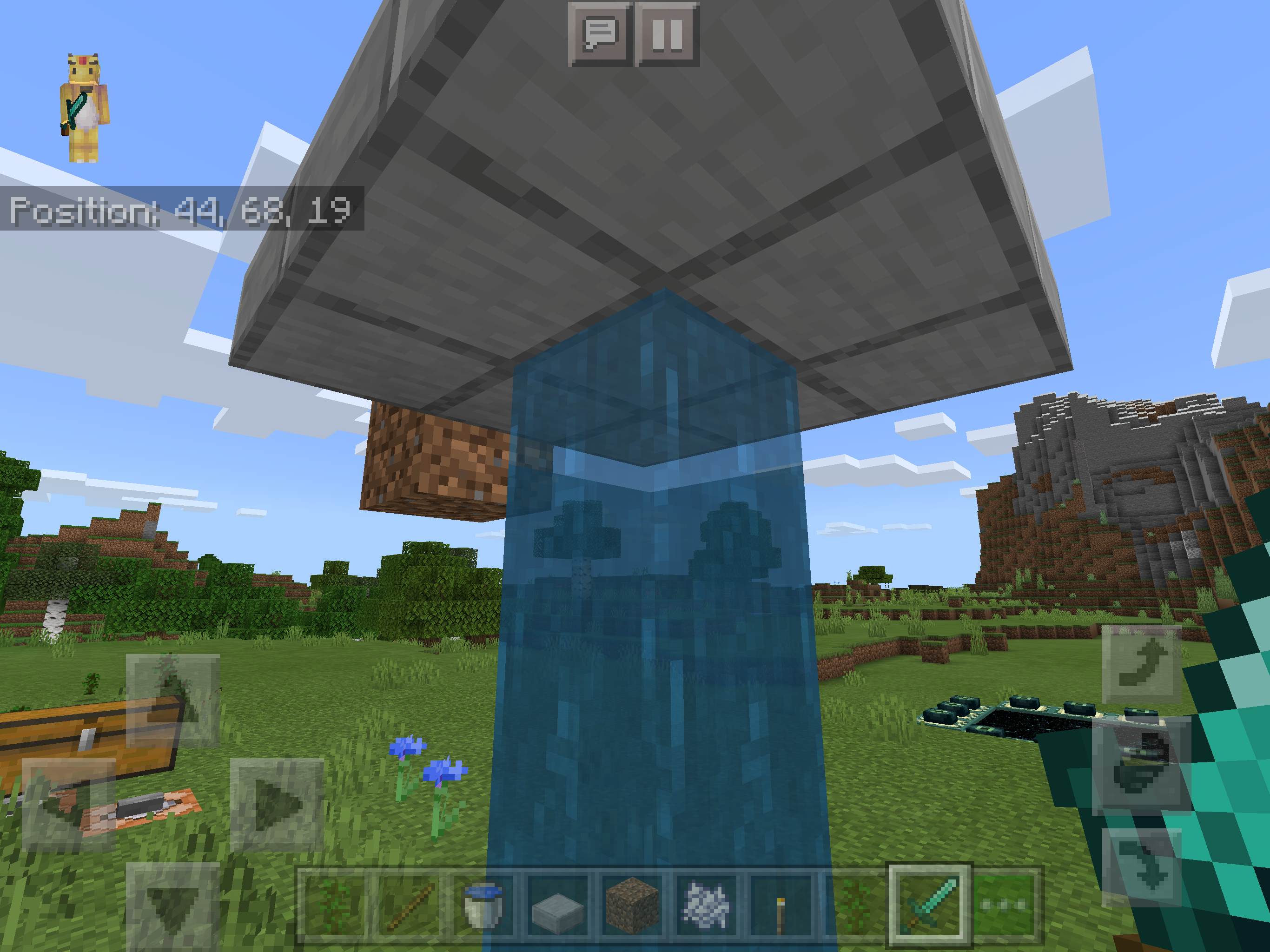
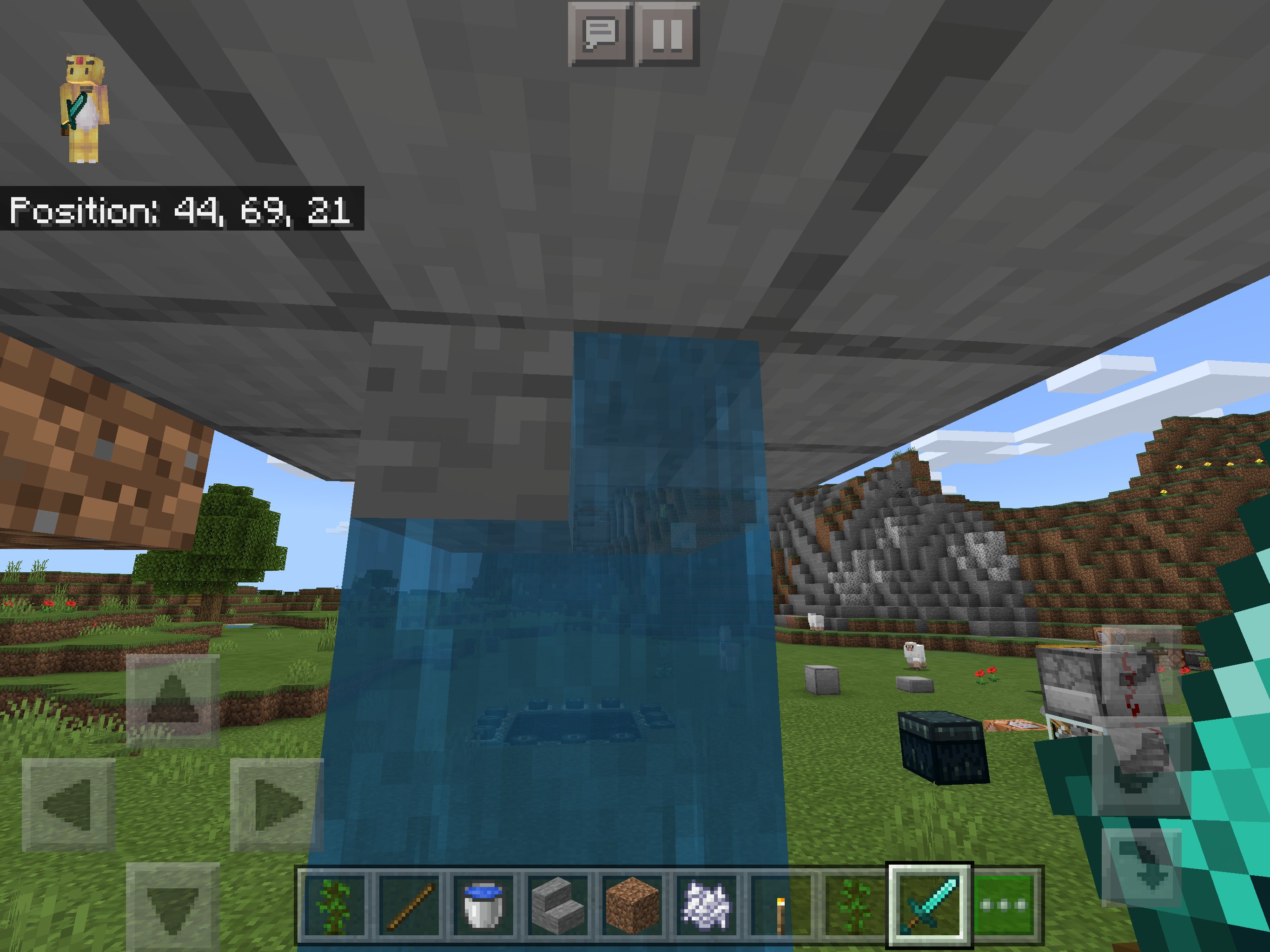


What Happens:
Any tool enchanted with unbreaking of any level can cause the breaking sound to either play without the item breaking, or break without the sound, at random.What’s Expected
When a tool with unbreaking finally breaks, it only then makes the breaking sound and then is gone from the inventory.Reproduce
1. Get any tool, (pickaxe, shovel, shears, etc.) preferably with a durability of 1 for ease of testing.
2. Enchant said tool with unbreaking of any level.
3. Mine the appropriate block for the tool until the tool breaks.
4. Observe that the tool will either break without a sound or make the breaking sound and remain unbroken.+Video
+The attached video shows first the item making a sound without breaking after one use,thenbreakingwithout a sound after the next use.What Happens:
Any tool enchanted with unbreaking of any level can cause the breaking sound to either play without the item breaking, or break without the sound, at random. This only happens when breaking blocks. It also occurs with the sword.What’s Expected
When a tool with unbreaking finally breaks, it only then makes the breaking sound and then is gone from the inventory.Reproduce
1. Get any tool, (pickaxe, shovel, shears, etc.) preferably with a durability of 1 for ease of testing.
2. Enchant said tool with unbreaking of any level.
3. Mine the appropriate block for the tool until the tool breaks.
4. Observe that the tool will either break without a sound or make the breaking sound and remain unbroken.


Issue:
Running, jumping, walking, or moving in any way on scaffolding dosen’t make any stepping sound.+Expectation: +
Moving on scaffolding makes the appropriate stepping sound.Recreate:
1. Create a line of scaffolding in the air.
2. Run on it.
3. Observe that there is no stepping sound made.Issue:
Running, jumping, walking, or moving in any way on scaffolding dosen’t make any stepping sound.Expectation:
Moving on scaffolding makes the appropriate stepping sound.Recreate:
1. Create a line of scaffolding in the air.
2. Run on it.
3. Observe that there is no stepping sound made.


Issue:
When on an iOS device with dark mode enabled the keyboard does not update the dark mode type. Due note that this is not a fault of Apple as every developer has to add in the support themselves, (which is incredibly easy to do from what I found online.)Expected:
When dark mode is enabled they keyboard should pop up as the dark mode keyboard not the light mode keyboard.Replicate:
1. Go onto an iOS/iPadOS device and turn on dark mode. (Go into Control Centre and open the brightness platter. Tap the Dark Mode option on.)
2. Open any keyboard with a native app on iOS/iPadOS observing the dark mode keyboard. (Easiest way to do this is to just be on the home screen and swipe down to bring up search, it automatically pops up they keyboard for easy observation.)
3. Open Minecraft and tap something that uses the keyboard. (Signs, Chat, World Names, Marketplace Search, Creative Inventory, etc..)
4. Observe that the keyboard is not the dark type as it should be.Notes:
I have tried to look online for the kit/information to allow this setting to take hold within the app but am unsuccessful. I am not a app developer and don’t have the resources to find/know how this stuff works. All I know is that it is a think Mojang has to enable themselves. If anyone can provide more information please do below.I have attached an image showing the dark mode keyboard natively on iOS/iPadOS and also an image of Minecraft’s keyboard with dark mode enables, which is unchanged from light mode.
Issue:
When on an iOS device with dark mode enabled the keyboard does not update the dark mode type. Due note that this is not a fault of Apple as every developer has to add in the support themselves, (which is incredibly easy to do from what I found online.)Expected:
When dark mode is enabled they keyboard should pop up as the dark mode keyboard not the light mode keyboard.Replicate:
1. Go onto an iOS/iPadOS device and turn on dark mode. (Go into Control Centre and open the brightness platter. Tap the Dark Mode option on.)
2. Open any keyboard with a native app on iOS/iPadOS observing the dark mode keyboard. (Easiest way to do this is to just be on the home screen and swipe down to bring up search, it automatically pops up they keyboard for easy observation.)
3. Open Minecraft and tap something that uses the keyboard. (Signs, Chat, World Names, Marketplace Search, Creative Inventory, etc..)
4. Observe that the keyboard is not the dark type as it should be.Notes:
I have tried to look online for the kit/information to allow this setting to take hold within the app but am unsuccessful. I am not a app developer and don’t have the resources to find/know how this stuff works. All I know is that it is a think Mojang has to enable themselves. If anyone can provide more information please do below.I have attached an image showing the dark mode keyboard natively on iOS/iPadOS and also an image of Minecraft’s keyboard with dark mode enables, which is unchanged from light mode.
Fixed in 1.16.0.
Issue:
When walking from a top trapdoor onto a scaffolding block the player just falls right through the scaffolding as if it wasn’t there. This happens with all trapdoors, including iron.Expectation:
Walking from trapdoor to scaffolding behaves like every other exactly full height block. Allowing the player to freely walk onto the scaffolding.Recreate:
1. Place a top trapdoor.
2. Place scaffolding next to the trapdoor.
3. Walk off the trapdoor onto the scaffolding.
4. Observe that you phase right through the scaffolding.Fixed in 1.16.0.
Issue:
When a block in a cobblestone generator is mined and one is subsequently instantly generated, it dosen’t show the breaking aniamtion on that block.Expected:
It shows the breaking animation just like any other normal block should.Replicate:
1. Create a cobblestone generator.
2. Start to mine the cobblestone and do not let go of mining it.
3. Have a cobblestone instsntly generate when broken and continue to mine it.
4. Observe that that block does not show the breaking animation.Issue:
When a block in a cobblestone generator is mined and one is subsequently instantly generated, it dosen’t show the breaking aniamtion on that block.Expected:
It shows the breaking animation just like any other normal block should.Replicate:
1. Create a cobblestone generator.
2. Start to mine the cobblestone and do not let go of mining it. (I have found this is best done with a stone pickaxe. After a few blocks it should sync to the rhythm of the generator and you should eventually see this glitch occur. If it dosen’t, just stop and start again.)
3. Have a cobblestone instsntly generate when broken and continue to mine it.
4. Observe that that block does not show the breaking animation.
Effects 1.14.60.

iPad Pro 12.9” Gen 1 on iPadOS 13.5.1 with Minecraft 1.16.0.
Thrown/Shot items such as Arrows, Tridents, Snowballs, and more, do not go between 2 honey blocks. See attached video for setup
snd replication steps.Addendum: Prior to 1.16.0 this bug affected both horizontal and vertical axis but in 1.16.0 only the vertical was fixed. This can be seen in
MCPE-58138even though that report does describe in text both horizontal and vertical axis.
Addendum 2: This bug is different from MCPE-59812 as that bug exclusively describes mob/player movement with no mention of thrown/shot entities in it’s description, any attached documents, or comments too.iPad Pro 12.9” Gen 1 on iPadOS 13.5.1 with Minecraft 1.16.0.
Thrown/Shot items such as Arrows, Tridents, Snowballs, and more, do not go between 2 honey blocks. See attached video for setup and replication steps.
Addendum: Prior to 1.16.0 this bug affected both horizontal and vertical axis but in 1.16.0 only the vertical was fixed. This can be seen in
MCPE-58138even though that report does describe in text both horizontal and vertical axis.
Addendum 2: This bug is different from MCPE-59812 as that bug exclusively describes mob/player movement on top/above honey blocks with no mention of thrown/shot entities in it’s description, any attached documents, or comments too. This bug is exclusively regarding thrown/shot items between blocks not above them.
iPad Pro 12.9” Gen 1 on iPadOS 13.5.1 with Minecraft 1.16.0.
I did /locate temple in an attempt to find a desert temple and when going to the co-ords it had no temple, wasn’t even the correct biome. I dug straight down and there was no structure below either.
World Seed is 509778239
iPad Pro 12.9” Gen 1 on iPadOS 13.5.1 with Minecraft 1.16.0.
I did /locate temple in an attempt to find a desert temple and when going to the co-ords it had no temple, wasn’t even the correct biome. I dug straight down and there was no structure below either.
World Seed is 509778239
iPad Pro 12.9” Gen 1 on iPadOS 13.5.1 with Minecraft 1.16.0.
I did /locate temple in an attempt to find a desert temple and when going to the co-ords it had no temple, wasn’t even the correct biome. I dug straight down and there was no structure below either. I tested this on multiple seeds and got similar results.
World Seed for image 1/2 is 509778239
World Seed for image 3/4 is 1204804229
iPad Pro 12.9” Gen 1 on iPadOS 13.5.1 with Minecraft 1.16.0.
I did /locate temple in an attempt to find a desert temple and when going to the co-ords it had no temple, wasn’t even the correct biome. I dug straight down and there was no structure below either. I tested this on multiple seeds and got similar results.
Note: Sort images by date and use the oldest first for the correct order.
World Seed for image 1/2 is 509778239
World Seed for image 3/4 is 1204804229
iPad Pro 12.9” Gen 1 on iPadOS 13.5.1 with Minecraft 1.16.0.
I did /locate temple in an attempt to find a desert temple and when going to the co-ords it had no temple, wasn’t even the correct biome. I dug straight down and there was no structure below either. I tested this on multiple seeds and got similar results.
Note: Sort images by date and use the oldest first for the correct order.
World Seed for image 1/2 is 509778239
World Seed for image 3/4 is 1204804229
World Seed for image 5/6 is -880999259 (This one is immediately at spawn so easiest to see.)

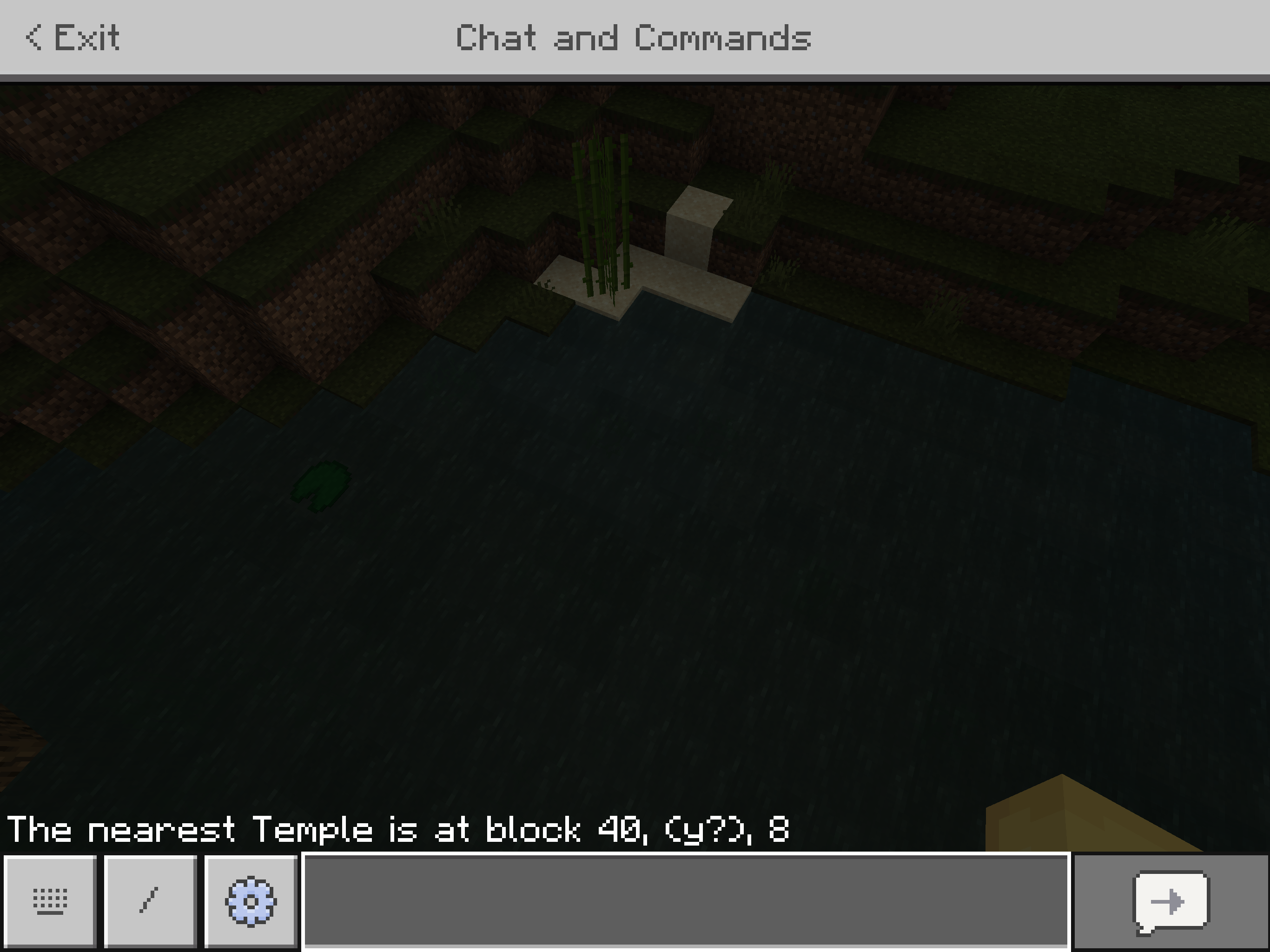
Manyof the games scroll bars have their inputs flipped so when you try and scroll down, it instead scrolls up.I have noticed this issue in the map selection screen, settings, creative mode tabs, the marketplace, and others
. However chat does scroll the correct direction.The attached video shows me scrolling down on the creative mode tabs and how it goes the incorrect way, then closing the game and showing how scrolling down works normally in Safari.
All of the games scroll bars have their inputs flipped so when you try and scroll down, it instead scrolls up.
I have noticed this issue in the map selection screen, settings, creative mode tabs, the marketplace, chat, and others.
The attached video shows me scrolling down on the creative mode tabs and how it goes the incorrect way, then closing the game and showing how scrolling down works normally in Safari.
All of the games scroll bars have their inputs flipped so when you try and scroll down, it instead scrolls up
.I have noticed this issue in the map selection screen, settings, creative mode tabs, the marketplace, chat, and others.
The attached video shows me scrolling down on the creative mode tabs and how it goes the incorrect way, then closing the game and showing how scrolling down works normally in Safari.
All of the games scroll bars have their inputs flipped so when you try and scroll down, it instead scrolls up and vice-versa.
I have noticed this issue in the map selection screen, settings, creative mode tabs, the marketplace, chat, and others.
The attached video shows me scrolling down on the creative mode tabs and how it goes the incorrect way, then closing the game and showing how scrolling down works normally in Safari.
When pressing / on a keyboard it brings up the chat menuwith the / for commands filled in, however the textbox is not focused automatically as it is ontheWindows 10 Version and Java.Steps to Replicate
Get an iPadwith a keyboard.
Press the / key.
Watch as chat is opened however you can’t type without clicking to focus the textbox.Pressing / or t on a keyboard with a mobile device brings up the chat menu, however the textbox is not focused automatically as it is on Windows 10 Version and Java.
Steps to Replicate
Get a mobile device with a keyboard.
Press the / or t key.
Watch as chat is opened however you can’t type without clicking to focus the textbox.
Pressing “/“Dosen’t Autofocus the TextboxPressing “/“ or “t” Does Not Autofocus the Textbox
Pressing
/orton a keyboard with a mobile device brings up the chat menu, however the textbox is not focused automatically as it is on Windows 10 Version and Java.Steps to Replicate
Get a mobile device with a keyboard.
Press the/ortkey.
Watch as chat is opened however you can’t type without clicking to focus the textbox.Pressing the “/“ or “t” on a keyboard with a mobile device brings up the chat menu, however the textbox is not focused automatically as it is on Windows 10 Version and Java.
Steps to Replicate
Get a mobile device with a keyboard.
Press the “/“ or “t” key.
Watch as chat is opened however you can’t type without clicking to focus the textbox.
Some Items (Pistons, Droppers, Dispencers, etc.) can’t be crafted with Cobbled Deepslate
Summoning a Boat with x and y or ~ causesVisual GlitchesSummoning a Boat with x and y or ~ causes “Sinking” Appearance

Amphy2k Please attach a photo of the issue

Amphy2k Try the configurations shown in MCPE-16093 without the minecart (which causes the crash).
Sorry Amphy2k looks like this got fixed. I tried lots of different ways, but items are drawn from the correct stack now.
![[Mojang] Mega_Spud (Jay Wells)](../../../data/avatars/users/92696.png)
Amphy2k - I'm trying to figure out what is happening; Could it be that the treasure map is pointing to an area that was already explored (ie, an area that was loaded before 1.4?)
![[MCPE Mod] Auldrick](../../../data/avatars/users/10122.svg)
Amphy2k: Thank you for pointing out that this report was closed in error. That error has now been corrected.
However, please remember that the bug tracker is not a forum for discussion. Comments are for reporting new information about the bug, or as in this case, the bug report. They are not for expressing opinions or criticisms on the subject of how the bug tracker works, the efficacy of the bug fixing process, or the competency of the bug tracker staff or Mojang in general. Such comments are subject to removal, and if the misuse persists the commenter may be banned. You are free to express such opinions on discussion sites, just not here.
I have removed your irrelevant comments, along with the comments from staff that were trying to explain to you what we do and why, as none of that is relevant to this bug. If you'd like to have more explanation about our practices (as opposed to merely arguing why you're right and we're wrong), a good place to do that would be the Mojira subreddit.

MCPE-56765was closed as WAI, so the comments about "duplicate reports being allowed" are somewhat confusing.We have no visibility into why the devs chose to close it as WAI, maybe there was a disconnect between the Java and Bedrock developers at the time but its important to note that a difference in behaviour did not qualify a report as valid (at the time). At best it would have been closed as a parity request needing to go on the feedback site.
This bug was specifically raised after a change in the rules around parity differences. The rules around parity issues being tracked here were changed on the 29th of April, more information on that change and the rules around it can be found here. Under those new rules this now qualifies as a bug regardless of the closure of
MCPE-56765.Once again please be reminded to remain respectful when using the tracker. Being disrespectful does nothing for your cause and the volunteers that pour their free time into keeping this tracker running do not deserve your scorn. Even if you think a mistake has been made.
Amphy2k: You were warned back in March that disparagement of Mojang, its employees, or the bug tracker staff is not acceptable here and can result in you being banned. You have made many helpful contributions here and I don't want to ban you, but these critical comments must stop or I will be forced to. Not only are these comments insulting, which naturally tends to disincline people from cooperating with you, but your analysis is sometimes shortsighted or flat wrong (as in this case) because you imagine you understand the bug tracker workflows better than you actually do. If you are open to having a discussion about why we've done something differently than you expected, that is possible, but not here: Such discussions; belong on the Mojira subreddit or the Mojira Discord. Please note that we are supervised and instructed by Mojang, so we aren't going to argue with you about how we perform our duties.

Amphy2k please refrain from swearing on this bug tracker.
This is not a duplicate as i do not suffocate, making this bug extremely different.
Also it seems that the beta tests do not work if these bugs exist in beta and then official release. I would rather wait another 2 weeks than have all these annoying bugs espicialy the teleporting bug.
I dont know if i should edit or just comment this but i hope [MCPE Mod] Kaleb Wasmuth sees this here.
I dont know where to report bugs about the bug tracker itself, if there is a bug tracker bug tracker that would be very helpful but there dosent seem to be a report bug tracker bug button anywhere. If there is one would you please direct me to it. (Also if there is a way to PM people instead of just hoping they see it that would also be helpful. I cant seem to find that anywhere either.)
Really Mods? This is not a duplicate bug. MY GAME DOSE NOT CRASH UPON STARTUP! Please revoke the duplicate otherwise i will have to re-report the bug and thats not gonna help. My problem is far different, just as severe but far different. Crashing when opening the app vs crashing when opening a world are two totally different things. ALSO that so called dupe isnt even of my version of the game. Im on 0.15.0 not 0.15.0 Buld 2. They are totally different. Every build has different bugs, and quirks. Please revoke the duplicate claim as its false.
That is true the description dose say that, but where in the supposed duplicate dose it say that it crashes upon starting a world. Ive read through it and found no such text anywhere. Correct me if im wrong but all it says is that it crashes when trying to open the app. It still stands that app and world are different and that the world crashing upon startup would be a dferent problem than the app.
In response to the new duplicate (MCPE - 14727) it seems that that is also a different problem. My crashes still happen while on airplane mode (without internet) and ive throughly tested it (this morning) if logging out of Xbox live helps and it dosent. It still crashes upen entering any world 1-4 seconds after (a tiny difference being its not always a crash, few times its just frozen and ill have to restart, i guess that can be seen as a tiny improvement)
Now thank you, this was my mistake, it seems after i created this the origbail (duplicate) changed its description now making this a duplicate. Thats good and ill wat\ch that for updates on this.
Also how do I report bugs to Jira - Atlassian? Im tapping buttons and see no issue thread for the tracker itself
This is almost exactly what happens to me but the mods keep closing mine as a duplicate when its not. i hope it gets fixed in the next update because the game is totally unplayable
This is a bug? I thought this was a feature. I hate it and am happy to hear its fixed but its weird that its a bug. I thought it was even in the update notes and everything
Its very hard for me to notice but i have seen it happen a few times. Im on the iPad Pro 12.9"
This bug dose not just effect Realms, this has happend to me just on local LAN.
I can confirm this on 0.15.0 on iPad Pro 12.9"
This has been in the game so long i just assumed it was a MCPE exclusive texture
I dont often use Quartz so it dosent bother me but i do see how it can be very annoying. I tested it and it still happens to me on 0.15.0 iPad Pro 12.9"
Hands down one of my most hated bugs in the game. Happens for me aswell still. 0.15.0 iPad Pro 12.9"
I dont know if i should create a totally seprate bug report for this or just report it here so i guess ill ask. This extreemly currupt and evil bug dose not just happen on Realms, it has happend to me on Local LAN a number of times when playing with friends/family. Once it has also happend on my own private world that I have never had anybody else ever join me but it only removed a tiny portion of my cave-house so i just rebuilt (this one time thing was wayyy back). If this is classed as a seprate bug I will create it because so far ive only seen people claiming this bug as Realms only when thats totally false. If this is classified as the same bug I would love to see someone actually create a section in the report about it because so far its gone totally un-noticed that this also happens on LAN and possibly (mabye now impossible) on single player.
But why tough XD this is hurting my brain why only the brown mushroom would give off such useless light i need to know why this is.
Notchmath what didnyou do to get it working? Ive had no problems getting lots of other achievements but Map Room so far is the only one that is broken. I waited 10 minutes (thats 4 minutes over the record time it took for an achievement to register) and still nothing. I have built a perfect 3x3 map. Plz do explain
This just happend to me when it started raining in my world. Im in iPad Pro 12.9" (iOS 9.3.3) on MCPE 0.15.0. This bug can be quite annoying but a quick re-log fixed it for me
Ummm... if im not mistaken the City Texturepack is 32x32 not 16x16 making this a problem that is in fact in game not 3rd party related. Ive seen this bug reported in many videos too with people having this in only the City Texturepack idk if those claims are valid in 0.15.2 but it dose happen. If this was 64x64 then you could say its 3rd party. Sadly we have 32x32 proof it happens still
Still happens on 0.15.2 iPad Pro 12.9"
This is a bug? I like this bug >.< its quirky and its been there forever. I hope it never gets fixed but like all good things it must eventually come to an end, yes it still happens to me on 0.15.2 iPad Pro 12.9"
After an hour of testing this i have concluded it dose happen but its extremely rare for it to work and currently i have found no possible way to automate it reliably like the video cliams. So my cunclusion is its not a real dupe bug because it works once every ~30 tries for me and its impossible to automate. I will continue testing later and see if it can be made 100% reliable or automatable making it a real dupe glitch and then actually making it a problem.
After half an hour of experimenting i have created a fully automatic rail farm, but like i said before its extremely rare for the dupe to occour but it is AFK friendly making it still be classed as a dupe farm. now this has become a problem. Unless you need rails...
Why in both wikis it says it still is in the game >.< why dont they let us know about these things... well that sucks. I have looked everywhere on the internet and in the app store and it never says "removed the ability to smelt mushrooms" even in 0.9.x.
So i have a question. in exactly what update they removed this, the mods of other wikis want to know.
Can a mod or dev please answer this the mods on the wikis want to know when this change happend.
Yes i have that saved but as you can see we dont have the update this was changed on. We have esyablished it was changed but not when. I looked through every single update notes for the ga,e and not one answers this.
This dose happen still on 0.15.2, thats so weird how did that get glossed over. Well its still a bug that exists
Woah now that i see the bug in 11871 it seems like its the exact same bug. If thats the case this isnt a problem with Observers more so its a problem with all redstone.
Please elaborate what unreleased versions I have selected as effected? 0.16.0 has been out for more than a week (more than 3 weeks on Android and WD10) if that is what you are commenting on then you need to check your sources. If I accidently added another update then that is my bad, didnt catch it, the website is very very bad on mobile and is crazy buggy so if i]I sekected something then I appoligise thats my bad on not double checking, but I dont recall that happening. Please check your sources before double posting incorrect comments
Yeah thats the thing. I dont have any mods/addons other than one texture pack, and I already deleted it and restarted and that didnt solve it so im not sure thats it in this case? I did download a PC GUI mod a very long time ago like when 1.0 originally came out but I deleted it almost immediately because it didn't work at all.
Its not. That is saying that the entire settings screen lags and it dosent. The game freezes, not lags, whenever I try to change the gamemode or difficulty, not any setting. Its clearly a different issue.
So dose generated structures not generate with seeds? Why was it changed to resolved?
I’m having the exact same issue. When picking up a block it highlights it but dosen’t show the name or information of it. When dragging, it dosen’t show the block moving but all functions are still there. I’m not sure what happened and how this was messed up but it definitely seems like a bug with Classic UI. I really hope this is fixed in the next update.
As it stands right now it’s boderline impossible to enchant things when looking an enchantment in a chest full of books.
I’m on iPad Pro 1st Gen and this bug is absolutely terrible. I have just recently gotten back in survival and it’s impossible to play the game properly. This bug isn’t the only thing wrong too. Trying to split item stacks by drag and dropping is now impossible and that feature has been removed or totally broken. This recent update or whenevee these changes were made are terrible amd have ruined the game. I really hope that this will be fixed very very soon.
I’m not sure what you mean @Mega_Spud. If your talking about creating a copy and trying to open that then yes, I can create copies and this bug still dosen’t let me on. It dose this 100% of the time no matter where I play with any different number of settings. I highly doubt it’s the world because it’s happening to all worlds, even the ones I haven’t payed in years and the ones that I try to create brand new. I don’t think it’s a world curruption issue. This is a gamebreaking issue though and is not resolved so I would greatly request that resolved be removed since I can’t play the game anymore and there is no fix yet.
This may be an issue with the game loading all the worlds you have. This is for sure a bug. Maybe you should try is going into the settings and manually deleting some worlds from storage if you haven’t already tried that.
Update: 1.2.15 Has been released and did not fix the bug. I have added it to the updated effected. I am also gonna edit some of the text with some new information I have found. Hope this gets fixed soon, the tab key is one of the most useful keys in Minecraft.
This happenes to me all the time. I’m not sure if it’s a bug, I would think so but it may just be an unintended side effect of having passive spawn rates super low on MCBE. Unless i’m mistaken I remember long ago that in either MCBE and/or MCPC they did add a feature where the more animals you kill in an area the less likely they are to spawn, (much like the longer you stay in an area the more enemy mobs spawn). So if your goal is to get the resources from those animals it is best to create farms right away and treat the animals like diamond as they can be extremely rare like you explain here.
Exists on iPad Pro on 1.2.15 still. I can actually vouch for this bug existing way before 0.15. I started to play MCBE when MCPE 0.2 was released on iPads. For as long as I can remember this bug has always existed in Minecraft and has never gone away. In fact i’de say with confidence that this is the oldest bug in the game that has never been fixed.
While I was testing my new strategy to kill the Ender Dragon I also had this glitch happen to me 3 times. Thankfully I tested on a creative world so I just /summoned my way out of it but if this happened on Survival it would be a Minecraft softlock. It never spawned the end portal to leave and didn’t give an egg. It also didn’t spawn any end gateway to the End Cities. If this happened on survival it would be a game breaker. This is a major bug. I am on iPad Pro.
Still happenes on 1.2.15 on iPad. This is a small bug that i’m shocked has lasted this long. It shouldn’t be too difficult to fix? (In fact someone with any texturepack skill could probably make a fix for this themselves without relying on Mojang.)
This may have been fixed in the most recent 1.2.15 update. It hasnt happened since. I will report back if it happenes again but for now ide say this issue has been resolved.
This is a massive bug with the tridents. Happens with me on 1.2.15 on iPad. I agree, it makes Tridents absolutely useless. (Honestly I wish there was a way to have the crosshair always on. It would make the game much easier in many ways. Especially when trying to aggro Enderman. Please please Mojang add a setting to permanently turn on the crosshair.
Can this be reopened? It hasnt seemed to be fixed or if it was the fix was broken. It still happens. I am on iPad Pro on version 1.2.15, (updated after the labeled fixed versions.)
I still think a setting to permanently turn on the crosshair no matter what setting is needed. It would make the game much better as then I can finally see where I can trigger Enderman and finally know why Enderman randomly get aggro to you. Please add this.
Are you serious... I have died 5 times now! I can now say with absolute confidence that Blazes are the most powerful mob in the game. In fact I would say they are around 2-4 times harder than both the Ender Dragon and Wither. Can you please fix this... there is no excuse either remove Blazes from the game, fix it, or make them a boss mob because this is bogus. Full fire protection iron armour and still a 1 shot insta death. No mob in the game dose that much damage in one blow. I am on iPad Pro on 1.2.15 and this should be a extremely high level issue. I would put this on the top 10 list. It’s instantly #1 on my list of bugs. Fix it in any way right away.
I recently built a dual layer slime farm on MCBE and not only hs it yeilded 0 Slimes but it has also yealded 0 mobs at all. I thought this was due to my super massive chicken farm becaue I had around 80+ chickens spawned but even after killing almost all of them there has still been 0 total spawn even after running for over 2 hours. As a redstoner I need a way to get slimes and if slime farms don’t work that means they are an impossible item to obtain. This bug needs to be addressed right away. I am on the latest version btw, 1.2.15.
This issue is not resolved. I got it in 1.2.14 and still have gotten it in 1.2.15 with observers, doors, and most annoyingly trapdoors. It seems whats happening is when you break the block the game gives you wthe block in whatever rotational or activational state it was in, not it’s default state you get when it is newly crafted. I’m on iPad Pro.
Another bug much like this is that my cobble stairs aren’t able to be put together in one stack even if both stacks are well below 64. (Honestly their are so many bugs with the UI. These are just the two that I ave recently had. Thankfully unlike other bugs ive commented on this isn’t serious or severe. Still would like to see it addressed tho as it makes chest organizing easier.)
This is also occurring with me. No items will stay on slabs and just roll off the nearest side instead.I am also on iPad Pro and am also on version 1.2.15.
Welp... turns out 10 minutes of solid searching was not enough at all. This is in fact a dupe of MCPE-32450. You can “resolve” this. All that time wasted...
This is less of a bug and more of a massive issue with the UI in MCBE. It’s something I also do greatly wish changed. MCBE has some of the worst UI of any game ive ever played. (Also it dose seem like a mod responded to the bug you linked. Not sure if thats relevant or if you knew.)
If your looking for Wolves you need to be in a tiga, cold taiga, or mega taiga biome. I never looked at the seeds cuz i’m tight on time right now but i’m assuming thats what your pointing out, that there is no wolves within those biomes.
This happenes to me too. Wolves are an insanely rare mob that spawn once in a blue moon for me. They are probably one of the most rare mobs in the entire game, up there with Iron Golems and Slimes. I do hope this gets addressed. (I’m pretty sure all mobs in the game spawn a lot less than they should. It’s been reported many times.)
This still hasnt happened since. I can say confidently it’s resolved.
Can you please not fix this. It’s a really cool little bug that dosen’t break or effect gameplay. Fixing this would not only be removing something unique and cool. It would also be a waste of valuble time. There are many other far more important and game breaking bugs that need addressing than this small insignificant “issue”.
Maybe it’s just my sadistic nature but kinda like this bug. It dose happen to me. Even if I would be kinda sad to see it go, this one should still be fixed. I am on iPad Pro on 1.2.15 if thats needed.
Ive seen this a few times on my LAN world with my brother and it has happened to me on my singleplayer survival and on my redstone worlds occasionally. This for sure is a bug that exists and isn’t just multiplayer exclusive. (Please note that in survival if it disappears the item is destroyed permanently. Thankfully no blocks of value have been destroyed because of this.) This usually happens when the game lags but not always since it has happened when I have no lag. I am on iPad Pro in 1.2.15.
So I have just experienced 3 glitches in the span of 2 minutes lol. This happenes to be one of them. Tridents can’t be quick repaired like every other item. I have tested it and they can be repaired and combined with the Anvil. So it’s just the crafting repair that it dosen’t work with.
I am on 1.2.15 on iPad Pro.
Update: 1.2.16 dose not fix this issue. I have added that version and made some small grammar fixes too.
Update: Still happens in the recent 1.2.16 update. I have added that version and made some text fixes. Later I may update the text with more information as I gather it.
This issue can be resolved.
I have just learned from the Minecraft Wiki that Tridents are in fact supposed to be dropped even if the drowned dosen’t have one. Theirfore this is an imtened feature. (Had no idea thats how it worked. I assumed it was the same as any weapon yielding enemy.)
This is confirmed for me on my iPad Pro running 1.2.16. I have 2 Purpur Blocks that refuse to combine with another stack of Purpur Blocks. I have tried everything from dropping, placing, using a UI, relogging, etc. and still nothing. I think this may be a NBT issue but it is slightly annoying and wasts space and/or blocks.
I can confirm for 1.2.16 on my iPad Pro. This is one of the most annoying bugs and is also the reason why my best horse died. Please fix this. It’s really stupid how you can’t exit a boat without riding the horse and can’t break the boat without killing your horse. Also getting in the boat is extremely annoying and very inconsistent.
This sounds eerily similar to a bug that sometimes effects me. Around every 1-3 minutes when not connected to Wi-Fi, Minecraft will totally freeze and you will have to restart the app to play again. This happens infinitely until I re-connect to Wi-Fi. I have a theory that it’s due to xBox connection but haven’t confirmed that yet. This is the closest thing to that though, so I will vote for this. Possibly fixing this could also fix the issue I described here. That would be great!
This is the remains of an old bug that caused superflat worlds to stop generating land. What happened here is that you opened the world after the bug is fixed and now it generates land again. Causing massive missing chunks in places where chunks were generated empty. I have this same problem in my superflat redstone world. It’s there because of that older now fixed bug. Nothing Mojang can do to fix it either. You will just have to /fill it all like I do. Sorry.
(It is possible that this isn’t because of that previous bug and is a new one but I don’t see that being likely. If it is then you can say it’s confirmed since it happens to me on my iPad Pro, version 1.2.16.)
In my world I have fished for a total of around 5 hours and have never seen any mending books. I checked the wiki and any enchanted book is fished 1.9% of the time. Villager trading is likley more unreliable too due to how villagers work and have always worked. So how I treat mending is that it’s impossible to obtain no matter what. The only way to get it is through a few select loot chests. Thats it. It spawns so rarely and is so hard to get that if they removed it from being survival-obtainable, nobody would even notice because they would never find it anyways.
So I can absolutely confirm this on my iPad Pro on 1.16.0. I understand Mending is rare but when it is the most rare thing in all of Minecraft yet is the #1 most in demand enchantment I feel there is an issue. (I say make them spawn in end cities but thats just my thoughts.)
I never took this as a bug since it still made it legible just a lot uglier and more anoyyingto read. I have this exact same problem since I have an iPad Pro 12.9” on iOS 11.4. I am on 1.2.16 but noticed this long before. It is anoyying and now that I know it’s a bug I will for sure be dicussing this.
It seems there are many bugs with Minecraft supporting the iPad Pro’s keyboard. This one being my most hated. I really wish that they fixed these tiny bugs. It would make the game so much better on iPad.
Also happens to me on my iPad Pro on 1.2.16. I discovered this on my chicken farm too. Thank goodness I accidnetly broke the block on top and learned that made it work. If I didn’t then I would have made this report.
As a redstoner myself I can also confirm this has happened to me on some rare occasions on my redstone world. I’m on 1.2.16 on iPad Pro.
This happens to me as-well. I am on iPad Pro on 1.2.16. I will add a small video of me trying to open my inventory while in a boat. Note that I do tap through all my inventory and only the three dots dosen’t work.
I will also attack an image of my control settings as a mod requested from the OP earlier.
This is not a bug. The redstone lamp has a delay before it turns off. A observer clock is too fast for it. You need to create a slower clock to allow for a lamp to flicker.
I will attach a video of this bug occurring. The video shows me with my Frost Walker II boots going over a river and the water freezing but nit unfreezing. The previous ife is from my initial testing and was there much longer proving that it dosen’t melt.
I am on iPad Pro on iOS 11.4 Beta 4 on version 1.2.16.
No Soul Sand spawns in my world too. I’m on 1.2.16 on iPad Pro.
I find this bug extremely aggravating since it’s official that Soul Sand is now 1.2x more rare than Diamonds. (That number ever increasing too since I slowly acquire Diamonds and can’t get Soul Sand)
Sadly this is not a bug. It is a feature that is 100% intended by the developers. I, as-well as others have all reported this before and they always claim it’s a feature. I posted this on MC Suggestions Reddit and the consensus was that it is a feature not a bug. They have yet to add this to Java Edition.
Sorry. I wish this was a bug not a feature as-well.
I am now able to get on with airplane mode on but it crashes when trying to enter a world or very shortly after I join the world.
Update: 1.4 dose not fix this issue.
Update: I have tested this and it still exists in 1.4. (Shockingly since this is the Update Aquatic.)
I have tested this on 1.4 and it has been fixed.
I have tested this on 1.4 and it seems to be fixed. I would recommend getting others to test too but on my end it is fixed. Both Soul Sand and Gravel is spawning naturally once again.
I have just tested this in 1.4 and can say there have been improvements but it is still not fixed.
They have fixed it so now when this glitch occurs the Dragon Egg spawns. Thats new and very good. Thank you Mojang for that. Also the End Island Portal spawns now which is one of the best fixes in 1.4. Finally I can go to the End Islands without walking 1000 blocks on a very pecarious bridge.
Now obviously just fixing the Egg and the Island Portal isn’t gonna fix this issue. These are my steps to break the dragon. 1: Travel far away from the End Island, 2: Die, 3: Re-enter the End and see the dragon frozen with the portal open, a dragon egg on top, and an End Island Gateway opened. No XP can be seen.
I really hope this gets 100% fixed in the next update, I can tell there were steps made to fix it because as I was moving away the Ender Dragon remained spawned at all times. Never despawning no matter how far I went away. Previouly the Dragon would despawn after a few hundread blocks.
Update 1.4 iPad Pro iOS 11.4 Beta 5.
This bug dose not occur with me. I have obtained the achivment with the first buried treasure chest I found.
I love spending 30 minutes wasting my time looking for something that dosen’t exist! On 1.4 Buried Tresure dosen’t spawn anywhere near the X. In fact Ive destroyed hundreads of blocks creating a crater looking for 1 chest and have found nothing. This is a severe issue. Please if you camt fix this make it so that the maps tell you that the chest dosen’t exist that way the player dosen’t have to waste time looking for it.
A simpler way to do this is to throw a trident into a block with two pistons on a clock moving said block back and fourth. Slowly the Trident will rotate to what I think is the North direction.
I’m sure this would also work with arrows.
This is easily one of the worst bugs I've ever seen in all my days of playing Minecraft. This bug alone is instant proof that Mojang didn’t release 1.4. They released a beta that should have stayed in beta for 1-3 more months. This is a game ruining bug. Thankfully ive been exploring most the time so it hasn't effected me in a way that will get me angry. It’s just more-so annoying since I’m constantly punching or smashing blocks.
I’m on iPad Pro on iOS 11.4 Beta 5, update 1.4. Not that that actually matters though.
If anyone from Mojang reads this, (ive been saying it on Reddit all day too.) Please take your time with updates. I don’t care if it takes 2 years per-update. I play Geometry Dash, each update is 2.5 years apart, I have the patience. If I have to wait another 6 months for an update just to get something fully functional, I will. I would rather get 100% reliability and amazing bug-less performance then have to go through 5 months of torture waiting for each bug patch to slowly fix the mess that was the initial release. I respect you Mojang but please, a video game of this size can’t be messed around with. Take your time and perfect everything you can before releasing it, even if it takes much longer then you would want. Unlike most games, Minecraft wont die if an update takes 2 months longer then expected. Trust me. It would be better for everyone.
@Mega_Spud. I purposely travelled over 10000 blocks away from my hub in a location that ive never been before. All other strictures do generate. (At least the ones I see.) so it’s obvious that said chunks were all generated in 1.4
Since I posted that I have done a tonne more exploring and have found 9 different locations for Buried Tresure. Of those 9 4 of them did not have a chest. I asked Reddit and they gave me some tips and even with that it was no use. It seems to me that only 50% of all Buried Tresure generates.
I can absolutely confirm this on 1.4.
So I recently have read what I missed over the last few days and have been shocked at the amount of people who say this is a Realm based thing. I can tell you it’s not.
It may be more likely on Relms but it dose happen on single player, and it took me only 5 fireballs to get it to happen. I am on 1.4 on iPad Pro (iOS 11.4 Beta 6).
I have complained here before but now I will give a legitimate response with what I know and what [my video|DF638233-4A0F-456E-9CC2-2C29F1859221.MOV ] shows.
First off what I think is going on. I have a hunch that this glitch has something to do with you being in air when getting hit. Thats why you see me jumping. I will try again and update this if I can do it without jumping.
The video shows me in full chainmail armour getting insta-killed by a Blaze. Sadly because of the 10 second max video I can only show a snip of what happened. I am on a no-cheats survival single player world. When I returned to pick up my stuff every pice of armour was nowhere to be found. All other items were accounted for. I did have to edit the video in iMovie to get to show you my inventory since I feel that’s important.
If any more information is needed, please post it here and I will eventually see it and respond.
Still exists in 1.4.2
Still exists in 1.4.2
Still exists in 1.4.2
Fixed in 1.5. Can be maked as such now.
Still exists in 1.5. The update I would think it would be fixed in. Really hope this can be addressed. Ive destroyed 2 redstone builds now because of this. Postons should be treated like a solid unpassable block and water should not be able to interact with anything other then the piston head itself.
Fixed in 1.5
I did have an entire comment thanking you Mojang but this terrible website glicthed because you don’t support mobile. I take back my thanks. You can’t even have a functioning bug tracker let alone a game. At least you fixed this and thus fixed my world. Thats 1 +1 in a literal ocean of -1s.
Really... I have been watching this report for so long. Only to be told nearly 80 days later that it was a dupe. Like a week or two makes sense. But 80 days!?! Thats nearly 3 whole months. I even updated this post twice in that time making it reappear at the top each time. It’s not like it was buried. Wow... if it takes 80 days to tag it as a dupe. That would explain why it takes so unbelievably long to fix other basic critical bugs like this one.
If it was tagged like a week. Even 2 after. That would be understandable. But 80 days... no. I need to call that out. Sorry but thats bad, really bad. Dosen’t help my trust or respect with the bug tracker at all.
Still exists on 1.6.0. Can’t wait till 1.24.8 in 2035 when this bug is finally fixed. Hopefully this can be pushed to a more important status before tablets and computers are made irrelevant and replaced by holophones and augmented reality.
HEY GUESS WHAT! On the 17th this bug passed 2 years of existing here on the bug tracker! Thats an incredible milestone that should not be celebrated! Lets hope this bug dosen’t get to see it’s 3rd birthday but with 1.6.1 that dosen’t seem too likely. C’mon Mojang I know you can fix it, hire Bob The Builder or something, I’m sure he could fix it in less then 2 years.
Alright. Since I have gotten a response I guess it’s fair I stop with the pressure to address this. Sorry for the stress. Thank you Mega_Spud and MissMarzenia. I will no longer add a comment every time I update this post with a new version. I seriously hope this does get fixed soon though.
Again I’m sorry for being so abrasive with this bug. I wish all the bug fixed great luck with fixing this one! Thank you.
Also is happening to me on iPad, MCB v1.12.1. It’s super annoying. Please fix. This didn’t exist pre-1.12.
This bug is not fixed. I strongly request it be changed back to an active bug. I am on 1.12.1 on iPadOS. The reason this happens is due to the XBox Account Login. Please fix this immediately. It’s been happening now for months and always happens when I’m offline.
Edit: There is also no logout button anymore in the settings like many people have stated temporarily fixes this issue. This is a extreme issue and should be places as #1 importance. You have stated 1.15 is a bug fix update, so this better be placed as top priority.
Sidenote: Due to your bug tracker not supporting mobile in any aspect I can not tap the edit button on my comment. This is something I brought up 4 years ago now and is still not fixed. If you support mobile Minecraft then you have to have mobile bug tracker support. It shouldn't take this long to get a functioning bug tracker.
Confirmed for iPad Pro on iPadOS 13 on MCBE 1.12.1.
This bug is the 2nd worst bug i’ve ever seen in the history of Bedrock/PE, and it’s existed on and off for years now. It makes Minecraft completely unplayable as a for fun all the time app and mandates you play with wi-fi. The most disgusting and shocking thing is there used to be a way to solve this issue where in the 3-10 seconds you have before it crashes you could have a chance of pressing the logout button in the settings, but the logout button dosen’t exist anymore if there is no wi-fi. Basically making the only way to “fix” this bug non-existent. Mojang, you have stated that 1.15 for MCJE is a bug fix update, and sure that’s for Java Edition but I expect like with every update before this since Bedrock caught up*, you will do the same with MCBE 1.13 making it a bugfix update. This bug should be top priority, numero uno, the only thing that I could ever see being more important than this is you guys finally optimizing iOS and iPadOS Bedrock Edition to be functional, playable, and 100% user friendly much like it mostly was before you ****** it up changing PE to BE. So please. I beg. Uphold your promise and fix this long lasting bug. It truly is game breaking.
Ive seen this happen occasionally, I have no idea why though. Usually it works normally with the normal font for me, (iPadOS 13 MCBE 1.12.1,) but I have seen that one. I don’t know how to get that to show up but if I could never see it again i’de love that because that font is hella ugly and dosen’t fit Minecraft at all. I have a hunch this is intended but i’de love an explanation as to why from the devs. Thanks!
I have this too. I’m on iPadOS 13 MCBE 1.12.1. This is absolutely excruciatingly annoying and should be fixed. The comment above says it’s fixed but I’m on the latest version and it’s not yet fixed. Would love to see a patch sometime.
Thinking about this... I don’t think I've seen a mob with enchanted gear in a extremely long time, heck I can’t recall seeing it since the MCPE became MCBE. This definitely still exists today and I’m on 1.12.1.
Supposedly this is the same issue as a post I made even though they are nothing in any way similar.
So here is my post from above since I spent 1 hour making it and yet this post which is supposedly the same has absolutely no info at all and is completely useless to describe said same bug.
Note I am on an iPad Pro 12.9" Gen 1 on iPadOS 13 using MCBE version 1.12.1. I don't know if this bug is iPadOS exclusive or if it effects iOS as well.
What happens: When downloading a resource/behaviour pack from an online resource, when you tap on said download from where ever you tap it from, (whether it's Safari's built in downloader or in the Files app itself,) the download will open Minecraft but will 100% always fail to import.
What's supposed to happen: When you tap on a resource/behaviour pack downloaded it should open Minecraft and import fully without any movement of files, (I'll explain later.) This used to happen either prior to 1.12.X or before iPadOS 13 came out, either one of these updates could have created this issue and I'm not sure which. I have no way of figuring out which one is it though as both Minecraft and iPadOS can't be downgraded to test.
How to recreate: Find any resource/behaviour pack online that will work in the game on the current version of Minecraft. I tested it with this resource pack and it works on 1.12.1. Download it then tap on the file to boot up Minecraft and to attempt to install. It will say something like, "failed to install resource/behaviour pack." The resource/behaviour pack will not be installed.
How to fix: You have to open the Files app and find the download of the resource/behaviour pack, (usually it's in Downloads on iCloud Drive,) tap and hold, copy, then go into "On My iPad", open "Minecraft", (note that from here on out the app may be extremely laggy and may even crash. Be patient and careful. Making a mistake editing the games files without knowing what you are doing could result in your game being broken and critical data such as entire worlds to be lost.) Open "games", open "com.mojang", then open either "behaviour_packs" or "resource_packs" depending on what you downloaded. When in that file tap and hold then paste the downloaded file, once it has been pasted, tap on the download to open Minecraft again, while inside said file, and then wait for it to download. It will work now like it usually would.
If there are any questions or clarification needed, please comment. This issue isn't huge by any means but it is extremely dangerous as it forces people to go into the games code to add resource and behaviour packs. This is how it's done on Java but the Bedrock userbase, espiccialy the userbase of the iOS and iPadOS versions is much much younger and far more prone to destroying their game while editing critical game files.
I am using an iPadPro on iPadOS13 running version 1.12.1 and this bug still exists and has for an extremely long time. Thankfully you can just barely tap the x on my screen but it seems on this users screen you can’t even tap it. I have tried adjusting the screen-safe area as @Mega_Spud suggested and that actually made it worse as it makes it impossible to tap the x at all due to the nature of what screen-safe area does. Changing the GUI scale does fix it but that isn’t so fixing it as it’s more just avoiding the issue. I play with GUI set to 0 and that is the issue as the Command Block’s GUI is designed for -1 or less. Simply put this bug can be fixed by making the GUI of a Command Block the same size as it is when GUI is set to -1 when the user has it set to 0.
This bug still effects 1.12.1. I realized this not with the clone command, but with the setblock command, using it to edit the state of the block. It dosen’t seem exclusive to repeating blocks either.
Just so this dosen’t get closed due to inactivity. This still exists on 1.12.1 and has for a long time now. Not really sure why it hasn't been fixed since it seems to be a simple hitbox issue but hopefully this bump will keep it on the fixing radar.
Actually this is a bug. I saw a video on it and on Java they *had* the same issue. That was until recent when it was patched in a snapshot. This bug obviously should also apply here. They shouldn't spawn in tight spaces or in buildings if I’m not mistaken.
This also works with a Flint & Steel. It takes off no durability on it.
This exists on 1.12.1 as well. I’m on an iPad Pro on iPadOS13.
This bug still exists in 1.12.1 and is not fixed. I am on an iPad Pro on iPadOS13. This isn’t as annoying as the unstackable leaves and stone so if it was to be fixed, those should be higher up on the list.
To the commenter above, this has existed in the game since 0.0.0. It has always existed and always will exist. At no point in Bedrock or MCPE’s history was the player bale to get more then 1 output at once out from a crafting table. At least in all the years I've played. It’s been a heavily requested feature though so maybe one day, many many years from now, it is added. (Maybe mobile GUI support in general is added...)
It also dosen’t cause durability off a Fire Aspect Sword to drop when used either.
I always assumed that the speed breaking when flying was a feature, espiccialy since it made for digging and destroying in creative so so easy. Removal of this critical feature would be a huge detriment to the quality of the game and the mods better ignore this report and never remove such a important feature.
The issue shown in the attached video looks to me to be intended but it dosen’t happen on mobile (I am on iPadOS13 using an iPad Pro Gen 1). This lack of parity between Bedrock versions actually means that this so called “bug” is actually pointing out a bug on mobile.
I have added two new images to the post using “quotations” and an apostrophe to show this bug still exists in 1.12.1 and hasn't been fixed. This happens on all text inputs in the game. I am on iPad Pro on iPadOS13
This is not fixed, title is incorrect. Still effects 1.13.0. The Founders Cape was promised to be released in 1.13.0. Why is it not added yet? iPad Pro on iPadOS13.2.
Still exists on 1.13.0.
Well I’ll be damned! This is fixed on 1.13.0! At least for me it is, iPadOS 13.2 on an iPad Pro Gen 1 12.9”
Still exists on 1.13.0.
This is a glitch that existed a while ago but it seems the recent update has re-added this bug, much like many other bugs. Sadly there is absolutely nothing that can be done to fix this, just pray you backed it up, if not, well ignore the hole because there is no way to fix it. This effected my creative redstone world long ago. Hopefully it’s fixed.
I recently did a mending hunt in 1.12.1 and obtained it after a few hours of grinding. I can say though that the odds of mending is not equal to all other books, that is definitely not the case on Bedrock. I’m not sure about 1.13.0 though. I may try to obtain it again and see if I can also verify this.
Holy crap yes. Please fix this. I immediately noticed this when I opened 1.13.0 for the first time. It’s so small but it needs to be fixed.
On iPadOS 13.2 MCBE 1.13.0 and it does work for me.
Duplicate bug ofhttps://bugs.mojang.com/browse/MCPE-32450?filter=15711.
This is a feature, should be closed as working as intended.
Still exists in 1.13.0.
Duplicate of https://bugs.mojang.com/browse/MCPE-32347
Seems to be the same issue as this https://bugs.mojang.com/browse/MCPE-54465
Alright for anybody that badly wants this glitch fixed like I do, a gracious modder has fixed it and it’s simply a resource pack, dosen’t even disable cheats that means. The site where you can download it is found here. Just scroll down to Utility and then tap Quick Crafting to download it.
If you are effected by this bug I can help you download it and install it properly. Just message me on Discord Amphy#9133.
For me on iPadOS 13.2 (iPad Pro 12.9” Gen 1) this issue has been resolved in 1.13.0. It has not happened to me since re-adding my custom skin.
This still happens on 1.13.0. I am on iPadOS 13.2 on an iPad Pro 12.9” Gen 1.
I discovered this with a shulker box when I accidentally opened mine then ran into a Nether Portal.
What happened is I was kicked out of the GUI of the Shulker Box and even after breaking it and placing it, it still didn’t work. Tapping on a shulker box after this has happened results in the shulker box opening but not popping up the GUI.
I then tested this with chests and the same thing happens, even after breaking and replacing the chest. I assume Ender Chests would be the same.
To fix it I simply relogged the world and it made everything work as intended.
Still exists on 1.13.1. I’m on iPad Pro Gen 1 12.9”.
This is very annoying as I’m a huge fan of view bobbing as to me it makes everything just a little more responsive.
This seems to have been fixed in 1.13.1 as I can no longer recreate it at all unlike before where it happened 100% of the time.
This also happens in 1.13.1. I added an image of me attempting to craft a Dispenser using a damaged bow and it clearly does not work. I know this worked before 1.13.0 as I similarly used Skeleton drops to make mine, I didn’t test this in 1.13.0 though but finally did now.
This is still not fixed in 1.13.1. I am on iPad Pro Gen 1 12.9” running iPadOS 13.3.
Still exists in 1.13.1.
I am on iPad Pro 12.9” Gen 1 running iPadOS 13.3.
All of these items still can not support the bell in 1.13.1.
I am on iPad Pro 12.9” Gen 1 running iPadOS 13.3
Still exists on 1.13.1. I have this time added a extremely short video of this bug happening. It’s not 100% of the time it does this and it seems after it fails to place the block,if it does, it will always place it the second time you attempt in that space.
Still exists on 1.13.1 (which seems to be the only version not on here in the lineup of 1.13 and 1.14.)
I am on iPad Pro 12.9” Gen 1 running iPadOS 13.3.
This bug still exists on 1.13.1. I have now added 3 separate videos, (because you can’t have a video any longer then 3 seconds,) showing each of the 3 items being used to light the campfire and failing to take damage or lose it’s item.
Still exists on 1.13.1.
Still exists on 1.13.1.
Still exists on 1.13.1.
Still exists on 1.13.1.
Still exists on 1.13.1.
Still exists on 1.13.1.
If you want to save your worlds there is a way to export them before you delete the game if you do wanna try and do a hard delete refresh. I’m not sure how to do it on the Window 10 Mobile devices but as long as you can somehow access Minecrafts in-game files, (which I know a Windows 10 PC can do) you can export them and thusly salvage them.
I would highly recommend you join the Minecraft Discord server and ask #technical_bedrock for assistance with this. There are many who would know exactly how to do this to insure a safe app deletion. If you are on iOS I directly can assist you as well, my Discord is @Amphy#9133.
Yes it does. Why in the fresh hell would -1 work and not 0? Are they not both the same. An item with no durability and negative durability are both broken tools. There was no reason why to change this and break the command system I spent hours working on.
https://youtu.be/bVQx599EtII
2:17
https://www.minecraft.net/en-us/article/minecraft-snapshot-19w46a
@slicedlime#0742 @Mega_Spud#7168
https://bugs.mojang.com/browse/MCPE-56765
https://bugs.mojang.com/browse/MC-87634
This is direct conflicting information regarding an explicitly stated feature. This is falsely closed in Java and has now been confirmed as being a permanent feature within Bedrock according to the bug tracker?
Explanation on why this is like this is needed.
i have added the response from Sliced Lime regarding the discrepancy. Taking his word first this issue should either be reopened or postponed. Either way I will not stop updating it with information including version numbers and any other stuff I come across. Hopefully the Mod team here can agree with the devs on this and rectify the ticket and eventually... lord knows when.... fix it.
I had a simmilar issue and was ping ponged between Mojang and Microsoft trying to fix it. Mojang was absolutely useless in the end term though.
1 877 696 7786 is Microsoft’s official help number but for me they were useless and didn’t help one bit either.
The thing that fixed it for me was Microsoft’s text help line which can be found on thrie site here. The first time I did that I got a really useless Microsoft employee who just ignored me and said to go through Mojang (which I did and they were at least not ignorant but not useful either.) The second time I matched with someone who actually knew what was wrong and understood it was a Microsoft issue and dealt with it. It took a few hours but it was fixed. If one help support person refuses, just move onto the next then. Eventually someone it seems will know and will help. It’s extremely complicated how to fix it and almost hairpulling how absolutely terrible the XBox login stuff is. Hopefully this helps!
This same issue actually happens on mobile. The game completely reloads when you exit and enter, even for a brief second. Most of the newer phones and tablets have background loading built in so this issue should not exist. Though now that it’s closed as “Wont Fix” I guess that answers that. Its not like crashing and restarting is intended when you accidentally close the app for a brief moment.
Still exists in 1.14.0.
Still exists in 1.14.0.
Still exists in 1.14.0.
Still exists in 1.14.0.
Still exists in 1.14.0.
Still exists in 1.14.0.
Still exists on 1.14.0.
Still exists in 1.14.0.
Still exists in 1.14.0.
Still exists in 1.14.0.
Still not supported in 1.14.0.
This has existed for many MANY years, I think the first time I discovered it was after the Worse Together Update. It’s one of those forever bugs that Mojang will never fix. The best way ive found to fix it is to reload the world or just restart the app. Nothing you can do about it sadly.
Still exists in 1.14.1.
Still exists in 1.14.1.
Still exists in 1.14.1.
Still exists in 1.14.1.
Still exists in 1.14.1.
Still exists in 1.14.1.
Still exists on 1.14.1.
Still exists in 1.14.1. It also dosen’t damage the shovel you use to snuff the fire out. So no tools you use to do any action on the fire damages the tool.
Still exists in 1.14.1.
Still exists in 1.14.1. Also if that is true which it makes sense, then that means it’s a parity issue and thusly is still classed as a bug that needs repairing. Optionally if the devs do not want to address this issue ever and leave it as a intended bug then they can postpone the issue here like they have done for a few other Bedrock bugs.
Still exists in 1.14.1. Also effects Honey Blocks but that is to be expected with this bug.
Still exists in 1.14.1.
Still not supported in 1.14.1.
Still exists on 1.14.1.
This is the same as MCPE-47250 so it can be closed as a dupe but here are my steps I've used to fix this issue.
How to install mods on iOS
1. Download your addon/behaviour pack.
2. Download an app called Documents. (Find it in the App Store.)
3. Enable in Files the ability to see and access the Documents app within Files.
4. Move or copy the downloaded pack into the Documents section in the Files app.
5. Go into the Documents app and replace the old file extension, (.mcpack, .mcworld, or .mcaddon) to *.zip*.
6. Go back into Files in the Documents section and unzip the file by tapping on it.
7. Find the appropriate folder that came from the unzipped file. (A Resource/Behaviour Pack or World)
8. Go into On My iPad/iPhone > Minecraft > games > com.mojang >
If it is a Resource or Behaviour Pack
9a. Drop it into the resource_packs folder or behaviour_packs folder depending on what it is.
10a. Restart Minecraft.
If it is a World
9b. Move the entire world file into minecraftWorlds.
10b. Restart Minecraft.
Feel free to message me on Discord @Amphy#9133 if you need any help or if anything not working.
This is the same as MCPE-47250 so it can be closed as a dupe but here are my steps I've used to fix this issue.
How to install mods on iOS
1. Download your addon/behaviour pack.
2. Download an app called Documents. (Find it in the App Store.)
3. Enable in Files the ability to see and access the Documents app within Files.
4. Move or copy the downloaded pack into the Documents section in the Files app.
5. Go into the Documents app and replace the old file extension, (.mcpack, .mcworld, or .mcaddon) to *.zip*.
6. Go back into Files in the Documents section and unzip the file by tapping on it.
7. Find the appropriate folder that came from the unzipped file. (A Resource/Behaviour Pack or World)
8. Go into On My iPad/iPhone > Minecraft > games > com.mojang >
If it is a Resource or Behaviour Pack
9a. Drop it into the resource_packs folder or behaviour_packs folder depending on what it is.
10a. Restart Minecraft.
If it is a World
9b. Move the entire world file into minecraftWorlds.
10b. Restart Minecraft.
Feel free to message me on Discord @Amphy#9133 if you need any help or if anything not working.
This can be closed as Invalid - Working as Intended.
OP your issue is when using a name you have to use it’s exact name. So you would have to do [name=“iron ore”] the quotes are mandatory on all items a space in it’s name, items like diamond for example don’t need it so you can just do [name=diamond].
Have you tried to restore all purchases while logged into XBox Live yet? You can do that by scrolling to the very bottom of the Minecraft Marketplace screen and tapping the large “Restore” button. As shown in this image.

That does not fix it. It’s only a temporary workaround until Apple can update iOS and undo the carnage they caused within the Files app in iOS13 and iPadOS13. You would have to do this for each and every pack you download.
If you were messing around with the files then there is a good chance that could have caused it. The damaged would be irreplaceable without deleting and redownloading the game.
The good news is you can save your worlds before deleting the app, then when you redownload it you can just re-add them. Any worlds you want to save (or all of them) you have to go into the “minecraftWorlds” file and copy all of the world files and save them to any location that isn’t the Minecraft file. I would recommend either iCloud Drive so you have them on all devices or in an external app like Dropbox or Documents. After redownloading the app just copy and paste all the worlds back into the same “minecraftWorlds” file. They should all work. You will lose all addons you have globally saved but you will not lose them if they are saved onto the world. Only copy and paste files though, don’t open them or edit them in any way. If you have any questions message me on Discord @Amphy#9133 and I would be more then happy to help.
I would highly recommend attaching a video of skeletons shooting super fast as without it there isn’t any indication to what extent or even what may be causing the bug.
I personally have never seen skeletons shooting faster then they should be so I can’t vouce for this, a video is definitely a good idea.
The digital keyboard tab key is not a new thing. It used to be exclusive to the largest iPad Pro device (which I use,) but as of recent in iPadOS 13 It has been made available on more iPads, making even more people susceptible.
Still exists in 1.14.20
Still exists in 1.14.20.
Still exists in 1.14.20.
Still exists in 1.14.20.
Still exists in 1.14.20, and has been for a very long time. This glitch also occurs when standing directly below a barrier. It can also happen when just flying around lots of barriers in general seemingly randomly. You do have to be holding the Barrier item to see it.
I am on on iPad Pro 12.9” Gen 1 on iPadOS 13.3.1.
Still exists in 1.14.20.
Still exists in 1.14.20.
Still exists in 1.14.20.
Still exists in 1.14.20, and also the previous releases of 1.14. I just forgot to post here it seems.
Still exists in 1.14.20.
Still exists in 1.14.20.
Still exists in 1.14.20.
I finally got around to testing this and have found that this bug is fixed in 1.14.20 or possibly 1.14.1. I tested it on both English-UK and English-US and found they are both correct now.
Still exists in 1.14.20.
Still exists in 1.14.20.
Still exists in 1.14.20.