 Gabrijel
- _TheGarb_
- _thegarb_
- Europe/Zagreb
- Yes
- No
![[Mojang] Felix Jones](../../../data/avatars/users/40484.png)
 WEB-1359
![[Mojang] slicedlime](../../../data/assets/gravatar/slicedlime.jpeg)
![[Mojang] Georgii Gavrichev](../../../data/avatars/users/22428.png)
![[Mojang] Cory Scheviak](../../../data/avatars/users/92893.png)
 MC-186078
![[Mojang] Bartosz Bok](../../../data/avatars/users/10122.svg)






 MCL-12225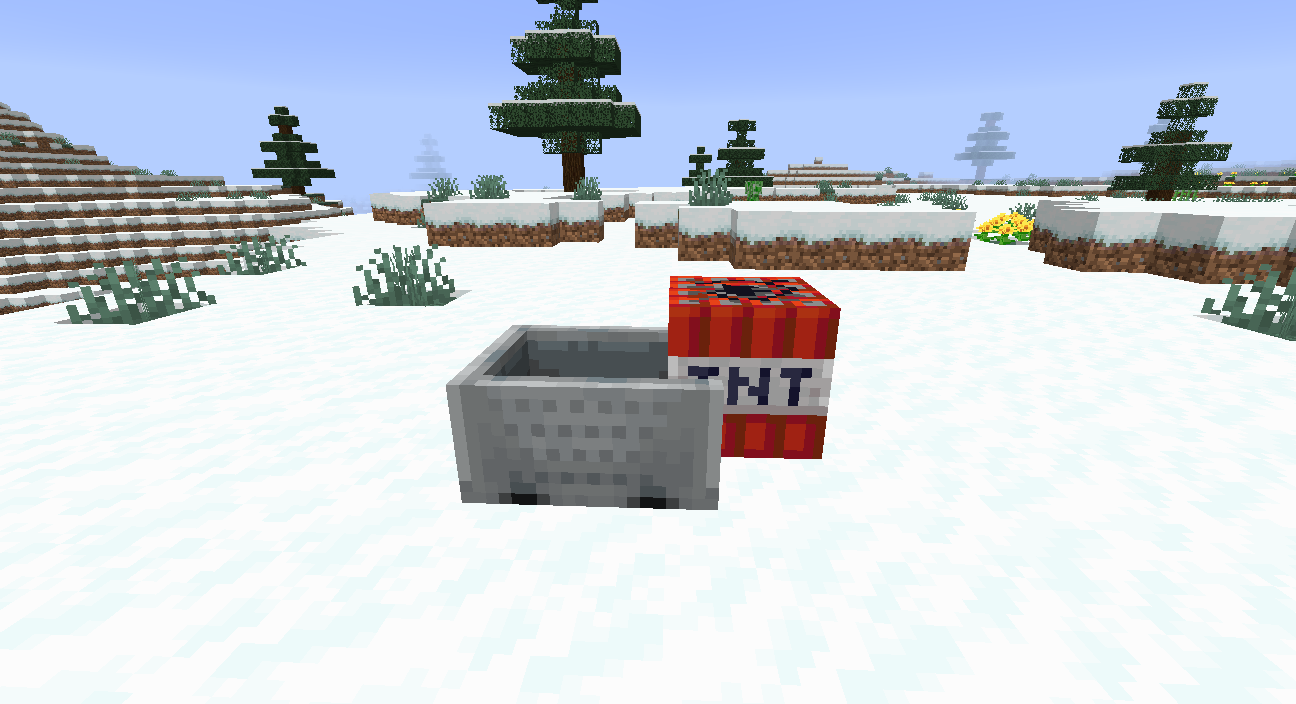




2019-04-25 23-04-53.flv
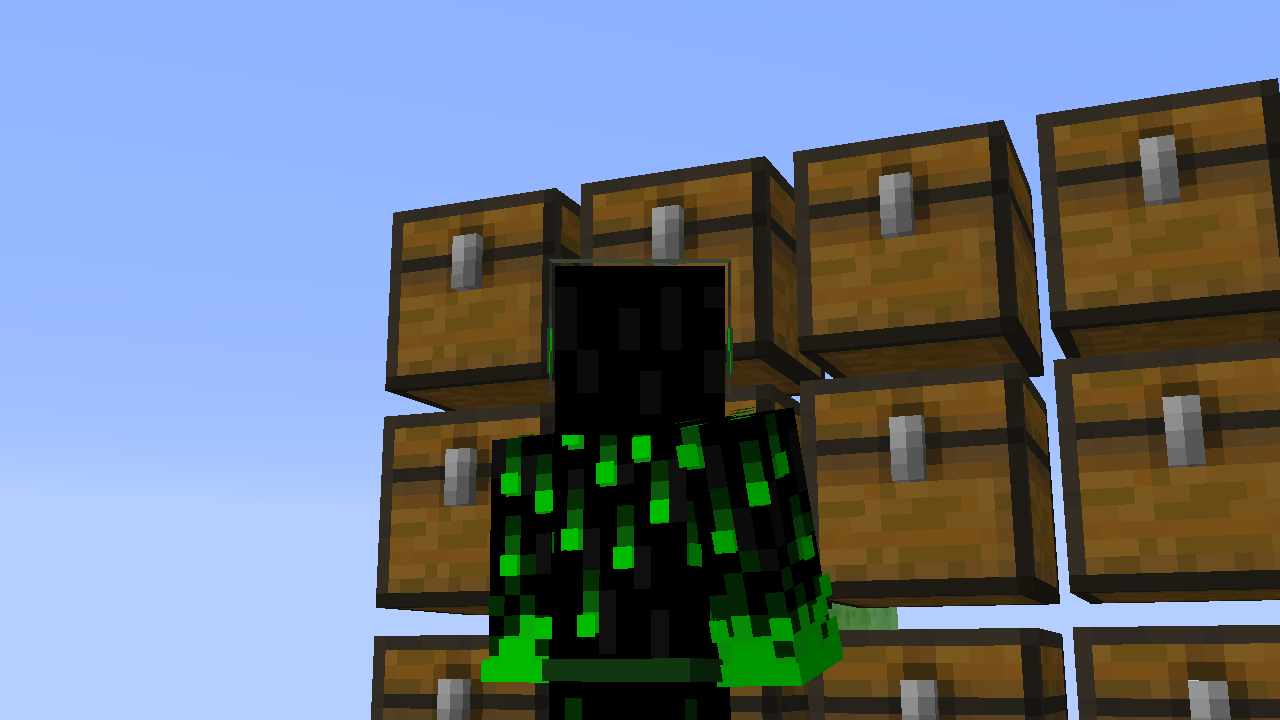
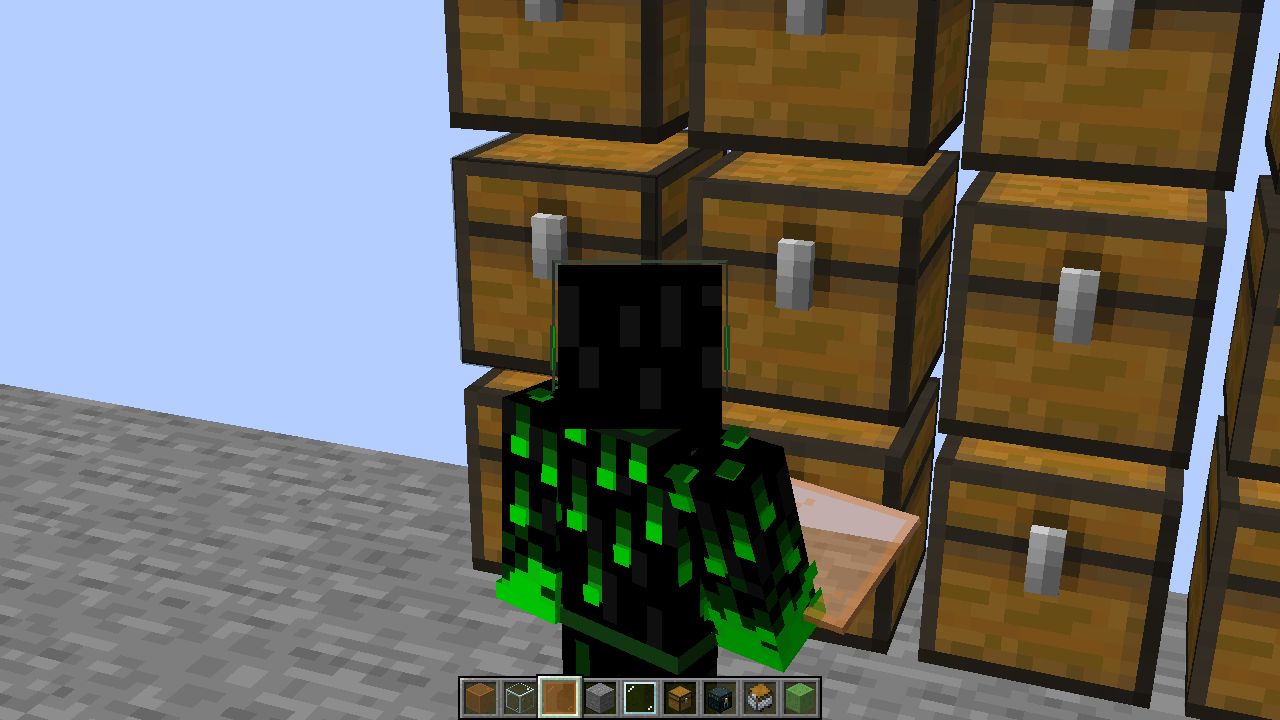
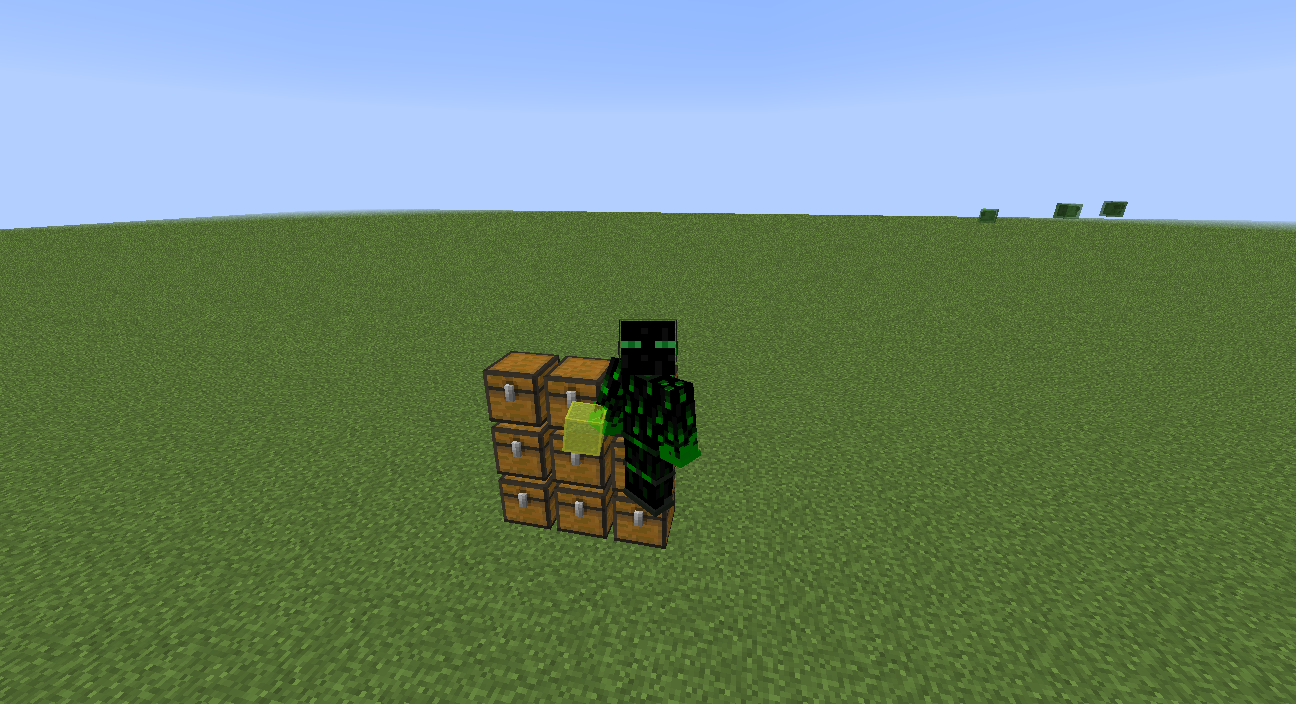
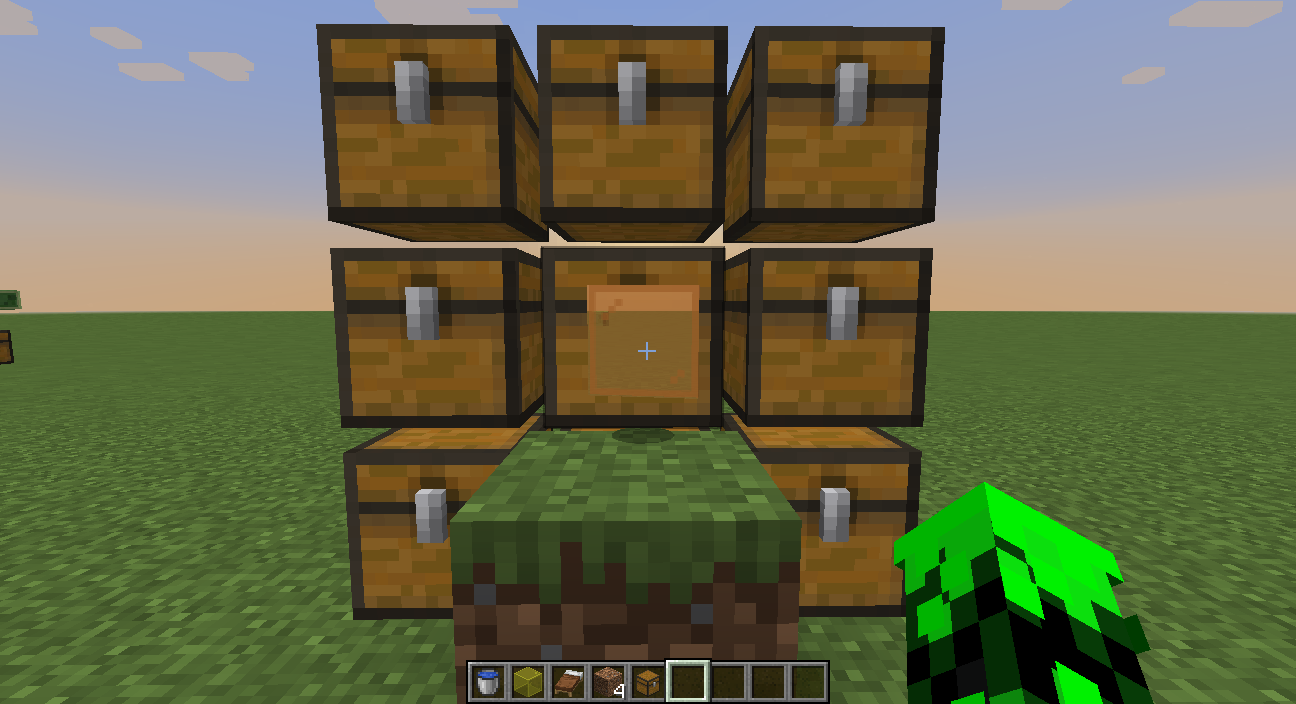
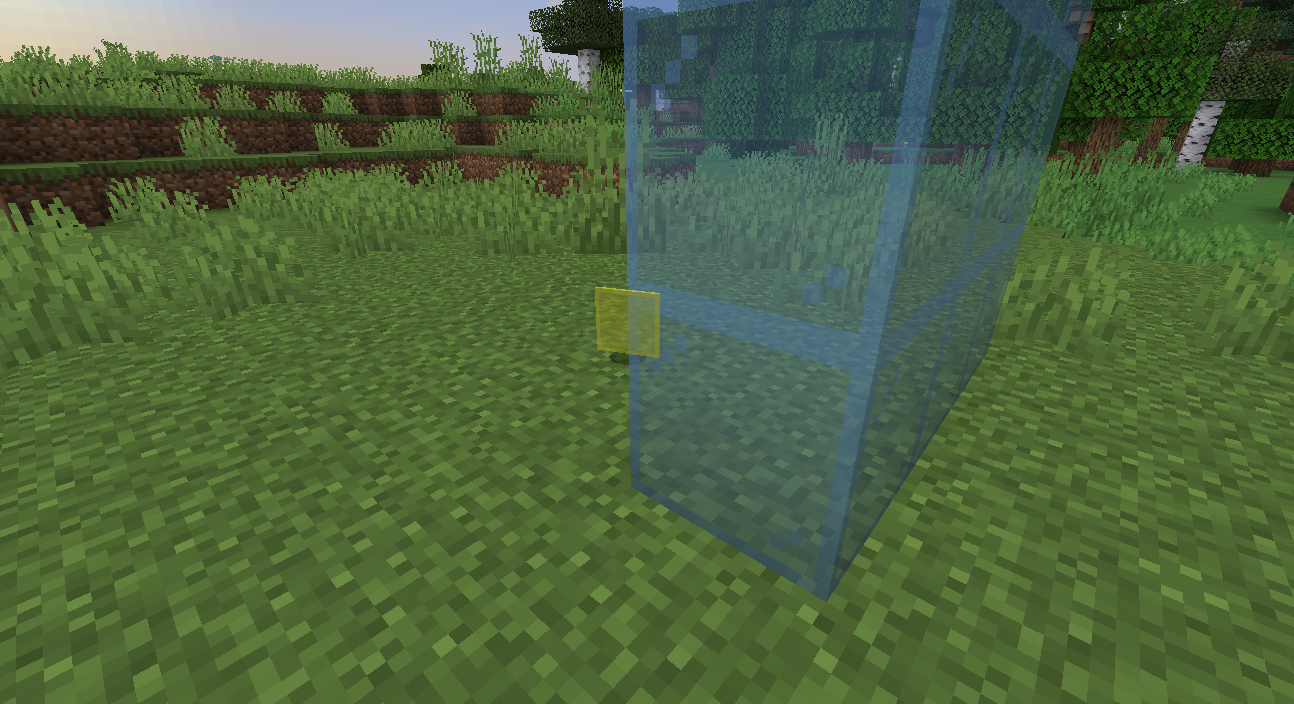
Transparent blocks in your hand in third person (f5) are wrong rendered in front of chests, beds and other thansparent blocks. Full (transparent) bocks in your hand are rendered behind placed transparent blocks. If you look at glass panes in your hand you can see through placed transparent blocks. This happens only with colored glass blocks and glass panes and not with normal glass block and glass pane.
Glass panes:
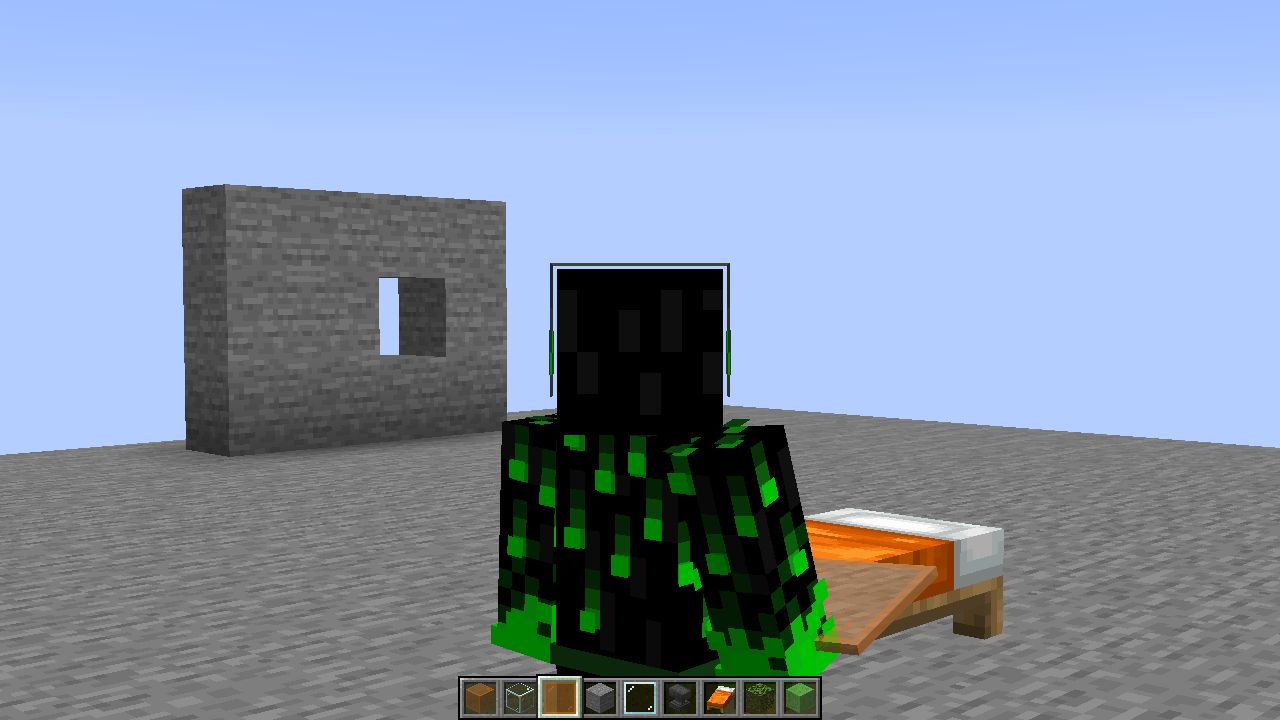
This bug also happens when you sleep in a bed:
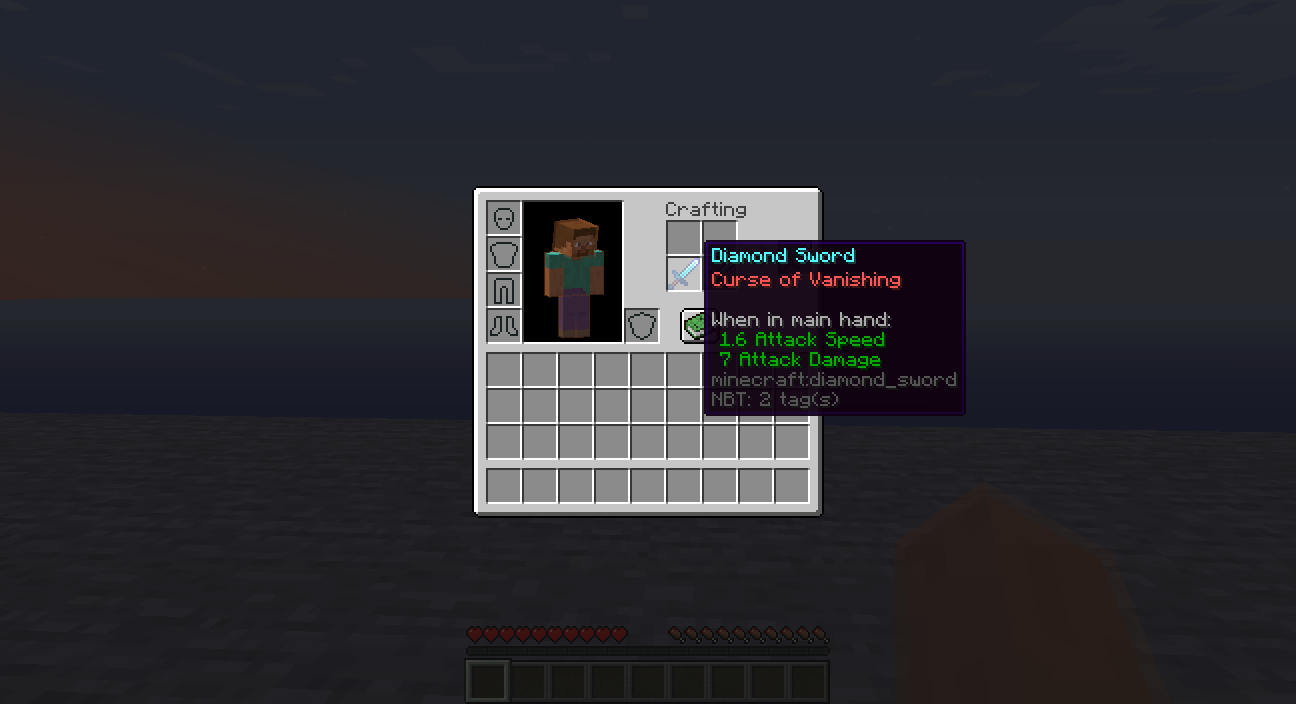
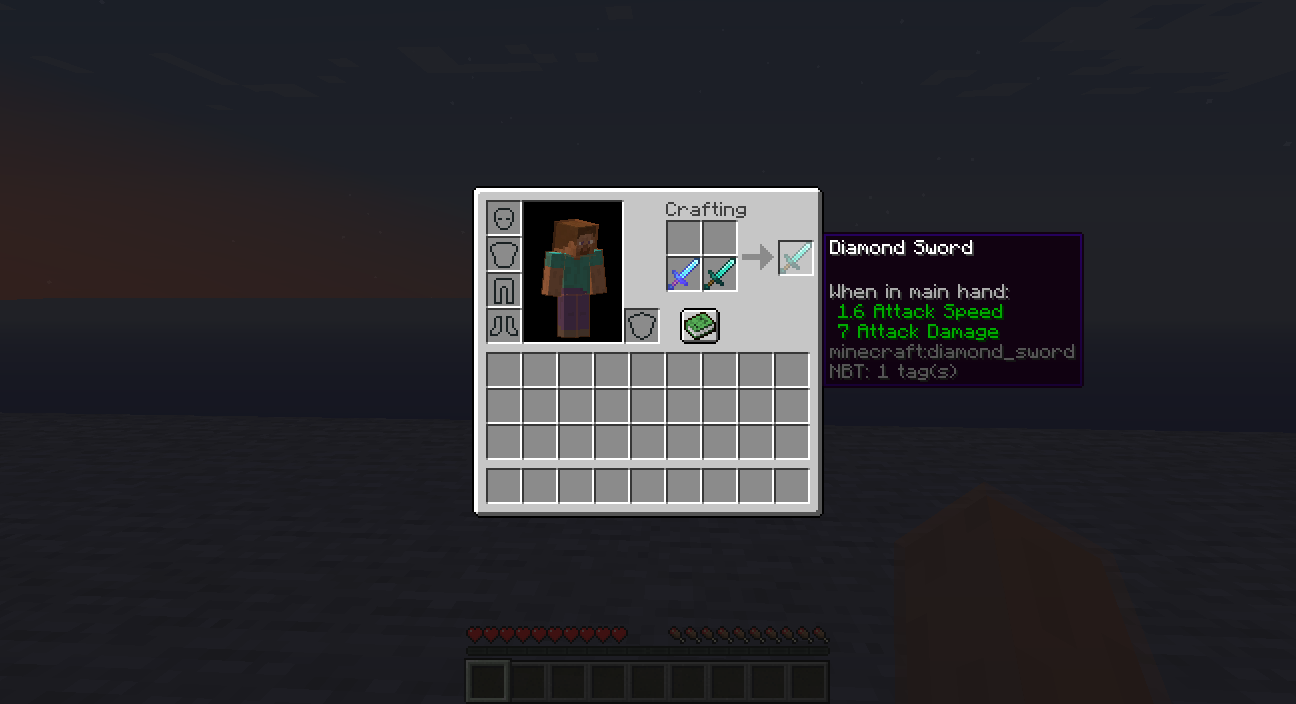
You can remove cursed enchantments on items by repairingit in inventoryYou can remove cursed enchantments on items by repairing them in inventory
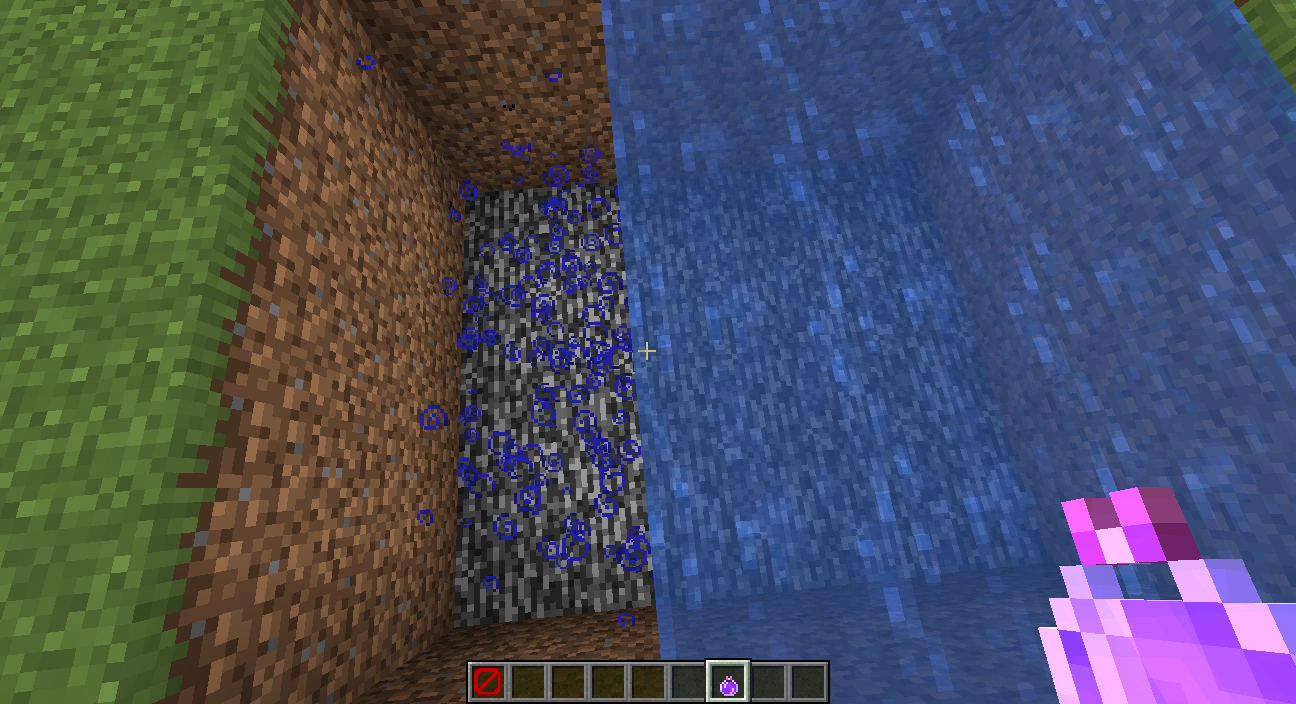
Particles
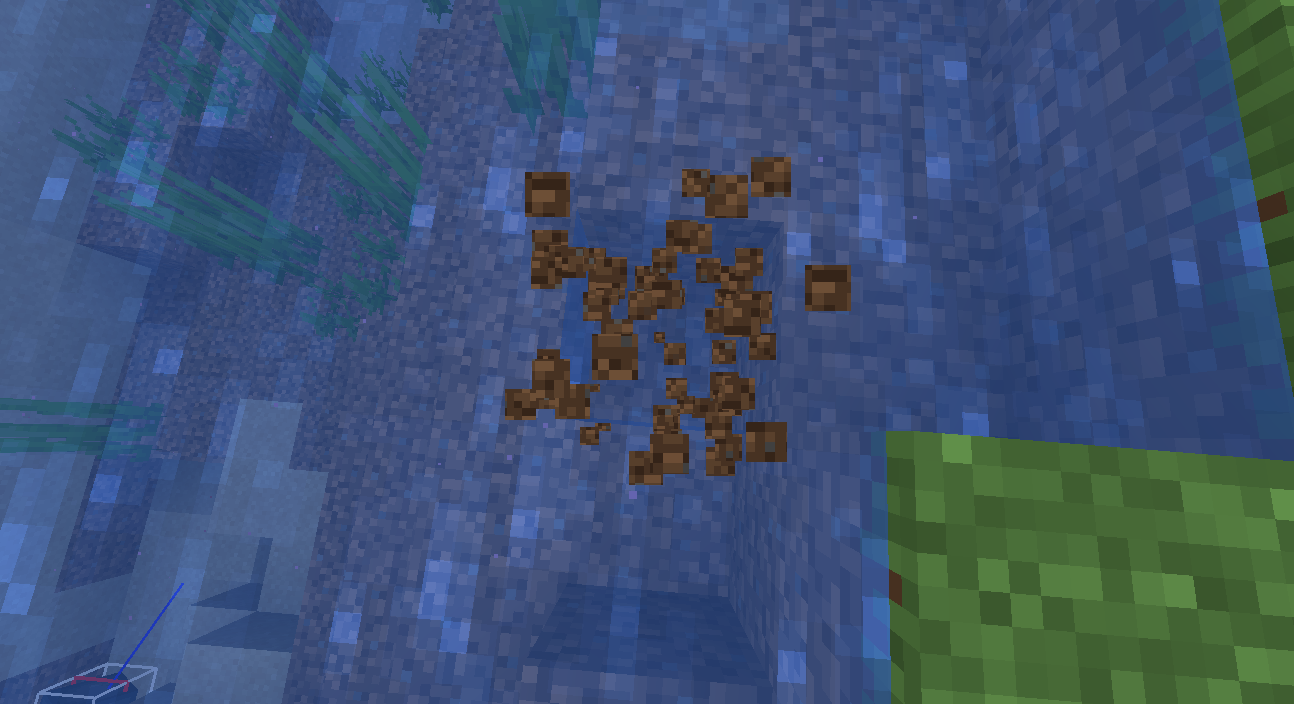
thatarecreated under water are not rendering when player is looking at them standing abovewater.
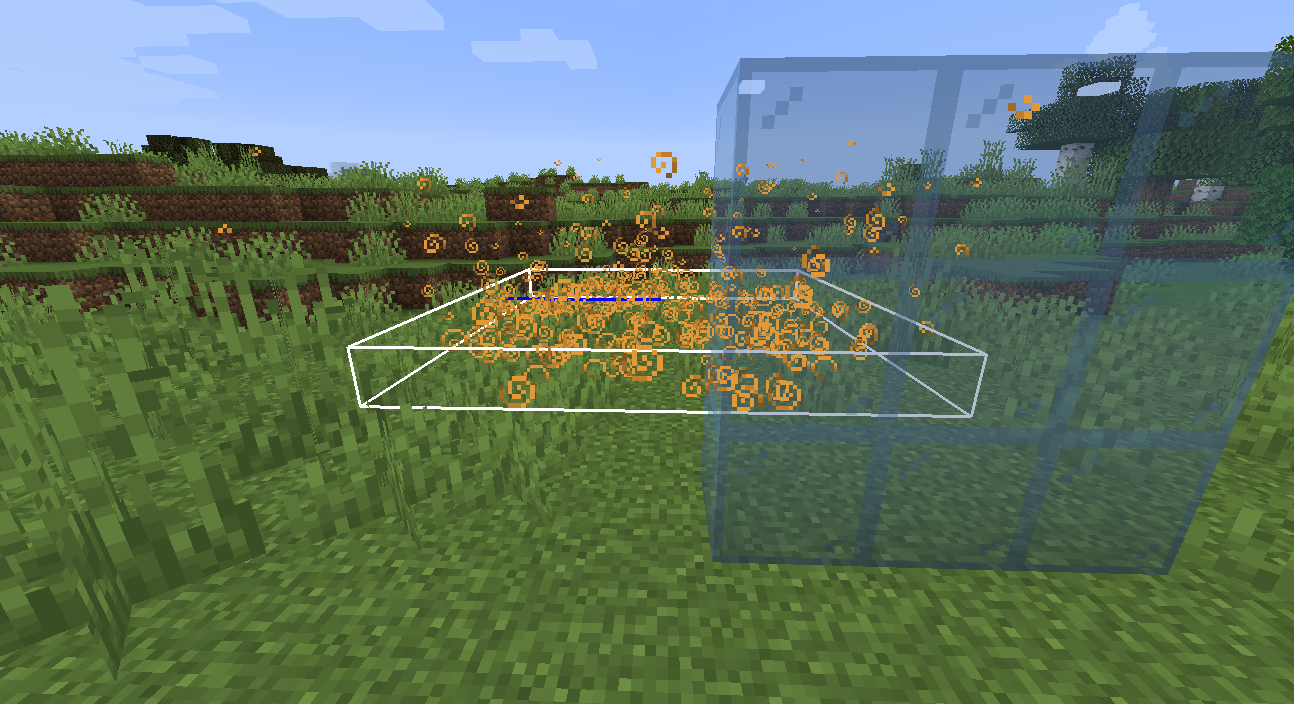
Particles don't render behind transparent blocks or under water.
Particlesunder water are not rendered when player is above waterParticles not rendering behind water and transparent blocks
TNT in the minecart is at wrong position, it is on the edge of the minecart
TNT in the minecart is at wrong position, it is on the edge of the minecart

TNT in the minecart is at wrong position, it is on the edge of the minecart
Graphics: Intel® HD Graphics 4000 (IVB GT2)
OS: Ubuntu 20.04 LTS
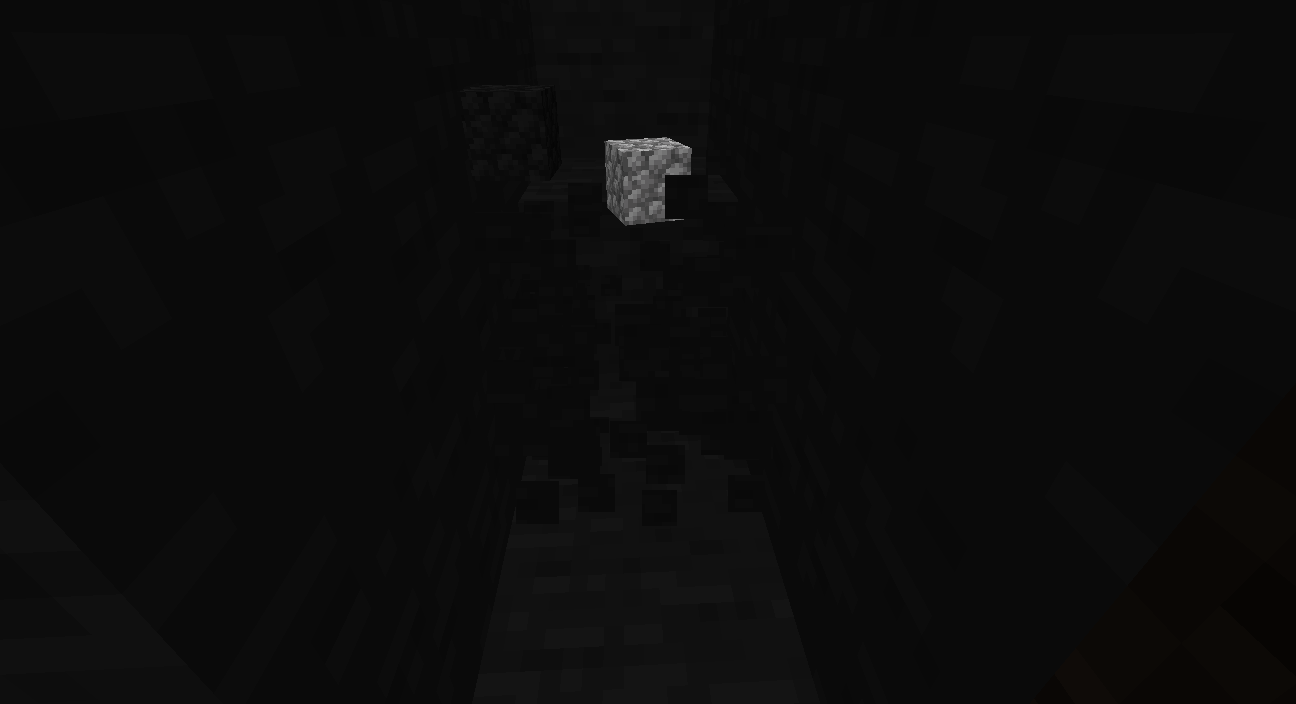
Clouds are rendered in front of all blocks and entitites.
You can use multiplayer connands on a singleplayer worldYou can use multiplayer commands on a singleplayer world
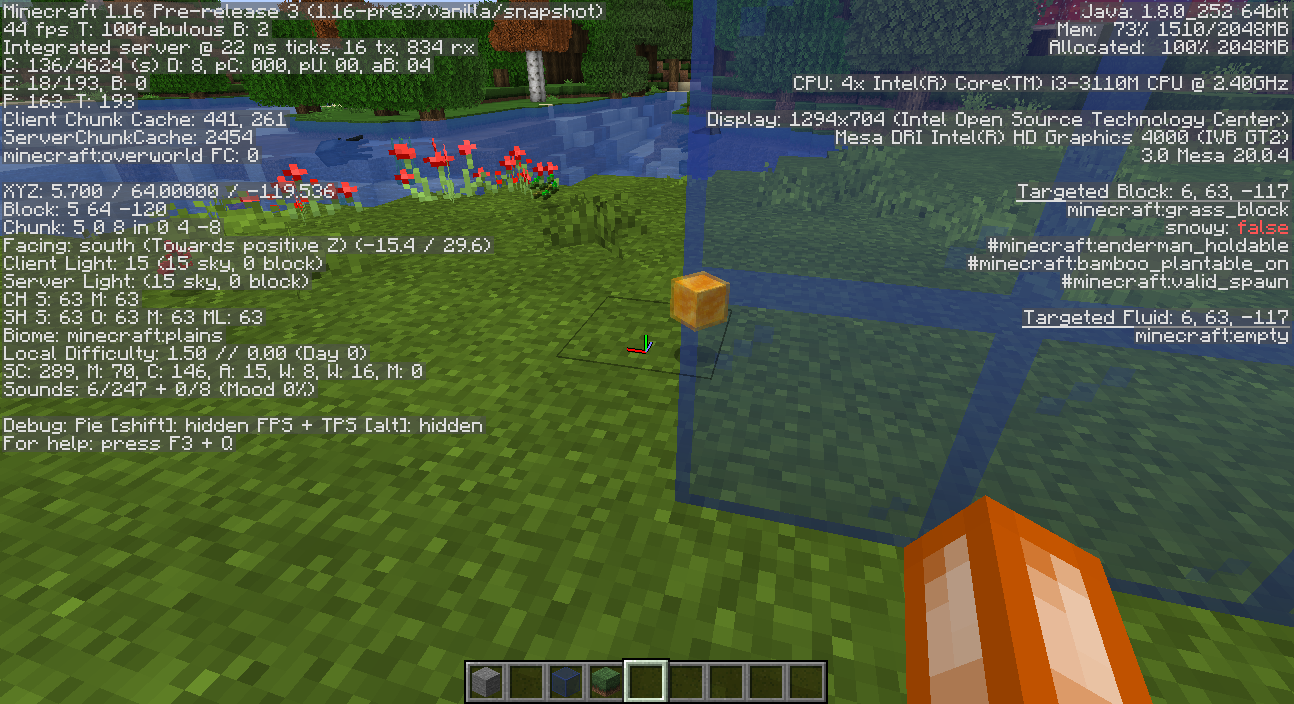
Transparent items render in front of transparent blocks on some graphics cards when graphics setting is set to fabulous
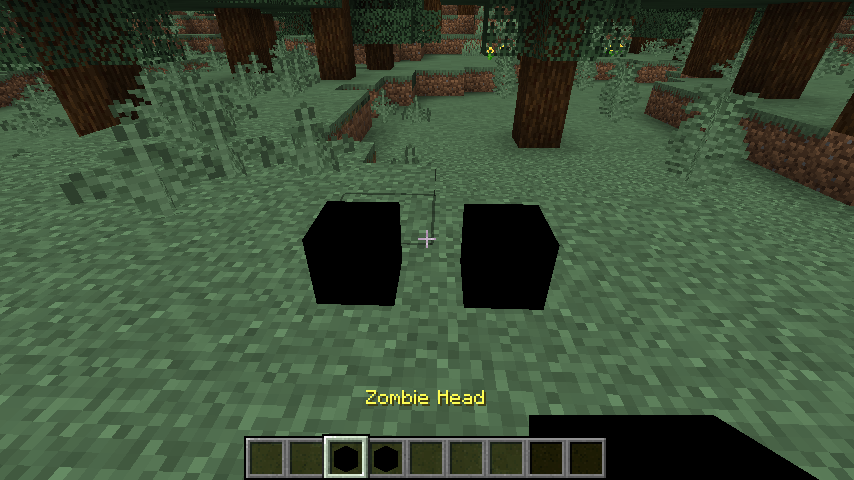
When you turn on entity hitboxes (F3+B), they are rendered in front of entities.
When you turn on entity hitboxes (F3+B), they are rendered in front of entities.
Entity hitboxes render in front of them when graphics setting is set to fabulous on some graphics cards
![[Mod] violine1101](../../../data/avatars/users/92858.png)
Gabrijel , please create a separate ticket for the player being in lava.
I think skeleton horse don't spawn that way. They spawn from skeleton traps. Read more about it here: skeleton horse
If that is desert biome that's normal because rain doesn't fall in desert biome in Minecraft
That's duplicate of
MC-9553Duplicate of MC-9553
Duplicate of MC-610
That is not a bug, in Minecraft 1.14 you can repair tools only in grindstone.
Duplicate of
MC-125204That is normal, drowned can chase you on the land during night.
For Minecraft PE you can report issue here: https://bugs.mojang.com/projects/MCPE/summary
Arrows bounce off entities that are immune to damage like minecarts and mobs immune to damage.
Duplicate of MC-149060
Relates to MC-147612
Relates to MC-610
That is indended (duplicate of
MC-147612)Duplicate of MC-148671
Duplicate of MC-150280
Duplicate of MC-139817
Confirmed for 1.14.2 pre-release 1
This bug can also be reproduced in lava
Isn't this duplicate of MC-152824 ?
Related to MC-153528
Duplicate of MC-148078
That is because these commands use JSON format, for example:
/title @a title {"text":"hi"}
and it is same for command /team modify [team] prefix/suffix [something]
It also happens for me. When I close launcher, the window is closed and then if I try to start launcher again, it doesn't launch. Then I need to kill process for launcher in system monitor to be able to start launcher again. It happens on Ubuntu 19.04 for me and it wasn't issue before (Ubuntu 18.10 and earlier)
And I also can't open more than one launcher.
Duplicate of MC-125007
This page is for Minecraft: java Edition. For Pocket Edition bugs go here: https://bugs.mojang.com/projects/MCPE/summary
Duplicate of
MCL-5511and please launcher bugs report here Minecraft LauncherDuplicate of MC-154499
Duplicate of MC-154499
This page is for Minecraft: Java Edition bugs, Minecraft Launcher bugs report here: Minecraft Launcher
This page is for Minecraft: Java Edition bugs, Minecraft Launcher bugs report here: Minecraft Launcher
This page is for Minecraft: Java Edition bugs, Minecraft Launcher bugs report here: Minecraft Launcher
This page is for Minecraft: Java Edition bugs, Minecraft Launcher bugs report here: Minecraft Launcher
This page is for Minecraft: Java Edition bugs, Minecraft Launcher bugs report here: Minecraft Launcher
Confirmed for 1.14.3
Can you put some screenshots?
All undead mobs can drown since 1.13
Duplicate of
MC-155571. That bug is fixed in 1.14.4 pre-release 1.Duplicate of MC-9553
You can't levitate in water, you can levitate only in the air.
Duplicate of MC-125810
Duplicate of MC-9553
You can't trade with them because they probably don't have a job.
That is maybe because you cooked a lot of items which automatically go in the chest, but xp from those items is stored in the furnace and when you take item directly from the furnace you get all xp from previous cooked items.
Were you playing in singleplayer or multiplayer?
That is not a bug, those blocks can't be moved by piston and that is normal in Java Edition.
Duplicate of MC-153929
Confirmed for 1.14.4 pre-release 2
Duplicate of MC-149375
Still in 1.14.4 Pre-release 5
I think it happens when you choose name which was previously someone's else and there is cooldown of 37 days when you can use it but website doesn't show that the name is not available.
Duplicate of MC-9553
Duplicate of MC-1794
Did you reproduce it in latest snapshot?
Because it's fixed in 1.14.4 Pre-Release 4.
Duplicate of MC-117815
When you break bee hive with silk touch tool and get bee hive, it's intended to have bees in it.
Because it will be fixed in the next snapshot. See fix version, it says Future version-1.15+.
Duplicate of MC-161274
Same thing happens with dropped item
Duplicate of MC-161847
It also happens if you hold chest, shulkerbox or bed and when player is in the lava.
Confirmed for 19w40a.
Duplicate of MC-161841
Duplicate of MC-161840
Duplicate of MC-161840
Duplicate of MC-161297
Yes, it's tracked here: MC-161841
Duplicate of
MC-161841Duplicate of
MC-161854Duplicate of
MC-161898Easier way to reproduce this bug is to stand above campfire and look down at smoke particles.
This bug is fixed in 19w41a.
Fixed in 19w41a.
Fixed in 19w41a.
Duplicate of
MC-163008Related to
MC-163009Duplicate of
MC-163008Duplicate of
MC-163009Duplicate of
MC-163008Duplicate of
MC-163001Duplicate of
MC-163001Duplicate of
MC-163001Breaking animation depends on angle, sometimes it looks normal.
Same thing is happening for me (Ubuntu 19.04), here is my launcher log: launcher_log.txt
Confirmed for 19w42a.
Duplicate of
MC-163027Duplicate of
MC-161435This is still happening in 1.15 pre-release 1.
Duplicate of
MC-166374Duplicate of
MC-166374Duplicate of
MC-166386Duplicate of
MC-166386Duplicate of
MC-166376Duplicate of
MC-166376This is fixed in one of 1.15 snapshots
Confirmed for 1.15 pre-release 3.
Similar to MC-125436
__I've also noticed that lava particles stick to the bottom of the block above lava, which shouldn't happen.
yes but only for snowballs i think
It also happens after mined block is dropped.
Cannot reproduce in 1.15 pre-release 3.
It should be like that, concrete powder needs to be in water to convert, not above.
This is similar or same as
MC-166276Isn't this same as
MC-166508?Duplicate of
MC-88901.Duplicate of
MC-165208.Duplicate of MC-165967.
Duplicate of
MC-167359.Duplicate of MC-165967.
Duplicate of
MC-3615.Duplicate of MC-19222.
Duplicate of MC-152728.
This issue appeared again in 1.15 pre-release 1, and still affects last snapshot (1.15.1 pre-release 1)
Duplicate of MC-1794.
Duplicate of
MC-163575.Duplicate of
MC-150373.Can confirm for 1.15.1
I did some testing, and found out if you set spawnpoint inside of any block, this will happen otherwise command should work. For example if you set spawnpoint on a block where you put ladders it won't work. If you put trapdoor above you (in a 2 block height room) it won't work. It will only work if you set spawnpoint on a block where is at least 2 only air blocks above that block.
edit: i did some more testing and found out that it doesn't happen for any block, it doesn't happen for setting spawnpoint on a block where are ladders, pressure plates, buttons, and probably some other blocks.
edit2:
This doesn't happen with:
Bug happens with:
Lists are not full, there are probably more blocks that affect this bug.
Duplicate of
MC-161899.Duplicate of
MC-149375.Affects 1.15.2 Pre-release 2.
Affects 1.15.2 pre-release 2
Duplicate of
MC-163575.Probably duplicate of MC-58862
Duplicate of
MC-170818Duplicate of
MC-170818Duplicate of
MC-170818Duplicate of
MC-170849Duplicate of
MC-170823Duplicate of
MC-170823Duplicate of
MC-170819For doors, it works as intended, see
MC-66985.Duplicate of
MC-170859Duplicate of
MC-170859Duplicate of
MC-170859Duplicate of
MC-170823.Duplicate of
MC-170823Affects 20w07a.
Affects 20w07a.
Affects 20w07a
Affects 20w07a
Affects 20w07a
Affects 20w07a
Duplicate of
MC-170819Duplicate of
MC-170819Affects 20w08a.
Affects 1.15.2 & 20w08a.
Affects 1.15.2
It has all sounds like hay bale, because it is used to craft target block and it's probably duplicate of
MC-91091.I think that's duplicate of
MC-150455Duplicate of
MC-166729You are using snapshot 20w10a, it's fixed in snapshot 20w11a.
Duplicate of
MC-174513It also happens if lodestone is in another dimension.
Affects 20w13a.
Affects 20w13a.
Affects 20w13a.
Affects 20w13a.
Affects 20w13a.
Affects 20w13a.
Duplicate of
MC-149555.Duplicate of
MC-176032.Duplicate of
MC-176032.Duplicate of
MC-176032.Duplicate of
MC-176032.Relates to
MC-166006.Duplicate of
MC-179858.Duplicate of
MC-179845.Duplicate of
MC-179845.Duplicate of
MC-179845.Relates to
MC-149791Affects 20w20a
Affects 20w20b
Duplicate of
MC-136374Affects 20w21a.
Affects 20w21a.
Relates to MC-30391
Affects 20w21a.
Affects 20w21a
Affects 20w21a
Affects 20w21a
Affects 20w21a
Cannot reproduce in 20w21a
It's still issue for me, probably affects only certain graphics cards.
Yes, that happens when I'm using "Fabulous" setting.
This is not fixed in 1.16. Pre-release 3.
It shows GPU warning now.
Duplicate of
MC-188987.Duplicate of
MC-145691Works as intended, all items float in water after Minecraft 1.13
You need to log out of your launcher and then log back in.
Cannot reproduce, not enough information.
I don't see what is the issue on the screenshot, not enough information.
Cannot reproduce in 1.16. Pre-release 5
Cannot reproduce in 1.16-pre5.
Can anyone reproduce this who doesn't have warning screen in 1.16. pre-release 5?
Fixed in 20w27a.
Duplicate of
MC-178986I can't reproduce this in 1.16.1.