 user-a4a49
- jirauser283547
- JIRAUSER283547
- Europe/Stockholm
- No
- No
 MC-130608
![[Mojang] Grum (Erik Broes)](../../../data/assets/gravatar/grum.png)

















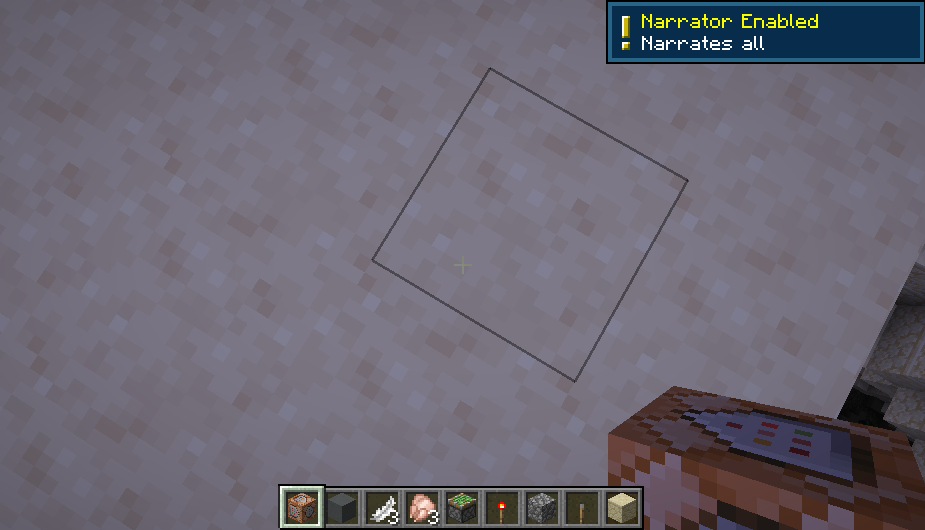
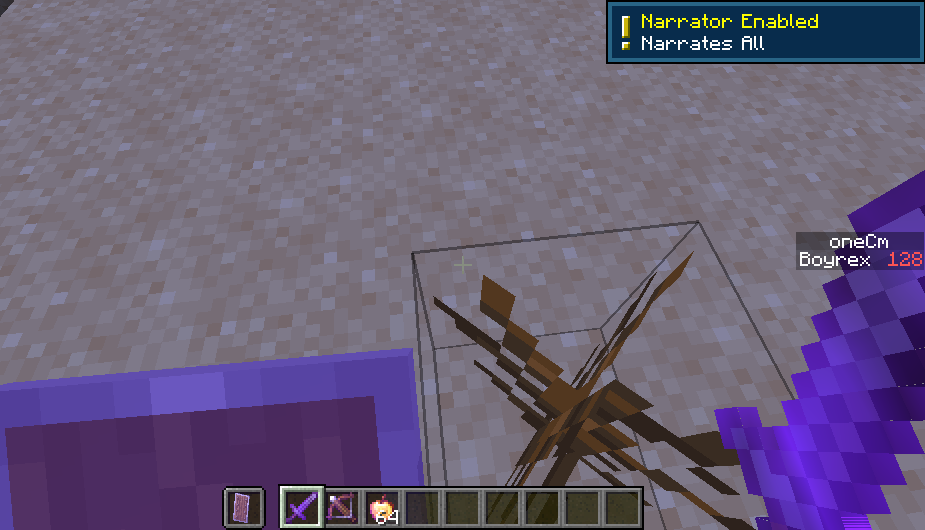


On 1.13, sometimes, when I try to click on a recipe on a Recipe Book, it does not show how to craft it. This bug becomes common when I add custom recipes in the game. Here are the attachments below.
If you are able to fix it on the next 1.13 snapshot, thanks!
P.S. On the full release of 1.13, why can't you customize items with NBTs when creating custom recipes? It would help a lot of mapmakers if you do.
On 1.13, sometimes, when I try to click on a recipe on a Recipe Book, it does not show how to craft it. This bug becomes common when I add custom recipes in the game. Here are the attachments below.
If you
are able to fix it on the next 1.13 snapshot, thanks!P.S. On the full release of 1.13, why can't you customize items with NBTs when creating custom recipes? It would help a lot of mapmakers if you do.
On 1.13, sometimes, when I try to click on a recipe on a Recipe Book, it does not show how to craft it. This bug becomes common when I add custom recipes in the game. Here are the attachments below.
If you quit the world and then reload it, it will work again, but the bug will come back once more.
If you are able to fix it on the next 1.13 snapshot, thanks!
P.S. On the full release of 1.13, why can't you let mapmakers customize items with NBTs when creating custom recipes? It would help a lot of mapmakers if you do.
Recipe Book sometimesnot working properlyRecipe Book sometimes does not display a recipe when clicking one
On 1.13, sometimes, when I try to click on a recipe on a Recipe Book, it does not show how to craft it. This bug becomes common when I add custom recipes in the game. Here are the attachments below.If you quit the world and then reload it, it will work again, but the bug will come back once more.
If you are able to fix it on the next 1.13 snapshot, thanks!
P.S. On the full release of 1.13, why can't you let mapmakers customize items with NBTs when creating custom recipes? It would help a lot of mapmakers if you do.
The Recipe Book sometimes does not display recipes when clicking on your desired one.
What I expected to happen was...:
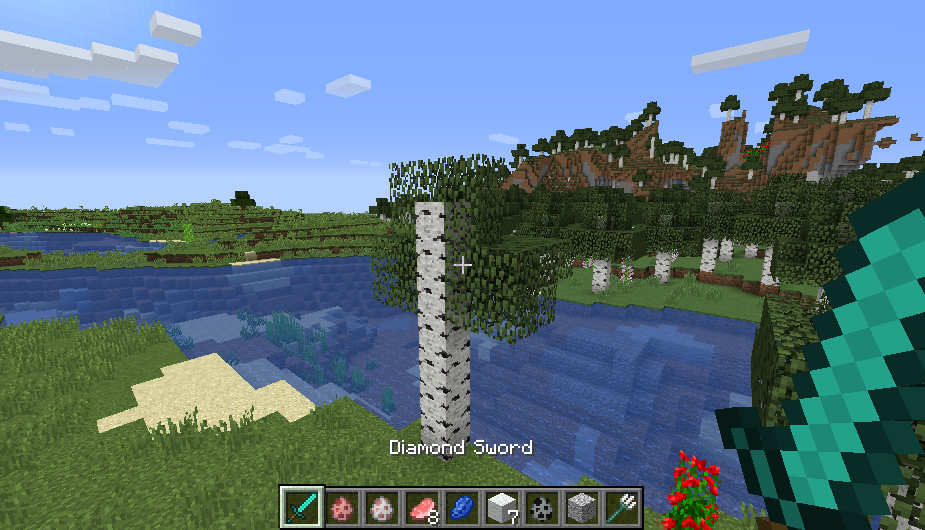
When I use the Diamond Sword recipe for another time, it should display the recipe.What actually happened was...:
It does not sometimes display the recipe.Steps to Reproduce:
1. Access the Recipe Book and then click on your desired recipe.
2. Notice that it does not sometimes display the recipe. Now, do I have to craft my items manually?P.S. On the full release of 1.13, why can't you let mapmakers customize items with NBTs when creating custom recipes? It would help a lot of mapmakers if you do.
2018-06-02_09.07.50.png
The Recipe Book sometimes does not display recipes when clicking on your desired one.
What I expected to happen was...:
When I use the Diamond Sword recipe for another time, it should display the recipe.What actually happened was...:
It does not sometimes display the recipe.Steps to Reproduce:
1. Access the Recipe Book and then click on your desired recipe.
2. Notice that it does not sometimes display the recipe. Now, do I have to craft my items manually?P.S. On the full release of 1.13, why can't you let mapmakers customize items with NBTs when creating custom recipes? It would help a lot of mapmakers if you do.
The Recipe Book sometimes does not display recipes when clicking on your desired one.
What I expected to happen was...:
When I use the Diamond Sword recipe for another time, it should display the recipe.What actually happened was...:
It does not sometimes display the recipe.Steps to Reproduce:
1. Access the Recipe Book and then click on your desired recipe.
2. Notice that it does not sometimes display the recipe. Now, do I have to craft my items manually?EDIT: This was a duplicate of
MC-122940; it has not been flagged for a long time...
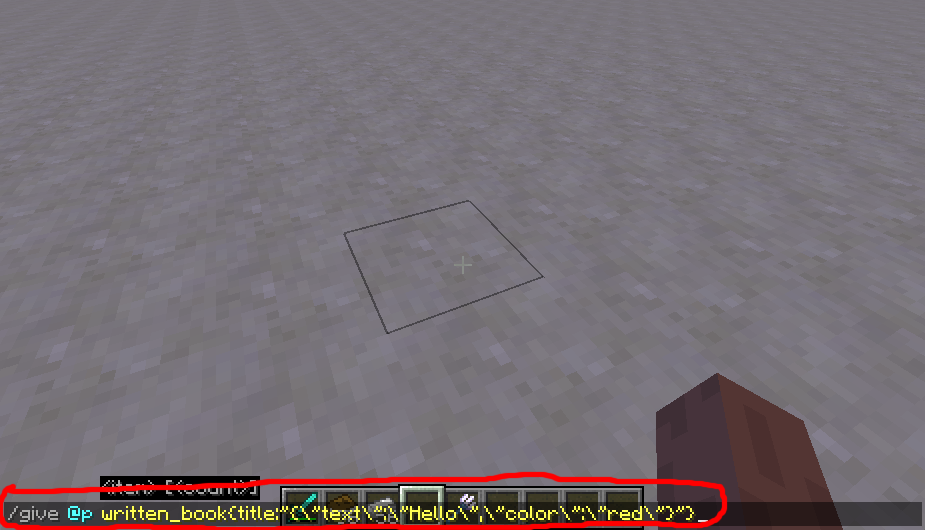
When I try typing in this command to get a Written Book named Hello!:
{\"text\":\"Hello!\",\"color\":\"red\"}
{{/give @p written_book{title:""}
}}Then the Book will rather be named as
{"text":"Hello","color":"red}{{
}}rather than Hello!Can someone fix this bug before the future 1.13 release? Thanks!
When I try typing in this command to get a Written Book named Hello!:
{\"text\":\"Hello!\",\"color\":\"red\"}
*/give @p written_book{title:""}*
Then the Book will rather be named as *
{"text":"Hello","color":"red}* rather than Hello! [look up pictures for more information].
Can someone fix this bug before the future 1.13 release? Thanks!
When I try typing in this command to get a Written Book named Hello!:
{\"text\":\"Hello!\",\"color\":\"red\"}
*/give @p written_book{title:""}*
Then the Book will rather be named as *
{"text":"Hello","color":"red}* rather than Hello! [look up pictures for more information].
Can someone fix this bug before the future 1.13 release? Thanks!
When I try typing in this command to get a Written Book named Hello!:
{\"text\":\"Hello!\",\"color\":\"red\"}
{{*/give @p written_book{title:""}*}}
Then the Book will rather be named as *
{"text":"Hello","color":"red}* rather than Hello! [look up pictures for more information].
Can someone fix this bug before the future 1.13 release? Thanks!
When I try typing in this command to get a Written Book named Hello!:
{\"text\":\"Hello!\",\"color\":\"red\"}
{{*/give @p written_book{title:""}*
}}Then the Book will rather be named as *
{"text":"Hello","color":"red}* rather than Hello! [look up pictures for more information].
Can someone fix this bug before the future 1.13 release? Thanks!
Wh
{\"text\":\"Hello!\",\"color\":\"red\"}enItry typing in this command to get a Written Book namedHello!:
*/give @p written_book{title:""}*
Then the Book will rather be named as *
{"text":"Hello","color":"red}* rather than Hello!
[look uppictures for more information].Can someone fix this bug before the future 1.13 release? Thanks!
Written Books do not support JSON when naming them or its author; in other words, using the "title" or "author" tag on Written Books in order to do so. Using the "display" tag on other items supports JSON however.
What I expected to happen was...:
When I type in a specific command to name a Written Book, it should have Hello! as its name.What actually happened was...:
It just became a raw string instead of a customized name; refer to pictures below for more information.Steps to Reproduce:
1. Type in the specified command below.
2. Notice that it is just a raw string instead of a customized name. How can I customize names of Written Books now without having to use this symbol (§)?
Cannot use JSON on titleand authortags on Written BooksWritten Books do not support JSON when naming them and its author
Written Books do not support JSON when naming themandits authorWritten Books do not support JSON when naming them or its author
If you tag a function on minecraft:load , the functions tagged will only run if you use
/reload. Please increase its functionality for functions tagged onminecraft:load by letting the functions load as well when loading the world.If you tag a function on minecraft:load , the functions tagged will only run if you use /reload . Please increase its functionality for functions tagged on minecraft:load by letting the functions load as well when loading the world.
Huh, what that mean?
Ah, just because I used @s to select players, that is why it did not work.
When I try to click on any recipe on the Recipe Book, it saves the world first and then crashes the game. This bug only happens if I do not have enough ingredients to use a recipe. For example, if I attempt to craft Packed Ice without Ice, the game will crash.
The crash report is attached below.
This is not technically a bug in the game, but a bug in the Texture Update resource pack for the specified version. Regarding the resource pack, the Acacia Boat item texture is one pixel offset - meaning that its texture is not properly aligned unlike other item textures for boats, which can be annoying to most Minecraft players.
This is not technically a bug in the game, but a bug in the Texture Update resource pack for the specified version. Regarding the resource pack, the Acacia Boat item texture is one pixel offset - meaning that its texture is not properly aligned unlike other item textures for boats, which can be annoying to most Minecraft players.
Here are some attachments to aid you:
This is not technically a bug in the game, but a bug in the Texture Update resource pack for the specified version. Regarding the resource pack, the Acacia Boat item texture is one pixel offset - meaning that its texture is not properly aligned unlike other item textures for boats, which can be annoying to most Minecraft players.
Here are some attachments to aid you
:This is not technically a bug in the game, but a bug in the Texture Update resource pack for the specified version. Regarding the resource pack, the Acacia Boat item texture is one pixel offset - meaning that its texture is not properly aligned unlike other item textures for boats, which can be annoying to most Minecraft players.
Here are some attachments below to aid you.
This is nottechnically a bug in the game, but a bug in the Texture Update resource pack for the specified version. Regarding the resource pack, the Acacia Boat item texture is one pixel offset - meaning that its texture is not properly aligned unlike other item textures for boats, which can be annoying to most Minecraft players.Here are some attachments below to aid you.
This is NOT technically a bug in the game, but a bug in the Texture Update resource pack for the specified version. Regarding the resource pack, the Acacia Boat item texture is one pixel offset - meaning that its texture is not properly aligned unlike other item textures for boats, which can be annoying to most Minecraft players.
Here are some attachments below to aid you.
It's not fixed at all, please re-open.
Please reopen, it doesn't seem to be fixed in 1.13-pre4...
Doesn't seem to be fixed...
When using any tool - including armor - and then holding Left Shift in order to open a Wooden Door, it opens the door and not make any sound.
Th
e video below should explain the situation more clearly.When using any tool - including armor - and then holding Left Shift in order to open a Wooden Door, it opens the door and not make any sound.
This also affects other Redstone mechanics such as Wooden and Stone Buttons.
The video below should explain the situation more clearly.
When I execute /reload and then immediately press L in order to open the Advancements menu:
1.12.x 1.13-pre4 The "There doesn't seem to be..." message displays first, and then displays immediately the advancement tab the player has selected. The same message displays and no longer shows the tab the player is currently viewing unless I click on another tab. In order to work around this bug, you can also press ESC and then L in order to view again the tab you have previously selected.
When I execute /reload and then immediately press
L in order to open the Advancements menu:
1.12.x 1.13-pre4 The "There doesn't seem to be..." message displays first, and then displays immediately the advancement tab the player has selected. The same message displays and no longer shows the tab the player is currently viewing unless I click on another tab. In order to work around this bug, you can also press ESC and then L in order to view again the tab you have previously selected.
When I execute /reload and then immediately press L in order to open the Advancements menu:
1.12.x 1.13-pre4 The "There doesn't seem to be..." message displays first, and then displays immediately the advancement tab the player has selected. The same message displays and no longer shows the tab the player is currently viewing unless I click on another tab. In order to work around this bug, you can also press ESC and then L in order to view again the tab you have previously selected.
When I execute /reload and then immediately press L in order to open the Advancements menu:
1.12.x1.13-pre4The "There doesn't seem to be..." message displays first, and then displays immediately the advancement tab the player has selected. The same message displays and no longer shows the tab the player is currently viewing unless I click on another tab. In order to work around this bug, you can also press ESC and then L in order to view again the tab you have previously selected.
When I execute /reload and then immediately press L in order to open the Advancements menu:
1.12.x 1.13.x The "There doesn't seem to be..." message displays first, and then displays immediately the advancement tab the player has selected. The same message displays and no longer shows the tab the player is currently viewing unless I click on another tab. In order to work around this bug, you can also press ESC and then L in order to view again the tab you have previously selected.
When I execute /reload and then immediately press L in order to open the Advancements menu:
1.12.x 1.13.x The "There doesn't seem to be..." message displays first, and then displays immediately the advancement tab the player has selected. The same message displays and no longer shows the tab the player is currently viewing unless I click on another tab. In order to work around this bug, you can also press ESC and then L in order to view again the tab you have previously selected.
When I execute /reload and then immediately press L in order to open the Advancements menu:
1.12.x 1.13.x The "There doesn't seem to be..." message displays first, and then displays immediately the advancement tab the player has selected. The same message displays and no longer shows the tab the player is currently viewing unless I click on another tab. In order to work around this bug, you can also press L once again in order to view again the tab you have previously selected.
When I execute /reload and then immediately press L in order to open the Advancements menu:
1.12.x 1.13.x The "There doesn't seem to be..." message displays first, and then displays immediately the advancement tab the player has selected. The same message displays and no longer shows the tab the player is currently viewing unless I click on another tab. In order to work around this bug, you can also press L once again in order to view again the tab you have previously selected.
When I execute /reload and then immediately press L in order to open the Advancements menu:
1.12.x 1.13.x The There doesn't seem to be... message displays first, and then displays immediately the advancement tab the player has selected. The same message displays and no longer shows the tab the player is currently viewing unless I click on another tab. In order to work around this bug, you can also press L once again in order to view again the tab you have previously selected.
Some sound events are no longer playing the expected sound. Some sound events affected:
- entity.evoker.ambient now plays the Evoker Fang bite sound
- entity.evoker.cast_spell now plays the Evoker idle sound
- entity.evoker.death now plays the Evoker cast spell sound
- entity.evoker.hurt now plays the Evoker death sound
- entity.evoker.prepare_attack now plays the Evoker hurt sound
- entity.evoker.prepare_summon now plays the Evoker prepare attack sound
- entity.evoker.prepare_wololo now plays the Evoker prepare summon sound
- entity.evoker_fangs.attack now plays the Evoker wololo sound
- ... and probably others.
The most likely reason why this bug happens is because of the sounds.json file being rushed for the feature of changing most internal IDs in the game. Please fix all sound events that do not play the expected sound...
Here is another bug relating to sound events which can be found here:
MC-132323.
Some sound events are no longer playing the expected sound. So
me sound events affected:
- entity.evoker.ambient now plays the Evoker Fang bite sound
- entity.evoker.cast_spell now plays the Evoker idle sound
- entity.evoker.death now plays the Evoker cast spell sound
- entity.evoker.hurt now plays the Evoker death sound
- entity.evoker.prepare_attack now plays the Evoker hurt sound
- entity.evoker.prepare_summon now plays the Evoker prepare attack sound
- entity.evoker.prepare_wololo now plays the Evoker prepare summon sound
- entity.evoker_fangs.attack now plays the Evoker wololo sound
- ... and probably others.
The most likely reason why this bug happens is because of the sounds.json file being rushed for the feature of changing most internal IDs in the game. Please fix all sound events that do not play the expected sound...
Here is another bug relating to sound events which can be found here:
MC-132323.Some sound events are no longer playing the expected sound. Sound events affected are:
Some sound events are no longer playing the expected sound. Sound events affected
are:Some sound events are no longer playing the expected sound. Some sound events affected:
- entity.evoker.ambient now plays the Evoker Fang bite sound
- entity.evoker.cast_spell now plays the Evoker idle sound
- entity.evoker.death now plays the Evoker cast spell sound
- entity.evoker.hurt now plays the Evoker death sound
- entity.evoker.prepare_attack now plays the Evoker hurt sound
- entity.evoker.prepare_summon now plays the Evoker prepare attack sound
- entity.evoker.prepare_wololo now plays the Evoker prepare summon sound
- entity.evoker_fangs.attack now plays the Evoker wololo sound
- ... and probably others.
The most likely reason why this bug happens is because of the sounds.json file being rushed for the feature of changing most internal IDs in the game. Please fix all sound events that do not play the expected sound...
Here is another bug relating to sound events which can be found here:
MC-132323.
Some sound events are no longer playing the expected sound. So
me sound events affected:
- entity.evoker.ambient now plays the Evoker Fang bite sound
- entity.evoker.cast_spell now plays the Evoker idle sound
- entity.evoker.death now plays the Evoker cast spell sound
- entity.evoker.hurt now plays the Evoker death sound
- entity.evoker.prepare_attack now plays the Evoker hurt sound
- entity.evoker.prepare_summon now plays the Evoker prepare attack sound
- entity.evoker.prepare_wololo now plays the Evoker prepare summon sound
- entity.evoker_fangs.attack now plays the Evoker wololo sound
- ... and probably others.
The most likely reason why this bug happens is because of the sounds.json file being rushed for the feature of changing most internal IDs in the game. Please fix all sound events that do not play the expected sound...
Here is another bug relating to sound events which can be found here:
MC-132323.Some sound events are no longer playing the expected sound. Sound events affected are:
- entity.evoker.ambient
- entity.evoker.cast_spell
- entity.evoker.death
- entity.evoker.hurt
- entity.evoker.prepare_attack
- entity.evoker.prepare_summon
- entity.evoker.prepare_wololo
- entity.evoker_fangs.attack
Based on the information I have gathered for the bug, it seems that only Evoker and Evoker Fang sounds are affected; however, this bug might also affect other sound events.
The most likely reason why this bug happens is because of the
sounds.jsonfile being rushed for changing most internal IDs in the game. If there are other sound events that are affected with this bug, please fix them. Thank you.
Some sound events are no longer playing the expected sound. Sound events affected are:
- entity.evoker.ambient
- entity.evoker.cast_spell
- entity.evoker.death
- entity.evoker.hurt
- entity.evoker.prepare_attack
- entity.evoker.prepare_summon
- entity.evoker.prepare_wololo
- entity.evoker_fangs.attack
Based on the information I have gathered for the bug, it seems that only Evoker and Evoker Fang sounds are affected; however, this bug might also affect other sound events.
The most likely reason why this bug happens is because of the
sounds.jsonfile being rushed for changing most internal IDs in the game. If there are other sound events that are affected with this bug, please fix them. Thank you.
Some sound events are no longer playing the expected sound. Sound events affected are:
- entity.evoker.ambient
- entity.evoker.cast_spell
- entity.evoker.death
- entity.evoker.hurt
- entity.evoker.prepare_attack
- entity.evoker.prepare_summon
- entity.evoker.prepare_wololo
- entity.evoker_fangs.attack
Based on the information I have gathered for the bug, it seems that only Evoker and Evoker Fang sounds are affected; however, this bug might also affect other sound events.
The most likely reason why this bug happens is because of the sounds.json file being rushed for changing most internal IDs in the game. If there are other sound events that are affected with this bug, please fix them. Thank you.
Some sound events are no longer playing the expected sound. Sound events affected are:
- entity.evoker.ambient
- entity.evoker.cast_spell
- entity.evoker.death
- entity.evoker.hurt
- entity.evoker.prepare_attack
- entity.evoker.prepare_summon
- entity.evoker.prepare_wololo
- entity.evoker_fangs.attack
Based on the information I have gathered for the bug, it seems that only Evoker and Evoker Fang sounds are affected; however, this bug might also affect other sound events.
The most likely reason why this bug happens is because of the sounds.json file being rushed
forchangingmost internal IDs in the game. If there are other sound events that are affected with this bug, please fix them. Thank you.Some sound events are no longer playing the expected sound. Sound events affected are:
- entity.evoker.ambient
- entity.evoker.cast_spell
- entity.evoker.death
- entity.evoker.hurt
- entity.evoker.prepare_attack
- entity.evoker.prepare_summon
- entity.evoker.prepare_wololo
- entity.evoker_fangs.attack
Based on the information I have gathered for the bug, it seems that only Evoker and Evoker Fang sounds are affected; however, this bug might also affect other sound events.
The most likely reason why this bug happens is because of the sounds.json file being rushed in order to change most internal IDs in the game. If there are other sound events that are affected with this bug, please fix them. Thank you.
Sound events matched withwrongsoundsSound events matched with incorrect sounds
Sound eventsmatched with incorrect soundsSome sound events are already playing the incorrect sounds
Some sound events are no longer playing the expected sound. Sound events affected are:
- entity.evoker.ambient
- entity.evoker.cast_spell
- entity.evoker.death
- entity.evoker.hurt
- entity.evoker.prepare_attack
- entity.evoker.prepare_summon
- entity.evoker.prepare_wololo
- entity.evoker_fangs.attack
Based on the information I have gathered for the bug, it seems that only Evoker and Evoker Fang sounds are affected; however, this bug might also affect other sound events.
The most likely reason why this bug happens is because of the sounds.json file being rushed - and as a result, being written improperly - in order to change most internal IDs in the game. If there are other sound events that are affected with this bug, please fix them. Thank you.
Some sound events arealreadyplaying theincorrect soundsSome sound events are no longer playing the expected sound
Slow tick rates is back once again! This is the reason why TNT and Creepers no longer explode instantly; mobs move, freeze eventually, and then move again [
slowmovementdue to slow tick rate] ; and possibly other issues.Slow tick rates is back once again! This is the reason why TNT and Creepers no longer explode instantly; mobs move, freeze eventually, and then move again [freezing movement] ; and possibly other issues. Please optimize the tick rate; it would help a lot...
Slow tick rates is back once again! This is the reason why TNT and Creepers no longer explode instantly; mobs move, freeze eventually, and then move again [freezing movement] ; and possibly other issues. Please optimize the tick rate; it would help a lot...
EDIT: Duplicate of
MC-132259...
You can now hold Q in order to drop items rapidly. This bug can be easily reproduced if you are holding a stack of items. Does this work as intended?
You can also hold ESC to rapidly resume and pause the game.
You can now hold Q in order to drop items rapidly. This bug can be easily reproduced if you are holding a stack of items. Does this work as intended?
You can also hold ESC to rapidly resume and pause the game.
You can now hold Q in order to drop items rapidly. This bug can be easily reproduced if you are holding a stack of items.
Does this work as intended?You can now hold Q in order to drop items rapidly. This bug can be easily reproduced if you are holding a stack of items. This was not an issue in 1.12.2.
Sometimes, you can also press ESC in order to rapidly pause and resume the game.
I have named my desired TTF file to seven.ttf and then put it into the assets/minecraft/font folder, but still, it displays the default font when activating the resource pack. What did I do wrong?
Resource packs:puttingaTTF file in assets/minecraft/font will not displaythefontWhen creating a resource pack, putting your desired TTF file into the assets/minecraft/font folder will not display your desired font
When creating a resource pack,puttingyour desiredTTF file into theassets/minecraft/fontfolderwill not displayyour desiredfontResource packs: putting a TTF file in assets/minecraft/font will not display the font
Hmm...
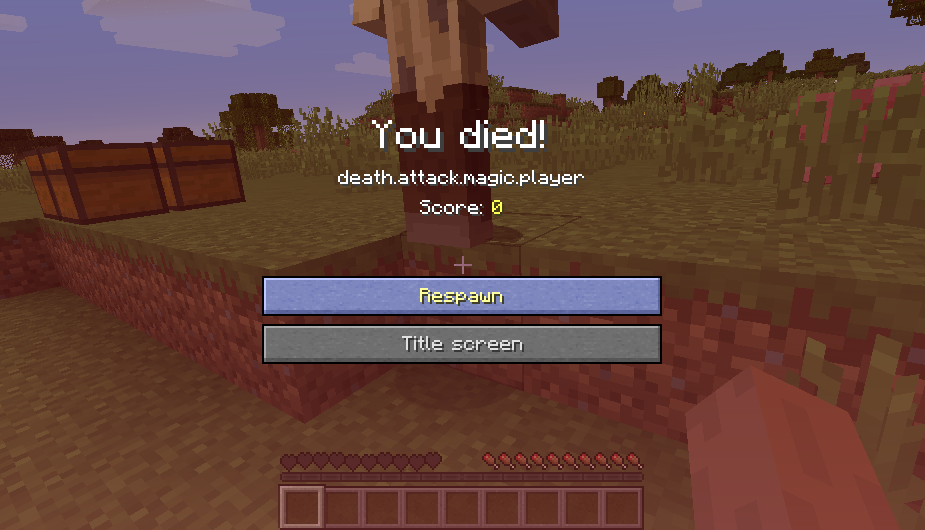
Untranslated death messages have already been fixed since the past, but one still exists as of 1.13-pre6 - the death.attack.magic.player death message is untranslated.
This bug is most likely caused by the translation string not existing in the en_us.json file itself. If there are other death messages and translation strings affected, please fix them. Thank you.
Untranslated death messages have already been fixed since the past, but one still exists as of 1.13-pre6 - the death.attack.magic.player death message is untranslated.
This bug is most likely caused by the translation string not existing in the en_us.json file itself. If there are other death messages and translation strings affected, please fix them. Thank you.
Hello!Hello!
Untranslated death messages have already been fixed since the past, but one still exists as of 1.13-pre6 - the death.attack.magic.player death message is untranslated.
This bug is most likely caused by the translation string not existing in the en_us.json file itself. If there are other death messages and translation strings affected, please fix them. Thank you.
Hello!
Untranslated death messages have already been fixed since the past, but one still exists as of 1.13-pre6 - the death.attack.magic.player death message is untranslated.
This bug is most likely caused by the translation string not existing in the en_us.json file itself. If there are other death messages and translation strings affected, please fix them. Thank you.
Hello!
Untranslated death messages have already been fixed since the past, but one still exists as of 1.13-pre6 - the death.attack.magic.player death message is untranslated.
This bug is most likely caused by the translation string not existing in the en_us.json file itself. If there are other death messages and translation strings affected, please fix them. Thank you.
Hello!
Untranslated death messages have already been fixed since the past, but one still exists as of 1.13-pre6 - the death.attack.magic.player death message is untranslated.
This bug is most likely caused by the translation string not existing in the en_us.json file itself. If there are other death messages and translation strings affected, please fix them. Thank you.
Haha!
Untranslated death messages have already been fixed since the past, but one still exists as of 1.13-pre6 - the death.attack.magic.player death message is untranslated.
This bug is most likely caused by the translation string not existing in the en_us.json file itself. If there are other death messages and translation strings affected, please fix them. Thank you.
Haha!
Untranslated death messages have already been fixed since the past, but one still exists as of 1.13-pre6 - the death.attack.magic.player death message is untranslated.
This bug is most likely caused by the translation string not existing in the en_us.json file itself. If there are other death messages and translation strings affected, please fix them. Thank you.@qwery23495
Untranslated death messages have already been fixed since the past, but one still exists as of 1.13-pre6 - the death.attack.magic.player death message is untranslated.
This bug is most likely caused by the translation string not existing in the en_us.json file itself. If there are other death messages and translation strings affected, please fix them. Thank you. @qwerty23495
Untranslated death messages have already been fixed since the past, but one still exists as of 1.13-pre6 - the death.attack.magic.player death message is untranslated.
This bug is most likely caused by the translation string not existing in the en_us.json file itself. If there are other death messages and translation strings affected, please fix them. Thank you.
@qwerty23495
Untranslated death messages have already been fixed since the past, but one still exists as of 1.13-pre6 - the death.attack.magic.player death message is untranslated.
This
bug is most likely caused by the translation string not existing in theen_us.json file itself. If there are other death messages and translation strings affected, please fix them. Thank you.Background
Death messages are now translatable.
The bug
However, the death.attack.magic.player death message is untranslated.
Causes
This is most likely caused by the translation string not existing in the en_us.json file itself.
Steps to reproduce
- Either find or spawn a Zombie with this command:
/summon zombie- Get close to the Zombie and then let it deal damage to you. When done, run this command quickly:
/execute as @e[type=zombie] at @s if entity @s run effect give @a[distance=..10] instant_damage 1 5 true
You will notice that it displays death.attack.magic.player instead.
Possible fixes
This can be fixed by using a resource pack which can be downloaded below; or if you want to create your own, follow the usual steps for creating one. Your en_us.json file must be on the assets/minecraft/lang folder of your resource pack and should have this code:
{ "death.attack.magic.player": "%1$s was killed by magic whilst trying to escape %2$s" }This can also be fixed by modifying the game code in order to display the appropriate message.
Background
Death messages are now translatable.
The bug
However, the death.attack.magic.player death message is untranslated.
Causes
This is most likely caused by the translation string not existing in the en_us.json file itself.
Steps to reproduce
- Either find or spawn a Zombie with this command:
/summon zombie- Get close to the Zombie and then let it deal damage to you. When done, run this command quickly:
/execute as @e[type=zombie] at @s if entity @s run effect give @a[distance=..10] instant_damage 1 5 true
Possible fixes
This can be fixed by using a resource pack which can be downloaded below; or if you want to create your own, follow the usual steps for creating one. Your en_us.json file must be on the assets/minecraft/lang folder of your resource pack and should have this code:
{ "death.attack.magic.player": "%1$s was killed by magic whilst trying to escape %2$s" }This can also be fixed by modifying the game code in order to display the appropriate message.
Background
Death messages are now translatable.
The bug
However, the death.attack.magic.player death message is untranslated.
Causes
This is most likely caused by the translation string not existing in the en_us.json file itself.
Steps to reproduce
- Either find or spawn a Zombie with this command:
/summon zombie- Get close to the Zombie and then let it deal damage to you. When done, run this command quickly:
/execute as @e[type=zombie] at @s if entity @s run effect give @a[distance=..10] instant_damage 1 5 true
Possible fixes
This can be fixed by using a resource pack which can be downloaded below; or if you want to create your own, follow the usual steps for creating one. Your en_us.json file must be on the assets/minecraft/lang folder of your resource pack and should have this code:
{ "death.attack.magic.player": "%1$s was killed by magic whilst trying to escape %2$s" }This can also be fixed by modifying the game code in order to display the appropriate message.
Background
Death messages are now translatable.
The bug
However, the death.attack.magic.player death message is untranslated.
Causes
This is most likely caused by the translation string not existing in the en_us.json file itself.
Steps to reproduce
- Either find or spawn a Zombie with this command:
/summon zombie- Get close to the Zombie and then let it deal damage to you. When done, run this command quickly:
/effect give @sinstant_damage 1 5 true
Possible fixes
This can be fixed by using a resource pack which can be downloaded below; or if you want to create your own, follow the usual steps for creating one. Your en_us.json file must be on the assets/minecraft/lang folder of your resource pack and should have this code:
{ "death.attack.magic.player": "%1$s was killed by magic whilst trying to escape %2$s" }This can also be fixed by modifying the game code in order to display the appropriate message.
Background
Death messages are now translatable.
The bug
However, the death.attack.magic.player death message is untranslated.
Causes
This is most likely caused by the translation string not existing in the en_us.json file itself.
Steps to reproduce
- Either find or spawn a Zombie with this command:
/summon zombie- Get close to the Zombie and then let it deal damage to you. When done, run this command quickly:
/execute as @e[type=zombie] at @s if entity @s run effect give @a[distance=..10] instant_damage 1 5 true
Possible fixes
This can be fixed by using a resource pack which can be downloaded below; or if you want to create your own, follow the usual steps for creating one. Your en_us.json file must be on the assets/minecraft/lang folder of your resource pack and should have this code:
{ "death.attack.magic.player": "%1$s was killed by magic whilst trying to escape %2$s" }This can also be fixed by modifying the game code in order to display the appropriate message.
Background
Death messages are now translatable.
The bug
However, the death.attack.magic.player death message is untranslated.
Causes
This is most likely caused by the translation string not existing in the en_us.json file itself.
Steps to reproduce
- Either find or spawn a Zombie with this command:
/summon zombie- Get close to the Zombie and then let it deal damage to you. When done, run this command quickly:
/execute as @e[type=zombie] at @s if entity @s run effect give @a[distance=..10] instant_damage 1 5 true
Possible fixes
This can be fixed by using a resource pack which can be downloaded below; or if you want to create your own, follow the usual steps for creating one. Your en_us.json file must be on the assets/minecraft/lang folder of your resource pack and should have this code:
{ "death.attack.magic.player": "%1$s was killed by magic whilst trying to escape %2$s" }This can also be fixed by modifying the game code in order to display the appropriate message.
Background
Death messages are now translatable.
The bug
However, the death.attack.magic.player death message is untranslated.
Causes
This is most likely caused by the translation string not existing in the en_us.json file itself.
Steps to reproduce
- Either find or spawn a Zombie with this command:
/summon zombie- Get close to the Zombie and then let it deal damage to you. When done, run this command quickly:
/execute as @e[type=zombie] at @s if entity @s run effect give @a[distance=..10] instant_damage 1 5 true
Possible fixes
This can be fixed by using a resource pack which can be downloaded below; or if you want to create your own, follow the usual steps for creating one. Your en_us.json file must be on the assets/minecraft/lang folder of your resource pack and should have this code:
{ "death.attack.magic.player": "%1$s was killed by magic whilst trying to escape %2$s" }This can also be fixed by modifying the default en_us.json file itself in order to include the translation string as well.
Background
Death messages are now translatable.
The bug
However, the death.attack.magic.player death message is untranslated.
Causes
This is most likely caused by the translation string not existing in the en_us.json file itself.
Steps to reproduce
- Either find or spawn a Zombie with this command:
/summon zombie- Get close to the Zombie and then let it deal damage to you. When done, run this command quickly:
/effect give @s instant_damage 1 5 true
Possible fixes
This can be fixed by using a resource pack which can be downloaded below; or if you want to create your own, follow the usual steps for creating one. Your en_us.json file must be on the assets/minecraft/lang folder of your resource pack and should have this code:
{ "death.attack.magic.player": "%1$s was killed by magic whilst trying to escape %2$s" }This can also be fixed by modifying the default en_us.json file itself in order to include the translation string as well.
Background
Death messages are now translatable.
The bug
However, the death.attack.magic.player death message is untranslated.
Causes
This is most likely caused by the translation string not existing in the en_us.json file itself.
Steps to reproduce
- Either find or spawn a Zombie with this command:
/summon zombie- Get close to the Zombie and then let it deal damage to you. When done, run this command quickly:
/effect give @s instant_damage 1 5 true
- You will notice that it displays death.attack.magic.player instead.
Possible fixes
This can be fixed by using a resource pack which can be downloaded below; or if you want to create your own, follow the usual steps for creating one. Your en_us.json file must be on the assets/minecraft/lang folder of your resource pack and should have this code:
{ "death.attack.magic.player": "%1$s was killed by magic whilst trying to escape %2$s" }This can also be fixed by modifying the default en_us.json file itself in order to include the translation string as well.
Background
Death messages are now translatable.
The bug
However, the death.attack.magic.player death message is untranslated.
Causes
This is most likely caused by the translation string not existing in the en_us.json file itself.
Steps to reproduce
- Either find or spawn a Zombie with this command:
/summon zombie- Get close to the Zombie and then let it deal damage to you. When done, run this command quickly:
/effect give @s instant_damage 1 5 true
- You will notice that it displays death.attack.magic.player instead.
Possible fixes
This can be fixed by using a resource pack which can be downloaded below; or if you want to create your own, just follow the usual steps for creating one. Your en_us.json file must be on the assets/minecraft/lang folder of your resource pack and should have this code:
{ "death.attack.magic.player": "%1$s was killed by magic whilst trying to escape %2$s" }This can also be fixed by modifying the default en_us.json file itself in order to include the translation string as well.
Background
Death messages are now translatable.
The bug
However, the death.attack.magic.player death message is untranslated.
Causes
This is most likely caused by the translation string not existing in the en_us.json file itself.
Steps to reproduce
- Either find or spawn a Zombie with this command:
/summon zombie- Get close to the Zombie and then let it deal damage to you. When done, run this command quickly:
/effect give @s instant_damage 1 5 true
- You will notice that it displays death.attack.magic.player instead.
Possible fixes
This can be fixed by using a resource pack which can be downloaded below; or if you want to create your own, just follow the usual steps for creating one. Your en_us.json file must be on the assets/minecraft/lang folder of your resource pack and should have this code:
{ "death.attack.magic.player": "%1$s was killed by magic whilst trying to escape %2$s" }This can also be fixed by modifying the
defaulten_us.json file itself in order to include the translation string as well.Background
Death messages are now translatable.
The bug
However, the death.attack.magic.player death message is untranslated.
Causes
This is most likely caused by the translation string not existing in the en_us.json file itself.
Steps to reproduce
- Either find or spawn a Zombie with this command:
/summon zombie- Get close to the Zombie and then let it deal damage to you. When done, run this command quickly:
/effect give @s instant_damage 1 5 true
- You will notice that it displays death.attack.magic.player instead.
Possible fixes
This can be fixed by using a resource pack which can be downloaded below; or if you want to create your own, just follow the usual steps for creating one. Your en_us.json file must be on the assets/minecraft/lang folder of your resource pack and should have this code:
{ "death.attack.magic.player": "%1$s was killed by magic whilst trying to escape %2$s" }This can also be fixed by modifying the en_us.json file on the JAR itself in order to include the translation string as well.
Background
Death messages are now translatable.
The bug
However, the death.attack.magic.player death message is untranslated.
Causes
This is most likely caused by the translation string not existing in the en_us.json file itself.
Steps to reproduce
- Either find or spawn a Zombie with this command:
/summon zombie- Get close to the Zombie and then let it deal damage to you. When done, run this command quickly:
/effect give @s instant_damage 1 5 true
- You will notice that it displays death.attack.magic.player instead.
Possible fixes
This can be fixed by using a resource pack which can be downloaded below; or if you want to create your own, just follow the
usualsteps for creating one. Your en_us.json file must be on the assets/minecraft/lang folder of your resource pack and should have this code:{ "death.attack.magic.player": "%1$s was killed by magic whilst trying to escape %2$s" }This can also be fixed by modifying the en_us.json file on the JAR itself in order to include the translation string as well.
Background
Death messages are now translatable.
The bug
However, the death.attack.magic.player death message is untranslated.
Causes
This is most likely caused by the translation string not existing in the en_us.json file itself.
Steps to reproduce
- Either find or spawn a Zombie with this command:
/summon zombie- Get close to the Zombie and then let it deal damage to you. When done, run this command quickly:
/effect give @s instant_damage 1 5 true
- You will notice that it displays death.attack.magic.player instead.
Possible fixes
This can be fixed by using a resource pack which can be downloaded below; or if you want to create your own, just follow the steps for creating one. Your en_us.json file must be on the assets/minecraft/lang folder of your resource pack and should have this code:
{ "death.attack.magic.player": "%1$s was killed by magic whilst trying to escape %2$s" }This can also be fixed by modifying the en_us.json
file on the JARitself in order to include the translation string as well.Background
Death messages are now translatable.
The bug
However, the death.attack.magic.player death message is untranslated.
Causes
This is most likely caused by the translation string not existing in the en_us.json file itself.
Steps to reproduce
- Either find or spawn a Zombie with this command:
/summon zombie- Get close to the Zombie and then let it deal damage to you. When done, run this command quickly:
/effect give @s instant_damage 1 5 true
- You will notice that it displays death.attack.magic.player instead.
Possible fixes
This can be fixed by using a resource pack which can be downloaded below; or if you want to create your own, just follow the steps for creating one. Your en_us.json file must be on the assets/minecraft/lang folder of your resource pack and should have this code:
{ "death.attack.magic.player": "%1$s was killed by magic whilst trying to escape %2$s" }This can also be fixed by modifying the en_us.json file on the .jar itself in order to include the translation string as well.
Background
Death messages are now translatable.
The bug
However, the death.attack.magic.player death message is untranslated.
Causes
This is most likely caused by the translation string not existing in the en_us.json file itself.
How to reproduce
- Either find or spawn a zombie with this command:
/summon zombie- Get close to the zombie and then let it deal damage to you. When done, run this command quickly:
/effect give @s instant_damage 1 5 true→
Possible fixes
This can be fixed by using a resource pack which can be downloaded below; or if you want to create your own, just follow the steps for creating one. Your en_us.json file must be on the assets/minecraft/lang folder of your resource pack and should have this code:
{ "death.attack.magic.player": "%1$s was killed by magic whilst trying to escape %2$s" }This can also be fixed by modifying the en_us.json file on the .jar itself in order to include the translation string as well.
Background
Death messages are now translatable.
The bug
However, the death.attack.magic.player death message is untranslated.
Causes
This is most likely caused by the translation string not existing in the en_us.json file itself.
How to reproduce
- Either find or spawn a zombie with this command:
/summon zombie- Get close to the zombie and then let it deal damage to you. When done, run this command quickly:
/effect give @s instant_damage 1 5 true→ You will notice that it displays death.attack.magic.player instead
Possible fixes
This can be fixed by using a resource pack which can be downloaded below; or if you want to create your own, just follow the steps for creating one. Your en_us.json file must be on the assets/minecraft/lang folder of your resource pack and should have this code:
{ "death.attack.magic.player": "%1$s was killed by magic whilst trying to escape %2$s" }This can also be fixed by modifying the en_us.json file on the .jar itself in order to include the translation string as well.
Background
Death messages are now translatable.
The bug
However, the death.attack.magic.player death message is untranslated.
Causes
This is most likely caused by the translation string not existing in the en_us.json file itself.
How to reproduce
- Either find or spawn a zombie with this command:
/summon zombie- Get close to the zombie and then let it deal damage to you. When done, run this command quickly:
/effect give @s instant_damage 1 5 true→ You will notice that it displays death.attack.magic.player instead
Possible fixes
This can be fixed by using a resource pack which can be downloaded below; or if you want to create your own, just follow the steps for creating one. Your en_us.json file must be on the assets/minecraft/lang folder of your resource pack and should have this code:
{ "death.attack.magic.player": "%1$s was killed by magic whilst trying to escape %2$s" }This can also be fixed by modifying the en_us.json file on the .jar itself in order to include the translation string as well.
Background
Death messages are now translatable.
The bug
However, the death.attack.magic.player death message is untranslated.
Causes
This is most likely caused by the translation string not existing in the en_us.json file itself.
How to reproduce
- Either find or spawn a zombie with this command:
/summon zombie- Get close to the zombie and then let it deal damage to you. When done, run this command quickly:
/effect give @s instant_damage 1 5 true→ You will notice that it displays death.attack.magic.player instead
Possible fixes
This can be fixed by using a resource pack which can be downloaded below; or if you want to create your own, just follow the steps for creating one. Your en_us.json file must be on the assets/minecraft/lang folder of your resource pack and should have this code:
{ "death.attack.magic.player": "%1$s was killed by magic whilst trying to escape %2$s" }This can also be fixed by modifying the en_us.json file on the .jar itself in order to include the translation string as well.
death.attack.magic.player isuntranslateddeath.attack.magic.player missing translation string
death.attack.magic.player missing translation stringMissing translation string death.attack.magic.player
Background
Death messages are now translatable.
The bug
However, the death.attack.magic.player death message is untranslated.
Causes
This is most likely caused by the translation string not existing in the en_us.json file itself.
How to reproduce
- Either find or spawn a zombie with this command:
/summon zombie- Get close to the zombie and then let it deal damage to you. When done, run this command quickly:
/effect give @s instant_damage 1 5 true→ You will notice that it displays death.attack.magic.player instead.
Possible fixes
This can be fixed by using a resource pack which can be downloaded below; or if you want to create your own, just follow the steps for creating one. Your en_us.json file must be on the assets/minecraft/lang folder of your resource pack and should have this code:
{ "death.attack.magic.player": "%1$s was killed by magic whilst trying to escape %2$s" }This can also be fixed by modifying the en_us.json file on the .jar itself in order to include the translation string as well.
Background
Death messages are now translatable.
The bug
However, the death.attack.magic.player death message is untranslated.
Causes
This is most likely caused by the translation string not existing in the en_us.json file itself.
How to reproduce
- Either find or spawn a
zombie with this command:/summon zombie- Get close to the
zombie and then let it deal damage to you. When done, run this command quickly:/effect give @s instant_damage 1 5 true→ You will notice that it displays death.attack.magic.player instead.
Possible fixes
This can be fixed by using a resource pack which can be downloaded below; or if you want to create your own, just follow the steps for creating one. Your en_us.json file must be on the assets/minecraft/lang folder of your resource pack and should have this code:
{ "death.attack.magic.player": "%1$s was killed by magic whilst trying to escape %2$s" }This can also be fixed by modifying the en_us.json file on the .jar itself in order to include the translation string as well.
Background
Death messages are now translatable.
The bug
However, the death.attack.magic.player death message is untranslated.
Causes
This is most likely caused by the translation string not existing in the en_us.json file itself.
How to reproduce
- Either find or spawn a Zombie with this command:
/summon zombie- Get close to the Zombie and then let it deal damage to you. When done, run this command quickly:
/effect give @s instant_damage 1 5 true→ You will notice that it displays death.attack.magic.player instead.
Possible fixes
This can be fixed by using a resource pack which can be downloaded below; or if you want to create your own, just follow the steps for creating one. Your en_us.json file must be on the assets/minecraft/lang folder of your resource pack and should have this code:
{ "death.attack.magic.player": "%1$s was killed by magic whilst trying to escape %2$s" }This can also be fixed by modifying the en_us.json file on the .jar itself in order to include the translation string as well.
Background
Death messages are now translatable.
The bug
However, the death.attack.magic.player death message is untranslated.
Causes
This is most likely caused by the translation string not existing in the en_us.json file itself.
How to reproduce
- Either find or spawn a Zombie with this command:
/summon zombie- Get close to the Zombie and then let it deal damage to you. When done, run this command quickly:
/effect give @s instant_damage 1 5 true→
You will notice that it displays death.attack.magic.player instead.Possible fixes
This can be fixed by using a resource pack which can be downloaded below; or if you want to create your own, just follow the steps for creating one. Your en_us.json file must be on the assets/minecraft/lang folder of your resource pack and should have this code:
{ "death.attack.magic.player": "%1$s was killed by magic whilst trying to escape %2$s" }This can also be fixed by modifying the en_us.json file on the .jar itself in order to include the translation string as well.
Background
Death messages are now translatable.
The bug
However, the death.attack.magic.player death message is untranslated.
Causes
This is most likely caused by the translation string not existing in the en_us.json file itself.
How to reproduce
- Either find or spawn a Zombie with this command:
/summon zombie- Get close to the Zombie and then let it deal damage to you. When done, run this command quickly:
/effect give @s instant_damage 1 5 true→ As expected in the first picture, you will notice that it displays death.attack.magic.player instead.
Possible fixes
This can be fixed by using a resource pack which can be downloaded below; or if you want to create your own, just follow the steps for creating one. Your en_us.json file must be on the assets/minecraft/lang folder of your resource pack and should have this code:
{ "death.attack.magic.player": "%1$s was killed by magic whilst trying to escape %2$s" }As expected in the second picture, it is fixed with the resource pack we have just created. This can also be fixed by modifying the en_us.json file on the .jar itself in order to include the translation string as well.
Background
Death messages are now translatable.
The bug
However, the death.attack.magic.player death message is untranslated.
Causes
This is most likely caused by the translation string not existing in the en_us.json file itself.
How to reproduce
- Either find or spawn a Zombie with this command:
/summon zombie- Get close to the Zombie and then let it deal damage to you. When done, run this command quickly:
/effect give @s instant_damage 1 5 true→ As expected in the first picture, you will notice that it displays death.attack.magic.player instead.
Possible fixes
This can be fixed by using a resource pack which can be downloaded below; or if you want to create your own, just follow the steps for creating one. Your en_us.json file must be on the assets/minecraft/lang folder of your resource pack and should have this code:
{ "death.attack.magic.player": "%1$s was killed by magic whilst trying to escape %2$s" }As expected in the second picture, it is fixed with the resource pack we have just created.
This can alsobe fixed by modifying the en_us.json file on the .jar itself in order to include the translation stringas well.Background
Death messages are now translatable.
The bug
However, the death.attack.magic.player death message is untranslated.
Causes
This is most likely caused by the translation string not existing in the en_us.json file itself.
How to reproduce
- Either find or spawn a Zombie with this command:
/summon zombie- Get close to the Zombie and then let it deal damage to you. When done, run this command quickly:
/effect give @s instant_damage 1 5 true→ As expected in the first picture, you will notice that it displays death.attack.magic.player instead.
Possible fixes
This can be fixed by using a resource pack which can be downloaded below; or if you want to create your own, just follow the steps for creating one. Your en_us.json file must be on the assets/minecraft/lang folder of your resource pack and should have this code:
{ "death.attack.magic.player": "%1$s was killed by magic whilst trying to escape %2$s" }As expected in the second picture, it is fixed with the resource pack we have just created. However, this should be fixed by modifying the en_us.json file on the .jar itself in order to include the translation string.
Background
Death messages are now translatable.
The bug
However, the death.attack.magic.player death message is untranslated.
Causes
This is most likely caused by the translation string not existing in the en_us.json file itself.
How to reproduce
- Either find or spawn a Zombie with this command:
/summon zombie- Get close to the Zombie and then let it deal damage to you. When done, run this command quickly:
/effect give @s instant_damage 1 5 true→ As expected in the first picture, you will notice that it displays death.attack.magic.player instead.
Possible fixes
This can be fixed by using a resource pack which can be downloaded below; or if you want to create your own, just follow the steps for creating one. Your en_us.json file must be on the assets/minecraft/lang folder of your resource pack and should have this code:
{ "death.attack.magic.player": "%1$s was killed by magic whilst trying to escape %2$s" }As expected in the second picture, it is fixed with the resource pack we have just created. However, this should be fixed for other players by modifying the en_us.json file on the .jar itself in order to include the translation string.
It literally takes only a minute and still they cannot fix?
Background
Resource packs modify textures, sounds, and other things.
The bug
When trying to load a resource pack with an improperly written JSON file on either assets/minecraft/models/item or assets/minecraft/models/block, you will notice that it unloads all other resource packs - including the Default one - which causes the game to show missing textures instead.
What I expected to happen was...:
The invalid JSON file should only show up the missing texture for either the block or item it is written for.What actually happened was...:
The same file causes the game to display missing textures instead.Possible fixes
The resource pack itself has caused all other resource packs to unload themselves; so in order to work around this bug, you must press F3 + T on your keyboard in order to reload all resource packs.
This will not fully fix the bug, as there will be missing translation strings. To fully fix it, use the same shortcut once again.
Credits
- Thanks to AntVenom for posting a video that demonstrates this bug, which can be found here.
- The original post demonstrating this bug can be found here.
Background
Resource packs modify textures, sounds, and other things.
The bug
When trying to load a resource pack with an improperly written JSON file on either assets/minecraft/models/item or assets/minecraft/models/block, you will notice that it unloads all other resource packs - including the Default one - which causes the game to show missing textures instead.
What I expected to happen was...:
The invalid JSON file should only show up the missing texture for either the block or item it is written for.What actually happened was...:
The same file causes the game to display missing textures instead.Steps to Reproduce
If you want to reproduce this bug for yourself, you may download the broken resource pack which can be found below; and then follow the usual steps for installing and activating a resource pack.
Causes
When trying to open the bat_spawn_egg.json file on the assets/minecraft/models/item folder, you will see this code:
{ "parent": "item/generated", "textures": { "layer0": "", "layer1": "items/bat" } }The empty string on "layer0" will cause the JSON file to become invalid; and thus, the game throws out an error and attempts to unload all resource packs all at once - including the Default resource pack where it is not meant to be unloaded. This should not be the case on older versions.
Possible fixes
The resource pack itself has caused all other resource packs to unload themselves; so in order to work around this bug, you must press F3 + T on your keyboard in order to reload all resource packs.
This will not fully fix the bug, as there will be missing translation strings. To fully fix it, use the same shortcut once again.
Credits
- Thanks to AntVenom for posting a video that demonstrates this bug, which can be found here.
- The original post demonstrating this bug can be found here.
Background
Resource packs modify textures, sounds, and other things.
The bug
When trying to load a resource pack with an improperly written JSON file on either assets/minecraft/models/item or assets/minecraft/models/block, you will notice that it unloads all other resource packs - including the Default one - which causes the game to show missing textures instead.
What I expected to happen was...:
The invalid JSON file should only show up the missing texture for either the block or item it is written for.What actually happened was...:
The same file causes the game to display missing textures instead.Steps to Reproduce
If you want to reproduce this bug for yourself, you may download the broken resource pack which can be found below; and then follow the usual steps for installing and activating a resource pack.
Causes
When trying to open the bat_spawn_egg.json file on the assets/minecraft/models/item folder, you will see this code:
{ "parent": "item/generated", "textures": { "layer0": "", "layer1": "items/bat" } }The empty string on "layer0" will cause the JSON file to become invalid; and thus, the game throws out an error and attempts to unload all resource packs all at once - including the Default resource pack where it is not meant to be unloaded. This should not be the case on older versions.
Possible fixes
The resource pack itself has caused all other resource packs to unload themselves; so in order to work around this bug, you must press F3 + T on your keyboard in order to reload all resource packs.
This will not fully fix the bug, as there will be missing translation strings. To fully fix it, use the same shortcut once again.
Credits
- Thanks to AntVenom for posting a video that demonstrates this bug, which can be found here.
- The original post demonstrating this bug can be found here.
Background
Resource packs modify textures, sounds, and other things.
The bug
When trying to load a resource pack with an improperly written JSON file on either assets/minecraft/models/item or assets/minecraft/models/block, you will notice that it unloads all other resource packs - including the Default one - which causes the game to show missing textures instead.
What I expected to happen was...:
The invalid JSON file should only show up the missing texture for either the block or item it is written for.What actually happened was...:
The same file causes the game to display missing textures instead.Steps to Reproduce
If you want to reproduce this bug for yourself, you may download the broken resource pack which can be found below; and then follow the usual steps for installing and activating a resource pack.
- You will notice that it displays missing textures for all blocks instead of only the block or item the JSON file is written for.
Causes
When trying to open the bat_spawn_egg.json file on the assets/minecraft/models/item folder, you will see this code:
{ "parent": "item/generated", "textures": { "layer0": "", "layer1": "items/bat" } }The empty string on "layer0" will cause the JSON file to become invalid; and thus, the game throws out an error and attempts to unload all resource packs all at once - including the Default resource pack where it is not meant to be unloaded. This should not be the case on older versions.
Possible fixes
The resource pack itself has caused all other resource packs to unload themselves; so in order to work around this bug, you must press F3 + T on your keyboard in order to reload all resource packs.
This will not fully fix the bug, as there will be missing translation strings. To fully fix it, use the same shortcut once again.
Credits
- Thanks to AntVenom for posting a video that demonstrates this bug, which can be found here.
- The original post demonstrating this bug can be found here.
Background
Resource packs modify textures, sounds, and other things.
The bug
When trying to load a resource pack with an improperly written JSON file on either assets/minecraft/models/item or assets/minecraft/models/block, you will notice that it unloads all other resource packs - including the Default one - which causes the game to show missing textures instead.
What I expected to happen was...:
The invalid JSON file should only show up the missing texture for either the block or item it is written for.What actually happened was...:
The same file causes the game to display missing textures instead.Steps to Reproduce
If you want to reproduce this bug for yourself, you may download the broken resource pack which can be found below; and then follow the usual steps for installing and activating a resource pack.
- You will notice that it displays missing textures for all blocks instead of only the block or item the JSON file is written for.
Causes
When trying to open the bat_spawn_egg.json file on the assets/minecraft/models/item folder, you will see this code:
{ "parent": "item/generated", "textures": { "layer0": "", "layer1": "items/bat" } }The empty string on "layer0" will cause the JSON file to become invalid; and thus, the game throws out an error and attempts to unload all resource packs all at once - including the Default resource pack where it is not meant to be unloaded. This should not be the case on older versions.
Possible fixes
The resource pack itself has caused all other resource packs to unload themselves; so in order to work around this bug, you must press F3 + T on your keyboard in order to reload all resource packs.
This will not fully fix the bug, as there will be missing translation strings. To fully fix it, use the same shortcut once again.
Credits
- Thanks to AntVenom for posting a video that demonstrates this bug, which can be found here.
- The original post demonstrating this bug can be found here.
Background
Resource packs modify textures, sounds, and other things.
The bug
When trying to load a resource pack with an improperly written JSON file on either assets/minecraft/models/item or assets/minecraft/models/block, you will notice that it unloads all other resource packs - including the Default one - which causes the game to show missing textures instead.
What I expected to happen was...:
The invalid JSON file should only show up the missing texture for either the block or item it is written for.What actually happened was...:
The same file causes the game to display missing textures instead.Steps to Reproduce
If you want to reproduce this bug for yourself, you may download the broken resource pack which can be found below; and then follow the usual steps for installing and activating a resource pack.
Causes
When trying to open the bat_spawn_egg.json file on the assets/minecraft/models/item folder, you will see this code:
{ "parent": "item/generated", "textures": { "layer0": "", "layer1": "items/bat" } }The empty string on "layer0" will cause the JSON file to become invalid; and thus, the game throws out an error and attempts to unload all resource packs all at once - including the Default resource pack where it is not meant to be unloaded. This should not be the case on older versions.
Possible fixes
The resource pack itself has caused all other resource packs to unload themselves; so in order to work around this bug, you must press F3 + T on your keyboard in order to reload all resource packs.
This will not fully fix the bug, as there will be missing translation strings. To fully fix it, use the same shortcut once again.
Credits
- Thanks to AntVenom for posting a video that demonstrates this bug, which can be found here.
- The original post demonstrating this bug can be found here.
Background
Resource packs modify textures, sounds, and other things.
The bug
When trying to load a resource pack with an improperly written JSON file on either assets/minecraft/models/item or assets/minecraft/models/block, you will notice that it unloads all other resource packs - including the Default one - which causes the game to show missing textures instead.
What I expected to happen was...:
The invalid JSON file should only show up the missing texture for either the block or item it is written for.What actually happened was...:
The same file causes the game to display missing textures instead.Steps to Reproduce
If you want to reproduce this bug for yourself, you may download the broken resource pack which can be found below; and then follow the usual steps for installing and activating a resource pack.
Causes
When trying to open the bat_spawn_egg.json file on the assets/minecraft/models/item folder, you will see this code:{ "parent": "item/generated", "textures": { "layer0": "", "layer1": "items/bat" } }The empty string on "layer0" will cause the JSON file to become invalid; and thus, the game throws out an error and attempts to unload all resource packs all at once - including the Default resource pack where it is not meant to be unloaded. This should not be the case on older versions.
Possible fixes
The resource pack itself has caused all other resource packs to unload themselves; so in order to work around this bug, you must press F3 + T on your keyboard in order to reload all resource packs.
This will not fully fix the bug, as there will be missing translation strings. To fully fix it, use the same shortcut once again.
Credits
- Thanks to AntVenom for posting a video that demonstrates this bug, which can be found here.
- The original post demonstrating this bug can be found here.
Background
Resource packs modify textures, sounds, and other things.
The bug
When trying to load a resource pack with an improperly written JSON file on either assets/minecraft/models/item or assets/minecraft/models/block, you will notice that it unloads all other resource packs - including the Default one - which causes the game to show missing textures instead.
What I expected to happen was...:
The invalid JSON file should only show up the missing texture for either the block or item it is written for.What actually happened was...:
The same file causes the game to display missing textures instead.Steps to Reproduce
If you want to reproduce this bug for yourself, you may download the broken resource pack which can be found below; and then follow the usual steps for installing and activating a resource pack.
Causes
From the resource pack, when trying to open the bat_spawn_egg.json file on the assets/minecraft/models/item folder, you will see this code:
{ "parent": "item/generated", "textures": { "layer0": "", "layer1": "items/bat" } }The empty string on "layer0" will cause the JSON file to become invalid; and thus, the game throws out an error and attempts to unload all resource packs all at once - including the Default resource pack where it is not meant to be unloaded. This should not be the case on older versions.
Possible fixes
The resource pack itself has caused all other resource packs to unload themselves; so in order to work around this bug, you must press F3 + T on your keyboard in order to reload all resource packs.
This will not fully fix the bug, as there will be missing translation strings. To fully fix it, use the same shortcut once again.
Credits
- Thanks to AntVenom for posting a video that demonstrates this bug, which can be found here.
- The original post demonstrating this bug can be found here.
Background
Resource packs modify textures, sounds, and other things.
The bug
When trying to load a resource pack with an improperly written JSON file on either assets/minecraft/models/item or assets/minecraft/models/block, you will notice that it unloads all other resource packs - including the Default one - which causes the game to show missing textures instead.
What I expected to happen was...:
The invalid JSON file should only show up the missing texture for either the block or item it is written for.What actually happened was...:
The same file causes the game to display missing textures instead.Steps to Reproduce
If you want to reproduce this bug for yourself, you may download the broken resource pack which can be found below; and then follow the usual steps for installing and activating a resource pack.
Causes
From the resource pack, when trying to open the bat_spawn_egg.json file on the assets/minecraft/models/item folder, you will see this code:
{ "parent": "item/generated", "textures": { "layer0": "", "layer1": "items/bat" } }The empty string on "layer0" will cause the JSON file to become invalid; and thus, the game throws out an error and attempts to unload all resource packs all at once - including the Default resource pack where it is not meant to be unloaded. This should not be the case on older versions.
Possible fixes
The resource pack itself has caused all other resource packs to unload themselves; so in order to work around this bug, you must press F3 + T on your keyboard in order to reload all resource packs.
This will not fully fix the bug, as there will be missing translation strings. To fully fix it, use the same shortcut once again.
Credits
- Thanks to AntVenom for posting a video that demonstrates this bug, which can be found here.
- The original post demonstrating this bug can be found here.
Background
Resource packs modify textures, sounds, and other things.
The bug
When trying to load a resource pack with an improperly written JSON file on either assets/minecraft/models/item or assets/minecraft/models/block, you will notice that it unloads all other resource packs - including the Default one - which causes the game to show missing textures instead.
What I expected to happen was...:
The invalid JSON file should only show up the missing texture for either the block or item it is written for.What actually happened was...:
The same file causes the game to display missing textures instead.Steps to Reproduce
If you want to reproduce this bug for yourself, you may download the broken resource pack which can be found below; and then follow the usual steps for installing and activating a resource pack.
- You will notice that it displays missing textures for all blocks instead of only the block or item the JSON file is written for.
Causes
From the resource pack, when trying to open the bat_spawn_egg.json file on the assets/minecraft/models/item folder, you will see this code:
{ "parent": "item/generated", "textures": { "layer0": "", "layer1": "items/bat" } }The empty string on "layer0" will cause the JSON file to become invalid; and thus, the game throws out an error and attempts to unload all resource packs all at once - including the Default resource pack where it is not meant to be unloaded. This should not be the case on older versions.
Possible fixes
The resource pack itself has caused all other resource packs to unload themselves; so in order to work around this bug, you must press F3 + T on your keyboard in order to reload all resource packs.
This will not fully fix the bug, as there will be missing translation strings. To fully fix it, use the same shortcut once again.
Credits
- Thanks to AntVenom for posting a video that demonstrates this bug, which can be found here.
- The original post demonstrating this bug can be found here.
When trying to swim on a block-deep pond, you will notice that your screen will shake when it is not supposed to. This will cause most players motion sickness.
Background
Most blocks and mobs use sound events.
The bug
When using shears to carve a normal pumpkin, you will notice that the sound event block.pumpkin.carve doesn't play. However, you can play this sound event by using the following command:
/playsound block.pumpkin.carve block @aHow to reproduce
- Either find or place a normal pumpkin
- Make sure you are holding shears in order to carve a normal pumpkin by right-clicking on it
→Background
Most blocks and mobs use sound events.
The bug
When using shears to carve a normal pumpkin, you will notice that the sound event block.pumpkin.carve doesn't play. However, you can play this sound event by using the following command:
/playsound block.pumpkin.carve block @aHow to reproduce
- Either find or place a normal pumpkin
- Make sure you are holding shears in order to carve a normal pumpkin by right-clicking on it
→ You will notice that it doesn't play the block.pumpkin.carve sound event
Background
Most blocks and mobs use sound events.
The bug
When using shears to carve a normal pumpkin, you will notice that the sound event block.pumpkin.carve doesn't play. However, you can play this sound event by using the following command:
/playsound block.pumpkin.carve block @aHow to reproduce
- Either find or place a normal pumpkin
- Make sure you are holding shears in order to carve a normal pumpkin by right-clicking on it
→ You will notice that it doesn't play the block.pumpkin.carve sound event.
Background
Most blocks and mobs use sound events.
The bug
When using
shears to carve a normalpumpkin, you will notice that the sound event block.pumpkin.carve doesn't play. However, you can play this sound event by using the following command:/playsound block.pumpkin.carve block @aHow to reproduce
- Either find or place a normal
pumpkin- Make sure you are holding
shears in order to carve a normalpumpkin by right-clicking on it
→ You will notice that it doesn't play the block.pumpkin.carve sound event.Background
Most blocks and mobs use sound events.
The bug
When using Shears to carve a normal Pumpkin, you will notice that the sound event block.pumpkin.carve doesn't play. However, you can play this sound event by using the following command:
/playsound block.pumpkin.carve block @aHow to reproduce
- Either find or place a normal Pumpkin.
- Make sure you are holding Shears in order to carve a normal Pumpkin by right-clicking on it.
→ You will notice that it doesn't play the block.pumpkin.carve sound event.
The bug
When creating particles from Repeating Command Blocks set to Always Active, it will cause an extreme amount of lag which is not the case in older versions.
How to reproduce
- Get yourself a Command Block with this command:
/give @p command_block- Place the Command Block and set it to Repeat mode and Always Active. Set this command on the Command Block:
/particle firework ~ ~1 ~ 0.01 0.01 0.01 0.01 10 force
→
Extreme lag with particles from multiple Repeating Command Blocks
The bug
When creating particles from Repeating Command Blocks set to Always Active, it will cause an extreme amount of lag which is not the case in older versions.
How to reproduce
- Get yourself a Command Block with this command:
/give @p command_block- Place the Command Block and set it to Repeat mode and Always Active. Set this command on the Command Block:
/particle firework ~ ~1 ~ 0.01 0.01 0.01 0.01 10 force
→The bug
When creating particles from Repeating Command Blocks set to Always Active, it will cause an extreme amount of lag which is not the case in older versions.
How to reproduce
- Get yourself a Command Block with this command:
/give @p command_block- Place the Command Block and set it to Repeat mode and Always Active. Set this command on the Command Block:
/particle firework ~ ~1 ~ 0.01 0.01 0.01 0.01 10 force- Repeat steps 1-2 until it reaches at least four Command Blocks.
→
The bug
When creating particles from multiple Repeating Command Blocks set to Always Active, it will cause an extreme amount of lag which is not the case in older versions.
How to reproduce
- Get yourself a Command Block with this command:
/give @p command_block- Place the Command Block and set it to Repeat mode and Always Active. Set this command on the Command Block:
/particle firework ~ ~1 ~ 0.01 0.01 0.01 0.01 10 force- Repeat steps 1-2 until it reaches at least four Command Blocks.
→
The bug
When creating particles from multiple Repeating Command Blocks set to Always Active, it will cause an extreme amount of lag which is not the case in older versions.
How to reproduce
- Get yourself a Command Block with this command:
/give @p command_block- Place the Command Block and set it to Repeat mode and Always Active. Set this command on the Command Block:
/particle firework ~ ~1 ~ 0.01 0.01 0.01 0.01 10 force- Repeat steps 1-2 until it reaches at least four Command Blocks.
→The bug
When creating particles from multiple Repeating Command Blocks set to Always Active, it will cause an extreme amount of lag which is not the case in older versions.
Note that this is a separate bug and is not a duplicate ofHow to reproduce
- Get yourself a Command Block with this command:
/give @p command_block- Place the Command Block and set it to Repeat mode and Always Active. Set this command on the Command Block:
/particle firework ~ ~1 ~ 0.01 0.01 0.01 0.01 10 force- Repeat steps 1-2 until it reaches at least four Command Blocks.
→
The bug
When creating particles from multiple Repeating Command Blocks set to Always Active, it will cause an extreme amount of lag which is not the case in older versions.
Note that this is a separate bug and is not a duplicate ofMC-124170.How to reproduce
- Get yourself a Command Block with this command:
/give @p command_block- Place the Command Block and set it to Repeat mode and Always Active. Set this command on the Command Block:
/particle firework ~ ~1 ~ 0.01 0.01 0.01 0.01 10 force- Repeat steps 1-2 until it reaches at least four Command Blocks.
→
The bug
When creating particles from multiple Repeating Command Blocks set to Always Active, it will cause an extreme amount of lag which is not the case in older versions.
Note that this is a separate bug and is not a duplicate ofMC-124170.How to reproduce
- Get yourself a Command Block with this command:
/give @p command_block- Place the Command Block and set it to Repeat mode and Always Active. Set this command on the Command Block:
/particle firework ~ ~1 ~ 0.01 0.01 0.01 0.01 10 force- Repeat steps 1-2 until it reaches at least four Command Blocks.
→The bug
When creating particles from multiple Repeating Command Blocks set to Always Active, it will cause an unusually extreme amount of lag which is not the case in older versions. Note that this is a separate bug and is not a duplicate of
MC-124170.How to reproduce
- Get yourself a Command Block with this command:
/give @p command_block- Place the Command Block and set it to Repeat mode and Always Active. Set this command on the Command Block:
/particle firework ~ ~1 ~ 0.01 0.01 0.01 0.01 10 force- Repeat steps 1-2 until it reaches at least four Command Blocks.
→
The bug
When creating particles from multiple Repeating Command Blocks set to Always Active, it will cause an unusually extreme amount of lag which is not the case in older versions. Note that this is a separate bug and is not a duplicate ofMC-124170.How to reproduce
- Get yourself a Command Block with this command:
/give @p command_block- Place the Command Block and set it to Repeat mode and Always Active. Set this command on the Command Block:
/particle firework ~ ~1 ~ 0.01 0.01 0.01 0.01 10 force- Repeat steps 1-2 until it reaches at least four Command Blocks.
→The bug
Using the latest snapshot for 1.14, when creating particles from multiple Repeating Command Blocks set to Always Active, it will cause an unusually extreme amount of lag which is not the case in older versions. Note that this is a separate bug and is not a duplicate of
MC-124170.How to reproduce
- Get yourself a Command Block with this command:
/give @p command_block- Place the Command Block and set it to Repeat mode and Always Active. Set this command on the Command Block:
/particle firework ~ ~1 ~ 0.01 0.01 0.01 0.01 10 force- Repeat steps 1-2 until it reaches at least four Command Blocks.
→
Extreme lag with particles from multiple Repeating Command BlocksParticles create an unusually large amount of lag unlike in older versions
The bug
Using the latest snapshot for 1.14,
when creating particles from multiple Repeating Command Blocks set to Always Active, it will cause an unusuallyextreme amount of lag which is not the case in older versions. Note that this is a separate bug and is not a duplicate ofMC-124170.How to reproduce
- Get yourself a Command Block with this command:
/give @p command_block- Place the Command Block and set it to Repeat mode and Always Active. Set this command on the Command Block:
/particle firework ~ ~1 ~ 0.01 0.01 0.01 0.01 10 force- Repeat steps 1-2 until it reaches at least four Command Blocks.
→The bug
Using the latest snapshot for 1.14, particles, even in smaller amounts, create an unusually large amount of lag which is not the case in older versions. Note that this is a separate bug and is not a duplicate of
MC-124170.How to reproduce
- Get yourself a Command Block with this command:
/give @p command_block- Place the Command Block and set it to Repeat mode and Always Active. Set this command on the Command Block:
/particle firework ~ ~1 ~ 0.01 0.01 0.01 0.01 10 force- Repeat steps 1-2 until it reaches at least four Command Blocks.
→
Title says it all.
When entering a Village while having Bad Omen, it no longer triggers raids unlike in previous versions.
Composters no longer play the expected sound. It should supposedly play the block.composter.fill sound when it fails to increase its level, and block.composter.fill_success when it succeeds.
However, the former sound now plays when the Composter succeeds, and the latter when it fails. This was not the case in the previous snapshots.
Composters no longer play the expected sound. It should supposedly play the following sounds correctly:
- block.composter.fill sound when it fails to increase level
- block.composter.fill_success when it succeeds
However, the former sound now plays when the Composter succeeds, and the latter when it fails. This was not the case in the previous snapshots.
Composters no longer play the expected sound. It should supposedly play the following sounds correctly:
- block.composter.fill sound when it fails to increase level
- block.composter.fill_success when it succeeds
However, the former sound now plays when the Composter succeeds, and the latter when it fails. This was not the case in
theprevious snapshots.
What I expected to happen was...:
A long message in chat usually has hanging indention just like in 20w16a and previous snapshots and versions.What actually happened was...:
The message no longer has hanging indention, and it can eventually become unpleasant if there is many of them.How to reproduce:
Type a long message in chat.
What I expected to happen was...:
A long message in chat usually has hanging indention just like in 20w16a and previous snapshots and versions.What actually happened was...:
The message no longer has hanging indention, and it can eventually become unpleasant if there is many of them.How to reproduce:
- Type a long message in chat.
What I expected to happen was...:
A long message in chat usually has hanging indention just like in 20w16a and previous snapshots and versions.What actually happened was...:
The message no longer has hanging indention, and it can eventually become unpleasant if there is many of them.How to reproduce:
- Type a long message in chat.
What I expected to happen was...:
A long message in chat usually has hanging indention just like in 20w16a and previous snapshots and versions.What actually happened was...:
The message no longer has hanging indention, and it can eventually become unpleasant if there is many of them.How to reproduce:
Type a long message in chat.
-> You will notice that the long message is no longer indented.
What I expected to happen was...:
A long message in chat usually has hanging indention just like in 20w16a and previous snapshots and versions.What actually happened was...:
The message no longer has hanging indention, and it can eventually become unpleasant if there is many of them.How to reproduce:
Type a long message in chat.
->You will notice that the long message is no longer indented.What I expected to happen was...:
A long message in chat usually has hanging indention just like in 20w16a and previous snapshots and versions.What actually happened was...:
The message no longer has hanging indention, and it can eventually become unpleasant if there is many of them.How to reproduce:
Type a long message in chat.
→ You will notice that the long message is no longer indented.
What I expected to happen was...:
A long message in chat usually has hanging indention just like in 20w16a and previous snapshots and versions.What actually happened was...:
The message no longer has hanging indention, and it can eventually become unpleasant if there is many of them.How to reproduce:
Type a long message in chat.
→ You will notice that the long message is no longer indented.What I expected to happen was...:
A long message in chat usually has hanging indention just like in 20w16a and previous snapshots and versions.What actually happened was...:
The message no longer has hanging indention, and it can eventually become unpleasant if there is many of them.How to reproduce:
- Type a long message in chat.
→ You will notice that the long message is no longer indented.
The bug
When attempting to use reset in JSON as a color for item names in enchanted items, it does not reset the color to default. This does not happen in 1.15.2.
How to reproduce
- Use the following command to give yourself an enchanted Stick with a customized name:
/give @s stick{display:{Name:'{"text":"Wooden Stake","color":"reset","italic":false}'},Enchantments:[{}]}→ You will notice that the name of the enchanted item is still
blueinstead of the default color.The bug
When attempting to use reset in JSON as a color for item names in enchanted items, it does not reset the color to default. This does not happen in 1.15.2.
How to reproduce
- Use the following command to give yourself an enchanted Stick with a customized name:
/give @s stick{display:{Name:'{"text":"Wooden Stake","color":"reset","italic":false}'},Enchantments:[{}]}→ You will notice that the name of the enchanted item is still aqua instead of the default color.
Colorreset in JSON does not reset the color to default for item names in enchanted items{"color":"reset"} in JSON does not reset the color to default for item names in enchanted items
The bug
When attempting to use reset in JSON as a color for item names in enchanted items, it does not reset the color to default. This does not happen in 1.15.2.
How to reproduce
- Use the following command to give yourself an enchanted Stick with a customized name:
/give @s stick{display:{Name:'{"text":"Wooden Stake","color":"reset","italic":false}'},Enchantments:[{}]}→ You will notice that the name of the enchanted item is still aqua instead of the default color.
The bug
When attempting to use reset in JSON as a color for item names in enchanted items, it does not reset the color to default. This does not happen in 1.15.2.
How to reproduce
- Use the following command to give yourself an enchanted Stick with a customized name:
/give @s stick{display:{Name:'{"text":"Wooden Stake","color":"reset","italic":false}'},Enchantments:[{}]}→ You will notice that the name of the enchanted item is still aqua instead of the default color.
The bug
When attempting to use reset in JSON as a color for item names in enchanted items, it does not reset the color to default. This does not happen in 1.15.2.
Other information
The bug also affects the following cases:
- {{/give @p oak_sign{BlockEntityTag:{Text2:'[ {"text":"blue ","color":"blue"}
,
{"text":"black","color":"reset"}]'}}}} which should give an Oak Sign having black text at the end
How to reproduce
- Use the following command to give yourself an enchanted Stick with a customized name:
/give @s stick{display:{Name:'{"text":"Wooden Stake","color":"reset","italic":false}'},Enchantments:[{}]}→ You will notice that the name of the enchanted item is still aqua instead of the default color.
The bug
When attempting to use reset in JSON as a color for item names in enchanted items, it does not reset the color to default. This does not happen in 1.15.2.
Other informationThe bug also affects the following cases:
{{/give @p oak_sign{BlockEntityTag:{Text2:'[ {"text":"blue ","color":"blue"},
{"text":"black","color":"reset"}
]'}}}} which should give an Oak Sign having black text at the end
How to reproduce
- Use the following command to give yourself an enchanted Stick with a customized name:
/give @s stick{display:{Name:'{"text":"Wooden Stake","color":"reset","italic":false}'},Enchantments:[{}]}→ You will notice that the name of the enchanted item is still aqua instead of the default color.
The bug
When attempting to use reset in JSON as a color for item names in enchanted items, it does not reset the color to default. This does not happen in 1.15.2.
How to reproduce
- Use the following command to give yourself an enchanted Stick with a customized name:
/give @s stick{display:{Name:'{"text":"Wooden Stake","color":"reset","italic":false}'},Enchantments:[{}]}→ You will notice that the name of the enchanted item is still aqua instead of the default color.
Other information
The bug also affects the following cases:
- {{/give @p oak_sign{BlockEntityTag:
Unknown macro: {Text2}]'}}}} which should give an Oak Sign having black text at the end
The bug
When attempting to use reset in JSON as a color for item names in enchanted items, it does not reset the color to default. This does not happen in 1.15.2.
How to reproduce
- Use the following command to give yourself an enchanted Stick with a customized name:
/give @s stick{display:{Name:'{"text":"Wooden Stake","color":"reset","italic":false}'},Enchantments:[{}]}→ You will notice that the name of the enchanted item is still aqua instead of the default color.
Other information
The bug also affects the following cases:
- {{/give @
poak_sign{BlockEntityTag:Unknown macro: {Text2}]'}}}} which should give an Oak Sign having black text at the end
The bug
When attempting to use reset in JSON as a color for item names in enchanted items, it does not reset the color to default. This does not happen in 1.15.2.
How to reproduce
- Use the following command to give yourself an enchanted Stick with a customized name:
/give @s stick{display:{Name:'{"text":"Wooden Stake","color":"reset","italic":false}'},Enchantments:[{}]}→ You will notice that the name of the enchanted item is still aqua instead of the default color.
Other information
The bug also affects the following cases:
- {{/give @s oak_sign{BlockEntityTag:
Unknown macro: {Text2}]'}}}} which should give an Oak Sign having black text at the end
The bug
When attempting to use reset in JSON as a color for item names in enchanted items, it does not reset the color to default. This does not happen in 1.15.2.
How to reproduce
- Use the following command to give yourself an enchanted Stick with a customized name:
/give @s stick{display:{Name:'{"text":"Wooden Stake","color":"reset","italic":false}'},Enchantments:[{}]}→ You will notice that the name of the enchanted item is still aqua instead of the default color.
Other information
The bug also affects the following cases:
{{/give @s oak_sign{BlockEntityTag:Unknown macro: {Text2}]'}}}} which should give an Oak Sign having black text at the end
The bug
When attempting to use reset in JSON as a color for item names in enchanted items, it does not reset the color to default. This does not happen in 1.15.2.
How to reproduce
- Use the following command to give yourself an enchanted Stick with a customized name:
/give @s stick{display:{Name:'{"text":"Wooden Stake","color":"reset","italic":false}'},Enchantments:[{}]}→ You will notice that the name of the enchanted item is still aqua instead of the default color.
Other information
The bug also affects the following cases:
- commands for Signs which should have black text at the end:
/give @p oak_sign{BlockEntityTag:{Text2:'[{"text":"Blue ","color":"blue"},{"text":"Black","color":"reset"}]'}}
The bug
When attempting to use reset in JSON as a color for item names in enchanted items, it does not reset the color to default. This does not happen in 1.15.2.
How to reproduce
- Use the following command to give yourself an enchanted Stick with a customized name:
/give @s stick{display:{Name:'{"text":"Wooden Stake","color":"reset","italic":false}'},Enchantments:[{}]}→ You will notice that the name of the enchanted item is still aqua instead of the default color.
Other information
The bug also affects the following cases:
- commands for Signs which should have black text at the end:
/give @p oak_sign{BlockEntityTag:{Text2:'[{"text":"Blue ","color":"blue"},{"text":"Black","color":"reset"}]'}}
{"color":"reset"} in JSON does not reset the color to default for item names in enchanted items and other cases
{"color":"reset"} in JSON does not reset the color to default foritemnames in enchanted items and other cases
The bug
When attempting to use reset in JSON as a color for item names in enchanted items, it does not reset the color to default. This does not happen in 1.15.2.
How to reproduce
- Use the following command to give yourself an enchanted Stick with a customized name:
/give @s stick{display:{Name:'{"text":"Wooden Stake","color":"reset","italic":false}'},Enchantments:[{}]}→ You will notice that the name of the enchanted item is still aqua instead of the default color.
Other information
The bug also affects the following cases:
- commands for Signs which should have black text at the end:
/give @p oak_sign{BlockEntityTag:{Text2:'[{"text":"Blue ","color":"blue"},{"text":"Black","color":"reset"}]'}}The bug
When attempting to use reset in JSON as a color for item names in enchanted items, it does not reset the color to default. This does not happen in 1.15.2.
How to reproduce
- Use the following command to give yourself an enchanted Stick with a customized name:
/give @s stick{display:{Name:'{"text":"Wooden Stake","color":"reset","italic":false}'},Enchantments:[{}]}→ You will notice that the name of the enchanted item is still aqua instead of the default color.
Other information
The bug also affects the following cases:
- commands for Signs which should have black text at the end:
/give @p oak_sign{BlockEntityTag:{Text2:'[{"text":"blue ","color":"blue"},{"text":"black","color":"reset"}]'}}
The bug
When attempting to use reset in JSON as a color for item names in enchanted items, it does not reset the color to default. This does not happen in 1.15.2.
How to reproduce
- Use the following command to give yourself an enchanted Stick with a customized name:
/give @s stick{display:{Name:'{"text":"Wooden Stake","color":"reset","italic":false}'},Enchantments:[{}]}→ You will notice that the name of the enchanted item is still aqua instead of the default color.
Other information
The bug also affects the following cases:
- commands for Signs which should have black text at the end:
/give @poak_sign{BlockEntityTag:{Text2:'[{"text":"blue ","color":"blue"},{"text":"black","color":"reset"}]'}}The bug
When attempting to use reset in JSON as a color for item names in enchanted items, it does not reset the color to default. This does not happen in 1.15.2.
How to reproduce
- Use the following command to give yourself an enchanted Stick with a customized name:
/give @s stick{display:{Name:'{"text":"Wooden Stake","color":"reset","italic":false}'},Enchantments:[{}]}→ You will notice that the name of the enchanted item is still aqua instead of the default color.
Other information
The bug also affects the following cases:
- commands for Signs which should have black text at the end:
/give @s oak_sign{BlockEntityTag:{Text2:'[{"text":"blue ","color":"blue"},{"text":"black","color":"reset"}]'}}- commands for Chests or Trapped Chests which should have gray text at the end:
The bug
When attempting to use reset in JSON as a color for item names in enchanted items, it does not reset the color to default. This does not happen in 1.15.2.
How to reproduce
- Use the following command to give yourself an enchanted Stick with a customized name:
/give @s stick{display:{Name:'{"text":"Wooden Stake","color":"reset","italic":false}'},Enchantments:[{}]}→ You will notice that the name of the enchanted item is still aqua instead of the default color.
Other information
The bug also affects the following cases:
- commands for Signs which should have black text at the end:
/give @s oak_sign{BlockEntityTag:{Text2:'[{"text":"blue ","color":"blue"},{"text":"black","color":"reset"}]'}}- commands for Chests or Trapped Chests which should have gray text at the end:
The bug
When attempting to use reset in JSON as a color for item names in enchanted items, it does not reset the color to default. This does not happen in 1.15.2.
How to reproduce
- Use the following command to give yourself an enchanted Stick with a customized name:
/give @s stick{display:{Name:'{"text":"Wooden Stake","color":"reset","italic":false}'},Enchantments:[{}]}→ You will notice that the name of the enchanted item is still aqua instead of the default color.
Other information
The bug also affects the following cases:
- commands for Signs which should have black text at the end:
/give @s oak_sign{BlockEntityTag:{Text2:'[{"text":"blue ","color":"blue"},{"text":"black","color":"reset"}]'}}- commands for Chests or Trapped Chests which should have gray text at the end:
/give @s chest{BlockEntityTag:{CustomName:'[{"text":"blue ","color":"blue"},{"text":"gray","color":"reset"}]'}}
The bug
When attempting to use reset in JSON as a color for item names in enchanted items, it does not reset the color to default. This does not happen in 1.15.2.
How to reproduce
- Use the following command to give yourself an enchanted Stick with a customized name:
/give @s stick{display:{Name:'{"text":"Wooden Stake","color":"reset","italic":false}'},Enchantments:[{}]}→ You will notice that the name of the enchanted item is still aqua instead of the default color.
Other information
The bug also affects the following cases:
- commands for Signs which should have black text at the end
:/give @s oak_sign{BlockEntityTag:{Text2:'[{"text":"blue ","color":"blue"},{"text":"black","color":"reset"}]'}}- commands for Chests or Trapped Chests which should have gray text at the end
:/give @s chest{BlockEntityTag:{CustomName:'[{"text":"blue ","color":"blue"},{"text":"gray","color":"reset"}]'}}The bug
When attempting to use reset in JSON as a color for item names in enchanted items, it does not reset the color to default. This does not happen in 1.15.2.
How to reproduce
- Use the following command to give yourself an enchanted Stick with a customized name:
/give @s stick{display:{Name:'{"text":"Wooden Stake","color":"reset","italic":false}'},Enchantments:[{}]}→ You will notice that the name of the enchanted item is still aqua instead of the default color.
Other information
The bug also affects the following cases:
- commands for Signs which should have black text at the end
/give @s oak_sign{BlockEntityTag:{Text2:'[{"text":"blue ","color":"blue"},{"text":"black","color":"reset"}]'}}- commands for Chests or Trapped Chests which should have gray text at the end
/give @s chest{BlockEntityTag:{CustomName:'[{"text":"blue ","color":"blue"},{"text":"gray","color":"reset"}]'}}- most JSON text in general
[
{"text":"Golden ","color":"gold"},
{"text":"Pickaxe","color":"reset"}]
{noformat
The bug
When attempting to use reset in JSON as a color for item names in enchanted items, it does not reset the color to default. This does not happen in 1.15.2.
How to reproduce
- Use the following command to give yourself an enchanted Stick with a customized name:
/give @s stick{display:{Name:'{"text":"Wooden Stake","color":"reset","italic":false}'},Enchantments:[{}]}→ You will notice that the name of the enchanted item is still aqua instead of the default color.
Other information
The bug also affects the following cases:
- commands for Signs which should have black text at the end
/give @s oak_sign{BlockEntityTag:{Text2:'[{"text":"blue ","color":"blue"},{"text":"black","color":"reset"}]'}}- commands for Chests or Trapped Chests which should have gray text at the end
/give @s chest{BlockEntityTag:{CustomName:'[{"text":"blue ","color":"blue"},{"text":"gray","color":"reset"}]'}}- most JSON text in general
[
{"text":"Golden ","color":"gold"},
{"text":"Pickaxe","color":"reset"}]
{noformatThe bug
When attempting to use reset in JSON as a color for item names in enchanted items, it does not reset the color to default. This does not happen in 1.15.2.
How to reproduce
- Use the following command to give yourself an enchanted Stick with a customized name:
/give @s stick{display:{Name:'{"text":"Wooden Stake","color":"reset","italic":false}'},Enchantments:[{}]}→ You will notice that the name of the enchanted item is still aqua instead of the default color.
Other information
The bug also affects the following cases:
- commands for Signs which should have black text at the end
/give @s oak_sign{BlockEntityTag:{Text2:'[{"text":"blue ","color":"blue"},{"text":"black","color":"reset"}]'}}- commands for Chests or Trapped Chests which should have gray text at the end
/give @s chest{BlockEntityTag:{CustomName:'[{"text":"blue ","color":"blue"},{"text":"gray","color":"reset"}]'}}- most JSON text in general
[{"text":"Golden ","color":"gold"},{"text":"Pickaxe","color":"reset"}]
{"color":"reset"} in JSON text does not reset the color to default for names in enchanted items and other cases
The bug
When attempting to use reset in JSON as a color for item names in enchanted items, it does not reset the color to default. This does not happen in 1.15.2.
How to reproduce
- Use the following command to give yourself an enchanted Stick with a customized name:
/give @s stick{display:{Name:'{"text":"Wooden Stake","color":"reset","italic":false}'},Enchantments:[{}]}→ You will notice that the name of the enchanted item is still aqua instead of the default color.
Other information
The bug also affects the following cases:
- commands for Signs which should have black text at the end
/give @s oak_sign{BlockEntityTag:{Text2:'[{"text":"blue ","color":"blue"},{"text":"black","color":"reset"}]'}}- commands for Chests or Trapped Chests which should have gray text at the end
/give @s chest{BlockEntityTag:{CustomName:'[{"text":"blue ","color":"blue"},{"text":"gray","color":"reset"}]'}}- most JSON text in general
[{"text":"Golden ","color":"gold"},{"text":"Pickaxe","color":"reset"}]The bug does not affect boss bar names since reset can still be used to set them to the default color.
reset can also be used as a team color, making the bug also cause inconsistencies.
The bug
When attempting to use reset in JSON as a color for item names in enchanted items, it does not reset the color to default. This does not happen in 1.15.2.
How to reproduce
- Use the following command to give yourself an enchanted Stick with a customized name:
/give @s stick{display:{Name:'{"text":"Wooden Stake","color":"reset","italic":false}'},Enchantments:[{}]}→ You will notice that the name of the enchanted item is still aqua instead of the default color.
Other information
The bug also affects the following cases:
- commands for Signs which should have black text at the end
/give @s oak_sign{BlockEntityTag:{Text2:'[{"text":"blue ","color":"blue"},{"text":"black","color":"reset"}]'}}- commands for Chests or Trapped Chests which should have gray text at the end
/give @s chest{BlockEntityTag:{CustomName:'[{"text":"blue ","color":"blue"},{"text":"gray","color":"reset"}]'}}- most JSON text in general
[{"text":"Golden ","color":"gold"},{"text":"Pickaxe","color":"reset"}]The bug does not affect boss bar names since reset can still be used to set them to the default color.
reset can
alsobe used as a team color, making the bug also cause inconsistencies.The bug
When attempting to use reset in JSON as a color for item names in enchanted items, it does not reset the color to default. This does not happen in 1.15.2.
How to reproduce
- Use the following command to give yourself an enchanted Stick with a customized name:
/give @s stick{display:{Name:'{"text":"Wooden Stake","color":"reset","italic":false}'},Enchantments:[{}]}→ You will notice that the name of the enchanted item is still aqua instead of the default color.
Other information
The bug also affects the following cases:
- commands for Signs which should have black text at the end
/give @s oak_sign{BlockEntityTag:{Text2:'[{"text":"blue ","color":"blue"},{"text":"black","color":"reset"}]'}}- commands for Chests or Trapped Chests which should have gray text at the end
/give @s chest{BlockEntityTag:{CustomName:'[{"text":"blue ","color":"blue"},{"text":"gray","color":"reset"}]'}}- most JSON text in general
[{"text":"Golden ","color":"gold"},{"text":"Pickaxe","color":"reset"}]The bug does not affect boss bar names since reset can still be used to set them to the default color.
reset can still be used as a team color, making the bug also cause inconsistencies.
The bug
When attempting to use reset in JSON as a color for item names
in enchanted items, it does not reset the color to default. This does not happen in 1.15.2.How to reproduce
- Use the following command to give yourself an enchanted Stick with a customized name:
/give @s stick{display:{Name:'{"text":"Wooden Stake","color":"reset","italic":false}'},Enchantments:[{}]}→ You will notice that the name of the enchanted item is still aqua instead of the default color.
Other information
The bug also affects the following cases:
- commands for Signs which should have black text at the end
/give @s oak_sign{BlockEntityTag:{Text2:'[{"text":"blue ","color":"blue"},{"text":"black","color":"reset"}]'}}- commands for Chests or Trapped Chests which should have gray text at the end
/give @s chest{BlockEntityTag:{CustomName:'[{"text":"blue ","color":"blue"},{"text":"gray","color":"reset"}]'}}- most JSON text in general
[{"text":"Golden ","color":"gold"},{"text":"Pickaxe","color":"reset"}]The bug does not affect boss bar names since reset can still be used to set them to the default color.
reset can still be used as a team color, making the bug also cause inconsistencies.
The bug
When attempting to use reset in JSON as a color for enchanted item names and other cases, it does not reset the color to default. This does not happen in 1.15.2.
How to reproduce
- Use the following command to give yourself an enchanted Stick with a customized name:
/give @s stick{display:{Name:'{"text":"Wooden Stake","color":"reset","italic":false}'},Enchantments:[{}]}→ You will notice that the name of the enchanted item is still aqua instead of the default color.
Other information
The bug also affects the following cases:
- commands for Signs which should have black text at the end
/give @s oak_sign{BlockEntityTag:{Text2:'[{"text":"blue ","color":"blue"},{"text":"black","color":"reset"}]'}}- commands for Chests or Trapped Chests which should have gray text at the end
/give @s chest{BlockEntityTag:{CustomName:'[{"text":"blue ","color":"blue"},{"text":"gray","color":"reset"}]'}}- most JSON text in general
[{"text":"Golden ","color":"gold"},{"text":"Pickaxe","color":"reset"}]The bug does not affect boss bar names since reset can still be used to set them to the default color.
reset can still be used as a team color, making the bug also cause inconsistencies.
{"color":"reset"} in JSON text does not reset the color to default fornames inenchanted items and other cases{"color":"reset"} in JSON text does not reset the color to default for enchanted item names and other cases
The bug
When attempting to use reset in JSON as a color for enchanted item names and other cases, it does not reset the color to default. This does not happen in 1.15.2.
How to reproduce
- Use the following command to give yourself an enchanted Stick with a customized name:
/give @s stick{display:{Name:'{"text":"Wooden Stake","color":"reset","italic":false}'},Enchantments:[{}]}→ You will notice that the name of the enchanted item is still aqua instead of the default color.
Other information
The bug also affects the following cases:
- commands for Signs which should have black text at the end
/give @s oak_sign{BlockEntityTag:{Text2:'[{"text":"blue ","color":"blue"},{"text":"black","color":"reset"}]'}}- commands for Chests or Trapped Chests which should have gray text at the end
/give @s chest{BlockEntityTag:{CustomName:'[{"text":"blue ","color":"blue"},{"text":"gray","color":"reset"}]'}}- most JSON text in general
[{"text":"Golden ","color":"gold"},{"text":"Pickaxe","color":"reset"}]The bug does not affect boss bar names since reset can still be used to set them to the default color.
However, when sendCommandFeedback is set to true and reset to set the color of a boss bar name from another color, the new boss bar name shown in chat does not have the default color even if the change is successful.
reset can still be used as a team color, making the bug also cause inconsistencies.
The bug
When attempting to use reset in JSON as a color for enchanted item names and other cases, it does not reset the color to default. This does not happen in 1.15.2.
How to reproduce
- Use the following command to give yourself an enchanted Stick with a customized name:
/give @s stick{display:{Name:'{"text":"Wooden Stake","color":"reset","italic":false}'},Enchantments:[{}]}→ You will notice that the name of the enchanted item is still aqua instead of the default color.
Other information
The bug also affects the following cases:
- commands for Signs which should have black text at the end
/give @s oak_sign{BlockEntityTag:{Text2:'[{"text":"blue ","color":"blue"},{"text":"black","color":"reset"}]'}}- commands for Chests or Trapped Chests which should have gray text at the end
/give @s chest{BlockEntityTag:{CustomName:'[{"text":"blue ","color":"blue"},{"text":"gray","color":"reset"}]'}}- most JSON text in general
[{"text":"Golden ","color":"gold"},{"text":"Pickaxe","color":"reset"}]The bug does not affect boss bar names since reset can still be used to set them to the default color.
However,
whensendCommandFeedback is set to true and reset to set the color of a boss bar name from another color, the new boss bar name shown in chat does not have the default color even if the change is successful.reset can still be used as a team color, making the bug also cause inconsistencies.
The bug
When attempting to use reset in JSON as a color for enchanted item names and other cases, it does not reset the color to default. This does not happen in 1.15.2.
How to reproduce
- Use the following command to give yourself an enchanted Stick with a customized name:
/give @s stick{display:{Name:'{"text":"Wooden Stake","color":"reset","italic":false}'},Enchantments:[{}]}→ You will notice that the name of the enchanted item is still aqua instead of the default color.
Other information
The bug also affects the following cases:
- commands for Signs which should have black text at the end
/give @s oak_sign{BlockEntityTag:{Text2:'[{"text":"blue ","color":"blue"},{"text":"black","color":"reset"}]'}}- commands for Chests or Trapped Chests which should have gray text at the end
/give @s chest{BlockEntityTag:{CustomName:'[{"text":"blue ","color":"blue"},{"text":"gray","color":"reset"}]'}}- most JSON text in general
[{"text":"Golden ","color":"gold"},{"text":"Pickaxe","color":"reset"}]The bug does not affect boss bar names since reset can still be used to set them to the default color.
However, if sendCommandFeedback is set to true and reset is used to set the color of a boss bar name from another color, the new boss bar name shown in chat does not have the default color even if the change is successful.
reset can still be used as a team color, making the bug also cause inconsistencies.
The bug
When attempting to use reset in JSON as a color for enchanted item names and other cases, it does not reset the color to default. This does not happen in 1.15.2.
How to reproduce
- Use the following command to give yourself an enchanted Stick with a customized name:
/give @s stick{display:{Name:'{"text":"Wooden Stake","color":"reset","italic":false}'},Enchantments:[{}]}→ You will notice that the name of the enchanted item is still aqua instead of the default color.
Other information
The bug also affects the following cases:
- commands for Signs which should have black text at the end
/give @s oak_sign{BlockEntityTag:{Text2:'[{"text":"blue ","color":"blue"},{"text":"black","color":"reset"}]'}}- commands for Chests or Trapped Chests which should have gray text at the end
/give @s chest{BlockEntityTag:{CustomName:'[{"text":"blue ","color":"blue"},{"text":"gray","color":"reset"}]'}}- most JSON text in general
[{"text":"Golden ","color":"gold"},{"text":"Pickaxe","color":"reset"}]The bug does not affect boss bar names since reset can still be used
to setthem to the default color.However, if sendCommandFeedback is set to true and reset is used to set the color of a boss bar name from another color, the new boss bar name shown in chat does not have the default color even if the change is successful.
reset can still be used as a team color, making the bug also cause inconsistencies.
The bug
When attempting to use reset in JSON text as a color for enchanted item names and other cases, it does not reset the color to default. This does not happen in 1.15.2.
How to reproduce
- Use the following command to give yourself an enchanted Stick with a customized name:
/give @s stick{display:{Name:'{"text":"Wooden Stake","color":"reset","italic":false}'},Enchantments:[{}]}→ You will notice that the name of the enchanted item is still aqua instead of the default color.
Other information
The bug also affects the following cases:
- commands for Signs which should have black text at the end
/give @s oak_sign{BlockEntityTag:{Text2:'[{"text":"blue ","color":"blue"},{"text":"black","color":"reset"}]'}}- commands for Chests or Trapped Chests which should have gray text at the end
/give @s chest{BlockEntityTag:{CustomName:'[{"text":"blue ","color":"blue"},{"text":"gray","color":"reset"}]'}}- most JSON text in general
[{"text":"Golden ","color":"gold"},{"text":"Pickaxe","color":"reset"}]The bug does not affect boss bar names since reset can still be used for them to use the default color.
However, if sendCommandFeedback is set to true and reset is used to set the color of a boss bar name from another color, the new boss bar name shown in chat does not have the default color even if the change is successful.
reset can still be used as a team color, making the bug also cause inconsistencies.
{"color":"reset"}in JSON text does not reset the color to default for enchanted item names and other casesThe reset color in JSON text does not reset the color to default for enchanted item names and other cases
The bug
When attempting to use reset in JSON text as a color for enchanted item names and other cases, it does not reset the color to default. This does not happen in 1.15.2.
How to reproduce
- Use the following command to give yourself an enchanted Stick with a customized name:
/give @s stick{display:{Name:'{"text":"Wooden Stake","color":"reset","italic":false}'},Enchantments:[{}]}→ You will notice that the name of the enchanted item is still aqua instead of the default color.
Other information
The bug also affects the following cases:
- commands for Signs which should have black text at the end
/give @s oak_sign{BlockEntityTag:{Text2:'[{"text":"blue ","color":"blue"},{"text":"black","color":"reset"}]'}}
- commands for Chests or Trapped Chests which should have gray text at the end
/give @s chest{BlockEntityTag:{CustomName:'[{"text":"blue ","color":"blue"},{"text":"gray","color":"reset"}]'}}
- most JSON text in general
[{"text":"Golden ","color":"gold"},{"text":"Pickaxe","color":"reset"}]
The bug
When attempting to use reset in JSON text as a color for enchanted item names and other cases, it does not reset the color to default. This does not happen in 1.15.2.
How to reproduce
Use the following command to give yourself an enchanted Stick with a customized name:
/give @s stick{display:{Name:'{"text":"Wooden Stake","color":"reset","italic":false}'},Enchantments:[{}]}→
Other information
The bug also affects the following cases:
- commands for Signs which should have black text at the end
/give @s oak_sign{BlockEntityTag:{Text2:'[{"text":"blue ","color":"blue"},{"text":"black","color":"reset"}]'}}
- commands for Chests or Trapped Chests which should have gray text at the end
/give @s chest{BlockEntityTag:{CustomName:'[{"text":"blue ","color":"blue"},{"text":"gray","color":"reset"}]'}}
- most JSON text in general
[{"text":"Golden ","color":"gold"},{"text":"Pickaxe","color":"reset"}]
The bug
When attempting to use reset in JSON text as a color for enchanted item names and other cases, it does not reset the color to default. This does not happen in 1.15.2.
How to reproduce
Use the following command to give yourself an enchanted Stick with a customized name:/give @s stick{display:{Name:'{"text":"Wooden Stake","color":"reset","italic":false}'},Enchantments:[{}]}→
You will notice that the name of the enchanted item is still aqua instead of the default color.Other information
The bug also affects the following cases:
- commands for Signs which should have black text at the end
/give @s oak_sign{BlockEntityTag:{Text2:'[{"text":"blue ","color":"blue"},{"text":"black","color":"reset"}]'}}
- commands for Chests or Trapped Chests which should have gray text at the end
/give @s chest{BlockEntityTag:{CustomName:'[{"text":"blue ","color":"blue"},{"text":"gray","color":"reset"}]'}}
- most JSON text in general
[{"text":"Golden ","color":"gold"},{"text":"Pickaxe","color":"reset"}]
The bug
When attempting to use reset in JSON text as a color for enchanted item names and other cases, it does not reset the color to default. This does not happen in 1.15.2.
How to reproduce
Use the following command to give yourself an enchanted Stick with a customized name:
/give @s stick{display:{Name:'{"text":"Wooden Stake","color":"reset","italic":false}'},Enchantments:[{}]}→
Other information
The bug also affects the following cases:
- commands for Signs which should have black text at the end
/give @s oak_sign{BlockEntityTag:{Text2:'[{"text":"blue ","color":"blue"},{"text":"black","color":"reset"}]'}}
- commands for Chests or Trapped Chests which should have gray text at the end
/give @s chest{BlockEntityTag:{CustomName:'[{"text":"blue ","color":"blue"},{"text":"gray","color":"reset"}]'}}
- most JSON text in general
[{"text":"Golden ","color":"gold"},{"text":"Pickaxe","color":"reset"}]
The bug
When attempting to use reset in JSON text as a color for enchanted item names and other cases, it does not reset the color to default. This does not happen in 1.15.2.
How to reproduce
Use the following command to give yourself an enchanted Stick with a customized name:
/give @s stick{display:{Name:'{"text":"Wooden Stake","color":"reset","italic":false}'},Enchantments:[{}]}→
Other information
The bug also affects the following cases:
- commands for Signs which should have black text at the end
/give @s oak_sign{BlockEntityTag:{Text2:'[{"text":"blue ","color":"blue"},{"text":"black","color":"reset"}]'}}
- commands for Chests or Trapped Chests which should have gray text at the end
/give @s chest{BlockEntityTag:{CustomName:'[{"text":"blue ","color":"blue"},{"text":"gray","color":"reset"}]'}}
- most JSON text in general
[{"text":"Golden ","color":"gold"},{"text":"Pickaxe","color":"reset"}]
The reset color in JSON text does not reset the color to default for enchanted item names and other casesUsing the "reset" color in JSON text does not reset the color to default for enchanted item names and other cases
The bug
When attempting to use reset in JSON text as a color for enchanted item names and other cases, it does not reset the color to default. This does not happen in 1.15.2.
How to reproduce
Use the following command to give yourself an enchanted Stick with a customized name:
/give @s stick{display:{Name:'{"text":"Wooden Stake","color":"reset","italic":false}'},Enchantments:[{}]}→
Other information
The bug also affects the following cases:
- commands for Signs which should have black text at the end
/give @s oak_sign{BlockEntityTag:{Text2:'[{"text":"blue ","color":"blue"},{"text":"black","color":"reset"}]'}}
- commands for Chests or Trapped Chests which should have gray text at the end
/give @s chest{BlockEntityTag:{CustomName:'[{"text":"blue ","color":"blue"},{"text":"gray","color":"reset"}]'}}
- most JSON text in general
[{"text":"Golden ","color":"gold"},{"text":"Pickaxe","color":"reset"}]
The bug
When attempting to use reset in JSON text as a color for enchanted item names and other cases, it does not reset the color to default. This does not happen in 1.15.2.
How to reproduce
Use the following command to give yourself an enchanted Stick with a customized name:
/give @s stick{display:{Name:'{"text":"Wooden Stake","color":"reset","italic":false}'},Enchantments:[{}]}→
Other information
The bug also affects the following cases:
- commands for Signs which should have black text at the end
/give @s oak_sign{BlockEntityTag:{Text2:'[{"text":"blue ","color":"blue"},{"text":"black","color":"reset"}]'}}
- commands for Chests or Trapped Chests which should have gray text at the end
/give @s chest{BlockEntityTag:{CustomName:'[{"text":"blue ","color":"blue"},{"text":"gray","color":"reset"}]'}}
- most JSON text in general
[{"text":"Golden ","color":"gold"},{"text":"Pickaxe","color":"reset"}]Workaround
Instead of using the reset color for the last text, an empty string can be added at the beginning of a text list:
["",{"text":"Blue","color":"blue"}," and Default"]However, it only works for other JSON text and not for item names.
The bug
When creating a boss bar with a color other than white, the boss bar name still shows as white instead of the boss bar color. This does not happen in 1.15.2 and older versions.
How to reproduce
→ You will notice that the boss bar name shows as white instead of the boss bar color.
Other information
If sendCommandFeedback is set to true and the last command from the procedure is run, it can be noticed that the boss bar name shown in chat shows the correct color.
Although it is confirmed by [Mojang] Bartosz Bok that
MC-183460might be working as intended, it also mentions about the case above.Workaround
The color property in JSON text can be used in boss bar names for them to show as the boss bar color. For example, instead of "Boss Bar" as the name for a yellow boss bar, the text below can be used instead:
{"text":"Boss Bar","color":"yellow"}
The bug
When creating a boss bar with a color other than white, the boss bar name still shows as white instead of the boss bar color. This does not happen in 1.15.2 and older versions.
How to reproduce
→ You will notice that the boss bar name shows as white instead of the boss bar color.
Other information
If sendCommandFeedback is set to true and the last command from the procedure is run, it can be noticed that the boss bar name shown in chat shows the correct color.
Although it is confirmed by
[Mojang] Bartosz BokthatMC-183460might be working as intended, it also mentions about the case above.Workaround
The color property in JSON text can be used in boss bar names for them to show as the boss bar color. For example, instead of "Boss Bar" as the name for a yellow boss bar, the text below can be used instead:
{"text":"Boss Bar","color":"yellow"}The bug
When creating a boss bar with a color other than white, the boss bar name still shows as white instead of the boss bar color. This does not happen in 1.15.2 and older versions.
How to reproduce
→ You will notice that the boss bar name shows as white instead of the boss bar color.
Other information
If sendCommandFeedback is set to true and the last command from the procedure is run, it can be noticed that the boss bar name shown in chat shows the correct color.
Although it is confirmed by [Mojang] Bartosz Bok in this post that
MC-183460might be working as intended, it also mentions about the case above.Workaround
The color property in JSON text can be used in boss bar names for them to show as the boss bar color. For example, instead of "Boss Bar" as the name for a yellow boss bar, the text below can be used instead:
{"text":"Boss Bar","color":"yellow"}
The bug
When creating a boss bar with a color other than white, the boss bar name still shows as white instead of the boss bar color. This does not happen in 1.15.2 and older versions.
How to reproduce
→ You will notice that the boss bar name shows as white instead of the boss bar color.
Other information
If sendCommandFeedback is set to true and the last command from the procedure is run, it can be noticed that the boss bar name shown in chat shows the correct color.
Although it is confirmed by [Mojang] Bartosz Bok in
thispost thatMC-183460might be working as intended, it also mentions about the case above.Workaround
The color property in JSON text can be used in boss bar names for them to show as the boss bar color. For example, instead of "Boss Bar" as the name for a yellow boss bar, the text below can be used instead:
{"text":"Boss Bar","color":"yellow"}The bug
When creating a boss bar with a color other than white, the boss bar name still shows as white instead of the boss bar color. This does not happen in 1.15.2 and older versions.
How to reproduce
→ You will notice that the boss bar name shows as white instead of the boss bar color.
Other information
If sendCommandFeedback is set to true and the last command from the procedure is run, it can be noticed that the boss bar name shown in chat shows the correct color.
Although it is confirmed by [Mojang] Bartosz Bok in a Discord post that
MC-183460might be working as intended, it also mentions about the case above.Workaround
The color property in JSON text can be used in boss bar names for them to show as the boss bar color. For example, instead of "Boss Bar" as the name for a yellow boss bar, the text below can be used instead:
{"text":"Boss Bar","color":"yellow"}
The bug
When creating a boss bar with a color other than white, the boss bar name still shows as white instead of the boss bar color. This does not happen in 1.15.2 and older versions.
How to reproduce
→ You will notice that the boss bar name shows as white instead of the boss bar color.
Other information
If sendCommandFeedback is set to true and the last command from the procedure is run, it can be noticed that the boss bar name shown in chat shows the correct color.
Although it is confirmed by [Mojang] Bartosz Bok in a Discord post that
MC-183460might be working as intended, italsomentions about the case above.Workaround
The color property in JSON text can be used in boss bar names for them to show as the boss bar color. For example, instead of "Boss Bar" as the name for a yellow boss bar, the text below can be used instead:
{"text":"Boss Bar","color":"yellow"}The bug
When creating a boss bar with a color other than white, the boss bar name still shows as white instead of the boss bar color. This does not happen in 1.15.2 and older versions.
How to reproduce
→ You will notice that the boss bar name shows as white instead of the boss bar color.
Other information
If sendCommandFeedback is set to true and the last command from the procedure is run, it can be noticed that the boss bar name shown in chat shows the correct color.
Although it is confirmed by [Mojang] Bartosz Bok in a Discord post that
MC-183460might be working as intended, it mentions a similar topic about the case above.Workaround
The color property in JSON text can be used in boss bar names for them to show as the boss bar color. For example, instead of "Boss Bar" as the name for a yellow boss bar, the text below can be used instead:
{"text":"Boss Bar","color":"yellow"}
Boss bar names from created colored boss bars show as white instead of the boss bar color
Default boss bar name color is white instead of the boss bar color
The bug
When creating a boss bar with a color other than white, the boss bar name still shows as white instead of the boss bar color. This does not happen in 1.15.2 and older versions.
How to reproduce
→ You will notice that the boss bar name shows as white instead of the boss bar color.
Other information
If sendCommandFeedback is set to true and the last command from the procedure is run, it can be noticed that the boss bar name shown in chat shows the correct color.
Although it is confirmed by [Mojang] Bartosz Bok in a Discord post that
MC-183460might be working as intended, it mentions a similar topic about the case above even if it is not the intended behavior.Workaround
The color property in JSON text can be used in boss bar names for them to show as the boss bar color. For example, instead of "Boss Bar" as the name for a yellow boss bar, the text below can be used instead:
{"text":"Boss Bar","color":"yellow"}
The bug
When creating a boss bar with a color other than white, the boss bar name still shows as white instead of the boss bar color. This does not happen in 1.15.2 and older versions.
How to reproduce
→ You will notice that the boss bar name shows as white instead of the boss bar color.
Other information
If sendCommandFeedback is set to true and the last command from the procedure is run, it can be noticed that the boss bar name shown in chat shows the correct color.
Although it is confirmed by [Mojang] Bartosz Bok in a Discord post that
MC-183460might be working as intended, it mentions a similar topic about the case above even if it is not the intended behavior.Workaround
The color property in JSON text can be used in boss bar names for them to show as the boss bar color. For example, instead of "Boss Bar" as the name for a yellow boss bar, the text below can be used instead:
{"text":"Boss Bar","color":"yellow"}The bug
When creating a boss bar with a color other than white, the boss bar name still shows as white instead of the boss bar color. This does not happen in 1.15.2 and older versions.
How to reproduce
→ You will notice that the boss bar name shows as white instead of the boss bar color.
Other information
If sendCommandFeedback is set to true and the last command from the procedure is run, it can be noticed that the boss bar name shown in chat shows the correct color.
Although it is confirmed by [Mojang] Bartosz Bok in a Discord post that
MC-183460might be working as intended, it mentions a similar topic about the case above even if it is not the intended behavior:However, if sendCommandFeedback is set to true and reset is used to set the color of a boss bar name from another color, the new boss bar name shown in chat does not have the default color even if the change is successful.
Workaround
The color property in JSON text can be used in boss bar names for them to show as the boss bar color. For example, instead of "Boss Bar" as the name for a yellow boss bar, the text below can be used instead:
{"text":"Boss Bar","color":"yellow"}
The bug
When creating a boss bar with a color other than white, the boss bar name still shows as white instead of the boss bar color. This does not happen in 1.15.2 and older versions.
How to reproduce
→ You will notice that the boss bar name shows as white instead of the boss bar color.
Other information
If sendCommandFeedback is set to true and the last command from the procedure is run, it can be noticed that the boss bar name shown in chat shows the correct color.
Although it is confirmed by [Mojang] Bartosz Bok in a Discord post that
MC-183460might be working as intended, it mentions a similar topic about the case above even if it is not the intended behavior:
However, if sendCommandFeedback is set to true and reset is used to set the color of a boss bar name from another color, the new boss bar name shown in chat does not have the default color even if the change is successful.Workaround
The color property in JSON text can be used in boss bar names for them to show as the boss bar color. For example, instead of "Boss Bar" as the name for a yellow boss bar, the text below can be used instead:
{"text":"Boss Bar","color":"yellow"}The bug
When creating a boss bar with a color other than white, the boss bar name still shows as white instead of the boss bar color. This does not happen in 1.15.2 and older versions.
How to reproduce
→ You will notice that the boss bar name shows as white instead of the boss bar color.
Other information
If sendCommandFeedback is set to true and the last command from the procedure is run, it can be noticed that the boss bar name shown in chat shows the correct color.
Although it is confirmed by [Mojang] Bartosz Bok in a Discord post that
MC-183460might be working as intended, it mentions a similar topic about the case above even if it is not the intended behavior:If sendCommandFeedback is set to true and reset is used to set the color of a boss bar name from another color, the new boss bar name shown in chat does not have the default color even if the change is successful.
Even if reset is used to set a color for a boss bar name from other than white and the change seems successful in the HUD, the new name in chat still displays the correct color since it is no longer meant to reset names to the default color due to it being invalid.
Workaround
The color property in JSON text can be used in boss bar names for them to show as the boss bar color. For example, instead of "Boss Bar" as the name for a yellow boss bar, the text below can be used instead:
{"text":"Boss Bar","color":"yellow"}
The bug
When creating a boss bar with a color other than white, the boss bar name still shows as white instead of the boss bar color. This does not happen in 1.15.2 and older versions.
How to reproduce
→ You will notice that the boss bar name shows as white instead of the boss bar color.
Other information
If sendCommandFeedback is set to true and the last command from the procedure is run, it can be noticed that the boss bar name shown in chat shows the correct color.
Although it is confirmed by [Mojang] Bartosz Bok in a Discord post that
MC-183460might be working as intended, it mentions a similar topic about the case above even if it is not the intended behavior:If sendCommandFeedback is set to true and reset is used to set the color of a boss bar name from another color, the new boss bar name shown in chat does not have the default color even if the change is successful.
Even if reset is used to set a color for a boss bar name from other than white and the change seems successful in the HUD, the new name in chat still displays the correct color since it is no longer meant to reset
names to the defaultcolor due to it being invalid.Workaround
The color property in JSON text can be used in boss bar names for them to show as the boss bar color. For example, instead of "Boss Bar" as the name for a yellow boss bar, the text below can be used instead:
{"text":"Boss Bar","color":"yellow"}The bug
When creating a boss bar with a color other than white, the boss bar name still shows as white instead of the boss bar color. This does not happen in 1.15.2 and older versions.
How to reproduce
→ You will notice that the boss bar name shows as white instead of the boss bar color.
Other information
If sendCommandFeedback is set to true and the last command from the procedure is run, it can be noticed that the boss bar name shown in chat shows the correct color.
Although it is confirmed by [Mojang] Bartosz Bok in a Discord post that
MC-183460might be working as intended, it mentions a similar topic about the case above even if it is not the intended behavior:If sendCommandFeedback is set to true and reset is used to set the color of a boss bar name from another color, the new boss bar name shown in chat does not have the default color even if the change is successful.
Even if reset is used to set a color for a boss bar name from other than white and the change seems successful in the HUD, the new name in chat still displays the correct color since it is no longer meant to reset colors due to it being invalid.
Workaround
The color property in JSON text can be used in boss bar names for them to show as the boss bar color. For example, instead of "Boss Bar" as the name for a yellow boss bar, the text below can be used instead:
{"text":"Boss Bar","color":"yellow"}
The bug
When creating a boss bar with a color other than white, the boss bar name still shows as white instead of the boss bar color. This does not happen in 1.15.2 and older versions.
How to reproduce
→ You will notice that the boss bar name shows as white instead of the boss bar color.
Other information
If sendCommandFeedback is set to true and the last command from the procedure is run, it can be noticed that the boss bar name shown in chat shows the correct color.
Although it is confirmed by [Mojang] Bartosz Bok in a Discord post that
MC-183460might be working as intended, it mentions a similar topic about the case above even if it is not the intended behavior:If sendCommandFeedback is set to true and reset is used to set the color of a boss bar name from another color, the new boss bar name shown in chat does not have the default color even if the change is successful.
Even if reset is used to set a color for a boss bar name from other than white and the change seems successful
in the HUD, the new name in chat still displays the correct color since it is no longer meant to reset colors due to it being invalid.Workaround
The color property in JSON text can be used in boss bar names for them to show as the boss bar color. For example, instead of "Boss Bar" as the name for a yellow boss bar, the text below can be used instead:
{"text":"Boss Bar","color":"yellow"}The bug
When creating a boss bar with a color other than white, the boss bar name still shows as white instead of the boss bar color. This does not happen in 1.15.2 and older versions.
How to reproduce
→ You will notice that the boss bar name shows as white instead of the boss bar color.
Other information
If sendCommandFeedback is set to true and the last command from the procedure is run, it can be noticed that the boss bar name shown in chat shows the correct color.
Although it is confirmed by [Mojang] Bartosz Bok in a Discord post that
MC-183460might be working as intended, it mentions a similar topic about the case above even if it is not the intended behavior:If sendCommandFeedback is set to true and reset is used to set the color of a boss bar name from another color, the new boss bar name shown in chat does not have the default color even if the change is successful.
Even if reset is used to set a color for a boss bar name from other than white and the change seems successful above the boss bar, the new name in chat still displays the correct color since it is no longer meant to reset colors due to it being invalid.
Workaround
The color property in JSON text can be used in boss bar names for them to show as the boss bar color. For example, instead of "Boss Bar" as the name for a yellow boss bar, the text below can be used instead:
{"text":"Boss Bar","color":"yellow"}
The bug
When creating a boss bar with a color other than white, the boss bar name still shows as white instead of the boss bar color. This does not happen in 1.15.2 and older versions.
How to reproduce
→ You will notice that the boss bar name shows as white instead of the boss bar color.
Other information
If sendCommandFeedback is set to true and the last command from the procedure is run, it can be noticed that the boss bar name shown in chat shows the correct color.
Although it is confirmed by [Mojang] Bartosz Bok in a Discord post that
MC-183460might be working as intended, it mentions a similar topic about the case above even if it is not the intended behavior:If sendCommandFeedback is set to true and reset is used to set the color of a boss bar name from another color, the new boss bar name shown in chat does not have the default color even if the change is successful.
Even if reset is used to set a color for a boss bar name from other than white and the change seems successful above the boss bar, the new name in chat still displays the correct color since it is no longer meant to reset colors due to it being invalid.
Workaround
The color property in JSON text can be used in boss bar names for them to show as the boss bar color. For example, instead of "Boss Bar" as the name for a yellow boss bar, the text below can be used instead:
{"text":"Boss Bar","color":"yellow"}
The bug
When creating a boss bar with a color other than white, the boss bar name still shows as white instead of the boss bar color. This does not happen in 1.15.2 and older versions.
How to reproduce
→ You will notice that the boss bar name shows as white instead of the boss bar color.
Other information
If sendCommandFeedback is set to true and the last command from the procedure is run, it can be noticed that the boss bar name shown in chat shows the correct color.
Workaround
The color property in JSON text can be used in boss bar names for them to show as the boss bar color. For example, instead of "Boss Bar" as the name for a yellow boss bar, the text below can be used instead:
{"text":"Boss Bar","color":"yellow"}The bug
When creating a boss bar with a color other than white, the boss bar name still shows as white instead of the boss bar color. This does not happen in 1.15.2 and older versions.
How to reproduce
→
Other information
If sendCommandFeedback is set to true and the last command from the procedure is run, it can be noticed that the boss bar name shown in chat shows the correct color.
Workaround
The color property in JSON text can be used in boss bar names for them to show as the boss bar color. For example, instead of "Boss Bar" as the name for a yellow boss bar, the text below can be used instead:
{"text":"Boss Bar","color":"yellow"}
The bug
When creating a boss bar with a color other than white, the boss bar name still shows as white instead of the boss bar color. This does not happen in 1.15.2 and older versions.
How to reproduce
→
You will notice that the boss bar name shows as white instead of the boss bar color.Other information
If sendCommandFeedback is set to true and the last command from the procedure is run, it can be noticed that the boss bar name shown in chat shows the correct color.
Workaround
The color property in JSON text can be used in boss bar names for them to show as the boss bar color. For example, instead of "Boss Bar" as the name for a yellow boss bar, the text below can be used instead:
{"text":"Boss Bar","color":"yellow"}The bug
When creating a boss bar with a color other than white, the boss bar name still shows as white instead of the boss bar color. This does not happen in 1.15.2 and older versions.
How to reproduce
→
Other information
If sendCommandFeedback is set to true and the last command from the procedure is run, it can be noticed that the boss bar name shown in chat shows the correct color.
Workaround
The color property in JSON text can be used in boss bar names for them to show as the boss bar color. For example, instead of "Boss Bar" as the name for a yellow boss bar, the text below can be used instead:
{"text":"Boss Bar","color":"yellow"}
The Oh Shiny advancement has a missing comma in its title. The title should be Oh, Shiny to make it look cleaner.
Please change Confirmation Status to Confirmed!
There should also be a trigger inspired by the bug that occurs when placing a block on a certain block. Or if it is not added, ray casting or block traversal would still be fine.
The bug
When exporting world generation settings from a
Minecraftworld with at least two words, a [CR] character can be seen in the path name of the resulting .json file when the toast pops up.How to reproduce
- Click "Singleplayer" from the main menu.
- Select a world with at least two words, and then click on the "Edit" button.
- Click "Export World Generation Settings" from the resulting menu.
→ You will notice a [CR] character in the resulting path name.
[CR] character can be seen when importing or exporting world generation settings from certain worlds
[CR] character can be seen when importing or exporting world generation settings to or from certain worlds
The bug
When exporting world generation settings from a world with at least two words, a [CR] character can be seen in the path name of the resulting .json file when the toast pops up.
How to reproduce
- Click "Singleplayer" from the main menu.
- Select a world with at least two words, and then click on the "Edit" button.
- Click "Export World Generation Settings" from the resulting menu.
→ You will notice a [CR] character in the resulting path name.Other information
It can also be reproduced when importing world generation settings in the "Create New World" menu using the "Import settings" button.
The bug
When exporting world generation settings from a world with at least two words, a [CR] character can be seen in the path name of the resulting .json file when the toast pops up.
How to reproduce
- Click "Singleplayer" from the main menu.
- Select a world with at least two words, and then click on the "Edit" button.
- Click "Export World Generation Settings" from the resulting menu.
→ You will notice a [CR] character in the resulting path name.
Other informationIt can also be reproduced when importing world generation settings in the "Create New World" menu using the "Import settings" button.
The bug
When exporting world generation settings from a world with at least two words, a [CR] character can be seen in the path name of the resulting .json file when the toast pops up.
How to reproduce
Before using either method to reproduce the bug, "Singleplayer" must be chosen first from the main menu.
Export World Generation Settings
- Select a world with at least two words, and then click on the "Edit" button.
- Click on "Export World Generation Settings" from the resulting menu.
→ You will notice a [CR] character in the resulting path name.Import settings
- Click on "Create New World" in the world selection menu.
- Click on "More World Options" and then "Import settings" in the resulting menu.
- Choose a .json file to import to the world about to be generated.
→ The same [CR] character can be seen in another resulting path name.
The bug
When exporting world generation settings from a world with at least two words, a [CR] character can be seen in the path name of the resulting .json file when the toast pops up.
How to reproduce
Before using either method to reproduce the bug, "Singleplayer" must be chosen first from the main menu.
Export World Generation Settings
Select a world with at least two words, and then click on the "Edit" buttonClick on "Export World Generation Settings" from the resulting menu
→You will notice a [CR] character in the resulting path nameImport settings
Click on "Create New World" in the world selection menuClick on "More World Options" and then "Import settings" in the resulting menuChoose a .json file to import to the world about to be generated
→The same [CR] character can be seen in another resulting path nameThe bug
When exporting world generation settings from a world with at least two words, a [CR] character can be seen in the path name of the resulting .json file when the toast pops up.
How to reproduce
Before using either method to reproduce the bug, "Singleplayer" must be chosen first from the main menu.
Export World Generation Settings
- select a world with at least two words, and then click on the "Edit" button
- click on "Export World Generation Settings" from the resulting menu
→Import settings
- click on "Create New World" in the world selection menu
- click on "More World Options" and then "Import settings" in the resulting menu
- choose a .json file to import to the world about to be generated
→
The bug
When exporting world generation settings from a world with at least two words, a [CR] character can be seen in the path name of the resulting .json file when the toast pops up.
How to reproduce
Before using either method to reproduce the bug, "Singleplayer" must be chosen first from the main menu.
Export World Generation Settings
select a world with at least two words, and then click on the "Edit" buttonclick on "Export World Generation Settings" from the resulting menu
→you will notice a [CR] character in the resulting path nameImport settings
click on "Create New World" in the world selection menuclick on "More World Options" and then "Import settings" in the resulting menuchoose a .json file to import to the world about to be generated
→the same [CR] character can be seen in another resulting path nameThe bug
When exporting world generation settings from a world with at least two words, a [CR] character can be seen in the path name of the resulting .json file when the toast pops up.
How to reproduce
Before using either method to reproduce the bug, "Singleplayer" must be chosen first from the main menu.
Export World Generation Settings
- Select a world with at least two words, and then click on the "Edit" button
- Click on "Export World Generation Settings" from the resulting menu
→Import settings
- Click on "Create New World" in the world selection menu
- Click on "More World Options" and then "Import settings" in the resulting menu
- Choose a .json file to import to the world about to be generated
→
The thrown_item_picked_up_by_entity advancement trigger does not work if another player picks up an item:
{ "criteria": { "thrown_item_picked_up_by_entity": { "trigger": "thrown_item_picked_up_by_entity", "conditions": { "entity": [ { "condition": "entity_properties", "entity": "this", "predicate": { "type": "player" } } ] } } } }Other entities
that can pick up items can be specified properly without any issues.The thrown_item_picked_up_by_entity advancement trigger does not work if another player picks up an item:
{ "criteria": { "thrown_item_picked_up_by_entity": { "trigger": "thrown_item_picked_up_by_entity", "conditions": { "entity": [ { "condition": "entity_properties", "entity": "this", "predicate": { "type": "player" } } ] } } } }Other entities and parameters can be specified properly without any issues.
The thrown_item_picked_up_by_entity advancement trigger does not work if another player picks up an item:
{ "criteria": { "thrown_item_picked_up_by_entity": { "trigger": "thrown_item_picked_up_by_entity", "conditions": { "entity": [ { "condition": "entity_properties", "entity": "this", "predicate": { "type": "player" } } ] } } } }Other entities and parameters can be specified properly without any issues.
If the condition parameter above is removed, the advancement trigger would work for other entities except for players.
The thrown_item_picked_up_by_entity advancement trigger does not work if another player picks up an item:
{ "criteria": { "thrown_item_picked_up_by_entity": { "trigger": "thrown_item_picked_up_by_entity", "conditions": { "entity": [ { "condition": "entity_properties", "entity": "this", "predicate": { "type": "player" } } ] } } } }Other entities and parameters can be specified properly without any issues.
If the condition parameter above is removed, the advancement trigger would work for other entities
except forplayers.The thrown_item_picked_up_by_entity advancement trigger does not work if another player picks up an item:
{ "criteria": { "thrown_item_picked_up_by_entity": { "trigger": "thrown_item_picked_up_by_entity", "conditions": { "entity": [ { "condition": "entity_properties", "entity": "this", "predicate": { "type": "player" } } ] } } } }Other entities and parameters can be specified properly without any issues.
If the condition parameter above is removed, the advancement trigger would work for other entities but players.
The thrown_item_picked_up_by_entity advancement trigger does not work if another player picks up an item:
{ "criteria": { "thrown_item_picked_up_by_entity": { "trigger": "thrown_item_picked_up_by_entity", "conditions": { "entity": [ { "condition": "entity_properties", "entity": "this", "predicate": { "type": "player" } } ] } } } }Other entities and parameters can be specified properly without any issues.
If the condition parameter above is removed, the advancement trigger would work for other entities
butplayers.The thrown_item_picked_up_by_entity advancement trigger does not work if another player picks up an item:
{ "criteria": { "thrown_item_picked_up_by_entity": { "trigger": "thrown_item_picked_up_by_entity", "conditions": { "entity": [ { "condition": "entity_properties", "entity": "this", "predicate": { "type": "player" } } ] } } } }Other entities and parameters can be specified properly without any issues.
If the condition parameter above is removed, the advancement trigger would work for other entities except for players.
The thrown_item_picked_up_by_entity advancement trigger does not work if another player picks up an item:
{ "criteria": { "thrown_item_picked_up_by_entity": { "trigger": "thrown_item_picked_up_by_entity", "conditions": { "entity": [ { "condition": "entity_properties", "entity": "this", "predicate": { "type": "player" } } ] } } } }Other entities and parameters can be specified properly without any issues.
If the condition parameter above is removed, the advancement trigger would still work for other entities except for players.
"thrown_item_picked_up_by_entity" advancement trigger does not work for players
![[Mod] Neko](../../../data/avatars/users/92901.png)
user-a4a49: Only helpers and moderators can edit other reports. Also, 1.13-pre4 is already listed as an affected version.
user-a4a49 That is because this is a Bug in 1.13 snapshot. idk why 1.12 is added as affected version.

@user-a4a49 Try "/locate endcity", and you can soon find MC-126831. Be sure to browse through the entire list.

user-a4a49, in fact you can put your own true type fonts in resource packs, you weren't fooled.
Since this bug tracker is public, tickets cannot be deleted to keep the tickets for others experiencing the same issue.
![[Mod] NeunEinser](../../../data/avatars/users/39263.png)
user-a4a49 "Confirmed" means merely that a Mod or Helper has reproduced this issue. It does not mean, that it is considered a bug. Mojang developers are the only ones who decide that when there is not already a Mojang statement where a solution can be derived from.
"Community Consensus" is when a user confirmed the issue.

This is not invalid user-a4a49.
Isn't the xp dings effect included in the sound effect for reaching the challenge? If so, I would presume it is intended.
Thank you user-a4a49 for the workaround. Sorry for the duplicate.
![[Mod] LateLag](../../../data/avatars/users/92884.png)
user-a4a49 - As Connor doesn't want to be the reporter anymore, do you want to be set as the new one?
![[Mod] Michael Wobst](../../../data/avatars/users/37868.png)
user-a4a49 is this still an issue for you in 21w11a?
![[Mojang] slicedlime](../../../data/assets/gravatar/slicedlime.jpeg)
user-a4a49 I see that you've added 1.17 Pre-release 1 as an affected version, but the heading no longer exists in that version. Are you actually verifying that your bugs are still present in new versions before adding affected versions?
It works, but only supports items and blocks. How do I detect other statistics such as Sneak Time, Time Played, and Games Quit on the future 1.13 release? Please answer or you will break my command blocking spirit.
Before, it works with example:
/scoreboard objectives add sneakTime stat.sneakTime
but now, how do I do that in 1.13?
What can you think as a replacement command for /scoreboard objectives add sneakTime stat.sneakTime? Or you will break my spirit. If it would help a lot, thanks!
So how do you use minecraft.custom for Minecraft maps such as detecting a player holding LSHIFT? Do you have to replace custom with a namespace? Please add more info about it. Once again, thanks!
I mean, thanks a lot! It worked for me!
I did quote the JSON in this command *
/give @p written_book{title:"{\"text\":\"Hello!\",\"color\":\"red\"}"}{"text":"Hello!","color":"red"}as its name, not the body instead of Hello!. JSON works on the body of the Written Book, but it does not work when naming them. What do I do?
I'm flagged as Invalid again, on what websites can I request features?
No, it may be different... since this bug says modifying the spawned entity does not work, but the other one says that the tag overwrites the spawned entity ID.
Can confirm.
Wait, I'll try it out.
Doesn't work for me... what is wrong?
I did everything right... this is WORLD NAME/datapacks/Test/minecraft/tags/functions/load.json:
{ "values": [ "game:entities/root" ] }assuming that the function exists. It does not work on both reload and map load, what do I do?
Oh, Okay! I get it!
So functions like that should be coded like this for example:
Now that's more like it. Shouldn't it be? If so, thanks!
Hopefully...
Wait out... it looks like it really only executes if I use /reload, does not work for map load. How do I make it work on map load?
No selectors? To make it work for players then, you will have to code a function that will redirect to another function. Try it out!
But selectors only work if using /reload though. But what else can you use minecraft:load for? How do you use it for maps for example?
Quoting your last comment, it then works if another player joins or not?
Right, but what else can you use minecraft:load for? That is. I get your point, but what else can you use it for?
But selectors do work when reloading even when no players are online yet, why is that so?
/reload makes the function work even if there is one player and selectors on the function, why? I just need an explanation though.
I know, but on my world, using /reload makes the function work even if there are no players online, only me! Why is that so? I just need an explanation.
Assuming that minecraft:load has this code:
{ "values": [ "game:entities/root" ] }And the specified function has this code with selectors:
Notice that selector? And when I run /reload, the function works and it tells me Welcome!
I just need an explanation of why it works as so.
Ah, I see it. Thanks for your help!
I have written this bug on purpose although someone has already contacted about it, so that I could give this bug more attention.
Quoting your last comment, tryashtar, thanks for the explanation! However, we had to stay tuned for NBT in Custom Recipes in which we demand! I hope Mojang grants our demands to add NBT support for Custom Crafting...
Where is the link for the Mojira Subreddit?
Nevermind.
Can confirm. When I attempted to craft Packed Ice without Ice, it crashed. I made a bug report which was actually a Duplicate and redirected me here.
Affects 1.13-pre2!
I often make Duplicates and Invalids by coincidence! >
When I search for my bug, it appears that no one has contacted about it yet...
... but when I make one, I find out there is actually one that have contacted about my bug!
Well anyway, I often try to report bugs in order to obtain the full experience of Minecraft 1.13!
Ah, I see it. So enabled data packs cannot be tab-completed, and so does the same for disabled data packs... Thanks for the explanation!
Not again!
This happened to me a lot of times already! Invalids and Duplicates!...
Well, I was just frustrated because I never had an open bug for a long time already, but anyway, thanks for letting me know that it is being currently fixed on the future versions of the resource pack!
Micheal (Sniping), we're talking about the resource pack for 1.12, not the default textures itself...
Affects 1.13-pre3!
Affects 1.13-pre3!
Affects 1.13 pre-releases [1.13-pre1, 1.13-pre2, 1.13-pre3]!
Please update this ticket; it still affects 1.13-pre4!
How do you change bug reports from other people, Marcono. I did not know how you change descriptions of their bugs although you are not the one who have reported.
Anyway,
MC-121798still affects 1.13-pre4; please update your ticket!I thought it was fixed, it's not fixed on mine!
Please explain on how it is FIXED!
I just wanted to give more attention! That's it basically!
I did tell them to reopen, but they did not respond...
... so I made a Duplicate to give more attention!
Until today, they did not reopen the bug!
Marcono, how do you even modify descriptions even if you are not the reporter? Please tell me...
Please re-open; doesn't seem to be fixed on 1.13-pre4...
Affects 1.13-pre5!
pierrot charles, although I might be creating Duplicates and Invalids, I at least helped Mojang to fix the bugs in order to obtain the full experience!
Sorry
I usually report bugs about technical problems, and it was the first time I reported an issue relating to world generation...
Anyway, here's the world seed I haven't specified:
-4251440433065165318
Sorry , used this world only for free roaming... and thus, I do not save COORDINATES!
Why is it important though?
Or maybe it is a seed error?
Sad to say, yes; as I said, I do only report bugs about technical problems, and this is my first time reporting this kind of bug, alright?
Wait, I am still near that broken Birch tree, and finally, I got these coordinates:
770 68 696
Now you got the seed, and the coordinates! Hope it helps!
Anyway, why are coordinates important in reporting these kind of bugs?
Oh, so that they may confirm! Thanks for the explanation!
Anyway, have you confirmed?
I meant to say: is this bug confirmed?
What's the trigger?
Huh? What does that mean? Why does it work on mine?
No chunk errors, I guess...
But I could not find my desired bug, and thus, I do think that no one has reported about it yet; so I often make them by coincidence!
Most of my bugs are Duplicates, and I often make them by coincidence.
I am using the search function, but it appears that nothing has reported about it yet [it says No Issues Found], and thus I go ahead, but later on, it becomes a Duplicate!
I do not know if it can be reproduced on 1.12...
Cannot be reproduced in 1.12.2, can confirm in 1.13-pre5!
@GamerMan12, comment confirmed.
I think it Works as Intended.
And when writing about your Environment, it is not about the Minecraft world! You should specify about computer information [such as Operating System (example is Windows 7), and Java Version (example is version 8 update 151)]!
Also, there is no need to add this text in your bug report!
I agree with Matthew Hunter. Where did you get your Minecraft game?
Cannot reproduce in 1.12.2...
How do you find Duplicates so fast and effectively? Give me some tips please.
Affects 1.13-pre5!
Maybe a Won't Fix... it's not even major though, so nothing to worry about!
First Works as Intended bug!
Affects 1.13-pre6!
Affects 1.13-pre6!
Affects 1.13-pre6!
Matthew Hunter, I was fooled by this jamesmuell guy on Reddit! Damn him!
Affects 1.13-pre6!
Still affects 1.13-pre6!
Affects 1.13-pre6!
Affects 1.13-pre6!
Like what I said, I was fooled by jamesmuell on Reddit!
He falsely said that you can now integrate TTFs in a resource pack!
Anyway, how do you delete your own bug reports?
Yes, it works now. Thanks!
Creative mode uses Creative mode music - Survival mode uses Survival mode music.
For example, if you are on Creative mode with Creative background music and then switch to Survival mode, it will immediately stop because the background music is only designed for Creative mode! It also works the other way.
Cannot reproduce in 1.13-pre6.
Perhaps your game cannot keep up with the normal game tick rate or the normal FPS rate. Try optimizing your Minecraft in order to fix this problem.
Ugh... not a duplicate again...
Hopefully you understand me because I often poorly use the search function!
Yes, can confirm, Matthew Hunter! You beat me again!
The rough transition is only at the beginning, so nothing is major about this bug though - it doesn't affect game play, but yes, it may need to be fixed.
It would be probably a Won't Fix.
I agree with José; it is a game issue.
Cannot confirm. It normally displays @ instead for me.
Affects 1.13-pre7!
Why not confirm this one? It is a bug!
You cannot reproduce this bug if you execute the command before a mob hurts you.
death.attack.magic will display if you execute the command before a mob hurts you since you are not attempting to escape a mob, whereas death.attack.magic.player will display if you execute the command after a mob hurts you since having mobs hurt you will also count as an attempt to escape a mob in the game.
Invalid! I assume you are on Creative mode.
It rewards you experience which plays the ding sound, and you can still hear it even on Creative mode. This is not a bug.
Confirmed for 1.13.
Please resolve this report as Invalid.
You were right about your statement. Raids only trigger if there are Villagers within a Village.
I think it Works as Intended.
Can still reproduce in 20w18a with an Intel graphics card.
Confirmed in 20w19a.
Confirmed in 20w19a.
Still in 20w19a.
Seems to be fixed in 20w19a.
Confirmed in 20w19a.
Confirmed in 20w19a.
Confirmed in 20w20a.
Confirmed in 20w20a.
Confirmed in 20w20b.
Confirmed in 20w20a and 20w20b.
Confirmed in 20w20b.
Confirmed in 20w20b.
It is also worth mentioning that running the following command after re-logging shows the correct color of the boss bar name:
Confirmed in 20w20b.
Confirmed in 20w20b.
The "Not Quite 'Nine' Lives" advancement relies on this bug with the following code:
{ "criteria": { "charge_respawn_anchor": { "trigger": "minecraft:item_used_on_block", "conditions": { "location": { "block": { "block": "minecraft:respawn_anchor", "state": { "charges": "4" } } }, "item": { "item": "minecraft:glowstone" } } } } }The advancement checks the resulting block after charging a Respawn Anchor from 3 which looks neat, but it also indeed causes other checks to become impossible.
Along with a fix for the bug, the advancement should also be changed to have the following code instead:
{ "criteria": { "charge_respawn_anchor": { "trigger": "minecraft:item_used_on_block", "conditions": { "location": { "block": { "block": "minecraft:respawn_anchor", "state": { "charges": "3" } } }, "item": { "item": "minecraft:glowstone" } } } } }Confirmed in 20w21a.
Confirmed in 20w21a.
No special characters are involved in the world names.
The enter_block advancement trigger can be used as a workaround if you want to check only once:
{ "criteria": { "enter_block": { "trigger": "enter_block", "conditions": { "player": [ { "condition": "entity_properties", "entity": "this", "predicate": { "flags": { "is_sprinting": true } } } ] } } } }Regardless, the bug still needs to be fixed for the trigger to be intuitive to other players.
Confirmed in 20w21a.
Caused by the fix for
MC-180138.Duplicate of
MC-184609.Confirmed in 20w21a.
It can also be reproduced when selecting "Narrates System."
Duplicate of
MC-184609.Confirmed in 20w21a.
Confirmed in 20w21a.
Cannot reproduce in 20w21a.
Duplicate of
MC-184263.As a workaround for the bug, minecraft:pumpkin should be replaced with minecraft:carved_pumpkin since the advancement trigger checks after the item is used on the block rather than before it is done.
Duplicate of
MC-184609.Duplicate of
MC-184609.After much analysis, I just realized that a block predicate is indeed better for checking the original block. As such, when it is added for the trigger, the "Not Quite 'Nine' Lives" advancement should be changed to look like this instead:
{ "criteria": { "charge_respawn_anchor": { "trigger": "minecraft:item_used_on_block", "conditions": { "block": { "block": "minecraft:respawn_anchor", "state": { "charges": "3" } }, "item": { "item": "minecraft:glowstone" } } } } }The location predicate should still check new blocks in advancement triggers since it would still be useful for certain cases such as this one:
{ "criteria": { "redstone_components": { "trigger": "placed_block", "conditions": { "location": { "block": { "tag": "game:redstone_components" } } } } } }You are welcome!
Confirmed in 20w21a.
Confirmed in 20w21a.
Here is a simple workaround that can be used in 20w18a and above.
Create a deathCount scoreboard objective with the following command:
Then, create an entity_hurt_player advancement with an entity_scores predicate condition that checks if the deathCount score increased:
{ "criteria": { "entity_killed_player": { "trigger": "entity_hurt_player", "conditions": { "player": [ { "condition": "entity_scores", "entity": "this", "scores": { "deathCount": 1 } } ] } } } }It works well if the player has to die only once for the advancement to be granted. If the advancement has to be revoked with a reward function, a simple rewards parameter with a function reward can be added after criteria.
The reward function should have the following minimum code:
Confirmed in 20w21a.
Confirmed in 20w21a.
Confirmed in 20w21a.
Confirmed in 20w21a.
A simple fix would be to add an is_baby predicate flag to check if it is an adult Piglin:
{ "parent": "minecraft:nether/root", "display": { "icon": { "item": "minecraft:gold_ingot" }, "title": { "translate": "advancements.nether.distract_piglin.title" }, "description": { "translate": "advancements.nether.distract_piglin.description" }, "frame": "task", "show_toast": true, "announce_to_chat": true, "hidden": false }, "criteria": { "distract_piglin": { "trigger": "minecraft:thrown_item_picked_up_by_entity", "conditions": { "player": [ { "condition": "minecraft:inverted", "term": { "condition": "minecraft:entity_properties", "predicate": { "equipment": { "head": { "item": "minecraft:golden_helmet" } } }, "entity": "this" } }, { "condition": "minecraft:inverted", "term": { "condition": "minecraft:entity_properties", "predicate": { "equipment": { "chest": { "item": "minecraft:golden_chestplate" } } }, "entity": "this" } }, { "condition": "minecraft:inverted", "term": { "condition": "minecraft:entity_properties", "predicate": { "equipment": { "legs": { "item": "minecraft:golden_leggings" } } }, "entity": "this" } }, { "condition": "minecraft:inverted", "term": { "condition": "minecraft:entity_properties", "predicate": { "equipment": { "feet": { "item": "minecraft:golden_boots" } } }, "entity": "this" } } ], "item": { "tag": "minecraft:piglin_loved" }, "entity": [ { "condition": "minecraft:entity_properties", "predicate": { "type": "minecraft:piglin", "flags": { "is_baby": false } }, "entity": "this" } ] } } }, "requirements": [ [ "distract_piglin" ] ] }Seems to be fixed in 20w22a.
Confirmed in 20w22a.
Confirmed in 20w22a.
I suggest that the sound event should not be removed despite it being unused. It can still be useful when creating data packs without using resource packs.
I suggest that the sound event including other sound events should not be removed despite it being unused. It can still be useful when creating data packs without using resource packs.
I suggest that the sound event including other sound events should not be removed despite it being unused. It can still be useful when creating data packs without using resource packs.
I suggest that the sound event including other sound events should not be removed despite it being unused. It can still be useful when creating data packs without using resource packs.
Confirmed in 20w22a.
Confirmed in 20w22a.
Confirmed in 20w22a.
Confirmed in 20w22a.
Is it intended so that Piglins no longer fight Hoglins as often as in previous snapshots? This has also not been mentioned in the official article when the latest snapshot is released.
If you have found sources that confirm it as a feature, let me know.
Here is also a part of a video from Xisuma that demonstrates this bug: https://www.youtube.com/watch?v=MA_Z87TbmPc&t=7m30s.
Even if the Piglins are in groups, they do not seem to attack Hoglins in sight as often as before. I attached a screenshot to demonstrate the issue.
Nonetheless, the chances have become way rarer than in the previous snapshot. Piglins used to fight Hoglins more often even if they are meant to only do it sometimes.
This should be fixed for other entities aside from players.
Please attach the crash report also.
Confirmed in 20w22a.
I am aware of it although I do not want to update them since it might cause me to experience another bug known as
MC-186080.I have attached a resource pack that works around both this bug and another related one known as
MC-186687. It does so by adding a translation string for death.attack.witherSkull.item and replacing that of death.attack.witherSkull to fit for all entities.A resource pack has been attached above to fix this bug and other related ones such as
MC-186148andMC-186687.Confirmed in 20w22a.
Confirmed in 20w22a.
Confirmed in 20w22a.
A better fix for
MC-159496would be to create three new sound events that are identical to their entity.player.hurt counterparts:However, all of these sound events should have the same "Player dies" subtitle. When the player dies, the game should no longer trigger an entity.player.hurt sound event. Instead, one of the four death sound events including entity.player.death are triggered depending on the cause of death.
Another bug report which is
MC-187267should be related to this one.This also affects the minecraft:load function tag although both should be fixed in the next snapshot.
Confirmed in 1.16 Pre-release 1.
Confirmed in 1.16 Pre-release 1.
Can still be reproduced in 1.16 Pre-release 1 with the Levitation effect. However, it can no longer be reproduced when flying in Creative mode or using an Elytra.
Although it can be reproduced with Levitation, it would be pointless since the player is not able to walk on soul blocks. Therefore, it is fixed.
The world does not have to be in Hardcode mode for the bug to be reproduced. In general, the bug can be reproduced even without using experimental world settings.
Confirmed in 1.16 Pre-release 1.
A suggested fix for this would be to change that message to the following below:
Confirmed in 1.16 Pre-release 1.
Confirmed in 1.16 Pre-release 1.
Confirmed in 1.16 Pre-release 2.
Confirmed in 1.16 Pre-release 2.
Confirmed in 1.16 Pre-release 2.
Confirmed in 1.16 Pre-release 2.
Confirmed in 1.16 Pre-release 2.
Confirmed in 1.16 Pre-release 2.
Confirmed in 1.16 Pre-release 2.
Confirmed in 1.16 Pre-release 2.
Confirmed in 1.16 Pre-release 2.
Confirmed in 1.16 Pre-release 2 with Intel(R) HD Graphics 4000 and "Fabulous!" graphics turned on.
Confirmed in 1.16 Pre-release 2.
Confirmed in 1.16 Pre-release 2.
Confirmed in 1.16 Pre-release 2.
It is different from that bug report since this one describes the name of the translation string not being relevant anymore to the new function of the shortcut compared to the other one that describes the message not being relevant anymore.
Notice how the translation string is still named debug.creative_spectator.help although the debug shortcut has a new function. It should be renamed to debug.spectator.help to make the name of the translation string relevant to the new shortcut function.
Do not worry; he is an actual moderator.
Confirmed in 1.16 Pre-release 2.
Confirmed in 1.16 Pre-release 2.
This is worse than it first seems as it also affects advancements from other data packs that detect if two or more animals are bred as long as Turtles are included. Here is an example that can be granted even when breeding just two Turtles:
{ "parent": "game:root", "display": { "icon": { "item": "seagrass" }, "title": "Lukewarm Procreation", "description": "Breed two Turtles and two Striders", "frame": "challenge" }, "criteria": { "turtle": { "trigger": "bred_animals", "conditions": { "child": [ { "condition": "entity_properties", "entity": "this", "predicate": { "type": "turtle" } } ] } }, "strider": { "trigger": "bred_animals", "conditions": { "child": [ { "condition": "entity_properties", "entity": "this", "predicate": { "type": "strider" } } ] } } }, "rewards": { "experience": 50 } }Confirmed in 1.16 Pre-release 2.
I have already made a bug report for it which is
MC-187967. However, I gave credit to AchooTea for discovering the bug.Confirmed in 1.16 Pre-release 2.
Let me point out a part of the description:
It is false since Pick Block can be used on a Dragon Egg to obtain it in the inventory.
It is #strider_warm_blocks, not #strider_warmables.
Confirmed in 1.16 Pre-release 2.
Duplicate of
MC-187367.Cannot reproduce in 1.16 Pre-release 2.
Confirmed in 1.16 Pre-release 2.
Please note that it is a rare case, and it requires repeating the procedure to reproduce it.
Confirmed in 1.16 Pre-release 3.
Confirmed in 1.16 Pre-release 3.
Are you able to reproduce?
Confirmed in 1.16 Pre-release 3.