Order of rendering translucent block faces fails to update with camera position
The bug
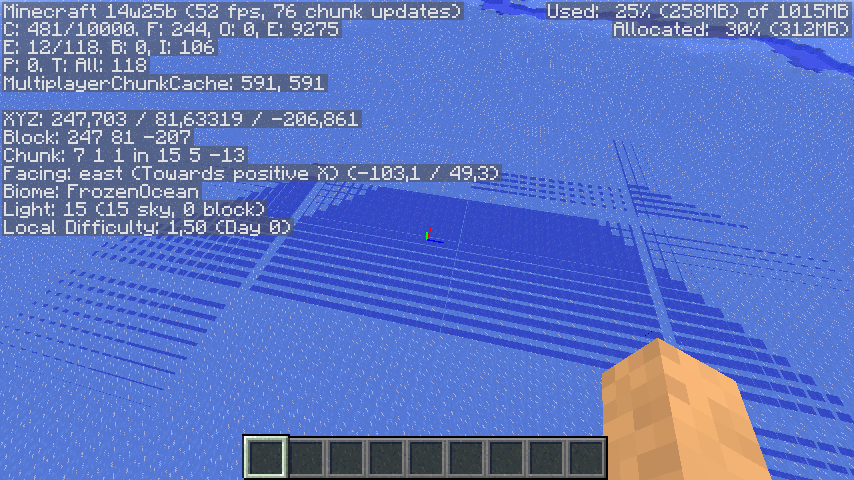
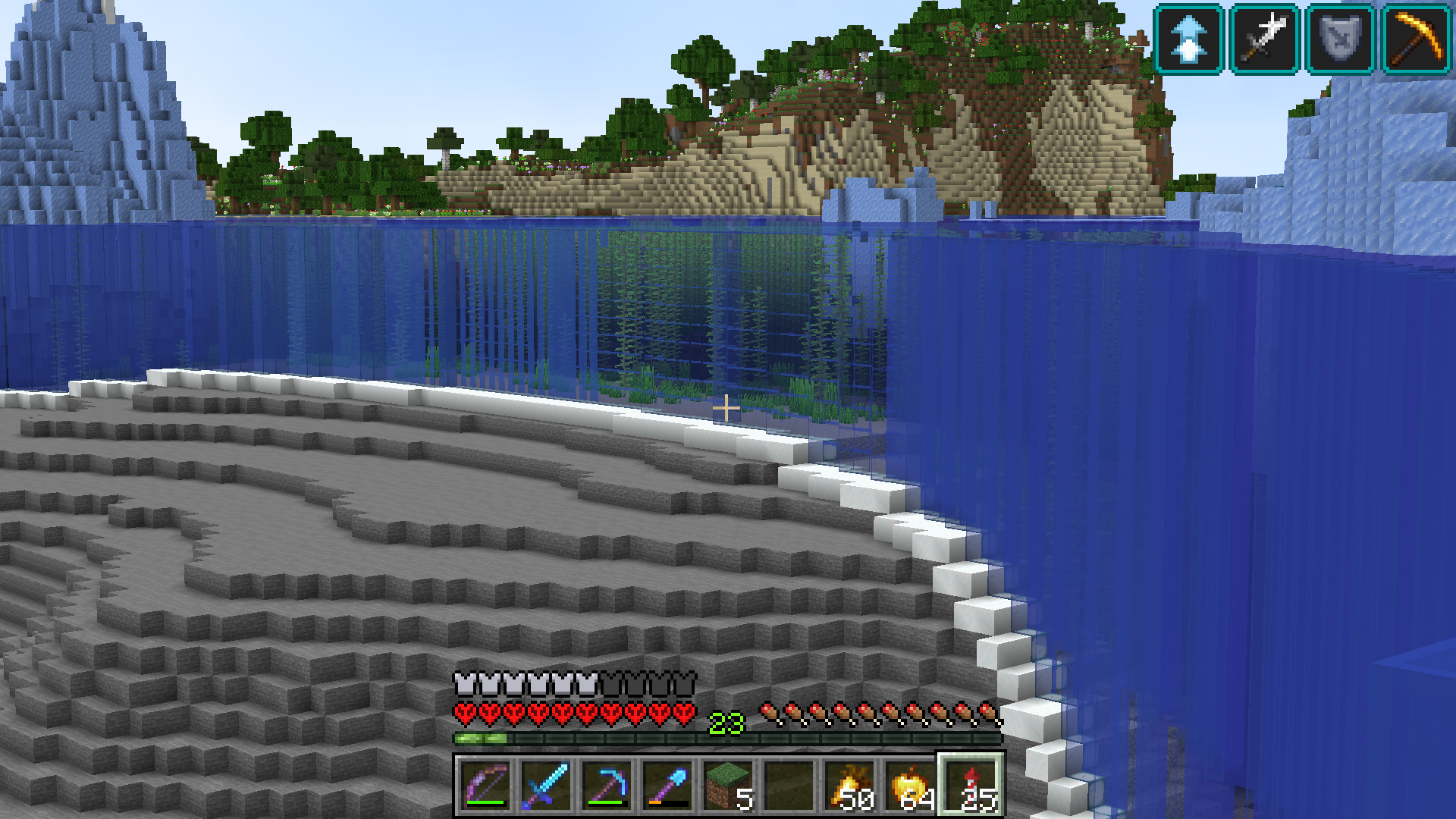
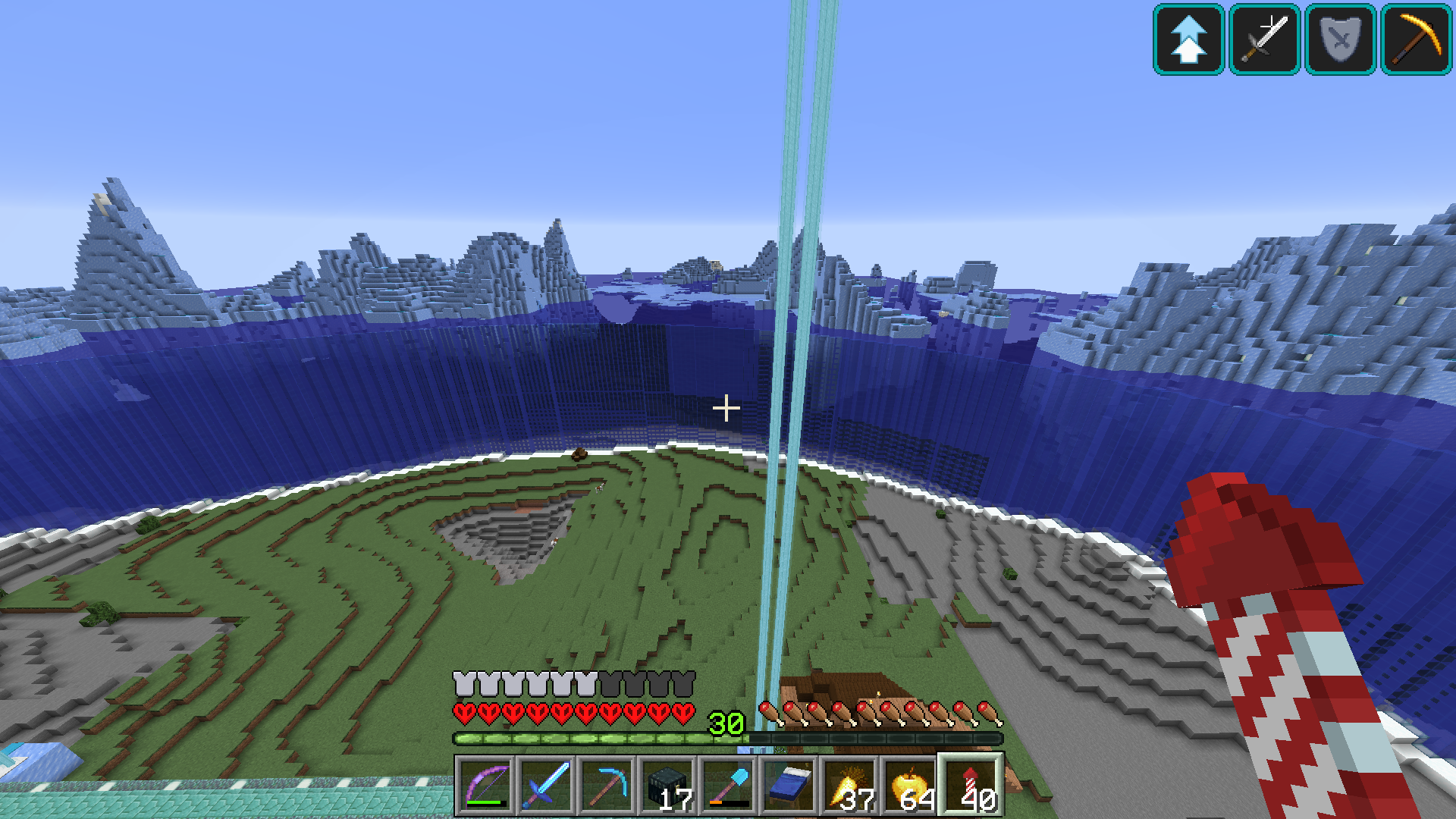
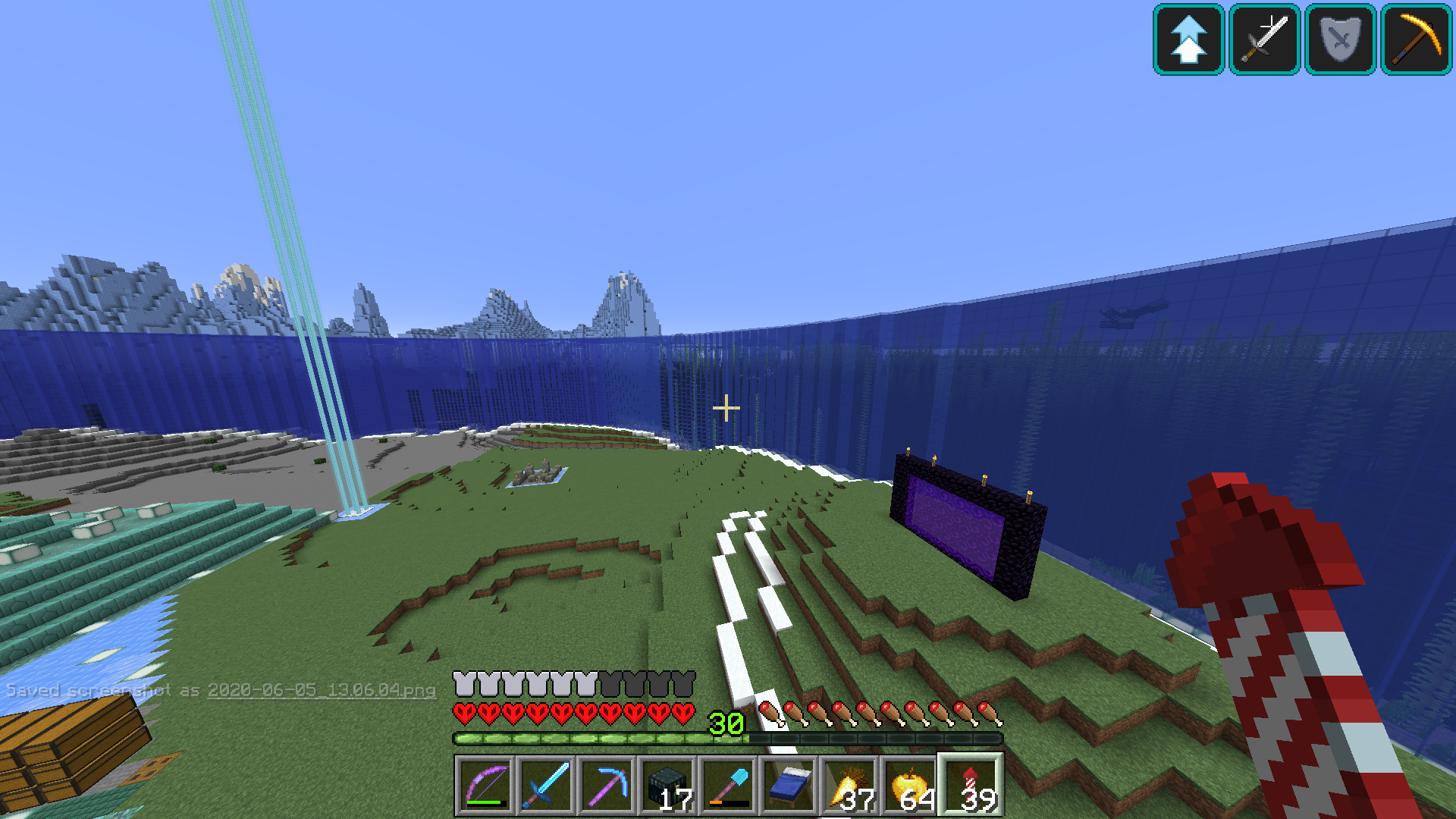
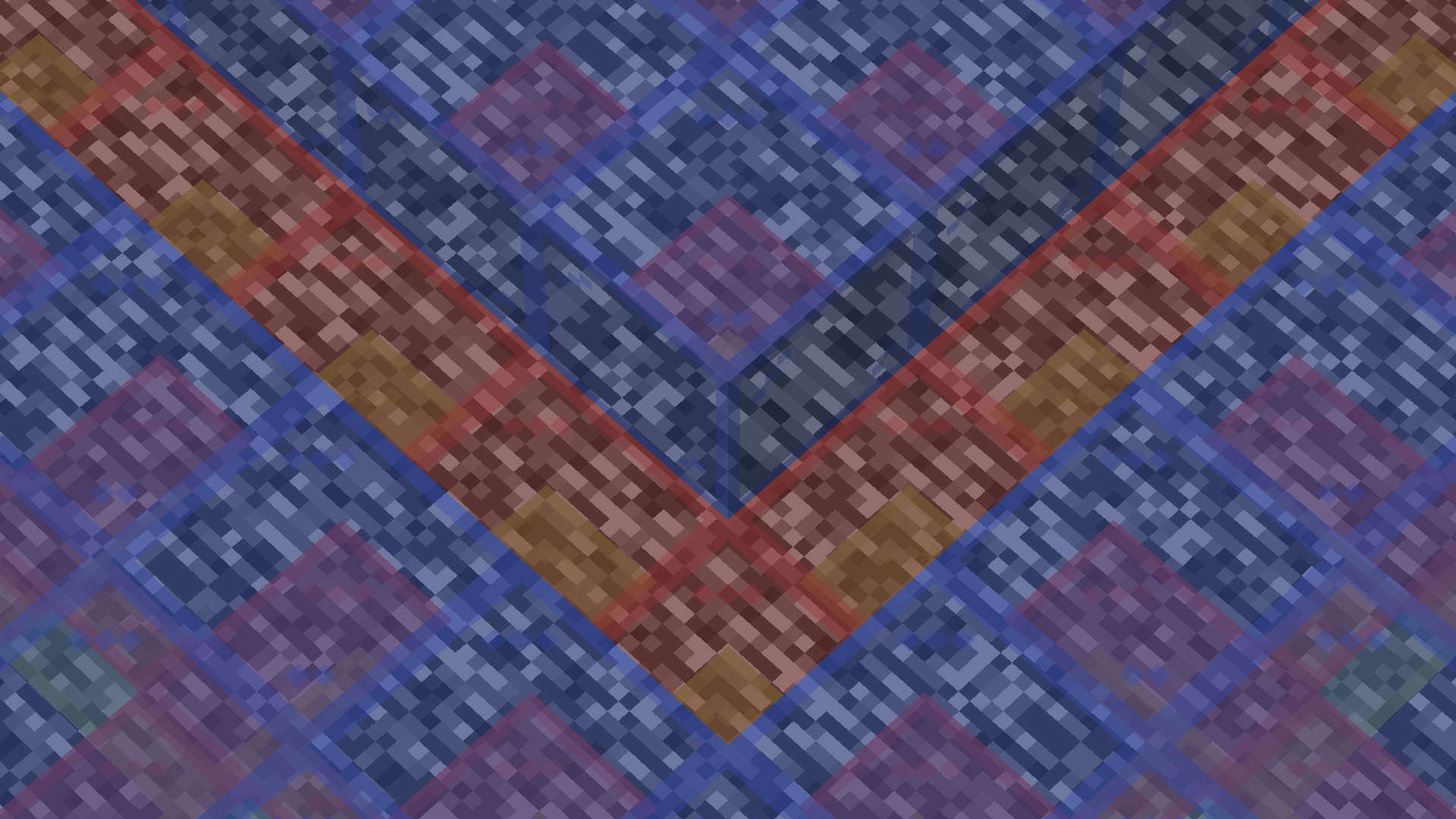
Various visual artifacts appear on translucent blocks after movement, because whatever handles sorting translucency layers does not update as you move around.
How to reproduce
- Create a superflat world with preset:
minecraft:bedrock,minecraft:green_stained_glass,minecraft:red_stained_glass,minecraft:blue_stained_glass;minecraft:the_void
- Fly up ~10 blocks (doesn't matter much)
- Use this command:
/tp @p 100 ~ 100 135 45
- Press F3 + T (then wait for chunks to load)
- Use this command:
/tp @p 0 ~ 0 -45 45
→
 You will notice you cannot see the green and red glass in multiple chunks

Expected behaviour
The block faces would be sorted on each frame, so that they always render in the correct order.
Analysis
Ceresjanin123 has done a good analysis in this comment.
douira has done a good analysis in this comment.
Linked Issues
is duplicated by43
 MC-38842Ice turns to WaterDuplicateMC-39233Shadow and Ice bugsDuplicateMC-50406Ice in large quantities renders badly from distance.DuplicateMC-62421Ice looks strange from different anglesDuplicateMC-62776Graphical GlitchesDuplicateMC-81195Slime Block Lighting BugDuplicateMC-97730Boat Ice Viewing GlitchDuplicateMC-104274Ice rendering GlitchDuplicateMC-105623Can See Through Ice At Chunk BordersDuplicateMC-115787Large sheets of ice render strangely when flying over themDuplicateMC-126055ice blocks render glitchDuplicateMC-126576Ice on Frozen Ocean loads oddlyDuplicateMC-127299Ice side texture glitchDuplicateMC-127570Weird texture bug with ice.DuplicateMC-130195Weird rendering of iceDuplicateMC-134740Graphic glitch with ice on 1.13 (full-release)DuplicateMC-137243Frost walker boots revealing water underneath iceDuplicateMC-148446ice rendering glitchDuplicateMC-149667ice turns invisableDuplicateMC-151180glacier chunks render weirdDuplicateMC-153003Ice rendering isusuesDuplicateMC-156238Ice renders weirdly from a distanceDuplicateMC-161116Ice Blocks Render IncorrectlyDuplicateMC-161241Rarely, when Ice is viewed from a certain angle with water beneath it, it creates a gridlike patternDuplicateMC-162672Subtle light-grey/see-through squares appearing on iceDuplicateMC-179562Stained glass and water visual glitch DuplicateMC-181090Blue glass placed one block above oceon/sea level causes it to sometimes go invisableDuplicateMC-185536Glass Blocks partially de-load when flying/moving around if the blocks are next to WaterDuplicateMC-236819Ice Makes Boarders Along the Chunk BoarderDuplicateMC-239011Ice rendering issuesDuplicateMC-239376Transparent Ice Blocks renderingDuplicateMC-239997Wall of stained glass with water behind it causes a visual bug/glitchDuplicateMC-241794Ice grid render bugDuplicateMC-241874There are weird squares on ice in frozen oceans & riversDuplicateMC-242025Glass doesn't render properly behind other layers of glassDuplicateMC-242393渲染错误DuplicateMC-242394Render bugDuplicateMC-249807The ability to see through iceDuplicateMC-251395Ice texture rendering error on chunk bordersDuplicateMC-252397Ice rendering glitch at chunk bordersDuplicateMC-256107rendering bug with far away waterDuplicateMC-260342Ice from far away renders more transparentlyDuplicateMC-275667Frozen river ice being wrongly renderedDuplicate
relates to13
MC-239701Rendering issue when breaking ice and flying with "Chunk Builder" set to Threaded NormalMC-249344Fluids do not snap to blocks above them in certain cases, causing undesirable gapsConfirmedMC-9553Wrong rendering order of particles, hitboxes, clouds, transparent blocks, breaking animations and various other transparent texturesFixedMC-277806Translucency sorting does not work correctly for intersecting translucent planesWon't FixMC-277808Translucency sorting does not work correctly for large modelsWon't FixMC-163098Inner part of honey or slime blocks does not render from certain anglesNormalMC-173723Sometimes after loading a chunk, the grass and water colors on some blocks are not correctNormalMC-261456Chunk borders are sometimes visible in waterAwaiting ResponseMC-268155Rendering gaps in the world under specific conditionsNormalMC-60772Draw order of translucent blocks based on head position (not POV)FixedMC-128066Highly transparent block edges on ice, slime block and honey blockFixedMC-186362Casting issue: Translucent block rendering breaks down at high distancesFixedMC-249106Water rendering incorrectly through frogspawn hitbox/modelFixed
Attachments35









![[Mod] Les3awe](../../../data/avatars/users/79847.png)






- Fixed
![[Helper] ZeNico13](../../../data/avatars/users/31913.png) [Helper] ZeNico13
[Helper] ZeNico13 davide cavallari
- 147
- 55
- Confirmed
 Important
- Platform
- Rendering Textures and models
- honey_block ice rendering slime_block stripes
1.7.2 - 1.21.1
1.7.2 14w25b 14w27b 14w29b 1.8-pre2 1.8.3 1.8.8 15w45a 15w46a 15w47a 15w47c 1.8.9 15w51b 1.9-pre1 1.9-pre2 1.10 1.11 16w50a 1.11.2 17w14a 1.12.2 18w02a 18w08a 18w08b 18w09a 18w11a 18w15a 18w20c 18w21a 18w22c 1.13-pre1 1.13-pre2 1.13-pre3 1.13-pre4 1.13-pre5 1.13-pre6 1.13-pre8 1.13-pre9 1.13-pre10 1.13 18w30b 18w31a 18w32a 18w33a 1.13.1-pre1 1.13.1 1.13.2-pre1 1.13.2-pre2 1.13.2 18w50a 19w04b 19w05a 19w06a 19w07a 19w08a 19w09a 19w11a 19w11b 19w12b 19w13a 19w13b 19w14a 19w14b 1.14-pre1 1.14-pre2 1.14-pre3 1.14-pre4 1.14-pre5 1.14 1.14.1 1.14.2-pre1 1.14.2-pre2 1.14.2 1.14.3-pre2 1.14.3 1.14.4-pre1 1.14.4-pre3 1.14.4-pre4 1.14.4-pre5 1.14.4-pre6 1.14.4 19w34a 19w35a 19w36a 19w37a 19w38b 19w39a 19w40a 19w41a 19w42a 19w45b 19w46b 1.15-pre1 1.15-pre2 1.15-pre3 1.15-pre4 1.15-pre5 1.15-pre6 1.15-pre7 1.15 1.15.1 1.15.1-pre1 1.15.2-pre1 1.15.2-pre2 1.15.2 20w06a 20w07a 20w08a 20w09a 20w10a 20w11a 20w13a 20w13b 20w15a 20w17a 20w18a 20w19a 20w20a 20w20b 20w21a 1.16-pre2 1.16-pre3 1.16-pre5 1.16-pre6 1.16-pre7 1.16-pre8 1.16-rc1 1.16 1.16.1 20w28a 20w30a 1.16.2-pre1 1.16.2-rc1 1.16.2-rc2 1.16.2 1.16.3-rc1 1.16.3 1.16.4-pre1 1.16.4-pre2 1.16.4-rc1 1.16.4 20w46a 20w48a 20w51a 21w03a 1.16.5 21w05a 21w05b 21w06a 21w07a 21w11a 1.17-pre1 1.17-pre2 1.17.1 21w37a 21w38a 21w39a 21w40a 21w41a 21w42a 1.18-pre1 1.18-pre4 1.18-pre5 1.18-rc2 1.18 1.18.1 22w03a 1.18.2 22w12a 22w15a 22w18a 1.19-pre2 1.19-pre5 1.19 1.19.1 1.19.2 22w42a 1.19.3 23w06a 23w07a 1.20-rc1 1.20 1.20.1-rc1 1.20.1 1.20.2 1.20.4 24w13a 1.20.5-pre1 1.20.6 1.21 24w33a 1.21.1- 24w36a
Created Issue:
ice graphics bug
Attachments2
2013-10-27_21.37.19.png

ice graphics bugIce graphics bug
is duplicated by
is duplicated by
is duplicated by
Ice graphics bugIce renders striped / like water from certain angles / elevations
Ice rendersstriped / like water from certain angles / elevationsIce, slime blocks render striped / like water from certain angles / elevations
is duplicated by
is duplicated by
is duplicated by
is duplicated by
![[Mod] Michael Wobst](../../../data/avatars/users/37868.png)


relates to
![[Mod] Neko](../../../data/avatars/users/92901.png)
is duplicated by
![[Mod] bemoty](../../../data/avatars/users/50554.png)
is duplicated by
is duplicated by
is duplicated by
![[Mod] violine1101](../../../data/avatars/users/92858.png)
is duplicated by
relates to
is duplicated by
![[Mod] Sonicwave](../../../data/avatars/users/94627.png)
Also affects 1.13-pre6
![[Mod] NeunEinser](../../../data/avatars/users/39263.png)
is duplicated by

![[Helper] Lord_Quadrato](../../../data/avatars/users/26105.png)
![[Mod] Asteraoth](../../../data/avatars/users/92886.png)
is duplicated by

![[Mojang] Nathan Adams](../../../data/assets/gravatar/dinnerbone.png)
is duplicated by
is duplicated by
is duplicated by
The bug
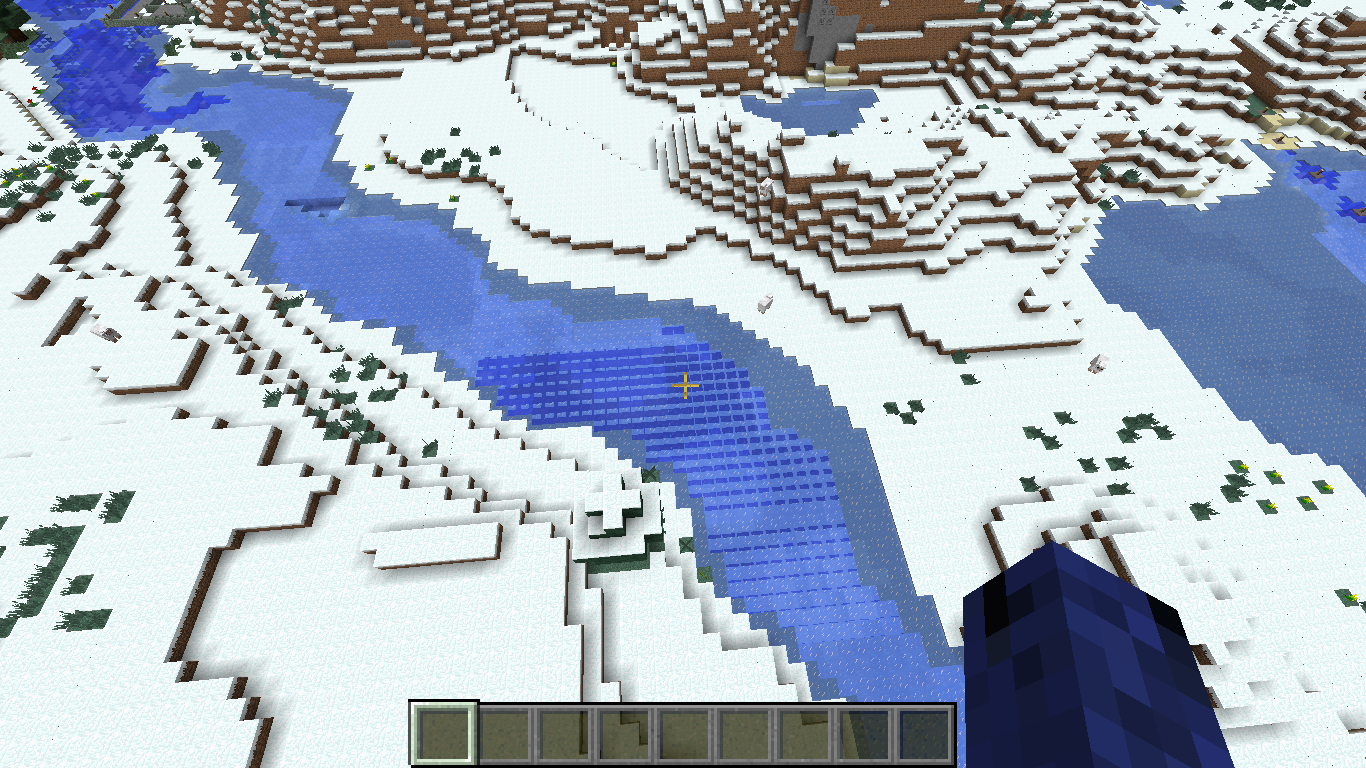
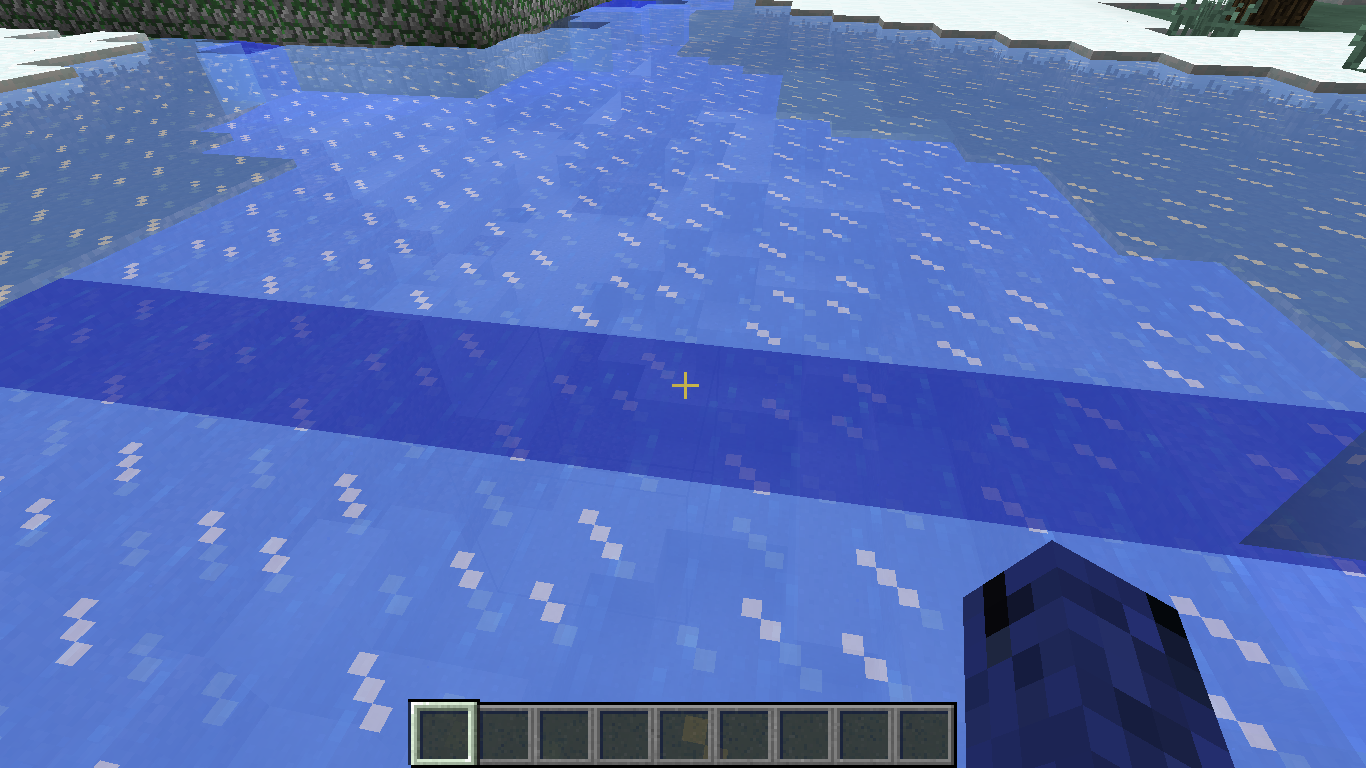
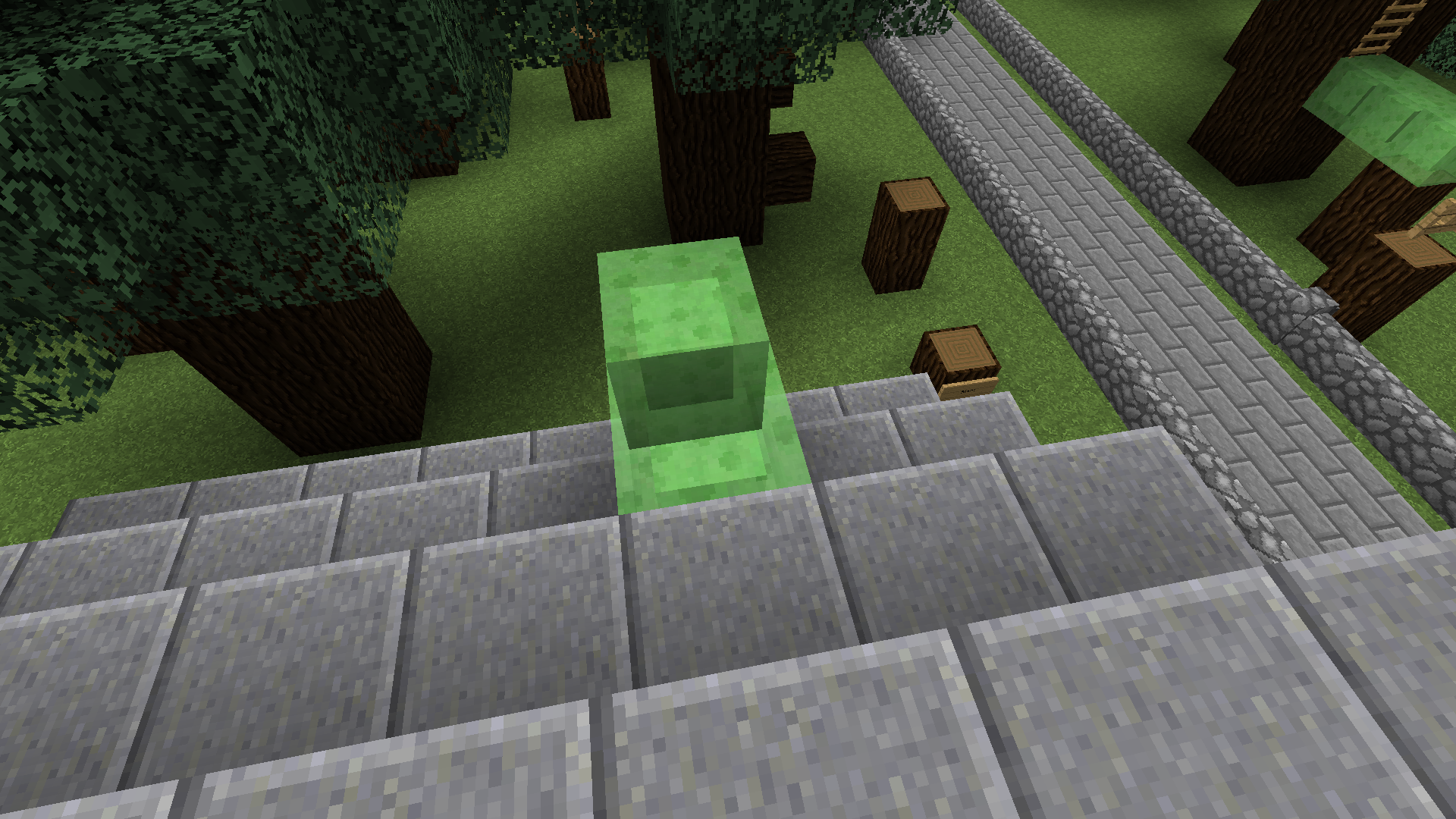
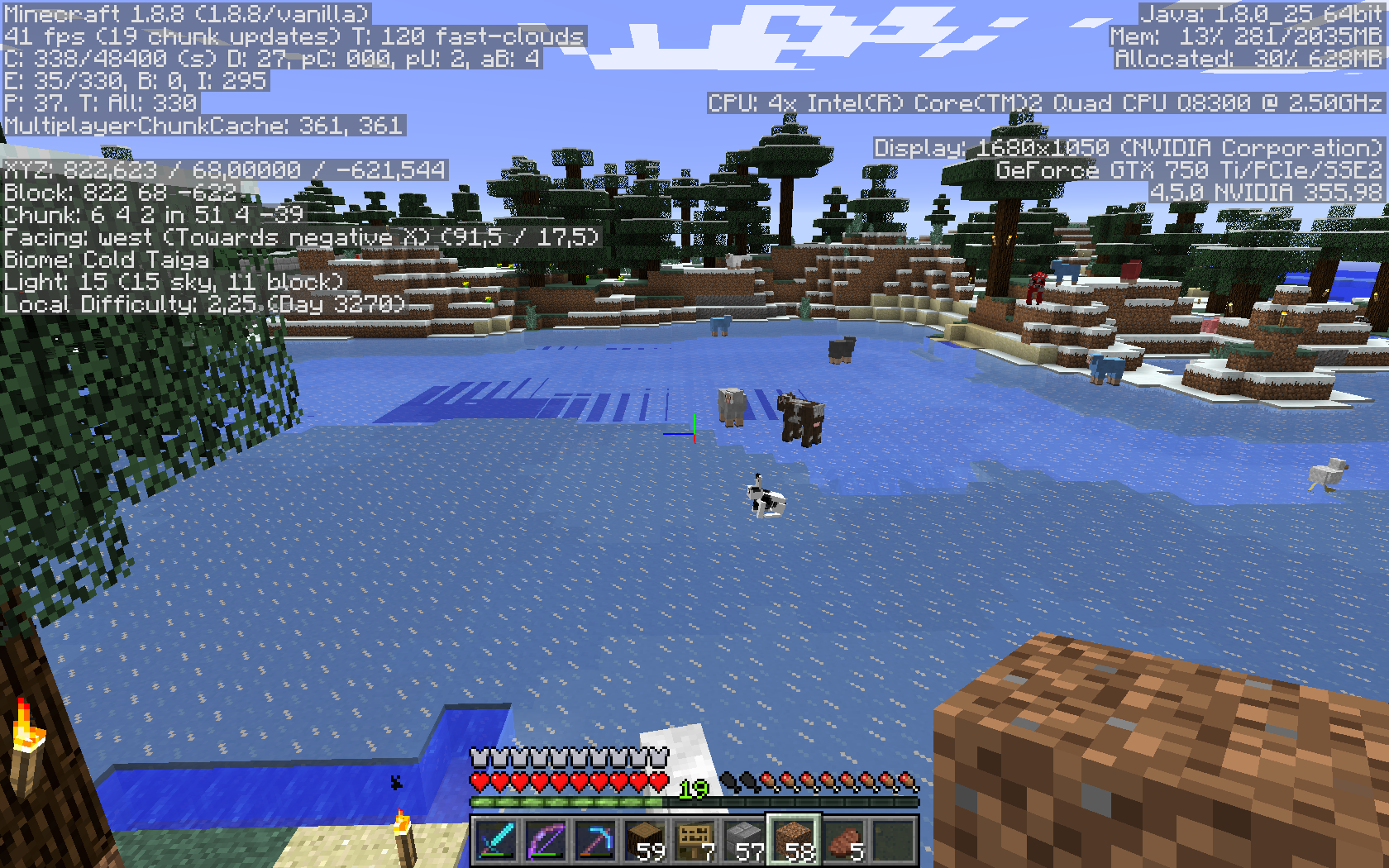
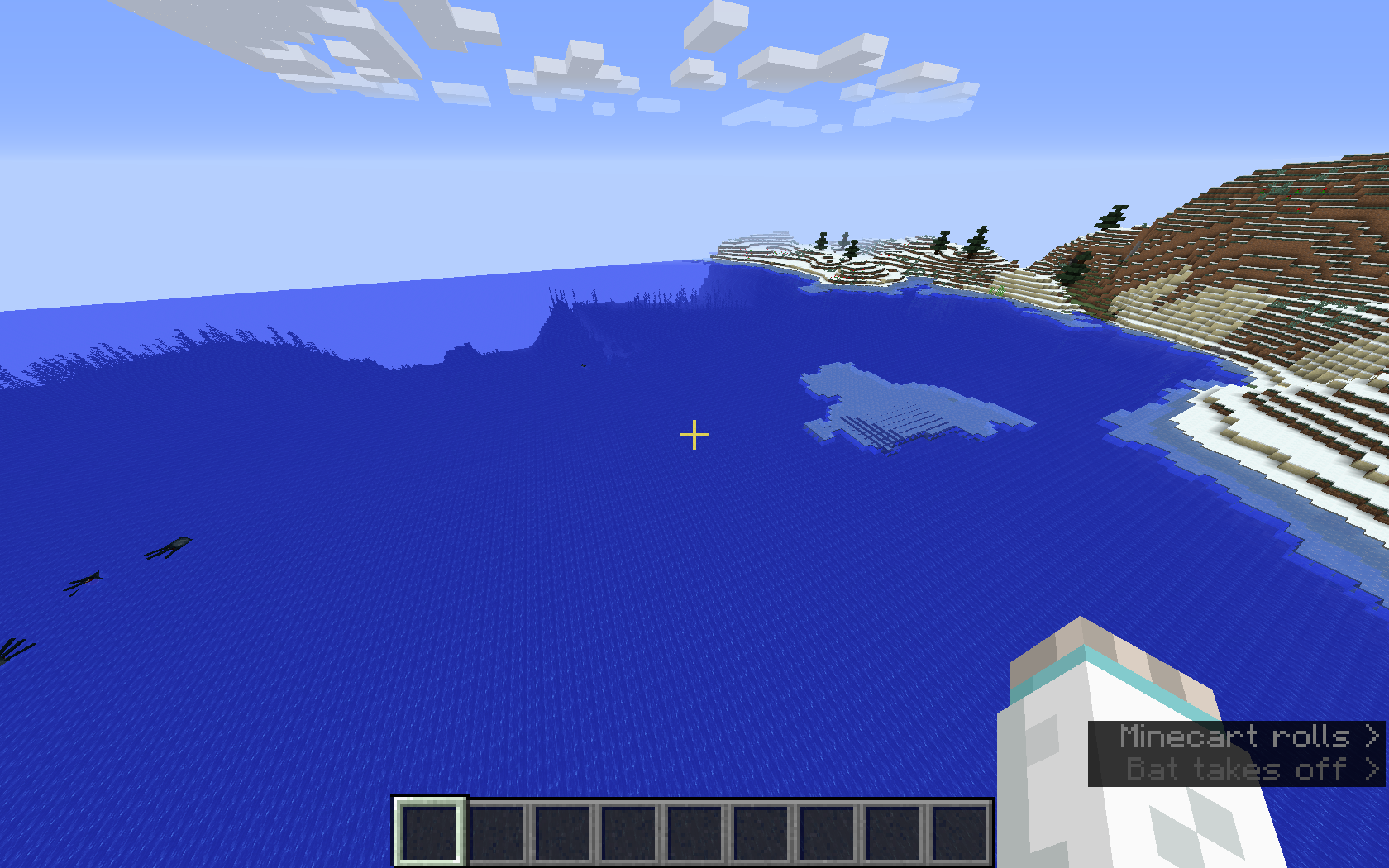
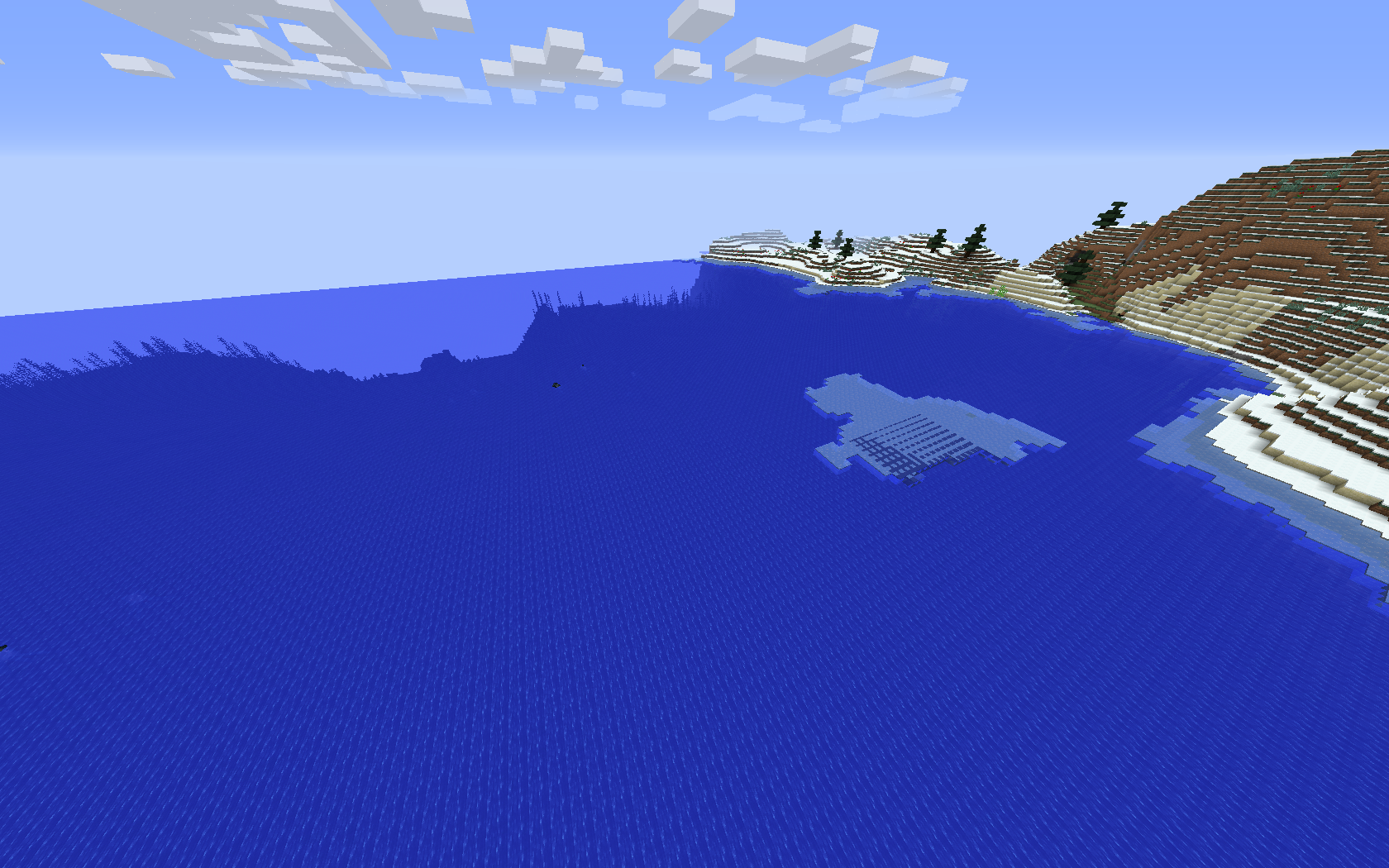
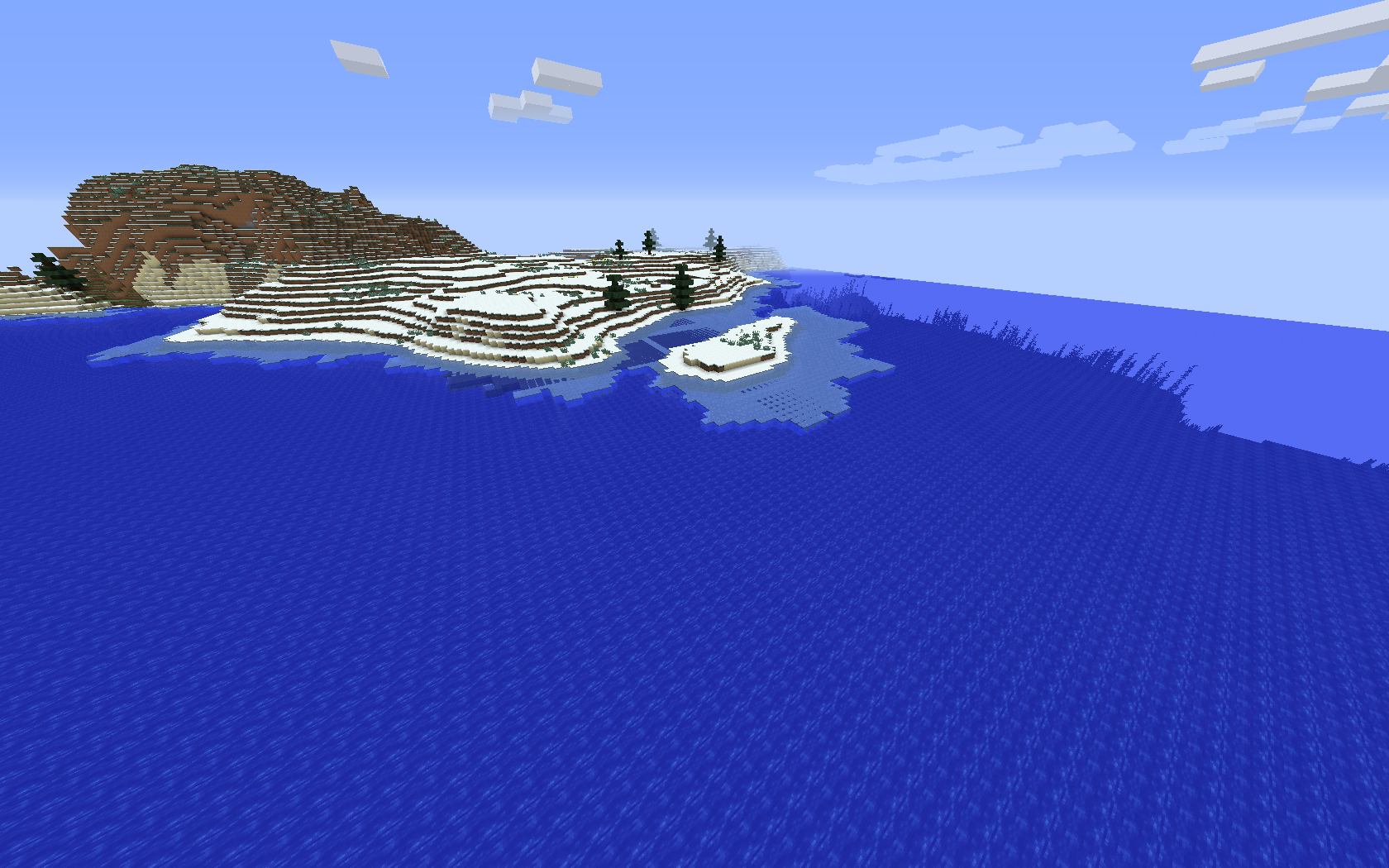
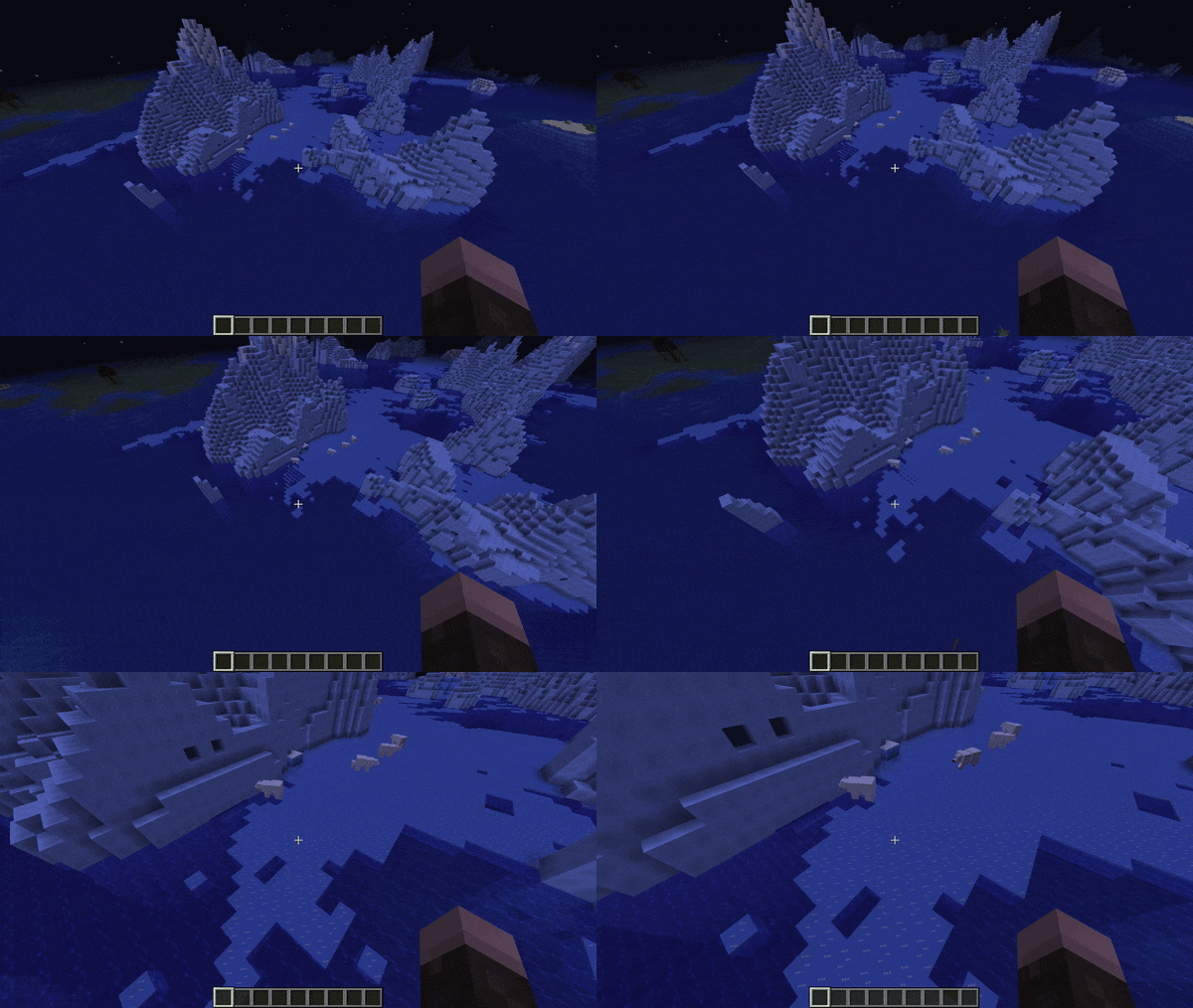
According to certain angles of view, the rendering of the blocks of semi-transparent blocks (ice, water, slime blocks) is incorrect.
These blocks appear with streaks.How to reproduce
An example among many others:
- Go to an ice biome (or create a world entirely of ice) for example
- Move your body and your head in many directions while looking at the ice blocks
- After a while you will see streaks on the ice blocks
Examples
Look at the screenshots below.
The bug
According to certain angles of view, the rendering of
the blocks ofsemi-transparent blocks (ice, water, slime blocks) is incorrect.
These blocks appear with streaks.How to reproduce
An example among many others:
- Go to an ice biome (or create a world entirely of ice) for example
- Move your body and your head in many directions while looking at the ice blocks
- After a while you will see streaks on the ice blocks
Examples
Look at the screenshots below.
The bug
According to certain angles of view, the rendering of semi-transparent blocks (like ice, water, slime blocks) is incorrect.
These blocks appear with streaks.How to reproduce
An example among many others:
- Go to an ice biome (or create a world entirely of ice) for example
- Move your body and your head in many directions while looking at the ice blocks
- After a while you will see streaks on the ice blocks
Examples
Look at the screenshots below.
is duplicated by
The bug
According to certain angles of view, the rendering of semi-transparent blocks (like ice, water, slime blocks) is incorrect.
These blocks appear with streaks.How to reproduce
An example among many others:
- Go to an ice biome (or create a world entirely of ice) for example
- Move your body and your head in many directions while looking at the ice blocks
- After a while you will see streaks on the ice blocks
Examples
Look at the screenshots below.
is duplicated by
![[Mod] tryashtar](../../../data/avatars/users/41963.png)
is duplicated by
is duplicated by
relates to
![[Mojang] Adrian Östergård](../../../data/assets/gravatar/nighter.jpeg) Important
Importantis duplicated by

this might have to do with your graphics card as i cannot recreate
is duplicated by

is duplicated by
![[Helper] Johnibur](../../../data/avatars/users/28381.png)
relates to
![[Mod] LateLag](../../../data/avatars/users/92884.png)
relates to

![[Mod] markderickson](../../../data/avatars/users/18946.svg)
is duplicated by
![[Bot] Arisa](../../../data/avatars/users/43007.png)
Steven W.d.V.: This MC-38022
Relates to or duplicates MC-38022
Confirmed for
- 15w45a You can see it the most when using third person view
Thank you for your report!
However, this issue has been closed as a Duplicate of MC-38022.
It has been linked to this report. If you have additional information, please add it to the duplicated report.
Please search before reporting, as it's likely that one exists already.
Quick Links:
📓 Issue Guidelines – 💬 Community Support – 📧 Customer Support – 📖 Game Wiki

Joel 1337 The screenshot you added shows MC-38022. Would make more sense to add it there instead of this ticket.
Thank you for your report!
However, this issue has been closed as a Duplicate of MC-38022.
It has been linked to this report. If you have additional information, please add it to the duplicated report.
Please search before reporting, as it's likely that one exists already.
Quick Links:
📓 Issue Guidelines – 💬 Community Support – 📧 Customer Support – 📖 Game Wiki
Thank you for your report!
However, this issue has been closed as a Duplicate of MC-38022.
It has been linked to this report. If you have additional information, please add it to the duplicated report.
Please search before reporting, as it's likely that one exists already.
Quick Links:
📓 Issue Guidelines – 💬 Community Support – 📧 Customer Support – 📖 Game Wiki
Thank you for your report!
However, this issue is a Duplicate of MC-38022.
It has been linked to this report. If you have additional information, please add it to that report.
Please search before reporting, as it's likely that one exists already.
Quick Links:
📓 Issue Guidelines – 💬 Community Support – 📧 Customer Support – 📖 Game Wiki
Tedstar (Curtis Anderson) and Stef B: The ice issue is MC-38022, please move your comments and screenshots over there. This ticket is quite bloated already ...
Duplicate of MC-38022
Duplicate of MC-38022
You didn't attach the image properly. Does MC-38022 describe your issue?
Duplicates MC-38022.
In the future, please use the search function to see if your issue has already been reported.
![[Mod] CubeTheThird](../../../data/assets/gravatar/cubethethird.jpeg)
Thank you for your report!
We're actually already tracking this issue in MC-38022, so I resolved and linked this ticket as a duplicate.
If you would like to add a vote and any extra information to the main ticket it would be appreciated.
If you haven't already, you might like to make use of the search feature in the future to see if the issue has already been reported.
Quick Links:
📓 Issue Guidelines – 💬 Community Support – 📧 Customer Support – 📖 Game Wiki
I still have it in 19w45b, check attachment
I think this bug might be caused by MC-38022 or related to it

Hello there,
I found a bug. On the side of the ice, I got a graphic bug where the side is underwater. I'm sorry if this bug is already reported, I've tried to find this bug but I just go this MC-38022 but it isn't the same bug. Or maybe it is due to my AMD Radeon driver? (Maybe this bug already appear in older version sorry!!)
What I expected to happen was...:
Flying in Frozen Ocean biome for no reason.
What actually happened was...:
I was flying to visit this world and test this snapshot and I got this graphic bug.
Steps to Reproduce:
1. Start Minecraft 20w20b and create a new world in creative (Peaceful). I disabled some game rules: Weather Update, Command feedback, Log Admin, Day cycle.
2. Walk / Fly in your world, find a frozen ocean biome, and maybe you will get this bug like me.
Current world seed -5525580486020212344 but I don't think is due to the world.
Thanks, ChildOfStars.
Thank you for your report!
We're tracking this issue in MC-38022, so this ticket is being resolved and linked as a duplicate.
If you would like to add a vote and any extra information to the main ticket it would be appreciated.
If you haven't already, you might like to make use of the search feature to see if the issue has already been mentioned.
Quick Links:
📓 Issue Guidelines – 💬 Community Support – 📧 Customer Support – ✍️ Feedback and Suggestions – 📖 Game Wiki
Thank you for your report!
However, we are already tracking this issue, and this report is a Duplicate of MC-38022.
Please use the search function in the future to prevent duplicate reports.
Quick Links:
📓 Issue Guidelines – 💬 Community Support – 📧 Customer Support – ✍️ Feedback and Suggestions – 📖 Game Wiki
![[Mod] Avoma](../../../data/avatars/users/86198.png)
Duplicate of MC-38022.
Thank you for your report!
We're tracking this issue in MC-38022, so this ticket is being resolved and linked as a duplicate.
If you would like to add a vote and any extra information to the main ticket it would be appreciated.
If you haven't already, you might like to make use of the search feature to see if the issue has already been mentioned.
Quick Links:
📓 Bug Tracker Guidelines – 💬 Community Support – 📧 Mojang Support
📓 Project Summary – ✍️ Feedback and Suggestions – 📖 Game Wiki
– I am a bot. This action was performed automatically! The ticket was resolved by one of our moderators, and I left this message to give more information to you.

Duplicate of MC-38022.
Thank you for your report!
We're tracking this issue in MC-38022, so this ticket is being resolved and linked as a duplicate.
If you would like to add a vote and any extra information to the main ticket it would be appreciated.
If you haven't already, you might like to make use of the search feature to see if the issue has already been mentioned.
Quick Links:
📓 Bug Tracker Guidelines – 💬 Community Support – 📧 Mojang Support
📓 Project Summary – ✍️ Feedback and Suggestions – 📖 Game Wiki
– I am a bot. This action was performed automatically! The ticket was resolved by one of our moderators, and I left this message to give more information to you.
Duplicate of MC-38022.
Thank you for your report!
We're tracking this issue in MC-38022, so this ticket is being resolved and linked as a duplicate.
If you would like to add a vote and any extra information to the main ticket it would be appreciated.
If you haven't already, you might like to make use of the search feature to see if the issue has already been mentioned.
Quick Links:
📓 Bug Tracker Guidelines – 💬 Community Support – 📧 Mojang Support
📓 Project Summary – ✍️ Feedback and Suggestions – 📖 Game Wiki
– I am a bot. This action was performed automatically! The ticket was resolved by one of our moderators, and I left this message to give more information to you.
Duplicate of MC-38022.
Duplicate of MC-38022.
Dupe of MC-38022
Thank you for your report!
We're tracking this issue in MC-38022, so this ticket is being resolved and linked as a duplicate.
If you would like to add a vote and any extra information to the main ticket it would be appreciated.
If you haven't already, you might like to make use of the search feature to see if the issue has already been mentioned.
Quick Links:
📓 Bug Tracker Guidelines – 💬 Community Support – 📧 Mojang Support
📓 Project Summary – ✍️ Feedback and Suggestions – 📖 Game Wiki
– I am a bot. This action was performed automatically! The ticket was resolved by one of our moderators, and I left this message to give more information to you.
Thank you for your report!
We're tracking this issue in MC-38022, so this ticket is being resolved and linked as a duplicate.
If you would like to add a vote and any extra information to the main ticket it would be appreciated.
If you haven't already, you might like to make use of the search feature to see if the issue has already been mentioned.
Quick Links:
📓 Bug Tracker Guidelines – 💬 Community Support – 📧 Mojang Support
📓 Project Summary – ✍️ Feedback and Suggestions – 📖 Game Wiki
I believe this is a duplicate of MC-38022.


Duplicate of MC-38022
Thank you for your report!
We're tracking this issue in MC-38022, so this ticket is being resolved and linked as a duplicate.
If you would like to add a vote and any extra information to the main ticket it would be appreciated.
If you haven't already, you might like to make use of the search feature to see if the issue has already been mentioned.
Quick Links:
📓 Bug Tracker Guidelines – 💬 Community Support – 📧 Mojang Support
📓 Project Summary – ✍️ Feedback and Suggestions – 📖 Game Wiki
Thank you for your report!
We're tracking this issue in MC-38022, so this ticket is being resolved and linked as a duplicate.
If you would like to add a vote and any extra information to the main ticket it would be appreciated.
If you haven't already, you might like to make use of the search feature to see if the issue has already been mentioned.
Quick Links:
📓 Bug Tracker Guidelines – 💬 Community Support – 📧 Mojang Support
📓 Project Summary – ✍️ Feedback and Suggestions – 📖 Game Wiki
Relates to or even duplicates MC-38022
I don't see how this is related to MC-38022. That ticket is about translucent blocks being rendered incorrectly from certain angles, this one is about the frogspawn model rendering on top of water. If anything, this is more similar to something like MC-188203 or MC-249048. But I wouldn't even consider those related.

Thank you for your report!
We're tracking this issue in MC-38022, so this ticket is being resolved and linked as a duplicate.
If you would like to add a vote and any extra information to the main ticket it would be appreciated.
If you haven't already, you might like to make use of the search feature to see if the issue has already been mentioned.
Quick Links:
📓 Bug Tracker Guidelines – 💬 Community Support – 📧 Mojang Support
📓 Project Summary – ✍️ Feedback and Suggestions – 📖 Game Wiki
Duplicate of MC-38022
Thank you for your report!
We're tracking this issue in MC-38022, so this ticket is being resolved and linked as a duplicate.
If you would like to add a vote and any extra information to the main ticket it would be appreciated.
If you haven't already, you might like to make use of the search feature to see if the issue has already been mentioned.
Quick Links:
📓 Bug Tracker Guidelines – 💬 Community Support – 📧 Mojang Support
📓 Project Summary – ✍️ Feedback and Suggestions – 📖 Game Wiki
– I am a bot. This action was performed automatically! The ticket was resolved by one of our moderators, and I left this message to give more information to you.
I believe this is a duplicate of MC-38022. Some of the screenshots there depict this same issue.

Looks like MC-38022.
Thank you for your report!
We're tracking this issue in MC-38022, so this ticket is being resolved and linked as a duplicate.
If you would like to add a vote and any extra information to the main ticket it would be appreciated.
If you haven't already, you might like to make use of the search feature to see if the issue has already been mentioned.
Quick Links:
📓 Bug Tracker Guidelines – 💬 Community Support – 📧 Mojang Support
📓 Project Summary – ✍️ Feedback and Suggestions – 📖 Game Wiki
Thank you for your report!
We're tracking this issue in MC-38022, so this ticket is being resolved and linked as a duplicate.
If you would like to add a vote and any extra information to the main ticket it would be appreciated.
If you haven't already, you might like to make use of the search feature to see if the issue has already been mentioned.
Quick Links:
📓 Bug Tracker Guidelines – 💬 Community Support – 📧 Mojang Support
📓 Project Summary – ✍️ Feedback and Suggestions – 📖 Game Wiki
Duplicate of MC-38022 (see 2018-08-21_12.50.01.png in the attachments, for example).

These are only going north and south when all the images show grids not just on one axis, and this bug doesn't seem to affect anything but water where MC-38022 doesn't seem to affect water unless you are underwater to begin with
Further, MC-38022 is caused by the angle you view it where this doesn't seem to be affected by angle.
This looks more like MC-38022 to me, does that match better?

This bug is not "related" to MC-38022 it's an exact duplicate of it.
In Snapshot 19w39a MC-9553 was fixed and the order of rendering was changed. This affected how the bug looks, because with MC-9553 fixed, the water no longer renders through the ice. However it's still the same bug just with MC-9553 no longer present. This issue should be closed


[Mod] violine1101 I don't think so. MC-38022 is about translucency breaking at certain angles/distance. This has something to do with crossing chunk borders. They may be related but I'm not sure, someone with technical knowledge would need to investigate.
I just did a deep dive into MC-38022 to determine what it's about and there's very little chance it's the same issue.
This issue duplicates MC-38022
Causes MC-131203 and MC-167319.
Relates to MC-38022 and MC-163098.
The bug
A translucent model which has planes intersecting each other will behave abnormally depending on the viewing angle with respect to what order planes are rendered in.
How to reproduce
A resource pack that remodels purple_stained_glass is attached to this ticket.
- Download and apply the attached resource pack
- Place purple stained glass, preferably a single block in midair
- Fly around it
Expected results
The rendering order of the constituent planes would make sense geometrically.
Actual results
Some planes visibly pop in front of others instantaneously as the player moves, and others are outright invisible behind others.
How to fix
A fix for this could be to split up quads into smaller ones which can be sorted more easily, although this would make more sense as a toggleable video setting as increasing the number of quads needing drawn could hurt performance considerably. It is not immediately obvious how this issue could be resolved in any other ways, to my knowledge.
Relates to: MC-38022 MC-163098 MC-277806
The bug
For translucent blocks whose models extend out of the block boundaries, issues can be seen when next to other translucent blocks. These effects appear exaggerated next to chunk borders.
How to reproduce
A resource pack that makes white stained glass huge is attached to this ticket.
- Download and apply this resource pack
- Place white stained glass in water
Expected results
Translucency sorting that makes sense.
Actual results
Some of the water tends to disappear depending on your point of view.
Duplicated by
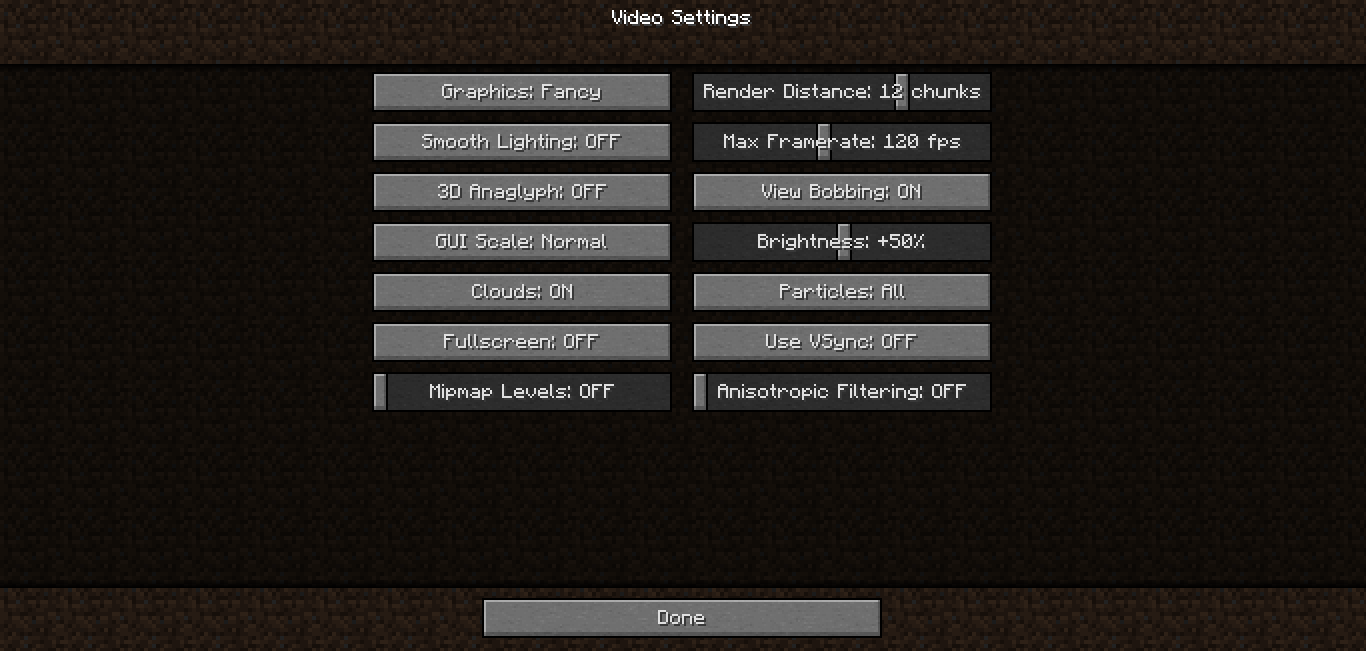
MC-38842Happened to me in 14w19a with an Intel HD 4000, mipmapping or anisotropic filtering turned off.
How to reproduce
Attached crash report.
Reopened, not a duplicate of
MC-35881@Itouch2: You can probably update to OX X 10.9.x for free https://itunes.apple.com/us/app/os-x-mavericks/id675248567?mt=12
Same result with another computer using an Intel HD 5000 and running OS X 10.9.2.
@Kumasasa This OS X version is too unstable on my computer
WTF ? Unstable software made by Apple ? Impossible....
@all: Anyone having this issue: Please force a crash by pressing F3 + C for 10 seconds while in-game and attach the crash report (minecraft/crash-reports/crash-<DATE>-client.txt) here.
@Kumsasa Hehe, yet I couldn't shut down it without pressing power button, or the computer turned off itself after 5 minutes, etc.
Confirmed for 14w25b.
Confirmed for 14w27b, on Windows 7 64-bit with latest Java 1.8 and Nvidia GTX 670.
The graphical bug seems to occur largely independent of video settings. I have toggled all video settings and the only setting where I was unable to reproduce the bug was with a Render Distance of 2 chunks. With any Render Distance higher than 2 chunks and any other (combination of) video settings I was able to reproduce the graphical glitch.
The only way the glitch disappears is when the rendering resets (for instance when changing certain video settings) or when the player gets closer to the ice.
Confirmed for 1.8pre2 with a GTX 750 Ti
Confirmed for 1.8.1
Confirmed for 1.8.3, on Windows 8.1 64-bit with latest Java 1.8 and Nvidia GeForce GT 640M.
Confirmed for 15w45a
Can't reproduce in 15w46a. Is this fixed?
Was able to reproduce this in 15w46a, so this is not fixed.
Indeed, not fixed. Create a superflat world with this preset and fly around a bit: 3;minecraft:bedrock,20*minecraft:water,minecraft:ice
Confirmed for 15w47a and 15w47c
Confirmed for 15w51b
Confirmed for 1.9-pre1 and 1.9-pre2
I believe this might have to do with the block transparency.
Is this still an issue in the latest snapshot 16w44a? If so please update the affected versions.
This is an automated comment on any open or reopened issue with out-of-date affected versions.
Confirmed for 1.11
Confirmed for 18w08a and is way more prevalent now.
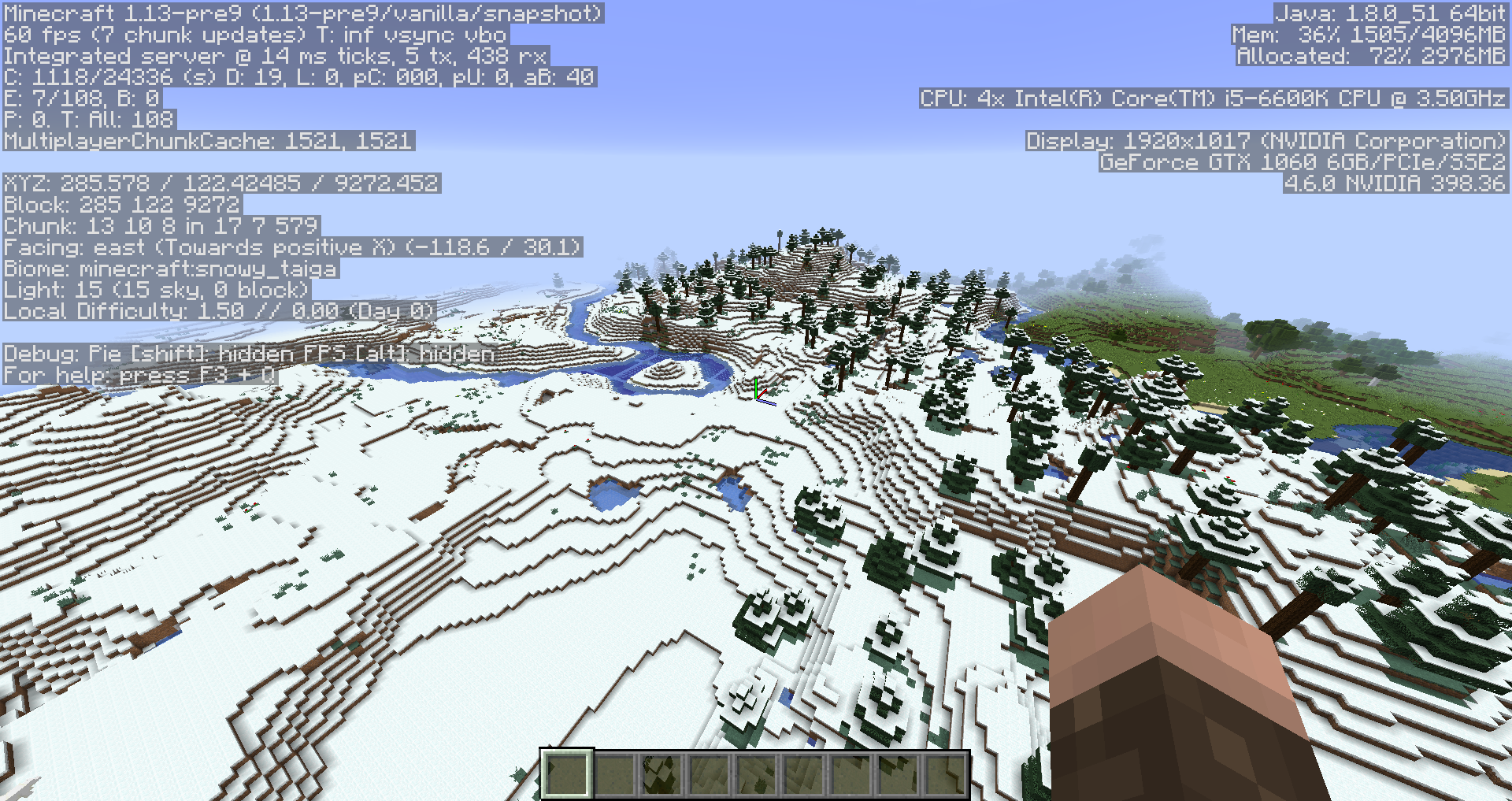
This bug sadly ruins the new Frozen Ocean biome. Added some pics from 18w08b
Confirmed in 18w09a
Confirmed in 18w11a
Affects 18w15a
Affects 18w20c
Confirmed for 18w22c
Affects 1.13-pre1
1.13-pre3
Affects 1.13-pre4
Confirmed for 1.13-pre5 with slimeblocks
Also affects 1.13-pre6

Affects 1.13-pre8


Affects 1.13-pre9

Affects 1.13-pre10
Confirmed for 1.13-release!
Still in 18w30b
Still in 18w31a
Still in 18w32a
Still in 18w33a
Still in 1.13.1-pre1
this happens at chunk borders for me in 1.13
Still in 1.13.1 release
Still in 1.13.2-pre1
Still in 1.13.2-pre2
Still in 18w43b
Still in 18w50a
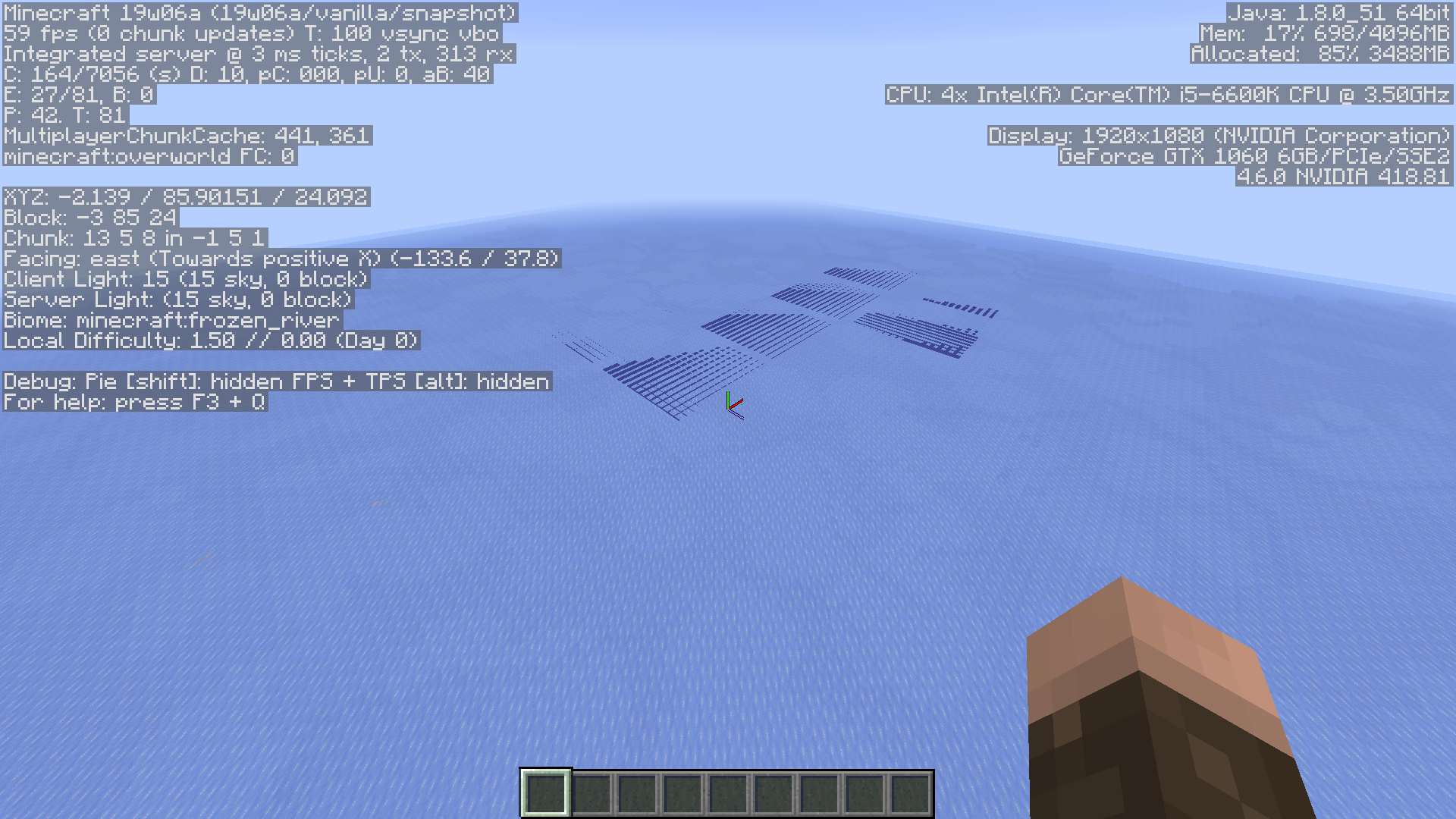
Still in 19w06a despite the fact that the rendering engine has changed.
Still in 19w07a
Still in 19w08a
Still in 19w09a
Still in 19w11a
Still in 19w11b
Still in 19w12b
Gave the report to [Helper] ZeNico13 since the original reporter is inactive.
I can't reproduce the ice glitch in 19w40a.
I think it might've been fixed by the new rendering engine.
I don't think this can be marked as fixed just yet, the latest snapshot has major issues with mipmaps, causing a moire effect to appear on ice. This issue didn't seem to appear with mipmaps disabled in 1.14.4 either, so we can't be sure it's been fixed just yet.
No, this bug is still effective despite the new rendering engine!
Confirmed in 19w45b
Confirmed in 20w06a
Confirmed in 20w07a
I just made a post about this not realizing that it was already reported here. This is such a huge graphical bug that has been present for so long and I don't know why it hasn't been fixed yet. I really hope Mojang Studios can fix this in the next version of the game.
Confirmed in Pre-Release 2 for 1.16
this is an really old bug...I hope mojang can fix this because it last for years so it should be considered to fix in higher priority
It already has "Important" priority. On the other hand, the fact that it's an old bug doesn't make it automatically important, the severity of the issue and how much it affects gameplay / players does
Yes, but it's had "Important" Priority since February, and the bug has existed for 7 years. That's too long for any bug to exist in this game. And I would say that it affects the severity of the gameplay greatly, seeing as literally any water build mixed with glass looks terrible when close to it. It would be 1 thing if this glitch didn't load the glass from barely out of chunk distance, but it can happen as close as 2 chunks away.
Can confirm in 1.17-pre1.
Can confirm in 1.17.1.
Can confirm in 21w39a.
Can confirm in 21w40a.
Can confirm in 21w41a.
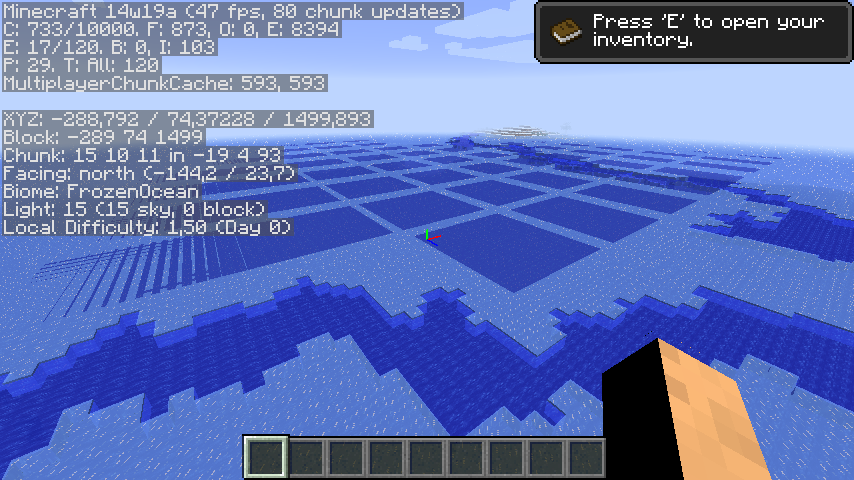
Can confirm in 21w42a. Also this appears to be related to chunk borders. As you can see in this screenshot these square patterns align perfectly with chunk borders

Can confirm in 1.18 Pre-release 1.
Can confirm in 1.18 Pre-release 4.
Confirmed in 1.18 Release Candidate 1.
Can confirm in 1.18.
Can confirm in 1.18.1.
I can confirm in 1.18.2
(seems to be happening extremely frequently for me)
In 1.19 Pre-2.
This also affects stained glass. It would probably be worth updating this ticket to mention this to potentially prevent further duplicate reports in the future.
Can confirm in 1.19.1.
can confirm 1.19.1
Can confirm in 1.20.2
There is a lot of issues with this issue
Some are due to people confusing this bug with
MC-9553. For example the "render like water" part from the title was caused in part byMC-9553and hasn't been reproducible since it's been fixed. It's also specific to the ice + water setup, and isn't representative of the bug. The title also suggests "elevation and angle" has something to do with this but it doesn't, it happens at any angle. You can check that by pressing F3 + T and the bug will go away until you start moving again. Also the bug desc is really meagre, there's a lot more information that's missing.I request the following be done:
1. Attachments 2015-06-09_15.51.45.png 2018-08-21_12.50.01.png Screenshot-Slime-Light-Bad.png are showing
MC-9553and not relevant and should be removed2. Attachments crash-2014-05-13_10.54.01-client.txt crash-2014-07-02_19.22.27-client.txt 2014-05-13_11.03.30.png are not relevant and should be removed
2.5 All other attachments could be removed tbh since they're redundant. But idk your policy on that.
3. Update the title to "Order of rendering translucent block faces fails to update with camera position"
4. Update the description:
The Bug:
Various visual artifacts appear on translucent blocks after movement, because whatever handles sorting translucency layers does not update as you move around.
How to reproduce:
1. Create a superflat world with preset
2. Fly up ~10 blocks (doesn't matter much)

3. Use command /tp @p 100 ~ 100 135 45
4. Press F3 + T (then wait for chunks to load)
5. Use command /tp @p 0 ~ 0 -45 45
6. You will notice you cannot see the green and red glass in multiple chunks
Analysis:
There's probably some kind of mechanism that calculates which translucent block faces are closest to the camera, and then sorts them into the correct rendering order, so that blocks render in front of each other as would be expected. However this ordering task seems to only run sporadically (once when a chunk loads, and again if you're close enough to the chunk). This obviously leads to issues where after your position changes blocks are "in front" of blocks that are now in front of them.
As of reproduction step 4 the top face of a red glass block is in front of (closer to the camera) two side faces of the blue glass block above it.


As we teleport behind it the order should switch (the top face of the red glass block is now behind those two blue faces) however the rendering thingy doesn't realize this and still thinks the top face of the red glass is in front of the two blue faces. Because of this mismatch the red glass block doesn't render properly behind those two block faces.
Note: The "two faces" I'm talking about are invisible because the block faces are culled when two of the same translucent block are next to each other. However you can see it's indeed the side faces trying to render behind the red glass, by making a hole in the glass thus making them visible.
Corroborating evidence:
What I just described with the glass world is also what's going on with the ice (the water is ordered "in front" of the two inside faces of ice, while it's actually behind them) and before the fix to
MC-9553was implemented the water would actually follow this incorrect order and render in front of the ice.And indeed if we load up our glass world before

MC-9553was fixed and repeat the steps we'll notice the red glass blocks are actually rendering in front of the blue glass (and the green renders in front of both). This confirms my analysis I thinkHowever after that fix, when such mismatch occurs the pixels that are incorrectly "in front" of something don't render at all which is why it looks different now. However it's still the same issue!
Expected behaviour
The block faces would be sorted on each frame, so that they always render in the correct order.
Can confirm 1.20.4, singleplayer default world, probably outside of simulation distance
Many thanks to Ceresjanin123 for his very detailed comment!
Hi, I'd like to give an explanation for why this is happening, what possible solutions are, and why this is a hard problem in general. I just finished writing my Master's thesis about solving translucency sorting in Minecraft, with the implementation having been done in Sodium. My last year was spent trying to solve this problem efficiently, with the result being a sophisticated approach that solves it correctly and with low overhead by replacing quad distance sorting with different sorting techniques. The problem is, that if you dig into the how the geometry behaves, it quickly becomes either a graph or a spatial partitioning problem. Even accepting that sorting quads by distance does not always yield a correct result, it's not clear exactly when quad distance sorting needs to be performed.
Looking at the code, Minecraft checks if sorting needs to be performed every time the camera movement is more than 1 block away from the last time sorting was performed. Then, it iterates through all visible sections and sorts at most 15 of them per frame. It selects either any section if the camera has just crossed a chunk boundary, or specifically sections that are axis aligned with the camera ("axis-sharing"), where at least one axis of the section's coordinates is the same as the camera's section coordinates. Intuitively, this makes sense, since as you move the camera the ordering becomes wrong and needs to be re-done. As most geometry is axis aligned, performing sorting preferentially on axis-sharing sections is an okay approximation.
The bug in this report happens when the camera gets into a position where the sort order of a section is invalid but isn't updated since either the camera has not moved enough to trigger sorting or the sorting budget was prematurely exhausted. Teleporting means the camera registers a movement, but then resets the "last sort position" to the current position without having sorted all sections with invalidated sort orders. If it moves a little, unless it moves across a section border, only axis-sharing sections will be sorted, which doesn't resolve the visual glitch. Additionally, if the camera moves in a specific way near sensitive sections, the allowance of 15 sections getting sorted per frame could get repeatedly exhausted, thus starving certain sections of sorting altogether. Layered water and glass or different types of stained glass showcase the problem very easily, because the camera only needs to move a relatively small angle relative to the section before artifacts become visible. This angle depends on the geometry and the perspective on the section.
A simple fix might be to sort sections even when the camera has not moved and to prioritize which sections get sorted based on how long ago they were sorted, or based on the position the camera was at when the section was last sorted. The problem remains that sorting sections by distance is expensive, especially when it needs to happen very frequently to mitigate bugs like this one. There's a lot of optimizations and different approaches that can be applied to Minecraft's surprisingly tractable translucency sorting problem, albeit with the introduction of significant complexity as I showed in my work.
I hope this helps, I'm happy to answer any more questions about the translucency sorting problem should they arise.
@douira This is unrelated to this bug, however i need answers from you regarding a bug you mentioned you used to encounter or maybe still do, specifically bug MC155104. I am getting this consistently on 1.21. Did you ever find a fix for this? Please get back to me as soon as you can.