 Stef B
- stebo02
- stebo02
- Europe/Stockholm
- Yes
- No
 MC-122369
 Low
Low![[Mojang] Nathan Adams](../../../data/assets/gravatar/dinnerbone.png)
![[Mojang] Cory Scheviak](../../../data/avatars/users/92893.png)
![[Mojang] Agnes Larsson](../../../data/avatars/users/10122.svg)


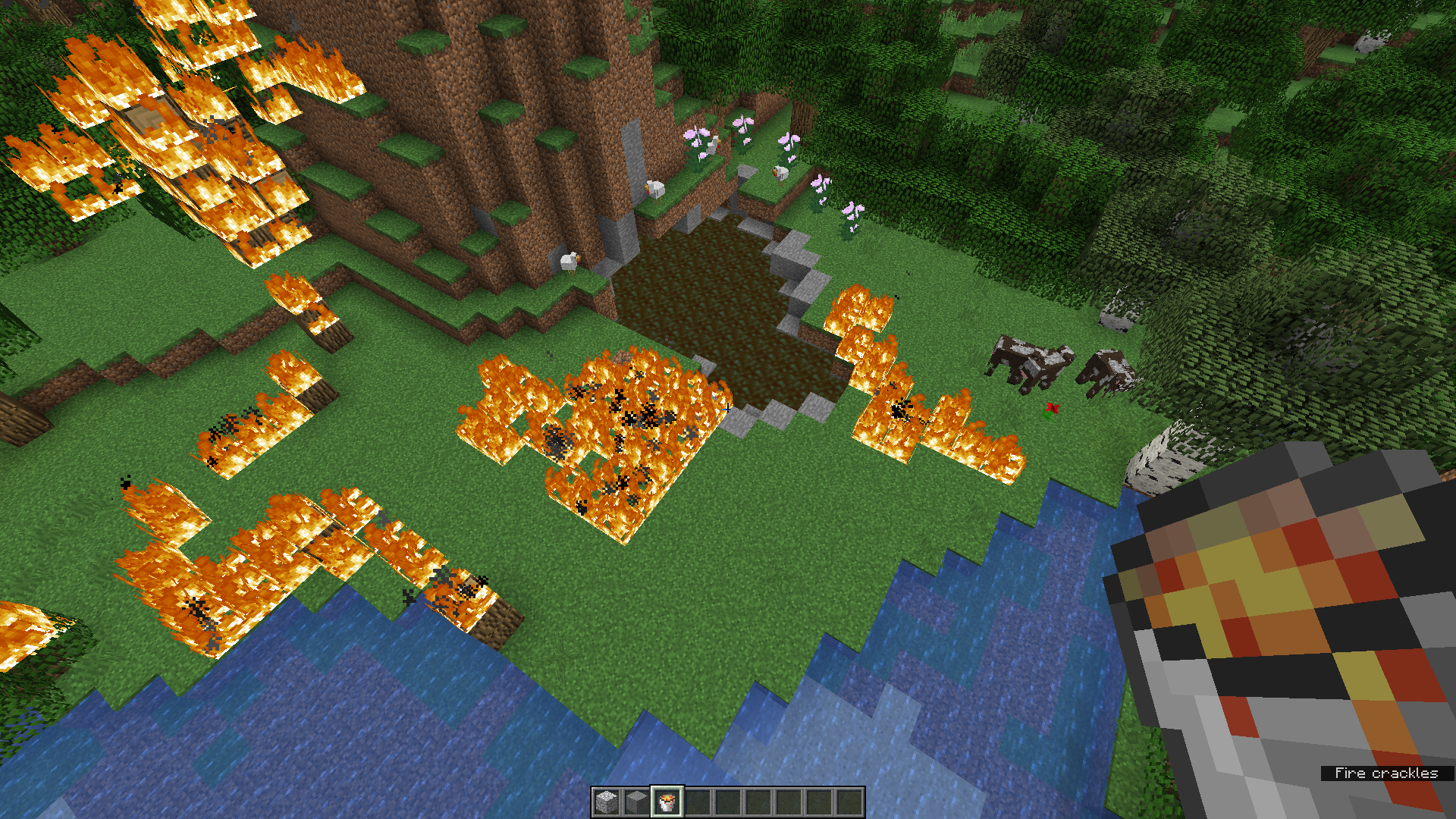


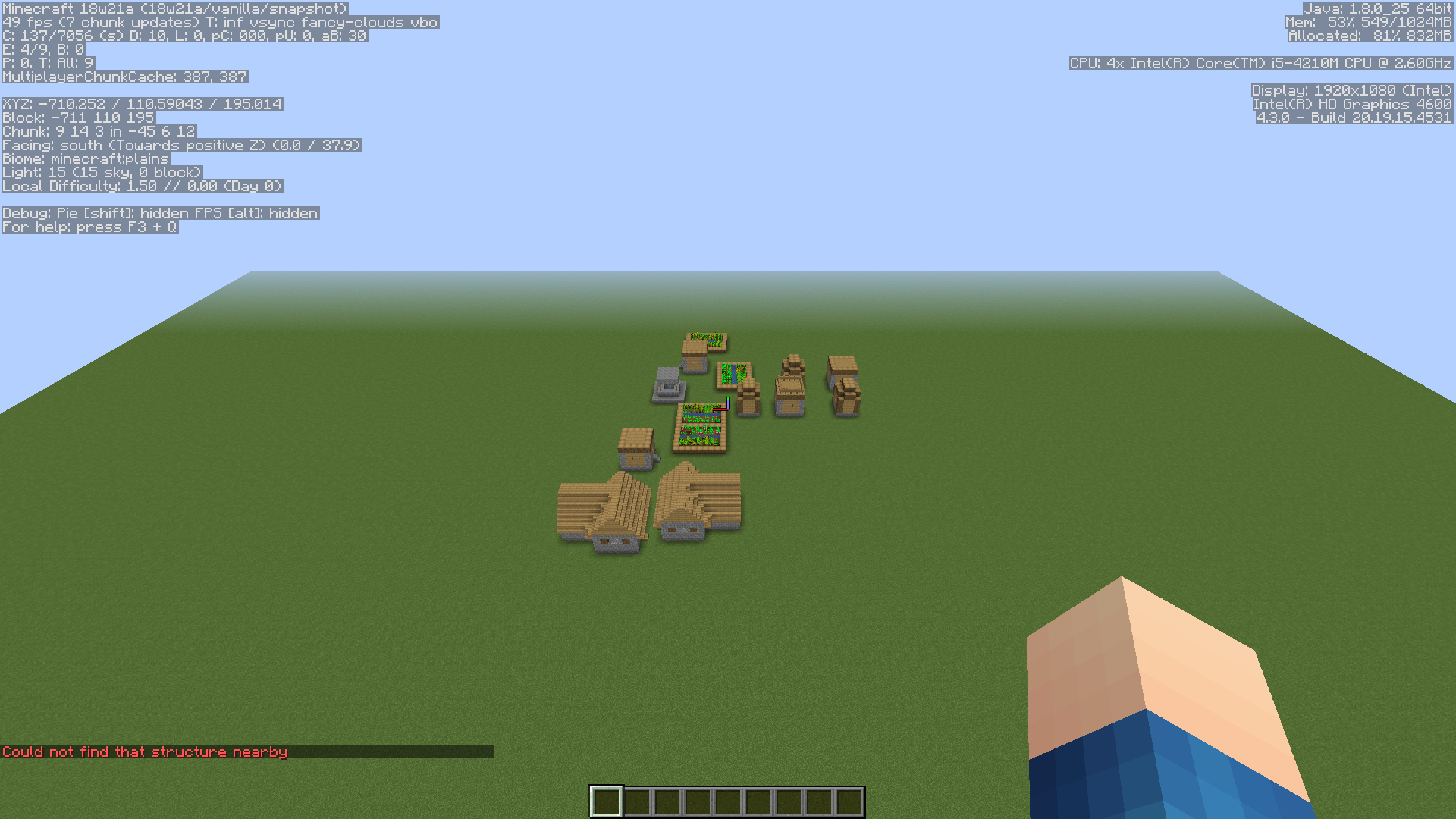



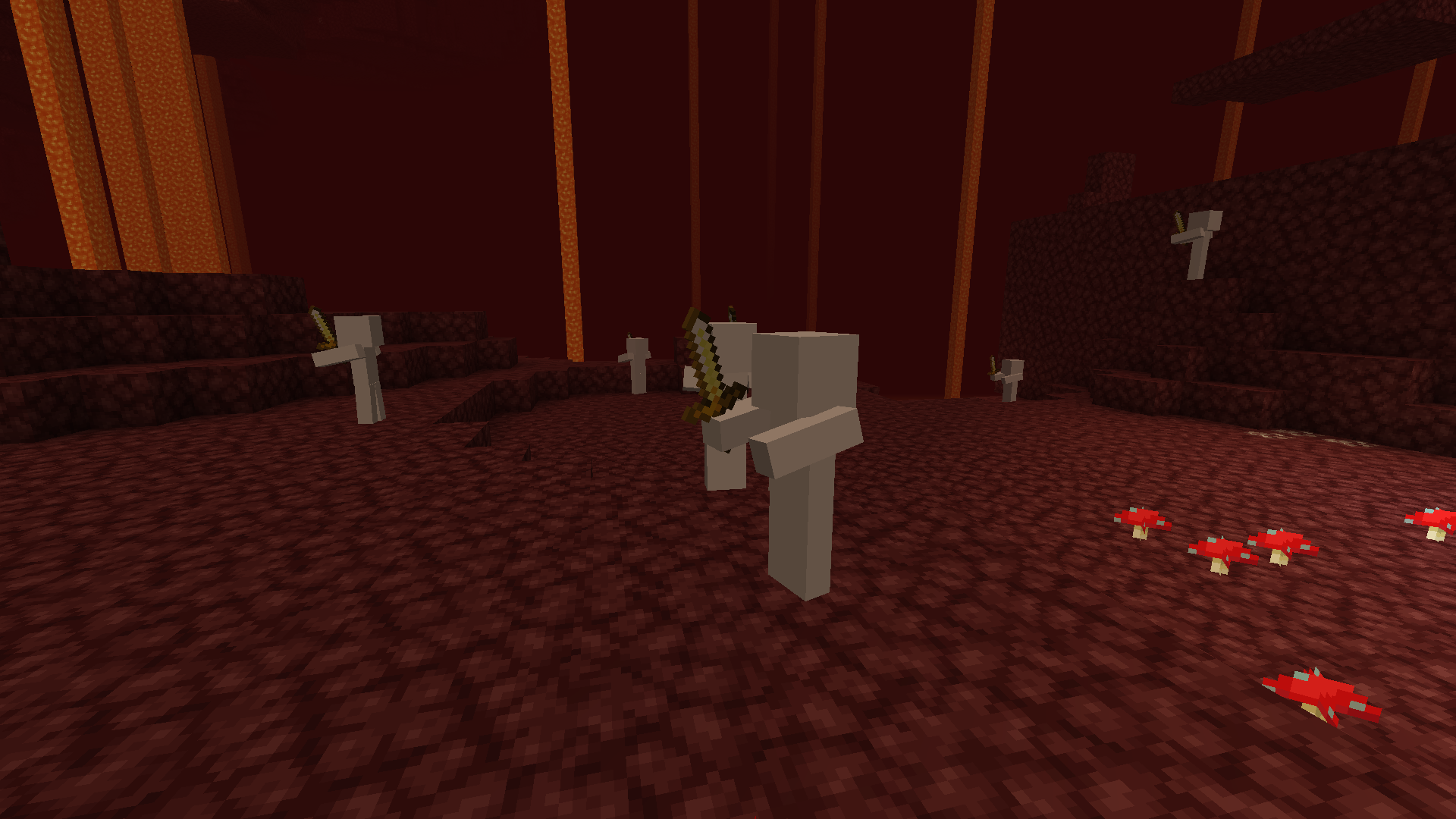
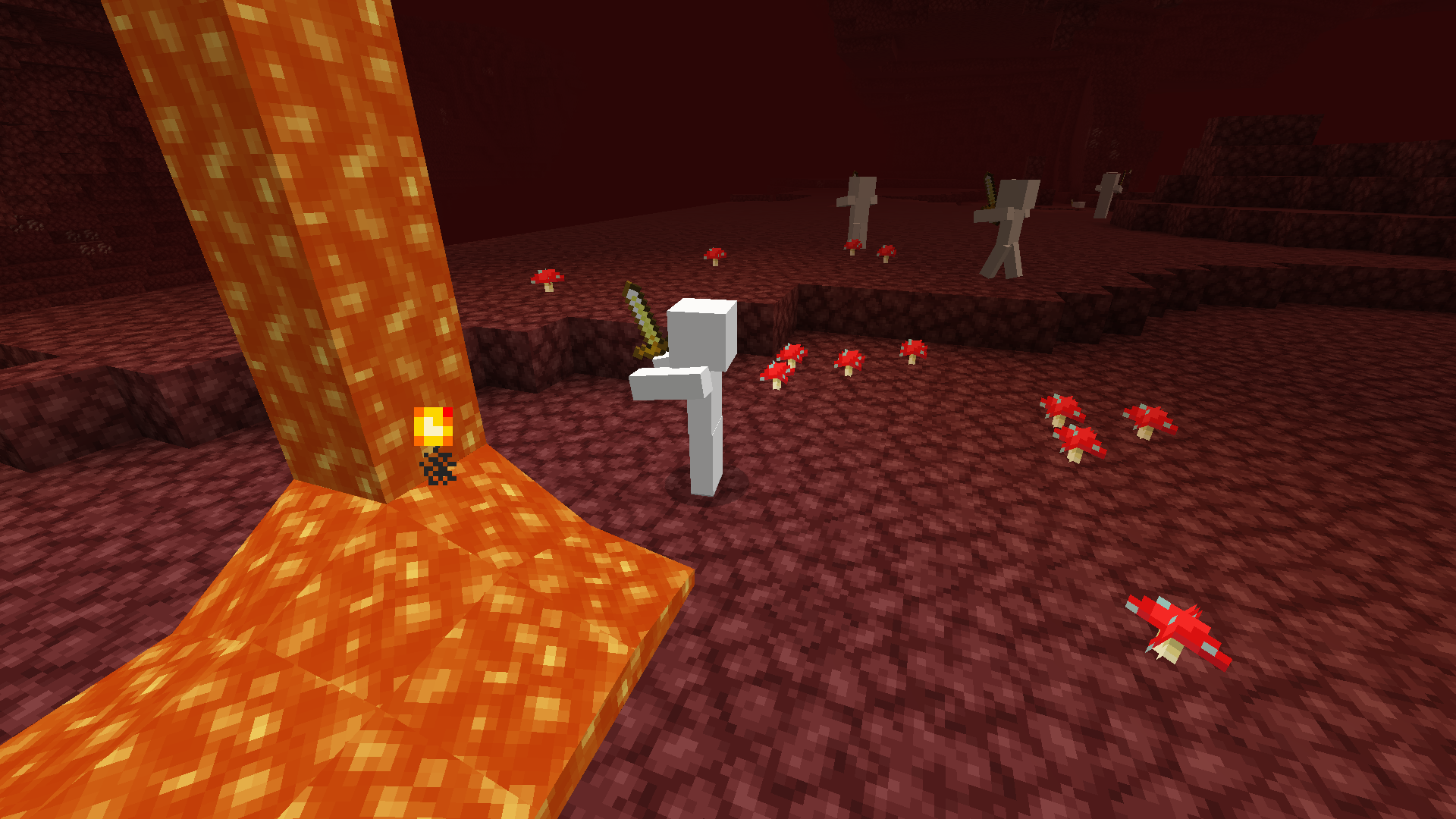


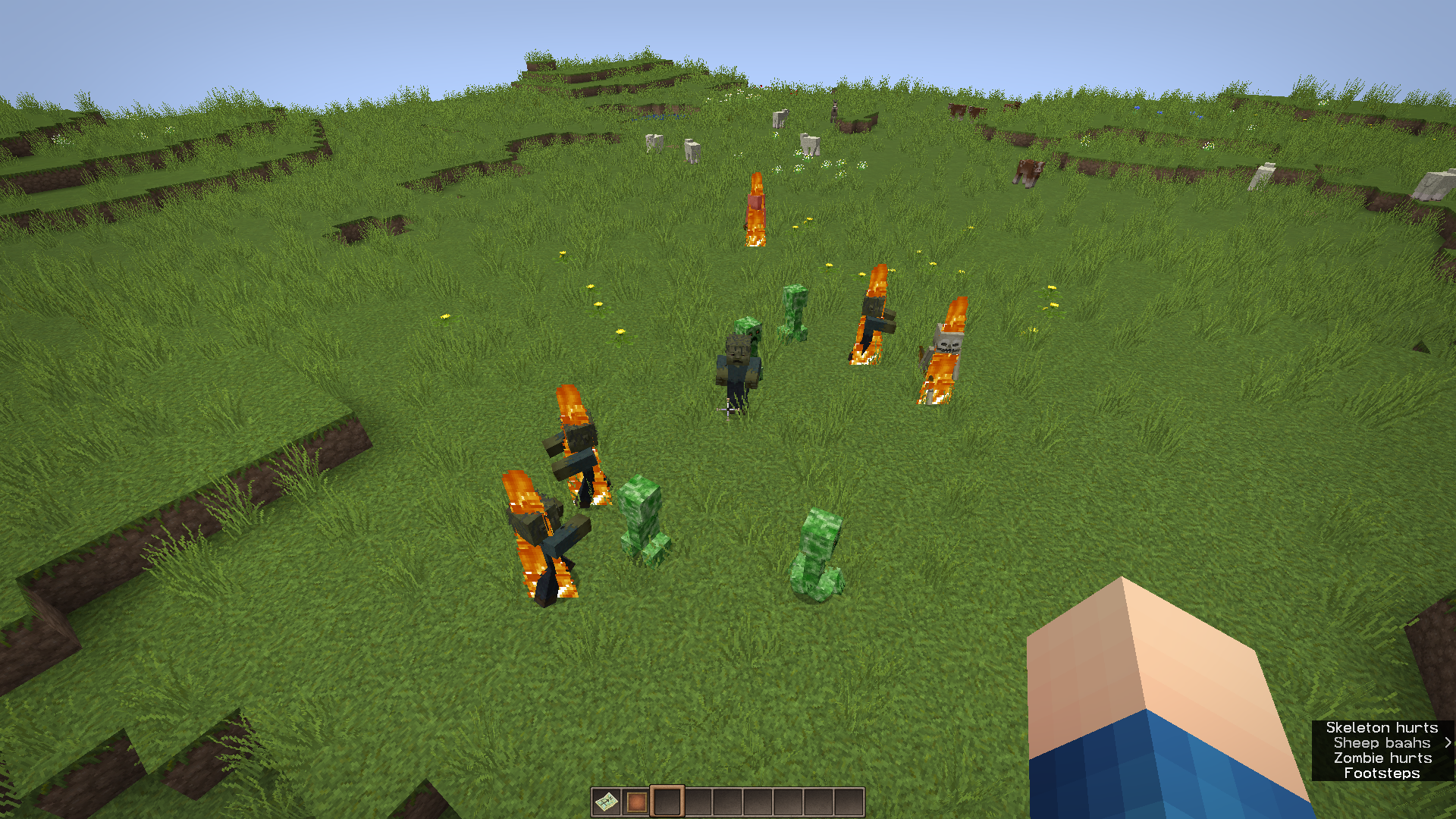

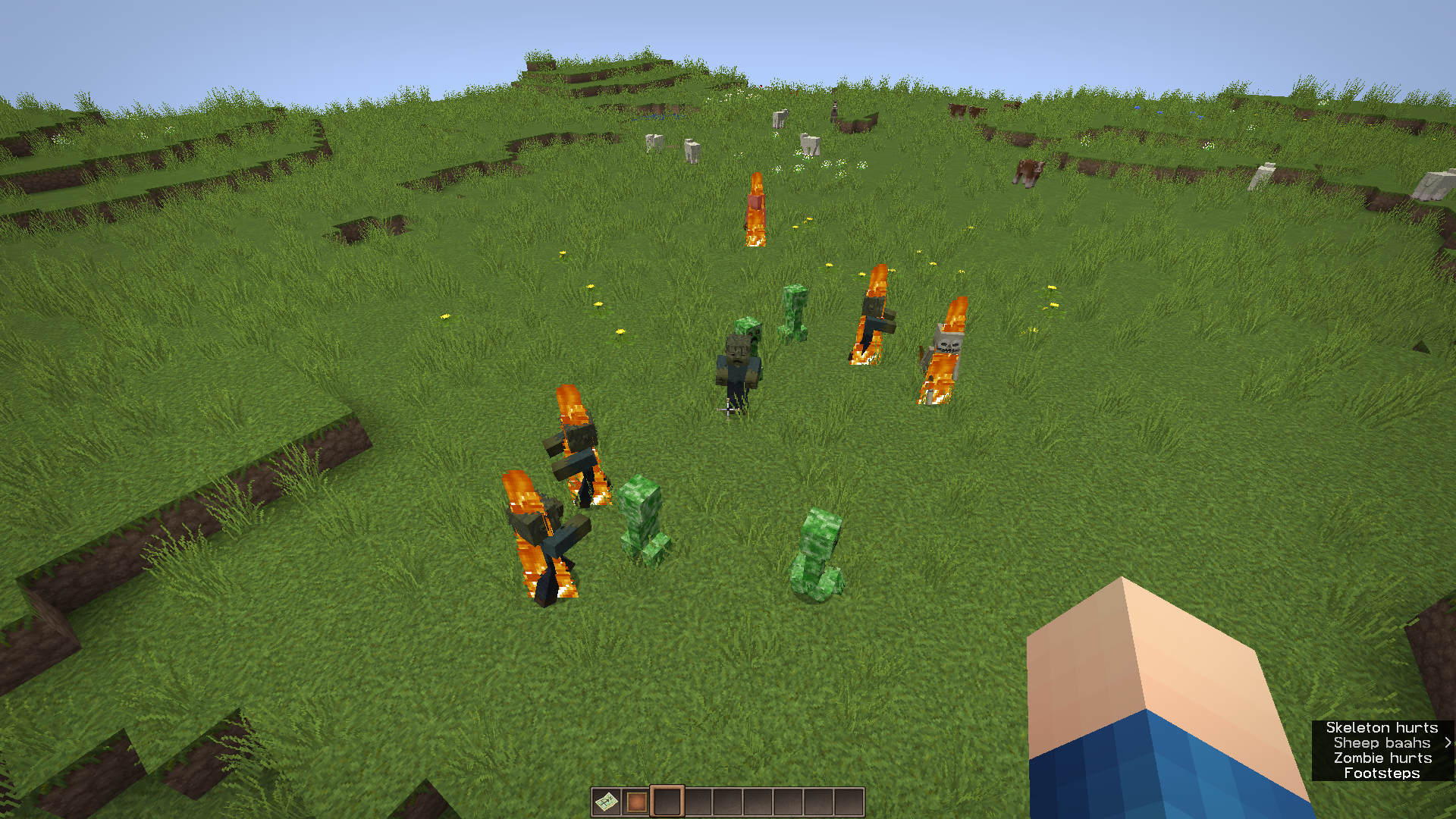





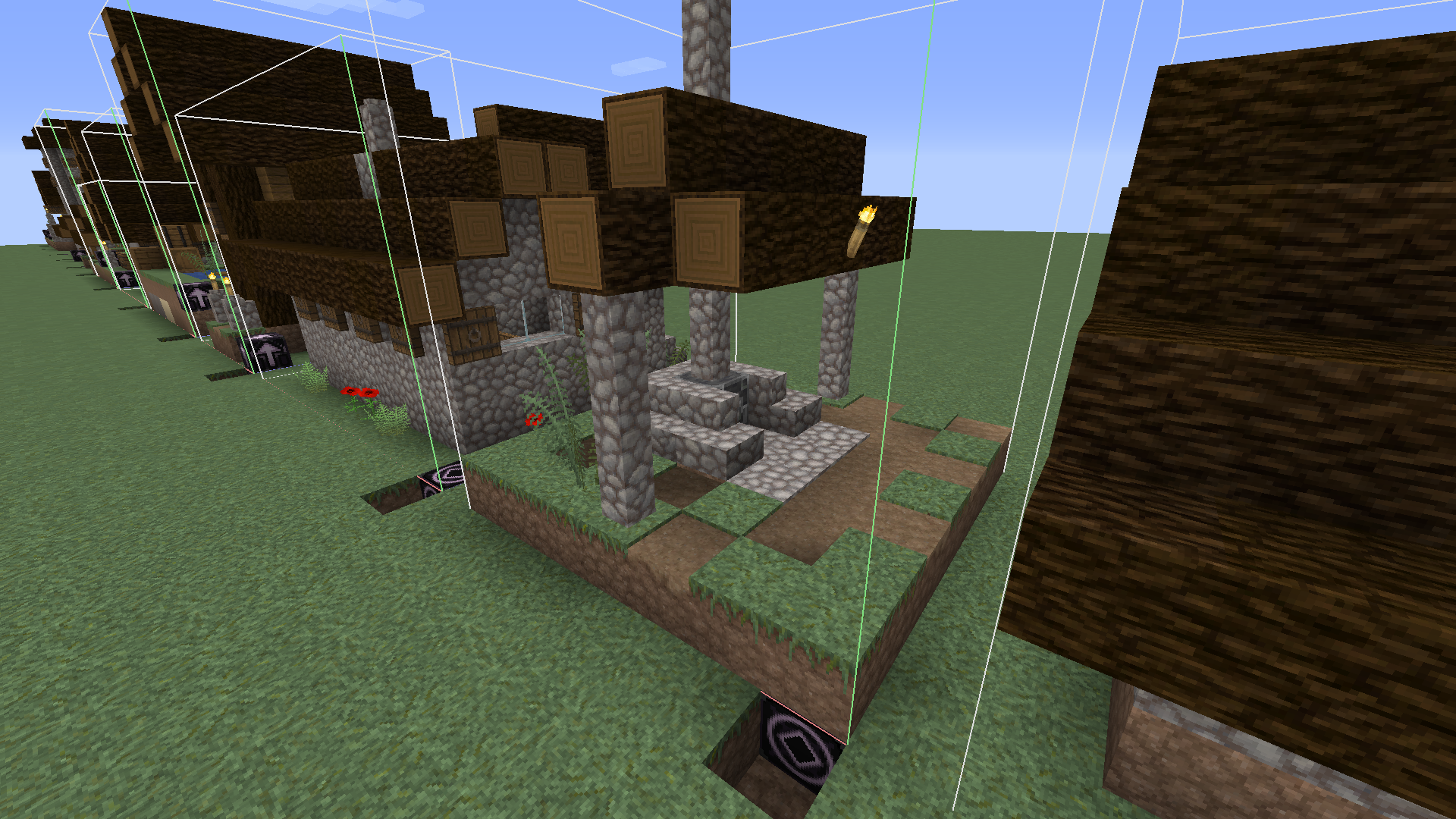





villagers seem to group at one corner of the village,
so i think this must be a bug with the centre of the village
check the screenshot below, it happend in multiple villages in a superflat world
sorry about my englishvillagers seem to group at one corner or edge of the village, as you can see in the screenshots
i think this must be an issue with the centre of the village
it happend in multiple villages in a superflat world
sorry about my english
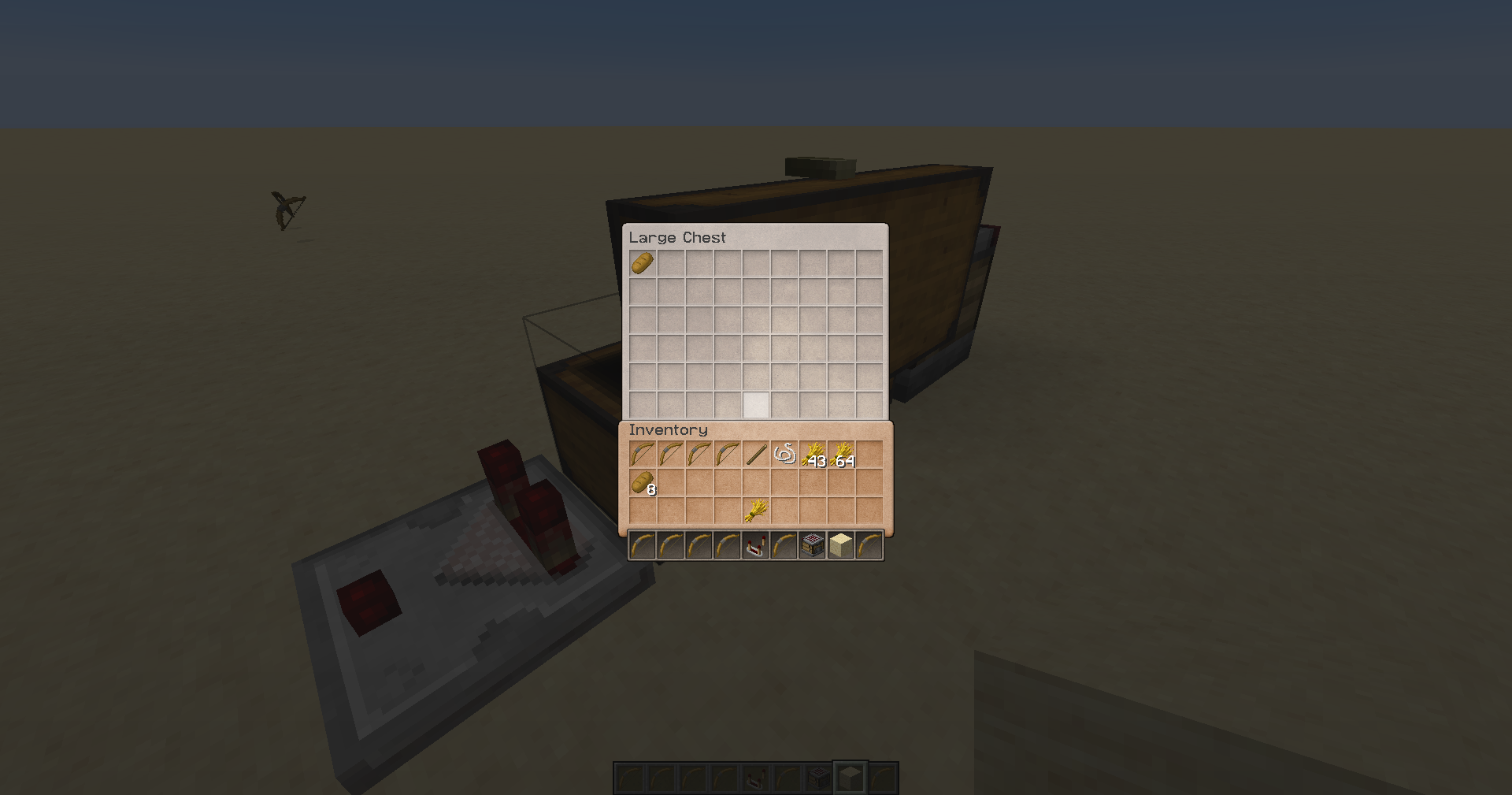
i mentioned it's also possible to do this when changing the 'type' of the chest with the debug stick
the top row of chests function like 3 different large chests (so you can store the amount of 3 large chest in the space of 2 large chests)
EDIT: i was wrong, they just function like 4 single chests
bottom row:
the gap is a chest with 'type'='left' so it's invisible
and the second part of the chest on the right actually doesnt exist (i also placed an end rod wich is still a bit visible)before using the debug stick:

after using the debug stick:
2017-11-29_19.20.49.png
When you try to use a trident with the riptide enchantment while it's snowing in a biome like, for exemple, ice plains, you'll notice it doesn't work. However, in other biomes at y=300 (where it can snow as well) you can use the trident.
This might work as intended but it seemed quite confusing to me.
Edit: you also can't use the trident in an ice plains biome at y=300, wich is even more confusing
How to recreate:
1. Get yourself an elytra and a trident enchanted with riptide III
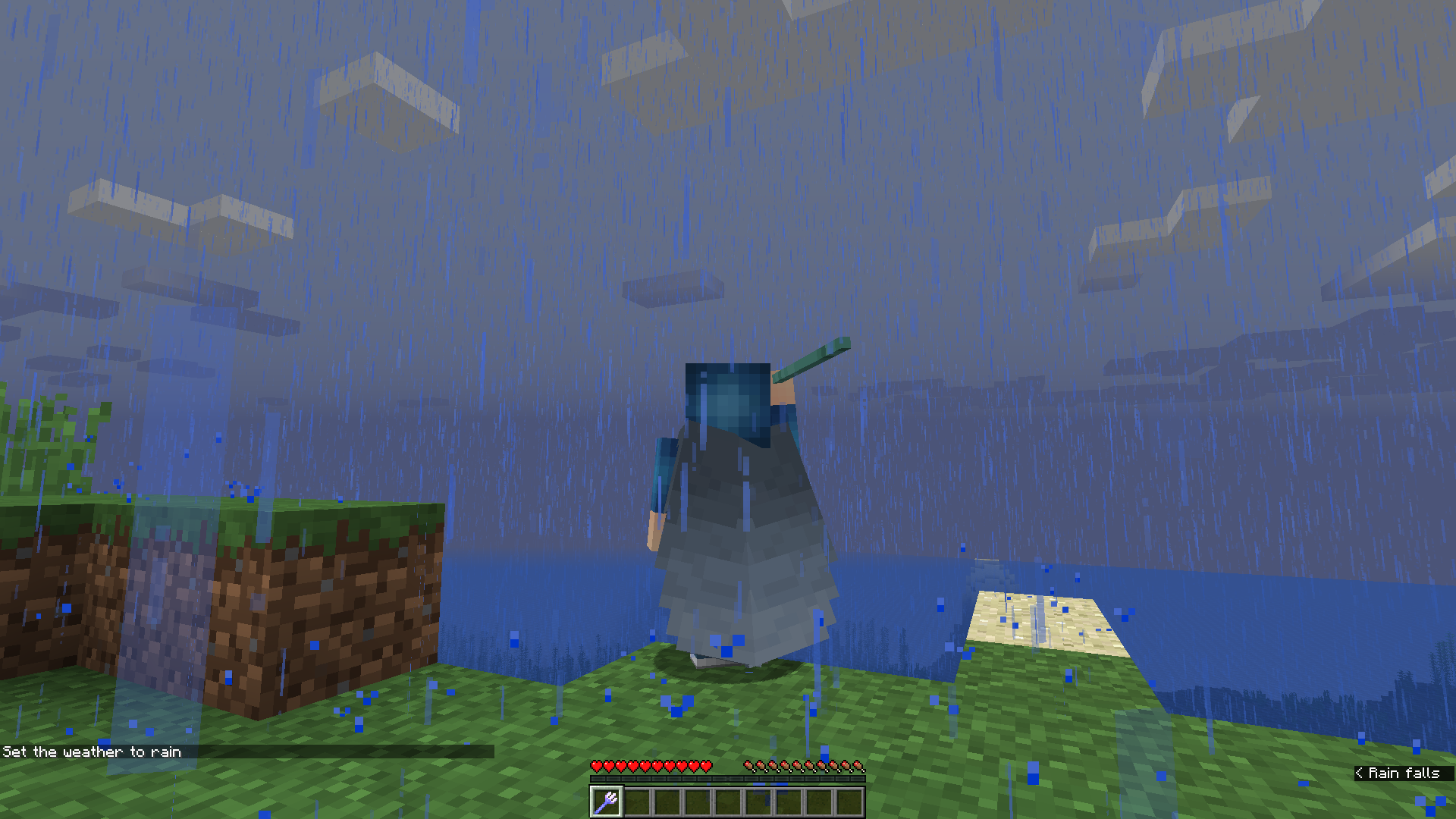
2. Set the weather to rain
3. Fly with your elytra and boost yourself with your trident to gain speed
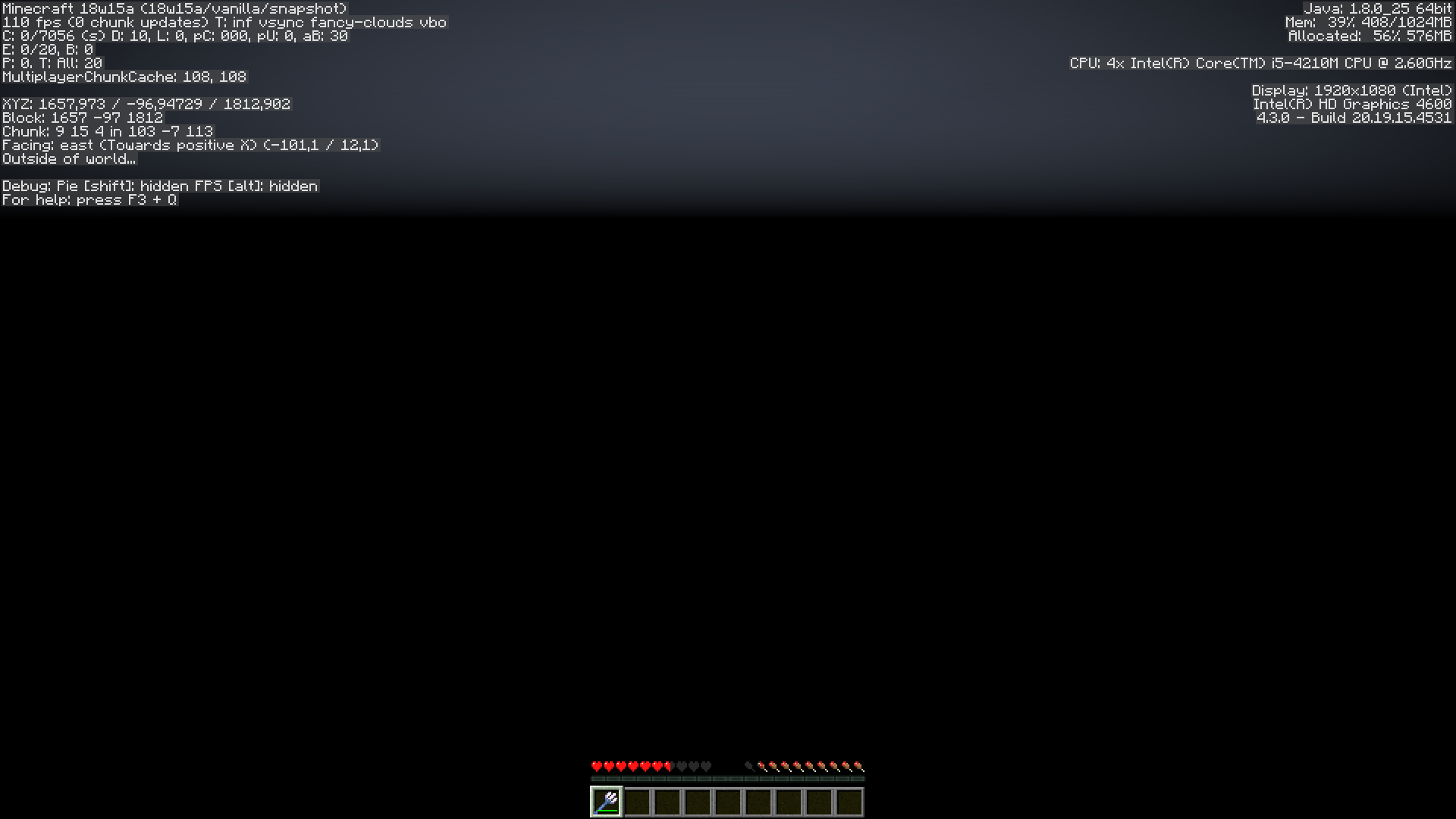
4. The hardest part: try to fly out of the loaded chunks ("Waiting for chunck..." will appear in the F3 screen and the sky will become dark)
5. Fly down while you keep boosting yourself
6.At a certain point youwill find yourself below y=0, you will keep falling without taking damage and you can't run any commands.When you try to recreate this it problably won't occur the first time, please try it multiple times.
If you try to save and quit to title the game will get stuck and you need to force crash the game.
I found this in the latest log file:
[18:19:52] [Server thread/INFO]: [stebo02: Set the weather to rain] [18:19:52] [Client thread/INFO]: [CHAT] Set the weather to rain [18:20:01] [Client thread/INFO]: [CHAT] Saved screenshot as 2018-04-11_18.20.01.png [18:20:14] [Server thread/WARN]: Can't keep up! Did the system time change, or is the server overloaded? Running 5248ms behind, skipping 104 tick(s) [18:20:21] [Client thread/INFO]: Loaded 12 advancements [18:20:26] [Client thread/WARN]: Unable to play empty soundEvent: minecraft:entity.cod.ambient [18:20:56] [Server thread/WARN]: Can't keep up! Did the system time change, or is the server overloaded? Running 31475ms behind, skipping 629 tick(s) [18:21:02] [Server thread/WARN]: Can't keep up! Did the system time change, or is the server overloaded? Running 6251ms behind, skipping 125 tick(s) [18:21:35] [Server thread/WARN]: stebo02 moved wrongly! [18:22:18] [Server thread/WARN]: Can't keep up! Did the system time change, or is the server overloaded? Running 38897ms behind, skipping 777 tick(s) [18:22:20] [Server thread/INFO]: [stebo02: Gamerule keepInventory is now set to: true] [18:22:20] [Client thread/INFO]: [CHAT] Gamerule keepInventory is now set to: true [18:22:25] [Server thread/WARN]: Can't keep up! Did the system time change, or is the server overloaded? Running 2871ms behind, skipping 57 tick(s) [18:23:14] [Client thread/INFO]: [CHAT] Saved screenshot as 2018-04-11_18.23.14.pngHow to recreate:
1. Get yourself an elytra and a trident enchanted with riptide III
2. Set the weather to rain
3. Fly with your elytra and boost yourself with your trident to gain speed
4. The hardest part: try to fly out of the loaded chunks ("Waiting for chunck..." will appear in the F3 screen and the sky will become dark)
EDIT: it is much easier to recreate if you set your render distance to 2.
5. Fly down while you keep boosting yourself
6. At a certain point you will find yourself below y=0, you will keep falling without taking damage and you can't run any commands.When you try to recreate this it problably won't occur the first time, please try it multiple times.
If you try to save and quit to title the game will get stuck and you need to force crash the game.
I found this in the latest log file:
[18:19:52] [Server thread/INFO]: [stebo02: Set the weather to rain]
[18:19:52] [Client thread/INFO]: [CHAT] Set the weather to rain
[18:20:01] [Client thread/INFO]: [CHAT] Saved screenshot as 2018-04-11_18.20.01.png
[18:20:14] [Server thread/WARN]: Can't keep up! Did the system time change, or is the server overloaded? Running 5248ms behind, skipping 104 tick(s)
[18:20:21] [Client thread/INFO]: Loaded 12 advancements
[18:20:26] [Client thread/WARN]: Unable to play empty soundEvent: minecraft:entity.cod.ambient
[18:20:56] [Server thread/WARN]: Can't keep up! Did the system time change, or is the server overloaded? Running 31475ms behind, skipping 629 tick(s)
[18:21:02] [Server thread/WARN]: Can't keep up! Did the system time change, or is the server overloaded? Running 6251ms behind, skipping 125 tick(s)
[18:21:35] [Server thread/WARN]: stebo02 moved wrongly!
[18:22:18] [Server thread/WARN]: Can't keep up! Did the system time change, or is the server overloaded? Running 38897ms behind, skipping 777 tick(s)
[18:22:20] [Server thread/INFO]: [stebo02: Gamerule keepInventory is now set to: true]
[18:22:20] [Client thread/INFO]: [CHAT] Gamerule keepInventory is now set to: true
[18:22:25] [Server thread/WARN]: Can't keep up! Did the system time change, or is the server overloaded? Running 2871ms behind, skipping 57 tick(s)
[18:23:14] [Client thread/INFO]: [CHAT] Saved screenshot as 2018-04-11_18.23.14.png
How to recreate:
1. Get yourself an elytra and a trident enchanted with riptide III
2. Set the weather to rain
3. Fly with your elytra and boost yourself with your trident to gain speed
4. The hardest part: try to fly out of the loaded chunks ("Waiting for chunck..." will appear in the F3 screen and the sky will become dark)
EDIT: it is much easier to recreate if you set your render distance to 2.
5. Fly down while you keep boosting yourself
6. At a certain point you will find yourself below y=0, you will keep falling without taking damage and you can't run any commands.When you try to recreate this it problably won't occur the first time, please try it multiple times.
If you try to save and quit to title the game will get stuck and you need to force crash the game.
I found this in the latest log file:
[18:19:52] [Server thread/INFO]: [stebo02: Set the weather to rain] [18:19:52] [Client thread/INFO]: [CHAT] Set the weather to rain [18:20:01] [Client thread/INFO]: [CHAT] Saved screenshot as 2018-04-11_18.20.01.png [18:20:14] [Server thread/WARN]: Can't keep up! Did the system time change, or is the server overloaded? Running 5248ms behind, skipping 104 tick(s) [18:20:21] [Client thread/INFO]: Loaded 12 advancements [18:20:26] [Client thread/WARN]: Unable to play empty soundEvent: minecraft:entity.cod.ambient [18:20:56] [Server thread/WARN]: Can't keep up! Did the system time change, or is the server overloaded? Running 31475ms behind, skipping 629 tick(s) [18:21:02] [Server thread/WARN]: Can't keep up! Did the system time change, or is the server overloaded? Running 6251ms behind, skipping 125 tick(s) [18:21:35] [Server thread/WARN]: stebo02 moved wrongly! [18:22:18] [Server thread/WARN]: Can't keep up! Did the system time change, or is the server overloaded? Running 38897ms behind, skipping 777 tick(s) [18:22:20] [Server thread/INFO]: [stebo02: Gamerule keepInventory is now set to: true] [18:22:20] [Client thread/INFO]: [CHAT] Gamerule keepInventory is now set to: true [18:22:25] [Server thread/WARN]: Can't keep up! Did the system time change, or is the server overloaded? Running 2871ms behind, skipping 57 tick(s) [18:23:14] [Client thread/INFO]: [CHAT] Saved screenshot as 2018-04-11_18.23.14.pngHow to recreate:
1. Get yourself an elytra and a trident enchanted with riptide III
2. Set the weather to rain
3. Fly with your elytra and boost yourself with your trident to gain speed
4. The hardest part: try to fly out of the loaded chunks ("Waiting for chunck..." will appear in the F3 screen and the sky will become dark)
EDIT: it is much easier to recreate if you set your render distance to 2.
5. Fly down while you keep boosting yourself
6. At a certain point you will find yourself below y=0, you will keep falling without taking damage and you can't run any commands. (seeMC-128364)When you try to recreate this it problably won't occur the first time, please try it multiple times.
Edit: This issue is now about the fact that you can get in the void without having to break trough bedrock.
For the issue about not taking damage in the void while gliding with an elytra seeMC-128364I found this in the latest log file:
[18:19:52] [Server thread/INFO]: [stebo02: Set the weather to rain]
[18:19:52] [Client thread/INFO]: [CHAT] Set the weather to rain
[18:20:01] [Client thread/INFO]: [CHAT] Saved screenshot as 2018-04-11_18.20.01.png
[18:20:14] [Server thread/WARN]: Can't keep up! Did the system time change, or is the server overloaded? Running 5248ms behind, skipping 104 tick(s)
[18:20:21] [Client thread/INFO]: Loaded 12 advancements
[18:20:26] [Client thread/WARN]: Unable to play empty soundEvent: minecraft:entity.cod.ambient
[18:20:56] [Server thread/WARN]: Can't keep up! Did the system time change, or is the server overloaded? Running 31475ms behind, skipping 629 tick(s)
[18:21:02] [Server thread/WARN]: Can't keep up! Did the system time change, or is the server overloaded? Running 6251ms behind, skipping 125 tick(s)
[18:21:35] [Server thread/WARN]: stebo02 moved wrongly!
[18:22:18] [Server thread/WARN]: Can't keep up! Did the system time change, or is the server overloaded? Running 38897ms behind, skipping 777 tick(s)
[18:22:20] [Server thread/INFO]: [stebo02: Gamerule keepInventory is now set to: true]
[18:22:20] [Client thread/INFO]: [CHAT] Gamerule keepInventory is now set to: true
[18:22:25] [Server thread/WARN]: Can't keep up! Did the system time change, or is the server overloaded? Running 2871ms behind, skipping 57 tick(s)
[18:23:14] [Client thread/INFO]: [CHAT] Saved screenshot as 2018-04-11_18.23.14.png
you cangetstuck in the void using an elytra and a riptide trident
you canstuckin the void using an elytra and a riptide tridentyou can get in the void using an elytra and a riptide trident
How to recreate:
1. Get yourself an elytra and a trident enchanted with riptide III
2. Set the weather to rain
3. Fly with your elytra and boost yourself with your trident to gain speed
4. The hardest part: try to fly out of the loaded chunks ("Waiting for chunck..." will appear in the F3 screen and the sky will become dark)
EDIT: it is much easier to recreate if you set your render distance to 2.
5. Fly down while you keep boosting yourself
6. At a certain point you will find yourself below y=0, you will keep falling without taking damageand you can't run any commands. (seeMC-128364)When you try to recreate this it problably won't occur the first time, please try it multiple times.
Edit: This issue is now about the fact that you can get in the void without having to break trough bedrock.
For the issue about not taking damage in the void while gliding with an elytra seeMC-128364I found this in the latest log file:
[18:19:52] [Server thread/INFO]: [stebo02: Set the weather to rain]
[18:19:52] [Client thread/INFO]: [CHAT] Set the weather to rain
[18:20:01] [Client thread/INFO]: [CHAT] Saved screenshot as 2018-04-11_18.20.01.png
[18:20:14] [Server thread/WARN]: Can't keep up! Did the system time change, or is the server overloaded? Running 5248ms behind, skipping 104 tick(s)
[18:20:21] [Client thread/INFO]: Loaded 12 advancements
[18:20:26] [Client thread/WARN]: Unable to play empty soundEvent: minecraft:entity.cod.ambient
[18:20:56] [Server thread/WARN]: Can't keep up! Did the system time change, or is the server overloaded? Running 31475ms behind, skipping 629 tick(s)
[18:21:02] [Server thread/WARN]: Can't keep up! Did the system time change, or is the server overloaded? Running 6251ms behind, skipping 125 tick(s)
[18:21:35] [Server thread/WARN]: stebo02 moved wrongly!
[18:22:18] [Server thread/WARN]: Can't keep up! Did the system time change, or is the server overloaded? Running 38897ms behind, skipping 777 tick(s)
[18:22:20] [Server thread/INFO]: [stebo02: Gamerule keepInventory is now set to: true]
[18:22:20] [Client thread/INFO]: [CHAT] Gamerule keepInventory is now set to: true
[18:22:25] [Server thread/WARN]: Can't keep up! Did the system time change, or is the server overloaded? Running 2871ms behind, skipping 57 tick(s)
[18:23:14] [Client thread/INFO]: [CHAT] Saved screenshot as 2018-04-11_18.23.14.png
you can get in the void using an elytra and a riptide tridentYou can get in the void using an elytra and a riptide trident
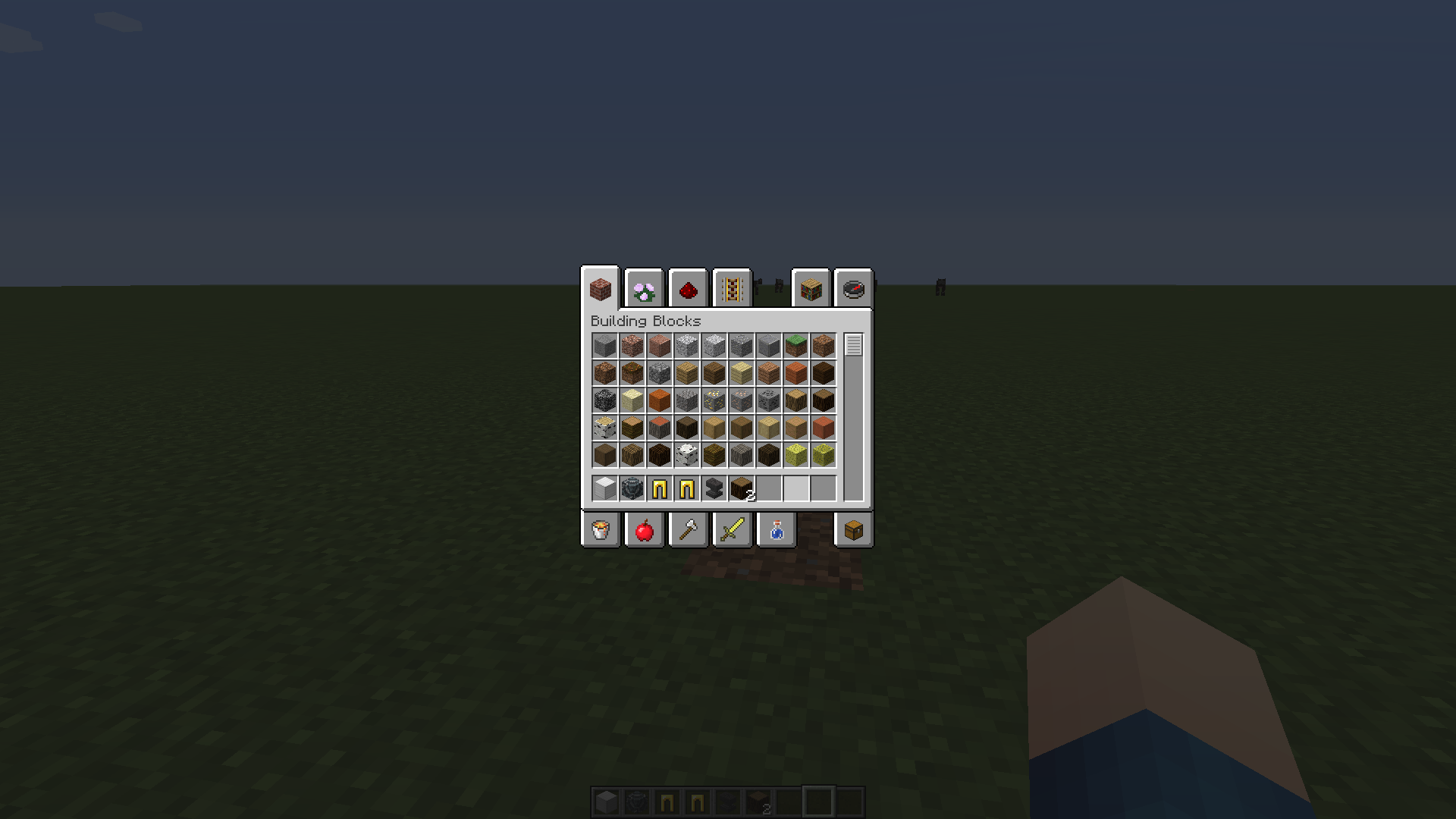
When you are in creative mode and quickly switch the items in your inventory, some may dis
sapear or duplicate. However, it doesn't occur in survival mode.To recreate, just put some random items in your inventory and start spam-switching them.
Screenshots: The first one shows the items i started with and the second one shows the items i ended up with after spam-switching them.
When you are in creative mode and quickly switch the items in your inventory, some may disappear or duplicate. However, it doesn't occur in survival mode.
To recreate, just put some random items in your inventory and start spam-switching them.
Screenshots: The first one shows the items i started with and the second one shows the items i ended up with after spam-switching them.
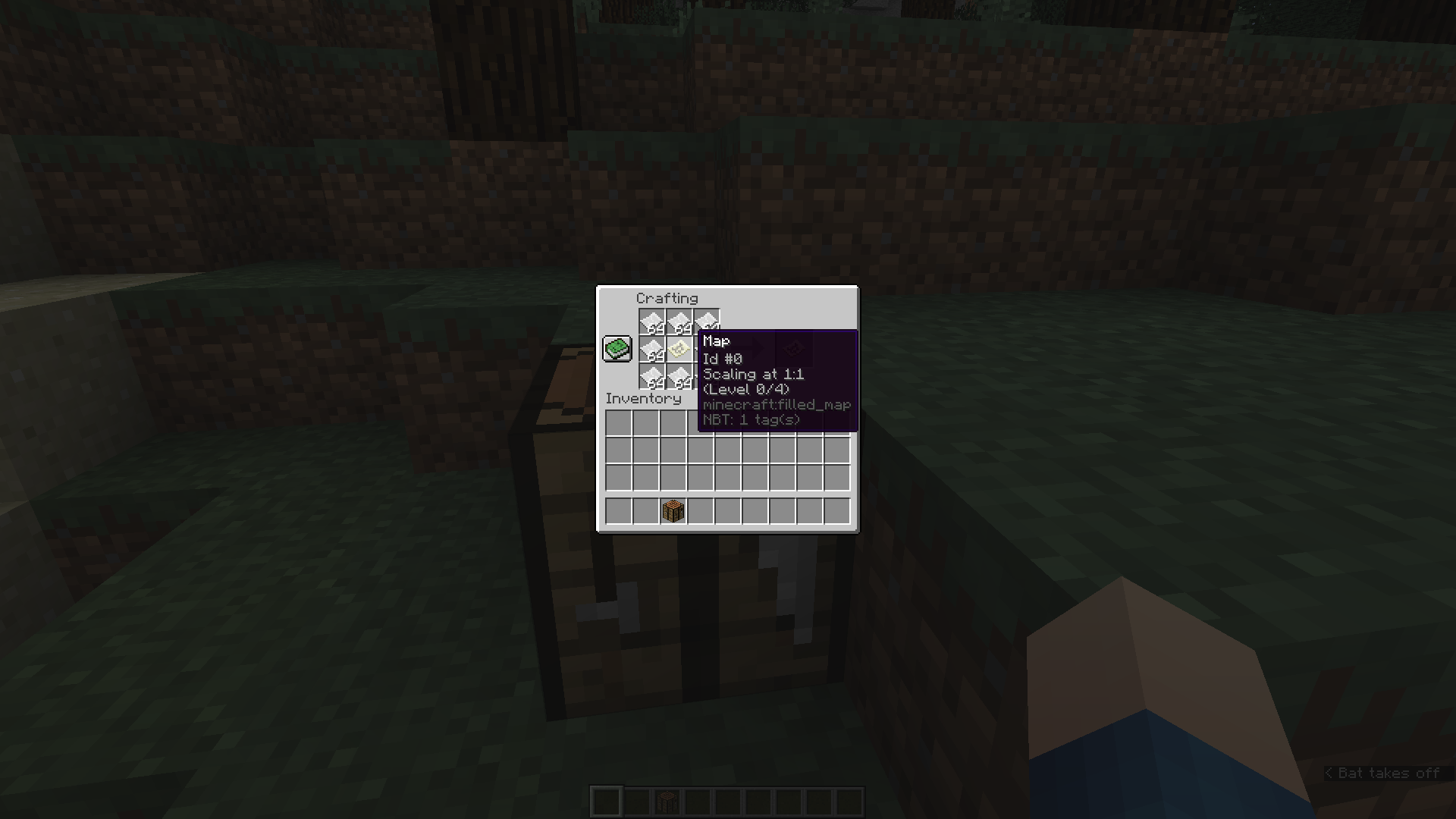
How to recreate:
- Create a new creative world.
- Get yourself a map, paper and a crafting table.
- Right-click the map to create it.
- Place down the crafting table and right click it to open the GUI.
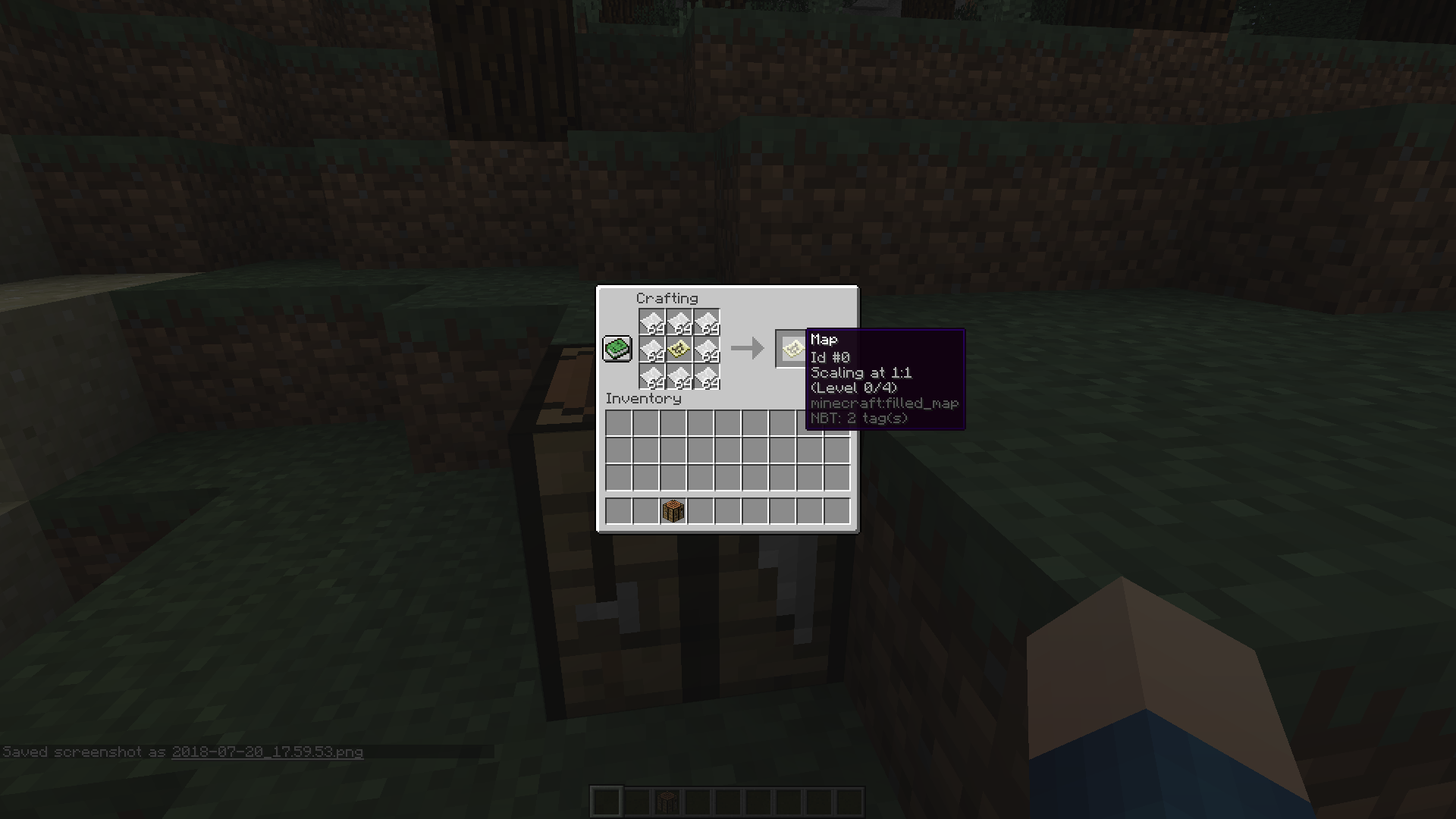
- Put the map in the middle and put paper around it to create a zoomed-out version of the map.
- Note that the map in the output has the same ID, scaling and level as the original map.
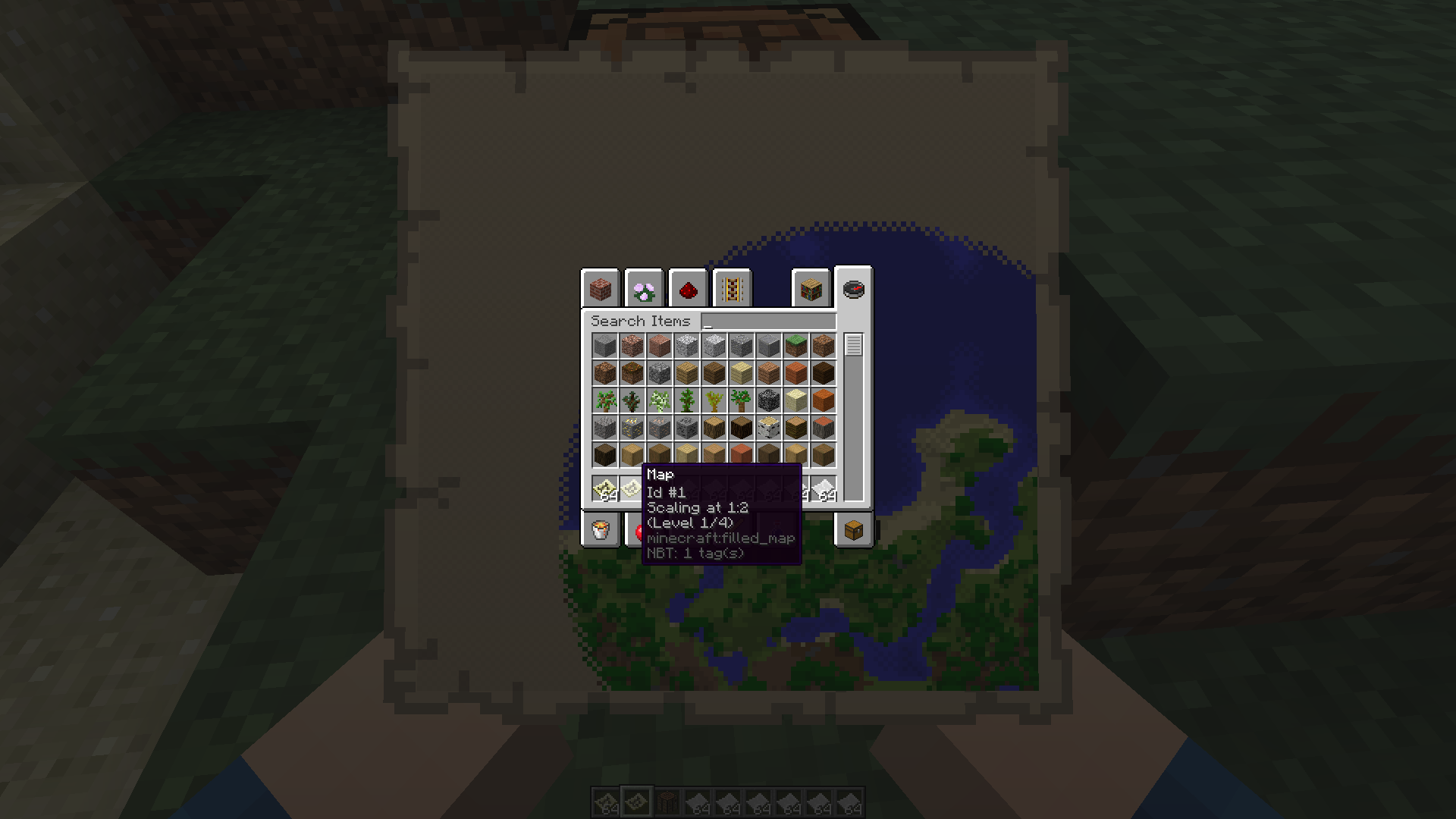
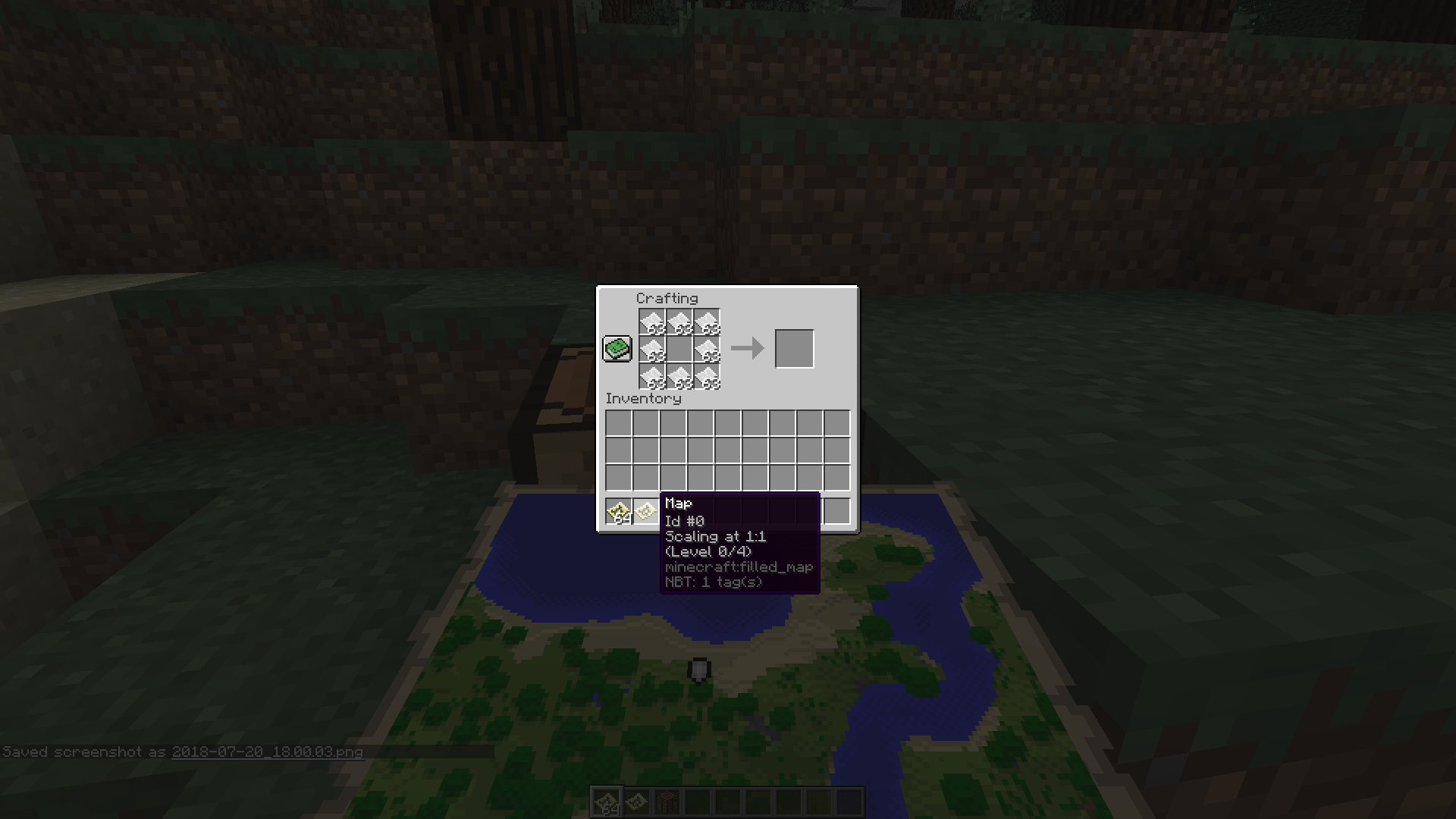
- Click with the middle mouse button on the map in the output to get a whole stack, and put it in your hotbar. Note that it has still the same ID.
- Click with the left (main) mouse button on the map in the output to take it out and put it in your hotbar. Note that it still has the same ID.
- Close the GUI, and view both maps. The stack that you took with the middle mouse button is the same as the original map, while the map you took with the main mouse button is a zoomed-out version.
- Open your inventory. The ID of the map you took with the main mouse button has now changed, the other hasn't.
Edit: Added screenshots, they got uploaded in reversed order!
How to recreate:
- Create a new creative world.
- Get yourself a map, paper and a crafting table.
- Right-click the map to create it.
- Place down the crafting table and right click it to open the GUI.
- Put the map in the middle and put paper around it to create a zoomed-out version of the map.
- Note that the map in the output has the same ID, scaling and level as the original map.
- Click with the middle mouse button on the map in the output to get a whole stack, and put it in your hotbar. Note that it has still the same ID.
- Click with the left (main) mouse button on the map in the output to take it out and put it in your hotbar. Note that it still has the same ID.
- Close the GUI, and view both maps. The stack that you took with the middle mouse button is the same as the original map, while the map you took with the main mouse button is a zoomed-out version.
- Open your inventory. The ID of the map you took with the main mouse button has now changed, the other hasn't.
Edit: Added screenshots
,they got uploaded in reversed order!How to recreate:
- Create a new creative world.
- Get yourself a map, paper and a crafting table.
- Right-click the map to create it.
- Place down the crafting table and right click it to open the GUI.
- Put the map in the middle and put paper around it to create a zoomed-out version of the map.
- Note that the map in the output has the same ID, scaling and level as the original map.
- Click with the middle mouse button on the map in the output to get a whole stack, and put it in your hotbar. Note that it has still the same ID.
- Click with the left (main) mouse button on the map in the output to take it out and put it in your hotbar. Note that it still has the same ID.
- Close the GUI, and view both maps. The stack that you took with the middle mouse button is the same as the original map, while the map you took with the main mouse button is a zoomed-out version.
- Open your inventory. The ID of the map you took with the main mouse button has now changed, the other hasn't.
Edit: Added screenshots to show the ID's
How to recreate:
- Create a new creative world.
- Get yourself a map, paper and a crafting table.
- Right-click the map to create it.
- Place down the crafting table and right click it to open the GUI.
- Put the map in the middle and put paper around it to create a zoomed-out version of the map.
- Note that the map in the output has the same ID, scaling and level as the original map.
- Click with the middle mouse button on the map in the output to get a whole stack, and put it in your hotbar. Note that it
hasstill the same ID.- Click with the left (main) mouse button on the map in the output to take it out and put it in your hotbar. Note that it still has the same ID.
- Close the GUI, and view both maps. The stack that you took with the middle mouse button is the same as the original map, while the map you took with the main mouse button is a zoomed-out version.
- Open your inventory. The ID of the map you took with the main mouse button has now changed, the other hasn't.
Edit: Added screenshots to show the ID's
How to recreate:
- Create a new creative world.
- Get yourself a map, paper and a crafting table.
- Right-click the map to create it.
- Place down the crafting table and right click it to open the GUI.
- Put the map in the middle and put paper around it to create a zoomed-out version of the map.
- Note that the map in the output has the same ID, scaling and level as the original map.
- Click with the middle mouse button on the map in the output to get a whole stack, and put it in your hotbar. Note that it still has the same ID.
- Click with the left (main) mouse button on the map in the output to take it out and put it in your hotbar. Note that it still has the same ID.
- Close the GUI, and view both maps. The stack that you took with the middle mouse button is the same as the original map, while the map you took with the main mouse button is a zoomed-out version.
- Open your inventory. The ID of the map you took with the main mouse button has now changed, the other hasn't.
Edit: Added screenshots to show the ID's
How to recreate:
- Create a new creative world.
Get yourself a map, paperandacrafting table.Right-click the map to create it.- P
lace down the crafting table and right click it to opentheGUI.- Put the map in the middle and put paper around it to create a zoomed-out version of the map.
Note that the map in the output has the same ID, scaling and level as the original map.- Click with the middle mouse button on the map in the output to get a whole stack, and put it in your hotbar. Note that it still has the same ID.
- Click with the left (main) mouse button on the map in the output to take it out and put it in your hotbar. Note that it still has the same ID.
- Close the GUI, and view both maps. The stack that you took with the middle mouse button is the same as the original map, while the map you took with the main mouse button is a zoomed-out version.
- Open your inventory. The ID of the map you took with the main mouse button has now changed, the other hasn't.
Edit: Added screenshots to show the ID's
How to recreate:
- Create a new creative world.
- Pick an empty map and create it.
- Place down a crafting table and open its GUI.
- Put the map in the middle and put paper around it to create a zoomed-out version of the map.
- Note that the map in the output has the same ID, scaling and level as the original map.
- Click with the middle mouse button on the map in the output to get a whole stack, and put it in your hotbar. Note that it still has the same ID.
- Click with the left (main) mouse button on the map in the output to take it out and put it in your hotbar. Note that it still has the same ID.
- Close the GUI, and view both maps. The stack that you took with the middle mouse button is the same as the original map, while the map you took with the main mouse button is a zoomed-out version.
- Open your inventory. The ID of the map you took with the main mouse button has now changed, the other hasn't.
Edit: Added screenshots to show the ID's
How to recreate:
- Create a new creative world.
- Pick an empty map and create it.
- Place down a crafting table and open its GUI.
- Put the map in the middle and put paper around it to create a zoomed-out version of the map.
Note that the map in the output has the same ID, scaling and level as the original map.- Click with the middle mouse button on the map in the output to get a whole stack, and put it in your hotbar. Note that it still has the same ID.
- Click with the left (main) mouse button on the map in the output to take it out and put it in your hotbar. Note that it still has the same ID.
- Close the GUI, and view both maps. The stack that you took with the middle mouse button is the same as the original map, while the map you took with the main mouse button is a zoomed-out version.
- Open your inventory. The ID of the map you took with the main mouse button has now changed, the other hasn't.
Edit: Added screenshots to show the ID's
How to recreate:
- Create a new creative world.
- Pick an empty map and create it.
- Place down a crafting table and open its GUI.
- Put the map in the middle and put paper around it to create a zoomed-out version of the map. Don't take it out of the crafting table yet!
- Note that the map in the output has the same ID, scaling and level as the original map.
- Click with the middle mouse button on the map in the output to get a whole stack, and put it in your hotbar. Note that it still has the same ID.
- Click with the left (main) mouse button on the map in the output to take it out and put it in your hotbar. Note that it still has the same ID.
- Close the GUI, and view both maps. The stack that you took with the middle mouse button is the same as the original map, while the map you took with the main mouse button is a zoomed-out version.
- Open your inventory. The ID of the map you took with the main mouse button has now changed, the other hasn't.
Edit: Added screenshots to show the ID's
How to recreate:
- Create a new creative world.
- Pick an empty map and create it.
- Place down a crafting table and open its GUI.
Put the map in the middle and put paper around it to create a zoomed-out version of the map. Don't take it out of the crafting table yet!- Note that the map in the output has the same ID, scaling and level as the original map.
- Click with the middle mouse button on the map in the output to get a whole stack, and put it in your hotbar. Note that it still has the same ID.
Click with the left (main) mouse button on the map in the output to take it out and put it in your hotbar. Note that it still has the same ID.- Close the GUI, and view both maps. The stack that you took with the middle mouse button is the same as the original map, while the map you took with the main mouse button is a zoomed-out version.
- Open your inventory. The ID of the map you took with the main mouse button has now changed, the other hasn't.
Edit: Added screenshots to show the ID's
How to recreate:
- Create a new creative world.
- Put the map and a paper in a cartography table it to create a zoomed-out version of the map. Don't take it out of the cartography table yet!
- Note that the map in the output has the same ID, scaling and level as the original map.
- Click with the middle mouse button on the map in the output to get a whole stack, and put it in your hotbar. Note that it still has the same ID.
- Now click with the left (main) mouse button on the map in the output to take it out and put it in your hotbar. Note that it still has the same ID.
- Close the GUI, and view both maps. The stack that you took with the middle mouse button is the same as the original map, while the map you took with the main mouse button is a zoomed-out version.
- Open your inventory. The ID of the map you took with the main mouse button has now changed, the other hasn't.
Edit: Added screenshots to show the ID's
How to recreate:
- Create a new creative world.
- Put
themap andapaper in a cartography table it to create a zoomed-out version of the map. Don't take it out of thecartographytable yet!- Note that the map in the output has the same ID, scaling and level as the original map.
- Click with the middle mouse button on the map in the output to get a whole stack, and put it in your hotbar. Note that it still has the same ID.
- Now click with the left (main) mouse button on the map in the output to take it out and put it in your hotbar. Note that it still has the same ID.
- Close the GUI, and view both maps. The stack that you took with the middle mouse button is the same as the original map, while the map you took with the main mouse button is a zoomed-out version.
- Open your inventory. The ID of the map you took with the main mouse button has now changed, the other hasn't.
Edit: Added screenshots to show the ID's
How to recreate:
- Create a new creative world.
- Put a map and paper in a crafting table or cartography table it to create a zoomed-out version of the map. Don't take it out of the table yet!
- Note that the map in the output has the same ID, scaling and level as the original map.
- Click with the middle mouse button on the map in the output to get a whole stack, and put it in your hotbar. Note that it still has the same ID.
- Now click with the left (main) mouse button on the map in the output to take it out and put it in your hotbar. Note that it still has the same ID.
- Close the GUI, and view both maps. The stack that you took with the middle mouse button is the same as the original map, while the map you took with the main mouse button is a zoomed-out version.
- Open your inventory. The ID of the map you took with the main mouse button has now changed, the other hasn't.
Edit: Added screenshots to show the ID's
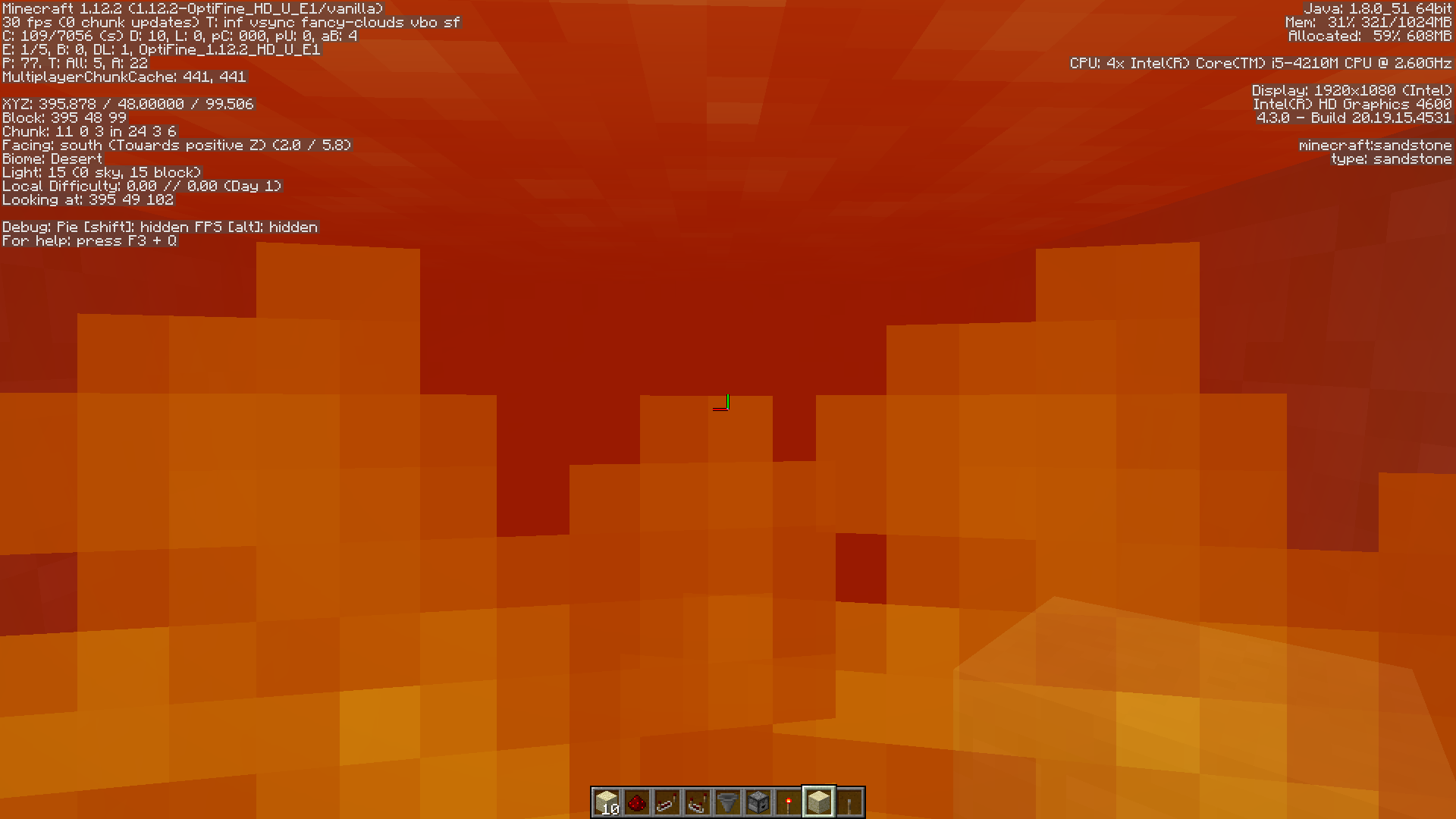
When you're in lava,your screen appears black instead of orangeWhen you're in lava, the orange appears darker/completely black at y=30 and below
How to recreate:
- Build a sand pillar underwater.
- Get yourself a (diamond) shovel and a (oak) stair/slab.
- Make sure you are in gamemode survival.
- Put the slab/stair in your off-hand.
- Dig the lowest sand block of the pillar and place the slab/stair as soon as the sand is broken.
What's expected to happen:
The sand falls onto the slab/stair, when a slab is used, all the sand blocks break as soon as they fall onto the slab.
What actually happens:
Sometimes, the slab/stair gets replaced by a sand block and has dissapeared, until you relogin or place another item in your off-hand.
I only tested this with an oak slab, an oak stair and an oak trapdoor. I didn't manage to recreate this with the trapdoor, but it still may be affected along with other blocks.
Edit: I managed to recreate this with an oak stair out of the water, but not with a slab.
How to recreate:
Build a sand pillar underwater.Get yourself a (diamond)shovel and a(oak)stair/slab.Make sure you are ingamemode survival.- Put the slab/stair in your off-hand.
- Dig the lowest sand block of the pillar and place the slab/stair as soon as the sand is broken.
What's expected to happen:
The sand falls onto the slab/stair, when a slab is used, all the sand blocks break as soon as they fall onto the slab.
What actually happens:
Sometimes, the slab/stair gets replaced by a sand block and hasdissapeared,until you reloginor place another item in your off-hand.
I only tested this with an oak slab, an oak stair and an oak trapdoor. I didn't manage to recreate this with the trapdoor, but it still may be affected along with other blocks.
Edit: I managed to recreate this with an oak stair out of the water, but not with a slab.
How to recreate:
- Place 2 blocks of sand on top of each other.
- Pick a shovel and a stair/slab.
- Switch to gamemode survival.
- Put the slab/stair in your off-hand.
- Dig the lowest sand block of the pillar and place the slab/stair as soon as the sand is broken.
What's expected to happen:
The sand falls onto the slab/stair, when a slab is used, all the sand blocks break as soon as they fall onto the slab.
What actually happens:
If you place the stair/slab quickly enough, it disappears until you rejoin the world or place another item in your off-hand.
How to recreate:
- Place 2 blocks of sand on top of each other.
- Pick a shovel and a stair/slab.
- Switch to gamemode survival.
- Put the slab/stair in your off-hand.
- Dig the lowest sand block
of the pillarand place the slab/stair as soon as the sand is broken.What's expected to happen:
The sand falls onto the slab/stair, when a slab is used, all the sand blocks break as soon as they fall onto the slab.
What actually happens:
If you place the stair/slab quickly enough, it disappears until you rejoin the world or place another item in your off-hand.
How to recreate:
- Place 2 blocks of sand on top of each other.
- Pick a shovel and a stair/slab.
- Switch to gamemode survival.
- Put the slab/stair in your off-hand.
- Dig the lowest sand block and place the slab/stair as soon as the sand is broken.
What's expected to happen:
The sand falls onto the slab/stair, when a slab is used, all the sand blocks break as soon as they fall onto the slab.
What actually happens:
If you place the stair/slab quickly enough, it disappears until you rejoin the world or place another item in your off-hand.
How to recreate:
- Place 2 blocks of sand on top of each other.
- Pick a shovel and a stair/slab.
- Switch to gamemode survival.
- Put the slab/stair in your off-hand.
- Dig the lowest sand block and place the slab/stair as soon as the sand is broken.
What's expected to happen:
The sand falls onto the slab/stair, when a slab is used, the sand block breaks and drops itself as soon as it falls onto the slab.
OR
The slab/stair is not placed and stays in the players inventory.What actually happens:
If you place the stair/slab quickly enough, it disappears until you rejoin the world or place another item in your off-hand.
Slabs and stairs dissapear when placed quickly under falling sandunderwater.
Slabs and stairs dissapear when placed quickly under falling sand.Slabs and stairs disappear when placed quickly under falling sand.
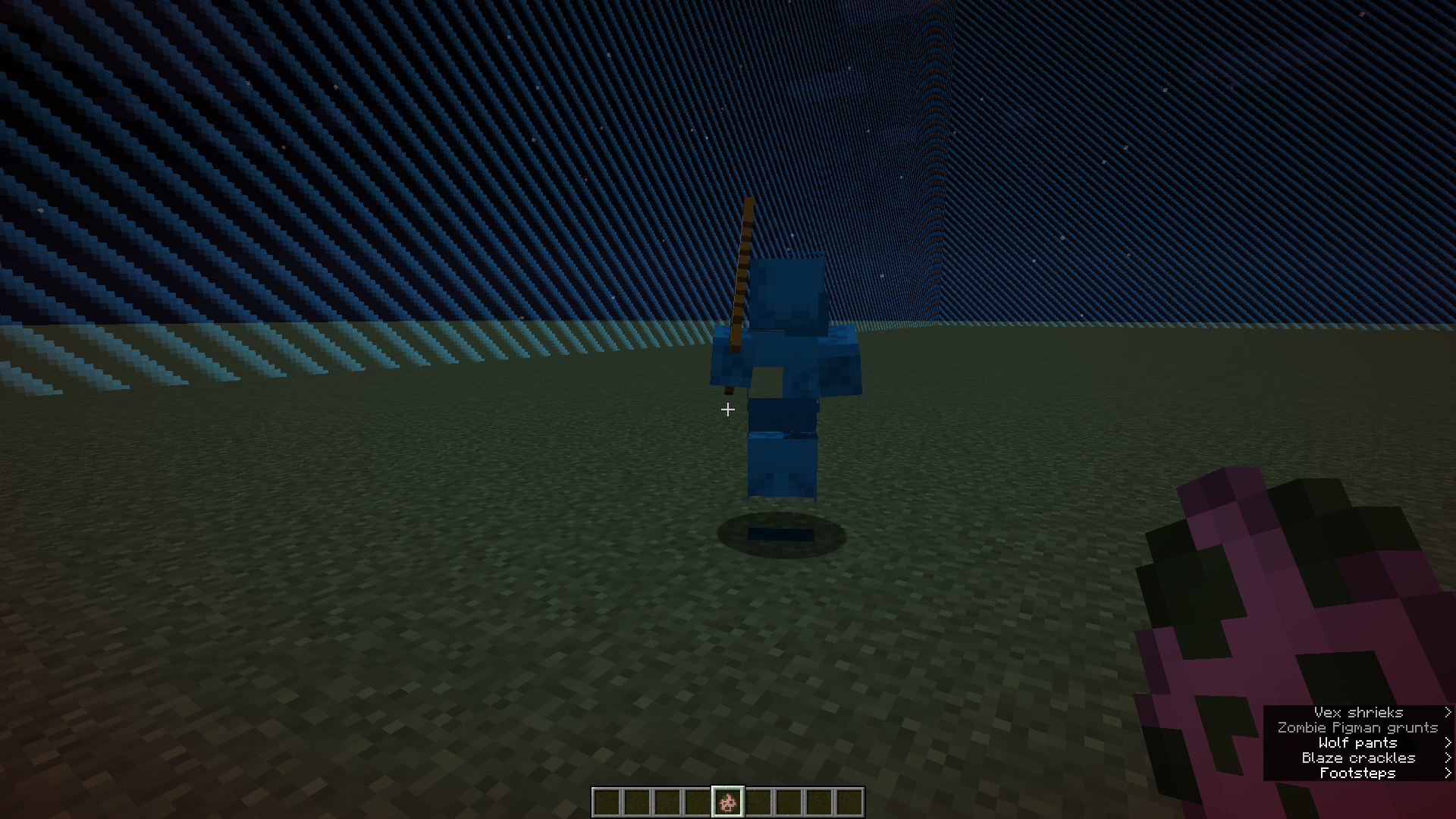
Zombie pigmen have a blank textureMob textures get mixed/appear blank
All zombie pigmen have a completely white texture. The bug also occurs when you're using a texture pack.I have no idea how to reproduce the bug but I'll list what I did before the bug occured.
- I was creating some buffet worlds, just to explore them. I had a texturepack enabled.
- I created a buffet world with the nether as biome.
- Suddenly I noticed that all zombie pigmen were completely blank.
- I disabled my resourcepack, but the pigmen were still blank.
- In other worlds, they appeared blank too, and in one world they had the texture of a cyan shulker.
- I quit and rejoined the world, and the pigmen appeared blank again. So did all cyan shulkers.
- I quit my game and restarted it again and since then I've been unable to recreate the bug again.
When you're standing on the edge of a scaffolding tower and try to descend, you'll actually fall and take damage.
Video link (google drive): https://drive.google.com/file/d/1Pmc4Y5UvmTm5ncG6isO6HNf6qH_lztGu/view?usp=sharing
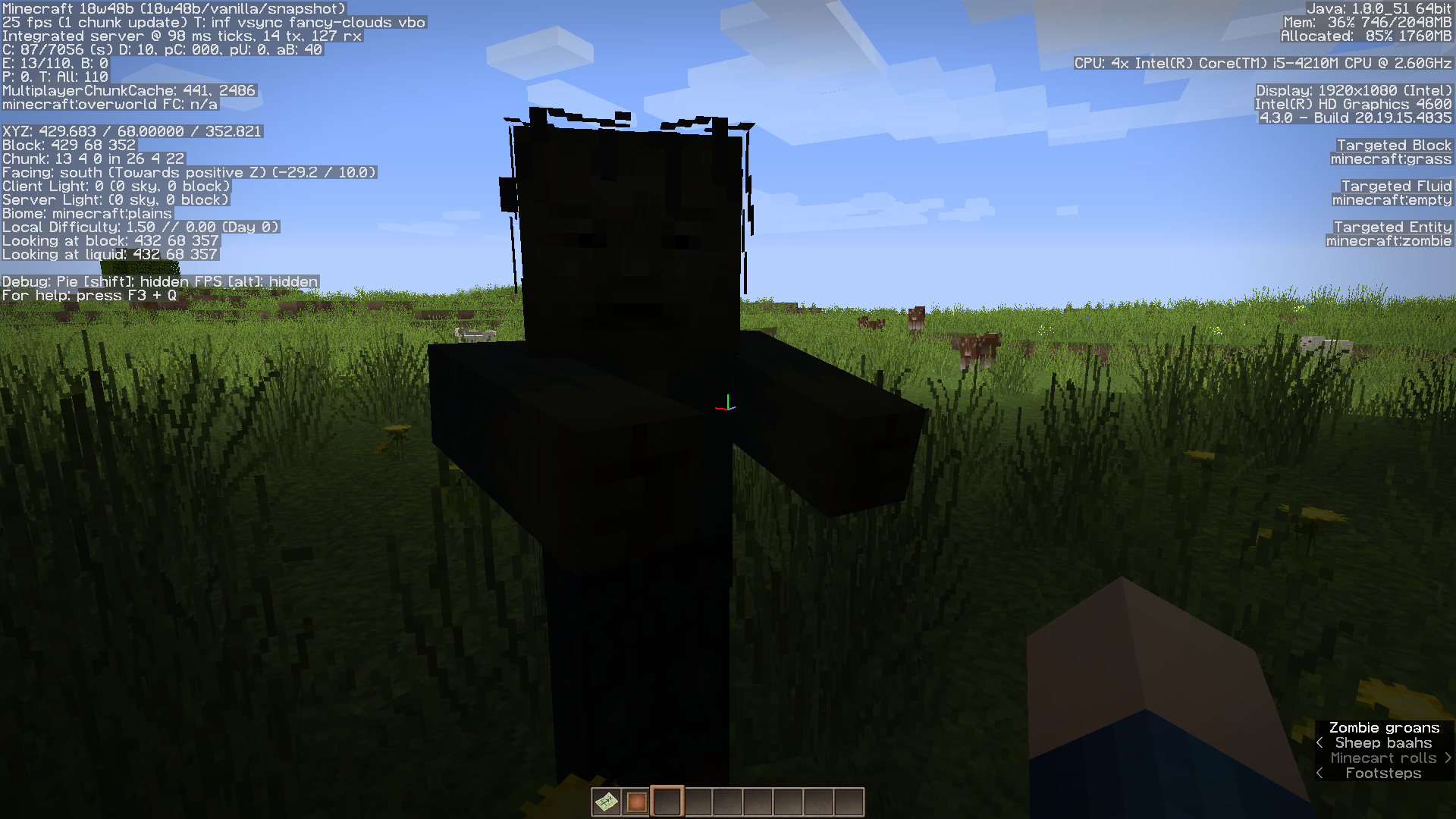
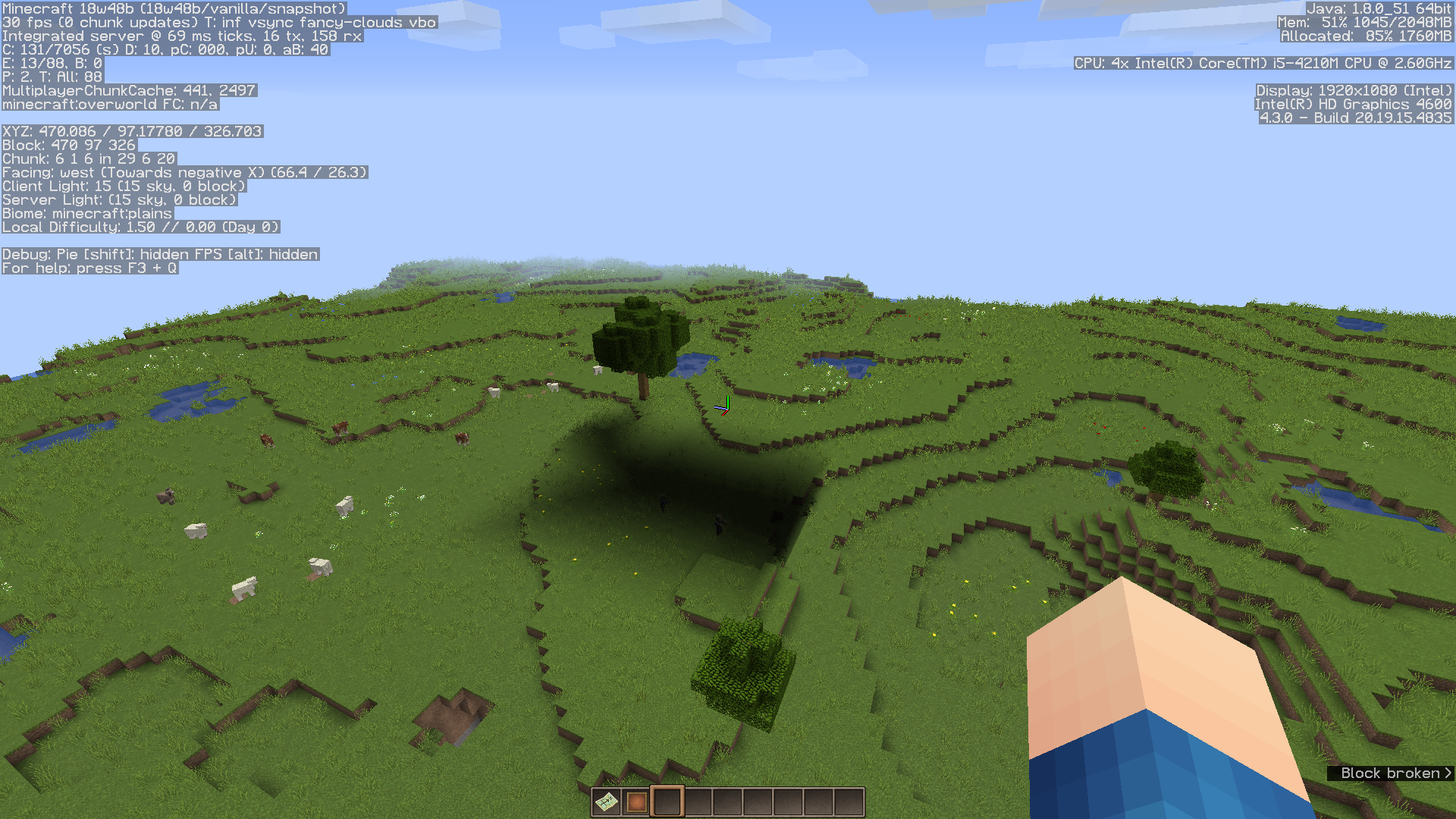
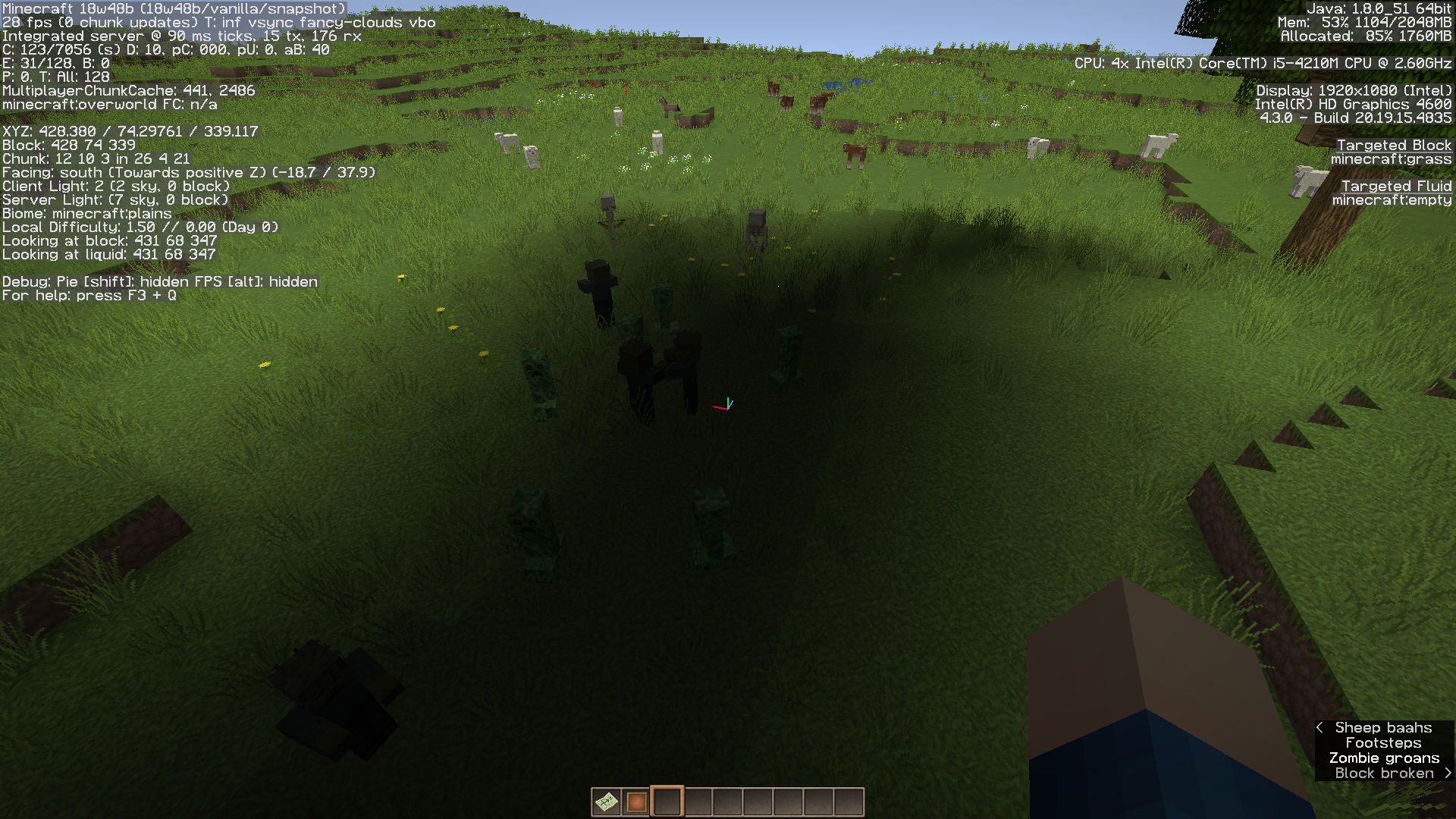
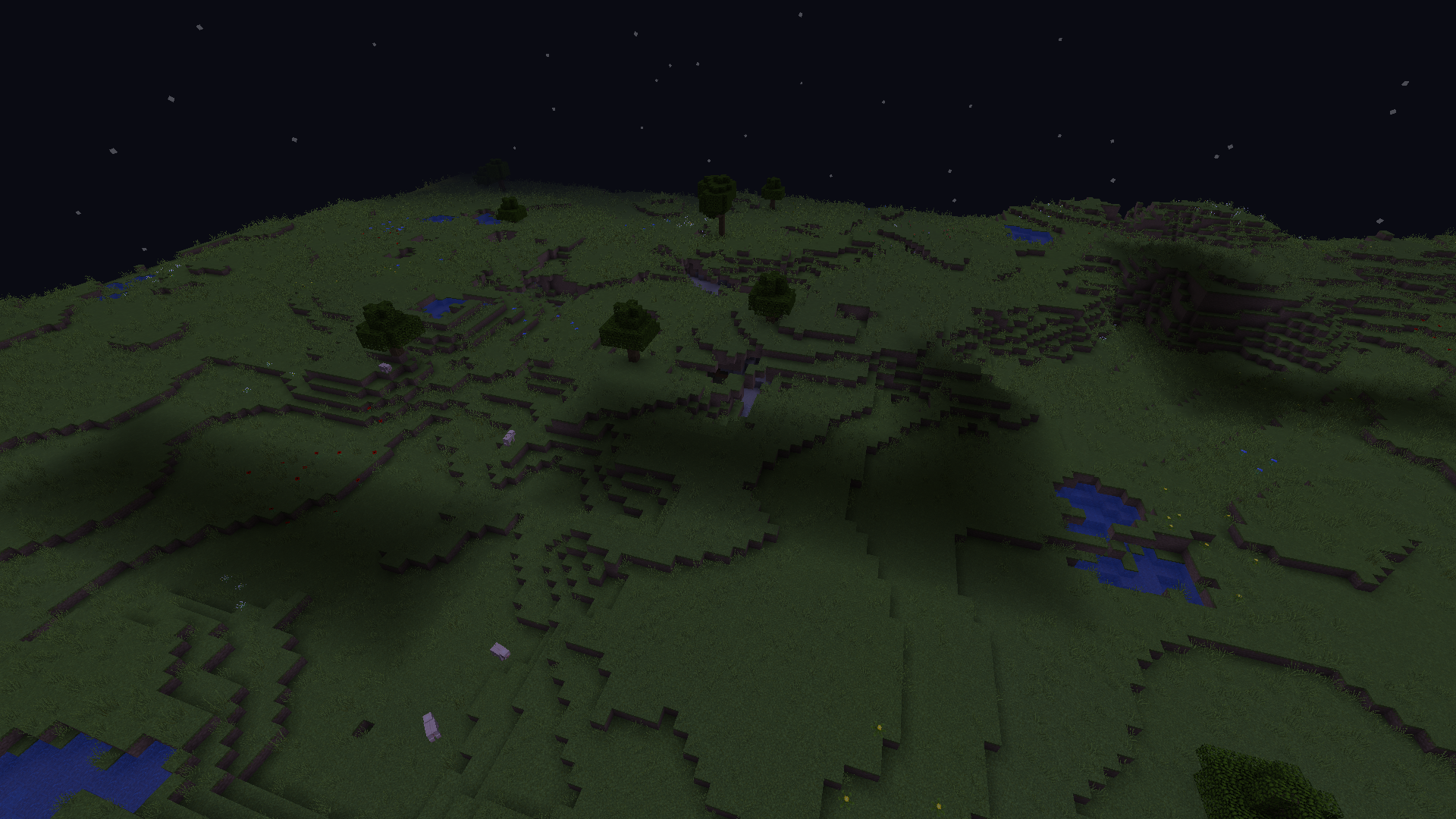
The issue isn't "linked" to a certain seed and coordinates. The shadows can randomly appear in any world.
Other things to mention:
- Hostile mobs can spawn in the shadow and undead mobs do not catch fire.
- Both client light and server light are affected.
- The shadow affects multiple, adjacent and complete chucks (the shadow ends at a chunk border).
- The shadow disappears after reloading the world.
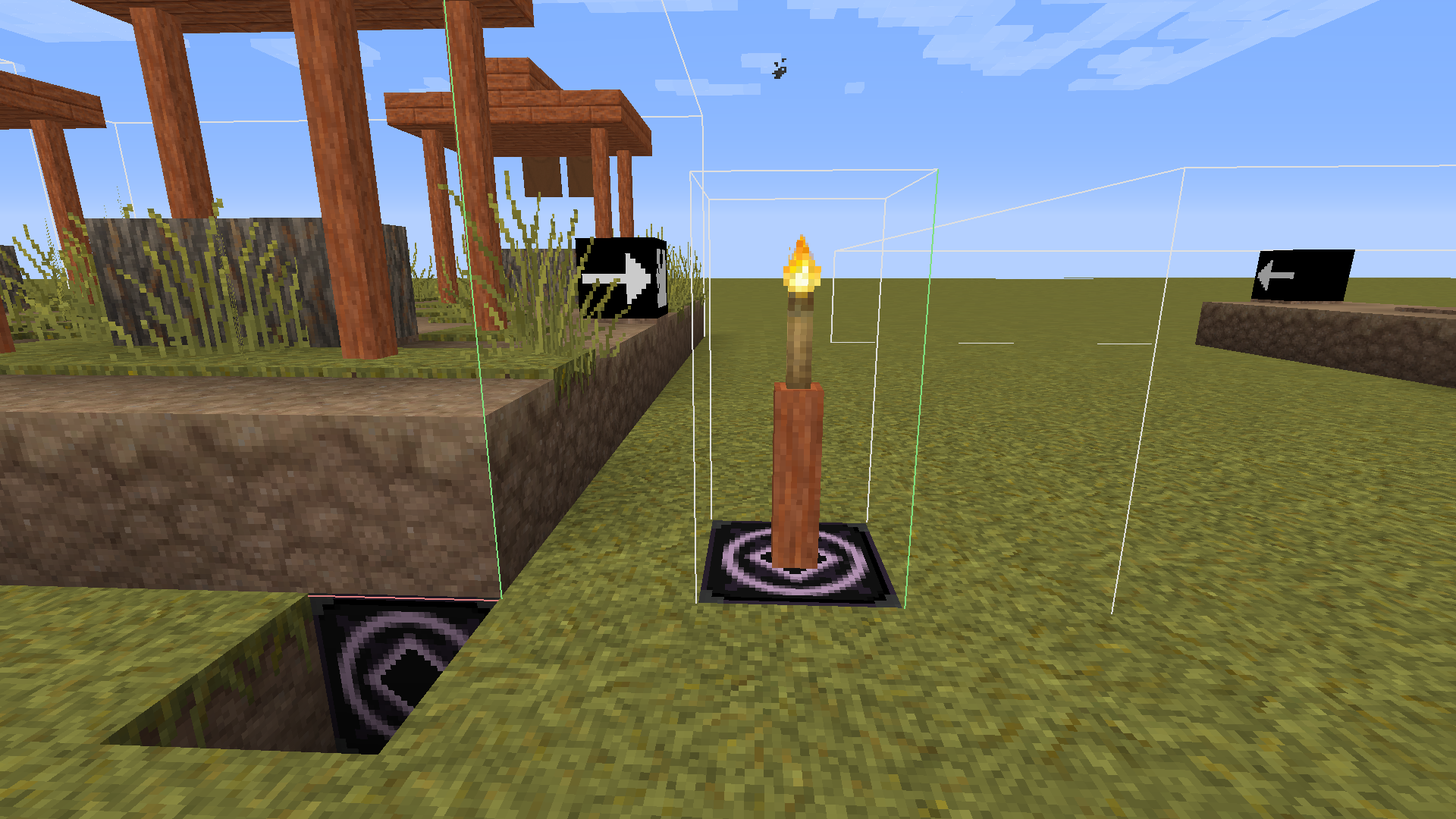
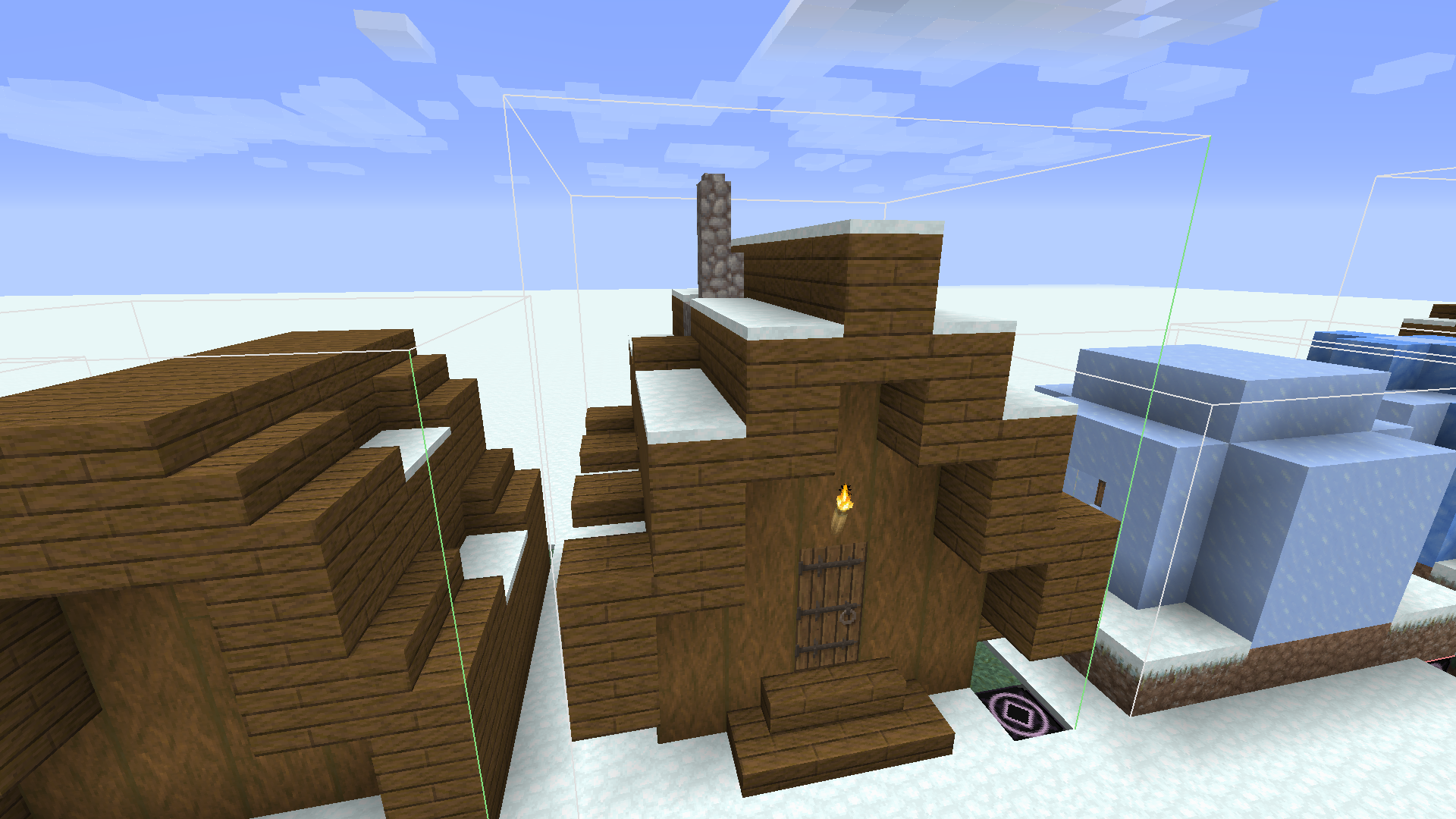
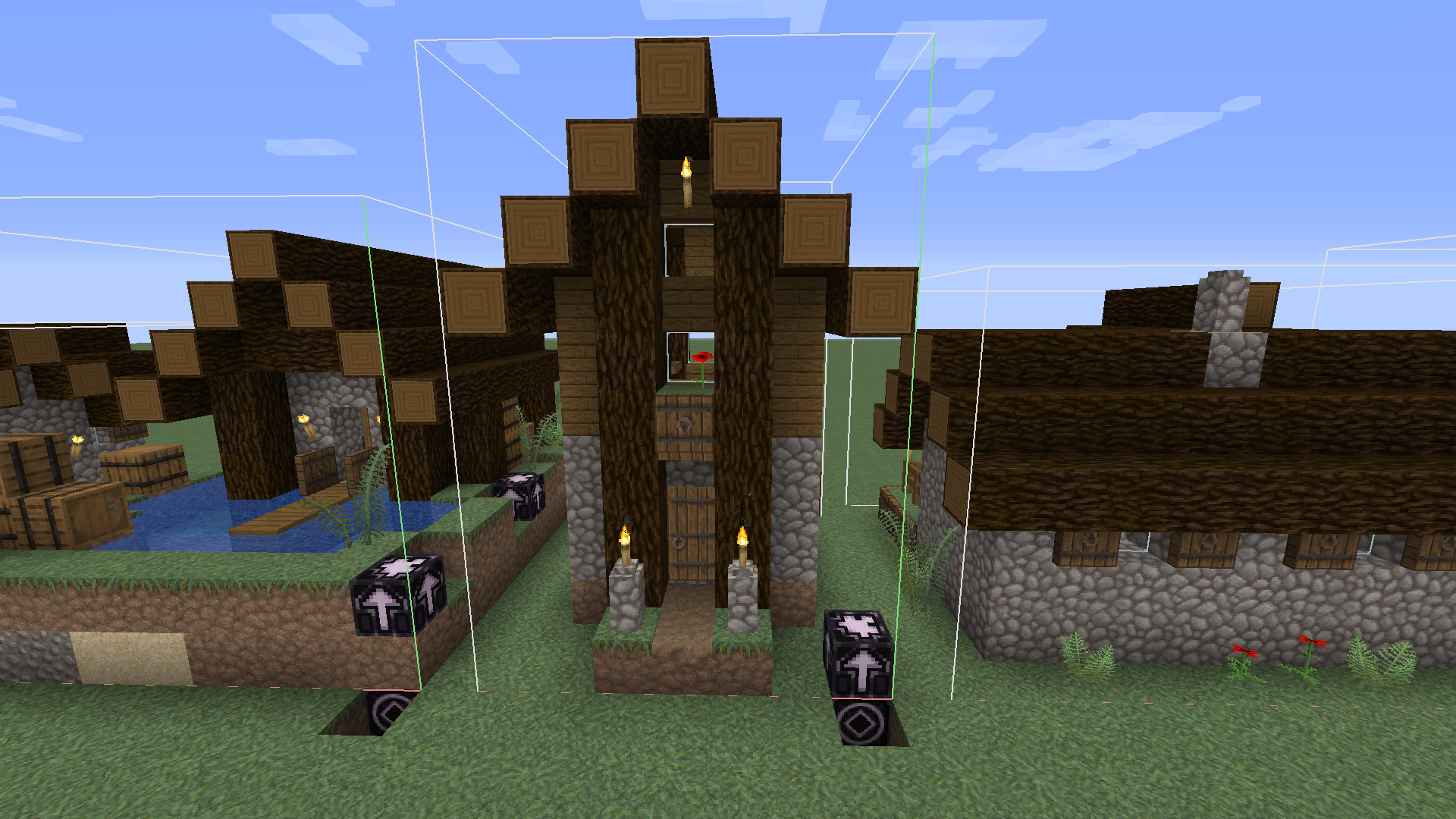
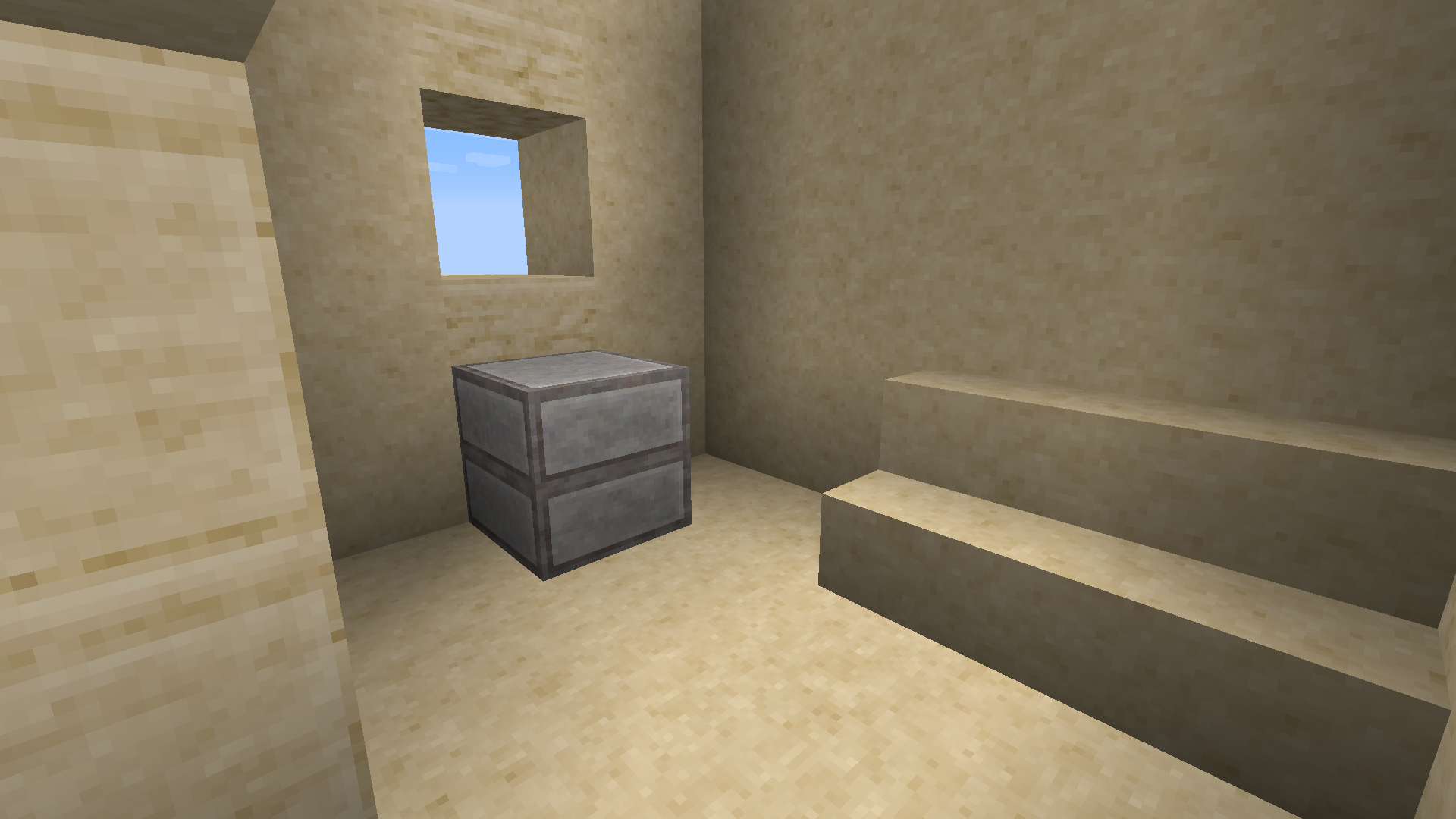
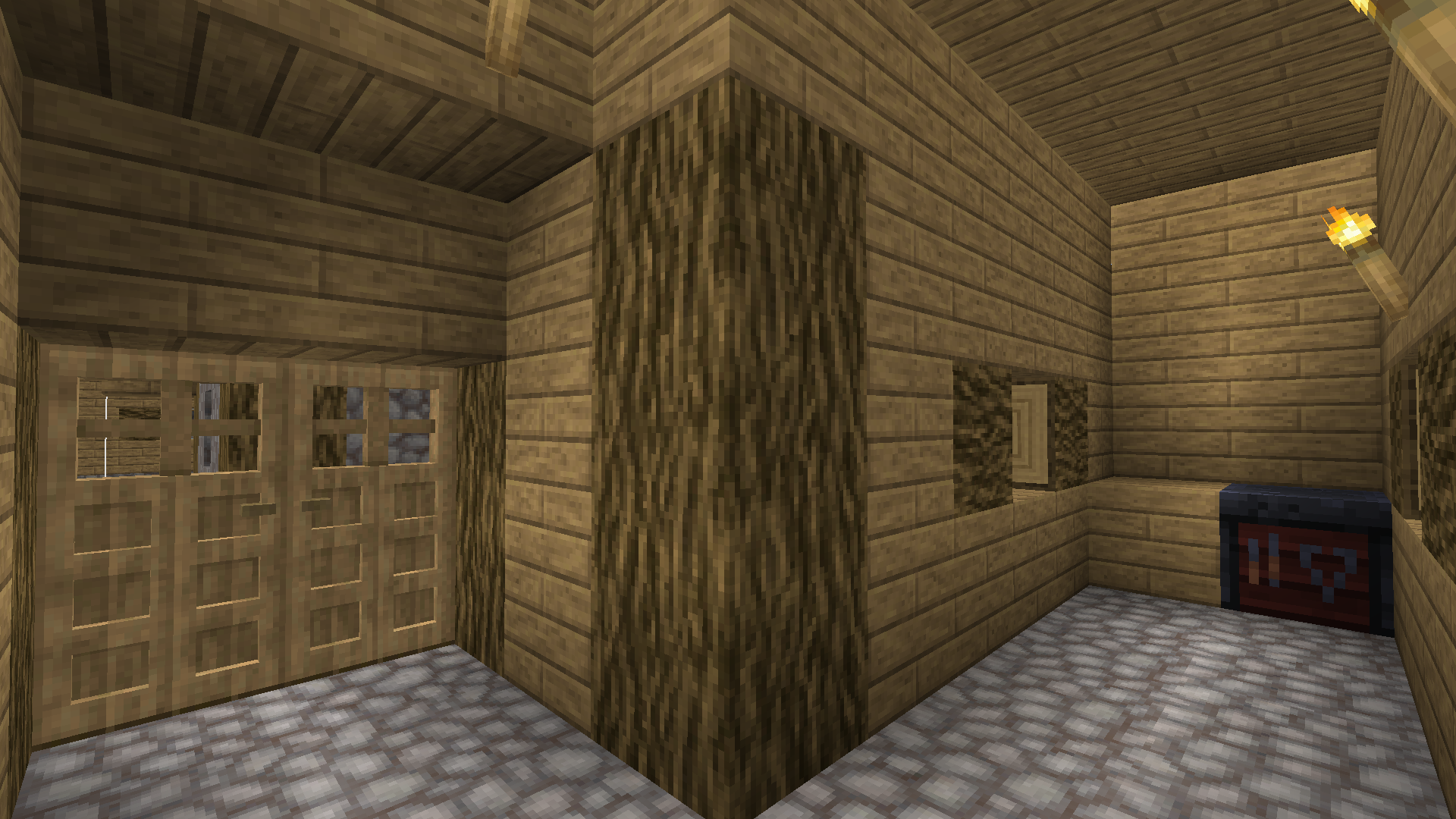
Some of the new village structures will never generate in your world because they are missing a jigsaw block.
The structures include:
- For the plains village:
- minecraft:village/plains/houses/plains_tool_smith_1
- For the snowy village:
- minecraft:village/snowy/houses/snowy_medium_house_1
- minecraft:village/snowy/houses/snowy_medium_house_2
- minecraft:village/snowy/houses/snowy_small_house_2
- minecraft:village/snowy/houses/snowy_small_house_5
- minecraft:village/snowy/houses/snowy_tannery_1
- minecraft:village/snowy/houses/snowy_masons_house_2
- For the savanna village:
- minecraft:village/savanna/savanna_lamp_post_01
- minecraft:village/savanna/houses/savanna_small_house_8
- minecraft:village/savanna/houses/savanna_weaponsmith_2
- minecraft:village/savanna/houses/savanna_mason_1
I will add screenshots of the structures later.
You can find these structures in these worlds made by slicedlime: https://youtu.be/6NKoirtG-28 (link in description, I wasn't able to copy a proper link)
Some of the new village structures will never generate in your world because they are missing a jigsaw block.
The structures include:
- For the plains village:
- minecraft:village/plains/houses/plains_tool_smith_1
- For the snowy village:
- minecraft:village/snowy/houses/snowy_medium_house_1
- minecraft:village/snowy/houses/snowy_medium_house_2
- minecraft:village/snowy/houses/snowy_small_house_2
- minecraft:village/snowy/houses/snowy_small_house_5
- minecraft:village/snowy/houses/snowy_tannery_1
- minecraft:village/snowy/houses/snowy_masons_house_2
- For the savanna village:
- minecraft:village/savanna/savanna_lamp_post_01
- minecraft:village/savanna/houses/savanna_small_house_8
- minecraft:village/savanna/houses/savanna_weaponsmith_2
- minecraft:village/savanna/houses/savanna_mason_1
I will add screenshots of the structures later.
You can find these structures in these worlds made by slicedlime: https://youtu.be/6NKoirtG-28 (link in description, I wasn't able to copy a proper link)
Some of the new village structures will never generate in your world because they are missing a jigsaw block.
The structures include:
- For the plains village:
- minecraft:village/plains/houses/plains_tool_smith_1
- For the snowy village:
- minecraft:village/snowy/houses/snowy_medium_house_1
- minecraft:village/snowy/houses/snowy_medium_house_2
- minecraft:village/snowy/houses/snowy_small_house_2
- minecraft:village/snowy/houses/snowy_small_house_5
- minecraft:village/snowy/houses/snowy_tannery_1
- minecraft:village/snowy/houses/snowy_masons_house_2
- For the savanna village:
- minecraft:village/savanna/savanna_lamp_post_01
- minecraft:village/savanna/houses/savanna_small_house_8
- minecraft:village/savanna/houses/savanna_weaponsmith_2
- minecraft:village/savanna/houses/savanna_mason_1
I will add screenshots of the structures later.
You can find these structures in these worlds made by slicedlime: https://youtu.be/6NKoirtG-28 (link in description, I wasn't able to copy a proper link)
Some of the new village structures will never generate in your world because they are missing a jigsaw block.
The structures include:
- For the plains village:
- minecraft:village/plains/houses/plains_tool_smith_1
- For the snowy village:
- minecraft:village/snowy/houses/snowy_medium_house_1
- minecraft:village/snowy/houses/snowy_medium_house_2
- minecraft:village/snowy/houses/snowy_small_house_2
- minecraft:village/snowy/houses/snowy_small_house_5
- minecraft:village/snowy/houses/snowy_tannery_1
- minecraft:village/snowy/houses/snowy_masons_house_2
- For the savanna village:
- minecraft:village/savanna/savanna_lamp_post_01
- minecraft:village/savanna/houses/savanna_small_house_8
- minecraft:village/savanna/houses/savanna_weaponsmith_2
- minecraft:village/savanna/houses/savanna_mason_1
I will add screenshots of the structures later.
You can find these structures in these worlds made by slicedlime: https://youtu.be/6NKoirtG-28 (link in description, I wasn't able to copy a proper link)
Some of the new village structures will never generate in your world because they are missing a jigsaw block.
The structures include:
- For the plains village:
- minecraft:village/plains/houses/plains_tool_smith_1
- For the snowy village:
- minecraft:village/snowy/houses/snowy_medium_house_1
- minecraft:village/snowy/houses/snowy_medium_house_2
- minecraft:village/snowy/houses/snowy_small_house_2
- minecraft:village/snowy/houses/snowy_small_house_5
- minecraft:village/snowy/houses/snowy_tannery_1
- minecraft:village/snowy/houses/snowy_masons_house_2
- For the savanna village:
- minecraft:village/savanna/savanna_lamp_post_01
- minecraft:village/savanna/houses/savanna_small_house_8
- minecraft:village/savanna/houses/savanna_weaponsmith_2
- minecraft:village/savanna/houses/savanna_mason_1
I will add screenshots of the structures later.
You can find these structures in these worlds made by slicedlime: https://youtu.be/6NKoirtG-28
(linkin description, I wasn't able to copy a proper link)Some of the new village structures will never generate in your world because they are missing a jigsaw block.
The structures include:
- For the plains village:
- minecraft:village/plains/houses/plains_tool_smith_1
- For the snowy village:
- minecraft:village/snowy/houses/snowy_medium_house_1
- minecraft:village/snowy/houses/snowy_medium_house_2
- minecraft:village/snowy/houses/snowy_small_house_2
- minecraft:village/snowy/houses/snowy_small_house_5
- minecraft:village/snowy/houses/snowy_tannery_1
- minecraft:village/snowy/houses/snowy_masons_house_2
- For the savanna village:
- minecraft:village/savanna/savanna_lamp_post_01
- minecraft:village/savanna/houses/savanna_small_house_8
- minecraft:village/savanna/houses/savanna_weaponsmith_2
- minecraft:village/savanna/houses/savanna_mason_1
- For desert village:
- minecraft:village/desert/houses/desert_small_house_8
- minecraft:village/desert/houses/desert_blacksmith_1
- For taiga village:
- minecraft:village/taiga/houses/taiga_cartographer_house_1
You can find these structures in these worlds made by slicedlime:
18w49a
18w50a
(links are in the description of the video)
Some of the new village structures will never generate in your world because they are missing a jigsaw block.
The structures include:
- For the plains village:
- minecraft:village/plains/houses/plains_tool_smith_1
- For the snowy village:
- minecraft:village/snowy/houses/snowy_medium_house_1
- minecraft:village/snowy/houses/snowy_medium_house_2
- minecraft:village/snowy/houses/snowy_small_house_2
- minecraft:village/snowy/houses/snowy_small_house_5
- minecraft:village/snowy/houses/snowy_tannery_1
- minecraft:village/snowy/houses/snowy_masons_house_2
- For the savanna village:
- minecraft:village/savanna/savanna_lamp_post_01
- minecraft:village/savanna/houses/savanna_small_house_8
- minecraft:village/savanna/houses/savanna_weaponsmith_2
- minecraft:village/savanna/houses/savanna_mason_1
- For desert village:
- minecraft:village/desert/houses/desert_small_house_8
- minecraft:village/desert/houses/desert_blacksmith_1
- For taiga village:
- minecraft:village/taiga/houses/taiga_cartographer_house_1
You can find these structures in these worlds made by slicedlime:
18w49a
18w50a
(links are in the description of the video)Some of the new village structures will never generate in your world because they are missing a jigsaw block.
The structures include:
- For the plains village:
- minecraft:village/plains/houses/plains_tool_smith_1
- For the snowy village:
- minecraft:village/snowy/houses/snowy_medium_house_1
- minecraft:village/snowy/houses/snowy_medium_house_2
- minecraft:village/snowy/houses/snowy_small_house_2
- minecraft:village/snowy/houses/snowy_small_house_5
- minecraft:village/snowy/houses/snowy_tannery_1
- minecraft:village/snowy/houses/snowy_masons_house_2
- For the savanna village:
- minecraft:village/savanna/savanna_lamp_post_01
- minecraft:village/savanna/houses/savanna_small_house_8
- minecraft:village/savanna/houses/savanna_weaponsmith_2
- minecraft:village/savanna/houses/savanna_mason_1
- For desert village:
- minecraft:village/desert/houses/desert_small_house_8
- minecraft:village/desert/houses/desert_blacksmith_1
- For taiga village:
- minecraft:village/taiga/houses/taiga_cartographer_house_1
You can find these structures in these worlds made by slicedlime:
Some of the new village structures will never generate in your world because they are missing a jigsaw block.
The structures include:
- For the plains village:
- minecraft:village/plains/houses/plains_tool_smith_1
- For the snowy village:
- minecraft:village/snowy/houses/snowy_medium_house_1
- minecraft:village/snowy/houses/snowy_medium_house_2
- minecraft:village/snowy/houses/snowy_small_house_2
- minecraft:village/snowy/houses/snowy_small_house_5
- minecraft:village/snowy/houses/snowy_tannery_1
- minecraft:village/snowy/houses/snowy_masons_house_2
- For the savanna village:
- minecraft:village/savanna/savanna_lamp_post_01
- minecraft:village/savanna/houses/savanna_small_house_8
- minecraft:village/savanna/houses/savanna_weaponsmith_2
- minecraft:village/savanna/houses/savanna_mason_1
- For desert village:
- minecraft:village/desert/houses/desert_small_house_8
- minecraft:village/desert/houses/desert_blacksmith_1
- For taiga village:
- minecraft:village/taiga/
houses/taiga_cartographer_house_1You can find these structures in these worlds made by slicedlime:
Some of the new village structures will never generate in your world because they are missing a jigsaw block.
The structures include:
- For the plains village:
- minecraft:village/plains/houses/plains_tool_smith_1
- For the snowy village:
- minecraft:village/snowy/houses/snowy_medium_house_1
- minecraft:village/snowy/houses/snowy_medium_house_2
- minecraft:village/snowy/houses/snowy_small_house_2
- minecraft:village/snowy/houses/snowy_small_house_5
- minecraft:village/snowy/houses/snowy_tannery_1
- minecraft:village/snowy/houses/snowy_masons_house_2
- For the savanna village:
- minecraft:village/savanna/savanna_lamp_post_01
- minecraft:village/savanna/houses/savanna_small_house_8
- minecraft:village/savanna/houses/savanna_weaponsmith_2
- minecraft:village/savanna/houses/savanna_mason_1
- For desert village:
- minecraft:village/desert/houses/desert_small_house_8
- minecraft:village/desert/houses/desert_blacksmith_1
- For taiga village:
- minecraft:village/taiga/taiga_decoration_1
- minecraft:village/taiga/houses/taiga_armorer_house_2
- minecraft:village/taiga/houses/taiga_cartographer_house_1
You can find these structures in these worlds made by slicedlime:
Some of the new village structures will never generate in your world because they are missing a jigsaw block.
The structures include:
- For the plains village:
- minecraft:village/plains/houses/plains_tool_smith_1
- For the snowy village:
- minecraft:village/snowy/houses/snowy_medium_house_1
- minecraft:village/snowy/houses/snowy_medium_house_2
- minecraft:village/snowy/houses/snowy_small_house_2
- minecraft:village/snowy/houses/snowy_small_house_5
- minecraft:village/snowy/houses/snowy_tannery_1
- minecraft:village/snowy/houses/snowy_masons_house_2
- For the savanna village:
- minecraft:village/savanna/savanna_lamp_post_01
- minecraft:village/savanna/houses/savanna_small_house_8
- minecraft:village/savanna/houses/savanna_weaponsmith_2
- minecraft:village/savanna/houses/savanna_mason_1
- For desert village:
- minecraft:village/desert/houses/desert_
small_house_8- minecraft:village/desert/houses/desert_
blacksmith_1
- For taiga village:
- minecraft:village/taiga/taiga_decoration_1
- minecraft:village/taiga/houses/taiga_armorer_house_2
- minecraft:village/taiga/houses/taiga_cartographer_house_1
You can find these structures in these worlds made by slicedlime:
Some of the new village structures will never generate in your world because they are missing a jigsaw block.
The structures include:
- For the plains village:
- minecraft:village/plains/houses/plains_tool_smith_1
- For the snowy village:
- minecraft:village/snowy/houses/snowy_medium_house_1
- minecraft:village/snowy/houses/snowy_medium_house_2
- minecraft:village/snowy/houses/snowy_small_house_2
- minecraft:village/snowy/houses/snowy_small_house_5
- minecraft:village/snowy/houses/snowy_tannery_1
- minecraft:village/snowy/houses/snowy_masons_house_2
- For the savanna village:
- minecraft:village/savanna/savanna_lamp_post_01
- minecraft:village/savanna/houses/savanna_small_house_8
- minecraft:village/savanna/houses/savanna_weaponsmith_2
- minecraft:village/savanna/houses/savanna_mason_1
- For desert village:
- minecraft:village/desert/houses/desert_farm_2
- minecraft:village/desert/houses/desert_small_house_8
- minecraft:village/desert/houses/desert_blacksmith_1
- For taiga village:
- minecraft:village/taiga/taiga_decoration_1
- minecraft:village/taiga/houses/taiga_armorer_house_2
- minecraft:village/taiga/houses/taiga_cartographer_house_1
You can find these structures in these worlds made by slicedlime:
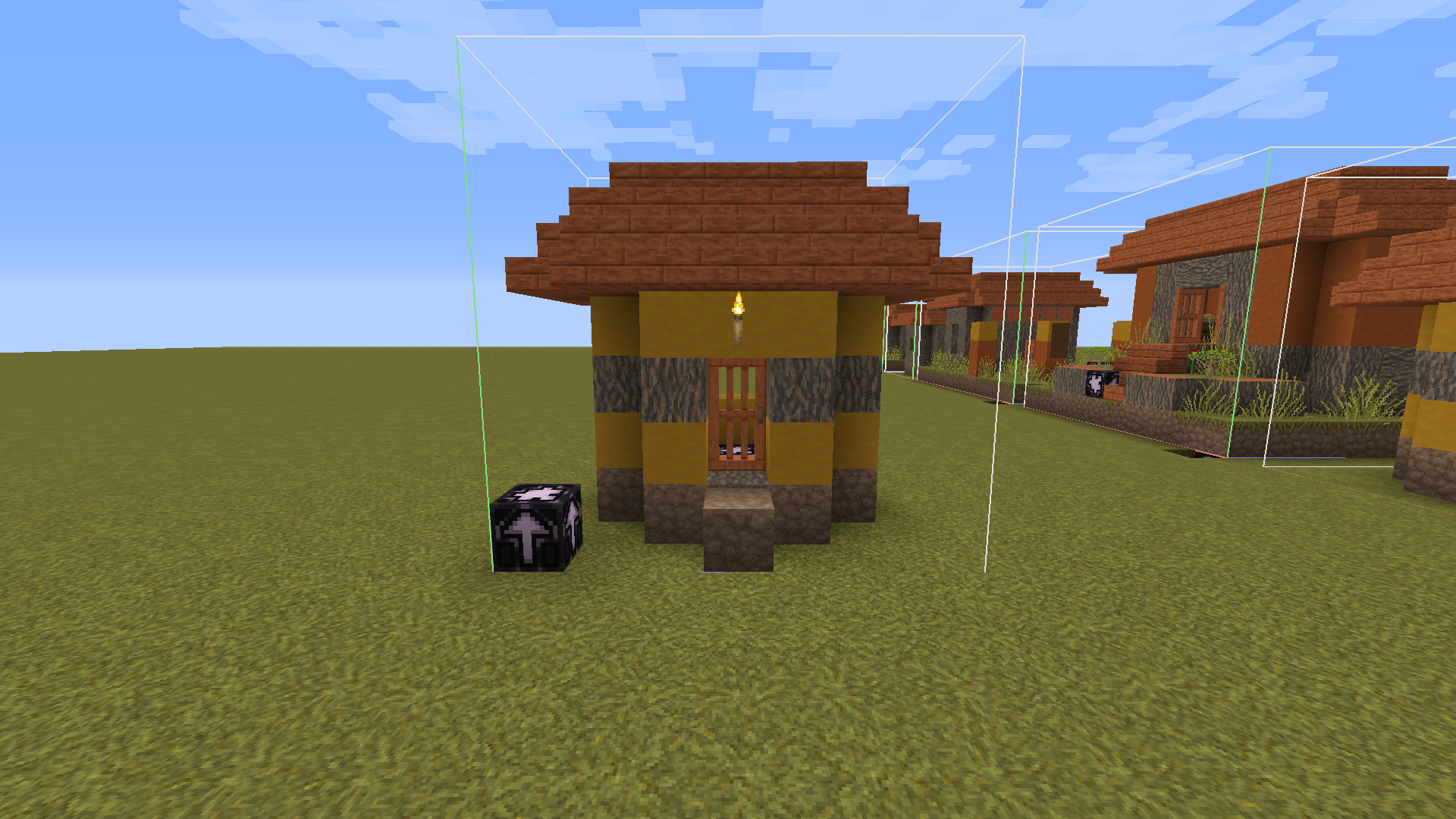

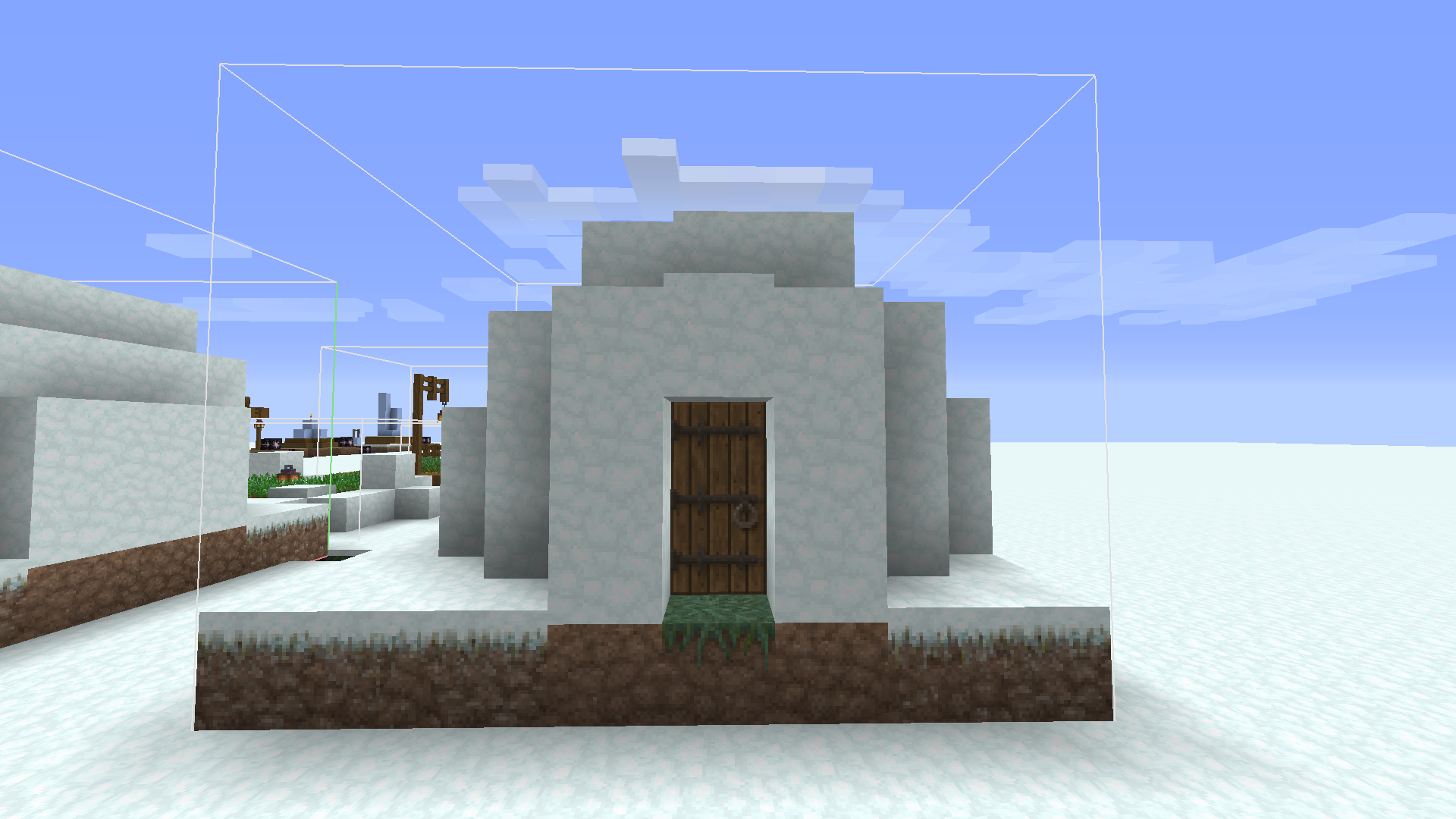
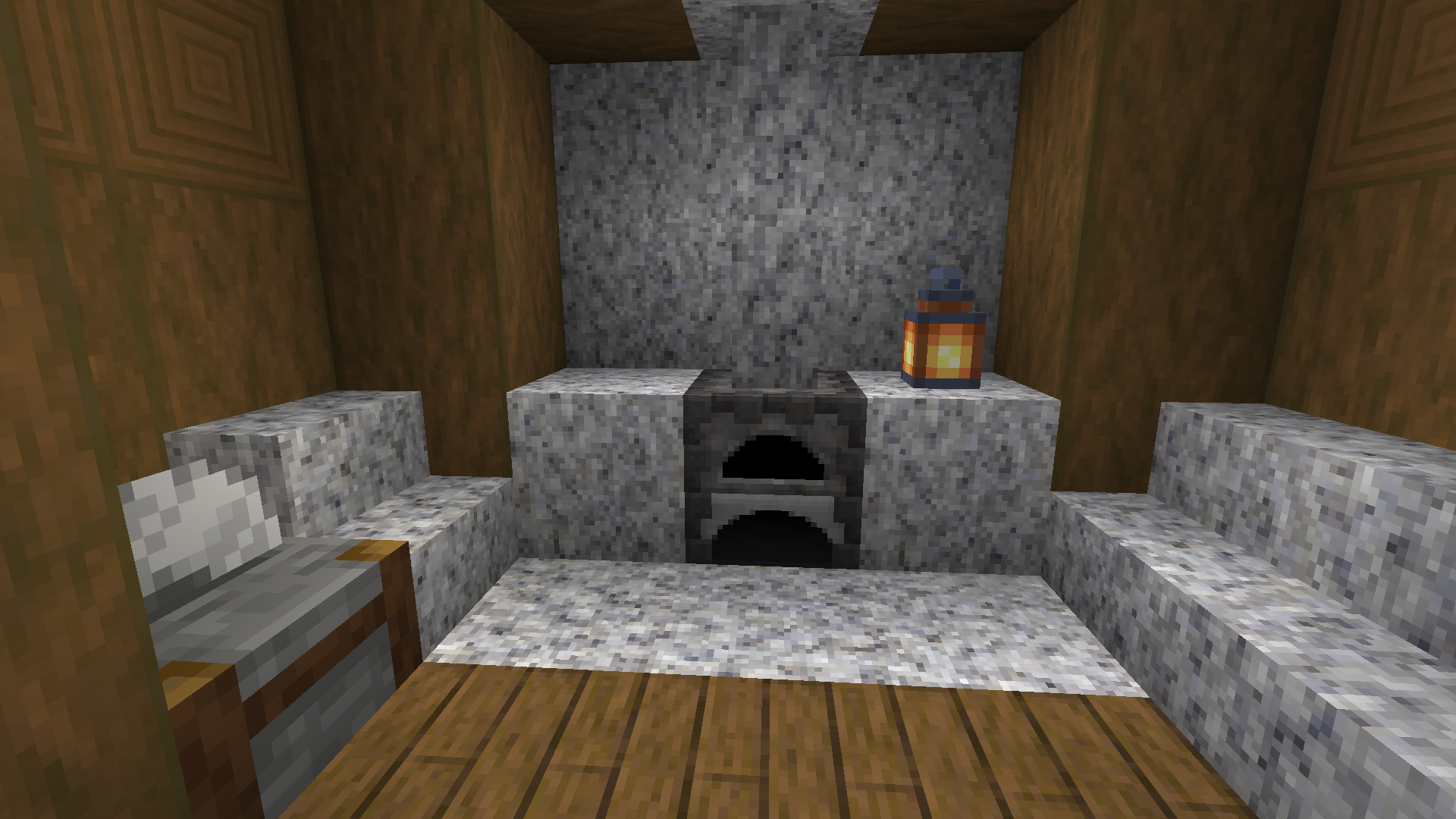

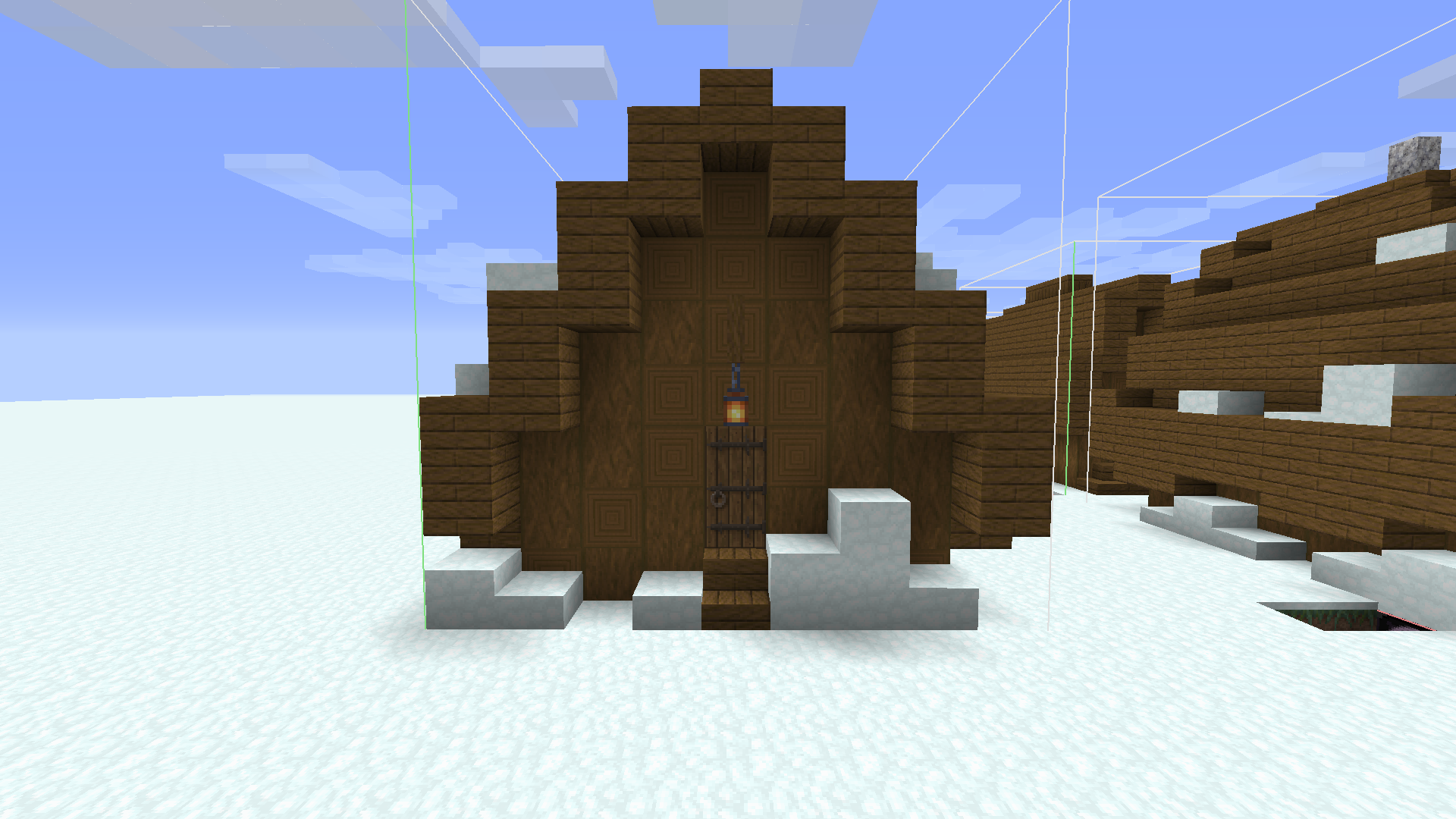

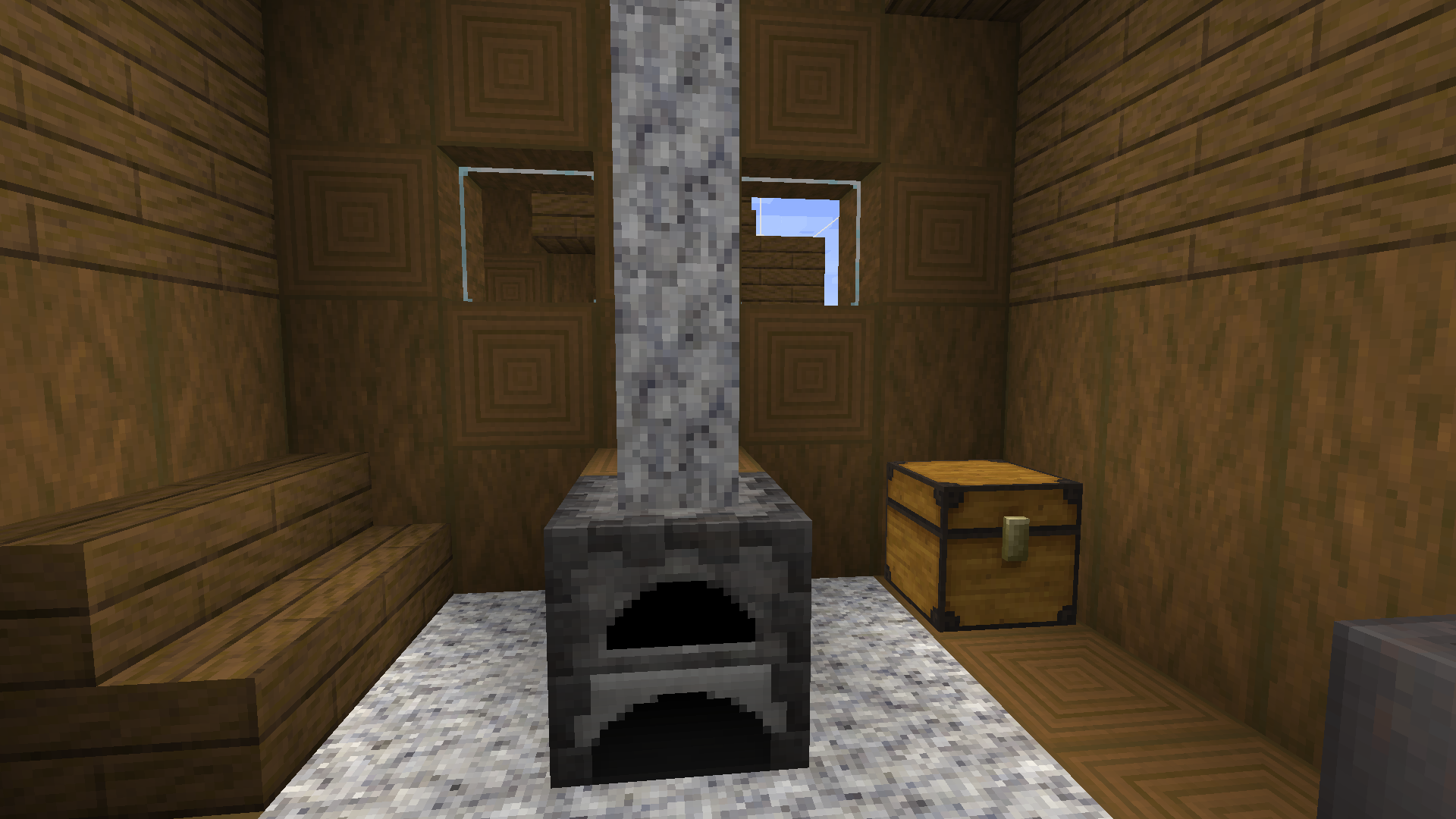
Some of the new village structures will never generate in your world because they are missing a jigsaw block.
The structures include:
- For the plains village:
- minecraft:village/plains/houses/plains_tool_smith_1
- For the snowy village:
- minecraft:village/snowy/houses/snowy_medium_house_1
- minecraft:village/snowy/houses/snowy_medium_house_2
- minecraft:village/snowy/houses/snowy_small_house_2
- minecraft:village/snowy/houses/snowy_small_house_5
- minecraft:village/snowy/houses/snowy_tannery_1
- minecraft:village/snowy/houses/snowy_masons_house_2
- For the savanna village:
- minecraft:village/savanna/savanna_lamp_post_01
- minecraft:village/savanna/houses/savanna_small_house_8
- minecraft:village/savanna/houses/savanna_weaponsmith_2
- minecraft:village/savanna/houses/savanna_mason_1
- For desert village:
- minecraft:village/desert/houses/desert_farm_2
- minecraft:village/desert/houses/desert_small_house_8
- minecraft:village/desert/houses/desert_blacksmith_1
- For taiga village:
- minecraft:village/taiga/taiga_decoration_1
- minecraft:village/taiga/houses/taiga_armorer_house_2
- minecraft:village/taiga/houses/taiga_cartographer_house_1
You can find these structures in these worlds made by slicedlime:
Some of the new village structures will never generate in your world because they are missing a jigsaw block.
The structures include:
- For the plains village:
- minecraft:village/plains/houses/plains_tool_smith_1
- For the snowy village:
- minecraft:village/snowy/houses/snowy_medium_house_1
- minecraft:village/snowy/houses/snowy_medium_house_2
- minecraft:village/snowy/houses/snowy_small_house_2
- minecraft:village/snowy/houses/snowy_small_house_5
- minecraft:village/snowy/houses/snowy_tannery_1
- minecraft:village/snowy/houses/snowy_masons_house_2
- For the savanna village:
- minecraft:village/savanna/savanna_lamp_post_01
- minecraft:village/savanna/houses/savanna_small_house_8
- minecraft:village/savanna/houses/savanna_weaponsmith_2
- minecraft:village/savanna/houses/savanna_mason_1
- For desert village:
- minecraft:village/desert/houses/desert_farm_2
- minecraft:village/desert/houses/desert_small_house_8
- minecraft:village/desert/houses/desert_blacksmith_1
- For taiga village:
- minecraft:village/taiga/taiga_decoration_1
minecraft:village/taiga/houses/taiga_armorer_house_2
- this one got .../taiga_armorer_2 as replacement as of 19w04a (the old structure file still exists however)
minecraft:village/taiga/houses/taiga_cartographer_house_1- For the zombie desert village:
- minecraft:village/desert/zombie/houses/desert_small_house_8
- For the zombie taiga village:
- minecraft:village/taiga/zombie/houses/taiga_armorer_house_2
You can find those structures in these worlds made by slicedlime:
Some of the new village structures will never generate in your world because they are missing a jigsaw block.
The structures include:
- For the plains village:
- minecraft:village/plains/houses/plains_tool_smith_1
- For the snowy village:
- minecraft:village/snowy/houses/snowy_medium_house_1
- minecraft:village/snowy/houses/snowy_medium_house_2
- minecraft:village/snowy/houses/snowy_small_house_2
- minecraft:village/snowy/houses/snowy_small_house_5
- minecraft:village/snowy/houses/snowy_tannery_1
- minecraft:village/snowy/houses/snowy_masons_house_2
- For the savanna village:
- minecraft:village/savanna/savanna_lamp_post_01
- minecraft:village/savanna/houses/savanna_small_house_8
- minecraft:village/savanna/houses/savanna_weaponsmith_2
- minecraft:village/savanna/houses/savanna_mason_1
- For desert village:
- minecraft:village/desert/houses/desert_farm_2
- minecraft:village/desert/houses/desert_small_house_8
- minecraft:village/desert/houses/desert_blacksmith_1
- For taiga village:
- minecraft:village/taiga/taiga_decoration_1
minecraft:village/taiga/houses/taiga_armorer_house_2
- this one got .../taiga_armorer_2 as replacement as of 19w04a (the old structure file still exists however)
minecraft:village/taiga/houses/taiga_cartographer_house_1- For the zombie desert village:
- minecraft:village/desert/zombie/houses/desert_small_house_8
- For the zombie taiga village:
- minecraft:village/taiga/zombie/houses/taiga_armorer_house_2
You can find those structures in these worlds made by slicedlime:
Some of the new village structures will never generate in your world because they are missing a jigsaw block.
The structures include:
- For the plains village:
- minecraft:village/plains/houses/plains_tool_smith_1
- For the snowy village:
- minecraft:village/snowy/houses/snowy_medium_house_1
- minecraft:village/snowy/houses/snowy_medium_house_2
- minecraft:village/snowy/houses/snowy_small_house_2
- minecraft:village/snowy/houses/snowy_small_house_5
- minecraft:village/snowy/houses/snowy_tannery_1
- minecraft:village/snowy/houses/snowy_masons_house_2
- For the savanna village:
- minecraft:village/savanna/savanna_lamp_post_01
- minecraft:village/savanna/houses/savanna_small_house_8
- minecraft:village/savanna/houses/savanna_weaponsmith_2
- minecraft:village/savanna/houses/savanna_mason_1
- For desert village:
- minecraft:village/desert/houses/desert_farm_2
- minecraft:village/desert/houses/desert_small_house_8
- minecraft:village/desert/houses/desert_blacksmith_1
- For taiga village:
- minecraft:village/taiga/taiga_decoration_1
minecraft:village/taiga/houses/taiga_armorer_house_2
this one got .../taiga_armorer_2 as replacement as of 19w04a (the old structure file still exists however)
minecraft:village/taiga/houses/taiga_cartographer_house_1- For the zombie desert village:
- minecraft:village/desert/zombie/houses/desert_small_house_8
- For the zombie taiga village:
- minecraft:village/taiga/zombie/houses/taiga_armorer_house_2
You can find those structures in these worlds made by slicedlime:
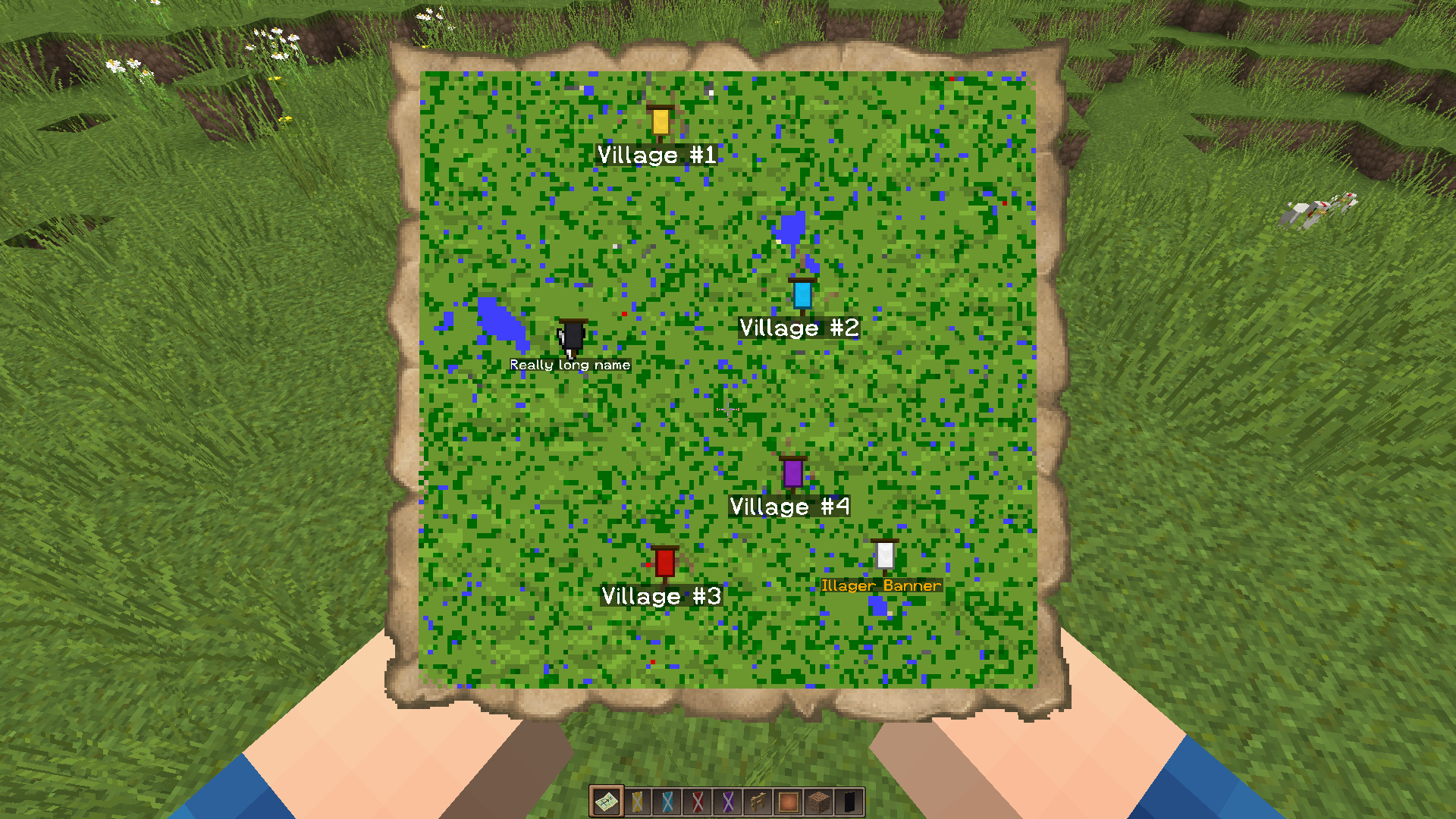
The bug:
When you add a banner with a custom name to a map (to create a waypoint), move away from the banner (unload the chunks) and go back, the waypoint may sometimes disappear from the map.I'm having very inconsistent results trying to recreate the bug. However, it always works with an pillager banner from a pillager outpost. (Maybe because it has a lot of paterns?) Therefore, there are 2 methods to recreate it.
How to recreate:
- With a named banner:
- Create a banner with a custom name using an anvil and create a map.
- Place it down on the ground (not on a wall, see
MC-140069) and right click it with the map to create a waypoint.- Move away from the banner (until the chunks are unloaded).
- If you go back to those chunks, the waypoint may disappear.
- With a pillager banner:
- Locate a pillager outpost and teleport to it.
- Right click one of the pillager banners to create a waypoint.
- Move away from the outpost (until the chunks are unloaded).
- If you go back to those chunks, the waypoint will disappear.
The bug:
When you add a banner with a custom name to a map (to create a waypoint), move away from the banner (unload the chunks) and go back, the waypoint may sometimes disappear from the map.I'm having very inconsistent results trying to recreate the bug. However, it always works with an
pillager banner from a pillager outpost. (Maybe because it has a lot of paterns?) Therefore, there are 2 methods to recreate it.How to recreate:
- With a named banner:
- Create a banner with a custom name using an anvil and create a map.
- Place it down on the ground (not on a wall, see
MC-140069) and right click it with the map to create a waypoint.- Move away from the banner (until the chunks are unloaded).
- If you go back to those chunks, the waypoint may disappear.
- With a
pillager banner:
- Locate a pillager outpost and teleport to it.
- Right click one of the
pillager banners to create a waypoint.- Move away from the outpost (until the chunks are unloaded).
- If you go back to those chunks, the waypoint will disappear.
The bug:
When you add a banner with a custom name to a map (to create a waypoint), move away from the banner (unload the chunks) and go back, the waypoint may sometimes disappear from the map.I'm having very inconsistent results trying to recreate the bug. However, it always works with an Illager banner from a pillager outpost. (Maybe because it has a lot of paterns?) Therefore, there are 2 methods to recreate it.
How to recreate:
- With a named banner:
- Create a banner with a custom name using an anvil and create a map.
- Place it down on the ground (not on a wall, see
MC-140069) and right click it with the map to create a waypoint.- Move away from the banner (until the chunks are unloaded).
- If you go back to those chunks, the waypoint may disappear.
- With an Illager banner:
- Locate a pillager outpost and teleport to it.
- Right click one of the Illager banners to create a waypoint.
- Move away from the outpost (until the chunks are unloaded).
- If you go back to those chunks, the waypoint will disappear.
![[Mod] violine1101](../../../data/avatars/users/92858.png)
Stef B, all bugs caused by the debug stick won't be fixed. Also, this is unrelated to this report, which is about upgrading from old worlds.

@Stef B, for me it is 64 with the provided seed, can you please re-check.

Tedstar (Curtis Anderson) and Stef B: The ice issue is MC-38022, please move your comments and screenshots over there. This ticket is quite bloated already ...
Stef B, did all the controls reset or only a few ones?
![[Mod] Asteraoth](../../../data/avatars/users/92886.png)
Stef B, you're the reporter of this ticket which means you can add the affected version yourself. 

The bug
I opened up a new world and there were these weird blocky lighting errors all over my world. When I reopened the world today, the lighting errors were gone.
Note
From Stef B:
The issue isn't "linked" to a certain seed and coordinates. The shadows can randomly appear in any world.
Other things to mention:
- Hostile mobs can spawn in the shadow and undead mobs do not catch fire.
- Both client light and server light are affected.
- The shadow affects multiple, adjacent and complete chucks (the shadow ends at a chunk border).
- The shadow disappears after reloading the world.
![[Mod] Sonicwave](../../../data/avatars/users/94627.png)
Stef B: Community consensus means that the issue was reproduced by at least one other user (other than the reporter) by commenting or creating a duplicate, while confirmed means it was reproduced by a helper or moderator.
if i made a new report they would say it already exists
_Okay nevermind
thats possible, my keyboard is azerty
but when using the chat etc. it all works fine
in fact, it's y-level 63 but that doesn't really matter
whoops, you're right! my mistake :/
This is completely normal. A chicken jockey has spawned in your world ( baby zombiepig riding a chicken). Next the baby zombiepig dismounted and left the chicken alone. Endermen can spawn in the nether since 1.10
this also affects 18w08a
MC-102403is about a sound playing when you enter a world.This issue is about a sound playing in the title screen, so this can't be a duplicate of
MC-102403.However, this doesn't affect the latest snapshot (18w10d) anymore.
confirmed for 18w14b
also: when i joined my world again all my effects were gone
EDIT: this happed a second time to me and now i cant join my world anymore
it crashes after about 0.5 - 1 second everytime when i join the world
can confirm for 18w14b
this is a duplicate of
MC-128233-734, sorry, i forgot to attach the screenshot
can confirm
I think the bug is not caused by the anvil itself! Enchantments in general are broken.
Try this command:
/give @s minecraft:trident{Damage:0,ench:[{id:68,lvl:1}]} 1It gives you a normal, unenchanted trident. (My command may be incorrect, please tell me if so)
The issue with the ice doesn't only occur at far distances. You'll occasionally see some weird lines even when you're standing on top of it.
The problem is that you can use it at high altitudes where it is snowing.
I was flying with an elytra at a high altitude where it's is snowing and I was boosting myself with a riptide trident. Suddenly, it didn't work anymore because I entered a snowbiome.
If it doesn't work in snowbiomes, it shouldn't work at high altitudes where it snows as well.
Items not being consumed in a crafting table in creative mode actually makes a lot of sense. It would be easier to craft lots of banners and fireworks etc. in creative mode. This should definitely be a feature!
If the door doesn't get fixed before the release of 1.13, they should be removed from the shipwreck structures
This issue, along with
MC-128364, doesn't affect 1.13-pre6 anymore.This issue, along with
MC-128258, doesn't affect 1.13-pre6 anymore.This issue doesn't affect 1.13-pre6 anymore
I can easily reproduce this in 1.13-pre7. I'll attach a screenshot from 1.12.2 and one from 1.13-pre7 so you can see the diffrence.
It's a bug, so it's not meant to have a use
Can this ticket be reopened or should I make a new one?
This happened to me when upgrading from 1.12.2 to 1.13
It doesn't affect minecraft 1.13 anymore
What Lord_Quadrato says is true. The orange starts getting darker around y=30 and is completely black around y=12 and below. This is also the case in 1.12.2 so I assume it works as intended.
In my opinion this also works as intended, bubble columns push up or pull down all entities and falling sand is also an entity so why woud it be unintended?
[Mod] violine1101 No, actually when you are using the azerty keyboard layout, and you upgrade from 1.12.2 to 1.13, your controls get changed to the querty layout. So for example A gets changed into Q, Z gets changed into W etc.
I can confirm for 1.13 and for AZERTY as well
This strongly relates to an issue I reported earlier (
MC-128258) but it was closed because I couldn't recreate it in 1.13-pre6It also happens to me when there are solid block nearby
I noticed that when you update a superflat world from 1.12 to 18w43a, grass paths in villages get replaced with grass blocks. The villagers that were standing on top of the paths will get stuck in the grass block.
2018-10-26-1.log.gz Once I quit and restarted the game, the bug didn't occur anymore. But here is the log from that session.
confirmed for 18w43c
I've been able to recreate this in 18w43c, with the only difference being that I got repeatedly teleported back to y= 62 (where the surface of the world should be) and then fell in the void again. After reloading the world, everything is fine.
Oh sorry, I didn't notice that. Thanks!
I could easily recreate this in 18w43c. I'd appreciate it if someone could confirm it.
I managed to recreate this in 18w43c, so I updated the description. I hope it makes more sense now.
Alright, I've updated them. I hope this fixes it. You can close this ticket, thanks for helping.
duplicate of
MC-138531I tried to recreate this in 18w44a (in survival mode), but the fence didn't disappear.
I can confirm for 18w44a
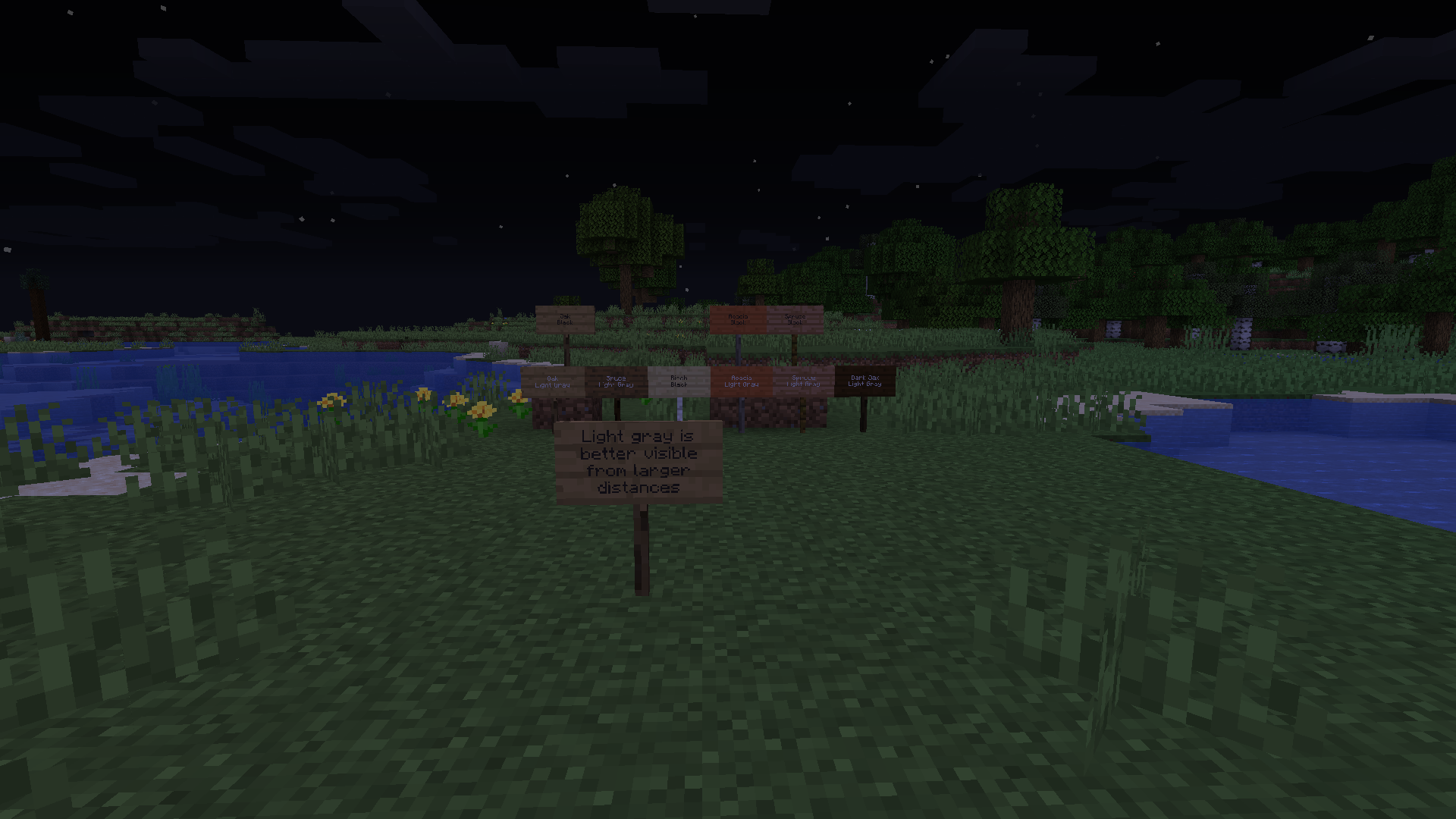
Light gray is actually better visible from large distances, with the exception for birch signs. (view the image in full resolution, the light gray text is still quite readable, while the black text isnt)
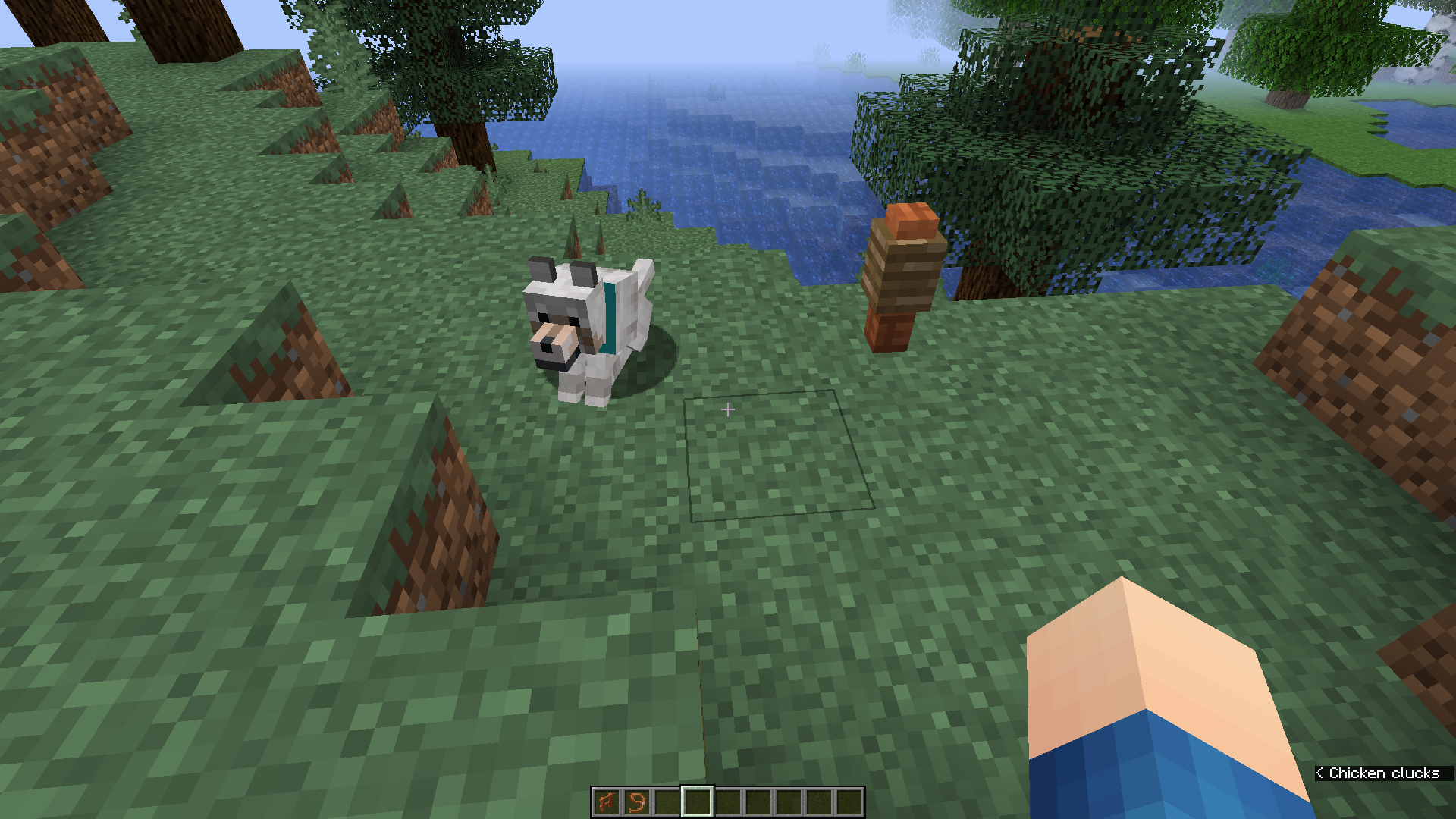
confirmed for 18w44a, also affects cats, ocelots, wolves, parrots, rabbits, dolphins and pigs.


affects 18w44a
This makes descending very dangerous! (see
MC-139088)This is intended behaviour. Small fish form a "school" in real life, and so they do that in minecraft too!
I could not reproduce this in 18w48b
affects 18w48b
affects 18w48b
The issue isn't "linked" to a certain seed and coordinates. The shadows can randomly appear in any world.
Other things to mention:
Edit: It would be handy if we could add a small description to attachments
It is fixed for banners placed on the ground, but it does still affect banners placed on the wall in 18w49a! Please reopen!
Affects 18w49a. Also berry bushes should be added to the list.
This might be caused by the jigsaw blocks that are right above those spots in the structure files.
A simple fix would be lowering all the jigsaw blocks with "street" or "house_entrance" as attachment type by one block and make them turn into grass_path
I added the screenshots. If you can find one of these structures naturally generated in a world then please provide a screenshot, seed and coordinates. Thanks.
Affects 18w49a
I found another shadow so I did some more testing with it:
So in the screenshots, you can see that 2 of the 6 waypoints disappeared, including the Illager banner one. It's in a buffet plains world and I used a map with scale 1:8
thanks!
Can someone look for missing jigsaw blocks in the outpost structures? I used slicedlime's worlds, so I don't know how to get the actual structure files.
i'll add screenshots of the new structures soon!
That's actually a weaponsmith, they look the same on the outside but not in the inside. The weaponsmith has a grindstone and a chest, the blacksmith doesn't.
It's because its texture isn't included in the "particle" texture. Every texturepack has this issue right now.
haha they just copied the code for magma I guess
can confirm
but if you can extinguish normal fire just by hand, it should be possible for campfires too
Can be recreated with the cartography table too in 19w02a
What does comunnity consensus actually mean?
Can confirm.
It only occurs while you're still moving/trying to move forward. (Or whatever direction you're moving in.) If you release the key, you're able to jump again.
duplicate of
MC-142913duplicate of
MC-142913Duplicate of
MC-142913, sorryduplicate of
MC-142913duplicate of
MC-142913duplicate of
MC-142913duplicate of
MC-142913duplicate of
MC-142913duplicate of
MC-142913duplicate of
MC-142913It's not a bug, it's a feature!
Updated description for 19w04a/b, I won't add screenshots of the zombie villages, because the structures look exactly the same.
[Mod] Sonicwave, that makes sense, thanks!
Valicon, I could still load the lamp post in 04b with a structure block
sleepypanda can you please remove your screenshots? This ticket is about the java version of the game. Thanks.
I can confirm what Daniel Baldwin already said before: the client uses the y-coordinate as x-coordinate. To check this, place an item frame at 0 4 0 and it will end up at 4 4 0. Place one at 3 5 8 and it will end up at 5 5 8. One placed at 6 5 8 will also end up at 5 5 8. One placed at 3 3 7 will appear at the correct spot. Note that the coordinates are about the block where the frame is placed IN and NOT the block where they're placed ON. The same goes for leash knots.
EDIT: You might want to add something like this to the description so it explains the issue better.
I've seen
MC-143403but i thought this was a different issue, sorryThey should, since it was a client issue. But of course I'm not 100% sure.
they run away when you switch to survival
Pretty sure this is WAI because this is basically the same as saying that a brown sheep shouldn't breed with a white sheep
do people even want mojang to fix this? i mean... it's a great feature...
I'd say it's intended and the fact that it doesn't work the same for cats is a bug...
This issue is older than the duplicated one but okay
@val59000mc you can also use crtl+q instead, it works exactly like crtl+a should work
I also noted that flint and steal can not be used on top of a honey block, which is probably caused by the same issue.
Same for a zombies head
Please say this works as intended
while standing on top it doesnt always work either, but that might be due to lag
thats kinda neat tbh
In that case they should be attracted to honey cones and bottles too.
Well piglins are technically just nether villagers and villagers dont drop anything either
just sharing my thoughts..
Yeah but they also look like gold, as violine1101 said.
Although I do agree with you, Mojang has to decide whether it's a bug or not, which they haven't yet.
confirmed for 23w07a
This also happens for containers being filled by the crafter.
I have a crafter that is filling up a chest and a comparator that is reading the contents of the chest, but the comparator doesn't update its strength as the chest fills up.
Edit: This bug can only be reproduced when the chest is blocked by a block above (so you can't open the chest) not sure if this requires a separate ticket or not.
After removing the block you can open the chest but the comparator will still not update:
