 Timothy Miller
- theosib2
- theosib2
- America/New_York
- Yes
- No
 MC-111419MC-111849
 MCL-5168
 WEB-731MC-114638
![[Mojang] Nathan Adams](../../../data/assets/gravatar/dinnerbone.png) MC-116453
MC-116453
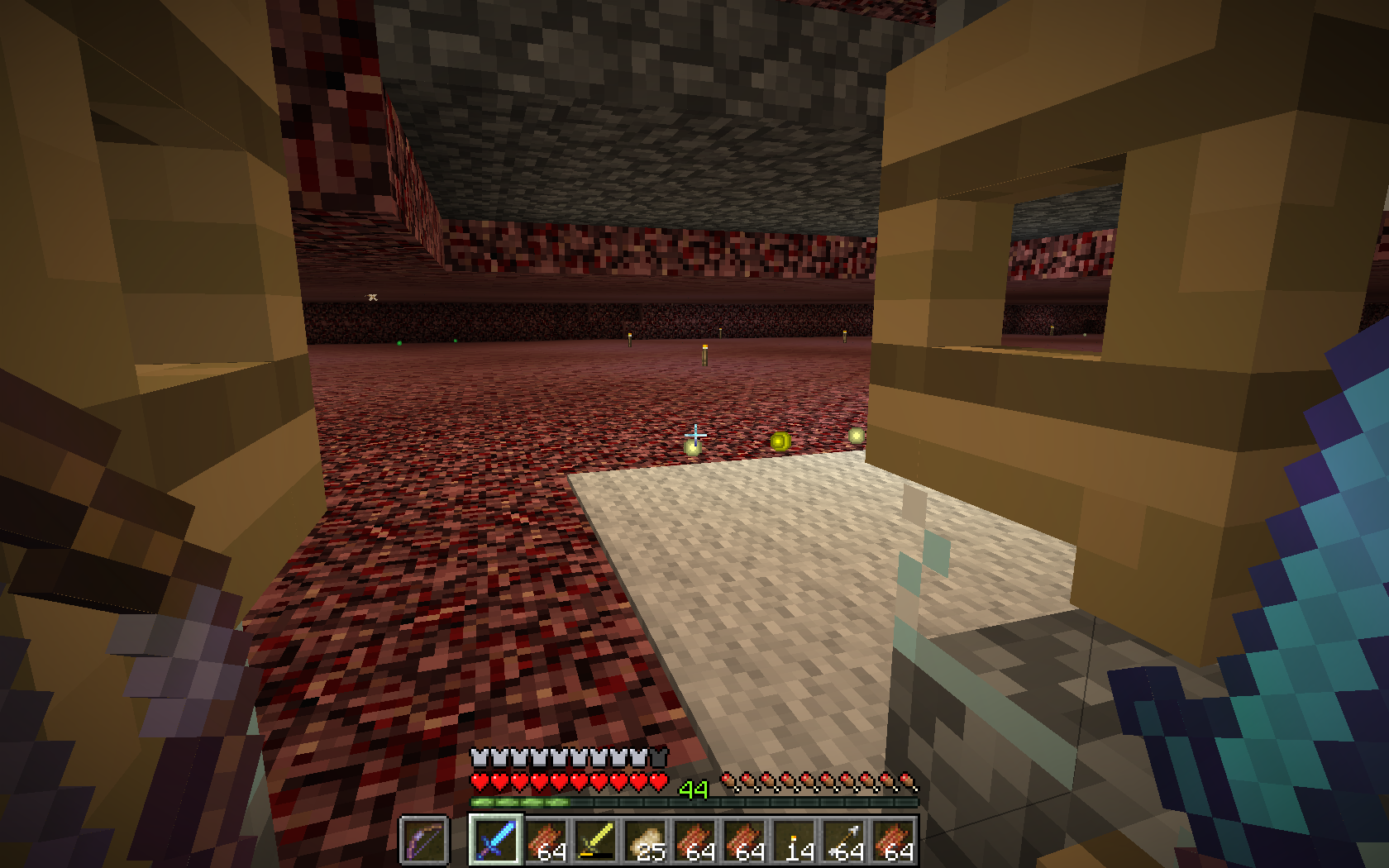
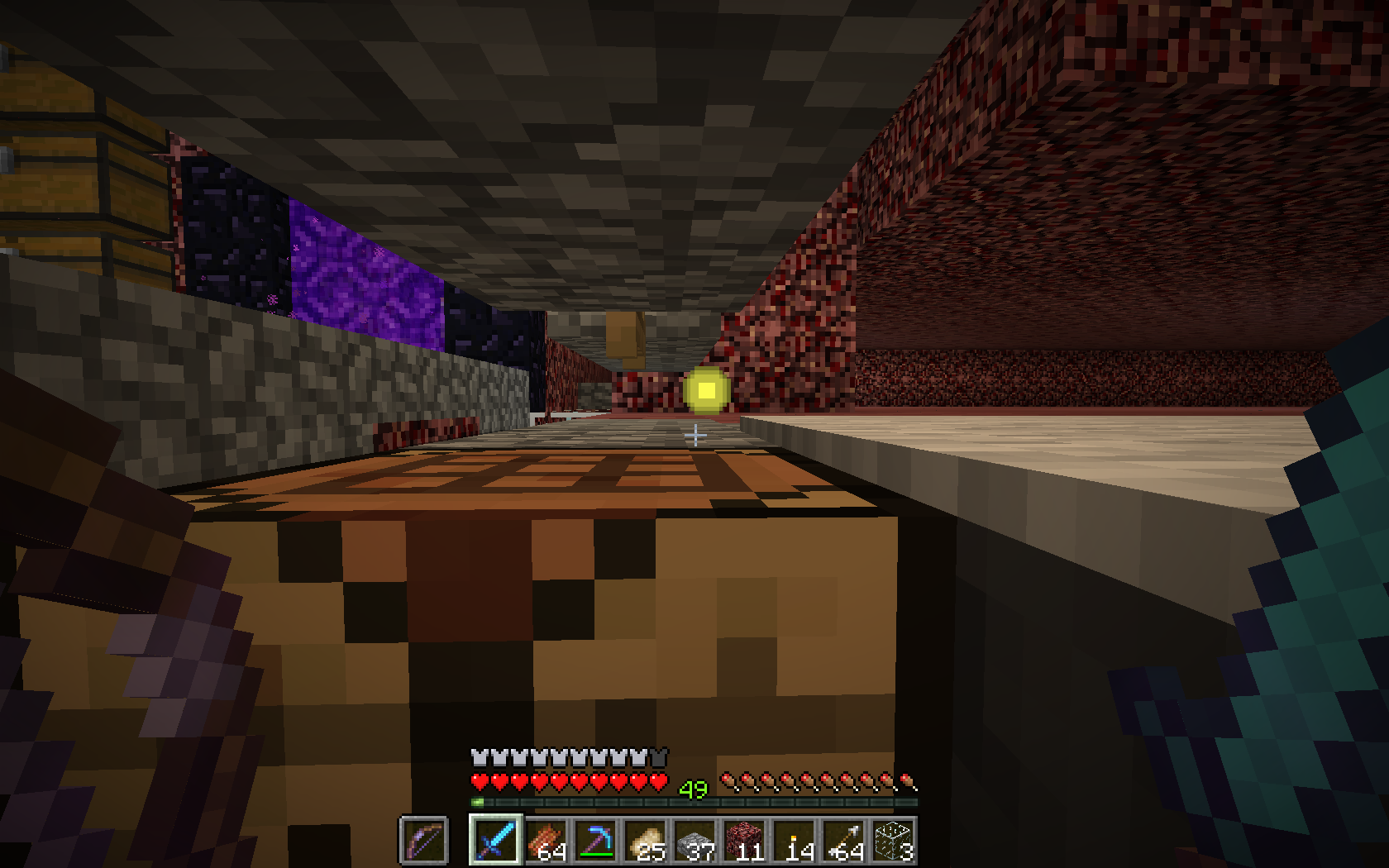
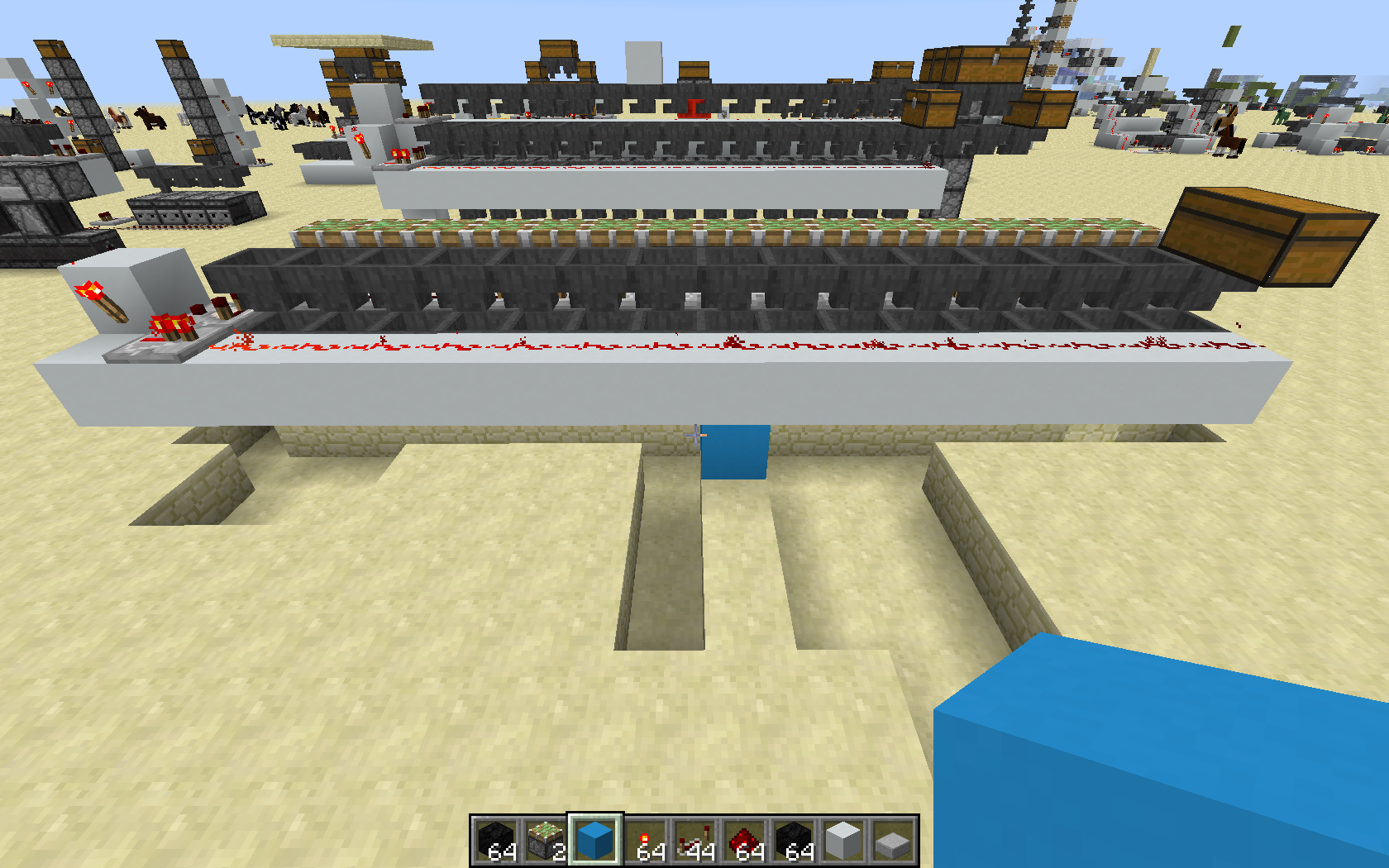
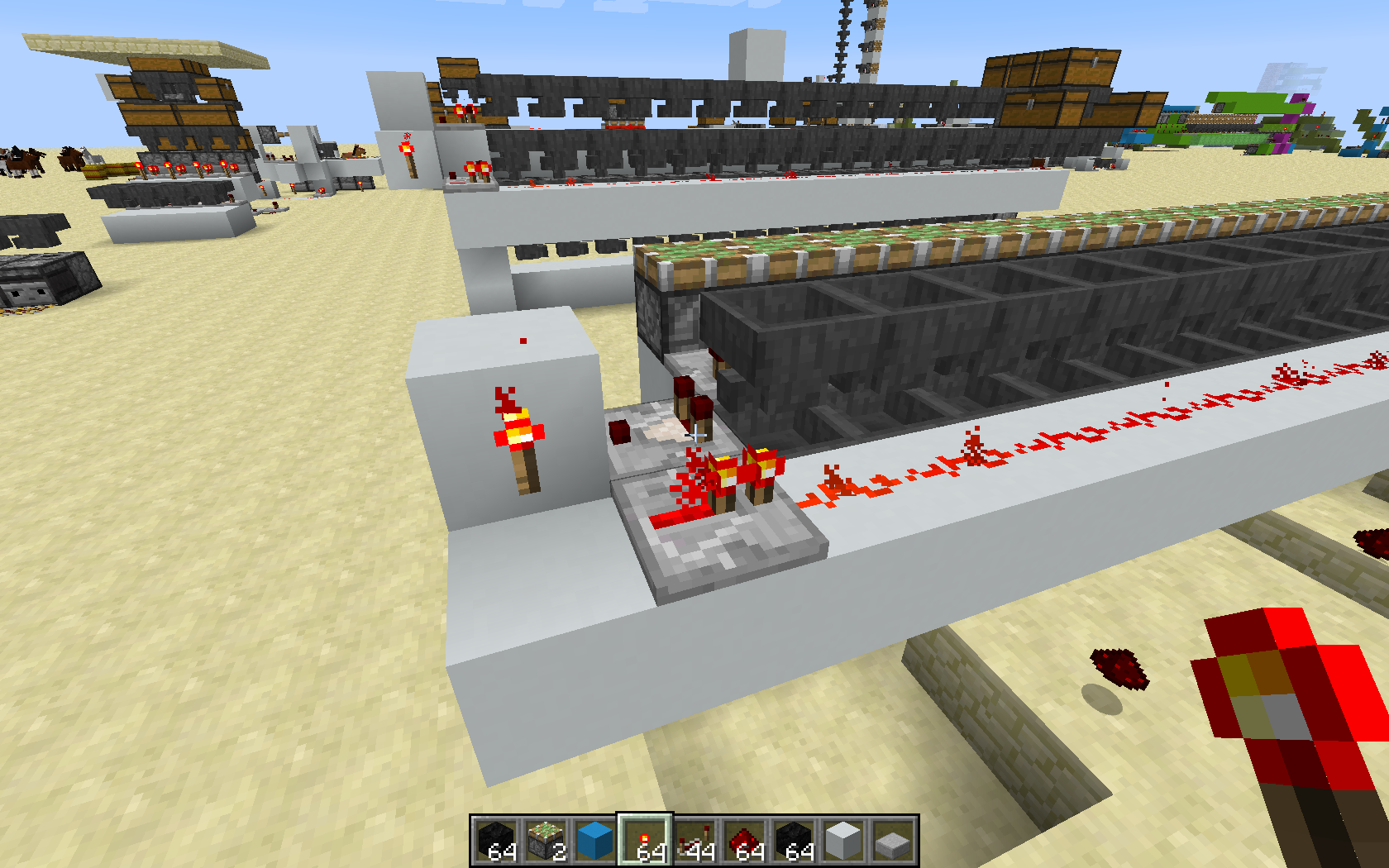
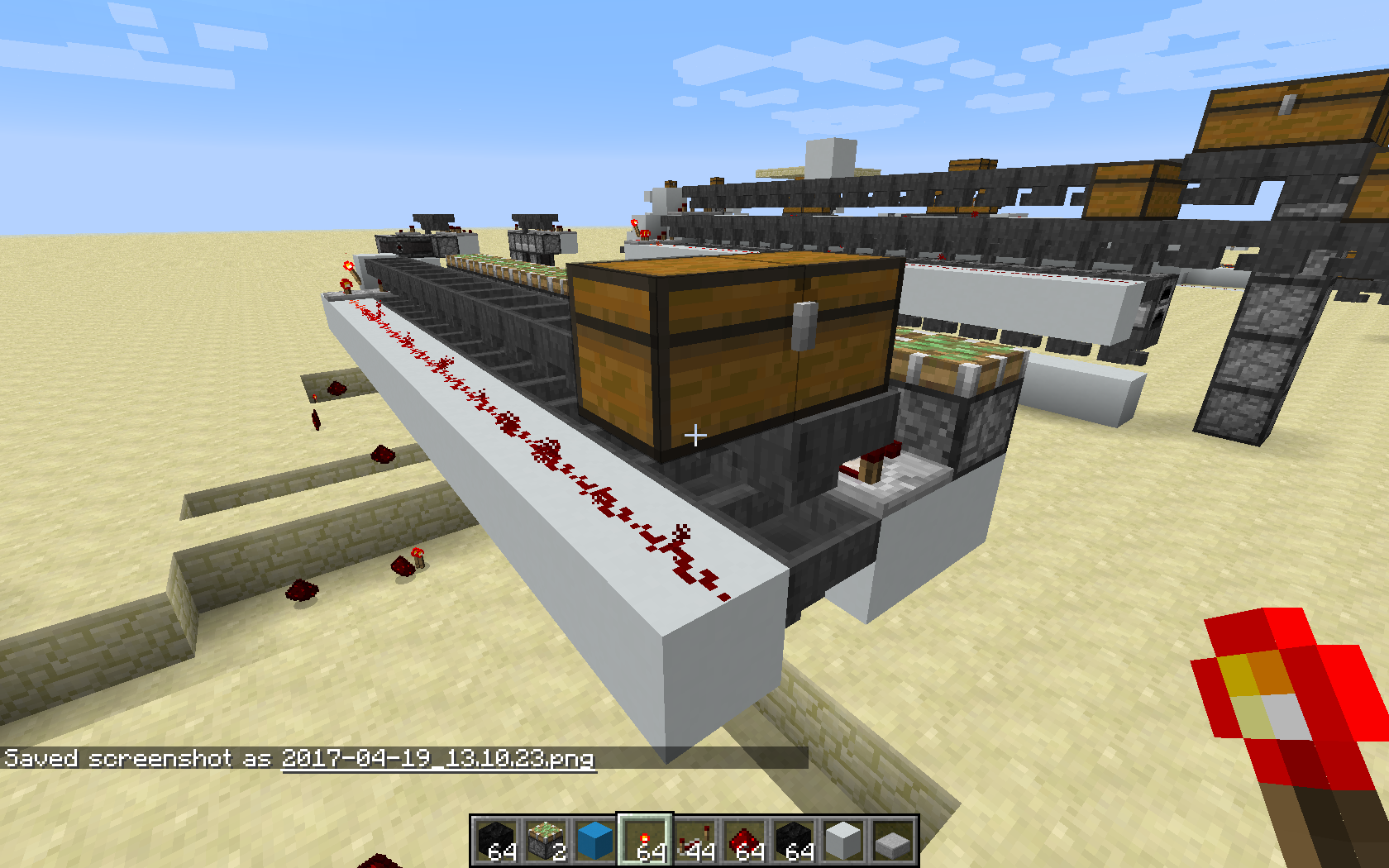
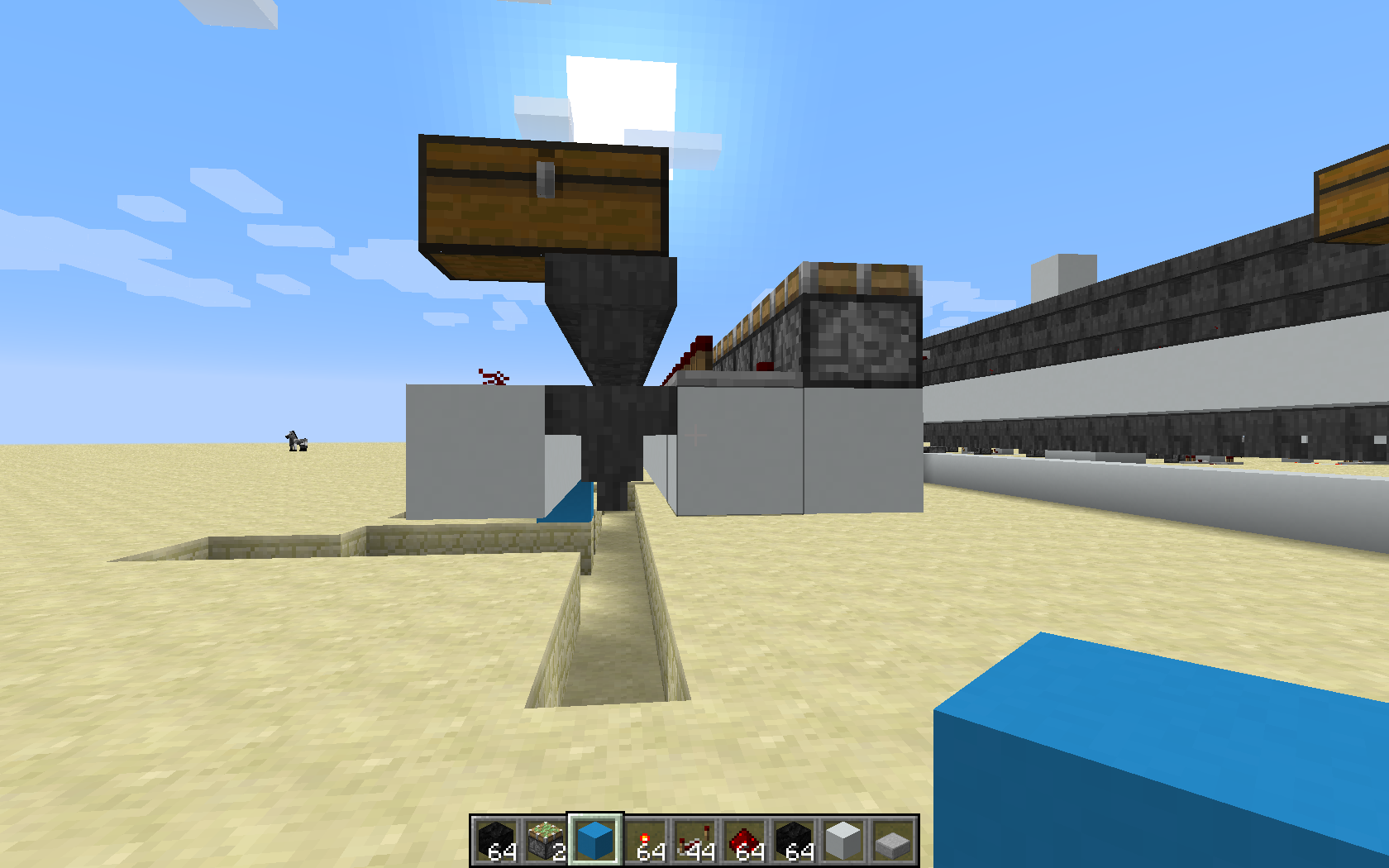
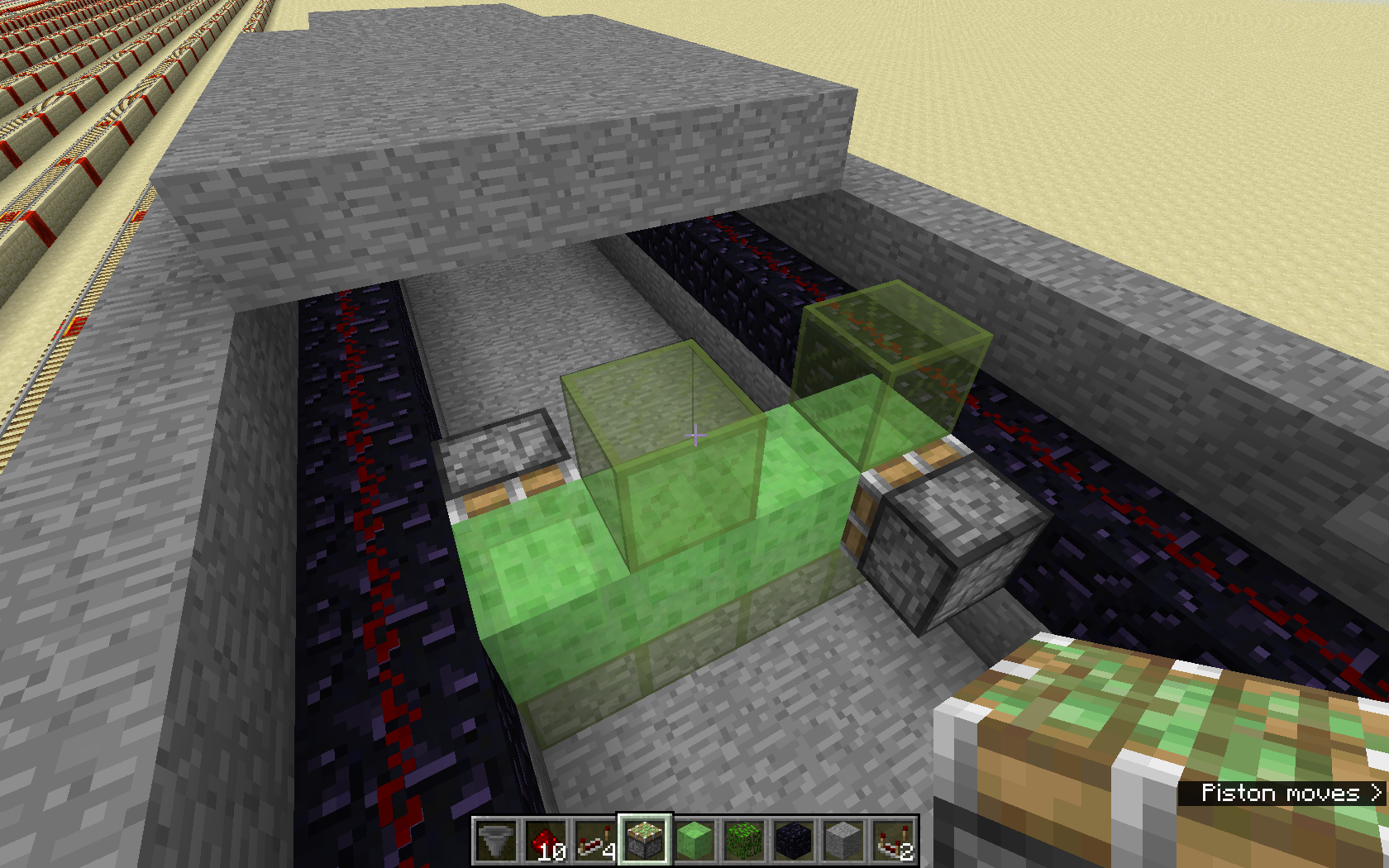
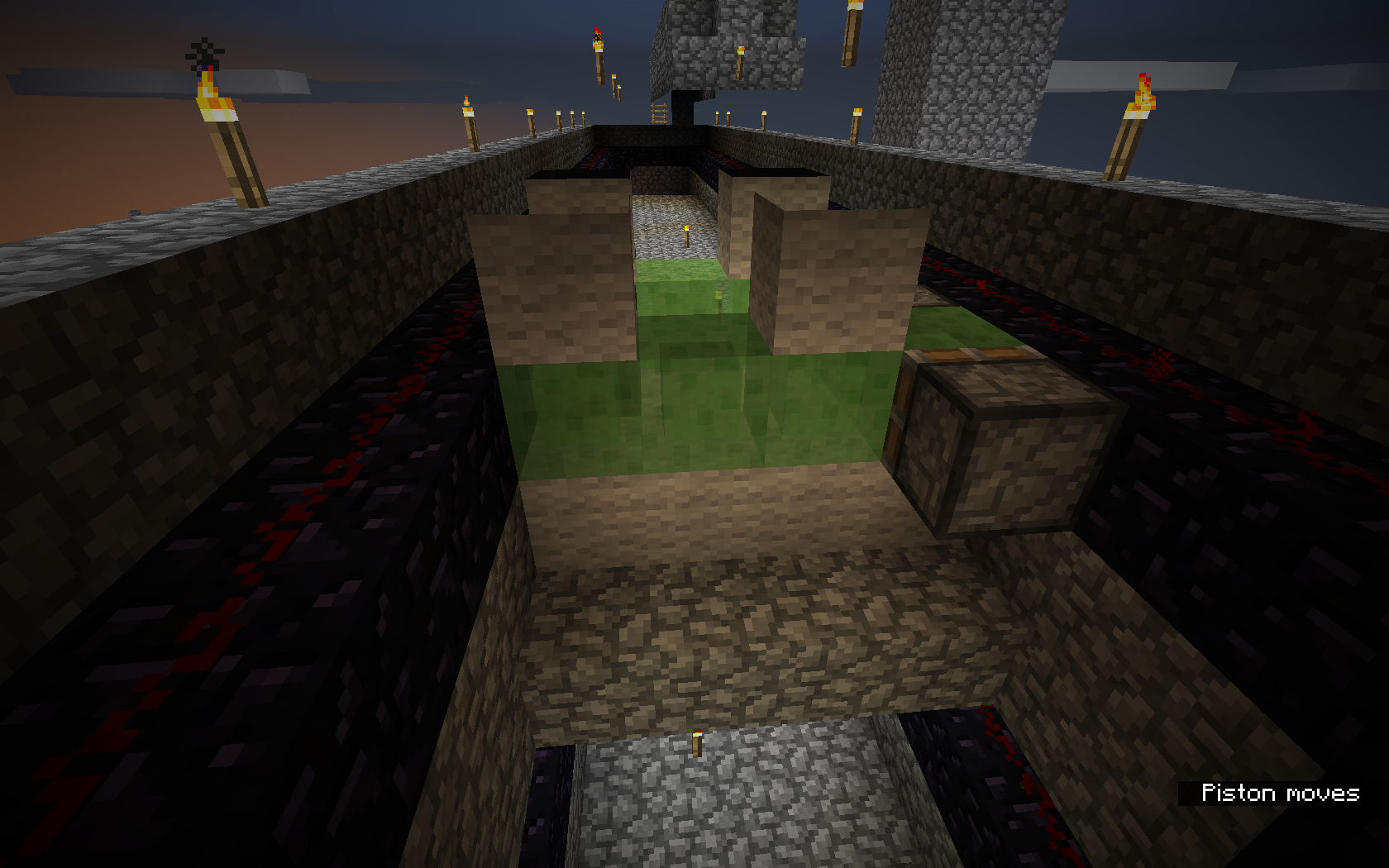

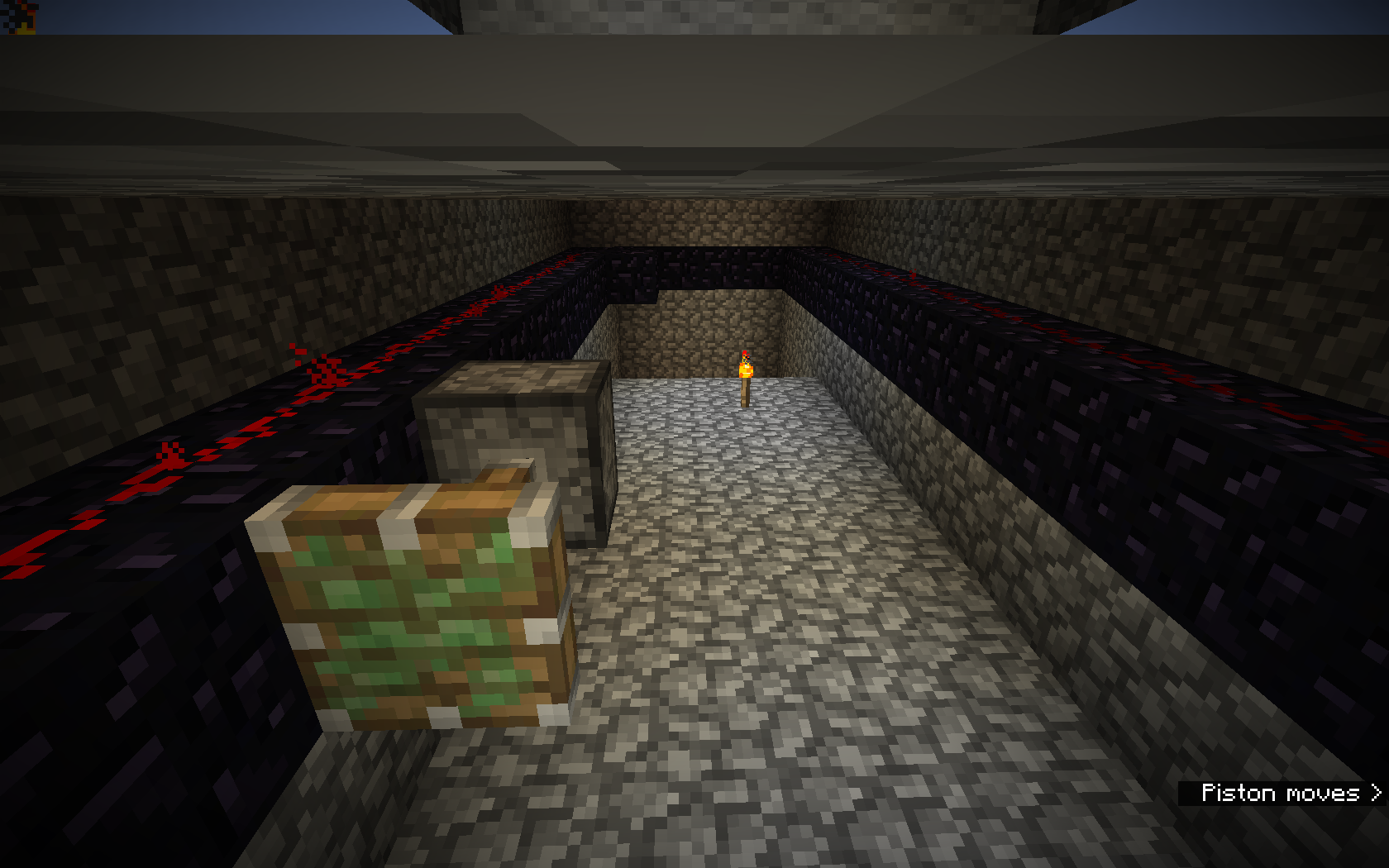





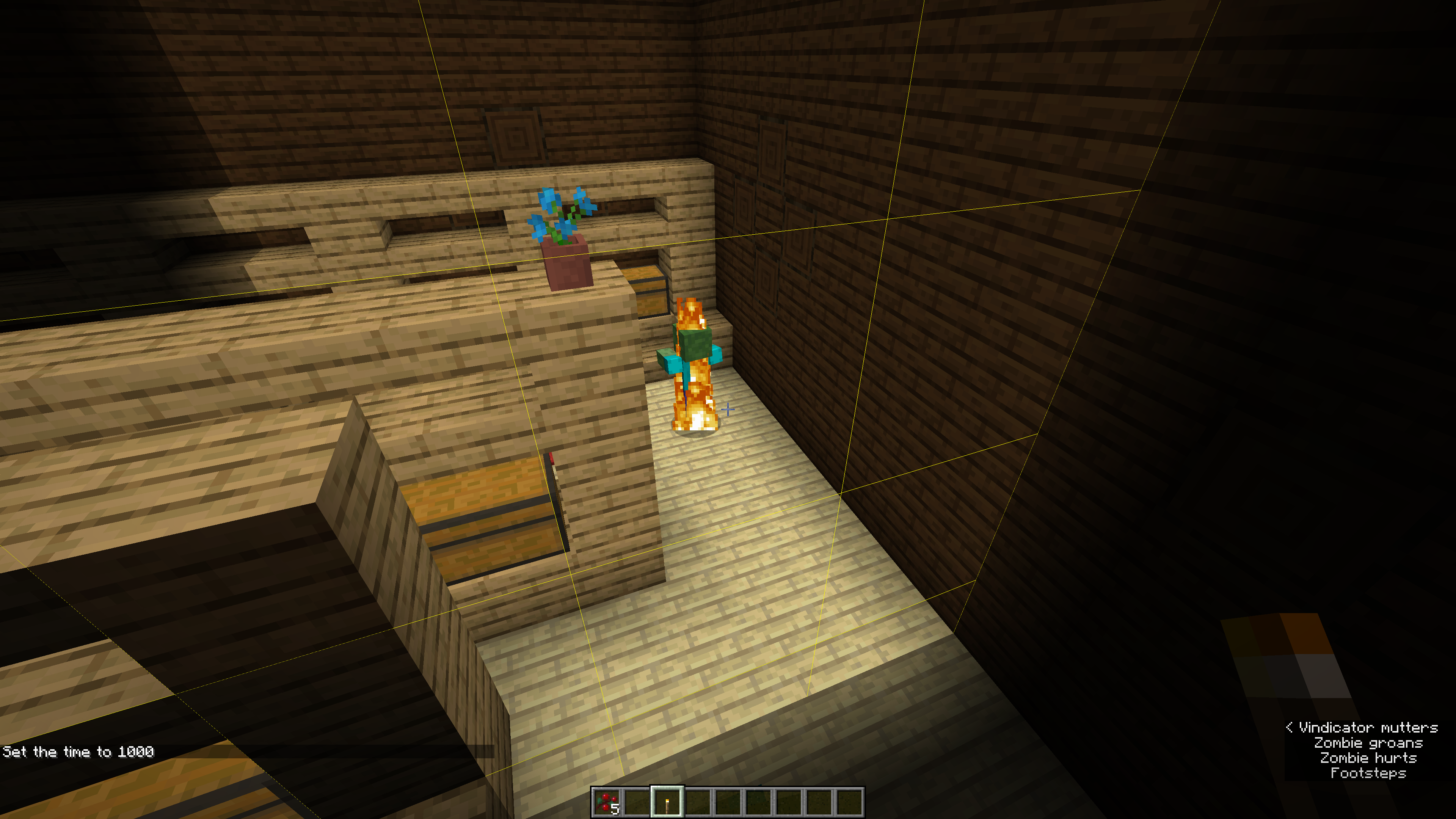


Can't walk through across certain half-slab in nether ataround106 / 6.5 / -27Can't walk through across certain half-slab in nether at 106 / 6.5 / -28
See the attached image. I'm standing at the same level as the ground on the other side of the carpet. There are XP orbs over there, and they refuse to come up over the carpet. Instead, they very slowly go around it. Any reason they shouldn't come up over carpet?
Distance may be a factor, but if I open that gate you see, I'm going to get attacked by zombie pigmen
t. Also, if I position myself higher, it doesn't help.
Shift-double-click on any kind fish only moves thelast kind of fish you movedShift-double-click on any kind fish only moves the first kind of fish you moved while that chest is open
Inadvertently saving/overwriting savedtoolbars due to stuck modifier keyInadvertently saving/overwriting saved hotbars due to stuck modifier key
Because of issue
MC-3643, when I Command-Tab back to Minecraft, if I press a number key, instead of selecting that entry in thetoolbar, it saves my currenttoolbar to that number key.Before this saving
toolbar feature, the fact that modifiers would get stuck on was a minor annoyance. It would only really have any major effect when in chat and would never cause any irreversible action.But now that Command+Number has meaning, this has become a serious usability problem, because it now can cause serious disruption to workflow by wrecking carefully-organized saved toolbars.
I suggest either (a) actually fixing
MC-3643, or (b) choosing another modifier key for the "save" feature. Instead of Command, for instance, you could make it the Alt/Option key. This would once again mask this stuck modifier bug and stop wrecking savedtoolbars.Because of issue
MC-3643, when I Command-Tab back to Minecraft, if I press a number key, instead of selecting that entry in the hotbar, it saves my current hotbar to that number key.Before this saving hotbar feature, the fact that modifiers would get stuck on was a minor annoyance. It would only really have any major effect when in chat and would never cause any irreversible action.
But now that Command+Number has meaning, this has become a serious usability problem, because it now can cause serious disruption to workflow by wrecking carefully-organized saved toolbars.
I suggest either (a) actually fixing
MC-3643, or (b) choosing another modifier key for the "save" feature. Instead of Command, for instance, you could make it the Alt/Option key. This would once again mask this stuck modifier bug and stop wrecking saved hotbars.
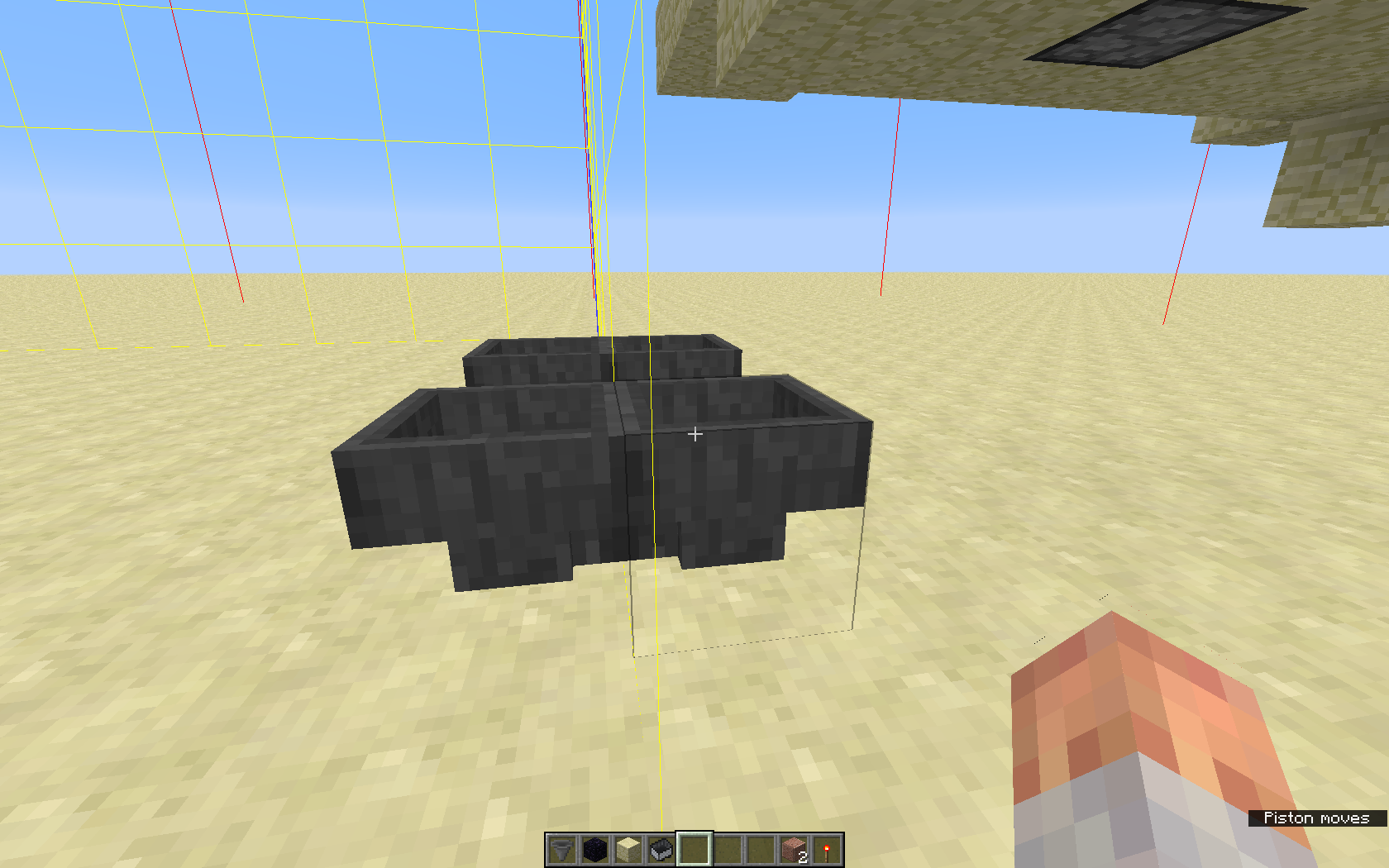
Bottom up, I stacked these blocks:
- chest
- hopper
- furnace
- hopper
- chest
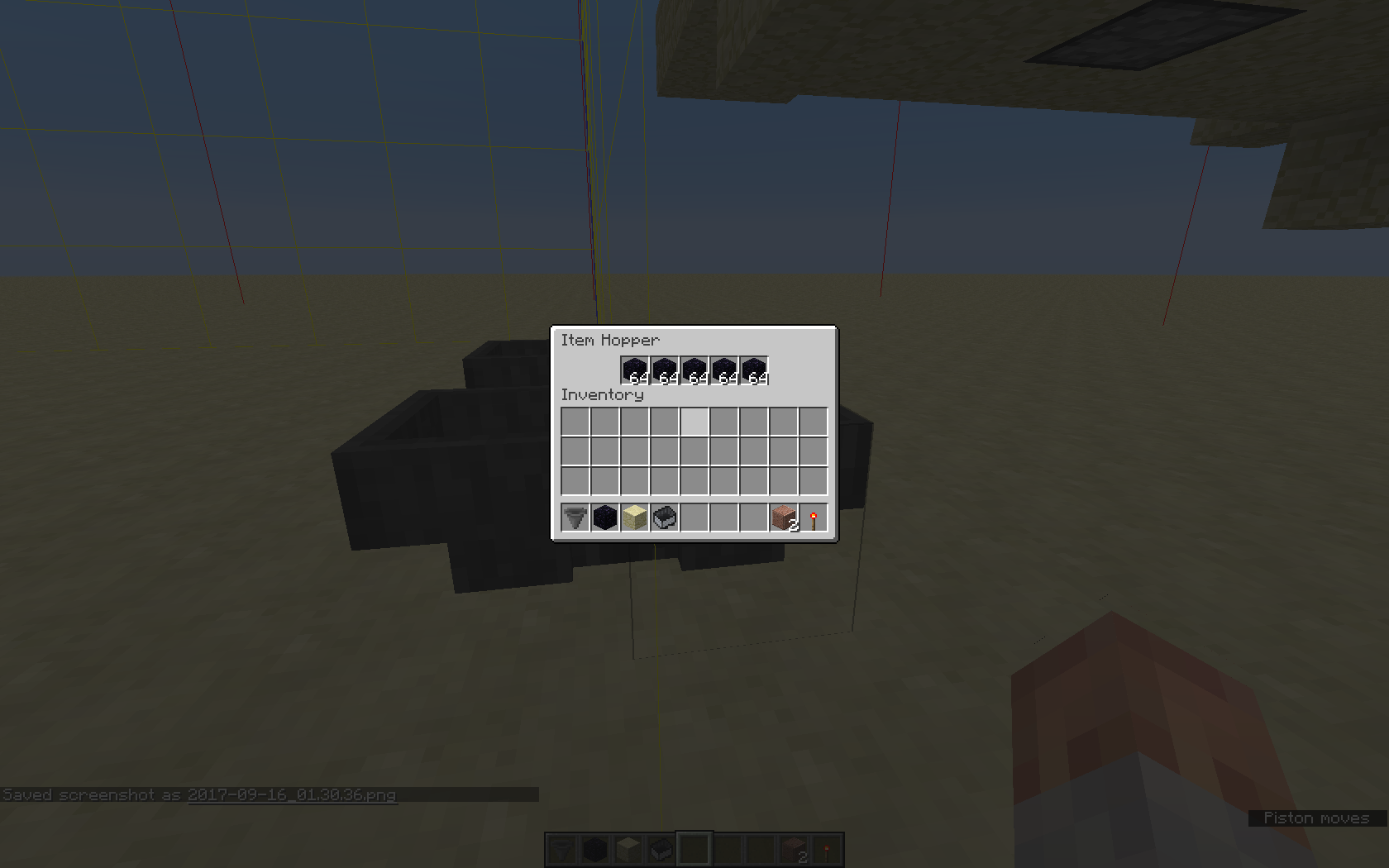
If I put dirt blocks into the upper chest or hopper, they seem to drain out into nowhere. They do not appear in the hopper UI, and they don't get pulled into the lower hopper or chest. The item count in the hopper goes down and then stops counting.
Breaking the hopper does not also drop the missing blocks.
This problem occurs whether the upper hopper is connected to the side or the top.
I'm not sure if this applies to any other blocks.
I put a bow in the fuel slot, and the broke the furnace. The bow was not dropped. If I place any furnace in another location, the bow does not appear in the fuel slot, BUT if I place any furnace back in the original location, the bow reappears.
After doing other testing, I found that dirt blocks didn't disappear anymore, but it appears that visible furnace inventories are stored in relation to the furnace coordinates. Placing a furnace there makes that inventory show up again.
I thought if I hoppered a dirt blocks into a furnace that was at different coordinates, then I might be able to reproduce the loss of dirt blocks, but that didn't happen.
Next, I went into another creative mode world and did the experiment again. Same stack, and I place 64 dirt blocks into the upper hopper. Unfortunately, the problem did not recur.
My theory is that furnaces have location based inventories that get restored when you place a a furnace back into a spot where one had been before. Additionally, there seems to be a third hidden furnace inventory that's either global or location based that items not normally sent into a furnace might go, but the bug is not easy to reproduce.
I discovered all of a sudden that I could no longer open chests on the client. On a whim, checked the server, and every time I right-click on a chest (of any kind, including ender chests), I get this error:
[21:28:33] [Server thread/FATAL]: Error executing task
java.util.concurrent.ExecutionException: java.lang.ArrayIndexOutOfBoundsException
at java.util.concurrent.FutureTask.report(FutureTask.java:122) ~[?:1.8.0_111]
at java.util.concurrent.FutureTask.get(FutureTask.java:192) ~[?:1.8.0_111]
at h.a(SourceFile:47) [minecraft_server.17w16a.jar:?]
at net.minecraft.server.MinecraftServer.D(SourceFile:606) [minecraft_server.17w16a.jar:?]
at nb.D(SourceFile:335) [minecraft_server.17w16a.jar:?]
at net.minecraft.server.MinecraftServer.C(SourceFile:562) [minecraft_server.17w16a.jar:?]
at net.minecraft.server.MinecraftServer.run(SourceFile:466) [minecraft_server.17w16a.jar:?]
at java.lang.Thread.run(Thread.java:745) [?:1.8.0_111]
Caused by: java.lang.ArrayIndexOutOfBoundsExceptionI'll update this if I can get any insight into what might have triggered this condition. At the moment, I have a full user inventory. I've been crafting tons and tons of bones into bonemeal and then into blocks. But I doubt that really has anything to do with this.
UPDATE:
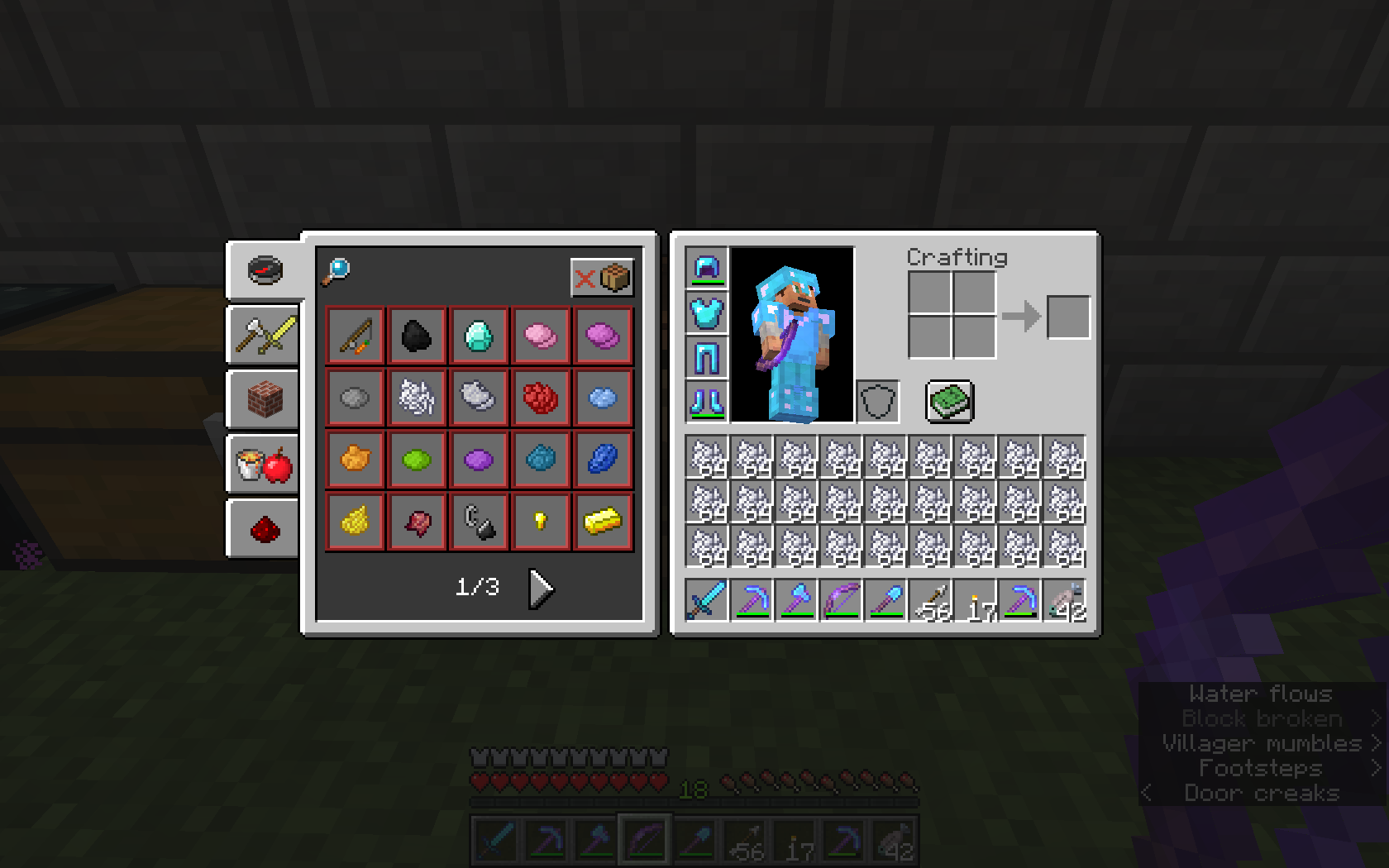
The instant I freed up some space in my inventory (I crafted 64 bone blocks from bonemeal), I stopped getting the exception on the server side.Then I filled up my inventory again by crafting 9 stacks of bones into 27 stacks of bonemeal. Once my inventory was full, I could not open chests anymore, and the exception came back. Dropping a single item from my inventory maked the problem go away.
I've attached a screenshot of my inventory when I am unable to open chests.
The instant I freed up some space in my inventory (I crafted 64 bone blocks from bonemeal), I stopped getting the exception on the server side.
Then I filled up my inventory again by crafting 9 stacks of bones into 27 stacks of bonemeal. Once my inventory was full, I could not open chests anymore, and the exception came back. Dropping a single item from my inventory maked the problem go away.
I've attached a screenshot of my inventory when I am unable to open chests.
It's common for video games to use a lot of power, because graphical display rendering is very compute-intensive. However, Minecraft uses an enormous amount of power regardless of whether or not you can even see the screen.
I did some experimentation. On my 2015 MacBook Pro, I had a few apps basically idle in the background, like Word and Safari and such, and I measured power consumption of 17 Watts.
I then fired up Minecraft, with the frame rate set to 60 fps (actually unlimited but with vsync enabled), and I found that it consumed more than 90 Watts, constantly all the time. It used 90+ Watts while I was playing, and it used 90+ Watts if I paused the game in single player mode. When I play MC, I get full-screen by using the green orb in the window decorations, giving the game its own desktop. So I can switch desktops and have MC be completely invisible and not having focus. Even when the graphical rendering output is going absolutely nowhere. Even then, the game uses 90+ Watts. The game can obviously tell when it doesn't have focus, so there's no reason it should be rendering anything when it's not possible for the player to see it.
To make sure that this was graphics, I dropped the framerate to 10fps, and the power dropped to 28 Watts.
Why is this so important? Idling in Minecraft is not the least bit an unusual thing for people to do. I personally get called away from the game a lot. Someone comes to the door, my kid needs help with something, my kid need help with their Minecraft game, I get distracted by something on TV, I'm waiting for items to smelt in the game, you name it. I am by no means unique in this regard. Minecraft users spend a heck of a lot of time idling, and very often, there isn't any opportunity or desire to stop and quit the same, and certainly no opportunity to hunt through the menus to manually change the framerate. When an interruption happens, you have no choice but to get up and handle it, with some users under the mistaken impression that pausing the game makes any difference. (Most instances of AFK are not planned out in advance, where you can take the time to manually lower your frame rate.) Now, let's multiply that idle time and wasted power across the millions of Minecraft users...
According to a Google search, Dinnerbone had mentioned in January of 2015 that at any given time, there over a million Minecraft users logged in simultaneously. In the 2 years since then, a lot more people have bought Minecraft, but let's go with this figure and make some other conservative assumptions:
- Only 10% (100 thousand) of those people are idle at any one moment.
- They have similar power consumption to mine. Many older systems will require a higher proportion of processing power and consume more power, but for the sake of argument, let's assume they're only using 91 Watts when playing at 60 fps.
- Let's also go with the 28 Watts that I get at 10fps, although it could be even lower if the framerate could be reduced further.
Doing the math, we get (91-28)*100000 = 6300000. So I estimate that Minecraft users are WASTING at least 6.3 million Watts globally, probably a great deal more.
This is not the least bit environmentally friendly.
Mojang should be particularly concerned about this, considering how wildly popular the game is, which gives them an unusually large user base and environmental footprint. I would qualify this burden on global energy resources as "unintended bad behavior" and also a "performance bug" of sorts.
Before we get complicated, there is one relatively simple things that can be done that would save an enormous amount of power. Since it is possible for the user to change the framerate while the game is running, then it should also be possible for the game to dynamically change the framerate.
A simple and highly effective solution would be to detect when the game is invisible or even just out of focus and drop the framerate to 10 fps (with the option to turn the feature off, of course). That's it, and this is simple enough that it should be possible to sneak it into 1.12 as part of the "final optimizations" that your engineers are currently working on.
Going forward, the game could be even smarter about this. Framerate could be dynamically adjusted between a selectable frame rate cap and floor, based on user activity and the amount of visible activity on the screen. If I'm walking or panning, smooth animation is very important, but if I'm just standing around in the game, the jitteriness is hardly noticeable to me even at 20 fps for most things. Putting a preliminary version of this into snapshots for 1.13 would also really help work out the best heuristics for this.
A dynamic framerate feature would also be a major boon to laptop users. The heat and fan noise can make playing MC on a laptop rather uncomfortable. I've forced myself to get used to 30 fps, which helps a lot. But this could be handled much better.
Thank you very much for your time and consideration.
Vanilla 1.11.2 server on mcprohosting, also 1.12
I am in the midst of investigating
MC-22147, where some others are testing the proposed fixes. They are still running into some bugs related to processing in lazy chunks, so I've been looking into how that is handled. Specifically, I'm looking at entity processing at this time, and I'm looking at MCP for 1.12-pre1.Every game tick, entities get processed by calling World.updateEntities(). For every non-player entity, updateEntity is called. That calls "this.updateEntityWithOptionalForce(ent, true);"
Now, the way the comments are written, the forceUpdate argument should FORCE AN UPDATE, even if the entity is not in a lazy chunk. However, there's this code:
{{public void updateEntityWithOptionalForce(Entity entityIn, boolean forceUpdate)
{
// unimportant code not pasted
if (!forceUpdate || this.isAreaLoaded(i - 32, 0, j - 32, i + 32, 0, j + 32, true))}}Entity processing occurs if the location has surrounding chunks loaded (i.e. is not a lazy chunk) OR if forceUpdate is FALSE.
That seems like a mistake. All other comments indicate that forceUpdate should ensure that entity processing occurs regardless of whether or not neighboring chunks are loaded, as does other code inside updateEntityWithOptionalForce ifself. But the sense of forceUpdate in that first if is REVERSED. Notice the "!" there.
Now as a consequence, if it is supposed to be the case that entities ticked by World.updateEntities that are in lazy chunks are not supposed to be updated, then this code path is accidentally getting it right. But the sense of forceUpdate is reversed for everything else, and that method is called in lots of places. So if we fix this, then we need to go to World.updateEntities() and change this:
this.updateEntity(entity2);
To this:
this.updateEntityWithOptionalForce(entity2, false);
I think calls to these two methods should be more thoroughly investigated, and I can look into that. But could I please get a quick comment from one of the devs on this? Is there something about this code that I don't understand?
Thanks.
I am in the midst of investigating
MC-22147, where some others are testing the proposed fixes. They are still running into some bugs related to processing in lazy chunks, so I've been looking into how that is handled. Specifically, I'm looking at entity processing at this time, and I'm looking at MCP for 1.12-pre1.Every game tick, entities get processed by calling World.updateEntities(). For every non-player entity, updateEntity is called. That calls "this.updateEntityWithOptionalForce(ent, true);"
Now, the way the comments are written, the forceUpdate argument should FORCE AN UPDATE, even if the entity is not in a lazy chunk. However, there's this code:
public void updateEntityWithOptionalForce(Entity entityIn, boolean forceUpdate)
{
// unimportant code not pasted
if (!forceUpdate || this.isAreaLoaded(i - 32, 0, j - 32, i + 32, 0, j + 32, true))}}Entity processing occurs if the location has surrounding chunks loaded (i.e. is not a lazy chunk) OR if forceUpdate is FALSE.
That seems like a mistake. All other comments indicate that forceUpdate should ensure that entity processing occurs regardless of whether or not neighboring chunks are loaded, as does other code inside updateEntityWithOptionalForce ifself. But the sense of forceUpdate in that first if is REVERSED. Notice the "!" there.
Now as a consequence, if it is supposed to be the case that entities ticked by World.updateEntities that are in lazy chunks are not supposed to be updated, then this code path is accidentally getting it right. But the sense of forceUpdate is reversed for everything else, and that method is called in lots of places. So if we fix this, then we need to go to World.updateEntities() and change this:
this.updateEntity(entity2);
To this:
this.updateEntityWithOptionalForce(entity2, false);
I think calls to these two methods should be more thoroughly investigated, and I can look into that. But could I please get a quick comment from one of the devs on this? Is there something about this code that I don't understand?
Thanks.
I am in the midst of investigating
MC-22147, where some others are testing the proposed fixes. They are still running into some bugs related to processing in lazy chunks, so I've been looking into how that is handled. Specifically, I'm looking at entity processing at this time, and I'm looking at MCP for 1.12-pre1.Every game tick, entities get processed by calling World.updateEntities(). For every non-player entity, updateEntity is called. That calls "this.updateEntityWithOptionalForce(ent, true);"
Now, the way the comments are written, the forceUpdate argument should FORCE AN UPDATE, even if the entity is not in a lazy chunk. However, there's this code:
{{ public void updateEntityWithOptionalForce(Entity entityIn, boolean forceUpdate)
{
// unimportant code not pasted
if (!forceUpdate || this.isAreaLoaded(i - 32, 0, j - 32, i + 32, 0, j + 32, true))}}Entity processing occurs if the location has surrounding chunks loaded (i.e. is not a lazy chunk) OR if forceUpdate is FALSE.
That seems like a mistake. All other comments indicate that forceUpdate should ensure that entity processing occurs regardless of whether or not neighboring chunks are loaded, as does other code inside updateEntityWithOptionalForce ifself. But the sense of forceUpdate in that first if is REVERSED. Notice the "!" there.
Now as a consequence, if it is supposed to be the case that entities ticked by World.updateEntities that are in lazy chunks are not supposed to be updated, then this code path is accidentally getting it right. But the sense of forceUpdate is reversed for everything else, and that method is called in lots of places. So if we fix this, then we need to go to World.updateEntities() and change this:
this.updateEntity(entity2);
To this:
this.updateEntityWithOptionalForce(entity2, false);
I think calls to these two methods should be more thoroughly investigated, and I can look into that. But could I please get a quick comment from one of the devs on this? Is there something about this code that I don't understand?
Thanks.
This is NOT a duplicate of 5523. 5523 is about Minecraft crashing. My bug report is about the LAUNCHER crashing.
AnvilChunkLoader: loadChunk will read an old version of chunk if writeNextIO is simultaneously writing out the same chunkVarious duplications, deletions, and data corruption at chunk boundaries, caused by loading outdated chunks — includes duping and deletion of entities/mobs, items in hoppers, and blocks moved by pistons, among other problems
2017-09-16_01.26.24.png
AbstractMap::hashCode is a substantial portion of Minecraft CPU overhead, because child classes of PropertyEnum (all of which are interned) are implementing equals and hashCode incorrectly. I discovered this in 1.12.2, but it is still implemented this way in 1.13, and this could help a lot with some of the performance problems.
I was doing some profiling on Minecraft 1.12.2 using Honest Profiler (https://github.com/jvm-profiling-tools/honest-profiler), and something that kept showing up in the top ranks of CPU users was java.util.AbstractMap::hashCode. I credit Pokechu22 for recognizing what that means: A hashmap or hashset was being used as the KEY for another container.
The offender turned out to be net.minecraft.block.properties.PropertyEnum. This contains both a HashSet and a HashMap:
private final ImmutableSet<T> allowedValues;
private final Map<String, T> nameToValue = Maps.<String, T>newHashMap();And then it uses them both to compute the hash:
public int hashCode()
{ int i = super.hashCode(); i = 31 * i + this.allowedValues.hashCode(); i = 31 * i + this.nameToValue.hashCode(); return i; }This gets called from all over the place, and the common code path for them all is:
(t 0.1,s 0.0) net.minecraft.block.state.BlockStateContainer$StateImplementation::getValue
(t 0.1,s 0.0) com.google.common.collect.RegularImmutableMap::get
(t 0.1,s 0.0) com.google.common.collect.RegularImmutableMap::get
(t 0.1,s 0.0) net.minecraft.block.properties.PropertyEnum::hashCode
(t 0.1,s 0.0) java.util.AbstractMap::hashCode
(t 0.1,s 0.1) java.util.HashMap$Node::hashCodeMost or all blocks have a PropertyEnum as a member variable. But there are a few critical cases where the PropertyEnum is used as a KEY, and one turns out to be in redstone components, which is acknowledged to need significant optimization.
For one example, in BlockRedstoneRepeater, we have this:
protected IBlockState getPoweredState(IBlockState unpoweredState)
{ Integer integer = (Integer)unpoweredState.getValue(DELAY); Boolean obool = (Boolean)unpoweredState.getValue(LOCKED); EnumFacing enumfacing = (EnumFacing)unpoweredState.getValue(FACING); return Blocks.POWERED_REPEATER.getDefaultState().withProperty(FACING, enumfacing).withProperty(DELAY, integer).withProperty(LOCKED, obool); }BlockRedstoneDiode.isSameDiode is also an extremely frequent caller to BlockRedstoneRepeater.getPoweredState:
public boolean isSameDiode(IBlockState state)
{ Block block = state.getBlock(); return block == this.getPoweredState(this.getDefaultState()).getBlock() || block == this.getUnpoweredState(this.getDefaultState()).getBlock(); }Here, this.getDefaultState() leads to this in Block.java:
protected final BlockStateContainer blockState;
It all leads to one place: net.minecraft.block.state.BlockStateContainer.StateImplementation.getValue
That class contains this member variable:
private final ImmutableMap < IProperty<?>, Comparable<? >> properties;
Accessed this way:
public <T extends Comparable<T>> T getValue(IProperty<T> property)
{
Comparable<?> comparable = (Comparable)this.properties.get(property);
...The only thing that "implements IProperty" was block/properties/PropertyHelper.java, and block/properties/PropertyEnum.java extends PropertyHelper.
To summarize, in most or all cases when you want to get a block property, you end up in code that uses a block property type object as a hashmap key, and computing the hash of a map is expensive.
Since these objects are supposed to be immutable, one way to fix this is to cache the hash code. That is, compute the hash in the object's constructor and store it in an object variable.
However, in a direct discussion with Grum, he pointed out these for these classes, there is only a single instance for any given value, which means that the code should be using == for comparison and System.identityHashCode(this) for the hash code. In other words, there are four classes under net/minecraft/block/properties (now net/minecraft/state with different names) that need to be modified:
- PropertyHelper.java
- PropertyBool.java
- PropertyEnum.java
- PropertyInteger.java
And they should implement equals and hashCode as follows, quoting Grum:
@Override
{ // We're singletons. return this == o; }
public boolean equals(final Object o)@Override
{ return System.identityHashCode(this); // like object }
public int hashCode()
Linux compute0.[redacted].com 4.1.4-gentoo #1 SMP Mon Sep 21 04:48:00 EDT 2015 x86_64 Intel(R) Core(TM) i5-4430 CPU @ 3.00GHz GenuineIntel GNU/Linux
openjdk version "1.8.0_171"
The 1.14 snapshots have some sever performance problems. Servers fall behind continually, and users are regularly kicked. The first thing I noticed is that even when nobody is logged on to a server, 100% of one CPU sure is being used. As you'll see, this is a red herring, but it means that everyone else is stuck until this is implemented properly.
I profiled this, and I found that Thread::yield dominates the run time:
{{Tree Profile:
(t 100.0,s 7.9) java.lang.Thread::run
(t 92.1,s 0.3) net.minecraft.server.MinecraftServer::run
(t 87.9,s 87.9) java.lang.Thread::yield
(t 1.9,s 0.0) net.minecraft.server.MinecraftServer::a
}}I only have obfuscated names, but in "ty.java", there is this method:
{{ @Nullable
{ this.h(); Thread.yield(); }
@Override
public bnu a(int n2, int n3, boa boa2, boolean bl2) {
CompletionStage<bnu> completionStage;
boolean bl3;
boolean bl4 = bl3 = Thread.currentThread() == this.j;
if (bl3) {
completionStage = this.b(n2, n3, boa2, bl2);
if (completionStage != null) {
while (!completionStage.isDone())}
{ completionStage = CompletableFuture.supplyAsync(() -> this.b(n2, n3, boa2, bl2), this.k::add).thenCompose(completableFuture -> completableFuture); }
} elsereturn completionStage != null ? completionStage.join() : null;
}
}}This may be decompiled code, but it looks intentional. Basically, it looks like a hack that was necessary to get a snapshot out in reasonable time. No negative judgement there; we all do cheap hacks to get alpha releases usable for others, and we're better off with having a snapshot than not!
Unfortunately, this makes it hard for anyone else to help with profiling the server, and as a result, we are unable to help the developers find the performance hotspots that their profiling tools miss.
This problem also makes it inadvisable or disallowed to run 1.14 snapshots in the cloud, as some VM hosts will kill CPU-hogging processes, and it also can cost more.
Therefore I urge the developers to please implement this properly sooner rather than later.
The 1.14 snapshots have some sever performance problems. Servers fall behind continually, and users are regularly kicked. The first thing I noticed is that even when nobody is logged on to a server, 100% of one CPU sure is being used. As you'll see, this is a red herring, but it means that everyone else is stuck until this is implemented properly.
I profiled this, and I found that Thread::yield dominates the run time:
Tree Profile: (t 100.0,s 7.9) java.lang.Thread::run (t 92.1,s 0.3) net.minecraft.server.MinecraftServer::run (t 87.9,s 87.9) java.lang.Thread::yield (t 1.9,s 0.0) net.minecraft.server.MinecraftServer::aI only have obfuscated names, but in "ty.java", there is this method:
@Nullable @Override public bnu a(int n2, int n3, boa boa2, boolean bl2) { CompletionStage<bnu> completionStage; boolean bl3; boolean bl4 = bl3 = Thread.currentThread() == this.j; if (bl3) { completionStage = this.b(n2, n3, boa2, bl2); if (completionStage != null) { while (!completionStage.isDone()) { this.h(); Thread.yield(); } } } else { completionStage = CompletableFuture.supplyAsync(() -> this.b(n2, n3, boa2, bl2), this.k::add).thenCompose(completableFuture -> completableFuture); } return completionStage != null ? completionStage.join() : null; }This may be decompiled code, but it looks intentional. Basically, it looks like a hack that was necessary to get a snapshot out in reasonable time. No negative judgement there; we all do cheap hacks to get alpha releases usable for others, and we're better off with having a snapshot than not!
Unfortunately, this makes it hard for anyone else to help with profiling the server, and as a result, we are unable to help the developers find the performance hotspots that their profiling tools miss.
This problem also makes it inadvisable or disallowed to run 1.14 snapshots in the cloud, as some VM hosts will kill CPU-hogging processes, and it also can cost more.
Therefore I urge the developers to please implement this properly sooner rather than later.
The 1.14 snapshots have some sever performance problems. Servers fall behind continually, and users are regularly kicked. The first thing I noticed is that even when nobody is logged on to a server, 100% of one CPU sure is being used. As you'll see, this is a red herring, but it means that everyone else is stuck until this is implemented properly.
I profiled this, and I found that Thread::yield dominates the run time:
Tree Profile: (t 100.0,s 7.9) java.lang.Thread::run (t 92.1,s 0.3) net.minecraft.server.MinecraftServer::run (t 87.9,s 87.9) java.lang.Thread::yield (t 1.9,s 0.0) net.minecraft.server.MinecraftServer::aI only have obfuscated names,
but in "ty.java", there is this method:@Nullable @Override public bnu a(int n2, int n3, boa boa2, boolean bl2) { CompletionStage<bnu> completionStage; boolean bl3; boolean bl4 = bl3 = Thread.currentThread() == this.j; if (bl3) { completionStage = this.b(n2, n3, boa2, bl2); if (completionStage != null) { while (!completionStage.isDone()) { this.h(); Thread.yield(); } } } else { completionStage = CompletableFuture.supplyAsync(() -> this.b(n2, n3, boa2, bl2), this.k::add).thenCompose(completableFuture -> completableFuture); } return completionStage != null ? completionStage.join() : null; }This may be decompiled code, but it looks intentional. Basically, it looks like a hack that was necessary to get a snapshot out in reasonable time. No negative judgement there; we all do cheap hacks to get alpha releases usable for others, and we're better off with having a snapshot than not!
Unfortunately, this makes it hard for anyone else to help with profiling the server, and as a result, we are unable to help the developers find the performance hotspots that their profiling tools miss.
This problem also makes it inadvisable or disallowed to run 1.14 snapshots in the cloud, as some VM hosts will kill CPU-hogging processes, and it also can cost more.
Therefore I urge the developers to please implement this properly sooner rather than later.
The 1.14 snapshots have some sever performance problems. Servers fall behind continually, and users are regularly kicked. The first thing I noticed is that even when nobody is logged on to a server, 100% of one CPU sure is being used. As you'll see, this is a red herring, but it means that everyone else is stuck until this is implemented properly.
I profiled this, and I found that Thread::yield dominates the run time:
Tree Profile: (t 100.0,s 7.9) java.lang.Thread::run (t 92.1,s 0.3) net.minecraft.server.MinecraftServer::run (t 87.9,s 87.9) java.lang.Thread::yield (t 1.9,s 0.0) net.minecraft.server.MinecraftServer::aI only have obfuscated names, here's where that's called from in
@Nullable @Override public bnu a(int n2, int n3, boa boa2, boolean bl2) { CompletionStage<bnu> completionStage; boolean bl3; boolean bl4 = bl3 = Thread.currentThread() == this.j; if (bl3) { completionStage = this.b(n2, n3, boa2, bl2); if (completionStage != null) { while (!completionStage.isDone()) { this.h(); Thread.yield(); } } } else { completionStage = CompletableFuture.supplyAsync(() -> this.b(n2, n3, boa2, bl2), this.k::add).thenCompose(completableFuture -> completableFuture); } return completionStage != null ? completionStage.join() : null; }This may be decompiled code, but it looks intentional. Basically, it looks like a hack that was necessary to get a snapshot out in reasonable time. No negative judgement there; we all do cheap hacks to get alpha releases usable for others, and we're better off with having a snapshot than not!
Unfortunately, this makes it hard for anyone else to help with profiling the server, and as a result, we are unable to help the developers find the performance hotspots that their profiling tools miss.
This problem also makes it inadvisable or disallowed to run 1.14 snapshots in the cloud, as some VM hosts will kill CPU-hogging processes, and it also can cost more.
Therefore I urge the developers to please implement this properly sooner rather than later.
The 1.14 snapshots have some sever performance problems. Servers fall behind continually, and users are regularly kicked. The first thing I noticed is that even when nobody is logged on to a server, 100% of one CPU sure is being used. As you'll see, this is a red herring, but it means that everyone else is stuck until this is implemented properly.
I profiled this, and I found that Thread::yield dominates the run time:
Tree Profile: (t 100.0,s 7.9) java.lang.Thread::run (t 92.1,s 0.3) net.minecraft.server.MinecraftServer::run (t 87.9,s 87.9) java.lang.Thread::yield (t 1.9,s 0.0) net.minecraft.server.MinecraftServer::aI only have obfuscated names, here's where that's called from in
@Nullable @Override public bnu a(int n2, int n3, boa boa2, boolean bl2) { CompletionStage<bnu> completionStage; boolean bl3; boolean bl4 = bl3 = Thread.currentThread() == this.j; if (bl3) { completionStage = this.b(n2, n3, boa2, bl2); if (completionStage != null) { while (!completionStage.isDone()) { this.h(); Thread.yield(); } } } else { completionStage = CompletableFuture.supplyAsync(() -> this.b(n2, n3, boa2, bl2), this.k::add).thenCompose(completableFuture -> completableFuture); } return completionStage != null ? completionStage.join() : null; }This may be decompiled code, but it looks intentional. Basically, it looks like a hack that was necessary to get a snapshot out in reasonable time. No negative judgement there; we all do cheap hacks to get alpha releases usable for others, and we're better off with having a snapshot than not!
Unfortunately, this makes it hard for anyone else to help with profiling the server, and as a result, we are unable to help the developers find the performance hotspots that their profiling tools miss.
This problem also makes it inadvisable or disallowed to run 1.14 snapshots in the cloud, as some VM hosts will kill CPU-hogging processes, and it also can cost more.
Therefore I urge the developers to please implement this properly sooner rather than later.
The 1.14 snapshots have some sever performance problems. Servers fall behind continually, and users are regularly kicked. The first thing I noticed is that even when nobody is logged on to a server, 100% of one CPU sure is being used. As you'll see, this is a red herring, but it means that everyone else is stuck until this is implemented properly.
I profiled this, and I found that Thread::yield dominates the run time:
Tree Profile: (t 100.0,s 7.9) java.lang.Thread::run (t 92.1,s 0.3) net.minecraft.server.MinecraftServer::run (t 87.9,s 87.9) java.lang.Thread::yield (t 1.9,s 0.0) net.minecraft.server.MinecraftServer::aI only have obfuscated names, here's where that's called from in MinecraftServer.run():
@Override public void run() { try { if (this.d()) { this.Z = k.b(); this.n.a(new jf(this.E)); this.n.a(new pd.c("18w43c", 442)); this.a(this.n); while (this.u) { long l2 = k.b() - this.Z; if (l2 > 2000L && this.Z - this.Q >= 15000L) { long l3 = l2 / 50L; h.warn("Can't keep up! Is the server overloaded? Running {}ms or {} ticks behind", (Object)l2, (Object)l3); this.Z += l3 * 50L; this.Q = this.Z; } this.Z += 50L; this.a(this::aU); while (this.aU()) { Thread.yield(); } this.P = true; } } else { this.a((b)null); } }Specifically:
while (this.aU()) { Thread.yield(); }There are multiple other places where Thread::yield is called from, including another place in MinecraftServer and in ty.java.
This may be decompiled code, but it looks intentional. Basically, it looks like a hack that was necessary to get a snapshot out in reasonable time. No negative judgement there; we all do cheap hacks to get alpha releases usable for others, and we're better off with having a snapshot than not!
Unfortunately, this makes it hard for anyone else to help with profiling the server, and as a result, we are unable to help the developers find the performance hotspots that their profiling tools miss.
This problem also makes it inadvisable or disallowed to run 1.14 snapshots in the cloud, as some VM hosts will kill CPU-hogging processes, and it also can cost more.
Therefore I urge the developers to please implement this properly sooner rather than later.
The 1.14 snapshots have some severe performance problems. Servers fall behind continually, and users are regularly kicked. The first thing I noticed is that even when nobody is logged on to a server, 100% of one CPU sure is being used. As you'll see, this is a red herring, but it means that everyone else is stuck until this is implemented properly.
I profiled this, and I found that Thread::yield dominates the run time:
Tree Profile: (t 100.0,s 7.9) java.lang.Thread::run (t 92.1,s 0.3) net.minecraft.server.MinecraftServer::run (t 87.9,s 87.9) java.lang.Thread::yield (t 1.9,s 0.0) net.minecraft.server.MinecraftServer::aI only have obfuscated names, here's where that's called from in MinecraftServer.run():
@Override public void run() { try { if (this.d()) { this.Z = k.b(); this.n.a(new jf(this.E)); this.n.a(new pd.c("18w43c", 442)); this.a(this.n); while (this.u) { long l2 = k.b() - this.Z; if (l2 > 2000L && this.Z - this.Q >= 15000L) { long l3 = l2 / 50L; h.warn("Can't keep up! Is the server overloaded? Running {}ms or {} ticks behind", (Object)l2, (Object)l3); this.Z += l3 * 50L; this.Q = this.Z; } this.Z += 50L; this.a(this::aU); while (this.aU()) { Thread.yield(); } this.P = true; } } else { this.a((b)null); } }Specifically:
while (this.aU()) { Thread.yield(); }There are multiple other places where Thread::yield is called from, including another place in MinecraftServer and in ty.java.
This may be decompiled code, but it looks intentional. Basically, it looks like a hack that was necessary to get a snapshot out in reasonable time. No negative judgement there; we all do cheap hacks to get alpha releases usable for others, and we're better off with having a snapshot than not!
Unfortunately, this makes it hard for anyone else to help with profiling the server, and as a result, we are unable to help the developers find the performance hotspots that their profiling tools miss.
This problem also makes it inadvisable or disallowed to run 1.14 snapshots in the cloud, as some VM hosts will kill CPU-hogging processes, and it also can cost more.
Therefore I urge the developers to please implement this properly sooner rather than later.
While tinkering with 19w02a, I decided to look around a woodland mansion. The game crashed when I entered a room. When I reloaded it, I found it to have a permanent lighting glitch. Although the room is fully enclosed, there is this one chunk that has zero for block light but 15 (or whatever the time of day is) sky light.
I tried placing and breaking a torch, and I tried breaking and re-placing a ceiling block. Neither made the glitch go away.
Despite being a brand new world, a zip of the world directory is 18 megs, too large to upload here. That could be indicative of other problems. The mansion itself took more than 5 minutes to generate. Also, if the crash I attached is not a known bug, let me know so I can create another bug report.
The world download is here: https://drive.google.com/open?id=1FqWFm6d_nt7lAOp-q97VfU68BEWyEpZt
While tinkering with 19w02a, I decided to look around a woodland mansion. The game crashed when I entered a room. When I reloaded it, I found it to have a permanent lighting glitch. Although the room is fully enclosed, there is this one chunk that has zero for block light but 15 (or whatever the time of day is) sky light.
I tried placing and breaking a torch, and I tried breaking and re-placing a ceiling block. Neither made the glitch go away.
Despite being a brand new world, a zip of the world directory is 18 megs, too large to upload here. That could be indicative of other problems. The mansion itself took more than 5 minutes to generate. Also, if the crash I attached is not a known bug, let me know so I can create another bug report.
The world download is here: https://drive.google.com/open?id=1FqWFm6d_nt7lAOp-q97VfU68BEWyEpZt
The coordinates in the room are: -13650 / 65 / -3034
While tinkering with 19w02a, I decided to look around a woodland mansion. The game crashed when I entered a room. When I reloaded it, I found it to have a permanent lighting glitch. Although the room is fully enclosed, there is this one chunk that has zero for block light but 15 (or whatever the time of day is) sky light.
I tried placing and breaking a torch, and I tried breaking and re-placing a ceiling block. Neither made the glitch go away.
Despite being a brand new world, a zip of the world directory is 18 megs, too large to upload here. That could be indicative of other problems. The mansion itself took more than 5 minutes to generate. Also, if the crash I attached is not a known bug, let me know so I can create another bug report.
World download: https://drive.google.com/open?id=1FqWFm6d_nt7lAOp-q97VfU68BEWyEpZtThe coordinates in the room are: -13650 / 65 / -3034
While tinkering with 19w02a, I decided to look around a woodland mansion. The game crashed when I entered a room. When I reloaded it, I found it to have a permanent lighting glitch. Although the room is fully enclosed, there is this one chunk that has zero for block light but 15 (or whatever the time of day is) sky light.
I tried placing and breaking a torch, and I tried breaking and re-placing a ceiling block. Neither made the glitch go away.
Despite being a brand new world, a zip of the world directory is 18 megs, too large to upload here. That could be indicative of other problems. The mansion itself took more than 5 minutes to generate. For the crash, I filed a separate bug report, which is
MC-142053.The world download is here: https://drive.google.com/open?id=1FqWFm6d_nt7lAOp-q97VfU68BEWyEpZt
The coordinates in the room are: -13650 / 65 / -3034
"Encountered an unexpected exception" when loading 1.13.2 test world (Fine-Structure)
I loaded up a 1.13.2 test world to do some profiling, but it always crashes. Here's the end of the system log when it crashes:
[14:02:02] [Server thread/INFO]: theosib joined the game
[14:02:12] [Server thread/WARN]: Can't keep up! Is the server overloaded? Running 2120ms or 42 ticks behind
[14:02:43] [Server thread/WARN]: Can't keep up! Is the server overloaded? Running 2113ms or 42 ticks behind
[14:03:38] [Server thread/WARN]: Can't keep up! Is the server overloaded? Running 11802ms or 236 ticks behind
[14:03:45] [Server thread/WARN]: Fetching addPacket for removed entity
[14:03:51] [Server thread/ERROR]: Encountered an unexpected exception
m: Ticking block entity
at net.minecraft.server.MinecraftServer.b(SourceFile:820) ~[minecraft_server.19w12a.jar:?]
at ue.b(SourceFile:343) ~[minecraft_server.19w12a.jar:?]
at net.minecraft.server.MinecraftServer.a(SourceFile:755) ~[minecraft_server.19w12a.jar:?]
at net.minecraft.server.MinecraftServer.run(SourceFile:630) [minecraft_server.19w12a.jar:?]
at java.lang.Thread.run(Thread.java:748) [?:1.8.0_171]
Caused by: java.lang.NullPointerException
at ev.<init>(SourceFile:52) ~[minecraft_server.19w12a.jar:?]
at bso.i(SourceFile:194) ~[minecraft_server.19w12a.jar:?]
at bso.g(SourceFile:104) ~[minecraft_server.19w12a.jar:?]
at bgf.K(SourceFile:620) ~[minecraft_server.19w12a.jar:?]
at vd.a(SourceFile:401) ~[minecraft_server.19w12a.jar:?]
at net.minecraft.server.MinecraftServer.b(SourceFile:816) ~[minecraft_server.19w12a.jar:?]
... 4 more
[14:03:51] [Server thread/ERROR]: This crash report has been saved to: /home/minecraft/snapshot_test/./crash-reports/crash-2019-03-20_14.03.51-server.txt
[14:03:51] [Server thread/INFO]: Stopping server
...The crash report is attached. The world download is available upon request via Discord.
Villager AI pegs CPU at 100%, causes lag in 19w11aVillager AI (POI detection) pegs CPU at 100%, causes lag in 19w13a
In 1.14.1-pre1, hostile mobs in lazy (non-entity-processing
)chunks no longer count towards the hostile mob cap. This breaks mob switches, which is very important in technical Minecraft.In 1.14.1-pre1, hostile mobs in lazy chunks (non-entity-processing chunks at the edges of spawn) no longer count towards the hostile mob cap. This breaks mob switches, which is very important in technical Minecraft.
1. Start in a Minecraft world on a flat plane
2. Place a pathblock, soulsand, or farmblock
3. Jump onto the block.Expected: You stay on the block
Actual result: You get pushed off the blockThis doesn't apply to all non-full blocks. For example, snow layers are fine. Slabs are fine. Honey blocks are fine.
1. Start in a Minecraft world on a flat plane
2. Place a pathblock, soulsand, or farmblock
3. Jump onto the block.Expected: You stay on the block
Actual result: You get pushed off the blockThis doesn't apply to all non-full blocks. For example, snow layers are fine. Slabs are fine. Honey blocks are fine. Also, path blocks at-grade are fine; just not ones one block up.
1. Start in a Minecraft world on a flat plane
2. Place a pathblock, soulsand, or farmblock
3. Jump onto the block.Expected: You stay on the block
Actual result: You get pushed off the blockThis doesn't apply to all non-full blocks. For example, snow layers are fine. Slabs are fine. Honey blocks are fine. Also,
path blocks at-grade are fine; just not ones one block up.1. Start in a Minecraft world on a flat plane
2. Place a pathblock, soulsand, or farmblock
3. Jump onto the block.Expected: You stay on the block
Actual result: You get pushed off the blockThis doesn't apply to all non-full blocks. For example, snow layers are fine. Slabs are fine. Honey blocks are fine. Also, these blocks at-grade are typically fine; just not ones one block up.
1. Start in a Minecraft world on a flat plane
2. Place a pathblock, soulsand, or farmblock
3. Jump onto the block.Expected: You stay on the block
Actual result: You get pushed off the blockThis doesn't apply to all non-full blocks. For example, snow layers are fine. Slabs are fine. Honey blocks are fine. Also, these blocks at-grade are typically fine; just not ones one block up.
Only the player gets pushed off. Other entities do not. For instance, villagers can be placed on these blocks, and they don't get pushed off.
Server duplicates items in hoppers. After a while, all hopper clocks are getting broken, because there is more than one item in it. I managed to duplicate diamond blocks.
Server Console says:
[13:01:44] [Server thread/WARN]: Fetching addPacket for removed entity [13:01:44] [Server thread/WARN]: Fetching addPacket for removed entity [13:01:44] [Server thread/WARN]: Fetching addPacket for removed entity [13:01:44] [Server thread/WARN]: Fetching addPacket for removed entity [13:01:44] [Server thread/WARN]: Fetching addPacket for removed entity [13:01:44] [Server thread/WARN]: Fetching addPacket for removed entity [13:01:44] [Server thread/WARN]: Fetching addPacket for removed entity [13:02:23] [Server thread/WARN]: Can't keep up! Did the system time change, or is the server overloaded? Running 2144ms behind, skipping 42 tick(s)
Edit: I now caught it happening. A hopper speed up so fast, that even a comparator doesn't work anymore. I'm sure this leads to item duplication.
Code analisys by Timothy Miller can be found in this comment.
Redstone dust causes immense amounts of lag on servers (including local SinglePlayer "servers"), and here's why (deduced from the game code, as well as a mod I wrote to help track down some redstone querks):
Except for a redstone dust block updating (at least) 23 blocks around it, every time it is placed or receives any sort of update, apparently, redstone dust also DOES NOT directly de-power, as you'd expect. Instead, it continually loses 1 signal strength until it's "satisfied" and a check fails, meaning it doesn't need to update anymore. The 15 signal strength levels it needs to lose (one-by-one, mind you), each time causing at least 23 block updates, all happening within 1 gametick (1/20th of a second, around 15 * 23 = 345 block updates in total) cause a lot of unnecessary calculations to be done. Not only that, but this example only involved one piece of redstone dust. Imagine the same happening with a line, or even a grid. There it's even worse, since the dust blocks update each other again and again multiple times in 1 single game tick, so that a line of 15 redstone dust can easily amount to around 2,500 block updates in total.
Each calculation is independently quite quick and simple, but any calculation run 2,500+ times in a 1/20th of second, where a lot of other calculations also need to run in that short time frame, is heavy, to say the least.
I suggest rewriting the redstone dust update code, as it is quite simple and will reduce a whole load of lag on any server with redstone clocks running.
Redstone dust is a horrible lag causer, and it does so in one of the most unnecessary ways in the entire game.
Here is a short clip demonstrating (using my mod, as mentioned above) how 1 piece of redstone dust alone causes 15 * 23 = 345 block updates when de-powering:
https://www.youtube.com/watch?v=T3bST3JGgas
Final note: The "Affected Version/s" field only allows set versions, and only the most recent ones, however, this "bug" has existed ever since redstone dust was added to the game, all the way back in Alpha 1.0.1.
Possible solutions
The bug
The anti-cheat engine is being over-zealous causing the following issues with nether portals, caused by the game teleporting a player back:
- Portals setting the player on fire if there is lava at the exact location of the entry portal in the other dimension.
MC-97523- Can kill player if they are low on food or health - very serious.
- Deals 11 damage (5 1/2 hearts) over time.
- Usually survivable in survival mode, especially if you are full on food or have good armour - you will only take 1 or 2 hearts' damage.
- Portals loading chunks at the exact location of the entry portal, but in the other dimension.
MC-97523- Only the chunk at the exact location of the other dimension's portal loads.
- Only the terrain is generated: entities do not spawn.
- InhabitedTime of that chunk is 0.
These issues are usually characterised by a debug message in the chat claiming that the player moved too quickly:
[11:07:36] [Server thread/WARN]: FM22 moved too quickly! 8740.213380243677,-16.0,8751.561382695907
(this was going through a nether portal in the overworld at 10 000, 10 000).
Workaround
Remove all fire/lava at the exact location of the entry portal in the other dimension. E.g., if you have a portal at (100, 64, 100) in the overworld and you are set on fire when going to the nether, go to (100, 64, 100) in the nether (not to the location of the exit portal) and remove fire and lava around that exact location.
Related issues
MC-90062 - which covers the other effects of the cheat engine changes
MC-86850 - which covers how taking certain actions may cause you to remain at the erroneous location.
The fix
A suggested fix by Xcom6000, Timothy Miller, and [Mod] Pokechu22 can be found in this comment.

Timothy Miller: This ticket is a collection of all hitbox and height related bug.
If there would be a single ticket for every bad hitbox of every mob, this would clutter the bug tracker.
Of course this ticket was created in 2014, but look at the rather long list of affected versions, there you'll find the current snapshots as well.

Timothy Miller summary of this ticket:
...on Mac and Linux
![[Mod] Michael Wobst](../../../data/avatars/users/37868.png)
Timothy Miller, the ticket is yours now. Please update it accordingly.

Timothy Miller - Every bug is a bug and it should be fixed, (unless [Mojang] Jeb (Jens Bergensten) says its a won't fix), it doesn't matter how important or hard it is to fix.The more game-breaking ones are of course prioritised (like MC-111645), but for most issues the votes count is the way to sort them.
About the resolution of the bug itself - it's a little more complicated then that, go watch Panda's video if you haven't.
sorry for the unnecessary bug updates, the syntaxes never work the first time

Timothy Miller First of all, the mods seem to have to stop any sort of "discussion" on this platform, if it does not add to the bugfix, which also may sometimes result in setting a post to private (so only mods/devs can read them, but not we regular members), and also sometimes in issueing a warning towards the participants of such an unwanted discussion.
I'm going to take the risk, as I don't like the way you phrased your message in a way of "hijacking" this bugpost for a more or less hidden motive that one can read out of it.
I didn't know ilmango works now for Mojang, that he's got such an obvious insight on their bugfix priorities and overall workflow and agenda.
Instead of fanboy-parroting what some technical player Youtuber with business/money interest is complaining about, it'd be better for starters to understand the totality of the general topic of bugfixing. A bug is not only that which - obvious for anyone - is one, but also that which developers (or their superiors) don't want the game to function like. Whether we like it or not, it's their decision, not ours. You seem to be an intelligent person with programming knowledge, so you should understand that.
Sometimes bugfixes that we may consider "unimportant" may have to be prioritised to prepare the grounds for some more important bugfixes, or other reasons we outsiders cannot know. Sometimes bugfixes and also new additions aren't so easy, e.g. sometimes it may (or does) even break the code on other areas.
All we can do is to hope they would give us an alternative, "clean code" addition at some point for some "bug toys" we've "lost" due to bugfixes, and understand that in order to get new implementations, the code has to be cleaned up more, which may result in bugfixes we won't like, and we may very late or never get a "clean code equivalent addition" for some "bug toys".
I'm not saying that I agree to each addition or change or bugfix in Java MC (I've stepped on some Devs' toes a couple of times over the past years and intend to continue to do so, if I see the need for it), but at least I don't use some more or less known Youtuber as an "argument" to "validate" my message.
To take your example of piston warping: There's not always, but often two opposing sides in the community regarding the fix of some bugs, some like a bug, some are annoyed by it. But what really counts is whether or not the developers want pistons to work like that, and if not, they're going to fix it, regardless of what the community does with those bugs. It's not as if some other technical Youtubers you may also follow would have never warned the tech community about using this or other bugs publicly, as it was obvious that the Devs would consider it a bug, right? Just because some Youtubers popularize a bug and make it seem a feature, does not make it less of a bug, or overall less likely to get fixed.
Generally, the technical Survival community still doesn't seem to have figured where Java MC seems to be obviously headed, nor the apparent need of a complete or at least very fundamental rewrite of Redstone; that bugposts which are not related to Survival tech are being prioritised for fixing is thus not surprising to me.
I hope you didn't mind my open words, but I'm not known for tip-toeing around and hiding my true opinion behind linguistic manipulation.
Timothy Miller About "Fix Version/s", it is updated only when the version (in which the bug is fixed) is finished and ready to release as a public snapshot.
The only way for us to know ahead of time is the "Assignee" field. That is the way I understand the info in the top.

@Timothy Miller the main problem seems to be a disagreement about wether the player is on the ground or not. The client thinks it is letting you instantly mine a block while the server says the client is in the air which slows down the dig speed and prevents instant mining.
Regarding [Mojang] Gnembon's "fix", I would rather call it a hack. If I recall this correctly it marks the block as changed for all players instead of only the one mining and does this everytime you start mining. A proper fix would probably be to have the client tell the server that it thinks it just instantly mined a block.
![[Mod] Pokechu22](../../../data/avatars/users/92931.png)
@Timothy Miller: Sorry for vanishing on you. I've put the steps into MemoServ on esper so you'll get sent them when you return. Here's a gist of the same info.
That 1.12.1 video is really interesting and I can see exactly what you're talking about when you reload the 3rd time at around 0:45. Thanks! The 1.11.2 video's also useful (with chunk borders).
File upload sizes aren't something that I have control over, but that's important to note. Uploading to YouTube is also an option if the limit is causing problems.
Another possibility is, if the problematic walls/blocks are at the chunk edge, that while one chunk is loaded, the wall in the next chunk is not. If the collision checks assume the unloaded area to be "air", movement and/or pushing might allow moving half a block further (entity center just near the edge of last, thus well past the collision check point). Once the next chunk loads, if there is no "push all entities half inside blocks back out" checks, there would be some entities vulnerable to above fates. (And this could be combined with floating point errors, too).
That would make sense, but if you check the video, you can see that it happens on both sides of the pen, and in fact not on any chunk borders (see the 1.11.2 video). Floating point is maybe possible but I'd assume that too'd only round one way (but I'm not completely sure).
@Both:
(One more thing, please first collect your notes into own file, and update/add new comment like couple times a day... there is no point of causing 10 email notifications in couple hours. It is not like this is some time critical issue, especially considering that it takes years from Mojang to fix even a bug for which the fixed source code has already been provided.)
Agreed, try to minimize edits where possible - there's 165 people currently watching this issue, and any update emails all of them. (To those people: if this information's not useful to you anymore, stop following the issue - following is mainly only used to indicate you want emails about the bug, while votes indicate that you want it fixed). There's always /r/mojira if you want to do some discussion outside of the tracker (which may work well for this specific issue).
Timothy Miller's analysis above is close, but it doesn't actually match the data I've been collecting (and after talking with him, he agrees that this superseeds his). Here's my full analysis; you don't have to read the whole thing but do check the first section and the last two sections. The most important bits of it:
- 18w01a fixed
MC-122053by looking at the scroll magnitude values given by LWJGL; before it just looked at the direction. (Note that what theosib said about the magnitude not being reported seems to be inaccurate on windows and mac; a magnitude is present here at least for some mice) - It did that not only for scrollable lists, but also for changing hotbar slots, but also they made it so that for changing hotbar slots, a total scroll amount of 1.0 needs to be hit. This seems reasonable in theory, but there are other issues...
- On windows, a small scroll produces a single event with a small magnitude; for my mouse, it's 1/4th of the full size. Scrolling faster produces some larger events, but scrolling at a constant speed produces events of the same magnitude as per this graph.
- On mac, a small scroll change produces a delta of .100 on LWJGL 3. However, continuing to scroll produces a MAJOR acceleration, as seen in this graph from a mac using a windows-style mouse – from .1 to 10, over a very short amount of time.
- This weird acceleration isn't a bug in LWJGL 3; it can also be seen on LWJGL 2, and also on firefox - it's an inherit behavior on macs, as such.
Why does mouseWheelSensitivity help? Setting it to 10 makes things slightly better, but that's just because it makes it so the smallest reported value from a mac of .100 is treated as 1.0 and thus a hotbar rotation. It doesn't do anything about the acceleration, and isn't a perfect solution.
My recommendation thus is to just eliminate the code from 18w01a that checks for rotations less than 1.0 and adds them, and instead to treat any rotation as sufficient for the purpose of changing hotbar slots (as was the case in 1.12.2). It may make sense to allow configuring whether to ignore the magnitude in various cases as well.
Timothy Miller source from mojang of it being intended?
Here's a code analysis on this bug:
To take away the punch line: The issue is completely client-side. Chunks are loaded properly on the server and sent to the client. The client, however, discards them when they fall outside its view range which leads to multiple problems.
There are two codepaths on the client that throw away chunks when they fall outside the clients view distance.
(1) A filter that discards chunks right away when the chunk packet arrives.
@Nullable public WorldChunk loadChunkFromPacket(World class_1937_1, int int_1, int int_2, PacketByteBuf class_2540_1, CompoundTag class_2487_1, int int_3, boolean boolean_1) { this.updateChunkList(); if (!this.chunks.hasChunk(int_1, int_2)) { LOGGER.warn("Ignoring chunk since it's not in the view range: {}, {}", int_1, int_2); return null; } else { ...
(2) A clean-up routine that unloads all chunks outside the clients view radius once per tick (or whenever a new chunk packet arrives).
private void updateChunkList() { int int_1 = this.chunks.loadDistance; int int_2 = Math.max(2, this.client.options.viewDistance + -2) + 2; ... int int_5 = MathHelper.floor(this.client.player.x) >> 4; int int_6 = MathHelper.floor(this.client.player.z) >> 4; if (this.playerChunkX != int_5 || this.playerChunkZ != int_6) { for(int int_7 = this.playerChunkZ - int_2; int_7 <= this.playerChunkZ + int_2; ++int_7) { for(int int_8 = this.playerChunkX - int_2; int_8 <= this.playerChunkX + int_2; ++int_8) { if (!isWithinDistance(int_8, int_7, int_5, int_6, int_2)) { this.chunks.unload(this.chunks.index(int_8, int_7), (WorldChunk)null); } } } this.playerChunkX = int_5; this.playerChunkZ = int_6; } }
This causes (at least) three slightly different appearances of the bug.
Appearance 1: ALL chunks outside the login area are missing
When joining a multiplayer server and clientViewDistance < serverViewDistance, no chunks outside the login area are visible. This is caused by the filter codepath. The server will send chunks as soon as the player is less than serverViewDistance chunks away. However, the client will directly discard them if they fall outside clientViewDistance. So, when moving continously (ie. not teleporting) all new chunks will be discarded by the client because its view distance is stricly smaller than that of the server.
The server doesn't know about this and assumes the client knows all chunks it sent. As a result, all of those chunks will be permanently missing on the client until relogging (or moving away far enough, so the server sends them again).
This mismatch of view distances between client and server is the most servere of the three appearances.
Workaround:
As others have noticed, increasing the client view distance helps to counteract the problem. From the analysis, it is clear that you need a view distance of at least serverViewDistance.
Appearance 2: Spawn chunks and chunks loaded by other players are missing
This is a slight variation of Appearance 1, where only spawn chunks and chunks loaded by other players are missing.
One detail that I didn't mention in Appearance 1, is that the server view distance isn't actually what you configure, but it is 1 larger.
The server view distance is basically set as follows:
public DedicatedPlayerManager(MinecraftDedicatedServer class_3176_1) { super(class_3176_1, class_3176_1.getProperties().maxPlayers); ServerPropertiesHandler class_3806_1 = class_3176_1.getProperties(); this.setViewDistance(class_3806_1.viewDistance, class_3806_1.viewDistance - 2); ...
... omitting some call levels ....
protected void applyViewDistance(int int_1, int int_2) { int int_3 = MathHelper.clamp(int_1 + 1, 3, 33); if (int_3 != this.viewDistance) { int int_4 = this.viewDistance; this.viewDistance= int_3;
Note the additional + 1 in MathHelper.clamp(int_1 + 1, 3, 33). This does not happen for the clientViewDistance.
Hence we should distinguish the chunkTrackingDistance = serverViewDistance + 1 where the latter is what you configure in server.properties.
Because of this, we have Appearance 1 again in disguise. It does not just happen when clientViewDistance < serverViewDistance but actually when clientViewDistance < chunkTrackingDistance.
So, why does clientViewDistance == serverViewDistance help to solve Appearance 1 in some cases?
There's another variable controlling the chunkLoadingDistance. This one is now actually == serverViewDistance (I haven't read that codepath completely to determine the exact value. But from Appearance 1 I conclude that it should be this). Because of this, the effective view distance for not yet loaded chunks is capped by the chunkLoadingDistance, ie. serverViewDistance, and so setting the client view distance to this solves Appearance 1 for all not yet loaded chunks.
However, as soon as you come near a chunk already loaded on the server, e.g. spawn chunks, the effective view distance increases to chunkTrackingDistance == serverViewDistance + 1, because you don't need to load the chunk first, so chunkLoadingDistance is irrelevant. This triggers Appearance 1 again.
Workaround:
As for Appearance 1, increase the clientViewDistance. It now becomes clear that we need to set it to at least serverViewDistance + 1.
Appearance 3: Chunks are missing when "moving too quickly"
This issue is now caused by the clean-up unloading codepath. It can be reliably produced as follows:
- move sufficiently fast until the server teleports you back because you were "moving too quickly", e.g. when moving on a laggy server
- turn around and move back the way you came for some distance
- observe that there are missing chunks
Because of the clean-up unloading path, the client unloads the chunks behind you as soon as they get out of the client's view range. When the player is then teleported back by the server, those chunks will be missing. As before, the server doesn't know the client unloaded them and hence won't send them again.
From the explanation, it gets clear why this only happens for chunks behind you but not for chunks in front of you.
Workaround:
Again, increase the client view distance. As it gets larger, the probability of encountering this issue gets smaller, as you need to be teleported back at least chunkTrackingDistance - clientViewDistance chunks. Note that setting the client view distance higher than serverViewDistance + 1 shouldn't cause any harm, because the server won't send more chunks anyway. Hence I recommend setting it to 32.
Proposed Solution
The client should tell the server its view distance. And the server should take that into account for determining which chunks to send to the client. Whenever the server determines that the client should unload a chunk, it should tell it to do so (this mechanism already exists). The client should never automatically unload any chunks. (As mentioned above, allowing the client to automatically unload chunks results in the server thinking the client has a chunk that it does not have, so the server will never send that chunk again, and this is why some chunks appear to never load.)
The suggestion to have unload controlled by the server is optimal. In particular, this will reduce the bandwidth usage compared to the current algorithm, which still sends chunks that the client just discards. And it should be fairly easy to implement as most of the logic already exists. Basically, one only needs to remove the client side filter and automatic clean-up logic and instead execute unload requests sent by the server.
If you wish to allow the client to automatically unload chunks, things get more complicated. Either the client should tell the server whenever it unloads a chunk, and/or the client should be able to request to receive a chunk even if the server thinks the client already has it. Unfortunately, in this scenario, network lag may still cause client/server desync, similar to Appearance 3. For the most seamless experience, with least bandwidth, chunk unloading desired by client and server should not occur asynchronously to each other.
I really don't see any benefit in the client making unloading decisions, especially since that complicates things alot. So, I strongly recommend to just get rid of this and allow the server to decide which chunks the client should unload, based on the minimum of server view distance and client render distance.
Hope this is info is helpful 
Thanks to Timothy Miller for helping me with testing and writing the report.
Copied my code analysis from MC-138114:
Here's a code analysis on this bug:
To take away the punch line: The issue is completely client-side. Chunks are loaded properly on the server and sent to the client. The client, however, discards them when they fall outside its view range which leads to multiple problems.
There are two codepaths on the client that throw away chunks when they fall outside the clients view distance.
(1) A filter that discards chunks right away when the chunk packet arrives.
ClientChunkManager.java@Nullable public WorldChunk loadChunkFromPacket(World class_1937_1, int int_1, int int_2, PacketByteBuf class_2540_1, CompoundTag class_2487_1, int int_3, boolean boolean_1) { this.updateChunkList(); if (!this.chunks.hasChunk(int_1, int_2)) { LOGGER.warn("Ignoring chunk since it's not in the view range: {}, {}", int_1, int_2); return null; } else { ...(2) A clean-up routine that unloads all chunks outside the clients view radius once per tick (or whenever a new chunk packet arrives).
private void updateChunkList() { int int_1 = this.chunks.loadDistance; int int_2 = Math.max(2, this.client.options.viewDistance + -2) + 2; ... int int_5 = MathHelper.floor(this.client.player.x) >> 4; int int_6 = MathHelper.floor(this.client.player.z) >> 4; if (this.playerChunkX != int_5 || this.playerChunkZ != int_6) { for(int int_7 = this.playerChunkZ - int_2; int_7 <= this.playerChunkZ + int_2; ++int_7) { for(int int_8 = this.playerChunkX - int_2; int_8 <= this.playerChunkX + int_2; ++int_8) { if (!isWithinDistance(int_8, int_7, int_5, int_6, int_2)) { this.chunks.unload(this.chunks.index(int_8, int_7), (WorldChunk)null); } } } this.playerChunkX = int_5; this.playerChunkZ = int_6; } }This causes (at least) three slightly different appearances of the bug.
Appearance 1: ALL chunks outside the login area are missing
When joining a multiplayer server and clientViewDistance < serverViewDistance, no chunks outside the login area are visible. This is caused by the filter codepath. The server will send chunks as soon as the player is less than serverViewDistance chunks away. However, the client will directly discard them if they fall outside clientViewDistance. So, when moving continously (ie. not teleporting) all new chunks will be discarded by the client because its view distance is stricly smaller than that of the server.
The server doesn't know about this and assumes the client knows all chunks it sent. As a result, all of those chunks will be permanently missing on the client until relogging (or moving away far enough, so the server sends them again).
This mismatch of view distances between client and server is the most servere of the three appearances.
Workaround:
As others have noticed, increasing the client view distance helps to counteract the problem. From the analysis, it is clear that you need a view distance of at least serverViewDistance.
Appearance 2: Spawn chunks and chunks loaded by other players are missing
This is a slight variation of Appearance 1, where only spawn chunks and chunks loaded by other players are missing.
One detail that I didn't mention in Appearance 1, is that the server view distance isn't actually what you configure, but it is 1 larger.The server view distance is basically set as follows:
DedicatedServer.javapublic DedicatedPlayerManager(MinecraftDedicatedServer class_3176_1) { super(class_3176_1, class_3176_1.getProperties().maxPlayers); ServerPropertiesHandler class_3806_1 = class_3176_1.getProperties(); this.setViewDistance(class_3806_1.viewDistance, class_3806_1.viewDistance - 2); ...... omitting some call levels ....
ThreadedAnvilChunkStorage.javaprotected void applyViewDistance(int int_1, int int_2) { int int_3 = MathHelper.clamp(int_1 + 1, 3, 33); if (int_3 != this.viewDistance) { int int_4 = this.viewDistance; this.viewDistance= int_3;Note the additional + 1 in MathHelper.clamp(int_1 + 1, 3, 33). This does not happen for the clientViewDistance.
Hence we should distinguish the chunkTrackingDistance = serverViewDistance + 1 where the latter is what you configure in server.properties.
Because of this, we have Appearance 1 again in disguise. It does not just happen when clientViewDistance < serverViewDistance but actually when clientViewDistance < chunkTrackingDistance.So, why does clientViewDistance == serverViewDistance help to solve Appearance 1 in some cases?
There's another variable controlling the chunkLoadingDistance. This one is now actually == serverViewDistance (I haven't read that codepath completely to determine the exact value. But from Appearance 1 I conclude that it should be this). Because of this, the effective view distance for not yet loaded chunks is capped by the chunkLoadingDistance, ie. serverViewDistance, and so setting the client view distance to this solves Appearance 1 for all not yet loaded chunks.
However, as soon as you come near a chunk already loaded on the server, e.g. spawn chunks, the effective view distance increases to chunkTrackingDistance == serverViewDistance + 1, because you don't need to load the chunk first, so chunkLoadingDistance is irrelevant. This triggers Appearance 1 again.
Workaround:
As for Appearance 1, increase the clientViewDistance. It now becomes clear that we need to set it to at least serverViewDistance + 1.
Appearance 3: Chunks are missing when "moving too quickly"
This issue is now caused by the clean-up unloading codepath. It can be reliably produced as follows:
- move sufficiently fast until the server teleports you back because you were "moving too quickly", e.g. when moving on a laggy server
- turn around and move back the way you came for some distance
- observe that there are missing chunks
Because of the clean-up unloading path, the client unloads the chunks behind you as soon as they get out of the client's view range. When the player is then teleported back by the server, those chunks will be missing. As before, the server doesn't know the client unloaded them and hence won't send them again.
From the explanation, it gets clear why this only happens for chunks behind you but not for chunks in front of you.
Workaround:
Again, increase the client view distance. As it gets larger, the probability of encountering this issue gets smaller, as you need to be teleported back at least chunkTrackingDistance - clientViewDistance chunks. Note that setting the client view distance higher than serverViewDistance + 1 shouldn't cause any harm, because the server won't send more chunks anyway. Hence I recommend setting it to 32.
Proposed Solution
The client should tell the server its view distance. And the server should take that into account for determining which chunks to send to the client. Whenever the server determines that the client should unload a chunk, it should tell it to do so (this mechanism already exists). The client should never automatically unload any chunks. (As mentioned above, allowing the client to automatically unload chunks results in the server thinking the client has a chunk that it does not have, so the server will never send that chunk again, and this is why some chunks appear to never load.)
The suggestion to have unload controlled by the server is optimal. In particular, this will reduce the bandwidth usage compared to the current algorithm, which still sends chunks that the client just discards. And it should be fairly easy to implement as most of the logic already exists. Basically, one only needs to remove the client side filter and automatic clean-up logic and instead execute unload requests sent by the server.
If you wish to allow the client to automatically unload chunks, things get more complicated. Either the client should tell the server whenever it unloads a chunk, and/or the client should be able to request to receive a chunk even if the server thinks the client already has it. Unfortunately, in this scenario, network lag may still cause client/server desync, similar to Appearance 3. For the most seamless experience, with least bandwidth, chunk unloading desired by client and server should not occur asynchronously to each other.
I really don't see any benefit in the client making unloading decisions, especially since that complicates things alot. So, I strongly recommend to just get rid of this and allow the server to decide which chunks the client should unload, based on the minimum of server view distance and client render distance.
Hope this is info is helpful
Thanks to Timothy Miller for helping me with testing and writing the report.

The bug
Sometimes, entities can disappear upon reloading the world. Players have reported that this is happening to animals, villagers, item frames, armor stands, and other entities.
KaptainWutax has investigated this a bunch, and he believes he understands the cause. Quoting him:
Tons of people are reporting to me that their villagers are disappearing in their iron farms. The error is ALWAYS a position desync, of this format:
Wrong location! (-65, 4) should be (-54, 13), avk['Villager'/172716, l='world', x=-1037.30, y=89.00, z=70.30]Some are related to sleeping on chunk borders (reproduceable consistently), and some seem completely random, in the center of chunks.
Here's a link to a video of the reproducible occurrence: https://streamable.com/0ivkh
– Timothy Miller in this comment
The easiest way to reproduce this bug is to push a villager slightly out if its bed while it is sleeping, so that its hitbox now is across a chunk border (as seen in the video linked above). However, this issue can also occur in other circumstances.
Original description
What I expected to happen was...:
Things should NOT disappear
What actually happened was...:
First, all of my pigs disappeared. After a raid, items in my house disappeared. Now villagers are disappearing.
Steps to Reproduce:
1. Whenever I leave my village and return, new things have disappeared.
2. ...
3. ...
![[Mod] violine1101](../../../data/avatars/users/92858.png)
Thanks to Timothy Miller's comment, I can confirm that villagers can indeed disappear, if they have been dislocated from their bed.
I assume that this relocation issue not only happens in that specific circumstance, it's just an easy one to reproduce. Maybe this can also happen if the villager/entity is moving while the chunk is saved? Just an assumption though.
Hi all,
Like a few before me I have attempted to fix some of the issues with the current implementation of redstone dust. It is both laggy and unpredictable, making it a pain to work with, and leading to it being the most avoided redstone component in the game. Before I get to my solution to these issues, though, I want to acknowledge the work done by Timothy Miller and [Mojang] Panda, as both have been an inspiration in one way or another.
My implementation is mainly developed as a Fabric mod but has also been implemented into Paper.
Like the other two implementations, mine does not solely address the lag issue. It is a complete re-write of the power propagation code, fixing MC-11193 in the process. It is not a re-write of redstone as a whole, however. I attempted to keep existing behaviors as much as possible while fixing the lag of and inconsistencies with redstone dust that make it hard to rely on. To be more specific, it addresses the following issues:
1. Redstone wire does unnecessarily many calculations. Each wire in a network may calculate and update its power level over half a dozen times before settling on its final value. Moreover, each time it does so, it updates itself six times, doing even more completely redundant calculations.
2. Redstone wire emits unnecessarily many shape and block updates. This is, of course, related to the previous point, as a wire updates all neighboring blocks (and itself) each time it updates its power level. However, even if only the previous point is fixed, there would be many redundant shape and block updates that can be removed.
3. Redstone wire behaves unpredictably. The order in which a wire updates neighboring blocks is dependent on the location of the wire. Combined with the chaotic nature of the brute-force algorithm with which it updates, this makes it nigh impossible to predict and rely on how a wire network behaves.
I have designed a wire handler that addresses these issues in the following ways:
- When a wire is updated, a breadth-first search through the network identifies all wires that require power changes, and finds any power sources around the network.
- If a wire is found to be unsupported, its removal and subsequent effects on power propagation are integrated into the search.
- Power is spread from the power sources outward to give each wire its new power level.
- Wires are updated in order of power level, from highest to lowest. This ensures power is spread most efficiently and makes the update order very predictable and intuitive.
- Each wire emits shape updates as it updates its block state, in the standard
{ west, east, north south, below, above }
order.
- Shape updates to neighboring wires are avoided, as they are redundant.
- Each wire emits block updates in an order dependent on the local direction of power flow. This leaves the update order nearly completely consistent across all locations and all orientations. All credit goes to Timothy Miller for this idea. Unlike RedstoneWireTurbo, however, my implementation exibits directional rather than random behavior in the cases where the direction of power flow is ambiguous, though this is trivial to change.
- Block updates to neighboring wires are avoided, as they are redundant.
- While Vanilla parity is not 100% preserved, by far the biggest change is that contraptions that are locational in Vanilla work either everywhere or nowhere with this implementation. Beyond that parity issues appear to be rare.
- The number of shape and block updates emitted is reduced by ~20x.
- The MSPT contributions of redstone dust are reduced by up to ~20x.
I'll attach that file in just a moment. First, I wanted to mention something. When doing some initial testing, I loaded the hopper with chicken spawner eggs so that it would shoot fully grown chickens into the chamber. In this case, the chicken feet were down IN the half-slab (which also seems like a bug). But if you let them grow up from chicks, the feet are definitely ON the half-slab, and the heads are definitely up in the water.
BTW, that's "~/Library/Application Support/minecraft...", so it took me a moment to find it.
Are you sure this is the same bug? That other one's been going on since 2014, while what I'm experiencing seems to have cropped up since 1.10.
I had reported
MC-107183, which got marked as a duplicate of this. That confuses me. BugMC-50367was created in 2014, but for the problem I'm reporting, people have been making youtube videos that show it works in 1.9 and 1.10, which tells me that the problem I'm experiencing was introduced in 1.10.1 or 1.10.2. How could a bug from 2014 pertain to a problem that was introduced after 1.10 was released? Did 1.10 betas exist in 2014?I just realized that this is "awaiting response." This bug appears to have been fixed. Thanks!!
This sounds like something I've observed in farms and with netherrack. Sometimes I'll get stuck in a farm block and the screen gets all jittery and I can't get unstuck unless I break the block. And a couple of times in the nether I've gotten partially stuck in a nether rack wall and took damage. One time, I even got knocked in by a mob and died from suffocating in the block.
I've had this happen even WITHOUT the block turning back to dirt.
I can confirm this too, with the same setup as Simon Wermuth. Is this perhaps a macOS bug?
Now, personally, I'm unhappy with this change, so any loopholes are welcome.
Yup. Same here too.
Another image where orbs get stuck due to carpet.
Oh, and the reason I put the carpet down is that otherwise, the orbs get caught in the hoppers and won't come up out of them unless I stand right on top of them. So this isn't necessarily strictly related to carpet but any kind of very small step up they'd have to make. I wonder if grasspath and farmland blocks are similarly affected.
I created a video of the bug happening. Sorry about the resolution, but I wasn't sure how else to get the file under your 10MB limit.
Does "resolved" now mean that you're going to ignore all updates to this bug? That seems to happen with some bug reporting systems.
Anyhow, this bug is easy for me to reproduce over and over again.
It was a LOT harder to reproduce it in a separate (creative) world, but I've managed it. Please see the latest video I've just attached. You might want to try to do exactly what I did. Obviously, this is not a super important bug or anything, and it's easy to work around. I just thought you might want to know about it.
Procedure:
1. Select a stack of fish of type A, and remember the slot you selected as slot X. Shift-double-click on a neighboring slot. Then move that selected stack into the player inventory too.
2. Select a stack of fish of type B and move it into slot X (where you'd first selected the stack of type A).
3. Move all fish of type A back into the chest.
4. Select the stack of fish of type B that's in slot X, and then shift-double-click on another stack of type B.
This bug is so annoying, I would rather that the feature just not exist in the game. Doing without the ability to save hotbars would be preferable to having my number keys constantly doing something other than selecting the hotbar entry that I want to select. Seriously, try using this on a Mac it'll drive you nuts.
On the latest NATIVE launcher that I have (2.0.805), the situation is a little different. I'd say 50% or more of the time, the launcher will come up and tell me to enter my password, rather than automatically logging me in. I don't get that weird error anymore, just a login dialog.
NarcolepticFrog on Reddit said this:
"An alternative solution that would work well for me would be to allow us to lock specific hotbars (maybe in the creative mode inventory UI). Even without the stuck command key bug, I have occasionally overwritten a hotbar by accident."
Another user GrammarStaatspolizei said this:
"I am hoping that the save key will be editable in controls, as well as the load key, when the finished version is released."
I agree that editable keybindings and the ability to lock entries in a menu would be nice features to have and would also help work around the stuck modifier key bug, which wouldn't have come up again if Command+Number hadn't been assigned this meaning.
There are two reasons I can think of that wifi would matter:
(1) If the Mac has multiple NICs, then the discovery system is tying its broadcasts to a specific NIC, which means they're not going out in the first place on wifi.
(2) If the response (UDP I assume again) is somehow not being sent out on the NIC it came in on, meaning that the response is bound to an unconnected NIC, so the packet is being thrown away.
I've written discovery services before. It's not hard. I've even had to design one to ensure that the response went out on the same NIC it came in on for purposes of fail over when both NICs were on the same subnet. This required that I bind a listener to each NIC (separately for eth0, eth1 on Linux), but that was a special case, and in general, the NIC and subset don't need to be considered, because the OS will route a datagram to the NIC set up for the IP address of the recipient. (My point is that I know that a listening port CAN be bound to a specific NIC, and I know that this is not the default situation, and it was much harder than the normal thing to do.)
For the protocols I developed, they were all client-initiated. The clients (written in Java, BTW) would send out broadcasts (to 255.255.255.255). The datagrams included source IP address (implicitly) and the port number on which the client is listening. This would get picked up by the servers, which would respond by sending a datagram back directly to the client specifically (single recipient) at the requested port. Macs were involved in this testing, and although I didn't test this intentionally, I have done so with both wifi and wired ethernet.
So other than some kind of weird decision to bind a UDP transmission of listening port to a specific NIC, rather than a specific subnet, I can't imagine why Minecraft is having this problem. I simply never ran into this kind of problem.
Without knowing if Minecraft uses server-initiated discovery or client-initiated discovery, I can't speculate further. Someone more experienced with wireshark could tell us.
Why is this a technical support issue? I'm experiencing this problem on my Mac, every time I start the new launcher, the mouse pointer disappears. I have to select some other app and then come back to get the mouse pointer to become visible.
This seems like a bug to me, because it's consistent, and more than one person is experiencing it.
It says:
Selector '@e[type=chicken,c=5]' found nothing
I tried it with cow instead, and I got back something that seems to indicate that there are 5 cows. Only 5 seems odd, so does this only work for loaded chunks?
I ran some distance (probably a few hundred blocks) from where I had been standing and changed c to 100. For cows, it indicated that there were 15 cows and "found nothing" for chickens.
Then I ran back to my base and got a count of 13 cows and "found nothing" again for chickens.
I noticed this too since I just updated to 17w14a.
This crash is fully repeatable. The client crashes every time I do this.
Also, when I logged back in after reproducing the crash, (so this would be the third time I had started 17w14a), I noticed that a bunch of the wool and ink sacs were missing.
What I think happened there is that instead of returning the wool to my inventory when exiting the crafting table, it tossed it on the ground like in older versions, but when I tried to pick it up, I got nothing.
Not sure what to tell you. Are you doing it in multiplayer? Is there anything more detailed I can give you when I reproduce the crash?
Did you try this with at least 64 of each wool and 64 ink sacs in your inventory? I have run out of stacks of full stacks of ink sacs in survival mode, and I couldn't reproduce the bug with only 37 ink sacs. I'll try single player and other things and get back to you. Of course, the bug report does indicate a specific line of code where the crash occurred, although I realize that's not always helpful. In any case, I did reproduce it twice in a row.
I think this is the bug I'm observing, except that I also notice that when the rename fails, it consumes the XP even though the name did not get applied. Here are how I reproduce it:
If you just click the one piece of dirt in the output slot, instead of being picked up, it'll snap back into the anvil input slot, but without a name.
If you shift-click the output slot (because I wanted to give all of the items the same name), only a single one will appear in the user inventory (and one XP will be consumed), but the instant I click that one item, it snaps back into the input slot.
If instead of clicking that one item, if I leave it in my inventory, and press Esc, then the whole stack snaps into my inventory, but no names are applied.
This time it crashed when crafting paper. Here's the pastebin from the crash:
https://pastebin.com/saFYQLf7
The crash happened again. This time it occurred when crafting stacks of paper. I had lots of stacks of sugarcane in my inventory, went into the new interface, and shift-clicked the paper entry. I had the debug window open, so here's a pastebin of that:
https://pastebin.com/saFYQLf7
I reproduced the crash yet another time with cane. This time, I took a screenshot just before shift-clicking the paper:
http://imgur.com/a/AZL88
I just noticed this myself.
Since the version of the launcher that I have was not listed, I assumed that "unreleased" was the appropriate term for it. What are we supposed to do when the version we have isn't listed?
Mojang support isn't available on the weekends, when a lot of purchases are made. AND, when there are errors, they should be more specific.
ilmango's various videos on this topic demonstrate that the behavior of droppers is heavily affected by direction and location, such as this one:
https://www.youtube.com/watch?v=SHdH9lMpBX0
In general, making chains of droppers work reliably is very challenging due to inconsistencies in the way that signals propagate through redstone components. It's one thing if these things behave in a way that is unintuitive, as long as it's consistent. There are lots of videos of people like ilmango and Panda4994 talking about redstone inconsistencies, directional dependencies, etc.
If this "works as intended," then it would make sense to make trapped chests behave differently as KJP12 suggested. However, it appears that Mojang "fixed" trapped chests so as to behave identically to regular chests in this regard, taking away that choice.
I just uploaded some screenshots. The blue block shows which lower hopper is the one that receives no items.
@neko Given that Marcono has already confirmed it, do you still want me to upload a world? The test world I did it in has tons of other stuff, so I'd have to make a fresh empty one later today if you still want it. Let me know. Thanks.
So my bug report is kindof a duplicate, but kindof not, because I've been having a problem for a while where the session expires in only a few hours. It sounds like THIS bug is way worse, where the session expires immediately. Is that right? That would be new to 17w16a.
I just noticed that the "meta keys" to save and load hotbars have been moved to X and C by default.
There are multiple ways in which this is better than my suggestion. The main thing is that Ctrl or Command + C is usually used to mean "copy," so this is easy to remember. (I'm am little surprised that restore isn't assigned to V by default by analogy to Ctrl or Command + V for paste, but if I really really cared, I could change it.)
Anyhow, this fixes a usability problem that really bothered me, so thank you! YOU GUYS TOTALLY ROCK.
In the prior snapshot, the last test I performed of this was to turn an inventory full of iron ingots into iron blocks. In the last snapshot, that crashed the client. In 17w16a, this same test does not crash the client.
Many thanks to Mojang devs!
No, it's not because I'm clicking too slow. I know how to double click. I never have this problem except in Minecraft. It seem like I have to double click exceptionally fast to get this to work. All I know is that this is a long-running problem I've had with Minecraft.
Maybe there's a platform dependency. Did you try to reproduce this on a Mac?
Well, it happens on multiplayer, sure, but it's been a long-standing problem for me in single-player as well.
I've spent some time just now tinkering with it. I'm not totally sure it's a timing issue. If I double click slow enough, it'll register as two clicks. So I select an item and then hover over an item of the same type. The first click will move the item, and the second one will do nothing since the slot is now empty.
If I click faster at a normal or even super-fast double-click speed, it's hit-or-miss what happens. Sometimes, it'll just move the item I'm hovering over. Sometimes it won't move anything at all! In the latter case, it sees like maybe it's not registering as two clicks but is failing for some other reason.
Messing around a bit, I found that if the mouse moves even the tiniest bit between the two clicks, then it registers as a click, a drag, and a click. In fact, it's really weird what happens when you do that. Select an item, then click on another item of the same type, hold down the button, and move the mouse. The item being clicked will disappear until you release the button and then reappear in its original position. Although I don't think that I'm often moving the mouse while trying to double click, it's possible that this is the underlying cause.
I went into Finder on my Mac and tried to duplicate this behavior. I double-click an icon in a window while making sure that the mouse is in slightly different positions for each click. No problem. The double-click is still registered. But in Minecraft, it may be that the double click is broken by even imperceptible mouse movements, even if both of those clicks go to the same item. If this suggestion is correct, then Minecraft deviates from normal double-click detection by breaking the double click if there's even the tiniest amount of mouse movement in between clicks.
And I would suggest not brushing this off as me being just uncoordinated. With either a mouse or a trackpad, the act of pressing the button has a high probability of nudging the mouse position a little, and that should not cause the double click to fail.
Some more tinkering. Not totally sure if the movement thing is the problem.
it's a little hard to reproduce, but I can get Minecraft into a state where double clicking will not register no matter what I do. The scenario is that I have an item selected and shift+double-click on another item of the same type, and when I have it stuck in this funny state, I cannot move any items this way until I let go of the left button and then try again. I may be triggering this sometimes. I'll keep monkeying with it to see if I can figure out what I have to do to trigger it or at least make a video of it happening.
Oh, and I've been using the new crafting interface. That could possibly have created this condition. I mostly used it to craft bone blocks from bonemeal, but I did use it one time to craft bones into bonemeal.
I'm seeing this in a multiplayer world that has always been survival. It's not brand new--I created it when 1.11.2 was the latest and have been updating to the snapshots as they come out.
I am the main op of that world, if that makes any difference.
That depends on how you define "bug." I'd say that this is at least borderline since it is (to me at least) an obvious (albeit minor) usability flaw. Anyhow, I'll post on reddit.
Ok, this is not the place for us to have a drawn out discussion, but I do want to clarify that if I thought that it was favorable ONLY TO ME, then I would not have posted a bug report on it. I am making bug reports because I hope they will help ALL users. In this case, I believe that priority order chosen for this item is a mistake because it runs counter to the common use case and therefore impedes user efficiency more often than not. A poor choice can be a bug if it has a negative impact, even if it doesn't crash the game or delete inventory items or something.
Perhaps it would be EVEN MORE useful to others if I scrutinized all such cases and reported all situations where the default source material runs contrary to the most common use cases.
I THINK this is the bug I'm experiencing in 17w16b.
I have a pickaxe and a sword with sweeping edge right next to each other in my hotbar. If I switch from the pickaxe to the sword and strike a mob, it's a minor hit, because the cooldown period starts when I switch to the sword, not after I strike. I can see this little sword icon in the middle of the screen charging up, and actually, it restarts its progress bar effect when switching back and forth between those two tools.
I tried google searching this and came up empty. Could I get a little more info in case maybe we want to update the wiki? What is the exact condition that cancels the insta-mine effect in this case?
Thanks.
What exactly is "invalid" about this bug? Minecraft uses an enormous amount of energy. This energy usage is a problem both for individual users and globally. What's more it would be easy to mitigate in the way that I suggested.
Plus, I would hate to think that Mojang employees are insensitive to energy consumption issues of all sorts. So where exactly did I make an error in my calculations or suggestions?
Thanks in advance for your response.
I'm on a 1.11.2 vanilla server, and I'm experiencing this exact problem. I can do the command "/say hi @e[c=127]", and manually counting, there are 54 hostile mobs that respond. That number isn't changing with time. I'm logged on alone, so the hostile mob cap should be 70, but even with the difficulty set to hard, no mobs are spawning in this mob farm we built that's at Y=230 over ocean.
So there are mobs somewhere definitely >128 blocks away that are not despawning. And since this is the only place within 128 blocks of the player with a spawnable area, we should be getting lots of spawns, but it just isn't happening.
I'm an Op, but I don't have console access. What commands can I enter to help diagnose this?
I've done some investigation on this. First of all, that say command seems to only apply to mobs in loaded chunks, which makes sense. There have been times when lots of people were on this server, so the mob cap has been really high at times.
I tried an experiment. I entered the command /tp theosib @e[type=Zombie] over and over and found two major concentrations of mobs on this server. One near spawn, and the other near someone's island at -8500/1100, where I started diagnosing this problem. Then I tried killing them with "/kill @e[type=Zombie]". I don't know how many are killed off at a shot, but I'd say that I had to repeat that command at least 6 times before they all died. The same pattern happened for other hostile mob types. There are just massive numbers of them.
Now, if I'm the only one on the server, I would expect that any mobs in loaded chunks but > 128 blocks away from me would despawn. But I think the main root of this problem is that this just isn't happening. I was on alone for quite a long time before I started doing this tp and kill cycle. There should be zero mobs at spawn, yet I'm finding dozens of them. And there should be zero mobs in caves below where I started at around -8500/230/1100. They should have all despawned instantly.
EDIT: One other interesting thing. I'd say maybe 30% of the time when I tp to where a mob of a given type should be... there is no mob of that type in sight. That seems really strange too.
I've done some further experimentation. If I move horizontally 128 blocks from where mobs are, they are not longer accessible. I doubt they despawn, but rather, the chunks unload.
However, if I move vertically 128 blocks, nothing happens. According to all of the resources I have read, if you move a cartesian distance of 128 blocks from any mob, it should despawn. However, I can put myself into creative mode and teleport to Y=250, and this has no impact on hostile mobs.
My experiment:
Since I'm up in the air and more than 128 blocks from any place where a hostile mob could be, any such command should fail. However, instead I find dozens of hostile mobs still exist in the currently loaded chunks.
Can we please reopen this bug?
Thanks.
Thank you, Michael. It looks like someone has already added 1.11.2. Is there anything else I can do to help? Run experiments?
It may be possible for me to get a world download. Also, I can provide the seed, but for various reasons, I'd like to provide that privately.
To be honest, this is the first time I've encountered this problem with such severity, both multiplayer and single player.
I have seen LPers on youtube mention that spawn rates in mob farms drop when other users are logged in. I'm pretty sure that this shouldn't be the case since mob caps are supposed to increase with the number of users. But in any event, the problem goes away for them when the other users log out.
On this server of ours, the problem persists even when I'm the only one online. Mobs in unloaded chunks are not a problem, but mobs > 128 blocks vertically from the player are not despawning.
Since I'm an Op, I tried manually killing off all hostile mobs. Then I went >24 blocks above the mob farm and found spawn rates to be very high. However, once mobs are given an opportunity to spawn down in caves in the same chunks, the spawn rates in the mob farm plummet. My understanding is that MC will attempt to spawn mobs basically anywhere with the right light level in any loaded chunk, but if a mob is spawned that is > 128 blocks from a non-spectator player, it should immediately despawn. I have not yet attempted to explore this by logging on with multiple accounts, however, but my suspicion is that something is going wrong with the code that decides to despawn mobs outside of the 128-block sphere.
Note that when I google this problem I'm observing, I find plenty of forum discussions complaining about this going pretty far back. I'm definitely not the first person to encounter this problem. Would you like me to link you to some? Unfortunately, I didn't find them to be very informative in terms of what might be causing the trouble.
I will try to see if I can get a world download for this. For one thing, you should be able to analyze where the mobs are at the time that the server was shut down. But also, we can bring this same world up in single player mode and see if the spawning behavior is any different. Meanwhile, you are welcome to log on to this server. If you coordinate with me, I should be able to make you Op since I am an Op myself; if not I can at least put you into spectator mode.
Thanks again.
This problem is still happening. I'm using the latest launcher, 2.0.849.
I now have full console access and the ability to download the world files.
Huh. It's set to 6. That's very strange. I think this is some kind of mcprohost default file. I'm going to investigate into how it got to be this way. I forget what the default is...
I am regularly encountering a problem like this with minecarts, where they will simply stop moving. I'm not sure if they're stopping while I'm actively in the chunk or if this is another chunk loading bug.
What I discover is that minecarts will stop on powered rails that are powered as if the were a solid block there instead. I cannot physically push the cart into the space occupied by the powered rail. (In this case, the powered rail is on top of a redstone block.)
I can break the powered rail, but if I try to place something else there, it immediately disappears. The only thing I can place there is a powered rail (that looks powered but doesn't work).
The way for me to fix the problem is to (a) break the block underneath the ghost minecart, and (b) completely quit the client (just relogging isn't good enough). When I log back in, the duplicate minecart falls into the hole, and I can break it.
I seem to recall that the first time I encountered this, at one point, I broke the minecart, and then another minecart appeared in the place where there had seemed to be a ghost block.
Actually, the default is 10. I have not confirmed yet that setting it to 10 has completely fixed this, but in general, mob spawn rates shot up when we made this change. What we did notice is that the server memory demands also shot up, even with only two players online, which seems odd. I wonder if mcprohosting has their JVM arguments optimized properly, i.e. using incremental GC and such.
Now, if changing the view distance to 6 messed up the usual expected behavior of despawning mobs 128 blocks from the player, then this may reveal something about this bug. I get the impression that the view distance setting is having expected behavior horizontally – chunks unload, and mobs there don't affect the mob cap. On the other hand, vertically > 128 blocks, the mobs are definitely still loaded and definitely affecting the mob cap and seemingly still active to some degree. But the view distance is making it so that they don't despawn. In other words, the code is perhaps inconsistent in how it handles view distance vertically with regard to mob activity, spawning, and despawning, sometimes being affected by the view distance and sometimes not.
So, view_distance is a radius, in chunks, from the player that the server uses to decide what chunks to keep loaded. If we set that to 10, then (among other things) mob activity is being managed within a 160 block radius. Since mobs are supposed to despawn > 128 blocks, then this gives us a buffer on the order of 32 blocks where the server can notice that a mob is > 128 blocks form the player and despawn them.
On the other hand, if the view distance is set to 6 (apparently a default used by mcprohosting), then the server is only going to process up to 96 blocks from any user. That gives us a buffer of 32 blocks (between 96 and 128 from the user) where mobs can exist and contribute to the mob cap but will NEVER get despawned.
A major inconsistency here is that vertically, coordinates more than 96 from the user are STILL LOADED and therefore contributing to the mob cap, but the code that would despawn mobs > 128 from the player isn't even bothering to check that far away, which causes some major problems.
I think the spherical distance from the player for mob (de)spawning should be kept, and it should also be honored. So I think the best fix is to allow the despawn code to check for and despawn mobs outside of the view distance, as long as they are in loaded chunks. Maybe they won't spawn outside of the view distance, but that's not a problem. All the problems we encountered were caused by mobs not DEspawning outside of that range.
So, we all know about various bugs related to chunk unloading and reloading, affecting hoppers, minecarts, and pistons and other things in motion. But what I've seen twice in a couple of days now is just bizarre. Instead of entities being deleted or duped, they seem to be getting MOVED.
Check out the new screenshots. As I mentioned before, I have these two flying machines. Well, one of them, twice how, has gotten MOVED four blocks up in space into the same track as the other flying machine. (Either that or one is being deleted, and the other is being duplicated.)
As you can see in the pics, on one level, all that's left is a single sticky piston, while on the level above, there is a fully duplicated flying machine next to the one that is supposed to be there. All 12 blocks.
There is a substantial part of the Minecraft community that makes HEAVY use of these game mechanics, yet they've remained unaddressed by Mojang for many years. How can we encourage Mojang engineers to put some serious attention to these problems? Why have they been neglected for so long?
I've uploaded two more images. In this case what seems to have happened is that the blocks being moved by pistons have been duplicated multiple times. I also regularly encounter mine carts developing invisible duplicates when chunks unload and reload.
Here's what I don't get. These are legitimate and bugs that really make things a pain in the backside for many of the very people that generate massive amounts of free advertising for Mojang on youtube. But instead of fixing these problems, the Minecraft developers muck around making pointless changes to block textures and hitboxes and adding useless new mobs like parrots.
Adding parrots to the game may excite 6 year olds, but for your loyal power users who generate all this youtube content, Mojang developers seem to be sending a very loud message that they really really really just want those people to go away.
WHY?
I have a better guess about this: What happens is that on chunk unload/reload, the mine cart gets duplicated. It's not always visible, but it's there server-side, and sometimes I can get it to appear by logging out and back in where the dupe would be visible.
Usually, things break down when a chunk unloads while a mine cart is on a powered rail. When the chunk reloads, the duplicate has no momentum, so it just sits there unmovable. The original minecart runs into the duplicate and just stops.
If I break the block underneath the duplicate, it will become visible and fall into the hole. One it's visible client-side, I can break the dupe and get the mine cart system working again.
Minecraft just needs to do a better job of freezing and synchronizing the chunk before saving it. My guess is that the chunk continues to have entities processed while it is being saved, and this race condition may result in an entity being saved twice. This is probably similar to the hopper item duplication bugs: One hopper gets saved, and then an item gets transferred to the other hopper, and then that item gets saved along with the other hopper. Why are there not chunk-wide locks to prevent this kind of thing?
I wonder two things:
(1) Does this affect things not related to crossing chunk boundaries? None of the duping bugs I have encountered lately involve chunk borders. (Edit: None of the ITEM duping bugs I've encountered recently involve chunk borders. However, the BLOCK duplicating bugs very well might.)
(2) If the bug was so easy to fix in a modded server, why has Mojang not, say, asked for permission to copy their code?
Of all the numerous bugs I have dealt with in Minecraft, these chunk loading and duping issues are by far the worst ones. So many problems caused bad handling of chunk saves, and these bugs have been left unaddressed for YEARS.
And where do the priorities come from? Take piston translocation, for instance. Sure, it was a bug. But it wasn't really bothering most people, and indeed many users were making productive use out of it. So what goes through people's heads that they prioritize fixing an innocuous bug over fixing bugs that cause untold headaches? How do we get attention paid to the bugs that MATTER?
No.
MC-54026is not the same bug. There are two unrelated block duplication bugs.(1) Client-side block duplication. I can link you plenty of youtube videos that show this, all of which involve flying machine and do not involve chunk loading issues. This is some kind of client/server sync issue that gets worse with lag, but the blocks are client-side ghosts. They look ugly, but they don't really break anything. And if you mine one of the blocks, it doesn't show up in your inventory. This is definitely NOT the problem I'm having.
From reading the comments on
MC-54026, I believe they are seeing the client-side problem. They say that you can stand on the blocks, but you can't mine them. The problem I'm experiencing is definitely server-side duping, so no, my bug report is NOT a duplicate ofMC-54026.(2) Server-side block duplication. This is much harder to reproduce because you can't just sit there and watch it happen. The duplication doesn't happen in spawn chunks and doesn't happen as long as users are logged in and keeping relevant chunks loaded. However, if you set up one of those flying machines that goes back and forth and then do things that would cause the chunks to unload, then you'll get duplicated blocks in the air. Once you reload the chunks, you'll find the flying machine to be broken, and sometimes you'll find that blocks have been duplicated. The dupes are "real" in that if you mine them, they end up in your inventory. This is the bug that's causing me all the trouble.
I should clarify something:
From what I know, you can get block duping from "standard" flying machines like the ones used by the likes of Panda4994, Ilmango, Maizuma, etc. But with those self-triggering flying machines, when the chunks are unloaded, the flying machines break completely. The dynamic game state is lost, and the flying machines just stop in mid-air. As a result, the opportunities for block duping are minimal. (It would be nice if flying machines did not halt when unloaded, but that's probably a separate issue.)
My "flying machine" on the other hand is not self-triggering. It's actually in a track, and there is a central timing source. So when the chunks unload and reload, they do not stop going, because the hopper clock keeps going. (Although it would eventually break, because the hopper clock is suffering frequent item duplication.) So in this case, the probability that a race will occur during chunk unloading is much higher.
I am an operator on the server where this duplication is occurring. I can get you a world download, and I can also give you access to the server, spectator mode, etc. Let me know what I can provide that would help.
Finally, check out
MC-22147. Rich Crosby appears to have some insight into the problem based on code analysis, at least with regard to things crossing chunk boundaries. Block duping and item duping WITHIN chunks may or may not be related to this. But basically the problems come down to a race between chunk saving and entity processing. I also understand that there are modded servers that fix the problem. Since the problems and solution have been known for a long time, it's disheartening that they are still not fixed in 1.12 while at the same time, the developers use their time to add things like parrots. Parrots are nice, but why would they prioritize adding new mobs over fixing 5-year-old bugs?Thanks.
One other thing. I checked the chunk boundaries. I'm definitely getting the block duping around a chunk boundary. But not just AT the chunk boundary but some distance away from it as well. It's really quite bizarre. The flying machines are so slow moving that there would have to be several seconds of entity processing between when a chunk is marked for unloading and when it actually gets unloaded. Since I uploaded those last screenshots, the duping has actually gotten worse, which is also weird since the moving parts are now blocked from reaching the chunk boundary. I have two whole flying machines entirely within one chunk now.
On technical minecraft servers, what users typically do is set up their minecarts and flying machines with on/off switches. They do this because they know that if they don't shut down before logging off, their constructions will be completely wrecked. It's very unfortunate that they have to do this and about time that it got fixed, especially considering that there is at least a partial fix available.
I think I'm getting the duped mine carts on chunk boundaries as well.
The rail duplication glitch is well-known. For example:
https://www.youtube.com/watch?v=iqmIowS4P6Q
That being said, since it doesn't affect game play and people get a lot of productive use out of it, my opinion is that bugs relating to rail duping, sand duping, and TNT duping should all me marked "works as intended."
What really bothers me about some of these bugs is that the priorities seem to be really messed up. Take piston translocation, for instance. Yes, it was a bug. But it was not a serious, and lots of people were making productive use of it. While it could be argued that it should be fixed, why was it fixed ahead of so many much more serious bugs?!? For instance, all the chunk unloading block and entity duping bugs, for which a fix has been available for a long time but never implemented) that regularly wreck intricate redstone contraptions. Why are such huge, long-standing, major game-breaking bugs just completely ignored?
How in the world is a zombie pathfinding bug related to this bug? There are quite a number of serious redstone and piston related bugs as of 1.12 that this probably is related to, yet it gets erroneously marked as a "duplicate" of a completely unrelated bug. "Not minding the store" is right!
It's only been three months since Rich Crosby posted his last comment, but since his offer of code for a fix was ignored for that whole time, don't be surprised if it takes a long time for him to respond. That does not absolve Mojang of fixing a long-standing problem that has caused such wide-spread frustration for so many people.
Also, have you looked at the class files he provided? Although they are not source code, they may nevertheless contain the fixes he's referring to. If we can have moderators telling us how we can "just" make our own resource packs to fix other long-standing bugs, then it should also be easy for THEM to look into Java class files.
From what I am reading, this is a client-side glitch that doesn't really break anything. I have flying machines that completely get wrecked due to server-side block duping at chunk boundaries. It's ugly but the client-side ghosts are not a huge problem.
The problem here is probably related to the various other client/server communication issues that create client-side ghosts like this, server-side ghosts like when insta-mining, and problems I've more recently encountered where mining a block can take multiple tries because they just keep reappearing. The connection between client and server is TCP/IP, so I really don't understand how these messages get lost, but it seems like client/server sync really needs a serious overhaul. Since Java, console, and pocket editions are being unified (or so I hear), they will require a common protocol, and maybe it's time that this gets done correctly.
I checked, and the problems are happening on chunk boundaries. This is probably related to the discussion on
MC-22147, where a fix had been offered.I had reported this after MumboJumbo mentioned this glitch in one of his redstone videos. Subsequent to that, I found ilmango's video that described how the position and orientation dependence had been fixed, which allowed him to create a completely working implementation using a little extra redstone. I've tried tweeting to Mumbo on multiple occasions and commenting on his videos that ilmango had solve this problem 8 months ago, but the message just isn't through to old spoon-head.
This timing anomaly here may be unexpected, and it may have caused Mumbo a lot of unnecessary headaches, but it's really not a huge deal. In the worst case, a single furnace goes unused. In the best case, someone notices that one of the true gods of the technical minecraft community (ilmango) has provided us with a compact and reliable solution.
As much as I hate to say it, I recommend not actually fixing this bug. Maybe leave it open as an homage to Mojang coding derpage. But based on what ilmango is saying, fixing this (which currently has a viable workaround) would break countless other designs, and we just don't need to create that kind of frustration over a corner case.
—
On the topic of frustration, I would also like to make some recommendations about bug priorities. People like ilmango and Panda4994 and Gnembon and many other major contributors to the technical minecraft community generate a great deal of enthusiasm for others to play Minecraft. Because of these guys, you have a million kids out there playing Minecraft and having a ball making flying machines. One time (on a server where I'm an Op) I shared with some kids Panda's video on duping rails, and you should have heard the giggles on discord! This is like the best kind of free advertising, and it is these people Mojang should be listening to and making happy.
But what I find instead is years upon years of serious redstone and chunk loading bugs being completely ignored as some kind of active shine-off to the technical minecraft community. Oh yes! We're going to fix piston translocation, which people are getting some productive use out of, instead of fixing chunk loading and item duping bugs that break our complex redstone contraptions and cause untold headaches. Oh yes! We're going to add asdjklhasdfjkladsfjhkl PARROTS to the game instead of fixing bugs that have sat unaddressed for 5 years in the database.
(Maybe translocation should have been fixed, but why was it fixed ahead of so many bigger problems? These things just prove to us that Mojang devs have no sense of priority and no perspective on their user community.)
Anyone who pays attention also knows that these fine gentlemen have access to the game source code and have implemented fixes and would LOVE to share their code fixes with Mojang. Many of these problems could have been fixed ages ago.
Oh, and here's something funny from another bug report here: Apparently one Helper thinks that making custom resource packs is an easy thing that nontechnical users can do at the drop of a hat.
TL;DR: Fixing stuck-on Command might also "fix" stuck-on right-click, which a lot of people rely upon heavily. Best not to create that much havoc over something fixed by remembering to tap Command an extra time.
Long version:
I would like to give a warning to those who are asking too vehemently for this bug to be fixed. This bug is annoying. No question there. But fixing it may have undesirable consequences for many.
For me, this meta key problem never became a huge nuisance until Command was chosen as the meta key for saving hotbars in creative mode. Every time I would switch from/to Minecraft, pressing a number key would wreck one of my saved toolbars. I had suggested using Option instead, but Mojang's choice of using C and X was all-around a much better solution. Now, the only times this is a problem is in chat and when I press Q, making throwing items vs. stacks inconsistent. And it's dealt with by trying to remember to just tap Command an extra time when returning to Minecraft.
This bug is caused by a bug in some library that Minecraft uses to process key input. I've written my own Java code to test this, and I find that if you Command-Tab away, the command key down event is delivered, but there's no key up even. Then when you command-tab back, the key up for Command event is delivered. For some reason that key up event is lost by this library, and I suspect it has something to do with a change of focus happening at the same time. I've spoken directly to Dinnerbone about this on IRC, and if I recall correctly, he said something about not having access to the source code to this library. So they'd have to rewrite it from scratch to fix the problem.
But let's say they fixed this problem. In fact, there are other keys that also get stuck on when there's a chance in focus. An important one is right-click. You can intentionally get right-click stuck on by holding it down and then pressing F11. People rely on this for things like AFK fishing farms and AFK sand sweepers for removing the water from around ocean monuments.
If Mojang were to go through the effort to fix this bug, then there's a distinct possibility that the F11/right-click trick would get "fixed" as well. A lot of people (including possibly some devs at Mojang) are somewhat antagonistic to AFK fishing, because they consider it overpowered. I'm sure there's an app you can install that will spoof keys to applications of your choice, but do you really want to go to that trouble?
Now, I personally would be happy to volunteer to rewrite this module from scratch. All I need to know is the API, and I could probably write a drop-in replacement. It depends on how much platform-specific issues I'd have to deal with, which could balloon the development time. I would release it under an MIT or Apache license or whatever people want. One of the problems here is that Mojang seems to have some massive fear of accepting code from outsiders, even bug fixes and from people begging them to take the code with no strings attached. I really don't understand what makes them tick.
@TastyHaggis,
Out of curiosity, do you believe this to be a total fix? Obviously the current situation is severe, and your fix will ensure that what gets saved is the most up-to-date. But is there any chance remaining that anything could get duped or lost across a chunk boundary, or are we 100% guaranteed that when an entity or block is being moved from one chunk to another, we're guaranteed of there being no race conditions around the block deletes and placements vs. chunk saves?
If a chunk is marked for saving, but then it needs an update again, does it get pulled from the save list? Or does it just get enqueued a second time when it is once again marked for unloading?
If it were just lag, wouldn't the block eventually appear to break? If the break fails, then I can wait as long as I want, and it never corrects itself. Lag usually refers to either communication delays or the server being overloaded with work to do. The server is definitely not overloaded here, and I see no other evidence of significant communication delay.
I've been tinkering with this a bit. If I press the let button and mine in a consistent direction, I do not see this occur. So some information from the client is sent to the server that must tell it my orientation and that I'm mining.
However, if I change orientation, then there is a significant chance that the blocks that I'm pointing to now will not get mined. So I'm just wildly guessing here, but the communication might be something like this:
It seems odd that Minecraft might communicate this instead of like which blocks are being mined, but perhaps this is a way to prevent hacked clients from mining too fast. But if the orientation info is significantly delayed, then the server might think that I'm mining into the air for a while, while the client things I'm mining blocks. Perhaps when a block is broken on the client, it requests info from the server as to what is going to occupy that block now?
Anyhow, it seems like this could be handled much more robustly, like with everything getting timestamps or something.
So the following is not a viable work-around, because I've fallen into lava before doing this, but:
If I'm still holding down the left button and change orientation, but I also hold down W so that I would walk into the block I'm mining, I have not been able to get the bug to manifest. It seems like Minecraft is doing a better job of communicating position and orientation info if I'm moving than when I'm just pivoting.
Should the client send more frequent orientation updates when the player is mining?
Do entities like mine carts have unique ID numbers? I'm just wondering if the reason one of them isn't visible is as follows:
MC-22147(which should have been fixed like yesterday), a mine cart gets duplicated.I had a conversation via reddit with someone that you all have heard of and who is familiar with the game code, and he cautions that this proposed fix may be an oversimplification. Before I go into that, while I stand by my assertion that this deserves attention, I have made some statements in various places that I'm sure are rude, and I apologize for that.
I'm going to put my money where my mouth is and look at the game code myself. I have downloaded MCP, and I'm going to start digging in probably later this week. No promises, since I have a ton of day job work to do.
So first of all, I had inferred from Rich Crosby's comments that the race condition is as follows:
Now, this could be all just me being stupid and it could be no way implied by what Rich said. But the bottom line, there's no way that it is version A that gets saved. That would require that the whole chunk got copied when it was queued, and that would be really stupid. Completely wasted overhead.
What is more likely is that the chunk gets modified while it is in the I/O queue, and sometimes those modifications are happening in one thread while it's being written to disk in another thread. In this case, we lose atomicity, and this could very well explain how hoppers entirely within chunks could duplicate items. Hopper M is holding item J then gets written out, then the item is transferred to hopper N, after which hopper N gets written out. Voilà, you have a duped item.
It's definitely a problem that when the chunk gets unloaded again, the save is discarded. However, we are cautioned that what appears to be redundant mutex is likely a bad fix to prevent the same chunk from getting saved twice by two different I/O threads. This may have been implemented to work around even worse chunk corruption problems.
A couple of the things I'm going to be on the lookout for:
There may be some missing locks around the I/O queue. This isn't just about thread safety but about ensuring that changes to the disposition of chunks are handled atomically. But let's say that a lock was put on a chunk while it's in the middle of being written out. That could take a while. If the server then decided to load that chunk while it's being unloaded, if it tried to take that lock, it could result in significant lag with the main thread being blocked by the I/O. So just thinking out of my butt, one solution I would consider would be to have three states: Loaded, queued-for-unloading, unloading, unload-aborted, and (implicitly) not-loaded. Transitioning from one state to another could be done without too much overhead using full synchronization. So if one is just queued, then it's no biggie to just remove it from the pending queue and move on. If it's currently being written, then what we'd want to do is safely transition it to the unload-aborted state but let the I/O finish. Once the I/O is finished then the I/O thread would check the state. If it's still "unloading" then the chunk is dropped. If, however, it's aborted, then the I/O thread would know from this that it had already been "reloaded" and would transition the state to "loaded" instead.
I'm going to stop speculating now and plan to come back with something more concrete once I know how the code REALLY works.
Thanks for your patience.
I get that this is a "bug," but I don't see what all the hubbub is about. So I have a few dumb questions about this bug:
That all being said, unless someone can explain why this is such a huge problem, I don't see why anyone should really bother investing time into fixing it. Ilmango recently griped that Mojang doesn't seem to fix bugs in the basis of severity. There are far more severe bugs than this (e.g.
MC-22147, which wrecks all kinds of things). As far as I can tell, MC-4 is more of a source of amusement and entertainment than anything else, and it's nothing that any of the devs should feel bad about. On the other hand, fixing piston translocation (which people were making product use of) before fixing chunk unload duping bugs... that seems like a significant priority reversal.Based on what you're saying, to save chunk data, it can't just be saved trivially in its in-memory format. It has to be serialized, so they serialize it on the main thread, which is effectively a snapshot, and that snapshot is saved later. Fixing (2) sounds like it really should fix all of the block and entity duping that occurs at chunk boundaries.
But IS the serialization done on the main thread? I'm still trying to get an idea of why two hoppers could dupe an item, even if they're both in the same chunk. Usually, this sort of thing happens due to multiple threads accessing the same data structure without proper synchronization.
It's not a lag problem. I have investigated all ways I can think of in which this might be a lag problem and ruled them out.
And just because I entertained the notion that it MIGHT be lag does not mean that it IS lag, and it is not appropriate for you close the bug on that basis. Moreover, even if the problem WERE caused by lag, all it would mean is that Minecraft is handling some lag improperly, which is unintended behavior and therefore something that requires improvement.
But it's not a lag problem.
The server where I have this problem has a consistent ping time under 40 milliseconds. By contrast, I regularly play on another server with consistently more than 50 ms ping time, and that server does not exhibit this problem. So it's not an internet latency problem. I also have more than enough bandwidth as well.
I also observe this problem on the server when I'm the only one on and the CPU load is extremely low. So it it not the result of lag due to the game tick taking too long either.
We have also observed the problem occur in arbitrary locations, and there isn't an excess of entity processing going on in spawn, although we'd see that as excessive CPU load, which isn't happening.
I believe your assessment that this is a lag problem is incorrect, and I request that you reopen this bug.
Thanks.
I have spent some time looking at the code, and I can see no potential problems with the fix proposed by Rich Crosby. I have started on a detailed code analysis, but I got really swamped. Besides, there's no reason for the devs to wait around on me to provide this code analysis before they start making arrangement to fix this.
When are we going to get a value for "Fix Version/s"?
Now that I'm looking at game code, I'm starting to get an intuition about many of these things. I have a hypothesis that server-side ghost blocks are caused by client and server disagreeing on ORIENTATION.
I've observed an extreme case, which I reported as
MC-118710. I believe it was inappropriate to close that bug as "invalid," but at the same time, it may actually be a slow-motion dupe of this one. Or more likely, "relates to," since that case does not involve high-efficiency tools. But since it's in slow-mo, this may offer us an opportunity to investigate the problem more deeply.Here's a guess: As you're swinging your pick around with Haste II, you're changing your orientation. I think either (a) the client is not updating the user's orientation frequently enough, or (b) the orientation update can get delayed if the user's upload path back to the server is lagged. Either way, while the client thinks you're pointed in one direction and animates a block break, the server thinks you're pointed in a different direction and just trying to break air.
I added a comment on
MC-5694that may be relevant to what Pokechu22 said.However, to be clear,
MC-54026relates to client-side ghosts, blocks that appear on the client but which do not exist on the server.MC-5694is the opposite: Blocks that exist on the server but which are not visible on the client.I have spent some time already digging through the MCP code in order to verify Rich Crosby's fix. It looks good, so far. Unfortunately, some serious real life things are going to make it uncertain how much time I can spend playing Minecraft in the near future, let alone spend significant lengths of time digging through the code. The code is actually really nice, well organized, and not at all hard to follow. So when I get the odd free moment, I may be able to spend some more time on it, but I can't make any solid commitments. In the mean time, I felt light it might be a good idea to share what I have done so far. Others are free to send me their own observations that I can add to my notes.
Here is the work-in-progress analysis:
https://docs.google.com/document/d/10nzvbYlJWs5fABtFSA_SZYnIlkyNcDl_BajZa-gM_DQ/edit?usp=sharing
Here's a reddit post where you can add comments:
https://www.reddit.com/r/Minecraft/comments/6k4uva/ongoing_mcp_code_analysis_related_to_mc22147_the/
Thank you all for your patience.
Short version: I can confirm the correctness of Rich Crosby's fix exactly as he wrote it, and I suggest implementing it in the next 1.12 point release.
If that's all you do, the world of technical minecrafters will thank you endlessly.
—
I have written my recommendations on the fix proposed for this bug in the previously mentioned Google Doc, starting on page 11:
https://docs.google.com/document/d/10nzvbYlJWs5fABtFSA_SZYnIlkyNcDl_BajZa-gM_DQ/edit?usp=sharing
In summary, I have determined that Rich Crosby's fix will (a) to the job correctly, (b) have no performance impact on the main game thread, and (c) have negligible impact on I/O performance.
—
I have also found that a performance improvement can be made on the main game thread, which you may want to consider. I'll upload that code here. But I recommend considering that for a later improvement.
EDIT: I sure hope me uploading AnvilChunkLoader.java didn't overwrite Rich's version. They have the same name. If so, let me know, and I can reupload it. Also, in my version I too marked the code changes with
MC-22147.I had a quick look at the code, albeit without all my requisite caffeine. There are two functions I'm pretty sure we need to be concerned with here.
The first is BlockRedtoneDiode.updateState. This is called as a result of a neighboring block changing state.
The next method we care about is BlockRedstoneDiode.updateTick, which is called by WorldServer.tickUpdates, which calls updateTick on every scheduled update that comes due.
It is important to note that updateTick relies on the fact that it shouldn't be scheduled unless a state change is required. This is why updateTick sets the state to powered unconditionally, even if "should be powered" comes out false by the time updateTick is called. That is, if the current state is depowered, and an event has been scheduled, then obviously, there must have been a reason to schedule an event to power it, even if that reason has since then disappeared. If the logic didn't work this way, zero tick pulses couldn't be detected and transmitted by repeaters.
In any case, this is the reason that a repeater lengthens a pulse. If it's supposed to get powered, it changes state to powered and then scheduled another even for its delay into the future to turn itself off (if conditions warrant that).
Repeaters are meant to add latency, so when a neighbor changes state, it doesn't change its own state immediately. Instead, updateState scheduled a future event. So a repeater doesn't change state until its delay into the future.
When that future point arrives, THEN it changes state, which will update neighbors. This is why observer blocks are tripped at the end of a repeater's delay, not at the start, and this is also when piston extensions are set off, etc.
But once a repeater has turned on, it has to be turned back off again, and we have to ensure that conditions for that are checked in the future. This is why updateTick schedules another tick update another delay into the future. In theory, another update would usually be coming from neighbors later, regarding the condition that would turn the repeater off. But this would not be the case for zero tick pulses. It looks like if a repeater received a zero tick pulse, it would just stay on forever, if we didn't have the call to worldIn.updateBlockTick in updateTick.
If we wanted repeaters to insert ONLY delay without lengthening pulses, a bunch of other code would have to change to turn zero-tick pulses into two block updates that always occur in the right order in the same game tick.
The bottom line for this is that I don't see any obvious mistakes. In fact, it all looks perfectly sensible and intentional.
Thanks, Pokechu22. But could we get a comment on this from the source to find out what the correct semantics are? I mean, I can tell from OTHER CODE that forceUpdate should have positive semantics. The comments may be crowd-sourced, but the code is from decompiling.
Thanks.
Thanks, Pokechu22. I really appreciate the help on this!
Pokechu22, I think we should hold off contacting anyone at Mojang about this. I've dug through all the code that gives "forceUpdate" meaning, and I think it really means something on the line of "update on the basis of applied forces." The name isn't wrong so much as misleadingly ambiguous. Either way, I'm sure it doesn't mean what I or anyone writing the comments thought it meant.
Does anyone have some suggestions for reasonably efficient ways to reproduce this bug?
Gnembon and MethodZz are helping out, but the tests they're doing are unexpected to me, and they haven't given me much detail. They're still running into some problems, and I'm starting to suspect that their tests are affected more by tick delivery to lazy chunks than to data loss on unloading. I really need to be able to test and debug this myself on my own server.
What would be great is a world download and some procedures that have a tendency to cause breakages.
Any thoughts on this?
As an ITEM in your inventory, the redstone torch is arbitrary NBT data, so it can have an name. Once placed, it becomes a BLOCK, where it is represented by just a 16-bit number, and all metadata is lost. The only way to make it retain the name would be to make an ENTITY of some kind, but that would be pointless overhead for a redstone torch.
First of all, this is the best KIND of bug report. It has a clear description and it's easy to reproduce. But even more, it has CODE. So I do want to compliment you on that.
I'm looking at MCP code for 1.12pre1, so I don't have the same interfaces that you do, I guess. But anyhow, 8 layers of snow is an interesting corner case, and I can see why it MIGHT be intuitive to change its behavior once it has 8 layers. But snow blocks and snow layers are two quite different things. For instance, snow blocks are opaque while 8 layers of snow are transparent. There are lots of things you could do with one but not the other, like put redstone dust on top.
I can conceive of this otherwise invisible difference being potentially useful. In fact, I bet you someone has already made use of this distinction in a redstone contraption. Plus, the work-around is to just replace the 8 layers with an actual snow block. I doubt the devs will consider this to be a bug.
I think Gnembon's fix should be implemented as soon as possible, involving time machines where applicable.
But I also think that the problem can be mitigated by making the client update the player position and orientation more frequently while hit or use buttons are being held down. This may reduce the likelihood of client/server disagreement on which blocks are mined, especially when there is lag. But note that my suggestion will only make ghost blocks less likely, because the player can change orientation faster than any reasonable limit in update rate. Gnembon's fix is critical, because it will fix up all remaining cases where ghose blocks happen anyway.
My bug was marked as a dupe of this one, but I'm not so sure.
5523 is about a crash when starting the launcher or when starting the game from the launcher.
I'm experiencing something different. (
MCL-7881) For me, I have the launcher setup to stay open with the game and also open a debug window. The launcher doesn't crash until AFTER I quit the GAME.It's not obvious to me that those are the same thing.
Also, I think the title of 5523 is a bit misleading. I realize it's what the OS says, but at first I thought my bug had been marked as a dupe of a game crash bug. And it's ambiguous. "On startup" of what? The game or the launcher itself? That's not actually the case with my report either.
The devs may also want to consider a "lesser of two evils" approach to this. What's worse, the way it currently is, or some of the side-effects of Gnembon's (or rather Xcom's?) solution? I don't know how bandwidth-efficient client-server communication is, but from what little I know, it's probably more than adequate, even when not compressed. I don't have any reason to believe that informing all clients is going to generate an excessive amount of extra traffic.
The other thing to consider is the time to getting a workable fix. There are some pretty severe game-breaking bugs that have been sitting around for years. The user community has gotten to the point where we're looking at game code ourselves to figure these things out. If Xcom's fix is implemented now, then the game will be improved immediately, and then the devs can take their time to work on a "better solution" for later.
Finally, Marcono1234, while I'm sure you're right about what you're saying, and the fix could be improved, that would add complexity. The more complex of a fix that is offered by the community, the less likely it is to be adopted. The devs are very risk-averse (for good reason), so the objective with a "simpler" fix is to reduce risk. Since the devs aren't actually giving any feedback on this (that I know of), we're doing our best here to guess what they will find acceptable.
Could we get the word "villager" added to the title? That might have helped me find this bug report when I was trying to avoid making a dupe. Although I feel dumb for not searching for the word "trading." (Sorry about that, BTW.)
Doing experiments with MCP, I've figured out why hoppers are duping items.
My experiments are based on what I saw in Gnembon's video (https://www.youtube.com/watch?v=q6r6lfc6o0o), and I can reliably get items to dupe by causing chunks containing hopper pairs to load and unload over and over again. Because the conditions are controlled, I could keep a rolling log of relevant activity and then dump it out the instant that a hopper pair was detected with more than one item between them. Below is excerpts from a log that demonstrates the problem happening. (Markdown makes some of the pastes look wrong.)
// We get a chunk unloading on game tick 1363398. But it's actually tick 1363399 because of when worldTotalTime is incremented. unloadQueuedChunks 1363398 ... // And the 587th TileEntityHopper object created is among them (remember, this is really tick 1363399) Hopper save on tick 1363398 ser=587 oser=3 Position at co{x=-8, y=56, z=7} data: {TransferCooldown:1,x:-8,y:56,z:7,Items:[0:{Slot:0b,id:"minecraft:redstone",Count:1b,Damage:0s}],id:"minecraft:hopper",serial_num:3L,Lock:""} ... // On the very same tick, that chunk is reloaded, with the hopper having a new identity as the 593rd TileEntityHopper object. Hopper load on tick 1363399 ser=593 oser=3 Position at co{x=-8, y=56, z=7} data: {TransferCooldown:1,x:-8,y:56,z:7,Items:[0:{Slot:0b,id:"minecraft:redstone",Count:1b,Damage:0s}],id:"minecraft:hopper",serial_num:3L,Lock:""} ... // But for some reason, #587 still exists in worldserver.tickableTileEntities. Coincidentally, its cooldown timer runs out, so it gets ticked, transferring an item to its neighboring hopper. Hopper transfer on tick 1363399 ser=587 oser=3 Source at co{x=-8, y=56, z=7} prev: {TransferCooldown:1,x:-8,y:56,z:7,Items:[0:{Slot:0b,id:"minecraft:redstone",Count:1b,Damage:0s}],id:"minecraft:hopper",serial_num:3L,Lock:""} next: {TransferCooldown:8,x:-8,y:56,z:7,Items:[],id:"minecraft:hopper",serial_num:3L,Lock:""} Target at co{x=-8, y=56, z=8} prev: {TransferCooldown:2,x:-8,y:56,z:8,Items:[],id:"minecraft:hopper",serial_num:4L,Lock:""} next: {TransferCooldown:8,x:-8,y:56,z:8,Items:[0:{Slot:0b,id:"minecraft:redstone",Count:1b,Damage:0s}],id:"minecraft:hopper",serial_num:4L,Lock:""} ... // Finally, #587 is removed from the list: tickableTileEntities.removeAll 1363399 ... // Subsequently the NEW hopper at these coordinates is ticked, adding an extra item to the neighboring hopper. Hopper transfer on tick 1363400 ser=593 oser=3 Source at co{x=-8, y=56, z=7} prev: {TransferCooldown:1,x:-8,y:56,z:7,Items:[0:{Slot:0b,id:"minecraft:redstone",Count:1b,Damage:0s}],id:"minecraft:hopper",serial_num:3L,Lock:""} next: {TransferCooldown:8,x:-8,y:56,z:7,Items:[],id:"minecraft:hopper",serial_num:3L,Lock:""} Target at co{x=-8, y=56, z=8} prev: {TransferCooldown:8,x:-8,y:56,z:8,Items:[0:{Slot:0b,id:"minecraft:redstone",Count:1b,Damage:0s}],id:"minecraft:hopper",serial_num:4L,Lock:""} next: {TransferCooldown:8,x:-8,y:56,z:8,Items:[0:{Slot:0b,id:"minecraft:redstone",Count:2b,Damage:0s}],id:"minecraft:hopper",serial_num:4L,Lock:""} ...The trick is to get a chunk to unload, reload, and have a hopper's cooldown timer expire, all on the same game tick.
Here's why this goes wrong:
this.worldInfo.setWorldTotalTime(this.worldInfo.getWorldTotalTime() + 1L);
This ordering is wrong. Any tile entity that is scheduled to be removed should NOT get ticked.
The SOLUTION is to move this in World.updateEntities:
To above this:
I'll be testing this over night to make sure it works. Also, we really need to look around for any other such ordering reversals.
In the process of testing this bug fix, I exposed another potentially serious and unrelated Minecraft bug.
Description in
MC-119971Some interesting new observations. I'm not confident enough to say anything definitive at this time, but here's what I think right now from my testing and code analysis:
MC-22147are actually caused by the same block entity bug I described inMC-79154.MC-22147. However, a good fix forMC-119971should fix Crosby's bug also.Update: A while ago, I had put a debug message in AnvilChunkLoader that would get printed out if a chunk was being saved but got thrown away because of pendingAnvilChunksCoordinates. I just saw it print out for the first time after having done all kinda of extensive testing. Although rare, data loss CAN happen. The fix I'm working on for
MC-119971does indeed address this.One other thing. I think it may be better to move the "removeAll" code to much earlier. There are things that happen between queueing chunks to unload and deleting the tile entities that may cause other chunks to get reloaded that were just queued. If that happens, we may have the analogous bugs to what is causing the hopper problem.
The way I have it now is to delete the tileentity deletion code from World.updateEntities and move it into its own function in World:
Then I insert a call to that RIGHT AFTER WorldServer.tick calls chunkProvider.unloadQueuedChunks, like this:
It is very likely that this is caused by a combo of
MC-79154andMC-119971.MC-79154pertains to block entities being momentarily having duplicates, so sometimes two of the same hopper at the same position will push the same item into another hopper twice.Well, blocks being pushed by pistons are block entities while they are moving. So when Gnembon tried out my fix for
MC-79154, he and MethodZz observed improvements for some piston-related block deletions that occurred in chunks at the edge of view distance. In my testing, I saw some block duplication problems clear up as well.But then I also saw some deletions, both of items in hoppers and blocks being pushed by pistons. That's
MC-119971, and I'm testing a fix for that right now. Incidentally, that test also subsumes Rich Crosby's suggested fix forMC-22147, although his fix doesn't actually fixMC-22147.I need to make a correction.
MC-22147is about entities like mobs and stuff.MC-79154is about BLOCK entities, which is a whole other thing. None of the suggestions made pertaining toMC-79154have anything to do with entities. For instance, we can still get mobs to dupe at chunk boundaries.I'm testing a fix for this. There's a chance that fixing this may help with mobs and other entities (aside from block entities) being duped or deleted at chunk boundaries.
I've uploaded the source code that fixes this for me. I have a setup that will duplicate and delete items in hoppers and blocks being pushed by pistons, when using an unmodified server.
MC-79154fixes duping within chunks, whileMC-119971fixes problems at chunk boundaries. Together, all of these problems appear to go away.Most of the code changes are comments. What I did was make the synchronization explicit for maps that keep track of pending chunks. One map is for those queued to be written, and another is for what's being currently written. Transitions between them, chunks entering and leaving the system, and peeking into them for reloading all have to be synchronized. Only by eliminating the race conditions can we be sure there will be no data loss.
I'll get some friends to test this further, but I think I've managed to find proper fixes to some bugs that have annoyed technical Minecraft users for a long time. What is necessary to get the developers to notice these fixes and implement them?
It may be valuable to look into what other blocks could benefit from a "lazy chunk margin" like this. Do sufficiently large farms also cause chunks to perma-load as farm blocks check within 9x9 areas for water?
One concern I have is that since fire blocks run on random ticks, where the fire block itself schedules each next tick, if we just return from updateTick, will the fire never tick again? It may be necessary to schedule another random tick and THEN return. (This still has to be before canPlaceBlockAt, which also checks neighboring blocks and therefore can load neighboring chunks if on a chunk border.)
Ilmango and MethodZz built this and analyzed it. This is pretty wild and an interesting find. Unfortunately, we don't think this is a bug.
The way to see what's happening is to place a redstone block next to that hopper in the middle, locking the hopper. Send items through, and when you break the dropper, you'll see the items you lost just sitting there in the indentation of the hopper.
Why the items get lost is that hoppers with containers on top only check the container, not the airspace above the hopper. So your lost items are sitting in the indentation of hopper and not getting picked up.
We could argue about how we feel about hopper cups and how things get stuck in them. It's pretty annoying. I don't get why hoppers have to have these indentations, but this is obviously intended behavior. To fix what you're seeing, the hopper hitbox would have to change, at least temporarily if a container is on top. I doubt that would be implemented, although we can let the devs decide.
Meanwhile, since you know the cause, you just know that you can't have a hopper in the middle of an item elevator with a container right on top and have it be reliable. Why did you put a dropper there in the first place?
This maybe shouldn't be marked as a dupe of
MCL-5523. I have been running the launcher for some time now without the debug window, and it never crashes. That suggests to me that the crash I've been observing is a bug related to the debug window.I'm trying to investigate another chunk loading bug, and this one is interfering. I started with over 100 villagers in a 2x14 area along a chunk border. The walls are planks two blocks thick and two blocks high. Every time I would move away, unloading one chunk or both, and then move back, I would find villagers glitching out of the wall or getting stuck in the wall and suffocating. At this point I'm down to 37, and it'll keep going as I unload and reload the chunks. I'm using solid block walls, so I'll try glass or fences or something, but it's definitely weird that a villager cleanly inside a chunk would be fine on unloading and then upon reloading a villager glitch into blocks.
Looks like this affects other mobs too. People tell me it has to do with hitboxes. If the hitbox was not intersecting the wall before unloading, why would it intersect after reloading in the same spot? And why isn't the villager just pushed back out of the wall? The hitbox overlap has got to be insignificant.
I turned entity cramming off for this testing, and I can clearly see them blinking red while intersecting the wall. This happens if I move and have the chunks unload one at a time or if I teleport and they both unload at once.
Maybe villagers are shoving each other around, and they push each other into walls on reload. But we'd only get them being shoved into walls if the entities were reloaded before the blocks were, but if that were the case, they'd fall through the ground, right?
Update: I just teleported view_distance away and then right back to where the villagers are. I'd had 18, and there were 18. And then at least 10 seconds later (after everything was clearly loaded), some villager moved, shoving another villager into the wall to its death. How can a villager shove another into a wall ever?
Anyhow, I can just keep doing this over and over. Watch the villagers as long as I want, and they are fine. Get the chunks to unload and reload, and they might be fine for several seconds before some AI movement shoves a few into the walls, killing them. So far, I've been losing like two or three at a time.
Another update: I got down to 13 villagers in this 2x14 space. I did another unload and reload of chunks and everything looked fine, but then yet another death happened right before my eyes. So I'm looking at an arrangement like this:
In this spot where there there are three villagers in a line (V), another one walked into the last one, bumping him into the next one and that into the next one, ultimately shoving the one in lower case (v) into the wall, killing him. What is bizarre is that this sort of thing only happens just after a reload. What is altered about v's position on reload that even allows it to be pushed into walls?
Yet another update: I just saw one standing by himself, just fine for a few seconds all of a sudden start dying. I'm down to 11.
More info: Sometimes, when I reload the chunks, some of the villagers don't get reloaded by the client. However, they will start moving around after a while and will start appearing. So basically, after a villager is reloaded, it doesn't necessarily move around right away.
If a villager has been moving around by its own AI to any extent, it can bump up against a wall and not get shoved into it.
But if a villager has not caused itself to move since it was reloaded, then it can be easily shoved into solid blocks by other mobs. So why does the wall count as an obstacle when the villager moves itself or at any point after it's moved itself, but doesn't count as an obstacle at any point before it has moved itself?
So to summarize what's happening here:
Upon reloading a chunk with mobs (besides villagers, I also tried llamas and wolves and got the same behavior), if a mob has decided to move by its own volition, then subsequently to that, solid blocks are considered when hitbox collisions might shove it around. However, if the mob has not yet decided to move itself, then solid blocks are not taken into account, so if another mob's hitbox collides with it it, it can get shoved right into a wall.
Plan to identify cause:
With relatively large mobs (like horses or bears), this behavior is reproducible with only a handful. I'll shrink the area they are confined in to reduce the required number even further. Then I can print out how movement decisions are made for each entity to see why solid blocks are not considered initially.
Likely solution:
Perhaps a proper solution would find a way to consider the solid blocks right away. That's probably best.
But I noticed that if a villager so much as rotates in place, they can't be shoved into a wall. A really cheap work-around for this problem would be to have every mob execute a zero-degree rotation in place upon being reloaded. In fact, implementing that might help reveal the cause of the underlying problem anyhow.
Hi, Pokechu22,
I'm actually using MCP for 1.11.2, so I will need your help making it work for 1.12.1. However, testing with 1.12.1 vanilla was straightforward, and what I'm seeing was definitely not fixed. I'll upload videos for both versions.
Update: I just uploaded two files, kill-wolves-1.11.2.mp4 and kill-wolves-1.12.1.mp4 that demonstrate the bug happening.
BTW, I had a devil of a time getting these videos squished down to your 10000000 byte limit and still be watchable. For one thing, the size is too small for videos. Secondly, it's also ambiguous, because it's not 10485760 bytes like I had originally assumed.
Sorry about the spam. I had no idea that the tracker software would generate a notification for every little edit. That seems like a bug in the tracker.
Anyhow, Markku is saying that a fix has already been provided. I looked and saw that Kademila had provided some code. I can look into testing that code to see if I'm observing the same issue or a different one. If it's the same issue, is this really worth me pursuing?
Also, chunk borders are NOT [edit] an issue. The pen is placed on a chunk border because I'm investigating an unrelated issue that this bug is messing up for me. But the way I'm teleporting, both chunks get loaded in the same game tick, and they're properly loaded well before any deaths occur.
When some people have asked why Mojang wasn't prioritizing bugs by severity, they were told (on /r/moijra maybe, but I can't remember) that vote count is what the devs to use judge that. But this bug has over 800 votes. It's currently assigned to Jeb, but I don't see any comments from him after that point about why the offered fix was inadequate. Given that we've more than met the criteria for this bug getting developer attention, could we ask for a comment from the developers on this, please?
I must emphasize that to fix this bug (
MC-117930) properly, the fixes for bothMC-79154andMC-119971must be implemented. They are two independent causes of hopper item duping. The fix forMC-119971also fixes loads of other bugs that occur on chunk boundaries.I have not done a full analysis of the code between calling unloadQueuedChunks and doing removeAll. If the tile entities are removed right after being marked for removal as in my previous comment, then this is guaranteed safe with regard to tile entities.
If removeUnloadedTileEntities is called somewhere else, the thing we have to be careful about is with respect to other code in between unloadQueuedChunks and doing the removeAll. One thing in particular is ticking regular entities. Normally, they would not be ticked when unloaded chunks are nearby, but with multiple players, it's really easy to make chunk go directly from entity-processing to being unloaded, and this creates another opportunity for chunks to be unloaded and then reloaded on the same game tick. To be sure, the entity code deletes and ticks already in the right order. I'm just concerned about potential race conditions that haven't been fully ruled out. (Depending on what else is going on, we may want to delete regular entities earlier also!)
I was going to test these ideas, but
MC-2025got in my way. Although there have been fixes proposed earlier, I'm planning on doing a thorough analysis myself just to see if I can corroborate what others have said. Hopefully that will help add confidence to any community-proposed fixes. Either way, until 2025 is fixed, it's going to take some extra work for me to come up with a test case for regular entities and the interaction with loading and unloading, duping on chunk boundaries,MC-119971, etc.Thanks!
Thanks @devs and @mods for getting this fixed!
We can now rely on hopper clocks not breaking, as long as they don't straddle a chunk boundary!!
However, if hopper pairs are put on a chunk boundary, it's still really easy to get them to dupe items, so we may want to think a little bit about whether or not the bug-as-originally-reported is really fixed, given that it's still possible to make hoppers dupe items. One of the causes is fixed by applying the fix attached to
MC-79154(which is a HUGE improvement, so thank you), but another cause isn't. The fix for the chunk boundary case is attached toMC-119971.Long hopper lines for item delivery may still experience some problems, and pistons pushing blocks across chunk boundaries definitely will. Those are also fixed by the solution attached to
MC-119971. In fact, the fix attached toMC-119971is likely to also fix entity duplication and deletion that sometimes occurs at chunk boundaries. That fix is also being added to carpetmod so that community members can test it further.I've been told that Microsoft policy disallows developers from looking at code offered by community members. That seems like a crippling policy, and there surely has to be a way around it. I can sign a release if that helps, or I can add a much more detailed description. Heck, for that matter, I'd be happy to arrange a phone (or equivalent) call with a developer to talk them through it. I'm no noob when it comes to signing NDAs and other protection and indemnification contracts as an independent contractor.
It wasn't easy to identify this bug in the first place, and the fix had to be implemented very carefully. And although I can't say that I have covered every possible scenario, I have tested the heck out of the code I've attached. Although my approach is surely not the only valid solution, reinventing the wheel risks missing important motivations for the design choices I had to make. For instance, I believe it is important to ensure atomicity in changing the state of a chunk being queued for unloading, dequeued for writing, retired, and picked out of the unloading and pending write queues when a block needs to be reloaded. Although carefully ordering certain container accesses might allow us to not use synchronized methods for these state transitions, such approaches are harder to prove.
I changed the title.
"AnvilChunkLoader: loadChunk will read an old version of chunk if writeNextIO is simultaneously writing out the same chunk" is the cause, but the new title is more descriptive and better informs as to the consequences of the bug.
Hi, everyone.
With help from Pokechu22 and NarcolepticFrog, I made a world that is empty except for a test environment for this bug. It demonstrates both item duping and block duping (or deletion). Near -24 / 0, there are some hoppers and a machine that pushes blocks. The view distance away (at around 150 / 0), there is a minecart rail. Ride in that cart for a few hours and then go check the machine and hoppers for duping. I also included the server.properties just in case.
This is rigged so that one of the chunks containing the setup gets loaded and unloaded over and over again. The other chunk stays loaded.
This was tested in 1.11.2, vanilla. It should behave the same in 1.12.1.
We tested it for about 5 minutes and got item duping, so I went ahead and uploaded the world. I'll edit this comment when I see block anomalies.
Y'all are going to love these screenshots. The blocks duped at the chunk boundary, and one of the hoppers is completely filled with items.
Thanks for the help with that, atomizer!
BTW, I have been thinking about ways to avoid explicit synchronization.
One idea that I considered was to have two lists, one for "pending saves" and the other for "currently writing." (That latter list would have one or zero items, but it's important that the key and value be updated atomically.) What if we were to copy a (reference to the) selected pending chunk into the writing list before deleting it from the pending list? Well, there is still a race condition where the pending list could get this entry updated after it's copied to the writing list but before it's deleted from the pending list. Either the iterator is invalidated, which ultimately means that the updated version gets thrown away, or the chunk data gets modified while it's being processed. Either way is bad. We really need the transition from one list to the other to be atomic, which requires explicit synchronization.
For similar reasons, we can't just leave the chunk in the pending list (perhaps marked as being written) because it could get updated while it's being processed. If the old chunk is just replaced with a new reference (which I think it would be), then we get data loss when the entry is deleted; otherwise the data changes while it's being consumed.
There are other functions I've provided for this also also have to be synchronized for similar reasons. Basically, two containers are being updated in one thread, so any updates in another thread in between them will cause data loss or data corruption.
Maybe someone else can come up with a smarter solution, but I see no way to avoid explicit synchronization here.
Hi, Matti,
Reading over what you said, I cannot find anything to disagree with. It sounds just like my reasoning for my implementation.
Anyhow, now we should wait for the devs to get involved and not give them too many comments to read. It may be useful to mention this bug on social media, but very politely, because I hear that the devs are planning to fix
MC-79154, which I am super-excited about. We need to let people know that the devs have been listening – bugs likeMC-119971are game-breaking, while things like random ticks on liquids was merely inconvenient yet they were kind enough to implement a change due to user request.Thanks.
Xcom and I spent some time working together on experimentation, code analysis, and a fix for this bug, and we believe we have a viable solution for one of the causes. I have had to understand the intricacies of IEEE floating point for circuits I have designed to implement them, which helped a lot here.
To begin with, we need to avoid confusion with a client-side visual effect that sometimes makes it look like an entity has moved into a block when in fact its hitbox has not. In this case, it will appear that they can enter a block and get pushed back out again. In actuality, the hitbox never enters the blocks.
What we’re describing here is an unrelated server-side bug that causes an entity’s hitbox to actually overlap blocks. As a result, those blocks no longer limit the entity’s movement. Although there is a mechanism to prevent an entity from moving into a block, there is no mechanism to push them back out again.
The two bugs being discussed are as follows:
(a) One cause of this is straightforward: Some entities can suddenly expand the size of their hitbox, such as when a baby villager grows up. If the entity was up against a block when that happened, then it's hitbox will overlap the block, allowing it to pass through unimpeded.
(b) The other instance happens when an entity is saved to disk then loaded back into the world. Conversions between entity coordinates and entity hitboxes are vulnerable to rounding artifacts. The bug occurs due for the following reasons:
An entity can be moved by translating its hitbox. When that happens, coordinates have to be recomputed, which can result in a rounding artifact.
When an entity is saved to disk, the hitbox is not saved. It has to be recalculated upon reload, which can result in rounding artifacts.
Those rounding artifacts may result in a miniscule shift in position and/or size of the hitbox. This can cause the new hitbox to overlap blocks in the world, which the entity can then pass into.
To cite a real example, a villager was pushed against a block wall at X=17. This resulted in a hitbox translation that set maxX to 17.0. Next the entity’s posX was computed by averaging minX and maxX. Either or both of those operations can suffer rounding errors. When the entity was saved and then reloaded, the hitbox was computed from coordinates by adding and substracting width/2.0, setting maxX to 17.000000000000010658141036401502788066864013671875. With the entity now partially overlap blocks, there was nothing stopping it from being shoved all the way in.
This sort of thing happens easily in a crowded pen when entities with AI push each other around.
Xcom, gnembon, and I discussed these problems at length, along with a number of potential solutions, and we have arrived at one for (b) above. Problem (a) requires a completely different solution and is not associated with loading and unloading.
It is not sufficient to just include the hitbox in the NBT data, because sometimes standard hitbox sizes change due to bug fixes and other reasons. We have decided to recommend one of Xcom’s solutions, which is to impose a very tiny margin (on the order of 1e-12) between entity hitboxes and solid objects. When reloaded from disk, rounding artifacts computing the hitbox will err away from walls.
Note that this fix applies to only X and Z dimensions. Y coordinates do not suffer from this problem due to how they are calculated and stored.
We are currently preparing a Google Doc with more details on problems and solutions.
Markku has a point. The world border is at 30 million blocks out. To add 1e-12 to that and have any effect, you'd have to have at least 63 bits of actual precision, which is more than the 53 (54 effectively) bits we have with double.
Being a little conservative, we can use 2^-27, and it would work:
30000000 + 7.450580596923828125E-9 = 30000000.000000007450580596923828125
2^-28 works, but 2^-29 is lost due to limited precision.
So I would recommend:
final double margin = 1.0 / (1L<<27);
Kademila,
I had planed to go into more detail on lots of possible solutions on like /r/mojira or something. We did think of this, of course. To address your concern, I'll cover a few options here, but in brief. Since I'm doing this from memory, I know I'm missing a number of solutions we had considered. Xcom can add some more if he wants.
Note that the growing up problem is separate. That is an explicit event that can be handled better exactly when it happens. I believe Xcom's solution to that is to compute a motion vector that would simply move the entity the right distance away from blocks that it is going to intersect.
On load, this would restore the exact state prior to the save. This can be done in a backwards and forwards compatible way too. But if the standard hitbox size changes, then the hitbox won't change for pre-existing entities, which may at least temporarily miss out on bug fixes (there have been many instances of hitbox bugs, along with intentional changes to entity hitbox sizes).
This would substantially complicate the code that handles motion that must account for hitboxes. It also doesn't address your concern.
This fixes the save and load problem, but it complicates coordinate and hitbox calculations in ways that are hard to understand. It also doesn't address your concern.
It's really not that complicated how I would handle this, but it also doesn't address your concern.
This is Xcom's fix. It's really simple, requiring minimal code changes. However, it doesn't address your concern.
This works well and would handle both rounding error and the case you mention of the hitbox growing due to a code change. At the same time, this would break things that people rely on, like encasing a mob inside glass blocks.
This would require that we save both the prior hitbox and a bit vector indicating which hotbox faces must be enforced. On reload, if there are no such constraints, a new hitbox will be computed as usual, handling the case where the standard hitbox size changes. If there is a boundary, then the entity can be pushed away from the blocks to ensure that the boundary is respected, handling both size changes and rounding artifacts. If the entity is supposed to be overlapping a block (like encasing a mob in glass), then no such constraint will be recorded, allowing the size to change without undesirably pushing it out of the block. This solution would also slightly simplify the code for handling the growing up case.
That last case seems like the ideal solution, doesn't it? And if I were a Mojang employee, that is exactly what I would implement. However, this solution requires a lot of changes and is difficult to explain. We could post code, but Mojang employees are hamstrung by an idiotic Microsoft policy that forbids them to even looking at code we post here. It's short-sighed meddling-from-the-higher-ups that game-breaking bugs like
MC-119971may never get fixed, because Mojang employees don't want to get fired. As a result, you will probably always have problems losing and duping entities, blocks, and items at chunk boundaries. At least until I can get Mojang to offer me a job to fix bugs, ha-ha.So what we decided to do is suggest the simplest solution that would fix all of the most common cases. Implement this, and all mobs will survive on saving and reloading. Implement Xcom's other fix, and all mobs growing up will also survive. The only case that isn't covered is when hitbox sizes change between saving and reloading, which only happens on version upgrades, and this would not be the first time inconveniences happened on version updates. I think we can tolerate having that corner case unfixed for a while longer. If we insist that every possible scenario be handled, we'll never get anything fixed. If Mojang had this level of perfectionism, then they would indeed have fixed
MC-119971when they fixedMC-79154. That obviously didn't happen, and so hopper duping isn't 100% fixed. Practical compromises have to be made.And to be sure, "mobs sometimes glitch into walls if their hitbox size changes as a result of a version update" is not part of this bug report. In fact, I bet you've never seen it happen! If you're really that hot and bothered by this remote corner case, we can file it as a separate bug report (actually, I think we should in any case).
There are two kinds of position information stored for an entity. There is a bottom-center position and an AABB. Whenever a method changes one, the other has to be recomputed to match. Both are stored separately in the entity object. This is only really problem if a saved entity is squished up against a block. Computing the AABB from position is lossy and can result in the position being a little too close to the wall. When the entity is saved and reloaded, the AABB is computed again, and it can overlap the blocks.
There are methods that will move an entity on the basis of position, which will cause the AABB to get recomputed. I haven't investigated thoroughly, but I have the impression that most mob movements are caused by motion vectors, which push the hitbox. We need to check the AI code. There have been bugs in the past with mob hitboxes, and if one gets changed, we do want the fix to take effect immediately, I think.
Using the margin would require no new NBT data, so that's a plus.
Saving the AABB in NBT isn't really a big deal, though. When saving, save the AABB too. When loading, check to see if the AABB tag exists in the NBT. If it does not, calculate an AABB as before; this deals with compatibility with earlier versions. If the AABB does exist, then just directly set it on the object. (Note that there are TWO places in the readFromNBT code that calls setPosition. I don't know why, but we have to fix both, so loading position and NBT should probably be moved into a separate method. Either that or the redundant setPosition should be removed.) If the world gets loaded in an older version, then the AABB data will just get ignored, handling compatibility with older versions. There isn't anything more to it.
The more complicated solution I mentioned involves saving both an AABB and a byte with 6 bit flags in it, one for each face of the AABB. Upon reload, if one of those faces is flagged, then that means the new AABB and any adjustments to position must respect that boundary. It would not be hard to implement, but it's not so easy to describe. The code that pushes the hitbox around (moveEntity?) can keep track of whenever a motion vector was restricted by blocks in the world and store that in another variable that gets saved in NBT, and the flags only get cleared when the entity moves away from the blocks. Then the methods that convert between position and hitbox will need some switch statements for three pairs of bits. For instance, if bits 0 and 1 correspond to minX and maxX, then compute (aabbflags & 3), and case 1 would hold minX constant while using the hitbox size to compute a new posX and maxX. Something similar happens for case 2 for maxX. Case 0 means there are no restrictions, although if an entity is really close to a wall, a hitbox "upgrade" on reload could glitch it into a wall. Case 3 is a conundrum, but I would just throw it in with case 0; plus it could be intentional, like a piston having squished a bear between blocks. Z and Y would be handled similarly.
As for my off-topic comments, I apologize for that. I only wanted to emphasize the point that we should not be striving for perfection, only improvement.
Honestly, this would have very little impact on something that is caused other lag-inducing bugs. Things like redstone wire block updates and portal searches are unnecessarily compute-intensive. Gnembon put an optimization into carpetmod that caches portal locations, and it would be really nice to have that in vanilla. And Panda4994 had worked on redstone block updates like ages ago; I'm not sure why his suggested fix didn't get adopted – perhaps there were behavioral differences vs. vanilla. We would be better off working on those, and we can test them in carpetmod as one means to convince the developers to adopt those changes.
Hi, Everyone,
I have been investigating this issue and MC-11193 for some time now. I have two optimizations that I want to present, both of which affect exclusively BlockRedstoneWire. I have a more advanced optimization (also confined to BlockRedstoneWire) that is so far making redstone wire depowering 23 times faster and also fixes MC-11193, without breaking any of the numerous tests we have performed (other than removing nondeterminism and counterintuitive update orderings). More on that when I am more confident.
But for right now, I'm just going to present a really simple change that results in a 45% improvement in speed for redstone wire depowering.
I'm working from MCP code decompiled from 1.12.2. There is a method called BlockRedstoneWire.calculateCurrentChanges, with the following signature:
private IBlockState calculateCurrentChanges(World worldIn, BlockPos pos1, BlockPos pos2, IBlockState state)And here is pseudocode for important steps it performs:
The optimization is as follows:
j = l-1; if (k > j) j = k;If you're super paranoid that k might be out of range for whatever reason, you can put back in otherwise redundant checks to make sure that j is in the range of 0 to 15.
Here is what this accomplishes:
I and several others (people from SciCraft, two from Mojira, and other technical users and modders) have tested this extensively. Nobody has observed any behavioral changes at all. All they noticed was that you could do about twice as much work before experiencing lag. In fact, Xcom added it to carpet mod, and SciCraft's creative server has been running it for a while now, and nobody has noticed anything.
I hope the developers will consider implementing this simple change.
Thanks.
Update: I totally didn't notice Bengineer8's comment, which anticipated what I implemented by more than a year. He totally deserves recognition for his suggestion. And to answer his question, YES. We've had maybe a dozen people (modders, mojira moderators, expert players) testing the heck out of this implementation. Absolutely no behavioral changes have been identified. The change has been in carpet mod for some time now on SciCraft CMP for quite a while, and even the most esoteric things that rely on quirks of redstone update order seem to be completely unchanged in behavior.
I realize that the devs are busy with a snapshot. But snapshots are naturally times when people expect bugs and instability. So now might actually be the best time to introduce this optimization.
I had a lot to say about the conflict surrounding dragon eggs and some other related issues. Rather than spamming here, I put it in a reddit article: https://www.reddit.com/r/Mojira/comments/7ft6sq/user_consensus_nerfing_the_use_of_dragon_eggs_to/
Hi, everyone,
I have been working for nearly a month, in most of my spare time, on finding ways to improve the performance and undesirable behaviors of redstone wire. Depowering can be especially compute-intensive, and update order is both random and nondeterministic due to HashSet behavior. I have focused my attention on the execution critical path for computing new wire power levels and propagating them to neighbors, and I have found many inefficiencies whose mitigation would improve Minecraft performance across the board. For instance, there are multiple methods in World that compute the 6 cardinal neighbors of a given block position. During redstone wire depowering, the neighbors of the same positions are recomputed over and over again. BlockPos objects are immutable, so repeating the same work introduces wastes a great deal of time, and I found a simple caching mechanism to yield a significant performance boost. However, since this and other such global optimizations are not specific to redstone wire, I will not be presenting them here.
Before I continue, I realize that the developers are very busy with the 1.13 snapshot. However, it is during snapshot periods that instabilities and behavioral changes are expected, making this an ideal opportunity to identify any undesirable effects. Moreover, this is also an opportunity for developers to offer an olive branch to the technical community, addressing two problems that affect them severely, serious lag and inconsistent behavior.
Some time ago, our esteemed friend Panda4994 uploaded an improved implementation of BlockRedStoneWire. I skimmed quickly over his code, and I had also read a great deal of the comments on this bug report, albeit a very long time ago, so some statements below may be inaccurate. From what I can gather, the reasons that Mojang declined to implement Panda's improvements include the following:
While I would not be at all surprised if Panda's implementation outperformed mine, I have set out to develop an accelerator for redstone wire that is more likely to be adopted because it addresses each of the above concerns, as follows:
You can think of this accelerator code as being analogous to a bolt-on after-market supercharger that is designed for minimal installation effort. (Despite the fact that I used the word 'Turbo' in the class name, I do know the difference between a supercharger and a turbocharger. 'Turbo' sounds cooler and uses fewer letters.)
You can find the new code in the file "RedstoneWireTurbo.zip" attached to this bug report. Inside, you will find the following files:
Main features of this redstone wire performance accelerator include the following:
Extensive testing has been performed to ensure that existing redstone contraptions still behave as expected. Results of early testing that had identified undesirable behavior changes were addressed. Additionally, real-time performance testing revealed compute inefficiencies with earlier implementations of this accelerator. Some compatibility adjustments and performance optimizations resulted in harmless increases in block updates above the theoretical minimum. That being said, 1.13 already introduces some important changes to redstone behavior. For instance, observer and comparator update priority have been reversed, which risks breaking many redstone designs that rely on specific within-tick update orders. Any changes to update order caused by my accelerator are likely to have less impact.
This redstone accelerator was first implemented on my testing server and has now also been added to carpet mod. The consensus of the testers (which include moderators from Mojira, members of SciCraft and ProtoTech, and other experts in redstone design) is that the changes are a distinct improvement over the current implementation. Observations include:
The only "breakage" that remains is one found by ilmango. To get an instant dropper line, there is this weird hack involving powered and activator rails and quasiconnectivity. This trick wasn't completely reliable, though, sometimes breaking depending on position or orientation. With the optimized redstone code, it no longer works at all. HOWEVER, with the optimizations, all you have to do to get an instant dropper line is to lay redstone wire on top of a line of droppers and power the wire at the input end of the dropper line. Where this previously did not work in all orientations, it now world 100% reliably in ALL orientations. This includes vertical (where you spiral blocks and redstone wire up or down around the droppers).
As I mentioned above, there are many other optimizations that can be made, but most of them can be implemented independently and will synergize with this one.
I have the following individuals and more to thank for their help in testing this new code:
Hi,
I have uploaded a fix for this bug. Please find that and an explanation on MC-81098.
Thanks.
Doesn't this specifically break current villager trading hall designs?
I uploaded a replacement RedstoneWireTurbo.zip. I took some suggestions for clearer variable names, spelling correction in the comments, etc.
I have attached a AnvilChunkLoader.zip, which contains the unmodified MCP code, the updated code, and a unified diff.
EDIT: There are some minor differences between the old AnvilChunkLoader.java that I had uploaded before and the ".fixed" one in the zip file. But it's just differences in print statements that you don't want to copy.
Looks like this is fixed in the lastest 18w1 snapshot, thanks to Gnembon and Grum!
It seems that technical users find this behavior to be extremely useful, while pretty much nobody finds it to be harmful. BUDs weren't initially intended, but it's one of those "emergent behaviors" that even Mojang developers have acknowledged it as being generally productive and desirable, even if some less experienced uses may initially find it to be unintuitive. Intuitive behavior is always a good objective, but we can see how trying to make redstone more intuitive has basically made it broken and useless in Bedrock edition, while at the same time introducing even uglier bugs and even more nondeterminism.
If you want to see an example of productive use of this feature, check out this video: https://www.youtube.com/watch?v=vMYygzMYUs4&feature=youtu.be
I suggest marking this but as "works as intended" or "won't fix," because of all the frustration "fixing" it would cause.
Any further discussion, we can move to /r/mojira or the EigenCraft discord.
Thanks.
I got a similar crash with 18w07a. (We're using 18w07a because 18w07b and 18w07c clients crash for multiplayer). A user on my test server said he did something that gave him a massive amount of speed, and that's when it crashed. In my attachment, first you'll find the crash report, followed by the relevant section of the log file.
After some time of people testing my older redstone wire accelerator and using it in Carpet Mod, I was very pleased to have the opportunity to show it to Grum. He liked the fact that it was non-locational and deterministic. His main complaint was that it was still directional (some behaviors would change depending on orientation).
After a lot of work and a few false starts, I solved that problem too. The bread-first traversal of redstone wire implemented by the accelerator works out the direction of information flow, which we'll call "forward." The redstone wire and other block updates are now stored in a left-to-right ordering, which is inherited through wire fanouts. As a result, the new implementation is now also non-directional, where left always wins over right when there are conflicts (like pistons pushing into the same space). Overall, this enhancement makes redstone wire faster, behave the same regardless of position and orientation, deterministic (exception explained below), and much more intuitive. (Other redstone components are unchanged, so it's still possible to get directionally-affected behavior when using things like repeaters, redstone torches, etc.)
It is possible to build ambiguous machines, where "forward" cannot be determined (e.g. wire is powered from below); in that case, initial ordering is decided randomly. (Something that Grum said he prefers over position and orientation dependencies.) Since you can design your machines explicitly to have ambiguous orientation, this randomization can be made to occur when you want it to and put to good use. (NarcolepticFrog built one such machine on my testing server.)
My previous version (the one uploaded to Mojira) also broke compatibility with a few obscure redstone designs. For instance, ilmango showed me an instant dropper line that used alternative powered and activator rails. I found ways of fixing these incompatibilities by generating some specific extra block updates (e.g. above and below the current position at Y+2 and Y-2 get double updates, but at different times). (With the accelerator, you can now make instant dropper lines just by laying redstone wire on top of droppers.) On my redstone testing server, as far as I know, there are no contraptions that work with vanilla but break with the accelerator. On the other hand, there are lots of new contraptions that used to behave in weird or inconsistent ways that now all work in completely sensible ways. Xcom put my latest code into Carpet Mod, so SciCraft CMP and a few other tech servers have been running this for some time now, with no complaints.
While I was at it, I made some other code optimizations, and now the accelerator boosts redstone peformance by about a factor of 10. (That factor of 10 accounts for both powering and depowering of redstone wire, along with other CPU overhead on the main thread.)
Before I attach my new code here, Pokechu22 has been working on some improvements to code clarity. There are a few arrays of ints that are hard to interpret, although the comments explain them. He has been working on turning those into enums. If Enum.ordinal() isn't completely optimized away by the JIT compiler, or there are other performance impacts, one thing we can do is provide the code wth arrays of Enums that are converted at load time, in a static {} block, into int arrays.
If you want to look at my latest version, here is a link to my dropbox:
https://www.dropbox.com/sh/hk586vbdb9pl18o/AADNLMisAzIL2yzHQclObpCua?dl=0
BlockRedstoneWire.java is the MCP decompile of the redstone wire class, plus the changes necessary to bolt on the accelerator. A unified diff against the original is provided in BlockRedstoneWire.diff. RedstoneWireTurbo.java contains the accelerator itself. The source files also include some boolean flags to enable/disable different acceleration features. The code is very heavily commented, and I have tried very hard to make it understandable, but I would be happy to receive constructive criticism (probably on /r/Mojira or EigenCraft).
Minecraft is rife with nondeterminism and race conditions, and most are just not worth fixing. You're not going to find a clean fix for this one without basically overhauling the whole game. There are some "update phases," where certain kinds of updates are queued, and then they're executed in a batch while their effects are queued. One example is the interaction between redstone wire and pistons. But to eliminate what you're seeing would require that this kind of queueing happen at all levels. And then the performance hit would be murder. If you want to discuss this further, bring it up on /r/mojira or the EigenCraft Discord.
Especially considering that this is more "slightly annoying" than it is "game breaking" or "data loss," I suggest closing this as Invalid so that attention can be focused on more serious bugs.
Please disregard all of the following. I will post about a much simpler solution in my next comment, and that should be the end of it all.
I have implemented and tested a fix for this bug, which I describe in detail in the following reddit post. There, I explain and illustrate the cause(s), explain the solution, and describe testing.https://www.reddit.com/r/Mojira/comments/8m1nta/proposed_fix_for_mc2025_on_chunk_reload_mobs_get/My solution addresses the bug by fixing the underlying cause (floating point rounding artifacts that affect opposing AABB faces inconsistently). Additionally, it requires no NBT changes, interferes less with game updates that might modify entity sizes, and avoids long-term compounding drift of AABB faces (in contrast to saving the AABB in NBT).The code for theMC-2025fix is currently intermingled with a fix I developed for MC-4, so I'm planning to separate them before I upload code to mojira. Meanwhile, you can see the code here, along with a minimal testing world:https://www.dropbox.com/sh/p8p4cdjmt2jrqm5/AAARSbXvkcgeBfrH8_ZIQSDRa?dl=0I use honest profiler, which isn't adversely affected by blocking on system calls and is able to provide stack traces. I ran 18w21b, and it pegged the CPU on my server.
Here is a link to the full profile:
https://www.dropbox.com/s/gk1cyxsdlmsfp5q/moblag_profile.txt?dl=0
Something is making inefficient use of toLowerCase. Worst offenders by method:
(t 11.9,s 11.9) AGCT::Unknown Java[ERR=-5]
(t 20.5,s 9.5) java.lang.String::toLowerCase
(t 9.7,s 7.9) java.lang.Character::toLowerCase
(t 5.8,s 5.8) AGCT::Unknown not Java[ERR=-3]
(t 11.7,s 4.6) java.util.HashMap::putVal
(t 3.4,s 3.4) java.lang.String::hashCode
(t 3.2,s 3.2) java.util.HashMap::resize
(t 3.0,s 3.0) java.util.HashMap$Node::<init>
(t 2.5,s 2.5) java.lang.Object::hashCode
(t 2.4,s 1.9) java.lang.String::<init>
(t 14.9,s 1.6) aia::<init>
Worst offenders by line:
(t 11.9,s 11.9) AGCT::Unknown Java[ERR=-5] @ (bci=-1,line=-100)
(t 5.8,s 5.8) AGCT::Unknown not Java[ERR=-3] @ (bci=-1,line=-100)
(t 7.3,s 5.5) java.lang.Character::toLowerCase @ (bci=5,line=6338)
(t 2.8,s 2.8) java.util.HashMap$Node::<init> @ (bci=11,line=286)
(t 2.5,s 2.5) java.lang.Object::hashCode @ (bci=-3,line=-100)
(t 2.4,s 2.4) java.lang.String::hashCode @ (bci=40,line=1471)
(t 2.0,s 2.0) java.util.HashMap::resize @ (bci=144,line=704)
(t 1.8,s 1.8) java.lang.Character::toLowerCase @ (bci=1,line=6338)
(t 1.5,s 1.5) java.lang.String::<init> @ (bci=46,line=199)
(t 1.4,s 1.4) java.lang.String::toLowerCase @ (bci=108,line=2595)
(t 1.4,s 1.4) java.util.concurrent.locks.AbstractQueuedSynchronizer::compareAndSetState @ (bci=9,line=566)
(t 1.3,s 1.3) java.lang.CharacterDataLatin1::getProperties @ (bci=7,line=72)
(t 1.3,s 1.3) java.lang.String::toLowerCase @ (bci=22,line=2571)
(t 1.2,s 1.2) sk::b @ (bci=6,line=109)
(t 1.1,s 1.1) aia::<init> @ (bci=28,line=138)
To limit the spamming, I've put slices of call trees here:
https://pastebin.com/6t7YAa39
The following is the most minimal fix we could come up with for
MC-2025. It's absolutely brainlessly simple, and it WORKS.There were rumors that
MC-2025had been fixed already, so I was comfortable tinkering with more complicated solutions. However, we can't find any evidence of a fix from decompiling 1.13-pre1, so I have decided to be practical here.Along with plenty of other people, I, Xcom, and MrGrim (Michael Kreitzer), and Kademlia came up with basically the same solution independently. Xcom's has been in Carpet Mod for ages, and MrGrim has been using it in his own custom JAR for probably about as long. The really embarrassing thing is that Kademlia figured it out about two years ago, well before any of the rest of us (https://bugs.mojang.com/browse/MC-2025?focusedCommentId=317274&page=com.atlassian.jira.plugin.system.issuetabpanels%3Acomment-tabpanel#comment-317274). A little over a year later, I found the underlying cause (https://bugs.mojang.com/browse/MC-2025?focusedCommentId=408078&page=com.atlassian.jira.plugin.system.issuetabpanels%3Acomment-tabpanel#comment-408078). But everyone just argued for "better" solutions (including me), which was dumb. There are no intrinsically better solutions.
There's no point in "correcting" the AABB. The drift is on the order of 2^(-46). Moreover, AABB inflation is statistically as likely as the shrinkage that causes the bug, so there should be no long-term cumulative drift, just random wobble in the size. More detail and justification are included in my corresponding /r/mojira post. So I think it's about time that this bug just got fixed once and for all.
Based on MCP symbols for 1.12.2, the following methods on Entity need to be modified:
Saving the AABB on chunk unload
In writeToNBT, somewhere within the try block, do the following:
Restoring the AABB after chunk reload
There are two places in readFromNBT that call setPosition, which resets the AABB based on entity width. It is very important that this new code be inserted after those calls. This needs to be the very last thing inside of the try block.
So right after this:
Insert this code:
Note: If you load an old world that lacks the Entity AABB tags, some entities will be loaded with bad bounding boxes, and they may get pushed into walls. The reason for not proactively fixing those cases is that people have been known to decoratively encase mobs inside of glass blocks, and we shouldn't break that. However, from that point on, the saved AABB will be used, and entities will never again get accidentally lost inside of walls.
This really should be the LAST Mojira comment on this bug. A simple, reliable, and mathematically correct fix has been provided. And that fix has undergone extensive empirical and live testing on multiplayer servers (e.g. SciCraft) for 1 to 2 YEARS. For any further questions or comments, please bring them to over to the /r/mojira post.
Link to /r/mojira post: https://www.reddit.com/r/Mojira/comments/8pgd4q/final_and_proper_fix_to_mc2025_simple_reliable/
Code attached: https://bugs.mojang.com/secure/attachment/169871/final-mc2025-fix.zip
Things make so much more sense now.
I always assumed that this was
MC-119971alone. But instead, there is an ugly interaction between these two bugs.MC-119971is the situation where a chunk is reloaded while it is in the midst of being zlib compressed before being saved to disk. During that time, the chunk is not listed anywhere that the main thread can know about, so an old version gets loaded. This results in deletions and duplications at chunk boundaries (blocks and entities being pushed by pistons, item deletion and duplication in hoppers).But seeing
MC-108469, things make so much more sense. I've seen it many times where a minecart gets inexplicably stuck at some point along a track, even on a powered rail. I eventually found that if you break the block beneath the rail that seems to have an invisible boundary, another minecart will materialize and fall into the hole.It seems like
MC-119971(fix available) is responsible for making the duplicate, whileMC-108469is responsible for making the invisible one.I did some profiling with pre2, which doesn't seem to be as bad as pre1 (or it's better on Linux than Mac). Honest profiler says these are the worst offenders:
{{ (t 17.0,s 17.0) AGCT::Unknown Java[ERR=-5]
(t 15.9,s 15.9) AGCT::Unknown not Java[ERR=-3]
(t 17.4,s 4.4) bbv::a_}}
Apparently, "AGCT is a mapping between instruction/frame/stack pointer and a call trace." Next I tried OProfile with a plugin that supported Java JIT compiled code, and here's what I got from that:
{{samples % image name symbol name
132730 17.8221 17370.jo boh bbv.a_(ei)
131796 17.6967 17370.jo int bbv.b(bbs, ei)
81707 10.9711 libjvm.so /opt/icedtea-bin-3.8.0/jre/lib/amd64/server/libjvm.so
38688 5.1948 17370.jo void cxc$b.a(bbp, boh, ei, eo, float[], java.util.BitSet)}}
Not sure what bbv maps to, but that seems to be the dominant CPU user for the JVM running Minecraft in single player mode.
They both agree that bbv.a_ is the heavy CPU user. Here's the hot stack trace:
{{ (t 100.0,s 15.3) java.lang.Thread::run
(t 84.7,s 0.0) czb::run
(t 84.7,s 0.0) czb::a
(t 84.7,s 0.0) czf::b
(t 84.7,s 0.0) cxa::a
(t 84.7,s 0.0) cxc::a
(t 84.7,s 0.0) cxc::b
(t 84.7,s 0.0) cxc::a
(t 61.9,s 4.5) cxc$b::a
(t 32.4,s 0.6) boh::a
(t 31.8,s 0.0) bfy::a
(t 31.8,s 0.0) bbv::b
(t 31.8,s 2.8) bbv::b
(t 12.5,s 3.4) bbv::a_
(t 8.5,s 0.6) bqo::a_
(t 5.7,s 1.1) bqo::a
(t 4.0,s 1.7) bqp::a
(t 2.3,s 0.0) bqv::a
(t 1.7,s 1.1) bqv::a
(t 0.6,s 0.6) bqq::a}}
Hopefully this isn't a red herring.
Talking to some friends, it looks like bbv.a_ might be ChunkCache.getBlockState() (MCP mappings).
I noticed in 1.12.x that getBlockState (in World, Chunk, and ChunkCache) accounted for substantial amount of CPU overhead. I developed a block state cache (write-through direct-mapped cache using a specially tuned hash to map from coordinates to cache entries), which made a HUGE difference. That plus a BlockPos neighbor cache literally doubled Minecraft performance for the test cases we tried. The laggiest one was TT's jungle tree farm. In Vanilla 1.12.2, it starts out at about 18TPS, although after some JIT-ing, it rises to about 35TPS (based on the reciprocal of the time spend not sleeping between ticks). These caches increase it to about 70TPS.
In 1.13, I knew that getBlockState was going to get more expensive, at lease because of the extra liquid layer, but I had my concerns about block numbers being fully abstracted (the flattening and all that). This was a performance problem for 1.12.x. It's going to be really serious in 1.13.
Hi, Rikard,
First, I want to I express my deepest gratitude for your openness and friendliness towards the Minecraft user community. So please forgive me if I am overstepping any bounds, particularly with respect to the proper use of the Mojira comments section. If you wish to discuss this further in another forum, others at Mojang can provide my contact info.
You mentioned redstone wire, and this is something I know about, so I thought I'd mention a few things. Redstone wire makes heavy use of getBlockState too, so caching block states helps A LOT, but those are only linear-factor speedups. There are bigger problems with the way redstone wire is implemented. See MC-11193 and MC-81098 and my final comment on the latter.
I developed a non-invasive "bolt-on supercharger" for redstone wire that speeds it up by 10x (in our test cases; in terms of computational complexity, it's better than a linear speedup), makes it behave more intuitively, and removes the nondeterminism affected by location and orientation. Grum gave me some stringent requirements for this enhancement to be "acceptable," and I met them all. It has also developed some popularity among the "vanilla plus" modders. I understand that there are some Microsoft policies that inhibit use of outside code, but maybe we can get around that with an appropriately-worded contract and/or NDA that lets me or someone at Mojang port it to the internal codebase and coding style. (I am only interested in making Minecraft better and will freely, no-strings-attached hand over legal rights for this code to Mojang.)
That all being said, redstone wire performance is "merely" a performance problem. There are much more serious data loss bugs like
MC-119971,MC-108469, andMC-2025that maybe should have higher priority, all of which have community-provided fixes.Thanks you again for your time, patience, care, and enthusiasm!
I have made a much simplified version of the fix for this. It's a lot more readable and shows better just how simple this fix is. MC-119971-fix-simplified.zip
While this new behavior may break existing contraptions, it actually sounds to me like a potentially useful new feature. We can now have finer control over how long a regular piston takes to push. Old machines can be redesigned with repeaters to compensate. Think of the ways we could use that to make machines faster. With all of the complaints about redstone features being taken away, we should cherish the few new ones we get.
If the world was upgraded from prior to 1.12.2, then
MC-79154would create duplicate block entities, although in my experiments, it was always for only part of a tick. There may be some other bug that saves multiple copies of block entity data with a chunk, perhaps. Upgrading from pre-1.12.2 would need to account for how 1.12.2 had dealt with which duplicate was shown. With chunk borders being involved,MC-119971andMC-108469might be related.To reproduce this, there is "hopper test world.zip", although it could be older than what I remember working with. Around 0/0, there's a machine and some hoppers. At around x=+160, there'a minecart. Get in the minecart and AFK. In minutes to hours, you'll have duped blocks in the machine and duped items in the hoppers.
This is likely caused by
MC-119971and/orMC-108469. The former is marked as fixed for an up-coming release, but Xcom did provide a fix forMC-108469. For the bugs fixed by the EigenCraft group, Grum has tended to assign them to Mr. Herlitz who then assigns them to one of the junior devs; you might want to do that.I'm attaching a screenshot of my testing of this bug fix in 18w30b. In my fix to 1.12.2, this never happened. But in 1.13, one of the pistons gets permanently stuck in an extended state. I only AFK'd for a short time, and nothing got duped in the hoppers. So what we're seeing here may be some other bug entirely.
Update: It takes maybe a minute in the minecart, loading and unloading chunk with the slime blocks in it, for the piston to get stuck like this. This isn't a self-triggering flying machine. The redstone lines are being pulsed. It's just that the extended piston is ignoring that and staying extended. I created a new ticket for this:
MC-134979I'm not set up right now with any kind of decompile for 1.13.1, and your patch doesn't look like it's for what MCP was calling AnvilChunkLoader.java. Is this bug unrelated to
MC-119971? I haven't gotten a chance to have a look at how Mojang fixed that – did they roll their own solution or did they use mine as a reference?Thanks.
For me, setting mouseWheelSensitivity to 10 dealt with the problem adequately. Updating LWJGL seems to have been the proximate cause, with the underlying cause being the way that LWJGL reads and interprets scroll wheel input.
Background
I use a Mac for Minecraft, but I don't know that much about its scroll wheel handling. However, I have written drivers for X11, including an input device driver. And to do that, I had to become familiar with both the input processing of X11 and the kind of information received from the physical input devices, including trackpads and scroll wheels. Based on that, I can provide some info and generate some hypotheses.
Legacy scroll wheel input is simple. Rolling the wheel a single click one direction is button 4, and the other direction is button 5. This would make its way to applications that would essentially scroll their windows however they wanted. Window managers that intercepted this input could create some consistency by controlling window scrollbars the same way across apps and even add some acceleration based on time between clicks.
When trackpads came in, the raw input became very fine-grained, in the form of multi-touch position changes. Legacy window managers and apps selecting for buttons 4 and 5 had to have these discrete clicks emulated, where the discrete clicks try to match the velocity from the touch-pad input, plus acceleration (where "acceleration" here is still used to refer to artificial boosting of scroll distances or emulated click rates when the user is trying go large scroll distances). In fact, there's code for going both ways. You can have an application/window manager select events for a variator, which can be taken either more directly from a track pad or emulated from scroll wheel clicks. And you can have an application/window manager select events for buttons 4 and 5, which can come either more directly from a scroll wheel or calculated from multi-touch input.
For a long time, Apple has directly integrated smooth scrolling into their UI infrastructure, and all Cocoa apps use what is assumed to be a direct mapping from multi-touch input and scroll position (plus acceleration, same definition as above). So for macOS, if you use a mouse with a physical and discrete scroll wheel, the emulation predominantly goes from clicks to smooth scroll. That is, wheel clicks are converted to jumps in smooth scroll position. On Windows, the smooth scrolling isn't as well integrated, and as a result, track pad smooth scrolling is highly inconsistent across applications. A common case is for track pad input to be converted to emulated wheel clicks and then back to scroll jumps by the application, and acceleration mismatches can be annoying.
LWJGL on macOS
The likely cause of the behavioral change on Mac is that LWJGL has switched its default handling of scroll input from discrete clicks to smooth scrolling, to better match the usual way in which applications get that input. However, Minecraft is still asking for discrete jumps. I'm not sure how LWJGL was able to get the wheel click input before, but I highly doubt that that is completely gone from the code. Most likely, there is a missing configuration setting on init that Minecraft needs to make to re-enable direct scroll wheel input. There, of course, needs to be a fallback in case LWJGL doesn't automatically fall back to converting from trackpad input when there's no actual wheel.
How to fix
There are multiple ways in which this could be fixed. Most likely, there's a single line of code that needs to be added that will re-enable discrete click support. I (if I have time) could have a look at the code to LWJGL (it's open source, right?) and see what's changed in that area.
If LWJGL has removed this completely, then the next course of action would be to modify LWJGL to add the legacy click wheel support back in. That shouldn't be too hard. Moreover, I would consider this whole situation to be a bug in LWJGL if that's the case. Of course, that doesn't mean Mojang can pass the problem back to LWJGL, because we'll wait around forever for a fix.
A third solution is for Minecraft to stop asking for discrete click wheel events. Instead, it would take the smooth scroll data and perform the reverse conversion itself. Most likely, the smooth scroll input comes in time-discrete jumps, even when it's from a trackpad. The OS probably batches them a bit, below human perception, in order to avoid passing too many messages to application, which would have significant energy and CPU overhead costs. When the scroll wheel is used, I expect that you'll typically get one batch per click except when you're rolling it so fast that the OS decides to batch them. The PROBLEM probably comes from the fact that a scroll wheel click is being converted into a scroll distance that's too small; LWJGL must be accumulating these until the total motion reaches a threshold, at which point it delivers an emulated event to the application. By adjusting mouseWheelSensitivity, what we're doing is multiplying that distance by a constant factor so that each wheel click distance passes that threshold. This in turn is affected adversely by acceleration; when using mouseWheelSensitivity, if you turn the wheel too fast, then each click will be made to correspond to an artificially greater distance, and the result is that Minecraft will skip over hotbar slots.
So, to fix this in the way I'm describing, what Minecraft would have to do is accept smooth scroll events and then work out based on their rates and distances when they appear to be coming from a trackpad (small motions at a high rate) or a mouse wheel (large motions at a lower rate). It would also have to figure out when acceleration kicks in by observing when these large jumps get larger. For the most part, when heuristics indicate wheel input, then it's the number of events that matters, not their distances. However, if the OS consolidates them when the wheel is scrolled too fast, then there's a corner case where some clicks might get lost; I'm not sure if there's any point in bothering, though, because the hotbar only has 9 items in it, so most people won't be whipping the wheel that fast. In fact, the harder problem might be to decide how much smooth scroll distance (from a trackpad) is appropriate for hopping between hotbar entries.
Whoops. My bad. I'll edit the bug description, because THAT is the place where it's hammering the CPU from.
18w44a hasn't done anything to help with this. Here's the top of the profile tree now:
(t 100.0,s 13.1) java.lang.Thread::run (t 86.9,s 1.7) net.minecraft.server.MinecraftServer::run (t 52.9,s 52.9) java.lang.Thread::yield (t 14.0,s 0.0) net.minecraft.server.MinecraftServer::a (t 14.0,s 0.0) ti::b (t 14.0,s 0.0) net.minecraft.server.MinecraftServer::b (t 13.8,s 0.0) ua::a (t 13.7,s 0.0) tz::a (t 13.5,s 2.1) tz::n (t 3.4,s 2.9) azp::c (t 0.5,s 0.0) java.util.TreeMap::get (t 0.5,s 0.4) java.util.TreeMap::getEntry (t 0.1,s 0.1) java.lang.String::compareTo (t 2.2,s 0.0) tq::c (t 1.2,s 0.0) java.util.concurrent.CompletableFuture::getNow (t 1.2,s 1.2) java.util.concurrent.CompletableFuture::reportJoin (t 0.6,s 0.0) com.mojang.datafixers.util.Either$Left::left (t 0.6,s 0.5) java.util.Optional::of (t 0.1,s 0.1) java.util.Optional::<init> (t 0.4,s 0.4) com.mojang.datafixers.util.Either$Right::left (t 2.2,s 0.2) azt::a (t 0.8,s 0.6) java.util.Random::nextInt (t 0.2,s 0.1) java.util.Random::next (t 0.1,s 0.1) java.util.concurrent.atomic.AtomicLong::compareAndSetNow that I think about it, if azt.a is related to mob counting, why is the server trying to count mobs in the first place? Shouldn't it be keeping a running total (or set thereof) that is incremented when one spawns, decremented when one despawns, and modified when chunks are loaded and unloaded? If it's counting every tick for fear of the running total getting out of sync with the real total, then there are some much more serious problems.
I have been unable to reproduce this bug in 1.13.2. Looking at a decompile, it appears that the developers fixed this by applying a 0.001 block margin around the Entity when computing collisions with blocks. I hesitate to formally declare the bug fixed without developer comment. However, my test setup was able to reliably reproduce this bug over and over again in 1.13.2, but no deaths occur in 1.13.2, and I found the code that applies the margin, and some debug trace code clearly associates the function applying the margin with block collisions.
I'm not sure if this is exactly Xcom's fix, but since he was the one that suggested applying a margin, we should at least partially credit the fix to him. Many thanks to Xcom and to the developer(s) that decided to adopt his solution.
This bug report should be marked WAI.
My two cents are that this is an unnecessary behavioral regression. If we see Minecraft as an application platform (which it most certainly is), and we see blast chambers as an application, then this change is an undesirable break in backward compatibility for a pre-existing application. This is something that the Windows development team takes VERY seriously. If you consider this to be a maintenance issue for Mojang developers, what about the maintenance impact for all the players who use this mechanic?
That's all I have to say. If anyone wants to debate the self-evident fact that Minecraft is an application platform, we can take this to /r/mojira.
If I'm reading this right, then the fix for this looks pretty simple.
First check out line 37 of this patch: https://github.com/gnembon/carpetmod112/blob/staging/patches/net/minecraft/world/chunk/Chunk.java.patch
In net/minecraft/world/chunk/Chunk.java, there's a HashSet that needs to be replaced by a LinkedHashSet.
Secondly, search for "pistonSerializationFix" in https://github.com/gnembon/carpetmod112/blob/staging/patches/net/minecraft/tileentity/TileEntityPiston.java.patch
Earthcomputer is the one who fixed it, so maybe if I did an inadequate job here, that will encourage him to add a deeper explanation.
This is still a problem in 19w13a. According to boq, this relates to villager POI detection. I also uploaded a profile (from async-profiler) for 19w13a.
In support of violine's statement, please be aware that PhiPro has made a full analysis of this bug (explained it in detail in a comment on this bug report), and this analysis was passed on directly to developers. Fixing it is not a simple one-liner, so they have bandaided over it for now, with full knowledge that this bandaid doesn't really fix the problem.
Hi, Prof,
We do have a test world. I don't want to post a link here due to privacy reasons, but I sent a download link to Boq. Also, feel free to contact me on Discord via EigenCraft (https://discord.gg/AbYpWWJ), and I can send you a link too.
Thanks.
Oh, and Adrian has my email address, if you want to contact me that way. Thanks again!
Profile from pre-release 2: https://www.dropbox.com/s/vgyi9g5631xxoe8/tree-pre2.html?dl=0
This kind of thing pops up a lot:
[19:52:44] [Server thread/WARN]: Can't keep up! Is the server overloaded? Running 2240ms or 44 ticks behind
The CPU's pegged at 100% on my 4-core server, although it's better than previous versions, where the total CPU load was more than 150% in the best of cases. One thread uses around 85%, while there are lots of other threads using a few percent each.
KaptainWutax was kind enough to share his iron farm, and I profiled that too. The hot spot appears to also be in "villager brain" code, net/minecraft/entity/ai/brain/Brain, and deeper down, net/minecraft/entity/ai/brain/task/WanderAroundTask.
This uses excessive CPU for only 156 villagers. To observe this, you need to /tp to 200, 125, -200.
The profile is here: https://www.dropbox.com/s/5b953oe5qe4i3j8/tree-pre2-iron.html?dl=0
I will include the world download as an attachment, if it fits.
FYI, this is not at all improved in 1.14.1-pre1. Here's a profile: https://www.dropbox.com/s/z036lp4eq7tzfse/tree-pre1-fs2.html?dl=0
async-profiler profile: https://www.dropbox.com/s/x242e4fjxc96l2a/tree-pre1-breeder.html?dl=0
KaptainWutax has investigated this a bunch, and he believes he understands the cause. Quoting him:
Tons of people are reporting to me that their villagers are disappearing in their iron farms. The error is ALWAYS a position desync, of this format : Wrong location! (-65, 4) should be (-54, 13), avk['Villager'/172716, l='world', x=-1037.30, y=89.00, z=70.30]. Some are related to sleeping on chunk borders(reproduceable consistently), and some seem completely random, in the center of chunks.
Here's a link to a video of the reproducible occurrence: https://streamable.com/0ivkh
I tried profiling in 1.14.1-pre2, and the performance is still bad there too. Here's another profile: https://www.dropbox.com/s/eg0h93swug3yi7o/tree-1141pre2.html?dl=0
I just profiled the 1.14.1 release, and CPU load and the profile don't seem any different from what I was seeing in the snapshots. I think this bug should be reopened. Or if we're mistaken about it being POI, we can retitle the bug report or something.
Have a look here: https://www.dropbox.com/s/0v9ieuvabe5rt28/tree-1141.html?dl=0
The built-in profiler matches what I'm getting from async-profiler:
My redstone accelerator is now integrated into the core of the Paper server modding framework. You can turn it on using a config file entry. Thank egg82 for doing the integration work.
There needs to be SOME synchronous chunk loading. There's still a major bug where redstone doesn't load chunks properly. For that to happen, it's necessary for the main thread to demand chunk loading and wait on it.