 Fabian Röling
- FaRo1
- farogaming
- Europe/Berlin
- Yes
- No
 MC-80036
![[Mojang] Grum (Erik Broes)](../../../data/assets/gravatar/grum.png)
![[Mojang] Matthew Gatland](../../../data/avatars/users/43046.png)
 Low
Low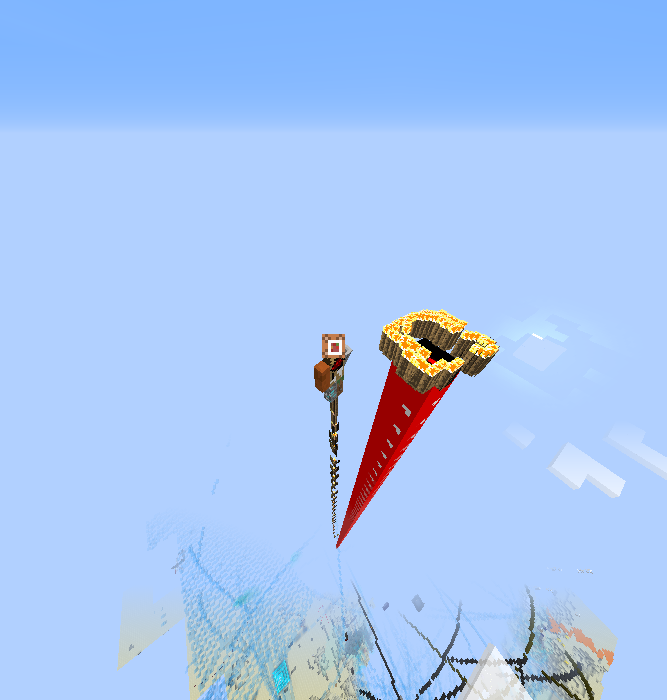

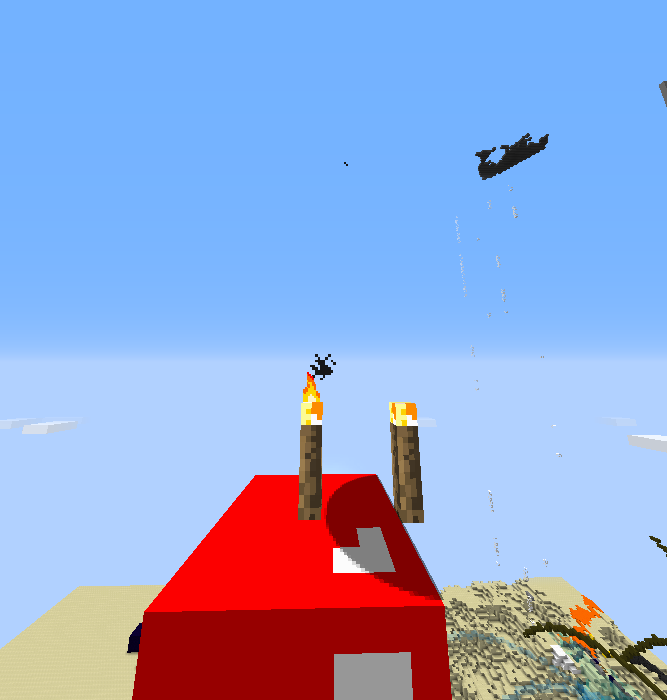
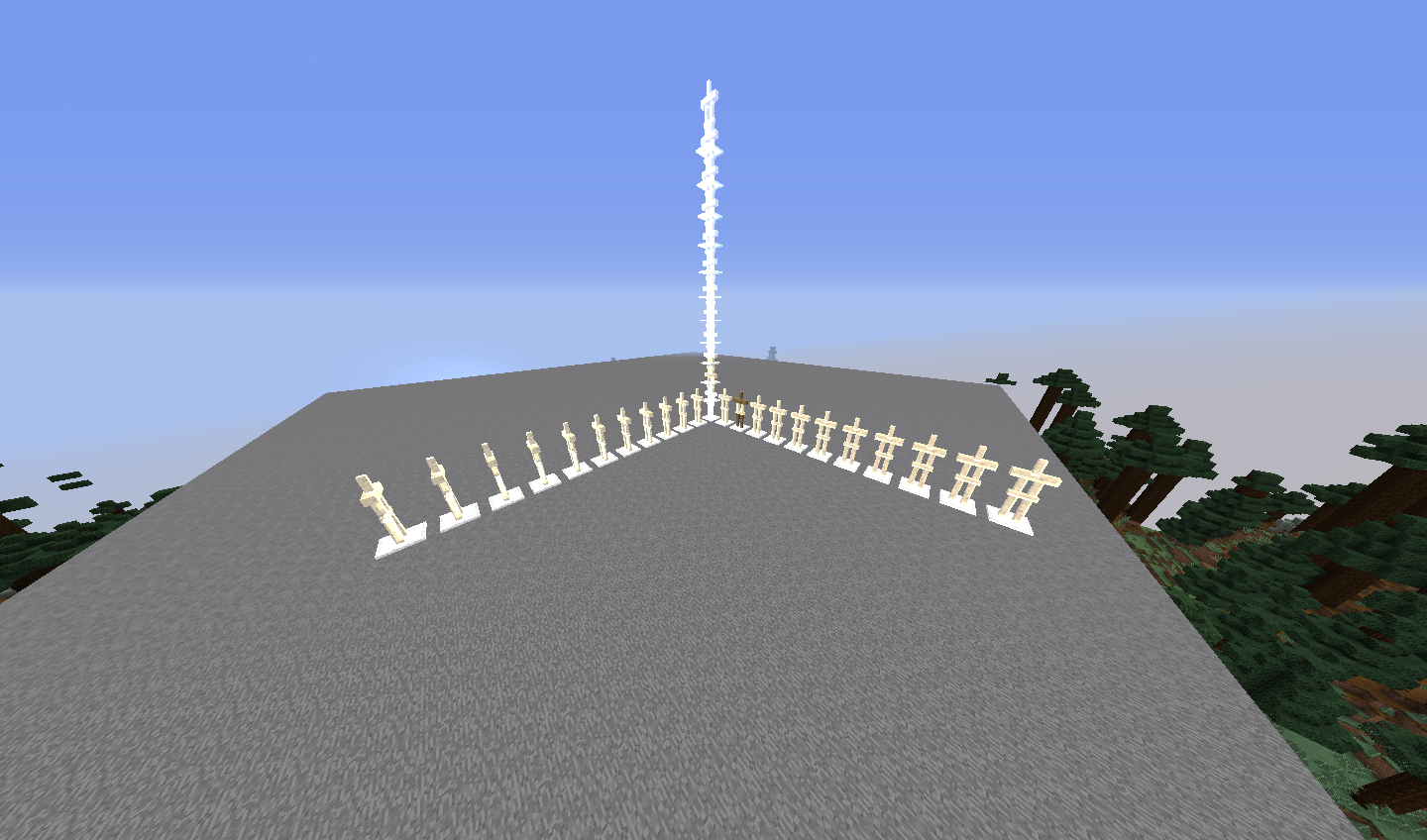
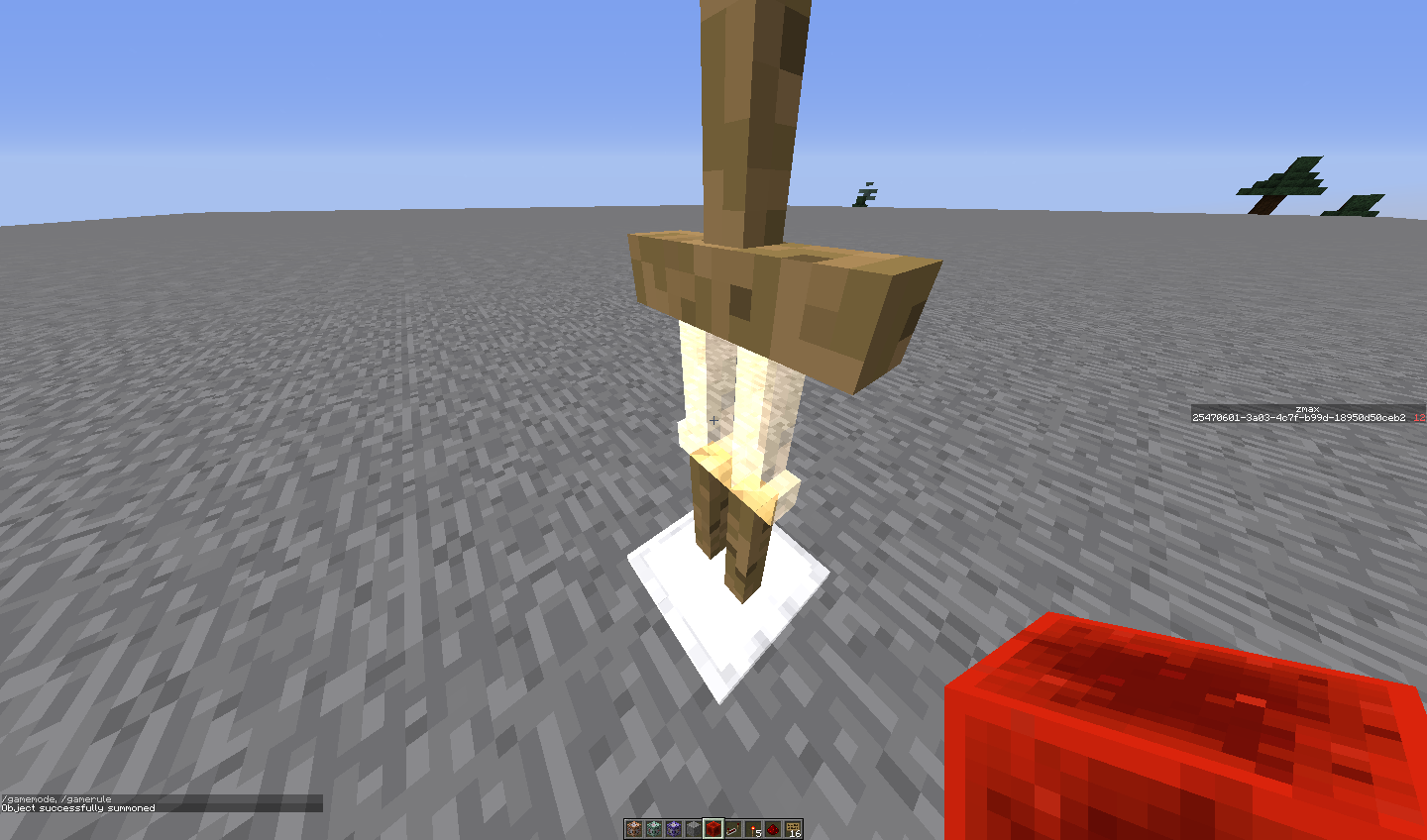


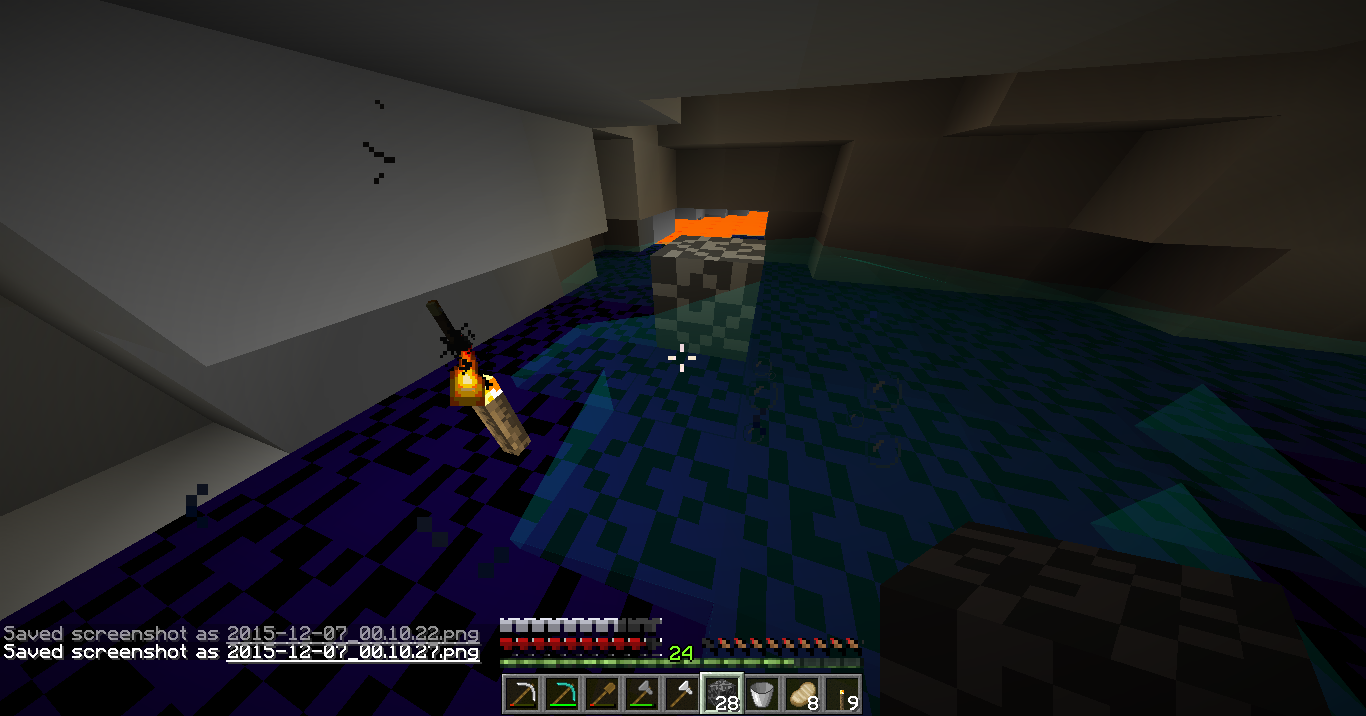
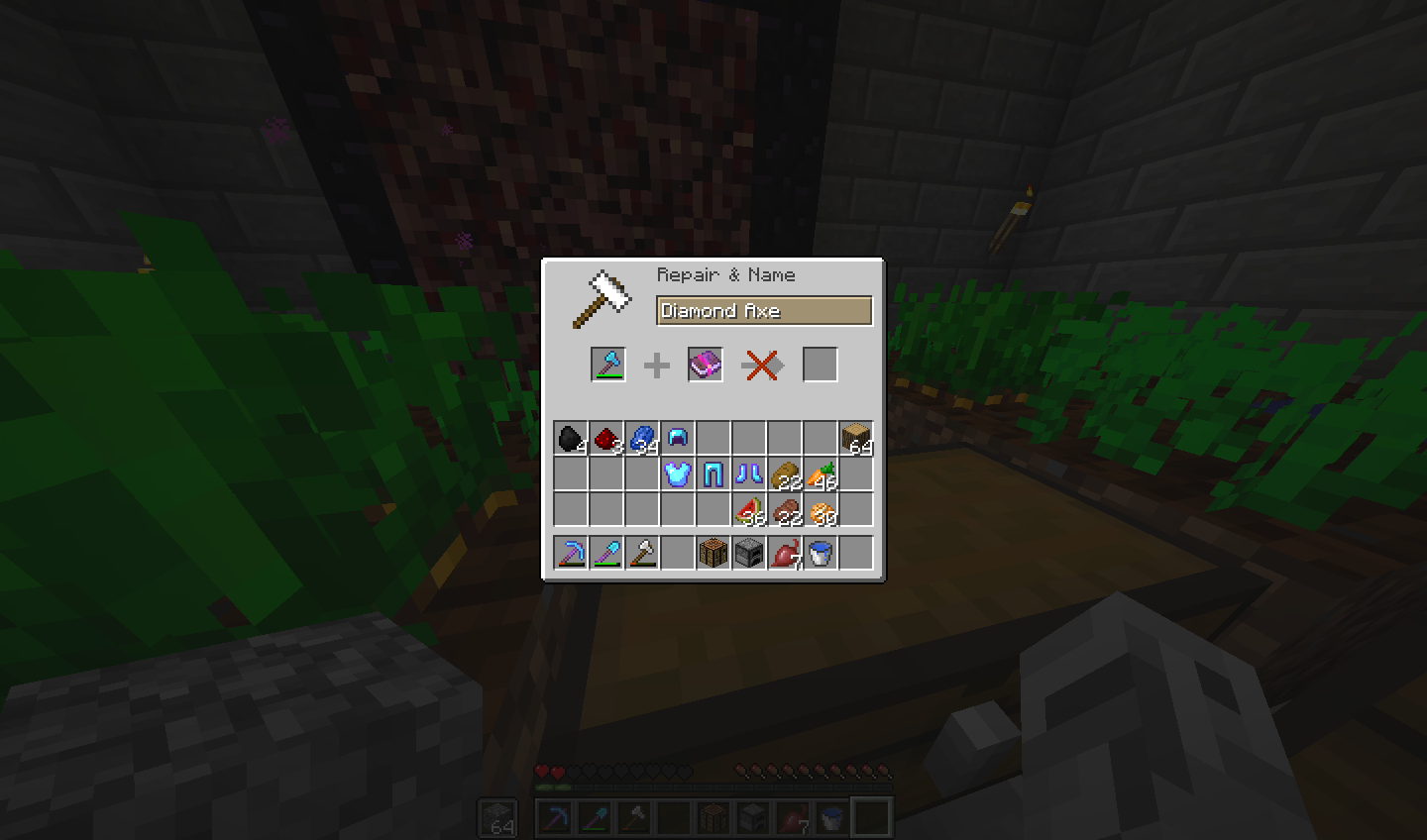
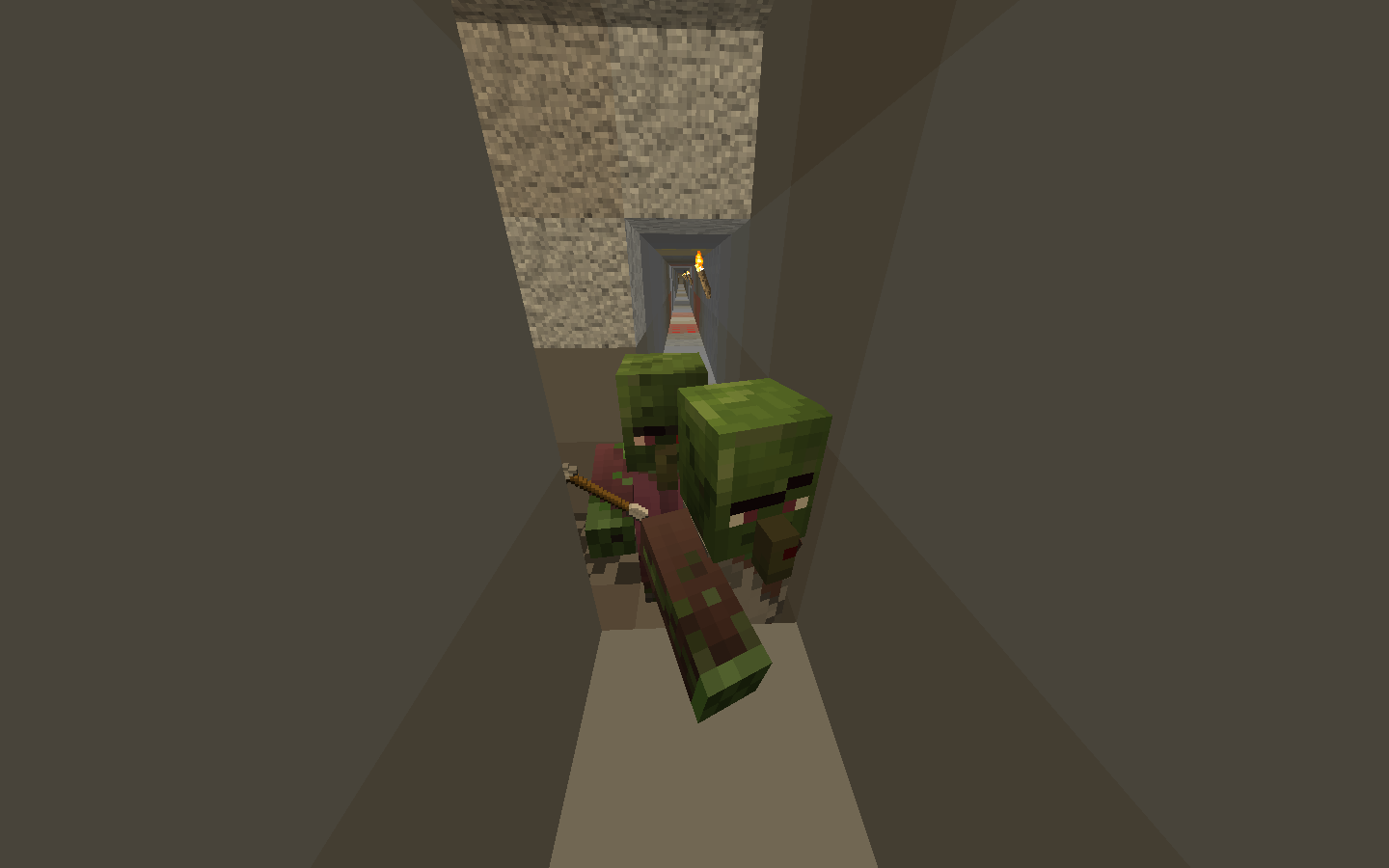
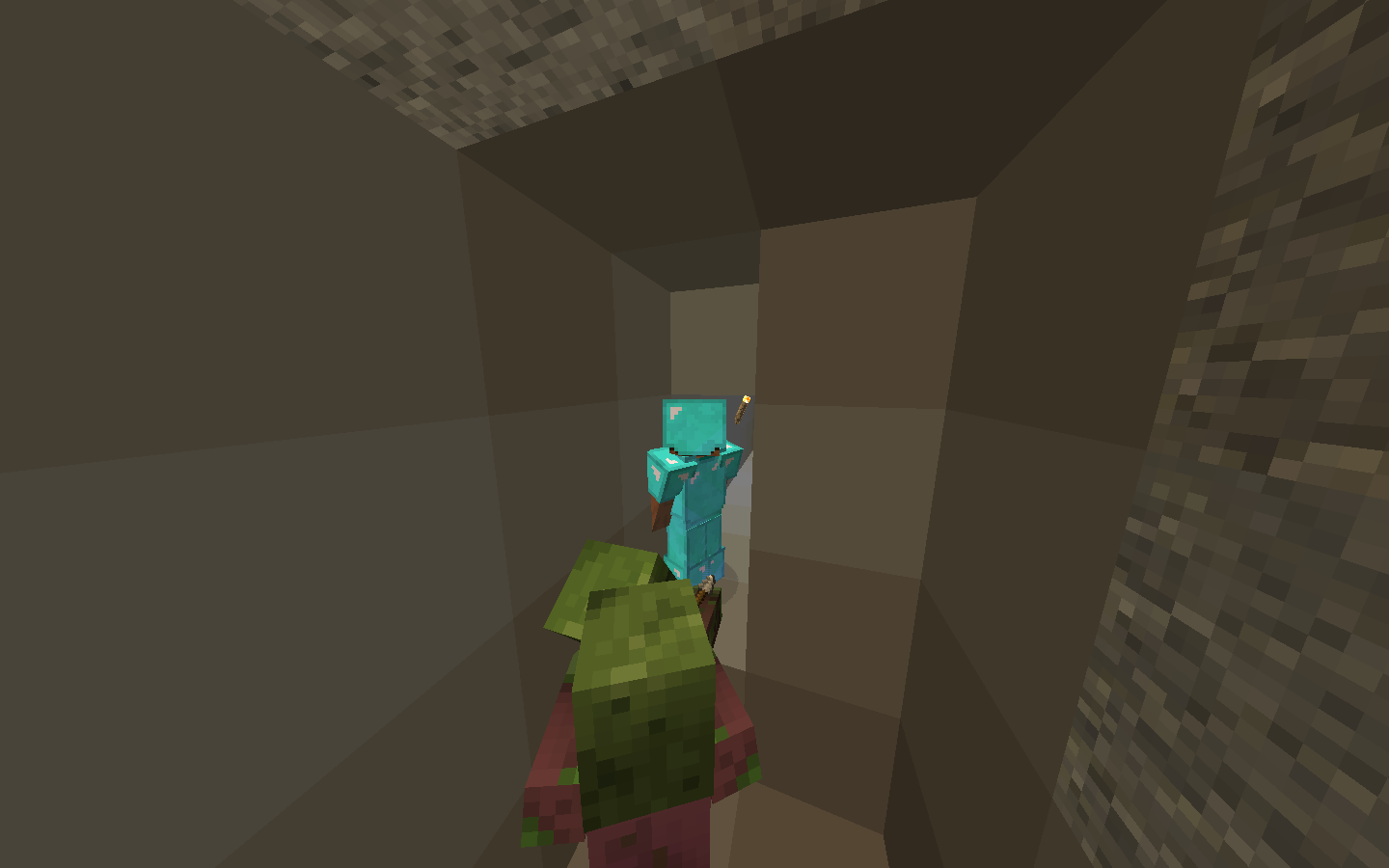
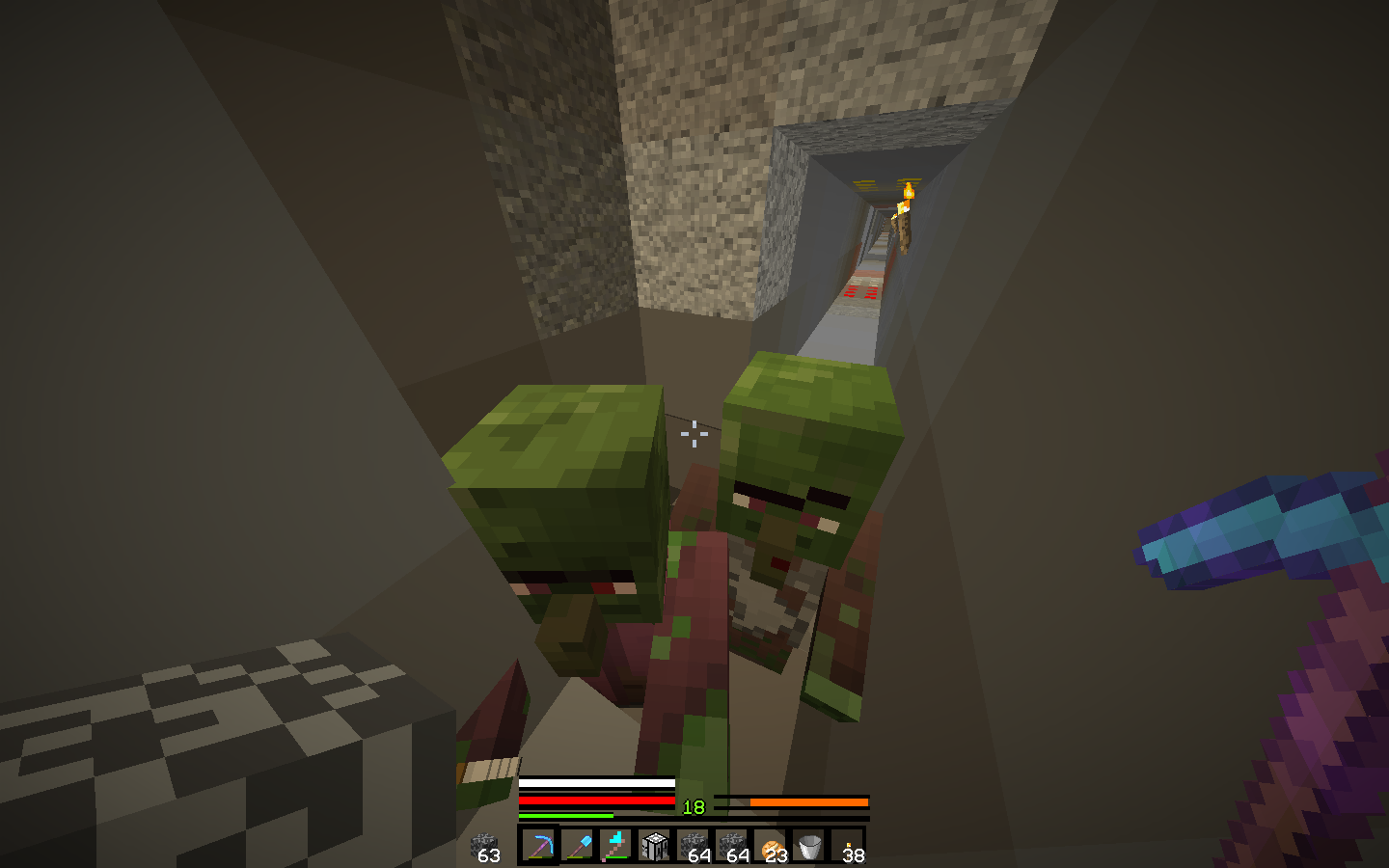


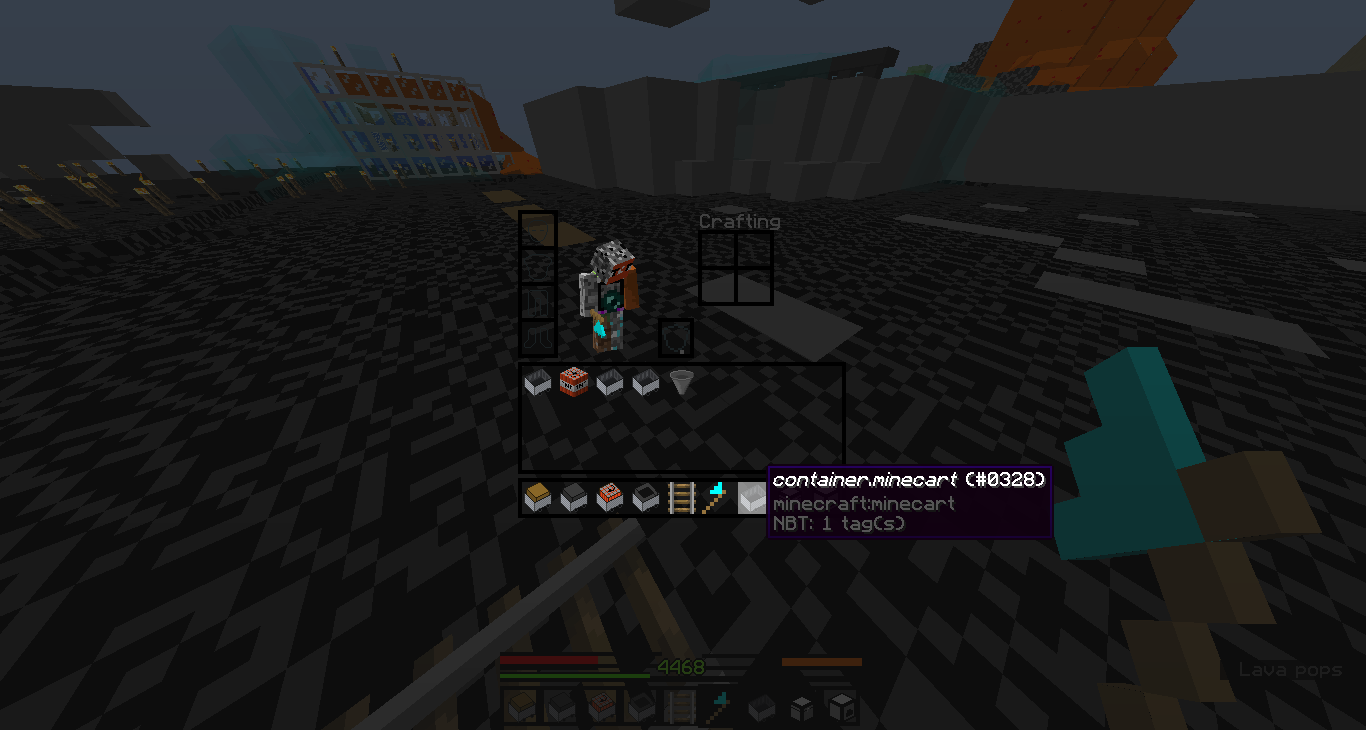

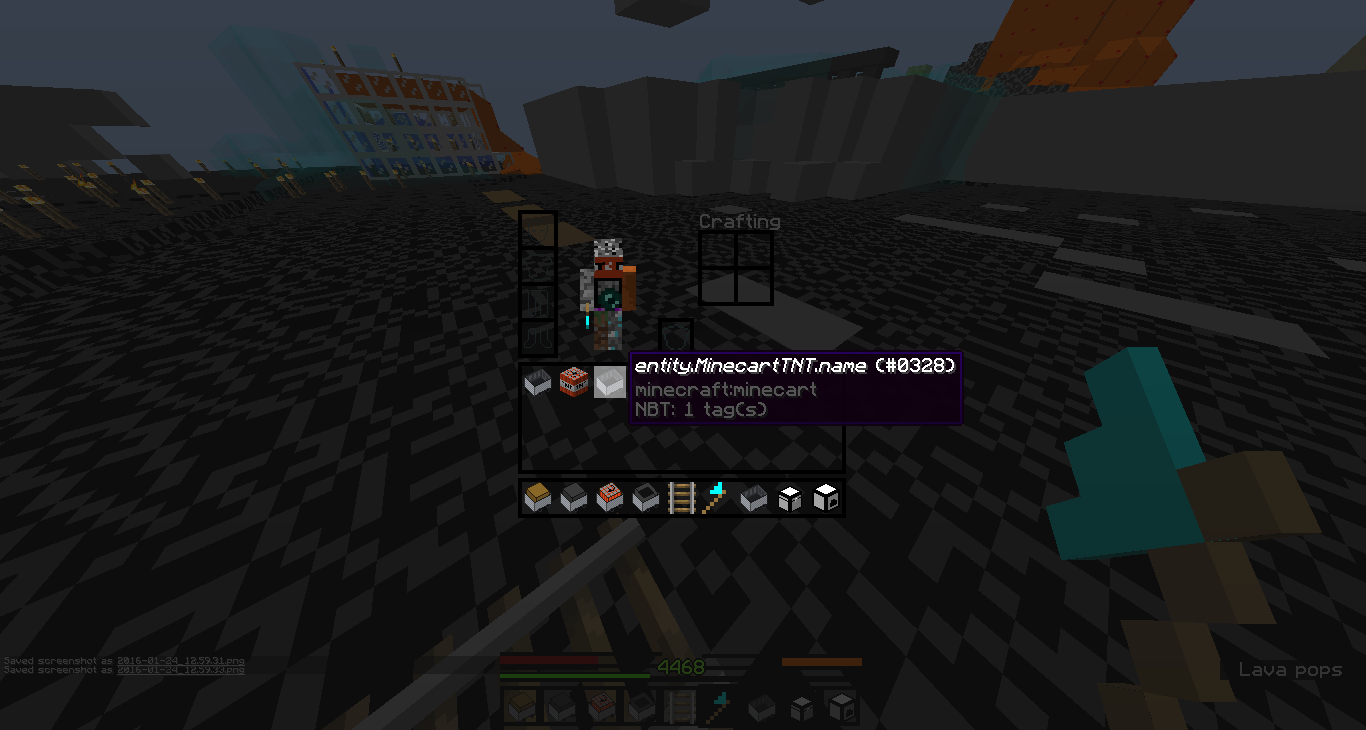


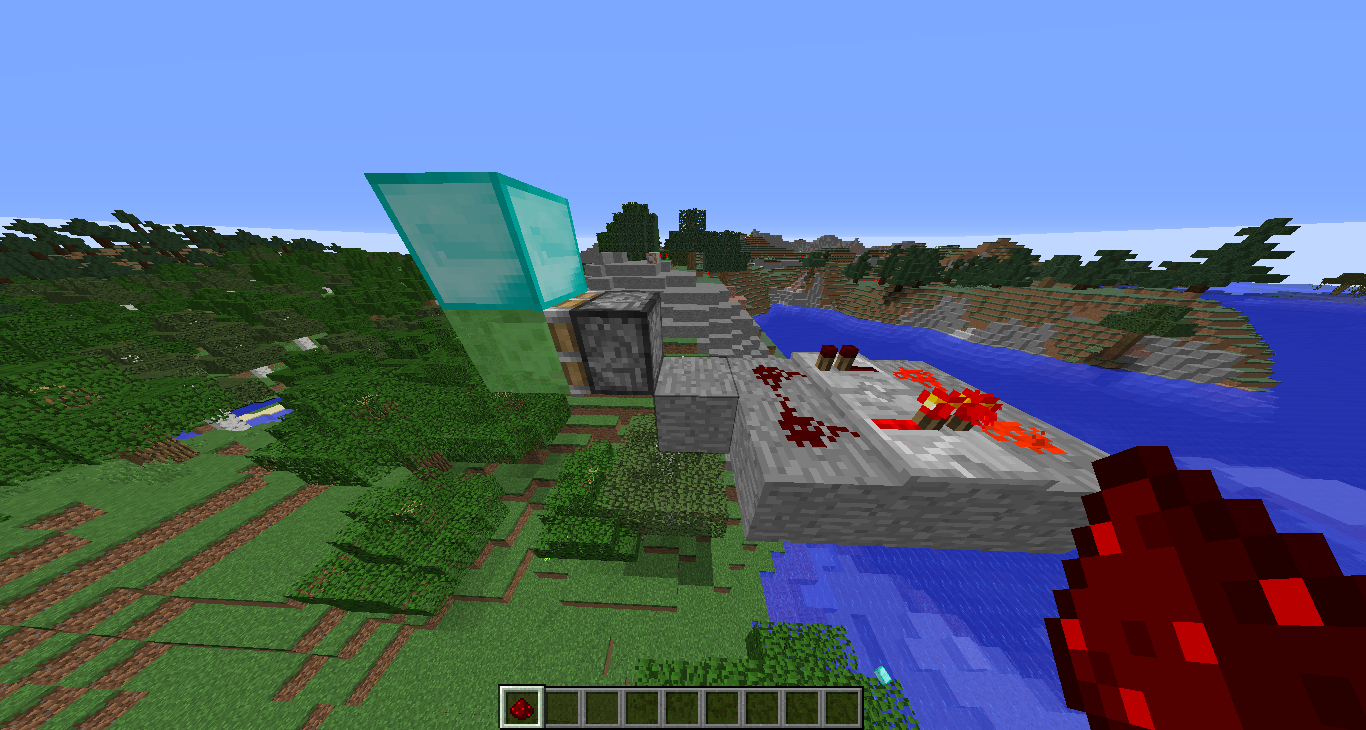

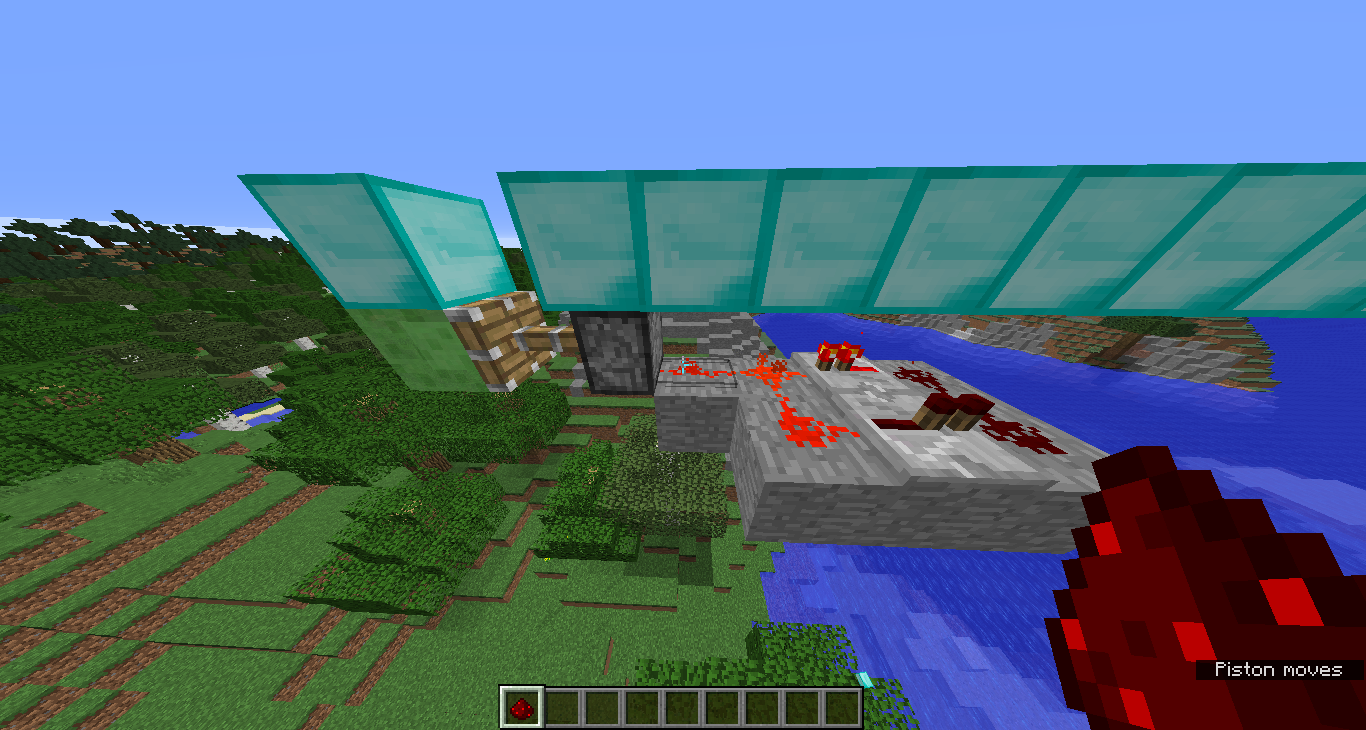

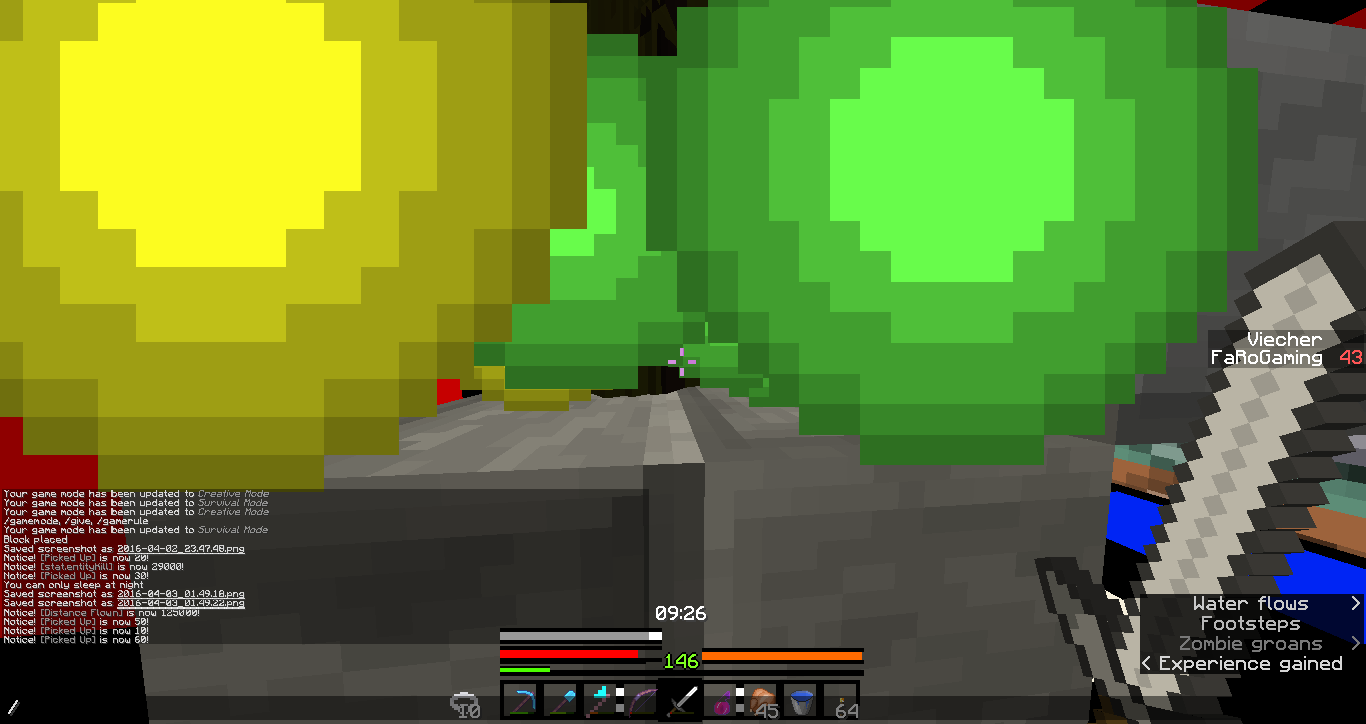
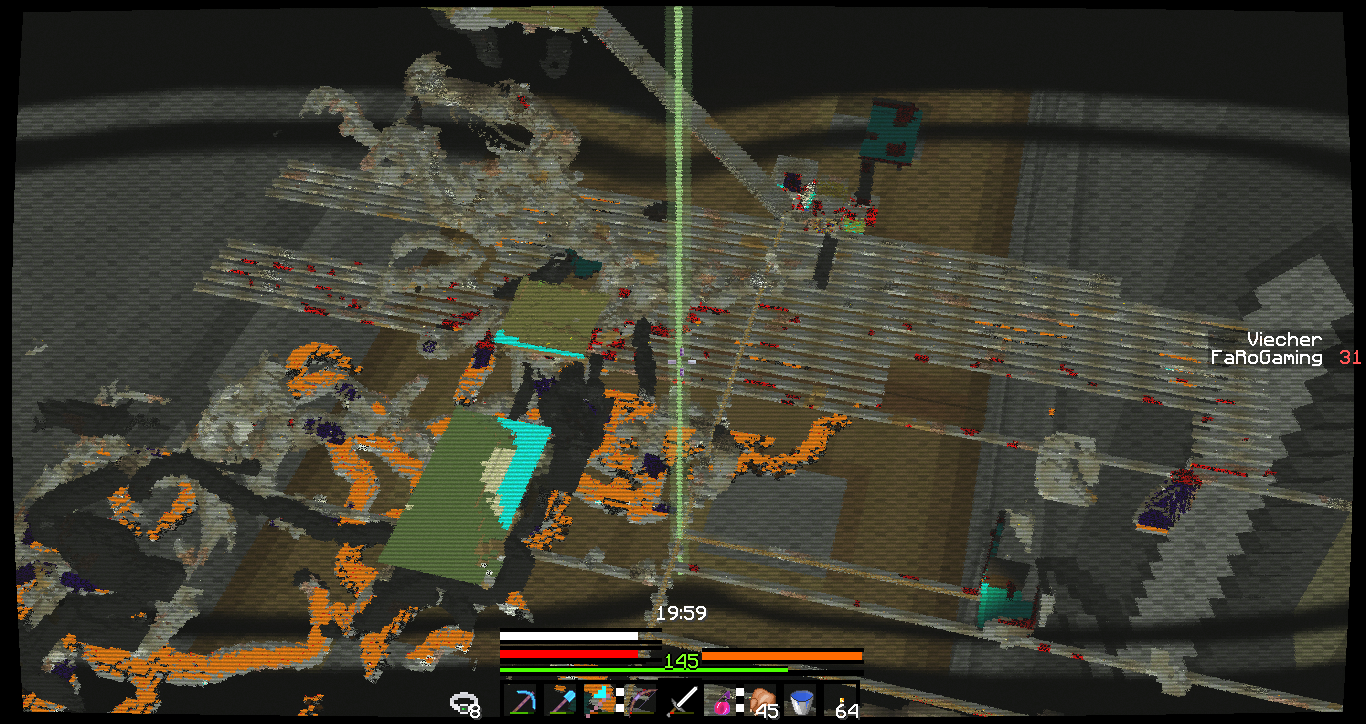

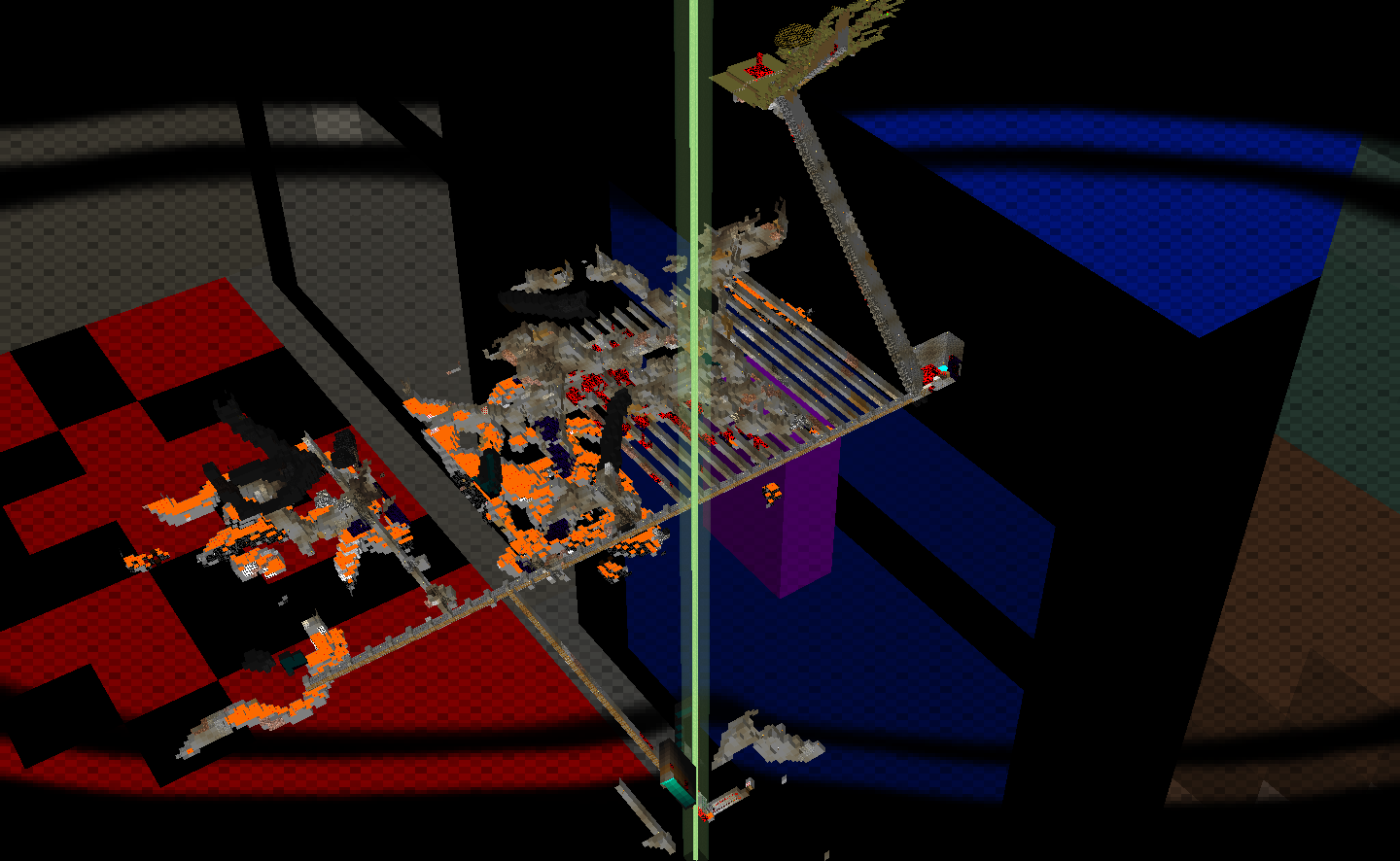





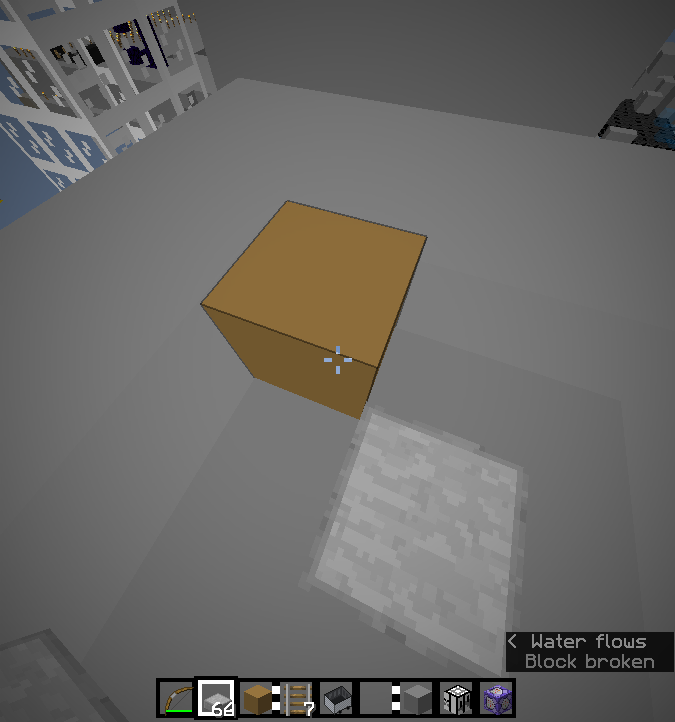
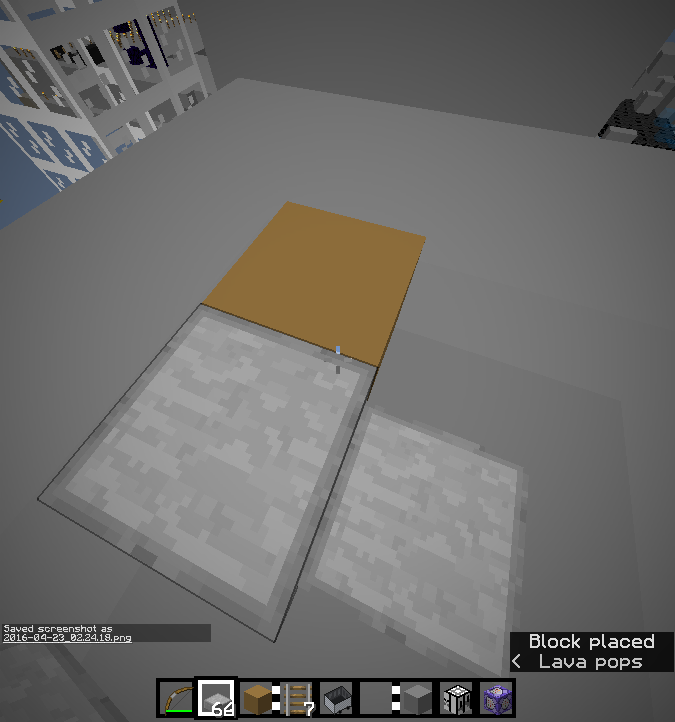
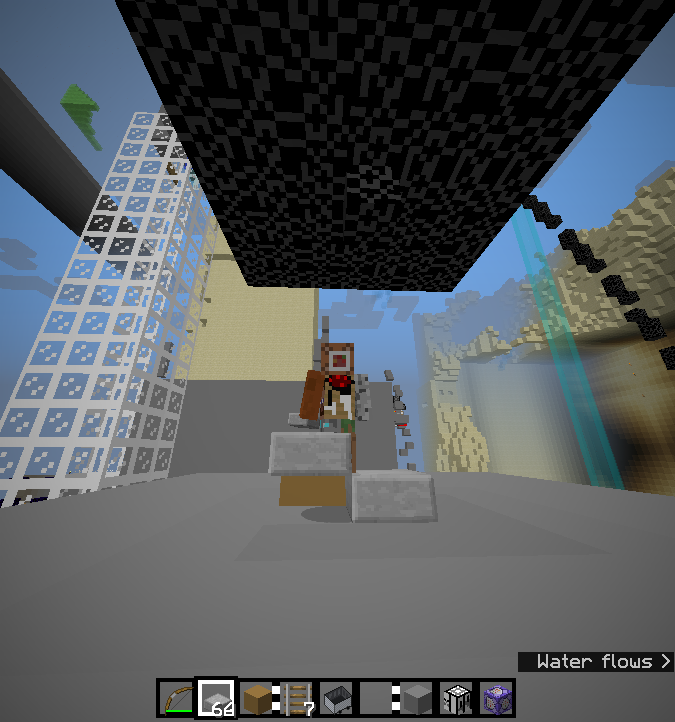
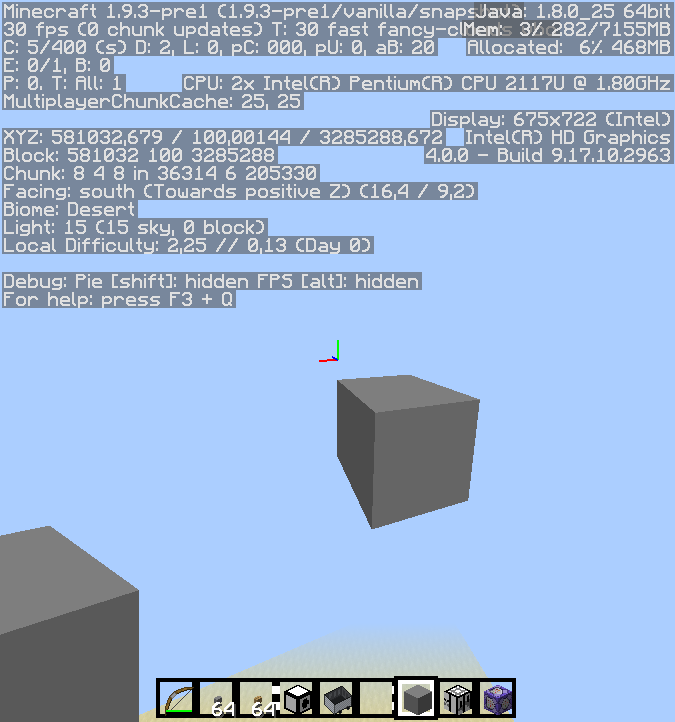
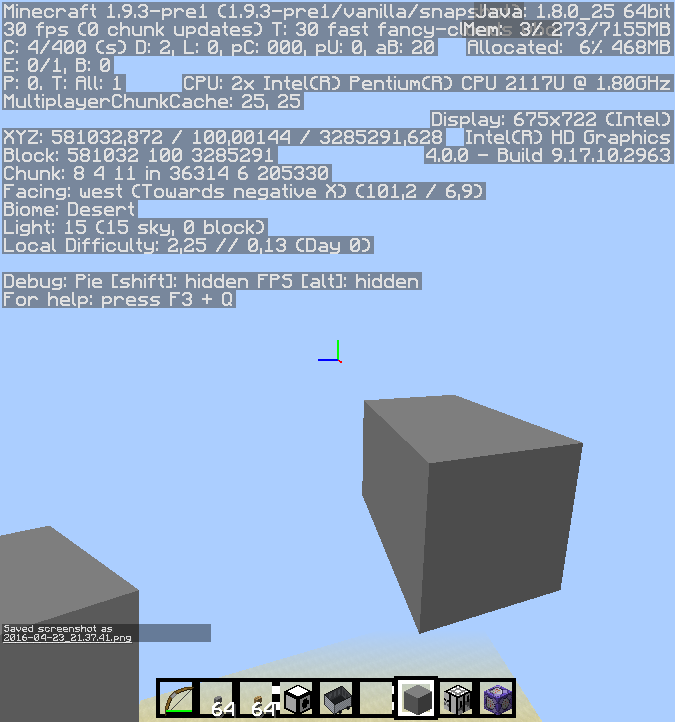
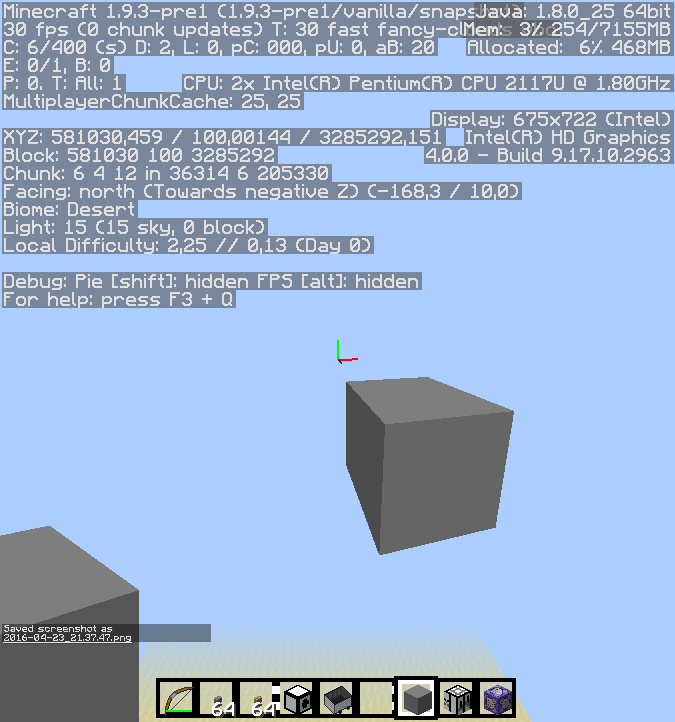
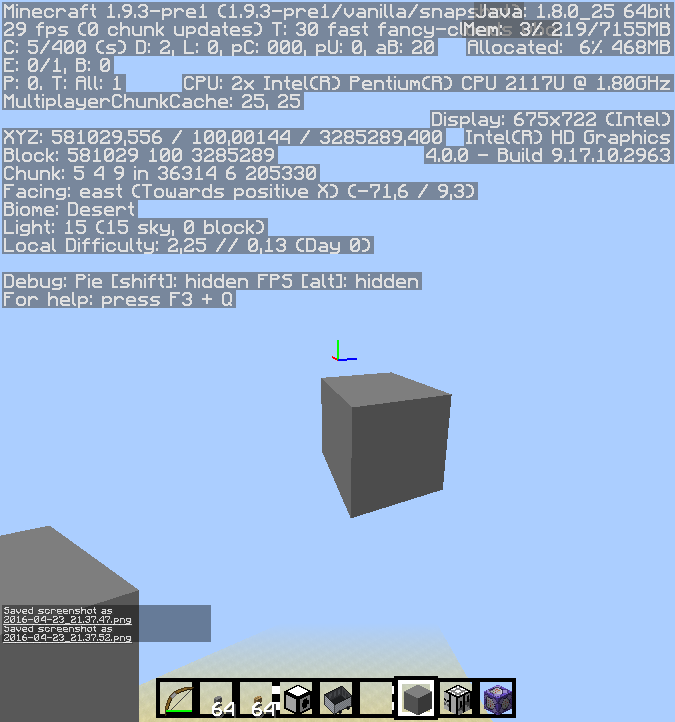

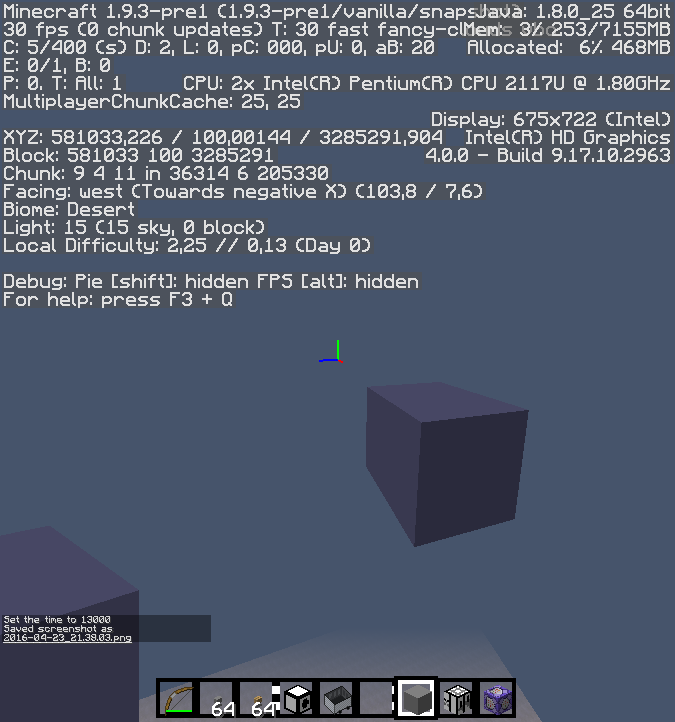
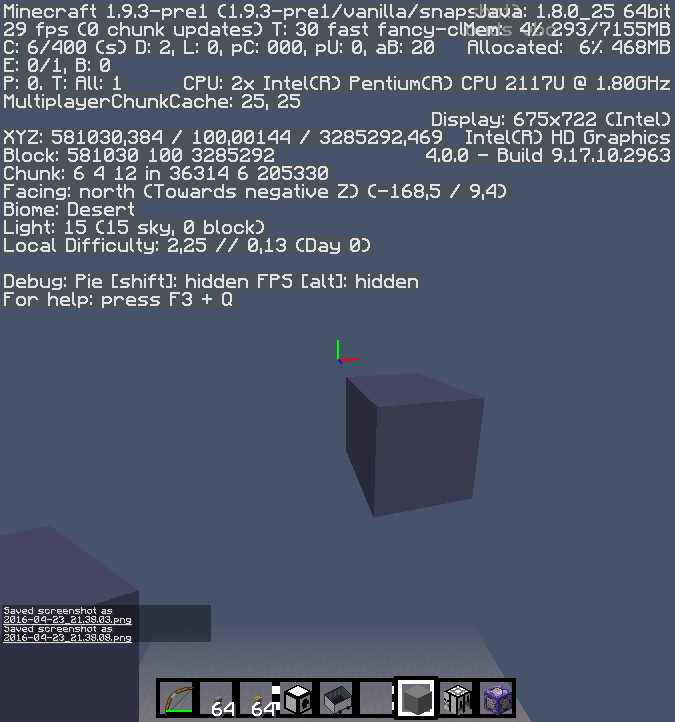
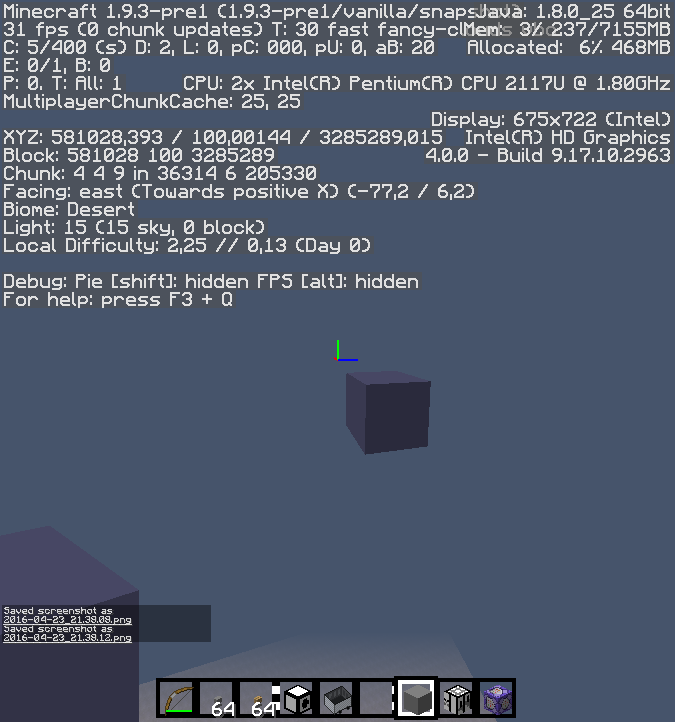


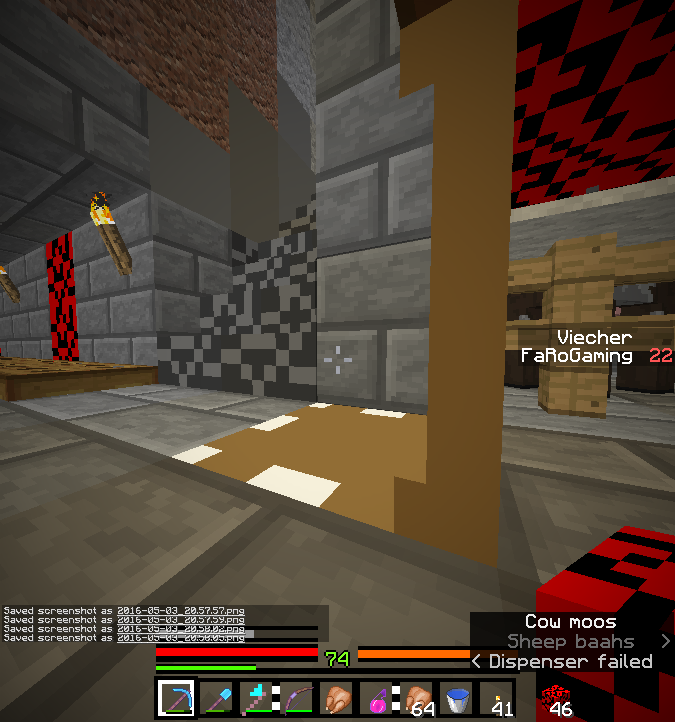
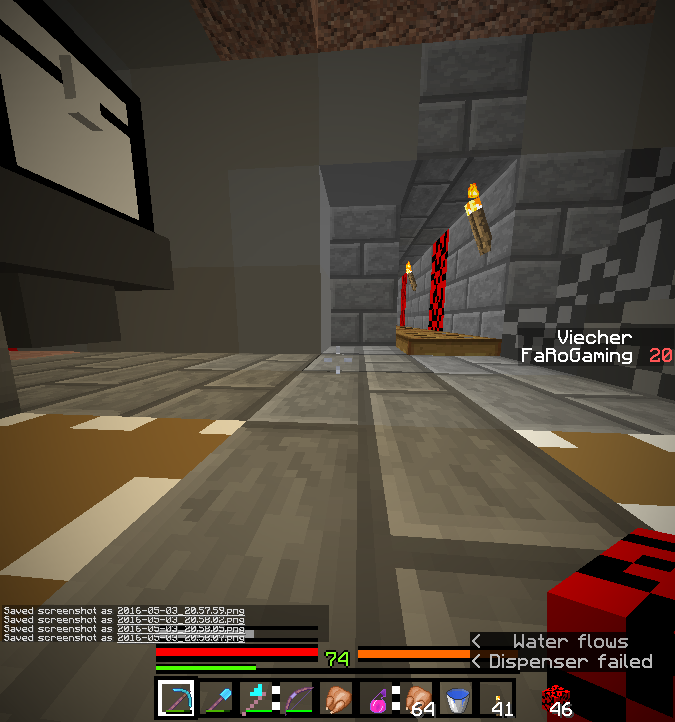

I've put the command "execute @a ~ ~ ~ summon FallingSand ~ ~ ~
{Time:1,Block:torch}" in an always active repeating command block. This creates falling torches at players. Most of the time it works alright and the torches that aren't able to get set, just drop. But sometimes things happen like in the screenshots.
In one of it the torches fell onto a block that was at maximum build height (only settable with command), but in some other it wasn't. The bug first appeared at this height, but it doesn't seem to have something to do with the bug.
When I tried it in 1.8.0, it worked.I've put the command "
{Time:1,Block:torch}
execute @a ~ ~ ~ summon FallingSand ~ ~ ~" in an always active repeating command block. This creates falling torches at players. Most of the time it works alright and the torches that aren't able to get set, just drop. But sometimes things happen like in the screenshots.
In one of it the torches fell onto a block that was at maximum build height (only settable with command), but in some other it wasn't. The bug first appeared at this height, but it doesn't seem to have something to do with the bug. It seems to happen at the edges of blocks, but also on the side of walls.
When I tried it in 1.8.0, it worked.
Falling Sand doesn't get killedsometimesFalling Sand doesn't get killed if falling on edge of block
Windows 7, 64 bit, Java 1.8.0_20-b26
Maximum graphic settings, 8 chunks.
Pretty laggy world usually, but not in this case. Had 60fps stable.Windows 7, 64 bit
World download in which the bug happens: https://www.dropbox.com/s
h/x7hhxyihoje3cdw/AAC2_C3GC9I3pW40GjjuAgc5a?dl=0
(There's already a redstone block drop for your convenience.
If you put a redstone block into the spot of the sign that says "redstone block here", the command blocks do some stuff and then fill three blocks with redstone blocks, which each activates a row of 4 command blocks, the first of every row is a repeating command block. There is a scoreboard counter from 12 down 1 per execution and everything except the teleportation of one armorstand is dependent on the scoreboard being above 0. When the scoreboard reaches 1, it replaces the redstone block that powered it with a stone block. This is where the bug comes in: Even though the signal giving redstone block was replaced with a stone after less than a second, the armor stand still gets teleported, which means that the repeating command block still gives a signal through its chain.
Seems to be already reported inMC-89877, but there the mod "Mustek" marked it as duplicate ofMC-7681. I don't know ifMC-89877is about the command still being executed or the comparator output staying on. The comparator thing works as intended (although it's annoying), but that the command still gets executed is a bug.World download in which the bug happens: https://www.dropbox.com/s/7lz28rra2ix5xm5/Endzerst%C3%B6rung.zip?dl=0
(There's already a redstone block drop for your convenience.
If you put a redstone block into the spot of the sign that says "redstone block here", the command blocks do some stuff and then fill three blocks with redstone blocks, which each activates a row of 4 command blocks, the first of every row is a repeating command block. There is a scoreboard counter from 12 down 1 per execution and everything except the teleportation of one armorstand is dependent on the scoreboard being above 0. When the scoreboard reaches 1, it replaces the redstone block that powered it with a stone block. This is where the bug comes in: Even though the signal giving redstone block was replaced with a stone after less than a second, the armor stand still gets teleported, which means that the repeating command block still gives a signal through its chain.
Seems to be already reported inMC-89877, but there the mod "Mustek" marked it as duplicate ofMC-7681. I don't know ifMC-89877is about the command still being executed or the comparator output staying on. The comparator thing works as intended (although it's annoying), but that the command still gets executed is a bug.
World download in which the bug happens: https://www.dropbox.com/s/7lz28rra2ix5xm5/Endzerst%C3%B6rung.zip?dl=0
(There's already a redstone block drop for your convenience.
If you put a redstone block into the spot of the sign that says "redstone block here", the command blocks do some stuff and then fill three blocks with redstone blocks, which each activates a row of 4 command blocks, the first of every row is a repeating command block. There is a scoreboard counter from 12 down 1 per execution and everything except the teleportation of one armorstand is dependent on the scoreboard being above 0. When the scoreboard reaches 1, it replaces the redstone block that powered it with a stone block. This is where the bug comes in: Even though the signal giving redstone block was replaced with a stone after less than a second, the armor stand still gets teleported, which means that the repeating command block still gives a signal through its chain.
Seems to be already reported inMC-89877, but there the mod "Mustek" marked it as duplicate ofMC-7681. I don't know ifMC-89877is about the command still being executed or the comparator output staying on. The comparator thing works as intended (although it's annoying), but that the command still gets executed is a bug.
When I start a snapshot (any snapshot) in fullscreen and press F11 to switch to windowed mode or when I start the game in window mode, switch to fullscreen and back, the window has the standard size and can't be resized anymore. When I start the game in windowed mode, I can resize it, but after switching to fullscreen and back the size is locked.
For full releases it works, but every snapshot has this issue. Very weird.
Ignore the texture pack in thepictures, it's not even finished yet, better look at the cursor at the bottom right. In the first picture I can resize, after fullscreen I can't.When I start a snapshot (any snapshot) in fullscreen and press F11 to switch to windowed mode or when I start the game in window mode, switch to fullscreen and back, the window has the standard size and can't be resized anymore. When I start the game in windowed mode, I can resize it, but after switching to fullscreen and back the size is locked.
For full releases it works, but every snapshot has this issue. Very weird.
Ignore the texture pack in the video, it's not even finished yet.
Video. Yes, really.
When I start a snapshot (any snapshot) in fullscreen and press F11 to switch to windowed mode or when I start the game in window mode, switch to fullscreen and back, the window has the standard size and can't be resized anymore. When I start the game in windowed mode, I can resize it, but after switching to fullscreen and back the size is locked.
For full releases it works, but every snapshot has this issue. Very weird.
Ignore the texture pack in the video, it's not even finished yet. I recommend watching it in higher speed, I recorded it on my laptop.
2015-12-29_16.34.53.png
Players can jump over fences when there's carpet on top of them, but mobs can't. I know that mob ai's only see "block" or "no block"
, so the carpet is "no block", but the fence is "block and another block on top". My idea is to make fences be "block and another block on top, if the block on top isn't carpet, pressure plate, etc."That would be an easy fix for this mob behaviour, the mobs would see the fence as block, but the block above as empty, so they would jump and be on the correct height to go over the carpet.Players can jump over fences when there's carpet on top of them, but mobs can't. I know that mob ai's only see "block" or "no block". This makes them see paths that they can't go and not see paths they can go many times, but in this case it could be fixed without changing the whole pathfinding system. Fences are probably set as "block and another block on top", because mobs can't go over it normally. My idea is to make fences be seen (for the mobs) as "block and another block on top, if the block on top isn't carpet or something like that". That would be an easy fix for this mob behaviour, the mobs would see the fence as block, but the block above as empty, so they would jump and be on the correct height to go over the carpet.
Throwing a splash potion has the subtitle "Gear equipped"
Throwing a splash potionhas thesubtitle "Gear equipped"Throwing a splash potion and eating has the addition subtitle "Gear equipped" in Survival
Throwing a splash potion and eating has the additional subtitle "Gear equipped" in Survival
What the title says. The subtitle was correct before, now it's wrong.
Code analysis by Marcono1234 in this comment
What the title says. The subtitle was correct before, now it's wrong.
It happens right before "burp".
Code analysis by Marcono1234 in this comment
Throwing a splash potionand eatinghas the additional subtitle "Gear equipped" in Survival
What the title says. The subtitle was correct before, now it's wrong.
It happens right before "burp".
Code analysis by Marcono1234 in this comment
What the title says. The subtitle was correct before, now it's wrong.
Code analysis by Marcono1234 in this comment
What the title says. The subtitle was correct before, now it's wrong.
Code analysis by Marcono1234 in this comment
What the title says. The subtitle was correct before, now it's wrong.
The incorrect "Gear equipped" subtitle comes after the correct one for eating.
Code analysis by Marcono1234 in this comment
After eating has the additional subtitle "Gear equipped" in SurvivalEating has the additional subtitle "Gear equipped" in Survival
What the title says. The subtitle was correct before, now it's wrong.
The incorrect "Gear equipped" subtitle comes after the correct one for eating.
Code analysis by Marcono1234 in this comment
In some cases, like when eating, throwing a potion or picking up a flower frm a flower pot, the subtitle "Gear equipped" gets shown after the correct one.
Code analysis by Marcono1234 in this comment
In some cases, like when eating, throwing a potion or picking up a flower from a flower pot, the subtitle "Gear equipped" gets shown after the correct one.
Code analysis by Marcono1234 in this comment
The bug
In some cases, like when
eating, throwing a potion orpicking up a flower from a flower pot, the subtitle "Gear equipped" gets shown after the correct one.Code analysis
Code analysis by Marcono1234 can be found in this comment.
The bug
In some cases, like when picking up a flower from a flower pot (in Survival or Creative) or throwing an ender pearl, snowball or egg in Survival, the subtitle "Gear equipped" gets shown after the correct one.
Code analysis
Code analysis by Marcono1234 can be found in this comment.
F3+A doesn'twork as intendedF3+A doesn't request chunks from server
Survival mode, multiple stacks of netherrack in my inventory, hotbar: Pickaxe, shovel, axe, bow, sword, potion, food, water, torch.
Selected slot 5 (sword), pressed the pick block button (in my case the right click key on the keyboard, called "APPS") while looking at netherrack.
What I expected: Sword in slot 5 gets swapped with netherrack from inventory. No slot change because there's no empty slot.
What happened: MC switched to slot 6 (potion) and swapped it with netherrack from my inventory.The "pick block" function can switch to a hotbar slot with an item in it, when:
- the hotbar is full and
- all previous slots (from the selected slot on) contain enchanted items.
Example to reproduce:
- Arrange items in the hotbar as follows: enchanted pickaxe, ench. shovel, ench. axe, ench. bow, ench. sword, in Creative mode enchanted stick, cooked chicken, water bucket, torches.
- Have netherrack in the inventory and a block of it nearby.
- Select slot 1.
- Use pick block on the netherrack.
Expected result: Pickaxe and netherrack get switched out (netherrack to slot 1, pickaxe to wherever the netherrack was in the inventory before).
Actual result: Slot 7 (chicken) gets selected and switched out with the netherrack (netherrack to slot 7, chicken to netherrack spot).
The "pick block" function can switch to a hotbar slot with an item in it, when:
- the hotbar is full and
- all previous slots (from the selected slot on) contain enchanted items.
Example to reproduce:
- Arrange items in the hotbar as follows: enchanted pickaxe, ench. shovel, ench. axe, ench. bow, ench. sword, in Creative mode enchanted stick, cooked chicken, water bucket, torches.
- Have netherrack in the inventory and a block of it nearby.
- Select slot 1.
- Use pick block on the netherrack.
Expected result: Pickaxe and netherrack get switched out (netherrack to slot 1, pickaxe to wherever the netherrack was in the inventory before).
Actual result: Slot 7 (chicken) gets selected and switched out with the netherrack (netherrack to slot 7, chicken to netherrack spot).This was very likely introduced when
MC-51984got fixed.
Possible fixes, should be discussed: Change "switching immunity" from enchanted items to tools, maybe items with a durability bar if that's easier to handle in future versions. Or remove immunity completely.
Slabs always try to be placed on top of bottom slabs, even when collidingDouble slab creation over offhand
When you press the place/interact key with a slab item on a bottom slab, it tries to place it, even when that action collides with an entity. Meaning: It plays the animation and offhand items can't be used.
Reproduce:
- slab on floor
- slab in main hand
- bow/food/whatever in offhand
- stand on slab
- look down
- press action key (standard: right click)
Result: Bow/food doesn't get triggered, but slab, although it can't be placed.Code analysis by Marcono1234: bugs.mojang.com/browse/
MC-101169?focusedCommentId=301354
When you press the place/interact key with a slab item on a bottom slab, it tries to place it, even when that action collides with an entity. Meaning: It plays the animation and offhand items can't be used.
Reproduce:
- slab on floor
- slab in main hand
- bow/food/whatever in offhand
- stand on slab
- look down
- press action key (standard: right click)
Result: Bow/food doesn't get triggered, but slab, although it can't be placed.Code analysis by Marcono1234:
bugs.mojang.com/browse/MC-101169?focusedCommentId=301354When you press the place/interact key with a slab item on a bottom slab, it tries to place it, even when that action collides with an entity. Meaning: It plays the animation and offhand items can't be used.
Reproduce:
- slab on floor
- slab in main hand
- bow/food/whatever in offhand
- stand on slab
- look down
- press action key (standard: right click)
Result: Bow/food doesn't get triggered, but slab, although it can't be placed.Code analysis by Marcono1234: https://bugs.mojang.com/browse/MC-101169?focusedCommentId=301354
Mac OSX 10.9.2
Glowstone blocks appears dim on their East, West and bottom face.Blocks appears dim on their East, West and bottom face
Thanks in advance for your time looking into this issue.
I designed a room in creative with glowstone and it looked the way I wanted. Then, when I built it in survival, the glowstone just looked kind of dull. When I looked into it, it appears that glowstone is brighter on it's North, South and top facing sides and dim on it's East, West and bottom facing sides.
Is this by design? Is it possible to rotate the block so that the bright side is facing the direction the player wants it to?
I've provided two screenshots. The first is the room I built in Creative, I am facing North where I get the desired, bright glowstone effect. The second is the room I built in Survival, I am facing West.
Please note that in both worlds I have a room that is of a similar build with glowstone around the corner to the right, pass the bookshelves. In this other room the results of glowstone brightness are reversed as I am facing East in Creative and get dull glowstone and I am facing South in Survival and get bright glowstone.
The east, west and bottom side of blocks appear darker than the north, south and top side.
Especially the top side is lighter than the other sides and the bottom side darker.
This is unrelated to light levels, the same light level looks different on the different sides.
Shift/Ctrl+Screenshot doesn't workScreenshots don't work with Shift/Ctrl if key is SYSRQ
When
holding Shift and/or Control, it's not possible to create a screenshot. It's not dependent on whether Shift or Control are bound to any action in MC.
This obviously makes it hard to create screenshots of the own player shifting.
Alt+Screenshot keyand Alt Gr+Screenshotkey work.I'm surprised that I didn't find this in the bug tracker yet. I'm sure this is not intended since all other keys in Minecraft are independent from each other (except if you try to press five or more keys at the same, but that's a hardware limitation).
When the key for screenshots is set to "SYSRQ" (usual description is "PrintScreen", I think), it's not possible to create a screenshot with Shift+Sysrq, Ctrl+Sysrq or Shift+Ctrl+Sysrq. It's not dependent on whether Shift or Control are bound to any action in MC.
Alt+Sysrq and Alt Gr+Sysrq key work.
1. Put elytra on.
2. Place two blocks above each other and a trap door at the top half of the upper one.
3. Stand next to the blocks (where the hitbox of the open trapdoor will be).
4. Open the trapdoor so that it's inside you.
5. Jump twice quickly so that elytra gets activated (in survival).
Result: The point of view is like if the player hitbox was one block high (best seen in third person view), but the player hitbox is actually two blocks high. This can be proven by breaking the lower block and trying to walk forward. The player doesn't walk forward, but even jitters a bit back and forth.
Placing and breaking blocks is like from the lower perspective. Might be useful in some cases, but it's still a bug. Head is like from the higher perspective, meaning it looks above the camera. This way you can see the underside of your skin's head.
1. Put elytra on.
2.Place two blocks above each other and a trap door at the top half of the upper one.
3. Stand next to theblocks (where the hitbox of the opentrapdoor will be).
4.Open the trapdoor so that it's inside you.
5. Jump twice quickly so that elytra gets activated (in survival).
Result: The point of view is like if the player hitbox was one block high (best seen in third person view), but the player hitbox is actually two blocks high. This can be proven by breaking the lower block and trying to walk forward. The player doesn't walk forward, but even jitters a bit back and forth.
Placing and breaking blocks is like from the lower perspective. Might be useful in some cases, but it's still a bug. Head is like from the higher perspective, meaning it looks above the camera. This way you can see the underside of your skin's head.1. Put elytra on.
2. Dig a 1*1*x row of blocks out of the ground.
3. Stand next to the entry.
4. Jump twice so that elytra gets activated and fly inside the row (you might have to sprint to not get pushed out again).
Result: The player model is two blocks high again as soon as player reaches the ground, but the hitbox stays one block high and it's actually possible to walk around in a one block high space. Shifting restores the hitbox, making you suffocate in a block.
Point of vision can become unsynced withhitboxPoint of vision can become unsynced with player model
Confirmed for 1.10.
I just tried some resize algorymths in paint.net (http://www.getpaint.net).
"Next neighbor" produces a similar result to what happens with Unicode in Minecraft.
"Bicubic" and "bilinear" give a really good result with grey scales.
"Best quality" probably chooses between the three.
If it's possible without affecting performance much, an algorythm might be considered that keeps the important points of letters always connected. Meaning that instead of having a picture of the letter, there are certain points saved that have to be connected either by a line or a quarter circle. A bit like a vector graphic. That would of course remove the functionality of custom fonts through texture packs, except if they use vector graphics. Would have to be discussed if the bug fix is worth that.
I've also seen a report once about an algorythm of scaling up/down letters in black/white, but I don't remember where. But I don't think it was for small scales, more for small details in big fonts.
I don't know if it's helpful in any way, but I'll just leave this here: http://www.joelonsoftware.com/items/2007/06/12.html
Point of vision can become unsynced with player model (Elytra)
1. Launch Minecraft.
2. Go into a world.
3. Don't pause the game and put Windows in hibernation mode (the one that barely uses any battery charge).
4. Wake the computer out of hibernation mode.
Result: Massive client lag in Minecraft, where I usually have more than 30 fps, I barely get 1. Server is not affected which leads to very fast mobs and no possibility to fight them. Just killed me multiple times. This affects all other programs a bit for some seconds, but in Minecraft it stays for multiple minutes and is much more noticable.
Possible cause: Minecraft sees a big jump in the system time since the last tick and tries to catch up until finally the "Can't keep up! Did the system time change..." message appears in the log and the lag resolves itself.
I'll add a log in a few minutes.1. Launch Minecraft.
2. Go into a world.
3. Don't pause the game and put Windows in hibernation mode (the one that barely uses any battery charge).
4. Wake the computer out of hibernation mode.
Result: Massive client lag in Minecraft, where I usually have more than 30 fps, I barely get 1. Server is not affected which leads to very fast mobs and no possibility to fight them. Just killed me multiple times. This affects all other programs a bit for some seconds, but in Minecraft it stays for multiple minutes and is much more noticable.
Possible cause: Minecraft sees a big jump in the system time since the last tick and tries to catch up until finally the "Can't keep up! Did the system time change..." message appears in the log and the lag resolves itself.
Game output:Completely ignored arguments: [--nativeLauncherVersion, 301] [17:02:49] [Client thread/INFO]: Setting user: FaRoGaming [17:02:53] [Client thread/INFO]: LWJGL Version: 2.9.4 [17:02:57] [Client thread/INFO]: Reloading ResourceManager: Default, FaRoPack [17:02:58] [Sound Library Loader/INFO]: Starting up SoundSystem... [17:02:59] [Thread-5/INFO]: Initializing LWJGL OpenAL [17:02:59] [Thread-5/INFO]: (The LWJGL binding of OpenAL. For more information, see http://www.lwjgl.org) [17:03:00] [Thread-5/INFO]: OpenAL initialized. [17:03:00] [Sound Library Loader/INFO]: Sound engine started [17:03:01] [Client thread/WARN]: Texture minecraft:textures/blocks/quartz_ore.png with size 8x8 limits mip level from 4 to 3 [17:03:03] [Client thread/WARN]: textures: dropping miplevel from 4 to 3, because of minimum power of two: 8 [17:03:03] [Client thread/INFO]: Created: 1024x1024 textures-atlas [17:03:14] [Server thread/INFO]: Starting integrated minecraft server version 1.9.3-pre3 [17:03:14] [Server thread/INFO]: Generating keypair [17:03:15] [Server thread/INFO]: Preparing start region for level 0 [17:03:16] [Server thread/INFO]: Preparing spawn area: 0% [17:03:17] [Server thread/INFO]: Preparing spawn area: 45% [17:03:17] [Server thread/WARN]: Keeping entity Pig that already exists with UUID fe72fd5c-bfbb-4c44-b0dd-8cc216e4d981 [17:03:18] [Server thread/INFO]: Preparing spawn area: 88% [17:03:19] [Server thread/INFO]: Changing view distance to 2, from 10 [17:03:19] [Server thread/INFO]: FaRoGaming[local:E:a8536120] logged in with entity id 288 at (0.30491872008712956, 12.5, -0.08720373114079115) [17:03:19] [Server thread/INFO]: FaRoGaming joined the game [17:03:20] [Server thread/INFO]: Saving and pausing game... [17:03:20] [Server thread/INFO]: Saving chunks for level 'Ultra Hardcore Test 42'/Overworld [17:03:22] [Server thread/INFO]: Saving chunks for level 'Ultra Hardcore Test 42'/Nether [17:03:22] [Server thread/INFO]: Saving chunks for level 'Ultra Hardcore Test 42'/The End [17:03:25] [Server thread/WARN]: Can't keep up! Did the system time change, or is the server overloaded? Running 4884ms behind, skipping 97 tick(s) [17:03:30] [Thread-5/ERROR]: Error in class 'LibraryLWJGLOpenAL' [17:03:30] [Thread-5/ERROR]: Source '09005636-d5f7-4198-89be-2176d2f41550' not found in method 'play' [17:03:30] [Thread-5/ERROR]: Error in class 'LibraryLWJGLOpenAL' [17:03:30] [Thread-5/ERROR]: Source '04d957da-836c-4b74-8f56-090368185636' not found in method 'play' [17:03:30] [Thread-5/ERROR]: Error in class 'LibraryLWJGLOpenAL' [17:03:30] [Thread-5/ERROR]: Source '176e54a7-11e9-48ca-946f-6335ada089db' not found in method 'play' [17:03:30] [Thread-5/ERROR]: Error in class 'LibraryLWJGLOpenAL' [17:03:30] [Thread-5/ERROR]: Source 'a54d7c4c-e19d-44c3-a7de-28866dd4bee0' not found in method 'play' [17:03:30] [Thread-5/ERROR]: Error in class 'LibraryLWJGLOpenAL' [17:03:30] [Thread-5/ERROR]: Source 'd7fdce28-0fa9-4b84-af78-24bd03ccb046' not found in method 'play' [17:03:36] [Server thread/INFO]: Saving and pausing game... [17:03:36] [Server thread/INFO]: Saving chunks for level 'Ultra Hardcore Test 42'/Overworld [17:03:36] [Server thread/INFO]: Saving chunks for level 'Ultra Hardcore Test 42'/Nether [17:03:36] [Server thread/INFO]: Saving chunks for level 'Ultra Hardcore Test 42'/The End [17:03:39] [Server thread/INFO]: Saving and pausing game... [17:03:39] [Server thread/INFO]: Saving chunks for level 'Ultra Hardcore Test 42'/Overworld [17:03:39] [Server thread/INFO]: Saving chunks for level 'Ultra Hardcore Test 42'/Nether [17:03:39] [Server thread/INFO]: Saving chunks for level 'Ultra Hardcore Test 42'/The End [17:03:49] [Client thread/INFO]: [CHAT] Saved screenshot as 2016-05-04_17.03.47.png [17:04:12] [Server thread/WARN]: Can't keep up! Did the system time change, or is the server overloaded? Running 2315ms behind, skipping 46 tick(s) AL lib: (EE) MMDevApiProc: WaitForSingleObjectEx error: 0x102 [17:11:26] [Client thread/INFO]: [CHAT] Saved screenshot as 2016-05-04_17.11.24.png [17:12:18] [Client thread/INFO]: [CHAT] Saved screenshot as 2016-05-04_17.12.16.png [17:12:23] [Client thread/INFO]: [CHAT] Saved screenshot as 2016-05-04_17.12.21.png [17:13:08] [Server thread/WARN]: Can't keep up! Did the system time change, or is the server overloaded? Running 121120ms behind, skipping 2422 tick(s) [17:13:24] [Server thread/INFO]: Saving and pausing game... [17:13:24] [Server thread/INFO]: Saving chunks for level 'Ultra Hardcore Test 42'/Overworld [17:13:24] [Server thread/INFO]: Saving chunks for level 'Ultra Hardcore Test 42'/Nether [17:13:24] [Server thread/INFO]: Saving chunks for level 'Ultra Hardcore Test 42'/The End [17:13:43] [Server thread/INFO]: Stopping server [17:13:43] [Client thread/FATAL]: Reported exception thrown! f: Manually triggered debug crash at bcd.az(SourceFile:1701) ~[1.9.3-pre3.jar:?] at bcd.t(SourceFile:1622) ~[1.9.3-pre3.jar:?] at bcd.av(SourceFile:969) ~[1.9.3-pre3.jar:?] at bcd.a(SourceFile:399) [1.9.3-pre3.jar:?] at net.minecraft.client.main.Main.main(SourceFile:124) [1.9.3-pre3.jar:?] Caused by: java.lang.Throwable ... 5 more [17:13:44] [Server thread/INFO]: Saving players [17:13:44] [Server thread/INFO]: Saving worlds [17:13:44] [Server thread/INFO]: Saving chunks for level 'Ultra Hardcore Test 42'/Overworld [17:13:44] [Server thread/INFO]: Saving chunks for level 'Ultra Hardcore Test 42'/Nether [17:13:44] [Server thread/INFO]: Saving chunks for level 'Ultra Hardcore Test 42'/The End ---- Minecraft Crash Report ---- // Hey, that tickles! Hehehe! Time: 04.05.16 17:13 Description: Manually triggered debug crash java.lang.Throwable at bcd.az(SourceFile:1701) at bcd.t(SourceFile:1622) at bcd.av(SourceFile:969) at bcd.a(SourceFile:399) at net.minecraft.client.main.Main.main(SourceFile:124) A detailed walkthrough of the error, its code path and all known details is as follows: --------------------------------------------------------------------------------------- -- Head -- Thread: Client thread Stacktrace: at bcd.az(SourceFile:1701) -- Affected level -- Details: Level name: MpServer All players: 1 total; [bmr['FaRoGaming'/288, l='MpServer', x=0,16, y=12,50, z=-0,07]] Chunk stats: MultiplayerChunkCache: 49, 49 Level seed: 0 Level generator: ID 00 - default, ver 1. Features enabled: false Level generator options: Level spawn location: World: (0,0,0), Chunk: (at 0,0,0 in 0,0; contains blocks 0,0,0 to 15,255,15), Region: (0,0; contains chunks 0,0 to 31,31, blocks 0,0,0 to 511,255,511) Level time: 33418127 game time, 12746 day time Level dimension: 0 Level storage version: 0x00000 - Unknown? Level weather: Rain time: 0 (now: false), thunder time: 0 (now: false) Level game mode: Game mode: survival (ID 0). Hardcore: false. Cheats: false Forced entities: 16 total; [bmr['FaRoGaming'/288, l='MpServer', x=0,16, y=12,50, z=-0,07], aam['Minecart with hopper'/141, l='MpServer', x=0,51, y=11,00, z=-8,50], aam['Minecart with hopper'/142, l='MpServer', x=0,51, y=11,00, z=-10,48], aam['Minecart with hopper'/143, l='MpServer', x=0,51, y=11,00, z=-9,50], vy['Cow'/144, l='MpServer', x=3,59, y=12,00, z=3,03], vy['Cow'/145, l='MpServer', x=4,55, y=12,00, z=2,45], we['Sheep'/146, l='MpServer', x=1,22, y=12,00, z=4,44], ze['Cleric'/147, l='MpServer', x=5,64, y=90,00, z=14,64], aam['Minecart with hopper'/120, l='MpServer', x=-1,51, y=11,00, z=-8,50], aam['Minecart with hopper'/121, l='MpServer', x=-0,49, y=11,00, z=-8,50], aam['Minecart with hopper'/122, l='MpServer', x=-1,51, y=11,00, z=-10,51], aam['Minecart with hopper'/123, l='MpServer', x=-0,47, y=11,00, z=-10,51], aam['Minecart with hopper'/124, l='MpServer', x=-1,51, y=11,00, z=-9,50], aam['Minecart with hopper'/125, l='MpServer', x=-0,47, y=11,00, z=-9,50], za['Zombie'/126, l='MpServer', x=-2,10, y=90,00, z=14,22], za['Zombie'/127, l='MpServer', x=-2,12, y=90,00, z=14,81]] Retry entities: 0 total; [] Server brand: vanilla Server type: Integrated singleplayer server Stacktrace: at bks.a(SourceFile:365) at bcd.b(SourceFile:2521) at bcd.a(SourceFile:408) at net.minecraft.client.main.Main.main(SourceFile:124) -- System Details -- Details: Minecraft Version: 1.9.3-pre3 Operating System: Windows 7 (amd64) version 6.1 Java Version: 1.8.0_25, Oracle Corporation Java VM Version: Java HotSpot(TM) 64-Bit Server VM (mixed mode), Oracle Corporation Memory: 154481392 bytes (147 MB) / 341651456 bytes (325 MB) up to 7502823424 bytes (7155 MB) JVM Flags: 6 total; -XX:HeapDumpPath=MojangTricksIntelDriversForPerformance_javaw.exe_minecraft.exe.heapdump -Xmx7G -XX:+UseConcMarkSweepGC -XX:+CMSIncrementalMode -XX:-UseAdaptiveSizePolicy -Xmn128M IntCache: cache: 0, tcache: 0, allocated: 12, tallocated: 94 Launched Version: 1.9.3-pre3 LWJGL: 2.9.4 OpenGL: Intel(R) HD Graphics GL version 4.0.0 - Build 9.17.10.2963, Intel GL Caps: Using GL 1.3 multitexturing. Using GL 1.3 texture combiners. Using framebuffer objects because OpenGL 3.0 is supported and separate blending is supported. Shaders are available because OpenGL 2.1 is supported. VBOs are available because OpenGL 1.5 is supported. Using VBOs: Yes Is Modded: Probably not. Jar signature remains and client brand is untouched. Type: Client (map_client.txt) Resource Packs: FaRoPack Current Language: English (Australia) Profiler Position: N/A (disabled) CPU: bcd$7@4af44f2a #@!@# Game crashed! Crash report saved to: #@!@# C:\Users\Fabian\Dropbox\.minecraft\crash-reports\crash-2016-05-04_17.13.44-client.txt AL lib: (EE) alc_cleanup: 1 device not closed Java HotSpot(TM) 64-Bit Server VM warning: Using incremental CMS is deprecated and will likely be removed in a future releaseCrash report (F3+C):
---- Minecraft Crash Report ----
// Hi. I'm Minecraft, and I'm a crashaholic.

Time: 04.05.16 17:13
Description: Manually triggered debug crash

java.lang.Throwable
	at bcd.az(SourceFile:1701)
	at bcd.t(SourceFile:1622)
	at bcd.av(SourceFile:969)
	at bcd.a(SourceFile:399)
	at net.minecraft.client.main.Main.main(SourceFile:124)


A detailed walkthrough of the error, its code path and all known details is as follows:
---------------------------------------------------------------------------------------

-- Head --
Thread: Client thread
Stacktrace:
	at bcd.az(SourceFile:1701)

-- Affected level --
Details:
	Level name: MpServer
	All players: 1 total; [bmr['FaRoGaming'/288, l='MpServer', x=0,16, y=12,50, z=-0,07]]
	Chunk stats: MultiplayerChunkCache: 49, 49
	Level seed: 0
	Level generator: ID 00 - default, ver 1. Features enabled: false
	Level generator options:
	Level spawn location: World: (0,0,0), Chunk: (at 0,0,0 in 0,0; contains blocks 0,0,0 to 15,255,15), Region: (0,0; contains chunks 0,0 to 31,31, blocks 0,0,0 to 511,255,511)
	Level time: 33418127 game time, 12746 day time
	Level dimension: 0
	Level storage version: 0x00000 - Unknown?
	Level weather: Rain time: 0 (now: false), thunder time: 0 (now: false)
	Level game mode: Game mode: survival (ID 0). Hardcore: false. Cheats: false
	Forced entities: 16 total; [bmr['FaRoGaming'/288, l='MpServer', x=0,16, y=12,50, z=-0,07], aam['Minecart with hopper'/141, l='MpServer', x=0,51, y=11,00, z=-8,50], aam['Minecart with hopper'/142, l='MpServer', x=0,51, y=11,00, z=-10,48], aam['Minecart with hopper'/143, l='MpServer', x=0,51, y=11,00, z=-9,50], vy['Cow'/144, l='MpServer', x=3,59, y=12,00, z=3,03], vy['Cow'/145, l='MpServer', x=4,55, y=12,00, z=2,45], we['Sheep'/146, l='MpServer', x=1,22, y=12,00, z=4,44], ze['Cleric'/147, l='MpServer', x=5,64, y=90,00, z=14,64], aam['Minecart with hopper'/120, l='MpServer', x=-1,51, y=11,00, z=-8,50], aam['Minecart with hopper'/121, l='MpServer', x=-0,49, y=11,00, z=-8,50], aam['Minecart with hopper'/122, l='MpServer', x=-1,51, y=11,00, z=-10,51], aam['Minecart with hopper'/123, l='MpServer', x=-0,47, y=11,00, z=-10,51], aam['Minecart with hopper'/124, l='MpServer', x=-1,51, y=11,00, z=-9,50], aam['Minecart with hopper'/125, l='MpServer', x=-0,47, y=11,00, z=-9,50], za['Zombie'/126, l='MpServer', x=-2,10, y=90,00, z=14,22], za['Zombie'/127, l='MpServer', x=-2,12, y=90,00, z=14,81]]
	Retry entities: 0 total; []
	Server brand: vanilla
	Server type: Integrated singleplayer server
Stacktrace:
	at bks.a(SourceFile:365)
	at bcd.b(SourceFile:2521)
	at bcd.a(SourceFile:408)
	at net.minecraft.client.main.Main.main(SourceFile:124)

-- System Details --
Details:
	Minecraft Version: 1.9.3-pre3
	Operating System: Windows 7 (amd64) version 6.1
	Java Version: 1.8.0_25, Oracle Corporation
	Java VM Version: Java HotSpot(TM) 64-Bit Server VM (mixed mode), Oracle Corporation
	Memory: 154481392 bytes (147 MB) / 341651456 bytes (325 MB) up to 7502823424 bytes (7155 MB)
	JVM Flags: 6 total; -XX:HeapDumpPath=MojangTricksIntelDriversForPerformance_javaw.exe_minecraft.exe.heapdump -Xmx7G -XX:+UseConcMarkSweepGC -XX:+CMSIncrementalMode -XX:-UseAdaptiveSizePolicy -Xmn128M
	IntCache: cache: 0, tcache: 0, allocated: 12, tallocated: 94
	Launched Version: 1.9.3-pre3
	LWJGL: 2.9.4
	OpenGL: Intel(R) HD Graphics GL version 4.0.0 - Build 9.17.10.2963, Intel
	GL Caps: Using GL 1.3 multitexturing.
Using GL 1.3 texture combiners.
Using framebuffer objects because OpenGL 3.0 is supported and separate blending is supported.
Shaders are available because OpenGL 2.1 is supported.
VBOs are available because OpenGL 1.5 is supported.

	Using VBOs: Yes
	Is Modded: Probably not. Jar signature remains and client brand is untouched.
	Type: Client (map_client.txt)
	Resource Packs: FaRoPack
	Current Language: English (Australia)
	Profiler Position: N/A (disabled)
	CPU: bcd$7@4af44f2a
1. Launch Minecraft.
2. Go into a world.
3. Don't pause the game and put Windows in hibernation mode (the one that barely uses any battery charge).
4. Wake the computer out of hibernation mode.
Result: Massive client lag in Minecraft, where I usually have more than 30 fps, I barely get 1. Server is not affected which leads to very fast mobs and no possibility to fight them. Just killed me multiple times. This affects all other programs a bit for some seconds, but in Minecraft it stays for multiple minutes and is much more noticable.
Possible cause: Minecraft sees a big jump in the system time since the last tick and tries to catch up until finally the "Can't keep up! Did the system time change..." message appears in the log and the lag resolves itself.
Game output:
Possible fix: Skip ticks faster if tick delay is higher.Completely ignored arguments: [--nativeLauncherVersion, 301] [17:02:49] [Client thread/INFO]: Setting user: FaRoGaming [17:02:53] [Client thread/INFO]: LWJGL Version: 2.9.4 [17:02:57] [Client thread/INFO]: Reloading ResourceManager: Default, FaRoPack [17:02:58] [Sound Library Loader/INFO]: Starting up SoundSystem... [17:02:59] [Thread-5/INFO]: Initializing LWJGL OpenAL [17:02:59] [Thread-5/INFO]: (The LWJGL binding of OpenAL. For more information, see http://www.lwjgl.org) [17:03:00] [Thread-5/INFO]: OpenAL initialized. [17:03:00] [Sound Library Loader/INFO]: Sound engine started [17:03:01] [Client thread/WARN]: Texture minecraft:textures/blocks/quartz_ore.png with size 8x8 limits mip level from 4 to 3 [17:03:03] [Client thread/WARN]: textures: dropping miplevel from 4 to 3, because of minimum power of two: 8 [17:03:03] [Client thread/INFO]: Created: 1024x1024 textures-atlas [17:03:14] [Server thread/INFO]: Starting integrated minecraft server version 1.9.3-pre3 [17:03:14] [Server thread/INFO]: Generating keypair [17:03:15] [Server thread/INFO]: Preparing start region for level 0 [17:03:16] [Server thread/INFO]: Preparing spawn area: 0% [17:03:17] [Server thread/INFO]: Preparing spawn area: 45% [17:03:17] [Server thread/WARN]: Keeping entity Pig that already exists with UUID fe72fd5c-bfbb-4c44-b0dd-8cc216e4d981 [17:03:18] [Server thread/INFO]: Preparing spawn area: 88% [17:03:19] [Server thread/INFO]: Changing view distance to 2, from 10 [17:03:19] [Server thread/INFO]: FaRoGaming[local:E:a8536120] logged in with entity id 288 at (0.30491872008712956, 12.5, -0.08720373114079115) [17:03:19] [Server thread/INFO]: FaRoGaming joined the game [17:03:20] [Server thread/INFO]: Saving and pausing game... [17:03:20] [Server thread/INFO]: Saving chunks for level 'Ultra Hardcore Test 42'/Overworld [17:03:22] [Server thread/INFO]: Saving chunks for level 'Ultra Hardcore Test 42'/Nether [17:03:22] [Server thread/INFO]: Saving chunks for level 'Ultra Hardcore Test 42'/The End [17:03:25] [Server thread/WARN]: Can't keep up! Did the system time change, or is the server overloaded? Running 4884ms behind, skipping 97 tick(s) [17:03:30] [Thread-5/ERROR]: Error in class 'LibraryLWJGLOpenAL' [17:03:30] [Thread-5/ERROR]: Source '09005636-d5f7-4198-89be-2176d2f41550' not found in method 'play' [17:03:30] [Thread-5/ERROR]: Error in class 'LibraryLWJGLOpenAL' [17:03:30] [Thread-5/ERROR]: Source '04d957da-836c-4b74-8f56-090368185636' not found in method 'play' [17:03:30] [Thread-5/ERROR]: Error in class 'LibraryLWJGLOpenAL' [17:03:30] [Thread-5/ERROR]: Source '176e54a7-11e9-48ca-946f-6335ada089db' not found in method 'play' [17:03:30] [Thread-5/ERROR]: Error in class 'LibraryLWJGLOpenAL' [17:03:30] [Thread-5/ERROR]: Source 'a54d7c4c-e19d-44c3-a7de-28866dd4bee0' not found in method 'play' [17:03:30] [Thread-5/ERROR]: Error in class 'LibraryLWJGLOpenAL' [17:03:30] [Thread-5/ERROR]: Source 'd7fdce28-0fa9-4b84-af78-24bd03ccb046' not found in method 'play' [17:03:36] [Server thread/INFO]: Saving and pausing game... [17:03:36] [Server thread/INFO]: Saving chunks for level 'Ultra Hardcore Test 42'/Overworld [17:03:36] [Server thread/INFO]: Saving chunks for level 'Ultra Hardcore Test 42'/Nether [17:03:36] [Server thread/INFO]: Saving chunks for level 'Ultra Hardcore Test 42'/The End [17:03:39] [Server thread/INFO]: Saving and pausing game... [17:03:39] [Server thread/INFO]: Saving chunks for level 'Ultra Hardcore Test 42'/Overworld [17:03:39] [Server thread/INFO]: Saving chunks for level 'Ultra Hardcore Test 42'/Nether [17:03:39] [Server thread/INFO]: Saving chunks for level 'Ultra Hardcore Test 42'/The End [17:03:49] [Client thread/INFO]: [CHAT] Saved screenshot as 2016-05-04_17.03.47.png [17:04:12] [Server thread/WARN]: Can't keep up! Did the system time change, or is the server overloaded? Running 2315ms behind, skipping 46 tick(s) AL lib: (EE) MMDevApiProc: WaitForSingleObjectEx error: 0x102 [17:11:26] [Client thread/INFO]: [CHAT] Saved screenshot as 2016-05-04_17.11.24.png [17:12:18] [Client thread/INFO]: [CHAT] Saved screenshot as 2016-05-04_17.12.16.png [17:12:23] [Client thread/INFO]: [CHAT] Saved screenshot as 2016-05-04_17.12.21.png [17:13:08] [Server thread/WARN]: Can't keep up! Did the system time change, or is the server overloaded? Running 121120ms behind, skipping 2422 tick(s) [17:13:24] [Server thread/INFO]: Saving and pausing game... [17:13:24] [Server thread/INFO]: Saving chunks for level 'Ultra Hardcore Test 42'/Overworld [17:13:24] [Server thread/INFO]: Saving chunks for level 'Ultra Hardcore Test 42'/Nether [17:13:24] [Server thread/INFO]: Saving chunks for level 'Ultra Hardcore Test 42'/The End [17:13:43] [Server thread/INFO]: Stopping server [17:13:43] [Client thread/FATAL]: Reported exception thrown! f: Manually triggered debug crash at bcd.az(SourceFile:1701) ~[1.9.3-pre3.jar:?] at bcd.t(SourceFile:1622) ~[1.9.3-pre3.jar:?] at bcd.av(SourceFile:969) ~[1.9.3-pre3.jar:?] at bcd.a(SourceFile:399) [1.9.3-pre3.jar:?] at net.minecraft.client.main.Main.main(SourceFile:124) [1.9.3-pre3.jar:?] Caused by: java.lang.Throwable ... 5 more [17:13:44] [Server thread/INFO]: Saving players [17:13:44] [Server thread/INFO]: Saving worlds [17:13:44] [Server thread/INFO]: Saving chunks for level 'Ultra Hardcore Test 42'/Overworld [17:13:44] [Server thread/INFO]: Saving chunks for level 'Ultra Hardcore Test 42'/Nether [17:13:44] [Server thread/INFO]: Saving chunks for level 'Ultra Hardcore Test 42'/The End ---- Minecraft Crash Report ---- // Hey, that tickles! Hehehe! Time: 04.05.16 17:13 Description: Manually triggered debug crash java.lang.Throwable at bcd.az(SourceFile:1701) at bcd.t(SourceFile:1622) at bcd.av(SourceFile:969) at bcd.a(SourceFile:399) at net.minecraft.client.main.Main.main(SourceFile:124) A detailed walkthrough of the error, its code path and all known details is as follows: --------------------------------------------------------------------------------------- -- Head -- Thread: Client thread Stacktrace: at bcd.az(SourceFile:1701) -- Affected level -- Details: Level name: MpServer All players: 1 total; [bmr['FaRoGaming'/288, l='MpServer', x=0,16, y=12,50, z=-0,07]] Chunk stats: MultiplayerChunkCache: 49, 49 Level seed: 0 Level generator: ID 00 - default, ver 1. Features enabled: false Level generator options: Level spawn location: World: (0,0,0), Chunk: (at 0,0,0 in 0,0; contains blocks 0,0,0 to 15,255,15), Region: (0,0; contains chunks 0,0 to 31,31, blocks 0,0,0 to 511,255,511) Level time: 33418127 game time, 12746 day time Level dimension: 0 Level storage version: 0x00000 - Unknown? Level weather: Rain time: 0 (now: false), thunder time: 0 (now: false) Level game mode: Game mode: survival (ID 0). Hardcore: false. Cheats: false Forced entities: 16 total; [bmr['FaRoGaming'/288, l='MpServer', x=0,16, y=12,50, z=-0,07], aam['Minecart with hopper'/141, l='MpServer', x=0,51, y=11,00, z=-8,50], aam['Minecart with hopper'/142, l='MpServer', x=0,51, y=11,00, z=-10,48], aam['Minecart with hopper'/143, l='MpServer', x=0,51, y=11,00, z=-9,50], vy['Cow'/144, l='MpServer', x=3,59, y=12,00, z=3,03], vy['Cow'/145, l='MpServer', x=4,55, y=12,00, z=2,45], we['Sheep'/146, l='MpServer', x=1,22, y=12,00, z=4,44], ze['Cleric'/147, l='MpServer', x=5,64, y=90,00, z=14,64], aam['Minecart with hopper'/120, l='MpServer', x=-1,51, y=11,00, z=-8,50], aam['Minecart with hopper'/121, l='MpServer', x=-0,49, y=11,00, z=-8,50], aam['Minecart with hopper'/122, l='MpServer', x=-1,51, y=11,00, z=-10,51], aam['Minecart with hopper'/123, l='MpServer', x=-0,47, y=11,00, z=-10,51], aam['Minecart with hopper'/124, l='MpServer', x=-1,51, y=11,00, z=-9,50], aam['Minecart with hopper'/125, l='MpServer', x=-0,47, y=11,00, z=-9,50], za['Zombie'/126, l='MpServer', x=-2,10, y=90,00, z=14,22], za['Zombie'/127, l='MpServer', x=-2,12, y=90,00, z=14,81]] Retry entities: 0 total; [] Server brand: vanilla Server type: Integrated singleplayer server Stacktrace: at bks.a(SourceFile:365) at bcd.b(SourceFile:2521) at bcd.a(SourceFile:408) at net.minecraft.client.main.Main.main(SourceFile:124) -- System Details -- Details: Minecraft Version: 1.9.3-pre3 Operating System: Windows 7 (amd64) version 6.1 Java Version: 1.8.0_25, Oracle Corporation Java VM Version: Java HotSpot(TM) 64-Bit Server VM (mixed mode), Oracle Corporation Memory: 154481392 bytes (147 MB) / 341651456 bytes (325 MB) up to 7502823424 bytes (7155 MB) JVM Flags: 6 total; -XX:HeapDumpPath=MojangTricksIntelDriversForPerformance_javaw.exe_minecraft.exe.heapdump -Xmx7G -XX:+UseConcMarkSweepGC -XX:+CMSIncrementalMode -XX:-UseAdaptiveSizePolicy -Xmn128M IntCache: cache: 0, tcache: 0, allocated: 12, tallocated: 94 Launched Version: 1.9.3-pre3 LWJGL: 2.9.4 OpenGL: Intel(R) HD Graphics GL version 4.0.0 - Build 9.17.10.2963, Intel GL Caps: Using GL 1.3 multitexturing. Using GL 1.3 texture combiners. Using framebuffer objects because OpenGL 3.0 is supported and separate blending is supported. Shaders are available because OpenGL 2.1 is supported. VBOs are available because OpenGL 1.5 is supported. Using VBOs: Yes Is Modded: Probably not. Jar signature remains and client brand is untouched. Type: Client (map_client.txt) Resource Packs: FaRoPack Current Language: English (Australia) Profiler Position: N/A (disabled) CPU: bcd$7@4af44f2a #@!@# Game crashed! Crash report saved to: #@!@# C:\Users\Fabian\Dropbox\.minecraft\crash-reports\crash-2016-05-04_17.13.44-client.txt AL lib: (EE) alc_cleanup: 1 device not closed Java HotSpot(TM) 64-Bit Server VM warning: Using incremental CMS is deprecated and will likely be removed in a future releaseCrash report (F3+C):
---- Minecraft Crash Report ----
// Hi. I'm Minecraft, and I'm a crashaholic.

Time: 04.05.16 17:13
Description: Manually triggered debug crash

java.lang.Throwable
	at bcd.az(SourceFile:1701)
	at bcd.t(SourceFile:1622)
	at bcd.av(SourceFile:969)
	at bcd.a(SourceFile:399)
	at net.minecraft.client.main.Main.main(SourceFile:124)


A detailed walkthrough of the error, its code path and all known details is as follows:
---------------------------------------------------------------------------------------

-- Head --
Thread: Client thread
Stacktrace:
	at bcd.az(SourceFile:1701)

-- Affected level --
Details:
	Level name: MpServer
	All players: 1 total; [bmr['FaRoGaming'/288, l='MpServer', x=0,16, y=12,50, z=-0,07]]
	Chunk stats: MultiplayerChunkCache: 49, 49
	Level seed: 0
	Level generator: ID 00 - default, ver 1. Features enabled: false
	Level generator options:
	Level spawn location: World: (0,0,0), Chunk: (at 0,0,0 in 0,0; contains blocks 0,0,0 to 15,255,15), Region: (0,0; contains chunks 0,0 to 31,31, blocks 0,0,0 to 511,255,511)
	Level time: 33418127 game time, 12746 day time
	Level dimension: 0
	Level storage version: 0x00000 - Unknown?
	Level weather: Rain time: 0 (now: false), thunder time: 0 (now: false)
	Level game mode: Game mode: survival (ID 0). Hardcore: false. Cheats: false
	Forced entities: 16 total; [bmr['FaRoGaming'/288, l='MpServer', x=0,16, y=12,50, z=-0,07], aam['Minecart with hopper'/141, l='MpServer', x=0,51, y=11,00, z=-8,50], aam['Minecart with hopper'/142, l='MpServer', x=0,51, y=11,00, z=-10,48], aam['Minecart with hopper'/143, l='MpServer', x=0,51, y=11,00, z=-9,50], vy['Cow'/144, l='MpServer', x=3,59, y=12,00, z=3,03], vy['Cow'/145, l='MpServer', x=4,55, y=12,00, z=2,45], we['Sheep'/146, l='MpServer', x=1,22, y=12,00, z=4,44], ze['Cleric'/147, l='MpServer', x=5,64, y=90,00, z=14,64], aam['Minecart with hopper'/120, l='MpServer', x=-1,51, y=11,00, z=-8,50], aam['Minecart with hopper'/121, l='MpServer', x=-0,49, y=11,00, z=-8,50], aam['Minecart with hopper'/122, l='MpServer', x=-1,51, y=11,00, z=-10,51], aam['Minecart with hopper'/123, l='MpServer', x=-0,47, y=11,00, z=-10,51], aam['Minecart with hopper'/124, l='MpServer', x=-1,51, y=11,00, z=-9,50], aam['Minecart with hopper'/125, l='MpServer', x=-0,47, y=11,00, z=-9,50], za['Zombie'/126, l='MpServer', x=-2,10, y=90,00, z=14,22], za['Zombie'/127, l='MpServer', x=-2,12, y=90,00, z=14,81]]
	Retry entities: 0 total; []
	Server brand: vanilla
	Server type: Integrated singleplayer server
Stacktrace:
	at bks.a(SourceFile:365)
	at bcd.b(SourceFile:2521)
	at bcd.a(SourceFile:408)
	at net.minecraft.client.main.Main.main(SourceFile:124)

-- System Details --
Details:
	Minecraft Version: 1.9.3-pre3
	Operating System: Windows 7 (amd64) version 6.1
	Java Version: 1.8.0_25, Oracle Corporation
	Java VM Version: Java HotSpot(TM) 64-Bit Server VM (mixed mode), Oracle Corporation
	Memory: 154481392 bytes (147 MB) / 341651456 bytes (325 MB) up to 7502823424 bytes (7155 MB)
	JVM Flags: 6 total; -XX:HeapDumpPath=MojangTricksIntelDriversForPerformance_javaw.exe_minecraft.exe.heapdump -Xmx7G -XX:+UseConcMarkSweepGC -XX:+CMSIncrementalMode -XX:-UseAdaptiveSizePolicy -Xmn128M
	IntCache: cache: 0, tcache: 0, allocated: 12, tallocated: 94
	Launched Version: 1.9.3-pre3
	LWJGL: 2.9.4
	OpenGL: Intel(R) HD Graphics GL version 4.0.0 - Build 9.17.10.2963, Intel
	GL Caps: Using GL 1.3 multitexturing.
Using GL 1.3 texture combiners.
Using framebuffer objects because OpenGL 3.0 is supported and separate blending is supported.
Shaders are available because OpenGL 2.1 is supported.
VBOs are available because OpenGL 1.5 is supported.

	Using VBOs: Yes
	Is Modded: Probably not. Jar signature remains and client brand is untouched.
	Type: Client (map_client.txt)
	Resource Packs: FaRoPack
	Current Language: English (Australia)
	Profiler Position: N/A (disabled)
	CPU: bcd$7@4af44f2a
1. Launch Minecraft.
2. Go into a world.
3. Don't pause the game and put Windows in hibernation mode (the one that barely uses any battery charge).
4. Wake the computer out of hibernation mode.
Result: Massive client lag in Minecraft, where I usually have more than 30 fps, I barely get 1. Server is not affected which leads to very fast mobs and no possibility to fight them. Just killed me multiple times. This affects all other programs a bit for some seconds, but in Minecraft it stays for multiple minutes and is much more noticable.
Possible cause: Minecraft sees a big jump in the system time since the last tick and tries to catch up until finally the "Can't keep up! Did the system time change..." message appears in the log and the lag resolves itself.
Game output:
Possible fix: Skip ticks faster if tick delay is higher. Should have no impact on performance.Completely ignored arguments: [--nativeLauncherVersion, 301] [17:02:49] [Client thread/INFO]: Setting user: FaRoGaming [17:02:53] [Client thread/INFO]: LWJGL Version: 2.9.4 [17:02:57] [Client thread/INFO]: Reloading ResourceManager: Default, FaRoPack [17:02:58] [Sound Library Loader/INFO]: Starting up SoundSystem... [17:02:59] [Thread-5/INFO]: Initializing LWJGL OpenAL [17:02:59] [Thread-5/INFO]: (The LWJGL binding of OpenAL. For more information, see http://www.lwjgl.org) [17:03:00] [Thread-5/INFO]: OpenAL initialized. [17:03:00] [Sound Library Loader/INFO]: Sound engine started [17:03:01] [Client thread/WARN]: Texture minecraft:textures/blocks/quartz_ore.png with size 8x8 limits mip level from 4 to 3 [17:03:03] [Client thread/WARN]: textures: dropping miplevel from 4 to 3, because of minimum power of two: 8 [17:03:03] [Client thread/INFO]: Created: 1024x1024 textures-atlas [17:03:14] [Server thread/INFO]: Starting integrated minecraft server version 1.9.3-pre3 [17:03:14] [Server thread/INFO]: Generating keypair [17:03:15] [Server thread/INFO]: Preparing start region for level 0 [17:03:16] [Server thread/INFO]: Preparing spawn area: 0% [17:03:17] [Server thread/INFO]: Preparing spawn area: 45% [17:03:17] [Server thread/WARN]: Keeping entity Pig that already exists with UUID fe72fd5c-bfbb-4c44-b0dd-8cc216e4d981 [17:03:18] [Server thread/INFO]: Preparing spawn area: 88% [17:03:19] [Server thread/INFO]: Changing view distance to 2, from 10 [17:03:19] [Server thread/INFO]: FaRoGaming[local:E:a8536120] logged in with entity id 288 at (0.30491872008712956, 12.5, -0.08720373114079115) [17:03:19] [Server thread/INFO]: FaRoGaming joined the game [17:03:20] [Server thread/INFO]: Saving and pausing game... [17:03:20] [Server thread/INFO]: Saving chunks for level 'Ultra Hardcore Test 42'/Overworld [17:03:22] [Server thread/INFO]: Saving chunks for level 'Ultra Hardcore Test 42'/Nether [17:03:22] [Server thread/INFO]: Saving chunks for level 'Ultra Hardcore Test 42'/The End [17:03:25] [Server thread/WARN]: Can't keep up! Did the system time change, or is the server overloaded? Running 4884ms behind, skipping 97 tick(s) [17:03:30] [Thread-5/ERROR]: Error in class 'LibraryLWJGLOpenAL' [17:03:30] [Thread-5/ERROR]: Source '09005636-d5f7-4198-89be-2176d2f41550' not found in method 'play' [17:03:30] [Thread-5/ERROR]: Error in class 'LibraryLWJGLOpenAL' [17:03:30] [Thread-5/ERROR]: Source '04d957da-836c-4b74-8f56-090368185636' not found in method 'play' [17:03:30] [Thread-5/ERROR]: Error in class 'LibraryLWJGLOpenAL' [17:03:30] [Thread-5/ERROR]: Source '176e54a7-11e9-48ca-946f-6335ada089db' not found in method 'play' [17:03:30] [Thread-5/ERROR]: Error in class 'LibraryLWJGLOpenAL' [17:03:30] [Thread-5/ERROR]: Source 'a54d7c4c-e19d-44c3-a7de-28866dd4bee0' not found in method 'play' [17:03:30] [Thread-5/ERROR]: Error in class 'LibraryLWJGLOpenAL' [17:03:30] [Thread-5/ERROR]: Source 'd7fdce28-0fa9-4b84-af78-24bd03ccb046' not found in method 'play' [17:03:36] [Server thread/INFO]: Saving and pausing game... [17:03:36] [Server thread/INFO]: Saving chunks for level 'Ultra Hardcore Test 42'/Overworld [17:03:36] [Server thread/INFO]: Saving chunks for level 'Ultra Hardcore Test 42'/Nether [17:03:36] [Server thread/INFO]: Saving chunks for level 'Ultra Hardcore Test 42'/The End [17:03:39] [Server thread/INFO]: Saving and pausing game... [17:03:39] [Server thread/INFO]: Saving chunks for level 'Ultra Hardcore Test 42'/Overworld [17:03:39] [Server thread/INFO]: Saving chunks for level 'Ultra Hardcore Test 42'/Nether [17:03:39] [Server thread/INFO]: Saving chunks for level 'Ultra Hardcore Test 42'/The End [17:03:49] [Client thread/INFO]: [CHAT] Saved screenshot as 2016-05-04_17.03.47.png [17:04:12] [Server thread/WARN]: Can't keep up! Did the system time change, or is the server overloaded? Running 2315ms behind, skipping 46 tick(s) AL lib: (EE) MMDevApiProc: WaitForSingleObjectEx error: 0x102 [17:11:26] [Client thread/INFO]: [CHAT] Saved screenshot as 2016-05-04_17.11.24.png [17:12:18] [Client thread/INFO]: [CHAT] Saved screenshot as 2016-05-04_17.12.16.png [17:12:23] [Client thread/INFO]: [CHAT] Saved screenshot as 2016-05-04_17.12.21.png [17:13:08] [Server thread/WARN]: Can't keep up! Did the system time change, or is the server overloaded? Running 121120ms behind, skipping 2422 tick(s) [17:13:24] [Server thread/INFO]: Saving and pausing game... [17:13:24] [Server thread/INFO]: Saving chunks for level 'Ultra Hardcore Test 42'/Overworld [17:13:24] [Server thread/INFO]: Saving chunks for level 'Ultra Hardcore Test 42'/Nether [17:13:24] [Server thread/INFO]: Saving chunks for level 'Ultra Hardcore Test 42'/The End [17:13:43] [Server thread/INFO]: Stopping server [17:13:43] [Client thread/FATAL]: Reported exception thrown! f: Manually triggered debug crash at bcd.az(SourceFile:1701) ~[1.9.3-pre3.jar:?] at bcd.t(SourceFile:1622) ~[1.9.3-pre3.jar:?] at bcd.av(SourceFile:969) ~[1.9.3-pre3.jar:?] at bcd.a(SourceFile:399) [1.9.3-pre3.jar:?] at net.minecraft.client.main.Main.main(SourceFile:124) [1.9.3-pre3.jar:?] Caused by: java.lang.Throwable ... 5 more [17:13:44] [Server thread/INFO]: Saving players [17:13:44] [Server thread/INFO]: Saving worlds [17:13:44] [Server thread/INFO]: Saving chunks for level 'Ultra Hardcore Test 42'/Overworld [17:13:44] [Server thread/INFO]: Saving chunks for level 'Ultra Hardcore Test 42'/Nether [17:13:44] [Server thread/INFO]: Saving chunks for level 'Ultra Hardcore Test 42'/The End ---- Minecraft Crash Report ---- // Hey, that tickles! Hehehe! Time: 04.05.16 17:13 Description: Manually triggered debug crash java.lang.Throwable at bcd.az(SourceFile:1701) at bcd.t(SourceFile:1622) at bcd.av(SourceFile:969) at bcd.a(SourceFile:399) at net.minecraft.client.main.Main.main(SourceFile:124) A detailed walkthrough of the error, its code path and all known details is as follows: --------------------------------------------------------------------------------------- -- Head -- Thread: Client thread Stacktrace: at bcd.az(SourceFile:1701) -- Affected level -- Details: Level name: MpServer All players: 1 total; [bmr['FaRoGaming'/288, l='MpServer', x=0,16, y=12,50, z=-0,07]] Chunk stats: MultiplayerChunkCache: 49, 49 Level seed: 0 Level generator: ID 00 - default, ver 1. Features enabled: false Level generator options: Level spawn location: World: (0,0,0), Chunk: (at 0,0,0 in 0,0; contains blocks 0,0,0 to 15,255,15), Region: (0,0; contains chunks 0,0 to 31,31, blocks 0,0,0 to 511,255,511) Level time: 33418127 game time, 12746 day time Level dimension: 0 Level storage version: 0x00000 - Unknown? Level weather: Rain time: 0 (now: false), thunder time: 0 (now: false) Level game mode: Game mode: survival (ID 0). Hardcore: false. Cheats: false Forced entities: 16 total; [bmr['FaRoGaming'/288, l='MpServer', x=0,16, y=12,50, z=-0,07], aam['Minecart with hopper'/141, l='MpServer', x=0,51, y=11,00, z=-8,50], aam['Minecart with hopper'/142, l='MpServer', x=0,51, y=11,00, z=-10,48], aam['Minecart with hopper'/143, l='MpServer', x=0,51, y=11,00, z=-9,50], vy['Cow'/144, l='MpServer', x=3,59, y=12,00, z=3,03], vy['Cow'/145, l='MpServer', x=4,55, y=12,00, z=2,45], we['Sheep'/146, l='MpServer', x=1,22, y=12,00, z=4,44], ze['Cleric'/147, l='MpServer', x=5,64, y=90,00, z=14,64], aam['Minecart with hopper'/120, l='MpServer', x=-1,51, y=11,00, z=-8,50], aam['Minecart with hopper'/121, l='MpServer', x=-0,49, y=11,00, z=-8,50], aam['Minecart with hopper'/122, l='MpServer', x=-1,51, y=11,00, z=-10,51], aam['Minecart with hopper'/123, l='MpServer', x=-0,47, y=11,00, z=-10,51], aam['Minecart with hopper'/124, l='MpServer', x=-1,51, y=11,00, z=-9,50], aam['Minecart with hopper'/125, l='MpServer', x=-0,47, y=11,00, z=-9,50], za['Zombie'/126, l='MpServer', x=-2,10, y=90,00, z=14,22], za['Zombie'/127, l='MpServer', x=-2,12, y=90,00, z=14,81]] Retry entities: 0 total; [] Server brand: vanilla Server type: Integrated singleplayer server Stacktrace: at bks.a(SourceFile:365) at bcd.b(SourceFile:2521) at bcd.a(SourceFile:408) at net.minecraft.client.main.Main.main(SourceFile:124) -- System Details -- Details: Minecraft Version: 1.9.3-pre3 Operating System: Windows 7 (amd64) version 6.1 Java Version: 1.8.0_25, Oracle Corporation Java VM Version: Java HotSpot(TM) 64-Bit Server VM (mixed mode), Oracle Corporation Memory: 154481392 bytes (147 MB) / 341651456 bytes (325 MB) up to 7502823424 bytes (7155 MB) JVM Flags: 6 total; -XX:HeapDumpPath=MojangTricksIntelDriversForPerformance_javaw.exe_minecraft.exe.heapdump -Xmx7G -XX:+UseConcMarkSweepGC -XX:+CMSIncrementalMode -XX:-UseAdaptiveSizePolicy -Xmn128M IntCache: cache: 0, tcache: 0, allocated: 12, tallocated: 94 Launched Version: 1.9.3-pre3 LWJGL: 2.9.4 OpenGL: Intel(R) HD Graphics GL version 4.0.0 - Build 9.17.10.2963, Intel GL Caps: Using GL 1.3 multitexturing. Using GL 1.3 texture combiners. Using framebuffer objects because OpenGL 3.0 is supported and separate blending is supported. Shaders are available because OpenGL 2.1 is supported. VBOs are available because OpenGL 1.5 is supported. Using VBOs: Yes Is Modded: Probably not. Jar signature remains and client brand is untouched. Type: Client (map_client.txt) Resource Packs: FaRoPack Current Language: English (Australia) Profiler Position: N/A (disabled) CPU: bcd$7@4af44f2a #@!@# Game crashed! Crash report saved to: #@!@# C:\Users\Fabian\Dropbox\.minecraft\crash-reports\crash-2016-05-04_17.13.44-client.txt AL lib: (EE) alc_cleanup: 1 device not closed Java HotSpot(TM) 64-Bit Server VM warning: Using incremental CMS is deprecated and will likely be removed in a future releaseCrash report (F3+C):
---- Minecraft Crash Report ----
// Hi. I'm Minecraft, and I'm a crashaholic.

Time: 04.05.16 17:13
Description: Manually triggered debug crash

java.lang.Throwable
	at bcd.az(SourceFile:1701)
	at bcd.t(SourceFile:1622)
	at bcd.av(SourceFile:969)
	at bcd.a(SourceFile:399)
	at net.minecraft.client.main.Main.main(SourceFile:124)


A detailed walkthrough of the error, its code path and all known details is as follows:
---------------------------------------------------------------------------------------

-- Head --
Thread: Client thread
Stacktrace:
	at bcd.az(SourceFile:1701)

-- Affected level --
Details:
	Level name: MpServer
	All players: 1 total; [bmr['FaRoGaming'/288, l='MpServer', x=0,16, y=12,50, z=-0,07]]
	Chunk stats: MultiplayerChunkCache: 49, 49
	Level seed: 0
	Level generator: ID 00 - default, ver 1. Features enabled: false
	Level generator options:
	Level spawn location: World: (0,0,0), Chunk: (at 0,0,0 in 0,0; contains blocks 0,0,0 to 15,255,15), Region: (0,0; contains chunks 0,0 to 31,31, blocks 0,0,0 to 511,255,511)
	Level time: 33418127 game time, 12746 day time
	Level dimension: 0
	Level storage version: 0x00000 - Unknown?
	Level weather: Rain time: 0 (now: false), thunder time: 0 (now: false)
	Level game mode: Game mode: survival (ID 0). Hardcore: false. Cheats: false
	Forced entities: 16 total; [bmr['FaRoGaming'/288, l='MpServer', x=0,16, y=12,50, z=-0,07], aam['Minecart with hopper'/141, l='MpServer', x=0,51, y=11,00, z=-8,50], aam['Minecart with hopper'/142, l='MpServer', x=0,51, y=11,00, z=-10,48], aam['Minecart with hopper'/143, l='MpServer', x=0,51, y=11,00, z=-9,50], vy['Cow'/144, l='MpServer', x=3,59, y=12,00, z=3,03], vy['Cow'/145, l='MpServer', x=4,55, y=12,00, z=2,45], we['Sheep'/146, l='MpServer', x=1,22, y=12,00, z=4,44], ze['Cleric'/147, l='MpServer', x=5,64, y=90,00, z=14,64], aam['Minecart with hopper'/120, l='MpServer', x=-1,51, y=11,00, z=-8,50], aam['Minecart with hopper'/121, l='MpServer', x=-0,49, y=11,00, z=-8,50], aam['Minecart with hopper'/122, l='MpServer', x=-1,51, y=11,00, z=-10,51], aam['Minecart with hopper'/123, l='MpServer', x=-0,47, y=11,00, z=-10,51], aam['Minecart with hopper'/124, l='MpServer', x=-1,51, y=11,00, z=-9,50], aam['Minecart with hopper'/125, l='MpServer', x=-0,47, y=11,00, z=-9,50], za['Zombie'/126, l='MpServer', x=-2,10, y=90,00, z=14,22], za['Zombie'/127, l='MpServer', x=-2,12, y=90,00, z=14,81]]
	Retry entities: 0 total; []
	Server brand: vanilla
	Server type: Integrated singleplayer server
Stacktrace:
	at bks.a(SourceFile:365)
	at bcd.b(SourceFile:2521)
	at bcd.a(SourceFile:408)
	at net.minecraft.client.main.Main.main(SourceFile:124)

-- System Details --
Details:
	Minecraft Version: 1.9.3-pre3
	Operating System: Windows 7 (amd64) version 6.1
	Java Version: 1.8.0_25, Oracle Corporation
	Java VM Version: Java HotSpot(TM) 64-Bit Server VM (mixed mode), Oracle Corporation
	Memory: 154481392 bytes (147 MB) / 341651456 bytes (325 MB) up to 7502823424 bytes (7155 MB)
	JVM Flags: 6 total; -XX:HeapDumpPath=MojangTricksIntelDriversForPerformance_javaw.exe_minecraft.exe.heapdump -Xmx7G -XX:+UseConcMarkSweepGC -XX:+CMSIncrementalMode -XX:-UseAdaptiveSizePolicy -Xmn128M
	IntCache: cache: 0, tcache: 0, allocated: 12, tallocated: 94
	Launched Version: 1.9.3-pre3
	LWJGL: 2.9.4
	OpenGL: Intel(R) HD Graphics GL version 4.0.0 - Build 9.17.10.2963, Intel
	GL Caps: Using GL 1.3 multitexturing.
Using GL 1.3 texture combiners.
Using framebuffer objects because OpenGL 3.0 is supported and separate blending is supported.
Shaders are available because OpenGL 2.1 is supported.
VBOs are available because OpenGL 1.5 is supported.

	Using VBOs: Yes
	Is Modded: Probably not. Jar signature remains and client brand is untouched.
	Type: Client (map_client.txt)
	Resource Packs: FaRoPack
	Current Language: English (Australia)
	Profiler Position: N/A (disabled)
	CPU: bcd$7@4af44f2a
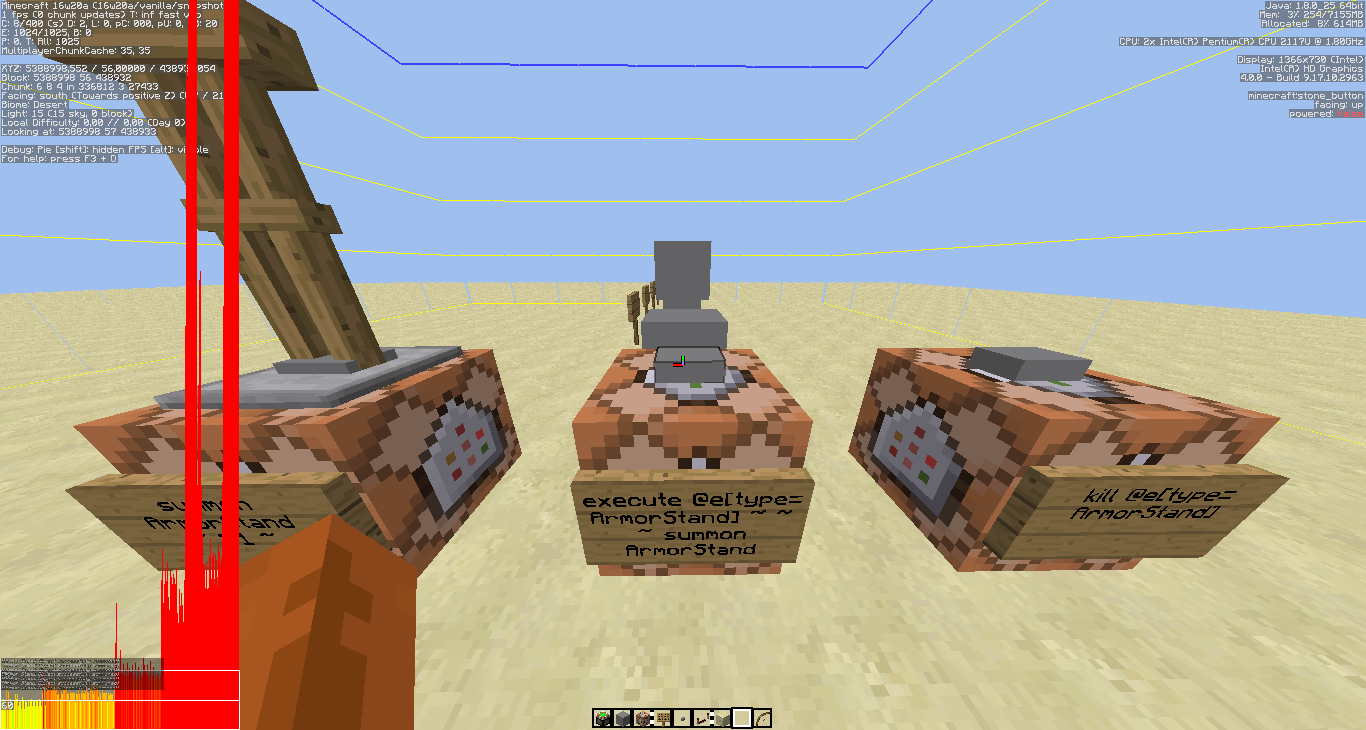
When I use a fishing rod, the game crashes. Every time.
---- Minecraft Crash Report ---- // I blame Dinnerbone. Time: 25.05.16 17:09 Description: Executing command block java.lang.NullPointerException: Executing command block at rx.a(SourceFile:324) at p$1.a(SourceFile:188) at p$1.apply(SourceFile:185) at com.google.common.base.Predicates$AndPredicate.apply(Predicates.java:359) at com.google.common.base.Predicates$AndPredicate.apply(Predicates.java:359) at aic.a(SourceFile:2283) at p.a(SourceFile:490) at p.b(SourceFile:143) at k.a(SourceFile:51) at ahr.a(SourceFile:114) at akw.b(SourceFile:96) at lr.a(SourceFile:645) at lr.d(SourceFile:216) at net.minecraft.server.MinecraftServer.D(SourceFile:618) at net.minecraft.server.MinecraftServer.C(SourceFile:554) at bzk.C(SourceFile:155) at net.minecraft.server.MinecraftServer.run(SourceFile:458) at java.lang.Thread.run(Thread.java:745) A detailed walkthrough of the error, its code path and all known details is as follows: --------------------------------------------------------------------------------------- -- Head -- Thread: Server thread Stacktrace: at rx.a(SourceFile:324) at p$1.a(SourceFile:188) at p$1.apply(SourceFile:185) at com.google.common.base.Predicates$AndPredicate.apply(Predicates.java:359) at com.google.common.base.Predicates$AndPredicate.apply(Predicates.java:359) at aic.a(SourceFile:2283) at p.a(SourceFile:490) at p.b(SourceFile:143) at k.a(SourceFile:51) -- Command to be executed -- Details: Command: execute @e[type=Arrow] ~ ~ ~ summon FallingSand ~ ~1 ~ {Block:torch} Name: @ Stacktrace: at ahr.a(SourceFile:114) at akw.b(SourceFile:96) -- Block being ticked -- Details: Block: minecraft:repeating_command_block[conditional=false,facing=west] Block location: World: (33,4,27), Chunk: (at 1,0,11 in 2,1; contains blocks 32,0,16 to 47,255,31), Region: (0,0; contains chunks 0,0 to 31,31, blocks 0,0,0 to 511,255,511) Stacktrace: at lr.a(SourceFile:645) at lr.d(SourceFile:216) -- Affected level -- Details: Level name: world All players: 1 total; [lt['FaRoGaming'/32, l='world', x=5388998,20, y=56,00, z=438927,31]] Chunk stats: ServerChunkCache: 486 Drop: 0 Level seed: 6478450281557879100 Level generator: ID 01 - flat, ver 0. Features enabled: true Level generator options: 2;7,3x1,52x24;2; Level spawn location: World: (0,129,0), Chunk: (at 0,8,0 in 0,0; contains blocks 0,0,0 to 15,255,15), Region: (0,0; contains chunks 0,0 to 31,31, blocks 0,0,0 to 511,255,511) Level time: 17137228 game time, 13000 day time Level dimension: 0 Level storage version: 0x04ABD - Anvil Level weather: Rain time: 1 (now: false), thunder time: 1 (now: false) Level game mode: Game mode: creative (ID 1). Hardcore: false. Cheats: true Stacktrace: at net.minecraft.server.MinecraftServer.D(SourceFile:618) at net.minecraft.server.MinecraftServer.C(SourceFile:554) at bzk.C(SourceFile:155) at net.minecraft.server.MinecraftServer.run(SourceFile:458) at java.lang.Thread.run(Thread.java:745) -- System Details -- Details: Minecraft Version: 16w21a Operating System: Windows 7 (amd64) version 6.1 Java Version: 1.8.0_25, Oracle Corporation Java VM Version: Java HotSpot(TM) 64-Bit Server VM (mixed mode), Oracle Corporation Memory: 153559192 bytes (146 MB) / 324702208 bytes (309 MB) up to 7502823424 bytes (7155 MB) JVM Flags: 6 total; -XX:HeapDumpPath=MojangTricksIntelDriversForPerformance_javaw.exe_minecraft.exe.heapdump -Xmx7G -XX:+UseConcMarkSweepGC -XX:+CMSIncrementalMode -XX:-UseAdaptiveSizePolicy -Xmn128M IntCache: cache: 0, tcache: 0, allocated: 0, tallocated: 0 Profiler Position: N/A (disabled) Player Count: 1 / 8; [lt['FaRoGaming'/32, l='world', x=5388998,20, y=56,00, z=438927,31]] Type: Integrated Server (map_client.txt) Is Modded: Probably not. Jar signature remains and both client + server brands are untouched.Reproduce: Put a command that executes something from every entity of a certain type into an active repeating command block and use a fishing rod.
Result: Game crashes.
Examples for commands that crash the game when executed in the same game tick as the usage of a fishing rod:
scoreboard players set @e[type=Arrow] test 1
kill @e[type=Cow]
execute @e[type=Item] ~ ~ ~ say test
testfor @e[type=Player]
Examples for commands that don't crash the game:
say @e[type=Sheep]
kill @e[score_test_min=1]---- Minecraft Crash Report ---- // I blame Dinnerbone. Time: 25.05.16 17:09 Description: Executing command block java.lang.NullPointerException: Executing command block at rx.a(SourceFile:324) at p$1.a(SourceFile:188) at p$1.apply(SourceFile:185) at com.google.common.base.Predicates$AndPredicate.apply(Predicates.java:359) at com.google.common.base.Predicates$AndPredicate.apply(Predicates.java:359) at aic.a(SourceFile:2283) at p.a(SourceFile:490) at p.b(SourceFile:143) at k.a(SourceFile:51) at ahr.a(SourceFile:114) at akw.b(SourceFile:96) at lr.a(SourceFile:645) at lr.d(SourceFile:216) at net.minecraft.server.MinecraftServer.D(SourceFile:618) at net.minecraft.server.MinecraftServer.C(SourceFile:554) at bzk.C(SourceFile:155) at net.minecraft.server.MinecraftServer.run(SourceFile:458) at java.lang.Thread.run(Thread.java:745) A detailed walkthrough of the error, its code path and all known details is as follows: --------------------------------------------------------------------------------------- -- Head -- Thread: Server thread Stacktrace: at rx.a(SourceFile:324) at p$1.a(SourceFile:188) at p$1.apply(SourceFile:185) at com.google.common.base.Predicates$AndPredicate.apply(Predicates.java:359) at com.google.common.base.Predicates$AndPredicate.apply(Predicates.java:359) at aic.a(SourceFile:2283) at p.a(SourceFile:490) at p.b(SourceFile:143) at k.a(SourceFile:51) -- Command to be executed -- Details: Command: execute @e[type=Arrow] ~ ~ ~ summon FallingSand ~ ~1 ~ {Block:torch} Name: @ Stacktrace: at ahr.a(SourceFile:114) at akw.b(SourceFile:96) -- Block being ticked -- Details: Block: minecraft:repeating_command_block[conditional=false,facing=west] Block location: World: (33,4,27), Chunk: (at 1,0,11 in 2,1; contains blocks 32,0,16 to 47,255,31), Region: (0,0; contains chunks 0,0 to 31,31, blocks 0,0,0 to 511,255,511) Stacktrace: at lr.a(SourceFile:645) at lr.d(SourceFile:216) -- Affected level -- Details: Level name: world All players: 1 total; [lt['FaRoGaming'/32, l='world', x=5388998,20, y=56,00, z=438927,31]] Chunk stats: ServerChunkCache: 486 Drop: 0 Level seed: 6478450281557879100 Level generator: ID 01 - flat, ver 0. Features enabled: true Level generator options: 2;7,3x1,52x24;2; Level spawn location: World: (0,129,0), Chunk: (at 0,8,0 in 0,0; contains blocks 0,0,0 to 15,255,15), Region: (0,0; contains chunks 0,0 to 31,31, blocks 0,0,0 to 511,255,511) Level time: 17137228 game time, 13000 day time Level dimension: 0 Level storage version: 0x04ABD - Anvil Level weather: Rain time: 1 (now: false), thunder time: 1 (now: false) Level game mode: Game mode: creative (ID 1). Hardcore: false. Cheats: true Stacktrace: at net.minecraft.server.MinecraftServer.D(SourceFile:618) at net.minecraft.server.MinecraftServer.C(SourceFile:554) at bzk.C(SourceFile:155) at net.minecraft.server.MinecraftServer.run(SourceFile:458) at java.lang.Thread.run(Thread.java:745) -- System Details -- Details: Minecraft Version: 16w21a Operating System: Windows 7 (amd64) version 6.1 Java Version: 1.8.0_25, Oracle Corporation Java VM Version: Java HotSpot(TM) 64-Bit Server VM (mixed mode), Oracle Corporation Memory: 153559192 bytes (146 MB) / 324702208 bytes (309 MB) up to 7502823424 bytes (7155 MB) JVM Flags: 6 total; -XX:HeapDumpPath=MojangTricksIntelDriversForPerformance_javaw.exe_minecraft.exe.heapdump -Xmx7G -XX:+UseConcMarkSweepGC -XX:+CMSIncrementalMode -XX:-UseAdaptiveSizePolicy -Xmn128M IntCache: cache: 0, tcache: 0, allocated: 0, tallocated: 0 Profiler Position: N/A (disabled) Player Count: 1 / 8; [lt['FaRoGaming'/32, l='world', x=5388998,20, y=56,00, z=438927,31]] Type: Integrated Server (map_client.txt) Is Modded: Probably not. Jar signature remains and both client + server brands are untouched.
Crash when using fishing rod in same tick as @e[type= command
(DUPLICATE) Crash when using fishing rod in same tick as @e[type= command
[DUPLICATE] Leaving bed doesn't work sometimes
I have some stationary hopper minecarts inside blocks and they constantly play the minecart rolling sound. The subtitle doesn't get shown, but I think I had them before, too.
World download:
dropbox.com/sh/oat1bfigdwvkb3o/AACREPdLVx4vyZRVjy2D2s4Ea?dl=0
Go to 0 12 -12.I have some stationary hopper minecarts inside blocks and they constantly play the minecart rolling sound. The subtitle doesn't get shown, but I think I had them before, too.
[world download removed]
Reproduce:
1. Give yourself jump boost 2.
2. Walk up to a 2 block high wall.
Result: Doesn't jump, although you could jump up.Reproduce one high:
1. Put a block before you.
2. Place a low block above (e.g. repeater) that you could normally jump on.
3. Walk there with auto jump on.
Result: Doesn't jump.
4. To test: Jump up manually->works.Reproduce jump boost:
1. Give yourself jump boost 2.
2. Walk up to a 2 block high wall.
Result: Doesn't jump, although you could jump up.
Auto jump goes only 1.0 blocks high (doesn't include jump boost)
1. Give yourself jump boost 2.
2. Walk up to a 2 block high wall.
Result: Doesn't jump, although you could jump up.
Auto jumpgoes only 1.0 blocks high (doesn't include jump boost)
Windows
Windows 7
Ubuntu 16.04
Baby wolf and ozelot hitbox changes
The hitbox of a baby wolf jumps to a different location inside the
{Baby:1,NoAI:1,NoGravity:1}wolfshortly after summoning it.
Reproduce:
1. Go into third person view.
2. Press F3+B.
3. Type into chat: "/summon Wolf ~ ~ ~Result: Hitbox starts at the back of the baby
wolf, but then jumps into the middle. That might lead to some suffocation, although it's not nearly as bad asMC-50367. I found it out while testing for that bug.The hitbox of a baby wolf/ozelot jumps to a different location inside the animal shortly after summoning it.
{Baby:1,NoAI:1,NoGravity:1}
Reproduce:
1. Go into third person view.
2. Press F3+B.
3. Type into chat: "/summon Wolf ~ ~ ~Result: Hitbox starts at the back of the baby animal, but then jumps into the middle. That might lead to some suffocation, although it's not nearly as bad as
MC-50367. I found it out while testing for that bug.
Babywolf and ozelothitbox changesBaby animal hitbox changes
The hitbox of a baby
{Baby:1,NoAI:1,NoGravity:1}wolf/ozelotjumps to a different location inside the animal shortly after summoning it.
Reproduce:
1. Go into third person view.
2. Press F3+B.
3. Type into chat: "/summon Wolf ~ ~ ~Result: Hitbox starts at the back of the baby animal, but then jumps into the middle. That might lead to some suffocation, although it's not nearly as bad as
MC-50367. I found it out while testing for that bug.The hitbox of a baby animal jumps to a different location inside the animal shortly after summoning it.
{Baby:1,NoAI:1,NoGravity:1}
Reproduce:
1. Go into third person view.
2. Press F3+B.
3. Type into chat: "/summon Wolf ~ ~ ~Result: Hitbox starts at the back of the baby animal, but then jumps into the middle. That might lead to some suffocation, although it's not nearly as bad as
MC-50367. I found it out while testing for that bug.
The Bug:
The hitbox of any baby mobsjumps to a different location inside the animal shortly after summoning it.Reproduce:
1. Go into third person view.
2. Press F3+B.
3. Type into chat:/summon Wolf ~ ~ ~ {Age:-2000,NoAI:1,NoGravity:1}Result: Hitbox starts at the back of the baby animal, but then jumps into the middle. That might lead to some suffocation, although it's not nearly as bad as
MC-50367. I found it out while testing for that bug.Also affects the Zombie / Husk / Zombie Pigman / Zombie Villager / Armor Stand
Code analysis by Marcono1234 in this comment.
Hitbox of baby mobs / slime / magma / llamacubeare offset for some secondsHitbox of baby mobs / slime / magma cube / llama are offset for some seconds

Worked with a bit of lag, but ok in 1.10.0, now the game crashed. Happened twice in a row. There are about 10 standard "repeater, 2 redstone, repeater, 2 redstone"-clocks that got activated quickly after another, after about half of it the game crashed. Used this to test MC-711 .
 ---- Minecraft Crash Report ----
// You're mean.

Time: 22.06.16 17:35
Description: Server forgot to send required information to construct BlockEntity

java.lang.RuntimeException: Missing BlockEntity
	at bqy.b(SourceFile:162)
	at bqu.a(SourceFile:100)
	at bqt.b(SourceFile:140)
	at boh.a(SourceFile:913)
	at bnz.a(SourceFile:1237)
	at bnz.b(SourceFile:1171)
	at bnz.a(SourceFile:1018)
	at bcx.av(SourceFile:991)
	at bcx.a(SourceFile:396)
	at net.minecraft.client.main.Main.main(SourceFile:124)


A detailed walkthrough of the error, its code path and all known details is as follows:
---------------------------------------------------------------------------------------

-- Head --
Thread: Client thread
Stacktrace:
	at bqy.b(SourceFile:162)

-- BlockEntity missing instance data --
Details:
	BlockState: minecraft:piston_extension[facing=up,type=sticky]
	Block coordinates: World: (-195,55,23), Chunk: (at 13,3,7 in -13,1; contains blocks -208,0,16 to -193,255,31), Region: (-1,0; contains chunks -32,0 to -1,31, blocks -512,0,0 to -1,255,511)
Stacktrace:
	at bqy.b(SourceFile:162)
	at bqu.a(SourceFile:100)
	at bqt.b(SourceFile:140)
	at boh.a(SourceFile:913)
	at bnz.a(SourceFile:1237)
	at bnz.b(SourceFile:1171)

-- Affected level --
Details:
	Level name: MpServer
	All players: 1 total; [bnn['FaRoGaming'/3, l='MpServer', x=-191,87, y=56,00, z=0,81]]
	Chunk stats: MultiplayerChunkCache: 81, 81
	Level seed: 0
	Level generator: ID 01 - flat, ver 0. Features enabled: false
	Level generator options:
	Level spawn location: World: (0,56,0), Chunk: (at 0,3,0 in 0,0; contains blocks 0,0,0 to 15,255,15), Region: (0,0; contains chunks 0,0 to 31,31, blocks 0,0,0 to 511,255,511)
	Level time: 844215 game time, 13000 day time
	Level dimension: 0
	Level storage version: 0x00000 - Unknown?
	Level weather: Rain time: 0 (now: false), thunder time: 0 (now: false)
	Level game mode: Game mode: survival (ID 0). Hardcore: false. Cheats: false
	Forced entities: 8 total; [wk['Rabbit'/1, l='MpServer', x=-175,20, y=56,00, z=38,00], bnn['FaRoGaming'/3, l='MpServer', x=-191,87, y=56,00, z=0,81], aar['Minecart with chest'/5, l='MpServer', x=-229,50, y=56,06, z=2,50], sc['Experience Orb'/6, l='MpServer', x=-211,99, y=56,00, z=5,47], sc['Experience Orb'/7, l='MpServer', x=-208,27, y=56,00, z=3,33], sc['Experience Orb'/8, l='MpServer', x=-208,84, y=56,00, z=3,25], sc['Experience Orb'/9, l='MpServer', x=-210,30, y=56,00, z=4,73], wk['Rabbit'/10, l='MpServer', x=-201,72, y=56,00, z=-28,29]]
	Retry entities: 0 total; []
	Server brand: vanilla
	Server type: Integrated singleplayer server
Stacktrace:
	at bln.a(SourceFile:364)
	at bcx.b(SourceFile:2535)
	at bcx.a(SourceFile:405)
	at net.minecraft.client.main.Main.main(SourceFile:124)

-- System Details --
Details:
	Minecraft Version: 1.10.1
	Operating System: Windows 7 (amd64) version 6.1
	Java Version: 1.8.0_25, Oracle Corporation
	Java VM Version: Java HotSpot(TM) 64-Bit Server VM (mixed mode), Oracle Corporation
	Memory: 99522872 bytes (94 MB) / 277344256 bytes (264 MB) up to 7502823424 bytes (7155 MB)
	JVM Flags: 6 total; -XX:HeapDumpPath=MojangTricksIntelDriversForPerformance_javaw.exe_minecraft.exe.heapdump -Xmx7G -XX:+UseConcMarkSweepGC -XX:+CMSIncrementalMode -XX:-UseAdaptiveSizePolicy -Xmn128M
	IntCache: cache: 0, tcache: 0, allocated: 0, tallocated: 0
	Launched Version: 1.10.1
	LWJGL: 2.9.4
	OpenGL: Intel(R) HD Graphics GL version 4.0.0 - Build 9.17.10.2963, Intel
	GL Caps: Using GL 1.3 multitexturing.
Using GL 1.3 texture combiners.
Using framebuffer objects because OpenGL 3.0 is supported and separate blending is supported.
Shaders are available because OpenGL 2.1 is supported.
VBOs are available because OpenGL 1.5 is supported.

	Using VBOs: Yes
	Is Modded: Probably not. Jar signature remains and client brand is untouched.
	Type: Client (map_client.txt)
	Resource Packs: FaRoPack
	Current Language: English (Australia)
	Profiler Position: N/A (disabled)
	CPU: 2x Intel(R) Pentium(R) CPU 2117U @ 1.80GHz
Steps to reproduce:
1. Set the system volume of Windows to 0.
2. Start Minecraft.
3. Set the system volume of Windows to something else.
What happens: No sound until MC restart.Steps to reproduce:
1. ???
What happens: No sound until MC restart.
Report after forced crash:---- Minecraft Crash Report ---- // Sorry :( Time: 23.06.16 17:08 Description: Manually triggered debug crash java.lang.Throwable at bcx.az(SourceFile:1705) at bcx.t(SourceFile:1626) at bcx.av(SourceFile:968) at bcx.a(SourceFile:396) at net.minecraft.client.main.Main.main(SourceFile:124) A detailed walkthrough of the error, its code path and all known details is as follows: --------------------------------------------------------------------------------------- -- Head -- Thread: Client thread Stacktrace: at bcx.az(SourceFile:1705) -- Affected level -- Details: Level name: MpServer All players: 1 total; [bnn['FaRoGaming'/3, l='MpServer', x=-19,53, y=56,00, z=-0,49]] Chunk stats: MultiplayerChunkCache: 81, 81 Level seed: 0 Level generator: ID 01 - flat, ver 0. Features enabled: false Level generator options: Level spawn location: World: (0,56,0), Chunk: (at 0,3,0 in 0,0; contains blocks 0,0,0 to 15,255,15), Region: (0,0; contains chunks 0,0 to 31,31, blocks 0,0,0 to 511,255,511) Level time: 868173 game time, 13000 day time Level dimension: 0 Level storage version: 0x00000 - Unknown? Level weather: Rain time: 0 (now: false), thunder time: 0 (now: false) Level game mode: Game mode: creative (ID 1). Hardcore: false. Cheats: false Forced entities: 1 total; [bnn['FaRoGaming'/3, l='MpServer', x=-19,53, y=56,00, z=-0,49]] Retry entities: 0 total; [] Server brand: vanilla Server type: Integrated singleplayer server Stacktrace: at bln.a(SourceFile:364) at bcx.b(SourceFile:2535) at bcx.a(SourceFile:405) at net.minecraft.client.main.Main.main(SourceFile:124) -- System Details -- Details: Minecraft Version: 1.10.2 Operating System: Windows 7 (amd64) version 6.1 Java Version: 1.8.0_25, Oracle Corporation Java VM Version: Java HotSpot(TM) 64-Bit Server VM (mixed mode), Oracle Corporation Memory: 156860656 bytes (149 MB) / 272961536 bytes (260 MB) up to 7502823424 bytes (7155 MB) JVM Flags: 6 total; -XX:HeapDumpPath=MojangTricksIntelDriversForPerformance_javaw.exe_minecraft.exe.heapdump -Xmx7G -XX:+UseConcMarkSweepGC -XX:+CMSIncrementalMode -XX:-UseAdaptiveSizePolicy -Xmn128M IntCache: cache: 0, tcache: 0, allocated: 0, tallocated: 0 Launched Version: 1.10.2 LWJGL: 2.9.4 OpenGL: Intel(R) HD Graphics GL version 4.0.0 - Build 9.17.10.2963, Intel GL Caps: Using GL 1.3 multitexturing. Using GL 1.3 texture combiners. Using framebuffer objects because OpenGL 3.0 is supported and separate blending is supported. Shaders are available because OpenGL 2.1 is supported. VBOs are available because OpenGL 1.5 is supported. Using VBOs: Yes Is Modded: Probably not. Jar signature remains and client brand is untouched. Type: Client (map_client.txt) Resource Packs: FaRoPack Current Language: English (Australia) Profiler Position: N/A (disabled) CPU: 2x Intel(R) Pentium(R) CPU 2117U @ 1.80GHz
Sound doesn't workif system sound was 0 at MC startSound doesn't work sometimes
Steps to reproduce:
1. ???
What happens: No sound until MC restart.
Report after forced crash:---- Minecraft Crash Report ---- // Sorry :( Time: 23.06.16 17:08 Description: Manually triggered debug crash java.lang.Throwable at bcx.az(SourceFile:1705) at bcx.t(SourceFile:1626) at bcx.av(SourceFile:968) at bcx.a(SourceFile:396) at net.minecraft.client.main.Main.main(SourceFile:124) A detailed walkthrough of the error, its code path and all known details is as follows: --------------------------------------------------------------------------------------- -- Head -- Thread: Client thread Stacktrace: at bcx.az(SourceFile:1705) -- Affected level -- Details: Level name: MpServer All players: 1 total; [bnn['FaRoGaming'/3, l='MpServer', x=-19,53, y=56,00, z=-0,49]] Chunk stats: MultiplayerChunkCache: 81, 81 Level seed: 0 Level generator: ID 01 - flat, ver 0. Features enabled: false Level generator options: Level spawn location: World: (0,56,0), Chunk: (at 0,3,0 in 0,0; contains blocks 0,0,0 to 15,255,15), Region: (0,0; contains chunks 0,0 to 31,31, blocks 0,0,0 to 511,255,511) Level time: 868173 game time, 13000 day time Level dimension: 0 Level storage version: 0x00000 - Unknown? Level weather: Rain time: 0 (now: false), thunder time: 0 (now: false) Level game mode: Game mode: creative (ID 1). Hardcore: false. Cheats: false Forced entities: 1 total; [bnn['FaRoGaming'/3, l='MpServer', x=-19,53, y=56,00, z=-0,49]] Retry entities: 0 total; [] Server brand: vanilla Server type: Integrated singleplayer server Stacktrace: at bln.a(SourceFile:364) at bcx.b(SourceFile:2535) at bcx.a(SourceFile:405) at net.minecraft.client.main.Main.main(SourceFile:124) -- System Details -- Details: Minecraft Version: 1.10.2 Operating System: Windows 7 (amd64) version 6.1 Java Version: 1.8.0_25, Oracle Corporation Java VM Version: Java HotSpot(TM) 64-Bit Server VM (mixed mode), Oracle Corporation Memory: 156860656 bytes (149 MB) / 272961536 bytes (260 MB) up to 7502823424 bytes (7155 MB) JVM Flags: 6 total; -XX:HeapDumpPath=MojangTricksIntelDriversForPerformance_javaw.exe_minecraft.exe.heapdump -Xmx7G -XX:+UseConcMarkSweepGC -XX:+CMSIncrementalMode -XX:-UseAdaptiveSizePolicy -Xmn128M IntCache: cache: 0, tcache: 0, allocated: 0, tallocated: 0 Launched Version: 1.10.2 LWJGL: 2.9.4 OpenGL: Intel(R) HD Graphics GL version 4.0.0 - Build 9.17.10.2963, Intel GL Caps: Using GL 1.3 multitexturing. Using GL 1.3 texture combiners. Using framebuffer objects because OpenGL 3.0 is supported and separate blending is supported. Shaders are available because OpenGL 2.1 is supported. VBOs are available because OpenGL 1.5 is supported. Using VBOs: Yes Is Modded: Probably not. Jar signature remains and client brand is untouched. Type: Client (map_client.txt) Resource Packs: FaRoPack Current Language: English (Australia) Profiler Position: N/A (disabled) CPU: 2x Intel(R) Pentium(R) CPU 2117U @ 1.80GHzSometimes all Minecraft sounds are disabled and can only be enabled by restarting the game. This might be related to having the system volume off when starting Minecraft.
The bug
When an item drop lands on the edge of a block, the client sometimes makes it fall over the edge, while the server leaves it on the edge. Therefor the block drop can appear up to ~250 blocks away (world height). This is caused because the client thinks the drop can fall, and attempts to predict the future incorrectly.
To reproduce
Run in command block:
summon Item ~ ~1 ~-0.6249 {Item:{id:"stone",Count:1b}}
Code analysis by Marcono1234 in this comment.
Fix by [Mojang] Panda in this comment.
The bug
When an item drop lands on the edge of a block, the client sometimes makes it fall over the edge, while the server leaves it on the edge. Therefor the block drop can appear up to ~250 blocks away (world height). This is caused because the client thinks the drop can fall, and attempts to predict the future incorrectly.
To reproduce
Run in command block:
summon item ~ ~1 ~-0.6249 {Item:{id:"stone",Count:1b}}
Code analysis by Marcono1234 in this comment.
Fix by [Mojang] Panda in this comment.
The bug
When an item
droplands on the edge of a block, the client sometimes makes it fall over the edge,while the server leaves it on the edge. Therefor the block drop can appear up to ~250 blocks away (world height). This is causedbecause the client thinks the drop can fall,and attempts to predict the future incorrectly.To reproduce
Run in command block:
summon item ~ ~1 ~-0.6249 {Item:{id:"stone",Count:1b}}
Code analysis by Marcono1234 in this comment.
Fix by [Mojang] Panda in this comment.
The bug
When an item lands on the edge of a block, the client sometimes makes it fall over the edge while the server leaves it on the edge. This happens because the client thinks the drop can fall based on a slightly different location and attempts to predict the future incorrectly.
To reproduce
Run in command block:
summon item ~ ~1 ~-0.6249 {Item:{id:"stone",Count:1b}}
Code analysis by Marcono1234 in this comment.
Fix by [Mojang] Panda in this comment.
Digging straightup /down glitches out the breaking animation (Z-fighting)
Pets disobeying sit commands by helping playerin danger whenwithin a certain radiusPets disobeying sit commands by helping player when attacked and within a certain radius
Sometimes repeater clocks may freeze due to the way tile ticks are saved and updated. Most cases of that already got fixed and it already got a lot better compared to when the issue was created.
I only manged to find one case were the problem still remains. That is, if you place an ordinary repeater clock with two repeaters in two different chunks.
Steps to reproduce:
- Move to a location outside of the spawn chunks. The spawn chunks are close to the location you are when you type /kill without having a bed spawn. Move far away from there.
- Hit F3+G to show chunk borders.
- Build a repeater clock in such a way that the repeaters are located in two different chunks.
- Now move away from the clock in such a way that the chunk of one repeater is closer than the other. Move away until you can't see either of the repeaters anymore and maybe a little further to be extra sure.
- Now move closer to your clock again. The clock is likely to be stuck now.
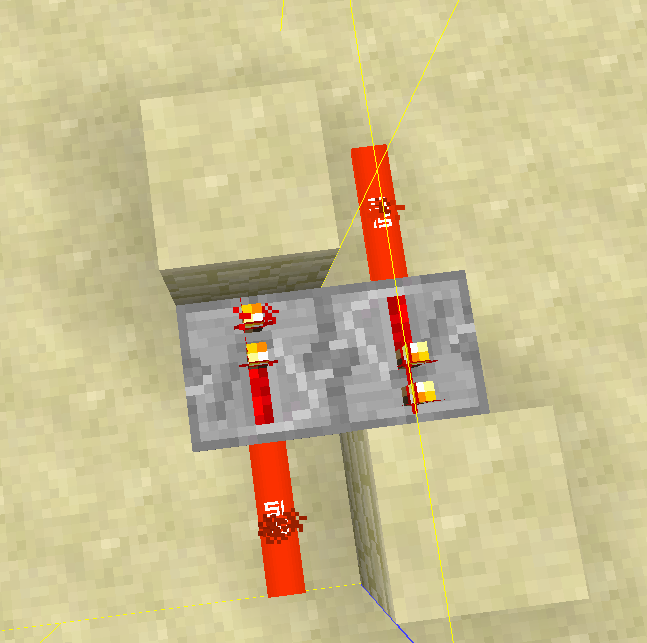
Why this happens
That happens because when you move away the chunks unload and so do the tile ticks of the repeaters. When you move closer again and the repeater that is in the chunk that was closer to you has a tile tick scheduled for turning on while the other has scheduled a tile tick for turning off, the chunk with the repeater that wants to turn on gets loaded first, the tile tick counts down and gets executed while the other repeater was not loaded the entire time and thus didn't yet turn off. Now both repeaters are turned on and the clock is broken.This is certainly not easy to fix. I think in order to fix this, tile ticks need to be overhauled in general. A system where tile ticks can be "connected" so that if one of them is loaded, the other gets loaded as well might be an option.
Tile ticks of connected redstone components might be executed in the wrong order when unloading/reloading chunks
The bug
Villagers can get into a state where all there trades are locked.
Cases
Unloading villager during refresh
This bug happens when you unload the villager before it refreshed its trades.
How to reproduce
- Spawn a villager
- Get all items it wants for its first trades in your inventory. It is easier if you are in Creative to be able to clone items if you need more.
- Start trading with the villager
- Without closing the GUI use all trades until they are disabled
- Close the GUI and directly afterwards close the world
- Load the world again
→ The trades will still be disabled and won't be enabled againCode analysis
Based on 1.11.2 decompiled using MCP 9.35 rc1
The fields net.minecraft.entity.passive.EntityVillager.timeUntilReset and net.minecraft.entity.passive.EntityVillager.needsInitilization are not saved to NBT.
Suggested fix
See this comment.
Trade not being used for the first time and having bad luck
Based on 1.11.2 decompiled using MCP 9.35 rc1
As of 1.11.2 (and earlier versions) the method net.minecraft.entity.passive.EntityVillager.useRecipe(MerchantRecipe) only enables all disabled trades if a trade was used for the first time or with a one fifth chance. This means if you have bad luck, you can end up with all trades locked as well.
It is not known if this is intended or if the developers just did not want that trading any trade always enables all disabled trades, but forgot that it might happen that all trades get disabled.
Fix for affected villagers
This comment describes a fix for already affected villagers in case it is not intended that villagers with only disabled trades exist.
Remark: Consider adventure maps, where sometimes all trades are intentionally locked. Unlocking them when loading the villager might break the map, because players can get item they shouldn't have.
The bug
Villagers can get into a state where all there trades are locked.
Cases
Unloading villager during refresh
This bug happens when you unload the villager before it refreshed its trades.
How to reproduce
- Spawn a villager
- Get all items it wants for its first trades in your inventory. It is easier if you are in Creative to be able to clone items if you need more.
- Start trading with the villager
- Without closing the GUI use all trades until they are disabled
- Close the GUI and directly afterwards close the world
- Load the world again
→ The trades will still be disabled and won't be enabled againIn some cases, such as when trading with Leather Workers or other villagers with low numbers of total trades, it is possible to skip steps 5 and 6 as those villagers can have all trades become locked without closing the world.
Code analysis
Based on 1.11.2 decompiled using MCP 9.35 rc1
The fields net.minecraft.entity.passive.EntityVillager.timeUntilReset and net.minecraft.entity.passive.EntityVillager.needsInitilization are not saved to NBT.
Suggested fix
See this comment.
Trade not being used for the first time and having bad luck
Based on 1.11.2 decompiled using MCP 9.35 rc1
As of 1.11.2 (and earlier versions) the method net.minecraft.entity.passive.EntityVillager.useRecipe(MerchantRecipe) only enables all disabled trades if a trade was used for the first time or with a one fifth chance. This means if you have bad luck, you can end up with all trades locked as well.
It is not known if this is intended or if the developers just did not want that trading any trade always enables all disabled trades, but forgot that it might happen that all trades get disabled.
Fix for affected villagers
This comment describes a fix for already affected villagers in case it is not intended that villagers with only disabled trades exist.
Remark: Consider adventure maps, where sometimes all trades are intentionally locked. Unlocking them when loading the villager might break the map, because players can get item they shouldn't have.
The bug
Villagers can get into a state where all there trades are locked.
Cases
Unloading villager during refresh
This bug happens when you unload the villager before it refreshed its trades.
How to reproduce
- Spawn a villager
- Get all items it wants for its first trades in your inventory. It is easier if you are in Creative to be able to clone items if you need more.
- Start trading with the villager
- Without closing the GUI use all trades until they are disabled
- Close the GUI and directly afterwards close the world
- Load the world again
→ The trades will still be disabled and won't be enabled againIn some cases, such as when trading with Leather Workers or other villagers with low numbers of total trades, it is possible to skip steps 5 and 6 as those villagers can have all trades become locked without closing the world.
Code analysis
Based on 1.11.2 decompiled using MCP 9.35 rc1
The fields net.minecraft.entity.passive.EntityVillager.timeUntilReset and net.minecraft.entity.passive.EntityVillager.needsInitilization are not saved to NBT.
Suggested fix
See this comment.
Trade not being used for the first time and having bad luck
Based on 1.11.2 decompiled using MCP 9.35 rc1
As of 1.11.2 (and earlier versions) the method net.minecraft.entity.passive.EntityVillager.useRecipe(MerchantRecipe) only enables all disabled trades if a trade was used for the first time or with a one fifth chance. This means if you have bad luck, you can end up with all trades locked as well.
It is not known if this is intended or if the developers just did not want that trading any trade always enables all disabled trades, but forgot that it might happen that all trades get disabled.
Fix for affected villagers
This comment describes a fix for already affected villagers in case it is not intended that villagers with only disabled trades exist.
Remark: Consider adventure maps, where sometimes all trades are intentionally locked. Unlocking them when loading the villager might break the map, because players can get item they shouldn't have.
Mac Os 10.7.5, Windows 8.1, Windows 10

The bug
This is a well known bug, but I only saw one report for it, which did not have a good description. Under certain conditions, when you start sprinting, the FOV will repeatedly switch between the normal and sprinting levels. Your speed stays at the normal walking pace, and the particles appear in bursts, while the FOV is in the sprinting position.
I know several different events trigger it, but I have found one way to faithfully recreate it after 1-3 tries. Simply hold shift for a moment, then let go, and double tap W the instant you let go. It occurs almost every time. I've also recreated it a couple times by sprinting over a half slab at various positions. The sneaking method no longer seems to work, and there currently is no known way to consistently reproduce this bug.
This bug is especially annoying for me on parkour maps, since I tend to hold shift while adjusting my position before a jump. Since you move at normal walking speed, I almost always miss the jump.
To reproduce
According to this comment by Fabian Röling, pressing the W key three times consecutively can cause this issue.
![[Mod] bemoty](../../../data/avatars/users/50554.png)
![[Mod] Michael Wobst](../../../data/avatars/users/37868.png)
Can confirm for MC 1.12.1.
Fabian Röling, when you type in " google.com" in the URL bar of your web browser, your browser won't tell you that the URL is invalid because it omits trailing and leading whitespaces by default. It does that because there are people out there in the vastness of the internet who are very good at making typos. Since whitespaces are invisible, those people probably wouldn't notice it when there was a whitespace at the beginning or at the end of the URL they just typed in and would very likely complain why they can't reach that URL. The same goes for Minecraft servers.
Kumasasa's quote is very fitting here.
Make something idiot proof and nature will create a better idiot.
![[Mod] Skylinerw](../../../data/assets/gravatar/skylinerw.png)
@Fabian Röling It's intentional design, so it's not a bug to not fix.
Fabian Röling Oh yeah forgot the shulker thing haha

@Fabian Röling Yes.
In regards to
Fabian Röling added a comment - 02/Jun/18 9:26 AM
Couldn't the auto-refresh routine just use either the Profession or Career data to determine whether auto-refreshing should be initiated? If it isn't on the list of default, vanilla minecraft Professions or Careers, ignore any such routine.
![[Mod] Pokechu22](../../../data/avatars/users/92931.png)
According to Fabian Röling this was fixed in pre1.

Fabian Röling Read the description very carefully:
"If you place rails not next to another rail of any type, it always faces north-south instead of the way you're facing."
The issue is that when any type of rail is placed by itself, it always faces the same direction. The description is definitely confusing, though. I have updated the description to be more clear.

Fabian Röling Well that does make sense. If you stare at it, it won't charge at you, but if you walk to close it will teleport away to sneak up on you and attack because if you get close to it then it is in your reach and it would only be natural for it to teleport away as self-defense.
@Fabian Röling To be honest, I cannot remember how I reproduced this in the few snapshots before I reported I could no longer reproduce this. In other words, I have probably reported incorrect behaviour in the client as a reproduction of this bug in the few snapshots leading up to 19w04a. However, I know that I was able to reproduce it the first few times (1.13.2 and < ~18w49, as mentioned by @Mordenkainen with their code snippet) by going to extreme coordinates, but that could take more than 15 minutes to reproduce it in the way I did it (I cannot remember using on the of suggested methods and yes, I should have updated the report with my way of reproducing it, an unfortunate mistake on my end by not doing so).
If you cannot reproduce it in 1.13.2 and I have no way to prove that I was able to do so, maybe a mod can revert/purge every change since then and change the status back to fixed.
For a mod: If it is possible I would like to be disassociated with this bug report because it is causing me too much trouble in maintaining it with the amount of expertise and time that is expected from me.
![[Mod] Asteraoth](../../../data/avatars/users/92886.png)
Fabian Röling, make separate bug reports for the issue that are not fixed.
![[Mojang] Panda](../../../data/avatars/users/41658.png)
Fabian Röling Thank you for testing all of it in the latest snapshot 
I'm all for keeping this report closed. It was way to many little, sometimes subjective issues combined.
Some of the issues are already confirmed as "WAI" or "Won't fix" as of the comment of [Mojang] Grum (Erik Broes), as certain mobs are supposed to fit through certain spaces, but as they are mixed in with the other issues they never could officially be closed as such (One could argue that the rendering should change in these cases, but that's best done per case basis as well).
Sure, it will be a bunch of little reports that are all related, but at least it is possible to work with them. If we reopen this report it will stay open forever, because there will always be a collision box that could be better as cuboids only have to offer so much.
I would say don't report all of them, but just the ones where you see a significant enough offset or annoyance. Some small grouping might be reasonable if it affects all types of a mob or so.
That's just my take anyway. But the Mod-Team might have discussed a course of action for this issue.
Fixed according to Fabian Röling.
![[Mod] violine1101](../../../data/avatars/users/92858.png)
Santiago Dailey, the video you posted is irrelevant to the ticket posted here. Please create a new report about it. However, just like Fabian Röling, I cannot see anything faulty in the video, so if you create a new ticket, please point out exactly what the buggy animation is.

[Mojang] Adrian Östergård I absolutely agree with Fabian Röling and also want to state that this is an inconsistency.
If this bugpost would have been resolved as WAI without giving any reason, I would have assumed something which is intel I've gotten several years ago though.
Back then I asked a dev regarding textures such as foliage, (custom) sky, environment etc., and he wrote something along the lines of, that some things related to texturepacks would require a massive rewrite. That he actually already tried to implement something which is currently hardcoded, but it didn't work out with that code base (don't nail me down 100% to those words, it's saved similar like this in my memory, I mainly recall that he wanted to give texturepack makers more possibilities, but it was not possible at that time).
From what I know so far about this bugtracker, is, that in some cases "works as intended" can also mean something like "we can't currently do this, it may be fixed one day, it also might not be on the top of our priority list, and it may very well be that, if it will be possible one day, it may not be in the format this bugpost refers to, so we might as well close it, and as we must not reveal specific future plans for Minecraft to the public, we sadly can't tell you that this will be possible one day.", but this is apparently not the case here by closing the bugpost as a "feature request".
To emphasize again: Closing this bugpost as a feature request seems wrong, as it's also for me an inconsistency.
I am aware that since the acquisition by Microsoft, plans may have changed tremendously, which is not the Devs' fault, but, regardless, I want to link again a Redditpost by Mr. Broes:
https://www.reddit.com/r/Minecraft/comments/66gcg9/comment/dgiy1xb
It would be very kind of you, Mr. Östergård, to ask the developer who would be currently responsible for theoretically implementing it into Vanilla, so you could re-evaluate to possibly leave this bugpost open, or, if you are allowed to, to give us any intel about future plans regarding this.
Thank you!
![[Mod] NeunEinser](../../../data/avatars/users/39263.png)
Fabian Röling I can still reproduce the issue with the steps from above. Because of the aggressive unloading in 1.14, you don't even need to trigger an autosave
Another setup related to this bug is this:

The repeater on the left is placed towards the negative x, the other one to the positive x. The 2 repeaters on the left are on one tick, the one on the right on two ticks.
Usually the command block on the right will trigger first, because the tile tick of the 2-tick repeater scheduled first.
If you pause the game at the exact moment when the first 1-tick repeater is activated, but none of the others and then Save & Quit, the activation order will differ.
Fabian Röling I added new commands, however the entity selector based reproduction should be taken with a grain of salt, as it's highly dependant how entity selectors are optimized. So it might change between versions or even be affected by things like how many entities are loaded etc.
The warning on reloading has been consistently there and likely will keep working and thus should be the preferred reproduction.

Fabian Röling Actually, your screenshots show exactly what Thommy Siverman described, the cloud faces slightly overlap where they connect. There's no more open gaps, so this ticket is no longer relevant as of 1.15. If you think that it still doesn't look correct, feel free to create a new ticket, if there isn't one out there already (search before making a new one!).

Fabian Röling, oh, I didn't know that. The intent is to let the sound travel as far as possible with lightning, but then you get bugs like these. But 10000 as volume for lightning strike seems overkill as the dragon flapping is just 5f, which also needs to be heard from a far.
![[Mod] ManosSef](../../../data/avatars/users/61702.png)
Fabian Röling In this video (https://www.youtube.com/watch?v=YbuWmY0p6a4) which you commented above, Etho played in 13w04a. In 13w02a-13w04a, falling death messages worked in an interesting way:
There were two types of messages, " [player] 'first' " and " [player] 'first' and 'last' ".
<first> could be:
- fell [off a ladder/off some vines/out of the water/fell from a high place]
- was [shot/pummeled/blown/fireballed/knocked] [off a ladder/off some vines/out of the water/from a high place]
- was [shot/pummeled/blown/fireballed/knocked] [off a ladder/off some vines/out of the water/from a high place] by [player/mob]
<last> could be:
- into a pool of lava
- fell out of the world
- into a patch of fire
- into a patch of cacti
- got finished off by [player/mob]
- got finished off by [player/mob] using [item]
- got finished off using [item]
I've done the math. There were 352 different death messages.
(Well, technically there were 416 because the verb "blown" existed twice in en_US.lang.)

@Fabian Röling, ohhh right, I forgot to tell that the server where I'm playing is not totally vanilla.... If I can trust "https://minecraft-statistic.net/" it seems that it is "CraftBukkit on Bukkit 1.15.2-R0.1-SNAPSHOT".
My client is vanilla, no modification. (not even Optifine  )
)
Fabian Röling sure, a fix that takes care of everything automatically is always cool.
However, having all issues separate is both beneficial for us as it is for the devs.
For us it is tedious to keep such meta reports up to date, as Mojang at any point might add a new subtitle, especially for stuff newly added.
In order to confirm this ticket for the latest version, you basically have to check all instances always. Obviously not everyone will do that, so an incorrect state for such a report is much more likely.
Secondly, you don't know any of the plans from the developers. It's probably not that easy to require a subtitle for every sound as you make it be, and it's probably also not desired. In fact, some aspects of this very ticket might very well be WAI but it's impossible to cherry-pick these aspects by the devs and it is also hard to keep track of these with the triaging system.
Besides, even if there are plans to fix this properly, as you call it, it might be desired to fix these by adding them manually for now to make the game better until the system arrives.
As evident by the fact that not all sound events are fixed by Mr. Gatland's efforts, the devs may have visions that differ from yours.

@Fabian Röling, Math.addExact throws an exception on overflow which would not be helpful here. Capping the value at the maximum positive value sounds reasonable especially since such high XP levels can likely not be obtained in Survival anyways.
See comment by Fabian Röling:
This was claimed to be fixed many times before, it depends on your CPU. Were you able to reproduce it before, on the same computer, the same operating system, the same Java version?

Fabian Röling this problem is not on all blocks but all held items. i have tried every fix I dont think my GPU is the problem

Fabian Röling Eggs don't do damage, though?
Fabian Röling Singleplayer, Optifine preview version, some datapacks (not related to chickens/eggs, just some VanillaTweaks such as player graves and chestplate + elytra, as well as some other smaller datapacks such as netherite items exiting burnt shulker boxes and NevTooExp).
My CPS was about 6.
Fabian Röling can you please check if this is fully fixed for you?

Hi Fabian Röling, we don't support manual updating. It allows us to change both the client and our services without having to stay backward-compatible, and ensures the Launcher behaves consistently across all our supported operating systems.
![[Helper] pine1needle](../../../data/avatars/users/41329.png)
Fabian Röling, perhaps it's difficult to see in the screenshot on this report because the particles and the stained glass are both grey, but the particles that are between the glass and the water are rendering as if they were behind the water. This is a duplicate of MC-186538.
To determine the default key, you can click the reset button in the UI. Could you try if the default key for opening the chat with a / was different for you before 1.13? What type of keyboard are you using? I'm using a German keyboard, so your layout might be different. Perhaps someone with a German keyboard like [Mod] violine1101, [Mod] NeunEinser or Fabian Röling can reproduce this.
Just reproduced with a vanilla client. I didn't think about it, because I nearly always play with Optifine. But yes, same error.
It doesn't crash on my PC. The loading screen doesn't disappear and in the task manager "javaw.exe" uses only a little percentage of my CPU.
Yes, it does. You basically have to type the command I wrote at the top into a repeating command block without the need of redstone. Then you fly over some blocks. When I tested it right now, I've set the command block in midair and then flew over it a few times.
Edit: Seems to happen on the edge of blocks.
That's a shame. It would be nice to have the additional possibility.
Is it possible to somehow mark this as a low priority bug?
Yep, it's fixed in 15w47a, great! But now armor stands look weird.
If you use @e[type=...], it targets all entities of one type.
If you use @e, it targets all entities.
If you use @r[type=...], it targets a random one of a type of entities.
If you use @r, it targets a random player.
What I expected was to target a random entity, I don't see where the limit to players suddenly comes from.
Did it come before or after 1.0?
Yes, that works for most cases if you don't want to target players. I have to test as soon as I'm home if "@r[type=!abc] works. But it still is something weird to do. It's like @r more, it's way more intuitive.
It's still in the game...
Also happens with F5 once. It needs standing on some positions on blocks and holding the camera at the right angle. I can't really reproduce it consistently yet, but I have some screenshots.
https://www.dropbox.com/s/hgxk3jznku70mq1/2015-12-09_23.35.55.zip?dl=0
Oh, just had it completely without F5, too. Added it into the archive, the link is still valid.
Ok, sorry for the message spam, but I have now have the position and camera angle: You have to stand at the edge of a block and look into the direction of the block, but at a second rotational angle of near 0. If you look in this direction, you look at the area which is loaded, but if you look a big at the left or right, you see the unloaded area. If you look more than 45° to the left or right, it gets loaded.
What? That was really quick. A mod marked this as duplicate before I was even done creating this issue. Amazing.
I searched for "snapshot fullscreen" and affected version 15w51b, because I had this issue with snapshots only yet. I used it, but often I use different words, so I get no results. Or I get hundreds of results, because I don't find it for the current version and it isn't updated yet. Maybe Minecraft just has too much bugs.
Seems to be fixed in 15w51b.
No, it isn't, it just occurs more rarely.
@FVbico Like this?
Yes, that's exactly what I meant.
No, it's a bug, because the mobs could theoretically jump over the fence, but they don't do it, because they don't see the path.
Can confirm this for carpets on fences.
No, it isn't. Axes can be used as weapons, in 1.9 they are even the weapon with the highest attack damage, and you can put sharpness on them.
I'm playing in 15w51b and I take damage every time I travel from the Nether to the Overworld. But it seems like it just restores my health I had before Eg: Before travel I had 6 hearts, after travel it sounds and looks like I take damage, but I still have 6 hearts. The animation is like I had 10 before and lost 4. Is this another bug or still this one?
Confirmed for 15w52a.
Oh, sorry, meant 51b.
Yes, but my laptop was offline while I wrote this on my phone. I just tried it in 16w02a and it's still there.
This can easily be tested by being damaged to half a heart and then reproducing the bug. The death message either says "suffocated in a wall" or "hit the ground too hard".
I almost forgot... Here is a crash report somewhere in my test world. There's much stuff everywhere, so there's probably much not of use. Will send another log from an empty area.
The promised second test.
How should I sleep in spectator mode? Or do you mean I should spectate another account that's sleeping?
Ah, ok. I didn't test sounds and so on, but I can do that now.
Yes, the sounds are also the other way around while sleeping when I go to bed standing on the red end. It's easy to test with subtitles. Is going to bed programmed like spectating entities? Interesting.
Situation to be named: Mob farms. One of my survival worlds in a automatic chicken farm that makes itself quicker and quicker over time (theoretically exponentially, but limited by a clock).
Wither, poison and fire damage seem to knock the player randomly around in 16w02a.
Oh, wow 16w03a is out. Offtopic question: How do I get notified about new versions? Is there any way to get notified within minutes?
Thank you, I've set that up now, will look if it works.
I almost forgot again... I don't use my PC that often, I mostly use my laptop.
I wrote "The bug just happened." in the chat after the bug happened and I pressed "Back to game".
First search gave me no correct result, but now I found
MC-95928. Seems to have the same cause, so it would be a "relates to".The dropped minecarts also have this titles and it also affects minecarts with TNT or furnace.
Thank you, but the real issue this is a duplicate of is
MC-86447.No, but I know what you mean. F3+A actually triggers the function (it makes all chunks blink once), but then they are still as they were before, the visual errors still remain until I re-open the world.
But server-side the insta-mined block is still there (for some reason, but that may be harder to fix). So the client should tell the server, no matter of local or real server: Hey, I don't have any chunk information, please send them to me. And then it should have the exact same information about the chunks that the server has. But it's not the case in the mentioned
MC-5694or other cases where client and server have different "opinions" about chunks. I didn't test it with ghost blocks explicitly, but I guess it's the same there.I've just tested it with ghost blocks and it also doesn't fix that. I assumed there that F3+A didn't change from 1.8 to 1.9, because somehow the ghost block machine didn't work in 1.9. Which is a good thing, obviously.
I don't think that works like intended. Normally drops appear when a block gets broken or a mob dies. Bonemealing on the other hand only makes things grow. The bug is probably that the flower tries to grow a third block, but because it can't be placed, it drops.
But it always says: Try this snapshot on a test world. They don't expect me to never play in 1.8 again after I tested a 1.9 snapshot, right? And it isn't like I joined a newer world with an older version, I just started Minecraft into the main menu.
The problem is: The 1.8 version actively deletes all the settings it doesn't know. If it would just ignore them, everything would be fine. Of course now that can only be fixed for downgrading from 1.10+ to 1.9, but it's at least something.
Ok, that I can accept. But then my second idea would be better: Random Tick creates block updates. This way sooner or later the block will fall. The only "downside" to this would be that some systems that use bugs wouldn't work anymore. But in my opinion that's no bad thing, because bugs should be fixed anyway. (I'm especially referring to the quasiconnectivity that breaks other redstone designs that should normally work.)
Correct. I already use different profiles (Forge 1.8, Optifine 1.8.8, latest full release, 15w35e and latest Snapshot), but as @FVbico said, I start the same game. My game directory is the local folder that gets synchronized by the Dropbox app for Windows, so that I can have my saves and settings on both of my PCs. If I would use multiple folders, many files would get duplicated and it would take much more space on my Dropbox.
The first attached file, the mp4, seems to be broken. I can't play it.
Minecraft clearly tells me that I have crafted 5.538 ink sacs. And 1.357 cooked chicken, 358 cooked steak, 107 cooked mutton, 13 cooked porkchop and 55 stone, . Also I have "0" and "
", where "0" is sorted over "".Also I am supposed to have "used" 210 ink sacs, (155 water bottles, which I strongly believe to be too high and 112 "item.splash_potion.name", displaying as a splash water bottle, which I have never used).
These stats are obviously wrong, I just don't know the reason why.
Ok, but then the bug is in the other direction, because I have cooked at least 10 stacks of stone.
Confirmed for chests in 16w06a. Here are two screenshots from slightly different angles:
https://www.dropbox.com/s/xdmie22tpy3981o/2016-02-14_00.13.54.png?dl=0
https://www.dropbox.com/s/lytrsh1wmaes3ca/2016-02-14_00.13.55.png?dl=0
Here are the screenshots: https://www.dropbox.com/s/163rn5i7ge00s51/2016-02-14_15.49.53.zip?dl=0
I always forget to turn off the ressource pack, even though it's nowhere near finished and everything is mixed between my textures and Faithful.
Yes, the chests are at chunk boarders, I like building my base at 0 0. There are four torches that mark the middle of the world, maybe they are visible in some screenshots.
I almost forgot... I'll add two screenshots now.
Right after throwing a splash potion of instant health 2 and right after eating rotten flesh. Sorry for the texture pack, should I remove it and make new pictures? There are no text files in the ressource pack.
There you have it. No noise, same result. Yes, it tells me the correct sounds, but also "Gear equiped".
Adjusted title for pre3. At least it got a bit better.
Done.
Should I also do something less stupid with the description than it's now?
For the F3+A I created
MC-96142.This is not about the placement of portals, but of players. Portals in the air are no bug.
I just saw that this is "awaiting response". Turning it off in settings worked, but I think it might have activated itself when I pressed F11. If that happens again, I'll write again.
What does "community consensus" mean?
Why did you delete one line of the crash log, @FVbico?
Since 11/Feb/16 3:56 PM, like you can see in the activity feed.
Little error in the description: In 1.9 you can place full blocks at y=255, not only torches, etc. I don't know when exactly it changed.
Confirmed for 1.9.1 pre-3 and probably all versions in between.
Confirmed for 1.9.1 pre-3.
Confirmed for 1.9.1 pre3.
Congratulations, Mojang, to having a product with 100.000 bugs! Well, if that's something to congratulate...
To anyone who can find it out: How many open, reopened, etc. bugs are there? I got a message that there are too many to display them.
I'm aware that there are no 100.000 value bug reports in this bugtracker, but there are very likely many, many bugs that aren't reported yet.
Thanks for the statistics!
@KingSupernova The only one I found for Minecraft is one where 1.8 wasn't completely compatible to a beta 0.7 world. In other projects there is one where an Apple user wasn't able to update the game and a problem with bats that apparently didn't really exist. All very weird, I don't know what this resolution was made for.
Here is an analysis video by Slicedlime: youtu.be/m8hLFol9j5M
In short: It seems like the amount of calculation goes up quadraticly with the amount of entities, instead of linearly, like before.
This bug also affects end portals, so yes, it is the same bug. One question though: Did you see the block you were suffocating in or was the screen just black? Because if it was just black then it might have been void damage, not suffocation.
Only
MC-10000was a duplicate, all other milestones (MC-1000,MC-100,MC-10and of courseMC-1) were new and valid bugs.Well, Mojang, I guess it's time to fix MC-4.
May I ask why Marcono1234 isn't a moderator? I've seen many code analysises of him and he always asks to link it in the description. If he was a moderator, he could just write it in there. I personally haven't seen any spam or not helpful message from him.</ad>
Seems to be related to
MC-1207.Chunk load in a weird way when wearing RV. I would also like it to be fixed, but there will very, very likely never be an update to this. I have posted something about the new items in Minecraft suggestions, if you're interested: minecraftforum.net/forums/minecraft-discussion/suggestions/2650262-suggestion-keep-something-from-the-april-fools
But of course that won't happen any time soon.
Could the speculation about the picture of an enderman in the nether have somthing to do with a try to fix it? Floating gravel can mostly seen in the nether.
Confirmed for 1.9.2.
But as I said, some chunk sections at the surface are loaded in screenshot 1,although I can't see them. The top right chunks are not loaded although they are in my field of view, just there's a wall in between. And in the first screenshot there's still a wall in between and the chunks do get loaded.
Well, ok, but it shows bugs of statistics that probably also exist in other versions.
That could of course be the issue. In this case it's really just the new item.
But the april fools version probably didn't change anything regarding chunk loading.
Please change duplicate to
MC-32452, the way it's nowMC-96519has a duplicate and is a duplicate, that's weird.@Sam Bone
1. I can't see the bug in
MC-1380andMC-31681is a bug, but a different one.2. Please just write a comment, don't change it five times, many people get a mail for every change. You too! You're spamming yourself!
It's way better in 16w14a for me, but I don't know if it's the same cause as this one.
Confirmed for 1.9.2 and 1.9.1, some people may just search for them (as I did).
@Decent60 Also in the hotbar, but you have to drop it from the open inventory, not by selecting the slot.
It's not necessary to have the items in the hotbar first.
[World download removed]
Weird, I can't reproduce it right now. But I definitely had it some minutes ago. Will answer again if I found it again.
Ok, now I can definitely say that 16w14a lags a ton, too. First it was so good that I was able to set my render distance higher than in 1.8, then it got gradually worse and now I get single digit fps with minimum graphic settings and 2 chunks render distance. Seems like it gets worse and worse the longer I play, indepent of what world I'm in. Closing and re-opening the game doesn't help, also kill @e[type=] with various types of monsters and Item didn't help either.
It's also not chunk loading for me, I stood completely still.
Is this the same bug? youtu.be/uNX6evLpAkw?t=7m35s
It seems to be way worse in 1.9 than in 1.8.
No, they have run an 1.8 world with about 20-30 redstone related YouTubers on it without mayor problems. This is the start of a new world in 1.9 and it already lags that much.
Ok, then this is probably not the bug report I'm looking for. Thank you!
@Meri Diana I just asked, MC-81098 has nothing to do with changes from 1.8 to 1.9.
@redstonehelper Oh, yes, that seems logical. The sword was not enchanted, so it might be related to that bug and actually intended, although not helpful in my situation.
Argument for the bug: It's inconsistent. If the hotbar is full, the player usually switches to the slot that should get replaced anyway before using pick block if the hotbar is full.
Argument against the bug: Tools are mostly only useful in the hotbar and for most players they have a fixed position (me: pick, spade, axe, bow, etc., etc., food, water, torch, off: block/netherrack). If you e.g. use the pick to break something while building with offhand and the offhand slot gets empty, picking one of the blocks would fill slot 5 or whatever, pressing the button for hand switch and then 1 again makes a quick stack refill.
What definitely should be fixed: Differentiation between enchanted and not enchanted items. Just don't differentiate, that's way easier and more consistent.
Discussion: Why remove the download? I'll probably leave the hotbar items in their current order for a long time and I don't have any secrets hidden in this world.
Another way to trigger the malfunction: Have server lag, so that hit mobs fly for longer than the recharging animation lasts, hit before the mobs hit the ground again.
I just actually used the feature I listed as "argument against this bug". But still, enchanted and unenchanted shouldn't be differentiated.
Yay!
@slicedlime I think it's a different bug,
MC-98822.My personal experience: After the last try to fix it (previous snapshot) the lag got worse and worse the longer I play. Now in the new snapshot it seems like the permanent lag got replaced with lag spikes. It's not as bad as before, I often get 60 fps on my laptop with decent settings, but sometimes there's a short, but bad lag spike, which is especially bad in fighting situations.
Press Alt+F4 to close the game.
Confirmed for 16w15a. Just thrown me into lava, great.
Did you find all the 20 versions yourself or were some comments deleted?
Confirmed for 16w15a. Was hard to even find this bug, since nobody seems to have checked it for a long time.
Kumasa, is that something I should care about our just a help for the developers?
Is this really the same issue when in two versions so far away from each other?
The problem is that a screenshot would look like this. It's a really far distance between.
I've usually put a powered rail every 10 blocks, but as I didn't have enough gold for that (for the achievement "on a rail"), I looked at where the minecart stopped and put a new one exactly on that spot. But then it didn't work, which is why I created this bug report.
@redstonehelper I don't see what in the German wiki sounds to you as if the spelling was intended. Even on the version of the date you wrote that.
When the debug screen is not for normal gameplay, why is there the gamerule reducedDebugInfo then?
Also, why don't fix anything in relation to F3? What if it's one day so broken that confirming some other bugs will become impossible? It's an often used tool in this bug tracker.
Redstone block is NOT a solid block. It doesn't let light through. That defines transparency. Also I can't place ladders on redstone blocks, which is really stupid and inconsistent. All other ore blocks work just fine.
Confirmed for 16w15b (at least for ladders). It can't be working as intended, all other ore blocks work and redstone blocks aren't transparent (as you can easily check, it doesn't let light through).
Confirmed for 16w15b.
What's "postponed"? Should be easy to fix. Just copy the code for the number keys and change the slot number.
Also works the other way around: Take something from the creative inventory (list), don't put it somewhere, but throw it out (hover over the list and press the drop key or click on an item and click outside UI). Pick the item up (doesn't matter if you close the inventory in the meantime). Then switch to the "survival inventory" (still in creative): The item is not there. Open an external inventory, item appears in your inventory.
Confirmed for 1.9.3-pre1.
Attached a screenshot with bow in offhand and slab in main hand playing the animation. Notice that my hands are set to left-handed mode.
Confirmed for 1.9.3-pre1.
Also going INTO fullscreen changes the Windows 7 theme (visible with Alt+Tab). Could that be related? It doesn't change the selected theme in the system settings, but all the elements I made smaller are the normal size again and Aero is active again although I deactivated it.
Btw, it's "triangles", not "trigangles".
Duplicate of
MC-93631.Confirmed for 1.9.3-pre1. Actually it affects ALL blocks, as shown in the 8 pictures (4 sides, day, night) I've attached here with a stone texture that's changed to completely one color.
I think it's not just related, but duplicate, because it handles placement from all blocks that are lower than one block.
Confirmed for 1.9.3-pre1.
The block the player stands on can be anything with height >=0,5 and <1. So it also affects lower slabs.
Confirmed for 1.9.3-pre1.
When sneaking from the lower slab previously stood on, you shouldn't normally be able to go down if the height difference is more than a block or so, but if the other slab is inside you, you can (and fall to your death). Is this another part of the bug or another bug?
Partially confirmed for 1.9.3-pre1. In the screenshot "2016-04-24_23.31.48.png" (latest as writing) you can see clouds behind the water, but nowhere else. Yes, it uses a texture pack, but that only makes it more visible.
What does "is blocked by" mean in the issue link list?
The flight also starts again when leaving the water to the side (waterfall) and sometimes there's weird movement between swimming and gliding when on walls or something like that. So the game partially still tries to glide.
Confirmed for 1.9.3-pre1.
I just tested, it doesn't affect F2, just my key which is PrintScreen (or however it's called in English, Minecraft calls it "SYSRQ"). I'll update the title.
Just tested, you are correct. For some reason Sysrq doesn't get sent to programs when Shift or Ctrl are held. That's a shame, because I can't remap the key for Dropbox to create screenshots and I want them both at the same key.
Why does this work as intended? There is no comment here that says it. And everything else (shift-click, pick up, ...) stacks, so why not this?
Confirmed for 1.9.3-pre1 and pretty much all versions in between if anyone is interested.
So it has the same reason why it's faster to sprint than sprint-jump when having speed 2? And not a bug?
I think that's it. You can mark it as duplicate.
I think just renaming it to "stat.playTime" would be the best solution.
Could please someone change the title so that it refers to the wrong name instead of the wrong number and re-open it?
Making it complete: Still an issue in 1.9.3-pre2.
This makes the infinite elytra flight possible, correct?
This definitely works as intended, it's done so that you can more easily built rows of tripwire, right?
I thinks it's a direct result of
MC-98153. Should be "blocked by", as I learned recently.Just created a new world, teleported to 10.000 10.000, built a portal, opened world in Minutor. There were the usual chunks loaded in the nether around 1.250 1.250, but also 2x2 chunks around 10.000 10.000 in the nether. So I still got teleported back (bug confirmed), but only generated a few chunks, because I'm playing on a laptop with multiple programs open.
tldr: "Portals loading chunks at the exact location of the entry portal, but in the other dimension" <-confirmed for 1.9.3-pre2.
Nope. Just flew with maximum speed in gamemode 3 and even had a repeating command block with
tp @p 0 ~ ~
This was a command where I first encountered rubberbanding, but it worked good this time.
Affects 1.9.3-pre2.
I've attached a screenshot of me "vomiting" drops, because I was able to continuously drop some, because there were so many of them on the ground. This isn't a proof that there were actually a million items on the ground, but at least it's a hint of the entity count. I guess I'll make a video now to make it more clear.
Sure, but I think it's not intended. It's not an important bug, but that's no criteria for reporting it.
But: I just tried to reproduce it in a video without using Cheat Engine by using /summon Item in a repeating command block, but I wasn't able to. I'll test now with chests.
Ok, I just tried it with about 250 chests full of stone, but the entity count didn't go under the number of stacks. So apparently it doesn't create stacks over 64, it just keeps them if they were already there in item form. Is this still a bug then or just not anticipating stacks over 64?
Confirmed for 1.9.3-pre2.
This is because the client doesn't know about the gamerule. If there are connection problems between client and server (e.g. internet or lag), the sun moves more before jumping back.
I'm pretty sure this bug isn't in 1.9.3-pre2 anymore.
I just tried to test for a dragon with Health 0, HealF 0 or DeathTime 1, neither worked. Health 1 worked. Is the cause this bug?
The other bugs is about players, not mobs. It's not the same.
But there is a mob in the world that has these NBT data. So I should be able to test for them.
And nobody is allowed to argue against it or what?
You marked this as duplicate before, for which one?
I've attached a video.
The important line is:
[17:13:08] [Server thread/WARN]: Can't keep up! Did the system time change, or is the server overloaded? Running 121120ms behind, skipping 2422 tick(s)
I woke my PC out of hibernation mode at 17:11, so it took 2 minutes in which the client lagged incredibly. To be clear: The client lags, because the server pulls ressources towards trying to keep up.
This also happens without water, but not every time.
I already wrote a possible fix in the bug report and yes, it is an issue in Minecraft. As I said, the lag goes away in all other programs after a few seconds, the reason why Minecraft keeps lagging way longer is not because of the normal hibernation procedure, but because it tries to keep up with all the ticks that didn't happen in the meantime.
About your "over all it has helped me more than it has hurt me": For me it's the exact opposite: I tried three bigger redstone projects yet, one of them I stopped because it kept breaking just because of BUDs at random places.
The "fix" instructions sound like Mojang could fix it this way (for me at least).
I watched about the second half of that stream.
@Meri Diana Sadly the mod doesn't work for me. http://www.dropbox.com/s/c9tzqk9or61xgvf/2016-05-05_15.02.57.png
Oh, it does work, but for the NEGATIVE x coordinate! \o/
I thought it was the opposite because the readme file said it so.
"This Mod removes quasi-connectivty in the positive X-coordinate of the world for pistons, droppers and dispensers."
Mod by Myren Eario with BUD pistons and working pistons: http://www.youtube.com/watch?v=VxSSh0GqZCo
@Bengineer8 Just stop spamming, stop spamming about spam, stop spamming about spam about spam, ... Just stop it!
Yes, it looks cool, but it's not just an animation, you actually have some elytra movement bits that have thrown me out of waterfalls multiple times. And if this becomes a feature, then more like those player model mods that add animations for fishing, flying in creative, jumping and so on, not just one single thing.
Interesting, there is no pre4.
Confirmed for 1.9.3-pre3. This IS a bug, clearly. Invulnerable means invulnerable, not just in some cases. The /kill command removes an entity, that's the reason why you can remove items etc. with it. You can't punch an item to death.
I just stumbled upon this because I wanted to test if I wrote "Invulnerable" correctly. I wasn't able to find the issue why it didn't work until I put lava at the place where the entities get spawned and saw that they don't take damage from it. It's stupid to have to go into survival mode every time just to check if you wrote the command correctly. And if the mob is a wither or something similarly dangerous, you can barely test it at all.
Edit: Why can't I vote for "invalid" bugs? That's so stupid.
Well, how should it be handled then? There are places for feature auggestions, but none for "feature" removal suggestions.
That would be a workaround, no fix. It would only happen if you walk into it. But if you clear out a big area, go away, come back and find a floating block outside your reach, that can be very annoying.
I think the only possible "easy" fix is to make sure the result of the method for measuring if a block is broken is the same in the part that gets used for the visual client display and for the data that gets sent to the server.
It's after 2am here, I don't even know if that long sentence made any sense. Please ask if it doesn't.
I think a workaround would be to don't let any projectile collide with anything for the first one or two ticks of its existence.
That could still delete the projectile. I think the correct fix would be to create the projectiles at the first point of its path that's outside the hitbox of the thrower.
I test the "answering mail part" with this comment.
Nope, doesn't work. I can't answer via mail. So it's not useful to receive own edits as mail.
Oh, thank you. I didn't know that page existed. Sorry for the invalid report.
You can't kill yourself with a snowball...
I only had this issue when aiming up at least 30°, I think.
Just stop complaining until you have something new to say and click "Vote for this issue".
No, that's not necessary. I already wrote an easy and failsafe fix in the comments:
"create the projectiles at the first point of its path that's outside the hitbox of the thrower"
or don't let them collide with anything until they are outside of the thrower's hitbox.
They don't break farms on purpose. I watched a more detailed explanation of how it works and it doesn't use bugs. Why do you think quasiconnectivity is still in the game? Because people will complain when it gets fixed. They don't introduce new bugs on purpose.
Fixed at least in 1.9.4.
Proof: youtu.be/qqi2E4PVYHE?t=3m35s
The version number was visible in the main menu before in the video. I highly doubt he changed the version in between, because it's a facts video.
Why is it now "Cannot reproduce"? It was fine with "Fixed for 1.9.4", according to Anomie X also for 1.9.2.
@Jesse Visscher Could you please not use abbreviated links so that people know on what they are clicking? You only have to click on it anyway, so it isn't useful to abbreviate it.
Can confirm, too. It looks really funny.
Oh, it was "fixed" by removing it. That's sad. I liked a giant polar bear head more than no polar bear head.
I don't see someone suggesting an intended behaviour yet in these comments. Should it...
Can anyone confirm for 16w20a? It looks pretty normal for me, except for very, very many entites on a half decent laptop.
I can confirm that this doesn't happen on Ubuntu 16.4 (MC 1.9.4), if that helps.
Grum, if it works as intended, then please make it possible to really reload chunks. Logging off and on again can take quite some time on a weak computer and it's not fun. Pressing F3+whatever shortly and continue playing is way better. So if this is really not what F3+A is intended for, then I'll at least make it a feature suggestion at the Minecraft forum. Anyone against it?
Seems fixed for me in 16w21a. \o/
Confirmed for 16w21a.
The village really looks weird. One house has a door at about 15 blocks above the ground and a little grass stair in it. Should that be a bug report?
They don't produce light anymore in 16w21a.
I forgot that there are command blocks running in that world. They should usually only do something when there is an arrow entity.
Without that command blocks running, it doesn't crash. I'll try to figure out which command creates the crash.
Ok, the command was:
{inGround:1b}scoreboard players set @e[type=Arrow] Pfeil 0
Apparently there's something with the selector, it also crashes when the repeating command block contains:
execute @e[type=Arrow] ~ ~ ~ say test
But NOT when it says:
say @e[type=Arrow]
Executing it from the chat while the fishing rod is active doesn't crash the game, apparently it only crashes if command and rod activation happen in the same game tick.
Ok, I think now I have it.
I'm relatively sure I can confirm for 16w21a for the village example in
MC-102103.Why is this marked as working as intended? I see no comment explaining it.
No, it's not a duplicate. I definitely didn't change the NBT data of the fishing hook. I didn't change NBT data at all, I did nothing to the fishing hook and if the fishing hook is already out, the commands work properly.