 Lucas Ignacio Morrison Osorio
- ToonLucas22
- toonlucas22
- America/Santiago
- Yes
- No
 MC-72436
 MCL-3162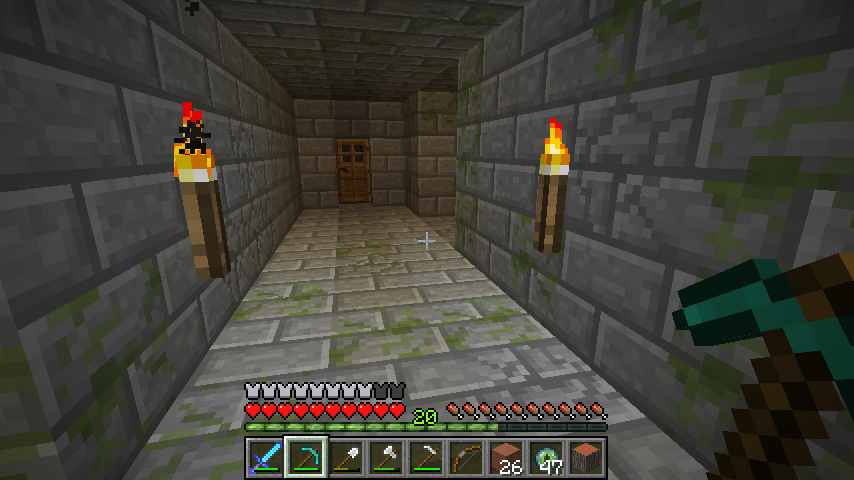

















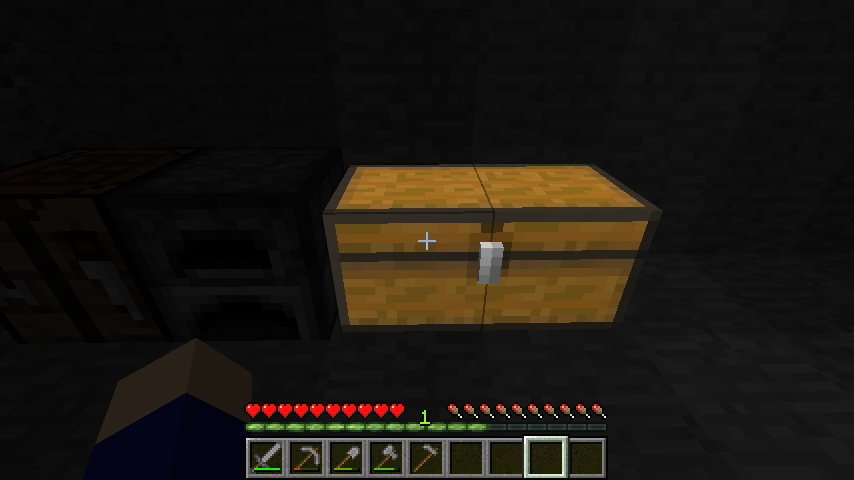
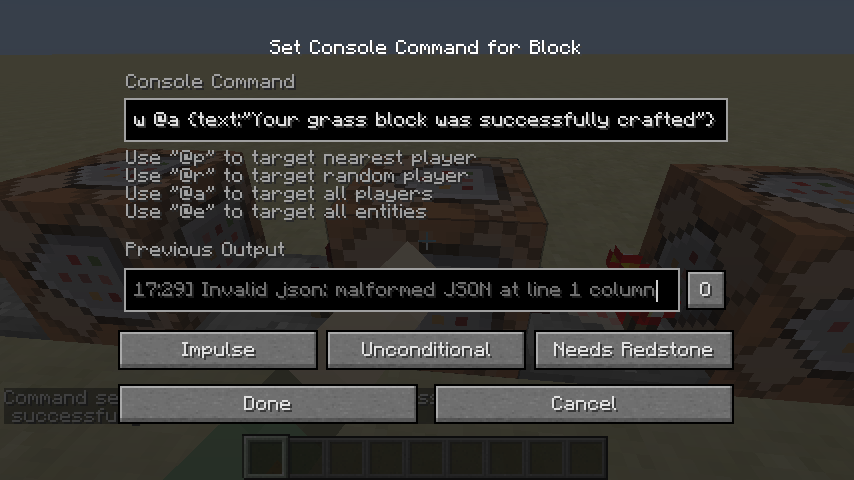
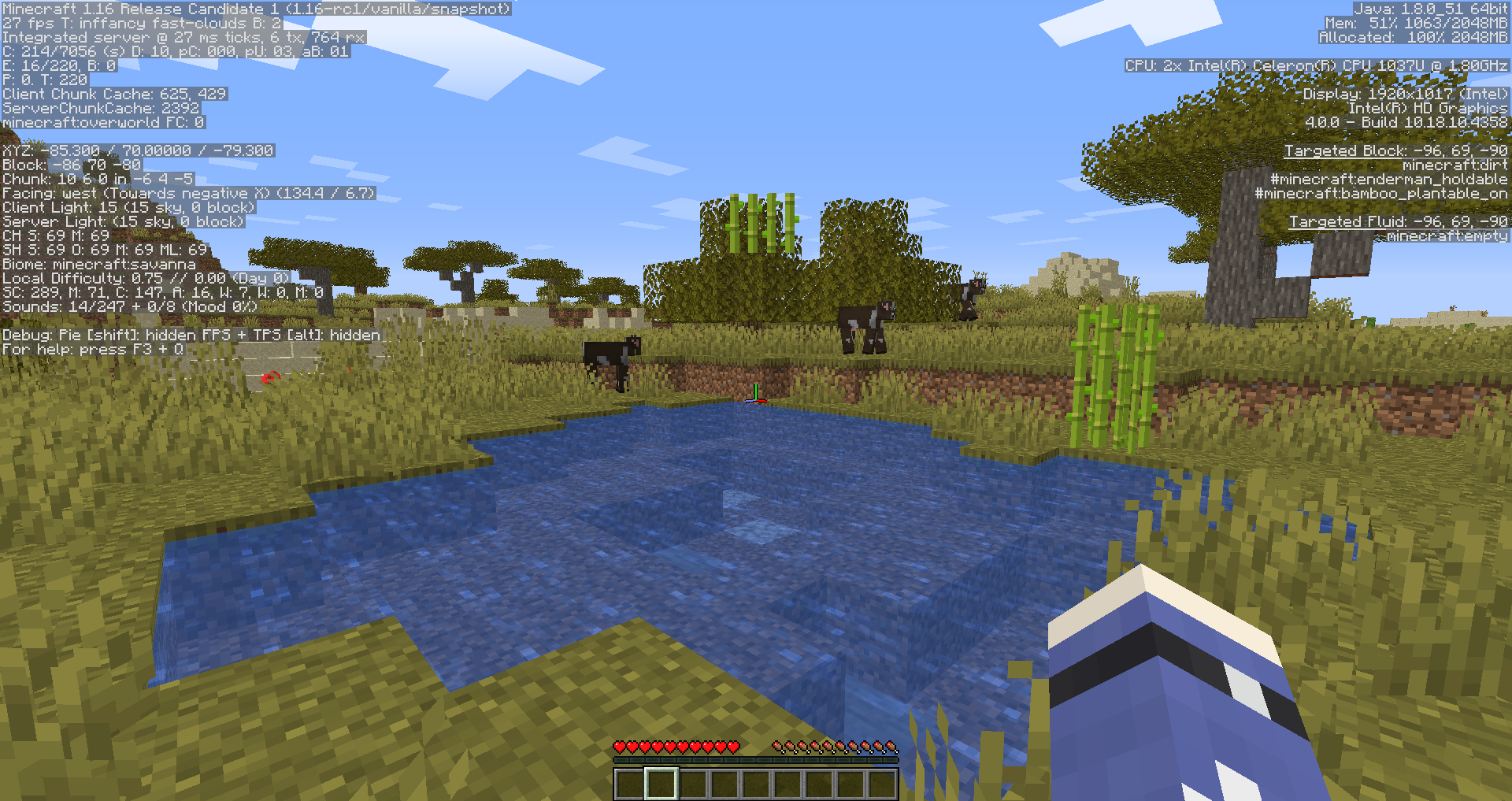
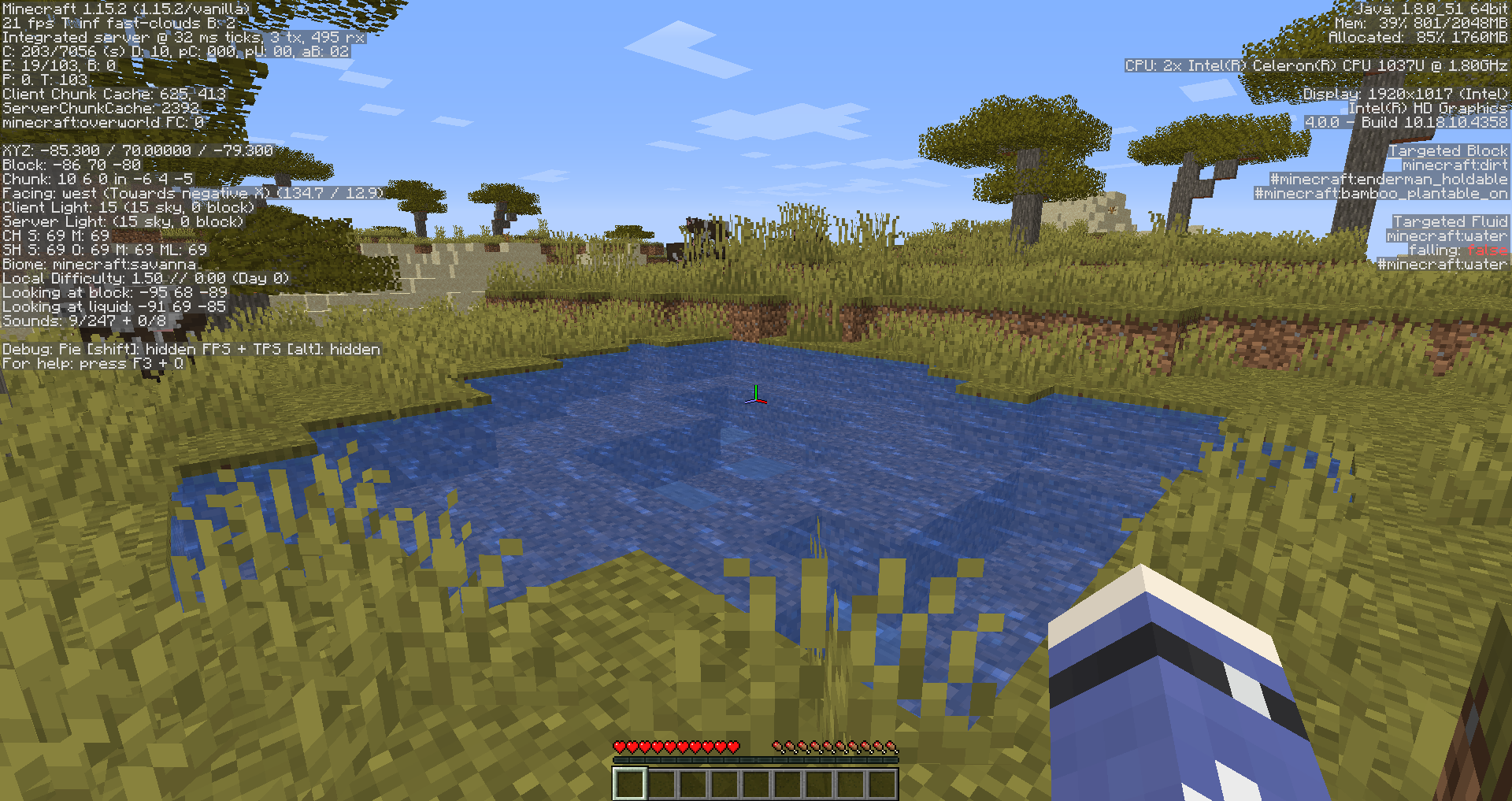
I wanted to mute music via "Music & Sounds" from the "Options" menu since a song I dislike started playing, but even setting it to OFF didn't mute it, only lowered the volume, and it could still be heard.
What I expected to happen was...:
The in-game music would muteWhat actually happened was...:
The music only lowered its volume, and it could still be sighly heard.Steps to Reproduce:
1.Put a step by step guide on how to trigger the bug here
2. ...
3. ...I wanted to mute music via "Music & Sounds" from the "Options" menu since a song I dislike started playing, but even setting it to OFF didn't mute it, only lowered the volume, and it could still be heard.
What I expected to happen was...:
The in-game music would muteWhat actually happened was...:
The music only lowered its volume, and it could still be sighly heard.Steps to Reproduce:
1. Turn off the music in "Music & Sounds" from the "Options" menu
2. While a music is playing, you might still hear it sighly. Sometimes you can just clearly hear it.
I wanted to mute music via "Music & Sounds" from the "Options" menu since a song I dislike started playing, but even setting it to OFF didn't mute it, only lowered the volume, and it could still be heard.
What I expected to happen was...:
The in-game music would muteWhat actually happened was...:
The music only lowered its volume, and it could still be sighly heard.Steps to Reproduce:
1. Turn off the music in "Music & Sounds" from the "Options" menu
2. While a music is playing, you might still hear it sighly. Sometimes you can just clearly hear it.I wanted to mute music via "Music & Sounds" from the "Options" menu since a song I dislike started playing, but even setting it to OFF didn't mute it, only lowered the volume, and it could still be heard.
NOTE: This affects not only 1.8, but also 1.7. I don't know if it
What I expected to happen was...:
The in-game music would muteWhat actually happened was...:
The music only lowered its volume, and it could still be sighly heard.Steps to Reproduce:
1. Turn off the music in "Music & Sounds" from the "Options" menu
2. While a music is playing, you might still hear it sighly. Sometimes you can just clearly hear it.
I wanted to mute music via "Music & Sounds" from the "Options" menu since a song I dislike started playing, but even setting it to OFF didn't mute it, only lowered the volume, and it could still be heard.
NOTE: This affects not only 1.8, but also 1.7. I don't know if it affects 1.6. I don't know if setting any other "Music & Sounds" settings to OFF haves this bug either.
What I expected to happen was...:
The in-game music would muteWhat actually happened was...:
The music only lowered its volume, and it could still be sighly heard.Steps to Reproduce:
1. Turn off the music in "Music & Sounds" from the "Options" menu
2. While a music is playing, you might still hear it sighly. Sometimes you can just clearly hear it.
I wanted to mute music via "Music & Sounds" from the "Options" menu since a song I dislike started playing, but even setting it to OFF didn't mute it, only lowered the volume, and it could still be heard.
NOTE: This affects not only 1.8, but also 1.7. I don't know if it affects 1.6 or any previous versions. I don't know if setting any other "Music & Sounds" settings to OFF haves this bug either.
What I expected to happen was...:
The in-game music would muteWhat actually happened was...:
The music only lowered its volume, and it could still be sighly heard.Steps to Reproduce:
1. Turn off the music in "Music & Sounds" from the "Options" menu
2. While a music is playing, you might still hear it sighly. Sometimes you can just clearly hear it.
I wanted to mute music via "Music & Sounds" from the "Options" menu since a song I dislike started playing, but even setting it to OFF didn't mute it, only lowered the volume, and it could still be heard.
NOTE: This affects not only 1.8, but also 1.7. I don't know if it affects 1.6 or any previous versions. I don't know if setting any other "Music & Sounds" settings to OFF haves this bug either.
What I expected to happen was...:
The in-game music would muteWhat actually happened was...:
The music only lowered its volume, and it could still be sighly heard.Steps to Reproduce:
1. Turn off the music in "Music & Sounds" from the "Options" menu
2. While a music is playing, you might still hear it sighly.Sometimesyou can just clearly hear it.I wanted to mute music via "Music & Sounds" from the "Options" menu since a song I dislike started playing, but even setting it to OFF didn't mute it, only lowered the volume, and it could still be heard.
NOTE: This affects not only 1.8, but also 1.7. I don't know if it affects 1.6 or any previous versions. I don't know if setting any other "Music & Sounds" settings to OFF haves this bug either.
What I expected to happen was...:
The in-game music would muteWhat actually happened was...:
The music only lowered its volume, and it could still be sighly heard (in this case I could hear it clearly).Steps to Reproduce:
1. Turn off the music in "Music & Sounds" from the "Options" menu
2. While a music is playing, you might still hear it sighly. Altrough you can rarely just clearly hear it.
2014-07-31_16.21.58.png
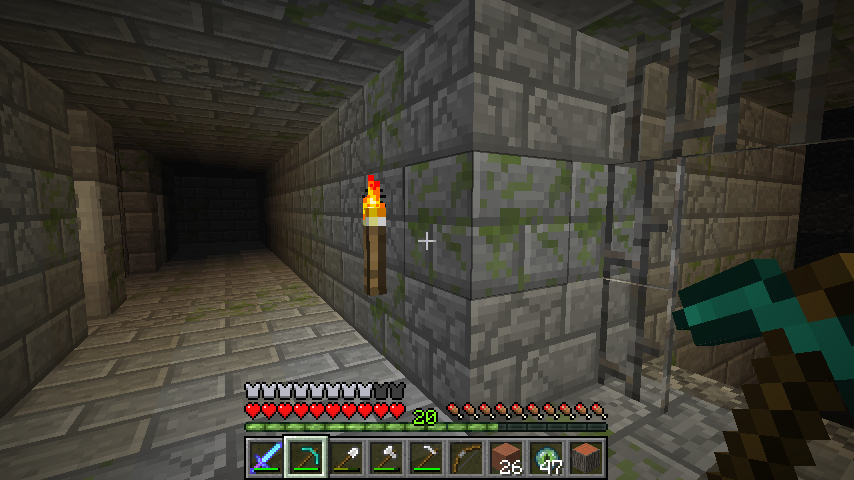
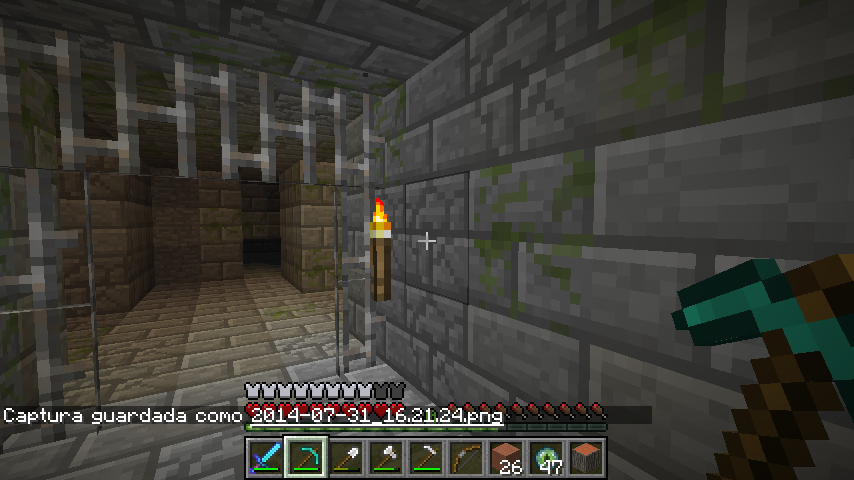
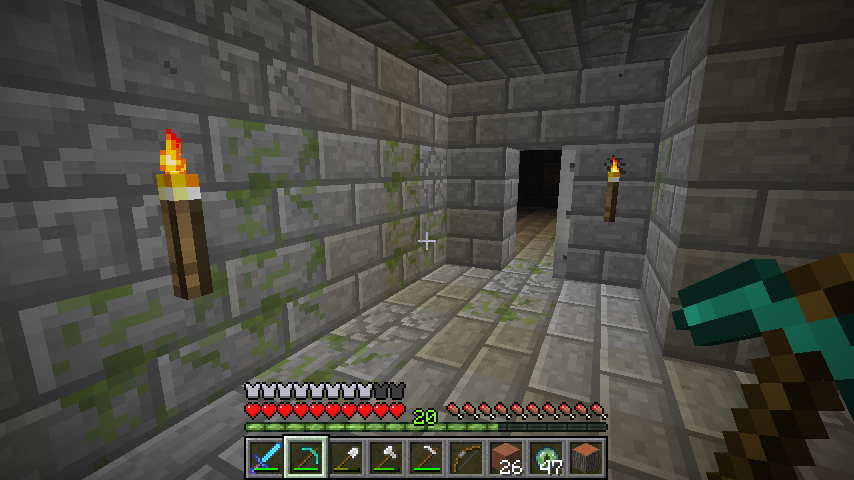
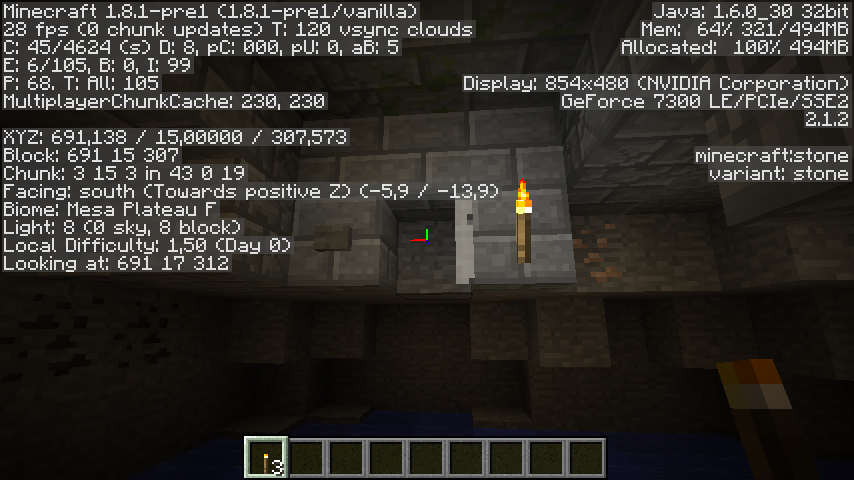
Again, I found this in a 1.8 snapshot, though I don't know if this is fixed, so I'll still report it. So, I was in a Stronghold searching for an Ender Portal, and I found a half/cutted door.
What I expected to happen was...:
A full/normal door would generate.What actually happened was...:
A half/cutted door generated.Steps to Reproduce:
1. Find a Stronghold (you can do that with Ender Eyes)
2. Search for a half/cutted door (they are not easy to find)
3. If you found it, then enjoy the half/cutted door.
Seed: 3268861822896236472
Coords:690 / 14 /309Again, I found this in a 1.8 snapshot, though I don't know if this is fixed, so I'll still report it. So, I was in a Stronghold searching for an Ender Portal, and I found a half/cutted door.
What I expected to happen was...:
A full/normal door would generate.What actually happened was...:
A half/cutted door generated.Steps to Reproduce:
1. Find a Stronghold (you can do that with Ender Eyes)
2. Search for a half/cutted door (they are not easy to find)
3. If you found it, then enjoy the half/cutted door.
Seed: 3268861822896236472
Coords: x: 690, y: 14, z: 309
EDIT: Relates to
MC-60193Again, I found this in a 1.8 snapshot, though I don't know if this is fixed, so I'll still report it. So, I was in a Stronghold searching for an Ender Portal, and I found a half/cutted door.
What I expected to happen was...:
A full/normal door would generate.What actually happened was...:
A half/cutted door generated.Steps to Reproduce:
1. Find a Stronghold (you can do that with Ender Eyes)
2. Search for a half/cutted door (they are not easy to find)
3. If you found it, then enjoy the half/cutted door.
Seed: 3268861822896236472
Coords: x: 690, y: 14, z: 309
I went to creative mode and summoned a Ender Dragon and it targeted me even if I was in creative mode. I don't know if this happens in 1.8. Will see it soon
What I expected to happen was...:
The ender dragon would not target meWhat actually happened was...:
The ender dragon targeted meSteps to Reproduce:
1. Go to creative mode
2. Summon a Ender Dragon with /summon EnderDragon ~ ~ ~
3. The Ender Dragon will target you even if you were in creative mode.
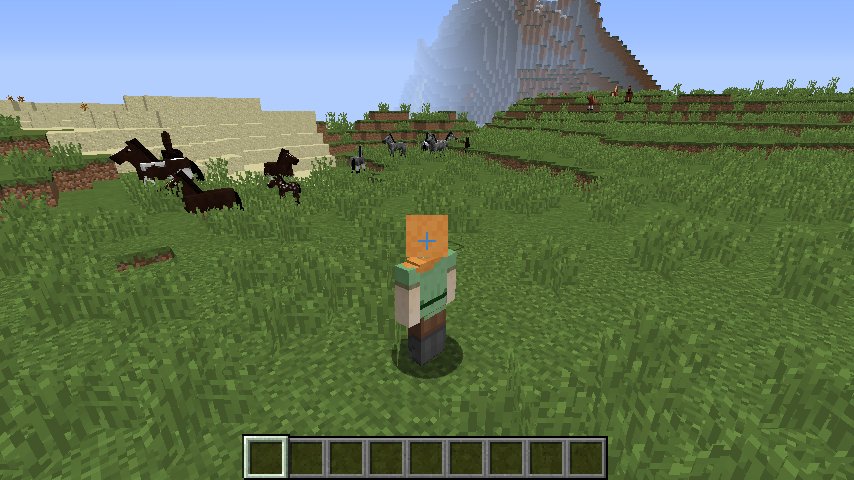
Well I was in a customized world exploring some biomes on 1.8 and I found some grassless dirt instead of coarse dirt in a Savanna Plateau biome. I re-made the world with default world type and the same happened. Strange because Coarse Dirt had replaced grassless dirt.
What I expected to happen was...:
Coarse dirt would generateWhat actually happened was...:
Grasless dirt generatedSteps to Reproduce:
1. Go to a Savanna Plateau biome in 1.8.
2. Search for some grasless dirt
3. If you found it, then enjoy it.If you don't want to follow the steps, then use this seed and coordinates:
Seed: -115225519156945386
Coordinates: x: -711y: 92z:13Well I was in a customized world exploring some biomes on 1.8 and I found some grassless dirt instead of coarse dirt in a Savanna Plateau biome. I re-made the world with default world type and the same happened. Strange because Coarse Dirt had replaced grassless dirt.
What I expected to happen was...:
Coarse dirt would generateWhat actually happened was...:
Grasless dirt generatedSteps to Reproduce:
1. Go to a Savanna Plateau biome in 1.8.
2. Search for some grasless dirt
3. If you found it, then enjoy it.If you don't want to follow the steps, then use this seed and coordinates:
Seed: -115225519156945386
Coordinates: x: -709 y: 93 z: 9
I had installed an unsupported version of Java on my PC about a month ago so I uninstalled it. Today I finally managed to install Java 7 properly, but the launcher says I need a JRE 1.6.0 or 1.5.0
What I expected to happen was...:
Launcher would openedWhat actually happened was...:
It gave me that message that I need JRE 1.5/6.0Steps to Reproduce:
1. Put a step by step guide on how to trigger the bug here
2. ...
3. ...
Dupe of
MC-61844
Dropped items after death get invisible, but they're still here. Doesn't seem to happen in 1.8.
What I expected to happen was...:
Dropped items would be visible after deathWhat actually happened was...:
Dropped items got invisible after death, but they were still thereSteps to Reproduce:
1. Get some items in Creative Mode like diamonds, dirt, etc. in a world with cheats on.
2. Be sure to know the coordinates you are going to kill yourself (you can do that using F3)
3. Kill yourself using /kill
4. Go to the coordinates you killed yourself (not instantly, so that you can check the bug)
5. The items will look like they're not there, but when you land on the ground you may see you collect some of the items you dropped after death.
I decided to re-report this cause mods are not re-opening
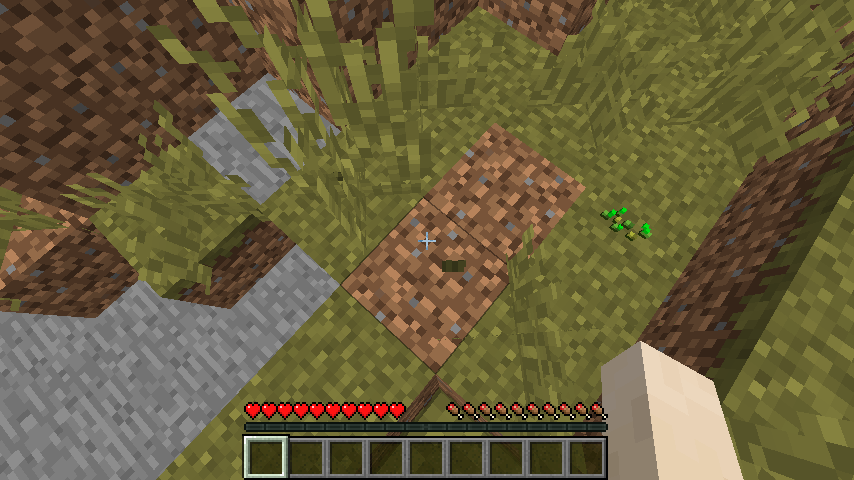
MC-73397despite the other screenshot I put. So, normal dirt (instead of coarse dirt) tends to generate on Savanna Plateau when tall grass is above it. I attached a screenshot to it.Seed : -115225519156945386
Coordinates : x : -709 y : 93 z : 9
I decided to re-report this cause mods are not re-opening
MC-73397despite the other screenshot I put. So, normal dirt (instead of coarse dirt) tends to generate on Savanna Plateau when tall grass is above it. I attached a screenshot to it.NOTE: On the attached screenshot I have removed the tall grass above the thing so that you see its not coarse dirt.
Seed: -115225519156945386
Coordinates: x: -709 y: 93 z: 9
Hello?
This also happens on Customized world options when attempting to get the Maximum Height from any ore to 128 (it gets to 127 or 129 but never 128 unlike the defaults)
In Minecraft (PC), normally, you can't duplicate blocks/items in Survival Mode using the anvil. However, they are duplicable in Creative Mode. Just follow the steps you would normally follow in the CE (Console Edition) to dupe blocks with the anvil, but in Creative Mode and in the PC Edition. When you go to the Survival Inventory in Creative Mode, try to move the blocks from the inventory. You will see they do not disappear, while in Survival/Adventure Mode they do.
In Minecraft (PC), normally, you can't duplicate blocks/items in Survival Mode using the anvil. However, they are duplicable in Creative Mode. Just follow the steps you would normally follow in the CE (Console Edition) to dupe blocks with the anvil, but in Creative Mode and in the PC Edition. When you go to the Survival Inventory in Creative Mode, try to move the blocks from the inventory. You will see they do not disappear, while in Survival/Adventure Mode they do.
Steps to reproduce :
1. Take 2 blocks, one in each inventory slot
2. Open the anvil
3. Shift-click the block from the left
4. Repeat step 3 but this time with the block from the right
5. Shift-click the anvil slot where the blocks are
6. You'll see there are 4 blocks now. Close the anvil GUI and open the Creative GUI
7. Open the Survival Inventory
8. Click each of the stacks. You'll see none of them disappear and you are free to move them.
Why is this resolved as Duplicate if this doesn't duplicate any issue?
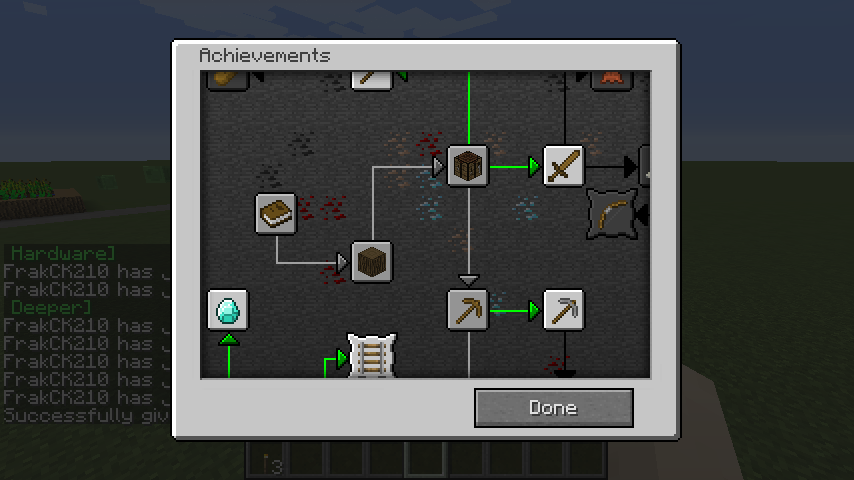
Shadowing on achievements menu is incorrect
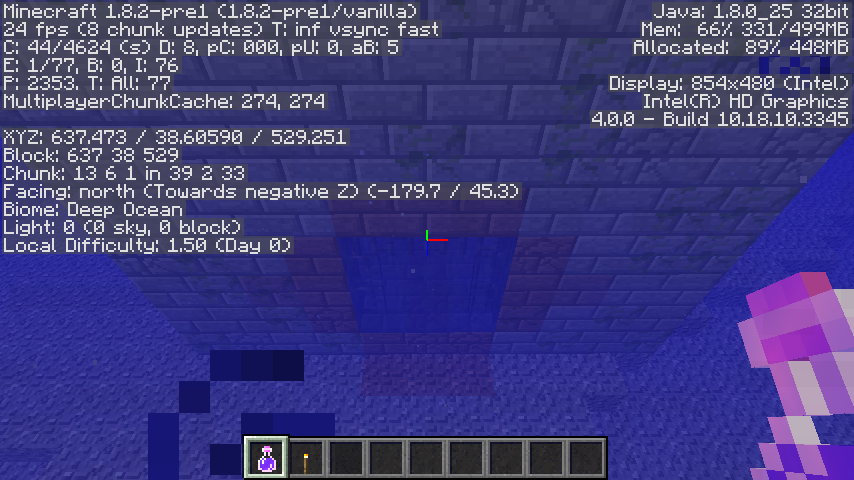
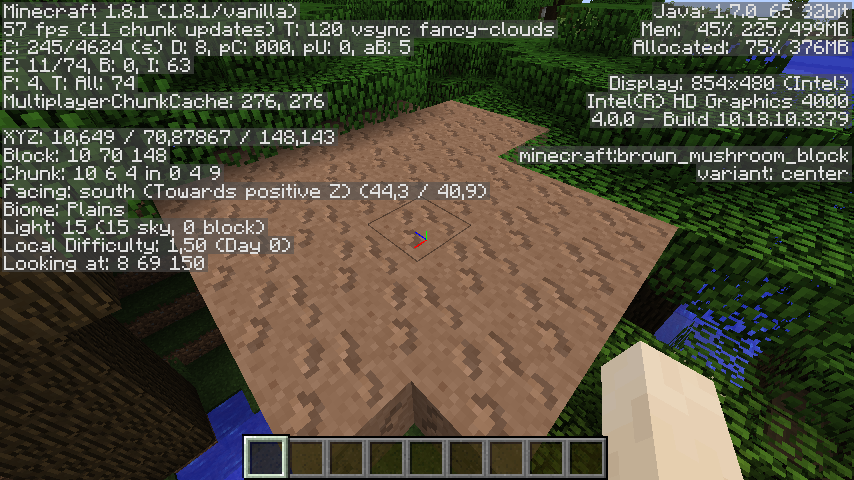
Torches are not properly giving light in 1.8.2-pre1. Isn't seem to happen in other versions
Steps to Reproduce :
1. Go to Options > Video Settings
2. Set Graphics to Fast and Smooth Lighting to OFF
3. Place a torch in a world, no matter if its day or night
4. You'll see it's not giving light properly, it looks like its giving moonlight.
See screenshot.
Seed: -5502958542695102104
Coordinates: 10 78 148
Cannot reproduce. See the attached screenshot.
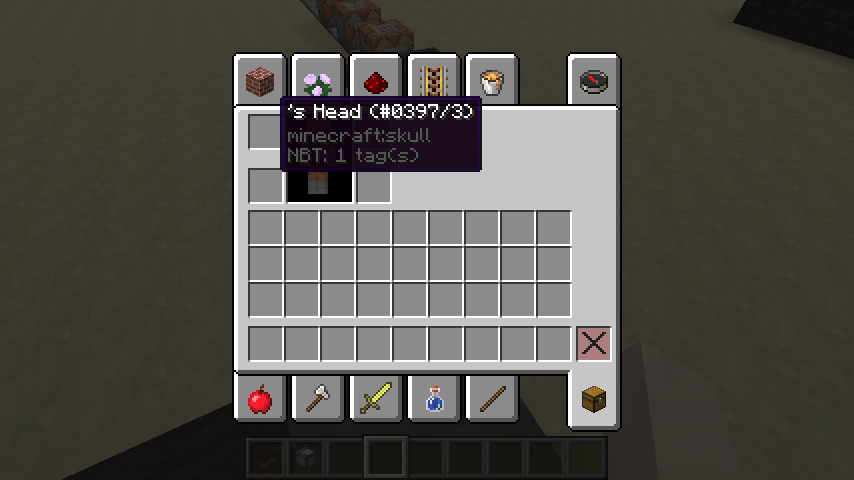
/give (your name) minecraft:skull 1 3
{SkullOwner:""}is not working. Each time you put a player, no matter if the user selected has already a skin.
EDIT: Oh shoot, i'm doing it wrong. I forgot the nickname.
Still broken.
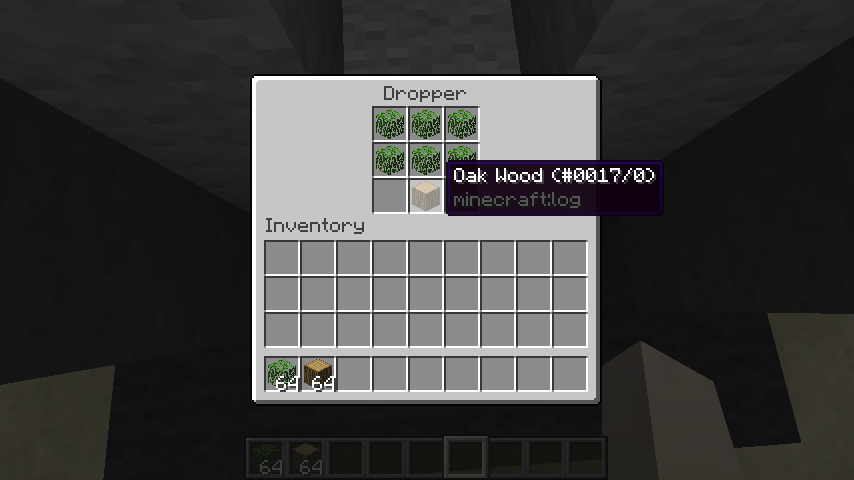
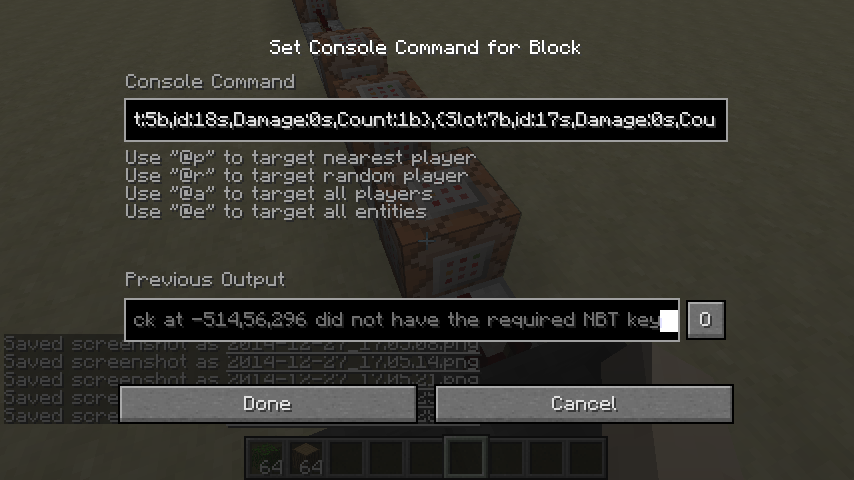
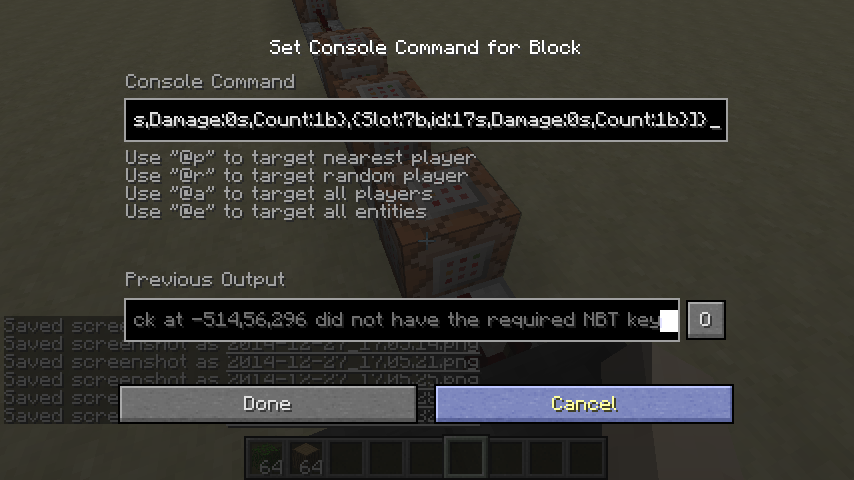
testforblock -514 56 296 dropper 3 {Items:[0:{Slot:0b,id:minecraft:leaves,Damage:0s,Count:1b},{Slot:1b,id:minecraft:leavess,Damage:0s,Count:1b},{Slot:2b,id:minecraft:leaves,Damage:0s,Count:1b},{Slot:3b,id:minecraft:leaves,Damage:0s,Count:1b},{Slot:4b,id:minecraft:leaves,Damage:0s,Count:1b},{Slot:5b,id:minecraft:leaves,Damage:0s,Count:1b},{Slot:7b,id:minecraft:log,Damage:0s,Count:1b}]}
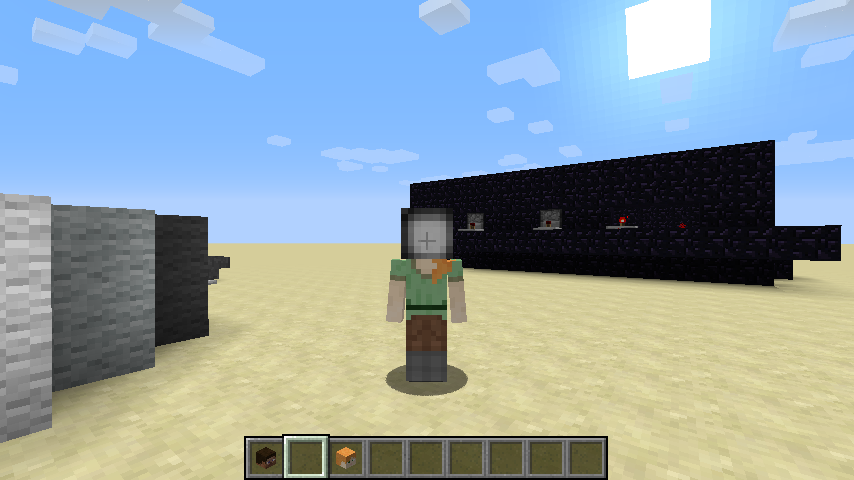
The player is using the incorrect model in servers. Look at attached screenshots. The one where i'm in superflat is the one from the client and the one where i'm in a normal world is the one from the server.
What I expected to happen was...:
The player model would be the same in both client and serverWhat actually happened was...:
The player model was incorrect in the server
The "Banners Cleaned" statalways shows 0The "Banners Cleaned" stat rarely works.
The "Banners Cleaned" stat rarely works.
The world freezes if the gamerule randomTickSpeed is set to a very high value. Like 1000000000.
How to reproduce:
Type the following:/gamerule randomTickSpeed 1000000000in a world with cheats on. You'll see you aren't able to do anything other than move and place and destroy blocks. For instance, the "place block" sound will not play, but the "break block" sound will play. Music is unaffected.
The world freezes if the gamerule randomTickSpeed is set to a very high value. Like 1000000000.
How to reproduce:
Type the following:/gamerule randomTickSpeed 1000000000in a world with cheats on. You'll see you aren't able to do anything other than move and place and destroy blocks. For instance, the "place block" sound will not play, but the "break block" sound will play. Music is unaffected. You can't send chat messages, and chunks stop loading.
The world freezes if the gamerule randomTickSpeed is set to a very high value. Like 1000000000.
How to reproduce:
Type the following:/gamerule randomTickSpeed 1000000000in a world with cheats on. You'll see you aren't able to do anything other than move and place and destroy blocks. For instance, the "place block" sound will not play, but the "break block" sound will play. Music is unaffected. You can't send chat messages, and chunks stop loading. You cannot set the randomTickSpeed gamerule back to 3.
The world freezes if the gamerule randomTickSpeed is set to a very high value. Like 1000000000.
How to reproduce:
Type the following:/gamerule randomTickSpeed 1000000000in a world with cheats on. You'll see you aren't able to do anything other than move and place and destroy blocks. For instance, the "place block" sound will not play, but the "break block" sound will play. Music is unaffected. You can't send chat messages, and chunks stop loading. You cannot set the randomTickSpeed gamerule back to 3. Reloading the save fixes it.
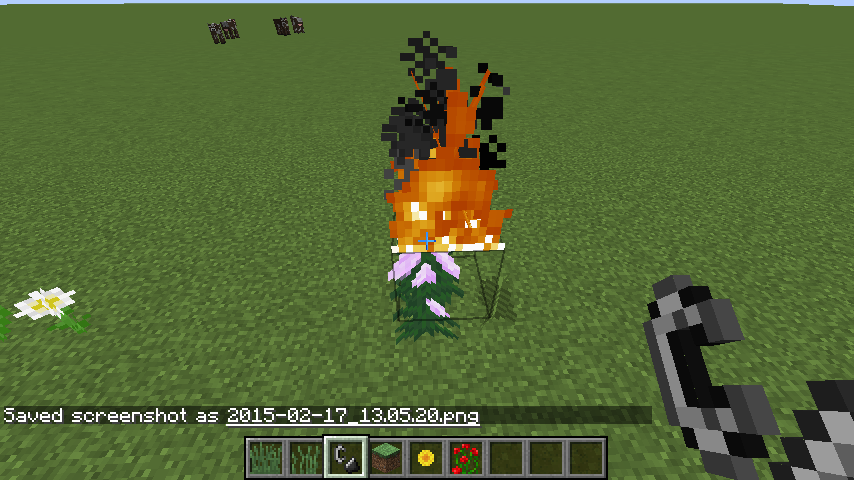
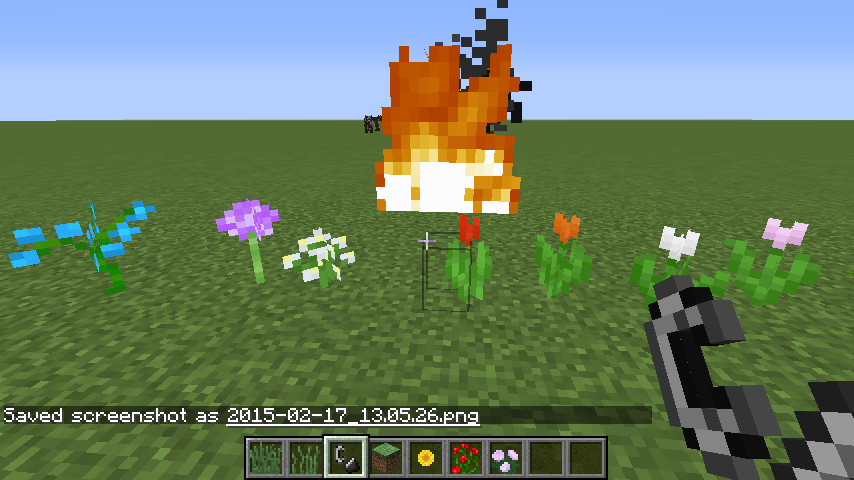
Fire can be placedonEVERY plantFire can be placed above EVERY plant
Fire can be placed
onEVERY plant. I'm sorry if this is a duplicate, I couldn't find another issue like this one.Fire can be placed above EVERY plant. I'm sorry if this is a duplicate, I couldn't find another issue like this one.
Title says it all.
What I expected to happen was...:
The "Loading world" text would stay thereWhat actually happened was...:
The "Loading world" text disappeared after I resized the windowsSteps to Reproduce:
1. Create or load a world
2. When it says "Loading world" resize the windows
3. The text will disappear
Title says it all.
What I expected to happen was...:
The "Loading world" text would stay thereWhat actually happened was...:
The "Loading world" text disappeared after I resized the windowSteps to Reproduce:
1. Create or load a world
2. When it says "Loading world" resize the windows
3. The text will disappear

@Lucas Ignacio Morrison Osorio: Please use the Crowdin Minecraft Translation Project for all translation change or add requests.
@Lucas Ignacio Morrison Osorio: Shut up.
@Lucas Ignacio Morrison Osorio: Don't tell us what to do.

Lucas Ignacio Morrison Osorio I don't think placing entity should delete blocks.
@Lucas Ignacio Morrison Osorio: You may actually may get banned for acting as moderator!
![[Mod] Sonicwave](../../../data/avatars/users/94627.png)
Lucas Ignacio Morrison Osorio: From your screenshot (the 1st one) it appears that you are under the "Night Vision" potion effect (which is similar to MC-58177).
EDIT: After some testing I was able to reproduce this while under the Night Vision effect with Moody (lowest) brightness setting on both Fast and Fancy graphics. Placing a torch makes the whole area around it darker, so this seems to be a duplicate of MC-58177.
This has happened to me several times, and I thought this was intentional ._.
@Jasper van den Berg
Actually, the "lighting glitch" was because I had played the Beta 1.9 pre-release 3 as far as I remember before playing the 1.8 snapshot, so the game automatically setted "Smooth Lightning" to "Disactivated". Altrough it shouldn't happen.
@Jasper van den Berg
I don't even remember. Minecraft Seeds are one of the easiest things to forget.
@Jasper van den Berg
Ok, I got to the world with the bug in Minecraft 1.8 and the seed is 3268861822896236472.
Coordinates are 724 44 243.
This bug is way too minor for it to be fixed.
@Sonic
Too late, a mod already resolved this issue as incomplete
That is not a bug, that is intentional on normal Pistons
@Kumasasa
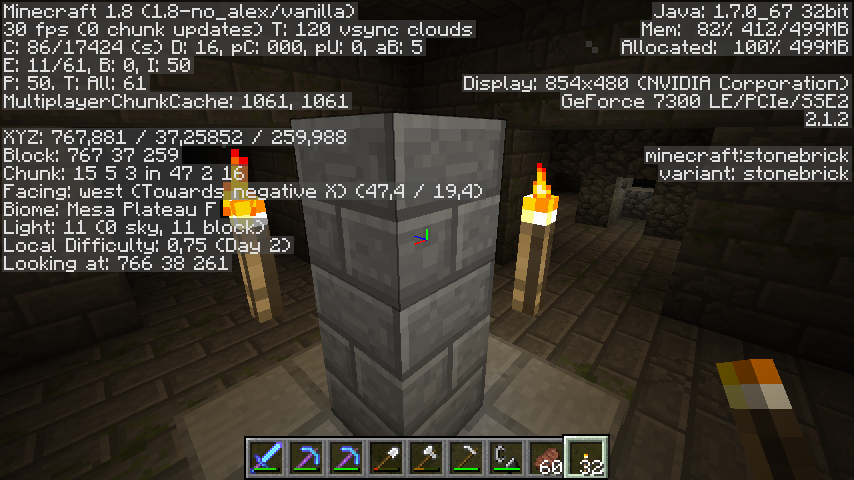
The world experience was generated in 14w31a, and it was supposed to be fixed in 14w34d. However I loaded my world in Minecraft 1.8 and there was still floating torches in the Stronghold. Seed was 3268861822896236472 and coordinates were 724 44 243 (in x, y, z values). A half door generated too in the same world, but I don't remember the coordinates. Altrough I reported the half door bug separately in
MC-72439.The same bug, but on Minecraft 1.8.
I don't remember the actual coordinates.
@Kumasasa
Thanks for reminding me the coordinates.
Apparently, the door vanishes after clicking the button that triggers it. But I don't think that compensates the bug.
This will be fixed on 1.8.x (preferibly 1.8.1) as displays here: https://bugs.mojang.com/browse/MC/fixforversion/15093
Maybe a bug with potion effects? Or an Windows 8 incompatibility? (Windows 8 causes Minecraft to keep reloading chunks everytime) Maybe a guide to this bug would be this:
1. Wait for nightime (or just put /time set night in the chat)
2. Drink a night vision potion
3. Wait for the effect to get out
4. Log out
5. Log in again and open the game
6. Open the world where you drunk the night vision potion
7. Enjoy infinite night vision
@Jasper van den Berg
Actually no, the problem is due to strongholds overwriting only non-air blocks, and I have read that in the wiki.
Try drinking milk
Confirmed for 1.8
@Jonathan Grimes
Yeah, doesn't matter if its A way or THE way, it doesn't compensate the bug.
Found out something. The bug has been confirmed about a week or two ago, but it's still in unconfirmed state.
well this got fixed on 1.8.x, not released yet.
this also happens when you break a block about 5 or 6 blocks above you and you get to break it jumping continuously.
Wait a minute it was like that in classic ._.
Incomplete, and the title is unnecesarily long
Invalid due to the fact that it reffers to BungeeCord
Incomplete without a crash log. Please attach it so that the issue is better explained. Also, Environment is for putting your OS and Java (that last one is not required but you can put it if you know), not the type of PC you use
@Sonic
Not really, Mojang actually is planning on ending support for § symbol, not removing it. If § was removed the "Colormatic" splash could get ruined.
still happening with argentina spanish (Still called "Escaleras de piedra")
Please replace "Put the summary of the bug you're having here" with a description of your bug.
This is invalid as it reffers to an third-party program. Please check your proxy connection or disable it.
Still happening in 1.8
Aha! Found out what causes the problem! Setting the brightness to "Bright" produces the bug. Gotta test it with 1.8.1-pre2
Oh wait, no, not exactly. It happens if you set Brightness to "bright" in 1.7 and you make a new world in 1.8.
Ok, the dirt oddly turns into grass blocks. So it's just normal dirt.
Well there was some dirt blocks at the top level which weren't coarse dirt but weren't grass either. Gonna upload another screenshot.
I removed the tall grass from the dirt on the most recent screenshot so you can see clearly that its not coarse dirt.
Hope this gets re-opened...
invalid
Is this still a concern in Minecraft 1.8.1-pre3? If so, be sure to add it in the Affects Versions
Confirmed.
This seems a Console Edition only glitch. And it is most likely intentional.
Please do not use Google Translate, it is difficult to understand and tends to screw up a lot of phrases.
This is not a duplicate, only a relates to. Please reopen.
LOL, I forgot to search for this issue before reporting it sorry for the duplicate.
Try upgrading your graphics card. It could possibly be old.
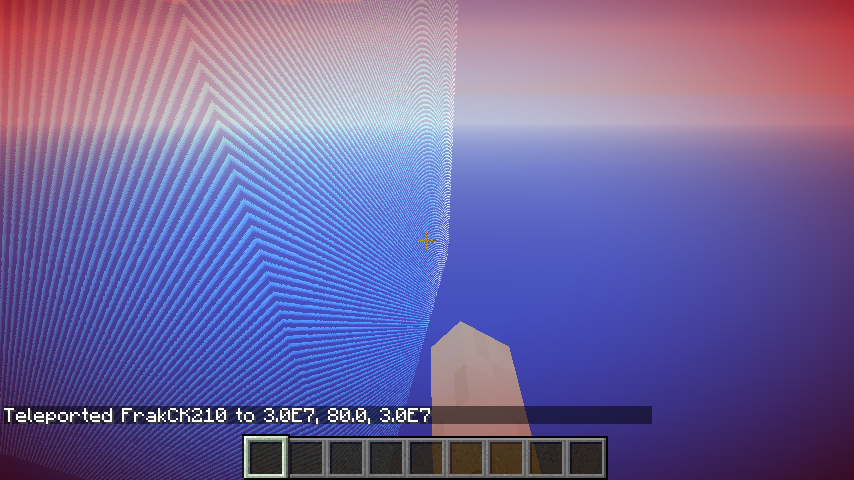
Works as intended, as of 1.7.2 there is a wall that blocks you from passing. And as of 1.8 the wall is now customizable and its limit was reduced to 29999984 blocks, but you can still use the /tp command to get past the wall. The far lands were completely removed too.
It is a Windows 8 incompatibility issue.
Like I said in the other report, it is a Windows 8 incompatibility issue
Screenshot?
Also, I would recommend triggering a manual crash by holding F3 + C for 10 seconds and then attaching the crash log here, since the bug can happen if you mess up with the texture files.
Confirmed.
Is this still a concern in Minecraft 1.8.1 pre-release 4? If so, be sure to update the "Affects Versions"
Kinda relates to my report:
MC-72439Altrough I agree with Sonic, I think this is still a bug as it happened to me since it should tell "Chat is turned off" instead of "You don't have permission to chat".
Works as intended.
Please do not put the same screenshots everytime, and also, this is a dupe of an issue I forgot.
I think that is due to single-player working as local servers as of 1.3. If a Mojang staff sees this, he/she will most likely resolve this as "Won't Fix"
Regression of (and relates to)
MC-61844@Sonic: Well then only relates to.
@Sonic
But that one is about getting far away from x -524288 z -524288, and as far as I know this one is about any coordinates.
@Vimare15
Please report that bug by clicking the "Create issue" button
Your version of Minecraft is no longer supported. Please check bugs on 1.8.1-pre5.
Dupe of an issue I forgot its number.
Incomplete without a crash log. Please attach it so we can diagnose your issue
*16x16. Chunks do not have vertical size.
oh.
May be an issue with your resource pack. Please change it to the default resource pack and check the issue there.
Incomplete without a crash log. Please attach it so we can diagnose your issue.
This can happen when you use a corrputed versions of Minecraft. Please uninstall your version and install it again and see if the issue persists.
Works as intended. If you want to get banners of other colo(u)rs, search 'banner' in the Creative Mode inventory or craft it using wool of another colo(u)r.
The Minecraft Pocket Edition Bug Tracker has been suspended. This issue is also incomplete.
Maybe you mispelled the gamerule?
Relates to
MC-70431Also, see if this issue is happening in 1.8.1-pre5.
This site is for bug reports only. For suggestions, visit the Minecraft Suggestions on Reddit.
Works As Intended.
@fienxjox You could have resolved this as "Works As Intended" rather than "Invalid". The "Invalid" resolution is for these issues that are technical support issues, console edition bug report issues, PE bug report issues, suggestion issues, or any other issues that do not fit in the MC bug tracker.
This could have been resolved as "Cannot Reproduce", not as "Invalid". "Invalid" is for those issues that are techincal support issues, PE bug report issues, suggestion issues, Console Edition bug report issues or any other issue that does not fit here.
Is this still a concern in the current Minecraft 1.8.1? If so, please update the Affects Versions so that it is valid with the current versions.
Where do launcher logs get saved?
Alright, sorry if I took long, but I attached the file.
Can be an issue with your laptop mousepad.
Well at least it wasn't a duplicate :|
This issue relates to
MC-60193, since both issues relate to Strongholds and door generation, except that inMC-60193the door generates with the lower-half replaced by the upper-half while in this issue only the upper-half generates.Incomplete without a crash log. Please attach it so we can diagnose your issue.
Do not put 1.8 in the Affects Versions if the issue only affects 1.8.1, unless it can partially happen on 1.8.
Ok.
Duplicate of
MC-75184Please do not duplicate your own tickets!
Your Java version is out of date! Please update your Java to the latest version: http://www.java.com/en/download/.
Oh.
Was it really neccesary to make a troll link that supposedly leads to the dupe of this issue but leads to the same issue instead?
EDIT: A bot made the link apparently. Either the bot was going derp, or the person who programmed it is just a troll.
Well, then I don't think this is Works as Intended.
It once happened to me in a laptop. Not in the desktop PC I usually use though.
Can confirm with the Water World preset. Please re-open.
I'm sure this is intended.
Not fixed. 2 title screen songs overlapped at the same time in 1.8.1 when the game launched.
Please don't add a Future Version to the Affects Versions; you do not have access to it yet.
@Sonic
I know, but they said the cape would dure 48 hours, and only 24 have past.
...Well, it's not going to re-open itself!
Follow the steps CubeTheThird gave you
If I was a mod I would resolve this as "Won't Fix"
Yes.
http://mcupdate.tumblr.com/post/104927495779/scrolls-celebration-cape
I know, I'm just waiting for the mods to reopen the issue since I have confirmed this happens in 1.8.1 (and probably happens in 1.8) about 2-3 days ago and its still resolved as "Cannot Reproduce"
Ha ha, pretty funny how the mod said "prehistoric" instead of "out of date".
At least it wasn't a duplicate (2nd non-dupe issue I reported in a row)
@Anomie X
If a working recipe is missing from that list, feel free to add it to the list.
Invalid.
This ticket is incomplete.
Please do not mark future versions as affected, as you do not have access to them yet.
This ticket is incomplete.
Error 400 means "Bad Request".
The Minecraft Wiki isn't a reliable source.
Duplicate of
MC-75197Please do not duplicate your own issues!
In that case, Works As Intended.
I just found out something: The "Enviroment" contains words in spanish, therefore this article is Invalid.
Still waiting for this issue to get re-opened
Oops! My mistake! I meant
MC-75195This is a bug with your operative system. I know because it doesn't happen in other OSes.
@Lincoln N Reynolds
Thats not exactly what the mod is telling you to do, he/she is telling you to use the MSC for technical support. Also, try to keep conversations as civil as possible.
@Sonic
That one is from Survival Mode, and this one is from Creative Mode. And in this issue the items don't disappear, while in the other issue they do.
Altrough maybe the steps describe it.
This is a technical support issue; this site is for bug reports only. For technical support please use the Mojang Support Center.
Resolved doesn't mean "Fixed". It means a decision was taken. In this case in
MC-64222the decision is "Works As Intended" (see resolution) and in this issue the decision is "Duplicate" (see resolution).You don't post topics there. You just search articles and find the article that fits with your issue.
Incomplete without a crash report from (minecraft/crash-reports/crash-<DATE>-client.txt)
For technical support please use the Mojang Support Center.
You are not supposed to trigger redstone circuits using item frames.
Wow, longest record since this was resolved as "Awaiting Response" and didn't get reopened nor given another resolution.
No, that's not what I mean, what I mean is that the steps that would be followed would be the following from this video:
https://www.youtube.com/watch?v=yKl2bcWwo9I
Except that it would be done in PC edition and in Creative Mode.
WAI is Works As Intended
Wait a minute, does this not affect 1.8, but 1.8.1?
Also, the Minecraft Wiki isn't considered a reliable source.
This is a technical support issue; this site is for bug reports only. For technical support please use the Mojang Support Center.
I guess its WAI, since these blocks you mentioned aren't solid.
Alright, I provided exact steps to reproduce. See the description.
...what? Still cannot reproduce?
Did leaves decay, or disappear instantly?
Please attach the complete output of the Launcher Log
Is this still a concern in the current Minecraft 1.8.2-pre1? If so, please update the Affects Versions so that this issue is still valid with the current pre-releases.
Duplicate of
MC-65666Are you using the right data tag? Cause I don't think CustomNameVisible is a proper data tag, that's more like CustomName.
Please put the Enviroment in the right place and the Description in the right place.
The Enviroment is for putting your OS, and, if you know it, your Java version. Please change it so that the Enviroment is valid.
Are you using a normal piston or a sticky piston? Of course carpets are not supposed to be floating.
Your version of Minecraft is no longer supported. Please use the most recent versions.
The PE bug tracker has been temporarily closed. Please report bugs in the forums or in the subreddit.
Incomplete without a crash report from (minecraft/crash-reports/crash-<DATE>-client.txt). Please attach it so we can diagnose your issue.
For technical support please use the Mojang Support Center.
Answer to Carl Nathans (Alt Gr + 2 is not working)
He is putting a redstone torch.
Can possibly be an issue when using a modded Minecraft. Please force a crash by pressing F3 + C for 10 seconds while in-game and attach the crash report (minecraft/crash-reports/crash-<DATE>-client.txt) here.
@Sonic
He's just using Google Translator.
Please force a crash by pressing F3 + C for 10 seconds while in-game and attach the crash report (minecraft/crash-reports/crash-<DATE>-client.txt) here.
Can be fixed by changing the text settings from the gamemode descriptions from "left" to "center"
@Anomie X
No need to update the Affects Versions, this is resolved as "Cannot Reproduce"
Works As Intended. Putting /gamerule [gamerule here] without the true/false parameter just shows the current state of the gamerule. It is so that gamerules like randomTickSpeed without true/false parameters can be modified.
I'm sure this is a duplicate but I can't find the issue it duplicates in the history!
Affects 1.8.2-pre1:
MC-75627Please do not blank out issues you reported if they have been resolved. Yes, it's not going to be re-opened, but that doesn't mean it's useless in the tracker. Also, you never know when a mod can reopen it!
For instance, blanking out issues you reported can get you banned, so think about your actions twice!
@qmagnet Is this still a concern in the current Minecraft 1.8.2-pre1?
@Christopher Durham
Does this affect 1.8.2-pre1?
Is this still a concern in the current Minecraft 1.8.1 / 1.8.2-pre1? If so, please update the affected versions so that this issue is still valid with the current (pre-)releases
@Nathanasiou
Resolved doesn't mean Fixed, in fact the resolution is just "Awaiting Response", and also, did you read the whole thing the mod posted?
Well another issue that has a duplicate and at the same time duplicates an issue...
wat
@Grum
Wait a minute, i'm confused, is it going to be 1.10 or 2.0?
I'm sure this is a duplicate but again I can't find the issue it duplicates
Confirmed.
Well, your screenshots just confirmed it fast
@Sonic
OR just make a separate texture for the xmas trapped chest that is the same as the normal xmas chest but with the reddish thing.
Cannot reproduce.
@Jacob Loftus
The launcher probably failed to download the sounds properly but when you restarted it could download them properly
Still on 1.8.2-pre1
Please attach your crash log so we can diagnose your issue
Oh yeah, I forgot to tell this only happens in Fancy graphics and with smooth lighting off. Sorry.
Why is this Invalid? I don't get it.
Forget it, it fixed itself, please resolve this.
Note: Relates to
MC-68726Umm...hello?
Regression of
MC-2789Duplicate of
MC-12427.Cannot reproduce. See the attached screenshot.
The search really nailed it this time. I gave myself a Herobrine head and it froze temporarily the first time. Then I gave myself a killercreeper_55 head and it froze longer, but it still unfreezed.
Cannot reproduce either. BTW you take photos pressing F2 or FN+F2
Please post suggestions here.
Duplicate of
MC-75856. Please do not duplicate your own tickets!Can reproduce. Please be more specific when reporting issues.
The commands also stop working after putting the head with empty name.
testforblock -514 56 296 dropper 3 {Items:[0:{Slot:0b,id:18s,Damage:0s,Count:1b},{Slot:1b,id:18s,Damage:0s,Count:1b},{Slot:2b,id:18s,Damage:0s,Count:1b},{Slot:3b,id:18s,Damage:0s,Count:1b},{Slot:4b,id:18s,Damage:0s,Count:1b},{Slot:5b,id:18s,Damage:0s,Count:1b},{Slot:7b,id:17s,Damage:0s,Count:1b}]}@Mustek
I intentionally duplicated that one.
Still happens in 1.8.1. I confirmed it on a map.
Still in 1.8.2-pre1. I experienced it while playing a challenge map.
No wait, i'm not seem to experience this on 1.8.2-pre1 on the challenge map i'm playing, but yes on 1.8.1.
Maybe this affects also normal 1.8.
@Conor McS
That's still a bug. And the issue you talked about is
MC-2334. Also, you don't fall outside the cauldron, but inside it.You are putting the incorrect block ID.
Incomplete without a crash log attached to the issue. Please attach it so we can diagnose it.
Duplicate of
MC-75948, though this is seem to be more valid.@Michael Petersen. Sorry, but the reddit page says to report the bugs only there.
Your Minecraft version is out of date.
Pretty weird, huh? I mean, it always shows 0 in Creative Mode.
I tried cleaning banners in Survival, Creative and Adventure modes.
Survival: The banner cleaned up but the stat showed 0.
Creative: The banner cleaned up but the stat also showed 0.
Adventure: The banner cleaned up but the stat still showed 0.
Are you using commands, perhaps?
EDIT: Apparently, after cleaning 3 banners, the stat showed 1.
Attached the video. It was longer originally, but I had to shorten it due to overheight. Please re-open.
Sorry for being that guy, but mind you please re-open this?
Incomplete without a crash log. Please attach it so we can diagnose your issue.