 yut951121
- yut951121
- yut951121
- Asia/Seoul
- Yes
- No
 MC-9100
![[Mojang] Searge (Michael Stoyke)](../../../data/assets/gravatar/searge.png)
![[Mojang] Cory Scheviak](../../../data/avatars/users/92893.png)
![[Mojang] Grum (Erik Broes)](../../../data/assets/gravatar/grum.png)
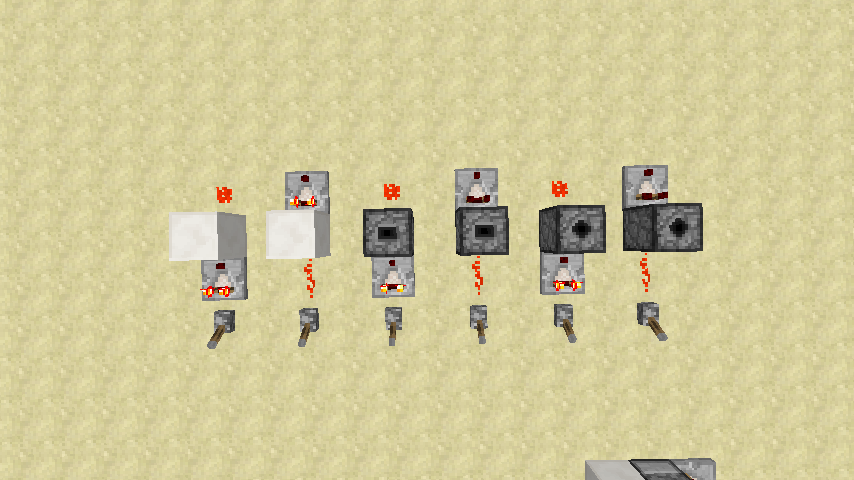
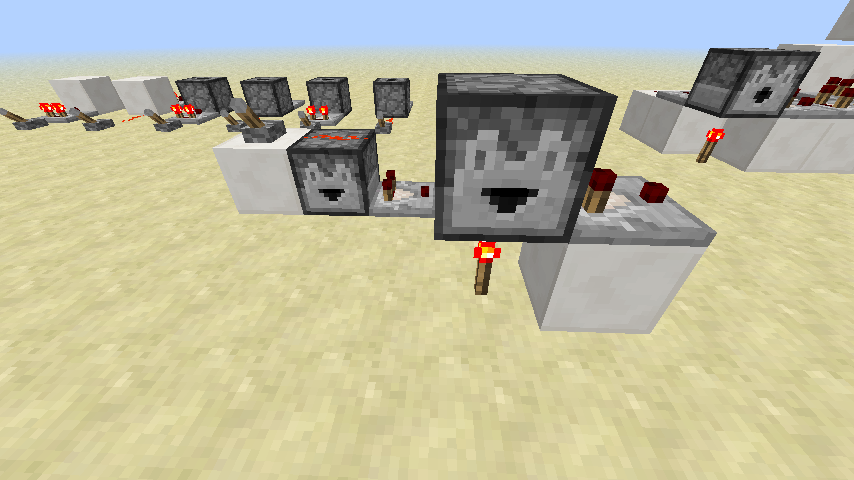
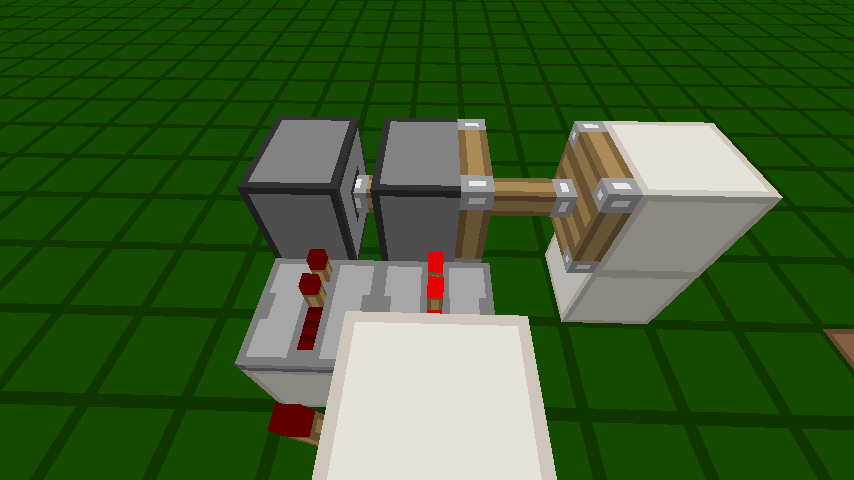

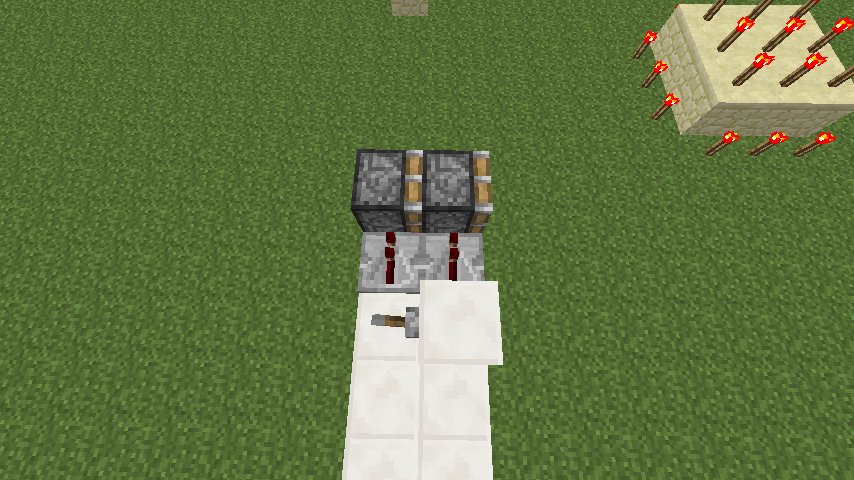
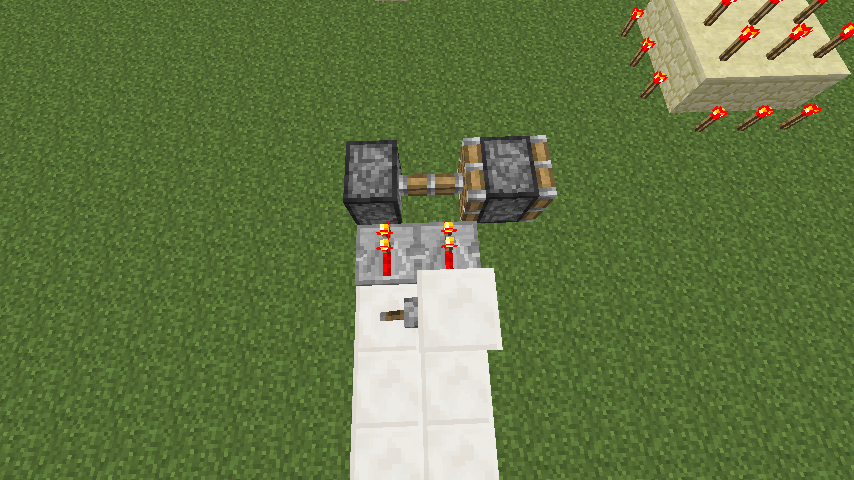





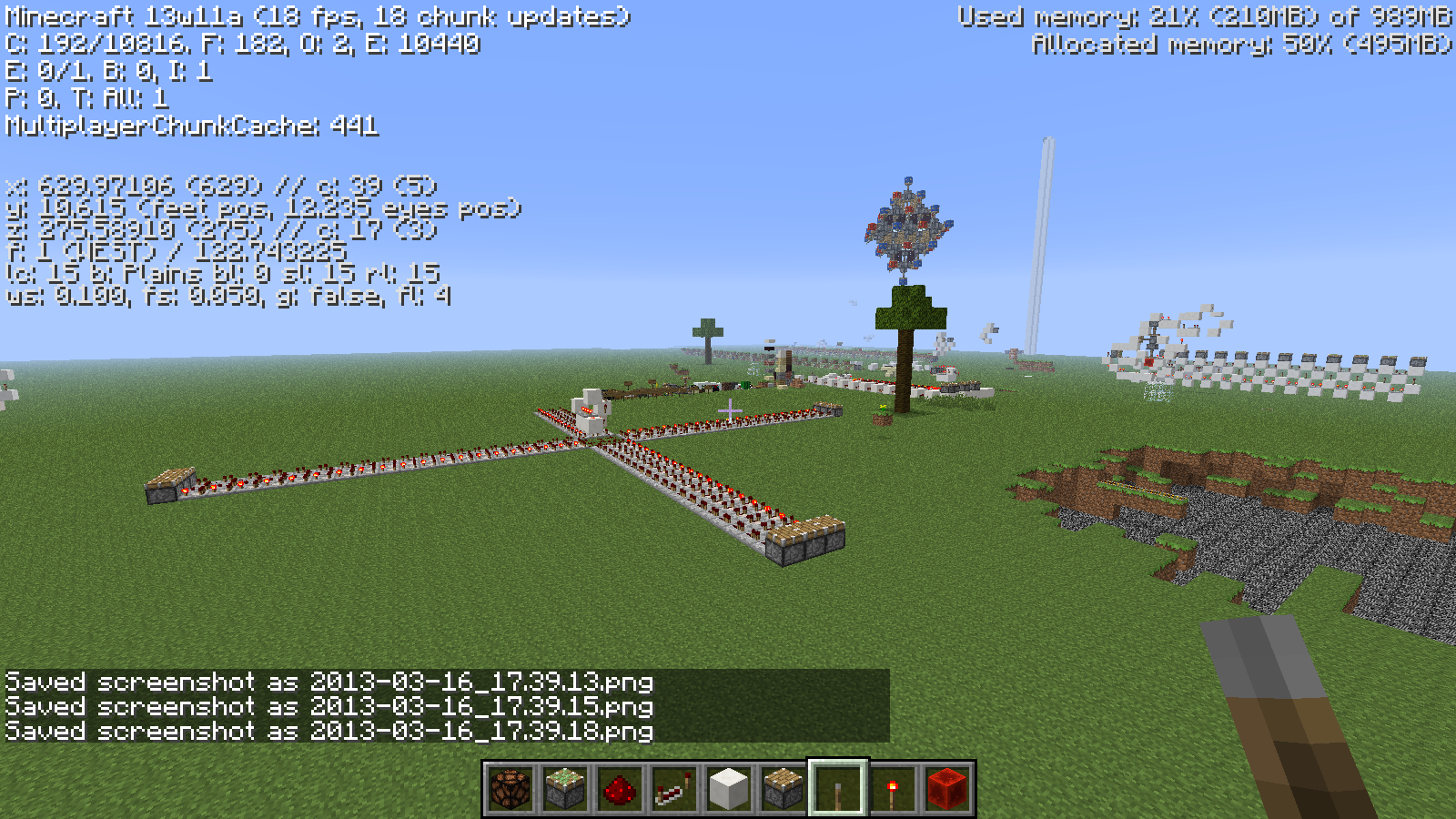

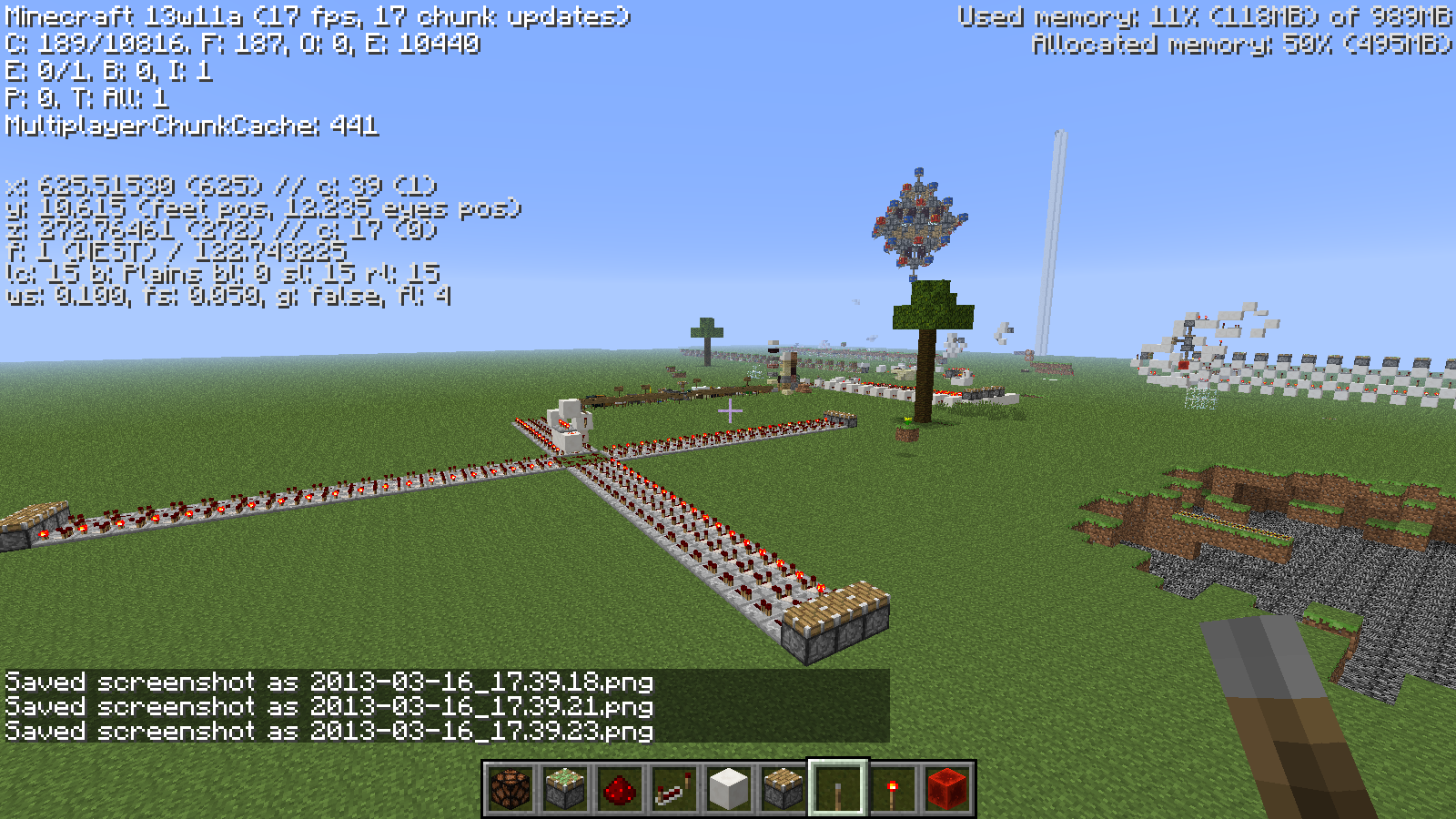
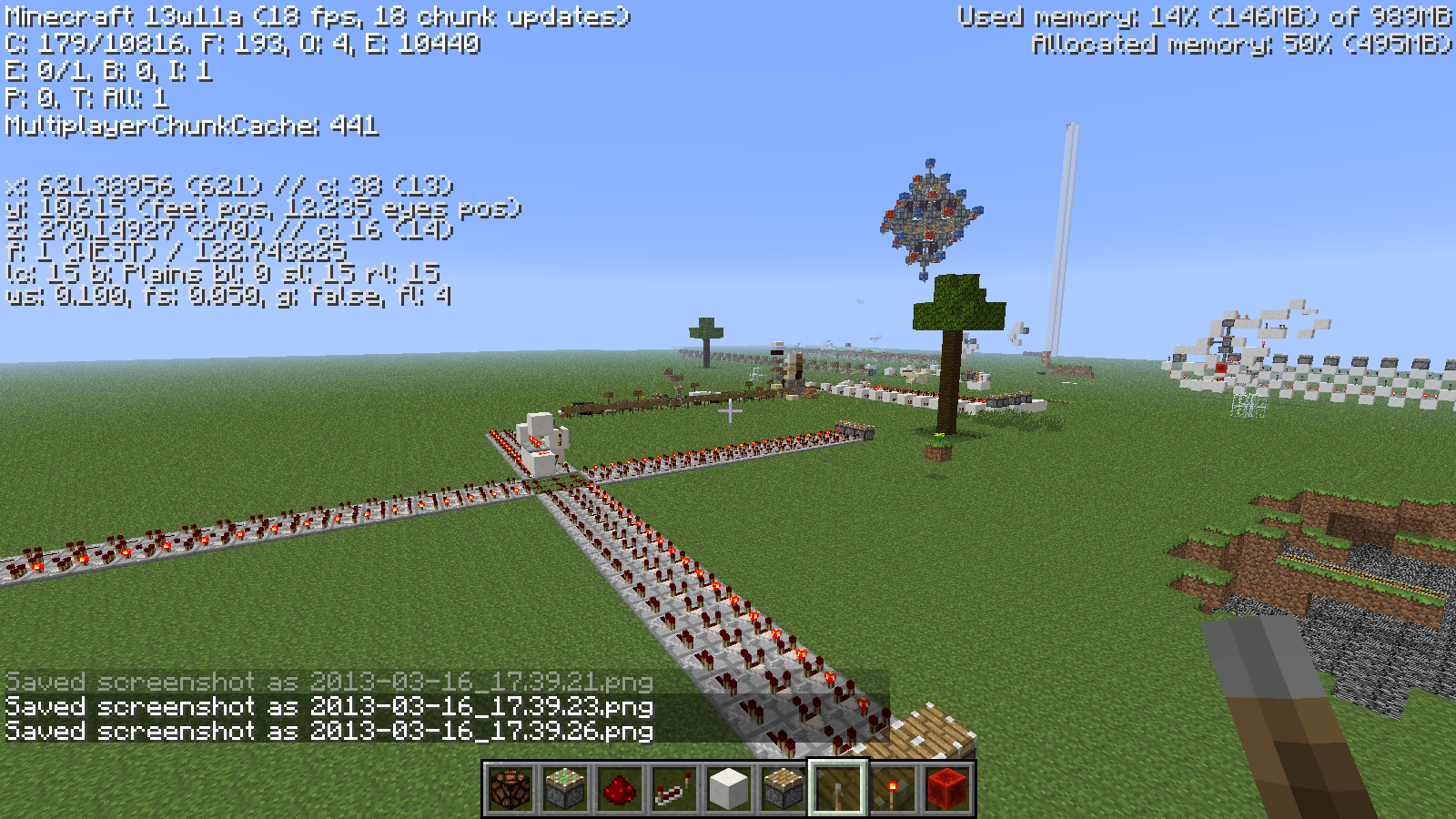

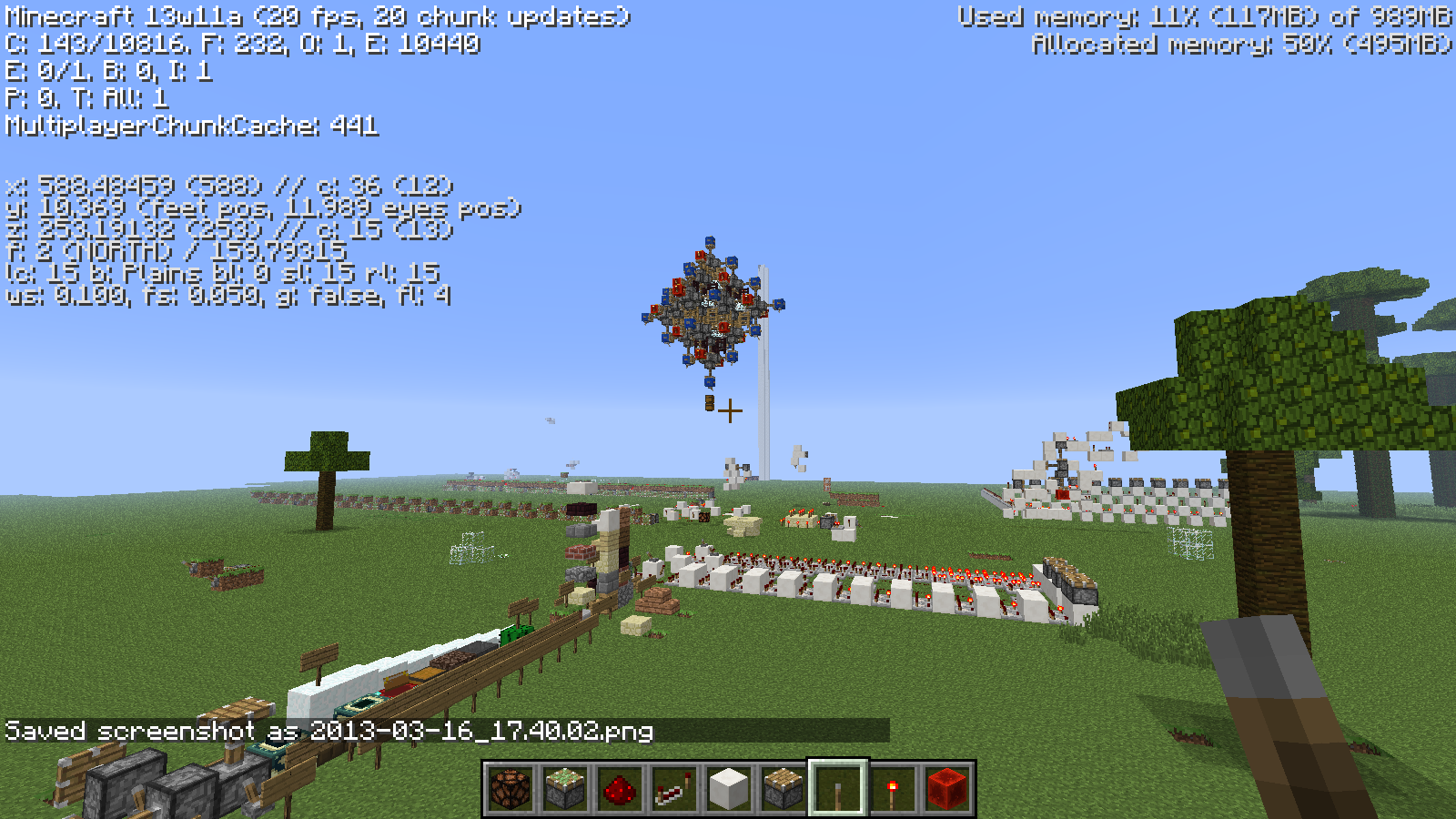
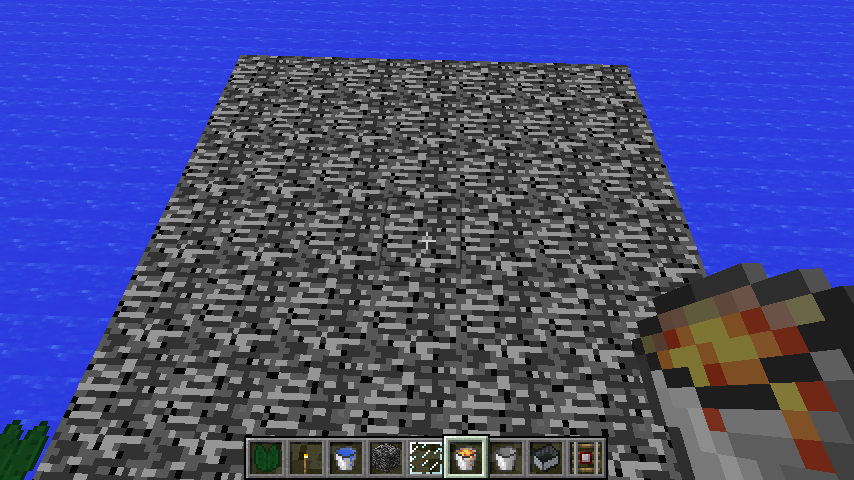
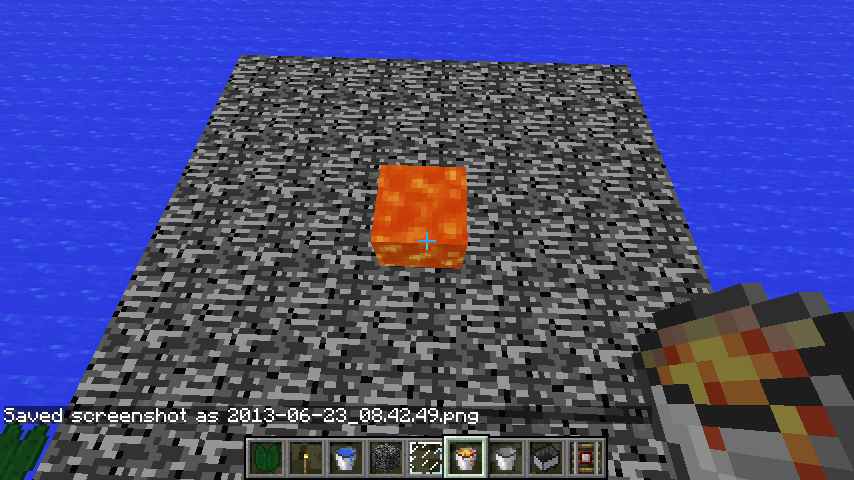
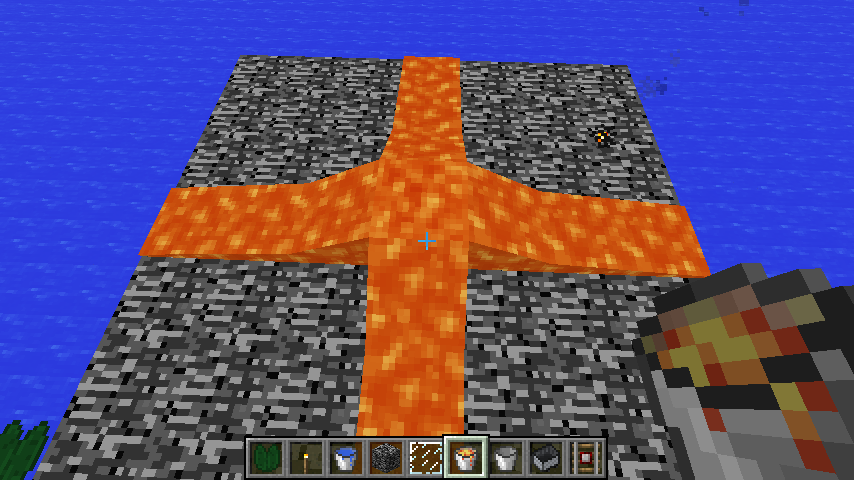
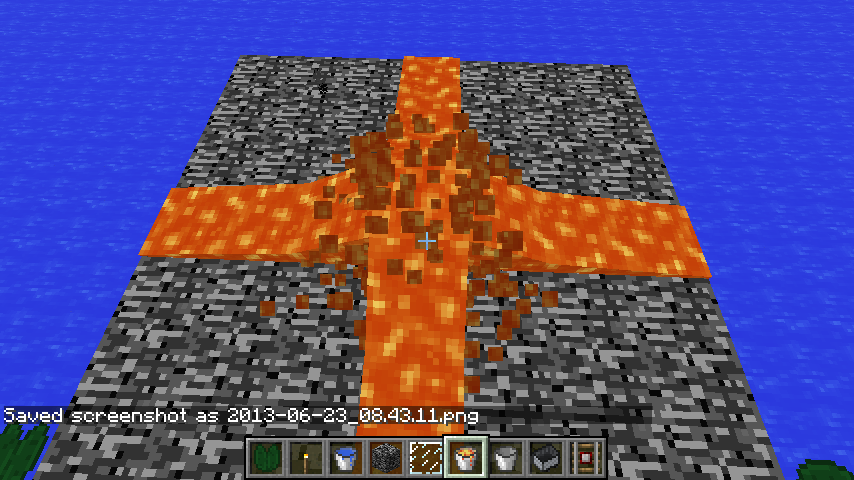




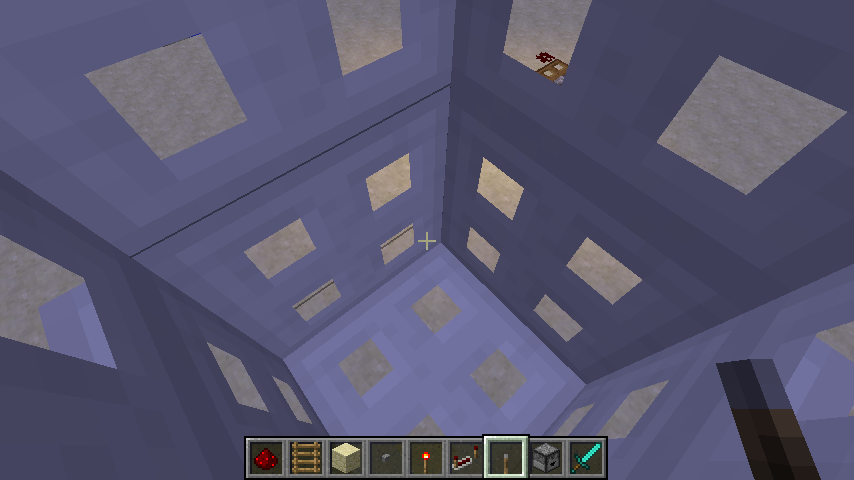
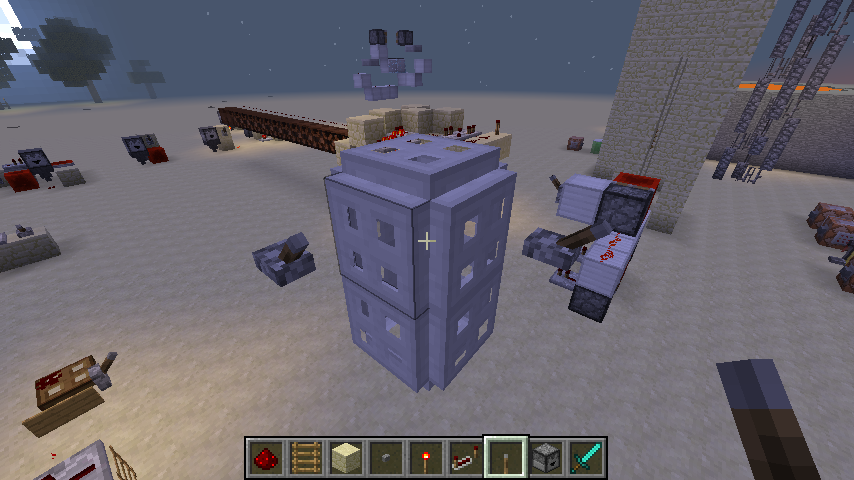
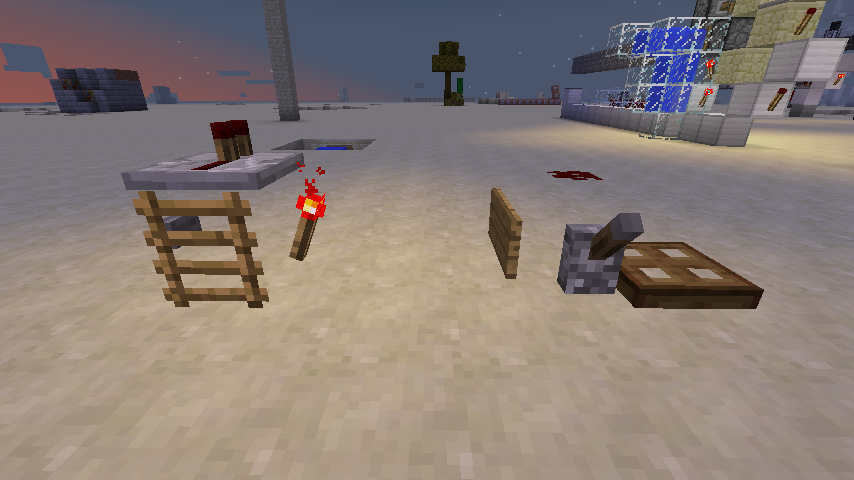
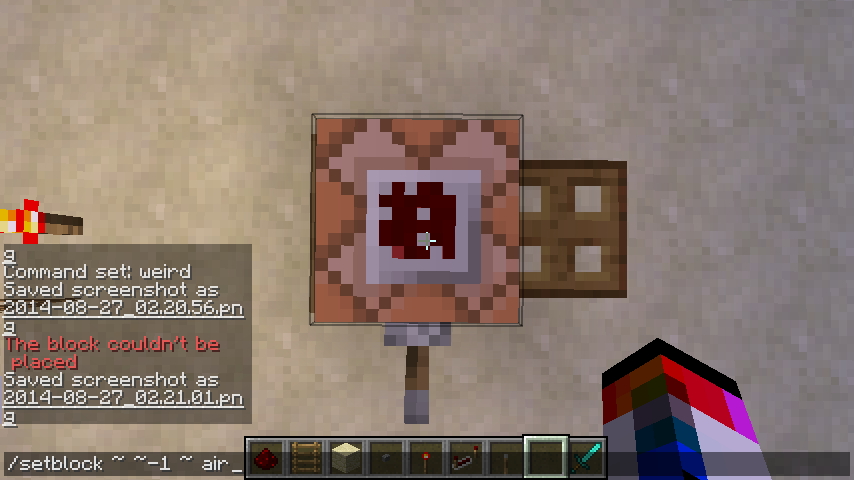

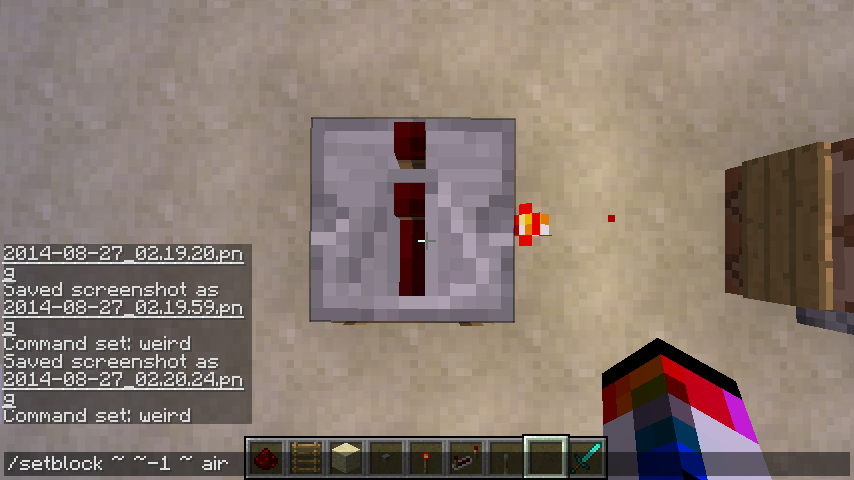

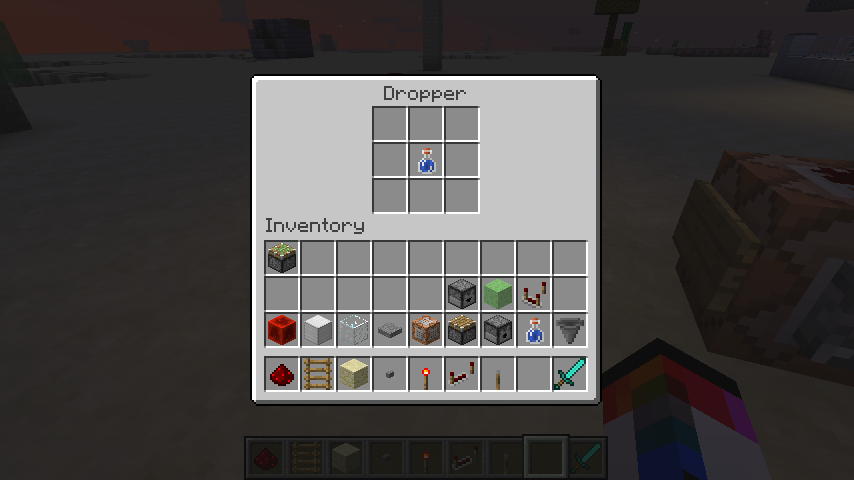
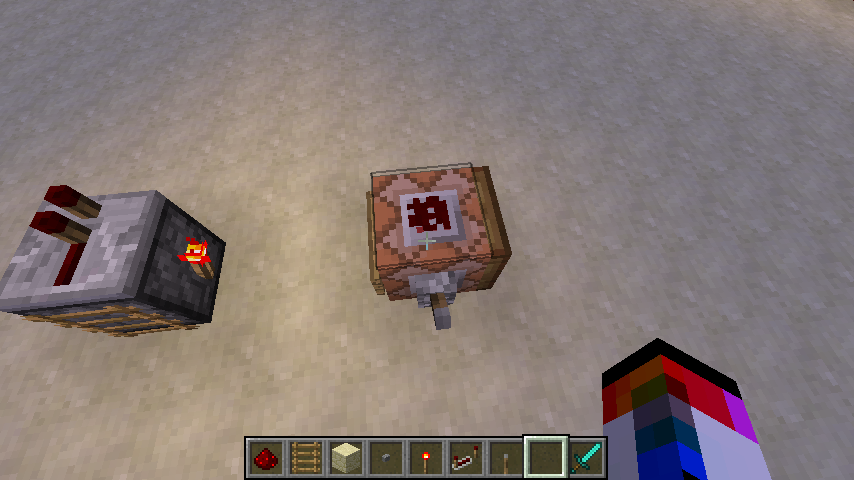

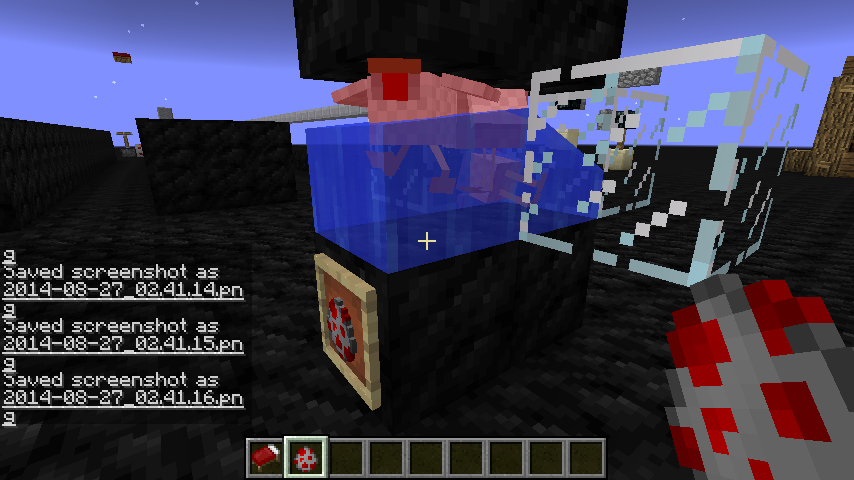
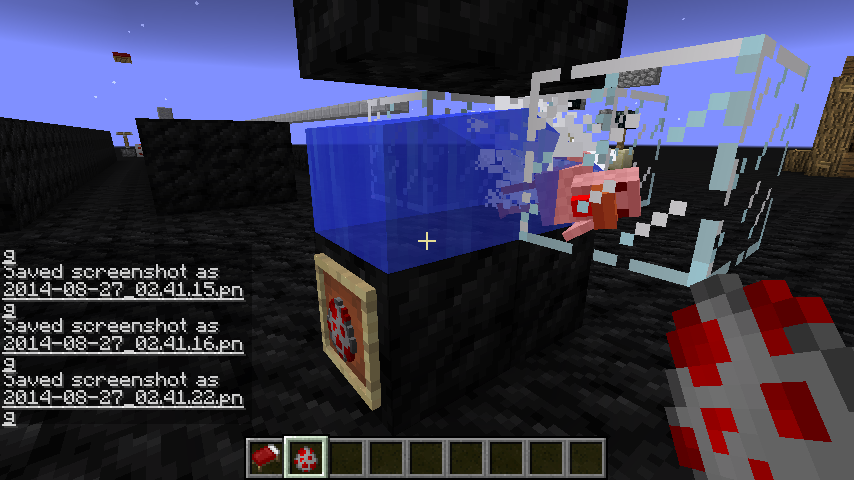
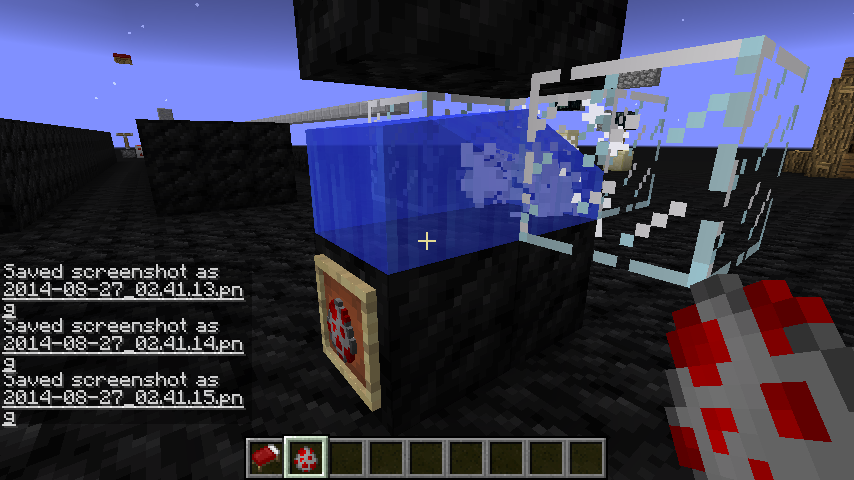
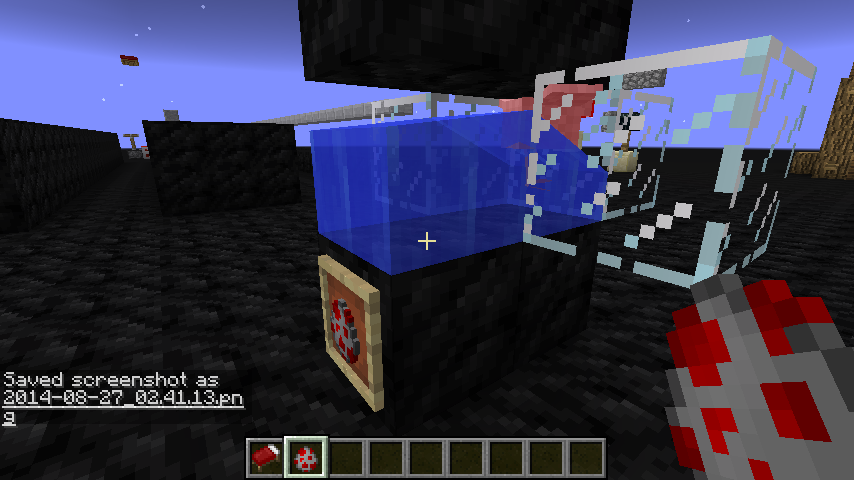
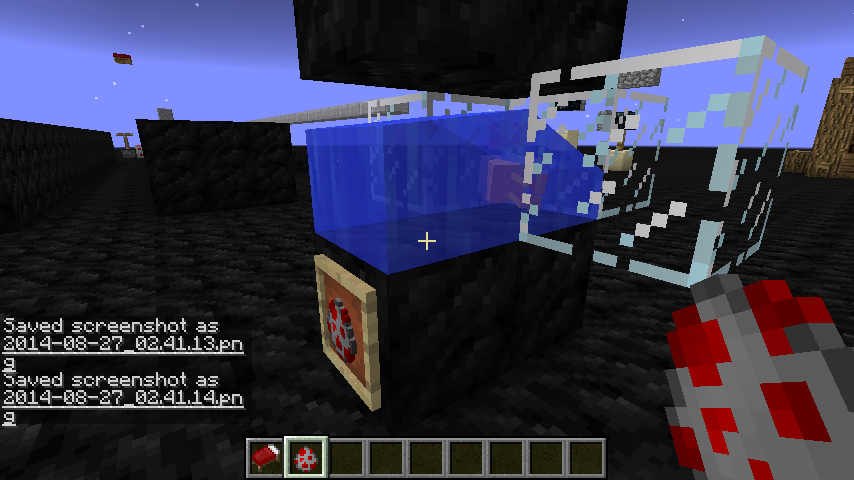

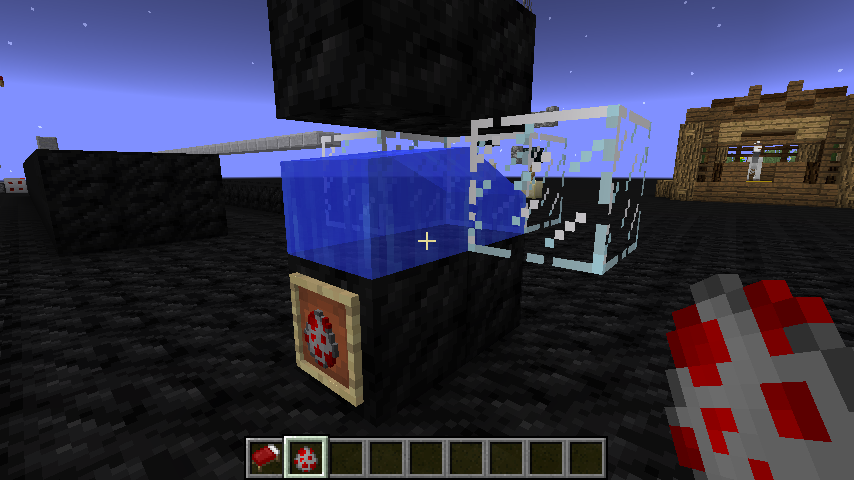
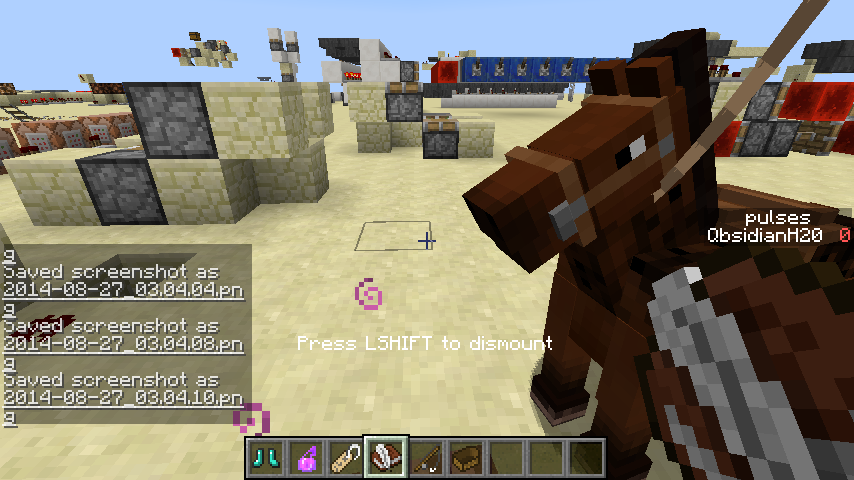
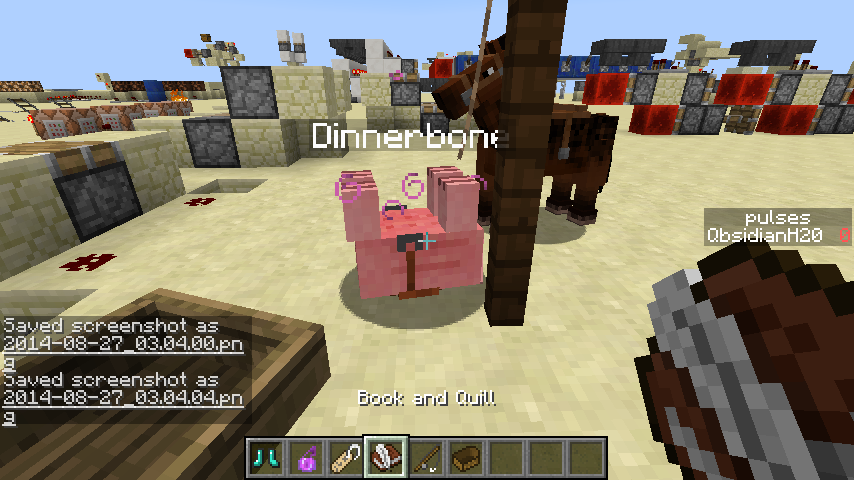
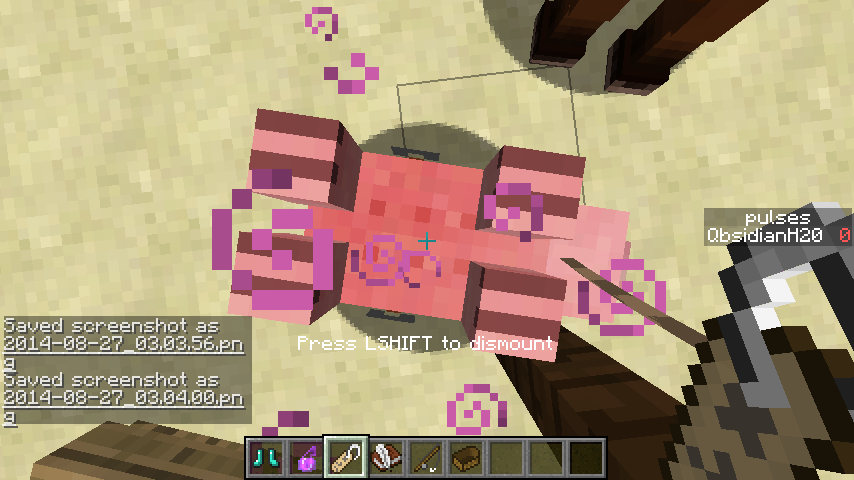
Setup like the picture and power the block
andthen piston arm passes through piston.Setup like the picture and power the block. then piston arm passes through piston.
Setup like the picture and power the block. then piston arm passes through piston. Sometimes, piston base becomes invisible.
powering the both pistons at same doesn't exploit the bug.
Setup like the picture and power the block. then piston arm passes through piston.
Sometimes, piston base becomes invisible.Setup like the picture and power the block. then piston arm passes through piston. And sometimes, piston base becomes invisible.
Setup like the picture and power the block. then piston arm passes through piston. And sometimes, piston base becomes invisible. (the pistons in picture are sticky.)
@Tails did you tested it ? It's still happening in 13w09c. http://www.youtube.com/watch?v=bp7STo-PgjE
Really sorry for my mistake.
in 13w09a, this is happening again.
Merged tnt carts explode when hitting the block. Is it intended?
merged TNT Minecart explodesinstantly when hitting a block even if it was already activatedmerged TNT Minecarts explode instantly when hitting a block even if it was already activated
Chests and signs are not drawn on screen if player is far enough.
Chests and signs are not drawn on screen if player is far enough. Also noticed in : http://youtu.be/IyyteZwHlMQ
Steps to reproduce
1. Place any tile-entity block (Chest, Furnace, Command block, etc)
2. Place attachable blocks like ladder, button, torch, etc (or setup a BUD switch)
3. Delete the tile-entity block using the command /setblock x y z air (x y z is the coordinate of the block)
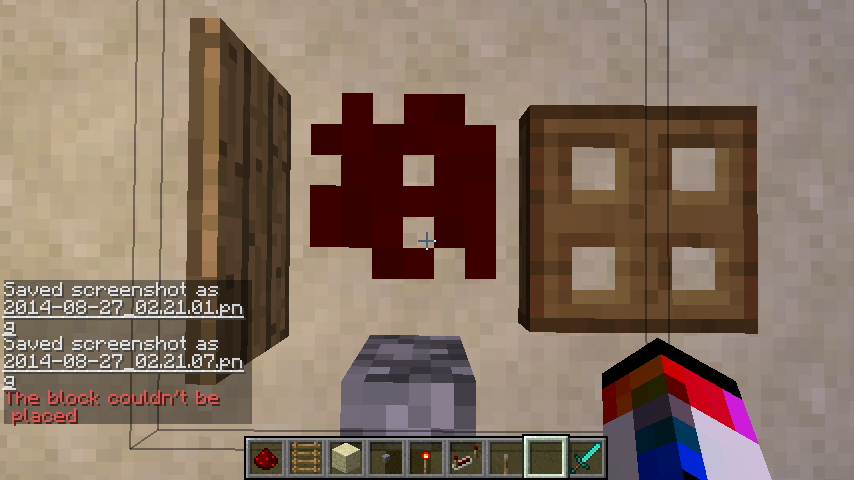
4. The command output (or chat screen) says "The block couldn't be placed" but block gets deleted and adjacent blocks are not updated and just floating in mid air (or BUD switch does not activate).Note : with non-tile-entity blocks or using fill command just work fine. And entity tile data also gets deleted. You can confirm this by putting any item or text in a block before deleting it.
Comment : It looks like there's lot of issus with setblock command generally not updating something. such as MC-31100
MC-61475MC-58634MC-63831MC-64402MC-67092MC-67930MC-68879
Windows
Vista Home Premium K SP2 32bit
AMD FX-6100 Six-Core Processor
8.00GB RAM
NVIDIA GeForce 7025 / NVIDIA nForce 630a
1535MB Available graphic memory
156GB Available hard disk space
java version "1.8.0_05"
Java(TM) SE Runtime Environment (build 1.8.0_05-b13)
Java HotSpot(TM) Client VM (build 25.5-b02, mixed mode, sharing)Windows 10 Pro Build 14393.447
Intel Core M-5Y10c @0.8~2.0GHz * 2 cores * 2 logical processors (4 threads total)
8.00GB RAM
NVIDIA GeForce 7025 / NVIDIA nForce 630a
1535MB Available graphic memory
156GB Available hard disk space
java version "1.8.0_05"
Java(TM) SE Runtime Environment (build 1.8.0_05-b13)
Java HotSpot(TM) Client VM (build 25.5-b02, mixed mode, sharing)
Windows 10 Pro Build 14393.447
Intel Core M-5Y10c @0.8~2.0GHz * 2 cores * 2 logical processors(4 threads total)
8.00GB RAM
NVIDIA GeForce 7025 / NVIDIA nForce 630a
1535MB Available graphic memory
156GB Available hard disk space
java version "1.8.0_05"
Java(TM) SE Runtime Environment (build 1.8.0_05-b13)
Java HotSpot(TM) Client VM (build 25.5-b02, mixed mode, sharing)Windows 10 Pro Build 14393.447
Intel Core M-5Y10c @.8GHz * 2 cores * 2 logical processors
8.00GB RAM
Intel HD Graphics 5300
Java version (System): 1.8.0_112
Java version (Minecraft): 1.8.0_25
Steps to reproduce
1. Place any tile
-entityblock(Chest, Furnace, Command block, etc)
2. Place attachable blocks like ladder, button, torch, etc (or setup a BUD switch)
3. Delete the tile-entityblockusing the command /setblock x y z air (x y zis thecoordinate of the block)
4. The command output (or chat screen) says "The block couldn't be placed" but block gets deleted and adjacent blocks are not updated and just floating in mid air (orBUD switchdoesnot activate).Note : with non-tile-entity blocks or using fill command just work fine. And entity tile data also gets deleted. You can confirm this by putting any item or text in a block before deleting it.
Comment : It looks like there's lot of issus with setblock command generally not updating something. such asMC-31100MC-61475MC-58634MC-63831MC-64402MC-67092MC-67930MC-68879Steps to reproduce
1. Place any block with tile entity (Chest, Furnace, Command block, etc)
2. Place attachable blocks like ladder, button, torch, etc (or setup a BUD switch)
3. Delete the block with tile entity using the command /setblock x y z air [0 replace] (x y z being coordinate of the block)
4. The command output (or chat screen) says "The block couldn't be placed" but block gets deleted anyways and adjacent blocks are not updated at all. (for example, a BUD switch would not activate).Note : with non-tile-entity blocks or using fill command just work fine. And entity tile data also gets deleted. You can confirm this by putting any item or text in a block before deleting it.
Comment : This is NOT a duplicate of MC-31100. See it yourselves.
Steps to reproduce
1. Place any block with tile entity (Chest, Furnace, Command block, etc)
2. Place attachable blocks like ladder, button, torch, etc (or setup a BUD switch)
3. Delete the block with tile entity using the command /setblock x y z air [0 replace] (x y z being coordinate of the block)
4. The command output (or chat screen) says "The block couldn't be placed" but block gets deleted anyways and adjacent blocks are not updated at all. (for example, a BUD switch would not activate).Note : with non-tile-entity blocks or using fill command just work fine. And entity tile data also gets deleted. You can confirm this by putting any item or text in a block before deleting it.
Comment : This is NOT a duplicate of MC-31100. See it yourselves.
Steps to reproduce
1. Place any block with tile entity (Chest, Furnace, Command block, etc)
2. Place attachable blocks like ladder, button, torch, etc (or setup a BUD switch)
3. Delete the block with tile entity using the command /setblock x y z air [0 replace] (x y z being coordinate of the block)
4. The command output (or chat screen) says "The block couldn't be placed" but block gets deleted anyways, and adjacent blocks are not updated at all. (for example, a BUD switch would not activate).Note : with non-tile-entity blocks or using fill command just work fine. And entity tile data also gets deleted. You can confirm this by putting any item or text in a block before deleting it.
Comment : This is NOT a duplicate of MC-31100. See it yourselves.
using setblock to delete tile-entity blocksdoes not update adjacent blocksUsing /setblock to delete tile-entity blocks fails and succeeds at the same time
Using /setblock to delete tile-entity blocksfails and succeeds at the same time
Steps to reproduce
1. Place any block with tile entity (Chest, Furnace, Command block, etc)
2. Place attachable blocks like ladder, button, torch, etc (or setup a BUD switch)
3. Delete the block with tile entity using the command /setblock x y z air [0 replace] (x y z being coordinate of the block)
4. The command output (or chat screen) says "The block couldn't be placed" but block gets deleted anyways, and adjacent blocks are not updated at all. (for example, a BUD switch would not activate).Note : with non-tile-entity blocks or using fill command just work fine. And entity tile data also gets deleted. You can confirm this by putting any item or text in a block before deleting it.
Comment : This is NOT a duplicate of MC-31100. See it yourselves.
Steps to reproduce
1. Place any block with tile entity (Chest, Furnace, Command block, etc)
2. Place attachable blocks like ladder, button, torch, etc (or setup a BUD switch)
3. Delete the block with tile entity using the command /setblock x y z air [0 replace] (x y z being coordinate of the block)
4. The command output (or chat screen) says "The block couldn't be placed" but block gets deleted anyways, and adjacent blocks are not updated at all. (for example, a BUD switch would not activate).Note : This only happens specifically with setblock air replace.
Comment : This is NOT a duplicate of MC-31100. See it yourselves.
Steps to reproduce :
1. Place blocks like picture down below
2. Spawn a chicken in water source block
3. Watch them suiciding(?!)Note : This has nothing(maybe something) to do with baby chickens hitbox, it happens to fully grown chickens too.
Comment :
No commentSteps to reproduce :
1. Place blocks like picture down below
2. Spawn a chicken in water source block
3. Watch them suiciding(?!)Note : This has nothing(maybe something) to do with baby chickens hitbox, it happens to fully grown chickens too.
Comment : Poor chickens
Steps to reproduce :
1. Place blocks like picture down below
2. Spawn a chicken in water source block
3. Watch them suiciding(?!)Note : This has nothing(maybe something) to do with baby chickens hitbox, it happens to fully grown chickens too.
Comment : Poor chickens
Chickens can suffocatethemselvesin a block above them while swimming
Chickenscan suffocate in a block above them while swimmingChicken's eye level is above bounding box, allowing them to take damage while colliding with block above them
Steps to reproduce :
1. Place blocks like picture down below
2. Spawn a chicken in water source block
3. Watch them suiciding(?!)Note : This has nothing(maybe something) to do with baby chickens hitbox, it happens to fully grown chickens too.
Steps to reproduce :
1. Place blocks like picture down below
2. Spawn a chicken in water source block
3. Watch them suiciding(?!)Demonstration Video
Steps to reproduce :
1. Place blocks like picture down below
2. Spawn a chicken in water source block
3. Watch them suiciding(?!)Demonstration Video
Steps to reproduce :
- Place blocks like picture down below
- Spawn a chicken in water source block
- Watch them suiciding(?!)
Demonstration Video
Steps to reproduce :
- Place blocks like picture down below
- Spawn a chicken in water source block
Watchthem suiciding(?!)Demonstration Video
Steps to reproduce :
- Place blocks like picture down below
- Spawn a chicken in water source block
- Notice them suffocating inside block above
Demonstration Video
Chicken'seye level is above bounding box, allowing them to take damage while colliding with block above themChickens suffocate when colliding with opaque block above them.
Steps to reproduce :
- Place blocks like picture down below
- Spawn a chicken in water source block
- Notice them suffocating inside block above
Demonstration Video
Possible cause :
Their eye level is above their AABB.
Windows Vista Home Premium K SP2 32bit
AMD FX-6100 Six-Core Processor
8.00GB RAM
NVIDIA GeForce 7025 / NVIDIA nForce 630a
1535MB Available graphic memory
156GB Available hard disk space
java version "1.8.0_05"
Java(TM) SE Runtime Environment (build 1.8.0_05-b13)
Java HotSpot(TM) Client VM (build 25.5-b02, mixed mode, sharing)OS : Windows Vista Home Premium K SP2 32bit
CPU : AMD FX-6100 Six-Core Processor
RAM : 8.00GB
VGA : NVIDIA GeForce 7025 / NVIDIA nForce 630a
VRAM : 1535MB Available graphic memory
HDD : 156GB Available hard disk space
JAVA : java version "1.8.0_05"
Java(TM) SE Runtime Environment (build 1.8.0_05-b13)
Java HotSpot(TM) Client VM (build 25.5-b02, mixed mode, sharing)
Pick BlockbugginessPick Block exchange does not work on survival
PickBlockexchange does not workon survivalPick block does not exchange items on survival
Survival mode:
Pick block does not work on items that are not on your hotbar. This does work properly in creative mode.Creative mode:
Pick block does not work when holding certain items(armor, weapon, tools) if your hotbar is full of other items.
Video : https://drive.google.com/file/d/0Bwh-rUpGiETGbVpHcl8wbkdWWlk/view?usp=sharing
1. Player jumps, activates pressure plate and safely lands on the lamp.
2. If the player activates pressure plate, it means that the position of the player is lower than half block.
3. If the player landed on lamp block, it means that the position of the player is same or higher than a half block.4. Step two and step three cannot happen at the same time but in the step one they are.1. Player jumps, activates pressure plate and safely lands on the lamp.
2. If the player activates pressure plate, it means that the position of the player is lower than half block.
3. If the player landed on lamp block, it means that the position of the player is same or higher than a half block.
4. Step two and step three cannot happen at the same time but in the step one they are.
1. Player jumps, activates pressure plate and safely lands on the lamp.
2. If the player activates pressure plate, it means that the position of the player is lower than half block.
3. If the player landed on lamp block, it means that the position of the player is same or higher than a half block.
4. Step two and step three cannot happen at the same time but in the step one they are.
Video1. Player jumps, activates pressure plate and safely lands on the lamp.
2. If the player activates pressure plate, it means that the position of the player is lower than half block.
3. If the player landed on lamp block, it means that the position of the player is same or higher than a half block.
4. Step two and step three cannot happen at the same time but in the step one they are.
1. Player jumps, activates pressure plate and safely lands on the lamp.
2. If the player activates pressure plate, it means that the position of the player is lower than half block.
3. If the player landed on lamp block, it means that the position of the player is same or higher than a half block.
4. Step two and step three cannot happen at the same time but in the step one they are.Steps to reproduce & Justification:
- Player jumps, activates pressure plate and safely lands on the lamp.
- If the player activates pressure plate, it means that the position of the player is lower than half block.
- If the player landed on lamp block, it means that the position of the player is same or higher than a half block.
- Step two and step three cannot happen at the same time but in the step one they are.
Demonstration Video
Steps to reproduce & Justification:
- Player jumps, activates pressure plate and safely lands on the lamp.
- If the player activates pressure plate, it means that the position of the player is lower than half block.
- If the player landed on lamp block, it means that the position of the player is same or higher than a half block.
- Step two and step three cannot happen at the same time but in the step one they are.
Note: It is possible to reproduce this with lot of different block location/player movement, but I fint provided example most simple and easy. It might be caused by slight desync between server and client.
Demonstration Video
abcd
Mojang, please add a proper placeholder entity...
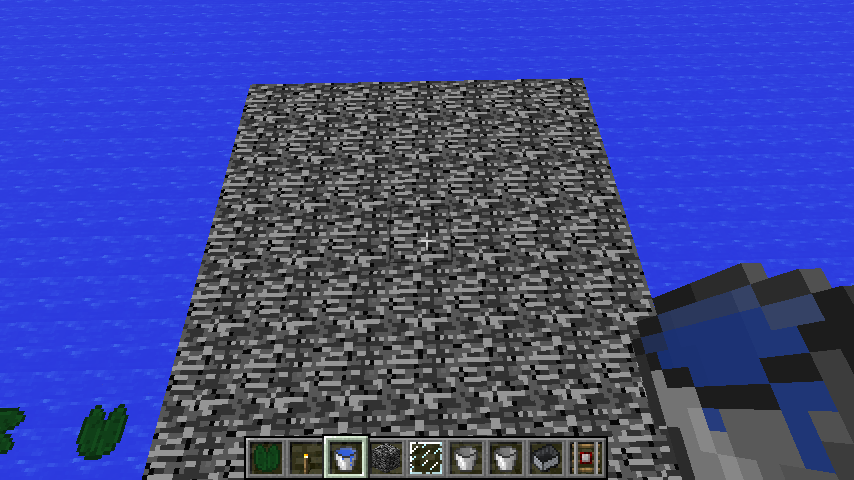
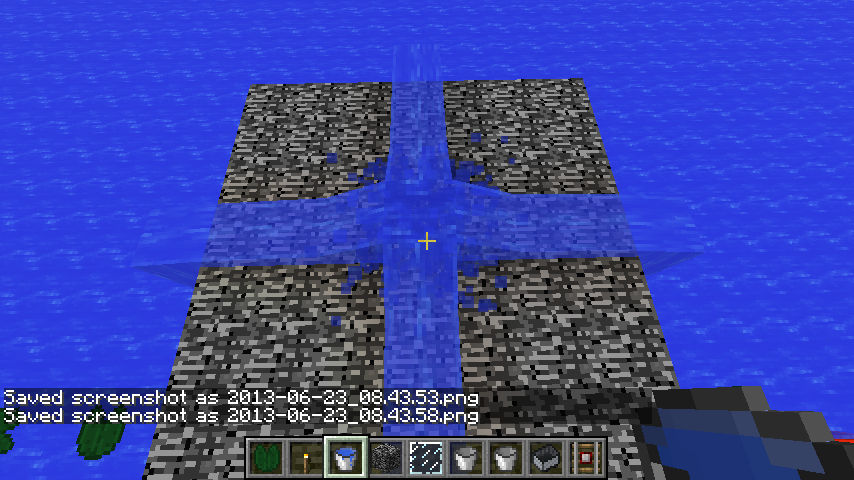
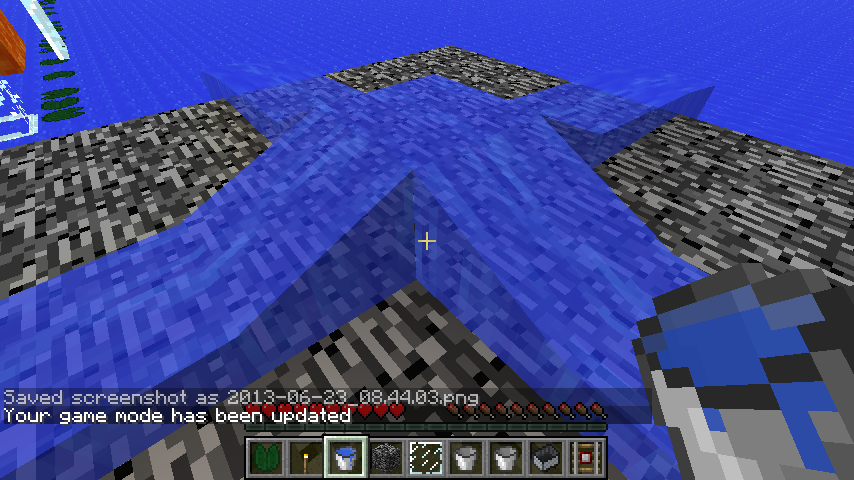
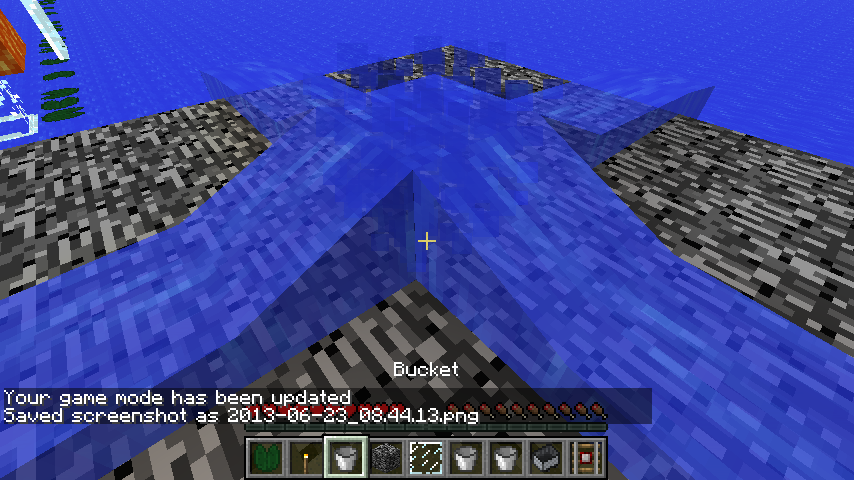
Possible to place water/lavethrough cobwebPossible to place water/lava through cobweb
It is possible to place water/lava on the block that is behind( from the player's perspective) the cobweb. Also cannot get back into bucket.
Video :
https://drive.google.com/file/d/0Bwh-rUpGiETGQUxuTnRoRHpyODQ/view?usp=sharingIt is possible to place water/lava on the block that is behind( from the player's perspective) the cobweb. Also cannot get back into bucket.
It is possible to place water/lava on the block that is behind( from the player's perspective) the cobweb. Also cannot get back into bucket.
Summary:
It is possible to place water/lava on the block that is behind( from the player's perspective) the cobweb. Also cannot get back into bucket.
Demonstration Video
Broadcasting records sounds
outside of game. I think it should record only in-game sound. When unintentional sound is present at any moment while broadcasting, the viewers might get irritated or disturbed.Broadcasting records sounds that comes from outside of game(Which is the speaker output). I think it should record only in-game sound. When unintentional sound is present at any moment while broadcasting, the viewers might get irritated or disturbed.
Broadcasting records sounds that comes from outside of game(Which is the speaker output). I think it should record only in-game sound. When unintentional sound is present at any moment while broadcasting, the viewers might get irritated or disturbed. And also when broadcaster wants to see if broadcast itself has any problem by watching it, minecraft will grab sound from broadcast and create a infinite loop of sounds.
Duplication of leadsLeashed mobs drop lead even if
Leashed mobs drop leadeven ifLeashed mobs ignores gamerule and drops lead upon death
If u drop a lead then kill the animal by fall damage It will drop a second lead which is useable and the glitch will work over and over and over. I found out this glitch in 1.8.1 I c heck forums to see if it hadbeenfixed for 1.8.2 pre 1 It hadn't so if u could please fix this Thank youBasically you lead a mob and when mob dies, mob drops another lead even if doEntityDrops is false. Video :
Basically you lead a mob and when mob dies, mob drops anotherlead even if doEntityDrops is false. Video :Leashed mobs ignores `doEntityDrops` gamerule and drops lead upon death. Video :
Leashed mobs ignores `doEntityDrops` gamerule and drops lead upon death. Video :
Leashed mobs ignores doEntityDrops gamerule and drops lead upon death. Video :
Leashed mobs ignores doEntityDrops gamerule and drops lead upon death.
Video :Leashed mobs ignores doEntityDrops gamerule and drops lead upon death. Video
Leashed mobs ignores doEntityDrops gamerule and drops lead upon death. Video
Leashed mobs ignores doEntityDrops gamerule and drops lead upon death.
1. Set doEntityDrops gamerule to false by running this command :/gamerule doEntityDrops false2. Spawn any leashable mobs
3. Leash the spawned mob
4. Kill it and notice that it drops lead.
Video
Note : I'm not sure if gamerule
Leashed mobs ignores doEntityDrops gamerule and drops lead upon death.
1. Set doEntityDrops gamerule to false by running this command :/gamerule doEntityDrops false2. Spawn any leashable mobs
3. Leash the spawned mob
4. Kill it and notice that it drops lead.
Video
Note : I'm not sure if gameruleSummary :
Leashed mobs ignores doEntityDrops gamerule and drops lead upon death.1. Set doEntityDrops gamerule to false by running this command :
/gamerule doEntityDrops false2. Spawn any leashable mobs
3. Leash the spawned mob
4. Kill it and notice that it drops lead.
Video
Note : I'm not sure if gamerule
Summary :
Leashed mobs ignores doEntityDrops gamerule and drops lead upon death.
1. SetdoEntityDrops gamerule to false by running this command :/gamerule doEntityDrops false2. Spawn any leashable mobs
3. Leash the spawned mob
4. Kill it and notice that it drops lead.
Video
Note : I'm not sureifgameruleSummary :
Leashed mobs ignores doEntityDrops gamerule and drops lead upon death.
Steps to reproduce :
1. Set doEntityDrops gamerule to false by running this command :/gamerule doEntityDrops false2. Spawn any leashable mobs
3. Leash the spawned mob
4. Kill it and notice that it drops lead.
Demonstration Video
Note : I'm not sure which gamerule should be affect lead drop(doEntityDropsor
doMobLoot). But
doMobLootalso
Summary :
Leashed mobs ignores doEntityDrops gamerule and drops lead upon death.
Steps to reproduce :
1. Set doEntityDrops gamerule to false by running this command :/gamerule doEntityDrops false2. Spawn any leashable mobs
3. Leash the spawned mob
4. Kill it and notice that it drops lead.
Demonstration Video
Note : I'm not sure which gamerule should be affect lead drop(or
doMobLoot). But
doMobLootalso
Summary :
Leashed mobs ignores doEntityDrops gamerule and drops lead upon death.
Steps to reproduce :
1. Set doEntityDrops gamerule to false by running this command :/gamerule doEntityDrops false2. Spawn any leashable mobs
3. Leash the spawned mob
4. Kill it and notice that it drops lead.
Demonstration Video
Note : I'm not sure which gamerule should be affect lead drop(doEntityDrops or doMobLoot). But doMobLoot also does not affect lead drop neither.
Summary :
Leashed mobs ignores doEntityDrops gamerule and drops lead upon death.
Steps to reproduce :
1. Set doEntityDrops gamerule to false by running this command :/gamerule doEntityDrops false2. Spawn any leashable mobs
3. Leash the spawned mob
4. Kill it and notice that it drops lead.
Demonstration Video
Note : I'm not sure which gamerule should be affect lead drop(doEntityDrops or doMobLoot). But doMobLootalsodoes not affect lead drop neither.
Summary :
Leashed mobs ignores doEntityDrops gamerule and drops lead upon death.
Steps to reproduce :
1. Set doEntityDrops gamerule to false by running this command :/gamerule doEntityDrops false2. Spawn any leashable mobs
3. Leash the spawned mob
4. Kill it and notice that it drops lead.
Demonstration Video
Note : I'm not sure which gamerule shouldbeaffect lead drop(doEntityDrops or doMobLoot). But doMobLootdoes notaffect lead dropneither.Summary :
Leashed mobs ignores doEntityDrops gamerule and drops lead upon death.
Steps to reproduce :
1. Set doEntityDrops gamerule to false by running this command :/gamerule doEntityDrops false2. Spawn any leashable mobs
3. Leash the spawned mob
4. Kill it and notice that it drops lead.
Demonstration Video
Note : I'm not sure which gamerule should affect lead drop(doEntityDrops or doMobLoot). But neither of them affects lead drop.
Summary :
Leashed mobs ignores doEntityDrops gamerule and drops lead upon death.
Steps to reproduce :
1. Set doEntityDrops gamerule to false by running this command :/gamerule doEntityDrops false2. Spawn any leashable mobs
3. Leash the spawned mob
4. Kill it and notice that it drops lead.
Demonstration Video
Note : I'm not sure which gamerule should affect lead drop(doEntityDrops or doMobLoot). But neitherof them affects lead drop.Summary :
Leashed mobs ignores doEntityDrops gamerule and drops lead upon death.
Steps to reproduce :
1. Set doEntityDrops gamerule to false by running this command :/gamerule doEntityDrops false2. Spawn any leashable mobs
3. Leash the spawned mob
4. Kill it and notice that it drops lead.
Demonstration Video
Note : I'm not sure which gamerule should affect lead drop(doEntityDrops or doMobLoot). But none of them affects lead drop.
Summary :
Leashed mobs ignores doEntityDrops gamerule and drops lead upon death.Steps to reproduce :
1. Set doEntityDrops gamerule to false by running this command :/gamerule doEntityDrops false2. Spawn any leashable mobs
3. Leash the spawned mob
4. Kill it and notice that it drops lead.
Demonstration Video
Note : I'm not sure which gamerule should affect lead drop(doEntityDrops or doMobLoot). But none of them affects lead drop.Summary :
Leashed mobs ignores doEntityDrops gamerule and drops lead upon death.\\\\
Steps to reproduce :
1. Set doEntityDrops gamerule to false by running this command :/gamerule doEntityDrops false2. Spawn any leashable mobs
3. Leash the spawned mob
4. Kill it and notice that it drops lead.\\\\
Demonstration Video\\\\
Note : I'm not sure which gamerule should affect lead drop(doEntityDrops or doMobLoot). But none of them affects lead drop.
Summary :
Leashed mobs ignores doEntityDrops gamerule and drops lead upon death.\\\\
Steps to reproduce:
1. Set doEntityDrops gamerule to false by running this command :/gamerule doEntityDrops false2. Spawn any leashable mobs
3. Leash the spawned mob
4. Kill it and notice that it drops lead.\\\\
Demonstration Video\\\\
Note : I'm not sure which gamerule should affect lead drop(doEntityDrops or doMobLoot). But none of them affects lead drop.Summary :
Leashed mobs ignores doEntityDrops gamerule and drops lead upon death.
Steps to reproduce :
1. Set doEntityDrops gamerule to false by running this command :/gamerule doEntityDrops false2. Spawn any leashable mobs
3. Leash the spawned mob
4. Kill it and notice that it drops lead.
Demonstration Video
Note : I'm not sure which gamerule should affect lead drop(doEntityDrops or doMobLoot). But none of them affects lead drop.
Summary :
Leashed mobs ignores doEntityDrops gamerule and drops lead upon death.
Steps to reproduce :
1. Set doEntityDrops gamerule to false by running this command :/gamerule doEntityDrops false2. Spawn any leashable mobs
3. Leash the spawned mob
4. Kill it and notice that it drops lead.
Demonstration Video
Note : I'm not sure which gamerule should affect lead drop(doEntityDrops or doMobLoot). But none of them affects lead drop.Summary :
Leashed mobs ignores doEntityDrops gamerule and drops lead upon death.
Steps to reproduce :
- Set doEntityDrops gamerule to false by running this command :
/gamerule doEntityDrops false- Spawn any leashable mobs
- Leash the spawned mob
- Kill it and notice that it drops lead.
Demonstration Video
Note : I'm not sure which gamerule should affect lead drop(doEntityDrops or doMobLoot). But none of them affects lead drop.
Summary :
Leashed mobs ignores doEntityDrops gamerule and drops lead upon death.
Steps to reproduce :
- Set doEntityDrops gamerule to false by running this command :
/gamerule doEntityDrops false- Spawn any leashable mobs
- Leash the spawned mob
- Kill it and notice that it drops lead.
Demonstration Video
Note : I'm not sure which gamerule should affect lead drop(doEntityDrops or doMobLoot). But none of them affects lead drop.Summary :
Leashed mobs ignores doEntityDrops gamerule and drops lead upon death.
Steps to reproduce :
- Set doEntityDrops gamerule to false by running this command :
/gamerule doEntityDrops false- Spawn any leashable mobs
- Leash the spawned mob
- Kill it and notice that it drops lead.
##
Demonstration Video
Note : I'm not sure which gamerule should affect lead drop(doEntityDrops or doMobLoot). But none of them affects lead drop.
Summary :
Leashed mobs ignores doEntityDrops gamerule and drops lead upon death.
Steps to reproduce :
- Set doEntityDrops gamerule to false by running this command :
/gamerule doEntityDrops false- Spawn any leashable mobs
- Leash the spawned mob
- Kill it and notice that it drops lead.
##
Demonstration Video
Note : I'm not sure which gamerule should affect lead drop(doEntityDrops or doMobLoot). But none of them affects lead drop.Summary :
Leashed mobs ignores doEntityDrops gamerule and drops lead upon death.
Steps to reproduce :
{# Set doEntityDrops gamerule to false by running this command :/gamerule doEntityDrops false
- Spawn any leashable mobs
- Leash the spawned mob
- Kill it and notice that it drops lead.}
Demonstration Video
Note : I'm not sure which gamerule should affect lead drop(doEntityDrops or doMobLoot). But none of them affects lead drop.
Summary :
Leashed mobs ignores doEntityDrops gamerule and drops lead upon death.
Steps to reproduce :
{# Set doEntityDrops gamerule to false by running this command :/gamerule doEntityDrops false
- Spawn any leashable mobs
- Leash the spawned mob
- Kill it and notice that it drops lead.
}
Demonstration Video
Note : I'm not sure which gamerule should affect lead drop(doEntityDrops or doMobLoot). But none of them affects lead drop.Summary :
Leashed mobs ignores doEntityDrops gamerule and drops lead upon death.
Steps to reproduce :
- Set doEntityDrops gamerule to false by running this command :
/gamerule doEntityDrops false- Spawn any leashable mobs
- Leash the spawned mob
- Kill it and notice that it drops lead.
Demonstration Video
Note : I'm not sure which gamerule should affect lead drop(doEntityDrops or doMobLoot). But none of them affects lead drop.
Summary :
Leashed mobs ignores doEntityDrops gamerule and drops lead upon death.
Steps to reproduce :
- Set doEntityDrops gamerule to false by running this command :
/gamerule doEntityDrops false- Spawn any leashable mobs
- Leash the spawned mob
- Kill it and notice that it drops lead.
Demonstration Video
Note : I'm not sure which gamerule should affect lead drop(doEntityDrops or doMobLoot). But none of them affects lead drop.Summary :
Leashed mobs ignores doEntityDrops gamerule and drops lead upon death.
Steps to reproduce :
- Set doEntityDrops gamerule to false by running this command :
/gamerule doEntityDrops false- Spawn any leashable mobs
- Leash the spawned mob
- Kill it and notice that it drops lead.
Demonstration Video
Note : I'm not sure which gamerule should affect lead drop(doEntityDrops or doMobLoot). But none of them affects lead drop.
Leashed mobs ignores gamerule and drops lead upon deathdoEntityDrops gamerule does not affect lead drop
doEntityDrops gamerule does not affect lead drop from leashed mobs
Summary :
Leashed mobs ignores doEntityDrops gamerule and drops lead upon death.
Steps to reproduce :
- Set doEntityDrops gamerule to false by running this command :
/gamerule doEntityDrops false- Spawn any leashable mobs
- Leash the spawned mob
- Kill it and notice that it drops lead.
Demonstration Video
Note : I'm not entirely sure which gamerule should affect lead drop(doEntityDrops or doMobLoot). But none of them affects lead drop.
Summary :
Leashed mobs ignores doEntityDrops gamerule and drops lead upon death.
Steps to reproduce :
- Set doEntityDrops gamerule to false by running this command :
/gamerule doEntityDrops false- Spawn any leashable mobs
- Leash the spawned mob
- Kill it and notice that it drops lead.
Demonstration Video
Note : I'm not entirely sure which gamerule should affect lead drop(doEntityDrops or doMobLoot). But none of them affectslead drop.Summary :
Leashed mobs ignores doEntityDrops gamerule and drops lead upon death.
Steps to reproduce :
- Set doEntityDrops gamerule to false by running this command :
/gamerule doEntityDrops false- Spawn any leashable mobs
- Leash the spawned mob
- Kill it and notice that it drops lead.
Demonstration Video
Note : I'm not entirely sure which gamerule should affect lead drop(doEntityDrops or doMobLoot). But none of them affects this.
Summary :
Leashed mobs ignores doEntityDrops gamerule and drops lead upon death.
Steps to reproduce :
- Set doEntityDrops gamerule to false by running this command :
/gamerule doEntityDrops false- Spawn any leashable mobs
- Leash the spawned mob
- Kill it and notice that it drops lead.
Demonstration Video
Note : I'm not entirely sure which gamerule should affect lead drop(doEntityDrops or doMobLoot). But none of them affects this behavior.
Summary :
Leashed mobs ignores doEntityDrops gamerule and drops lead upon death.
Steps to reproduce :
- Set doEntityDrops gamerule to false by running this command :
/gamerule doEntityDrops false- Spawn any leashable mobs
- Leash the spawned mob
- Kill it and notice that it drops lead.
Demonstration Video
Note : I'm not entirely sure which gamerule should affect lead drop(doEntityDrops or doMobLoot). But none of them affects this behavior.
Summary :
Leashed mobs ignores doEntityDrops gamerule and drops lead upon death.
Steps to reproduce :
- Set doEntityDrops gamerule to false by running this command :
/gamerule doEntityDrops false- Spawn any leashable mobs
- Leash the spawned mob
- Kill it and notice that it drops lead.
Demonstration Video
Note : I'm not entirely sure which gamerule should affect lead drop(doEntityDrops or doMobLoot). But none of them affects this behavior.
Summary :
Leashed mobs ignores doEntityDrops gamerule and drops lead upon death.
Steps to reproduce :
- Set doEntityDrops gamerule to false by running this command :
/gamerule doEntityDrops false- Spawn any leashable mobs
- Leash the spawned mob
- Kill it and notice that it drops lead.
Demonstration Video
Note : I'm not entirely sure which gamerule should affect lead drop(doEntityDrops or doMobLoot). But none of them affects this behavior.
Summary :
Leashed mobs ignores doEntityDrops gamerule and drops lead upon death.
Steps to reproduce :
- Set doEntityDrops gamerule to false by running this command :
/gamerule doEntityDrops false- Spawn any leashable mobs
- Leash the spawned mob
- Kill it and notice that it drops lead.
Demonstration Video
Note : I'm not entirely sure which gamerule should affect lead drop(doEntityDrops or doMobLoot). But none of them affects this behavior.
Summary :
Leashed mobs ignores doEntityDrops gamerule and drops lead upon death.
Steps to reproduce :
- Set doEntityDrops gamerule to false by running this command :
/gamerule doEntityDrops false- Spawn any leashable mobs
- Leash the spawned mob
- Kill it and notice that it drops lead.
Demonstration Video
Note : I'm not entirely sure which gamerule should affect lead drop(doEntityDrops or doMobLoot). But none of them affects this behavior.
Summary :
Leashed mobs ignores doEntityDrops gamerule and drops lead upon death.
Steps to reproduce :
- Set doEntityDrops gamerule to false by running this command :
/gamerule doEntityDrops false- Spawn any leashable mobs
- Leash the spawned mob
- Kill it and notice that it drops lead.
Demonstration Video
Note : I'm not entirely sure which gamerule should affect lead drop(doEntityDrops or doMobLoot). But none of them affects this behavior.
doEntityDrops gamerule does not affect lead drop from leashed mobsLeash item drop is not affected by doEntityDrops gamerule
Leashitem drop is not affected by doEntityDrops gameruleLead item drop is not affected by doEntityDrops gamerule
Summary :
Leashed mobs ignores doEntityDrops gamerule and drops lead upon death.
Steps to reproduce :
- Set doEntityDrops gamerule to false by running this command :
/gamerule doEntityDrops false- Spawn any leashable mobs
- Leash the spawned mob
- Kill
it and notice that it drops lead.Demonstration Video
Note : I'm not entirely sure which gamerule should affect lead drop(doEntityDrops or doMobLoot). But none of them affects this behavior.
Summary :
Leashed mobs ignores doEntityDrops gamerule and drops lead upon death or disconnected.
Steps to reproduce :
- Set doEntityDrops gamerule to false by running this command :
/gamerule doEntityDrops false- Spawn any leashable mobs
- Leash the spawned mob
- Kill the mob or fly far away very quickly
- Notice that lead is dropped
Demonstration Video
Note : I'm not entirely sure which gamerule should affect lead drop(doEntityDrops or doMobLoot). But none of them affects this behavior.
Deceleration in liquid is affected by order of action.
1. Hop in pool of water or lava
2. Sneak( or block), and then start walking
3. Start walking for a second and then sneak( or block)
4. Notice that resulting speeds from step 3 and step 4 are different
5. It shouldn't because after all the actions are done, player's state is same(other than motion)It seems that blocking in lava have little or no effect described in this ticket though.
Video :
https://drive.google.com/file/d/0Bwh-rUpGiETGUS1iUGFjSlhEUEU/view?usp=sharingDeceleration in liquid is affected by order of action.
1. Hop in pool of water or lava
2. Sneak( or block), and then start walking
3. Start walking for a second and then sneak( or block)
4. Notice that resulting speeds from step 3 and step 4 are different
5. It shouldn't because after all the actions are done, player's state is same(other than motion)It seems that blocking in lava have little or no effect described in this ticket though.
Deceleration in liquid is affected by order of action.
1. Hop in pool of water or lava
2. Sneak( or block), and then start walking
3. Start walking for a second and then sneak( or block)
4. Notice that resulting speeds from step 3 and step 4 are different
5.It shouldn't because after all the actions are done, player's state is same(other than motion)It seems that blocking in lava have little or no effect described in this ticket though.
Summary:
Deceleration in liquid is affected by order of action.
Steps to reproduce:
- Hop in pool of water or lava
- Sneak( or block), and then start walking
- Start walking for a second and then sneak( or block)
- Notice that resulting speeds from step 3 and step 4 are different
- It shouldn't because after all the actions are done, player's state is same(other than motion)
Note:
It seems that blocking in lava have little or no visible effect described in this ticket.Video Demonstration
Summary:
Deceleration in liquid is affected by order of action.
Steps to reproduce:
- Hop in pool of water or lava
- Sneak( or block), and then start walking
- Start walking for a second and then sneak( or block)
- Notice that resulting speeds from step 3 and step 4 are different
- It shouldn't because after all the actions are done, player's state is same(other than motion)
Note:
It seems that blocking in lava have little or no visible effect described in this ticket.Video Demonstration
Summary:
Deceleration in liquid is affected by order of action.
Steps to reproduce:
- Hop in pool of water or lava
- Sneak( or block), and then start walking
- Start walking for a second and then sneak( or block)
- Notice that resulting speeds from step 3 and step 4 are different
- It shouldn't because after all the actions are done, player's state is same(other than motion)
Video Demonstration
Note:
It seems that blocking in lava have little or no visible effect described in this ticket.
Summary:
Deceleration in liquid is affected by order of action.
Steps to reproduce:
- Hop in pool of water or lava
- Sneak( or block), and then start walking
- Start walking for a second and then sneak( or block)
- Notice that resulting speeds from step 3 and step 4 are different
- It shouldn't because after all the actions are done, player's state is same(other than motion)
VideoDemonstration
Note:
It seems that blocking in lava have little or no visible effect described in this ticket.Summary:
Deceleration in liquid is affected by order of action.
Steps to reproduce:
- Hop in pool of water or lava
- Sneak( or block), and then start walking
- Start walking for a second and then sneak( or block)
- Notice that resulting speeds from step 3 and step 4 are different
- It shouldn't because after all the actions are done, player's state is same(other than motion)
Demonstration Video
Note:
It seems that blocking in lava have little or no visible effect described in this ticket.
Deceleration / Acceleration in liquid is affected by order of action
Entering "Achievements" or "Stats" menu in paused mode(Game menu in single player) will unpause the game for a short time.
Video :
https://drive.google.com/file/d/0Bwh-rUpGiETGVWNBaG9JN2lvcVk/view?usp=sharingEntering "Achievements" or "Stats" menu in paused mode(Game menu in single player) will unpause the game for a short time.
Vignette effect does not update its visibility according to light level when GUI is hidden. It gradually changes only when GUI is shown.
Video :
https://drive.google.com/file/d/0Bwh-rUpGiETGdzVHdmxKWmVGaUU/view?usp=sharingVignette effect does not update its visibility according to light level when GUI is hidden. It gradually changes only when GUI is shown.
Vignette effect does not update its visibility according to light level when GUI is hidden. It gradually changes only when GUI is shown.
Summary:
Vignette effect does not update its visibility according to light level when GUI is hidden. It gradually changes only when GUI is shown.
Demonstration Video
Vignette effectdoes not update its visibilityaccording to light level when GUI is hiddenVignette effect' visibility is not being updated according to light level when GUI is hidden
Vignette effect's visibility is not being updated according to light level when GUI is hidden
Placing an Armor Stand acts like a block and removes certain blocks(Tall Grass, Vine, 1 Thick Snow Layer) in an area that Armor Stand takes.
Video :
https://drive.google.com/file/d/0Bwh-rUpGiETGUGVCNjlreDlDM00/view?usp=sharingPlacing an Armor Stand acts like a block and removes certain blocks(Tall Grass, Vine, 1 Thick Snow Layer) in an area that Armor Stand takes.
Placing an Armor Stand acts like a block and removes certain blocks(Tall Grass, Vine, 1 Thick Snow Layer) in an area that Armor Stand takes.
Summary:
Placing an Armor Stand acts like a block and removes certain blocks(Tall Grass, Vine, 1 Thick Snow Layer) in an area that Armor Stand takes.
Demonstration Video
dse
Summary:
Placing an Armor Stand acts like a block and removes certain blocks(Tall Grass, Vine, 1 Thick Snow Layer) in an area that Armor Stand takes.
Justification:
You might think that this is WAI because Armor Stands are supposed to be behave like blocks so they will remove these blocks. But here's the reasons why I think that is not the case.
Demonstration Video
Summary:
Placing an Armor Stand acts like a block and removes certain blocks(Tall Grass, Vine, 1 Thick Snow Layer) in an area that Armor Stand takes.
Justification:
You might think that this is WAI because Armor Stands are supposed to be behave like blocks so they will remove these blocks. But here's the reasons why I think that is not the case.
Demonstration Video
Summary:
Placing an Armor Stand acts like a block and removes certain blocks(Tall Grass, Vine, 1 Thick Snow Layer) in an area that Armor Stand takes.
Justification:
You might think that this is WAI because Armor Stands are supposed to be behave like blocks so they will remove these blocks. But here's the reasons why I think that is not the case.
- They can be stacked in exactly same place multiple times,
- You can place removed blocks again after armor stand is placed.
Demonstration Video
Summary:
Placing an Armor Stand acts like a block and removes certain blocks(Tall Grass, Vine, 1 Thick Snow Layer) in an area that Armor Stand takes.
Justification:
You might think that this is WAI because Armor Stands are supposed to be behave like blocks so they will remove these blocks. But here
'sthe reasons why I think that is not the case.
- They can be stacked in exactly same place multiple times,
- You can place removed blocks again after armor stand is placed.
Demonstration Video
Summary:
Placing an Armor Stand acts like a block and removes certain blocks(Tall Grass, Fern, Vine, 1 Thick Snow Layer, 2 high grass and ferns) in an area that Armor Stand takes.
Justification:
You might think that this is WAI because Armor Stands are supposed to be behave like blocks so they will remove these blocks. But here are the reasons why I think that is not the case:
- You can place blocks listed above again at the Armor Stand's position.
- Other entities that behave like a block(Item Frame, Painting) do not break any block when placed.
- Armor Stands can
- Be stacked in 1 place
- Be moved by Pistons
- Ride Minecarts
- Go into the portal
- Activate Pressure Plates
Which indicates it is a lot like a mob with movement speed 0 than a block.Demonstration Video
Wolf model is not centered properly. See screenshot in attachments.
Wolf model is not centered properly.
See screenshot in attachments.Wolf model is not centered properly.

Wolf model is not centered properly.
Wolf model is not centered properly
.
Wolf model is not centered properly, regardless of its Tame and
Wolf model is not centered properly, regardless of its Tame and
Wolf model is not displayed centered, regardless of its values of OwnerUUID and Sitting tag.
Wolf model is not displayed centered, regardless of its values of OwnerUUID and Sitting tag.
Wolf model is not displayed centered, regardless of its values of OwnerUUID and Sitting tag.

2014-12-08_14.17.57.png
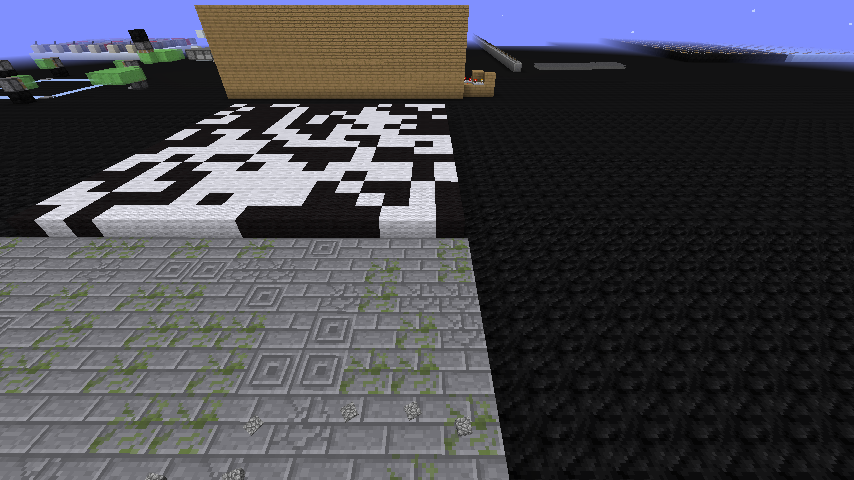


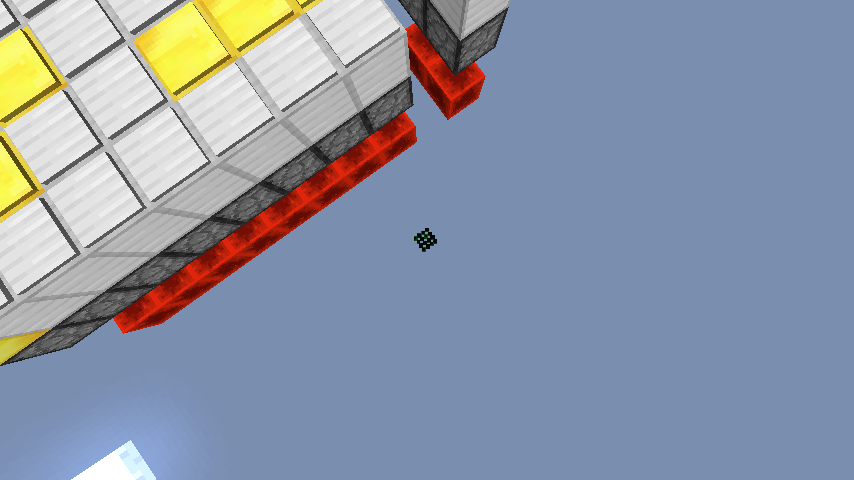


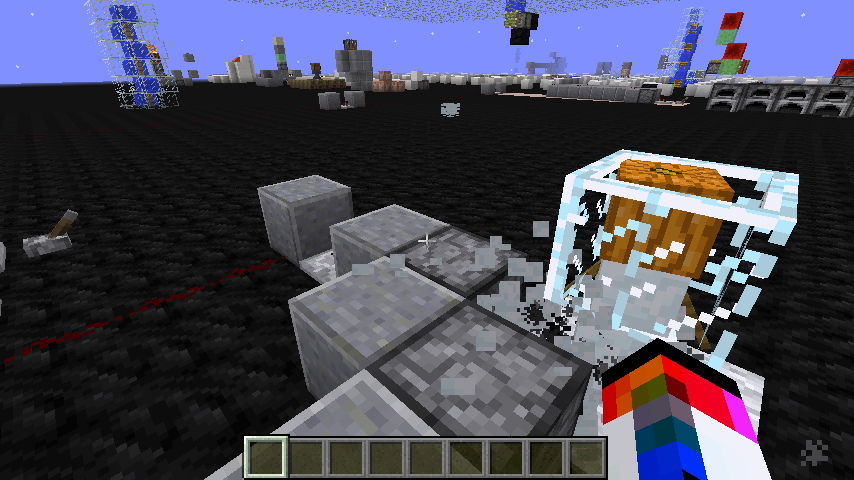
Left: How it should be Right: How it is


Items having random line of sight is not incorrect.
Items having random line of sight is not incorrect.
What the description says is
The new direction hitbox animation is incorrect for ... Items
And what I've said is
Items having random line of sight is not incorrect.

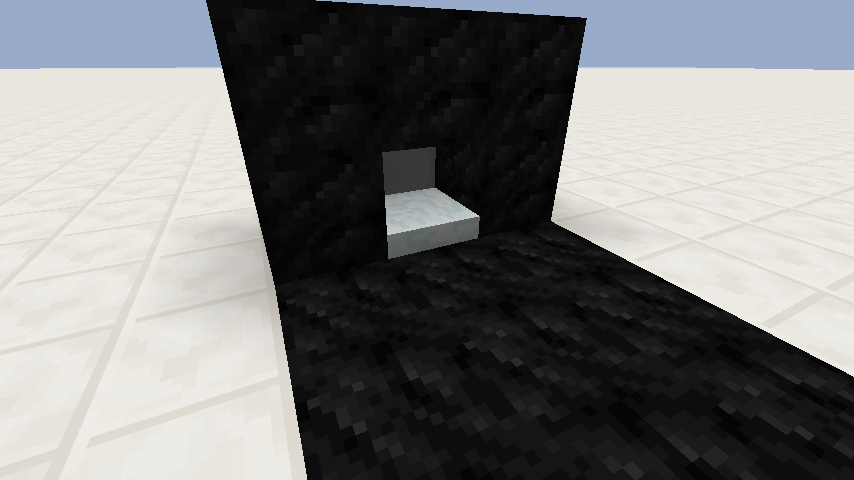
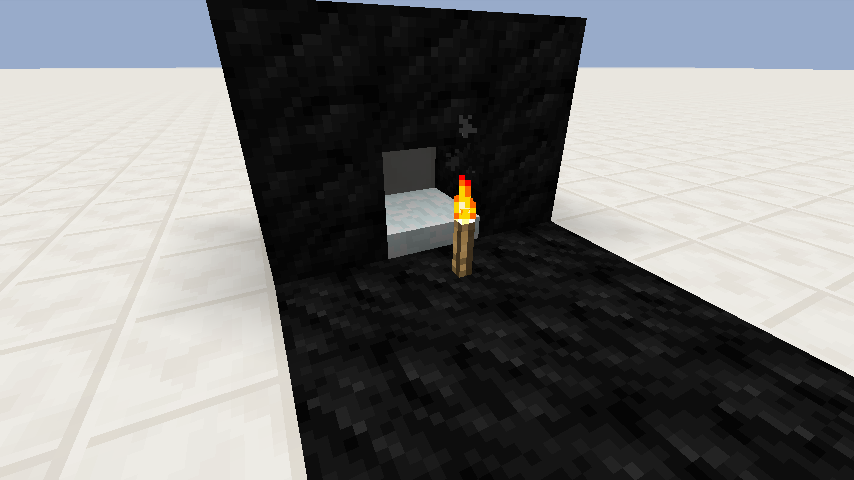

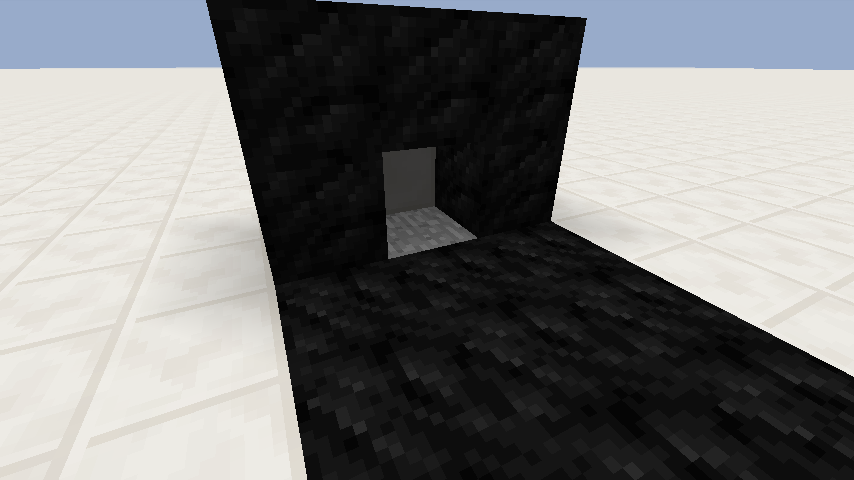
Relates toMC-65834.
Description :
Snow layer placed against the side of another snow layer thicker than 2 layers are placed one block too far out, when there is a block where the snow layer would go.
Demonstration Video
This is not a duplicate of
MC-65834.
Description :
Snow layer placed against the side of another snow layer thicker than 2 layers are placed one block too far out, when there is a block where the snow layer would go.
Demonstration Video
Snow layer placed against the side of another snow layer are placed one block too far out, only when there's a block where snow would go normally
Added explanation screenshot for Joseph Knight's comment.
This 'bug' is still partially not fixed. Or this is not a bug at all. I'm not really sure what Mojang intends with redstone anymore.
yut951121, no problem, you can edit again! 

yut951121, that's exactly what I'm saying: it should get hidden - and not seamlessly covered - when you put a bottle on top of it, but it doesn't. I just don't think it works as intended because it doesn't follow the patterns for the other GUIs, like the armor one.
![[Mod] Torabi](../../../data/assets/gravatar/torabi.png)
It's not ignoring the data tag, it's that the Minecart is pushing the chicken around. Basically MC-14, as yut951121 said. If you interrupt the movement, such as by surrounding it with blocks, the chicken's movementSpeed will take over again. I've got a chicken running around in circles at high speed with a minecart on its head, using the command in the description. So the real issue here is that the minecart is affecting the movement of the entity it's riding.
For example, try this:
summon Minecart ~ ~1 ~ {Riding:{id:Chicken, Riding:{id:Chicken, Attributes:[{Name:generic.movementSpeed, Base:3.0f}]}}}
The chicken will move at high speed, as expected, because the minecart isn't directly riding the chicken on the bottom of the stack, and thus won't override its movement.
Is this the same problem? http://imgur.com/ebKwoSs
This is happening again in 13w07a & 13w09a
But
MC-9341occurs when powering both pistons at same time while this is not. And if you remove the block that is pushed by piston, the pistons will work correctly.Powering both pistons at a same time doesn't exploit the bug.
I tested about this and it looks like the game checks if there is danger to fall off & take damage. Only things should be fixed are : Cake, 3 kinds of chest, Cactus. Other blocks are ok because there's no danger to fall off.
Confirmed in 13w09a/b/c
Really sorry for my mistake
Can reproduce with item frames, paintings, minecarts, boats, items, projectile arrows, all the mobs except for bats, slimes(also magma cubes), squids, ender dragon, wither.
But some entities are drawn correctly when they are very edge of the screen...
Can you post the video for me? I can't understand how to recreate this issue.
It seems like
MC-8719is not an issue about multiple merged minecarts.Sorry, I meant just entities' drawn appearance not hitbox.
This is really weird because with some specific setup, pistons respond. See http://youtu.be/J12aW0hmT98
Seems like piston monostable circuit's output is shorter than 1 tick and pistons not responding it.
This still happens if you put a block between hopper and comparator.
This is not fixed . is happening in 13w09c.
Can you explain why this is duplicate of
MC-8719?Can be reproduced in singleplayer too. When chunk loading gets very slower, player can clip through empty air area where is actually unloaded chunks are.
You have absolutely no danger with falling and taking damage.
I don't thinks it is a bug, but if they would make minecraft not to drop any items, gaming experience in creative mode will be really really better.
Really sorry, but I searched and just couldn't find one. How could you mods find issues so easily?
Updated.
@RayanWong To see the powering both pistons together does not exploit the bug.
I remember, comparators had no delay at first and some worlds corrupted with infinite loop. So mojang added 0.5 tick delay to it. But after some snapshots, its delay had 1 tick when in subtraction mode, and now it always have 1-tick delay. Is it intended? If so, there's no problem closing this issue.
Confirmed in 13w25c! I was trying underwater viewing station(http://imgur.com/a/8laXp) and I drowned. Video : http://youtu.be/8DNGDYiTjsw
Still happens in 1.6pre , also 1.6.1
Underwater viewing station has no flowing water , is it different situation?
It is not a bug, you should specify ladder's data value to make it work (data value set to 2,3,4,5), see http://minecraft.gamepedia.com/Data_values#Ladders.2C_Wall_Signs.2C_Furnaces.2C_and_Chests
Now there's no empty row in building blocks, but there still is in decorations & search items. (13w42b)
Can confirm in 13w42b
Can confirm in 13w42b
Sorry, can confirm in 13w42b
So, this(https://i.imgur.com/Fy6GiCs.png) is also not a bug?
If you throw a Potion of Invisibility to an Enderman, the Enderman will be invisible, but you can still see the eyes. This is because the eyes, like spiders, are in a separate texture file. (from http://minecraft.gamepedia.com/Endermen)
Then what did you expected to happen?
Can confirm in 1.7.2 with hoppers
I came here to see if this happens to other people and it is obviously.
Yeah I tried them on FallingSand when NoAI tag came out but didn't worked... Even if this is not a bug, it would be great for mapmakers to implemented in game.
I thought it was intentional change
This is basically how slime block buds work. If they fix it, slime block buds will be broken and lot of us will be sad.
They said are sure there's no overculling...
Wow I never noticed this playing minecraft for 3 years.
So if I sleep everyday it will never rain?
This is just graphical/client side. Actual tnt entity is inside a block.
Please give some instructions of how I can reproduce the bug.
I think it does select all pigs but the actual problem is desync between server and client. It works in horizontal directions.
I'm not sure what you mean by 'don't work' but it definitely is showing some strange behavior. It could be desync problem...
It is intended.
They seem to coming from 0 0 0.
Actually you don't need snowman. Just place snow layer on adjacent block
What do you think is the intended/supposed behavior? I don't see any bug here...
It's desync
MC-162MC-811MC-2931Try something like 0.000000001
@McDic
From Minecraft version 1.3.1 and on, singleplayer uses internal multiplayer server. This also enables to easily open a LAN game.
In vertical directions, I'm not sure what is happening exactly, but you can make entities float.
@McDic
Sand block is placed at right spot(Use /testforblock to confirm), but for client it appears as air. (All commands are handled at server-side.)
Duplicate of
MC-44823@McDic Possibly.
I am not sure how this ticket is dupe of MC-31100. Please read the description and explain why do you think so.
It does update when deleting normal blocks that does not have a tile entity, is this the bug then? Not both of them can be intended behavior...
I wish that gravity and physics is not the part of the mob ai and nogravity tag for all mobs.
Model was reverted to 2d look so I think this is invalid(or fixed?) now
@Sonic The 'broken hitbox' this ticket is stating is basically same thing as
MC-73302Well, honestly I don't understand how this is duplicate or intended but I don't want this to be fixed because it is useful in creative mode.
Intended. There is no such tag for item.
Confirmed for 1.8.1. It is easier to reproduce when moving mouse quickly to another block. I thought this was because of problem of my hardware before seeing this.
Does this affects also on chunk distance > 16?
I think it is WAI, if you change potion bottle texture you can see it's not actually hidden but just seamlessly covered.
See for yourself with this resource pack : https://66ed39aec3765da25cfb6002b5fe7930221b5f18.googledrive.com/host/0Bwh-rUpGiETGWEtvc3E5Rm5zdE0/for%20MC-74408.zip (Virustotal result : https://www.virustotal.com/file/8c40901c939fb8f85c0ae5dff7136d06c801ec0b52abe8fd90c327fba673b324/analysis/1418862189/)
Lucas Ignacio Morrison Osorio I don't think placing entity should delete blocks.
Confirmed for 1.8.1 (
MC-75472)I too can't understand how to reproduce it...
I think Mojang should make the functions of various NBT more consistent and comprehensive.
Isn't this WAI? You cannot change world data when not loaded... (at least in game)
Is it impossible to only record in-game sound and mic? Is there any technical limitation?
[~ericz1] But still strange, like even when GUI is turned off you can toggle debug screen and change selected slot, etc.
KingSupernova Ah, now I see. Actually I think there should be another argument for that in block-changing commands. But for now, this is a feature request. Post suggestions about game @ minecraftsuggestions.reddit.com
Please attach your world (delete the things you don't want to show in MCEdit beforehand). And you don't seem to power all the contraptions at the same time(redstone 15 block limit)...
Then this is fixed in latest stable version right? Fixed!
Not just fall damage. And I'll be very surprised if this isn't dupe.
It doesn't seem to be always 1 tick though. It unpauses the game until the stat or achievement menu is done loading. It takes from 0 to 2 tick for me. (Tested with /time command)
Galaxy_2Alex
This is creative only.Basically you lead a mob and when mob dies, mob drops another lead even if doEntityDrops is false. Is there any ticket already describing this? (I couldn't find one) If not, I'll create one with better description.Actually, this bug's description/title is wrong. The real bug is that tnt entity is actually in the dirt block but displayed above 1 block on client-side. Confirm this by running following command before TNT blows up :
/execute @e[type=PrimedTnt,r=5,c=1] ~ ~ ~ summon Chicken ~ ~ ~ {Invulnerable:1,NoAI:1}The Chicken gets spawned in the block.
And see this video. Blocks don't get destroyed because TNT is actually in a obsidian block.
I feel like this could be dupe of MC-11193 or at least somehow related.
This is still present : https://drive.google.com/file/d/0Bwh-rUpGiETGcGRrUkx3c1EtTHc/view?usp=sharing
Thanks!
To be exact, when value of Marker tag is changed from 1 to 0, Armor Stand moves by x:.25 y:0 z:.25 relatively.
Dlawso the Really Lucky Rabbit But lead isn't really a loot... and it is still dropped even when doMobLoot was set to false.
Try with this world : https://66ed39aec3765da25cfb6002b5fe7930221b5f18.googledrive.com/host/0Bwh-rUpGiETGWEtvc3E5Rm5zdE0/MC-51573.zip
This bug is partially fixed.
Only changing gamemode from survival or adventure to spectator make tracking mobs ignore you, changing from creative to spectator doesn't. Also if zombies that spawned were too far to track target, they will follow you when you get close to them even if the player was in spectator mode.
Cannot confirm in 1.8.2-pre1.
It's problem of Minecraft Launcher not Minecraft.
Also for spectators.
Deleted account I'm sorry. I'll keep that in mind.
Not sure if anyone said this before, but it is actually the background that lies behind blocks not just white(sky)/black(void) dots.
Cannot confirm in 1.8.2-pre1.
If you don't specify a value for a gamerule, it will just display the current value of it(not changing it).
If there is too many breaking particles, some of them will come from 0 0 0.
Because of this, baby zombies occasionally suffocate when jumping and players can attack them from 2 blocks above even if there's block between.
Drayden Hall You're asking a question. And question is invalid as a bug report. Please read the helpful article about bug tracker by mojang. (Google it, I can't link)
Drayden Hall You're asking a question. And question is invalid as a bug report. Please read the helpful article about bug tracker by mojang. (Google it, I can't link)
Relates to
MC-2399This is dupe of
MC-63070notMC-63020Please resolve this issue
This happens with many transparent blocks.
This is problem about block model of specific blocks, not spectator mode. (Misleading title)
I think this is because you are forcing minecraft to generate a lot of chunks in short amount of time.
A reminder to resolve this.
A reminder to fix the typo in title
Confirmed for 1.8.2-pre4. (http://www.twitch.tv/yut951121/b/611817485)
Pongo Sapiens Currently minecraft records all sounds from system, not only in game sound and mic. Let mojang decide.
Did you contacted to the author of resource pack to make sure that this isn't problem of resource pack?
I believe this is duplicate of
MC-44823Actually, this is dupe of
MC-72248.The actual bug here is that you cannot omit 'b' on ShowParticles tag's value. Thus dupe of
MC-67901which is WAI.Can confirm, relates to MC-14 and https://www.youtube.com/watch?v=GA2oSIMeFQE
Shape of hitbox can only be cuboid.
This is still in 1.8.2-pre6, but fixing this bug would be very sad because lot of contraptions already made use of this
Dupe of
MC-3961, please use search function before submitting new ticket.IMO this should never be fixed because it allows a lot of flexibility/possibility on placing rails that is impossible when this isn't present.
Can confirm in 1.8.2-pre6.
Please update affected version(s) to include latest stable/preview/test release if still present. And not really related to
MC-3336IMO.Lightning strike destroying said entities is definitely WAI. Not sure about the block penetrating damage part.
Motion tag isn't necessary.
This is dupe of
MC-55106.KingSupernova How armor stands are designed to work like blocks?
It's not limited to player names. Named mobs' names' aren't also displayed through chest. Also, confirmed for 1.8.2-pre6.
KingSupernova Except Armor Stands can
They behave a lot like mobs with generic.movementSpeed set to 0.
Also, paintings, and item frames do not break any block when placed.
I changed this bug to only include survival issue, please resolve this as WAI. (Exchanging blocks in survival wasn't even possible in 1.3.1)
Should it be lead or leash?
Confirmed for 1.8.2-pre6.
Would any mods mind to confirm my statement above and maybe assign this ticket to me? (Or resolve this as Invalid so I can create proper one)
dupe of
MC-8565according to my testsThis happens for probably all commands. (confirmed for setblock in 1.8.2-pre6) Title should be something like relative coordinate is interpreted half block higher to be exact.
Is this only visual thing?
KingSupernova
MC-8565is purely graphical too, it just have wrong title/description.KingSupernova You should update description to reflect what exactly you expected, what happened and why do you think this is bug.
KingSupernova Some confusion has been going on and you've commented with additional clarification. Including those in the description would be nice.
https://www.reddit.com/r/Minecraft/comments/2w2p73/minecraft_182pre7_almost_there_just_one_more/con1q96
Please provide at least one of following:
Well I now think that this is not a bug, but a feature request. Any mod can resolve this as invalid.
Items having random line of sight is not incorrect. They actually face random direction when thrown/dropped. Tested it with commands. https://www.reddit.com/r/Minecraft/comments/2klaoj/cmd_bulk_tile_randomization/
@KingSupernova
What the description says is
And what I've said is
Title should be something like "Possible to place another snow layer block on top of stack 7 snow layer"
This is not a duplicate of
MC-65834.False, they are using 'inactive' model which is 1/16th block thick. In fact, Minecraft was using wrong model for items since very first time I believe. I think this is more consistent now since carpets also have exact same thickness.

@Piper Possible workaround: Break the block behind the frame.
Well I don't really know if it should but items actually have random line of sight when dropped. You can verify this by testfor command with rotation arguments. (Or empty entitydata command) So my point is that Item having random line of sight is not a bug.
This is possible in recent 1.9 snapshots. I think no devs have ever noticed this ticket. Should this be resolved as fixed?
Is this even a bug? Please comment what you think, reporters!
This is not a dupe of
MC-57899because it is not about the line of sight nor hitbox, but a visual model of wolf entity. Anyway, this has been fixed in 15w45a.This isn't really related to
MC-64183. Only besides that the main topic being liquid.I think this issue was, in fact,
MC-48616, because they were fixed at the same time.Confirmed for 15w45a
Armor stand works for creative in 15w45a
So this is WAI
I totally understand how it works
Happens with strings too. https://www.reddit.com/r/Minecraft/comments/4uum6b/til_you_can_place_water_through_string_but_not/
Confirmed for 1.10.2