 Bluecrab2
- bluecrab2
- bluecrab2
- Europe/Stockholm
- Yes
- No
 MC-95976
![[Mojang] Georgii Gavrichev](../../../data/avatars/users/22428.png)
![[Mojang] slicedlime](../../../data/assets/gravatar/slicedlime.jpeg)
 MCL-13460
![[Mojang] Brandon Pearce](../../../data/avatars/users/40932.png)
![[Mojang] Panda](../../../data/avatars/users/41658.png)
![[Mojang] Gegy](../../../data/avatars/users/10122.svg)
![[Mojang] Matthew Gatland](../../../data/avatars/users/43046.png)

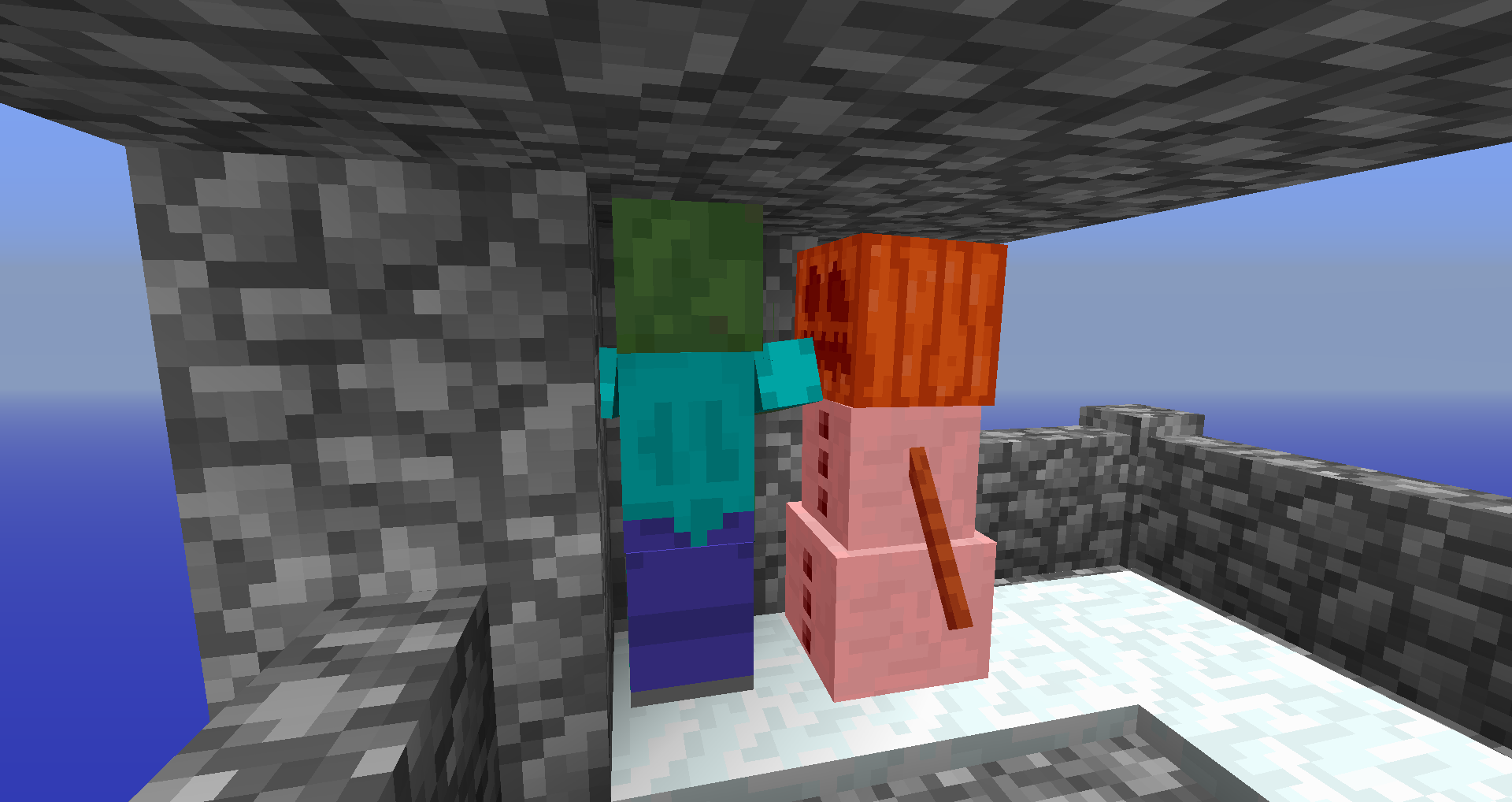
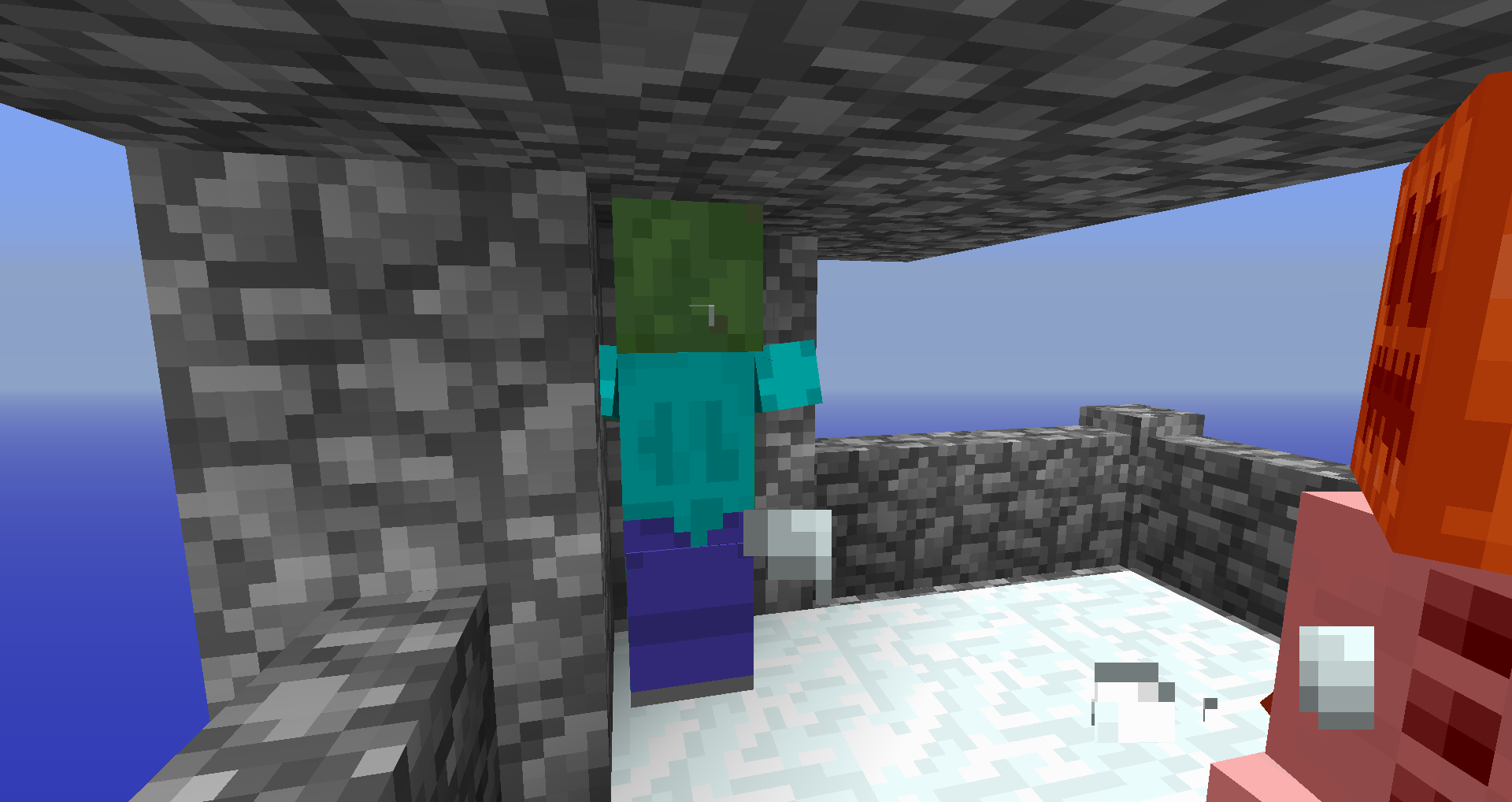
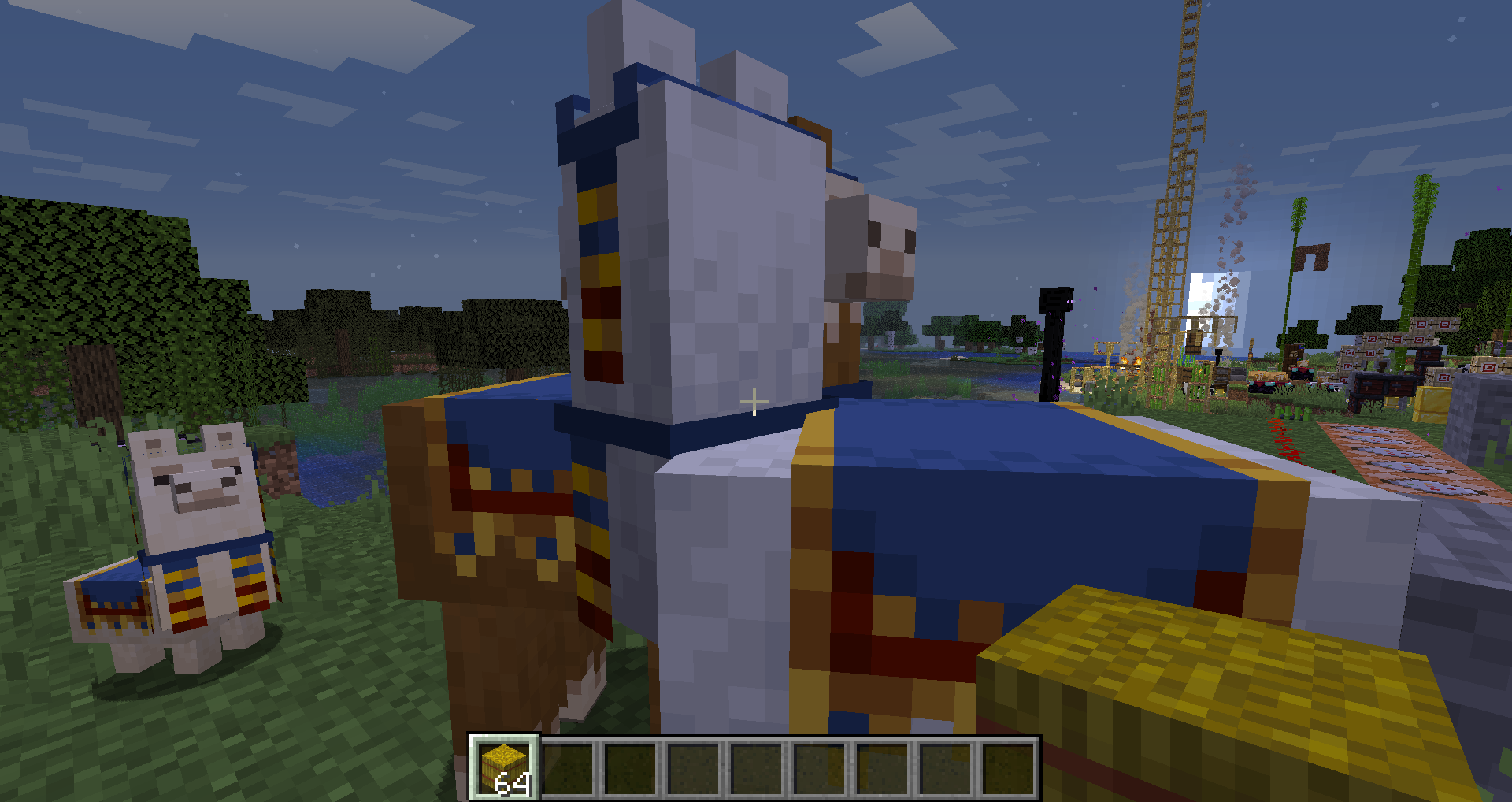
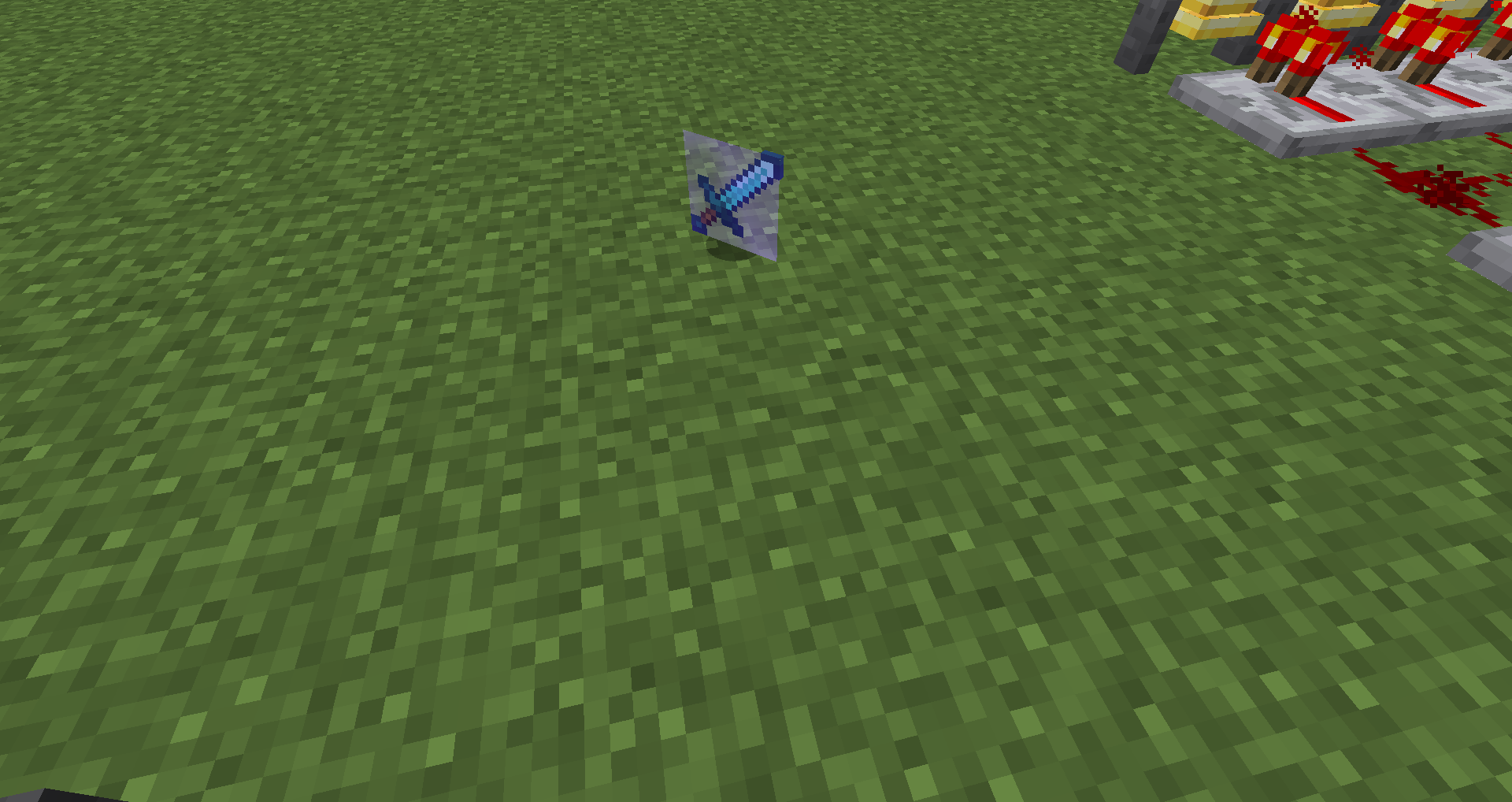


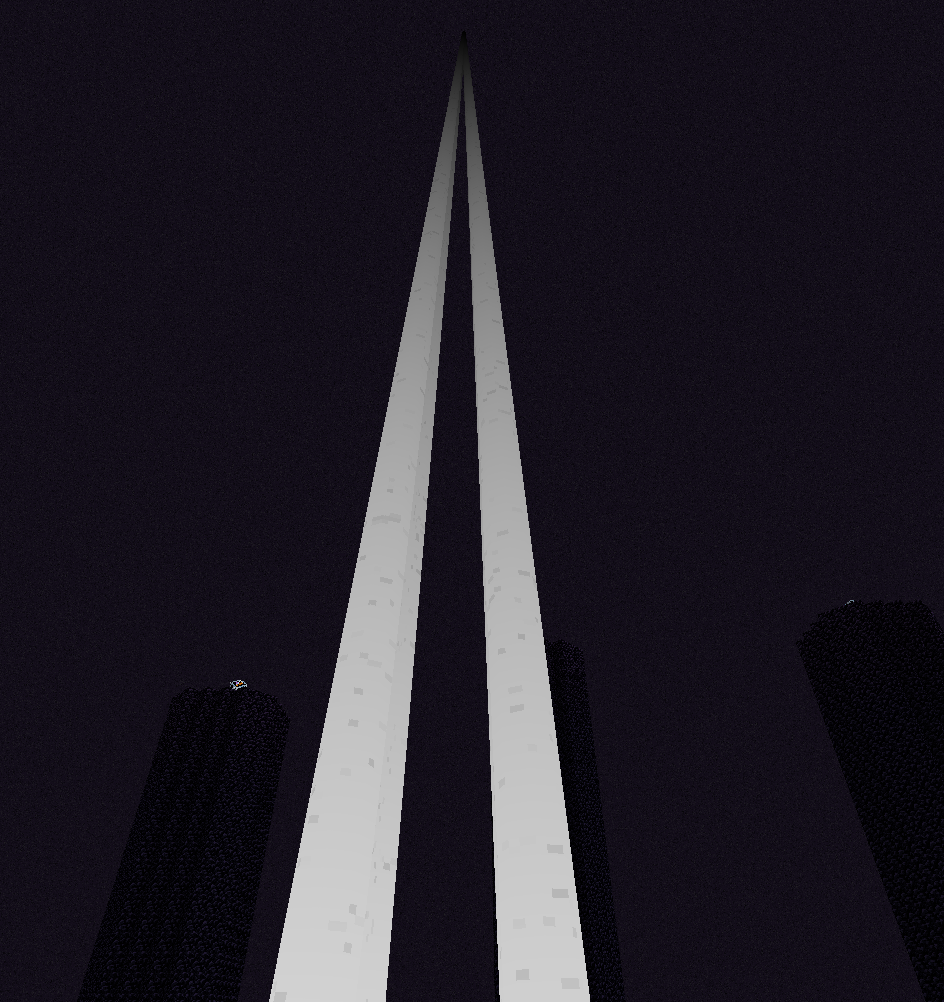
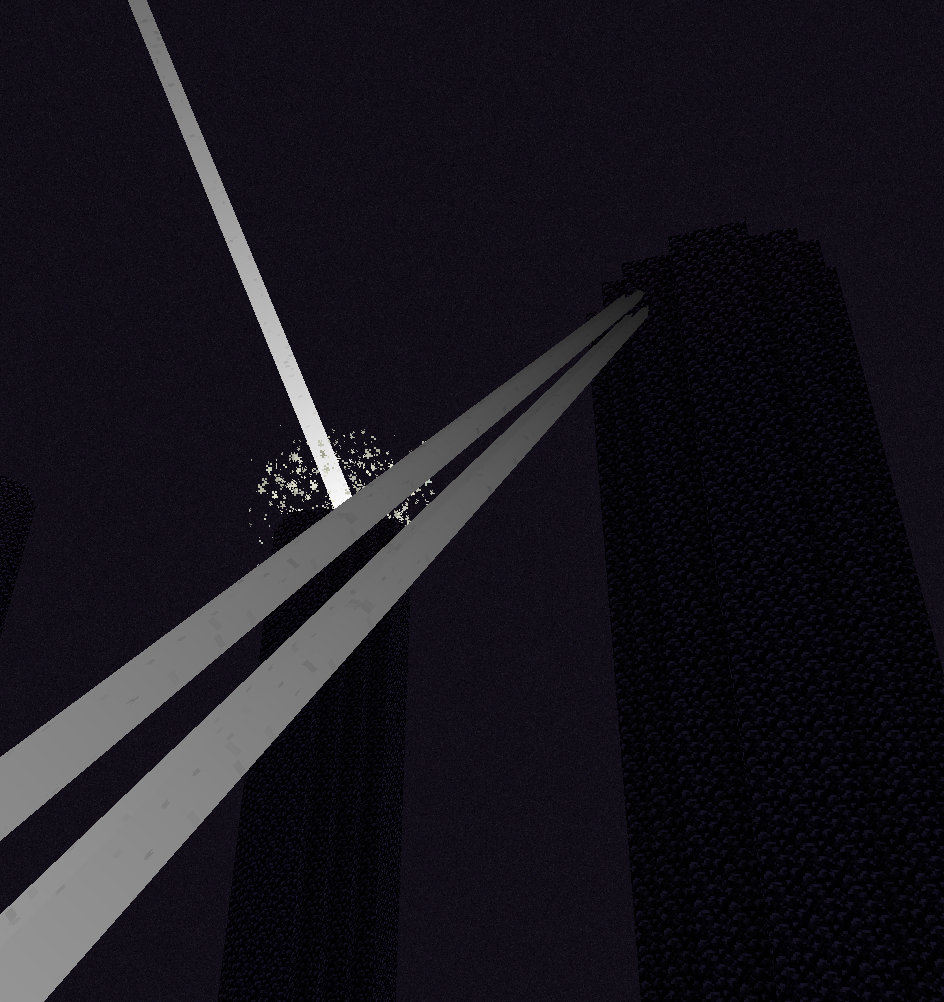

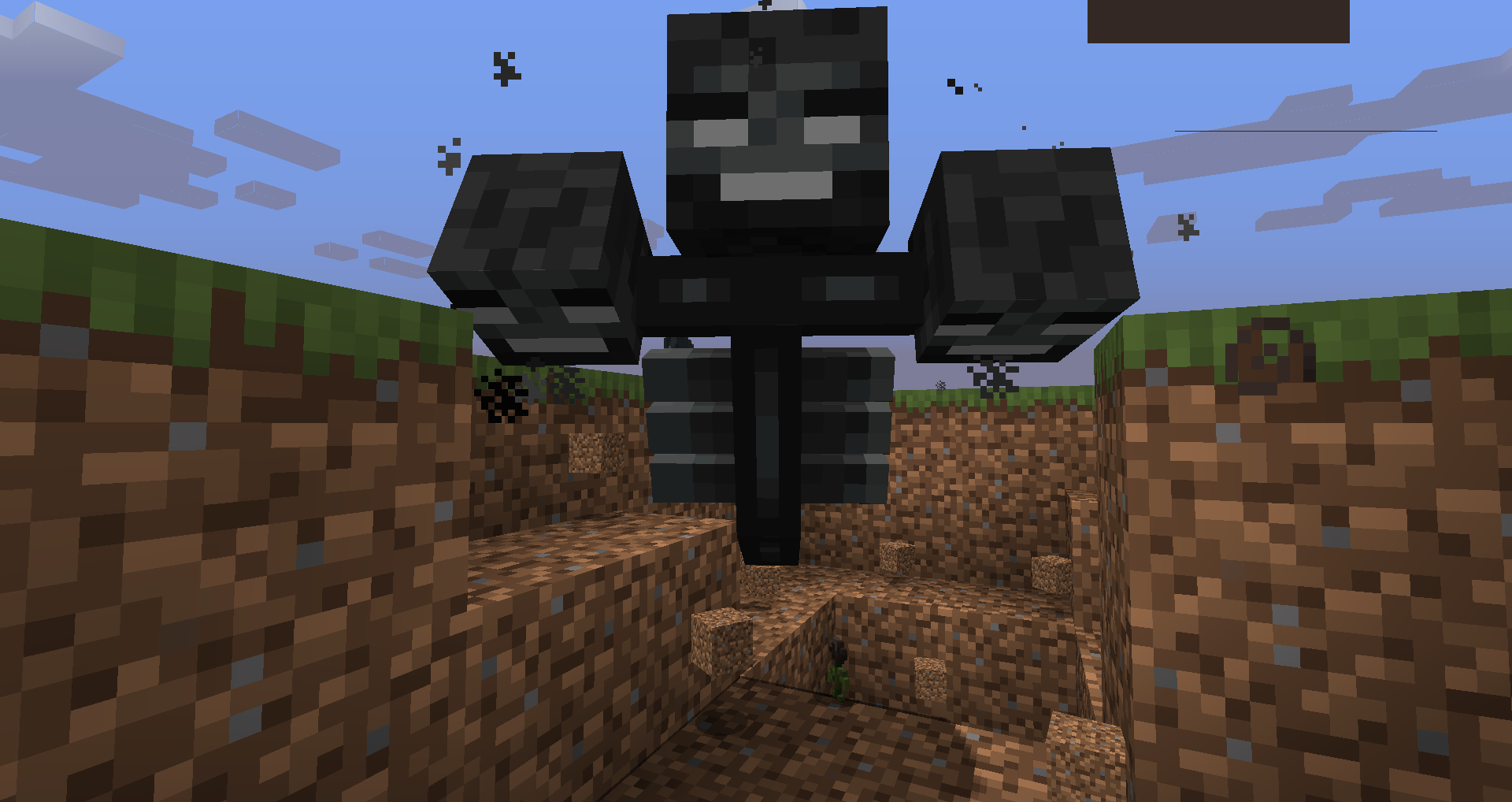


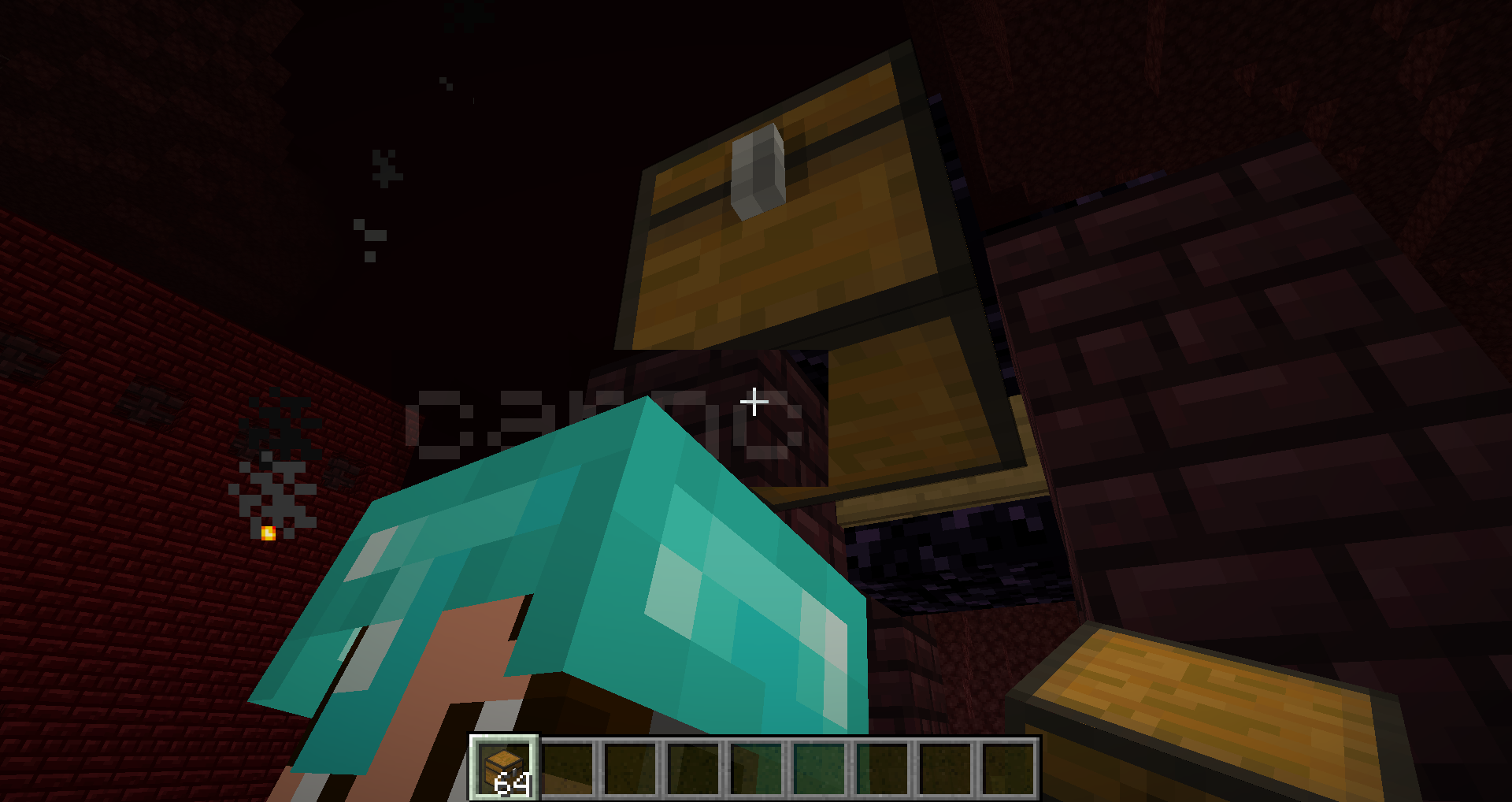








 2019-03-29_22.47.53.png
If you throw an enchanted item such as a diamond sword and the look down to a certain extent you'll see the enchantment in a square shape around the sword.
If you throw an enchanted item such as a diamond sword and the look down to a certain extent you'll see the enchantment in a square shape around the sword. May relate to
MC-161318
@Neko should I add a new bug or should this be added to this bug?
Weeping and twisting vines, bamboo, and kelp can be replaced by vine "saplings" by breaking and placing the block at the same time
Weeping and twisting vines, bamboo, and kelp can be replaced byvine"saplings" by breaking and placing the block at the same time
The bug
You can create floating weeping and twisting vines by instantly breaking and placing a block in the middle of the complete vine.
How to reproduce
- Place stone block 5 blocks above ground
- Place a weeping/twisting vine or bamboo or kelp that goes down to the ground / up to the block
- Look at anywhere in the middle of the vine and break the vine and replace it in the same tick
- Observe the floating vine
Videos
Short demonstration: Minecraft 20w11a - Singleplayer 2020-03-11 22-22-16.mp4
Video by Ray: https://www.youtube.com/watch?v=5ltZXyMrNqY

The bug
You can create floating weeping and twisting vines by instantly breaking and placing a block in the middle of the complete vine.
How to reproduce
- Place stone block 5 blocks above ground
- Place a weeping/twisting vine or bamboo or kelp that goes down to the ground / up to the block
- Look at anywhere in the middle of the vine and break the vine and replace it in the same tick
- Observe the floating
vineVideos
Short demonstration: Minecraft 20w11a - Singleplayer 2020-03-11 22-22-16.mp4
Video by Ray: https://www.youtube.com/watch?v=5ltZXyMrNqYThe bug
You can create floating weeping and twisting vines by instantly breaking and placing a block in the middle of the complete vine.
How to reproduce
- Place stone block 5 blocks above ground
- Place a weeping/twisting vine or bamboo or kelp that goes down to the ground / up to the block
- Look at anywhere in the middle of the vine and break the vine and replace it in the same tick
- Observe the floating plant
Videos
Short demonstration: Minecraft 20w11a - Singleplayer 2020-03-11 22-22-16.mp4
Video by Ray: https://www.youtube.com/watch?v=5ltZXyMrNqY
The bug
You can create floating weeping and twisting vines by instantly breaking and placing a block in the middle of the complete vine.
How to reproduce
- Place
stone block 5 blocks above groundPlace a weeping/twisting vine or bamboo or kelp that goes down to the ground / up to the block- Look at anywhere in the middle of the vine and break the vine and replace it in the same tick
- Observe the floating plant
Videos
Short demonstration: Minecraft 20w11a - Singleplayer 2020-03-11 22-22-16.mp4
Video by Ray: https://www.youtube.com/watch?v=5ltZXyMrNqYThe bug
You can create floating weeping and twisting vines by instantly breaking and placing a block in the middle of the complete vine.
How to reproduce
- Place a weeping/twisting vine or bamboo or kelp that goes up/down
- Look at anywhere in the middle of the plant and break the vine and replace it in the same tick
- Observe the floating plant
Videos
Short demonstration: Minecraft 20w11a - Singleplayer 2020-03-11 22-22-16.mp4
Video by Ray: https://www.youtube.com/watch?v=5ltZXyMrNqY
The bug
You can create floating weeping
andtwisting vines by instantly breaking and placing a block in the middle of the completevine.How to reproduce
- Place a weeping/twisting vine or bamboo or kelp that goes up/down
- Look at anywhere in the middle of the plant and break the vine and replace it in the same tick
- Observe the floating plant
Videos
Short demonstration: Minecraft 20w11a - Singleplayer 2020-03-11 22-22-16.mp4
Video by Ray: https://www.youtube.com/watch?v=5ltZXyMrNqYThe bug
You can create floating weeping / twisting vines, kelp, or bamboo by instantly breaking and placing a block in the middle of the complete plant. Updating the plant doesn't cause it to break either.
How to reproduce
- Place a weeping/twisting vine or bamboo or kelp that goes up/down
- Look at anywhere in the middle of the plant and break the vine and replace it in the same tick
- Observe the floating plant
Videos
Short demonstration: Minecraft 20w11a - Singleplayer 2020-03-11 22-22-16.mp4
Video by Ray: https://www.youtube.com/watch?v=5ltZXyMrNqY
Weepingand twistingvines,bamboo, andkelp can bereplaced by "saplings" bybreaking andplacing theblock at thesametimeWeeping/Twisting Vines, Bamboo, and Kelp can be Replaced by "Saplings" by Breaking and Placing the Block at the Same Time
The bug
You can create floating weeping / twisting vines, kelp, or bamboo by instantly breaking and placing a block in the middle of the complete plant. Updating the plant doesn't cause it to break either.
How to reproduce
- Place a weeping/twisting vine or bamboo or kelp that goes up/down
- Look at anywhere in the middle of the plant and break the vine and replace it in the same tick
- Observe the floating plant
Videos
Short demonstration: Minecraft 20w11a - Singleplayer 2020-03-11 22-22-16.mp4
Video by Ray: https://www.youtube.com/watch?v=5ltZXyMrNqYThe bug
You can create floating weeping / twisting vines, kelp, or bamboo by instantly breaking and placing a block in the middle of the complete plant. Updating the plant doesn't cause it to break either.
How to reproduce
- Place a weeping/twisting vine or bamboo or kelp that goes up/down
- Look at anywhere in the middle of the plant and break the vine and replace it in the same tick
- Observe the floating plant
Videos
Short demonstration: Minecraft 20w11a - Singleplayer 2020-03-11 22-22-16.mp4
Video by Ray: [https://www.youtube.com/watch?v=5ltZXyMrNqY
Using bonemeal dispenser:|https://www.youtube.com/watch?v=5ltZXyMrNqY]
The bug
You can create floating weeping / twisting vines, kelp, or bamboo by instantly breaking and placing a block in the middle of the complete plant. Updating the plant doesn't cause it to break either.
How to reproduce
- Place a weeping/twisting vine or bamboo or kelp that goes up/down
- Look at anywhere in the middle of the plant and break the vine and replace it in the same tick
- Observe the floating plant
Videos
Short demonstration: Minecraft 20w11a - Singleplayer 2020-03-11 22-22-16.mp4
Video by Ray: [https://www.youtube.com/watch?v=5ltZXyMrNqY
Using bonemeal dispenser:|https://www.youtube.com/watch?v=5ltZXyMrNqY]The bug
You can create floating weeping / twisting vines, kelp, or bamboo by instantly breaking and placing a block in the middle of the complete plant. Updating the plant doesn't cause it to break either.
How to reproduce
- Place a weeping/twisting vine or bamboo or kelp that goes up/down
- Look at anywhere in the middle of the plant and break the vine and replace it in the same tick
- Observe the floating plant
Videos
Short demonstration: Minecraft 20w11a - Singleplayer 2020-03-11 22-22-16.mp4
Video by Ray: https://www.youtube.com/watch?v=5ltZXyMrNqY
Using bonemeal dispenser: MojiraVine.mov
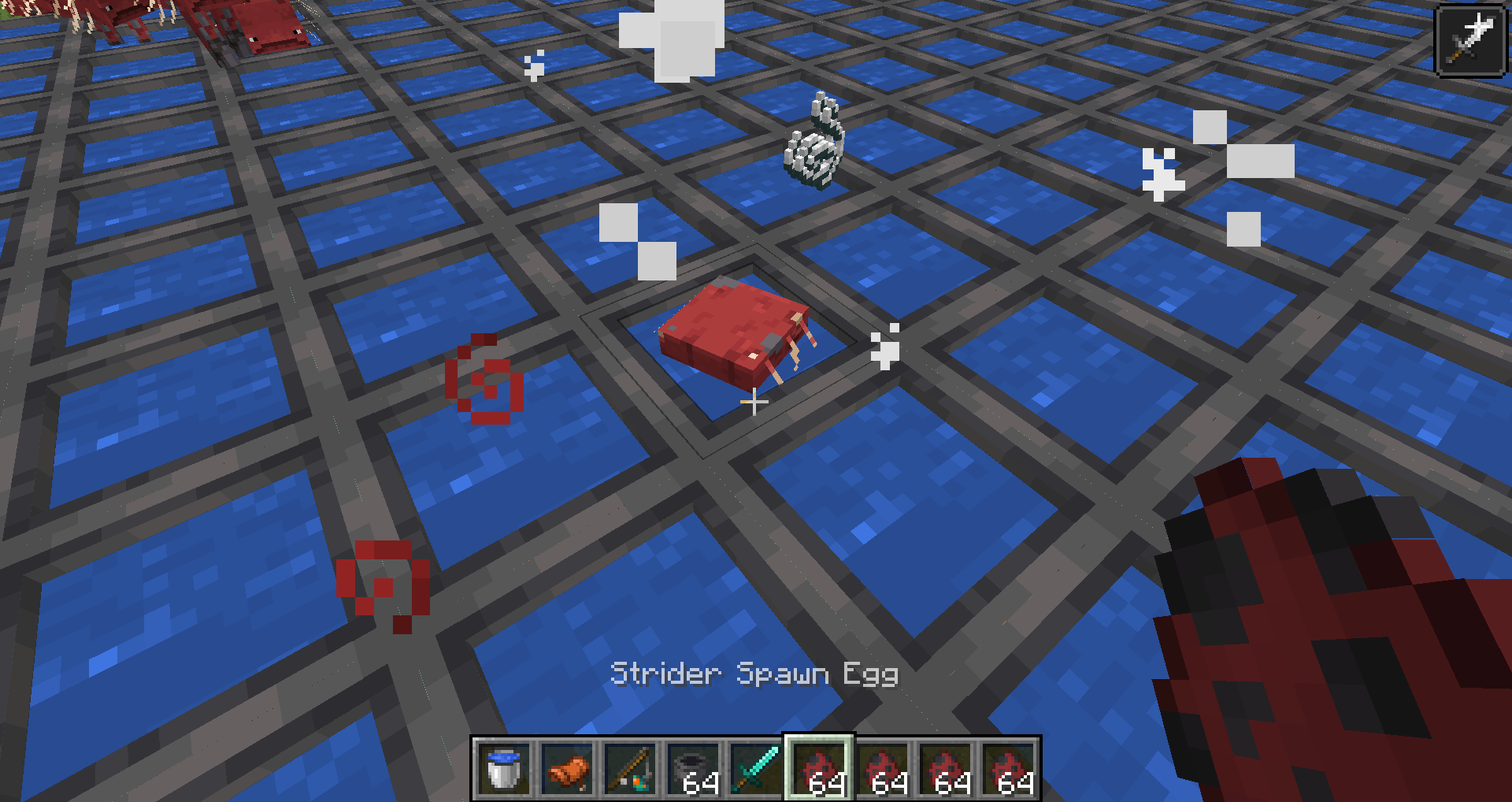
Applying levitation to a Strider walking on lava doesn't cause them to levitate off the lava.
To replicate:
- Spawn a strider in lava
- Run the command: /effect give @e[type=strider] levitation 10 10
Strider with LevitationinLava don't LevitateStrider with Levitation Walking onLava don't Levitate
Strider with Levitation Walking on Lava don't Levitate
The advancement "Who Is Cutting Onions" has a capital I in Is while other small words in titles are lower case. For example "the" in "Bring Home the Beacon".
The advancement "Who Is Cutting Onions?" has a capital I in Is while other small words in titles are lower case. For example "the" in "Bring Home the Beacon".
The descriptions of advancements usually capitalize the name of proper nouns (don't exist in real life) and don't capitalize common nouns. This is not the case for all advancements.
Advancement Item Proper Noun? Capitalized? Correct Capitalization? The Next Generation Dragon Egg Sky's The Limit Elytra You Need a Mint Dragon's Breath You Need a Mint Glass Bottle War Pigs Chest Hidden in the Depths Ancient Debris Country Lode, Take Me Home Compass Country Lode, Take Me Home Lodestone Cover Me in Debris Netherite Armor Partial (Netherite is; armor is not) Capitalized Armor Bring Home the Beacon Beacon Beaconator Beacon Local Brewer Potion Who is Cutting Onions? Crying Obsidian Not Quite "Nine" Lives Respawn Anchor Oh Shiny Gold This Boat Has Legs Warped Fungus on a Stick Stone Age Pickaxe Getting an Upgrade Pickaxe Acquire Hardware Iron Ingot Suit Up Iron Armor Not Today, Thank You Shield Hot Stuff Bucket Ice Bucket Challenge Obsidian Eye Spy Eye of Ender Isn't It Iron Pick Pickaxe Diamonds! Diamond Enchanter Enchantment Table Bee Our Guest Campfire Bee Our Guest Honey Bee Our Guest Beehive Bee Our Guest Bottle Fishy Business Fish Tactical Fishing Fish Tactical Fishing Fishing Rod Total Beelocation Bee Nest A Seedy Place Seed Serious Dedication Netherite Ingot Partial (Netherite is; ingot is not) Capitalize Ingot Serious Dedication Hoe A Throwaway Joke Trident Take Aim Arrow Bullseye Target Block Partial (Target is; block is not) Capitalize Block Postmortal Totem of Undying Sticky Situation Honey Block Two Birds, One Arrow Arrow Ol' Betsy Crossbow Arbalistic Crossbow Sweet Dreams Bed
The descriptions of advancements usually capitalize the name of proper nouns (don't exist in real life) and don't capitalize common nouns. This is not the case for all advancements. Unnecessary capitalization is covered by
MC-116857. This covers the required capitalizations.
Advancement Item Proper Noun? Capitalized? Correct Capitalization? The Next Generation Dragon Egg Sky's The Limit Elytra You Need a Mint Dragon's Breath You Need a Mint Glass Bottle War Pigs Chest Hidden in the Depths Ancient Debris Country Lode, Take Me Home Compass Country Lode, Take Me Home Lodestone Cover Me in Debris Netherite Armor Partial (Netherite is; armor is not) Capitalized Armor Bring Home the Beacon Beacon Beaconator Beacon Local Brewer Potion Who is Cutting Onions? Crying Obsidian Not Quite "Nine" Lives Respawn Anchor Oh Shiny Gold This Boat Has Legs Warped Fungus on a Stick Stone Age Pickaxe Getting an Upgrade Pickaxe Acquire Hardware Iron Ingot Suit Up Iron Armor Not Today, Thank You Shield Hot Stuff Bucket Ice Bucket Challenge Obsidian Eye Spy Eye of Ender Isn't It Iron Pick Pickaxe Diamonds! Diamond Enchanter Enchantment Table Bee Our Guest Campfire Bee Our Guest Honey Bee Our Guest Beehive Bee Our Guest Bottle Fishy Business Fish Tactical Fishing Fish Tactical Fishing Fishing Rod Total Beelocation Bee Nest A Seedy Place Seed Serious Dedication Netherite Ingot Partial (Netherite is; ingot is not) Capitalize Ingot Serious Dedication Hoe A Throwaway Joke Trident Take Aim Arrow Bullseye Target Block Partial (Target is; block is not) Capitalize Block Postmortal Totem of Undying Sticky Situation Honey Block Two Birds, One Arrow Arrow Ol' Betsy Crossbow Arbalistic Crossbow Sweet Dreams Bed

The descriptions of advancements usually capitalize the name of proper nouns (don't exist in real life) and don't capitalize common nouns. This is not the case for all advancements. Unnecessary capitalization is covered by
MC-116857. This covers the required capitalizations.
Advancement Item Proper Noun? Capitalized? Correct Capitalization? The Next Generation Dragon Egg Sky's The Limit Elytra You Need a Mint Dragon's Breath You Need a Mint Glass Bottle War Pigs Chest Hidden in the Depths Ancient Debris Country Lode, Take Me Home Compass [fixed 20w30a]
Country Lode, Take Me Home Lodestone Cover Me in Debris Netherite Armor Partial (Netherite is; armor is not) Capitalized Armor Bring Home the Beacon Beacon Beaconator Beacon Local Brewer Potion Who is Cutting Onions? Crying Obsidian Not Quite "Nine" Lives Respawn Anchor Oh Shiny Gold This Boat Has Legs Warped Fungus on a Stick Stone Age Pickaxe Getting an Upgrade Pickaxe Acquire Hardware Iron Ingot Suit Up Iron Armor Not Today, Thank You Shield Hot Stuff Bucket Ice Bucket Challenge Obsidian Eye Spy Eye of Ender Isn't It Iron Pick Pickaxe Diamonds! Diamond Enchanter Enchantment Table Bee Our Guest Campfire Bee Our Guest Honey Bee Our Guest Beehive Bee Our Guest Bottle Fishy Business Fish Tactical Fishing Fish Tactical Fishing Fishing Rod Total Beelocation Bee Nest A Seedy Place Seed Serious Dedication Netherite Ingot Partial (Netherite is; ingot is not) Capitalize Ingot Serious Dedication Hoe A Throwaway Joke Trident Take Aim Arrow Bullseye Target Block Partial (Target is; block is not) Capitalize Block Postmortal Totem of Undying Sticky Situation Honey Block Two Birds, One Arrow Arrow Ol' Betsy Crossbow Arbalistic Crossbow Sweet Dreams Bed
Can a mod set this as fixed it was resolved the very next snapshot
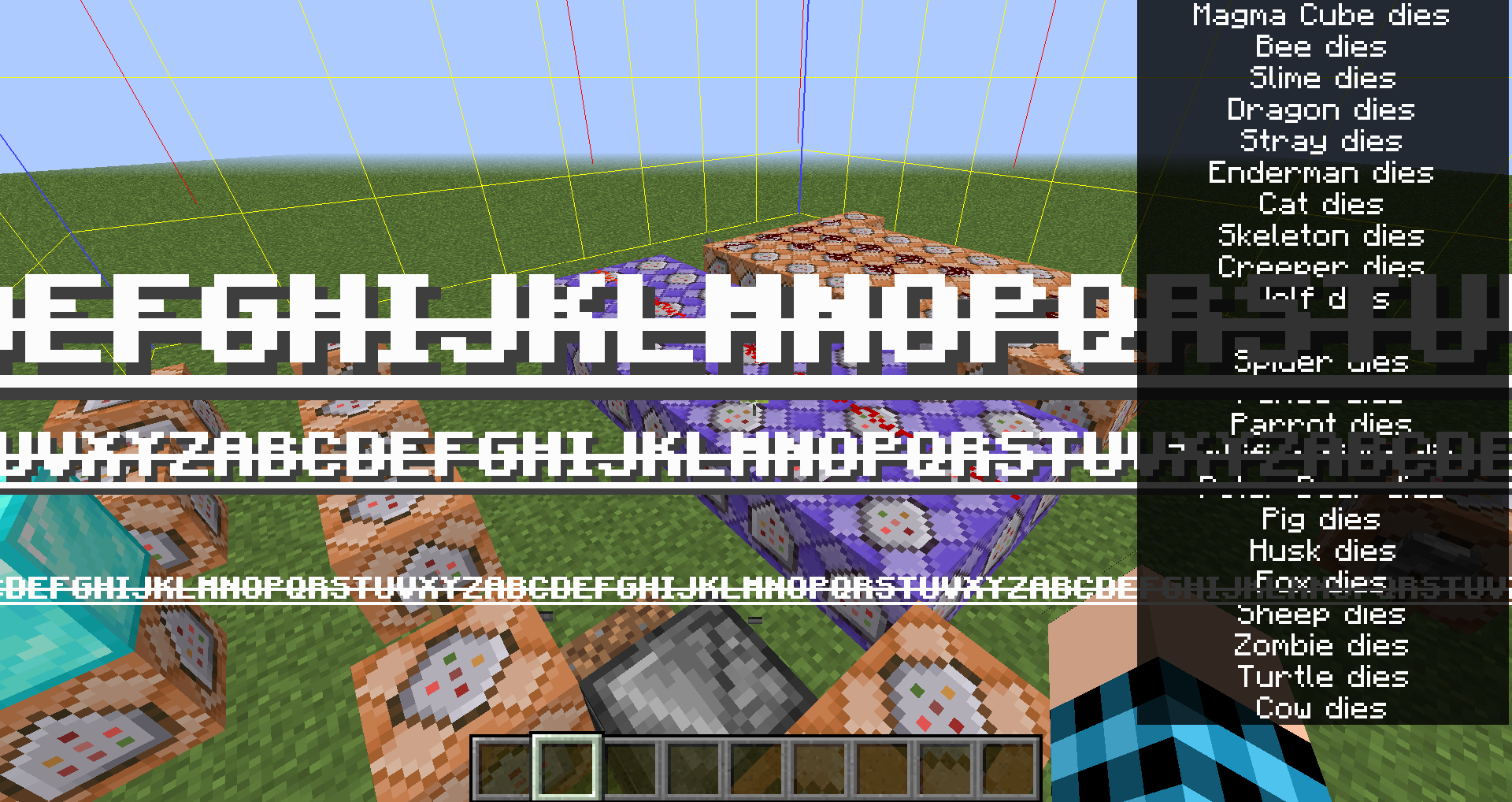
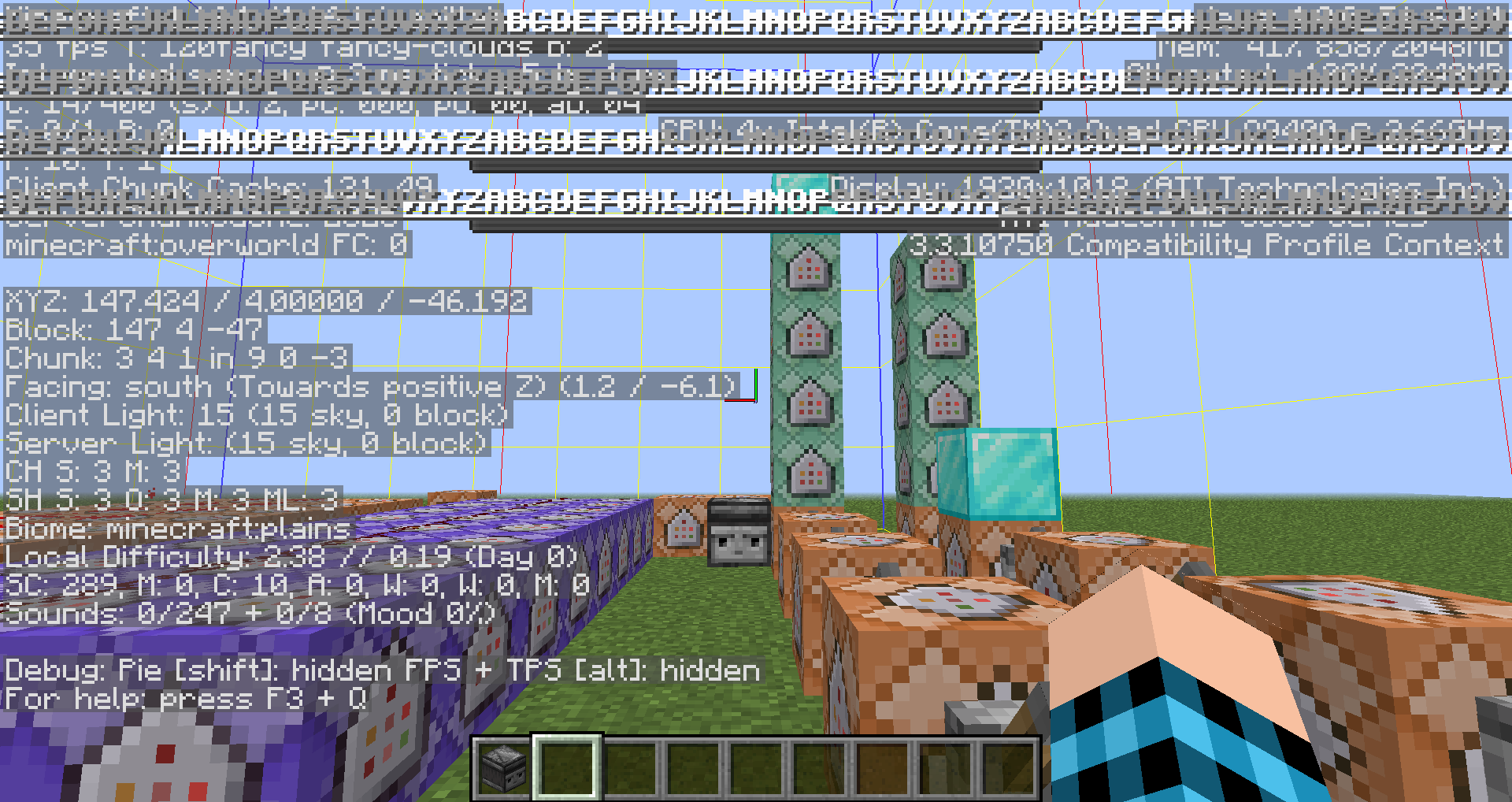
The title, subtitle, and sometimes the action bar renders in front of the narrator's text. The action bar text will only overlap on underlined or strikethrough areas. The text is still tinted by the narrator box but renders in front making it difficult or impossible to read the subtitle texts. This relates to
MC-173672andMC-187267.To replicate:
- Go to Game Menu>Options>Accesibility Settings and turn on Narrator if it isn't already
- Recommended (not required) turn off speaker
- In Game Menu>Options>Music&Sounds... ensure Ambient/Environment is on (used in commands)
- In order to consistently get enough sounds put the following commands in repeating command blocks that are on:
/playsound minecraft:entity.slime.death ambient @p
/playsound minecraft:entity.stray.death ambient @p
/playsound minecraft:entity.skeleton.death ambient @p
/playsound minecraft:entity.chicken.death ambient @p
/playsound minecraft:entity.parrot.death ambient @p
/playsound minecraft:entity.pig.death ambient @p
/playsound minecraft:entity.sheep.death ambient @p
/playsound minecraft:entity.cow.death ambient @p
/playsound minecraft:entity.turtle.death ambient @p
/playsound minecraft:entity.fox.death ambient @p
/playsound minecraft:entity.polar_bear.death ambient @p
/playsound minecraft:entity.panda.death ambient @p
/playsound minecraft:entity.wolf.death ambient @p
/playsound minecraft:entity.cat.death ambient @p
/playsound minecraft:entity.ocelot.death ambient @p
/playsound minecraft:entity.bee.death ambient @p
/playsound minecraft:entity.magma_cube.death ambient @p
/playsound minecraft:entity.ender_dragon.death ambient @p
/playsound minecraft:entity.enderman.death ambient @p
/playsound minecraft:entity.creeper.death ambient @p
/playsound minecraft:entity.spider.death ambient @p
/playsound minecraft:entity.zombified_piglin.death ambient @p
/playsound minecraft:entity.husk.death ambient @p
/playsound minecraft:entity.zombie.death ambient @p- Make sure screen is full
- Run these commands and observe the rendering issues:
Title:
/title @a title ["",\{"text":"ABCDEFGHIJKLMNOPQRSTUVXYZABCDEFGHIJKLMNOPQRSTUVXYZABCDEFGHIJKLMNOPQRSTUVXYZABCDEFGHIJKLMNOPQRSTUVXYZABCDEFGHIJKLMNOPQRSTUVXYZABCDEFGHIJKLMNOPQRSTUVXYZABCDEFGHIJKLMNOPQRSTUVXYZ","bold":true,"underlined":true,"strikethrough":true}]Subtitle (Requires active title):
/title @a subtitle ["",\{"text":"ABCDEFGHIJKLMNOPQRSTUVXYZABCDEFGHIJKLMNOPQRSTUVXYZABCDEFGHIJKLMNOPQRSTUVXYZABCDEFGHIJKLMNOPQRSTUVXYZABCDEFGHIJKLMNOPQRSTUVXYZABCDEFGHIJKLMNOPQRSTUVXYZABCDEFGHIJKLMNOPQRSTUVXYZ","bold":true,"underlined":true,"strikethrough":true}]
Actionbar (Only on strikethrough/underline not text):
/title @a actionbar ["",\{"text":"ABCDEFGHIJKLMNOPQRSTUVXYZABCDEFGHIJKLMNOPQRSTUVXYZABCDEFGHIJKLMNOPQRSTUVXYZABCDEFGHIJKLMNOPQRSTUVXYZABCDEFGHIJKLMNOPQRSTUVXYZABCDEFGHIJKLMNOPQRSTUVXYZABCDEFGHIJKLMNOPQRSTUVXYZ","bold":true,"underlined":true,"strikethrough":true}]The title, subtitle, and sometimes the action bar renders in front of the narrator's text. The action bar text will only overlap on underlined or strikethrough areas. The text is still tinted by the narrator box but renders in front making it difficult or impossible to read the subtitle texts. This relates to
MC-173672andMC-187267.To replicate:
- Go to Game Menu>Options>Accesibility Settings and turn on Narrator if it isn't already
- Recommended (not required) turn off speaker
- In Game Menu>Options>Music&Sounds... ensure Ambient/Environment is on (used in commands)
- In order to consistently get enough sounds put the following commands in repeating command blocks that are on:
/playsound minecraft:entity.slime.death ambient @p
/playsound minecraft:entity.stray.death ambient @p
/playsound minecraft:entity.skeleton.death ambient @p
/playsound minecraft:entity.chicken.death ambient @p
/playsound minecraft:entity.parrot.death ambient @p
/playsound minecraft:entity.pig.death ambient @p
/playsound minecraft:entity.sheep.death ambient @p
/playsound minecraft:entity.cow.death ambient @p
/playsound minecraft:entity.turtle.death ambient @p
/playsound minecraft:entity.fox.death ambient @p
/playsound minecraft:entity.polar_bear.death ambient @p
/playsound minecraft:entity.panda.death ambient @p
/playsound minecraft:entity.wolf.death ambient @p
/playsound minecraft:entity.cat.death ambient @p
/playsound minecraft:entity.ocelot.death ambient @p
/playsound minecraft:entity.bee.death ambient @p
/playsound minecraft:entity.magma_cube.death ambient @p
/playsound minecraft:entity.ender_dragon.death ambient @p
/playsound minecraft:entity.enderman.death ambient @p
/playsound minecraft:entity.creeper.death ambient @p
/playsound minecraft:entity.spider.death ambient @p
/playsound minecraft:entity.zombified_piglin.death ambient @p
/playsound minecraft:entity.husk.death ambient @p
/playsound minecraft:entity.zombie.death ambient @p- Make sure screen is full
- Run these commands and observe the rendering issues
Title:
{"text":"ABCDEFGHIJKLMNOPQRSTUVXYZABCDEFGHIJKLMNOPQRSTUVXYZABCDEFGHIJKLMNOPQRSTUVXYZABCDEFGHIJKLMNOPQRSTUVXYZABCDEFGHIJKLMNOPQRSTUVXYZABCDEFGHIJKLMNOPQRSTUVXYZABCDEFGHIJKLMNOPQRSTUVXYZ","bold":true,"underlined":true,"strikethrough":true}
/title @a title ["",]
Subtitle (Requires active title):
{"text":"ABCDEFGHIJKLMNOPQRSTUVXYZABCDEFGHIJKLMNOPQRSTUVXYZABCDEFGHIJKLMNOPQRSTUVXYZABCDEFGHIJKLMNOPQRSTUVXYZABCDEFGHIJKLMNOPQRSTUVXYZABCDEFGHIJKLMNOPQRSTUVXYZABCDEFGHIJKLMNOPQRSTUVXYZ","bold":true,"underlined":true,"strikethrough":true}
/title @a subtitle ["",]
{"text":"ABCDEFGHIJKLMNOPQRSTUVXYZABCDEFGHIJKLMNOPQRSTUVXYZABCDEFGHIJKLMNOPQRSTUVXYZABCDEFGHIJKLMNOPQRSTUVXYZABCDEFGHIJKLMNOPQRSTUVXYZABCDEFGHIJKLMNOPQRSTUVXYZABCDEFGHIJKLMNOPQRSTUVXYZ","bold":true,"underlined":true,"strikethrough":true}
Actionbar (Only on strikethrough/underline not text):
/title @a actionbar ["",]
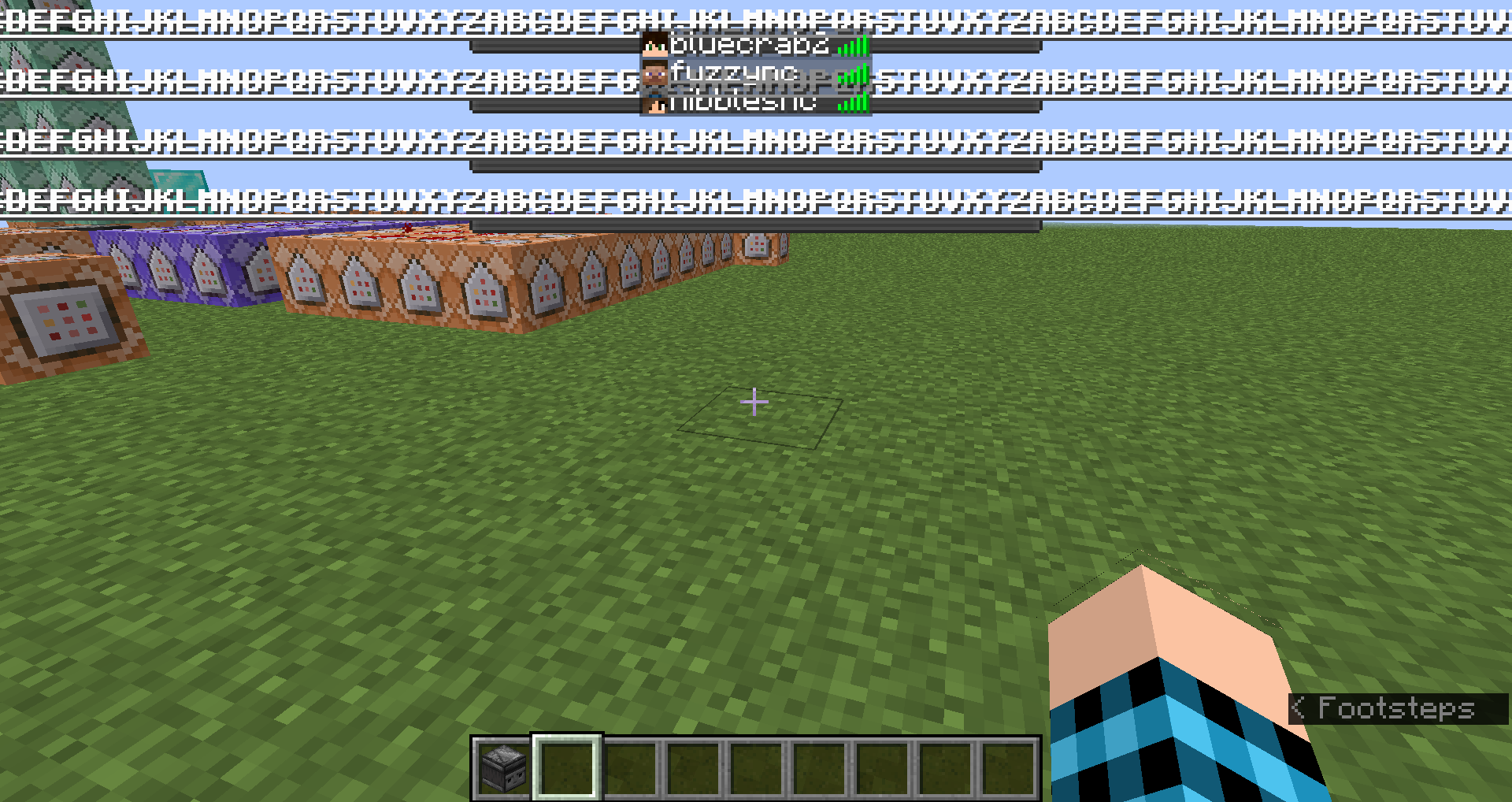
The boss bar text is tinted by the sidebar as if it was behind it but still renders in front of the sidebar text. This is inconsistent with other texts that are tinted such as the F3 which is tinted and rendered behind sidebar. This relates to
MC-193515andMC-187267.In order to replicate:
- Run /scoreboard objectives add abc dummy
- Run these player commands for large scoreboard text:
/scoreboard players set abcdefghijklmnopqrstuvwxyz abc -2147483647
/scoreboard players set abcdefghijklmnopqrstuvwxyz2 abc -2147483647
/scoreboard players set abcdefghijklmnopqrstuvwxyz3 abc -2147483647
/scoreboard players set abcdefghijklmnopqrstuvwxyz4 abc -2147483647
/scoreboard players set abcdefghijklmnopqrstuvwxyz5 abc -2147483647
/scoreboard players set abcdefghijklmnopqrstuvwxyz6 abc -2147483647
/scoreboard players set abcdefghijklmnopqrstuvwxyz7 abc -2147483647
/scoreboard players set abcdefghijklmnopqrstuvwxyz8 abc -2147483647
/scoreboard players set abcdefghijklmnopqrstuvwxyz9 abc -2147483647
/scoreboard players set abcdefghijklmnopqrstuvwxyz10 abc -2147483647
/scoreboard players set abcdefghijklmnopqrstuvwxyz11 abc -2147483647
/scoreboard players set abcdefghijklmnopqrstuvwxyz12 abc -2147483647
/scoreboard players set abcdefghijklmnopqrstuvwxyz13 abc -2147483647
/scoreboard players set abcdefghijklmnopqrstuvwxyz14 abc -2147483647
/scoreboard players set abcdefghijklmnopqrstuvwxyz15 abc -2147483647- Create multiple boss bars by spawning multiple wither or using these commands:
Creating Boss Bars (Command Block Required):
/bossbar add long ["",\{"text":"ABCDEFGHIJKLMNOPQRSTUVXYZABCDEFGHIJKLMNOPQRSTUVXYZABCDEFGHIJKLMNOPQRSTUVXYZABCDEFGHIJKLMNOPQRSTUVXYZABCDEFGHIJKLMNOPQRSTUVXYZABCDEFGHIJKLMNOPQRSTUVXYZABCDEFGHIJKLMNOPQRSTUVXYZABCDEFGHIJKLMNOPQRSTUVXYZABCDEFGHIJKLMNOPQRSTUVXYZABCDEFGHIJKLMNOPQRSTUVXYZABCDEFGHIJKLMNOPQRSTUVXYZABCDEFGHIJKLMNOPQRSTUVXYZABCDEFGHIJKLMNOPQRSTUVXYZABCDEFGHIJKLMNOPQRSTUVXYZABCDEFGHIJKLMNOPQRSTUVXYZABCDEFGHIJKLMNOPQRSTUVXYZABCDEFGHIJKLMNOPQRSTUVXYZABCDEFGHIJKLMNOPQRSTUVXYZABCDEFGHIJKLMNOPQRSTUVXYZABCDEFGHIJKLMNOPQRSTUVXYZABCDEFGHIJKLMNOPQRSTUVXYZ","bold":true,"underlined":true,"strikethrough":true}]/bossbar add long2 ["",\{"text":"ABCDEFGHIJKLMNOPQRSTUVXYZABCDEFGHIJKLMNOPQRSTUVXYZABCDEFGHIJKLMNOPQRSTUVXYZABCDEFGHIJKLMNOPQRSTUVXYZABCDEFGHIJKLMNOPQRSTUVXYZABCDEFGHIJKLMNOPQRSTUVXYZABCDEFGHIJKLMNOPQRSTUVXYZABCDEFGHIJKLMNOPQRSTUVXYZABCDEFGHIJKLMNOPQRSTUVXYZABCDEFGHIJKLMNOPQRSTUVXYZABCDEFGHIJKLMNOPQRSTUVXYZABCDEFGHIJKLMNOPQRSTUVXYZABCDEFGHIJKLMNOPQRSTUVXYZABCDEFGHIJKLMNOPQRSTUVXYZABCDEFGHIJKLMNOPQRSTUVXYZABCDEFGHIJKLMNOPQRSTUVXYZABCDEFGHIJKLMNOPQRSTUVXYZABCDEFGHIJKLMNOPQRSTUVXYZABCDEFGHIJKLMNOPQRSTUVXYZABCDEFGHIJKLMNOPQRSTUVXYZABCDEFGHIJKLMNOPQRSTUVXYZ","bold":true,"underlined":true,"strikethrough":true}]
/bossbar add long3 ["",\{"text":"ABCDEFGHIJKLMNOPQRSTUVXYZABCDEFGHIJKLMNOPQRSTUVXYZABCDEFGHIJKLMNOPQRSTUVXYZABCDEFGHIJKLMNOPQRSTUVXYZABCDEFGHIJKLMNOPQRSTUVXYZABCDEFGHIJKLMNOPQRSTUVXYZABCDEFGHIJKLMNOPQRSTUVXYZABCDEFGHIJKLMNOPQRSTUVXYZABCDEFGHIJKLMNOPQRSTUVXYZABCDEFGHIJKLMNOPQRSTUVXYZABCDEFGHIJKLMNOPQRSTUVXYZABCDEFGHIJKLMNOPQRSTUVXYZABCDEFGHIJKLMNOPQRSTUVXYZABCDEFGHIJKLMNOPQRSTUVXYZABCDEFGHIJKLMNOPQRSTUVXYZABCDEFGHIJKLMNOPQRSTUVXYZABCDEFGHIJKLMNOPQRSTUVXYZABCDEFGHIJKLMNOPQRSTUVXYZABCDEFGHIJKLMNOPQRSTUVXYZABCDEFGHIJKLMNOPQRSTUVXYZABCDEFGHIJKLMNOPQRSTUVXYZ","bold":true,"underlined":true,"strikethrough":true}]
/bossbar add long4 ["",\{"text":"ABCDEFGHIJKLMNOPQRSTUVXYZABCDEFGHIJKLMNOPQRSTUVXYZABCDEFGHIJKLMNOPQRSTUVXYZABCDEFGHIJKLMNOPQRSTUVXYZABCDEFGHIJKLMNOPQRSTUVXYZABCDEFGHIJKLMNOPQRSTUVXYZABCDEFGHIJKLMNOPQRSTUVXYZABCDEFGHIJKLMNOPQRSTUVXYZABCDEFGHIJKLMNOPQRSTUVXYZABCDEFGHIJKLMNOPQRSTUVXYZABCDEFGHIJKLMNOPQRSTUVXYZABCDEFGHIJKLMNOPQRSTUVXYZABCDEFGHIJKLMNOPQRSTUVXYZABCDEFGHIJKLMNOPQRSTUVXYZABCDEFGHIJKLMNOPQRSTUVXYZABCDEFGHIJKLMNOPQRSTUVXYZABCDEFGHIJKLMNOPQRSTUVXYZABCDEFGHIJKLMNOPQRSTUVXYZABCDEFGHIJKLMNOPQRSTUVXYZABCDEFGHIJKLMNOPQRSTUVXYZABCDEFGHIJKLMNOPQRSTUVXYZ","bold":true,"underlined":true,"strikethrough":true}]
Display Boss Bars:
/bossbar set long players @p
/bossbar set long2 players @p
/bossbar set long3 players @p
/bossbar set long4 players @pThe boss bar text is tinted by the sidebar as if it was behind it but still renders in front of the sidebar text. This is inconsistent with other texts that are tinted such as the F3 which is tinted and rendered behind sidebar. This relates to
MC-193515andMC-187267.In order to replicate:
- Run /scoreboard objectives add abc dummy
- Run these player commands for large scoreboard text:
/scoreboard players set abcdefghijklmnopqrstuvwxyz abc -2147483647
/scoreboard players set abcdefghijklmnopqrstuvwxyz2 abc -2147483647
/scoreboard players set abcdefghijklmnopqrstuvwxyz3 abc -2147483647
/scoreboard players set abcdefghijklmnopqrstuvwxyz4 abc -2147483647
/scoreboard players set abcdefghijklmnopqrstuvwxyz5 abc -2147483647
/scoreboard players set abcdefghijklmnopqrstuvwxyz6 abc -2147483647
/scoreboard players set abcdefghijklmnopqrstuvwxyz7 abc -2147483647
/scoreboard players set abcdefghijklmnopqrstuvwxyz8 abc -2147483647
/scoreboard players set abcdefghijklmnopqrstuvwxyz9 abc -2147483647
/scoreboard players set abcdefghijklmnopqrstuvwxyz10 abc -2147483647
/scoreboard players set abcdefghijklmnopqrstuvwxyz11 abc -2147483647
/scoreboard players set abcdefghijklmnopqrstuvwxyz12 abc -2147483647
/scoreboard players set abcdefghijklmnopqrstuvwxyz13 abc -2147483647
/scoreboard players set abcdefghijklmnopqrstuvwxyz14 abc -2147483647
/scoreboard players set abcdefghijklmnopqrstuvwxyz15 abc -2147483647- Create multiple boss bars by spawning multiple wither or using these commands:
Creating Boss Bars (Command Block Required):
{"text":"ABCDEFGHIJKLMNOPQRSTUVXYZABCDEFGHIJKLMNOPQRSTUVXYZABCDEFGHIJKLMNOPQRSTUVXYZABCDEFGHIJKLMNOPQRSTUVXYZABCDEFGHIJKLMNOPQRSTUVXYZABCDEFGHIJKLMNOPQRSTUVXYZABCDEFGHIJKLMNOPQRSTUVXYZABCDEFGHIJKLMNOPQRSTUVXYZABCDEFGHIJKLMNOPQRSTUVXYZABCDEFGHIJKLMNOPQRSTUVXYZABCDEFGHIJKLMNOPQRSTUVXYZABCDEFGHIJKLMNOPQRSTUVXYZABCDEFGHIJKLMNOPQRSTUVXYZABCDEFGHIJKLMNOPQRSTUVXYZABCDEFGHIJKLMNOPQRSTUVXYZABCDEFGHIJKLMNOPQRSTUVXYZABCDEFGHIJKLMNOPQRSTUVXYZABCDEFGHIJKLMNOPQRSTUVXYZABCDEFGHIJKLMNOPQRSTUVXYZABCDEFGHIJKLMNOPQRSTUVXYZABCDEFGHIJKLMNOPQRSTUVXYZ","bold":true,"underlined":true,"strikethrough":true}
/bossbar add long ["",]
/bossbar add long2 ["",
{"text":"ABCDEFGHIJKLMNOPQRSTUVXYZABCDEFGHIJKLMNOPQRSTUVXYZABCDEFGHIJKLMNOPQRSTUVXYZABCDEFGHIJKLMNOPQRSTUVXYZABCDEFGHIJKLMNOPQRSTUVXYZABCDEFGHIJKLMNOPQRSTUVXYZABCDEFGHIJKLMNOPQRSTUVXYZABCDEFGHIJKLMNOPQRSTUVXYZABCDEFGHIJKLMNOPQRSTUVXYZABCDEFGHIJKLMNOPQRSTUVXYZABCDEFGHIJKLMNOPQRSTUVXYZABCDEFGHIJKLMNOPQRSTUVXYZABCDEFGHIJKLMNOPQRSTUVXYZABCDEFGHIJKLMNOPQRSTUVXYZABCDEFGHIJKLMNOPQRSTUVXYZABCDEFGHIJKLMNOPQRSTUVXYZABCDEFGHIJKLMNOPQRSTUVXYZABCDEFGHIJKLMNOPQRSTUVXYZABCDEFGHIJKLMNOPQRSTUVXYZABCDEFGHIJKLMNOPQRSTUVXYZABCDEFGHIJKLMNOPQRSTUVXYZ","bold":true,"underlined":true,"strikethrough":true}]
/bossbar add long3 ["",
{"text":"ABCDEFGHIJKLMNOPQRSTUVXYZABCDEFGHIJKLMNOPQRSTUVXYZABCDEFGHIJKLMNOPQRSTUVXYZABCDEFGHIJKLMNOPQRSTUVXYZABCDEFGHIJKLMNOPQRSTUVXYZABCDEFGHIJKLMNOPQRSTUVXYZABCDEFGHIJKLMNOPQRSTUVXYZABCDEFGHIJKLMNOPQRSTUVXYZABCDEFGHIJKLMNOPQRSTUVXYZABCDEFGHIJKLMNOPQRSTUVXYZABCDEFGHIJKLMNOPQRSTUVXYZABCDEFGHIJKLMNOPQRSTUVXYZABCDEFGHIJKLMNOPQRSTUVXYZABCDEFGHIJKLMNOPQRSTUVXYZABCDEFGHIJKLMNOPQRSTUVXYZABCDEFGHIJKLMNOPQRSTUVXYZABCDEFGHIJKLMNOPQRSTUVXYZABCDEFGHIJKLMNOPQRSTUVXYZABCDEFGHIJKLMNOPQRSTUVXYZABCDEFGHIJKLMNOPQRSTUVXYZABCDEFGHIJKLMNOPQRSTUVXYZ","bold":true,"underlined":true,"strikethrough":true}]
/bossbar add long4 ["",
{"text":"ABCDEFGHIJKLMNOPQRSTUVXYZABCDEFGHIJKLMNOPQRSTUVXYZABCDEFGHIJKLMNOPQRSTUVXYZABCDEFGHIJKLMNOPQRSTUVXYZABCDEFGHIJKLMNOPQRSTUVXYZABCDEFGHIJKLMNOPQRSTUVXYZABCDEFGHIJKLMNOPQRSTUVXYZABCDEFGHIJKLMNOPQRSTUVXYZABCDEFGHIJKLMNOPQRSTUVXYZABCDEFGHIJKLMNOPQRSTUVXYZABCDEFGHIJKLMNOPQRSTUVXYZABCDEFGHIJKLMNOPQRSTUVXYZABCDEFGHIJKLMNOPQRSTUVXYZABCDEFGHIJKLMNOPQRSTUVXYZABCDEFGHIJKLMNOPQRSTUVXYZABCDEFGHIJKLMNOPQRSTUVXYZABCDEFGHIJKLMNOPQRSTUVXYZABCDEFGHIJKLMNOPQRSTUVXYZABCDEFGHIJKLMNOPQRSTUVXYZABCDEFGHIJKLMNOPQRSTUVXYZABCDEFGHIJKLMNOPQRSTUVXYZ","bold":true,"underlined":true,"strikethrough":true}]
Display Boss Bars:
/bossbar set long players @p
/bossbar set long2 players @p
/bossbar set long3 players @p
/bossbar set long4 players @p
The boss bar text is tinted by the sidebar as if it was behind it but still renders in front of the sidebar text. This is inconsistent with other texts that are tinted such as the F3 which is tinted and rendered behind sidebar. This relates to
MC-193515andMC-187267.In order to replicate:
- Run /scoreboard objectives add abc dummy
- Run these player commands for large scoreboard text:
/scoreboard players set abcdefghijklmnopqrstuvwxyz abc -2147483647
/scoreboard players set abcdefghijklmnopqrstuvwxyz2 abc -2147483647
/scoreboard players set abcdefghijklmnopqrstuvwxyz3 abc -2147483647
/scoreboard players set abcdefghijklmnopqrstuvwxyz4 abc -2147483647
/scoreboard players set abcdefghijklmnopqrstuvwxyz5 abc -2147483647
/scoreboard players set abcdefghijklmnopqrstuvwxyz6 abc -2147483647
/scoreboard players set abcdefghijklmnopqrstuvwxyz7 abc -2147483647
/scoreboard players set abcdefghijklmnopqrstuvwxyz8 abc -2147483647
/scoreboard players set abcdefghijklmnopqrstuvwxyz9 abc -2147483647
/scoreboard players set abcdefghijklmnopqrstuvwxyz10 abc -2147483647
/scoreboard players set abcdefghijklmnopqrstuvwxyz11 abc -2147483647
/scoreboard players set abcdefghijklmnopqrstuvwxyz12 abc -2147483647
/scoreboard players set abcdefghijklmnopqrstuvwxyz13 abc -2147483647
/scoreboard players set abcdefghijklmnopqrstuvwxyz14 abc -2147483647
/scoreboard players set abcdefghijklmnopqrstuvwxyz15 abc -2147483647- Create multiple boss bars by spawning multiple wither or using these commands:
Creating Boss Bars (Command Block Required):
{"text":"ABCDEFGHIJKLMNOPQRSTUVXYZABCDEFGHIJKLMNOPQRSTUVXYZABCDEFGHIJKLMNOPQRSTUVXYZABCDEFGHIJKLMNOPQRSTUVXYZABCDEFGHIJKLMNOPQRSTUVXYZABCDEFGHIJKLMNOPQRSTUVXYZABCDEFGHIJKLMNOPQRSTUVXYZABCDEFGHIJKLMNOPQRSTUVXYZABCDEFGHIJKLMNOPQRSTUVXYZABCDEFGHIJKLMNOPQRSTUVXYZABCDEFGHIJKLMNOPQRSTUVXYZABCDEFGHIJKLMNOPQRSTUVXYZABCDEFGHIJKLMNOPQRSTUVXYZABCDEFGHIJKLMNOPQRSTUVXYZABCDEFGHIJKLMNOPQRSTUVXYZABCDEFGHIJKLMNOPQRSTUVXYZABCDEFGHIJKLMNOPQRSTUVXYZABCDEFGHIJKLMNOPQRSTUVXYZABCDEFGHIJKLMNOPQRSTUVXYZABCDEFGHIJKLMNOPQRSTUVXYZABCDEFGHIJKLMNOPQRSTUVXYZ","bold":true,"underlined":true,"strikethrough":true}
/bossbar add long ["",]
/bossbar add long2 ["",
{"text":"ABCDEFGHIJKLMNOPQRSTUVXYZABCDEFGHIJKLMNOPQRSTUVXYZABCDEFGHIJKLMNOPQRSTUVXYZABCDEFGHIJKLMNOPQRSTUVXYZABCDEFGHIJKLMNOPQRSTUVXYZABCDEFGHIJKLMNOPQRSTUVXYZABCDEFGHIJKLMNOPQRSTUVXYZABCDEFGHIJKLMNOPQRSTUVXYZABCDEFGHIJKLMNOPQRSTUVXYZABCDEFGHIJKLMNOPQRSTUVXYZABCDEFGHIJKLMNOPQRSTUVXYZABCDEFGHIJKLMNOPQRSTUVXYZABCDEFGHIJKLMNOPQRSTUVXYZABCDEFGHIJKLMNOPQRSTUVXYZABCDEFGHIJKLMNOPQRSTUVXYZABCDEFGHIJKLMNOPQRSTUVXYZABCDEFGHIJKLMNOPQRSTUVXYZABCDEFGHIJKLMNOPQRSTUVXYZABCDEFGHIJKLMNOPQRSTUVXYZABCDEFGHIJKLMNOPQRSTUVXYZABCDEFGHIJKLMNOPQRSTUVXYZ","bold":true,"underlined":true,"strikethrough":true}]
/bossbar add long3 ["",
{"text":"ABCDEFGHIJKLMNOPQRSTUVXYZABCDEFGHIJKLMNOPQRSTUVXYZABCDEFGHIJKLMNOPQRSTUVXYZABCDEFGHIJKLMNOPQRSTUVXYZABCDEFGHIJKLMNOPQRSTUVXYZABCDEFGHIJKLMNOPQRSTUVXYZABCDEFGHIJKLMNOPQRSTUVXYZABCDEFGHIJKLMNOPQRSTUVXYZABCDEFGHIJKLMNOPQRSTUVXYZABCDEFGHIJKLMNOPQRSTUVXYZABCDEFGHIJKLMNOPQRSTUVXYZABCDEFGHIJKLMNOPQRSTUVXYZABCDEFGHIJKLMNOPQRSTUVXYZABCDEFGHIJKLMNOPQRSTUVXYZABCDEFGHIJKLMNOPQRSTUVXYZABCDEFGHIJKLMNOPQRSTUVXYZABCDEFGHIJKLMNOPQRSTUVXYZABCDEFGHIJKLMNOPQRSTUVXYZABCDEFGHIJKLMNOPQRSTUVXYZABCDEFGHIJKLMNOPQRSTUVXYZABCDEFGHIJKLMNOPQRSTUVXYZ","bold":true,"underlined":true,"strikethrough":true}]
/bossbar add long4 ["",
{"text":"ABCDEFGHIJKLMNOPQRSTUVXYZABCDEFGHIJKLMNOPQRSTUVXYZABCDEFGHIJKLMNOPQRSTUVXYZABCDEFGHIJKLMNOPQRSTUVXYZABCDEFGHIJKLMNOPQRSTUVXYZABCDEFGHIJKLMNOPQRSTUVXYZABCDEFGHIJKLMNOPQRSTUVXYZABCDEFGHIJKLMNOPQRSTUVXYZABCDEFGHIJKLMNOPQRSTUVXYZABCDEFGHIJKLMNOPQRSTUVXYZABCDEFGHIJKLMNOPQRSTUVXYZABCDEFGHIJKLMNOPQRSTUVXYZABCDEFGHIJKLMNOPQRSTUVXYZABCDEFGHIJKLMNOPQRSTUVXYZABCDEFGHIJKLMNOPQRSTUVXYZABCDEFGHIJKLMNOPQRSTUVXYZABCDEFGHIJKLMNOPQRSTUVXYZABCDEFGHIJKLMNOPQRSTUVXYZABCDEFGHIJKLMNOPQRSTUVXYZABCDEFGHIJKLMNOPQRSTUVXYZABCDEFGHIJKLMNOPQRSTUVXYZ","bold":true,"underlined":true,"strikethrough":true}]
Display Boss Bars:
/bossbar set long players @p
/bossbar set long2 players @p
/bossbar set long3 players @p
/bossbar set long4 players @pThe boss bar text is tinted by the sidebar as if it was behind it but still renders in front of the sidebar text. This is inconsistent with other texts that are tinted such as the F3 which is tinted and rendered behind sidebar. This relates to
MC-193515andMC-187267.In order to replicate:
- Run /scoreboard objectives add abc dummy
- Run /scoreboard objectives setdisplay sidebar abc
- Run these player commands for large scoreboard text:
/scoreboard players set abcdefghijklmnopqrstuvwxyz abc -2147483647
/scoreboard players set abcdefghijklmnopqrstuvwxyz2 abc -2147483647
/scoreboard players set abcdefghijklmnopqrstuvwxyz3 abc -2147483647
/scoreboard players set abcdefghijklmnopqrstuvwxyz4 abc -2147483647
/scoreboard players set abcdefghijklmnopqrstuvwxyz5 abc -2147483647
/scoreboard players set abcdefghijklmnopqrstuvwxyz6 abc -2147483647
/scoreboard players set abcdefghijklmnopqrstuvwxyz7 abc -2147483647
/scoreboard players set abcdefghijklmnopqrstuvwxyz8 abc -2147483647
/scoreboard players set abcdefghijklmnopqrstuvwxyz9 abc -2147483647
/scoreboard players set abcdefghijklmnopqrstuvwxyz10 abc -2147483647
/scoreboard players set abcdefghijklmnopqrstuvwxyz11 abc -2147483647
/scoreboard players set abcdefghijklmnopqrstuvwxyz12 abc -2147483647
/scoreboard players set abcdefghijklmnopqrstuvwxyz13 abc -2147483647
/scoreboard players set abcdefghijklmnopqrstuvwxyz14 abc -2147483647
/scoreboard players set abcdefghijklmnopqrstuvwxyz15 abc -2147483647- Create multiple boss bars by spawning multiple wither or using these commands:
Creating Boss Bars (Command Block Required):
{"text":"ABCDEFGHIJKLMNOPQRSTUVXYZABCDEFGHIJKLMNOPQRSTUVXYZABCDEFGHIJKLMNOPQRSTUVXYZABCDEFGHIJKLMNOPQRSTUVXYZABCDEFGHIJKLMNOPQRSTUVXYZABCDEFGHIJKLMNOPQRSTUVXYZABCDEFGHIJKLMNOPQRSTUVXYZABCDEFGHIJKLMNOPQRSTUVXYZABCDEFGHIJKLMNOPQRSTUVXYZABCDEFGHIJKLMNOPQRSTUVXYZABCDEFGHIJKLMNOPQRSTUVXYZABCDEFGHIJKLMNOPQRSTUVXYZABCDEFGHIJKLMNOPQRSTUVXYZABCDEFGHIJKLMNOPQRSTUVXYZABCDEFGHIJKLMNOPQRSTUVXYZABCDEFGHIJKLMNOPQRSTUVXYZABCDEFGHIJKLMNOPQRSTUVXYZABCDEFGHIJKLMNOPQRSTUVXYZABCDEFGHIJKLMNOPQRSTUVXYZABCDEFGHIJKLMNOPQRSTUVXYZABCDEFGHIJKLMNOPQRSTUVXYZ","bold":true,"underlined":true,"strikethrough":true}
/bossbar add long ["",]
/bossbar add long2 ["",
{"text":"ABCDEFGHIJKLMNOPQRSTUVXYZABCDEFGHIJKLMNOPQRSTUVXYZABCDEFGHIJKLMNOPQRSTUVXYZABCDEFGHIJKLMNOPQRSTUVXYZABCDEFGHIJKLMNOPQRSTUVXYZABCDEFGHIJKLMNOPQRSTUVXYZABCDEFGHIJKLMNOPQRSTUVXYZABCDEFGHIJKLMNOPQRSTUVXYZABCDEFGHIJKLMNOPQRSTUVXYZABCDEFGHIJKLMNOPQRSTUVXYZABCDEFGHIJKLMNOPQRSTUVXYZABCDEFGHIJKLMNOPQRSTUVXYZABCDEFGHIJKLMNOPQRSTUVXYZABCDEFGHIJKLMNOPQRSTUVXYZABCDEFGHIJKLMNOPQRSTUVXYZABCDEFGHIJKLMNOPQRSTUVXYZABCDEFGHIJKLMNOPQRSTUVXYZABCDEFGHIJKLMNOPQRSTUVXYZABCDEFGHIJKLMNOPQRSTUVXYZABCDEFGHIJKLMNOPQRSTUVXYZABCDEFGHIJKLMNOPQRSTUVXYZ","bold":true,"underlined":true,"strikethrough":true}]
/bossbar add long3 ["",
{"text":"ABCDEFGHIJKLMNOPQRSTUVXYZABCDEFGHIJKLMNOPQRSTUVXYZABCDEFGHIJKLMNOPQRSTUVXYZABCDEFGHIJKLMNOPQRSTUVXYZABCDEFGHIJKLMNOPQRSTUVXYZABCDEFGHIJKLMNOPQRSTUVXYZABCDEFGHIJKLMNOPQRSTUVXYZABCDEFGHIJKLMNOPQRSTUVXYZABCDEFGHIJKLMNOPQRSTUVXYZABCDEFGHIJKLMNOPQRSTUVXYZABCDEFGHIJKLMNOPQRSTUVXYZABCDEFGHIJKLMNOPQRSTUVXYZABCDEFGHIJKLMNOPQRSTUVXYZABCDEFGHIJKLMNOPQRSTUVXYZABCDEFGHIJKLMNOPQRSTUVXYZABCDEFGHIJKLMNOPQRSTUVXYZABCDEFGHIJKLMNOPQRSTUVXYZABCDEFGHIJKLMNOPQRSTUVXYZABCDEFGHIJKLMNOPQRSTUVXYZABCDEFGHIJKLMNOPQRSTUVXYZABCDEFGHIJKLMNOPQRSTUVXYZ","bold":true,"underlined":true,"strikethrough":true}]
/bossbar add long4 ["",
{"text":"ABCDEFGHIJKLMNOPQRSTUVXYZABCDEFGHIJKLMNOPQRSTUVXYZABCDEFGHIJKLMNOPQRSTUVXYZABCDEFGHIJKLMNOPQRSTUVXYZABCDEFGHIJKLMNOPQRSTUVXYZABCDEFGHIJKLMNOPQRSTUVXYZABCDEFGHIJKLMNOPQRSTUVXYZABCDEFGHIJKLMNOPQRSTUVXYZABCDEFGHIJKLMNOPQRSTUVXYZABCDEFGHIJKLMNOPQRSTUVXYZABCDEFGHIJKLMNOPQRSTUVXYZABCDEFGHIJKLMNOPQRSTUVXYZABCDEFGHIJKLMNOPQRSTUVXYZABCDEFGHIJKLMNOPQRSTUVXYZABCDEFGHIJKLMNOPQRSTUVXYZABCDEFGHIJKLMNOPQRSTUVXYZABCDEFGHIJKLMNOPQRSTUVXYZABCDEFGHIJKLMNOPQRSTUVXYZABCDEFGHIJKLMNOPQRSTUVXYZABCDEFGHIJKLMNOPQRSTUVXYZABCDEFGHIJKLMNOPQRSTUVXYZ","bold":true,"underlined":true,"strikethrough":true}]
Display Boss Bars:
/bossbar set long players @p
/bossbar set long2 players @p
/bossbar set long3 players @p
/bossbar set long4 players @p
If a boss bar's text has strike though or underline in it then it will override the player's name in the tab list. This does not occur with normal text and the underline/strikethrough text still has the shading applied to it.
In order to replicate:
1. Go onto server or LAN world with >1 player2. Create boss bars with strikethrough/underline using these commands:
/bossbar add strikethrough {"text":"ABCDEFGHIJKLMNOPQRSTUVWXYZ","strikethrough":true,"underlined":true}
/bossbar set minecraft:strikethrough players @a
To create more add a number after the strikethrough on both commands strikethrough2, strikethrough3, strikethrough4
If a boss bar's text has strike though or underline in it then it will override the player's name in the tab list. This does not occur with normal text and the underline/strikethrough text still has the shading applied to it. Clone of
MC-193524(Don't know why it created 2 bugs)In order to replicate:
1. Go onto server or LAN world with >1 player2. Create boss bars with strikethrough/underline using these commands:
/bossbar add strikethrough {"text":"ABCDEFGHIJKLMNOPQRSTUVWXYZ","strikethrough":true,"underlined":true}
/bossbar set minecraft:strikethrough players @a
To create more add a number after the strikethrough on both commands strikethrough2, strikethrough3, strikethrough4
If a boss bar's text has strike though or underline in it then it will override the player's name in the tab list. This does not occur with normal text and the underline/strikethrough text still has the shading applied to it.
In order to replicate:
1. Go onto server or LAN world with >1 player2. Create boss bars with strikethrough/underline using these commands:
/bossbar add strikethrough {"text":"ABCDEFGHIJKLMNOPQRSTUVWXYZ","strikethrough":true,"underlined":true}
/bossbar set minecraft:strikethrough players @a
To create more add a number after the strikethrough on both commands strikethrough2, strikethrough3, strikethrough4
If a boss bar's text has strike though or underline in it then it will override the player's name in the tab list. This does not occur with normal text and the underline/strikethrough text still has the shading applied to it. Relates to
MC-193515,MC-193517,MC-193521, andMC-173672.In order to replicate:
1. Go onto server or LAN world with >1 player2. Create boss bars with strikethrough/underline using these commands:
/bossbar add strikethrough {"text":"ABCDEFGHIJKLMNOPQRSTUVWXYZ","strikethrough":true,"underlined":true}
/bossbar set minecraft:strikethrough players @a
To create more add a number after the strikethrough on both commands strikethrough2, strikethrough3, strikethrough4
Worlds updated from 1.7 - 1.12 (still supported versions for direct upgrades) to 1.13 - [current version] can have the dirt crafted statistic instead of coarse dirt crafted statistic.
How to reproduce:
- Begin world in any version after 1.6.4 and before 1.13
- Craft coarse dirt
- Upgrade to any version after 1.12.2
- Observe the dirt crafted statistic
What I expected:
Before 1.13, the data value of crafted items was not tracked. For example, this means if the player crafted jungle planks they would count as oak planks. Coarse dirt during these versions was dirt with data value 1 and so was tracked as crafting normal dirt. After the update, the game should realize that crafting regular dirt is impossible and convert this statistic to coarse dirt. The epitome of what should happen is found in the pumpkin/jack o' lantern. Jack o' lanterns were pumpkins with
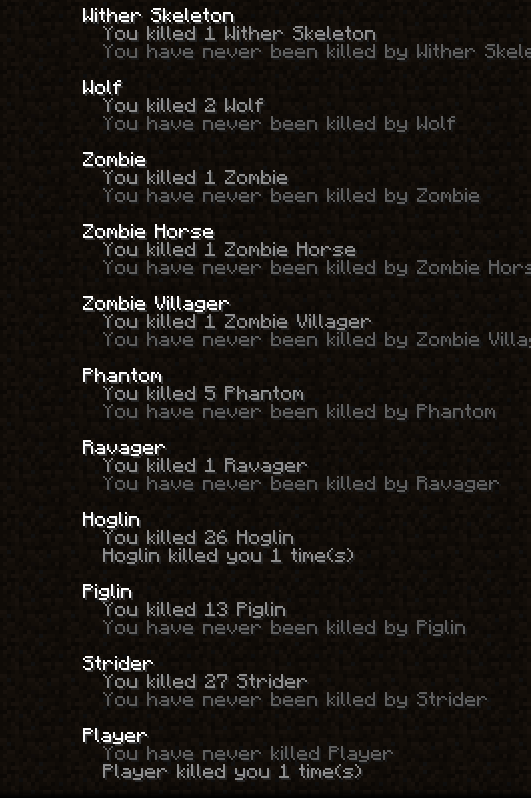
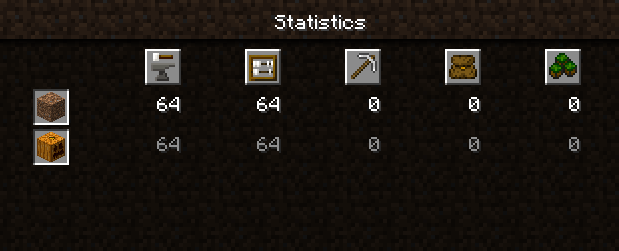
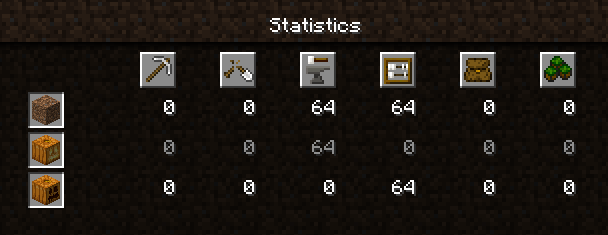
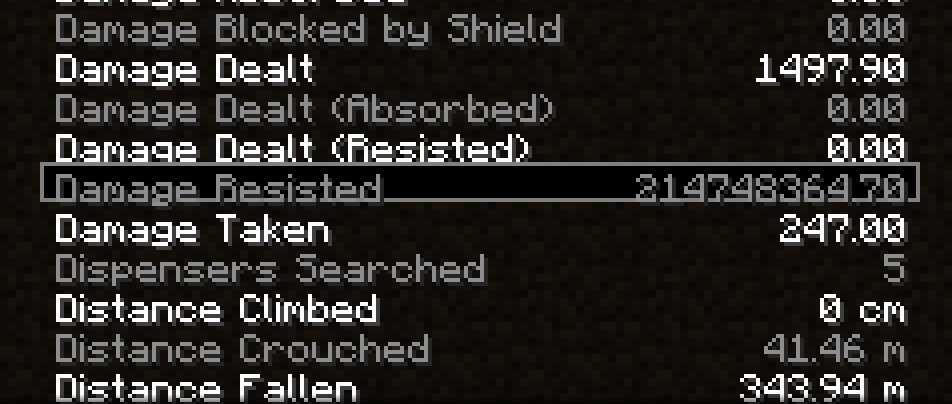
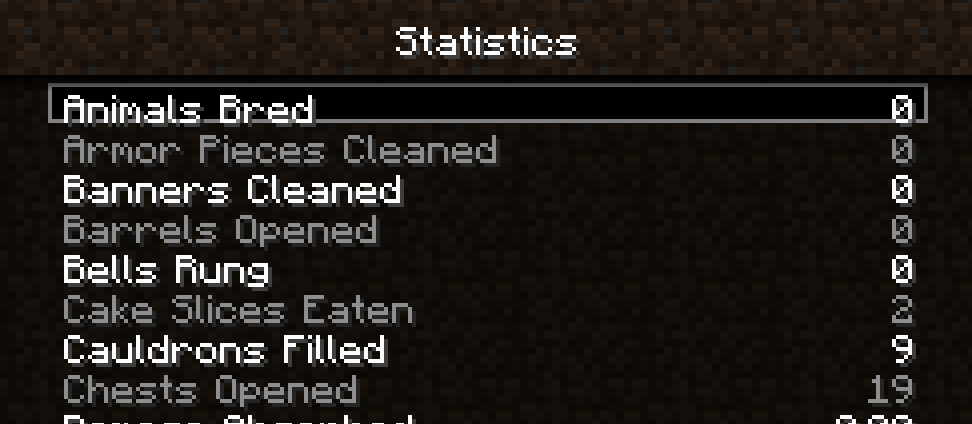
data value 1 and so crafting them was tracked as crafting pumpkins. After updating that statistic, however, the game converted the crafting pumpkin statistic to the actually possible crafting jack o' lantern statistic but kept other statistics possible with pumpkins, such as placing them. The pictures below show a world upgraded from 1.12.2 to 1.16.4 Release Candidate 1 and depicts the inconsistency between the two:Worlds updated from 1.7 - 1.12 (still supported versions for direct upgrades) to 1.13 - [current version] can have the dirt crafted statistic instead of coarse dirt crafted statistic.
How to reproduce:
- Begin world in any version after 1.6.4 and before 1.13
- Craft coarse dirt
- Upgrade to any version after 1.12.2
- Observe the dirt crafted statistic
What I expected:
Before 1.13, the data value of crafted items was not tracked. For example, this means if the player crafted jungle planks they would count as oak planks. Coarse dirt during these versions was dirt with data value 1 and so was tracked as crafting normal dirt. After the update, the game should realize that crafting regular dirt is impossible and convert this statistic to coarse dirt. The epitome of what should happen is found in the pumpkin/jack o' lantern. Jack o' lanterns were pumpkins with the pumpkins in statistics. After updating that statistic, however, the game converted the crafting pumpkin statistic to the actually possible crafting jack o' lantern statistic but kept other statistics possible with pumpkins, such as placing them. The pictures below show a world upgraded from 1.12.2 to 1.16.4 Release Candidate 1 and depicts the inconsistency between the two:
Worlds updated from 1.7 - 1.12 (still supported versions for direct upgrades) to 1.13 - [current version] can have the dirt crafted statistic instead of coarse dirt crafted statistic.
How to reproduce:
- Begin world in any version after 1.6.4 and before 1.13
- Craft coarse dirt
- Upgrade to any version after 1.12.2
- Observe the dirt crafted statistic
What I expected:
Before 1.13, the data value of crafted items was not tracked. For example, this means if the player crafted jungle planks they would count as oak planks. Coarse dirt during these versions was dirt with data value 1 and so was tracked as crafting normal dirt. After the update, the game should realize that crafting regular dirt is impossible and convert this statistic to coarse dirt. The epitome of what should happen is found in the pumpkin/jack o' lantern. Jack o' lanterns were
pumpkinswith the pumpkins in statistics. After updating that statistic, however, the game converted the crafting pumpkin statistic to the actually possible crafting jack o' lantern statistic but kept other statistics possible with pumpkins, such as placing them. The pictures below show a world upgraded from 1.12.2 to 1.16.4 Release Candidate 1 and depicts the inconsistency between the two:Worlds updated from 1.7 - 1.12 (still supported versions for direct upgrades) to 1.13 - [current version] can have the dirt crafted statistic instead of coarse dirt crafted statistic.
How to reproduce:
- Begin world in any version after 1.6.4 and before 1.13
- Craft coarse dirt
- Upgrade to any version after 1.12.2
- Observe the dirt crafted statistic
What I expected:
Before 1.13, the data value of crafted items was not tracked. For example, this means if the player crafted jungle planks they would count as oak planks. Coarse dirt during these versions was dirt with data value 1 and so was tracked as crafting normal dirt. After the update, the game should realize that crafting regular dirt is impossible and convert this statistic to coarse dirt. The epitome of what should happen is found in the pumpkin/jack o' lantern. Jack o' lanterns were tracked with the pumpkins in statistics. After updating that statistic, however, the game converted the crafting pumpkin statistic to the actually possible crafting jack o' lantern statistic but kept other statistics possible with pumpkins, such as placing them. The pictures below show a world upgraded from 1.12.2 to 1.16.4 Release Candidate 1 and depicts the inconsistency between the two:
Worlds updated from 1.
7- 1.12 (still supported versions for direct upgrades) to 1.13 - [current version] can have the dirt crafted statistic instead of coarse dirt crafted statistic.
How to reproduce:
- Begin world in any version after 1.6.4 and before 1.13
- Craft coarse dirt
- Upgrade to any version after 1.12.2
- Observe the dirt crafted statistic
What I expected:
Before 1.13, the data value of crafted items was not tracked. For example, this means if the player crafted jungle planks they would count as oak planks. Coarse dirt during these versions was dirt with data value 1 and so was tracked as crafting normal dirt. After the update, the game should realize that crafting regular dirt is impossible and convert this statistic to coarse dirt. The epitome of what should happen is found in the pumpkin/jack o' lantern. Jack o' lanterns were tracked with the pumpkins in statistics. After updating that statistic, however, the game converted the crafting pumpkin statistic to the actually possible crafting jack o' lantern statistic but kept other statistics possible with pumpkins, such as placing them. The pictures below show a world upgraded from 1.12.2 to 1.16.4 Release Candidate 1 and depicts the inconsistency between the two:
Worlds updated from 1.8 - 1.12 (still supported versions for direct upgrades) to 1.13 - [current version] can have the dirt crafted statistic instead of coarse dirt crafted statistic.
How to reproduce:
- Begin world in any version after 1.6.4 and before 1.13
- Craft coarse dirt
- Upgrade to any version after 1.12.2
- Observe the dirt crafted statistic
What I expected:
Before 1.13, the data value of crafted items was not tracked. For example, this means if the player crafted jungle planks they would count as oak planks. Coarse dirt during these versions was dirt with data value 1 and so was tracked as crafting normal dirt. After the update, the game should realize that crafting regular dirt is impossible and convert this statistic to coarse dirt. The epitome of what should happen is found in the pumpkin/jack o' lantern. Jack o' lanterns were tracked with the pumpkins in statistics. After updating that statistic, however, the game converted the crafting pumpkin statistic to the actually possible crafting jack o' lantern statistic but kept other statistics possible with pumpkins, such as placing them. The pictures below show a world upgraded from 1.12.2 to 1.16.4 Release Candidate 1 and depicts the inconsistency between the two:
Worlds updated from 1.8 - 1.12 (still supported versions for direct upgrades) to 1.13 - [current version] can have the dirt crafted statistic instead of coarse dirt crafted statistic.
How to reproduce:
- Begin world in any version after 1.
6.4and before 1.13- Craft coarse dirt
- Upgrade to any version after 1.12.2
- Observe the dirt crafted statistic
What I expected:
Before 1.13, the data value of crafted items was not tracked. For example, this means if the player crafted jungle planks they would count as oak planks. Coarse dirt during these versions was dirt with data value 1 and so was tracked as crafting normal dirt. After the update, the game should realize that crafting regular dirt is impossible and convert this statistic to coarse dirt. The epitome of what should happen is found in the pumpkin/jack o' lantern. Jack o' lanterns were tracked with the pumpkins in statistics. After updating that statistic, however, the game converted the crafting pumpkin statistic to the actually possible crafting jack o' lantern statistic but kept other statistics possible with pumpkins, such as placing them. The pictures below show a world upgraded from 1.12.2 to 1.16.4 Release Candidate 1 and depicts the inconsistency between the two:
Worlds updated from 1.8 - 1.12 (still supported versions for direct upgrades) to 1.13 - [current version] can have the dirt crafted statistic instead of coarse dirt crafted statistic.
How to reproduce:
- Begin world in any version after 1.7.10 and before 1.13
- Craft coarse dirt
- Upgrade to any version after 1.12.2
- Observe the dirt crafted statistic
What I expected:
Before 1.13, the data value of crafted items was not tracked. For example, this means if the player crafted jungle planks they would count as oak planks. Coarse dirt during these versions was dirt with data value 1 and so was tracked as crafting normal dirt. After the update, the game should realize that crafting regular dirt is impossible and convert this statistic to coarse dirt. The epitome of what should happen is found in the pumpkin/jack o' lantern. Jack o' lanterns were tracked with the pumpkins in statistics. After updating that statistic, however, the game converted the crafting pumpkin statistic to the actually possible crafting jack o' lantern statistic but kept other statistics possible with pumpkins, such as placing them. The pictures below show a world upgraded from 1.12.2 to 1.16.4 Release Candidate 1 and depicts the inconsistency between the two:
Tab Selection of Statistics and Languages Cannot Hold Up or Down
If statistics are selected with the tab button in the general, items, or mobs tab of statistics or in languages then they cannot be navigated up or down by holding the up arrow or down arrow. Instead, the up arrow or down arrow must be pressed individually every time the player wishes to move one. This control is inconsistent with the resource pack and world tab selection controls and also results in a lot of unnecessary pressing to move down that could worsen carpal tunnel syndrome.
If statistics are selected with the tab button in the general, items, or mobs tab of statistics or in languages then they cannot be navigated up or down by holding the up arrow or down arrow. Instead, the up arrow or down arrow must be pressed individually every time the player wishes to move one. This control is inconsistent with the resource pack
andworld tab selection controls and also results in a lot of unnecessary pressing to move down that could worsen carpal tunnel syndrome.If statistics are selected with the tab button in the general, items, or mobs tab of statistics or in languages then they cannot be navigated up or down by holding the up arrow or down arrow. Instead, the up arrow or down arrow must be pressed individually every time the player wishes to move one. This control is inconsistent with the resource pack, multiplayer select, and singleplayer world tab selection controls and also results in a lot of unnecessary pressing to move up or down that could worsen carpal tunnel syndrome.
A blank decorated pot will either have no NBT or the sherds tag with four brick patterns depending on the method used to obtain it.
- Crafting the decorated pot with four bricks will give a decorated pot with no NBT.
- Placing and then breaking a decorated pot with silk touch gives the NBT =
{BlockEntityTag: {sherds: ["minecraft:brick", "minecraft:brick", "minecraft:brick", "minecraft:brick"]}I would expect either both or neither of these pots to have NBT, not mixed results.
In 23w07a, crafting the decorated pot would give the same NBT that you get from breaking the pot. However, this changed in 1.19.4 Pre-release 1 to the current results. 1.19.4-pre1 also added decorated pots to the recipe book, which I suspect is related to this change.
A blank decorated pot will either have no NBT or the sherds tag with four brick patterns depending on the method used to obtain it.
- Crafting the decorated pot with four bricks will give a decorated pot with no NBT.
- Placing and then breaking a decorated pot with silk touch gives the NBT =
{BlockEntityTag: {sherds: ["minecraft:brick", "minecraft:brick", "minecraft:brick", "minecraft:brick"]}I would expect either both or neither of these pots to have NBT, not mixed results. An impact this has on survival is that if you hold shift then double-click a chest full of empty pots only the ones with identical NBT will move. Therefore, only the crafted or mined blank pots will move, not both.
In 23w07a, crafting the decorated pot would give the same NBT that you get from breaking the pot. However, this changed in 1.19.4 Pre-release 1 to the current results. 1.19.4-pre1 also added decorated pots to the recipe book, which I suspect is related to this change.
To go along with items not available in the creative inventory like spawner and dragon eggs there is also the end gateway block which has the same flowing water next to it underwater
Also, I think this bug affects version 19w08a.
If it is confirmed on 19w13b why is that a version that is fixed?
Still works in 19w38b
This bug is long since solved with cartography tables
Sorry for delayed response, it definitely still is an issue for me in the latest snapshot my graphics card is an ATI Radeon HD 3600 Series (0x9598) (DAC: 400MHz) (3621 MB available Graphics Memory) (512 MB Dedicated Video Memory) for replication when you're near the border try moving your camera to look upwards as that is when I see them the most
Found some other issues with alphabetical ordering which should be fixed.
To replicate use /effect @p strength 10000 255 and then get every egg in the creative inventory right click to spawn them then left click to instantly kill them.
Additionally, out of the mobs which can't be spawned with creative eggs Ender Dragon, Snow Golem, and Wither are in the correct locations but Iron Golem appears next to Villager
Yes it also works in both of those versions
They don't need to work in lava, we could just have purple/blue boats for water in the overworld
It's not a feature request, the bug is that they added new wood variants for every other wooden item and there's an inconsistency that we can't make boats out of the new wood.
If you click on another hoglin it creates a baby one
@Chalmes (Jon) You can still get a completely floating trapdoor or rail using a 1 pulse to leave it there and then safely destroy the piston without updating it
Confirmed for 20w12a
Can a mod reopen this applies to 20w12a
I think this bug was reverted sometime maybe it should be reopened
Oh my bad, I thought it was in version upgrade order not release order
Pretty sure this is intended, can't cast a carrot on a stick either
You can use this bug to instantly teleport back to the location after a journey by pressing shift
Related to
MC-176188: Striders are not damaged by splash or lingering water bottlesIt's not exactly a suggestion... it is a missing statistic which I think was just accidentally forgotten from being added. Missing statistics usually qualify as valid bug. Ex.
MC-134402orMC-33710orMC-36191Thanks for the reopen
Confirmed in 20w13b
Confirmed in 20w13b
Confirmed in 20w13b
Confirmed in 20w13b
Confirmed in 20w13b
To replicate run these commands:
/scoreboard objectives add damageDealt minecraft.custom:minecraft.damage_dealt
/scoreboard objectives setdisplay sidebar damageDealt
/scoreboard players set @s damageDealt 0
/give @s minecraft:diamond_chestplate{Enchantments:[
{id:"minecraft:thorns",lvl:10000s}]} 1
Then put on the diamond chestplate and summon zombies to observe them dying and the damage dealt not increasing
Confirmed in 20w13b
Ran into the same issue,
a few changes should be made:
The new name zombified piglin still isn't in order. The new mobs hoglin, piglin, and strider are out of order and player appears at the bottom of the list (
MC-171939)Player, Piglin, and the new Zoglin are also in the incorrect positions
Good bug report! Although can you remove the sticky piston part because the actual recipe for sticky pistons doesn't require cobblestone just the piston (which I agree isn't craftable with black stone) and a slimeball
I agree with @Aron Andren
Confirmed in 20w15a
Confirmed in 20w15a
Confirmed in 20w15a, except for the "Scroll bar for item and block statistics not working when at the top" which I believe has been fixed
Confirmed in 20w15a
Confirmed in 20w15a, plz fix for nether update! Bemoty says it's really easy
Confirmed in 20w15a
Confirmed in 20w15a
Please make the following changes:
Confirmed in 20w15a
Confirmed in 20w15a
Confirmed in 20w15a
Can you please make the following changes:
Thanks a lot, hopefully Mojang gets around to this old bug
This is a duplicate of MC-65198
Confirmed in 20w15a
Yeah, I noticed this too probably just forgot to change the order after updating its name
Confirmed in 20w15a
Confirmed in 20w15a
Confirmed in 20w15a
Confirmed in 20w15a, part of me doesn't want them to fix this bug because it has saved my life so many times lol
The " Glowstone should possibly not show redstone wire on its side since all other blocks which only transfer a redstone signal upwards have no wire on their side." is no longer true, redstone blocks and glass both show the redstone going up the sides
Relates to
MC-30181I feel they should just change the advancement text instead of disallowing other projectiles
Add Chain for 20w16a
MC-178817Were you in spectator mode?
Confirmed in 20w17a
Duplicate of MC-168581
After some testing, this seems to occur when the skeleton or zombie has been exposed to sunlight while wearing the helmet
That's not true, you can get skeleton jockeys from a spider spawn egg and chicken jockey from a zombie spawn egg. This is WAI
This still occurs in 20w20a - not fixed. Also might be WAI
This is a tough one, the three options I can think of are:
The two provided commands did not cause the bug to occur in 1.16 Pre-release 1
In survival, this now can also impact axes enchanted in Combat Test 4 or Combat Test 5 instead of just enchanted books. The axes now have the ability to have looting and have had the ability to have silk touch but now can't be added.
Duplicate of their own bug
MC-190446This bug no longer affects the most recent version
Confirmed in 1.16.1 also you can remove the parentheses and question mark around solid at top of description, confirmed it must be solid
Confimed in 1.16.1, this bug does not only apply to two block tall mobs tested with one block high and works as well. Snowballs and eggs can be added to effected projectiles too
Confirmed in 1.16.1
Confirmed in 1.16.1
Confirmed in 1.16.1, one unintended consequence of making the silverfish eggs tile entities to store the NBT data though will be that they will no longer be able to be moved by pistons
Confirmed in 1.16.1
Confirmed in 1.16.1
Confirmed in 1.16.1
Confirmed in 1.16.1
The related bug was marked as "Works as Intended" for some reason, I think zombified piglins should be added to this bug now because they are default as well
Confirmed in 20w28a
Yes I agree this should be Works as Intended. Mobs that are generated in structures have the special NBT data that stops them from despawning this does not have to be the case for spawn eggs.
Confirmed in 20w28a
Confirmed in 20w28a
Updated Bring the Beacon Home and Sky's the Limit for the fix of
MC-116857Based off @Andrio Celos comment, from testing it appears that currently it is required that the swords be both unbreakable and have an enchantment. Not possible otherwise. A sword that will work in 20w30a can be given by the command /give @s diamond_sword{Unbreakable:1,Enchantments:[
{lvl:1,id:"sharpness"}]}
Confirmed in 1.16.1
@Marcono1234 Sorry for the late response! I only just now saw this comment when updating for 1.16.3. Thanks for the correction on the elytra! For the honey block, I think the capitalization should follow the rule on whether it's a plural noun or not. So it should be capitalized because it's a proper noun.
Hey @Galaxy_2Alex , this isn't a feature request, the villager chicken jockey actually appears when you cure a baby zombie villager chicken jockey in survival
Drowned, Husks, Zombified Piglins, and Zombie Villagers confirmed with this as well
No, that bug refers to piglins not dropping items, this is separately referring to piglins not gaining a gold sword. The baby piglins in this bug report are empty handed and don’t even have anything to drop on conversion.
This bug was not really a duplicate of that bug, it was actually “fixed” in 20w22a and now crossbow piglins that are zombified keep their crossbow. This may be unintended?
Well that's actually caused by a separate bug MC-182903
I'd have to respectfully disagree with your decision @Galaxy_2Alex. Statistics behaved differently in previous versions then they do now, one of the key differences is that crafting statistics only existed for items that were craftable. So while currently, you can create a crafting statistic for bedrock before 1.13 you could not. Before 1.13 there were no recipe datapacks. In the statistic file, the "stat.craftItem.minecraft.dirt" statistic was added in 14w25a, the 1.8 snapshot that added coarse dirt. The only noncheaty way to get this statistic was by crafting coarse dirt and there was no regular crafting dirt statistic to differentiate it from. The way it is currently set up, players upgrading their 1.12 survival world to the present gain a dirt crafted statistic that is unobtainable and will remain at that value permanently and restart with their coarse dirt crafted statistic. Despite the name of dirt crafted, this statistic was created for and only tracked coarse dirt and so should upgrade to coarse dirt.
Affects 20w45a
In 20w48a
In 20w48a, the bucket part can be updated to include lava and powder snow as well. This fix would be useful for the automation of lava dripstone farms and powder snow farms.
Can confirm in 20w48a (1.17 snapshot)
In 20w48a
Affects 20w48a
Confirmed in 20w48a
Confirmed in 20w48a
Confirmed in 20w48a
Confirmed in 20w48a
Confirmed in 20w48a
Confirmed in 20w48a
Confirmed in 20w48a
Confirmed in 20w48a
Confirmed in 20w48a
Confirmed in 20w48a
I can confirm fro 20w48a
Can confirm in 20w48a
Can confirm in 20w48a
Confirmed in 20w48a. Relates to
MC-206694In 20w48a
Can confirm in 21w13a.
Thanks for the command @Avoma . Meant to add that!
Also confirmed for me, updated from 1.12.2.
Relates to
MC-176356Confirmed in 25w05a, it's a client side glitch since if you try to pick up the milk bucket in the inventory it turns back to a normal bucket
I have confirmed this bug is still present in the current version (25w05a) but the description should be updated. I attached an image of a map I built of the biomes in the end. Here, redstone blocks are built on the end_midlands biome, emerald blocks are built on the small_end_islands biome, diamond blocks are built on the end_barrens biome, and gold blocks are built on the end_highlands biome. I added glass above on the chunk boundaries. This map shows one particular y slice, the biomes also vary in the y direction along the border.
The map shows that the biomes continue to fall within chunk boundaries. However, now it is the case that the biomes can be blended over the boundary by 1 to 2 blocks. Testing older versions revealed that this started to happen in 19w36a (1.15 snapshot). The bug should be updated to say that the biomes are not strictly within a chunk boundary anymore but can blend up to two blocks into another chunk. Otherwise, the biomes do still follow a chunk based pattern unlike biomes in the overworld and nether that allows blobby biomes independent of chunks.