![[Helper] clam lol](../../../data/avatars/users/92852.png) [Helper] clam lol
[Helper] clam lol
- clamlol
- clamlol
- America/Los_Angeles
- Yes
- No
 MC-11888
![[Mojang] Searge (Michael Stoyke)](../../../data/assets/gravatar/searge.png)
 Low
Low![[Mojang] Grum (Erik Broes)](../../../data/assets/gravatar/grum.png)
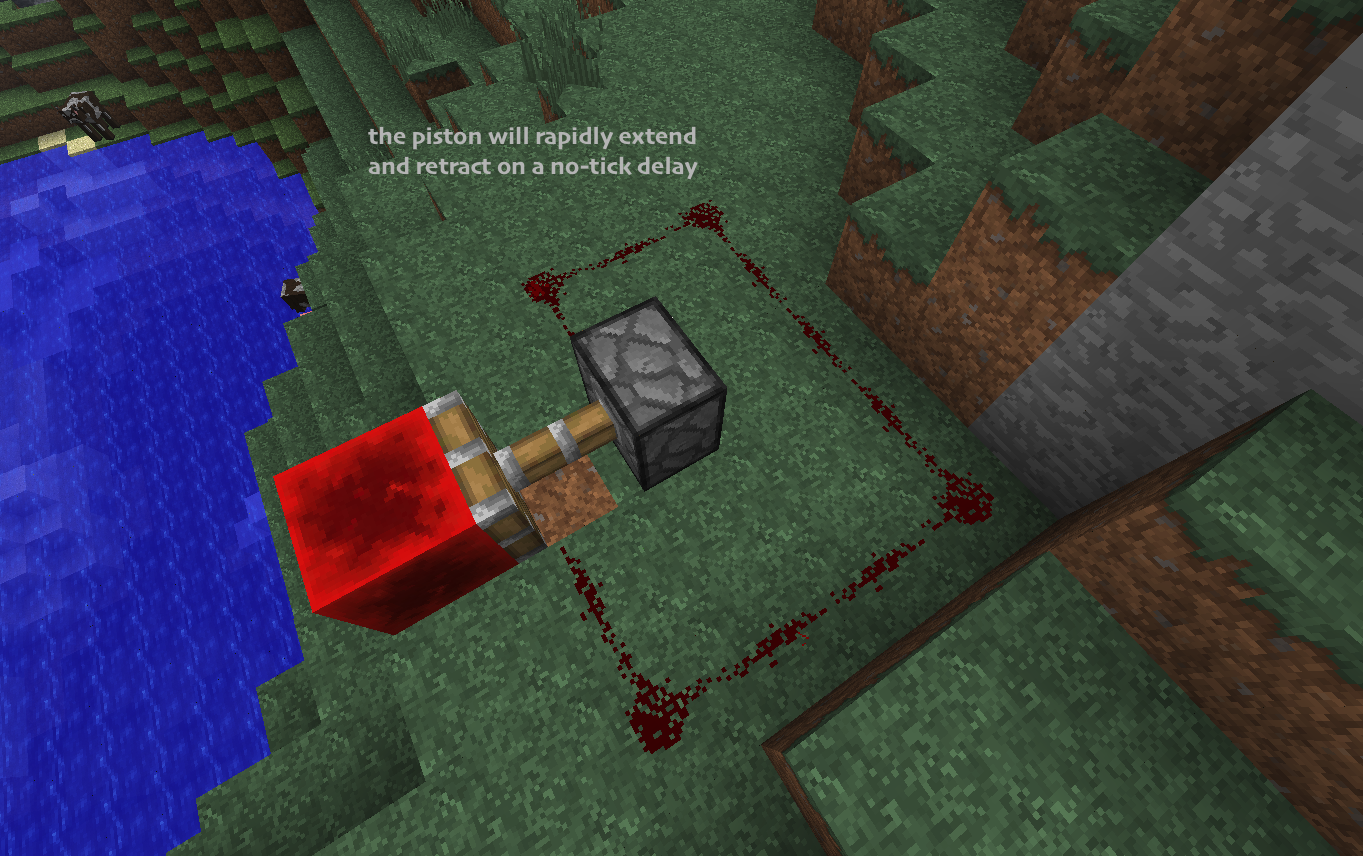

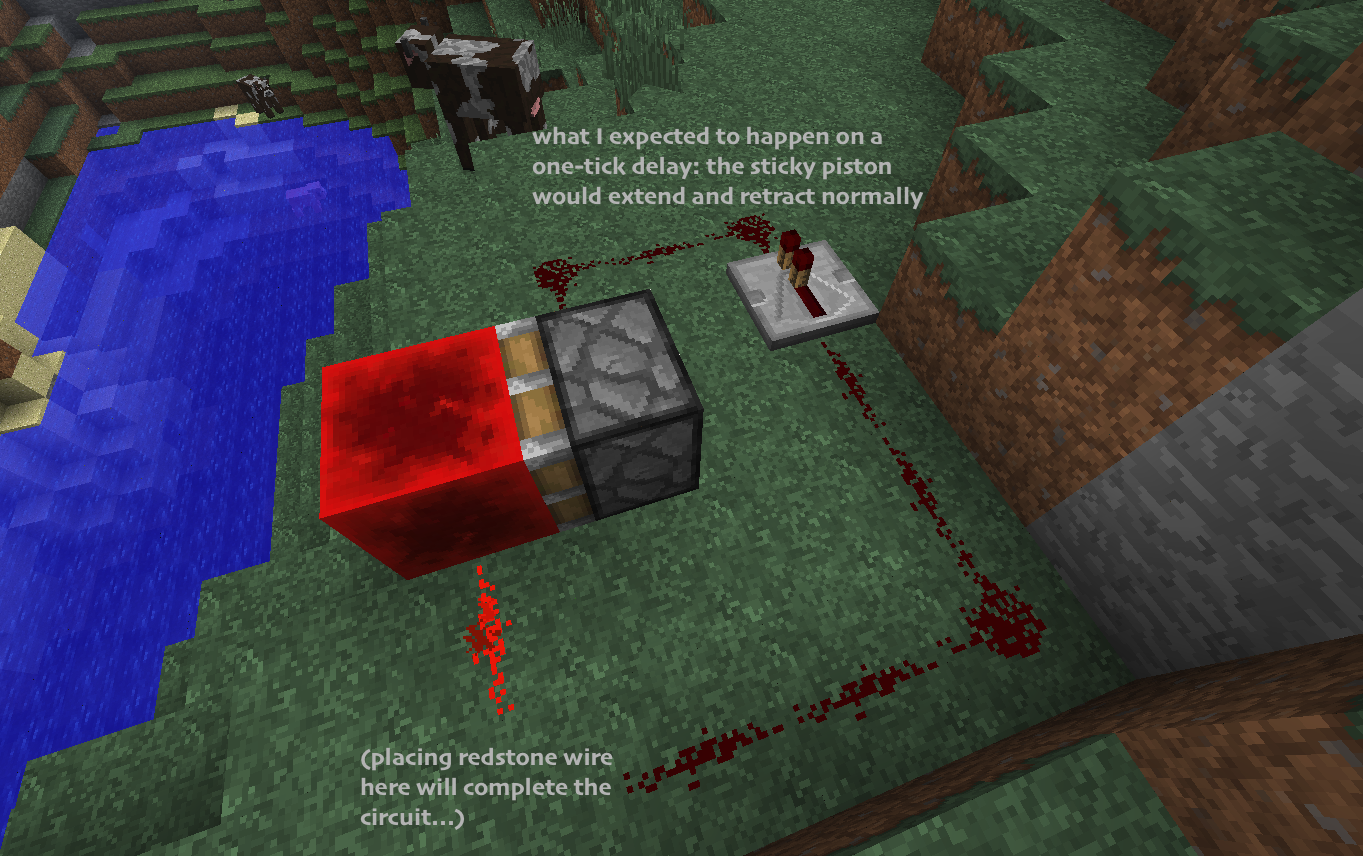
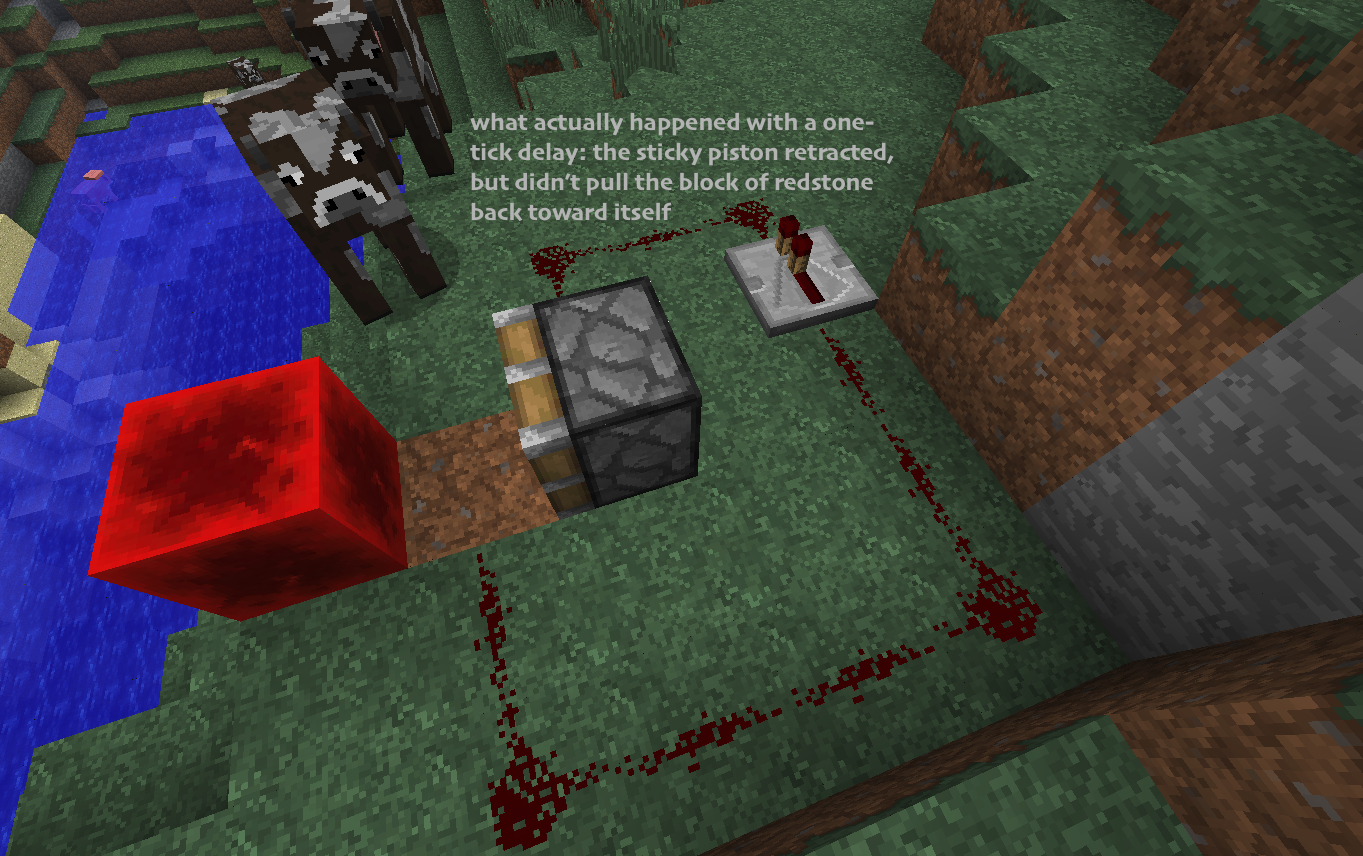














 MCL-18719



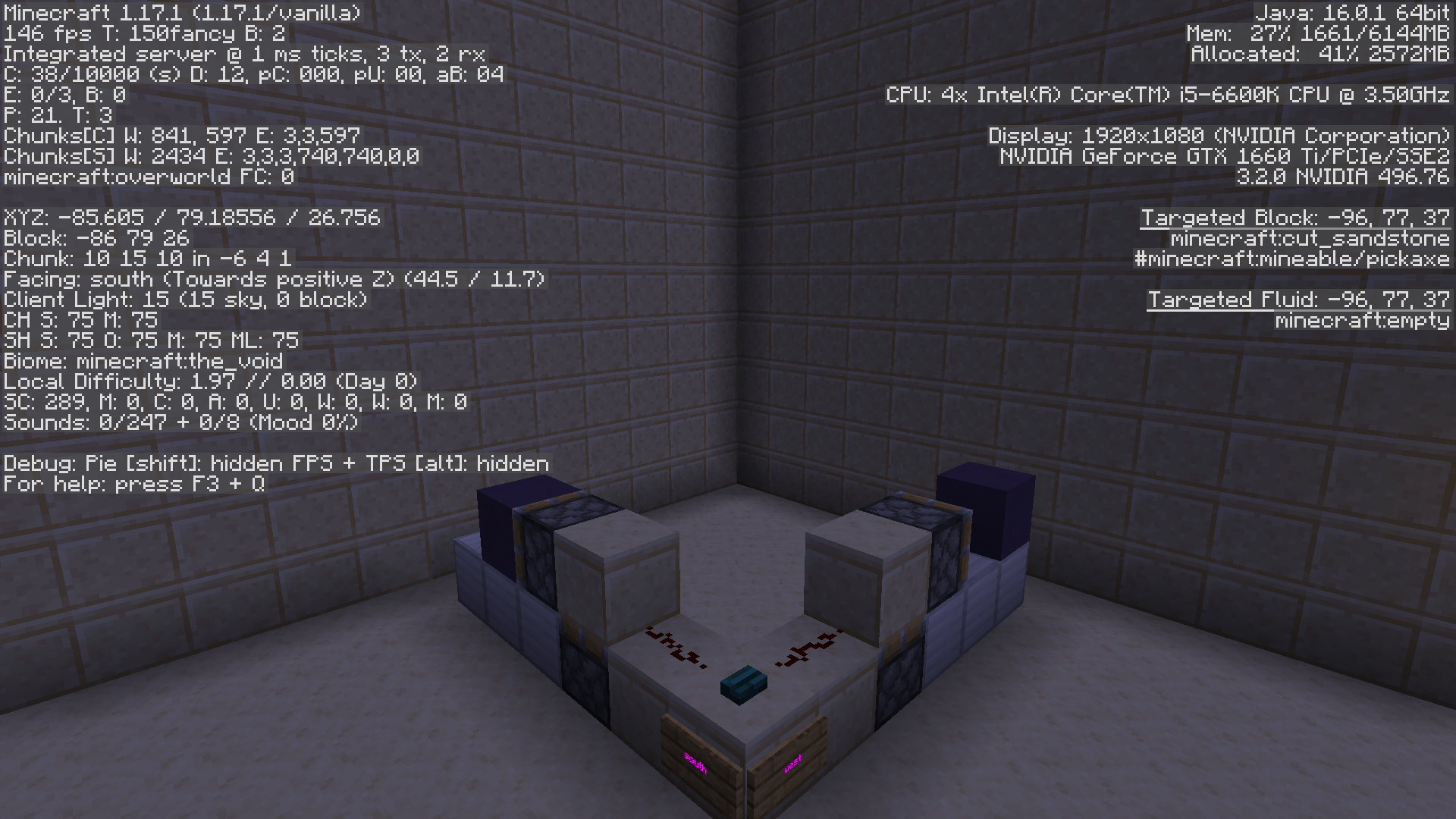


Sticky piston + block of redstone clock will not work with a repeatedon 1-tick delaySticky piston + block of redstone clock will not work with a repeater on 1-tick delay
zombie villager wont eat.tiff
3bugs with corrupt health boost potions:
1) splash potions have no effect
2) when drank when a positive health boost effect is active, it reduces your current health instead of your max health
3) when drank without a positive health boost effect, it will briefly lower your max health below 10 hearts but will then disappearThese may not be that serious, but I hope they're fixed so adventure mapmakers can lower people's max health below 10 hearts in vanilla.
1 bugs with corrupt health boost potions:
1) splash potions have no effect
2) when drank when a positive health boost effect is active, it reduces your current health instead of your max health
1bugs with corrupt health boost potions:
1) splash potions have no effect
2) when drank when a positive health boost effect is active, it reduces your current health instead of your max health2 bugs with corrupt health boost potions:
1) splash potions have no effect
2) when drank when a positive health boost effect is active, it reduces your current health instead of your max health
water/lava springs not updating at world gen
To reproduce:
1) Open up/create a cheats world
2) Make a redstone clock which powers two command blocks every so often. 16-tick delay is fine.
3) Put in one command block:/testfor @e[type=Player,r=60,m=2]
Unknown macro: {SelectedItemSlot}4) Place a comparator coming off of that command block
5) Place in the other command block:/execute @e[type=Player,r=60,m=2]
Unknown macro: {SelectedItemSlot}~ ~ ~ /effect @a[r=6,m=2] minecraft:speed 1 0 true
6) Set yourself to Adventure Mode.
You'll notice that the comparator gets powered when you select the hotbar slot second from left, but you don't gain Speed. This is because /execute doesn't recognize attributes after the selector arguments (type, player, and m) and before the ~'s.In my view, this is a problem with SelectedItemSlot being an attribute and not a selector argument like type, m, or r. It'd be more fitting if SelectedItemSlot could go with the other selector arguments, making the command:
/execute @e[type=Player,r=60,m=2,SelectedItemSlot] ~ ~ ~ /effect @a[r=6,m=2] minecraft:speed 1 0 true
So not really a bug, but more of a formatting error which prevents SelectedItemSlot from being used to its full potential.
To reproduce:
1) Open up/create a cheats world
2) Make a redstone clock which powers two command blocks every so often. 16-tick delay is fine.
3) Put in one command block:/testfor @e[type=Player,r=60,m=2]
{SelectedItemSlot: 1}4) Place a comparator coming off of that command block
5) Place in the other command block:/execute @e[type=Player,r=60,m=2]
{SelectedItemSlot: 1}~ ~ ~ /effect @a[r=6,m=2] minecraft:speed 1 0 true
6) Set yourself to Adventure Mode.
You'll notice that the comparator gets powered when you select the hotbar slot second from left, but you don't gain Speed. This is because /execute doesn't recognize attributes after the selector arguments (type, player, and m) and before the ~'s.In my view, this is a problem with SelectedItemSlot being an attribute and not a selector argument like type, m, or r. It'd be more fitting if SelectedItemSlot could go with the other selector arguments, making the command:
/execute @e[type=Player,r=60,m=2,SelectedItemSlot] ~ ~ ~ /effect @a[r=6,m=2] minecraft:speed 1 0 true
So not really a bug, but more of a formatting error which prevents SelectedItemSlot from being used to its full potential.
To reproduce:
1) Open up/create a cheats world
2) Make a redstone clock which powers two command blocks every so often. 16-tick delay is fine.
3) Put in one command block:/testfor @e[type=Player,r=60,m=2]
{SelectedItemSlot: 1}4) Place a comparator coming off of that command block
5) Place in the other command block:/execute @e[type=Player,r=60,m=2]
{SelectedItemSlot: 1}~ ~ ~ /effect @a[r=6,m=2] minecraft:speed 1 0 true
6) Set yourself to Adventure Mode.
You'll notice that the comparator gets powered when you select the hotbar slot second from left, but you don't gain Speed. This is because /execute doesn't recognize attributes after the selector arguments (type, player, and m) and before the ~'s.In my view, this is a problem with SelectedItemSlot being an attribute and not a selector argument like type, m, or r. It'd be more fitting if SelectedItemSlot could go with the other selector arguments, making the command:
/execute @e[type=Player,r=60,m=2,SelectedItemSlot] ~ ~ ~ /effect @a[r=6,m=2] minecraft:speed 1 0 true
So not really a bug, but more of a formatting error which prevents SelectedItemSlot from being used to its full potential.
To reproduce:
1) Open up/create a cheats world
2) Make a redstone clock which powers two command blocks every so often. 16-tick delay is fine.
3) Put in one command block:/testfor @e[type=Player,r=60,m=2]
{SelectedItemSlot: 1}4) Place a comparator coming off of that command block
5) Place in the other command block:/execute @e[type=Player,r=60,m=2]
{SelectedItemSlot: 1}~ ~ ~ /effect @a[r=6,m=2] minecraft:speed 1 0 true
6) Set yourself to Adventure Mode
7) Select the second-to-left slot in your hotbarYou'll notice that the comparator gets powered when you select the hotbar slot second from left, but you don't gain Speed. This is because /execute doesn't recognize attributes after the selector arguments (type, player, and m) and before the ~'s.In my view, this is a problem with SelectedItemSlot being an attribute and not a selector argument like type, m, or r. It'd be more fitting if SelectedItemSlot could go with the other selector arguments, making the command:
/execute @e[type=Player,r=60,m=2,SelectedItemSlot] ~ ~ ~ /effect @a[r=6,m=2] minecraft:speed 1 0 true
So not really a bug, but more of a formatting error which prevents SelectedItemSlot from being used to its full potential.
To reproduce:
1) Open up/create a cheats world
2) Make a redstone clock which powers two command blocks every so often. 16-tick delay is fine.
3) Put in one command block:/testfor @e[type=Player,r=60,m=2]
{SelectedItemSlot: 1}4) Place a comparator coming off of that command block
5) Place in the other command block:/execute @e[type=Player,r=60,m=2]
{SelectedItemSlot: 1}~ ~ ~ /effect @a[r=6,m=2] minecraft:speed 1 0 true
6) Set yourself to Adventure Mode
7) Select the second-to-left slot in your hotbarYou'll notice that the comparator gets powered when you select the hotbar slot second from left, but you don't gain Speed. This is because /execute doesn't recognize attributes after the selector arguments (type, player, and m) and before the ~'s.In my view, this is a problem with SelectedItemSlot being an attribute and not a selector argument like type, m, or r. It'd be more fitting if SelectedItemSlot could go with the other selector arguments, making the command:
/execute @e[type=Player,r=60,m=2,SelectedItemSlot=1] ~ ~ ~ /effect @a[r=6,m=2] minecraft:speed 1 0 true
So not really a bug, but more of a formatting error which prevents SelectedItemSlot from being used to its full potential.
Let me begin by saying this is the straight-up weirdest bug I've ever seen in the game. I'm not sure how to best describe it. Basically, just run the following command on a Mac and play around with hitting cmd-a, cmd-c, ctrl-a, and ctrl-c in various orders before you enter it until you get it to spawn an invisible mob (detectable by "I" in the debug screen). Getting it to happen could take anywhere from seconds to minutes, depending on how lucky/unlucky you are. Then try /killing it, and you'll see "I" decrease even though there's no death message.
{id:bow}
[code]
/summon Skeleton ~ ~ ~ {Equipment:[, {}, {}, {}, {}]}
[/code]
The Equiment tag might not be necessary, but it's happened more often with it than without it. Also, for the record, I've tried reloading the world, restarting Minecraft, and deleting any invisible characters in the chat/command block line which I thought might be the problem, all to no avail.Let me begin by saying this is the straight-up weirdest bug I've ever seen in the game. I'm not sure how to best describe it. Basically, just run the following command on a Mac and play around with hitting cmd-a, cmd-c, ctrl-a, and ctrl-c in various orders before you enter it until you get it to spawn an invisible mob (detectable by "I" in the debug screen). Getting it to happen could take anywhere from seconds to minutes, depending on how lucky/unlucky you are. Then try /killing it, and you'll see "I" decrease even though there's no death message.
/summon Skeleton ~ ~ ~ {Equipment:[
Unknown macro: {id}, {}, {}, {}, {}]}
The Equiment tag might not be necessary, but it's happened more often with it than without it. Also, for the record, I've tried reloading the world, restarting Minecraft, and deleting any invisible characters in the chat/command block line which I thought might be the problem, all to no avail.
Let me begin by saying this is the straight-up weirdest bug I've ever seen in the game. I'm not sure how to best describe it. Basically, just run the following command on a Mac and play around with hitting cmd-a, cmd-c, ctrl-a, and ctrl-c in various orders before you enter it until you get it to spawn an invisible mob (detectable by "I" in the debug screen). Getting it to happen could take anywhere from seconds to minutes, depending on how lucky/unlucky you are. Then try /killing it, and you'll see "I" decrease even though there's no death message.
/summon Skeleton ~ ~ ~ {Equipment:[
Unknown macro: {id}, {}, {}, {}, {}]}
The Equiment tag might not be necessary, but it's happened more often with it than without it. Also, for the record, I've tried reloading the world, restarting Minecraft, and deleting any invisible characters in the chat/command block line which I thought might be the problem, all to no avail.
Let me begin by saying this is the straight-up weirdest bug I've ever seen in the game. I'm not sure how to best describe it. Basically, just run the following command on a Mac and play around with hitting cmd-a, cmd-c, ctrl-a, and ctrl-c in various orders before you enter it until you get it to spawn an invisible mob (detectable by "I" in the debug screen). Getting it to happen could take anywhere from seconds to minutes, depending on how lucky/unlucky you are. Then try /killing it, and you'll see "I" decrease even though there's no death message.
/summon Skeleton ~ ~ ~ {Equipment:[
{id:bow}, {}, {}, {}, {}]}
The Equiment tag might not be necessary, but it's happened more often with it than without it. Also, for the record, I've tried reloading the world, restarting Minecraft, and deleting any invisible characters in the chat/command block line which I thought might be the problem, all to no avail.
Let me begin by saying this is the straight-up weirdest bug I've ever seen in the game. I'm not sure how to best describe it. Basically, just run the following command on a Mac and play around with hitting cmd-a, cmd-c, ctrl-a, and ctrl-c in various orders before you enter it until you get it to spawn an invisible mob (detectable by "I" in the debug screen). Getting it to happen could take anywhere from seconds to minutes, depending on how lucky/unlucky you are. Then try /killing it, and you'll see "I" decrease even though there's no death message.
/summon Skeleton ~ ~ ~ {Equipment:[
{id:bow}, {}, {}, {}, {}]}
The Equiment tag might not be necessary, but it's happened more often with it than without it. Also, for the record, I've tried reloading the world, restarting Minecraft, and deleting any invisible characters in the chat/command block line which I thought might be the problem, all to no avail.
Let me begin by saying this is the straight-up weirdest bug I've ever seen in the game. I'm not sure how to best describe it. Basically, just run the following command on a Mac and play around with hitting cmd-a, cmd-c, ctrl-a, and ctrl-c in various orders before you enter it until you get it to spawn an invisible mob (detectable by "I" in the debug screen). Getting it to happen could take anywhere from seconds to minutes, depending on how lucky/unlucky you are. Then try /killing it, and you'll see "I" decrease even though there's no death message.
/summon Skeleton ~ ~ ~ {Equipment:[{id:bow}, {}, {}, {}, {}]}The Equiment tag might not be necessary, but it's happened more often with it than without it. Also, for the record, I've tried reloading the world, restarting Minecraft, and deleting any invisible characters in the chat/command block line which I thought might be the problem, all to no avail.
Cannot Spawn Wither Sometimes (Due to Spawn Direction?)Wither Spawning Now Requires 2 Air Blocks
TL;DR: Withers only spawned after several spawn attempts. I was placing the skull last and on Normal difficulty with nomods installed. DO NOT LABEL THIS AS A DUPE OF THE OTHER ISSUE, since that was a mistake on the part of the player and not a bug.-----------------------
I did some skull farming in my survival world today and got enough to spawn two Withers. I ran down to the mines and tried to spawn one, but it didn't work. I checked that I was placing the skull last, that I was on normal difficulty, and that I wasn't holding Shift while placing the skulls, and it still didn't work. I relaunched the game an hour or so later and resumed trying to spawn it by standing in different positions while placing the skulls and spawning it facing different directions. It still refused to work, until suddenly it... worked. I killed it and spawned the next one in a different area (again, after some failures and after playing around with its spawn direction; when it finally did spawn, it was facing a different direction than the last one had been). The fight was more difficult since it lured be out of my beacons' ranges momentarily, but I pearled back in and emerged the victor.
I
'd had the issue happen to me before back in a 1.4.5 creative world, but when it happened I assumed it was a one-time thing and didn't make an issue for it.Basically, the problem I was having before was that spawning a Wither now requires air blocks on either side of the soul sand where its "tail" should be. So using the following key:
o = skull
s = soul sand
a = air
- = anything
I can say that previously, you could spawn a Wither like this:
o o o
s s s
- s -
And now it only works like this:
o o o
s s s
a s a
Basically, the problem I was having before was that spawning a Wither now requires air blocks on either side of the soul sand where its "tail" should be. So using the following key:
o = skull
s = soul sand
a = air
- = anything
I can say that previously, you could spawn a Wither like this:
o o o
s s s
- s -
And now it only works like this:
o o o
s s s
a s aBasically, the problem I was having before was that spawning a Wither now requires air blocks on either side of the soul sand where its "tail" should be. So using the following key:
o = skull
s = soul sand
a = air
– = anythingI can say that previously, you could spawn a Wither like this:
o o o
s s s
– s –And now it only works like this:
o o o
s s s
a s a
OS X 10.10.5, 2015 MBAir.
Certain summon commands cause the world to lag out indefinitely. No frame drops or anything, the world just stops ticking, and the weird thing is that f3+a can sometimes still load unl
eaded chunks in this state. Hitting "Save & Quit" freezes the game.Certain summon commands cause the world to lag out indefinitely. No frame drops or anything, the world just stops ticking, and the weird thing is that f3+a can sometimes still load unloaded chunks in this state. Hitting "Save & Quit" freezes the game.
The title says it all. To reproduce
.
1. Go into a creative world.
2. Run:/scoreboard objectives add isSneaking stat.sneakTime3. Put in an always-active, repeating, unconditional command block:
effect @a[score_isSneaking_min=1] levitation1 3 true4. Put in another command block of the same type (higher on the y-axis than the first one, since that's supposed to make it activate later):
scoreboard players set @a[score_isSneaking_min=1] isSneaking 05. Crouch to fly!
6. Copy the command from the first block, destroy that block, replace it, and paste it back in. Same text, same block settings.
7. Crouch to... stay on the ground.
8. Wot.
9. Repeat step 6 for the second command block.
10. Crouch to fly again!Very confused by this. Could it be related to MC-11193?
The title says it all. To reproduce:
1. Go into a creative world.
2. Run:/scoreboard objectives add isSneaking stat.sneakTime3. Put in an always-active, repeating, unconditional command block:
effect @a[score_isSneaking_min=1] levitation1 3 true4. Put in another command block of the same type (higher on the y-axis than the first one, since that's supposed to make it activate later):
scoreboard players set @a[score_isSneaking_min=1] isSneaking 05. Crouch to fly!
6. Copy the command from the first block, destroy that block, replace it, and paste it back in. Same text, same block settings.
7. Crouch to... stay on the ground.
8. Wot.
9. Repeat step 6 for the second command block.
10. Crouch to fly again!Very confused by this. Could it be related to MC-11193?
The title says it all. To reproduce:
1. Go into a creative world.
2. Run:/scoreboard objectives add isSneaking stat.sneakTime3. Put in an always-active, repeating, unconditional command block:
effect @a[score_isSneaking_min=1] levitation 1 3 true4. Put in another command block of the same type (higher on the y-axis than the first one, since that's supposed to make it activate later):
scoreboard players set @a[score_isSneaking_min=1] isSneaking 05. Crouch to fly!
6. Copy the command from the first block, destroy that block, replace it, and paste it back in. Same text, same block settings.
7. Crouch to... stay on the ground.
8. Wot.
9. Repeat step 6 for the second command block.
10. Crouch to fly again!Very confused by this. Could it be related to MC-11193?
I was playing around with entity summoning today when I discovered that WitherSkulls and SmallFireballs can now be /summoned into the world. Like /summoned Ghast Fireballs, their movement quickly decreased in the air but they would explode upon impact if moving fast enough. Unlike Ghast Fireballs, though, they would only render about once each second, so the movement appeared choppy.
To reproduce:
{direction:[0.4,,]}
1) Go into creative world
2) Fly up a bit and face the -x direction
3) Run: /summon WitherSkull ~-8 ~ ~
Also, is there a way to summon these projectiles without their movement decreasing in air?I was playing around with entity summoning today when I discovered that WitherSkulls and SmallFireballs can now be /summoned into the world. Like /summoned Ghast Fireballs, their movement quickly decreased in the air but they would explode upon impact if moving fast enough. Unlike Ghast Fireballs, though, they would only render about once each second, so the movement appeared choppy.
To reproduce:
{direction:[0.4,,]}
1) Go into creative world
2) Fly up a bit and face the -x direction
3) Run: /summon WitherSkull ~-8 ~ ~EDIT: After some testing I found that this is related to the "power" tag somehow. Setting "power" to just the right values will make the projectile move smoothly. Why is this necessary if it's not necessary for big Fireballs?
I was playing around with entity summoning today when I discovered that WitherSkulls and SmallFireballs can now be /summoned into the world. Like /summoned Ghast Fireballs, their movement quickly decreased in the air but they would explode upon impact if moving fast enough. Unlike Ghast Fireballs, though, they would only render about once each second, so the movement appeared choppy.
To reproduce:
{direction:[0.4,,]}
1) Go into creative world
2) Fly up a bit and face the -x direction
3) Run: /summon WitherSkull ~-8 ~ ~EDIT: After some testing I found that th
is is related to the "power" tag somehow. Setting "power" to just the right values will make the projectile move smoothly. Why is this necessary if it's not necessary for big Fireballs?I was playing around with entity summoning today when I discovered that WitherSkulls and SmallFireballs can now be /summoned into the world. Like /summoned Ghast Fireballs, their movement quickly decreased in the air but they would explode upon impact if moving fast enough. Unlike Ghast Fireballs, though, they would only render about once each second, so the movement appeared choppy.
To reproduce:
{direction:[0.4,,]}
1) Go into creative world
2) Fly up a bit and face the -x direction
3) Run: /summon WitherSkull ~-8 ~ ~EDIT: After some testing I found that the movement of these projectiles is related to the "power" tag somehow. Setting "power" to just the right values will make the projectile move smoothly. Why is this necessary if it's not necessary for big Fireballs?
When I give myself the Weakness effect through command blocks or commands, my attacks deal ~4 less damage regardless of the amplifier. Might relate to
MC-27031, although that's an ancient issue which the Weakness buffing in the 1.9 snapshots might have fixed.
All Weakness Levels Treated asWeakness1Sharpness/Smite/BoA Damage Applies after the Weakness Effect
Sharpness/Smite/BoA Damage Appliesafter the Weakness EffectSharpness/Smite/BoA Damage Applies After the Weakness Effect
When I give myself the Weakness effect through command blocks or commands, my attacks deal ~4 less damage regardless of the amplifier. Might relate to
MC-27031, although that's an ancient issue which the Weakness buffing in the 1.9 snapshots might have fixed.Giving yourself Weakness now negates only your weapon's base attack damage and not Sharpness/Smite/Bane of Arthropods damage.
Giving yourself Weakness now negates only your weapon's base attack damage and not Sharpness/Smite/Bane of Arthropods damage.
Giving yourself Weakness now negates only your weapon's base attack damage and not Sharpness/Smite/Bane of Arthropods damage. Technically this is a dupe of
MC-9291, but since that was fixed 2 years ago it might as well be a separate issue.
OS X 10.10.5
macOS, Windows 10
The bug
Giving yourself weakness now negates only your weapon's base attack damage and not Sharpness/Smite/Bane of Arthropods damage.
To reproduce:How to reproduce
- Run:
/give @p splash_potion{Potion:"minecraft:long_weakness"} /give @p minecraft:diamond_hoe{Enchantments:[{id:sharpness,lvl:1}]} /summon villager ~ ~ ~ {Health:1}→ Observe how the diamond hoe's tooltip says 2 Attack Damage and the weakness potion's tooltip says -4 Attack Damage.
- Throw the potion at your feet and hit the villager with the diamond hoe.
→Villager died even though the potion was supposed to take away 4 (of your 2) attack damage
The bug
Giving yourself weakness now negates only your weapon's base attack damage and not Sharpness/Smite/Bane of Arthropods damage.
How to reproduce
- Run:
/give @p splash_potion{Potion:"minecraft:long_weakness"} /give @p minecraft:diamond_hoe{Enchantments:[{id:sharpness,lvl:1}]} /summon villager ~ ~ ~ {Health:1}→ Observe how the diamond hoe's tooltip says 2 Attack Damage and the weakness potion's tooltip says -4 Attack Damage.
- Throw the potion at your feet and hit the villager with the diamond hoe.
→Notes
When attacking while falling, neither critical strike damage nor bonus damage from the mace are considered part of the base attack value (from which the weakness value is subtracted). However, if the attack manages to overcome the weakness value due to this bug, mace bonus damage will be applied while critical strike damage will not. (As maces are not currently enchantable in survival, you'll need creative mode or command access to test this.)
The bug
Giving yourself weakness now negates only your weapon's base attack damage and not Sharpness/Smite/Bane of Arthropods damage.
How to reproduce
- Run:
/give @p splash_potion{Potion:"minecraft:long_weakness"} /give @p minecraft:diamond_hoe{Enchantments:[{id:sharpness,lvl:1}]} /summon villager ~ ~ ~ {Health:1}→ Observe how the diamond hoe's tooltip says 2 Attack Damage and the weakness potion's tooltip says -4 Attack Damage.
- Throw the potion at your feet and hit the villager with the diamond hoe.
→Notes
When attacking while falling, neither critical strike damage nor bonus damage from the mace are considered part of the base attack value (from which the weakness value is subtracted). However, if the attack manages to overcome the weakness value due to this bug, mace bonus damage will be applied while critical strike damage will not.
(As maces are not currently enchantable in survival, you'll need creative mode or command access to test this.)The bug
Giving yourself weakness now negates only your weapon's base attack damage and not Sharpness/Smite/Bane of Arthropods damage.
How to reproduce
- Run:
/give @s splash_potion[minecraft:potion_contents={potion:"minecraft:long_weakness"}] /give @s diamond_hoe[minecraft:enchantments={"minecraft:sharpness":1}] /summon villager ~ ~ ~ {Health:1}→ Observe how the diamond hoe's tooltip says 2 Attack Damage (or rather, imagine that is says that until MC-271840 is fixed) and the weakness potion's tooltip says -4 Attack Damage.
- Throw the potion at your feet and hit the villager with the diamond hoe.
→Notes
When attacking while falling, neither critical strike damage nor bonus damage from the mace are considered part of the base attack value (from which the weakness value is subtracted). However, if the attack manages to overcome the weakness value due to this bug, mace bonus damage will be applied while critical strike damage will not.
The bug
Giving yourself weakness now negates only your weapon's base attack damage and not Sharpness/Smite/Bane of Arthropods damage.
How to reproduce
- Run:
/give @s splash_potion[minecraft:potion_contents={potion:"minecraft:long_weakness"}] /give @s diamond_hoe[minecraft:enchantments={"minecraft:sharpness":1}] /summon villager ~ ~ ~ {Health:1}→ Observe how the diamond hoe's tooltip says 2 Attack Damage (or rather, imagine that i
ssays that until MC-271840 is fixed) and the weakness potion's tooltip says -4 Attack Damage.
- Throw the potion at your feet and hit the villager with the diamond hoe.
→Notes
When attacking while falling, neither critical strike damage nor bonus damage from the mace are considered part of the base attack value (from which the weakness value is subtracted). However, if the attack manages to overcome the weakness value due to this bug, mace bonus damage will be applied while critical strike damage will not.
The bug
Giving yourself weakness now negates only your weapon's base attack damage and not Sharpness/Smite/Bane of Arthropods damage.
How to reproduce
- Run:
/give @s splash_potion[minecraft:potion_contents={potion:"minecraft:long_weakness"}] /give @s diamond_hoe[minecraft:enchantments={"minecraft:sharpness":1}] /summon villager ~ ~ ~ {Health:1}→ Observe how the diamond hoe's tooltip says 2 Attack Damage (or rather, imagine that it says that until MC-271840 is fixed) and the weakness potion's tooltip says -4 Attack Damage.
- Throw the potion at your feet and hit the villager with the diamond hoe.
→Notes
When attacking while falling, neither critical strike damage nor bonus damage from the mace are considered part of the base attack value (from which the weakness value is subtracted). However, if the attack manages to overcome the weakness value due to this bug, mace bonus damage will be applied while critical strike damage will not.
The bug
Giving yourself weakness now negates only your weapon's base attack damage and not Sharpness/Smite/Bane of Arthropods damage.
How to reproduce
- Run:
/give @s splash_potion[minecraft:potion_contents={potion:"minecraft:long_weakness"}] /give @s diamond_hoe[minecraft:enchantments={"minecraft:sharpness":1}] /summon villager ~ ~ ~ {Health:1}→ Observe how the diamond hoe's tooltip says 2 Attack Damage (or rather, imagine that it says that until MC-271840 is fixed) and the weakness potion's tooltip says -4 Attack Damage.
- Throw the potion at your feet and hit the villager with the diamond hoe.
→Notes
When attacking while falling, neither critical strike damage nor bonus damage from the mace are considered part of the base attack value (from which the weakness value is subtracted). However, if the attack manages to overcome the weakness value due to this bug, mace bonus damage will be applied while critical strike damage will not.
The bug
Giving yourself weakness now negates only your weapon's base attack damage and not Sharpness/Smite/Bane of Arthropods damage.
How to reproduce
- Run:
/give @s splash_potion[minecraft:potion_contents={potion:"minecraft:long_weakness"}] /give @s diamond_hoe[minecraft:enchantments={"minecraft:sharpness":1}] /summon villager ~ ~ ~ {Health:1}→ Observe how the diamond hoe's tooltip says 2 Attack Damage (or rather, imagine that it says that until MC-271840 is fixed) and the weakness potion's tooltip says -4 Attack Damage.
- Throw the potion at your feet and hit the villager with the diamond hoe.
→Notes
When attacking while falling, neither critical strike damage nor bonus damage from the mace are considered part of the base attack value (from which the weakness value is subtracted). However, if the attack manages to overcome the weakness value due to this bug, mace bonus damage will be applied while critical strike damage will not.
1) Open up or create a creative world and turn off mobGriefing
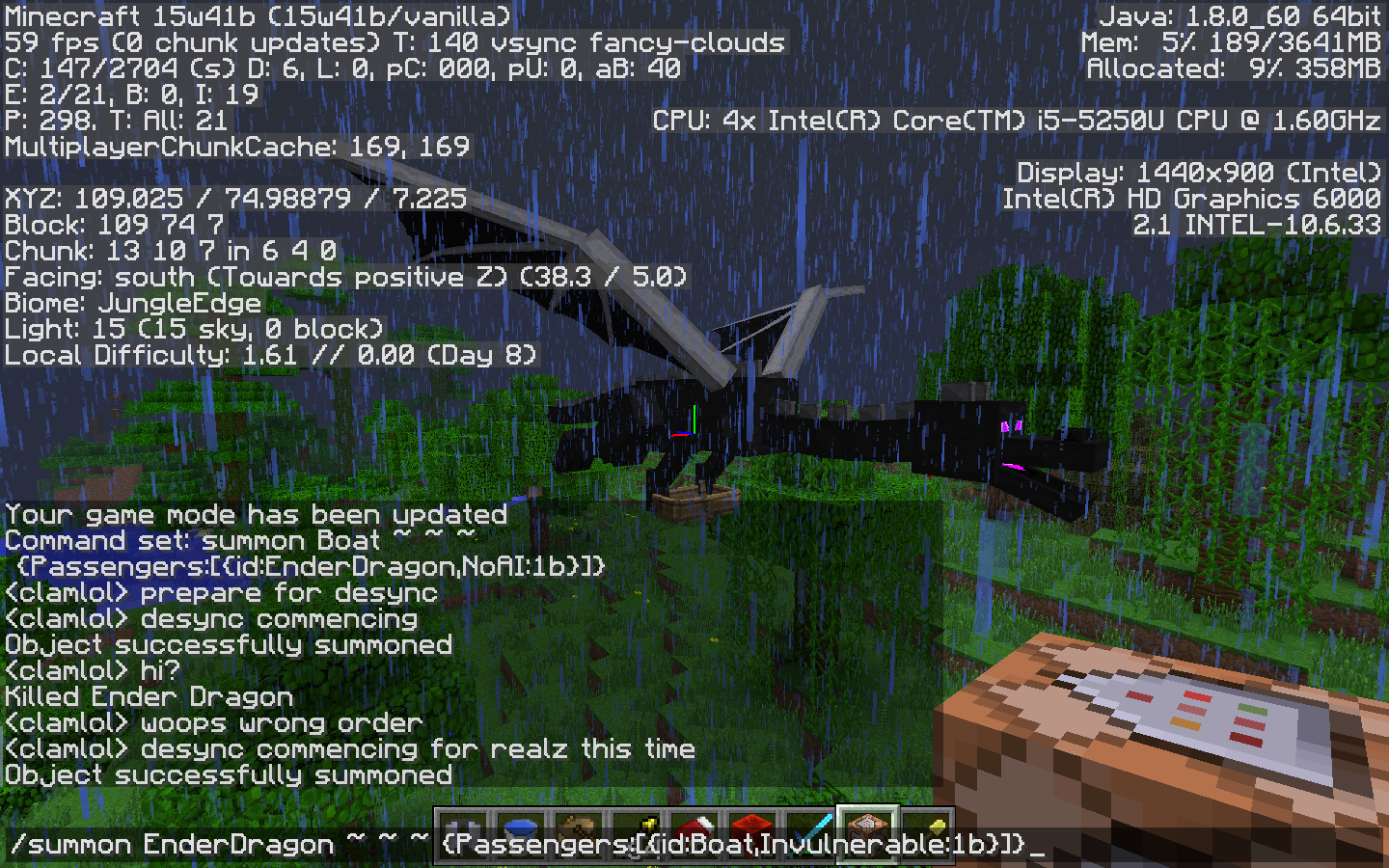
2) run the following command in chat:/summon EnderDragon ~ ~ ~ {Riding:{id:Fireball, direction:[0.0, 0.0, 0.0]}}3) You will see the EnderDragon flapping and howling madly. This happens when an Ender Dragon tries to ride a stationary entity.
4) /kill both entities and run the following:/summon EnderDragon ~ ~ ~ {Riding:{id:WitherBoss}}5) Once spawned, both bosses will immediately teleport 8 or so chunks in the -Z (now +Z?) direction.
6) Fly over to them. They will teleport again. This happens when an Ender Dragon tries to ride another boss.
7) /kill both entities (and fly back to your starting point if you want to).
8) Finally, run the following command:/summon EnderDragon ~ ~ ~ {Riding:{id:Blaze}}9) Once spawned, both mobs will immediately teleport 8 or so chunks in the -Z (now +Z?) direction. The Blaze will despawn and the Ender Dragon will fly around normally. This happens when an Ender Dragon tries to ride any normal mob.
Ender Dragongoes berserk when riding stationary entities and other bossesEnder Dragon is able to damage/collide with its own mount
1) Open up or create a creative world and turn off
mobGriefing
2) run the following command in chat:/summonFireball ~ ~ ~ {direction:[0d,0d,0d],Passengers:[{id:"EnderDragon"}]}3) You will see the EnderDragon flapping and howling madly. This happens when an Ender Dragon tries to ride a stationary entity.
4) /kill both entities and run the following:/summon WitherBoss ~ ~ ~ {Passengers:[{id:"EnderDragon"}]}5) Once spawned, both bosses will immediately teleport 8 or so chunks in the -Z (now +Z?) direction.
6) Fly over to them. They will teleport again. This happens when an Ender Dragon tries to ride another boss.
7) /kill both entities (and fly back to your starting point if you want to).
8) Finally, run the following command:/summon Blaze ~ ~ ~ {Passengers:[{id:"EnderDragon"}]}
9) Once spawned,both mobs will immediately teleport 8 or so chunks in the -Z (now +Z?) direction. The Blaze will despawn and the Ender Dragon will fly around normally. This happens when an EnderDragontries to ride any normal mob.Some entities are tall enough that if the ender dragon is riding them it will push them away with its hitbox and/or its melee attack. The entity will take a lot of knockback, and because the ender dragon is still on top of it, it will continue being yeeted until it dies or reaches the edge of loaded chunks. This can be reproduced as follows:
1) Open up or create a creative world and turn off MobGriefing
2) run the following command in chat:/summon minecraft:elder_guardian ~ ~ ~ {Passengers:[{id:"minecraft:ender_dragon"}]}3) Both entities will immediately teleport to the edge of loaded terrain, usually to the south and somewhere up in the sky.
This works when the mount is a blaze, wither, enderman or armor stand, and possibly with other entities too. (It used to also happen with entities such as boats and fireballs but this doesn't seem to happen anymore.)
This probably isn't widely noticed because the ender dragon is (to my knowledge) the only mob that automatically yeets everything in its hitbox, but I imagine it could also apply to mobs from mods which do the same thing. In my opinion the best way to solve this would be to prevent all entities from colliding with their own mounts, as well as preventing the ender dragon from melee attacking its own mount.
Some entities are tall enough that if the ender dragon is riding them it will push them away with its hitbox and/or its melee attack. The entity will take a lot of knockback, and because the ender dragon is still on top of it, it will continue being yeeted until it dies or reaches the edge of loaded chunks. This can be reproduced as follows:
1) Open up or create a creative world and turn off MobGriefing
2) run the following command in chat:/summon minecraft:elder_guardian ~ ~ ~ {Passengers:[{id:"minecraft:ender_dragon"}]}3) Both entities will immediately teleport to the edge of loaded terrain, usually to the south and somewhere up in the sky.
This works when the mount is a blaze, wither, enderman, ender dragon or armor stand, and possibly with other entities too. (It used to also happen with entities such as boats and fireballs but this doesn't seem to happen anymore.)
This probably isn't widely noticed because the ender dragon is (to my knowledge) the only mob that automatically yeets everything in its hitbox, but I imagine it could also apply to mobs from mods which do the same thing. In my opinion the best way to solve this would be to prevent all entities from colliding with their own mounts, as well as preventing the ender dragon from melee attacking its own mount.
Some entities are tall enough that if the ender dragon is riding them it will push them away with its hitbox and/or its melee attack. The entity will take a lot of knockback, and because the ender dragon is still on top of it, it will continue being yeeted until it dies or reaches the edge of loaded chunks. This can be reproduced as follows:
1) Open up or create a creative world and turn off MobGriefing
2) run the following command in chat:/summon minecraft:elder_guardian ~ ~ ~ {Passengers:[{id:"minecraft:ender_dragon"}]}3) Both entities will immediately teleport to the edge of loaded terrain, usually to the south and somewhere up in the sky.
This works when the mount is a blaze, wither, enderman, ender dragon, elder guardian or armor stand, and possibly with other entities too. (It used to also happen with entities such as boats and fireballs but this doesn't seem to happen anymore.)
This probably isn't widely noticed because the ender dragon is (to my knowledge) the only mob that automatically yeets everything in its hitbox, but I imagine it could also apply to mobs from mods which do the same thing. In my opinion the best way to solve this would be to prevent all entities from colliding with their own mounts, as well as preventing the ender dragon from melee attacking its own mount.
Some entities are tall enough that if the ender dragon is riding them it will push them away with its hitbox and/or its melee attack. The entity will take a lot of knockback, and because the ender dragon is still on top of it, it will continue being yeeted until it dies or reaches the edge of loaded chunks. This can be reproduced as follows:
1) Open up or create a creative world and turn off MobGriefing
2) run the following command in chat:/summon minecraft:elder_guardian ~ ~ ~ {Passengers:[{id:"minecraft:ender_dragon"}]}3) Both entities will immediately teleport to the edge of loaded terrain, usually to the south and somewhere up in the sky. (The elder guardian will quickly be killed by the dragon unless it is summoned as Invulnerable or the like.)
This works when the mount is a blaze, wither, enderman, ender dragon, elder guardian or armor stand, and possibly with other entities too. (It used to also happen with entities such as boats and fireballs but this doesn't seem to happen anymore.)
This probably isn't widely noticed because the ender dragon is (to my knowledge) the only mob that automatically yeets everything in its hitbox, but I imagine it could also apply to mobs from mods which do the same thing. In my opinion the best way to solve this would be to prevent all entities from colliding with their own mounts, as well as preventing the ender dragon from melee attacking its own mount.

Updated from [Helper] clam lol
The bug
The regeneration on the beacons works at only 5/8 the normal regeneration speed. Beacon regeneration applies every 80 ticks instead of every 50, so the reduction in healing rate compared to a potion is 37.5%.
How to reproduce
To test, run the following commands:
/gamerule naturalRegeneration false /gamerule commandBlockOutput false /scoreboard objectives add health health /scoreboard objectives add prev_health dummy /scoreboard objectives add time minecraft.custom:minecraft.play_time /scoreboard objectives add time_since_healed dummy /scoreboard objectives setdisplay sidebar time_since_healed
And then set up command block chain with the following commands (in order, with the first block being a repeating block, and all three blocks being unconditional and always active):
execute as @p if score @s prev_health < @s health run scoreboard players operation @s time_since_healed = @s time execute as @p if score @s prev_health < @s health run scoreboard players set @s time 0 scoreboard players operation @p prev_health = @p health
And then run the following to damage yourself:
/teleport @s ~ ~20 ~
[Helper] clam lol That could work but is quite a big change, it would be much simpler to update the player's inventory after their block is being canceled.
![[Mojang] Matthew Gatland](../../../data/avatars/users/43046.png)
Please raise a new issue with the repro steps from [Helper] clam lol's post and mark that it 'relates to' this one : )
![[Mod] CubeTheThird](../../../data/assets/gravatar/cubethethird.jpeg)
[Helper] clam lol, for future reference, every time you edit a comment, an email notification is sent out to those watching a report. I would recommend you make all your edits at once.
![[Mod] ampolive](../../../data/avatars/users/18949.svg)
[Helper] clam lol I think it would be better to comment affected versions in separate comments, as that is easier to see.
![[Mod] turbo](../../../data/avatars/users/92867.png)
The description needs to be updated, this seems to only happen along chunk borders now, and [Helper] clam lol was unable to reproduce the bit about ice patches.
[Helper] clam lol requests ownership, but wants to ask the current owner of this ticket for their consent first. @bdm68 please respond if that's okay with you. 

[Helper] clam lol ye those blocks seem to perform their intended function just fine.
hi [Helper] clam lol that command given turned red btw.
Fair, marking this as plausible for Mojang to decide. However, without an "expected result", I'm not sure what the aim here is, and as [Helper] clam lol already pointed out, I don't think this is a bug (or worth fixing).
hi [Helper] clam lol just wandering how you find that name thomas am bit confused have two user but can only use one
I think the java version is version 7 update 15. I don't know a lot about Java though, so I might be wrong. The texture pack if faithful 32x32.
This also sometimes happens when the clock is going on a no-tick delay and you break the circuit by destroying a section of wire.
Try rigging this clock to a dispenser filled with fire charges, with no delay. FOOOOM!
Holy cow, this thing beats a standard 4-tick clock for firing rate of fire charges! If you haven't built it yet, you should- it's really fun to watch. Putting TNT in the dispenser is especially explosive
the skulls kinda ruin what would otherwise have been a great screenshot
Here's a screenshot of the wither skull flash glitch. I don't know much technical information about Minecraft, but I think the problem with this is that the game remembers entities' positions when the chunk they are in unloads, but since wither skulls (and maybe the ghast fireballs too) disappear when the wither (or ghast) is killed, the game is confused about whether or not the skull (or fireball) should be there. Also, I've stood inside one of the skulls and tried hitting it and snowballing it, and it didn't explode. Oddly enough, it was facing up instead of south like i thought it would.
↑I'm talking about the "wither skull glitch.png" i uploaded
and one other thing: the skulls in the screenshot appeared for a fraction of a second, once every few seconds. I think they did it most often when activity on my SSD was at its lowest, meaning i wasn't moving the mouse or touching any keys. It took about 30 consecutive screenshots before I finally got one with the skulls in it.
ONE LAST THING! I've also seen this with shot fire charges and maybe blaze fireballs too, so I think it can happen with any projectile.
having fall damage depend on velocity would also stop players from taking huge amounts of damage when fly mode is enabled in survival. Because frankly, having to swoop down to collect items off the ground while being extra careful not to touch it is just annoying.
A passable solution for me is to use one of the bottom corners of the trackpad to right-click- it takes a couple seconds for your finger to get over there, but it's better than the two-finger click.
and as i'm sure everyone has deduced by now, this is present in 1.6.1.
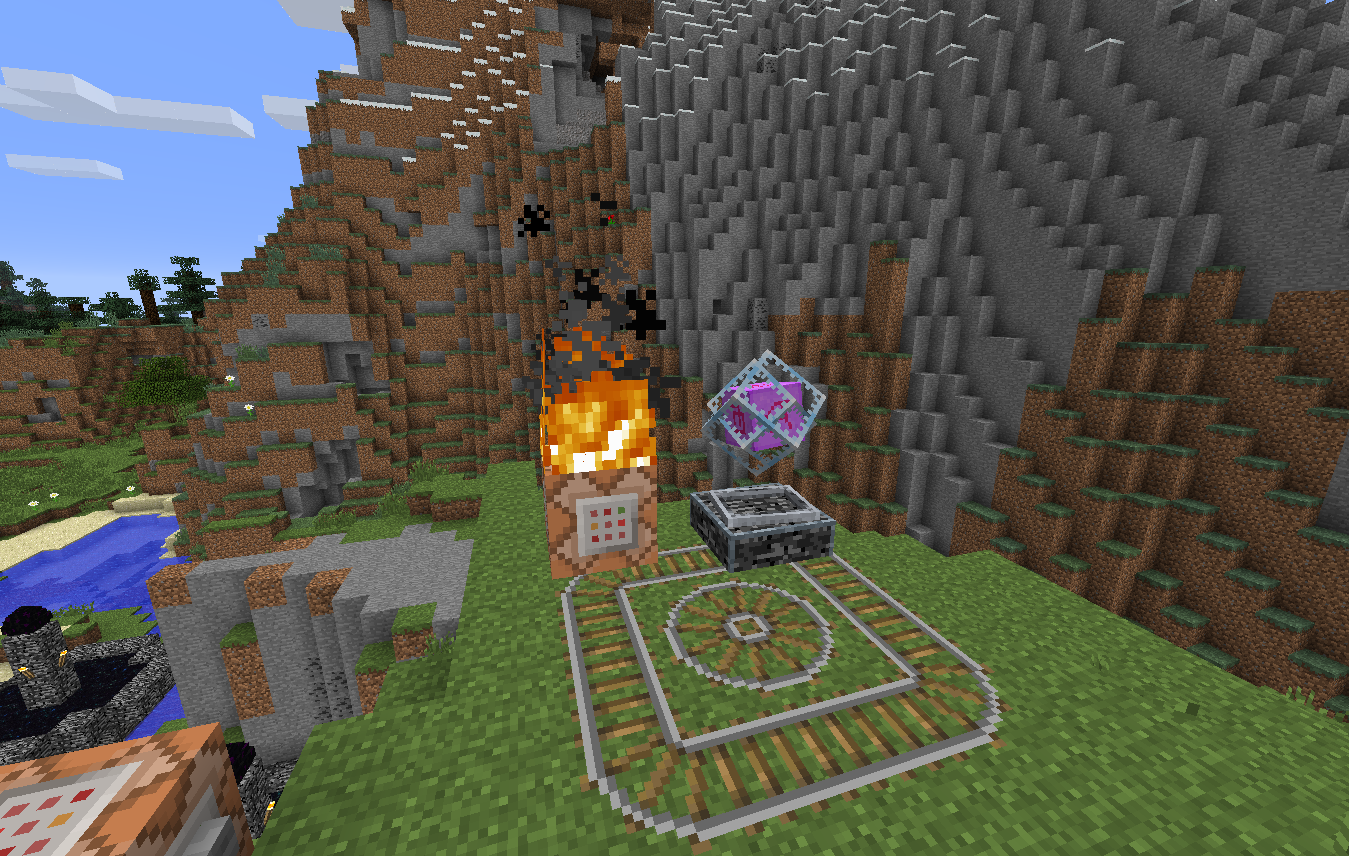
reporduced by /summoning an endercrystal in a minecart, then putting blocks right above a small circular track. Usually it deleted them as normal, but it left a ghost fire on one of them (the one shown here).
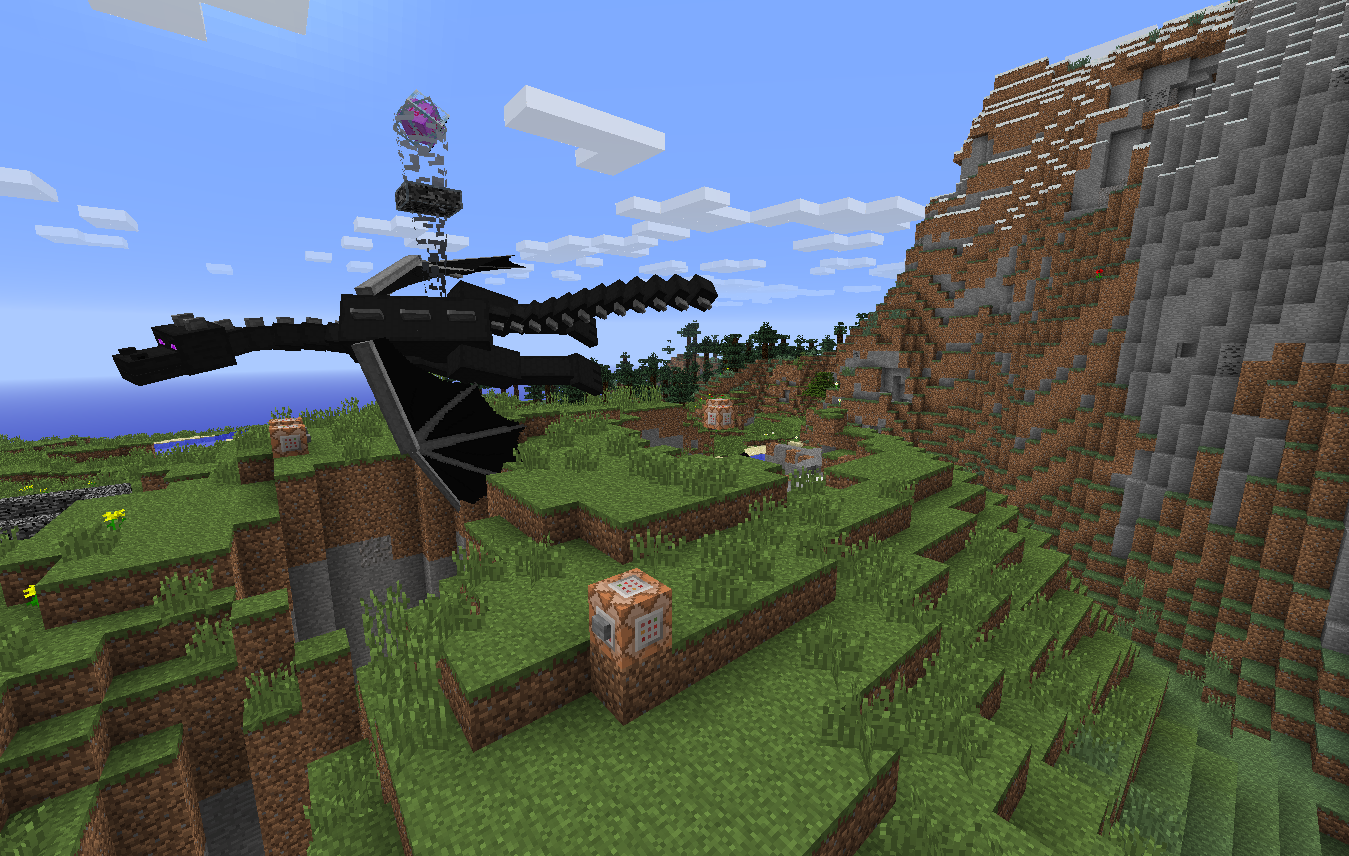
the real dragon in the end was behaving normally, so maybe it's just an overworld thing
(the crystal on his back is just for the lulz of a self-regenerating ender dragon)
these may not seem like much, but when you fight the ender dragon, how often do you see him do a 180 10 blocks in front of you? almost never. in 1.6.2 he functions the same in the overworld and the end, so i don't see why it would be different in this snapshot.
this can happen during world gen and when endermen place flowers. It's like mushrooms spawning on leaves or stone because the light level is low enough.
present in 13w37b :/
and I agree that it's silly that mojang hasn't fixed this yet. Everyone who plays vanilla is affected by this. Out of all the bugs and glitches 1.6 introduced, this seems like one of the easiest to resolve.
png of the same screenshot. tiffs are annoying
i.... feel very very stupid right now. I forgot it needed a weakness potion. Please delete this topic
I don't want to update every single version in "affects versions", so I'll just say here that this issue has existed ever since 1.6.2, when control-click was "fixed" from 1.6.1.
I did this using /setblock ~ ~ ~ minecraft:portal in the end. Also, when glitched in this state sometimes you cannot fly through bedrock layers.
Added a screenshot of me trying to fly through level 122, the lowermost level where bedrock is generated on top of the nether. Sometimes it does allow you to pass through. Also /setblock ~ ~ ~ minecraft:portal will get you out if you get stuck in the nether.
present in 13w39b. I briefly saw some after I killed the ender dragon, but they disappeared before they hit the ground. Annoying because I'm not sure I collected it all.
still present in 1.7pre, doesn't look like it will be fixed before the official release. It might be a while before one of the most serious bugs in the game gets any attention from the mojangers :/
relates to
MC-36642MC-37106strikes again :/still present in 1.7.2, but can be fixed by reloading the world (reloading removed 750 out of 760 arrows in my surv world)
@cubethethird is there mcedit for 1.7? The site says it hasn't been updated since may
just did some more testing at my skeleton farm. It appears that moving the arrows completely into a solid block's space by reloading the world (the arrows fall a little before the blocks load) will delete them. Not 100% sure tho. Also not sure if just enclosing them with blocks would suffice, although I don't think it would.
Seeing as this hasn't been completely fixed yet, could the mods please reopen this?
also present with boats (happened on LAN), and I got dumped over 10 blocks from where I dismounted.
Relates to
MC-31158, where I mentioned this also affects block placement. Can really be a pain when firing a bow, hope they fix this soon.fixed at last yayy
just ran into this in 1.7.2, launcher 1.3.4. It slowness affected mobs in the 1.7 snapshots, but for some reason it doesn’t anymore :/
put this into a command block and ou will see a bowless skeleton walking around normally even though it has the slowness bubbles.
{Id:2,Amplifier:6,Duration:2000,Ambient:0}/summon Skeleton ~ ~2 ~ {ActiveEffects:[
]}
EDIT: As of 13w49a, launcher 1.3.6, it affects all mobs, and not just new ai ones like I previously thought.
I once got an "invalid biome id" crash when I tried to set my spawnpoint in the end... idk if it's related
still present in 1.7.4, launcher 1.3.7
ok as of 1.7.4, launcher 1.3.7 slowness seems to affect mobs via potions but not /summon. Weird. Could someone good at /giving custom potions to themselves confirm this? Because I don't know how, and it's hard to tell for sure with the vanilla slowness 1 pots.
Same as
MC-30763. A workaround is to summon them with different generic.movementSpeeds, or to summon a custom thrown potion along with them (since effects from potions still apply)yus thank you for fixing this dinnerbone
I reported a similar issue with ghasts in
MC-48368, but with ghasts being aerial mobs and all I wasn't able to tell for sure if it was the same problem.I tested in this (in 14w07a, launcher 1.3.10) using /summon [entity] ~ ~3 ~
{direction:[0.0, 0.1, 0.0]}and found that Fireballs work fine but SmallFireballs and WitherSkulls instantly go invisible. Also, summoning multiple SmallFireballs in the same spot caused them to despawn (tested by seeing how many I could /kill), although that might be a separate issue. Hope it gets fixed soon because wither skulls would be really fun to play around with.
changed my original command so the minecart itself tests for players- no luck. I really hope this gets fixed soon because giving entities the ability to detect – and, by extension, react to – other entities would literally be a game-changer.
whoops, looks like this is a duplicate of
MC-48449. That one says "fixed" but nothing about comparators reacting to the command being executed. Hope that's what the fix means... anyway, if a mod could resolve this it'd be great.My advice is when this happens, to go into survival (if you're not already) and try to break dirt/grass/some other block that normally drops something. If it doesn't drop anything, it means you're lagging and your messages aren't showing up on the server. Reloading the world / reconnecting to the server should fix it.
@Grum sorry for the ambiguity. just load up a world, set yourself to spectator mode, and fly around until you spot a water/lava spring in a ravine or something. The source block and first flowing block generate fine, but you need to manually update the flowing block for it to keep flowing downwards like it should. Also happens with some lava springs in the nether- rather than flow downwards towards the floor, the flowing lava block just sits there until updated.
Fixed?? Maybe?? I'm not really seeing this happen anymore, at least not enough that it would be a noticeable bug were 1.8 to be released right now. Since Mojang hasn't officially resolved it yet, though, I might as well update the "affected versions".
I think you're describing two separate bugs, and I'd link them if I weren't too lazy to go and find the right ones. Basically, there's one where flowing water/lava doesn't visually appear for a couple of minutes, and I'm guessing you ran into this with the lava spring since it showed up fine for me. The second is where chunks themselves have this behavior, almost like every block in the chunk is turned into a barrier block, invisible yet present.
Wow it worked! I have no Idea what VSync is but thanks!
Still exists, CaptainSparklez ran into it on his Hardcore survival let's play (also a single-room stronghold in a Deep Ocean).
Confirmed for 1.8.6. It only happens with naturally spawned Pigmen- Pigmen spawned through eggs or /summon drop their swords as per normal.
I cannot NOT reproduce this issue! (Tried say, tp, effect, setblock, and scoreboard.) I'm attaching one image, although I'm not sure if it'll help.
I guess it's true that using chain command blocks fixes everything... still, it's strange that command blocks don't activate in the order in which they're loaded.
Still in 15w44b. The skulls seem to spawn with a "power" tag of [0,0,0] and will move oddly unless the "power" tag is just right. Also, WitherSkulls have a "life" tag which doesn't seem to affect anything, any ideas?
~100% sure it's intentional. C418 intentionally made this track sound like a corrupted version of his earlier track "Minecraft", and listening to the track on bandcamp reveals that the sound file given to Mojang wasn't corrupted. I rather like it personally, although I wish there was more End music so that it didn't play every time I went into the End.
I summoned SmallFireballs in 15w45a and 15w46a in both versions, and no new NBT tags were added (at least none retrievable through /entitydata). Whatever Searge did must have been internal to a degree where the change isn't visible in vanilla. I think the issue you're talking about now is the same as my comment on
MC-80778: WitherSkulls and SmallFireballs move jerkily/teleport unless the "power" tag is set just right. Not technically a bug, but I'd still like to see it fixed since it doesn't happen with big Fireballs.Stumbled upon this old thing again- it was fixed even before 1.8.
EDIT: Necrobumping a topic causes a bot to reopen it. Whoops.
Fixed sometime in the past year.
Still in 15w47b, I spawned next to a village and half the sheep nearby were pink...
Turns out the problem is that damaging enchantments now apply after the Weakness effect. Probably added in by accident during the Sharpness nerf. You might wanna reopen this.
No new NBT tags added and behavior seems unchanged as of 15w47b.
Aand just saw
MC-93592. Woops.Confirmed for 15w49a. Attached another file to more clearly show how the menu screen backgrounds can be affected by this.
Just tested in 15w51b; you were right that they don't always drop their naturally generated sword but will always drop swords handed to them. The wiki must have misinformed me. You can close this issue now.
Looks like this issue and
MC-80807are actually the same issue. Since Searge indicated he's not going to make summoning SmallFireballs and WitherSkulls any more straightforward, you might as well close this issue.But since I'm still confused on the relationship between the direction and power tags, could anyone provide a command example of how to summon one of these entities with normal movement?
Works as intended. There'a no night or day in the End or the Nether, so the bed's not sure if it should let you rest or not and decides to blow up instead.
Can conform for 16w05a, not fixed yet
Finally put a finger on exactly what was happening. Reopen please.
It'd be a shame if this bug were present in the full 1.9 release. A vote for this issue is a vote for functional pvp/pve!
This bug may have been fixed with the stronghold generation change, can anyone confirm? The coordinates and seed from the picture no longer work.
I'd be willing to bet that Mojang's simply forgotten about this issue. From a game design perspective, it doesn't really make sense to make the use of axes as weapons so practical in singleplayer (Smite V iron & diamond axes they can now 1-hit Zombies and Zombie Pigmen without critting) and then withhold that practicality by giving swords more enchantments. It's unfortunate that farming wither skulls is going to be that much harder because of this.
Gotta bump this.
I set the render distance to 14 chunks; part of the reason I got a new computer was because I wanted to play on >7 chunks at a decent framerate. For the record, the freezes still happen at lower distances, just not as often since not as many chunks are being loaded. I didn't know that about the RAM, so I'll reduce it to 6GB.
I recently attempted to install Windows on a separate partition on my computer and ended up deleting the entire Mac partition, and since I'm pretty happy with the way my apps run on Windows, I don't have any plans to reinstall macOS on the machine. Because of this, I no longer have a way of testing the issue and won't be keeping it up-to-date.
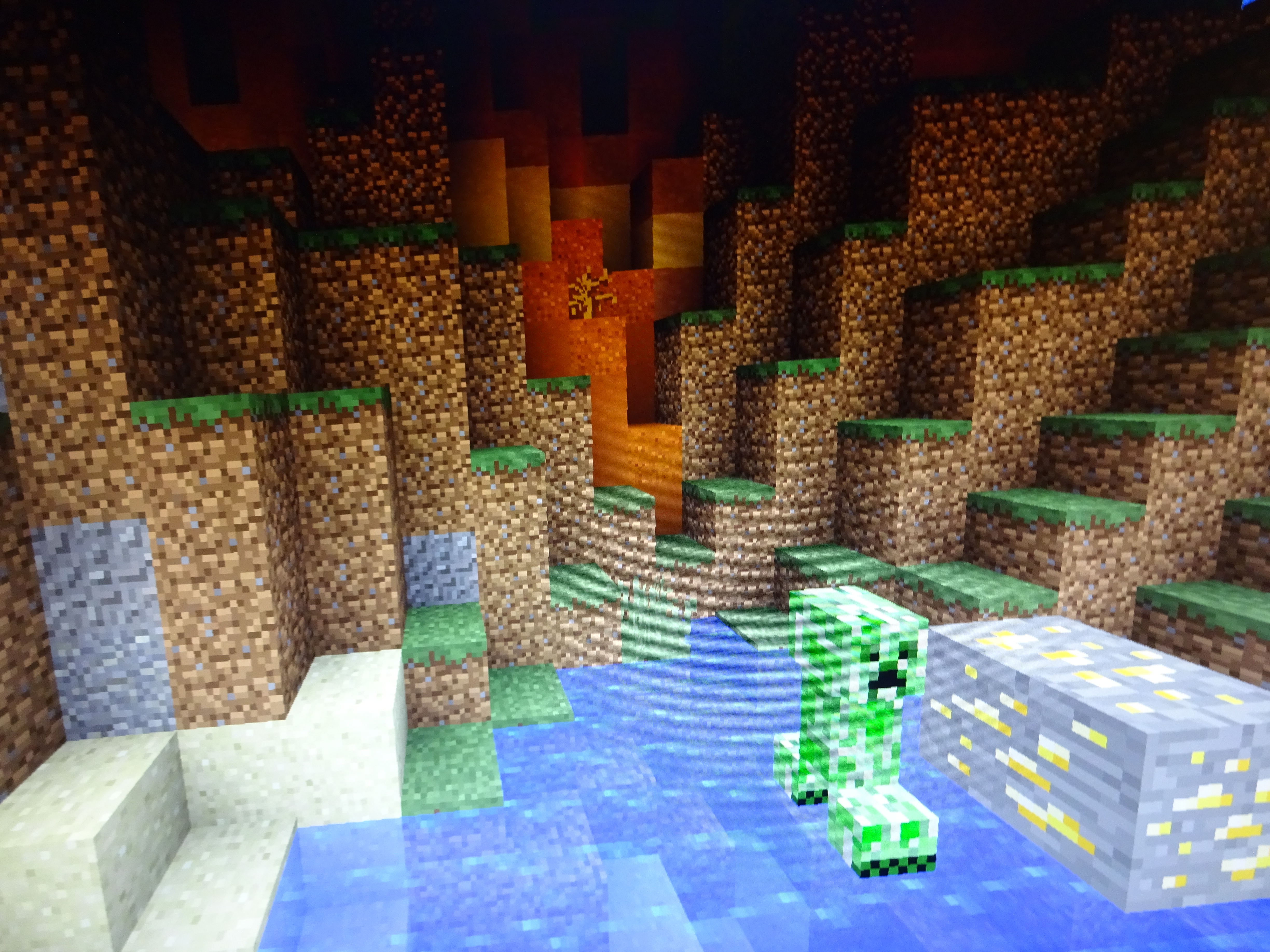
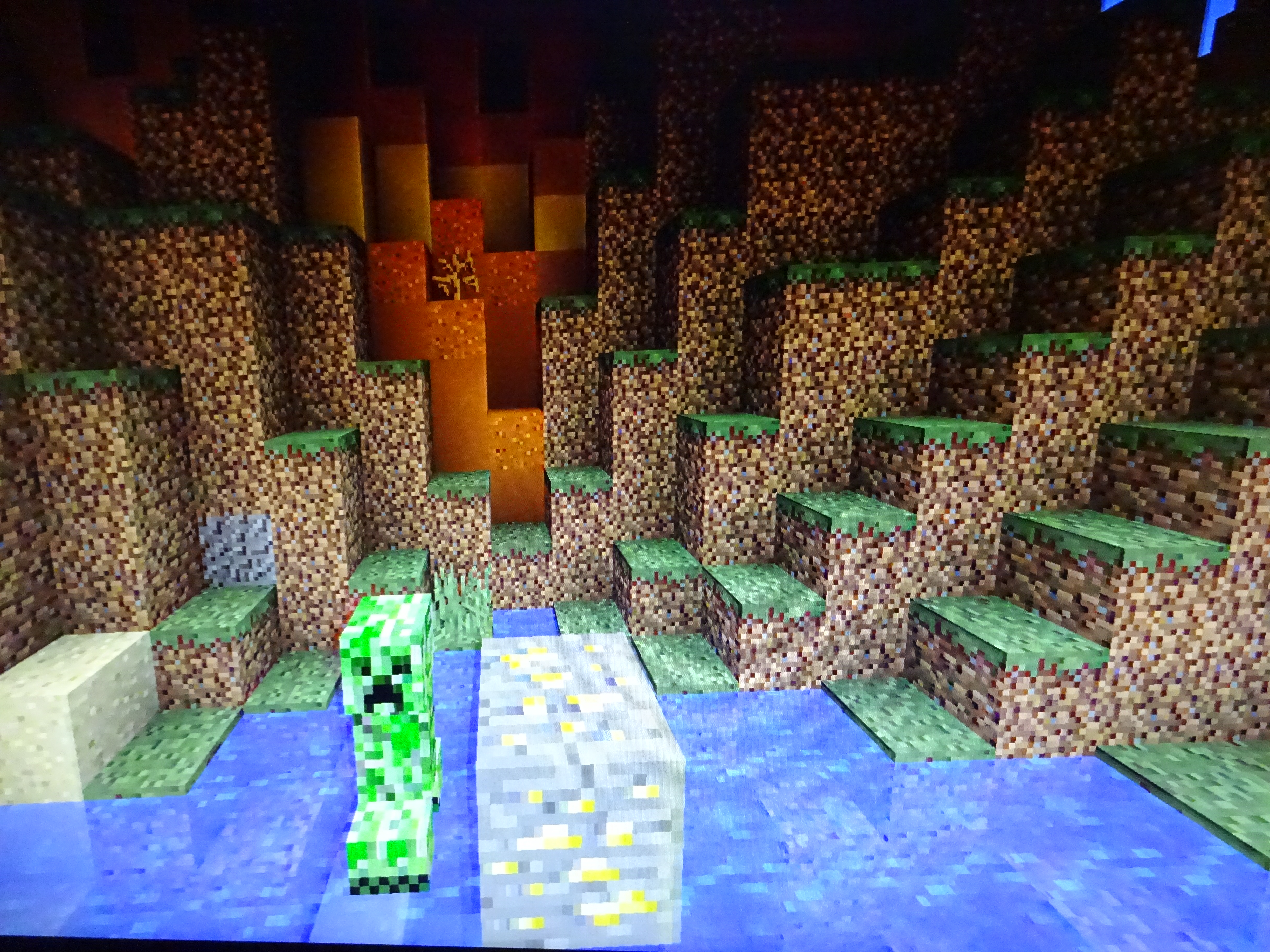
Capturing the issue on camera was difficult (especially since my usual screen recording software wasn't playing nice with me), but I hope you can spot the difference in the dirt/grass blocks in these images. It may look like the contrast is increased, but what's actually going on is some of the colors are blending together, as you can see in the gold ore block in the foreground.
After using my monitor a bit more I discovered that this issue is actually present in other games, just less noticeable. This is likely some sort of defect with the monitor, so it's not a Minecraft issue. Feel free to close this.
Present in 1.13.1
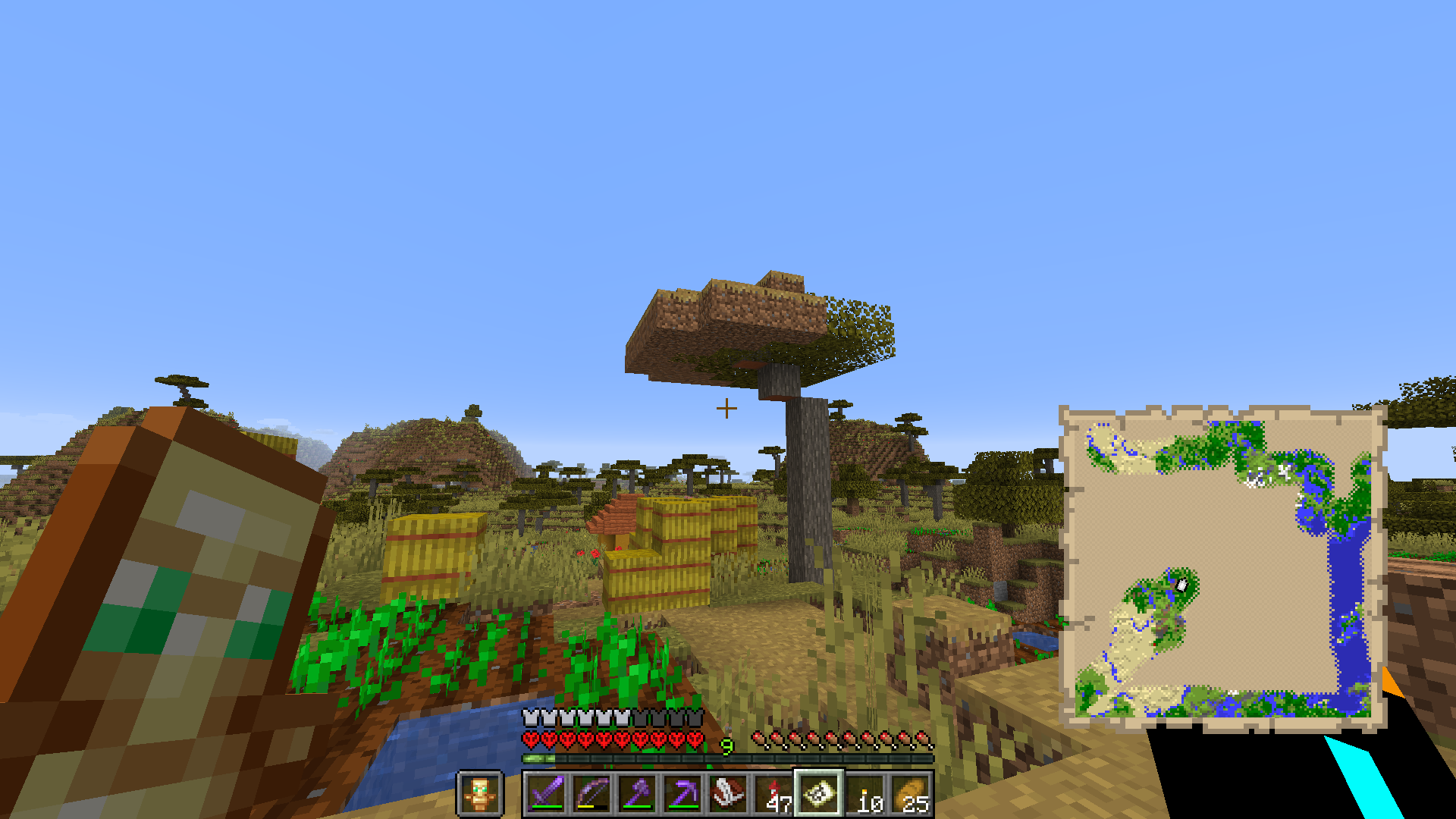
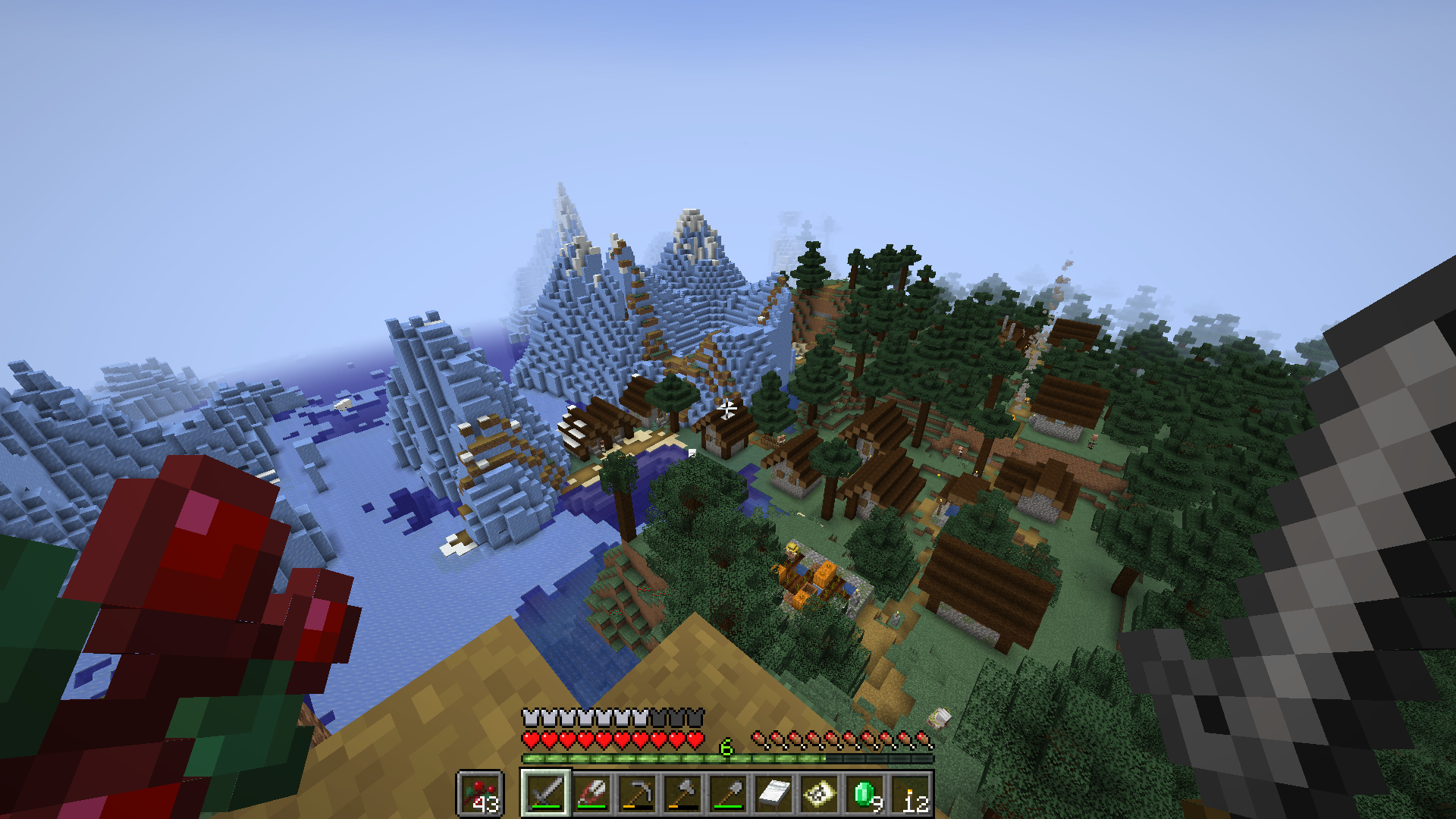
Just attached another screenshot with what I think is the same issue. Version 1.16.1, seed 3940090781931136052, coords 630 1050 or so. There's another village nearby which is messed up in a manner similar to this one.
I loaded this up in a creative world and it looks fine so I assume this bug only occurs under certain circumstances. I happened to be loading new chunks while flying in from the southwest with an elytra, if that's useful at all.
Another savanna village a few hundred blocks away way was similarly messed up (and as with this one I can't recreate it when I go there in creative worlds). Also I'm pretty sure I created the world in 1.15 so older issues shouldn't be relevant to anything.
Just happened to me in 1.16.4. Saw an iron golem approaching a skeleton and creeper, turned away to do some fishing and then boom, another crater for me to fill in.
As of 20w49a the camera seems to reposition itself to be very close to front/rear first-person view when you're inside a block. It's a little strange since in front view you now get a very close look at the mostly-transparent back of your head, but for the most part this issue seems to have been fixed.
I finally figured out what's actually going on so I updated the name/description accordingly.
RIP all that time I spent searching for dupes (although I think my report is a bit more accurate)
@mods if we're going with this issue then please close my
MC-214998as a duplicate. (Also probably merge some of the info in that report into here, especially the title, since I couldn't find this report when I searched for dupes initially).This is mostly for myself, but I made a single-command-block thing which makes it easy to test and update all the potion-effect-related bugs I've reported. Feel free to try it yourself if I ever slack off on keeping these issues up to date.
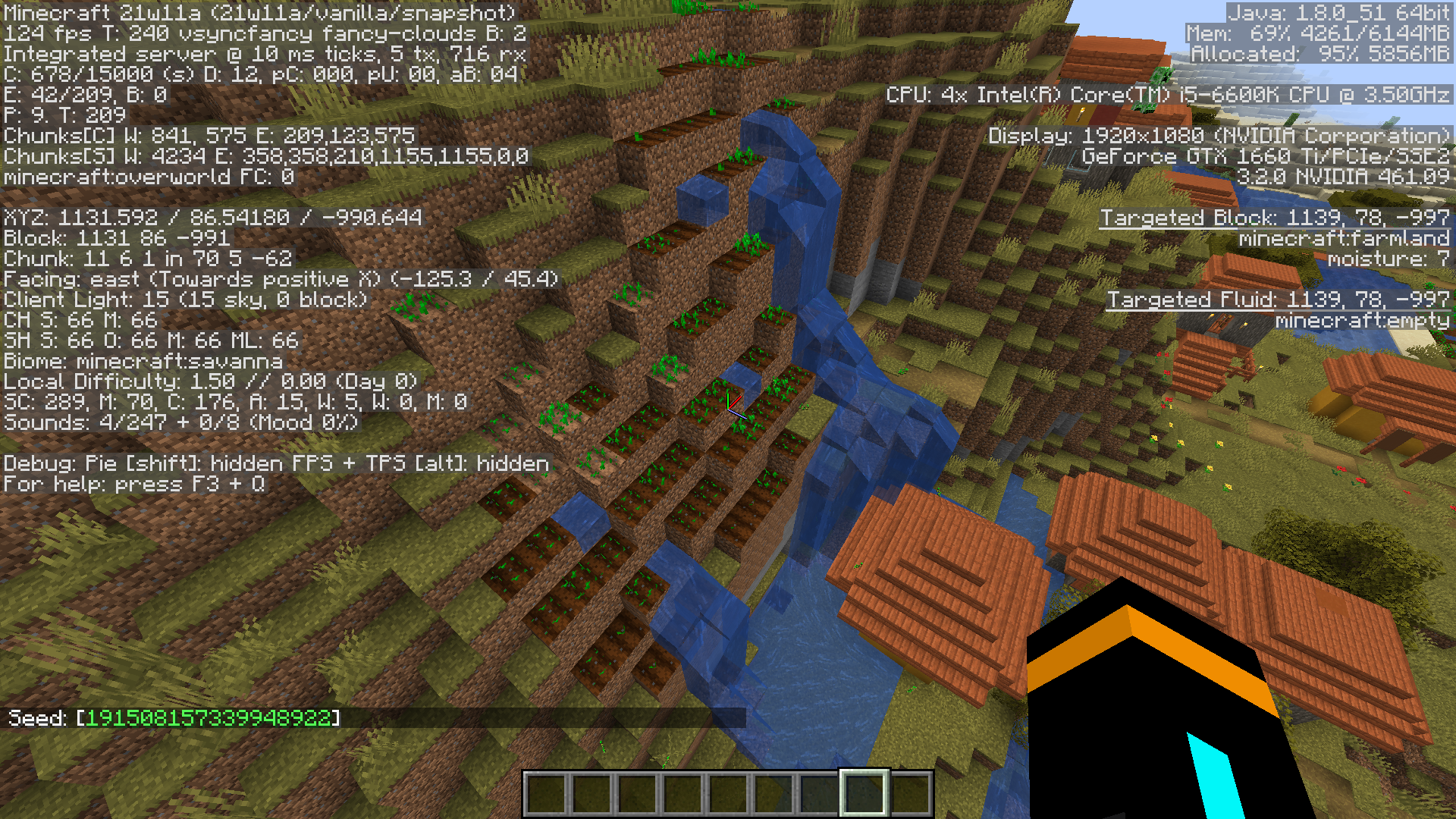
summon falling_block ~ ~1 ~ {BlockState:{Name:activator_rail},Time:1,Passengers:[{id:command_block_minecart,Command:"gamerule commandBlockOutput false"},{id:command_block_minecart,Command:"clear @p"},{id:command_block_minecart,Command:"give @p wooden_sword"},{id:command_block_minecart,Command:"give @p minecraft:diamond_hoe{Enchantments:[{id:sharpness,lvl:1}]}"},{id:command_block_minecart,Command:"summon minecraft:fireball ~ ~1 ~ {Motion:[0d,0d,0d]}"},{id:command_block_minecart,Command:"effect give @p minecraft:weakness 1000 0 true"},{id:command_block_minecart,Command:"give @p minecraft:splash_potion{Potion:\"minecraft:water\",CustomPotionEffects:[{Id:3,Duration:2000,Ambient:1b}],display:{Name:\"\\\"Ambient Haste Potion\\\"\"}}"},{id:command_block_minecart,Command:"give @p minecraft:milk_bucket"},{id:command_block_minecart,Command:"tellraw @p [\"\",{\"text\":\"Directions for testing clamlol's potion-effect-related bugs:\",\"bold\":true},{\"text\":\"\\n\"},{\"text\":\"1) Try hitting the fireball with the wooden sword, then with the diamond hoe. If only the hoe is able to hit it, update \"},{\"text\":\"MC-207353\",\"color\":\"dark_aqua\",\"clickEvent\":{\"action\":\"open_url\",\"value\":\"https://bugs.mojang.com/browse/MC-207353\"}},{\"text\":\" and \"},{\"text\":\"MC-92734\",\"color\":\"dark_aqua\",\"clickEvent\":{\"action\":\"open_url\",\"value\":\"https://bugs.mojang.com/browse/MC-92734\"}},{\"text\":\".\"},{\"text\":\"\\n\"},{\"text\":\"2) Throw the splash potion at your feet. If the particles emanating from you are opaque, update \"},{\"text\":\"MC-96535\",\"color\":\"dark_aqua\",\"clickEvent\":{\"action\":\"open_url\",\"value\":\"https://bugs.mojang.com/browse/MC-96535\"}},{\"text\":\".\"},{\"text\":\"\\n\"},{\"text\":\"3) (Optional) Drink the milk to remove your Weakness and Haste.\"}]"},{id:command_block_minecart,Command:"setblock ~ ~ ~1 command_block{Command:\"fill ~ ~-1 ~-1 ~ ~ ~ air\"} replace"},{id:command_block_minecart,Command:"setblock ~ ~-1 ~1 redstone_block"},{id:command_block_minecart,Command:"kill @e[type=command_block_minecart,distance=0..2]"}]}Can confirm in 21w11a; see screenshot (different seed/coords than in report).
This is intended. Since it's a 16x16 texture, the central gray part can't be perfectly centered as long as its width and height are odd numbers. (That said, I personally would like to see them arrange the colored lights as a hexagon or something so they can give the gray part even dimensions and center it in the texture.)
Can confirm in 21w13a
Can confirm in 21w14a. Especially obvious when the dragon is alive.
Any chance someone could post a screenshot of this in a version before 21w06a/after 21w14a (with the debug screen)? I can't seem to reproduce it in a standard-height world and would be interested to see if it looks any different from what I ran into during the extended-height snapshots.
I'm not very knowledgeable about how this currently works internally, but one solution could be to decrement the Count property of the item being placed on the client while waiting for the server's response.* The server will respond with the new count, and the item in the client's inventory will either reflect this or be deleted if the returned value is <1. Obviously this would make latency more visible to the client (and lead to issues if you want the player to legitimately have an item with an invalid Count), but imo the benefits would be well worth it.
*For an item with Count <1, the item will remain in the player's inventory on the client but the client will no longer consider its functionality, placeability or attribute modifiers and will not render the item in the player's hand.**
**A possible extension would be that when shift-clicking items into the hotbar or offhand, an item with Count <1 will be considered an empty slot and will swap places with the item being shift-clicked. I'm not sure if this would feel good or just add frustration, but it might be something to try.
Can confirm in 21w15a
Major necrobump but this seems to have been fixed (probably in whatever version removed the direction tag from these entities).
Why yes it would. Surprised I didn't find that one when I was searching. I think my report has some info that's missing from
MC-201940so I'll post a comment there asking about the best way to merge these.I reported the same issue in MC-222588. It has some additional info about what happens when disabling the dragon's AI or reloading the chunk it's in, so if mods decide to resolve mine as a dupe that should probably be moved into the description here.
In other news this affects 21w16a and relates to
MC-213869.Found some dark chunks again in 21w16a (along with what I believe is MC-125007). Definitely seems less common after the height revert.
Added another pic from 21w16a.
Can confirm in 21w16a.
Confirmed in 21w19a, this should either be reopened or (more likely) re-resolved as WAI.
Confirmed in 21w20a.
@Jacob Brockman you're probably referring to
MC-214793, which was fixed recently.Confirmed in 1.17pre2.
I made a quick video of the bug in 1.17pre2 and uploaded it here.
The zombie would usually hit me every 20 ticks or so if I was standing still, but I would get more frequent double-attacks if I pulled away right as it hit me and then immediately strafed back into it. Sometimes the time between attacks was in the single digits although this was fairly rare.
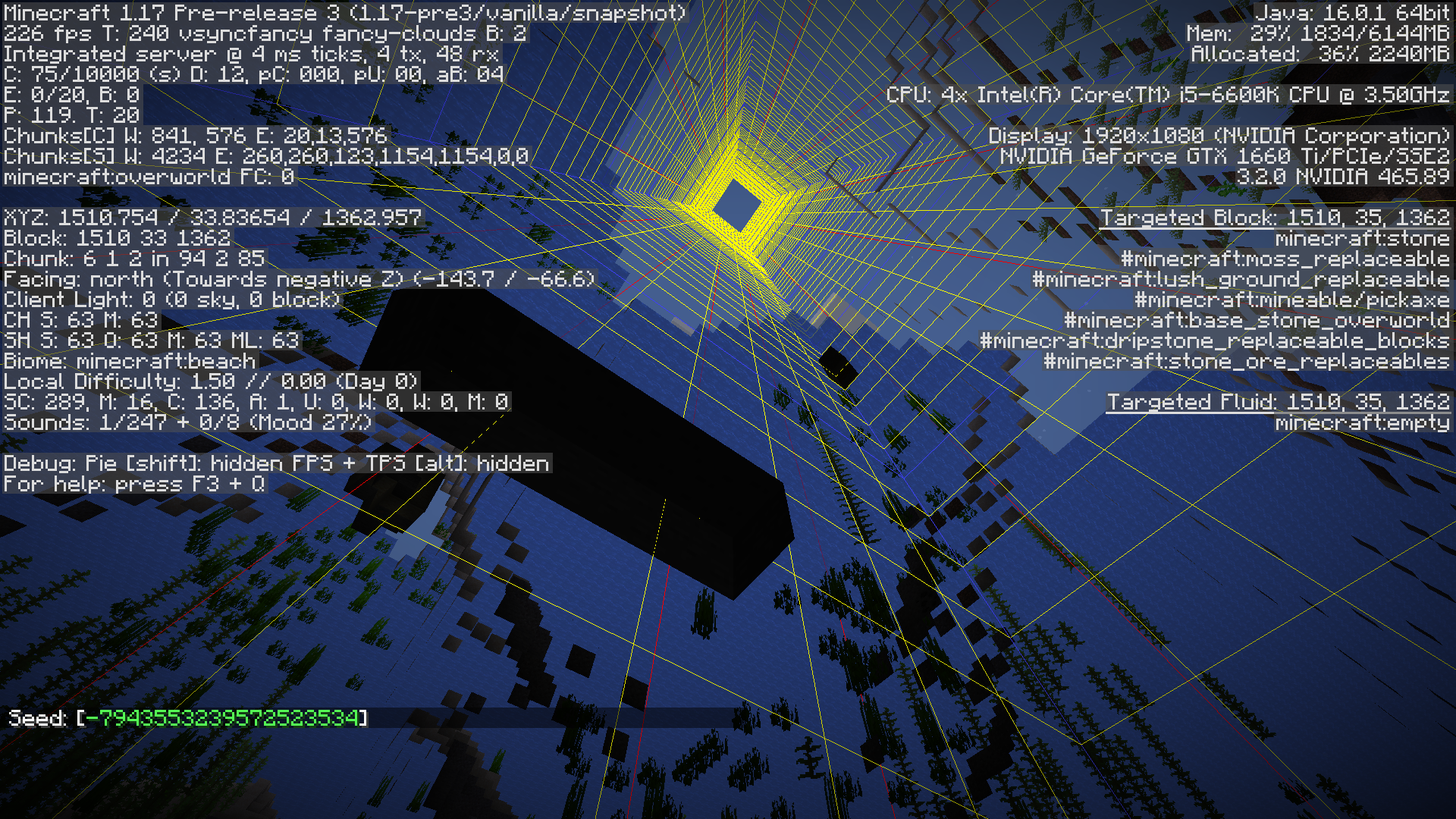
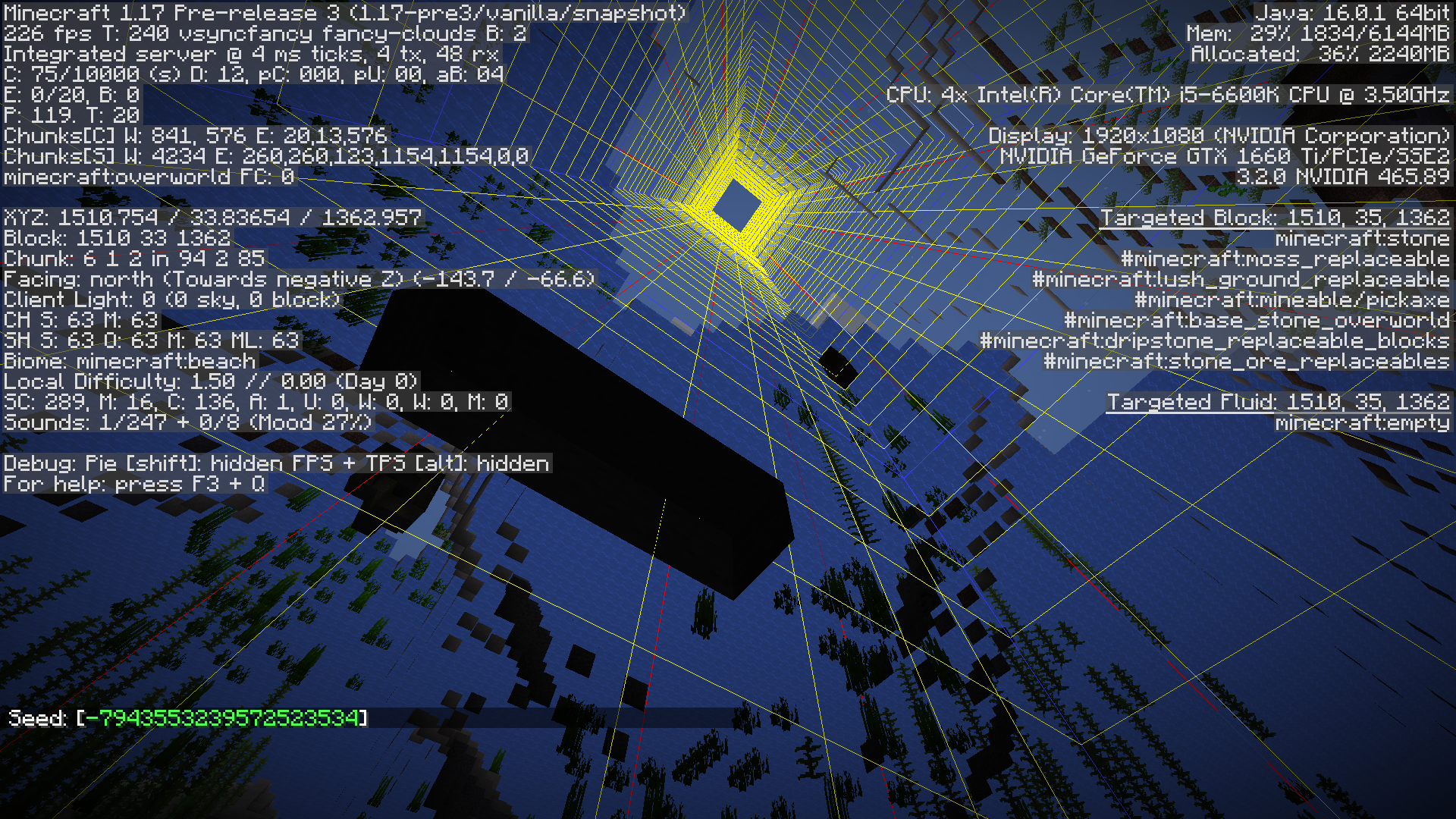
It seems like this issue was fixed in 1.17pre3 under oceans but still happens occasionally under beaches. Might be that an edge case wasn't addressed in the original fix. This should probably be reopened or split into a new issue for beaches.
Oh I must've missed that
Aite I made
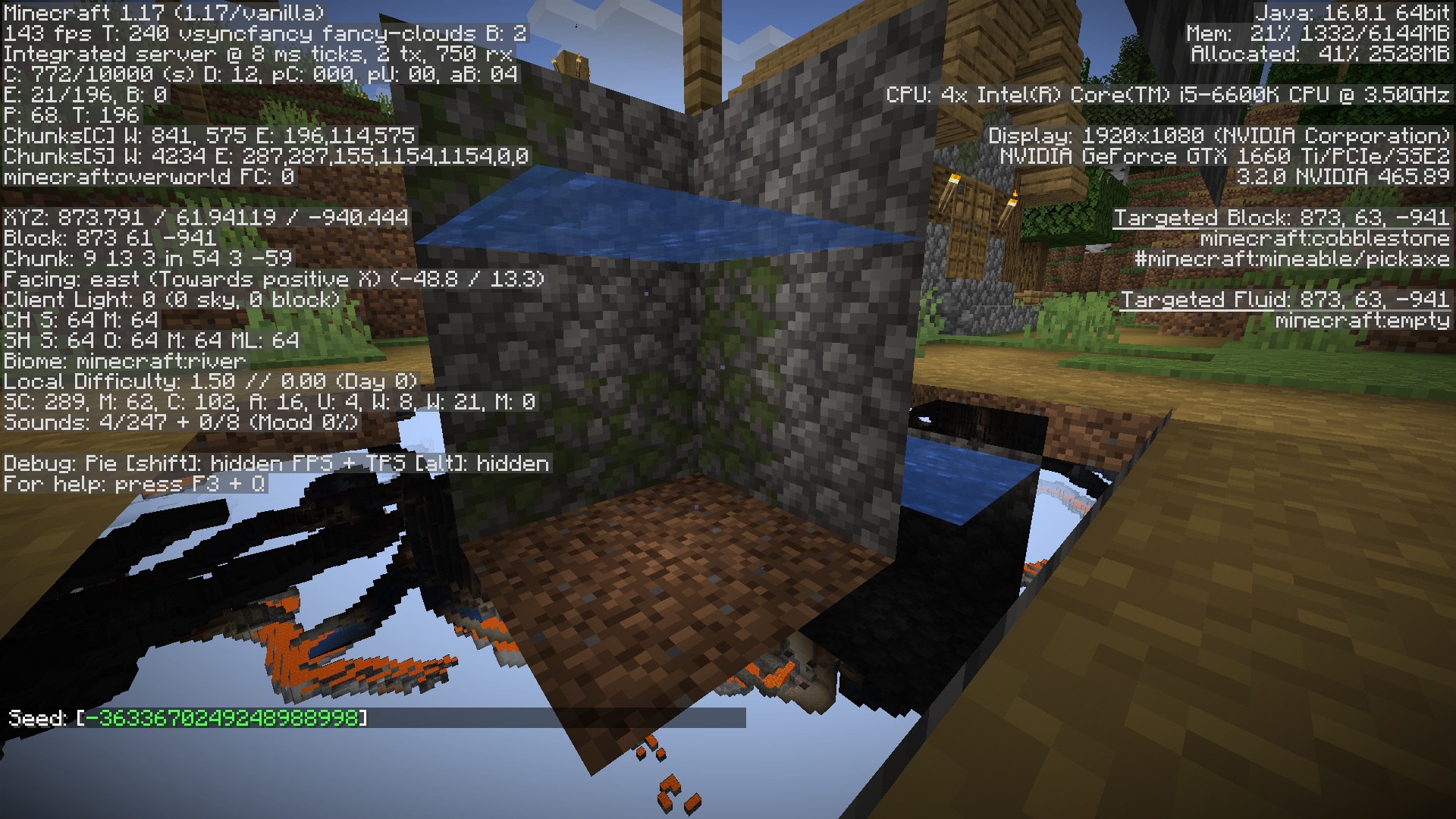
MC-227228. Turns out the buggy caves in my screenshot are in 1.16.5 too so there's a chance it's an unrelated issue, but a "relates to" link would probably be a good idea all the same.The more I fly around in 1.16.5 the more I notice that ocean ravines seem to be offset by a block or two at every chunk border (
MC-126133?). It could be that some underlying issue was exacerbated during the 1.17 snapshots and that led to this issue. I included links to all related issues inMC-227228.Based on the screenshots this seems related to
MC-125033, if not a duplicate.Confirmed in 1.17.
Found one in 1.17.
Thinking about it some more I'm wondering if this issue might be the same as
MC-125033. Anyone else feel one way or the other?As of 1.17.1 I did get an error in the log telling me where my where my problem was, although that might be because I had never loaded it before. Personally, I'd be willing to accept that using cached dimension data in place of invalid data is WAI as long as there's an in-game way to tell when you have a problem (i.e. a notif in the upper-right of the window, similarly to when a world fails to delete as per
MC-124365). That said, it would probably be best to just show the validation error prompt if there's any error in the pack whatsoever, rather than allowing a partly-broken pack to be played.This might be WAI as per Searge's comment on MC-80807, although I really do hope Mojang revisits this issue to make all summoned projectiles which ignore gravity have customizable velocity, drag and acceleration (or at least experience these properties in an intuitive and predictable way).
Also, affects 1.17.1.
Affects 1.17.1
Affects 1.17.1
Can confirm in 1.17.1. I expected naturally generated command blocks to work like command blocks loaded through manually placed structure blocks, but it seems like they don't due to this bug. I'll upload a simple data pack if I get around to it.
Also worth noting, I experienced this bug in the nether as well as my custom dimension (since I'm dealing with nether fossils) so It's probably dimension-agnostic.
I was able to reproduce this in the overworld as well so I think the title should be changed to end at "...in custom structures". To test the bug for yourself, open a new creative world, pause the game and drag top.nbt into saves/<world_name>/generated/minecraft/structures/igloo and naturally generate a new igloo (i.e. find one with /locate and teleport to it). Notice how none of the 5 command blocks (nor the piston) will activate. Then give yourself a structure block and load minecraft:igloo/top and notice how all 5 command blocks (and the piston) activate. (The repeat ones spam the chat but I've confirmed that all 5 do activate as expected).
I'm fairly certain by this point that this report,
MC-125033,MC-124988andMC-126133cumulatively describe 1-2 issues. Hopefully when the devs take a look at one of them it will fix them all.Affects 1.17.1
For what it's worth, this should be marked as a duplicate of MC-168596 instead of Invalid.
This behavior occurs with /clone, /data (get|merge|modify|remove) block, /execute (if|unless) (block|blocks|predicate), /fill and /setblock, provided the chunk was loaded initially.
Hm sorry about that, didn't know it worked that way. (Also I keep updated on watched issues through Jira filters so I forgot email notifs were a thing.)
Affects 21w37a.
So basically, the bug is that beacons and conduits seem to override the particle visibility settings of existing hidden effects when attempting to apply an effect of the same type, unless the hidden effect is of a lower amplifier than the new one, in which case it gets stored in the HiddenEffect tag as expected. This exception is also the case with
MC-96535, but that bug is more of a rendering bug whereas here data is being modified improperly. (I was unable to reproduce this using ambient splash potions so the problem seems specific to beacons and conduits.)Also affects azalea and flowering azalea, and does not affect scaffolding even though the mesh part is double-sided.
Affects 1.17.1.
Affects 21w39a.
Affects 21w40a.
Not really an issue anymore in 21w40a (inasmuch as it ever was an issue). Should probably be closed as either Fixed or Cannot Reproduce.
I couldn't reproduce this in 21w40a, although obviously I wasn't able to check the areas from prior reports due to the biomes being enlarged in this snapshot.
Affects 21w41a
Affects 21w41a
Affects 1.17.1. Also thanks @Ben Wilcox for the tip, I summoned a corrupted mob with NoAI so I thought I'd have to edit the world files to get rid of it.
Affects 1.17.1.
A slightly quicker way to test it uses only these 3 commands:
/scoreboard objectives add was_successful dummy /scoreboard objectives setdisplay sidebar was_successful /execute store success score @s was_successful if data entity @s {SelectedItemSlot:0} run say MooObserve that the third command only updates your score if your SelectedItemSlot is 0.
Edit: I've updated the description to use this method since it's much more concise.
This may be a duplicate of
MC-124365, or at least highly related to it. I've assumed that when a datapack loads and runs without issue any failure to delete the world afterwards falls under that ticket (regardless of whether or not the pack was zipped), so I'd be interested to know what sort of formatting issue in the pack itself could cause the same problem.Affects 21w42a.
Isn't #features_cannot_replace supposed to prevent the chests and spawner from being overwritten? If so it doesn't seem to be working properly in this case.
Affects 21w43a.
A few more notes on this:
So to summarize, due to this bug, for a summoned non-Ghast fireball to move smoothly it must be summoned with a power magnitude of either:
Affects 1.17.1.
Affects 1.17.1
Affects 1.18-pre4.
Affects 1.18-pre4.
Affects 1.18-pre4.
Affects 1.17.1. Relates to MC-211606.
A comprehensive fix to this issue would probably require the syntax to accept string arguments, yielding commands like
Likely blocked byNvm my brain musta turned off when I wrote this, of course you can still modify the vanilla structures.MC-241288as of 1.18-pre1.Affects 1.18-pre6.
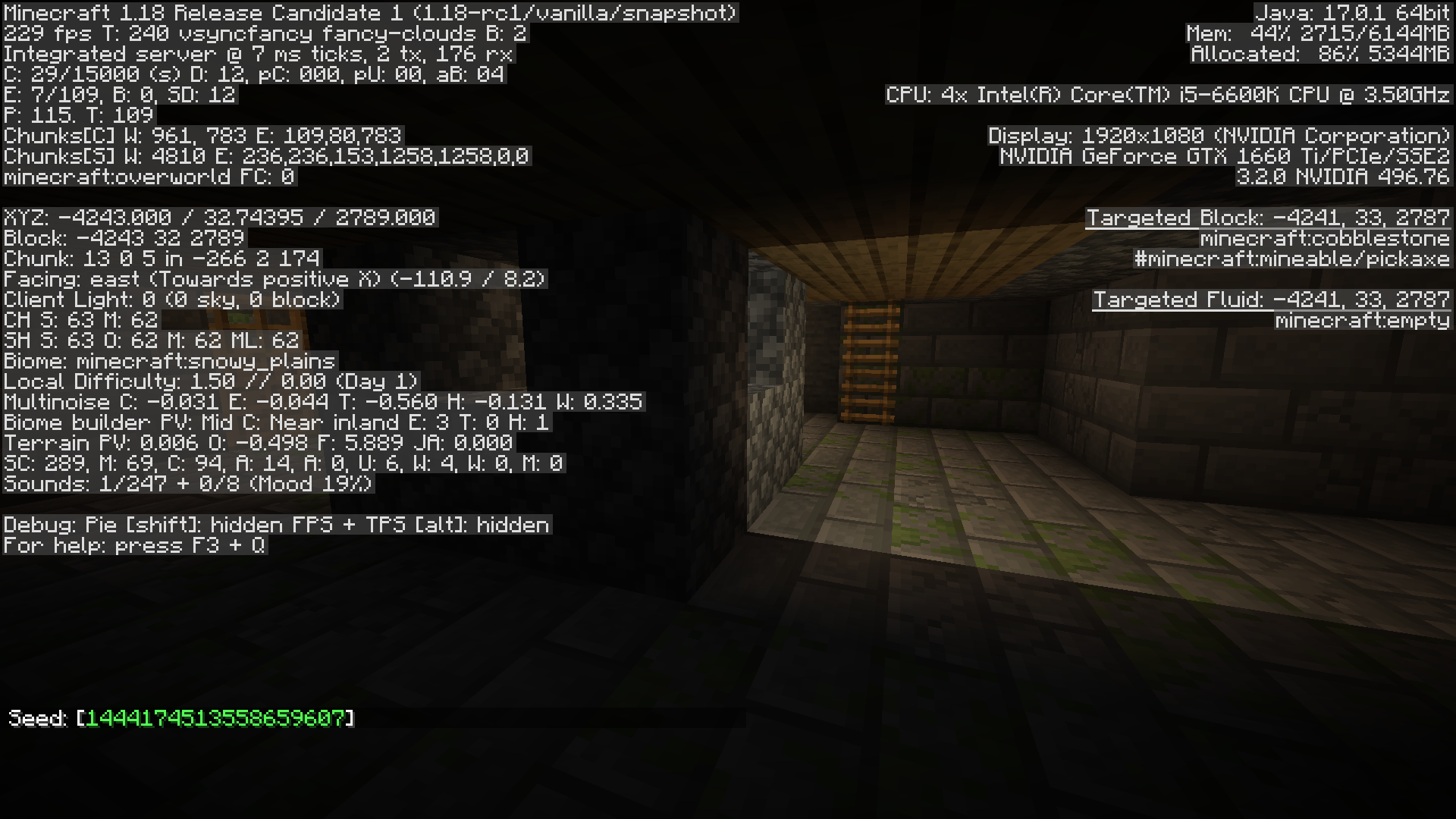
Affects 1.18-rc1.
Affects 1.18-rc1.
Affects 1.18-rc3, and happens with sand too.
Affects 1.17.1. (All pistons in the screenshot are sticky.)
This seems like a duplicate of MC-11613.
Affects 1.18. I think the seed from my previous comment will still work but here's another:
Affects 1.18.
Could someone explain the difference between this issue and
MC-16345? It seems to me that the core issue is the same (so this ticket should be closed as a duplicate) but this ticket specifically mentions /attribute as a means of reproducing it.Relates to
MC-16345. This is kind of the inverse issue to that one; whereas in that ticket Health doesn't get updated properly, here it gets updated but improperly.Affects 22w03a.
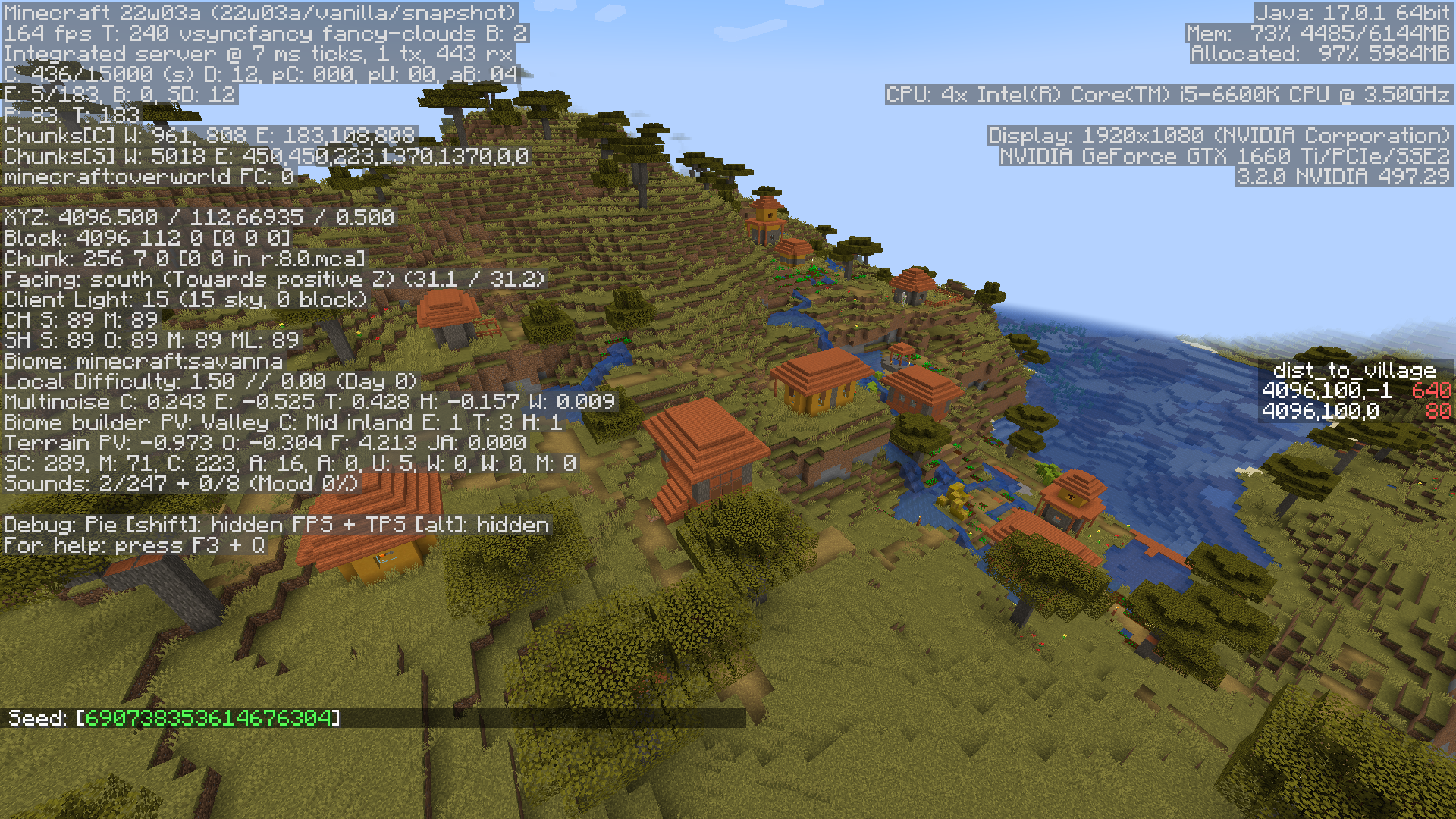
Observe the differing results of /locate village when the command is run from positive/negative z. (Interestingly, crossing x=4096 doesn't seem to affect the results.)
Affects 22w03a.
I might also suggest renaming this ticket to something like "Water in savanna village farms generates exposed to air/crops/vegetation on slopes", since the current title makes it sound like the issue is an invalid block state.
Affects 22w03a.
Affects 22w03a, and affects fog caused by Blindness and the Ender Dragon too. (Also very related to
MC-230905, which was fixed in this snapshot.)Affects 22w03a.
Affects 22w03a.
As per the fix of
MC-215665, the dungeon now "wins", but it would still be nice of the overlap didn't happen to begin with.Affects 22w03a.

Another approach to maybe consider is to have the darkness slowly envelop the skybox as the player descends. At sea level the sky would begin to darken about 5 degrees below the horizon, fading into a dark gray at 20 degrees downwards. At min_y the transition begins at 30 degrees above the horizon and ends at 15 degrees above, while the color itself darkens into pitch black. Below that the angle increases rapidly, with darkness covering the entire sky at min_y - 32.
In tandem with this, fog color could use a gradient from light blue to dark gray, and this gradient would be evaluated at a point based on the percentage of the screen exposed to the open (i.e. blue/overcast/starry) sky. I don't know how tricky/expensive it would be to calculate this percentage, but if it's a heavy lift the number can be updated once every so often as opposed to every frame. This approach could lead to unexpected fog colors when chunks or parts of chunks don't render (i.e. the cave ceiling is high and the render distance is low), but I imagine the fittingness of the fog color would scale proportionally with hardware capabilities. This would also require a new setting to toggle fog fading in either the dimension or biome JSON files.
Affects 22w03a.
Affects 22w03a.
I see that
MC-105317was recently fixed so hopefully the devs will explore the intricacies of structure blocks and entities a bit more in the coming snapshots.Affects 1.18.2.
In my survival world, I built a platform around the gateway at the main island and then threw an ender pearl into it. The first time I was teleported back almost instantaneously and began suffocating in the bedrock, but jumped out and emerged on top of the gateway. I tried again and was teleported to the outer end islands as expected, but the gateway was incomplete. Not sure if the first issue caused the second due to chunks being rapidly generated and then unloaded, or if they're completely separate issues.
Affects 22w05a.
Affects 22w07a.
Affects 22w07a.
Affects 22w07a.
The client-side punching was fixed in either 22w06a or 22w07a, although the core issue is still present.
Affects 22w07a.
Affects 22w07a. Here are some commands which use power instead of direction:
/summon minecraft:small_fireball ~ ~2 ~ {power:[0.2d,0d,0d]} /summon minecraft:wither_skull ~ ~2 ~ {power:[0.2d,0d,0d]}Notice how changing 0.2 to 0.1 will fix the movement as per the above comment.
As of 22w07a I can reproduce the following:
Affects 1.18.2-pre1. The bug no longer occurs at the seed/coords from my previous comment so use this instead:
Observe the differing results when the command is run on either side of x=51200. (This time, crossing z=-8192 does affect things slightly when x>51200.)
Affectx 1.18.2-pre1.
Affects 1.18.2-pre1.
Affects 1.18.2-pre3.
Ideally structure blocks would have a setting to toggle this behavior, and this setting would be true for eg. shipwrecks and false for most other structures. This would also fix
MC-169698.This seems like a special case of
MC-140270.Affects 1.18.2.
Affects 1.18.2.
Affects 1.18.2.
Because of this bug one must be careful not to log out of a singleplayer world in spectator mode with spectatorsGenerateChunks set to false, otherwise they won't be able to load the world again without using an NBT editor to fix things (see
MC-248926).I likewise wasn't able to reproduce this in 1.18.2.
This appears to no longer be an issue in 1.18.2.
Also, my previous comment was incorrect- the issue I encountered in 1.17.1 (and still in 1.18.2) is separate and I'll make a new ticket for it shortly.
Affects 22w11a.
Additionally, the end crystals do not have fire underneath them.
Affects 22w11a.
Affects 22w11a.
Affects 22w11a. (Edit: and 22w13a and 22w17a.)
Affects 22w11a (edit: and 22w12a, 22w14a, 22w15a, 22w16b and 22w17a).
Affects 22w11a.
Affects 22w12a (edit: and 22w14a).
Affects 22w12a (edit: and 22w13a).
Affects 22w12a (edit: and 22w13a, 22w14a and 22w16b).
This is definitely more noticeable with the new darkness effect; figured I'd upload something even though it's probably still WAI.
Affects 22w12a. Happens with all fog types, including Darkness and underwater fog.
This should be marked as a duplicate of MC-248194 instead of as related to it.
Yeah probably the same issue, feel free to close this ticket as a dupe.
Affects 22w13a.
Affects 22w13a.
What might be a better solution is to heal the player by 0.02 * level every tick the effect is active, instead of by 1 point every floor(50 / 2 ^ level) ticks. Health is a float for a reason, and I can't see a good reason to treat it like an integer except for display purposes.
After a bit of testing I'd say this was most likely fixed during one of the updates to configured features.
[~Chava.] oh I see it now, the distance is hardcoded correctly but the fog around you remains spherical instead of cylindrical until the effect has fully worn off. I'll update the description to reflect that