Reducing the player's base max health using /attribute does not always reduce their current health
The bug
When the player's base max health is reduced using /attribute, their current health (stored on the server) is not always reduced accordingly. (There have been reports in the past that this bug occurs whenever the player's total max health is reduced, including using attribute modifiers, but as of the 1.20.2 snapshots I can only reproduce this by modifying the base value using /attribute.)
Reproduction
Setup
This bug occurs inconsistently and can be hard to detect when it occurs unless you're paying close attention, so it's preferable to have a dedicated testing setup. Let's start with a few of commands:
/gamerule doImmediateRespawn true
/gamerule keepInventory true
/gamerule naturalRegeneration false
/spawnpoint @s ~ ~ ~
Now let's make our current health value visible in the sidebar:
/scoreboard objectives add health health
/scoreboard objectives setdisplay sidebar health
/kill @s
And, for extra visibility, let's make particles emanate from ourselves when our current health exceeds our max health. First we run the following:
/scoreboard objectives add temp dummy
Then we put the following in a powered repeating command block:
execute as @p store result score @s temp run attribute @s minecraft:generic.max_health get 1.0
And the following in an unconditional, always-active chain command block pointing away from the repeating one:
execute as @p at @s if score @s health > @s temp run particle minecraft:glow ~ ~ ~ 0.2 0 0.2 0.2 10
Now let's set up some impulse command blocks which can cause the bug to occur. Place a button on each one, and make sure they aren't adjacent to each other.
attribute @p minecraft:generic.max_health base set 1
attribute @p minecraft:generic.max_health base set 20
attribute @p minecraft:generic.max_health base set 30
Finally, we need a command block to heal ourselves to full in case we've failed to repro and want to try again. Place a button on this one too.
effect give @p minecraft:instant_health 1 20 true
Reproducing the bug
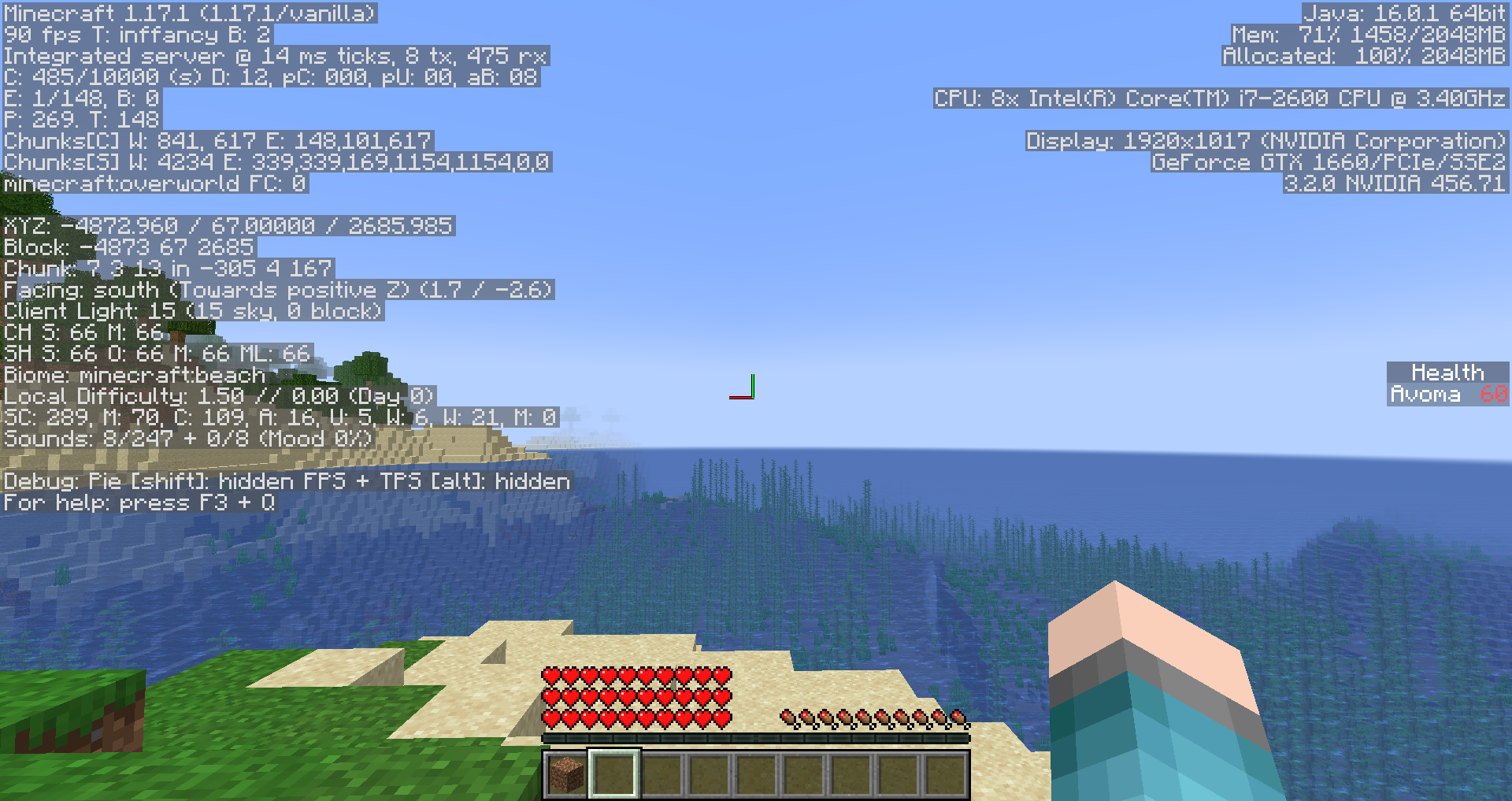
Go into survival mode. Using the command blocks you just set up, set your base max health to 30 and heal yourself to full. Try reducing your max health, first to 20, then to 1. If you get particles and notice that the health value in the sidebar exceeds the hearts on your screen, the bug has occurred! If not, start over from the beginning of this paragraph.
Once you've repro'd successfully, set your max health to 30 again. As the particles cease, note how while you do regain some black hearts, the amount of red hearts remains unchanged. I assume this is because the client is sent an "update max health" packet but the server sees no need to send an "update current health" packet since it did not know the client was out of sync.
Being hurt or healed while the bug is occurring will fix it.
Remarks
NBT state has no effect
Due to MC-197818, the player's NBT does not accurately reflect the state of their attributes. This does not seem to affect whether or not the bug occurs at a particular point in time, but if desired, you can run /kill @s to trigger that issue and MC-179940, removing the max health attribute from your NBT and starting over again with 20 health.
Attribute modifiers have no effect (anymore)
Some past reports indicate that it was possible to get the player's current health to be higher than their max health using attribute modifiers. I tried to reproduce this by playing around with the following items during the tests mentioned above, but ultimately I did not encounter any inexplicable behavior.
/give @s stick{AttributeModifiers:[{AttributeName:"minecraft:generic.max_health",Name:"health-",Slot:"mainhand",Amount:-10,Operation:0,UUID:[I;0,1111,0,111111]}],display:{Name:'"Health Reduction"'}}
/give @s blaze_rod{AttributeModifiers:[{AttributeName:"minecraft:generic.max_health",Name:"health+",Slot:"mainhand",Amount:10,Operation:0,UUID:[I;0,1111,0,111112]}],display:{Name:'"Health Boost"'}}
/give @s golden_helmet{AttributeModifiers:[{AttributeName:"minecraft:generic.max_health",Name:"health++",Slot:"head",Amount:20,Operation:0,UUID:[I;0,1111,0,111113]}],display:{Name:'"Mega Health Boost"'}}
Linked Issues
is duplicated by28
 MC-18965Switching from or to items that change maxhealth do not update health until damage is takenDuplicateMC-19688Max Health Attribute Does Not Automaticly UpdateDuplicateMC-28127Health doesnt update with negative maxhealthDuplicateMC-55117Scoreboard health/ atributted skull bugDuplicateMC-67856.maxHealth doesn't reset healthDuplicateMC-81307Health Boost from AttributeName:generic.maxHealth having wrong amount.DuplicateMC-154228Ghost Health is created when having negative maxHealth attributesDuplicateMC-171047Player max health float values won't decrease from generic.maxHealth on itemsDuplicateMC-179852Player health doesn't sync properly with /attribute minecraft:generic.max_healthDuplicateMC-179962Health does not update when minecraft:generic.max_health is set to 1DuplicateMC-180001Reducing max health using /attribute does not reduce current healthDuplicateMC-183423max_health attribute sets value but doesn't update healthDuplicateMC-184215generic.max_health affecting fall damageDuplicateMC-187386Changing generic.max_health doesn't change current healthDuplicateMC-188160Setting max health to the player having half a heart would always get rounded to the next full heartDuplicateMC-190590Attribute command can't set current health to half a heart which leads to other issuesDuplicateMC-196591Abnormal behavior related to the generic.max_health attributeDuplicateMC-199741/attribute hearts don't visually update until relogDuplicateMC-212696Health does not actually update when holding an item with the max health attribute.DuplicateMC-226495Life is not well displayed when your max life is an odd numberDuplicateMC-233301Attributes and Command Block BugDuplicateMC-233859Attribute "generic.maxHealth" doesn't subtract health values from players properlyDuplicateMC-237985Custom Max Health Armor and /attributeDuplicateMC-237991attribute health doesnt work unless you take damageDuplicateMC-240209max hp remove bugDuplicateMC-258616The "/attribute @p minecraft:generic.max_health base set x" command not working properly for lower values of x..DuplicateMC-264644If a players generic.max_health is set to a base of 1 every game tick, the game doesn't set the players health data to 1.0 when the player respawnsDuplicateMC-265367"attribute max_health" command malfunctioning at low valuesDuplicate
![[Mod] Avoma](../../../data/avatars/users/86198.png)
- Fixed
![[Helper] clam lol](../../../data/avatars/users/92852.png) [Helper] clam lol
[Helper] clam lol Richard de Souza Bukor
![[Mojang] Panda](../../../data/avatars/users/41658.png) [Mojang] Panda
[Mojang] Panda- 48
- 18
- Confirmed
 Important
- Platform
- Data Packs
- Survival
- attribute health max_health
13w21a - 1.20.6
13w21a 1.6.1 1.6.2 1.7.4 14w02c 14w03a 14w03b 1.7.10 14w30c 14w31a 14w33c 14w34a 14w34b 14w34c 14w34d 1.8-pre1 1.8.2-pre4 1.8.8 15w37a 1.10.2 16w41a 16w43a 16w44a 1.11-pre1 1.11 16w50a 1.11.1 1.11.2 17w06a 17w13b 17w15a 17w16b 17w17a 17w18b 1.12-pre2 1.12.2 18w15a 1.13.1 1.14.2 1.14.4 19w45b 1.15.2 20w17a 20w18a 20w19a 20w20b 20w21a 1.16-pre1 1.16-pre2 1.16-rc1 1.16 1.16.1 1.16.2-pre1 1.16.2-pre2 1.16.2-rc1 1.16.2 1.16.4 20w51a 21w03a 1.16.5 21w05b 21w06a 21w07a 21w11a 21w14a 21w15a 21w16a 21w17a 1.17-pre1 1.17 1.17.1 21w39a 21w43a 1.18 1.18.1 1.18.2 22w18a 1.19 1.19.2 1.19.3-rc3 1.19.3 23w03a 1.19.4 23w18a 1.20.1 23w31a 23w32a 23w35a 1.20.2-pre1 23w44a 24w04a 1.20.5 1.20.6- 24w19a
Created Issue:
Health doesn't update when you stop using an item that gives more health with "generic.maxHealth" attributeModifier
I created a sword that gave me double health (100% more health) with an NBT editor, but when I stopped to use the sword, I noticed that my health was still 40 (extra hearts dont appear but I noticed that I needed to take some damage to the last hearts to be black) and when I got 20 health it was regenerating to 40 health again.
See image for more info.
Sorry if you didn't understand my english, I'm brazilian.
Attachments1
I created a sword that gave me double health (100% more health) with an NBT editor, but when I stopped to use the sword, I noticed that my health was still 40 (extra hearts don't appear but I noticed that I needed to take some damage to the last hearts to be black) and when I got 20 health it was regenerating to 40 health again.
See image for more info.
Sorry if you didn't understand my english, I'm brazilian.
![[Mojang] Grum (Erik Broes)](../../../data/assets/gravatar/grum.png)
![[Mojang] Nathan Adams](../../../data/assets/gravatar/dinnerbone.png) [Mojang] Nathan Adams
[Mojang] Nathan Adams
![[Mod] Ezekiel (ezfe)](../../../data/assets/gravatar/ezekielelin.jpeg)


relates to
is duplicated by
is duplicated by
![[Mod] Torabi](../../../data/assets/gravatar/torabi.png)
relates to
is duplicated by
[Mojang] Nathan Adams
![[Mod] Asteraoth](../../../data/avatars/users/92886.png)
![[Mod] CubeTheThird](../../../data/assets/gravatar/cubethethird.jpeg)

relates to
![[Helper] Misode](../../../data/avatars/users/93314.png)
Health doesn't update when you stop using an item that gives more health with "generic.maxHealth" attributeModifierHealth doesn't update when you stop using an item that gives more health with "generic.max_health" attribute modifier
![[Mod] violine1101](../../../data/avatars/users/92858.png)
is duplicated by
![[Bot] Arisa](../../../data/avatars/users/43007.png)
![[Mod] Chandler](../../../data/assets/gravatar/triwonder81.png)
is duplicated by
![[Mojang] Adrian Östergård](../../../data/assets/gravatar/nighter.jpeg)
 Low
Low![[Mod] SPGoding](../../../data/avatars/users/44622.png)
I created a sword that gave me double health (100% more health) with an NBT editor, but when I stopped to use the sword, I noticed that my health was still 40 (extra hearts don't appear but I noticed that I needed to take some damage to the last hearts to be black) and when I got 20 health it was regenerating to 40 health again.
See image for more info.
Sorry if you didn't understand my english, I'm brazilian.To Reproduce
Reproduce steps updated by [Mod] Avoma may be find in this comment .
I created a sword that gave me double health (100% more health) with an NBT editor, but whenIstopped to use the sword, I noticed that my health was still 40 (extra hearts don't appear but I noticed that I needed to take some damage to the last hearts to be black) and when I got 20 health it was regenerating to 40 health again.
See image for more info.
Sorry if you didn't understand my english, I'm brazilian.
ToReproduceReproduce steps updated by [Mod] Avoma may be find in this comment.
The bug
When you wear or hold an item which increases your maximum health with the generic.max_health attribute modifier, and then stop wearing or holding that item, your maximum health value is adjusted, but your current health value is not.
It can therefore happen that health > max health.Reproduction steps
- Create a health scoreboard
/scoreboard objectives add Health health- Set the scoreboard to display on the sidebar
/scoreboard objectives setdisplay sidebar Health- Switch to Survival mode
/gamemode survival- Give yourself an item with the generic.max_health attribute and select it
/give @s dirt{AttributeModifiers:[{AttributeName:"minecraft:generic.max_health",Name:"Health boost",Amount:40,Operation:0,UUID:[I;0,1111,0,111112]}],display:{Name:'"Health boost"'}}- Give yourself regeneration so that the scoreboard updates and your health is set to 60
/effect give @s minecraft:regeneration 4 255- Your Health score should now be 60, now deselect the item
Notice how your Health score is still 60. The game will change this back to 20 as soon as you get damaged, but does NOT reduce your health lower than 20 because of the damage.
Or you appear to die instantly ("You Died!" screen appears) but are not actually dead yet, see alsoMC-19690.
![[Helper] Johnibur](../../../data/avatars/users/28381.png)
![[Mod] Michael Wobst](../../../data/avatars/users/37868.png)
Health doesn't updatewhen you stop using an item that gives more health with "generic.max_health" attribute modifierHealth doesn't update server-side when max health is reduced
The bug
When you wear or hold an item which increases your maximum health with the generic.max_health attribute modifier, and then stop wearing or holding that item, your maximum health value is adjusted, but your current health value is not.
It can therefore happen that health > max health.Reproduction steps
- Create a
health scoreboard/scoreboard objectives add Health health- Set the scoreboard to display on the sidebar
/scoreboard objectives setdisplay sidebar Health- Switch to Survival mode
/gamemode survival- Give yourself an item with the generic.max_health attribute and select it
/give @s dirt{AttributeModifiers:[{AttributeName:"minecraft:generic.max_health",Name:"Health boost",Amount:40,Operation:0,UUID:[I;0,1111,0,111112]}],display:{Name:'"Health boost"'}}- Give yourself regeneration so that the scoreboard updates and your
health is set to 60/effect give @s minecraft:regeneration 4 255- Your Health score should now be 60, now deselect the item
The game will change this back to 20 as soon as you get damaged, but doesNOT reduce your health lower than 20 because of the damage.
Or you appear to die instantly ("You Died!" screen appears) but are not actually dead yet, see alsoMC-19690.The bug
When max health is reduced (e.g. when you wear or hold an item which increases your maximum health with the generic.max_health attribute modifier, and then stop wearing or holding that item), your maximum health value is adjusted, but your current health value is not.
It can therefore happen that health > max health.
Reproduction steps
- Create a health scoreboard
/scoreboard objectives add Health health- Set the scoreboard to display on the sidebar
/scoreboard objectives setdisplay sidebar Health- Switch to Survival mode
/gamemode survival- Give yourself an item with the generic.max_health attribute and select it
/give @s dirt{AttributeModifiers:[{AttributeName:"minecraft:generic.max_health",Name:"Health boost",Amount:40,Operation:0,UUID:[I;0,1111,0,111112]}],display:{Name:'"Health boost"'}}- Give yourself regeneration so that the scoreboard updates and your Health is set to 60
/effect give @s minecraft:regeneration 4 255- Your Health score should now be 60
- Now deselect the item
→The game will change your health back to 20 as soon as you get damaged, but does NOT reduce your health lower than 20 because of the damage.
Or you appear to die instantly ("You Died!" screen appears) but are not actually dead yet, see alsoMC-19690.
The bug
When max health is reduced (e.g. when you wear or hold an item which increases your maximum health with the generic.max_health attribute modifier, and then stop wearing or holding that item), your maximum health value is adjusted, but your current health value is not.
It can therefore happen that health > max health.
Reproduction steps
- Create a health scoreboard
/scoreboard objectives add Health health- Set the scoreboard to display on the sidebar
/scoreboard objectives setdisplay sidebar Health- Switch to Survival mode
/gamemode survival- Give yourself an item with the generic.max_health attribute and select it
/give @s dirt{AttributeModifiers:[{AttributeName:"minecraft:generic.max_health",Name:"Health boost",Amount:40,Operation:0,UUID:[I;0,1111,0,111112]}],display:{Name:'"Health boost"'}}- Give yourself regeneration so that the scoreboard updates and your Health is set to 60
/effect give @s minecraft:regeneration 4 255- Your Health score should now be 60
- Now deselect the item
→The game will change your health back to 20 as soon as you get damaged, but does NOT reduce your health lower than 20 because of the damage.
Or you appear todie instantly ("You Died!" screen appears) but are not actually dead yet, see alsoMC-19690.The bug
When max health is reduced (e.g. when you wear or hold an item which increases your maximum health with the generic.max_health attribute modifier, and then stop wearing or holding that item), your maximum health value is adjusted, but your current health value is not.
It can therefore happen that health > max health.
Reproduction steps
- Create a health scoreboard
/scoreboard objectives add Health health- Set the scoreboard to display on the sidebar
/scoreboard objectives setdisplay sidebar Health- Switch to Survival mode
/gamemode survival- Give yourself an item with the generic.max_health attribute and select it
/give @s dirt{AttributeModifiers:[{AttributeName:"minecraft:generic.max_health",Name:"Health boost",Amount:40,Operation:0,UUID:[I;0,1111,0,111112]}],display:{Name:'"Health boost"'}}- Give yourself regeneration so that the scoreboard updates and your Health is set to 60
/effect give @s minecraft:regeneration 4 255- Your Health score should now be 60
- Now deselect the item
→The game will change your health back to 20 as soon as you get damaged, but does NOT reduce your health lower than 20 because of the damage.
If the difference between max health and health is large (e.g. above 20 in this case), you die instantly ("You Died!" screen appears) but are not actually dead yet, see alsoMC-19690.
![[Mod] markderickson](../../../data/avatars/users/18946.svg)
is duplicated by
![[Mod] ampolive](../../../data/avatars/users/18949.svg)
![[Mod] turbo](../../../data/avatars/users/92867.png)
is duplicated by
 Normal
is duplicated by
relates to
relates to
The bug
When max health is reduced (e.g. when you wear or hold an item which increases your maximum health with the generic.max_health attribute modifier, and then stop wearing or holding that item), your maximum health value is adjusted, but your current health value is not.
It can therefore happen that health > max health.
Reproduction steps (option 1)
Using /attribute to change minecraft:generic.max_health base value to a value lower than the Health value does not reduce the Health value as would be expected.
Repo Steps:
Create a new world and run:
/attribute @s minecraft:generic.max_health base set 1Expected Result:
Only 1, half-filled heart container visible.
Actual Result:
Only 1, fully filled heart container visible.
Verifying:
Running the following will show a value of 20.0f:
/data get entity @s HealthReproduction steps (option 2)
- Create a health scoreboard
/scoreboard objectives add Health health- Set the scoreboard to display on the sidebar
/scoreboard objectives setdisplay sidebar Health- Switch to Survival mode
/gamemode survival- Give yourself an item with the generic.max_health attribute and select it
/give @s dirt{AttributeModifiers:[{AttributeName:"minecraft:generic.max_health",Name:"Health boost",Amount:40,Operation:0,UUID:[I;0,1111,0,111112]}],display:{Name:'"Health boost"'}}- Give yourself regeneration so that the scoreboard updates and your Health is set to 60
/effect give @s minecraft:regeneration 4 255- Your Health score should now be 60
- Now deselect the item
→The game will change your health back to 20 as soon as you get damaged, but does NOT reduce your health lower than 20 because of the damage.
If the difference between max health and health is large (e.g. above 20 in this case), you die instantly ("You Died!" screen appears) but are not actually dead yet, see alsoMC-19690.
The bug
When max health is reduced (e.g. when you wear or hold an item which increases your maximum health with the generic.max_health attribute modifier, and then stop wearing or holding that item), your maximum health value is adjusted, but your current health value is not.
It can therefore happen that health > max health.
Reproduction steps (option 1)
Using /attribute to change minecraft:generic.max_health base value to a value lower than the Health value does not reduce the Health value as would be expected.
Repo Steps:
Create a new world and run:
/attribute @s minecraft:generic.max_health base set 1Expected Result:
Only 1, half-filled heart container visible.
Actual Result:
Only 1, fully filled heart container visible.
Verifying:
Running the following will show a value of 20.0f:
/data get entity @s HealthReproduction steps (option 2)
- Create a health scoreboard
/scoreboard objectives add Health health- Set the scoreboard to display on the sidebar
/scoreboard objectives setdisplay sidebar Health- Switch to Survival mode
/gamemode survival- Give yourself an item with the generic.max_health attribute and select it
/give @s dirt{AttributeModifiers:[{AttributeName:"minecraft:generic.max_health",Name:"Health boost",Amount:40,Operation:0,UUID:[I;0,1111,0,111112]}],display:{Name:'"Health boost"'}}- Give yourself regeneration so that the scoreboard updates and your Health is set to 60
/effect give @s minecraft:regeneration 4 255- Your Health score should now be 60
- Now deselect the item
→The game will change your health back to 20 as soon as you get damaged, but does NOT reduce your health lower than 20 because of the damage.
If the difference between max health and health is large (e.g. above 20 in this case), you die instantly ("You Died!" screen appears) but are not actually dead yet, see alsoMC-19690.The bug
When the player's base max health is reduced using /attribute, their current health (stored on the server) is not always reduced accordingly. (There have been reports in the past that this bug occurs whenever the player's total max health is reduced, including using attribute modifiers, but as of the 1.20.2 snapshots I can only reproduce this by modifying the base value using /attribute.)
When max health is reduced (e.g. when you wear or hold an item which increases your maximum health with the generic.max_health attribute modifier, and then stop wearing or holding that item), your maximum health value is adjusted, but your current health value is not.
It can therefore happen that health > max health.
Reproduction
Setup
First, to verify that attribute modifiers are in no way relevant to this, let's give ourselves a few items which modify the player's base max health.
Using /attribute to change minecraft:generic.max_health base value to a value lower than the Health value does not reduce the Health value as would be expected.
Repo Steps:
Create a new world and run:
/attribute @s minecraft:generic.max_health base set 1Expected Result:
Only 1, half-filled heart container visible.
Actual Result:
Only 1, fully filled heart container visible.
Verifying:
Running the following will show a value of 20.0f:
/data get entity @s HealthReproduction steps (option 2)
- Create a health scoreboard
/scoreboard objectives add Health health
- Set the scoreboard to display on the sidebar
/scoreboard objectives setdisplay sidebar Health
- Switch to Survival mode
/gamemode survival
- Give yourself an item with the generic.max_health attribute and select it
/give @s dirt{AttributeModifiers:[{AttributeName:"minecraft:generic.max_health",Name:"Health boost",Amount:40,Operation:0,UUID:[I;0,1111,0,111112]}],display:{Name:'"Health boost"'}}
- Give yourself regeneration so that the scoreboard updates and your Health is set to 60
/effect give @s minecraft:regeneration 4 255
- Your Health score should now be 60
- Now deselect the item
→The game will change your health back to 20 as soon as you get damaged, but does NOT reduce your health lower than 20 because of the damage.
If the difference between max health and health is large (e.g. above 20 in this case), you die instantly ("You Died!" screen appears) but are not actually dead yet, see alsoMC-19690.
The bug
When the player's base max health is reduced using /attribute, their current health (stored on the server) is not always reduced accordingly. (There have been reports in the past that this bug occurs whenever the player's total max health is reduced, including using attribute modifiers, but as of the 1.20.2 snapshots I can only reproduce this by modifying the base value using /attribute.)
When max health is reduced (e.g. when you wear or hold an item which increases your maximum health with the generic.max_health attribute modifier, and then stop wearing or holding that item), your maximum health value is adjusted, but your current health value is not.
It can therefore happen that health > max health.
Reproduction
Setup
First, to verify that attribute modifiers are in
noway relevant to this, let's give ourselves a few items which modify the player's base max health.Using /attribute to change minecraft:generic.max_health base value to a value lower than the Health value does not reduce the Health value as would be expected.
Repo Steps:
Create a new world and run:
/attribute @s minecraft:generic.max_health base set 1Expected Result:
Only 1, half-filled heart container visible.
Actual Result:
Only 1, fully filled heart container visible.
Verifying:
Running the following will show a value of 20.0f:
/data get entity @s HealthReproduction steps (option 2)
- Create a health scoreboard
/scoreboard objectives add Health health
- Set the scoreboard to display on the sidebar
/scoreboard objectives setdisplay sidebar Health
- Switch to Survival mode
/gamemode survival
- Give yourself an item with the generic.max_health attribute and select it
/give @s dirt{AttributeModifiers:[{AttributeName:"minecraft:generic.max_health",Name:"Health boost",Amount:40,Operation:0,UUID:[I;0,1111,0,111112]}],display:{Name:'"Health boost"'}}
- Give yourself regeneration so that the scoreboard updates and your Health is set to 60
/effect give @s minecraft:regeneration 4 255
- Your Health score should now be 60
- Now deselect the item
→The game will change your health back to 20 as soon as you get damaged, but does NOT reduce your health lower than 20 because of the damage.
If the difference between max health and health is large (e.g. above 20 in this case), you die instantly ("You Died!" screen appears) but are not actually dead yet, see alsoMC-19690.Description is WIP! I clicked out of the box before I was done updating it by accident
The bug
When the player's base max health is reduced using /attribute, their current health (stored on the server) is not always reduced accordingly. (There have been reports in the past that this bug occurs whenever the player's total max health is reduced, including using attribute modifiers, but as of the 1.20.2 snapshots I can only reproduce this by modifying the base value using /attribute.)
When max health is reduced (e.g. when you wear or hold an item which increases your maximum health with the generic.max_health attribute modifier, and then stop wearing or holding that item), your maximum health value is adjusted, but your current health value is not.
It can therefore happen that health > max health.
Reproduction
Setup
First, to verify that neither attribute modifiers nor the value 20 (the default value) are in any way relevant to this, let's give ourselves a few items which modify the player's base max health. Feel free to equip and unequip these items at any point; doing so should not cause any unexpected behavior.
/give @s stick{AttributeModifiers:[{AttributeName:"minecraft:generic.max_health",Name:"health-",Slot:"mainhand",Amount:-10,Operation:0,UUID:[I;0,1111,0,111111]}],display:{Name:'"Health Reduction"'}} /give @s blaze_rod{AttributeModifiers:[{AttributeName:"minecraft:generic.max_health",Name:"health+",Slot:"mainhand",Amount:10,Operation:0,UUID:[I;0,1111,0,111112]}],display:{Name:'"Health Boost"'}} /give @s golden_helmet{AttributeModifiers:[{AttributeName:"minecraft:generic.max_health",Name:"health++",Slot:"head",Amount:20,Operation:0,UUID:[I;0,1111,0,111113]}],display:{Name:'"Mega Health Boost"'}}Using /attribute to change minecraft:generic.max_health base value to a value lower than the Health value does not reduce the Health value as would be expected.
Repo Steps:
Create a new world and run:
/attribute @s minecraft:generic.max_health base set 1Expected Result:
Only 1, half-filled heart container visible.
Actual Result:
Only 1, fully filled heart container visible.
Verifying:
Running the following will show a value of 20.0f:
/data get entity @s HealthReproduction steps (option 2)
- Create a health scoreboard
/scoreboard objectives add Health health
- Set the scoreboard to display on the sidebar
/scoreboard objectives setdisplay sidebar Health
- Switch to Survival mode
/gamemode survival
- Give yourself an item with the generic.max_health attribute and select it
/give @s dirt{AttributeModifiers:[{AttributeName:"minecraft:generic.max_health",Name:"Health boost",Amount:40,Operation:0,UUID:[I;0,1111,0,111112]}],display:{Name:'"Health boost"'}}
- Give yourself regeneration so that the scoreboard updates and your Health is set to 60
/effect give @s minecraft:regeneration 4 255
- Your Health score should now be 60
- Now deselect the item
→The game will change your health back to 20 as soon as you get damaged, but does NOT reduce your health lower than 20 because of the damage.
If the difference between max health and health is large (e.g. above 20 in this case), you die instantly ("You Died!" screen appears) but are not actually dead yet, see alsoMC-19690.
Description is WIP! I clicked out of the box before I was done updating it by accident
The bug
When the player's base max health is reduced using /attribute, their current health (stored on the server) is not always reduced accordingly. (There have been reports in the past that this bug occurs whenever the player's total max health is reduced, including using attribute modifiers, but as of the 1.20.2 snapshots I can only reproduce this by modifying the base value using /attribute.)
When max health is reduced (e.g. when you wear or hold an item which increases your maximum health with the generic.max_health attribute modifier, and then stop wearing or holding that item), your maximum health value is adjusted, but your current health value is not.
It can therefore happen that health > max health.
Reproduction
Setup
First, to verify that neither attribute modifiers nor the value 20 (the default value) are in any way relevant to this, let's give ourselves a few items which modify the player's base max health. Feel free to equip and unequip these items at any point; doing so should not cause any unexpected behavior./give @s stick{AttributeModifiers:[{AttributeName:"minecraft:generic.max_health",Name:"health-",Slot:"mainhand",Amount:-10,Operation:0,UUID:[I;0,1111,0,111111]}],display:{Name:'"Health Reduction"'}} /give @s blaze_rod{AttributeModifiers:[{AttributeName:"minecraft:generic.max_health",Name:"health+",Slot:"mainhand",Amount:10,Operation:0,UUID:[I;0,1111,0,111112]}],display:{Name:'"Health Boost"'}} /give @s golden_helmet{AttributeModifiers:[{AttributeName:"minecraft:generic.max_health",Name:"health++",Slot:"head",Amount:20,Operation:0,UUID:[I;0,1111,0,111113]}],display:{Name:'"Mega Health Boost"'}}Using /attribute to change minecraft:generic.max_health base value to a value lower than the Health value does not reduce the Health value as would be expected.
Repo Steps:
Create a new world and run:
/attribute @s minecraft:generic.max_health base set 1Expected Result:
Only 1, half-filled heart container visible.
Actual Result:
Only 1, fully filled heart container visible.
Verifying:
Running the following will show a value of 20.0f:
/data get entity @s HealthReproduction steps (option 2)
- Create a health scoreboard
/scoreboard objectives add Health health
- Set the scoreboard to display on the sidebar
/scoreboard objectives setdisplay sidebar Health
- Switch to Survival mode
/gamemode survival
- Give yourself an item with the generic.max_health attribute and select it
/give @s dirt{AttributeModifiers:[{AttributeName:"minecraft:generic.max_health",Name:"Health boost",Amount:40,Operation:0,UUID:[I;0,1111,0,111112]}],display:{Name:'"Health boost"'}}
- Give yourself regeneration so that the scoreboard updates and your Health is set to 60
/effect give @s minecraft:regeneration 4 255
- Your Health score should now be 60
- Now deselect the item
→The game will change your health back to 20 as soon as you get damaged, but does NOT reduce your health lower than 20 because of the damage.
If the difference between max health and health is large (e.g. above 20 in this case), you die instantly ("You Died!" screen appears) but are not actually dead yet, see alsoMC-1.9690The bug
When the player's base max health is reduced using /attribute, their current health (stored on the server) is not always reduced accordingly. (There have been reports in the past that this bug occurs whenever the player's total max health is reduced, including using attribute modifiers, but as of the 1.20.2 snapshots I can only reproduce this by modifying the base value using /attribute.)
When max health is reduced (e.g. when you wear or hold an item which increases your maximum health with the generic.max_health attribute modifier, and then stop wearing or holding that item), your maximum health value is adjusted, but your current health value is not.
It can therefore happen that health > max health.
Reproduction
Setup
This bug occurs inconsistently and can be hard to detect when it occurs unless you're paying close attention, so it's preferable to have a dedicated testing setup. Let's start with a few of commands:
/gamerule doImmediateRespawn true /gamerule keepInventory true /gamerule naturalRegeneration false /spawnpoint @s ~ ~ ~Now let's make our current health value visible in the sidebar:
/scoreboard objectives add health health /scoreboard objectives setdisplay sidebar health /kill @sAnd, for extra visibility, let's make particles emanate from ourselves when our current health exceeds our max health. First we run the following:
/scoreboard objectives add temp dummyThen we put the following in a powered repeating command block:
execute as @p store result score @s temp run attribute @s minecraft:generic.max_health get 1.0And the following in an unconditional, always-active chain command block pointing away from the repeating one:
execute as @p at @s if score @s health > @s temp run particle minecraft:glow ~ ~ ~ 0.2 0 0.2 0.2 10Now let's set up some impulse command blocks which can cause the bug to occur. Place a button on each one, and make sure they aren't adjacent to each other.
attribute @p minecraft:generic.max_health base set 1 attribute @p minecraft:generic.max_health base set 20 attribute @p minecraft:generic.max_health base set 30Finally, we need a command block to heal ourselves to full in case we've failed to repro and want to try again. Place a button on this one too.
effect give @p minecraft:instant_health 1 20 trueReproducing the bug
Go into survival mode. Using the command blocks you just set up, set your base max health to 30 and heal yourself to full. Try reducing your max health, first to 20, then to 1. If you get particles and notice that the health value in the sidebar exceeds the value you just set, the bug has occurred! If not, start over from the beginning of this paragraph.
Once you've repro'd successfully, set your max health to 30 again. As the particles cease, note how while you do regain some black hearts, the amount of red hearts remains unchanged. I assume this is because the client is sent an "update max health" packet but the server sees no need to send an "update current health" packet since it did not know the client was out of sync.
Remarks
NBT state has no effect
Due to MC-197818, the player's NBT does not accurately reflect the state of their attributes. This does not seem to affect whether or not the bug occurs at a particular point in time, but if desired, you can run /kill @s to trigger that issue and
MC-179940, removing the max health attribute from your NBT and starting over again with 20 health.Attribute modifiers have no effect (anymore)
Some past reports indicate that it was possible to get the player's current health health to be higher than their max health using attribute modifiers. I tried to reproduce this by playing around with the following items during the tests mentioned above, but ultimately I did not encounter any inexplicable behavior.
 /give @s stick{AttributeModifiers:[{AttributeName:"minecraft:generic.max_health",Name:"health-",Slot:"mainhand",Amount:-10,Operation:0,UUID:[I;0,1111,0,111111]}],display:{Name:'"Health Reduction"'}}
/give @s blaze_rod{AttributeModifiers:[{AttributeName:"minecraft:generic.max_health",Name:"health+",Slot:"mainhand",Amount:10,Operation:0,UUID:[I;0,1111,0,111112]}],display:{Name:'"Health Boost"'}}
/give @s golden_helmet{AttributeModifiers:[{AttributeName:"minecraft:generic.max_health",Name:"health++",Slot:"head",Amount:20,Operation:0,UUID:[I;0,1111,0,111113]}],display:{Name:'"Mega Health Boost"'}}
The bug
When the player's base max health is reduced using /attribute, their current health (stored on the server) is not always reduced accordingly. (There have been reports in the past that this bug occurs whenever the player's total max health is reduced, including using attribute modifiers, but as of the 1.20.2 snapshots I can only reproduce this by modifying the base value using /attribute.)
When max health is reduced (e.g. when you wear or hold an item which increases your maximum health with the generic.max_health attribute modifier, and then stop wearing or holding that item), your maximum health value is adjusted, but your current health value is not.
It can therefore happen that health > max health.
Reproduction
Setup
This bug occurs inconsistently and can be hard to detect when it occurs unless you're paying close attention, so it's preferable to have a dedicated testing setup. Let's start with a few of commands:
/gamerule doImmediateRespawn true /gamerule keepInventory true /gamerule naturalRegeneration false /spawnpoint @s ~ ~ ~Now let's make our current health value visible in the sidebar:
/scoreboard objectives add health health /scoreboard objectives setdisplay sidebar health /kill @sAnd, for extra visibility, let's make particles emanate from ourselves when our current health exceeds our max health. First we run the following:
/scoreboard objectives add temp dummyThen we put the following in a powered repeating command block:
execute as @p store result score @s temp run attribute @s minecraft:generic.max_health get 1.0And the following in an unconditional, always-active chain command block pointing away from the repeating one:
execute as @p at @s if score @s health > @s temp run particle minecraft:glow ~ ~ ~ 0.2 0 0.2 0.2 10Now let's set up some impulse command blocks which can cause the bug to occur. Place a button on each one, and make sure they aren't adjacent to each other.
attribute @p minecraft:generic.max_health base set 1 attribute @p minecraft:generic.max_health base set 20 attribute @p minecraft:generic.max_health base set 30Finally, we need a command block to heal ourselves to full in case we've failed to repro and want to try again. Place a button on this one too.
effect give @p minecraft:instant_health 1 20 trueReproducing the bug
Go into survival mode. Using the command blocks you just set up, set your base max health to 30 and heal yourself to full. Try reducing your max health, first to 20, then to 1. If you get particles and notice that the health value in the sidebar exceeds the value you just set, the bug has occurred! If not, start over from the beginning of this paragraph.
Once you've repro'd successfully, set your max health to 30 again. As the particles cease, note how while you do regain some black hearts, the amount of red hearts remains unchanged. I assume this is because the client is sent an "update max health" packet but the server sees no need to send an "update current health" packet since it did not know the client was out of sync.
Remarks
NBT state has no effect
Due to MC-197818, the player's NBT does not accurately reflect the state of their attributes. This does not seem to affect whether or not the bug occurs at a particular point in time, but if desired, you can run /kill @s to trigger that issue and
MC-179940, removing the max health attribute from your NBT and starting over again with 20 health.Attribute modifiers have no effect (anymore)
Some past reports indicate that it was possible to get the player's current health health to be higher than their max health using attribute modifiers. I tried to reproduce this by playing around with the following items during the tests mentioned above, but ultimately I did not encounter any inexplicable behavior.
 /give @s stick{AttributeModifiers:[{AttributeName:"minecraft:generic.max_health",Name:"health-",Slot:"mainhand",Amount:-10,Operation:0,UUID:[I;0,1111,0,111111]}],display:{Name:'"Health Reduction"'}}
/give @s blaze_rod{AttributeModifiers:[{AttributeName:"minecraft:generic.max_health",Name:"health+",Slot:"mainhand",Amount:10,Operation:0,UUID:[I;0,1111,0,111112]}],display:{Name:'"Health Boost"'}}
/give @s golden_helmet{AttributeModifiers:[{AttributeName:"minecraft:generic.max_health",Name:"health++",Slot:"head",Amount:20,Operation:0,UUID:[I;0,1111,0,111113]}],display:{Name:'"Mega Health Boost"'}}
The bug
When the player's base max health is reduced using /attribute, their current health (stored on the server) is not always reduced accordingly. (There have been reports in the past that this bug occurs whenever the player's total max health is reduced, including using attribute modifiers, but as of the 1.20.2 snapshots I can only reproduce this by modifying the base value using /attribute.)
Reproduction
Setup
This bug occurs inconsistently and can be hard to detect when it occurs unless you're paying close attention, so it's preferable to have a dedicated testing setup. Let's start with a few of commands:
/gamerule doImmediateRespawn true /gamerule keepInventory true /gamerule naturalRegeneration false /spawnpoint @s ~ ~ ~Now let's make our current health value visible in the sidebar:
/scoreboard objectives add health health /scoreboard objectives setdisplay sidebar health /kill @sAnd, for extra visibility, let's make particles emanate from ourselves when our current health exceeds our max health. First we run the following:
/scoreboard objectives add temp dummyThen we put the following in a powered repeating command block:
execute as @p store result score @s temp run attribute @s minecraft:generic.max_health get 1.0And the following in an unconditional, always-active chain command block pointing away from the repeating one:
execute as @p at @s if score @s health > @s temp run particle minecraft:glow ~ ~ ~ 0.2 0 0.2 0.2 10Now let's set up some impulse command blocks which can cause the bug to occur. Place a button on each one, and make sure they aren't adjacent to each other.
attribute @p minecraft:generic.max_health base set 1 attribute @p minecraft:generic.max_health base set 20 attribute @p minecraft:generic.max_health base set 30Finally, we need a command block to heal ourselves to full in case we've failed to repro and want to try again. Place a button on this one too.
effect give @p minecraft:instant_health 1 20 trueReproducing the bug
Go into survival mode. Using the command blocks you just set up, set your base max health to 30 and heal yourself to full. Try reducing your max health, first to 20, then to 1. If you get particles and notice that the health value in the sidebar exceeds the value you just set, the bug has occurred! If not, start over from the beginning of this paragraph.
Once you've repro'd successfully, set your max health to 30 again. As the particles cease, note how while you do regain some black hearts, the amount of red hearts remains unchanged. I assume this is because the client is sent an "update max health" packet but the server sees no need to send an "update current health" packet since it did not know the client was out of sync.
Remarks
NBT state has no effect
Due to MC-197818, the player's NBT does not accurately reflect the state of their attributes. This does not seem to affect whether or not the bug occurs at a particular point in time, but if desired, you can run /kill @s to trigger that issue and
MC-179940, removing the max health attribute from your NBT and starting over again with 20 health.Attribute modifiers have no effect (anymore)
Some past reports indicate that it was possible to get the player's current health
healthto be higher than their max health using attribute modifiers. I tried to reproduce this by playing around with the following items during the tests mentioned above, but ultimately I did not encounter any inexplicable behavior./give @s stick{AttributeModifiers:[{AttributeName:"minecraft:generic.max_health",Name:"health-",Slot:"mainhand",Amount:-10,Operation:0,UUID:[I;0,1111,0,111111]}],display:{Name:'"Health Reduction"'}} /give @s blaze_rod{AttributeModifiers:[{AttributeName:"minecraft:generic.max_health",Name:"health+",Slot:"mainhand",Amount:10,Operation:0,UUID:[I;0,1111,0,111112]}],display:{Name:'"Health Boost"'}} /give @s golden_helmet{AttributeModifiers:[{AttributeName:"minecraft:generic.max_health",Name:"health++",Slot:"head",Amount:20,Operation:0,UUID:[I;0,1111,0,111113]}],display:{Name:'"Mega Health Boost"'}}
The bug
When the player's base max health is reduced using /attribute, their current health (stored on the server) is not always reduced accordingly. (There have been reports in the past that this bug occurs whenever the player's total max health is reduced, including using attribute modifiers, but as of the 1.20.2 snapshots I can only reproduce this by modifying the base value using /attribute.)
Reproduction
Setup
This bug occurs inconsistently and can be hard to detect when it occurs unless you're paying close attention, so it's preferable to have a dedicated testing setup. Let's start with a few of commands:
/gamerule doImmediateRespawn true /gamerule keepInventory true /gamerule naturalRegeneration false /spawnpoint @s ~ ~ ~Now let's make our current health value visible in the sidebar:
/scoreboard objectives add health health /scoreboard objectives setdisplay sidebar health /kill @sAnd, for extra visibility, let's make particles emanate from ourselves when our current health exceeds our max health. First we run the following:
/scoreboard objectives add temp dummyThen we put the following in a powered repeating command block:
execute as @p store result score @s temp run attribute @s minecraft:generic.max_health get 1.0And the following in an unconditional, always-active chain command block pointing away from the repeating one:
execute as @p at @s if score @s health > @s temp run particle minecraft:glow ~ ~ ~ 0.2 0 0.2 0.2 10Now let's set up some impulse command blocks which can cause the bug to occur. Place a button on each one, and make sure they aren't adjacent to each other.
attribute @p minecraft:generic.max_health base set 1 attribute @p minecraft:generic.max_health base set 20 attribute @p minecraft:generic.max_health base set 30Finally, we need a command block to heal ourselves to full in case we've failed to repro and want to try again. Place a button on this one too.
effect give @p minecraft:instant_health 1 20 trueReproducing the bug
Go into survival mode. Using the command blocks you just set up, set your base max health to 30 and heal yourself to full. Try reducing your max health, first to 20, then to 1. If you get particles and notice that the health value in the sidebar exceeds the value you just set, the bug has occurred! If not, start over from the beginning of this paragraph.
Once you've repro'd successfully, set your max health to 30 again. As the particles cease, note how while you do regain some black hearts, the amount of red hearts remains unchanged. I assume this is because the client is sent an "update max health" packet but the server sees no need to send an "update current health" packet since it did not know the client was out of sync.
Remarks
NBT state has no effect
Due to MC-197818, the player's NBT does not accurately reflect the state of their attributes. This does not seem to affect whether or not the bug occurs at a particular point in time, but if desired, you can run /kill @s to trigger that issue and
MC-179940, removing the max health attribute from your NBT and starting over again with 20 health.Attribute modifiers have no effect (anymore)
Some past reports indicate that it was possible to get the player's current health to be higher than their max health using attribute modifiers. I tried to reproduce this by playing around with the following items during the tests mentioned above, but ultimately I did not encounter any inexplicable behavior.
 /give @s stick{AttributeModifiers:[{AttributeName:"minecraft:generic.max_health",Name:"health-",Slot:"mainhand",Amount:-10,Operation:0,UUID:[I;0,1111,0,111111]}],display:{Name:'"Health Reduction"'}}
/give @s blaze_rod{AttributeModifiers:[{AttributeName:"minecraft:generic.max_health",Name:"health+",Slot:"mainhand",Amount:10,Operation:0,UUID:[I;0,1111,0,111112]}],display:{Name:'"Health Boost"'}}
/give @s golden_helmet{AttributeModifiers:[{AttributeName:"minecraft:generic.max_health",Name:"health++",Slot:"head",Amount:20,Operation:0,UUID:[I;0,1111,0,111113]}],display:{Name:'"Mega Health Boost"'}}
The bug
When the player's base max health is reduced using /attribute, their current health (stored on the server) is not always reduced accordingly. (There have been reports in the past that this bug occurs whenever the player's total max health is reduced, including using attribute modifiers, but as of the 1.20.2 snapshots I can only reproduce this by modifying the base value using /attribute.)
Reproduction
Setup
This bug occurs inconsistently and can be hard to detect when it occurs unless you're paying close attention, so it's preferable to have a dedicated testing setup. Let's start with a few of commands:
/gamerule doImmediateRespawn true /gamerule keepInventory true /gamerule naturalRegeneration false /spawnpoint @s ~ ~ ~Now let's make our current health value visible in the sidebar:
/scoreboard objectives add health health /scoreboard objectives setdisplay sidebar health /kill @sAnd, for extra visibility, let's make particles emanate from ourselves when our current health exceeds our max health. First we run the following:
/scoreboard objectives add temp dummyThen we put the following in a powered repeating command block:
execute as @p store result score @s temp run attribute @s minecraft:generic.max_health get 1.0And the following in an unconditional, always-active chain command block pointing away from the repeating one:
execute as @p at @s if score @s health > @s temp run particle minecraft:glow ~ ~ ~ 0.2 0 0.2 0.2 10Now let's set up some impulse command blocks which can cause the bug to occur. Place a button on each one, and make sure they aren't adjacent to each other.
attribute @p minecraft:generic.max_health base set 1 attribute @p minecraft:generic.max_health base set 20 attribute @p minecraft:generic.max_health base set 30Finally, we need a command block to heal ourselves to full in case we've failed to repro and want to try again. Place a button on this one too.
effect give @p minecraft:instant_health 1 20 trueReproducing the bug
Go into survival mode. Using the command blocks you just set up, set your base max health to 30 and heal yourself to full. Try reducing your max health, first to 20, then to 1. If you get particles and notice that the health value in the sidebar exceeds the
value you just set, the bug has occurred! If not, start over from the beginning of this paragraph.Once you've repro'd successfully, set your max health to 30 again. As the particles cease, note how while you do regain some black hearts, the amount of red hearts remains unchanged. I assume this is because the client is sent an "update max health" packet but the server sees no need to send an "update current health" packet since it did not know the client was out of sync.
Remarks
NBT state has no effect
Due to MC-197818, the player's NBT does not accurately reflect the state of their attributes. This does not seem to affect whether or not the bug occurs at a particular point in time, but if desired, you can run /kill @s to trigger that issue and
MC-179940, removing the max health attribute from your NBT and starting over again with 20 health.Attribute modifiers have no effect (anymore)
Some past reports indicate that it was possible to get the player's current health to be higher than their max health using attribute modifiers. I tried to reproduce this by playing around with the following items during the tests mentioned above, but ultimately I did not encounter any inexplicable behavior.
/give @s stick{AttributeModifiers:[{AttributeName:"minecraft:generic.max_health",Name:"health-",Slot:"mainhand",Amount:-10,Operation:0,UUID:[I;0,1111,0,111111]}],display:{Name:'"Health Reduction"'}} /give @s blaze_rod{AttributeModifiers:[{AttributeName:"minecraft:generic.max_health",Name:"health+",Slot:"mainhand",Amount:10,Operation:0,UUID:[I;0,1111,0,111112]}],display:{Name:'"Health Boost"'}} /give @s golden_helmet{AttributeModifiers:[{AttributeName:"minecraft:generic.max_health",Name:"health++",Slot:"head",Amount:20,Operation:0,UUID:[I;0,1111,0,111113]}],display:{Name:'"Mega Health Boost"'}}The bug
When the player's base max health is reduced using /attribute, their current health (stored on the server) is not always reduced accordingly. (There have been reports in the past that this bug occurs whenever the player's total max health is reduced, including using attribute modifiers, but as of the 1.20.2 snapshots I can only reproduce this by modifying the base value using /attribute.)
Reproduction
Setup
This bug occurs inconsistently and can be hard to detect when it occurs unless you're paying close attention, so it's preferable to have a dedicated testing setup. Let's start with a few of commands:
/gamerule doImmediateRespawn true /gamerule keepInventory true /gamerule naturalRegeneration false /spawnpoint @s ~ ~ ~Now let's make our current health value visible in the sidebar:
/scoreboard objectives add health health /scoreboard objectives setdisplay sidebar health /kill @sAnd, for extra visibility, let's make particles emanate from ourselves when our current health exceeds our max health. First we run the following:
/scoreboard objectives add temp dummyThen we put the following in a powered repeating command block:
execute as @p store result score @s temp run attribute @s minecraft:generic.max_health get 1.0And the following in an unconditional, always-active chain command block pointing away from the repeating one:
execute as @p at @s if score @s health > @s temp run particle minecraft:glow ~ ~ ~ 0.2 0 0.2 0.2 10Now let's set up some impulse command blocks which can cause the bug to occur. Place a button on each one, and make sure they aren't adjacent to each other.
attribute @p minecraft:generic.max_health base set 1 attribute @p minecraft:generic.max_health base set 20 attribute @p minecraft:generic.max_health base set 30Finally, we need a command block to heal ourselves to full in case we've failed to repro and want to try again. Place a button on this one too.
effect give @p minecraft:instant_health 1 20 trueReproducing the bug
Go into survival mode. Using the command blocks you just set up, set your base max health to 30 and heal yourself to full. Try reducing your max health, first to 20, then to 1. If you get particles and notice that the health value in the sidebar exceeds the hearts on your screen, the bug has occurred! If not, start over from the beginning of this paragraph.
Once you've repro'd successfully, set your max health to 30 again. As the particles cease, note how while you do regain some black hearts, the amount of red hearts remains unchanged. I assume this is because the client is sent an "update max health" packet but the server sees no need to send an "update current health" packet since it did not know the client was out of sync.
Remarks
NBT state has no effect
Due to MC-197818, the player's NBT does not accurately reflect the state of their attributes. This does not seem to affect whether or not the bug occurs at a particular point in time, but if desired, you can run /kill @s to trigger that issue and
MC-179940, removing the max health attribute from your NBT and starting over again with 20 health.Attribute modifiers have no effect (anymore)
Some past reports indicate that it was possible to get the player's current health to be higher than their max health using attribute modifiers. I tried to reproduce this by playing around with the following items during the tests mentioned above, but ultimately I did not encounter any inexplicable behavior.
 /give @s stick{AttributeModifiers:[{AttributeName:"minecraft:generic.max_health",Name:"health-",Slot:"mainhand",Amount:-10,Operation:0,UUID:[I;0,1111,0,111111]}],display:{Name:'"Health Reduction"'}}
/give @s blaze_rod{AttributeModifiers:[{AttributeName:"minecraft:generic.max_health",Name:"health+",Slot:"mainhand",Amount:10,Operation:0,UUID:[I;0,1111,0,111112]}],display:{Name:'"Health Boost"'}}
/give @s golden_helmet{AttributeModifiers:[{AttributeName:"minecraft:generic.max_health",Name:"health++",Slot:"head",Amount:20,Operation:0,UUID:[I;0,1111,0,111113]}],display:{Name:'"Mega Health Boost"'}}
Health doesn't update server-side when max health is reducedReducing the player's base max health using /attribute does not always reduce their current health
The bug
When the player's base max health is reduced using /attribute, their current health (stored on the server) is not always reduced accordingly. (There have been reports in the past that this bug occurs whenever the player's total max health is reduced, including using attribute modifiers, but as of the 1.20.2 snapshots I can only reproduce this by modifying the base value using /attribute.)
Reproduction
Setup
This bug occurs inconsistently and can be hard to detect when it occurs unless you're paying close attention, so it's preferable to have a dedicated testing setup. Let's start with a few of commands:
/gamerule doImmediateRespawn true /gamerule keepInventory true /gamerule naturalRegeneration false /spawnpoint @s ~ ~ ~Now let's make our current health value visible in the sidebar:
/scoreboard objectives add health health /scoreboard objectives setdisplay sidebar health /kill @sAnd, for extra visibility, let's make particles emanate from ourselves when our current health exceeds our max health. First we run the following:
/scoreboard objectives add temp dummyThen we put the following in a powered repeating command block:
execute as @p store result score @s temp run attribute @s minecraft:generic.max_health get 1.0And the following in an unconditional, always-active chain command block pointing away from the repeating one:
execute as @p at @s if score @s health > @s temp run particle minecraft:glow ~ ~ ~ 0.2 0 0.2 0.2 10Now let's set up some impulse command blocks which can cause the bug to occur. Place a button on each one, and make sure they aren't adjacent to each other.
attribute @p minecraft:generic.max_health base set 1 attribute @p minecraft:generic.max_health base set 20 attribute @p minecraft:generic.max_health base set 30Finally, we need a command block to heal ourselves to full in case we've failed to repro and want to try again. Place a button on this one too.
effect give @p minecraft:instant_health 1 20 trueReproducing the bug
Go into survival mode. Using the command blocks you just set up, set your base max health to 30 and heal yourself to full. Try reducing your max health, first to 20, then to 1. If you get particles and notice that the health value in the sidebar exceeds the hearts on your screen, the bug has occurred! If not, start over from the beginning of this paragraph.
Once you've repro'd successfully, set your max health to 30 again. As the particles cease, note how while you do regain some black hearts, the amount of red hearts remains unchanged. I assume this is because the client is sent an "update max health" packet but the server sees no need to send an "update current health" packet since it did not know the client was out of sync.
Being hurt or healed while the bug is occurring will fix it.
Remarks
NBT state has no effect
Due to MC-197818, the player's NBT does not accurately reflect the state of their attributes. This does not seem to affect whether or not the bug occurs at a particular point in time, but if desired, you can run /kill @s to trigger that issue and
MC-179940, removing the max health attribute from your NBT and starting over again with 20 health.Attribute modifiers have no effect (anymore)
Some past reports indicate that it was possible to get the player's current health to be higher than their max health using attribute modifiers. I tried to reproduce this by playing around with the following items during the tests mentioned above, but ultimately I did not encounter any inexplicable behavior.
/give @s stick{AttributeModifiers:[{AttributeName:"minecraft:generic.max_health",Name:"health-",Slot:"mainhand",Amount:-10,Operation:0,UUID:[I;0,1111,0,111111]}],display:{Name:'"Health Reduction"'}}
/give @s blaze_rod{AttributeModifiers:[{AttributeName:"minecraft:generic.max_health",Name:"health+",Slot:"mainhand",Amount:10,Operation:0,UUID:[I;0,1111,0,111112]}],display:{Name:'"Health Boost"'}}
/give @s golden_helmet{AttributeModifiers:[{AttributeName:"minecraft:generic.max_health",Name:"health++",Slot:"head",Amount:20,Operation:0,UUID:[I;0,1111,0,111113]}],display:{Name:'"Mega Health Boost"'}}
is duplicated by
[Mojang] Panda![[Bot] Piston](../../../data/avatars/users/31202.png)
It's possible to have higher maximum health than actual health (see MC-16345) because the helth doesn't adequately update server-side when an attribute stops being applied.
In this state, when the player takes more damage than its max health, the client will show the death screen. However, since the maximum health has not actually been updated yet on the server side, the player doesn't die server-side. When the player then clicks "Respawn", the game continues as if the player hadn't died.
This is a client-server desync where on the client-side, the player dies, but server-side, it doesn't.
To reproduce
- Place a wither rose
- Switch into survival mode
- Give yourself this item:
/give @p dirt{AttributeModifiers:[{AttributeName:"generic.max_health",Name:"generic.max_health",Amount:20d,Operation:0,UUID:[I;0,1,2,3],Slot:"mainhand"}]} - Select the dirt block
- Run this command to fill your health:
/effect give @p minecraft:instant_health 1 3
- Deselect the dirt block
- Walk into the wither rose
→ You die immediately (because the server sends to the client "decrease health by 20 because max health changed")
→ On the death screen, you continue to take damage - Click "Respawn"
→ You don't respawn, but are still at the same location as if nothing happened
These actions can also cause this bug from being triggered, apart from being damaged by a wither rose:
- Instant health effect
- Instant damage effect
- Poison effect
- Suffocation
- Drowning
- Starvation (Hunger)
- Hitting a wall with elytra
Confirmed for
- 14w31a
- Minecraft 1.8-pre 2 now there is another bug: even with the sword you can't deal damage
relates to:MC-16345
Duplicates: MC-16345
Dupe of MC-16345
When a player respawns, their health will be set to 20, no matter what their maximum health is.
Relates to MC-16345.
Relates to MC-16345. I really hope this gets fixed eventually, it is a huge problem when using attributes.
Duplicates MC-16345

The Bug
When your max health is set to 0, you don't die directly. This is caused by MC-16345.
Additionally, when you take damage, you die twice. This is MC-19690.
How to Reproduce
- /attribute @s minecraft:generic.max_health base set 0
→ You are still alive, with one heart - Take damage and die
- Click respawn
→ You are resurrected at the same location as you died, now with half a heart (MC-19690) - Die again
→ You now respawn properly
Observed Behavior
Players remain alive when their "minecraft:generic.max_health" attribute is set to "0".
Expected Behavior
Players would die and not remain alive when their "minecraft:generic.max_health" attribute is set to "0".

Duplicate of MC-16345
Duplicate of MC-16345
Thank you for your report!
We're tracking this issue in MC-16345, so this ticket is being resolved and linked as a duplicate.
If you would like to add a vote and any extra information to the main ticket it would be appreciated.
If you haven't already, you might like to make use of the search feature to see if the issue has already been mentioned.
Quick Links:
📓 Bug Tracker Guidelines – 💬 Community Support – 📧 Mojang Support
📓 Project Summary – ✍️ Feedback and Suggestions – 📖 Game Wiki
– I am a bot. This action was performed automatically! The ticket was resolved by one of our moderators, and I left this message to give more information to you.
Could someone explain the difference between this issue and MC-16345? It seems to me that the core issue is the same (so this ticket should be closed as a duplicate) but this ticket specifically mentions /attribute as a means of reproducing it.
Relates to MC-16345. This is kind of the inverse issue to that one; whereas in that ticket Health doesn't get updated properly, here it gets updated but improperly.
Thank you for your report!
We're tracking this issue in MC-16345, so this ticket is being resolved and linked as a duplicate.
If you would like to add a vote and any extra information to the main ticket it would be appreciated.
If you haven't already, you might like to make use of the search feature to see if the issue has already been mentioned.
Quick Links:
📓 Bug Tracker Guidelines – 💬 Community Support – 📧 Mojang Support
📓 Project Summary – ✍️ Feedback and Suggestions – 📖 Game Wiki
– I am a bot. This action was performed automatically! The ticket was resolved by one of our moderators, and I left this message to give more information to you.
Thank you for your report!
We're tracking this issue in MC-16345, so this ticket is being resolved and linked as a duplicate.
If you would like to add a vote and any extra information to the main ticket it would be appreciated.
If you haven't already, you might like to make use of the search feature to see if the issue has already been mentioned.
Quick Links:
📓 Bug Tracker Guidelines – 💬 Community Support – 📧 Mojang Support
📓 Project Summary – ✍️ Feedback and Suggestions – 📖 Game Wiki
– I am a bot. This action was performed automatically! The ticket was resolved by one of our moderators, and I left this message to give more information to you.
Thank you for your report!
We're tracking this issue in MC-16345, so this ticket is being resolved and linked as a duplicate.
If you would like to add a vote and any extra information to the main ticket it would be appreciated.
If you haven't already, you might like to make use of the search feature to see if the issue has already been mentioned.
Quick Links:
📓 Bug Tracker Guidelines – 💬 Community Support – 📧 Mojang Support
📓 Project Summary – ✍️ Feedback and Suggestions – 📖 Game Wiki
– I am a bot. This action was performed automatically! The ticket was resolved by one of our moderators, and I left this message to give more information to you.
Thank you for your report!
We're tracking this issue in MC-16345, so this ticket is being resolved and linked as a duplicate.
If you would like to add a vote and any extra information to the main ticket it would be appreciated.
If you haven't already, you might like to make use of the search feature to see if the issue has already been mentioned.
Quick Links:
📓 Bug Tracker Guidelines – 💬 Community Support – 📧 Mojang Support
📓 Project Summary – ✍️ Feedback and Suggestions – 📖 Game Wiki
– I am a bot. This action was performed automatically! The ticket was resolved by one of our moderators, and I left this message to give more information to you.
![[Mod] Jiingy](../../../data/avatars/users/91802.png)

Duplicate of MC-16345.
There are several situations where the game does not check whether an entity's current health exceeds its maximum health even though it would make sense to do so. Fixing this would solve several existing issues and pre-empt many more. Below is a table of the applicable situations:
Event |
Health capped |
Notes |
|---|---|---|
| Take damage | |
By far the situation with the greatest impact on gameplay. Causes |
| Spawn | |
Tracked in |
| Unload/reload | |
|
| Max health modified | Sometimes | Tracked in |
| Heal | Sometimes | It seems that there's no overarching heal method (or if there is, it isn't universally used), and the implementation is instead left to the effect in question. For this reason, the instant health effect will cap the value when applied to a full-health entity while the regeneration effect will not. |
Fixing this issue would make spawner NBT and /summon commands a bit nicer, since the spawned entity would be at full health if the Health field were omitted. A fix would also raise the question of whether this same logic should extend to similar issues (eg. should mobs spawned with a large scale attribute also move faster by default?) but that can be tackled another day.
Note, that once you delesected the item and fall back under 20 Health, it will stop increasing your health at 20.
Is this still a concern in the latest Minecraft version 14w30c? If so, please update the affected versions in order to best aid Mojang ensuring bugs are still valid in the latest releases/pre-releases.
Relates to:
MC-19690Confirmed for
How to reproduce:
/give @p dirt 1 0 {AttributeModifiers:[0:{AttributeName:"generic.attackDamage",Name:"generic.attackDamage",Amount:10000,Operation:0,UUIDLeast:894654,UUIDMost:2872},1:{AttributeName:"generic.movementSpeed",Name:"generic.movementSpeed",Amount:2.5,Operation:1,UUIDLeast:111113,UUIDMost:1111},2:{AttributeName:"generic.maxHealth",Name:"generic.maxHealth",Amount:40,Operation:0,UUIDLeast:111113,UUIDMost:1111}],display:{Name:"GodSword 2.1",Lore:["The Ultimate Power","By Vengeur69"]}}Your Health score is still 60, the game changes this back to 20 as soon as you get damage, but does NOT reduce your health lower than 20 because of the damage
I know some people could say that this is a bug with the scoreboard, but it is not, you can proof this with programmes like the "NBT-Explorer" this shows you the same like the scoreboard does
Confirmed for 1.8.2 pre-4. Also occurs when using an item that lowers your max health.
Confirmed for
Confirmed in 1.15.2 and 20w21a.
In 1.16.1
Can confirm that this issue is still present in 20w51a. Here are the updated reproduction steps, as the steps provided by @Marcono1234 no longer work.
Steps to Reproduce:
/give @p dirt{AttributeModifiers:[{AttributeName:"minecraft:generic.attack_damage",Name:"AttackDamage",Amount:10000,Operation:0,UUID:[I;0,2872,0,894654]},{AttributeName:"minecraft:generic.movement_speed",Name:"MovementSpeed",Amount:2.5,Operation:1,UUID:[I;0,1111,0,111113]},{AttributeName:"minecraft:generic.max_health",Name:"MaxHealth",Amount:40,Operation:0,UUID:[I;0,1111,0,111112]}],display:{Name:'{"text":"GodSword 2.1"}',Lore:['{"text":"The Ultimate Power"}','{"text":"By Vengeur69"}']}}→
Thanks to @Dhranios for the assistance with the reproduction steps.
Thanks, I have included the reproduction steps (slightly modified) in the description now and have rewritten the description.
Can confirm in 21w03a.
Can confirm in 21w05b.
Can confirm in 21w06a.
Can confirm in 21w07a. Video attached.
Can confirm in 21w11a.
Can confirm in 21w14a.
Can confirm in 21w15a.
Can confirm in 21w16a.
Can confirm in 21w17a.
Can confirm in 1.17.
Can confirm in 1.17.1.
Can confirm in 21w43a.
Can confirm in 1.18.
Can confirm in 1.18.1.
Can confirm in 1.18.2 and 22w18a.
Can confirm in 1.19.
Can confirm in 1.19.2
As of 23w31a this bug seems to only happen when modifying the base health to a value less than 20 with /attribute, and even then somewhat infrequently. I've performed the same steps over and over and cannot discern any pattern behind the occurences.
Additionally, it seems that when this bug does occur and the attribute command is run again to reset the player's max health to 20, the heart meter will remain stuck at the lower value until the next time the player takes damage; any healing effects will not be reflected, probably because the server sees no reason to send such a packet to the client when the health is already full.