 user-0d3ff
- jirauser442238
- JIRAUSER442238
- Europe/Stockholm
- No
- No
 MCPE-89701MCPE-107756


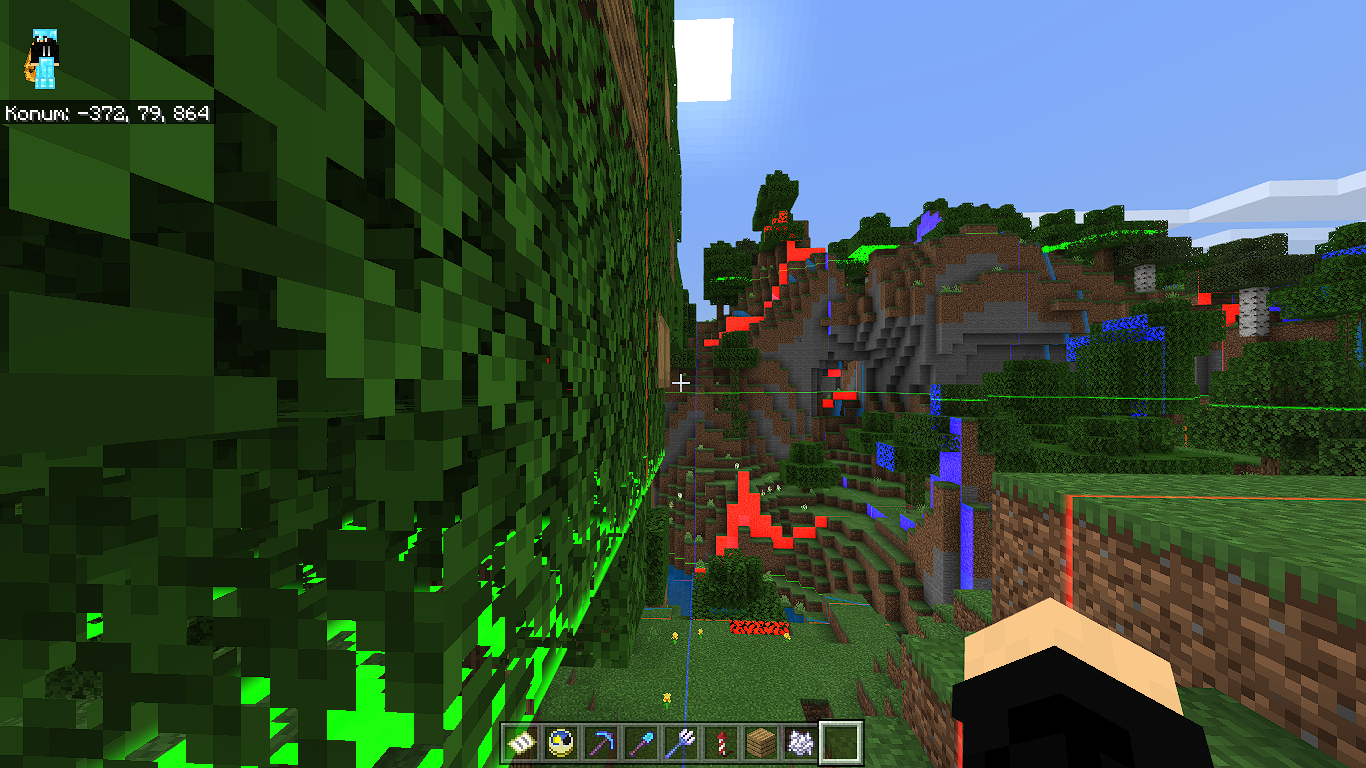

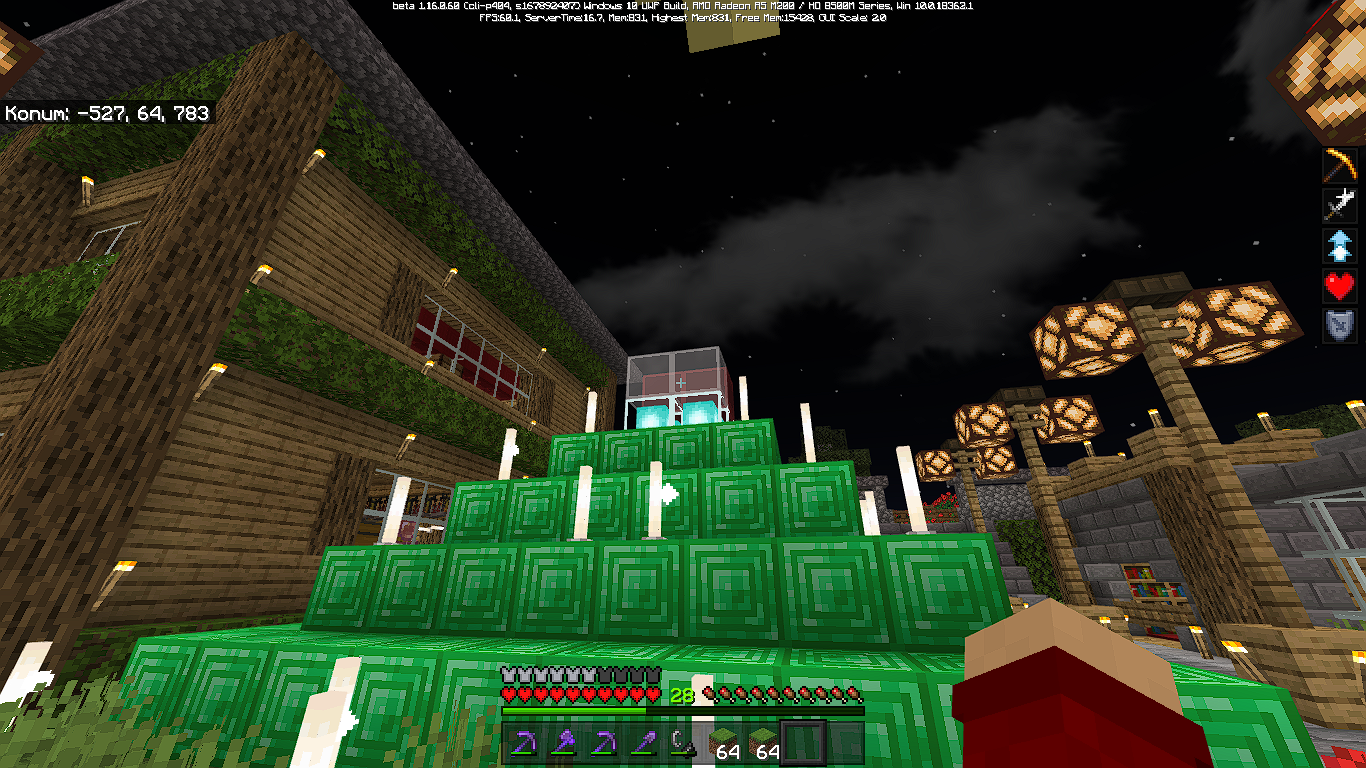
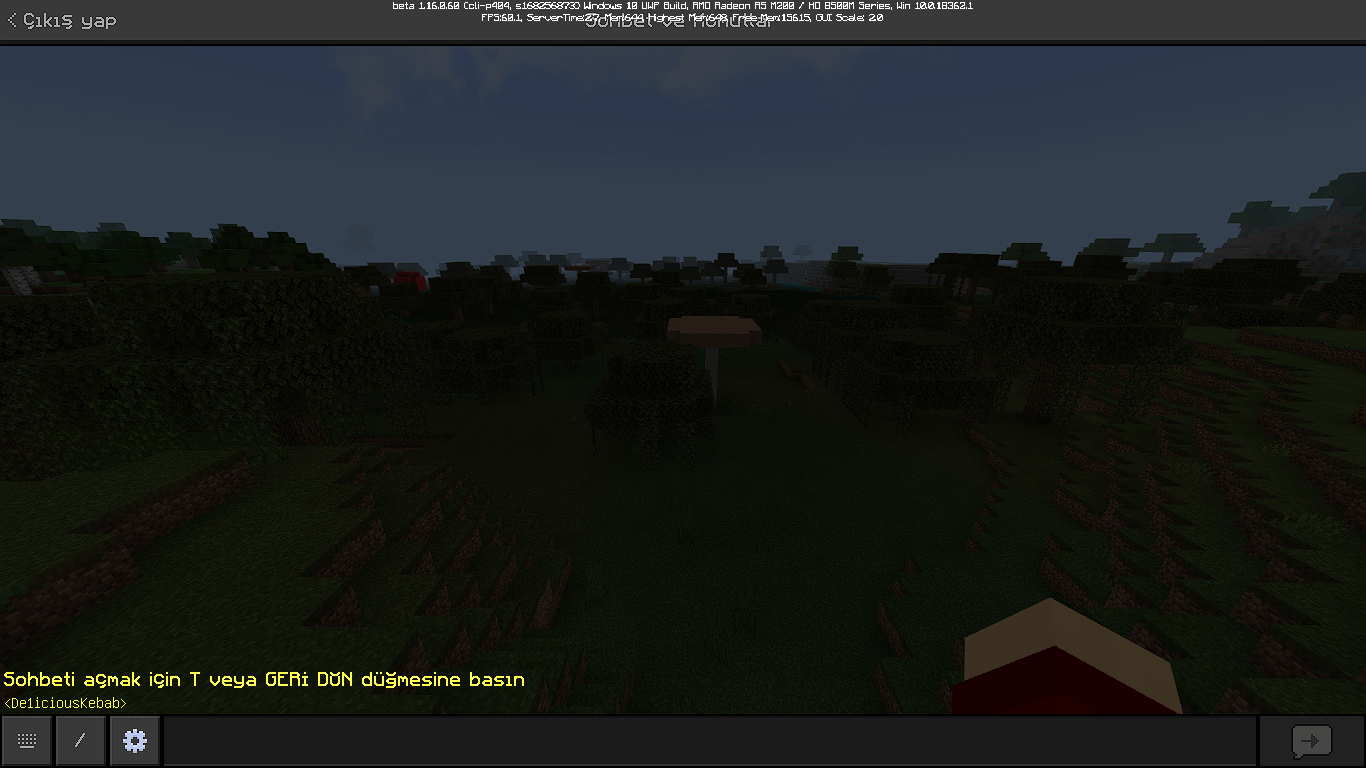
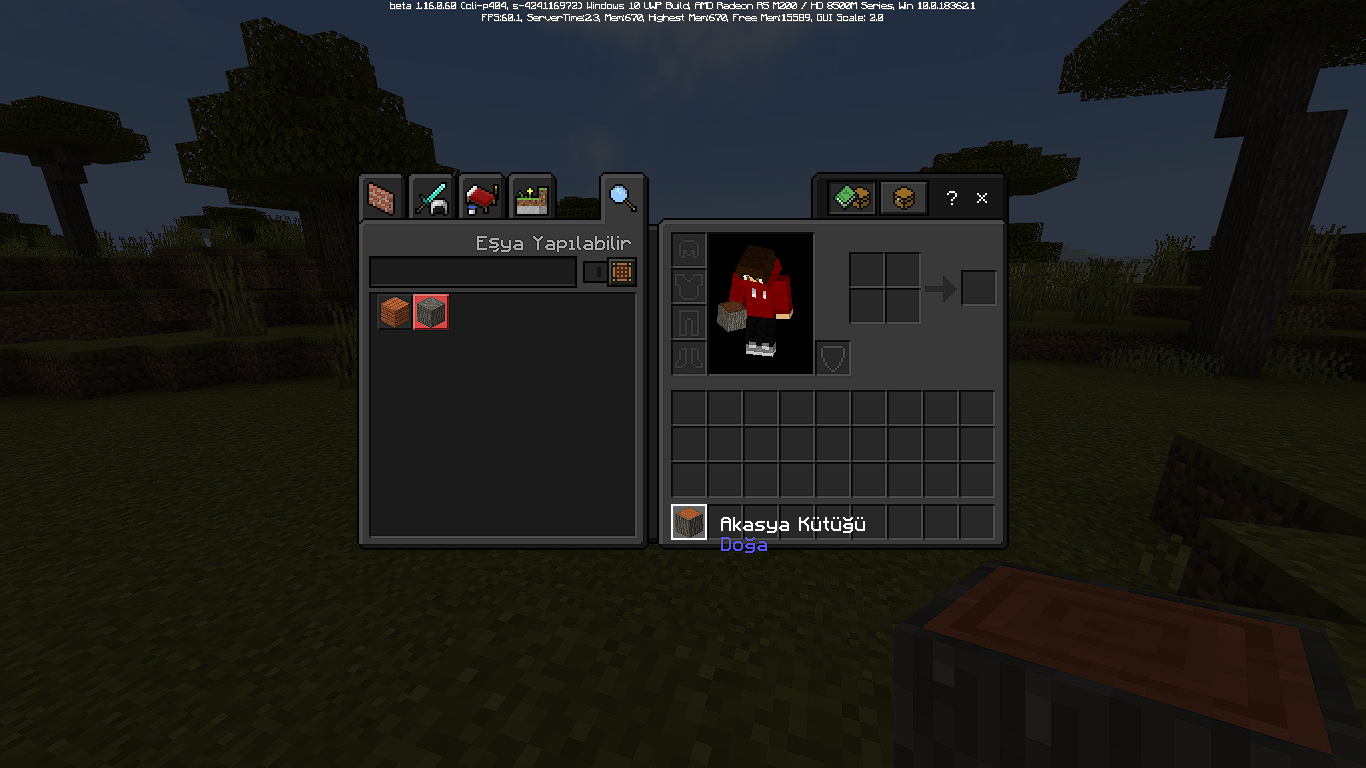


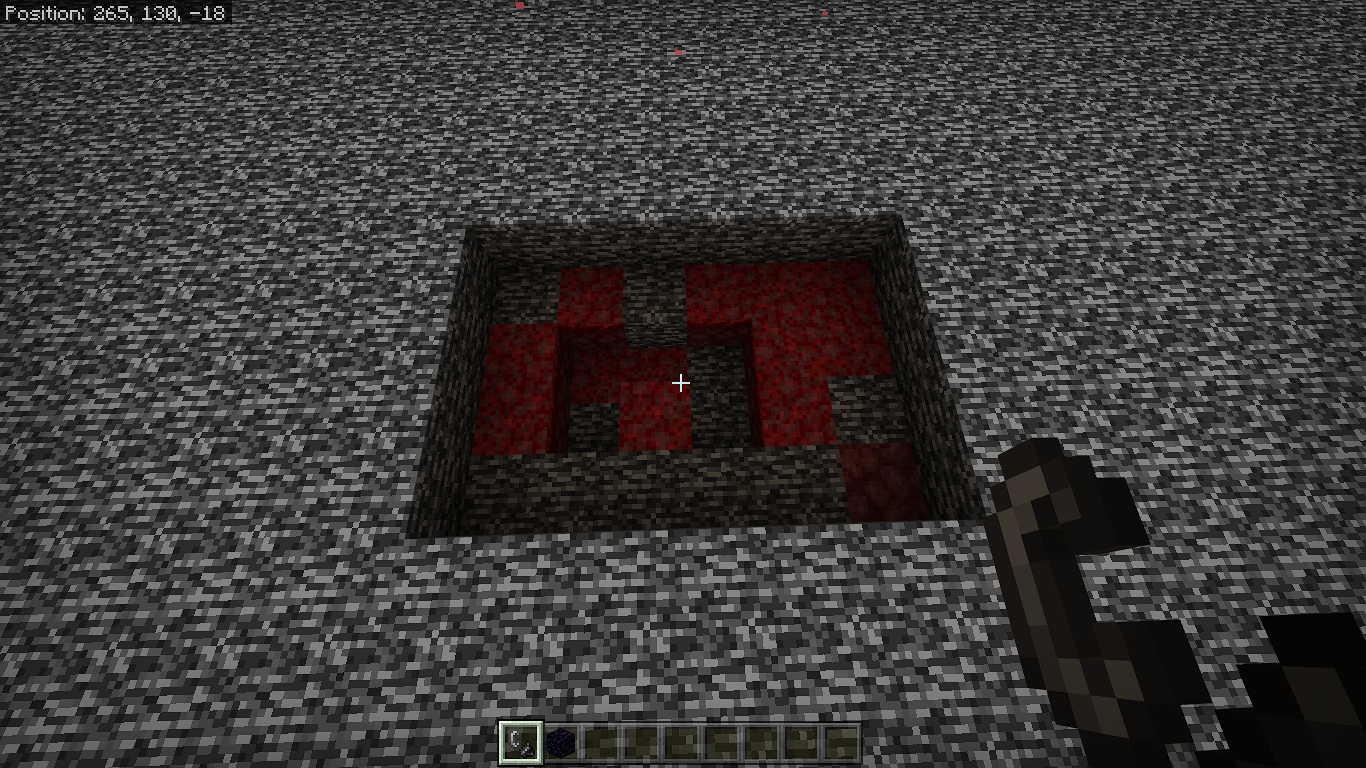
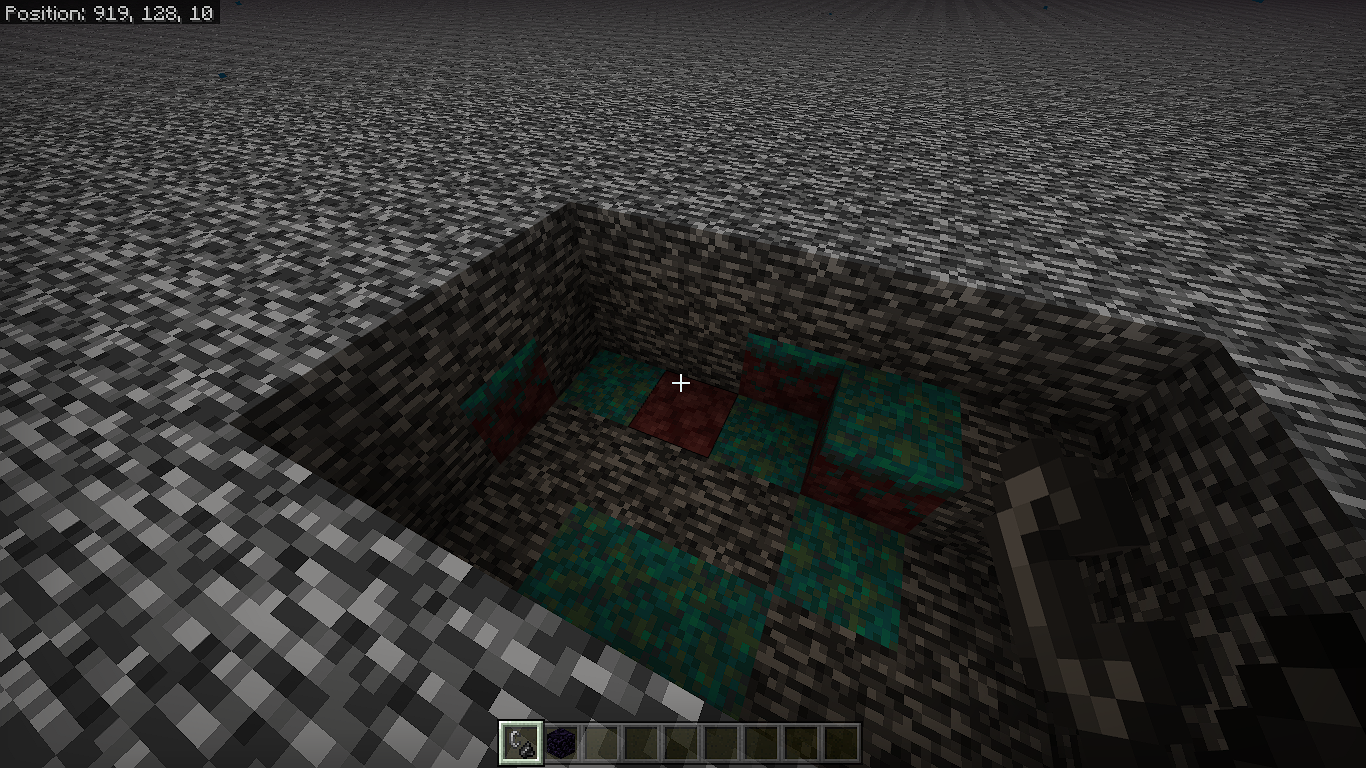




Some Turkish translations are wrong. In Java Edition, Turkish translation is correctly so clear.
''Spruce'' means ''Ladin'' instead of ''Çam''. Çam means Pine in English.
''Sign'' means ''Tabela'' instead of ''Levha''. ''Levha'' means Plate, which is using in geology.
''Silverfish'' is not mean ''Gümüşbalığı''. It means ''Gümüşçün''. Gümüş Balığı means Sand Smelt Fish in English.
''Wood'' means ''Odun'', and not ''Ağaç''. Ağaç means Tree in English.
''Plank'' means ''Tahta'' and ''Kalas''. But there should be one of them. Translation using both.
For example, ''Oak Wood Planks'' is translated in ''Meşe Ağacı Tahtası''. This translation is correct.
But ''Birch Wood Planks'' is translated as ''Huş Ağacından Kalaslar''. This is wrong. It should be translated as ''Huş Odunu Tahtası''. Same thing happened in stair translation, too.
And ''Stairs'' is translated as ''Merdiveni'', ''Merdivenler'' and ''Merdiven''. Correct one is ''Merdiveni''.
Translation for "Snowball", "Flint", "Squid" and "Sandstone" are wrong. They should be "Kar Topu", "Çakmak Taşı", "Mürekkep Balığı" and "Kum Taşı" by respectively.
"Cake" means ''Pasta'', and not ''Kek''.
''Block'' is translated as''Bloğu'' and sometimes ''Bloku''. Correct one is ''Bloku''.
For example, Honeycomb Block is translated as ''Petek Bloku'', and this translation is correct.
But Diamond Block translated as ''Elmas Bloğu'' and this is not correct. It should be translated as ''Elmas Bloku''.
Some Turkish translations are wrong. In Java Edition, Turkish translation is correctly so clear.
''Spruce'' means ''Ladin'' instead of ''Çam''. Çam means Pine in English.
''Sign'' means ''Tabela'' instead of ''Levha''. ''Levha'' means Plate, which is using in geology.
''Silverfish'' is not mean ''Gümüşbalığı''. It means ''Gümüşçün''. Gümüş Balığı means Sand Smelt Fish in English.
''Wood'' means ''Odun'', and not ''Ağaç''. Ağaç means Tree in English.
''Plank'' means ''Tahta'' and ''Kalas''. But there should be one of them.
Translation using both.For example, ''Oak Wood Planks'' is translated in ''Meşe Ağacı Tahtası''. This translation is correct.
But ''Birch Wood Planks'' is translated as ''Huş Ağacından Kalaslar''. This is wrong. It should be translated as ''Huş Odunu Tahtası''. Same thing happened in stair translation, too.
And ''Stairs'' is translated as ''Merdiveni'', ''Merdivenler'' and ''Merdiven''. Correct one is ''Merdiveni''.
Translation for "Snowball", "Flint", "Squid" and "Sandstone" are wrong. They should be "Kar Topu", "Çakmak Taşı", "Mürekkep Balığı" and "Kum Taşı" by respectively.
"Cake" means ''Pasta'', and not ''Kek''.
''Block'' is translated as''Bloğu'' and sometimes ''Bloku''. Correct one is ''Bloku''.
For example, Honeycomb Block is translated as ''Petek Bloku'', and this translation is correct.
But Diamond Block translated as ''Elmas Bloğu'' and this is not correct. It should be translated as ''Elmas Bloku''.
Some Turkish translations are wrong. In Java Edition, Turkish translation is correctly so clear.
''Spruce'' means ''Ladin'' instead of ''Çam''. Çam means Pine in English.
''Sign'' means ''Tabela'' instead of ''Levha''. ''Levha'' means Plate, which is using in geology.
''Silverfish'' is not mean ''Gümüşbalığı''. It means ''Gümüşçün''. Gümüş Balığı means Sand Smelt Fish in English.
''Wood'' means ''Odun'', and not ''Ağaç''. Ağaç means Tree in English.
''Plank'' means ''Tahta'' and ''Kalas''. But there should be one of them. In Minecraft, both are used.
For example, ''Oak Wood Planks'' is translated in ''Meşe Ağacı Tahtası''. This translation is correct.
But ''Birch Wood Planks'' is translated as ''Huş Ağacından Kalaslar''. This is wrong. It should be translated as ''Huş Odunu Tahtası''. Same thing happened in stair translation, too.
And ''Stairs'' is translated as ''Merdiveni'', ''Merdivenler'' and ''Merdiven''. Correct one is ''Merdiveni''.
Translation for "Snowball", "Flint", "Squid" and "Sandstone" are wrong. They should be "Kar Topu", "Çakmak Taşı", "Mürekkep Balığı" and "Kum Taşı" by respectively.
"Cake" means ''Pasta'', and not ''Kek''.
''Block'' is translated as''Bloğu'' and sometimes ''Bloku''. Correct one is ''Bloku''.
For example, Honeycomb Block is translated as ''Petek Bloku'', and this translation is correct.
But Diamond Block translated as ''Elmas Bloğu'' and this is not correct. It should be translated as ''Elmas Bloku''.
Some Turkish translations are wrong. In Java Edition, Turkish translation is correctly so clear.
''Spruce'' means ''Ladin'' instead of ''Çam''. Çam means Pine in English.
''Sign'' means ''Tabela'' instead of ''Levha''.
''Levha''means Plate, which is using in geology.''Silverfish'' is not mean ''Gümüşbalığı''. It means ''Gümüşçün''. Gümüş Balığı means Sand Smelt Fish in English.
''Wood'' means ''Odun'', and not ''Ağaç''. Ağaç means Tree in English.
''Plank'' means ''Tahta'' and ''Kalas''. But there should be one of them. In Minecraft, both are used.
For example, ''Oak Wood Planks'' is translated
in''Meşe AğacıTahtası''. This translation is correct.But ''Birch Wood Planks'' is translated as ''Huş Ağacından Kalaslar''. This is wrong. It should be translated as ''Huş Odunu Tahtası''. Same thing happened in stair translation, too.
And ''Stairs'' is translated as ''Merdiveni'', ''Merdivenler'' and ''Merdiven''. Correct one is ''Merdiveni''.
Translation for "Snowball", "Flint", "Squid" and "Sandstone" are wrong. They should be
"Kar Topu", "Çakmak Taşı", "Mürekkep Balığı" and "Kum Taşı" by respectively."Cake" means ''Pasta'', and not ''Kek''.
''Block'' is translated as''Bloğu'' and sometimes ''Bloku''. Correct one is ''Bloku''.
For example, Honeycomb Block is translated as ''Petek Bloku'', and this translation is correct.
But Diamond Block translated as ''Elmas Bloğu'' and this is not correct. It should be translated as ''Elmas Bloku''.
Some Turkish translations are wrong. In Java Edition, Turkish translation is correctly so clear.
''Spruce'' means ''Ladin'' instead of ''Çam''. Çam means Pine in English.
''Sign'' means ''Tabela'' instead of ''Levha''. Levha means Plate, which is using in geology.
''Silverfish'' is not mean ''Gümüşbalığı''. It means ''Gümüşçün''. Gümüş Balığı means Sand Smelt Fish in English.
''Wood'' means ''Odun'', and not ''Ağaç''. Ağaç means Tree in English.
''Plank'' means ''Tahta'' and ''Kalas''. But there should be one of them. In Minecraft, both are used.
For example, ''Dark Oak Wood Planks'' is translated as ''Koyu Meşe Odunu Tahtası''. This translation is correct.
But ''Birch Wood Planks'' is translated as ''Huş Ağacından Kalaslar''. This is wrong. It should be translated as ''Huş Odunu Tahtası''. Same thing happened in stair translation, too.
And ''Stairs'' is translated as ''Merdiveni'', ''Merdivenler'' and ''Merdiven''. Correct one is ''Merdiveni''.
Translation for "Snowball", "Flint", "Squid" and "Sandstone" are wrong. They should be "Kar Topu", "Çakmak Taşı", "Mürekkep Balığı" and "Kum Taşı" by respectively.
"Cake" means ''Pasta'', and not ''Kek''.
''Block'' is translated as''Bloğu'' and sometimes ''Bloku''. Correct one is ''Bloku''.
For example, Honeycomb Block is translated as ''Petek Bloku'', and this translation is correct.
But Diamond Block translated as ''Elmas Bloğu'' and this is not correct. It should be translated as ''Elmas Bloku''.
Some Turkish translations are wrong.And these are making the game non understandable.
Some Turkish translations are wrong. In Java Edition, Turkish translation is correctly so clear.
''Spruce'' means ''Ladin'' instead of ''Çam''. Çam means Pine in English.
''Sign'' means ''Tabela'' instead of ''Levha''. Levha means Plate, which is using in geology.
''Silverfish'' is not mean ''Gümüşbalığı''. It means ''Gümüşçün''. Gümüş Balığı means Sand Smelt Fish in English.
''Wood'' means ''Odun'', and not ''Ağaç''. Ağaç means Tree in English.
''Plank'' means ''Tahta'' and ''Kalas''. But there should be one of them. In Minecraft, both are used.
For example, ''Dark Oak Wood Planks'' is translated as ''Koyu Meşe Odunu Tahtası''. This translation is correct.
But ''Birch Wood Planks'' is translated as ''Huş Ağacından Kalaslar''. This is wrong. It should be translated as ''Huş Odunu Tahtası''. Same thing happened in stair translation, too.
And ''Stairs'' is translated as ''Merdiveni'', ''Merdivenler'' and ''Merdiven''. Correct one is ''Merdiveni''.
Translation for "Snowball", "Flint", "Squid" and "Sandstone" are wrong. They should be "Kar Topu", "Çakmak Taşı", "Mürekkep Balığı" and "Kum Taşı" by respectively.
"Cake" means ''Pasta'', and not ''Kek''.
''Block'' is translated as''Bloğu'' and sometimes ''Bloku''. Correct one is ''Blo
ku''.For example, Honeycomb Block is translated as ''Petek Bloku'', and this translation is correct.
But Diamond Block translated as ''Elmas Bloğu'' and this is
notcorrect.It should be translated as ''Elmas Bloku''.Some Turkish translations are wrong. In Java Edition, Turkish translation is correctly so clear.
''Spruce'' means ''Ladin'' instead of ''Çam''. Çam means Pine in English.
''Sign'' means ''Tabela'' instead of ''Levha''. Levha means Plate, which is using in geology.
''Silverfish'' is not mean ''Gümüşbalığı''. It means ''Gümüşçün''. Gümüş Balığı means Sand Smelt Fish in English.
''Wood'' means ''Odun'', and not ''Ağaç''. Ağaç means Tree in English.
''Plank'' means ''Tahta'' and ''Kalas''. But there should be one of them. In Minecraft, both are used.
For example, ''Dark Oak Wood Planks'' is translated as ''Koyu Meşe Odunu Tahtası''. This translation is correct.
But ''Birch Wood Planks'' is translated as ''Huş Ağacından Kalaslar''. This is wrong. It should be translated as ''Huş Odunu Tahtası''. Same thing happened in stair translation, too.
And ''Stairs'' is translated as ''Merdiveni'', ''Merdivenler'' and ''Merdiven''. Correct one is ''Merdiveni''.
Translation for "Snowball", "Flint", "Squid" and "Sandstone" are wrong. They should be "Kar Topu", "Çakmak Taşı", "Mürekkep Balığı" and "Kum Taşı" by respectively.
"Cake" means ''Pasta'', and not ''Kek''.
''Block'' is translated as''Bloğu'' and sometimes ''Bloku''. Correct one is ''Bloğu''.
For example, Honeycomb Block is translated as ''Petek Bloku'', and this translation is not correct. It should be translated as ''Petek Bloğu''.
But Diamond Block translated as ''Elmas Bloğu'' and this is correct.
Also when you search item or block with''i'' letter, you need to close your Caps Lock first, because when you search with ''İ'', items and blocks can't be found.
Some Turkish translations are wrong. In Java Edition, Turkish translation is correctly so clear.
''Spruce'' means ''Ladin'' instead of ''Çam''. Çam means Pine in English.
''Sign'' means ''Tabela'' instead of ''Levha''. Levha means Plate, which is using in geology.
''Silverfish'' is not mean ''Gümüşbalığı''. It means ''Gümüşçün''. Gümüş Balığı means Sand Smelt Fish in English.
''Wood'' means ''Odun'', and not ''Ağaç''. Ağaç means Tree in English.
''Plank'' means ''Tahta'' and ''Kalas''. But there should be one of them. In Minecraft, both are used.
For example, ''Dark Oak Wood Planks'' is translated as ''Koyu Meşe Odunu Tahtası''. This translation is correct.
But ''Birch Wood Planks'' is translated as ''Huş Ağacından Kalaslar''. This is wrong. It should be translated as ''Huş Odunu Tahtası''. Same thing happened in stair translation, too.
And ''Stairs'' is translated as ''Merdiveni'', ''Merdivenler'' and ''Merdiven''. Correct one is ''Merdiveni''.
Translation for "Snowball", "Flint", "Squid" and "Sandstone" are wrong. They should be "Kar Topu", "Çakmak Taşı", "Mürekkep Balığı" and "Kum Taşı" by respectively.
"Cake" means ''Pasta'', and not ''Kek''.
''Block'' is translated as''Bloğu'' and sometimes ''Bloku''. Correct one is ''Bloğu''.
For example, Honeycomb Block is translated as ''Petek Bloku'',
andthis translation is not correct. It should be translated as ''Petek Bloğu''.
ButDiamond Block translated as ''Elmas Bloğu'' and this is correct.Also when you search item or block with''i'' letter, you need to close your Caps Lock first, because when you search with ''İ'', items and blocks can't be found.
Some Turkish translations are wrong. In Java Edition, Turkish translation is correctly so clear.
''Spruce'' means ''Ladin'' instead of ''Çam''. Çam means Pine in English.
''Sign'' means ''Tabela'' instead of ''Levha''. Levha means Plate, which is using in geology.
''Silverfish'' is not mean ''Gümüşbalığı''. It means ''Gümüşçün''. Gümüş Balığı means Sand Smelt Fish in English.
''Wood'' means ''Odun'', and not ''Ağaç''. Ağaç means Tree in English.
''Plank'' means ''Tahta'' and ''Kalas''. But there should be one of them. In Minecraft, both are used.
For example, ''Dark Oak Wood Planks'' is translated as ''Koyu Meşe Odunu Tahtası''. This translation is correct.
But ''Birch Wood Planks'' is translated as ''Huş Ağacından Kalaslar''. This is wrong. It should be translated as ''Huş Odunu Tahtası''. Same thing happened in stair translation, too.
And ''Stairs'' is translated as ''Merdiveni'', ''Merdivenler'' and ''Merdiven''. Correct one is ''Merdiveni''.
Translation for "Snowball", "Flint", "Squid" and "Sandstone" are wrong. They should be "Kar Topu", "Çakmak Taşı", "Mürekkep Balığı" and "Kum Taşı" by respectively.
"Cake" means ''Pasta'', and not ''Kek''.
''Block'' is translated as''Bloğu'' and sometimes ''Bloku''. Correct one is ''Bloğu''.
For example, Honeycomb Block is translated as ''Petek Bloku'', this translation is not correct. It should be translated as ''Petek Bloğu''.
And Diamond Block translated as ''Elmas Bloğu'' and this is correct.
Also when you search item or block with''i'' letter, you need to close your Caps Lock first, because when you search with ''İ'', items and blocks can't be found.
Some Turkish translations are wrong. In Java Edition, Turkish translation is correctly so clear.
''Spruce'' means ''Ladin'' instead of ''Çam''. Çam means Pine in English.
''Sign'' means ''Tabela'' instead of ''Levha''. Levha means Plate, which is using in geology.
''Silverfish'' is not mean ''Gümüşbalığı''. It means ''Gümüşçün''. Gümüş Balığı means Sand Smelt Fish in English.
''Wood'' means ''Odun'', and not ''Ağaç''. Ağaç means Tree in English.
''Plank'' means ''Tahta'' and ''Kalas''. But there should be one of them. In Minecraft, both are used.
For example, ''Dark Oak Wood Planks'' is translated as ''Koyu Meşe Odunu Tahtası''. This translation is correct.
But ''Birch Wood Planks'' is translated as ''Huş Ağacından Kalaslar''. This is wrong. It should be translated as ''Huş Odunu Tahtası''. Same thing happened in stair translation, too.
And ''Stairs'' is translated as ''Merdiveni'', ''Merdivenler'' and ''Merdiven''. Correct one is ''Merdiveni''.
Translation for "Snowball", "Flint", "Squid" and "Sandstone" are wrong. They should be "Kar Topu", "Çakmak Taşı", "Mürekkep Balığı" and "Kum Taşı" by respectively.
"Cake" means ''Pasta'', and not ''Kek''.
''Block'' is translated as''Bloğu'' and sometimes ''Bloku''. Correct one is ''Bloğu''.
For example, Honeycomb Block is translated as ''Petek Bloku'', this translation is not correct. It should be translated as ''Petek Bloğu''.
And Diamond Block translated as ''Elmas Bloğu'' and this is correct.
Also when you search item or block with''i'' letter, you need to close your Caps Lock first, because when you search with ''İ'', items and blocks can't be found.
Similar to
MCPE-21719.
My reputation is ''Good Player'' according to Enforcement of Xbox. Also my Enforcement History is empty. My communication settings set as ''Everyone'' in Privacy and Online Safety Settings. But I can't see other people's messages, also they can't see my messages. I don't know is this happening on realms, too; because I am not joined realms yet. I can't chat with people since 9-10 months.
I did everything to fix this, but I couldn't. I don't know this is fault of Microsoft or Minecraft. Servers say ''Microsoft's fault'', Microsoft says ''Server's Fault''. Also I contacted to Mojang, and they are not response to me since 5 months.
Still affects 1.14.30 in Windows 10 - PC.
Still affects 1.14.30 in Windows 10 - PC
Affects 1.14.60
Bug-1.png

I saw Zombified Piglin with Wither Skeleton Head. I didn't give Wither Skeleton Head or armor to this mob. Is this a bug?
Affects 1.14.60 and 1.16.0.57 Beta.
In 1.16.0.57 Beta, some of new blocks aren't translated to Turkish.
Almost all blocks and items translations are wrong in Turkish language. There are so many examples of these. Therefore, I prefer play Minecraft Bedrock Edition in English language.
Summary
Text Background Opacity settingnot translatedto other languages.Steps to Reproduce:
- Go to Settings -> Language.
- Set your game language to random one (except English).
- Go to Settings -> Accessibility.
What I expected to happen was...:
''Text Background Opacity''setting translatedinother languages.What actually happened was...:
''Text Background Opacity''settingnot translated inother languages.Summary
Text Background Opacity setting didn't translate to other languages.Steps to Reproduce:
- Go to Settings -> Language.
- Set your game language to random one (except English).
- Go to Settings -> Accessibility.
What I expected to happen was...:
Text Background Opacity setting translated to other languages.What actually happened was...:
Text Background Opacity setting didn't translate to other languages.
''Text Background Opacity''Settingnot Translated inOther LanguagesText Background Opacity Setting didn't Translate to Other Languages.
Summary
Text Background Opacity setting didn't translate to other languages.Steps to Reproduce:
- Go to Settings -> Language.
- Set your game language to random one (except English)
.- Go to Settings -> Accessibility.
What I expected to happen was...:
Text Background Opacity setting translated to other languages.What actually happened was...:
Text Background Opacity setting didn't translate to other languages.Summary
Text Background Opacity setting didn't translate to other languages.Steps to Reproduce:
- Go to Settings -> Language.
- Set your game language to random one (except English)
- Go to Settings -> Accessibility.
What I expected to happen was...:
Text Background Opacity setting translated to other languages.What actually happened was...:
Text Background Opacity setting didn't translate to other languages.
Summary
Text Background Opacity setting didn't translate to other languages.Steps to Reproduce:
- Go to Settings -> Language.
- Set your game language to random one (except English).
- Go to Settings -> Accessibility.
What I expected to happen was...:
Text Background Opacity setting translated to other languages.What actually happened was...:
Text Background Opacity setting didn't translate to other languages.
This bug still exist in latest beta (1.16.0.63). I'm playing on peaceful mode, so hostile mobs can't spawn.
He is running when he shouldn't, and his arm moving weirdly.
[^iron_golem.mp4]
Summary
Villagers can teleport to their workstations when player quits from the game while villagers are walking to their workstations.Steps to Reproduce:
- Download the attached map.
- Summon a villager during night.
- Set time to Sunrise, Day or Noon.
- Quit from the game while villager is walking to it's workstation.
Villager teleported to it's workstation.
What I expected to happen was...:
Villager is still walking to it's workstation.What actually happened was...:
Villager is teleported to it's workstation.Summary
Villagers can teleport to their workstations when player quits from the game while villagers are walking to their workstations.Steps to Reproduce:
- Download the attached map. Villagers Teleporting.mcworld
- Summon a villager during night.
- Set time to Sunrise, Day or Noon.
- Quit from the game while villager is walking to it's workstation.
What I expected to happen was...:
Villager is still walking to it's workstation.What actually happened was...:
Villager is teleported to it's workstation.
Summary
Villagers can teleport to their workstations when player quits from the game while villagers are walking to their workstations.Steps to Reproduce:
- Download the attached map. Villagers Teleporting.mcworld
- Summon a villager during night.
- Set time to Sunrise, Day or Noon.
- Quit from the game while villager is walking to it's workstation.
What I expected to happen was...:
Villager is still walking to it's workstation.What actually happened was...:
Villager is teleported to it's workstation. (Or teleported to 12-16 blocks away from latest save).
Summary
Villagers can teleport to their workstations when player quits from the game while villagers are walking to their workstations.Steps to Reproduce:
- Download the attached map. Villagers Teleporting.mcworld
- Summon a villager during night.
- Set time to Sunrise, Day or Noon.
- Quit from the game while villager is walking to it's workstation.
What I expected to happen was...:
Villager is still walking to it's workstation.What actually happened was...:
Villager is teleported to it's workstation. (Or teleported to 12-16 blocks away from latest save, near to it's workstation.).
Summary
Villagers can teleport to their workstations when player quits from the game while villagers are walking to their workstations.Steps to Reproduce:
- Download the attached map. Villagers Teleporting.mcworld
- Summon a villager during night.
- Set time to Sunrise, Day or Noon.
- Quit from the game while villager is walking to it's workstation.
What I expected to happen was...:
Villager is still walking to it's workstation.What actually happened was...:
Villager is teleported to it's workstation. (Or teleported to 12-16 blocks away from latest save, near to it's workstation.).Summary
Villagers can teleport to their workstations when player quits from the game while villagers are walking to their workstations.Steps to Reproduce:
- Download the attached map. Villagers Teleporting.mcworld
- Summon a villager during night.
- Wait until villager is recognized their workstation and bed.
- Set time to Sunrise, Day or Noon.
- Quit from the game while villager is walking to it's workstation.
What I expected to happen was...:
Villager is still walking to it's workstation.What actually happened was...:
Villager is teleported to it's workstation. (Or teleported to 12-16 blocks away from latest save, near to it's workstation.).
Summary
Villagers can teleport to their workstations when player quits from the game while villagers are walking to their workstations.Steps to Reproduce:
- Download the attached map. Villagers Teleporting.mcworld
- Summon a villager during night.
- Wait until villager is recognized
theirworkstation and bed.- Set time to Sunrise, Day or Noon.
- Quit from the game while villager is walking to it's workstation.
What I expected to happen was...:
Villager is still walking to it's workstation.What actually happened was...:
Villager is teleported to it's workstation. (Or teleported to 12-16 blocks away from latest save, near to it's workstation.).Summary
Villagers can teleport to their workstations when player quits from the game while villagers are walking to their workstations.Steps to Reproduce:
- Download the attached map. Villagers Teleporting.mcworld
- Summon a villager during night.
- Wait until villager is recognized it's workstation and bed.
- Set time to Sunrise, Day or Noon.
- Quit from the game while villager is walking to it's workstation.
What I expected to happen was...:
Villager is still walking to it's workstation.What actually happened was...:
Villager is teleported to it's workstation. (Or teleported to 12-16 blocks away from latest save, near to it's workstation.).
Summary
Villagers can teleport to their workstations when player quits from the game while villagers are walking to their workstations.Steps to Reproduce:
- Download the attached map. Villagers Teleporting.mcworld
- Summon a villager during night.
- Wait until villager is recognized it's workstation and bed.
- Set time to Sunrise, Day or Noon.
- Quit from the game while villager is walking to it's workstation.
What I expected to happen was...:
Villager is still walking to it's workstation.What actually happened was...:
Villager is teleported to it's workstation. (Or teleported to 12-16 blocks away from latest save, near to it's workstation.).
VillagerscanTeleport to Their Workstations.Villagers are Teleporting to Their Workstations After Relog.
Summary
Villagerscanteleport to their workstationswhen player quits from the game while villagers are walking to their workstations.Steps to Reproduce:
- Download the attached map. Villagers Teleporting.mcworld
- Summon a villager during night.
- Wait until villager is recognized it's workstation and bed.
- Set time to Sunrise, Day or Noon.
- Quit from the game while villager is walking to it's workstation.
What I expected to happen was...:
Villager is still walking to it's workstation.What actually happened was...:
Villager is teleported to it's workstation. (Or teleported to12-16 blocks away from latest save,near to it's workstation).Summary
Villagers are teleporting to their workstations after relog.Steps to Reproduce:
- Download the attached map. Villagers Teleporting.mcworld
- Summon a villager during night.
- Wait until villager is recognized it's workstation and bed.
- Set time to Sunrise, Day or Noon.
- Quit from the game while villager is walking to it's workstation.
What I expected to happen was...:
Villager is still walking to it's workstation from same distance.What actually happened was...:
Villager is teleported to it's workstation or teleported to near to it's workstation after relog.
Summary
Villagers are teleporting to their workstations after relog.Steps to Reproduce:
- Download the attached map. Villagers Teleporting.mcworld
- Summon a villager during night.
- Wait until villager is recognized it's workstation and bed.
- Set time to Sunrise, Day or Noon.
- Quit from the game while villager is walking to it's workstation.
What I expected to happen was...:
Villager is still walking to it's workstation from same distance.What actually happened was...:
Villager is teleported to it's workstation orteleported tonear to it's workstation after relog.Summary
Villagers are teleporting to their workstations after relog.Steps to Reproduce:
- Download the attached map. Villagers Teleporting.mcworld
- Summon a villager during night.
- Wait until villager is recognized it's workstation and bed.
- Set time to Sunrise, Day or Noon.
- Quit from the game while villager is walking to it's workstation.
What I expected to happen was...:
Villager is still walking to it's workstation from same distance.What actually happened was...:
Villager is teleported to it's workstation or near to it's workstation after relog.
Summary
Villagers areteleporting to their workstations after relog.Steps to Reproduce:
- Download the attached map. Villagers Teleporting.mcworld
- Summon a villager during night.
- Wait until villager
isrecognized it's workstation and bed.- Set time to Sunrise, Day or Noon.
- Quit from the game while villager is walking to it's workstation.
What I
expected tohappenwas...:
Villager is still walking to it's workstation from same distance.What
actuallyhappenedwas...:
Villager is teleported to it's workstation or near to it's workstation after relog.Summary
Villagers areteleporting to their workstations/beds after relog.Steps to Reproduce:
- Download the attached map. Villagers Teleporting.mcworld
- Summon a villager during night.
- Wait until villager recognized it's workstation and bed.
- Set time to Sunrise, Day or Noon.
- Quit from the game while villager is walking to it's workstation.
What I Expected to Happen Was...:
Villager is still walking to it's workstation from same distance.What Actually Happened Was...:
Villager is teleported to it's workstation or near to it's workstation after relog.
Villagers are Teleporting to Their Workstations/Beds After Relog.
Summary
Villagers are teleporting to their workstations/beds after relog.Steps to Reproduce:
- Download the attached map. Villagers Teleporting.mcworld
- Summon a villager during night.
- Wait until villager recognized it's workstation and bed.
- Set time to Sunrise, Day or Noon.
- Quit from the game while villager is walking to it's workstation.
What I Expected to Happen Was...:
Villager is still walking to it's workstation from same distance.What Actually Happened Was...:
Villager is teleported to it's workstation or near to it's workstation after relog.
I've noticed that my fps stuck at 9 when I stuck in loading resources, only way to fix this issue is closing the game using F4 button in your keyboard on Windows 10 Edition.
Summary
Bees don't attacking to player when player close to them.
Screnshoots / Videos Attached: Yes
Summary
Bees don't attacking to player when player close
tothem.Screnshoots / Videos Attached: Yes
Bees don't Attacking to Player When Player ClosetoThem.
Summary
Bees don't attacking to player when player
closethem.Screnshoots / Videos Attached: Yes
Summary
Bees don't attacking to player when player near to them.
Screnshoots / Videos Attached: Yes
Bees don't Attacking to Player When PlayerCloseThem.Bees don't Attacking to Player When Player Near to Them.
Summary
Bees don't attacking to player when player near to them.Screnshoots / Videos Attached: Yes
Summary
Angry bees don't attacking to player when player near to them.
Screnshoots / Videos Attached: Yes
Angry Bees don't Attacking to Player When Player Near to Them.
Summary
Angry bees don't attacking to player when player near to them.
Screnshoots / Videos Attached: Yes
Summary
Angry bees don't attacking to player when player near to them.
Steps to Reproduce:
- Create a new world with creative mode.
- Put some flowers, bee hives and bees.
- Get some shields.
- Set your difficulty to easy mode (this makes reproduce this bug more easily), and set gamemode to survival.
- Be in next to bee hive and above flowers, and attack a bee.
- Other bees start to attacking you, use your shield to deflect bees above flowers.
- There is still a angry bee which is above from player, she looks like collect pollens, but she isn't, if you moved away, she will attack you.
What I Excepted to Happen was...
The bee still attacking to player.
What Actually Happened was...
She isn't attacking when player underneath her/them.
Bee looks like collecting pollen, but she isn't. When player moves away, she will attacking the player again.
Screnshoots / Videos Attached: Yes
Summary
Angry bees don't attacking to player when player
near tothem.Steps to Reproduce:
- Create a new world with creative mode.
- Put some flowers, bee hives and bees.
- Get some shields.
- Set your difficulty to easy mode (this makes reproduce this bug more easily), and set gamemode to survival.
- Be in next to bee hive and above flowers, and attack a bee.
- Other bees start to attacking you, use your shield to deflect bees above flowers.
- There is still a angry bee which is above from player, she looks like collect pollens, but she isn't, if you moved away, she will attack you.
What I Excepted to Happen was...
The bee still attacking to player.
What Actually Happened was...
She isn't attacking when player underneath her/them.
Bee looks like collecting pollen, but she isn't. When player moves away, she will attacking the player again.
Screnshoots / Videos Attached: Yes
Summary
Angry bees don't attacking to player when player underneath them.
Steps to Reproduce:
- Create a new world with creative mode.
- Put some flowers, bee hives and bees.
- Get some shields.
- Set your difficulty to easy mode (this makes reproduce this bug more easily), and set gamemode to survival.
- Be in next to bee hive and above flowers, and attack a bee.
- Other bees start to attacking you, use your shield to deflect bees above flowers.
- There is still a angry bee which is above from player, she looks like collect pollens, but she isn't, if you moved away, she will attack you.
What I Excepted to Happen was...
The bee still attacking to player.
What Actually Happened was...
She isn't attacking when player underneath her/them.
Bee looks like collecting pollen, but she isn't. When player moves away, she will attacking the player again.
Screnshoots / Videos Attached: Yes
Angry Bees don't Attacking to Player When PlayerNear toThem.Angry Bees don't Attacking to Player When Player Underneath Them.
Summary
Angry bees don't attacking to player when player underneath them.
Steps to Reproduce:
- Create a new world with creative mode.
- Put some flowers, bee hives and bees.
- Get some shields.
- Set your difficulty to easy mode (this makes reproduce this bug more easily), and set gamemode to survival.
- Be in next to bee hive and above flowers, and attack a bee.
- Other bees start to attacking you, use your shield to deflect bees above flowers.
- There is still a angry bee which is above from player, she looks like collect pollens, but she isn't, if you moved away, she will attack you.
What I Excepted to Happen was...
The bee still attacking to player.
What Actually Happened was...
She isn't attacking when player underneath her
/them.Bee looks like collecting pollen, but she isn't. When player moves away, she will attacking the player again.
Screnshoots / Videos Attached: Yes
Summary
Angry bees don't
attacking toplayer when player underneath them.Steps to Reproduce:
- Create a new world with creative mode.
- Put some flowers, bee hives and bees.
- Get some shields.
- Set your difficulty to easy mode (this makes reproduce this bug more easily), and set gamemode to survival.
- Be in next to bee hive and above flowers, and attack a bee.
- Other bees start to attacking you, use your shield to deflect bees above flowers.
- There is still a angry bee which is above from player, she looks like collect pollens, but she isn't
, if youmoved away, she willattack you.What I Excepted to Happen was...
Thebee still attacking toplayer.What Actually Happened was...
She is
n't attacking when player underneath her.
Bee looks like collecting pollen, but she isn't. When player movesaway, she willattacking the player again.Screnshoots
/Videos Attached: YesSummary
Angry bees don't sting the player when player underneath them.
Steps to Reproduce:
- Create a new world with creative mode.
- Put some flowers, bee hives and bees.
- Get some shields.
- Set your difficulty to easy mode (this makes reproduce this bug more easily), and set gamemode to survival.
- Be in next to bee hive and above flowers, and attack a bee.
- Other bees start to attacking you, use your shield to deflect bees above flowers.
- There is still a angry bee which is above from player, she looks like collect pollens, but she isn't. If the player moved away, she will try to sting the player again.
What I Excepted to Happen was...
She is trying to sting the player.
What Actually Happened was...
She is not trying to sting to player.
She looks like collecting pollen, but she isn't. When player move away 1-2 blocks, she will try to sting the player again.
Screnshoots/Videos Attached: Yes
AngryBeesdon'tAttacking toPlayer When Player Underneath Them.Angry bees Don't Stinging the Player When Player Underneath Them.
Summary
Angry bees don't stinging the player when player underneath them.
Steps to Reproduce:
- Create a new world with creative mode.
- Put some flowers, bee hives and bees.
- Get some shields.
- Set your difficulty to easy mode (this makes reproduce this bug more easily), and set gamemode to survival.
- Be in next to bee hive and above flowers, and attack a bee.
- Other bees start to attacking you, use your shield to deflect bees above flowers.
- There is still a angry bee which is above from player, she looks like collect pollens, but she isn't. If the player moved away, she will try to sting the player again.
What I Excepted to Happen was...
She is trying to sting the player.
What Actually Happened was...
She is not trying to sting to player.
She looks like collecting pollen, but she isn't. When player move away 1-2 blocks, she will try to sting the player again.
Screnshoots/Videos Attached: Yes
AngrybeesDon't Stinging the Player When Player Underneath Them.Angry Bees don't Stinging the Player When Player Underneath Them.
Please resolve it as ''Cannot Reproduce''. I cannot reproduce it anymore.
Summary
Angry bees don't stinging the player when player underneath them.
Steps to Reproduce:
- Create a
newworld with creative mode.- Put some
flowers, bee hives and bees.Get someshields.- Set your difficulty to easy mode (
this makes reproduce this bug more easily), and set gamemode to survival.Be in next to bee hive and above flowers, and attack a bee.Other bees start to attacking you, use your shield to deflect beesabove flowers.- There is still a angry bee which is above from player, she looks like collect pollens, but she isn't. If the player moved away, she will try to sting the player again.
What I Excepted to Happen was...
She is trying to stingthe player.
What Actually Happened was...She is not trying to sting to player.
She looks like collecting pollen, but she isn't. When player move away 1-2 blocks, she will try to stingthe playeragain.Screnshoots/Videos Attached: Yes
Summary
I observe this issue after getting the angry bees away from attack with shields. An angry bee above me (rarely more than 1) is looking to me however he won't attack me. He starts to attacking me after I move away from 2 blocks.
Steps to Reproduce:
- Create a world with creative mode.
- Put some bee hives.
- Put some flowers in front of the beehives.
- Summon some bees.
- Get some shields.
- Set your difficulty to easy mode (for avoid from the poison effect).
- Set your gamemode to Survival.
- Stay in front of the beehive and above the flowers.
- Attack a bee, now all bees start to attacking you.
- Deflect the bees from attacking you with using shields.
Observed Results:
After the bees are expelled from the attack, an angry bee is seen above the player.
Excepted Results:
All the bees should get away from the player.
Screnshoots/Videos Attached?: Yes
Angry Beesdon't Stingingthe PlayerWhen PlayerUnderneathThem.An Angry Bee doesn't Sting the Player Underneath Him
Summary
I observe this issue after getting the angry bees away from attack with shields. An angry bee above me
(rarely more than 1) is looking to me however he won't attack me. He starts to attacking me after I move away from 2 blocks.Steps to Reproduce:
- Create a world with creative mode.
- Put some bee hives.
- Put some flowers in front of the beehives.
- Summon some bees.
- Get some shields.
- Set your difficulty to easy mode (for avoid from the poison effect).
- Set your gamemode to Survival.
- Stay in front of the beehive and above the flowers.
- Attack a bee, now all bees start to attacking you.
- Deflect the bees from attacking you with using shields.
Observed Results:
After the bees are expelled from the attack, an angry bee is seen above the player.
Excepted Results:
All the bees should get away from the player.
Screnshoots/Videos Attached?: Yes
Summary
I observe this issue after getting the angry bees away from attack with shields. An angry bee above me doesn't attack to me. He starts to attacking me after I move away from 2 blocks.
Steps to Reproduce:
- Create a world with creative mode.
- Put some bee hives.
- Put some flowers in front of the beehives.
- Summon some bees.
- Get some shields.
- Set your difficulty to easy mode (for avoid from the poison effect).
- Set your gamemode to Survival.
- Stay in front of the beehive and above the flowers.
- Attack a bee, now all bees start to attacking you.
- Deflect the bees from attacking you with using shields.
Observed Results:
After the bees are expelled from the attack, an angry bee is seen above the player.
Excepted Results:
All the bees should get away from the player.
Screnshoots/Videos Attached?: Yes
AnAngry Bee doesn't Sting the Player UnderneathHimAngry Bees don't Sting the Player Underneath Them
Summary
I observe this issue after getting the angry bees away from attack with shields. An angry bee above me doesn't attack to me. He starts to attacking me after I move away from 2 blocks.
Steps to Reproduce:
- Create a world with creative mode.
- Put some bee
hives.- Put some flowers in front of the beehives.
- Summon some bees.
- Get some shields.
- Set your difficulty to easy mode (for avoid from the poison effect).
- Set your gamemode to Survival.
- Stay in front of the beehive and above the flowers.
- Attack a bee, now all bees start to attacking you.
- Deflect the bees from attacking you with using shields.
Observed Results:
After the bees are expelled from the attack, an angry bee is seen above the player.
Excepted Results:
All the bees should get away from the player.
Screnshoots/Videos Attached
?: YesSummary
I observe this issue after getting the angry bees away from attack with shields. An angry bee above me doesn't attack to me. He starts to attacking me after I move away from 2 blocks.
Steps to Reproduce:
- Create a world with creative mode.
- Put some beehives.
- Put some flowers in front of the beehives.
- Summon some bees.
- Get some shields.
- Set your difficulty to easy mode (for avoid from the poison effect).
- Set your gamemode to Survival.
- Stay in front of the beehives and above the flowers.
- Attack a bee, now all bees start to attacking you.
- Deflect the bees from attacking you with using shields.
Observed Results:
After the bees are expelled from the attack, an angry bee is seen above the player.
Excepted Results:
All the bees should get away from the player.
Screnshoots/Videos Attached: Yes
Summary
I observe this issue after getting the angry bees away from attack with shields. An angry bee above me doesn't attack to me. He starts to attacking me after I move away from 2 blocks.
Steps to Reproduce:
- Create a world with creative mode.
- Put some beehives.
- Put some flowers in front of the beehives.
- Summon some bees.
- Get some shields.
- Set your difficulty to easy mode (for avoid from the poison effect).
- Set your gamemode to Survival.
- Stay in front of the beehives and above the flowers.
- Attack a bee, now all the bees start to attacking you.
- Deflect the bees from attacking you with using shields.
Observed Results:
After the bees are expelled from the attack, an angry bee is seen above the player.
Excepted Results:
All the bees should get away from the player.
Screnshoots/Videos Attached: Yes
1.16 Beta'da bu sorunu yaşıyordum. Bu sorun, yalnızca 1.16 güncellemesinden önce mevcut köylüleri etkilemektedir. Bu sorun, 1.16 güncellemesinden önceki köylüler yeni ticaret mekaniği ( MCPE-69757 ) takip etmedikleri için yaşanıyor . Bu sorunu çözmenin tek yolu, bu sorun çözülene kadar 2. seviyede sıkışmış köylülerinizi öldürmektir.
Summary
When player kills Bee/s in Survival on Peaceful, bees look like going to chasing to sting the player even in Peaceful mode, but they are so slow.
Killing bee/s in Survival on Peaceful mode causes exreme lag in the game.
Notes
- This issue affects Survival gamemode and Peaceful Difficulty only as I mentioned.
- Is this issue affects all platforms? I am playing on Windows 10 Edition only, thank you.
Steps to Reproduce:
- Download the attached map.
- Read the Written Book.
- Follow these steps.
What I Excepted to Happen Was...
When player killed bee/s in Survival on Peaceful, everything is working fine.
What Actually Happened Was...
Everything is so laggy, player can fix this with only allow to bees to sting him/herself by changing the gamemode.
Screenshots / Videos Attached: Yes.
Summary
When player kills Bee/s in Survival on Peaceful, bees look like going to chasing to sting the player even in Peaceful mode, but they are so slow.
Killing bee/s in Survival on Peaceful mode causes exreme lag in the game.
Notes
This issue affects Survival gamemode and Peaceful Difficulty only as I mentioned.
Steps to Reproduce:
- Download the attached map, Bee Issue.mcworld
.
- Read the Written Book.
- Follow these steps.
What I Excepted to Happen Was...
When player killed bee/s in Survival on Peaceful, everything is working fine.
What Actually Happened Was...
Everything is so laggy, player can fix this with only allow to bees to sting him/herself by changing the gamemode.
Screenshots / Videos Attached: Yes.
Global ResourcesGlobal Resources Reset, Resources Failed to Load Previously.
We had no problem support until recently. Every second time we open MCPE, we see a global resources error (screenshot attached). We also cannot change skins - each time we click the hanger the skin window opens then MCPE crashes. I am not sure if these 2 issues are related but would like to see fixed
Summary
When I opened the game, this error appears: Global Resources Reset, Resources Failed to Load Previously . This error mostly appears when the game opened after the game crashes. But there is a possibility that this error appears randomly. Therefore this error has change to appear without the game crashes as well. My texture pack/s don't appear after this error, therefore I need to refresh them.
I'm experiencing this bug in 1.16.0.60 Beta, Windows 10. I'm experienced in 1.14.x Hotfixes as well.
Summary
When I opened the game, this error appears: Global Resources Reset, Resources Failed to Load Previously. This error mostly appears when the game opened after the game crashes. But there is a possibility that this error appears randomly. Therefore this error has change to appear without the game crashes as well. My texture pack/s don't appear after this error, therefore I need to refresh them.
Summary
This error mostly appears when the game opened after the game crashes or force-quit from the game using the ALT+F4 keyboard combination. But there is a possibility that this error appears randomly. My resource packs or behavior packs stay active but they don't applied. So I need to refresh my packs.
Steps to Reproduce:
- Open the game.
- Close the game during opening.
- Reopen the game, wait until the menu screen appears.
What I Excepted to Happen Was...
Resource packs or behavior packs of player still stay active and they applied.
What Actually Happened Was...
Resource packs or behavior packs of player stay active but they don't applied. Player needs to refresh them.
Summary
This error mostly appears when the game opened after the game crashes or force-quit from the game using the ALT+F4 keyboard combination. But there is a possibility that this error appears randomly. My resource packs or behavior packs stay active but they don't applied. So I need to refresh my packs.
Steps to Reproduce:
- Open the game.
- Close the game during opening.
- Reopen the game, wait until the menu screen appears.
What I Excepted to Happen Was...
Resource packs or behavior packs of player
stillstay activeandthey applied.
What Actually Happened Was...Resource packs or behavior packs of player stay active
buttheydon'tapplied.Player needs to refresh them.Summary
This error mostly appears when the game opened after the game crashes or force-quit from the game using the ALT+F4 keyboard combination. But there is a possibility that this error appears randomly. My resource packs or behavior packs stay active but they don't applied. So I need to refresh my packs.
Steps to Reproduce:
- Open the game.
- Close the game during opening.
- Reopen the game, wait until the menu screen appears.
Observed Results:
Resource packs or behavior packs of player stay active but they don't applied. Player needs to refresh them.
Excepted Results:
Resource packs or behavior packs of player still stay active and they applied.
Global Resources Reset, Resources Failed to Load Previously.
Summary
This error mostly appears when the game opened after the game crashes or force-quit from the game using the ALT+F4 keyboard combination. But there is a possibility that this error appears randomly. My resource packs or behavior packs stay active but they don't applied. So I need to refresh my packs.
Steps to Reproduce:
- Open the game.
- Close the game during opening.
- Reopen the game, wait until the menu screen appears.
Observed Results:
Resource packs or behavior packs of player stay active but they don't applied. Player needs to refresh them.
Excepted Results:
Resource packs or behavior packs of player still stay active and they applied.
Original Description:
We had no problem support until recently. Every second time we open MCPE, we see a global resources error (screenshot attached). We also cannot change skins - each time we click the hanger the skin window opens then MCPE crashes. I am not sure if these 2 issues are related but would like to see fixed
Summary
This error mostly appears when the game opened after the game crashes or force-quit from the game using the ALT+F4 keyboard combination.
But there is a possibility that this error appears randomly.My resource packs or behavior packs stay active but they don't applied. So I need to refresh my packs.Steps to Reproduce:
- Open the game.
- Close the game during opening.
- Reopen the game, wait until the menu screen appears.
Observed Results:
Resource packs or behavior packs of player stay active but they don't applied. Player needs to refresh them.
Excepted Results:
Resource packs or behavior packs of player still stay active and they applied.
Original Description:
We had no problem support until recently. Every second time we open MCPE, we see a global resources error (screenshot attached). We also cannot change skins - each time we click the hanger the skin window opens then MCPE crashes. I am not sure if these 2 issues are related but would like to see fixed
Summary
Items above Shulker Box are bouncing repeatedly when Shulker Box is opened.
Steps to Reproduce
- Put a Shulker Box.
- Throw some items above the Shulker Box.
- Open the Shulker Box.
What I Excepted to Happen Was...
Items aren't bouncing
repeatedlywhen I opened the Shulker Box.What Actually Happened Was...
Items above Shulker Box are bouncing repeatedly.
Summary
Items above the Shulker Box are bouncing repeatedly when the Shulker Box is opened.
Steps to Reproduce
- Put a Shulker Box.
- Throw some items above the Shulker Box.
- Open the Shulker Box.
What I Excepted to Happen Was...
Items aren't bouncing when I opened the Shulker Box.
What Actually Happened Was...
Items above the Shulker Box are bouncing repeatedly.
Summary
Items above
theShulker Box are bouncing repeatedly whentheShulker Box is opened.Steps to Reproduce
- Put a Shulker Box.
- Throw some items above the Shulker Box.
- Open the Shulker Box.
What I Excepted to Happen Was...
Items aren't bouncing when I opened the Shulker Box.
What Actually Happened Was...
Items above
theShulker Box are bouncing repeatedly.Summary
Items above Shulker Box are bouncing repeatedly when Shulker Box is opened.
Steps to Reproduce
- Put a Shulker Box.
- Throw some items above the Shulker Box.
- Open the Shulker Box.
What I Excepted to Happen Was...
Items above Shulker Box aren't bouncing when I opened the Shulker Box.
What Actually Happened Was...
Items above Shulker Box are bouncing repeatedly.
Items AbovetheShulker Box are Bouncing Repeatedly WhentheShulker Box is Opened.
Summary
Items above Shulker Box are bouncing repeatedly when Shulker Box is opened.
Steps to Reproduce
- Put a Shulker Box.
- Throw some items above the Shulker Box.
- Open the Shulker Box.
What I Excepted to Happen Was...
Items above Shulker Box are
n'tbouncingwhen Iopened the Shulker Box.
What Actually Happened Was...Items above Shulker Box
are bouncing repeatedly.Summary
Items above Shulker Box are bouncing repeatedly when Shulker Box is opened.
Steps to Reproduce
- Put a Shulker Box.
- Throw some items above the Shulker Box.
- Open the Shulker Box.
Observed Results:
Items above Shulker Box are bouncing repeatedly when player opened the Shulker Box.
Excepted Results:
Items above Shulker Box shouldn't be bounced.
Summary
Items above Shulker Box
arebouncingrepeatedlywhenShulker Boxisopened.Steps to Reproduce
- Put a Shulker Box.
- Throw some items above the Shulker Box.
- Open the Shulker Box.
Observed Results:
Items above Shulker Box
arebouncingrepeatedlywhenplayer opened the Shulker Box.Excepted Results:
Items above Shulker Box shouldn't
bebounced.Summary
Items above the Shulker Box bounce repeatedly after the Shulker Box opened.
Steps to Reproduce
- Put a Shulker Box.
- Throw some items above the Shulker Box.
- Open the Shulker Box.
Observed Results:
Items above Shulker Box bounce repeatedly after player opened the Shulker Box.
Excepted Results:
Items above Shulker Box shouldn't bounce.
Items Above Shulker BoxareBouncingRepeatedlyWhenShulker BoxisOpened.Items Above the Shulker Box Bounce Repeatedly after the Shulker Box Opened
Summary
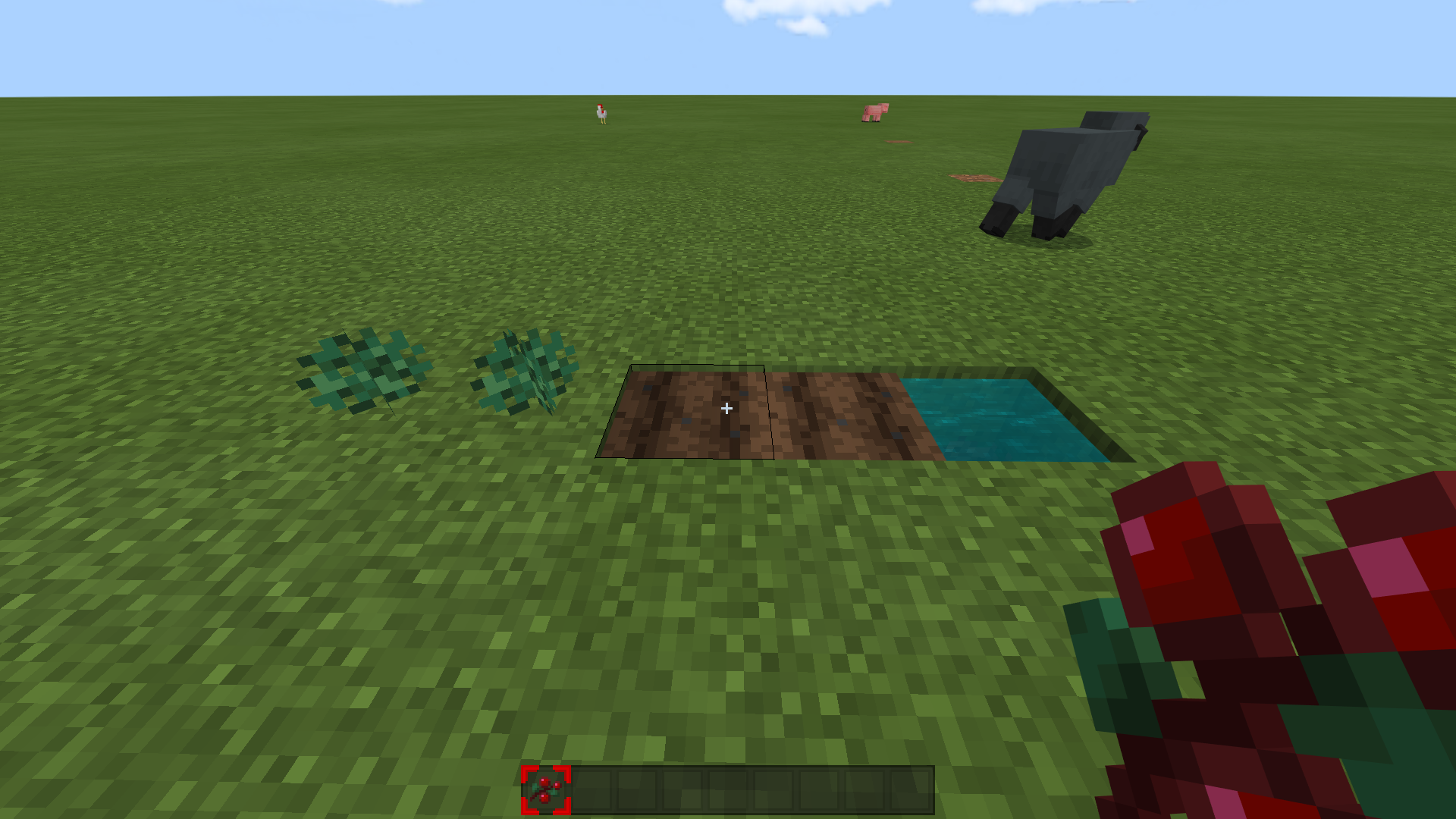
Sweet Berries cannot be placed on
thefarmlands.Steps to Reproduce:
- Try to place Sweet Berries on
thefarmland.What I Excepted to Happen Was...
Sweet Berries can be placed on
thefarmland.
What Actually Happened Was...Sweet Berries
cannotbe placed onthefarmland.Summary
Sweet Berries cannot be placed on farmlands.
Steps to Reproduce:
- Try to place Sweet Berries on farmland.
Observed Results:
Sweet Berries can't be placed on farmland.
Excepted Results:
Sweet Berries should be placed on farmland.
Sweet Berries cannot be Placed ontheFarmlands.
Sweet Berries cannot be Placed on Farmlands.
This issue might be relates to
MCPE-75375.
Duplicate of
MCPE-104159.
Player cannot Activate the Nether Portal on the First Attempt in the NewlyGenerated World.
Summary
After the 1.16.100 update, I have issues with the Nether Portals. When I tried to activate the Nether Portal on the first attempt in the new
lygenerated world, I cannot activate the Nether Portal. But when I tried it the second time, the Nether Portal activates. I cannot reproduce this issue in my worlds that activate nether portal 1 times already.Steps to Reproduce:
- Create a new world.
- Get some obsidians and a flint and steel.
- Build the Nether Portal.
- Try to activate the Nether Portal.
Summary
After the 1.16.100 update, I have issues with the Nether Portals. When I tried to activate the Nether Portal on the first attempt in the new generated world, I cannot activate the Nether Portal. But when I tried it the second time, the Nether Portal activates.
I cannot reproduce this issue in my worlds that activate nether portal 1 times already.Steps to Reproduce:
- Create a new world.
- Get some obsidians and a flint and steel.
- Build the Nether Portal.
- Try to activate the Nether Portal.
Summary
After the 1.16.100 update, I have issues with the Nether Portals. When I tried to activate the Nether Portal on the first attempt in the new generated creative world, I cannot activate the Nether Portal. But when I tried it the second time, the Nether Portal activates.
Steps to Reproduce:
- Create a new world in creative mode.
- Get some obsidians and a flint and steel.
- Build the Nether Portal.
- Try to activate the Nether Portal.
Player cannot Activate the Nether Portal on the First Attempt in the New Generated World.Player cannot Activate the Nether Portal on the First Attempt in the New Generated Creative World
While Savethe World, Player's Direction Change toZ Negative.While Saving the World, Player's Direction Change to North (-Z)
Summary
After the 1.16.200 update, I start to encounter this issue.
I can add a video if this ticket isn't duplicate however I searched this issue and I couldn't find any ticket that similar to issue that I mentioned. If this ticket is duplicate of another ticket, I'm very sorry for that.Steps to Reproduce:
1. Place
blocks ofdifferent colorsin all directions around you (Z± and X±).2. Save the world w
ithfacingin any direction except the Z negative direction.Observed Results:
While save the world, player's direction change to
Z negative.Excepted Results:
While save the world, player's direction remain the same.
Notes
The game save the player's direction correctly however while save the world, player's view change to Z negative.
This issue doesn't affect 1.16.100.
Summary
After the 1.16.200 update, I start to encounter this issue. My direction is change to north (-Z) while game saving the world, which is not intended.
Steps to Reproduce:
1. Place different colors of blocks to both Z directions.
2. Save the world while facing the positive Z direction.
Observed Results:
While save the world, player's direction change to north (-Z).
Excepted Results:
While save the world, player's direction remain the same.
Notes
This issue doesn't affect 1.16.100.
Summary
After the 1.16.200 update, I start to encounter this issue. My direction is change to north (-Z) while game saving the world, which is not intended.
Steps to Reproduce:
1. Place different colors of blocks to both Z directions.
2. Save the world while facing the positive Z direction.
Observed Results:
While save the world, player's direction change to north (-Z).
Excepted Results:
While save the world, player's direction should remain the same.
Notes
This issue doesn't affect 1.16.100.
Summary
After the 1.16.200 update, I start to
encounterthis issue.My direction is change tonorth(-Z)while game saving the world, which is not intended.Steps to Reproduce:
1. Place different colors of blocks to both Z directions.
2. Save the world while facing the positive Z direction.
Observed Results:
While save the world, player
's direction change to north (-Z).Excepted Results:
While save the world, player's direction should remain the
same.Notes
This issue doesn't affect 1.16.100.
Summary
After the 1.16.200 update, I start to observe this issue. I'm turn to the north while game saves my world.
Steps to Reproduce:
- Place different colors of blocks to both Z directions.
- Save the world while facing the positive Z direction.
Observed Results:
While game saves the world, player turns the North (negative Z direction).
Excepted Results:
While game saves the world, player's direction should remain the South (positive Z direction).
Notes
This issue doesn't affect 1.16.100.
While SavingtheWorld, Player's Direction Change to North (-Z)Player Turns to the North while Game Saves the World.
Player Turns to the North while Game Saves the World.Player Turns to the North (-Z) while Game Saves the World
Summary
After the 1.16.200 update, I start to observe this issue. I'm turn to the north while game
saves my world.Steps to Reproduce:
- Place different colors of blocks to both Z directions.
- Save the world while facing the positive Z direction.
Observed Results:
While game
savesthe world, player turns the North (negative Z direction).Excepted Results:
While game
savesthe world, player's direction should remain the South (positive Z direction).Notes
This issue doesn't affect 1.16.100.
Summary
After the 1.16.200 update, I start to observe this issue. I'm turn to the north while game is saving my local world or realms, or quit from any server.
Steps to Reproduce:
- Place different colors of blocks to both Z directions.
- Save the world while facing the positive Z direction.
Observed Results:
While game is saving the world, player turns the North (negative Z direction).
Excepted Results:
While game is saving the world, player's direction should remain the South (positive Z direction).
Notes
This issue doesn't affect 1.16.100.
Player Turns to the North(-Z)while GameSavesthe WorldPlayer Turns to the North while Game is Saving the World
user-0d3ff: I'm not sure of the protocol and the person I need to ask is away this week, but I have given you ownership because it appears that the OP has never signed on to the bug tracker except the one time, to create this report. However, this report was submitted to the developers a long time ago, so please don't make significant changes to the description that would invalidate whatever they've done. If a significant change is needed, it's a different problem and you need to create a new report.
On the other hand, the heading probably doesn't match your platform, and the bug's behavior may have changed as releases have been put out, so feel free to change the affected version and add more information to the description.
Duplicate of
MCPE-58514.Duplicate of
MCPE-58514.Affects 1.14.60.
Duplicate of
MCPE-68978Invalid,
Bug reports are only accepted in English.
Please put only one bug report in each ticket.
Geçersiz,
sadece İngilizce dilindeki hatalar değerlendiriliyor.
Aynı anda birçok hatayı değerlendirmeyin, tek tek bildiriniz.
Duplicate of
MCPE-58514Affects 1.14.60

Affects 1.14.60
My Xbox Account's Enforcement History is empty. My reputation is "Good Player" according to Xbox Enforcement. In Privacy and Online Safety settings, my Communication Settings are set as "Everyone" (My account is not a kid account). I used live chat of Xbox Support two times, and their methods didn't work.
Also I contacted to Mojang, and they aren't responding to me since 5 months.
Unfortunately I can't chat with players in servers and realms since long time 🙁.
Duplicate of
MCPE-68978Duplicate of
MCPE-67169Duplicate of
MCPE-67169I'm experiencing this issue as well.
Affects 1.14.60.
Duplicate of
MCPE-67169Duplicate of
MCPE-68978Duplicate of
MCPE-68978Affects 1.14.60.
Affects 1.14.60.
This is still an issue in 1.14.60 on W10, they are forming along chunk borders.
This affects 1.14.30 and 1.14.60 as well.
This is not a bug, it looks like I killed wither skeleton, then Zombified Piglin wear it... I'm really ashamed right now...
Duplicate of
MCPE-76166I'm experiencing this issue on Windows 10.
I'm experiencing this issue as well.
I am experiencing this issue on Windows 10.
Turkish translations are very weird in 1.16.0.59 and 1.16.0.60 Betas. New blocks and items are weirdly translated (especially in 1.16.0.60), some blocks and items aren't translated at all.
Still affects 1.16.0.60 Beta.
Duplicate of
MCPE-74339Affects 1.16.0.60 Beta.
Affects 1.16.0.61 Beta.
Did you try remove all light sources (torch, glowstone, etc.) around your enchantment table?
If you removed them already, put 15 or 18 bookshelves around your enchantment table instead of 9.
Game shouldn't be waiting 15-20 seconds to exiting, it should be waiting 1-3 seconds.
Also Event Viewer app says there was an error in Minecraft after exiting it.
Glad to help
I am not experiencing this bug in 1.16.0.63, I tried these steps like 10 times and game is not crashed at all.
Thank you!
Duplicate of
MCPE-73890.This bug occurs Windows 10 Edition as well.
@SoolaBlaidd Issue which is you mentioned, tracking in
MCPE-79566.Affects 1.16.0.63, my fps drops to 20 when opening villager's trading ui, it's happening every time.
Duplicate of
MCPE-55092.Affects 1.16.0.64 Beta.
Duplicate of
MCPE-66081.Duplicate of
MCPE-69003Duplicate of
MCPE-59043.This bug occurs Windows 10 Edition as well.
Affects 1.16.0.66.
Duplicate of MCPE-64586.
Yes, it is.
For people who are experiencing this issue,
1. Make sure your Communication Settings are set as ''Everyone'' in your Xbox Account's Privacy and Online Safety Settings (if your account is not kid account).
2. Visit Xbox Enforcement Website, and check your reputation, maybe you get negative feedbacks from other players. For more details, visit here.
3. Maybe you get Suspended, check your xbox account's Enforcement History. For more details, visit here.
4. Contact to Xbox.
My problem is my Enforcement History is empty, I'm not Suspended at all, and my Communication Settings are set as ''Everyone'', I contacted to Xbox 2 times, but nothing changes.
My chat don't show to other players, and I can't see their messages.
Affects 1.16.0.68
Duplicate of
MCPE-79376.I was experiencing this issue in 1.16 Betas. This issue affects villagers which are before the 1.16 Update only. This issue is happening because villagers which are before the 1.16 Update don't follow new trading mechanics which is tracking in MCPE-69757. The only way to solve this issue is killing your villagers which are stuck at level 2 until this issue is fixed.
Duplicate of
MCPE-63117.Fixed in 1.16.1 Update
Affects 1.16.1
Affects 1.16.1
Hello Shannon, you're right. These reports from people would really helpful for developers. People must mentioned how entities are despawned as you said.
My entities are despawning because my entities are located in two or more chunks before the game crashes. I built my fences around in one chunk after my entities are despawned more than one time, not any problem happened after I did that. Also doesn't matter entities are named/unnamed, they are still despawning if these entities are located in two or more chunks before the game crashes. I hope this comment would helpful for developers.
Unfortunately this is not fixed, @coolisfine...It appeared again when I exit from my map. Affects 1.16.1.
Affects Windows 10 as well.
Duplicate of
MCPE-58514.Works as Intended, you need to use Smithing Table, you can't craft Netherite Tools with Crafting Table.
Comment Moved to
MCPE-89701.@Spongecake89
I mean, this issue can reproduce in different ways like I described. My one experience is very similar to this issue, but in Survival Mode, so I wrote a affecting platform which is I playing on.Duplicate of
MCPE-21416.Relates to
MC-145598.Hello, can I get ownership of this issue? Reporter doesn't active for a long time, and I am experiencing this issue a lot. Thank you.
Okay, thank you, Auldrick. I changed the description and affecting platforms.
Duplicate of
MCPE-45385.Affects 1.16.10
I can confirm this bug affects 1.16.10.
Are there people still experiencing this issue in 1.16.20.5x Betas?
I can't reproduce this issue in 1.16.10 on Windows 10 Edition.
Hello Jay, I attached a world, I created that world and I quit from that world after 2-3 seconds. And I stucked in loading resources screen. I mostly experiencing this issue when I trying to joining servers. And this bug occurs very rarely, therefore players can't reproduce this bug always.
This issue affects 1.16.10 as well.
My World.mcworld
Structures are Repeating Along a Straight Line.
Summary
Structures are repeating along a straight line.
Steps to Reproduce
What I Excepted to Happen Was...
There was only 1 ravine.
What Actually Happened Was...
Ravines repeated Along a straight line.
Also ibxtoycat made a video about this issue.
Thanks for updating this issue.
Affects 1.16.20 and all platforms.
Please remove 1.16.100.51 from Affected Versions, the Beta isn't available on Nintendo Switch.
Duplicate of
MCPE-95621.Affects 1.16.20.
Affects 1.16.20 and 1.16.100.52.
Please resolve it as ''Cannot Reproduce''. I cannot reproduce it anymore.
Duplicate of
MCPE-55631.Duplicate of MCPE-12347.
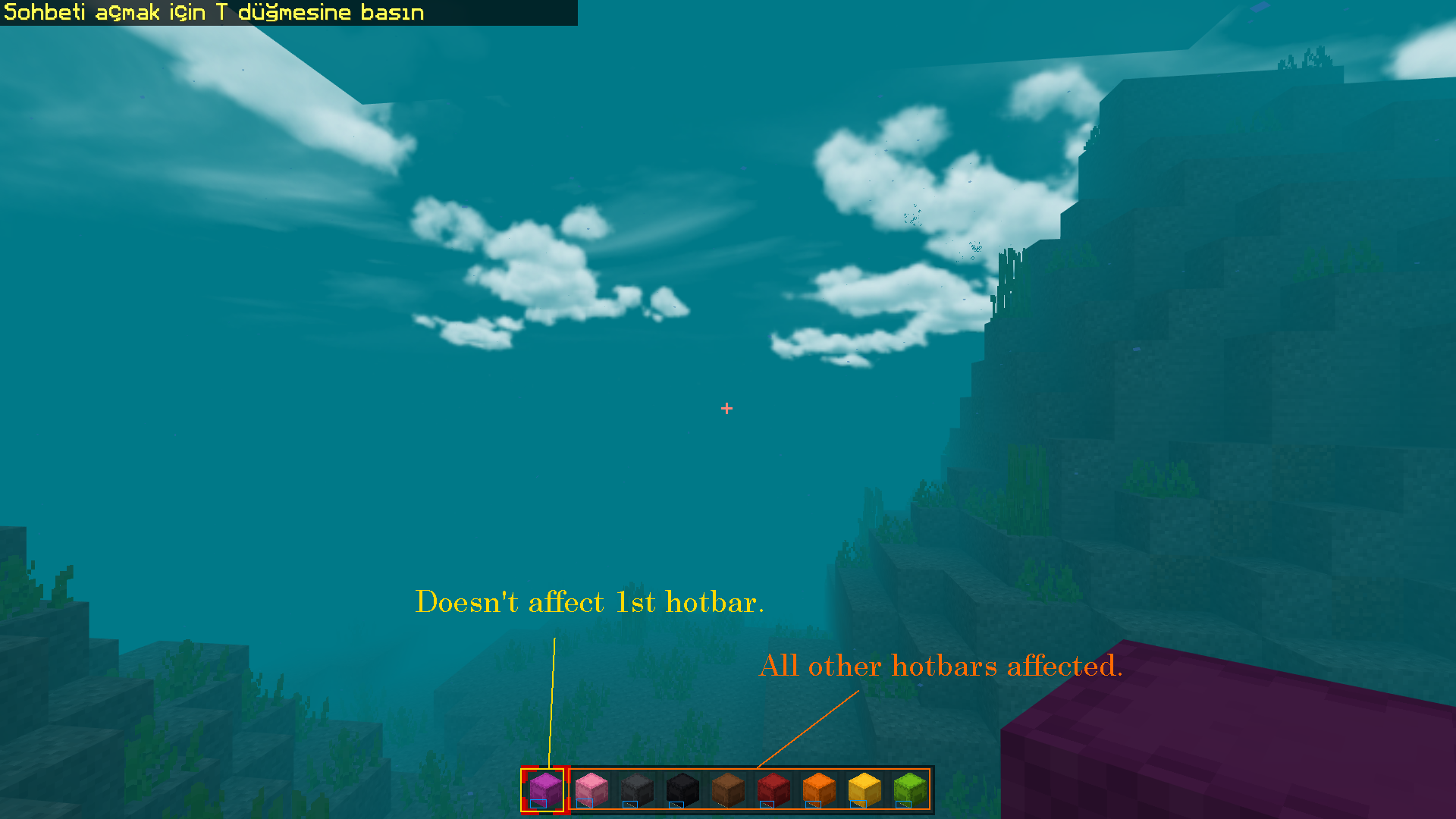
For me these pixels appear in hotbar slots 2-9.
It doesn't matter what colour are Shulker Boxes or what resource pack player uses.
I reproducing this issue when I close the game with the ALT+F4 keyboard combination during the game opening. After I reopened the game, this error appearing on the screen sometimes.
I added the steps to reproduce, but this error isn't always seem when I implementing these steps.
Relates to
MCPE-79608andMCPE-69159.Please add vanilla-parity label.
@[Mojang] Mega_Spud (Jay Wells) Still reproducing in 1.16.40, but I don't know it affects 1.16.100.56.
Steps to Reproduce:
Excepted Results:
Translations on loading tips are true and understandable by player who knows Turkish.
Observed Results:
There are wrong translations on loading tips, they are mentioned in description.
According to 1.16.100.57 changelog this issue is fixed.
Relates to MC-73964
I can confirm.
Steps to Reproduce:
1. /give @s leather_boots 1 64
2. get a lava bucket, then place it somewhere.
3. /gamemode s
4. Jump to the lava.
Observed Results:
Armor GUI still shows when armor breaks in lava.
Excepted Results:
Armor GUI should be dissappared.
Java Edition has similar issue (
MC-126009), but it has been resolved as ''Won't Fix''. I think reason is aquatic biomes (frozen, lukewarm etc.) cannot be formed according to the temperature of the neighboring land biomes (plains, snowy tundra etc.).I don't know this issue will fix or won't in Bedrock Edition, but I wanted to write this.
Affects Multiple platforms.
Duplicate of
MCPE-104159.I can confirm
I don't know since I don't have Java Edition, but soul sand and basalt are generate with 2 blocks layer only. Is it the same in Java Edition? Although this is resolved as Works As Intended, it doesn't make much sense to me. The 2 block layers are really thin, which makes the look no different from the Nether Wastes biome in some spots.
Affects 1.16.100.
Update on this issue:
Red Sandstone, Sandstone, Quartz, Diorite and their variants are fixed.
Logs and planks are partly fixed (acacia planks appear dark gray).
Acacia log appears gray and stripped acacia log appears orange.
Wood Fences and wood fence gates are very little fixed (most of them appear like oak wood planks).
Brick and it's variants are fixed except Brick Stairs (appear gray).
Stone Bricks appear light gray (slabs, stairs and walls appear gray).
Mossy Stone Bricks appear light gray (walls and stairs appear gray).
Glowstone appears like sandstone.
Granite appears like dirt.
Andesite appears gray.
Mushroom and Mushroom Stem Blocks appear like Brown Mushroom Block.
White terracota is still white.
Affects 1.16.100.
Relates to
MCPE-64164.Looks like you attached a screenshot of Minecraft 1.16.200.52 Beta. But this issue is fixed in 1.16.200.57 Beta.
Except this, this report is duplicate of
MCPE-101202.Duplicate of
MCPE-71243.I think
MCPE-80127occurs as a result of this issue.Does MCPE-65291 explain your issue?
Duplicate of
MCPE-105892.Duplicate of
MCPE-101202.Duplicate of
MCPE-105892.Duplicate of
MCPE-105892.I reinstalled the game and this issue is fixed for me. I am playing on Windows 10 Edition (version 1.16.100).
Duplicate of
MCPE-100665.bbluedepp They are tracking this issue in
MCPE-105892(or MCPE-74696), but please don't say like ''please fix this bug, resolve this problem''. Saying these doesn't change anything. There are hundreds of issues in the game, and developers trying to their best to fix these issues.Duplicate of
MCPE-71243.Duplicate of
MCPE-101202.Duplicate of
MCPE-71243.Duplicate of MCPE-64586.
gumdropolotl I backed up my worlds and resource packs before I uninstalled the game. After I reinstalled the game, the new achievement screen appeared. That's it.
James Reed please read the [Mojang] Mega_Spud (Jay Wells)'s comment above.
This bug is fixed in the latest beta version, and the fix will be included in a future update when that is ready for full release (no specific date can be given). We will leave this ticket open as a point of reference until the fix has been fully released.
Be patient.
Duplicate of
MCPE-103568.Matthew Little They are tracking issue that you mentioned in
MCPE-64344.MCPE-105892andMCPE-64344, both are separate issues.Please resolve this issue as ''Fixed''. This ticket is no longer an issue after 1.16.1.
[Mod] GoldenHelmet I reproducing this issue on local worlds and servers on Windows 10 Edition (as I haven't played on Realms, I don't know if it was affected). Game saves player's direction correctly however, my direction change while game saving my world. That screen appears for a short time (less than 1 second I can say) but it is very noticeable.
I can reproduce on 1.16.200 too (I'm playing on Windows 10), I was no longer update this ticket because it wasn't confirmed for a while (I thought I am only person that reproduce this issue).
I've updated the ticket.
Duplicate of
MCPE-98861.Affects 1.16.200.
Affects 1.16.200.
Duplicate of
MCPE-98861.Very noticeable after 1.16.200.
I am facing the correct direction after reload the world.
Also world thumbnail picture shows the correct view.
Affects 1.16.201.
I can confirm.
I noticed that Normal Shulker Box appears same as White Shulker Box on the map, I was going to create a ticket about this however it could be resolved as duplicate. So I wanted to write this here.