 Leo28456
- leo190
- leo190
- Europe/London
- Yes
- No
 MCPE-99071MCPE-101359


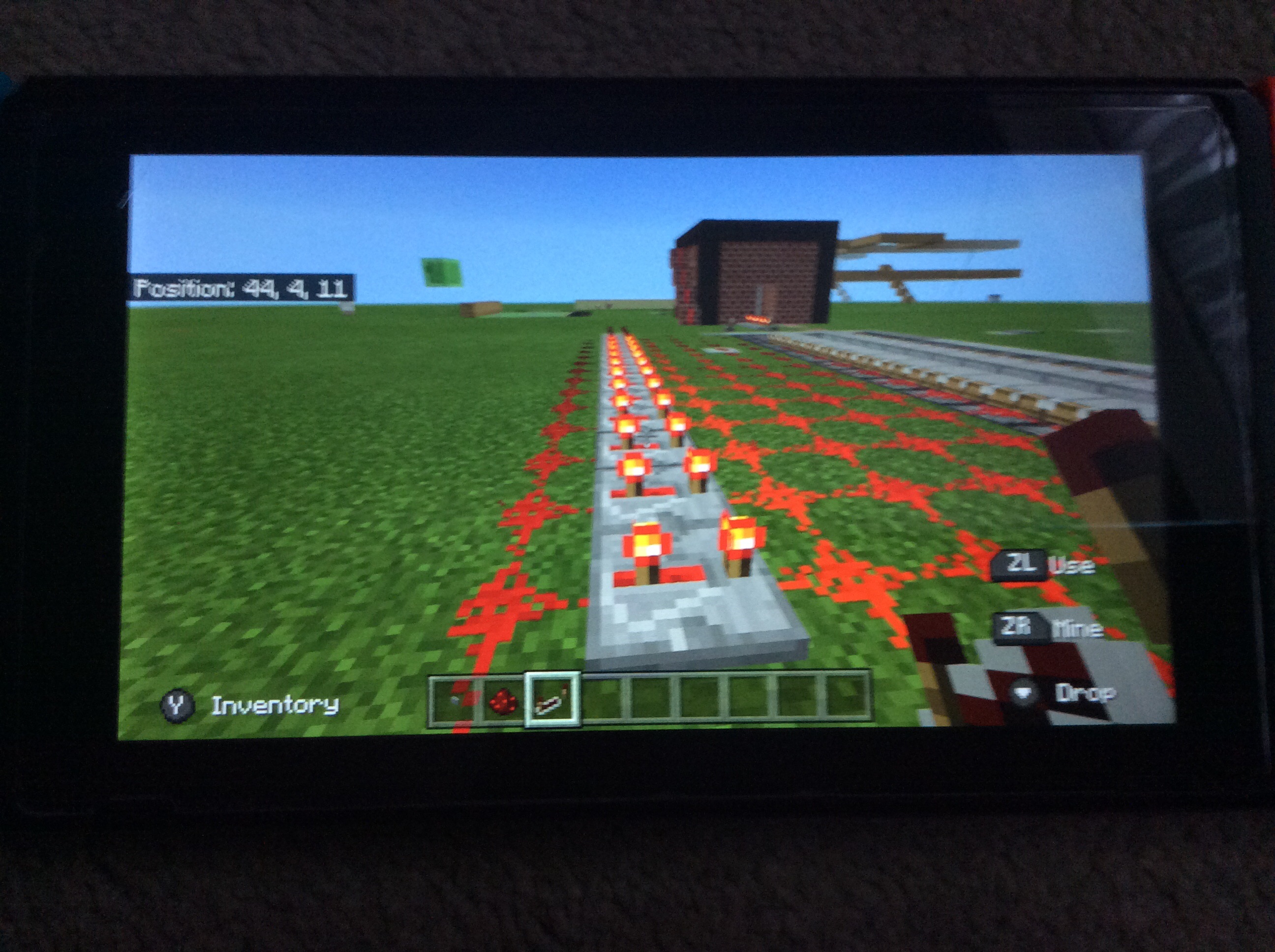


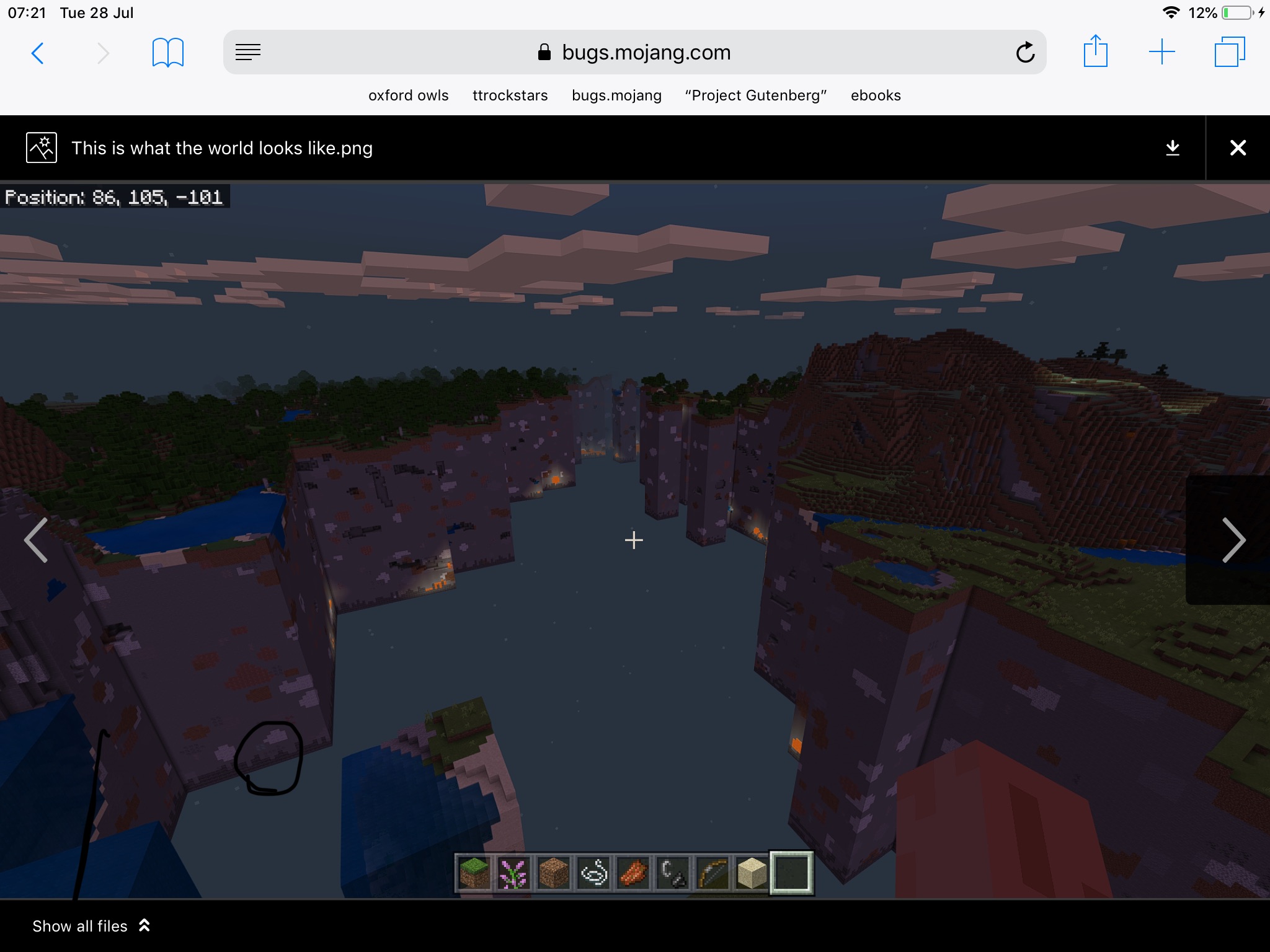


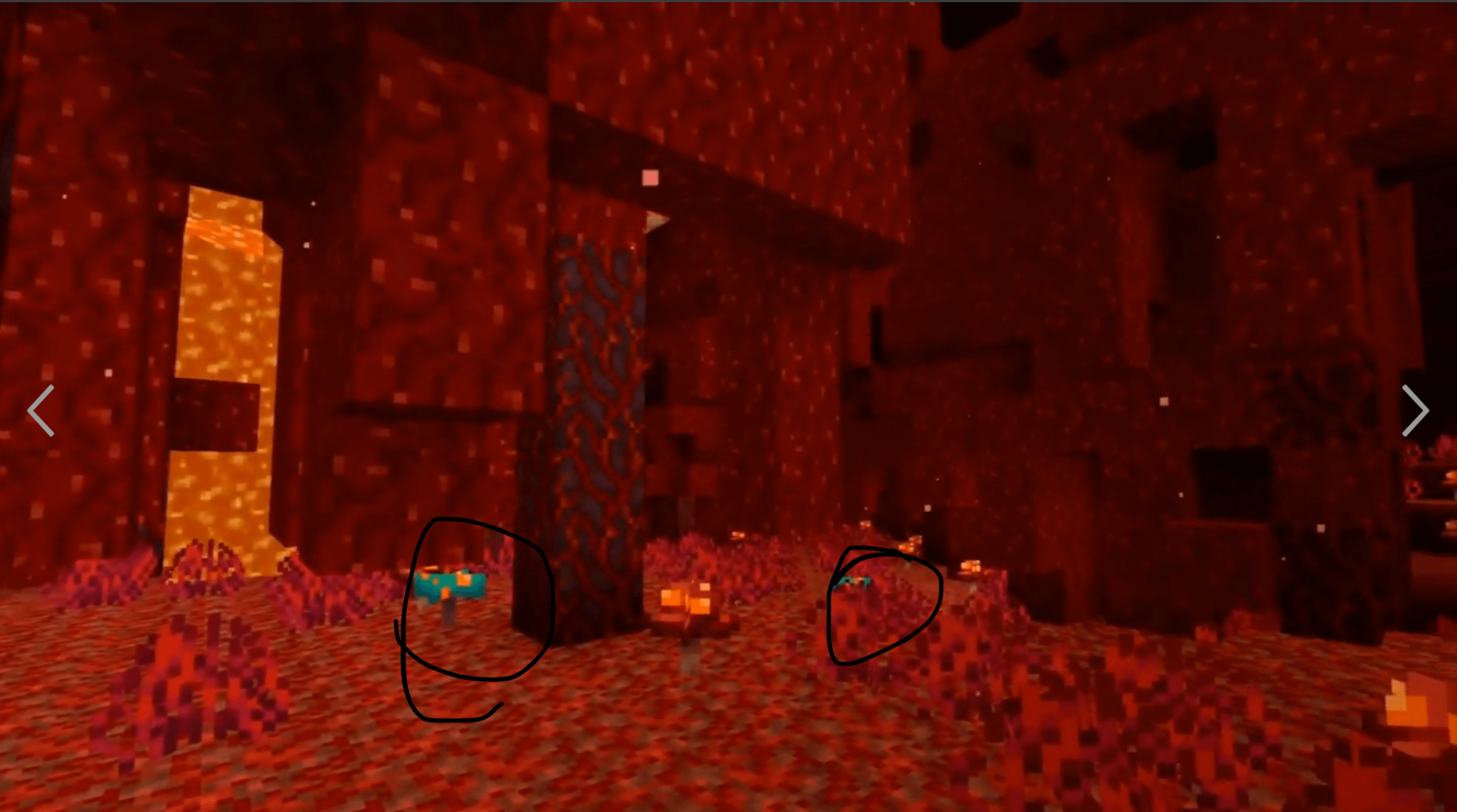


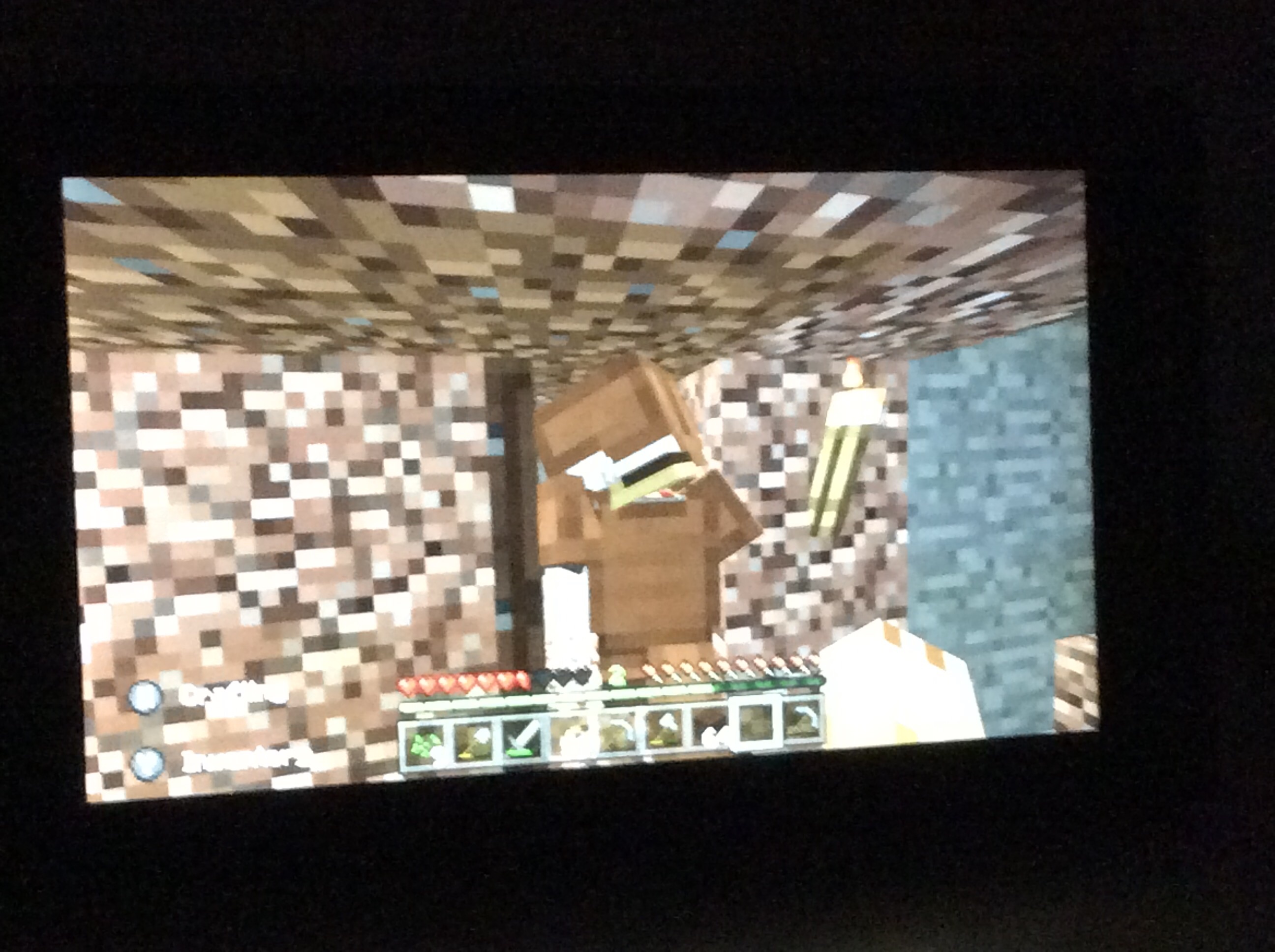


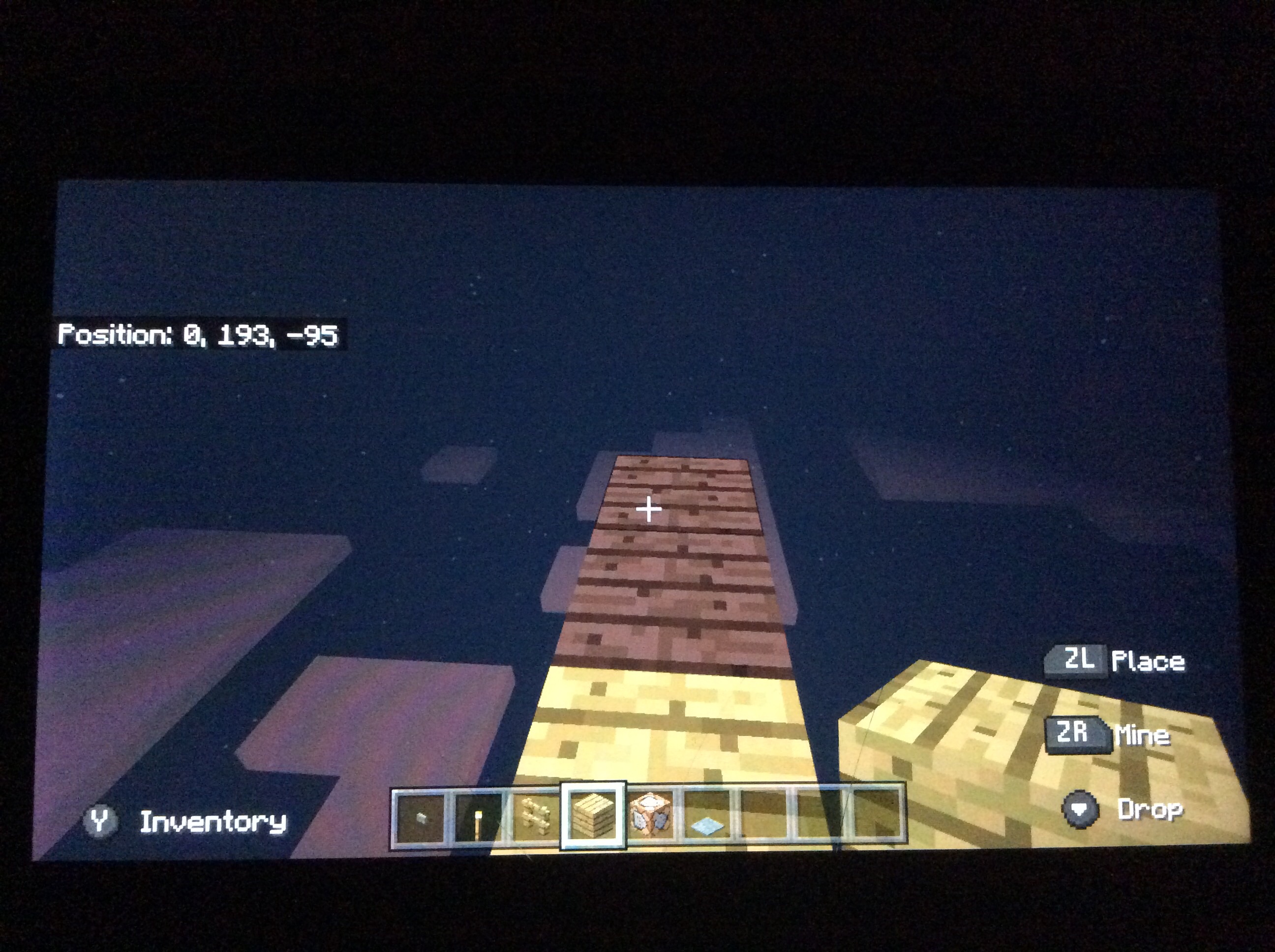


Ok so I was playing on line with my friend I was mining and I saw this glitch. So one block was light level 1 I think thats minimum light level then a few blocks a round it were light level 7 or something I don’t know.
How to reproduce:
1. Dig a 2x2 block tunnel
the end has to be stone or gravel2. After quite a lot of in game days, it will turn black.
3. It will turn normal again if you block it up or keep on mining in your tunnel.
If you look closely at the black blocks on the screen shot you can see some gravelly bits.
Ok so I was playing on line with my friend I was mining and I saw this glitch. So one block was light level 1 I think thats minimum light level then a few blocks a round it were light level 7 or something I don’t know.
How to reproduce:
1. Dig a 2x2 block tunnel.
2. After quite a lot of in game days, it will turn black.
3. It will turn normal again if you block it up or keep on mining in your tunnel.
If you look closely at the black blocks on the screen shot you can see some gravelly bits.
Ok so I was playing on line with my friend I was mining and I saw this glitch. So one block was light level 1 I think thats minimum light level then a few blocks a round it were light level 7 or something I don’t know.
How to reproduce:
1. Dig a 2x2 block tunnel.
2. After quite a lot of in game days, it will turn black.
3. It will turn normal again if you block it up or keep on mining in your tunnel.
If you look closely at the black blocks on the screen shot you can see some gravelly bits.
Ok so I was playing on line with my friend I was mining and I saw this glitch. So one block was light level 1 I think thats minimum light level then a few blocks a round it were light level 7 or something I don’t know.
Ok so I was playing on line with my friend I was mining and I saw this glitch. So one block was light level 1 I think thats minimum light level then a few blocks a round it were light level
7or somethingIdon’t know.Ok so I was playing on line with my friend I was mining and I saw this glitch. So one block was light level 1 I think thats minimum light level then a few blocks a round it were light level 8 or something i dont know. There are no steps to reproduce here. I have seen this bug loads of times and the Nether Update has made it even more common.
Ok so I was playing on line with my friend I was mining and I saw this glitch. So one block was light level 1 I think thats minimum light level then a few blocks a round it were light level 8 or something i dont know. The
re are no steps to reproduce here. I have seen this bug loads of times and theNether Update has made it even more common.Ok so I was playing on line with my friend I was mining and I saw this glitch. So one block was light level 1 I think thats minimum light level then a few blocks a round it were light level 8 or something i dont know. The Nether Update has made it even more common.
Steps to reproduce:
- Place a torch.
- Type the command: /time midnight (i dont know if the syntax is correct. if it isnt then just wait until it's night.)
- The light will probably stop at a line of blocks
Ok so i was making a lava trap in creative mode this thing happened. so what happened was that i was on a block and i pulled a leaver to make the pistons extend and when they retracted it pulled me along with the block i was standing on and it set me on fire for a bout 3 ticks or something .
How to reproduce:
- Dig a pit, and put lava at the bottom.
- Dig the blocks on the left and right, and replace them with sticky pistons.
- Put a lever down in the middle and pull it.
- Put redstone dust on the pistons and connect the redstone dust to the other redstone dust.
- Pull the leaver while you are standing on the blocks the pistons will push.
- Pull the leaver back.
Expected result:
When the piston pulls the block it will set you on fire. Do this in survival mode so that it sets you on fire for longer.
Ok so i was making a lava trap in creative mode this thing happened. so what happened was that i was on a block and i pulled a leaver to make the pistons extend and when they retracted it pulled me along with the block i was standing on and it set me on fire for a bout 3 ticks or something .
How to reproduce:
- Dig a pit, and put lava at the bottom. Pit must be 3 blocks wide.
- Dig the blocks on the left and right, and replace them with sticky pistons.
- Put a lever down in the middle and pull it.
- Put redstone dust on the pistons and connect the redstone dust to the other redstone dust.
- Pull the leaver while you are standing on the blocks the pistons will push.
- Pull the leaver back.
Expected result:
When the piston pulls the block it will set you on fire. Do this in survival mode so that it sets you on fire for longer.
Ok so i was making a lava trap in creative mode this thing happened. so what happened was that i was on a block and i pulled a leaver to make the pistons extend and when they retracted it pulled me along with the block i was standing on and it set me on fire for a bout 3 ticks or something .
How to reproduce:
- Dig a pit, and put lava at the bottom. Pit must be 3 blocks wide.
- Dig the blocks on the left and right, and replace them with sticky pistons.
- Put a lever down in the middle and pull it.
- Put redstone dust on the pistons and connect the redstone dust to the other redstone dust.
- Pull the leaver while you are standing on the blocks the pistons will push.
- Pull the leaver back.
Expected results:
When the piston pulls the block it will set you on fire. Do this in survival mode so that it sets you on fire for longer.
Obseverd results:
You do not set on fire, becuase you are not actually touching the lava.
Actually this is a bug in the latest version
Ok so i was making a lava trap in creative mode this thing happened. so what happened was that i was on a block and i pulled a leaver to make the pistons extend and when they retracted it pulled me along with the block i was standing on and it set me on fire for a bout 3 ticks or something .
How to reproduce:
- Dig a pit, and put lava at the bottom. Pit must be 3 blocks wide.
- Dig the blocks on the left and right, and replace them with sticky pistons.
- Put a lever down in the middle and pull it.
- Put redstone dust on the pistons and connect the redstone dust to the other redstone dust.
- Pull the leaver while you are standing on the blocks the pistons will push.
- Pull the leaver back.
Expected results:
When the piston pulls the block it will set you on fire. Do this in survival mode so that it sets you on fire for longer.
Obseverd results:
You do not set on fire, becuase you are not actually touching the lava.
Ok so i was making a lava trap in creative mode this thing happened. so what happened was that i was on a block and i pulled a leaver to make the pistons extend and when they retracted it pulled me along with the block i was standing on and it set me on fire for a bout 3 ticks or something .
How to reproduce:
- Dig a pit, and put lava at the bottom. Pit must be 3 blocks wide.
- Dig the blocks on the left and right, and replace them with sticky pistons.
- Put a lever down in the middle and pull it.
- Put redstone dust on the pistons and connect the redstone dust to the other redstone dust.
- Pull the leaver while you are standing on the blocks the pistons will push.
- Pull the leaver back.
Expected results:
**Obseverd results:
When the piston pulls the block it will set you on fire. Do this in survival mode so that it sets you on fire for longer.
Ok soiwasmaking a lava trapincreative mode this thing happened. so what happened was that i was on a block and i pulled a leaver to make the pistons extend and when they retracted it pulled me along with the block i was standing on and it set me on fire for a bout 3 ticks or something.How to reproduce:
Dig a pit, and put lava at the bottom. Pit must be 3 blocks wide.- Dig the blocks on the left and right, and replace them with sticky pistons.
Put a lever down in the middle and pull it.Put redstone dust on the pistons and connecttheredstone dusttothe other redstone dust.- Pull the leaver while you are standing on the blocks the pistons will push.
- Pull the leaver back.
Expected results:
**Obseverd results:
When the piston pulls the block it will set you on fire. Do this in survival mode so that it sets you on fire for longer.
So I was exploring on Minecraft and I noticed that when I was standing on my boat, my bubble bar appeared. I was not in the water.
How to reproduce:
- Find a lake, river or ocean in an infinite world.
- Get in the water.
- /summon boat
- /gamemode 0
- Walk on the boat near the edge, but do not go in the water.
Expected results: Nothing.
Observed results: Your bubble bar appears.
So I was exploring on Minecraft and I noticed that when I was standing on my boat, my bubble bar appeared. I was not in the water.
How to reproduce:
- Find a lake, river or ocean in an infinite world.
- Get in the water.
- /summon boat
- /gamemode 0
- Walk on the boat near the edge, but do not go in the water.
Expected results: Nothing.
Observed results: Your bubble bar appears.
So I was exploring on Minecraft and I noticed that when I was standing on my boat, my bubble bar appeared. I was not in the water. This bug happens with lava as well.
How to reproduce:
- Find a lake, river or ocean in an infinite world.
- Get in the water.
- /summon boat
- /gamemode 0
- Walk on the boat near the edge, but do not go in the water.
Expected results: Nothing.
Observed results: Your bubble bar appears.
So I was exploring on Minecraft and I noticed that when I was standing on my boat, my bubble bar appeared. I was not in the water. This bug happens with lava as well.
How to reproduce:
- Find a lake, river or ocean in an infinite world.
- Get in the water.
- /summon boat
- /gamemode 0
- Walk on the boat near the edge, but do not go in the water.
Expected results: Nothing.
Observed results: Your bubble bar appears.
So I was exploring on Minecraft and I noticed that when I was standing on my boat, my bubble bar appeared. I was not in the water. This bug happens with lava as well.
How to reproduce:
- Find a river or ocean in an infinite world. (Must be 3+ blocks deep)
- Get in the water.
- /summon boat
- /gamemode 0
- Walk on the boat near the edge, but do not go in the water.
Expected results: Your bubble bar doesn’t appear.
Observed results: Your bubble bar appears.
ok so in one of my old worlds (i have deleted it now) i found a savanna biome and i went exploring and found packed ice . this is kinda insane because savannas are hot. ice is cold. the packed ice did not melt. i attached a screen shot, and if you look closely at the top you can see some light coloured water. the ice might be in the plains but still thats a bug sorry i cant give you the seed number . if you do happen to have the same world as i used to have i can give you some features of it:
- plains infected village.
- savanna infected village
nobig hillok so in one of my old worlds (i have deleted it now) i found a savanna biome and i went exploring and found packed ice . this is kinda insane because savannas are hot. ice is cold. the packed ice did not melt. i attached a screen shot, and if you look closely at the top you can see some light coloured water. the ice might be in the plains but still thats a bug sorry i cant give you the seed number . if you do happen to have the same world as i used to have i can give you some features of it:
- plains infected village.
- savanna infected village
- big hill near beach
What platform do you play on? Becuase then I can change the platform to Multiple.
but then thats not a survival world 🤣
did you try on suvival mode placing a powered rail then mining it with a pickaxe
ok so i was building stuff in my and my friends shared world and i heard this sound. so i looked it up on the internet and it said that it played an “ambient sound” when a player was in a dark space. however, i was in an area that was maximum light level (15), entering my mine. what is also abit strange is that it only does this in worlds where i play with a friend. it never happens in worlds where friends have never played on them. there are no steps to reproduce here, just wait until you here one. it wont let me attach the attachments, they are too large. here is a link [^IMG_0440.MOV] [^IMG_0441.MOV]
ok so i was building stuff in my and my friends shared world and i heard this sound. so i looked it up on the internet and it said that it played an “ambient sound” when a player was in a dark space. however, i was in an area that was maximum light level (15), entering my mine. what is also abit strange is that it only does this in worlds where i play with a friend. it never happens in worlds where friends have never played on them. there are no steps to reproduce here, just wait until you here one.
ok so i was building stuff in my and my friends shared world and i heard this sound. so i looked it up on the internet and it said that it played an “ambient sound” when a player was in a dark space. however, i was in an area that was maximum light level (15), entering my mine. what is also abit strange is that it only does this in worlds where i play with a friend. it never happens in worlds where friends have never played on them. there are no steps to reproduce here, just wait until you here one.
IMG-0440.MOV IMG-0440.MOV]
ok so i was building stuff in my and my friends shared world and i heard this sound. so i looked it up on the internet and it said that it played an “ambient sound” when a player was in a dark space. however, i was in an area that was maximum light level (15), entering my mine. what is also abit strange is that it only does this in worlds where i play with a friend. it never happens in worlds where friends have never played on them. there are no steps to reproduce here, just wait until you here one.
IMG-0440.MOVIMG-0440.MOV]
ok so i was building stuff in my and my friends shared world and i heard this sound. so i looked it up on the internet and it said that it played an “ambient sound” when a player was in a dark space. however, i was in an area that was maximum light level (15), entering my mine. what is also abit strange is that it only does this in worlds where i play with a friend. it never happens in worlds where friends have never played on them. there are no steps to reproduce here, just wait until you here one.
ok so i was building stuff in my and my friends shared world and i heard this sound. so i looked it up on the internet and it said that it played an “ambient sound” when a player was in a dark space. however, i was in an area that was maximum light level (15), entering my mine. what is also abit strange is that it only does this in worlds where i play with a friend. it never happens in worlds where friends have never played on them. there are no steps to reproduce here, just wait until you here one.
ok so i was building stuff in my and my friends shared world and i heard this sound. so i looked it up on the internet and it said that it played an “ambient sound” when a player was in a dark space. however, i was in an area that was maximum light level (15), entering my mine.
what is also abit strange is that it only does this in worlds where i play with a friend. it never happens in worlds where friends have never played on them.there are no steps to reproduce here, just wait until you here one.
ok so i was building stuff in my and my friends shared world and i heard this sound. so i looked it up on the internet and it said that it played an “ambient sound” when a player was in a dark space. however, i was in an area that was maximum light level (15), entering my mine. there are no steps to reproduce here, just wait until you here one.
so i think it happens in well lit rooms underground that are 5 blocks high. the reason it has never happened on my own worlds is because i never make rooms underground that big. it also seems to happen on a certain block, facing a certain way, in a particular seed.
ok so i was building stuff in my and my friends shared world and i heard this sound. so i looked it up on the internet and it said that it played an “ambient sound” when a player was in a dark space. however, i was in an area that was maximum light level (15), entering my mine. there are no steps to reproduce here, just wait until you here one.
so i think it happens in well lit rooms underground that are 5 blocks high. the reason it has never happened on my own worlds is because i never make rooms underground that big. it also seems to happen on a certain block, facing a certain way, in a particular seed.
ok so i was building stuff in my and my friends shared world and i heard this sound. so i looked it up on the internet and it said that it played an “ambient sound” when a player was in a dark space. however, i was in an area that was maximum light level (15), entering my mine. there are no steps to reproduce here, just wait until you here one.
it happens on any world on a stone block or (top half) polished andesite slab at any y coordinate
ok so i was building stuff in my and my friends shared world and i heard this sound. so i looked it up on the internet and it said that it played an “ambient sound” when a player was in a dark space. however, i was in an area that was maximum light level (15), entering my mine. there are no steps to reproduce here, just wait until you here one.
it happens on any
world on a stone block or (top half) polished andesite slab at any y coordinate
ok so i was building stuff in my and my friends shared world and i heard this sound. so i looked it up on the internet and it said that it played an “ambient sound” when a player was in a dark space. however, i was in an area that was maximum light level (15), entering my mine. there are no steps to reproduce here, just wait until you here one.
it happens on any block at any light level anywhere
duplicate of
MCPE-93105
this works as intended if it does do it on java you should report it on the java edition bug tracker here.
look at this
stop deleting my comment
Ok. So I was on creative mode and I was trying to get the command block to give a player an enchanted netherite sword, and I got an error message saying “Missing ‘}’ or object member name”. This is the syntax I used:
/give @p netherite_sword 1 1 {[ench:
{id: 1, lvl: 1}]}
How to reproduce:
- Type this command into a command block: /give @p netherite_sword 1 1 {[ench: {id: 1, lvl: 1}
]}
- Activate the command block.
- It should send you an error messsage saying “Missing ‘}’ or object member name”.(Note: I have only tried chain command blocks.
In the afternoon I will try normal command blocks and repeating command blocks.Ok. So I was on creative mode and I was trying to get the command block to give a player an enchanted netherite sword, and I got an error message saying “Missing ‘}’ or object member name”. This is the syntax I used:
/give @p netherite_sword 1 1 {[ench:
{id: 1, lvl: 1}]}
How to reproduce:
- Type this command into a command block: /give @p netherite_sword 1 1 {[ench: {id: 1, lvl: 1}
]}
- Activate the command block.
- It should send you an error messsage saying “Missing ‘}’ or object member name”.(Note: I have only tried chain command blocks.
Ok. So I was on creative mode and I was trying to get the command block to give a player an enchanted netherite sword, and I got an error message saying “Missing ‘}’ or object member name”. This is the syntax I used:
/give @p netherite_sword 1 1 {[ench:
{id: 1, lvl: 1}]}
How to reproduce:
- Type this command into a command block: /give @p netherite_sword 1 1 {[ench: {id:
1, lvl: 1}]}
- Activate the command block.
- It should send you an error messsage saying “Missing ‘}’ or object member name”.(Note: I have only tried chain command blocks.
Ok. So I was on creative mode and I was trying to get the command block to give a player an enchanted netherite sword, and I got an error message saying “Missing ‘}’ or object member name”. This is the syntax I used:
/give @p netherite_sword 1 1 {[ench:
{id: 1, lvl: 1}]}
How to reproduce:
- Type this command into a command block: /give @p netherite_sword 1 1 {[ench: {id: sharpness, lvl: 1}
]}
- Activate the command block.
Expected results: The command block should give the player a netherite sword enchanted with sharpness.
Observed results: It sends you an error messsage saying “Missing ‘}’ or object member name.”
image-2020-09-04-06-50-46-610.png
It actually works on diffent wifi. me and my freind used to play minecraft on switch via a microsoft account.
Why did the villger raise its price from 4 books for 1 emerald to 5?
“Unknown command: say. Please check that the command exists and that yougave permission to use it.”“Unknown command: say. Please check that the command exists and that you have permission to use it.”
Ok so I was on my creative world again, and I had a command block with the command:
/say Oopsy!
and that worked fine, and the command block with the exact same command in it said:
Unknown command: say
.Please check that the command exists and that you have permission to use it.How to reproduce:
- Place two command blocks next to each other facing the same way (not into each other).
- Type this command into the one on the left: /say <message:message> and activate it.
- Do the same with the one on the right.
Observed results: The command block on the right doesn’t do the command, because /say “doesn’t exist”.
Expected results: The command block on the right does the same as the one on the left.
Ok so I was on my creative world again, and I had a command block with the command:
/say Oopsy!
and that worked fine, and the command block with the exact same command in it said:
Unknown command: say. Please check that the command exists and that you have permission to use it.
How to reproduce:
- Place two command blocks next to each other facing the same way (not into each other).
- Type this command into the one on the left: /say <message:message> and activate it.
- Do the same with the one on the right.
Observed results: The command block on the right doesn’t do the command, because /say “doesn’t exist”.
Expected results: The command block on the right does the same as the one on the left.
Ok so I was on my creative world again, and I had a command block with the command:
/say Oopsy!
and that worked fine, and the command block with the exact same command in it said:
Unknown command: say. Please check that the command exists and that you have permission to use it.
How to reproduce:
- Place two command blocks next to each other facing the same way (not into each other).
- Type this command into the one on the left
: /say <message:message>and activate it.- Do the same with the one on the right.
Observed results: The command block on the right doesn’t do the command, because /say “doesn’t exist”.
Expected results: The command block on the right does the same as the one on the left.
aOk so I was on my creative world again, and I had a command block with the command:
/say Oopsy!
and that worked fine, and the command block with the exact same command in it said:
Unknown command: say. Please check that the command exists and that you have permission to use it.
How to reproduce:
- Place two command blocks next to each other facing the same way (not into each other).
- Type this command into the one on the left and activate it:
3. Do the same with the one on the right.
Observed results: The command block on the right doesn’t do the command, because /say “doesn’t exist”.
Expected results: The command block on the right does the same as the one on the left.
aOk so I was on my creative world again, and I had a command block with the command:
/say Oopsy!
and that worked fine, and the command block with the exact same command in it said:
Unknown command: say. Please check that the command exists and that you have permission to use it.
How to reproduce:
- Place two command blocks next to each other facing the same way (not into each other).
- Type this command into the one on the left and activate it:
3. Do the same with the one on the right.
Observed results: The command block on the right doesn’t do the command, because /say “doesn’t exist”.
Expected results: The command block on the right does the same as the one on the left.
aOk so I was on my creative world again, and I had a command block with the command:
/say Oopsy!
and that worked fine, and the command block with the exact same command in it said:
Unknown command: say. Please check that the command exists and that you have permission to use it.
How to reproduce:
- Place two command blocks next to each other facing the same way (not into each other).
- Type this command into the one on the left and activate it:
3. Do the same with the one on the right.
Observed results: The command block on the right doesn’t do the command, because /say “doesn’t exist”.
Expected results: The command block on the right does the same as the one on the left.
aOk so I was on my creative world again, and I had a command block with the command:/say Oopsy!
and that worked fine, and the command block with the exact same command in it said:
Unknown command: say.
Please check that the command exists and that you have permission to use it.How to reproduce:
- Place two command blocks next to each other facing the same way (not into each other).
- Type this command into the one on the left and activate it:
3. Do the same with the one on the right.
Observed results: The command block on the right doesn’t do the command, because /say “doesn’t exist”.
Expected results: The command block on the right does the same as the one on the left.
Ok so I was on my creative world again, and I had a command block with the command:
/say Oopsy!
and that worked fine, and the command block with the exact same command in it said:
Unknown command: say. Please check that the command exists and that you have permission to use it.
How to reproduce:
- Place two command blocks next to each other facing the same way (not into each other).
- Type this command into the one on the left and activate it:
/say Oopsy!
3. Do the same with the one on the right.
Observed results: The command block on the right doesn’t do the command, because /say “doesn’t exist”.
Expected results: The command block on the right does the same as the one on the left.
Does
MCPE-83011describe your problem?
Affects Nintendo Switch 1.16.21.
I was on this world on creative mode and I managed to get an exp orb in the void. I expected it to disintegrate, like other entities, but exp orbs don’t.
How to reproduce:
- On a flat world, dig a hole until you get to the void.
- Summon an exp orb in any way near the hole.
Put a block of stone overthe hole.- When the exp orb is on the block of stone, fly up and break it.
Expected results: The exp orb disintegrates in the void.
Observed results: It doesn’t disintegrate in the void.
I was on this world on creative mode and I managed to get an exp orb in the void. I expected it to disintegrate, like other entities, but exp orbs don’t.
How to reproduce:
- On a flat world, dig a hole until you get to the void.
- Summon an exp orb in any way near the hole.
- Lure the exp orb into the hole.
- When the exp orb is on the block of stone, fly up and break it.
Expected results: The exp orb disintegrates in the void.
Observed results: It doesn’t disintegrate in the void.
This is not the same. The bug is that experience orbs aren’t disintegrating in the void like all other entities.
Please fix.
It happens to me when I’m in multiplayer and I type a command.
Legacy Console Edition has this fixed.
yeah so frex ample it should be 8 attack damage not +8
This bug affects Android 1.16.21 and 1.16.40 and Nintendo Switch 1.16.40. So the bug is that the Steve and Alex in the friends tab keep bobbing up and down, as if there was an active friend.
I have provided a video, however, sorry for the poor video quality and it may be upside down.Steps to reproduce:
- Make sure you own a Realm or a Sever.
- Go onto a tab that is not the friends tab.
Expected results: The Steve and Alex do not bob up and down, as there are no active players.
Obseverd results: They do bob up and down, even though there are no active friends.
Video Link: https://srv20.fileconverto.com/download.php?hash=abeddde021176ea5b462cf1694be2be5
This bug affects Android 1.16.21 and 1.16.40 and Nintendo Switch 1.16.40. So the bug is that the Steve and Alex in the friends tab keep bobbing up and down, as if there was an active friend.
Steps to reproduce:
- Make sure you own a Realm or a Sever.
- Go onto a tab that is not the friends tab.
Expected results: The Steve and Alex do not bob up and down, as there are no active players.
Obseverd results: They do bob up and down, even though there are no active friends.
This bug affects Android 1.16.21 and 1.16.40 and Nintendo Switch 1.16.40. So the bug is that the Steve and Alex in the friends tab keep bobbing up and down, as if there was an active friend.
Steps to reproduce:
- Make sure you own a Realm or a Sever.
- Go onto a tab that is not the friends tab.
Expected results: The Steve and Alex do not bob up and down, as there are no active players.
Obseverd results: They do bob up and down, even though there are no active friends.
This bug affects Android 1.16.21 and 1.16.40 and Nintendo Switch 1.16.40. So the bug is that the Steve and Alex in the friends tab keep bobbing up and down, as if there was an active friend.
Steps to reproduce:
- Make sure you own a Realm or a Sever.
- Go onto a tab that is not the friends tab.
Expected results: The Steve and Alex do not bob up and down, as there are no active players.
Obseverd results: They do bob up and down, even though there are no active friends.
This bug affects Android
1.16.21 and 1.16.40 and Nintendo Switch1.16.40. So the bug is that the Steve and Alex in the friends tab keep bobbing up and down, as if there was an active friend.Steps to reproduce:
- Make sure you own a Realm or a Sever.
- Go onto a tab that is not the friends tab.
Expected results: The Steve and Alex do not bob up and down, as there are no active players.
Obseverd results: They do bob up and down, even though there are no active friends.
This bug affects Android, Windows 10 and Nintendo Switch (i think). So the bug is that the Steve and Alex in the friends tab keep bobbing up and down, as if there was an active friend.
Steps to reproduce:
- Make sure you own a Realm or a Sever.
- Go onto a tab that is not the friends tab.
Expected results: The Steve and Alex do not bob up and down, as there are no active players.
Obseverd results: They do bob up and down, even though there are no active friends.
This bug affects Android, Windows 10 and Nintendo Switch
(i think). So the bug is that the Steve and Alex in the friends tab keep bobbing up and down, as if there was an active friend.Steps to reproduce:
- Make sure you own a Realm or a Sever.
- Go onto a tab that is not the friends tab.
Expected results: The Steve and Alex do not bob up and down, as there are no active players.
Obseverd results: They do bob up and down, even though there are no active friends.
Profile button bugs when you press the touch screeen (nintendo switch)
Ok so I noticed this bug where whenever you touch the Touch Screen on the Nintendo Switch, a second profile button appears on top of the first one.
How to reproduce:
- Load into any world, realm or public sever.
- Press + to pause the game.
- Press the touch screeen anywhere.
Expected results: The profile button stays as normal.
Obseverd results: A second profile button appears above the first one.
Ok so I noticed this bug where whenever you touch the Touch Screen on the Nintendo Switch, a second profile button appears on top of the first one.
How to reproduce:
- Load into any world, realm or public sever.
- Press + to pause the game.
- Press the touch screen anywhere.
Expected results: The profile button stays as normal.
Observed results: A second profile button appears above the first one.
Ok so I noticed this bug where whenever you touch the Touch Screen on the Nintendo Switch, a second profile button appears on top of the first one.
How to reproduce:
- Load into any world, realm or public sever.
- Press + to pause the game.
- Press the touch screen anywhere.
Expected results: The profile button stays as normal.
Observed results: A second profile button appears above the first one.
Ok so I noticed this bug where whenever you touch the Touch Screen on the Nintendo Switch, a second profile button appears on top of the first one.
How to reproduce:
- Load into any world, realm or public sever.
- Press + to pause the game.
- Press the touch screen anywhere.
Expected results: The profile button stays as normal.
Observed results: A second profile button appears above the first one.
On Minecraft, I noticed that dogs don’t follow players as well as they did before 1.16.40. Sometimes my dog will walk away from me then come back to me.
Steps to reproduce:
- Make a new infinite/old world.
- /summon wolf
- /give @s bone 8
- Keep feeding the dog bones until hearts come out of it.
- Walk around for a bit.
Expected results: The dog always follows you.
Observed results: The dog occasionally walks off in its own direction and then goes back to following you.
Videos: Sorry if these video links won’t work. I would have attached them, but they are too large and I can’t compress them.
[
^Dogs 1.MOV][
^Dogs 2.MOV]
On Minecraft, I noticed that dogs don’t follow players as well as they did before 1.16.40. Sometimes my dog will walk away from me then come back to me.
Steps to reproduce:
- Make a new infinite/old world.
- /summon wolf
- /give @s bone 8
- Keep feeding the dog bones until hearts come out of it.
- Walk around for a bit.
Expected results: The dog always follows you.
Observed results: The dog occasionally walks off in its own direction and then goes back to following you.
Videos: Sorry if these video links won’t work. I would have attached them, but they are too large and I can’t compress them.
[^Dogs 1.MOV]
[^Dogs 2.MOV]
On Minecraft, I noticed that dogs don’t follow players as well as they did before 1.16.40. Sometimes my dog will walk away from me then come back to me.
Steps to reproduce:
- Make a new infinite/old world.
- /summon wolf
- /give @s bone 8
- Keep feeding the dog bones until hearts come out of it.
- Walk around for a bit.
Expected results: The dog always follows you.
Observed results: The dog occasionally walks off in its own direction and then goes back to following you.
Videos: Sorry if these video links won’t work. I would have attached them, but they are too large and I can’t compress them.
[^
Dogs 1.MOV][^
Dogs 2.MOV]On Minecraft, I noticed that dogs don’t follow players as well as they did before 1.16.40. Sometimes my dog will walk away from me then come back to me.
Steps to reproduce:
- Make a new infinite/old world.
- /summon wolf
- /give @s bone 8
- Keep feeding the dog bones until hearts come out of it.
- Walk around for a bit.
Expected results: The dog always follows you.
Observed results: The dog occasionally walks off in its own direction and then goes back to following you.
Videos: Sorry if these video links won’t work. I would have attached them, but they are too large and I can’t compress them.
[^5774410A-9AEB-41AA-BAF4-77F1CFC5A619.MOV]
[^CFCAF0D3-0E1F-4F08-8BCD-8166A2034149.MOV]
On Minecraft, I noticed that dogs don’t follow players as well as they did before 1.16.40. Sometimes my dog will walk away from me then come back to me.
Steps to reproduce:
- Make a new infinite/old world.
- /summon wolf
- /give @s bone 8
- Keep feeding the dog bones until hearts come out of it.
- Walk around for a bit.
Expected results: The dog always follows you.
Observed results: The dog occasionally walks off in its own direction and then goes back to following you.
Videos: Sorry if these video links won’t work. I would have attached them, but they are too large and I can’t compress them.
[^5774410A-9AEB-41AA-BAF4-77F1CFC5A619.MOV]
[^CFCAF0D3-0E1F-4F08-8BCD-8166A2034149.MOV]
On Minecraft, I noticed that dogs don’t follow players as well as they did before 1.16.40. Sometimes my dog will walk away from me then come back to me.
Steps to reproduce:
- Make a new infinite/old world.
- /summon wolf
- /give @s bone 8
- Keep feeding the dog bones until hearts come out of it.
- Walk around for a bit.
Expected results: The dog always follows you.
Observed results: The dog occasionally walks off in its own direction and then goes back to following you.
I would have attached a video but it was too large. And I couldn’t put a video link because it is nt blue.
[^Ambient sound 1 .MOV]
[^Ambient sound 2.MOV]
Ok so when I was on Minecraft I noticed that when I went through a door quickly then jumped, my bubble bar appeared.
How to reproduce:
- /give @s door
- /give @s stone_slab
- /give @s stone
- Place the door, and put a stone block on top of it.
- Put the stone slab on the side of the door that is not the front. (top half)
- Open the door, move quickly through it, jump as soon as you have gone through the door then close it.
Expected results: Nothing.
Observed results: Your bubble bar appears for a short amount of time.
Note: If you are finding this bug hard to reproduce, look at the video. Sorry about the poor video quality.
Ok so when I was on Minecraft I noticed that when I went through a door quickly then jumped, my bubble bar appeared.
How to reproduce:
- /give @s door
- /give @s stone_slab
- /give @s stone
- Place the door, and put a stone block on top of it.
- Put the stone slab on the side of the door that is not the front. (top half)
- Open the door, move quickly through it, jump as soon as you have gone through the door then close it.
Expected results: Your bubble bar doesn’t appear.
Observed results: Your bubble bar appears for a short amount of time.
Note: If you are finding this bug hard to reproduce, look at the video. Sorry about the poor video quality.
So on Minecraft I tried bartering with piglins and even though I did give it a gold ingot it didn’t give me anything back. I am on survival mode. Please fix, I wasted a gold ingot on a piglin and I got nothing.
How to reproduce:
- Go to the nether on creative mode.
- /give @s gold_ingot 2
- /summon piglin
- Give it a gold ingot.
- It will give you something.
- /gamemode 0
- Give the piglin a gold ingot.
Obseverd results: The piglin doesn’t drop anything.
Expected results: It drops some items.
Note:
I wasn’t wearing any gold armour.
So on Minecraft I tried bartering with piglins and even though I did give it a gold ingot it didn’t give me anything back. I am on survival mode. Please fix, I wasted a gold ingot on a piglin and I got nothing.
How to reproduce:
- Go to the nether on creative mode.
- /give @s gold_ingot 2
- /summon piglin
- Give it a gold ingot.
- It will give you something.
- /gamemode 0
- Give the piglin a gold ingot.
Obseverd results: The piglin doesn’t drop anything.
Expected results: It drops some items.
Note: I wasn’t wearing any gold armour.
This is incomplete.
,Ok so whenever I go onto a Minecraft world, it says “your micorsoft account was disconnected.” It does this every time and is really annoying. I can still get achievements though. That means that not only can my friend not see it, but invites will not come through. Please fix.How to reproduce:
- Go onto a Minecraft world with multiplayer enabled.
- Pause the game.
- Ask a friend to try to join the world.
Expected results: It shows the gamertags of the players in the world and the “Invite to game” button.
Observed results: It says that, and “Oops! Your Microsoft Account was disconnected. Try signing in on the main menu again and try again.” Or something like that, and your friend can’t join the world.
This bug can be worked around by restarting the console.
So I went exploring on my Minecraft world and I found an ice biome. I decided to mine one of the ice blocks and I noticed that the black pixels didn’t appear when I mined it. This may be a duplicate.
How to reproduce:
- Make a new flat world.
- /tp @s 0 4 0
- /setblock 0 4 1 ice
- /gamemode 0
- Destroy the ice.
Expected results: The black pixels appear when you destroy the ice.
Observed results: They don’t.
So I went exploring on my Minecraft world and I found an ice biome. I decided to mine one of the ice blocks and I noticed that the black pixels didn’t appear when I mined it. This may be a duplicate.
How to reproduce:
- Make a new flat world.
- /tp @s 0 4 0
- /setblock 0 4 1 ice
- /gamemode 0
- Destroy the ice.
Expected results: The black pixels appear when you destroy the ice.
Observed results: They don’t.
Note:
So I went exploring on my Minecraft world and I found an ice biome. I decided to mine one of the ice blocks and I noticed that the black pixels didn’t appear when I mined it. This may be a duplicate.
How to reproduce:
- Make a new flat world.
- /tp @s 0 4 0
- /setblock 0 4 1 ice
- /gamemode 0
- Destroy the ice.
Expected results: The black pixels appear when you destroy the ice.
Observed results: They don’t.
Note: Ios is not affected by this bug.
So I went exploring on my Minecraft world and I found an ice biome. I decided to mine one of the ice blocks and I noticed that the black pixels didn’t appear when I mined it. This may be a duplicate.
How to reproduce:
- Make a new flat world.
- /tp @s 0 4 0
- /setblock 0 4 1 ice
- /gamemode 0
- Destroy the ice.
Expected results: The black pixels appear when you destroy the ice.
Observed results: They don’t.
Note: Ios
is notaffected bythis bug.So I went exploring on my Minecraft world and I found an ice biome. I decided to mine one of the ice blocks and I noticed that the black pixels didn’t appear when I mined it. This may be a duplicate.
How to reproduce:
- Make a new flat world.
- /tp @s 0 4 0
- /setblock 0 4 1 ice
- /gamemode 0
- Destroy the ice.
Expected results: The black pixels appear when you destroy the ice.
Observed results: They don’t.
Note: Ios does not have this bug.
So I went exploring on my Minecraft world and I found an ice biome. I decided to mine one of the ice blocks and I noticed that the black pixels didn’t appear when I mined it. This may be a duplicate. This bug does not occur with packed ice or blue ice.
How to reproduce:
- Make a new flat world.
- /tp @s 0 4 0
- /setblock 0 4 1 ice
- /gamemode 0
- Destroy the ice.
Expected results: The black pixels appear when you destroy the ice.
Observed results: They don’t.
Note: Ios does not have this bug.
Update on this issue:
After 1.16.200, the breaking particles appear inside the ice.
Ice mining bugBlack breaking particles appear inside the ice block
I was on my Minecraft world with my friend and we were in the nether and I noticed a bug. Piglins kept falling off cliffs to attack mobs. I looked this up on the Minecraft wiki. Please comment it you are having this bug in a different version or on a different platform.
https://minecraft.gamepedia.com/
piglinHow to reproduce:
- Build a nether portal and go through it.
- Find a cliff.
- /summon piglin
- /gamemode 0
Expected results: The piglin runs round in circles on the cliff, but does not jump off.
Observed results: It jumps off the cliffs to attack you.
I was on my Minecraft world with my friend and we were in the nether and I noticed a bug. Piglins kept falling off cliffs to attack mobs. I looked this up on the Minecraft wiki. Please comment it you are having this bug in a different version or on a different platform.
https://minecraft.gamepedia.com/Piglin
How to reproduce:
- Build a nether portal and go through it.
- Find a cliff.
- /summon piglin
- /gamemode 0
Expected results: The piglin runs round in circles on the cliff, but does not jump off.
Observed results: It jumps off the cliffs to attack you.
I was on my Minecraft world with my friend and we were in the nether and I noticed a bug. Piglins kept falling off cliffs to attack mobs. I looked this up on the Minecraft wiki. Please comment it you are having this bug in a different version or on a different platform.
https://minecraft.gamepedia.com/Piglin
How to reproduce:
- Build a nether portal and go through it.
- Find a cliff.
- /summon piglin
- /gamemode 0
Expected results: The piglin runs round in circles on the cliff, but does not jump off.
Observed results: It jumps off the cliffs to attack you.
Ok so I made a netherite chestplate on my Minecraft world and I noticed a bug. The texture has 2D pixels on it.
How to reproduce:
- /give @s netherite_chestplate
- Wear it.
- Open your inventory.
Expected results: Nothing.
Observed results:
The texture for it is wrong.
Ok so I made a netherite chestplate on my Minecraft world and I noticed a bug. The texture has 2D pixels on it.
How to reproduce:
- /give @s netherite_chestplate
- Wear it.
- Open your inventory.
Expected results: The netherite chestplate has the same shape as all the others.
Observed results: Its left sleeve has some flat pixels on it, see attachment.
Ok so I made a netherite chestplate on my Minecraft world and I noticed a bug. The texture has 2D pixels on it.
How to reproduce:
- /give @s netherite_chestplate
- Wear it.
- Open your inventory.
Expected results: The netherite chestplate has the same shape as all the others.
Observed results:
Its left sleeve has some flat pixels on it, see attachment.
Ok so I made a netherite chestplate on my Minecraft world and I noticed a bug. The texture has 2D pixels on it.
How to reproduce:
- /give @s netherite_chestplate
- Wear it.
- Open your inventory.
Expected results: Nothing.
Observed results: The texture for it is wrong.
Ok so I made a netherite chestplate on my Minecraft world and I noticed a bug. The texture has 2D pixels on it.
How to reproduce:
- /give @s netherite_chestplate
- Wear it.
- Open your inventory.
Expected results: Nothing.
Observed results: The texture for it
is wrong.
Ok so I made a netherite chestplate on my Minecraft world and I noticed a bug. The texture has 2D pixels on it.
How to reproduce:
- /give @s netherite_chestplate
- Wear it.
- Open your inventory.
Expected results: The netherite chestplate texture has the same shape as all the other chestplates.
Observed results: The texture for it has some flat pixels on the sleeves.
Netherite chestplate textures are incorrectEnchanted netherite chestplate textures are incorrect
ALL Bedrock platforms
Ok so I made a netherite chestplate on my Minecraft world and I noticed a bug. The texture has 2D pixels on it.
How to reproduce:
- /give @s netherite_chestplate
- Wear it.
- Open your inventory.
Expected results: The netherite chestplate texture has the same shape as all the other chestplates.
Observed results: The texture for it has some flat pixels on the sleeves.
ALL Bedrock platforms
Ok so I made a netherite chestplate on my Minecraft world and I noticed a bug. The texture has 2D pixels on it.
How to reproduce:
- /give @s netherite_chestplate
Wear it.- Open your inventory.
Expected results: The netherite chestplate texture has the same shape as all the other chestplates.
Observed results: The texture for it has some flat pixels on the sleeves.
ALL Bedrock platforms
Ok so I made a netherite chestplate on my Minecraft world and I noticed a bug. The texture has 2D pixels on it.
How to reproduce:
- /give @s netherite_chestplate
- /give @s anvil
- /gamemode 1
- Open the creative inventory and get an enchanted book with any enchantments.
- Combine the enchanted book with the netherite chestplate.
- Wear it.
- Open your inventory.
Expected results: The netherite chestplate texture has the same shape as all the other chestplates.
Observed results: The texture for it has some flat pixels on the sleeves.
ALL Bedrock platforms
Ok so I made a netherite chestplate on my Minecraft world and I noticed a bug. The texture has 2D pixels on it.
How to reproduce:
- /give @s netherite_chestplate
/give @s anvil- /gamemode 1
- Open the creative inventory and get an enchanted book with any enchantments.
- Combine the enchanted book with the netherite chestplate.
- Wear it.
- Open your inventory.
Expected results: The netherite chestplate texture has the same shape as all the other chestplates.
Observed results: The texture for it has some flat pixels on the sleeves.
ALL Bedrock platforms
Ok so I made a netherite chestplate on my Minecraft world and I noticed a bug. The texture has 2D pixels on it.
How to reproduce:
- /give @s netherite_chestplate
- Wear it.
- Open your inventory.
Expected results: The netherite chestplate texture has the same shape as all the other chestplates.
Observed results: The texture for it has some flat pixels on the sleeves.
Enchanted netherite chestplate textures are incorrectNetherite chestplate textures are incorrect


ALL Bedrock platforms
Ok so I made a netherite chestplate on my Minecraft world and I noticed a bug. The texture has 2D pixels on it.
How to reproduce:
- /give @s netherite_chestplate
- Wear it.
- Open your inventory.
Expected results: The netherite chestplate texture has the same shape as all the other chestplates.
Observed results: The texture for it has some flat pixels on the sleeves.
Affects Windows 10, Nintendo Switch, Android and iOS
Ok so I made a netherite chestplate on my Minecraft world and I noticed a bug. The texture has 2D pixels on it.
How to reproduce:
- /give @s netherite_chestplate
- Wear it.
- Open your inventory.
Expected results: The netherite chestplate texture has the same shape as all the other chestplates.
Observed results: The texture for it has some flat pixels on the sleeves.
Affects Windows 10, Nintendo Switch, Android
and iOSOk so I made a netherite chestplate on my Minecraft world and I noticed a bug. The texture has 2D pixels on it.
How to reproduce:
- /give @s netherite_chestplate
- Wear it.
- Open your inventory.
Expected results: The netherite chestplate texture has the same shape as all the other chestplates.
Observed results: The texture for it has some flat pixels on the sleeves.
Affects Windows 10, Nintendo Switch, Android, iOS and PlayStation 4
Ok so I made a netherite chestplate on my Minecraft world and I noticed a bug. The texture has 2D pixels on it.
How to reproduce:
- /give @s netherite_chestplate
- Wear it.
- Open your inventory.
Expected results: The netherite chestplate texture has the same shape as all the other chestplates.
Observed results: The texture for it has some flat pixels on the sleeves.

ok so i was on a creative super flat world i had an iron golem it killed the slimes then azomie villager came alongandpicked it up this happened as soon as the nther update came outOn Minecraft I noticed that zombies and zombie variants can pick up almost ANY items. Here are some of the items I know they can pick up:
- Pickaxes
- Eggs
- Sticks
- Axes
- Hoes
- Saplings
- String
- Lanterns
- Rotten flesh
- Gunpowder
- Various different blocks
- Slimeballs
This only started to happen after the Nether Update. This might be intended, but I do not know. I will try to reproduce this in 1.16.40 and 1.16.50.
Zomby villlagerpickups slimeballsZombies and ALL zombie variants pick up almost any items.

So I was in a village on Minecraft and I placed a block on the left, right and in front of the stonecutter and the blade texture changed so now it is rendered black. But then when I removed one of the blocks, it rendered normally again.
How to reproduce:
- /give @s stonecutter
- /give @s planks
3Place the stonecutter.- Place
1 block of planks on the left, right and in front of the stonecutter.Expected results: The stonecutter stays the same.
Observed results: The blade of the stonecutter turns black.
So I was in a village on Minecraft and I placed a block on the left, right and in front of the stonecutter and the blade texture changed so now it is rendered black. But then when I removed one of the blocks, it rendered normally again.
How to reproduce:
- /give @s stonecutter
- /give @s planks 0 2
- /give @s cartography_table
- Place the stonecutter.
- Place 1 block of planks on the left and behind the stonecutter.
- Place the cartography table on the right of the stonecutter.
Expected results: The stonecutter stays the same.
Observed results: The blade of the stonecutter turns black.
Stonecutter blade is black when obstructed by a cartography table
So I was in a village on Minecraftand Iplacedablock on the left, right and in front ofthestonecutterandtheblade texture changed so now it is rendered black. But then when I removed one of the blocks, it rendered normally again.How to reproduce:
- /give @s stonecutter
- /give @s planks 0 2
- /give @s cartography_table
- Place
thestonecutter.- Place 1 block of planks on the left
and behindthe stonecutter.- Place the cartography table on the right of the stonecutter.
Expected results: The stonecutter stays the same.
Observed results: The blade of the stonecutter turns black.
On Minecraft, when you place a cartography table on the left of a stonecutter, the stonecutter's blade turns black.
I then found out that when you put a block that is not a cartography table next to the stonecutter and when you place a block on the other side of the stonecutter, is blade turns white.
When you put a block that is not a cartography table on all sides of the stonecutter, its blade turns an even brighter white.
How to reproduce:
- Place a stonecutter.
- Place 1 block of planks on the left of the stonecutter.
- Place the cartography table on the right of the stonecutter. You can also place the cartography table on the left of the stonecutter instead of the planks.
Expected results: The stonecutter stays the same.
Observed results: The stonecutter's blade turns black.
4. Destroy the blocks surrounding the already existing stonecutter.
5. Place 2 blocks that are not cartography tables on the left and right of the stonecutter.
Expected results: The stonecutter's blade stays the same.
Observed results: It turns white.
6. Place a block behind and in front of the stonecutter.
Expected results: The stonecutter's blade turns an even brighter white.
Stonecutter bladeis black when obstructed by a cartography tableStonecutter blade changes colour when you put certain blocks next to it.
By “the new server”, so you mean Galaxite?


I was using a crafting table and I was crafting something, but the ingredients appeared red, even though I had them in my inventory. I can still craft items. See screenshots.
How to reproduce:
- /give @s planks 0 2
- /give @s crafting_table
- /gamemode 0
- Place the crafting table.
- Toggle the recipe book so it is on if it is not.
- Hover over the recipe for a stick with your mouse/cursor.
Expected results: The ingredients all appear in the crafting grid and have the normal background.
Observed results: They have a red background.
Note: Part of this issue I'm describing has been fixed in 1.16.101 (mentioned by @Math Bjbo.)
I was using a crafting table and I was crafting something, but the ingredients appeared red, even though I had them in my inventory. I can still craft items. See screenshots.
How to reproduce:
- /give @s planks 0 2
- /give @s crafting_table
- /gamemode 0
- Place the crafting table.
- Toggle the recipe book so it is on if it is not.
- Hover over the recipe for a stick with your mouse/cursor.
Expected results: The ingredients all appear in the crafting grid and have the normal background.
Observed results: They have a red background.
Note: Part of this issue I'm describing has been fixed in 1.16.101 (mentioned by @Math Bjbo.)
Update on this issue:
After 1.16.200, the things you do have in your inventory are in dark grey.

I was using a crafting table and I was crafting something, but the ingredients appeared red, even though I had them in my inventory. I can still craft items. See screenshots.
How to reproduce:
- /give @s planks 0 2
- /give @s crafting_table
- /gamemode 0
- Place the crafting table.
- Toggle the recipe book so it is on if it is not.
- Hover over the recipe for a stick with your mouse/cursor.
Expected results: The ingredients all appear in the crafting grid and have the normal background.
Observed results: They have a red background.
Note: Part of this issue I'm describing has been fixed in 1.16.101 (mentioned by @Math Bjbo.)
Update on this issue:
After 1.16.200, the things you do have in your inventory are in dark grey.I was using a crafting table and I was crafting something, but the ingredients appeared red, even though I had them in my inventory. I can still craft items. See screenshots.
How to reproduce:
- /give @s planks 0 2
- /give @s crafting_table
- /gamemode 0
- Place the crafting table.
- Toggle the recipe book so it is on if it is not.
- Hover over the recipe for a stick with your mouse/cursor.
Expected results: The ingredients all appear in the crafting grid and have the normal background.
Observed results: They have a red background.
Note: Part of this issue I'm describing has been fixed in 1.16.101 (mentioned by @Math Bjbo.)
Update on this issue:After 1.16.201 update, the the things that you have in your inventory appear on the crafting table with a dark grey background.
I was using a crafting table and I was crafting something, but the ingredients appeared red, even though I had them in my inventory. I can still craft items. See screenshots.
How to reproduce:
- /give @s planks 0 2
- /give @s crafting_table
- /gamemode 0
- Place the crafting table.
- Toggle the recipe book so it is on if it is not.
- Hover over the recipe for a stick with your mouse/cursor.
Expected results: The ingredients all appear in the crafting grid and have the normal background.
Observed results: They have a red background.
Note: Part of this issue I'm describing has been fixed in 1.16.101 (mentioned by @Math Bjbo.)
Update on this issue:After 1.16.201 update, the the things that you have in your inventory appear on the crafting table with a dark grey background.
I was using a crafting table and I was crafting something, but the ingredients appeared red, even though I had them in my inventory. I can still craft items. See screenshots.
How to reproduce:
- /give @s planks 0 2
- /give @s crafting_table
- /gamemode 0
- Place the crafting table.
- Toggle the recipe book so it is on if it is not.
- Hover over the recipe for a stick with your mouse/cursor.
Expected results: The ingredients all appear in the crafting grid and have the normal background.
Observed results: They have a red background.
Note: Part of this issue I'm describing has been fixed in 1.16.101 (mentioned by @Math Bjbo.)
Update on this issue:After 1.16.201 update, the the things that you have in your inventory appear on the crafting table with a dark grey background.
I was using a crafting table and I was crafting something, but the ingredients appeared re
d, even though I had them in my inventory. I can still craft items. See screenshots.How to reproduce:
- /give @s planks 0 2
- /give @s crafting_table
- /gamemode 0
- Place the crafting table.
- Toggle the recipe book so it is on if it is not.
- Hover over the recipe for a stick with your mouse/cursor.
Expected results: The ingredients all appear in the crafting grid and have the normal background.
Observed results: They have a red background.
Note: Part of this issue I'm describing has been fixed in 1.16.101 (mentioned by @Math Bjbo.)
Update on this issue:After 1.16.201 update, the the things that you have in your inventory appear on the crafting table with a dark grey background.
I was using a crafting table and I was crafting something, but the ingredients appeared dark grey, even though I had them in my inventory. I can still craft items. See screenshots
How to reproduce:
- /give @s planks 0 2
- /give @s crafting_table
- /gamemode 0
- Place the crafting table.
- Toggle the recipe book so it is on if it is not.
- Hover over the recipe for a stick with your mouse/cursor.
Expected results: The ingredients all appear in the crafting grid and have the normal background.
Observed results: They have a red background.
Note: Part of this issue I'm describing has been fixed in 1.16.101 (mentioned by @Math Bjbo.)
Update on this issue:After 1.16.201 update, the the things that you have in your inventory appear on the crafting table with a dark grey background.
I was using a crafting table and I was crafting something, but the ingredients appeared dark grey, even though I had them in my inventory. I can still craft items. See screenshots
How to reproduce:
- /give @s planks 0 2
- /give @s crafting_table
- /gamemode 0
- Place the crafting table.
- Toggle the recipe book so it is on if it is not.
- Hover over the recipe for a stick with your mouse/cursor.
Expected results: The ingredients all appear in the crafting grid and have the normal background.
Observed results: They have a red background.
Note: Part of this issue I'm describing has been fixed in 1.16.101 (mentioned by @Math Bjbo.)
Update on this issue:After 1.16.201 update, the the things that you have in your inventory appear on the crafting table with a dark grey background.
I was using a crafting table and I was crafting something, but the ingredients appeared dark grey, even though I had them in my inventory. I can still craft items. See screenshots
How to reproduce:
- /give @s planks 0 2
- /give @s crafting_table
- /gamemode 0
- Place the crafting table.
- Toggle the recipe book so it is on if it is not.
- Hover over the recipe for a stick with your mouse/cursor.
Expected results: The ingredients all appear in the crafting grid and have the normal background.
Observed results: They have a red background.
Note: Part of this issue I'm describing has been fixed in 1.16.101 (mentioned by @Math Bjbo.)
Update on this issue:After 1.16.201 update, the the things that you have in your inventory appear on the crafting table with a dark grey background.
Screenshots in the Servers UIisare blank

Workaround:
- Sign out of your Microsoft account.
- Restart your device.
- Sign back into your Microsoft account.
Relates to
MCPE-104013.


I had a librarian villager selling mending, and then it reset its trade to Efficiency 5 for absoloutely no reason. Did not break its bed or job site. The villager is in a house that I made.
How to reproduce:
1. Get a librarian villager.
2. Break and replace its job site once.
3. Wait ~1 ingame day.
Expected results: Villager has same trades as before.
Observed results:
Villager resets trades.
I had a librarian villager selling mending, and then it reset its trade to Efficiency 5 for absoloutely no reason. Did not break its bed or job site. The villager is in a house that I made.
How to reproduce:
1. Get a librarian villager.
2. Break and replace its job site once.
3. Wait ~1 ingame day outside of the village.
Expected results: Villager has same trades as before.
Observed results: Villager resets trades.
Workaround: Trade with the villager after you get the trade you want.

Leo28456 Source?
![[Mod] LateLag](../../../data/avatars/users/92884.png)
Leo28456 - This project is for the Bedrock codebase. Bugs from different editions of the game are separate.
![[Mod] Jarl-Penguin](../../../data/avatars/users/92849.png)
Leo28456 My statement:
If piglin brutes noticing chests being destroyed was an intended feature, this report would have been closed as Working as Intended, but since it has rather been fixed, we can conclude that it was indeed a bug on Bedrock's side.
Leo28456 The wiki is not a valid source of information what is intended or not. The wiki describes the current state only and not the intention of a feature.
![[MCPE Mod] Auldrick](../../../data/avatars/users/10122.svg)
Leo28456 I don't know, but that's not part of this bug report. Feel free to create a new report if you have that problem and can't find an earlier ticket reporting it.
Leo28456 They don’t take damage because there was another bug, that caused mobs to not take damage from magma blocks, which has already been fixed. See MCPE-47518
@Leo28456 that’s intended. What’s not is having a block have its legacy ID and current ID listed. Example: Music_disc_mellohi and its legacy was record_mellohi. That legacy should be gone.
maybe you were messing around with the controls it’s L3 to toggle perspective
maybe it was a hacker
i think the bug is on mi switch aswell when my friend kills me on minecraft and i respawn have zomby arms it works the other way as well
The videos dont work.
i get it now. so the repeater recieves power from the power source sorry in the picture i didnt screenshot the block with a button on . so then the repeater emits power through its other side then it goes back in so yes it is powering itself
yep
diamond sword sharpness 4 does 12 points of damage not a bug
yebut its still a bug because ice spikes biome cant generate next to savanna😂
This is what happens to mobs. They despawn over time.
1 how come the video is full screen and 2 why is the video like 1 minute long i can only upload videos that are like 3 seconds long it says that the limit for files is 10 mb
is multiplayer turned on.
1 why does the netherite axe have the enchantments protection 0 protection 0 protection 0 protection 0 smite 5 fortune 3 and efficiency 100
2 thats 7 enchantment the maximum is 5
were you on a sever
were you playing suvival mode with commmannd blocks enabled.
can you attach a video?
i have been having this isssssssue assswell
yep im having this issue aswell the open button dusnt work
/gamerule naturalRegeneration truehave you been in creative to get the netherite blocks. hmm.
are you on a sever
in future take pictures of your ps4 with your phone the right way up my suggestion is to always take pictures with your phone sideways
i think your hunger bar is depleting too slow
did you build a new nether potal in the nether and then go through that
was your marker stuck on the edge of the map
can you attach a photo/video pls
-tyler [you need to be in a nether waste biome
-Doyoung Kim [just mine a crimson tree
i was on an infinite world
try these things:
Please do not include screenshots from Minecraft: Java Edition.
yeah mojang you should change it back to cobblestone itll make new players think they need blackstone to make a stone pickaxe that will cause them to not like minecraft and probably delete it we dont want that
its a nintendo switch bug not a minecrft bug i think
well use an online compressing website
how is your name in bald and dark blue
this is working as intended you can report it on the java etitiion bug tracker here https://bugs.mojang.com/projects/MC/summary
try going on creative and getting diamond then try that
try taking the diamond armour off the horse the n try it
this is a mod so you should be contacting the creator of this mod
1: were you in the void.
2: if you werent , then why were you up side down.
I have this problem as well on my switch except i was on an infinite worlds they seem to play when im standing on a stone block or a top half polished andesite slab
the hopper is hopping items too fast
there are caves everywhere in my world
but do tunnels underground (made by the player) count?
yes
only zombies, husks, piglins, skeletons and strays are allowed to wear armour
i have this issue on my switch
try these things:
/gamerule fancyGraphics falseIf you look at the wither health bar then at a point in the video it looks like you did 150 points of damage to it
I have this issue aswell.
Hapens on switch aswell
Please can you attach a video?
can you attach a video
I’m having this issue as well. I have a Microsoft account friend and he plays on an xbox. I try to join his world and it never loads. However, when I join his friends’ minecraft world, it loads. And when I join my other friends’ minecraft world, it loads, and he plays on switch, like me.
Have witches spawned?
Can you attach a screenshot?
Are soul torches affected as well?
Please do not use the MCPE project for Java Edition bugs.
Thank you for your report!
However, this is a duplicate of MCPE-61978.
‘m having this issue aswell.
Is the hopper recieving a redstone signal? If so, this is working as intended
I’m having this issue as well. I think it happens in multiplayer when you use commands, whether you use a block or the chat.
relates to
MCPE-98780I think this is a duplicate of
MC-460and not a duplicate ofMCPE-11181There is some warped fungus in the crimson biome
Sorry I attached a duplicate of one of the screenshots
Ok
Oh.
Can you attach a video where you harvest the honey, not break the hive?
It doesnt say anthing about how rare they are.
Please can you attach a picture of your crafting?
Is this a bug or not then?
This is not a duplicate of
MCPE-21856. (no offense)are you signed into your micorsoft account on both devices
I’m having this issue as well. I used a command block to repeatedly set a block to stone. It worked alright the first time, but after that, it started breaking the blocks instantly.
This ticket is a duplicate of
MCPE-79465.Sorry I don’t have a video. The video I tried to upload was 14.48 MB, which is too big and the compressing website I use won’t load today. So if zombies have 2 armour points, would they take 14.2 points of damage instead of 16? This is still a bug though, because unless all mobs that “have 20 health” and are NOT zombies and their variants have -2 armour points, this is a bug.
@[Mod] IonicEcko I use the search feature but nothing comes up or what you think is a duplicate is not a duplicate to me
This is working as intended. Netherite armour cannot stop the knockback enchantment and being thrown by an iron golem.
This is working as intended. On the Minecraft Wiki it says that in Java edition piglins need 6 seconds to barter, but in bedrock edition it takes 8.
I don’t really remember changing the platform. Maybe a hacker did, or someone with permission to change the platform?
Does it affect 1.16.40?
Affects 1.16.21
@Elijah Vogler The more votes there are on an issue, the more Mojang will think it needs to be fixed.
I think they really need to fix it as well because on one of my Creative worlds I have a bee hive facing into a wall and I can’t see if it’s full or not. This is just another one of the countless bugs that happened in the Nether Update (like
MCPE-58182).Why aren’t the illagers taking damage form the magma
When I sleep in a bed it says respawn point set whether that was my origanal spawn point or not
Affects 1.16.21 and 1.16.40. Affects Nintendo Switch.
The bug is that a player’s punch does 1 point of damage on top of a weapon.
So is this an example of you being able to have “minecraft:pig” as well as just “pig”
So is “minecraft:pig” is a pig’s legacy ID and just “pig” is its new ID.
Could you include a video?
Duplicate of
MCPE-100251.I don’t think this is happenning in the latest version.
Affects 1.16.40.
Can you attach some videos so I can see the bug? Also please include steps to reproduce the problem, expected results and observed results:
Steps to reproduce:
1.
2.
3.
Expected results:
Observed results:
Affects 1.16.40 aswell.
Please include steps to reproduce the problem, expected results and observed results:
Steps to reproduce:
1.
2.
3.
Expected results:
Observed results:
Please include steps to reproduce the problem, expected results and observed results:
Steps to reproduce:
1.
2.
3.
Expected results:
Observed results:
This bug ticket relates to
MCPE-101703.Relates to
MCPE-101703andMCPE-101705.Also relates to
MCPE-101703andMCPE-101705and MCPE-43530.This is a serious bug on my Nintendo Switch. Does this happens with other games on your PS4, or is it only on Minecraft?
Relates to
MCPE-95621.Ok. I will take a screen capture next time this happens. It doesn't happen every time and I haven't noticed it happening with any of my other games.
It happens on all my games on the Switch even when I’m not playing a game
Do the pictures I have attached describe the problem?
When I play when I am signed into a Microsoft account, I can’t see any name tags. My friend on one of my worlds has a dog called Wasp, but I can’t see his name tag.
Ok. So the bug is that the sever side of the orb disappears when a player runs away from it, but the client side remains, which is the part you can see? And is the client side the thing that moves? I still don’t get how this is a duplicate of
MCPE-11181.This bug still happens, but it doesn’t as often as it did before 1.16.21.
Can you attach a video of this bug happening in the nether and overworld? I would but it says it’s too big and I can’t compress them
Ok.
Affects Nintendo Switch.
No, I planted it on grass.
How much free space on your switch do you have? This ticket relates to
MCPE-95621.How much experience have you actually got? If you don’t have enough, it is supposed to say how much expl you need, and if you don’t have that, it will be in red.
It said on the wiki that if something costs 40+ lvls of exp, it will say "Too Expensive!"
How is this invalid?
No. The llamas are not leashed, but they used to be leashed by a wandering trader.
I’m having this bug as well in 1.16.40 Nintendo Switch. The bug is not that witches spawn in the dark without a witch hut, it is that the spawn rate of witches in the dark is too big. I have had one witch every night now on Minecraft for 3 days.
If witches are 100% resistant to potion affects, this is a bug. If they don’t take as much damage from potions this is works as intended.
This is a duplicate of MCPE-69619.
Duplicate of
MCPE-95621.Thank you for your report!
However, this is Invalid.
This is a feature request, and so will not be tracked at this bug tracker. Please visit the Minecraft feedback site for suggestions.
I’m on switch and I have this bug in 1.16.40. It says that my microsoft account was disconnected so friends can’t join my world but i can join their worlds and get achievements.
The syntax I provided no longer works in 1.16.40
Affects nintendo switch.
Try opening Settings => Video => In-game Player Names and set it to TRUE.
Affects 1.16.40
This isn’t still a bug in the latest version of Minecraft.
This bug is on Nintendo Switch.
This has been fixed now
This has also been fixed
But how does that make this invalid?
This is a bug in the latest version
@“[Mod] GoldenHelmet” Sorry that what I have put in “Expected results” matches the video. I just got muddled up.
Affects 1.16.40.
@“Hahaha” Thanks for that information.
Duplicate of
MCPE-96089.Do not abuse Mojang in your bug reports.
You can use an online compressor to make the video smaller. This doesn’t work on mobile.
https://youcompress.com
Are you signed into a Microsoft account?
I’m having this bug as well on Nintendo Switch.
By “powdered rails”, do you mean “powered rails”? Also your report is a bit confusing. Perhaps look at this page:
https://help.minecraft.net/hc/en-us/articles/360039268071
Also please provide an attachment of this bug in action.
Duplicate of
MCPE-48914.According to
MCPE-67919,MCPE-60204andMCPE-61072being resolved as Duplicate, this has not been fixed because I’m having the same bug asMCPE-60204.The bug is probably that Minecraft has some kind of malware in 1.16.50 that drains your Ipad’s battery.
This ticket is Incomplete, because I am unable to understand this bug. It almost seems like this bug report is for a different game.
Is Minecraft in “Recently Deleted Apps”?
@Mods(); Please repoen this this is a bug in the latest version
This is the same bug as
MCPE-88613.This might be working as intended.
This might be working as intended.
@“Jax logan” This is because the time you have spent playing on your Microsoft account is 633 hours, but the time playing with AND without a Microsoft account is 795. This bug is on Nintendo Switch.
I think this might be working as intended.
Are you on survival mode? Try
/gamemode 0
This bug ticket is invalid because the mods are only allowed to accept bug reports in English. You can use an online translator if you like.
https://translate.google.com
@“[Mod] GoldenHelmet” I mean pixels that do not look 3D. I think the pixels I have circled are actually extra pixels, not missing ones in-between them. See what I mean by 2D pixels: look at
MC-170819.@“BlooFoxx” Have you tried restarting your Switch?
Yes. In fact, they should all be 5 pixels long. Maybe you should create a new ticket regarding that bug.
Please provide a screenshot of this.
nintendo switch
The attachment “Java.jpg” is actually a cropped version from the attachment “Screenshot_1.png” from
MC-170819. I do not have Minecraft: Java edition so I did not know that that image was false.Baby zombies do not hold their sword in their hand, for the screenshots, see
MCPE-98739.@Seth Alex Do not put off-topic links in your comments.
What I am experiencing is the same bug as
MCPE-75356.Affects nintendo switch 1.16.40.
@Loyd Spee Please remove that attachment.
This bug has not been fixed.
Affects Nintendo Switch 1.16.100.
https://bugs.mojang.com/secure/attachment/265272/Screenshot_20200213-203927.jpg
Is this bug in 1.16.100 and 1.16.101?
Duplicate of
MCPE-105892.Invalid because only 1 bug is allowed per ticket.
Duplicate of
MCPE-105892.This bug can be worked around by:
Villagers sleeping out of their beds issue is tracked at
MCPE-101202.I think this is working as intended.
I am not experiencing large amounts of lag, but when I break a large number of blocks, one after the other, my game gets really laggy.
fixed in 1.16.100
Affects 1.16.201 and 1.16.200.
Duplicate of
MCPE-114161.This may not be the same bug, but when I come down from my base in the sky via a ladder, especially when my dogs teleport to me at the same time, I take half a heart of damage for no reason.
This has happened to me on Nintendo switch since 1.16.210
Maybe your analogue sticks are too sensitive, try turning the sensitivity down.
I am having this bug as well on Nintendo switch.
Is this bug still present in 1.16.220?
Duplicate of
MCPE-126658.I am having this bug on Nintendo switch, 1.16.221. In my experience it happens when a player with a skin that's not Steve or Alex or a custom skin holds a crossbow.
Fortune only increases block drops for blocks that drop an item, rather than themselves.
You need to be signed into a Microsoft account to get achievements.
I am running Minecraft on a Nintendo Switch, version 1.16.221. My friend got lost in a dark forest when there were 2 zombies, and "A communication error ocurred, please try again later" kicked him out, then when he rejoined I got a death message saying he was killed by a zombie, then on his end he got a "You Died" screen. My friend is also playing Minecraft on a switch.
In the overworld, enchanted bows have not enough opacity, but in the nether, bows have no opacity at all. This can be annoying for shooting ghasts because I have to look at my hotbar slot to find out if my bow is loaded before firing.
Affects lightning rods, trapdoors, and hoppers
Affects 1.17.1 (nintendo switch only)
It doesn't happen every time now but only occasionally, like it used to. This is no longer present in the latest version
This began to affect me in 1.17.2, my friends are all steve but if they go into third person they are not steve. My skin also resets to steve when I boot up the game. I have to manually change it
Device: nintendo switch
This is fixed for me now.
The images won't load either. affects 1.17.10
Affects 1.17.10
What you are really seeing is just a visual glitch. The sky light stays the same as in rain, and the sky and clouds are the same, but it is not really raining. Zombies will still burn, fires will still burn on blocks other than netherrack, soul soil and soul sand. Riptide won't work either. If you do /weather clear the rain does go away, except you can still see it. Reloading the world will correct the weather. The attachment "sun at night.jpg" is in a desert where there is a "thunderstorm" but it is still day.
This is working as intended. It can only happen on bedrock though.
This bug is still present on my Nintendo Switch in 1.18.