 mrpingouin1
- mrpingouin1
- mrpingouin1
- Europe/Paris
- Yes
- No
 MC-2645
 Low
Low![[Mojang] Searge (Michael Stoyke)](../../../data/assets/gravatar/searge.png)
![[Mojang] slicedlime](../../../data/assets/gravatar/slicedlime.jpeg)
![[Mojang] Grum (Erik Broes)](../../../data/assets/gravatar/grum.png)
![[Mojang] Agnes Larsson](../../../data/avatars/users/10122.svg)
![[Mojang] Nathan Adams](../../../data/assets/gravatar/dinnerbone.png)







Work on every Mobspawner
Th
e mob spawner will always spawn the mob at the same place(block next to).
The bug come from here :
In the TileEntityMobSpawner class, in the updateEntity method, before the mob get Spawned, his random position and Rotation are set, but at the next line, a method set the entity NBTTag, and so set his position again but not randomly this time.
You can easily fix that by setting entity's position BEFORE setting his NBTTag.This bug only work on custom map spawner("SpawnData" Tag must be set) : most of advanture map are broken
The mob spawner will always spawn the mob at the same place(into the mobSpawner or block next to).
The bug come from here :
In the TileEntityMobSpawner class, in the updateEntity method, before the mob get Spawned, his random position and Rotation are set, but at the next line, a method set the entity NBTTag, and so set his position again but not randomly this time.
You can easily fix that by setting entity's position BEFORE setting his NBTTag.
This bug only work on custom
mapspawner("SpawnData" Tag must be set) : most of advanture map are broken
The mob spawner will always spawn the mob at the same place(into the mobSpawner or block next to).
The bug come from here :
In the TileEntityMobSpawner class, in the updateEntity method, before the mob get Spawned, his random position and Rotation are set, but at the next line, a method set the entity NBTTag, and so set his position again but not randomly this time.
You can easily fix that by setting entity's position BEFORE setting his NBTTag.This bug only work on custom spawner("SpawnData" Tag must be set) : most of adventure map are broken
The mob spawner will always spawn the mob at the same place(into the mobSpawner or block next to).
The bug come from here :
In the TileEntityMobSpawner class, in the updateEntity method, before the mob get Spawned, his random position and Rotation are set, but at the next line, a method set the entity NBTTag, and so set his position again but not randomly this time.
You can easily fix that by setting entity's position BEFORE setting his NBTTag.
This bug only work on custom spawner("SpawnData" Tag must be set) : most of adventure map are broken
The mob spawner will always spawn the mob at the same place(into the mobSpawner or block next to).
The bug come from here :
In the TileEntityMobSpawner class, in the updateEntity method, before the mob get Spawned, his random position and Rotation are set, but at the next line, a method set the entity NBTTag, and so set his position again but not randomly this time.
You can easily fix that by setting entity's position BEFORE setting his NBTTag.
This issu come from the same bug :
This bug only work on custom spawner("SpawnData" Tag must be set) : most of adventure map are broken
The mob spawner will always spawn the mob at the same place(into the mobSpawner or block next to).
The bug come from here :
In the TileEntityMobSpawner class, in the updateEntity method, before the mob get Spawned, his random position and Rotation are set, but at the next line, a method set the entity NBTTag, and so set his position again but not randomly this time.
You can easily fix that by setting entity's position BEFORE setting his NBTTag.
This issu come from the same bug :MC-1530
This bug only work on custom spawner("SpawnData" Tag must be set) : most of adventure map are broken
The mob spawner will always spawn the mob at the same place(into the mobSpawner or block next to).
The bug come from here :
In the TileEntityMobSpawner class, in the updateEntity method, before the mob get Spawned, his random position and Rotation are set, but at the next line, a method set the entity NBTTag, and so set his position again but not randomly this time.
You can easily fix that by setting entity's position BEFORE setting his NBTTag.
This issue come from the same bug :MC-1530
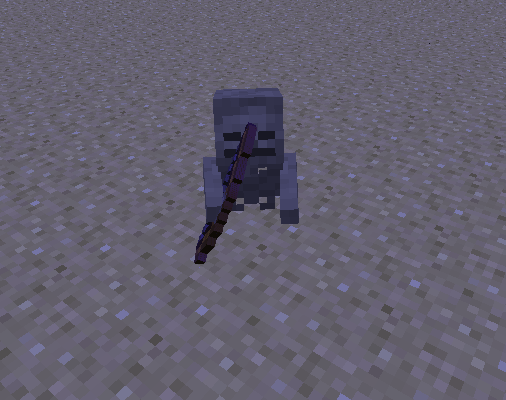
When a mob ride another mob, and the lower mob die, the remaining mob start walking in the ground.
Disconect then reconnect fix that
I test this stuff with many entity, but you can reproduce without mobby spawning a skeleton riding a spiderWhen a mob ride another mob, and the lower mob die, the remaining mob start walking in the ground.
Disconect then reconnect fix that
I test this stuff with many entity, but you can reproduce without mod by spawning a skeleton riding a spider
Launcher title is Minecraft 1.2.5 Launcher.
Please, fix it. It's little bug. You can use only Minecraft Launcher
PHOTO: http://prntscr.com/1x2toa7q
Launcher title is Minecraft 1.2.5 Launcher.
Please, fix it. It's little bug. You can use only Minecraft Launcher
PHOTO: http://prntscr.com/1x2toa7q
Clocks are unable to teleport an entity (pigs, boats, etc.) when a player is riding it. For example summon in a rideable pig:
/summon Pig ~ ~ ~
{Saddle:1}Put this into a repeat command block and activate it:
/tp @e[type=Pig] ~-0.1 ~ ~
The pig will start to move, however the second the player mounts the pig, the pig freezes in place.
Oddly enough if you type in something like /tp @e[type=Pig] ~-0.5 ~ ~ manually though the pig will actually move, so it's an issue with repeat/fill clocks it would seem.
Clocks are unable to teleport an entity (pigs, boats, etc.) when a player is riding it. For example summon in a rideable pig:
/summon Pig ~ ~ ~ {Saddle:1}Put this into a repeat command block and activate it:
/tp @e[type=Pig] ~-0.1 ~ ~The pig will start to move, however the second the player mounts the pig, the pig freezes in place.
Oddly enough if you type in something like
/tp @e[type=Pig] ~-0.5 ~ ~manually though the pig will actually move, so it's an issue with repeat/fill clocks it would seem.
Repeat/fill clocks can't teleport an entity when a player is riding itCommand blocks can't teleport an entity when a player is riding it
Comparators are stuck on previous stateHoppers become stuck on world reload
If you are aiming at the top of a shulker box when
they areclosing, you can shift+click and place a block on a normally non accessible face.Steps to reproduce :
- Place a shulker box on the ground and stand as close as possible.
- Aim at the top of the box and open it
(make sure you still aim at the top when the box is fully open).- Now, you need to very quick close the inventory, and shift+right click with a block
The outcome really depend on your position relative to the box, and where you are aiming. If you do it correctly, you can successfully place a block on the 5 others faces of the box. It also works for all the different shulker box facing.
If you are aiming at the top of a shulker box when it's closing, you can shift+click and place a block on a normally non accessible face.
Steps to reproduce :
- Place a shulker box on the ground and stand as close as possible.
- Aim at the top of the box and open it.
- Now, you need to very quickly close the inventory, and shift+right click with a block
The outcome really depend on your position relative to the box, and where you are aiming. If you do it correctly, you can successfully place a block on the 5 others faces of the box. It also works for all the different shulker box facing. Here is the GIF of it in action : http://i.imgur.com/crOwIEt.gifv
Unresolved Label Lies [Mob Spawners Issues/Lack of Support For Vanilla Features]
I can't use CTRL+Qto select the text in the World name entry fieldI can't use CTRL+A to select the text in the World name entry field
Armor stand's nbt: Head Pose is ignored when its Head Pose data is [0.0f,0.0f,0.0f]
Inconsistant xp and level valueInconsistent xp and level value
mrpingouin1 explained it very well already.
The syntax you complain about is not JSON, it just sortof smells like.

mrpingouin1, the @p selector should probably act also only in the dimension in which it is used as it selects the closest player

Good catch, mrpingouin1!

mrpingouin1 Ah I'm stupid (tired rather, I shouldn't do commandstuff as night creature at 6am in the morning 😸).
I did have a clock running, with
entitydata @e[type=Squid] {Invulnerable:0,NoAI:1}
I should have tested it with other custom spawn eggs and in a fresh world, sorry!
Bugpost can be closed 😸
mrpingouin1 That's what I suspected myself, I was in that discussion and not only I begged Mr. Broes to change that..
That's why I tested a sign (incl. scoreboard data) WITH Text3 + Text4, but it still didn't work.
Either I messed up the command, or line 3 and 4 not being referred to in the command is not the problem here.
mrpingouin1 Well the AEC does show particles though, with blockcrack, iconcrack and blockicon defaults to the mobSpell particle..
So there must have been changes I'd assume.
Edit: I'm not so much into those special particles, is "blockicon" even one Ö.ö?
Have never heard of it, but if it's not existing, it defaults back to mobSpell, so it'd make sense (the particlename "fantasyname" does also default back to mobSpell)
![[Mod] Skylinerw](../../../data/assets/gravatar/skylinerw.png)
It is resolved, specifically as "invalid" because this is an invalid report.
Primarily, you may only include one bug per report. The numerous bugs you did report are already covered in other reports, as mrpingouin1 has already pointed out. Feel free to split your report up, but please search the tracker before creating reports or they'll simply be closed as duplicates.
Entities rendering outside spawners is not intended; see MC-779, which attempts to fix that. As was already explained to you, passengers being rendered would inherently cause MC-779. If you searched the tracker, you would find MC-93375 which has been closed by a developer as "Working as Intended".
![[Mod] violine1101](../../../data/avatars/users/92858.png)
mrpingouin1 confirmed that what you said actually is the case and checked what piece of code causes it and posted it.
Whether this is a bug or not still needs to be confirmed by a Mojang developer.

The bug
If you're using a keyboard layout where the letter A is not on the same position as on a QUERTY keyboard (for example, the French AZERTY layout), Minecraft still maps keybindings as if you were using a US/QUERTY keyboard.
How to reproduce
- Select the French AZERTY keyboard layout (other keyboard layouts are affected as well, see above).
- Type something into the chat.
- Press Ctrl+A (where A is the key directly to the right of the tab key).
- Note that nothing happens.
- Press Ctrl+Q (where Q is the key directly to the right of the CAPS LOCK key).
- Note that the text you typed into the chat is being selected.
Other keybindings are affected as well, for example F3+Q and F3+A. This also applies to Mac where for example Command+A is expected to select all text, but quits the app instead.
Code analysis
This is caused by the method glfwSetKeyCallback who returns a key code assuming a US keyboard layout.
To fix it, instead of directly testing the key code returned by glfwSetKeyCallback with the GLFW_KEY constants, it has to be converted to his printable character with the glfwGetKeyName method.
– mrpingouin1 in this comment
It may happen with a looting enchantment :
this.rand.nextFloat() - (float)par2 * 0.01F < this.equipmentDropChances[var3]
par2 is the looting bonus coefficient, so the item can be drop.
If you want to be sure that the item wont spawn : set the drop chance to -2.
(The issue work as intended)
Sorry, but I search this a issue and i don't find it because the
MC-9363have bad title and bad labelsThe barrier you see, is a particle, the block has no render (work as intended ?)
This is not actually a bug
The way particle are define can't do that, particle have lifetime. Potion effect have a small lifetime, so you may not see stop immediately, but few <1s later. Barrier particle lifetime is much important, so you can clearly see disappear after a while.
Added log and a world file, where the crash can be easily reproduce
Still crash in 14w07a
It's intended, the fog have a cubic shape.
Still crash in 14w10a, but now, you can't open the command block, and the game crash when you try to activate the comparator. Should create a new issue?
This clearly have a different behaviour, but the game still crash sometime when you activate the comparator.
This is not a bug, you should have done more experiments about that. It not only apply on EnderMite, but every mob, and the mob take 0 damage, it has the same effect as throwing an snowball or a fishing rod at a mob.
It has been fix in 14w11b, try these commands :
{CustomName:"YOLO",Lifetime:2350}/summon Endermite ~ ~1 ~
/summon Endermite ~ ~1 ~
{Lifetime:2350}The endermite naturally despawn when his Lifetime reach 2400, and the one with the first command don't despawn
Not a bug, when you are in spectator mode, it's like you don't even exist, so the blaze just naturally dispawn
How does it work for itemcrack then? I tested many commands and I didn't find a working one :
/particle iconcrack_351 ~ ~ ~ 1 1 1 0.1 1000
Regular ink sac spawn normaly, but when I try to spawn Red rose particle( #351/1):
EDIT : this should work
/particle iconcrack_351_1 ~ ~ ~ 1 1 1 0.1 1000
The old syntax obviously don't work(still get an exception)Given that Item Id are a Short type(or used to, I don't know) , itemId | (metaData << 16) would still fit in an Integer.315 | (1 << 16) = 65851But this don't work (nothing spawn, but I get an normal info message in the chat):/particle iconcrack_65851 ~ ~ ~ 1 1 1 0.1 1000I also tried these one (<<8, <<12, <<20, <<24) but none of them seem to work :/particle iconcrack_607 ~ ~ ~ 1 1 1 0.1 1000/particle iconcrack_4447 ~ ~ ~ 1 1 1 0.1 1000/particle iconcrack_1048927 ~ ~ ~ 1 1 1 0.1 1000/particle iconcrack_16777567 ~ ~ ~ 1 1 1 0.1 1000After a lot of research in the code, I found out that the correct syntax SHOULD be
/particle iconcrack_351_1 ~ ~ ~ 1 1 1 0.1 1000
but it seem that when the enum declare iconcrack, it only allow 1 extra param so when you want to specify a damage value (iconcrack_id_damage), it throw a java.lang.ArrayIndexOutOfBoundsException: 1
The issue is still here
This is exactly what I do, the command I made are just to see what TileEntity are in the block below me, otherwise I didn't use any command to modify block/TileEntity in this world. I just create this world, and open it in different snapshot.
Then I don't see the relation between my issue, and
MC-58898I use gamemode 1 to easily see what TileEntity is in the block below me(gravity help), but this bug can be reproduced like this :
Commands I made just show that some block have wrong TileEntity.
This is one of the way to reproduce this bug, it may also work by switching from an older snapshot to the current one, and it may also happen by switching from the current one to a future one.
Work as intended, incorrect damage value always create un-textured block, then your command to switch back the damage to 0 is wrong, rather use :
{Damage:0s}/entitydata @e[type=Item] {Item:
}
You failed your redstone clock : The redstone between your comparator and your command block will switch between power 15 and power 2, put your command block 2 blocks further from the comparator.
the =! only work for team, name and type, rather use m=0,m=2,m=3
Do you have any screenshot of Zombies/Skeletons no burning at the sunlight?
Then your command have a bad syntax, use :
/effect @e[r=1000,type=Creeper,type=Zombie] <effect> [seconds] [amplifier]
Intended, You used the
{id:arrow}to place the arrow which mean you don't specify the Count value which is 0b by default
Then where is your bug?, because /testfor @p[r=2,m=1] work fine for me.
I won't work because the command block is always powered, just put a redstone lamp instead of the command block, you will see that the lamp don't blink. So just put the command block 3 block away from the comparator.
Then, what is the point of your bug report?
Intended, Beacon beam can pass through blocks who "blocks no or just a little bit of light"
You summon a mob with an Item with Count of 0, and then complain about getting an Item with Count of 0, hum.
ShowParticles:0b work better
The correct syntax for time query would be :
/time query gametime
/time query daytime
Cannot reproduce in 14w33c
Order of tag doesn't matter. Then What you say is not correct :
"The FallingSand entity would vanish after the "Time" NBT tag ticked to 600."
If you read the wiki, it say (the wiki is right):
"When Time goes above 600, [or above 100 while the block is below Y=0], the entity is deleted."
NBT define the entity when the game is not running, and here Time is very particular : the NBT Time is a Byte type, whereas the variable time is an Integer, so when you try to "load" an entity with Time:580, it won't work properly, because here, time must be between -128 and 127, but when the game run, the variable can be outside this range
Duplicate of
MC-64773You can, but Time can only be in range -128, 127 using NBT
The Tag TileID is deprecated, use the tag Block instead
Confirmed : the value of ownerName is changed. But the game also keep an instance of the entity who throw the enderpearl, and this value is not updated by the entitydata command.
They should add a tag called Marker, if true, ArmorStand's size will be set to 0, making it invisible and have a tiny hitbox.
(Still in 1.8.2 pre-6)
I just found out why you can have 2 entity on the same block even with a spreadDistance of 1 : The game pick a random FLOAT coordinate, and do many iterations in order to find a solution. Then he center every entities on the block where they stand. The problem is that 2 entities can be away from more than 1 block and be on the same block (2 opposite corner of a square are far from sqrt(2) > 1)
If you don't want any entity on the same block, put a spreadDistance of 1.42
I don't get how your first command can work : you are using the wrong tag, use "playerGameType" instead of "GameType". Then, yeah /gamemode command don't support datatag.
It also put a wrong stat value
Lit redstone ore use random ticks to change state, so it could take a long time before changing back to a normal redstone ore.
And also make sure your random tick speed is no 0 with the command :
It's intended : the tag from the give and then enchanting table are different :
{id:32,lvl:1}give : ench:[
]
{id:32s,lvl:1s}enchanting table : ench:[
]
To fix this, just add the correct tag type for your give and scoreboard command
This is intended, because it only works in creative mode.
The SkullOwner tag changed a bit, use this instead :
/testfor @a {Inventory:[{id:minecraft:skull,Damage:3s,Slot:103b,tag:{SkullOwner:{Name:"PoweredByPowerYT"}}}]}Here is a correct command to reproduce the bug, it does NOT require any mod/ressource pack :
/setblock ~ ~ ~ furnace 0 replace {CookTimeTotal:1,BurnTime:999,CookTime:1,Items:[{id:log,Count:1}]}"air block does not exist in Minecraft", you are confusing blocks and items : yes you can't get an "air block" as an Item, but there is an "air" block with an ID of 0, you can find something like this in the code :
Then you are confusing absolute and relative coordinate : in any case, it doesn't matter whether you specify absolute or relative coordinate since the position will be converted to absolute when the command is executed at a fixed position.
Assuming the player is at Y=250 and execute the command, the result is the same.
Then, the question is not why do I testfor a block with such coordinate, but rather why minecraft say on one case(with execute detect) that there is an air block at X -1 Z, and on the other hand (with testforblock) it says X -1 Z is not a correct coordinate.
WAI, just look at what this attribute really do.
From the wiki :
This only apply to mobs, and giving this attribute to a player won't reduce the target range of other mobs.
This mean a lower follow range is not beneficial at all for mobs.
Not related but duplicate of MC-73881.
It has nothing to do with the /difficulty command : The difficulty is not checked when the mob is spawned, but when the entity is updated (this mean the next tick). This is why you can still "see" the entity for 1 tick.
I don't think it's a bug, but a design choose : The peaceful difficulty doesn't affect mobs, but mobs are affected by peaceful difficulty.
Duplicate of
MC-30905Attributes behavior may change in future versions.
The game does not check block by block, but chunk by chunk. Even if it's not the best design choose, there still exist some "correct" way to check for players below with the selector like @e[y=0,dy=4].
A bug like this has already been reported here :
MC-73916Invalid, you don't use correct names
Duplicate of
MC-108: the piston is powered from two block aboveDuplicate of MC-46737
Duplicate of
MC-5415Cannot reproduce. Since resource pack can change language, can you try without resource pack?
Cannot reproduce, the 3 commands you provide work fine for me, but you put a very large SpawnRange, with a very small SpawnCount. That might be why you don't see anything spawn.
Allowing this would bring back
MC-75630(the bug that allow creative non OP to execute any commands)WAI, the NBT structure changed, and the EntityId tag as been removed. You have to use the SpawnData and/or SpawnPotentials tags
"no longer work properly" His behavior doesn't seems changed, you most likely don't know how it is working :
You command give a sword that double your knockback resistance, but the base knockback resistance for players is 0, so in this case, you won't block any knockback.
This bug is fixed in 15w34a. Obviously, only newly launched fireball are fixed, those who were generated in previous version won't start moving again.
Invalid, see : https://bugs.mojang.com/browse/MC-86011
"If a command block doesn't have anything to output then it won't display it in the GUI."
That looks very intended.
This seems to apply to all other transparent block (those who don't block beacon beam). With the exception of leaves, ice and water. It looks intended.
What is the problem then; if the box has nothing to show, why do you really want that box to be here? Where is the bug?
After checking the code source, I find out that this change was made to fix a bug where the previous output was not reset when the last command didn't provide any output (like here
MC-74956). The fact that the output box is not displayed if the box is empty is here since 1.7, but because of this bug and the output box default value being "-", the box has no reason to be empty. I can conclude that this change was probably not directly intended so It might indeed be a bug, just wait and see.Invalid : Pigs are only interested in carrot, and chicken only by seeds
Duplicate of
MC-88833(fixed in next version)This might comes from entities created in older versions. Does it happen every time you open your world?
Seeing the code, this looks intended. That would allow people to purposely create a not negligible amount of charged creeper (the lightning that spawn the first skeleton horse don't effect other mobs too)
Confirmed, but the title is wrong, it only apply to mobs that turn into an other one : Pigs and Villagers.
Kinda related to
MC-67437.Wrong Duplicate, here is the right one :
MC-86391Duplicate of
MC-88824Next time, you should attach the crash report.
How can you expect some help if you don't even provide the exact command you are using? It's like you don't even consider the error may comes from you.
And indeed, spawners changed : see
MC-86031Confirmed but It doesn't happen every time. Possibly related to
MC-88934if the problem comes from the snowball.Unable to reproduce, can you provide a screenshot of the exact recipe you are using?
It crash and "corrupt" your world when you use this command (see attached crash report):
/summon AreaEffectCloud ~ ~1 {Radius:2.0f,Duration:2147483647,Particle:iconcrack_}That might be specific to the splash particle. If you test in a clean world with no other particle, the debug menu will always show you the correct number of particle you spawn.
The splash particle pick between 4 random texture, but one on these texture is empty, so that's why you don't see anything. It might be intended to make this particle less visible (specially when it get spawned every ticks). If you change this empty texture why a resource pack, you will see something every time.
Cannot reproduce in both 15w39c and 15w40b, can you give the EXACT command you use to give you the item with attribute modifiers, and the EXACT step by step of what you are doing with this item in your inventory.
Related to
MC-89323.Can confirm for all non EntityLiving entities.
This seems fixed.
It's quite hard to see (see attached screenshot)
Can you give some example other than "take" , "bubble", and "suspended"?
Make sure your particle setting is set to ALL and try again on an empty flat world. Look at the particle counter of the debug menu (5th line, P:), and tell me if this counter always match the number of particle you spawn (try with particle you don't see too).
And finally, can you please force a crash by pressing F3 + C for 10 seconds while in-game and attach the crash report (minecraft/crash-reports/crash-<DATE>-client.txt) to this ticket.
Cannot reproduce.
What was the score of "Player" BEFORE you executed the command "scoreboard players add Player <Objectives> 1" ?
The crash is cause by the value of Career (see attached crash report, Career was set to 5).
Career tag define the Career of the villager depending on his Profession (see wiki). In your case the villager Profession is 0, so his career must be between 1 and 4. Then rewardExp is one of the few tags that require type identification, so you must write "rewardExp:0b".
Invalid : the Riding tag has been replaced by a Passengers tag (see wiki)
Invalid, you need to use :
/give @p mob_spawner 1 0 {BlockEntityTag:{SpawnData:{id:Cow}}}(wrong duplicate, correct one is
MC-89923)Your testing assume that red hearts and absorption hearts handle the armor/damage calculation the same way. Spoiler : they don't. You can redo your tests with a health_boost effect and you will get different result.
An other thing you did wrong is that you only tested explosion damage, but there is others type of damage that can be more relevant to test for PvP
wiki
To get even more accurate result, you can use the stat.damageTaken.
Any way, that fact that Prot IV only reduce the damage to half an absorption heart is very wierd
Confirmed, as you said, this is NOT related to
MC-81075because the commands don't have to be executed on the same tick. This bug seem to only affect AreaEffectCloud. Here is a cleaned command for better testing:/summon AreaEffectCloud ~ ~1 ~ {Radius:0.5f,Duration:2147483647,Particle:"flame",Tags:["tp"]} /tp @e[tag=tp] ~ ~3 ~ /kill @e[tag=tp]Duplicate of
MC-86011Can confirm that mobs don't drop their equipment, but rare drop are working fine : keep in mind that the player must kill the zombies to have a chance of getting a rare drop, /kill or other indirect damages(tnt, lava, fall damage) won't work.
WAI
MC-46956Confirmed
Related to
MC-88967Invalid : Tags are applying just fine on the item, what you are trying to do is applying tags on the entity item.
Duplicate of
MC-60182NBT syntax is not JSON or lenient JSON syntax.
JSON syntax only apply to the /title and /tellraw commands, and the following NBT tag : pages, Text1, Text2, Text3, Text4. Only these things don't support lenient JSON anymore.
The NBT syntax did not changed.
Cannot confirm in 15w47a. Can tell at which coordinate you execute this command. If the Y value is too small that would be intended.
Does this work with this command :
Because of
MC-81025, you can't know if you are using a correct sound name (the console still log a WARN about that). Some of the sound path changed in 1.9, here is the complete list : http://pastebin.com/YZ6KXE9DEdit : Duplicate of
MC-93074Confirmed : the console show the following error when attempting:
entitydata @e[type=Arrow] {}On a summoned Arrow.
[14:13:43] [Server thread/ERROR]: Failed to save chunk e: Saving entity NBT at ro.e(SourceFile:1302) ~[15w47c.jar:?] at ro.d(SourceFile:1243) ~[15w47c.jar:?] at ask.a(SourceFile:216) ~[15w47c.jar:?] at ask.a(SourceFile:102) [15w47c.jar:?] at lo.b(SourceFile:147) [15w47c.jar:?] at lo.a(SourceFile:166) [15w47c.jar:?] at lp.a(SourceFile:885) [15w47c.jar:?] at net.minecraft.server.MinecraftServer.a(SourceFile:370) [15w47c.jar:?] at bxx.a(SourceFile:213) [15w47c.jar:?] at net.minecraft.server.MinecraftServer.C(SourceFile:570) [15w47c.jar:?] at bxx.C(SourceFile:154) [15w47c.jar:?] at net.minecraft.server.MinecraftServer.run(SourceFile:456) [15w47c.jar:?] at java.lang.Thread.run(Unknown Source) [?:1.8.0_40] Caused by: java.lang.NullPointerException at zr.b(SourceFile:429) ~[15w47c.jar:?] at aai.b(SourceFile:134) ~[15w47c.jar:?] at ro.e(SourceFile:1284) ~[15w47c.jar:?] ... 12 moreThe beacon update require to fully check the pyramid. You definitively don't want to do that every ticks. The update currently happen every 80 ticks, and this is fine.
Duplicate of
MC-85982Most likely
MC-16466, can you at least provide the give command of both of those armor piece to be sure.Seeing the code, this seem intended. Keep in mind that what happened in 15w45a was probably not an intended feature.
We will need some more context here, like step to reproduce, command used, and maybe screenshots.
Duplicate of
MC-89000MC-3073Duplicate of
MC-93074, unless you can find a case where Arrow are not involved.Invalid (see attached screenshot)
I don't think randomTickSpeed affects cauldron. Try with more cauldron (more than one).
This was fixed in 1.8.3
Invalid
See Grum last comment on
MC-87143Each line must be filled, and each line must be JSON.
You can use one of those commands as template :
/setblock ~ ~1 ~ minecraft:standing_sign 0 _ {Text1:"{\"text\":\"\"}",Text2:"{\"text\":\"\"}",Text3:"{\"text\":\"\"}",Text4:"{\"text\":\"\"}"} /setblock ~ ~1 ~ minecraft:standing_sign 0 _ {Text1:"[\"\"]",Text2:"[\"\"]",Text3:"[\"\"]",Text4:"[\"\"]"}I cannot reproduce this, even in 1.8.4 single player AND server. Seeing the code, I can't find any reason for this to happen. Are you sure you didn't have an extra ArmorStand in the nether?
Command blocks are supposed to act through dimension, unless, one of the following selector argument is used :
Based on that, I can't see any weird behavior from all the command posted. Can someone provide a command that is not working correctly? Otherwise, this can be closed.
First, the title is very misleading : command block ARE supposed to be able to select entities through different dimensions. Selector will [by default] select matching entities in each world UNLESS one of the following selector argument is used :
This bug is about the order in which worlds register matching entities. Currently, the order will always be : overworld, nether, end. When commands are executed from the nether or the end, and the "c" argument is used, the first matched entities will always be from the overworld, this created some inconsistencies like the one described in this bug report (I can't find a concise and good title).
The fix is not that hard since there is already a method that return the list of affected dimension. This list must be reorganized to put the current dimension first. In case this bug is not fixed, here is a work around :
If you want to execute a command only in the current dimension, with literally no performance impact, just use :
If you are in nether, and want to execute a command only in the overworld, use :
While having a dummy ArmorStand called dummyOverworld, in the loaded chunk of the overworld.
Why you should use r=-1 and not something else :
The game will find a "r" argument, so he will only matches entities from the sender dimension. But then, when the predicates are added, and since the value of -1 is not correct, it will not register an extra predicate.
About mentioned bug :
MC-89361is a very weird bug, not directly related to commands and selectors (the selector acting weird is a side effect of the bug). Basic world interaction are weird too.MC-80196has a very messy description and comment section, but I can't find any unintended behavior.MC-80266seem unrelated too.If you want to react about one of these bug directly, please do it on the bug itself (unless you want to talk about why these bug are related)
TLDR : this bug should not be a duplicate
You have an extra "]" at the end of your loot table.
Look at the entity NBT with :
/entitydata @e[r=2] {}You will see that the value of the DeathLootTable tag is "random:Random". The folder where you place your loot table must be called "random" and not "Random"
Cannot reproduce then, the provided loot table is working fine for me, here is the NBT tag of the dropped stone, placed in a chest :
[22:23:12] [Client thread/INFO]: [CHAT] The data tag did not change: {x:-4,y:4,z:4,Items:[0:{Slot:0b,id:"minecraft:stone",Count:1b,tag:{Tags:[0:"1"]},Damage:0s}],id:"Chest",Lock:""}Do you have any messages in the launcher console when you kill the Pig?
Finally found find the Duplicate :
MC-92033You are confusing items and entity items. Loot table functions only apply to the item, and never to the dropped entity.If you want to detect the dropped item, use :
/testfor @e[type=Item] {Item:{tag:{Tags:["1"]}}}Finally found the Duplicate :
MC-92033You mess up some parameter, look at the command prototype :
And here is a working command :
Duplicate of
MC-90954This was fixed in 15w49a for the default language (en_US).
Duplicate of
MC-94060I can reproduce it in 15w51b :
You should be in a generated world with hard mode(that may help). Eventually kill other mobs to avoid being annoyed by mob spawning cap :
/gamerule doMobSpawning false /kill @e[type=!Player] /summon Zombie ~ ~1 ~ {Attributes:[{Name:zombie.spawnReinforcements,Base:1.0d}]}Use the above command to spawn zombie that will try to spawn another zombie when hit (it still may fail if no correct spawn location are found)
Hit this zombie a few times (~10 times or more if they still don't spawn), and you should see some other zombie coming/spawing.
Invalid : The Slot value "torso" has been replaced by "chest" (see
MC-88569). Then, your UUIDMost and UUIDLeast must not be 0, and they must be different, (see comment on MC-16466)Here is a fixed command :
/give @p minecraft:elytra 1 0 {AttributeModifiers:[{AttributeName:"generic.movementSpeed",Name:"generic.movementSpeed",Amount:0.2,Operation:0,UUIDLeast:1L,UUIDMost:1L,Slot:"chest"},{AttributeName:"generic.armor",Name:"generic.armor",Amount:10,Operation:0,UUIDLeast:1L,UUIDMost:2L,Slot:"chest"},{AttributeName:"generic.attackSpeed",Name:"generic.attackSpeed",Amount:0.6,Operation:0,UUIDLeast:1L,UUIDMost:3L,Slot:"chest"}],display:{Name:"Flight Wings",Lore:["When Equipped, You Can Fly Infinitely!"]},ench:[{id:0,lvl:5},{id:4,lvl:3},{id:7,lvl:3},{id:34,lvl:10}]}Don't report the same issue twice (
MC-94405). This issue has already been marked as Duplicate ofMC-92678Duplicate
MC-93648Duplicate of
MC-90175Cannot reproduce, the detection works fine for me. How can you know the detection failed? The simple way to know if the command was successful or not is to put a comparator facing away from the command block.
Duplicate of
MC-87143. See Grum last comment for explanation.Invalid : The detection fail because their data value is different (see here and here).
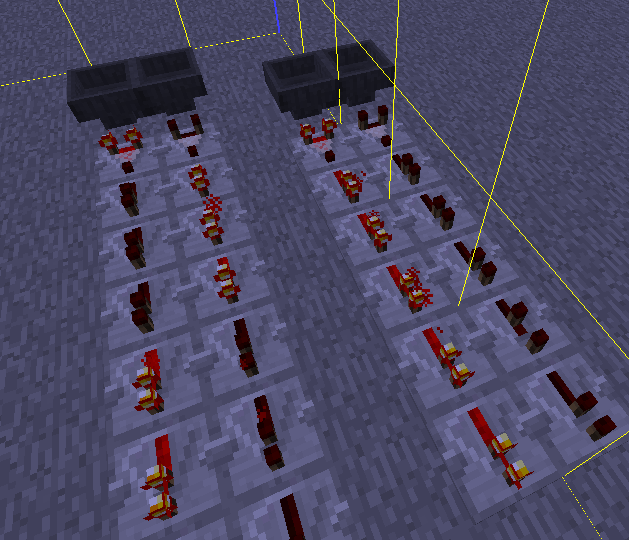
When one of the comparator is activated, he will power the command block in front of him, and the blocks adjacent to the command block (see img).
You should really change your design to avoid powering adjacent command blocks, and put the dispensers far enough so that they don't get directly or indirectly powered.
Duplicate of
MC-16466The value of UUIDLeast and UUIDMost must be different between two piece of armor.
Duplicate of
MC-11801The new implementation use (1 << slot) to disables all interactions. If you apply this formula to the 5 slots, you have :
DisabledSlots = (1 << 0) + (1 << 1) + (1 << 2) + (1 << 3) + (1 << 5)
DisabledSlots = 1 + 2 + 4 + 8 +16 = 31
This change is relatively recent, so things like wiki and online generator have a high chance to be outdated.
It says Malformed JSON because the JSON is Malformed. Try this :
/tellraw @a {"text":"Text Here","color":"red"}The fact that the third command don't get updated is intended when you know that @a or @a[c=x] target dead players, but @p or @a[r=x] don't.
In your case you should change the last command to :
The only weird thing is that the following command put on a clock should never increment the player score since @p should never target a dead player, and score_Health=0 should never target a non dead player. But his score is incremented when the respawn button is hit :
I would arg it's WAI because of the end of the tick order of operation. Even if this order is changed, it may create some other inconsistencies when the player died.
Confirmed. That might looks intended, but it's not : The code has a special condition on skulls (if the skull has a Owner tag) that correctly handle the transfer from the Owner tag to the SkullOwner tag so that a BlockEntityTag is not needed (The "+NBT" Lore show that there is a BlockEntityTag tag). Here is the problem : How is the Item supposed to know that the tags left in the block skull are not needed? The answer is that he is not supposed to know, and thus he needs to keep all the remaining tags into the BlockEntityTag tag like all the others items keep many useless tags into this tag. Fortunately, the tags left in the skull are indeed not needed ... YET. If someone decide to add a useful tag to the skull block, that tag will not be kept with a Ctrl+Middle mouse.
Cannot reproduce.
Make sure you don't have some extra potion effect not caused by the beacon by running :
Even if in this report, it's unclear if the opaque particle are from the beacon or a potion effect ; on my side, particles from the beacon potion effects, or from potion with an Ambient tag are transparent. Can you provide a screenshot of the opaque particle, and the effects used in the beacon. And in the case you used a command, can you provide the EXACT command you used.
Cannot reproduce, it looks like you have a clock running this command:
/entitydata @e[name=testsquid] {a:b}(a:b just mean a non empty dataTag)
Alongside with the following gamerule:
Can you provide the EXACT command used.
Invalid, the damage value of items is not longer required to define the potion effect. You will have to use :
/give @p minecraft:potion 1 0 {CustomPotionEffects:[{Id:21,Amplifier:2,Duration:10000}]}Duplicates of
MC-87143As grum said :
Can you provide a command / screenshot of a potion with a missing texture that use a damage value of 0? Otherwise, this has to do with
MC-63344which is marked as Works As Intended.Cannot reproduce.
What do you mean by "not working", what is the expected behavior, and what is actually happening.
Here is a GIF showing that it's working fine on my side : http://gfycat.com/FocusedMeagerAlaskankleekai
The commands blocks contain the following commands:
Can you (again) provide a step by step to reproduce your bug, with the list of ALL the EXACT command used. You can even provide screenshots, a GIF, or a world download if you can. Keep in mind the more information you provide, the easier it will be for us to reproduce the bug.
That a relevant information you didn't provide in your report in the first place, and that was why I had trouble to reproduce this bug. Anyways, this is a Duplicate of
MC-69826I'm not sure what you mean by that, but each players count for 1 entity.
When you execute this command :
The server will find X matching entity, and since the command block has a AffectedEntities commandstat in it, he will also try to put the score X into the score PCC of the player @a; as defined in :
Since your LAN world has multiple players, the @a selector will return all these players. But as stated in
MC-69826, there must be only one matching entity, so the scores won't be updated. You don't even need to be on an LAN world to reproduce this bug, you just need multiple matching entity in the commandstat selector, e.g : @e[type=ArmorStand,tag=stat]Not really agree with the currently currently related bug since this can be reproduced without the click event, with a command as simple as :
/give @p minecraft:sign 1 0 {BlockEntityTag:{Text1:""}}The sign just need to be no empty, and contains invalid JSON (in the report, Text3 is invalid)
This relate to
MC-87143with the extends that people are disconnected in multiplayer.Duplicate of
MC-89000Confirmed.
See
MC-87143, in your command, Text1 and Text2 are invalid, and Text4 is missing.HeroBrineNZK : This issue is already resolved as Duplicate of
MC-83460, so if you want to give any updates, do it onMC-83460instead. BUT this issue was resolved as "Works as intended" by mojang. This mean that mojang is aware of this issue, and consider it being an intended behaviour (they do have sufficient reasons on this one), so it won't be fixed, and you don't have to give any updates.I see some invalid JSON around here :
{"text":" has just earned the achievement",color:white}see
MC-83460The CustomPotionEffects tag can be used to add multiple effect, and the game don't have to chose how to name the potion from this list since it can contains multiple different effect. Instead, the game name the arrow with the value of the Potion tag. In this case, there is no Potion tag, so the game use the default value "water". If you want don't want to be annoyed by the name, use the Potion tag with the value "empty" :
/give @p minecraft:tipped_arrow 1 0 {Potion:empty,CustomPotionEffects:[{Id:15,Amplifier:0,Duration:60}]}Confirmed for 1.9-pre4 but the command changed because "aaaaa..." is not a valid JSON syntax :
/setblock ~ ~1 ~ standing_sign 0 replace {Text1:"[\"aaaaaaaaaaaaaaaaaaaaaaaaaaaaaaaaaaaaaaaaaaaaaaaaaaaaaaaaaaaaaaaaaaaaaaaaaaaaaaaaaaaaaaaaaaaaaaaaaaaaaaaaaaaaaaaaaaaaaaaaaaaaaaaaaaaaaaaaaaaaaaaaaaaaaaaaaaaaaaaaaaaaaaaaaaaaaaaaaaaaaaaaaaaaaaaaaaaaaaaaaaaaaaaaaaaaaaaaaaaaaaaaaaaaaaaaaaaaaaaaaaaaaaaaaaaaaaaaaaaaaaaaaaaaaaaaaaaaaaaaaaaaaaaaaaaaaaaaaaaaaaaaaaaaaaaaaaaaaaaaaaaaaaaaaaaaaaaaaaaaaaaaaaaaaaaaaaaaaaaaaaaaaaaaaaaaaaaaaaaaaaaaaaaaaaaaaaaaaaaaaaaaaaaaaaaaaaaaaaaaaaaaaaaaaaaaaaaaaaaaaaaaaaaaaaaaaaaaaaaaaaaaaaaaaaaaaaaaaaaaaaaaaaaaaaaaaaaaaaaaaaaaaaaaaaaaaaaaaaaaaaaaaaaaaaaaaaaaaaaaaaaaaaaaaaaaaaaaaaaaaaaaaaaaaaaaaaaaaaaaaaaaaaaaaaaaaaaaaaaaaaaaaaaaaaaaaaaaaaaaaaaaaaaaaaaaaaaaaaaaaaaaaaaaaaaaaaaaaaaaaaaaaaaaaaaaaaaaaaaaaaaaaaaaaaaaaaaaaaaaaaaaaaaaaaaaaaaaaaaaaaaaaaaaaaaaaaaaaaaaaaaaaaaaaaaaaaaaaaaaaaaaaaaaaaaaaaaaaaaaaaaaaaaaaaaaaaaaaaaaaaaaaaaaaaaaaaaaaaaaaaaaaaaaaaaaaaaaaaaaaaaaaaaaaaaaaaaaaaaaaaaaaaaaaaaaaaaaaaaaaaaaaaaaaaaaaaaaaaaaaaaaaaaaaaaaaaaaaaaaaaaaaaaaaaaaaaaaaaaaaaaaaaaaaaaaaaaaaaaaaaaaaaaaaaaaaaaaaaaaaaaaaaaaaaaaaaaaaaaaaaaaaaaaaaaaaaaaaaaaaaaaaaaaaaaaaaaaaaaaaaaaaaaaaaaaaaaaaaaaaaaaaaaaaaaaaaaaaaaaaaaaaaaaaaaaaaaaaaaaaaaaaaaaaaaaaaaaaaaaaaaaaaaaaaaaaaaaaaaaaaaaaaaaaaaaaaaaaaaaaaaaaaaaaaaaaaaaaaaaaaaaaaaaaaaaaaaaaaaaaaaaaaaaaaaaaaaaaaaaaaaaaaaaaaaaaaaaaaaaaaaaaaaaaaaaaaaaaaaaaaaaaaaaaaaaaaaaaaaaaaaaaaaaaaaaaaaaaaaaaaaaaaaaaaaaaaaaaaaaaaaaaaaaaaaaaaaaaaaaaaaaaaaaaaaaaaaaaaaaaaaaaaaaaaaaaaaaaaaaaaaaaaaaaaaaaaaaaaaaaaaaaaaaaaaaaaaaaaaaaaaaaaaaaaaaaaaaaaaaaaaaaaaaaaaaaaaaaaaaaaaaaaaaaaaaaaaaaaaaaaaaaaaaaaaaaaaaaaaaaaaaaaaaaaaaaaaaaaaaaaaaaaaaaaaaaaaaaaaaaaaaaaaaaaaaaaaaaaaaaaaaaaaaaaaaaaaaaaaaaaaaaaaaaaaaaaaaaaaaaaaaaaaaaaaaaaaaaaaaaaaaaaaaaaaaaaaaaaaaaaaaaaaaaaaaaaaaaaaaaaaaaaaaaaaaaaaaaaaaaaaaaaaaaaaaaaaaaaaaaaaaaaaaaaaaaaaaaaaaaaaaaaaaaaaaaaaaaaaaaaaaaaaaaaaaaaaaaaaaaaaaaaaaaaaaaaaaaaaaaaaaaaaaaaaaaaaaaaaaaaaaaaaaaaaaaaaaaaaaaaaaaaaaaaaaaaaaaaaaaaaaaaaaaaaaaaaaaaaaaaaaaaaaaaaaaaaaaaaaaaaaaaaaaaaaaaaaaaaaaaaaaaaaaaaaaaaaaaaaaaaaaaaaaaaaaaaaaaaaaaaaaaaaaaaaaaaaaaaaaaaaaaaaaaaaaaaaaaaaaaaaaaaaaaaaaaaaaaaaaaaaaaaaaaaaaaaaaaaaaaaaaaaaaaaaaaaaaaaaaaaaaaaaaaaaaaaaaaaaaaaaaaaaaaaaaaaaaaaaaaaaaaaaaaaaaaaaaaaaaaaaaaaaaaaaaaaaaaaaaaaaaaaaaaaaaaaaaaaaaaaaaaaaaaaaaaaaaaaaaaaaaaaaaaaaaaaaaaaaaaaaaaaaaaaaaaaaaaaaaaaaaaaaaaaaaaaaaaaaaaaaaaaaaaaaaaaaaaaaaaaaaaaaaaaaaaaaaaaaaaaaaaaaaaaaaaaaaaaaaaaaaaaaaaaaaaaaaaaaaaaaaaaaaaaaaaaaaaaaaaaaaaaaaaaaaaaaaaaaaaaaaaaaaaaaaaaaaaaaaaaaaaaaaaaaaaaaaaaaaaaaaaaaaaaaaaaaaaaaaaaaaaaaaaaaaaaaaaaaaaaaaaaaaaaaaaaaaaaaaaaaaaaaaaaaaaaaaaaaaaaaaaaaaaaaaaaaaaaaaaaaaaaaaaaaaaaaaaaaaaaaaaaaaaaaaaaaaaaaaaaaaaaaaaaaaaaaaaaaaaaaaaaaaaaaaaaaaaaaaaaaaaaaaaaaaaaaaaaaaaaaaaaaaaaaaaaaaaaaaaaaaaaaaaaaaaaaaaaaaaaaaaaaaaaaaaaaaaaaaaaaaaaaaaaaaaaaaaaaaaaaaaaaaaaaaaaaaaaaaaaaaaaaaaaaaaaaaaaaaaaaaaaaaaaaaaaaaaaaaaaaaaaaaaaaaaaaaaaaaaaaaaaaaaaaaaaaaaaaaaaaaaaaaaaaaaaaaaaaaaaaaaaaaaaaaaaaaaaaaaaaaaaaaaaaaaaaaaaaaaaaaaaaaaaaaaaaaaaaaaaaaaaaaaaaaaaaaaaaaaaaaaaaaaaaaaaaaaaaaaaaaaaaaaaaaaaaaaaaaaaaaaaaaaaaaaaaaaaaaaaaaaaaaaaaaaaaaaaaaaaaaaaaaaaaaaaaaaaaaaaaaaaaaaaaaaaaaaaaaaaaaaaaaaaaaaaaaaaaaaaaaaaaaaaaaaaaaaaaaaaaaaaaaaaaaaaaaaaaaaaaaaaaaaaaaaaaaaaaaaaaaaaaaaaaaaaaaaaaaaaaaaaaaaaaaaaaaaaaaaaaaaaaaaaaaaaaaaaaaaaaaaaaaaaaaaaaaaaaaaaaaaaaaaaaaaaaaaaaaaaaaaaaaaaaaaaaaaaaaaaaaaaaaaaaaaaaaaaaaaaaaaaaaaaaaaaaaaaaaaaaaaaaaaaaaaaaaaaaaaaaaaaaaaaaaaaaaaaaaaaaaaaaaaaaaaaaaaaaaaaaaaaaaaaaaaaaaaaaaaaaaaaaaaaaaaaaaaaaaaaaaaaaaaaaaaaaaaaaaaaaaaaaaaaaaaaaaaaaaaaaaaaaaaaaaaaaaaaaaaaaaaaaaaaaaaaaaaaaaaaaaaaaaaaaaaaaaaaaaaaaaaaaaaaaaaaaaaaaaaaaaaaaaaaaaaaaaaaaaaaaaaaaaaaaaaaaaaaaaaaaaaaaaaaaaaaaaaaaaaaaaaaaaaaaaaaaaaaaaaaaaaaaaaaaaaaaaaaaaaaaaaaaaaaaaaaaaaaaaaaaaaaaaaaaaaaaaaaaaaaaaaaaaaaaaaaaaaaaaaaaaaaaaaaaaaaaaaaaaaaaaaaaaaaaaaaaaaaaaaaaaaaaaaaaaaaaaaaaaaaaaaaaaaaaaaaaaaaaaaaaaaaaaaaaaaaaaaaaaaaaaaaaaaaaaaaaaaaaaaaaaaaaaaaaaaaaaaaaaaaaaaaaaaaaaaaaaaaaaaaaaaaaaaaaaaaaaaaaaaaaaaaaaaaaaaaaaaaaaaaaaaaaaaaaaaaaaaaaaaaaaaaaaaaaaaaaaaaaaaaaaaaaaaaaaaaaaaaaaaaaaaaaaaaaaaaaaaaaaaaaaaaaaaaaaaaaaaaaaaaaaaaaaaaaaaaaaaaaaaaaaaaaaaaaaaaaaaaaaaaaaaaaaaaaaaaaaaaaaaaaaaaaaaaaaaaaaaaaaaaaaaaaaaaaaaaaaaaaaaaaaaaaaaaaaaaaaaaaaaaaaaaaaaaaaaaaaaaaaaaaaaaaaaaaaaaaaaaaaaaaaaaaaaaaaaaaaaaaaaaaaaaaaaaaaaaaaaaaaaaaaaaaaaaaaaaaaaaaaaaaaaaaaaaaaaaaaaaaaaaaaaaaaaaaaaaaaaaaaaaaaaaaaaaaaaaaaaaaaaaaaaaaaaaaaaaaaaaaaaaaaaaaaaaaaaaaaaaaaaaaaaaaaaaaaaaaaaaaaaaaaaaaaaaaaaaaaaaaaaaaaaaaaaaaaaaaaaaaaaaaaaaaaaaaaaaaaaaaaaaaaaaaaaaaaaaaaaaaaaaaaaaaaaaaaaaaaaaaaaaaaaaaaaaaaaaaaaaaaaaaaaaaaaaaaaaaaaaaaaaaaaaaaaaaaaaaaaaaaaaaaaaaaaaaaaaaaaaaaaaaaaaaaaaaaaaaaaaaaaaaaaaaaaaaaaaaaaaaaaaaaaaaaaaaaaaaaaaaaaaaaaaaaaaaaaaaaaaaaaaaaaaaaaaaaaaaaaaaaaaaaaaaaaaaaaaaaaaaaaaaaaaaaaaaaaaaaaaaaaaaaaaaaaaaaaaaaaaaaaaaaaaaaaaaaaaaaaaaaaaaaaaaaaaaaaaaaaaaaaaaaaaaaaaaaaaaaaaaaaaaaaaaaaaaaaaaaaaaaaaaaaaaaaaaaaaaaaaaaaaaaaaaaaaaaaaaaaaaaaaaaaaaaaaaaaaaaaaaaaaaaaaaaaaaaaaaaaaaaaaaaaaaaaaaaaaaaaaaaaaaaaaaaaaaaaaaaaaaaaaaaaaaaaaaaaaaaaaaaaaaaaaaaaaaaaaaaaaaaaaaaaaaaaaaaaaaaaaaaaaaaaaaaaaaaaaaaaaaaaaaaaaaaaaaaaaaaaaaaaaaaaaaaaaaaaaaaaaaaaaaaaaaaaaaaaaaaaaaaaaaaaaaaaaaaaaaaaaaaaaaaaaaaaaaaaaaaaaaaaaaaaaaaaaaaaaaaaaaaaaaaaaaaaaaaaaaaaaaaaaaaaaaaaaaaaaaaaaaaaaaaaaaaaaaaaaaaaaaaaaaaaaaaaaaaaaaaaaaaaaaaaaaaaaaaaaaaaaaaaaaaaaaaaaaaaaaaaaaaaaaaaaaaaaaaaaaaaaaaaaaaaaaaaaaaaaaaaaaaaaaaaaaaaaaaaaaaaaaaaaaaaaaaaaaaaaaaaaaaaaaaaaaaaaaaaaaaaaaaaaaaaaaaaaaaaaaaaaaaaaaaaaaaaaaaaaaaaaaaaaaaaaaaaaaaaaaaaaaaaaaaaaaaaaaaaaaaaaaaaaaaaaaaaaaaaaaaaaaaaaaaaaaaaaaaaaaaaaaaaaaaaaaaaaaaaaaaaaaaaaaaaaaaaaaaaaaaaaaaaaaaaaaaaaaaaaaaaaaaaaaaaaaaaaaaaaaaaaaaaaaaaaaaaaaaaaaaaaaaaaaaaaaaaaaaaaaaaaaaaaaaaaaaaaaaaaaaaaaaaaaaaaaaaaaaaaaaaaaaaaaaaaaaaaaaaaaaaaaaaaaaaaaaaaaaaaaaaaaaaaaaaaaaaaaaaaaaaaaaaaaaaaaaaaaaaaaaaaaaaaaaaaaaaaaaaaaaaaaaaaaaaaaaaaaaaaaaaaaaaaaaaaaaaaaaaaaaaaaaaaaaaaaaaaaaaaaaaaaaaaaaaaaaaaaaaaaaaaaaaaaaaaaaaaaaaaaaaaaaaaaaaaaaaaaaaaaaaaaaaaaaaaaaaaaaaaaaaaaaaaaaaaaaaaaaaaaaaaaaaaaaaaaaaaaaaaaaaaaaaaaaaaaaaaaaaaaaaaaaaaaaaaaaaaaaaaaaaaaaaaaaaaaaaaaaaaaaaaaaaaaaaaaaaaaaaaaaaaaaaaaaaaaaaaaaaaaaaaaaaaaaaaaaaaaaaaaaaaaaaaaaaaaaaaaaaaaaaaaaaaaaaaaaaaaaaaaaaaaaaaaaaaaaaaaaaaaaaaaaaaaaaaaaaaaaaaaaaaaaaaaaaaaaaaaaaaaaaaaaaaaaaaaaaaaaaaaaaaaaaaaaaaaaaaaaaaaaaaaaaaaaaaaaaaaaaaaaaaaaaaaaaaaaaaaaaaaaaaaaaaaaaaaaaaaaaaaaaaaaaaaaaaaaaaaaaaaaaaaaaaaaaaaaaaaaaaaaaaaaaaaaaaaaaaaaaaaaaaaaaaaaaaaaaaaaaaaaaaaaaaaaaaaaaaaaaaaaaaaaaaaaaaaaaaaaaaaaaaaaaaaaaaaaaaaaaaaaaaaaaaaaaaaaaaaaaaaaaaaaaaaaaaaaaaaaaaaaaaaaaaaaaaaaaaaaaaaaaaaaaaaaaaaaaaaaaaaaaaaaaaaaaaaaaaaaaaaaaaaaaaaaaaaaaaaaaaaaaaaaaaaaaaaaaaaaaaaaaaaaaaaaaaaaaaaaaaaaaaaaaaaaaaaaaaaaaaaaaaaaaaaaaaaaaaaaaaaaaaaaaaaaaaaaaaaaaaaaaaaaaaaaaaaaaaaaaaaaaaaaaaaaaaaaaaaaaaaaaaaaaaaaaaaaaaaaaaaaaaaaaaaaaaaaaaaaaaaaaaaaaaaaaaaaaaaaaaaaaaaaaaaaaaaaaaaaaaaaaaaaaaaaaaaaaaaaaaaaaaaaaaaaaaaaaaaaaaaaaaaaaaaaaaaaaaaaaaaaaaaaaaaaaaaaaaaaaaaaaaaaaaaaaaaaaaaaaaaaaaaaaaaaaaaaaaaaaaaaaaaaaaaaaaaaaaaaaaaaaaaaaaaaaaaaaaaaaaaaaaaaaaaaaaaaaaaaaaaaaaaaaaaaaaaaaaaaaaaaaaaaaaaaaaaaaaaaaaaaaaaaaaaaaaaaaaaaaaaaaaaaaaaaaaaaaaaaaaaaaaaaaaaaaaaaaaaaaaaaaaaaaaaaaaaaaaaaaaaaaaaaaaaaaaaaaaaaaaaaaaaaaaaaaaaaaaaaaaaaaaaaaaaaaaaaaaaaaaaaaaaaaaaaaaaaaaaaaaaaaaaaaaaaaaaaaaaaaaaaaaaaaaaaaaaaaaaaaaaaaaaaaaaaaaaaaaaaaaaaaaaaaaaaaaaaaaaaaaaaaaaaaaaaaaaaaaaaaaaaaaaaaaaaaaaaaaaaaaaaaaaaaaaaaaaaaaaaaaaaaaaaaaaaaaaaaaaaaaaaaaaaaaaaaaaaaaaaaaaaaaaaaaaaaaaaaaaaaaaaaaaaaaaaaaaaaaaaaaaaaaaaaaaaaaaaaaaaaaaaaaaaaaaaaaaaaaaaaaaaaaaaaaaaaaaaaaaaaaaaaaaaaaaaaaaaaaaaaaaaaaaaaaaaaaaaaaaaaaaaaaaaaaaaaaaaaaaaaaaaaaaaaaaaaaaaaaaaaaaaaaaaaaaaaaaaaaaaaaaaaaaaaaaaaaaaaaaaaaaaaaaaaaaaaaaaaaaaaaaaaaaaaaaaaaaaaaaaaaaaaaaaaaaaaaaaaaaaaaaaaaaaaaaaaaaaaaaaaaaaaaaaaaaaaaaaaaaaaaaaaaaaaaaaaaaaaaaaaaaaaaaaaaaaaaaaaaaaaaaaaaaaaaaaaaaaaaaaaaaaaaaaaaaaaaaaaaaaaaaaaaaaaaaaaaaaaaaaaaaaaaaaaaaaaaaaaaaaaaaaaaaaaaaaaaaaaaaaaaaaaaaaaaaaaaaaaaaaaaaaaaaaaaaaaaaaaaaaaaaaaaaaaaaaaaaaaaaaaaaaaaaaaaaaaaaaaaaaaaaaaaaaaaaaaaaaaaaaaaaaaaaaaaaaaaaaaaaaaaaaaaaaaaaaaaaaaaaaaaaaaaaaaaaaaaaaaaaaaaaaaaaaaaaaaaaaaaaaaaaaaaaaaaaaaaaaaaaaaaaaaaaaaaaaaaaaaaaaaaaaaaaaaaaaaaaaaaaaaaaaaaaaaaaaaaaaaaaaaaaaaaaaaaaaaaaaaaaaaaaaaaaaaaaaaaaaaaaaaaaaaaaaaaaaaaaaaaaaaaaaaaaaaaaaaaaaaaaaaaaaaaaaaaaaaaaaaaaaaaaaaaaaaaaaaaaaaaaaaaaaaaaaaaaaaaaaaaaaaaaaaaaaaaaaaaaaaaaaaaaaaaaaaaaaaaaaaaaaaaaaaaaaaaaaaaaaaaaaaaaaaaaaaaaaaaaaaaaaaaaaaaaaaaaaaaaaaaaaaaaaaaaaaaaaaaaaaaaaaaaaaaaaaaaaaaaaaaaaaaaaaaaaaaaaaaaaaaaaaaaaaaaaaaaaaaaaaaaaaaaaaaaaaaaaaaaaaaaaaaaaaaaaaaaaaaaaaaaaaaaaaaaaaaaaaaaaaaaaaaaaaaaaaaaaaaaaaaaaaaaaaaaaaaaaaaaaaaaaaaaaaaaaaaaaaaaaaaaaaaaaaaaaaaaaaaaaaaaaaaaaaaaaaaaaaaaaaaaaaaaaaaaaaaaaaaaaaaaaaaaaaaaaaaaaaaaaaaaaaaaaaaaaaaaaaaaaaaaaaaaaaaaaaaaaaaaaaaaaaaaaaaaaaaaaaaaaaaaaaaaaaaaaaaaaaaaaaaaaaaaaaaaaaaaaaaaaaaaaaaaaaaaaaaaaaaaaaaaaaaaaaaaaaaaaaaaaaaaaaaaaaaaaaaaaaaaaaaaaaaaaaaaaaaaaaaaaaaaaaaaaaaaaaaaaaaaaaaaaaaaaaaaaaaaaaaaaaaaaaaaaaaaaaaaaaaaaaaaaaaaaaaaaaaaaaaaaaaaaaaaaaaaaaaaaaaaaaaaaaaaaaaaaaaaaaaaaaaaaaaaaaaaaaaaaaaaaaaaaaaaaaaaaaaaaaaaaaaaaaaaaaaaaaaaaaaaaaaaaaaaaaaaaaaaaaaaaaaaaaaaaaaaaaaaaaaaaaaaaaaaaaaaaaaaaaaaaaaaaaaaaaaaaaaaaaaaaaaaaaaaaaaaaaaaaaaaaaaaaaaaaaaaaaaaaaaaaaaaaaaaaaaaaaaaaaaaaaaaaaaaaaaaaaaaaaaaaaaaaaaaaaaaaaaaaaaaaaaaaaaaaaaaaaaaaaaaaaaaaaaaaaaaaaaaaaaaaaaaaaaaaaaaaaaaaaaaaaaaaaaaaaaaaaaaaaaaaaaaaaaaaaaaaaaaaaaaaaaaaaaaaaaaaaaaaaaaaaaaaaaaaaaaaaaaaaaaaaaaaaaaaaaaaaaaaaaaaaaaaaaaaaaaaaaaaaaaaaaaaaaaaaaaaaaaaaaaaaaaaaaaaaaaaaaaaaaaaaaaaaaaaaaaaaaaaaaaaaaaaaaaaaaaaaaaaaaaaaaaaaaaaaaaaaaaaaaaaaaaaaaaaaaaaaaaaaaaaaaaaaaaaaaaaaaaaaaaaaaaaaaaaaaaaaaaaaaaaaaaaaaaaaaaaaaaaaaaaaaaaaaaaaaaaaaaaaaaaaaaaaaaaaaaaaaaaaaaaaaaaaaaaaaaaaaaaaaaaaaaaaaaaaaaaaaaaaaaaaaaaaaaaaaaaaaaaaaaaaaaaaaaaaaaaaaaaaaaaaaaaaaaaaaaaaaaaaaaaaaaaaaaaaaaaaaaaaaaaaaaaaaaaaaaaaaaaaaaaaaaaaaaaaaaaaaaaaaaaaaaaaaaaaaaaaaaaaaaaaaaaaaaaaaaaaaaaaaaaaaaaaaaaaaaaaaaaaaaaaaaaaaaaaaaaaaaaaaaaaaaaaaaaaaaaaaaaaaaaaaaaaaaaaaaaaaaaaaaaaaaaaaaaaaaaaaaaaaaaaaaaaaaaaaaaaaaaaaaaaaaaaaaaaaaaaaaaaaaaaaaaaaaaaaaaaaaaaaaaaaaaaaaaaaaaaaaaaaaaaaaaaaaaaaaaaaaaaaaaaaaaaaaaaaaaaaaaaaaaaaaaaaaaaaaaaaaaaaaaaaaaaaaaaaaaaaaaaaaaaaaaaaaaaaaaaaaaaaaaaaaaaaaaaaaaaaaaaaaaaaaaaaaaaaaaaaaaaaaaaaaaaaaaaaaaaaaaaaaaaaaaaaaaaaaaaaaaaaaaaaaaaaaaaaaaaaaaaaaaaaaaaaaaaaaaaaaaaaaaaaaaaaaaaaaaaaaaaaaaaaaaaaaaaaaaaaaaaaaaaaaaaaaaaaaaaaaaaaaaaaaaaaaaaaaaaaaaaaaaaaaaaaaaaaaaaaaaaaaaaaaaaaaaaaa\"]",Text2:"[\"\"]",Text3:"[\"\"]",Text4:"[\"\"]"}This has nothing to do with scoreboard objectives. The problem comes from the missing Text3 and Text4 tags. See this comment onMC-87143Yeah, confirmed, the launcher even print an error :
Probably caused by this method in the aht.class (probably World.java):
See the wiki there is a Slot tag in the Attribute tag. If there is none, the attribute effect will apply in all these slots. The "LOGIC" is that an attribute modifier has no information about the item, he doesn't know how the item is supposed to be used.
Duplicate of
MC-258Duplicate of
MC-95922The selector you used for the detection is
r=0 reduce this position to a very small point, almost impossible to reach while moving. That's why the command only work when you tp at this exact coordinate.
I recommend using dy=0 or r=1 instead
Plop.
Can you still reproduce this in 1.9?
I still maintain that this is a duplicate of
MC-90954:The problem comes from the entity position not being send to the client. At any point the custom name and the particles are at a different position. Use this command instead of the first one provided.
/summon AreaEffectCloud ~ ~1 ~ {Radius:0.5f,Duration:2147483647,Particle:"flame",CustomName:aec}The fact that the entity position is corrected when CustomNameVisible is switched is still not directly related to the CustomName. We can just change some other data to force the server to send the new data of the entity, and thus correct his position.
/entitydata @e[name=aec,type=AreaEffectCloud] {Air:1}Relate to
MC-89667The 16384 limit is only client side, The server has no problem with sending even more particles. Given 2 players, if the server spawn 100000 particles, they will both end up seeing a maximum of 16384 particles, but depending on their position, they will see different particles.
There should be a limit on the count parameter because sending 2^31-1 make the game freeze.
No longer an issue with the new "power" tag added in 1.9
Comfirmed for 1.9
Updated give commad :
give @p written_book 1 0 {title:"Stats",author:"Architect",pages:["{\"text\":\"Times Won: \",\"color\":\"dark_green\",\"extra\":[{\"score\":{\"name\":\"@p\",\"objective\":\"Wins\"}},{\"text\":\" Times Lost: \",\"color\":\"red\",\"extra\":[{\"score\":{\"name\":\"@p\",\"objective\":\"Losses\"}}]}]}"]}You are missing the "replace" parameter, use :
/help fill does not tell you how to use the replace argument (see
MC-80823), but you can look up on the wikiPlease, provide the EXACT commands used and the steps to reproduce.
This seem fixed in 1.9.1-pre1. Although this may still happen with an even larger amount of command blocks ( > 60000), but that would be WAI at this point.
Duplicate of MC-36696
Duplicate of
MC-75193Duplicate of
MC-61864Comparators are a block entity.
Relate to
MC-73916Duplicate of
MC-101120Cannot reproduce in either 1.9.2 and 1.9.3-pre2 (see attached screenshot), Can you provide the EXACT command used to make all entity glowing? And in case the problem comes from your system, Please force a crash by pressing F3 + C for 10 seconds while in-game and attach the crash report here.
As stated here :
MC-89181, Grum said "This entity summon will stop crashing, but it will not support the custom params for now." This was 6 month ago, I don't know if this is still planned now.Meri Diana blockicon does not exist, this might has been confused with iconcrack.
You can't add a new line with title or subtitle. The strange character you see is just the character used to indicate a new line.
Yeah, and the least you can do on your side is to attach the crash report you have on this bug report, otherwise, nobody can and will help you.
Does this happen on one specific world, or creating a new world works fine?
Duplicate of
MC-59729The iconcrack particle require 2 extra parameters. You will need to use :
Cannot reproduce, the detection is working fine on my side. can you provide some screenshots of your setup, and what is inside of those command blocks?
You suggest a kinda new syntax, with some new rules, but the question is : "Is the current syntax inconsistent?". Mojang apparently never pretended to follow any kind of known command syntax specifications. So I looked at all the current command usage syntax, and I tried to understand the current rules.
Here are the rules I find :
Some inconsistencies you describe are not :
Your syntax replace all [arg] into [<arg>] just to make room for a [text] as optional literal, but this syntax is almost never used. That's what the big OR is used to.
You also replace all <text1|text2> by text1|text2, and this suggestion make sense, but the current syntax is still valid and consistent.
Instead of changing 90% of the command usages as you suggest, we just need to change some few ones:
Here ips and players are literal, so they can't be in the same []
In this case, address and name are arguments, so they can't be in the same <> as they will be interpreted a literals
As you noted, the following ones are real inconsistancies or mistakes (+from related issues):
... can also solve this syntax problem, but it's less convinient to see and understand how the command is working
I agree that the current syntax is weird when it comes to know if an argument is a literal are not. But despite what you can think, it is consistent. Changing the syntax as you suggest is not totally justified. Seeing the related issues, you have to keep in mind that the command usage is just an indication, complex commands can't be explained in a single line, and Mojang probably want the indication as simple as possible, instead of being complex but complete, as long as the tab completion is correct, the command usage can omit some detail to make things easier ([oldBlockHandling] could be replaced by [destroy|hollow|keep|outline|replace], but it's not needed thanks to tab completion)
Relate to
MC-69357(see comment)Notice that the game tell you "too many people for space" this does not mean that there is no possible solution, just that the game can't find one.
Unable to reproduce based on the description. Can you provide the exact list of command you used?
The usage of the spreadplayer command is :
The <x> and <z> define a position, and <maxRange> tell how far around from that position entities are spread.
Your command define x and z as absolute coordinate, and a max range of 1. This mean entities are spread in a very small space (3x3 blocks). So yes this is very likely an environmental hazards issue. Go check in your world at x=8900 z=700, z=900... if the entity should be able to spawn.
If you think this is still an issue, please provide seed and coordinate where you execute your command and maybe information on how the world was generated.
The command you use is invalid, you are missing the oldBlockHandling parameter, if you want to place a structure block with a specific mode, do it with the mode tag, like this :
/setblock ~ ~ ~ minecraft:structure_block 0 replace {mode:LOAD}However I can confirm that using only data value to define a mode can cause issues as you describe.
The command you posted is the same as this one :
The attached world does not contains any structure block, and any placed structure blocks are working fine even in the specified chunk.
You should describe exactly what you did with these structure block before the bug occurred. Because I can't reproduce this bug based on the description.
The goal is to reproduce this issue, and the description still doesn't contain clear enough instructions on how to do it.
Can you provide some explanation on how to used these commands, which entity type is used, and maybe a screenshot of your setup.
This was fix in 1.10, the new messages are :
Even with the lack of information you provided, I think I know where is the issue. The boat has been summoned (or his data has been changed to) NoGravity:1b. So when you apply a motion to the boat, the boat will keep it and continue to go in that direction even if no commands are executed.
If this is not the case, please provide a world download of your system, because I really tried a lot of thinks, and I still don't see anything wrong.
Duplicate of
MC-96565@LOL LOL
Spreading a given amount of point over a given shape is itself a pretty hard mathematical problem, and spreadplayer is supposed to find a random solution in a fixed finite time, with a shape of any size and without knowing the exact shape. Even if the shape was known this will not really help in the general case, so scanning the spread area is not a solution.
Most of the time, there is an infinite amount of solution, but on the other hand, if there is a 'bigger' infinite amount of combination that is not a solution, it's therefore it's very hard to find a solution.
Unless someone can provide a better spreadplayer algorithm, nothing can really be done to find solutions to test case like yours.
However, instead of blaming the spreadplayer command, you can use it to solve your problem by executing multiple spreadplayer in the same tick :
If the sidebar doesn't show anything, this mean no entities is tracked by this objective, and thus @e[score_PlantTime=8400] will not match anyone unless you init the objective value with :
Then either your command, or your description is wrong, because you only mention one scoreboard objective PlantTime, but you later use TomatoPlant as an other objective the the selector.
Does executing the command in my last comment fix your issue?
Not all data value is used by every blocks, in this case, pistons, only use the 0 to 5 value to define a non extended piston of each facing, and the 8 to 13 for extended piston. Commands will supposedly soon be able to use block state instead of data value, and these kind of behavior will no longer exist.
Work as intended, see
MC-16466Your chestplate and legging both use the same UUIDLeast and UUIDMost value. These values need to be different for each attribute modifier.
Next time you submit a report, you should really provide the command used in plain text, in your bug report instead of hidden in an image that can only be read by GIMP.
First, no matter how simple your command is, you should always provide the exact command used. Then, the error message you got mean that you are trying to place a block in an unloaded chunk, so this is intended, see
MC-32485.