 SnipUndercover
- MxxHxx11
- mxxhxx11
- Europe/Warsaw
- Yes
- No
![[Mojang] Agnes Larsson](../../../data/avatars/users/10122.svg)
 WEB-261
 MC-97362
![[Mojang] Georgii Gavrichev](../../../data/avatars/users/22428.png)











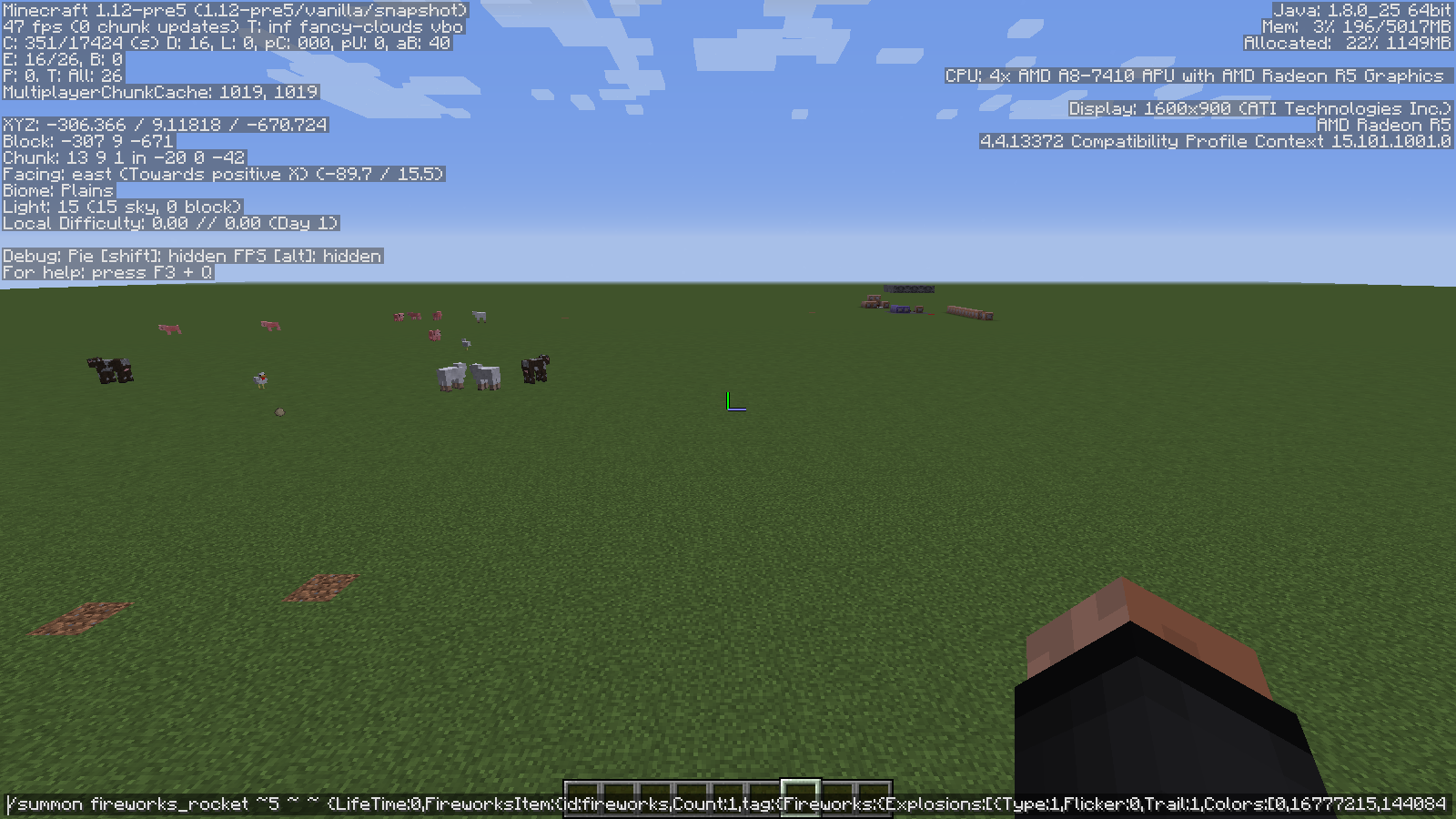
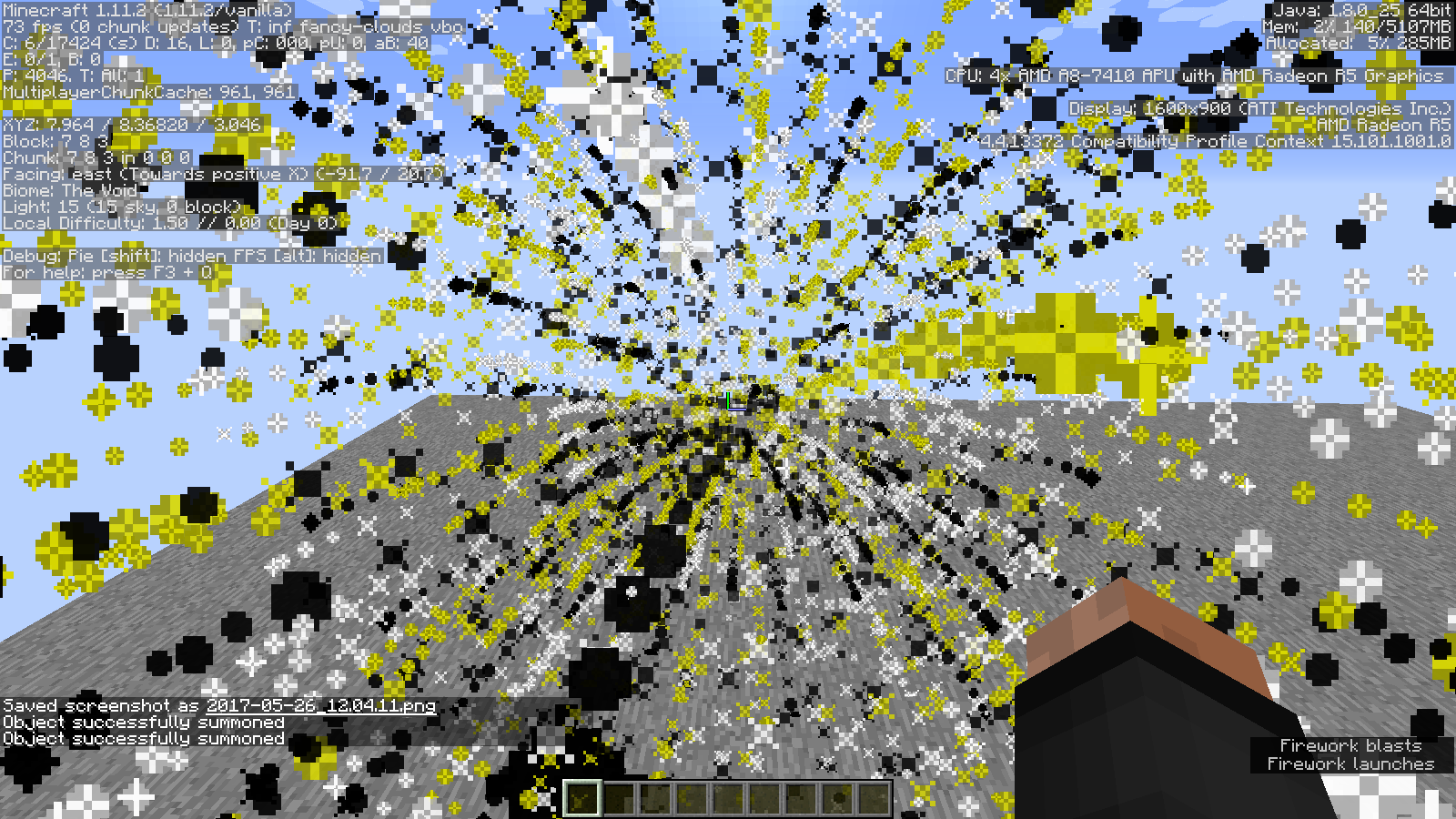


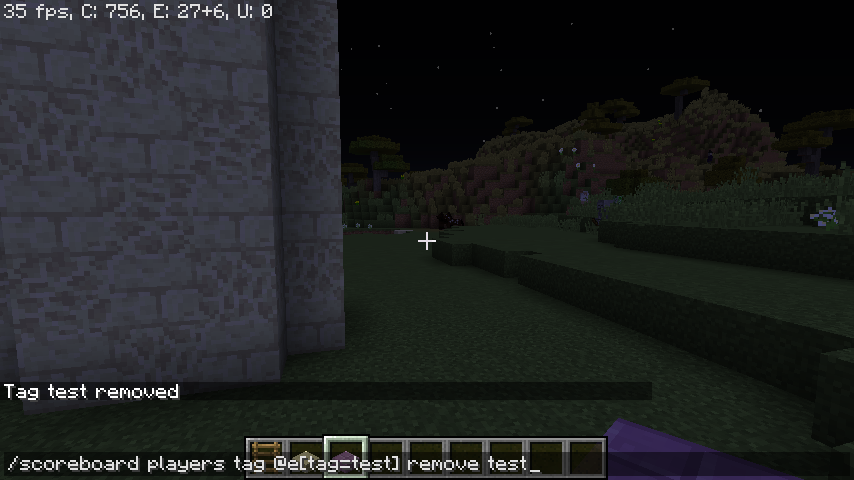







I was playing on a multiplayer server, (eu.mineplex.com) and i wanted to go into fullscreen mode. (this was previously working) I have pressed F11, (key to go to fullscreen mode) and suddenly, i crashed... Can someone explain me why this happened? I have read ma crash report, and found this:
java.lang.IllegalStateException: Keyboard must be created before you can read events
What on earth is going on?!?!?!
Edit: This is not a duplicate, i wasn't adding/removing monitors, i just pressed F11... And it happens on 1.8.8, Not 1.4.x...
On 1.9 snapshot i was playing with those command blocks and their options.
I created some type of contraption (involving command blocks of course) and used this tellraw command:tellraw @a
{text:"Lock 5 has been",color:blue,extra:[{text:"Disabled!",color:green,bold:true}]}Every time i use a tellraw command in 1.9, i get this error (or similar, only the column value changes from 2 to 3)
[12:48:45] Invalid json: malformed JSON at line 1 column 3
What am I doing wrong?? ;'(
On 1.9 snapshot i was playing with those command blocks and their options.
I created some type of contraption (involving command blocks of course) and used this tellraw command:tellraw @a
{text:"Lock 5 has been",color:blue,extra:[{text:"Disabled!",color:green,bold:true}]}Every time i use a tellraw command in 1.9, i get this error (or similar, only the column value changes from 2 to 3)
[12:48:45] Invalid json: malformed JSON at line 1 column 3
What am I doing wrong?? ;'(
On 1.9 snapshot i was playing with those command blocks and their options.
I created some type of contraption (involving command blocks of course) and used this tellraw command:tellraw @a
{text:"Lock 5 has been",color:blue,extra:[{text:"Disabled!",color:green,bold:true}]}Every time i use a tellraw command in 1.9, i get this error (or similar, only the column value changes from 2 to 3)
[12:48:45]
Invalid json: malformed JSON at line 1 column 3What am I doing wrong?? ;'(
On 1.9 snapshot i was playing with those command blocks and their options.
I created some type of contraption (involving command blocks of course) and used this tellraw command:tellraw @a
{text:"Lock 5 has been",color:blue,extra:[{text:"Disabled!",color:green,bold:true}]}Every time i use a tellraw command in 1.9, i get this error (or similar, only the column value changes from 2 to 3)
[12:48:45]
Invalid json: malformed JSON at line 1 column 3What am I doing wrong?? ;'(
On 1.9 snapshot i was playing with those command blocks and their options.
I created sometypeof contraption (involving command blocks of course) and used this tellraw command:tellraw @a
{text:"Lock 5 has been",color:blue,extra:[{text:"Disabled!",color:green,bold:true}]}Every time i use a tellraw command in 1.9, i get this error (or similar, only the column value changes from 2 to 3)
[12:48:45]
Invalid json: malformed JSON at line 1 column 3What am I doing wrong?? ;'(
On 1.9 snapshot i was playing with those command blocks and their options.
I created some kind of contraption (involving command blocks of course) and used this tellraw command:tellraw @a
{text:"Lock 5 has been",color:blue,extra:[{text:"Disabled!",color:green,bold:true}]}Every time i use a tellraw command in 1.9, i get this error (or similar, only the column value changes from 2 to 3)
[12:48:45]
Invalid json: malformed JSON at line 1 column 3What am I doing wrong?? ;'(
On 1.9 snapshot i was playing with those command blocks and their options.
I created some kind of contraption (involving command blocks of course) and used this tellraw command:tellraw @a
{text:"Lock 5 has been",color:blue,extra:[{text:"Disabled!",color:green,bold:true}]}Every time i use a tellraw command in 1.9, i get this error (or similar, only the column value changes from 2 to 3)
[12:48:45]
Invalid json: malformed JSON at line 1 column 3What am I doing wrong?? ;'(
On 1.9 snapshot i was playing with those command blocks and their options.
I created some kind of contraption (involving command blocks of course) and used this tellraw command:tellraw @a
{text:"Lock 5 has been",color:blue,extra:[{text:"Disabled!",color:green,bold:true}]}Every time i use a tellraw command in 1.9, i get this error (or similar, only the column value changes from 2 to 3)
[12:48:45]
Invalid json: malformed JSON at line 1 column 3What am I doing wrong?? ;'(
EDIT:Fixed, didn't put quotation marks in JSON syntax
What i expected to happen was:
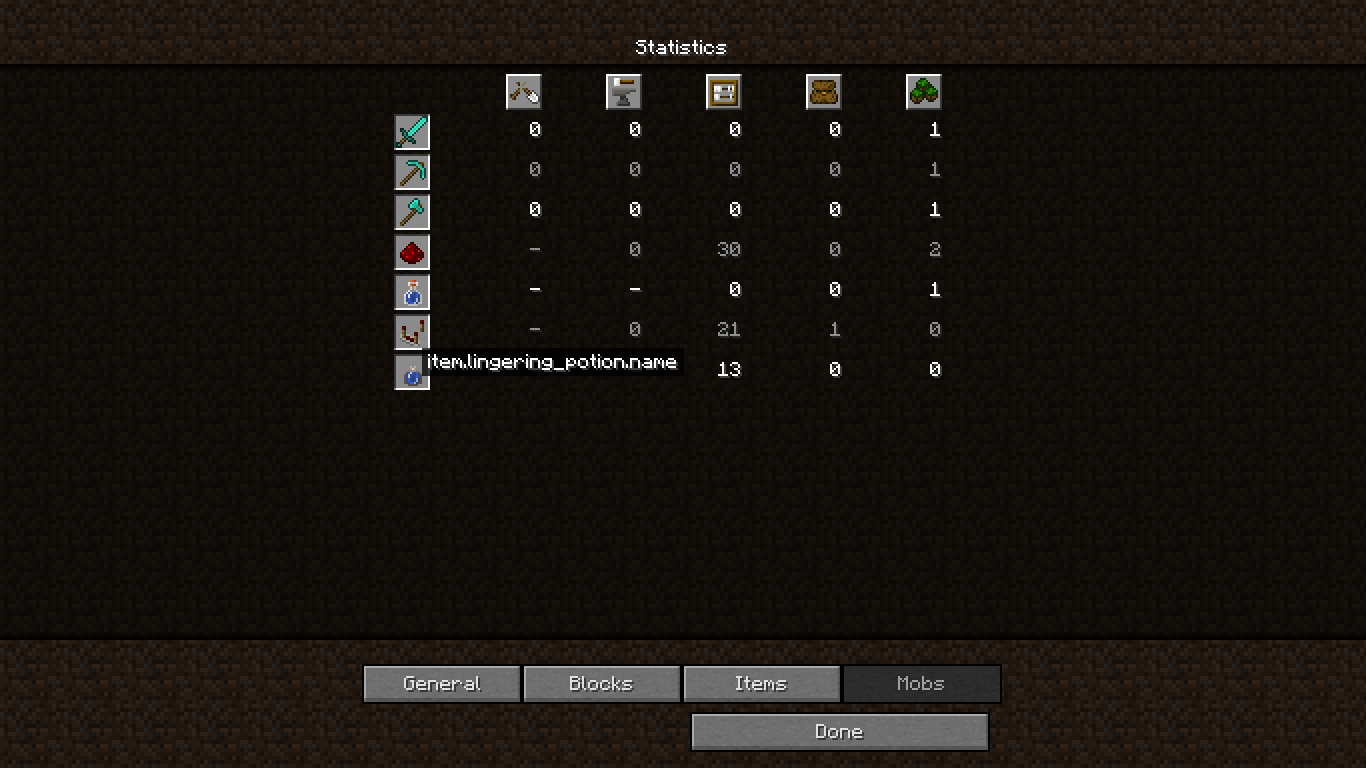
When i scroll over, it will should show valid name(Lingering Potion)
What has happened was:
It showed me invaild text(item.lingering_potion.name)Steps to reproduce:
1. Go into a world
2. Press Esc
3. Click 'Statistics'
4. Click 'Items'
5.Mouse over alingeringpotionWhat i expected to happen was:
When i would scroll over, it will should show valid name (Lingering Potion)
What has happened was:
It showed me invaild text (item.lingering_potion.name)Steps to reproduce:
1. Go into a world
2. Grab a Lingering Potion
3. Use it (throw it using R click)
4. Press Esc
5. Click 'Statistics'
6. Click 'Items'
7. Mouse over a lingering Potion
8. You'll get an invalid name (item.lingering_potion.name)
Invalid potion name in statistics.
What i expected to happen was:
When i would scroll over, it will should show valid name (Lingering Potion)
What has happened was:
It showed me invaild text (item.lingering_potion.name)Steps to reproduce:
1. Go into a world
2. Grab a Lingering Potion
3. Use it (throw it using R click)
4. Press Esc
5.Click'Statistics'
6. Click 'Items'
7. Mouse over a lingering Potion
8. You'll get an invalid name (item.lingering_potion.name)What i expected to happen was:
When i would scroll over, it will should show valid name (Lingering Potion)
What has happened was:
It showed me invaild text (item.lingering_potion.name)Steps to reproduce:
1. Go into a world
2. Grab a Lingering Potion
3. Use it (throw it using R click)
4. Press Esc
5. Press 'Statistics'
6. Click 'Items'
7. Mouse over a lingering Potion
8. You'll get an invalid name (item.lingering_potion.name)
Still exists in 16w04a
When i used the new feature in 15w3
4b (with undead horsemen) i got killed, and i have respawned, all entities were invisible.Steps to reproduce:
1. Make a world
(superflat will be the best option, gamemode set to creative. CHEATS NEED TO BE ENABLED!!!)
2. Use this command:/summon EntityHorse ~ ~ ~10 {SkeletonTrap:1b}
and get close to the Horse
3. Set your spawnpoint and set the gamerule 'keepInventory = true' (optional)
4. Do /kill
5. Respawn
6. All entities (+items) that didn't spawn right after you respawned are invisible.sadly no pics/recording :[
When i used the new feature in 15w38b (with undead horsemen) i got killed, and i have respawned, all entities were invisible.
Steps to reproduce:
1. Make a world
(superflat will be the best option, gamemode set to creative. CHEATS NEED TO BE ENABLED!!!)
2. Use this command:/summon EntityHorse ~ ~ ~10 {SkeletonTrap:1b}
and get close to the Horse
3. Set your spawnpoint and set the gamerule 'keepInventory = true' (optional)
4. Do /kill
5. Respawn
6. All entities (+items) that didn't spawn right after you respawned are invisible.sadly no pics/recording :[
Chunks unloading when getting close (for 15w43c andearlier)Chunks unloading when getting close (for 15w43c and older)
When in creatine, flying fast through the world will ca
ouse chunks to unload for more than 2 seconds. To reload them, you must press F3+A / F3+T (It's recomneded to do it)
When in creati
ne, flying fast through the world will cause chunks to unload for more than 2 seconds. To reload them, you must press F3+A / F3+T (It's recomneded to do it)When in creative, flying fast through the world will cause chunks to unload for more than 2 seconds. To reload them, you must press F3+A / F3+T (It's recomneded to do it)
Operating System: Windows
8.1 (amd64) version 6.37
Java Version: 1.8.0_25, Oracle Corporation
Java VM Version: Java HotSpot(TM) 64-Bit Server VM (mixed mode), Oracle CorporationOperating System: Windows 10 (amd64) version 6.37
Java Version: 1.8.0_25, Oracle Corporation
Java VM Version: Java HotSpot(TM) 64-Bit Server VM (mixed mode), Oracle Corporation
I have created myself a vanilla server (a normal, .jar one) on a 16w03a snapshot version. I made a batch file, that would run the server for me (i added some more code, to ask me, to check connetions, restart the server, etc., i have the copy in the attachment), and after running the server, it just freezes. I attached here the crash log, and the batch file i made. Just right click it, and press Edit (Arisa deleted that file, nevermind). I used from 512M to 1024M. I tried to get more (1G to 2G), but it won't let me.
(Error ocurred while initialisation of VM
Could not reserve enough space for 2097152KB object heap)
What an awkward error...
Bug still exists in:
•16w03a
•earlier versions
When clicking 'My Open Issues' the user will have JQL code set to 'asignee = currentUser() AND resolution = Unresolved ORDER BY
createdDate()DESC', where the 'asignee' should be changed to 'reporter', beacuse it will show only those reports, that i am showed as an asignee.HOW TO REPRODUCE:
1. When logged in, type in the search bar any text
2. Click the 'My Open Issues' button to the left
3. Watch the JQL code being wrong.When clicking 'My Open Issues' the user will have JQL code set to 'asignee = currentUser() AND resolution = Unresolved ORDER BY updatedDate DESC', where the 'asignee' should be changed to 'reporter', beacuse it will show only those reports, that i am showed as an asignee.
HOW TO REPRODUCE:
1. When logged in, type in the search bar any text
2. Click the 'My Open Issues' button to the left
3. Watch the JQL code being wrong.
When clicking 'My Open Issues' the user will have JQL code set to 'assignee = currentUser() AND resolution = Unresolved ORDER BY updatedDate DESC', where the 'asignee' should be changed to 'reporter', beacuse it will show only those reports, that i am showed as an asignee.
HOW TO REPRODUCE:
1. When logged in, type in the search bar any text
2. Click the 'My Open Issues' button to the left
3. Watch the JQL code being wrong.
While i was making a map, i tried to make particles of dark oak planks being broken. This is the command i used:
/particle
iconcrack 56 56 184 0.5 0.5 0.5 0 100 force @p 20480If i am doing somethng wrong, and my syntax are incorect, any help will be much appreciated!
While i was making a map, i tried to make particles of dark oak planks being broken. This is the command i used:
/particle blockcrack 56 56 184 0.5 0.5 0.5 0 100 force @p 20480
If i am doing somethng wrong, and my syntax are incorect, any help will be much appreciated!
I accidentally added an unintended curly bracket to a /scoreboard players tag command, and in the output it said 'commands.scoreboard.players.tag.tagError'
To check if it does have its translation file, i set up a tellraw command that would translate the output, but it did nothing.
Steps to reproduce:
1. Get yourself a command block/give @p minecraft:command_block 1 0
2. Place it in your world
3. Put in this command:/scoreboard players tag @e[type=Item] add (any tag name) {Item:{id:"minecraft:blaze_rod"}}}
The additional curly bracket in the end is for triggering the translation file, the tags can be other than
{Item:...}and can be triggered on all entities.
4. Set the commandblock to Repeat mode, and to Always active, and if the button in the output is set to X change it to be O.
5. Exit the menu.
6. Drop a blaze rod.
7. Open the commandblock's menu once again.
8. Copy the translation in the output, (Ctrl+C/Strg+C/Cmd+C) but not the time.
9. Place an another commandblock, and open its menu.
10. Put in that command:/tellraw @p {"translate":"(Paste the output, Ctrl+V/Strg+V/Cmd+V)","color:"red","bold":"true"}
and set it to be Always active
11. Exit the menu
12. The commandblock will say commands.scoreboard.players.tag.tagError
13. Delete the command, and type in this instead:/tellraw @p {"translate":"subtitles.entity.generic.explode","color:"red","bold":"true"}
(those are the entries for the Explosion subtitle) Also, set it to Need redstone
14. Power the commandblock.
15. It will now say Explosion wich means, that the commands.scoreboard.players.tag.tagError output doesn't have the translation.
I have put the 'how i did that' in in a YouTube video, as the attachment is toolong. https://youtu.be/_wcH7rVGLzUI accidentally added an unintended curly bracket to a /scoreboard players tag command, and in the output it said 'commands.scoreboard.players.tag.tagError'
To check if it does have its translation file, i set up a tellraw command that would translate the output, but it did nothing.
Steps to reproduce:
1. Get yourself a command block/give @p minecraft:command_block 1 0
2. Place it in your world
3. Put in this command:/scoreboard players tag @e[type=Item] add (any tag name) {Item:{id:"minecraft:blaze_rod"}}}
The additional curly bracket in the end is for triggering the translation file, the tags can be other than
{Item:...}and can be triggered on all entities.
4. Set the commandblock to Repeat mode, and to Always active, and if the button in the output is set to X change it to be O.
5. Exit the menu.
6. Drop a blaze rod.
7. Open the commandblock's menu once again.
8. Copy the translation in the output, (Ctrl+C/Strg+C/Cmd+C) but not the time.
9. Place an another commandblock, and open its menu.
10. Put in that command:/tellraw @p {"translate":"(Paste the output, Ctrl+V/Strg+V/Cmd+V)","color:"red","bold":"true"}
and set it to be Always active
11. Exit the menu
12. The commandblock will say commands.scoreboard.players.tag.tagError
13. Delete the command, and type in this instead:/tellraw @p {"translate":"subtitles.entity.generic.explode","color:"red","bold":"true"}
(those are the entries for the Explosion subtitle) Also, set it to Need redstone
14. Power the commandblock.
15. It will now say Explosion wich means, that the commands.scoreboard.players.tag.tagError output doesn't have the translation.
I have put the 'how i did that' in in a YouTube video, as the attachment is too big. https://youtu.be/_wcH7rVGLzU
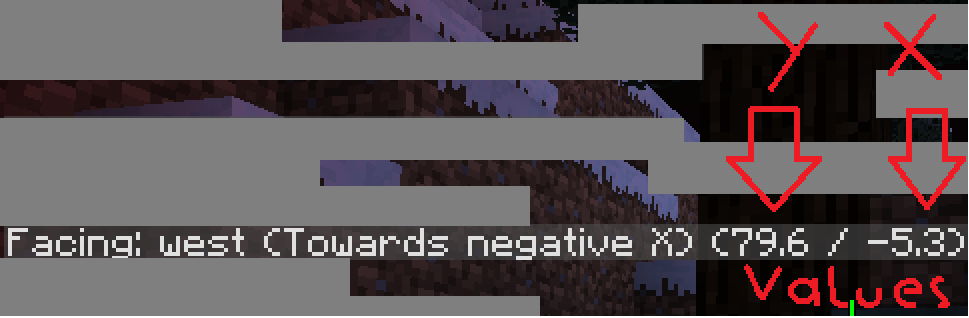
Values.png
The Bug:
I was doing some random survival. I decided to craft an iron pickaxe and turn on the recipes menu. I clicked on the "Showing craftable" option, to turn it on, however it didn't show me any recipes.
Steps to reproduce:
1. Create/Open a minecraft world in 17w16a
2. Get items needed to create a recipe, i.e: wooden planks
3. Open your inventory (Be sure to be in survival!)
4. Open the recipe book and click the crafting table to replace the X with a V.The Bug:
I was doing some random survival. I decided to craft an iron pickaxe and turn on the recipes menu. I clicked on the "Showing craftable" option, to turn it on, however it didn't show me any recipes.
Steps to reproduce:
1. Create/Open a minecraft world in 17w16a
2. Get items needed to create a recipe, i.e: wooden planks
3. Open your inventory (Make sure to be in survival!)
4. Open the recipe book and click the crafting table to replace the X with a V.
The Bug:
I was doing some random survival. I decided to craft an iron pickaxe and turn on the recipes menu. I clicked on the "Showing craftable" option, to turn it on, however it didn't show me any recipes.
Steps to reproduce:
1. Create/Open a minecraft world in 17w16a
2. Get items needed to create a recipe, i.e: wooden planks
3. Open your inventory (Make sure to be in survival!)
4. Open the recipe book and click the crafting table to replace the X with a V.
EDIT: It sometimes may not work, try to change between pages and then toggle the option.
The bug:
When searching for a recipe, i.e: iron pickaxe, recipes will show, however they might be have a red or white outline, ocurring randomly.
Steps to reproduce:
1. Create/Open a minecraft world in 17w16a
2. Get items for a recipe, i.e: iron pickaxe3.Openyour inventory, then go to the recipe menu and search out "iron"
4. Expect odd behaviourThe bug:
When searching for a recipe, i.e: iron pickaxe, recipes will show, however they might be have a red or white outline, ocurring randomly.
Steps to reproduce:
1. Create/Open a minecraft world in 17w16a
2. Get items for a recipe, i.e: iron pickaxe
3.Open your inventoryOpen the crafting menu, then go to the recipe menu and search out "iron"
4. Expect odd behaviour
I think it should be working as intended, since the plank recipe has already been gathered, but the user doesn't have enough ingredients to craft these planks, that's why i say it's a WAI.
Sometimes when using the {noformat} tag for a long string that needs to be in these tags, a scroll bar appears, however it does nothing when interacting with.
See this comment.EDIT : Comment hidden by [~
Sometimes when using the {noformat} tag for a long string that needs to be in these tags, a scroll bar appears, however it does nothing when interacting with.
See this comment.EDIT: Comment hidden by
[~Sometimes when using the {noformat} tag for a long string that needs to be in these tags, a scroll bar appears, however it does nothing when interacting with.
See this comment.EDIT: Comment hidden by user-f2760, issue can be closed, as he cannot see the bars.
The bug
When I saw the changelog, i got excited a new /function system was added and i quickly tried it on my own.
However, after some time realising what went wrong, /testfor can't detect entities, when a r= tag is present and it's being executed from an other item.Steps to reproduce
1. Place two repeating command blocks set to Always Active with these commands inside:
/scoreboard players tag @e[type=Item] add gblock {Item:{id:"minecraft:gold_block",Count:1b,Damage:0s}} /scoreboard players tag @e[type=Item] add gapple {Item:{id:"minecraft:golden_apple",Count:1b,Damage:0s}}2. Drop a gold block and a golden apple on the same place.
3. Execute this command in chat:/execute @e[tag=gapple] ~ ~ ~ /testfor @e[tag=gblock,r=1]After that, try increasing the number of the r=x argument's value.
It won't detect any items when x <=5.The bug
When I saw the changelog, i got excited a new /function system was added and i quickly tried it on my own.
However, after some time realising what went wrong, /testfor can't detect entities, when a r= tag is present and it's being executed from an other item.Steps to reproduce
1. Place two repeating command blocks set to Always Active with these commands inside:
/scoreboard players tag @e[type=Item] add gblock {Item:{id:"minecraft:gold_block",Count:1b,Damage:0s}} /scoreboard players tag @e[type=Item] add gapple {Item:{id:"minecraft:golden_apple",Count:1b,Damage:0s}}2. Drop a gold block and a golden apple on the same place.
3. Execute this command in chat:/execute @e[tag=gapple] ~ ~ ~ /testfor @e[tag=gblock,r=1]After that, try increasing the number of the r=x argument's value.
It won't detect any items when x <= 4.
Video evidence contains mods and a resource pack. Take the both off and re-record.
Also, 1.11.2 is an outdated version of Minecraft, that's why you weren't able to select it. Mojang accepts bugs only in the latest versions (1.12) and latest snapshots (none exist right now). If this issue still exists in 1.12, edit the description.
The bug
I was playing around with some execute commands on a slimeball to clear out a 30x30x30 area of sand. While i mistyped the fill command and threw the slimeball on a 1x1 pillar that reached the building height limit (i knew it wouldn't work), entities already loaded became "frozen" and shaking in place, and new entities would not render, making them invisible.
Steps to reproduce
- Go to a world/Create a world (recommended superflat)
- Make a pillar that reaches the building height limit (aka 255 blocks)
- Place down 2 repeating command blocks {{ {/give @p repeating_command_block}
}}
- *In the 1st command block, copy-paste the following:
The bug
I was playing around with some execute commands on a slimeball to clear out a 30x30x30 area of sand. While i mistyped the fill command and threw the slimeball on a 1x1 pillar that reached the building height limit (i knew it wouldn't work), entities already loaded became "frozen" and shaking in place, and new entities would not render, making them invisible.
Steps to reproduce
- Go to a world/Create a world (recommended superflat)
- Make
apillar that reachesthe building height limit(aka 255 blocks)- Place down 2 repeating command blocks {{ {/give @p repeating_command_block}
}}
- *In the 1st command block, copy-paste the following:
The bug
I was playing around with some execute commands on a slimeball to clear out a 30x30x30 area of sand. While i mistyped the fill command and threw the slimeball on a 1x1 pillar that reached the building height limit (i knew it wouldn't work), entities already loaded became "frozen" and shaking in place, and new entities would not render, making them invisible.
Steps to reproduce
- Go to a world/Create a world (recommended superflat)
- Make 2 pillars that reach the building height limit, one of any block, the other one of sand
- Place down 2 repeating command blocks /give @p repeating_command_block
- In the 1st command block, copy-paste the following and set to always active:
execute @e[tag=slimeball] ~ ~ ~ fill ~15 ~15 ~15 ~-15 ~-15 ~-15 air 0 replace sand- In the 2nd command block, copy-paste the following and set to always active:
scoreboard players tag @e[type=Item] add slimeball {Item:{id:"minecraft:slime_ball",Count:1b,Damage:0s}}- Get yourself a slimeball and go on top of the pillar
- Place some sand on air to check if entities render properly.
- Throw the slimeball on the pillar and take it.
- Repeat step 5.
See that the slimeball and the falling_block entity be invisible, and if there would be any other loaded entities, they would "freeze".
The bug
I was playing around with some execute commands on a slimeball to clear out a 30x30x30 area of sand. While i mistyped the fill command and threw the slimeball on a 1x1 pillar that reached the building height limit (i knew it wouldn't work), entities already loaded became "frozen" and shaking in place, and new entities would not render, making them invisible.
Steps to reproduce
- Go to a world/Create a world (recommended superflat)
- Make 2 pillars that reach the building height limit, one of any block, the other one of sand
- Place down 2 repeating command blocks /give @p repeating_command_block
- In the 1st command block, copy-paste the following and set to always active:
execute @e[tag=slimeball] ~ ~ ~ fill ~15 ~15 ~15 ~-15 ~-15 ~-15 air 0 replace sand- In the 2nd command block, copy-paste the following and set to always active:
scoreboard players tag @e[type=Item] add slimeball {Item:{id:"minecraft:slime_ball",Count:1b,Damage:0s}}- Get yourself a slimeball and go on top of the pillar
- Place some sand on air to check if entities render properly.
- Throw the slimeball on the pillar and take it.
- Repeat step 5.
See that the slimeball and the falling_block entity be invisible, and if there would be any other loaded entities, they would "freeze".
To get rid of the effect, reload all chunks by pressing F3+A
The bug
I was playing around with some execute commands on a slimeball to clear out a 30x30x30 area of sand. While i mistyped the fill command and threw the slimeball on a 1x1 pillar that reached the building height limit (i knew it wouldn't work), entities already loaded became "frozen" and shaking in place, and new entities would not render, making them invisible.
Steps to reproduce
- Go to a world/Create a world (recommended superflat)
- Make 2 pillars that reach the building height limit, one of any block, the other one of sand
- Place down 2 repeating command blocks /give @p repeating_command_block
- In the 1st command block, copy-paste the following and set to always active:
execute @e[tag=slimeball] ~ ~ ~ fill ~15 ~15 ~15 ~-15 ~-15 ~-15 air 0 replace sand- In the 2nd command block, copy-paste the following and set to always active:
scoreboard players tag @e[type=Item] add slimeball {Item:{id:"minecraft:slime_ball",Count:1b,Damage:0s}}- Get yourself a slimeball and go on top of the pillar
- Place some sand on air to check if entities render properly.
- Throw the slimeball on the pillar and take it.
- Repeat step 5.
See that the slimeball and the falling_block entity be invisible, and if there would be any other loaded entities, they would "freeze".
To get rid of the effect, reload all chunks by pressing F3+AEDIT:It might not work sometimes, now i can't reproduce when i went in and ouf of fullscreen mode.. Weird.
Works as intended since there's no item like an uncarved pumpkin.
The bug
The title describes itself.
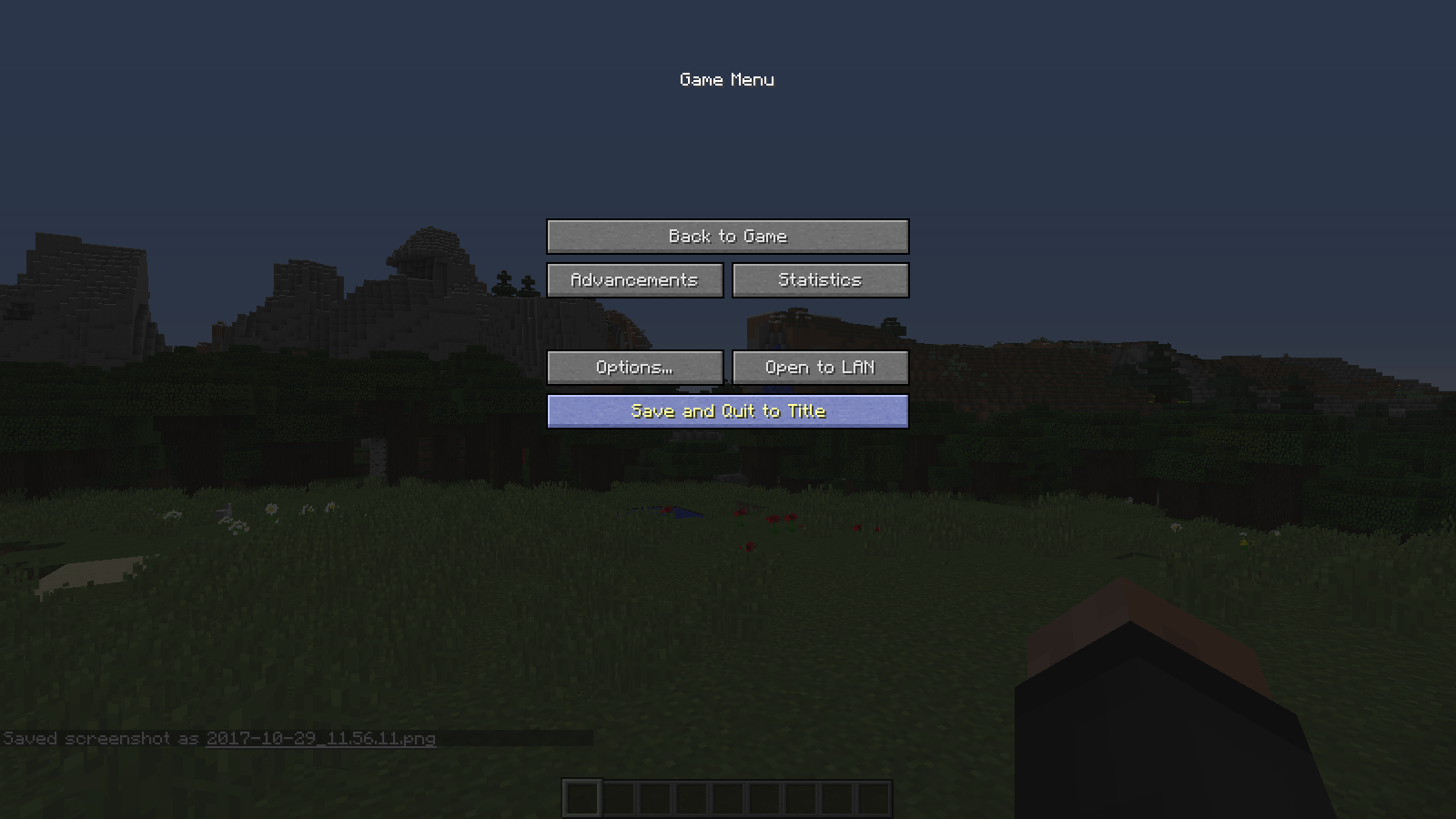
If you press escape while in fullscreen in 17w47b, the mouse, despite being in the middle of the button, is not focused on(highlited). The resolution I use is 1600x900.Steps to reproduce
- Go into / create a world
- Move the mouse a bit up or down
- Press Escape or any key used to go to the menu
The bug
The title describes itself.
If you press escape while in fullscreen in 17w47b, the mouse, despite being in the middle of the button, is not focused on(highlited). The resolution I use is 1600x900.Steps to reproduce
- Go into / create a world
- Move the mouse a bit up or down
- Press Escape or any key used to go to the menu
Possible bug cause
The bug is possibly caused because the mouse position is not updated until the cursor is moved.
Try allocating less ram into your launcher, because 12GB is more than enough to play on minecraft and honstly, if you want to run Minecraft smoothly, 3-4 GB is good enough.
I used have 5 GB on Minecraft, but it barely used it so i just lowered it to 3.
Neverind, I'm an idiot... I didn't add the "count" tag. Please close this issue
The problem
I tried to make a recipe in the world file (correct path, <world path>\datapacks\spawners\data\code\recipes\ender_capsule.json) but when I enabled the datapack the console returns an EOFException: End of input at line 20 column 2, possibly I did something wrong.
How to reproduce
- Open a server and be sure to be op
- Make a datapack and go to the recipes folder
- Make a recipe (name doesn't matter)
- Paste this:
{ "type": "crafting_shaped", "group": "Spawners", "pattern": [ "###", "#@#", "###" ], "key": { "#": { "item": "minecraft:feather" }, "@": { "item": "minecraft:ender_pearl" } }, "result": { "item": "minecraft:ender_eye", "tag": {"ench":[{"id":-1,"lvl":0}],"display":{"Name":"Ender Capsule"}}, "count": 1 }- Save the file and do /reload
- Watch the console output say:
[17:07:25] [Server thread/ERROR]: Parsing error loading recipe code:ender_capsule com.google.gson.JsonParseException: java.io.EOFException: End of input at line 20 column 2 path $.result at ul.a(SourceFile:495) ~[minecraft_server.17w50a.jar:?] at ul.a(SourceFile:518) ~[minecraft_server.17w50a.jar:?] at ul.a(SourceFile:538) ~[minecraft_server.17w50a.jar:?] at aov.a(SourceFile:48) ~[minecraft_server.17w50a.jar:?] at sk.c(SourceFile:132) ~[minecraft_server.17w50a.jar:?] at sk.a(SourceFile:115) ~[minecraft_server.17w50a.jar:?] at net.minecraft.server.MinecraftServer.a(SourceFile:1308) ~[minecraft_server.17w50a.jar:?] at net.minecraft.server.MinecraftServer.aF(SourceFile:1291) ~[minecraft_server.17w50a.jar:?] at ox.a(SourceFile:16) ~[minecraft_server.17w50a.jar:?] at com.mojang.brigadier.CommandDispatcher.execute(CommandDispatcher.java:120) [minecraft_server.17w50a.jar:?] at com.mojang.brigadier.CommandDispatcher.execute(CommandDispatcher.java:77) [minecraft_server.17w50a.jar:?] at bn.a(SourceFile:184) [minecraft_server.17w50a.jar:?] at rf.c(SourceFile:868) [minecraft_server.17w50a.jar:?] at rf.a(SourceFile:855) [minecraft_server.17w50a.jar:?] at kq.a(SourceFile:37) [minecraft_server.17w50a.jar:?] at kq.a(SourceFile:9) [minecraft_server.17w50a.jar:?] at hi$1.run(SourceFile:13) [minecraft_server.17w50a.jar:?] at java.util.concurrent.Executors$RunnableAdapter.call(Executors.java:511) [?:1.8.0_112] at java.util.concurrent.FutureTask.run(FutureTask.java:266) [?:1.8.0_112] at i.a(SourceFile:137) [minecraft_server.17w50a.jar:?] at net.minecraft.server.MinecraftServer.w(SourceFile:636) [minecraft_server.17w50a.jar:?] at qe.w(SourceFile:352) [minecraft_server.17w50a.jar:?] at net.minecraft.server.MinecraftServer.v(SourceFile:592) [minecraft_server.17w50a.jar:?] at net.minecraft.server.MinecraftServer.run(SourceFile:497) [minecraft_server.17w50a.jar:?] at java.lang.Thread.run(Thread.java:745) [?:1.8.0_112] Caused by: java.io.EOFException: End of input at line 20 column 2 path $.result at com.google.gson.stream.JsonReader.nextNonWhitespace(JsonReader.java:1393) ~[minecraft_server.17w50a.jar:?] at com.google.gson.stream.JsonReader.doPeek(JsonReader.java:482) ~[minecraft_server.17w50a.jar:?] at com.google.gson.stream.JsonReader.hasNext(JsonReader.java:414) ~[minecraft_server.17w50a.jar:?] at com.google.gson.internal.bind.TypeAdapters$29.read(TypeAdapters.java:738) ~[minecraft_server.17w50a.jar:?] at com.google.gson.internal.bind.TypeAdapters$29.read(TypeAdapters.java:714) ~[minecraft_server.17w50a.jar:?] at com.google.gson.internal.bind.TypeAdapters$35$1.read(TypeAdapters.java:910) ~[minecraft_server.17w50a.jar:?] at ul.a(SourceFile:493) ~[minecraft_server.17w50a.jar:?] ... 24 morePossibly I did something wrong, wich is very possible. If it is my fault, feel free in telling me what I did wrong.
The problem
I tried to make a recipe in the world file (correct path, <world path>\datapacks\spawners\data\code\recipes\ender_capsule.json) but when I enabled the datapack the console returns an EOFException: End of input at line 20 column 2, possibly I did something wrong.
How to reproduce
- Open a server and be sure to be op
- Make a datapack and go to the recipes folder
- Make a recipe (name doesn't matter)
- Paste this:
{ "type": "crafting_shaped", "group": "Spawners", "pattern": [ "###", "#@#", "###" ], "key": { "#": { "item": "minecraft:feather" }, "@": { "item": "minecraft:ender_pearl" } }, "result": { "item": "minecraft:ender_eye", "tag": {"ench":[{"id":-1,"lvl":0}],"display":{"Name":"Ender Capsule"}}, "count": 1 }- Save the file and do /reload
- Watch the console output say:
[17:07:25] [Server thread/ERROR]: Parsing error loading recipe code:ender_capsule com.google.gson.JsonParseException: java.io.EOFException: End of input at line 20column 2 path $.result at ul.a(SourceFile:495) ~[minecraft_server.17w50a.jar:?] at ul.a(SourceFile:518) ~[minecraft_server.17w50a.jar:?] at ul.a(SourceFile:538) ~[minecraft_server.17w50a.jar:?] at aov.a(SourceFile:48) ~[minecraft_server.17w50a.jar:?] at sk.c(SourceFile:132) ~[minecraft_server.17w50a.jar:?] at sk.a(SourceFile:115) ~[minecraft_server.17w50a.jar:?] at net.minecraft.server.MinecraftServer.a(SourceFile:1308) ~[minecraft_server.17w50a.jar:?] at net.minecraft.server.MinecraftServer.aF(SourceFile:1291) ~[minecraft_server.17w50a.jar:?] at ox.a(SourceFile:16) ~[minecraft_server.17w50a.jar:?] at com.mojang.brigadier.CommandDispatcher.execute(CommandDispatcher.java:120) [minecraft_server.17w50a.jar:?] at com.mojang.brigadier.CommandDispatcher.execute(CommandDispatcher.java:77) [minecraft_server.17w50a.jar:?] at bn.a(SourceFile:184) [minecraft_server.17w50a.jar:?] atrf.c(SourceFile:868) [minecraft_server.17w50a.jar:?] at rf.a(SourceFile:855) [minecraft_server.17w50a.jar:?] at kq.a(SourceFile:37) [minecraft_server.17w50a.jar:?] at kq.a(SourceFile:9) [minecraft_server.17w50a.jar:?] at hi$1.run(SourceFile:13) [minecraft_server.17w50a.jar:?] at java.util.concurrent.Executors$RunnableAdapter.call(Executors.java:511) [?:1.8.0_112] at java.util.concurrent.FutureTask.run(FutureTask.java:266) [?:1.8.0_112] at i.a(SourceFile:137) [minecraft_server.17w50a.jar:?] at net.minecraft.server.MinecraftServer.w(SourceFile:636) [minecraft_server.17w50a.jar:?] at qe.w(SourceFile:352) [minecraft_server.17w50a.jar:?] at net.minecraft.server.MinecraftServer.v(SourceFile:592) [minecraft_server.17w50a.jar:?] at net.minecraft.server.MinecraftServer.run(SourceFile:497) [minecraft_server.17w50a.jar:?] at java.lang.Thread.run(Thread.java:745) [?:1.8.0_112] Caused by: java.io.EOFException: End of input at line 20column 2 path $.result at com.google.gson.stream.JsonReader.nextNonWhitespace(JsonReader.java:1393) ~[minecraft_server.17w50a.jar:?] at com.google.gson.stream.JsonReader.doPeek(JsonReader.java:482) ~[minecraft_server.17w50a.jar:?] at com.google.gson.stream.JsonReader.hasNext(JsonReader.java:414) ~[minecraft_server.17w50a.jar:?] at com.google.gson.internal.bind.TypeAdapters$29.read(TypeAdapters.java:738) ~[minecraft_server.17w50a.jar:?] at com.google.gson.internal.bind.TypeAdapters$29.read(TypeAdapters.java:714) ~[minecraft_server.17w50a.jar:?] at com.google.gson.internal.bind.TypeAdapters$35$1.read(TypeAdapters.java:910) ~[minecraft_server.17w50a.jar:?] at ul.a(SourceFile:493) ~[minecraft_server.17w50a.jar:?] ...24morePossibly I did something wrong, wich is very possible. If it is my fault, feel free in telling me what I did wrong.
The problem
I tried to make a recipe in the world file (correct path, <world path>\datapacks\spawners\data\code\recipes\ender_capsule.json) but when I enabled the datapack the console returns an EOFException: End of input at line 20 column 2, possibly I did something wrong.
How to reproduce
- Open a server and be sure to be op
- Make a datapack and go to the recipes folder
- Make a recipe (name doesn't matter)
- Paste this:
{ "type": "crafting_shaped", "group": "Spawners", "pattern": [ "###", "#@#", "###" ], "key": { "#": { "item": "minecraft:feather" }, "@": { "item": "minecraft:ender_pearl" } }, "result": { "item": "minecraft:ender_eye", "tag": {"ench":[{"id":-1,"lvl":0}],"display":{"Name":"Ender Capsule"}}, "count": 1 }- Save the file and do /reload
- Watch the console output say:
[17:21:31] [Server thread/ERROR]: Parsing error loading recipe code:ender_capsule com.google.gson.JsonParseException: java.io.EOFException: End of input at line 21 column 2 path $.result at ul.a(SourceFile:495) ~[minecraft_server.17w50a.jar:?] at ul.a(SourceFile:518) ~[minecraft_server.17w50a.jar:?] at ul.a(SourceFile:538) ~[minecraft_server.17w50a.jar:?] at aov.a(SourceFile:48) ~[minecraft_server.17w50a.jar:?] at sk.c(SourceFile:132) ~[minecraft_server.17w50a.jar:?] at sk.a(SourceFile:115) ~[minecraft_server.17w50a.jar:?] at net.minecraft.server.MinecraftServer.a(SourceFile:1308) ~[minecraft_server.17w50a.jar:?] at net.minecraft.server.MinecraftServer.aF(SourceFile:1291) ~[minecraft_server.17w50a.jar:?] at ox.a(SourceFile:16) ~[minecraft_server.17w50a.jar:?] at com.mojang.brigadier.CommandDispatcher.execute(CommandDispatcher.java:120) [minecraft_server.17w50a.jar:?] at com.mojang.brigadier.CommandDispatcher.execute(CommandDispatcher.java:77) [minecraft_server.17w50a.jar:?] at bn.a(SourceFile:184) [minecraft_server.17w50a.jar:?] at qe.aR(SourceFile:385) [minecraft_server.17w50a.jar:?] at qe.w(SourceFile:353) [minecraft_server.17w50a.jar:?] at net.minecraft.server.MinecraftServer.v(SourceFile:592) [minecraft_server.17w50a.jar:?] at net.minecraft.server.MinecraftServer.run(SourceFile:497) [minecraft_server.17w50a.jar:?] at java.lang.Thread.run(Thread.java:745) [?:1.8.0_112] Caused by: java.io.EOFException: End of input at line 21 column 2 path $.result at com.google.gson.stream.JsonReader.nextNonWhitespace(JsonReader.java:1393) ~[minecraft_server.17w50a.jar:?] at com.google.gson.stream.JsonReader.doPeek(JsonReader.java:482) ~[minecraft_server.17w50a.jar:?] at com.google.gson.stream.JsonReader.hasNext(JsonReader.java:414) ~[minecraft_server.17w50a.jar:?] at com.google.gson.internal.bind.TypeAdapters$29.read(TypeAdapters.java:738) ~[minecraft_server.17w50a.jar:?] at com.google.gson.internal.bind.TypeAdapters$29.read(TypeAdapters.java:714) ~[minecraft_server.17w50a.jar:?] at com.google.gson.internal.bind.TypeAdapters$35$1.read(TypeAdapters.java:910) ~[minecraft_server.17w50a.jar:?] at ul.a(SourceFile:493) ~[minecraft_server.17w50a.jar:?] ... 16 morePossibly I did something wrong, wich is very possible. If it is my fault, feel free in telling me what I did wrong.
ISSUE FIXEDYou can close this issue, I indeed have done something wrong.
The problem
I tried to make a recipe in the world file (correct path, <world path>\datapacks\spawners\data\code\recipes\ender_capsule.json) but when I enabled the datapack the console returns an EOFException: End of input at line 20 column 2, possibly I did something wrong.
How to reproduce
- Open a server and be sure to be op
- Make a datapack and go to the recipes folder
- Make a recipe (name doesn't matter)
- Paste this:
{ "type": "crafting_shaped", "group": "Spawners", "pattern": [ "###", "#@#", "###" ], "key": { "#": { "item": "minecraft:feather" }, "@": { "item": "minecraft:ender_pearl" } }, "result": { "item": "minecraft:ender_eye", "tag": {"ench":[{"id":-1,"lvl":0}],"display":{"Name":"Ender Capsule"}}, "count": 1 }- Save the file and do /reload
- Watch the console output say:
[17:21:31] [Server thread/ERROR]: Parsing error loading recipe code:ender_capsule com.google.gson.JsonParseException: java.io.EOFException: End of input at line 21 column 2 path $.result at ul.a(SourceFile:495) ~[minecraft_server.17w50a.jar:?] at ul.a(SourceFile:518) ~[minecraft_server.17w50a.jar:?] at ul.a(SourceFile:538) ~[minecraft_server.17w50a.jar:?] at aov.a(SourceFile:48) ~[minecraft_server.17w50a.jar:?] at sk.c(SourceFile:132) ~[minecraft_server.17w50a.jar:?] at sk.a(SourceFile:115) ~[minecraft_server.17w50a.jar:?] at net.minecraft.server.MinecraftServer.a(SourceFile:1308) ~[minecraft_server.17w50a.jar:?] at net.minecraft.server.MinecraftServer.aF(SourceFile:1291) ~[minecraft_server.17w50a.jar:?] at ox.a(SourceFile:16) ~[minecraft_server.17w50a.jar:?] at com.mojang.brigadier.CommandDispatcher.execute(CommandDispatcher.java:120) [minecraft_server.17w50a.jar:?] at com.mojang.brigadier.CommandDispatcher.execute(CommandDispatcher.java:77) [minecraft_server.17w50a.jar:?] at bn.a(SourceFile:184) [minecraft_server.17w50a.jar:?] at qe.aR(SourceFile:385) [minecraft_server.17w50a.jar:?] at qe.w(SourceFile:353) [minecraft_server.17w50a.jar:?] at net.minecraft.server.MinecraftServer.v(SourceFile:592) [minecraft_server.17w50a.jar:?] at net.minecraft.server.MinecraftServer.run(SourceFile:497) [minecraft_server.17w50a.jar:?] at java.lang.Thread.run(Thread.java:745) [?:1.8.0_112] Caused by: java.io.EOFException: End of input at line 21 column 2 path $.result at com.google.gson.stream.JsonReader.nextNonWhitespace(JsonReader.java:1393) ~[minecraft_server.17w50a.jar:?] at com.google.gson.stream.JsonReader.doPeek(JsonReader.java:482) ~[minecraft_server.17w50a.jar:?] at com.google.gson.stream.JsonReader.hasNext(JsonReader.java:414) ~[minecraft_server.17w50a.jar:?] at com.google.gson.internal.bind.TypeAdapters$29.read(TypeAdapters.java:738) ~[minecraft_server.17w50a.jar:?] at com.google.gson.internal.bind.TypeAdapters$29.read(TypeAdapters.java:714) ~[minecraft_server.17w50a.jar:?] at com.google.gson.internal.bind.TypeAdapters$35$1.read(TypeAdapters.java:910) ~[minecraft_server.17w50a.jar:?] at ul.a(SourceFile:493) ~[minecraft_server.17w50a.jar:?] ... 16 morePossibly I did something wrong, wich is very possible. If it is my fault, feel free in telling me what I did wrong.
It's because the entity names have changed, i.e
CaveSpideris now
minecraft:cave_spider
Seems like works as intended, since every say there is some moonlight unless it's noon
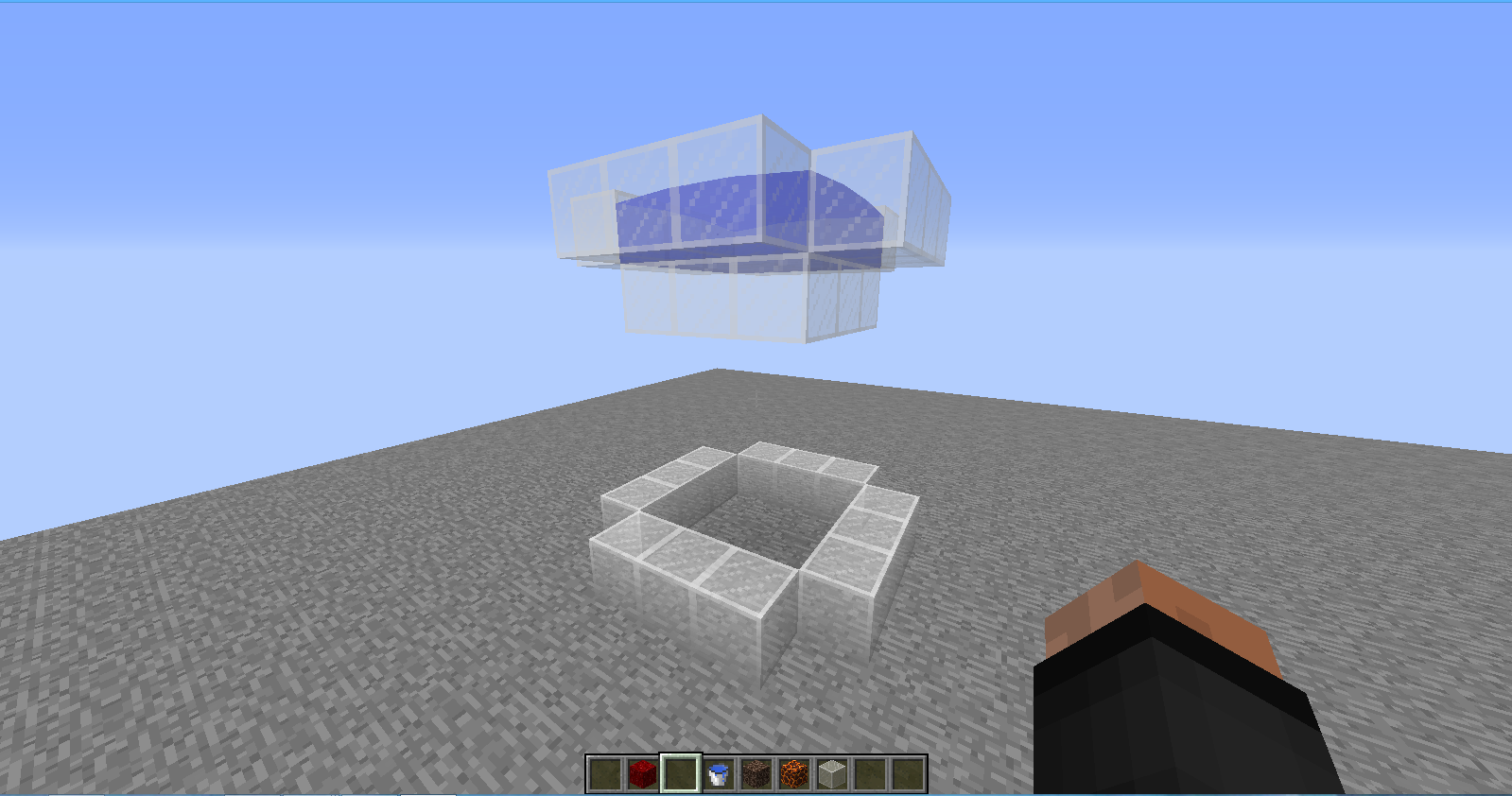
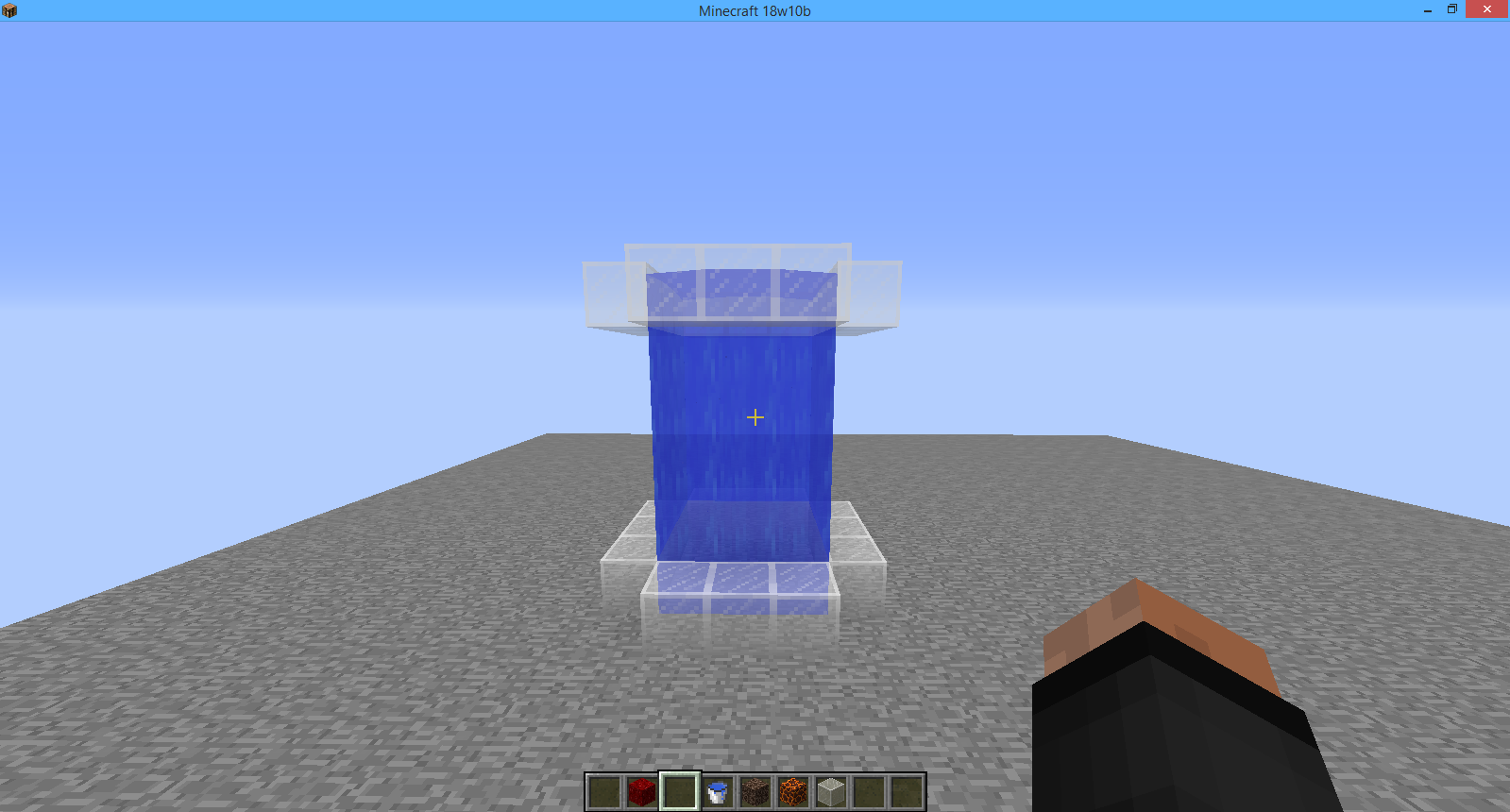
Water does not update after removinga magma/soul sandblockWater created by a soul sand/magma block's bubble column does not update after removing the block
The bug
While attempting to confirm
MC-126878, I discovered that after removing the soul sand block in the 3x3 waterfall the water does not fall down until updated.Steps to reproduce
- Follow the steps in
MC-126878until step 2- Remove all of the blocks under the soul sand/magma block and go underneath it
- Break the soul sand/magma block and see the water not updating properly.
Note
This bug has been discovered while testing
MC-126878.
The bug
I found out a bug when generating trees (
MC-129738, already reported by someone) and to check, if there are any errors in the logs, I found out that some ruin structure files are missing.Log info:
In text form:[20:21:31] [WorldGen-Worker-16/ERROR]: Couldn't load structure minecraft:ruin/big_brick_1: java.io.FileNotFoundException: minecraft:structures/ruin/big_brick_1.nbt [20:21:31] [WorldGen-Worker-16/ERROR]: Couldn't load structure minecraft:ruin/big_cracked_1: java.io.FileNotFoundException: minecraft:structures/ruin/big_cracked_1.nbt [20:21:31] [WorldGen-Worker-16/ERROR]: Couldn't load structure minecraft:ruin/big_mossy_1: java.io.FileNotFoundException: minecraft:structures/ruin/big_mossy_1.nbt
The bug
I found out a bug when generating trees (
MC-129738, already reported by someone) and to check, if there are any errors in the logs, I found out that some ruin structure files are missing.Log info:
In text form:[20:21:31] [WorldGen-Worker-16/ERROR]: Couldn't load structure minecraft:ruin/big_brick_1: java.io.FileNotFoundException: minecraft:structures/ruin/big_brick_1.nbt [20:21:31] [WorldGen-Worker-16/ERROR]: Couldn't load structure minecraft:ruin/big_cracked_1: java.io.FileNotFoundException: minecraft:structures/ruin/big_cracked_1.nbt [20:21:31] [WorldGen-Worker-16/ERROR]: Couldn't load structure minecraft:ruin/big_mossy_1: java.io.FileNotFoundException: minecraft:structures/ruin/big_mossy_1.nbt
The bug
I found out a bug when generating trees (
MC-129738, already reported by someone) and to check, if there are any errors in the logs, I found out that some ruin structure files are missing.Log info:
In text form:[20:21:31] [WorldGen-Worker-16/ERROR]: Couldn't load structure minecraft:ruin/big_brick_1: java.io.FileNotFoundException: minecraft:structures/ruin/big_brick_1.nbt [20:21:31] [WorldGen-Worker-16/ERROR]: Couldn't load structure minecraft:ruin/big_cracked_1: java.io.FileNotFoundException: minecraft:structures/ruin/big_cracked_1.nbt [20:21:31] [WorldGen-Worker-16/ERROR]: Couldn't load structure minecraft:ruin/big_mossy_1: java.io.FileNotFoundException: minecraft:structures/ruin/big_mossy_1.nbt
If you need a seed for recreation, it's 4566936303172969989.
The customized feature does not exist in 1.13+ snapshots yet, this looks like 1.12.2.
Update the version label.

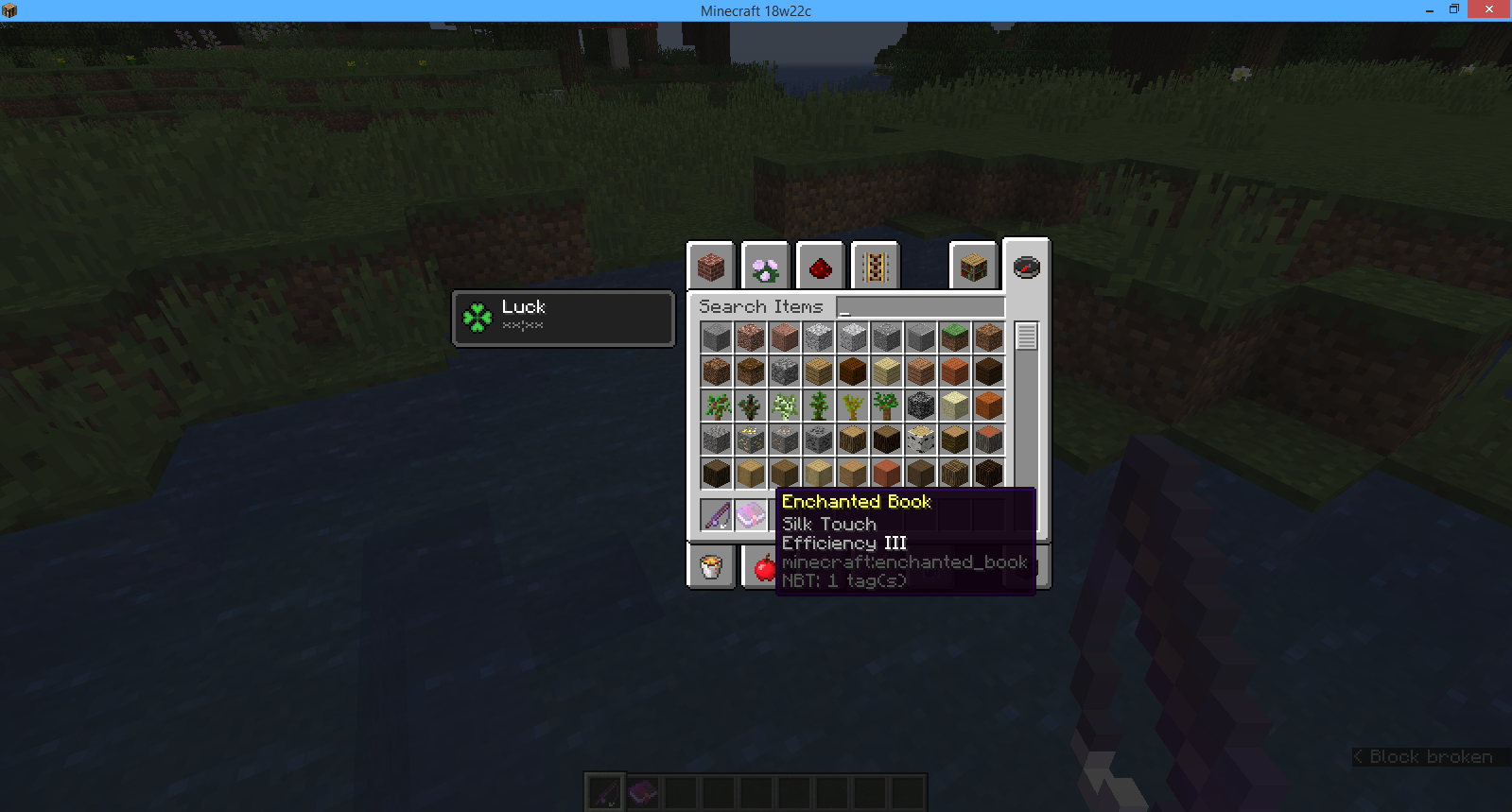


Fishing rod's string is offset from the rod in third person mode
The bug
It appears that the background music doesn't play whatsoever, even after long periods of time.
I have the music slider set to 100%, though even after restarting the game I don't hear any music play.EDIT: Speak of the devil, right after I created the report the music started playing. Close this issue as invalid please.
Wrong section, realms bugs apply to the REALMS project, while Minecraft Java bugs belong to the MC project.



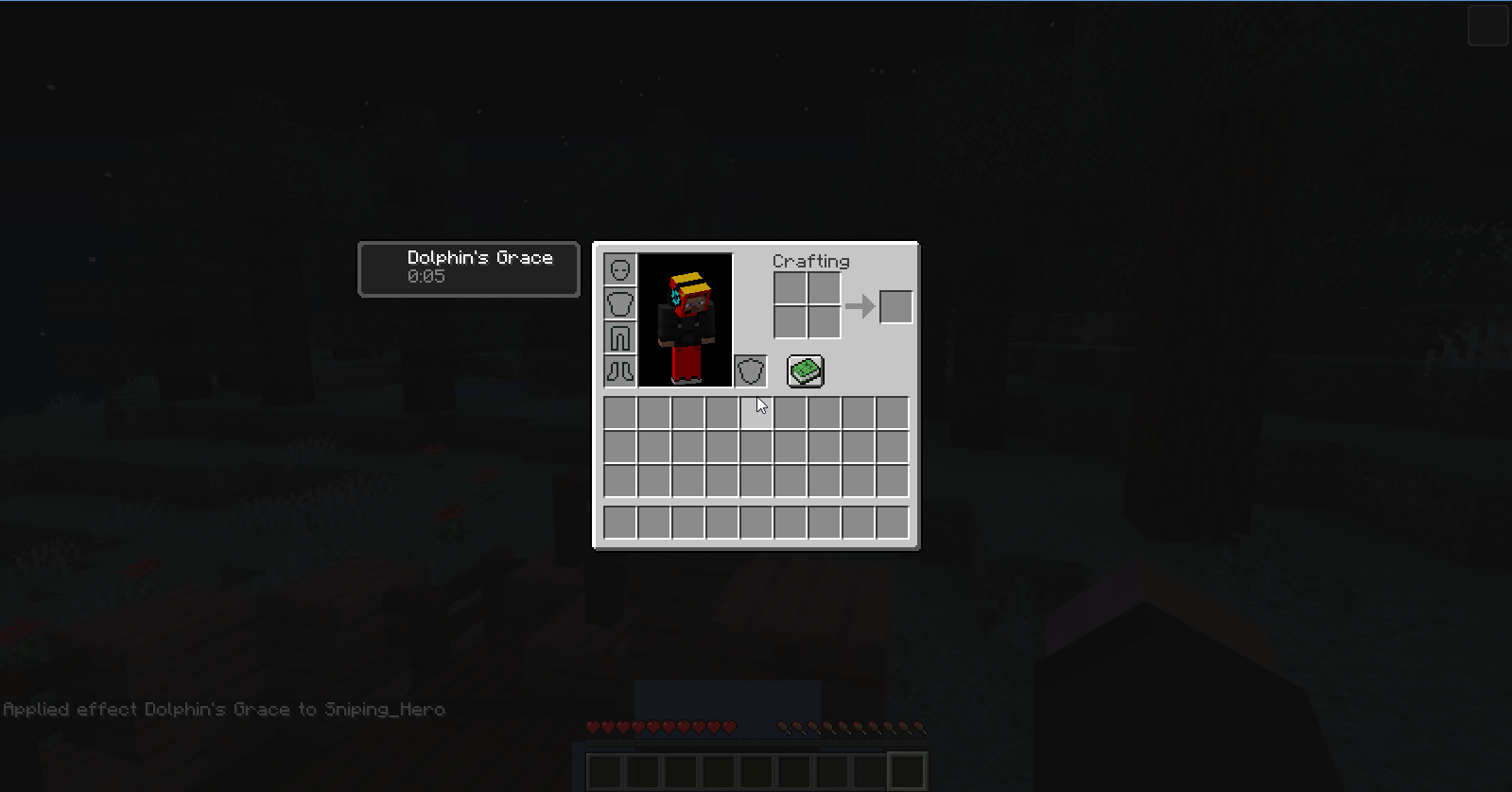
Conduit Power potion effect doesnot have a textureConduit Power and Dolphin's Grace potion effects do not have a texture
The bug
The Conduit Power potion effect does not have a texture.
EDIT: Also applies to Dolphin's Grace effect.EDIT 2: Just realized this is a duplicate of
MC-137443.


@SnipUndercover with MCP 9.40 PRE 1 for 1.12 the method is called net.minecraft.entity.EntityLivingBase.func_191986_a(float, float, float). Or did you mean something different?
![[Mod] violine1101](../../../data/avatars/users/92858.png)
SnipUndercover, how do you know? There's no crash report here.
SnipUndercover, mipmap is not the same as minimap 
Stijn, is this the case in 1.12.2 as well?

SnipUndercover I think so too... We'll see.
@SnipUndercover: No need to comment and update your own report at the same time. Remember that all the members that are looking your issue and someone updates/comments on it, we get an email! 
Maybe the code is somewhat corrupted/unfinished...
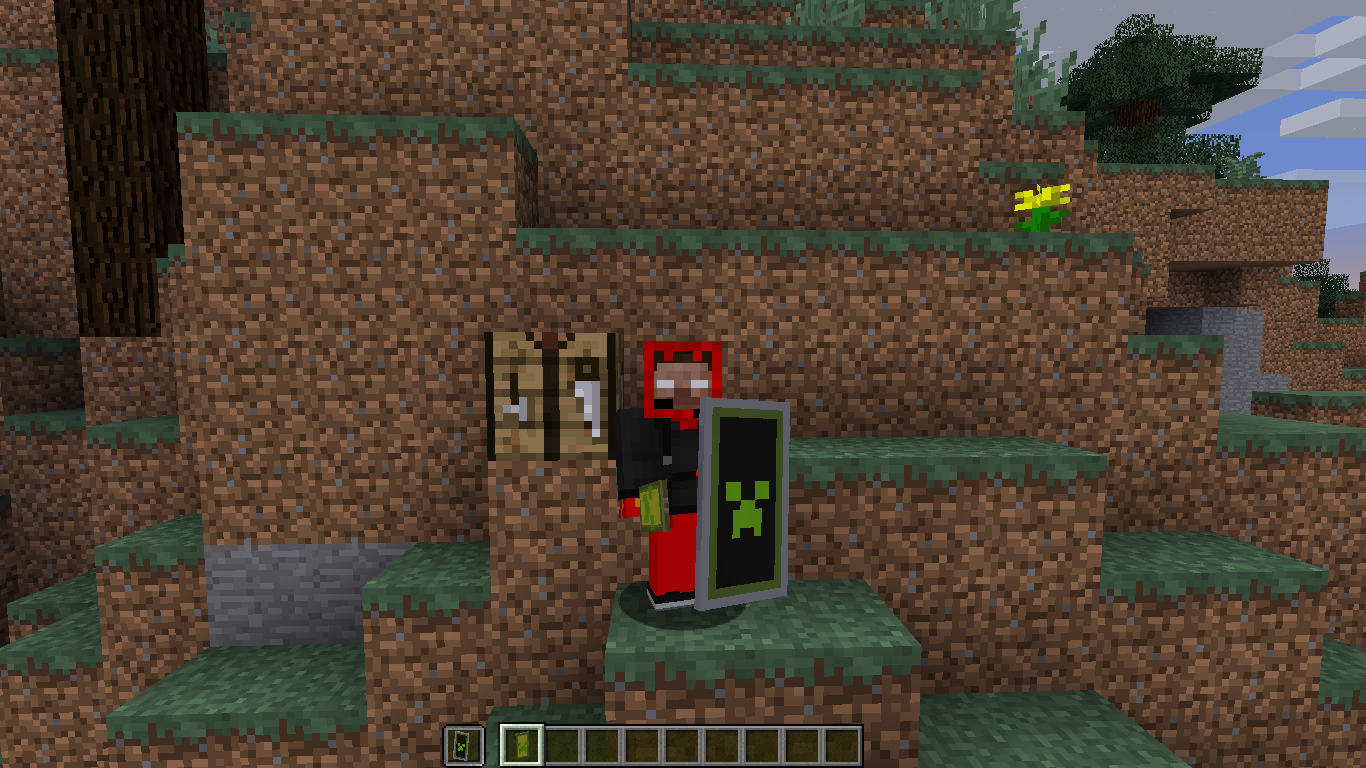
Oh, I think what i know why that's happening... Data values for shields are equal for the color & damage took. (for potions, their damage value has been changed to NBTtag named 'Potion:...')
Ex: Black color for shield is data 0 (took 0 damage points)
White color for shield is data 15 (took 15 damage points)
Color cycles: Black, Red, Green, Brown, Blue, Purple, Cyan, Light Gray, Gray, Pink, Lime, Yellow, Light Blue, Magenta, Orange, White (white), Black, Red, etc...
This is UNmodded server, just redstone/plugins..
Oh... So maybe that's why i am crashing... All servers (even polish ones) are on BungeeCoord (whatever that means...).
This is a feature, not a bug
I think that it darkens the sky, because you are 'inside' a block
This is a feature, not a bug. Try looking at the changelog (i can even put in a video NOT MINE on YouTube. This is the link: https://www.youtube.com/watch?v=K3C1UzJF2og and skip to the 13:20 and look at his bow. I guess he will find out that bows in hotbar will pull too..)
Particles are catching fire in lava, so it's not a bug.. Actually, particles are no longer entities, so they shouldn't be catching fire... WAIT, in lingering potions there is a tag 'AreaEffectCloud' and i think that it works like that: Pa rt icles are really entities (in lingering potions) ,that give effect to the player who touches those particles/entities so it shouldn't be a bug
EDIT: Where is a strong text, there was a typo XD i fixed that
Thank you. I didn't know.
Dupe of WEB-67
Could you not use too much of those capital letters? Its annoying..
Dupe of
MC-88929Did you tried to press ESC>Options>Video Settings>Attack Indicator:Crosshair/hotbar? Maybe you have it off
Maybe the 'Slot' is the problem... I didn't see it in other attributes, so the 'Slot' might be it, the wrong tag placement or the fact, that you put quotation marks in the 'Name' and 'AttributeName' tags...
The tag placement i use:
You need to put quotes llike that:
{"text":"Hello there!","color":"blue","underlined":"true"...}/tellraw @a
Key is this, what you put in the sign/tellraw command
Your minecraft version is no longer supported.
What command did you put in?
(incomplete without pictures and used command)
its not a bug
The shield crafting has changed, so try looking at the changelog.
Incomplete without pictures/video
You don't have access to future versions 1.9+
oooouuuh... so thats... nvm
I'm a n00b xD I didn't mean that, i didn't saw that, that 1.8.8 is still supported within bugs plz forgive me
oops, didn't saw the 0 on the end
Added a crash report (F3+c for 10 secs)
Edit:
I was searching in my crash report for my OpenGL version and i found this:
This driver versions are known as broken (see
MC-91327by @Kumasasa, link: https://bugs.mojang.com/browse/MC-91327?focusedCommentId=258274&page=com.atlassian.jira.plugin.system.issuetabpanels:comment-tabpanel#comment-258274 )How to update them?
This error is caused (as i think so) by a short no-connection to servers, so it's a minor problem. I was experiencing this too, but only for a short duration: after approx. 10 ticks i could go to any server.
Confirmed for 15w43c
@Sonic
Did you saw those
and
?
'Cuz i think that you didn't.
How to use the command? /playsound [...] @p ~ ~ ~ 1 1 What to put in the "[...]"?
Doesn't work for me, using this command:
Thank you so much! For the users that use Google Chrome as a internet browser, to find the correct sound, preff Ctrl+F and type the name of the sound to find it
I have found uot, that it is a duplicate, see
MC-91710,MC-91823and some other issues. You can resolve this ticket as 'Duplicate'I have find out some issues created before me,
MC-91823andMC-91710. You can resolve this ticket as 'Duplicate'Bug exists in 15w51b and 15w51a
Bug still exists in 15w51a and 15w51b
Confirmed for these 15w51a and b, bug doesn't exist in older versions, such as 15w50a and lower
I found out, that my DMZ host was changed from 0 to 12. I only had to change the host back to 0 and open my 5598 port. I agree, that it is a duplicate, but everything was looking fine.
Bug still exists in 16w03a and 16w02b
EDIT: Still exists in 16w04a
You can close this ticket as invalid. I had to rejoin into the world to fix it
.
Yup. This issue dupes
MC-92652. Change the resolution to duplicate, and link this issue here.When looking already (for example) in an issue that is in the minecraft launcher, it makes your issue start as it was the minecraft launcher's issue. When browsing the web issue, when creating a new one, it will automatically chenge to web issue.
So i guess it is not a bug. (when into the FVbico's link, is comfirmed)
I have not, i said, that the entry is MISSING its translation file, not that there is a typo.
I know, but in all of the sounds 'ex cow moos' there isn't the 'ender gateway spawns'subtitle
Oohhh... I see. i just explained it to myself yeaterday, and the 'translate file' is set for this command, but there is a typo, so ... yea. Sorry
Your ticket issue is invalid, beacuse Optifine is a mod, and JIRA accepts only vanilla issues. If you want to talk about the bug with the mod creators, just go to their website. Please close this ticket with its resolution: Invalid.
Some tips:
Try updating the OpenGL to the higher version
Install 'EXT_framebuffer_object' file
Nope, The boats shouldn't be crafted without shovels. Works only in the diffrent types on wood except oak?
Nevermind, you can close it as invalid. Didn't add the ID to the data value * 4096.
You can't delete reports, or change their status. Only mods/Minecraft devs can change them.
If you go to a world (not a map) in 1.9 please attach a crash log by holding F3+C for 10 seconds.
This bug still does exist in 1.9, 1.9.1,1.9.2, 1.9.3 and 1.9.4
Confirmed for 16w21a.
Doesn't affect earlier versions (16w20a, 1.9.4, 1.9.3, 1.9.2 etc...)
Minecraft Lanucher isn't the game itself, so create it in the Minecraft project, not MCL.
Think it's because "Can't read output file!" error, seems to occur for me at startup on 1.6.4.
It's being logged in the game output (Settings -> Open output log when game starts)
There goes the log message:
...Also seems like 1.6.4 doesn't support log config, think that's okay because this version of minecraft is heavilly outdated.
To download the outdated launcher you need to go to this page:
https://minecraft.net/en-us/download/alternative
then click the second link, for Windows.
Seems like
MCL-5546.Quote from Void_Concept:
Also worked for me (just tried that out), after running 1.6.4 in the old launcher the sound files have been dropped to %appdata%\Roaming\.minecraft\assets\virtual\legacy and have been working properly.
(By the way, to download the old launcher, go to https://minecraft.net/en-us/download/alternative and click the 2nd link. This requires Java installed.)
The "Creativity Cube" image has been replaced with "Natural Wonder".
Think it's no longer a valid issue.
Guessing by your name, your main language is polish. I am also talking polish so I can help you with that.
Minecraft sam w sobie nie ma pliku "Uninstall", ale jest możliwość odinstalowania go przez inny proces.
Opcja 1: Masz launcher jako plik .exe
1. Usuń launcher Minecrafta.
2. Naciśnij klawisze Windows + R i wpisz %appdata%.
3. W zależności czy chcesz skopiować, usunąć, zachować pliki Minecrafta:
a) Usuń folder ".minecraft" i jego zawartość
b) Skopiuj zawartość foldera ".minecraft" na np: pendrive'a
c) Nie rób nic.
Opcja 2: Masz zainstalowany launcher jako program (uruchomiłeś plik .msi)
1. Włącz panel sterowania.
2. Kliknij na "Programy".
3. Naciśnij na "Odinstaluj program".
4. Odinstaluj Minecrafta.
5. Patrz punkt 3 w opcji 1.
.............................................................................................................................................For people who don't know polish (or you don't):
Minecraft itself doesn't have the "Uninstall" file, but you can uninstall it an other way.
Option 1: Launcher as a .exe file
1. Delete the launcher file.
2. Press keys Windows + R and type in %appdata%.
3. Now, if you want to copy, delete or save the Minecraft files:
a) Delete the whole .minecraft directory.
b) Copy the .minecraft folder on an i.e: flash drive
c) Don't do anything.
Option 2: Installed Minecraft (ran the .msi file)
1. Open the Control Panel.
2. Go to Programs, then Uninstall...
3. Uninstall Minecraft
4. Go to point 3 in option 1.
EDIT: Awaiting response?
Think it's your resourcepack. Try removing it and then make a screenshot.
For people who don't understand what Phillip said:
(Phillip's comment link:
https://bugs.mojang.com/browse/MC-115797?focusedCommentId=377682&page=com.atlassian.jira.plugin.system.issuetabpanels:comment-tabpanel#comment-377682)
How to fix:
1.Open the jar file using an unzipper like WinRAR/7-zip File manager/etc...
2.Navigate to: META-INF\org\apache\logging\log4j\core\config\plugins\
3.Delete the Log4j2Plugins.dat file that is 67 bytes long
4.Run the server if you want using either the jar file itself or a batch script that:
a) is with jar file in the same directory containing code:
b) is in a different directory containing code:
He didn't make it solved, he reopened it.

How can you recreate this bug? Try pressing F3 and giving the X & Y rotation values.
The values are stored in the line saying "Facing: i.e: west (Facing negative X) (<Y rotation value> <X rotation value>)"
I think it may be your skin/resource pack, Try unloading the resourcepack by going to Resource Packs then clicking the arrow to the left on "Selected Resource Packs"
If it still doesn't work, it may be your skin, I don't know.
Huh. Then sadly i can't assist you more, as I don't know what could possibly be the issue,
Sorry!
They aren't. No attack speed has changed since 1.9, I think.
Could you turn on game logging please? Settings>Open output log when the game starts
After that, copy and paste what happens
Confirmed. May relate to my
MC-116534issue.It doesn't work because you're using //n rather than \n. You need to use an escape character wich is a backslash. It is localizated nearby the Backspace key.
Here's an example on how to make a proper spaced out string that needs to be spaced out:
This is a\nstring that\nneeds to\nbe spaced\nout in\nmore than\n5 new\nlines. ^ ^ ^ ^ ^ ^ ^Is that everything?
Think it's a WAI..
When does this error occur?
Can't reproduce, I was able to get experiaece from mobs.
This is technical issue, not a game bug. To visit the Mojang Support Center, go here.
Does it happen in this situation:
You click on the Multiplayer tab, and then quickly go into the server, giving you the java.lang.NullPointerException: group?
Or in this:
Every time you try to join a server, this error ocurrs, no matter what?
(To Staff:)
(I know this has already been resolved as a duplicate, i'm trying to help him.)
You forgot to add 'Press the "Showing craftable" that so it shows a '.
'.
I either think it's a WAI or there should be added a feature wich says
"Your chat settings are set to commands only. To disable that, open your Chat settings."
Seems like it's fixed in 17w17a. I don't have this bug occur anymore.
Also seems like it's been fixed in 17w17a, you can change that if you want.
I have four things to say.
*EDIT*: I was about to send it before, however i was seeking for a citation.
Confirmed for:
Mods proably won't be able to mark 17w17b as affected now.
Comment from [Mod] Michael Wobst:
This is a feature, not a bug.
You can't remove issues, but mods can mark it as resolved, with different resolutions, such as:
You can ask a mod if they can mark your issue as invalid, as it's been fixed.
Duplicate of
MC-297.I think there are two reasons:
and meanwhile the JVM is in this state, joining servers
would output the java.lang.NullPointerException:group exception.
This should be fixable by:
Mojang can't help you with modded versions of Minecraft.
This is a third-party item, not directly affiliated with Mojang (as stated below by user Daniel Tucker). You can see a similar thing in my
MC-86687(outdated) issue.Bug reports are accepted only in English.
EDIT: Also duplicates
MC-117001Place an other command block with the "/title @a reset" command and place redstone to be run RIGHT AFTER the command title has been executed, then run the circuit twice to make it setup properly. If it won't work, then try to see other syntax used to /title on MCPE, as I don't play it myself.
EDIT: Awaiting Response?
Either duplicates or relates to
MC-117088.This comment may (may!) answer, why that is happening.
Glass is a transparent block, this is why it doesn't connect.
"missingno" refers to missing number / invalid block. You may have broken the NBT tag, I'm gonna point out where:
/give @a minecraft:diamond_block 1 0 {CanPlaceOn:["minecraft:wool "],display:{Name:"The Missing Diamond Shard 1 out of 10"}} ^You added an unnecessary blank character (A.K.A: space), wich (i think) broke the code. Otherwise it is indeed a bug. (I don't have access to Minecraft right now, so sorry)
Duplicate of
MCL-5546. Use the search function in the future.Uhh... Can you input login credentials? Did you buy the game?
The .m4a attachment doesn't refer to this bug. Also, this issue is a duplicate of
MCL-5546. Use the search funstion in the future.This is an intended behavior of wolves, as they're "helping you hunt"/"defending you". Therefore a not a bug.
I'd recommend you record a video, rather than send screenshots. You can find a recording software here.
The /testfor command syntax are as is:
This isn't possible, Avant Yearwood , because a game never is bug-proof. There will always be mistakes in codes and.. Yeah.
This is a 3rd party software not affiliated with mojang WHAT SO EVER. Mojang accepts only their software's bugs.
Now that is awkward, my comment got deleted in this issue, and after looking in history, it has never been sent. How could that happen?
EDIT: Sent another comment, that one also got deleted. Proably a thing to make no more comments be writeable in issued that have been closed/resolved for a long time
I swear, when i search for the issues, it sometimes doesn't wanna show me them even though they're there.
Gosh!
Saw it already. Thanks for marking as invalid
Confirmed in 1.12
P.S: How can I find said method? I was searching in 1.12 and I cant find such class.
I had this problem also. To fix, you need to close the Client, but not the launcher. Press your nickname in the top right corner and press "Log off". Log back in afterwards.
EDIT: Awaiting response?
Incorrect project. Re-port this bug on MCPE, this project (can't find a synonym) is for Java version only.
Panossa YT's quote:
Indeed it is, report in MCPE.
Add some video evidence, can't reproduce
Yes, I can't find that class in 1.12 while decompiling with JAD, but i'm gonna try using MCP.
It does use fernflower as I saw in the log message in "decompile.bat".
Also, I found the package.
Maybe removing it or changing this.motionY = 0.30000001192092896D; to this.motionY = 0D; will fix the issue?
Duplicated by
MCPE-23123, same author.When collecting XP orbs, game picks one of your armor pieces(if they have mending) first at random. If your armor is completely fixed, game picks one of the 2 items you hold in hands, if they also have mending.
N XP orbs with data (Value:M) = N*M*2 mending repair points. (these values are directly proportional).
So, for example, you're collecting 5 orbs with value of 2, you get 20 repair points.
(Tip: When you want to repair something, better take off your armor before getting XP.)
How do you send that chat packet? I'm curious.
Also, confirmed in 1.12, when failed to place a command block on height level 256.
Cannot reproduce, function used: ym.mcfunction , screenshots:

Try updating java. If it's already updated, then it might be related to
MCL-7180.Also, can a mod move this to the MCL project?
Works as intended.
Ghost blocks aren't actual blocks, because you made them with a BUG, not a FEATURE. Invalid?
I am experiencing the same error, however it is basically lag on my end. WAI. (Works As Intended)
Confirmed for 1.12.1, behavior as described in title.
EDIT: Just saw it was already described as affected. Nevermind.
Jake Frost, message one of the JIRA Mods to reopen the issue, if the fix described in
MC-34749has not worked.Attach the advancement .json file for further inspection.
As [Mod] violine1101 said, /fill ... destroy does not filter blocks. WAI, however that might be a feature request :/
Try creating a new account, in wich you won't buy Minecraft, and try logging in with it. Also, WAI since the old launcher didn't have the "Play Demo" option without logging in.
Sorry if was incomplete, accidentally pressed "Create" rather than Preview.
17w43b's advancements have been moved to data packs wich may be the reason why you lost progress, however i don't know why the advancements in the backup disappeared.
Proably map corruption.
Try restarting minecraft? Do you have any command blocks hooked up to some redstone you didn't remove?
The mob's "picking items up" ability is determined by a TAGByte
{CanPickUpItems:<1/0>b}.
As said above, only a small fraction of them can pick up items, wich only applies to:
If you want to summon a zombie/skeleton with the ability to pick up items, use this command:
/summon <zombie/skeleton> <x> <y> <z> {CanPickUpItems:1b}The issue is proably, because the end sky is resembled as an image file, and when setting the render distance to those values, the textures don't fit in, leaving black triangles.
Duplicate of
MC-86127. Use the search function in the future.Still exists in 1.12.2 due to
MC-121570.Works as intended, but if not, please provide screenshot proof.
your screenshots are saved in %appdata%\.minecraft\screenshots
If it clones, then why are you making a separate post about that? You could've just commented on it.
The logs are logging chat activity, not every single action.
If you do /gamerule sendCommandFeedback false, then you won't get logs from commands executed by a player aswell.
Your report has not been marked as solved, but instead as a duplicate report.
Someone else reported the same bug before you, so the developers already know this bug exists.
Describe what happens when you respawn, do you have any mods on? What is your enviroment? (operating system, ram, graphic card, java version etc...)
Default /effect potion duration is 30 seconds, divided by 20 is 1,5 seconds, wich evaluates to what you described. WAI
The issue looks like it's caused by a malformed JSON wich is in pack.description
[...] Invalid escape sequence at line 4 column 24 path $.pack.description
Nevermind, issue fixed, somehow...
Duplicate of
MC-121636.Use the search feature in the future.
Does it say "Pixel format not accelerated"?
If so, read
MC-297.Also don't duplicate own reports (
MCL-8664).Duplicate of
MC-297, use the search function in the future.Bug reports are accepted in english only, better edit and translate what it says.
Does your PC/Laptop support OpenGL?
Caused by: java.lang.RuntimeException: No OpenGL context found in the current thread.
Also, this bug is for Minecraft PC version, not its laucher.
The server may have crashed because you instantly killed your friend with the spectral arrow when the server expected the player to be alive and add the effect.
Bukkit/Spigot and their variants are not vanilla versions, and therefore Mojang can't help you with that.
Try making the player take damage, then re-heal them to update the scoreboard.
Works in vanilla.
Check if is there a method that can make the scoreboards update.
Don't know whether if this is important, but whenever I crash in 18w08b Minecraft doesn't generate a crash report.
Also the crash changed; It used to completely quit out of Minecraft, now it just freezes with the last sky color viewed until forcibly closed.
Nothing wrong in the client either.
Minimaps are mods and mods aren't vanilla minecraft, so you should instead report that to the mod creator, not Mojang, since they didn't create the mod.
Oh, mipmap.
I misunderstood it as minimap :/
This is a technical support issue, though try this:
Hold ALT and press TAB. You should see this window pop up:
Mouse over Minecraft and click it. Let go of ALT.
Does F3+T (1.8.x(?) and onwards) or F3+S (1.8.x) fix that?
Maybe related to
MC-126294.Then try going into fullscreen mode (F11) and check if you can click anything. If you can't try going in and out of fullscreen and check if you can click anything.
Weird... Also, what is this?

It looks like some sort of recording software overlay... Try finding it and disabling it. Maybe that's what's causing it to not register any clicks.
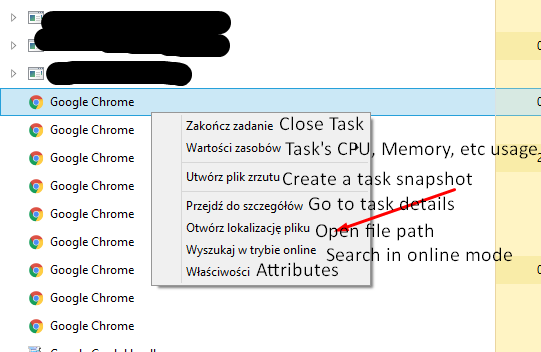
It looks like you have Windows 10; Try opening Task Manager by pressing these keys in once: CTRL + SHIFT + ESC and find GeForce Experience's task. Right click it and click 'Open File Path" (i'm in Poland, so you'll see these subtitles in polish)

Run it and find something that could relate to that overlay.
EDIT: If it even has a GUI, I don't have an NVIDIA graphics card, I'm using AMD
Then sorry, but I can't help you with that. We tried though
What about
MC-126185?This is a Minecraft issue, not a minecraft launcher issue.
Your client is also modded, so it's either your computer not handling it or it's on the mod's fault, not Mojang's.
Make a bug report to the mod creators instead.
Still exists in 18w10a.
Attach a crash report from %appdata%\.minecraft\crash-reports for more information. We can't read minds so you have to tell us a bit about the problem.
There is a post on reddit under r/minecraftsuggestions that suggests this being added.
You can view this post here.
Tried reproducing in singleplayer 18w10a, seems like it's fixed there. Haven't tried multiplayer yet.
EDIT: Nevermind, wasn't looking up long enough. Still not fixed. xD
This doesn't look like it's intended...

As you can see, there is a boundary, but that one lone pixel isn't filled in.
Related to
MC-123055?Duplicate of
MC-124923.If the bow's wood part would be inside the skeleton's arm (aka holding it), then the string would clip thorugh the skeleton's arm, if that's what you meant by that.
Confirmed for 18w10a.
I was able to reproduce yesterday on Windows 8.1, Java 1.8.0_161; the player was sprinting with the swimming animation, which causes the camera to shake as if the player was running on land.
If you don't know how to, here are the details:
(aka looking down, recommended between 0.0 and 10.0)
If you're still unable to reproduce, I can attach a video recording.
Confirmed, discovered
MC-126894while testingDuplicate of
MC-610, use the search function in the futureConfirmed for 18w10b also.
Could also relate/duplicate to
MC-126894You switched the selector and the operation around.
Correct command:
Sounds like a feature request, create a suggestion in r/minecraftsuggestions.
Related to
MC-126185andMC-115098?Irritated Gamer Your issue is described in
MC-124123.Make a bug report instead of commenting in the future, as that will make it more visible
Duplicate ofMC-125240.Nope, I didn't.
You can't place coral plants in places that aren't water source blocks.
Seems like it's a WAI.
Related to / duplicates
MC-122354.WAI.
Disable command suggestions in:
Esc > Options > Chat Settings > Command Suggestions > OFF.
Confirmed, no suggestion appears after typing "/kill @e[type=!".
Confirmed, don't know if a WAI or not.
Try actually selecting the item that is near you, define a radius in the selector or stand near it and use [sort=nearest].
This sounds like OptiFine, which is not made by Mojang; invalid issue.
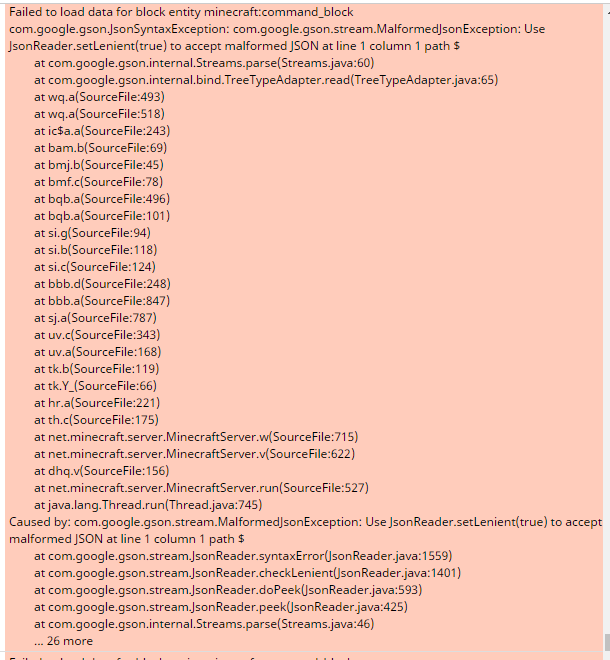
It looks like all command block data is wiped due to a com.google.gson.JsonSyntaxException, which is visible in the log files:

I even thought to myself to back up my world and boom, all command block data is gone... ;_;
*EDIT:* Whoops, didn't read everything in the description
Dupe of
MC-129615, use the search function in the future.Confirmed, happens same for seed 4566936303172969989, coords -400 ~ -500:

Attach a crash report; these can be found in %appdata%\.minecraft\crash-reports.
I believe that this is a dupe of
MC-129738.Looks like a WAI; Undead mobs now sink instead of floating and they can breathe underwater.
Quoting from the minecraft wiki:
In 1.13, the Respiration enchantment and the potion of Water Breathing will no longer increase the player's underwater visibility. The visibility also changes depending on the biome the player is in, and water reduce light by 1 every block deep, so only night vision is needed for better underwater visibility.
WAI.
Looks like
MC-126241.Because of
MC-129744, it looks like it's not fixed.Also, I already reported the missing ruins files in
MC-129745.Does it suffocate because of not being in water?
Duplicate of
MC-129623, search before posting.Instead of commenting on your issue, you can update it by hovering above the description and clicking the pen icon.
So you're trying to say you can't place item frames or paintings on vines? I don't understand.