Light-emitting blocks (including end portal frames) ignore ambient occlusion/smooth lighting, regardless of model's settings
End portal frames did not have AO enabled. However, the line " "ambientocclusion": false " is not in its model mesh file. The default for this argument is "true" so it seems that AO is somehow not being applied. (even adding " "ambientocclusion": true " doesn't work)
This affects all light sources as well. When a light source is set to use another block's model, the ambient occlusion setting is not inherited.
Linked Issues
is duplicated by2
relates to8
 MC-51113The inner cube faces of slime blocks darken when solid blocks are present nearby
 LowMC-50263Lighting bug affecting End portal frames with eyeFixedMC-73348Repeater/Comparator Top/Bottom Faces Always CulledDuplicateMC-165503Fence gates (between walls) aren't affected by ambient occlusion/smooth lightingFixedMC-275355Block models of magma blocks and active sculk sensors do not use light_emissionInvalidMC-249343Light sources create Ambient OcclusionLowMC-172852Doors aren't affected by ambient occlusion/smooth lightingConfirmedMC-249033Nether portal blocks are no longer affected by smooth lighting/ambient occlusionWorks As Intended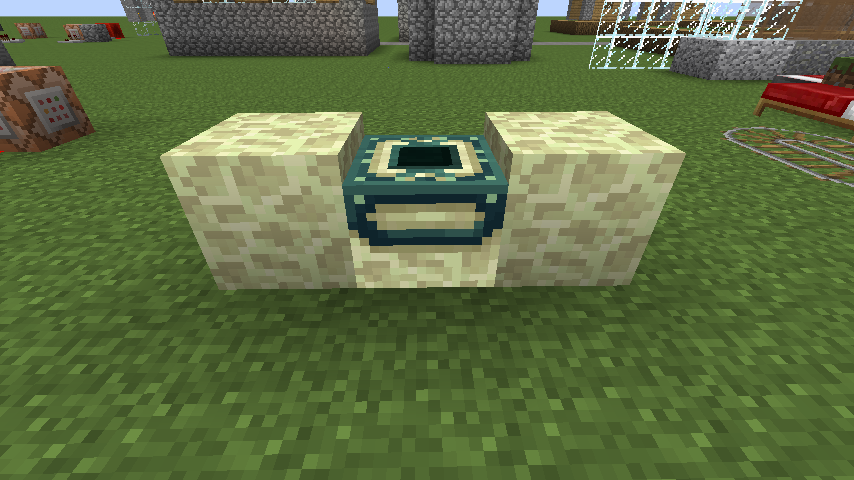


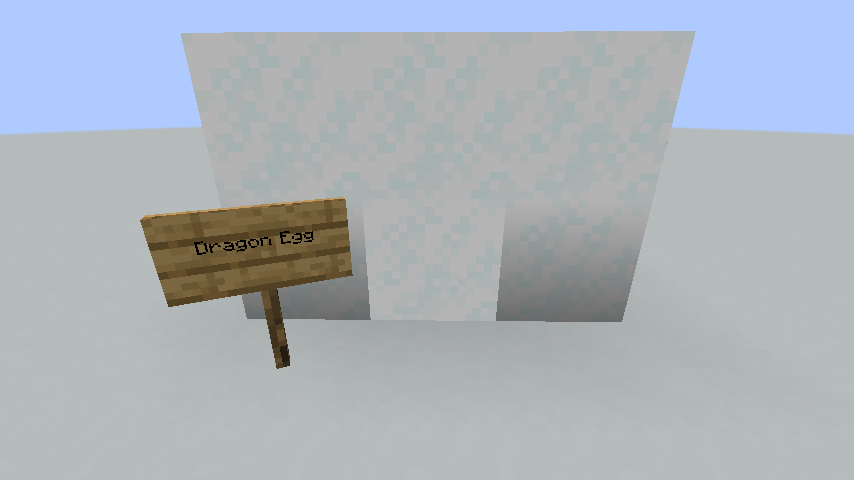
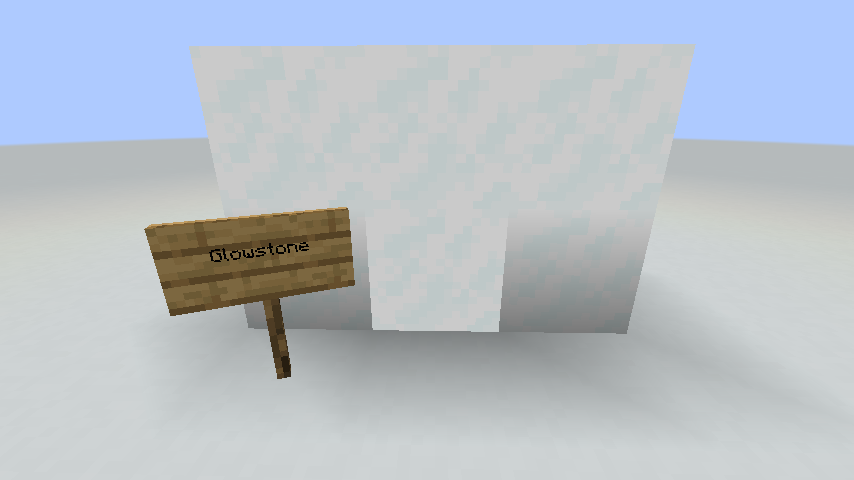


- Unresolved
 Connor Steppie
- Christie N
- 32
- 13
- Confirmed
- Low
- Platform
- Lighting
- ambientocclusion end_portal_frame lighting model
14w10c - 1.21.4
14w10c 14w11b 1.7.8 14w17a 14w18b 14w19a 14w20b 14w21b 14w25b 14w26c 14w27b 14w28b 14w29b 14w30b 14w31a 14w32a 14w33a 14w34b 1.8-pre1 1.8-pre3 1.8 1.8.1 1.8.3 1.8.7 1.8.8 15w31b 15w33c 1.10.2 16w42a 18w11a 1.14.4 19w45b 1.15-pre1 20w07a 20w13b 20w15a 20w19a 1.16.1 20w29a 1.16.4 21w03a 21w06a 21w15a 1.17.1 1.18.1 1.18.2-pre1 1.18.2 22w15a 23w44a 1.20.4 23w51b 1.21 1.21.3 1.21.4
Created Issue:
End Portal Frame Not Having Ambient Occlusion
While reporting
MC-50733, I discovered that end portal frames did not have AO enabled. However, the line " "useAmbientOcclusion": false " is not in its model mesh file. The default for this argument is "true" so it seems that AO is somehow not being applied. (even adding " "useAmbientOcclusion": true " doesn't work)
Attachments1
End Portal Frame Not Having Ambient OcclusionUnable To Enable Ambient Occlusion on End Portal Frames
While reporting
MC-50733, I discovered that end portal frames did not have AO enabled. However, the line " "useAmbientOcclusion": false " is not in its model mesh file. The default for this argument is "true" so it seems that AO is somehow not being applied. (even adding " "useAmbientOcclusion": true " doesn't work)End portal frames did not have AO enabled. However, the line " "useAmbientOcclusion": false " is not in its model mesh file. The default for this argument is "true" so it seems that AO is somehow not being applied. (even adding " "useAmbientOcclusion": true " doesn't work)
End portal frames did not have AO enabled. However, the line " "
useAmbientOcclusion": false " is not in its model mesh file. The default for this argument is "true" so it seems that AO is somehow not being applied. (even adding " "useAmbientOcclusion": true " doesn't work)End portal frames did not have AO enabled. However, the line " "ambientocclusion": false " is not in its model mesh file. The default for this argument is "true" so it seems that AO is somehow not being applied. (even adding " "ambientocclusion": true " doesn't work)
![[Mod] Torabi](../../../data/assets/gravatar/torabi.png)

relates to
Unable To Enable Ambient Occlusion onEnd Portal FramesHardcoded AO Setting for End Portal Frame
Hardcoded AO Setting for Light Sources and End Portal Frame
End portal frames did not have AO enabled. However, the line " "ambientocclusion": false " is not in its model mesh file. The default for this argument is "true" so it seems that AO is somehow not being applied. (even adding " "ambientocclusion": true " doesn't work)
This affects all light sources as well. When a light source is set to use another block's model, the ambient occlusion setting is not inherited.

![[Bot] Arisa](../../../data/assets/gravatar/mustek2.png)

![[Mojang] Nathan Adams](../../../data/assets/gravatar/dinnerbone.png)
![[Mod] CubeTheThird](../../../data/assets/gravatar/cubethethird.jpeg)
![[Mod] markderickson](../../../data/avatars/users/18946.svg)
![[Bot] Arisa](../../../data/avatars/users/43007.png)
![[Mod] Michael Wobst](../../../data/avatars/users/37868.png)
relates to
![[Mod] ampolive](../../../data/avatars/users/18949.svg) Low
Low![[Mod] violine1101](../../../data/avatars/users/92858.png)
is duplicated by
Hardcoded AOSetting forLightSources andEndPortalFrameHardcoded AO setting for light sources (and end portal frames)
relates to
relates to
Hardcoded AO setting for light sources (andend portal frames)Hardcoded AO setting for light sources (including end portal frames)
Hardcoded AO setting for light sources (including end portal frames)Light-emitting blocks (including end portal frames) ignore ambient occlusion, regardless of model's settings
![[Mojang] slicedlime](../../../data/assets/gravatar/slicedlime.jpeg)
![[Mod] EVGENSYPERPRO](../../../data/avatars/users/92853.png)
![[Mod] turbo](../../../data/avatars/users/92867.png)
![[Mod] Jarl-Penguin](../../../data/avatars/users/92849.png)
relates to
Light-emitting blocks (including end portal frames) ignore ambient occlusion/smooth lighting, regardless of model's settings
Here is the line from repeater_1tick.json for the bottom face of the repeater:
"down": { "uv": [ 0, 0, 16, 16 ], "texture": "#slab", "cullface": "down" }
except...the bottom face is not rendered. The screenshot shows a floating repeater with no blocks touching, yet the bottom face is culled. Removing culling for the face makes it render, but by default it does not, as if the repeater were always against a solid block. Removing the cullface property like so will make the bottom face render.
"down": { "uv": [ 0, 0, 16, 16 ], "texture": "#slab" }
However, then the bottom face will never be culled, even when next to a solid block
If a repeater uses the cube model, both the top and bottom faces will be culled.
Relates to MC-50734
This is likely due to them emitting a light level of 1. This is mentioned in MC-50734; I've proposed that end portal frame exclusive information all be moved to this ticket for reasons explained within a comment there and that ticket changed to instead cover more significant light emitters.
MC-6528 could also be forward-resolved into this report as a duplicate.
Actually, I've thought about it and it might make more sense to just resolve this as a duplicate of MC-50734. The fact that end portals emit light is best considered a separate issue.
The bug
End portal frame blocks emit a light level of 1.
Aside from this making them very impractical as a light source, it also causes visual problems such as MC-50734, which results in ugly and sharp lighting transitions to other blocks due to light-emitting blocks ignoring ambient occlusion. Removing the light emitted by end portal frames, which would make effectively zero changes to gameplay, would very likely alleviate this bug.
How to reproduce
- Place an end portal frame block in a completely dark area
- Stand on this end portal frame block
- Open F3
Expected results
The debug screen would report a block light level of 0.
Actual results
The debug screen reports a block light level of 1, which can be very easily attributed to the end portal frame.
Relates to MC-832
The bug
Dragon eggs emit a light level of 1.
Aside from this making them very impractical as a light source, it also has the potential to cause visual problems such as MC-50734, which can result in ugly and sharp lighting transitions to other blocks due to light-emitting blocks ignoring ambient occlusion, especially if the dragon egg is given a custom model. (In addition, it makes the line in the dragon egg model that disables ambient occlusion completely redundant.) Removing the light emitted by dragon eggs, which would make effectively zero changes to gameplay, would very likely alleviate this bug.
How to reproduce
- Place a dragon egg in a completely dark area
- Stare at the block below it
Expected results
The supporting block would appear completely unchanged.
Actual results
There is an incredibly subtle orangeness which arises due to the ender dragon egg being on top of it, which can be attributed to block light.
Since these are their own set of issues which are related to item model rendering rather than block and entity rendering, these are being given a separate ticket from MC-248703.
I later discovered this had been reported already in MC-81834, a ticket which has been resolved as "Works as Intended"; this resolution, however, occurred in mid-2015, which is six and a half years ago. Many very major changes have been made to rendering since then, particularly in 1.15; as such, I'd prefer it if this weren't considered a duplicate as the validity of the core issue may very well differ from what it was then (and this ticket is also more in-depth due to covering each distinct case). Resolving that ticket forwards into this ticket instead as a duplicate would be preferable. If this cannot be done, I'd at least appreciate it if the older ticket was sent in for review instead.
The bug
Models can have ambient occlusion and/or shading explicitly disabled in their model files. This works almost everywhere where the model is used for a placed block, however ultimately fails completely for items, introducing undesirable shading.
How to reproduce
A resource pack is attached to this ticket which replaces glowstone and sea lanterns with dedicated models composed of six intersecting planes. Ambient occlusion is turned off for each model, and shading is disabled for each element; as such, they appear identical when placed. The only difference between the two models is that glowstone has gui lighting set to "side", whereas the sea lantern has it set to "front"; they are identical everywhere else.
Glowstone and sea lanterns were picked specifically due to MC-50734, such that even if the disabling of ambient occlusion were to not work due to some other bug, they'd still inherently be subject to it anyway.
Current latest resource pack version: item-shading-test-1.18.2-v1.1.zip
As this issue manifests in multiple places due to different items, reproduction steps for each of these will be summarized:
Control group: placed blocks, to demonstrate expected appearence

UI items: simply view the two items from within the inventory

Held items in first person: hold glowstone in one hand and a sea lantern in the other hand in first person

Held items in third person: repeat the above, but enter third person mode
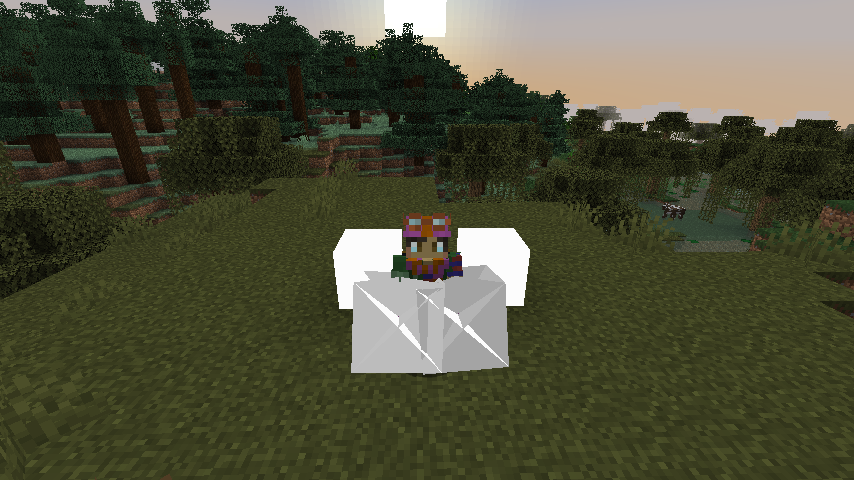
Dropped items: simply throw one of each on the ground

Framed items: place one of each in an item frame, optionally repeat for glow item frames

Worn on head: spawn two zombies, name one G and the other S, and use the following two commands:
- /item replace entity @e[type=minecraft:zombie,name=G] armor.head with minecraft:glowstone
- /item replace entity @e[type=minecraft:zombie,name=S] armor.head with minecraft:sea_lantern
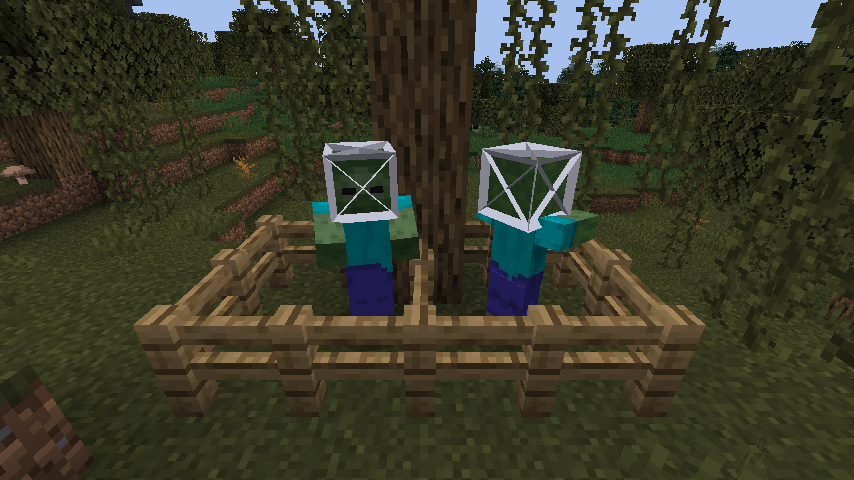
Projectiles: create a series of upwards bubble columns, and throw an ender pearl such that it remains suspended by them for easy observation

Expected results
The glowstone and sea lantern models would appear fully bright in all of these contexts in the same way they appear when placed.
Actual results
The models are shaded, with the different shadings accentuated by intersections between the planes.
How to fix
Item models should recognize the "shade" parameter in item models and respect it, preventing said element from receiving shade.
Additionally (or alternatively), the "gui_light" parameter could accept a third parameter, "none", which would completely prevent any shading from being applied to the model as an inventory item. This could fix MC-213446, although only if it only affects inventory items; it may pose undesirable for dropped items.
The bug
Prior to Beta 1.9 Prerelease 6, nether portal blocks were affected by smooth lighting like other blocks were, resulting in lit nether portals gradually looking brighter toward the center. However, as of Beta 1.9 Prerelease 6, this no longer happens (potentially due to MC-50734), resulting in nether portal blocks having constant shading. This behaviour persists to the present day.
Despite this change happening over ten whole years ago, I am reporting this as a bug due to this change being completely unannounced from what I can see.
How to reproduce
- Light a nether portal with smooth lighting enabled, and preferably at a low brightness setting
- Copy that portal's frame an extra block outwards as to accentuate any shading on the portal
- Note the lack of any darkness appearing on the portal blocks
- Repeat this in version Beta 1.9 Prerelease 5 or earlier
Expected results
Due to smooth lighting, the nether portal would appear darker.
Actual results
This is not the case in modern versions; the expected effect can only be seen in much older versions.
Certainly intrigued by the recent activity on this ticket. I believe this ticket mainly concerns the fact that by default, doors, wall gates and end portal frames don't use AO, yet doors and wall gates are the only ones this is fixable for via model files due to end portal frames emitting light (MC-248609) which gets it another separate ticket (MC-165504, likely a duplicate of MC-50734)?
Personally I think this ticket should only concern the fact that doors and wall gates explicitly disable AO, which is an incredibly easy fix since that line just needs to be removed from the model files to fix this, and all the end portal details should be moved to MC-50734.
Relates to MC-50734.
Since end portal frames technically are a light source, resolving as a duplicate of MC-50734.
We've decided to split this issue up into separate cases:
Relates to or even duplicates MC-50734
Not sure why this is marked as related to MC-50734 (it should be removed), however from my testing this was fixed in 1.13.
I can confirm this is the case.
Relates to
MC-73348Is this still an issue in the most recent versions (currently that is 1.10.2, or 16w42a) of Minecraft? If so, please update the affected versions and help us keeping this ticket updated from time to time.
Still present in 18w11a
Does this still occur in the current release?
Can confirm in 1.17.1.
This report is currently missing crucial information. Please take a look at the other comments to find out what we are looking for.
If you added the required information and a moderator sees your comment, they will reopen and update the report. However, if you think your update to this report has been overlooked or you want to make sure that this report is reopened, you can contact the Mojira staff on Discord or Reddit.
– I am a bot. This action was performed automatically! If you think it was incorrect, please notify us on Discord or Reddit
As there is currently a dedicated ticket for end portal frames (
MC-165504), it may be worth moving all such information to that report and only having this ticket be about light-emitting blocks in general, as end portals are an odd case (they emit a light level of 1, which is almost unnoticable and effectively useless - removing it would fix more problems than it would cause) and as such I feel a dedicated report is warranted for them in contrast to higher-level emitters.I can confirm this behaviour in 22w05a and have attached a resource pack to make reproducing this issue incredibly easy. This resource pack replaces models of some light-emitting blocks with cube_all models (cube_all.json does not have ambient occlusion disabled) which use a texture of a white block:
Placing one of these blocks on the floor and then surrounding it with the block it's been made to imitate shows the lack of ambient occlusion very, very clearly.




As the original reporter of this ticket has been inactive since 2018, can I request ownership of this issue?
Affects 1.18.2, requesting ownership
In 22w15a.
Not sure why
MC-73348is marked as related - was this a typo? It should be removed. However,MC-54479should be marked as related. Possibly also MC-123703, MC-213446 and MC-262644.Confirmed in 1.21.3
Can confirm 1.21.4.